Clothing website builder: What to look for before you pick one

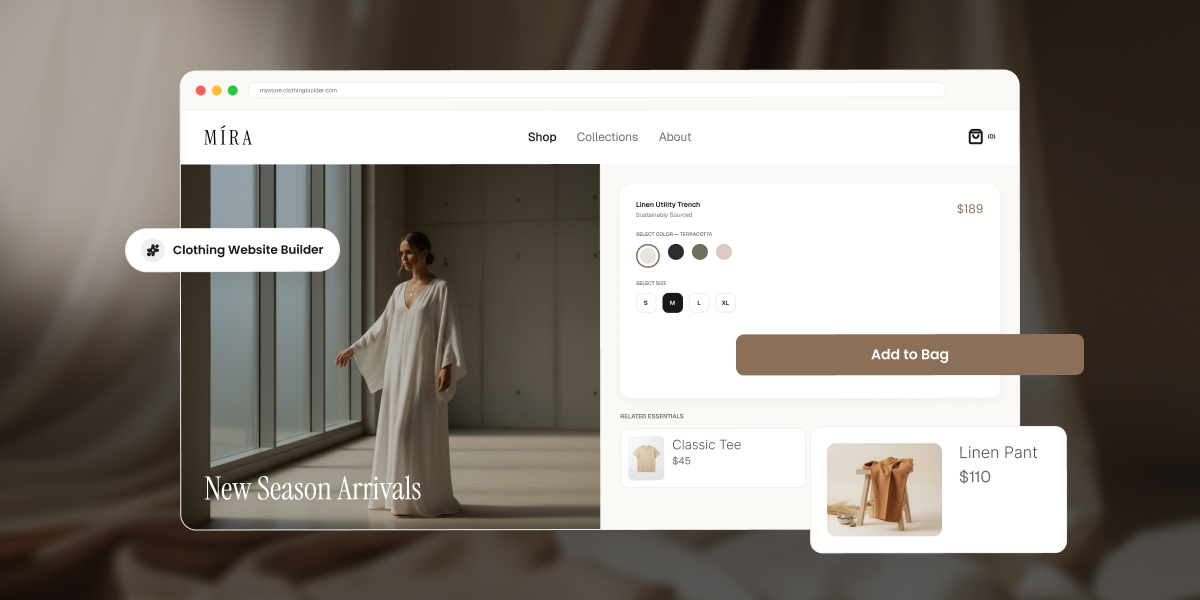
Browser mockup of a clothing store called MÍRA built with a website builder, showing a "New Season Arrivals" hero image of a model in a white linen dress, alongside a product page for a Linen Utility Trench with color and size options, an "Add to Bag" button, and related items: Classic Tee and Linen Pant.

You’ve got a rack of samples shot and ready, a size chart scribbled on a notepad, and no patience left for tutorials. The builder you pick from here decides whether that turns into a store people can actually buy from, or a pretty homepage that quietly blocks your first sale until you upgrade. Here’s what actually matters before you commit to one.

Key takeaways:

  • A clothing website builder needs native size and color variant support, or a single design in three sizes and four colors turns into 12 separate products to manage by hand.
  • Checkout is where most sales are actually won or lost, so a clunky payment flow undoes good product photography and merchandising in seconds.
  • Nearly every well-known builder lets you build a store for free but requires a paid plan before you can process a single sale. Truly free-and-selling platforms exist, but they cap your product count in exchange.
  • The clearest way to choose between a simple builder and a full ecommerce platform is your actual SKU count today and a year from now.
  • A missing size guide and an unclear returns policy are two of the most common, and most avoidable, mistakes first-time apparel sellers make before launch.

What to look for in a website builder for a clothing brand

Apparel has needs that most website builders weren’t originally designed around, mostly because they were built with someone selling one kind of thing in one size in mind. Before comparing platforms by price or template count, check that each one covers the four things that actually determine whether you can run a clothing store on it day to day, not just launch a pretty homepage and call it done.

1. Product variants (size, color, material)

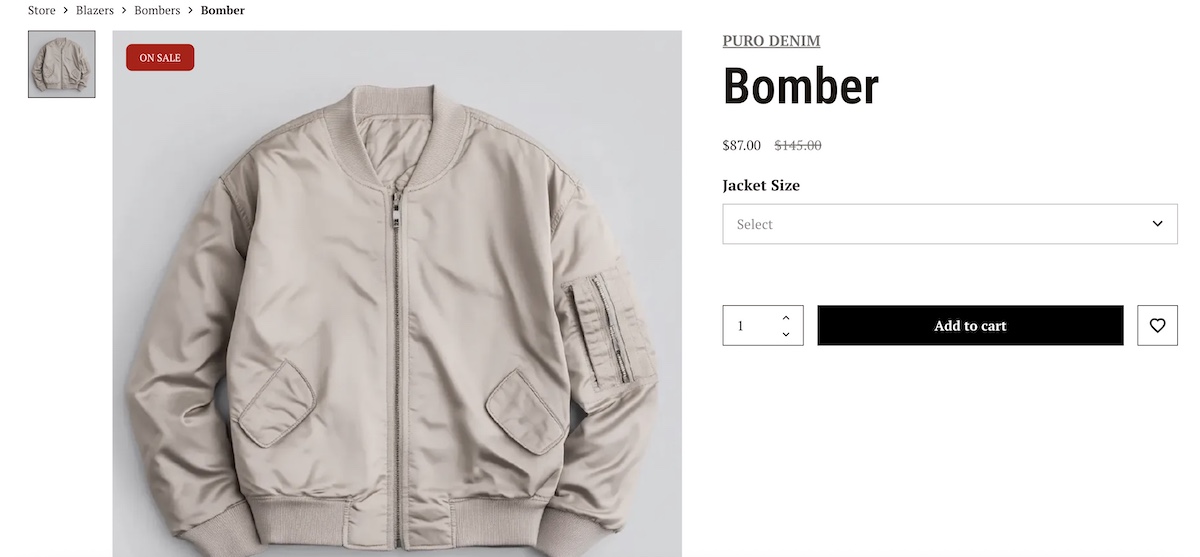
A single T-shirt design in three sizes and four colors is 12 separate combinations, called SKUs. A builder without native variant support forces you to create 12 separate product listings, then manually track stock for each one, which is less “running an online store” and more “running a spreadsheet with a storefront attached.” 

Look for a platform where you set a product once, add size, color, and material color as variant attributes, and get one product page with a size or color selector for shoppers. This single feature separates real fashion ecommerce builders from generic site builders with a “shop” add-on bolted on.
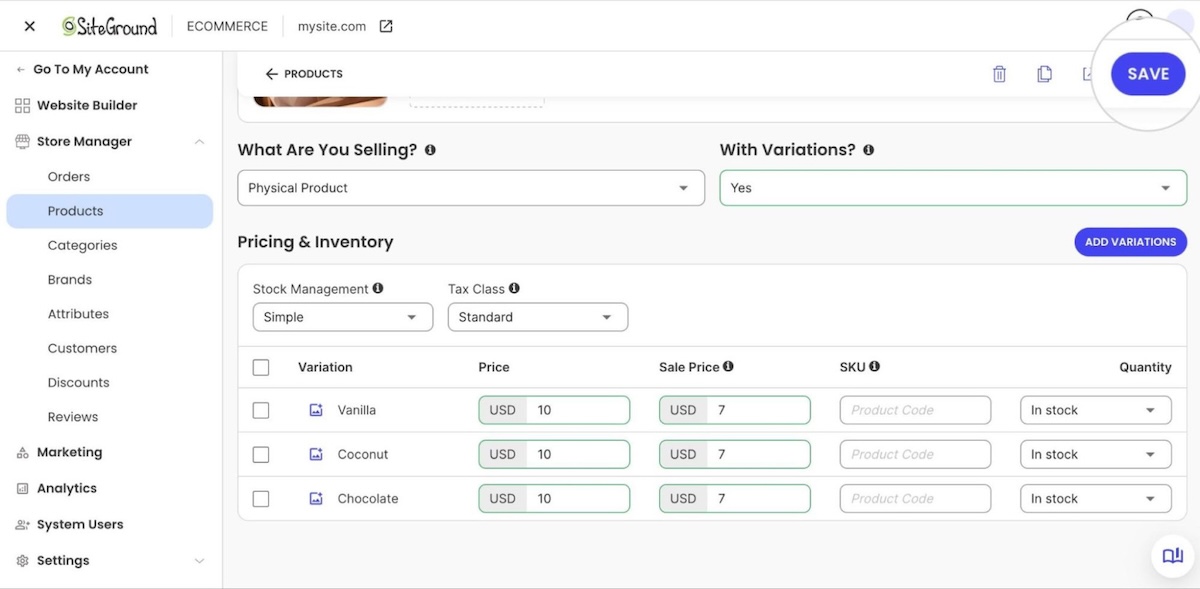
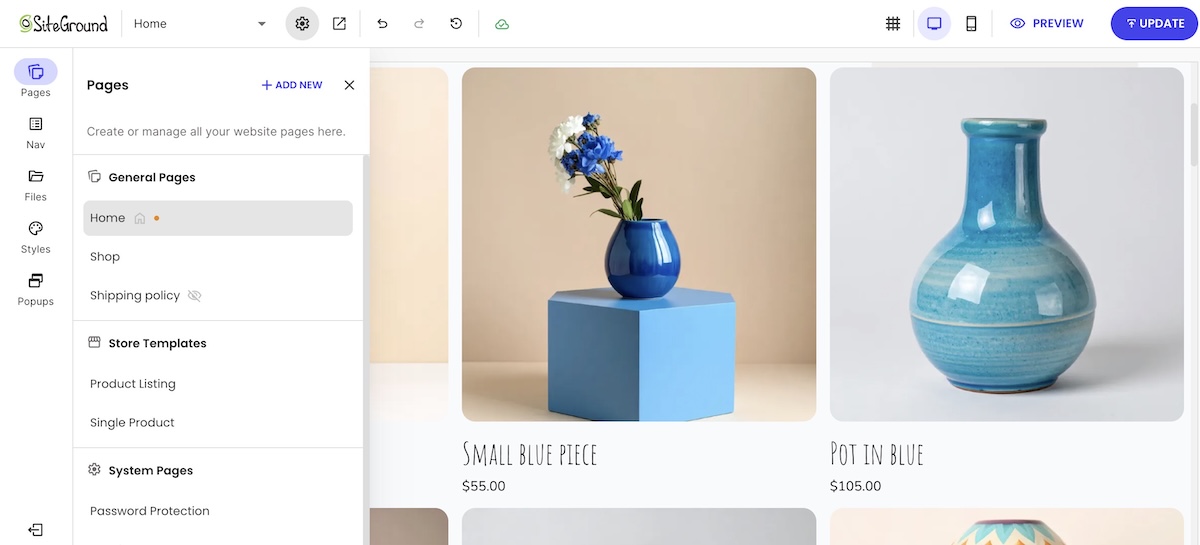
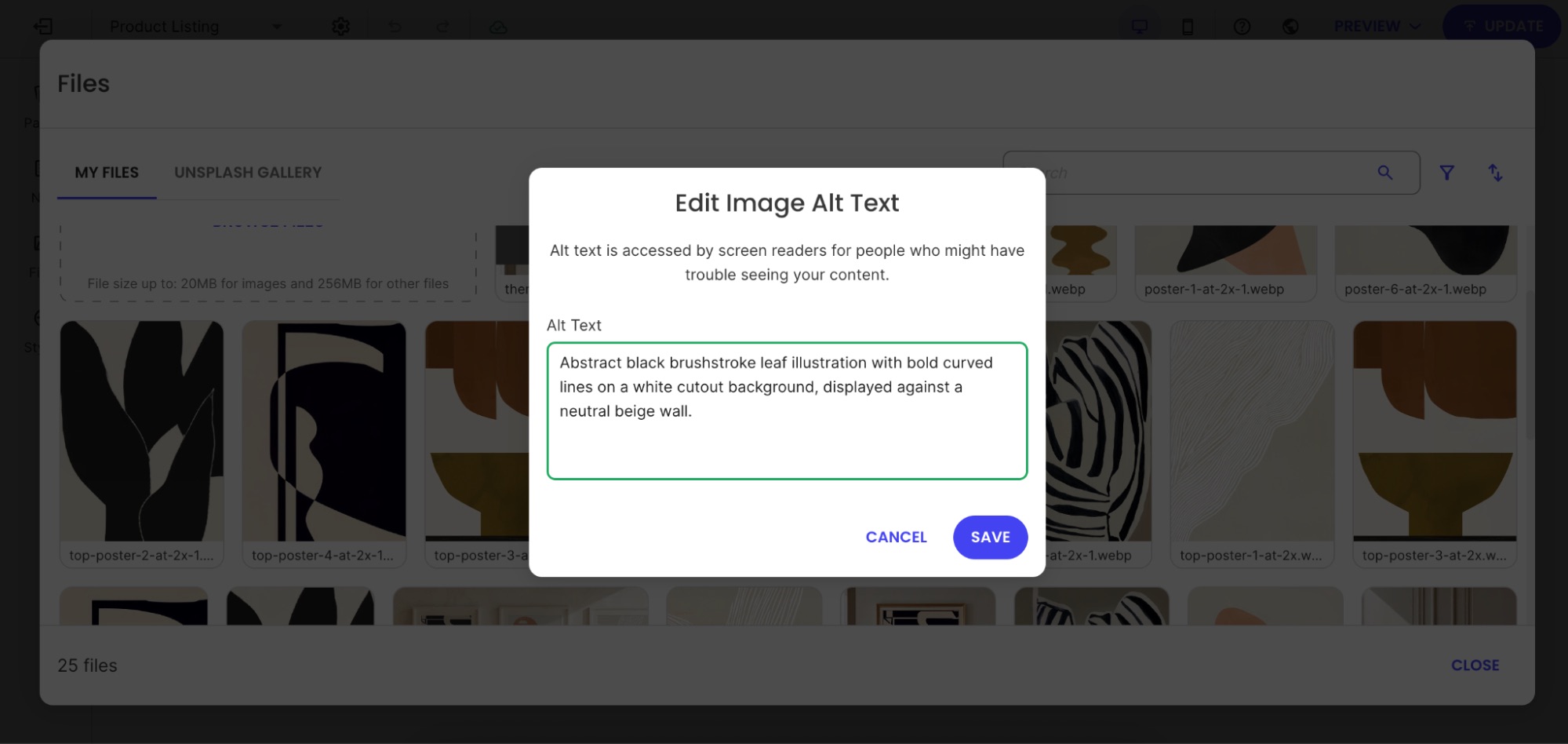
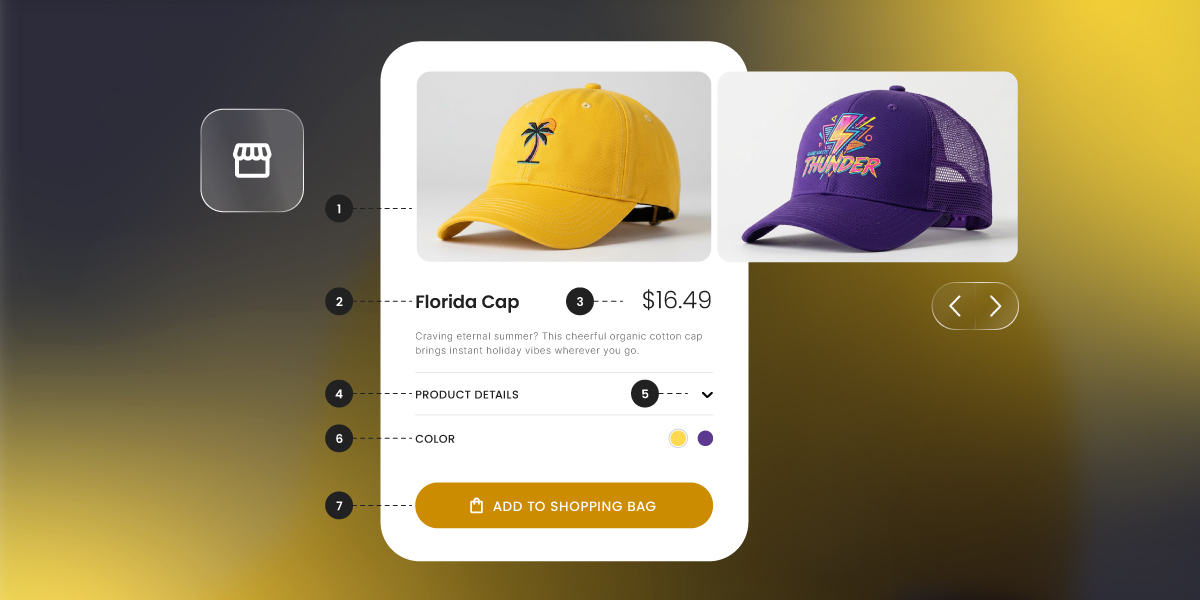
clothing website product variation selection on ecommerce platform

2. Collections, drops, and seasonal merchandising

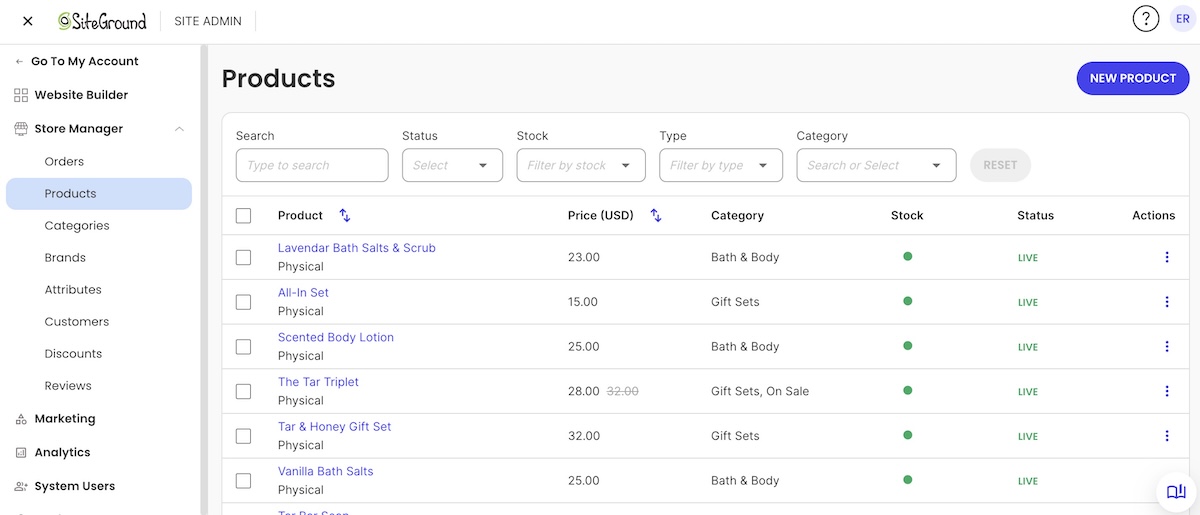
Clothing brands sell in cycles: a spring lineup, a limited drop, a holiday capsule. Your builder should let you group products into categories, so a new drop can go live as its own dedicated section without rebuilding your site structure each season. If adding a new drop means recreating your navigation from scratch, the platform is working against your merchandising calendar, not with it.
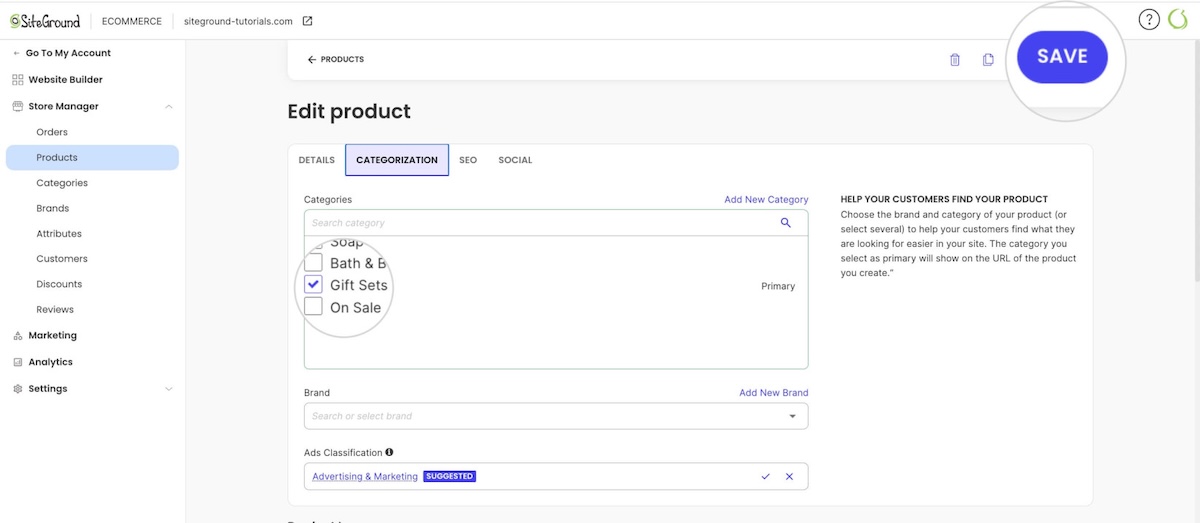
Selecting categories for products on ecommerce website admin panel

3. Product photography and lookbook-style visuals

Clothing sells on how it looks worn, styled, and photographed, not just specs. Look for:

  • Storytelling layouts. Big photos that stretch edge to edge instead of sitting in a small boxed-in frame, and galleries with more than one or two shots per product.
  • At least four to six images per variant. Shoppers buying clothing online rely on multiple angles to judge fit in place of trying it on.
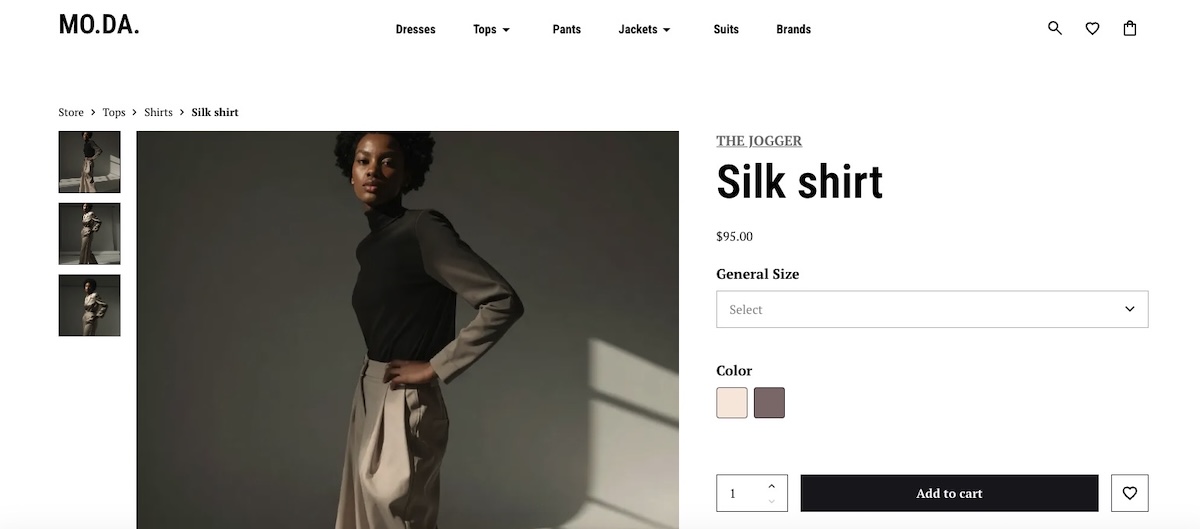
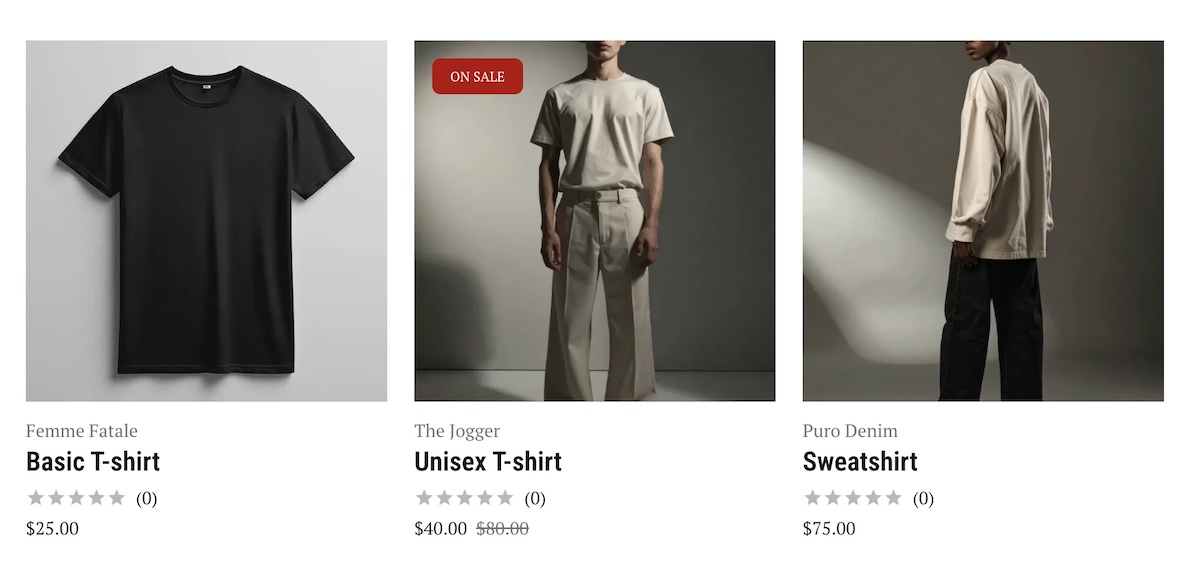
product imagery on a clothing ecommerce website

4. Payment processing and checkout experience

Checkout is where most of the sale is actually won or lost. The global average cart abandonment rate sits at 70.22%, and apparel is widely cited across industry benchmarks as one of the highest-abandoning retail categories

Look for a builder with built-in support for major processors such as Stripe and PayPal, a mobile-friendly checkout with few form fields, and clear shipping costs shown before the final step. 

Don’t forget the technical essentials: speed, mobile, and SEO
None of the above matters if the site is slow, breaks for mobile shoppers, or never shows up in search. Look for a builder that loads product pages in a couple of seconds, adapts automatically to phone screens, and easily handles the SEO basics, meta titles, clean URLs, alt text, without a separate plugin.

Free vs. paid clothing website builders: what you actually get

“Free clothing website builder” is one of the most searched phrases in this category, and it hides a real gap between what free means on different platforms. In practice, there are really only two tiers, no matter how many different names builders give them.

TierWhat you actually getThe tradeoff
Free to build, not to sellA live storefront with your branding and products, sometimes with the full feature set unlocked for previewCheckout stays off until you pay, whether that’s a standing free plan with no time limit or a trial that expires in a matter of days
Free to sell, but cappedReal checkout and payment processing at no costUsually a hard cap on product count, like 5 products

Most well-known builders fall into the first tier. Some offer a permanent free plan, others a time-boxed trial, but the result is the same either way: you build for free, and you pay to actually sell. Free-and-selling platforms exist, but they’re the exception, usually in return for a hard product cap, not something you can expect to find by default. If your goal is to launch and start selling in the next few weeks, it’s worth reading through the specific tradeoffs of starting an online store on a budget before you commit to any single plan.

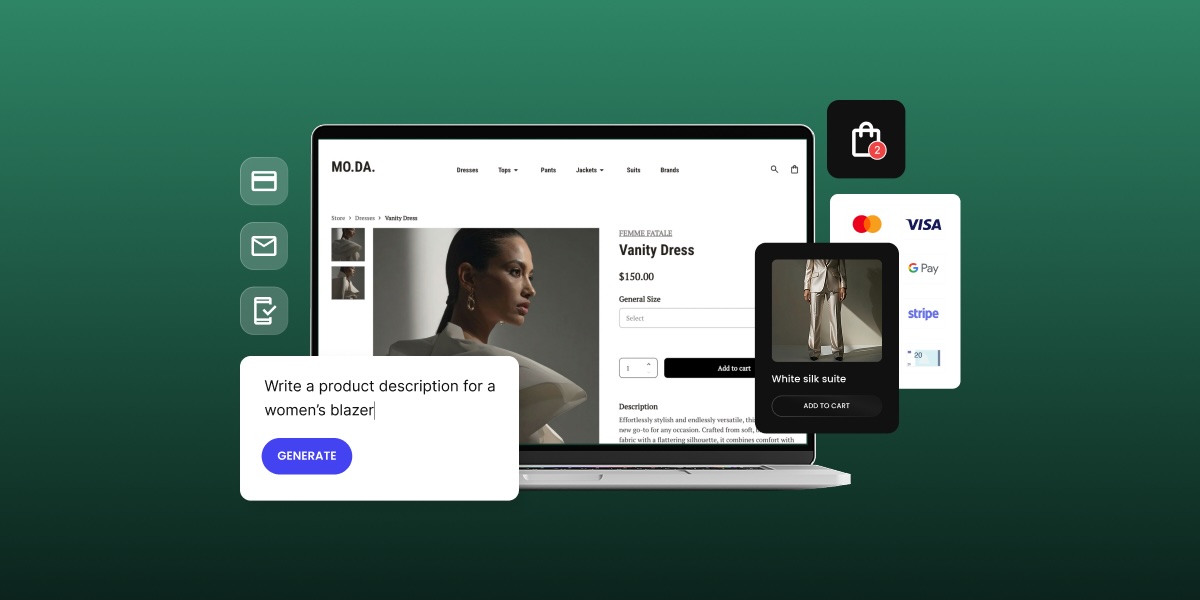
SiteGround Ecommerce lets you build the real thing, not a demo. Set up your storefront, add every variant, and see exactly what your first collection will look like, all in 14 days, no credit card required. It’s a no-code builder from the first click, runs on the same fast, secure infrastructure SiteGround’s known for, and email marketing tools are ready to plug in whenever you want to start building a list.

Start building your online store now>>

How to choose the right builder for your apparel business

Once you know what to look for, the real question is which platform fits your specific business, not apparel sellers in general. A hobbyist launching eight T-shirt designs has different needs than a brand moving 150 SKUs online for the first time, and treating them the same leads to the wrong builder for one of them. If you’d rather answer a few quick questions than work through a framework, a short builder-matching quiz can point you toward a shortlist in a couple of minutes.

Consider your catalog size and product complexity

Ten T-shirt designs in three sizes each is a manageable catalog for almost any builder. Two hundred SKUs across multiple product types, each with size, color, and material variants, needs a platform built to handle bulk product management, inventory tracking, and variant combinations without manual workarounds. Count your current SKUs and your planned SKUs a year out. If that number is already in the hundreds, rule out any builder with a hard product cap on its paid plans, not just its free tier. Discovering the cap the hard way, mid-upload, is a real momentum killer.

Consider your budget and growth stage

A pre-launch seller testing demand with a small collection has different math than a brand already doing five figures a month in sales. Weigh the monthly platform fee against any per-transaction fee, since transaction fees scale with your revenue in a way a flat monthly cost doesn’t. A 14-day free trial period is long enough to build your full catalog and see exactly what your online store will look like before you decide whether the ongoing cost fits your margins.

Consider your design and branding needs

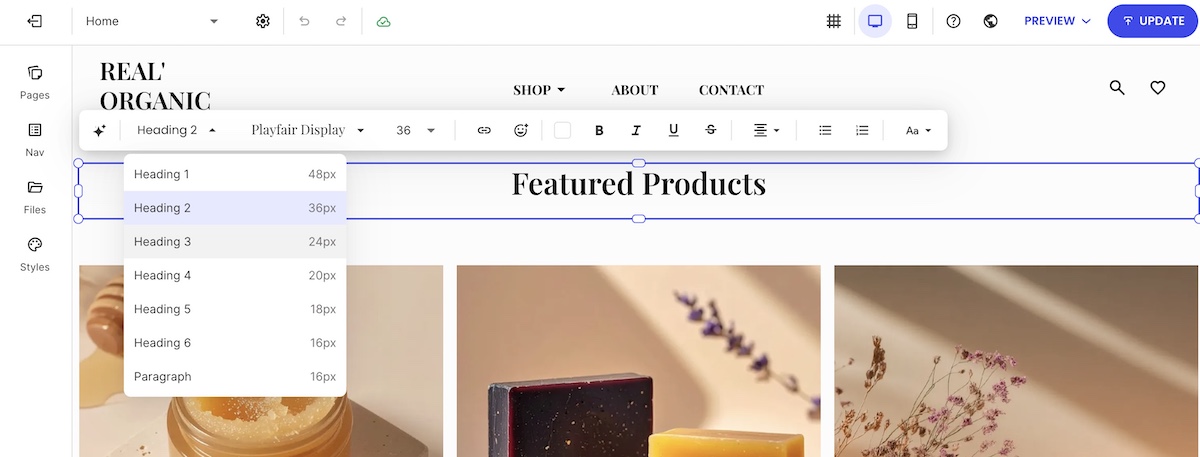
Some builders offer flexible layout control; others lock you into a fixed template structure. If your brand depends on a distinct visual identity, custom fonts, and a specific homepage layout matter more than they would for a generic product catalog. Check whether the builder lets you edit layouts directly or only swap between preset themes. A brand built on strong visual identity deserves more than “here’s our template, please enjoy the stock photo of a laptop.”

Step-by-step: what building your clothing website actually involves

Regardless of which platform you pick, launching a clothing store follows roughly the same sequence, and skipping ahead tends to cost you time later, not save it:

  1. Choose your platform and plan. Confirm it supports variants, your preferred ways to accept payments, and your expected catalog size before you build anything.
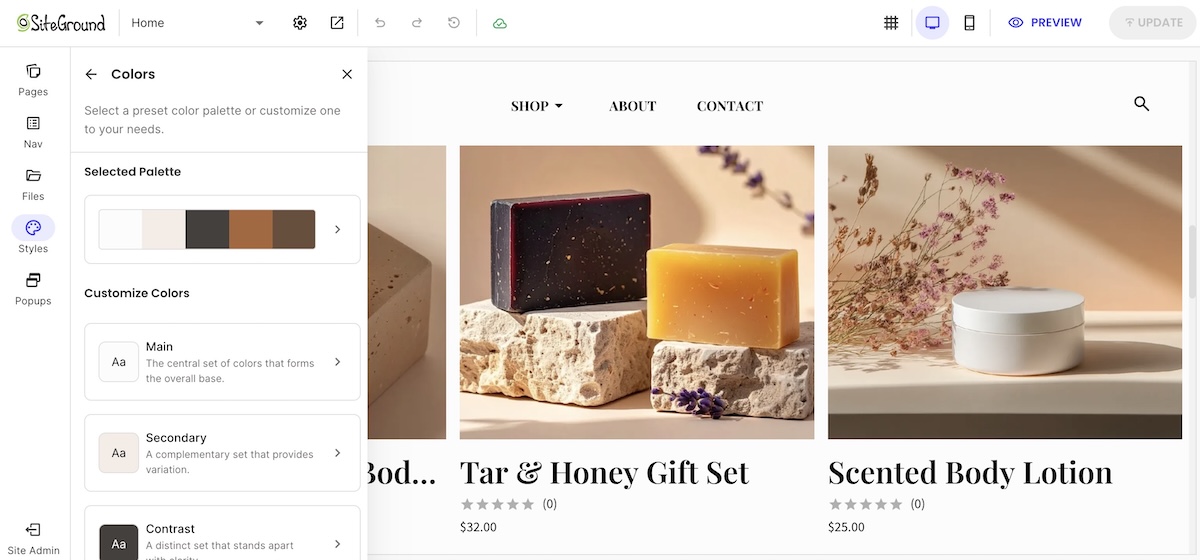
  2. Set up your domain and branding. Connect your domain, upload your logo, and set your brand colors and fonts.
  3. Create your first product with variants. Build one product completely, including size, color, and material options, before duplicating the structure for the rest of your catalog.
  4. Add product photography. Upload consistent, well-lit images for every variant. Inconsistent photo quality across products is one of the fastest ways to look unfinished.
  5. Configure payment processing and shipping. Connect Stripe or PayPal, set your shipping rates or flat rates, and confirm tax settings for your region.
  6. Set up tax settings for your region. Confirm whether you need to collect ecommerce sales tax based on where you and your customers are located, and configure your platform’s tax rules before your first sale.
  7. Test the full checkout flow yourself. Place a real test order and walk through every step a customer would, on both desktop and mobile.
  8. Publish and launch. Go live once the test order confirms your checkout, shipping, and confirmation emails all work correctly.

This sequence covers the apparel-specific setup. For the broader mechanics of setting up product pages, tax settings, and store policies, the eight-step ecommerce website process walks through each stage in more depth.

Common mistakes first-time clothing sellers make

A few mistakes show up repeatedly among first-time apparel sellers, and every single one of them is more fun to read about now than to discover after launch.

  • Skipping the size guide. Apparel has one of the highest return rates in ecommerce, and a missing or vague size chart is a common cause. Add a size guide to every product page before launch, not after the first round of “runs small” emails.
  • Uploading inconsistent product photos. Mixing phone photos with professional shots, or shooting products against different backgrounds, makes a product gallery and catalog look unfinished even when the products themselves are solid. 
  • Choosing a custom-built site before validating demand. Committing to a fully custom, developer-built site before your first sale adds cost and delay you don’t need yet. Comparing a builder against a custom-built site is worth doing, but most first-time sellers are better served by a builder until sales volume justifies custom development, not personal ambition.
  • Not testing checkout on mobile. Mobile cart abandonment consistently runs higher than desktop across most industry benchmarks. If you only tested checkout on a laptop, you’ve only tested half your traffic and hoped for the best on the rest.
  • Underpricing shipping. Absorbing shipping costs without checking your margins first is one of the fastest ways to sell at a loss without noticing, right up until the numbers catch up with you.
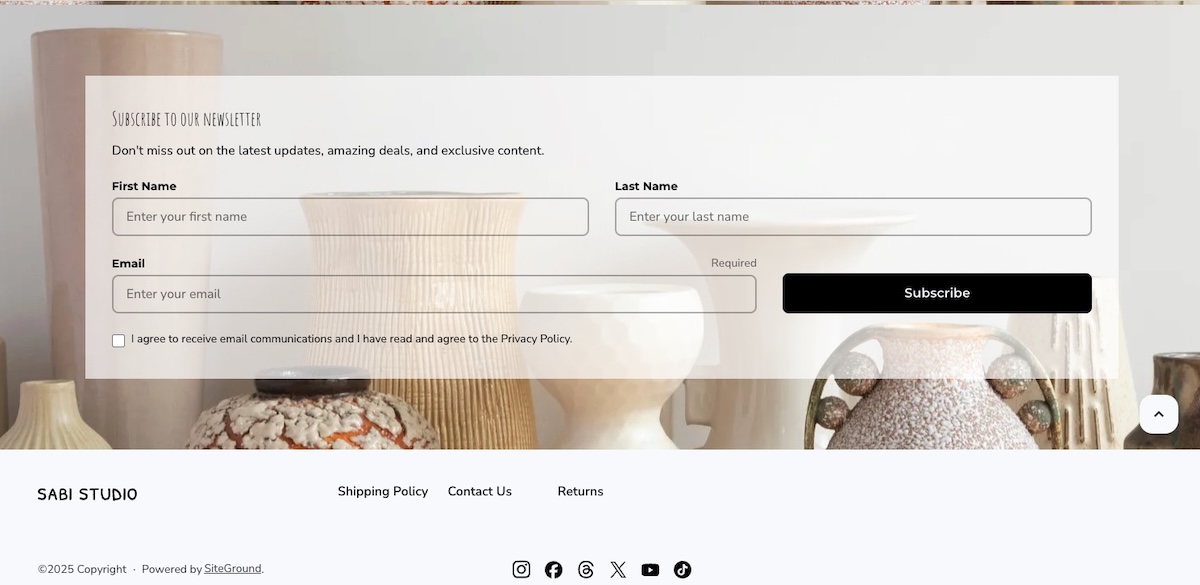
  • Launching without a returns policy. Apparel has one of the highest return rates of any retail category, driven mostly by sizing and fit. A clear, visible returns policy on your product pages and checkout reduces pre-purchase hesitation and gives you a documented process to point customers to when a return request comes in, instead of writing the policy on the spot in a support chat.
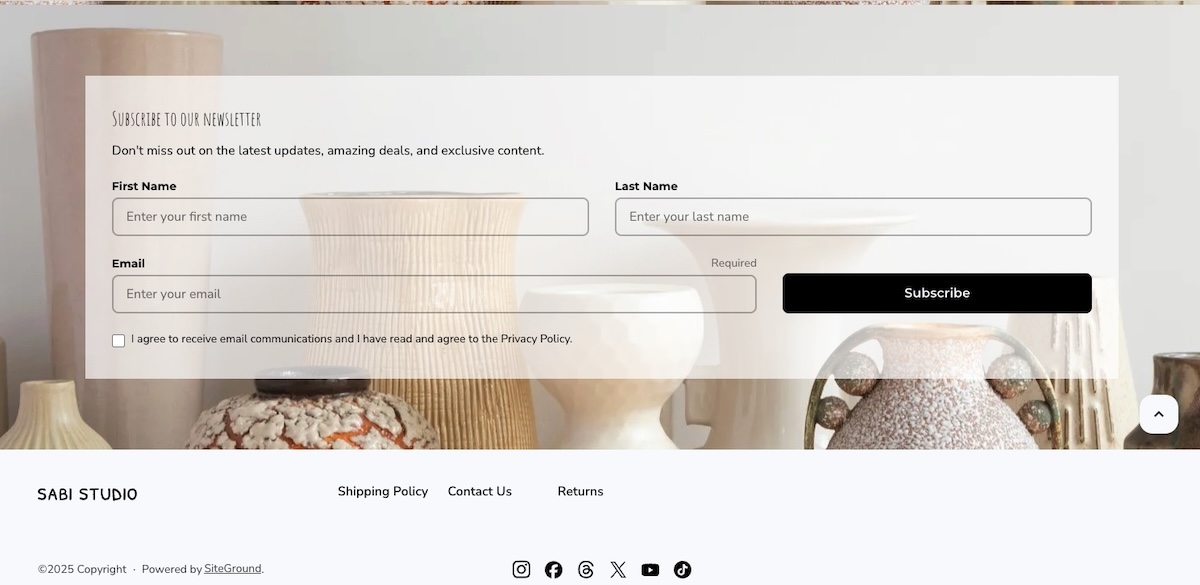
Example of a return policy in the footer of a clothing ecommerce website

Getting your clothing website ready to launch

In the final stretch before launch, a short checklist separates an online store that looks intentional from one that looks unfinished.

  • Size guide on every page. Confirm it’s visible on every product page, not just a handful of them.
  • Consistent and high quality product images. Check that lighting, backgrounds, and angles match across your full catalog, not just your bestsellers.
  • A homepage that earns the click. Review it against a few ecommerce design ideas to spot obvious gaps, such as a missing call-to-action above the fold or a navigation menu that buries your best-selling collection.
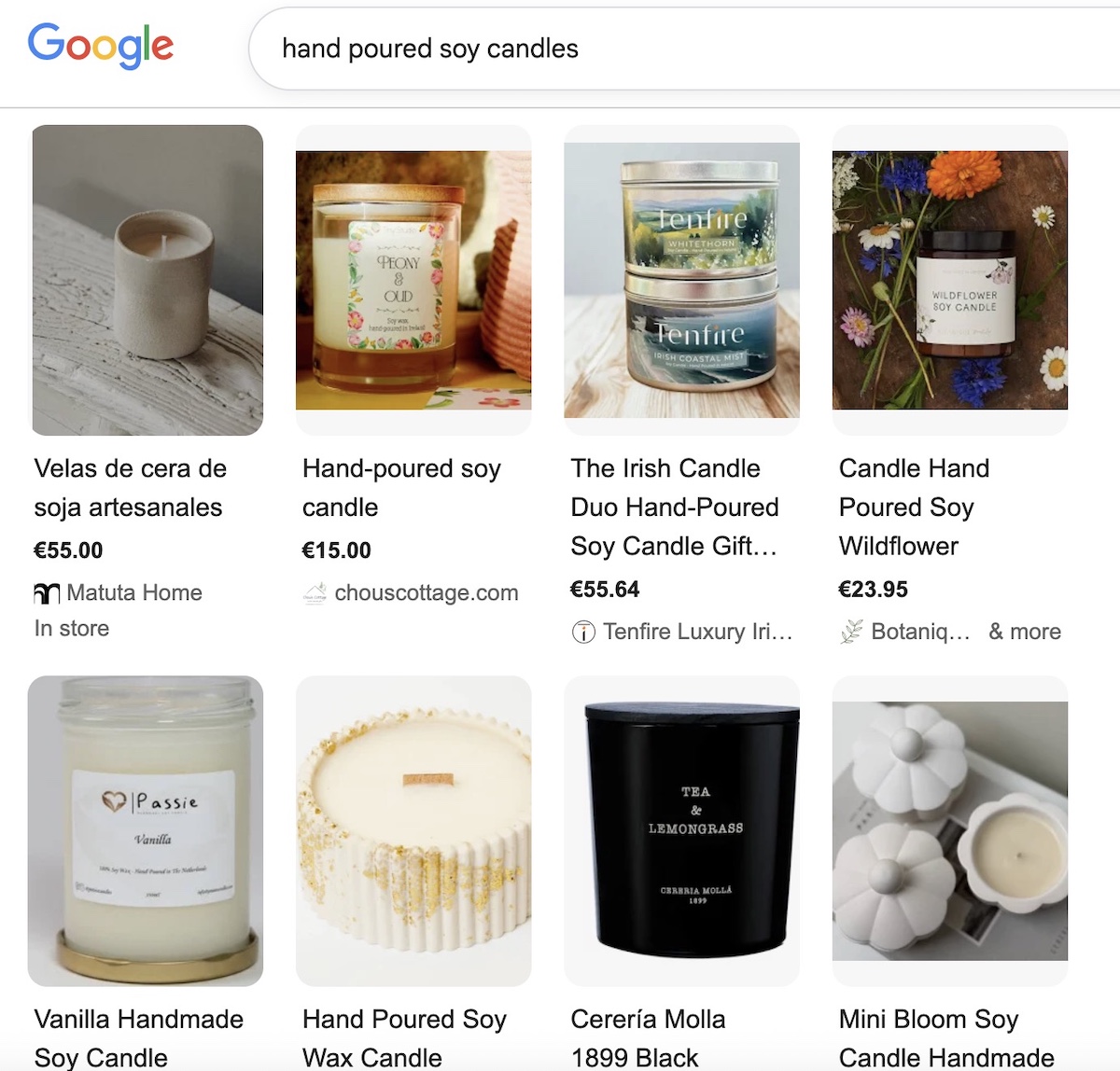
  • Product page SEO. Give every product a unique title and description instead of the manufacturer’s boilerplate copy, and add descriptive alt text to your images so search engines (and screen readers) know what’s actually in the photo. A quick pass through SEO basics for ecommerce product pages before launch beats rewriting 40 product descriptions after the fact.
  • An audience to actually launch to. A finished store with nobody to tell about it just sits there. Set up accounts on social platforms accounts and start building an email list before launch day, even a small one, so your first collection has somewhere to go the moment it’s live instead of a quiet opening with zero visitors.
  • A real test order. Place one yourself, start to finish, on both desktop and mobile. Confirm the payment goes through, the confirmation email arrives, and the order shows up correctly in your dashboard. A five-minute test now is faster, and considerably less awkward, than fielding a support email from your first real customer.

Once your storefront, variants, and checkout all pass that test, you’re not pre-launch anymore. You’re open for business.

Ready to build your store

Most of the decision comes down to matching your catalog size, budget, and design needs to a platform that treats variants, drops, and checkout as essential features rather than afterthoughts. Once you’ve settled on that, the setup itself takes a weekend, not a quarter, no matter how many browser tabs it currently feels like.

SiteGround Ecommerce covers the essentials this guide walks through: product variants for size and color, Stripe and PayPal support, and store design tools that don’t require code. Start your free 14-day trial with no credit card required, and see whether your first collection is ready to go live sooner than you expected.

[103]

Frequently asked questions

What is the best website builder for a clothing brand?

The best clothing store website builder is the one that natively handles size and color variants, supports your expected catalog size, and includes a mobile-friendly checkout with your preferred payment processors. There’s no single universal answer. A brand with 15 products has different needs than one with 300, so match the platform to your catalog first, then compare pricing and design flexibility second.

How do I create my own online clothing store?

Creating an online clothing store starts with choosing a builder that supports product variants, then setting up your domain, branding, and first product listing with size, color, and material options before adding the rest of your catalog. From there, connect a payment processor, set shipping methods, and test the full checkout flow before you publish.

Do I need an LLC to sell clothing online?

You don’t need an LLC to start selling clothing online in most places, since many first-time sellers begin as a sole proprietor. An LLC can offer liability protection and tax advantages as your sales grow, so it’s worth a conversation with an accountant or attorney once you’re past initial testing, rather than a requirement to launch.

Is it free to build a clothing website?

Building a fashion website is often free, but selling on it usually isn’t. Many builders let you design a full storefront at no cost, then require a paid plan the moment you actually try to accept an order. Check whether a platform’s free tier includes real checkout, or only site design, before assuming “free” covers your launch.

How long does it take to create a clothing website?

Building a clothing website typically takes a few days to two weeks for a first-time seller with a small catalog, most of which goes toward product photography and writing descriptions rather than the technical setup. Platforms with built-in variant support and templates cut the setup time itself down to a few hours.


Skincare website builder: Choosing a platform your brand won’t outgrow

Homepage mockup for skincare brand ByMermary, showing a hero section with the headline "Nourishment for the modern skin. Honest. Raw. Pure," a product photo of an amber dropper bottle on stone, a circular portrait of a woman with a skin-care quote, and a horizontal carousel of four bestselling products: Santal Rose Oil, Golden Nectar, Sage Recovery Mask, and Lucent Mist.

Choosing a skincare website builder is a bigger decision than it seems: get it wrong, and the cost shows up months later, not on launch day. Skincare has needs most generic “how to sell online” advice skips: ingredient transparency and allergen disclosure aren’t optional, and the photography this category relies on can quietly slow a site down if the platform isn’t built for it. Here’s how to choose one that actually keeps up.

Key takeaways:

  • Ecommerce now accounts for 37% of global skincare sales in 2026, the highest share of any beauty category.
  • A skincare website builder needs to do more than take payments. Ingredient lists, allergen disclosures, and credibility signals aren’t optional extras for this category.
  • MoCRA registration and product listing aren’t optional for most skincare brands selling in the U.S.; confirm your status (or your small-business exemption) before you launch, not after.
  • High-resolution product photography, the kind skincare shoppers expect for texture and ingredient close-ups, can quietly slow your site down if your platform wasn’t built to handle it.
  • A side hustle, a growing brand, and an established line need genuinely different things from a skincare website builder, not just different budget levels.

Why the platform you pick now matters later

Skincare is the fastest-growing beauty category online: ecommerce made up 37% of global skincare sales in 2026, the highest of any beauty category, and Euromonitor projects that reaching 40% by 2030. Ingredient transparency and high search intent are driving that shift. Ingredient transparency and high search intent are driving that shift. Launch a skincare brand today, and most of your future customers already expect to find you online.

“Outgrowing” a website builder rarely looks dramatic. It’s page speed quietly slipping under new product photography, or a catalog and cost structure that no longer fits, not a crash: most platforms handle traffic spikes fine now. Those problems rarely show up on day one. They show up six months to a year in, right when you can least afford to rebuild.

Scale matters more here than raw power on day one. The right platform lets you grow without forcing a migration, a replatform, or three bolted-on tools just to keep functioning. That’s a different question than which platform looks best in a demo, and it’s the one this guide actually answers.

What a skincare website actually needs to sell

A skincare site has to do everything a general ecommerce site does, plus a handful of things that are specific to this category and that most generic “how to sell online” guides skip entirely.

1. Ecommerce features you actually need

At minimum, your platform needs:

  • Real product pages, not just a photo and a price
  • Inventory tracking across SKUs and variants
  • Checkout that handles tax and accepts multiple payment methods
  • Customer accounts with order history
  • Room for ecommerce design that supports before/after comparisons and ingredient callouts, not a two-line description
  • Appointment booking, if you offer skin consultations or other in-person services alongside your products

And ideally all of this without unnecessary complexity that makes handling your store a pain.

appointment booking feature in an ecommerce platform

2. Speed and image handling for product photography

Skincare product photography runs heavier than almost any other ecommerce niche. Texture close-ups, ingredient macro shots, and before/after pairs are often shot at full resolution, and a single unoptimized image can run 4 to 8 MB. Put six of those on one product page without automatic compression, and that page is slow before a single customer even scrolls. Look for a platform that handles image compression and delivery automatically, rather than one that expects you to manually resize every photo before uploading it.

3. Ingredient and allergen transparency

Skincare shoppers read ingredient lists before they read marketing copy, especially anyone managing sensitive skin, a fragrance allergy, or a specific skin condition. The real gap isn’t whether your platform has room for this: every product page has a description field. It’s whether that field gives you enough space and formatting control to keep a full ingredient list scannable instead of crammed at the bottom, and whether you have writing help to keep that wording consistent across every SKU instead of rewriting it from scratch each time.

easy to edit product descriptions for a skincare online store

4. MoCRA requirements met on your labels and product pages

The Modernization of Cosmetics Regulation Act of 2022 (MoCRA) is the biggest expansion of FDA authority over cosmetics since 1938, and most of its core requirements were already in effect by the end of 2024. Here’s what applies:

  • Facility registration and product listing: Required annually with the FDA if you manufacture or process cosmetics sold in the U.S.
  • Adverse-event reporting: Serious adverse events must be reported to the FDA within 15 business days.
  • Small-business exemption: Brands averaging under $1 million in U.S. cosmetic sales over the prior three years can skip facility registration, product listing, and Good Manufacturing Practice requirements.
  • Exceptions to the exemption: It doesn’t apply if your products touch the eye area’s mucous membrane, are injected, are intended for internal use, or alter appearance for more than 24 hours without the consumer removing them.
  • Fragrance allergen disclosure: Still being finalized federally as of 2026 and not yet enforced, though California already requires disclosure of specific allergens, which is why many brands label consistently across every state.

None of this is legal advice, and the thresholds and deadlines above have already shifted more than once since MoCRA passed. Confirm your current obligations directly with the FDA or a cosmetics-focused attorney or regulatory consultant before you launch or make label claims, since your specific product type and sales volume can change what applies to you.

5. Trust signals that make shoppers comfortable buying skincare online

Skincare is a higher-trust purchase than most consumer goods, since customers are putting the product on their skin. Genuine social proof, such as customer reviews, dermatologist or esthetician input on formulations, and any relevant certifications all help close that trust gap. A short “why we formulated this” note from a real person on your team does more work than a polished mission statement.

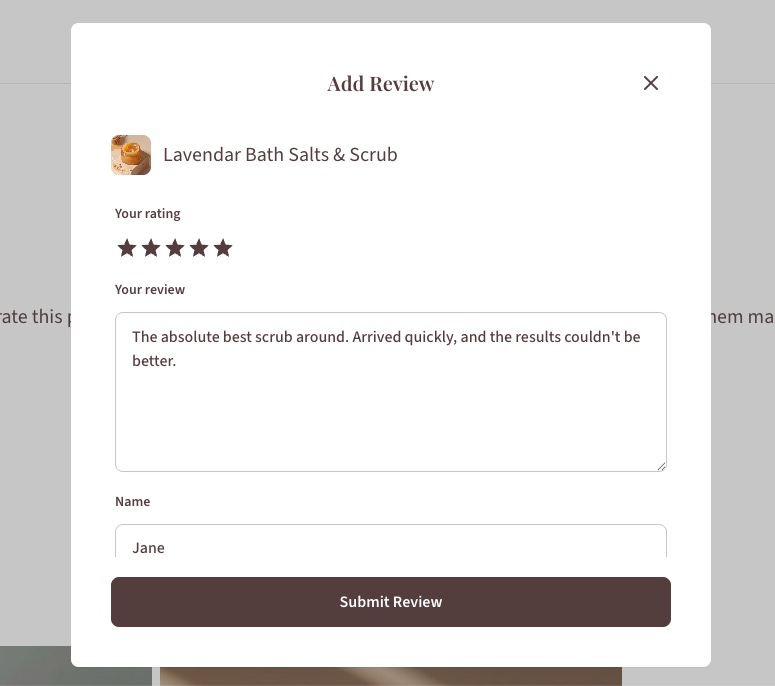
a customer review feature in a skincare online store

How to choose the right setup for your stage and budget

Most comparisons start with a features list. Start with a decision framework tied to your stage instead.

You’re running a side hustle

You’re selling a handful of SKUs and still testing demand, probably alongside a full-time job or another business. At this stage, speed and low overhead beat any feature you’re not using yet. That cost shows up as apps: platforms like Shopify don’t include reviews, email, or SEO tools out of the box, and those add-ons commonly run $50 to $150 a month on top of the subscription. If you’re already paying for two or three of those, that’s your signal to consolidate into one platform now instead of waiting until you feel like you need to.

Your brand is growing

You’ve got repeat clients, a widening product line, and enough traffic that a rebuild would actually hurt. What matters most here is room to add SKUs and content without starting over. If a plugin conflict or a payment gateway issue has already eaten an afternoon this year, your current setup is already costing you more time than it’s saving.

You’re running an established line

You’re juggling wholesale accounts, multiple SKUs, and steady traffic that a smaller setup was never built to handle. At this point, the platform needs to manage real catalog complexity, even if that costs more than a simpler builder. If your catalog is already outpacing what your current platform can do, that’s not a future problem, it’s a current one.

Here’s the same breakdown at a glance:

StageWatch forPrioritize
Side hustleYou’re already paying for two or three separate apps, like reviews, email, or SEO, on top of your platform subscriptionFast, all-in-one setup over more features
Growing a businessA plugin conflict or payment gateway issue has already eaten an afternoon this yearManaged, built-in tools over DIY flexibility
Established lineYour catalog is outpacing what your current platform can handleA platform built for that complexity, even at a higher cost

Whichever stage you’re in, match the platform to where your business actually is today, not where you hope it’ll be in a year.

How to build your skincare website step by step

Once you’ve picked a platform for your stage and budget, the build itself follows a fairly consistent order.

  1. Choose and connect your domain. Pick a domain that matches your brand name and point it at your platform. On an all-in-one platform, hosting comes bundled in, so there’s no separate server or hosting decision to make here.
  2. Pick a template and customize your skincare website design. Start from a template built for product-heavy layouts rather than a generic blog theme, then adjust colors, fonts, and layout to match your brand.
  3. Set up products, payments, shipping, and ecommerce sales taxes. Load your product catalog with full ingredient lists, connect a payment processor, and configure shipping rates and tax settings for the regions you actually sell into.
setting up products in a skincare online store
  1. Set your basic ecommerce SEO. Write a real title and description for each product page, add alt text to your images, and submit your sitemap so search engines can find your catalog before you start driving traffic to it.
  2. Test, launch, and promote. Check every product page on mobile, run a test order end-to-end, and confirm your checkout, tax, and shipping settings all work before you send traffic to the site.

Skincare website launch checklist

Run through this before you flip your site live:

  • Domain connected and SSL certificate active
  • Product pages include full ingredient lists and allergen notes
  • MoCRA registration or exemption status confirmed for your business
  • Product photography compressed and loading quickly on mobile
  • Payment processor connected and tested with a real transaction
  • Shipping rates and tax settings configured for every region you sell into
  • At least one trust signal live: reviews, expert input, or certifications
  • Legal pages published: returns policy, privacy policy, and terms of service

Getting this list right the first time is cheaper than fixing it after launch, and it’s a big part of starting an online store without blowing your budget on avoidable rework.

The bottom line: choose a platform that grows with your brand

Skincare’s real requirements, ingredient transparency, heavy photography, ongoing compliance, make the “which platform” decision matter. The brands that avoid a mid-growth scramble picked infrastructure built for where they’re headed, not just where they’re starting.

SiteGround Ecommerce bundles hosting, security, and store tools into one platform, so you’re not managing a host, a page builder, and a stack of apps separately as you grow. It’s quick to set up without a developer, it handles image-heavy product pages without a separate speed fix, and it skips the app-by-app cost creep of covering gaps the base platform left out, including booking appointments (via Calendly) for brands offering consultations or other in-person services. Add 24/7 expert support when something needs a real answer, and that combination, speed, simplicity, and help when you need it, matters more to a side hustle or growing skincare line than any single feature.

[103]

Frequently asked questions

How to create a skincare website?

Choose a platform that supports full ecommerce, ingredient and allergen disclosure, and fast image loading, then set up your domain, product pages, payments, and shipping methods before testing and launching. The full step-by-step process is covered above, and most platforms with built-in store tools compress this into a single setup flow rather than several separate purchases.

Is selling beauty products online profitable?

It can be, and skincare specifically is outperforming most beauty industry categories online: ecommerce made up 37% of global skincare sales in 2026, according to Euromonitor International. Profitability still depends on your margins, customer acquisition costs, and how efficiently your site converts visitors, not just the size of the online market.

Do you need FDA approval to sell skincare?

Cosmetics don’t require FDA pre-market approval the way drugs do, but under MoCRA you likely need to register your facility and list your products with the FDA unless you qualify for the small-business exemption. Verify your specific obligations with the FDA or a regulatory consultant, since exemption thresholds and product-type exclusions can affect whether that applies to you.

How much does it cost to build a skincare website?

Costs vary widely based on whether you’re stacking separate tools or using an all-in-one platform, with hosting, a page builder, ecommerce plugins, and security add-ons each carrying their own price tag if purchased separately. Bundled platforms that combine hosting, security, and store tools typically cost less in total than assembling the same stack piece by piece.

What happens if I outgrow my website builder later?

Outgrowing a platform usually means slow load times under traffic spikes, inventory tools that can’t keep up with a growing SKU count, or a plugin stack that starts conflicting with itself. Choosing a platform built to scale with your business stage from the start is generally cheaper and less disruptive than migrating everything mid-growth.

Ecommerce platform vs. marketplace: Which one should you sell on?

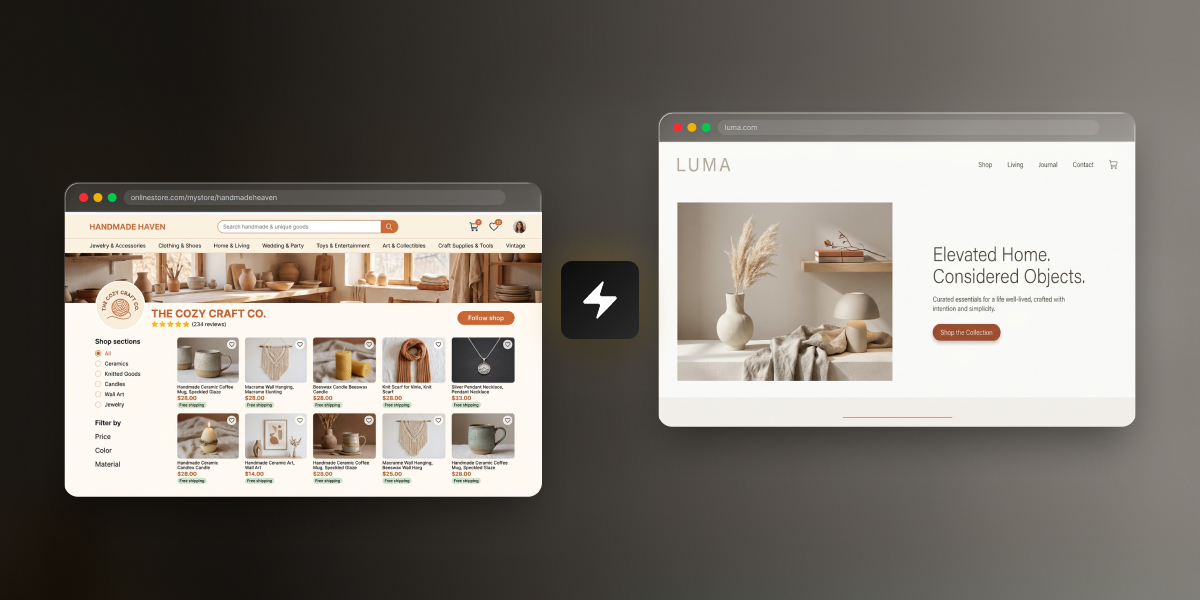
Side-by-side comparison of a marketplace shop page (Handmade Haven, a ceramics and craft seller on a hosted marketplace) and a standalone e-commerce platform (Luma, a home goods brand with its own branded storefront), connected by a lightning bolt icon.

You’ve got a product, maybe even a few sales to friends and family, and no idea where to actually sell it. That’s normal. There are really only two paths: list it on an online marketplace, or build your own ecommerce store. One hands you an audience and takes a cut for it. The other keeps more of the money, once you’ve built the audience yourself.

Key takeaways:

  • The ecommerce platform vs marketplace decision comes down to three tradeoffs: setup cost, control over your brand, and where your buyers come from.
  • A marketplace works as a ready-made sales channel: you get access to shoppers already browsing, but you don’t own the storefront or the customer data. You’re a tenant, not a landlord.
  • Your own ecommerce platform costs more time and setup work upfront, but you keep full control over pricing, branding, and have direct access to every customer’s contact information.
  • You don’t have to pick one lane. Plenty of sellers list on a marketplace and run their own ecommerce site as two sales channels at once, keeping stock and pricing in sync by hand.

What is an ecommerce platform?

An ecommerce platform is software you use to build and run your own online store on your own domain, where you control the pricing, the checkout, and every piece of customer data that comes through it. Nobody else’s logo is on the page, and nobody else sets the rules for how you sell. For most people selling online for the first time, that control is the whole appeal.

Most first-time sellers build one using a website builder, a tool that turns product photos, descriptions, and a page layout into a live storefront without touching code. You pick a template, add your products, connect a way to accept payments, and the platform handles the technical side: hosting, checkout, security, and usually taxes and shipping calculations too. Et voila.

Example of customizing an ecommerce platfrom for your own website

The tradeoff is visibility. A brand-new ecommerce platform starts with no traffic. Every visitor has to come from somewhere: search, social media, paid ads, or word of mouth. Owning the whole experience means owning the empty parking lot, too…at least for a while.

What is an online marketplace?

A marketplace platform is a third-party website where multiple sellers list products under one shared brand and one shared audience. You don’t own the storefront, you’re working inside someone else’s.

Common examples include:

  • Etsy – handmade goods, vintage items, and craft supplies
  • Amazon – general merchandise at massive scale
  • eBay – auctions, used goods, and general merchandise
  • Facebook Marketplace – local, peer-to-peer sales with minimal setup

Every marketplace runs on the same basic exchange: it brings the buyers, you bring the product, and it takes a cut of every sale for the introduction. Etsy alone reported roughly 86.5 million active buyers at the end of 2025. The target audience is there, but so is the competition.

Ecommerce platform vs. marketplace: cost, control, and traffic compared

The real difference between an ecommerce platform and a marketplace comes down to three things: what it costs you, who’s actually in control, and where your buyers come from. Here’s how they stack up, numbers included, so nobody has to take our word for it.

Setup cost, monthly cost, and fees

Etsy (example marketplace)Your own ecommerce platform (SiteGround Ecommerce, Grow plan)
Setup cost$0 to open a shop, plus a one-time $15 shop verification fee$0 to build and preview your store (14-day free trial, no credit card required)
Monthly cost$0 (Etsy Plus is optional, $10/month)$24/month (billed annually)
Listing fee$0.20 per item, renews every 4 months until it sellsNone
Transaction fee6.5% of the total order, including shippingNone (0% platform fee)
Payment processing~3% + $0.25 per order (US rates)Set by your payment processor, typically 2.9% + $0.30 per card transaction
AdvertisingOffsite Ads: 15% if you’ve made under $10,000 in the past year, 12% mandatory above thatOptional, and entirely your choice
Time to launchSame day: list a product into an existing marketplace with built-in checkoutA few hours to a few days, depending on your catalog size

Prices shown above are as of July 10, 2026. Consult product pages for current prices. 

Add it up and a typical Etsy sale runs close to 10% in combined fees before any advertising even shows up to the party. Your own platform trades that per-sale cut for a flat monthly cost, so the more you sell, the more the math tips in your favor. Fixed costs love volume. Percentage cuts do not.

Control over branding and customer data

On a marketplace, you’re working inside someone else’s template. You can pick a shop banner and write a bio, but the layout, the checkout, and the overall look are Etsy’s, Amazon’s, or eBay’s to control, not yours.

Play it forward a couple of years, and the marketplace path looks like this:

  • 400 sales, but no list of 400 customers, just transactions that passed through someone else’s platform
  • No way to email past buyers about a new product or restock
  • If the marketplace changes its fees, its algorithm, or suspends your account, that customer base goes with it

Your own ecommerce platform flips that. You control the brand, the design, the checkout flow, and the customer list.

Same two years, different outcome:

  • 400 sales become a real email list you own outright, no platform in between
  • You can send a welcome email, announce new products, run a loyalty program, or ask for reviews for free
  • Nobody handed you those customers. You found every one yourself, but once you have them, they’re yours to keep
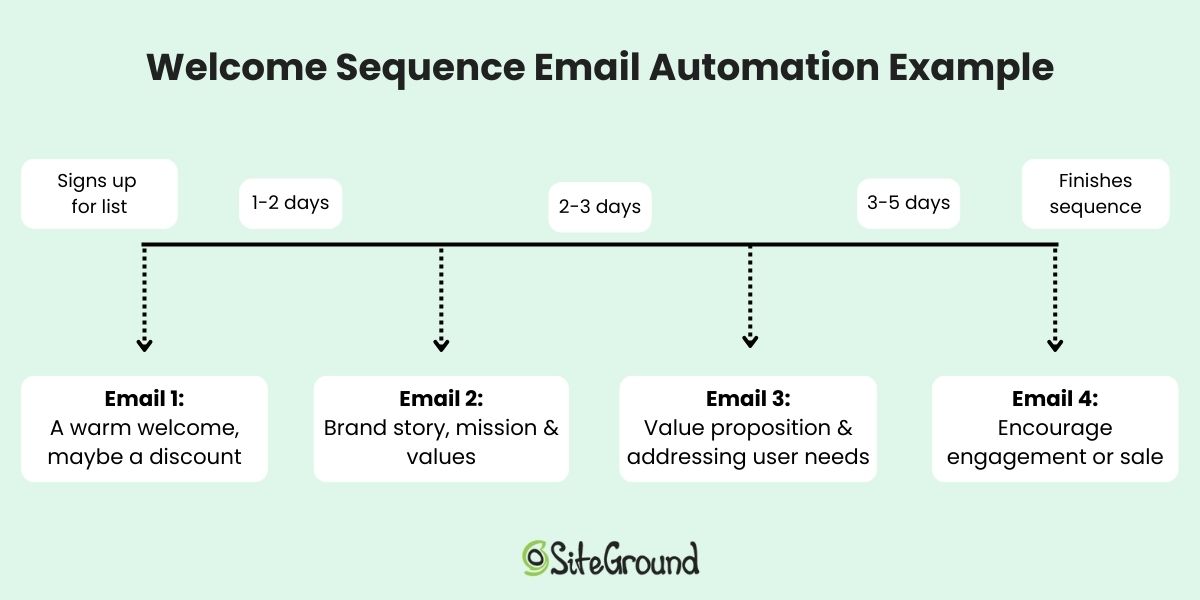
Welcome email example from a website on an ecommerce platform

Where SiteGround Ecommerce fits in

If this sounds like your situation, SiteGround Ecommerce is built for exactly this: a real store on your own domain, with templates designed for retail and everything (hosting, payments, checkout, email marketing) already connected. You can build the whole thing during the free trial before paying anything, so there’s no cost to see if it’s the right fit.

Starting building your ecommerce website now>>

Built-in traffic and discovery

This is where marketplaces earn their fees, and it’s the one thing they’re genuinely good at. Etsy, Amazon, and eBay all have shoppers actively searching inside their platforms, which means a new listing can get discovered without a single dollar spent on marketing. Your own site starts at zero. You’re responsible for every visitor, whether that’s through SEO, social media marketing, or paid traffic, and none of it shows up just because you launched.

Neither approach is free. A marketplace charges you in fees for its traffic. Your own site charges you in time and marketing spend to build traffic from scratch. There’s no free option here, only a choice of which cost you’d rather carry.

How to choose based on your situation

The right choice depends less on the product and more on where you are right now and where you plan to go: how much budget you have, how long you plan to sell, and what kind of product you’re selling. Here are a few scenarios to map against your own situation:

Testing a product idea with little budget

If you’re not sure people will buy what you’re making, a marketplace is a fast and cheap way to find out. Listing fees are pennies, there’s no monthly cost to test with, and you’re in front of buyers immediately instead of waiting on traffic. 

Building a long-term brand

If you already know you’re in this for the long haul (and branding is an important part of your online business plan), building on a custom ecommerce platform pays off sooner than you might expect. You own the customer relationships from sale one, which matters more with every repeat purchase, and you’re not paying a percentage of your growth back to a marketplace forever. Renting gets old.

Selling handmade or niche goods

Handmade and niche products get real discovery benefits from a marketplace: buyers who are already searching for exactly that kind of item are hard to reach cold on a brand-new website. That’s a genuine advantage.

It comes with a real cost, too. Handmade goods usually run on thin margins to begin with, and a marketplace’s fees eat into that margin on every single sale. You’re also sitting next to hundreds of other sellers making similar things, which makes it harder to stand out or charge what your work is actually worth. Some sellers use a marketplace to get discovered, then move buyers toward their own site over time specifically to protect their margins and their brand.

product catalog page on ecommerce platform website with handmade goods

There’s no single right answer for handmade sellers. It depends on whether you value the built-in audience more than the fees and competition cost you.

The hybrid approach: selling on both 

You don’t have to choose one and abandon the other. Plenty of sellers list the same products on a marketplace and their own site at the same time, using the marketplace for discovery and their own site for the sales they want to keep full control and full margin on.

Others use it as a sequence rather than a split: start on a marketplace to prove the product sells with real buyers, then build a site once there’s demand worth owning. The marketplace does the early legwork of finding an audience. The site is where you keep them.

For a solo seller with a manageable product count, running both at once is simpler than it sounds:

  • Keep a single spreadsheet or notebook with current stock counts, and update it by hand after each sale on either channel
  • Use the same product photos and descriptions across both, tightened to each platform’s format
  • Decide on a pricing strategy across channels and stick to it. Some sellers keep prices identical everywhere to avoid undercutting themselves. Others price slightly lower on their own site, since skipping the marketplace fee leaves room to do that and still keep more margin than the marketplace sale would. Either works. What doesn’t is customers noticing a price gap with no clear reason behind it.
  • Check both dashboards on a set schedule, like once a day, instead of trying to watch them constantly and losing the rest of your afternoon to it

This gets harder past a handful of SKUs or a sales volume where manual updates start slipping through the cracks. At that point, it’s worth rethinking how much you’re tracking by hand. Until then, a simple habit of checking both channels on a schedule works fine for most new sellers.

How to launch your own ecommerce platform

Creating your ecommerce website doesn’t require a developer, an agency, or a big budget. The basic setup is the same regardless of platform: pick a template, add your products, and connect a payment method.

A few things are worth getting right before you go live:

  • Start with a template instead of custom design work. Most store builders include templates built specifically for retail, so you get a professional layout without designing one from scratch
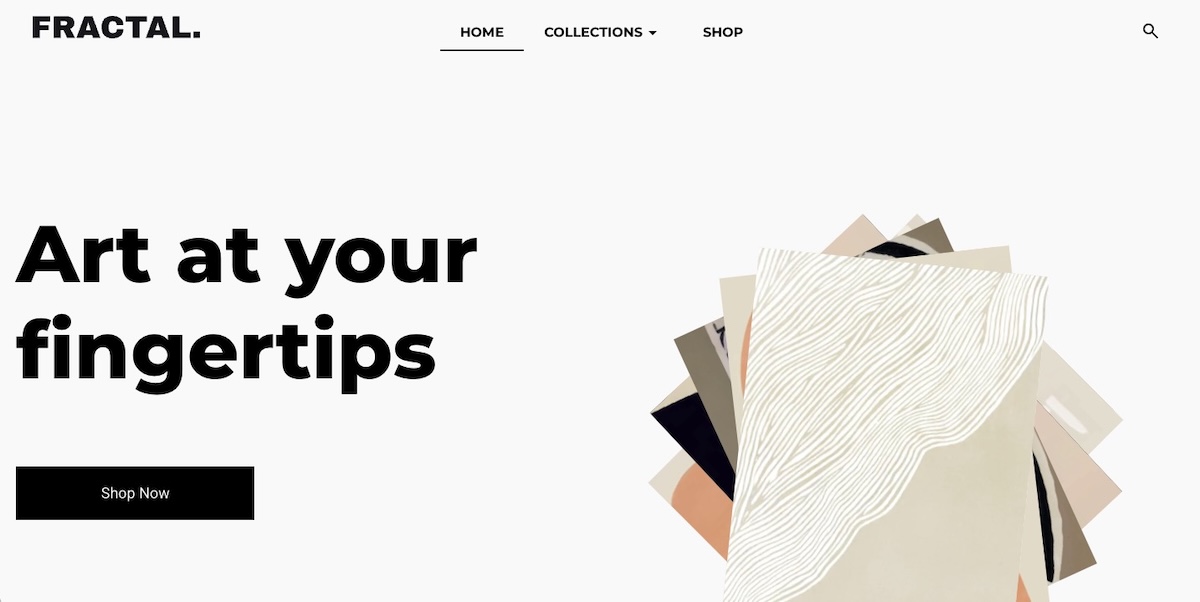
Different templates available on an ecommerce platform
  • Look for a platform that offers a free trial, and build your whole store during it. You can set up your store, add products, and preview it live before you’re ever charged
  • Decide your shipping approach before you list anything, not after your first order comes in. Flat rate, calculated by weight or destination, or built into the price all work, but pick one before a customer is waiting on an answer
  • Take product photos from multiple angles, not just one hero shot, and make sure they’re actually in focus and well-lit. This matters more for a brand-new store with no reviews yet than almost anything else on the page. If your original photos are a little rough, an AI image tool can clean up lighting and background without needing a reshoot
  • Add basic trust signals before you launch: a way to contact you, a shipping and return policy, and a privacy policy. A brand-new store has no reviews yet, so this is what tells a stranger you’re legitimate

Setup is the easy part. Developing an ecommerce marketing plan and getting people to actually visit is the harder one. Here’s what you need to know:

  • Post on social media where your buyers already are, not everywhere at once
  • Start building your email list from day one, even just a signup box on your homepage. A small list you can email directly is worth more long-term than a big spike of one-time visitors
  • Use AI to draft a first pass at product titles and descriptions, then edit them the way a buyer would actually search, not the way you’d describe it to a friend. This is a very important part of your ecommerce SEO at this stage
  • Ask happy customers to share what they bought. A tagged photo or a mention does more for a new store than most paid ads would at this stage

The first month or two on your own platform will feel slower than a marketplace, because you’re building traffic instead of borrowing it. That’s expected, not a sign you picked wrong.

Common mistakes when choosing where to sell

  • Picking a marketplace only because it’s free to start. The listing and transaction fees add up fast once you’re selling consistently, and “free to start” isn’t the same as “cheap to run.”
  • Underestimating how long it takes to build traffic on your own site. A new store doesn’t show up in search results overnight, or in week one, or usually in week three either. Budget weeks, not days, before expecting steady visitors.
  • Assuming you have to choose one and stick with it forever. Sellers move between models constantly. Etsy sellers add a website once they have proof a product sells; website owners add a marketplace listing to reach a new audience. Nobody signs a lifetime contract here.
  • Ignoring who owns the customer relationship. If you’re building a brand you want people to remember, a marketplace-only strategy makes every sale a one-off instead of a repeat customer.
  • Copying a competitor’s setup without checking your own numbers. What’s cheap or affordable for someone selling $200 candles isn’t the same math as someone selling $8 stickers. Run your own fee comparison before committing, not after.

The bottom line: ecommerce platform or marketplace?

There’s no universal right answer here, only the right answer for where you are. If you’re still testing whether the product sells, a marketplace gets you in front of buyers with less money on the line. If you already know you’re building something long-term, your own platform starts paying you back instead of a marketplace, and sooner than most people expect.

SiteGround Ecommerce makes the ownership side of that genuinely easy, not just possible. You can go from a blank page to a live, working store in a matter of hours, no developer and no code required. Every plan comes with fast, reliable hosting built in, so your store loads quickly and stays up when it matters. And if something trips you up along the way, real support is available 24/7, not a chatbot loop or a three-day ticket queue.

[103]

Frequently asked questions

What’s the difference between an ecommerce platform and a marketplace?

An ecommerce platform is software for building your own standalone online store, where you control the branding, pricing, and customer data. A marketplace is a shared website where multiple sellers list products under one brand, like Etsy or Amazon, in exchange for a cut of every sale.

Should I sell on Etsy or build my own website?

That depends on what stage you’re at and what you’re trying to solve for. Etsy trades a cut of every sale for speed and an existing audience. Your own website trades more setup time for control and margin. Neither is the “right” starting point, they fit different situations.

Is Etsy a marketplace or an ecommerce platform?

Etsy is a marketplace, not an ecommerce platform. It hosts millions of individual sellers under one shared brand and takes a percentage of each sale, rather than giving you a standalone ecommerce store on your own domain.

Is it cheaper to sell on a marketplace or build your own store?

It depends on your sales volume. At low volume, a marketplace can be cheaper because there’s no monthly cost. Once you’re selling consistently, the roughly 10% in combined marketplace fees per sale often costs more than a flat monthly plan for your own platform.

Can I use both a marketplace and my own online store?

Yes. Many sellers list the same products on a marketplace and their own ecommerce site at once, using each as a separate sales channel. At low product counts, this works fine with manual inventory updates and no extra software.

What are examples of ecommerce platforms vs. marketplaces?

Ecommerce platforms include website builders you use to create a standalone store on your own domain. Marketplaces include Etsy, Amazon, eBay, and Facebook Marketplace, where you sell inside someone else’s shared platform.

Digital products to sell: How to choose the right one and make your first sale

abstract of digital products to sell in an online store

Starting a business used to mean a degree, funding, or a warehouse full of stock that may or may not move. Selling a digital product changes that though: you just need to pick one that matches what you already know, how much time you actually have, and who you can actually reach. 

This guide gives you a framework for figuring that out, then walks through pricing, where to sell (calculator included, so you can see exactly what you keep on each platform), and how to land your first sale in ecommerce, all backed by real insights from someone who’s been there and done that.

Key takeaways:

  • Digital products to sell often split into nine broad formats, but figuring out which one fits comes down to three things: your skills, your available time, and who you can actually reach, not whatever’s trending.
  • The easiest digital products to sell as a beginner are usually the ones with the shortest gap between “I made this” and “I can sell it,” like templates and printables.
  • An audience you already have, even a small one, beats a bigger cold one you’d have to build from scratch.
  • Selling on your own website instead of a marketplace means keeping 11 to 12 percentage points more of every sale, since there’s no platform commission stacked on top of standard payment processing, and that gap compounds fast as sales add up.

Why selling digital products is worth it in 2026

A digital product costs about the same to sell to one person as it does to 100,000. That’s because once the file exists, one more digital download costs you basically nothing, making it a super compelling case for building one before producing something tangible.

Physical products rack up costs and stress at every step:

  • Manufacturing
  • Storage
  • Shipping

A digital ebook, template, or course on the other hand? It just sits on a server and delivers itself. A $19 sale nets you closer to $17 or $18 after payment processing, instead of the 30 to 60 percent margins typical in physical retail. Margins that wide forgive a lot of early mistakes: an underpriced first batch, a slow month, or that cover design you’ll redo in three weeks.

Digital products also knock out the two things that stop most people from starting a business at all: money and time.

  • Money: if your starting budget is closer to $50 than $5,000, this is one of the few categories where that’s totally workable. (Meanwhile, our tips for starting an online store on a budget cover what a lean setup actually costs before you commit to anything.)
  • Time: there’s no lead time between finishing the thing and selling it. No manufacturing run, no supplier lead times, no stock sitting in a warehouse waiting for a first order. Finish the file today, and you can list it before dinner.

The most profitable types of digital products to sell

Nine product types make up most of the profitable digital product market. Each trades off differently on production time, price ceiling, and how much upkeep it needs after launch. AI tools have also made some of these easier to copy for free than others, worth weighing before you commit to one. 

1. Ebooks and guides

A written, downloadable resource, typically PDF or e-reader format, that walks a reader through a specific process or topic.

  • A narrow, specific promise is the way to go here. That is, “How to negotiate freelance rates” will consistently outsell a generic “Freelancing 101,” because the tighter promise is easier to judge before buying.
  • No reprint costs: update the file next year and it’s still the same product, but better!
  • Editing eats more time than writing does. Budget for a second pass before you hit publish.
digital products such as ebooks that you can sell online

2. Online courses and workshops

Structured video lessons, often paired with worksheets or quizzes, sold as a single self-paced purchase or a live cohort-based workshop.

  • The highest price ceiling on this list, but also the longest production time: sometimes 40-plus hours once you count scripting, filming, and editing.
  • Niche topics generally sell better than broad ones.
  • Online courses can generate passive income with no student limits.
  • Want a lower-risk test? Build a tight, two-hour workshop that solves one problem before you commit to a full multi-week curriculum.

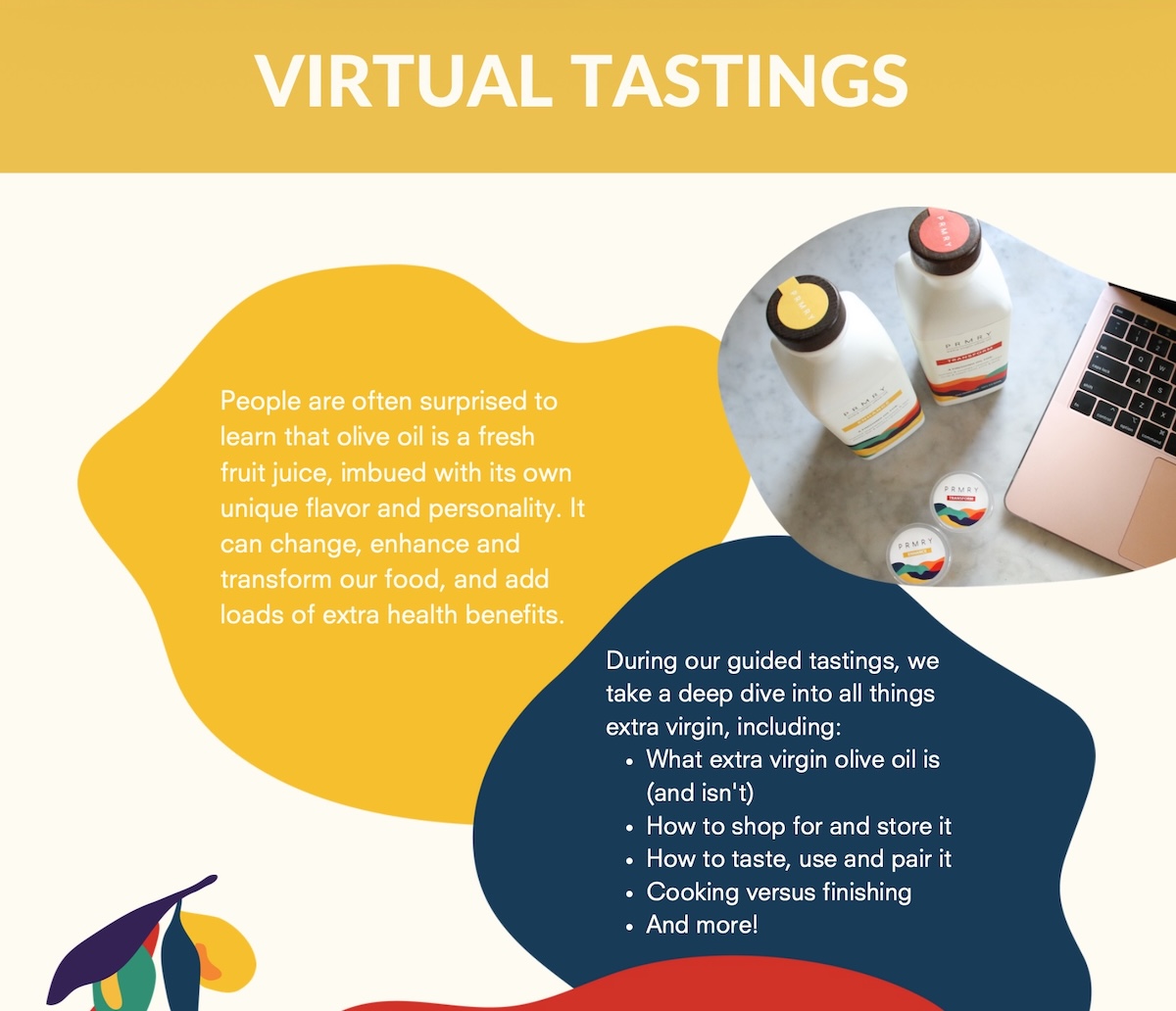
A real example: I used to run an olive oil company, and at one point we started offering live, online virtual tasting workshops built around our physical product, mostly booked by companies for remote team events. We still shipped a tasting kit to every participant, but we bundled a workshop fee on top of the product cost and sold it all in one bulk order per company, sometimes up to 100 people in a single booking. That combination, product margin plus an online service fee, sold at volume, is what made the return massive: within a couple of years, those virtual workshops made up a large share of total revenue.

digital product example of an online course such as a virtual tasting

3. Templates

A pre-built file, spreadsheet, document, or design file that a buyer customizes for their own use instead of building from scratch.

  • One of the best margin-per-hour formats here, since you’re usually just packaging work you’ve already done once for yourself or a client.
  • Buyers pay for the time saved, not the file itself. A short setup guide makes that time-saving obvious.
  • AI can generate a generic version of this in seconds now, so the ones worth selling encode real judgment or trial-and-error, not just structure.

4. Printables

A designed file meant to be downloaded and printed at home: planners, wall art, checklists, and worksheets.

  • The lowest price and the lowest production barrier on this list. Design one in an afternoon with free tools and see if the idea sells before you build anything bigger.
  • The classic first product for total beginners, and for good reason.

5. Digital art and graphics

Illustrations, icon packs, brush sets, and other design assets sold as individual files or as themed bundles.

  • Bundle three to ten related digital assets together to lift average order value without much extra production work.
  • Keep the visual style consistent across a bundle: buyers judge the whole set by its weakest piece.
  • A distinct style is worth more than ever, since AI-generated digital art already covers a lot of the generic middle ground.
Digital product example of selling digital art online

6. Music, sound effects, and audio files

Royalty-free background tracks, sound effect packs, and audio samples licensed for use in someone else’s project.

  • Licensing confusion is the number one support complaint in this niche. Spell out exactly where and how a buyer can use the file before you list it, not after the first angry email.
  • Video creators, podcasters, and game developers are your core buyers here.

7. Photography and stock images

Original photos licensed for buyers to use in their own marketing, content, or design work, sold individually or in themed sets.

  • Themed bundles of 20 to 100 photos beat single-image sales on return per hour of shooting and editing.
  • Go niche. “Cozy home office setups” has far less competition than a generic “business photos” search.
  • Generic stock-style shots are increasingly free to generate. Specific, human photography holds its value better.

8. Software, plugins, tools, and apps

A small piece of software, a browser extension, a plugin, or a standalone app that adds a specific feature to a platform someone already uses, or solves a problem on its own.

  • The most defensible format on this list: solve a real problem and the tool keeps selling with almost no ongoing marketing.
  • Also the most demanding. Expect to keep supporting and updating it as the platforms it runs on change.

Think building your own app is out of reach without a technical background? Think again. AI-powered vibe coding tools like Coderick AI let you describe what you want in plain language and get a working app back, no code required.

9. Memberships and exclusive content communities

Paid, recurring access to a private community, a content library, or ongoing coaching, billed monthly or annually.

  • The only format here with predictable recurring revenue.
  • Also the slowest to build real momentum. Keeping someone subscribed means delivering fresh value every single month, not just once.

How to choose the best digital product to sell

Figuring out digital product ideas to sell comes down to three questions: what you’re good at, who you can actually reach, and how much time you realistically have. Skip any one of them and that’s usually why a first product goes nowhere.

Start with what you already know

The fastest path to a first sale is a skill you already have, not a topic you find interesting. A spreadsheet you built for your own budget, a workflow you use at your job, a craft you’ve practiced for years: all of these convert into a product faster than research on an unfamiliar niche, because you skip the learning curve and go straight to packaging what you already do well.

Think about who you are selling to

An audience you already have access to is worth more than a bigger one you’d have to build from scratch. Before you decide what to make, take stock of what you’ve actually got:

  • A social following, even a small one, in a specific niche
  • An email list of people who’ve bought from you before
  • An existing customer base for something else you sell, physical or otherwise

Any one of these changes the math. A tight, engaged audience of 200 will surprisingly outsell a cold audience of 20,000, because that small list already trusts you enough to buy.

A real example: The olive oil tasting workshops mentioned earlier didn’t start with a new audience. They started by selling something new to people who already trusted the brand enough to buy olive oil from it in the first place.

Match your product to your available time

Be realistic about hours per week, not the hours you wish you had. A printable can go from idea to published in an afternoon. A full course realistically needs several weeks of evening and weekend work before it’s ready to sell, and underestimating that gap is how half-finished courses end up gathering digital dust.

Here’s how skills, time, and audience typically map onto product type. Treat it as a starting point, not a rule. Plenty of successful sellers land outside their own row.

Your backgroundLow time (under 5 hrs/week)Medium time (5 to 15 hrs/week)High time (15+ hrs/week)
Writer or subject expertPrintables, checklistsEbooks, guidesFull online courses
Visual artist or designerDigital art, stock graphicsTemplates, illustrated printablesPremium graphic bundles, brand kits
Developer or technical builderSimple scripts, small pluginsStandalone software toolsMulti-feature plugin suites
Teacher or coachWorksheets, single printablesMini-courses, one-off workshopsFull courses, membership communities

How to price your digital products

Price a digital product on perceived transformation, not production time. A one-hour template that saves a buyer ten hours of spreadsheet work is worth more than a one-hour template that saves them ten minutes, even though both took you the same afternoon to build.

Typical ranges by format give you a starting anchor:

Product typeTypical price range
Ebooks and guides$9 to $39
Online courses and workshops$49 to $499
Templates$9 to $49
Printables$3 to $15
Digital art and graphics$5 to $50
Music, sound effects, and audio files$5 to $30
Photography and stock images$3 to $25 per image, or $19 to $99 per bundle
Software, plugins, tools, and apps$19 to $199
Memberships and exclusive content communities$9 to $49 per month

Below the low end of a range, fixed transaction fees eat a disproportionate share of every sale, so cheap products only work at real volume. Above the high end, buyers expect more social proof: testimonials, a preview, a results guarantee.

Treat your first price like a hypothesis:

  • Launch at the middle of your range.
  • Watch how the first 10 to 20 sales go.
  • Adjust from there.

Raising a price after early proof is easy. Cutting one to fix a launch that undersold your effort is a much harder story to tell returning buyers. How you display that price affects whether it converts, too. SiteGround’s guide to ecommerce website design ideas that convert covers price anchoring and layout choices that make a number feel fair instead of arbitrary.

A real example: We priced those tasting workshops too low at first, then adjusted as bookings and feedback came in. Watching what companies were actually willing to pay taught us more about the right number than any amount of pre-launch guesswork could have.

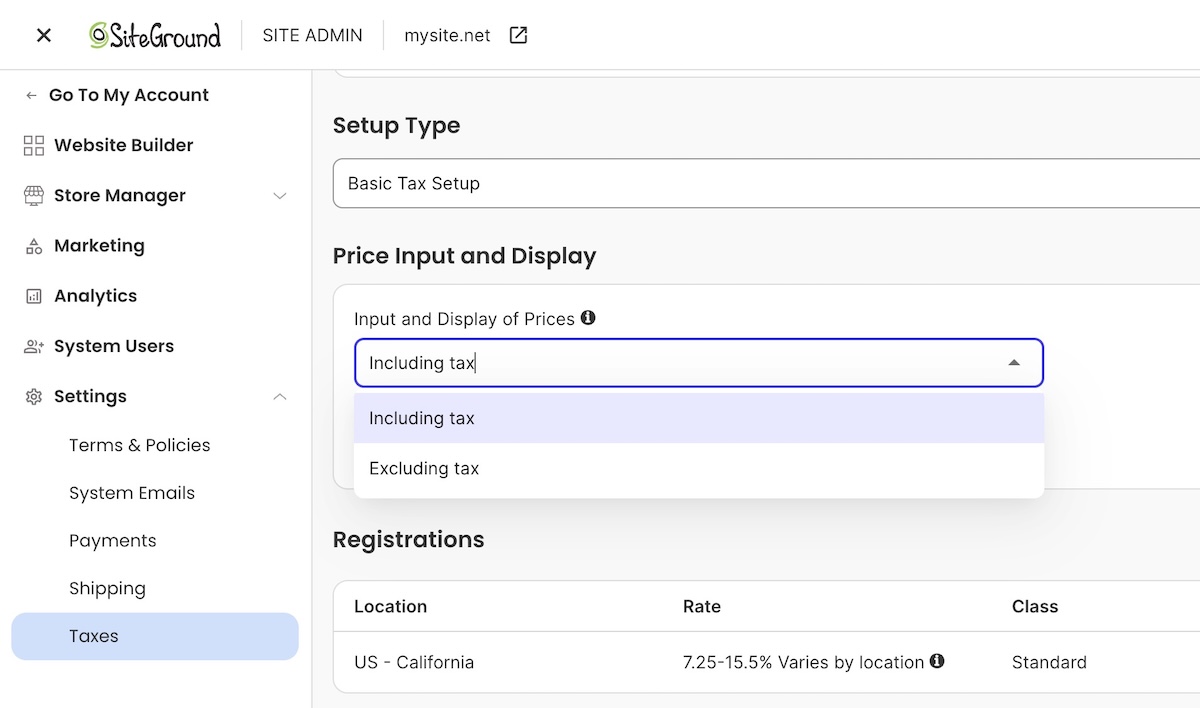
Worth mentioning: whether your price includes tax or adds it at checkout depends on your buyer’s region, EU shoppers expect tax-inclusive pricing, US shoppers expect it added on top, and most platforms, including SiteGround Ecommerce, let you set this per region automatically.

setting uup tax for a digital product on an online ecommerce platfrom

Where to sell digital products: own website vs. third-party marketplaces

Your two real options: a marketplace with built-in traffic and higher fees, or creating your ecommerce own website with lower fees and little traffic handed to you. Here’s how they stack up.

Selling on third-party marketplaces

Etsy and Gumroad hand you an existing audience that’s actively searching for products like yours, which matters most in your first few weeks before you’ve built any traffic of your own.

  • Traffic: built in, no work required to get in front of buyers.
  • Fees: a platform commission stacked on top of standard payment processing.
  • Control: the marketplace owns the checkout and the customer data, not you.
  • Taxes: most marketplaces collect and remit sales tax on your behalf as part of that fee.

Plenty of sellers treat a marketplace as a discovery channel for the first few months, then shift toward their own site once they’ve got enough reviews and repeat buyers to make that traffic worth capturing directly.

Selling on your own website

This is the shift marketplace sellers eventually make.

  • Traffic: yours to build. Nobody hands it to you.
  • Fees: typically just payment processing, around 2.9% plus $0.30 per card transaction, though some platforms tack on a small transaction fee too, still well below what a marketplace charges. SiteGround Ecommerce, for example, drops that extra fee entirely on its Grow and Scale plans, leaving just processing. 
  • Control: you own the customer relationship completely: their email, their purchase history, any repeat business that follows. That means accepting payments online directly through your store and setting up your own email marketing, both far easier to pull off than they might seem.
  • Ecommerce sales tax: your job too, but less work than it sounds. Most platforms calculate the right rate automatically at checkout once you’ve entered your business details, the same way a marketplace does behind the scenes.

Marketplaces are a fine place to start. They’re a worse place to stay once your product has actually proven itself.

How to set up a store to sell digital products

Whether you’re using a dedicated ecommerce platform, a marketplace, or a store builder, digital delivery is largely automated at this point: mark a product as downloadable, and the platform takes care of getting the file to the buyer.

Selecting digital product type in an online ecommerce platform

Here’s what that typically looks like, once it’s set up:

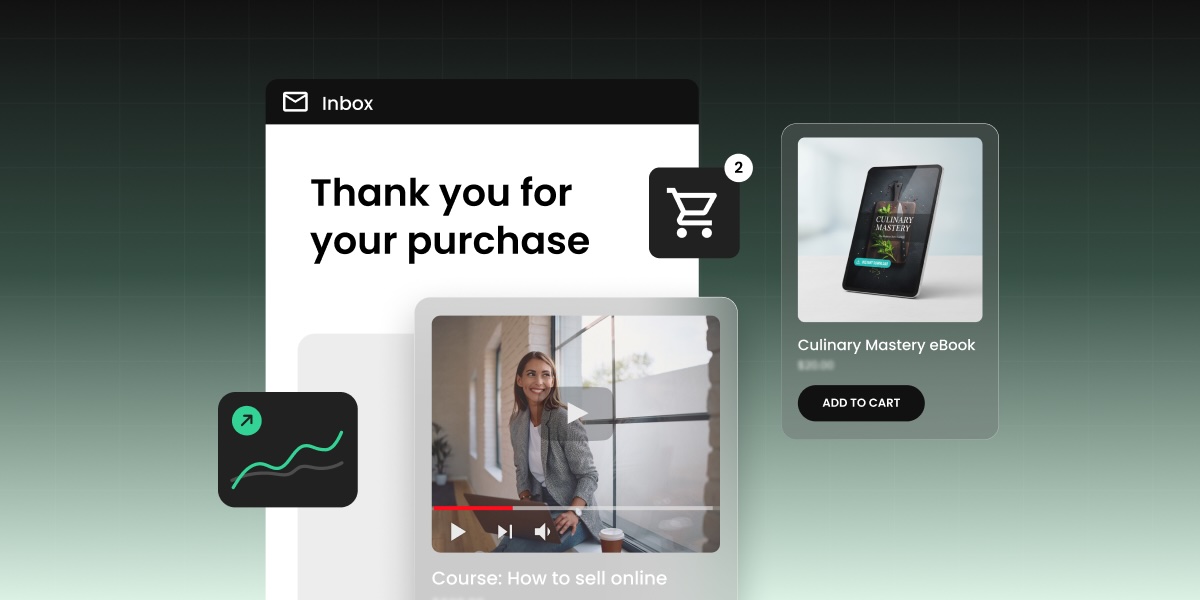
  • Delivery: the platform generates a working digital download link for each purchase, drops it into the buyer’s order confirmation email, and usually adds a backup download button to their order summary page too.
  • Payment: connect a processor once in your settings, and every sale after that routes through it automatically.
  • Tax: set your product’s tax classification once, and the rate calculates automatically at checkout based on the buyer’s location.

Platforms vary in how much of this is built in natively versus bolted on. Some require a separate plugin or third-party file host to handle digital delivery; others, like SiteGround Ecommerce, build it in from the start, which is one less integration to set up and maintain before launch.

How to get your first digital product sale

A little reality check: your first sale will almost certainly not come from a stranger finding your digital product business through search. It will come from your existing network, such as peers who already know you have expertise, maybe existing customers…probably your mom. 

Start close to home:

  • Tell 5 to 10 people directly, by name, that the product exists. Ask for feedback, not just a purchase.
  • Offer a small early-bird discount to remove the last bit of hesitation for buyer number one.
  • Turn their review into your first piece of social proof for everyone after them.
  • Build an email list before launch day, even just an email signup on a coming-soon page, so you’re not launching into silence.

From there, distribution takes over. Posting consistently on one platform where your audience already hangs is the way to go as opposed to scattershot posting literally everywhere. Building a structured 90-day ecommerce marketing plan will give that consistency a shape, instead of posting on a whim with no real plan.

A real example: Our first workshop sale came from a sales page built for that one product, advertised straight to our existing olive oil customers. They weren’t our exact target audience for a corporate team event, but a few of them were, and because they were loyal, they became our biggest advocates, referring us to exactly the kind of company we were trying to reach.

Common mistakes new digital product sellers make

Most of these aren’t visible until the first batch of customers hits them, which is exactly why they’re worth checking before launch instead of after your first refund request.

  1. Pricing too low out of fear. A $5 price tag signals low value about as often as it signals accessibility, and it locks in thin margins you’ll regret at scale.
  2. Skipping a delivery test. Buy your own product before launch. A broken download link on day one turns your first customer into your first refund.
  3. Skipping feedback from a trusted audience. Send the draft to a handful of people who actually fit your target buyer before you launch publicly. A confused beta reader today is a refund request, or worse, a quiet non-referral, next week.
  4. No differentiation from free alternatives. If a free YouTube tutorial covers 90 percent of what your product teaches, be specific about the 10 percent that justifies a price tag.
  5. Launching without any marketing plan. A great product with zero distribution plan sells to nobody. A marketing mix built for first-time sellers forces the channel and message decisions before launch day instead of after it stalls.
  6. Ignoring licensing terms. Sellers of audio, fonts, and templates who skip clear usage terms field the most refund and support requests of any category.

A real example: Our own biggest workshop mistake was skipping test runs. We hit technology and flow issues live, in front of paying customers, that a single dry run would have caught in ten minutes. Instead we spent an awkward hour of scrambling during our first virtual session.

Next steps: from idea to first sale

You’ve done it — you’ve really done it: figured out which digital product to sell, what to charge, and where to sell it. The only piece missing is somewhere to actually put it.

SiteGround Ecommerce handles that without a separate plugin, file host, or delivery workaround: digital products deliver themselves, payments and tax calculate automatically at checkout, and built-in marketing tools mean you’re not stitching together five different apps just to launch. The gap between “I have a product” and “I have a store” is an afternoon, not a month.

[103]

Frequently asked questions

What are the easiest digital products to sell?

Printables and templates are the easiest digital products to sell as a first product, since they need no video or audio production and can go from idea to published listing in a single day. Both formats also let you test an idea with minimal upfront investment before committing to something bigger, like a full course.

What digital products sell the most?

Templates, printables, and short ebooks sell in the highest volume because they solve narrow, specific problems at an impulse-buy price point, while online courses generate less volume but a higher price per sale. Volume and price per sale usually trade off against each other, so the “most sold” format isn’t always the most profitable one overall.

How do I start selling digital products with no money?

Start with a product type that needs no paid tools, like a printable made in free design software, and use a store platform’s free trial to list it before committing to a paid plan. Marketplaces like Etsy also let you list without any upfront store cost, though their per-sale fees run higher than running your own site.

Do I need a website to sell digital products?

No. Marketplaces like Etsy and Gumroad let you sell without a website, but you’ll pay higher combined fees and you won’t own the customer data that a website checkout gives you. A website becomes more valuable as your sales grow, since the fee savings compound with every additional order.

Are digital products profitable?

Yes. Digital products are typically more profitable than physical goods because there’s no manufacturing, storage, or shipping cost on each unit sold, which pushes margins well above 80 percent after payment processing. That profitability still depends on choosing a price that reflects the value delivered, not just what feels comfortable to charge as a beginner.

What is the most profitable digital product?

Online courses carry the highest price ceiling and the best margin per sale, but they also demand the most upfront production time of any digital product type. Want the profitability without the time investment? A well-priced template or toolkit sold at volume can get you close on total margin.

Shipping methods for your online store: A practical guide for first-time sellers

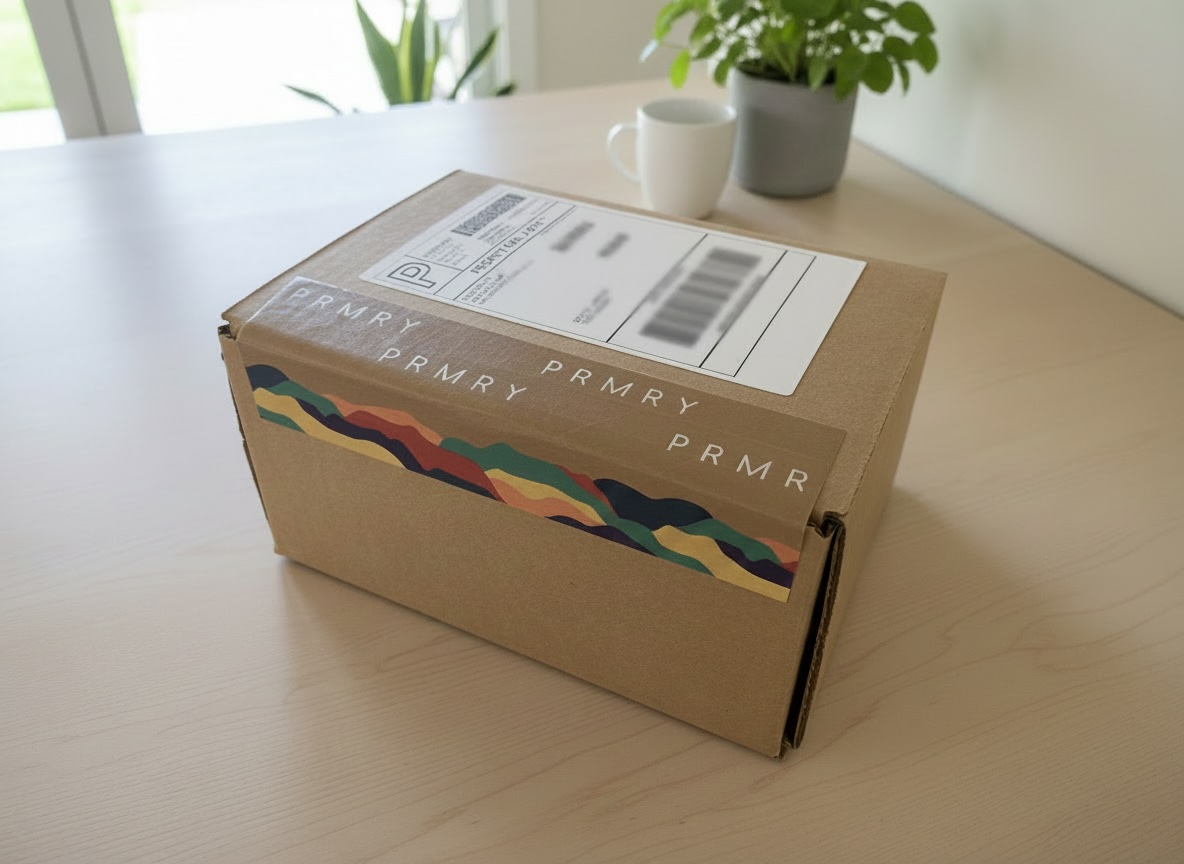
Abstract of different ecommerce shipping methods

Shipping is one of those things that looks simple until you’re actually doing it. Costs you didn’t account for, customers asking where their order is, checkout drop-offs you can’t explain — a lot of it traces back to shipping decisions made early that seemed fine at the time. I ran my own online store and made most of these mistakes myself. This guide covers what I wish I’d known before my first sale.

Key takeaways:

  • How you present shipping matters as much as what it actually costs. Unexpected fees at checkout are the single biggest driver of abandoned carts.
  • There are two separate decisions to make: how the order gets to the customer (delivery method) and how you charge for it (rate strategy).
  • Free shipping doesn’t mean absorbing the cost. It means deciding where to hide it — in your product price, your margin, or behind a minimum order threshold.
  • Carrier integration and carrier-calculated rates are not the same thing. You can connect to a carrier for discounted labels and tracking without showing live rates at checkout.
  • Your shipping setup should match your volume and stage. What works at five orders a week breaks down at 50 (and breaks down again at 500).

What is ecommerce shipping and why does it matter

Ecommerce shipping covers every decision between “order confirmed” and “package delivered”: who carries it, how fast it gets there, what it costs, and who pays. For a first-time seller it can feel like a technical afterthought. But once you start scratching the surface, it becomes obvious that it’s one of the primary drivers of whether a customer completes a purchase — and whether they come back.

How ecommerce shipping affects conversion rates and customer satisfaction

Shipping has a direct, measurable effect on whether customers complete a purchase. According to Baymard Institute, 48% of US shoppers abandon their cart because of extra costs at checkout (shipping, taxes, and fees) making it the leading addressable cause of abandonment.

Two things drive this more than the cost itself:

  • Visibility: A $6 fee stated on the product page feels different from a $6 fee appearing for the first time at checkout. Surfacing shipping costs early (in a banner, on the product page, or via a shipping calculator) reduces drop-offs.
  • Predictability: Free shipping outperforms paid shipping on conversion not because customers are irrational, but because it removes a moment of calculation. A customer who sees “free shipping” never has to decide whether the total still feels fair.

Ecommerce delivery methods explained

When it comes to ecommerce, the delivery method is how an order physically gets from your inventory to the customer. This is a separate decision from how you price shipping. You need to decide both, and they don’t have to match one-to-one. Let’s break it down.

Self-fulfilled carrier shipping

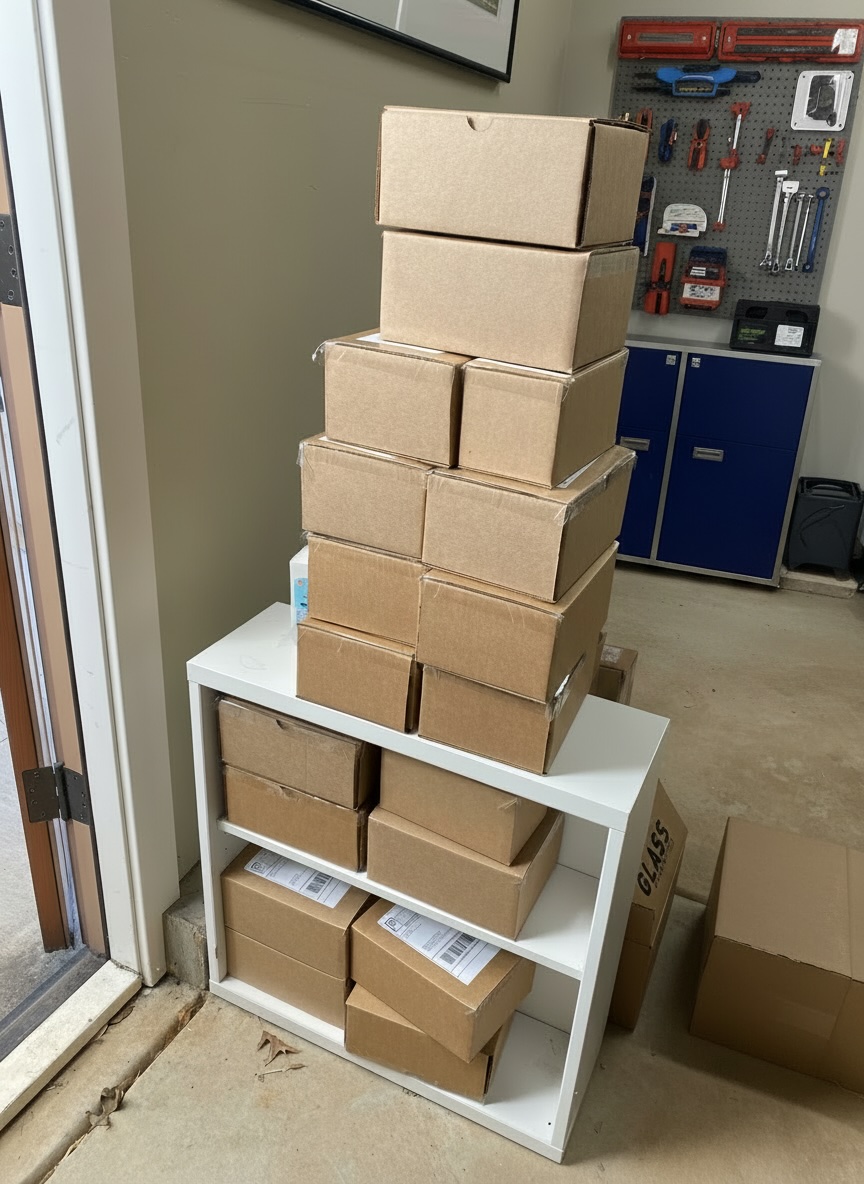
Self-fulfillment means you store the inventory, pack the orders, and hand them off to a carrier for delivery. It’s where most first-time sellers start: no minimum volume, no contracts, no upfront infrastructure. The tradeoff is time: most sellers hit a natural ceiling around 20 to 50 orders per week before the packing workload outweighs the cost savings of doing it yourself.

For example, I ran self-fulfillment for up to about 50 orders and it worked fine. Until, of course, it didn’t. The breaking point wasn’t just the packing. It was the storage taking over my space, plus the constant juggle of either driving packages to the post office or coordinating carrier pickups. It gets messy fast.

A bunch of online store boxes that need to be shipped

Pro tip: if you’re doing self fulfillment, do yourself a favor and invest in a good thermal shipping label printer (no ink needed!), and make sure you always have extra labels on hand. It makes label creation, printing, and application so, so much easier (and the Pavlovian pleasure of that printing sound is genuinely one of the small joys of running a store).

Local pickup

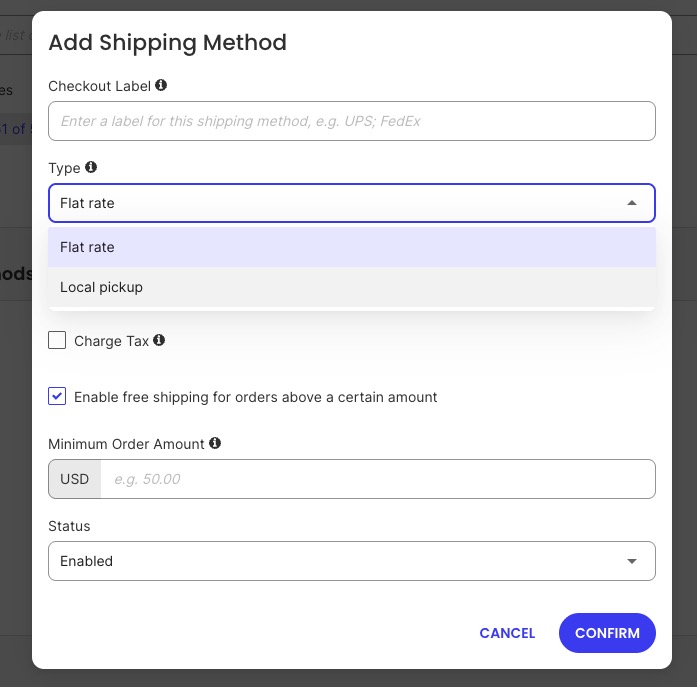
Local pickup lets customers place an order online and collect it in person, with no shipping involved. It suits stores with a physical location (a studio, a workshop, or a retail space) and customers who are local or prefer to avoid ecommerce shipping costs. This only works of course if you don’t also offer free shipping, otherwise there’s no real incentive for customers to make the pick up effort.

From a configuration standpoint, it’s one of the simplest options to offer. Most ecommerce platforms let you add local pickup as a checkout option alongside standard shipping, so customers who prefer it can self-select. 

adding local pickup as a shipping method in SiteGround Ecommerce

Local delivery

Local delivery is a step between shipping and pickup: you or a team member delivers orders directly to customers within a certain radius, rather than using a carrier. It’s common for food, flowers, furniture, and other categories where a carrier is impractical or where same-day service is a selling point.

For my ecommerce business this was a smart move. We offered free shipping over a certain price, so being able to handle local orders ourselves meant we weren’t eating carrier costs on nearby customers. Plus it removed the shipping process hassle entirely for that segment. And the bonus is that you can say hello to your customers face to face, which builds customer loyalty. Long story short: if you have a meaningful local customer base and the bandwidth, local delivery is worth the setup.

Dropshipping

Dropshipping is a fulfillment model where you sell products you don’t physically hold in inventory. When an order comes in, it’s forwarded to a supplier who packs and ships it directly to the customer under your brand or in a neutral box. You never touch the product.

The appeal is obvious: no inventory costs, no warehouse, no packing. The tradeoffs are real: lower margins, less control over quality and packaging, and dependency on a supplier’s stock levels and fulfillment speed. Dropshipping also requires a platform and supplier setup that supports it — not all ecommerce tools do.

Third-party fulfillment (3PL)

A third-party logistics provider, or 3PL, stores your inventory in their warehouse and handles picking, packing, and shipping on your behalf. You send them stock in bulk (often along with shipping materials), and they fulfill individual orders as they come in.

3PL made sense for me once volume was high enough — and that qualifier matters. That’s because most 3PLs require a monthly minimum spend or a minimum order volume, so if you aren’t selling enough, the numbers simply don’t pencil out. 

I’d treat it as a growth-stage decision, not a launch-day one. Once you hit that threshold though, the per-order cost can actually come out lower than self-fulfillment once you account for your own time, packaging materials, and the deeper discounted carrier rates most 3PLs pass on.

Freight and international shipping

Freight applies when orders are too large or heavy for standard parcel carriers, typically above 150 lbs or for pallet-sized shipments. It’s most relevant for stores selling furniture, industrial equipment, or large quantities of a product to a single buyer. Freight requires a separate carrier relationship and is usually quoted per shipment rather than at a fixed rate.

International shipping of course means delivering orders to customers outside your home country. It introduces additional and sometimes frustrating complexity: customs declarations, import duties, variable carrier availability by destination, and longer delivery windows. 

For stores just starting out, international shipping is worth supporting if demand exists, but it requires clearly communicated delivery estimates and a shipping policy that addresses duties and returns for cross-border orders. I offered international shipping as a one-off, but not as a main shipping option, simply because it was too complicated to set proper expectations and pricing. 

Working with shipping carriers

Regardless of which delivery method you choose, most stores that ship physical orders will work with at least one parcel carrier. It’s worth understanding how carrier integrations work before you decide how to price shipping, because the two are related but not the same thing.

The main carriers and when to use them

  • USPS — most cost-effective for small, lightweight domestic parcels; strong last-mile coverage including rural addresses
  • UPS / FedEx — better for heavier packages, time-sensitive delivery, and reliable tracking at scale
  • DHL — strong for international shipments, particularly to Europe and Asia
  • Canada Post, Royal Mail, Australia Post — worth knowing if you have meaningful customer bases in Canada, the UK, or Australia respectively

Most stores use more than one carrier depending on package size, destination, and speed. At higher volumes, multi-carrier rate shopping (where your platform automatically compares rates across carriers per order) can meaningfully reduce shipping costs.

Carrier integrations vs. carrier-calculated rates

This is a distinction worth understanding clearly, because the two are often conflated.

Carrier integration means connecting your ecommerce platform to one or more carriers to access discounted label rates, generate labels in a few clicks, and automate tracking updates to customers — all from your store’s dashboard. It’s a back-end operational tool. You can be fully integrated with USPS or UPS while still charging customers a flat rate or free shipping at checkout. How you charge customers is a separate decision.

Carrier-calculated rates is a specific pricing strategy where real-time carrier quotes are displayed to customers at checkout based on their order’s weight, dimensions, and destination. It requires a carrier integration to work, but having a carrier integration doesn’t mean you have to use calculated shipping rates.

In short: integrate with a carrier to streamline label creation, automate tracking, and access better shipping rates. Use carrier-calculated rates at checkout only if that pricing model fits your store — more on that in the next section.

Delivery speed tiers

Most carriers offer standard (3–7 business days domestically), expedited (2–3 days), and overnight. Standard is the default for most stores. Expedited shipping is worth offering if your product has a time-sensitive use case — gifts, event items, or anything customers might need by a specific date. Overnight shipping is rarely worth the complexity at small volumes unless speed is a genuine differentiator in your category.

Pro tip: Make this easy by using a shipping integration platform that connects you to multiple carriers at once, and with discounted rates. That way you can always choose the absolute best shipping price for every package you send. 

SiteGround Ecommerce comes with a built-in carrier integration powered by Shippo, giving you access to 16 carriers and over 150 shipping services from one place. Generate labels in a few clicks, display live carrier rates at checkout, and automate tracking updates — all from your store dashboard. 

Start shipping now>>

Ways to price shipping for customers

The rate strategy is how you charge customers for shipping at checkout, independent of which delivery method you use. There are four main approaches, each with different implications for your margins and customer experience.

Flat rate shipping

Flat rate shipping charges every customer the same amount regardless of what they ordered or where they live. A common example is “$5.99 shipping on all orders.”

It’s simple to set up and easy for customers to understand. The risk is that you will undercharge on heavy or bulky orders and overcharge on lightweight ones, which can either erode your margins or make small orders feel expensive. Flat rate works best when your product catalog has consistent weight and dimensions, or when the variance in your actual shipping costs is small enough that a single rate covers it without frustrating customers. 

ScenarioFlat rate works wellFlat rate works poorly
Product weightConsistent across catalogWide variation (such as small accessories + heavy equipment)
Order geographyMostly local or regionalWide national or international spread
Catalog sizeSmall, focusedLarge, varied

Free shipping

Free shipping means the customer pays nothing at checkout…but the cost doesn’t actually disappear. It’s either absorbed into your product pricing, covered by your margin, or activated only above a minimum order threshold.

The minimum threshold approach is the most common for small stores because it serves two purposes: it covers shipping costs on orders where the margin supports it, and it increases average order value. As a general rule of thumb, a free shipping threshold set around 30% above your average order value motivates customers to spend more while helping cover your actual shipping costs. At the same time, it doesn’t set the bar so high that customers give up and abandon instead.

Unconditional free shipping (no minimum) only makes sense when your product margins are wide enough to absorb it or when your average order value is consistently high. Offering free shipping on a $15 item with a $7 shipping cost and a 40% margin is a fast way to lose money.

With my own online business, I took the minimum-threshold approach. I had my main products, and set the price threshold such that if people bought one product, they had to pay about $8 for shipping. If they bought a set (two products), the shipping was free. As a result, the vast majority of orders were for the set, and very few people bought only a single item (you can see how this worked out in reality in the shipping image above: almost all the boxes were two-product boxes, save for one box, which is smaller than all the others). 

Carrier-calculated rates

Carrier-calculated rates pull real-time quotes from carriers (USPS, UPS, FedEx, DHL) at checkout based on the order’s weight, dimensions, and destination. The customer sees the actual cost of shipping their specific order.

This is the most precise approach, and it removes the risk of systematically undercharging or overcharging. It requires your products to have correct weights and dimensions set in your store (because without that data, the rate calculations will be wrong). It also produces less predictable checkout totals for customers, which can increase friction compared to a simple flat rate or free shipping offer.

Carrier-calculated rates are most useful for stores with varied product sizes and weights, stores shipping nationally or internationally, or sellers who want to offer multiple speed options (standard vs. expedited shipping) at transparent shipping prices.

The downside here is that it can get complicated when it comes to packaging sizes and product combinations. For my business, and many small businesses with a limited product offering, it may make more sense to simply base it on general weight ranges…which brings us to the next point.

Table or weight-based rates

Table rates let you define custom shipping costs based on order weight, total price, item count, or destination. For example: orders under 1 lb ship for $4.99, orders between 1 and 5 lbs ship for $7.99, orders over 5 lbs ship for $12.99.

This gives more granular control than flat rate without the real-time complexity of carrier-calculated rates. It requires a little bit of setup work and needs to be updated if your carrier costs change, but it’s practical for stores with a predictable range of order sizes. 

For my small business, this was the perfect middle ground. It ensured I charged roughly the right amount for shipping on my orders without logistics getting unnecessarily complicated. 

How to build your shipping strategy

Choosing a delivery method and a rate structure is only half the job. The other half is making sure those choices hold up as your ecommerce business changes. A shipping strategy that works at launch can become a source of margin leakage or operational strain within months if it wasn’t built with growth in mind. Here the key questions to address as you build your strategy:

What are you selling, and how heavy is it?

Your product characteristics set the outer boundary of what is practical. A store selling greeting cards has a different calculus than one selling hand-thrown ceramics.

  • Lightweight and/or consistent products: flat rate or free shipping is manageable
  • Heavy or fragile items: carrier-calculated rates protect your margins and set accurate expectations
  • Products requiring custom packaging: factor that cost into your flat rate or product pricing — this is part of your shipping cost whether you account for it or not

Where are your customers?

  • Mostly local or regional: a flat rate based on your average regional carrier cost is usually sufficient
  • National or international: carrier cost variance by destination makes flat rate riskier — you will either overcharge customers near you or undercharge on distant orders

What do your margins allow?

Free shipping is an ecommerce marketing decision as much as a logistics one. Customers respond better to a $29 product with free shipping than a $23 product with a $6 shipping fee, even though the total is identical. Oftentimes, as was the case with my business, people will happily buy and spend more just to hit the free shipping threshold. 

That said, before offering it, confirm your margin covers the actual shipping cost per order. If your margins are tight, a minimum order threshold protects profitability while still giving customers the incentive they respond to.

How many orders are you shipping?

VolumeRecommended approach
Under 10 orders/weekSelf-fulfillment + flat rate or free shipping threshold, consider multi-carrier rate shopping
10–50 orders/weekSame, but start tracking actual shipping costs vs. what you charge, consider multi-carrier rate shopping
50+ orders/weekCarrier-calculated rates, evaluate 3PL, implement multi-carrier rate shopping

What do your customers expect from delivery?

Setting clear delivery expectations matters more than matching the fastest available option. That said, free shipping has become a baseline in many categories — if your competitors offer it and you do not, that gap shows up at checkout. Research the norm in your product category before assuming customers will accept a shipping fee.

In my case, apart from examining our own business expenses, I looked at competitors to see what they were doing. When I saw that several offered the free shipping threshold, it was the nudge I needed to do the same.

Pro tip: Don’t underestimate the packaging experience. At minimum, customers expect their order to arrive well-packaged and undamaged. But depending on your product type, price point, or simply how much you want to make an impression, it’s worth going further. Branded packaging, a handwritten note, a discount card, stickers — these are small touches that are disproportionately memorable. With my own store, I used branded tape on every box and included product usage cards and a discount inside every order. Sometimes stickers too. It cost very little and customers noticed. For a small business, that kind of detail is one of the few places you can genuinely out-experience a larger competitor.

example of ecommerce product with branded packaging

Common shipping mistakes first-time sellers make

Most early shipping problems are not carrier problems or platform problems. They’re setup decisions that seemed reasonable (or at least manageable) at launch and became expensive as order volume grew.

1. Setting a flat rate without checking actual carrier costs. A flat rate set below your average shipping cost is a silent margin leak. Before publishing a rate, run sample orders through your carrier’s rate calculator using realistic weights, dimensions, and destination zip codes. Build in a small buffer for packaging materials.

2. Offering free shipping without adjusting product prices. Free shipping absorbs cost. It does not eliminate it. If you activate free shipping without either raising prices or confirming your margins can cover it, you are discounting your own margin on every order.

3. Ignoring dimensional weight pricing. Most major carriers calculate shipping cost based on dimensional weight (the space a package occupies) rather than actual weight, if dimensional weight is higher. A light but bulky item can cost significantly more to ship than its weight alone suggests. Stores that do not account for this undercharge on those products.

4. No tracking or confirmation emails. Customers who do not receive a shipping confirmation with tracking information contact customer support to ask where their order is. This is avoidable. Automated shipping notifications are a standard feature on most ecommerce platforms and take minutes to configure.

5. Writing no shipping policy — or writing one nobody can find. A shipping policy answers the questions customers have before they contact you: how long does fulfillment take, when does the order ship, what happens if something arrives damaged, how do returns work. I would also add key questions to your FAQ page, as this is often where people will go first to resolve doubts.

6. Setting international shipping to “same as domestic.” International orders involve customs fees, variable transit times, and carrier restrictions that domestic settings do not account for. Applying a domestic flat rate to international orders almost always results in undercharging. Set dedicated international rates or use carrier-calculated rates for non-domestic orders.

How to set up shipping on your online store

Once you’ve decided on your delivery method and rate strategy, setting up shipping in most ecommerce platforms follows the same basic pattern.

What to look for in your platform’s shipping settings:

  • Shipping zones — define which regions or countries you ship to and assign different rates to each. Most platforms let you create zones by country, region, or postal code range.
adding a new shipping zone in SiteGround Ecommerce
  • Flat rate configuration — set a fixed shipping cost per order or per item, with the option to apply it globally or by zone.
  • Free shipping triggers — activate free shipping unconditionally, or set a minimum order value threshold that customers need to hit.
Adding a flat rate shipping method along with free shipping threshold in SiteGround Ecommerce
  • Local pickup — add an in-person collection option at checkout so local customers can opt out of shipping entirely.
  • Carrier integration — connect to one or more carriers to generate labels, pull live rates, and automate tracking notifications from your dashboard.

Shipping is generally pretty configurable without any technical knowledge — you just need to know what you want before you go looking for the setting. The decisions covered earlier in this guide should give you that clarity.

SiteGround Ecommerce makes shipping setup straightforward. Flat rate, free shipping with or without a minimum threshold, local pickup, carrier integration, and shipping zones by country or region are all configurable from one place — no technical knowledge needed.

Build your online store now>>

How to write a basic shipping policy

A shipping policy is a short document (typically just a page on your website) that sets customer expectations about fulfillment times, delivery windows, costs, and how problems are handled. It’s a standard step in creating your ecommerce website, and should link from your store’s footer.

A functional shipping policy covers six things:

  • Processing time: How long between order placement and the order shipping. “Orders ship within 1–2 business days” is more useful than “orders ship quickly.”
  • Estimated delivery time: Typical transit times by region or shipping method. Include a note that these are estimates, not guarantees.
  • Shipping costs: How you calculate shipping fees, including when free shipping applies and any surcharges for remote locations or oversized items.
  • International orders: Whether you ship internationally, which countries you serve, and who is responsible for customs duties and import taxes (typically the customer, but this must be stated clearly).
  • Damaged or lost orders: What the customer should do if an order arrives damaged or does not arrive at all, and what resolution they can expect.
  • Returns and exchanges: Whether you accept returns, how long the return window is, who pays return shipping, and how refunds are processed. This can link to a separate returns policy if you have one.

Keep the language plain. A customer reading your shipping policy has a specific question: answer it directly without legalese. The goal is to reduce uncertainty, not to protect yourself with disclaimers.

For stores using SiteGround Ecommerce, you can easily add a shipping policy page directly from your dashboard and link it in the footer and checkout flow without any custom code.

Example of a shipping policy in the footer of a website

Choosing the right ecommerce shipping strategy for your business

There’s no single correct shipping setup. The right combination depends on your product, your margins, your customers, and where you are in your business. What’s important is to get clear about which combination works best for you, and choose an ecommerce solution that supports it.

SiteGround Ecommerce makes it easy to get your shipping set up and running. Flat rate, free shipping thresholds, local pickup, carrier integration, and shipping zones all come out of the box, configurable without any technical knowledge, and backed by expert 24/7 support. And as your business grows, the platform grows with you.

[103]

Frequently asked questions

What shipping options should I offer at checkout?

Most stores offer a combination of two or three options rather than a single one — typically a paid shipping rate (flat rate or carrier-calculated), a free shipping threshold, and local pickup if relevant. The right mix depends on your product type, customer location, and margin structure. The goal is to give customers enough choice without overwhelming them at the final step of purchase.

What are the different shipping methods for online stores?

Shipping methods can be categorized in two ways: by delivery route (self-fulfilled carrier shipping, local pickup, local delivery, dropshipping, 3PL, or freight) and by rate structure (flat rate, free shipping, carrier-calculated rates, or table-based rates). These are separate decisions: how you get the product to the customer and how you charge for it do not have to follow the same logic.

What are the three main shipping methods for online stores?

Most stores move through three fulfillment stages as they grow. Starting out, selling online typically means self-fulfillment — you pack and ship orders yourself. As volume increases, a third-party logistics provider (3PL) takes over storage, packing, and shipping on your behalf. At the largest scale, freight handles bulk or pallet-sized shipments that exceed standard parcel carrier limits. Each stage suits a different order volume and level of operational complexity, and as businesses scale it’s likely they’ll move through at least the first two.

How do businesses ship products?

Most small online stores follow a straightforward process: the customer places an order, the seller packs the item, prints a shipping label through their ecommerce platform or directly through a carrier, and hands the package off for delivery. At low volumes this is done in-house. As order volume grows, many sellers move to a 3PL that handles storage, packing, and carrier handoff on their behalf.

How to sell online for the first time: a step-by-step guide for complete beginners

abstract image of how to sell online

There has never been a better time to start selling online. You don’t need a developer, a warehouse, or a big upfront investment to get started. What you do need is a clear sequence of decisions and the right tools to act on them. This guide walks you through every step from product idea to first sale, written for people starting from zero.

Key takeaways

  • Selling through your own store gives you full control over branding, pricing, and customer data.
  • Your product type shapes your entire store setup, so knowing this before you build saves significant backtracking.
  • Validating your product idea before you build anything is the single best way to avoid building a store nobody buys from.
  • Most first-time sellers can have a working storefront live within a day or two using a hosted ecommerce builder, with no coding required.
  • Getting your first sale is less about traffic volume and more about a direct, deliberate launch push to the people who already know and trust you.
  • Your store’s reputation is built as much in the post-purchase experience as before it.

How to sell online: step by step

Before diving in, it helps to understand what ecommerce actually involves, because the term covers everything from a solo seller shipping handmade goods from home to a global retailer processing thousands of orders a day. The steps below are ordered so each one feeds naturally into the next.

1. Decide where to sell — own store, marketplace, or social

The first decision shapes everything that follows, so it’s worth spending ten minutes here to choose an intentional path before you do anything else.

Your three main options are:

ChannelWhat it isBest forWatch out for
Your own storeA website you own and controlBrand building, long-term marginsMore setup upfront
Marketplace (Amazon, Etsy, eBay)Selling inside an existing platformQuick access to existing trafficFees, competition, no customer data
Social commerce (Instagram, TikTok Shop)Selling directly through social platformsAudiences you’ve already builtAlgorithm dependency, limited storefront control

Most experienced sellers recommend starting with your own store and using marketplaces or social as supplementary channels, not the other way around. That’s because when you sell products online on a marketplace, the platform owns the customer relationship. But when someone buys from your store? You own the email address, the purchase history, and the ability to market to them again. That’s a big difference that compounds over time.

Your own store also lets you set your own prices without a race-to-the-bottom dynamic, display your brand the way you want, and avoid the listing fees and commission cuts that erode margins on third-party platforms. 

2. Find your niche and validate your product idea

Most people come to this step with at least a rough idea of what they want to sell, and that’s a perfectly good starting point. But then the idea needs to be sharpened into something specific enough to market and test.

That sharpening process is what “finding your niche” actually means. A niche goes beyond just the product itself, but to a product plus a specific audience. Handmade candles” is a product category with thousands of sellers. “Soy candles with wood wicks and minimalist packaging for home décor buyers” is a niche. It’s still a real market, but with a clear point of difference that helps the right customer pick you over the other 500 random candle shops.

Three ways to validate before you build anything:

  • Search volume check. Type your product idea into Google and look at the “People also ask” and autocomplete suggestions. If Google is filling in your sentences, there’s search demand. Meanwhile, free tools like Google Keyword Planner can also show you estimated monthly search volumes, which helps you size the opportunity before committing.
Example of doing a google search and it autocompleting popular search options
  • Market research. Check online marketplaces for similar products. If dozens of sellers exist with reviews, demand is real. Also look at price ranges and review counts: a category where the top sellers have hundreds of reviews and consistent pricing is a healthy, competitive market. If nothing comes up, that might be a warning sign.
  • Pre-sell or survey. Post about the product in a relevant Facebook group or Reddit community and gauge genuine interest. Or offer a “founding customer” discount and see if anyone actually claims it. A few real responses are worth more than any spreadsheet model, and a pre-sale tests real willingness to pay.

Define your target audience

Your target market is the specific group of people most likely to buy from you. Get concrete: their age range, their buying habits, where they spend time online, and what problem your product solves for them.

Write one “customer profile” sentence before you move to the next step: “My ideal customer is [describe them], who wants [outcome] and currently solves the problem by [current behavior].” This sentence will shape every product description, social post, and ad you craft later.

Define your unique selling proposition

Once you know your audience, you can define why they should buy from you specifically. Your unique selling proposition is the precise reason a customer picks you over a competitor — and it almost always comes down to something your audience told you they needed that nobody else is delivering clearly.

3. Know your product type before you build

This may sound obvious, but getting clear about your product type can change your entire store setup. Many first-time sellers skip it and end up configuring the wrong tools, then backtracking. Here’s how product types typically break down:

Physical products are tangible items you ship to customers. This includes handmade goods, resold wholesale products, print-on-demand merchandise, and vintage or secondhand items. Physical stores need shipping method setup, inventory management, and packaging. They’re the most common type of ecommerce store.

Digital products are files or access you deliver electronically: ebooks, templates, stock photos, music, software, courses, or printables. No shipping costs, no inventory, and you can sell the same product thousands of times without restocking. The tradeoff is more reliance on perceived value. That is, a digital file has no physical weight to justify its selling price, so positioning and presentation matter more.

Services can also be sold online: coaching, consulting, design work, writing, tutoring, or any skill-based offering. You’re not selling products online at a fixed price; you’re selling time or expertise, often in packages. Services online typically need a booking or inquiry flow rather than a shopping cart.

Each type has implications for your platform choice, your tax treatment, and your fulfillment process, so it’s important to start here. A service business needs a booking or inquiry flow more than a shopping cart. A digital product seller needs to be able to sell and deliver digital files. And a physical product seller needs the full stack (inventory, shipping, and payments). Depending on where your product falls, make sure your platform of choice (addressed in the next step) has the right functionality.

4. Build your online store

With your product validated and your audience defined, you’re ready to build. This is a step you could easily overthink, but thanks to modern ecommerce tools, it ends up being a lot easier than you might expect. 

Choose an ecommerce platform

Your ecommerce platform choice affects your costs, your design flexibility, and how much technical work you’ll do long-term. The main platform categories are:

  • Hosted ecommerce builders: all-in-one tools where hosting, store builder, and ecommerce features are bundled. Fastest to launch, least technical overhead.
  • WordPress + WooCommerce: more flexible and customizable, but requires more setup, ongoing maintenance, and a much larger learning curve.
  • Online marketplaces (Amazon, Etsy, eBay): list your products inside an existing ecommerce platform with built-in traffic, but you pay commission on every sale, compete on price with thousands of similar sellers, and never own the customer relationship.

For first-time sellers, a hosted website builder is usually the right starting point. You get a working store faster, without needing to manage servers, updates, or plugin compatibility. Plus, if you choose well, you’ll have around-the-clock expert support should you need it.

Set up your storefront

The setup decisions that matter most at this stage:

  • Start with a built-in template and customize it — don’t build from scratch; a clean, minimal layout works well for most first stores
  • Keep website navigation simple — organize by how your potential customers think, not by how your inventory is structured
  • Create a homepage headline — it should state clearly what you sell and who it’s for, in one sentence
  • Make your store look credible — a visible return policy, a real email address, a secure website, and genuine product photos do more work than any design choice
  • Set up payments and shipping before you set your prices — processor transaction fees and shipping costs eat into your margin in ways that are painful to discover after the fact, so deciding how you accept payments online, and what shipping will look like are among the first practical steps once your store is built
  • Sort out tax and legal basics before your first sale — registration requirements and sales tax rules vary significantly by location and product type

There’s a lot more involved in how to create an ecommerce website, but the above is what determines whether a first-time visitor becomes a buyer.

Why first-time sellers choose SiteGround Ecommerce
SiteGround Ecommerce bundles hosting, store builder, and ecommerce tools in one plan — no separate setup or third-party plugins required. Payment and shipping integrations are built in, and if you get stuck at any point, 24/7 expert support is there to help. For a first-time seller, fewer decisions means faster launch.

Start building your ecommerce store now

5. Add high-converting product pages

Product pages do a whole lot more work than one might realize at first blush. Think about it: two stores selling identical items can have dramatically different conversion rates if one has an onpoint product presentation while the other is sloppily pieced together.  

To get your product pages right, here’s what matters most:

Descriptions:

  • Lead with the benefit, not the feature — what the customer gets, not what the product has
  • Answer the obvious objections — size, fit, material, compatibility, whatever makes someone hesitate before buying your specific product

Photos:

  • Natural light and a consistent background matter far more than equipment
  • Show the product in context — at least one lifestyle shot alongside your standard product images. Don’t have professional product photos? SiteGround Ecommerce has built-in AI image generation that can help you turn those “meh” product shots into images that sell.
Example of a product page with a good description and photos

8. Launch and promote your store

A live store with no visitors is a pretty sad store. Getting those first, ever-important online sales requires a deliberate, if modest, push. Let’s examine how to make your online store promotion happen, even on a modest budget.

SEO basics

Ecommerce SEO (search engine optimization) is the long-term engine for free traffic. But it can start producing results faster than most people think if you do the fundamentals correctly from day one. Here are few tips to get your SEO right so that you show up in search and AI results:

  • Use your target keywords naturally in product titles, descriptions, and page headings
  • Write a unique meta title and description for every product
  • Structure each page with clear headings that reflect how customers search — not just what you want to say about the product

Getting SEO for your product pages right from the start means every product you add builds on a solid foundation rather than needing to be retrofitted later.

Social media

It’s tempting to sign up for every platform in order to be everywhere, but really what matters most for social media marketing is showing up where your specific customers already spend time. Here are a few points to keep in mind:

  • Choose your platform based on your product type — Instagram and Pinterest for visual products, Facebook groups and Reddit for niche communities, TikTok marketing for physical products with a story to tell. LinkedIn for professional services. 
  • Post consistently for 60–90 days before drawing conclusions about what’s working
  • Lead with interest, not sales — behind-the-scenes, before/after, and customer stories consistently outperform “buy now” content

Email marketing

Email is the highest-ROI marketing channel available to a new seller — industry benchmarks put the average return at $36–$42 for every $1 spent. Even better: Unlike social followers, you own your list; and unlike paid ads, it compounds without ongoing cost.

To maximize the benefits of ecommerce email marketing:

  • Start building your email list from day one — a signup form offering a small discount or early access is enough to get started
  • Set up automated flows — welcome email, abandoned cart reminder, and lead nurturing sequences
  • Add value — share useful content, early access to new products, or exclusive offers rather than leading every email with a hard sell
  • Be consistent — choose a sending cadence and stick to it; irregular emails train your list to ignore you
Welcome sequence email automation diagram

Track performance and optimize

Set up Google Analytics or your platform’s built-in analytics from day one and check your digital marketing metrics weekly. The three numbers that matter most early on:

  • Traffic sources — which channels are actually sending visitors to your store
  • Conversion rate — total purchases divided by total visitors; below 1% usually signals a product presentation or trust problem
  • Average order value — tells you whether free shipping thresholds or product bundles would meaningfully move your revenue

9. Manage orders and customer service with care

Your store’s reputation is built in the post-purchase customer experience as much as the pre-purchase one. The basics:

  • Fulfill within your stated processing time — consistency matters more than speed
  • Send tracking information as soon as it’s available
  • Contact customers proactively if a delay occurs — most people are understanding if you communicate early
  • Have a return policy published before your first sale — it’s a trust signal as much as a legal requirement
  • Respond to support emails within 24 hours — providing excellent customer service means a fast, human response to problems or concerns 

Extra tips for selling online successfully

Price for margin, not just competitiveness. Many first-time online sellers underprice because they’re focused on beating competitors rather than sustaining an online business. Your price needs to cover product cost, packaging, shipping, platform fees, your time, and then still leave a margin. Run the numbers before you launch, not after your first 50 orders when changing prices feels risky.

Launch with fewer products, not more. A focused catalog of three to five products is easier to market, easier to manage, and easier to optimize than a sprawling one. Once you see what’s working, you can add products based on demand.

Your network is your first audience. Before you spend a dollar on ads, tell every person you know about your store launch, and gather those emails for your list. Gather their initial customer feedback, then build outward from a base of real existing customers.

Collect reviews from the start. Social proof is the highest-converting element on most product pages, and the gap between zero reviews and ten is bigger than any gap after that. So don’t be shy about asking every buyer for a review. And don’t wait until you feel established; start asking from your very first sale.

Start selling online today

Thankfully, starting an online business no longer requires a technical background, a large budget, or months of preparation. You just need a clear product, a clear audience, and the right platform to bring it all together.

SiteGround Ecommerce is built for exactly this starting point: an all-in-one solution that handles hosting, store setup, and ecommerce features without requiring any code. You can go from blank slate to a fully functional store in a single day, and the tools to grow from there are built in from the start. Explore SiteGround Ecommerce and see how quickly you can get your first store live, and get that first sale.

[103]

FAQs about how to sell online

Can I sell products online for free?

You can test the concept for free using platforms like Facebook Marketplace, Craigslist, or Etsy’s free listing tier, but running a serious online store involves some unavoidable costs. At minimum, you’ll pay for hosting and a domain (typically $50–$150/year combined) and payment processing fees on every sale (typically 2–3% per transaction). And while there’s no free way to own your own storefront, the most cost and time-effective approach is choosing a platform (like SiteGround Ecommerce) that bundles hosting, store builder, and ecommerce tools together, rather than sourcing and paying for each separately.

How long does it take to set up an online store?

With the right platform, a fully functional, polished store can be live in a single day. The real variable is your platform choice. An intuitive, purpose-built ecommerce builder removes most of the technical friction, while a more complex setup can stretch what should be a straightforward process into weeks. Choose a platform that does the heavy lifting, and the only thing standing between you and launch is having your products, copy, and images ready to go.

What products sell best online?

goods, beauty and personal care products, and niche hobby items with passionate communities. Practically speaking, the better question is: what sells well for your specific niche and audience? A product with 1,000 passionate monthly searchers and low competition will outperform a high-volume product where you’re the 500th seller.

How do I get my first sale online?

The most reliable path to kick start your ecommerce marketing, personal outreach to your existing network combined with a small social post. Tell people about your store, send a direct link, and make it easy to buy. Beyond your network, consider a small paid promotion ($20–$50) targeting your specific customer profile on the platform where they spend time. Most first-time sellers get their first sale within two weeks of a genuine, active launch push, not from passive traffic alone.

What is ecommerce? Everything first-time sellers need to know

Abstract image of what is ecommerce

Ecommerce comes down to the buying and selling of goods and services over the internet. It’s how a bakery in Seattle ships gift boxes to Detroit, how a graphic designer sells fonts without ever speaking to a buyer, and how a one-person shop competes with retailers ten times its size. And it’s more accessible than it’s ever been. If you’re thinking about selling online, this is where to start.

Key takeaways:

  • Ecommerce refers to any commercial transaction completed online, covering physical goods, digital products, and services.
  • The main ecommerce business models are B2C (business-to-consumer), B2B (business-to-business), C2C (consumer-to-consumer), DTC (direct-to-consumer), and C2B (consumer-to-business).
  • Every online business needs a storefront, a way to accept payments, a fulfillment method, and a route to customers — the details of each depend on what you’re selling.
  • Ecommerce works for businesses of every size and product type, from solo creators selling digital downloads to small retailers shipping physical goods worldwide.

How does ecommerce work?

Ecommerce (or electronic commerce as it was once known) follows the same sequence every time a sale happens, whether the product costs $2 or $2,000: 

  • a customer finds your store through a search engine, a social media post, or a direct link, and lands on your website. 
  • They browse, add something to a cart, and pay through a secure checkout. 
  • That payment is processed in seconds, the order is confirmed, and fulfillment begins: the item ships, the digital file downloads, or the service booking is locked in. 

Check, check, and check.

That whole chain can happen at 2am on a Tuesday without you lifting a finger. The store never closes, and the customer pool isn’t limited to whoever can reach your literal front door. That’s because behind the scenes your virtual employees take care of everything; a payment gateway handles the transaction, an SSL certificate keeps the connection secure, and an inventory system tracks stock. And thankfully, most of this infrastructure comes built into modern ecommerce platforms by default.

What are the advantages of ecommerce?

Compared to a physical store, selling online removes several of the biggest barriers to starting and growing a business.

  • Lower overhead. No retail lease, no shop fit-out, no minimum staffing requirements. Your main costs are your platform, your products, and your marketing.
  • 24/7 sales. Your store takes orders while you sleep, travel, or work on other things. A physical shop is limited by opening hours; an online store isn’t.
  • Global reach. You’re not limited to customers who can physically reach you. A well-optimized store can attract buyers from truly anywhere — from the next town to the next continent.
  • Data and insights. Every visit, click, and purchase generates data. You can see exactly which products are popular, where customers drop off, and which marketing channels are driving sales. It’s information a physical shop can rarely match.
  • Easy to start small and scale. You can launch with a handful of products and grow from there. Adding new products, expanding to new markets, or increasing volume doesn’t require a bigger location or more staff in the way a physical business does.

What are the main types of ecommerce?

Ecommerce isn’t just one type of thing. It describes a range of business models that differ in who’s selling to whom and what’s being sold. Understanding where your business fits shapes everything from how you price to how you market.

The main types of ecommerce models differ in who’s selling to whom:

  • B2C (Business-to-Consumer) — a business sells directly to individual customers. The most common starting point for first-time sellers, covering everything from independent shops to large online retailers.
  • B2B (Business-to-Business) — a business sells to other businesses. Usually involves larger order values and more complex pricing, like volume discounts or contract rates.
  • C2C (Consumer-to-Consumer) — individuals sell to other individuals via a marketplace platform like eBay or Vinted.
  • DTC (Direct-to-Consumer) — a brand sells directly to customers, cutting out retailers. Grown significantly as brands look to own the customer relationship and keep more margin.
  • C2B (Consumer-to-Business) — an individual sells a product or service to a business. Think freelancers selling products such as designs or copywriting.

If you’re a small business owner or solo entrepreneur just starting out, you’re almost certainly looking at B2C or DTC.

What you can sell

The business model tells you who you’re selling to. The product type tells you what you’re selling and how fulfilment works:

  • Physical goods: products that need to be manufactured, stored, and shipped. Think clothing, food, hardware, gifts, books, or home goods. The most logistics-heavy option, but the backbone of most consumer ecommerce.
  • Digital products: files or access delivered instantly after purchase — ebooks, templates, software, music, photography presets, online courses. No shipping costs, no inventory limits.
  • Services: bookings, consultations, subscriptions, or ongoing work. No shipping or inventory, but capacity is capped by your time and availability.

What does an ecommerce business actually need?

Strip away the jargon, and every ecommerce business, regardless of size, product type, or industry, needs the same five things. Here’s what each one involves and why it matters.

1. An online storefront

Your storefront is the website where customers browse and buy. It needs to do three things well:

  • Look legitimate. Buyers decide in seconds whether a site feels trustworthy. A professional design, an SSL certificate (the padlock in the browser bar), clear contact details, visible payment icons, and customer reviews all signal that you’re a real business worth buying from.
  • Make buying easy. Clear product pages, organized website navigation, a cart, and a checkout that doesn’t ask for more than it needs. A slow-loading or friction-heavy checkout is one of the most common reasons customers abandon a purchase.
  • Work on mobile. Mobile commerce now accounts for more than half of global ecommerce sales. A poor mobile experience means losing those customers before they ever reach checkout.
Example of an ecommerce website on mobile

You don’t need to build any of this from scratch. Hosted ecommerce platforms provide templates, product management, and checkout without requiring any code, and there’s no shortage of ecommerce website design ideas to draw from.

2. Products (physical, digital, or services)

Before you build anything, you need to know what you’re selling, how it’ll be delivered, and what that means for your pricing.

Product typeFulfilmentPricing considerations
Physical goodsPick, pack, ship yourself or via an outside providerMust account for cost-of-goods, packaging, and shipping in every price
Digital productsAutomated delivery after payment clearsNear-zero marginal cost once created; margins on a $49 download can be very high
ServicesBooking confirmation, kickoff call, or project intakePriced by time, expertise, or outcome; more flexible but harder to scale

Getting this clear early prevents problems later, particularly around setting prices that actually cover your costs.

3. The operational layer

Once your store and products are in place, three things need to work behind the scenes:

  • Payments — your store needs a way to process transactions securely, whether that’s card payments, digital wallets, or bank transfers. The options vary, and accepting payments online is worth understanding before you commit to a provider.
  • Fulfillment — getting your product to the buyer, whether that means shipping physical goods, automating digital delivery, or confirming a service booking. How you approach shipping for your online store affects your costs, your delivery speed, and whether customers come back.
  • Marketing — a store with no visitors makes no sales. Which online store marketing channels you prioritize depends on your product, your budget, and how quickly you need results.

What kinds of businesses sell online?

These days, the short answer is: almost all of them. It used to be reserved for those savvy enough to jump through all the tech hoops, but now it’s accessible to literally everyone. Across every sector, businesses of every size sell online, and the variety is wider than most people assume when they’re starting out.

Some examples:

  • Independent retailers selling physical products, either alongside a physical shop or purely online. Many traditional retail stores added an online retail store during 2020 and have kept it running as a meaningful second revenue stream.
  • Freelancers and consultants selling service packages or booking slots through their own site, giving them more control over pricing and client relationships than marketplaces provide.
  • Content creators selling digital products like guides, templates, presets, or video courses. Once created, these products sell repeatedly with no additional work.
  • Service businesses like photographers, tutors, and coaches selling session packages, often combining a booking system with digital delivery of materials.
  • Side hustlers running a second income stream around a full-time job, often starting with digital products precisely because there’s no inventory to manage and no minimum order commitment.
  • Makers and craftspeople selling handmade goods directly to buyers, cutting out marketplaces and keeping more margin. A ceramicist, a jeweller, or a candle maker running their own ecommerce store keeps far more per sale than they would on Etsy.
Example of a makers ecommerce website

The common thread isn’t industry or business size but rather the decision to sell through a channel you own instead of relying entirely on a marketplace or a brick-and-mortar store location. That decision gives you more control over pricing, customer relationships, and the long-term value of your brand. That’s a big deal! 

Is ecommerce right for you?

Very possibly! Afterall, the barrier to starting is lower than it’s ever been. Before you commit, though, it’s worth being honest about where you land.

Ecommerce is a good fit if you:

  • Have a product or service people want to buy
  • Want a sales channel that isn’t tied to foot traffic or a single platform’s algorithm
  • Are willing to invest time in marketing strategy and customer experience
  • Want to start small and scale gradually without relocating or hiring

It’s a harder path if you:

  • Are expecting revenue without significant marketing effort
  • Need income quickly (most channels take months to gain traction)
  • Aren’t willing to iterate on what isn’t working

The starting point for most people isn’t a grand launch. It’s a simple store, a handful of products, and a focus on getting the first ten sales. From there, you learn what works, cut what doesn’t, and build your online store.

Start selling with SiteGround

If you’ve read this far and you’re ready to put the pieces together, the next step is setting up your store. SiteGround Ecommerce gives you everything covered in this article in one place: a professional storefront, a built-in payment system, and fast, reliable hosting on infrastructure trusted by millions of websites worldwide..

You don’t need to be technical. You don’t need a big budget to start. You need a product, a plan, and a platform that doesn’t get in your way. SiteGround Ecommerce is that platform.

Frequently asked questions

What is an ecommerce website?

An ecommerce website is an online store where customers can browse products or services, add them to a cart, and complete a purchase. Unlike a standard website that provides information, an ecommerce website is built to handle transactions, including product listings, inventory management, secure checkout, and payment processing.

What is an ecommerce CMS?

An ecommerce CMS (content management system) is the software that powers an online store in the digital commerce space. It lets you manage products, pages, orders, and customer data without writing code. Some CMS platforms are general-purpose with ecommerce added on, like WordPress with WooCommerce, while others are built specifically for selling online. The right choice depends on how much flexibility and customization you need versus how quickly you want to get up and running. For most first-time sellers, a purpose-built ecommerce platform is the faster and simpler path.

What’s the difference between ecommerce and a regular website?

A regular website is built to share information: a company profile, a portfolio, a blog. An ecommerce website is built to complete transactions. That means it needs additional functionality, including a product catalogue, an online shopping cart, a secure checkout, and payment processing. Many businesses run both: informational pages about their brand and story alongside a store where customers can buy. The distinction matters because ecommerce websites have different technical requirements around security, speed, and payment compliance.

Can I run an ecommerce business on my own?

Most definitely, and many people do. Solo ecommerce businesses are viable from day one, particularly for digital products and services where there’s no physical inventory to manage. As order volume grows, you may want to bring in help with fulfillment, customer service, or marketing, but none of that is necessary to get started.

SEO for ecommerce product pages: a beginner-friendly guide

Abstract of seo for ecommerce product pages

If your product pages aren’t ranking, you’re leaving sales on the table. Not because your products aren’t good, but because Google, AI search tools, and the shoppers using them don’t know you exist.

The fix isn’t as complicated as it sounds. Product page SEO is really just a series of small, deliberate decisions — the right words in the right places, a few technical boxes ticked, and some genuine thought put into what your customers actually need to read before they hit “add to cart.” This guide walks you through all of it, in plain language, even if you’ve never thought about ecommerce SEO a day in your life.

Key takeaways:

  • Product page SEO drives high-intent traffic — these pages convert best because shoppers are already ready to buy.
  • Small optimizations add up — the right titles, product descriptions, and structure make your pages easier to find and rank.
  • Clarity beats cleverness — use the exact words your customers search for, not branded or overly creative language.
  • Original content wins — unique product descriptions and reviews outperform copied manufacturer text every time.
  • Technical basics matter — fast load times, clean URLs, and structured data directly impact visibility and performance.
  • Trust signals improve both search rankings and conversions — reviews, ratings, and UGC help search engines trust you and shoppers choose you.

Why product page SEO matters more than most small businesses realize

Product page SEO is the practice of optimizing individual product pages so they rank higher in search results, get cited by AI tools like ChatGPT and Perplexity, and convert more visitors into buyers. It’s one of those things that feels optional…until you realize your competitor is getting the sale you should have had.

Product pages are also some of the highest-intent pages on the internet. Someone doing a local search for “organic dog shampoo for sensitive skin” — in Google, an AI assistant, or anywhere else — isn’t browsing. They’re ready to buy! So if your page shows up, that’s a sale. And if it doesn’t? Someone else gets it.

Every element on a product page has two jobs: help search engines understand what you’re selling, and convince a real human to buy it. Most advice only covers one. This guide covers both. And unlike a paid ad that stops working the moment you stop paying, a well-optimized product page compounds over time, so the work you do today keeps paying off long after you’ve moved on to the next thing.

Anatomy of a high-ranking product page

A product page is more than a photo and a price. It’s a collection of individual elements, each sending its own signal to search engines. Here’s a quick map of what lives on a typical product page and what each piece is doing behind the scenes (we’ll dive in deeper in a minute). 

  1. Product title: This is the main heading on your page. In web terms, it’s called an H1, or title tag. It’s the first thing shoppers and search engines read, and it sets the context for everything else on the page.
  2. Meta title and meta description: These are what appear in search results. The meta title is a ranking factor; the meta description influences whether someone clicks.
  3. Product description: Your main copy. Where you use keywords naturally, highlight benefits, and give search engines and AI tools plenty of context about what you sell.
  4. Images: Search engines can read file names and alt text. Image quality and size also affect how fast your page loads, which affects search rankings.
  5. Reviews and user-generated content: Fresh content that adds keyword coverage you didn’t have to write yourself, and the kind of specific, natural language that AI search tools love to pull from. 
  6. URL: A permanent address for your page. Should be clean, readable, and include your product name.
  7. Internal links: Connections between your product pages and the rest of your site, like blog posts, category pages, and related products.
  8. Structured data (schema markup): Invisible code that helps search engines display rich results like star ratings and prices directly in search.
  9. Page speed: How fast your page loads, whether it works well on mobile, and whether it’s indexed correctly.
Visual diagram with the anatomy of a online store product page

How to optimize your product pages

Optimizing a product page is really just a series of smaller tasks stacked on top of each other. None of them are that hard, it’s just a matter of knowing where to start. So work through the steps below in order if you’re starting from scratch, or jump straight to wherever your pages need the most love. 

Let’s start with the stuff your customers actually see.

1. Product page essentials

Product titles

Your product title is the H1 (the main header title, or title tag, that is) on your page, and it’s one of the most important steps on your SEO checklist. It tells search engines (and increasingly, AI tools surfacing product recommendations) exactly what the product is using the words shoppers actually type into search. A surprising number of small stores spend little time thinking about this, which means getting this right already puts you ahead of more competitors than you’d think. 

Now, this doesn’t mean keyword stuffing your title. It means being specific. “Candle” is not a product title. “Hand-Poured Lavender Soy Candle” is.

A few conventions worth following:

  • Lead with the most descriptive term. Put the thing first. “Running shoes for women” not “Women’s footwear: running shoes.”
  • Match how your customers talk. If they say “tote bag,” don’t call it a “hand-carry carryall.” Write in the language your customers use, not the language that sounds the cutest.
  • Keep it readable. You’re writing for humans first, then Google. If it sounds weird out loud, rewrite it.

For keyword research, free tools like Google Search Console (once your site has some traffic), Ubersuggest, or even Google’s autocomplete and “People also ask” section can show you how people phrase searches in your category.

Example of a Google search showing People Also Ask questions

Meta descriptions

Here’s something worth knowing: a lot of small online stores never write a meta description at all, leaving whatever text the platform auto-generated — or nothing. That’s a missed opportunity, because your meta description is the two-line summary that appears under your page title in search results, and it’s often what decides whether someone clicks on your listing or scrolls past it.

Example of a Google search showing the meta title and meta description

Think of it as a tiny ad for your product. It should include your main keyword, mention a key benefit or differentiator, and close with something concrete, like a detail that makes clicking feel worth it.

Example: 

  • Before: “Shop our selection of candles online.” Or worse, whatever text happened to get pulled from the top of the product page automatically.
  • After: “Hand-poured lavender soy candles made in small batches. Burns clean for 50+ hours. Free shipping on orders over $40.”
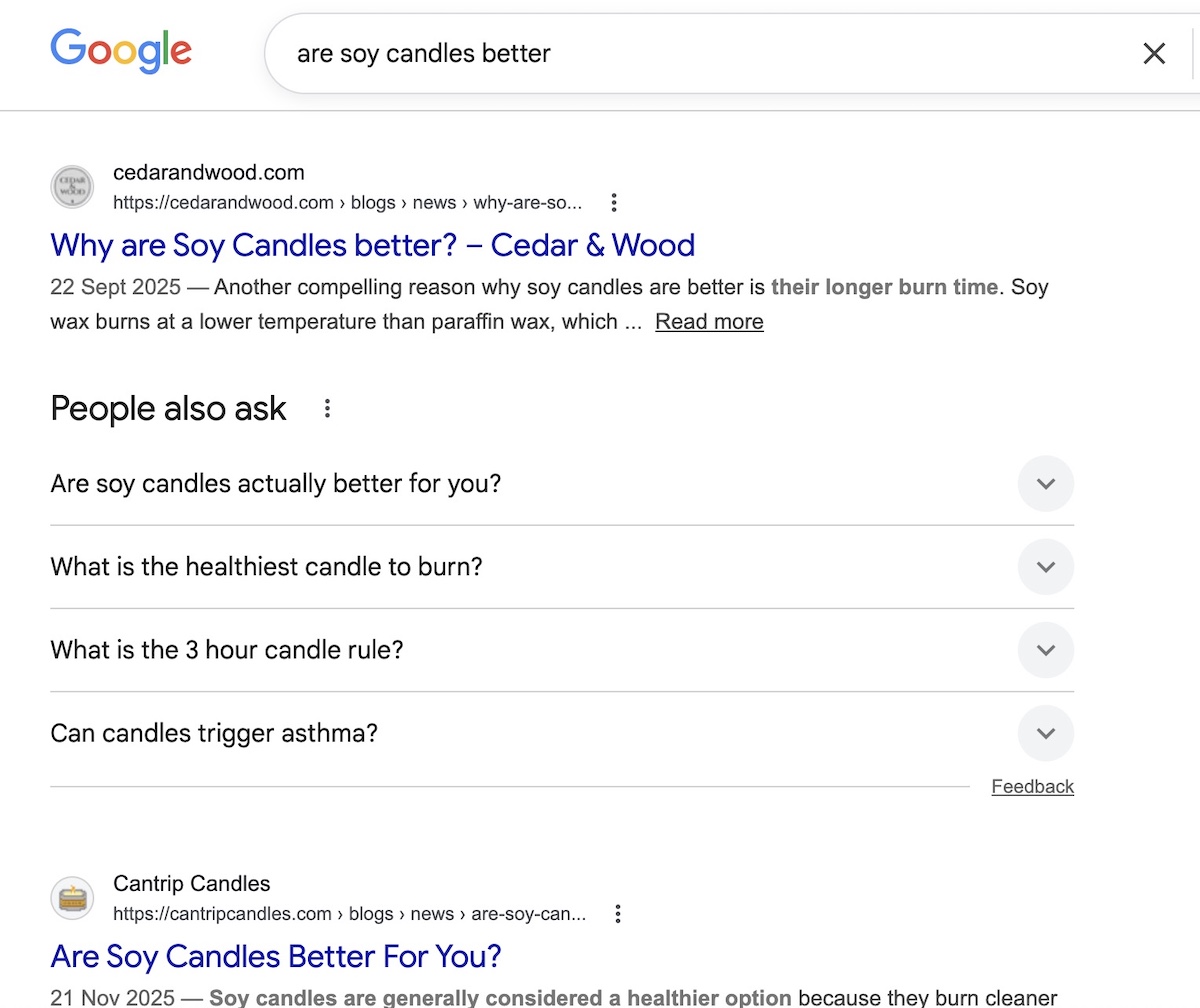
Pro tip: Keep it under 155 characters so it doesn’t get cut off in search results.

URLs and product variants

Your URL is the full web address of your product page — the text you see in the browser bar — and the part you can usually edit is called the slug (it’s everything after the last slash). When it comes to product page SEO, the slug is the part that matters. 
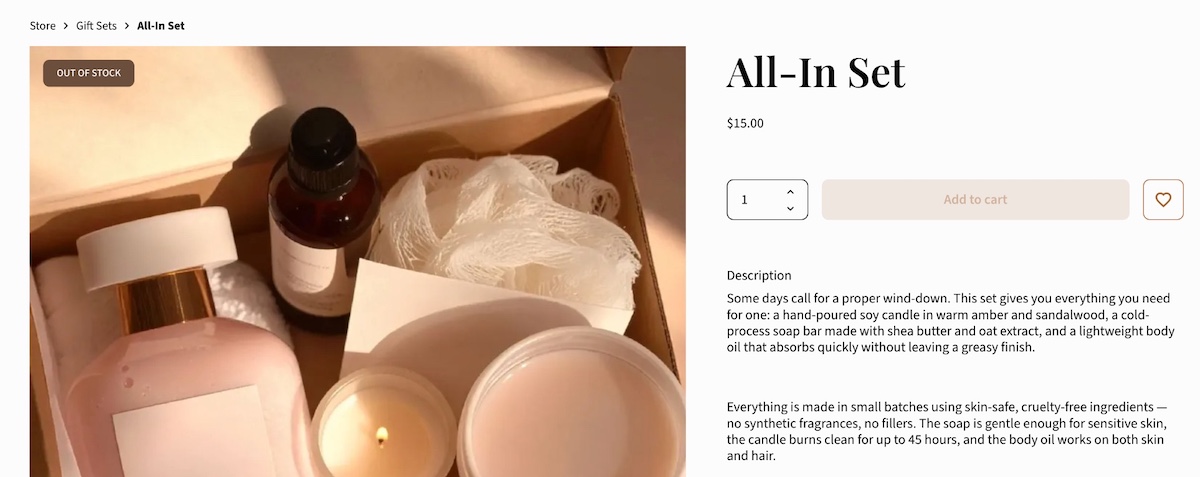
Now, it’s worth first emphasizing that you should aim to get it right from the start, as changing a URL later can wipe out any ranking value the page has already built up. That’s definitely a headache worth avoiding. So here’s what to know from the get-go:

  • Keep it readable. yourstore.com/products/lavender-soy-candle tells both search engines and shoppers exactly what the page is. yourstore.com/products/item?id=00342 tells them nothing.
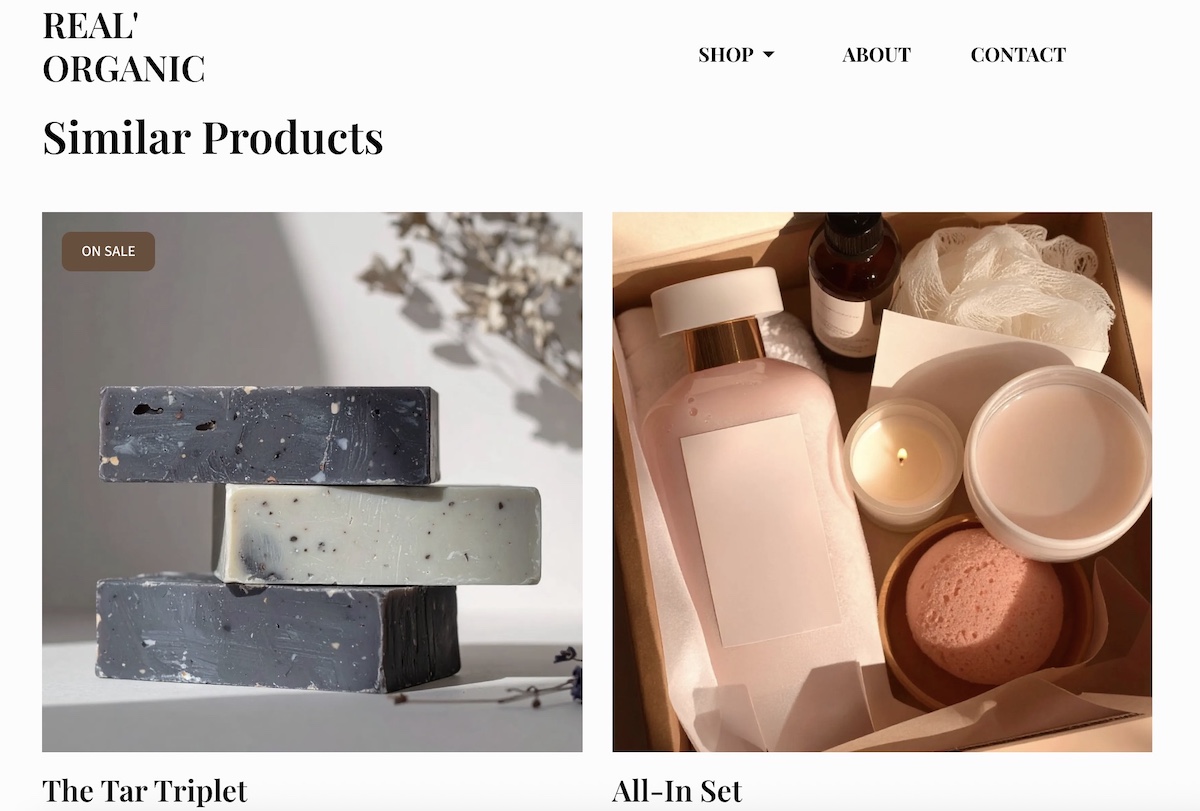
  • Use one URL per product. Variants like size, color, or material should be selectable on the same page, not each living at their own separate URL. When every variant gets its own page, search engines can treat them as duplicate content, which splits your ranking power rather than stacking it.

Most modern ecommerce platforms handle URL structure automatically, so if you’re using something like the SiteGround Website Builder you likely don’t even need to think about this. If you’re on a heavily customized setup or have added plugins that affect URL structure, it’s worth clicking through your own product variants to check whether the URL changes. 

2. Product descriptions

Benefits vs. features

Features describe what a product is. Benefits describe what it does for the person buying it. Both matter for your SEO strategy, but benefits are what actually sell, as they naturally produce richer, more varied copy that ranks for a wider range of searches.

FeatureBenefit
Made from merino woolStays warm without overheating, even on long hikes
10,000 mAh batteryCharges your phone three times before you need an outlet
BPA-free plasticSafe for kids, no chemical aftertaste

Write product descriptions that lead with benefits and back them up with features. Because your customers aren’t shopping for specs; they’re shopping for outcomes. Nobody buys a travel pillow because it’s “ergonomically contoured.” They buy it because they want to actually sleep on the red-eye.

Long-tail keywords

Long-tail keywords are longer, more specific search phrases, like “waterproof hiking boots for wide feet” instead of just “hiking boots.” They get less search volume individually, but they’re much easier to rank for and they attract buyers who know exactly what they want (and are very ready to buy).

Your product description is the best place to work these in. To find the right ones, ask yourself:

  • What problem is my customer trying to solve?
  • What do they call this type of product?
  • What specific details matter to them? Size, material, use case, compatibility?
  • What would they type into a search bar at 10pm when they really need to find it?

The answers are often your long-tail keywords. Work them in naturally and your description will read better for shoppers and rank better in search.

Pro tip: This kind of specific, natural language also matters beyond traditional search. AI Overviews, and tools like ChatGPT, Claude, and so on, are increasingly where people go for product recommendations, and they favor the same things good shoppers do: clear answers and concrete details. A product description that reads like a helpful human wrote it is exactly what gets cited. Adopting an AI-first mindset when writing your product content isn’t just good for AI search — it makes your copy better for everyone. 

The duplicate content trap (and how beginners fall into it)

Duplicate content comes in two forms, and both will quietly undermine your rankings before you even realize what’s happening.

Copied product descriptions

If you copied the manufacturer’s product description, you’re not alone, but we’ve got some news: it’s costing you. When dozens of stores all use the same copy, Google sees duplicate content across the web and has no strong reason to rank any of them, especially not a smaller store over an established one.

This is fixable: simply write your own descriptions. They don’t have to be long. Even 100 to 150 words of original, specific copy will outperform copied content. Describe how the product feels, who it’s for, how you use it, or what makes your version worth buying from you specifically.

Duplicate product pages

The other kind of duplication is easier to create accidentally than you’d think, especially if you’ve been running your store for a while. Duplicate product pages (two or more pages for the same product, often created by importing products twice, copying listings, or platform migrations) confuse search engines and split your ranking power across multiple URLs instead of concentrating it on one.

Before optimizing anything, do a quick audit of your store and look for products that appear more than once. Tidy these up first. Every other optimization you make falls apart if search engines are trying to decide between two versions of the same page.

3. Images

File names and alt text

Before you upload any product image, rename it with a descriptive file name. A photo straight off your phone is named something like IMG_4823.jpg, which tells search engines exactly nothing. Something like lavender-soy-candle.jpg is far more useful.

Alt text is the written description attached to an image in your site’s code. It was originally designed as part of accessible web design for screen readers, but search engines also read it to understand what an image shows (and oftentimes they even serve up the product images in search results!).

Example of the the SiteGround Website Builder prompting you to add image alt text

To get alt text right, imagine that you’re describing the image to someone who can’t see it. Be specific and include your product name and any relevant detail: “Hand-poured lavender soy candle in a clear glass jar with a wooden wick” beats “candle” or, worse, “product image 1.”

Compression and page speed

Fact: large image files slow your page down. More problematic fact: slow pages rank lower and convert worse — a double penalty you most certainly don’t want.

Before uploading, compress your images to reduce file size without visibly sacrificing quality. Free tools like Squoosh or TinyPNG make this straightforward. The goal is to find the smallest file size that still looks good — there’s no single number that works for every image, but if a product photo is several megabytes, it’s almost certainly larger than it needs to be.

That said, if you’re building on the SiteGround Website Builder, the magic starts the moment you upload an image. Rather than just serving the same file to every device, SiteGround automatically compresses your images and generates optimized versions for different screen sizes — so a visitor on a phone never has to download the same heavy file as someone on a desktop. It’s the level of image optimization you’d usually only get by installing a premium WordPress plugin — except here, it’s baked in from the start, with nothing to configure.

4. User-generated content and trust signals

Reviews and keyword coverage for small stores

Every review a customer leaves is content you didn’t have to write. And because customers describe products in their own words, reviews often contain long-tail keywords and phrases you wouldn’t have thought to include yourself. Wins all around.

Someone reviewing your hiking boots might mention “great for a wide toe box,” “held up in muddy trails,” or “fits true to size.” Those phrases become searchable content on your product page and match exactly how future buyers describe their problem when they search. This is the kind of content that generative engine optimization is built around — specific, human language that AI systems can confidently cite rather than generic marketing copy that could apply to any product.

UGC for small business

You don’t need thousands of customers to start building user-generated content (UGC). A few strategies that work even at small scale:

  • Send a post-purchase survey email. A simple email three to seven days after delivery asking “How’s your [product name] treating you?” with a direct link to leave a review goes a long way. Keep it short, personal, and low-pressure.
  • Respond to reviews publicly. When potential buyers see you engage with feedback (both good and bad), it builds confidence. It also signals to search engines that your page is active.
  • Ask specific questions. “Would you recommend this to a friend?” gets fewer responses than “What problem did this solve for you?”

Trust signals and SEO impact 

Trust signals are your social proof — reviews, star ratings, return policies, and “as seen in” mentions — and they have a bigger search engine optimization impact than most people realize: 

  • In traditional search, they up conversions, and higher conversions send positive behavioral signals to search engines: people are landing on your page and doing something, not bouncing straight back to the results page. 
  • In AI search, the stakes are higher. AI tools actively factor in brand credibility and reputation when deciding what to recommend. A product page with strong reviews, clear policies, and visible trust signals is more likely to be cited than one that looks unestablished, even if the underlying product is just as good. It’s part of a broader shift in how AI is changing marketing, and product discovery in particular.

Practically speaking, make sure star ratings are visible near the top of your product page, and that any press mentions or recognizable partnerships are noted where shoppers can see them. These are the kinds of credibility signals that influence both human buyers and AI tools surfacing product recommendations.

5. Structured data

Now let’s look at what’s under the hood: the elements search engines read that your customers don’t see directly.

Structured data basics

Structured data, also called schema markup, is a snippet of code you add to your page that labels its content for search engines. Product schema is the version built for ecommerce — instead of Google having to guess what your page is about, it tells it explicitly: this is a product, here’s the name, here’s the price, here’s whether it’s in stock.”

Example of google search featuring product details thanks to product schema markup

When search engines understand your page this way, they can display richer, more informative results (like those above) before someone even clicks. That kind of visibility makes your listing stand out and gives shoppers more reason to choose you over a plain text result.

The schema type that matters most

For ecommerce product pages, Product schema is the one to know. It marks up the core details search engines need to understand and display your product accurately: name, description, price, availability, images, and brand. Getting this right is one of the more impactful technical things you can do for a product page, and thankfully it’s also one of the easier ones.

Implementation as a non-technical user

If you’re using an ecommerce platform like SiteGround Ecommerce, Product schema is built in. Fill in your product details completely, and your schema is already taken care of. The steps you’re taking to optimize your product pages are the same steps that keep your schema accurate and up to date. If you’re using a CMS platform like WordPress, on the other hand, you will need to add a plugin to handle this for you.

6. Technical essentials

Page speed and mobile optimization

Page speed is a direct ranking factor, and a slow product page loses visitors before they’ve even seen what you’re selling. And with more than half of ecommerce browsing happening on phones, the bar is even higher on mobile devices.

Beyond images (which we covered above), here’s what to check to ensure optimal website performance:

  • Watch your add-ons. Every plugin, widget, or third-party tool you install adds a little weight to your page. If you’re on WordPress with a stack of plugins, this adds up quickly. Audit what you actually use and remove what you don’t.
  • Check your scores. Run your product pages through Google’s free PageSpeed Insights tool. It gives you a plain-language breakdown of what’s slowing things down and what to fix first.
  • Test on your phone. Browse your own store as a customer would. If the mobile web design is slowing things down, your customers are experiencing the same thing.
  • Choose your web hostingprovider thoughtfully. Where your site lives has a direct impact on how fast it loads. A slow host puts a ceiling on your performance no matter how well you’ve optimized everything else. If you’re using the SiteGround Website Builder, speed is the starting point, not something you work toward. The sites it produces are in a different league from what you’d get with standard themes from competing builders — and that gap shows up exactly where it matters: load times, mobile performance, and real user experience.

Out-of-stock product pages

When a product goes out of stock, don’t delete the page. If it had any search visibility, deleting it throws that away. Here’s what to do instead:

  • Temporarily out of stock: Keep the page live, mark it clearly as out of stock. Update your product availability in your store settings so the status is accurate for both shoppers and search engines.
  • Permanently discontinued: Redirect the URL to the most relevant alternative product or category page. That way, any ranking value the page had gets passed along rather than disappearing into a 404 error.
Example of flagging an ecommerce product as out of stock

XML sitemap

An XML sitemap is a file that lists all the important pages on your site and helps search engines find and index them. Think of it as a map you hand directly to Google and say “here’s everything worth looking at.”

Worth noting: the SiteGround Website Builder generates and updates your sitemap automatically. You’ll still need to submit it via Google Search Console, but make sure your product pages are included when you do. New products won’t rank if search engines don’t know they exist.

7. Internal linking

Now that your product page is in good shape, here’s how it connects to the rest of your store. This part matters more than one might think, so don’t sleep on these tips.

Blog and category page links to products

Internal links from other website pages on your site pass authority to your product pages and help search engines understand how everything relates. If you write a blog post about “how to choose the right hiking boot,” linking to your hiking boot product page from that post is a direct SEO boost for the product.

Category pages work the same way. Make sure every product is reachable from at least one category page, and that those pages are easy for both shoppers and search engines to find.

Cross-sells and related products

“You might also like” and “frequently bought together” sections do double duty: they help shoppers discover more products and they create internal links between product pages. Both are good for SEO and for average order value.

Example of an ecommerce shop suggesting similar products

Orphan product pages

An orphan page is a page with no internal links pointing to it. Search engines may struggle to find it, and even if they do, the lack of internal links signals that it’s not very important. If you’ve ever added a product and forgotten to add it to a category or link to it from anywhere, there’s a solid chance you have orphan pages without knowing it.

To fix this, run a quick audit by checking your category pages and making sure every active product appears in at least one. Tools like Screaming Frog (free up to 500 pages) can help you find orphans if your catalog is larger.

Product page SEO checklist

We’ve covered a lot of ground, so use the below checklist as a quick reference every time you optimize a product page. Start with your best sellers and work through the catalog from there.

Product title

  • Includes the primary keyword naturally
  • Leads with the most descriptive term
  • Written in language your customers actually use

Meta description

  • Under 155 characters
  • Includes the primary keyword
  • Highlights a concrete benefit or differentiator

URL

  • Clean and readable slug
  • Includes the product name
  • No unnecessary parameters or numbers

Product description

  • Written in your own words (not manufacturer copy)
  • No duplicate product pages
  • Leads with benefits, backed up by features
  • Includes long-tail keywords naturally
  • Covers variant details where relevant

Images

  • Descriptive file names
  • Alt text written for every image
  • Compressed before uploading
  • Tested on mobile

Reviews and UGC

  • Reviews enabled on the page
  • Post-purchase survey email in place
  • Respond to reviews publicly

Structured data

  • Product schema is present and verified
  • All product details are filled in completely (name, price, description, images, availability)
  • Availability and pricing are kept up to date

Technical

  • Page loads quickly
  • Page is mobile-friendly
  • XML sitemap created and submitted
  • Out-of-stock pages handled correctly

Internal linking

  • Product appears in at least one category page
  • Linked from relevant blog content where possible
  • Related products section populated
  • No orphan pages

Start somewhere, not everywhere

If this guide has done its job, you now have a clear picture of what makes a product page work and why it matters. Your to-do list might feel a teeny bit longer, but once you get the hang of it, and reap the rewards, you’ll be glad you took a moment to really optimize.

So start now: pick your top three best-selling products and run them through the checklist above. From there, ecommerce marketing is the natural next frontier.

And if you’re building or moving your store to a platform that handles the technical side for you, that to-do list gets a whole lot shorter. SiteGround Ecommerce takes care of schema, sitemaps, image optimization, and mobile performance automatically, plus it makes the whole process easy and unintimidating — leaving you free to focus on the one thing no platform can do for you: making your products impossible to resist.

Frequently asked questions

How do I do SEO for a product page?

Start with the basics: a clear, keyword-rich product title, an original product description that leads with benefits, descriptive image file names and alt text, and a clean URL. Then layer in structured data, internal links, and user-generated content like reviews. Use the checklist in this guide to work through each element systematically, and prioritize your best-selling products first.

What is the 80/20 rule for SEO?

The 80/20 rule applied to SEO suggests that roughly 80% of your organic traffic comes from 20% of your pages or keywords. For small businesses, this means a handful of well-optimized product pages will drive the majority of your search visibility. Focus your effort on those high-value pages first rather than trying to optimize everything at once.

What are the 3 C’s of SEO?

The 3 C’s of SEO are content, code, and credibility. Content refers to the quality and relevance of what’s on your page. Code refers to the technical setup — page speed, structured data, mobile optimization. Credibility refers to the trust signals that tell search engines your site is authoritative, including backlinks and reviews.

Ecommerce SEO: simple tips to get found online and sell more

abstract representation of ecommerce seo

Ecommerce SEO is the process of optimizing your online store so it shows up when people search for what you sell and turns those visitors into customers. It brings in consistent, high-intent traffic without relying entirely on ads.

It’s also not the dark art it’s often made out to be. This guide breaks down the fundamentals, including keywords, site structure, product pages, and technical basics, in plain language so you know exactly where to start.

Key takeaways:

  • Ecommerce SEO compounds: it brings consistent, high-intent traffic without ongoing ad spend.
  • Start with the basics: focus on your homepage, category pages, and site structure first.
  • Use relevant keywords: prioritize transactional and long-tail terms that convert.
  • Keep your site simple: clear navigation and internal links help users and rankings.
  • Optimize for clicks and sales: strong titles, clear structure, and unique product content matter.
  • Improve consistently: audit, update, and track performance to grow over time.

What is ecommerce SEO?

Ecommerce SEO is the practice of optimizing your online store to improve visibility in search engines and AI tools, and to convert more of the visitors it attracts. It’s the difference between a store that waits to be found and one that actively goes out and gets found.

How it differs from regular SEO

Most SEO advice is written with blog articles and service pages in mind. Ecommerce is a different kettle of fish. You’re not just trying to rank content; you’re trying to rank product and category pages that need to convince someone to buy within seconds of landing. Every optimization has two jobs: help search engines understand what you’re selling, and help real humans decide they want it. No pressure, right? 

Why it matters for small businesses and first-time sellers

You don’t need a big budget or a digital marketing team to compete in search. What you do need is a store that’s structured well, uses the right language, and gives Google enough to work with. Get those fundamentals down and you’re on a level playing field with sellers who’ve been at it for years and totally just phoning it in when it comes to SEO.

Why ecommerce SEO is worth your time (even if you’re just starting out)

Paid ads stop the moment you stop paying. But search engine optimization (SEO) keeps working while you sleep, eat, and do literally anything else. For small businesses and first-time sellers, that kind of compounding return matters, and it’s why SEO should be a cornerstone of any ecommerce marketing plan, not an afterthought bolted on once the store is live.

Beyond the free traffic, SEO also filters it. Someone who finds your store by searching “handmade ceramic mugs Portland” is a much warmer lead in the marketing funnel than someone who saw a banner ad and clicked out of curiosity. They were already looking. You just showed up.

The bar is also lower than you’d think. The majority of small businesses aren’t doing this well. Many skip ecommerce SEO entirely, lean on paid ads, or sort of set it up once and never revisit it. That’s your opening. A store that invests even modest effort into their SEO strategy can consistently outrank competitors who aren’t trying at all.

And you don’t need to overhaul your entire store at once. Start with the fundamentals: your homepage, your main category pages, and your site structure. Get those right and everything else builds on a solid foundation.

Your ecommerce SEO starter checklist

Not sure where to begin? Start here. Think of this as your quick-start SEO checklist: the highest-impact actions for a store that’s just getting started, in the order you should tackle them. The rest of this guide covers each one in detail.

  1. Set up Google Search Console and Google Analytics
  2. Make sure your site structure follows a clear Homepage → Category → Product hierarchy
  3. Write an original title tag and meta description for your homepage and top category pages
  4. Research and assign one primary keyword to each of your best-selling product and category pages
  5. Write original product descriptions for your top sellers (no copied manufacturer copy)
  6. Add descriptive file names and alt text to your product images
  7. Check your store on desktop and mobile to make sure it loads quickly and looks right
  8. Submit your sitemap to Google Search Console
  9. Enable product schema on your product pages
  10. Set a reminder to revisit and refresh your top pages every quarter

Keyword research for your online store

Before anyone can find your store, they have to type something into a search bar. Keywords are how you make sure what they type leads to you and not a competitor. The right ones bring in people who are ready to purchase. The wrong ones bring in traffic that doesn’t convert.

Ecommerce keyword research and where to start

Start with what your potential customers would actually type into a search engine. Think about your store in layers: your homepage targets your broadest category (“natural skincare”), your category pages go one level deeper (“natural face moisturizer”), and from there you branch out across your full range. Type that category into Google and autocomplete does half the work for you: “natural face moisturizer for sensitive skin,” “natural face moisturizer for oily skin,” “natural face moisturizer for winter.” Free tools like Google’s Keyword Planner and Google Search Console can take it further without costing anything.

Example of doing a google search and it autocompleting popular search options

The key principle is one primary keyword per web page. Don’t try to squeeze multiple variations into a single page hoping to cover all bases. It muddies the focus and usually ends up ranking well for nothing.

Buyer intent and why it matters

Search intent is the “why” behind a query, and it generally falls into two camps. Informational intent is research mode: “best leather wallet brands,” “how to care for a leather wallet,” “what is full-grain leather.” These searchers are learning, not buying. Transactional intent is purchase mode: “slim leather wallet under $50,” “buy minimalist leather wallet,” “leather card holder free shipping.” These searchers have their credit card nearby.

Understanding where someone is in the customer journey helps you target the right keywords on the right pages. Your product and category pages should target transactional keywords. Informational queries are better served by blog content, where you can educate, build trust, and link readers toward your store when they’re ready to buy.

Long-tail keywords and why they convert better

Long-tail keywords are longer, more specific phrases with lower search volume but much higher purchase intent. “Women’s running shoes” is broad, sure, but also very competitive and vague. “Women’s wide-fit trail running shoes size 10,” on the other hand, is niche, far easier to rank for, and comes from someone who knows exactly what they want. For small businesses, long-tail keywords are where the real opportunity lies: less competition, more qualified traffic, and a much higher chance of turning a visitor into a customer.

Competitor keywords and why they’re worth knowing

Type your main product category into Google and look at who’s showing up. SEO tools like Ahrefs or Semrush let you see exactly which relevant keywords your competitors rank for and which ones they’re missing. Those gaps are your opportunity. A competitor who ranks for “ceramic dinnerware” but not “speckled ceramic dinnerware handmade” has just handed you an opening.

Site structure and navigation

Think of your website structure as a map. If Google can’t navigate it clearly, it won’t rank your web pages well. If shoppers can’t navigate it clearly, they’ll leave. Both a major bummer.

Site architecture and why it matters for SEO

Search engines crawl your site by following links. A well-structured site makes it easy for them to find every page and understand how those pages relate to each other. A messy structure means pages get missed, buried, or indexed without context. It also means Google can’t tell which pages are most important, so it guesses, and — surprise — it often guesses wrong. That’s rankings left on the table before you’ve even written a word of copy.

Logical structure and how it helps Google and shoppers

The simplest structure that works is also the most intuitive: Homepage → Category pages → Product pages. Keep everything within three clicks of the homepage. A product buried five levels deep is harder for Google to find and harder for a shopper to reach, and a shopper who can’t find what they’re looking for will leave. Clean, predictable website navigation that mirrors your store’s categories serves both audiences at once. If a visitor can’t figure out where to go next within a few seconds, your structure needs work.

example diagram of a website structure click audit

Internal linking and why it works like a map

Every time you add an internal link from one page to another within your site, you’re doing two things: passing authority from one page to another, and telling Google what the destination page is about. Link from product pages to related products. Link from blog posts to relevant category pages. Link from your homepage to your most important categories. These are all internal links doing hard SEO work.

The words you use for those internal links matter too. Anchor text (the clickable text in a link) should describe where the internal link goes. “Shop our ceramic mugs” tells Google something useful. “Click here” tells it nothing. A simple rule: if you covered up the link, would the surrounding sentence still make it clear where you’d end up? If yes, the anchor text is probably doing its job.

On-page SEO that ranks and converts

On-page SEO is everything you control directly on each page of your ecommerce store. When you get it right, it does double duty: it signals relevance to search engines and convinces real shoppers to stick around. Let’s examine what good on-page search engine optimization looks like.

Title tags, meta descriptions, and URL structure

These three elements control how your ecommerce store appears in search engine results pages before anyone even visits your site. Nail them and you’ll earn more clicks from the same search engine rankings.

  • Title tag: the clickable headline that appears in search results. Include your primary keyword, lead with the most important words, and keep it under 60 characters. “Slim Leather Wallet for Men | Free Shipping” beats “Product — My Store” every time.
  • Meta description: the short summary below the title. It doesn’t directly affect search rankings, but it does affect clicks, so write it for humans. Keep it under 160 characters and give people a reason to choose your result. “Handcrafted slim wallets in full-grain leather. Ships in 24 hours.” is specific and compelling. “We sell wallets and other leather goods for men and women” is neither.
  • URL: keep it short, readable, and keyword-rich. mysite.net/wallets/slim-leather-wallet tells Google and the reader exactly what the page is. mysite.net/products/item?id=48302 tells neither. Edit your URLs to match the page’s primary keyword and cut anything unnecessary.
Example of a google search showing the meta title and meta description

Headings and page structure

Headings are the titles and subheadings that organize a page’s content. They’re marked up in order of importance: H1 is the main page title, H2s are the major sections beneath it, and H3s break those sections down further. Search engines use this visual hierarchy to understand what a page is about and which parts matter most. Shoppers use it to scan and find what they’re looking for without reading every word.

Choosing the right header type for a page in the SiteGround Website Builder

With that in mind, use one H1 per page (your main product or category name), then H2s and H3s to organize the rest. 

So on a category page, your H1 might be “Women’s Running Shoes,” with H2s for subcategories like “Trail Running” and “Road Running.” On a product page, your H1 is the product name, and H2s cover sections like specifications, reviews, and related products. A well-structured page like this is easier to scan, and shoppers who can find information quickly are more likely to buy.

Product page essentials

Your product pages have two jobs: convince Google they’re relevant, and convince a human to add to cart. Here’s what to keep in mind as you tackle product page SEO:

  • Original descriptions. Write copy that addresses what the shopper actually wants to know: what it is, who it’s for, and why it’s worth buying. Include your target keyword naturally in the title and lead with the most important information. Not sure what to write? Lean on a built-in AI writer, like the one in the SiteGround Website Builder, to generate content on the fly and give you a solid foundation you can refine and make your own.
  • Trust signals. Return policies, sizing notes, materials information, social proof, and anything else that removes doubt and answers the unspoken “but what if…” question.
  • Customer reviews. One of the most powerful conversion tools on any product page, and a source of fresh, keyword-rich content that search engines like.
  • Product schema. Structured data that helps Google display rich results for your listings, including star ratings, price, and stock availability, directly in the search results. Most ecommerce platforms generate it automatically.

Watch out for duplicate content. Copying a manufacturer’s description is a shortcut that backfires: if the same text appears on dozens of other ecommerce sites, Google sees it as duplicate content and is unlikely to rank your page for it. The same applies to product variants. If your store sells the same item in multiple sizes or colors, avoid creating near-identical pages for each one. Duplicate or very thin pages dilute your search engine optimization rather than multiply it. Consolidate where you can.

Technical foundations

Technical SEO sounds intimidating, but let’s demystify it. For most small store owners, it comes down to one question: does your store load quickly and look great on every device? Get that right and you’re covering most of the technical ground that matters. But let’s break it down.

Hosting and why it affects your store’s performance

A slow server affects load times across all devices, and web hosting quality is one of the most direct levers you have on performance. Shared hosting on an overloaded server, cheap plans with no caching, and hosting located far from your customers can all drag down your scores regardless of how well-optimized your images are or how clean your code is. If your store is consistently slow despite fixing the obvious culprits, your hosting is worth looking at.

Image optimization: file names, alt text, and page speed

Images are often the biggest drag on page load times, and slow pages lose sales. To address this:

  • Compress your images before uploading.
  • Use descriptive file names (“navy-linen-cushion-cover.jpg” rather than “IMG_4832.jpg”).
  • Write alt text that describes what’s in the image. This helps visually impaired users, helps Google understand your images, and opens the door to product discovery through Google image search and Google Lens.
Example of the the SiteGround Website Builder prompting you to add image alt text

Mobile-first indexing and what it means for your store

Google’s mobile-first indexing means it evaluates the mobile version of your ecommerce site when deciding how to rank it. If your mobile web design is missing content that exists on desktop, or if it loads slowly on a phone, that affects your rankings across all devices. Mobile SEO comes down to one principle: treat your mobile experience as the primary one, not an afterthought.

Simple performance checks for first-time sellers

Google’s free PageSpeed Insights tool gives your store a performance score and a prioritized list of issues to fix. You don’t need to action every flag, but the top recommendations are usually worth addressing, since even small website speed improvements can reduce the number of visitors who leave before your page finishes loading.

The metric that matters most here is Core Web Vitals, a set of three measurements Google uses as a real ranking factor:

  • Largest Contentful Paint: how long it takes for the main content of a page to load
  • Cumulative Layout Shift: whether elements jump around while the page loads (frustrating for users, penalized by Google)
  • Interaction to Next Paint: how consistently and quickly your page responds to user interactions (like clicks, taps, and key presses) throughout a visit

You don’t need to understand the technical details behind each one. PageSpeed Insights flags them clearly, and most fixes come down to the same handful of culprits: uncompressed images, too many third-party scripts, and slow hosting.

How SiteGround Website Builder handles the technical heavy lifting
The platform you build on makes a real difference to all of the above. SiteGround’s Website Builder handles hosting performance, image optimization, and mobile responsiveness by default: fast servers, built-in caching, automatic image compression for every screen size, and responsive design out of the box. You focus on your store; SiteGround handles the rest.
Start building your online store now>>

Ecommerce SEO marketing tips to keep improving over time

Getting your store optimized is a start. Keeping it optimized is what compounds over time.

1. Conduct a periodic SEO audit

Every few months, set aside an hour to check the health of your store using Google Search Console. Here’s what to look at:

  • Crawl errors: pages Google tried to visit but couldn’t access. Fix or redirect any pointing to removed products or changed URLs.
  • Broken links: links on your site that lead nowhere. They frustrate shoppers and signal to Google that your store isn’t well maintained. Tools like Google Search Console or the free version of Screaming Frog (which crawls up to 500 URLs) can help surface broken links quickly.
  • Sitemap: make sure it’s up to date and submitted so Google can find all your pages. (Good news: if you’re using the SiteGround Website Builder, this is already taken care of for you.)
  • Top-performing pages: confirm titles, descriptions, and content still reflect how people are actually searching.

2. Track your SEO performance

Set up Google Search Console and Google Analytics (both free) from day one, not after you’ve been running your store for six months. Here’s what each one tells you:

Google Search Console

  • Which queries are bringing people to your store
  • How often your pages appear in search results and your average position
  • Pages with high impressions but low clicks (a sign your title tag or meta description needs work)
  • Sudden ranking drops, and often why they happened

Google Analytics

  • Which pages visitors land on and where they drop off
  • Which traffic sources lead to actual purchases
  • How people move through your store before buying (or leaving)

You don’t need to check them every day. A monthly review will quickly tell you where to focus your next round of optimization. 

3. Refresh product pages and content regularly

Search engines favor fresh, updated content. Product pages with outdated descriptions, old pricing, or thin copy tend to lose ground over time. Set a reminder to revisit your top pages every quarter. Update descriptions, add new reviews where possible, and make sure your keywords still reflect how buyers are searching for your products today.

4. Build backlinks naturally as a small business

Backlinks (links from other websites to yours) are one of the strongest trust signals in ecommerce SEO. For small businesses, the most natural path to link building like this is through earned press, supplier pages that link to authorized retailers, guest contributions, and local business directories. You don’t need hundreds; a handful of relevant, authoritative links will make a difference. 

Start small, stay consistent, and let it compound

The truth about ecommerce SEO is that it’s less about doing everything right and more about doing something regularly. Small improvements compound. A better title tag here, a fresher product description there, and six months later your store looks very different in search results.

Ready to build a store that’s optimized from the ground up? SiteGround Ecommerce gives you everything you need: a fast, mobile-ready storefront, automatic image optimization, built-in product schema, and SEO-friendly structure baked into every template. You bring the products. SiteGround handles the rest. 

Frequently asked questions

How long does ecommerce SEO take to work?

Most stores start to see meaningful movement within three to six months of consistent optimization. Some changes (like fixing technical issues or improving page speed) can have a faster impact, while others (like building domain authority through backlinks) take longer.

Do I need technical knowledge to do ecommerce SEO?

Not much. The fundamentals, which include writing good titles, optimizing product descriptions, and structuring your ecommerce site logically, require no coding knowledge at all. And platforms like the SiteGround Website Builder handle the technical side automatically, so you can focus on the content.

What is product schema and do I need it?

Product schema is a type of structured data markup that helps Google display rich results for your products in search, including star ratings, prices, and stock availability. It’s not required, but it significantly increases the visibility and credibility of your listings. Many ecommerce platforms, like SiteGround, generate it automatically.

Which ecommerce platform is best for SEO?

The best platform for ecommerce SEO is one that combines technical performance (speed, mobile optimization, structured data) with tools that make on-page optimization straightforward. The SiteGround Website Builder is built with all of these in mind, giving small businesses an SEO-ready foundation without requiring technical expertise.

Ecommerce website design ideas that convert browsers into buyers 

abstract of ecommerce website design ideas

High-converting ecommerce website design isn’t about how impressive your store looks, but rather about how easily shoppers can move from browsing to buying. The most effective sites reduce friction, guide attention, and build trust at every step, from the homepage to checkout.

This guide breaks down practical ecommerce website design ideas that actually drive sales, with clear examples across your homepage, navigation, product pages, and checkout, so you can see what to change and why it works.

Key takeaways:

  • Conversion beats aesthetics – High-performing ecommerce websites prioritize clarity, speed, and usability over looking fancy or flashy.
  • Reduce friction and build trust – Streamline navigation, speed up load times, and use social proof early to keep visitors engaged.
  • Homepage clarity matters – Use a clear hero section, prominent categories, and Z-pattern layouts to direct attention and simplify decisions.
  • Product pages close the deal – Show multiple product angles, highlight prices and promotions early, use real scarcity, and make CTAs impossible to miss.
  • Checkout should be frictionless – Enable guest checkout, remove distractions, and keep CTAs sticky on mobile to reduce abandonment.
  • Design for mobile first – Prioritize thumb-friendly layouts, legible product grids, and large tap targets to boost mobile conversions.

What makes good ecommerce website design?

Good ecommerce website design is about making it easy for shoppers to find what they want, trust what they see, and buy without hesitation. In fact, some of the highest-performing ecommerce sites (take Amazon, for example), prioritize usability over visual polish, focusing on clarity, speed, and frictionless purchasing rather than all the fancy aesthetics.

Three principles underpin almost every design decision that actually makes a difference:

1. Shoppers scan, they don’t read. Your visitors are not sitting down with a cup of tea to carefully read your homepage (if only!). They’re skimming. Their eyes jump to images, prices, buttons, and bold text. This is why visual hierarchy matters — your layout needs to guide the eye to the right information in the right order, because if shoppers have to hunt for it, most won’t bother.

2. Friction kills conversions. Every extra click, every unnecessary form field, every moment of confusion is a small reason to leave. The best ecommerce designs don’t just look good; they remove obstacles. The path from “I want this” to “I bought this” should be as short and smooth as possible.

3. Trust is earned in seconds. A shopper who lands on your store for the first time knows nothing about you. Within a few seconds, your ecommerce website design is already communicating whether you’re credible or not. Consistent branding, professional imagery, reviews, and clean layouts all reinforce credibility before a single word of copy is read — and it all starts the moment your page loads.

These principles sit at the heart of effective ecommerce website design, no matter what products you sell. They’re the lens through which every good design decision is made.

Why site speed is a design decision

Fast performance is a core part of ecommerce website design, not just a technical detail. A Deloitte and Google study found that a 0.1 second improvement in load time leads to an 8.4% increase in ecommerce conversions. Slow pages don’t just frustrate visitors; they signal an unprofessional experience before your design has had a chance to make an impression.

SiteGround Ecommerce is built with speed baked in, so your store loads fast for every visitor without you needing to do anything extra. Faster pages, better first impressions, more sales.

Start building your online store now>>

[79]

Homepage design ideas

Your homepage design is often the first impression of your ecommerce website design. Here’s how to make it count.

Let the Z-pattern guide your hero design

The hero section is the large visual area at the very top of your homepage — the first thing visitors see when they land on your page. It’s your most valuable real estate.

Most shoppers won’t scroll far. Engagement drops sharply once visitors move below the fold (the point where they have to start scrolling), which means content lower down the page is content many shoppers simply won’t see. So your hero needs to do real work: communicate what you sell online, why it’s worth buying, and what to do next.

There’s no single correct layout, but the Z-pattern, as shown in the homepage example below, is a reliable starting point. On visually led pages, the eye travels in a Z shape (across the top, diagonally down, then across the bottom) so placing your CTA along that path means it lands exactly where attention naturally goes. 

Using a z pattern in your ecommerce website design

Centered hero layouts and split-screen image-and-text formats work well too. The principle is the same either way: give the eye a clear path and make the next step obvious.

The idea: A single, high-quality hero image paired with a one-line unique selling proposition and one primary CTA button. Resist the urge to add multiple competing links or banners. One clear next step always outperforms three vague ones.

Why it works: You’re meeting the scanner where they are. A clean hero with a clear CTA gives the eye a path to follow, and a decision that’s easy to make.

Let social proof do the selling

Small businesses often put social proof, such as reviews, at the bottom of the homepage, in the footer, or on a dedicated testimonials page. This is a missed opportunity. Trust signals work hardest when they appear at the moment a visitor is deciding whether to stay or go, which is near the top of the page, not the bottom.

The idea: Add a simple social proof strip near your hero. This could be a star rating with a review count (“4.8 stars from 1,200 customers”), a row of press logos, or a short pull quote from a real customer. On product pages, display star ratings and review counts prominently near the price, before the description.

ecommerce website with social proof such as client logos

Why it works: Trust signals placed near your primary CTA reduce hesitation at exactly the right moment. A visitor who sees strong social proof before they’ve scrolled anywhere is far more likely to keep exploring, and a shopper who sees reviews next to the price is far more likely to buy.

Make your categories instantly obvious

If you sell more than one type of product, your homepage needs to help visitors self-select quickly. A shopper looking for a specific category shouldn’t have to dig through your navigation just to shop online for what they need.

Ecommerce website design with obvious product categories

The idea: Feature three to four category tiles prominently on the homepage, with clear labels and strong images. They should either be visible without scrolling, or immediately below the hero at most.

Why it works: This is about cognitive load: the mental effort required to make a decision. The more a visitor has to think about where to go next, the more likely they are to give up and leave. Clear categories remove that friction and route shoppers toward what they actually want.

Online store structure and navigation design ideas

Good ecommerce website navigation is the backbone of a store that converts. It’s how shoppers move from curiosity to purchase, and when it’s unclear, confusing, or cluttered, they leave. Your website structure should make the ecommerce journey effortless so that site visitors can find what they’re looking for, orient themselves at any point, and take the next step without having to think too hard.

Keep your navigation simple and honest

The temptation with ecommerce navigation is to show everything upfront. More categories means more products visible, right? In practice, the opposite is true. Too many options in your top navigation creates decision fatigue. Shoppers freeze, scan without clicking, and bounce.

The idea: Limit your main website navigation to your most important categories — typically five to seven at most. If your catalog is large, use a clean dropdown rather than a sprawling mega menu. If it’s small, a simple flat nav works best. Every navigation item should describe exactly what’s behind it; clever labels might feel on-brand but they slow people down.

Why it works: Clear, simple navigation reduces the mental effort required to explore your ecommerce store. Shoppers who can orient themselves quickly are far more likely to keep browsing, and far more likely to buy.

Make search visible for larger catalogues

For stores with more than a few dozen products, search is often the fastest path to purchase. A shopper who knows what they want shouldn’t have to browse through category pages to find it, but if your search bar is hidden, small, or hard to find, they won’t use it.

The idea: Place your search bar prominently in the header, visible on every website page. On mobile, use a recognizable magnifying glass icon that expands into a full search field on tap.

Why it works: Shoppers who use site search have already told you what they want: they’re further along in the buying process and far more likely to purchase. According to an eConsultancy study, site search users converted at 4.63% compared to the site average of 2.77%. Making search easy to find captures that high-intent behavior before it turns into frustration.

Use breadcrumbs to keep shoppers oriented

Breadcrumbs are the small navigation trail that shows a shopper where they are in your online store (for example, Store > Bath & Body > Honey Body Scrub, as seen below). They’re easy to overlook in the ecommerce website design process, but they play an important role in keeping visitors oriented, especially those who land directly on a product from a search engine.

The idea: Add breadcrumb navigation to all category and product pages. Keep them simple, clickable, and positioned above the product.

Ecommerce website with breadcrumbs for easy navigation

Why it works: Shoppers who feel lost in a store leave. Breadcrumbs give them a clear sense of where they are and an easy way to step back without hitting the browser’s back button, reducing bounce and encouraging further exploration.

Shorten the path to purchase

Every click between a visitor landing on your online store and completing a purchase is an opportunity to lose them. A well-structured ecommerce website gets shoppers from discovery to checkout in as few steps as possible.

The idea: Audit your click depth — how many clicks does it take to get from your homepage to a completed purchase? Three to four is a reasonable target. If your catalog structure requires more than that, look at where you can create shortcuts: featured products on the homepage, direct category links in the navigation, and prominent CTAs on category pages that bypass unnecessary browsing steps.

example diagram of a website structure click audit

Why it works: Friction compounds. Each additional step in the path to purchase introduces a new opportunity to abandon. A leaner ecommerce website structure keeps momentum going in the right direction.

Building your store with SiteGround Ecommerce

Setting up clean, intuitive site structure doesn’t have to be a technical challenge. SiteGround Ecommerce comes with the key navigation and structure features built in, including an easy-to-manage navigation menu, automatic breadcrumb navigation on category and product pages, and a built-in search bar so shoppers can always find what they’re looking for. Conversion best practices like these are organized logically from the start, without you needing to figure it out from scratch or hire a developer to make it work.

Build your online store with SiteGround Ecommerce>>

Product and listing page design ideas

If the homepage gets visitors interested, the product page is where ecommerce website design turns interest into purchases. These ideas will help you close the deal. 

Show the product from every angle

Online shoppers can’t pick up your product, turn it over, or hold it up to the light. The closest you can get to replicating that experience is giving them as many visual angles as possible. 56% of users’ first actions on a product page are to immediately begin exploring product images — that’s before reading the description, checking the price, or doing literally anything else.

The idea: Use a minimum of three angles for every product — front, back, and detail or lifestyle. On your listing (grid) pages, enable a hover image so that a second product photo appears when a cursor moves over the product thumbnail.

Why it works: Uncertainty is one of the top reasons people abandon carts. When a shopper isn’t sure exactly what they’re getting, they hesitate. More images reduce uncertainty, and uncertainty is the enemy of conversion.

Put price and promotions where eyes land first

Price is one of the first things shoppers look for. If they have to scroll past a description, a gallery of images, and three bullet points to find it, many won’t bother. They’ll go back to Google and find an online store that makes it easier.

ecommerce web design with obvious product price and promotions

The same logic applies to promotional labels. A “sale” tag that’s buried below the fold isn’t doing its job. This kind of signal is meant to create interest and urgency, and they only work if they’re seen early.

ecommerce product grid with clear sale icon

The idea: Place your price and any promotional labels (sale, low stock) at the top of the product page. On listing pages, make sure pricing and promo badges are visible without any interaction.

Why it works: Shoppers are scanning for specific information. Put the things they most want to see at the top, and you reduce friction at one of the most critical points in the buying decision.

Use scarcity signals (but keep them honest)

Scarcity is one of the most powerful psychological triggers in ecommerce. “Only 13 items left” creates a sense of urgency that a discount alone can’t replicate, as it introduces the fear of missing out entirely, not just the fear of paying more later.

Ecommerce product page design with limited stock

The caveat is important, though: fake scarcity destroys trust. If a product has been “almost sold out” for six months, shoppers notice. And once trust is gone, it’s very hard to earn back.

The idea: Display real low-stock labels when inventory genuinely is limited. If you have a time-sensitive promotion, a simple countdown or end-date label is equally effective. 

Why it works: Real scarcity creates urgency without requiring a price cut, and urgency shortens the decision-making window. Just make sure it’s real.

The good news is that keeping it real doesn’t require any manual work. SiteGround Ecommerce automatically displays sale badges and stock levels based on your actual inventory, so your scarcity signals are always accurate and always up to date.

Make your CTA impossible to miss

Your “Add to cart” button is the most important key element on the product page. Everything else (the images, the description, the reviews) exists to build the case for clicking it. So why do so many online stores bury it in a sea of visual noise?

The idea: Your CTA button should be high-contrast, meaning its color stands out on the page. It should sit above the fold, before any scrolling is required. Remove competing elements from the area immediately around it, such as links, banners, and secondary buttons dilute attention.

ecommerce web deign with noticeable CTAs

Why it works: Button contrast is consistently one of the highest-impact, lowest-effort wins in ecommerce A/B testing. A button that stands out visually gets clicked more. That’s it. That’s the whole insight.

Getting your product page layout right takes time — unless it’s already done for you. With SiteGround Ecommerce, pages are structured around conversion best practices by default, with image galleries, prominent pricing, review display, and high-contrast CTA placement built in. So instead of second-guessing where to put things, you can focus on what really matters: your products.

Checkout design ideas

You’ve done the hard work of convincing someone to buy. The checkout is where it can all fall apart, and often does. These ideas reduce the risk of losing that hard-earned sale at the final hurdle.

Offer guest checkout (don’t force an account)

Almost one in five shoppers abandon their order simply because they don’t want to create an account. Think about it from the customer’s perspective: they’ve decided to buy, they’re ready to pay, and then they’re told they have to create a password and confirm their email address first. It’s annoying friction at the worst possible moment — and we’ve all probably been there.

The idea: Make guest checkout the default or the most prominent option on your checkout page. You can always invite customers to create an account after the purchase is complete (you know, when they’re already happy and have nothing to lose).

ecommerce website with a check out as guest option

Why it works: Removing mandatory registration eliminates one of the most common drop-off points in ecommerce. Fewer barriers at checkout means more completed purchases.

Keep the CTA sticky on mobile

On mobile, checkout can feel long and form-heavy. If your “Continue to payment” button is only visible at the top of the page, a shopper who’s worked their way through the form has to scroll all the way back up to complete the purchase. Many won’t bother.

The idea: Implement a sticky CTA bar at the bottom of the screen on mobile checkout, so the final action is always within reach no matter how far the shopper has scrolled. Bonus: include a scroll-to-top button that makes it extra easy to go back to the top of the page.

mobile website with a floating add-to-cart button

Why it works: The fewer steps between intent and action, the higher the conversion rate. A sticky CTA removes a small but real piece of friction at the exact moment shoppers are most ready to buy.

Strip the checkout page back

Your checkout page has one job: get the shopper from “I want to buy this” to “I have bought this.” Every element on that page that isn’t directly related to completing the purchase is a potential distraction, and potentially an exit.

The idea: Remove your main navigation, promotional banners, sidebar content, and any non-essential links from the checkout. The shopper should have nothing to look at except the path to completing their order.

Why it works: More elements on a checkout page means more opportunities to leave. A stripped-back checkout keeps the focus where it needs to be and significantly reduces abandonment at this critical stage.

Mobile-first design ideas

According to Statista, smartphones accounted for over three-quarters of retail site visits in the US in 2024 — yet desktop, generating just 23% of traffic, represented 31% of all purchases. The gap isn’t about screen size. It’s about mobile web design. Most online stores were built for a cursor and a keyboard, not a thumb and a small screen. Yours doesn’t need to be one of those stores.

Design for how people actually use their phones

On a desktop, every part of the screen is equally accessible. On a mobile device held in one hand, that’s not true. The top corners of the screen are the hardest to reach for mobile users, while the lower-center area is the most natural resting zone for the thumb. If shoppers can’t easily see or tap your CTA, they won’t.

The idea: Audit your mobile layout with thumb zones in mind. Your primary CTA (most importantly the “Add to cart” button on product pages) should sit in the lower half of the screen where it’s easy to reach without repositioning your hand. Consider a sticky “Add to cart” bar that follows the user as they scroll through product images and descriptions, so the action is always visible. 

Button size matters here too — both Google and Apple recommend a minimum tap target size of 44×44 pixels, which helps ensure buttons are easy to tap without mis-clicks. (This is also an important component of accessible web design.)

Why it works: Ease of use is a conversion factor. If tapping the most important button requires an awkward stretch, some users simply won’t bother. Small ergonomic adjustments can have a measurable impact on mobile conversion rates.

Simplify your product grid on mobile

A three-column product grid might look clean on desktop, but, on mobile, it produces tiny images, unreadable text, and tap targets so small that mis-clicks become a regular occurrence. Frustration at this stage sends shoppers elsewhere.

The idea: Use a one-column grid layout on mobile, with large tap targets and enough white space between items to make browsing comfortable. Product names and prices should be legible without zooming.

Example of ecommerce web design product grid simplified for mobile

Why it works: A grid that’s easy to browse encourages exploration. A grid that requires squinting and precision-tapping encourages leaving. Simplicity at the browsing stage keeps shoppers engaged long enough to reach the product page.

Ecommerce website design: Get started now

You made it to the end, which means you’re serious about building a store that actually sells, not just one that looks good in a screenshot.

The ideas in this article aren’t complicated. Put the important things where eyes go. Build trust early. Remove friction at every step. Make the “buy” button impossible to ignore. These aren’t secrets; they’re fundamentals that get overlooked when everyone is busy chasing the next piece of design inspiration instead of focusing on what actually drives sales.

If you’re starting from scratch or starting over, SiteGround Ecommerce has all of this covered. Product pages, checkout, mobile optimization, site speed: it’s all handled out of the box, so you can skip the guesswork and get straight to selling. Your job is to know your products. Ours is to make sure the design doesn’t get in the way.

FAQs

Can I build an ecommerce website on my own?

Yes — and it’s more accessible than it’s ever been. Modern website builders like the SiteGround Website Builder include ecommerce functionality built in, with templates and layouts designed around conversion best practices. You don’t need to know how to code, hire a web designer, or start from a blank canvas. Most first-time sellers can have a functional, good-looking store live within a day or two.

Which ecommerce platform is best for small business?

For small ecommerce businesses and first-time sellers, the right ecommerce platform is one that handles the hard stuff for you. SiteGround Ecommerce is built with conversion best practices baked in — product pages are structured for high-intent shoppers, checkout is optimized to reduce abandonment, and your store automatically adjusts for mobile without any extra work on your end. Fast, secure hosting is included, so your pages load quickly out of the box. And because everything — your store, your hosting, your design tools — lives in one place, you’re not stitching together separate services or paying multiple subscriptions just to get started.

How do I make my ecommerce site look professional without a big budget?

Professionalism in ecommerce website design comes down to the fundamentals covered in this article, and not how much you spend. Keep your website layout clean and uncluttered, place your most important information where eyes naturally land, and make sure your CTA button stands out. Use high-quality product images shot from multiple angles, display reviews prominently, and make sure your online store loads fast. Meanwhile, consistent branding goes a long way toward making a store feel considered and trustworthy. None of this requires a designer or a big budget — just attention to the basics that most online stores overlook.

What is the most important web design change I can make to improve conversions?

It depends on where your biggest drop-off point is, but for most stores, one of the highest-impact, lowest-effort changes is fixing your CTA button. Make it high-contrast, position it above the fold on your product pages, and remove competing visual elements from around it. It’s a change most stores get wrong, and one that tends to show results quickly.