Email Format Guide: How to Get the Response You Need

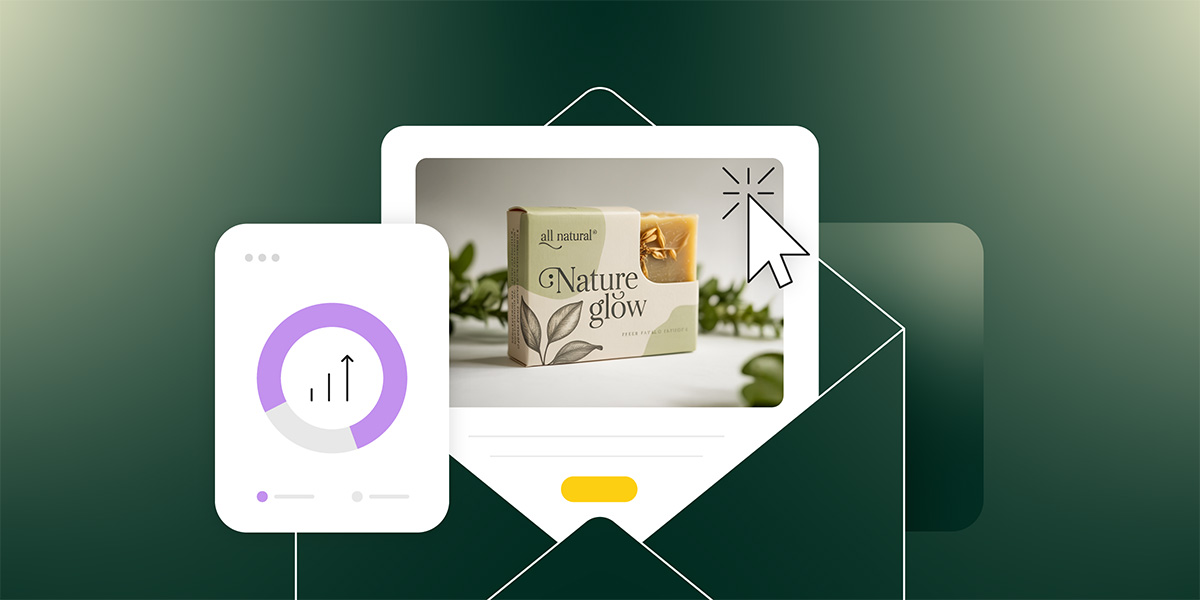
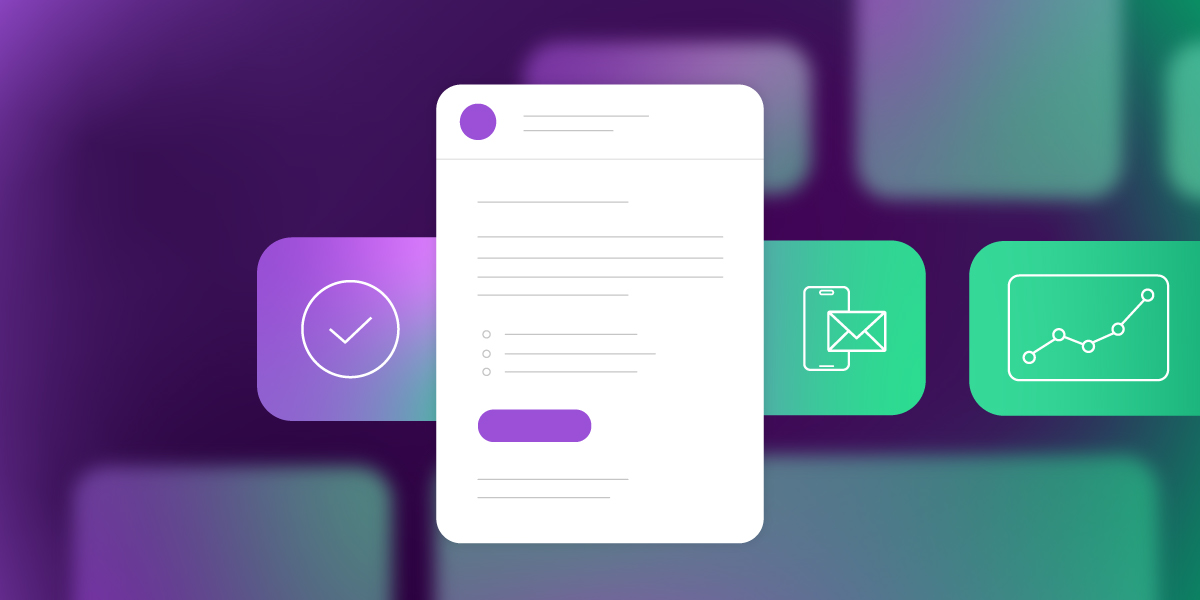
Email format template with composition tools, task checklist, mobile email display, and analytics dashboard showing campaign performance

You’ve probably googled “what is the format of an email” at least once—especially if you’re running a business without a full marketing team.

Not because you’ve never written an email before. But because you’re stuck writing one right now and can’t figure out how to structure it. Should the offer go first in your promotional email, or does it need context? Does a customer survey need the same format as a product announcement? What about that message to your team—how formal should it be?

Most people use the same structure for every email. A quick yes/no question gets the same treatment as a detailed project update. An urgent request looks identical to a casual check-in.

Then you wonder why people aren’t responding.

Email format isn’t about following rigid rules or sounding corporate. It’s about structuring your message so people actually read it and know what to do next. Different goals need different formats—and once you match them correctly, everything changes.

Key takeaways:

  • Email format should match your goal – a yes/no question needs different structure than a feedback request or project update
  • Keep emails under 125 words and subject lines under 50 characters for higher response rates
  • Lead with your request first, then add context – don’t bury what you need in paragraph three
  • Stick to one clear call to action per email – multiple requests split attention and kill responses
  • Include specific deadlines to create urgency – “by Thursday” gets action, “when you can” gets ignored

What is Email Format 

Email format is the structure of an email message, from subject line to signature. It’s the framework that holds your content together and helps your recipient quickly understand what you need and what action to take.

Different goals need different formats. A promotional email announcing a sale needs different structure than a welcome email to new subscribers. A product launch announcement differs from a weekly newsletter, just as a cold outreach to prospects differs from a re-engagement email to inactive customers. Whether you’re running marketing campaigns or handling business communications, matching your format to your goal gets better results.

Why Email Format Matters

Format directly affects whether people open, read, and respond to your emails because people make split-second decisions about which emails deserve their attention.

Every part of the email affects results in different ways:

  • Short email subject lines tend to get opened more. 
  • Emails with a single clear email call to action get more responses than emails asking for three different things. 
  • Even the length of your email, where you place key information, and how you break up paragraphs—all of it impacts results.

The numbers back this up. According to Mailmeteor, emails under 125 words get response rates around 50% higher than longer ones. Subject lines under 50 characters outperform wordy ones, as reported by Truelist. 

Tracking the right email marketing metrics (open rates, click rates, and response time) helps you understand which formats work best for your audience. But you need to measure the right things.

The problem? Most people use the same email format for everything. They write every email the same way, whether they’re scheduling a quick call, pitching a new client, or following up on a complex project. Same structure, same length, same approach.

That’s like using a sledgehammer for every job. Sometimes you need a scalpel.

Your format should change based on what you’re trying to accomplish. Match the structure to the goal, and you’ll see the difference in your inbox.

The Parts of an Email

Every email has the same basic building blocks. How you use them determines whether your message gets read and acted on. 

Here’s what a complete professional email format looks like, then we’ll focus on the parts that make the biggest difference in your response rates.
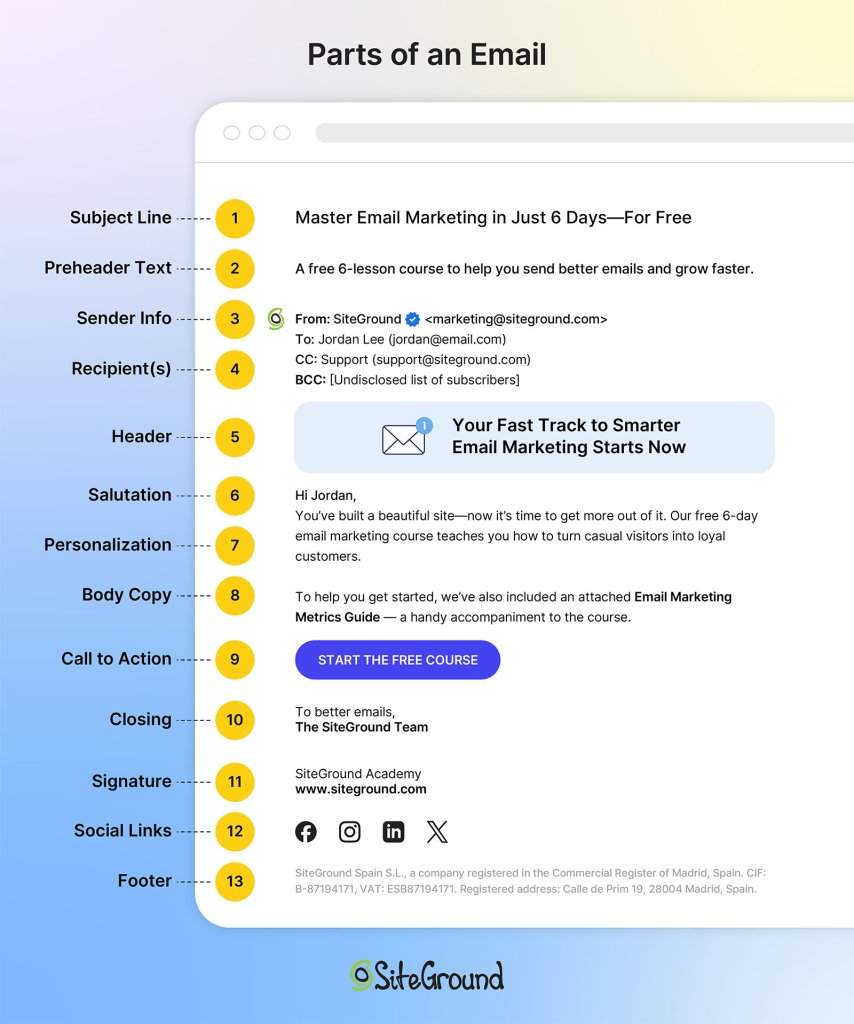
The different parts of an email

Email Subject Line

This determines if your email gets opened. People scan their inbox in seconds, deciding what deserves attention based almost entirely on subject lines.

Keep it short—under 50 characters works best. Be specific about what’s inside. Avoid vague lines like “Quick question” or “Following up.”

Something like “Your free trial expires Friday” or “New feature you requested is live” tells them exactly what’s inside before they even click.

Opening Line

This keeps them reading past the first sentence. If your opening doesn’t hook them immediately, they’ll skim or abandon the email.

Get to the point in the first sentence. Skip pleasantries unless you have an established relationship. State why you’re writing or what you need.

Compare “Your account now includes bulk scheduling” to “I hope this email finds you well. I wanted to reach out about something that might interest you.” The first one gets to the point.

Email Body

This is where you convey your actual message. The email body should give context, provide necessary details, and make your case without rambling.

  • Keep short paragraphs—2-3 sentences max. Use line breaks between ideas. 
  • When listing multiple items, use bullet points to make them scannable. 
  • Front-load important information since people skim. 
  • Cut anything that doesn’t directly support your purpose.
  • For a product announcement, lead with what changed, then explain the benefit, then include the call-to-action. Don’t bury the news in paragraph three.

Call to Action

This tells them what to do next. Without a clear call to action (CTA), people won’t take action—whether that’s clicking a link, making a purchase, replying to your message, or registering for an event.

Make it specific and easy to act on. One CTA per email usually works best. Make it obvious wherever you place it—sometimes that’s right after your opening line, sometimes at the end. Use direct language.

“Download your free guide here” works better than “Feel free to check it out when you have time.”

Email Signature

The best email signatures provide credibility and contact information. Your professional email signature confirms who you are and gives recipients other ways to reach you if needed.

Include your full name, job title, company name, and phone number. Keep it clean—no inspirational quotes or walls of text.

A simple format works: Sarah Chen, Marketing Director, Acme Corp, sarah@acmecorp.com, (555) 123-4567.

For email marketing campaigns, your approach is different. Sign off with your company or team name, skip the detailed contact info in your signature, and save that for your email footer instead. Marketing emails focus on driving action—your footer handles the legal requirements and contact details.

Each email part serves a specific function. When they work together with the right format for your goal, you get results. But there’s one more thing to address before we get to examples.

Formal vs Casual Emails

The one question people always ask is: should this be formal or casual?

The level of formality depends on your relationship with the recipient.

Formal emails are for first-time outreach or high-stakes communications—reaching out to potential clients you’ve never met, cold pitching prospects, or formal business proposals. Use formal greetings (“Dear Ms. Rodriguez”), complete sentences with no contractions, and formal closings (“Best regards” or “Sincerely”). The tone is respectful and professional. 

Casual emails work for regular customer communications, ongoing relationships, or your email subscriber list. You can use “Hi [Name],” write with contractions, keep it conversational, and sign off with “Thanks” or your team name. The tone is friendly but still professional—you’re building rapport, not writing a legal document.

Both follow the same structural principles: clear subject line, concise body, single call-to-action. The formality changes based on familiarity; the formatting effectiveness doesn’t.

Email Structure Best Practices + Email Format Examples

Whether you’re coordinating with your team, reaching out to prospects, or communicating with customers, the same formatting principles apply. Here are email format examples for the most common scenarios—internal and external. Think of these as templates you can adapt, not rigid rules to follow exactly.

# 1: Get a Yes/No Answer

Keep it to 3-5 sentences with a clear question.

Example:

Subject: Quick question about your subscription

Hi Sarah,

We’re updating our email preferences. Do you want to keep receiving our weekly newsletter, or would you prefer monthly digests instead?

Just reply “weekly” or “monthly” and we’ll update your account.

Thanks,
The [Company] Team

Short emails with binary choices get decided fast. Your recipient doesn’t need to think hard, gather information, or switch between tasks. They can answer in seconds and move on.

# 2: Schedule a Meeting

Aim for 50-75 words and include two specific time options.

Example:

Subject: 15-minute demo of our new features?

Hi Marcus,

I’d love to show you the new automation features we just launched—they could save you hours each week on campaign setup. Would either of these work for a quick demo?

Tuesday, Dec 17 at 2 PM
Thursday, Dec 19 at 10 AM

If neither fits, let me know what does.

Best,
Alex

Two specific options are easier to respond to than “when are you free?” You’ve already done the work of checking your calendar, so they can just pick one instead of hunting through their schedule.

 # 3: Follow Up After No Response

Write 75-100 words and reference your original message. 

Example:

Subject: Following up – free trial

Hi James,

I reached out last week about our 14-day free trial. Wanted to check if you’re still interested in testing out the platform, or if now’s not the right time?

If you’d like to get started, here’s your signup link: [link]

No pressure if it’s not a fit right now.

Best,
Sarah

Follow-up emails need context about what you’re following up on. Reference your previous message briefly, then make it easy for them to respond by repeating your request or offering new options.

# 4: Get Feedback

Write 100-150 words and ask specific questions about what you need.

Example:

Subject: How are we doing? 2-minute survey

Hi Priya,

We’d love to hear your thoughts on your experience with us so far. Quick 2-minute survey with three questions:

1. How satisfied are you with our product? (1-10)
2. What’s one feature you wish we had?
3. Would you recommend us to a colleague?

Take the survey: [link]

As a thank you, everyone who completes it gets early access to our new template library.

Thanks,
Jordan

General requests for “feedback” lead to vague responses or silence. Specific questions guide people to exactly what you need, so they know how to help. 

For more detailed strategies on gathering customer insights, check out our guide on survey emails.

# 5: Move Deal Forward

Structure it around 60-80 words with one clear next step.

Example:

Subject: Ready to upgrade your account?

Hi David,

Based on our call yesterday, the Pro plan sounds perfect for your team size and email volume. I can upgrade your account today and you’ll have access to all the advanced features immediately.

Should I go ahead and process the upgrade?

Best,
Taylor

Deals stall when the next step isn’t obvious. One clear action removes all guesswork and keeps momentum going.

# 6: Share Info (No Response Needed)

Use short paragraphs or bullets, and add “FYI” (For Your Information) in the subject line to signal no response is needed.

Example:

Subject: FYI – System maintenance this weekend

Hi team,

Quick heads up: we’re doing system maintenance this Saturday from 2-4 AM EST. Your campaigns won’t be affected, but you won’t be able to log in during that window.

Everything will be back to normal by 4 AM.

No action needed from you.

Thanks,
The [Company] Team

“FYI” tells people immediately that no response is needed. They can read it, note the information, and move on without inbox guilt.

Email Format Mistakes That Kill Responses 

Even when you understand proper email format, certain mistakes will kill your response rates. Looking at email marketing benchmarks across thousands of campaigns, here are the most common mistakes—and how to fix them.

Asking for Multiple Things at Once

Asking for three things in one email splits your recipient’s attention. Should they download the guide, register for the webinar, or reply to your question? Should they approve the budget, schedule the call, or review the document? When everything feels urgent, nothing gets done.

Stick to one action per email. If you need multiple things, send separate emails or clearly prioritize what matters most, and tell them exactly which action to take first.

Writing Vague Subject Lines

“Checking in” and “Quick question” tell your recipient nothing. They can’t prioritize your email against 50 others, so it sits unread.

Write subject lines that preview the content: “Your free trial expires Friday” or “New scheduling feature now live” for customer emails. “Design review needed by Friday” or “Budget approval for Q1 campaign” for internal requests.

Specific subject lines get opened because people know whether it’s urgent and relevant. Vague ones get skipped.

Sending Emails Without Deadlines

When you don’t include a timeframe, your email has no urgency. “Let me know your thoughts” could mean today or next month, so it gets pushed to the bottom of the list. Add a clear deadline: “Can you review this by Thursday?” or “I need your input before our Monday meeting.” Deadlines create action. Without them, your email becomes a “someday” task that never gets done.

Writing Long Emails That Bury Your Request

Nobody wants to scroll through six paragraphs to find out what you actually need. Long emails signal “this will take time,” so people save them for later—and later never comes.

Lead with your request first: “Claim your 20% discount” or “Register for the webinar” for customer emails. “Can you approve this budget?” or “Need your feedback by Thursday” for internal requests. Then add context if necessary.

If your email doesn’t fit on one screen without scrolling, it’s too long. Break complex topics into shorter messages, use bullet points, or link to a document for full details. Front-loading your ask respects your recipient’s time.

Start Using the Right Email Format Today

Getting email format right is half the battle. The other half? Having tools that support your customer outreach without adding complexity.

SiteGround Email Marketing comes with ready-made email templates designed for different goals—whether you’re announcing a product launch, sharing an update, or asking for action. You can customize these templates to match your brand, or build your own from scratch if you need something specific. Either way, you’re working with formats that are already structured to get responses, not starting with a blank page every time.

If you’re tired of hitting send and hearing nothing back, it’s time to match your format to your goal and use tools that make that easier.

[58]
Year-in-Review Email Templates: Make Your Customers the Star

Abstract of Year-in-review emails

Every December, Spotify’s Wrapped email reveals our listening habits, prompting millions to share it readily with friends and loved ones and screenshot it for Instagram. This is the strange magical effect of year-in-review data, and you and your business can utilize it for your end-of-year emails, as well.

Year-in-review emails are one of the very few examples of smart use of tracking data for the benefit of the customer. When brands do that, you’re not a data point. You’re the main character in a story shaped by your unique metrics. 

The best year-in-review emails go beyond numbers and tap into identity. You’re not just someone who bought stuff. You’re someone who did something worth celebrating this year. 

For small businesses, this is great news. And the best part is that you don’t need Spotify’s engineering team and algorithm. You just need to know what your customers did this year and make it interesting for them.

.post-page__colored-blocks.post-page__colored-blocks–update p { margin: 15px 0px; }

Key Takeaways:

Year-in-review emails are personalized messages, sent to customers at the end of the year. Those emails can summarize their interactions, achievements and/or milestones with the particular brand over the past 12 months. By utilizing these emails, you’re making your customers the main character in a story shaped by their unique metrics. Any small business can use this marketing tactic.

  • Make Your Customer the Hero: Shift the focus to the customer, turning their data and interactions with your business into a story that makes them feel celebrated and unique.
  • It’s Not Just for Big Tech: Any business, from a local arcade to a skincare brand, can use this strategy by translating customer behavior into a narrative about their identity and achievements.
  • Focus on Meaningful Data: Instead of generic numbers like the amount customers spent, highlight specific, positive actions like “you tried 8 new menu items” or “you’ve been a member for 3 years.”
  • Use a Soft Call to Action (CTA): The primary goal isn’t direct sales. Guide customers toward a natural next step, such as booking a session for the new year or leaving a review.
  • No Individual Data? No Problem: If you don’t track individual customer data, create a “community highlight” year-in-review email. Celebrate collective achievements (such as “Together, we donated…”) and make your audience feel like an important part of that success.
  • Find the Right Narrative: If you have customer data, adapt one of three smart approaches to tell a compelling story that fits your business.

Why Small Businesses Need Year-in-Review Emails

Year-in-review emails are one of the few marketing messages where you can celebrate your customers instead of asking them to buy something (and they actually work better because of it). For small businesses, this is a chance to stand out in December’s crowded inbox by making customers feel seen, appreciated, and genuinely part of your story.

You might think that wrapped emails are for tech companies with data scientists.

But that’s not true. 

Someone who runs a family events center can send a year-in-review email that says “You celebrated 4 birthday parties with us this year and your kids’ friends probably think you’re the cool parent now.” Another who makes skincare products, can say “You’ve been using the same face wash for 9 months, which means you finally found something that works and aren’t panic-buying new products every week.”

Both of these year-in-review emails do the same thing Spotify does. They take behavior and turn it into a story about identity.

  • The Psychology Angle
  • A Smart Re-Engagement Tactic
  • The Stats Say it Works

The Psychology Angle

People want to be the protagonist. Not of some grand epic fantasy, just of their own year. When you send someone a recap of what they did with your business, you’re basically saying “you had a story this year, and we were a part of it.”

The photographer who emails past clients with “You’ve been married for two years now and we still remember the reading of your vows in the rain” isn’t selling anything. They’re reminding someone of a moment. That’s relationship building that a discount code can’t beat.

A Smart Re-Engagement Tactic

Year-in-review email newsletters bring back people who forgot about you. Let’s say your business is a yoga studio, and someone joined your classes back in March, but then vanished. They get a December email that says “Remember us? You burned enough calories this year to climb Mount Everest (twice!).” Suddenly you’re back in their radar.

Now that it’s the end of the year, that email recipient is probably making plans and setting goals. And you’re now  top of mind. If your just-sent year-in-review email reminds them of what they accomplished with you in the past year, they’re way more likely to book with you again when they’re making plans for 2026.

Plus, these types of emails that share accomplishments get shared. People screenshot their stats and post them. Your business name is right there in the image. This is free word-of-mouth marketing from people who are excited to show off their year.

The Stats Say it Works

And let’s not forget that year-in-review emails are essentially highly personalized emails. And do you know what personalized emails are good at? They crush generic promotional emails on every email marketing metric that matters.

According to Litmus’s 2024 State of Email in Lifecycle Marketing report, automation and personalization remain the top priorities for email marketers, with consumers showing strong preference for personalized email elements. 64% value exclusive offers based on loyalty status and 63% value product recommendations based on past purchases. 

Birthday emails, which not only celebrate customer milestones but also act as re-engagement emails, generate click-to-open rates of 24.43%, the highest of any automated email type according to G2’s 2024 email marketing research.

In 2023, 60 million people shared their Spotify Wrapped graphics on social media. That’s 60 million free brand ambassadors.

These kinds of emails also get way fewer unsubscribes because you’re not asking for money. You’re celebrating your customer and it’s hard to be mad about that.

The Anatomy of a Great Year-in-Review Email

Okay, so what actually goes into a year-in-review email template? Let’s break it down. 

  • Personal Data Points and Design That Works
  • Tone of Voice: Somewhere Between Friendly and Professional
  • The CTA: What Do You Want Them to Do?

Personal Data Points and Design That Works

You need numbers that mean something. “You spent $472 with us this year” is technically true but also kind of depressing. “You tried 8 new menu items and the truffle fries became your regular order” is way better.

The digital marketing metrics you track depend entirely on what your business does:

If you’re an ecommerce site, you have a purchase history. How many products did they buy? Did they branch out into new categories? Did they come back for the same thing three times? That’s customer loyalty. Follow the whole customer journey to celebrate these touch points.

If you’re a service business, you have appointments. How many times did they book? What did they try? How long have they been coming? Did they hit any key milestones?

Entertainment venues can track the events guests attend, the types of gatherings they prefer, and the new experiences they try. “You came to 6 events this year and we’re pretty sure you’re single-handedly keeping the local music scene alive” might work.

Content creators have opens, reads, clicks. A line that feels personal is something like: “You opened 42 out of 52 newsletters which is honestly better attendance than most people’s gym memberships”.

Nonprofits can highlight impact. Try a message that connects the act of giving to the actual humans that helped like: “Your donations helped 12 students attend college this year”.

The trick is finding three to five things that feel meaningful without being weird. You want people to think “whoa, I didn’t realize I did that” and not “how do you know that and why are you watching me.”

As for the email marketing design, it’s good to take into account mobile devices. Most people open these emails on their phone while scrolling during a holiday break. Try using big numbers, short sentences, and clear hierarchy. You can also test the length of different email subject lines. While shorter is generally better, test variations to see what resonates most with your audience.

Tone of Voice: Somewhere Between Friendly and Professional

This is where one can easily mess up. You don’t want to go too formal (“We would like to express our gratitude for your patronage”) or too casual (“OMG you’re literally the best customer ever!!!”).

You want genuine enthusiasm without desperation. The mindset you need to settle in is that of someone who’s celebrating what your customers did and you happened to be there for it. Make sure the tone of voice is aligned with your brand, too. Here are some examples: 

Forgettable line: “Thank you for your continued support this year.”
Better line: “You booked with us 8 times this year, which makes you officially a regular. We know your coffee order now.”

Forgettable line: “We appreciate your loyalty to our brand.”
Better line: “Three years of Saturday morning classes. Remember when you couldn’t do a pushup and now you’re doing them on one arm just to show off?”

The difference is specificity. Generic praise sounds like a formal letter but specific observations sound like you actually noticed them.

The CTA: What Do You Want Them to Do?

Here’s the thing about year-in-review emails—they’re not sales pitches. The minute you turn this into selling, you’ve broken the spell.

But you can absolutely include an email call to action if it feels like a natural next step. 

Strong year-end CTAs:

  • Book your first session of 2026 
  • Share your year with friends 
  • Tell us what you want to see next year 
  • Get early access to our January launch 
  • Leave us a review 

Weak year-end CTAs:

  • Buy more right now (You just celebrated them. Don’t immediately ask for money.)
  • Don’t forget about our sale (Breaks the celebratory tone.)

What If You Don’t Have Individual Customer Data?

Not every business tracks customer behavior at the individual level—and that’s okay. You can still create compelling year-in-review emails using company-level data.

What you can celebrate without personalized data:

  • Company milestones (press coverage, awards, expansion)
  • Product launches and bestsellers
  • Community impact (total donations, collective achievements)
  • Store openings, partnerships, major announcements
  • Environmental/social impact metrics

The key difference:

Instead of “YOU did this,” it becomes “WE did this together, and you were part of it.”

Year-in-Review Email Examples: 3 Approaches That Work

Looking for year-in-review email newsletter inspiration? Here are three proven approaches you can adapt for your business. For the purpose of this article, we’ve built actual year-in-review email templates using SiteGround AI Studio  (available in your SiteGround Customer Area) and the SiteGround Email Marketing platform to show you exactly how each one works.

Whether you run an ecommerce shop, a service business, or a community platform, you can create the same templates to fit your data. These work for both personalized and company-level data and you’ll see how you can adapt each one based on what data you have. 

1. The Numbers Game (Spotify Style)

This is the approach everyone thinks of first because Spotify made it famous. You take user behavior, turn it into big bold numbers, and present it like a highlight reel.

Who it works for: Ecommerce, SaaS, content creators, anyone who has trackable user behavior.

What it looks like: Big typography and data points that sound impressive even if they’re not objectively huge. Pick numbers that make people feel like they accomplished something.

How to implement this:

  • If you track individual customer behavior: Pull your top 3-5 metrics per customer and format them with big numbers and short context. 

For example: “You discovered 12 new products this year”; “You invested 4.5 hours learning new skills with us.”

  • If you only have company-level data: Show impressive collective numbers and position customers as contributors. 

For example: “Together, we saved 62 million gallons of water. Every purchase counts, including yours.”;  “Our community ordered 2.4 million meals this year, and you were part of making that happen.” 

Watch out for: Numbers that don’t mean anything to the recipient. “You logged in 156 times” is just data, but “You logged in more than 87% of our users” or “You’ve been with us for 523 days straight” tells a story. 

Template example: Family Entertainment Center

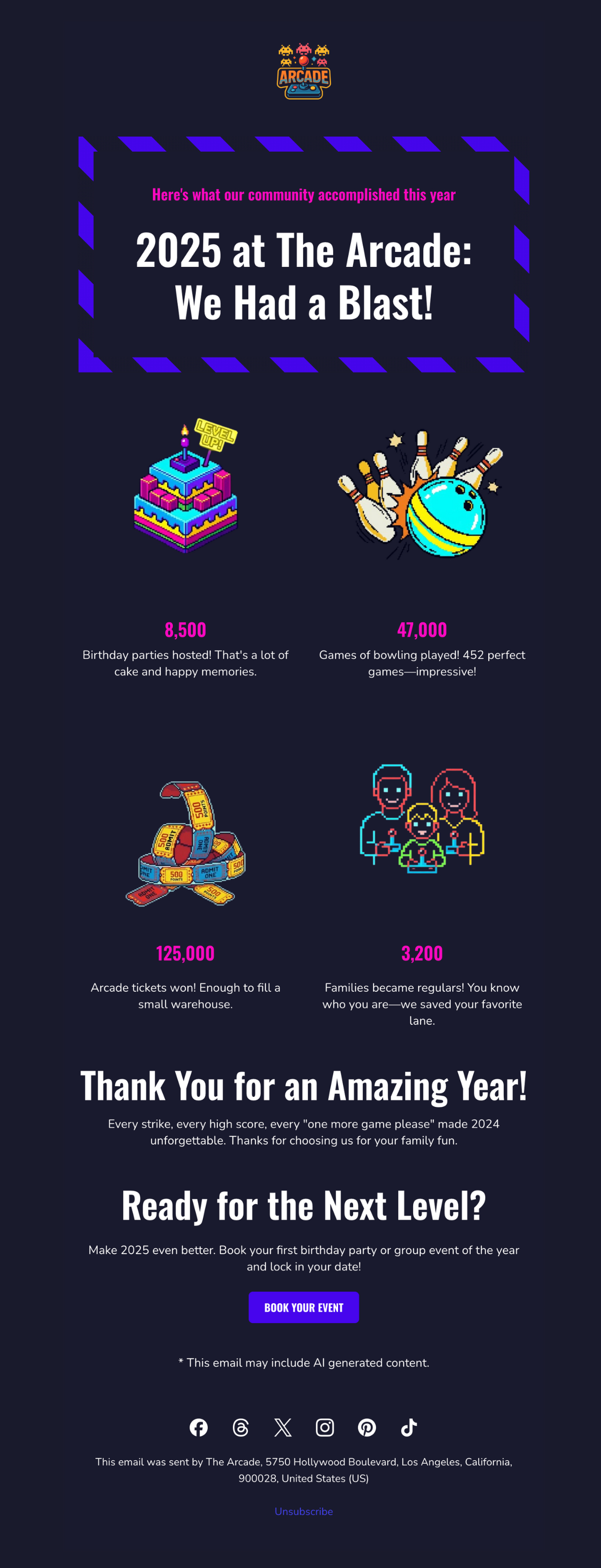
year in review email template example celebrating collective achievements of a small business

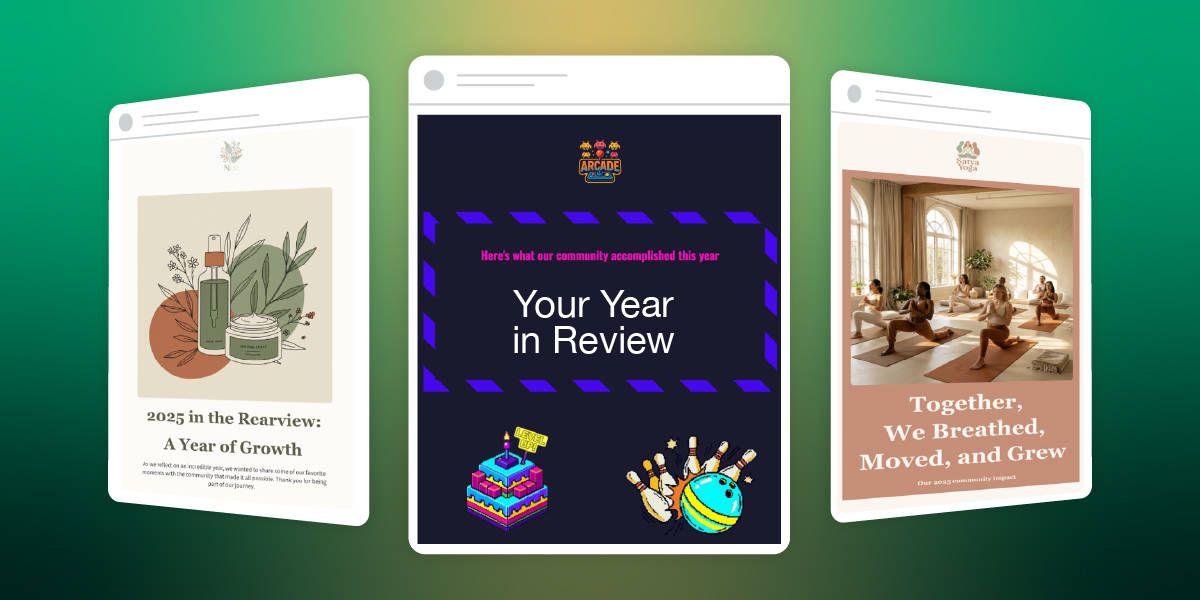
We built this template for a bowling alley and arcade using SiteGround AI Studio. It celebrates collective achievements and makes every family feel like they were part of making 2025 unforgettable. The bold, playful design uses bright colors and game-style typography that feels celebratory without being overwhelming.

2. The Milestone Celebration

This approach focuses less on quantity and more on moments like first purchase, one-year anniversary, or a specific achievement unlocked. The email becomes a timeline of you and your customer’s relationship. 

Who it works for: Service businesses, restaurants, subscription models, membership organizations, any business where moments matter more than metrics.

What it looks like: Timeline-style email layouts highlighting 1-3 significant dates or achievements. It’s less about “how many times” and more about “remember when.” The design celebrates progression and specific memories rather than volume.

How to implement this:

  • If you track customer milestones: Look for natural milestones in your customer data like first purchase anniversaries or the moment they became a “regular.” Build the year-in-review email around 1-3 of these personal dates.

    For example: “One year ago today, you booked your first massage with us. Since then, you’ve become a regular every Thursday at 6pm—we always have your table ready.”
  • If you only track company milestones: Share YOUR big moments from the year and thank customers for being part of your brand story. Include photos from major moments and frame them as shared celebrations.

For example: “We opened 3 new locations, won Best Local Business, and celebrated 10 years, and you were with us through all of it.” 

Watch out for: Celebrating milestones the customer doesn’t care about like your company’s 10th birthday. Their personal first-time-using-you anniversary will resonate better. 

Template example: Natural Skincare Brand

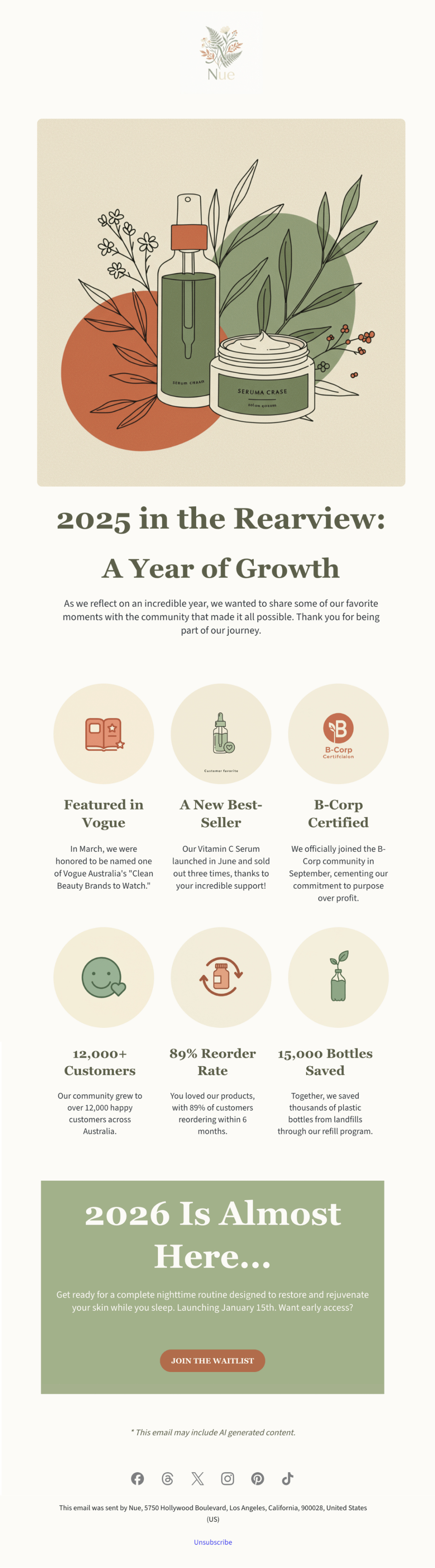
year in review email template featuring a small business celebrating annual milestones

This template was created with SiteGround AI Studio for a clean beauty brand. It walks through the company’s major 2025 milestones, presented as a visual timeline. The design is clean, sophisticated, and visually appealing, matching the premium skincare aesthetic while making customers feel proud to support a growing brand.

3. The Community Highlight

This approach flips the script from “here’s what YOU did” to “here’s what WE did together as a community, and you were part of it.” It works when your value comes from being part of something bigger. 

Who it works for: Platforms with user-generated content, nonprofits, membership communities, marketplaces, fitness communities, anywhere collective impact matters.

What it looks like: Big collective numbers up front (total community achievement or customer participation), then a zoom-in showing how this individual contributed to that larger story. Visual elements often show scale like maps, crowd imagery, or data visualizations that make the community feel massive and meaningful.

How to implement this:

  • If you can show individual contribution within the collective: Start with the big number (“Together we explored 782M miles”) then zoom in (“You contributed 47 miles to that achievement”). Make their piece feel meaningful.
  • If you only have collective totals: Focus entirely on community pride without individual callouts.  The individual’s presence in the year-in-review email itself proves they’re part of it.

For example: “Together we explored 782M miles as a community. Every hike matters, including yours”; “Our members donated $5.8M this year. Thank you for being part of this movement.” 

Watch out for: Making someone feel insignificant. If you say “Our platform processed $10B in sales” and then “You sold $200,” you won’t inspire anybody. Frame it as being part of something bigger, not being small within something big. 

Template example: Local Yoga Studio

Year in review email template featuring collective community achievement

We used the SiteGround Email Marketing platform to build this community-focused template for a yoga studio. It leads with the collective achievement, 18,500 classes attended, then breaks down what that meant: stress relief, stronger bodies, new friendships, personal growth. The warm, calming design of the year-in-review email, with soft colors and organic shapes makes every student feel like they’re part of a supportive community, not just another number.

Build and Send Your Year-in-Review Email with SiteGround
Ready to create your own? Start with SiteGround AI Studio (available in your User Area) to generate your year-in-review email in minutes. Just describe your business and share your metrics. Then customize and send it through the SiteGround Email Marketing platform.

Start Building Your Year-in-Review Email

The Bottom Line on Year-in-Review Emails

Year-in-review emails work because they make your customers the main character. For once this year, it’s not about you trying to sell them something but about celebrating what they did, discovered, or accomplished. You just happened to be part of that story.

So, whether you’re creating a year-in-review newsletter or a simple recap email, the formula is the same: know what your customers did, make them feel good about it, and send it in December.

The worst thing that can happen is people ignore your year-in-review email. But the best scenario is they love it and once they love it, they’re gonna screenshot it, share it, and remember why they liked your brand in the first place. That’s not a bad outcome for one email. 

How to Write an Email Body People Actually Read

Digital illustration of an email marketing editor interface featuring product images of tropical plants, with design elements including buttons, text fields, and an email notification icon on a blue-green gradient background

You spent an hour crafting the perfect email. The subject line is a work of art. You hit “Send,” watch the open rate climb, and then… nothing. No clicks, no replies, no sales.

The subject line did its job, but the email failed. The problem isn’t your open rate; it’s what happens after the open. That’s where your email body comes in.

While most advice focuses on subject lines, the body is where conversions happen. This guide provides a strategic approach to writing email bodies that get results. You’ll learn the specific tactics that drive action and the common mistakes that kill engagement.

Key takeaways:

  • The email body drives action—subject lines only get opens
  • Lead with your point, not context—you have three seconds before they leave
  • Structure for mobile first—55% of emails are opened on phones
  • One clear CTA per email beats multiple competing asks
  • Fix one thing at a time—test it for 10 emails before changing anything else

What Is the Body of an Email?

The body of an email is the main content section where your actual message lives. It’s everything between your greeting (“Hi John”) and your closing (“Thanks, Sarah”).

This is where you explain why you’re writing, share the details that matter, and tell the recipient what you need from them. Text, images, links—whatever you’re trying to communicate goes in the body.

​​Where the body fits in the complete email structure:

Your email subject line and preview text get the email opened. Everything after that—from “Hi Sarah” to your signature—is the email body. That’s where your actual message lives.

Within the body, you have four components that each do specific work:

  • Greeting/salutation – “Hi,” “Hello,” or “Dear…” (sets your tone) 
  • Main message – Your core content and details (makes your case)
  • Email call to action (CTA) – What you need them to do (drives the response)
  • Closing and signature – “Thanks,” plus contact info (wraps it up)

When someone says “email body,” they might mean the whole thing from greeting to signature, or just the main message part. We’ll break down each of these components in detail later, including what goes wrong and how to fix it.

Creating effective email bodies doesn’t have to be complicated. SiteGround Email Marketing includes easy-to-use editors and pre-built templates that handle formatting automatically. And if you’re staring at a blank screen at 3pm wondering what to write, the built-in AI email writer can draft valuable content based on your campaign goals—then you just tweak it as you see fit.

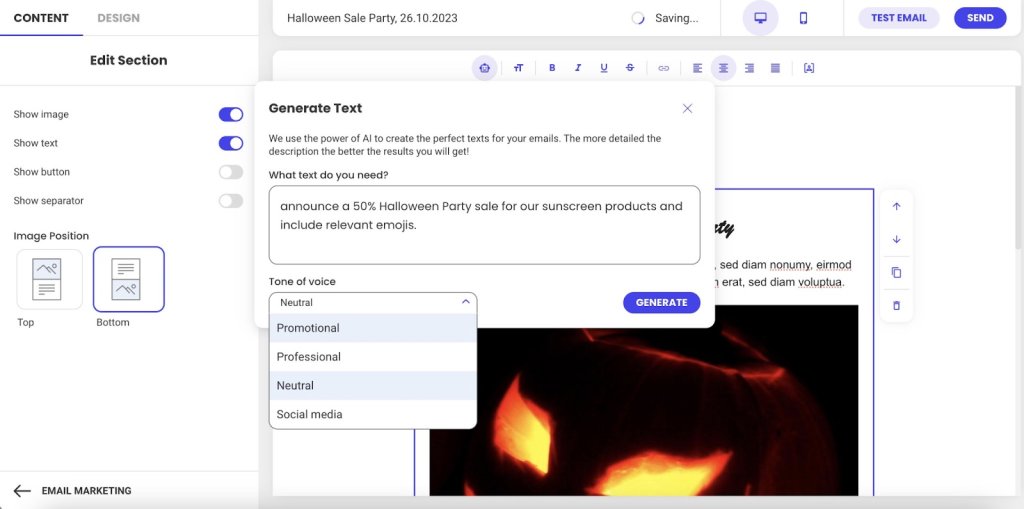
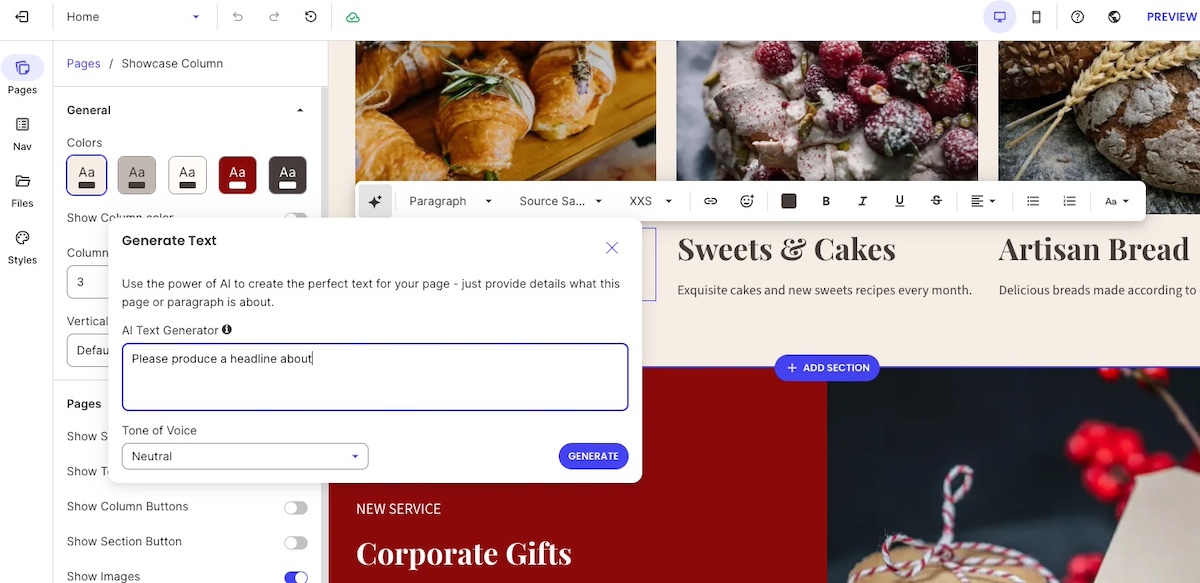
Screenshot of SiteGround's Email Marketing AI text generation interface showing a prompt input for a Halloween sale announcement, tone of voice dropdown menu with options including Promotional, Professional, Neutral, and Social media, and a generate button

Why the Body Matters in Email Marketing

Your email body determines whether people take action. Here’s why it matters:

  • The body drives conversions (not just opens)
  • You have three seconds to hold attention
  • Mobile formatting makes or breaks readability
  • Body engagement affects future deliverability

Let’s break down each of these.

The Body Drives Conversions

Subject lines get opens, but the body is what motivates clicks, responses, and conversions.

You spent 20 minutes crafting the perfect subject line. Your email open rate is 35%. Success, right?

Not if nobody clicks, responds, or does what you asked them to do.

Think of it this way: Your body builds the argument for why someone should care. Your CTA tells them what to do about it. Without a compelling body, even the clearest CTA fails because you haven’t given them a reason to act. But without a clear CTA, even the best body goes nowhere because people don’t know what you need from them. They work together.

You Have Three Seconds Before They Leave

The body is where emails actually fail.

Someone opens your email. They scan the first few lines looking for one thing: “What does this person want from me, and why should I care?” They give you about three seconds to answer that question.

If your body buries the answer in paragraph three, or wraps it in unnecessary context, or makes them work to figure it out—they’re done. The email gets closed, archived, or sits unread.

Mobile Formatting Makes or Breaks Readability

This scanning behavior gets even more ruthless on mobile. And 55% of emails are opened on mobile devices, according to Growth-Onomics, so your carefully written paragraph turns into a wall of plain text on a small screen.

Mobile readers are standing in line, walking between meetings, or half-watching TV. If your email body doesn’t immediately make sense on that tiny screen, you’ve lost them.

Email Body Engagement Affects Whether Future Emails Get Seen

This matters beyond response rates. Email providers are watching.

When people consistently open your emails but never click, scroll, or respond, those providers notice. Low email engagement compared to standard email benchmarks signals “this sender’s emails aren’t valuable.” Your future emails start getting treated as spam or filtered to promotions tabs—meaning your subject line doesn’t even get a chance to work.

The email body isn’t just about whether this email gets a response. It’s about whether your next 50 emails even get seen.

The 4 Key Components of Every Email Body

Every email body follows the same basic structure, whether you’re writing to a colleague, a customer, or a prospect. Understanding these four parts helps you organize your message so people actually read it.

Here’s what every email body needs:

  1. Email greeting – How you start the email (Hi, Hello, Dear). It sets your tone and gets the recipient reading.
  2. Main message – This is where email copywriting actually happens—delivering your value and keeping the reader interested.
  3. Call to action – What you need them to do next. This moves them from reading to actually doing something.
  4. Closing – How you sign off (Thanks, Best) plus your signature with contact info. The closing wraps it up professionally and makes sure they can reach you if needed.

Each part has one job. When one part fails—say your core message buries the point or your CTA is vague—the whole email fails.

Email Body Best Practices

Now that you know what goes where, let’s talk about how to execute each part so people actually read and respond.

Write Email Messages for Skimmers

People scan emails looking for relevance. If your first sentence doesn’t tell them what’s in it for them, they’re gone.

Lead with the benefit—what this email does for them. Then explain how. Context comes last, if at all.

The structure that works:

Lead with the benefit—the specific result they’ll get. “This cuts your response time in half.”
Then explain how it delivers that benefit. “By automating your most common replies…”
Context comes last, and only if it adds credibility. “Based on analysis of 10,000 customer emails…” Most of the time, you can skip context entirely.

Most emails do this backward. They start with three paragraphs of context (“We’ve been in business for 15 years…”), then finally get to the benefit. By then, the reader is gone.

See the difference:

Before: “I hope this email finds you well. I wanted to reach out to discuss our Q4 partnership opportunities. As you know, we’ve been working in the industry for over 15 years and have helped companies like yours…”

After: “Quick question about your Q4 budget—do you have 10 minutes next week to discuss how we cut response times by 40% for companies like yours?”

When to adjust this approach:

  • Cold emails: Lead with value immediately. No context needed—they don’t know you yet.
  • Ongoing conversations: Reference your previous discussion first, then add new info. They already have context.
  • Email newsletters: Context matters here, but use clear section breaks and headlines so readers can scan and choose what to read.

Use Images and Links Strategically

Your email body isn’t just text—images and links play a role too. But both can work against you if you’re not strategic about how you use them.

Images

  • Use 2-3 strategic images maximum. More than that competes for attention and slows load time on mobile.
  • Always include alt text for accessibility and blocked images. So that means that you shouldn’t label your photo file as “image1.jpg”—explain what the image shows: “Product comparison chart showing 40% time savings.”
  • Optimize file size for mobile loading. Large images kill the experience on slower connections.
  • Never put your entire message in an image. When images don’t load (and they often don’t by default), your email is blank.

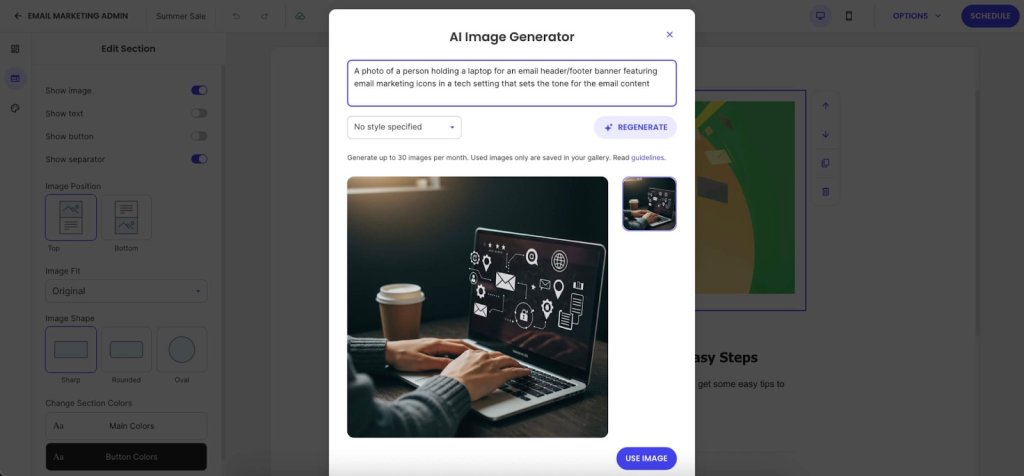
Need images but don’t have a designer on hand? SiteGround Email Marketing includes an AI Image Generator that turns text prompts into visuals. No more hunting through stock photo sites trying to find something that doesn’t look like every other professional email.

Screenshot of SiteGround's Email Marketing AI Image Generator modal window, displaying a generated image of hands typing on a laptop with floating email marketing icons and a coffee cup, with text prompt field and regenerate option visible

Links

  • Stick to 1-3 strategic links that support your primary CTA. Every link is a potential exit point. Too many options creates decision paralysis—people click nothing.
  • Use descriptive anchor text: “See the full case study” instead of “click here.” This helps accessibility and tells people what they’re clicking.
  • Add white space between links on mobile. If two links are stacked 2mm apart, people will tap the wrong one. Give them room.

Keep in mind: Each link you add dilutes the power of your main CTA. Be selective about what deserves a link in your email body.

Format for Mobile-First Readability

Remember how over half of all emails are opened on mobile? That mobile reality shows up most in your formatting. If your email body doesn’t work on a small screen, it doesn’t work.

Essential formatting practices:

  • Use short paragraphs with white space between them. What looks like a three-line paragraph on desktop turns into 8-10 lines of scrolling on mobile. Cut paragraphs in half.
  • Use bullet points for lists of 3-5 items—features, steps, options. Don’t use a single bullet point when a regular sentence would work better.
  • Stick to web-safe email fonts: Arial, Georgia, Helvetica. That custom brand font you love? It reverts to Arial in most email clients anyway. SiteGround Email Marketing lets you choose between font styles that work across all email clients without breaking.
  • Pick one thing per section to emphasize, then leave the rest alone. If everything is bold, nothing stands out.

The mobile preview test: Send yourself a test, open it on your phone, and try tapping the CTA with your thumb. If you can’t read and act on it one-handed while standing, fix it. 

Create One, Unmistakable Call to Action

Vague requests get vague (or no) results. Your CTA must be specific, action-oriented, and easy to find.

  • Use Action-Oriented Language: Start with a verb. “Schedule Your Demo” is better than “Demo.”
  • Place it Logically: Position your CTA immediately after you’ve made your case. Don’t bury it below your signature.
  • Avoid Vague Language: Replace passive phrases like “Let me know what you think” with a direct ask, such as “Can you reply with your feedback by Friday?”

7 Common Email Body Mistakes To Avoid

These common errors can ruin an otherwise strong email campaign.

  1. Wasting your opening line
  2. Burying your point
  3. Using vague CTAs
  4. Signature overload
  5. Desktop-only formatting
  6. Skipping proper proofreading
  7. Judging results too quickly

Here’s what each mistake looks like and how to fix it.

1. Wasting Your Opening Line

“I hope this finds you well” burns your most valuable real estate on nothing. Your reader decides whether to keep reading in the first two lines.

What to do instead: Lead with context (“Following up on our Q4 budget conversation…”) or lead with value (“I found three ways to cut your checkout time…”)

2. Burying Your Point

Three paragraphs of context before you say why you’re writing means most people never get to your actual message.

What to do instead: Most important information first (inverted pyramid). One idea per paragraph, 2-3 sentences maximum on mobile.

3. Vague Calls to Action 

“Let me know if you have questions” isn’t a CTA—it’s asking your reader to figure out the next step for you.

What to do instead: Specific action (“Reply with your available times this week”), one primary CTA (not five competing asks), place it after you’ve made your point (not buried below your signature).

4. Email Signature Overload

Eight lines of titles, social media links, legal disclaimers, and inspirational quotes. Your signature isn’t a LinkedIn profile.

What to do instead: Simple sign-off (“Thanks,” “Best”), name, title, company, phone number. That’s it. Bonus: SiteGround Email Marketing handles signature formatting automatically.

5. Desktop-Only Formatting

We covered mobile-first formatting in the best practices section, but this mistake is so common—and so costly—it’s worth calling out again. Your email looks perfect on your 27-inch monitor, unreadable on the phone where 55% of your recipients are reading it.

What to do instead: Preview on mobile before sending. Test that CTAs are thumb-friendly (44px minimum button size). Cut paragraphs in half for mobile readability.

6. Skipping Proofreading

Reading your email once before sending means your brain autocorrects what you meant to say, not what you actually typed.

What to do instead: Read backward (last sentence to first) to catch typos. Read out loud on mobile before sending important emails. Double-check CC/BCC fields (you can’t un-send). Watch for autocorrect disasters with client names.

7. Judging Too Quickly

Declaring something “doesn’t work” after one email tells you nothing.

What to do instead: Run at least 10 emails before making conclusions. Track email marketing metrics like click-through rate (not open rate)—clicks tell you the body worked. Test one element at a time: CTA placement, copy, length. Use email analytics to see where readers stop scrolling. Platforms like SiteGround Email Marketing show click rates by link and where engagement drops off.

Quick Reference Checklist for Your Next Email

Before you hit send, run through this quick checklist.

  • Delete the first paragraph. Does the email still make sense? If yes, that first paragraph was filler—cut it. The value to your reader should be obvious in the first two sentences.
  • Is the CTA a specific action? (e.g., “Reply with X” instead of “Let me know”).
  • Is there enough white space? Are paragraphs short (2-3 sentences)?
  • Did you preview it on mobile? Are the links easy to tap?

Build Better Emails with SiteGround

Fixing your email body doesn’t require becoming a world-class copywriter overnight. It’s about building better habits. Start with one fix from this guide—like shortening your paragraphs or clarifying your CTA—and apply it consistently.

That’s where SiteGround Email Marketing actually helps—from AI-assisted writing to automatic mobile formatting, it handles what takes you hours to figure out on your own.

Fix one thing at a time, and watch your engagement grow.

[58]

What Is Growth Marketing? 4 Strategies That Work

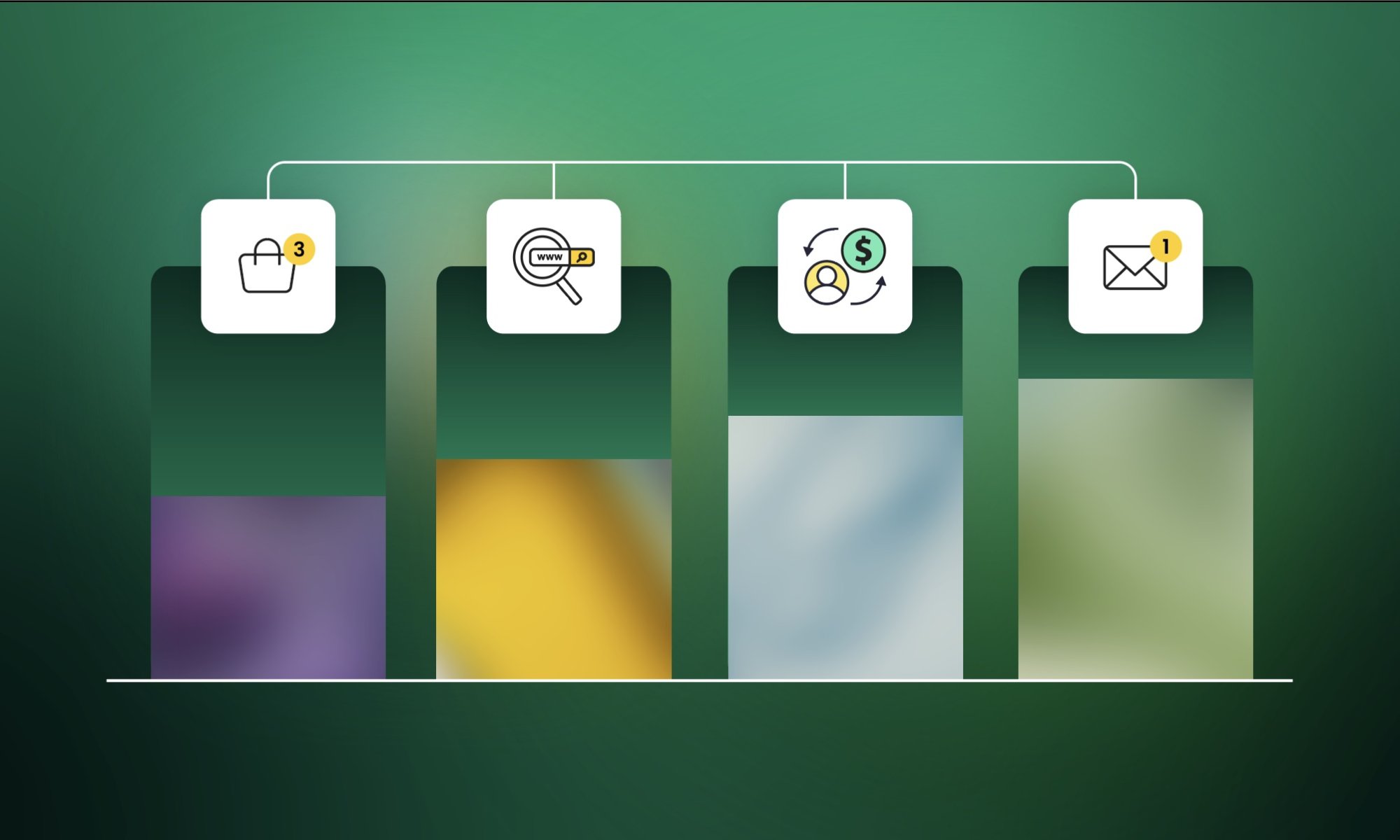
Illustration of a growth marketing funnel showing four customer journey stages represented by icons and descending colored bars: traffic acquisition (magnifying glass with website), product consideration (shopping cart with 3 items), conversion (person icon with dollar sign), and email engagement (envelope with notification), demonstrating how prospects move through the marketing funnel with decreasing volume at each stage

You’re doing marketing—posting on social media, running ads, maintaining a website. But you’re not sure what’s actually working. Instagram looks great, but are those likes paying your bills? You landed new customers last month, but three existing ones quietly disappeared. Growth feels random.

Most small businesses are stuck doing “hopeful marketing”—throw things at the wall, hope something sticks. Growth marketing is different. It tracks which efforts actually make you money, keeping customers around longer, and learning from every test so the next one performs better.

This isn’t about bigger budgets or marketing teams. It’s about working smarter with what you have. Here’s what you’ll learn: what growth marketing actually is, how it differs from traditional marketing, five principles that make it work, and four strategies to decide where to focus next.

Key takeaways:

  • Growth marketing optimizes the entire customer lifecycle (awareness, acquisition, activation, retention, referral, revenue), not just acquisition.
  • Тhe four marketing growth strategies are: Market Penetration, Market Development, Product Development, and Diversification—with risk increasing in that order.
  • Growth marketing runs continuous experiments with results in days, while traditional marketing uses campaign-based approaches evaluated over months.
  • Five core principles: Data-driven decisions, continuous experimentation, customer-centric focus, agile iterations, and retention = acquisition.
  • Start with market penetration for lowest risk—most small businesses have untapped potential in their existing customer base.

What Is Growth Marketing? 

Growth marketing is a data-driven strategy that optimizes the entire customer lifecycle to drive sustainable business growth. Growth marketing works across all stages of the entire marketing funnel—from awareness to turning customers into repeat buyers and advocates. Traditional marketing typically stops after acquisition.

This approach is built around the АAARRR funnel (also called Pirate Metrics), which maps out every stage of the entire customer journey. Instead of just focusing on getting people in the door, you’re thinking about what happens at each step:

  • Awareness: Making potential customers aware you exist
  • Acquisition: Turning awareness into actual website visitors or leads
  • Activation: Getting them to experience value quickly
  • Retention: Keeping them engaged and coming back
  • Referral: Turning them into promoters
  • Revenue: Maximizing customer lifetime value

Each stage is an opportunity to improve and grow.

Growth Marketing vs. Traditional Marketing

Traditional marketing and growth marketing aren’t opposites—they solve different problems. 

  • Traditional marketing builds brand awareness and reach. 
  • Growth marketing focuses on what happens next, turning that awareness into measurable, repeatable growth at every stage of the customer journey.

The smartest approach is often integrated marketing: using both together. Here’s how they compare in practice:

AspectTraditional MarketingGrowth Marketing
Primary GoalBrand awareness and reachSustainable growth across the full customer lifecycle
Customer FocusPrimarily top-of-funnel: awareness and acquisitionFull lifecycle: every stage from awareness to referral
ChannelsOffline & Non-digital mass media (TV, radio, print, billboards)Digital marketing channels (search engine optimization, email, social media, content)
TimelineCampaign-based with set start/end datesContinuous, always-on optimization
TacticsTV commercials, print ads, billboards, direct mail, trade show sponsorshipsA/B testing, email sequences, referral programs, content marketing, landing page optimization, retargeting
How You TestCommit to a full campaign, then evaluateTry small experiments, keep what works, drop what doesn’t
Key MetricsAwareness, reach, brand liftCustomer acquisition cost (CAC), lifetime value (LTV), customer retention rate, referral rate, conversion rates
What You KnowHard to tell which ad brought in which customerSee exactly which marketing efforts made you money
Starting BudgetNeed thousands to run a worthwhile campaignStart with a few hundred and scale up winners
Making ChangesWait for the next campaign cycle (often months)Adjust based on results within days or weeks

Core Principles of Growth Marketing

Growth marketing sounds complicated, but it comes down to five principles that work whether you’re a team of one or fifty.

1. Data-Driven Decisions

Growth marketing makes decisions based on what’s actually happening, not what you think should happen. But “data-driven” doesn’t mean you need expensive analytics tools from day one.

Track where your customers come from. When someone books a service or buys a product, ask how they found you. After three months, you’ll see patterns. Maybe 60% came from Google searches, 20% from Instagram, and 20% from referrals. Now you know where to focus your time.

Double down on Google, which means writing more content, and improving your SEO. Spend less time on Instagram if it’s eating your time for minimal return. Build a referral program to push that 20% higher. Without this data, you might waste hours on Instagram while Google quietly brings in most of your customers.

2. Continuous Experimentation

Growth marketing treats everything as a test. The question isn’t “Will this work?” It’s “What can we learn from trying this?”

Small businesses can test without big budgets. Send two versions of your follow-up email—one with a case study, one with client testimonials. See which gets more replies. Try offering a 10% referral discount one month, then a flat $50 the next. Track which brings in more referrals.These tests cost nothing but time, and each one teaches you something about what resonates with your customers. Over a year, dozens of small tests compound into real improvements.

SiteGround Email Marketing banner: Improve email campaigns with 98.8% inbox delivery rate. Features colorful icons of AI robot, greeting envelope, documents, and megaphone with "START TODAY" button on purple background.

3. Customer Focus

Your customers know what they want–ask them. Behavioral data shows what customers do. Direct feedback tells you why they do it—and what problems you’re not solving yet.

Before a web developer builds a new service package, they might send a survey email to their last 20 customers: “What’s the biggest website headache you’re still dealing with?” The answers might surprise them—customers don’t want fancy features, they want someone to handle updates so they don’t have to think about it. Now they know what service to create.

You can also see what questions people ask repeatedly. If five customers ask about the same thing, that’s a signal. Answer it on your website, in an FAQ, or with a new service.

4. Agile & Iterative Approach

Traditional marketing launches campaigns and waits months to see results. Growth marketing makes small changes constantly.

This might mean tweaking your homepage headline on Monday, testing a new email subject line on Wednesday, and adjusting your service description on Friday. Each change is small, but over weeks and months, you’re constantly improving based on real feedback.

A local bakery might notice their Instagram posts about “sourdough tips” get way more engagement than photos of finished loaves. They adjust their content strategy that same week, not six months later when they plan their next marketing push.

5. Retention = Acquisition

Here’s the principle most small businesses miss: keeping customers is just as valuable as finding new ones—often more valuable.

A fitness coach might celebrate landing 10 new customers but ignore that eight existing customers didn’t renew last month. That’s a net loss. Growth marketing would ask: Why didn’t they renew? What would make them stay? Can we check in before they decide to leave?

You can send a re-engagement email to customers you haven’t heard from in 60 days. Offer customers early access to new services. Ask for feedback at the 6-month mark, not after they’ve already left. Track your retention rate as closely as you track new customer acquisition.

The math is simple: if you keep 10% more customers each year, you need to acquire fewer new ones to hit the same growth targets. That means lower costs and more predictable revenue.

What Are the 4 Marketing Growth Strategies?

The principles we just covered tell you how to think about growth—track data, test constantly, listen to customers. The following strategies tell you what direction to grow. These four strategies come from the Ansoff Matrix, a framework that helps you decide where to focus based on your current business and appetite for risk.

Existing MarketNew Market
Existing ProductMarket PenetrationSell more of what you have to customers you already reachMarket DevelopmentSell what you have to new customer segments or locations
New ProductProduct DevelopmentCreate new offerings for your current customersDiversificationCreate new offerings for new customer segments

1. Market Penetration: Sell More to Your Current Market

Market penetration means increasing sales of your current products to your existing customer base. You’re not creating anything new or targeting new audiences—you’re getting better at converting and retaining the customers you already reach.

For a local bakery, this looks like: getting current customers to visit more often with a loyalty card, increasing average order size with combo deals, running email campaigns to promote weekly specials, creating an email customer journey for customers who haven’t visited in a month, or improving your checkout process so fewer people abandon their online orders.

This is the lowest-risk strategy because you already know your product works and your market wants it. You’re just optimizing what’s already there. Growth marketing tactics like retention campaigns, A/B testing your website, and referral programs all fall under market penetration.

How to start: Look at your existing customers. How often do they buy? Can you get them to buy more frequently or spend more per transaction? Test one change this month—maybe a “buy 5, get 1 free” loyalty program or a follow-up email to past customers.

2. Market Development: Take Your Current Product to New Markets

Market development means selling what you already have to new customer segments or geographic areas, which is a key part of scaling your business. Your product stays the same, but you’re reaching different people.

A freelance graphic designer who serves local restaurants might start targeting ecommerce brands. A web developer who works with solopreneurs might start pitching small marketing agencies. A photographer who does weddings might add corporate headshots for a completely different target audience.

The risk is moderate—you know your service works, but you’re learning a new market’s needs, budget, and buying behavior. What works for restaurants might not work for ecommerce brands. You’ll need to adjust your messaging, pricing, or even how you deliver the service.

First step: Identify one adjacent market that could use what you already offer. Research their pain points. Test your pitch with 5-10 prospects. If it resonates, scale up. If it doesn’t, adjust or try a different segment.

3. Product Development: Create New Offerings for Your Current Market

You already understand your customers’ problems—product development is about solving more of them. Instead of finding new audiences, you’re expanding what you offer to the people who already trust you.

For example, a web designer who builds sites might add monthly maintenance packages. A business consultant might create a group coaching program alongside their 1-on-1 services. A tax accountant might add bookkeeping services for existing customers who keep asking for help beyond tax season.

The risk is higher than penetration because you’re creating something new, but lower than entering new markets because you already understand your customers. The danger is building something nobody wants—which is why you ask customers what they need before you build it.

Getting started: Survey your last 20 customers. Ask what other problems they’re trying to solve. Look for patterns. If 10 people mention the same need, you’ve found your next product. Build a simple version, test with a few customers, refine based on feedback.

4. Diversification: New Products for New Markets

Diversification means creating new offerings for audiences you don’t currently serve. This is the highest-risk strategy because you’re making assumptions about both what to build and who wants it.

A wedding photographer branching into selling online courses teaching photography to beginners is diversification. A web designer launching a SaaS product for a completely different industry is diversification. You’re betting on unfamiliar territory on both sides.

This strategy works when you’ve maxed out the other three or when you see a huge opportunity you can’t ignore. But most small businesses should exhaust penetration, development, and product expansion before attempting diversification.

Our advice: Don’t start here unless you’ve mastered the first three. If you’re determined to diversify, treat it like a side experiment with a strict budget and timeline. Test the market demand first with a landing page or pre-sales before building anything.

Which Strategy Should You Pick?

Start with market penetration—it’s the lowest risk and often the highest return. Most small businesses have untapped potential in their existing customer base. Once you’ve optimized that, expand to market or product development based on what you learn. Save diversification for when you’ve truly exhausted closer-to-home growth opportunities.

The successful growth marketing approach: pick one strategy, test it with small experiments, measure results, and scale what works. Your customers, products, and data will tell you which direction makes the most sense.

Are Growth Marketing Strategies Right for Your Business?

Growth marketing works at different stages—you just need to know where you are and what makes sense to focus on first. 

Use our simple table to assess where you are now and what growth marketing tactics make sense for your stage:

Where You AreWhat This Means for Growth Marketing
You have 10-20+ customersYou have enough data to spot patterns and start optimizing
You know where customers find youDouble down on what’s working and test small improvements
You track digital marketing metricsYou’re ready—start with one strategy and build from there
You have a few hours per weekThat’s enough to run tests and see results
You’re pre-launch or brand newGet your first customers first, then add growth tactics
You don’t track anything yetStart simple: ask each new customer how they found you
You’re slammed with workTry retention tactics—they keep revenue flowing with less effort
You need fast resultsSome tactics (like referrals) work quickly, others build over time

You’ll know growth marketing is your next step when:

  • Customer acquisition is slowing down—what worked six months ago doesn’t work as well now
  • You’re spending more to get each new customer
  • Customers aren’t sticking around as long as they used to
  • Growth has plateaued and you want to understand why

What you’ll need to get started:

  • A website with reliable, fast hosting
  • An email marketing platform for retention and automation
  • Basic analytics to track where traffic and customers come from
  • A few hours per week to test, measure, and adjust

SiteGround gives you both web hosting and email marketing in one platform, which matters for growth marketing. When your website and email tools are connected, you’re not switching between multiple logins or wondering why your sign-up form isn’t syncing. Growth marketing works better when your tools work together instead of against you.

Start with what you have. Growth marketing scales with you—begin small and add strategies as you learn what works.

Beyond Growth Hacking: Build Sustainable Growth

Growth marketing isn’t one viral trick—it’s a system that improves every week. Test an email subject line. Check in with a quiet customer. Write one blog post answering a common question. Small improvements compound.

Pick one strategy from this article this week. Market penetration? Send a check-in email to past customers. Product development? Survey your last 20 clients about what else they need. Market development? Identify one adjacent market to test. Just start.

Most of these tactics run on email—re-engagement campaigns, customer surveys, welcome email sequences. SiteGround Email Marketing lets you set up these sequences and track what’s working, so you can focus on growth instead of wrestling with tools.

Start where you are. Test what resonates. Scale the winners. That’s how real growth happens.

Streamline your email marketing efforts with SiteGround Email Marketing

Which Marketing Channels Actually Work for Your Business?

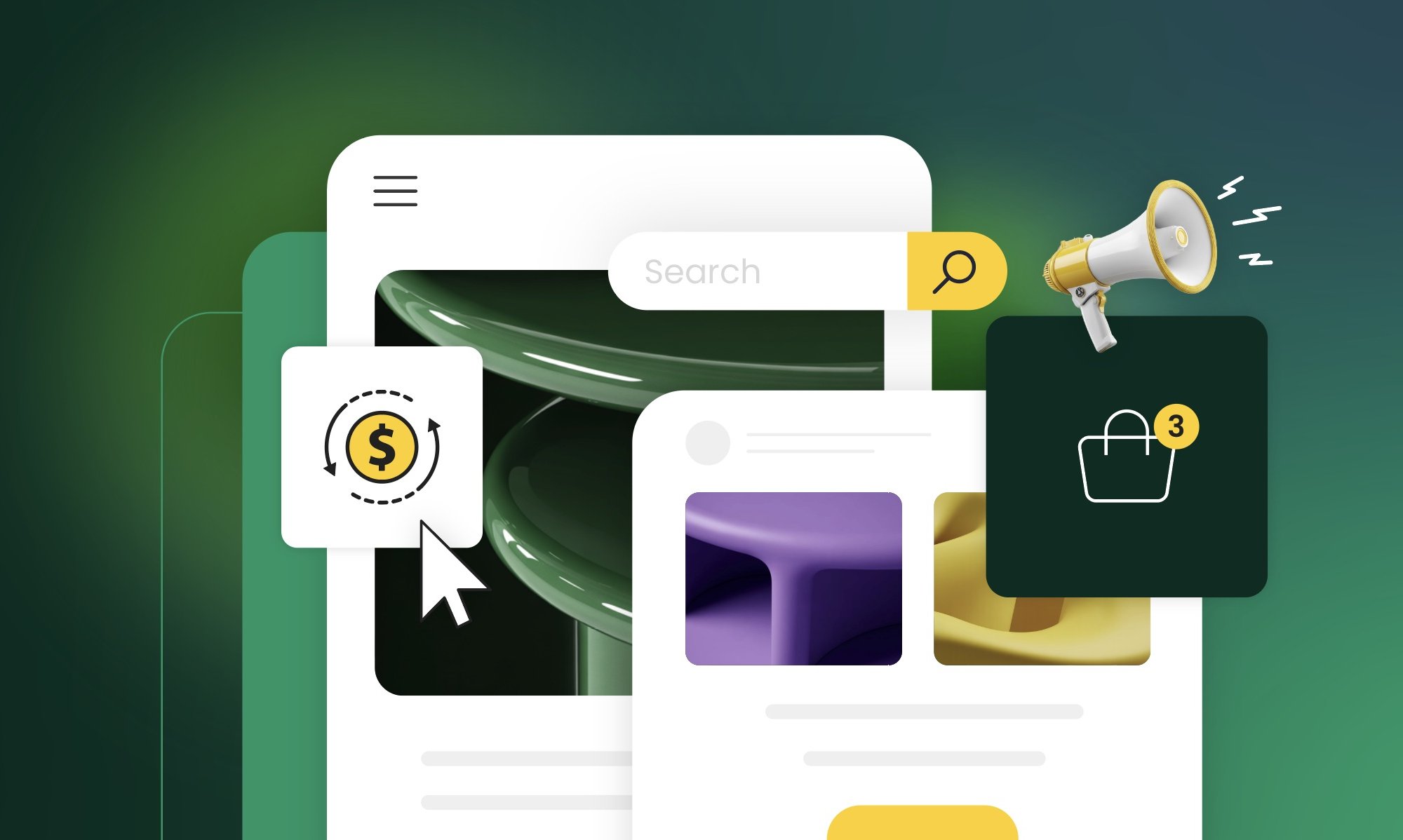
Stylized website interface with search bar, dollar sign conversion icon, megaphone representing advertising, and shopping cart with notification badge on gradient green background

You’ve probably seen it: a competitor crushing it on Instagram while you’re posting  to crickets. A peer swearing by email while you’re convinced SEO is the answer. Someone’s LinkedIn strategy is printing money while your carefully crafted posts get three pity likes from your mom and two bots.

The truth is, they’re not all right, and you’re not doing it wrong. They just found the channels that match how their customers actually buy. Most small businesses don’t fail at marketing because they picked the wrong channels. They fail because they picked too many, or chose based on what sounds exciting instead of what actually works for their specific business.

This guide walks you through the eight marketing channels small businesses actually use, then gives you a simple framework to figure out which 1-2 deserve your time and money. It’s practical help for choosing channels based on where your customers actually are, what you can afford, and what you can realistically manage.

What Is a Marketing Channel?

A marketing channel is the medium or path you use to communicate with your target audience and guide them through the marketing funnel. It’s the route your message travels—from your business to the people who need what you sell.

The purpose of a marketing channel is to connect your business with customers where they’re already looking for solutions—whether that’s Google search results, their email inbox, or their social media feed.

These channels include digital options like search engines, email, and social media, as well as traditional methods such as events, direct mail, and local advertising.

One quick clarification before we dig into specific options: you’ll often hear “channel” and “platform” used interchangeably, but they’re different. 

  • A marketing channel is the broad category—email marketing, social media, paid search. 
  • A marketing platform is the specific tool you use within that channel—SiteGround Email Marketing, Instagram, Google Ads. 

When you’re planning your marketing, start by choosing the right channels for your customers, then pick platforms to execute.

Now let’s look at the different channels small businesses actually use and what makes each one work.

8 Marketing Channels Small Businesses Actually Use

The marketing channels small businesses rely on most fall into eight categories: 

  1. Email marketing
  2. SEO & content marketing
  3. Social media (organic)
  4. Social media ads
  5. Paid search ads
  6. Referrals & word-of-mouth
  7. Local partnerships & events
  8. Direct outreach

You don’t need to master every marketing channel out there—most small businesses see better results by focusing on 2-3 that naturally work together. When your channels reinforce each other (your blog drives email subscribers, your email nurtures referrals, your social content points to your website), that’s integrated marketing in action. The key is picking channels that align with how your specific customers discover and buy from businesses like yours.

1. Email Marketing

Email marketing is a direct marketing channel where you communicate with people who’ve opted in to hear from you—whether they signed up on your website, downloaded a resource, or made a purchase. You own the list, control the timing, and can personalize messages based on customer behavior.

It’s one of the most reliable digital marketing channels out there, with an average ROI of $36 for every $1 spent, according to multiple sources. Unlike social media where algorithms control who sees your content, email puts you directly in someone’s inbox. And getting started with email marketing is simpler than most people think.For example, SiteGround Email Marketing lets you create professional email campaigns, manage your subscriber list, and track performance without needing technical expertise or a designer on staff.

Email invitation showing laptop with hand holding red paper airplane emerging from screen, inviting Maria to register for digital marketing masters event on Thursday, June 3rd, 3pm-5pm at San Francisco Business Hall with sign-up button
  • Best for: Service businesses, ecommerce, B2B companies with longer sales cycles
  • What it takes: Time for writing and managing your list, plus budget for an email platform
  • When you’ll see results: 3-6 months to build a list that actually engages
SiteGround promotional banner featuring illustration of envelope with "Hi!" greeting and waving hand, advertising 80% off special, with headline "Greet Subscribers with Stunning Automated Welcome Emails" and description of creating automated emails using SiteGround Email Marketing Platform with blue "Get Started" button

2. Content & Search Engine Marketing

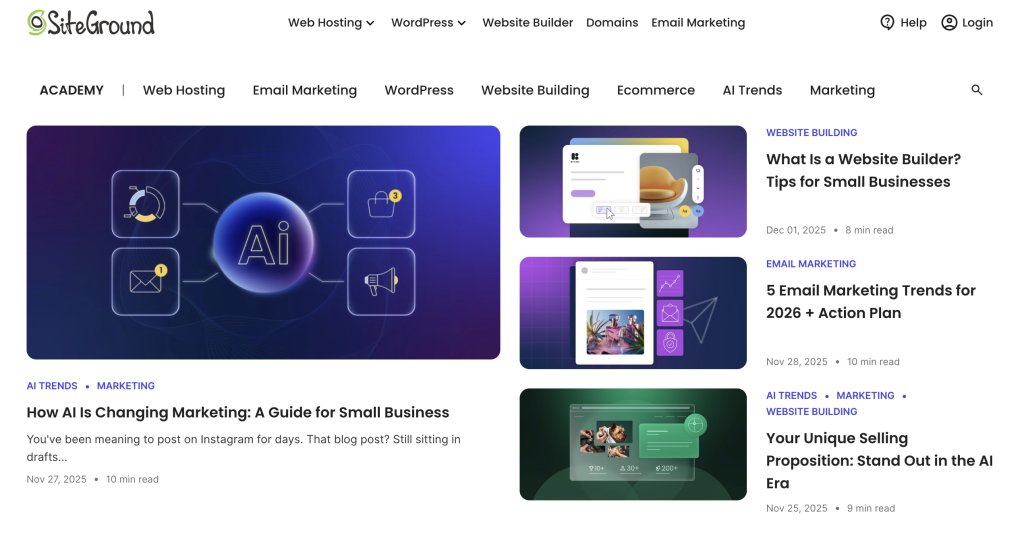
Content marketing and SEO work together to get your business found online.This channel attracts customers organically by positioning your content in search results when they’re looking for information, solutions, or services you provide. It includes blog posts, guides, videos, and optimized website pages that answer questions your customers are already asking.You’re actually reading an example right now—SiteGround’s Academy creates helpful guides like this one that rank when people search for marketing advice.

SiteGround Academy homepage displaying article cards on AI marketing, email marketing trends for 2026, website builders for small businesses, and unique selling propositions in the AI era

What’s new? Recently, SEO marketing has shifted with AI-generated search results—optimizing for AI Overviews (Google’s AI-powered summaries) now matters as much as traditional rankings.

So your content needs to be clear, structured, directly answer specific questions, and demonstrate genuine experience and expertise that adds real value to readers.

  • Best for: Businesses where customers research before buying, local services
  • What it takes: Time for content creation and optimization
  • When you’ll see results: 6-12 months for meaningful traffic

3. Social Media Marketing (Organic)

Organic social media marketing involves building an audience and engaging with potential customers on digital platforms like Instagram, LinkedIn, Facebook, or TikTok without paying for ads. You’re creating content that earns attention rather than buying it. In fact, more than 40% of consumers now use social media as a discovery engine, according to “We Are Social,” which is why social media marketing for small businesses has become essential for reaching new audiences.


What’s new? Facebook and Instagram content is now searchable on Google, which means your social posts can show up in search results and drive discovery beyond the platform itself.

  • Best for: Visual businesses (food, design, fashion), B2B on LinkedIn, community-focused brands
  • What it takes: Time for consistent posting and customer engagement
  • When you’ll see results: 3-6 months to build traction

5. Social Media Ads

Social media advertising lets you target specific demographics, interests, or behaviors on social media platforms like Facebook, Instagram, and LinkedIn. Unlike organic social, you’re paying to put your content in front of people who haven’t necessarily chosen to follow you yet.

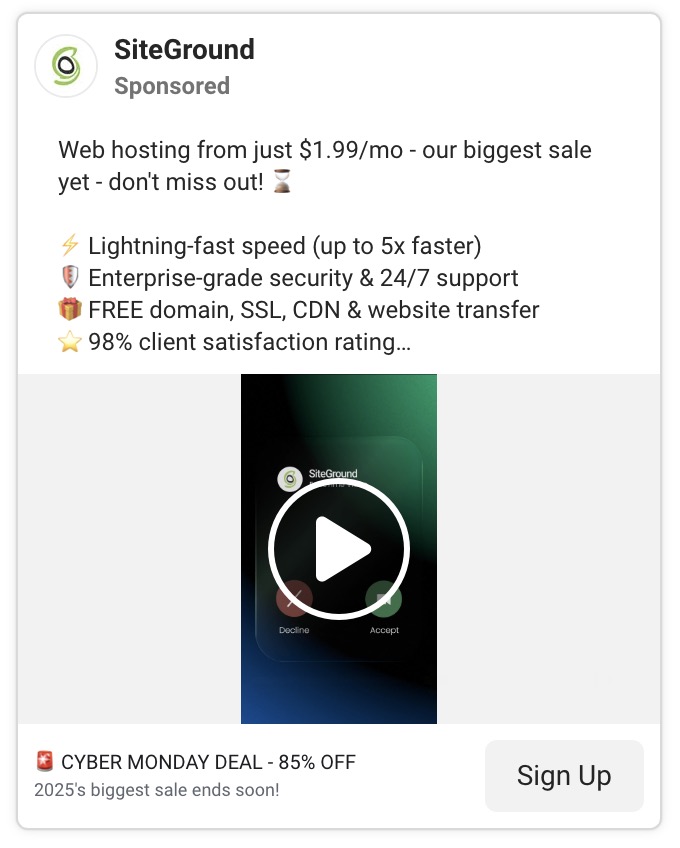
It’s a form of direct marketing that gives you precise control—you can target a 30-mile radius around your shop, people who visited your website last week, or professionals in specific industries. This precision means you can directly tie your ad spend to results from specific audience segments. For example, SiteGround uses targeted social ads during the Black Friday campaign to reach website owners actively looking for hosting deals—the right message, to the right audience, at exactly the right time.

SiteGround sponsored ad promoting web hosting from $1.99/month featuring lightning-fast speed, enterprise-grade security, free domain and SSL, 98% client satisfaction rating, with video thumbnail and Cyber Monday 85% off deal banner

Influencer marketing falls into this category too—paying creators or micro-influencers to promote your product to their followers. For small businesses, this often works better with local or niche micro-influencers (under 10,000 followers) who charge reasonable rates and have engaged audiences.

  • Best for: Ecommerce, lead generation, reaching specific audience segments
  • What it takes: Budget for ad spend and creative production
  • When you’ll see results: Immediate reach, 1-2 months to optimize performance

4. Paid Search Ads

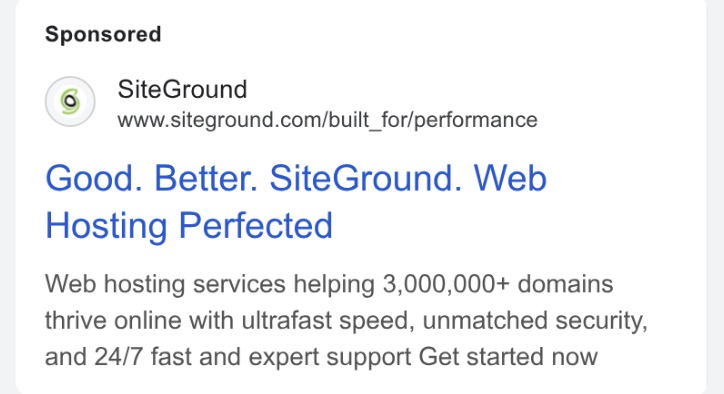
With paid search, you show up at the top of Google search results when people look for what you offer. You pay per click, which means you only spend money when someone actually visits your site.

Google sponsored ad for SiteGround web hosting with headline "Good. Better. SiteGround. Web Hosting Perfected" describing services for 3+ million domains with ultrafast speed, security, and 24/7 support
  • Best for: Local services, high-intent purchases, competitive markets
  • What it takes: Budget for ad spend and campaign management
  • When you’ll see results: Immediate traffic once campaigns are running

6. Referrals & Word of Mouth Marketing (WOM)

Word of mouth marketing is when people organically talk about your business—whether that’s recommending you to a friend, leaving a review, or sharing their experience on social media. Referral marketing happens when existing customers recommend your business to others. 

Both are among the oldest marketing tactics out there, but they remain some of the most effective. In fact, around 88% of consumers globally trust customer recommendations more than any other form of marketing, according to WiserReview. Referrals and word-of-mouth can happen naturally as people share positive experiences, or you can build systems to make it easier—referral programs, review requests, or customer testimonial campaigns. Social proof examples like online reviews, testimonials, and case studies all feed into this channel by giving potential customers confidence in your business.

Customer review section showing SiteGround rated 4.99 out of 5 from 1840 reviews, with testimonials from Marco Colombo praising support representative Raya and Maziar commending team member Ivelin

7. Local Partnerships & Events

This channel involves collaborating with complementary businesses or participating in community events to reach potential customers face-to-face. Think vendor booths at farmers markets, co-hosted workshops, or cross-promotions with nearby businesses.

While most marketing advice focuses on digital channels, community building matters just as much offline as it does online. Face-to-face connections build trust faster than any social media post. Local partnerships create networks that refer customers back and forth, and community events put your business in front of people who are already invested in supporting local. For brick-and-mortar businesses especially, being present and visible in your community often drives more sustainable growth than chasing online trends.

  • Best for: Local businesses, brick-and-mortar stores, community-focused brands
  • What it takes: Time and budget for event costs and partnership development
  • When you’ll see results: Depends on event frequency and follow-up

8. Direct Outreach

Direct outreach is the practice of personally contacting potential customers through email, LinkedIn, phone calls, or in-person meetings. It’s targeted, one-to-one communication with prospects you’ve identified as good fits.

We’ve already covered email marketing and paid advertising as forms of direct marketing, but direct outreach takes it a step further—it’s proactive, personalized prospecting rather than waiting for people to find you. 

Technically, this sits somewhere between marketing and sales, and not everyone would call it a “marketing channel.” But for small businesses and freelancers, that distinction doesn’t matter much—you’re the one finding customers, whether you label it marketing or sales. 

If you’re a consultant landing clients through LinkedIn messages or a local service business knocking on doors, this is part of your customer acquisition strategy. It’s hands-on, personal, and often necessary when you’re building from the ground up.

  • Best for: B2B services, high-ticket offerings, local sales
  • What it takes: Time for research and personalized outreach
  • When you’ll see results: Varies by sales cycle length—can be immediate or take months

How to Choose Your Marketing Channels: A Quiz

Before you start picking multiple channels, get clear on one thing: your unique selling proposition (USP). What makes you different from competitors? Why should someone choose you over the ten other options in their search results?

Your USP doesn’t change which marketing channels exist, but it shapes which ones make sense for you. If you compete on price, paid search works—people searching “affordable plumber near me” or “cheap web hosting” find you immediately. Premium quality and craftsmanship? SEO and Instagram showcase that. Local expertise? Focus on Google Business Profile and community partnerships.

You don’t need a perfect elevator pitch, just clarity on what you do differently. That clarity makes every marketing decision—from channel selection to message creation—easier.

Now, let’s figure out which channels match your business.

QuestionChannels
1. What type of business do you run?
A. B2B service or software (selling to other businesses)LinkedIn, email, SEO
B. Ecommerce or product-based business (selling physical or digital products)Social Media, email, social ads
C. Local service business (plumber, salon, consultant, contractor)Local SEO, referrals
D. Creative freelancer or agency (designer, writer, photographer, marketer)Social Media, direct outreach
2. Where do your customers make buying decisions?
A. They research extensively online, read reviews, compare options, and take weeks or months to decideSEO, email
B. They buy quickly when they see something they like—impulse purchases or urgent needsSocial ads, paid search
C. They rely heavily on recommendations from people they trustReferrals, word of mouth
D. They search for solutions when they have an immediate problem to solvePaid search, local SEO
3. What’s your realistic weekly time commitment for marketing?
A. 10+ hours—I can dedicate significant time to marketingSEO, content, organic Social
B. 5-10 hours—I have some time but it’s limitedEmail, one social platform
C. 2-5 hours—I’m stretched thin and need efficiencyEmail, referrals
D. Less than 2 hours—I barely have time for marketing at allPaid ads, referrals
4. What’s your monthly marketing budget?
A. $500+—I can invest in paid marketing channelsPaid search, social ads
B. $100-$500—I have a modest budgetEmail platform, small ad tests
C. Under $100—I need mostly free or low-cost optionsSEO, organic social, email
D. $0—I have no budget, only timeSEO, organic social, referrals
5. What existing assets do you already have?
A. An email list (even if small) and/or existing website trafficDouble down on email, SEO
B. Happy past customers who could refer othersReferral program
C. A social media presence with some followersOptimize current platform
D. None of the above—I’m starting from scratchPick 1 channel, commit 6 months
6. How do you prefer to create content?
A. Writing (blog posts, articles, email newsletters)SEO, email, LinkedIn
B. Visual content (photos, graphics, short videos)Instagram, Facebook, Pinterest
C. Speaking/video (longer videos, presentations, conversations)LinkedIn, YouTube, events
D. I don’t want to create content—I’d rather pay for visibilityPaid search, social ads
7. What’s your sales cycle like?
A. Long (months)—customers need nurturing, multiple touchpoints, trust-buildingEmail, SEO, LinkedIn
B. Medium (weeks)—some research required but not extensiveEmail, organic social, SEO
C. Short (days)—quick decisions once they discover usSocial ads, paid search
D. Immediate—people buy right away when they need the solutionPaid search, local SEO

What Your Answers Mean

Look at which marketing channels appeared most frequently next to your answers—those are your starting point. If SEO and email showed up 4-5 times, that’s where you should focus. If your answers point to 3-4 different channels, narrow it down by prioritizing what you already have (question 5) and what you can realistically commit to (questions 3 and 4).

Quick Decision Guide

If your answers were all over the place:

Time-poor + Budget-rich: Start with paid search or social ads
Time-rich + Budget-poor: Start with SEO/content + one organic social platform
Have existing assets: Double down on what you already have (email list → email marketing, website traffic → SEO, past customers → referrals)
Starting from scratch: Pick the ONE channel where your customers are most active. Commit for six months before adding another.

From Channels to Marketing Strategy: Make It Work

Here’s what most marketing advice won’t tell you: the “best” marketing channel is whichever one you’ll actually stick with long enough to see results. A mediocre channel executed consistently beats a perfect channel you abandon after three weeks.

So pick 1-2 marketing channels based on where your customers are and what you can realistically commit to. Track what brings actual customers (not just likes or traffic—customers). Double down on what works. Cut what doesn’t.

And if email marketing made your list? You’re in good company. It’s one of the few digital channels where you own the audience, control the message, and see real ROI without fighting an algorithm. SiteGround Email Marketing makes it ridiculously simple to get started—build your email list, send campaigns, and track what’s working, all without needing a designer or tech background.

Whatever marketing channels you choose, commit to them. Give them time. Measure what matters. Then build from there.

[58]

What Is a Good Email Open Rate? And How to Improve Yours

Illustration showing an email marketing interface with a Nature Glow skincare product image, analytics chart with upward trend arrow, and cursor icon, set against a dark green envelope background

You spent two hours crafting the perfect email. You picked just the right image, wrote clever copy, triple-checked your call to action. You hit send to your 500 subscribers feeling pretty good about yourself.

Then you check the stats: 47 people opened it. Ouch.

Here’s the reality: if people aren’t opening your emails, all that time you spent writing them was basically wasted. Your brilliant content, your special offer, your helpful tips—none of it matters if it’s sitting unread in someone’s inbox.

Open rates tell you whether anyone’s actually paying attention before you worry about clicks, conversions, or any of that other stuff. And if you’re a small business owner or a freelancer who don’t have big marketing teams or fancy tools, understanding what makes people open emails (and what makes them hit delete) is crucial for your email marketing strategy.

So what actually makes someone open your email instead of scrolling past it? Let’s see.

Key takeaways:

  • Aim for 15-25% open rates (25-35% is good, 35%+ is excellent). Track your trends over time rather than obsessing over hitting a specific number.
  • Your subject line and sender name make or break your open rate. A compelling subject line can lift rates by 20-30%, while an unrecognizable sender name gets you deleted instantly.
  • List quality beats list size. A 500-person engaged list will outperform a 10,000-person list of people who barely remember you. Segment by interests for 15-30% better results.
  • Poor deliverability creates a vicious cycle. Emails in spam → lower opens → email providers think you’re spam → even more emails to spam. Keep your list clean to break the cycle.
  • Simple changes show results fast. Better subject lines, smarter send times, and regular list cleaning can move your numbers within weeks—no fancy tools required.

What Is an Email Open Rate and Why Is It Important?

An email open rate measures what percentage of your delivered emails actually get opened. If you send 1,000 emails, 50 bounce back, and 250 people open your message, that’s a 26.3% open rate.

Why This Number Matters

When you’re running a business, you’ll track dozens of different email marketing metrics and KPIs (key performance indicators)—recruiter metrics, conversion rates, customer acquisition costs.  Email open rate is one of the most important and easiest to understand because it tells you if anyone’s actually paying attention.

Here’s a reality check: you spent an hour writing that newsletter, picked the perfect image, made sure your offer was clear. But if only 50 people out of your 500-subscriber list opened it, that’s a 10% open rate. Something’s off—maybe your subject line didn’t grab attention, people don’t recognize your sender name, or your emails are treated as spam.

Open rates are your early warning system. When they’re decent, more people see your content, click through, and convert. When they’re low, you need to investigate.

The good news? Simple changes—like writing better email subject lines, sending at better times, or cleaning up your contact list—can move your numbers within a few weeks. SiteGround Email Marketing puts open rates front and center on your dashboard so you can track what’s working.

How to Calculate Email Open Rate

Email open rate is calculated by dividing unique opens by emails delivered, then multiplying by 100.

Don’t worry, the math is simple. Here’s the formula:

Open Rate = (Unique Opens ÷ Delivered Emails) × 100

Let’s break that down with real numbers. Say you send an email campaign to 1,000 subscribers:

  • 50 emails bounce back (invalid addresses, full inboxes, etc.)
  • 250 people open your email
  • Your delivered emails: 1,000 – 50 = 950
  • Your open rate: (250 ÷ 950) × 100 = 26.3%

But here’s where people sometimes get confused.

Unique Opens vs. Total Opens

Use unique opens in your calculation, not total opens.

  • Unique opens count each person once, no matter how many times they open your email. 
  • Total opens count every single time anyone opens it.

Why that matters: if someone opens your email on Monday morning, then opens it again Wednesday to grab that discount code, that’s one unique open but two total opens. Unique opens give you a clearer picture of how many actual people engaged, not just how many times emails got clicked.

What “Delivered” Really Means

“Delivered” means your email successfully made it to someone’s inbox. 

And keep in mind that “delivered” and “sent” aren’t the same thing. “Sent” just refers to the emails that left your server.

So if you send to 1,000 people but 50 bounce, you only delivered 950 emails. That’s why it’s important to always subtract bounces from the total emails sent before calculating your open rate.

Where to Find These Numbers

The good news is you don’t need to calculate this manually. With SiteGround Email Marketing, you’ll see your open rate displayed right on your campaign dashboard, usually within a few hours of sending. This email marketing platform automatically tracks opens, calculates the percentage, and shows you the breakdown.

Screenshot of campaign report section showing search filters, recipient group selector, and analytics table with columns for campaign name, recipients, delivered count, open rate, click-to-open rate, bounce rate, and sent date

If you want to see the raw numbers behind the percentage, look for your campaign report or analytics section. You’ll typically find:

  • Total sent
  • Bounced emails
  • Unique opens
  • Total opens
  • Open rate percentage

Now that you know how the math works, the next question is: what’s a good number to aim for? Let’s look at some email marketing benchmarks.

What is a Good Email Open Rate?

For most small businesses, an open rate between 15-25% is acceptable. If you’re hitting 25-35%, you’re doing well. Anything above 35% is excellent.

The industry average across all sectors is 36.5%, as reported by Smart Insights, but that number alone doesn’t tell you much. Context matters more than any single benchmark.

Compare against two things:

  1. Your own past email marketing performance – Are your rates improving or declining?
  2. Your industry – A nonprofit might see 40% open rates while an ecommerce business celebrates 25%

Of course, several other factors affect what counts as “good” for your specific situation—things like email type, list size, and how you manage your contacts. We’ll dig into all of those in the next section.

The key takeaway? Don’t obsess over hitting a specific number. Track your trends over time and compare yourself to similar businesses in your industry. If you’re consistently below 15%, that’s when you need to dig into what’s going wrong.

Factors That Affect Email Open Rates

Email open rates are primarily influenced by the following factors: 

  • Your subject line 
  • Sender name 
  • Industry and audience type
  • Email list
  • Email type
  • Email deliverability
  • Email content relevance
  • Sending time 
  • Mobile optimization
  • Privacy changes and tracking

Long story short: Your open rate doesn’t exist in a vacuum. Understanding these factors helps you diagnose problems and make targeted improvements.

Subject Line Quality

Your subject line is the first part of the email that recipients see, and it’s often the deciding factor. A well crafted subject line sparks curiosity or promises value. A generic one like “Newsletter #42” gets ignored immediately. 

Let’s say that you’re a customer receiving an email newsletter on choosing an ad network. Would you open this email if the subject line did not reference the email content?

Why subject lines make or break your open rate:

  • You’re competing with 50+ other messages sitting in someone’s inbox right now. The subject line is your one shot to grab attention before they scroll past. If it doesn’t immediately tell them why they should care, your open rate tanks—even if you spent hours writing amazing, engaging content inside.
  • Mobile truncation kills unclear subject lines. A subject line perfect on your laptop (“Exclusive invitation to our annual customer appreciation event”) gets chopped off on mobile (“Exclusive invitation to our ann…”). Since over half of all emails get opened on phones, mobile users skip anything they can’t understand immediately.

Good subject lines can lift your open rates by 20-30% compared to generic ones, according to C2C Kloud. That makes this one of the biggest levers you can pull.

Sender Name Recognition

People open emails from senders they know. Seems obvious, right? But if your “From” name is generic, like “info@yourbusiness.com,” email recipients might skip it. 

Recognition works two ways:

  • Familiar sender names feel safe. “Sarah from The Coffee Shop” beats “noreply@coffeeshop.com” because people immediately recognize it’s that local place they love, not random marketing spam.
  • Consistency builds recognition. If your emails come from “John at ABC Consulting” one week and “ABC Marketing Team” the next, people don’t connect the dots. They don’t recognize you, so they don’t open

This gets even more important because mailbox providers like Gmail, Outlook, and Yahoo are cracking down on spam. An unfamiliar sender name makes people nervous. They might mark your email as spam “just to be safe”—and that damages your reputation with email providers. Suddenly, your future emails start landing in spam folders for everyone, even the subscribers who’ve been happily reading your stuff for months.

Industry and Audience Type

Some industries naturally see higher open rates than others. But here’s what matters more than your industry: your specific audience. 

B2B vs. B2C behaviors:

  • B2B audiences (accountants, consultants, office managers) check email during work hours, usually Tuesday through Thursday mornings. They’re at their desks going through their inbox with coffee.
  • B2C audiences (parents, hobbyists, online shoppers) check email in evenings or on weekends when they have time to browse and think about buying.

Why timing mismatch kills your open rate: Send promotional emails to busy parents at 10 AM on Tuesday? You’re hitting their inbox while they’re at work dealing with meetings. By the time they check personal email at home, your message is buried under 30 newer ones. That timing mismatch alone can cost you 10-20 points on your open rate.

Your subscribers might behave totally differently than broad industry averages, so pay attention to your own data.

Email List Quality, Size and Segmentation

Your email list is the collection of email addresses from people who’ve opted in (ideally through double opt-in) to receive your emails—whether that’s newsletters, promotions, product updates, or other content from your business. Building an email list is one of your most valuable marketing assets, and the quality of that list makes or breaks your open rates.

  • Smaller, engaged lists beat massive, random ones every time. A 500-person list of actual customers who like your stuff will crush a 10,000-person list of people who vaguely remember visiting your website once. Why? Because engaged subscribers recognize your name, trust you, and actually want to read what you send. A bloated list full of people who don’t care just drags your numbers down and gets you marked as spam.
  • Contact segmentation—grouping people by what they’re interested in—makes a massive difference. When you send specific emails to your target audiences, your open rates can jump 15-30% compared to blasting the same generic message to everyone. Think about it: if you’re in recruitment and you get an email specifically about high volume hiring, you’re way more likely to open it than some generic “business tips” email.
  • List health matters too. Email addresses die all the time—people change jobs, abandon old accounts, lose interest. If you keep sending to addresses that never respond, email providers notice. But be careful not to inadvertently lose genuine contacts. If you think an email address might be outdated but you have other ways to reach them, use a voice call to update their information, or use email finder tools to confirm and update missing addresses before removing them completely.

Email Type

Not all emails are created equal, and understanding this saves you from unnecessary panic. The type of emails you send dramatically affects your open rate.

  • Transactional emails (order confirmations, password resets) typically get 40-50% open rates because people need them. 
  • Promotional emails (newsletters, sales) average 15-25% because they’re competing for attention. 

So don’t judge both types by the same standards. If your promotional newsletter gets a 22% open rate while your order confirmations hit 45%, that’s completely normal—not a sign something’s wrong. Track each type separately in your analytics so you’re comparing apples to apples, not getting discouraged because a sales email didn’t match your transactional email’s performance.

Email Deliverability

Email deliverability determines whether your emails actually reach your subscribers’ inboxes or get filtered into spam folders—and this directly impacts your open rates. If your email lands in spam, your open rate is essentially zero because most people never check their spam folders.

  • Sender reputation acts like a credit score for email. Gmail, Outlook, and Yahoo use it to decide inbox or spam, building it from spam complaints, bounce rates, and your sending practices.
  • Once your reputation drops, it affects all future emails. Send to a bad list and get spam complaints? Email providers start filtering everything you send to spam—even for subscribers who’ve been happily reading your emails for months.

And it compounds. 

Poor deliverability → more spam → fewer opens and clicks → email providers think your emails suck → even more spam. 

Breaking that cycle means fixing the root problems: clean your list, improve your content, fix your sending practices.

Email Content Relevance

One thing people often miss: the content inside your emails directly affects future open rates, not just today’s clicks.

  • Irrelevant content destroys future open rates – If someone opens your email and finds generic tips or products they don’t care about, they’ll stop opening your future emails. You’ve trained them that your content isn’t worth their time.
  • Relevant content builds trust over time – Send targeted emails (like high volume hiring info to recruiters) and people remember your emails are valuable. They’ll keep opening because you’ve proven you understand what they need.
  • Today’s content shapes tomorrow’s open rates – Every email either builds or destroys trust. Segment your list and send relevant content to each group, or watch your open rates decline as more people learn to ignore you.

Sending Time and Frequency

When and how often you hit send directly affects whether people actually see and open your emails.

  • Timing affects visibility. Send at 3 AM? Your email is buried under 20 messages by the time your audience wakes up and checks their phone. They might not even scroll down far enough to see it. Send during lunch break or right after work when they’re actually in “check email” mode? Your message is sitting right at the top of their inbox. That timing alone can swing your open rate 10+ percentage points.
  • Frequency affects recognition. Send emails every single day? People get tired of seeing your name and start auto-deleting without even reading. Your open rates drop because you’ve trained them to ignore you. Send once every three months? They forget who you are. Your name shows up and they think “Wait, who’s this? Did I sign up for this?” and delete it assuming it’s spam.

Most small businesses do well with 1-3 emails per week. You’re staying top-of-mind without being annoying. But the “right” frequency really depends on what you’re selling. A daily deals site? Daily emails make sense—that’s the whole point. 

A B2B consultant sharing industry insights? Maybe one solid newsletter every two weeks is perfect. And timing matters especially during events and holidays—like knowing what the best time to send Black Friday emails is during peak shopping season when competition for inbox attention is fierce.

Mobile Optimization

Around 55% of emails are opened on mobile devices, according to Growth-Onomics. This affects both how people decide to open your email and whether they’ll open future emails from you.

How it affects open rates:

  • Subject lines get truncated – Mobile shows only 30-40 characters, so if the key hook is at the end, mobile users never see it
  • Preview text matters more – Badly formatted preview text or HTML code makes your email look unprofessional right in their inbox

Most modern email tools like SiteGround Email Marketing automatically optimize for mobile, but always send yourself a test on your phone before sending to your list. Check that your subject line isn’t getting cut off and your preview text looks clean.

Privacy Changes and Tracking Accuracy

Here’s a factor that’s different from the others—it doesn’t affect whether people open your emails, but it affects the numbers you see in your dashboard.

Since September 2021, Apple’s Mail Privacy Protection automatically pre-loads email images. Your analytics counts this as an “open” even if the person never looked at the email. If half your subscribers use Apple Mail (iPhones, iPads, Macs), your open rates might look 10-20 points higher than reality.

Does this make open rates useless? No, you just need to interpret them differently:

  • Focus on trends, not exact numbers – If your open rate drops from 35% to 25%, something definitely changed
  • A/B testing still works – If one subject line gets 40% and another gets 28%, the first one legitimately performed better
  • Use click-through rate as validation – No privacy feature can fake an actual click, so if people are clicking, they’re definitely reading

Track your patterns month-over-month instead of obsessing over specific percentages.

How to Improve Your Email Open Rates

Let’s take a look at some tactics that work for small businesses and freelancers who need tangible results without a big marketing team.

Here are 7 tactics that work for small businesses and freelancers who need results without a big marketing team:

  1. Write subject lines that get opened 
  2. Clean your email list regularly 
  3. Segment your list for relevance
  4. Personalize beyond “Hi [First Name]” 
  5. Stay out of spam folders 
  6. Send emails at 
  7. Test everything with A/B testing 

Let’s break down each tactic:

1. Write Subject Lines That Get Opened

Your subject line determines whether someone opens your email or scrolls past it. Skip generic phrases like “Newsletter #42” or “Monthly Update.” Instead, be specific about what’s inside.

Good subject lines are:

  • Clear and specific: “Your order ships tomorrow” beats “Shipping update”
  • Short: Under 50 characters, so mobile users see the full line
  • Relevant: Match what’s actually in the email
  • Conversational: Write like you’re texting a friend, not sending a press release

Test different approaches. Try asking a question, creating curiosity, or leading with value. With SiteGround Email Marketing’s AI Email Writer, you can generate multiple subject line options and pick the strongest one.

2. Clean Your Email List Regularly

Sending emails to dead addresses hurts your open rates and sender reputation. Clean your list every quarter by removing subscribers who haven’t opened any emails in 6+ months.

Make it easy for people to unsubscribe. Yes, really. It’s better to lose uninterested subscribers than have them mark you as spam, which damages your deliverability for everyone else.

Look for:

  • Bounced email addresses (remove immediately)
  • Inactive subscribers (no opens in 6 months)
  • Role-based addresses like “info@” or “admin@” (these rarely get opened)

Most people see open rate improvements within 2-3 campaigns after cleaning.

3. Segment Your List for Relevance

Send different emails to different groups. A new subscriber needs different content than someone who’s been a customer for two years.

Simple segmentation options:

  • Campaign interactions: Use the Analytics page to group contacts by who opened, clicked, or didn’t engage with past campaigns
  • Lead source: Assign different groups based on where people signed up—blog form, checkout, event, etc.
  • Custom groups: Create groups like “New Customers,” “Repeat Buyers,” or “Newsletter Subscribers” and assign contacts manually
  • Interest-based groups: Track who clicks on specific topics (like cake content if you’re a bakery) and create targeted groups

For example, if you run a bakery, check your Analytics after sending a campaign about cakes. Assign everyone who clicked to a “Cake Lovers” group, then send future cake promotions just to them instead of your entire list. Relevant emails get opened.

4. Stay Out of Spam Folders

Landing in spam kills your open rate instantly. Here’s how to avoid it:

  • Watch your frequency: Most small businesses do well with 1-3 emails per week. More than that, and people tune out or mark you as spam.
  • Use a recognizable sender name: “Sarah from The Coffee Shop” performs better than “noreply@coffeeshop.com”
  • Avoid spam trigger words: “Act now,” “Limited time,” “Click here,” especially in all caps with multiple exclamation points
  • Get permission: Only email people who’ve actually signed up. Bought lists tank your open rates and damage your reputation.

5. Send Emails at the Right Time

There’s no universal “best time,” but you can find what works for your audience. Check your past email marketing campaign reports to see when your open rates peak.

General patterns:

  • B2B emails: Tuesday-Thursday, 9-11 AM works for many
  • B2C emails: Evenings and weekends often perform better
  • Your specific audience: Test and track your own data

Most email platforms (including SiteGround’s) let you schedule sends, so you can write emails when convenient and send them when your audience is most likely to engage.

6. Test Everything with A/B Testing

What works for other businesses might not work for yours. A/B testing lets you find out what your specific audience responds to.

Start simple:

  • Test two subject lines with the same email content
  • Send version A to 10-20% of your list, version B to another 10-20%
  • Wait 2-4 hours and compare open rates
  • Send the winning version to the remaining subscribers

Try testing:

  • Subject line style (question vs. statement)
  • Sender name (personal name vs. company name)
  • Send time (morning vs. evening)
  • Email length (short vs. detailed)

Change one variable at a time so you know what made the difference.

QUICK TIP: Troubleshooting Open Rate Problems

  • Sudden drop (10%+ overnight)? Your emails might be landing in spam. Send tests to Gmail, Outlook, and Yahoo to check. Verify your sender authentication is set up correctly.
  • Gradual decline over months? List fatigue. Try a re-engagement email campaign: “We’ve missed you—still interested?” Remove subscribers who don’t respond.
  • Consistently below 10%? Your list quality needs work. Remove inactive contacts, test completely different subject line approaches, and verify your sender name is recognizable.
  • Rate seems suspiciously high (55%+)? Likely inflated by Apple Mail Privacy Protection. Focus on click-through rate for true engagement instead.

The fix: Track your open rates weekly. Small problems are easier to fix than big ones.

Ready to See Your Open Rate Improve?

Еmail marketing isn’t rocket science, but it does require paying attention. You don’t need a marketing degree or a massive budget to see real improvements in your open rates.

Start with one or two changes from this guide. Maybe clean up your contact list this week. Test a new subject line style next week. Check your send times the week after that. Small tweaks add up, and you’ll see the difference in your dashboard within a few campaigns.

If you’re just getting started with email marketing (or you’re tired of your current tool making things complicated), SiteGround Email Marketing gives you everything you need without the overwhelm. Easy segmentation, automation that actually makes sense, and  built-in AI for content writing—all designed for people who have a business to run and don’t want to spend all day figuring out email software.

SiteGround Email Marketing banner: Improve email campaigns with 98.8% inbox delivery rate. Features colorful icons of AI robot, greeting envelope, documents, and megaphone with "START TODAY" button on purple background.

What Is a Website Builder? Tips for Small Businesses

abstract of a website builder

As a small business owner, a website builder is the fastest, most affordable way to get a professional site online without coding skills or a developer budget. These platforms bundle design tools, hosting, security, and templates into one place, so you can launch and manage your site without technical expertise, in an afternoon, at a fraction of the cost of hiring a developer.

In this guide, we’ll break down how website builders work, which types exist, and what features matter most for small businesses growing online.

Key Takeaways:

  • Website builders for small business create professional sites without coding or hiring developers.
  • Visual editors, templates, and simple publishing make building and updating a site easy.
  • Different builder types—drag-and-drop, templates, AI, CMS/low-code, ecommerce, and all-in-one—suit different needs.
  • Many builders include helpful tools like mobile-ready design, SEO features, marketing integrations, and ecommerce options.
  • They offer a fast, affordable way to launch and manage a polished website without technical headaches.

What Is a Website Builder?

A website builder is a platform that lets you create a website without writing code or hiring a developer. For small businesses, that means one dashboard that handles templates, design tools, hosting, and security together, so you’re not juggling five different services or piecing together a solution on your own.

No technical degree required. No existential crisis when something breaks. Whether you’re launching a portfolio, a business site, or a full online store, website builders make getting online fast, affordable, and way less painful, which is exactly what you need when you’re busy actually running a business.

How Does a Website Builder Work?

A website builder works by giving you a visual editor, ready-made templates, and built-in tools for hosting, security, and publishing, all in one platform. You design by clicking and editing rather than coding, and changes go live without any technical steps. While each website builder works slightly differently, most operate through a few core functions:

  • Visual Editing: Provides a visual workspace where you can design pages by arranging elements like text, images, buttons, or forms, and see changes in real time.
  • Ready-Made Structures: Offers professionally designed templates and layouts that match your industry or style.
  • Technical Essentials Managed: Handles website hosting, security, backups, and performance updates behind the scenes.
  • Expandable Functionality: Includes features like SEO tools, forms, ecommerce, or marketing integrations that you can add as your business grows.
  • Simple Publishing: Allows you to launch or update your website with minimal effort—edits go live instantly.

What Are the Different Types of Website Builders?

The six main types of website builders are drag-and-drop editors, template-based builders, AI builders, CMS and low-code platforms, ecommerce platforms, and all-in-one solutions. The right one depends on how much control you want versus how fast you need to launch, and most modern platforms blend features from more than one category.

  1. Drag-and-Drop Website Builders – These let you design visually by clicking and dragging elements (text boxes, images, buttons, videos) onto a page and positioning them wherever you want. No coding knowledge required. You see changes in real-time as you create your website. Great for people who want creative control without technical skills.
  2. Template-Based Website Builders – For this website builder you can use professionally designed templates for different industries (restaurants, portfolios, consulting, etc.) and customize colors, fonts, images, and text. The structure is pre-built, so you’re filling in the blanks rather than designing from scratch. Faster than starting with a blank canvas.
  3. AI Website Builders – Instead of starting from a blank canvas, you describe your business, your goals, and the look you’re after, and the builder’s AI generates a personalized site: layout, color scheme, content structure, and all. The SiteGround Website Builder’s AI Wizard, for example, lets you type or say what you have in mind, shows you an editable summary of your site name, main goal, tone, and colors before anything gets built, then drops the result into the same editor you’d use to build it by hand. Many builders also include smaller AI tools, like content writers, even if they mainly run on drag-and-drop. It’s the newest type of builder, built for speed and for skipping decision fatigue. Just expect to do some editing before the output sounds like you.
Example of an AI content writer within a website builder
  1. CMS/Low-Code Platforms – Content management systems (CMS) like WordPress let you manage content through a dashboard and use page builder plugins to design layouts. They give you visual design tools but also let you add custom code, animations, or interactions when needed. These platforms are more flexible and powerful, bridging the gap between basic website builders and full development. They’re good for businesses that need more control over functionality and design details, though they have a steeper learning curve.
Example of WordPress a low code website builder option
  1. Ecommerce Platforms – These are built specifically for online stores with product catalogs, inventory management, payment processing, shipping calculations, and order tracking. Ecommerce website builders, like, for example, SiteGround Ecommerce, usually include storefront design tools plus all the backend functionality to actually run an online business.
  2. All-in-One Website Builders – This kind of online website builder packages everything together: domain registration, hosting, email, SSL certificates, backups, and the building tools. One login, one bill, one support team. It removes the hassle of connecting separate services.

It’s worth noting that most modern website builders combine several of these approaches—like a drag-and-drop editor that also offers templates and AI tools, or an ecommerce platform with drag-and-drop design features.

Types of Website Builders (at a Glance)
TypeWhat It Is
Drag-and-Drop Website BuildersVisual editors where you click and drag elements (text, images, buttons) to design pages without coding
Template-Based Website BuildersPre-designed templates you customize with your own colors, fonts, images, and text
AI Website BuildersPlatforms that generate complete websites based on questions you answer about your business
CMS/Low-Code PlatformsContent management systems (like WordPress) that let you manage content through a dashboard and add custom code when needed for advanced functionality
Ecommerce PlatformsWebsite builders designed specifically for online stores with product listings, payments, inventory, and shipping tools
All-in-One Website BuildersPlatforms that bundle hosting, domain, email, security, and building tools in one package

[79]

Why Use a Website Builder? 

Website builders for small business remove the two biggest barriers to getting online: cost and technical complexity. Instead of hiring a developer or stitching together separate tools for hosting, security, and design, you get everything in one platform at a predictable monthly price.

Here’s what many website builders offer (though specific features vary by platform):

  • Simplified Setup: Most website builders remove technical barriers by providing templates, visual editors, and straightforward workflows—no coding required.
  • Affordable and Predictable Costs: Compared to hiring developers or maintaining custom sites, website builders typically allow for more predictable and transparent monthly pricing.
  • Professional Designs: Website builder templates are often crafted by designers, giving you a polished starting point for website layouts, usability, and readability.
  • Room to Grow: Many website builders let you add features like ecommerce, email marketing, appointment booking, or analytics as your business needs evolve.
  • Managed Hosting and Security: All-in-one website builders handle web hosting services, uptime, updates, backups, and security automatically. Other platforms (like CMS-based website builders) may require you to manage these separately.
  • Quick Launch and Easy Updates: You can publish a functional site quickly and make changes without waiting on developers—though complexity varies depending on the website builder type you choose.

Looking for an all-in-one solution? SiteGround’s web hosting plans include the Website Builder, with professional templates, built-in AI tools, a free domain for the first year, security, and daily backups in one plan, designed for businesses that want a professional website without the technical headaches. Not sure where to start? Describe your business to the AI Wizard for a ready-made first draft, or pick a template and build it your way. There’s a built-in blog for when you’re ready to publish, and when it’s time to sell, SiteGround Ecommerce adds a store without switching platforms. Support is there 24/7, , and every plan comes with a 30-day money-back guarantee. One platform, one login, zero hassle.

What Can Website Builders Do for Small Business?

Modern website builders come packed with features that actually help small businesses attract customers, close sales, and keep your business running—without needing a tech team on standby. Here’s what you can often expect from a website builder platform, and why these features matter when you’re trying to grow a business.

  1. Mobile-friendly design for any device
  2. Email and marketing integrations
  3. Customizable templates
  4. SEO tools are included
  5. Ecommerce capabilities
  6. Analytics and tracking features
  7. Automatic updates, hosting, and performance

1. Mobile-Friendly Design for Any Device

More than 60% of global web traffic comes from mobile devices, according to Statista, which means your customers are most likely visiting your website from a smartphone or tablet. So a website that isn’t optimized for these small screens can frustrate users, hurt engagement, and even impact search rankings. The good news is that most modern website builders automatically incorporate mobile web design, adjusting your site’s layout, font sizes, and images to ensure it looks great on any device.

Benefits:

  • Ensures pages display correctly on any screen size
  • Makes it easy for customers to browse, read, and interact
  • Saves time (and money) compared to manually designing mobile layouts
Mobile friendly design featuring a website desktop and mobile layout

2. Email and Marketing Integrations

Many website builders connect seamlessly with email marketing platforms and lead-capture forms. This allows your website to do more than display information—it becomes an active part of your broader integrated marketing strategy.

For small businesses, these website builder integrations are especially valuable: email remains one of the most cost-effective marketing channels, delivering an average ROI of around $36 for every $1 spent, according to Forbes. By linking your website with email tools, you can capture leads, nurture customers, and run promotions—all without needing to manage separate systems or hire a developer.

Benefits:

  • Supports email newsletters, promotions, and automated follow-ups
  • Generates leads directly from your website with forms and pop-ups
  • Connects your website to your broader marketing ecosystem (CRM, social media, email tools)
  • Helps track customer engagement and measure campaign performance
email-marketing-course-for-beginners

3. Customizable Templates

First impressions matter—we know this. So a professional-looking website makes a big difference for small businesses.

Website builders make that possible by providing a wide selection of designer-developed templates, giving you a buttoned-up starting point for your website design. Oftentimes, these website builder templates are even tailored to different industries and business types, and can then be customized to match your brand’s colors, typography, and personality.

Benefits:

  • Provides a professional, ready-made starting point
  • Allows easy customization to reflect your brand basics and identity
  • Speeds up the website creation process
  • Maintains design consistency across pages
examples of customizable templates available from a website builder

4. SEO Tools Are Included

Getting found online shouldn’t feel like searching for a needle in a haystack. The higher your search engine rankings—or AI-powered search results—the more likely potential customers are to discover you. 

Thankfully, modern website builders often come with built-in SEO tools, assisting with optimizations ranging from meta titles and descriptions to sitemaps and URL structure. These website builder features help your site stay visible and relevant, even as AI-driven search continues to shape how people find information online.

Benefits:

  • Provides optimized meta titles, descriptions, and URLs for search engines
  • Allows you to make sure images are properly tagged for indexing
  • Generates sitemaps automatically to help search engines crawl your site
  • Gives a solid foundation for organic search traffic growth
Example of a website builder AI providing optimized titles and SEO descriptions

5. Ecommerce Capabilities

Many online website builders include ecommerce features that transform your site into a fully functional online store—but without requiring custom development, of course. These tools make it easier to set up a professional, trustworthy site that helps drive sales and manage your online business efficiently.

Benefits:

  • Provides centralized management of product listings, inventory, and pricing
  • Enables secure payment processing and shopping cart functionality
  • Includes shipping options and order management tools
  • Creates a professional-looking online store that builds customer trust

With SiteGround Ecommerce, everything you need to sell online is already built in. You can add products, manage orders, and accept secure payments without relying on plugins, custom code, or third-party tools. Because ecommerce is part of the same platform, your store benefits from fast performance, built-in security, and a consistent design—so you can focus on selling, not setup or maintenance.

Whether you’re launching your first product or expanding an existing business, SiteGround Ecommerce lets you move from website to online store smoothly, on your terms.

6. Analytics and Tracking Features

It’s also common for website builders to include built-in, high-level analytics, so you can track basic stats like visitor traffic, popular pages, and engagement patterns without being an analytics expert. For businesses that want more advanced insights, most website builders also integrate easily with tools like Google Analytics.

Benefits:

  • Provides key digital marketing metrics without requiring technical expertise
  • Shows how visitors interact with your site and content
  • Helps make informed decisions to improve performance and engagement
  • Offers integration with Google Analytics for deeper insights
example of key marketing metrics in website builder analytics

7. Automatic Updates, Hosting, and Performance

A site that loads in 1 second converts 2.5 times better than one that takes 5 seconds, according to Portent. All-in-one website builders can simplify site management by including built-in hosting, automatic updates, speed optimization tools, and security patches. While load times aren’t guaranteed, these features can help keep your site reliable, secure, and easier to maintain without technical skills.

Benefits:

  • Ensures your website stays secure with automatic updates and patches
  • Optimizes site speed to keep visitors engaged and reduce bounce rates
  • Eliminates the need to manage hosting or server maintenance
  • Frees you to focus on growing your business instead of technical upkeep

Closing Thoughts: How Website Builders Empower Small Businesses

Look, you didn’t start your business because you love troubleshooting hosting issues or tweaking CSS code at midnight. You started it because you’re great at what you do—and now you need to create a website that doesn’t get in the way of actually doing it.

A website builder lets you check “get a professional website” off your list without derailing your entire month or draining your startup budget. You get templates designed by people who actually know what they’re doing, tools that handle the technical stuff automatically, and the freedom to make changes whenever you need to—no developer on speed dial required.

Once you decide to jump in with a website builder, you can launch a polished, functional site in an afternoon instead of waiting weeks (or months) for someone else to build it for you.

Ready to get started? SiteGround’s web hosting plans include the Website Builder, with easy-to-use functionality, professional templates, and all the hosting and security you need in one straightforward plan, plus SiteGround Ecommerce when you’re ready to sell. They’re built for people who want to get online fast and focus on running their business, not managing their website.

Because at the end of the day, your website should work for you—not the other way around.

Website Builder FAQs

Do I need a domain name before using a website builder?

No, most all-in-one website builders let you register a domain directly through the platform, or connect one you already own. With SiteGround, you can register your domain and set up your site in the same place, and the first year of your domain is free with any web hosting plan.

Do website builders work for ecommerce?

Yes. Many modern website builders include ecommerce features, and some, like SiteGround, are built specifically for selling online. Look for basic ecommerce functionality (product listings, shopping cart, secure payment processing), as well as ease of use, quality of customer support, and site performance.

Can I build a website myself with no experience?

Absolutely. That’s the core purpose of a website builder. Template-based and AI builders in particular are designed for people with no design or technical background. You choose a template, swap in your content, and publish. Most small business owners can have a functional site live within an afternoon.

What is the best website builder for small business?

The best website builder for small business depends on your priorities. If you want simplicity and everything bundled in one place, an all-in-one builder like SiteGround is a strong choice. If you need more design flexibility and don’t mind a steeper learning curve, a CMS like WordPress gives you more control. The key things to look for are ease of use, included hosting and security, ecommerce options, and transparent pricing.

Do website builders work for ecommerce?

Yes. Many website builders include ecommerce, either built in or as a plan upgrade. With SiteGround, for example, selling comes via SiteGround Ecommerce as an add-on, so you can add products, accept payments, and manage orders, shipping, and tax without plugins. When comparing options, start with the basics (product listings, a shopping cart, secure payment processing). Then look at ease of use, support quality, site performance, and whether the platform takes its own fee on each sale.

This article was originally published in December 2025 and then updated in October 2026