The SiteGround academy provides a wide variety of tips, tools, and resources related to WordPress, web performance, website optimization and site security.
If you’re using email to connect with your audience, then you’re always seeking ways to improve engagement and reach. Enter the ‘View this email in your browser’ link – a powerful yet often-overlooked tool in your email marketing arsenal. Let’s explore how this simple feature can solve formatting issues, boost accessibility, and even expand your audience.
What is “view this email in your browser”?
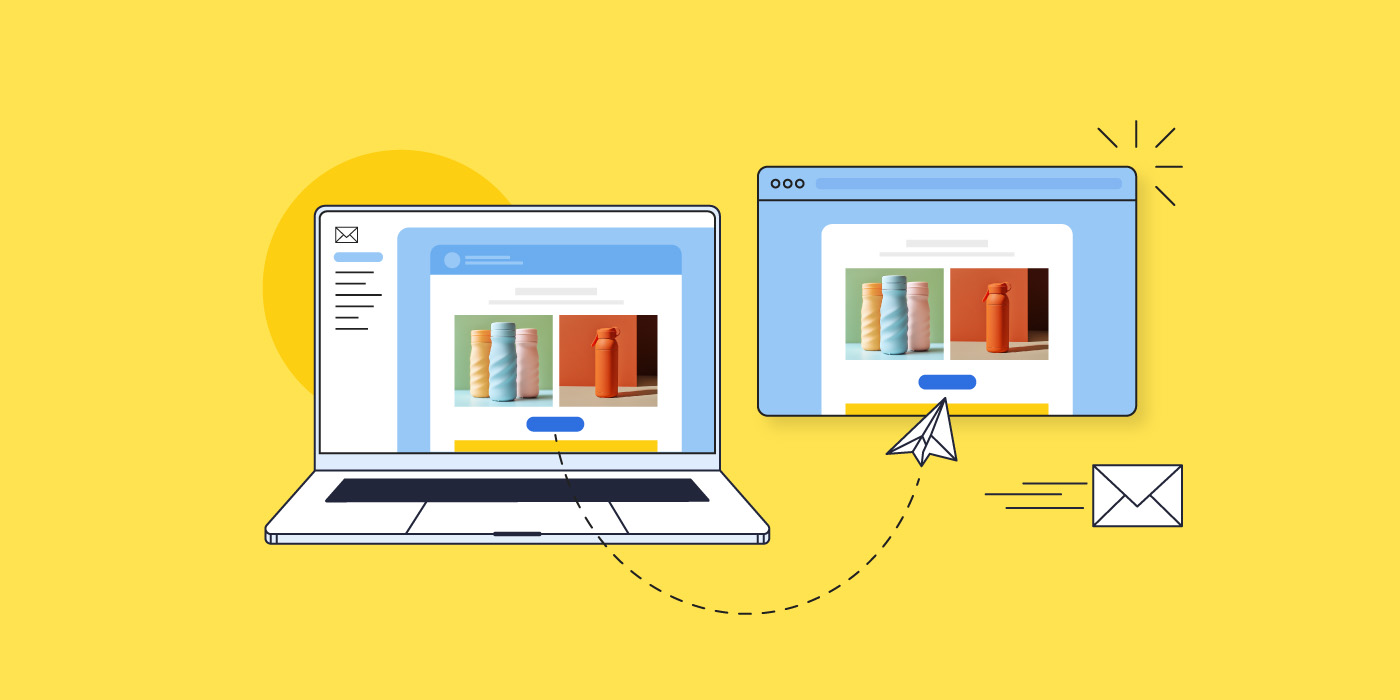
The simple explanation is that the “view this email in your browser” takes you to a browser version of the email you’re reading. That is, it’s hyperlinked text that takes you out of your email inbox, and into a separate website browser, where you can see the email laid out in full. More technically speaking, it is a web-hosted version of your email, rather than just an email message living in someone’s inbox.
What is the purpose of “view this email in your browser”?
Improve accessibility
Accessibility is an important component of email marketing – that is, all content should be made accessible and viewable for all types of viewers (such as people with visual impairment). But not all email service providers can process and transmit your email information optimally for all audiences. With an alternative viewing option for your email campaign, those keen to consume your content in a different way can more easily use assistive technology (such as screen reader tools) regardless of their email client.
Address email formatting issues
You can send yourself and colleagues loads of test emails to double check formatting and image loading, but at the end of the day, it’s impossible to know how your email will appear on every mobile device and via every email client. Some recipients might even have image loading turned off, thus blocking graphics and hyperlinked images. By including a web browser version of your email, you give subscribers the ability to view your email outside their inbox, and therefore have access to the accurate, full version of your email, and with no rendering issues.
Aid in viewing content- or image-heavy emails
Some emails may be particularly image heavy, or perhaps include animations or other visuals that take longer to load via certain email providers or on different devices. This can result in unviewable content, which will not only impact reader experience, but it will negatively impact your message. Some users might even get so annoyed that they end up flagging your content so that your emails go to spam. Clicking on the “view this email in your browser” allows recipients to exit to the web, where your full email content can load more easily.
Enable sharing & reach a broader audience
By having a web browser version of your email, you make it shareable. That is, if a subscriber clicks on the “view this email in your browser” link, they can then copy that link and share it with others, allowing you to reach a broader audience.
How to leverage the “view this email in your browser” link
As we’ve discussed, the beauty of the web browser link is that it makes your emails accessible beyond just a recipient’s inbox. This allows the information to reach more people, and it also means you can refer to and use past content going forward.
This is all fine and well, but you might be wondering how exactly to tap into this apparent potential. Here are a few creative ways to do so:
Take advantage of social sharing
As we discussed above, having a linkable version of your email allows for sharing, and thus gives your business more ways to reach more people. Here are a couple of ideas to leverage sharing:
Share emails via social media and in your social profiles: If you have an email newsletter that contains particularly pertinent information, you might wish to share it via social media and/or include it as a link in your social profiles (for example, as one of your shared links on Instagram). This is also a great way to reach an audience that is already interested in your brand, but maybe hasn’t yet signed up for your emails.
Promote content sharing: Maybe you’re running a contest, or perhaps you’ve published research that is relevant to a wider audience – users may be keen to share your email about this via social media. Consider embedding the link as a call to action in your email in order to motivate social sharing. Examples include: “Click here to share `this information via social” or “Click here for a shareable link.”
Pro tip: Include a subscription sign-up link in the web browser version of your email so that interested readers can easily sign up for your emails, and you can build your email list.
Encourage bookmarking
Let’s say you share recipes via your emails, or maybe how-tos, or just any kind of information that readers might want to refer back to later – by having a web browser version of your email, readers can bookmark the information you’ve sent. And again, not only do they have the ability to do this by clicking on the “view this email in your browser” link, but you can also embed this link in your email as a call to action (such as, “bookmark this recipe now”) so that your subscribers know that they can save it for later.
Make use of past content
Web browser versions of your emails enable easy access to previously sent messages, allowing you to benefit indefinitely from past email content. Here are a couple ways ways to take advantage of this:
Create a searchable content hub: you may wish to include an archive of your old newsletters on your website. In doing so, you can even create a searchable content hub so that users have access to a knowledge base of your earlier emails.
Link to past content: Perhaps you are writing a new blog post, or are selling a product for which an old newsletter’s information might be helpful – you can simply link to it!
Pro tip: Need assistance crafting emails that resonate and are worth linking back to? Worry not. Read up on it in our article about writing marketing emails.
How “view this email in your browser” appears in emails
Header
You may find that in some emails the “view this email in your browser” link shows up in the white space in the email header. Some prefer to use this unused area to make the link readily available from the start, thus avoiding any reader frustration.
Footer
That said, most opt for the footer, as this is where important information unrelated to the email’s content is located. For example, in the footer, you’ll usually find the business’s address, as well as links to unsubscribe, and read terms and policies. The footer is also optimal because placing the link in the header can be distracting, and can negatively impact design and branding.
Within body text
This would likely only be advisable if, as we mentioned above, you want to provide a call to action of sorts – to bookmark the email, or perhaps share it. Either way, the link should also be included in either the header or footer, as this is where people expect to find it – and it will create reader frustration if it’s buried in your email’s body content.
Using “view this email in your browser” with SiteGround Email Marketing
The benefits are built-in
Because we at SiteGround like to make things easy for our email marketing users, we implement best practices, and automate the whole process for you. This includes the following steps:
The “view this email in your browser” link is automatically placed in the email footer, where it’s least distracting, and where users expect to find it.
The link goes to an already-designed web version of your email.
The web version includes a link at the top to “subscribe,” which directs to an already-designed subscription page.
How to implement it
Adding this feature to your emails couldn’t be easier: just enable it, create your emails as usual, and send! Here’s how the process gets set in motion:
Turn it on by navigating to the Email Builder > Design > Footer > “Show browser preview option” > toggle it on.
A web version is generated after sending or scheduling, and the link is accessible via the send/schedule confirmation page, or via the Email Marketing Dashboard.
Edit the subscription page if you wish by visiting Groups > Contacts > Subscribe Page. (Each subscriber added via the subscription form will be added to this Group.)
Pro tip: If you wish to use the “view this email in your browser” link as a call to action within the email itself, just schedule your unfinished email for a later date, and then copy the shareable link from the scheduling confirmation. Then return to editing your email (which, importantly, will disable your scheduled send).
Track its results
You can track each web version’s engagement by visiting the individual campaign in your Analytics. Here you will be able to see the following statistics:
Unique Visitors tells you how many unique visitors arrived at the email campaign’s webpage and viewed it.
Unique Clicks represents the number of unique visitors that clicked on any link in the web version of your email.
New Subscribers reveals the number of contacts that have subscribed to your mailing list via the web version of your email.
This simple feature is super easy to add, and offers loads of unexpected benefits. Not only does it permit an improved user experience, but it provides your business with many ways to leverage past content, reach a larger audience, and continue to build your list. Toggle it on today, and start getting creative with the different ways you can take advantage of its easy-to-add inclusion in your email marketing.
Finding potential customers and turning them into paying customers is the ultimate marketing challenge. But there is, in fact, a solution that solves this problem like no other, and that’s email lead generation. It’s a key component of any business growth strategy, offering a steady stream of strategic, cost-effective growth.
And it doesn’t have to be hard to do! In this guide, we’ll explore all things email lead generation, and provide actionable tips for small business owners looking to harness its power.
What is Email Lead Generation?
Email lead generation entails enticing potential customers to join your email list – these people become your leads. This lead generation process typically involves collecting names and email addresses through an opt-in form, and by offering something of value in return. Once you have their contact information, you can build relationships by sending targeted content that converts leads into paying customers.
(Before we really get started: if you’re new to email marketing and would like to learn more about the basics, please check out our comprehensive guide on what email marketing is and how to get started.)
What Are The Benefits of Email Lead Generation?
While an email lead generation campaign may seem like a pretty straight-forward concept, its benefits are much more far reaching. They include:
Attract Clients Automatically: With just a sign-up form, you can attract a steady stream of potential customers. This automation works around the clock so that you can capture leads without any extra effort.
Save Money on Marketing: Once you’ve set up your opt-in form or lead magnet, the costs primarily involve maintaining your email list and creating content, both of which are minimal compared to traditional advertising expenses.
Reach Interested Customers: Because your target audience includes those who’ve already shown interest in your products or services, your marketing dollars are more likely to result in actual sales, providing an exceptionally high return on investment (ROI).
Increase Your Sales: Guiding leads through your sales funnel with targeted email marketing campaigns allows you to turn prospects into paying customers.
How to Generate Email Leads?
Now that we’re all on the same page about the importance of email lead generation, let’s dive into the different ways you can attract new sales leads.
1. Add a Sign-Up Form to Your Website
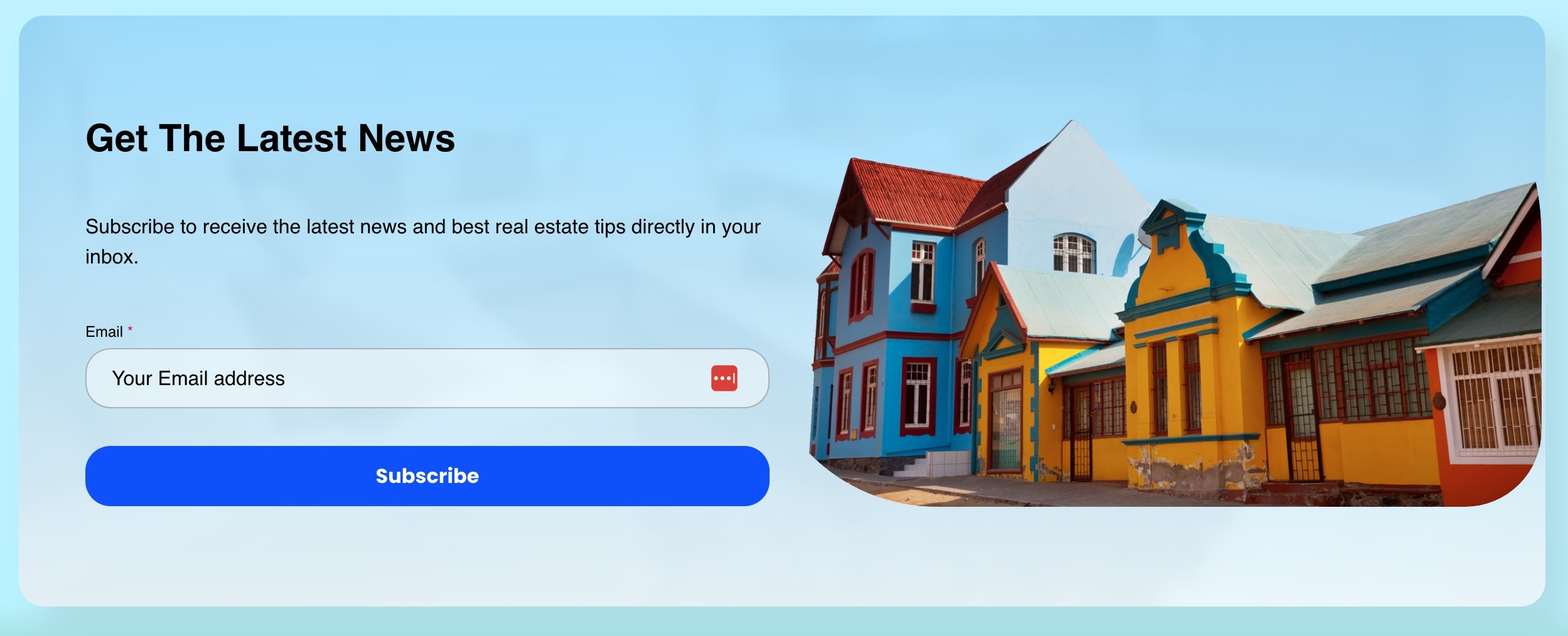
Online sign-up forms are the go-to way to start gathering subscriber email addresses for your list. By collecting the emails of those that want to hear more from you – about products, services, promotions and more – you can build a list of potential customers that can be turned into loyal customers over time.
Best practices for creating effective lead generation forms include:
Use an eye-catching design that aligns with your brand’s visual style and personality.
Keep the copy persuasive but straightforward. Clearly communicate the benefits and incentives of signing up.
Make sure the value you offer is relevant to your business and products so that subscribers genuinely want to build and continue a relationship with you.
Consider offering a sign-up incentive, such as a discount.
Embed forms in the footer, as a page-break, in blog posts, or by using slide-in animations after a short delay.
Limit form fields to only the most essential information, ideally just email and perhaps first name. Conversion rates drop with each added field.
A particularly effective method for gathering email addresses is with a lead magnet. This typically comes in the form of a free resource, such as a digital product (ebooks, research reports, mini-courses, etc) that you provide in exchange for an email address. This type of content is ideal because it requires a one-time effort to produce, and can generate leads over time, thus offering a high return on investment.
The primary purpose of a lead magnet is, of course, to collect email addresses, but it’s important not to give away all your valuable information for free. So when creating a lead magnet, aim to provide more value than your free content but less than what you offer in your paid products. Consider what your potential customers are looking for when they first land on your site, identify their pain points, and provide solutions.
By way of example, check out our free email marketing course. This is a SiteGround lead magnet, and follows the principles we’ve discussed above.
3. Use Web Views to Promote Your Emails
A web view is a version of your email that can be seen in a web browser. It’s particularly useful for sharing your content with a broader audience beyond those that are signed up for your email list.
You can implement this feature in the following ways:
Make past newsletters viewable by website visitors by embedding links to them on your site
Via each of these channels, be sure to include a clear call to action to sign up for your emails so that those intrigued by your content can opt in to receive more.
4. Ask Your Subscribers To Share Your Email
Never hesitate to ask for a little help! Reach a wider audience by encouraging current subscribers to share your emails with friends, family, or social networks. In doing so, you’re tapping into a highly effective email marketing strategy, as people tend to trust recommendations from those they know.
You can easily encourage this kind of sharing by embedding a sign-up link in your emails. This link can direct to a landing page with a sign-up form, where you can highlight the benefits of subscribing. You can also incentivize sharing by offering rewards (such as a discount) to those who make referrals.
5. Promote Sign-ups with QR Codes
QR codes are a powerful tool for small businesses to grow their email lists. With just a smartphone, users can scan the QR code and instantly go to a landing page with a sign-up form, and possibly a special offer. Consider using create QR codes for free with Adobe Express to place codes on posters, business cards, promotional materials, and elsewhere.
How to Design Successful Lead Generation Emails
You’ve got the leads, and now we must keep them engaged and moving through your sales funnel. As such, it’s important to write and design your emails for maximum impact. Here’s how you can craft compelling lead generation emails that capture attention and drive conversions.
1. Write Attention-Grabbing Subject Lines
To create captivating subject lines, focus on understanding and addressing your audience’s pain points, needs, and interests. Incorporate actionable language and a sense of urgency to prompt immediate interaction. Keep your subject lines concise, ideally under 50 characters, to ensure visibility on most email clients and mobile devices.
2. Short Writing for Reader Engagement
To maximize reader interest, keep your emails to-the-point and engaging. Short paragraphs, bullet points, and clear, direct language make your emails easily digestible, especially on mobile devices where most emails are opened. Need help crafting your content? Turn to AI. Our blog post on how to write AI email prompts that boost engagement offers valuable tips and examples to help you take advantage of the power of AI.
3. Use Images
Given that images are processed much faster than text, relevant visuals can quickly and effectively convey your message, making your emails more appealing and easier for leads to understand.
4. Offer Valuable Content
By offering your leads useful content that solves problems and provides insights, you nurture them through your sales funnel. This keeps them interested, positions your brand as a trusted authority, and aids in the process of converting leads into loyal customers.
Here’s what to keep in mind to help you provide especially valuable content:
Tailor your content by audience: Use insights from lead segmentation (which we’ll discuss more about shortly) to address your leads’ specific interests. For example, if a lead downloaded an ebook on SEO, follow up with emails that offer advanced SEO tips, industry trends, and related case studies.
Consistent Quality – Maintain a high standard of quality across all your content. Whether it’s a detailed guide, a success story, or a simple tip, ensure it is well-researched, well-written, and provides clear value.
5. Add Strong & Strategic Calls to Action
To effectively convert leads, your emails must include strong, strategically placed calls to action (CTAs). Use action-oriented words like “attend,” “download,” “register,” “read,” and “try now” to guide your leads toward the next step.
Not sure how best to place the CTA or design your email? Email marketing platforms like SiteGround offer ready-made templates that implement design best practices aimed to grasp interest and motivate action. You can learn more about strategic email designs via our guide on easy-to-design templates.
Email Campaign Examples that Turn Leads into Sales
With email creation mastered, the next important step is to strategically move leads through your sales funnel. To do this, you’ll want to create a customer journey, welcoming them first, and then thoughtfully offering valuable and diverse content that nudges them closer and closer to a sale. Here are sample email topics that you may wish to include in your lead-nurturing process.
Welcome Email
Welcome emails are essential in a lead generation campaign, marking the initial interaction between your brand and new subscribers.
Key Elements of a Welcome email:
Introduction: Clearly introduce who you are and what your business does.
Value Proposition: Highlight what makes your brand unique and what value your content will bring to their inbox.
Expectations: Explain what kind of content subscribers can expect, how often they’ll hear from you, and any other relevant details.
CTA: Encourage new subscribers to connect further by linking to your social media, website, or landing page for digital products.
Educational Email
Educational emails offer practical solutions and insights related to your product or service, and play a key role in guiding leads through the sales funnel. In doing so, you position your brand as a trusted authority and resource, building credibility and keeping subscribers engaged.
Key Elements of an Educational Email:
Problem Identification: Start by identifying a common problem your audience faces.
Solution Offering: Offer practical advice, tips, or solutions to address this problem.
Resources: Link to additional resources like blog posts, eBooks, or webinars for more in-depth information.
Product or Service Explainers
These emails provide detailed information about your offerings, highlighting how to solve specific problems or improve the lives of your subscribers. This generates more value for your product or services, fosters trust, drives conversions, and creates loyal customers that come back for more.
Key Elements of a Product or Service Explainer Email:
Feature Highlight: Focus on one or two key features of your product or service.
Benefit Explanation: Explain how these features solve specific problems or improve the user’s life.
Visuals: Use images, videos, or infographics to make the explanation more engaging.
Testimonial: Include a short testimonial from a satisfied customer to add credibility.
Product or Service Updates
Update emails keep your potential clients informed about new features, improvements, or changes to your offerings, ensuring they stay current with the latest developments. By regularly communicating updates, you reinforce the value of your products or services and remind your leads why they should consider becoming customers. You can also re-engage inactive leads by keeping your services top of mind.
Key Elements of Product or Service Update Email:
Update Announcement: Clearly announce the new feature or product.
Benefits Overview: Explain the benefits and how they enhance the user experience.
Usage Tips: Provide tips on how to get the most out of the new feature.
CTA: Encourage users to try out the new feature or learn more about the update.
Social Proof
These emails leverage the experiences and testimonials of existing customers to validate your products or services, making them more appealing to potential customers.
Key Elements of a Social Proof Email:
Testimonials: Include quotes from satisfied customers.
Case Studies: Share detailed stories of how your product or service solved specific problems.
Reviews: Link to third-party reviews or ratings.
Social Media: Embed social media posts where customers talk about your product.
Discounts
Discount emails are highly effective, as they provide an immediate incentive for potential customers to make a purchase. By offering discounts, you create a sense of urgency and exclusivity, encouraging leads to act quickly.
Key Elements of a Discount Email:
Personalization: Address the lead by name and reference their past interactions or interests.
Offer Details: Clearly state the discount or special offer.
Urgency: Create a sense of urgency with limited-time offers.
CTA: Encourage immediate action to take advantage of the deal.
Email Lead Generation Best Practices
Now that we’ve covered how to effectively generate leads and craft compelling email content, let’s explore some essential best practices to maximize your email lead generation success.
1. Leverage Email Automation
As we’ve just discussed, sending different types of emails can help move your leads through your sales funnel. A great way to put this into place is to automate the process. That is, depending on how your lead was acquired – whether they signed up for a newsletter, downloaded an ebook, or joined a webinar – you can create tailored email journeys, during which a sequential flow of emails is sent to those subscribers. The purpose of an automated email journey is to nurture your leads, build trust and credibility over time, and eventually lead to conversions.
2. Infuse branding
An essential tool in any marketing toolbox is branding, and it’s something you should definitely keep in mind as you craft your content. By transmitting a consistent voice, look and feel, you can build brand loyalty. To put this into action, when you produce emails, consider creating and saving templates that feature your branding, including colors and other brand elements.
3. Segment Your Leads
Lead segmentation entails dividing your list of potential customers into smaller groups based on their activities, actions or characteristics. By segmenting your audience, you can send more personalized and targeted messages, thus speaking to their particular needs and interests, and more effectively moving them through your sales funnel.
Consider segmenting your audience based on sign-up form location, type of lead magnet, level of email engagement, purchase behavior, location, industry and/or job title. Get as creative as you’d like with segmentation criteria, then target your messages accordingly, and test your results.
4. Conduct A/B Tests
To get the most out of your email lead generation strategy and keep improving your approach, it’s important to do A/B testing. This involves sending slightly modified versions of an email to different groups of your subscribers to see which version performs best.
You can test every component of your emails to find the optimal combination that drives engagement and conversions – but do keep in mind: you should only test one variation at a time. Here are some important elements to consider:
Subject Lines: Test different subject lines to see which ones increase open rates. Experiment with length, tone, urgency, and personalization.
Images: Experiment with the size, type, and placement of images to see what enhances interaction.
Design and Layout: Vary the overall design – such as single-column versus multi-column, or even different color schemes – to find out what is most visually appealing and easy to navigate. To learn more about using colors effectively in email marketing, check out our helpful blog post – The Importance & Impact of Colors in Email Marketing.
CTA Buttons: Test different call-to-action buttons, including their text, color, size, and placement.
After a few rounds of A/B tests, you will have a better understanding of which elements perform best. Continuously applying these insights will help you create more effective email marketing campaigns, leading to higher engagement and conversion rates.
5. Don’t Use a No-Reply Address
Using an email other than a no-reply address can benefit your email success. Indeed, the more personalized nature of a proper email address encourages interaction and builds trust. It can also improve deliverability, as emails from no-reply addresses are more likely to be marked as spam by email providers. (You can learn more about landing your emails in inboxes by reading our guide on ensuring high email deliverability.)
6. Maintain Email List Hygiene
Over time, your email list will accumulate leads who are no longer active or engaged. As such, it’s important to regularly clean your list through a process called email scrubbing to remove such leads. This will improve engagement rates, email deliverability, and allow for more accurate performance metrics. That’s because you’re weeding out low-quality leads, and also reducing the chances of your emails landing in spam.
Practical Tips for Email Lead Scrubbing
Set a Regular Schedule: Aim to clean up your email list every three to six months.
Identify Inactive Leads: Look for leads who haven’t opened or clicked on your emails in the last six months to a year.
Send Re-Engagement Campaigns: Before removing inactive leads, send a re-engagement email offering an easy way to confirm their interest.
Remove Unresponsive Leads: If inactive leads don’t respond within two weeks, move them to an inactive list, and eventually remove them from your list altogether.
Monitor Your Metrics: Regularly check your email metrics such as open rates, click-through rates, and unsubscribe rates. If you notice a sudden drop in engagement or increase in unsubscribes, it might be time for another cleanup.
Close the loop on your email lead generation efforts by tracking your success. Here are the key components you’ll want to keep an eye on:
Count Your Email Leads – Track how many potential leads you attract, such as those who sign up for your newsletter, download an ebook, or register for a webinar. Ensure you separate these new leads from existing clients to keep your data accurate.
Track Conversions to Clients – Next, track how many of these email leads actually become paying customers. This shows how effective your email marketing campaigns are at attracting the right people.
Measure Cost Per Lead (CPL) – Look at how much you’re spending to get each email lead. Do this by adding up all related expenses, including email marketing platform costs, content creation, distribution costs, lead magnet production, advertising, and any overheads. Then, divide the total cost of your email campaigns by the number of leads you acquired. Lower costs mean more efficient spending.
What’s Next
Email lead generation stands as a powerful strategy to connect with potential clients and grow your business. By leveraging the direct and personal nature of email marketing, you can build and nurture relationships with new prospects, guiding them through the sales funnel and converting them into loyal customers.
To do this, you will need a powerful email marketing platform, and SiteGround Email Marketing is the perfect partner. Create and send professional campaigns, manage your subscriber lists, and track your results with ease. Our tool includes its own Lead Generation Plugin for WordPress, but also integrates seamlessly with popular WordPress forms like WPForms, Elementor Pro Forms, and Contact Form 7, making it even easier to capture and nurture leads directly from your website. Discover the power of simple, effective email marketing today.
Are you puzzled by low open rates, unexplained spam complaints, or high bounce rates during your email campaigns? The solution might be simpler than you think: the implementation of a double opt-in process.
In this post, we’ll explore how this powerful feature can improve your email list quality, increase engagement, and skyrocket your marketing results.
What is a double opt-in?
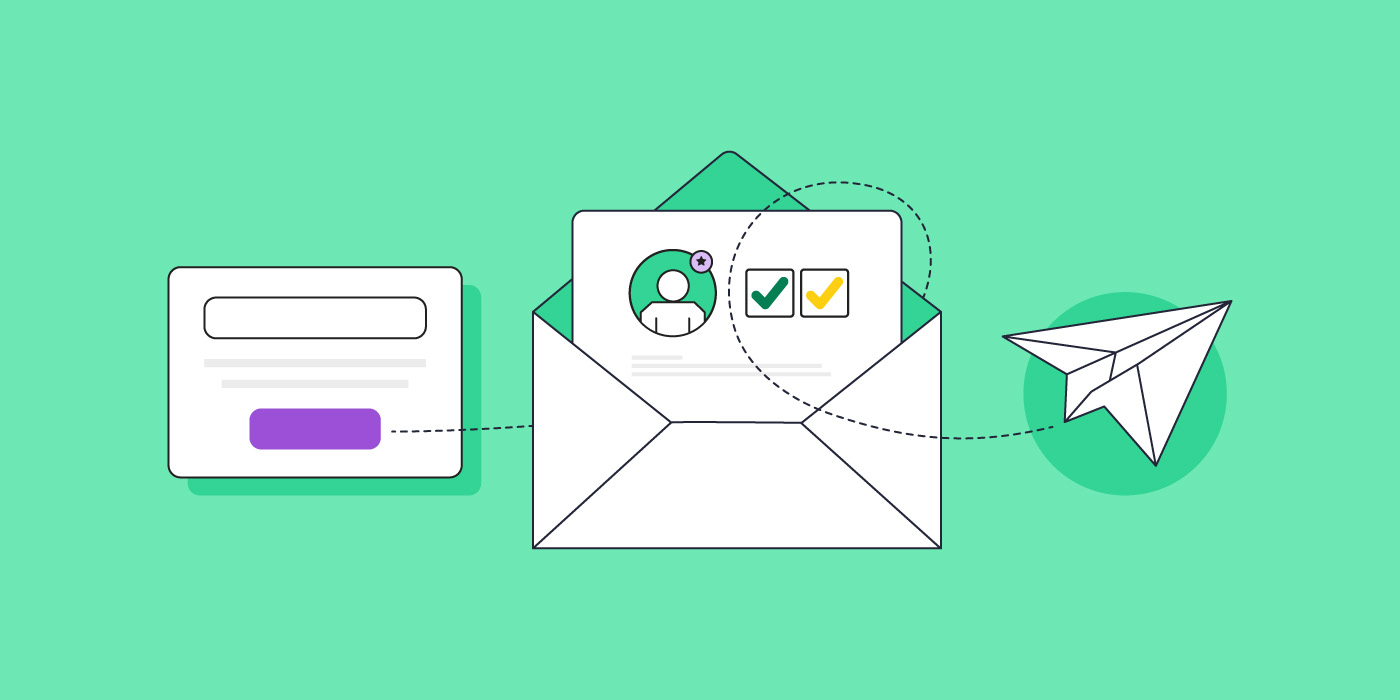
A double opt-in is a two-step process for adding new subscribers to your email list. Here’s how it works:
Step 1: A potential subscriber fills out a sign-up form (single opt-in).
Step 2: They receive a confirmation message via email and must click a link to verify their subscription (double opt-in).
Step 3: The subscriber is sent to a confirmation page, and added to your list.
What’s the difference between a double opt-in & single opt-in?
More precisely, a single opt-in represents a subscription confirmation in its simplest form (literally!): the potential subscriber fills out a form by providing their email, hits submit, and voila, they’re on the email list.
A double opt-in, on the other hand, starts with this same first step, but with an additional step during which the potential subscriber must then validate their subscription via a confirmation email.
The single opt-in is of course simpler and can initially help a list grow more quickly. But, as we’ll discuss, the long-term benefits of a double opt-in may outweigh the initial excitement of quick list growth.
Why you need a double opt-in
You might think: if people sign up to receive my emails, isn’t that enough? Not necessarily. While a single opt-in can grow your list quickly, a double opt-in ensures that list is composed of a high-quality, engaged audience. Additionally, having a double opt-in plays a crucial part in maintaining a good sender reputation and ensuring good email deliverability.
This is because, as we’ll discuss in more detail shortly, by requiring that people confirm subscription via their email address, you reduce the amount of incorrect email addresses, as well as bogus ones (added by bots). Doing so means your emails are more likely to reach those that want to hear from you, and less likely to go to spam.
What are the advantages of a double opt-in?
Promotes a high-quality subscriber list
As we’ve mentioned, while a single opt-in can help you grow your list quickly, it’s not the best way to ensure a high-quality list of subscribers. That’s because, when subscribers have to confirm their subscription for you, they’re actually doing you a big favor: they are letting you know that they are indeed very interested! And you want your list to be composed of people that are legitimately engaged in what you have to say.
Reduces number of emails going to spam
The converse of this is that if people are only sort-of interested, or not interested at all, they are more likely to mark your email as spam. Given their lack of engagement, they may carelessly mark your emails as spam, which can negatively impact your sender reputation, and relegate your emails to the spam folders of even your more-interested subscribers.
Another critical advantage is that it weeds out invalid or fake email addresses. If these kinds of emails get added to your list, it’s likely you’ll have a much larger email bounce rate and, again, your sender reputation drops, and your emails go straight to spam.
Keeps you compliant
While not universally required by law, the double opt-in can help you stay compliant with international regulations such as GDPR and CAN-SPAM. That’s because these laws require clear evidence of subscriber consent, and the double opt-in makes this easy to prove.
Makes list maintenance easier
Along these same lines, by filtering out invalid emails and incorrectly spelled emails (simply made by subscriber error), you save yourself time when it comes to managing your list. Indeed an important part of building your email list is doing regular list housekeeping once every three to six months to remove bounced or inactive email addresses (i.e. those less-interested subscribers).
The good news here is that a solid email marketing platform can do much of this legwork for you by flagging bounced emails, and allowing you to easily track user engagement.
When to use double opt-in
The answer here is simple: if you want to ensure a high-quality email list, then it’s always a good time to implement a double opt-in. But its benefits are especially important in the following scenarios:
If you’ve struggled with hard bounces and spam: Perhaps you have, for one reason or another, had trouble with past emails bouncing or getting marked as spam. By implementing a double opt-in, you can get your email list and email sending back on track by weeding out incoming fake or invalid emails, as well as unengaged users who lightheartedly mark your emails as spam.
When you’re seeking more targeted leads: If you don’t want to waste time with sort-of interest subscribers, then adding the second confirmation will help to capture only those that are genuinely interested. To ensure the most quality leads, it’s essential that your email sign-up form is very clear about the value to be provided upon signing up.
How to set up a double opt-in
Setting up a double opt-in should be straight forward in most email marketing platforms. With SiteGround Email Marketing platform, for example, you simply go to a group you’ve created (or create a new group) and turn on the double opt-in feature.
During this process, would-be subscribers will sign up via your online form (your first opt-in), and then receive a confirmation email. Once they click the email’s confirmation link – your double opt-in – they will be redirected to a “thank you” page, and added to your subscriber list.
When you enable SiteGround’s double opt-in feature, all of the above is automatically done for you so that you don’t have to worry about a thing.
How to ensure people double opt-in
Setting and forgetting about your double opt-in is not the best plan. You’ll want to make sure that hopeful subscribers actually complete that second opt-in. With that in mind, here are several ways to make certain subscribers follow through.
Set expectations
Double opt-in success starts with the initial sign-up. Make sure that, when customers complete the first step of the sign-up process via your online form, you also let them know that they should keep an eye out for a confirmation email to verify their subscription.
Entice potential subscribers to sign up
Sign-up forms are basically a mini sales pitch, so get right to the point by offering hard-to-pass-on value that entices potential subscribers to sign up and follow through with confirmation. Be clear about what they’ll get from their subscription – this could include deals, resources, unique insight, a specific incentive, or any number of other benefits.
Use a subject line that communicates action is needed
Follow the initial heads-up in your sign-up form with an email that has a clear subject line that re-emphasizes that confirmation is needed. SiteGround already does this for you, communicating that action is required for the subscription to be confirmed.
Keep email content simple and focused on action
Just as every other step in this process, make this step as easy as possible. Keep the confirmation email content brief and focused by making sure it’s obvious that confirmation is required, and that there’s an unmissable confirmation button or link. Thankfully, SiteGround automatically implements this so that you don’t have to worry about doing so yourself.
If you’d like insight about crafting future content, though, we’ve put together this guide to help you write marketing emails.
Measure double opt-in success
The true proof of double opt-in success rests in your metrics. Here are the stats you should keep an eye on, and what to look for:
Open rates and click-through rates: Given subscribers’ greater interest, you should notice an increased percentage of people opening your marketing emails, and clicking through on your calls to action.
Unsubscribes and spam complaints: Conversely, since readers were very intentional about signing up, they are less likely to find your content unworthy of their inboxes. Expect these rates to go down.
Bounce rates: Fewer invalid or inactive emails means better inbox delivery. Expect your bounce rates to reduce, and, as such, your sender reputation to improve.
Overall engagement: From email receipt to website purchase, you should find that subscriber engagement goes up across the board.
Invest in quality for long-term success
Implementing a double opt-in process might seem like an extra step, but it’s an investment in long-term success, and an important part of what email marketing is. By ensuring your list is filled with engaged, interested subscribers, you’ll see improved open rates, higher click-throughs, and, ultimately, better results from your email campaigns.
Remember, having a successful email marketing strategyisn’t just about the size of your list – it’s about the quality of your connections. The double opt-in helps you build a list of subscribers who truly want to hear from you, setting the stage for meaningful connection and lasting business relationships.
Double Opt-in FAQ
Won’t I lose potential subscribers?
While you may see a slight decrease in initial sign-ups, the subscribers you do gain will be more engaged and valuable in the long run. Your bounce rates should also go down, increasing the likelihood of successful email delivery.
Is it complicated to set up a double opt-in?
Not at all. Usually it’s as easy as turning on the double opt-in feature. Some platforms (such as SiteGround email marketing) even offer built-in, double opt-in features – like pre-determined emails, email copy and subject lines that implement best practices and make setup easy.
Is a double opt-in required by law?
While regulatory compliance laws vary from country to country, the double opt-in isn’t a standard requirement. That said, it can help you to be more compliant. This is because regulations such as CAN-SPAM and GDPR, which cover the USA and Europe, respectively, require clear consent (opt-in) by subscribers. To accomplish this, you as the sender must be able to provide proof of subscriber opt-in (at least once), and having a double opt-in makes this easier to do.