How to Boost Your Black Friday Ecommerce Sales

Black Friday ecommerce

Statistics show that Black Friday Ecommerce sales crossed $9.8 billion in 2023, which is $680 million more than in 2022, when the recorded sales were $9.12 billion. What is more, data analysts note that 2024 is expected to generate even more than $9.8 billion in online sales for Black Friday.

With the number of online purchases rapidly increasing over the past few years, it’s expected that even more people will shop online this year.

Prepare your e-store: 15 Black Friday strategies for retailers

As a business owner, you want to make the most out of the peak shopping season. If you’re still wondering how to prepare for Black Friday ecommerce sales, worry no more: We’ve got you covered with 15 Black Friday ecommerce tips that will help you drive more online sales during the year’s most important shopping season.

Let’s explore our step-by-step guide on how to build your Black Friday Ecommerce strategy:

1. Plan ahead

This year, Black Friday begins on Friday, November 29, and continues until Cyber Monday, December 2. It might seem there’s still plenty of time, but given the fact that many retailers start promoting sales earlier and earlier (e.g. beginning of November or even late October!). The shopping season is in fact just around the corner. That’s why it’s essential to plan well in advance, which means getting started as soon as possible.

Begin by researching Black Friday best practices that other retailers have implemented in the past few years. Analyze and decide which work with your own master plan for Black Friday, then tweak and twist them to make them fit your business needs. Here are some popular Black Friday campaigns that went viral, which can serve as inspiration as you get started.

Now that you’ve checked out what your main competitors have been doing, go ahead and build upon that, make it better, more relevant to your business, and more successful.

Dig deeper and brainstorm fresh Black Friday ideas that you can even A/B test beforehand so that when the time comes, you can apply your takeaways to your actual campaign.

Create a coordinated content strategy throughout all your channels, such as your website, social media platforms, and email campaigns. Think of relevant content for each of these channels, as well as the timing for rolling everything out.

To help you attract even more online sales for Black Friday, we’ve compiled a downloadable guide with actionable steps to follow during the whole Black Friday season.

[bf_prep_checklist_download]

2. Make sure your website can handle the increased web traffic

If you’ve completed step #1 correctly, you can expect lots of traffic to your online store during Black Friday. This raises the next logical question: whether your website is ready to handle all that traffic.

Traffic spikes can consume large amounts of bandwidth, potentially exceeding your hosting plan’s limits or causing network congestion, resulting in slower data transfer rates. This can lead to slower processing times or even crashes.

As the server struggles to process requests, the time it takes to load pages may increase dramatically.

If the server cannot handle the load, it may start returning errors like 500 Internal Server Errors, or requests may time out entirely, leading to broken pages and failed transactions.

Needless to say, if your site slows down or breaks completely due to the traffic spike, you will lose sales.

As an ecommerce website owner, you need to make sure that your online store loads as fast as possible for your visitors, and that it’s reliable.

Here are a few things you can do to optimize your web pages’ loading speed:

  • Use a caching technology

Caching is one of the most powerful tools to speed up your website, especially during traffic peaks. It stores copies of your files and data in the server memory, allowing multiple users to access them faster.

  • Enable a content delivery network (CDN)

A CDN is a tool that speeds up your website when you have international traffic to your website from multiple countries and continents. It will cache your website content, distribute it over different data centers around the world, and deliver your site content from the server closest to the visitor.

  • Leverage image compression

Having a large number of images that are also heavy in size can slow down your website. Compress your images without compromising on their quality by using WebP format, which will decrease your image size by up to 85% and decrease loading times.
Learn more about how to prepare your website for Black Friday and holiday traffic.

3. Secure your website

Along with step #2, securing your website is equally important because a large part of holiday web traffic may come from bad bots. This kind of traffic can hurt your online business and reputation, leading to financial and conversion losses. Here’s what you can do to prevent it:

  • Implement CAPTCHAs

CAPTCHA is a challenge response test that can be used to determine whether the user is a human or not. That is, completing the test should be easy for humans, but difficult for a computer. For example, a human would easily identify certain objects in an image, while a bot would have a harder time guessing.

  • Use a Web Application Firewall (WAF)

A WAF is a security solution that is designed to protect web applications by monitoring and filtering the traffic between a web application and the Internet. It then blocks requests that are in violation of certain predefined security rules.
Learn more about how to avoid bad bot traffic during Black Friday.

4. Refine your product descriptions

Product descriptions usually include a title, price, product detail, tags, meta title, and meta description. They are one of the first things your visitors will be looking at. That’s why they need to be informative and engaging in order to stimulate your visitors to buy. To help you achieve that, we’ve prepared a few, easy-to-follow tips:

  • Mention features and explain how they will benefit the user and improve their life/solve their problem.
  • Use power words to trigger an emotional or psychological response to make them perform the desired action.
  • Optimize descriptions for search engines by targeting the right SEO product keywords – but remember to write for humans, not bots.
  • Make descriptions easy to scan through by using bullet points for benefits/features, and/or bold font for important information
  • Include a clear call to action (CTA) that encourages users to go to checkout.  Remember to keep it short and straight to the point.

5. Show off “happy customer” reviews

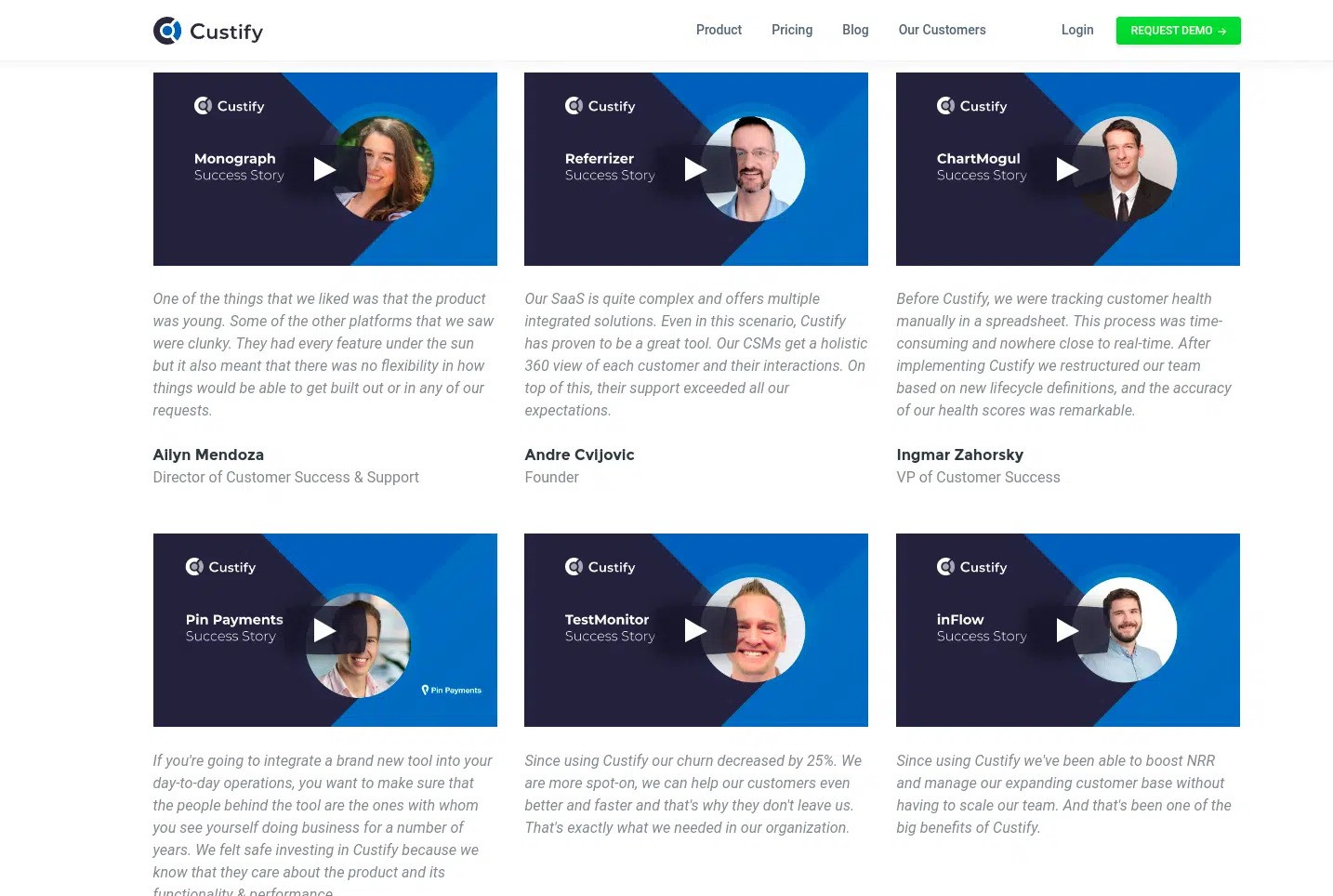
According to studies, customer reviews (along with free and fast delivery) matter the most to Black Friday shoppers. That’s why it’s super important to show your happy-customer reviews as part of your Black Friday ecommerce strategy.

For example, you can include them in a section that’s connected or linked to the specific product they’ve reviewed, or show them in a separate section with all customer reviews. Or you can prepare a few short videos with satisfied customers, where you ask them specific feedback questions.

Whatever you choose, make sure the reviews look appealing and engaging. Include stars, thumbs up, or another visual element that shows satisfaction. Also be sure that the total number of reviews is also visible, as users often prefer to reference how many customers have used the product – if there are many reviews, then the product will seem even more attractive and legitimate to them.
6. Give your biggest discounts of the year for Black Friday

One of the best Black Friday ideas for small businesses is to save your biggest discounts of the year for the Black Friday season.

Begin by researching what the average discounts for your industry are and go beyond that in order to attract more (potential) customers. Make sure that your discount stands out. This is the only time of the year when you can and should lower your prices as much as possible.

Another idea that you may consider is lowering the prices of certain categories of your products. For example, begin by promoting one of your products’ categories in early November to build up your customers’ expectations. As Black Friday approaches, include yet another category of discounted products to attract even more customers. This way, you keep your visitors engaged over a longer period of time.

7. Take advantage of special promotions

Spice up your discounts by taking advantage of special promotions. Leverage classic incentives for attracting new and returning customers, such as “free shipping”, “fast delivery”, “buy 1, get 1 free”, and the like.
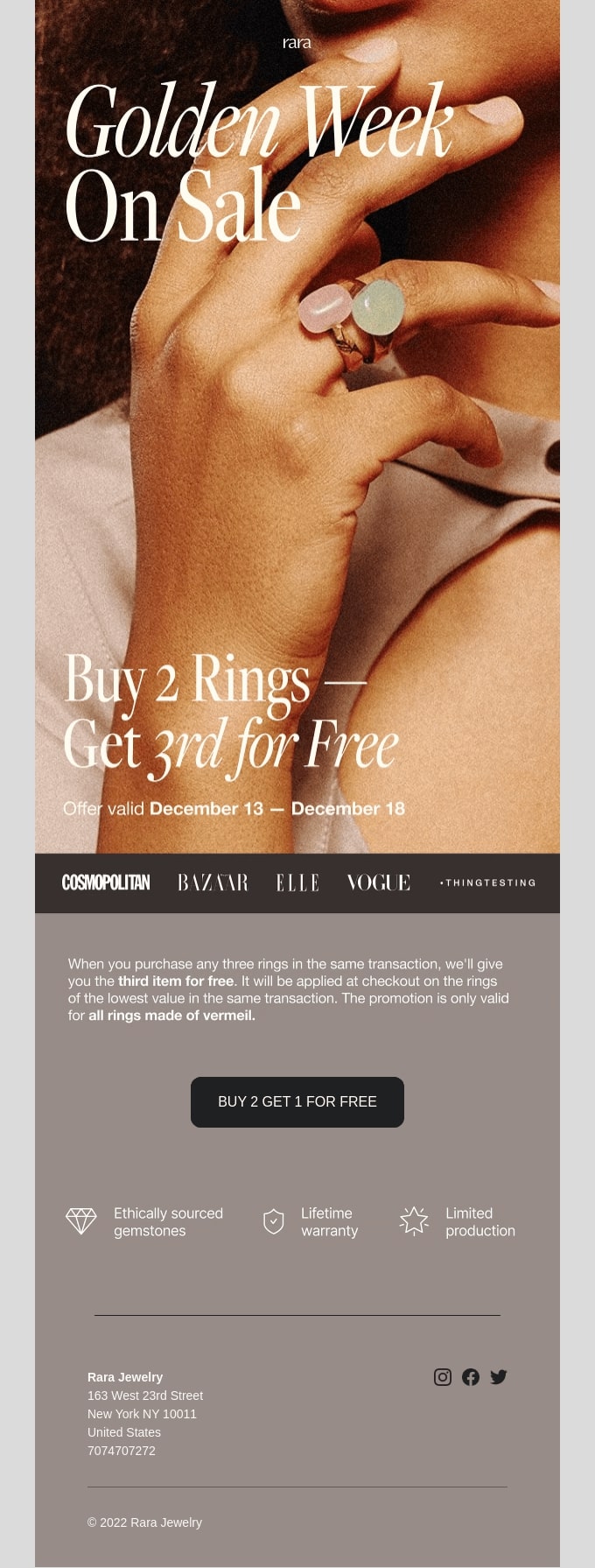
You can also create a sense of urgency among your audience by including “low in stock” labels on products that are about to be sold out. Most ecommerce platforms allow for easy product management, and automatically implement such labels when the minimum quantity (that you’ve predetermined) is reached.

[bf_prep_checklist_download]

8. Offer a variety of payment methods

Credit cards were used by 49.4% of the online shoppers making them the most used payment method for Black Friday ecommerce sales in 2023. Indeed, while credit cards may often seem like the default, we shouldn’t forget that there are other payment methods that can be leveraged during the Black Friday period. These include debit cards; PayPal; gift cards; Apple Pay; Buy Now, Pay Later; store cards; Venmo; Google Pay; even cryptocurrency. And the list goes on and on.

With such a variety of payment options out there, you wouldn’t want to miss an opportunity to close a purchase. Imagine the ready-to-buy customer that goes to checkout and they don’t see the payment method they prefer or are used to, thus deciding to leave the product.

To avoid this and similar situations, implement the most popular payment methods listed above on your checkout page.

9. Simplify your store’s checkout

The competition among retailers for Black Friday ecommerce sales is rough. But there’s also competition among buyers for the products they want to acquire from their much-desired list of items. They don’t have the time to wait on your online store. With that in mind, your store’s checkout should be as simple as possible – a one-page, one-click buying process would be best.

One way to do that is to implement a safe mobile wallet that stores each customer’s payment information. It allows them to simply review their order and buy by clicking a single button.

Another useful piece of advice is to introduce dynamic checkout buttons that allow returning customers to pay with their preferred payment method, preselected from previous purchases. You can go one step further and add such buttons on the sales/products pages in order to streamline the process.

Last but not least, have a test group go through your checkout process. Let them identify pitfalls and areas for improvement to help you make the process smoother for the Black Friday ecommerce rush.

10. Leverage automated coupons and codes

Another useful Black Friday ecommerce strategy to consider is the implementation of coupons or codes. 

Make them visible on your website, along with the discount percentage they provide. That way you’ll attract more customers. 

For example, once the ready-to-buy customer is on the sales page, have a small pop-up window with the discount code and its percentage. To activate the code, the customer simply needs to click on a CTA button. It can say anything along these lines – “apply code”, “get discount,” etc. And that’s it, the code will be applied to the final price on their checkout page.

To include such functionality, either explore the options in your ecommerce platform; look for a relevant plugin; or consult a web developer to customize the functionality to your liking.

If you’re not a fan of pop-ups, you can always place a bar at the top of your website with the same information and functionality. Once a user clicks the CTA button on the bar, the discount is applied to their cart and the bar can disappear.

11. “Save” abandoned carts

An often overlooked, but important Black Friday ecommerce strategy, is “saving” abandoned shopping carts. Keep in mind that these abandoned carts are the result of ready-to-buy customers who, for one reason or another, left their online shopping cart without making a purchase. Here are the top four tips to win back abandoned carts:

  • Enable automated push notifications on your website for returning, nearly converted users
  • Create exit pop-ups, reminding them about the discount and the unfinished purchase
  • Send re-engagement emails to encourage them to complete their purchase
  • Consider offering a bonus discount if they return and finish their purchase.

Make sure that if a visitor comes back to your website, their online shopping cart is still there waiting for them with the items they’ve put in it. All they need to do is click the checkout CTA button and pay for these items. Don’t overcomplicate the process for these visitors, because that’s probably your last chance to turn them into customers.

12. Provide strong customer support

The Black Friday ecommerce period is that time of the year when your customer support should be best prepared and organized, working at its full potential. You can’t risk a single customer writing a bad review, as it can cost you brand damage and sales losses.

You can expect more customer requests during this busy period. To avoid some of their inquiries, make sure to include or update (if needed) your sales page FAQs. Include things like shipping time, regions to which you deliver or not, return policy, etc.

You may also want to consider having more customer support team members on shifts.

The channels and hours during which they are available should be clearly stated on your site. On top of that, make the process of reaching out to your team as simple and straightforward as possible.

Next, have your customer support team undergo special training before Black Friday. In this training, you can include learning the answers to Black Friday FAQs (just in case); some admin specifics you want them to follow; shift schedules; and anything else that will streamline their work process in the upcoming weeks.

At the end of the day, your support team should be fast, efficient, helpful, and – most important, – friendly.

13. Have special savings for loyal customers

Go the extra mile for your most loyal customers. They’re the ones who are most engaged with your brand, as well as the ones who are most likely to make purchases from your business this Black Friday.

Make sure that you treat them with extra care and make them feel valued. There are a few ways to do this:

  • Send them teaser emails before Black Friday so that they know what offers to expect.
  • Include them in a customer loyalty program with special offers, rewards, or benefits.
  • Give them “early bird” access to your Black Friday deals.
  • Text them an SMS saying “Thank you,” along with a special deal.
  • Reach out to them with personalized direct messages on social media.
  • Send them a custom gift box that includes a handwritten card and discount code.

Before undertaking any personalized marketing activities, make sure that you are GDPR-compliant and these customers have given you the necessary consent to receive personal messages from your brand.

Want to go on the next level with your Black Friday ecommerce? Check out our blog for even more creative Black Friday campaigns that aren’t discounts.

14. Segment your audience for your email marketing campaigns

Ecommerce email marketing plays a crucial role for the success of your Black Friday ecommerce endeavors.

Segmenting your audience is the most important step in your email marketing campaigns. You can divide them into different groups based on various factors, such as their past purchasing behavior. For example, if you identify a group that has previously bought earrings from your online store, you can use the cross-selling technique, where you send an email recommending a matching necklace. Similarly, by identifying a group of people that are on your basic subscription plan, you can send them a promotional upsell email, telling them the advantages of your premium plan. 

PRO TIP: Plan your Black Friday email campaigns strategically and well in advance:

  • Pre Black Friday emails that count down the days to the big sales event
  • “Early bird” access emails that offer VIP benefits to more engaged subscribers
  • Black Friday announcements that go out on a specific date and time
  • Last-chance emails that create a sense of urgency for your offer as it comes to a close

Read our Beginner’s Guide to Ecommerce Email Marketing and learn how to create an ecommerce email marketing strategy, get examples of must-send marketing emails, and much more.
15. Build hype on social media

Statistics show that 25% of people look for Black Friday deals on social media. That’s how important social media is for your Black Friday ecommerce. Here’s how to build buzz on social media platforms before and during Black Friday:

  • Promote your deals, by making your audience use a special hashtag
  • Encourage your followers to enter a giveaway by liking, sharing, or commenting
  • Share an inspirational customer satisfaction story and let them tell theirs

PRO TIP: Make sure that any content you post on your social media channels is both valuable and visually appealing.
Black Friday ecommerce: get ready to get the best out of it 

Planning ahead and incorporating the above tips will lead to your Black Friday ecommerce success. In the meantime, feel free to post your questions or share any ideas in the comments section below.

Have a lucrative Black Friday!

[bf_prep_checklist_download]
Email Marketing Metrics – Essential Metrics & KPIs to Track for Your Success

email metrics

Looking to boost your business or project’s results through email marketing? If you’re already on this journey, this article will be quite useful for assessing the success of your email campaigns and determining if they are helping you achieve your goals. We’ll cover the essential email marketing metrics and KPIs, explore what insights they can provide, and explain how you can use them effectively.

What Are Email Marketing Metrics and KPIs?

Email metrics are simply data points that demonstrate how your email marketing campaigns are performing. Think of them as email analytics that inform you about how many people read your email, how many unsubscribe, how many you convert into clients, and much more. 

Key Performance Indicators (KPIs), are also measurable values used by businesses to evaluate their success in achieving important business objectives. They differ from metrics even though the two are often used interchangeably.

KPIs help track progress, identify areas for improvement, and guide decision-making. They vary depending on the industry and specific goals but typically focus on critical aspects of business performance such as revenue, customer satisfaction, or operational efficiency.

Below, we will describe which are the most important email marketing metrics and what they show. Under each explained metric, we will also give an example of the business insight it could reveal, as well as some tips for improvement. 

We’ll also go over the most common goals business owners have nowadays and give suggestions about which KPIs could be helpful for you to monitor. But remember: you know your business best, so it’s your choice to determine which metrics and KPIs will   best help you reach your goals.

[47]

Why Is It Important to Track Metrics in Email Marketing?

We all know the satisfying feeling of crafting an email campaign with great design and all the crucial information you want to share with your subscribers. But let’s be honest – it’s not just about hitting “send” and hoping for the best. Evaluating your campaigns is equally important, as it reveals how they impact your business and marketing efforts in the following aspects:

📊 Campaign performance: analyzing email marketing metrics goes beyond assumptions, offering a concrete overview of the campaign performance and its impact on your subscribers.

🥇 Campaign optimization opportunities:
metrics help you find out what aspects of your emails could be changed and optimized for better results.

👨‍👩‍👧‍👦 Audience insights:
by reading your metrics, you can gain valuable insights into your audience, such as what types of emails and content they prefer, what time of day they are more likely to open an email, and what they might potentially buy from you.
🎯 Strategic planning:
observing your email campaigns will help you make informed decisions in the future (like what’s the perfect time to do a promotional campaign), and tweak your email marketing strategy accordingly.

📅 Reporting:
evaluating email marketing metrics is crucial for keeping everyone informed, whether you’re working on a team, as a freelancer, or even independently. It helps you and your colleagues, clients, or managers stay up-to-date on all communications sent to subscribers and understand how they are performing.

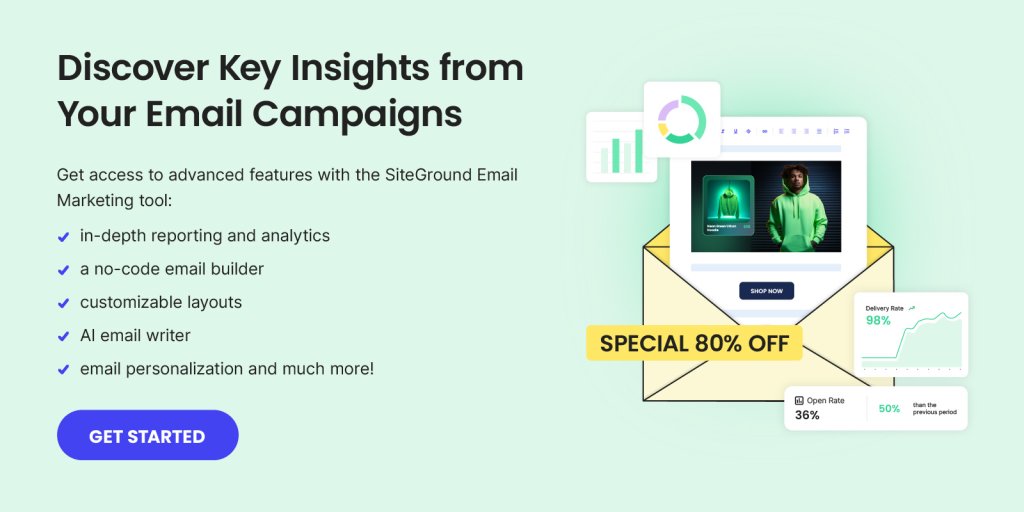
With the SiteGround Email Marketing tool, you can seamlessly track all the crucial metrics and analyze your email campaigns for better results. Get your free trial today! 

What Are Your Goals for Email Marketing?

Before we explain the most important email marketing metrics and KPIs, ask yourself what you want to achieve. Define what your biggest goal with email marketing is and don’t skip setting specific objectives for every email campaign you work on. The metrics you need to measure depend on the exact goals you have. They could be increasing your leads, driving traffic to your website, driving sales, etc. 

Email Marketing Metrics to Track & Monitor

Here are the essential metrics that every business owner and email marketer should know and have in mind when working on an email campaign.

Open rate

Open rate is one of the most common email metrics, and it shows the percentage of recipients who opened your email campaign. However, despite its popularity, the open rate is often seen as a vanity metric, and many marketers even consider it unreliable for several reasons.

Generally, most tracking systems count an email as “opened” only when the email software receives a tiny transparent image (aka tracking pixel) embedded in the email for tracking purposes. However, some email apps block images by default, so unless the recipient manually enables them, the email may not be recorded as opened, even if it was. 

Also, with Apple’s Mail Privacy Protection, which was introduced several years ago, the content of emails in Apple Mail gets preloaded (including tracking pixels) regardless of whether the user actually opens the email. All these things make open rate not a very accurate and reliable metric for your business, so don’t focus too much on it. 

📍 Formula: open rate = (total emails opened / total emails delivered) x 100​​

💡 Business insight: even if not 100% accurate, an open rate can give you an idea about the effectiveness of your subject line, whether it was interesting and compelling to the recipients or not. It also hints at whether recipients are interested in your content. Beyond individual campaigns, though, reviewing changes in your open rate between multiple sends can offer crucial insights, especially if you’re reaching the same audience. Monitoring the shifts can help you identify patterns in engagement. 

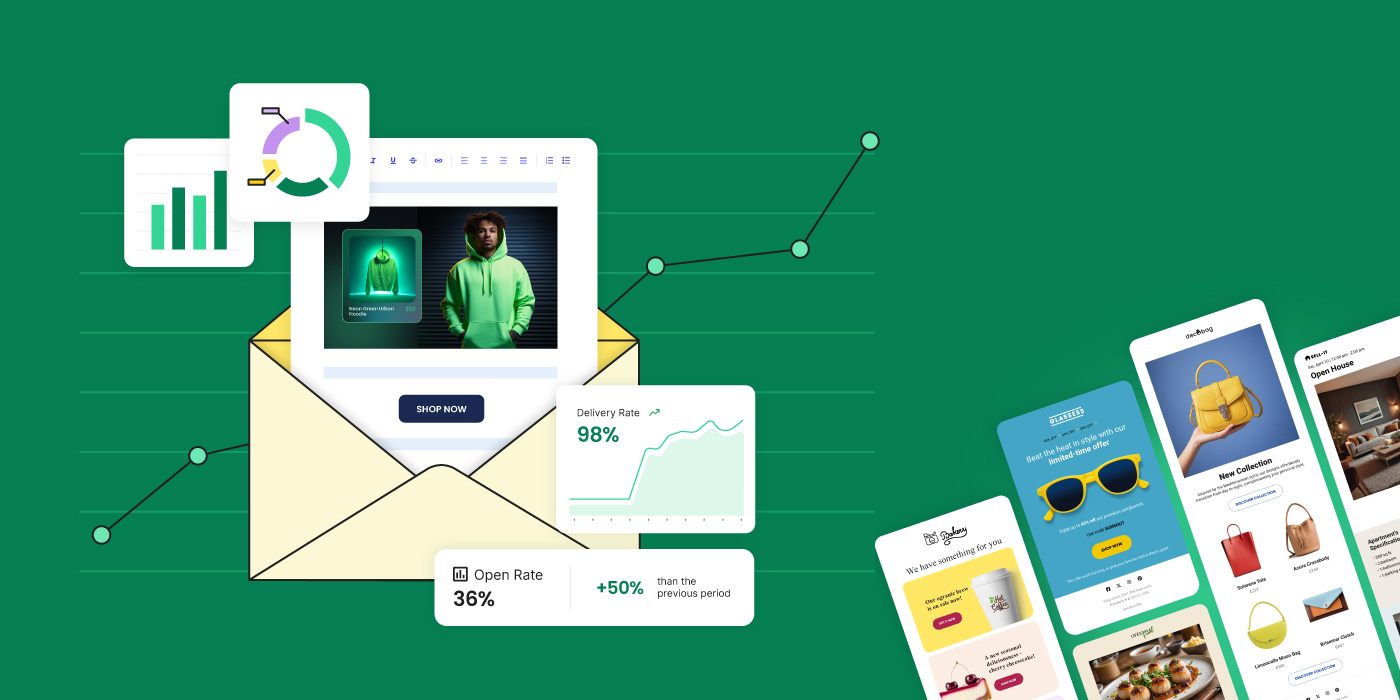
Curious if your open rate is good? An average open rate for small businesses using email marketing is around 36%, based on data reported by SiteGround. If your open rates tend to be much lower, consider applying the following tips.  

🚀 Ideas for improvement: if you want to improve your open rates, make sure to write emails that people will read – experiment with the length, style, and tone of your subject lines. Use personalization in the subject line, as well as emojis, and try different sending times to find out what time of day your subscribers are most active and more likely to open an email.  

Click-to-open rate

The click-to-open rate is another popular email metric that reveals how many people clicked on any links inside your email. If, for example, you have included a link or button to a special discount, the click-to-open rate will indicate what percentage of your recipients clicked on it to learn more about your offer. To determine if your click-to-open rate is good enough, you should track it for each email campaign and analyze the trends over time. Based on data provided by SiteGround, the average click-to-open rate for small business owners is approximately 6.4%.

📍 Formula: click-to-open rate = (number of clicks / number of emails opened) x 100

💡 Business insight: The click-to-open rate is a crucial metric for revealing the effectiveness of your email content and whether it speaks to the subscribers. It tells you whether it is compelling and engaging. 

🚀 Ideas for improvement: to improve this rate, first make sure that your email campaign is well-structured, has relevant and helpful content, and has a catchy design. Boost your click-to-open rate by making your call to action visible and clear. 

Bounce rate

Bounce rate is an email marketing metric that shows the percentage of emails that could not be delivered to your subscribers for some reason. This happens when your email gets rejected by the recipient’s email servers and returns to the sender with an automated message indicating a delivery error. It’s important to monitor that metric as a high bounce rate can affect your sender reputation and, in time, even lower your campaigns’ reach. 

📍 Formula: bounce rate = (bounced emails / emails sent) x 100%

💡 Business insight: Along with hurting your sending reputation, a high bounce rate can hint that there will be a potential drop in your open and click-to-open rate, as they depend on actually reaching recipients. It could also suggest problems with the quality of your subscriber list or issues with your email server. A bounce rate under 2% is generally considered a strong performance.

🚀 Ideas for improvement: to lower your bounce rate, ensure that your recipient list is of high quality. Regularly clear it from unengaged and inactive subscribers. Don’t buy email lists and never use spammy tactics in your email campaigns, as this can lead to lots of spam complaints and serious consequences to your sender’s reputation. 

It’s a good practice to implement a double opt-in to ensure that each subscriber is truly interested in receiving your content. 

Unsubscribe rate

The unsubscribe rate measures the percentage of recipients who opt to leave your list after receiving an email. Even though seeing recipients unsubscribe from your emails can be discouraging, it’s also beneficial, as it’s a good way to efficiently clean your subscriber list. Providing your recipients with the option to cancel their email subscription is a way to ensure good email deliverability, as this is a requirement in various spam laws worldwide.  

📍 Formula: unsubscribe rate = (number of unsubscribes / number of emails delivered) x 100

💡 Business insight: The unsubscribe rate, if high, can reveal that your email content is not relevant, useful, or interesting to your target audience. It could also suggest that your subscriber list is not well-segmented or that your emails are being sent too frequently. To get meaningful feedback about your content, consider sending a confirmation email to unsubscribers, asking them to provide more information on why they decided to leave your email list. Based on our experience with small business clients using the SiteGround Email Marketing tool, a good unsubscribe rate is below 0.5%.

🚀 Ideas for improvement: To minimize unsubscribes, consider implementing a double opt-in, segmenting subscribers into different lists based on various criteria, and focus on providing them with valuable and interesting content. It’s also a good practice to give recipients the option to choose how often and what type of emails they want to receive.  

Spam complaint rate

This metric shows the percentage of people who mark an email as spam after receiving it. This is critical data to monitor, as it reveals that recipients perceive your message as irrelevant, annoying, or even inappropriate. However, note that the spam rate does not account for emails that get rejected at the network level by spam filters, so this metric may not fully capture all spam-related issues. 

📍 Formula: Spam complaint rate = (number of spam complaints / number of emails delivered) x 100

💡 Business insight: Similar to the bounce rate, a high spam complaint rate can damage your sender reputation. It is also a red flag that there’s a problem with your email content (frequency, relevancy, or quality). Keep in mind that the acceptable standard spam complaint rate is less than 0.1%. 

🚀 Ideas for improvement: We have a detailed article that gives you all the tips and tricks on how to avoid your emails going to spam. Generally, to reduce the spam complaint rate, it’s important to only send emails to people who have opted in to receive them, and to avoid sending emails too frequently. Additionally, always include an unsubscribe option in your email campaigns. People often report messages as spam when they get frustrated by not being able to find an unsubscribe link. 

Focus on building your email list organically and improving it by incorporating double opt-in signup. Also, authenticate your sender domain as it is an effective way to prove your emails come from you.  

Delivery rate

Email delivery rate indicates the percentage of emails successfully delivered to the recipients without bouncing or being reported as spam. That means they have passed all the email filters and reached your intended audience.

📍 Formula: delivery rate = (number of successfully delivered emails / number of emails sent) x 100

💡 Business insight: A high delivery rate is important as it is proof that your sender reputation is intact. It could also reveal to you that your email and its content are relevant to your audience as it is not reported as spam. However, a low delivery rate might suggest problems with the quality of your email list hygiene and issues with your server sending infrastructure. Consider that the average delivery rate typically ranges between 90% and 98%. Remarkably, data provided by the SiteGround Email Marketing tool shows an average Delivery Rate of 98.8%, ensuring your messages consistently reach their intended recipients and maximizing your potential for engagement and conversions.

🚀 Ideas for improvement: To boost your delivery rate, regularly clean your email list, and remove inactive or unengaged subscribers. Improve your sender credibility by using a reputable email service provider that maintains a good sender reputation for their servers. 

Also, be mindful of how often you send email campaigns: don’t do it too frequently, as it might lead to overwhelming your recipients, and therefore result in more complaints, unsubscribes, and even spam reports. For further help on this topic, we have a great article that explains in detail how to ensure high email deliverability.

Forwarding rate 

This rate (also quite similar to ”email sharing”) measures the percentage of people who forward your email to others. It’s a strong indicator of how interesting, helpful, and engaging your email is, as subscribers are more likely to share useful content with their friends and family. Keep in mind that not all email marketing tools measure this metric, so if you want to track it over time, you might have to use unique URLs or social media sharing buttons for this purpose. 

📍 Formula: forwarding rate = (number of forwards / number of emails delivered) x 100

💡 Business insight: The forwarding rate reveals whether your content resonates with your target audience. It could unveil whether word-of-mouth organic growth is feasible for your business. A good email forwarding rate is typically between 0.5% to 2%. 

🚀 Ideas for improvement: To encourage your recipients to share your email campaigns, make it easy for them to do so. Include a clear call to action asking them to forward or share it. Provide helpful content, expert tips, or other valuable information that is worth sharing, and ensure your email design is visually appealing and easy to navigate.

Key Email Marketing KPIs to Track 

There are countless KPIs you could monitor, but how do you decide which ones to track? Here we’ll highlight the most popular KPIs, explain their benefits, and help you determine which ones are best suited to your email marketing goals.

As we mentioned earlier, a KPI can be a single metric or a mix of metrics, specifically aligned with your goals. They are tools that help you and your team monitor progress toward your objectives. As a result, it’s crucial to identify which KPIs are the most important for your business or project early on.

Note that some email service providers automatically provide such metrics. If not, consider tracking the key ones for your business yourself, as they can significantly impact your strategy.

Conversion Rate

One of the essential KPIs that you can monitor as a small business owner is conversion rate. The conversion rate is the percentage of recipients who complete a desired action after receiving your email. This action can vary depending on your specific goals and may include making a purchase, converting a lead into а client, filling out a form, reading a blog post, signing up for a webinar, or visiting your website, among other actions.

📍 Formula: conversion rate = (number of conversions/number of delivered or sent emails) x 100


Tracking conversions typically requires integrating data from two sources: your email marketing platform and your website analytics. To accurately attribute conversions to specific email campaigns, it’s crucial to use UTM parameters in your email links. These are tags added to URLs that allow you to track the source, medium, and campaign name in your analytics tool.

💡 Business insight: The conversion rate can reveal how effective your email campaigns are in encouraging subscribers to engage and take action with your business. The higher the conversion rate, the better your email campaigns are performing. But what qualifies as a good conversion rate? 

Research suggests that the average conversion rate in email marketing hovers around 3%. Note that to truly assess your email performance, it’s important to track conversion rates over time and compare them. Keep in mind that these rates can be influenced by factors such as your industry, your content, sending times, and more. 

🚀 Ideas for improvement: To improve your conversion rate, you need to ensure that your email campaigns are relevant, useful, and easy to navigate. Clear inactive users from your recipient list, write attention-grabbing subject lines, include visible and compelling call-to-action buttons or links, and experiment with sending times.

Subscriber acquisition cost (SAC)

Subscriber acquisition cost is a critical KPI to track in order to make informed decisions about your marketing spend. In the context of email marketing, SAC represents the cost of acquiring a new subscriber to your list. 

📍 Formula: SAC = total cost of acquisition / number of new subscribers acquired through email

To calculate SAC, divide the total cost of acquiring a new subscriber by the number of new subscribers gained as a result. The total cost should include all the costs, including marketing, design, ads, sales, and everything else that you might have used in the acquisition process. 

If your SAC is high, it could indicate that your marketing efforts are not cost-effective. Note that SAC varies significantly across industries, so you should research what the estimate is for your specific industry and analyze your results for a longer period. It’s also useful to keep in mind that a good SAC is lower than the subscriber’s lifetime value (which we explain down below). 

💡 Business insight: By tracking SAC, you can get an idea of how effective your overall marketing efforts are in acquiring new subscribers and respectively whether you need to change something to help increase your email list. A lower SAC means you’re spending less to acquire each new subscriber, which is crucial for profitability.

🚀 Ideas for improvement: If you discover that you need to lower your SAC after researching your industry’s average, focus on improving your ad design and copy, and create useful and educational content on your website, social media, and on any other platforms that you may use for collecting leads. Try incentivizing readers to subscribe to your email list with different free resources and materials.

Subscriber lifetime value 

Subscriber lifetime value is another useful KPI that estimates the revenue a subscriber is expected to generate for you over the course of time as your newsletter subscriber.

📍 Formula: Subscriber lifetime value =  (average revenue per email subscriber x average subscriber lifespan) – the cost to serve them

Calculating this KPI might not be straightforward, as you need to have specific data. If you are able to calculate it, it will help you to decide how much to invest in acquiring your subscribers and, in the end, will optimize your marketing spend. 

💡 Business insight: Lifetime value is one of the most important KPIs to track because it can give you insights into how much to invest in acquiring new subscribers and how well you are performing in monetizing your audience.  

🚀 Ideas for improvement: To improve the lifetime value of your subscribers, work on enhancing engagement with your email content. Make it more personalized and actionable, and provide more value to your audience with different exclusive offers and promos. Try boosting upsells by sending email campaigns offering related products. 

Return on investment (ROI)

Return on investment is a popular KPI that measures the revenue generated from your email campaigns compared to the cost of running those campaigns. It unveils whether your email campaigns are profitable or not. 

📍 Formula: ROI = (revenue from email campaign – cost of email campaign) / cost of email campaign

To calculate it, you need to subtract the money you spent to run the campaign from the revenue – this represents the money you earned from it, which will show you how much profit you made after covering your costs. Then, dividing by the cost of the email campaign will reveal how much profit you made for every dollar spent. 

Note that to correctly calculate the cost of creating and sending your email campaign for that KPI, you need to again consider the email tools you use to do it, as well as internal writers, freelancers, agencies, and/or design costs.

💡 Business insight: A positive ROI is a sign that your marketing efforts are working and generating more than you spend. According to research, the average ROI for email marketing is $36. Keep in mind that as with most of the other KPIs, the ROI also varies greatly depending on your industry. 

🚀 Ideas for improvement: You can improve your ROI by making your offers more appealing to your readers. For example, you could use personalization and experiment with different content and the way it’s presented. You could also review how you segment your email lists and make changes in order to improve your targeted messaging. 

Revenue per email

The revenue per email KPI could help you assess the profitability of individual campaigns and identify which types of emails are most effective at driving revenue. You can calculate it easily by dividing the revenue of an email campaign by the number of emails sent. 

📍 Formula: revenue per email = revenue from email campaign / number of emails sent

💡 Business insight: This KPI allows you to compare the effectiveness of different campaigns and email strategies. It will help you reveal which email types work the best at driving revenue – whether they are promotional, newsletters, or otherwise. A higher revenue per email shows that your content, CTAs, and targeting are resonating with your audience. Since there isn’t a specific industry benchmark, you need to track and analyze the results for your particular business. 

As a general guideline, the revenue from your email campaign should be equal to or close to the amount you invested. This way, you can ensure that your campaigns are paying off, and you can determine the budget for future campaigns.  

🚀 Ideas for improvement: To drive more revenue for your campaigns, it is again important to increase engagement. Optimize your email content specifically for each segment of your subscribers to make it more relevant. A/B test various subject lines, design styles, buttons, and visuals (one at a time) to see what will bring you the most clicks, engagement, and revenue. 

Choose the Right Email Marketing Tool to Track Metrics 

Having the right Email Marketing Tool by your side is crucial for optimizing all your tasks related to creating, sending, testing, and analyzing your email campaigns. When selecting an email marketing service, make sure you choose a tool that provides you with all this functionality – and that is easy to use and to get started.

With the SiteGround Email Marketing tool, you can rest assured that you have everything in one place. Developed by experts with 20+ years of experience in hosting email, our platform provides an intuitive no-code builder, customizable email layouts, AI copywriter, unlimited audiences, subscriber management, and friendly reporting features. 

You can enjoy automated essential email analytics like open, delivery, click-to-open, bounced, spam, and unsubscribe rates, and interactions stats showing you clicks on specific URLs, the type of the element that has been clicked (button, link, image) and the caption text.

Conclusion

Monitoring your metrics and adopting a structured approach to evaluating your email marketing work will empower you to make data-based decisions and boost your business. Don’t miss out on that opportunity! Now, tell us in the comments: Are there any metrics you already track for your business? Which ones have most helped you to reach your goals?

BONUS: Email Marketing Glossary

TermExplanation
Open RateThe percentage of recipients who opened an email, indicating how well your subject line worked.
Click-Through RateThe percentage of email recipients who clicked on one or more links contained in an email. It shows engagement with the content.
Conversion RateThe percentage of email recipients who clicked on a link within an email and completed a desired action, like making a purchase.
Bounce RateThe rate at which your emails are not delivered to the recipient’s inbox, either due to invalid addresses (hard bounce) or temporary server deliverability issues (soft bounce).
DeliverabilityThe measure of the success rate at which emails are delivered to the recipient’s inboxes.
Unsubscribe RateThe rate at which people opt-out of your email list after receiving an email, indicates the relevance and quality of your campaigns.
SegmentationThe process of dividing your email list into smaller, more specific groups based on certain criteria to send more targeted campaigns.
PersonalizationThe practice of tailoring email content to individual recipients based on the data you have about them.
A/B TestingSending two variants of an email to a small percentage of your total recipients to see which version performs better, before sending the better-performing version to the rest of the list.
Call To Action (CTA)A button or link placed in your email that encourages your recipients to take a specific action, such as “Buy Now”, “Learn More”, or “Subscribe”.
Email AutomationEmail that is sent automatically by the system when triggered by a specific customer action or event. For example, a welcome email after sign-up or a confirmation email after purchase.
CAN-SPAM ActA US law that sets the rules for commercial email and establishes requirements for commercial messages. It gives recipients the right to stop unsolicited emails from being sent to them and spells out tough penalties for violations.
General Data Protection Regulation (GDPR)A regulation on data protection and privacy in the European Union and the European Economic Area. It also addresses the transfer of personal data outside the EU and EEA areas.
Email List HygieneThe practice of regularly cleaning your email list to remove inactive, invalid, or unengaged subscribers to maintain a high-quality recipient list.

Holiday Email Marketing Guide (practical tips, ideas and examples)

Picture cozy sweaters, flavored lattes, and the excitement of gift-giving. The holidays are here! For business owners, this season is a big opportunity to connect with customers in a way that’s both joyful and profitable. In this guide, we’ll explore how to harness the holiday spirit to create effective holiday email campaigns that resonate with your audience and boost your sales. 

Download our free Holiday Marketing Guide featuring content from SiteGround and our partner experts in ecommerce, email marketing, web design and code optimization to help your business in any holiday season.

How holiday email marketing can help your business

Boost your holiday sales with email marketing

Holiday email marketing is highly effective because it aligns with what consumers expect and how they behave during the festive season. It taps into the seasonal mood and capitalizes on the increase in online activity. 

During holiday times like Christmas, people are usually in the mood to buy things. This is because holidays are often about giving gifts, and many are on the lookout for the perfect present for their friends and family. So, they’re more open to buying things than they might be at other times of the year and even wait for special offers, discounts, and promotions during the holiday season.

Now, how do people find out about these deals? One of the best ways is through emails. 

A well-crafted email can be the nudge they need to choose your business for their festive shopping. Remember, they are already on your email list, they’ve shown interest in your brand, but you need to remind them about yourself, so they don’t buy from someone else who did. Since people are already on the lookout for holiday shopping deals, they are paying attention to holiday emails. If they see an email with a good offer, they’re most likely to open it and check it out.

All these elements combined – the seasonal shopping mindset, the anticipation of holiday deals, and the power of email marketing – work together to significantly boost sales and increase brand visibility during the holiday season.

Build customer relationships with holiday emails

Sending out emails that are solely focused on wishing your customers happy holidays, without including any sales pitch or promotional content, is a powerful strategy to build customer relationships with your buyers and subscribers. It tells your audience that your company values and recognizes the spirit of the holiday season, which is about goodwill and cheer, not just sales. People remember brands that treat them as individuals and are more likely to return to these brands in the future. Plus, in a sea of promotional emails during the holidays, a genuine holiday greeting can stand out.

What you need to send holiday email campaigns

With the right tools and a bit of creativity, you can create effective campaigns that resonate with your customers, whether it’s driving sales or simply spreading holiday cheer. Still sound complicated? It’s quite manageable once you break it down into steps, and here is what you’ll need:

1. Email marketing service

When selecting an email marketing platform, it’s important to choose one that aligns with your specific needs and experience level. For beginners, the focus should be on finding a service that is user-friendly, enabling you to craft engaging email campaigns with ease. Additionally, the ideal platform should support you in efficiently gathering subscribers and managing your contact list. It’s also vital to choose a service that offers insights into the performance of your emails, such as tracking open rates and link clicks. Above all, the key feature to look for is a platform’s ability to ensure your emails reliably land in recipients’ inboxes, avoiding spam folders.

SiteGround Email Marketing

The SiteGround Email Marketing tool is a new, powerful addition to SiteGround’s suite of services, designed to help businesses connect and engage with their audience more effectively. It is integrated into the SiteGround Client Area, allowing our clients to manage their website and email campaigns in one place. Our tool includes an intuitive, no-code email builder with responsive designs, ensuring emails look great on all devices. Plus, our builder comes with an awesome AI Email Writer that can write the emails for you. Users can easily create and manage email campaigns, target specific audiences, and personalize content. Additionally, users can track the effectiveness of their campaigns with built-in analytics, gaining insights into open rates, click rates, bounce rates, and interactions to improve conversions.

2. Email List

This is a list of email addresses of customers or potential customers who have agreed to receive emails from you. You can gather these emails through sign-up forms on your website, during checkout at your store, or during events. Even if you have just a few contacts in an excel sheet, you can still go for a holiday email campaign and see results.

Need more insights on how to build your email list? Read this blog post.

SiteGround’s Lead Generation for WordPress

We’ve created a Lead Generation Plugin for WordPress tailored for our Email Marketing tool, designed to help users engage with website visitors and effortlessly turn them into subscribers. It’s user-friendly, especially for those new to email marketing. The plugin allows you to create and add sign-up forms anywhere on your website in minutes. And anyone who signs up is automatically added to your contacts as a “Subscriber.” The plugin also offers the functionality to assign groups to each form, allowing for precise audience segmentation and customized messaging. Additionally, you can capture high-quality leads through various touchpoints, including WooCommerce checkout and standard WordPress forms.

3. Holiday design for your email

A holiday-themed design can help capture the festive spirit of the season, making your email more engaging and enjoyable for the recipient. Most email marketing services offer a variety of pre-designed templates. For a holiday-themed email, you would choose a template that already has a festive look. This might include designs with holiday colors (like red, green, blue), images of holiday symbols (like Christmas trees, snowflakes, etc.), or other seasonal graphics.

SiteGround’s Holiday email templates

We’ve created a collection of pre-designed email templates specifically for the holiday season. The idea is to save you a lot of time and effort from thinking and designing your email. Instead of starting from scratch, you can select a template, make a few customizations, and be ready to send your email. Plus, in combination with our email AI Writing Assistant, you can get your holiday email campaign up and running very quickly. This is especially beneficial if you’re short on time or if you’re launching a last-minute campaign. Use this holiday season as an opportunity to try SiteGround Email Marketing tool, free for 30 days!

🔥 Craft an irresistible email campaign this Black Friday by drawing inspiration from our carefully selected Black Friday email examples, ensuring your message captures attention and gets read.

4. Idea for your holiday email campaign

To send holiday email campaigns, you need an idea or theme for your campaign. This idea should resonate with the holiday spirit and appeal to your audience. It could be centered around special holiday offers, festive greetings, gift ideas, or sharing holiday-themed content like recipes or stories. 

Below, you can find ideas and examples of holiday email campaigns built with the SiteGround Email Marketing tool and our new holiday-themed templates.

Holiday email campaign examples and ideas

If you haven’t launched your holiday email campaign, now is the time to jump in because it’s never too late to embrace the holiday spirit with email marketing. There are plenty of ways to kick off your festive campaign starting right now. Here’s what you can do:

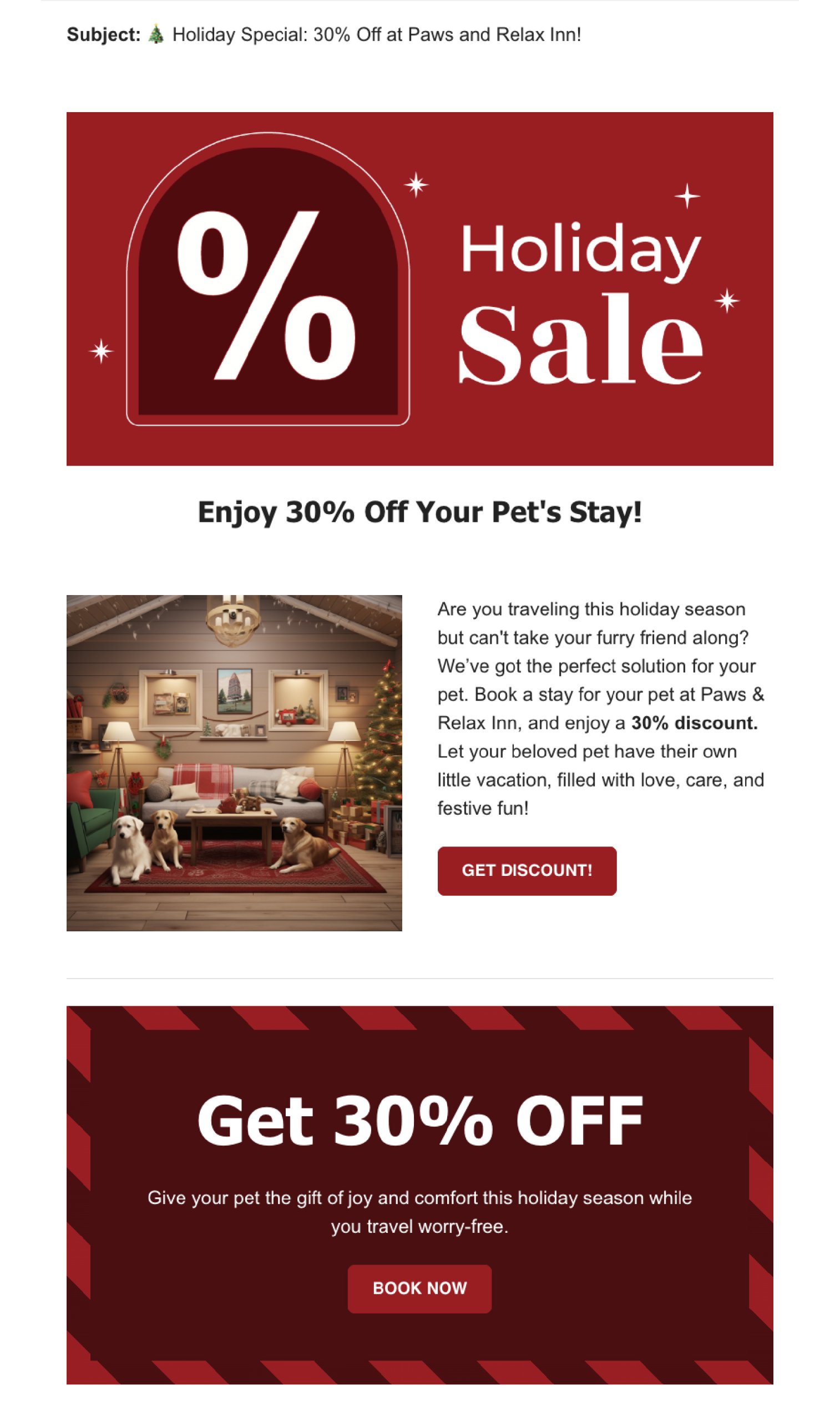
1. Run a Holiday Sale Email Campaign

Providing your customers with holiday sales on products or services they’ve already shown an interest in (since they’re on your emails list) is an easy way to encourage them to buy from you.

Why holiday sales work

Imagine you own a store. During the holidays, like Christmas, people are often looking to buy gifts. If you send them an email saying, “Hey, we’ve got a special sale on some of the things you liked in our store,” they’re more likely than ever to be interested. This works because:

  • It’s the right time: People are already thinking of buying things for the holidays and they need businesses like yours to help them.
  • They like it: You’re telling them about sales on items they already showed interest in. So, they are more likely to want to buy.
  • There’s a special deal: Everyone loves a good deal, especially during the holiday season when they’re spending a lot on gifts.

Before you create your holiday sale email campaign

  • Decide what items you’re going to sell: Think about what products your customers have bought or looked at before. This could be from remembering your regular customers or checking any records of past sales you have.
  • Decide on your promotion type: Choose what kind of sale or discount you want to offer. For example, “20% off on all children’s books” or “buy one get one free on coffee mugs.”

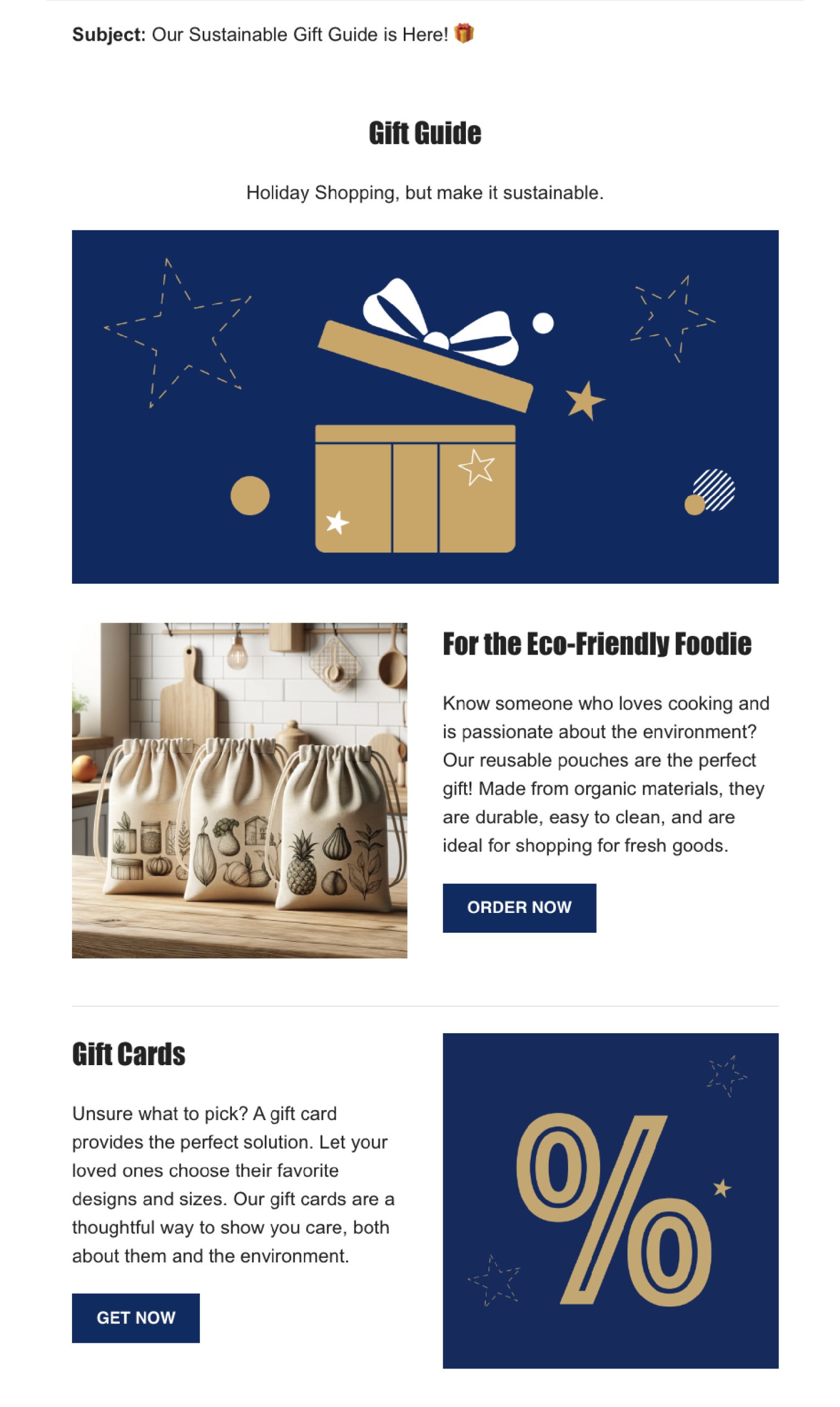
2. Share a gift guide email campaign

A gift guide email campaign is effective because it makes holiday shopping easier for your customers. By presenting them with a curated list of gift ideas, you’re helping them find the perfect presents and encouraging them to buy from your store.

Why gift guides works

Think about when you’re trying to find gifts for your friends or family. It can be tough to decide what to get, right? When a store sends out a gift guide, it’s like they’re saying, “Don’t worry, we’ve got some ideas for you!” This is helpful because:

  • Makes shopping easier: It saves people time and effort. Instead of searching through tons of products, they have a curated list for you.
  • Ideas for different people: By creating categories like “Gifts for Dad” or “Best Gifts Under $50,” you help customers quickly find relevant ideas.
  • Encourages buying: When customers see a well-organized list of gift ideas, especially ones that fit their budget or the type of person they’re buying for, they’re more likely to make a purchase.

Before you create your gift guide email campaign

  • Pick your products: Look at your store’s sales history, identify the most popular items and choose items that would make good gifts. Think about different types of customers – like gifts for parents, friends, kids, or gifts that fit different budgets.
  • Create categories: Organize these products into categories. For example, you might have categories like “Tech Gadgets for Teens” or “Cozy Gifts for Home.”

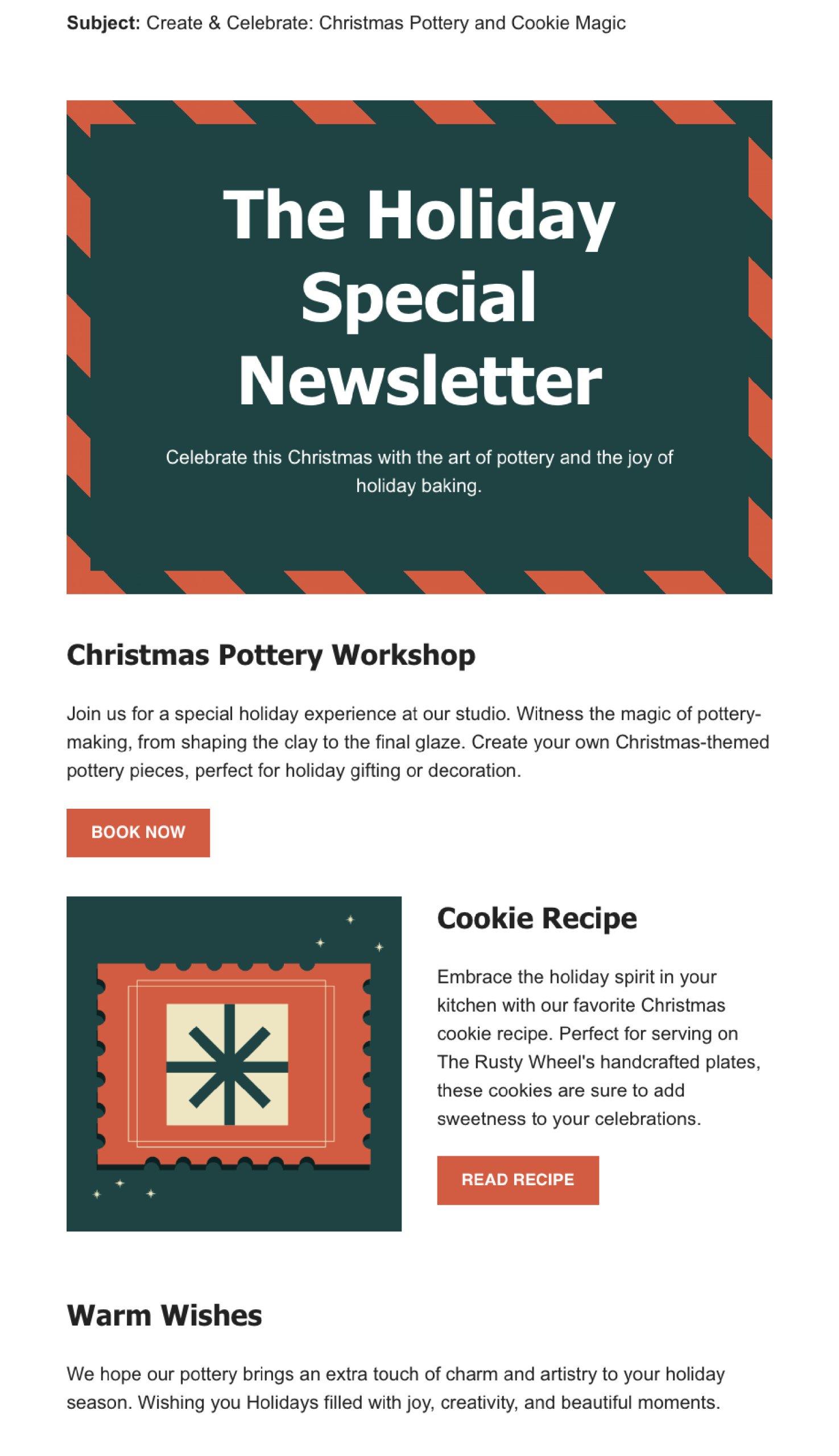
3. Send a Holiday Newsletter

By sharing stories, holiday greetings, or personal reflections from the year, you’re opening a more human and relatable side of your business.

Why holiday newsletters work

Think about how special holiday movies or songs make you feel during the festive season. They get you into the holiday spirit, right? A holiday newsletter works in a similar way and people love holiday-themed content to put them in the spirit of the season. 

  • Feels festive and fun: Just like holiday movies, a newsletter with a holiday theme feels special and seasonal. It adds to the excitement of the holidays.
  • More than just sales: Instead of just trying to sell something, a holiday newsletter can share fun content, holiday wishes, or interesting information. This makes your customers feel valued and not just like someone to sell to.
  • Builds a connection: By sending out a friendly and warm holiday message, you build a stronger relationship with your customers. It shows you care about sharing the holiday joy with them.

Before you create your holiday newsletter

  • Choose your content: Think about what you want to include in your newsletter. This could be a holiday greeting, a recap of the year, highlights of special products for the holidays, or even a holiday cooking recipe or story.
  • Don’t make it all about sales: It’s okay to mention any special holiday deals, but don’t make the entire newsletter about selling. If you’re including promotional content or special offers, balance it with holiday content. The focus should be on the holiday spirit rather than a hard sell.

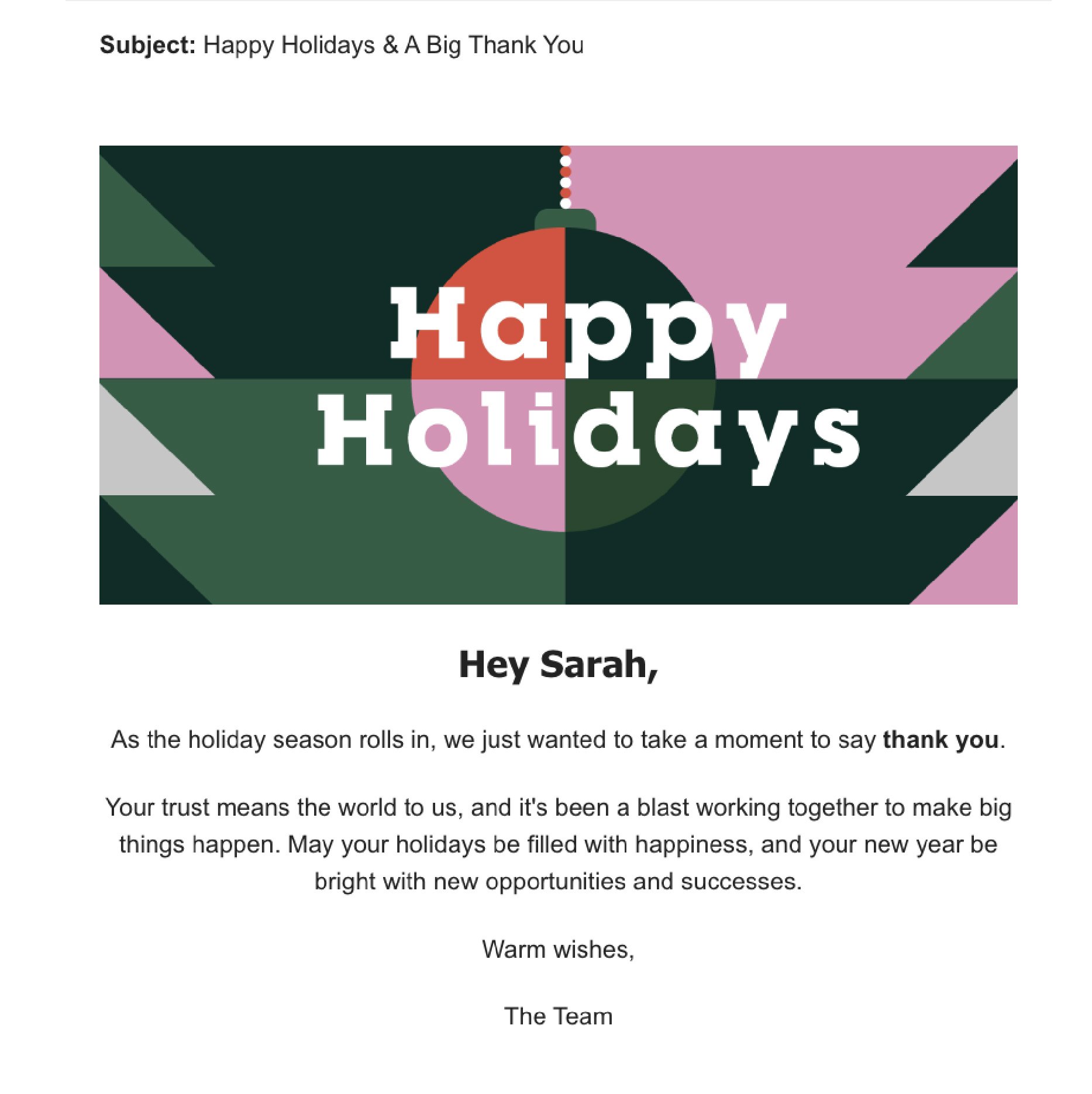
4. Send a Season’s greetings email campaign

Sending a season’s greetings email is a simple but effective way to connect with your customers and spread a little holiday joy. It shows you care and helps create a positive image of your business.

Why season’s greetings emails work

  • Builds personal connection: This kind of email shows your customers that you see them as more than just buyers. It’s a way to say, “We appreciate you,” and helps build a friendly relationship.
  • Makes you stand out: During the holiday season, people get lots of sales ads and promotions. A season’s greetings email is different – it’s not trying to sell anything, just wishing them well, which can be a pleasant change.
  • Builds brand loyalty: By sending warm wishes, you’re creating positive feelings about your brand. People remember businesses that treat them well, and they’re more likely to come back in the future.

Before you create your season’s greetings email

Well, there is no recipe here, just speak from your heart. Your message doesn’t have to be long. A few sentences wishing them well during the holiday season is enough. The most important thing is to remember to avoid turning this email into a sales pitch. The focus should be on sending good wishes, not selling products or services.

Strategies for a winning holiday email campaign

1. Add personalization

Personalizing a holiday email campaign by including the recipient’s name is a highly effective strategy. It creates a sense of personal connection, making the email feel tailored to the individual rather than a generic marketing message. Personalized emails can lead to better engagement, which in turn can increase the likelihood of the recipient taking the desired action, whether it’s making a purchase, signing up for a service, or participating in an event.

To implement this, use an email marketing tool that allows you to insert recipient names dynamically and ensure your sign-up forms collect names. With the SiteGround Email Marketing tool, you can easily add your recipient first or last name in your emails and our Lead Generation plugin allows you to collect your subscriber’s names with ease.

2. How to write Holiday subject lines

The subject line is the first point of contact with your audience in their inbox. A compelling subject line can make the difference between an opened email and one that’s ignored. It sounds like a big responsibility, so here are some suggestions you can use to write effective holiday subject lines:

  • Length of the subject line: Keep it short and sweet, ideally between 30 and 50 characters. This length ensures that the subject line is fully visible on most devices, especially mobile phones.
  • Ask a question: Questions in subject lines pique curiosity and engage the reader’s mind, prompting them to seek answers. “Ready for your best Christmas ever?” or “Looking for the perfect New Year’s gift?” These questions directly address the reader’s interests or needs.
  • Create curiosity: Tease something interesting inside the email. You see a hint that something exciting is inside the email, and you want to find out what it is. It’s human nature to be curious about hidden things. “Unwrap your exclusive holiday offer inside” suggests there’s something valuable waiting for them, which can be very enticing.
  • Use Emojis: Emojis add a visual element that can make your email stand out in a crowded inbox.  A subject line with a Christmas tree 🌲 or gift emoji 🎁 is more likely to catch the eye.

3. Holiday preheader tips

The preheader in an email is the short summary text that follows the subject line when viewing an email in the inbox. It works together with the subject line to grab attention and give a glimpse of what the email contains. Here’s how to use preheaders effectively:

  • Again, keep it short: Aim for around 40-50 characters so they don’t get cut off in the email preview. For example, “Your holiday cheer starts here.”
  • Complement the Subject Line: Your preheader should work hand-in-hand with your subject line. If your subject line is the headline, think of the preheader as the subheadline. For example, if the subject line is “🎁 Unwrap Your Holiday Gift,” the preheader could be “Exclusive deals inside just for you!”
  • Create urgency or excitement: Use language that creates a sense of urgency or excitement about the holiday season, like “Hurry, your exclusive holiday offer ends soon!”

4. Always test your email campaign

Before you send your email, make sure to test it out. This means sending a test email and looking at how it looks on different devices, browsers and email clients, fixing any spelling or grammar mistakes, and making sure all the links work properly. Doing this helps avoid problems and make sure that your recipients have a good experience, which is really important for the success of your email campaign.

Remember, the key to a successful email campaign is to connect with your audience in a way that’s relevant and respectful. Whether it’s promoting a holiday sale or sending warm wishes, your emails should add value to your recipients’ inboxes. If you’re new to this, it’s okay to start with a small list and simple emails. Learn from each campaign, look at what worked and what didn’t, and use these insights for your next campaign.

Sign up for free Black Friday email marketing course from SiteGround