
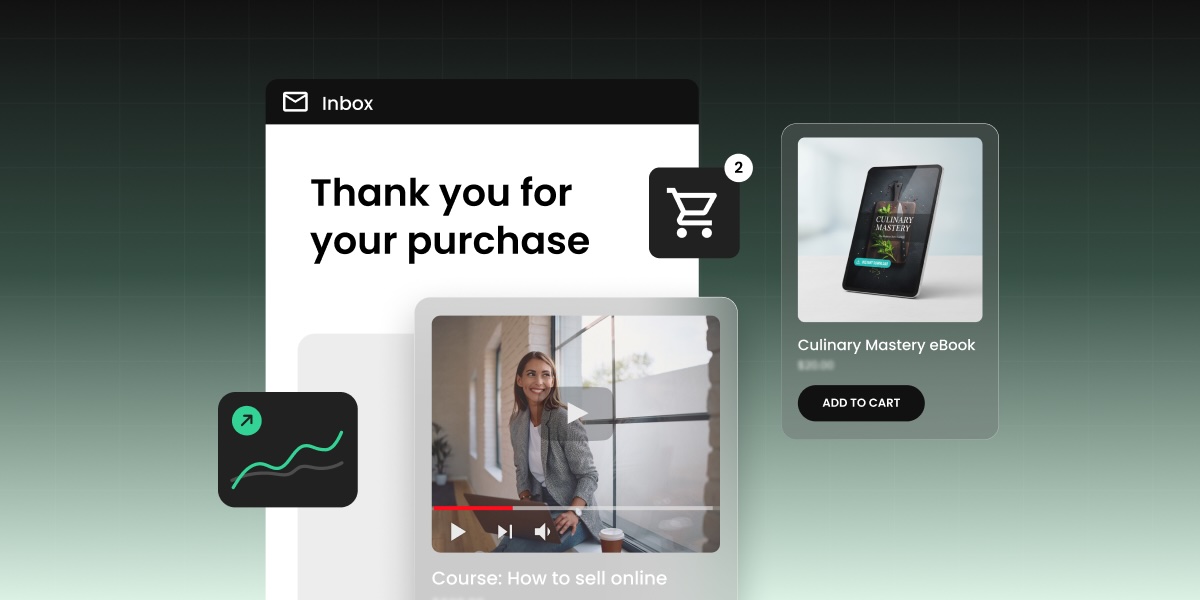
Starting a business used to mean a degree, funding, or a warehouse full of stock that may or may not move. Selling a digital product changes that though: you just need to pick one that matches what you already know, how much time you actually have, and who you can actually reach.
This guide gives you a framework for figuring that out, then walks through pricing, where to sell (calculator included, so you can see exactly what you keep on each platform), and how to land your first sale in ecommerce, all backed by real insights from someone who’s been there and done that.
Key takeaways:
- Digital products to sell often split into nine broad formats, but figuring out which one fits comes down to three things: your skills, your available time, and who you can actually reach, not whatever’s trending.
- The easiest digital products to sell as a beginner are usually the ones with the shortest gap between “I made this” and “I can sell it,” like templates and printables.
- An audience you already have, even a small one, beats a bigger cold one you’d have to build from scratch.
- Selling on your own website instead of a marketplace means keeping 11 to 12 percentage points more of every sale, since there’s no platform commission stacked on top of standard payment processing, and that gap compounds fast as sales add up.
Why selling digital products is worth it in 2026
A digital product costs about the same to sell to one person as it does to 100,000. That’s because once the file exists, one more digital download costs you basically nothing, making it a super compelling case for building one before producing something tangible.
Physical products rack up costs and stress at every step:
- Manufacturing
- Storage
- Shipping
A digital ebook, template, or course on the other hand? It just sits on a server and delivers itself. A $19 sale nets you closer to $17 or $18 after payment processing, instead of the 30 to 60 percent margins typical in physical retail. Margins that wide forgive a lot of early mistakes: an underpriced first batch, a slow month, or that cover design you’ll redo in three weeks.
Digital products also knock out the two things that stop most people from starting a business at all: money and time.
- Money: if your starting budget is closer to $50 than $5,000, this is one of the few categories where that’s totally workable. (Meanwhile, our tips for starting an online store on a budget cover what a lean setup actually costs before you commit to anything.)
- Time: there’s no lead time between finishing the thing and selling it. No manufacturing run, no supplier lead times, no stock sitting in a warehouse waiting for a first order. Finish the file today, and you can list it before dinner.
The most profitable types of digital products to sell
Nine product types make up most of the profitable digital product market. Each trades off differently on production time, price ceiling, and how much upkeep it needs after launch. AI tools have also made some of these easier to copy for free than others, worth weighing before you commit to one.
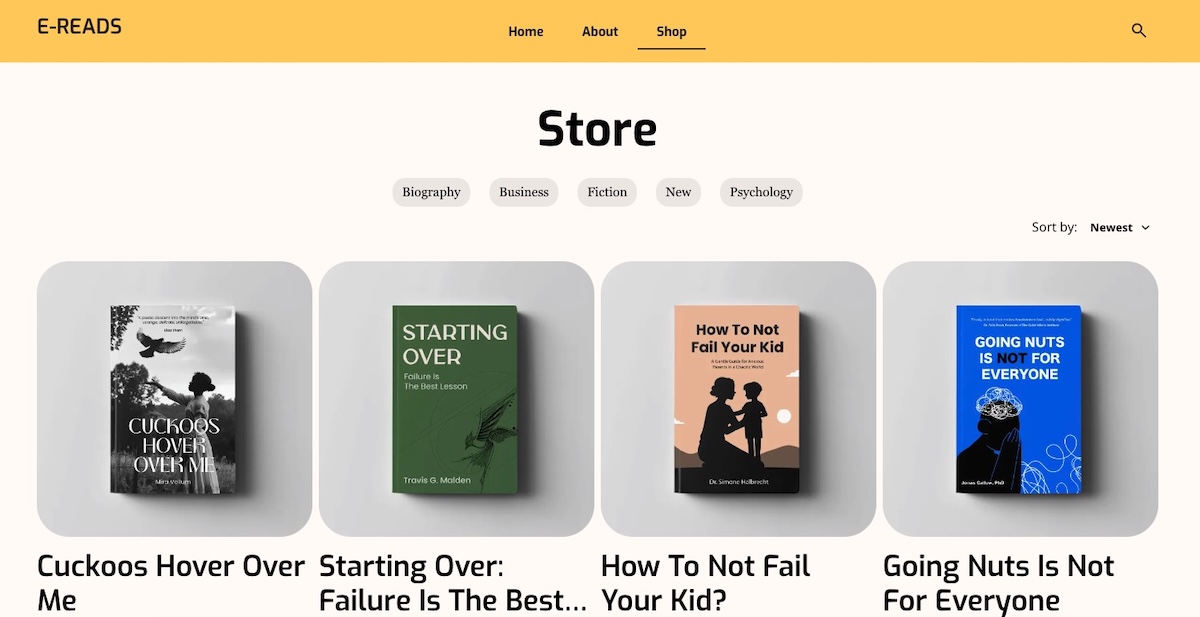
1. Ebooks and guides
A written, downloadable resource, typically PDF or e-reader format, that walks a reader through a specific process or topic.
- A narrow, specific promise is the way to go here. That is, “How to negotiate freelance rates” will consistently outsell a generic “Freelancing 101,” because the tighter promise is easier to judge before buying.
- No reprint costs: update the file next year and it’s still the same product, but better!
- Editing eats more time than writing does. Budget for a second pass before you hit publish.
2. Online courses and workshops
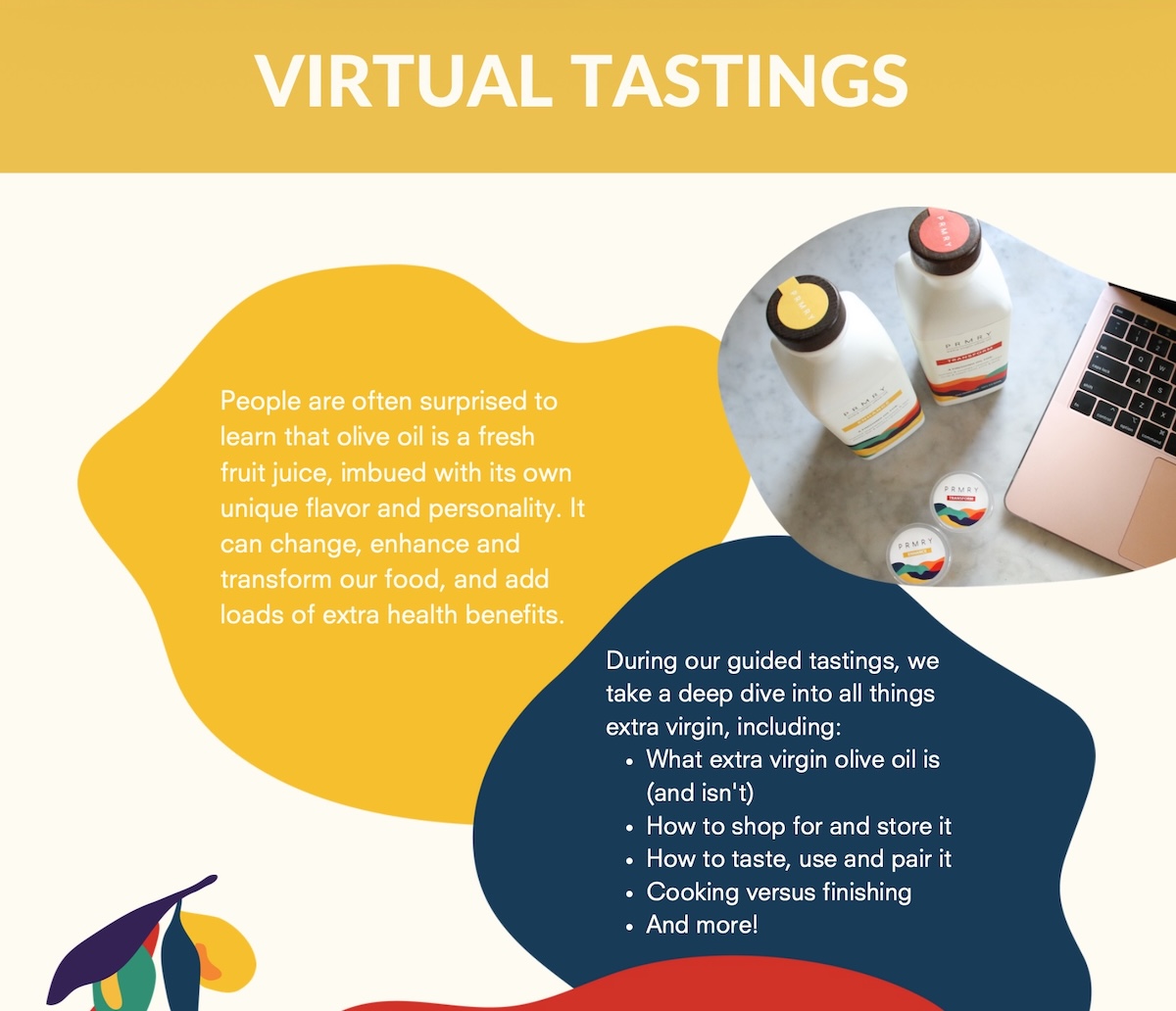
Structured video lessons, often paired with worksheets or quizzes, sold as a single self-paced purchase or a live cohort-based workshop.
- The highest price ceiling on this list, but also the longest production time: sometimes 40-plus hours once you count scripting, filming, and editing.
- Niche topics generally sell better than broad ones.
- Online courses can generate passive income with no student limits.
- Want a lower-risk test? Build a tight, two-hour workshop that solves one problem before you commit to a full multi-week curriculum.
A real example: I used to run an olive oil company, and at one point we started offering live, online virtual tasting workshops built around our physical product, mostly booked by companies for remote team events. We still shipped a tasting kit to every participant, but we bundled a workshop fee on top of the product cost and sold it all in one bulk order per company, sometimes up to 100 people in a single booking. That combination, product margin plus an online service fee, sold at volume, is what made the return massive: within a couple of years, those virtual workshops made up a large share of total revenue.
3. Templates
A pre-built file, spreadsheet, document, or design file that a buyer customizes for their own use instead of building from scratch.
- One of the best margin-per-hour formats here, since you’re usually just packaging work you’ve already done once for yourself or a client.
- Buyers pay for the time saved, not the file itself. A short setup guide makes that time-saving obvious.
- AI can generate a generic version of this in seconds now, so the ones worth selling encode real judgment or trial-and-error, not just structure.
4. Printables
A designed file meant to be downloaded and printed at home: planners, wall art, checklists, and worksheets.
- The lowest price and the lowest production barrier on this list. Design one in an afternoon with free tools and see if the idea sells before you build anything bigger.
- The classic first product for total beginners, and for good reason.
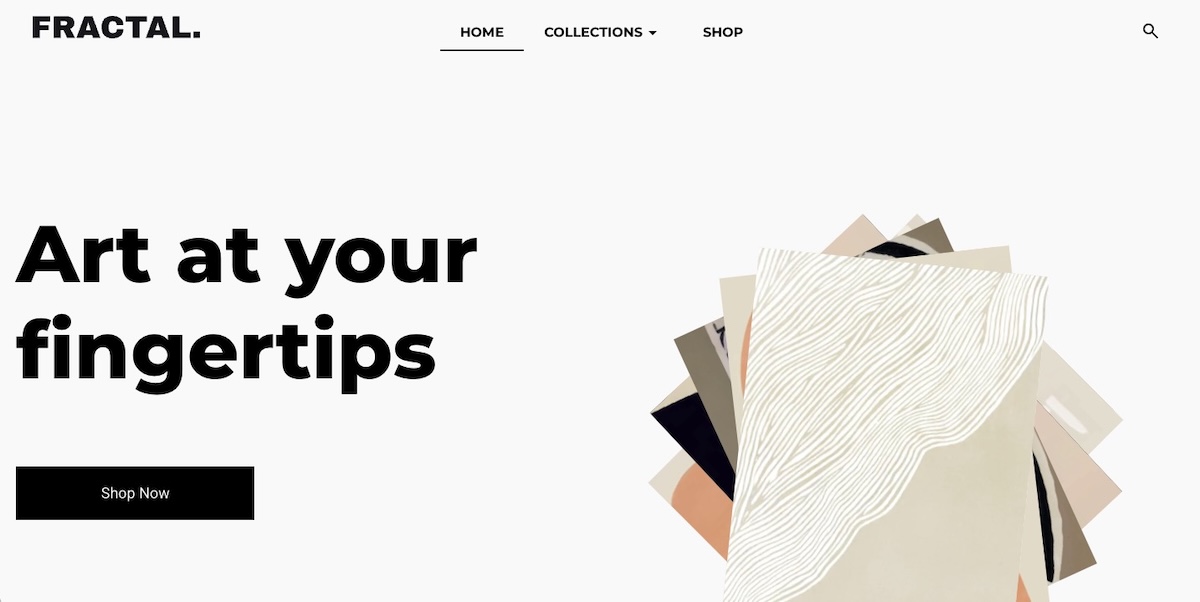
5. Digital art and graphics
Illustrations, icon packs, brush sets, and other design assets sold as individual files or as themed bundles.
- Bundle three to ten related digital assets together to lift average order value without much extra production work.
- Keep the visual style consistent across a bundle: buyers judge the whole set by its weakest piece.
- A distinct style is worth more than ever, since AI-generated digital art already covers a lot of the generic middle ground.
6. Music, sound effects, and audio files
Royalty-free background tracks, sound effect packs, and audio samples licensed for use in someone else’s project.
- Licensing confusion is the number one support complaint in this niche. Spell out exactly where and how a buyer can use the file before you list it, not after the first angry email.
- Video creators, podcasters, and game developers are your core buyers here.
7. Photography and stock images
Original photos licensed for buyers to use in their own marketing, content, or design work, sold individually or in themed sets.
- Themed bundles of 20 to 100 photos beat single-image sales on return per hour of shooting and editing.
- Go niche. “Cozy home office setups” has far less competition than a generic “business photos” search.
- Generic stock-style shots are increasingly free to generate. Specific, human photography holds its value better.
8. Software, plugins, tools, and apps
A small piece of software, a browser extension, a plugin, or a standalone app that adds a specific feature to a platform someone already uses, or solves a problem on its own.
- The most defensible format on this list: solve a real problem and the tool keeps selling with almost no ongoing marketing.
- Also the most demanding. Expect to keep supporting and updating it as the platforms it runs on change.
Think building your own app is out of reach without a technical background? Think again. AI-powered vibe coding tools like Coderick AI let you describe what you want in plain language and get a working app back, no code required.
9. Memberships and exclusive content communities
Paid, recurring access to a private community, a content library, or ongoing coaching, billed monthly or annually.
- The only format here with predictable recurring revenue.
- Also the slowest to build real momentum. Keeping someone subscribed means delivering fresh value every single month, not just once.
How to choose the best digital product to sell
Figuring out digital product ideas to sell comes down to three questions: what you’re good at, who you can actually reach, and how much time you realistically have. Skip any one of them and that’s usually why a first product goes nowhere.
Start with what you already know
The fastest path to a first sale is a skill you already have, not a topic you find interesting. A spreadsheet you built for your own budget, a workflow you use at your job, a craft you’ve practiced for years: all of these convert into a product faster than research on an unfamiliar niche, because you skip the learning curve and go straight to packaging what you already do well.
Think about who you are selling to
An audience you already have access to is worth more than a bigger one you’d have to build from scratch. Before you decide what to make, take stock of what you’ve actually got:
- A social following, even a small one, in a specific niche
- An email list of people who’ve bought from you before
- An existing customer base for something else you sell, physical or otherwise
Any one of these changes the math. A tight, engaged audience of 200 will surprisingly outsell a cold audience of 20,000, because that small list already trusts you enough to buy.
A real example: The olive oil tasting workshops mentioned earlier didn’t start with a new audience. They started by selling something new to people who already trusted the brand enough to buy olive oil from it in the first place.
Match your product to your available time
Be realistic about hours per week, not the hours you wish you had. A printable can go from idea to published in an afternoon. A full course realistically needs several weeks of evening and weekend work before it’s ready to sell, and underestimating that gap is how half-finished courses end up gathering digital dust.
Here’s how skills, time, and audience typically map onto product type. Treat it as a starting point, not a rule. Plenty of successful sellers land outside their own row.
| Your background | Low time (under 5 hrs/week) | Medium time (5 to 15 hrs/week) | High time (15+ hrs/week) |
| Writer or subject expert | Printables, checklists | Ebooks, guides | Full online courses |
| Visual artist or designer | Digital art, stock graphics | Templates, illustrated printables | Premium graphic bundles, brand kits |
| Developer or technical builder | Simple scripts, small plugins | Standalone software tools | Multi-feature plugin suites |
| Teacher or coach | Worksheets, single printables | Mini-courses, one-off workshops | Full courses, membership communities |
How to price your digital products
Price a digital product on perceived transformation, not production time. A one-hour template that saves a buyer ten hours of spreadsheet work is worth more than a one-hour template that saves them ten minutes, even though both took you the same afternoon to build.
Typical ranges by format give you a starting anchor:
| Product type | Typical price range |
| Ebooks and guides | $9 to $39 |
| Online courses and workshops | $49 to $499 |
| Templates | $9 to $49 |
| Printables | $3 to $15 |
| Digital art and graphics | $5 to $50 |
| Music, sound effects, and audio files | $5 to $30 |
| Photography and stock images | $3 to $25 per image, or $19 to $99 per bundle |
| Software, plugins, tools, and apps | $19 to $199 |
| Memberships and exclusive content communities | $9 to $49 per month |
Below the low end of a range, fixed transaction fees eat a disproportionate share of every sale, so cheap products only work at real volume. Above the high end, buyers expect more social proof: testimonials, a preview, a results guarantee.
Treat your first price like a hypothesis:
- Launch at the middle of your range.
- Watch how the first 10 to 20 sales go.
- Adjust from there.
Raising a price after early proof is easy. Cutting one to fix a launch that undersold your effort is a much harder story to tell returning buyers. How you display that price affects whether it converts, too. SiteGround’s guide to ecommerce website design ideas that convert covers price anchoring and layout choices that make a number feel fair instead of arbitrary.
| A real example: We priced those tasting workshops too low at first, then adjusted as bookings and feedback came in. Watching what companies were actually willing to pay taught us more about the right number than any amount of pre-launch guesswork could have. |
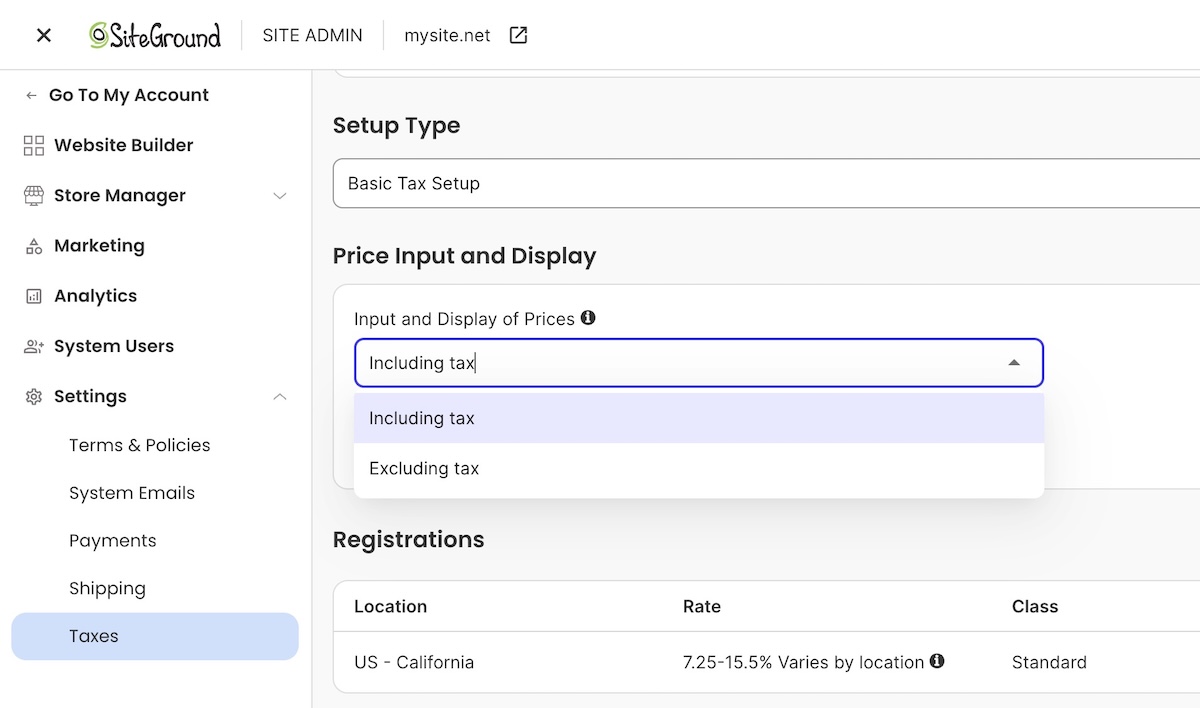
Worth mentioning: whether your price includes tax or adds it at checkout depends on your buyer’s region, EU shoppers expect tax-inclusive pricing, US shoppers expect it added on top, and most platforms, including SiteGround Ecommerce, let you set this per region automatically.
Where to sell digital products: own website vs. third-party marketplaces
Your two real options: a marketplace with built-in traffic and higher fees, or creating your ecommerce own website with lower fees and little traffic handed to you. Here’s how they stack up.
Selling on third-party marketplaces
Etsy and Gumroad hand you an existing audience that’s actively searching for products like yours, which matters most in your first few weeks before you’ve built any traffic of your own.
- Traffic: built in, no work required to get in front of buyers.
- Fees: a platform commission stacked on top of standard payment processing.
- Control: the marketplace owns the checkout and the customer data, not you.
- Taxes: most marketplaces collect and remit sales tax on your behalf as part of that fee.
Plenty of sellers treat a marketplace as a discovery channel for the first few months, then shift toward their own site once they’ve got enough reviews and repeat buyers to make that traffic worth capturing directly.
Selling on your own website
This is the shift marketplace sellers eventually make.
- Traffic: yours to build. Nobody hands it to you.
- Fees: typically just payment processing, around 2.9% plus $0.30 per card transaction, though some platforms tack on a small transaction fee too, still well below what a marketplace charges. SiteGround Ecommerce, for example, drops that extra fee entirely on its Grow and Scale plans, leaving just processing.
- Control: you own the customer relationship completely: their email, their purchase history, any repeat business that follows. That means accepting payments online directly through your store and setting up your own email marketing, both far easier to pull off than they might seem.
- Ecommerce sales tax: your job too, but less work than it sounds. Most platforms calculate the right rate automatically at checkout once you’ve entered your business details, the same way a marketplace does behind the scenes.
Marketplaces are a fine place to start. They’re a worse place to stay once your product has actually proven itself.
How to set up a store to sell digital products
Whether you’re using a dedicated ecommerce platform, a marketplace, or a store builder, digital delivery is largely automated at this point: mark a product as downloadable, and the platform takes care of getting the file to the buyer.

Here’s what that typically looks like, once it’s set up:
- Delivery: the platform generates a working digital download link for each purchase, drops it into the buyer’s order confirmation email, and usually adds a backup download button to their order summary page too.
- Payment: connect a processor once in your settings, and every sale after that routes through it automatically.
- Tax: set your product’s tax classification once, and the rate calculates automatically at checkout based on the buyer’s location.
Platforms vary in how much of this is built in natively versus bolted on. Some require a separate plugin or third-party file host to handle digital delivery; others, like SiteGround Ecommerce, build it in from the start, which is one less integration to set up and maintain before launch.
How to get your first digital product sale
A little reality check: your first sale will almost certainly not come from a stranger finding your digital product business through search. It will come from your existing network, such as peers who already know you have expertise, maybe existing customers…probably your mom.
Start close to home:
- Tell 5 to 10 people directly, by name, that the product exists. Ask for feedback, not just a purchase.
- Offer a small early-bird discount to remove the last bit of hesitation for buyer number one.
- Turn their review into your first piece of social proof for everyone after them.
- Build an email list before launch day, even just an email signup on a coming-soon page, so you’re not launching into silence.
From there, distribution takes over. Posting consistently on one platform where your audience already hangs is the way to go as opposed to scattershot posting literally everywhere. Building a structured 90-day ecommerce marketing plan will give that consistency a shape, instead of posting on a whim with no real plan.
A real example: Our first workshop sale came from a sales page built for that one product, advertised straight to our existing olive oil customers. They weren’t our exact target audience for a corporate team event, but a few of them were, and because they were loyal, they became our biggest advocates, referring us to exactly the kind of company we were trying to reach.
Common mistakes new digital product sellers make
Most of these aren’t visible until the first batch of customers hits them, which is exactly why they’re worth checking before launch instead of after your first refund request.
- Pricing too low out of fear. A $5 price tag signals low value about as often as it signals accessibility, and it locks in thin margins you’ll regret at scale.
- Skipping a delivery test. Buy your own product before launch. A broken download link on day one turns your first customer into your first refund.
- Skipping feedback from a trusted audience. Send the draft to a handful of people who actually fit your target buyer before you launch publicly. A confused beta reader today is a refund request, or worse, a quiet non-referral, next week.
- No differentiation from free alternatives. If a free YouTube tutorial covers 90 percent of what your product teaches, be specific about the 10 percent that justifies a price tag.
- Launching without any marketing plan. A great product with zero distribution plan sells to nobody. A marketing mix built for first-time sellers forces the channel and message decisions before launch day instead of after it stalls.
- Ignoring licensing terms. Sellers of audio, fonts, and templates who skip clear usage terms field the most refund and support requests of any category.
A real example: Our own biggest workshop mistake was skipping test runs. We hit technology and flow issues live, in front of paying customers, that a single dry run would have caught in ten minutes. Instead we spent an awkward hour of scrambling during our first virtual session.
Next steps: from idea to first sale
You’ve done it — you’ve really done it: figured out which digital product to sell, what to charge, and where to sell it. The only piece missing is somewhere to actually put it.
SiteGround Ecommerce handles that without a separate plugin, file host, or delivery workaround: digital products deliver themselves, payments and tax calculate automatically at checkout, and built-in marketing tools mean you’re not stitching together five different apps just to launch. The gap between “I have a product” and “I have a store” is an afternoon, not a month.
[103]
Frequently asked questions
Printables and templates are the easiest digital products to sell as a first product, since they need no video or audio production and can go from idea to published listing in a single day. Both formats also let you test an idea with minimal upfront investment before committing to something bigger, like a full course.
Templates, printables, and short ebooks sell in the highest volume because they solve narrow, specific problems at an impulse-buy price point, while online courses generate less volume but a higher price per sale. Volume and price per sale usually trade off against each other, so the “most sold” format isn’t always the most profitable one overall.
Start with a product type that needs no paid tools, like a printable made in free design software, and use a store platform’s free trial to list it before committing to a paid plan. Marketplaces like Etsy also let you list without any upfront store cost, though their per-sale fees run higher than running your own site.
No. Marketplaces like Etsy and Gumroad let you sell without a website, but you’ll pay higher combined fees and you won’t own the customer data that a website checkout gives you. A website becomes more valuable as your sales grow, since the fee savings compound with every additional order.
Yes. Digital products are typically more profitable than physical goods because there’s no manufacturing, storage, or shipping cost on each unit sold, which pushes margins well above 80 percent after payment processing. That profitability still depends on choosing a price that reflects the value delivered, not just what feels comfortable to charge as a beginner.
Online courses carry the highest price ceiling and the best margin per sale, but they also demand the most upfront production time of any digital product type. Want the profitability without the time investment? A well-priced template or toolkit sold at volume can get you close on total margin.