An Easy Beginner’s Guide to Email Retargeting

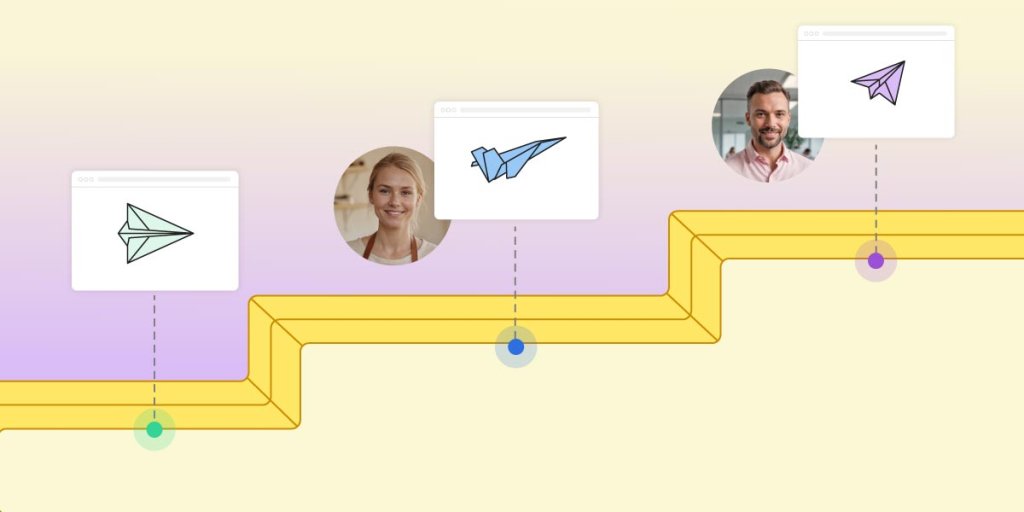
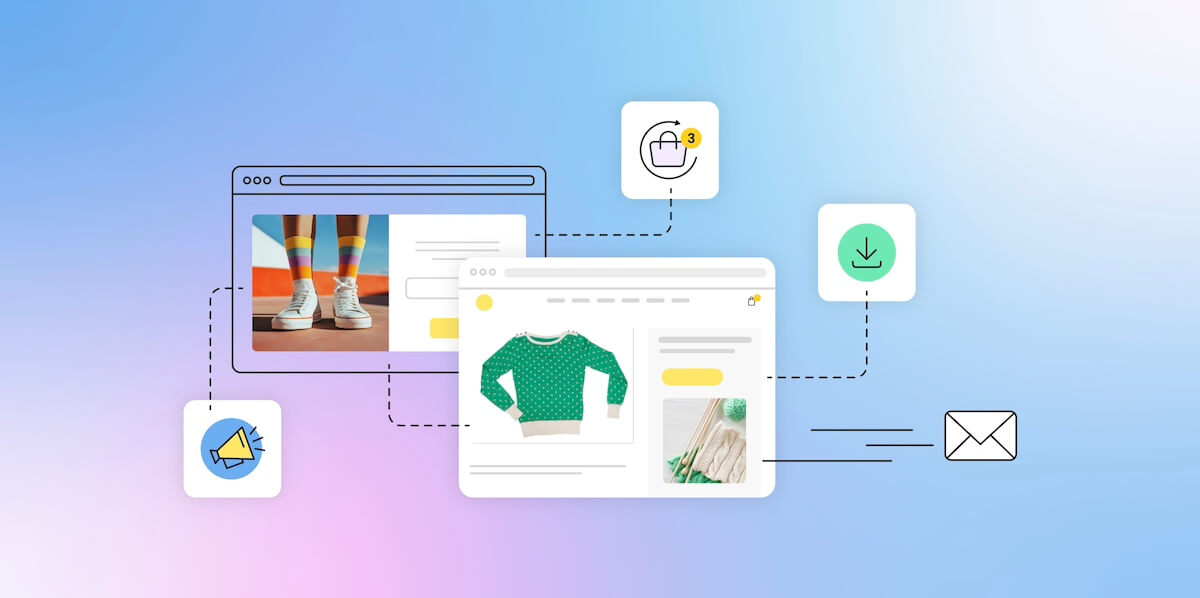
Abstract image of email retargeting

Email retargeting might sound like something reserved only for the super savvy marketer, but the reality is that it’s easily accessible to anyone that wants to step up their marketing game. And thank goodness, because it’s an email marketing benefit you don’t want to miss. It allows you to send timely, personalized emails that nudge potential customers closer to the finish line. 

It’s all about re-engaging people who have already shown interest in your brand—whether they abandoned a cart, downloaded content, or signed up for an event—by sending relevant follow-ups that keep you top of mind.

In this article, we’re breaking down email retargeting in a way that’s simple and actionable, so by the end, you’ll be ready to put it to work for your business.

What is Email Retargeting?

Email retargeting is a strategy that re-engages potential and existing customers by sending personalized emails based on their past interactions with your brand, encouraging them to move further down the sales funnel. 

This could be as simple as reminding them about an abandoned cart or as strategic as following up after they attend an event or sign up for an offer. Email retargeting keeps your brand top of mind and helps turn those that are just casually interested in your offerings into long-term and loyal buyers.
Definition of what is email retargeting

How Does Email Retargeting Work?

Email retargeting works by sending specific messages triggered by a user’s past behavior or actions. These triggers can be based on various events, such as abandoning a shopping cart, downloading a piece of content, or attending a webinar. Once a user takes an action, an automated email—or email sequence—is sent to remind them of what they interacted with or to offer something that aligns with their interests. This customized approach increases chances of customer engagement and, of course, conversion.

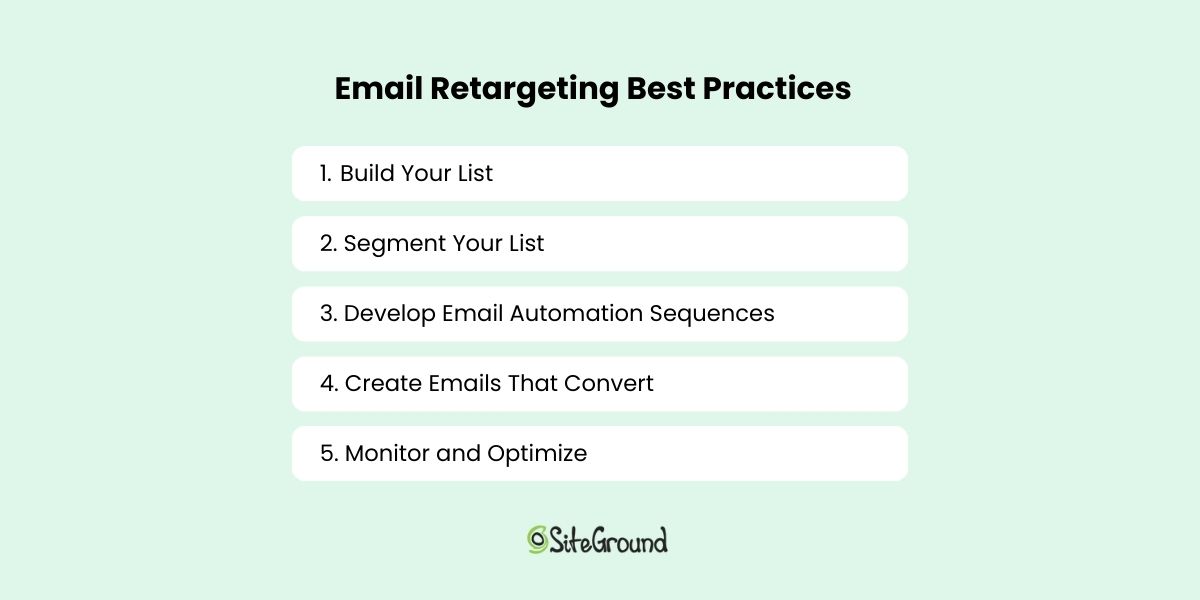
Email Retargeting Best Practices

Email retargeting can seem complex, but it really doesn’t need to be. By following these five best practices for email retargeting, you can easily get your own efforts off the ground and start seeing more of those leads turn into customers. 

1. Build Your List

Your email list is where the real email retargeting magic happens. So on one hand, you need to build your list, but on the other, you need to build it thoughtfully—because how people get added to your list and, in turn, how you segment those new subscribers, is the first important key to retargeting. 

While there are countless clever ways to build a high-quality email list, let’s cover a few specific examples as they relate to email retargeting: 

  • Building Your List Via Sign-Up Form: If you’re adding leads to your list via a form on your website, think about what helpful information you might want or need to know about your potential customer—maybe their business size, their role, or even their specific interests. Knowing this will help you as we move on to step two.

Pro tip: Only ask subscribers to provide information that is absolutely necessary, as the more fields you add to your form, the less likely people will be to fill it out. So be strategic!

  • Building Your List Via Events & Lead Magnets: You can also gather leads via specific, value-added content, such as events, webinars, or lead magnets like free downloadables. So, let’s say you create a landing page where you offer a free case study or an event sign up—in signing up, the potential customer provides you with their email. Lead acquired!  
  • Build Your List Via Other Channels: Whether it’s an in-store sign-up, a co-marketing give-away, or otherwise, there are many unique ways to build your list and gather useful information about your subscribers.

Ready to grow your email list? With SiteGround Email Marketing, you can effortlessly build and segment your list using sign-up forms, lead magnets, events, and more. Start cultivating a targeted, engaged audience today so that you can leverage email retargeting and drive higher conversions tomorrow.

2. Segment Your List

You’re planning to gather all these emails through the aforementioned different channels, which is great because it will provide you with unique information about your customers—what they might be interested in, what event they may have attended, what case studies intrigue them. How you plan to use this information, though, is where the real email retargeting happens. 

That’s because, based on each of these data points, you can plan to create a segmented email list. For example, if someone downloads a guide on strength training for beginners, they can be added to a segment focused on weightlifting. If another user signs up for a webinar on marathon training, they can be placed in a segment geared toward endurance athletes.

Segmentation like this allows you to send more personalized and relevant messages based on user behavior. So for the weightlifting enthusiast, you might send a breakdown of the best protein supplements for muscle recovery, while the runner could receive a personalized training plan for improving their race time.

So as you build your list, make sure to segment emails based on the channel they were received, or data they may have shared (such as interests, business role, etc.). By customizing your retargeting emails to these different segments, you’re increasing your chances of conversion while making each email feel personal and thoughtful.

3. Develop Email Automation Sequences

Once you’ve built and segmented your list, the next step is to automate your email retargeting campaigns. Email automation is your secret weapon—it sends the right message at the right time, without you having to hit “send” every time. 

Develop email sequences that align with your customers’ actions, whether that’s a series of reminders for abandoned carts, event follow-ups, or personalized product recommendations after someone signed up for a specific freebie. Use this specific information about your customer to send messages that build on the initial trigger. 

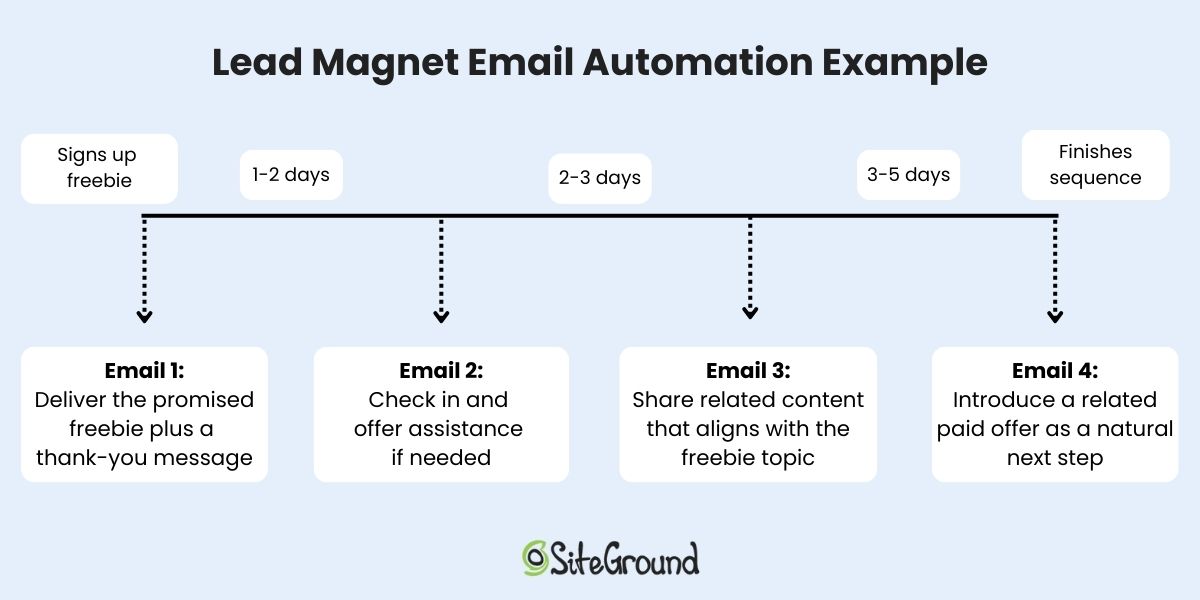
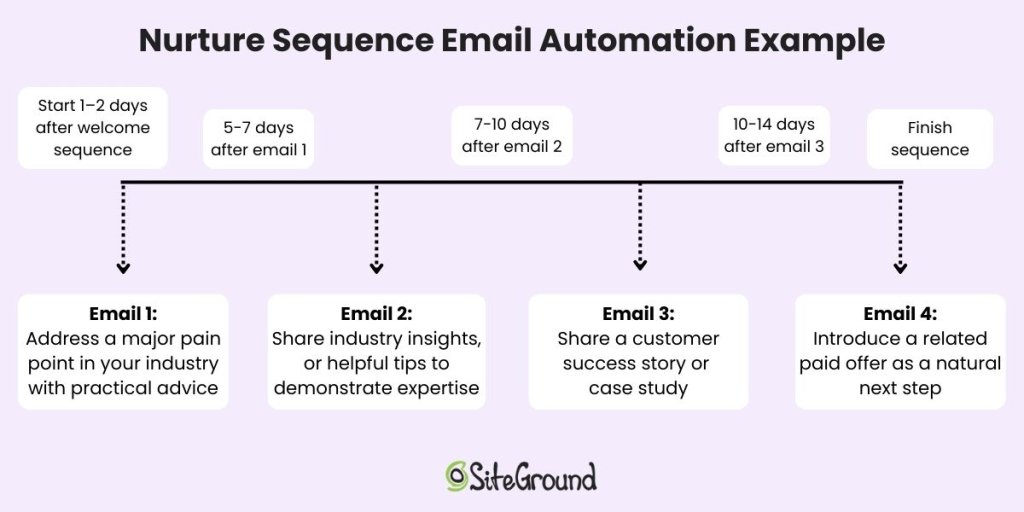
Below is an example of what this kind of retargeting email sequence could look like if someone signed up for a lead magnet, such as a free downloadable. 
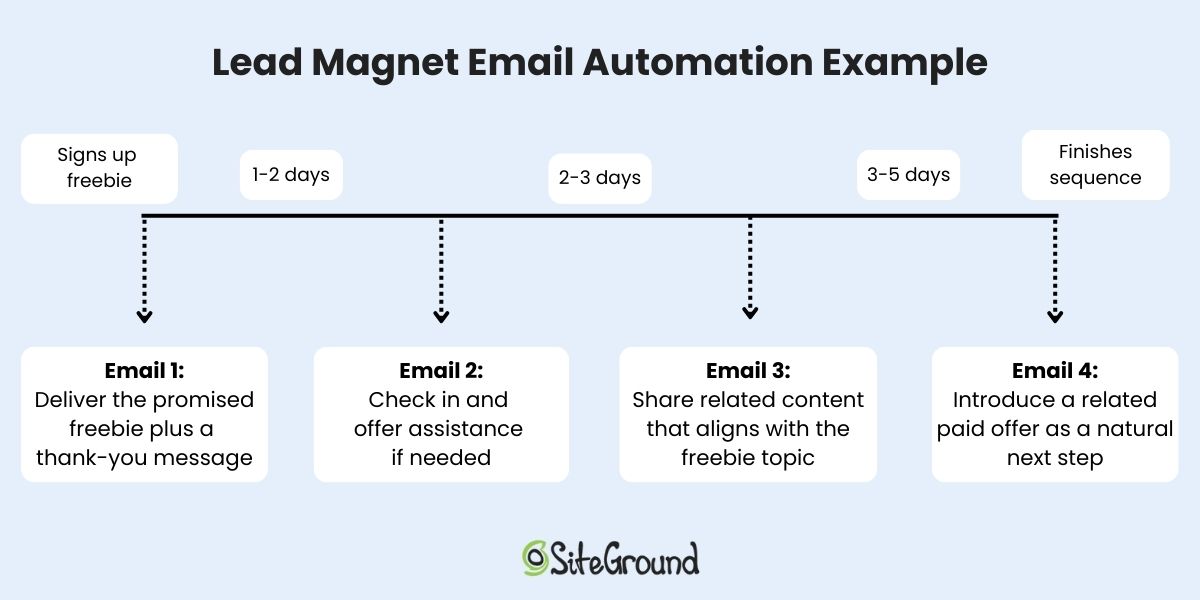
Automation sequence for email retargeting

When it comes to creating sequences, think of them as a well-planned map, where each email transitions into the next, guiding your leads through their email marketing journey without missing a beat. The key is consistency and timing—make sure your emails are spaced out enough to stay top-of-mind, but not too often to feel like you’re bombarding them.

4. Create Emails That Convert

Perhaps you’ve got a sequence in mind, but that’s not enough: you need those emails to actually get clicked—and then to convert. 

The first step? Personalization. 

You can, of course, address your customers by name—this is the easiest way to personalize. But, an even more important approach when it comes to retargeting, is that of referencing the recipient’s previous actions (like that recent research report they downloaded) so that the email, and its content, feels like it’s made just for them. 

Then it’s important that your email message follows best practices, so keep in mind the following in order to maximize your chances of success:

  • Implementing a strong email subject line is the place to start here—it needs to generate curiosity or offer something valuable right off the bat. 
  • When it comes to the email itself, keep the content clear, compelling, and to the point. Too much copy is a turn-off. 
  • Use strategic email design consisting of thoughtfully laid-out visuals and copy, as well as a noticeable and actionable call-to-action. 
  • And don’t forget to optimize for mobile—many customers will be reading your emails on their phones, so make sure they look great on all screen sizes.

5. Monitor and Optimize

Your email retargeting efforts shouldn’t be a “set it and forget it” situation. To truly succeed, you need to monitor your email marketing metrics and fine-tune your campaigns.

Track metrics including open rates, click-through rates, and conversion rates to see how your emails are performing. If your open rates are low, work on your subject lines; if your click-through rates are low, examine your calls to action; and if your conversion rates are low, explore how your email content aligns with your landing page content. 

Sometimes just switching up types of emails or content formats can do the trick and capture new interest. Don’t be afraid to tweak your messages, analyze the results, and update future sends accordingly. And if you’re not sure which approach to take, run an A/B test—send two versions of an email with just one difference, like the subject line—and see which performs better.
email retargeting best practices

Email Retargeting Examples

Now that you know the basics, let’s look at some real-world examples that demonstrate how email retargeting strategy works in action. Whether it’s nudging a potential customer toward a purchase or re-engaging them after an event, these email marketing campaign examples illustrate best practices when it comes to the versatility and effectiveness of email retargeting.

Abandoned Cart Email

The abandoned cart email is a retargeting classic. You know how it goes: you add a product to your shopping cart but leave without checking out. Email retargeting swoops into the rescue, sending you a friendly reminder about the items you left behind. Maybe there’s an added offer to sweeten the deal and tip you in favor of a purchase. It’s a simple, but powerful way to retarget you with a precise message that hopefully turns that lost sale into a successful one.
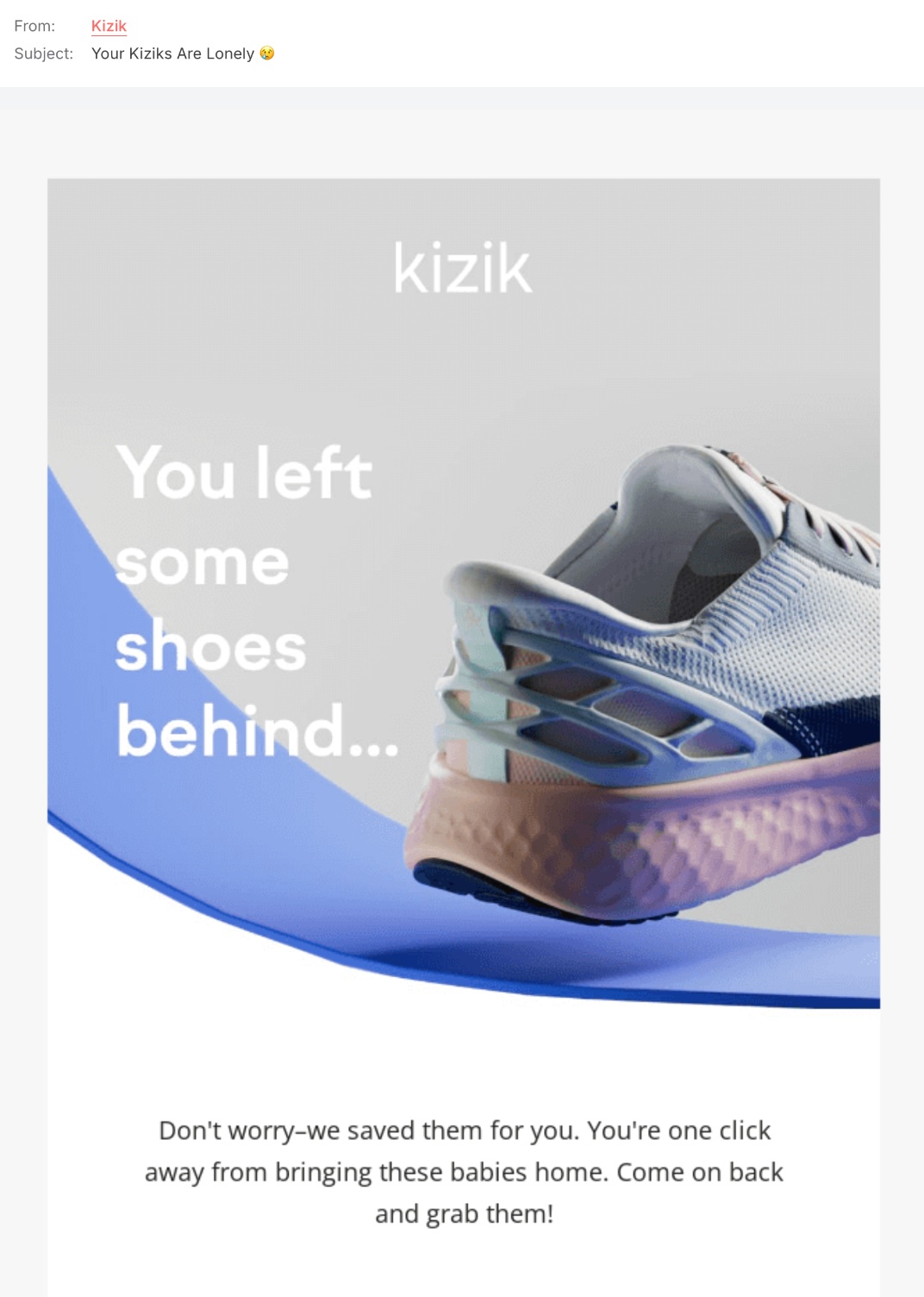
example of an abandoned cart retargeting email

The above example keeps it simple and playful with a catchy subject line, and a to-the-point message. Now, if the recipient still doesn’t buy after this email, you could potentially send a later email with a discount to finally secure the sale. That’s the beauty of retargeting: you can refine and “retarget” your message until you hit the bullseye. 

Interest-Based Email

Interest-based email retargeting focuses on customers as a result of specific products or content they’ve engaged with. For example, if, when filling out your sign-up form, a customer indicates that they’re interested in sustainable travel, you might follow up with an email featuring your top eco-friendly vacation packages, tips for reducing your carbon footprint while traveling, or an exclusive discount on a nature-focused retreat. This approach makes the emails feel tailored and relevant, which increases the likelihood of a conversion.

In the below email sign-up scenario, Zapier asks new subscribers to share more about their role in order to “personalize” (and retarget) their experience.
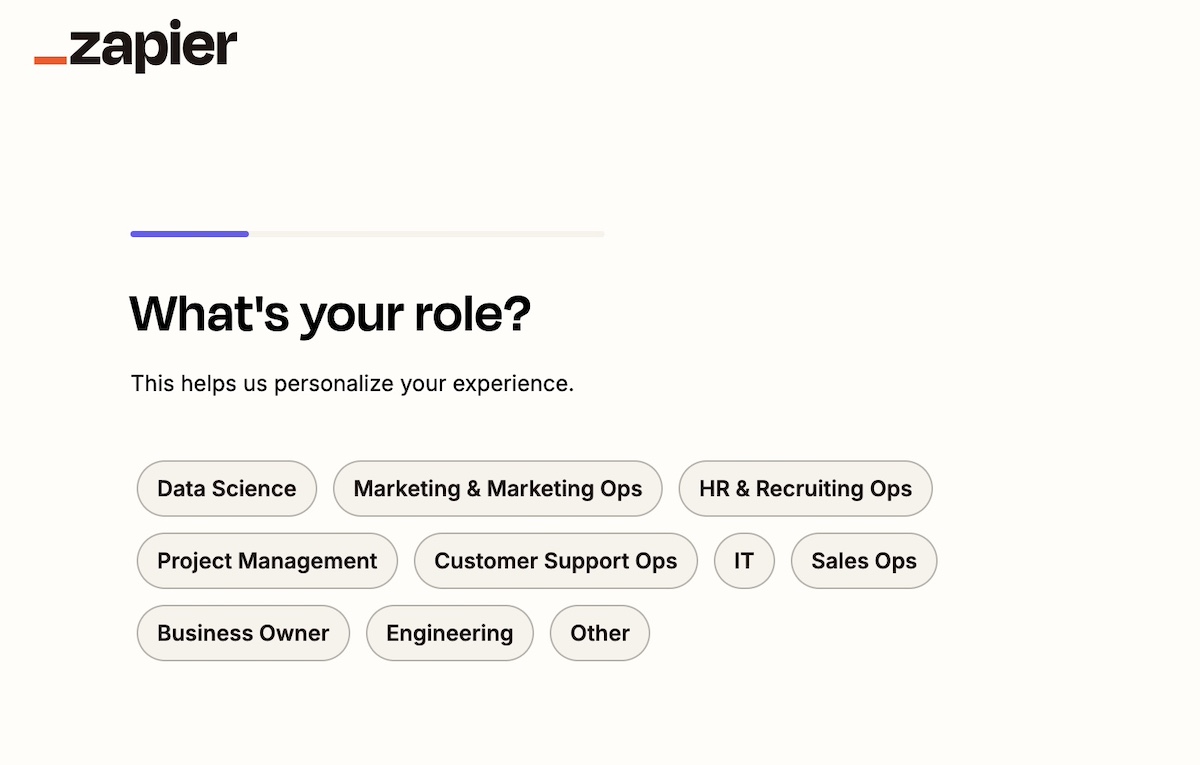
email form sign up with interests and roles for retargeting

After signing up, a subscriber who indicated they are a business owner might receive the below email about upgrading to a Company plan, while someone in customer support could get an email on how to maximize efficiency with Zapier.
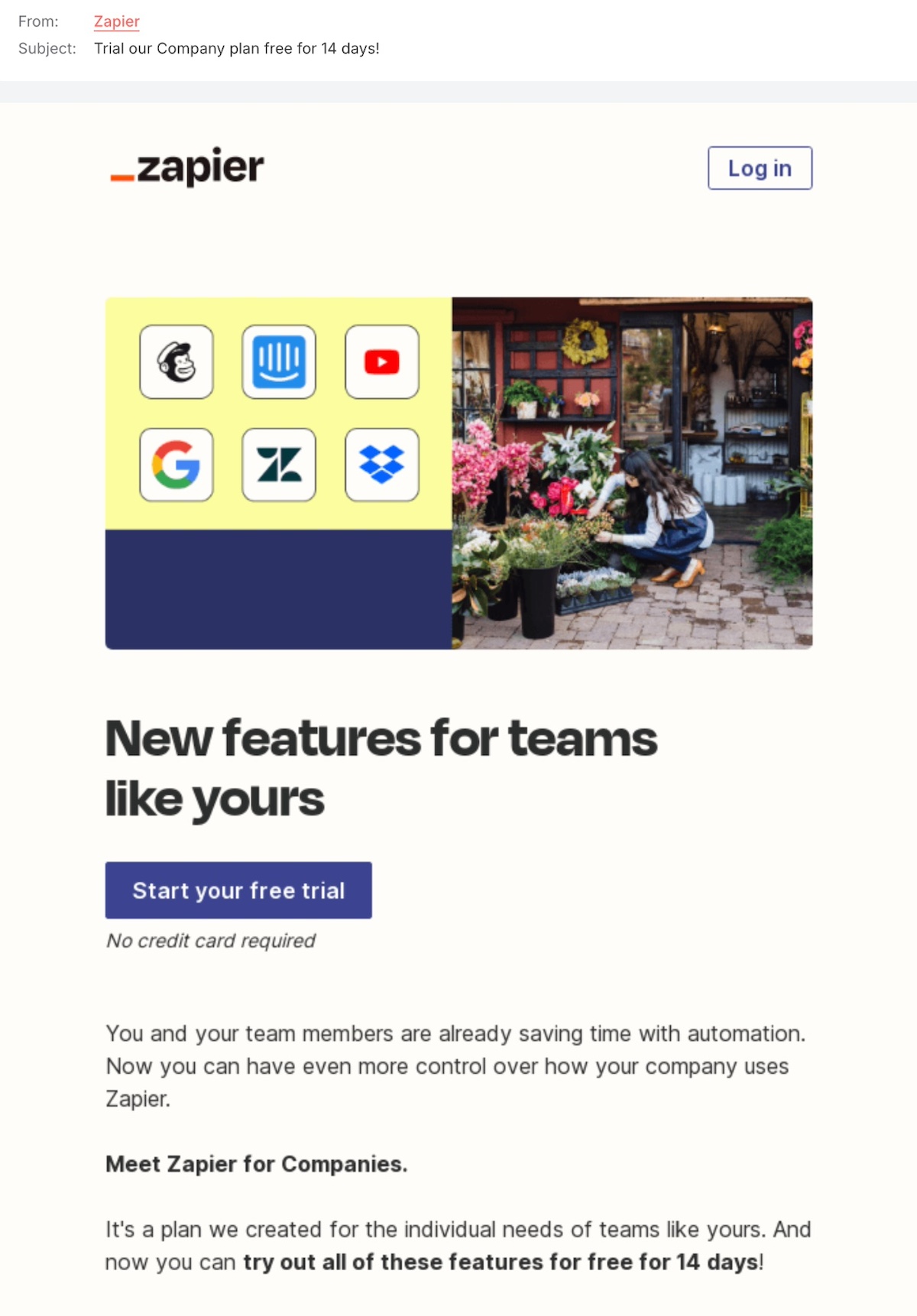
example of an interest based retargeting email

Event-Activated Email

Event-based retargeting emails are all about keeping the connection going. If someone signed up but couldn’t make it, send them a recap with highlights so they don’t feel like they missed out. If they did attend, keep the conversation going with bonus content, special offers, or a simple next step to stay engaged.

The goal? Stay on their radar, add value, and give them a little nudge toward their next move—whether that’s joining another event, checking out your services, or making a purchase.
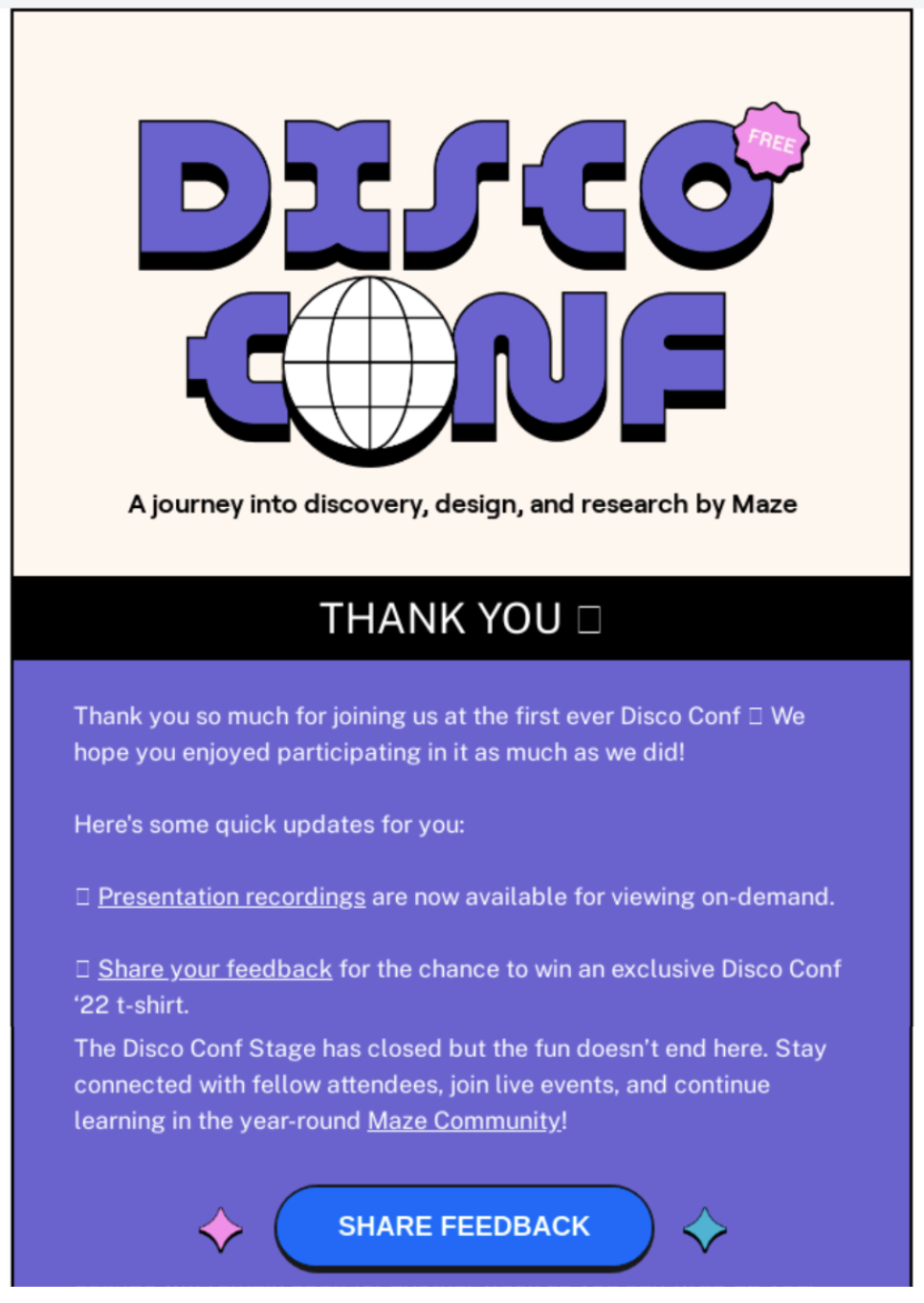
example of event based email retargeting

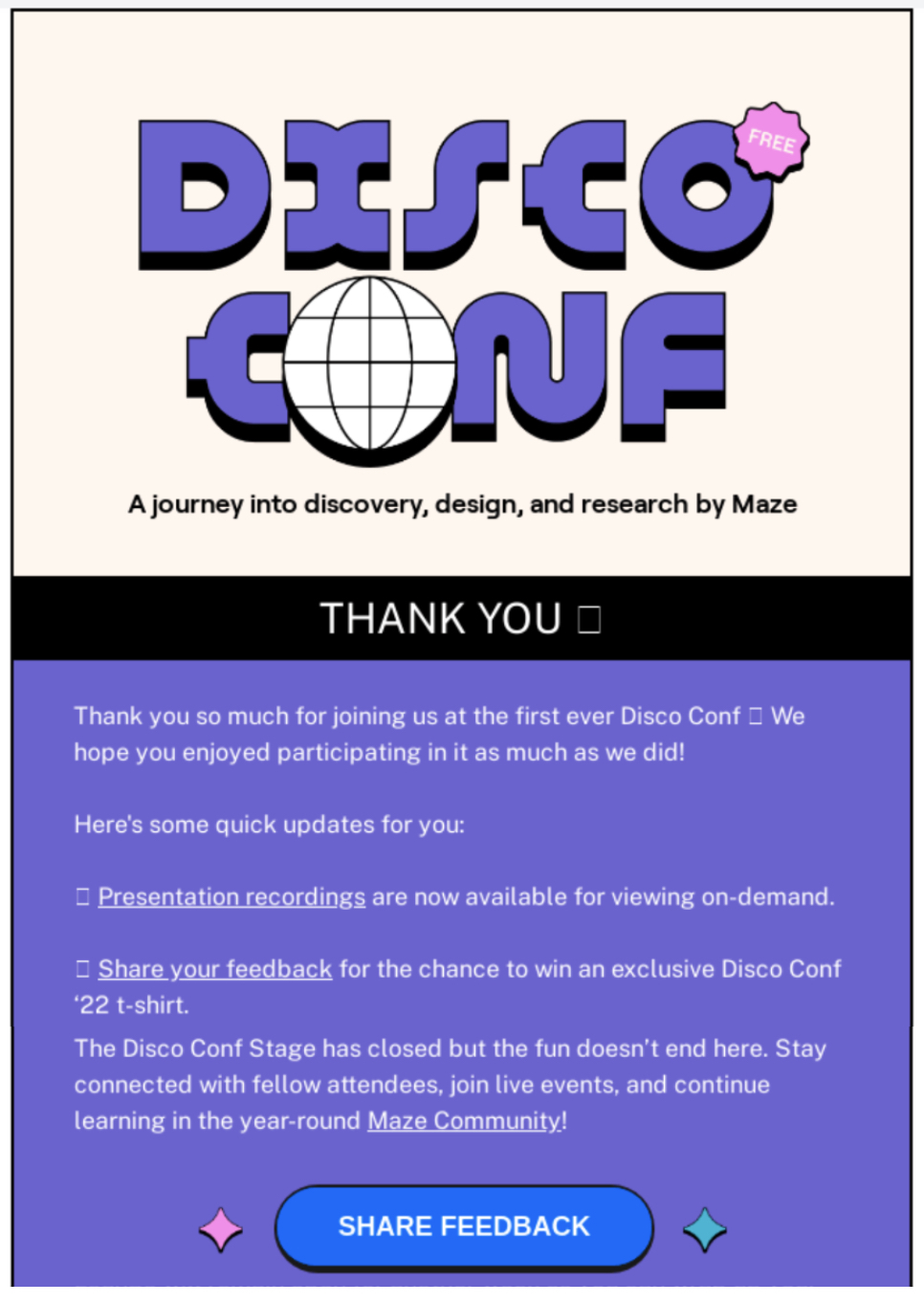
The above example capitalized on post-event buzz to send additional valuable resources, and also request feedback. This targeted, relevant message increases the likelihood of engagement. Meanwhile, future emails in this sequence could build on this momentum by delivering more event-related content while also subtly guiding potential customers toward conversion. 

Download-Triggered Email

When someone downloads a piece of content from your website, whether it’s an e-book, a whitepaper, or a guide, they’ve already shown interest in what you offer. Download-triggered email retargeting follows up with that initial interest, delivering additional valuable content or suggesting related products or services. It’s an excellent way to nurture leads who are already engaging with your brand, moving them from the information stage to the decision-making stage.

example of downloaded based email retargeting

The above email from SiteGround is the first in a retargeting sequence. It was triggered when someone read one of our articles and then decided to download our ChatGPT for Marketing cheat sheet. This email could be followed by future emails, including a video on ChatGPT, tips on using AI for email marketing, and the like. So when a customer expresses interest in ChatGPT, SiteGround’s smartly set up email automation goes into action to retarget that customer and send them information that is relevant to their interest. 

Making Your Email Retargeting Strategy Work for You

Email retargeting doesn’t have to be hard or complicated; it just requires you to be thoughtful about using the tools and information at your disposal. Set up smart segments as you gather your leads, create strategic email automations that nudge your customers along, and optimize as you go. Simple as that!

And if you’re looking for a smooth way to put your retargeting strategy into action, SiteGround Email Marketing has you covered. With its easy-to-use automation features, you can effortlessly set up and manage your campaigns, making sure your retargeting emails reach the right people at the perfect time.
create successful email marketing campaigns with SiteGround

What Is Lead Nurturing? A Simple, Effective Guide

An abstract image of lead nurturing

Have you ever experienced a pushy sales pitch the minute you walk through a store door? Of course you have—we all have, and it can be totally off-putting, making you want to walk right out of the store, never to return. But a warm welcome, helpful advice, and a little space to explore? That’s a much better experience—one that makes people more likely to stick around, come back, and buy. 

That’s exactly how lead nurturing works. Instead of rushing potential customers into a sale, it’s about guiding them through their journey. You gently build trust, address concerns, and keep your business top-of-mind until that future customer is ready to commit.

For small business owners and freelancers, lead nurturing can make a world of difference. And with the right strategies in your back pocket, you can turn those casual inquiries into loyal customers, and without the dreaded pushy or salesy vibes. Let’s dive into what lead nurturing is, why it matters, and three simple steps to make it work for your business.

What is Lead Nurturing?

Definition of what is lead nurturing

Lead nurturing means staying connected with potential customers and guiding them toward a purchase by building trust and providing helpful information along the way. Rather than pushing for that immediate sale, lead nurturing focuses on giving value, addressing pain points, and guiding prospects toward a purchasing decision in a natural, trust-building way.

This approach is especially useful for small businesses and freelancers who don’t have massive marketing budgets but still need to turn leads into loyal customers. Consistent engagement with potential clients, whether through email or other channels, helps you to stay on their radar and increase conversions.

Why Is Lead Nurturing Important for Your Business?

For small businesses and solo entrepreneurs, a well-structured lead nurturing program can make a hugely important difference because:

  • Most leads aren’t ready to buy immediately. Studies show that the majority of prospects need multiple touchpoints before making a decision.
  • It builds trust and credibility. Consistently providing useful information helps position you as an expert in your field.
  • It increases conversion rates. Leads who receive personalized follow-ups are more likely to turn into paying customers.
  • It helps maximize your marketing efforts. Nurturing existing leads is often more cost-effective than constantly chasing new ones.

With the right lead nurturing strategies, you can keep your business growing without relying solely on expensive advertising or cold outreach. Return on investment is high and the process is scalable—there’s just no reason not to get on board.

3 Steps to Lead Nurturing

Now that we know why lead nurturing matters, let’s talk about making it work. Here are three key steps to make it happen.

1. Map Out the Customer Journey

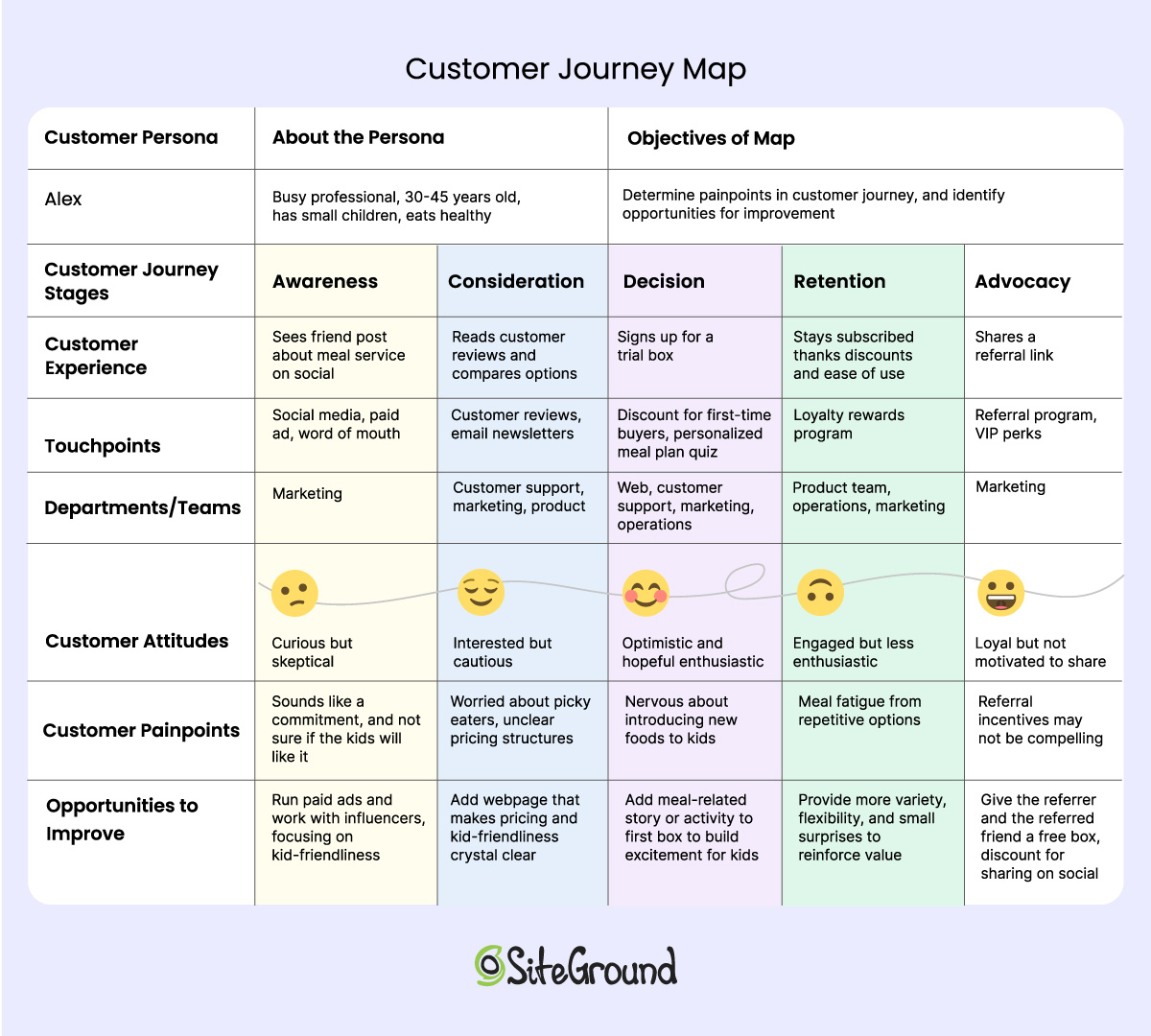
Understanding your customer’s journey is your first important step in your lead-nurturing strategy. That’s because, before you can deliver the right message at the right time, you need to identify the right message and the right time—and for that, you need to map out how potential customers (your leads!) interact with your business.

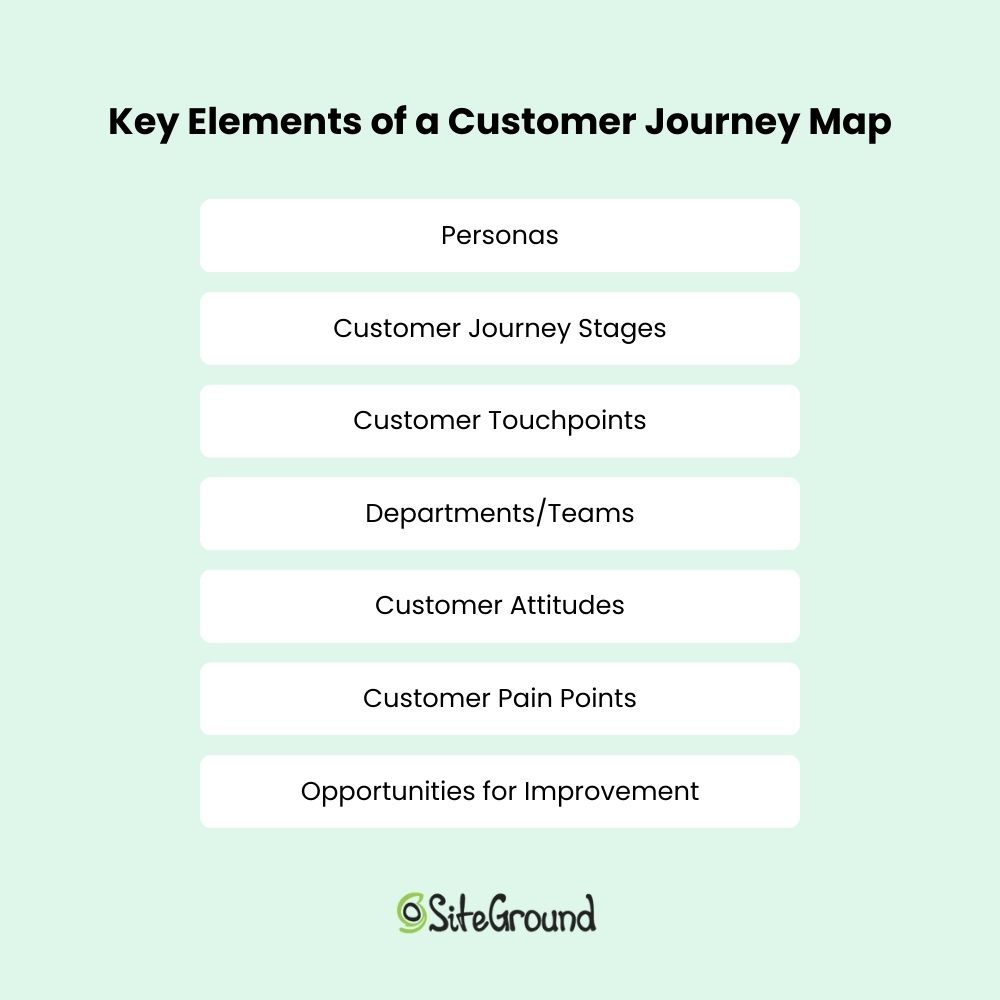
To map out the customer journey, start by defining your buyer personas—detailed profiles of your ideal customers based on demographics, needs, and pain points. Then, outline the key touchpoints where they engage with your business, such as:

  • Visiting your website or landing page
  • Downloading a lead magnet (such as a free guide or checklist)
  • Signing up for your newsletter
  • Following your social media accounts
  • Attending a webinar or consultation call
  • And so on…

Map out these interactions carefully, considering where leads might first discover your brand, when they need more information, and when a well-timed nudge can move them toward a decision and beyond. 

2. Create Lead Nurturing Campaigns and Content

Once you’ve built a clear map and identified key touchpoints and gaps, the next step is to develop lead-nurturing campaigns and content that will move those customers through each stage of the buying journey. 

Your lead nurturing program should include a mix of content strategies that not only generate leads, but eventually create conversions.

There are many ways you can meet your future customers at each touch point and nudge them to the next. Here are some of the most common and effective methods for doing so:

Leverage Email Marketing with Freebies and Lead Magnets

People love getting something of value for free. Offering downloadable guides, checklists, templates, or exclusive content in exchange for an email address is a great way to collect leads, build your email list, and begin the lead nurturing process. Just remember that free content should align with what you actually provide as a business, ensuring that gathered leads are actually interested in what you have to offer.

Example of a lead magnet

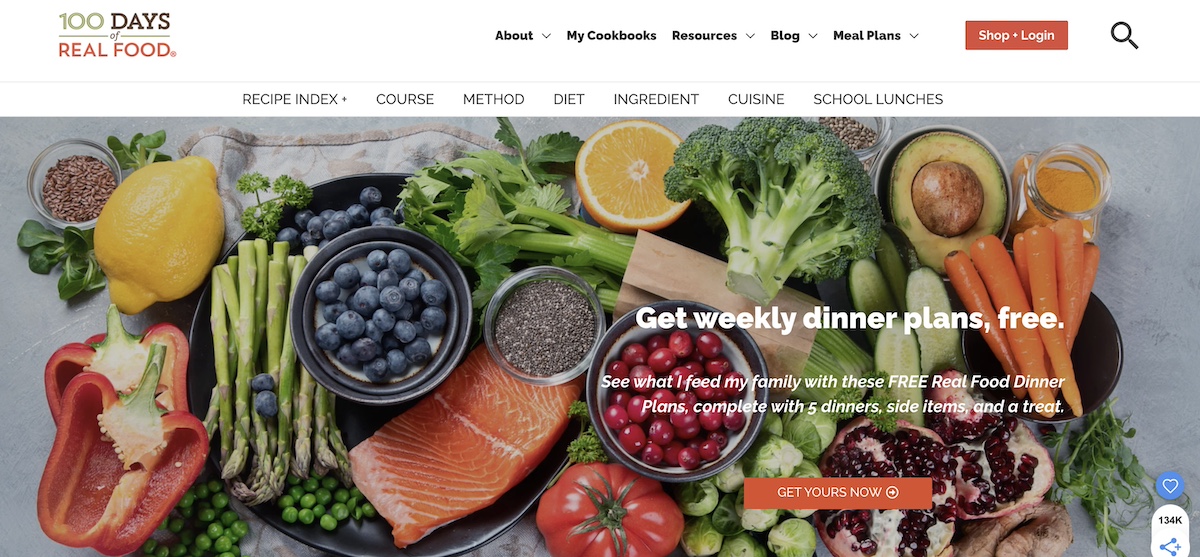
The above food website offers free weekly dinner plans in exchange for an email address. From there, the business can build a relationship with the customer via the weekly meal plans and other informational emails. Then, the business could eventually offer custom meal packages or consulting services, thus turning the subscriber into a customer.

But your email marketing list is just the first step—how you engage with those leads matters just as much. That’s where email marketing comes in. A well-designed email sequence allows you to follow up with your leads, keep them engaged, and gently guide them toward a conversion.

Instead of sending random emails, use a strategic approach:

  • Segment your audience based on how they joined your list (such as downloading a freebie, signing up for a webinar).
  • Create email automation sequences, with lead nurturing emails like welcome emails, follow-up messages, or exclusive offers tailored to their interests.
  • Keep emails engaging and actionable—short, clear, personalized, and value-driven with a compelling call-to-action (CTA).
  • Don’t forget the power of a strong email subject line—Keep it to the point and compelling.

SiteGround Email Marketing offers a seamless solution that makes automating lead nurturing emails a breeze, sidestepping the complexity of other traditional email marketing platforms. SiteGround’s intuitive approach helps you reach customers at the perfect moments, driving engagement and fueling business growth with ease.

Create Landing Pages that Convert

A well-designed landing page is a very targeted way to capture leads and guide them toward the next step in their journey. This kind of page typically focuses on one very important goal: to get conversions, and usually does so by offering an incentive in return, such as a free resource, a special discount, or an event signup. 

To maximize results, drive traffic through targeted ads, email campaigns, and social media promotions. Keep it simple with a strong headline, a brief description of the offer, and a call-to-action (CTA) that encourages signups. 

example of a landing page that converts

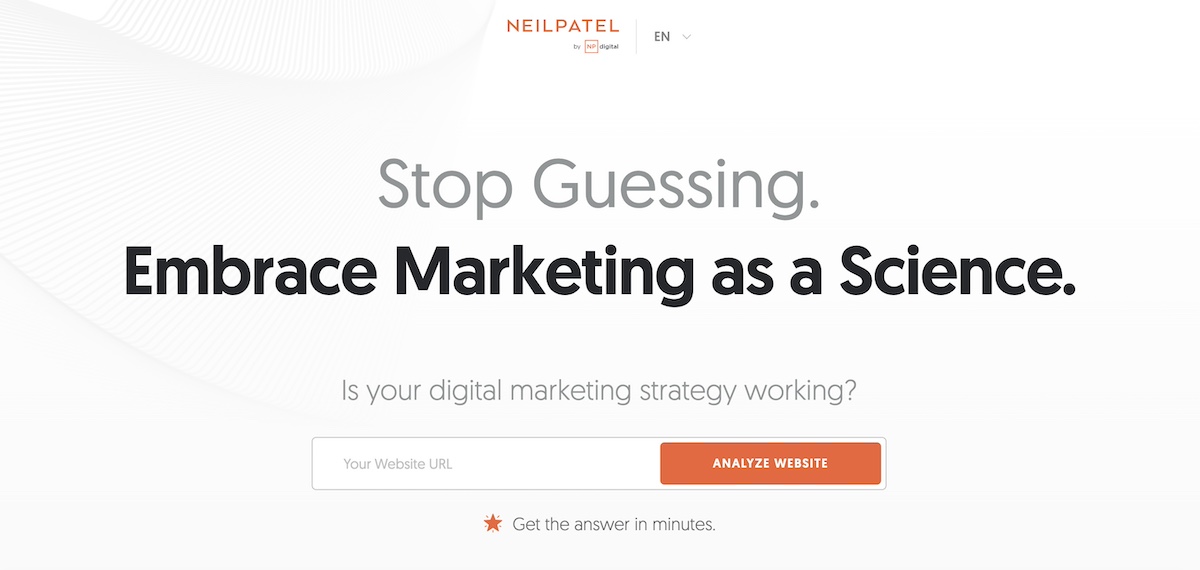
The above is a great example of a super focused landing page. The message is extra clear, as is the call to action. Once the visitor enters their site, they are then prompted to provide an email address, upon which the lead nurturing journey begins.

Give Exclusive Discounts and Offers

A well-timed discount or special offer can be the final push a lead needs to become a paying customer. Consider offering limited-time deals, first-time customer discounts, or loyalty rewards to keep leads interested and coming back for more.

example of a discount or offer to gain leads

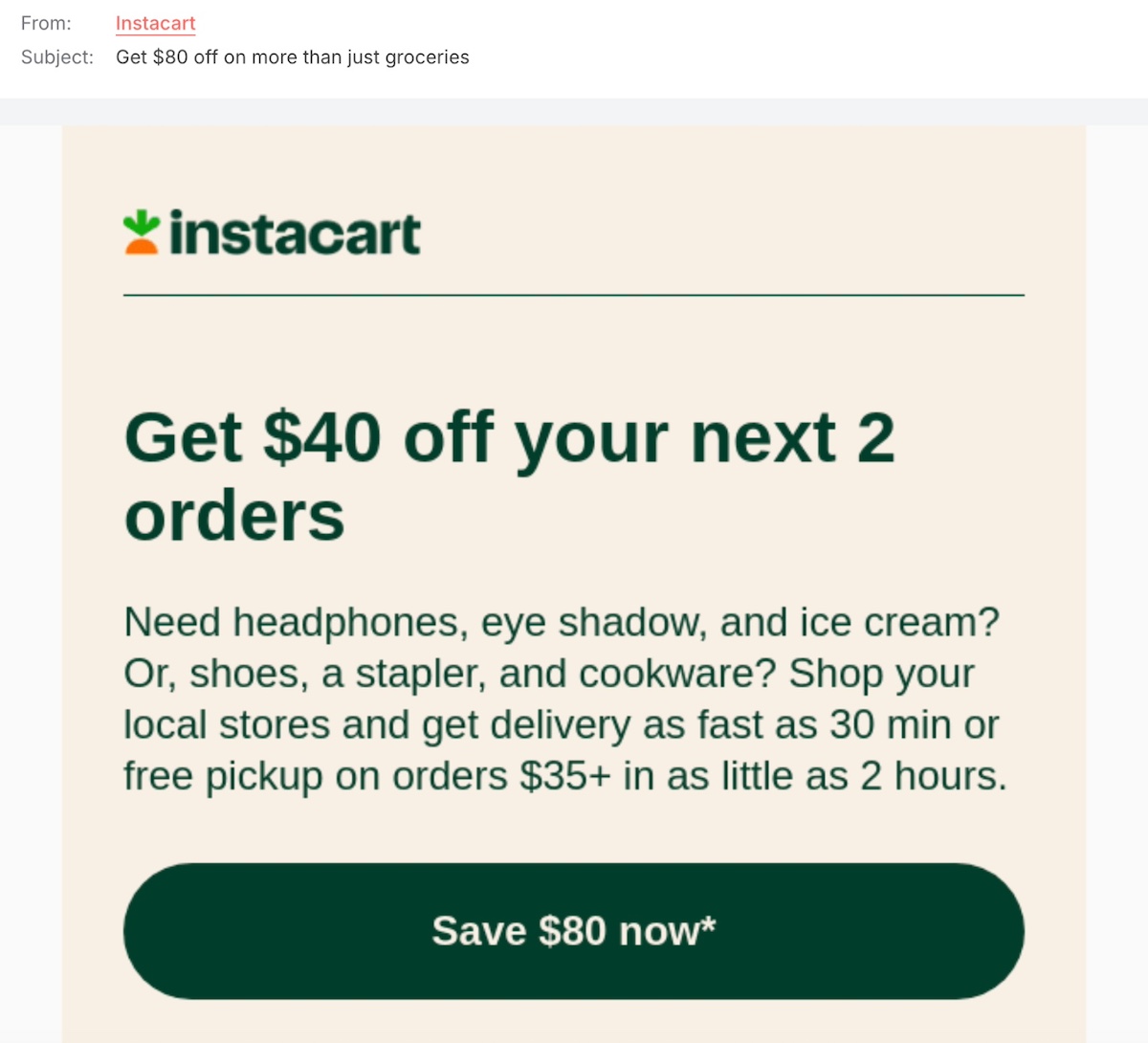
Upon receiving the above email, a curious lead might finally be enticed to make a purchase given the steep discount. 

Organize Educational Events and Webinars

Live events—whether virtual or in-person—allow you to create a more personal connection with your leads. Hosting a free webinar, workshop, or networking event is a great opportunity for leads to interact with you, ask questions, and see the value of your product or service firsthand. It can also help build your credibility as an authority in your space, and more trust from your leads.

example of an event to gather leads

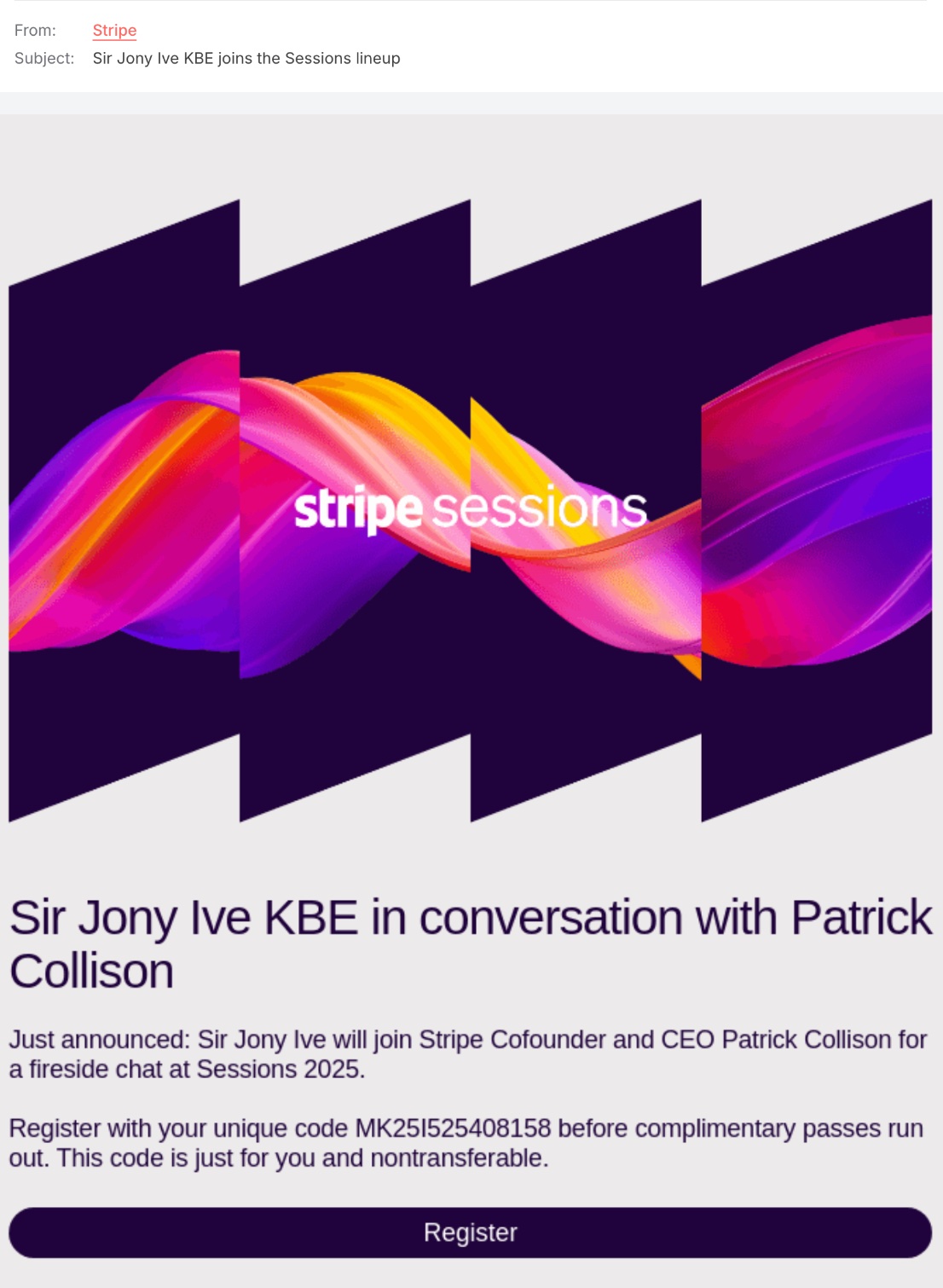
The above webinar email nails lead nurturing with an offer to join in on a fireside chat with the founder and a guest. The offer is made even more enticing by the fact that the pass is limited and complimentary. 

Run Paid Ads

Not all leads move through your funnel at the same pace. Retargeting ads can help bring back visitors who have interacted with your website but haven’t converted yet. By serving them relevant ads with personalized offers, you can stay top-of-mind and encourage them to take the next step.

These are just a handful of ways that you can connect with your leads at each touchpoint. Don’t be afraid to get creative with what you implement and when—just remember that the key is to provide ongoing value, and meet your leads where they are in their journey.

3. Monitor Metrics and Improve

Lead nurturing isn’t a one-and-done process—it requires ongoing tracking and optimization so that you can be sure you’re getting the absolute best driving results. With that in mind, monitoring your lead nurturing campaign metrics will allow you to identify what’s working and what needs improvement. 

That said, if you really want to optimize and improve, you’ll want to brush up on the meaning behind key metrics—especially email marketing metrics— but, in the meantime, here are the top stats to keep an eye on:

  • Email Open Rates: Are your emails getting noticed? A low open rate might mean your subject lines need improvement.
  • Click-Through Rates (CTR): Are leads engaging with your content? If CTRs are low, your calls-to-action (CTAs) may need more clarity or appeal.
  • Conversion Rates: How many nurtured leads actually turn into customers? This helps determine the overall effectiveness of your lead nurturing campaigns.
  • Lead Engagement Levels: Are people interacting with your emails, downloading resources, or attending events? If not, your content might not be resonating.
  • Unsubscribe Rates: A rising unsubscribe rate may indicate that your emails are too frequent, irrelevant, or not providing enough value.

Pro tip: A/B test key elements of your lead nurturing emails—subject lines, content formats, send times, and CTAs—to see what resonates best and continuously optimize for better engagement. Just be sure to test one thing at a time.

Begin Your Lead Nurturing Journey

A strong lead nurturing program helps you turn interest into loyalty—without the hard sell. Understanding your customer’s journey, sharing useful content, sending well-timed emails, and paying attention to what works, allows you to build real connections that drive long-term growth. The key? Stay consistent, keep adding value, and be the first brand they think of when they’re ready to buy.

And if you’re looking for an effortless way to manage your email marketing, SiteGround has you covered. With our easy-to-use email tools, you can send automated sequences, segment your audience, and track performance—all from one place. Whether you’re nurturing leads with helpful newsletters or sealing the deal with a well-timed promo, SiteGround Email Marketing helps you keep the conversation going without the stress. Ready to make lead nurturing work for you? Let’s get started!

Grow your business with SiteGround Email Marketing

Master B2B Email Marketing: Proven Tactics & Examples

Featured image for a blog post on B2B email marketing strategies

Ever wonder how some brands skillfully connect with other businesses and drive substantial sales through email? It’s not just luck; it’s the strategic prowess of B2B email marketing at work. However, attempting to proceed without a strategy tailored for business audiences is like setting sail without a map—you’re likely to lose your way. 

Today, we’ll be your north star, guiding you as we explore effective email strategies, real-life examples, and best practices to help you achieve results, just like the top performers in the B2B field.

What Is B2B Email Marketing?

Business-to-business (B2B) email marketing refers to the process of sending targeted messages from one business to another, selling products or services that can address internal challenges, improve operations, or enhance offerings.

It’s all about building brand awareness, nurturing relationships with potential clients, and ultimately increasing your bottom line. Although this might sound similar to the business-to-consumer (B2C) marketing model, there’s more going on beneath the surface.

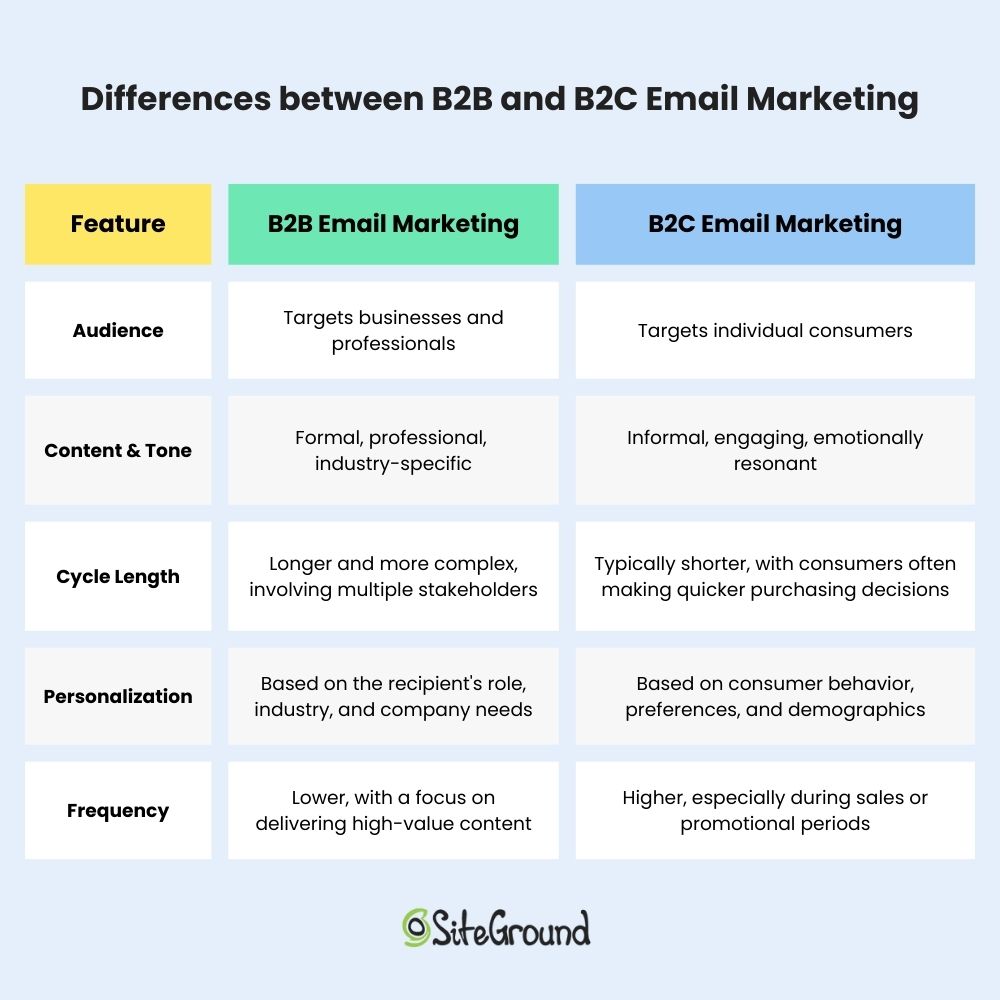
Differences between B2B and B2C email marketing

Why Do B2B Emails Require a B2B Email Marketing Strategy?

B2B email marketing campaigns, in contrast to B2C ones that focus on individuals, aim to connect with entire organizations—or, more precisely, the diverse group of individuals within them.

Unlike solo shoppers, a company’s buying process is much longer and more complex, often involving multiple stages of evaluation and approval. It’s like a team sport, requiring collaboration and input from people across various roles and departments.

This means B2B marketers need to tailor their email marketing strategy to address the diverse interests and concerns of multiple decision-makers. By providing valuable information—such as detailed product specifications, case studies, industry reports, and more—marketers can help each team member understand the benefits and relevance of the offering.

Therefore, B2C email marketing tactics simply won’t work for your B2B emails—just as different keys are needed for different doors, you’re reaching out to a completely different set of buyer personas.

B2B Email Marketing Tactics That Deliver Results

We’ve highlighted key steps to help you plan an effective B2B email marketing strategy, so you can direct your marketing efforts toward strategies that transform your readers into loyal customers.

1. Map the Buyer’s Journey

Just as an individual customer has a journey with a specific brand, so does a company as a consumer. 

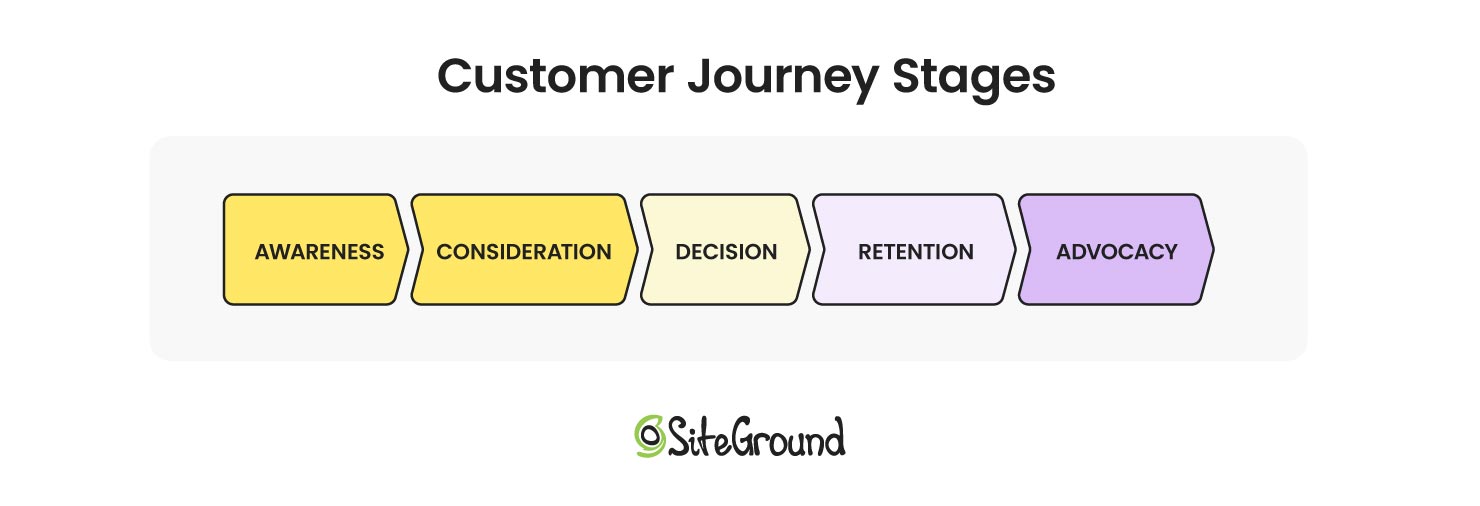
The B2B email customer journey outlines the experience a company has with your brand through email communication, starting with the initial introduction and continuing as they evaluate and consider your offer. Below are the key stages of the customer journey:

  • Awareness: The targeted company is becoming familiar with your brand and product but isn’t considering a purchase yet.
  • Consideration: Interest is shown in your offer, but more information is needed before making a decision.
  • Purchase: The company is prepared to buy or try your product and is assessing budget and return on investment (ROI) to finalize their decision.
  • Retention: After your qualified leads have become customers, your aim is to engage them and encourage repeat purchases and renewals.

Map the journey your prospects take, counting the touchpoints they need before they finally say “yes!” to your offer. Also consider how often you should pop up in their inbox to keep the momentum going. 

Knowing what your prospects want and need in every stage of the sales funnel will guide the types of emails you send, ensuring they are relevant and impactful, but more on this in the following section. 

2. Identify Your Target Personas

As we mentioned earlier, when you’re reaching out to a company, you’re not contacting just one person—you’re actually trying to connect with its buying center, or the team of people who decide whether to purchase from you.

In B2B email marketing, connecting with the right people is key—after all, you don’t want to spend your time chatting with gatekeepers or those who aren’t in the loop. So, it’s important to identify each member of the buying team to ensure you’re speaking to the right individuals, or at least that your message is passed on to the decision-makers you need.

The buying center typically consists of six key roles:

  • Initiators: Identify the need for a product or service. These could be department heads, team leaders, or managers.
  • Users: Utilize the product or service after purchase. They might include end-users like sales teams, or customer service representatives.
  • Influencers: Impact decisions and opinions within the buying center. These could be industry experts, consultants, or senior executives.
  • Gatekeepers: Manage the flow of information. These are often administrative assistants, office managers.
  • Deciders: Approve or reject the purchase. These are usually high-level executives or managers, such as CEOs, CFOs, or department heads.
  • Buyers: Handle logistics and administrative aspects of the purchase. These roles are typically filled by procurement officers, purchasing managers, or finance personnel.

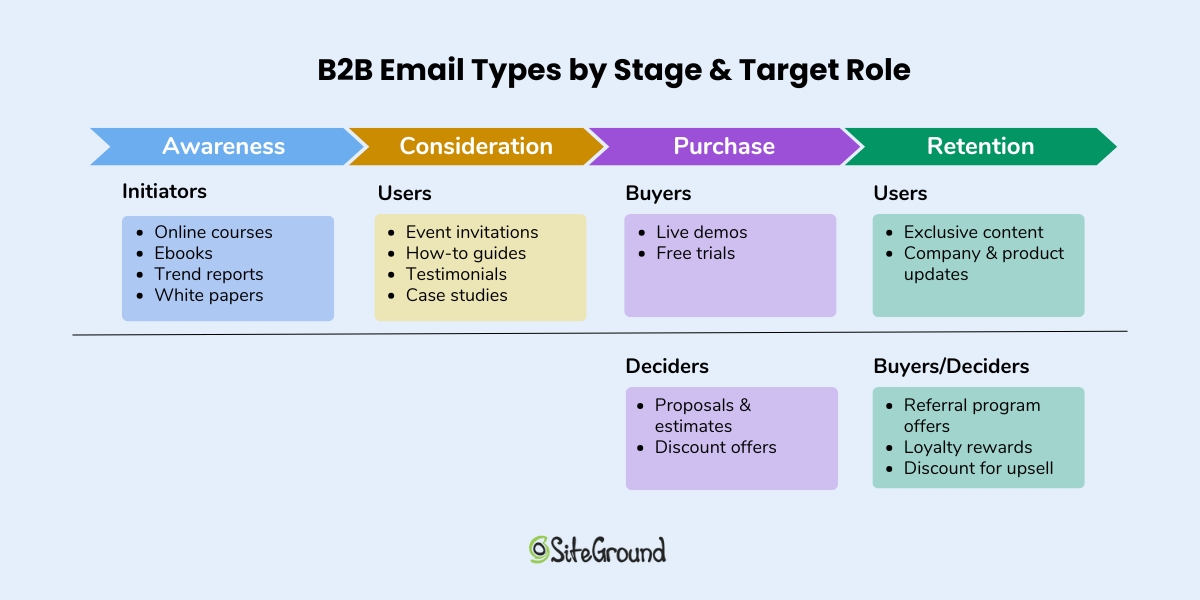
Here’s a breakdown of the customer journey stages and the B2B email types you need to send for each stage and target role.

B2B email types by stage and target role

3. Build a B2B Email List

Cold emails might seem like an easy option, but it’s a risky adventure if you start sending messages to every email address you come across. Reaching out to those who haven’t given you the green light can lead to spam complaints, lower email deliverability rates, and leave recipients more frustrated than pleased.

Instead, focus on those who have willingly joined your email list through an opt-in form—and even better if you’ve implemented a double opt-in process. Below is an overview of five proven methods for generating qualified leads:  

  • Utilize LinkedIn 

As the saying goes, “Social media is for discovery, email is for conversions.” Leverage LinkedIn’s vast B2B network by running lead-generation ads, or, if you’re on a budget, try directly messaging your target buyer persona. Be transparent about your purpose, and it could open up new opportunities to follow up with emails.

  • Offer Lead Magnets

Sprinkling your website with ebooks, research reports, or mini-courses in exchange for email addresses is always a smart move. Toss in a few profiling fields on the sign-up form—like job title and organization—and you’ll have an easier time sorting and segmenting your audience later!

  • Organize Gated Events

B2B prospects value educational content, constantly seeking ways to innovate and deliver better solutions to their clients. Therefore, hosting gated events—either online or offline—can help you present yourself as an expert in your field, network with your target audience, and ultimately gather valuable contacts.

  • Use a Data Vendor

If you want to save time and effort, vendors like Global Database or D&B Hoovers serve up a treasure trove of insights, from key decision-makers’ details (like job title, seniority, age, education) to company scoop (industry, size, location, financials). They keep their databases fresh and up-to-date, and all this valuable information is just a subscription away!

  • Implement a Referral Program

If you already have a squad of email subscribers, why not turn them into your brand ambassadors by offering fun incentives like discounts or exclusive content for referrals? People love sharing great finds with friends and colleagues, making referrals a fantastic way to widen your reach and build trust.

4. Segment Your Audience

Having snagged those coveted email addresses, you’re halfway to hitting your email marketing strategy goal. However, when running email campaigns at scale, trying to personalize messages for each individual can be like trying to bake a unique cake for every guest at a party—overwhelming and inefficient.

Instead, think about organizing your contacts into customer segments. You could start with broader segmentation based on industry, company size, and job title to ensure relevance. Then, refine your segments further by considering the roles within the buying center as you gather more detailed information about your contacts.

5. Utilize B2B Email Sequences

Once you’ve tailored your content to meet the specific needs and preferences of your target audience—whether they’re decision-makers, influencers, or end-users within a business—you can streamline your communication through drip marketing campaigns. These automated sequences keep your content relevant and engaging, especially in B2B contexts where the sales cycle is longer.

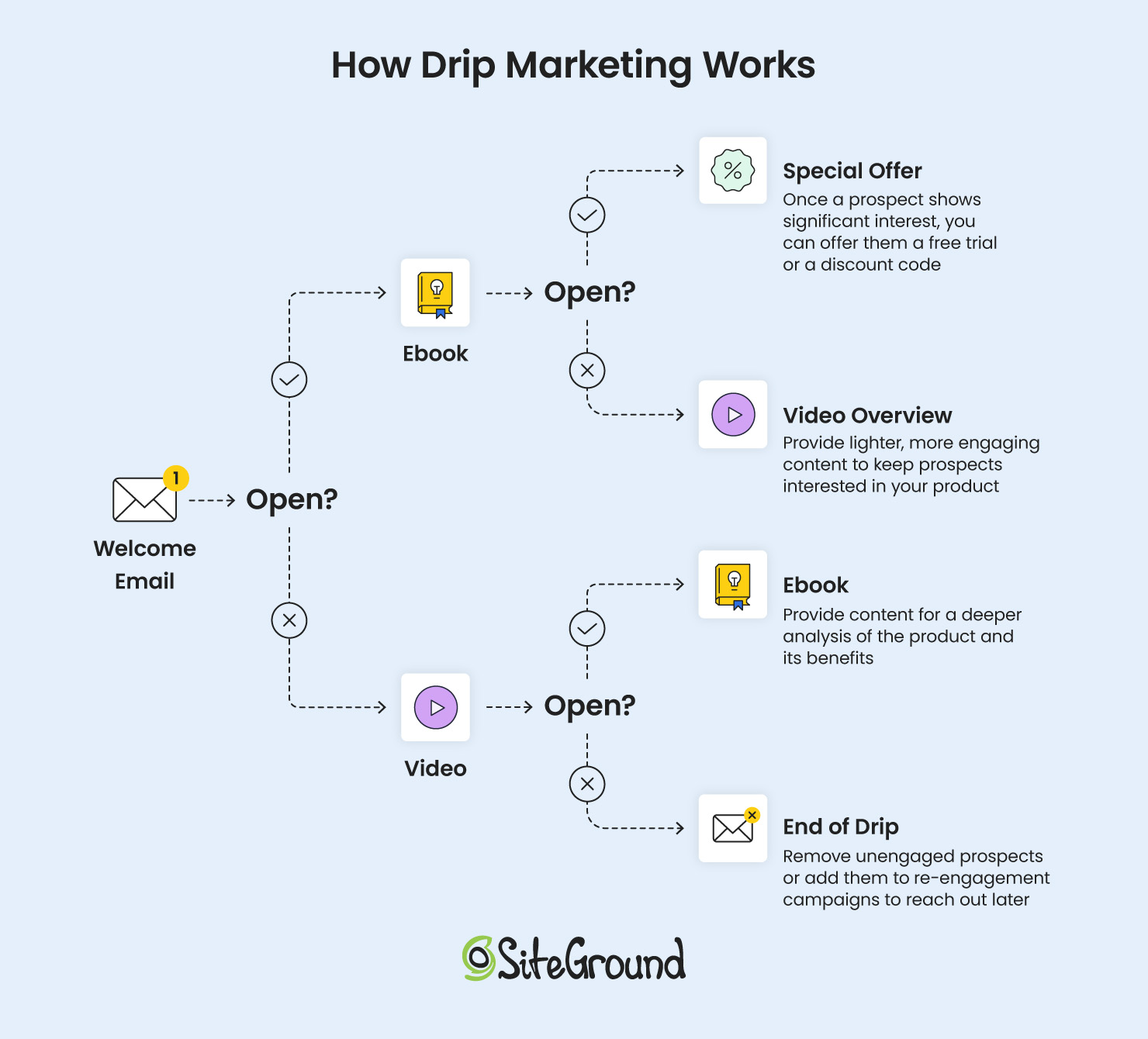
Drip campaigns allow you to deliver a series of pre-scheduled emails that guide prospects through the buyer’s journey and nudge them gently to conversion. They spring into action in response to specific triggers or behaviors, like website visits or content downloads, as you can see below.

A sequence of emails illustrating how drip marketing works

B2B Marketing Emails Best Practices

A well-planned B2B email strategy is only as effective as its content. With your prospects’ inboxes likely blasted with emails daily, be sure to follow these best practices to ensure yours stands out and doesn’t get lost in the shuffle.

1. Use a Persuasive Subject Line

The busier your targets are, the more vital a captivating subject line becomes. It’s wise to kick things off by showcasing the value of your email—whether it’s an insider resource, a handy tool, or an irresistible offer. Plus, teasing a solution to a common industry challenge can really spark your recipients’ curiosity. 

Here are some effective B2B subject line examples that you can apply to your emails: 

📕 Educational content and guides:

“[number] tips to [lead’s goal] in [year],” “A proven solution for [lead’s pain point],” “[number] steps to achieve [lead’s goal].”

🛍️ Product or service promotions:

“Would you like to try [product/service name] for free?” “[number] facts about what [product/service name] can do for you,” “Did you know this about [lead’s interest]?”

📈 Niche-specific: 

“Your [lead’s niche] service needs this,” “Every [lead’s job position] needs this tool,” “[lead’s company name] can sell even more with [your company name].”

2. Strike a Balance Between Professionalism and Personality

When crafting B2B content, it’s easy to adopt a formal tone that might seem stiff and robotic. While maintaining professionalism is important, remember that you’re still communicating with real people, even if they represent a brand. 

Think about the business emails that catch your eye—the ones that speak directly to your needs and interests—and strive to write with empathy and a touch of personality. Below are some ideas on how to make your B2B emails more approachable: 

  • Personalize

Use the information you’ve gathered to personalize as much of your email message to the recipient’s needs and preferences as possible. If your marketing content seems irrelevant or holds little interest for them, you risk being dismissed as spam.

  • Ask Questions

Engage your reader by asking questions that prompt them to think or reflect. This can make the email feel more interactive and less like a monologue.

  • Include Relatable Examples

Use anecdotes, scenarios, or even case studies that the reader can relate to, making your message more tangible and relevant.

  • Don’t Overdo Your Design

Occasional plain emails appear much more personal and authentic than fully designed pieces, as they give the feel of a one-on-one conversation, which stands out among overly salesy messages.

  • End With a Friendly Sign-Off

Use a warm and approachable closing, like “Take care,” “Looking forward to hearing from you,” or “Best wishes,” to leave a positive impression.

3. Add Straightforward Calls to Action

After capturing your reader’s attention with a stellar subject line and engaging content, guide them with a clear call to action (CTA) that specifies the next steps. Ensure your CTA stands out and is easy to follow, with descriptive links that lead to exactly what is promised.

Here are some effective calls to action to implement in your B2B emails: 

📣 To increase brand awareness:

“Learn more,” “Start your journey,” “Discover [product name],” “Watch a demo,” “Take a tour,” “I’m interested,” “Tell me more.”

🛒  To encourage conversion:

“Get started today,” “Start free trial,” “Download the report,” “Book your appointment,” “Request a demo,” “Enroll now,” “Get early access,” “Sign up for free,” “Unlock exclusive access.”

🚀 To drive sales:

“Buy now,” “Upgrade to [product name],” “Get your [product],” “Claim your discount,” “Order now,” “Try premium.”

9 Great B2B Email Marketing Examples

This is where theory turns into practice—with clever B2B email examples. They capture the many different types of emails you can send and the diverse techniques you can use to turn your professional emails from dull to dazzling.

So without further ado, let’s check them out!

1. Lead Magnet Delivery B2B Email

Lead magnets not only boost your credibility but also pave the way for building brand awareness. Satisfied visitors are more likely to share your content, amplifying your reach and influence, making lead magnets a proven email lead generation tactic.

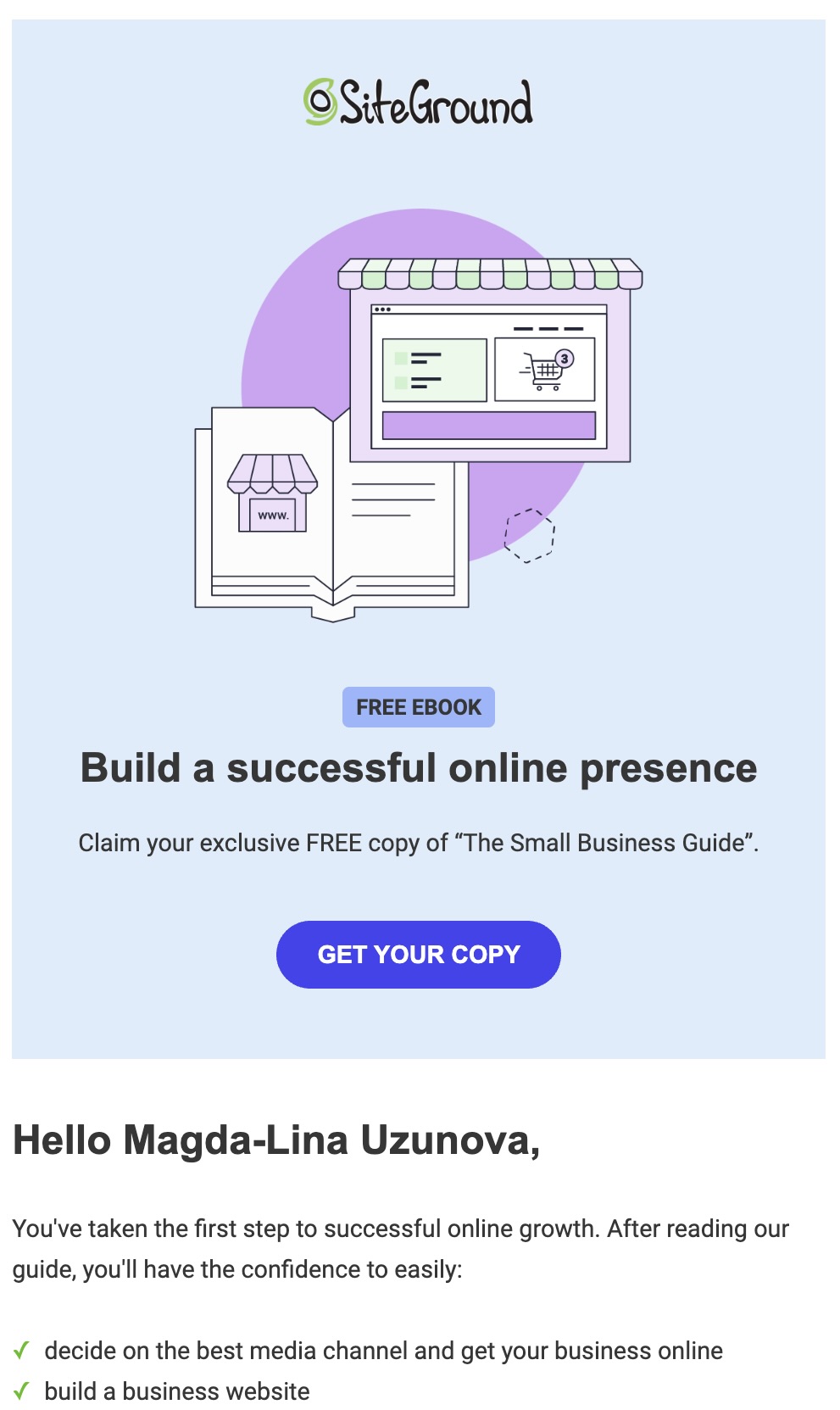
Take a look at the SiteGround email below, which offers a free guide on building a successful online presence for small business owners. With a catchy header image, a well-placed CTA button, and a list of all the goodies in the guide, it’s straightforward yet irresistibly persuasive.

Screenshot of the SiteGround lead magnet delivery B2B email
Screenshot

2. Case Study B2B Email

Case studies, success stories, and customer testimonials are a B2B marketer’s secret weapon, highlighting your solution’s effectiveness in real-world scenarios. These narratives provide tangible evidence of your product’s impact, demonstrating how it has successfully addressed challenges similar to those faced by prospective customers.

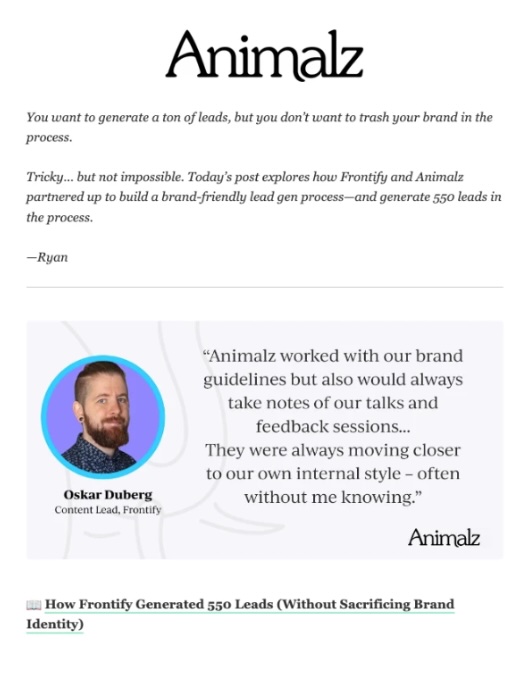
In the email below, Animalz hooks readers with a captivating opening line that makes it clear why they should stick around. Instead of immediately pushing a CTA button, they dive headfirst into the story, weaving in relatable challenges and impressive outcomes to draw readers in. After all, who can resist a good tale?

Screenshot of the Animalz case study B2B email
Screenshot

3. Event Invitation B2B Email

When you’re promoting an event—be it an in-person seminar, workshop, or online webinar—the goal of your emails is to encourage attendance and generate excitement among your subscriber list. To achieve this, your emails should effectively capture the essence of the event by highlighting key speakers, topics, and activities that will intrigue potential attendees. 

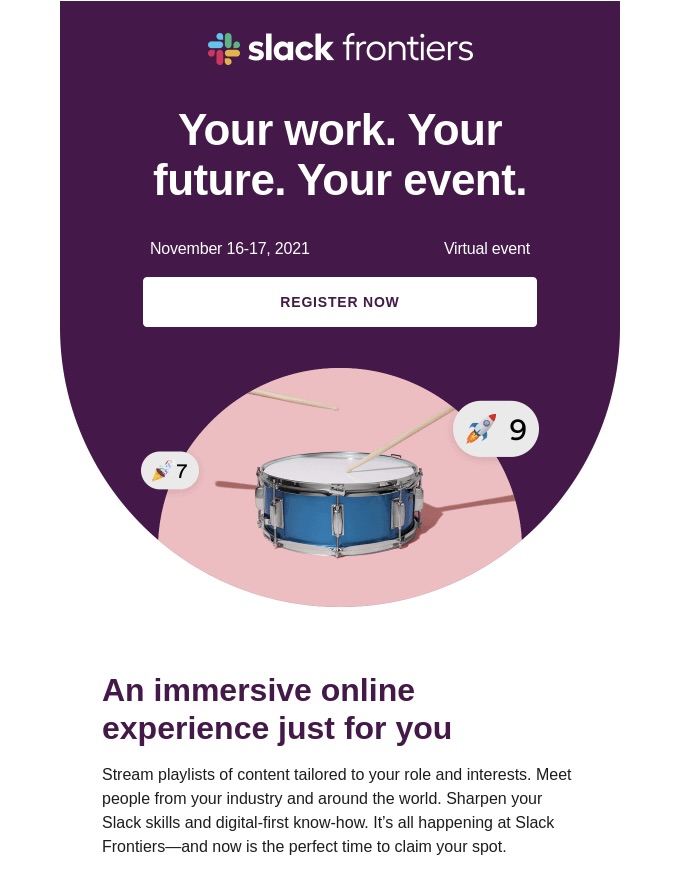
And just as you wouldn’t clutter your mailed invitations with unnecessary information, avoid doing so with your emailed invitations. Take a cue from Slack—they highlight key details upfront and offer a sneak peek of the event, crafting an email that’s both light and efficient.

Screenshot of the Slack event invitation B2B email
Screenshot

4. Welcome B2B Email

A welcome email is your brand’s official introduction to new subscribers who’ve taken the exciting leap—whether by signing up for a newsletter or creating an account. It’s more than just a “thanks a bunch” note—it’s your moment to shine and make a memorable impression. Use it to showcase what your brand is all about and kick off your new subscriber’s adventure as a valued partner in your business journey.

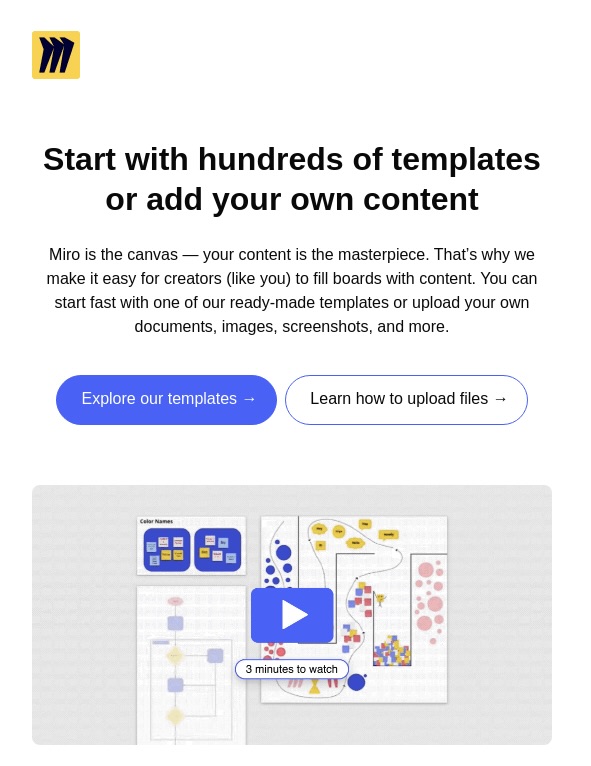
This welcome email example from Miro gets the job done right, giving readers a clear snapshot of what their platform offers while cleverly nudging them to revisit the website.

Screenshot of the Miro welcome B2B email
Screenshot

5. B2B Newsletters

In general, newsletters present a great opportunity to keep your new email joiners hooked and gently prompt them further along in the sales cycle. They offer email marketers the flexibility to deliver more in-depth content, as recipients often open them during moments when they can fully engage with the material.

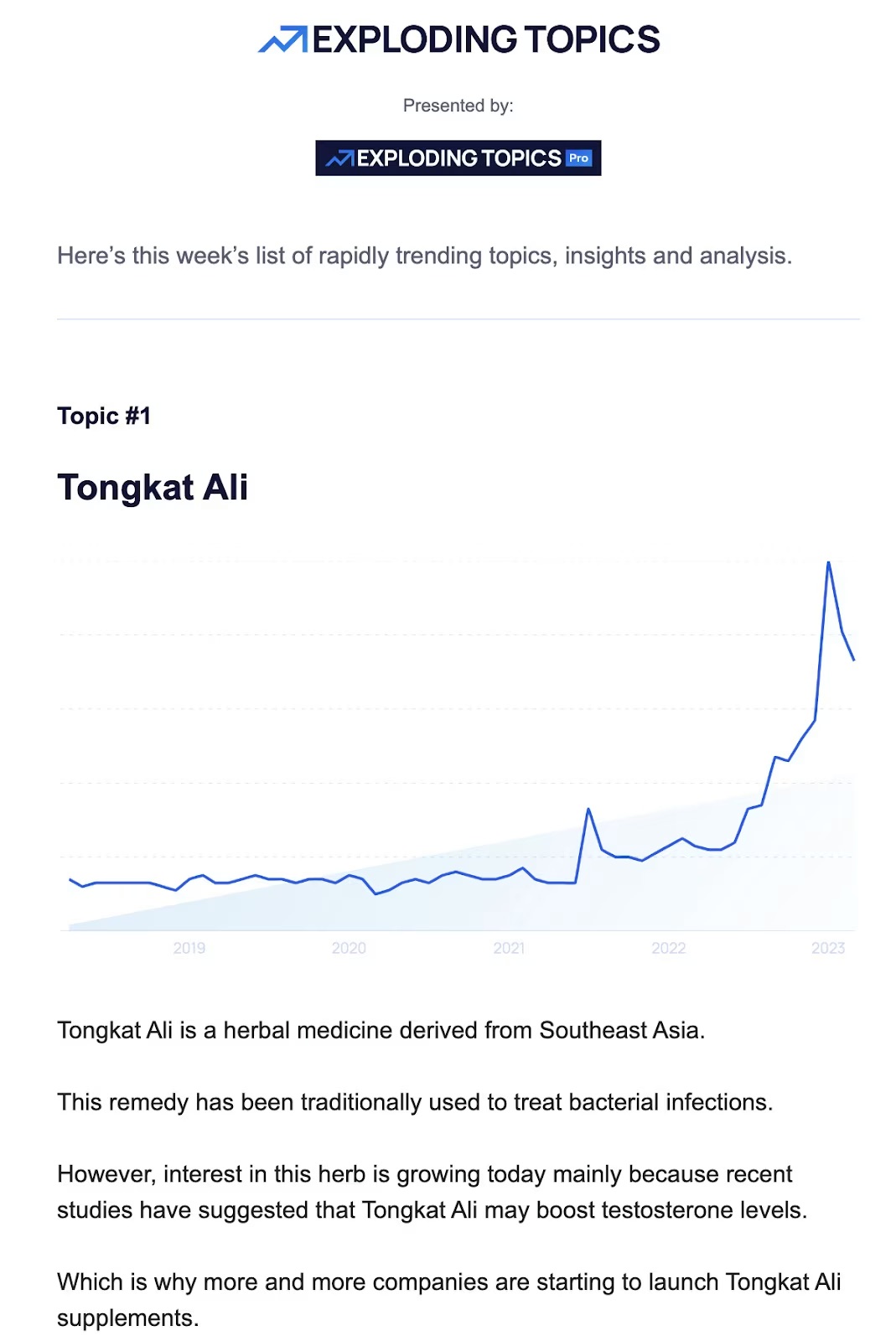
By incorporating industry insights, trends, and expert opinions, you can position your brand as an industry thought leader—just like this email from Exploding Topics.

Screenshot of the Exploding Topics B2B newsletter

Alternatively, you can dish out a selection of curated content or the freshest updates from your blog posts to keep yourself at the forefront of your audience’s minds.

Screenshot of the HoneyBook B2B newsletter


6. Demo Invitation B2B Email

A demo invitation email is commonly used in B2B marketing, especially for products that are complex or benefit from a hands-on demonstration to fully convey their value. Whether it’s following up on initial contact, responding to a curious inquiry, or as part of a targeted outreach campaign, this email is all about engaging potential customers at the perfect moment.

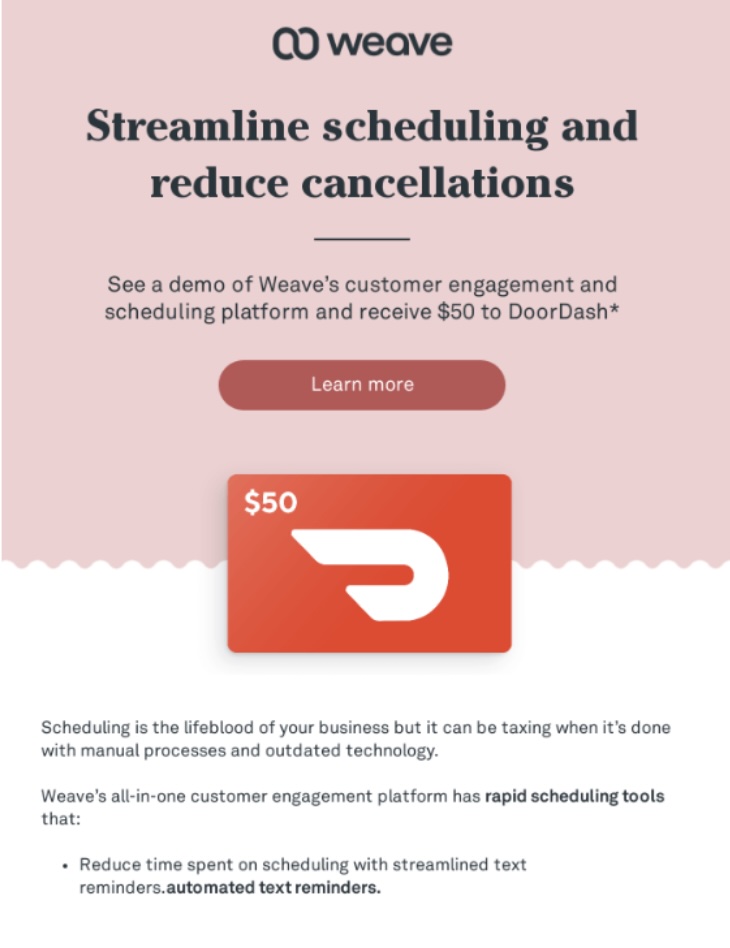
In their demo invitation email, Weave added an exciting twist by offering a special discount from one of their partners—isn’t that smart?

Screenshot of the Weave demo invitation B2B email
Screenshot

7. Sales Promotion B2B Email

As consumers, we’re all familiar with promotional emails, and let’s be honest—who doesn’t love finding a great deal in their inbox? Businesses value this approach too. Once you’ve established a connection, showcased satisfied customers, and demonstrated the effectiveness of your product, why not seal the deal with a special offer? 

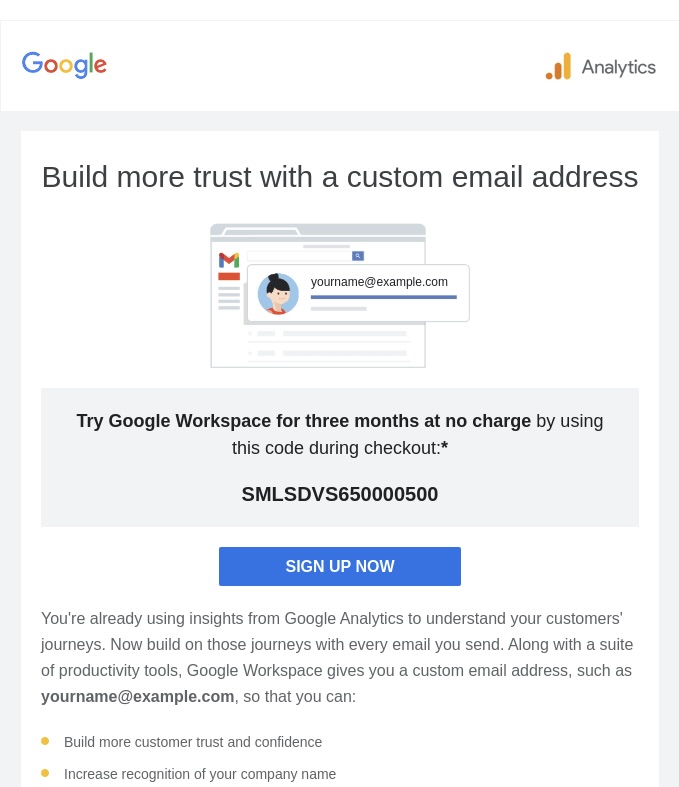
In the example below, Google cleverly encourages their existing customer base to upgrade by slipping a tempting offer of free product usage into the subject line and kicking off the email with the benefit front and center!

Screenshot of the Google B2B sales promotion email
Screenshot

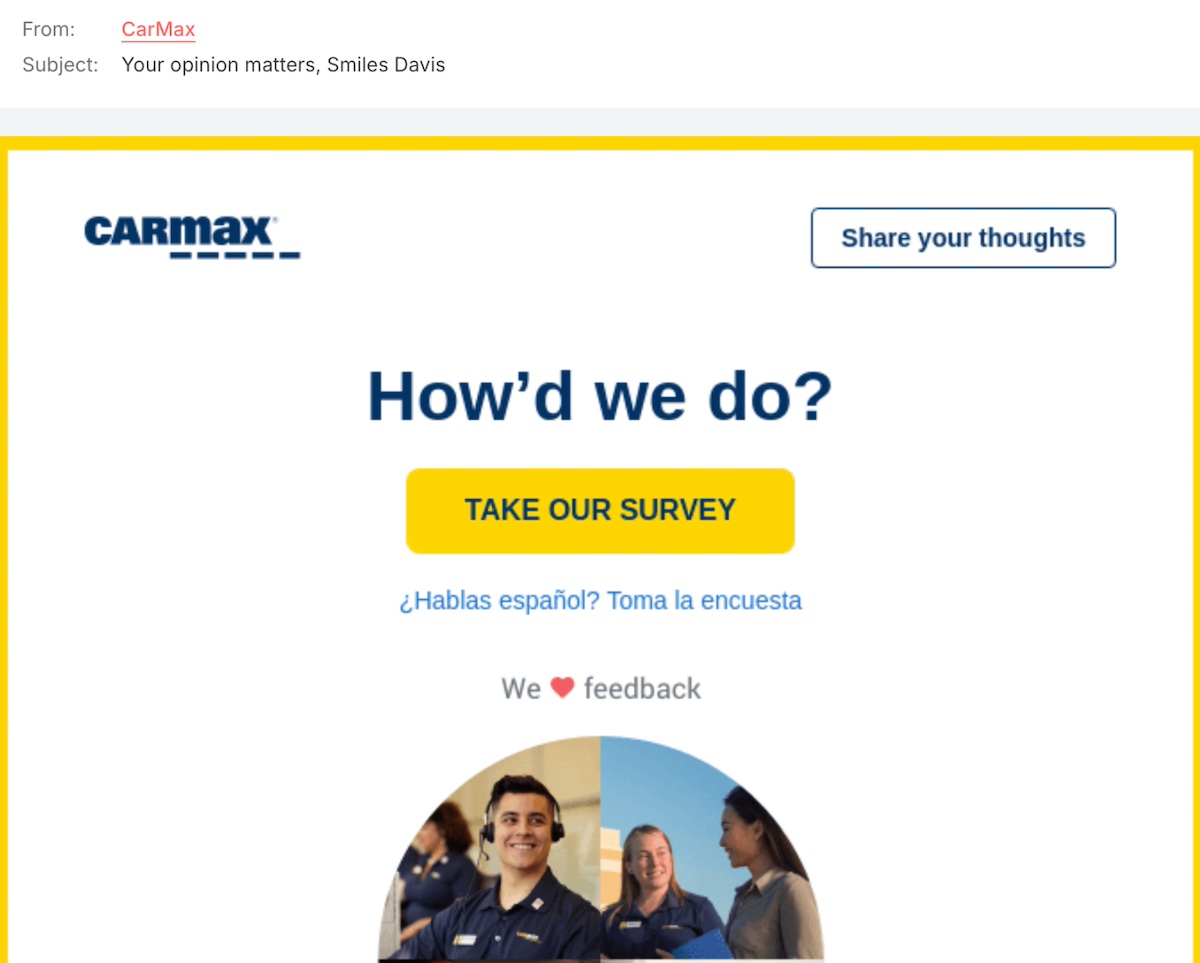
8. Customer Survey B2B Email

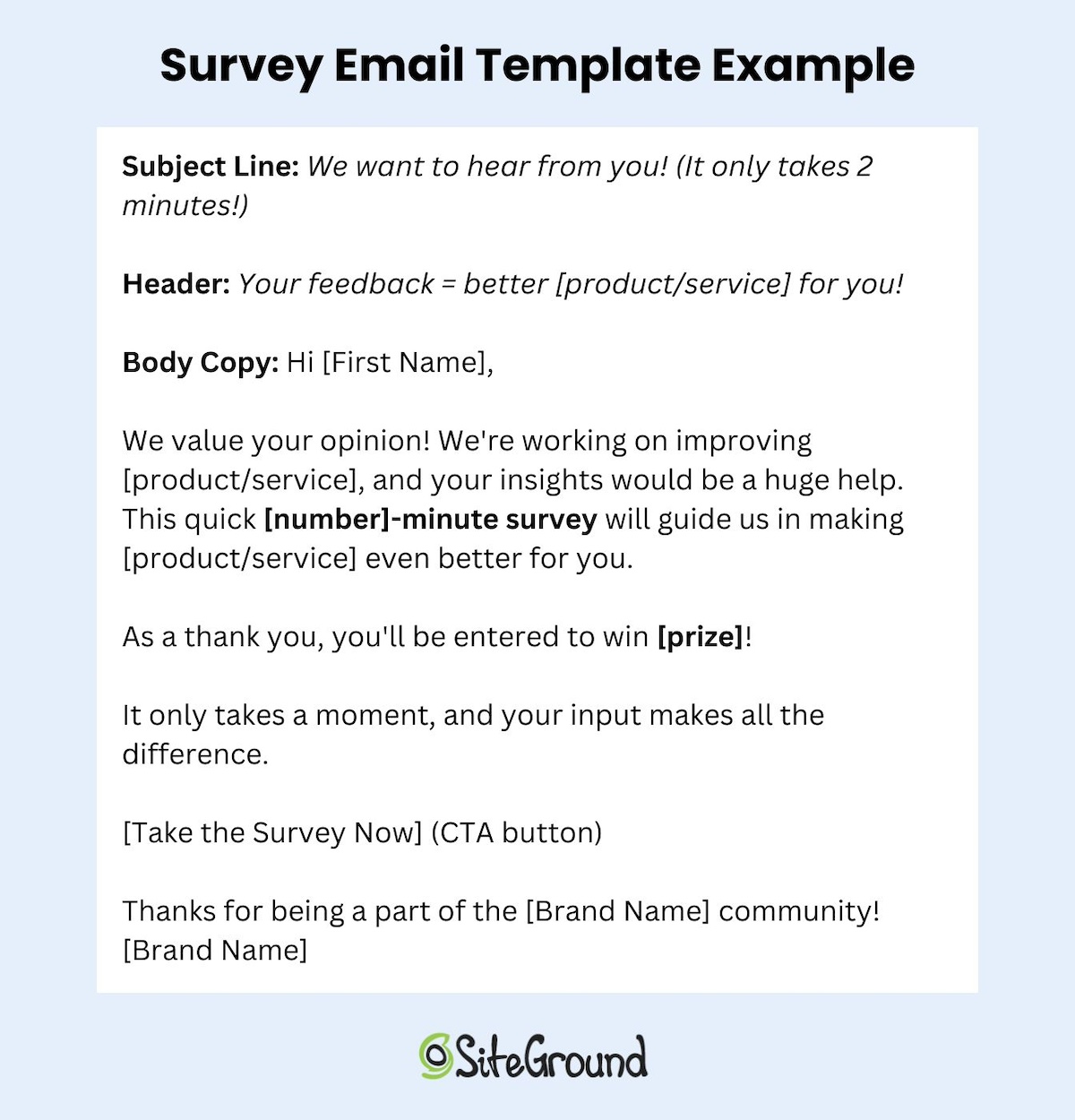
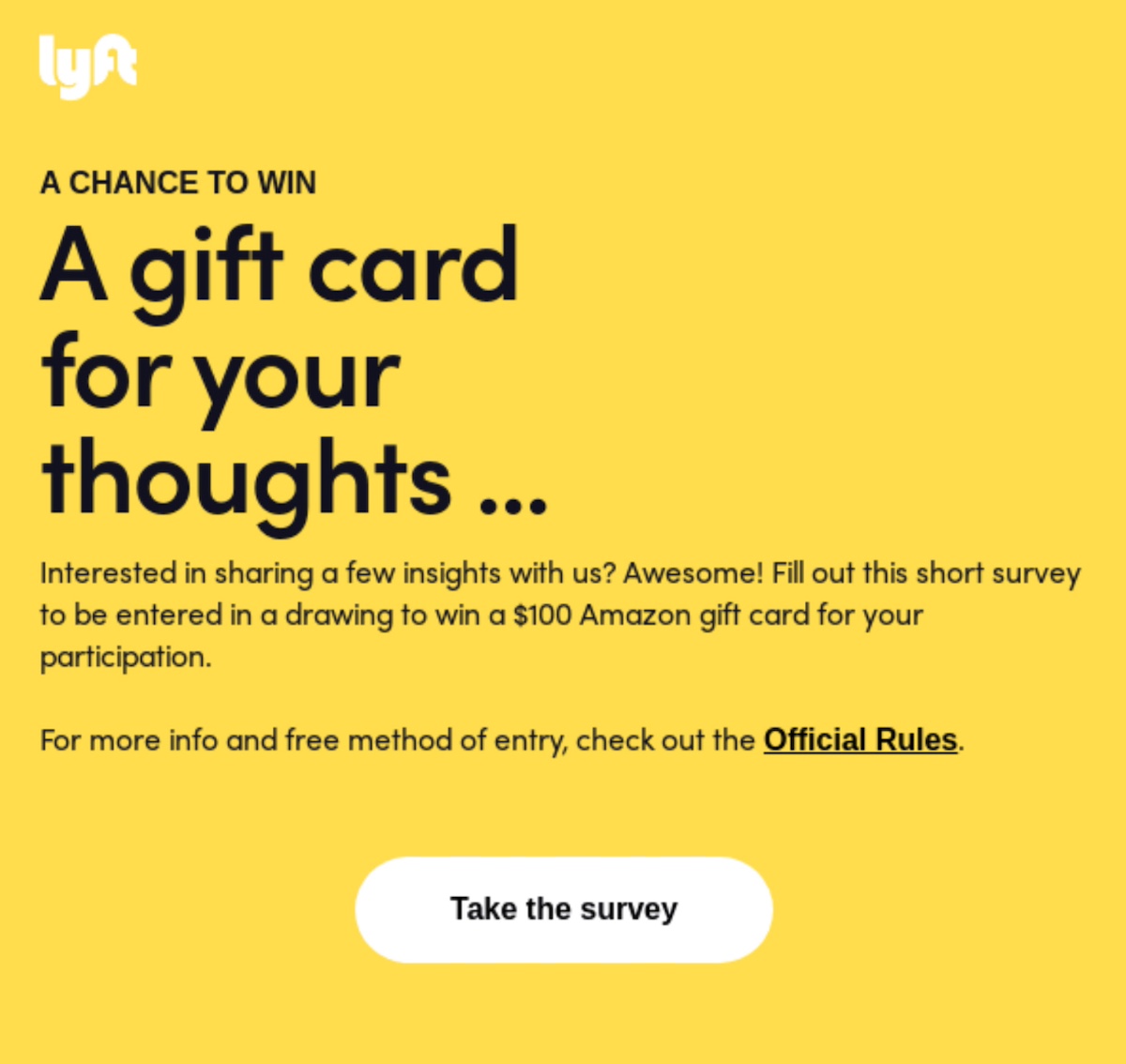
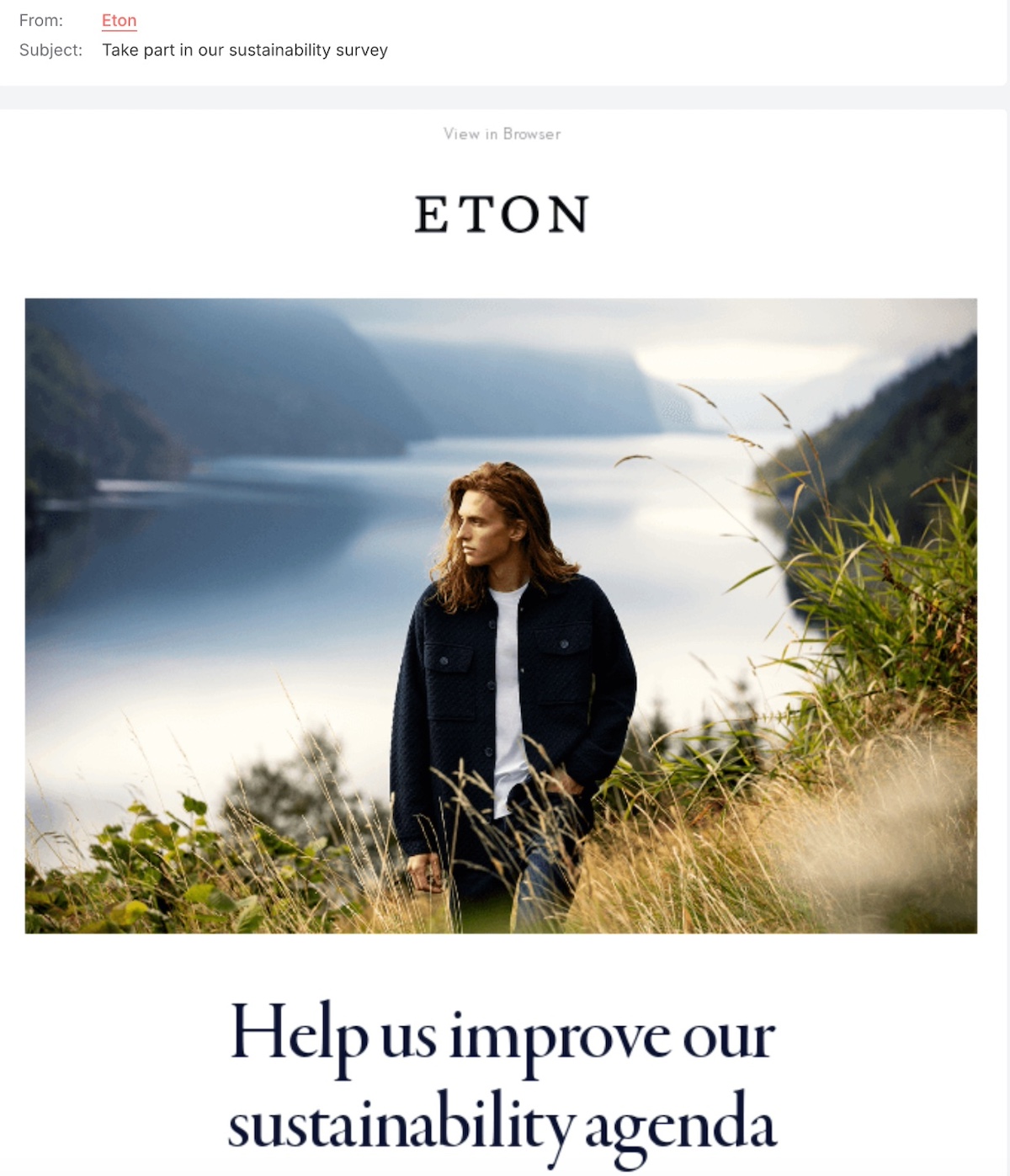
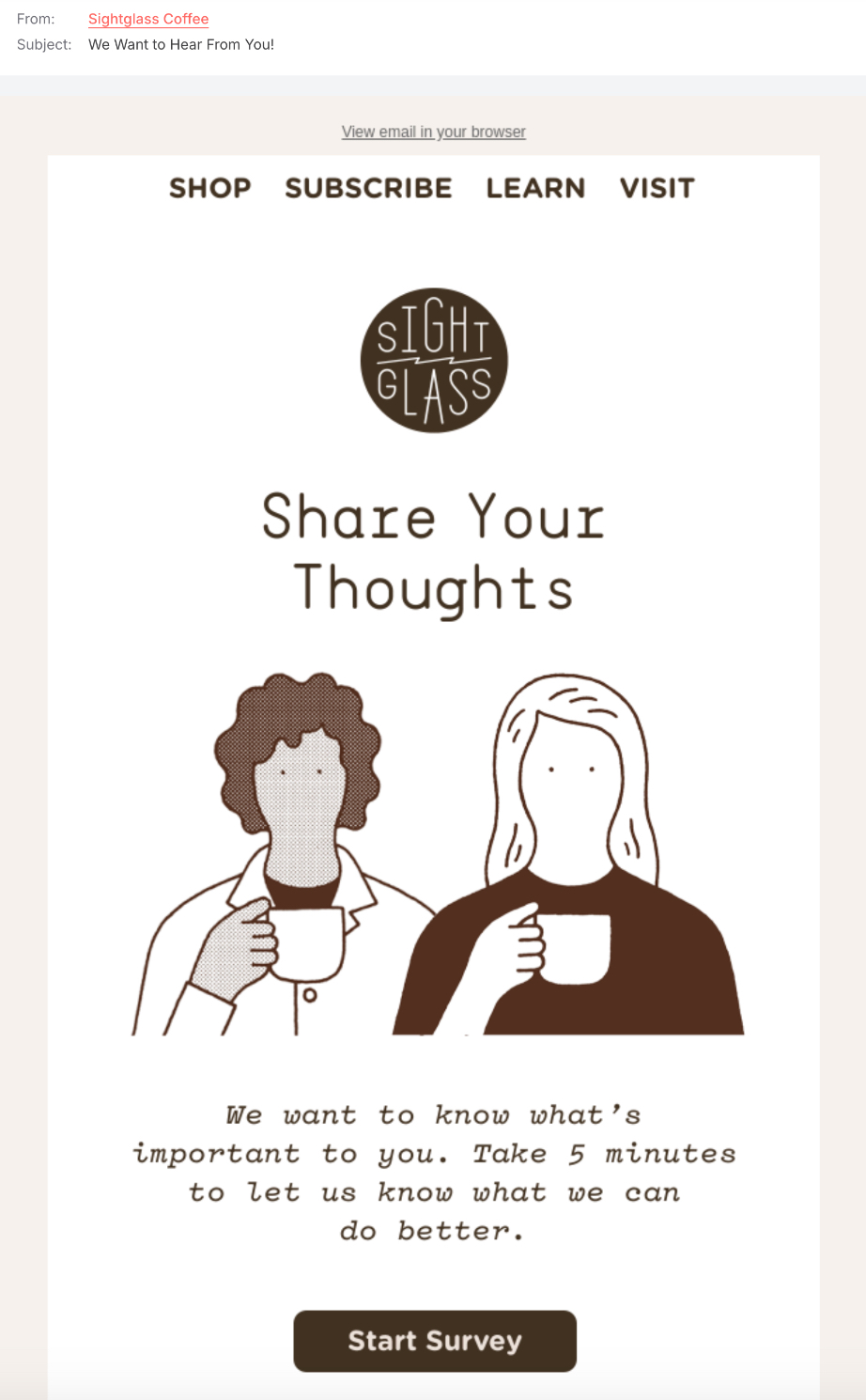
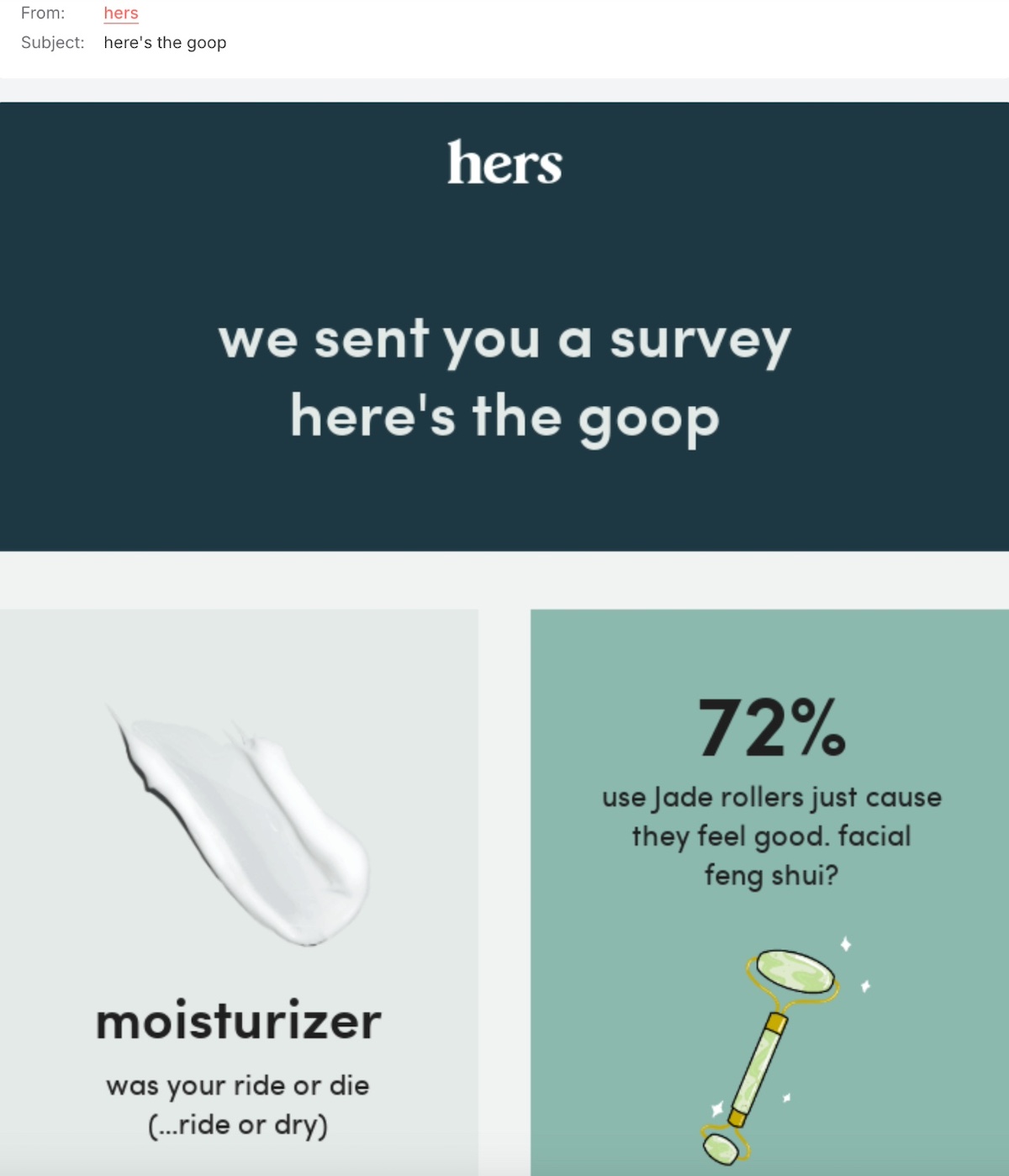
While we can’t read customers’ minds just yet, survey emails offer valuable insights into their thoughts, desires, and expectations. Whether you’re refining a product, enhancing a service, or simply checking in, these emails help strengthen customer connections. Plus, people love sharing their opinions—especially when they know you’re listening!

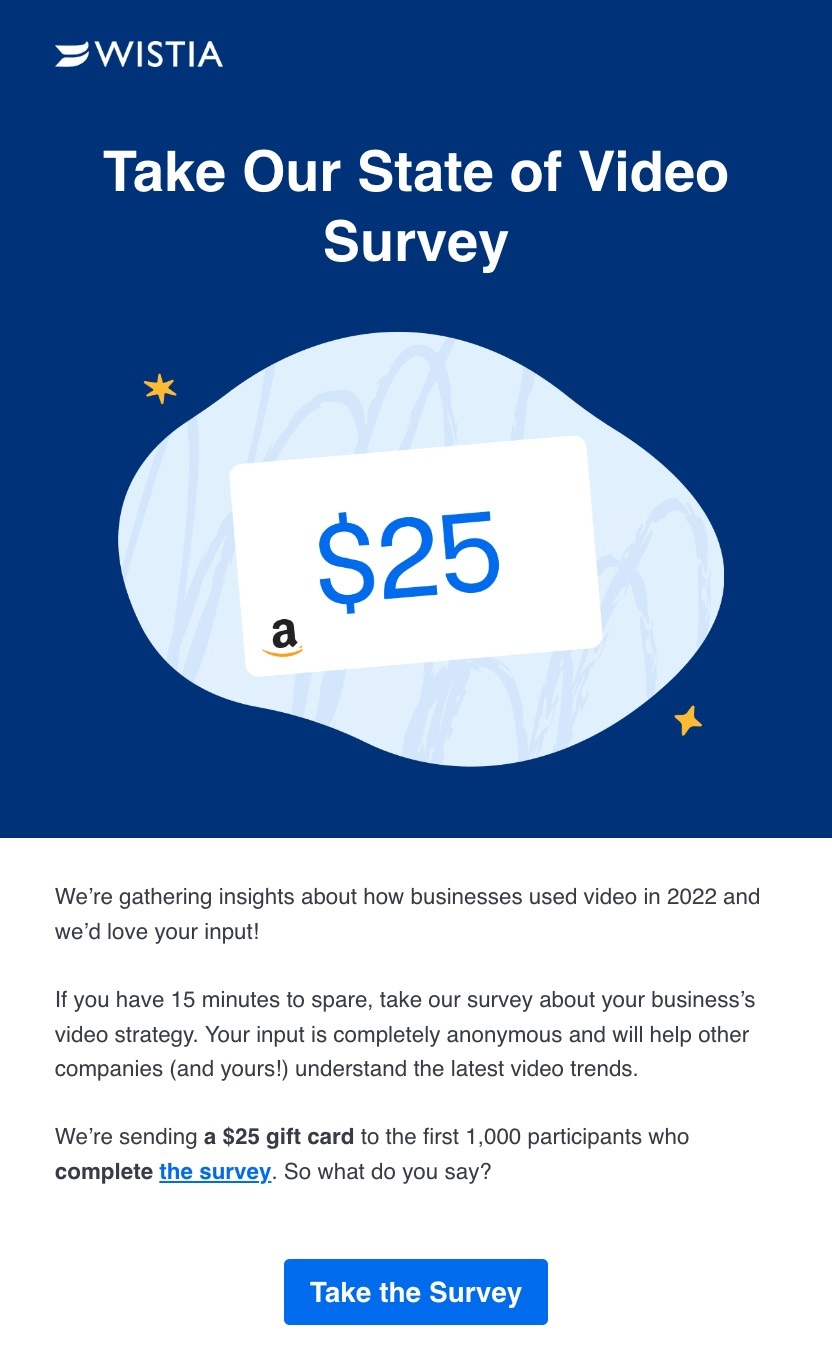
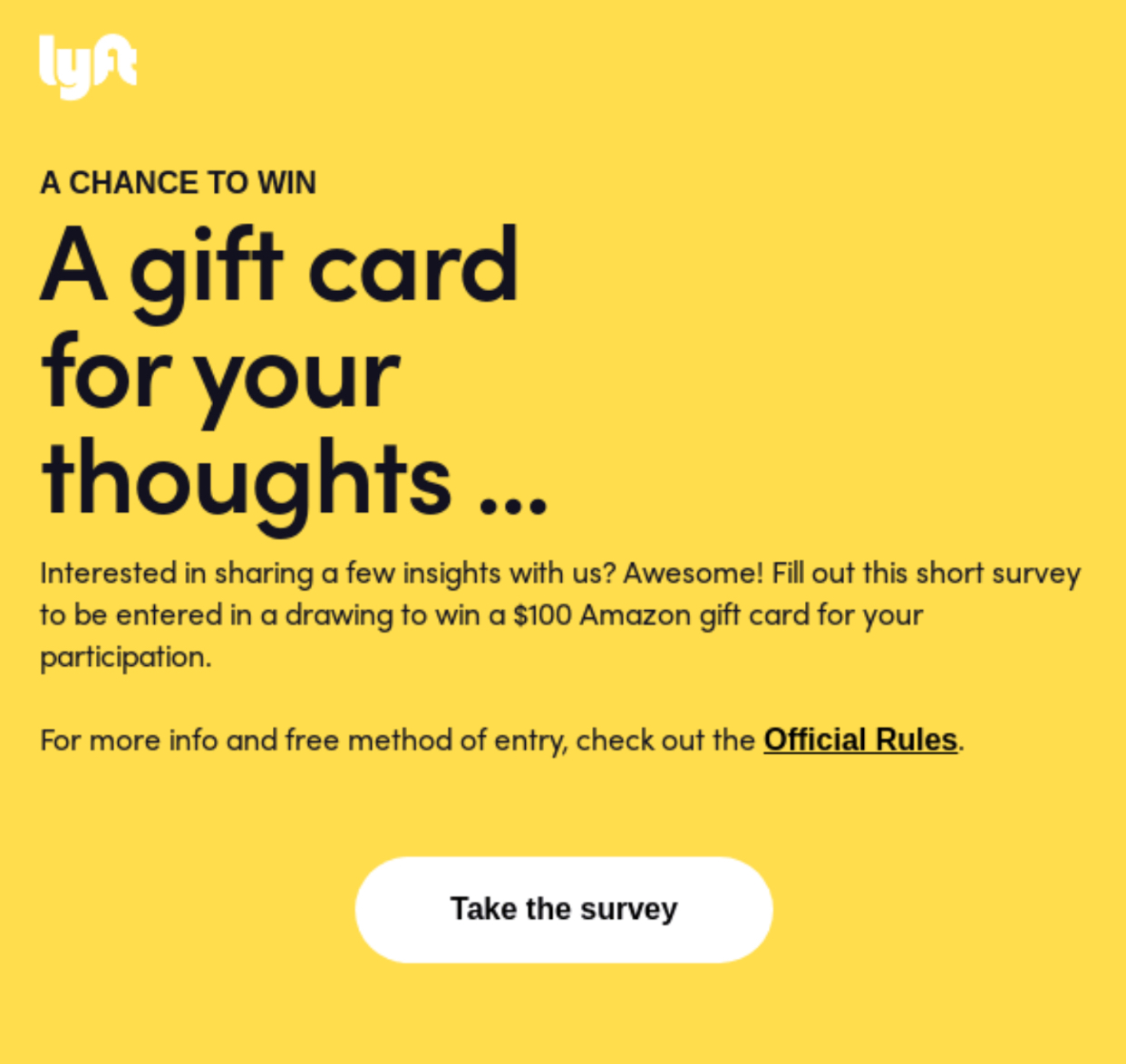
When putting together a customer survey email, be sure to let your audience know why it matters and how it benefits them. To secure their participation, consider adding a little extra fun by offering a chance to win a prize—just like in this example from Wistia.

Screenshot of the Wistia customer survey B2B email

9. Re-Engagement B2B Email

For B2B companies, re-engagement emails play a vital role in bringing back inactive subscribers, encouraging repeat purchases, or reminding customers of your value. This kind of email tends to be more formal, steering away from casual phrases like “we miss you,” and instead often emphasize educational content, product updates, or exclusive offers.

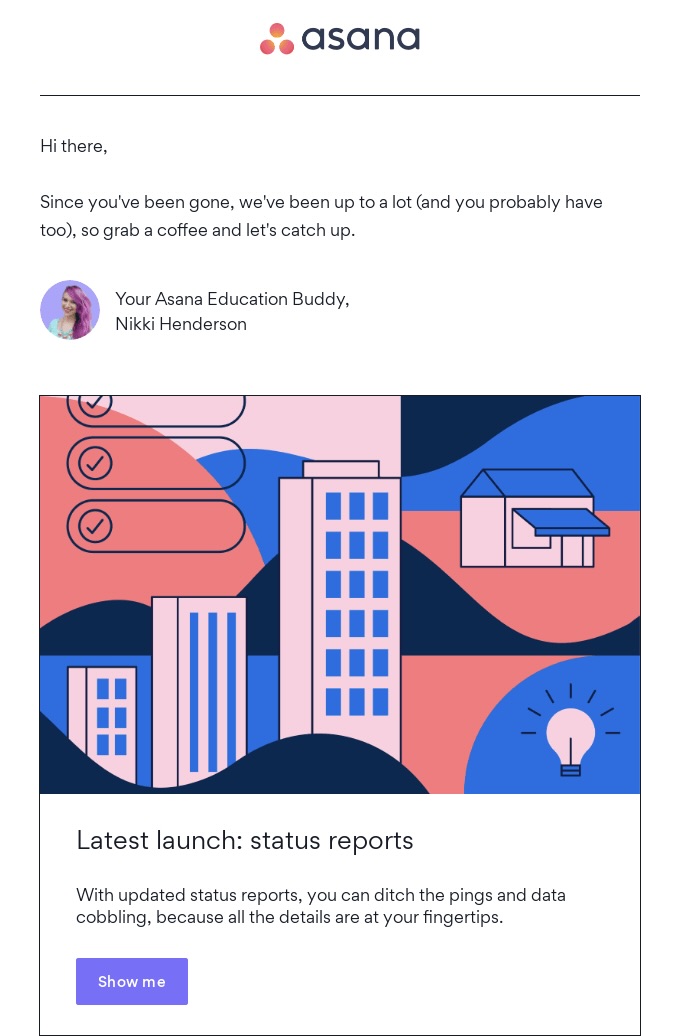
We like how this B2B re-engagement email from Asana clearly reminds the recipient that they’ve been missing out on new features and gently nudges them to reconnect.

Screenshot of the Asana re-engagement B2B email
Screenshot

Making the Most Out of Your B2B Emails

As we wrap up our journey through the world of B2B email marketing, it’s clear that success lies in a strategic approach tailored to the unique dynamics of business-to-business interactions. By mastering the intricate dance of the buyer’s journey and crafting communications that charm multiple decision-makers, your emails can become powerful allies in building partnerships and driving sales.

However,  you don’t need a complex setup to get started with B2B email marketing. In fact, the most important part is consistency—sending helpful, relevant emails at the right time.
Our own email marketing platform offers essential automation features that help you set up simple but effective sequences, like sending a welcome email when someone signs up, or following up a few days later. For many B2B use cases, especially early on, that’s all you need to start seeing results. 

Call-to-action button regarding SiteGround Email Marketing platform

How To Eliminate Render-blocking Resources

Why and how to eliminate render-blocking resources

This article was originally written and published on March 28th, 2022, by Cal Evans. It has been updated on March 20th, 2025, to reflect the latest developments in techniques for eliminating render-blocking resources.

In the early days of the web, the first web pages were built in a simplified version of XML called HTML. White with black text. If you saw a phrase with a blue underline, you knew you could click it. If it were purple, you knew you had already clicked it.

Life was simple.

These days the HTML is usually the smallest part of any web page. When a browser requests a page, it gets the HTML but then has to parse it and download the resources.

  • CSS
  • JavaScript
  • Images
  • Fonts
  • …and other external files needed to provide the user experience

Not all resources are created equal. Some resources that have to be loaded can actually slow down the display of the web page.

These resources are called “Render Blocking Resources” and this article will show you a few tactics you can use to reduce the number of render blocking resources on your website and how to apply them manually or using the SiteGround Speed Optimizer plugin.

What are Render-Blocking Resources?

“Render” is the technical term for “display”. In this article, whenever we talk about rendering, we mean the process of displaying your website on a screen. 

Every resource that is loaded into your website has the potential to be a render-blocking resource. This includes:

  • Large images
  • JavaScript code that has to execute in the <head> of your page
  • Large CSS that your page can’t display until it is all loaded
  • Any resource from another site that is slower than yours
  • Plugins that each have their own CSS and JavaScript files

In short, anything that you have in your HTML to be loaded is potentially a render-blocking resource.

Why Should You Eliminate Render-Blocking Resources?

When a visitor lands on your website, their browser wants to show them the page as quickly as possible. But if there are too many render-blocking resources, the browser has to hit the brakes and wait for those files to download and process before showing anything useful.

This creates what we call a “slow first paint” – that awkward pause where users stare at a blank or half-loaded page. Not ideal, right?

Here’s why it matters:

  • Better User Experience – Fast-loading pages feel smooth and polished. A slow-loading page, on the other hand, can frustrate visitors and make them leave before they even see your content.
  • Improved SEO – Google and other search engines consider page speed as a primary ranking factor. If your pages are slow because of render-blocking resources, it will hurt your position in search results.
  • Higher Conversions – Whether you’re running an online store, a blog, or a portfolio site, faster-loading pages often mean higher conversion rates. A snappy page helps keep people engaged.
  • More Efficient Use of Resources – Eliminating unnecessary or poorly optimized assets reduces bandwidth usage and server load, which can save you money and reduce strain on your hosting environment.
.post-page__colored-blocks.post-page__colored-blocks–update p { margin: 15px 0px; }

With Interaction to Next Paint (INP) replacing First Input Delay (FID) as a core web vitals metric, it’s even more important to reduce render-blocking resources. 

Optimizing how quickly users can interact with your page will not only improve perceived performance but also positively impact your web vitals score.

At the end of the day, your website’s goal is to communicate something quickly and clearly. Render-blocking resources get in the way of that by delaying when visitors can actually start interacting with your content.

Now that you know the “why,” let’s dig into how to spot these slowpokes and streamline your website’s loading process.

How To Identify Render-Blocking Resources on Your Website?

There are plenty of tools to help you see how your website loads. We suggest these options for identifying render-blocking resources:

Using Browser DevTools

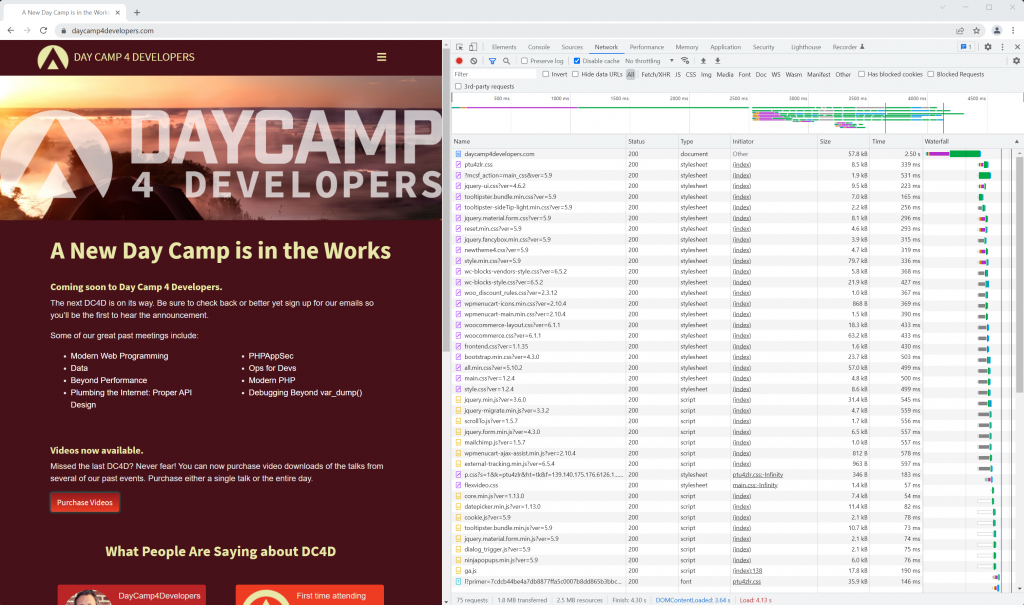
This is one of the tools that can show you a “waterfall” view of how a page loads. All modern browsers include this feature.

Right-click anywhere on your webpage, select “Inspect”, then head to the “Network” tab.

Reload the page, and you’ll see something like this:

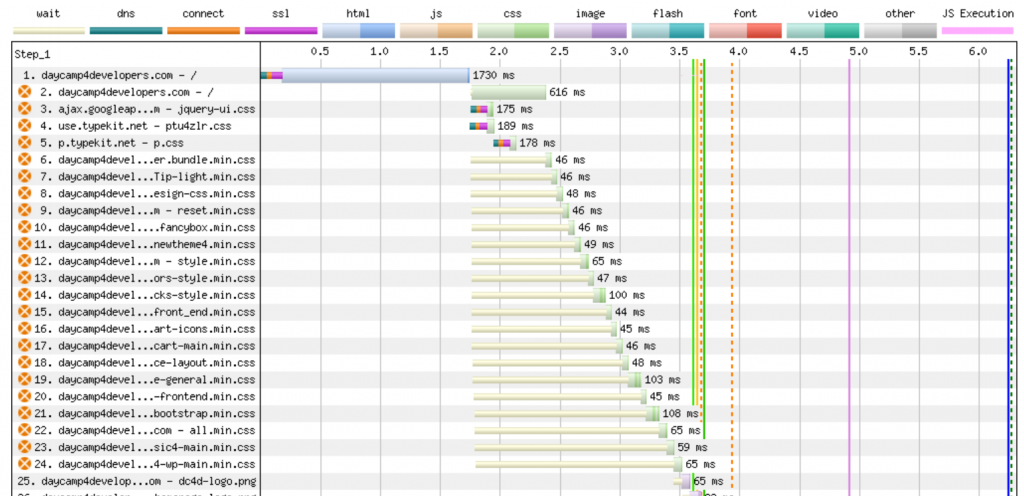
Inspect element network tab to eliminate render-blocking resources

On the right side, you’ll spot the waterfall chart. The colored bars show how long each resource takes to load. The thin blue line marks when the page starts rendering.

If you notice a lot of resources loading before that line, it could mean there’s room for improvement. 

This built-in view is great for quick checks, but it only tells you how the page performs on your current setup. If you’re developing locally, results might be faster than real-world conditions.

For deeper insights, you can turn to online tools like WebPageTest.

WebPageTest & Other Performance Testing Tools

WebPageTest gives you a clearer picture of how your site performs globally. Plus, you can customize tests to match real-world conditions.

Pro tip: If you want a quicker overview, tools like PageSpeedInsights also flag render-blocking resources.

The typical method is:

  • Start with a desktop test
  • Pick a server location that’s distant from your website’s host
  • Stick with Chrome unless you have a reason to choose another browser

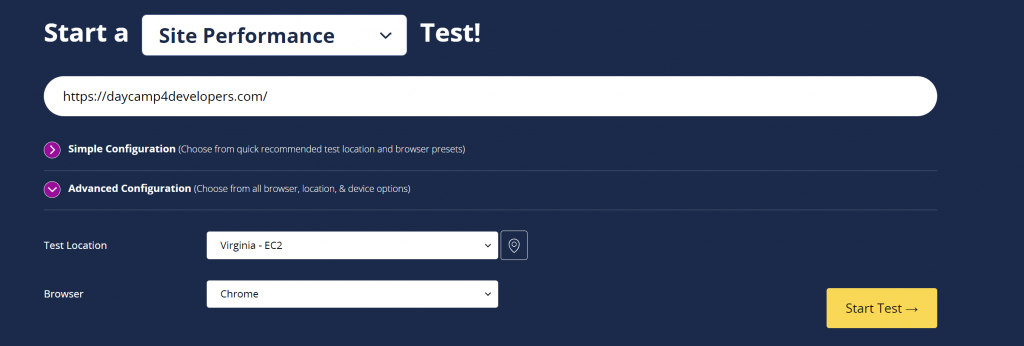
You can adjust these under the “Advanced Configuration” tab.

WebpageTest Tool to eliminate render-blocking resources

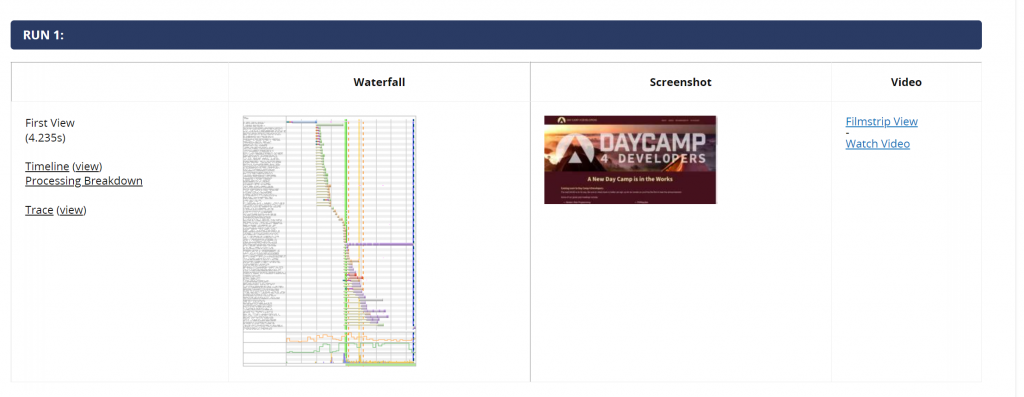
Hit “Start Test” and review the results.

WebPageTest results to eliminate render blocking resources

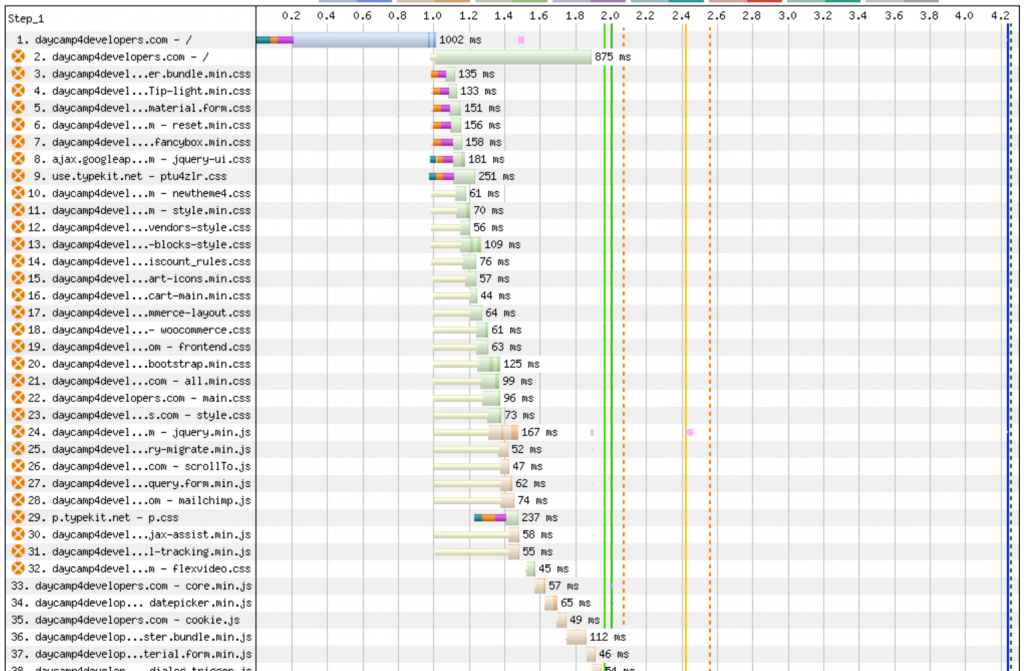
You’ll now see a more detailed waterfall chart. Clicking it opens a full-sized version where you can spot render-blocking JavaScript and CSS files.

waterfall display from WebPageTest to eliminate render blocking resources

In this example, there are 32 render-blocking resources—mostly CSS files, with a few JavaScript files mixed in.

It’s easy to see why JavaScript can block rendering, but CSS can do the same. The browser can’t fully display the page until it has all the styles it needs. If an important CSS rule loads late, your page might pause until it’s ready.

This is why streamlining CSS and JS delivery is key, and exactly what we’ll cover next.

How To Eliminate Render-Blocking Resources

Over time, web developers have experimented with various methods to reduce or eliminate render-blocking resources. Today, there are several reliable techniques you can use to speed up page rendering.

1. Optimizing JavaScript Loading

JavaScript is one of the most common culprits when it comes to render-blocking. Luckily, there are several techniques to control how and when your scripts load, so your page can display faster.

1.1. Understanding Async vs. Defer

To prevent JavaScript files from blocking page rendering, you should use the DEFER or ASYNC attributes in your script tags.

<script defer src="https://example.com/script.js"></script>
  • DEFER downloads the script while the page is rendering and executes it only after the HTML is fully parsed. It preserves the order of scripts.
  • ASYNC downloads and executes the script as soon as it’s ready, regardless of the page’s rendering state. This can cause scripts to execute out of order.

Generally, DEFER is the better choice, especially when your scripts depend on each other or on the DOM. It allows the browser to focus on painting the page before running scripts.

1.2. Handling Third-Party Scripts Efficiently

Third-party scripts, like analytics or social sharing widgets, are common render-blockers. If possible, load these scripts using DEFER or ASYNC. 

Some non-essential third-party scripts can also be moved to load after the page has finished rendering entirely, using event listeners like window.onload.

1.3. Lazy Loading Non-Critical Scripts with IntersectionObserver

For scripts that are only needed once a user interacts or scrolls to a certain section (e.g., chat widgets or embedded videos), you can lazy-load them using the IntersectionObserver API. 

const observer = new IntersectionObserver((entries) => {
  if (entries[0].isIntersecting) {
    // Dynamically load script here
  }
});
observer.observe(document.querySelector('#lazy-element'));

This tells the browser to load these scripts only when the related elements come into view, reducing the upfront workload for the browser.

2. Optimizing CSS for Faster Rendering

CSS tells your browser how to style your page, but it can also slow down how fast that page shows up. Let’s look at how to make your CSS work with you, not against you, when it comes to performance.

2.1. Inlining Critical CSS for Above-the-Fold Content

Browsers block rendering until they’ve processed CSS. To speed up the first paint, Google suggests identifying your “critical CSS” (the styles needed for the above-the-fold content) and inlining it directly into your HTML.

<style>/* Critical CSS goes here */</style>

This eliminates the need for the browser to wait for external stylesheets before displaying content above the fold. 

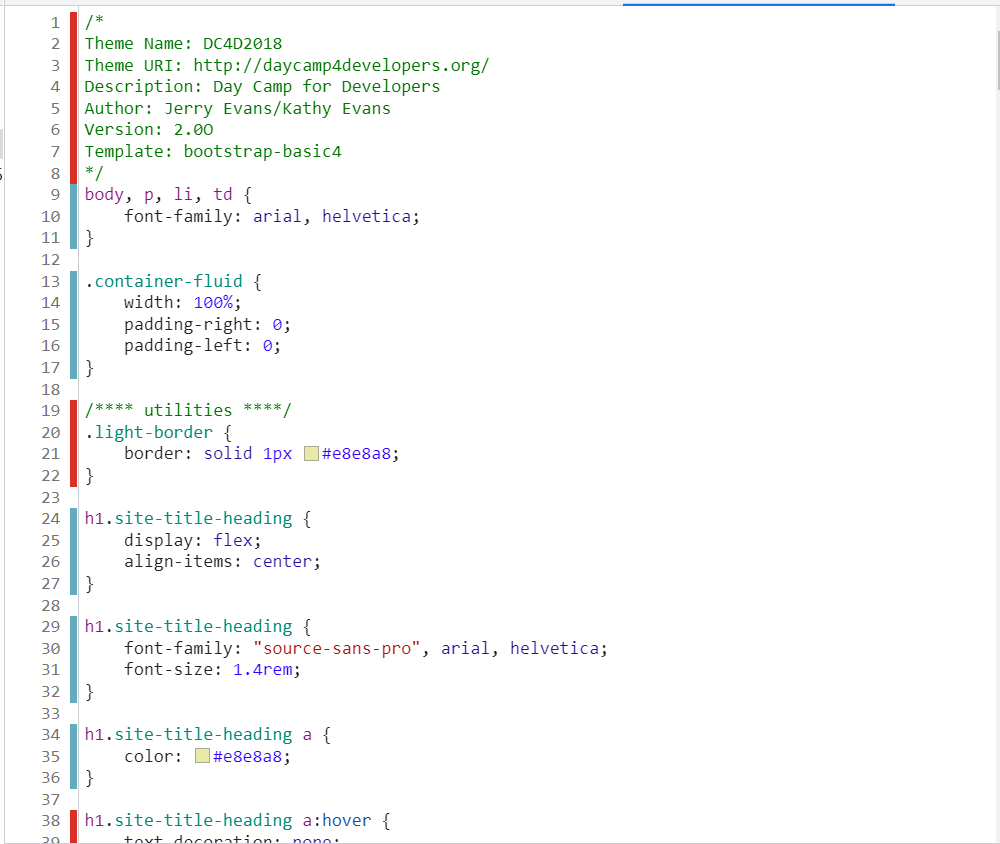
The easiest way to identify and inline critical CSS is by using tools like the Chrome Coverage Tool to see what styles load during initial rendering.

Chrome coverage tool to Eliminate Render-Blocking CSS

It will show you the CSS that you are loading which is non-critical (red bar) and critical (green bar).

By pulling the critical CSS out and placing it inline, you can remove the CSS as a render-blocking resource.

2.2. Deferring Non-Critical CSS

For non-essential styles, such as those affecting the footer or elements below the fold, you can defer loading by using the media attribute with a value like print and switching it back to all after the page loads:

<link rel="stylesheet" href="non-critical.css" media="print" onload="this.media='all'">

This trick allows the browser to prioritize critical resources and load the rest after the page is visually complete.

2.3. Preloading Key CSS Files

Another tactic is preloading CSS files you know are crucial but don’t want to inline. Preloading helps the browser discover these resources earlier in the rendering process:

<link rel="preload" href="important.css" as="style" onload="this.rel='stylesheet'">

It’s useful for important stylesheets that impact the look and feel of above-the-fold content but are too large or complex to be inlined.

3. Progressive Rendering Techniques

Beyond scripts and stylesheets, there are some additional strategies you can use to progressively load content and speed up your website’s first paint.

3.1. Server-Side Rendering (SSR) and Static Generation

Server-Side Rendering (SSR) and static generation can help deliver fully-formed HTML to the browser, reducing the reliance on client-side scripts for initial rendering. 

This means content becomes visible sooner because the browser doesn’t have to wait for JavaScript to build the page structure.

Frameworks like Next.js or Gatsby make SSR and static generation easier to implement.

3.2. Optimizing Fonts and Images to Improve Load Times

Fonts and images can also block rendering if not handled correctly. To optimize them:

  • Use the font-display: swap CSS property to prevent font files from blocking the first paint.
  • Lazy-load images below the fold using the loading=”lazy” attribute.
  • Preload key fonts or hero images with the <link rel=”preload”> tag to prioritize them.

Together, these strategies improve your site’s performance by letting browsers display content as early as possible while loading non-essential assets in the background.

How to Reduce Render-Blocking Resources in WordPress with SiteGround Speed Optimizer

If you’re using WordPress, the SiteGround Speed Optimizer plugin offers an easy way to reduce render-blocking resources without touching your code.

Even if you don’t host with SiteGround, this plugin can still help optimize your website’s performance.

.post-page__colored-blocks.post-page__colored-blocks–update p { margin: 15px 0px; }

Warning: 

When making these changes, it’s important to proceed carefully. We recommend adjusting one setting at a time and then checking your site in a different browser to make sure everything is still working correctly. 

This way, you can identify any potential issues and fix them immediately before moving on to the next optimization.

1. Optimizing JavaScript

First, go to the JavaScript settings in the plugin. Here are the key optimizations:

Screenshot of the Speed Optimizer Frontend JavaScript settings, listing the toggle options to minify, combine and defer JavaScript files, and additional options to exclude specific files from optimization.
  • Minify JavaScript Files: This removes unnecessary characters from your JavaScript code. This makes it smaller and faster to load.
  • Combine JavaScript Files: Combining JavaScript files reduces the number of requests the browser needs to make, speeding up the load time.

  • Defer Render-blocking JavaScript: This important option adds the DEFER attribute to your JavaScript files, allowing the page to render before executing JavaScript.

2. Optimizing CSS

Next, head to the CSS settings:

Screenshot of the Speed Optimizer Frontend CSS settings, listing the toggle options to minify, combine and preload CSS files, and additional options to exclude specific files from optimization.
  • Preload Combined CSS: This setting makes sure that your combined CSS file is loaded early in the process, so it’s available when the page starts rendering.
  • Minify CSS Files: This removes spaces, new lines, and comments from your CSS, shrinking the file size and improving load times.
  • Combine CSS Files: Combining CSS files helps reduce render-blocking by lowering the number of HTTP requests.

By applying these optimizations, you can significantly reduce render-blocking resources on your WordPress site and make it faster.

If you want to dive deeper into WordPress optimizations, check out our video on How to Speed up Your WordPress Website Like a Pro.

After going through all these steps on our test site, we are down to 24 render-blocking resources from 32. That’s a really good start.

The next step is to locate all critical CSS and inline it. Then, defer all other CSS and apply the other optimization techniques we discussed above. That will remove almost all of the remaining render-blockers. 

Now, let’s go over a final checklist of all the techniques we’ve explored.

Checklist for Eliminating Render-Blocking Resources

By now, you’ve learned that render-blocking resources don’t just slow things down—they can directly impact user experience, SEO, and conversions. 

To help you put everything into action, here’s a checklist you can follow:

  • ✅ Identify render-blocking resources using browser DevTools or tools like WebPageTest.
  • ✅ Add defer or async attributes to non-critical JavaScript files.
  • ✅ Optimize third-party scripts by loading them asynchronously or deferring them when possible.
  • ✅ Use IntersectionObserver to lazy load scripts that aren’t needed immediately.
  • ✅ Inline your critical CSS (above-the-fold styles) directly into your HTML.
  • ✅ Defer non-critical CSS or load it asynchronously, and remove unused CSS.
  • ✅ Preload important CSS files to give the browser a head start.
  • ✅ Implement progressive rendering techniques like Server-Side Rendering (SSR) or static generation where it makes sense.
  • ✅ Optimize fonts and images to remove hidden bottlenecks.
  • ✅ Use performance optimization plugins like the SiteGround Speed Optimizer to automate many of these tasks easily.

Eliminating render-blocking resources may feel like fine-tuning. Each of these steps chips away at those frustrating pauses during page loads. Apply them consistently, and you’ll create a faster, smoother experience for your visitors.

From improving user experience to boosting SEO, every optimization counts. When your pages load quickly, visitors stick around longer and search engines take notice of that. 

The best part? With а tool like the SiteGround Speed Optimizer, you can automate a lot of these steps and get faster results without much hassle and coding knowledge.

In the long run, every little improvement adds up—and that’s what keeps your website fast, reliable, and ready to perform.

The 7 Most Effective Free Ways to Promote Your Website

Abstract image of promoting your website

These days, having a website is essential for businesses, entrepreneurs, and creatives alike. Fortunately, building one is easier than ever and once you’ve found the right place to host it, you’re all set to go live. But getting people to actually visit it? That’s the real challenge. With millions of sites competing for attention, simply launching your website isn’t enough—you need a strategy to promote that website. 

The good news? Attracting visitors doesn’t have to break the bank. If you’ve been wondering how to promote a website for free, the answer lies in smart, effective methods that drive traffic and boost engagement organically. Whether you’re looking to promote a new website or advertise your website to a broader audience, leveraging the right tactics can help you grow your online presence, reach your ideal audience, and turn visitors into loyal customers—all without spending a dime. The key is knowing exactly which of these tactics works best and how to implement them effectively.

In this guide, we’ll explore seven of the best ways to promote your website for free, helping you increase visibility and drive meaningful engagement.

7 Definitive Ways to Promote Your Website for Free

1. Increase Visibility with SEO

In 2025, we can’t talk about achieving online presence success without mentioning search engine optimization (SEO). And as we look to the future, SEO will continue to evolve, playing a crucial role in optimizing strategies and enhancing user experiences, thanks to the impact of AI. If you’re looking for ways to advertise a website for free, SEO is one of the most powerful tools at your disposal. 

SEO is the process of optimizing your website to rank higher on Google and other search engines, making it easier for people to find your content organically—without paying for ads. Unlike paid advertising, which stops driving traffic once you stop paying, SEO delivers long-term benefits by helping you rank higher naturally. This makes it one of the most cost-effective ways to promote your website for free. 

Remember, the key to SEO success isn’t how much you spend, but the quality and relevance of your content. A well-executed SEO strategy can drive consistent, long-term traffic to your digital doorstep and significantly improve your online presence.

Here’s how to strengthen your SEO and up your website’s visibility:

  • Create High-Quality, Relevant Content – At the heart of effective SEO lies high-quality, relevant content. Focus on solving your audience’s problems and answering their questions. Blog posts, guides, and FAQs that address specific pain points tend to rank higher and help you promote your website effectively.
  • Use the Right Keywords – Research and strategically place relevant keywords and phrases throughout your website, including in titles, meta descriptions, headings, and image alt text. Tools like Ahrefs’ Free Keyword Generator and Ubersuggest can help, and both offer free versions. However, try to also avoid keyword stuffing; prioritize natural, readable content that provides real value.
  • Optimize Your Website’s Structure – A fast, mobile-friendly, and well-organized website improves user experience and helps search engines crawl your pages efficiently. Ensure your site loads quickly, has clear navigation, and includes internal links to help users find relevant content. This also improves generative engine optimization (GEO), making it easier for generative AI tools to grasp your site’s content and use it effectively in search results and chatbots, which is crucial for advertising your website.
  • Earn High-Quality Backlinks – Backlinks (links from other reputable websites to yours) signal to search engines that your content is trustworthy and valuable. You can build backlinks by guest posting on industry blogs, collaborating with other websites, or creating shareable content like infographics and research studies.
  • Local SEO – For businesses targeting a specific geographic area, local SEO is essential. Optimize your Google My Business profile, ensure consistent NAP (name, address, phone number) information across the web, and build local citations to improve your visibility in local search results. This helps customers in your area find your business when searching for products or services you offer is especially effective when looking to promote a new website.
  • Regularly Update Your Content – SEO isn’t a one-time effort. Keep your content fresh by updating outdated posts, adding new insights, and repurposing old articles to maintain relevance.

Long story short: The better your SEO, the higher your website appears when people search for relevant topics—leading to more organic traffic, brand exposure, and potential customers. Did we already mention it’s free?

💡Want to Stay on Top? SEO is constantly evolving, and staying ahead of the latest trends is key to maintaining strong search rankings. If you want to keep your website performing at its best, be sure to check out our article with the most up-to-date SEO trends and insights.

2. Drive Traffic with Content Marketing 

Effective content marketing is key to driving traffic and establishing your brand as a trusted authority, serving as the cornerstone of your website promotion strategy. By sharing your knowledge through various content types such as blogs, videos, and user-generated content (UGC), you can engage visitors and convert them into loyal customers, helping you promote your website for free.

  1. Starting a blog is a powerful way to share your expertise and connect with your audience. Regularly providing high-quality articles that address common questions, industry trends, or success stories delivers value and strengthens SEO. This helps position your brand as a go-to resource and improves your search engine rankings, leading to more organic traffic.
  2. Another impactful tactic is to create original research or in-depth industry reports. Offering comprehensive insights or statistics can attract attention from other professionals, journalists, and bloggers. These authoritative pieces often lead to backlinks from reputable sources, which augments your SEO and drives even more traffic, aiding your efforts to advertise your website.
  3. Content marketing is a two-way street, and user-generated content (UGC) is a powerful tool to build engagement. Encouraging customers to share experiences through photos, testimonials, or social media posts not only strengthens loyalty but also provides fresh, authentic content. 
  4. Competitions or giveaways with branded hashtags can further drive UGC and increase brand awareness, turning passive readers into active participants and advocates.
  5. Additionally, repurposing content is a smart way to maximize your efforts. You can transform blog posts into videos, podcasts, or infographics to engage a broader audience and increase your reach on different platforms. This strategy ensures your content reaches people who prefer different formats and helps maintain a consistent online presence.
  6. Don’t forget about resources such as free downloadable guides, eBooks, or templates. Offering these alongside your blog can enhance user engagement and provide even more value. Ultimately, making your website a go-to destination for resources within your niche will attract repeat visitors and foster a sense of community, contributing to the successful free website promotion.

Content marketing doesn’t just drive traffic—it builds brand authority and generates conversions. Even if you’re not a natural writer, including a blog or other content on your site makes it easier for people to find your business, increasing awareness and establishing trust. Plus, as your content grows, you can monetize your efforts through affiliate marketing or sponsored posts, creating additional revenue streams.

Through content marketing, you move beyond mere website promotion, positioning it as an indispensable resource that attracts, engages, and converts your audience.

[chatgpt_marketing_cheatsheet_download]

3. Engage and Convert with Email Marketing

While a strong online presence is important, don’t overlook the power of email marketing in helping you promote your website and the numerous benefits it offers for businesses of all types. With billions checking their inboxes daily, it provides a direct line of communication, fostering relationships, increasing traffic, and creating conversions. Unlike social media, where algorithms limit reach, emails go straight to your subscribers’ inboxes, making it an ideal method for a successful website promotion. Understanding the email customer journey—from first touchpoint to conversion—helps refine your strategy for more personalized, effective campaigns.

Sending newsletters with valuable content, offers, and updates is one of the best ways to promote your website and a great way to keep your audience engaged, encourage repeat visits, and convert casual visitors into loyal customers. Keep them concise, visually appealing, and include strong calls to action (CTAs) to drive traffic to your website.

Another key advantage of email marketing is personalization. Unlike one-size-fits-all marketing tactics and social media algorithms, email campaigns can be tailored based on subscribers’ preferences, past interactions, or purchasing behavior. This makes your emails more relevant and increases engagement rates.

Tracking performance is another major benefit of email marketing. By monitoring key email marketing metrics such as open rates, click-through rates, and conversions, you gain valuable insights into your audience’s engagement. Knowing what works (and what doesn’t) allows you to refine your strategy, test different approaches and optimize your campaigns for better results, contributing to your overall website promotion efforts.

Ready to Level Up Your Email Marketing?

Create emails that captivate and convert, design beautiful layouts with ease and send targeted emails efficiently with SiteGround’s Email Marketing: all the tools you need, in one place.

GET STARTED

With high ROI and minimal cost, email marketing is a must-have in any website promotion strategy. It not only helps attract and retain visitors but also turns them into long-term supporters of your brand.

4. Attract Visitors with Landing Pages & Free Resources

In digital marketing, a landing page is a specialized web page designed for a specific marketing or advertising campaign, directing visitors from ads, emails, or social media. If you’re looking for the best way to promote a website, landing pages play a crucial role in converting traffic into engaged users. 

Unlike a homepage, which offers broad information, a landing page has a single goal—whether it’s capturing leads, promoting a product, or encouraging sign-ups. Fewer links mean fewer chances for visitors to be diverted from the CTA, leading to higher conversion rates. That’s why savvy marketers always direct traffic to a dedicated landing page rather than a homepage.

Example of a high converting landing page

One of the most effective ways to attract visitors to your landing pages is by offering valuable free resources, because, frankly, everyone appreciates getting good stuff for free. Lead magnets like eBooks, templates, or webinars incentivize users to engage and share their contact information, allowing you to promote your website for free.

To maximize results, continuously test and refine landing pages based on conversion rates and engagement metrics, ensuring they remain effective in how to market a website and drive long-term success. 

5. Expand Reach with Collaborations & Co-Marketing

One of the fastest ways to advertise your website effectively and increase its visibility is by partnering with others in your industry. By collaborating with relevant websites, businesses, and influencers, you can tap into new audiences and drive more traffic to your site. The key is to ensure that your content aligns with your partner’s audience, making the promotion natural and beneficial for both sides.

🤝 Work with Influencers

Influencer marketing amplifies brand awareness and drives traffic to your website. When an influencer with an engaged following shares your content, it acts as social proof, encouraging people to trust and explore your brand. Success comes from partnering with the right influencers—those who are relevant to your niche and have a genuine connection with their audience. This is one of the best ways to promote a website and understand how to market your website effectively.

  • Choose micro-influencers (smaller but with highly engaged audiences) for niche markets.
  • Offer value in return, such as free products, cross-promotion, or exclusive partnerships. It’s key to ensure that the partnership is mutually beneficial.
  • Measure your results, tracking traffic and engagement to refine your approach.

✍️ Invite Guest Contributors

Inviting industry experts to contribute to your blog, and doing guest posting on other websites are excellent strategies to expand your reach and build credibility. Guest bloggers bring fresh perspectives and high-quality content, often sharing their posts with their own audiences, while your own guest contributions on other sites help earn backlinks and increase exposure, driving more visitors to your site. 

🎁 Host Giveaways & Contests

Giveaways are an engaging and cost-effective way to attract visitors and encourage social sharing. Whether it’s a discount, free product, or exclusive service, a well-planned giveaway can bring a surge of new traffic to your site.

  • Set clear goals – Do you want to increase email sign-ups, social shares, or website visits?
  • Choose a valuable prize – It’s essential to design your giveaways strategically, offering prizes that your target audience actually wants (and that align with your business).
  • Make it easy to enter – Require participants to visit your site, sign up, or share the giveaway to qualify.
  • Promote it widely – Share it on social media, partner websites, and email campaigns to maximize reach.
Example of a giveaway in order to promote your website

Combining influencer partnerships, guest blogging, and strategic giveaways will help you promote your website for free, expand your audience, build brand credibility, and drive long-term traffic to your website.

6. Grow Your Audience with Social Media

Social media isn’t just for sharing vacation photos or viral dance trends—it’s another powerful marketing tool for driving traffic, increasing brand awareness, and building an engaged audience.

Here’s how you can use it effectively to promote your website for free:

  • Share Valuable Content: Post regularly to keep your brand visible and drive organic traffic. Share blog articles, product pages, special promotions, and behind-the-scenes updates to keep followers engaged and informed.
  • Create Engaging and Shareable Content: Use eye-catching visuals, compelling captions, and strategic hashtags to reach a wider audience. Tap into trending topics, create interactive posts like polls or quizzes, and encourage sharing to expand visibility. 
  • Engage with Your Audience: Social media goes both ways—it’s not just about broadcasting messages—it’s about interaction. Respond to comments, answer direct messages, and acknowledge user-generated content to build stronger relationships and foster brand loyalty, which is essential when considering how to market your website.
  • Cross-Promote Across Platforms: Repurpose content to fit different social media channels. Share blog posts on Facebook and LinkedIn, turn key insights into Instagram carousels, and repurpose short video clips for TikTok and YouTube Shorts.
  • Collaborate with Influencers: Partner with influencers or industry experts who align with your brand. Their endorsement can increase credibility, expose your content to new audiences, and drive more traffic to your website.
  • Social Commerce: Instagram and Facebook shops make it easier for users to buy products directly from your posts. Take advantage of this trend by integrating ecommerce features into your social media platforms to facilitate free website promotion.
  • Sustainability and Social Responsibility: Many brands are highlighting their commitment to sustainability and social causes. Sharing your company’s efforts towards sustainability or community engagement can resonate with conscious consumers, enhancing your website promotion strategy.
  • Stay Updated on Trends: Social media platforms frequently release new features. Experimenting with them, staying informed of platform updates and adjusting your strategy accordingly are key to success.

Implementing these strategies will help you effectively market your website and create meaningful connections with your audience. 🚀

7. Build Connections & Credibility in Online Communities 

Engaging with online communities is another valuable way to promote your website for free and connect with people interested in your niche. By offering insights and sharing useful resources, you can introduce your website naturally. Here’s how to make the most of these opportunities:

  • Join relevant discussions: Platforms like Reddit, Quora, and niche forums allow you to connect with potential customers, share your expertise, and link to relevant resources on your site.
  • Be helpful, not promotional: On platforms like Reddit, avoid overt self-promotion. Instead, contribute meaningful insights and link to your website when it adds value to the conversation, ensuring you adhere to the best way to promote your website without being overly salesy.
  • Leverage Quora’s SEO benefits: Answer questions on Quora, and your responses can rank on Google’s first page, driving targeted visitors to your site through helpful, well-crafted answers.
  • Join industry-specific groups: Participate in Facebook, LinkedIn, or specialized forums where you can address common concerns, share expertise, and engage with a relevant audience.
  • Create your own community: If a suitable space doesn’t exist, consider creating a branded Facebook group, LinkedIn community, or a forum on your website to attract like-minded individuals.
  • Focus on authenticity: Build credibility by providing value in discussions and positioning your website as a trusted resource in your niche.

Participating authentically in these online communities not only helps expand your reach but also fosters meaningful connections with potential customers. This approach positions you as a go-to source in your field, encouraging ongoing engagement and enhancing your credibility.

7 ways to promote your website for free

Bonus Tip: Get Faster Results with Paid Ads

If you’ve been wondering how to promote a new website quickly—or give an established one a boost—then paid advertising can be a game-changer.

While the organic methods we already mentioned in this article—such as SEO, content marketing, and social media engagement—are excellent long-term strategies, sometimes you need quicker results. This is exactly where paid advertising comes in. Platforms like Google Ads, Facebook Ads, Instagram Ads, and other pay-per-click (PPC) campaigns allow you to reach a highly targeted audience almost instantly.

But which platform is right for you? Well, it depends on what you’re trying to achieve. 

  • Google Ads helps you connect with people who are actively searching for what you sell. By appearing at the top of search results for specific keywords, you can grab the attention of high-intent visitors. This means you’re likely to attract customers who are ready to make a purchase, increasing your chances of conversion. Google Ads also lets you run display ads on relevant websites in your niche, which further helps increase your reach.
  • Facebook Ads allow you to reach a wide audience by targeting users based on their interests, behaviors, and demographics. You can use creative ad formats, like videos and carousels, to engage users and bring back visitors who didn’t convert the first time. The platform’s detailed targeting options enable you to find the right audience for your brand, ensuring that your ads resonate with potential customers.
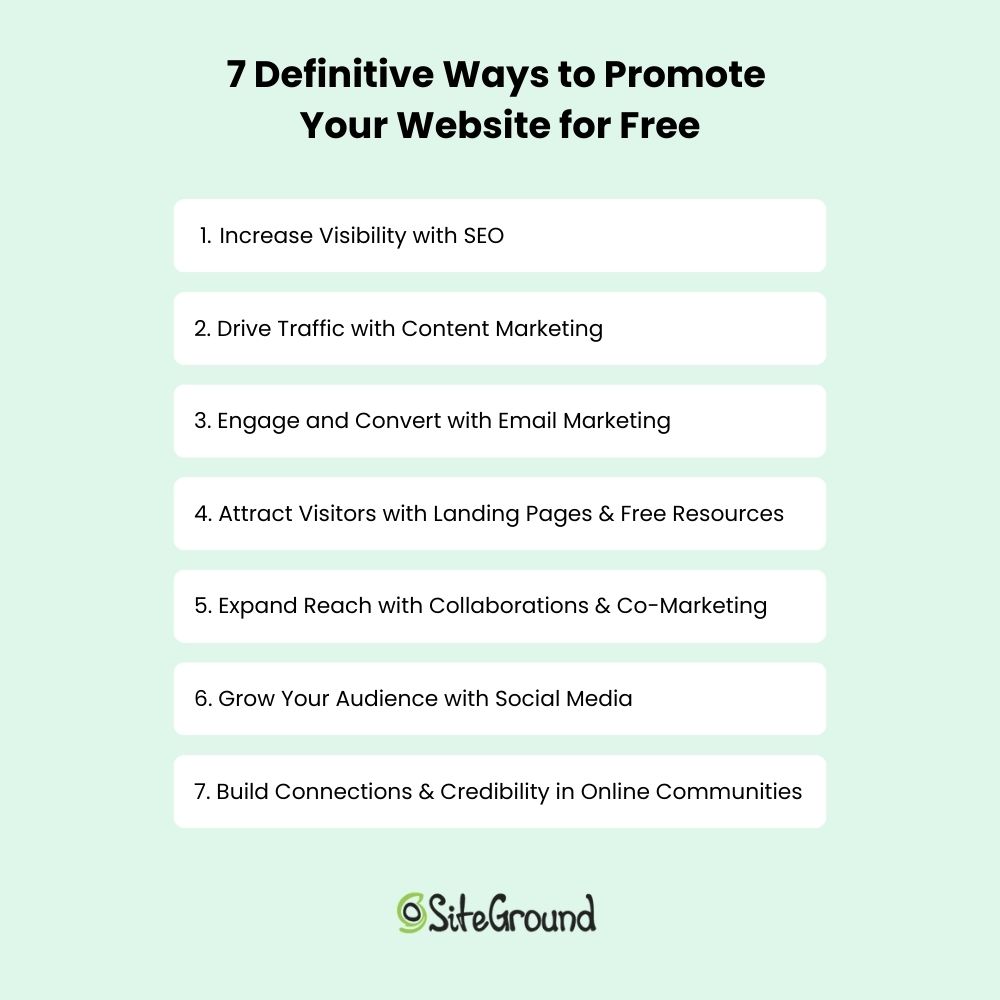
  • Instagram Ads focus on visual content, making it perfect for brands that want to catch people’s eye with stunning photos and videos. You can target users by age and interests, and collaborating with influencers can help expand your reach. With options for story ads, feed ads, and ads on the Explore page, Instagram allows for maximum reach.
  • LinkedIn Ads are designed for B2B marketing and are an essential tool for building professional relationships, as they let you connect with professionals and decision-makers. You can target users based on their job titles and industries, making it easier to promote your services and advertise your website to the right audience. 

Paid advertising requires an investment but provides measurable results, allowing you to track clicks, impressions, conversions, and ROI. It ensures optimized campaigns for maximum impact and delivers immediate visibility and traffic, unlike organic strategies that take time to build momentum. Whether you’re launching a new product, running a promotion, or simply looking to increase brand awareness, paid ads can provide the edge you need to achieve faster, more consistent growth.  

Final Thoughts on How to Advertise Your Website Effectively 

Effective website promotion requires a mix of smart strategies and consistency. Organic methods like SEO, content marketing, email marketing, and social media drive long-term traffic and growth, while paid advertising delivers quick visibility and helps promote your website to the right audience faster.

Success comes down to providing value—whether optimizing for search engines, creating engaging content, or collaborating with influencers, quality and relevance should always be the priority. Staying consistent, adapting to trends, and refining your approach ensures steady growth.

If you’ve come this far, you’ve already gained a clearer understanding of how to market your website and drive traffic. But what happens after they arrive? That’s where email can help. To turn those visitors into loyal customers, SiteGround email marketing is a great way to start. It’s designed to be intuitive, allowing you to easily create and manage targeted campaigns, and provides the insights you need to optimize your results. 

Combining these tips with robust email marketing helps you build a strong online presence and grow your business. Because, in essence, you’re not just driving traffic; you’re building a bridge to your customer’s door.

The 21 Best Survey Email Examples & Templates + Expert Tips

Abstract of a survey email template

Ever wish you could read your customers’ minds? While we’re still waiting on that superpower, survey emails are the next best thing. They give you direct insights into what your audience thinks, wants, and expects from you. Whether you’re fine-tuning a product, improving your service, or just checking in, survey emails help you build stronger connections with your customers. Plus, people love sharing their opinions—especially when they know you’re listening!

Today we’re sharing what goes into making the perfect survey email template—that is, the structure that makes up the absolutely perfect survey email. One that people want to open and answer, and that also adds positively to subscriber perception of your brand. And then we’ll examine some stellar survey email examples that you can use to inspire your own.

[36]

Why Send Survey Emails?

You probably have an idea as to why survey emails are worth considering. But lest you need convincing, here are the key reasons to get on board with surveys and start building the ideal survey template. 

  • Understand Your Audience – Gain valuable insights into customer preferences, pain points, and expectations.
  • Improve Products and Services – Use direct feedback to refine offerings and enhance customer satisfaction.
  • Increase Engagement – Surveys create a two-way conversation, making customers feel heard and valued.
  • Enhance Customer Retention – Survey emails are an important part of the email customer journey—by addressing issues proactively you can retain customers and maintain loyalty. 
  • Make Data-Driven Decisions – Rely on real feedback rather than assumptions to guide business strategies.
  • Measure Customer Satisfaction – Track Net Promoter Score (NPS) or other key satisfaction metrics to gauge brand perception.
  • Personalize Marketing Efforts – Tailor messaging and offers based on customer preferences revealed in survey responses.

By now you’re surely convinced and chomping at the bit to create your first survey. So let’s dive into the elements of a strong survey email template.

Elements of a Successful Survey Email Template

A great survey email template isn’t just about asking questions—it’s about getting people to actually open your message, click, and respond. Indeed, there’s an art to this process so that you can get meaningful results that truly benefit your business, and build trust with your customers—which is all part of a successful email newsletter strategy. 

But first, let’s break down the key elements of a successful survey email template. 

1. Subject Line: Grab Their Attention

If we’ve said it once, we’ll say it again (and again!): your email subject line is your first (and maybe only) shot at getting someone to open your email. As is the case with every email, your survey email subject line needs to be engaging, clear, and, ideally, irresistible. And because survey emails are their own breed of messages, we have a few more tools in our tool box to really tease that email-open. Here are some winning subject line ideas for inspiration:

  • Can we ask you a question? 
  • Answer a [Number]-minute survey—win a [Prize]!
  • Shape our next product
  • Your feedback is important to us
  • We want to hear from you
  • Have a second?
  • “Tell us what you think & get [incentive]”

As you can imagine with the above subject lines, sparking curiosity or offering a small incentive can go a long way in increasing survey request email open rates. And the truth is people love sharing their thoughts, so if you keep it quick and focused on the customer and the value of their input, you’re a lot more likely to get a response.

Email survey subject line example

We love how the above email has a tempting and funny subject line. Trade us for what? Feedback for a discount, that is! The email itself follows up with a super playful message that emphasizes the value of getting to know the customer and offers a sweet incentive. Multiple clever and laugh-inducing call-to-action buttons ensure engagement.

2. Body Copy: Keep It Short and Sweet

Speaking of keeping it quick, no one wants to read a long-winded novel just to get to a survey link…only then to be faced with an enormously long and boring questionnaire. Let’s not do that to our customers. Keep your message concise, friendly, and to the point. Here’s a simple structure to follow:

  1. Start with appreciation – “We value your opinion!”
  2. Explain why you’re reaching out – “We’re working on improving [product/service] and would love your feedback.”
  3. Set expectations – “It’ll only take 2 minutes!”
  4. Add an incentive if applicable – “As a thank you, you’ll be entered to win [prize].”

Set expectations, and make it feel personal and conversational, like a message from a friend.

Example of short survey email

The above feedback email from Food52 checks all the survey email boxes with its to-the-point message that expresses gratitude and makes responding easy.

3. Imagery: Make It Eye-Catching

A well-placed image or graphic is an important part of good email design, and it can make your survey request email more visually appealing, friendly, and just generally add to your brand’s overall vibe (which is always important to enforce and reinforce). Consider using:

  • A friendly, relevant image (like a smiling person or a fun illustration)
  • Simple icons to highlight key points
  • A branded design to keep things consistent

Just don’t overdo it—too many visuals can distract from the main goal: getting that survey completed. Short and sweet and good to look at—that’s the goal.

Survey email example with imagery

This email does a mouth-watering job of keeping it short and, especially captivating. Chances are customers will answer the survey and then head straight to DQ for a caramel-slathered ice cream sundae, maybe with a side of fries. 

Not sure where to start with your email design? Or even your email sending? SiteGround Email Marketing is incredibly user friendly and easy to get going, offering robust features—such as email automation, segmentation, a built-in AI writer, and an intuitive builder—and all at a super accessible price. 

Start sending email marketing surveys now>>

4. Call to Action: Link to Survey!

Your survey email has one purpose: to get people to take your survey. So your survey link is your call to action (CTA), and it needs to be extra noticeable. If people have to hunt for the survey or questionnaire link CTA, they simply won’t bother. So place your link prominently, ideally as a button, and near the beginning and end of your email. Use bold, strategic colors and a large enough button to make clicking irresistible.

Survey email example with strong call to action

The above email wastes no time asking a short and super direct question, followed by an extra-simple and impossible-to-miss CTA button—survey response assured. 

5. The Perfect Survey Template: Put Everything Together

In theory, a survey email template could seem rather simple, but you can tweak it a thousand ways to make it just right for your purpose and audience—and to ensure that you get those responses. 

Pulling together the above elements, we can create this basic, but oh-so-perfect, survey email template.

Survey email template example

Want access to more survey email templates? We’ve created X survey email templates for all occasions, each leveraging all the tips we’re covering today. Don’t forget to snag your list of free-to-use templates so that you can get started today.

Get your free survey email templates >>

Survey Email Template Best Practices

We’ve covered the elements of a survey email, but how you put those elements into action is where the real magic happens. To maximize responses, follow up these best practices when crafting your survey email template.

1. Offer Incentives

“You want my opinion, and I get rewarded for it?” Sign us up, because hey, we’re human, we love to share our thoughts, and we love a good dopamin-inducing incentive! So offering a perk, like a discount, giveaway entry, or exclusive access can significantly increase open rates and up survey request participation. 

Even something as simple as “Help us improve, and get 10% off your next purchase!” can give a nice bump to your survey responses. Plus it generates goodwill, and who doesn’t want a little more of that? 

Example of survey email with an incentive

2. Explain the Purpose

By letting your audience know why their feedback matters, you can get them emotionally invested in your survey’s purpose and outcome. After all, they want to know their feedback matters—and why. 

For example, are you looking to enhance customer service? Improve a product? Let your customers know this. If they understand the “why” behind your survey, it will increase the chances that they take the time to respond. And the bonus: they become more loyal to your brand in the process because they see that you care.

Eton makes the goal of their survey extra clear, starting right in the subject line, which they follow up by asking the reader to help them improve. This kind of transparent request helps the customer feel like their opinion is important and has a greater purpose.

Purpose of a survey email example

Ring’s survey email also does a stellar job of getting the recipient invested in the purpose of gathering feedback. By sharing their mission, they convey to the survey taker that they can directly support this mission—an appeal that is hard to ignore.

survey email purpose example

3. Set Expectations

It’s important to keep your survey request emails short, and a part of that is making sure the recipient knows that you won’t be monopolizing their time. Keep emails lean and surveys brief, and set expectations accordingly. 
Survey email with time expectation

Sightglass does this nicely with their brief email that gets to the heart of the matter—the survey will only take five minutes, and Sightglass conveys their interest in knowing customer thoughts so that they as a business can do better.

4. Share Results

Your subscribers are invested at this point—they’ve given you feedback, and so for them to get to know the outcome of their well-spent time is the cherry on top. Once you’ve gathered responses, share the impact! 

A follow-up email with key findings, or one that shares how you’ll implement changes based on feedback, not only builds trust but also reinforces the benefits of email marketing, keeping your audience engaged and connected to your brand.

Survey email example sharing results

Who doesn’t love survey results, especially if you’ve gone to the trouble of providing your own answers? Hers taps into this curiosity with an email packed with survey data, letting customers feel valued for having shared their feedback, and providing them with the satisfaction of knowing the results.

example of a survey email sharing results

The above email demonstrates a super smart way to benefit even further from your survey emails. Revolution Tea expresses gratitude by not only sharing results, but also a discount. In addition to this, they use the actual survey results and testimonials as social proof to further encourage purchases. 

Survey Email Template Examples in Action

This is where the rubber really meets the road—with clever survey email examples in action. These different design examples capture the many different types of emails you can send, as well as the range of ways you can make the humble survey email template playful, captivating, and compelling. So without further ado, let’s check them out. 

Feedback Survey Email

As a part of your lead nurturing email strategy, sometimes you just want to send a basic feedback survey email. This calls for you to roll out all the survey email best practices: a strong subject line, concise text, and an unavoidable call to action. Set expectations by letting your recipient know exactly what you’re asking for, and why, and make sure they feel valued. Extra points if you can get creative.

Which Notion very much does in the email below. They keep things uncomplicated but with a twist: they appeal to the recipient’s do-gooder side. The idea of growing forests with your feedback is a creative incentive—doing so makes the survey taker feel like they’ve accomplished something and, conversely, not doing so does the opposite (not growing forests—what a shame!). So this is a clever way to get that good old-fashioned feedback.

Feedback survey email example

Survey Email With an Incentive

The best tried and true tactic for getting questionnaire responses is by simply offering an incentive. Giving a discount, cash back, or some other perk, means that people are more likely to share their thoughts.

The below email does this right, offering cold hard (virtual) cash as a benefit. They cleverly and simply point this out in the subject line, and make the email brief and to the point. No fluff. Just an incentive, a splash of text, and a CTA to take the survey.

Survey email example with an incentive

Survey Email With a Giveaway

Incentives don’t just need to come in the form of discounts or cash back, they can be an even bigger and better reward in the form of a giveaway or contest. The potential of a big prize is a substantial incentive for the survey-taker, but likely a relatively small investment for your business. 

This email from Grind does a great job of valuing the recipient’s feedback while simultaneously teasing a much-desired giveaway.

Example of survey email with a giveaway

Product Survey Email

You’ve put time and effort into creating a great product—now it’s time to see what your customers think. A product survey email helps you gather that valuable feedback, improve future versions, and it lets customer’s know that you care. But it doesn’t have to stop there—this type of survey is also a great segue into asking for a product review, turning happy customers into brand advocates.

The email below keeps things simple and direct, making it easy for recipients to give a simple star rating. Once clicking the stars to give a rating, customers can be encouraged to leave a more detailed review that can be shared on the website’s product page.

Product Survey Email example

Service Survey Email

Just as with products, customers like to know that their opinion shapes what your business provides. As usual, keeping it simple, as Bird does in the email below, and setting expectations (just two minutes!), means customers will be more likely to provide their feedback.

Service survey email example

Product Feature Survey Email

As a customer, it feels good to feel like you’re a part of the process. And as a business owner, it feels good knowing you’re building products and features that your customer really wants. So these survey emails can be especially helpful. Let the customer know that their input really makes a difference, and watch engagement go up.

This survey email example from Withings gets the job done right, letting customers know that their feedback will play a key role in new features.

Product feature survey email example

Hospitality Survey Email

One of the most common arenas for people to provide feedback is in the world of hospitality. Restaurant, hotels, tour guides: people always seem eager to share feedback on these experiences. But rather than overwhelming previous guests with a laundry list of questions in your survey email, keep it simple. 

VRBO does this right by using a personalized subject line, and then asking an ultra direct question with a very simple yes or no. Once the recipient has interacted with a click, VRBO can engage further and ask more questions. But getting that initial response is a massive hurdle to getting more feedback from the customer.

Hospitality survey email example

Event Survey Email

Events are all about creating memorable experiences, and a post-event survey email is your key to making future gatherings even better. In addition to the usual best practices, you may wish to send follow-up resources, or perhaps recaps of takeaways from the event. The added value will inspire an email open—and hopefully a response.

The below event survey email touches on all the key points: useful presentation recordings, gratitude for joining the event, and incentive for providing feedback.

Event survey email example

Net Promoter Score Survey Email

A Net Promoter Score (NPS) email is a survey email designed to measure customer loyalty and satisfaction. It typically asks recipients how likely they are to recommend your product or service to others on a scale from 0 to 10. The responses help businesses understand customer sentiment and identify opportunities for improvement.

In the below survey email example, Best Day Brewing gets straight to the point asking readers to rate on a scale from 1 to 10 how likely they are to recommend the brand to a friend or colleague. The ultra-simple question can also serve as a good springboard for further inquiry once the email reader (surely) marks their response.

Net promotor score survey email example

Survey Reminder Email

Sometimes we forget to respond, and a simple survey follow-up email is all it takes for us to open the message and do the thing—in this case, give that wanted feedback. 

Target keeps its survey reminder email simple, letting guests know that their survey follow-up will only take two minutes, and that the guest’s input is valued.

survey reminder email example

Re-Engagement Survey Email

People love sharing their opinions so much that sometimes a simple survey can be used as a re-engagement email to an inactive subscriber. 

We love how the below survey email example is super playful, starting with its hard-to-ignore subject line, and finishing with a couple cover clever questions to gauge interest. Chances are, after an email like this, most people will engage and want to continue to engage.

re-engagement survey email example

Making the Most Out of Your Survey Email Template

Survey emails don’t have to be complicated, but a little thought goes a long way. A clear, engaging message increases the chances of getting thoughtful responses—and more of them. Keep it short and to the point, let people know why their feedback matters, and make it as easy as possible to respond. And don’t forget to express gratitude—a little appreciation can go a long way in building strong relationships with your audience. 

Want to make survey email sending extra easy? Hop over to SiteGround Email Marketing to start creating and sending surveys in no time. Choose from a variety of templates, leverage the built-in AI writer, and take advantage of powerful features that make email creation effortless. 
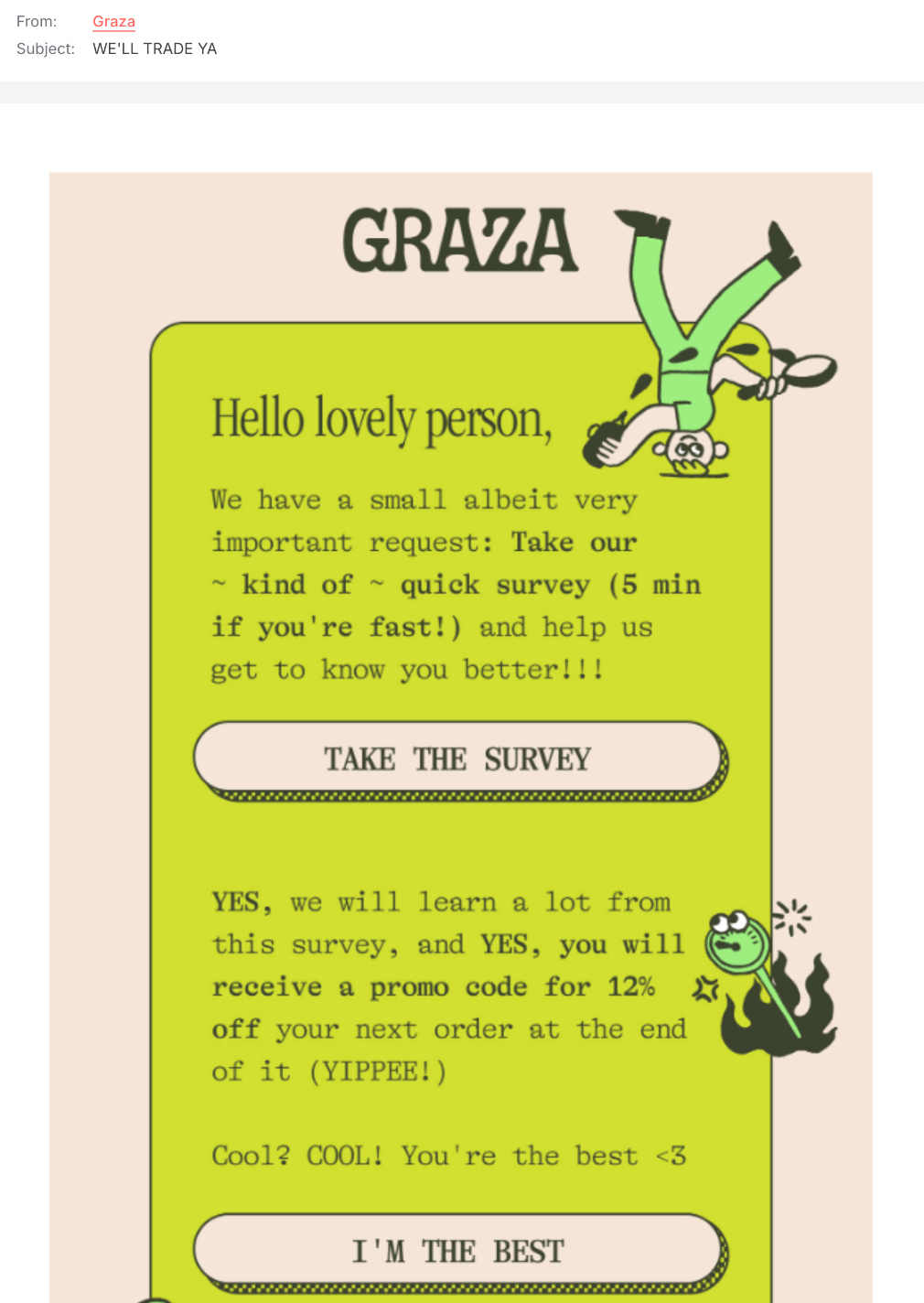
Frequently Asked Questions About Survey Emails

When Should You Send a Survey Email?

The best time to send a survey email, or even a survey email automation sequence, depends on your goal.

  • After a Purchase or Interaction – Send a survey within 24-48 hours to capture fresh feedback.
  • Post-Customer Support – Send a follow-up email after a support ticket is resolved to measure satisfaction.
  • At Key Customer Milestones – Send periodic surveys (e.g., quarterly or annually) to gauge overall customer experience.
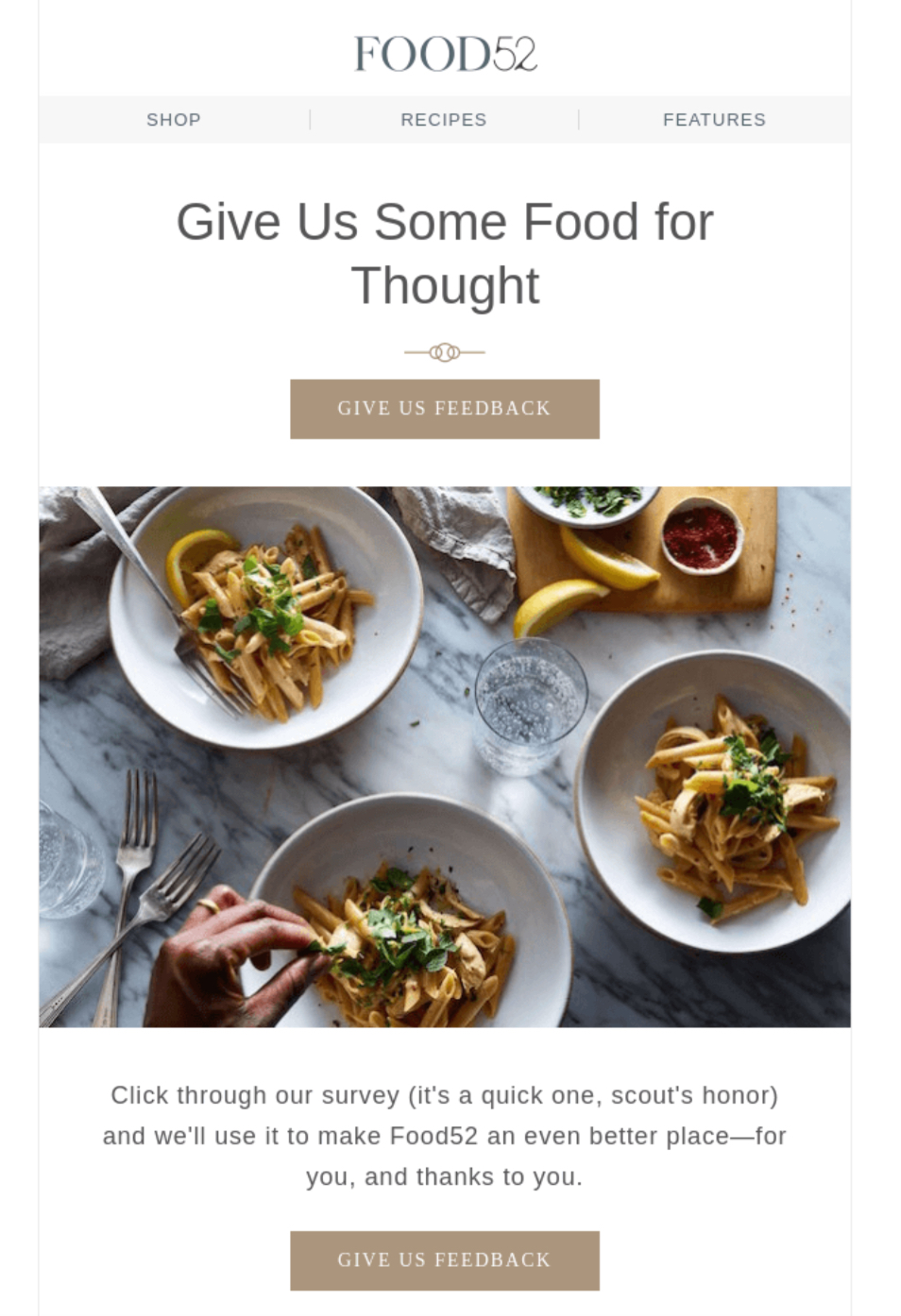
  • Before a Renewal or Upgrade – Gather insights on what customers need before they make a decision.
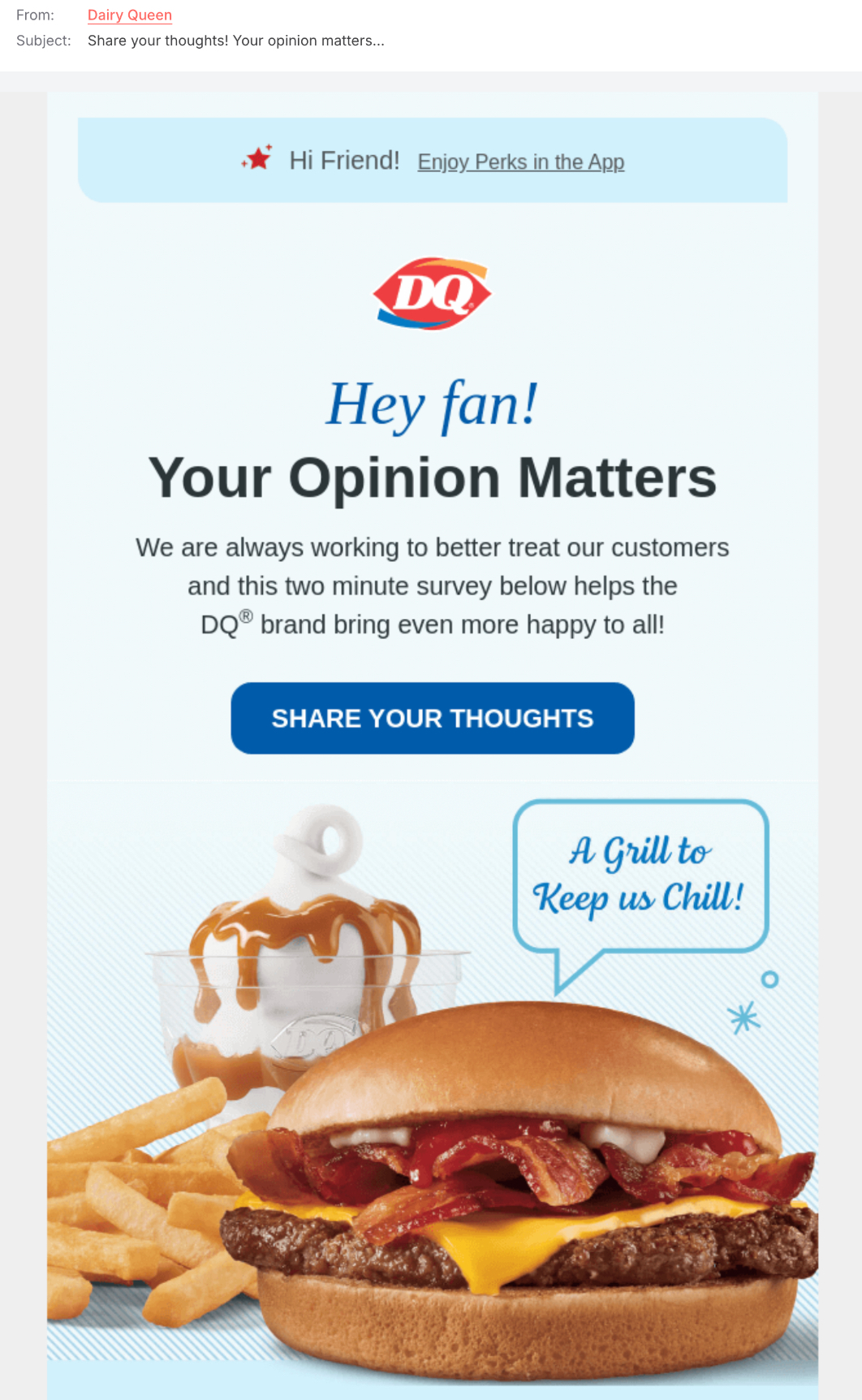
Can I Embed a Survey in My Email?

While most email clients don’t support fully embedded surveys, you can include a survey question with a clickable response option or a call-to-action (CTA) button that directs recipients to a full questionnaire on a landing page. This ensures a seamless user experience and also increases response rates.

Tap into Email Marketing Success With SiteGround

GEO (Generative Engine Optimization) and How to Get It Right

Featured image of blog post "GEO (Generative Engine Optimization) and How to Get It Right"

The world of search is evolving faster than ever, and with it, the way we optimize content. If you’ve been following the buzz around generative engine optimization (GEO) and AI optimization, you know it’s a hot topic right now—everyone’s talking about it!

But here’s the thing: while many experts touch on GEO search, most don’t dive into the actionable insights you need to actually adapt and thrive in this new landscape.

I’ve researched, tested, and put together strategies that are not only valuable but also practical and easy to implement. 

This isn’t just theory or fluff; it’s real advice, based on real-world testing, that can make a difference for your content and rankings. If you’re ready to move beyond the basics and dive into the true potential of GEO, keep reading. This article will give you the tools you need to succeed.

[41]

AI is revolutionizing everything we thought we knew—it’s transforming content creation, reshaping marketing trends, and redefining the very nature of organic search and optimization. 

On one hand, it allows brands to produce more content faster, leading to an oversaturation of results on the search engine results page (SERP). 

On the other hand, Google is leveraging AI to deliver more comprehensive and accurate answers while simultaneously ensuring users spend more time within its ecosystem.

Screenshot displaying Google search results for the query "SEO".
Screenshot

We’ve already seen this with featured snippets, knowledge graphs, and ads taking up more space. Now, AI-powered Overviews are answering user queries directly on the results page, leaving organic listings pushed further down. 

This means less visibility for your content, making it harder to capture attention unless you adapt.

Look, even this very topic brings AI generated results.

Screenshot displaying Google search results for the query "GEO".

So, first, thank you for clicking through! And second, let’s dive into what we can do about generative SEO.

This shift isn’t random; it’s part of Google’s broader strategy to maximize user engagement on its platform. The longer users stay on Google, the more ad revenue it generates and the more opportunities it has to steer users toward services like Maps, YouTube, and Shopping. 

What’s different now is how AI is making this possible by delivering instant, conversational answers that reduce the need to click away even more.

As marketers, it’s clear that sticking to traditional SEO strategies isn’t enough. To stay competitive, the answer lies in embracing generative engine optimization (GEO). Only by aligning our content with how AI interprets and prioritizes information, will we be able to maintain visibility and ensure our message is part of this new search landscape. 

Let’s see what GEO is all about, and how to adapt your AI and SEO game in 2025.

What is Generative Engine Optimization (GEO)?

Image containing the definition of generative engine optimization (GEO), explaining its purpose and key features.

Generative engine optimization (GEO) is the process of optimizing content to make sure it’s accurately understood, used, and prioritized by AI-driven search engines. Instead of solely aiming to rank on traditional search engine results pages, GEO focuses on creating content that feeds into the conversational and synthesized answers generated by AI models.

In simple terms, GEO—also called generative search optimization or generative SEO—is about helping AI provide better, more accurate responses that include your brand or message. 

It’s undoubtedly true AI is shaping the way we do SEO in 2025. So generative engine optimization comes as an extra step beyond traditional SEO, embracing the way generative AI interprets and delivers information to users.

GEO is not just about improving search engine visibility—it’s about positioning your content to be included in the curated, conversational responses these AI tools deliver, while also making sure your brand doesn’t fall behind. 

Differences Between SEO and GEO

As search technology evolves, so do the strategies behind optimizing content. While traditional SEO (search engine optimization) has long been the go-to method for improving a website’s ranking on search engine results pages (SERPs), the rise of AI-powered tools has introduced a new challenge for marketers: generative engine optimization (GEO). Let’s go through the key differences between SEO and GEO. 

SEO (Search Engine Optimization) VS GEO (Generative Engine Optimization)

SEO (Search Engine Optimization)GEO (Generative Engine Optimization)
Optimization EffortsTailoring content to traditional algorithmsCrafting content for AI engines to synthesize and present
Goal
Improve SERP rankings
Make content scrappable and usable by AI
OutputRanked list of sources on the SERPAI-generated summaries or conversational answers
ChallengesUsers tend to scan information from multiple sourcesUsers get direct answers without leaving Google’s interface

Optimization Efforts

Traditional SEO focuses on tailoring content to meet the criteria of search engine algorithms, such as keyword density and other on-page elements. The goal is to secure higher rankings on search engine results pages (SERPs) by aligning with established ranking factors.

Generative search optmization, on the other hand, shifts the focus to crafting content that AI engines can easily synthesize and present as part of their dynamic, conversational outputs. This involves prioritizing clarity, structure, and contextual depth to ensure AI tools understand and include your content in their generated answers. 

Comparison image showing Google search results page: one with the standard SERP without AI overview, and the other enhanced with a generative engine.

Goal

SEO is centered on improving rankings on search engine results pages (SERPs), making it easier for users to find and click on your content among a list of sources. The primary aim is to drive traffic to your website by adhering to traditional ranking factors.

GEO, however, takes a different approach. Its goal is to make content scrappable and usable by AI engines, enabling it to be synthesized into the concise, conversational responses that users increasingly rely on. 

Output 

With SEO, the typical result is a ranked list of sources on the SERP, but it also includes additional content like featured snippets, knowledge graphs, image packs, and other rich results that provide users with more detailed information.

In contrast, GEO focuses on generating AI-powered summaries or conversational answers. Instead of directing users to various sources, AI synthesizes content into succinct, direct responses that aim to answer the query right within the search interface. 

Challenges

SEO isn’t easy. You have to share the space with a huge amount of URLs, so that makes it hard enough already for any website to stand out. But as if it wasn’t enough, you’re not only competing with other websites but also with Google’s features like snippets, knowledge graphs, and image packs, which take up valuable space on the SERP. This makes it harder to stand out and capture attention, even if you rank well.

However for GEO, the challenge is even bigger, so no wonder why 21 % of SEO experts fear generative search optimization. With AI producing direct answers within Google’s interface, users may not need to leave the platform to find what they’re looking for. So, yes, it will be hard to position your content in a way that AI engines will choose it as a trusted source for their summaries or responses, but the actual struggle will be to ensure users still want to click through for more in-depth information.

Comparison table displaying the differences between search engine optimization (SEO) and generative engine optimization (GEO).

How Does Generative AI Work? AKA the Science Behind GEO

Generative AI and answer engines have revolutionized the way information is delivered to users by synthesizing content in response to queries. These systems work by processing vast amounts of data, identifying patterns, and generating human-like answers that address the user’s needs without requiring them to visit multiple sources. Here’s a breakdown of how they work:

  1. Data Processing: Generative AI engines analyze large datasets, often pulling information from a variety of sources—articles, websites, books, and more. The AI is trained to recognize context, intent, and relevance to better understand what the user is asking. And not only in text, but it’s also able to pull information from images, videos, etc.
  2. Natural Language Understanding (NLU): When a user submits a query, the AI engine first interprets the question by understanding the context, intent, and specific information the user is seeking. It identifies key terms and determines what the user really wants to know, going beyond simple keyword matching to really understanding the meaning behind the question. .
  3. Content Synthesis: Once the query is understood, the engine generates a response by synthesizing information from the sources it’s processed. This could be a short summary, a direct answer, or a more in-depth explanation, depending on the complexity of the query. What’s important is that instead of simply listing sources, the AI presents a summary or direct answer, combining insights from multiple sources into one cohesive response. If available, generative AI can also leverage personal data, such as user preferences or conversation history. This allows the system to tailor responses more effectively, providing customized or context-aware answers based on past interactions, preferences, or geographic location.
  4. Continuous Learning: As users interact with AI-powered systems, the AI engine learns and improves. What’s really impactful, though, is that it also adapts to new information, refining its responses to provide more relevant answers over time. This means AI-generated answers are constantly being updated and refined in real-time, making it harder to secure a consistent placement. The answers can change frequently, so content that ranks today might not hold its position tomorrow. This constant shift makes it even more challenging to maintain a stable spot, adding another layer of complexity for marketers and content creators.

8 Strategies to Adapt to Generative Engine Optimization

Now that we’ve explored what generative engine optimization (GEO) is and how it works, it’s time to dive into the strategies that will help you adapt and thrive in 2025. 

Believe me, I’ve been struggling with GEO myself. So I’ve been researching a lot. I mean, A LOT. 

Over time, I’ve learned through trial and error what really works when it comes to optimizing content for AI-driven search results. So In this section, I’ll go through 8 GEO strategies to help you optimize your content for AI-driven search, meeting the needs of both users and search engines. 

Disclaimer: If you’ve been researching generative search optimization, I’m sure you’ve come across this paper at some point. Seriously, everyone’s talking about it. And all the articles ranking on SERP (as of today) cite it as a source. 

While it’s great to see that research is being done, the truth is not everyone is satisfied with its take-aways (check out the conversation here). As Reddit users point out “ a lot of key details are missing”.

So I’ve taken the time to test and experiment with some other strategies myself, and what I’m sharing here are the insights that have worked after hands-on application (at least for me).

I hope these strategies will give you the edge you need to make your content more discoverable and relevant, ensuring your content is loved by AI systems and users alike.

Let’s take a closer look at what truly makes a difference.

1. Do Not Replicate SEO 

Traditional SEO methods do not directly apply to AI-generated results, and here’s why. 

Unlike search engines, which primarily rely on keyword matching to rank content, generative engines use sophisticated language models to process source documents and generate responses. These AI models don’t just match keywords—they analyze the nuances of text and better understand both the content and user queries. 

That means sticking to old SEO tactics won’t cut it anymore. To stay ahead, we need to develop new techniques tailored specifically to the way AI engines understand and present content. That’s truly what AI optimization stands for. 

2. Choose Your Queries Smartly 

Not every query will trigger AI-generated answers, so not all queries require special optimization for GEO SEO. 

As a general rule of thumb, focusing on informative keywords is a solid starting point for your GEO search strategy. Informative queries, such as “what,” “how,” “when,” and “why,” are ideal for GEO, as generative engines excel at providing clear, direct answers to these types of questions.

It doesn’t come as a surprise that long-tail keywords, natural language queries, and conversational phrases are becoming increasingly common for AI generated responses, as users expect more direct and personalized content. 

However, I’ve experienced that Generative SEO doesn’t make much sense for local queries, as Google tends to prioritize map results. The same goes for transactional queries, since Google typically directs users to Google Shopping results.

If you’re working on an ongoing project and notice a loss of clicks to AI overviews, start by targeting those keywords that are seeing AI-generated results. That will be a great starting point. 

3. Test Content That’s Already Ranking on the SERP

If your content is already ranking well on the traditional SERP, then you’re off to particularly a good start for GEO optimization. 

Being visible in search results gives you a strong foundation to optimize for AI engines. However, just because you’re ranking doesn’t mean you’ll automatically appear in AI-generated answers. 

Generative engines look for specific qualities—like clarity, structure, and relevance to user queries—that might not always align with traditional SEO ranking factors. So, even if you’re high on the SERP, you still need to adjust and optimize your content to meet the unique demands of AI engines.

4. Make Your Content Relevant

The more relevant your content is to a specific user query, the more likely it is to appear in AI-generated answers.

This goes against the trend of creating long, all-encompassing articles that try to cover every angle of a topic, as old SEO required for. 

Instead, focus on creating concise, targeted content that addresses specific questions or problems from a very particular angle. By narrowing your scope and providing highly valuable, focused information, you increase your chances of being selected by AI engines, as they prioritize content that is specific, clear, and directly aligned with user intent. 

Additionally, study the topics, response structures, and sources that trigger AI-generated overviews. Look at which formats—whether paragraphs, lists, videos, or tables—are preferred by AI engines. Identifying these trends will allow you to tailor your content to match the most effective formats.

5. Use an Easy-to-Scan Structure

Make sure your content is scannable. The text that gets picked up is typically concise and easy to digest. 

Besides, from what experts have observed, AI engines tend to take the content they scrap from the beginning of the article. 

One key strategy that seems to be working is including a summary or key takeaways in the first paragraph. This increases the chances of your content being chosen by AI engines because it quickly provides clear information right at the start. 

So, structure your articles with this in mind to make it more likely for your content to be included in AI-generated answers.

6. Focus on Quality and Originality 

Generative AI models are trained on vast datasets, allowing them to identify and prioritize high-quality, original content. To stand out, your content must go beyond the basics and offer something unique. 

In-depth, well-researched articles that provide fresh insights or a unique perspective are more likely to get recognized by AI engines. Quality and originality aren’t just buzzwords—they are key factors that help ensure your content is valued and selected for AI-generated summaries. 

When you focus on providing real value to users, you increase your chances of being picked up by AI engines over competing, generic content.

7. Demonstrate Experience and Expertise

To stand out in the world of generative search optimization, it’s crucial to showcase firsthand experience and credibility in your content. AI engines are more likely to prioritize content that demonstrates genuine expertise. 

Content creators should ensure that their work is written or reviewed by individuals who have real-world experience on the subject matter. This could mean incorporating personal stories, case studies, and original images or videos that show deep knowledge and firsthand involvement in the topic.

Alongside this, detailed author bios are essential. Create bios that highlight the author’s background, credentials, and achievements. This not only helps build trust with your audience but also with AI optimization systems, which may prioritize content from authoritative sources. 

On the same note, establishing your site as a reliable resource requires citing reputable sources, incorporating expert quotes, and backing up claims with insightful statistics and data. 

8. Submit for Reindexing 

As we mentioned earlier, AI overviews are constantly being updated in real-time, making them more dynamic and ever-changing. While this presents a challenge, it also creates an opportunity. 

By submitting your content for reindexing after you optimize it for GEO, you give search engines the chance to pick up any new updates or improvements you’ve made, increasing the likelihood that your content will be recognized and selected for AI-generated summaries. 

Reindexing your pages signals Google that your content remains fresh and relevant, giving it a better shot at appearing in those AI overviews.

Needless to say, constant monitoring is key to ensuring that your content doesn’t get outranked. Keep an eye on whether your articles are still being featured in AI overviews, and track your rankings regularly. If you notice that your content is being pushed down by newer, more relevant content or updates, it’s time to optimize again. 

Checklist of best practices for generative engine optimization (GEO).

SEO Is Now GEO

As the digital landscape evolves, SEO is no longer the sole strategy to drive visibility and traffic. With the rise of generative engine optimization (GEO), marketers and content creators must adapt to a new paradigm where AI-driven responses are slowly increasing in popularity.

Embrace GEO, and you’ll be better positioned to thrive in this new era of search. Stay updated!

Customer Journey Mapping Made Easy: Tips & Best Practices

Understanding your customers’ journey is like guiding them on a path through unknown territory—you need to understand the landscape to help them navigate smoothly from one stage to the next. In the business world, a customer journey map helps you visualize this path, from the moment they hear about your brand to when they become loyal advocates. This map isn’t just about drawing lines and boxes, though; it’s about uncovering valuable insights, addressing pain points, and finding new opportunities to create a smoother, more enjoyable experience. 

If the idea of tackling a customer journey map feels intimidating, then worry not—we’re here to break it down into digestible terms so that you can start mapping your customer journey and making improvements right away.

[33]

What is Customer Journey Mapping?

Customer journey mapping is the process of visually representing a customer’s interactions with a brand across various touchpoints. A well-structured customer journey model helps businesses analyze these interactions and optimize the experience at every stage, from initial awareness to post-purchase engagement.

By mapping out each stage, companies can identify pain points, enhance user experiences, and optimize the overall journey to better meet customer needs.

Definition of customer journey mapping

What Are the Benefits of Customer Journey Mapping?

Customer journey mapping is more than just plotting out the steps your customers take to get from awareness to conversion; it provides businesses with valuable insights and benefits beyond just a bird’s-eye view of the client process. Here are some of the key benefits:

  • Increase Customer Loyalty & Retention: Identifying friction points in the customer cycle means you can make important, experience-improving changes to all touchpoints, from homepage design, to customer support, email marketing, and more. Smoother interactions build trust, encourage repeat purchases, and drive brand advocacy.
  • Streamline Processes and Creates Efficiencies: When you pinpoint inefficiencies, remove redundant steps, and optimize workflows, you can deliver a better experience to your customers, as well as improve internal processes and costs. 
  • Improve Teamwork and Cross-Team Collaboration: Aligning your teams around a customer journey not only produces a better and more cohesive experience for your customer, but it also improves synergy and collaboration between teams and people. 

Customizing Your Customer Journey Map to Your Business

Before we get started, it’s important to keep in mind that not all customer journeys follow the same path in terms of steps or complexity. For example, a B2B service with a high price tag may require extensive nurturing and multiple touchpoints before conversion, whereas a low-cost impulse purchase, such as a pair of shoes, has a much shorter journey. 

Along the same lines, established brands benefit from recognition and trust, while new businesses need to invest more heavily in awareness before moving customers into the consideration stage. So be sure to keep these factors in mind when you begin mapping your specific journey.

7 Key Elements of a Customer Journey Map

A customer journey map is defined by several essential elements that help businesses fully understand and improve the customer experience.

1. Personas

Personas represent different customer segments based on real data and research. Whether you have one or multiple personas, each reflects specific demographics, behaviors, goals, and pain points. The persona you focus on will shape your entire customer journey map, as you’ll define each stage based on their unique experience, needs, and interactions—and that’s also why it’s important to narrow in on this customer profile as your very first step. 

2. Customer Journey Stages

A journey stage represents a specific point in the customer’s experience—from the moment they become aware of a product to post-purchase interactions. By mapping out the different stages of the customer journey you’ll be able to understand how customers move through the buying process. Clearly defining these stages enables you to make each step of the customer experience as optimal as possible, which, of course, leads to more engagement and ultimately higher conversion rates. Below are the key stages of the customer journey:

  • Awareness: Customers first discover the brand through targeted marketing efforts, sparking interest in the product or service.
  • Consideration: Customers research, compare, and evaluate options, weighing the benefits and addressing any concerns or doubts.
  • Decision: Customers make a purchase or sign up, guided by a seamless, persuasive experience that highlights clear value.
  • Retention: Customers are kept engaged post-purchase with ongoing value (or re-engagement emails, if they’ve strayed), ensuring satisfaction, repeat business, and loyalty.
  • Advocacy: Satisfied customers share their positive experiences, helping to spread the word through referrals and testimonials.
Customer journey stages

As you can see in the above customer journey graphic, your clients need to move through each stage, and therefore, it’s important to define this whole process.

3. Customer Touchpoints

Touchpoints are the various interactions customers have with a brand, including website visits, social media engagement, and customer support interactions. Identifying these touchpoints helps businesses enhance customer experiences and reduce friction. 

Customer journey mapping requires that you list all the ways a customer comes in contact with your brand and categorize these touchpoints by stage. We’ll explore this in practice below.

4. Departments/Teams

A well-rounded journey map considers all the touchpoints that shape the customer experience, whether handled by multiple teams or just a single person. Even in a one-person business, understanding and optimizing each stage helps create a seamless, satisfying journey for customers. Meanwhile, if you have a team, if you align efforts across departments, the result will be a more cohesive approach that will surely improve customer experience and satisfaction. 

5. Customer Attitudes

Understanding customer emotions, motivations, and frustrations at different journey stages provides insight into how customers feel during interactions. This emotional perspective allows businesses to create more empathetic and engaging experiences. This part of the customer experience journey mapping requires that you identify the persona’s attitude at each stage.

6. Customer Pain Points

Pain points can arise at any stage of the journey, from a slow-loading website to a confusing checkout process or unclear product information. These obstacles frustrate customers, leading to drop-offs and lost sales.

By identifying and addressing these issues, you get a fuller picture of the customer’s experience, and opportunities for improvement become clearer.

7. Opportunities

Indeed, those pain points reveal the true opportunities for your business. For instance, if data shows high drop-off rates due to slow homepage load times, optimizing website performance can significantly increase engagement. Similarly, if customers struggle to understand your product during the consideration stage, clearer product pages and educational content can help guide them toward a decision.

Other opportunities may include streamlining the checkout process to reduce abandonment, enhancing customer support with proactive assistance, or improving website security to transmit trust and credibility.

Key elements of a customer journey map

Tips for How to Create a Customer Journey Map

While you could just note down all of the information above, a customer journey map by definition requires a visual model of this data. Doing this requires a smart approach that involves a more strategic, step-by-step process. Let’s break it down.

1. Set Objectives

Before building a customer journey map, it’s essential to define the goals behind it. Are you looking to improve customer satisfaction, generate leads, or increase conversions? Setting clear objectives helps guide the entire mapping process.

So let’s say that a retail company wants to reduce cart abandonment rates. Their objective is to identify barriers preventing customers from completing their purchases, and they will map out their customer journey with this in mind. 

2. Create Personas

Building on the persona section above, gather detailed information about your customers. Use data from surveys, interviews, and analytics to create accurate personas that reflect different customer segments. 

Let’s look at a journey mapping example. Suppose an online meal subscription service wants to create personas for different customer types, such as a busy professional looking for quick, healthy meals and a family-focused customer seeking meal plans for children. To build these personas, they could reach out to existing customers, review analytics on customer behavior, and interview the customer support team to understand common pain points. By combining these insights, the business can create more accurate customer journeys and create offerings that better meet the needs of each segment.

3. Map Everything Out

Start visualizing the journey by identifying and outlining all of the elements we’ve previously discussed. Consider creating a customer journey model, or simply use the journey mapping example below, and fill in each of the sections. Here’s how you might tackle each section:

  • Articulate your objective: For example, if your goal is to reduce cart abandonment rates, you might focus on identifying friction points in the checkout process, then work on optimizing it to make the purchase flow smoother and increase conversions.
  • Choose your persona: Think about the different types of customers you have, and narrow in on one. In this case, let’s call the person “Alex,” a busy professional and father in his 30s, who values quick, convenient, and kid-friendly meal options.
  • Describe your customer’s action and experience by stage: Continuing with our example, during the awareness stage, Alex might first discover your meal service through a friend’s social media post, which catches his attention as a time-saving solution.
  • Identify departments and/or teams involved at each stage: In the consideration stage, the marketing team might be responsible for sending lead-nurturing emails, while customer support could engage with Alex on social media to answer any questions she has about meal options. 
  • Identify touchpoints at each stage: Think about touchpoints like the brand’s website, where Alex checks out meal plan details, and an email follow-up offering a discount to further engage him in the decision-making process.
  • Describe persona attitude at each stage: In the retention stage, Alex feels positive and loyal toward your service after several successful meals, appreciating how it saves him time while keeping his family healthy, which leads to stronger brand loyalty.
  • Identify pain points at each stage: During the consideration stage, Alex could feel overwhelmed by the variety of meal plans and unsure whether his kids would like the food, making it difficult for him to pull the trigger on a purchase.
Customer Journey Map example

4. Optimize the Journey

Once your map is complete, you will need to analyze the data to identify gaps and opportunities for improvement. Look for bottlenecks, pain points, and areas where clients may experience frustration. Use these insights to refine processes, improve touchpoints, and create a smoother customer experience.

For example, maybe you notice that customers drop off after their first purchase. So, upon reviewing the email customer journey, you decide to send more retention- and loyalty-focused messages to encourage clients to come back for repeat purchases. This could include sending discounts for a future purchase or creating a VIP program with special perks.

Alternatively, you might discover via your customer journey map that a high percentage of potential customers drop off on your homepage. By analyzing website metrics, you discover that the high bounce rate is due to a slow load time, which is a major contributor to this abandonment.

To optimize the experience, you could work with your technical team to improve the site’s load speed by compressing images, minifying code, or utilizing a content delivery network (CDN). This will create a smoother experience for visitors, reducing frustration and increasing the chances of them moving through the rest of the journey to make a purchase.

Tips for how to create a customer journey map

Customer Journey Mapping Best Practices

You’ve got your marching orders, but there are still a few customer journey mapping best practices to keep in mind to get the most out of your efforts. Let’s dive in a little further.

1. Survey Customers

Gathering direct feedback from your customers is one of the most effective ways to understand their journey. Use surveys to ask about their experiences at different touchpoints, their challenges, and what factors influenced their decisions. This will provide valuable insights into what works and where improvements can be made. Be sure to segment your surveys by persona type for more targeted responses.

Example of surveying customers during customer journey

Not sure how to do this in practice? Email marketing will be your go-to, as there are different types of emails you can send to encourage your customers to provide the feedback you’re looking for. Above is a good example of how a friendly email to clients can help you gather the input you need to complete your customer journey map.

With SiteGround Email Marketing, you can effortlessly create automated email journeys that guide your customers through every stage—from initial engagement to valuable feedback and lasting relationships. Our intuitive platform equips you with everything you need to create high-converting campaigns—no coding or advanced skills required. With high email deliverability, customizable templates, and powerful automation, you can focus on building relationships while your emails do the work for you.

Get started now with SiteGround Email Marketing>>

2. Talk to Relevant Teams

We mentioned it before, but it’s worth emphasizing: In addition to surveying customers, it’s crucial to engage with teams that interact closely with them. Customer support, sales, marketing, and product teams often have unique insights into customer needs, pain points, and motivations. Regularly check in with these teams to get an inside view of the customer experience and gather qualitative data that may not be captured through surveys alone.

3. Check Back Regularly

Customer journeys evolve over time, so it’s essential to revisit and update your journey maps regularly. Check back on your maps after major product updates, shifts in customer behavior, or changes in your marketing strategy. This ensures that the customer journey stays relevant and that your business can continue optimizing the experience based on current trends and feedback.

Making the Most Out of Customer Journey Mapping

Customer journey mapping is an essential tool for businesses looking to create a seamless, personalized experience that resonates with customers—and each kind of customer—at every stage. By using insights from surveys, collaborating with internal teams, and continuously revisiting the journey map, you can ensure your brand evolves alongside client expectations. With a clear understanding of the journey, you’ll be better equipped to turn challenges into opportunities and build lasting relationships that drive loyalty and growth. 

An important part of the customer journey is strategic email marketing, and to do that, you’ll need a robust but easy-to-use email marketing platform in your court. That’s where SiteGround comes in. SiteGround Email Marketing makes it simple to create targeted campaigns and nurture customer relationships—ensuring your brand stays top-of-mind throughout the entire journey.

Grow your business with SiteGround Email Marketing

What is Email Automation? A Guide For Beginners + Examples

What is email automation?

Gone are the days of only sending the occasional, one-off email newsletter. Email marketing has become more strategic, more elaborate, and, ultimately, a whole lot more effective. But to truly maximize its benefits—and your time!—you’ll need to get smart about how you implement it. And that’s where one of email marketing’s most important features comes in: email automation.

Whether you’re welcoming new subscribers or nurturing long-term relationships, email automations help you deliver the right message at exactly the right moment. Let’s explore how automated email campaigns can transform your marketing strategy.

What is Email Automation?

Email automation relies on predefined rules to send personalized emails based on subscriber actions. This process is powered by marketing automation software, ensuring timely and relevant communication. Following best practices in automation ensures that these emails are engaging, well-timed, and effective.

what is email automation definition

Automated email campaigns allow your business to connect in real-time in ways manual outreach just can’t match. For instance, a welcome email can be triggered as soon as a customer submits a form, reaching them at the ideal moment to engage, build trust, and drive action without extra effort. 

Email automation sequences go a step beyond—instead of an action (like signing up for a list) triggering just one email, it instead triggers a timed and pre-planned sequence of emails.

What are the Benefits of Email Automation?

In the world of email marketing, email automation is what separates the kids from the adults. It’s like riding a bike with training wheels versus driving a race car—both could take you from point A to B, but one will do it a lot faster and more efficiently. 

How so? Email automation amplifies the impact of email marketing by ensuring messages reach the right people at the right time, with less effort. That means higher engagement, stronger relationships, and ultimately, more revenue. It’s one of email marketing’s greatest benefits.

Here’s how automation makes email marketing more effective:

Personalize the Customer Journey

Email marketing is most powerful when messages feel relevant and timely—and automation makes this possible at scale. By delivering personalized emails based on subscriber behavior, automated campaigns create a seamless experience that feels natural and engaging. The result? Higher open rates, more clicks, and stronger conversions.

For example, a welcome series can gradually introduce new subscribers to your brand and products. Or, if someone attends your event, they can receive follow-up emails that reference their experience and provide additional insights or resources.

Automations like these make interactions feel tailored, even though they run in the background. By meeting subscribers where they are, they encourage deeper engagement and long-term loyalty, reinforcing the effectiveness of your email marketing strategy.

Nurture and Convert Your Leads Effortlessly

Email marketing is one of the best tools for lead nurturing, and automation takes it to the next level. Instead of sending one-off emails manually, you can guide leads through a structured journey that keeps your brand top of mind and moves them closer to a purchase.

For instance, if someone downloads a resource, they’ve already shown interest. A well-structured follow-up can deliver related content, helpful tips, or exclusive offers, keeping them engaged and naturally leading them toward a purchase.

By automating these touchpoints, you not only make email marketing more efficient, but you also increase the likelihood of converting leads into customers—without the need for constant manual outreach.

Increase Customer Retention

One of the biggest advantages of email marketing is its ability to drive repeat business, and automation makes this even more effective. Retaining existing customers is easier and more cost-effective than constantly pursuing new ones, and automated email sequences keep your brand top of mind long after the first purchase.

For example, when a customer comes on board, you can activate an email customer journey that not only encourages repeat purchases but also deepens brand loyalty. By sharing exclusive content, offering helpful tips, and inviting feedback, automated emails keep customers engaged in a way that manual efforts simply can’t match.

Scale Seamlessly

Email marketing is a high-ROI strategy, but without automation, scaling it can become overwhelming. Every hour spent on repetitive tasks—like scheduling, segmenting, and responding to subscriber actions—is an hour taken away from strategy and growth.

Email automation eliminates this bottleneck, ensuring that your marketing efforts remain just as effective whether you’re reaching 100 people or 100,000. With scheduled sequences, automatic email segmentation, and real-time triggers, your email marketing stays consistent and impactful—without additional workload.

How to Automate Emails Effectively

Email automation is a powerful tool, but to get the best results, you need to be strategic. By choosing the right platform, segmenting your audience, setting up trigger-based sequences, and continuously optimizing your approach, you can create highly effective automated email campaigns that engage subscribers and drive conversions. Let’s examine how to do this.

1. Choose a Tool

The first step in automating your emails is selecting the right email marketing platform: one with automation features that allow you to create sequences, set triggers, and track performance. 

When choosing a tool, consider factors such as ease of use, personalization capabilities, and analytics. A good automation tool should enable you to streamline communication, personalize messages, and scale your email marketing efforts efficiently.

With SiteGround Email Marketing, automations are easy to set up. You’ll have a seamless solution that makes automating essential customer journeys—like welcome series and lead nurturing—a breeze, sidestepping the complexity of other traditional email marketing platforms. SiteGround’s intuitive approach helps you reach customers at the perfect moments, driving engagement and fueling business growth with ease.

2. Build and Segment Your List

A high-quality email list is the foundation of effective automation; without, you’re just sending messages into the void. Start building your email list via sign-up forms, lead magnets, or opt-in popups. And be sure to segment these sources—depending on the information you’ve gathered, group subscribers based on factors like sign-up source, demographics, purchase history, engagement level, or preferences. We’ll explore some of these examples in practice below.

3. Set Up Triggers

For email automation to work, you need to set up triggers. These can include signing up for a newsletter, downloading a freebie, attending an event, making a purchase, and so on.

Meanwhile, automated emails can be an especially effective best practice when sent as a sequence. This means that once that initial trigger is activated, a sequence of emails is sent at scheduled intervals. For example, if someone participates in one of your webinars, you can add them to a specific email segment, which then triggers a sequence of emails that might include further related resources, and eventually a discount to contract services with your business. 

Defining clear triggers and logical sequences helps ensure your automation runs smoothly and delivers the right message at the right time.

4. Track and Optimize

Once your automated emails are running, continuous monitoring and optimization are what will help you maximize performance. Implementing best practices such as A/B testing subject lines, optimizing content, and refining call-to-action buttons can help identify what resonates most with your audience, and how you can improve.

To do this, track email marketing metrics such as open rates, click-through rates, conversions, and engagement levels. The goal is to refine your sends over time, ensuring that your automated emails remain effective and relevant.

Email Automation Examples

Now that we know how email automation works, let’s explore some key email automation sequences you can use to nurture leads, build relationships, and drive conversions.

1. The Welcome Sequence

First impressions are everything. When someone subscribes to an email newsletter or creates an account, a welcome or confirmation email serves as the first touchpoint between the brand and subscriber—and it also can initiate a sequence of automated emails that build on this.

This series leverages what psychology calls the “primacy effect,” where first impressions heavily influence future interactions. New subscribers are most engaged during the first few days, so this sequence sets the tone and establishes your brand’s value right away.

Welcome email automation example

The above warm welcome serves multiple purposes: the customer confirms their subscription, and the message sets the stage for the spirit of the brand (a deodorant revolution!).


How this impacts your business: According to data from Invesp, welcome emails generate 4x the open rate and 5x the click-through rate compared to other emails. By making a strong first impression, this series builds trust and familiarity, which makes subscribers more likely to open future emails and engage with your brand.

Suggested Structure:

  • Email 1 (immediate): A warm welcome.
  • Email 2 (1–2 days later): Introduce your brand story, mission, or values, helping subscribers connect with your purpose.
  • Email 3 (2–3 days after email 2): Share your value proposition, focusing on how you address subscribers’ key needs.
  • Email 4 (3–5 days after email 3): Encourage engagement, such as following on social media or taking advantage of a first-time offer.
Welcome sequence email automation sequence example

2. The Lead Magnet Delivery Sequence

Capture interest and nurture it. Subscribers who sign up for a free resource already show intent. This sequence capitalizes on that interest with timely follow-ups that guide them toward related content and, ultimately, a relevant offer.

Lead magnet email automation example

In the above example, SiteGround delivers the freebie that the customer signed up for. Meanwhile this could trigger a sequence for future emails based on similar subject matter that is of value to the recipient.

How this impacts your business: HubSpot research shows that follow-up emails have a 30% higher response rate than single emails. When you generate leads by delivering value and reinforcing the topic of the freebie, you build rapport and position those leads to respond more positively to your offer.

Suggested Structure:

  • Email 1 (immediate): Deliver the promised freebie with a thank-you message.
  • Email 2 (1–2 days later): Check in to see how they’re finding the resource and offer assistance if needed.
  • Email 3 (2–3 days after email 2): Share related content, such as articles or guides, that aligns with the freebie topic.
  • Email 4 (3–5 days after email 3): Introduce a related paid offer as a natural next step.
Lead magnet email automation sequence example

3. The Nurture Sequence

Trust is built over time, and nurturing is about consistently providing value. A steady flow of educational content, tips, and success stories keeps your brand top-of-mind, positioning you as an expert. People are more likely to trust and engage with brands they frequently encounter, especially when the content is genuinely helpful.

lead magnet email automation example

The above example aims to share trends, insights, and insider knowledge from experts in order to keep leads interested and moving through the sales funnel.

How this impacts your business: Research by Marketo indicates nurtured leads make 47% larger purchases than non-nurtured leads. Lead nurturing emails keep your brand top-of-mind, gradually building credibility and leading to higher conversions.

Suggested Structure:

  • Email 1 (1–2 days after welcome sequence): Address a major pain point in your industry with practical advice.
  • Email 2 (5–7 days later): Share industry insights, trends, or helpful tips to demonstrate expertise.
  • Email 3 (7–10 days after email 2): Present a customer success story or case study, showing real-world results.
  • Email 4 (10–14 days after email 3): Introduce a related paid offer as a natural next step.
Nurture sequence email automation example

4. The Customer Feedback Sequence

Gathering feedback helps improve products and services, and automated customer feedback emails make the process effortless. You could initiate this kind of sequence after a purchase, or anytime should you wish to capture your audience’s input. 

Keeping these emails short and offering an incentive, like a discount on a future purchase, can increase response rates. Positive feedback can also be leveraged for testimonials, while negative feedback provides insights for improvement. For your customers, this proactive approach demonstrates that the business values their opinions.

Customer feedback email automation example

In the above example, Bird gets straight to the point, making it clear that customers will help them shape and improve their business, and that the survey won’t take long.

Suggested Structure:

  • Email 1 (immediate): Express appreciation for being part of your community and invite them to share their thoughts. Consider offering a small incentive (like a discount, early access to a product) to increase participation.
  • Email 2 (7–10 days after email 1): Share key takeaways from past customer feedback and highlight how their input can help shape your business. This reassures subscribers that their voices matter.
  • Email 3 (10–14 days after email 2): Invite them to leave a public review on your preferred platform. Provide a direct link to make it easy.

How this impacts your business: Customer feedback isn’t just about collecting reviews—it’s about helping your business improve and grow. Responses from your audience can aid in your ability to refine your products, enhance customer service, and adjust marketing strategies to better meet client needs. And when it comes to customer reviews, according to BrightLocal, 98% of consumers read those online reviews, making public testimonials an invaluable trust signal. 

5. The Client Loyalty Sequence

Maximize the lifetime value of existing customers. Retention is the real profit engine, with a 5% increase in retention translating to 25%–95% more profits (Bain & Company). This sequence is about keeping clients engaged and valued, encouraging repeat purchases and referrals.

customer loyalty email automation example

The above email shows gratitude for customers by offering a free product. This builds brand loyalty, and hopefully continued sales.


How this impacts your business: Loyalty sequences make customers feel like insiders, deepening brand attachment and increasing their likelihood to return. Retained customers drive higher profits and can become powerful advocates.

Suggested Structure:

  • Email 1 (1–2 days post-purchase): Express gratitude with a thank-you message and offer a small, time-sensitive discount or perk for their next purchase to encourage return business.
  • Email 2 (5–7 days after email 1): Share practical tips or resources to help them get the most out of their product. Include links to guides, FAQs, or videos for a smooth and rewarding experience.
  • Email 3 (2–3 weeks after email 2): Feature a customer story or highlight how others enjoy the product. Invite them to share their own experience, leave a review, or engage on social media.
  • Email 4 (1 month after email 3): Request feedback to show their opinion matters. Offer a small incentive like loyalty points or a future discount to thank them for their time.
  • Email 5 (2–3 months after email 4): Remind them of the loyalty perks they have access to, reinforcing the ongoing value and encouraging future engagement.
Client loyalty email automation sequence example

Next Steps for Email Campaign Automation Success

Email automation isn’t just about convenience—it’s a strategic and effective way to build relationships, keep your audience engaged, and drive results without all that constant manual effort. When you set up the right triggers and sequences, you can connect with subscribers at critical moments, delivering value while saving time. By following email automation best practices, and choosing a robust email marketing tool, your emails will work behind the scenes, keeping your marketing running smoothly and your business growing.

Ready to start? With SiteGround Email Marketing, setting up impactful email automations is easy and effective. Build your customer journeys with a platform designed to help your business grow—effortlessly, around the clock.

Grow your business with SiteGround email marketing

This article was originally published in November 2024 and updated in March 2025.

15 Must-Track Digital Marketing Metrics 

Featured image of blog post "15 Must-Track Digital Marketing Metrics "

As a business owner, you’re likely managing social media campaigns, sending newsletters, and tackling search engine optimization challenges—and everything at the same time. Amidst all this, it’s easy to feel swamped by the sea of key indicators you’re supposed to track, leaving you unsure of how to separate the general digital marketing metrics from the ones that truly steer you toward your business goals.

Luckily, we’ve compiled a list of the 15 most important metrics to measure your marketing performance. We’ll break down the purpose of each metric and guide you on how to interpret the numbers, empowering you to make data-driven decisions that enhance your overall digital marketing strategy.

Plus, we’ve included a free downloadable with actionable tips for when a metric excels or falls short, helping you quickly adjust your tactics and maximize your return on investment.

[37]

What Are Digital Marketing Metrics?

Digital marketing metrics are measurable data points used to track the performance of online efforts across different marketing channels, including social media, website, app, search engines, email marketing, and more. They are essential for assessing effectiveness, optimizing strategies, and guiding decision-making.

By analyzing the numbers behind your efforts, you can identify which webpages are captivating visitors and which ones are causing them to leave. You can also discern what makes your paid ads successful, uncover reasons why your organic traffic might be underperforming, and gain a deeper understanding of your overall marketing performance.

In a nutshell, these metrics empower you to fine-tune your marketing efforts to better meet the needs of your target audience, transforming interested visitors into loyal, paying customers.

15 Important Digital Marketing Metrics 

Here are the most important metrics that digital marketers use to evaluate the effectiveness of their marketing initiatives and optimize their advertising spend.

1. Impressions

If you’ve dabbled in digital marketing, then impressions are likely familiar to you. As one of the most commonly used metrics, impressions indicate your brand’s exposure by measuring the number of times your content, whether a social media post or a paid ad, appears on users’ screens, capturing every instance of exposure.

The number of impressions can be found within the analytics or reporting tools provided by the platform where your content is being displayed.

For example, If your post appears in the feeds of 10,000 people, that would count as 10,000 impressions, regardless of whether the content was clicked or not.

High impressions are a green flag for your digital marketing campaigns, hinting that your content is being widely shown, which leads to increased brand visibility and awareness. Conversely, low impressions might indicate limited exposure, possibly due to targeting issues or insufficient budget for ad spend, if you opted for paid digital advertising. 

2. Click-Through Rate (CTR)

You’ve probably heard about click-through rate, or simply CTR, in the context of email marketing metrics, but it’s also applicable at website level. CTR serves as a key performance indicator, reflecting how well your content resonates with your target audience. 

As a digital marketing metric, the click-through rate measures the percentage of people who click on a link compared to the total number of people who viewed it—including links within emails, social media posts, search engine results, display ads, or any other digital content where a link is presented.

Generally speaking, a higher click-through rate indicates that your audience is engaging rather than just browsing. However, keep in mind that CTR benchmarks vary based on content type, channel, and the action you’re prompting. 

For Email Marketing:
Click-Through Rate = ( Number of Unique Clicks / Number of Emails Delivered ) x 100

For Paid Social Advertising and Paid Search Ads: 
Click-Through Rate = ( Total Clicks / Total Impressions ) x 100

3. Sessions

While getting viewers to see and click on your content is good, understanding how to maintain their interest while on your platform is equally important. This is where the digital marketing metric of sessions comes into play.

A session begins when a user lands on your website and wraps up when they leave (usually after 30 minutes of inactivity). Think of it as a container for all activities a user performs on your site within that time frame, such as browsing pages, conducting searches, or adding items to their cart.

You can find the number of sessions in the analytics or reporting tools provided by your website’s hosting platform or through search engine analytics tools.

A longer session duration is generally seen as positive, indicating that users are spending more time engaging meaningfully with your content or features. However, it’s essential to interpret this metric in context.

For instance, a news website might experience shorter session durations as users quickly read articles and move on. In contrast, an ecommerce site might benefit from longer visits as users browse products and make purchases. Additionally, factors such as design and usability, content relevance and quality, and user intent or behavior can influence how long visitors stay on your site.

4. Pageviews

Turning our attention to another essential digital marketing metric—pageviews. It measures the total number of times a web page is loaded or reloaded in a browser. Unlike sessions, which count each visitor within a timeframe once, pageviews can include the same user multiple times, in that a single visitor can view multiple pages during their session. 

Pageviews provide insight into the overall interest in your content. For example, if the average page on your website receives 100 pageviews a month, but then you have this killer blog post that is receiving 1,000 pageviews a month, it’s a pretty good indicator that people are really feeling the content in that particular post.

Another way to use pageviews is for spotting trends, such as traffic spikes from ad campaigns or seasonal swings, which can help you plan your next move.

Indeed, while high pageviews might look impressive, without context, they don’t always translate to meaningful engagement. To get the full picture of user behavior and site performance, combine pageviews with other engagement metrics like bounce rate, conversion rate, and average time on page—our next topic of discussion.

5. Average Time on Page (ATP)

Average time on page measures how long a visitor stays on a specific page during a single session. Not surprisingly, a high average time on page suggests that users like the content. As a result, you can assume that you targeted the right audience and they are finding your information relevant and compelling.

On the flip side, if they leave the page quickly, it could mean you missed the mark with your audience, set the wrong expectations, or that your content just isn’t cutting it. Or, sadly, it could just mean that your site or that page just aren’t user friendly. 

You can find metrics like the number of pageviews and average time on page within analytics or reporting tools such as Google Analytics.

6. Engagement Rate

Social media is a metric-filled world of its own. So instead of average time on page, we’ve got the engagement rate. 

Both metrics are similar in that they help you assess whether users are vibing with your content. While average time on page measures how long visitors stay on a specific page, engagement rate captures how users interact with a social media post, such as through likes, shares, comments, or clicks.

Engagement Rate = ( Total Number of Interactions on a Post / Reach of That Post ) x 100

A high engagement rate indicates that your content is compelling and relevant, which can lead to the generation of marketing qualified leads (MQLs). These are potential customers who have demonstrated interest in your company’s products or services through your marketing efforts and are more likely to become actual customers.

Conversely, a low engagement rate might indicate that your content isn’t hitting the mark. In such cases, it’s time to revisit and refine your strategy to ensure your content speaks to your target audience and aligns with your future campaigns.

7. Bounce Rate

When a browser lands on your website and leaves without interacting with any additional pages or elements, it is considered a single-page visit or a “bounce.” Therefore, bounce rate measures how many users visit your site and then leave without clicking a link, filling out a form, or making a purchase.

Bounce Rate = Single-Page Sessions / Total Sessions

A high bounce rate might be waving a red flag about your user experience, suggesting that your landing pages need a little TLC or your site navigation feels like a maze without a map. But don’t worry—sometimes a high bounce rate isn’t all doom and gloom!

For instance, if an educational blog post effectively answers a visitor’s question, a high bounce rate might actually reflect the success of demonstrating your business’s expertise. On the other hand, a high bounce rate on a product page before checkout likely points to a problem.

To turn those bounces into delightful visits, focus on creating a seamless and engaging journey for your users. Start by ensuring your website loads quickly, as slow load times can frustrate visitors and lead to an immediate exit, affecting your overall digital marketing metrics.

Next, give your site navigation a makeover. A clear, intuitive menu will help users easily find related content, encouraging them to explore further. Additionally, incorporating internal links within your content can guide visitors to other relevant pages, keeping them engaged. 

KEEP IN MIND

Exit rate is a metric that measures the percentage of visitors who leave your site from a specific page, regardless of how many pages they have visited beforehand. While it might seem similar to bounce rate, exit rate specifically provides insight into which pages are the last ones viewed before users exit your site.

8. Conversion Rate

Imagine you’ve created a seamless user experience with engaging content and well-placed calls to action that drive action and lead to conversions. 

It’s important to understand that a conversion isn’t limited to a transaction; it represents the completion of any desired action, whether it’s making a purchase, signing up for a newsletter, downloading a resource, or filling out a contact form. Consequently, the conversion rate indicates the percentage of visitors who take that specific action on your platform.

It helps measure the effectiveness of marketing campaigns and website performance.

Conversion Rate = ( Number of Conversions / Total Number of Visitors ) x 100

A low conversion rate could mean your content isn’t effectively persuading users to take action. Maybe it doesn’t quite align with what they’re looking for, or your CTAs aren’t doing the job—they might be unclear, not in the right spot, or just not compelling enough to get users to take action.

9. Average Order Value (AOV)

Your website traffic is going strong, and conversion rates remain steady—everything seems to be progressing smoothly. As the end of the month approaches, you review the details and identify an opportunity to enhance order values, or the amount customers spend at checkout. 

Average Order Value = Total Revenue / Number of Orders Placed

Focusing on average order value is a smart way to improve your revenue growth without the need to draw in more visitors or ramp up your total website traffic. By optimizing how much each customer spends, you can effectively increase earnings while making the most of your marketing budget and existing customer base.

For instance, if your AOV is $30, and you sell t-shirts at $20, you can offer free shipping on orders over $40. This encourages customers to add more items to their cart, thereby increasing their total spend.

As you see, AOV also provides insights into customer purchasing behavior and can indicate the effectiveness of pricing strategies, product bundling, and upselling efforts. 

10. Repeat Purchase Rate (RPR)

While a one-time purchase is great, having customers return for more is even better. This is where the repeat purchase rate comes into play. It measures the percentage of customers who come back to make additional purchases after their initial transaction. It’s a key performance indicator of how well a business retains its customer base. 

Repeat Purchase Rate = (Number of Repeat Customers /  Total Number of Customers) x 100

A good RPR is relative and should be evaluated against industry standards, historical company data, and business objectives. As a general rule of thumb, a high repeat purchase rate suggests that customers are satisfied with their experience and are likely to continue buying from your brand. Whereas a decline might indicate customer dissatisfaction with product quality, customer service or increased competition. 

If you’ve done everything right, you’ll surely be swimming in sales by now. But are you profitable? Let’s look at some key digital metrics that will help you determine this.

11. Customer Lifetime Value (CLV)

Customers are converting, spending, and returning for more. It’s a dream scenario for any business. But how do you quantify the value of these loyal customers? This is where the digital marketing metric known as customer lifetime value becomes important.

It’s a metric that estimates  how much revenue an average customer generates over a specified period of time. It takes into account factors like how much a customer typically spends per purchase, how often they make purchases, and how long they remain a customer, to give you an overview of how much a new customer will bring.

Customer Lifetime Value = Average Customer Lifetime Span x Average Customer Value

To put this knowledge into practice, imagine you have a customer that spends an average of $100 per year and remains loyal to your brand for five years. So their CLV would be $500.

As you can guess, a higher CLV indicates that customers are generating more revenue over time. But if you see a decline, it might be time to spoil your customers with personalized offers and enticing loyalty program preferences. Additionally, using a customer relationship management (CRM) tool can help streamline processes such as managing customer data, and automating communication for better engagement.

12. Cost Per Click (CPC)

The cost per click (CPC) metric is indispensable when it comes to managing advertising budgets effectively, as it measures the amount spent by a digital marketer each time a user clicks on their ad.

By understanding this metric, you can assess how efficiently your marketing budget is being used to attract potential customers.

Cost Per Click = Ad Cost / Number of Clicks

A high CPC can feel like your budget is slipping through your fingers, especially if those clicks aren’t turning into sales. It might suggest you’re in a competitive keyword arena, your ad could use a little more polish, or it’s simply not resonating with your audience.

Conversely, a lower CPC is like getting more mileage out of your budget, with each click bringing you closer to your goals. It typically indicates your ad campaigns are finely tuned, featuring interesting content and smart targeting strategies.

It’s important to note that the cost per click can vary based on factors like the competitiveness of the keywords being targeted, the ad quality, and the industry.

13. Cost Per Lead (CPL)

This next marketing metric, cost per lead, reveals the total cost for converting site visitors either through organic traffic or advertising campaigns into potential customers. 

Cost Per Lead =  Total Money Spent on a Marketing Activity / Number of Leads

For instance, if you spend $500 on a campaign and acquire 50 leads, your CPL would be $10. This metric doesn’t focus on the people who clicked on your ad but rather the ones who took action—like booking a demo or downloading a guide. 

Now, if your cost per click looks promising but conversions are playing hard to get and your budget is vanishing into thin air, the culprit might be your CPL. A lower CPL means your lead generation strategies are attracting potential customers efficiently, but they’re not quite making the leap.

To tackle this, consider refining your landing pages to ensure they’re engaging and aligned with your ad’s promises. Also, evaluate your call to action to make sure it’s compelling and clear.

14. Customer Acquisition Cost (CAC)

Now that you’ve gathered your leads, it’s time to convert them into clients. This is where the customer acquisition cost, in short—CPL, shines. It measures the total expense incurred to acquire a new customer and includes all marketing and sales expenses, such as advertising costs, salaries, software, and any other resources used.

This marketing metric essentially indicates whether your digital marketing efforts contributed to your campaign’s success or failure.

Customer Acquisition Cost = Total Cost of Sales and Marketing / Number of New Customers Acquired

For example, if your company invests $10,000 in a month to acquire 100 customers, your CAC would be $100. So, if your average order value is approximately $500, this indicates that your campaigns are profitable. However, it’s important to also factor in product costs and other expenses to obtain a comprehensive financial overview.

A high customer acquisition cost (CAC) might suggest that you need to optimize your targeting, messaging, or choice of marketing channels to attract customers more cost-effectively. Conversely, a low CAC indicates that you are acquiring customers efficiently at a lower cost, which can enhance your profit margins and give you the flexibility to reinvest in different growth initiatives.

15. Return on Investment (ROI)

We’ve saved the best for last—the most crucial digital marketing metric: return on Investment (ROI). This essential performance indicator is a must-know for any business, as it assesses the profitability of your marketing efforts by comparing the revenue generated to the costs incurred.

Return on Investment = ( Total Revenue – Cost of Investment / Cost of Investment ) x 100

Let’s say that you spend $1,000 on a marketing campaign and generate $5,000 in revenue, then your return on investment would be 400%.

A higher marketing ROI indicates that your marketing efforts are doing the job, bringing in more cash relative to the costs. A low or even negative ROI, on the other hand, is a real bummer, because it obviously tells you that what you’re doing simply isn’t working. That means it’s time to reassess your marketing tactics so that your budget is more efficiently used to get better results. 

To improve return on investment, set clear, measurable marketing goals for your campaigns so that every dollar is dialed with your business objectives. This might involve targeting specific customer segments or focusing on high-impact channels.

You can also experiment with different ad formats, messaging, or promotional offers that can lead to better engagement and conversion rates, and of course, a better ROI. Long story short: get creative and get strategic!

Following Through on Digital Marketing Metrics 

Understanding and tracking the right digital marketing metrics is not just a good idea—it’s an essential step for your business to succeed, as they provide insights into the effectiveness of your digital marketing efforts.

By keeping an eye on important indicators such as social media engagement, total website traffic, and conversion rate, you can identify trends, anticipate market shifts, and adapt your strategies accordingly. Our free downloadable offers actionable insights to help you navigate these changes, enabling you to quickly adjust your tactics and maximize your return on investment.

Remember, whether you’re jazzing up your email campaigns, leveling up your social media presence, or fine-tuning your website’s user experience, these metrics ensure your ad spend hits the mark and your digital marketing strategies shine.