
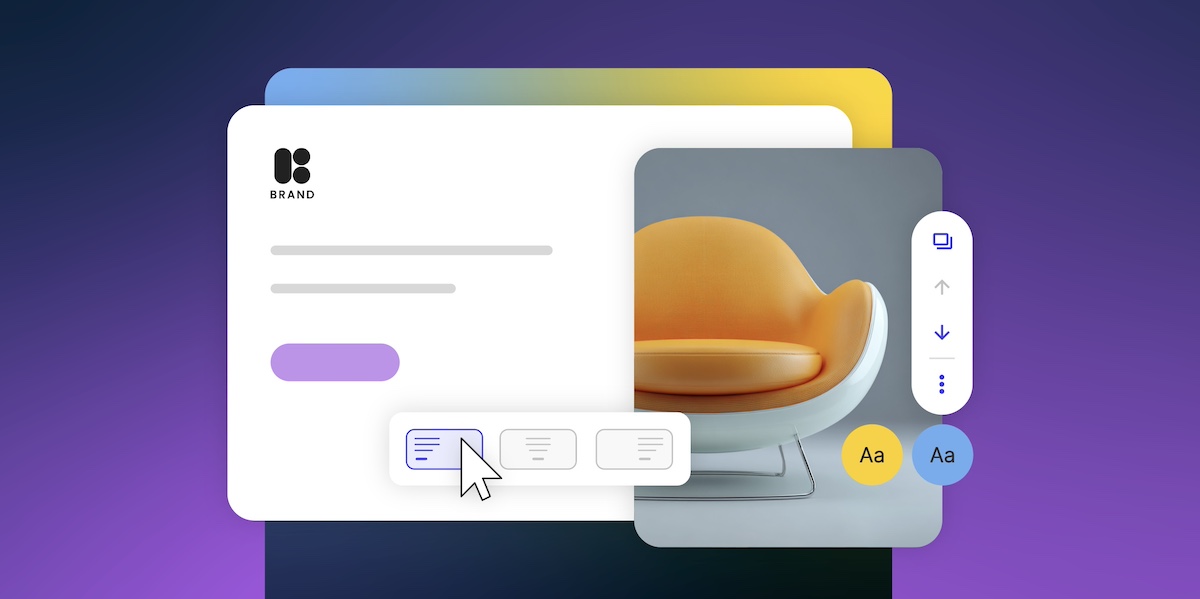
As a small business owner, a website builder is the fastest, most affordable way to get a professional site online without coding skills or a developer budget. These platforms bundle design tools, hosting, security, and templates into one place, so you can launch and manage your site without technical expertise, in an afternoon, at a fraction of the cost of hiring a developer.
In this guide, we’ll break down how website builders work, which types exist, and what features matter most for small businesses growing online.
Key Takeaways:
- Website builders for small business create professional sites without coding or hiring developers.
- Visual editors, templates, and simple publishing make building and updating a site easy.
- Different builder types—drag-and-drop, templates, AI, CMS/low-code, ecommerce, and all-in-one—suit different needs.
- Many builders include helpful tools like mobile-ready design, SEO features, marketing integrations, and ecommerce options.
- They offer a fast, affordable way to launch and manage a polished website without technical headaches.
What Is a Website Builder?
A website builder is a platform that lets you create a website without writing code or hiring a developer. For small businesses, that means one dashboard that handles templates, design tools, hosting, and security together, so you’re not juggling five different services or piecing together a solution on your own.
No technical degree required. No existential crisis when something breaks. Whether you’re launching a portfolio, a business site, or a full online store, website builders make getting online fast, affordable, and way less painful, which is exactly what you need when you’re busy actually running a business.
How Does a Website Builder Work?
A website builder works by giving you a visual editor, ready-made templates, and built-in tools for hosting, security, and publishing, all in one platform. You design by clicking and editing rather than coding, and changes go live without any technical steps. While each website builder works slightly differently, most operate through a few core functions:
- Visual Editing: Provides a visual workspace where you can design pages by arranging elements like text, images, buttons, or forms, and see changes in real time.
- Ready-Made Structures: Offers professionally designed templates and layouts that match your industry or style.
- Technical Essentials Managed: Handles website hosting, security, backups, and performance updates behind the scenes.
- Expandable Functionality: Includes features like SEO tools, forms, ecommerce, or marketing integrations that you can add as your business grows.
- Simple Publishing: Allows you to launch or update your website with minimal effort—edits go live instantly.
What Are the Different Types of Website Builders?
The six main types of website builders are drag-and-drop editors, template-based builders, AI builders, CMS and low-code platforms, ecommerce platforms, and all-in-one solutions. The right one depends on how much control you want versus how fast you need to launch, and most modern platforms blend features from more than one category.
- Drag-and-Drop Website Builders – These let you design visually by clicking and dragging elements (text boxes, images, buttons, videos) onto a page and positioning them wherever you want. No coding knowledge required. You see changes in real-time as you create your website. Great for people who want creative control without technical skills.
- Template-Based Website Builders – For this website builder you can use professionally designed templates for different industries (restaurants, portfolios, consulting, etc.) and customize colors, fonts, images, and text. The structure is pre-built, so you’re filling in the blanks rather than designing from scratch. Faster than starting with a blank canvas.
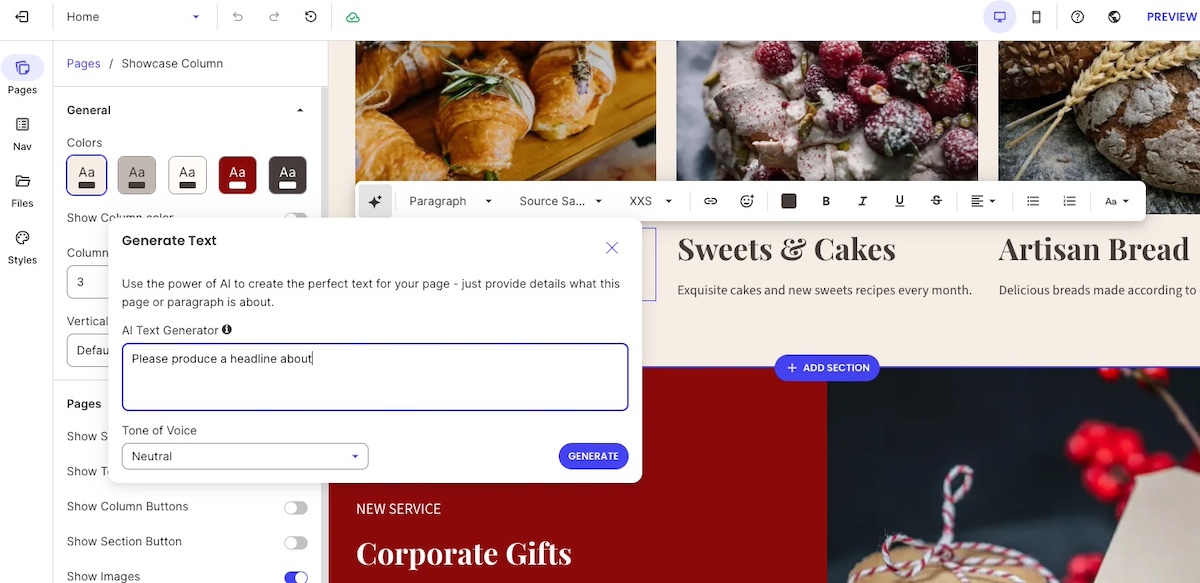
- AI Website Builders – Instead of starting from a blank canvas, you describe your business, your goals, and the look you’re after, and the builder’s AI generates a personalized site: layout, color scheme, content structure, and all. The SiteGround Website Builder’s AI Wizard, for example, lets you type or say what you have in mind, shows you an editable summary of your site name, main goal, tone, and colors before anything gets built, then drops the result into the same editor you’d use to build it by hand. Many builders also include smaller AI tools, like content writers, even if they mainly run on drag-and-drop. It’s the newest type of builder, built for speed and for skipping decision fatigue. Just expect to do some editing before the output sounds like you.
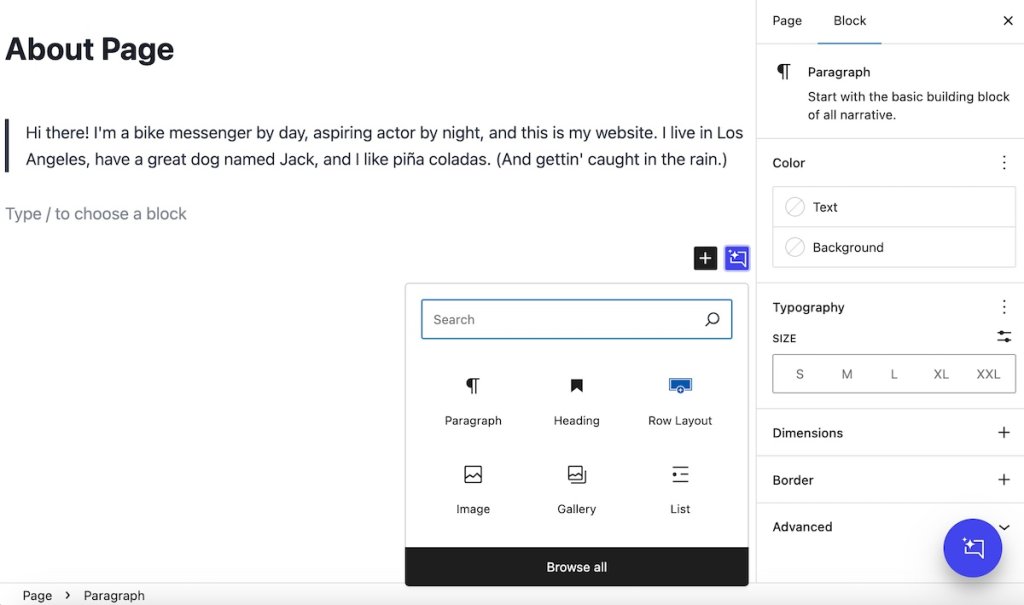
- CMS/Low-Code Platforms – Content management systems (CMS) like WordPress let you manage content through a dashboard and use page builder plugins to design layouts. They give you visual design tools but also let you add custom code, animations, or interactions when needed. These platforms are more flexible and powerful, bridging the gap between basic website builders and full development. They’re good for businesses that need more control over functionality and design details, though they have a steeper learning curve.
- Ecommerce Platforms – These are built specifically for online stores with product catalogs, inventory management, payment processing, shipping calculations, and order tracking. Ecommerce website builders, like, for example, SiteGround Ecommerce, usually include storefront design tools plus all the backend functionality to actually run an online business.
- All-in-One Website Builders – This kind of online website builder packages everything together: domain registration, hosting, email, SSL certificates, backups, and the building tools. One login, one bill, one support team. It removes the hassle of connecting separate services.
It’s worth noting that most modern website builders combine several of these approaches—like a drag-and-drop editor that also offers templates and AI tools, or an ecommerce platform with drag-and-drop design features.
| Types of Website Builders (at a Glance) | |
| Type | What It Is |
| Drag-and-Drop Website Builders | Visual editors where you click and drag elements (text, images, buttons) to design pages without coding |
| Template-Based Website Builders | Pre-designed templates you customize with your own colors, fonts, images, and text |
| AI Website Builders | Platforms that generate complete websites based on questions you answer about your business |
| CMS/Low-Code Platforms | Content management systems (like WordPress) that let you manage content through a dashboard and add custom code when needed for advanced functionality |
| Ecommerce Platforms | Website builders designed specifically for online stores with product listings, payments, inventory, and shipping tools |
| All-in-One Website Builders | Platforms that bundle hosting, domain, email, security, and building tools in one package |
[79]
Why Use a Website Builder?
Website builders for small business remove the two biggest barriers to getting online: cost and technical complexity. Instead of hiring a developer or stitching together separate tools for hosting, security, and design, you get everything in one platform at a predictable monthly price.
Here’s what many website builders offer (though specific features vary by platform):
- Simplified Setup: Most website builders remove technical barriers by providing templates, visual editors, and straightforward workflows—no coding required.
- Affordable and Predictable Costs: Compared to hiring developers or maintaining custom sites, website builders typically allow for more predictable and transparent monthly pricing.
- Professional Designs: Website builder templates are often crafted by designers, giving you a polished starting point for website layouts, usability, and readability.
- Room to Grow: Many website builders let you add features like ecommerce, email marketing, appointment booking, or analytics as your business needs evolve.
- Managed Hosting and Security: All-in-one website builders handle web hosting services, uptime, updates, backups, and security automatically. Other platforms (like CMS-based website builders) may require you to manage these separately.
- Quick Launch and Easy Updates: You can publish a functional site quickly and make changes without waiting on developers—though complexity varies depending on the website builder type you choose.
Looking for an all-in-one solution? SiteGround’s web hosting plans include the Website Builder, with professional templates, built-in AI tools, a free domain for the first year, security, and daily backups in one plan, designed for businesses that want a professional website without the technical headaches. Not sure where to start? Describe your business to the AI Wizard for a ready-made first draft, or pick a template and build it your way. There’s a built-in blog for when you’re ready to publish, and when it’s time to sell, SiteGround Ecommerce adds a store without switching platforms. Support is there 24/7, , and every plan comes with a 30-day money-back guarantee. One platform, one login, zero hassle.
What Can Website Builders Do for Small Business?
Modern website builders come packed with features that actually help small businesses attract customers, close sales, and keep your business running—without needing a tech team on standby. Here’s what you can often expect from a website builder platform, and why these features matter when you’re trying to grow a business.
- Mobile-friendly design for any device
- Email and marketing integrations
- Customizable templates
- SEO tools are included
- Ecommerce capabilities
- Analytics and tracking features
- Automatic updates, hosting, and performance
1. Mobile-Friendly Design for Any Device
More than 60% of global web traffic comes from mobile devices, according to Statista, which means your customers are most likely visiting your website from a smartphone or tablet. So a website that isn’t optimized for these small screens can frustrate users, hurt engagement, and even impact search rankings. The good news is that most modern website builders automatically incorporate mobile web design, adjusting your site’s layout, font sizes, and images to ensure it looks great on any device.
Benefits:
- Ensures pages display correctly on any screen size
- Makes it easy for customers to browse, read, and interact
- Saves time (and money) compared to manually designing mobile layouts

2. Email and Marketing Integrations
Many website builders connect seamlessly with email marketing platforms and lead-capture forms. This allows your website to do more than display information—it becomes an active part of your broader integrated marketing strategy.
For small businesses, these website builder integrations are especially valuable: email remains one of the most cost-effective marketing channels, delivering an average ROI of around $36 for every $1 spent, according to Forbes. By linking your website with email tools, you can capture leads, nurture customers, and run promotions—all without needing to manage separate systems or hire a developer.
Benefits:
- Supports email newsletters, promotions, and automated follow-ups
- Generates leads directly from your website with forms and pop-ups
- Connects your website to your broader marketing ecosystem (CRM, social media, email tools)
- Helps track customer engagement and measure campaign performance
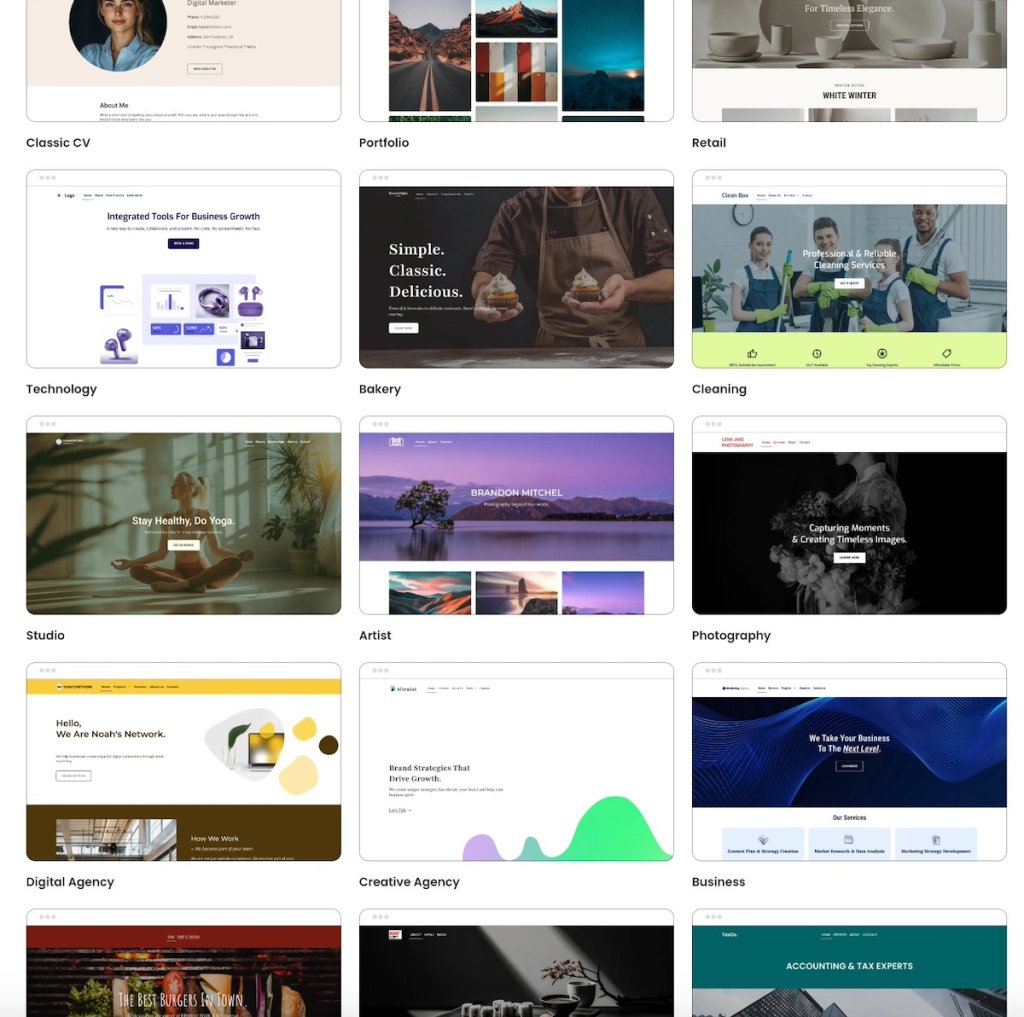
3. Customizable Templates
First impressions matter—we know this. So a professional-looking website makes a big difference for small businesses.
Website builders make that possible by providing a wide selection of designer-developed templates, giving you a buttoned-up starting point for your website design. Oftentimes, these website builder templates are even tailored to different industries and business types, and can then be customized to match your brand’s colors, typography, and personality.
Benefits:
- Provides a professional, ready-made starting point
- Allows easy customization to reflect your brand basics and identity
- Speeds up the website creation process
- Maintains design consistency across pages
4. SEO Tools Are Included
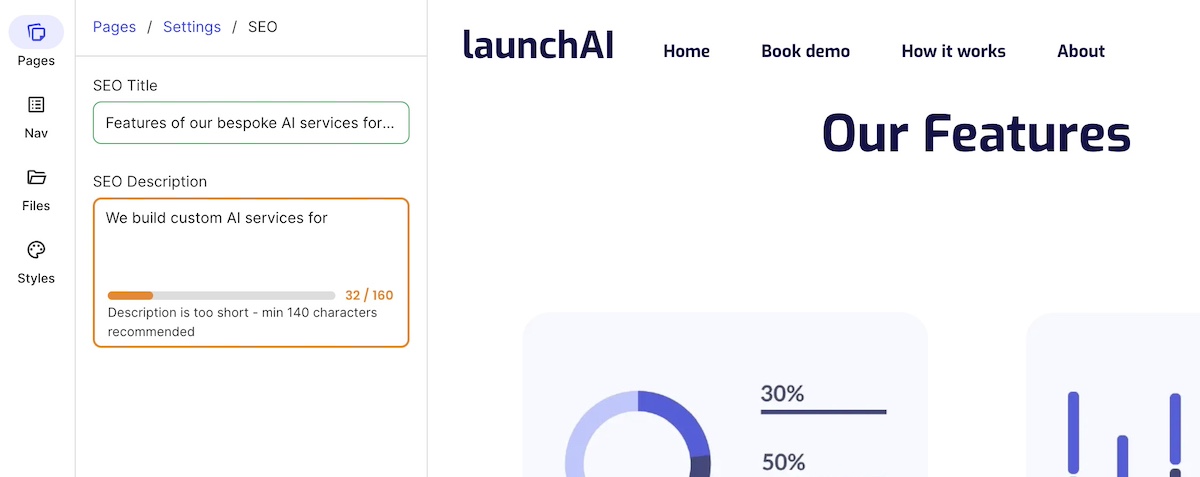
Getting found online shouldn’t feel like searching for a needle in a haystack. The higher your search engine rankings—or AI-powered search results—the more likely potential customers are to discover you.
Thankfully, modern website builders often come with built-in SEO tools, assisting with optimizations ranging from meta titles and descriptions to sitemaps and URL structure. These website builder features help your site stay visible and relevant, even as AI-driven search continues to shape how people find information online.
Benefits:
- Provides optimized meta titles, descriptions, and URLs for search engines
- Allows you to make sure images are properly tagged for indexing
- Generates sitemaps automatically to help search engines crawl your site
- Gives a solid foundation for organic search traffic growth
5. Ecommerce Capabilities
Many online website builders include ecommerce features that transform your site into a fully functional online store—but without requiring custom development, of course. These tools make it easier to set up a professional, trustworthy site that helps drive sales and manage your online business efficiently.
Benefits:
- Provides centralized management of product listings, inventory, and pricing
- Enables secure payment processing and shopping cart functionality
- Includes shipping options and order management tools
- Creates a professional-looking online store that builds customer trust
With SiteGround Ecommerce, everything you need to sell online is already built in. You can add products, manage orders, and accept secure payments without relying on plugins, custom code, or third-party tools. Because ecommerce is part of the same platform, your store benefits from fast performance, built-in security, and a consistent design—so you can focus on selling, not setup or maintenance.
Whether you’re launching your first product or expanding an existing business, SiteGround Ecommerce lets you move from website to online store smoothly, on your terms.
6. Analytics and Tracking Features
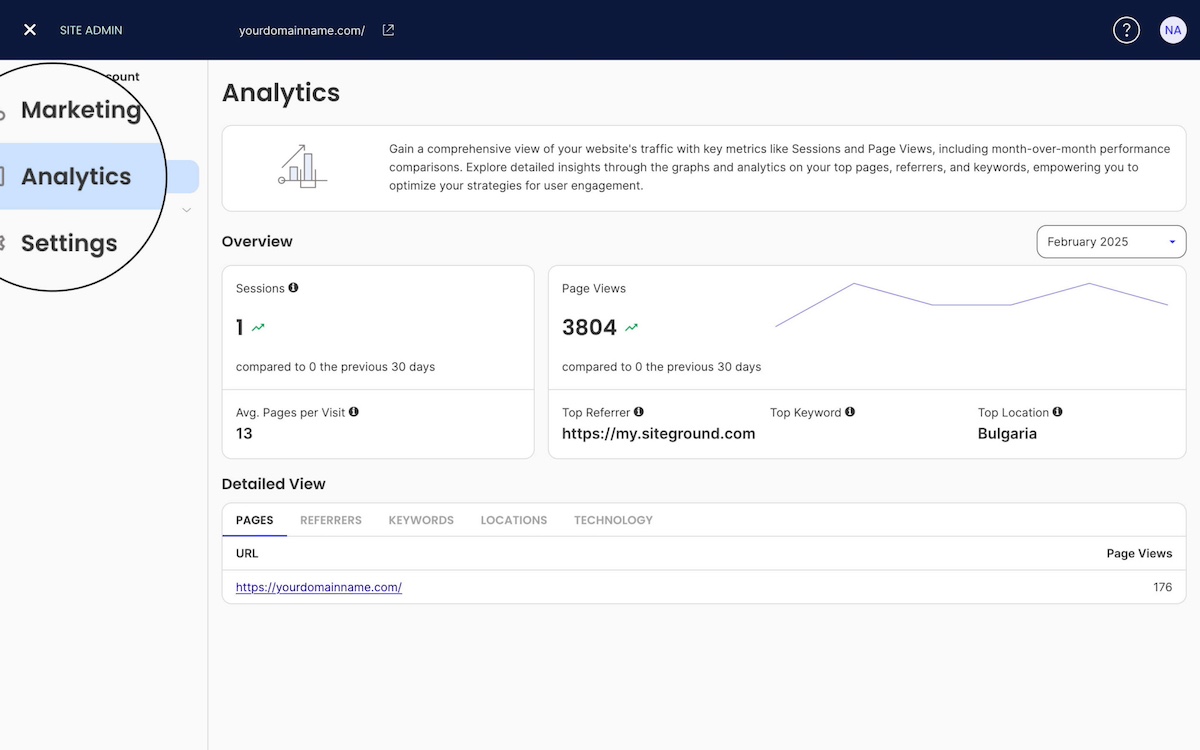
It’s also common for website builders to include built-in, high-level analytics, so you can track basic stats like visitor traffic, popular pages, and engagement patterns without being an analytics expert. For businesses that want more advanced insights, most website builders also integrate easily with tools like Google Analytics.
Benefits:
- Provides key digital marketing metrics without requiring technical expertise
- Shows how visitors interact with your site and content
- Helps make informed decisions to improve performance and engagement
- Offers integration with Google Analytics for deeper insights
7. Automatic Updates, Hosting, and Performance
A site that loads in 1 second converts 2.5 times better than one that takes 5 seconds, according to Portent. All-in-one website builders can simplify site management by including built-in hosting, automatic updates, speed optimization tools, and security patches. While load times aren’t guaranteed, these features can help keep your site reliable, secure, and easier to maintain without technical skills.
Benefits:
- Ensures your website stays secure with automatic updates and patches
- Optimizes site speed to keep visitors engaged and reduce bounce rates
- Eliminates the need to manage hosting or server maintenance
- Frees you to focus on growing your business instead of technical upkeep
Closing Thoughts: How Website Builders Empower Small Businesses
Look, you didn’t start your business because you love troubleshooting hosting issues or tweaking CSS code at midnight. You started it because you’re great at what you do—and now you need to create a website that doesn’t get in the way of actually doing it.
A website builder lets you check “get a professional website” off your list without derailing your entire month or draining your startup budget. You get templates designed by people who actually know what they’re doing, tools that handle the technical stuff automatically, and the freedom to make changes whenever you need to—no developer on speed dial required.
Once you decide to jump in with a website builder, you can launch a polished, functional site in an afternoon instead of waiting weeks (or months) for someone else to build it for you.
Ready to get started? SiteGround’s web hosting plans include the Website Builder, with easy-to-use functionality, professional templates, and all the hosting and security you need in one straightforward plan, plus SiteGround Ecommerce when you’re ready to sell. They’re built for people who want to get online fast and focus on running their business, not managing their website.
Because at the end of the day, your website should work for you—not the other way around.
Website Builder FAQs
No, most all-in-one website builders let you register a domain directly through the platform, or connect one you already own. With SiteGround, you can register your domain and set up your site in the same place, and the first year of your domain is free with any web hosting plan.
Yes. Many modern website builders include ecommerce features, and some, like SiteGround, are built specifically for selling online. Look for basic ecommerce functionality (product listings, shopping cart, secure payment processing), as well as ease of use, quality of customer support, and site performance.
Absolutely. That’s the core purpose of a website builder. Template-based and AI builders in particular are designed for people with no design or technical background. You choose a template, swap in your content, and publish. Most small business owners can have a functional site live within an afternoon.
The best website builder for small business depends on your priorities. If you want simplicity and everything bundled in one place, an all-in-one builder like SiteGround is a strong choice. If you need more design flexibility and don’t mind a steeper learning curve, a CMS like WordPress gives you more control. The key things to look for are ease of use, included hosting and security, ecommerce options, and transparent pricing.
Yes. Many website builders include ecommerce, either built in or as a plan upgrade. With SiteGround, for example, selling comes via SiteGround Ecommerce as an add-on, so you can add products, accept payments, and manage orders, shipping, and tax without plugins. When comparing options, start with the basics (product listings, a shopping cart, secure payment processing). Then look at ease of use, support quality, site performance, and whether the platform takes its own fee on each sale.
This article was originally published in December 2025 and then updated in October 2026