How to write a marketing email: the structure that gets it opened, read, and clicked

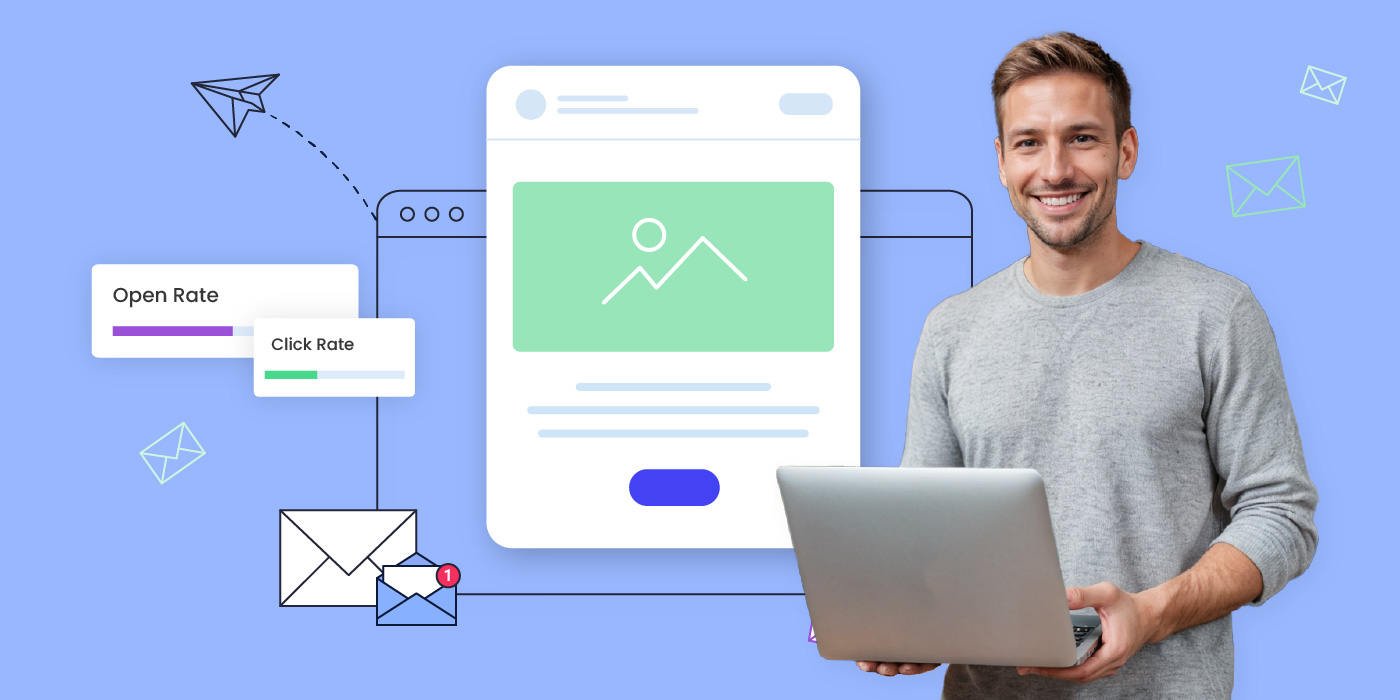
Man holding a laptop next to a graphic showing an email template with open rate and click rate metrics

A marketing email succeeds or fails on three decisions: the subject line, the opening line, and the call to action. Get any one of those wrong and the other two rarely save it. Here’s the structure that gets all three right, plus the mistakes that quietly sink otherwise good emails.

Key takeaways:

  • A subject line only has to do one job: earn the open. Save the persuading for the body.
  • The first line of the body has to work whether or not anyone read the subject line closely, since preview panes show it before the email is even opened.
  • One CTA outperforms two. A second link doesn’t add a second chance, it splits the reader’s attention and cuts the click rate on both.
  • A/B testing your own subject lines beats following anyone’s universal best practice, because your list’s behavior is the only data that actually applies to your list.
  • Open rate, click-through rate, and conversion rate each measure a different part of the email. A weak number in one doesn’t mean the whole email failed, it tells you which part to fix.
  • Bounce rate and spam complaints aren’t performance metrics, but ignoring them will eventually tank every metric that is.

What actually makes an email a “marketing” email

A marketing email is any message sent with a commercial goal behind it: driving a sale, pulling traffic to new content, keeping a customer engaged, or announcing something new. The label isn’t about tone or format, a plain-text note and a fully designed newsletter can both qualify, it’s about intent.

What separates a good one from a forgettable one isn’t the design budget behind it. It’s whether the email hits a specific, measurable goal: an open, a click, a reply, a purchase. An email that reads beautifully but doesn’t move the reader toward that goal hasn’t done its job, no matter how polished the layout looks. That’s the standard every section below is built around, starting with the four parts every marketing email needs to have in place before you touch tone or design. Learn more about how email marketing works as a channel before optimizing individual sends.

The four parts every marketing email needs

Every marketing email, regardless of topic or industry, is built from four working parts. Skip one and the email underperforms even if the other three are excellent.
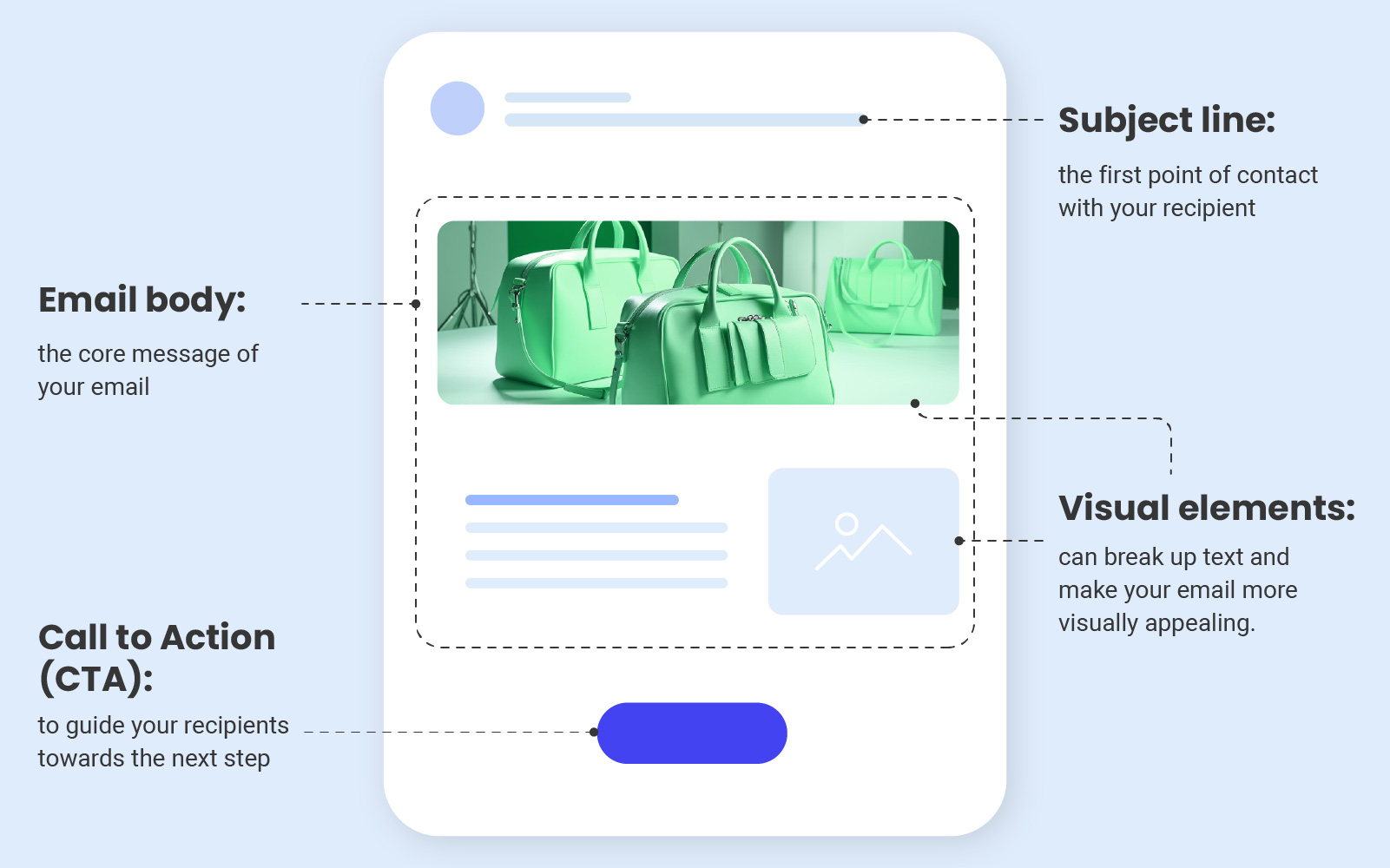
Diagram of a marketing email labeling the subject line, email body, visual elements, and call to action button

Now let’s dive into each one and explore strategies that will encourage your recipients to open, read, and interact with your marketing emails, ultimately driving conversions and customer engagement:

Subject line

The first thing your readers see when your email lands is the subject line, and it’s often the deciding factor between an email that gets opened and one that gets scrolled past. A half-hearted line can undo hours of work on a genuinely good email underneath it.

Aim for a subject line that teases what’s inside rather than trying to say everything at once. A verb and a concrete payoff, “Get 20% off your next order,” tends to work better than a vague tease, and keeping it under about 40 characters means the point lands before it gets cut off on a phone lock screen.

Email body 

The email body is where the actual substance lives, the offer, the update, the story you’re telling. A well-crafted one states its point early and keeps the momentum going rather than building up to a reveal a few paragraphs in, and every element, from the greeting to the closing line, should point toward the action you want the reader to take. 

The email copywriting guide is a good place to see that kind of tightening done well, line by line.

Visual elements

Bullet points, images, and graphics aren’t decoration, they’re what makes an email easy to skim rather than a wall of text to wade through:

  • Bullet points break information into digestible pieces, ideal for listing benefits, summarizing features, or laying out anything with more than a couple of comparable items.
  • Images do work words alone can’t, showing the offer itself rather than just describing it, and tend to stick in a reader’s memory longer than plain text does.
  • Graphics, like infographics and simple charts, make data or multi-step processes easier to take in at a glance. The email marketing design guide walks through building a layout that balances all three well.
  • Preview by sending yourself a test copy before the real one goes out. Images are blocked by default in a lot of inboxes, so check that your email still makes sense with them switched off.

Call to action 

A call to action tells the reader exactly what to do next, whether that’s completing a purchase, signing up, downloading something, or visiting a page. It’s the moment your email’s whole purpose comes together, and it works best when it’s clear, compelling, and easy to spot, usually a button or a hyperlink built around direct, action-first phrasing rather than something passive. Keep the wording tight: a verb and the payoff is usually all it needs.

Now that you know what each part is supposed to do, there’s a way to skip straight to a working draft. SiteGround Email Marketing’s Generate with AI feature builds all four for you at once, just pick a campaign type like promotional, newsletter, announcement, welcome, or event invitation, and it hands back a subject line, preheader, and body ready to edit in the builder.

How do you write subject lines that get opened?

Four things make the biggest difference in whether a subject line gets opened, and you don’t have to guess at any of them if you’re willing to test against your own list.

Lead with a verb and a clear promise.

A subject line built around a specific benefit tells the reader exactly what they’ll get before they even open it, something like “Boost your productivity: 5 proven time-management techniques inside.” Vague curiosity-bait (“You won’t believe this…”) gets opened once and then ignored forever once the reader learns it never delivers.

Example:
Your cart expires at midnight, save 20% before it does

Personalize where it’s genuine

A first name or a reference to a past interaction works because it signals the email wasn’t blasted to everyone, even when, technically, it was. “Julia, your opinion matters” reads differently than “We want your feedback.”

Example:
Maria, your usual order is 10% off this week only

Avoid spam-trigger language

Words like “risk-free,” “urgent,” and “make money,” plus excessive punctuation or all-caps, are the kind of pattern spam filters are built to catch. Straightforward, specific language clears filters more reliably than clever wording does.

Skip: FREE MONEY!!! Act NOW, 100% risk-free
Try instead: Your first month’s on us, no catch

Test instead of guessing

Two versions of the same email, sent to two segments of the same list, will tell you more about what your specific audience responds to than any general subject-line formula. Run this consistently and you’ll build a pattern of what actually works for your readers, not readers in general. Pull the exact wording that performs into future sends, and check it against your open rate and click-through data before calling a winner.

Version A: Boost your productivity: 5 time-saving tricks inside
Version B: Maria, here’s what’s eating your afternoon

How do you structure the body so people keep reading?

Getting the email opened is half the job. Keeping the reader in it past the first line is the other half, and it depends on how the body is built.

Open with the payoff, not the setup 

The first line has to work whether or not the reader paid close attention to the subject line, since most email clients show a preview of that first line before the email is even opened. A friendly greeting followed by a question, a surprising fact, or a direct value statement gets read further than a slow warm-up.

A few ways this looks depending on what you’re sending:

  • Product update: Ready for the update you’ve been asking about? Here’s what’s new.
  • Newsletter: This month’s roundup is here, and it’s mostly good news.
  • Win-back: It’s been a while. Here’s 15% off to come back and see what changed.
  • Event invite: Save your spot, the webinar’s Thursday and space is limited.

Write like you’re talking to one person 

Contractions, direct address, and a conversational rhythm read as human. Formal, corporate phrasing reads as automated, even when a person wrote every word of it.

Use storytelling and social proof sparingly but specifically 

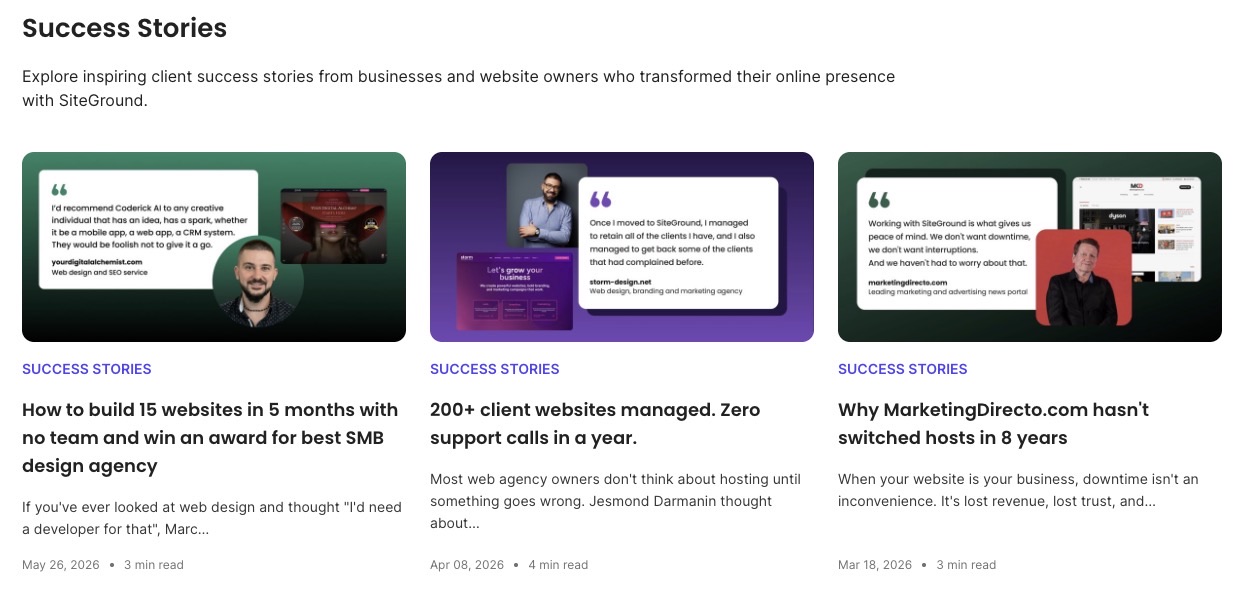
A short customer story does more to build trust than a list of features, because it shows the product working rather than describing it in the abstract, like SiteGround’s success stories, which pair one clear result with a real customer’s name attached. A one-line testimonial with a name on it outperforms an unattributed claim every time.
How do you structure the body so people keep reading?

Getting the email opened is half the job. Keeping the reader in it past the first line is the other half, and it depends on how the body is built.

Open with the payoff, not the setup 

The first line has to work whether or not the reader paid close attention to the subject line, since most email clients show a preview of that first line before the email is even opened. A friendly greeting followed by a question, a surprising fact, or a direct value statement gets read further than a slow warm-up.

A few ways this looks depending on what you’re sending:

  • Product update: Ready for the update you’ve been asking about? Here’s what’s new.
  • Newsletter: This month’s roundup is here, and it’s mostly good news.
  • Win-back: It’s been a while. Here’s 15% off to come back and see what changed.
  • Event invite: Save your spot, the webinar’s Thursday and space is limited.

Write like you’re talking to one person 

Contractions, direct address, and a conversational rhythm read as human. Formal, corporate phrasing reads as automated, even when a person wrote every word of it.

Use storytelling and social proof sparingly but specifically 

A short customer story does more to build trust than a list of features, because it shows the product working rather than describing it in the abstract, like SiteGround’s success stories, which pair one clear result with a real customer’s name attached. A one-line testimonial with a name on it outperforms an unattributed claim every time.

Success Stories page listing showing three client testimonial cards for Coderick AI, Storm Design, and Marketing Directo, each with a headshot, quote, and website preview

Pro tip: “Swap the adjectives for a number and a name:

“Customers love us!” convinces nobody, not even the person who wrote it.

“Maria cut her onboarding time from three weeks to four days” does more work in one sentence than a whole paragraph of enthusiasm ever will. If your testimonial could be pasted into any email for any brand and still make sense, it’s not specific enough to trust yet.

Example marketing email featuring a leather goods maker in her workshop with a customer testimonial about productivity gains

Cut anything that isn’t earning its place 

Every sentence should inform, entertain, or move the reader toward the CTA. If a sentence does none of those three, it’s filler, and filler is the fastest way to lose a reader mid-email.

Give every send a reason to exist

A discount code, a genuinely useful how-to, an industry update they’d have missed otherwise, a first look at something new before anyone else gets it, the specific form matters less than whether it’s actually worth the five seconds it takes to open.

Readers run a quick cost-benefit calculation on every subject line whether they realize it or not, and “another email from this brand” is not, on its own, a good enough reason to click. Do this consistently and you buy yourself patience on the sends that undersell themselves. Skip it too often and no clever subject line brings people back, they just get faster at deleting.

Example email newsletter for a gardening brand showing tips, a subscriber discount code, and a seasonal trends section

How do you make one CTA do all the work?

A call to action needs to be unambiguous and visually easy to spot, using action-oriented phrasing like “Buy now” or “Register today” rather than something passive like “Learn more.” Place it where a reader naturally lands after finishing the body, typically at the end, though a second placement near the top works for time-sensitive offers.

The single-CTA rule matters more than most senders expect: two competing links don’t double the chances of a click, they split attention and often lower the click rate on both. If an email genuinely needs to offer two paths (say, “shop men’s” and “shop women’s”), frame them as one decision with two options rather than two separate asks. Building a full email marketing strategy around a single, consistent CTA style across a campaign makes each individual email’s ask feel familiar rather than another thing to figure out.

How do you measure whether an email actually worked?

Four metrics tell four different parts of the story, and none of them substitute for the others.

MetricWhat it measuresWhat a weak number is telling youWhat to aim for
Open ratePercentage of delivered emails that got openedThe subject line, and only the subject line, needs workAround 36% for small businesses 
Click-to-open ratePercentage of openers who then clicked a linkThe body or the CTA didn’t earn the action once the email was actually openedAround 6.4% for small businesses
Conversion ratePercentage of recipients who completed the goal action after clicking, a purchase, a signup, a downloadThe click happened but the landing page didn’t deliver on what the email promisedAround 3%, though this varies more by industry than the other rows
Bounce ratePercentage of emails rejected outright by the recipient’s serverList quality has slipped, or something’s off with your sending setupUnder 2%
Spam complaint ratePercentage of delivered emails marked as spam by recipientsNot a quality signal for one send, but a rising number here will quietly drag down every metric above it over timeUnder 0.1%

If you want to go a step further, A/B testing can tie all four numbers together, and you don’t need a dedicated split-testing feature to try it. Split your list into two groups, send each one a version that differs in a single element, subject line, CTA, or body structure, then compare the results side by side in your analytics. That one-variable-at-a-time approach is what isolates which change actually moved which number. 

And keep an eye on the sender reputation either way. That’s how trustworthy mailbox providers consider your sending domain, and it’s not just bounces and spam complaints they’re watching. Replies and forwards count in your favor too, so a real reply-to address that someone actually checks does more for your reputation than it looks like it should. A quick check of your bounce, spam, and reply numbers each month is enough to track it.

What mistakes kill otherwise good emails?

A few problems show up often enough to call out directly, because each one is easy to miss from the inside.

  • Misleading subject lines. A subject line that overpromises earns one open and loses trust for every send after it.
  • Two CTAs competing for the same click. Covered above, but worth repeating: it’s one of the most common self-inflicted drops in click-through rate.
  • Skipping the proofread pass. Spelling errors and broken links are the fastest way to undercut an otherwise well-written email, and they’re avoidable with a second set of eyes or a test send to a few different email clients before the real send goes out.
  • Ignoring sender reputation until it’s a problem. A domain or IP address that ends up on an email blacklist will see every metric on this page collapse at once, regardless of how good the individual email is. Reputation is a background factor worth checking before assuming a bad send is a copywriting problem.
  • Overlooking the legal basics. Consent, unsubscribe links, and honest subject lines aren’t just good practice, they’re legal requirements under laws like CAN-SPAM, and getting them wrong carries real financial risk on top of the reputational one.

Put it into practice

None of this requires a copywriting background, it requires a structure, and the structure above is repeatable for every send. Start with a clear subject line promise, open the body with the payoff, keep one CTA, and check your metrics against what actually happened rather than what you expected.

If writing every subject line and body from scratch is the bottleneck, SiteGround Email Marketing includes a built-in AI email writer that can draft a first pass in your brand’s tone, so you’re editing rather than starting from a blank page.

[58]

Frequently asked questions about writing marketing emails

How long should a marketing email be?

Long enough to make the point and no longer. A promotional email with a single offer often works in three to five short paragraphs, while a newsletter with multiple stories needs more room. The test isn’t a word count, it’s whether every paragraph earns its place.

How often should you send marketing emails?

Frequency depends on the list and the offer, but the more useful question is consistency: readers who know roughly when to expect an email from you open more reliably than readers getting sends on no predictable schedule.

What’s a good open rate for a marketing email?

Open rates vary widely by industry and list quality, which is why comparing your own email against your own past sends is more useful than chasing an industry benchmark. A steady upward trend from your own baseline matters more than hitting someone else’s number.

Should you use emojis in subject lines?

Used sparingly and where they fit the brand voice, an emoji can help a subject line stand out in a crowded inbox. Used in every send, they lose the novelty that made them work in the first place.

What’s the difference between a marketing email and a transactional email?

A marketing email has a commercial goal behind it, a sale, a click, engagement. A transactional email confirms something the recipient already did, like an order or a password reset, and typically isn’t subject to the same opt-in rules

This article was originally published in April 2024, and then updated in August 2026.
Email Bounce Rate: What Is It & How to Reduce It?

Image depicting emails bouncing from an inbox

Email bounce rate is a key metric in email marketing. If it’s too high, it could cause serious damage to your email campaigns and even your sender reputation. In this blog post, we’ll help you understand what email bounce rate is, what causes it, and how to keep it in check so you can enjoy high email deliverability.

What is Email Bounce Rate?

Еmail bounce rate refers to the percentage of emails that were sent, but not successfully delivered to recipients’ inboxes. More specifically, this rate tracks messages that were rejected by the recipients’ email servers but returned with an automated bounce message to the sender indicating a delivery error.

Note: The bounce rate will not take into account email messages that got flagged as SPAM and rejected at network level without any feedback being sent to the sending server. You may check out our article on How to Avoid Your Emails Going to Spam for more information on the topic of spam.

In email marketing, bounces aren’t just minor hiccups. They’re more like signals, telling you that something is not okay. It could be anything from a typo in the email address to an issue with the email content or the recipient’s mail server. 

Hence, recognizing and understanding your email bounce rate is crucial. It goes beyond just making sure your messages are getting through. More importantly, it helps maintain your reputation as a sender, moving your business communications up the ladder. 

Now, keep in mind that not all of your marketing messages will be delivered or bring conversions, and that is normal. (You may check out our article on email deliverability for an in-depth understanding of the email journey and the different obstacles on its way.) However, if the percentage of bounced emails is too high, your business will suffer.

How does the email bounce rate affect your business?

A high bounce rate blocks your marketing efforts and can damage your sender reputation with email service providers. That can even spiral into more delivery challenges and further lower your email campaigns’ reach.

As a provider of email hosting services, throughout the years, we’ve had clients contacting us in search of the reason for their messages coming back undelivered. And, we know how frustrating this may be as it affects their operations as a business. Sometimes, the reason for the bounce is simply a mistyped recipient’s address. On other occasions, the reason may be more complex.

Let’s first clarify how high email bounce rates can affect your business so you know what you may have to deal with if you do not take corrective actions.

Lowered Engagement & Conversion Rates 

When your email messages bounce back, they don’t reach the intended recipients and this naturally leads to lower open and click-through rates, which means reduced engagement with your content. If your emails aren’t getting through, this means that fewer people are seeing and interacting with your content. Consequently, this drop in engagement leads to fewer conversions, which in turn, impacts your bottom line. 

Wasted Resources 

Each email that bounces back is a waste of your time, effort, and money. You should know that even if you’re following all the best practices, there will still be messages that come back, so be prepared. Yet, you should strive to keep that count as low as possible. Practically, high bounce rates mean you are not maximizing the return on investment of your marketing efforts because a portion of your audience is not even receiving your messages. It’s essentially pouring your costly business efforts down the drain. 

Biased Analytics 

Bounce rates can distort the accuracy of your campaign’s analytical data. That happens because metrics like open rates and conversions can’t accurately reflect your audience’s behavior if a high number of emails never reach their destinations. Even if your other metrics look great, you must not leave the bounce rates unattended. 

If you ignore the bounce rate, that can lead to incorrect interpretations of the performance of your email campaigns. That, in turn, could lead you to make misinformed business decisions – not seeing the full picture can cause you to invest in the wrong areas.

Damaged Sender Reputation

Internet Service Providers (ISPs) track the number of bounces you generate in an attempt to prevent spam. The higher your bounces are, the more ISPs and ESPs would assume that you are buying email lists or scraping emails. Thus, they would start punishing you by flagging your emails as spam, and this can harm your reputation as a sender. That eventually results in reduced email deliverability.

To gain a better understanding of how spam filters take email bounce rate into consideration, read our blog post on How to avoid your emails from going to spam. 

Restoring a good sender reputation is hard, so, you better put your thoughts into preventing such an outcome.

Potential for Blacklisting 

Continuing to send messages to email addresses that consistently bounce can not just trigger spam filters with email service providers, but eventually get your domain and/or IP on a denylist. This means that recipient email servers will start rejecting all your messages as spam at network level, further plummeting your email deliverability. 

As you can see, keeping your eyes on the prize without considering the potential negative outcomes and not taking measures can cause lots of damage to your business. Thus, to take actions to minimize bounce rates, you must understand their nuances better.  

Types of Email Bounces

When it comes to email marketing, not all bounces are equal. You’ve got two main types to keep an eye on – hard bounces and soft bounces. Understanding the difference between these can help you improve your overall campaign results.

Hard Bounces

A hard bounce is a permanent delivery failure. Hard bounces occur when you send marketing emails to:

  • Inactive contacts – these are emails that are no longer in use. They were once active, valid addresses, but no more.
  • Non-existent (mistyped) emails – these are addresses that are not registered. 
  • Invalid email addresses – these include both inactive and wrong addresses, the two groups above.

If you think about it – why would you have such addresses on your email list? Maybe you have users who signed up too long ago and their addresses are no longer in use? Or, your subscribers left “fake” email addresses in your signup form contacts to make sure you won’t bother them? Like when you give the wrong phone number to a guy who you don’t like and want to get rid of. Or, you got your email list from somewhere and you didn’t know how these users got on the list in the first place, so maybe they tricked you with a bad list? 

Each hard bounce is a clear signal to remove the problematic address from your list ASAP. Email service providers would flag you if you get too many hard bounces since they would recognize a “spam pattern” – they would think you bought or scraped emails, or you are trying to “guess” emails within an organization, or else. Hence, failing to remove such emails immediately can harm your sending reputation with mail providers.

SiteGround Email Marketig users can safely rely on us to take immediate action and “suppress” hard bounce email addresses so you can never send emails to them again and thus avoid penalties. If we see an abnormally high rate of bounced emails while sending out a campaign for you, we would pause it in order to prevent any bad consequences. 

Soft Bounces

Soft bounces are temporary delivery failures due to issues that don’t necessarily indicate a problem with your mailing list, but usually result from full inboxes, messages exceeding mailbox limits, server problems and downtime, autoresponders, and others.

When these soft bounces occur, different email service providers may take different actions. At SiteGround we do not give up, but have a strategy to make multiple attempts to resend the email, starting with more frequent tries in the first few hours and then tapering off. This retry system is designed to deliver successfully your email campaign as soon as possible, ensuring it stays on track and reaches your subscribers’ inboxes in a timely manner. We aim to optimize email deliverability while maintaining the momentum of your email marketing efforts.

How to measure your email bounce rate?

Monitoring this metric is essential for a healthy email marketing strategy. To measure your bounce rate, count the number of bounced emails, divide it by the total number of sent emails and multiply by 100. Sounds like too much math, doesn’t it?

That is why our friendly Email Marketing platform does the math for you. We calculate the average email bounce rate that each of your email marketing campaigns generates, so we can help you with your campaign results analytics.

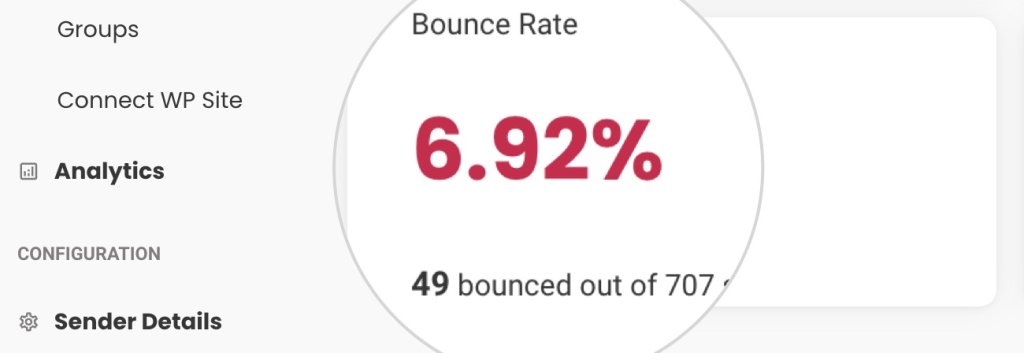
Screenshot from the Analytics section in SiteGround Email Marketing showing a very high bounce rate

The email bounce rate, calculated in the Analytics section of the Email Marketing platform shows the percentage of bounced email addresses. The Bounce rate in the Analytics section is an average bounce rate that consists of both soft and hard bounces. 

How to reduce your email bounce rate?

After analyzing the negative impact of a high bounce rate on your business operations, we give you the strategies for reducing it effectively. ​​Follow these best email practices diligently, and you will get better results. 

Remove unengaged and inactive emails

Clean your email list from inactive and unengaged subscribers every few months. Users who do not open your emails are not simply unengaged, they are likely to soon become “inactive” accounts. 

Do not buy email lists or scrape sites for emails

Maintaining fresh and clean mailing lists is a key practice for achieving a low email bounce rate and ensuring list quality. Avoid purchasing mailing lists at any cost, since they will not bring you the desired results if the users in it have not consented to receive your messages.

Implement Double Opt-In

With double opt-in, subscribers confirm their email address after the initial sign-up by clicking on a verification link sent to their inbox. Double opt-in allows you to enroll only valid email addresses in your list and ensures that the owner of the email is genuinely interested in your content and willing to engage. It’s a powerful way to protect your reputation as a sender and keep your email bounce rate on the low end.

Avoid Spammy Practices

Steer clear of tactics that trigger spam filters and rack up spam complaints. If you’re too aggressive or irrelevant, your emails might end up in the spam folder. Obviously, that is not your goal, so you must pay attention to what you include in your campaigns.

Sending emails with misleading subject lines or stuffing your content with excessive trigger keywords and salesy language are classic spammy practices. 

Monitor and Analyze All Campaign Performance Data

Keeping tabs on how your bounce rate and other email metrics isn’t just smart—it’s essential. As you have already seen in this article, bounce rates and spam rates and all engagement metrics are correlated and work together to assist email marketers in creating better content and keeping engaged email list. 

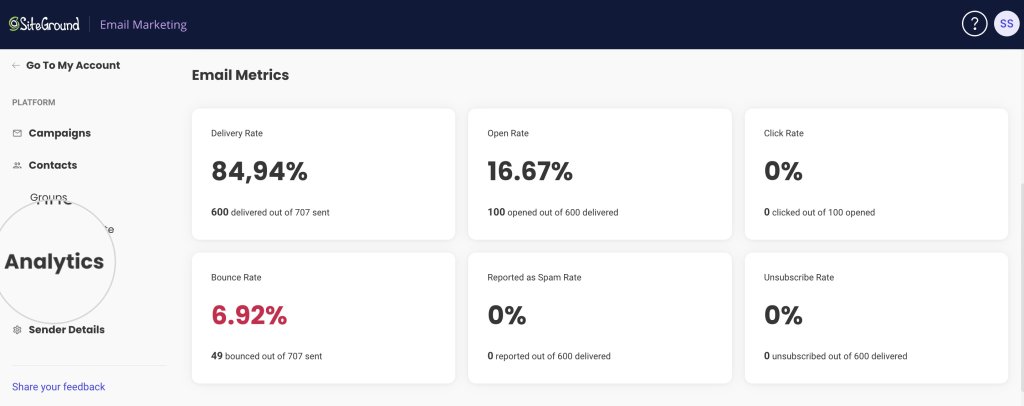
SiteGround Email Marketing tool gives you a clear view of your campaign’s performance. Access the Analytics section to review key metrics like open rates and click-through rates, which help you understand audience engagement.

A screenshot displaying the SiteGround Email Marketing Analytics page

That is where you get to check what works, what doesn’t, and how your audience is really feeling about your emails.

Conclusion

To wrap things up, remember that keeping your email bounce rate low is crucial for robust email marketing. Understanding the why and how of bounces empowers you to maintain a healthy sender reputation and ensures your emails effectively reach your audience.

Stay on top of cleaning your lists and avoid anything that might trigger spam filters. With these practices in place, paired with consistent monitoring, you’ll keep your bounce rate low and your engagement high.

So, take these insights, put them into practice, and watch as your email marketing efforts yield better results. 

Email Bounce Rates FAQs

1. What’s an acceptable email bounce rate?

An acceptable bounce rate is typically below 2%. Rates higher than this may indicate issues that need to be addressed.

2. How often should I clean my email list?

List hygiene should be an ongoing process, but a thorough cleaning every 3 to 6 months is a good practice.

3. Can a high email bounce rate affect my entire email marketing strategy? 

Yes, a consistently high bounce rate can lower your sender reputation. Especially if you get many hard bounces. That can potentially cause more of your emails to be sent to the spam folder.

4. Is there a difference between cleaning an email list and segmenting it? 

Yes, cleaning involves removing invalid or inactive subscribers. On the other hand, segmenting organizes active subscribers into specific groups for targeted campaigns.

5. How do I fix a high email bounce rate? 

To fix a high email bounce rate, start by cleaning your email list to remove invalid or inactive addresses. Implement a double opt-in process to ensure subscribers emails are valid, and adjust your email content to avoid triggering spam filters. Finally, monitor your campaigns to identify which emails bounce back and why, then make data-driven adjustments to your strategy.

How to Keep Your Emails Out of Spam (10 Tips included)

How to Avoid Your Emails Going to Spam? (10 Tips included)

Despite your best efforts as an email marketer, like strict adherence to all general anti-spam policies, you may still find out that some of your recipients don’t receive your emails. Although there is no way to secure 100% email deliverability, you should consider the different reasons why your emails do not reach the subscribers’ inboxes and one of the biggest reasons is that they get flagged as spam. 

Although it may seem intimidating at first, overcoming spam filters and other related delivery issues is not rocket science. With the right knowledge, you can trim down the chances of your emails getting trapped by spam filters and achieve better delivery rates.

Here, we’ll demystify how spam filters work and how they evaluate whether an email is spam or not. We’ll also explore the most critical factors that spam filtering algorithms take into account. Finally, we’ll unravel the 10 most effective tips to make your emails pass even the most strict spam filters. 

So, let’s roll up our sleeves and get your email deliverability soaring.

Why Emails End Up In SPAM?

Let’s face it – everyone has fallen victim to unsolicited and spam emails and wondered how to get rid of them. At best, they are simply annoying but harmless, littering your inbox with irrelevant ads and promotions. However, at their worst, they can cause serious harm, leading to substantial financial and reputational losses. Through spam emails, bad actors conduct social engineering, spoofing, data theft and create all other kinds of trouble. 

To protect their clients from such malicious events, Internet service providers and Email service providers incorporate spam protection systems and spam filters to keep recipients and their networks spam-free. They act as gatekeepers to the recipient’s inbox, putting incoming emails through rigorous and thorough checks before being given a pass. From the moment you send your email till it actually reaches the recipient, it passes through one or more filters aiming to identify and stop malicious or unwanted messages. Every spam filter has its own set of rules, threshold, sensitivity, spam trigger words, etc. You can’t anticipate and predict all, but at least you can understand the most common reasons that trigger spam filters and minimize the chances of your emails ending up in spam folders.   

How Spam Filters Work?

Spam filters use a complex set of rules, algorithms, and AI to evaluate emails and set spam score thresholds. They put every incoming email message under the microscope to decide its fate. After the filters have gone through all checks, they assign a spam score to the emails. If the emails meet the predefined threshold, they are given a safe passage to the recipient’s inbox. However, if the score is higher, they might get expelled to the spam folder; get completely rejected at the network level without any feedback to the sending server; or get directly dropped with an error, something like a hard bounce.

Types of Spam Filters

In general, there are several different types of spam filters, which have a different approach to how they catch spam.

Blacklists

These filters monitor different Denylist/Blacklist databases globally and will stop emails coming from IPs listed in such blacklists. Denylists (blacklists) are databases containing lists of domains and server addresses that have been reported as regular senders of spam content. 

Content Filters

Content filters go through the email message and look for specific words and language that could suggest that the email is clickbait, phishing, or other types of spam. Most content filters look for similar things – bad words used multiple times, such as “offers,” “limited-time,” sexual language, and others. They also watch out for common scams such as the “ 419 scam”, best known when impersonated by a Nigerian prince asking for money against the promise to return a larger sum in the future.

Header Filters

These filters are focused on reading the information transmitted via the header of the email, such as the source IP, if the email is sent to a group of recipients, and more, and aim to ban messages from bad sources, such as IPs known to be used by spammers.

Language Filters

Some Email service providers monitor the language of the emails, and if that language varies from the country language of the recipient, they might stop the messages. These filters may be set differently, but in general, they aim to protect recipients from content that is not tailored to their needs.

Rule-based Filters

Email service providers and users alone can use a filter to set up specific rules that can be applied to all emails coming in. For example, you can set the filter to stop all emails from one specific sender or look for specific words or phrases in the body or in the header of the incoming emails, and if such are detected, the message gets sent to the spam folder.

Bayesian Filter

The Bayesian filters monitor the recipients’ preferences by examining the emails that they send to spam and set rules based on the patterns they detect to automatically flag similar emails in the future. 

AI Filters

AI is being increasingly used to fight spam. Its purpose is to detect patterns in emails, sender behavior, and other suspicious content to help spam filters flag more accurately the messages that go through the network. AI gets trained on the actual incoming and outgoing content of the network, using real messages to learn what is good and what is bad, and its contribution to this fight is getting more and more valuable.

How Spam Filters Calculate the Spam Score?

The Email Service providers constantly update the rules their spam filters use in response to the ever-changing and inventive ways spammers find to catch email users off guard. But even so, there are a few essentials and common criteria that all spam filters consider when forming the spam score of your emails.

Sender Reputation 

The first thing spam filters do, no matter what, is check the sender’s reputation. As discussed in detail in our article on Email deliverability, this refers to the credibility of your sender IP.  If your IP is listed in any Denylists/Blacklists, your emails will be flagged as spam.

Domain Reputation 

Let’s assume your IP is clean, but your domain has a bad history and is known to be sending spam. Again, this information may be recorded in public denylists or private databases of the recipient’s email provider. Unlike the sender reputation, where responsibility is shared with your ESP, the domain reputation is something that you are personally responsible for, and you should monitor it with care.

Email Content Quality

Email content quality is fundamental for both user engagement and spam filter avoidance. High-quality content is relevant, well-written, and provides value to the recipient. When creating email campaigns, email marketers should learn to avoid “spam trigger words” –  specific words or phrases that can activate spam filters. You don’t have to overthink it, but as a rule of thumb, these words are often associated with deceptive or aggressive marketing practices. Remember the Nigerian prince and the content filters above? Just like those.

The quality of the served content heavily impacts user engagement with your emails. High user engagement is a positive signal to email providers that recipients value your content and that you are not sending spam. And vice versa. You can easily monitor that engagement with several metrics – open rates, click rates, replies, and forwards and aim to improve the quality of your emails with every campaign. 

Unengaged subscribers tend to ignore your emails. Like a one-sided conversation, you will have a silent partner who will have no reaction to what you are saying. If your emails are consistently unopened, it signals that your content might not be relevant or desired, and as a result, your future emails are more likely to be directed straight to spam.

What is worse, some of the recipients who open the emails but are not interested in your content might launch spam complaints. With so many scammers online, users have become sensitive to what’s landing in their inboxes, even when they have given consent to receive emails from a certain sender. If you don’t follow strict sending patterns and maintain pristine content quality, they might complain against you and flag your emails as spam.  A spam complaint is a significant blow to your sender reputation. Here are some common triggers that might irritate recipients and lead to spam complaints, which you may want to consider:

  • Unexpected Frequency – Sending emails too often or at irregular intervals can frustrate subscribers. 
  • Irrelevant Content – Content that doesn’t relate to subscribers’ interests or needs can lead to disengagement.
  • Misleading Subject Lines – Crafting misleading subject lines that don’t align with the email body is usually frowned upon.
  • Lack of Personalization – Generic, “one-size-fits-all” messages can make subscribers feel undervalued and disengaged.
  • Difficult Unsubscription Process – Making it hard to unsubscribe can push users to report your emails as spam instead.

You may also want to consider that the industry-acceptable standard spam complaint rate is less than 0.1% (1 complaint for every 1,000 messages sent). These kinds of rates are not set in stone, but they are set by major email providers like Google and are a good indicator for marketers what to expect if they go above that. Google, AOL, Yahoo, and others give you the opportunity to monitor the complaint rate through their platforms via unique interfaces, which you may want to check out if you wish to keep track and be a better sender.

Now that we have analyzed how spam filters work and what triggers them, let’s get practical and go over the top 10 tips to avoid your emails going to spam.

10 Tips To Avoid The Spam Folder

Let’s dive into 10 of the most practical strategies to keep your emails landing right where you want them – in your subscribers’ inboxes.

1. Build Your Own Email List

The cornerstone of any successful email marketing campaign is a solid, organically grown email list. Refrain from taking shortcuts like buying lists or scraping emails. It can damage your sender reputation and violate privacy laws. Build your list the right way, with people who genuinely want to hear from you.

Do not ever buy email lists or scrape emails! One of the biggest risks, besides the obvious low engagement rate of such contacts, is that you might fall into honeypots. Honeypots are spam trap email addresses used by organizations to catch spammers. They are inactive email addresses solely existing to lure unsuspecting spammers who send unsolicited marketing emails. If you have such an address in your list, it can lead to serious deliverability issues for your campaigns in general.

Craft a blueprint for your list-building strategy that focuses on attracting subscribers through valuable content, engaging social media campaigns, and enticing lead magnets. Make it easy and rewarding for people to sign up, and watch your list grow with interested, engaged subscribers.

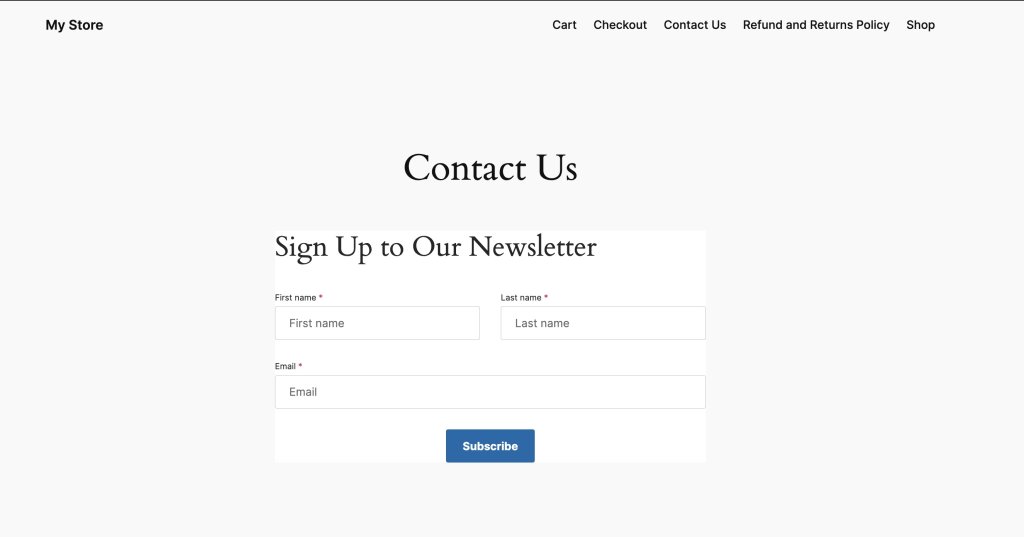
SiteGround Email Marketing service comes with a free WordPress Email Marketing plugin that allows you to create signup forms on your website and WooCommerce checkout for collecting leads. That is the first step towards successful email list building since it opens the funnel for all those subscribers to start enrolling.

Once you have a signup form, you may want to revise its positioning – by strategically placing sign-up forms on your web pages and giving them visibility in high-traffic areas, you ensure that more people will engage with them.

And ultimately, you should consider the “incentive” you give your users to subscribe. It may be access to a discount, free content, or else. We have a great article on how to build an email list if you wish to dive deep into the topic.

Use signup forms to collect subscribers to your email marketing campaigns

2. Use Double Opt-In Signup Forms

Forms that require “double opt-in” ensure that only those who truly want to engage with your brand make it onto your list. It’s a two-step process where users confirm their subscription, typically by clicking a link sent to their email. This extra step reduces the likelihood of spam complaints and improves the overall health of your email list.

Implementing double opt-in might seem like a hurdle, but it’s actually an advantage. It seeds out people who accidentally signed up for your newsletter and are unaware of it. They might be unpleasantly surprised when they start receiving your campaigns and act on impulse. There is a high probability that they could report you as spam and damage your reputation. 

The double opt-in helps you verify the subscriber’s interest and email address validity, leading to a more engaged audience and better deliverability. 

3. Authenticate Your Domain

Authenticating your sender domain is a way to prove your emails come from you and not a spammer who hijacked your domain. By verifying your email domain with DNS records, you ensure the recipients’ email servers that the emails come from a legitimate sender. Protocols like Sender Policy Framework (SPF), DomainKeys Identified Mail (DKIM), and Domain-based Message Authentication, Reporting & Conformance (DMARC) give your emails safe passage from sender to recipient servers.

Each protocol plays a unique role. SPF prevents email spoofing by verifying sender IP addresses. DKIM adds a digital signature to your emails, ensuring they haven’t been tampered with. DMARC ties the two together, telling receiving servers what to do if an email doesn’t have SPF or DKIM records set. All three mechanisms combined form a strong shield against forging your domain, which instills trust into recipient mail servers and increases your sender reputation. 

If you use SiteGround Email Marketing service to send your emails and your DNS is managed by SiteGround, we automatically set the DKIM and SPF records for you, validating the authenticity of your email campaigns. Here, you can read more about domain authentication in general and specifically on the SiteGround platform.

4. Include Unsubscribe Option in your emails

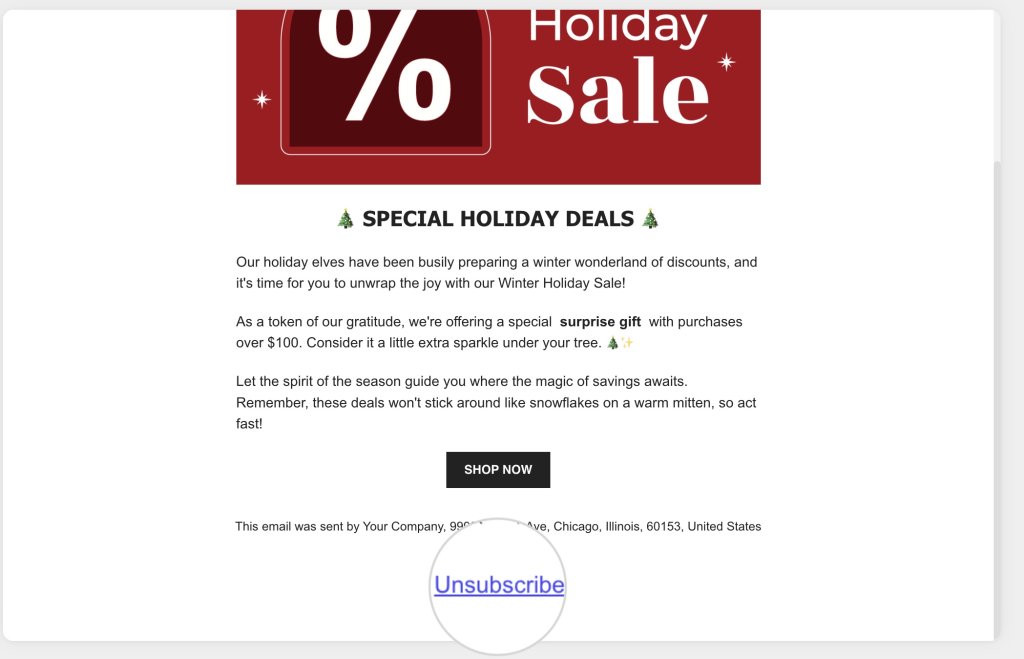
Always leave the choice for your users to unsubscribe –  not only is it a mandatory requirement in many anti-spam laws, but it also helps you maintain a strong core of an engaged audience. This feature gives the opportunity to users who do not like your content or are not interested to leave your list without harming your reputation. Without an unsubscribe link, these users would just click “report spam” and hit you really hard.

SiteGround Email Marketing users shouldn’t worry about unsubscribe options. All emails sent through our platform contain an Unsubscribe link in the footer by default, and recently, we added an automatic 1-click unsubscribe feature in the email headers to comply with the latest email providers’ requirements.

"Unsubscribe" button in an email marketing campaign

5. Clean Your Email List Regularly

Regularly removing inactive and unengaged subscribers from your list is fundamental to keeping high email deliverability and improving engagement rates.

Make it a habit to review your list periodically. Remove subscribers who haven’t engaged with your emails over a set period of time. Consider a re-engagement campaign before you hit delete, but if they still don’t give in, it’s time to let them go.

6. Monitor Denylists

Ending up on a denylist can be disastrous for your sender and domain reputation. Avoiding that requires a proactive approach to monitoring your reputation.

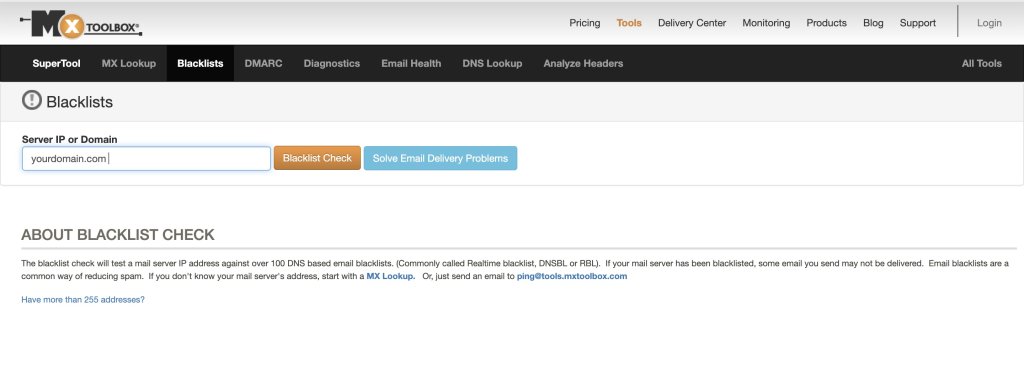
You can regularly check if your sender IP or domain is on a denylist using online tools. If you find yourself listed, take immediate action to remedy the situation by reaching out to the denylist operator and rectifying any issues that led to your listing.

If you are using an email service provider to send your campaigns and you notice that your IP is on a blacklist, you should contact that ESP for assistance. 

One such tool to monitor your reputation is MXToolBox, which can provide insights into how your IP address and domain fares in some of the most authoritative denylists. 

MX Toolbox Denylist Checker

7. Be Compliant with Internet Privacy Laws

Internet privacy laws like the CAN-SPAM Act, CASL, GDPR, and CCPA are not just guidelines; they are mandatory for any serious email marketer. Compliance ensures your emails are not only legal but also more likely to be welcomed by recipients.

Understand the requirements of each law, such as providing a clear opt-out mechanism, including your physical mailing address, refraining from using misleading subject lines, and obtaining explicit consent before sending emails. Staying informed and compliant keeps you out of legal trouble and builds trust with your audience.

8. Avoid Spam Triggers 

When crafting your emails, think of spam triggers as landmines on the path to a recipient inbox.  These triggers are specific words, phrases, formatting choices, and even punctuation that can raise red flags for spam filters. Steering clear of these can significantly improve your chances of avoiding the dreaded spam folder.

Spam triggers can be sneaky, often hiding in plain sight within your email content. They range from overly salesy language to aggressive calls to action and even certain words associated with spammy behavior (like “free,” “guarantee,” or “no risk”). Common spam triggers are: 

  • Words and phrases suggesting large financial benefits – free money, save big, risk-free, no fees, financial freedom, etc. 
  • Phrases and words prompting urgency and immediate actions – urgent, act now, last chance, once in a lifetime, instant, etc. 
  • Words and phrases promising on medical cures, health benefits, and sexual stimulants –  cure, miracle, life-changing, lose weight, baldness, cure-all, etc.
  • Overly persistent calls to action – get it now, do it today, join millions, start now, etc.
  • Excessive use of text in CAPS
  • Words and phrases associated with cheap marketing tricks – buy direct, special promotion, increase sales, great offer, you have won, bargain, best prices, etc.

Here is a small list with spam trigger words you must use cautiously:

  • Free
  • Guarantee
  • No risk
  • Winner
  • Unlimited
  • Discount
  • Act now
  • Offer expires
  • Urgent
  • Congratulations
  • Miracle
  • Incredible deal
  • Special promotion
  • Risk-free
  • Prize
  • All natural
  • Easy money
  • Get paid
  • Eliminate debt
  • Extra cash
  • Lowest price
  • Winner
  • Buy direct
  • Cancel at any time
  • Cheap
  • Save big
  • Exclusive deal
  • Hidden charges
  • Great offer
  • No obligation

Another thing to moderate in your email content is images. If you add too many or slow-loading images, this may trigger the spam watchers. Keep it at around 1-2 well-optimized images (using a web tool like TinyPNG) to pass successfully through the spam checkers. 

The key is to communicate your message effectively without setting off alarms. Of course, some of those words will show up in your message, but having too many of those in combination and as a percentage of the overall text is what makes it shady and a spam trigger. Here are some tips on how to steer away from spam triggers: 

  • Use Natural Language –  Write as if you’re speaking to a friend. Avoid excessive use of text in capital letters, bold text, and exclamation points, as these can appear shouty and spam-like.
  • Be Mindful of Subject Lines – Your subject line is the first thing a recipient sees. Make it engaging but never misleading or “too-good-to-be-true.”
  • Balance Text and Images – Emails that are heavy on images with little text can be a red flag. Aim for a healthy balance that’s visually appealing yet informative.
  • Keep It Clean –  A cluttered layout with multiple fonts, colors, links and images can not only look spammy but may also confuse your readers. A clean, simple design is more effective and less likely to trigger filters.
  • Avoid Deceptive Tactics –  Never try to trick spam filters by using tactics like inserting dots in words (e.g., f.r.e.e). Not only do modern filters see through them, but they also damage your credibility with subscribers.

The definition of what constitutes a spam trigger can evolve as email clients update their filtering algorithms. It’s essential to stay on top of these changes by regularly testing your emails and tweaking content as necessary. A/B testing different elements of your emails can also provide insights into what resonates best with your audience without setting off spam filters.

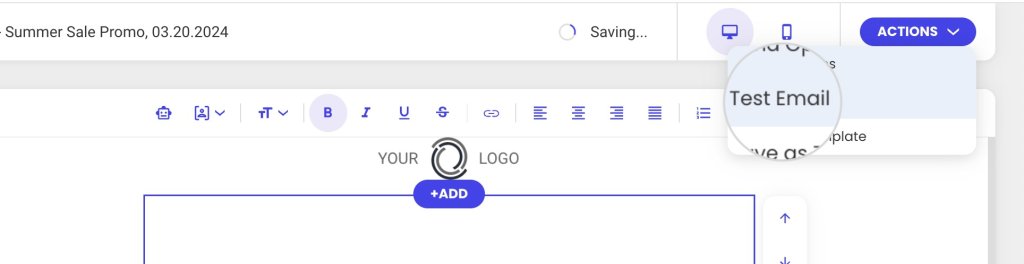
If you are using SiteGround Email Marketing, you can test your email campaigns by sending them to your own address to catch any spam triggers in advance.  

Test email option in SiteGround Email Marketing

9. Monitor Your Email Engagement Metrics

Data is your best friend when it comes to avoiding spam. Sadly, there is no way for you to know the exact percentage of the emails you send that get flagged as spam by spam filters. Depending on the reason why your emails get flagged, as well as on the specific filter settings and what they are instructed to do, different things may happen to a “spam” email. They may be rejected by the recipient server at a network level, which means they would never be delivered and reach the spam folder. What is more, recipient servers do not like to communicate specifics on how they handle various types of situations in order to not facilitate spammers into cutting corners. Since often there is no real feedback loop, the sending server cannot gather actual statistics on how many of your emails ended up in spam. 

As the second best alternative, you may want to keep a close eye on metrics measuring email deliverability and user engagement in general. They will provide insights into how your audience and email filters respond to your content: 

  • Reported as spam rate –  The percentage of recipients who mark an email from a campaign as spam or junk. This metric indicates how many subscribers consider the emails unwanted or irrelevant enough to report them to their email service provider as spam. It is also your only real “spam” metric, but it does not include data on the emails that ended up in spam folders or got rejected at the network level by filters, which makes this metric alone insufficient.
  • Open rate – Measures the percentage of email recipients who open a given email out of the total number of emails sent. Too many unopened emails as a percentage of the total not only indicate a problem with your subject line but also put you at risk of your future emails being flagged as spam.
  • Delivery rate –  Indicates the percentage of emails that were successfully delivered to the recipients’ mailboxes (inbox and spam folder including) out of the total number of emails sent in a campaign. The delivery rate focuses on the reachability of the emails. It only measures what part of the sent emails have reached their recipients but doesn’t tell you where they landed or what happens to those that didn’t hit the target. Still, if you have too many undelivered emails there might be different reasons, one of which being a high spam rate.
  • Click rate –  Measures the percentage of email recipients who clicked on one or more links within an email. This metric is crucial for gauging the level of engagement and interest your content generates among your audience. It can provide insights into how effective your email content, calls to action, and overall design are at prompting recipients to take the desired action. If your content does not manage to engage subscribers systematically, a chain reaction may follow of declining open rates, unsubscriptions from your email list and increased spam complaints.
  • Unsubscribe rate –  Tracks the percentage of recipients who opt out of a mailing list after receiving an email campaign. It is an indicator of how well the content aligns with the audience’s interests and whether the email campaigns meet their expectations. Obviously, it does not indicate any spam risk on its own, but if you notice your unsubscribe rate is high or growing, you may assume that your spam complaint rate might be increasing as well since that shows recipients are getting impatient with your content and will start punishing you in various ways.
  • Bounce rate – Refers to the percentage of email addresses in your campaign that didn’t receive your message because the recipient’s mail server returned it. In a different article, we discuss the different types of email bounces, so here, we only remind you that “hard” bounces show that you have invalid emails on your list. If your bounce rate is too high, that might indicate to email providers that you are not collecting your subscribers in the right way, and they might start flagging your domain and content for spam.

Use these metrics to map out what works and what doesn’t. High engagement rates are a sign you’re on the right track, while dips could indicate it’s time to tweak your strategy. On the contrary, you want to keep the unsubscribe, bounce, and reported as spam rates as low as possible. An increase in these metrics should prompt you to reassess your marketing campaigns. 

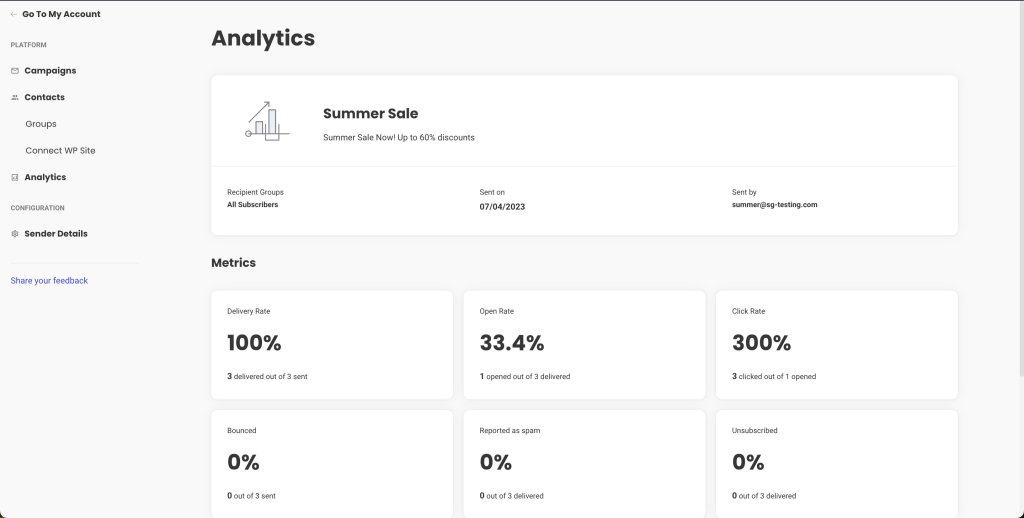
Your email marketing service might offer analytics tools out of the box, or you can use third-party instruments to measure these metrics. With SiteGround Email Marketing, every email campaign is monitored, and the vital statistics are displayed in a user-friendly and intuitive interface.

Campaign statistics in SiteGround Email Marketing

10. Send Relevant Content

Relevance is the key to engagement. Your emails should be timely, targeted, and full of value. Personalize your content to resonate with your audience’s needs and interests.

Don’t flood your users with repetitive and irrelevant content just for the sake of sending. Prioritize quality over quantity and make each email campaign meaningful and impactful.

Segment your list to deliver more personalized content. Use data like past purchases, location, or engagement history to tailor your messages. The more relevant your content is, the more likely subscribers are to engage and the less likely they are to report your messages as spam.

11. Bonus Tip: Use Spam Checkers

Before you send out your emails, run them through a spam checker. These tools analyze your emails for common spam triggers and give you a chance to correct any issues before pressing send.

Look for reliable spam-checking tools like Mail Tester and make them a part of your email review process. Incorporate their feedback to reduce the chances of your emails being flagged as spam.

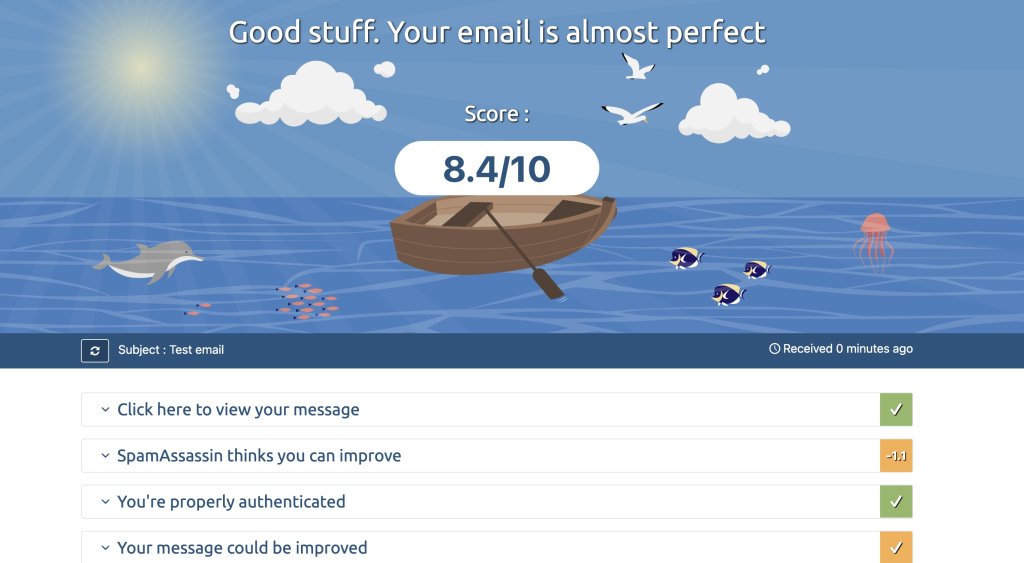
Spam checker test email

FAQ

Let’s tackle some common questions to help you navigate the world of email deliverability.

Why Are My Emails Going to Junk?

Your legitimate emails could be going to junk for a variety of reasons, including poor sender reputation, low engagement rates, or content that triggers spam filters. To pinpoint the exact reason, you’ll need to analyze your email practices, from the way you collect email addresses to the relevance and frequency of your content.

Take notice of instances when your emails end up in junk and look for patterns. Are there specific types of content that consistently get flagged? Are certain email clients more likely to mark your emails as spam? Use this information to refine your email strategy.

Send Wanted Emails

The golden rule of email marketing is to send emails that your subscribers actually want to receive. This means understanding their preferences, providing value, and respecting their time.

Tune into your subscribers’ wavelength by asking for feedback, conducting surveys, and analyzing engagement data. Adjust your content strategy to align with their interests, and you’ll see better results.

Avoid Email Honeypots

To avoid such spam traps, only collect email addresses directly from your audience through legitimate sign-up forms and never purchase lists. Regularly validate your email addresses to ensure they are legitimate and engaged.

Conclusion

Mastering the art of email deliverability takes time, effort, and a willingness to learn and adapt. By following the tips outlined in this guide, you’ll be well on your way to ensuring your emails reach their intended inboxes. Remember to build a solid foundation with a permission-based email list, authenticate your emails, maintain list hygiene, and always provide value to your subscribers.

As you continue your email marketing journey, keep testing, tweaking, and improving. The landscape of email deliverability is ever-changing, and staying informed is key to success. Implement these preventive measures, monitor your email deliverability consistently, and you’ll find your emails welcomed by both subscribers and their inboxes.