Your first 90 days: an ecommerce marketing plan for growing sales

abstract of ecommerce marketing

Here’s the plan: a focused 90-day ecommerce marketing roadmap in four phases, with real benchmarks and tactics that work whether your budget is zero or a few hundred bucks a month. No need to become an overnight expert. Whether you’re selling a productivity planner, custom phone cases, or a home-cooked hot sauce, the path is the same: get your store ready, launch, learn from your first customers, then double down on what works.

Key takeaways

  • You don’t need a complicated ecommerce marketing strategy — you need a focused 90-day plan built in phases.
  • Get your store ready to convert before spending time or money driving traffic.
  • Set up essential email flows early — they work in the background and drive consistent revenue.
  • Choose two marketing channels and commit to them before adding more.
  • Use customer data from your first customers to guide decisions instead of guessing.
  • Double down on what works and cut what doesn’t by day 60 to scale smarter in days 61–90.

What is ecommerce marketing?

Ecommerce marketing is everything you do to bring people to your store and turn them into paying customers. That includes social media marketing, the emails you send, the ads you run, how your store ranks in search engine and AI results, and even the words on your product pages.

Ecommerce marketing success is less about making a lot of noise and more about finding the right people and giving them a reason to buy. The good news is that you don’t need to do all of it at once, and especially not in your first 90 days.

Your 90-day ecommerce marketing plan

PhaseTimeframeFocusKey goal
1: Pre-launchDays 1–30BuildStore ready, email set up, audience started
2: LaunchDays 31–37SellFirst customers
3: ValidationDays 38–60LearnWhat’s working
4: ScaleDays 61–90GrowDouble down and expand

Phase 1: Pre-launch (days 1–30): build before you sell

The biggest mistake new sellers make when it comes to ecommerce marketing is spending money driving traffic to a store that isn’t ready to convert. Phase 1 is about getting the foundations right before a single ad goes live or a single email gets sent.

1. What’s your ecommerce marketing budget?

Before anything else, figure out what you’re working with. This shapes every decision in the phases ahead.

Budget stageMonthly marketing budgetWhat this means for your strategy
No budget$0-$200Organic-first. Lean on free (or almost-free) channels — social media, email, word of mouth. Hustle over spend.
A little to work withUp to $200You can start testing low-cost options like a small social media ad boost or a promoted post. Be selective.
A bit more budget to invest$200–$500Enough to run a real paid campaign or try a few channels at once. Spend intentionally and track everything. 

2. Optimize your store before you drive traffic to it

Before you market anything, make sure your store is actually ready to convert visitors into buyers. Go through each of these:

  • Product descriptions: Make sure your product detail pages are ready to go. That is, answer the questions a customer would actually ask. What is it made of? How does it work? What size should I get? Don’t assume they know what you know.
  • Photos: Use clear, well-lit images that show the product from multiple angles. Lifestyle shots help people picture owning it.
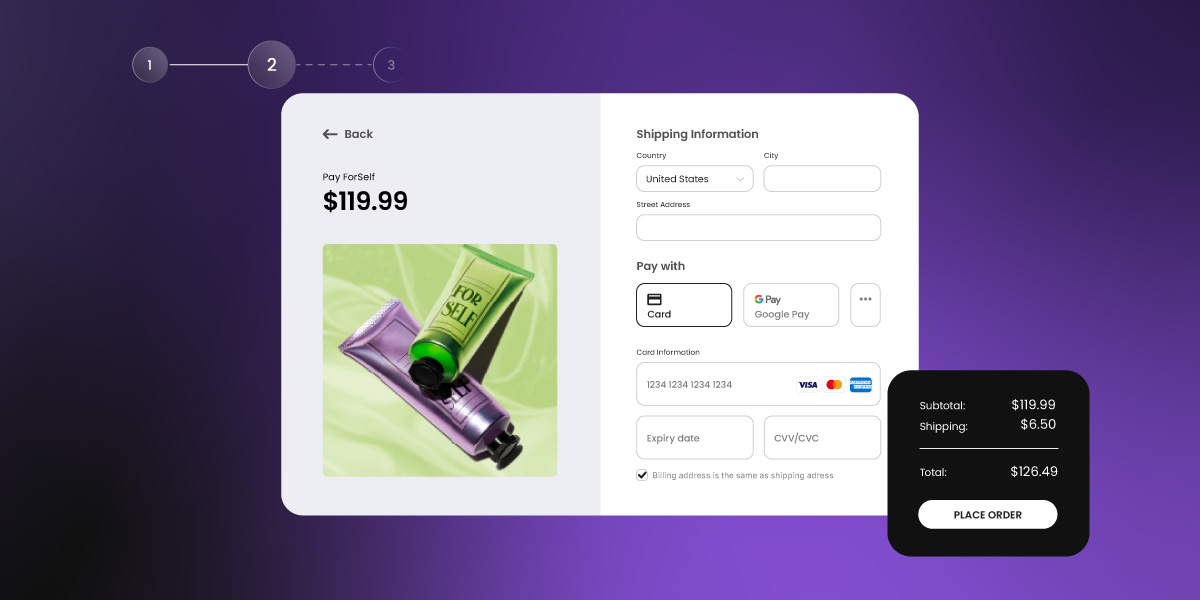
  • Checkout: Go through the checkout yourself. Is it quick and easy? Every extra step loses customers.
  • Trust signals: Add a clear returns policy, contact information, and if you have any early reviews or press mentions, show them.
  • Mobile: Check that everything looks good and words as it should on a phone. Paying special attention to mobile web design is essential, as most of your visitors will be on one.
  • Site speed: Every extra second your store takes to load loses you customers. Test your load time using a free tool like Google PageSpeed Insights and fix any obvious issues (oversized images are usually the biggest culprit). Choosing a website builder with web hosting built for performance means you’re starting from a strong baseline.
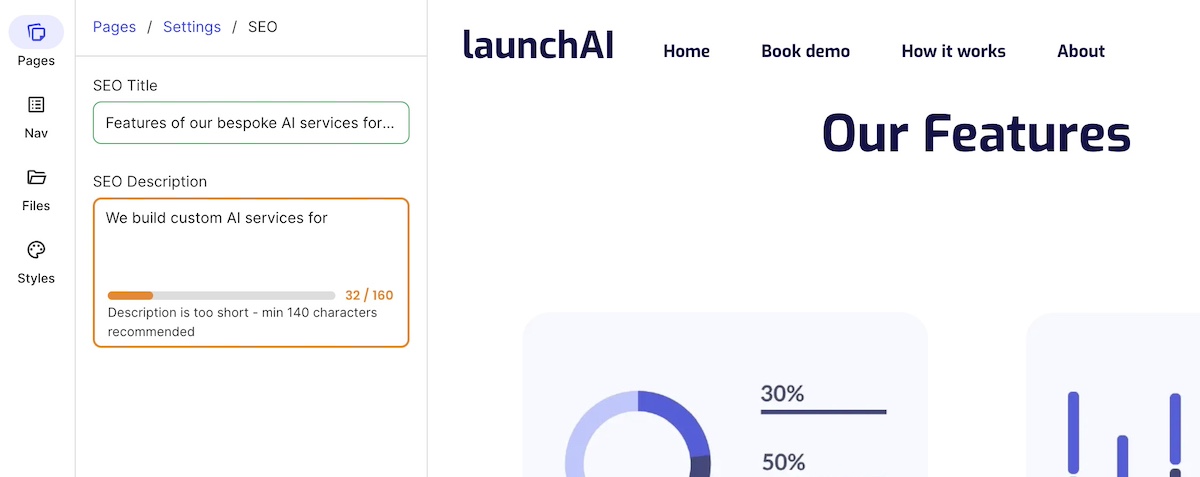
  • Search visibility basics: Set your store up for search from day one — clear page titles, meta descriptions, and product copy that uses the words your customers actually search for. SiteGround’s SEO checklist and guide to generative engine optimization are good places to start.

3. Set up your essential email flows and sequences before day one

Email is one of the highest-returning marketing channels available, and the best part is you set it up once and it works in the background. Before launch, you need two things in place: automated flows that trigger based on what a customer does, and email sequences that guide someone along the email customer journey over time.

Automated flows respond to behavior. Get these three set up before you launch:

1. Abandoned cart: Sent a few hours after someone leaves without buying. Cart abandonment sits around 70% industry-wide, so a simple “you left something behind” email with a link back to their cart recovers more sales than you’d expect. Consider a follow-up a day later if they still haven’t completed their purchase.

2. Post-purchase: Sent after a completed order. Thank them, tell them what to expect, and start building the relationship that leads to a second purchase. This is also a good place to ask for a review.

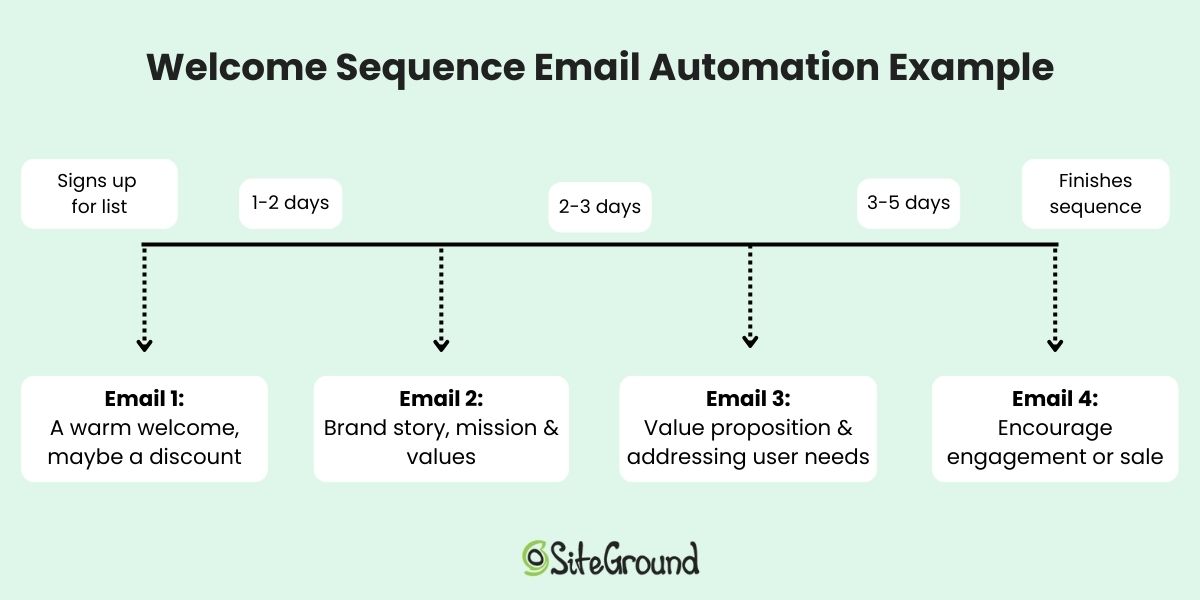
3. Email sequences are the planned journey you take someone on from the moment they join your list. Rather than sending one email and hoping for the best, a good welcome email sequence spans 4–5 emails over a couple of weeks — introducing yourself, showcasing your product, handling common questions, building social proof, and ending with a first-purchase incentive for anyone who still hasn’t bought. 

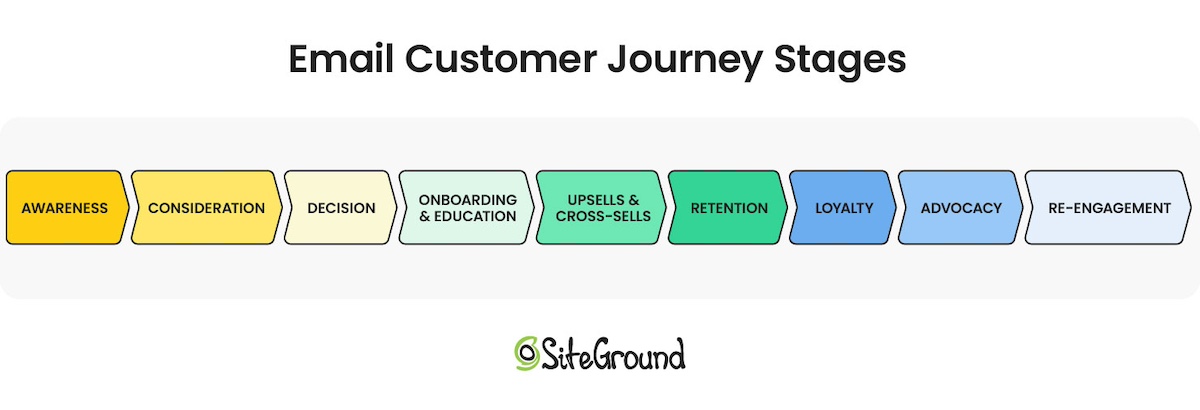
Each email moves the reader along an email customer journey — from awareness to re-engagement — one step closer to buying rather than asking them to go from stranger to customer in a single send. Once you launch, this sequence transitions naturally into your ongoing email rhythm. 
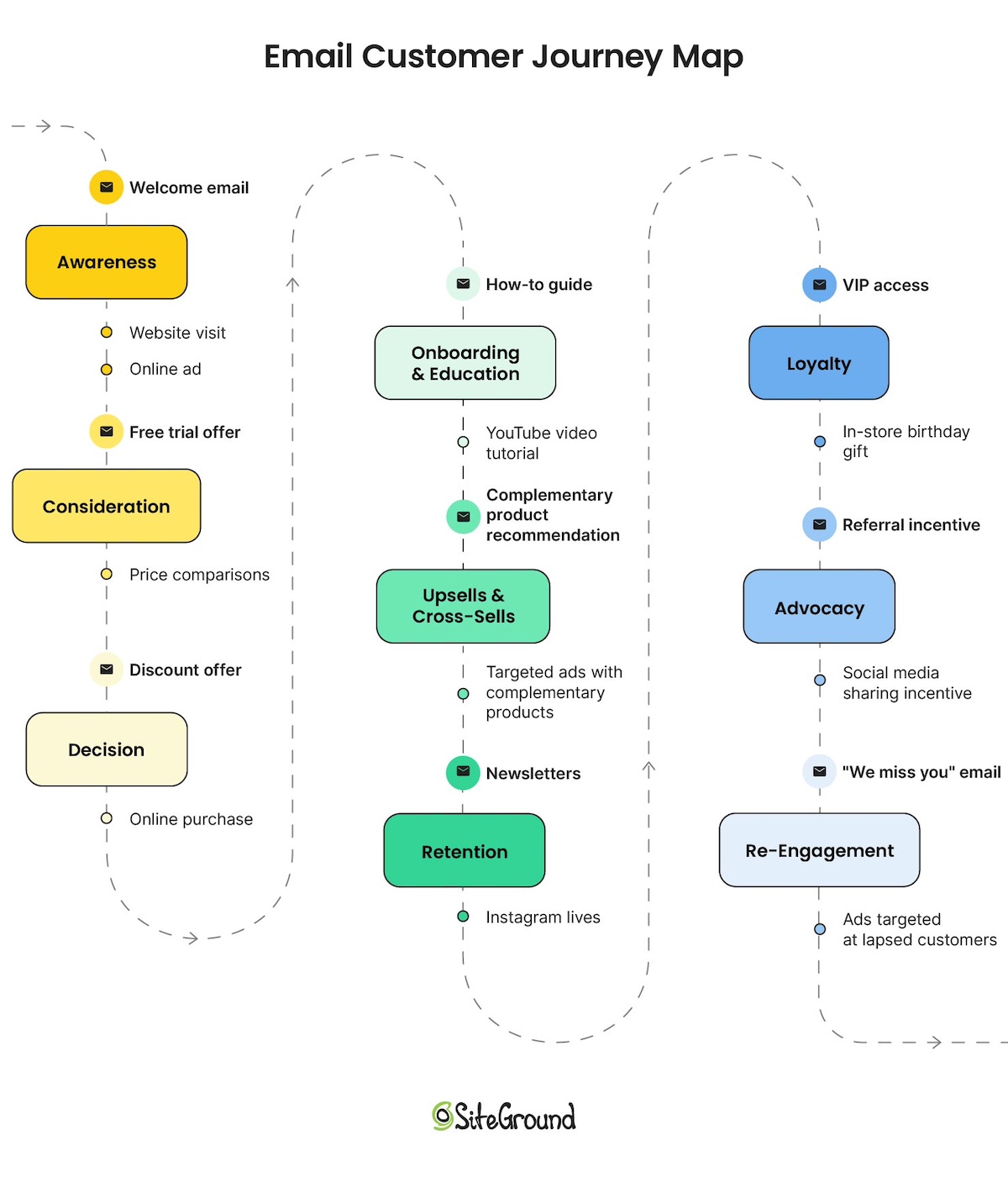
Diagram of an email customer journey map with all touchpoints

As soon as you start sending, note your open rates, click-through rates, and unsubscribe rates for each email. These email marketing benchmarks will look different for every ecommerce business and audience — what matters isn’t hitting a universal benchmark, but establishing your own baseline so you can spot meaningful changes over time.

4. Build your pre-launch audience

You don’t have to wait until launch day to start building an audience; in fact, the sooner you get started, the better. Here’s how to get some ecommerce marketing momentum going before you go live:

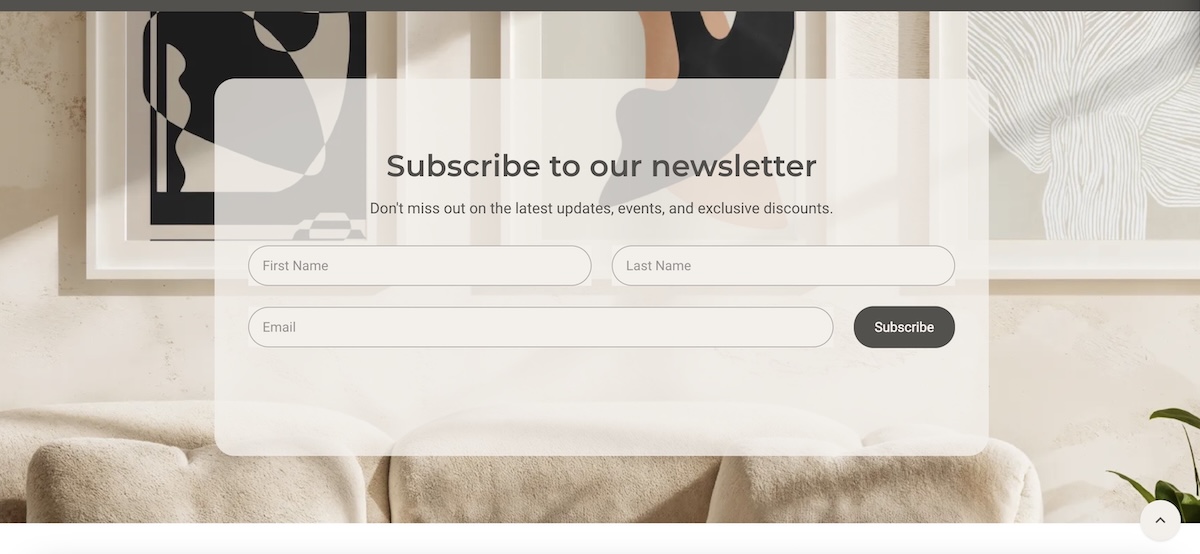
  • Set up a simple email marketing waitlist on your site and link to it everywhere. (If you’re using SiteGround, adding a simple email subscribe form is super easy to do.)
  • Consider offering an incentive (often called a lead magnet) to encourage sign–ups. For example, early-bird access or a small discount for people who sign up before launch is a great way to get people to join your list. Just remember to keep the incentive relevant to what you offer so that you attract people that are genuinely interested in your product or services. 
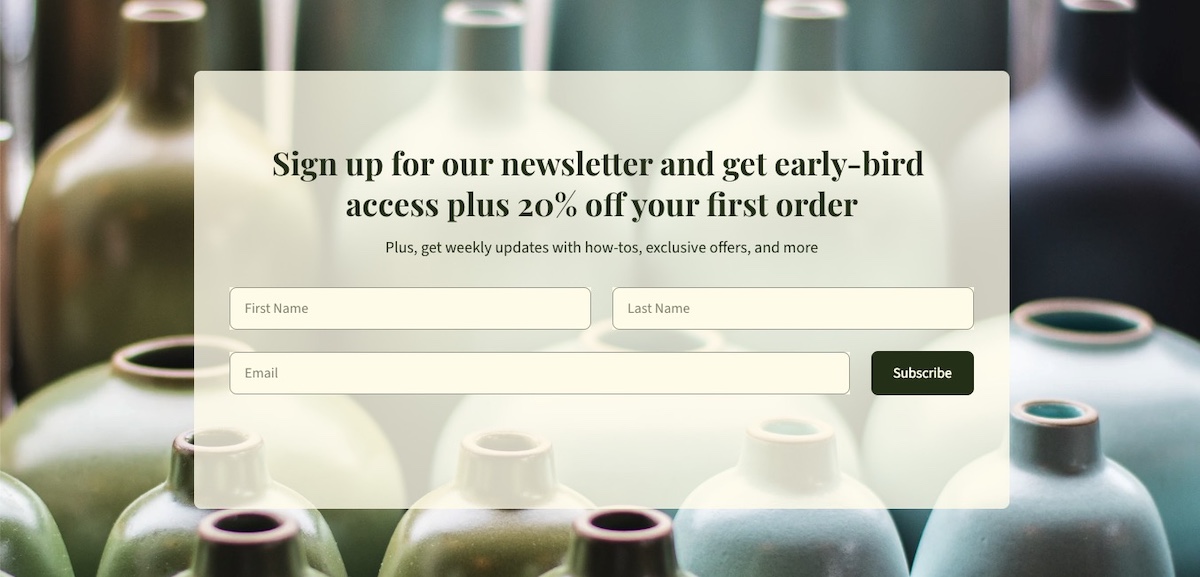
Example of a pre-launch incentive form to build email sign-ups
  • Post behind-the-scenes content on social media — people love seeing how a product is made
  • Tell your personal network what you’re working on (yes, actually tell them and even ask them kindly to give you a follow; oftentimes and a genuine request is all it takes)

5. Choose your first two channels and ignore the rest (for now)

Pick two marketing channels and focus on them entirely. Your goal is to reach potential customers where they already spend time, not to be everywhere at once. Use this to decide:

  • Visually driven products (home goods, fashion, food, art): Instagram, TikTok, or Pinterest. Instagram marketing or Pinterest presence are your go-tos TikTok can be great for small business and is worth serious consideration if you’re comfortable on camera — its organic reach for new accounts is hard to beat, and behind-the-scenes and “how it’s made” content performs particularly well for independent sellers.
  • Products for professionals or other businesses: LinkedIn is where it’s at
  • Products with a passionate niche community: Find where that community already lives — a subreddit, a Facebook group, a niche newsletter
  • Local or service-adjacent products: Facebook or even Google Business Profile

Once you’ve chosen your two channels, here’s how to approach them based on your budget:

If you have no budget: Go all in on organic. That means showing up consistently (aim for at least 3–4 posts a week) and focusing on content marketing that gives people a reason to follow you before they buy. Behind-the-scenes content, product demos, your story, customer reactions. Engagement matters more than follower count at this stage, so respond to every comment and message.

If you have a little to spend: Start with organic to figure out what content resonates, then put a small amount behind your best-performing posts to extend their reach so that you can build your following, hype, and momentum. Even $5–10 a day on a boosted post to a targeted audience can meaningfully increase visibility. 

If you have some budget to invest: You could run proper paid campaigns, but keep in mind that paid social media works best when your organic presence is already established and your store is converting well. So best to save this investment for a later phase while you get the foundations in place.

Whichever budget level you’re at, consistency beats volume. Two channels done well will always outperform five channels done poorly. Commit to those two for the full 90 days before dabbling in a third.

Phase 1 success metrics

By the end of day 30, you should have:

  • A store that’s ready to convert, with complete essential pages and trust signals
  • Three email marketing flows set up and tested
  • A pre-launch email list of at least 50–100 subscribers
  • Two channels chosen and active with a content rhythm established

AI pro tip

Phase 1 involves a lot of writing — product descriptions, email flows, social media bios, page copy. Use AI (either your favorite LLM, or a built-into-your platform AI writer) to draft and refine these faster. Give it context about your product and your customer and let it do the heavy lifting on the first draft. 

You can also use AI to help research your target audience. Ask it what questions your ideal customer is likely to have, what objections they might raise, and what language they use.

One tool to bring it all together
By this point you’ve set up a store, built email flows, started growing an audience, and chosen your channels. If you’re stitching together separate tools to do all of this, it gets expensive and complicated fast. 

SiteGround Ecommerce is built to handle all of it in one place: a high-performing store optimized for speed, mobile-ready design out of the box, built-in search engine optimization tools, a built-in AI writer, email marketing that integrates seamlessly, and access to AI Studio to help you create content faster. And if anything goes wrong or you just need a hand, 24/7 support is there. Less time managing tools means more time actually marketing your store.

Start building your ecommerce website now>>

Phase 2: Launch week (days 31–37): get your first customers

Launch week is about turning all that setup into your first sales. Start with a clear goal, then follow a day-by-day plan to get in front of customers immediately.

1. Set your launch goal

Before launch week begins, decide what success looks like, and be specific about what that means for your type of business. A store selling $15 digital downloads and one selling $500 handmade furniture are playing very different games. Your goal and the metrics you track should reflect that.

Use this to set your launch goal:

Business typeGood launch week goalKey metrics to track
Low-price products ($10–$50)First 5–10 salesNumber of sales, conversion rate, email click-through rate
Mid-price products ($50–$200)First 1–3 salesNumber of sales, add-to-cart rate, abandoned cart recovery
High-price or considered purchases ($200+)First inquiry or consultationInquiries received, email replies, time spent on product page
Digital products or downloadsFirst 10+ salesNumber of downloads, conversion rate, traffic source
Services or bookingsFirst booking or discovery callBookings made, contact form submissions, email open rate

Write your goal down and keep it visible. Every ecommerce marketing decision you make this week should be answering the same question: is this getting me closer to that number?

2. Plan your launch week

Launch week is not the time to sit back and see what happens. Here’s a day-by-day framework:

Day 1:

  • Send a product launch email to your waitlist — make it personal, tell the story behind the product, and include a clear reason to buy now (a launch discount, limited first batch, or free shipping for the first 48 hours).
  • Post your launch announcement on both of your chosen channels.
  • Message people in your network directly. Again, don’t be shy about leaning on your people for that initial momentum — and don’t just post and hope they notice. 

Days 2–4 + ongoing:

  • Post on your chosen channels every day.
  • Vary your content to keep it fresh. Some ideas that tend to perform well for new stores:
    • Behind-the-scenes: how the product is made, packaged, or shipped
    • Founder lives or videos: put a face to the brand and talk directly to your audience
    • How-tos: show the product in use or explain how to get the most out of it
    • Problem/solution posts: who is this for and what does it solve?
  • Respond to every comment and message. Early engagement signals matter for algorithm reach.
  • Share any positive first reactions or purchases (with permission) as social proof. Even better: encourage customers to share photos or videos of their purchase and tag you. Reposting real user-generated content is more convincing than anything you could create yourself, and it costs nothing.

Days 5–7:

  • Send a second launch email with a fresh angle — a different email subject line, a reminder that a launch offer is ending, or a customer story if you have one. Not everyone opens the first email, and a follow-up gives you a second shot at their attention.
  • Follow up personally with anyone who expressed interest but hasn’t bought.
  • If you have a small budget, boost a post to a warm audience or run a small targeted ad. As soon as you start spending, track your customer acquisition cost (CAC) — simply divide what you spent by the number of customers you got. It’s the clearest way to know if your marketing spend is paying off.

Phase 2 success metrics

The ecommerce marketing metrics that matter here depend entirely on the goal you’ve set and the type of business you’re running — so refer back to those before reading this list. Then ask yourself:

  • Did people show up? Look at your traffic. If you had visitors but no sales or enquiries, the issue is likely your store or your offer — not your ecommerce marketing strategy.
  • Did your email do its job? Look at your open rates and click-through rates. Are people opening but not clicking? Your subject line is working but the content or offer inside isn’t landing. Low opens across the board? Try a different subject line approach on your next send.
  • Did you get the response you were looking for? Whether that’s a first sale, a product enquiry, a booking, or a sign-up — did people take the action you were hoping for?
  • Did people engage? Comments, shares, replies, and DMs all indicate interest — even from people who didn’t buy yet. That’s an audience worth nurturing into Phase 3.

AI pro tip

Launch week means a lot of content to produce in a short amount of time. SiteGround AI Studio has specialized agents built for exactly this: the Copywriter Agent can draft your launch email and follow-up in minutes, the Ads Expert for Meta can generate ad copy with multiple variants ready to test, and the Instagram and Facebook Manager Agents can create and post social media content directly to your channels —no copy-pasting between platforms. Just explain what you need in plain language and the work gets done.

Phase 3: Validation (days 38–60): what’s working?

Reading your early numbers accurately means looking at what’s working, what’s not, and adjusting before you scale.

1. How to read your results and what to do next

You don’t need a data science degree to read your early numbers. Using the signals you gathered in launch week as your starting point, look for these patterns, and act on what you find:

  • People visiting but not converting: Something on the page isn’t convincing them — usually copy, photos, pricing, or trust signals. Don’t keep driving more traffic to a website page that isn’t converting. Pause and fix the page first — copy, photos, pricing, or trust signals — before spending more money or energy on marketing it. 
  • Your customer journey has friction: Walk through your customer’s journey to purchase — from awareness to decision — to make sure it runs smoothly. Pay special attention to your online business as if you’re a first-time visitor. Does each step lead naturally to the next? Is it obvious where to go, what to do, and how to buy? A confusing website navigation, a buried call to action, or a checkout that asks for too much too soon can lose customers at any point.
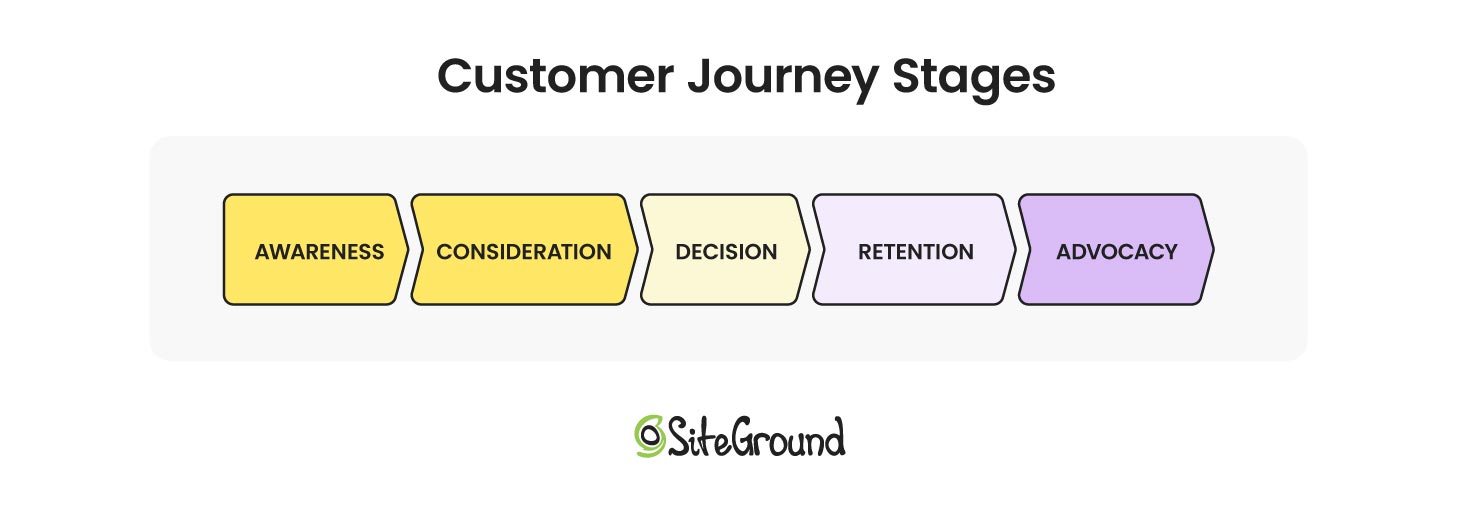
diagram of customer journey stages
  • Low traffic: Your marketing isn’t reaching enough people, or the right people. Double down on the channel that’s showing even small signs of life before adding anything new.
  • Customers not coming back or re-engaging: Depending on your sales cycle it may be too early to expect repeat purchases — but if customers aren’t opening your post-purchase emails or showing any sign of engagement, go back to your email flows. Check your email marketing metrics to see which email gets the most clicks? Is your timing right? Small adjustments to subject lines, content, or send timing can make a real difference.
  • You’ve been consistent on a channel for 3–4 weeks with no engagement: Before switching channels, consider whether your content marketing approach is right for it. TikTok rewards casual, personality-driven video; Pinterest rewards polished, searchable visuals; LinkedIn rewards insight and expertise. Try adapting your format or messaging before writing the channel off entirely.

Check your store analytics once a week. What “working” looks like will be different for every business; a high-ticket product with one inquiry a week might be right on track, while a low-price digital product with the same result is not. Use your own goal and business type as the benchmark, not someone else’s.

2. Ask your first customers directly

Send a short survey email to your first buyers to gain customer feedback. Keep it to 3–5 questions:

  1. What made you decide to buy?
  2. Was there anything that almost stopped you?
  3. How would you describe this product to a friend?
  4. What would you love to see us add or improve?

You’ll learn more from 10 honest responses than from weeks of guessing. Offer a small discount code as a thank-you for their time. Accumulate and save the responses — you’ll use them in Phase 4.

3. Try things, see what works

You don’t need fancy tools to figure out what’s resonating. At this stage, testing just means trying one thing, watching what happens, and adjusting. Keep it simple:

  • Send two different subject lines on consecutive email sends and see which gets more opens
  • Try a different lead image on your best-selling product page and see if it changes behavior
  • Post two different content styles on the same channel in the same week and see which gets more engagement

Change one thing at a time, give it enough time to mean something, and write down what you learn. Small, consistent tweaks add up quickly.

If you have some budget to work with, this is also the right moment to start putting small amounts behind what’s already showing organic traction. A post that performed well organically, a product page that’s getting traffic but not converting, or an email offer that got strong clicks — these are worth a small ad spend to see if paid amplification moves the needle. Don’t spend on anything that hasn’t already shown a sign of life.

Phase 3 success metrics

By the end of day 60, aim for:

  • At least one clear signal of what’s working — a channel, a message, a product
  • Email metrics moving in the right direction from your own baseline — open rates, click-through rates, and unsubscribe rates should be improving or holding steady. A consistent drop is a signal to act on.
  • First signs of repeat engagement or returning visitors, depending on your sales cycle
  • A short list of things to stop doing and things to do more of going into Phase 4

AI pro tip

Use AI to generate copy variations quickly. Instead of rewriting a subject line or product description from scratch, paste in your original and ask for five alternatives, then try the most promising one in your next send. AI is also useful for making sense of early data: describe what you’re seeing in basic language and ask it to help you spot patterns or figure out what to focus on next.

Phase 4: Scale (days 61–90): build on what’s working

You’ve validated that people want what you’re selling. Now it’s time to do more of what’s working and less of what isn’t.

1. Apply what you learned from your customers

Go back to those survey responses from Phase 3. Put them to work:

  • If several customers mentioned the same hesitation before buying, address it directly in your product copy or FAQ. Even consider posting an Instagram or TikTok video addressing those hesitations directly — it builds trust and reaches people who are on the fence.
  • If people described your product in a specific way, use that exact language in your ecommerce marketing. Customer words almost always outperform brand-written copy.
  • If someone mentioned a feature or product they wished you had, that’s a roadmap idea.
  • This is also a good moment to think about customer lifetime value (CLV): the total a customer spends with you over time. Someone who buys three times is worth far more than their first order suggests. In fact, acquiring a new customer costs 5 to 25 times more than retaining one (Harvard Business Review, citing Bain & Company research), which is why investing in customer loyalty and retention often pays off more than chasing new customers.
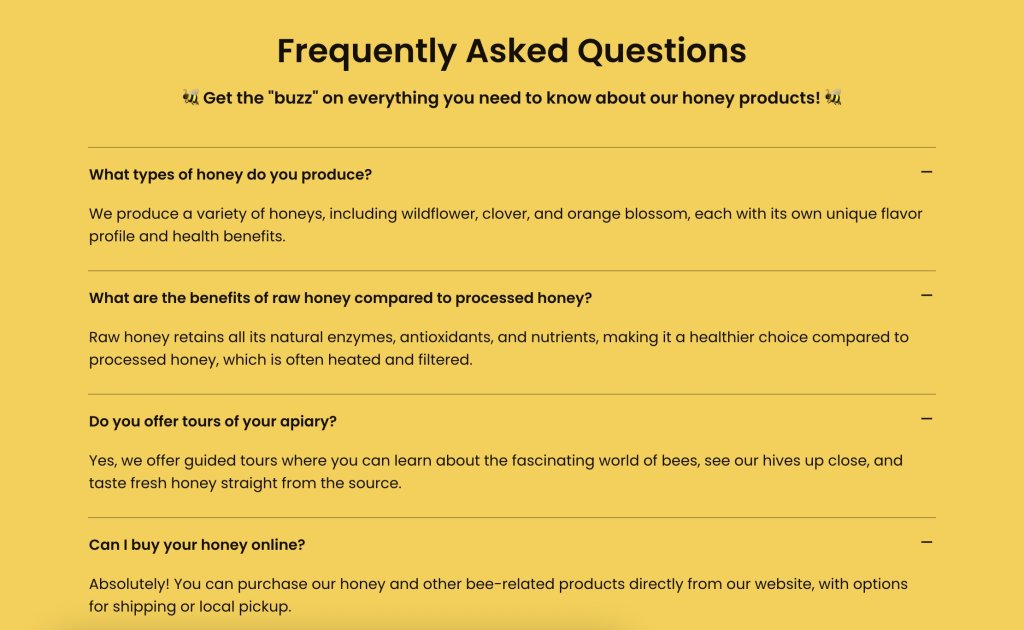
example of faqs addressing customer feedback

And don’t stop there. Your first customers are your biggest asset, so make it easy for them to come back, leave a review, or refer a friend. Actively encourage user-generated content too: a simple ask to share a photo or tag you on social media can kickstart a stream of authentic content that builds trust far more effectively than any ad.

2. Double down on what the data is telling you

By day 60 you have enough information on customer behavior to make more confident decisions — not just small tweaks, but real shifts in where you spend your time and money. This is different from Phase 3, where you were looking for early signals. Now you’re acting on them decisively.

Here’s how to put your data to work:

  • Find your best channel and invest more in it. Which channel is sending the most traffic that actually converts? Increase your posting frequency there, put budget behind it if you have any, and deprioritize the channel that’s consistently underdelivering.
  • Identify your best-performing email. Which email in your flow drives the most clicks or revenue? Model your next campaign around what’s working in that email — the offer, the tone, the subject line format.
  • Find your best product and lead with it. Which product is getting the most traction and why? Make it the centerpiece of an effective ecommerce marketing strategy (feature it in ads, emails, and social media content) and consider whether a bundle or upsell opportunity exists around it.
  • Look for opportunities to increase average order value (AOV). Bundles, upsells, or a free shipping threshold can meaningfully grow revenue from the same number of customers.
  • Cut what isn’t working. If something has had 60 days and shown no signs of life, stop doing it. The time and budget you free up is better spent doubling down on what is.

3. Run an early SEO and reputation audit

By day 60 you have enough history to take stock of how your store is showing up beyond your own ecommerce marketing efforts. Set aside some time to review:

  • Search visibility: Are any of your product or category pages showing up in search engine results yet? Which search terms are bringing people to your site? Use Google Search Console (free) to see what queries you’re appearing for and where there’s room to improve. Also consider how your store is showing up in AI-powered search tools — are your product pages clear and authoritative enough to be surfaced by tools like ChatGPT or Google’s AI Overviews? Well-structured, descriptive content is what gets picked up.
  • Revisit SEO: Review your product descriptions, page titles, and meta descriptions with fresh eyes. Are they using the language your customers actually search for? Are they clear and compelling enough to earn a click from a search result? Conduct an SEO audit to make sure everything is working as it should.
  • Your online reputation: Search for your brand name and your products. What comes up? Are there any early reviews, mentions, or social media posts you should be aware of or responding to? Keep in mind that a positive online presence helps you get found by both search engines and AI. Getting on top of this early makes it much easier to manage as you grow.
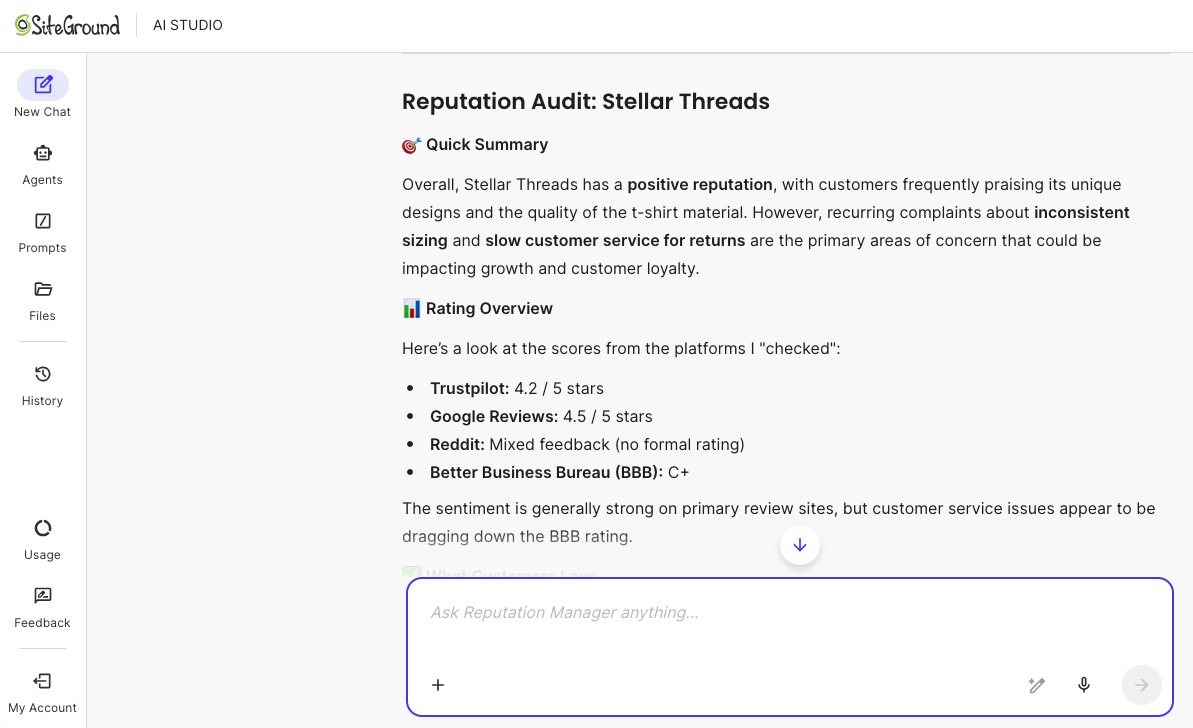
example of a business reputation audit done by an AI agent

4. Add a third channel based on what’s working

Look back at the channel options from Phase 1 and pick the one you left on the table. Here’s how to decide:

  • You’re seeing engagement from a niche community: Find the subreddit, Facebook group, or newsletter where your customers hang out and start showing up there.
  • You’ve been organic-only on social media: Put a small budget behind your best-performing content on the platform that’s already working.
  • You tried one social media channel and it’s running well: Start giving another relevant social channel a try.

Pick one, commit to it for the rest of Phase 4, and measure it against the same signals you used for your first two channels.

5. Explore partnerships and PR for organic growth

Some of the best growth at this stage comes from other people’s audiences:

  • Micro-influencers: Reach out to creators and social media influencers in your niche with 1,000–10,000 engaged followers. Influencer marketing is a way to get a genuine recommendation from a trusted voice, and that often converts better than a paid ad.
  • Complementary brands: Find businesses selling to the same customer but not competing with you. A cross-promotion, giveaway, or bundle deal can introduce you to a whole new and highly targeted audience, plus it comes with the default endorsement of the partnering brand.
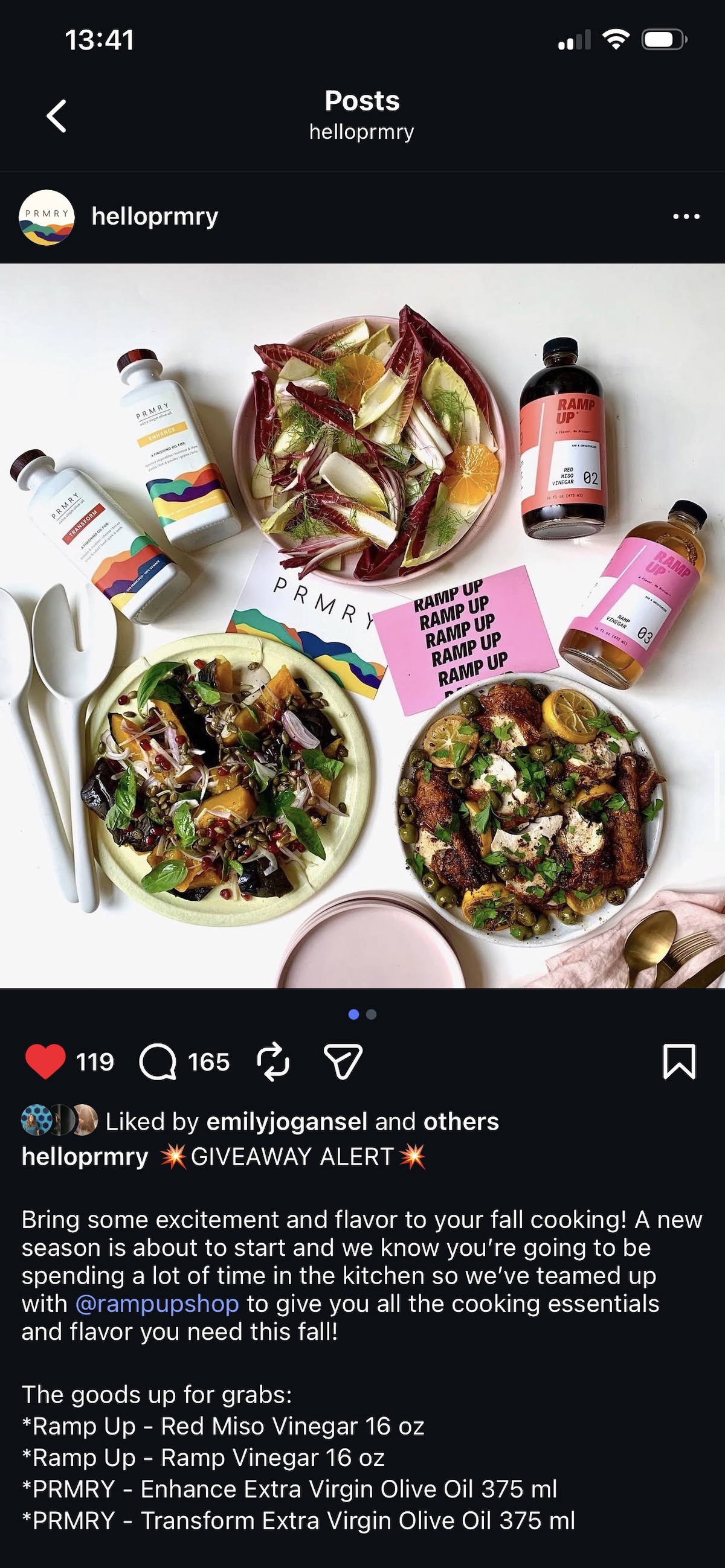
example of an instagram post with a co-branded partnership
  • Press and blogs: Pitch your story to a local publication or news station, a niche blog, or a relevant newsletter. New brand stories are genuinely interesting to editors. To do this, find the writer or journalist who seems most likely to cover your area. Reach out with a thoughtful pitch, and follow up a couple weeks later. Not sure how to reach them? Apart from the obvious contact form, don’t be shy about sending an Instagram direct message — for news journalists this is often a top source for story leads.

Phase 4 success metrics

By the end of day 90, ask yourself:

  • Is your third channel showing any traction? Even early engagement (followers, clicks, or inquiries) is a positive sign. If it’s completely flat after a few weeks, reassess the channel or your content approach.
  • Are your best-performing channel and email doing more work than before? You should be seeing more traffic, better engagement, or more conversions from the things you doubled down on in this phase.
  • Are you growing month on month? Whether that’s revenue, inquiries, bookings, or email list size, pick the number that reflects your business goal and check whether it’s moving in the right direction.

AI pro tip

SiteGround AI Studio has specialized agents that make Phase 4 auditing much faster. The SEO Expert agent can run a full audit of your website and deliver a set of concrete recommendations — from keyword gaps to page-level improvements. The Reputation Manager agent actively scans the web to surface how your brand is being talked about, without you having to hunt it down manually. Both give you a clear picture of where you stand and what to fix before you scale further, helping you multiply your output even with a small team.

Your ecommerce marketing journey starts here

Ninety days from now you could have a store that’s live, tested, and growing — with real customers, real data, and a clear sense of what’s working. That’s what a focused 90-day ecommerce marketing plan actually looks like in practice.

The best time to start is before you feel ready. Pick your budget level, get your store ready, set up your emails, and go. And if you want a platform that brings the whole thing together without the tool-juggling, SiteGround Ecommerce gives you everything you need to build, market, and grow your store in one place.

Ecommerce marketing FAQs

What is ecommerce marketing?

Ecommerce marketing is the process of driving traffic to an online shop and converting that traffic into online sales. It covers channels like email marketing, social media marketing, paid advertising, search engine optimization, and content marketing, all used together to attract, convert, and retain customers.

What is the 80/20 rule in ecommerce?

The 80/20 rule (also known as the Pareto principle) suggests that roughly 80% of your revenue comes from 20% of your customers. For new stores, this is a reminder to focus early energy on retaining your first buyers rather than constantly chasing new ones.

What are the four types of ecommerce?

The four main types are B2C (business to consumer), B2B (business to business), C2C (consumer to consumer, like a marketplace), and D2C (direct to consumer, where a brand sells directly without a retailer). Most independent online stores fall into the B2C or D2C category — and knowing which one you are matters for your marketing. B2C and D2C businesses typically focus on emotional connection, social proof, and impulse-friendly content, while B2B requires a longer nurture cycle, more educational content, and channels like LinkedIn over Instagram.

What does ecommerce mean in marketing?

In a marketing context, ecommerce refers to the strategies and tactics used specifically to drive sales through your website. It combines elements of digital marketing — like SEO, email, and paid ads — with conversion optimization and customer retention to grow an online business.
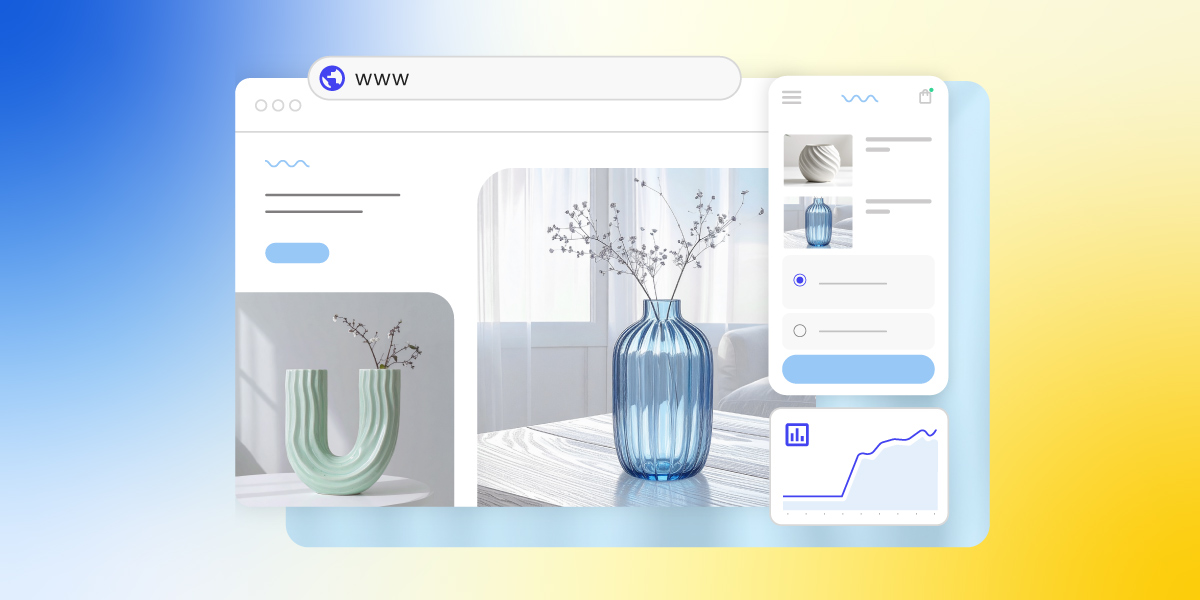
Product Detail Pages: Your Key to Maximizing Conversions

PDP

A product detail page (PDP) is the single most important page on your ecommerce site. It presents everything a shopper needs to decide—images, descriptions, pricing, reviews, and a clear call to action—and does the job of a physical sales floor: answering questions, building trust, and removing doubt before checkout. A strong PDP converts browsers into buyers; a weak one sends them elsewhere. In this article, we share eight proven best practices to help you build one that sells.

Key takeaways

  • A product detail page is a dedicated ecommerce page that combines images, descriptions, pricing, and reviews to help shoppers decide to buy.
  • High-quality images from multiple angles (including close-ups and 360° views) are one of the biggest drivers of purchase confidence.
  • Clear, audience-matched product descriptions work better than generic ones. Tech buyers want specs, lifestyle buyers want emotional benefits.
  • Transparent pricing, including visible discounts and free shipping, reduces checkout drop-off and builds trust.
  • Prominent, action-oriented CTAs like “Buy now” or “Add to cart”—placed where shoppers can’t miss them—directly increase conversions.
  • Customer reviews and ratings add social proof that often provides the final nudge a hesitant buyer needs.

What Is a Product Detail Page and Why Is It Important?

A PDP typically includes product images, a description, pricing, available variants, and customer reviews. They all work together to answer every question a shopper might have before buying. For ecommerce businesses, it’s the web page where the customer journey moves from consideration to decision, making it one of the highest-leverage pages on your site.

What’s the Difference Between a PDP and a PLP?

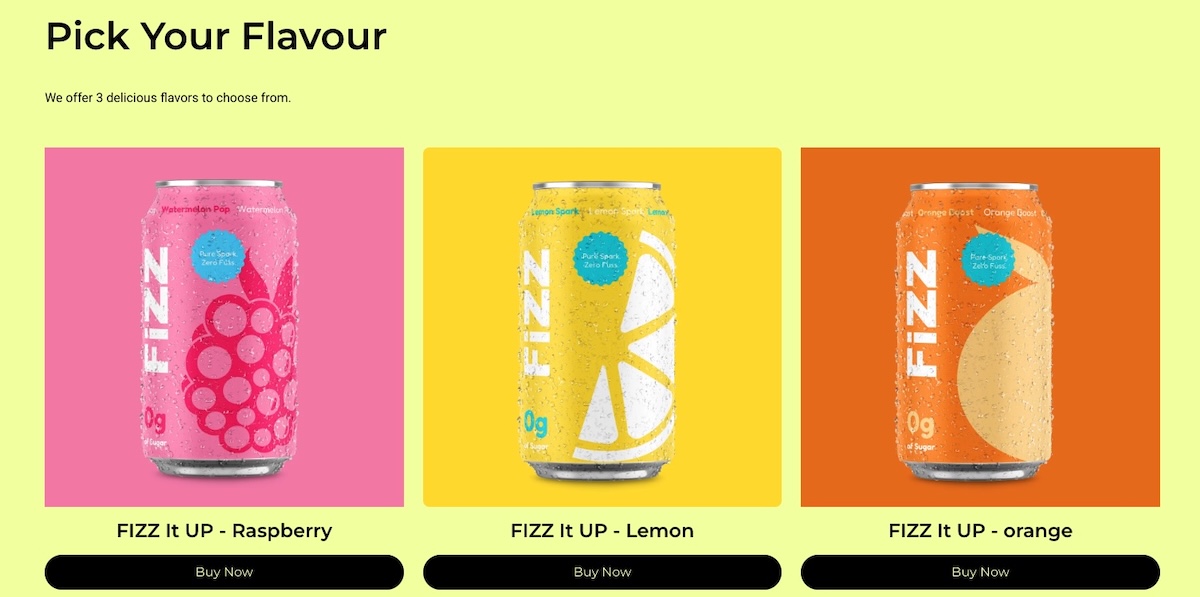
A product listing page (PLP) shows multiple products side by side for browsing and comparison, while a product detail page goes deep on a single product to help the shopper decide to buy. The PLP attracts and filters, the PDP converts. Slam dunk.

Think of shopping online as a two-step buying process. First, you have the PLP, which is like scrolling through a digital catalog. It shows your site visitors a variety of products with brief descriptions and images, making it easy for them to compare and spot something they like.

Example of a product listing page with multiple product options and CTAs

Once something catches your customer’s eye, they click through to the product detail page. This is where they get all the nitty-gritty details about that specific item—detailed product descriptions, high-quality photos, reviews, and pricing. The PDP is designed to answer any questions an online shopper might have and help them decide if they want to buy.

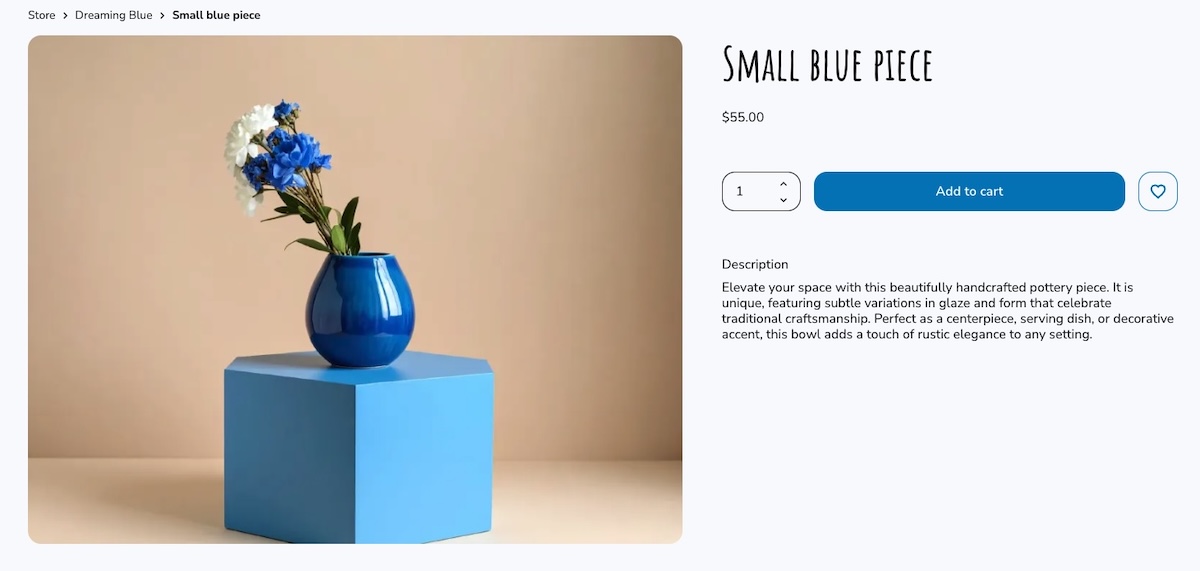
Example of a product page with an image title description and CTA

Together, these web pages work like a team: the PLP draws people in, and the PDP assists customers in selecting the right products. Knowing how each product page plays its part can really help you create a smoother customer experience and strengthen your business.

How Do You Create a Product Detail Page That Converts?

An effective PDP combines high-quality visuals, clear descriptions, transparent pricing, and strong calls to action, each optimized for the specific audience you’re selling to. The eight elements below cover everything you need to know to get this right, building a PDP that turns browsers into buyers.

Pro tip: If you’re using an ecommerce platform like SiteGround Ecommerce, many of these best practices are already built into your product detail pages. PDP layouts are pre-designed according to conversion and usability best practices so you can focus on adding great content rather than worrying about structure or technical setup.

Alright, ready to get attention and encourage those all-important conversions? Let’s start selling!

1. Capture High-Quality Product Images 

High-quality images from multiple angles are one of the most direct drivers of purchase confidence. They replace the in-store experience of picking up and examining a product.

Including real customer photos or letting buyers upload their own images in reviews adds a layer of authenticity that studio shots alone can’t provide. Shoppers get a better sense of how the product looks and performs in real life, which leads to more confident purchases and fewer returns.

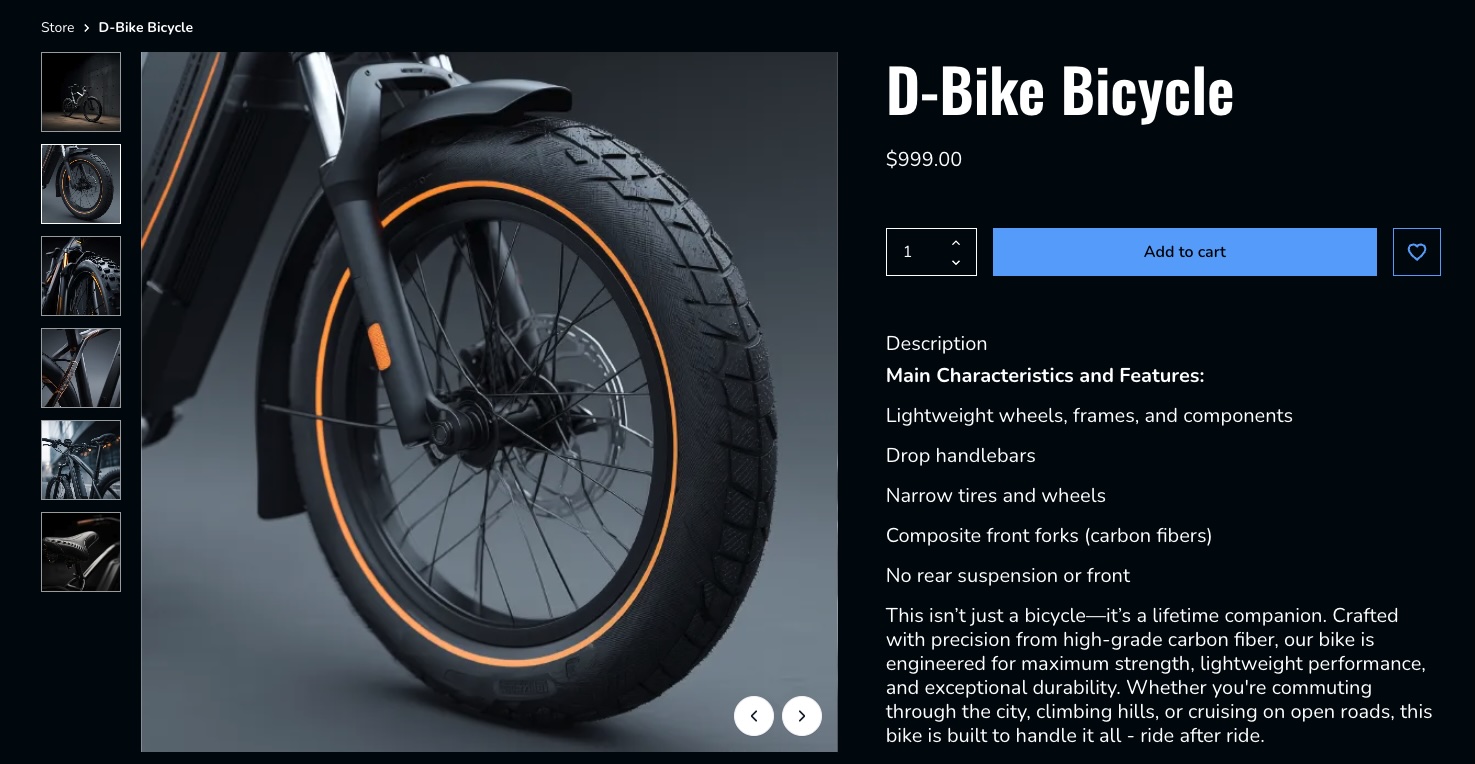
Consider a bike retailer that shows the full bike from multiple angles, includes close-ups of key components like the gears, brakes, and frame joints, and features customer photos of the bike out on the road or trail. That combination gives a prospective buyer far more confidence than a single studio shot ever could.

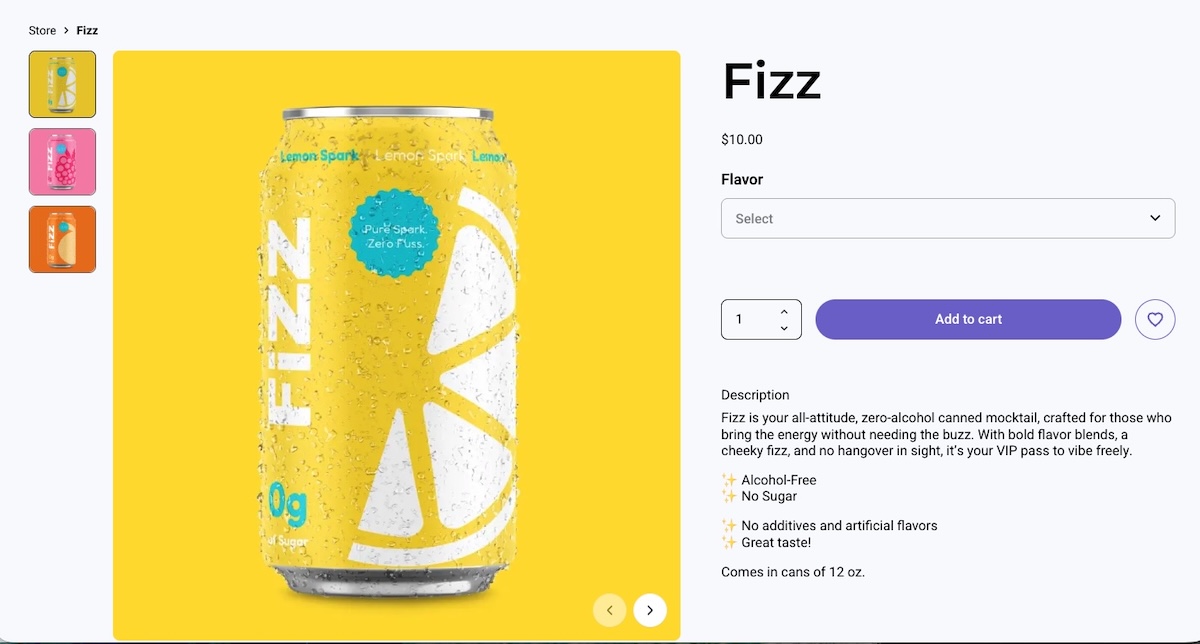
Example of a product page with multiple product images from different angles

✅ Do: Use clear, high-resolution images to highlight product features. 

❌ Don’t: Overlook the importance of showing multiple angles and important details.

2. Craft Clear Key Feature Descriptions

A good product description highlights the features and benefits that matter most to your specific buyer, and not necessarily every last detail about the product.

An electronics store, for instance, might need to list specific specs, technical features, and performance comparisons, because that’s the kind of product data tech-savvy shoppers are looking for. 

On the other hand, a toy aimed at parents should focus more on the emotional experience—how their kids will feel using it, the fun they’ll have, and the kind of memories it might create. It’s really about adapting the message to what matters most to each type of buyer.

Example of product page with feature copy catered to the audience

With platforms like SiteGround Ecommerce, product detail pages already include clearly structured sections, making it easier to present information in a way that’s scannable and conversion-friendly.

✅ Do: Use bullet points for clarity and quick reading.

❌ Don’t: Overload descriptions with unnecessary details and long paragraphs.

3. Display Transparent Pricing

Transparent pricing is one of the simplest ways to reduce checkout drop-off. This means showing the full cost upfront, including any discounts and shipping. Everything is clear from the get.

An important thing worth considering: Try to offer free shipping, even if you’re technically including it in the total price. It’s a small shift, but it can make a big difference. People are much more likely to complete their purchase when they don’t see an extra shipping charge added at checkout. It helps reduce drop-offs right at the final step.

Imagine a shopper finds a coffee table listed at $150. They’re happy with the price, add it to their cart, and head to checkout—only to be hit with shipping costs they weren’t expecting. That surprise is often all it takes for someone to pause, close the tab, and never come back. Now imagine the same table listed at $169 with free shipping. The shopper weighs it up, decides they’re into it, and completes the purchase. Same cost to them, very different outcome.

✅ Do: Ensure all pricing information, including discounts and shipping costs, is prominently displayed and easy to understand. Try to offer free shipping even if it means you have to bump up the price.

❌ Don’t: Hide or obscure extra costs such as shipping information, as this can lead to customer frustration and loss of trust.

Example of a product page with clear pricing including free shipping

4. Feature Prominent Call-to-Action Buttons

Your call-to-action (CTA) button is the single most important conversion element on the page. It needs to be impossible to miss and unambiguous about what happens next. Labels like “Add to cart” or “Buy now” work best—they’re direct, action-oriented, and leave no room for confusion.

A few things make a CTA button work harder: placement, color, and size. It should sit above the fold so shoppers never have to scroll to find it, use a color that contrasts with the rest of the product detail page, and be large enough to tap comfortably on mobile devices (also important for accessible web design). On smaller screens especially, a CTA that’s hard to tap is a conversion you’ve already lost.

Imagine a shopper who’s already convinced. They’ve looked at the images, read the reviews, and decided they want it. But then they can’t immediately find the button to buy it. That moment of friction, however small, is often enough to break the spell.

Example of a product page with a clear and noticeable CTA button

Many modern ecommerce builders, including SiteGround Ecommerce, place CTAs like “Add to cart” and “Buy now” front and center by default, so your product pages naturally guide users toward purchase without extra customization.

✅ Do: Use bold colors and clear text for call-to-action buttons to make them stand out.

❌ Don’t: Bury call-to-action buttons in cluttered or hard-to-find areas of the web page.

5. Design for a Clear Page Layout

A well-structured PDP guides the shopper’s eye naturally from product images to key details to the call to action—without them having to think about where to look next. Getting your website layout right is one of the most impactful things you can do for conversions—when it’s unclear, shoppers lose their place, miss important information, and are less likely to buy.

Visual hierarchy is what makes this work. Most successful PDPs use a two-column layout—product images on the left, key details on the right. The shopper’s eye moves naturally from the images across to the product name, price, variant selectors, and CTA. Use size and weight to signal importance: a large, bold product title and a clearly styled CTA button should stand out immediately, while secondary information like shipping details or specifications sits further down the product detail page.

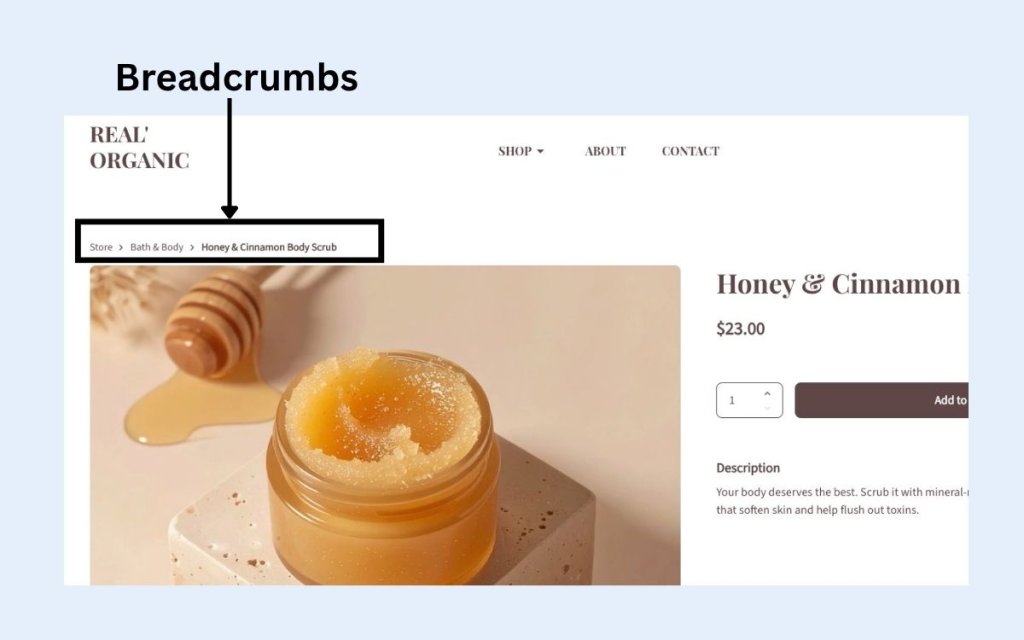
Breadcrumb navigation is a small but valuable addition. It creates a simple trail like Home > Living Room > Coffee Tables, which tells shoppers exactly where they are on your ecommerce site and makes it easy to jump back to the PLP without hitting the back button.

Visual example of breadcrumb navigation on a webpage

On mobile devices, layout becomes even more critical. A sticky add-to-cart bar (that is, a fixed strip at the bottom of the screen that stays visible as the user scrolls) ensures the CTA is always one tap away, no matter how far down the product detail page a shopper has read. Without it, mobile shoppers often have to scroll all the way back to the top to buy, and many won’t bother.

✅ Do: Use visual hierarchy to lead shoppers naturally toward the CTA, and keep it accessible on mobile with a sticky add-to-cart bar. 

❌ Don’t: Bury key information like price or CTA below the fold or treat desktop and mobile web design as the same thing.

6. Incorporate Customer Reviews and Ratings

Most shoppers don’t fully trust a brand talking about its own product. They trust other shoppers. A review from someone who actually bought the product, used it, and came back to share their experience carries a weight that even the best product description can’t match.

A quick idea to collect customer reviews: some online stores offer a small discount or a reward (like points or free shipping on the next order) in exchange for leaving a review. It’s a simple incentive that can help increase the number of reviews and add more social proof to your product detail pages.

One more thing worth keeping in mind: don’t filter out negative reviews. A page of exclusively five-star ratings feels curated and raises suspicion. A mix of positive and constructive feedback actually builds more trust, shows the reviews are real, and gives you valuable insight into customer satisfaction that can help you improve.

✅ Do: Highlight both positive and constructive reviews to provide a balanced perspective. 

❌ Don’t: Filter out all negative reviews, as this can appear inauthentic and reduce trust.

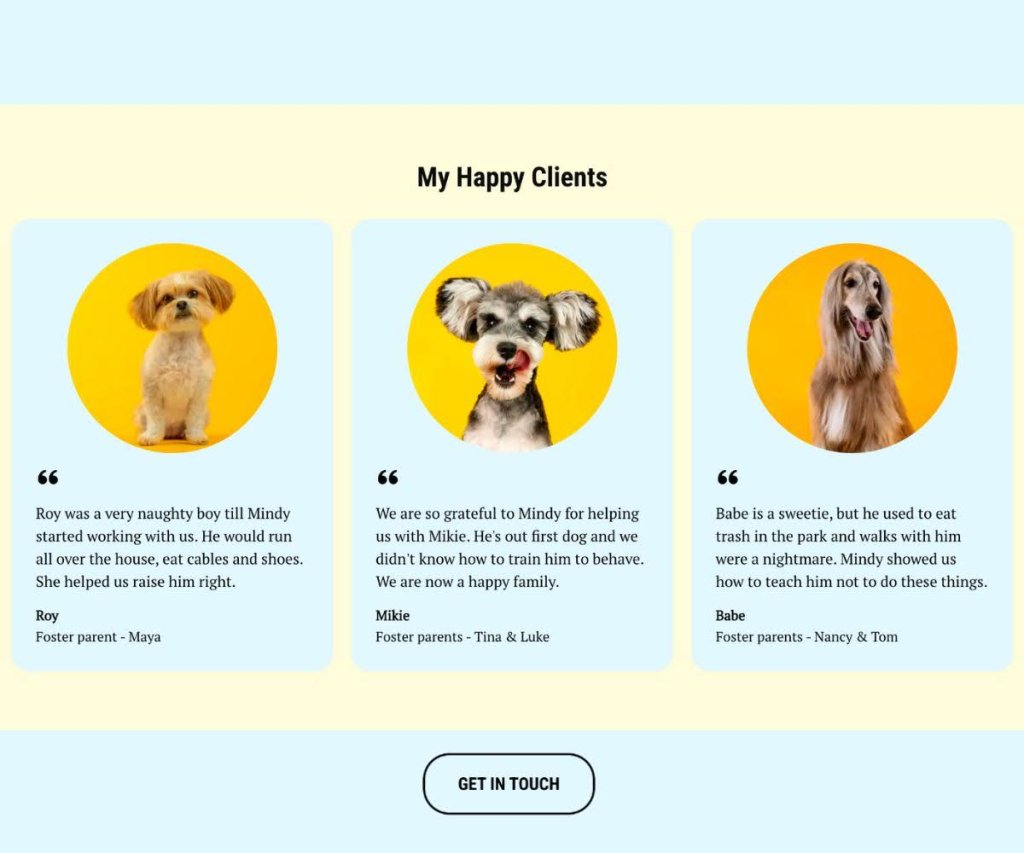
Example of product detail page with testimonials from happy customers

7. Offer Additional Information

Anticipating and answering common shopper questions directly on the PDP removes the friction that causes people to leave and search elsewhere. The goal is to make sure no buyer has an unanswered question by the time they reach the CTA.

Think beyond the product description itself: a size guide, compatibility notes, care instructions, shipping costs and shipping options (standard, express, free over a certain threshold), returns information, related product suggestions, and customer FAQs all serve a purpose. Each one removes a reason to hesitate.

Consider a shopper buying a winter jacket. They love it but they’re between sizes—and there’s no size guide. They guess, order it, it doesn’t fit, and they return it. Now imagine the same page includes a size guide and a note saying “this style runs slim, size up if in doubt.” The shopper sizes up confidently, the jacket fits, no return needed. A small addition that saves everyone time and money.

✅ Do: Provide clear and accessible resources to enhance customer understanding and confidence. 

❌ Don’t: Overwhelm new customers with excessive or irrelevant information that can lead to confusion.

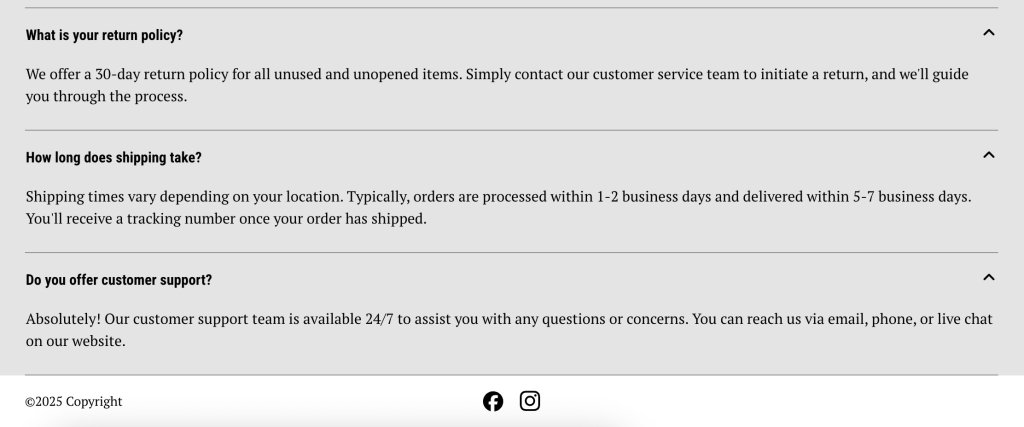
Example of FAQs on a product detail page

8. Optimize for Performance

Page speed is a direct conversion factor. Yep. A slow-loading PDP loses shoppers before they even see the product. According to Google research, 53% of mobile visitors will abandon a page that takes longer than 3 seconds to load—and that’s a threshold most unoptimized sites fail to meet.

The good news is that most performance gains come from a handful of practical steps: compressing images without sacrificing quality, choosing a reliable hosting provider, and keeping your code lean.

If your ecommerce platform handles performance optimization at the infrastructure level (like SiteGround Ecommerce does) features such as image optimization, fast loading, and reliable hosting are already baked into your product detail pages.

✅ Do: Focus on fast loading times to keep shoppers engaged and reduce bounce rate.

❌ Don’t: Ignore performance issues—a slow PDP costs you sales regardless of how good the product is.

Wrapping It Up: How to Make the Most of Your Product Detail Page

The best product detail pages are built around customer expectations. When shoppers find everything they need, presented clearly and without friction, the decision to buy becomes easy. 

With these best practices at your fingertips, you’re ready to create an effective product detail page that improves both conversions and customer satisfaction. Try out these tips, and you might just see your conversion rates climb.

And if you want to put these ideas into action without building everything from scratch, SiteGround Ecommerce makes it easier. Product pages are already designed according to ecommerce best practices, so layouts, calls to action, and key elements are in place from the start. That means you can focus on your products and content, while the platform takes care of the structure behind the scenes.

FAQs About Product Detail Pages

What should a product detail page include?

A great product detail page should include high-quality images, a clear product description, transparent pricing, available variants (such as size or color), customer reviews, and a prominent call-to-action button like “Add to cart” or “Buy now.”

What’s the difference between a PDP and a PLP?

A product listing page (PLP) displays multiple products for browsing and comparison, while a product detail page (PDP) focuses on a single product and provides all the information a shopper needs to make a purchase decision.

How do product detail pages affect conversion rates?

A well-optimized PDP directly improves conversion rates by removing doubt and answering every question a shopper might have before buying. Poor PDPs (with low-quality images, hidden fees, or unclear CTAs) push buyers toward competitors.

How long should a product description be?

There’s no fixed length, as it depends on the product and audience. Complex products like electronics benefit from detailed specs, while simpler or lifestyle products need only a few sentences focused on benefits and emotional appeal. The key is to include exactly what your buyer needs, nothing more.

How do I do SEO for ecommerce product pages?

Use your primary keyword naturally in the product title, H1, description, and image alt text. Add structured data markup, encourage customer reviews for fresh content, and ensure the product detail page loads fast, especially on mobile.

Do customer reviews really make a difference on a PDP?

Yes! Reviews are one of the strongest trust signals on a product detail page. They provide social proof that reassures hesitant buyers, and a mix of positive and constructive reviews tends to build more credibility than a page of exclusively five-star ratings.

This article was originally published in June 2025 and then updated in May 2026

9 Landing Page Best Practices to Improve Performance and ROI

landing-page-best-practices-to-improve-performance

If your goal is to get your website visitors to complete one very specific action, look no further than the trusty landing page. But creating a high-converting landing page doesn’t happen on its own – it requires following proven landing page tips that guide visitors towards taking that desired action. Whether you want them to sign up for a newsletter, make a purchase, or download a resource, using effective landing page best practices can significantly increase your conversion rates. 

In this article, we’ll break down key landing page best practices you can implement in order to capture attention and drive results. We’ll also showcase real-world examples so you can see these practices in action and learn how to apply them to your own marketing campaigns.

But first, what is a landing page?

What is a Landing Page?

A landing page is a standalone web page designed with a single focus or goal, and is typically used in marketing campaigns to drive conversions. Unlike a regular webpage, it has minimal distractions and is focused on guiding visitors to take a specific action, such as signing up for an email newsletter, downloading an ebook, or purchasing a product.

As for what makes a good landing page? Well, making a high-converting landing page is a fine art, so today we’re going to examine all the very best landing page tips.

9 Landing Page Best Practices to Improve Performance and ROI

Creating an effective landing page is all about optimizing every element to encourage visitors to take action. Here are nine landing page best practices to help you build high-converting landing pages:

1. Ensure a Clear Value Proposition

First thing’s first. Before you get started on anything else, you’ve got to nail your value proposition, as it’s central to your entire landing page content strategy. 

A landing page value proposition is a clear, compelling statement that conveys the main benefit or unique selling point of a product, service, or offer to visitors as soon as they land on the page. It’s typically conveyed via the headline and/or subheadline, where it’s prominently positioned in order to capture attention and communicate why the visitor should be interested in staying on the page or taking an action.

The purpose of a value proposition on a landing page is to quickly answer the question, “What’s in it for me?” by telling visitors:

  1. What the product or service does – A brief explanation that orients the visitor.
  2. The primary benefit or outcome – Why it matters to the visitor or the problem it solves.
  3. What makes it unique or better than alternatives – How it stands out or adds additional value.

For example, a value proposition for a childcare service might read, “Your Gateway to Local, Trusted Childcare – Easy Booking, Anytime,” which tells the visitor what it is, how it benefits them, and expresses its uniqueness in that it’s nearby and easily available anytime.

In the case of duolingo’s landing page below, for example, it conveys what it is (a language-learning method), what the benefit is (it’s fun and effective), and what makes it stand out (it’s free, and implied that this method is unique to duolingo). Simple as that.

perfect-landing-page-example-duolingo

2. Create an Impactful Hero Section

Now let’s explore the hero section. It forms a central part of how to make a website, and especially when it comes to highlighting the unique value proposition. It’s crucial to make a powerful impression here because it sets the stage for the rest of the experience. A well-designed hero section can immediately grab attention, convey your message, and prompt visitors to act. 

Or not: it could bore them into closing their web tab and looking elsewhere!

With that in mind, there are several elements that go into making this section a success. Here’s what you’ll want to include in your perfect landing page hero section:

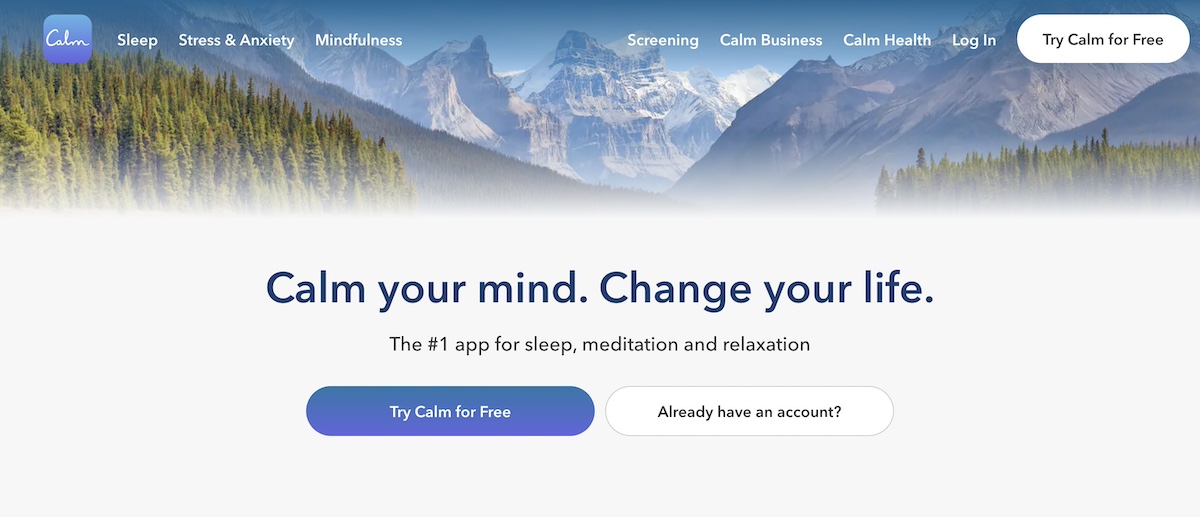
Strong Headline/Title

The main headline, or title, is a key part of landing page strategy, and one of the most important hero section elements because it’s the first thing visitors will read when they arrive. It sets the tone for the rest of the page and determines whether visitors will stay or leave. 

A strong headline should be clear, concise, and compelling, immediately communicating the value proposition of whatever it is that you’re offering. 

landing-page-optimization-best practices-example-Calm

Supporting Subtitle

While the headline grabs attention with a bold, concise statement, the subtitle adds context by expanding on what’s offered and why it matters. It often explains the product, service, or offer in more detail, highlighting key benefits or addressing the visitor’s needs and concerns. 

Together, the headline and subtitle create a compelling introduction that captures attention and encourages engagement. Here are a couple examples of landing page headlines and subtitles: 

Headline: “Feel Your Best Every Day with Personalized Nutrition”
Subtitle: “Discover a nutrition plan tailored to your unique needs, goals, and lifestyle—designed to help you thrive, one meal at a time.”

Headline: “Keep Your Car Running Smoothly with Expert Care”
Subtitle: “Experience reliable, affordable auto repairs and maintenance from certified professionals dedicated to ensuring your vehicle’s longevity and performance.”

Illustrative and Appealing Image

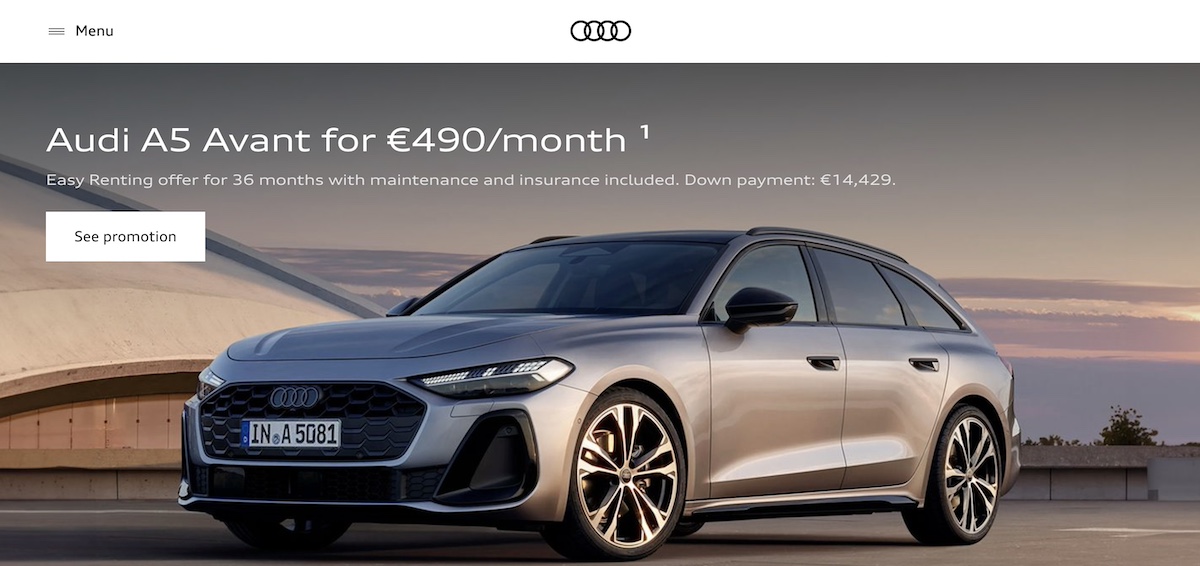
While messaging reigns supreme, having a high-quality image that supports your message and captivates attention can be a deal maker or a deal breaker. A successful image could include a product photo, a happy customer using the product, or a graphic that speaks to what your business does. Images should be visually appealing and relevant to your offer.

Landing-page-design-best-practices-example-Audi

Attention-Grabbing Call-to-Action (CTA) Button

A CTA button is the crucial element that encourages visitors to take action. We’ll get into the strategy behind a good call to action in just a minute, but suffice it to say that you’ll want to include a prominent call-to-action button in your hero section in order to easily facilitate visitors moving to the next step.

3. Make Your Landing Page Benefit-Driven

Now that we’ve got the hero section basics covered, it’s time to dive in a little deeper – and move down your page. An important way for your landing page to support and emphasize your hero section and value proposition is to not only highlight features, but also focus on the benefits, as this is what really convinces visitors to take action. Features tell what your product does, but benefits show how it solves a problem or makes life better for the customer.

Here are some examples of how you can turn a feature into a benefit:

Feature: Task Automation.
Benefit: Save time by automating repetitive tasks.

Feature: Real-Time Collaboration.
Benefit: Easily work with team members across different locations.

Feature: Intuitive Dashboard.
Benefit: Manage projects at a glance with a clean, user-friendly interface.

Complement these selling points with imagery, icons or graphics in order to capture attention and keep visitors engaged.

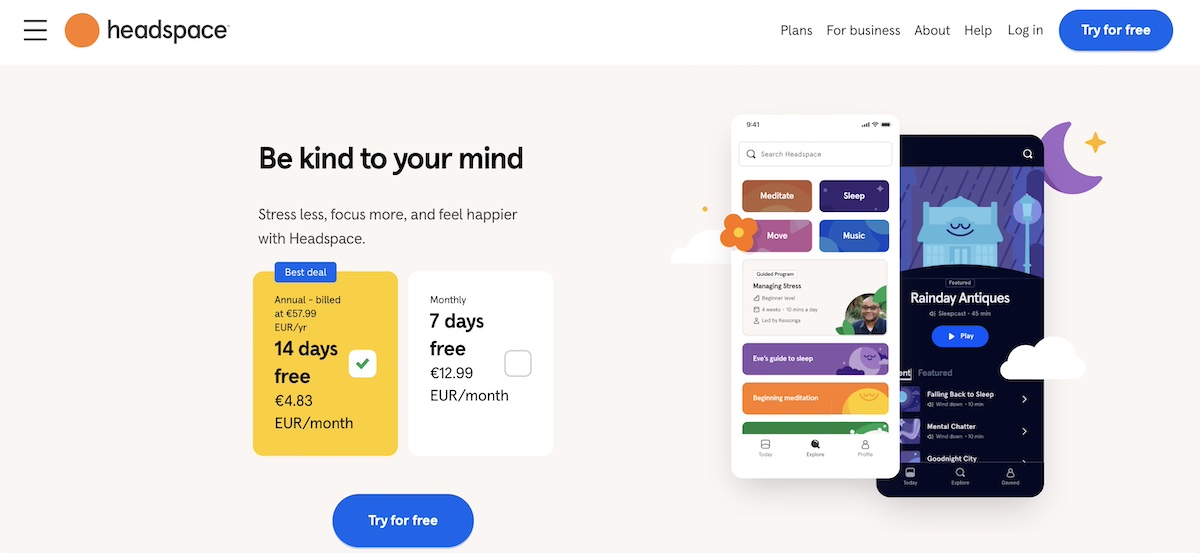
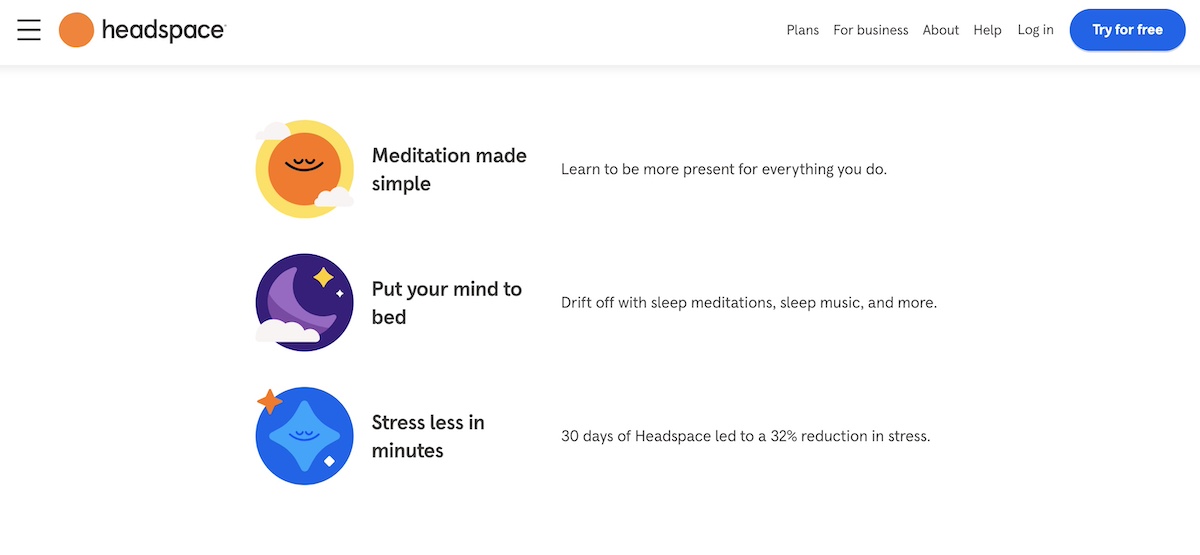
Notice how, in the example below, Headspace focuses on benefits both in its hero section, and then farther down on its landing page.

landing-page-content-example-headspace

landing-page-tips-example-headspace

4. Include a Strong Call to Action (CTA)

Back to that CTA: having a particularly strong one is among the top tips for making a great landing page – and also when it comes to website planning in general – as it ensures users understand the next step. 

Without a clear, compelling CTA, visitors might leave your page without taking any action, even if they’re interested in what you’re offering. Indeed, a well-crafted CTA provides direction, reduces friction, and encourages users to engage, whether that means signing up, purchasing, or downloading. 

When crafting your CTAs, consider implementing the following elements: 

  • Precision: Instead of a vague CTA like “Submit,” a more effective alternative would be “Get Your Free E-book Now.” This specific wording clearly communicates what the visitor will receive and sets an expectation, making it more likely that they’ll follow through. 
  • Urgency: Add a sense of urgency or exclusivity, like “Limited Spots” or “Sign Up Today,” to encourage immediate action.
  • Actionable language: Use direct, action-oriented verbs like “Get,” “Start,” “Discover,” or “Join” that tell visitors exactly what to do.

Apart from including a CTA in the hero section, you will likely want to include it at the bottom of your page, so that visitors are again encouraged to click after having reviewed all of your landing page content. If your landing page is on the longer side, consider placing CTAs at various points throughout so that visitors can move on to the next step whenever they’re ready.

5. Use Compelling and Strategic Copy

Overall, copy plays a vital role in driving conversions, and accounts for another important landing page best practice. When writing web content, keep in mind the following:

  • Keep language clear, persuasive, and, as we’ve already discussed, focussed on the benefits
  • Use language that resonates with your target audience
  • Address audience pain points directly
  • Avoid jargon
  • Keep the tone conversational yet professional

Also be strategic about implementing content that builds your case and guides visitors toward your CTA. Do so by addressing any objections they might have, whether that’s by including FAQs or an explanatory section on a certain product feature. Ultimately, each section of your landing page, from the headline to the closing statement, should work together to create a seamless and convincing narrative.

6. Remove Landing Page Navigation

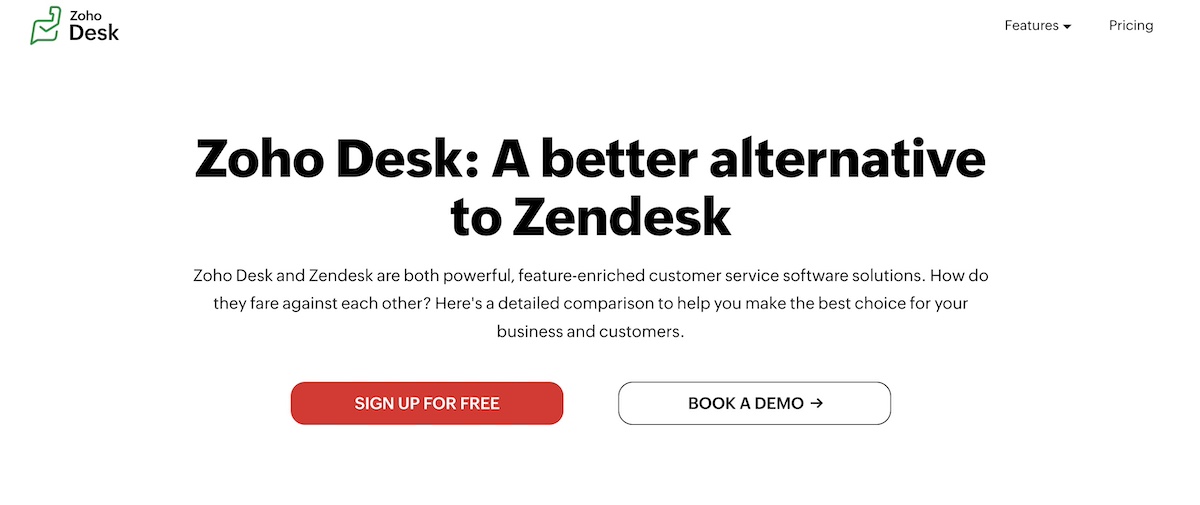
A key element of an effective landing page strategy is minimizing distractions. As illustrated in the image below (and in many of our other examples), this involves removing unnecessary navigation links – often even the menu bar – that could divert visitors from your primary goal. That’s because when users land on your page, the aim is for them to focus on the CTA button and take action.

This streamlined experience encourages users to concentrate solely on the content you’re providing, and ultimately on the call to action. If additional information is necessary, consider incorporating anchor links within the landing page to provide relevant details without redirecting visitors elsewhere.

Tips-for-making-a-great-landing-page-example-Zoho-Desk

7. Demonstrate Social Proof

Social proof is a powerful landing page tip for building trust and credibility. It reassures potential customers that others have used and benefited from your product or service. Some effective forms of social proof include:

  • Testimonials: Positive feedback from satisfied customers.
  • Case studies: Real-world examples of how your product helped a customer achieve success.
  • Customer logos: Showcase logos of well-known clients or partners.
  • Awards and certifications: Highlight any accolades your product has received.

Just remember not to link out from testimonials or customer logos. While it’s tempting to send people for more information, the goal here is to keep people engaged in your landing page, and exiting only via your call to action (and thus making a conversion).

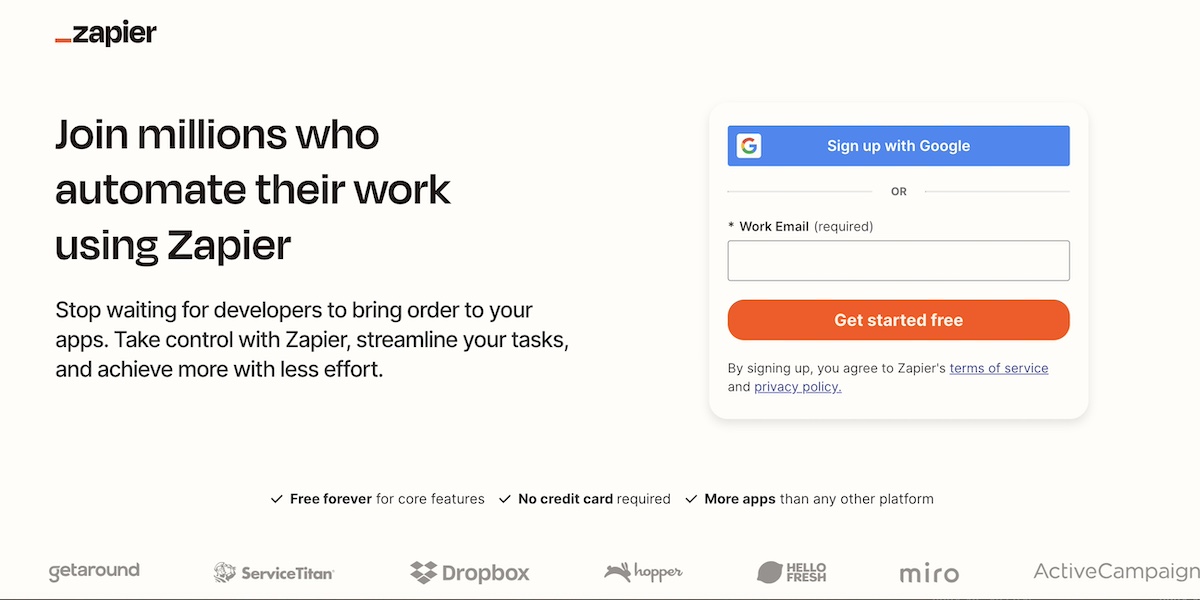
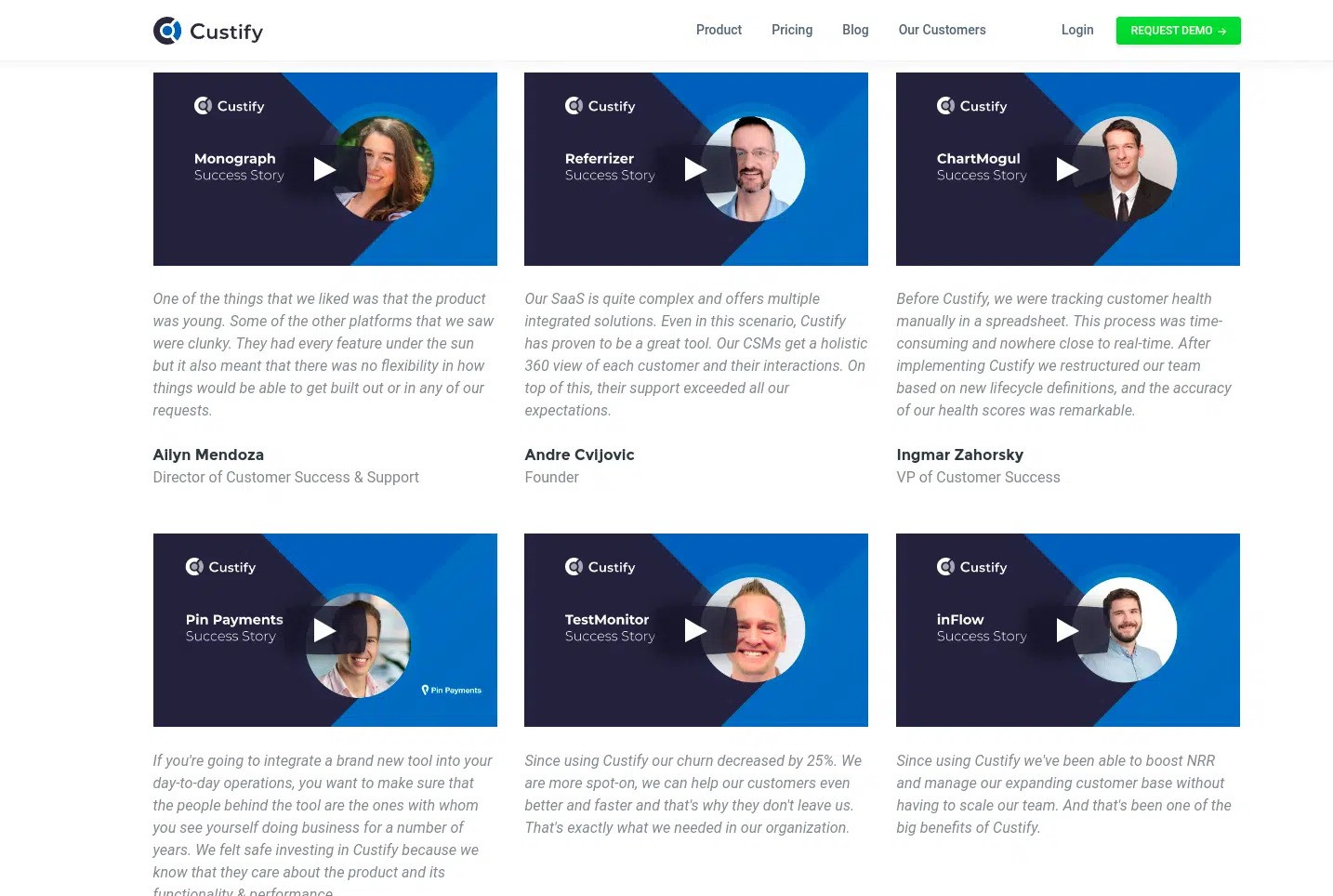
By way of example, notice below that Zapier has a ticker tape of not-linked logos, which demonstrate that it is a trusted brand by other brands that you might already know and be loyal to. 

Effective-landing-page-example-Zapier

8. Implement a Lead Magnet

If the purpose of your landing page is email lead generation (such as capturing contacts for your email list, or getting people to sign up for a free course), then a lead magnet is a smart way to encourage conversion. 

A lead magnet is an incentive you offer in exchange for contact information, such as an email address. This is a great way to build your email list and nurture potential customers who are not ready to convert right away. Lead magnets can take many forms, such as:

  • Ebooks or whitepapers: In-depth content that provides value.
  • Discounts or coupons: A special offer for new subscribers.
  • Free trials or demos: Allow users to try your product before committing.
  • Webinars: Live or recorded sessions on a topic of interest to your audience.

Your lead magnet should be relevant to your target audience and offer immediate value. You’ll of course want to make its benefits clear in your hero section so that visitors are motivated to click through. 

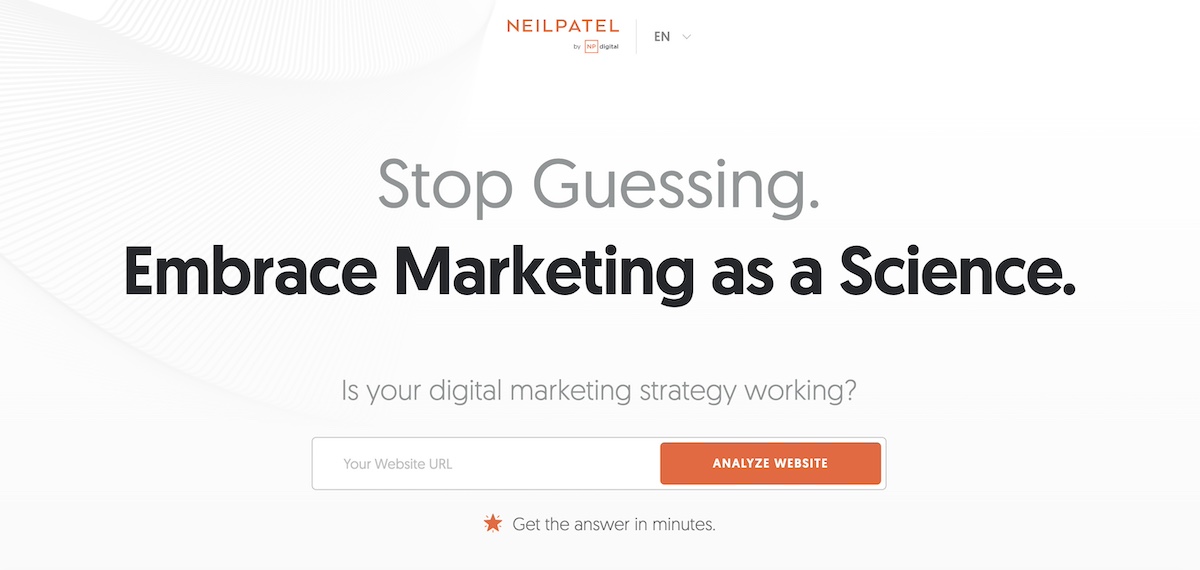
The creative lead magnet on the landing page below is especially enticing, with a title and subtitle that spark curiosity. It’s hard to resist simply dropping your URL into the box and hitting “Analyze Website.” You receive intriguing website insights, and they gain valuable lead information in return. 

what-makes-a-good-landing-page-example-Neil-Patel

9. Make Sure Your Landing Page Lines Up With the Referring Source

Consistency is key when it comes to a strong landing page strategy. If visitors click on an ad or email link, they should see landing page content that matches their expectations. This means that the language, visuals, and offer presented in the referring source (like an ad or social media post) should align closely with what’s on the landing page – it should feel like an extension of what they clicked on.

If your ad promises a 20% discount, make sure the landing page clearly states how visitors can claim that discount. Inconsistent messaging can lead to confusion, which reduces the chances of conversion.

Improving Landing Page Performance

Once your landing page is up and running, the next step is to optimize it for even better performance. Continuous improvement is essential in order to have a high-converting landing page. This involves monitoring metrics, experimenting with new landing page content, and making adjustments based on real user behavior. Here are some landing page optimization best practices that will help improve performance:

Track Metrics

Understanding how to improve landing page performance starts with tracking the right website metrics. A few key performance indicators (KPIs) include:

  • Conversion rate: This percentage demonstrates the quantity of visitors who take the desired action, such as filling out a form, clicking a CTA, or making a purchase. This is the most critical metric for gauging success, as this is the whole point of your landing page: to gain conversions! The higher the rate the better, so when you make tweaks to your page, keep a close eye on how this impacts conversions. 
  • Bounce rate: This is the percentage of visitors who leave the page without interacting. A high bounce rate may indicate that the landing page content or design isn’t resonating with visitors. So try to identify what might not be working, then make adjustments, and see if your bounce rate drops.
  • Time on page: This data represents the average time visitors spend on your page. Longer times usually indicate that your content is engaging, while shorter times might suggest it needs improvement. Of course, if your conversion rate is high, but the time on page is low, it might simply mean that your sales pitch is working quite quickly! As such, always be sure to consider your data as a whole in order to draw educated conclusions.

By keeping a close eye on these metrics, you can identify which areas need adjustments, allowing for data-driven decisions that lead to improved landing page performance.

Try New Content

Now that you’re familiar with these key metrics, note that if your landing page isn’t converting or performing as well as you’d like, then it’s time to try experimenting with new content. 

As we touched on above, you may want to tweak different parts of the page. This could include revising the headline, reworking the copy, or even changing images and embedding videos. Sometimes, small changes can make a significant difference.

For example, if your current copy is very technical or generic, consider rewriting it to be more benefit-focused and customer-centric. Or, if the landing page content is heavy, try simplifying the design to make it cleaner and easier to navigate. 

An especially important element to consider improving is your CTA. If “Learn More” isn’t driving clicks, something more assertive like “Get Started Now” might be more effective. Or perhaps an even more descriptive CTA, such as “Claim Your Free Trial.” Get curious and try new approaches to see what works best.

Run A/B Tests

A great way to really evaluate whether your small changes are working is to run A/B testing (or split testing). It’s one of the most effective methods for improving landing page performance. 

This involves creating two versions of your landing page with one key difference – such as a different headline, image, or CTA – and sending an equal amount of traffic to each version. By comparing which version performs better, you can identify the most effective elements to use going forward.

For example, you might want to test whether a short or long-form landing page leads to more conversions. Or, you could experiment with two different images in the hero section to see which one captures more attention. Running consistent A/B tests allows you to optimize your landing page based on real data rather than guesswork.

Improve Load Speed

A slow-loading landing page can lead to higher bounce rates and lower conversions. Indeed, studies have shown that even a one-second delay in load time can result in a significant drop in conversions, as visitors are less likely to wait for a page to fully load.

To improve load speed, consider optimizing your images, reducing external requests, and using a reliable web host. Depending on the type of site you have, you may also wish to choose to use performance-friendly plugins that focus specifically on improving site speed. 

With SiteGround hosting, you can benefit from famously fast web speed and performance, along with multi-level security, and top-rated support.
Explore web hosting plans now>>

More Examples of Effective Landing Page Best Practices

Enough talk: let’s see more of these landing page design best practices in action. Here are a few more examples of landing pages that implement some of the effective best practices we’ve mentioned above.

Click Up

high-converting-landing-page-example-ClickUp

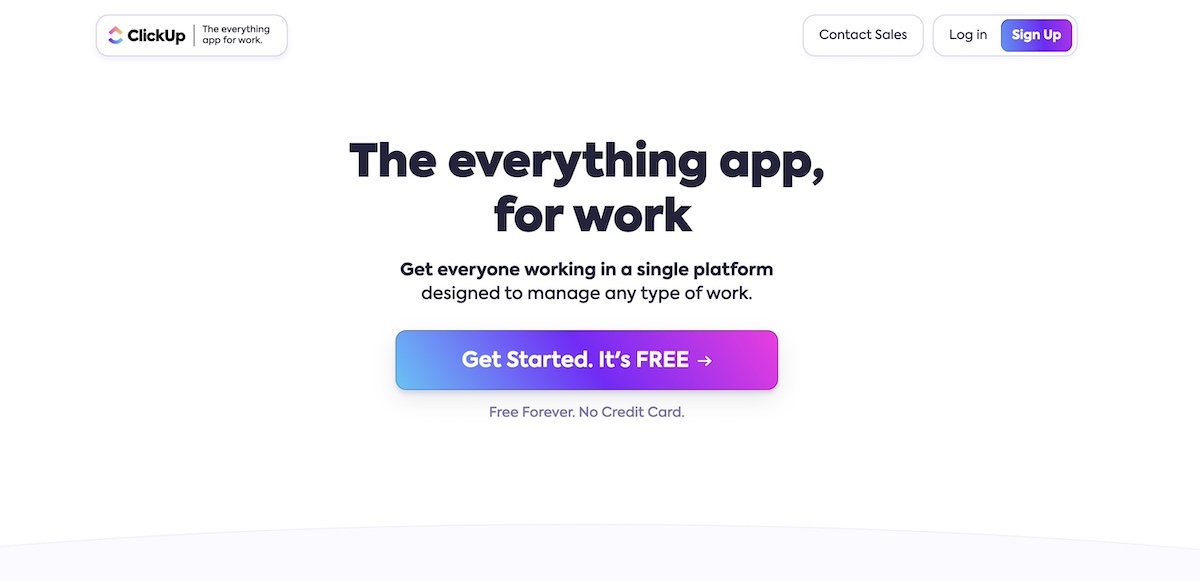
Clear value proposition: The headline, “The everything app, for work,” immediately tells visitors that this app covers all aspects of work management, providing a sense of comprehensiveness and utility.

Strong call to action (CTA): The prominent “Get Started. It’s FREE” button is compelling and reassuring, as it highlights that there’s no cost or risk to try the platform. The use of bright, gradient colors on the CTA button draws the eye, making it easy to find and click.

Minimal distractions: The page is clean and focused on one primary goal – getting users to sign up. The minimal text and whitespace keep users focused on the CTA.

Monday.com

landing-page-strategy-example-Monday.com

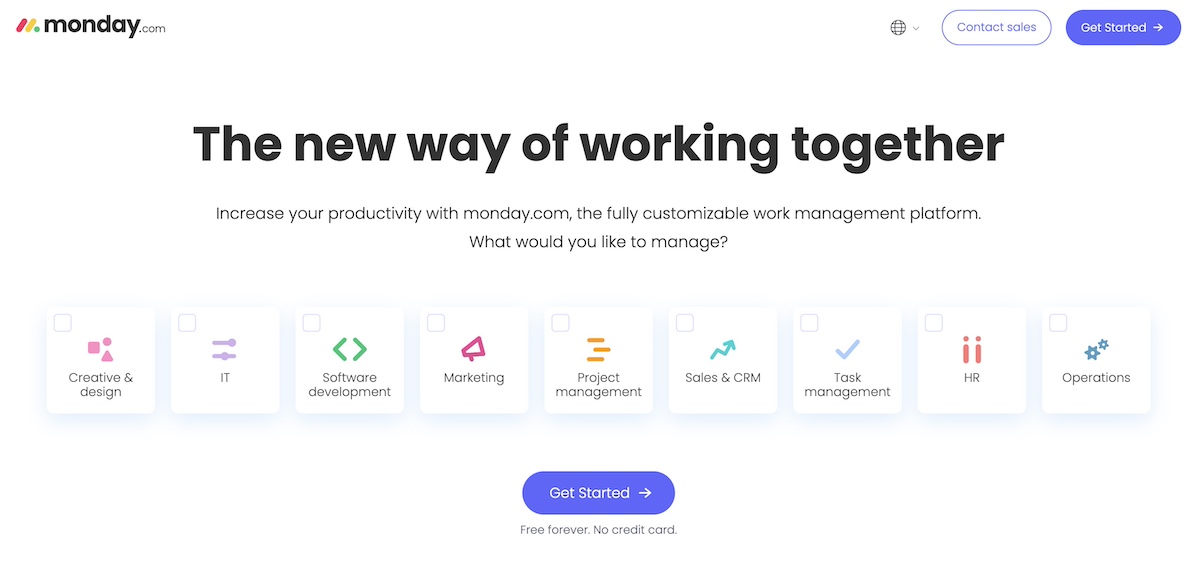
Strong headline and subtitle: The headline, “The new way of working together,” speaks directly to teams and businesses looking to improve collaboration. The subheadline further clarifies the platform’s purpose: a customizable work management tool to boost productivity.

Engaging call to action (CTA): The “Get Started” button is visually prominent and, as with Click Up, is paired with the reassurance of “Free forever. No credit card.” This reduces the friction to try the platform, as users know they can explore it without commitment.

Clever functionality for a focused user experience: By using different checkboxes, monday.com is able to simplify the conversion process without adding extra links or friction-causing user steps.

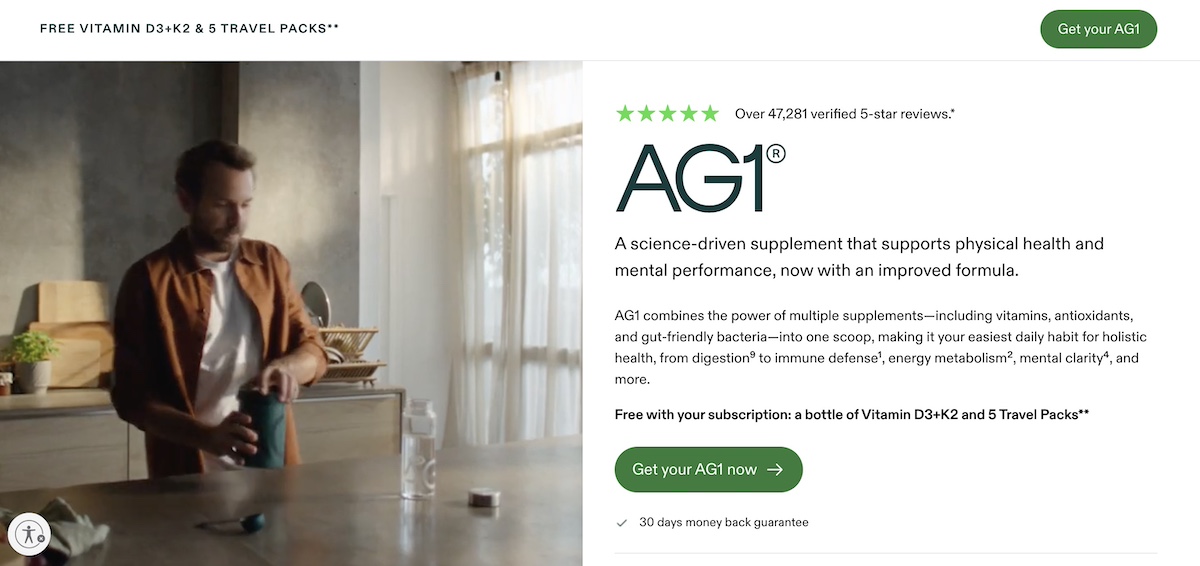
AG1

Improving-landing-page-performance-example-AG1

Supporting social proof: AG1 goes above and beyond here to demonstrate its credibility among consumers. It positions the five-star rating by over 47,000 customers front and center in order to generate a sense of trust. 

Clear and noticeable CTAs: The call-to-action buttons stand out not only with their color, but the language is precise. It doesn’t simply say “buy now,” – it says “Get your AG1 now.” 

Evocative video: Although the screenshot doesn’t capture it, the landing page effectively utilizes video (instead of a still image) to convey the energy and proactive feeling associated with using AG1. For a product designed to enhance self-care, video plays a crucial role in showcasing its full potential.

Closing Thoughts on Landing Page Best Practices

Creating a high-converting landing page is an essential component of any successful digital marketing strategy. By implementing the landing page best practices outlined in this article, you can design a perfect landing page that not only captures attention but also effectively guides visitors toward taking action. 

Remember that what makes a good landing page is your ability to convey that you understand your audience, and as such craft a message and offer that resonates with their needs and desires. Continuously monitor performance metrics, test different elements, and refine your approach based on real data. By doing so, you’ll ensure that your landing pages remain effective and aligned with your marketing objectives, ultimately driving better results for your business.

How to Boost Your Black Friday Ecommerce Sales

Black Friday ecommerce

Statistics show that Black Friday Ecommerce sales crossed $9.8 billion in 2023, which is $680 million more than in 2022, when the recorded sales were $9.12 billion. What is more, data analysts note that 2024 is expected to generate even more than $9.8 billion in online sales for Black Friday.

With the number of online purchases rapidly increasing over the past few years, it’s expected that even more people will shop online this year.

Prepare your e-store: 15 Black Friday strategies for retailers

As a business owner, you want to make the most out of the peak shopping season. If you’re still wondering how to prepare for Black Friday ecommerce sales, worry no more: We’ve got you covered with 15 Black Friday ecommerce tips that will help you drive more online sales during the year’s most important shopping season.

Let’s explore our step-by-step guide on how to build your Black Friday Ecommerce strategy:

1. Plan ahead

This year, Black Friday begins on Friday, November 29, and continues until Cyber Monday, December 2. It might seem there’s still plenty of time, but given the fact that many retailers start promoting sales earlier and earlier (e.g. beginning of November or even late October!). The shopping season is in fact just around the corner. That’s why it’s essential to plan well in advance, which means getting started as soon as possible.

Begin by researching Black Friday best practices that other retailers have implemented in the past few years. Analyze and decide which work with your own master plan for Black Friday, then tweak and twist them to make them fit your business needs. Here are some popular Black Friday campaigns that went viral, which can serve as inspiration as you get started.

Now that you’ve checked out what your main competitors have been doing, go ahead and build upon that, make it better, more relevant to your business, and more successful.

Dig deeper and brainstorm fresh Black Friday ideas that you can even A/B test beforehand so that when the time comes, you can apply your takeaways to your actual campaign.

Create a coordinated content strategy throughout all your channels, such as your website, social media platforms, and email campaigns. Think of relevant content for each of these channels, as well as the timing for rolling everything out.

To help you attract even more online sales for Black Friday, we’ve compiled a downloadable guide with actionable steps to follow during the whole Black Friday season.

[bf_prep_checklist_download]

2. Make sure your website can handle the increased web traffic

If you’ve completed step #1 correctly, you can expect lots of traffic to your online store during Black Friday. This raises the next logical question: whether your website is ready to handle all that traffic.

Traffic spikes can consume large amounts of bandwidth, potentially exceeding your hosting plan’s limits or causing network congestion, resulting in slower data transfer rates. This can lead to slower processing times or even crashes.

As the server struggles to process requests, the time it takes to load pages may increase dramatically.

If the server cannot handle the load, it may start returning errors like 500 Internal Server Errors, or requests may time out entirely, leading to broken pages and failed transactions.

Needless to say, if your site slows down or breaks completely due to the traffic spike, you will lose sales.

As an ecommerce website owner, you need to make sure that your online store loads as fast as possible for your visitors, and that it’s reliable.

Here are a few things you can do to optimize your web pages’ loading speed:

  • Use a caching technology

Caching is one of the most powerful tools to speed up your website, especially during traffic peaks. It stores copies of your files and data in the server memory, allowing multiple users to access them faster.

  • Enable a content delivery network (CDN)

A CDN is a tool that speeds up your website when you have international traffic to your website from multiple countries and continents. It will cache your website content, distribute it over different data centers around the world, and deliver your site content from the server closest to the visitor.

  • Leverage image compression

Having a large number of images that are also heavy in size can slow down your website. Compress your images without compromising on their quality by using WebP format, which will decrease your image size by up to 85% and decrease loading times.

Learn more about how to prepare your website for Black Friday and holiday traffic.

3. Secure your website

Along with step #2, securing your website is equally important because a large part of holiday web traffic may come from bad bots. This kind of traffic can hurt your online business and reputation, leading to financial and conversion losses. Here’s what you can do to prevent it:

  • Implement CAPTCHAs

CAPTCHA is a challenge response test that can be used to determine whether the user is a human or not. That is, completing the test should be easy for humans, but difficult for a computer. For example, a human would easily identify certain objects in an image, while a bot would have a harder time guessing.

  • Use a Web Application Firewall (WAF)

A WAF is a security solution that is designed to protect web applications by monitoring and filtering the traffic between a web application and the Internet. It then blocks requests that are in violation of certain predefined security rules.

Learn more about how to avoid bad bot traffic during Black Friday.

4. Refine your product descriptions

Product descriptions usually include a title, price, product detail, tags, meta title, and meta description. They are one of the first things your visitors will be looking at. That’s why they need to be informative and engaging in order to stimulate your visitors to buy. To help you achieve that, we’ve prepared a few, easy-to-follow tips:

  • Mention features and explain how they will benefit the user and improve their life/solve their problem.
  • Use power words to trigger an emotional or psychological response to make them perform the desired action.
  • Optimize descriptions for search engines by targeting the right SEO product keywords – but remember to write for humans, not bots.
  • Make descriptions easy to scan through by using bullet points for benefits/features, and/or bold font for important information
  • Include a clear call to action (CTA) that encourages users to go to checkout.  Remember to keep it short and straight to the point.

5. Show off “happy customer” reviews

According to studies, customer reviews (along with free and fast delivery) matter the most to Black Friday shoppers. That’s why it’s super important to show your happy-customer reviews as part of your Black Friday ecommerce strategy.

For example, you can include them in a section that’s connected or linked to the specific product they’ve reviewed, or show them in a separate section with all customer reviews. Or you can prepare a few short videos with satisfied customers, where you ask them specific feedback questions.

Whatever you choose, make sure the reviews look appealing and engaging. Include stars, thumbs up, or another visual element that shows satisfaction. Also be sure that the total number of reviews is also visible, as users often prefer to reference how many customers have used the product – if there are many reviews, then the product will seem even more attractive and legitimate to them.

6. Give your biggest discounts of the year for Black Friday

One of the best Black Friday ideas for small businesses is to save your biggest discounts of the year for the Black Friday season.

Begin by researching what the average discounts for your industry are and go beyond that in order to attract more (potential) customers. Make sure that your discount stands out. This is the only time of the year when you can and should lower your prices as much as possible.

Another idea that you may consider is lowering the prices of certain categories of your products. For example, begin by promoting one of your products’ categories in early November to build up your customers’ expectations. As Black Friday approaches, include yet another category of discounted products to attract even more customers. This way, you keep your visitors engaged over a longer period of time.

7. Take advantage of special promotions

Spice up your discounts by taking advantage of special promotions. Leverage classic incentives for attracting new and returning customers, such as “free shipping”, “fast delivery”, “buy 1, get 1 free”, and the like.

You can also create a sense of urgency among your audience by including “low in stock” labels on products that are about to be sold out. Most ecommerce platforms allow for easy product management, and automatically implement such labels when the minimum quantity (that you’ve predetermined) is reached.

[bf_prep_checklist_download]

8. Offer a variety of payment methods

Credit cards were used by 49.4% of the online shoppers making them the most used payment method for Black Friday ecommerce sales in 2023. Indeed, while credit cards may often seem like the default, we shouldn’t forget that there are other payment methods that can be leveraged during the Black Friday period. These include debit cards; PayPal; gift cards; Apple Pay; Buy Now, Pay Later; store cards; Venmo; Google Pay; even cryptocurrency. And the list goes on and on.

With such a variety of payment options out there, you wouldn’t want to miss an opportunity to close a purchase. Imagine the ready-to-buy customer that goes to checkout and they don’t see the payment method they prefer or are used to, thus deciding to leave the product.

To avoid this and similar situations, implement the most popular payment methods listed above on your checkout page.

9. Simplify your store’s checkout

The competition among retailers for Black Friday ecommerce sales is rough. But there’s also competition among buyers for the products they want to acquire from their much-desired list of items. They don’t have the time to wait on your online store. With that in mind, your store’s checkout should be as simple as possible – a one-page, one-click buying process would be best.

One way to do that is to implement a safe mobile wallet that stores each customer’s payment information. It allows them to simply review their order and buy by clicking a single button.

Another useful piece of advice is to introduce dynamic checkout buttons that allow returning customers to pay with their preferred payment method, preselected from previous purchases. You can go one step further and add such buttons on the sales/products pages in order to streamline the process.

Last but not least, have a test group go through your checkout process. Let them identify pitfalls and areas for improvement to help you make the process smoother for the Black Friday ecommerce rush.

10. Leverage automated coupons and codes

Another useful Black Friday ecommerce strategy to consider is the implementation of coupons or codes. 

Make them visible on your website, along with the discount percentage they provide. That way you’ll attract more customers. 

For example, once the ready-to-buy customer is on the sales page, have a small pop-up window with the discount code and its percentage. To activate the code, the customer simply needs to click on a CTA button. It can say anything along these lines – “apply code”, “get discount,” etc. And that’s it, the code will be applied to the final price on their checkout page.

To include such functionality, either explore the options in your ecommerce platform; look for a relevant plugin; or consult a web developer to customize the functionality to your liking.

If you’re not a fan of pop-ups, you can always place a bar at the top of your website with the same information and functionality. Once a user clicks the CTA button on the bar, the discount is applied to their cart and the bar can disappear.

11. “Save” abandoned carts

An often overlooked, but important Black Friday ecommerce strategy, is “saving” abandoned shopping carts. Keep in mind that these abandoned carts are the result of ready-to-buy customers who, for one reason or another, left their online shopping cart without making a purchase. Here are the top four tips to win back abandoned carts:

  • Enable automated push notifications on your website for returning, nearly converted users
  • Create exit pop-ups, reminding them about the discount and the unfinished purchase
  • Send re-engagement emails to encourage them to complete their purchase
  • Consider offering a bonus discount if they return and finish their purchase.

Make sure that if a visitor comes back to your website, their online shopping cart is still there waiting for them with the items they’ve put in it. All they need to do is click the checkout CTA button and pay for these items. Don’t overcomplicate the process for these visitors, because that’s probably your last chance to turn them into customers.

12. Provide strong customer support

The Black Friday ecommerce period is that time of the year when your customer support should be best prepared and organized, working at its full potential. You can’t risk a single customer writing a bad review, as it can cost you brand damage and sales losses.

You can expect more customer requests during this busy period. To avoid some of their inquiries, make sure to include or update (if needed) your sales page FAQs. Include things like shipping time, regions to which you deliver or not, return policy, etc.

You may also want to consider having more customer support team members on shifts.

The channels and hours during which they are available should be clearly stated on your site. On top of that, make the process of reaching out to your team as simple and straightforward as possible.

Next, have your customer support team undergo special training before Black Friday. In this training, you can include learning the answers to Black Friday FAQs (just in case); some admin specifics you want them to follow; shift schedules; and anything else that will streamline their work process in the upcoming weeks.

At the end of the day, your support team should be fast, efficient, helpful, and – most important, – friendly.

13. Have special savings for loyal customers

Go the extra mile for your most loyal customers. They’re the ones who are most engaged with your brand, as well as the ones who are most likely to make purchases from your business this Black Friday.

Make sure that you treat them with extra care and make them feel valued. There are a few ways to do this:

  • Send them teaser emails before Black Friday so that they know what offers to expect.
  • Include them in a customer loyalty program with special offers, rewards, or benefits.
  • Give them “early bird” access to your Black Friday deals.
  • Text them an SMS saying “Thank you,” along with a special deal.
  • Reach out to them with personalized direct messages on social media.
  • Send them a custom gift box that includes a handwritten card and discount code.

Before undertaking any personalized marketing activities, make sure that you are GDPR-compliant and these customers have given you the necessary consent to receive personal messages from your brand.

Want to go on the next level with your Black Friday ecommerce? Check out our blog for even more creative Black Friday campaigns that aren’t discounts.

14. Segment your audience for your email marketing campaigns

Ecommerce email marketing plays a crucial role for the success of your Black Friday ecommerce endeavors.

Segmenting your audience is the most important step in your email marketing campaigns. You can divide them into different groups based on various factors, such as their past purchasing behavior. For example, if you identify a group that has previously bought earrings from your online store, you can use the cross-selling technique, where you send an email recommending a matching necklace. Similarly, by identifying a group of people that are on your basic subscription plan, you can send them a promotional upsell email, telling them the advantages of your premium plan. 

PRO TIP: Plan your Black Friday email campaigns strategically and well in advance:

  • Pre Black Friday emails that count down the days to the big sales event
  • “Early bird” access emails that offer VIP benefits to more engaged subscribers
  • Black Friday announcements that go out on a specific date and time
  • Last-chance emails that create a sense of urgency for your offer as it comes to a close

Read our Beginner’s Guide to Ecommerce Email Marketing and learn how to create an ecommerce email marketing strategy, get examples of must-send marketing emails, and much more.

15. Build hype on social media

Statistics show that 25% of people look for Black Friday deals on social media. That’s how important social media is for your Black Friday ecommerce. Here’s how to build buzz on social media platforms before and during Black Friday:

  • Promote your deals, by making your audience use a special hashtag
  • Encourage your followers to enter a giveaway by liking, sharing, or commenting
  • Share an inspirational customer satisfaction story and let them tell theirs

PRO TIP: Make sure that any content you post on your social media channels is both valuable and visually appealing.

Black Friday ecommerce: get ready to get the best out of it 

Planning ahead and incorporating the above tips will lead to your Black Friday ecommerce success. In the meantime, feel free to post your questions or share any ideas in the comments section below.

Have a lucrative Black Friday!

[bf_prep_checklist_download]

The Beginner’s Guide to Ecommerce Email Marketing

shopping cart with emails going out from it

Ecommerce email marketing is how online stores turn one-time buyers into repeat customers by using targeted, automated emails that land at exactly the right moment in someone’s shopping journey. It’s also one of the few marketing channels where the numbers truly justify the effort: for every $1 spent, email marketing returns between $36 and $45, outperforming paid ads by a widely impressive margin.

If you’re just starting out or suspect your current setup is leaving money on the table, this guide covers everything you need: how to build and segment your list, which emails to send at each stage, and how to measure what’s working. Everything you need to get started, nothing you don’t.

Key takeaways

  • Ecommerce email marketing is one of the highest-ROI channels, helping online stores turn one-time buyers into repeat customers with targeted, timely emails.
  • Segmentation and personalization matter most—sending a relevant message to the right customer improves open rates, clicks, and conversions.
  • A strong email marketing strategy starts with a healthy email list: collect subscribers ethically, use clear opt-ins, and avoid purchased lists that hurt deliverability.
  • Different email types serve different goals—promotional, transactional, and lifecycle emails work together to support the full customer journey.
  • Automation saves time and increases sales by triggering emails like welcome sequences, abandoned cart reminders, and win-back campaigns at exactly the right moment.
  • Tracking key metrics like open rate, click-through rate, and conversion rate helps you improve performance and make smarter email marketing decisions.
six day email marketing course for beginners

What Is Ecommerce Email Marketing?

Ecommerce email marketing is a direct marketing channel that lets online stores reach customers with targeted emails, from promotional campaigns and abandoned cart reminders to post-purchase follow-ups and loyalty offers.

Ecommerce businesses use this type of email marketing for a range of purposes. These messages can include promotional emails with special offers and product discounts, transactional emails, such as order status updates and abandoned cart details, and regular informative and educational newsletters.

Segmentation and personalization are what make ecommerce email marketing outperform other channels. That is, when you group your audience by interests and customize the content they receive, you get better open rates, more clicks, and higher conversions. All because the right message is reaching the right person at the right time.

What Are the Benefits of Ecommerce Email Marketing?

The main benefits of ecommerce email marketing include full ownership of your audience, high ROI, precise targeting, stronger customer retention, and insights that sharpen your future campaigns. Here’s a closer look:

1. Gives You Control Over Your Audience

Email is a marketing channel you fully control. You own your email list and decide the content you share, unlike social media marketing and display ads where you rely on third-party algorithms that affect visibility of your message.

That said, ownership comes with responsibility. Getting your emails to the inbox (not the spam folder) depends on maintaining a clean email list, sending to engaged subscribers, and using a platform with solid deliverability. SiteGround Email Marketing, for example, is built with all of this in mind, so your campaigns land where they should.

2. Has the Highest ROI 

In general email marketing is more effective than other marketing channels with a higher return on investment. Research shows it can turn every $1 spent into somewhere between $36 to $45. In contrast, Google ads generate $2 for every $1 spent. That’s a very noteworthy difference.

In ecommerce, that targeting potential goes even further—you’re not just sending newsletters to a general list, but reaching the right people at exactly the right moment in their shopping journey. But, this requires a strategy—more on that in a moment.

3. Offers Targeted and Personalized Communication 

Ecommerce businesses gather email addresses through various methods—from paid campaigns and newsletter sign-ups to checkout processes and referrals. The advantage is being able to organize those subscribers into well-defined segments based on the email customer journey: where and when they subscribed, their interests and intent, and the types of emails they prefer to receive. The more closely your emails match what a subscriber actually cares about, the better your open rates, clicks, and conversions.

email customer journey stages diagram

4. Improves Customer Retention and Loyalty

Email does more than drive one-off sales. It’s how you build a relationship that outlasts any single purchase. Regular touchpoints keep your brand top of mind, nudge potential customers toward repeat buys, and when engagement starts to slip, re-engagement emails give you a second shot at winning them back. Over time, that consistent presence is what turns a one-time buyer into a loyal customer.

5. Drives Growth Across Your Entire Business

There are three key ways to grow your ecommerce business: increase the total number of customers, boost the number of purchases each customer makes (repeat purchases), or raise the average order value.

Ecommerce email marketing is a powerful tool that simultaneously impacts these three growth strategies. A simple email can win-back inactive subscribers, promote repeat purchases, stimulate upsells, or recover abandoned orders and bounced sales. Having customers return is important for your business because it keeps your average cost of acquiring a customer down.

6. Provides Unique Insights

Last but not least, ecommerce marketing emails serve as a valuable learning tool for businesses. By analyzing how customers interact with your emails, you can gain deep insights into their interests and behaviors. This knowledge removes the guesswork and enables more effective segmentation and targeting in future campaigns.

How to Create an Ecommerce Email Marketing Strategy

Building a successful ecommerce email marketing strategy comes down to a handful of core steps. Here’s how to set it up from the ground up.

1. Build (and Grow) Your Email List

Collect the Emails of New Clients

Your buyers are your warmest audience. They already know your brand and like what you sell. Whether you’re selling online or in person, start collecting their emails at checkout. They’ve already shown they’re interested, which makes them far more likely to engage with your emails down the line.

Collect Emails of Visitors With Opt-in Forms and/or in Person

Beyond buyers, your website visitors are another strong source of leads. They’re already interested enough to show up. Add sign-up forms in high-visibility spots like your homepage, sales pages, or footer, and give people a compelling reason to subscribe: a discount, early access, or a useful resource (this is what’s known as a lead magnet). For a deeper dive, see our guide on how to build an email list.

If you use SiteGround Ecommerce, your sign-up forms, subscriber management, and email campaigns are already in the same place—no extra plugins or third-party connections needed.

Get Explicit Consent & Use Double Opt-in forms

A bigger list isn’t always a better list. You want subscribers who actually want to hear from you, which means getting explicit consent and skipping the temptation to buy lists. Purchased lists violate GDPR (the EU’s data privacy regulation) damage your email deliverability and sender reputation, and rarely convert anyway.

The best way to keep your list clean from the start is a double opt-in — a confirmation email that asks new subscribers to verify their sign-up. It adds one extra step but filters out bad addresses and ensures everyone on your list genuinely wants your marketing emails, which helps you reduce bounce rates and stay out of spam folders.

2. Segment Your Audience 

List segmentation means grouping your subscribers by shared characteristics (where they signed up, what they’re interested in) so you can send each group content that’s actually relevant to them. The more targeted the message, the better your chances of getting the open, the click, and the sale.

The most natural place to start is where and how someone signed up. But if your sign-up form includes a simple preference question—”Which sports are you interested in?” for a sports brand, for example—you immediately have a basis for more meaningful segmentation. A 10% Black Friday discount hits differently when the soccer fan sees soccer gear and the golf enthusiast sees clubs. Every answer becomes a tag in your subscriber database that you can build campaigns around.

SiteGround Email Marketing makes this straightforward: you can filter subscribers by custom fields like interests or signup source, and have a tightly targeted segment ready before you hit send.

3. Set up Different Types of Ecommerce Email Marketing Campaigns

With your list built and your audience segmented, it’s time to think about what to actually send. Ecommerce email marketing campaigns generally fall into three categories, and most stores need all three working together to cover the full customer journey:

  • Transactional Emails: These are automated messages triggered by customer actions. Examples include order confirmations, purchase receipts, and shipping updates. Because they’re expected and relevant, they’re among the most-opened emails you’ll ever send, making them a key trust-building tool.
  • Promotional Emails: These emails aim to increase product visibility and sales through announcements of discounts, special deals, or product launches. For instance, promoting a new collection or a Black Friday-Cyber Monday sale. They are designed to attract and engage customers, driving both immediate purchases and long-term brand loyalty.
  • Lifecycle Emails: Often called “triggered” emails, these are sent in response to specific customer interactions with your site. Examples include a welcome email upon subscription or a loyalty program email to encourage ongoing sales. Lifecycle emails are effective for nurturing customer relationships and guiding potential buyers along the marketing funnel, from initial interest to final purchase and beyond.

4. Organize Your Emails with a Calendar

To effectively reach different customer groups who have varying needs, plan your email campaigns using an email marketing calendar. This helps you schedule your emails and follow-ups, ensuring you stay organized and on track with your campaigns.

You can create your own email calendar using tools like Google Sheets or Microsoft Excel. When setting up your calendar, include entries such as:

  • Campaign name
  • Email type (newsletters, win-back, welcome emails)
  • Subject line
  • Product or service features/offers
  • Target audience
  • Calls to action (CTAs)
  • Send date and time
  • Status (in progress, scheduled)
  • Owner (the person in charge of the email)
  • Goals (generate leads, welcome new subscribers, re-engage inactive customers)

This structured approach helps you deliver targeted content at the right time to the right audience.

5. Automate as Much as Possible

Automation is what turns a good email strategy into one that runs while you sleep. Most platforms handle the basics out of the box—welcome emails, order confirmations, shipping updates. But email automation goes further: you can set up trigger-based sequences that respond to what a subscriber actually does. A customer shows interest in a product—they get a follow-up email with more information, a related recommendation, or a timely discount to nudge them toward a purchase.

Welcome sequence email automation diagram

The more of this you set up upfront, the less manual work your campaigns require over time.

Must-Send Ecommerce Marketing Emails (+ Examples)

1. Sales and Promotional Emails

These emails aim to drive sales and usually communicate discounts and special offers. They need to be straight to the point—what’s the value of the product or service you offer and include a strong CTA. These messages should be designed to drive instant traffic to your website and increase your sales.

Example of a promotional email with a sale

Here are a few subtypes to consider:

  • New product or service launch: Whenever you introduce a new product or service, make sure your customers and subscribers are the first to know. This keeps your audience engaged and excited about your ecommerce brand’s developments.
  • Special or seasonal discounts: Make the best out of special or seasonal discounts to generate urgency. These are time-sensitive offers built around seasonal marketing, from holidays like Christmas and Valentine’s Day to major shopping events like Black Friday email campaigns. These promotions encourage quick decision-making and increase sales during peak shopping times.
  • Cross-sell emails: Send emails that suggest complementary items based on what a customer has already purchased. If they’ve ordered a book from a collection, let them know there are other books in this series, to spark their interest and drive sales.
  • Upsell emails: Upsell emails are a chance to increase your earnings per customer by promoting premium versions of the products or services they already use, or by offering related products. Encourage your customers to pay extra for more features and convince them that they need these features. Let them know that the upgrade will enhance their experience even further.

2. Abandoned Cart Emails

Abandoned cart emails target shoppers who got close but didn’t quite convert. Keep them simple: address the customer by name, show them what they left behind, and include a clear CTA back to their cart. The less friction between the email and the checkout, the better.

3. Relationship Marketing Emails

These emails let you build and maintain a long-term relationship with your customers. Customize and personalize them as much as possible to strengthen your connection with each subscriber. Examples include: 

  • Newsletters: Sending regular newsletters helps keep your subscribers informed and engaged with your brand. Aim to maintain a balance—regular updates are good, but too many can overwhelm their inboxes. Always prioritize quality content that adds value.
  • Birthday emails: Sending birthday emails not only makes your customers feel special and appreciated, but it also provides an opportunity to offer them a limited-time discount or promotion. This gesture celebrates their special day while simultaneously boosting your sales.
  • Referral emails: Referral emails allow your customers to recommend your products or services in return for a discount, free shipping, or another win. These emails also make them feel special, because their loyalty to the brand brings them benefits.
  • Feedback survey emails: Once a customer makes a purchase, you can send them a survey email to rate your product or service. This approach shows your customers that you value their opinions and will use their feedback to improve your services in the future. It’s another effective way to create a connection and make your customers feel respected and involved.
Example of a birthday email for email marketing

4. Personalized Product Recommendations

Your secret weapon in ecommerce email marketing are recommendation emails. In these emails, you can include product suggestions that match your customers’ interests, making it easy for them to discover products they actually want to buy.

Example of an ecommerce email marketing email recommending a related product

5. Win-Back Campaigns to Reactivate Subscribers

If part of your subscribers has become inactive, it’s time to get their attention. Create a win-back email series designed to give these audience members a reason to reconnect with your brand. A friendly “we miss you” email can go a long way.

Example of an ecommerce email marketing we miss you email

6. Transactional Emails

Transactional emails are important in ecommerce because they confirm a user’s actions on your website. For example, you send confirmation emails when customers make a purchase, providing them with an order receipt and reassuring them about their product’s upcoming delivery.

Since these emails are expected by your customers, they have one of the highest open rates among all types of marketing emails. Their main goal is to streamline the ecommerce process, not to sell or call to a specific action.

The core transactional emails every ecommerce store should have set up:

  • Order confirmation: sent automatically after a purchase, with a receipt, order summary, and key details. It doesn’t need to be creative, just clear and professional.
  • Shipping confirmation: lets the customer know their order is on its way, with an estimated delivery date and tracking link if available.
  • Thank you email: a simple acknowledgement that goes a long way toward making customers feel valued and keeping your brand top of mind after a purchase.
example of an ecommerce transactional email welcoming a new customer

Ecommerce Email Marketing Best Practices

Once your strategy is running, these best practices will help you sharpen it and get better results with every campaign.

1. Choose the Right Email Marketing Platform 

Before you can send a single email, you need a platform to send it from. When evaluating your options, look for a tool that covers the basics well: an intuitive email builder, list management and segmentation, automation capabilities, and built-in analytics to track performance. Easy integration with your store is also worth prioritizing, as the fewer manual connections you have to manage, the better.

2. Collect the Right Customer Data in Your Sign-up Forms

Your sign-up form is your first opportunity to collect customer data that makes segmentation possible. Keep it simple—one or two questions max—but make them count. A question like “What products are you interested in?” with a handful of predefined category options gives you an immediate basis for grouping subscribers and tailoring what you send them. Every answer becomes a tag in your subscriber database that you can build campaigns around.

3. Consider How You Use Segmentation for Each Campaign

Segmentation is only as good as the customer data behind it, which is why what you collect at sign-up matters. Once you have that data, the key is knowing when to use it and when not to. Not every campaign needs a finely sliced audience: a storewide discount is relevant to everyone, so sending to your full list is perfectly valid. Think about who actually needs to hear this message, and segment from there.

4. Schedule Your Emails Effectively

Timing matters more than most beginners expect. Mid-week mornings tend to work best, but here are a few rules of thumb to keep in mind:

  • Nights and weekends: avoid these; your email will get buried by the time people check their inbox.
  • Mondays: inboxes are already swamped from the weekend, so your email is competing for attention from the start.
  • Fridays: generally not great for promotions, unless your offer is something people would enjoy over the weekend.
  • Holidays: a well-timed holiday promotion can work brilliantly or fall completely flat depending on what you sell. High-stakes seasonal events like Black Friday have their own timing rules worth knowing before you hit send.

5. Craft Emails Worth Opening

With so many ecommerce stores flooding inboxes, quality is what sets you apart. A few things that make a real difference:

  • Subject line: it’s the first thing people see, and often the only thing that determines whether your email gets opened. Keep it short, specific, and honest. If it sounds like a promotional cliché, it’ll get ignored or flagged as spam.
  • Content: prioritize usefulness over volume. A well-timed, relevant email wins over five generic ones.
  • Visuals: use images that support your message, not just fill space. Decorative visuals that don’t add context are a distraction.
  • Mobile responsiveness: most people will read your email on their phone. If it doesn’t render well on mobile, it doesn’t matter how good the content is.

6. Explore AI for Email Marketing

Content creation is where most beginners hit a wall. And it’s also where AI can take a lot of the weight off. A few ways to put it to work:

  • Writing your emails: a built-in AI writer like the one in SiteGround Email Marketing lets you generate and refine email copy without staring at a blank page.
  • Crafting better email subject lines: AI can generate and help you test multiple subject line variations quickly, improving your chances of getting that open.
  • Using the right prompts: the quality of your AI output depends heavily on how you ask. Our guide on email prompts for AI models is a good place to start.
  • Planning and scheduling: AI can help you map out a campaign calendar, suggest send timing, and identify gaps in your strategy. If you want to go further, SiteGround AI Studio can help you plan and execute across your broader marketing effort.
  • Personalizing at scale: instead of writing separate versions for every segment manually, AI can help you adapt the same core message for different audiences without the heavy lifting.

7. A/B Test Your Emails

A/B testing is how you stop guessing and start knowing what works. The idea is simple: send two versions of an email to a subset of your list, see which performs better, then send the winner to the rest. And you can test almost anything—subject lines, CTA placement, visuals, offer size, even whether you need a particular email at all. Those small optimizations add up to meaningfully better open rates, clicks, and conversions over time.

The metrics you’ll learn about in the next section are what tell you which version won—and whether your strategy is improving over time.

How to Measure Your Ecommerce Email Marketing Performance

Sending emails is only half the job. Understanding how they perform is what lets you improve over time. Keep a regular eye on these three core email marketing metrics:

  • Open rate: the percentage of delivered emails that were opened. A strong open rate signals that your subject lines are working and your sender reputation is healthy.
  • Click-through rate (CTR): the percentage of recipients who clicked a link in your email. This tells you how relevant and engaging your content actually is.
  • Conversion rate: the percentage of recipients who completed a desired action after clicking, whether that’s making a purchase, signing up, or filling out a form. This is the metric that ties directly to revenue.

SiteGround Email Marketing tracks all of these automatically—open rates, click rates, unsubscribe rates, and more—so you always know what’s working and what needs adjusting.

Make Your Ecommerce Email Marketing a Success

Ecommerce email marketing is one of the few channels where consistent effort compounds over time: more repeat purchases, stronger customer relationships, and a list that grows in value the longer you work it. The strategy, the segmentation, the timing—all of it gets easier once you have the right tools underneath it.

SiteGround Email Marketing gives you everything you need to build, send, and track campaigns from day one—an intuitive builder, audience segmentation, automation, a built-in AI writer, and analytics that show you exactly what’s working. 

[58]

Ecommerce Email Marketing FAQs

What is ecommerce email marketing?

Ecommerce email marketing is the practice of using email to communicate with potential and existing customers of an online store. It covers everything from automated transactional emails like order confirmations, to promotional campaigns, product recommendations, and win-back sequences—all aimed at driving sales, building loyalty, and keeping existing customers engaged throughout their journey.

How often should I send emails to my ecommerce subscribers?

There’s no universal answer, but a good starting point for most stores is one to two emails per week. The right frequency depends on your audience, your content, and the stage of the customer journey. New subscribers may need more touchpoints, while long-term customers may disengage if emailed too frequently. Monitor your unsubscribe and open rates closely; they’re the clearest signal that you’re sending too much or too little.

What is a good open rate for ecommerce emails?

Industry data puts ecommerce open rates around 30% according to email marketing benchmarks, but open rates are increasingly unreliable as a standalone metric—Apple’s Mail Privacy Protection and email bots can inflate the numbers significantly. A more meaningful signal is your click-through rate, which shows actual email engagement, and your own historical trends. If your open rates are suddenly dropping, that’s worth investigating, but chasing an industry average is less useful than building your own baseline over time.

What’s the difference between transactional and marketing emails?

Transactional emails are triggered by a specific customer action, such as an order confirmation, a shipping update, a password reset. Their job is to inform, not to sell. Marketing emails, on the other hand, are sent proactively to promote products, nurture relationships, or re-engage subscribers.

This article was originally published in May 2024 and then updated in May 2026

How to accept payments online: Your guide to getting paid

Abstract of accepting online payments

There are several ways to accept payments online — from payment links and invoicing tools to full checkout integrations — and most take less than ten minutes to set up. This guide breaks down all your options: what they cost, how they work, and which one fits your business, whether you’re selling a product, offering a service, or sending your first invoice.

Key takeaways

  • Every online payment comes down to one of two things: a card payment or a bank transfer. Everything else is just the channel you use for collecting payments.
  • You don’t need a website to start getting paid — a payment link or invoice can have you up and running in minutes.
  • The technical side — gateways, processors, merchant accounts — is handled automatically by most modern platforms. You won’t need to touch any of it.
  • Fees vary more than most people expect. Always check the full pricing page, not just the headline rate.
  • A website is more accessible and affordable to set up than most first-time sellers expect — and it’s the only payment method that gives you full control over the customer relationship and your marketing channels.

How do online payments work?

At its core, getting paid online means money moving from your customer’s account to yours. There are two fundamental ways that happens — and understanding the difference makes everything else in this guide click.

Debit and credit card payments

When a customer pays by credit or debit card, the process moves through several steps behind the scenes: the customer enters their card details, a payment gateway captures and encrypts the data securely, a payment processor moves the money through the card network, and the funds land in your merchant account — minus a small fee. For most growing businesses, credit card payments are the fastest, most familiar option for customers, and they settle within one to two business days.

Diagram of how card payments work online

Direct bank transfers

With a bank transfer (sometimes called ACH in the US), the customer’s bank sends funds from the customer’s bank account directly to yours — no card network involved, fewer intermediaries, and usually lower fees as a result. 

The trade-off is speed and convenience: transfers typically take one to three business days to settle, and the customer has to initiate the online payment manually rather than entering card details at checkout. Bank transfers work well for large invoices and B2B transactions, but they add friction for one-off or impulse purchases.

Three terms worth knowing:

  • Payment gateway: the technology that captures and encrypts your customer’s payment details the moment they hit pay, then passes them securely to the payment processor. Most website builders and online payment platforms include one, and you won’t need to set it up separately.
  • Payment processor: the service that takes those encrypted details from the gateway and does the actual work of moving money, communicating with the customer’s bank, getting authorization, and transferring the funds to your account. Stripe is an example of an online payment processor.
  • Merchant account: a holding account where your funds land after an online transaction is approved, before they’re transferred to your regular bank account. Platforms like Stripe include one automatically, so you won’t need to open one yourself.

The good news is that wrangling these terms — and the technology behind them — isn’t something you necessarily need to do manually. When you use a modern ecommerce platform or website builder (like SiteGround Ecommerce), the gateway is built in, the processor connects with one click, and the merchant account is included automatically. It just works.

Everything else in this guide — the platforms, the setup steps, the costs — is really just about which channel you use to collect one of those two payment types.

Ways to sell online

There are four main channels to accept online payments. Which one makes sense depends on what you’re selling and where your business is right now.

A payment link is a URL that takes the customer straight to a checkout page. You generate it through a payment platform, then share it however makes sense (by email, in a social media DM, on an invoice, or even in a text message). No website required. Payment links are the fastest way to get started: you can be set up and ready to accept payments online in under ten minutes. 

The downside is that they’re fairly bare-bones: there’s no storefront, no product listings, and no real presence for customers to browse. They’re ideal for service providers, creators, and anyone testing a new offering, but they’re not a long-term substitute for something more permanent.

Online invoicing

Invoicing tools let you send a professional bill to a client that includes a link for online payment. They’re especially well suited to freelancers, consultants, and service businesses that bill clients on completion or by project. Tools like Wave (free) and FreshBooks make the process straightforward, and some support direct bank transfers alongside cards.

That said, bank transfers come with more friction and slower settlement. Worth checking what payment methods a platform supports before committing to one.

Marketplaces

Platforms like Etsy or Gumroad handle the entire selling experience (think: listings, checkout, and payments) without you needing to build anything. What you give up: fees are typically higher than processing your own online payments, customization is limited, and building a direct relationship with your customers — including building an email list — is much harder when the platform sits between you and the buyer. A reasonable place to start for physical or digital products, but not a long-term substitute for your own setup.

A website with a checkout page

A website with an integrated checkout brings everything together: your storefront, payment gateway, and processor all in one place. It’s the most scalable and professional option — and for sellers thinking about website marketing and long-term growth, it’s the only setup that gives you full control. This is the right choice for product sellers from the start, and the natural next step for service providers who want a permanent presence and a direct marketing channel to their audience.

One thing worth considering as you set up: a checkout page needs to feel trustworthy and load quickly — both have a direct impact on whether customers follow through on a purchase. That means an SSL certificate, a clean design, and fast, reliable web hosting.

Why your website platform choice matters at checkout 
If you’re going the website route, the platform you choose has a direct impact on how well your checkout performs. A checkout page lives or dies on two things: speed and trust. A slow page loses customers before they pay; an unpolished or unsecured one loses them the moment they arrive. The stakes are higher than you might think — research shows that conversion rates drop by an average of 4.42% for each additional second of load time in the first five seconds. 

SiteGround Ecommerce is built with speed and trust in mind — fast loading times out of the box, SSL security included as standard, and a website builder designed to get you from setup to selling without a technical background. The result is a checkout experience that’s built to convert, not just function.

Start selling now>>

A note on other payment tools

Tools like Venmo, Cash App, and Zelle (known as peer-to-peer (P2P) payment apps) are a common starting point for informal selling, and they work fine for the occasional online transaction between people who know each other. But they come with real limitations for business use: most offer no seller protection, accounts can be flagged or frozen when used regularly for business purposes, and none of them are designed with commerce in mind. If you’re just starting out, they might get the job done in a pinch, but they’re not a reliable foundation to build on.

Apple Pay and Google Pay are a different story. They’re not selling channels — they’re a checkout convenience that sits on top of a regular card payment. Most payment processors support them natively, which means if your processor does, they’ll show up as a checkout payment method for your customers automatically. Worth knowing they’re covered, but not something you need to actively set up.

A note on AI-built websites

If your site was vibe coded with an AI app or website builder, adding payments doesn’t require a rebuild. A portfolio site, a restaurant site, or an event site built this way started as a chat prompt, and connecting a payment processor works the same way. Stripe is the easiest option here: Coderick AI now integrates with Stripe directly in the chat, so you describe what you want to charge for, connect your Stripe account, and Coderick builds the checkout, payment links, and confirmation page for you. No separate gateway to configure and no code to touch. The same logic applies to any AI-built site: Stripe (or a similar processor) plugs into the existing structure instead of asking you to rebuild around a payment feature.

How do online payments get set up — with or without a website?

The setup process is way simpler than most people expect. Before you begin, you’ll need three things: 

  1. a bank account to receive funds
  2. a payment processor (or platform that includes one) to handle the transaction
  3. a way to send customers to the payment (so a link, an invoice, or a checkout page)

Chances are, you already have the first one covered.

Accepting online payments without a website

  1. Sign up for an online payment platform and connect your bank account
  2. Run a test transaction before going live
  3. Generate a payment link or create an invoice
  4. Share it with your customer (by email, message, or social media)

Accepting payments on a website

  1. Choose a website builder with built-in ecommerce and payment support (such as SiteGround’s)
  2. Sign up for a compatible payment processor — Stripe and PayPal are two of the most widely used — and add your bank details. Stripe is typically the better fit for websites and scalable setups, while PayPal is faster to get started with and widely trusted by consumers.
  3. Connect the processor to your website builder (usually one click — the gateway is already built in)
  4. Enable direct bank transfer as an additional online payment option if your platform supports it
  5. Add your product, service, or booking listing
  6. Run a test transaction
  7. Go live
Backend of SiteGround Ecommerce where you can connect different payment methods for your customers

How much does it cost to accept online payments?

The cost depends on how money moves and which platform you use. Here’s a basic breakdown.

Card payments

A commonly cited industry rate is 2.9% + $0.30 per transaction — meaning on a $100 sale, you’d typically keep around $96–$97. If you’re selling internationally or accepting multiple currencies, additional fees can push that total meaningfully higher, so it’s worth checking the full pricing breakdown.

Payment platforms generally offer two pricing models:

  • Pay-as-you-go: no monthly fee, but a slightly higher per-transaction rate. Better for lower-volume sellers.
  • Monthly subscription: lower per-transaction processing fees in exchange for a fixed monthly cost. More cost-effective once you’re processing a consistent volume.

One thing to check: some ecommerce platforms charge their own transaction fee on top of the processor’s, unless you use their preferred processor. This can add up, so it’s worth reading the pricing details before committing.

Direct bank transfers

Bank transfers are usually charged as a flat fee rather than a percentage, which makes them meaningfully cheaper on larger transactions. On a $1,000 invoice, the savings over card processing can be significant. Whether those savings are worth the added friction for your customers depends on your setup — for high-value or repeat clients, usually yes. Not all platforms support bank transfers either, so it’s worth confirming before building your setup around it.

What to watch for: processors that bury fees in fine print, charge monthly minimums on low-volume months, or advertise low rates that only apply to specific card types. Always check the full pricing page, not just the headline number.

Which payment setup is right for a small business?

It depends on what you’re selling and where you are in your business. Here’s a quick-reference guide:

Business typeBest starting pointWhy it worksWhen to level up to an ecommerce website
Freelancer / consultantPayment link or invoicing toolFast, low overhead, no website neededWhen you want a professional online presence
Service businessInvoicing + payment linkEasy for repeat clients; supports bank transfersWhen bookings or quotes go digital
Product sellerWebsite with checkoutHandles inventory, shipping, and multiple buyersAlready the right choice from day one
Testing an ideaPayment linkGet paid before investing in infrastructure — though setting up a basic website is simpler than it might seemOnce demand is proven

What are the most common mistakes when accepting online payments?

The most common mistakes are easy to avoid once you know what to look for.

  • Not understanding payout timelines. Card payments and bank transfers settle at very different speeds. If your cash flow depends on quick access to funds, card payments are the safer choice.
  • Ignoring chargeback policies before they’re needed. A chargeback is when a customer disputes a charge and the card network reverses it. Understand your processor’s policy before your first sale, not after.
  • Choosing a processor with hidden fees. Monthly minimums, annual fees, and fine-print per-transaction charges can quietly erode your margins. Read the full pricing page.
  • Missing the platform’s own transaction fee. As we mentioned above, some ecommerce platforms add their own fee on top of the processor’s. Easy to miss, easy to avoid by checking in advance.
  • Skipping the test transaction. Always run a test purchase before going live. It takes two minutes and prevents embarrassing failures on day one.
  • Not having a refund policy visible at checkout. Customers are more likely to complete a purchase when they know returns are handled clearly. It also reduces disputes.
  • Offering only bank transfer when customers expect to pay by card. Bank transfers add friction. If most of your customers are individuals rather than businesses, card payments should be the default.

Start accepting payments online today

No technical skills or big budget are needed to get started. Payment links and invoicing tools make it possible to accept payments in minutes, and these days most setups are far simpler to configure than they appear.

When you’re ready for something more permanent and professional, a website brings everything together: your storefront, payment gateway, processor, and direct transfer support all in one place. SiteGround Ecommerce is an easy way to take that next step — quick to set up, secure out of the box, and with no platform transaction fees on top of your processor’s. Plus built-in online payment processing, a website builder designed for non-developers, and around-the-clock expert support from people who know small business.

FAQs about accepting payments online

What is the safest way to accept payments online?

Using a reputable payment processor with built-in fraud protection and encryption is the safest approach. Established processors handle PCI compliance on your behalf, meaning your customers’ card data is never stored on your own systems. Avoid informal payment methods like bank transfers to strangers or P2P apps, which offer little to no seller protection.

How does accepting an online payment work?

When a customer pays online, their card details are captured by a payment gateway, encrypted, and passed to a payment processor. The processor contacts the customer’s bank, confirms the funds are available, and moves the money to your merchant account. The whole process takes seconds from the customer’s perspective, with funds typically landing in your account within one to two business days.

What is the safest way to accept payment from strangers?

Use a payment platform that includes seller protection (and avoid P2P apps). Card payments through a reputable processor give you the strongest protection: disputes can be handled formally, and most processors have fraud detection built in. For high-value transactions, consider requiring payment before delivering goods or services.

How can payments be accepted without a website?

The easiest way is to use a payment link — a URL that takes the customer directly to a checkout page. You generate the link through a payment platform (most take five minutes to set up), then share it by email, text, or social media. Invoicing tools work the same way for clients who expect a formal bill. No website, no technical setup required. That said, if you’re considering something more permanent, setting up a basic ecommerce website is simpler and more affordable than most people expect.

This article was originally published in May 2022, and then updated in April 2026

How to create an ecommerce website: 8 steps to first sale

Abstract of how to create an ecommerce website

Wondering how to create an ecommerce website? It means setting up an online store where customers can browse your products, add them to a cart, and pay securely — and with the right platform, you can do it in a single day. Here’s exactly how.

Key takeaways

  • Build your ecommerce website with one goal in mind: making your first sale, not perfection.
  • Choose an all-in-one platform to simplify setup, payments, hosting, and performance.
  • Set up payments, shipping, and taxes early — modern platforms make it faster than you’d expect.
  • Pick a clean, professional design and customize the basics without over-tinkering.
  • Launch fast with essential pages, clear navigation, and content that drives action.
  • Make your store trustworthy from day one with clear policies, contact info, and social proof.
  • Use built-in AI tools to create product copy, page content, and images without getting stuck.
  • Drive early traffic with email, social media, and small ad tests — then improve based on real data.

Most people trip up by spending months obsessing over the perfect logo, debating color schemes, and reading every “ultimate guide” they can find. Meanwhile, their store? Still not launched. Or worse, it’s live, but nobody’s buying because they forgot the actual goal: making sales.

This guide is different. We’re not here to help you build a perfect ecommerce empire (it doesn’t exist anyway). We’re here to help you get your first sale. Because once you’ve proven that people will actually pay you for what you’re selling, everything else gets easier.

Ready? Let’s build an online store that actually makes money.

Step 1: Start with the sale in mind

Every decision you make while building your ecommerce site should serve one goal: getting someone to buy. Before you pick a single template or upload a product photo, clarify what you’re actually trying to accomplish.

Get clear on the problem you’re solving

Think about the last thing you bought online. You didn’t buy it because the ecommerce website had a cool parallax scrolling effect. You ultimately bought it because you had a problem and that product was the solution.

Your potential customers are no different. They’re thinking about their problems, and your ecommerce marketing job is to solve one of them, clearly and specifically.

So when creating your site, it’s essential to first clarify:

  • What specific problem does my product solve?
  • Why is it painful enough that someone would pull out their credit card?
  • How does my solution make their life measurably better?
  • What is my unique selling proposition? 

Write this down. These answers becomes the foundation of everything: your homepage headline, your product descriptions, even which products you launch with.

Define your customer persona

You don’t need to write a novel about a fictional person named “Jennifer” who likes yoga. You just need to answer: Who actually has the problem I’m solving and would pay to fix it?

What you should consider when thinking about your customer persona:

  • The basics of your target audience: Age range, life stage (college student vs. new parent vs. retiree shop very differently)
  • The mindset: Budget-conscious or quality-focused? Impulsive or careful researcher?
  • The context: Where do they hang out online? When do they shop? What makes them trust a new brand? Where will they be at in the customer journey?

Focus on one main action

Your ecommerce site needs to make people do something. And that something should be buying your product.

Here’s what to do to make sure your site is focused:

  • Pick your one main action (likely: it’s “Add to Cart” or “Buy Now”)
  • Build everything around making that action easy and appealing
  • Keep every website page focused on moving people toward that button 

Step 2: Choose an ecommerce platform

Choosing your ecommerce platform is the most consequential decision you’ll make. It determines your setup complexity, cost, flexibility, and support options.  For first-time sellers, an all-in-one platform removes unnecessary complexity and helps you launch faster, with fewer decisions and fewer things that can go wrong.

Think of your ecommerce platform as the engine under the hood of your online store. Pick a good fit, and you won’t think about it much (which is exactly what you want). Pick a bad fit, and you’ll be fighting with it every time you need to add a product or process a payment.

You don’t need to become a tech wizard or spend weeks researching. But you do need to understand your options and pick the path that makes sense for where you are right now.

All-in-one vs. DIY: pick your path

You’ve essentially got two realistic routes when it comes to creating an online store:

The DIY route: Go with a content management system like WordPress and get WooCommerce Hosting for ecommerce support. From there, you’d need to connect your domain, configure payment gateways, install security plugins (if it’s not done for you), troubleshoot when things break, and so on. It’s doable if you enjoy tinkering with tech, but it eats up time you could spend actually selling.

The all-in-one route: This means that your domain, hosting, and ecommerce are all in one package. Everything’s connected, optimized, and ready to go. Log in, pick a template, add products, start selling.

For first-time sellers, an all-in-one approach (like SiteGround Ecommerce) is the smarter play. You get professional-grade hosting, automatic domain setup, built-in security and speed optimization, and one support team for everything. More importantly, you get to focus on making that first sale instead of troubleshooting plugins at midnight.

Backend of SiteGround user account and the different services available

Domain and hosting

Depending on which route you choose, you’ll need to get your domain (your web address like yourstore.com) and web hosting (where your site lives on the internet) sorted out. For the sake of this article (which is focused on getting you started simply and efficiently) we’re going to discuss the steps for an all-in-one ecommerce platform.

With this type of easy-to-use platform, you simply choose your custom domain name (and if you’re stuck, tools like the SiteGround AI domain generator can help you find something perfect), and then everything, including hosting, is set up for you in one simple process. No connecting separate services. No configuring servers. No hoping everything talks to each other properly.

SiteGround domain name generator in action allowing you to find a domain with AI

Why an all-in-one ecommerce platform like SiteGround makes the difference:

With a quality all-in-one platform, everything is handled in one place. SiteGround Ecommerce, for example, automatically connects your domain, provides fast ecommerce-ready hosting, includes built-in performance optimization and a global CDN, and keeps your site reliable and secure. You manage it all from a single dashboard with no technical setup, and no juggling tools.

Get started now>>

Availability of templates

Unless you’re a designer (or have one on speed dial), you’ll want pre-made templates that don’t look like they were built in 2003.

Good platforms offer:

  • Industry-specific templates designed for ecommerce, not just generic websites
  • Professional website designs that build trust with customers from the moment they land on your site
  • Easy customization so your store reflects your brand without looking like everyone else’s
  • Mobile-optimized web designs that work beautifully on any device
  • Accessible web design built in, so that your site is usable by everyone and meets modern accessibility standards
Example of a bunch of different website builder templates to choose from

Ease of use

You don’t need to be a tech genius, but you do need basic tools to manage your online store, and help people actually find it.

When choosing an ecommerce platform, look for:

  • Built-in ecommerce SEO (search engine optimization) features like customizable page titles and meta descriptions (as seen below)
  • An intuitive dashboard where you can add products, edit pages, and take care of order management and inventory tracking without having to study a manual
  • The ability to customize your site visually, no coding required
  • Tools like email marketing and analytics that help you as you grow your online business.
Example of a website builder AI providing optimized titles and SEO descriptions

Multiple payment gateways

People have strong opinions about how they pay for stuff online. Some love PayPal. Some refuse to use anything but Apple Pay. Some want to type in their card directly.

With that in mind, your ecommerce platform should support:

  • Credit and debit cards (the basics, like Visa, Mastercard, etc.)
  • Digital wallets like PayPal, Apple Pay, Google Pay
  • Secure checkout that keeps customer data safe (and keeps you compliant with all those annoying-but-necessary regulations)
Backend of SiteGround Ecommerce where you can connect different payment methods for your customers

Transaction fees

Many platforms take a percentage of every sale on top of your payment processor’s fees. It might not seem like much at first, but it adds up quickly — so factor it into your platform decision early.

Step 3: Set up payment and taxes

Payment and tax setup sounds intimidating, but modern platforms have made it surprisingly straightforward. If you’ve chosen an all-in-one ecommerce platform, most of the work is already done for you. You’re mostly just connecting accounts, choosing options from dropdown menus, and letting the system handle the calculations.

Payments

The set-up process is actually surprisingly easy. Usually you just need to connect your accounts (like Stripe or PayPal, which takes all of about five minutes), and toggling on the payment methods you want to offer. That’s it. No coding, no complicated integrations.

Shipping

You don’t need a complicated shipping strategy on day one, but rather just need something that works.

Start with the shipping basics:

Define your shipping zones: Are you shipping locally? Nationwide? Internationally? Start conservative, as it’s much easier to expand your zones later than to deal with shipping headaches, unexpected costs, or delivery issues in regions you’re not ready to serve. If you’re just starting out, consider limiting to your country first and adding international shipping once you have a few orders under your belt.

Choose your shipping methods:

  • Flat rate shipping: Charge the same amount regardless of what they order (keeps it simple for you and predictable for customers)
  • Free shipping: Offer it on orders over a certain amount to up average order value
  • Local pickup: If you’re local or have a physical location, let people skip shipping entirely

You can always get fancier later with real-time carrier rates and zone-based pricing. But for your first sale? Simple flat rates will do just fine.

Backend of SiteGround Ecommerce where you can identify different shipping zones

Taxes

Ah yes, everyone’s favorite topic. But before you start sweating, remember: your platform can handle most of this automatically.

For most first-time sellers shipping within their own country, this takes maybe 10 minutes to configure. The platform already knows the sales tax rates: you just tell it where you’re located and where you’re shipping, making it easy to collect sales tax.

If you’re selling internationally (especially in the EU), there are extra considerations like VAT and different tax classes. But even here, good platforms have pre-loaded rates and can handle things like EU B2B transactions with VIES checks. It sounds complicated, but the platform does the math for you.

Backend of SiteGround Ecommerce where you can set up taxes

Advanced tax setup (if you need it later):

Some platforms, like SiteGround Ecommerce, offer advanced tax services (like Stripe Tax integration) that automatically calculate taxes for even more countries and product types, plus give you detailed reporting. 

Start selling in hours, not weeks
With SiteGround Ecommerce, your store comes ready with professional templates and intuitive customization tools, so your site looks great from day one. Payment gateways, shipping options, and taxes are built in and easy to configure — no technical headaches, no juggling multiple tools.

Start building your site now>>

Step 4: Pick a theme & customize

Your theme is the visual foundation of your store — it shapes how customers perceive your brand before they’ve read a single word. The goal isn’t to win a design award; it’s to create a professional-looking store that doesn’t scare people away and makes it easy to buy. You can refine the aesthetic later, once you’ve made some sales and know what resonates.

Start with a template 

Unless you’re a designer — or have the budget to hire one — you’ll start with a pre-made template. That’s a good thing. Modern ecommerce platforms offer templates built specifically for online stores, so you’re not designing from scratch or guessing what works.

Choose something that fits your industry. A handmade jewelry store should feel different from an auto parts shop. But don’t overthink it. As long as the structure is solid, you can adjust the visuals to match your brand.

The goal isn’t perfection; it’s launching with a website design that looks professional, works on every device, and makes it easy for customers to buy. You can always refine the look later, once sales start coming in.

Customize the basics (but don’t go overboard)

Once you’ve picked a theme, you’ll want to make it yours. But “making it yours” doesn’t mean rebuilding everything from scratch.

Focus on these essentials:

  • Your logo: Even a simple text-based company logo is fine to start. You can always upgrade later
  • Your brand colors: Swap in your main colors so it feels cohesive with your online business.
  • Your font: Same with fonts: pick a set of fonts that aligns with your branding basics.
SiteGround Ecommerce site editor where you can choose between recommended font pairings

Most modern themes let you do all of this with user-friendly builders. No coding required. You click, you type, you upload an image, you’re done.

Resist the urge to tinker endlessly

Customization tools are fun to play with, but they can be a trap! You can change button shapes, rearrange sections, edit images…and before you know it, it’s been six hours and you still haven’t added a single product.

So remember Step 1? Keep the sale in mind, and save the tinkering for later.

Step 5: Build your website pages

Your website pages are what turn visitors into customers, and you don’t need many of them to launch. A handful of well-built pages that do their job beats 20 half-finished ones every time. Everything else can wait.

Create essential pages

Let’s talk about the non-negotiables — the pages every ecommerce site needs from day one:

  • Homepage: This is where most visitors land first, so your homepage design should quickly explain what you sell, why it matters, and what to do next. Keep it simple with a clear headline, featured products or categories, and an obvious path to start shopping.
  • Product category pages: If you sell more than a few products, category pages help shoppers browse without feeling overwhelmed. Group similar items together and make it easy to scan products at a glance.
  • Product pages: This is where the sale happens. Each product detail page should clearly show what the product is, why it’s valuable, how much it costs, and how to add it to the cart without distractions.
  • Trust pages: Every store also needs basic trust pages (we’ll touch more on these in a moment).

A note on why structure matters: Thoughtful website structure, with clearly organized categories and product pages, not only makes shopping easier for visitors but also helps search engines and AI-driven tools (including GEO search) understand your site, increasing visibility and discoverability.

Fill your website pages

Now that you know which pages you need, it’s time to fill them with content that actually helps people take action.

Start by writing for real humans. Use clear, straightforward language and focus on what the customer cares about most, and what this product or page does for them. Answer obvious questions before visitors have to go looking.

Next, make your content easy to scan. Most visitors won’t read every word; they’ll skim until something catches their eye. Research has found that on the average web page, users have time to read at most 28% of the words during an average visit.This is why visual hierarchy matters.

To keep pages scannable and effective:

  • Use descriptive headings that clearly explain what each section is about
  • Break information into short paragraphs (2–3 sentences max)
  • Use bullet points for key features or benefits
  • Bold important details so they stand out at a glance
  • Make sure each page naturally leads to one clear action (as discussed in Step 1)

This kind of thoughtful structure doesn’t just improve usability — it also helps search engines and AI-driven search tools better understand your pages, making them easier to surface in search results.

Clear content, strong visual hierarchy, and a logical flow all work together to turn browsers into buyers.

Stuck staring at a blank page? This is where SiteGround Ecommerce‘s built-in AI writer comes in handy. Need a product description? Homepage headline? About page copy? The AI writer can generate content on the fly based on what you’re selling. You can use it as-is or tweak it to match your voice. Either way, it beats the paralysis of “I don’t know what to write.”

SiteGround Ecommerce site builder where you can use AI to help generate headlines

Add basic imagery

The reality is that people buy with their eyes first. In fact, clear visuals are the most important factor for 67% of online shoppers, often outweighing product descriptions and reviews. So your images need to be good enough that people can actually see what they’re buying.

Types of images to include:

  • Product photos: Show each product from multiple angles, include a size reference if needed, and demonstrate use when relevant.
  • Other key images: Homepage hero images to set the vibe, category banners to preview what’s inside, and a personal touch photo for your About page.

Practical tips:

  • You don’t need a professional photographer on day one. A smartphone with good lighting works for most products.
  • Avoid generic stock photos; they kill trust immediately.
  • Keep image styles consistent across your site to align with your brand.
  • Leverage an AI image generator (such as the one built in to SiteGround Ecommerce) to create original images on the go.

Include an email marketing signup form

Here’s something super important to always keep in mind: not everyone who visits will buy on their first visit. But if you can capture their email (especially with the help of a good lead magnet), you get another chance to convert them later via email marketing. Plus, email marketing consistently delivers one of the highest returns on investment of any marketing channel — reason enough to make it a priority from day one.

To get those sign-ups, keep the ask simple: “Get 10% off your first order” or “Be the first to know about new products.” Don’t ask for their life story; just an email address.

Email newsletter form integrated easily into a website page

And here’s where the all-in-one approach really shines: If you’re using SiteGround Email Marketing, adding signup forms is seamless — no third-party integrations or complicated setup. You get easy-to-use form builders, powerful segmentation so you can target the right people with the right messages, and built-in analytics to see what’s actually working. Everything managed from the same dashboard as your store. No juggling multiple platforms, no wondering if your tools are talking to each other. It just works.

Step 6: Make your website trustworthy

Trust is everything when you’re new. You don’t have thousands of reviews or a recognizable brand name yet, so you need to work harder to prove you’re legitimate. 

Here’s what website content builds trust:

  • Clear contact info: Email address in your website footer, a dedicated Contact page, and ideally a phone number (even if it goes to voicemail). Nothing screams “scam” louder than an ecommerce website with no way to reach the people running it. Bonus points if you actually respond quickly, because nothing builds trust faster than a helpful human.
  • Simple policies: Shipping policy (when will it arrive and what does it cost?), return/refund policy, privacy policy (legally required in most places), and terms of service. Keep them straightforward and customer-friendly. 
  • Social proof: Customer reviews on product pages, testimonials on your homepage, trust badges like secure checkout icons, and links to your social media. People trust other people way more than they trust you. 

Step 7: Launch & drive first visitors

Your site is built, your products are listed, everything works. Now you need to actually get people to show up and (hopefully!) buy something. But the internet is vast and crowded, and nobody’s going to stumble upon your brand new store by accident. You need to actively drive traffic, especially in those critical first few weeks.

Here’s how to drive traffic to your ecommerce website as you launch:

Send email marketing

If you already have an email list, this is your fastest path to first sales.

Here’s how to use email marketing for your ecommerce website launch:

  • Announce your launch: Send a simple, exciting email letting people know you’re open for business
  • Offer a launch discount: Something like “10% off for our first 50 customers” creates urgency
  • Make it personal: Remind people why you started this and why they should care

Leverage social media

You might already have some followers on Instagram, Facebook, LinkedIn, TikTok, or wherever you hang out online. Now’s the time to tell your followers about your store.

Smart ways to use social media marketing to build sales:

  • Post about your launch: Share behind-the-scenes content, product photos, your story
  • Go live: Do a quick video showing your products and answering questions
  • Tag relevant people: If you know anyone who’d genuinely love what you’re selling, tag them (but don’t be spammy)
  • Use relevant hashtags: Make it easier for people interested in your niche to find you
  • Engage in communities: Join groups or forums related to your products and participate genuinely (not just dropping links)

Invest a small amount in paid ads

Organic reach is great, but paid ads can help you get in front of targeted customers quickly, even with a tiny budget.

Start with $5-10 per day and test:

  • Facebook/Instagram ads: Target based on interests, demographics, and behaviors
  • Google Shopping ads: Show your products in search results when people are actively looking
  • Pinterest ads: Great for visual products (home decor, fashion, crafts)

Focus on your ideal customer from Step 1, test different images and copy, and track actual sales (not just clicks). Don’t blow your budget on day one; instead start small and scale what works.

Gather customer feedback

Pay attention to what’s working and what’s not. Track where traffic comes from, which products people view, and where they drop off. Send survey emails, asking early customers how they heard about you and what almost stopped them from buying.

This feedback tells you what to double down on and what to fix. Your first few weeks are a live experiment, so adjust accordingly.

Step 8: Improve and fine tune after first sales

Your first sale is proof that people will pay for what you’re selling. Now the job shifts from launching to improving, using real customer behavior and data to make your store work better over time.

Tweak design

Now that you have real traffic and sales data, you can look at your digital marketing metrics to see how people actually use your site (as opposed to how you thought they’d use it).

Look for friction points:

  • Are people abandoning their carts? Maybe your checkout process is confusing or your shipping costs are surprising them at the last minute
  • Are certain pages getting high bounce rates? Could be slow loading times, unclear messaging, or design issues
  • Are mobile users struggling? Check your analytics. If mobile traffic is high but conversions are low, your mobile device experience needs work
  • Is your CTA button getting missed? Maybe it’s not prominent enough or the color doesn’t stand out

Make small, strategic tweaks based on actual behavior and feedback. Change one thing at a time so you know what’s making a difference. A/B test if you want to get fancy, but honestly, just fixing obvious pain points will get you most of the way there.

[37]

Add more products

Your initial product lineup was enough to prove the concept. Now you can expand strategically.

Smart ways to add products as you scale your business:

  • Look at what’s selling best and add variations (different colors, sizes, related items)
  • Pay attention to customer requests: If multiple people ask “do you have X?”, that’s a clear signal
  • Fill gaps in your catalog: What would make sense as a natural addition to what you already offer?
  • Test new categories carefully: Don’t go too broad too fast. Instead stay close to what’s already working

Build your email list

Remember that email signup form you added in Step 5? Now’s the time to get serious about building your email list and actually using it.

Focus on:

  • Optimizing your signup offers: Is your incentive compelling enough? Test different offers (10% off vs. free shipping vs. early access to sales)
  • Capturing emails at checkout: Every customer should be on your list
  • Sending regular emails: Weekly or bi-weekly newsletters, product launches, exclusive deals. Stay top of mind without being annoying
  • Segmenting your list: Send different messages to first-time buyers vs. repeat customers vs. people who abandoned carts

Email is your most valuable marketing channel because you own it. Social media platforms can change algorithms or disappear. Your email list is yours forever. Treat it like the asset it is.

Now you know how to build an ecommerce site — get that first sale

Building an ecommerce store is truly easier than ever. You don’t need a massive budget, a tech degree, or months of preparation. You just need a clear plan, the right ecommerce tools, and the willingness to launch before everything feels perfect.

Ready to start? SiteGround Ecommerce gives you everything you need in one place: domain, premium web hosting, payment processing, email marketing, and an intuitive online store builder. No juggling multiple services. No technical nightmares. Just a straightforward path from idea to first sale.

Stop planning. Start selling.

FAQs for how to create an ecommerce site

How much does it cost to create an ecommerce website?

It depends on your approach, but you can start for less than you think. If you go the all-in-one platform route (like SiteGround Ecommerce), expect to pay anywhere from $10-50 per month for web hosting and platform fees, plus your domain name (around $10-15 per year — unless you go with a SiteGround domain, which is free for the first year). Add in some budget for initial product photography or marketing, and you can realistically launch for under $100-200. The DIY route (separate hosting + WordPress + WooCommerce) might seem cheaper upfront, but factor in the time cost of setup, potential paid plugins, and troubleshooting.

What do I need to start an ecommerce website?

Less than you probably think. The essentials are: a product to sell, a domain name (your web address), web hosting, an ecommerce platform to build and manage your store, a payment gateway to collect payments, basic policies (shipping, returns, privacy), and product photos and descriptions. With an all-in-one platform like SiteGround Ecommerce, most of this is bundled together and ready to go from day one.

What’s the best ecommerce platform for beginners?

Honestly? The most user-friendly platform is the one that doesn’t make you think about the technical stuff. All-in-one platforms like SiteGround Ecommerce are built specifically to get you up and running fast: domain registration, hosting, payment setup, and store building all happen in one place with intuitive dashboards and drag-and-drop builders. No coding required, no juggling multiple logins. Other popular options can also be user-friendly but come with monthly fees and less flexibility as you grow. WordPress with WooCommerce gives you maximum control but has a steeper learning curve. For first-time sellers, small businesses, and solopreneurs who want to focus on selling (not troubleshooting), go with a platform that bundles everything and has solid support.

What are the four types of ecommerce?

The four main types of ecommerce are based on who’s selling to whom:

– B2C (Business-to-Consumer): You sell directly to individual customers. This is what most people think of when they hear “ecommerce.” Think of online stores like Amazon, clothing retailers, or your handmade jewelry shop.

– B2B (Business-to-Business): You sell products or services to other businesses. Think wholesale suppliers, software companies, or bulk office supply distributors.

– C2C (Consumer-to-Consumer): Individuals sell to other individuals, usually through a marketplace. eBay, Etsy, and Facebook Marketplace are classic examples.

– C2B (Consumer-to-Business): Individuals offer products or services to businesses. Freelancers, influencers, and photographers often operate in this model.

For most first-time sellers reading this guide, you’re building a B2C store. But it’s good to know the landscape.

This article was originally published in May 2022, and then updated in April 2026

Tools for Running a Successful Service Business Online

useful business tools for growth

There are a lot of things that go into running a service business online beyond finding clients and building things for them. You’ve got to manage contracts, invoices, estimates, proposals, and more. You need to keep clients informed on progress, collect payments, and follow up on those payments that are invariably missed. On top of all of that, you need to have some sort of repeatable process to make projects run smoothly and keep getting in new work.

In the following article, I’m going to share a few of the tools that I use for managing my client services business online. I handle ongoing maintenance and support for WordPress at FixUpFox, and I’ve tried out dozens of tools to make it easier to keep the business running smoothly. Whether you use WordPress or not, my goal is to help you to manage your business with ease online and focus on the most important part: keeping your clients happy and successful!

Handling Leads

As I use Trello for all of my project planning, it makes sense for me to track leads there as well. I use the Custom Fields power-up for Trello to add details from my form to individual cards. I display the name, email, and phone number of the lead on the front of the card. Links and files attached to the form go into the card as well for me to review. I also put when the form was filled out as first-contact, and then set a due date of the first non-weekend day after it was received to remind myself to contact the lead. I can use the comment section here to keep notes, making this a simple and flexible CRM. Trello lets you use one power-up per board on their free plan, so you can set up this whole workflow for free with your current WordPress site.

If you’ve never heard of Zapier, it’s the tool that will supercharge automation between your other tools. Zapier is a tool that lets you take two online services and connect them together. For instance, you can tell it to watch your company Twitter account and send you a message when someone responds. Or perhaps you want to update a spreadsheet when a sale is made on your site. Zapier has a free plan available for up to 100 “zaps” per month, which is a good starting point to determine if it can fit your needs. 

You can also set up an integration in Zapier to send the output of one of our contact forms to another service to track leads. Zapier already supports Gravity Forms, WP Forms, and Ninja Forms. I use Gravity Forms, and I send leads from my website to a Trello project planning board to keep organized with all of the leads that come in. If you decide to use WP Forms, which can also be integrated with Zapier, and you’re a SiteGround client, you can get a 50% discount for their Pro version by visiting the Perks section in your SiteGround Customer Area. You can also set up other form plugins that you have manually, though they will take a bit more work.

Invoicing and Estimates

I’ve been using Sprout Invoices for years to handle invoicing and estimates for my business. The paid business plan of the plugin allows you to handle recurring invoices and payments for clients, with payment data stored at the payment processor of your choice. This allows you to set up a recurring billing system that you don’t need to constantly bother clients about getting paid while keeping their payment information secure. I also like that clients can have users created on my site, allowing them to view and print past invoices, as well as change contact and payment information themselves.

If you already have an invoicing system that you like, I’m not suggesting that you should switch. I am suggesting that if you don’t already have a system to handle invoices, you should find one.  Most of the differences between major providers are surface level, and pricing on basic plans is usually low enough to warrant for a business that wants to ensure that they have a repeatable process for collecting payments from clients.

Maintenance Agreements

I use WP E-Sign, also known as ApproveMe to handle maintenance agreements for my clients. As with the other tools that I suggest, it offers a repeatable process to handle an important task in any business: having contracts and agreements signed digitally by clients and vendors in a UETA/ESIGN compliant way. I have a maintenance agreement that was created and vetted by an attorney which I use for all of my clients.

WP E-Sign allows me to make a template, which I can then customize as needed for each client. This lets me enter their contact information for them, or lets them fill it in when signing the contract. Each document is at a custom URL and can only be accessed by the people who should be seeing them. I can get notified of when the document is viewed, as well as when it is signed.

If you choose to use Sprout Invoices, it also integrates with WP E-Sign to let you have clients sign off on invoices and estimates as well. This lets me create a workflow for onboarding new clients that have them signing a contract, receiving an invoice, and paying, all without me having to do anything beyond initial setup. When this is complete I get notified so that I can start working.

Support Management

My support workflow starts out similarly to my lead tracking system. I have a Gravity Form setup on my site that feeds information to a Trello board which clients can use to ask support questions. I don’t expect all clients to use this though, and I allow them to send support requests via email or directly on the Trello boards. This grants some flexibility for them while limiting places to check when it is time for me to work.

Since I’m working with WordPress, I have a wide selection of tools that I can use to help manage the maintenance of these sites. I use InfiniteWP, which I use to help with regular backups and updates of sites. It also lets me send reports directly to clients with some of the changes that have been done on their sites.

Mindset

Whatever tools that you use to power your business online, there are a few tips that I have that apply to all of them:

  • Don’t overcomplicate. Find a tool that fits your needs and use it. There are so many options out there that it is easy to feel like you are doing real work by endlessly comparing them, but that doesn’t move the needle on your business.
  • Make repeatable processes. The less that you have to think while doing routine tasks, the more time and energy that you can save for real work.
  • Take notes. You will forget things. You shouldn’t be juggling all of your due dates, tasks, or client requests in your head. Making some time to plan will save you countless hours and headaches in the future.

I hope that you find at least one new actionable item from this article to improve your business. You should always be striving to make your business work for you as opposed to the other way around. These tips are intended to help you get there and to make it more enjoyable to start your day.

[subscribe_cta]

How to Maintain a Fast eCommerce Website

Whether you’re adding functionality to your website through a plugin, a theme, or carrying out bespoke development, it’s important to review any changes you make and the impact they have on your site performance. 

For any website, but especially for ecommerce, performance is extremely important. Your website speed has an impact on how you rank on search engines and on your customers’ experience when shopping with you. Slow websites result in fewer page views, a reduction in customer satisfaction, and fewer conversions. 

Setting up a website that’s optimized for speed is not a one-time deal. As your site grows, any changes you make can impact the work you’ve already done. If you’ve made a change that seems to be affecting your performance, you should immediately address it to get your site back on track. 

Creating the foundation

Before getting into all the considerations when making adjustments to your existing website, it’s very important to start with a solid foundation. For the purposes of this article, we’ll assume you are using WordPress, but much of the process still applies when working with other platforms.

From the outset, ensure you are hosting your website on a high-performance provider such as SiteGround. You should enable some form of caching (with SiteGround you can enable SuperCacher) which will keep things fast. For caching, although there are some amazing techniques that will make everything faster for the vast majority of people landing on your website, you still have to keep in mind that visitors may receive an uncached piece of content. Caching is not a solution to all performance issues, especially since not all content can be cached.

It’s important to start with an optimized foundation for key areas of your website such as the home, product, cart and checkout pages. Ideally, you should also have a staging environment in order to carry out future tests in a safe way.

Setting a baseline

First of all, you’ll want to get a baseline of your current performance to know what you are working with.
To do this, I recommend using a selection of different tools, some of which serve the same function but ensure your results are more representative of your visitors. These tools are all free.

  • GTMetrix provides an in-depth analysis of your page speed scores, fully-loaded times, page size and even total requests generated on the page, along with resolutions.
  • Pingdom serves the same purpose as GTMetrix, but using multiple versions of a similar tool increases the accuracy of your results.
  • Google PageSpeed Insights provides information on how your page loads, along with additional audits and how to resolve issues if they are present.
  • Query Monitor, a WordPress plugin that gives insights into what your website is doing behind the scenes, how much memory it’s using, how many database queries it’s making, how many outside requests it makes and much more.
  • Chrome Developer Tools are tools built into the Chrome browser that allow you to review, monitor and debug certain performance-heavy areas and even test things such as page speed yourself. If you’ve never used these tools, right-click on a website in Chrome and select Inspect.

Start by using the first three tools above to run through your homepage and a product page. These first steps are easier to work with right in the browser without technical knowledge.

Once you’ve gone through these and made a note of the applicable load time, page size, etc., it’s time to move on to testing the cart, checkout and add to cart in your browser. To do so, head over to one of your product pages and open the developer tools (you can do so as above, use F12 or option + command + I)

Clear the log of any entries using the stop icon on the left-hand side, enable preserve log and disable cache. Once you’ve done so, add an item to your cart and make a note of the information along the bottom bar, repeat the same steps for the cart and checkout, ensuring you have at least one item in your cart when you do so.

You can even use the menu highlighted in the image above to limit the speed of your tests. This is helpful when it comes to mobile users who are likely to be on slower connections such as 3G (always remember to switch this back to online if you change it, though).

Building for the future

Now that you have a baseline to work with, you can use this in the future whenever you make significant changes to your website. You can also use this to create certain targets for how fast the website should be.

If your baseline numbers seem slow, I would highly recommend going through Andrea Zoellner’s article, which provides a brilliant starting point to boost performance all around.

Moving forward, you can use your staging website to test out new plugins, themes, or custom code, ensuring they provide what you are looking for. Make sure they aren’t causing any performance regressions by running through the tests again. You might be surprised at what can have an impact on your website speed. When companies like Amazon note that for every added 100ms in loading time, it costs them 1% in sales, it’s important to keep on top of these things.

A real-world example of naive bespoke development

Now that we’ve gone through some of the basics, I’ll provide a real-world example of a very small piece of code that had a significant impact on the speed of adding to cart, viewing the cart and using the checkout. This is a little more technical but provides a good insight into how a seemingly minor piece of code can have a big impact.

In this example, I addressed the general performance of the site, but quickly noticed that there was still a major issue with the cart and checkout. It was taking anywhere between 5 and 20 seconds to load these two pages, which is way beyond an acceptable level (you want to aim for 1 to 3 seconds at most if you can). In return, this was causing a major decline in purchases. If a customer can browse your site, add items to the cart, but then they get to the cart or checkout and it takes a long time to load, they are likely to give up after 5 seconds and your conversion rates drop significantly.

At this point, I decided to install the Query Monitor plugin on the site to see if anything obvious would jump out. After installing the plugin and activating it, I then went to the cart to see what diagnostic information it would give me. The first thing that jumped out was that the page was using a large amount of memory —60mb in fact! This may not sound like much, but it adds up quickly when you have a large number of visitors on your site. This high memory usage led me to believe that perhaps the page was loading a large amount of data from the database. I switched the query monitor tab to queries and scrolled through the list to eventually come across a particular query that had a very high row count and was taking a long time to process. This confirmed my initial suspicions about the reason for the high memory usage.

Then, we disabled every plugin except WooCommerce, repeated our test and still had an issue. We changed the theme, repeated our test and the issue was gone. Now we knew it was theme-related.

Knowing this, we re-enabled the plugins, carried out a further test, and found that everything was running smoothly and at a much more acceptable 2-second load time on the cart. We then re-enabled the bespoke theme and started digging into it, beginning with the functions.php file. 

During this time, I also had a discussion with the client to establish if they’d had anything in particular added recently because this issue was relatively new. They noted some functionality was developed for them. The new functionality was that a particular coupon would be automatically added to the cart if a customer was logged in and they had not made a previous purchase.

As you can imagine, there was a little back and forth here, but it wasn’t long before I found what seemed to be the offending code. I commented it out and ran another test: 2 seconds load time again. Bingo! We found the issue. But now, how do we solve it?

The code before and after

Before:

Upon initial inspection, this particular piece of code looks fairly innocent. First, it loads all completed orders for the current customer based on their user ID, counts them and then returns true or false depending on how many orders it counted.

However, let’s highlight some problems:

  1. It loads all orders, notice the -1 for numberposts
  2. It loads all orders, even if the customer isn’t logged in (one of the requirements was only for logged-in users)

The biggest issue with loading all orders, especially for a guest, is that for every new order made by a guest, this function will start getting exponentially slower as it has to query the database for all records. Because it’s using the get_posts function, WordPress will then parse all of those to a WP_Post object.

So issue one was addressed by altering numberposts to only 1 because we only need to load one completed order to know they’ve made a previous order. We also don’t need to run this if they are a guest, so we can add a further check at the start to return early if they aren’t logged in. This, in turn, means the query won’t run. We can also change this to use WP_Query instead of get_posts. It’s generally more correct to use WP_Query and it provides additional functionality. Lastly, we can actually reduce the fields that the query returns because we don’t need them all to know there is an entry, either.

After:

Following this fix, the cart and checkout loaded within an acceptable 1 to 2 seconds for both guests and logged-in customers. The best part is that not only did the website go back to its usual sales, but it also further surpassed expectations by doubling them! This goes to show that taking care of performance can have a significant impact on your bottom line and is well worth the investment. You can do it yourself or have a third party carry out an audit and work with you on optimizing your site.

Be wary of copy and pasting code

Just for fun, I decided to see if I could find this problematic piece of code in the wild, to see if it had been taken from somewhere. I happened to find it on Stack Overflow, which by all accounts means it was just copied and pasted with no thought given to how it might affect the site.  

I even took a look at some of the additional answers in that particular thread and although they are generally of higher quality, they all still suffer from the same issue of loading more data than necessary. This isn’t to say ours couldn’t be improved; we could, in fact, write a raw database query, but this would give a very minor improvement and become considerably less workable. There is a fine line between optimising code while keeping it understandable.

Scaling well to maintain speed

Changing your site carefully is an important part of maintaining a successful online business. The tips above, like creating a solid and powerful foundation with a good host that has caching, using a staging site to test any of your changes, and evaluating any changes with speed test,s can help you avoid major mistakes. Never implement any questionable code without testing it first and when in doubt, reach out to someone for a second opinion. With time, you’ll be able to scale your site and your revenue without worry.  
This was the 10th installment of our Black Friday series. Eager for more tips on optimizing your ecommerce performance? Stay tuned for more posts just like this one featuring industry experts and some of our technical partners. Learn how to improve your website design, conversions, online marketing, and more.  

[subscribe_cta]

10 Design tips to maximize sales this shopping season

If you sell products or services online, you know that a well-designed site is crucial for success. You have probably put a lot of thought into the look and feel of your site, using attractive, readable colors and fonts, and selecting featured product images that are engaging and compelling.
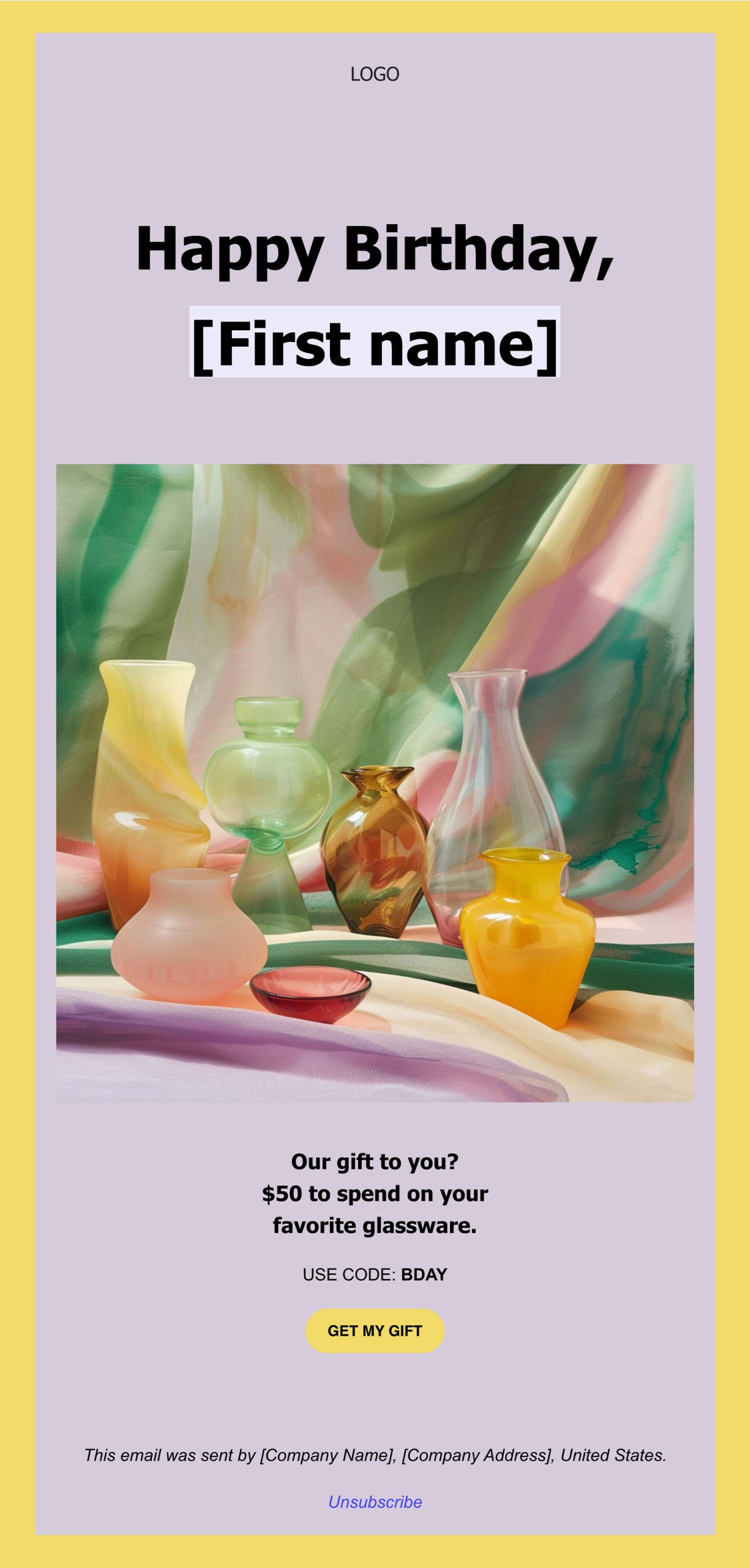
You have also probably thought carefully about the wording on your site, to make sure your customers clearly understand the value and benefits of what you offer. You’re displaying this content using a well-architected site layout that follows the voice and aesthetic of your brand. You’ve put a lot of work into your website design, but is there more you can do to improve the shopping experience for your customers?

Good website design is about so much more than colors, fonts, or images. A well-designed experience reduces friction, streamlines the user experience, and guides the user through the process to their desired outcome. In other words, good design makes things easier. It doesn’t matter how attractive something is if the experience is frustrating or difficult to use.

This is especially true when designing a complex interface like an eCommerce site. A poorly designed eCommerce site is often difficult to navigate, challenging to add products, unclear how to find what is in your cart, and has a confusing or complicated checkout process. Anyone of these points of friction can result in a lost sale from an otherwise interested purchaser. However, there are ways of avoiding these issues by thinking about design decisions throughout the shopping process.
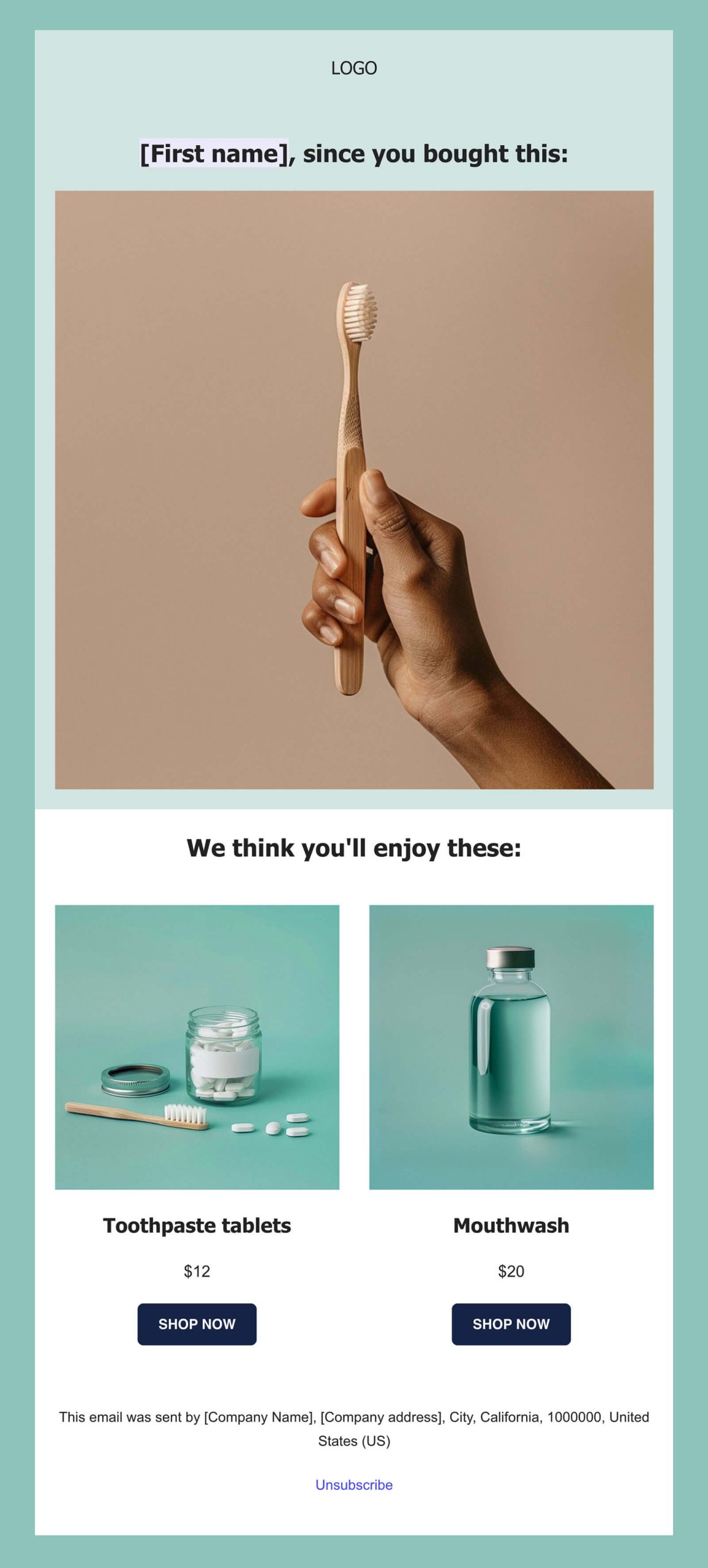

Check out the 15 Black Friday Ecommerce tips that will help you drive more online sales during the year’s most important shopping season.
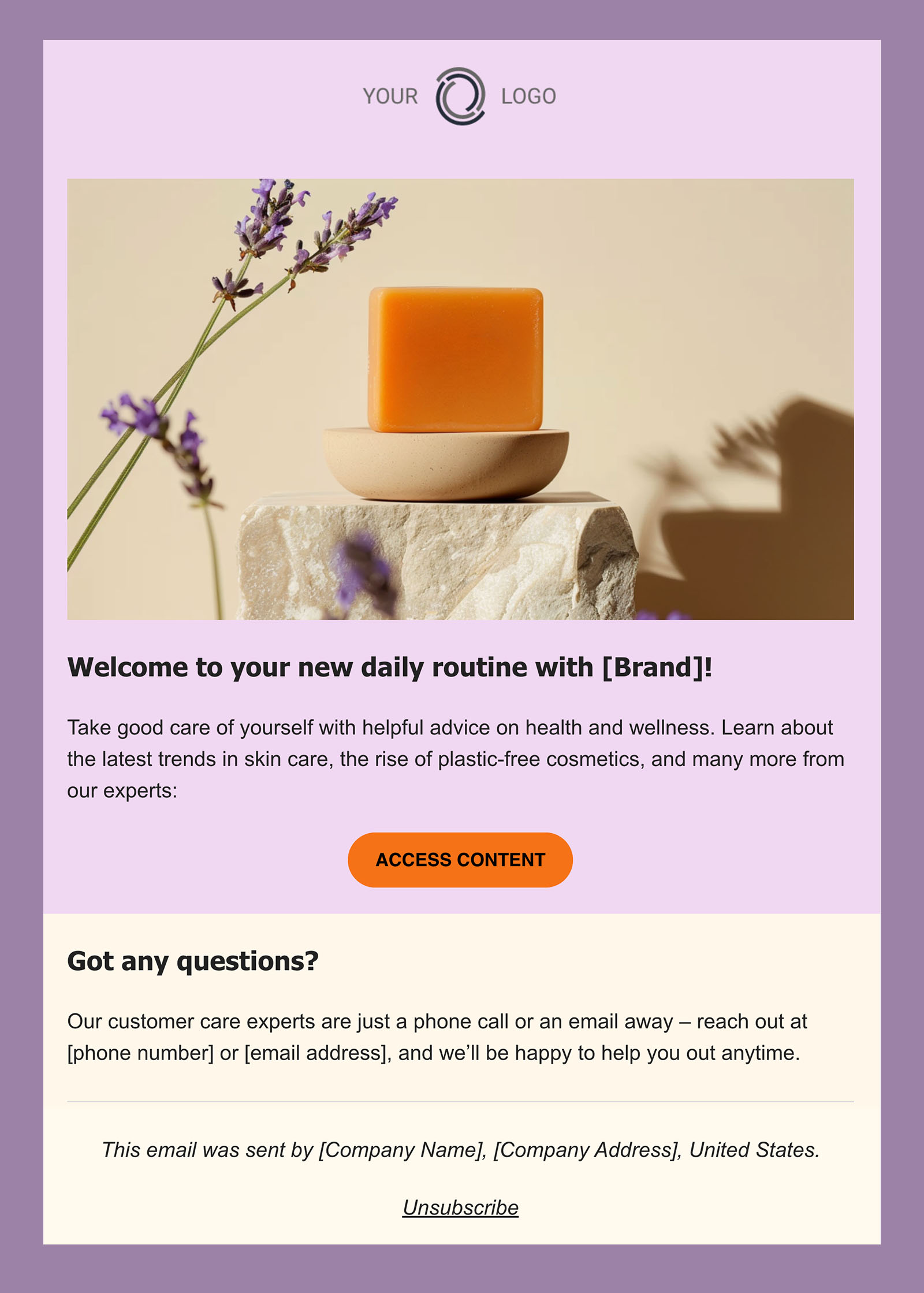
To create an optimized commerce experience that can help you maximize sales, remember to make it easy to…

1. Shop on any device

Customers want to be able to purchase your product or service no matter where they are or which device they are using. Make sure your content is optimized for all screen sizes (not to mention network bandwidth). Your customers expect access to all the functionality of your site at all times, regardless of whether they are on a phone, tablet, or computer. Ensure you’re not hiding or limiting what they can do based on their device.

2. Save items for later

Even if a customer isn’t ready to make a purchase yet, it’s still possible to make their experience more streamlined. If you let them save items for later, they will be more likely to complete a purchase in the future. Consider adding functionality like a shopping list or a favorites list to your site. While you’re putting this together, think about how else you can add value. For example, is it likely that your customers will want to compare items to see which is best for them? Or share their list with someone else?

3. Add items to the cart

Hooray, your customer has found something they want! Create a frictionless experience for adding an item to their cart by making it as painless and simple as possible. Make sure your calls to action (such as the add to cart button) are clearly worded and simple to find, and that all options (such as sizes, colors, tiers, or other price points) are spelled out in a visible location. Your customer might make their decision at different points in the process, such as the single product view or a product archive view, so ensure that the add to cart action is present everywhere to enable this behavior in the fewest number of clicks.

If you have created a saved product list, it’s important to be able to convert those items to a sale as well! No matter where they take action, you should clearly communicate that an item has been added to the cart, whether through a pop-up, tooltip, menu, or another visual cue that indicates success.

4. See what’s in the cart

Once an item has been added to the cart, your customer may have additional shopping to do, or they may already have other products in their cart from a previous interaction. It’s crucial to make it easy to view which products are in their cart, and how many of each they have. In addition, your cart should be accessible from any page on your site. Many sites will add a cart icon to their primary or secondary menu that displays the total cost and/or total quantity of items in the cart. Oftentimes, clicking on this icon will reveal a “mini-cart,” or smaller popover/dropdown interface that contains a high-level summary of all products, with the ability to visit the main cart page to view more details or check out.


5. Change the number of items in the cart

Sometimes, your customers will want to alter the number of items they have added to the cart. They may have accidentally added a duplicate item that they want to remove, or they may want to increase the number on a certain item to meet a sale or discount criteria. It should be a smooth process to increase, decrease, or completely remove items from the cart. If you have a “mini-cart” on your site, consider incorporating this functionality there, so your customers can edit their cart without leaving the current page.

[bf_prep_checklist_download]

6. See how much the purchase will cost

It may seem obvious that customers on an eCommerce website are interested in knowing how much they will be paying for their items, but oftentimes, the true cost will be more than just the listed price. In addition to clearly communicating any incentives, such as discounts, sales, or bundles, your customers want you to be transparent with all added costs as well. Do you need to collect sales tax? Are there processing or handling fees? Is there a shipping cost? Is the purchase one-time or recurring? Communicating all of these items on the cart page (as well as a comprehensive total alongside your cart menu icon or within your “mini-cart”) will affirm trust and enable the checkout process to proceed smoothly.

7. Get the items when they’re needed

Knowing when and how they’ll receive their order is a major factor in whether a customer decides to go through with an online purchase. This is especially crucial if you are shipping physical goods. In an age where the dominating online retailers provide fast, cheap shipping, it will probably be difficult to compete simply on price. In that case, it’s important to be very clear with your shipping options. Your customers want to know where you ship, how quickly an item will be sent out, and when they can expect delivery. Can you offer free shipping for a certain dollar amount? Do you offer the ability to pay for expedited shipping if necessary? Does your shipping come with tracking? Provide your customers with options that fit their needs.

8. Check out

Your customer is ready to make a purchase. This is the easy part, right? Not so fast. After you’ve worked so hard on creating a streamlined, trustworthy add-to-cart process, don’t lose your customers by forgetting to optimize your checkout as well. First, make sure they can check out no matter where they are on the site. You never know at what point they will be ready to buy! Next, be clear about your payment process. In addition to specifying which credit cards you support, are you able to support any other payment types (like PayPal, Apple Pay, or Google Pay)? What kind of currency do you accept? Will there be any fees for converting between currencies? 

Also, if possible, try to keep your checkout process to a single page, or within your site, to reduce the amount of friction needed to complete the purchase. If you must go to a second page or send your customers off-site, be very clear about the steps involved and make sure your integration is clear and smooth. Most importantly, if at all possible, make sure your customer has the option to check out as a guest, without requiring them to have an account on your site. You can explain the benefits of getting an account (ability to track orders, collect rewards points, easier support process, etc), but creating an account should never stand between you and closing a sale.

9. Know what happens next

Establish trust by making your entire process transparent for your customers. Whether it’s where to add coupons or discount codes, how many pages in the payment process, or how to view their order status, when they know what to expect, they will feel confident in doing business with you.

10. Get in touch

Sometimes, even the most streamlined and optimized customer experience will still benefit from the ability to talk with a real person. Help direct your customers to the proper channels for getting their questions answered. Providing access to a comprehensive FAQ for some of the most common requests (such as shipping guidelines, return policies, or customer inquiries) along with links to your preferred email or customer support platform goes a long way toward making your customers feel at ease with making a purchase.

This was the 9th installment of our Black Friday series. Eager for more tips on optimizing your eCommerce performance? Stay tuned for more posts just like this one featuring industry experts and some of our technical partners. Learn how to improve your website design, conversions, online marketing, and more.  

[subscribe_cta]