The SiteGround academy provides a wide variety of tips, tools, and resources related to WordPress, web performance, website optimization and site security.
You’ve come across the term “email blast,” and now you’re wondering if it could be the key to increase your brand’s visibility or, even better, skyrocket your conversion rates.
Historically, email blasts were a go-to strategy for reaching large audiences quickly and efficiently. However, in today’s digital landscape, this approach can sometimes backfire, leading to messages being flagged as spam.
In this article we’ll uncover what “blasting” is all about, discuss whether it deserves a place in your email marketing strategy, and explore effective ways to implement it if you choose to do so.
What Is an Email Blast?
An email blast refers to a uniform message sent to your entire email subscriber list simultaneously. The main goal of email blasting is to disseminate information quickly and on a large scale, much like “blasting” a message with a loudspeaker.
Email blasts gained popularity in an era when technology didn’t support the personalization and segmentation of emails. Today, however, the email marketing approach is more nuanced.
On one hand, numerous regulations have been introduced, like the EU’s GDPR (General Data Protection Regulation) and California’s CAN-SPAM Act, which govern customer consent and data privacy, impacting email marketing practices. On the other hand, companies now prefer to create more targeted and personalized email campaigns, as they see better results.
💡 Email blasts are also known as “e-blasts,” “broadcast emails,” or “mass emails.”
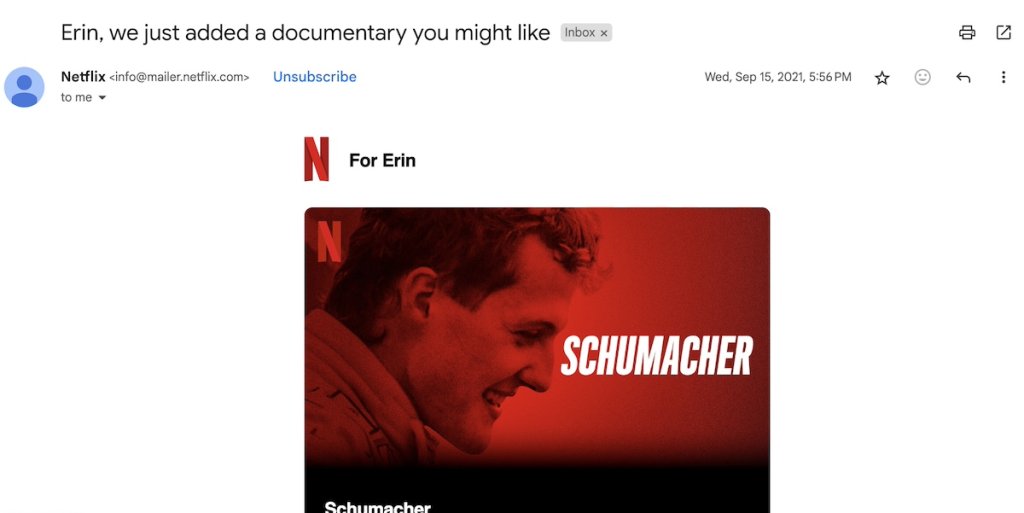
Some articles might suggest that “email blasts” and “email campaigns” are the same, but that’s not entirely true. Sending a well-targeted email is different from blasting everyone with the same content.
An email campaign involves sending either a single email or a series of emails to your subscribers as part of a broader marketing strategy. Some campaigns, like drip campaigns, are designed to guide recipients through an email journey, often involving multiple touchpoints and interactions. Whereas, an e-blast is a broad, one-time message.
Here are the key differences between an email blast and an email campaign:
Email Blast
Email Campaign
Targeting
Less targeted; not sensitive to recipients’ past behaviour and preferences
More targeted; often involves segmentation based on user behavior, demographics, or preferences
Audience
Often sent to everyone on the mailing list
Sent to specific segments of the mailing list
Frequency
Usually a one-time communication, without a follow-up email
Part of a border marketing strategy, often includes a sequence of emails (e.g. welcome series)
Purpose
Used for company-related topics or general information that is relevant to a broad audience
Aims to engage recipients more deeply and drive specific actions (like conversions, sign-ups, or purchases)
Effectiveness
May have lower engagement rates due to lack of personalization
Typically includes tracking and analysis of email marketing metrics to measure engagement and effectiveness
When to Consider Sending an Email Blast?
Email blasts can be effective when you need to quickly deliver a single, important message. For example, updates or changes to your business’s privacy policy or terms and conditions are critical updates that all your customers need to know about. Similarly, announcements like the opening of a new store can be communicated through an e-blast.
It’s less about the “blast” itself and more about how you carry it out. If your content is valuable and your subscribers are engaged, occasionally sending a uniform email to everyone won’t be harmful.
However, if you send e-blasts without a clear purpose and just for the sake of sending emails, you may encounter:
Damage to your sender reputation: today, it’s easier than ever for emails to be marked as spam. If your emails have a high spam complaint rate, email providers might block them from reaching subscribers entirely.
Decrease in website traffic and sales: when your emails end up in spam, subscribers are less likely to open them. This means the links inside your emails won’t get clicked, making it harder to drive traffic to your website and reducing the chances of making a sale.
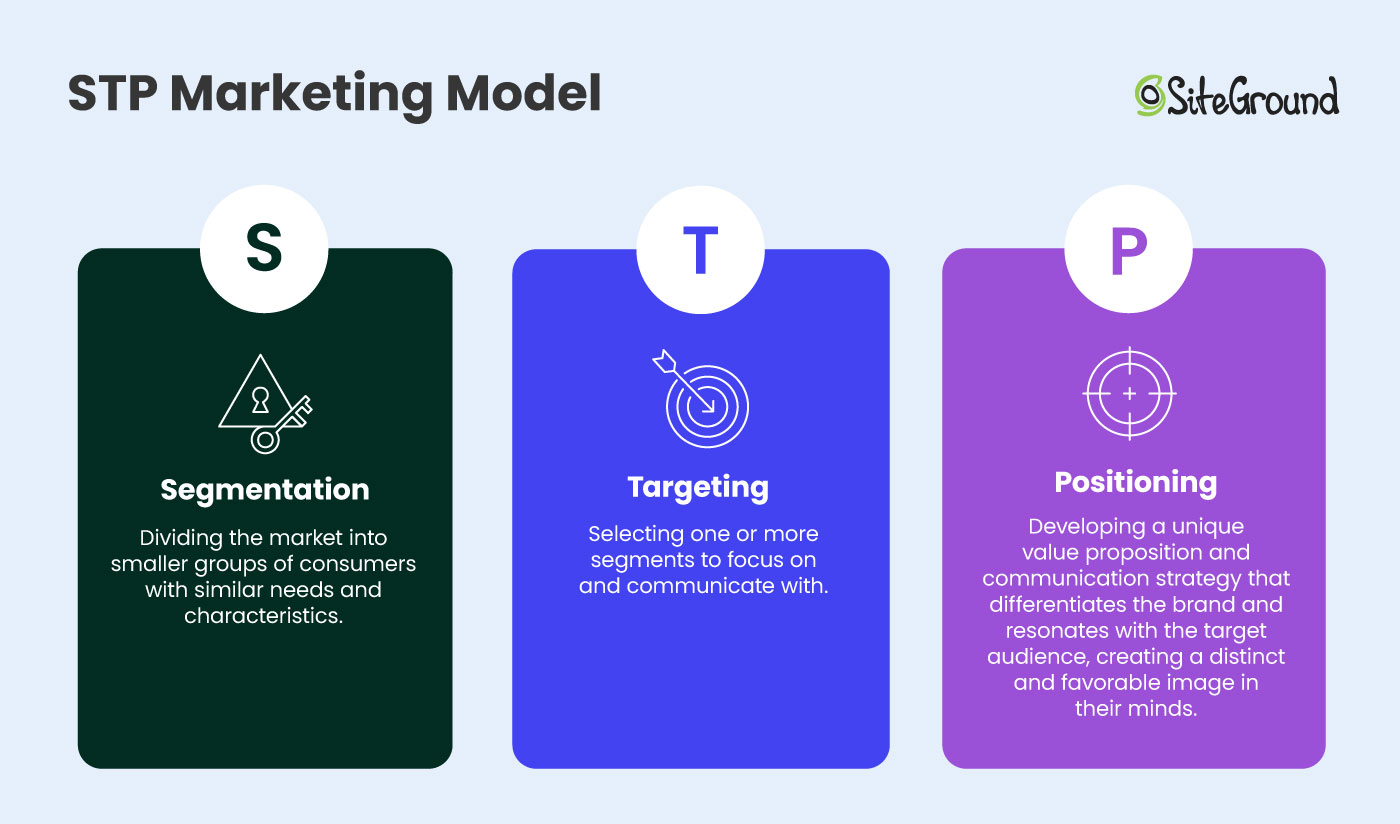
This can happenbecausewhen blasting your subscribers, you won’t follow the STP (Segmentation, Targeting, and Positioning) marketing model.
The three-step model involves analyzing your products or services and tailoring your communication to meet the needs of specific customer segments. Without following this approach, e-blasts risk being too generic, leading to lower engagement and higher spam complaints.
That’s why it’s important to be cautious when sending an e-blast. We’ll provide some tips on how to do this effectively in the next sections.
Email Blast Examples
We’ve compiled a short list of email blast examples to help you see how they work in practice.
Company-Related Information
As we’ve already pointed out, e-blasts are often the go-to for spreading the word about important announcements. Some are must-sends, while others are optional—as we’ll explore in the next example. But regardless, your email should never come across as generic or dull.
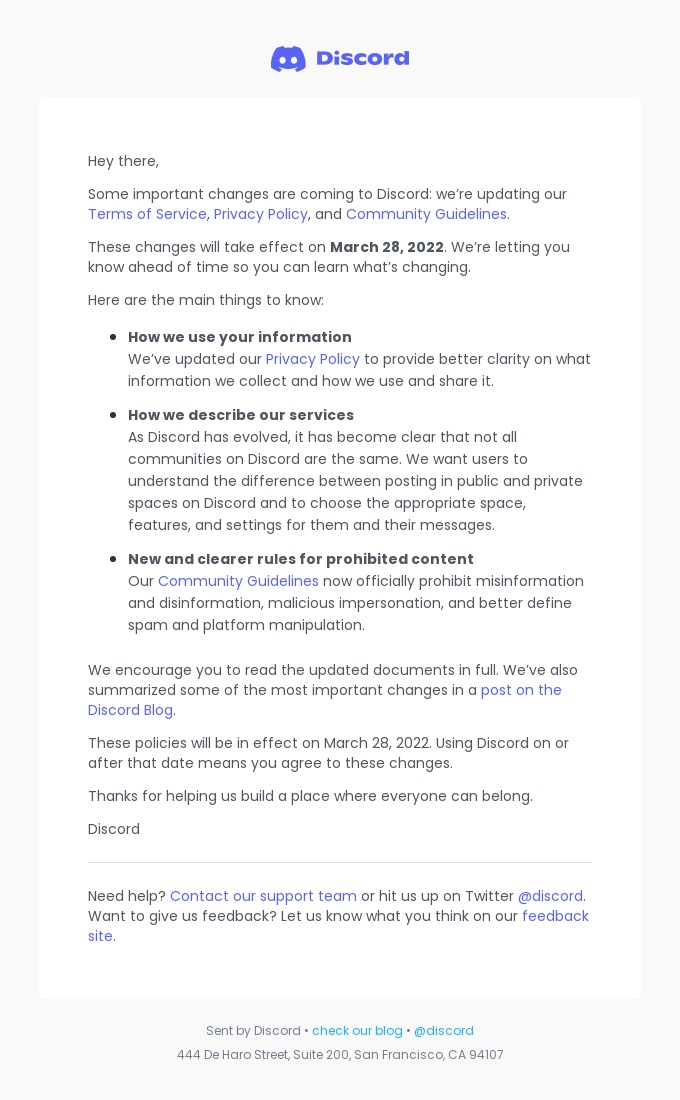
Take a cue from Discord – they masterfully useclear and concise messages to explain upcoming policy updates, detailing how these changes will affect users. The instant messaging platform ensures the details are a breeze to digest by spotlighting key changes with bullet points and offering links for more information.
New Features/Products
A product or feature release email is your chance to share exciting updates about recent changes to your product or service, whether it’s new features or entirely new product lines under your brand.
By directly emailing your email subscribers, you can captivate a larger segment of your users, instead of just posting updates on your website, which many people might miss.
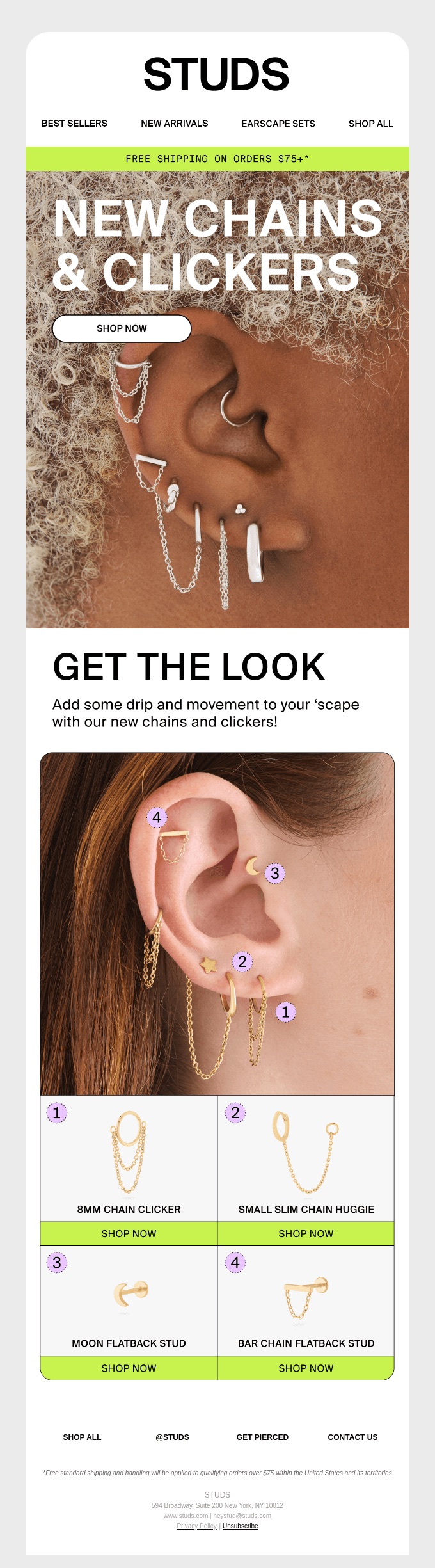
You can whip up excitement with a full-scale email campaign, or simply craft one captivating email and send it to your entire list—just like Studs, the jewelry brand, does with flair!
Flash Sales
Promotional emails are all about turning subscribers into customers or enticing existing customers to buy more. You can run various email campaigns, like one targeting new email subscribers or another focused on upselling with a tempting discount code.
If you’re aiming to sweep out unsold inventory or offload out-of-season products, a well-timed email blast to your subscribers might be just the magic wand you need.
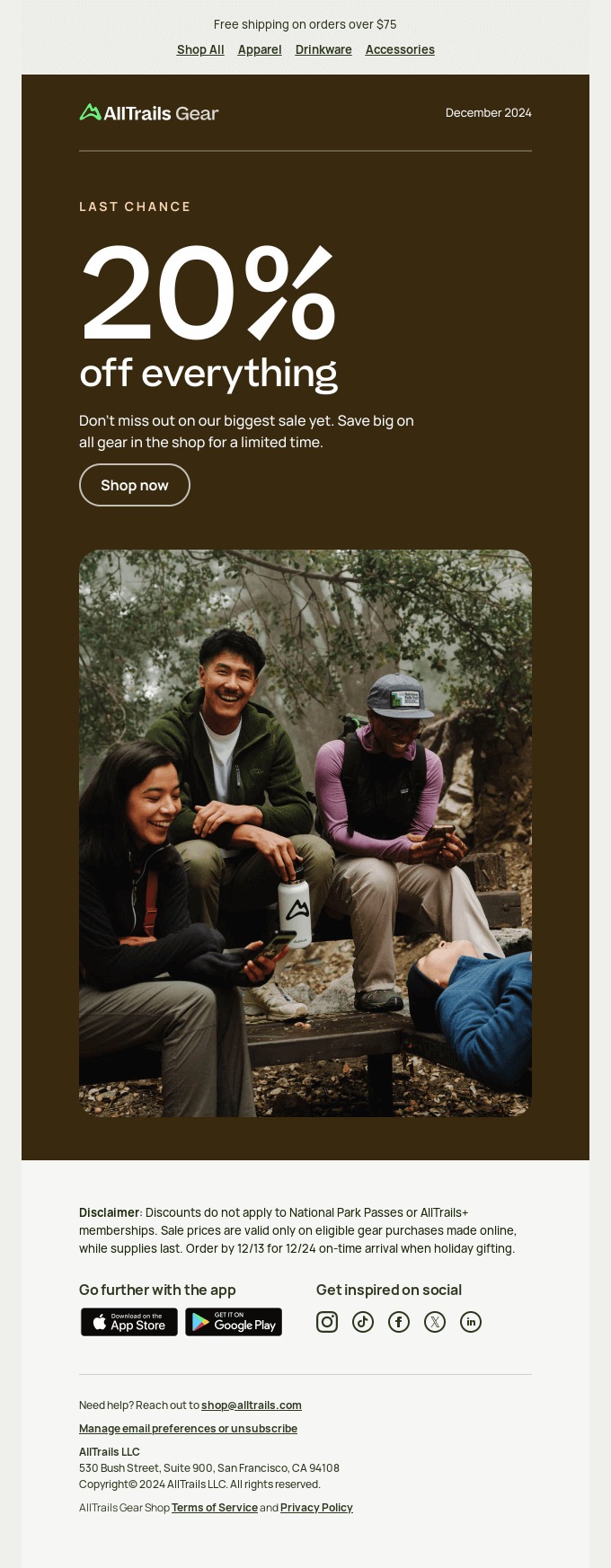
Take AllTrails’ all-product sale email, for instance. It employs a straightforward yet effective visual hierarchy that clearly conveys the main message, stirs up a sense of urgency, and features an easy-to-find CTA button. No fluff, no fuss—just straight to the point.
Surveys and Feedback
E-blasts are also a fantastic tool for gathering feedback and conducting surveys since they’re relevant to your entire audience. Plus, they allow you to collect valuable insights for segmenting your list for future targeted campaigns.
Additionally, these surveys can provide insights into customer preferences, helping you refine your products or services and improve customer satisfaction. Theyalso offer a chance to engage with your audience, strengthening the relationship and building brand loyalty.
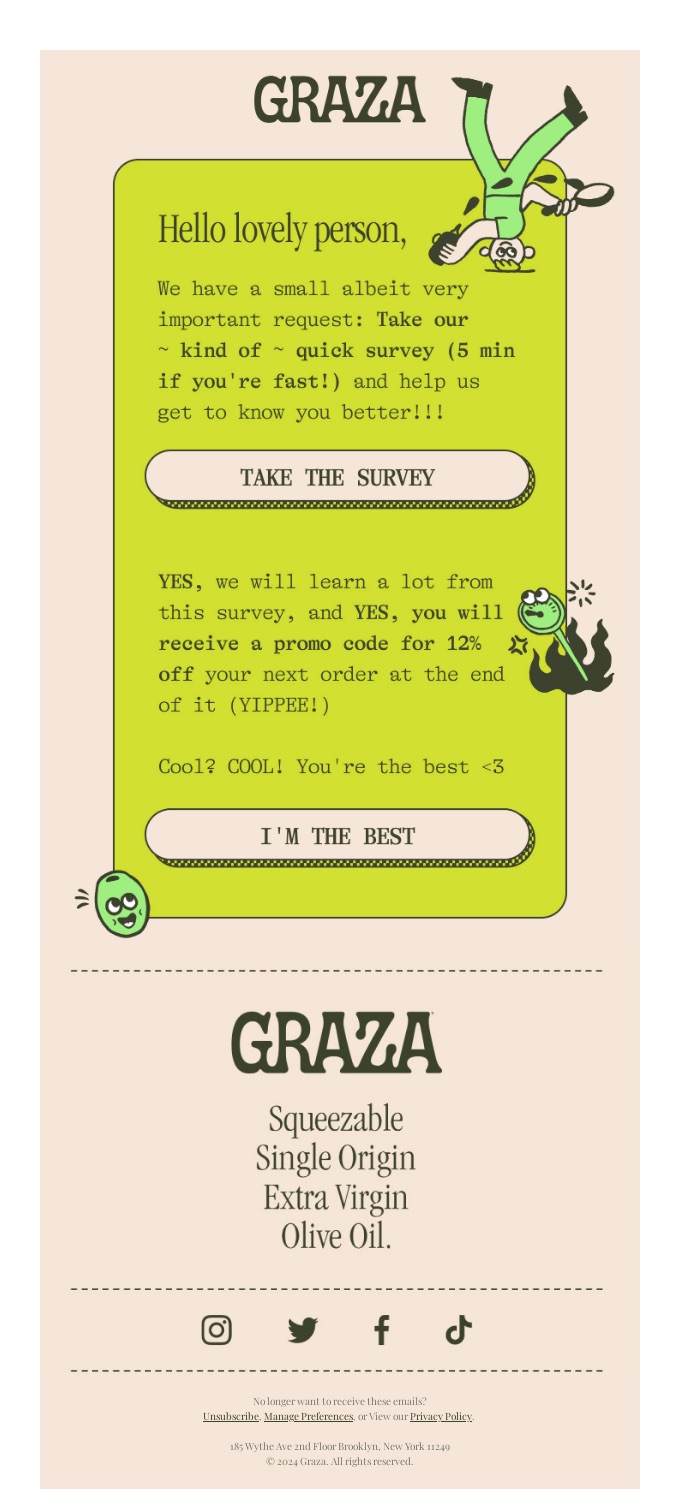
To spark participation, consider offering incentives like a discount code, entry into a giveaway, access to exclusive content, or a promise to share survey results—just like the olive oil producer Graza successfully did in their survey email.
How to Send an Email Blast?
Now that you’re in the know about when it’s appropriate to send an email blast to your subscribers, we’re here to lend a hand with some common email mistakes to avoid. This way, your emails will be welcomed with open arms, not eye rolls.
1. Use Double Opt-in
You might think, “If people sign up to receive my emails, isn’t that enough?” Well, not necessarily. While a single opt-in can grow your email list quickly, a double opt-in option ensures that the list consists of real, engaged subscribers.
By requiring people to confirm their subscription through email, you reduce the number of incorrect or bogus addresses (often added by bots), which will lead to a good sender reputation and high email deliverability.
2. Include a Dynamic Element
Dynamic content allows you to send the same email to your subscribers but personalize emails based on different factors. Such content can be changed automatically based on the audience receiving the email.
You can sprinkle in dynamic elements like first name fields to personalize the subject line or body content with each subscriber’s name.
You can enhance this approach by customizing it for different audiences based on factors like location, gender, age, or even their previous interactions on your website. However, this would no longer qualify as an email blast.
3. Remember Your Subscribers Are Real People
If you’ve done a good job building your buyer persona, you’ll understand your subscribers’ concerns and interests.
When launching something new, go beyond simply informing them about it. Explain how your offerings meet their needs. In surveys, highlight how their feedback can help improve their satisfaction with your brand. Even in company-related updates, skip the jargon and use clear, direct language to explain changes and their impact—just as you’d want it explained to you.
4. Use a Reputable Email Service Provider
As your email list expands, it’s essential to rely on a reputable email provider. Without one, you’ll encounter limits on the number of emails you can send and will have to track email metrics, run spam checks, and verify whether your sender IP or domain has landed on a denylist—all of this manually.
Fortunately, many email providers offer analytics tools to help you monitor email performance. They can also track your sending IP and alert you to any issues that might affect your email deliverability.
SiteGround Email Marketing can assist you with that too! Our platform automatically sets DKIM and SPF records to validate your email’s authenticity and runs AI-powered spam checks. Plus, you can take advantage of professional, fully customizable email templates, email automation features, and analytics reports—all within a user-friendly and intuitive interface.
You’ve likely encountered emails from organizations you never signed up for, or from ones you thought you’d unsubscribed from. So, you know how annoying this can be. An unsubscribe request is a clear indication that the recipient is no longer interested in your messages.
Even though it’s hard to watch your email subscribers go, it’s best to respect their decision and stop bombarding them with further emails. Ignoring such requests can damage your sender reputation, and even result in legal troubles, especially under regulations like GDPR or the CAN-SPAM Act.
The Final Verdict: To Blast or Not to Blast?
The power of email blasts depends on the context. As we’ve explored, mass emails are perfect for important announcements or quick updates, and they can also shine in promotional and feedback scenarios.
However, to ensure your e-blasts reach your subscribers, remember to use a double opt-in, incorporate dynamic elements, write in natural and relatable language, use a reliable email provider, and always respect unsubscribe requests.
That said, for long-term success, blasting shouldn’t be your go-to strategy. Instead, focus on crafting tailored, strategic campaigns that build relationships and boost engagement.
Email marketing can be a scattershot endeavor if you don’t have a strategy. What kinds of emails should you send? And when? The reality is that you need to have a plan – and understanding the email customer journey is absolutely essential to making sure your email marketing efforts are a success.
So let’s tease out the email customer journey, including each of its stages, as well as email marketing campaign examples to suit every step of the way.
What Is an Email Customer Journey?
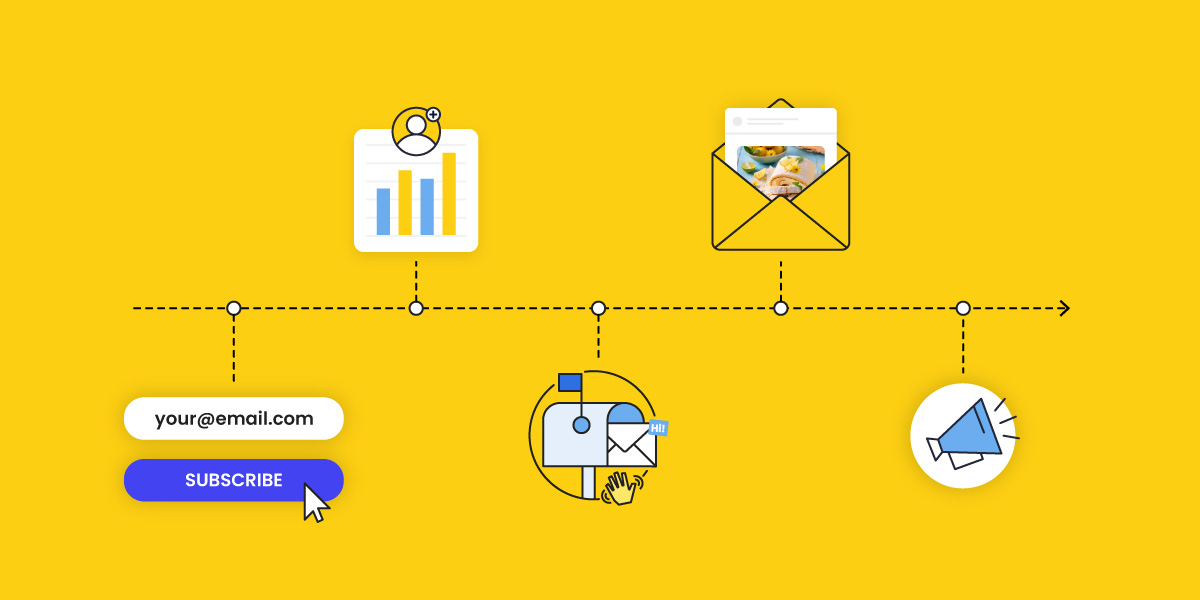
The email customer journey refers to the experience a customer has with a brand through email communication, from their first interaction to becoming a loyal advocate and returning for more. It encompasses every touchpoint where email plays a role in guiding, informing, and engaging customers throughout their lifecycle.Email journeys aren’t just about delivering promotions or newsletters; they are strategic tools designed to nurture relationships, build trust, and drive action at various stages of the customer experience. When done well, email marketing can be a powerful channel for creating meaningful, personalized connections that resonate with customers at the right moment.
What Is a Customer Journey vs. An Email Customer Journey?
A customer journey represents the complete path a customer takes when interacting with a brand, spanning all channels and touchpoints, from initial awareness to long-term loyalty. It includes everything from discovering the brand on social media to making a purchase in-store or online and receiving post-purchase support.
An email customer journey, on the other hand, is a subset of the overall customer journey. It specifically focuses on how email communications guide and support customers through different stages of their interaction with the brand. So while the customer journey encompasses a wide range of channels, the email marketing customer journey – with the help of email automation, which we’ll discuss below – zeroes in on the role of email as a strategic tool for nurturing relationships and driving conversions.
Understanding how the email customer journey fits within the overall customer journey helps brands create cohesive, omnichannel strategies that enable consistency and improve the customer experience across every touchpoint.
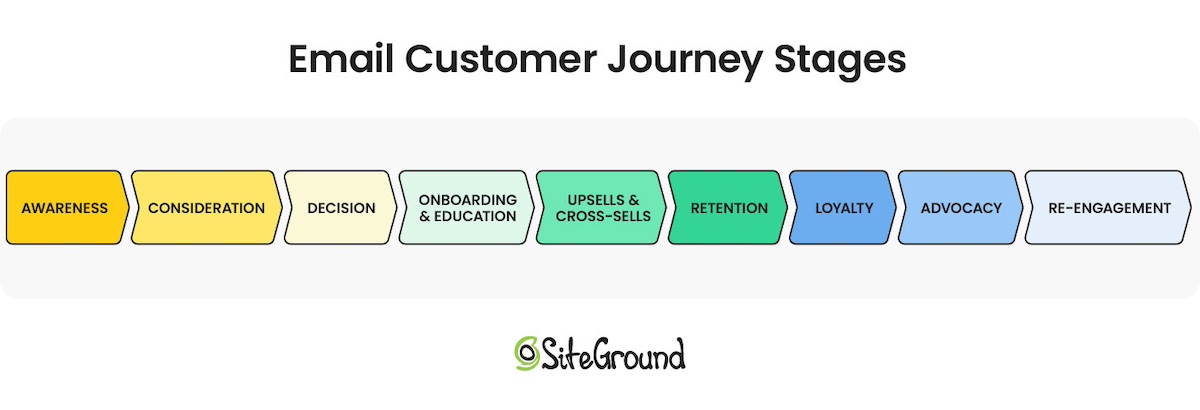
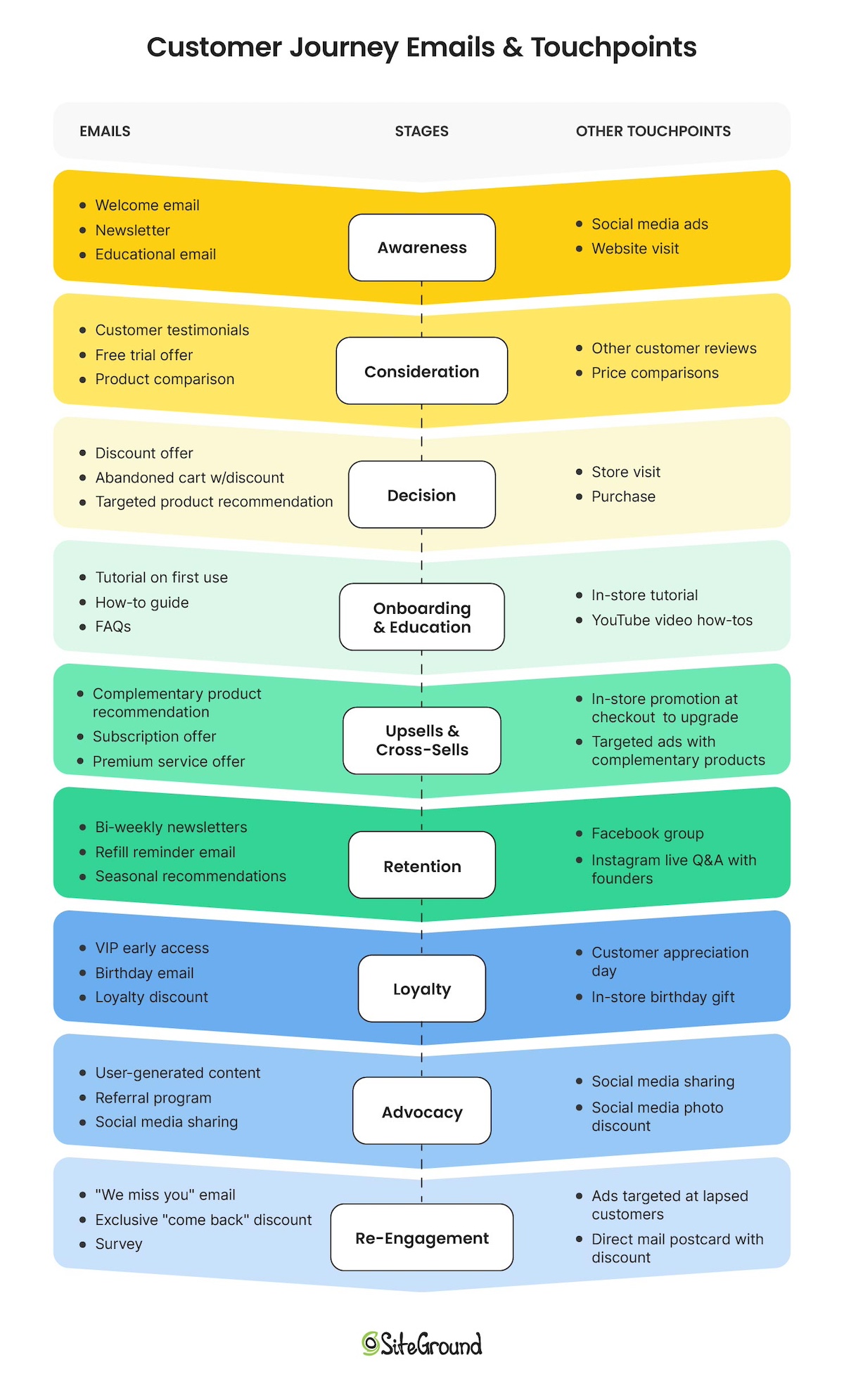
What Are the Stages of the Email Customer Journey?
It might seem like the customer process is rather simple – a customer needs something, learns about your brand, likes what they see, buys it, and then end of story, right? But a customer journey is so much more nuanced than this, and understanding its stages can reveal heaps of new marketing opportunities, especially when it comes to email.
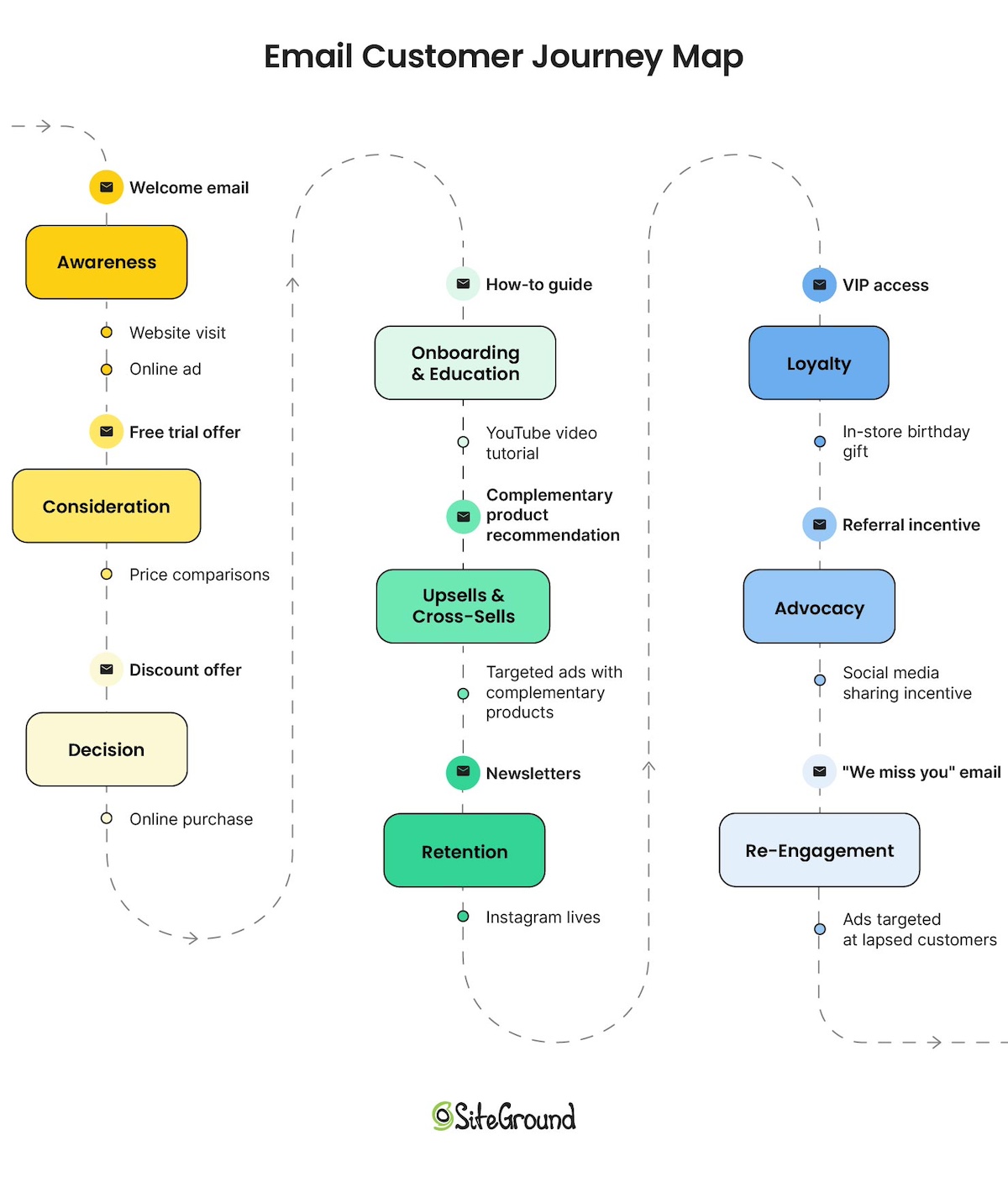
Just like the overall customer journey, email journeys can be broken down into the same key stages, each addressing specific customer needs and behaviors.
Also, it’s important to note that customer journeys – and email journeys – aren’t necessarily linear. A customer might jump back and forth between these stages, or pass through multiple stages at once. So it’s important to keep this in mind as we dive deeper.
Without further ado, here’s a closer look at these stages and how email plays a critical role in each.
1. Awareness
The awareness stage is where potential customers first learn about your brand, products, or services. Maybe they see a friend using your product, or perhaps they come across your brand at the store. They don’t know much – in fact, they may not even know that they need or want a product like yours. So it’s at this stage that you’ll want to paint the picture for them – one that identifies their pain point, and that positions your business as a possible solution.
In this stage emails can be used to capture attention, generate curiosity, and provide value – and all without being overly promotional. That’s one of the great benefits of email marketing. It’s about helping these potential customers understand that they have a pain point, and – wink, wink – you’ve got a possible solution.
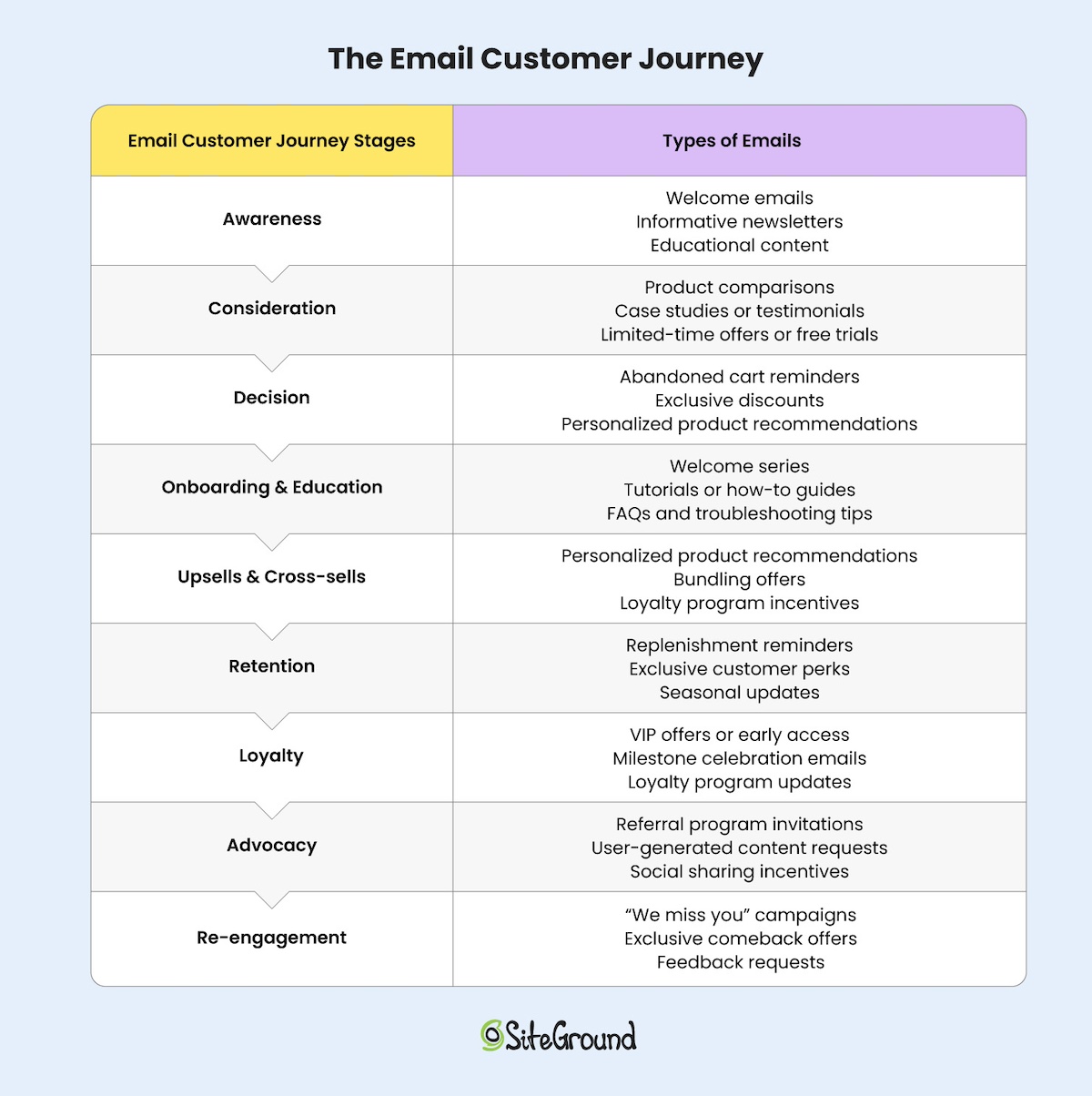
Educational content (such as blog articles, guides, or videos)
During this stage, a brand might send an email with a free guide titled, “10 Tips for Better Time Management,” targeting individuals struggling with productivity. The focus is on providing value and showcasing expertise rather than making an immediate sale.
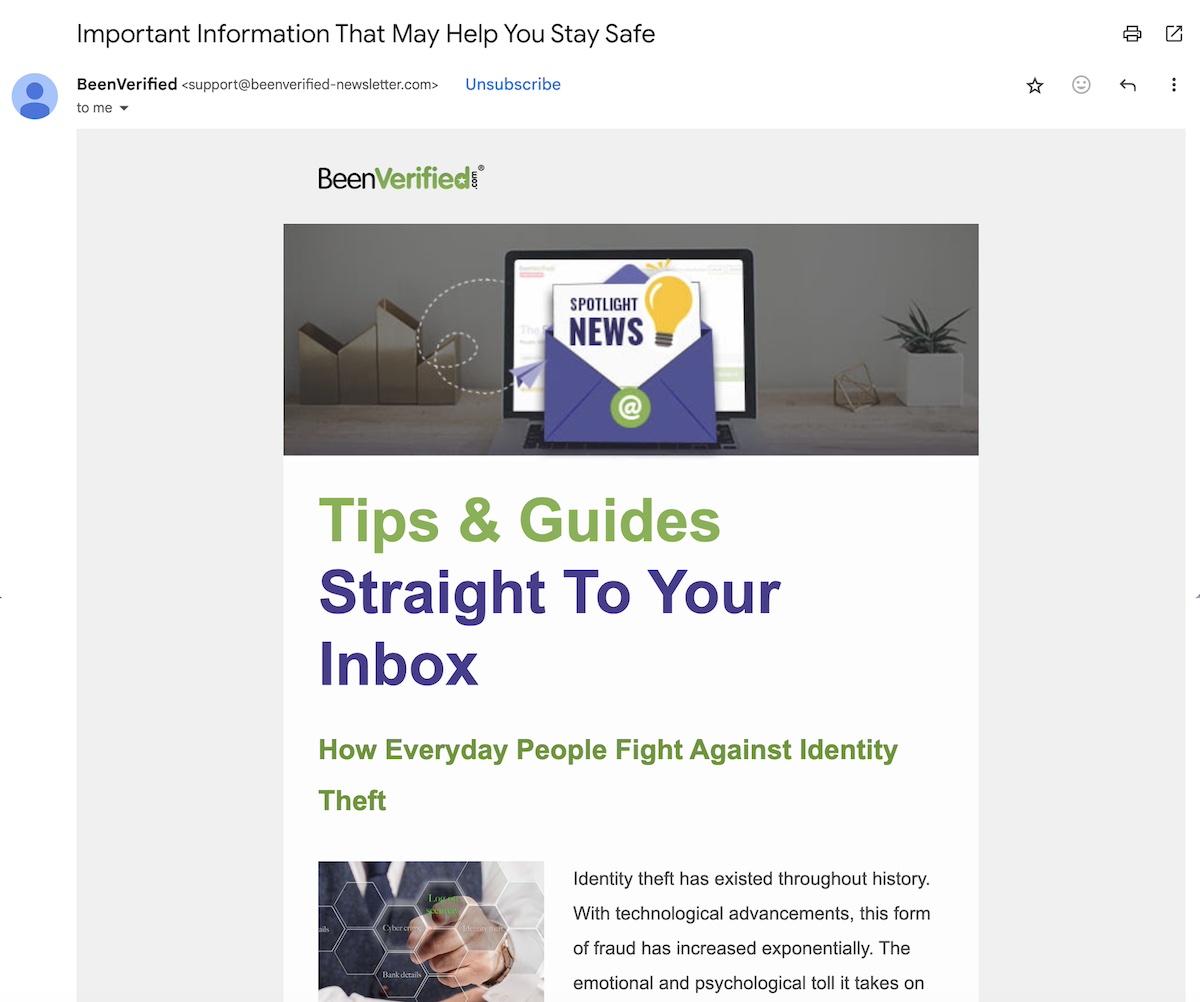
As you can see in the email journey example below, BeenVerified creates awareness around a specific issue – in this case, identity theft – without specifically promoting the brand itself. This email could have been preceded by a welcome email triggered by someone signing up for the email list. Then this email could be followed by a newsletter that shares industry updates and top tips. The goal is to help the email recipient understand that there’s a problem that needs to be solved – and begin to position BeenVerified as the solution, which will be tackled during the next stage.
2. Consideration
So you’ve created a bit of awareness. Customers know that a problem exists, and that you might have some solutions. This is the consideration stage – when those potential customers begin evaluating their options and comparing solutions. With that in mind, emails at this stage should provide compelling reasons to choose your brand while more concretely addressing pain points and answering questions as they relate to your own offering.
Emails at this stage might include:
Product comparisons
Case studies or testimonials
Limited-time offers or free trials
An email at the consideration stage might showcase customer testimonials with a subject line like, “Why Professionals Choose Our Productivity App,” which can help sway hesitant leads by offering social proof and highlighting unique benefits.
See how at this stage the message has become more promotional? It’s not simply about speaking to the customer’s problem, but how and why you as a business can solve it.
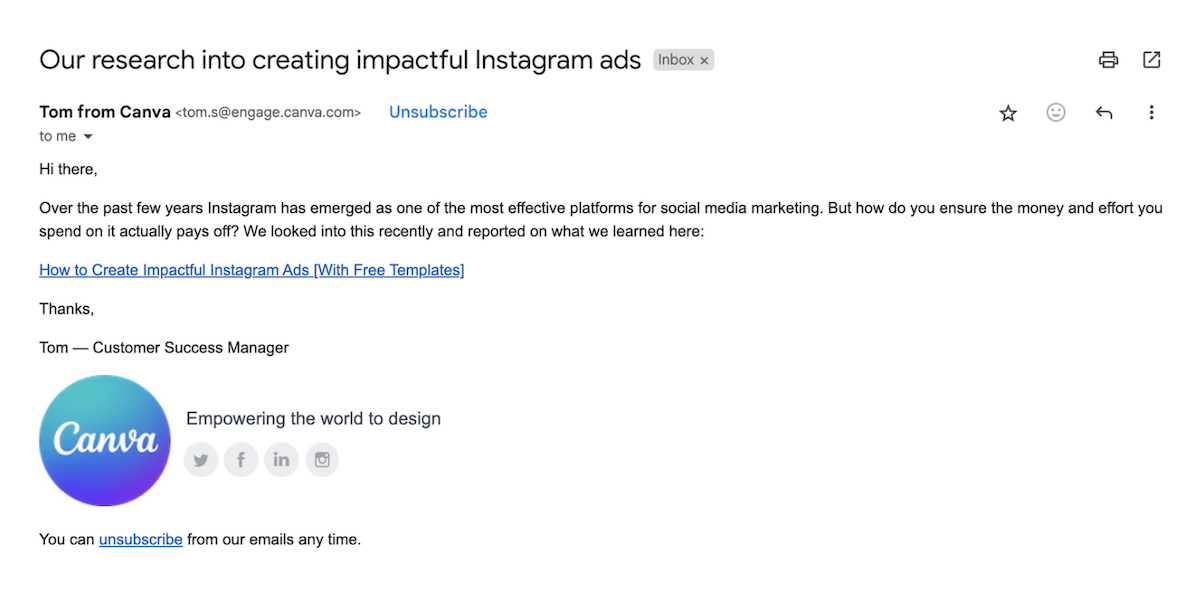
In the example below, the simple text email from Canva taps into the consideration stage by offering up helpful, but not promotional information when it comes to creating ads. Canva could then follow this email with an offer for a free trial of their premium service, encouraging further consideration by the customer.
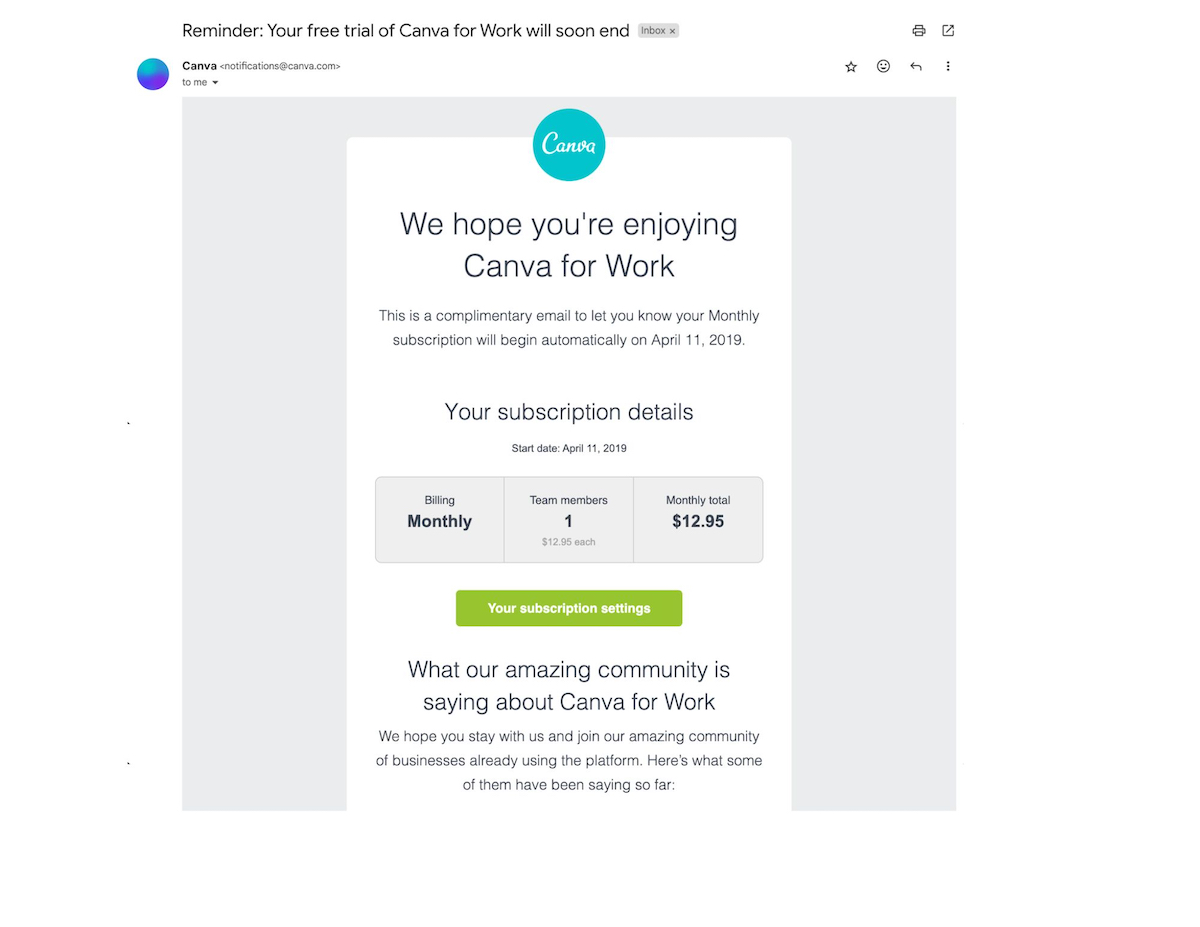
Then, let’s say the customer participates in a free trial. In the below customer journey email example, Canva builds on the free trial by offering testimonials from their community, helping an uncertain customer inch closer to a decision.
3. Decision
In the decision stage, customers are ready to make a purchase but might need that final little nudge.Emails here should aim to reduce friction, instill confidence, and encourage immediate action. It’s a step past the “consideration” stage, where you go beyond comparisons, but add that extra touch to make your offer stand out as the best.
Emails during the decision stage might include:
Abandoned cart reminders
Exclusive discounts
Personalized product recommendations
So it’s at this point that a retailer might send an abandoned cart email saying, “Your cart is waiting! Complete your purchase today and get 10% off.” This combines urgency and value to drive conversions – and, importantly, it helps that indecisive customer finally tip the decision scale toward a purchase.
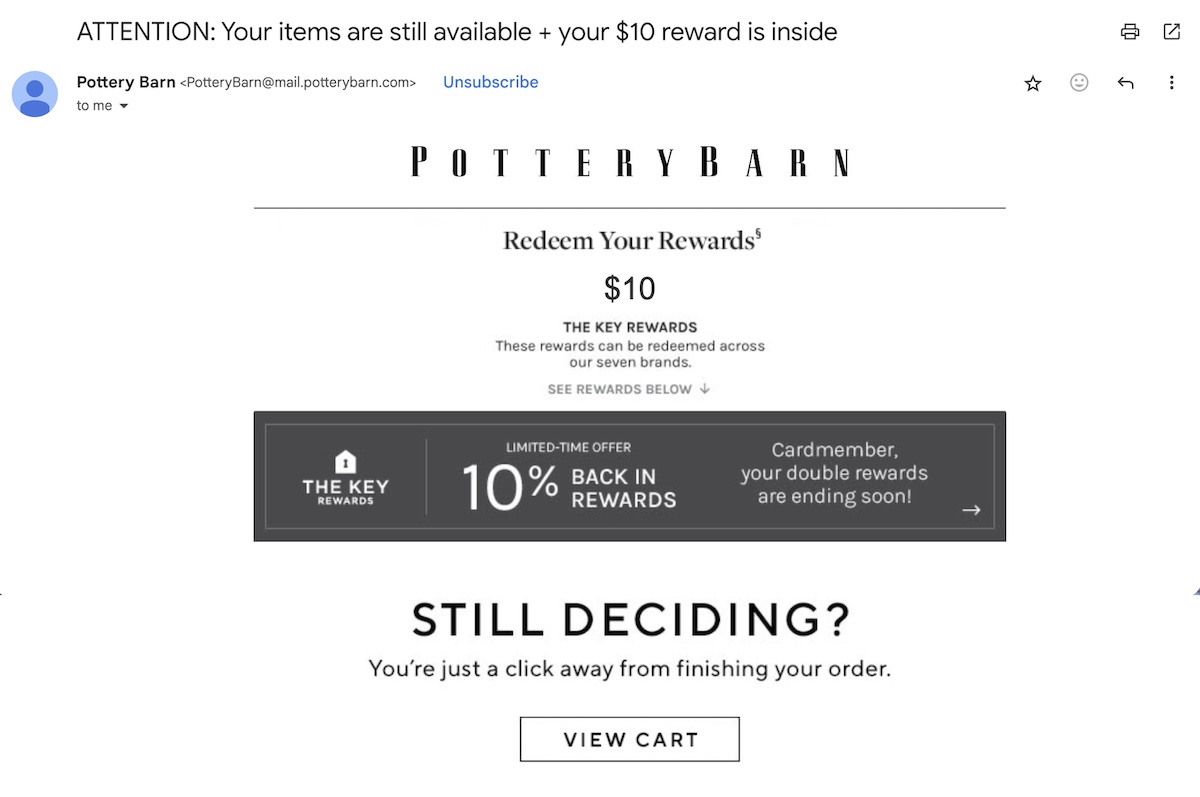
In the case of the below email journey example, Pottery Barn reminds this customer of products they’d been eyeing. The goal? To make the decision hard to pass on by offering extra rewards.
This email could be followed by other decision stage emails, such as one emphasizing that rewards are about to expire. Or perhaps even another email increasing the reward amount.
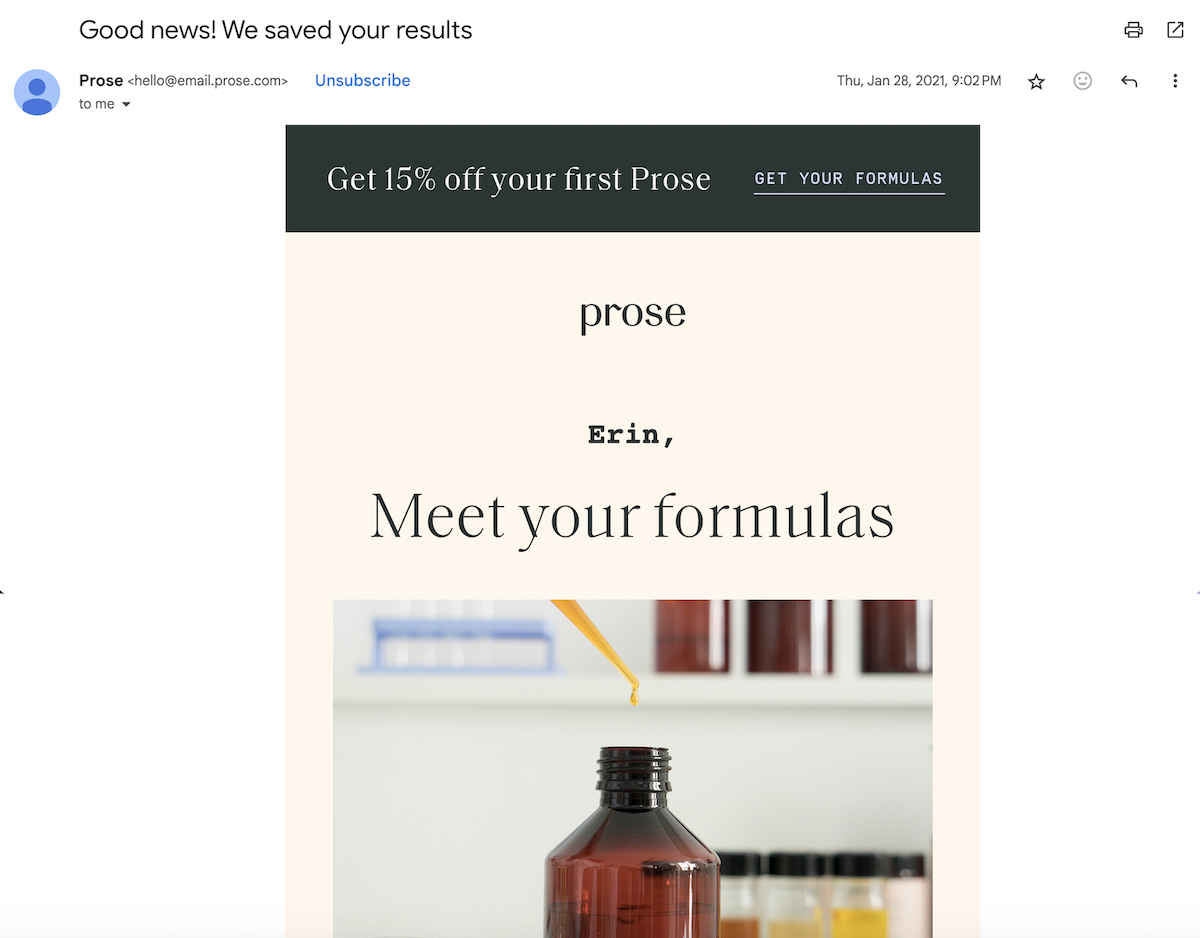
In the below email journey example, the haircare brand Prose aims to turn already-captured customer information (customized shampoo formulas) as a selling point to urge purchase. Then if the customer doesn’t bite, they might then send another decision-stage email with an exclusive discount offer.
4. Onboarding & Education
A customer has made a purchase – that’s great! But the journey doesn’t even come close to ending here. Keeping this customer happy and coming back for more is one of the most important parts of the customer journey.
Indeed, once a customer has made a purchase or signed up for a service, the onboarding and education stage ensures they know how to get the most out of their investment. These emails help set the stage for a positive experience and reduce churn.
Onboarding and education emails could include:
Welcome series
Tutorials or how-to guides
FAQs and troubleshooting tips
So, let’s say you work for a SaaS company. You might send a series of onboarding emails showing users how to navigate the platform, starting with “Getting Started: Your First Steps to Success.” This makes their experience with your service more successful and rewarding, ensuring that they get the most of your product and, you guessed it: it keeps them coming back to you as a customer.
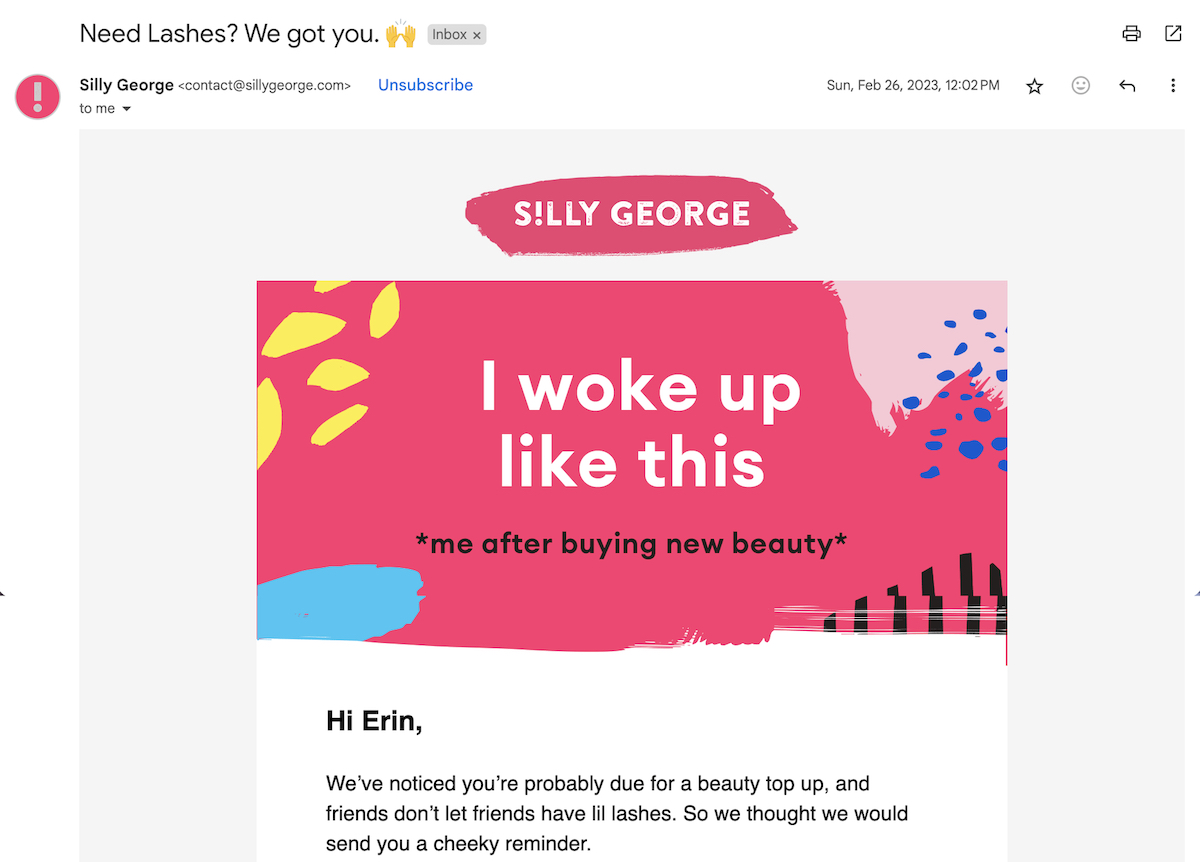
In the below email marketing campaign example, Silly George sent out a post-purchase how-to guide in order to educate the customer on how to get the most out of the product. They could follow this with an FAQ email, and then another email that features different video tutorials. This helps make the customer experience more seamless and enjoyable.
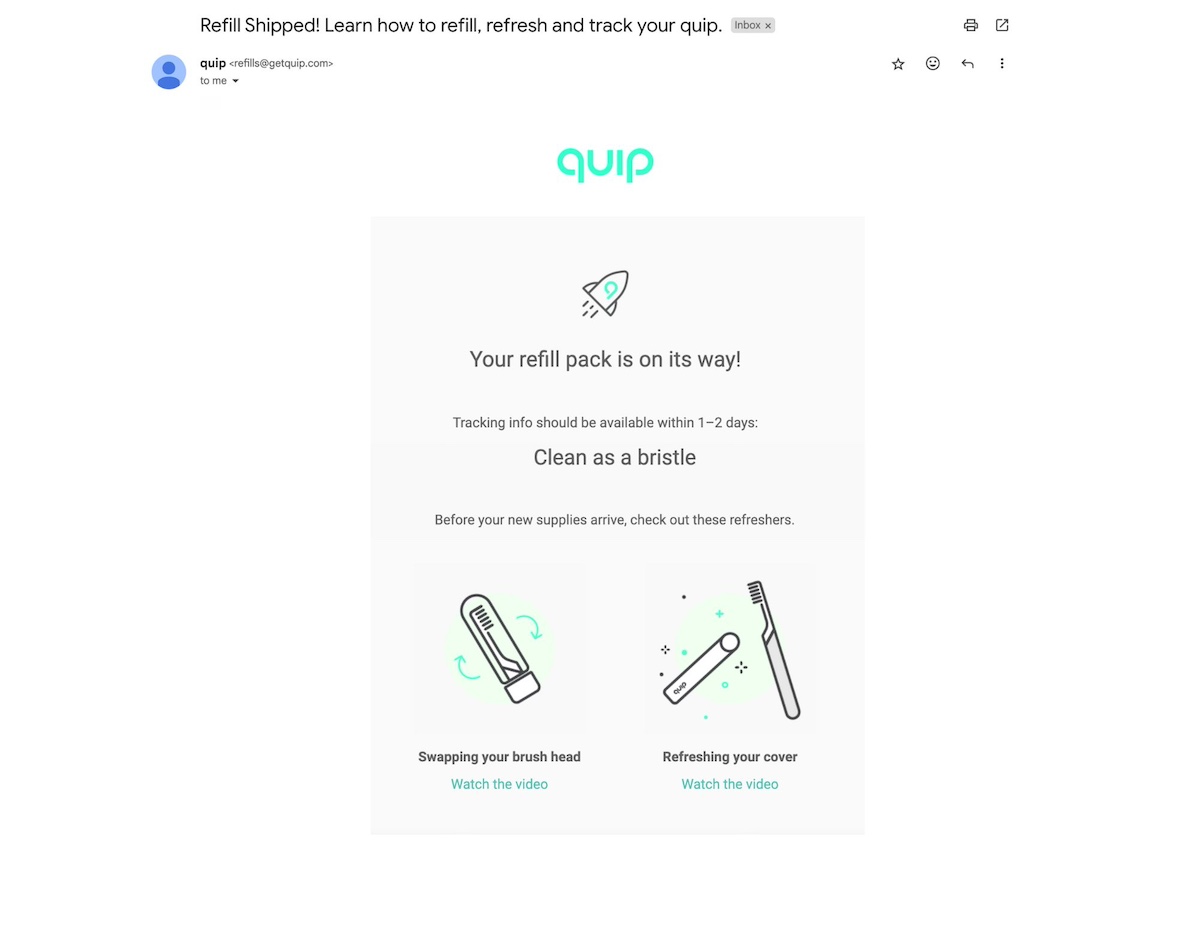
In the below example, quip sends a post-purchase email that includes tutorials on how to refill, refresh, and track the product, making sure that the customer purchase flows from start to finish. They might send other emails during this stage with video tutorials on how best to brush.
5. Upsells & Cross-Sells
With trust established, the upsell and cross-sell stage focuses on encouraging customers to explore additional products or services. This is ever so important, as existing customers can be one of your greatest sources of business, and they ensure ongoing success.
Since you’ve already convinced these customers to buy a specific product, now’s the time to leverage your emails to highlight complementary items or premium options that not only might address other customer pain points, but that can even enhance the initial purchase.
This also means that this is when you’re really going to want to get especially strategic about email marketing personalization and segmentation so that you can make targeted recommendations.
With that in mind, these kinds of emails might cover:
Personalized product recommendations
Bundling offers
Loyalty program incentives
For example, after a customer buys running shoes, an email offering “Top-rated Running Gear to Complete Your Kit” can introduce related products like socks or water bottles. They’re already using one of your products, and have been educated on how to get the most out of it, so now’s the time to capitalize on the relationship you’ve established to get them coming back for other products.
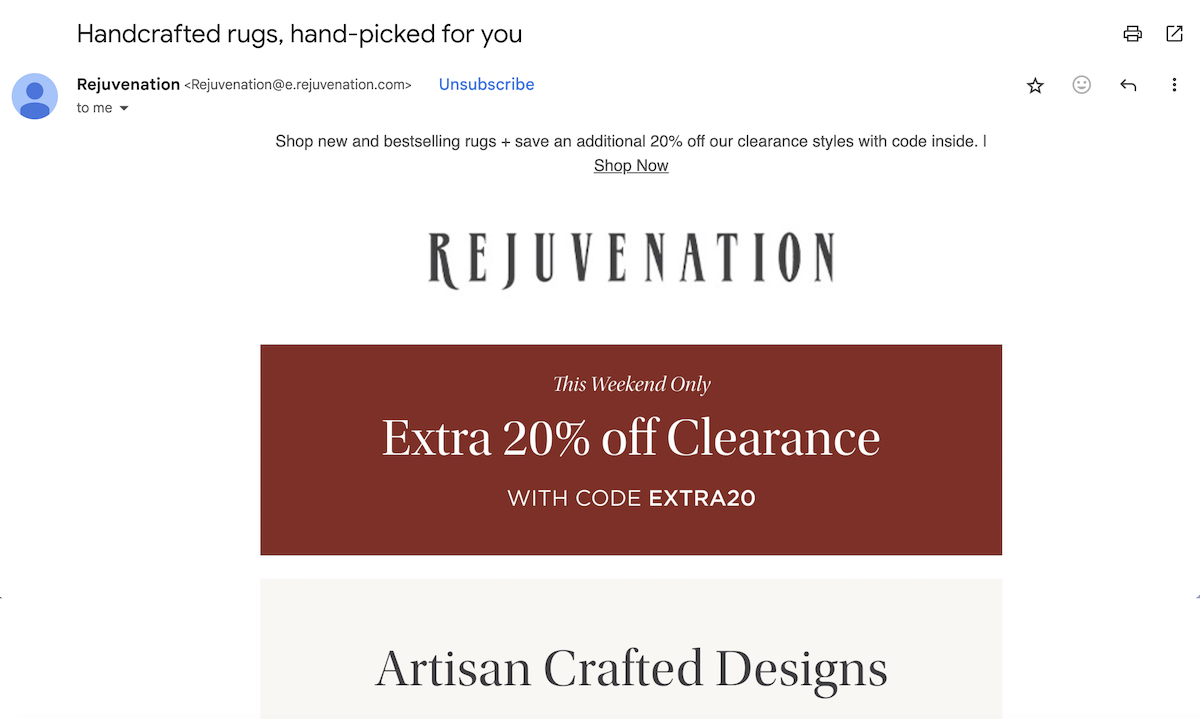
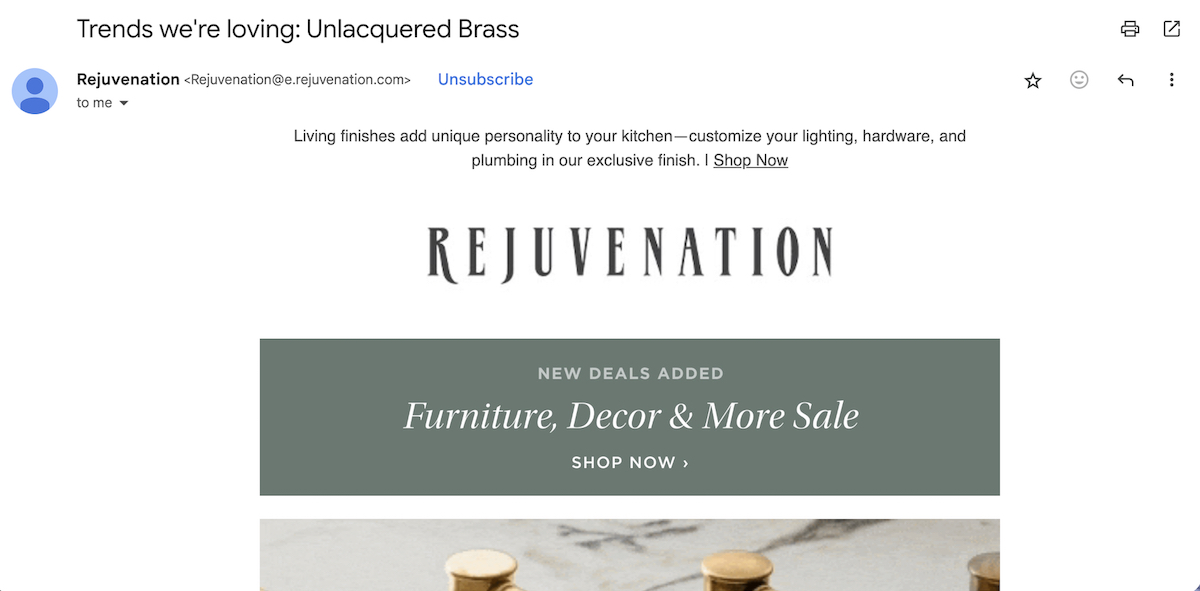
The below email journey example leverages a personalized recommendation in order to cross-sell the customer on a related product. Perhaps the customer previously bought a sofa, so now a “hand-picked” rug seems like a logical complement. During this stage, Rejuvenation might send a “buy one, get one” offer, or perhaps a different product recommendation in order to get the customer to buy more.
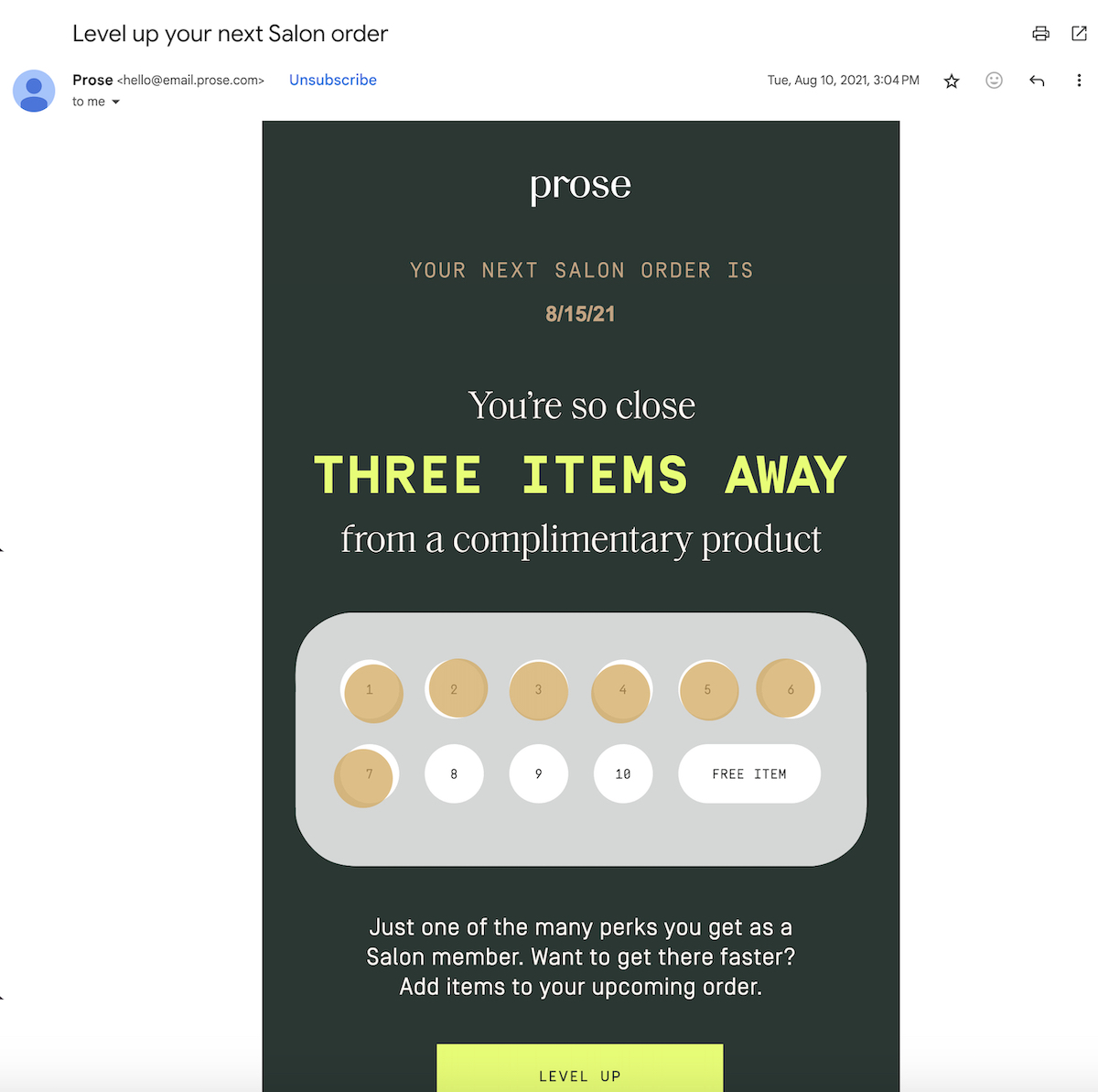
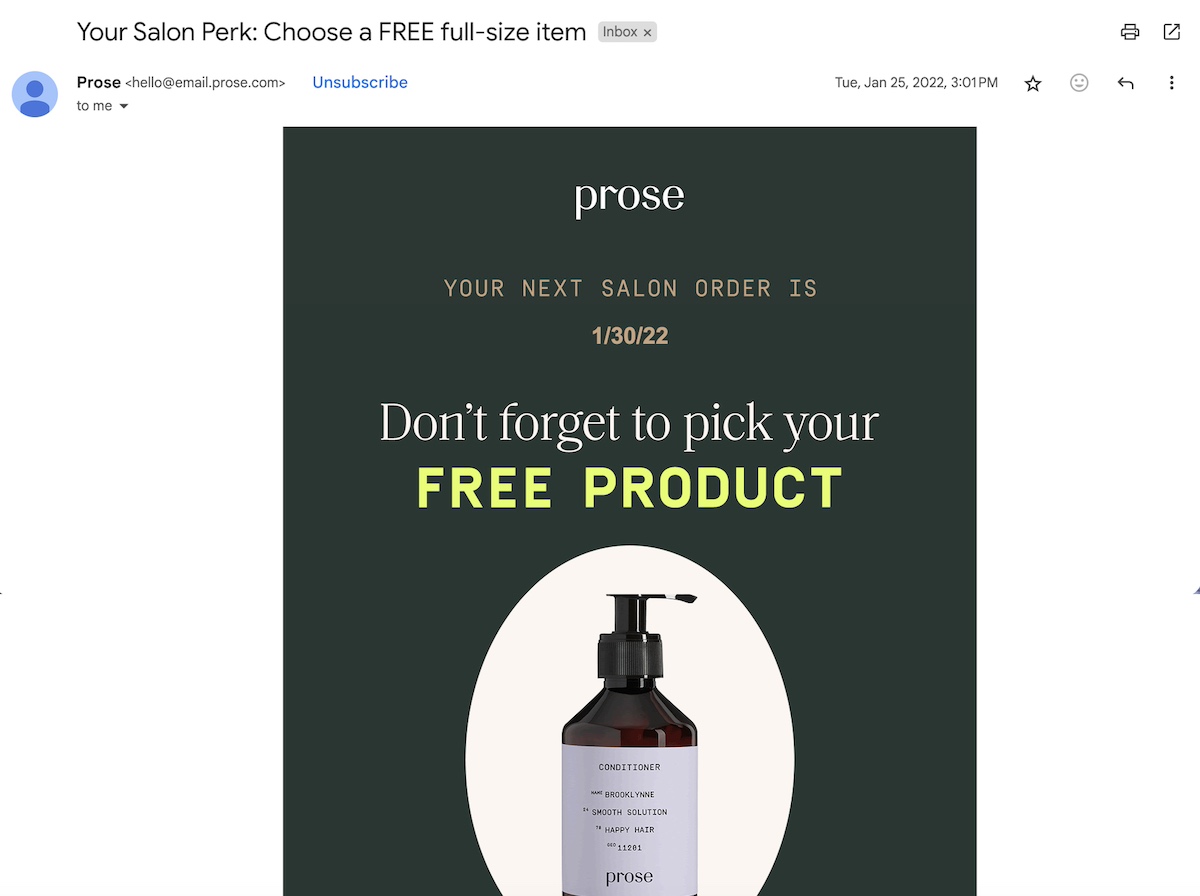
In the below example, Prose reaches out to existing customers, encouraging them to buy more so that they can get a free item. This classic upsell and cross-sell is incentivized by the temptation of a free product down the line. During this stage, they could also promote a hair mask that goes with the shampoo the customer already bought, or send an email offering a limited-time shampoo and conditioner bundle.
6. Retention
Retention emails aim to keep existing customers engaged and prevent churn. By staying top-of-mind and adding continuous value, brands can encourage repeat purchases and maintain strong relationships.
Indeed, like any relationship in life, you want to make sure your customers know that you’re around, interested in them, and available to address their needs.
Retention campaigns benefit from visually appealing email marketing design that highlights customer perks, such as exclusive discounts or personalized recommendations, in a way that’s easy to digest.
Here are few email types you might consider sending:
Replenishment reminders
Exclusive customer perks
Seasonal updates
So let’s say you run a skincare brand. You might send a reminder email like, “Time to restock your favorite moisturizer” to encourage repeat orders and maintain engagement. The customer who’s running out of moisturizer could have waited until the last minute and bought the product from another brand that was readily available, but because you checked in, reminded them of their need and just how great your product is, they buy from you instead. You retained that customer!
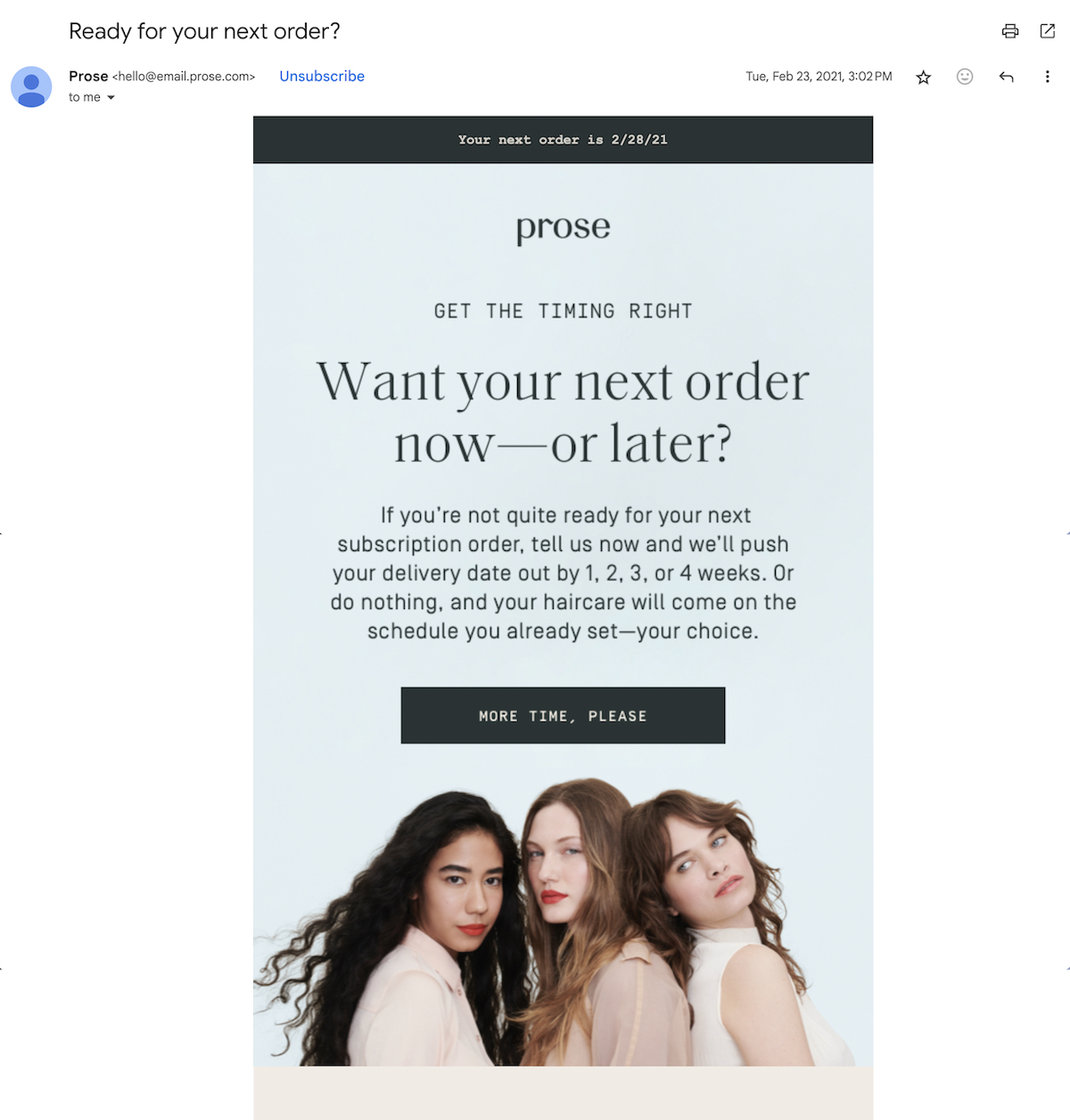
In the below email, Prose continues to move their subscriber along – this time to the retention stage. They remind the customer that they may need more product, and also that they can modify their shipping frequency. As part of retention, Prose might also send newsletters with tips and tricks, and perhaps emails with hair tutorials – all aiming to enrich the experience and maintain the relationship between company and customer.
Below, Rejuvenation stays top of mind by sending out regular informational emails that might be of interest to their subscriber base. By adding constant value, they nurture their relationship with customers, and thus remind them to come back for more. As part of this stage, they might also send a “holiday favorites” guide, as well as special offers.
In the below retention email, Silly George reminds the customer that they’re probably due for a “top up.” This inspires the recipient to take action and make a purchase – and therefore remain a customer. During this stage Prose might also send emails with tips on lash care, as well as how-tos with other beauty advice.
7. Loyalty
Loyalty is a stage that often gets overlooked because it can feel a bit abstract. But it’s in this stage that you create repeat customers.
In the loyalty stage, emails focus on rewarding long-time customers and reinforcing their positive experiences with your brand. This is the phase where you can deepen connections and encourage advocacy.
Key loyalty email types include:
VIP offers or early access
Milestone celebration emails
Loyalty program updates
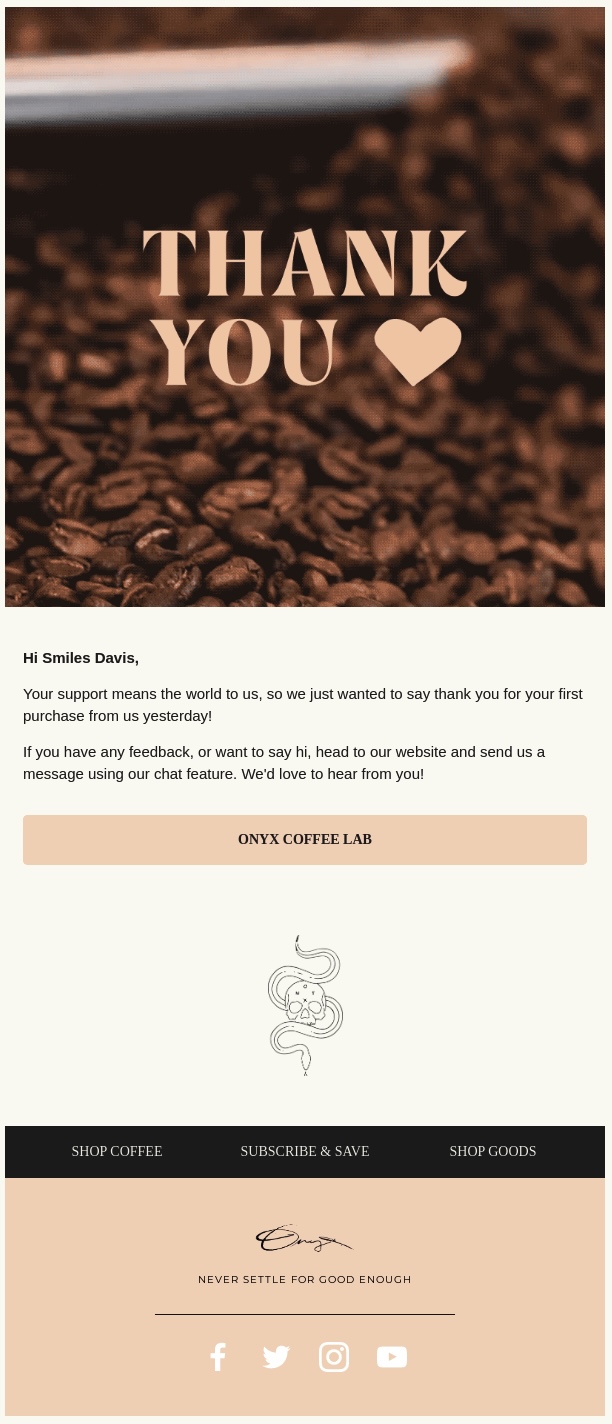
Once again, think of this as a proper life relationship, where you want to show gratitude so that each person (that is, each customer) knows that they are appreciated, and therefore they will hopefully appreciate you in return (buy continuing to do business with you!). So if you own, let’s say, a coffee subscription service, you could send an email thanking a customer for their one-year anniversary with an email subject line saying “Here’s a special gift for being with us: $10 off your next order.”
Not only have we tackled the loyalty stage here, but also retention. Check and check!
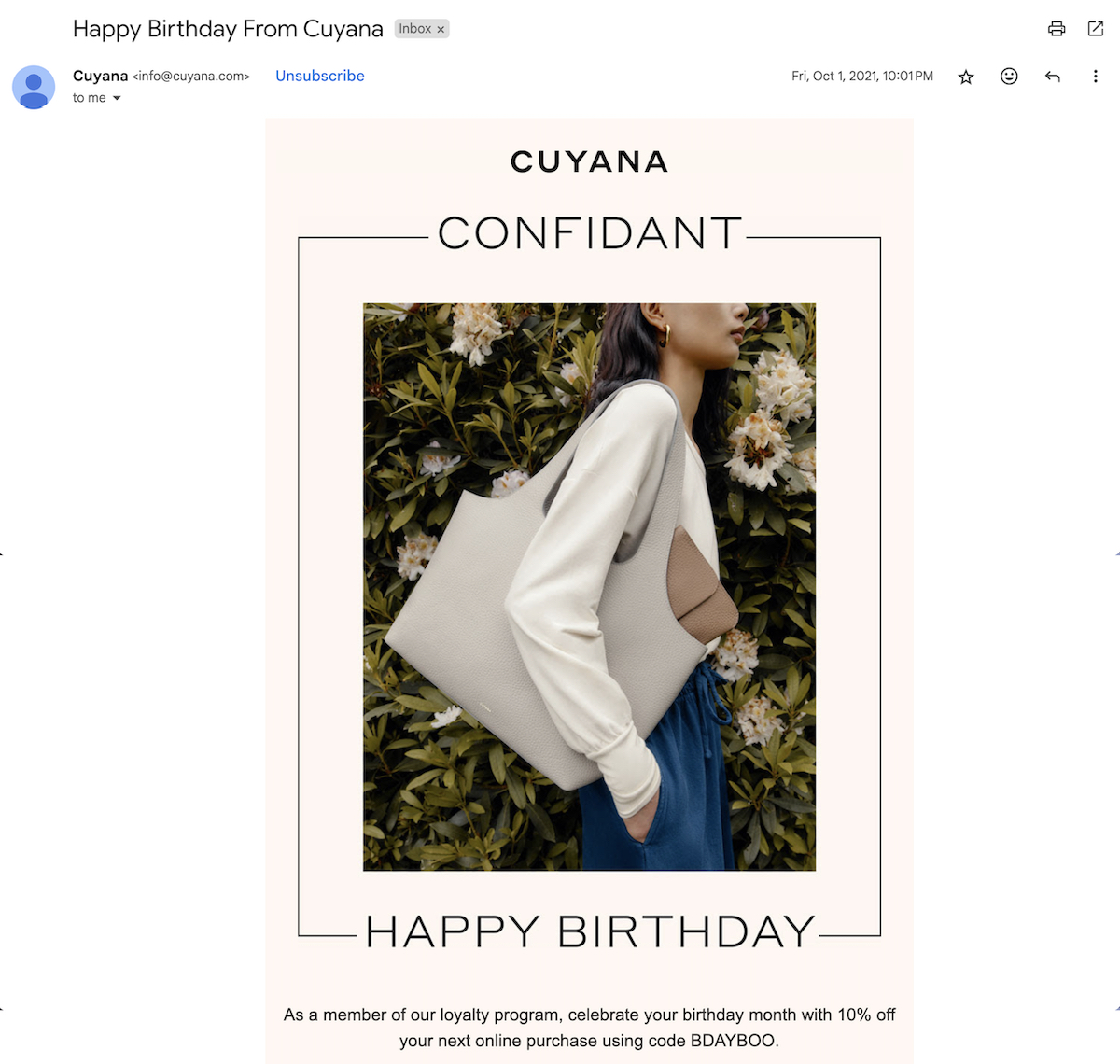
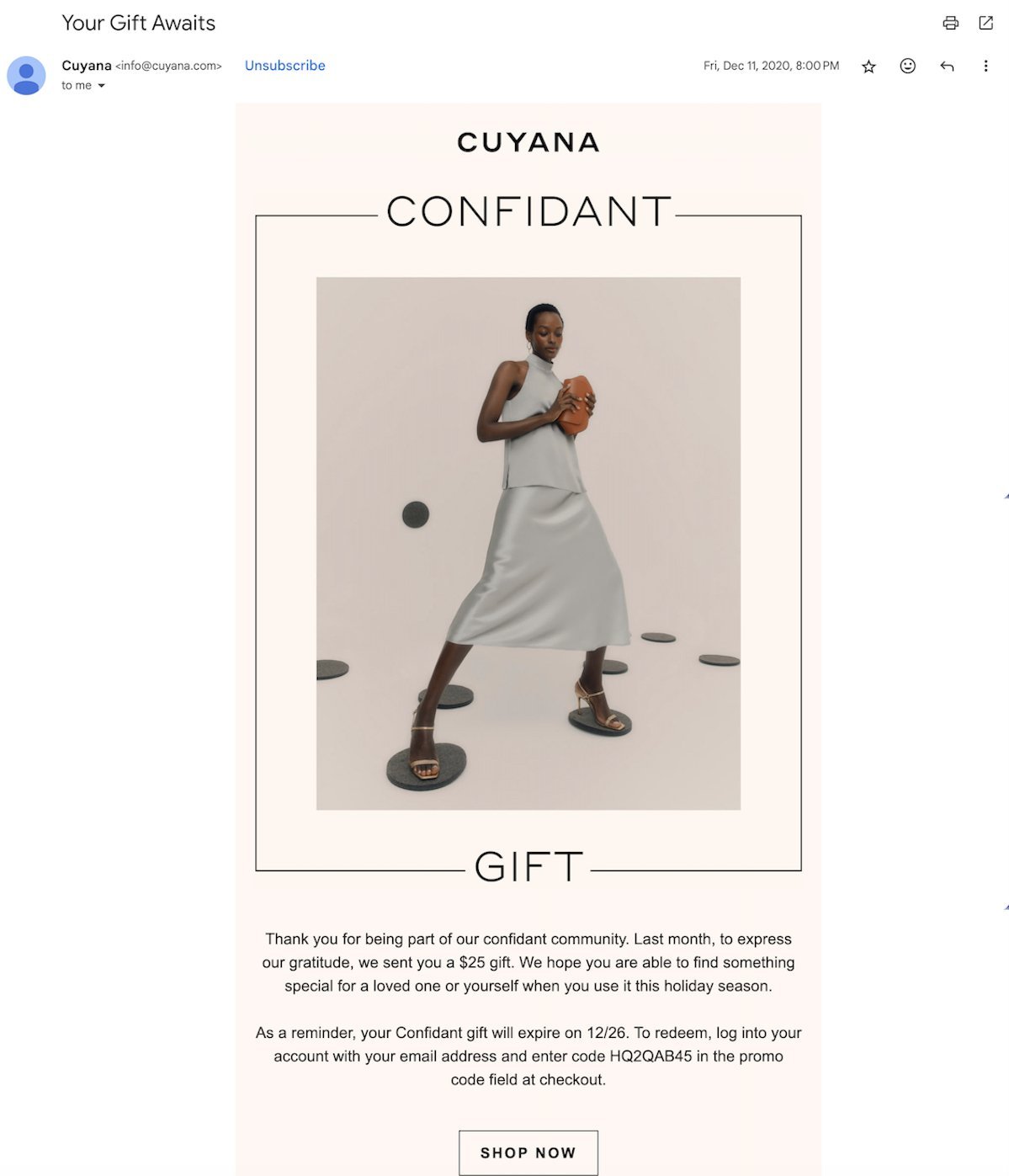
The below email journey example goes the milestone route, making the customer feel extra special. The company does so by wishing the customer happy birthday and offering them a special discount. As part of the loyalty stage, Cuyana could also send an in-store event invite or a special product perk for long-time clients.
Prose moves on to the loyalty stage in this customer journey email example, which offers an extra gift as part of the loyalty program. These kinds of rewards build an ongoing relationship with the customer – one in which the customer feels appreciated and returns as a buyer again and again. To generate loyalty, Prose might also send emails with special loyalty program discounts, as well as early-access emails for new products.
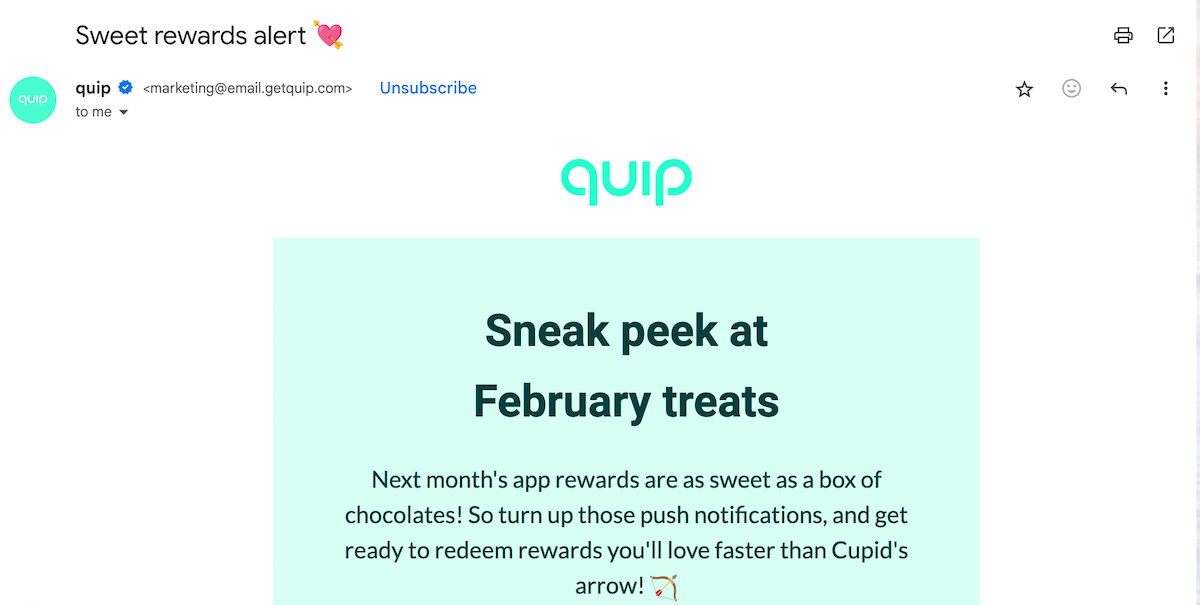
In the below example, quip feeds customer loyalty by offering app users various rewards. Not only does it generate dedication from the customer, but motivates them to download and use the app (and therefore add yet another valuable touchpoint with the brand). They could also send an email offering loyal customers a free dental floss, or an email with exclusive access to a new limited-quantity toothbrush. The goal: make these loyal customers feel valued.
8. Advocacy
Advocacy emails empower satisfied customers to share their positive experiences with others. Because repeat customers are important, but customers who bring in more repeat customers are even better – the benefits are exponential! This stage helps turn loyal customers into brand ambassadors who actively promote your products or services.
How can you tap into this magic? Consider implementing the following types of emails:
Referral program invitations
User-generated content requests
Social sharing incentives
To do this, you might send an email with the subject line, “Love our products? Share the joy and earn rewards!” offering a discount for every friend referred. Or, you could offer a discount if customers post on social media and tag you.
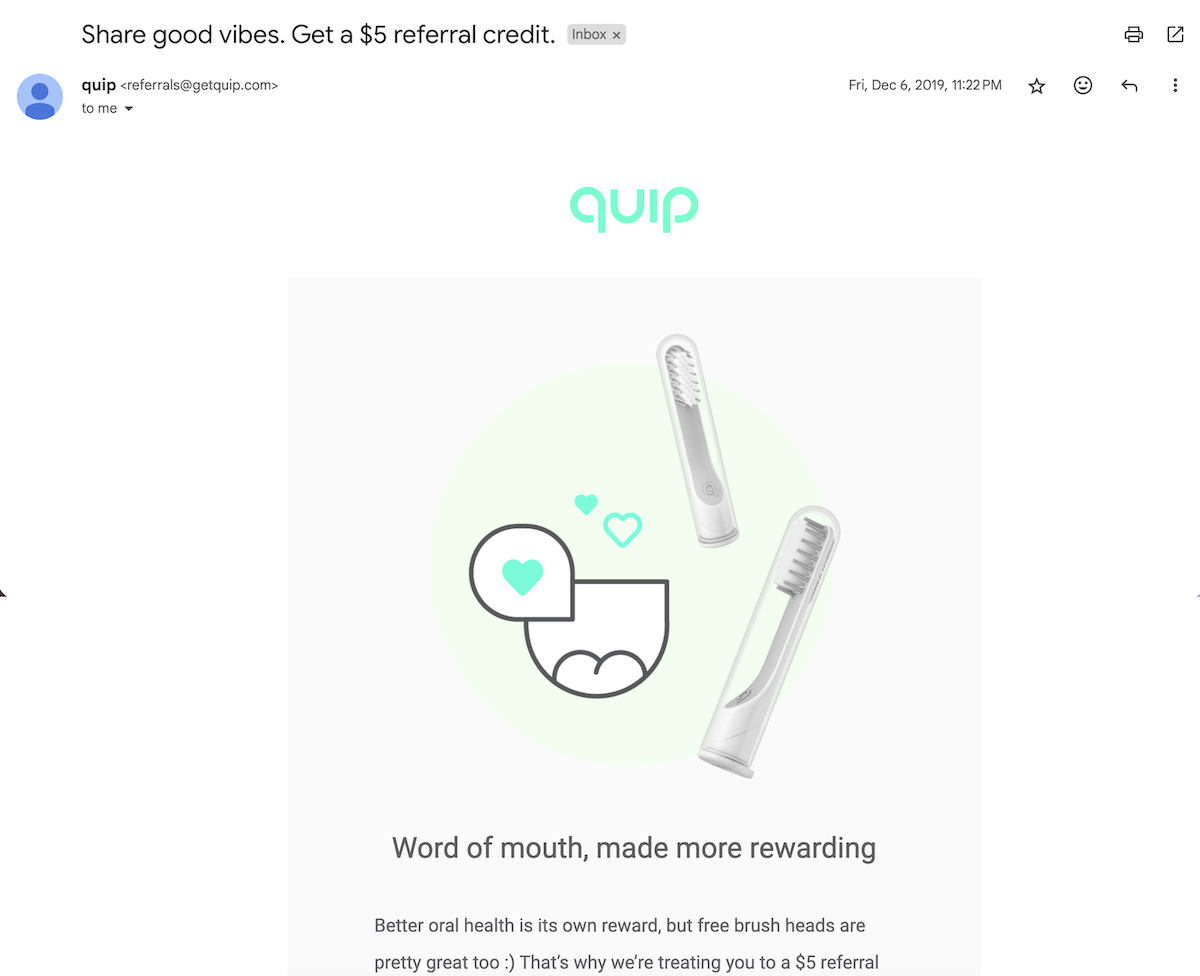
In the below customer journey email example from quip, the company uses a fun play on words to offer a reward to happy customers that spread the word. They could also send an email with an Instagram hashtag contest, or a special discount for providing a product review.
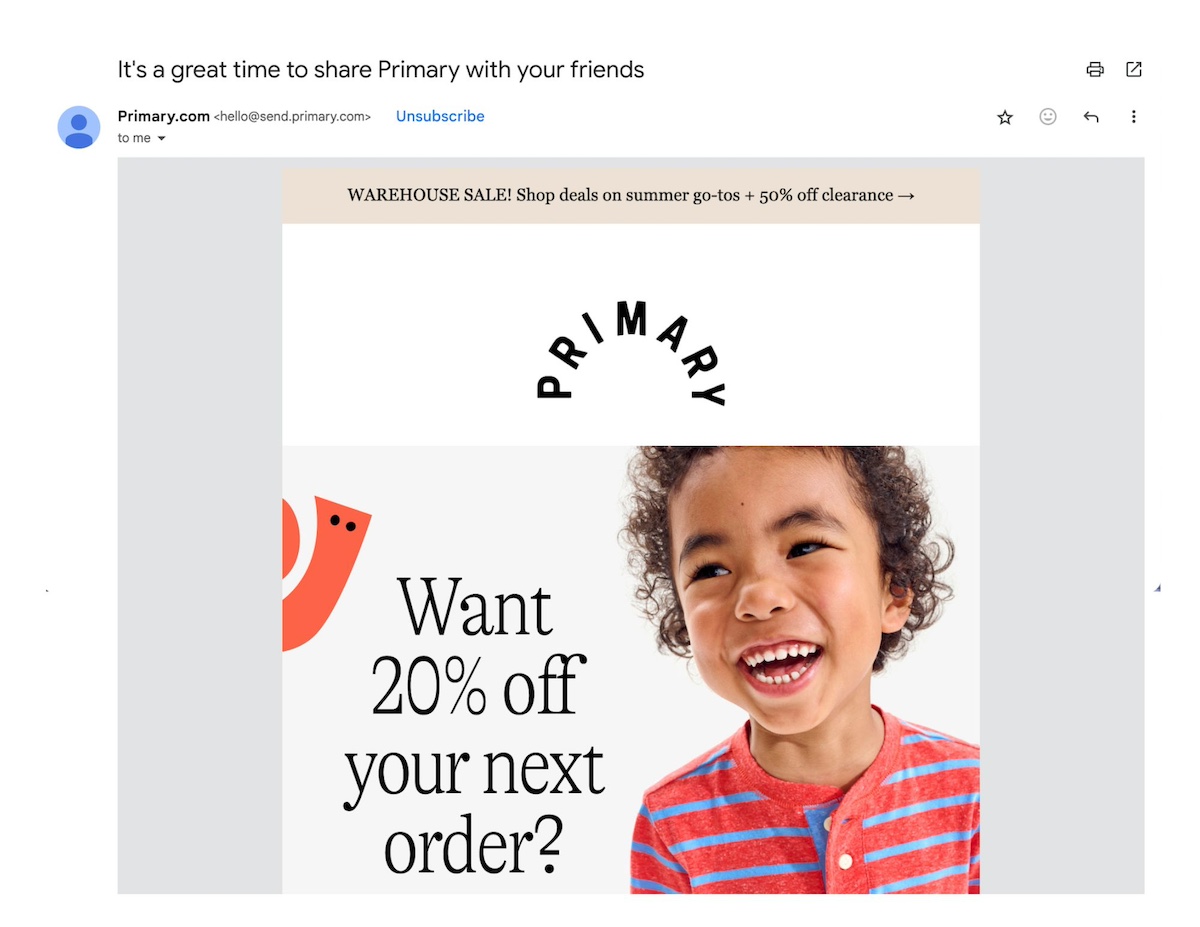
Who doesn’t want 20% off their next order? During the advocacy stage, Primary uses a compelling discount to get its subscribers to reach more potential customers. Advocacy unlocked – it’s as simple as that.
9. Re-Engagement
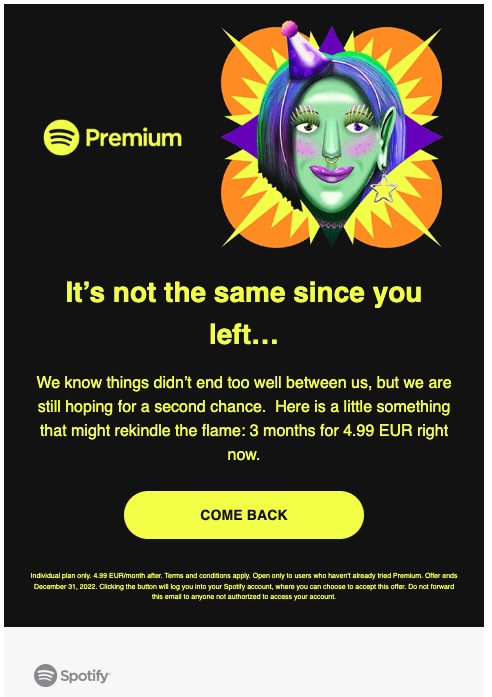
It’s probably clear by now the importance of returning customers – so, not surprisingly, if the customers aren’t returning, it’s time to re-engage. As such, re-engagement emails are a type of email designed to win back customers who have become inactive or disengaged. These emails should grab attention and offer hard-to-pass-up reasons to return.
Re-engage with customers with emails such as:
“We miss you” campaigns
Exclusive comeback offers
Feedback requests
In this re-engagement stage, an ecommerce store might send an email with the subject line, “We miss you! Here’s 20% off to welcome you back,” enticing lapsed customers to come back and see what the store has to offer.
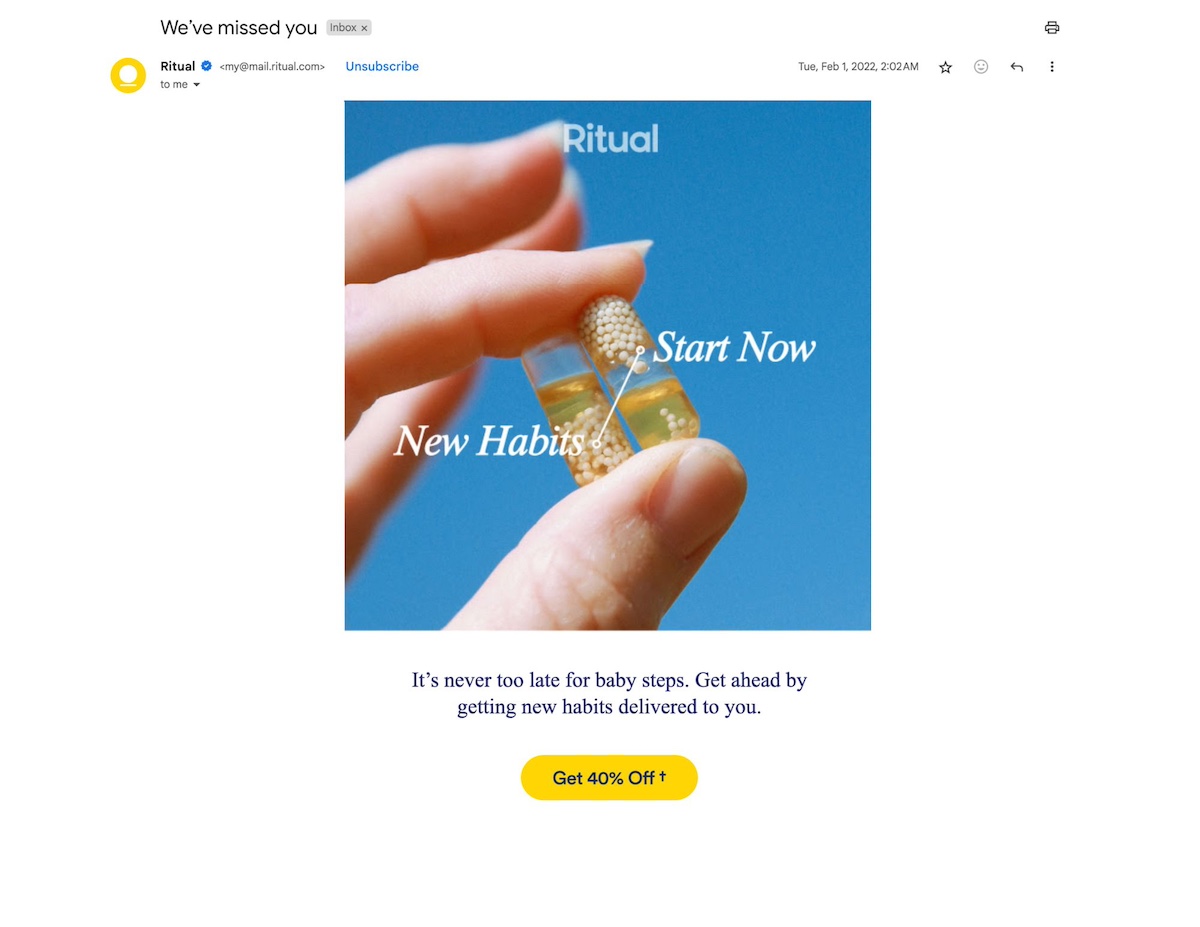
The below email journey example from Ritual lets the customer know they’ve been missed, and tempts them to return with a 40% off discount. To further reignite engagement, Ritual could send an email asking for feedback (maybe the customer’s disappointed in the product or service), or an even steeper discount.
Below, Cuyana reconnects with the customer to remind them to take advantage of an already-sent discount, hopefully bringing them back for another purchase. If the customer doesn’t make a purchase, Cuyana might send a bigger discount, or perhaps pique the recipient’s interest with an intriguing new product, plus an extra-special offer. Anything reasonable to get the customer back in the loop.
The truth is you could have a whole email journey about awareness or have a journey that covers multiple stages, such as awareness, consideration, etc.
So whether you move the lead through the stages with one or multiple journeys will depend on the complexity of your product, business, etc.
With that in mind, let’s see how to create an email customer journey.
How to Create an Email Customer Journey
Alright, you’re now convinced that you should start paying attention to these email customer journey stages, but how and where to get started? Let’s break it down, step by step.
1. Complete Your Email Journey Mapping
The first step in creating an effective email marketing customer journey is to do customer journey mapping. To do this, you’ll want to identify all the existing touchpoints where a customer interacts with your brand. This includes not only email but also website visits, social media engagement, and in-store experiences. Understanding the full customer experience helps pinpoint opportunities to integrate email effectively into your email customer journey map.
2. Identify Gaps in the Customer Journey
Once you’ve done your customer journey mapping, identify gaps in both their overall experience with your brand, and when it comes to your email marketing. Ideally, your email marketing will not only support and enhance the stages of the overall customer journey, but your emails will hit each of the stages as well – making for a complete email customer journey map.
To make this happen, assess where people may drop off or encounter challenges in their email customer journey. Maybe you realize that all of your emails go straight into full-on “consideration” mode – that you’re selling and promoting your product hard from the start, with no real education around the pain point.
Or maybe you make the sale, and then just push your customers out of the metaphorical nest. Off they go with your product, never to hear from you again. You’ve left the entire second half of the customer journey untouched, and lost many customers and potential customers in the process.
So in going through the process of email journey mapping, take note of those gaps where you either haven’t addressed a stage, or haven’t done so in a thoughtful and thorough manner.
3. Address Customer Journey Gaps
With a clear understanding of your touchpoints and gaps, it’s time to start creating emails and email journeys that cater to different stages we’ve discussed.
There are two ways to go about this. Either slot in an email to accommodate an unaddressed stage (like, say, an abandoned cart email to get people to make a decision), or create an automated email journey that more thoroughly walks subscribers through a specific stage or even multiple stages.
Review your map and determine where and with what types of messages you can support and nurture each customer through their email marketing journey.
4. Create Automated Email Journeys
As we’ve just discussed, a part of effectively moving your customers through their journey is by implementing automated email journeys. For this, you’ll want to really lean on email automation tools in order to schedule your emails, segment your audience, and deliver personalized content that aligns with their needs.
This is an integral part of how to do email marketing, as it allows you to guide your audience through the customer journey with minimal effort. It also permits timely delivery, as well as personalized messages triggered by customer actions (and in many cases, these actions represent stages!), such as signing up, making a purchase, or abandoning a cart.
So, in a basic automated customer journey, you might create a welcome series, where a person signs up for your emails, receives a welcome email (awareness), which is followed by an email with testimonials (consideration), and then an email with a limited-time discount and additional selling points (decision).
Another journey might be triggered by a customer purchase, which is followed by a how-to guide (education), then by complementary product recommendations (cross-selling), then an email newsletter with brand and product updates (retention), after which you send a “we appreciate you” email with a discount (loyalty), and finalize with a “share with your friends and get a discount” email (advocacy).
You could bounce back and forth between these stages, reinforcing steps like education, upsells, loyalty, and advocacy. The main goal is to make sure you’re not neglecting any of these stages, and therefore keep your customers moving through them (even indefinitely!).
Effortlessly create automated email journeys with the easy-to-use SiteGround Email Marketing platform. You get everything you need to run successful email campaigns, and at an unbeatable value. It includes features that make it easy to grow your audience, design attractive emails, and run targeted campaigns – and all without advanced skills, thanks to a no-code email builder, AI email writer, free customizable email templates, automated email sequences, high email deliverability, and more.
To make sure your email marketing customer journey is effective, you’ll want to track key email marketing metrics. These include open rates, click-through rates, unsubscribe rates, and conversion rates.
Not only is it important to evaluate each email send, but if you notice that subscribers are falling off at a certain stage – that is, perhaps a certain email is getting fewer clicks than others in your workflow – then you’ll know that this is a possible roadblock in your email customer journey and, therefore, an opportunity for improvement.
Not sure which changes to make or what will work? Consider A/B testing to experiment with subject lines, content, and design. Continuously analyze performance data to refine and optimize your campaigns, and to make sure that your emails and workflows are moving customers through their journey successfully.
Final Thoughts on Building an Effective Email Customer Journey
No matter your business, your sales and success depend on a customer journey – and a strategic email customer journey is a critical part of this process. By applying these aforementioned strategies as well as practical email marketing tips, you can build an email customer journey that builds engagement, loyalty, and results. With thoughtful email journey mapping, and ongoing optimization, your email campaigns can form a foundational part of your business’s success.
Start building your email customer journey today with SiteGround Email Marketing. Beautifully designed templates, a built-in AI writer, robust segmentation and automation tools, and easy-to-understand analytics, all will enable you to create a successful email customer journey in no time.
SEO is always evolving, and what worked yesterday might not work today.
With constant updates and new trends emerging, it can feel like a never-ending game of catch-up. But today, we’re cutting through the noise.
No more talking about mobile optimizations or video trends that everyone keeps repeating. We’re diving into the real changes—six major SEO trends that are reshaping the game in 2025 and beyond.
If you’re not paying attention to these, you’re already behind. Let’s jump in!
[41]
What’s new in SEO? Latest 2025 SEO predictions
AI is the game-changer of SEO in 2025. AI isn’t just influencing SEO; it’s accelerating its evolution. Every trend and development we’re about to cover ties back to this shift, as AI reshapes how Google organizes and delivers search results. But don’t worry—change doesn’t have to be a bad thing.
We will be sharing strategies to help you fight back and adapt to modern SEO, ensuring you stay relevant and competitive.
1. AI Overviews and Zero-Click Searches
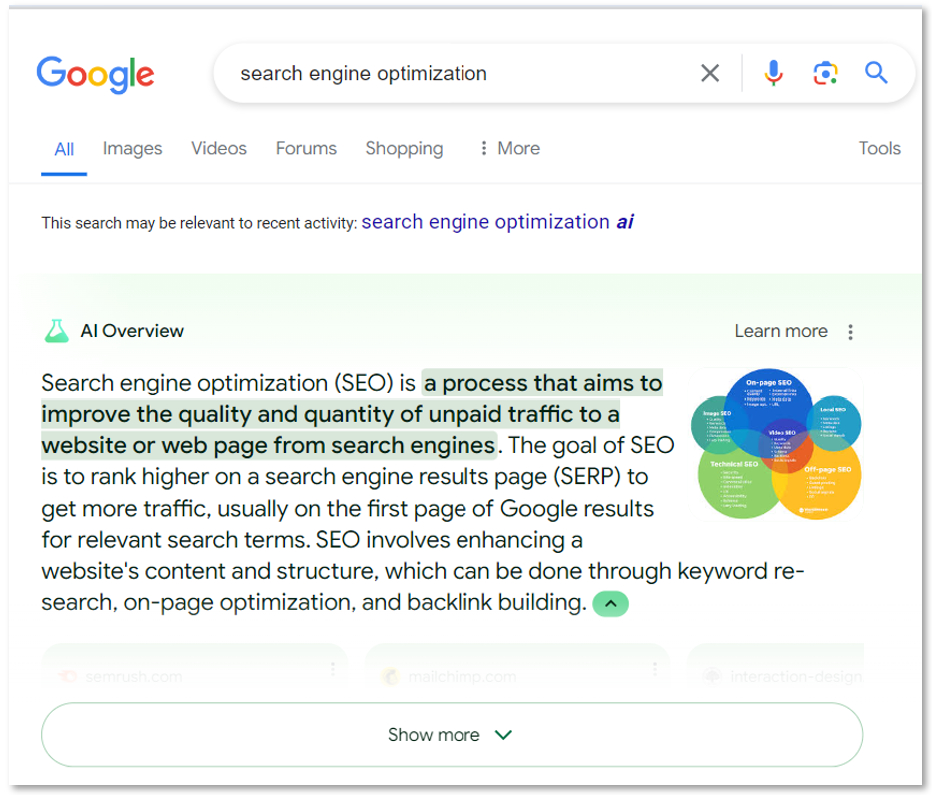
Have you noticed organic click-through rates (CTR) dropping? Well, that’s the general current trend and it’s expected to keep decreasing in the future. Google is now answering user queries directly on the search results page with AI Overviews. As a result, organic listings are pushed farther down the page, which means less visibility for your content.
This is part of Google’s bigger strategy to keep users on its platform longer. That’s not new. More time on Google means more ad revenue and more opportunities to engage users with services like Maps, YouTube, and Shopping. What’s changing now is how Google is achieving this.
If you want to understand how SEO will develop in the future, understand Google’s ultimate goal.
This is your best bet to predict future SEO trends.
What’s interesting is that Google’s Search Generative Experience (SGE) creates these detailed answers by pulling info from various online sources. It even links to those sources, which can actually drive free traffic to your site, despite the drop in overall clicks.
So, how do you fight back?
Focus on content that’s clear, concise, and easy to scan—so that AI can take the right info from it. AI is designed to extract relevant information quickly, so if your content is too long, too wordy, or not focused, it might not get picked up. Keep your sentences short and to the point —directly answer the question/query— and break up text into smaller chunks—headings, bullet points, and paragraphs help make your content scannable. This way, AI can easily pull out the most important details from your pages.
Optimize your website performance: Slow sites frustrate users and search engines alike. Compress images, clean up code, and make sure your website loads quickly on all devices.
Add structured data: This is like a map for search engines. Use structured data (like Schema markup) to clearly define elements on your pages—like product details, reviews, or articles. This helps Google better understand and categorize your content, making it easier to get featured in those AI overviews.
Pro Tip: Simplify your images. While Google is improving at interpreting visuals—even without alt text—it still struggles with overly complex or cluttered images, like those generated by AI with intricate elements. Use clear, straightforward visuals and always include descriptive alt text for better SEO and accessibility.
When all of this is in place, Google is more likely to trust your site, pick your content for AI-generated answers, and rank you higher—because your content is both user-friendly and machine-readable.
So that’s how you can adapt to these SEO trends today.
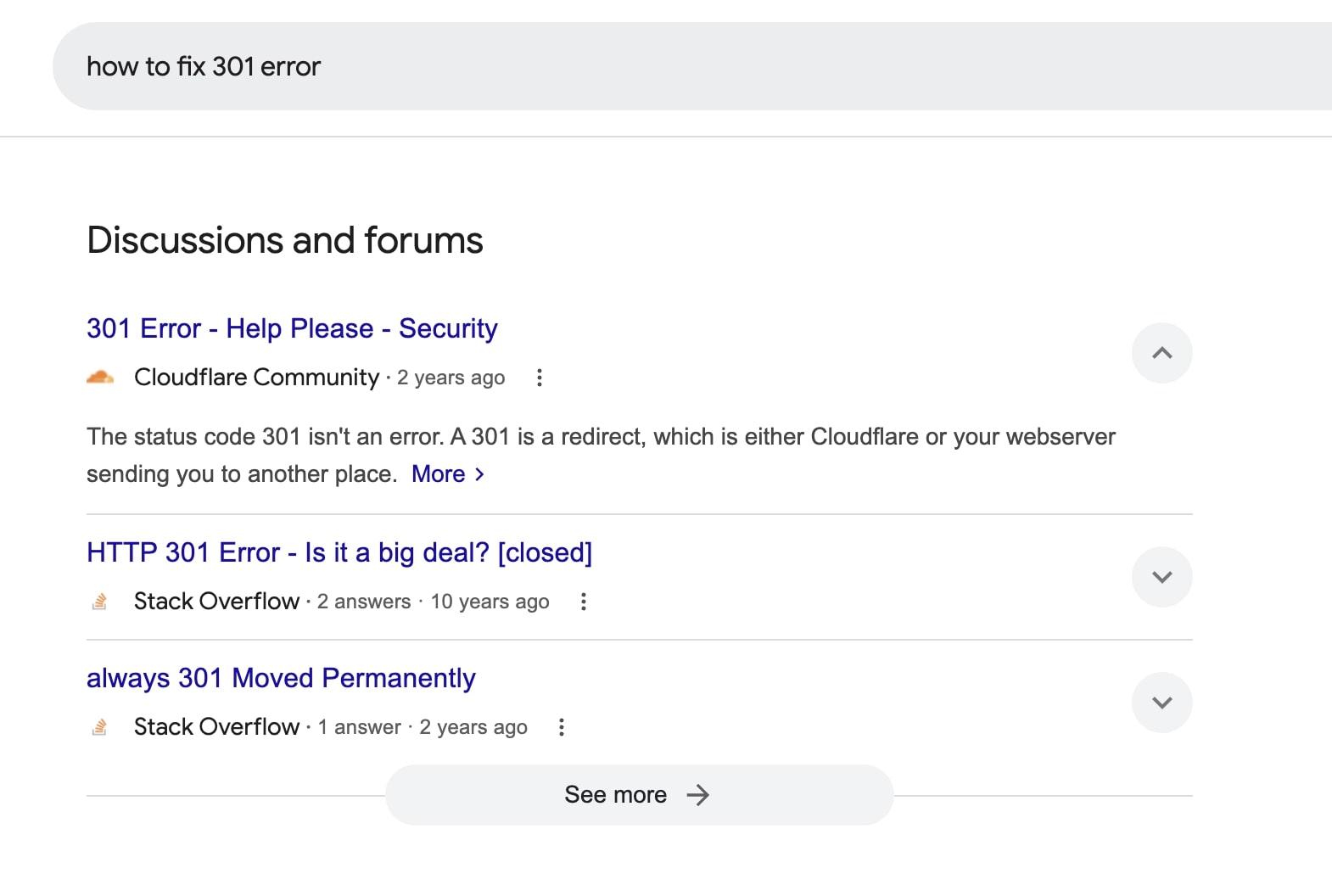
2. UGC (User-Generated Content) and Forums
On the other hand, as AI-generated content becomes more prevalent in search results, people are craving real, authentic insights from actual users.
That’s why by 2025, SEO experts predict search engines will prioritize platforms like Reddit, Quora, and niche communities. Why? Because these sites offer genuine discussions, honest recommendations, and practical advice that users trust more than AI content.
To stay ahead of the curve, you need to:
Encourage user-generated reviews and comments. Whether it’s on your website, product pages, or social media, make it easy for users to share their thoughts. Respond to reviews, ask for feedback, invest in off-page SEO, and create spaces where your audience can engage with your brand. The more real, authentic conversations you can spark, the better for modern SEO.
Focus on long-tail keywords and user questions—these will be the key to attracting organic traffic. Instead of just targeting broad keywords, think about the specific questions your audience is asking. Long-tail keywords—phrases that are more detailed and less competitive—are perfect for capturing users in the research phase. For example, instead of just “best running shoes,” try something like “best running shoes for flat feet.” These are the kinds of searches that people make when they’re looking for real, practical answers.
Leverage video content: And here’s something else to keep in mind: video content, especially on platforms like YouTube, is expected to grow. Videos feel more personal, and users trust them more. So, if you’re not already incorporating video into your strategy, now’s the time to start as it is one of the current SEO trends more valued by end users.
3. NEEAT
If you are up to date on the latest SEO developments, you’ve most likely heard of EAT or even EEAT. Now, in 2025 you will be hearing a new term: “N-E-E-A-T”, which stands for Notability, Experience, Expertise, Authoritativeness, and Trustworthiness
With the rise of AI-generated content, Google has upped its game with NEEAT. They now want to see that the people creating content are true experts with real, recognizable credentials. So that’s where that new N comes into place.
So, what does that mean for you? SEO predictions claim that Google is rewarding brands that clearly highlight their authors’ expertise and achievements. It’s not just about having good content—it’s about showing you’ve got the right people behind it. To succeed, make sure to:
Feature detailed author bios, credentials, and any relevant achievements.
Use author schema markups to help Google recognize who’s behind your content.
Be transparent about who’s creating the content—trust is key.
The more you can prove your authors’ authority and expertise, the better your chances of earning Google’s trust and ranking higher.
Pro Tip: Expertise will become essential throughout 2025, but impactful content will still be a must. Rather than replicating competitor designs and rephrasing their text, develop original, value-driven content that demonstrates a deep understanding of your audience’s needs and challenges.
4. Topic clusters
Thanks to AI, creating content has become so effortless that many websites are churning out countless new pages in the hopes of gaining a few extra clicks.
However, Google rewards websites that stick to a unified, brand-focused message. That’s because it helps Google understand your authority in a specific area. If your content is all over the place, it becomes harder for search engines to know what you really specialize in.
If you want to succeed at modern SEO, a great way to organize your content is by using content clusters or keyword universes. This doesn’t simply mean internal linking but crafting content that is contextually connected and expands on specific aspects of a broader topic.
Group related content together around key topics. But be sure to focus on content around topics that align with your brand’s core expertise. For example, if you’re an expert in email marketing, create clusters around subject lines, email design, email campaigns, etc. This signals to Google that you’re an authority in that niche –while maintaining relevance to the overarching topic.
5. Crawling and Indexing Frequency
As mentioned earlier, AI generates vast amounts of content, and to curb its misuse, Google has recently started reducing the frequency with which it crawls and indexes websites.
This means Google is now crawling sites less frequently, which can impact how quickly your content gets updated in search results. Why are they doing that? They’re optimizing their algorithms to save resources.
Unlike Bing and Yandex, which use systems like IndexNow to detect and add new content quickly, Google hasn’t adopted anything like that yet, but it could be something we will see in the near future. We’ll have to stay tuned for these kinds of SEO developments, which are likely to happen sooner or later.
For now, how do you fight back?
Update your content regularly. Fresh SEO-optimized content signals to Google that your site is active and up-to-date. It’s a great way to keep your pages relevant.
Invest in technical SEO to make sure your site is easy for Google to crawl efficiently. As we’ve said before: ensure your pages load quickly, use structured data to clearly define content, and make sure your site is mobile-friendly.
Leverage internal links: Internal links are the links that connect one page on your website to another. When you link relevant pages together, it helps Google navigate your site more easily. Google can discover new pages faster and understand how your content is connected as well as its hierarchy.
Internal links also help pass on “link juice”—the value passed through links—across your website. This boosts the authority of your most important pages and helps them rank better. To make this work, focus on linking your key pages together naturally and logically, making sure your most important pages are just a few clicks away from the homepage.
6. First-Party Data & Privacy
SEO is no longer just about driving traffic—it’s about driving conversions.
With the phase-out of third-party cookies and growing concerns over data privacy, leveraging first-party data is becoming essential as part of your SEO strategy.
First-party data is the information you collect directly from your own users—things like email sign-ups, surveys, and customer feedback. As opposed to third party data, where the data comes from a domain different from yours. Third-party cookies are most frequently used for online advertising.
But what does it have to do with SEO trends? Well, Google is favoring privacy-friendly approaches, so keeping your site compliant with privacy laws like GDPR, CCPA, and others is critical. Not only does it protect your users’ data, but it also helps avoid potential penalties and builds trust with your audience.
Adapt to the Top 2025 SEO Trends to Succeed in Modern SEO
As we’ve seen, SEO in 2025 is all about adapting to a landscape that’s increasingly influenced by AI.
The good news? These SEO trends are also opportunities. By staying proactive—creating scannable, AI-friendly content, building trust with N-E-E-A-T standards, and prioritizing user-generated engagement—you can not only keep up but thrive in this new environment.
The key takeaway? Stay flexible, focus on quality, and never stop learning. SEO is a constantly evolving field, and those who adapt will stay ahead of the curve.
WordPress isn’t just a content management system – it’s a powerhouse with over 60,000 plugins ready to up your site’s performance and functionality. But let’s be honest: with so many options, it can feel like searching for a needle in a haystack. How do you know which plugins are worth your time?
To help you out, we’ve put together a list of 11 must-have WordPress plugins that will equip your site with the features it needs to succeed. Whether you’re optimizing the backend, enhancing the design, or improving SEO rankings, these plugins have you covered.
11 Must-Have WordPress Plugins
Discover the most essential plugins for WordPress, handpicked by our expert developers, that can enhance all types of websites, from online stores to personal blogs.
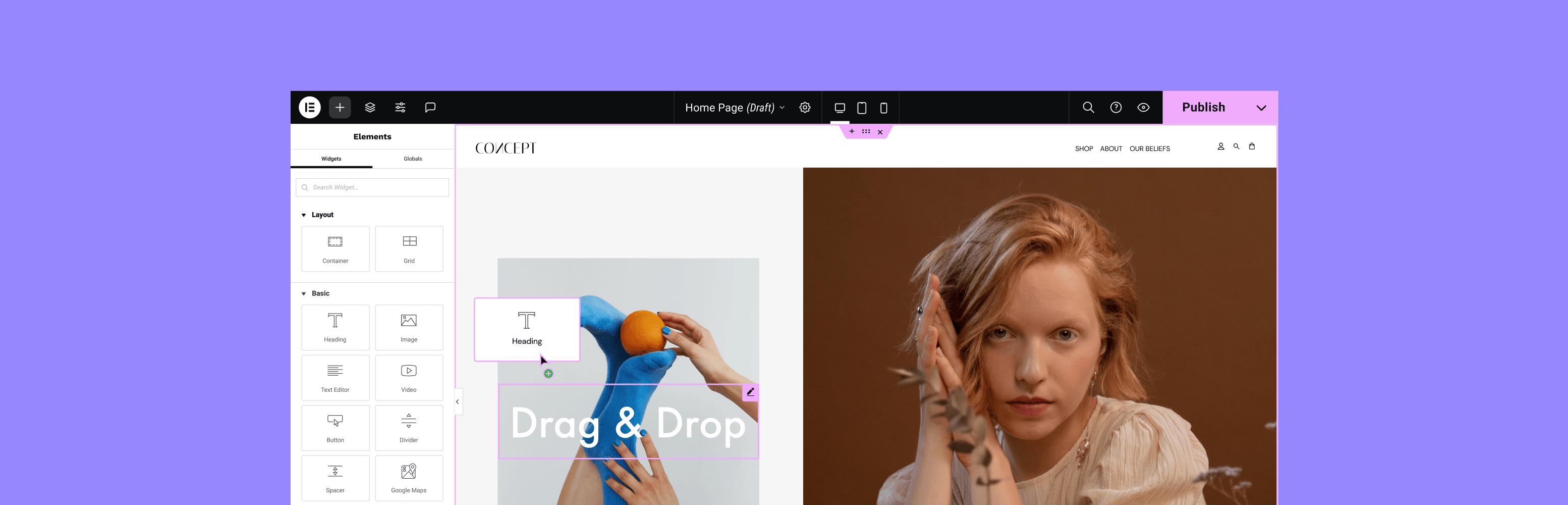
1. Build Custom Pages with Elementor
While WordPress allows you to create websites without coding and simplifies much of the backend work, it does have limitations in terms of building blocks, theme templates, and overall design flexibility. To address this, Elementor, a popular website and page builder, integrates with WordPress to offer powerful drag-and-drop visual editing and enhanced web-building capabilities.
With Elementor, your webpage transforms into a canvas where you can add, move, and style elements in real-time. It provides a wide array of widgets and templates for crafting professional-looking pages. Additionally, you can apply custom CSS to entire pages or individual elements, which is particularly useful for integrating tracking codes from tools like Facebook Pixel or Google Analytics into headers or footers.
Unlike many plugins that offer limited features in their free versions, Elementor’s free version is generous with functionality, allowing you to create a simple, yet functional website. If you need additional features beyond what the plugin offers, its extensive ecosystem of third-party extensions allows you to further enhance your website’s appearance and capabilities.
Pricing (freemium):
The basic version of Elementor is available in the WordPress plugin repository for free.
Elementor also provides premium features in tiered subscriptions, starting at $59 per year.
Key features include:
Dedicated landing page tool
Popup builder
Floating buttons
Revision history
Zapier and WooCommerce integration
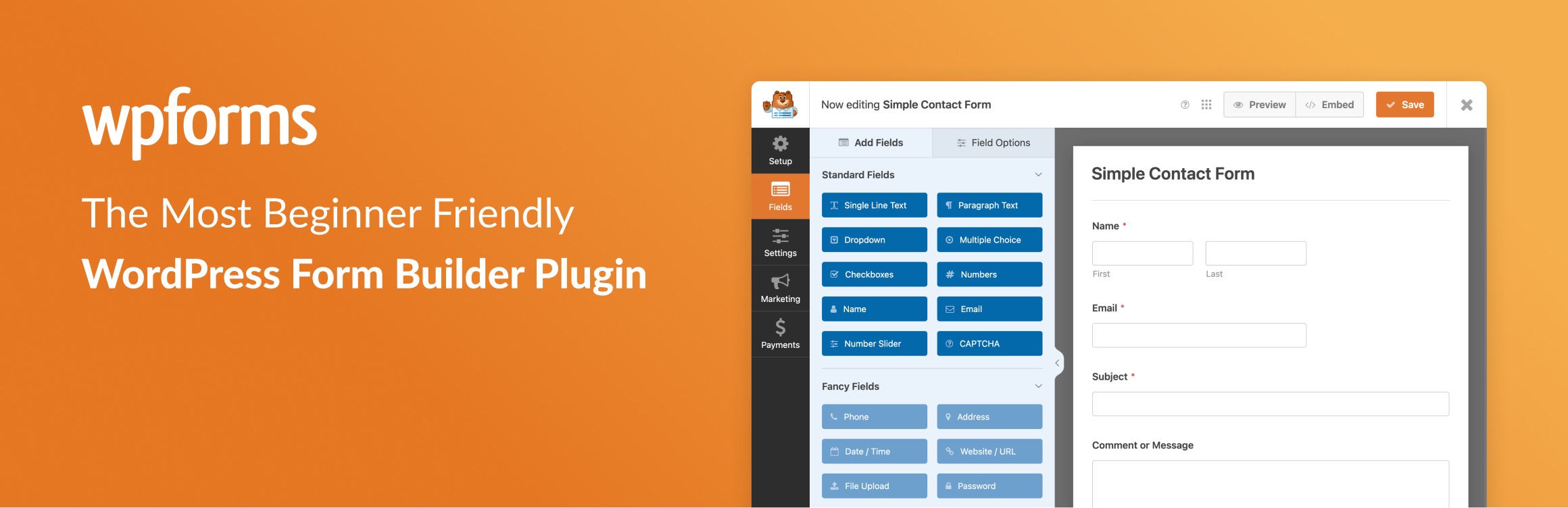
2. Create Contact Forms with WPForms
Contact forms are an essential addition to any WordPress site because they allow your visitors to easily get in touch with you. Beyond facilitating communication, they help you build relationships and foster trust with your visitors, making your site feel more personal and approachable. While WordPress doesn’t include built-in form functionality, WPForms fills this gap effectively.
WPForms is a popular drag-and-drop form builder that lets you add any type of form to your website – feedback forms, payment forms, you name it. The plugin includes over 2,000 professionally designed templates that are fully optimized for all devices and comply with GDPR regulations.You can also convert any form into a landing page to increase conversions, and it offers customizable permalinks for easy promotion across social media, email, and other marketing channels.
Additionally, WPForms comes with various addons that allow you to track the customer journey of your website visitors, enable user registration, and much more.
Pricing (freemium):
The basic version, WPForms Lite, is available in the WordPress plugin repository for free.
WPForms also offers premium features in tiered subscriptions, starting at $99 per year.
Key features:
Built-in spam protection
Collection of visitors’ geolocation data
Auto-save of partially completed forms
Offline forms for submission collection without internet
Custom form confirmations with success messages or thank you pages
3. Restrict Content with Ultimate Member
Now that you’ve built your website – whether it’s a blog, an online store, or a community forum – and you’re happy with the results, you might want to restrict access to certain areas in exchange for a fee. Ultimate Member provides everything you need to manage memberships, subscriptions, and member-exclusive content seamlessly.
With Ultimate Membership, you can establish multiple membership levels, each featuring its own pricing, rules, and benefits. This flexibility enables you to tailor your offerings to suit the unique needs of your audience, whether you’re providing a single product subscription, a tiered content access system, or a combination of both.
Moreover, the plugin is fully integrated with WooCommerce, making it an ideal solution for online business owners who want to provide special pricing, discounts, or exclusive products to their members.
Pricing(freemium):
The basic version of Ultimate Member is available in the WordPress plugin repository for free.
Ultimate Member also provides premium features in tiered subscriptions, starting at $249 per year.
Key features:
Flexible membership plans
Hassle-free subscription management
Content restriction
Automated recurring payments
Insightful membership reports
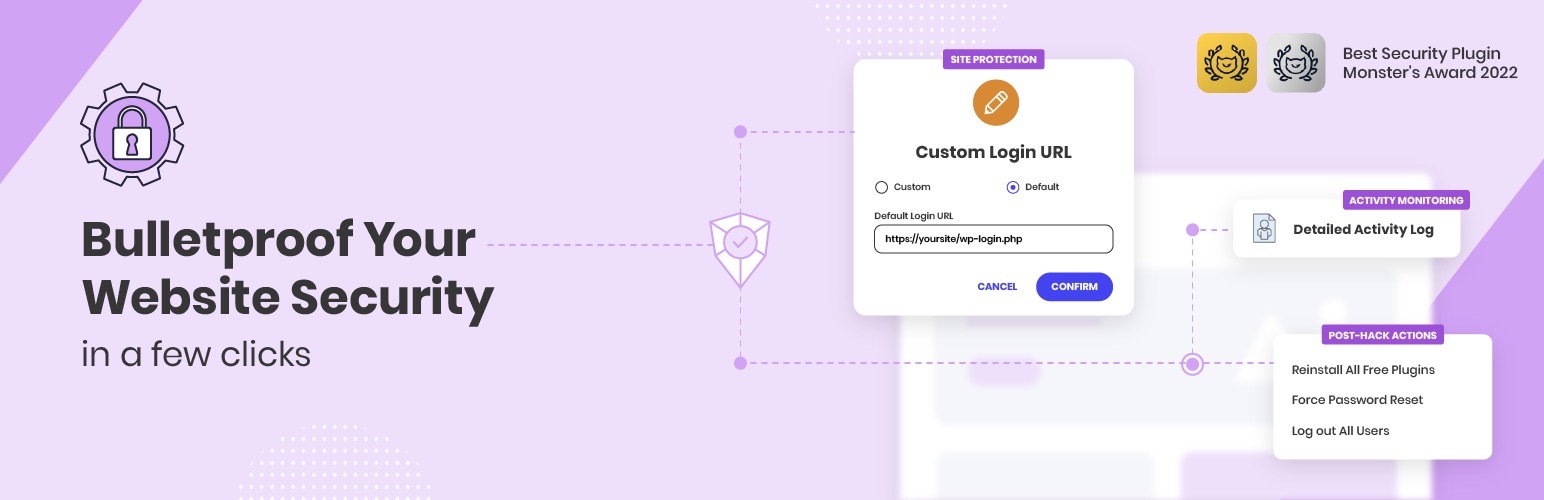
4. Fortify Your Site with SiteGround’s Security Optimizer
A website owner’s worst fears – such as a damaged reputation, loss of traffic, and poor SEO rankings – can become a reality if security measures are lacking. To prevent this from happening, consider safeguarding your WordPress site with the Security Optimizer plugin, developed by the experts at SiteGround and trusted by over 1,000,000 users worldwide.
The plugin brings together all essential security features for your WordPress site into one user-friendly package, eliminating the need for multiple plugins. It covers advanced login protection, firewall configuration, and activity monitoring. Additionally, It secures your site by safeguarding critical system folders, blocking unauthorized access, and tracking all activity for suspicious behavior. If a breach occurs, the detailed activity logs help you quickly understand what happened and take action to fix it.
The Security Optimizer plugin is compatible with every hosting provider, and it comes preinstalled with all new WordPress installations hosted at SiteGround.
Pricing: free
Key features:
Disabling of XML-RPC, RSS, and ATOM feeds
Enabling of advanced XSS protection
Limitation of login access and attempts
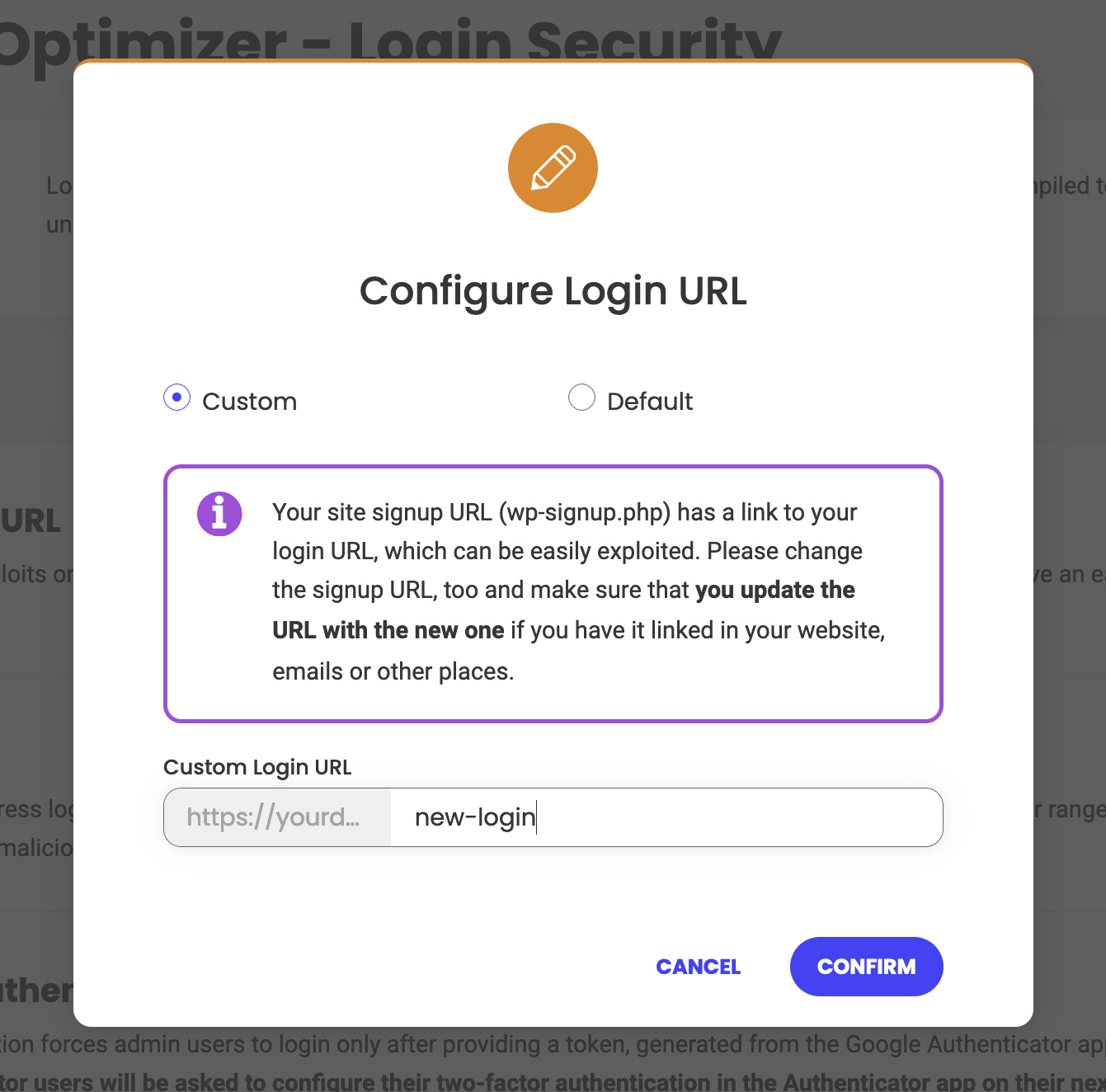
Creation of custom login URL
Enabling of two-factor authentication (2FA) for admins and editors
Monitoring of visits, bots, and login attempts
Blocking of suspicious IPs
🛡️Safeguard your website against malicious attacks by following our security tips!
5. Combat Spam Effectively with Akismet
All websites are targets for bots that scour the internet, attempting to send spam through comments and form submissions. The Akismet plugin, a cloud-based application, filters spam on your WordPress site without using your server resources. Developed by Automattic, the company behind WordPress, the plugin has been downloaded over six million times.
Akismet tackles spam through two primary methods. First, it analyzes comments and form submissions by comparing them to its extensive database of known spam entries. Second, it assesses user behavior on your web pages to distinguish between humans and spambots.
When spam is detected, Akismet either automatically blocks it or moves it to the WordPress spam folder for you to review, ensuring that your forms do not store any spam entries.
Pricing (freemium):
The basic version of Akismet is available in the WordPress plugin repository for free, but only for small non-commercial websites.
For commercial websites, Akismet offers premium features in tiered subscriptions, starting at $8.33 per month when billed annually.
Key features:
Automatic comment spam filtering
Comment status history tracking
URL visibility in comment body
Moderator view of approved comment counts
Discard feature for blocking severe spam
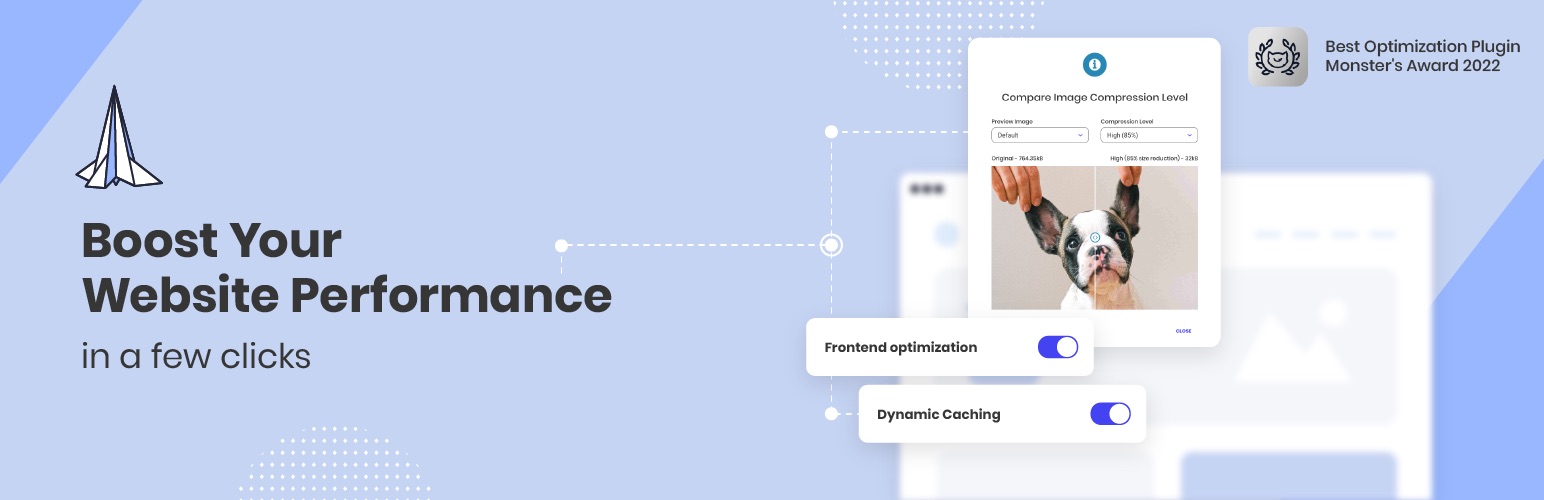
6. Maximize Performance with SiteGround’s Speed Optimizer
You’ve likely experienced the frustration of a slow-loading website as a user. But as a website owner, it’s important to know that every extra second a page takes to load can lower your conversion rates by an average of 7%. Additionally, Google factors site speed into its ranking algorithm, so a slow-loading website can negatively affect your SEO score.
But no need to worry, with SiteGround’s award-winning Speed Optimizer plugin, you can instantly boost your WordPress site’s speed and performance without installing multiple plugins. It optimizes all aspects of your site, from streamlining code and files for HTML, CSS, JavaScript, and fonts to reducing image sizes by up to 85% without compromising quality.
Moreover, it executes WordPress Heartbeat control and scheduled database maintenance, ensuring that no unnecessary backend queries consume resources needed for more critical tasks. The plugin also includes built-in caching, enabling the server to deliver pre-generated pages to visitors instead of generating them dynamically each time, eliminating the need for additional caching addons.
The Speed Optimizer plugin is compatible with any hosting provider, but SiteGround users benefit from additional features like dynamic and object caching, and image compression.
Pricing: free
Key features:
File-based caching
Minification of HTML, CSS, and JavaScript
Defer render-blocking JavaScript
Font optimization
Advanced lazy loading for media
Enforce HTTPS
GZIP compression
⚡Don’t gamble with your site’s performance – unlock its full potential with our speed improvement tips!
7. Stay Compliant with iubenda
Websites nowadays have to adhere to a broad range of legal and data protection requirements. While there are many plugins available to help websites meet these compliance standards, choosing a trustworthy one can be challenging. The iubenda plugin offers a comprehensive, user-friendly compliance solution developed with input from legal experts.
The plugin supports GDPR, UK-GDPR, ePrivacy, LGPD, CPRA/CCPA, CalOPPA, PECR, and other regulatory documents. Additionally, its built-in site scanner regularly checks your site and notifies you if any compliance updates are necessary. It also detects and blocks third-party scripts like Google Analytics, Facebook, and PayPal, ensuring these services don’t operate without user consent.
Furthermore, iubenda integrates with Google Consent Mode and IAB’s TCF, providing a standardized approach to managing consent across different platforms. It also enables users to manage their preferences by category giving them greater control over their data.
Pricing (freemium):
The basic version of iubenda is available in the WordPress plugin repository for free.
Iubenda also provides premium features through tiered subscriptions starting at $5.99 a month per site or application when billed annually.
Key features:
Fully customizable privacy and cookie policy
CCPA notice with functional DNSMPI link
Auto-detection of user location
Generation of professional Terms and Conditions
One-click translation of all documents (in 10 languages only)
8. Improve Your Organic Reach with All in One SEO (AIOSEO)
Writing meaningful and relevant content is only half the battle; the next challenge is getting people to see it. If you’re on a budget, relying on pay-per-click ads might not be ideal. Fortunately, search engine optimization (SEO) offers an effective alternative to help your website rank higher in search engine results.
While WordPress offers mobile-responsive themes, customizable URLs (permalinks), and RSS feeds, these features alone don’t cover all your SEO needs. Plugins like All in One SEO offer valuable features such as on-page analysis with checklists to improve post titles, meta descriptions, and focus keyphrases. You can also assess the readability of your content by examining paragraph and sentence length, passive voice usage, and subheading distribution.
If you have a WooCommerce site, you can further optimize your storefront by refining product titles, descriptions, and images. Additionally, All in One SEO generates XML, RSS, and HTML sitemaps and integrates with analysis toolslike Google Search Console and Bing Webmaster Tools to enhance your site’s visibility across various search engines.
Pricing (freemium):
The basic version of All in One SEO is available in the WordPress plugin repository for free.
All is One SEO also provides premium features through tiered subscriptions, starting at $124.00 per year.
Key features:
Frontend SEO inspector
XML, RSS, and HTML sitemaps creation
Site audit
Local SEO
Competitor analysis
9. Transform Visitors into Leads with SiteGround’s Lead Generation
A WordPress site without a lead generation plugin is like a store without a front door – visitors may pass by, but they won’t easily become customers. Such a tool helps you transform casual visitors into email subscribers and, eventually, into devoted customers
With SiteGround’s Lead Generation plugin the process of setting up and managing email marketing forms is a breeze. It allows you to create professional, highly customizable forms that align with your branding. The plugin also adds a subscription checkbox to contact forms, sign-up forms, and comment sections. When selected, this option adds the user to your email marketing leads.
And when it comes to retaining these leads, SiteGround Email Marketing allows you to easily create and send email campaigns, targeting different segments of your audience. The platform also offers customizable and mobile-friendly pre-built templates, an AI image and copywriting assistant, unlimited sign-up forms, built-in DKIM and SPF authentication to keep your emails out of spam folders, and more cool features.
❗Keep in mind that although you don’t need to host your website with SiteGround to use the Lead Generation plugin, you will need to purchase SiteGround’s Email Marketing service.
Pricing:
While the Lead Generation plugin is available in the WordPress plugin repository for free, the SiteGround email marketing service is a paid offering, currently available at an 80% discount.
Key features:
Customizable forms
Responsive design
Integration with WPForms, Ninja Forms, Gravity Forms and many more
10. Track Analytics with MonsterInsights
Understanding how visitors perceive and interact with your website can help you address areas for improvement, ultimately increasing your traffic and sales. With over three million active installations, MonsterInsights is the one of the most recognizable Google Analytics plugins for WordPress.
MonsterInsights enables you to link your WordPress site with your Google Analytics account, offering insights into your visitors’ behavior. Additionally, it presents all the essential statistics directly in your WordPress dashboard through intuitive, easy-to-read reports.
While the lite version of MonsterInsights lets you track basic analytics, such as audience demographics, file downloads, and outbound link clicks, the premium version unlocks detailed reports, additional ecommerce tracking features and ad performance monitoring. Recently, the developers added a Conversations AI feature, allowing you to ask questions about your analytics and receive instant answers, facilitating quicker data analysis.
Pricing (freemium):
The basic version of MonsterInsights is available in the WordPress plugin repository for free.
MonsterInsights also offers premium features in tiered subscriptions, starting at $99.60 per year.
Key features:
Headline analyzer
Customer funnel report
Affiliate link tracking
Content report for visit statistics
Landing page report for optimization needs
11. Build An Ecommerce Store with WooCommerce
Whether you’re selling e-books or handmade jewelry, WooCommerce is an excellent choice. It is one of the most popular ecommerce platforms, managed by the developers behind WordPress. This means that you can manage all elements of your store from within your WordPress dashboard, plus benefit from regular updates that ensure optimized performance.
WooCommerce has many options for customization – fromshowing reviews and ratings, setting up tiered pricing, and allowing visitors to sort and filter products to find exactly what they need. It integrates seamlessly with various payment and shipping providers, as well as email and social media marketing tools, to streamline your operations. Additionally, WooCommerce is SEO-friendly and supports multiple languages and currencies, making it perfect for global businesses.
You can further enhance your store’s functionality with thousands of free and paid extensions from the official WooCommerce Marketplace. Moreover, a WooCommerce App is available for free for both iOS and Android.
Pricing: free
Key features:
24 languages and various currencies
Custom shipping solutions
Extensive payment options with common payment providers
Geo-location for tailored services
Email templates tailored for customers at various stages
Google Analytics and Yoast SEO integration
Final Thoughts on Must-Have WordPress Plugins
While some plugins are tailored to your site’s specific needs, many essential ones can benefit nearly any WordPress site. In this article, we’ve introduced the best plugins for WordPress – whether you’re aiming to improve your website loading time, enhance security, add more engaging features or streamline your workflow.
You can always add more plugins to your WordPress site to expand its functionalities. However, make sure to download them from reliable sources such as the official WordPress repository, the developer’s website, or reputable third-party marketplaces. Prioritize plugins that are well-reviewed and frequently updated to ensure better security and minimize compatibility issues.
Also, don’t overlook your hosting platform, as it plays a crucial role in ensuring smooth operation. SiteGround offers Managed WordPress hosting plans for up to 400,000 monthly visits. These plans feature easy setup, ultrafast PHP, custom MySQL, SSL certificates, and three-layer caching, all enhancing performance, capacity, and security.
WordPress Plugins FAQs
What Should Be Considered When Choosing a WordPress Plugin?
Ideally, you want to choose a plugin that meets your specific needs, comes from a reputable developer, offers responsive support, fits within your budget, and is compatible with recent WordPress versions.
How Do I Install a WordPress Plugin?
There are three ways you can install a WordPress plugin: automatically, from a file or manually. The WordPress dashboard contains a dedicated Plugins section where you can add, remove and manage the plugins. We’ve prepared a tutorial for you to guide you through the process of installing plugins on your WordPress site.
Which Is Better: Paid vs. Free WordPress Plugins?
We can’t definitively say one is better than the other, as the choice between paid and free plugins largely depends on your budget and needs. Free plugins can be useful but often focus on basic functionality that can be limiting. In contrast, premium plugins, which require payment, offer more advanced features that may be needed by your website in order to be more secure, load faster, offer better user experience, among other benefits.
How Many WordPress Plugins Are Too Many?
On average, a medium-sized WordPress website has around 20-25 plugins. If your hosting server is powerful and you use stable and reliable plugins, your website should be able to handle more. However, avoid bloating your site with redundant or useless features, as this can have a negative effect on your speed and performance.
Do I Need a Backup Plugin?
You may not need to install a WordPress backup plugin if your web host meets all your backup needs. Many hosting providers, including SiteGround, offer built-in backup features accessible directly from your control panel.
Having a website is essential to any business, but driving traffic to it is what truly fuels success. Without website traffic, even the most stunning website can remain unnoticed. Whether you’re a business owner, blogger, or entrepreneur, increasing traffic strengthens your online visibility.
In this blog post, we’ll explore how to increase organic traffic to your website, equipping you with the most important tactics and insights needed to grow your online presence.
How to Increase Your Website Traffic for Free
There are numerous ways to increase website traffic for free, allowing you to attract more visitors and expand your reach without costly investments.
However, you wouldn’t want just any free traffic, but qualified traffic. While general traffic brings a wide audience to your website – which usually results in lower engagement rates and less conversions – quality traffic drives visitors who are genuinely interested in your brand. They are easier to engage and eventually convert into customers.
In this article, we’ll focus only on those strategies that have proven helpful in driving qualified traffic and growing audiences organically.
Let’s explore how to attract the right kind of visitors to your website––without spending a penny!
1. Optimize Your Website for SEO
One of the most effective ways to increase organic traffic to your website is to optimize it for search engines. Search engine optimization (SEO) involves several strategies and techniques that make your site more appealing to search engines like Google; thus, improving your rankings and visibility.
Here’s what to focus on first when optimizing your website for SEO:
Incorporate keywords
Conduct thorough keyword research to identify the terms and phrases your target audience is searching for by using tools like Ahrefs. Incorporate these keywords naturally into your website’s content, including titles, headings, and meta descriptions. That said, avoid keyword stuffing, as this can harm your rankings. If done right, every page on your site should have a main keyword assigned to it.
Submit a sitemap for search engines
A sitemap is a file that provides information about the pages, videos, and other files on your site, and the relationships between them. Once you’ve worked on your pages and have them well organized, create and submit your sitemap to search engines like Google. This will help them crawl your site more effectively, and make sure that your most important pages are indexed.
Use internal linking
Internal links are another way to show which pages on your site are related. By connecting different pages within your website, you help users navigate your site more easily, and distribute page authority throughout your site. Meanwhile, don’t forget to use descriptive anchor text to improve user experience and SEO.
To stay ahead in the world of SEO, check out our video: SEO in 2025: 6 Trends Truly Changing The Landscape.
2. Create New Content and Repurpose Old Content
You’ve got your pages, and you have your keywords. But how do you attract users to your site? With content.
Creating fresh content and repurposing existing material are powerful ways to increase website traffic and attract a quality audience.
Here’s how you can improve website content through these two strategies:
Creating new content
To keep your audience captivated and attract new visitors, you need to consistently produce new content. Focus on creating high-quality, relevant, and valuable content that addresses your audience’s needs and interests. Use a variety of formats, such as blog posts, videos, infographics, and podcasts, to cater to different preferences. Concentrate on trending topics as well as evergreen themes to secure a steady stream of quality website traffic. Additionally, incorporate keywords to stay relevant and elevate your SEO efforts.
Repurposing old content
Don’t let valuable content gather dust—repurpose it to reach new audiences and extend its lifespan. Identify high-performing or evergreen content and transform it into different formats.
For example, turn a detailed blog post into a video tutorial, an infographic, or a podcast episode. This not only diversifies your content offerings but also reinforces your message across multiple platforms. Repurposing content can breathe new life into your website and attract new visitors who may have missed the original material.
These practices will enable you to continually improve website content, while it remains fresh and appealing. These approaches will not only maintain your current audience, but also draw in new visitors, contributing to sustained growth in website traffic.
3. Leverage Guest Blogging and PR
Guest blogging and public relations (PR) are potent strategies to generate website traffic and enhance your online visibility. Share your expertise on reputable platforms and interact with media, so you can reach new audiences and establish authority in your field.
Here are the steps to follow in order to master guest blogging and PR:
Identify relevant platforms
To maximize the impact of guest blogging, target websites and blogs that align with your industry and audience. Look for platforms with a strong readership and high domain authority to ensure your content reaches a broad audience. This will help you improve your credibility and serve as a direct method for increasing traffic to your website.
Create valuable content
When guest blogging, go for delivering insightful, high-quality content that provides value to the host site’s audience. Tailor your content to address their interests and needs while subtly integrating your expertise. In this way, readers will be incentivized to visit your website for more information.
Engage in PR
Public relations efforts can amplify your reach and visibility. Build relationships with journalists, bloggers, and influencers in your industry to gain media coverage and mentions. Craft compelling press releases and pitches that highlight your unique offerings, achievements, or insights, making it easier for media outlets to feature your brand.
Build social proof
Share your guest posts and media mentions on your own social media channels and website. Diversify the platforms where you share, such as LinkedIn, Facebook, or X. they will help you get better exposure and build social proof by demonstrating your authority and credibility to your audience.
4. Post on Social Media Platforms
Social media platforms are indispensable tools for driving traffic to your website. Post strategically on popular platforms like Facebook, LinkedIn, Instagram, X (formerly Twitter), TikTok, and Pinterest. This will help you reach a vast audience and direct visitors to your site.
Here’s how to increase traffic to your website through social media:
Understand your audience
Each social media platform attracts different demographics and user behaviors. Tailor your content to fit the preferences of your audience on each platform. For instance, LinkedIn is ideal for B2B content and professional insights, while Instagram and TikTok are more suited for visually appealing and entertaining content.
Create compelling content
Develop content that resonates with your audience and encourages interaction. Use a mix of formats, such as images, videos, stories, and polls, to capture attention. Interactive content is more likely to be shared, expanding your reach and driving more visitors to your website.
As a matter of fact, producing video content has recently emerged as a powerful tool in the realm of website traffic generation strategies. Videos are highly likeable and can convey complex information quickly. Produce high-quality videos that align with your brand’s message and audience interests, delivering value, whether through tutorials, product demonstrations, or storytelling.
Optimize posting schedules
Timing is crucial when it comes to social media. Research the best times to post on each platform to maximize visibility and engagement. Additionally, consistent posting helps maintain your presence and keeps your audience engaged.
Utilize platform-specific features
Leverage unique features of each platform to upgrade your content. Use Facebook and Instagram Stories, LinkedIn articles, X threads, TikTok challenges, and Pinterest pins to diversify your content and capture attention. These features can help you stand out and attract more visitors to your site.
Include clear calls to action
Always include a call to action (CTA) in your posts, directing users to visit your website for more information, to read a full article, or to explore your products and services. Directing users with a clear next step can significantly boost website traffic.
Interact with your audience
Social media is a two-way street. Respond to comments, participate in conversations, and build relationships with your followers. Active communication fosters community and motivates users to explore your website further.
5. Participate in Online Forums and Groups
As a next step, participate in online forums and groups in order to increase your website’s visibility and drive targeted traffic. Platforms like Reddit and Quora offer unique opportunities to interact with niche communities and establish your expertise.
Here’s how to get website exposure through these channels:
Identify communities
Start by finding forums and groups that align with your industry or niche. On Reddit, look for subreddits where your target audience is active. On Quora, follow topics related to your expertise. Get involved in these spaces in order to connect with users who are already interested in your field.
Provide value
The key to successful participation is offering genuine value. Answer questions, share insights, and contribute to discussions with well-informed responses. Avoid blatant self-promotion; instead, build trust and credibility. When users perceive you as a knowledgeable resource, they are more likely to seek out your website for further information.
Include thoughtful links
When appropriate, include links to your website in your responses. These links should be relevant and add value to the discussion. For example, link to a blog post that provides a deeper dive into the topic at hand. Be careful, though, as including too many links could be considered a spammy strategy.
If you’re looking to build high-quality backlinks while maintaining credibility, consider collaborating with a link building agency that can help you secure placements on reputable sites in your niche.
Take part consistently
Regular participation is crucial for building a presence in online forums and groups. Set aside time to get in touch with these communities consistently. This ongoing interaction helps solidify your reputation and keeps your website top of mind for community members.
Monitor and adapt
Pay attention to the feedback and engagement your contributions receive. Use this information to refine your approach and better serve the needs of the community. Be responsive and adaptable to get even more website exposure and establish your authority.
6. Organize Webinars and Live Events
Webinars and live events are interactive formats that allow you to showcase your expertise, connect with your audience in real-time, and inspire participants to explore your website further.
Here’s how to increase traffic to your website through webinars and live events:
Begin by selecting topics that resonate with your audience and address their needs or pain points. Choose subjects that are directly relevant to your niche. You will attract participants who are genuinely interested in what you offer, thereby driving targeted website traffic.
Second, use multiple channels to promote your webinars and live events, such as social media, email newsletters, and your website. Create visually appealing promotional materials that highlight the value and benefits of attending your event.
Next, deliver high-quality content that offers actionable insights and solutions. Make sure your presentation is informative and well-structured, leaving participants with a positive impression and a desire to learn more from your website. During the event, actively communicate with participants through Q&A sessions, polls, and interactive discussions.
At the end of your webinar or live event, guide participants to your website in order to get traffic to your site. Whether it’s downloading a resource, signing up for a newsletter, or exploring related content, provide a direct pathway for attendees to continue engaging with your brand online.
After the event, send follow-up emails to thank participants and provide additional resources or links to your website in order to keep your brand top of mind.
7. Utilize Email Marketing
Email marketing is perhaps the best way to drive traffic to your website. By crafting targeted and valuable email campaigns, you can nurture relationships, keep your audience informed, and prompt them to visit your site.
First and foremost, you need to build a quality email list. Grow a list of subscribers who are genuinely interested in your content or offerings. Implement sign-up forms on your website, offer lead magnets like eBooks or how-to guides, and comply with privacy regulations to build a relevant list.
As a next step, send regular email campaigns. These are a great way to keep your audience updated on the latest news, blog posts, or products and services. Deliver content that is valuable and relevant to your subscribers. Include snippets that entice readers to click through to your website for the full story or additional resources.
Design visually appealing emails. Highlight special offers, events, new products or services launches. Make sure that these emails clearly communicate the benefits of taking action. Include strong CTAs that direct readers to specific landing pages on your website.
Personalization can also significantly increase engagement rates. Use your subscribers’ names and tailor content based on their preferences or past interactions with your brand. Personalized emails make recipients feel valued and more likely to click through to your website.
Additionally, segment your email list based on demographics, behavior, or interests to send more targeted and relevant content. Address the specific needs of each segment, so that you can increase the likelihood of driving traffic to your website.
Last but not least, regularly review your email campaign performance using metrics like open rates, click-through rates, and conversions. These insights will help you refine your strategies, experiment with different content types, and improve your overall approach to email marketing.
It’s That Easy to Drive Traffic to Your Website
Having mastered the best practices, it’s never been easier to increase website traffic!
Go ahead and implement these strategies in your marketing efforts and see the results for yourself.
We’d love to hear from you––let us know in the comments below which tactic worked best for expanding your online presence.
You’ve finally decided to dip your toes into running your own website. It’s an exciting new endeavor, but then you hit your first roadblock—which hosting should you choose? The two types you will hear of most often are shared hosting and VPS (virtual private server).
Both options will get the job done, but they’re typically suited for different setups and budgets. So, instead of diving in blindly, take the time to make an informed decision by balancing your needs with your budget.
At first, all this may seem overwhelming. But fear not; this article will help you understand the differences between shared and VPS hosting, what each solution is suitable for, and what to look for when choosing a plan.
Shared Hosting vs. VPS Hosting
Shared and VPS hosting are two foundational pillars of the web hosting industry, both known for their efficiency and stability. However, as with many things, there is no “one size fits all” solution in web hosting. Each plan has its strengths and weaknesses, and it’s up to you to decide which one best suits your needs. Let’s explore what makes each setup unique.
What Is Shared Hosting?
In a shared hosting environment, multiple clients are located on the same web server and share the same resources—RAM and CPU. The storage space is divided into multiple isolated accounts allocated to separate users.
Think of it like a dormitory—you have your own room but share amenities like the bathroom, kitchen, and living room with other roommates. This means your website’s performance is not entirely under your control. Even if you follow best practices, your neighbors can influence performance, especially if one or several of them are resource hogs.
Still, responsible web hosts try to alleviate this by leveraging strict resource monitoring and restricting excessive usage, which ensures equal and fair distribution of server resources. They also implement mechanisms like a CDN (Content Delivery Network) and caching to reduce server strain.
That said, shared hosting remains the most affordable option for running a website. Hosting multiple clients on the same shared server reduces the costs for the hosting provider, who can, in turn, offer the service at a much lower price.
Shared hosting is usually managed, meaning the web host is responsible for the operating system, server configuration, security, and standard maintenance procedures. That makes it perfect for beginners and people who don’t want to delve too much into the technicalities of running a website.
Who Can Benefit from Shared Hosting?
Personal blogs with growing audiences
Startup companies looking to expand operations
Medium-sized businesses with consistent numbers of users
Beginners looking for easy-to-manage website applications and tools
Pros
Low cost–Shared hosting is cheaper since multiple users share the server cost.
Managed server–The hosting provider typically manages the server configuration.
Easier management–Out-of-the-box management tools provided by the hosting company for better website management.
Beginner-friendly–Shared hosting is great for beginners. They can focus on their website while the host takes care of the server.
Cons
Shared server resources–No dedicated resources for your website. You share the resources with other users.
Server limits–There are usually bandwidth or traffic limits to reduce the server load.
Limited customization–Limited access to the server configuration since multiple users share the same environment.
No root access–Root access is not permitted on shared hosting since the service is managed.
If you’re seeking a reliable and affordable shared hosting solution, SiteGround offers a range of plans tailored to meet diverse needs. Our shared hosting packages provide an ideal platform for small, medium, and large websites alike.
In a VPS setup, you also share a physical web server with other users. However, you have your own virtual web server partition with its own operating system and reserved resources.
This means that you are independent of your neighbors since you have your own dedicated disk space, CPU, and RAM.
However, it also means that you are solely responsible for maintaining the entire VPS. Thus, your website performance depends on your server maintenance knowledge.
VPS hosting plans are usually located on less crowded servers, primarily containing other VPS users.
Since you are independent of other users, you have much more freedom in modifying the server configuration. Usually, VPS plans come with root access, which means you have full control. You can tweak almost everything as you see fit.
It’s like living in a building where others rent smaller apartments and share common spaces and amenities, but you have your own condo with its bathroom, kitchen, and everything you need.
There is a tradeoff, though: VPS servers are usually more costly than many other hosting types, including shared hosting. Furthermore, you are solely responsible for the server maintenance. While the host will maintain the physical server, you are on your own when it comes to installing and managing the operating system, modifying the server configuration, and all other technical aspects.
VPS is often confused with dedicated server hosting, but there is one stark difference. With dedicated hosting, you own an entire physical server, while with virtual private server hosting, you share the physical server with others.
Going back to the analogy above, if a VPS is a condo in a building, a dedicated server is the entire building that you have for yourself.
Who Should Get a VPS?
Large businesses with a lot of visitors and traffic and who are able to afford more expensive solutions
Large ecommerce stores with higher budgets that consume more resources
Technically proficient users with an innate understanding of server maintenance
Pros
Improved performance and uptime–Performance is more predictable since you are not sharing resources with others.
Guaranteed server’s resources–You have dedicated server resources.
Increased bandwidth limits–Bandwidth limits on VPS hosting are typically more lenient. The limits depend on the web host.
Unaffected server usage–You are independent of your neighbors on the same physical server.
More control–Root access and access to the entire server configuration.
Cons
Expensive–More expensive than shared hosting.
Not beginner-friendly–Requires advanced technical knowledge of server maintenance. The web hosting provider doesn’t get involved in server maintenance.
Unmanaged–You are on your own when running the server, which can be time- and effort-consuming. You may need to hire extra staff.
SiteGround doesn’t offer VPS hosting but provides a more sophisticated and advanced alternative: cloud hosting. This solution is both powerful and highly scalable, allowing you to adjust resources dynamically to meet your website’s demands. Cloud hosting ensures that your site can handle traffic spikes effortlessly, maintaining optimal performance and reliability. By choosing SiteGround’s cloud hosting, you gain the flexibility and power of a scalable infrastructure without the complexities of managing a virtual private server.
Differences Between Shared Hosting and VPS Hosting
The main difference between shared and VPS hosting is that on VPS hosting, you have your own virtual instance of a web server with reserved resources, while shared hosting users share the same server environment, resources, and operational system (OS).
VPS hosting is more expensive and suitable for advanced users who require more control and possess the technical knowledge to maintain a web server independently.
Shared hosting is a simple, budget-friendly solution and a great choice for medium-sized websites. You can’t customize the server setup, but in some cases, that’s not a bad thing. Shared hosting is usually managed, meaning your web host takes care of server maintenance, allowing you to focus on managing your website without worrying about actions that could harm the server.
But let’s go through all the differences between shared and VPS so you can make the best choice for your needs.
Feature
Shared Hosting
VPS Hosting
Performance
Performance can fluctuate due to shared resources. It depends on how well the hosting provider manages the servers.
Higher performance potential given dedicated resources, but it depends on your technical proficiency. Requires server maintenance knowledge since the hosting provider is not involved.
Security
Managed security with strict rules maintained by the hosting provider. Your site is protected from the get-go.
Isolated environment with full control over the server. Security is your responsibility.
Scalability
Limited scalability. Requires plan upgrade for more resources.
More scalable. Upgrading resources can be easy or difficult, depending on the provider.
Customization
Limited customization due to a shared environment with strict restrictions. The hosting provider has pre-configured the server for you.
High customization freedom, including server configuration and root access. You must know what you’re doing or you can break the server configuration.
Level of Control
Minimal control over server settings and OS due to the shared environment. Server management is taken care of by the hosting provider.
Full control over the server and OS. Root access. The user is responsible for the server management.
Ease of Use
Easy. Typically, the hosting provider maintains the server configuration and provides management tools.
Hard. You are responsible for installing applications, running the server, and maintaining security.
Price
More affordable, with plans starting at a few dollars per month.
Generally more expensive, with some basic plans offering fewer resources than shared hosting.
Performance
Performance is a crucial aspect of running a website. You want your visitors to stay on your web page, and to do so, your website should load quickly before they give up waiting and abandon it. Performance also plays a huge role in the SEO rankings, especially since Google introduced Core Web Vitals.
In a shared server environment, the website speed can fluctuate since you don’t have fixed resources. More or less, you depend on the other users—if another website eats up too many resources, your speed may also suffer. These fluctuations can be mitigated by a reliable web hosting provider who imposes resource monitoring and fair resource distribution.
At a base level, you can squeeze out more performance from virtual private servers. You have a reserved amount of resources exclusive only to your websites, so other users on the same physical server don’t influence your website.
This comes with one caveat: on a VPS hosting plan, you are responsible for the server maintenance. Thus, you should have advanced knowledge of how to run the entire server and all applications to make sure that it doesn’t fall apart. Alternatively, you might need to spend extra cash hiring additional staff to monitor your VPS.
Security
Security is another critical facet of running a website, and similar to performance, there are elements of it that just aren’t so straightforward.
A shared server hosts multiple websites, and the more websites there are, the greater the exposure to security breaches. If one website falls victim to malicious attacks, the other websites might follow. However, in most cases, shared web hosting is managed, meaning hosting providers enforce strict security rules, firewall protection, and malware prevention measures to keep you safe.
SiteGround offers robust security features to protect your website, such as proactive server monitoring, advanced firewall systems, and AI-driven anti-bot systems to fend off potential threats and malicious activities. With SiteGround, you can have peace of mind knowing that your website is safeguarded by top-tier security measures and technology, allowing you to focus on growing your online presence.
On a VPS plan, you benefit from an isolated environment dedicated exclusively to your websites, eliminating concerns about infections from other users. However, this autonomy also means that maintaining the server’s integrity is entirely your responsibility. To prevent security breaches, you must remain vigilant and proactive, implement robust security measures, and continuously monitor your server.
Scalability and Flexibility
As your business grows, it’s crucial to scale your server to handle traffic spikes without losing momentum. In this regard, shared servers are less flexible than VPS servers. Shared hosting providers typically offer plans with fixed resources that cannot be increased separately. You must upgrade to a higher plan in order to scale up the resources.
With SiteGround shared hosting plans, upgrading is as easy as a single click. Changing your plan does not require reconfiguration or downtime, allowing you to enjoy a smooth transition to a more powerful solution.
VPS plans, on the other hand, are generally more flexible. They are often hosted on premium servers, with resources distributed among fewer users, providing more headroom for expansion. However, the ease of scaling can vary depending on your provider. With some, adding extra resources may be as simple as clicking a button, while others may require a more complex and time-consuming configuration process.
When it comes to scalability, SiteGround offers an excellent alternative to VPS—cloud hosting. Cloud servers provide the same power as VPS but excel in scalability. Users can adjust resources up or down as needed without experiencing downtime. You can even configure a cloud server to autoscale. This allows the system to monitor resource usage and automatically allocate more resources when CPU or RAM usage nears its limit. For more information, check out this guide on setting up autoscale for cloud servers.
Customization
In terms of customization, VPS servers are the clear winner. Shared hosting providers are able to offer cheaper web hosting solutions by accommodating multiple users on the same physical server. But for this to work, they need to maintain strict restrictions that cannot be surpassed—certain ports are closed, firewall rules are tougher, server configuration is off-limits, etc.
In contrast, a VPS provides you with your own isolated server environment, separate from other servers and accounts on the same physical machine. This grants you significantly more freedom to customize your server—you can close or open ports, set up a dedicated IP address more easily, modify the server configuration files, etc.
But again, most users will do just fine with the pre-set configurations hosting providers usually offer. So unless you have a very technical background and really know your way around this, you will probably be better off with shared hosting.
Level of Control
With a shared hosting plan, you don’t have the level of control that VPS hosting offers. Since you share the same server configuration and operating system with other users, any changes to the configuration could impact everyone differently.
If you require greater control, VPS hosting is the way to go. However, remember the wise saying: “With great power comes great responsibility.”. While you’ll have much more control over your server, this also means you can inadvertently cause issues if you lack the necessary knowledge and expertise in server maintenance.
Price
When it comes to pricing, shared hosting is significantly more affordable than VPS hosting. By optimizing costs in a shared hosting environment, providers can offer budget-friendly yet reliable solutions that cater to various financial needs, with some plans starting at just a few dollars per month.
While VPS hosting is generally more expensive, there are some extremely low-cost options available. However, these budget VPS plans often come with limited resources, and many shared hosting plans can surpass them in terms of performance.
A reliable and well-equipped VPS server is typically a more costly investment. It’s important to assess whether you truly need the advanced features it offers in exchange for the higher price.
VPS vs. Shared – How to Pick a Plan
Each of the two hosting options has its unique advantages and limitations, and understanding these differences is key to making an informed decision. In this section, we’ll explore the essential factors to consider when choosing between VPS and shared hosting, helping you determine the best fit for your specific needs and budget.
Website Type and Size
The size of your website is one of the most important criteria when choosing among the different types of web hosting. For a modest blog with just a few pages, extensive resources aren’t necessary. A shared hosting plan would be more than adequate to ensure your website runs smoothly and efficiently.
However, if you own a large ecommerce store, you are more likely to need something more substantial. Dedicated servers might be too expensive, but VPS servers would also do a good job of handling resource-hungry websites.
Speed and Performance
Everyone wants their website to load blazingly fast; that’s a given. However, it’s important to consider whether you truly need the power that a VPS server provides. While a VPS typically offers more CPU and RAM than a shared hosting plan, these resources won’t significantly impact performance if your website isn’t optimized.
Focus on optimizing your website’s software first; this can often make a more noticeable difference than simply upgrading to a more powerful VPS plan. Of course, if your website is large and complex, you’ll need the hardware to support it, which may require transitioning to a VPS.
Traffic and Resource Usage
A website generating lots of traffic is bound to exhaust more server resources. Shared hosting plans come in different sizes, but in general, they are limited by bandwidth or monthly visits.
VPS plans are usually unmetered and have no bandwidth limits, so you can use all theresources available to you.
However, keep in mind that if the traffic outgrows the VPS resources, your website mightstart crashing. If you decide to go with VPS, you should explore what options the hosting provider offers for scaling.
Level of Security
Your hosting plan choice will also depend on how invested and proactive you are in maintaining your website’s security. Shared servers can be more vulnerable, as you share server space with other websites, and if one is compromised, others might be affected. However, even with shared plans, web hosts implement various protective measures—such as firewalls, account isolation, and malware scanning—to keep websites as secure as possible with minimum intervention by the website owners.
With a VPS plan, you don’t have to worry about vulnerabilities from other websites since you’re running your own isolated server. However, this also means you are solely responsible for maintaining your server’s security. This includes installing security applications, setting up firewalls, monitoring for suspicious activities, and potentially hiring security specialists.
Budget
Ultimately, your choice of hosting plan will largely depend on your budget. If you’re just starting an online business or running a modest personal blog, VPS hosting might be more than you need. A shared hosting plan would suffice, ensuring smooth website operation with minimal investment. Most shared hosting plans are managed, meaning the provider handles server maintenance, allowing you to focus on running your website.
Conversely, if your website experiences high traffic or involves resource-intensive applications, you might need a more powerful and pricier option like VPS hosting. This provides a robust platform capable of handling substantial traffic. However, since VPS plans are often unmanaged, you may need to hire additional staff to manage the server, which can increase your expenses.
Final Thoughts: Is VPS Better Than Shared Hosting?
The choice between VPS and shared hosting depends on your specific needs and circumstances. If you’re a beginner, have a limited budget, or run a small website, shared hosting is a cost-effective and manageable solution. It provides essential features without requiring technical expertise.
On the other hand, if you manage a high-traffic website, need dedicated resources, or require extensive customization and control, VPS hosting is the better choice. It offers improved performance, scalability, and security but at a higher cost and with a steeper learning curve.
Ultimately, the decision should be based on the website’s size, traffic, budget, and your technical proficiency. Carefully assess your requirements to choose the hosting type that best aligns with your goals and resources.
When choosing a hosting solution for your website, two popular options stand out: VPS (Virtual Private Server) hosting and cloud hosting.
At first glance, they may seem similar, since both give you a set of allocated resources (CPU, RAM, and storage). However, there are important distinctions you should consider before choosing a plan for your website.
In this article, we’ll explore their differences, benefits, and drawbacks to help you decide which is the right choice for your project.
VPS vs. Cloud Hosting
The main difference is the method of virtualization and the utilization of the available system resources. This makes cloud hosting more scalable, flexible, and reliable, while VPS hosting is better suited for stable, smaller websites.
VPS Hosting: Offers dedicated resources on a single server, providing stable performance but limited scalability compared to Cloud. Best for sites with predictable traffic.
Cloud Hosting: Uses a network of servers to provide scalable, highly reliable performance with real-time resource adjustments. Ideal for growing businesses or websites with fluctuating traffic.
1. What is VPS Hosting?
VPS hosting uses virtualization technology to divide a single physical server into multiple smaller “virtual” servers. Each virtual server operates independently, with its own allocated resources like CPU, RAM, and storage.
While shared hosting users share the total amount of a single server’s resources, VPS users benefit from dedicated portions of these resources.
1.1. Pros of VPS Hosting
There are certain advantages of VPS hosting, especially compared to shared or dedicated hosting servers:
Cost-effective: VPS hosting is generally more affordable than having a dedicated server.
Root access: Many VPS plans offer root access, giving you the ability to install and configure software as needed.
Customization: With a VPS, you can choose your operating system and customize server settings.
1.2. Cons of VPS Hosting
Scalability: While VPS can handle more traffic compared to shared hosting, resources are tied to a single physical server, so scaling up may require moving to a new VPS plan or physical machine.
Technical expertise required: Using a VPS involves knowledge of server management and troubleshooting.
Downtime risks: If the physical server hosting your VPS has issues, it can affect all virtual servers on it.
1.3. When to Choose VPS Hosting
Predictable traffic: For websites with steady traffic patterns, VPS hosting provides sufficient resources.
Technical expertise:If you’re comfortable managing servers, VPS gives you more control over configurations.
While a VPS server is ideal for tech-savvy users, most website owners prefer a managed shared hosting plan. It provides all the essential features without the hassle of configurations or the need for technical expertise. This allows them to focus entirely on what really matters: running their business.
2. What is Cloud Hosting
Cloud hosting services leverage a network of interconnected servers to host your website. Instead of relying on a single server, your data is distributed across multiple servers in a “cloud.” This means if one cloud server fails, others pick up the slack.
This allows cloud hosting providers to offer a high uptime guarantee and significantly higher redundancy rates compared to other types of hosting.
2.1. Pros of Cloud Hosting
Scalability: You can scale resources like CPU and RAM up or down instantly based on demand.
Reliability: With data spread across multiple servers, there’s no single point of failure. If one server goes down, others keep your site running.
Learning curve: Understanding how to manage resources and costs in a cloud environment can take time.
Potentially higher costs: For small, static websites, cloud hosting is more expensive compared to shared hosting.
2.3. When to Choose Cloud Hosting
Cloud hosting is the next step if your project is growing and you need more resources to handle increasing traffic. For most website owners, a managed cloud hosting plan is the best choice for expanding one’s business!
Growing businesses: Cloud hosting is perfect for scaling quickly without downtime.
Unpredictable traffic: If your site experiences traffic spikes, cloud hosting adjusts resources in real time.
Global reach: Businesses targeting international audiences benefit from the speed and reach of cloud hosting.
Critical uptime needs: For ecommerce or SaaS platforms, where downtime equals lost revenue, cloud hosting offers unmatched reliability.
Our Cloud Hosting services are fully managed and come with built-in speed and security features, auto-scaling, and an uptime guarantee of 99.99%!
Stable performance due to dedicated resources but dependent on a single server. Performance dips if the server is overloaded or encounters issues.
Distributed infrastructure results in high performance. Traffic spikes and hardware issues are mitigated with multiple servers supporting your site.
Scalability
Limited by the physical server. Scaling requires migrating to a larger plan, which can lead to downtime.
Real-time scalability with instant resource adjustments. Ideal for handling unpredictable or seasonal traffic.
Pricing
Fixed monthly pricing based on allocated resources.
Pay-as-you-go model based on usage. Fixed but flexible prices for managed cloud hosting due to seamless upgrades/downgrade options.
Flexibility
Allows some customization but is constrained by physical server limits.
Ultimate flexibility with dynamic resource adjustments, wide application support, and seamless third-party integrations.
Reliability
Dependent on the physical server. Downtime occurs if the server fails unless backups and redundancy are in place.
Highly reliable with data redundancy across multiple servers. Automated failover ensures minimal disruption during hardware issues.
Security
Strong isolation between users. Additional security depends heavily on the host’s infrastructure and user management.
Enterprise-grade security with features like firewalls, encryption, and DDoS protection. Compliance with industry standards offers additional assurance.
Performance
VPS hosting provides stable performance, as resources are allocated specifically to your server. However, performance can dip if the physical server is overloaded or faces technical issues.
Cloud hosting outshines VPS in performance, thanks to its distributed architecture. With multiple servers supporting your site, traffic spikes and hardware issues don’t slow you down.
Scalability
VPS hosting has fixed resource limits tied to a single server. To scale up, you often need to migrate to a larger VPS plan.
Cloud hosting offers unparalleled scalability. Resources can be added or removed in real time, making it ideal for businesses with unpredictable or seasonal traffic.
Pricing
VPS hosting typically involves fixed monthly pricing based on the allocated resources. It’s predictable but can result in paying for unused capacity.
Cloud hosting operates on a usage-based pricing model. This flexibility can save costs, especially for sites with variable traffic.
Flexibility
VPS hosting provides some flexibility, allowing you to customize the server environment. However, it’s limited by the hardware it resides on.
Cloud hosting offers ultimate flexibility. You can configure scaling, deploy apps, and integrate third-party tools without any concern for resource limitation.
Reliability
VPS hosting can experience downtime if the physical server fails. Backups and redundancy depend on your hosting provider.
Cloud hosting is inherently reliable. Data redundancy across servers makes sure your site remains live, even during hardware issues.
Security
Both VPS and cloud hosting provide robust security. However, VPS hosting depends heavily on the host’s measures, while cloud hosting inherently includes additional layers like firewalls, data encryption, and DDoS protection.
Final Verdict on Cloud Hosting vs. VPS
As shown above, cloud hosting beats VPS hosting in all categories.
While VPS hosting still meets the needs of many users, cloud hosting is the future of web hosting.
Its scalability, performance, and reliability make it the preferred choice for growing websites. Are you ready to elevate your online presence? Explore SiteGround’s premium cloud hosting solutions and experience the difference!
FAQs
Which Is Better, VPS or cloud?
Cloud hosting generally outperforms VPS hosting in scalability, reliability, and flexibility. It’s ideal for dynamic websites and growing businesses. VPS hosting is a great choice for small, stable sites with fixed budgets and tech-savvy owners.
Is Cloud Hosting Better for SEO?
Yes, cloud hosting can boost SEO. Fast load times, reliable uptime, and global server locations mean a better user experience, which Google rewards with higher rankings.
Can I Use Both VPS and Cloud Hosting?
While uncommon, some businesses use VPS for basic needs and cloud hosting for critical or high-traffic applications. However, cloud hosting often eliminates the need for VPS altogether.
The importance of mastering lead generation has never been more important for businesses aiming to thrive. With consumer behaviors shifting and technology advancing rapidly, companies must adapt to new strategies to successfully capture and nurture potential clients.
In this blog post, we’ll explore 11 lead generation best practices that will empower you to attract, engage, and convert leads.
Whether you’re an experienced marketer or new to the field, these strategies are designed to build up your efforts and drive sustainable growth.
What Is Lead Generation?
Lead generation is the process of identifying and attracting potential customers (leads) for a business’s products or services.
It involves a variety of marketing strategies and tactics to capture interest and gather contact information from prospects, typically through online channels such as websites, social media, and email lead generation campaigns.
The goal of lead generation is to attract potential customers who show interest in your products or services, with the aim of eventually converting them into paying customers.
There are two main types of lead generation: inbound and outbound. Inbound lead generation involves creating valuable content and experiences tailored to attract prospects organically, such as through SEO, content marketing, and social media.
On the other hand, outbound lead generation takes a more proactive approach, reaching out to potential leads directly via methods like cold calling, email campaigns, and targeted advertising.
Why Is Lead Generation Important?
Lead generation serves as the bridge between attracting potential customers and actually converting them into loyal clients.
You can have a steady flow of potential customers entering the marketing funnel by strategically capturing and nurturing leads. At its core, a well-structured lead generation plan is essential for guiding prospects through the different stages of the marketing funnel – awareness, interest, decision, and action. Moreover, a lead generation plan allows you to target your efforts more precisely, guaranteeing that resources are allocated to the most promising opportunities.
However, if you’re generating leads that don’t fit your perfect customer profile, it will likely be more difficult to guide them through this marketing funnel. That’s why it’s important to put attention on lead quality rather than quantity. Make sure to attract prospective customers who are genuinely interested in your brand, as they are more likely to convert and become loyal customers.
On the other hand, if you get more unqualified, i.e. cold leads, they will have less interest in buying your products or services. For instance, if you purchase email lists often results in generating leads that won’t become customers.
A targeted approach not only improves the efficiency of the sales process but also helps in building lasting relationships with customers, fostering brand loyalty and long-term results.
How to Generate More Leads?
Generating more leads is a fundamental goal for any business looking to expand its customer base and drive revenue growth.
In this section, we’ll cover actionable lead generation tactics to enrich your strategy for attracting and engaging potential clients more efficiently.
Let’s explore key insights and techniques designed to improve your lead generation efforts and maximize your marketing impact.
1. Optimize Landing Pages
Optimizing your landing pages is crucial for converting visitors into leads and enhancing the overall effectiveness of your lead generation strategy.
A well-designed landing page should be clear and focused on a single call to action (CTA) that aligns with your lead generation goals.
Start by checking that your landing page has a compelling headline that immediately captures the visitor’s attention and articulately communicates the value proposition.
Use engaging visuals and concise copy throughout the page to highlight the benefits of your offer, making it easy for visitors to understand why they should take action.
Next, streamline the user experience by minimizing distractions and ensuring that the page loads quickly.
Additionally, implement A/B testing to determine which elements, such as button colors or headlines, are most effective in driving conversions.
Remember to optimize for mobile devices, as nowadays a significant portion of web traffic comes from smartphones and tablets.
Here’s an example of a landing page that has a clear CTA, which is encouraging users to sign up for an email marketing course. The headline is compelling and convincing, using words like “master”. The visuals and copy throughout the page are straight to the point and lead the user to the final CTA button.
Focus on these landing page best practices to significantly increase your conversion rates and generate more high-quality leads.
2. Improve Sign-up Forms
One of the best lead generation tips is to improve your sign-up forms, as these forms are often the gateway through which potential customers express interest in your offerings.
To maximize conversions, keep your forms simple and straightforward, asking only for essential information that you need to initiate a meaningful correspondance, such as first name and email address. Consider using smart forms that adapt based on user interactions, progressively collecting more information over time as trust is built. You need to find the right balance between asking enough questions, so you can qualify your leads, but not so many that you overwhelm them.
Make sure that your form is visually appealing and the call to action button is prominent and enticing. Use clear, action-oriented language that communicates the benefits of signing up, and eliminate any unnecessary friction points, such as complicated captchas or excessive mandatory fields.
Here’s an example of a well-thought-out sign-up form, which catches the users’ attention with a straightforward question, followed by a few explanatory sentences. The form asks only for the name and email address of the user, too.
3. Create Valuable Content
Valuable content is the cornerstone of lead generation, as it serves as a powerful tool to attract your target audience. You can establish your brand as a trusted authority and nurture leads through informative and compelling content. Here are some techniques to implement:
Identify the needs and pain points of your audience
These are the specific challenges, problems, or desires that your target audience experiences. To identify these, conduct surveys or interviews, and also consider interacting with your audience on social media to gather insights. Analyze industry trends and competitor content to figure out common issues. Understanding pain points allows you to create your content to address their concerns effectively.
Craft content that provides solutions and insights
Consider different formats like blog posts, ebooks, case studies, and white papers. Each serves a unique purpose. For example, blog posts are ideal for regular updates and sharing quick insights, while ebooks allow for in-depth exploration of a topic, and are valuable for lead magnets. On the other hand, case studies showcase real-world applications and success stories, and white papers offer authoritative reports or guides on complex topics.
Leverage SEO best practices
SEO refers to a set of strategies that improve your content’s visibility on search engines like Google. To improve rankings, research and use proper keywords that your audience is likely to search for. Also, optimize elements like titles, headers, meta descriptions, and images for even better search results. To boost authority and search engine rankings, acquire backlinks from reputable sites.
All these are meant to capture the interest of your audience, build relationships, and convert prospects into leads, all while reinforcing your brand’s credibility and expertise.
4. Include Downloadable Assets and Email Courses
Incorporating downloadable assets and email courses on your website can significantly upgrade your ability to capture and nurture leads.
Offer valuable resources, such as ebooks, white papers, templates, or guides to provide potential customers with tangible benefits and encourage them to share their contact information in exchange. These downloadable assets not only serve as lead magnets but also help establish your authority in your industry by showcasing your expertise and insights.
Email courses, on the other hand, provide a structured way to attract prospects over time, delivering valuable content directly to their inboxes. Design a series of informative and actionable lessons to build a deeper relationship with your audience, guiding them through the stages of the lead generation process.
Both downloadable assets and email courses are resourceful lead generation methods that can be tailored to address specific needs or interests of your target audience, ultimately driving higher conversion rates.
5. Incorporate Live Chat
Having live chat on your website not only enhances customer experience but also serves as a direct line of communication between potential leads and your business.
A live chat can improve your lead generation strategy because it provides immediate interaction with visitors who might have questions or need assistance. This allows chat operators to adjust their communication to address specific needs, making the interaction more relevant.
By communicating with visitors through live chat, you can reduce bounce rates, an important website metric. If a visitor is about to leave, a well-timed chat invitation can re-engage them, providing the information or assistance needed to keep them on your site longer.
It’s also an excellent tool for gathering valuable data about your prospects. Ask the right questions during the chat, so you can collect contact information and insights into the visitor’s needs and preferences.
At the end of the day, live chat allows you to qualify leads in real-time. Ask targeted questions, so that you can quickly determine if a visitor is a good fit for your products or services.
6. Use Email Marketing
Email marketing remains one of the most effective strategies for lead generation due to its direct and personalized nature.
It allows you to craft tailored campaigns with which you can nurture potential leads through the sales funnel, delivering value at every stage.
To build a profitable email marketing strategy, start by segmenting your email list based on demographics, behaviors, or past interactions to ensure that your messages are targeted.
Then, create compelling subject lines and engaging content to capture attention and encourage recipients to take action. Make sure to incorporate clear calls to action that guide leads towards desired outcomes, such as signing up for a webinar, downloading a resource, or scheduling a consultation.
Additionally, by leveraging automation tools, you can manage follow-ups and maintain consistent communication, making certain that no lead is left unattended.
With SiteGround Email Marketing, you get everything you need to send successful email campaigns in a few clicks. It allows you to easily build and grow your subscriber list with the user-friendly Lead Generation plugin for WordPress. To nurture your leads, it has an built-in AI writing assistant and free AI-generated image gallery that help you create impactful and beautiful emails in minutes. Plus, its analytics tools provide you with insights on your email campaigns and audience behavior, which eventually help improve your marketing efforts and your sales.
Another powerful strategy for lead generation is creating a referral program. It leverages the trust and satisfaction of your existing customers in order to attract new prospects.
People are more likely to trust recommendations from friends, family, or colleagues than traditional advertising. That’s why referral programs are a highly effective way to generate quality leads.
Incentivize your current customers to refer others and you’ll not only expand your reach but also enhance your customer base, turning them into active advocates for your brand.
A well-structured referral program can lead to a steady stream of leads, as these prospects come with a pre-established level of trust and interest in your brand. On top of that, referral programs can enhance customer loyalty, as participants feel more connected to your brand and appreciated for their role in its growth.
As a result, a referral program can amplify your marketing efforts, reduce acquisition costs, and drive sustainable business growth.
8. Advertise on Social Media
One of the most lucrative online lead generation strategies is advertising on social media. Social media provides extensive reach, precise targeting capabilities, and an interactive experience.
Platforms such as Facebook, Instagram, LinkedIn, X, and TikTok host billions of active users, providing you with access to a vast audience.
The advanced targeting options available on these social media platforms also allow you to hone in on specific demographics, interests, behaviors, and even life events, securing your lead generation campaigns to reach the most relevant potential leads. This precision reduces wasted ad spend and increases the likelihood of attracting high-quality prospects.
Social media ads are designed to be visually engaging and can incorporate various formats—such as carousel ads, video ads, and interactive stories—that capture attention and drive communication. These ads can include compelling calls to action that encourage users to take specific steps, like signing up for a newsletter, downloading a free resource, or registering for an event.
Advertising on social media allows for robust analytics and insights, as you’re able to track performance in real-time and make data-driven adjustments to optimize your campaigns. You can continually refine your strategies to improve conversion rates and lower acquisition costs by leveraging A/B testing and audience insights.
Social media not only broadens your reach but also strengthens your ability to connect with the right audience, making it an indispensable tool for lead generation.
9. Run Contests and Giveaways
Running contests and giveaways taps into the innate human desire for rewards and competition. These promotions create excitement and urgency, encouraging participants to interact with your brand and share the opportunity with their networks. As a result, they increase visibility and attract new prospects.
To generate leads through contests and giveaways, you should align the prize with your target audience’s interests. This alignment not only attracts the right participants but also increases the chances of converting them into long-term customers. For instance, offering a product or service you sell as a prize will drive entrants who are genuinely interested in what your business offers.
Capturing leads requires participants to provide their contact information, such as an email address, to enter the contest. This allows you to build a list of potential leads who have already shown interest in your brand. You can further elevate lead quality by incorporating additional entry options, such as following your social media accounts, sharing the contest with friends, or signing up for a newsletter.
To maximize participation and reach, promote your contest across various channels, including social media, email, and your website. Use engaging visuals and compelling calls to action to capture attention and drive more entries.
Contests and giveaways generate leads, foster brand awareness, and thus create a win-win scenario for both your business and your audience.
10. Organize Events and Webinars
One of the most important lead generation strategies is organizing events and webinars. It allows you to provide valuable, interactive experiences that position your brand as an industry leader. What’s more, these events offer a platform to showcase your expertise, build trust, and cultivate relationships with potential customers.
Events and webinars provide participants with valuable insights, knowledge, and solutions to their problems. They address your audience’s pain points and interests, attracting attendees who are genuinely interested in what your business has to offer.
Unlike static content, events and webinars provide real-time interaction and allow participants to ask questions and connect with your brand directly. This interaction helps build rapport and trust, which are crucial for lead generation.
Here are a few simple steps for implementing this strategy:
Choose appropriate topics: Select topics that resonate with your target audience and align with your business objectives. Validate that the content is informative and actionable to maximize its value.
Promote effectively: Use multiple channels to promote your event, including email marketing, social media, and your website. Create compelling promotional materials that highlight the benefits of attending.
Capture lead information: Require registration for your events in order to collect contact information from participants. This can include names, email addresses, and any other data that will help you nurture these leads post-event.
Engage during the event: Utilize interactive elements, such as polls, Q&A sessions, and chat features to keep participants active during the event. This interaction not only enriches the experience but also provides additional insights into your audience’s needs.
Follow up after the event: After the event, follow up with attendees to thank them for participating and provide additional resources or offers to nurture them further.
11. Offer a Free Trial for Products or Services
Offering free trials is an effective lead generation strategy because it allows potential customers to experience your product or service firsthand without any financial commitment.
This firsthand experience can be far more persuasive than any marketing message, as users can see the benefits in action.
To implement this strategy, begin by setting clear objectives. Define what you want to achieve with your free trial––whether it’s increasing sign-ups, boosting conversions, or gathering user feedback.
Next, incorporate an easy sign-up process for the trial. Make the process simple and user-friendly. Avoid asking for too much information upfront, as this can deter potential leads from participating.
Also, set a specific duration for the free trial to create a sense of urgency and prompt users to explore your product or service thoroughly. Common trial periods range from 7 to 30 days, depending on the complexity of the offering.
During the free trial period, provide excellent onboarding and customer support. Offer tutorials, guides, and responsive customer service to help users make the most of their experience.
Last but not least, develop a follow-up strategy to convert trial users into paying customers. This can include personalized emails, exclusive promotions, or consultations to address any questions or concerns they may have.
Lead Generation FAQs
What Is a Lead Generation Tool?
A lead generation tool is a software application or platform designed to help businesses attract, capture, and manage potential customers, known as leads. These tools streamline the process of identifying and engaging with prospects, making it easier to convert them into paying customers. Lead generation tools are useful for collecting information about potential customers, targeting audiences, automating processes, providing analytics and reporting, and more.
How to Improve Lead Quality?
To achieve quality lead generation, follow these steps:
Refine your target audience – define your ideal customer profiles and buyer personas.
Optimize your lead scoring system – assign values to leads based on their actions and fit with your ideal customer profile.
Deepen content relevance – directly address the needs and interests of your target audience.
Leverage advanced targeting – advertise on different platforms to reach specific segments of your audience, using criteria such as location, industry, job title, and interests.
Implement lead qualification processes that involve asking the right questions during initial interactions through forms, surveys, or direct conversations.
Use retargeting campaigns to captivate visitors who have shown interest in your products or services but have not yet converted.
What Are Some Lead Generation Challenges?
Being aware of lead generation challenges can help you develop more effective strategies to attract and convert potential customers. Here are some of these challenges:
Identifying the right audience – without a clear understanding of who your ideal customers are, your marketing efforts may reach the wrong people, leading to low-quality leads and wasted resources.
Generating high-quality leads – many businesses struggle to attract leads that are genuinely interested and have a high possibility of becoming paying customers, which can result in inefficient sales processes.
Creating engaging content – businesses often find it difficult to consistently create useful content that aligns with their audience’s needs and encourages them to get involved further.
Managing lead data – checking data accuracy and effectively integrating it with CRM systems and other tools is essential but challenging, especially as data privacy regulations become more stringent.
Adapting to market changes – keeping up with changes in the digital marketing landscape and adapting lead generation strategies accordingly is a continuous challenge for businesses aiming to stay competitive.
Aligning sales and marketing teams – communication gaps, differences in objectives, and lack of collaboration can hinder the seamless transition of leads from marketing to sales, affecting conversion rates.
Bring Your Business to the Next Level with Lead Generation
With these lead generation tactics, you can connect with the right audience and gather high-quality leads for your business.
Now, if you are looking for a reliable email platform that will help you to not only generate more leads but also stay in touch with them, try out SiteGround Email Marketing – You’ll be able to create beautiful and engaging campaigns with just a few clicks.
When it comes to your website, security should be one of your biggest priorities. Cyberattacks are on the rise, and hackers are constantly finding new ways to infiltrate vulnerable websites.
Protecting your online presence is critical for safeguarding your data, your customers’ information, and your business’s reputation, and in this article, we will show you how to make your site bulletproof.
What Is Website Security?
Website security involves the practices and tools used to protect a site from cyber threats and unauthorized access. This includes measures like encryption, firewalls, backups, and adding secure sockets layer (SSL) certificates, aimed at keeping your data safe. It’s important for maintaining a trustworthy online presence and ensuring that users’ information remains secure.
Note that website security is not a one-time task, it’s an ongoing process that requires regular updates and monitoring. As cyber threats constantly evolve, website owners must continually improve their security practices and address potential vulnerabilities to keep their site safe.
Why Website Security Matters for Your Business
Website security is not just a technical concern. While websites can be targeted for various reasons, one of the most alarming facts is that 43% of all hacked websites are owned by small businesses.Hackers exploit their vulnerabilities to steal data, inject malware, or use the website as a launching point for other attacks.
Unfortunately, the consequences of a breach can be severe for your business or project:
Revenue loss: Downtime and compromised functionality can affect your sales and services.
Reputation damage: Customers can lose trust in a business that fails to protect their information.
Cleanup costs: Hiring cybersecurity experts, implementing damage control measures, and paying for security tools to restore functionality can be expensive.
Legal issues: In some cases, breaches may also result in legal penalties for failing to comply with data protection regulations like GDPR, for example.
Given these risks, investing in proactive website security measures is not just about avoiding loss; it’s about ensuring your business can operate with confidence and integrity, and so that you can enjoy peace of mind.
How to Protect Your Website from Hackers: Understanding Their Tactics and Attacks
Web applications are constantly being improved, and security is something all developers pay special attention to. But hackers are not slacking off either. When a known security vulnerability is fixed, they either find another way to exploit it or discover a new one very quickly (or in the worst case, both).
And yet, despite the precautions and improvements, a lot of websites are still getting hacked. Why?
The main reason is that many, if not most, users seriously underestimate security as a whole – not only the security of their websites but the security of their hosting accounts and even the security of their computers.
And this is an ideal opportunity for hackers to “show off their skills.” That’s because hackers keep their “software” up to date – indeed, new viruses are developed all the time. And while they keep their applications current, many users don’t. Once users install an application and start using it, they often forget about upgrades and security fixes.
Another misconception is that hackers only target large, well-known websites or those with sensitive data. In reality, smaller, less visible sites are often the primary targets. These smaller sites are typically seen as easier to breach and, as we’ve said, once compromised, they can serve as a starting point for broader attacks.
Hackers might use these sites to launch attacks on other more valuable targets or to hijack server resources for things like launching Distributed Denial-of-Service (DDoS) attacks or sending spam. Plus, many smaller websites host outdated applications, which often contain vulnerabilities that hackers can exploit.
The most common security threats for websites are:
Malware: This is malicious code injected into websites or web applications. The goal could be to steal sensitive data, display unwanted content, redirect users to malicious sites, or take control of the site for illicit purposes.
Brute Force Attacks: Hackers use them to gain unauthorized access to accounts by systematically trying many different password combinations. Once successful, they can take control of the account and compromise the entire site.
DDoS (Distributed Denial of Service): This type of attack floods a website or server with massive amounts of traffic, overwhelming it and causing it to go offline. Attackers often use botnets, which are networks of infected computers, to carry out these large-scale attacks.
12 Crucial Website Security Tips
Let’s see what you can do to make your website safer. Below, we’ll explain the most important, effective, and must-know safety measures you can take.
1. Start with Secure Hosting
Start by considering where your site lives – your hosting platform. It’s the backbone of your site’s security. Choose a renowned web host that prioritizes protection with features like secure server infrastructure, advanced firewalls, daily malware scans, DDoS protection, and automated backups.
A reputable hosting provider does more than just keep your site online. It can actively shield it from threats with various tools and solutions, creating a solid barrier right from the start.
Take the time to research providers, checking their websites, security measures and features, and customer reviews. This will guarantee your website has a strong base to build upon, protecting it from the get-go.
2. Install an SSL Certificate
Having an SSL certificate is a must-have for any website, regardless of its purpose or size. This industry-standard encryption technology secures the data exchanged between your site and your visitors’ browsers, safeguarding sensitive information like logins and payment details from being accessed by hackers.
Without it, your website is exposed to risks like data theft, which can also lead to hurting user trust in your brand. Moreover, browsers mark websites that don’t have an SSL with a red warning sign and Google even penalizes such sites, making it a crucial SEO factor.
Though it might sound complex, installing an SSL certificate on your website is pretty straightforward. Usually, hosting providers that take security seriously offer it as part of your hosting plan and provide an easy way to get it configured without tech knowledge.
At SiteGround, for example, we providefree Standard and Wildcard SSL certificates with all our hosting plans, and to make it even more convenient for clients, the Standard SSL certificate comes preinstalled.
If your hosting provider doesn’t offer an SSL certificate for some reason, you can get one for free from Let’s Encrypt.
3. Use Strong Passwords & Change them Often
Weak or reused passwords are a gateway for cybercriminals, making brute-force attacks and unauthorized access far easier. Basically, if a hacker can break your password and get access to your website, they can do whatever they want with it.
Although it seems like a no-brainer, many website owners still use weak, easy-to-guess passwords like “123456” or follow predictable patterns, leaving their sites vulnerable. An easy, free, and effective way to secure your website is by simply changing your passwords often and using complex ones that are hard to guess.
A good approach is to create one that is a whole sentence, and including special characters or numbers will make it even stronger. Also, avoid using the same password across multiple platforms, and encourage users of your website to update their passwords regularly too.
4. Backup Your Site Regularly
Cybersecurity disasters can happen anytime, whether due to human error, security breach, or server failure. In such situations, having a backup of your website is your safety net.
With it, you can easily restore your website to its previous state, minimize the downtime for your clients and visitors, and protect your overall business operations. There are three main ways to back up your website: manually using FTP (if you’re experienced), with a third-party solution, or by using a tool integrated into your web hosting service. The last two options are more convenient as they automate the process and save you time.
At SiteGround, we automatically back up your website daily and store it for 30 days in a secure data center. We also have a Premium Backup Service that offers automatic hourly backups, five extra on-demand backups, seven additional daily backups on top of the ones you have included in your plan, and more.
5. Monitor Traffic and User Activity
Unusual activity patterns can be early warning signs of potential security threats, such as brute-force attacks or vulnerability exploits. Pay attention to red flags like unexpected traffic spikes, unusual geographic origins, or suspicious user behaviors.
These anomalies could indicate potential cyber risks that require immediate action, like blocking suspicious IP addresses or regions. For instance, a sudden surge of traffic from a country you don’t typically serve or target might signal a coordinated attack attempt.
You can monitor your website traffic easily using a network security tool. Many hosting providers also offer built-in security monitoring services that can help you track your traffic.
6. Regular Scans and Malware Detection
Proactively scanning your website for vulnerabilities and malware is another security measure that will help you identify and respond quickly to vulnerabilities before they’re exploited, ensuring your site remains safe. Automated tools can simplify this process, conducting thorough checks for malware and suspicious activity across your site’s files.
⭐ SiteGround users can benefit from the Site Scanner solution, which performs daily scans for potential threats and promptly notifies you of any issues.
7. Block Brute-Force Attempts
Brute-force attacks represent one of the most common and persistent threats to website security and website owners. As we mentioned earlier, these automated attacks use tools to systematically guess login credentials, targeting your website’s vulnerabilities with rapid login attempts.
These attacks can be relentless and, if successful, lead to severe security breaches and consequences – stolen personal information, financial loss, and more. To protect your site from such threats, it’s crucial to implement diverse measures.
Start with strong, unique passwords, and restrict the number of login attempts allowed on your admin panel. Regularly monitor IP addresses for unusual activity and use CAPTCHA challenges to block automated bots. These proactive steps can greatly reduce the risk of unauthorized access.
8. Implement a Web Application Firewall (WAF)
A Web Application Firewall (WAF) filters and blocks malicious traffic to your site. A WAF basically acts as a protective layer between your website and the internet, filtering incoming traffic and blocking potential threats like SQL injections and cross-site scripting (XSS) attacks.
This additional layer of security can be a game-changer so make sure your website takes advantage of such solutions. There are different third-party services and WordPress plugins you can use for this purpose. An even better option is to rely on a server-level WAF via your host, as it usually provides advanced protection using big data and real-time analysis.
Now that you know some of the fundamental website security tips, let’s see some specific measures you should take if you’re a WordPress website owner. Although WordPress is a secure platform, itspopularity makes it a prime target for hackers.
Powering over 40% of all websites globally, WordPress naturally attracts attention from cybercriminals, so it’s important to keep your WordPress site in top shape.
9. Update WordPress Core, Themes, and Plugins Regularly
It’s highly recommended to update your WordPress core, themes, and plugins whenever there’s a new version. Along with new features and functionality, software updates often include security patches that address vulnerabilities, helping to protect your website from exploitation.
To check for available updates, simply go to your WordPress dashboard > Settings (or Plugins). You can either manually manage updates for your WordPress site or opt for a managed WordPress hosting provider that handles the updates for you.
[80]
10. Strengthen Login Security
You can further improve your WordPress website security by strengthening its login. This can be done in several layers – enforcing strong password policies, limiting login attempts, and considering two-factor authentication (2FA) for an extra layer of protection.
Making your WordPress login URL custom and unpredictable is an important security step, as WordPress uses standard login URLs like /wp-admin or /wp-login.php, which hackers and bots can easily target. For instance, instead of the default, you could use a unique URL that only you would know and remember, like /my-unique-login. Tools like the Security Optimizer plugin make it simple to configure this directly from your WordPress Admin Panel. Additionally, it’s wise to create a unique login name, as ‘admin’ is the default username, making it a common target for attackers too.
Another step you can take to secure your login is to prevent brute-force attacks by limiting the number of failed login attempts. As we mentioned, these automated hacking attempts work by systematically trying multiple password combinations until they succeed. With the Optimizer plugin, you can address this as well, as it allows you to cap the number of times users can try to log in with incorrect credentials and thus stop these automated attacks before they gain access.
Lastly, consider adding two-factor authentication (2FA) as it adds one more layer of protection, and the more layers you have, the harder it will be for hackers to break your login. Even if a hacker somehow gains access to your password, 2FA requires a secondary form of verification, such as a temporary code sent to your phone or email.
11. Monitor and Manage User Access
If multiple collaborators have access to your website, make sure they have only the necessary permissions to interact with your site. Review their roles and permissions in your WordPress backend.
Assign roles carefully based on each collaborator’s responsibilities. For instance, blog writers or editors should only be granted editor or contributor access, restricting their ability to make critical changes to the site’s structure or security settings.
Also, remove inactive users, as they can enable potential vulnerabilities if their accounts are compromised. These “inactive” accounts are often overlooked but they can be entry points for hackers.
12. Add a Reputable Security Plugin
The WordPress ecosystem is rich with plugins that can enhance your site’s functionality and security. A good security plugin can automate many of the measures we’ve discussed, saving you time.
A reputable provider should offer active support, regular updates, and clear documentation.
We recommend SiteGround’s Security Optimizer plugin, as it brings together all the core features you need to secure your WordPress site without requiring multiple plugins. It covers advanced login protection, firewall configuration, and activity monitoring in one user-friendly package. It strengthens your site by protecting critical system folders, blocking unauthorized access, and keeping track of all activity for any signs of suspicious behavior. If someone does manage to break in, the detailed activity logs help you quickly understand what happened and take action to fix it!
How to Stay Safe Online – Be Proactive and Regularly Review Your Security
Maintaining a safe and fully functional website is an ongoing process, not a one-time task. Don’t wait for a security incident to react. Regularly review and perform your security measures, stay informed about the latest threats and best practices, and be prepared to adapt your strategy.
With so many email types to choose from, email marketing can feel overwhelming, but it remains one of the most cost-effective marketing channels, offering an impressive ROI. It’s a powerful tool you can use to promote your business, project, or initiative.
In this guide, we’ll break down the 13 essential types of emails in a simple way. You’ll get a clear overview of the different types of emails, making it easy to decide which ones are right for your goals.
What Are the Different Types of Emails?
Here, we’ve compiled the most widely used and effective email types that businesses commonly use for their email marketing campaigns. Let’s check them out!
1. Welcome Emails
When a new subscriber joins your email list, welcome emails serve as your digital handshake – a critical first contact that goes beyond a simple subscription confirmation. This first message is a golden opportunity to establish trust, showcase your brand’s personality, and create a connection with your newest subscribers.
These initial communications also serve as an opportunity to build credibility. Customers expect welcome emails shortly after joining an email list (usually within 24 hours). Plus, welcome emails generate significantly higher open and click rates compared to the standard email campaigns.
Note that welcome emails can be categorized into two primary subtypes: a one-time introduction to the brand, which provides an immediate snapshot of who you are and what you offer, and an onboarding email series that guides new subscribers through a more comprehensive, multi-step journey of getting to know your brand, products, or services. These approaches differ in their duration of engagement, allowing you to tweak your initial communication to your marketing objectives.
Pro tip: Use welcome emails as an opportunity to offer a valuable incentive like a discount code, free resource, or exclusive first-time subscriber perk, which not only show appreciation but also encourage subscribers to engage with your brand immediately.
Here’s one really good welcome email from the chocolate manufacturer Hotel Chocolat. It opens with a catchy, personalized subject line: “Mark, a world of chocolate happiness awaits 🍫” and combines all effective elements for a welcome email. Its minimalist, modern email design features a clear call to action (CTA), high-quality images, and concise yet engaging copy.
The personal note from the company’s CEO adds a thoughtful touch. Additionally, to incentivize new subscribers to make a purchase, the company has offered a 15% discount and placed it at the top of the email header. Notice that they’ve also included images and links to their key products to further prompt people to make a purchase – a smart approach you could also try in your welcome email campaigns.
2. Newsletter Emails
Newsletters are the core of many email marketing strategies, offering a consistent way to connect with your audience. These emails deliver regular updates about your business, share news, milestones, upcoming events, provide helpful tips, or offer educational content tied to your niche.
They’re not just informative, they’re also a way to remind subscribers why they joined your list in the first place. But their purpose goes beyond selling – newsletters can help you keep your audience engaged during the quieter moments between promotional campaigns.
Newsletters are typically sent weekly, biweekly, or monthly, helping you keep the balance between staying present in your audience’s inbox and avoiding the “unsubscribe” button. The best newsletters feel personal and conversational, as though they’re written with the subscriber in mind.
Pro tip: Experiment with a mix of formats like short updates, visual-rich designs, or storytelling to keep your newsletters engaging and interesting. And always give readers a reason to open the next one, whether it’s exclusive content, helpful insights, or something fun to look forward to!
Check out this newsletter by Creative Mornings and take inspiration from their tactics to improve your own newsletter. It has several effective elements that make it well-designed and informative. First, it has a clear and engaging thematic focus. The content of the email is insightful and educational in an accessible way.
The creators have used an eye-catching header image that aligns with the surreal theme, plus the overall layout is clean and modern, making the newsletter easy to scan. The relevant content and call to action encourage readers to engage and support their community.
3. Curated Content Emails
Curated content emails are similar to newsletters – think of them as a focused bulletin designed to inform and educate. Unlike newsletters, which usually share a mix of updates specific to a business, curated emails spotlight news, articles, and other relevant content from both in-house and third-party sources that are relevant to your audience.
These emails often showcase your own insights alongside carefully selected resources from across your industry. The goal? To position your brand as a trusted expert while keeping your audience engaged with useful, topic-specific information in your field, even when you’re not actively promoting products or services.
Pro tip: Add your own perspective or commentary to the curated pieces to reinforce your brand’s voice and authority. Organize your curated email into sections for better readability (e.g. “Trending Articles,” “Tool of the Week,” or “Quick Tips.”) And don’t forget a clear call to action, it could be as simple as inviting readers to learn more, share the email, or explore related topics on your site!
4. Sales Promotion Emails
Sales promotion emails are designed to drive sales and spark immediate action from your audience. These emails are focused on promoting specific products, services, or special offers that create a sense of urgency and excitement.
Promotional emails have a clear goal: to convert subscribers into customers or to entice customers to buy more. They typically feature eye-catching announcements about sales, discounts, exclusive deals, or limited-time offers that compel recipients to take action. Here are some of the most common subtypes of promotional emails.
Product Launch Emails
Designed to generate initial sales for new offerings, these emails usually introduce new products with special pricing. The goal with them is to create an incentive for subscribers to be among the first to try your new product or service. A good approach is to offer exclusive early-access discounts to boost initial sales and reward your most engaged email subscribers.
Pro tip: When working on a product launch email campaign, always highlight the unique value of your new product. Include clear, catchy images and a time-sensitive offer to prompt immediate action.
To make a bold statement with your new product, take inspiration from the email below by Nissan. It has a sleek and modern design that aligns well with Nissan’s brand identity. The prominent display of their new model along with the bold caption “THE ICON HAS ARRIVED” immediately grabs attention and creates a sense of excitement around the new vehicle.
The personalized greeting adds a nice custom touch and the copy effectively highlights the key features of the car, encouraging the reader to be one of the first to experience the vehicle.
Discount and Sale Emails
With this type of email, you can inform subscribers about significant product or service price reductions, or highlight store-wide sales events. Again, focus your content on the key features your subscribers will get, how they will benefit them, and the value of the deal.
Pro tip: Offer email subscribers exclusive first access to the sales before making them public on your website or app. This approach makes subscribers feel valued and creates a sense of special treatment that can strengthen brand loyalty and encourage conversion.
For reference, check out this sale email from Ren. It effectively promotes a 20% off sale on their product line. The design is visually appealing, with clean, minimalist styling and high-quality product imagery. The copy is concise and highlights the key benefits of their products to the customer.
The email also incorporates a strong call to action with the “Shop Now” button, making it easy for customers to take advantage of the limited-time offer. We highly recommend you also place a visible CTA when you feature a discount. The inclusion of a free gift with purchase as Ren did in their email, further incentivizes customers to buy.
Seasonal Email Campaigns
Seasonal email campaigns capitalize on holidays or special events to create themed content and time-sensitive offers. With these emails, you can use the natural excitement and anticipation surrounding specific times of the year, such as Black Friday, Cyber Monday, Christmas, Valentine’s Day, and the back-to-school season.
The key is to create a sense of relevance that resonates with your audience’s current mood, and of course, shopping mood. Seasonal emails can take many forms – exclusive holiday campaigns with discounts, themed content deals, and more.
Pro tip: Personalize your seasonal campaigns if you know your audience’s preferences. This will make the offer feel more customized and relevant to your subscribers. Also, pay special attention to your email subject lines. During busy holiday periods, people receive tons of emails so it’s important to make yours stand out but not in an aggressive way.
Steal some nice ideas from this stylishly crafted email by Ridge about their Cyber Monday sale. This holiday gift catalog showcases several effective marketing tactics. They have a short and sweet subject line: “🎁 Holiday Gifting Made Easy.” The clear call to action to “shop early, stress less” and the time-sensitive Cyber Monday sale create a sense of urgency.
Highlighting key product features like “premium materials” and “lifetime warranty” helps establish trust and value. The diverse product selection, including kits and men’s rings, caters to different customer needs. Overall, the design is visually appealing and the copy concisely conveys the product’s benefits, making this an engaging holiday marketing email.
Want to create emails with stunning designs and persuasive copy? Try the SiteGround Email Marketing Platform today, and gain access to an AI-powered writing assistant and a curated AI image gallery to elevate your email campaigns effortlessly.
Imagine subscribers who once eagerly opened your emails but have now faded into silence. We all have those moments! Re-engagement emails are what can bring them back. The goal is to reconnect with audience members who haven’t interacted with your content for some period, preventing them from completely dropping off your list.
Re-engagement emails should remind them about the value of your brand, often accompanied by a special deal or other incentive.
Pro tip: Consider including a simple form or page where subscribers can update their interests, choose their preferred email frequency, or select the types of content they want to receive from you. This approach shows you value their time and are committed to delivering content that truly helps them.
To create an effective re-engagement email, focus on emotional connection and clarity just like Spotify did below. Use a compelling subject line like their “We miss you…” that sparks curiosity or sentiment. Pair this with a conversational tone that acknowledges the customer’s past experience and invites them back warmly. Eye-catching visuals, like vibrant illustrations, can make the email memorable and engaging. Finally, include a clear call to action and a time-sensitive offer, such as a discount.
6. Drip Campaign Series
Drip campaigns, also known as email automations, are email sequences sent automatically over time, designed to deliver the right message at the right moment. They are used for different purposes – onboarding new customers, educating potential leads, or nurturing them through a sales funnel. Each drip email is timed and crafted to gradually build engagement. Let’s take a look at some of the most popular subtypes of drip campaigns.
Lead Nurturing Emails
Lead nurturing emails are designed specifically for potential clients who have shown initial interest in your product or service but haven’t yet made a purchase.
Your goal with it is to offer content that provides value, and gently guides prospects through their decision-making journey. For this purpose, lead nurturing campaigns are usually structured as a series of emails, gradually addressing the leads’ pain points.
These emails might include educational content, case studies, helpful resources, or tutorials on how your product works.
Pro tip: if possible, consider segmenting your leads into different groups based on their needs, stage in the buying process, industry, or similar. This will make your lead-nurturing emails more relevant and effective.
Customer Onboarding Series
The onboarding series aims to help new users smoothly transition from signing up to successfully using your product or service. They guide customers step-by-step through the setup process, offering additional tutorials or useful tips to ensure that they quickly start using your product or service and see its value.
As we mentioned in our Welcome emails section, a customer onboarding series usually begins with a warm welcome email. Then, you could add a clear call to action to get started, such as logging in, completing a profile, or exploring key features. The next emails may feature tutorials, best practices, or answers to common questions to keep users on track.
Pro tip: Try to keep your onboarding series as short and straightforward as possible to prevent clients from postponing the use of your products. Also, congratulate them on completing a step to motivate them and suggest the next action.
Check out how this company has broken down the onboarding process. The email provides a clear three-step process to guide users through publishing their first book using Lulu’s platform. It also includes links to helpful resources, such as a video tutorial, a blog post, a checklist, and a guide to support users through potential challenges. Their message is action-oriented and also includes a limited offer to encourage taking the next step.
7. Transactional Emails
Transactional emails are triggered by a user’s action such as a purchase or a registration. While their primary purpose is administrative such as confirming a purchaseor shipping details, they’re also an opportunity to enhance the user experience. By crafting these emails in your brand’s unique tone of voice, you can maintain consistency and leave a positive impression. Let’s see some examples of transactional emails.
Order Confirmations Emails
Order confirmation emails are sent immediately after a customer places an order in your online store. These emails reassure customers that their transaction was successful while providing important details about their purchase.
Typically, they include the order number, product details, prices, delivery address, payment summary, and sometimes a downloadable invoice. Because customers expect these emails, they tend to have high open rates, making them a must.
Pro tip: Order confirmation emails are an opportunity to showcase your commitment to customer satisfaction. Adding a personal touch, such as a thank-you message or friendly note, can leave a positive impression. Including clear contact information, such as your customer support email, also helps alleviate any post-purchase anxiety, showing buyers you’re ready to assist if needed.
Shipping Updates Emails
Shipping emails provide essential details like shipping confirmation, estimated delivery dates, and tracking numbers, ensuring that customers can monitor their orders at every stage. While practical in nature, shipping updates can also reflect your brand’s personality and tone of voice.
Pro tip: Consider using shipping confirmation emails to suggest related or complementary products. For example, if someone orders a camera, you might include a suggestion for camera accessories or editing software.
Password Reset Emails
We’ve all been there – forgetting a password or facing a potential security concern that locks us out of an account. Password reset emails are the key to resolving these moments efficiently. They usually include a clear link or instructions for resetting the password, as well as a way to report the email if the user did not request the reset.
While these emails are straightforward, it’s important to keep them concise and clear, making sure users understand their password hasn’t changed yet and that action is required. A clear reset link should be prominently displayed.
Pro tip: Use reassuring language to let users know their account hasn’t been changed yet. Since this type of email often sounds the same, play with the design to make yours stand out.
Here’s a nice, unconventional reset password email by Lingo. They use bold colors that align with their brand palette, a friendly illustration, and a calming, concise caption.
8. Event-Triggered Emails
Event-triggered emails are highly personalized messages sent automatically in response to specific user actions or milestones. These emails are tailored to a customer’s behavior, such as signing up, abandoning a cart, or reaching a key milestone like a birthday or anniversary. Let’s see some examples.
Abandoned Cart Emails
Abandoned cart emails remind users about the items they’ve left behind in their online shopping carts. Sent within 24 hours of cart abandonment, they act as a gentle nudge to complete the purchase.
These emails often feature images of the forgotten items, paired with persuasive messaging that reignites the customer’s interest. They might also include social proof, such as reviews or ratings.
Pro tip: Sweeten the deal by offering a limited-time discount, free shipping, or another incentive to encourage customers to take action. Add urgency with phrases like “Items in your cart are selling fast!” to motivate them to return and complete the purchase.
For a successful abandoned cart email, take cues from Loftie’s approach. Start with a relatable subject line, like “Still not sure?” to empathize with the customer’s hesitation. Reinforce your product’s value with emotional messaging, such as “You deserve better sleep,” paired with a clear incentive like a discount offer. Use inviting visuals that reflect your brand’s purpose. Add trust-building elements, like third-party testimonials or reviews, to provide social proof and reduce hesitation.
Upsell/Cross-Sell Emails
Upsell and cross-sell emails are another subtype of event-triggered emails that leverage customer purchase history and interactions to recommend additional or improved products. Upsell emails suggest upgraded versions or premium alternatives to products a customer has already purchased while cross-selling emails pair complementary items that enhance the original purchase.
Pro tip: Make recommendations feel genuinely helpful rather than pushy. These emails work because they build upon the customer’s existing trust in your brand. If your upsell recommendation is meaningful and thoughtful, you’re not just selling – you’re solving problems for your customers.
Milestone Emails
These are triggered emails that celebrate your customers’ or subscribers’ unique journeys and achievements, making the recipient feel seen and appreciated. They could mark a birthday, an anniversary of membership, or highlight their year’s achievements, simply showing that your business values individual customer experiences.
Milestone emails are characterized by a high level of personalization. You can send out milestone emails regarding clients’ most-listened music genres (like Spotify’s Wrapped), total fitness miles, shared rides, or membership duration.
Use an enthusiastic and warm tone that makes the recipient feel truly special and more connected to your brand.
Pro tip: Combine celebration with a nice reward, such as an exclusive discount, voucher, or service that celebrates their loyalty.
If you’re looking to create milestone emails, take a cue from Grammarly’s approach. First, use data visualization to clearly showcase user progress, such as key metrics or milestones. Create a clean, visually appealing design that doesn’t overwhelm users. Try crafting original email copy, similar to how Grammarly provides an overview of their customers’ productivity, mastery, and vocabulary growth.
9. Survey & Feedback Emails
Survey and feedback emails are a powerful tool for businesses to gather valuable insights directly from their audience. These emails help companies understand customer experiences, preferences, and potential concerns, which can be used for business improvementsand to refine customer satisfaction.
To incentivize more people to participate, you might offer a small reward such as a discount code, entry into a giveaway, relevant helpful content, or a promise to share the results of the survey.
Pro tip: Keep the survey short and clearly communicate the time commitment upfront. This approach significantly increases the likelihood of completion and reduces respondent fatigue. Consider even stating exactly how long the survey will take to complete, for example, “This quick three-minute survey will help us serve you better.”
10. Event Emails
These targeted emails inform and excite potential attendees about upcoming events such as webinars, conferences, meetups, workshops, and similar. Craft an email message that is concise, informative, and compelling from the very first line.
Communicate the event’s unique value proposition in the beginning, and highlight the most significant benefit attendees will gain, whether it’s exclusive insights or networking opportunities. Include all necessary details such as the exact date, time, location, event link (if virtual), and straightforward registration info. Additionally, don’t forget to send follow-up reminder emails to keep the event top of mind and boost attendance rates.
Pro tip: If a thought leader or influential speaker is part of the event, include a relevant quote from them to increase credibility and attract more participants.
11. Cold Emails (Outreach)
Cold emails are your first contact with a potential client who doesn’t know your business yet. These outreach messages introduce your company and open the door to a potential business relationship. Your primary goal when using them is to spark interest and create an opportunity for further conversation with the prospect.
Your success depends on understanding your target audience deeply. Who are they? What challenges do they face? The most effective cold emails are carefully researched and personalized, showing that you’ve taken the time to understand the recipient’s specific needs and context. This means avoiding generic, mass-produced messages and instead creating an original targeted message.
Pro tip: The key to a successful cold email is balance. You want to be professional and compelling without seeming pushy or desperate. Your message should quickly demonstrate the value you can provide, address a specific pain point, and give the recipient a clear, low-pressure reason to continue the conversation.
12. Thank-You Emails
Whenever relevant, use thank-you emails as they will help you build stronger connections with your audience. They show the human side of your brand, demonstrate good communication practices, and make customers feel valued. You can use them for various reasons – for a recent purchase, a new subscription, etc.
Pro tip: If possible, customize your content to reflect the specific interaction or purchase. Use the customer’s name or reference their specific action.
Below, Onyx Coffee Lab shows how you can create a short but sweet thank you email after a purchase was made by a client. The email is sent within 24 hours of the purchase, which is a great way to show appreciation while the experience is still fresh for the customer. Doing this, you not only make the customer feel valued, but you also keep your brand top of mind. The message below is warm and personal, highlighting the positive experience and ensuring that customers know their purchase matters.
13. Privacy Policy Emails
Privacy policy emails serve as official notifications to users, ensuring they are informed about important changes to your business’ terms of service. They help businesses maintain transparency and legal compliance.
Privacy policy communications should be clear, direct, and as short as possible. Avoid using marketing talk and legal jargon. Use simple, direct language that explains exactly what has changed and how it impacts the user.
To make it easily scalable, you can highlight the most important changes in a bulleted format. Remember that these emails are about building trust, not creating confusion.
Pro tip: Include a link to the full, detailed policy document and a specific date when the changes will take effect. This shows your openness and will help users understand the timeline and allow them to review the changes thoroughly.
Why Should You Send Different Types of Emails?
Each type of email plays a unique role, from nurturing customer relationships to boosting sales and building brand awareness. The right email at the right time can make all the difference. Understanding what each type of email is best suited for allows you to align your messages with your goals and engage your audience more effectively.
Before hitting “send,” take the time to clarify your email marketing strategy, though. Knowing your goals and audience will help you choose the right email formats and create campaigns that truly resonate. Yes, we’re talking less spammy, more awesome!
How to Send Marketing Emails Easy, Conveniently, and Fast
Successful email marketing isn’t just about crafting the perfect message, though! It’s about having the right tools at your disposal. Choose a reliable and user-friendly email marketing platform that simplifies your workflow.
To do this, the must-have features you need to look for are list-building and segmentation options, an intuitive email builder, and a library of ready-to-use and customizable templates. Mobile optimization is key, ensuring your emails look great on any mobile device. Perhaps most importantly, prioritize a platform with high deliverability rates. After all, the best-crafted email is useless if it doesn’t reach your subscribers’ inboxes! Last but not least, choose a platform that offers straightforward analytics and email metrics that help you understand and improve your campaigns.
If you’re on the hunt for an email marketing solution that checks all these boxes, try the SiteGround Email Marketing platform. It stands out as one of the most user-friendly and affordable options on the market. With just a few clicks, you can create, send, and track professional email campaigns that drive results!
The best type of email depends entirely on your goal. A welcome email, for example, creates a warm first impression, while a promotional message or newsletter serves a completely different purpose as we explained above. To define which one will work for you, first define your specific goal.
How Many Types of Emails Are There?
Marketers generally use 10 to 15 core email types, including welcome emails, newsletters, drip campaigns, promotional offers, event invitations, and others. However, within these categories lie numerous subtypes, each tailored to specific goals and details, allowing for a more precise and impactful approach.
What Are the Different Email Styles?
Email styles range a lot – from formal business communications to friendly, conversational messages. The best style for your emails depends on your brand’s voice and the audience you’re addressing. Consistency is key though. For instance, a trendy fashion brand might opt for a playful, upbeat tone, while a healthcare provider would likely choose a reassuring and empathetic one. Remember, your email’s personality should reflect your brand’s voice, whether that’s warm and approachable or crisp and authoritative.