WordPress Security Plugins That Are a MUST to Keep Hackers Away

Making your website secure is not a one-time thing. It’s not a switch you can flip to “SECURE” and then not worry about it again. Web security is built in layers. The point of each layer is to make it a little more difficult for bad actors to get in and do bad things. Our goal is to put up just enough layers so that they give up and move on to a site with fewer layers.

Exactly, what is “WordPress Security”?

A lot of web site owners I talk to think that WordPress security is a plugin they install or a service they buy. Nothing could be further from the truth. Security is a mindset, it’s not a specific thing. It is something you should think about in every decision you make about your website.

  • Want a new theme? What is the theme developers reputation security-wise?
  • Want to add a new plugin in? How secure is it? Have there been any vulnerabilities reported in it?
  • Want to hire a new contractor? What do others have to say about their work? Is their code secure?

Every decision you make needs to be wrapped in the question “How will this affect the security of my site?” If you can’t say for sure that the answer to that question is either increase it or at least not hurt it, then you need to re-think the decision.

The other analogy I use a lot is that security is not one specific action, but a series of layers you wrap around your site.

  • The top layer is a network firewall
  • The next layer is is your application firewall (in WordPress, this is usually a plugin)
  • The next layer in is strong passwords
  • The next layer in is Two-Factor authentication
  • The next layer in is moving your wp-admin directory to a different name.
  • The next layer in is not using the login name “admin”
  • The next lawyer is to disable XML-RPC

None of these things by themselves are going to make your site secure. However, all of them together may make your site secure so that bad actors move on to a site with less security. Another good news is that you can nowadays easily secure your website by hosting your website with a high quality hosting partner that commits to security.

You may notice that Installing an SSL certificate is not in the list above. This is because having an SSL certificate is what we call “table stakes” these days. This means that it’s not a security measure, it’s something you should do when you setup any and every website. They improve your security and your search engine ranking. Since they are now free, there is absolutely no reason for any website to be running without one. Moreover, on SiteGround, they install free Let’s Encrypt SSL certificates shortly after the creation of each website to make it even simpler for you.

>> If you are interested in knowing more about WordPress Security, download now for free our eBook 21 Tips to Keep Your WordPress Secure <<

What are the best WordPress security plugins to secure each layer of your WordPress site?

To set up the layered setup described above will take most people some time. As mentioned before, almost everything can be accomplished these days by non-technical site owners. That having been said, if you are nervous about it or unsure of your ability to commit the time to do things right, hire someone you trust to do it for you.

Network Firewall

If you are using a reputable hosting partner like SiteGround, this will be configured for you. If you are unsure if your hosting partner provides this service for you, ask them. If you don’t get a very clear “Yes, we provide you with a network level firewall.” consider finding a new hosting partner.

Application Firewall

In the WordPress ecosystem, “Application Firewall” usually means a plugin. There are several good ones with solid reputations to choose from. I don’t usually recommend specific plugins because as soon as I do, someone writes to me to tell me how my recommendations are wrong. Still, since a lot of users have asked me for recommendations about security plugins, I am going to break my rule and make a few recommendations. It is important to note that these are in no particular order.

By the way, most of these plugins do a lot more than just APplication Firewall. 

  • Malware scanning
  • Security audits
  • Security hardening
  • Website firewall

Some of the companies behind these plugins also provide malware removal and hacked site cleanup. If you are looking for peace of mind, that’s a great feature to have.

Jetpack

Jetpack is Automattic’s omnibus plugin. It has a lot of functionality and most of it doesn’t deal with security. It does however have some security features built into it. If you already have Jetpack installed, consider purchasing the security features.  

If you don’t currently have Jetpack installed and don’t need any of the other features, this might not be the best solution.

Sucuri Security

Sucuri has been around for a while and has a great reputation. In addition to offering a Web Application Firewall Sucuri offers a lot of other features:

  • Malware Removal & Hack Cleanup
  • Advanced DDoS Mitigation
  • Malware & Hack Scan Frequency

These three features are important and covered by their basic level. All-in-all, Sucuri is a well rounded offering that would be an important lawyer in any website’s security.

iThemes Security Pro

I’ve actually used this one before. I am not currently using it but at the time I was using it it was one of the best – if not the best – on the market. (It is important to note that I do not think the plugin has degraded in any way, my needs changed.) 

The one thing that I remember about this plugin is that it’s admin page is complex. Make sure you block out a few hours over a couple of days to read and understand every option available to you so that you can make the right decisions. That advice is equally applicable to every security plugin. 

Unlike other plugins, iThemes gives you all of the features on every pricing level. The difference in price is based on the number of sites you want to protect.

Strong Passwords

Though there are plugins available for this layer, strong password support is thankfully built into the WordPress core. I strongly encourage you to enforce strong passwords on any user that has any security above Guest or Subscriber. If they can manage anything, they should have at the very least, a strong password.

WP 2FA

Two Factor Authentication (2FA) is one of the newer technologies to come to the web but it is an important one. Logins and passwords can be stolen online but a phone can’t. By adding 2FA as a layer to your security, you make it impossible for someone to access your site just because they got access to your login and password.

One plugin I’ve used over the years to implement 2FA is WP 2FA. It only does 2FA. If you already have an application firewall that implements 2FA, use that. But if you do not, WP-2FA is a good choice.

…and the rest

The other layers however, you still need some help with. I’ve tried combinations of dozens of different plugins to implement them and each time something didn’t go quite right. While I love the concept of “one plugin-one feature” Sometimes the plugins don’t play nice with each other and then you end up with a mess on your hands.

 That’s why I was excited when SiteGround released their in-house built WordPress Security plugin. It wraps a lot of security layers into one plugin.

Security Optimizer: The All-In-One WordPress Protection Plugin

This is a newcomer to the group but it has already become my favourite security plugin. I already have it installed on 4 of my WordPress installs, only one of those is actually hosted with SiteGround.

Security Optimizer comes with a lot of security features. Each of them can be turned on or off without bothering the rest of the features. My favourite 4 features of the plugin are as follows:

  • Two-Factor authentication
  • Disabling XML-RPC
  • Disabling the login name “admin”
  • Lock and protect system folders

I’ve installed stand-alone plugins that did each one of these things. Each time I ended up eventually removing the plugin because either it didn’t do the job the way I wanted it to or it became abandonware and was holding up my upgrading of my system.

Security Optimizer integrates all four of these important features in a single plugin. Because it’s created by SiteGround, I know that it won’t be abandoned.

It does a lot more than just these 4 things but these are the 4 that are the most important to me. To see everything it can do, install it, or watch this webinar I did on WordPress Security. In the webinar I install and configure it while you watch.

Concluding on WordPress Security

Spending time thinking about keeping your site secure is always time well invested. It is even more important as we are in vacation time now. Making sure you are up-to-date and as secure as possible means you can spend less time worrying about your site and more time focusing on your vacation activities.

Remember, the whole point of security is not to lock your system down tight so that nobody can get into it, because then…well, nobody can get into it. The point of security is to make it difficult enough so that bad actors move on to a site that is easier to break into. 

“Security is a journey, not a destination.” 

  — Cal Evans

[subscribe_cta]

WordPress Security Experts: Most Common Backdoors for Hackers and How to Avoid Them

WordPress Security Experts on Common Backdoors for Hackers

Having a reliable and secure WordPress website  is critical for both your business and your users. For one thing, not having to worry about someone hacking your website and destroying years of work is a priority – but also, any user’s data breach will undermine your audience’s confidence and it’s questionable whether they’ll ever return. Even though website security is an on-going process, there are a few most common back doors for hackers that you can effectively avoid. That’s why we turned to well-known  WordPress  experts on the subject and organized a #WPSecurityChat on Twitter along with the creator of 11+ million websites-powering plugin Yoast (@Yoast), the full-stack developer and marketing technologist Jono Alderson (@jonoalderson), the PHP community force Cal Evans (@calevans), and SiteGround’s WordPress Initiative Manager Hristo Pandjarov (@pandjarov). Here’s a summary of their discussion with useful tips on how to safeguard your website against hackers.

Top 5 common ways for WordPress sites to be hacked in 2021

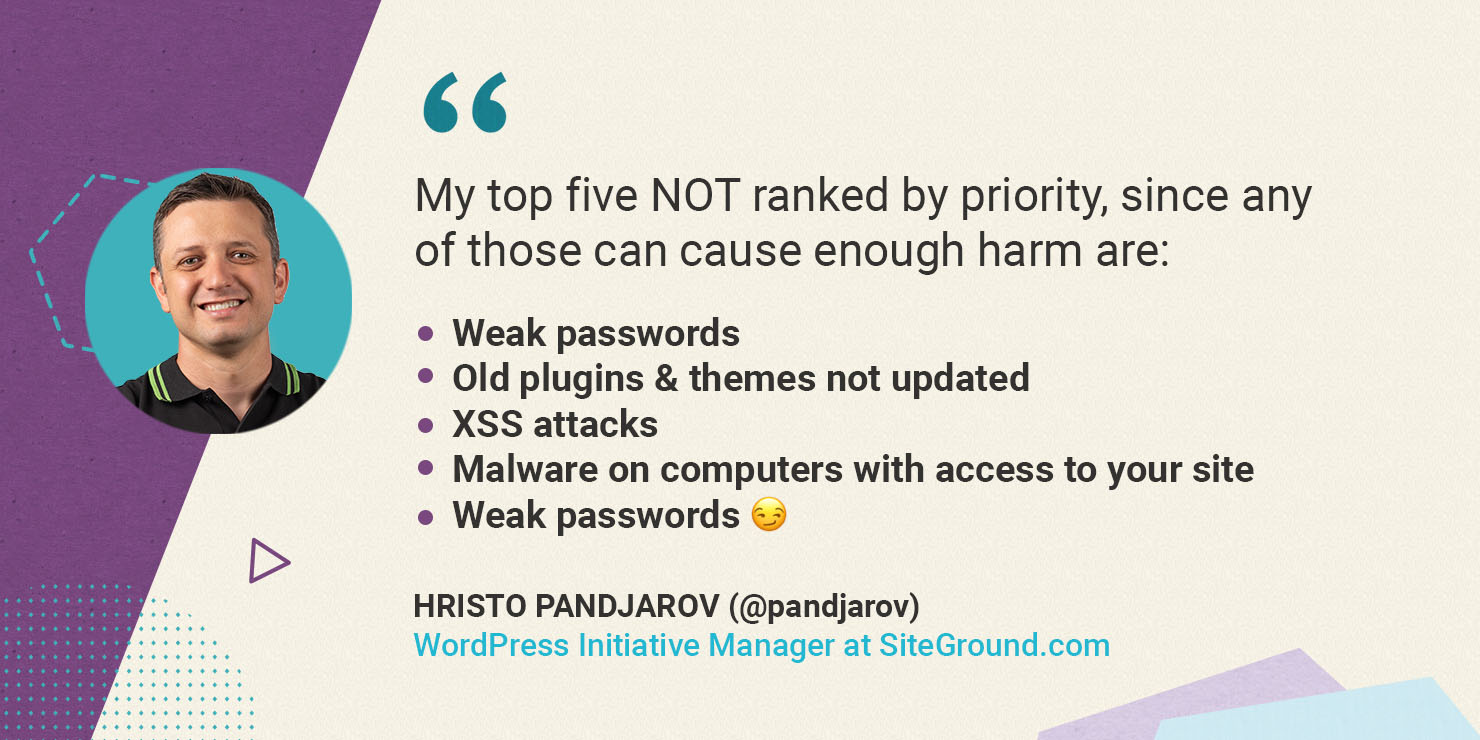
WordPress is a safe and secure software in and of itself. The majority of vulnerabilities are caused by the use of unreliable plugins, outdated themes and weak passwords. Hristo Pandjarov, our WordPress Initiatives Manager and SEO strategist outlines five most common backdoors: “My top five NOT ranked by priority, since any of those can cause enough harm are:

  • Weak passwords
  • Old plugins & themes not updated
  • XSS attacks 
  • Malware on computers with access to your site
  • Weak passwords 🙂 “
Hristo Pandjarov on top 5 common ways for WordPress sites to be hacked

Using a password manager, such as LastPass or 1Password, is advised by our WordPress security experts. Over the years, having a very strong master password and then randomly-generated ones for different logins has proven to be the best solution. You can find more useful tips and simple steps that address the issues above in our blog article “5 Simple Steps to Secure your WordPress” by one of the other participants in our #WPSecurityChat, Cal Evans.

Most hackers don’t care about your site’s popularity according to our security experts

Many website owners think that if your website is not hugely popular, then there is no reason for it to be a target. All of our WordPress experts agreed that it makes no difference whether your website is popular or not; everyone is at risk, and everyone should take measures to prevent hackers from gaining unauthorized access to their sites.

According to Jono Alderson (@jonoalderson), a Special Ops at Yoast, “It’s much more common for attackers to try to compromise lots of websites at scale, via automated attacks. If they can take control of your site, they can inject links (for nefarious SEO purposes), redirect your visitors, or abuse your site’s resources.”

Jono Alderson on hackers compromising lots of websites at scale

How does site security affect SEO?

Jono Alderson, an expert at Yoast, the widely-used WordPress SEO plugin, summarizes that “…so much of SEO is all about building up and demonstrating trust, relevance, and authority. If your site gets hit, there’s a real risk that all of that gets compromised.” Your website’s reputation and SEO are closely connected. For example, if your website displays irrelevant content to users and search engines, your relevance and trustworthiness will suffer. 

Jono Alderson on website security and SEO

Because site security is so important, Jono Alderson also revealed helpful methods for determining whether or not your site has been hacked, “Most good security plugins will also let you know when sensitive files have been changed or added, or when unusual behaviour has been detected. Make sure that you’ve configured that kind of logging, and regular scans.”

At SiteGround, we offer SiteScanner malware detection and monitoring service. The scanner lets you perform on-demand scans of your website as well as comprehensive daily scans to detect domain blacklisting and malware.

Site security is something you have to constantly work on

There is a common notion among our WordPress experts that webmasters tend to neglect site security over other tasks. Common mistakes include failing to update software, plugins, themes, and so on. Cal Evans, PHP developer and WordPress expert, shared his tips for avoiding common hacks “Be diligent in maintaining your site. Check in daily to see what has changed. It’s ok for YOU to update plugins instead of waiting for autoupdate,” adding “Keep good backups and keep them for a while.” 

Cal Evans on maintaining your site security

At SiteGround we try to take some of that load off your shoulders by automating many of these tasks as part of our managed WordPress security services. We automatically update your instances and their plugins to the latest version and patch against common WordPress-related exploits through our server firewall. Our latest backup service updates include distributed physical backup locations and enhanced data protection which help enormously in event of a hacking incident.

How can your web host help in keeping sites secure?

If your website does get hacked, our experts suggest you contact your hosting provider’s support team or a specialist. Hristo Pandjarov puts emphasis on “Regenerating the #wordpress salts, to make sure there aren’t any logged hackers, plugin & theme updates, malware scan of all computers with administrative access to your site and last but not least changing your hosting account pass and enabling 2FA auth!”

To add to the importance of choosing the right web host to help keep your website secure, Jono shares that “Good WordPress hosting companies also know WordPress inside-out. They’ll make sure that your setup – and theirs – is hardened. They’ll recognize and protect against common attack patterns, and know exactly what to do if things go wrong.”

Jono Alderson on good WordPress hosting companies

SiteGround is well-known for our powerful, yet simple to use managed WordPress services. We place a high value on site security since the beginning. Our team dedicates hundreds of hours of development time to keep improving our web hosting security, starting on a server level with shared accounts isolation, reliable backups on distributed geographical locations, a smart Web Application Firewall (WAF), and enabling 2FA authentication for our users among other things. On the WordPress application level, we’ve also always made a targeted effort to go the extra mile for our clients in order to make running WordPress more secure on our platform. Our most recent security upgrade is the release of the SiteGround Security plugin, which addresses the majority of threats and assists clients in adopting better security policies, such as:

  • Establishing relevant rules to protect WordPress against common malware, bruteforce and other security issues. Some of these rules include hiding your WordPress version or deleting your default readme.txt, making it harder for crawlers to detect that you’re even using WordPress.
  • Strengthening WordPress login security
  • Monitoring your admin area activity log
  • Post-hack actions tool in case you suspect your site might have been hacked

You can find the whole conversation between our WordPress security experts by checking searching the #WPSecurityChat on Twitter. For more WordPress security expert tips, check our free ebook on WordPress Security. Share your thoughts on what are the most common threads for WordPress sites and what are the best practices to prevent them. Follow us on Twitter for more exciting news and expert discussions on relevant topics. 

[subscribe_cta]

What is XMLRPC and How This WordPress’ Vestigial Tail Threatens Your Website Security

XMLRPC.php

In the root directory of every WordPress site is a file, xmlrpc.php that actually predates WordPress itself. Back before WordPress, during the b2 days, this file was created to give sites a way to communicate with each other and for other applications to communicate with the blog itself.

What is XMLRPC?

The name tells you everything you need to know about the functionality.

XML – This was designed to accept payloads in XML. These days JSON is a much more common format but XMLRPC predates JSON by quite a bit.

RPC – RPC stands for Remote Procedure Call. It was a standard by which one system could ask another system to do something. These days we use APIs – REST or Graph API – to do the same thing but before those existed, RPC was one of the ways we accomplished this.

How does XMLRPC work?

To make XMLRPC.php do something you had to POST a message to it. If you are not familiar with how browsers work, this is basically like clicking the Submit button on a form. That usually initiates a POST request. 

If you make a POST request to yourdomain.tld/xmlrpc.php and you hand it a properly formatted XML payload, you can do things like create a post on your site.

One of the things that XMLRPC was used for a lot back in the day was “pingbacks”. Those comments you see on posts that show that someone else linked to it on their blog. 

Potential security threats from WordPress’ XMLRPC

For a long time, XMLRPC was a useful tool. Those days are fading into history now. These days all of the functionality that XMLRPC used to be used for is handled by the built-in REST API. Even though it’s not used anymore. It’s still hanging around. Those who get nostalgic about such things see it and smile. Those that are worried about security see it and frown.

XMLRPC poses a couple of distinct security risks for WordPress sites that can result in severe WordPress XMLRPC attacks. 

The first type of WordPress XMLRPC attack is a simple Brute Force attack. Since part of the XML payload that is passed to WordPress is the login and password of the user that wants to take the action, it is an easy way for attackers to try out user name and password combos until they find one that works. Many security conscious site owners will limit the number of login attempts a user can make before locking them out but won’t bother to block XMLRPC requests thus leaving a back-door open for attackers to try and find a way in.

Brute Force Attacks via XMLRPC

Once an attacker finds credentials that work, they are free then to attempt to do damage to your site by injecting content into your site’s database. Whether these are Posts, Pages, or just comments, the end result is the same. Content that you did not approve and most likely do not want is being served by your site. 

At the very least, this means spam comments or posts. At the worst though, it could be innocuous posts or comments that have malware injected.

DDoS attacks using XMLRPC

Because one of the ways that XMLRPC was used was for pingbacks, malicious users can use it to overwhelm your server by issuing a lot of expensive requests all at once.

A pingback writes a record to your database. Writing to your database is an expensive task, resource wise. While a single pingback won’t hurt your site’s performance, hundreds or even thousands of them at once can bring even the beefiest server to its knees. 

This is called a DDos or Distributed Denial of Service attack. Distributed because it’s usually not a single machine making all the requests, usually it is a whole bunch of machines spread out all over the place.

How to disable XMLRPC in WordPress

There are a few ways you can disable XMLRPC. I highly recommend that you do it because honestly, you just don’t need it. 

Through your webserver’s config file 

If you are familiar with how to block requests via your webserver’s config files – and you have access to your webserver’s config files, this is a great way to block it. For Apache, you can add this code to the .htaccess file in the root directory of your site.

<Files xmlrpc.php>

order deny,allow

deny from all

</Files>

That will stop it dead in its tracks.

Through your theme’s functions.php file

If you are not one who likes to much around in your web server’s config files, you can add a single line of code to your theme’s functions.php file.

add_filter( ‘xmlrpc_enabled’, ‘__return_false’ );

Make sure and get that exactly right, there are 2 underscores before the word return. Again, this will turn it off. This tells WordPress itself that you don’t want to accept XMLRPC requests.

Installing a plugin

Finally, if don’t want to bother with adding code to your theme’s functions.php, you can disable XMLRPC in WordPress by installing a plugin. (Hint, the plug does the exact same thing as the previous tip.) There are several good ones out there that are free or you may already have this functionality available to you if you have one of the Application Firewall plugins installed.

If not, let me recommend my favourite one and what I use on all of my sites to turn off XMLRPC, SiteGround Security Plugin. Even if you aren’t hosting with SiteGround, you can use this free plugin to manage several different security tasks. If you only want it to turn off XMLRPC, then disable all the other options. That’s one of the things I love about this plugin, everything is optional.

XMLRPC served us well in it’s day, but it’s day has come and gone. It’s time to let it retire gracefully. Until the WordPress core developers decide it is time to remove it, you need to protect yourself and your site by disabling it.

[subscribe_cta]