
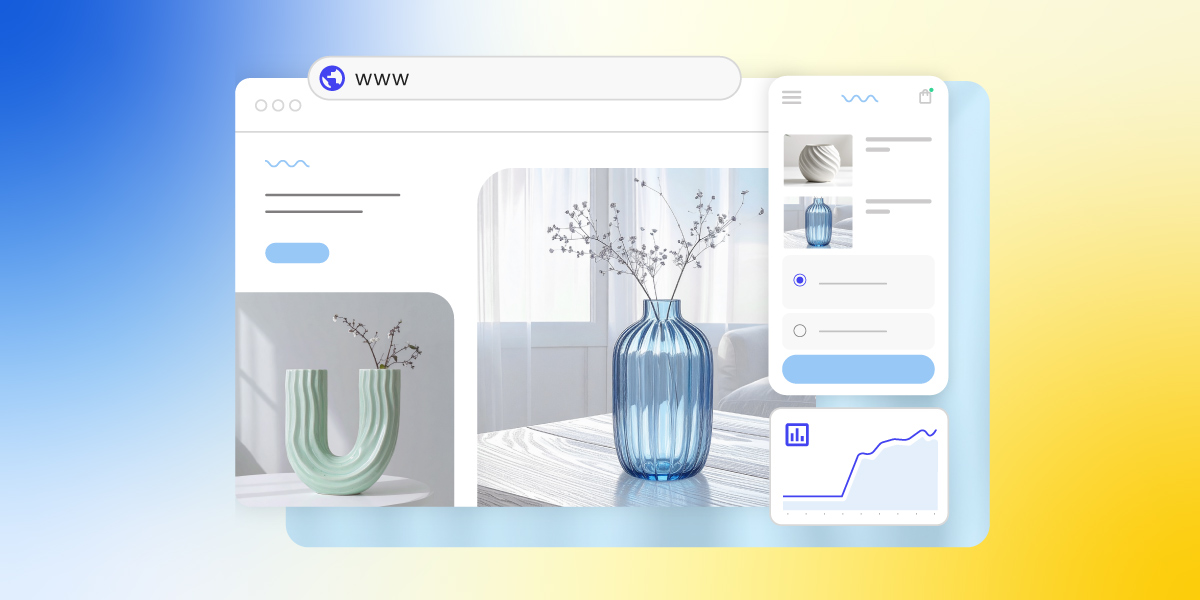
A product detail page (PDP) is the single most important page on your ecommerce site. It presents everything a shopper needs to decide—images, descriptions, pricing, reviews, and a clear call to action—and does the job of a physical sales floor: answering questions, building trust, and removing doubt before checkout. A strong PDP converts browsers into buyers; a weak one sends them elsewhere. In this article, we share eight proven best practices to help you build one that sells.
Key takeaways
- A product detail page is a dedicated ecommerce page that combines images, descriptions, pricing, and reviews to help shoppers decide to buy.
- High-quality images from multiple angles (including close-ups and 360° views) are one of the biggest drivers of purchase confidence.
- Clear, audience-matched product descriptions work better than generic ones. Tech buyers want specs, lifestyle buyers want emotional benefits.
- Transparent pricing, including visible discounts and free shipping, reduces checkout drop-off and builds trust.
- Prominent, action-oriented CTAs like “Buy now” or “Add to cart”—placed where shoppers can’t miss them—directly increase conversions.
- Customer reviews and ratings add social proof that often provides the final nudge a hesitant buyer needs.
What Is a Product Detail Page and Why Is It Important?
A PDP typically includes product images, a description, pricing, available variants, and customer reviews. They all work together to answer every question a shopper might have before buying. For ecommerce businesses, it’s the web page where the customer journey moves from consideration to decision, making it one of the highest-leverage pages on your site.
What’s the Difference Between a PDP and a PLP?
A product listing page (PLP) shows multiple products side by side for browsing and comparison, while a product detail page goes deep on a single product to help the shopper decide to buy. The PLP attracts and filters, the PDP converts. Slam dunk.
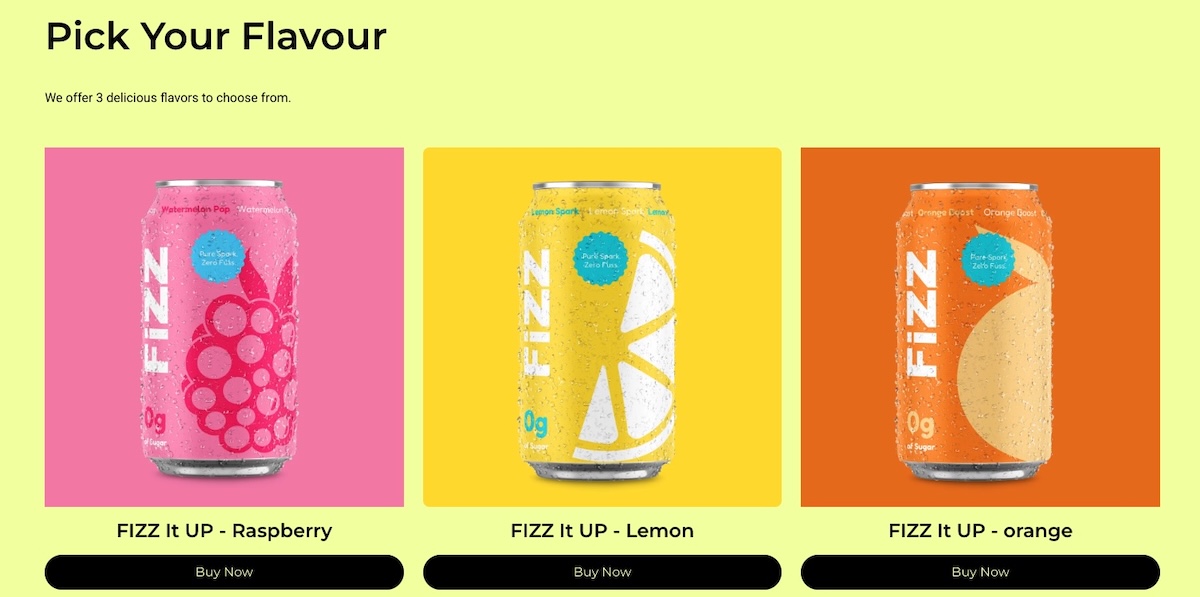
Think of shopping online as a two-step buying process. First, you have the PLP, which is like scrolling through a digital catalog. It shows your site visitors a variety of products with brief descriptions and images, making it easy for them to compare and spot something they like.
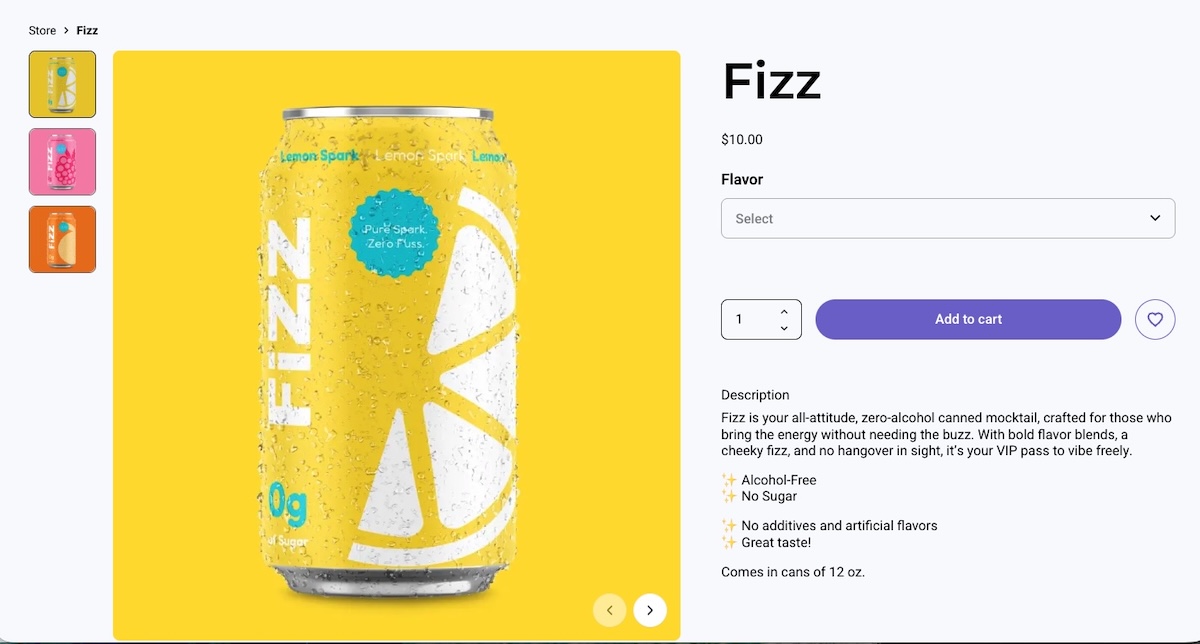
Once something catches your customer’s eye, they click through to the product detail page. This is where they get all the nitty-gritty details about that specific item—detailed product descriptions, high-quality photos, reviews, and pricing. The PDP is designed to answer any questions an online shopper might have and help them decide if they want to buy.
Together, these web pages work like a team: the PLP draws people in, and the PDP assists customers in selecting the right products. Knowing how each product page plays its part can really help you create a smoother customer experience and strengthen your business.
How Do You Create a Product Detail Page That Converts?
An effective PDP combines high-quality visuals, clear descriptions, transparent pricing, and strong calls to action, each optimized for the specific audience you’re selling to. The eight elements below cover everything you need to know to get this right, building a PDP that turns browsers into buyers.
Pro tip: If you’re using an ecommerce platform like SiteGround Ecommerce, many of these best practices are already built into your product detail pages. PDP layouts are pre-designed according to conversion and usability best practices so you can focus on adding great content rather than worrying about structure or technical setup.
Alright, ready to get attention and encourage those all-important conversions? Let’s start selling!
1. Capture High-Quality Product Images
High-quality images from multiple angles are one of the most direct drivers of purchase confidence. They replace the in-store experience of picking up and examining a product.
Including real customer photos or letting buyers upload their own images in reviews adds a layer of authenticity that studio shots alone can’t provide. Shoppers get a better sense of how the product looks and performs in real life, which leads to more confident purchases and fewer returns.
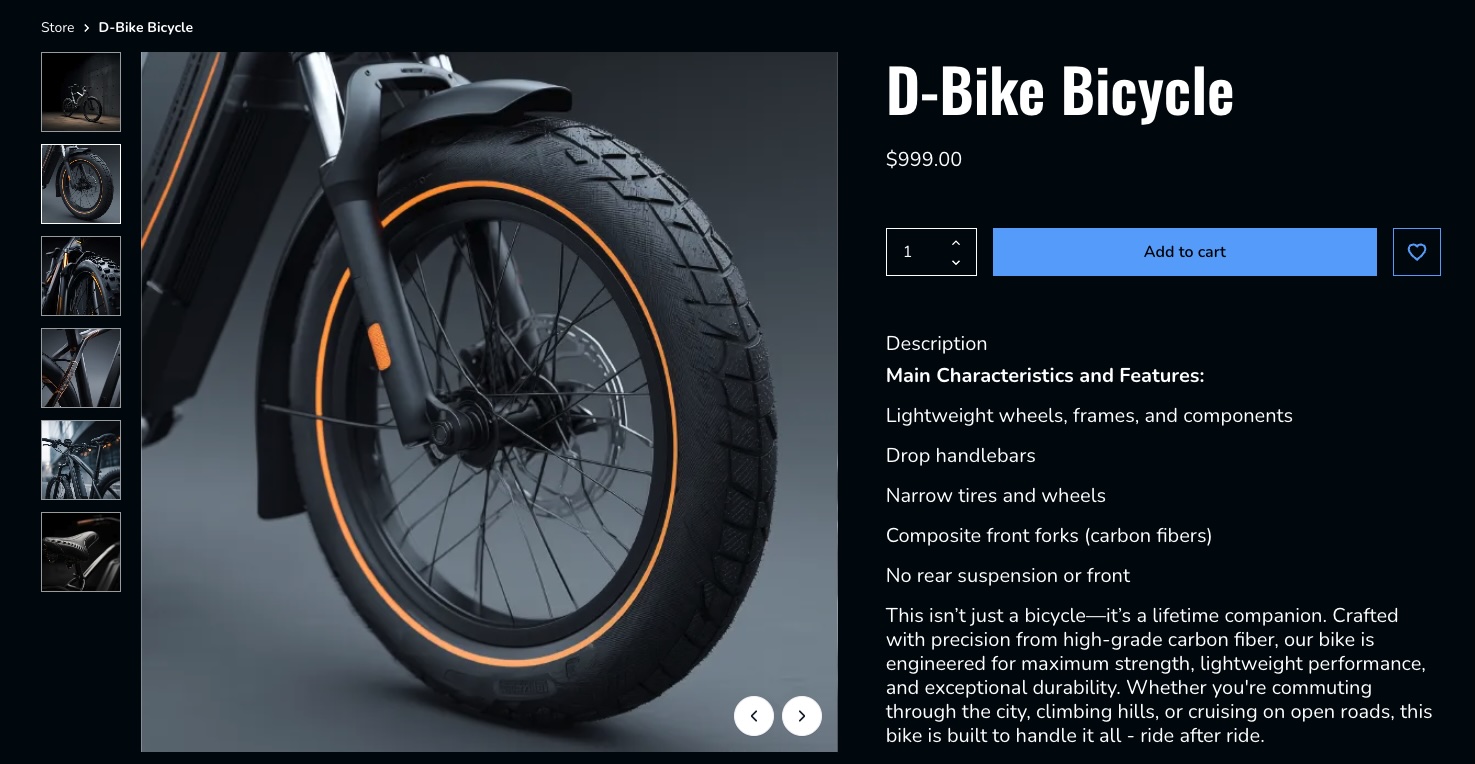
Consider a bike retailer that shows the full bike from multiple angles, includes close-ups of key components like the gears, brakes, and frame joints, and features customer photos of the bike out on the road or trail. That combination gives a prospective buyer far more confidence than a single studio shot ever could.
✅ Do: Use clear, high-resolution images to highlight product features.
❌ Don’t: Overlook the importance of showing multiple angles and important details.
2. Craft Clear Key Feature Descriptions
A good product description highlights the features and benefits that matter most to your specific buyer, and not necessarily every last detail about the product.
An electronics store, for instance, might need to list specific specs, technical features, and performance comparisons, because that’s the kind of product data tech-savvy shoppers are looking for.
On the other hand, a toy aimed at parents should focus more on the emotional experience—how their kids will feel using it, the fun they’ll have, and the kind of memories it might create. It’s really about adapting the message to what matters most to each type of buyer.
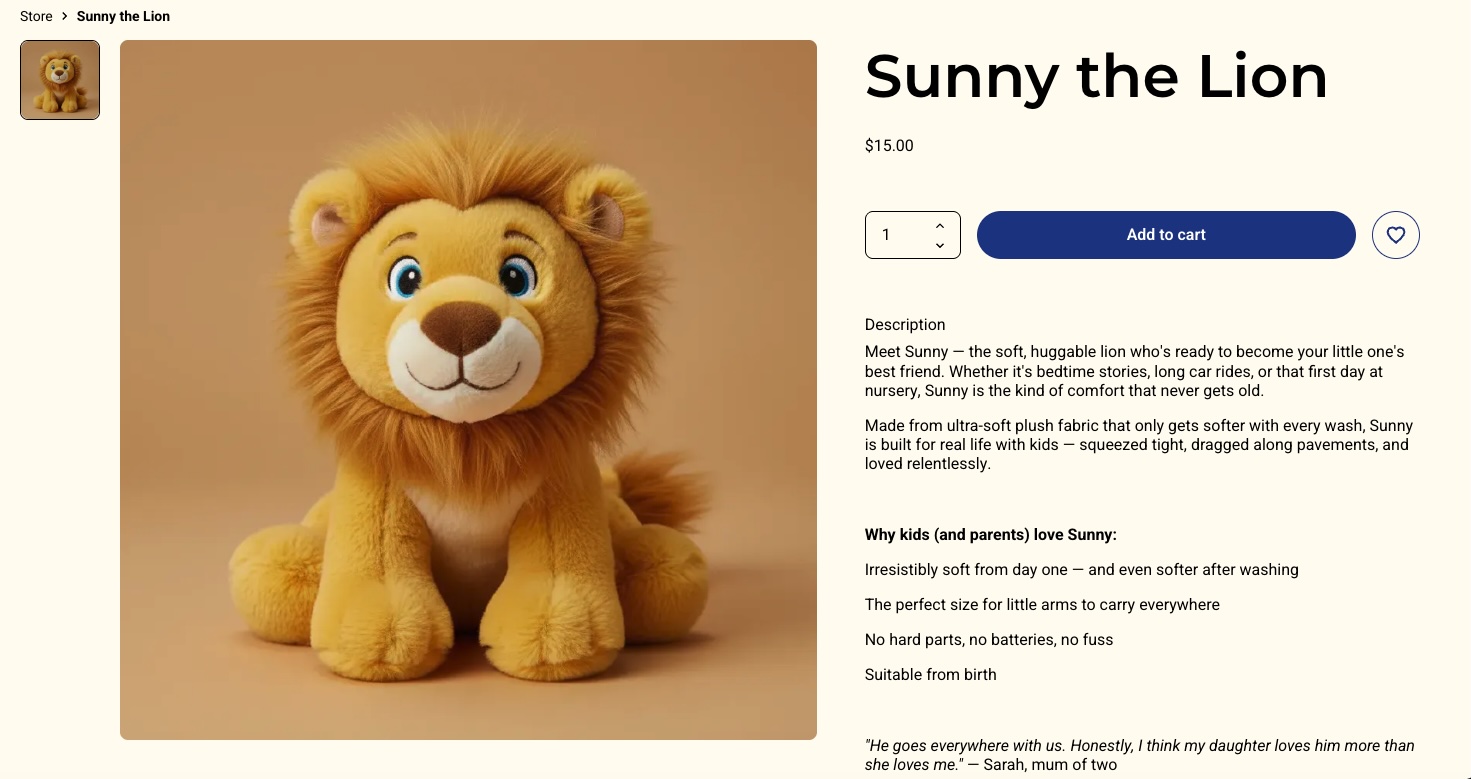
With platforms like SiteGround Ecommerce, product detail pages already include clearly structured sections, making it easier to present information in a way that’s scannable and conversion-friendly.
✅ Do: Use bullet points for clarity and quick reading.
❌ Don’t: Overload descriptions with unnecessary details and long paragraphs.
3. Display Transparent Pricing
Transparent pricing is one of the simplest ways to reduce checkout drop-off. This means showing the full cost upfront, including any discounts and shipping. Everything is clear from the get.
An important thing worth considering: Try to offer free shipping, even if you’re technically including it in the total price. It’s a small shift, but it can make a big difference. People are much more likely to complete their purchase when they don’t see an extra shipping charge added at checkout. It helps reduce drop-offs right at the final step.
Imagine a shopper finds a coffee table listed at $150. They’re happy with the price, add it to their cart, and head to checkout—only to be hit with shipping costs they weren’t expecting. That surprise is often all it takes for someone to pause, close the tab, and never come back. Now imagine the same table listed at $169 with free shipping. The shopper weighs it up, decides they’re into it, and completes the purchase. Same cost to them, very different outcome.
✅ Do: Ensure all pricing information, including discounts and shipping costs, is prominently displayed and easy to understand. Try to offer free shipping even if it means you have to bump up the price.
❌ Don’t: Hide or obscure extra costs such as shipping information, as this can lead to customer frustration and loss of trust.
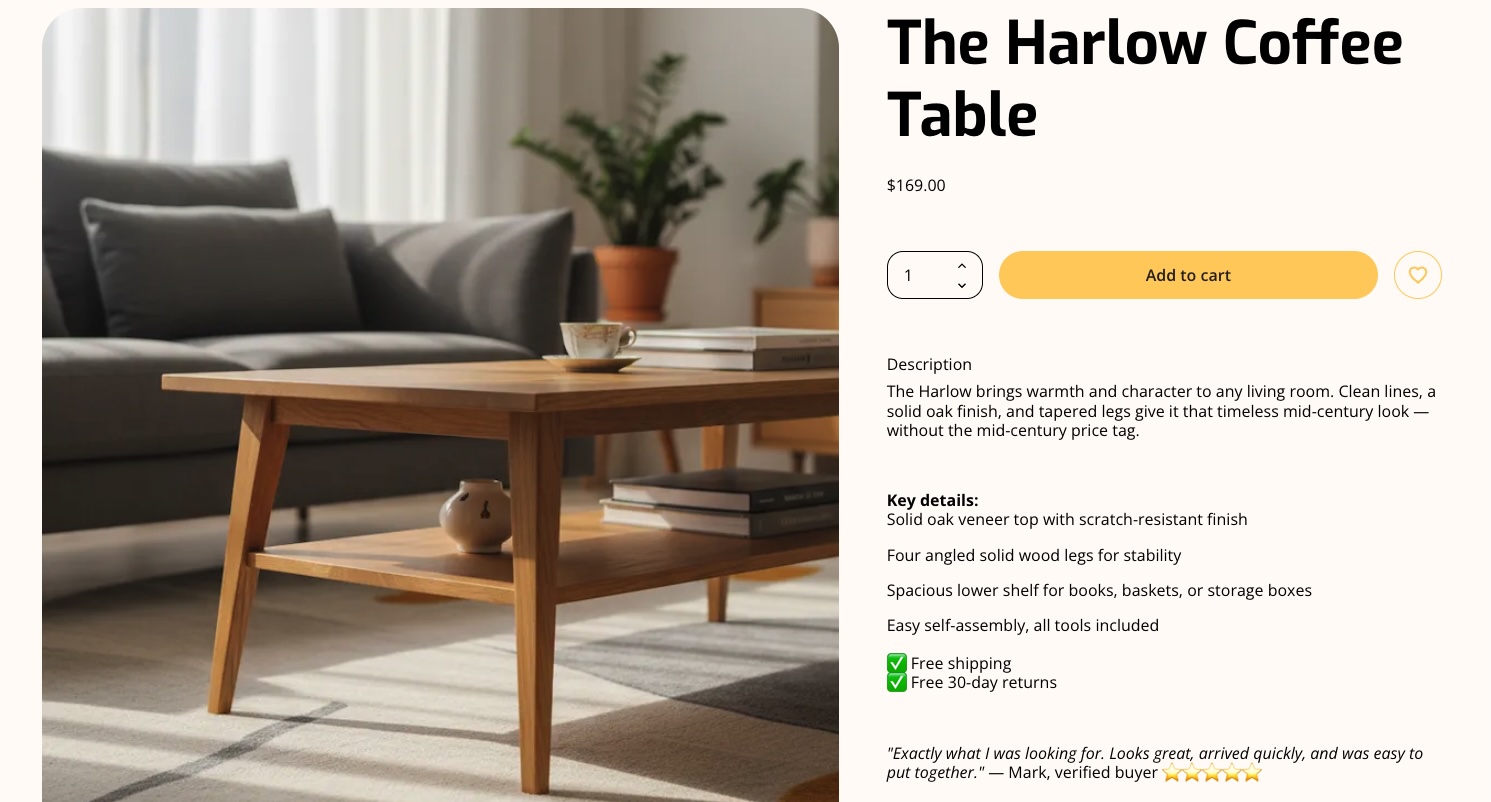
4. Feature Prominent Call-to-Action Buttons
Your call-to-action (CTA) button is the single most important conversion element on the page. It needs to be impossible to miss and unambiguous about what happens next. Labels like “Add to cart” or “Buy now” work best—they’re direct, action-oriented, and leave no room for confusion.
A few things make a CTA button work harder: placement, color, and size. It should sit above the fold so shoppers never have to scroll to find it, use a color that contrasts with the rest of the product detail page, and be large enough to tap comfortably on mobile devices (also important for accessible web design). On smaller screens especially, a CTA that’s hard to tap is a conversion you’ve already lost.
Imagine a shopper who’s already convinced. They’ve looked at the images, read the reviews, and decided they want it. But then they can’t immediately find the button to buy it. That moment of friction, however small, is often enough to break the spell.
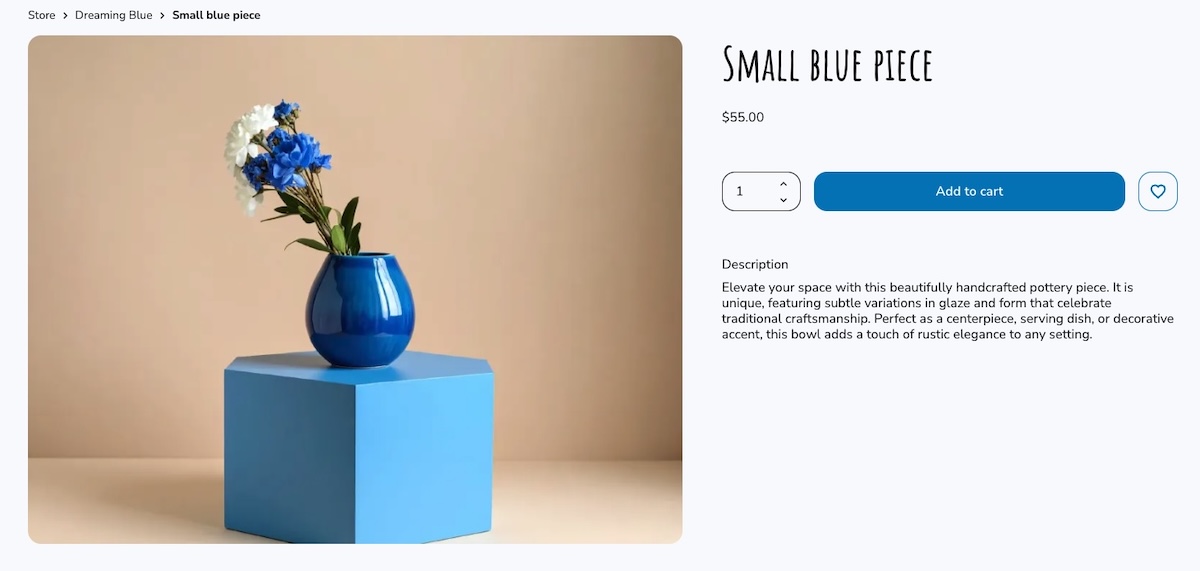
Many modern ecommerce builders, including SiteGround Ecommerce, place CTAs like “Add to cart” and “Buy now” front and center by default, so your product pages naturally guide users toward purchase without extra customization.
✅ Do: Use bold colors and clear text for call-to-action buttons to make them stand out.
❌ Don’t: Bury call-to-action buttons in cluttered or hard-to-find areas of the web page.
5. Design for a Clear Page Layout
A well-structured PDP guides the shopper’s eye naturally from product images to key details to the call to action—without them having to think about where to look next. Getting your website layout right is one of the most impactful things you can do for conversions—when it’s unclear, shoppers lose their place, miss important information, and are less likely to buy.
Visual hierarchy is what makes this work. Most successful PDPs use a two-column layout—product images on the left, key details on the right. The shopper’s eye moves naturally from the images across to the product name, price, variant selectors, and CTA. Use size and weight to signal importance: a large, bold product title and a clearly styled CTA button should stand out immediately, while secondary information like shipping details or specifications sits further down the product detail page.
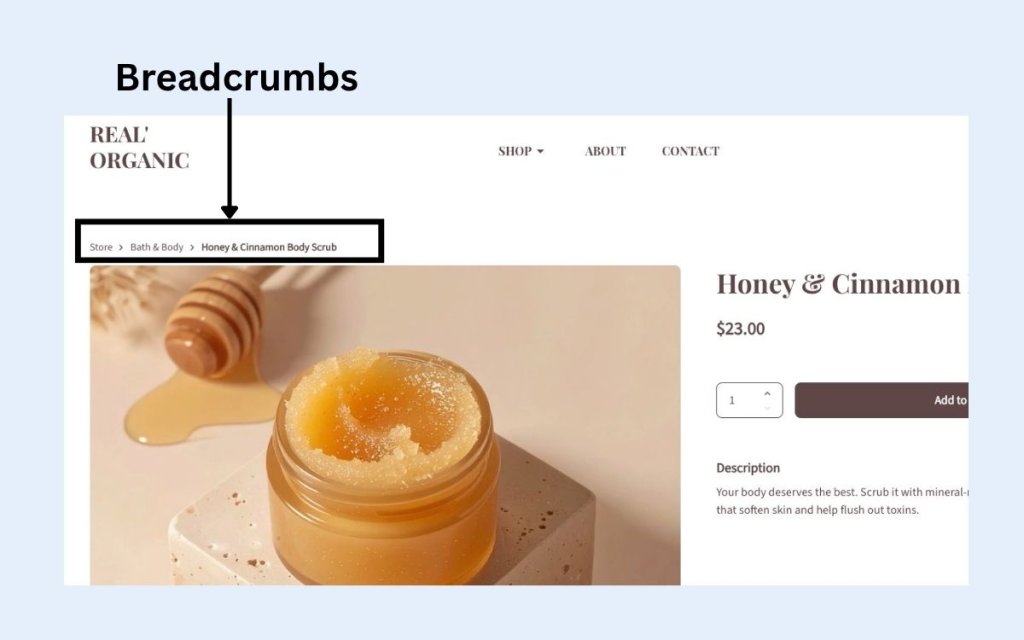
Breadcrumb navigation is a small but valuable addition. It creates a simple trail like Home > Living Room > Coffee Tables, which tells shoppers exactly where they are on your ecommerce site and makes it easy to jump back to the PLP without hitting the back button.
On mobile devices, layout becomes even more critical. A sticky add-to-cart bar (that is, a fixed strip at the bottom of the screen that stays visible as the user scrolls) ensures the CTA is always one tap away, no matter how far down the product detail page a shopper has read. Without it, mobile shoppers often have to scroll all the way back to the top to buy, and many won’t bother.
✅ Do: Use visual hierarchy to lead shoppers naturally toward the CTA, and keep it accessible on mobile with a sticky add-to-cart bar.
❌ Don’t: Bury key information like price or CTA below the fold or treat desktop and mobile web design as the same thing.
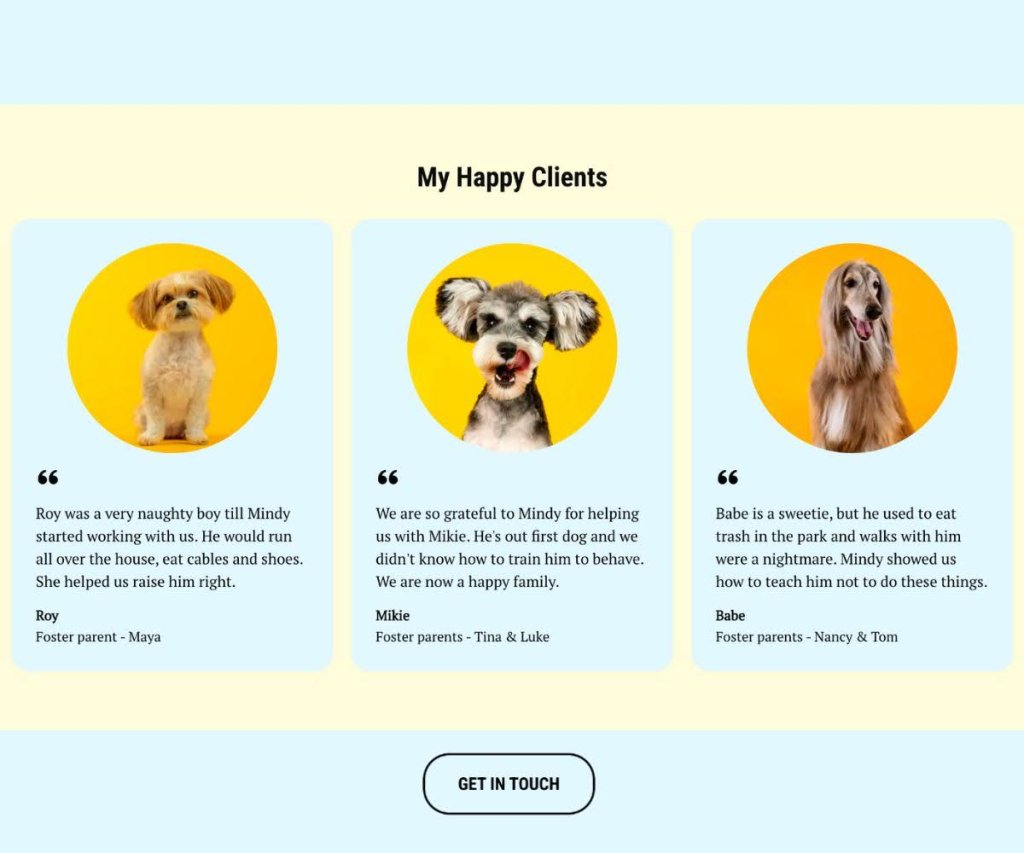
6. Incorporate Customer Reviews and Ratings
Most shoppers don’t fully trust a brand talking about its own product. They trust other shoppers. A review from someone who actually bought the product, used it, and came back to share their experience carries a weight that even the best product description can’t match.
A quick idea to collect customer reviews: some online stores offer a small discount or a reward (like points or free shipping on the next order) in exchange for leaving a review. It’s a simple incentive that can help increase the number of reviews and add more social proof to your product detail pages.
One more thing worth keeping in mind: don’t filter out negative reviews. A page of exclusively five-star ratings feels curated and raises suspicion. A mix of positive and constructive feedback actually builds more trust, shows the reviews are real, and gives you valuable insight into customer satisfaction that can help you improve.
✅ Do: Highlight both positive and constructive reviews to provide a balanced perspective.
❌ Don’t: Filter out all negative reviews, as this can appear inauthentic and reduce trust.
7. Offer Additional Information
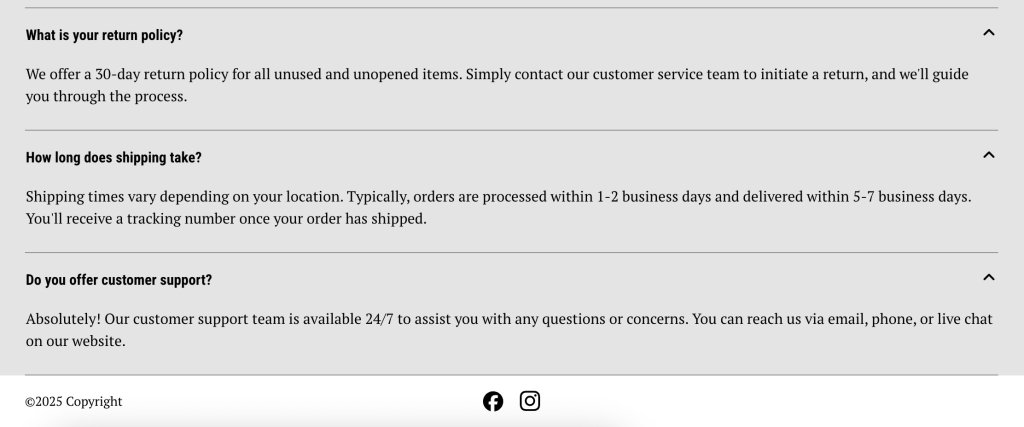
Anticipating and answering common shopper questions directly on the PDP removes the friction that causes people to leave and search elsewhere. The goal is to make sure no buyer has an unanswered question by the time they reach the CTA.
Think beyond the product description itself: a size guide, compatibility notes, care instructions, shipping costs and shipping options (standard, express, free over a certain threshold), returns information, related product suggestions, and customer FAQs all serve a purpose. Each one removes a reason to hesitate.
Consider a shopper buying a winter jacket. They love it but they’re between sizes—and there’s no size guide. They guess, order it, it doesn’t fit, and they return it. Now imagine the same page includes a size guide and a note saying “this style runs slim, size up if in doubt.” The shopper sizes up confidently, the jacket fits, no return needed. A small addition that saves everyone time and money.
✅ Do: Provide clear and accessible resources to enhance customer understanding and confidence.
❌ Don’t: Overwhelm new customers with excessive or irrelevant information that can lead to confusion.
8. Optimize for Performance
Page speed is a direct conversion factor. Yep. A slow-loading PDP loses shoppers before they even see the product. According to Google research, 53% of mobile visitors will abandon a page that takes longer than 3 seconds to load—and that’s a threshold most unoptimized sites fail to meet.
The good news is that most performance gains come from a handful of practical steps: compressing images without sacrificing quality, choosing a reliable hosting provider, and keeping your code lean.
If your ecommerce platform handles performance optimization at the infrastructure level (like SiteGround Ecommerce does) features such as image optimization, fast loading, and reliable hosting are already baked into your product detail pages.
✅ Do: Focus on fast loading times to keep shoppers engaged and reduce bounce rate.
❌ Don’t: Ignore performance issues—a slow PDP costs you sales regardless of how good the product is.
Wrapping It Up: How to Make the Most of Your Product Detail Page
The best product detail pages are built around customer expectations. When shoppers find everything they need, presented clearly and without friction, the decision to buy becomes easy.
With these best practices at your fingertips, you’re ready to create an effective product detail page that improves both conversions and customer satisfaction. Try out these tips, and you might just see your conversion rates climb.
And if you want to put these ideas into action without building everything from scratch, SiteGround Ecommerce makes it easier. Product pages are already designed according to ecommerce best practices, so layouts, calls to action, and key elements are in place from the start. That means you can focus on your products and content, while the platform takes care of the structure behind the scenes.
FAQs About Product Detail Pages
A great product detail page should include high-quality images, a clear product description, transparent pricing, available variants (such as size or color), customer reviews, and a prominent call-to-action button like “Add to cart” or “Buy now.”
A product listing page (PLP) displays multiple products for browsing and comparison, while a product detail page (PDP) focuses on a single product and provides all the information a shopper needs to make a purchase decision.
A well-optimized PDP directly improves conversion rates by removing doubt and answering every question a shopper might have before buying. Poor PDPs (with low-quality images, hidden fees, or unclear CTAs) push buyers toward competitors.
There’s no fixed length, as it depends on the product and audience. Complex products like electronics benefit from detailed specs, while simpler or lifestyle products need only a few sentences focused on benefits and emotional appeal. The key is to include exactly what your buyer needs, nothing more.
Use your primary keyword naturally in the product title, H1, description, and image alt text. Add structured data markup, encourage customer reviews for fresh content, and ensure the product detail page loads fast, especially on mobile.
Yes! Reviews are one of the strongest trust signals on a product detail page. They provide social proof that reassures hesitant buyers, and a mix of positive and constructive reviews tends to build more credibility than a page of exclusively five-star ratings.
This article was originally published in June 2025 and then updated in May 2026