
A website builder gets you online fast and handles most of the upkeep. WordPress lets you build nearly anything, as long as you, or someone you pay, keeps it running. In the website builder vs WordPress debate, neither wins outright. The right pick depends on how much of your site you want to run yourself, and how many weekends you’re willing to give it.
Key takeaways:
- A website builder is usually one subscription, though which features come standard, and which need a higher plan, varies by builder. WordPress software is free, but hosting, a domain, and yearly renewals for premium themes and plugins add up.
- A builder can get a simple site live in a few hours. WordPress basics take a weekend, but a polished, customized design takes far longer, or a developer’s help.
- Builders usually handle updates and security for you. Self-hosted WordPress needs weekly updates and monthly checks, and even managed hosting leaves plugin conflicts and premium plugin compatibility with you.
- Pick a builder if speed and simplicity matter most. Pick WordPress if you need custom functionality, a large content library, or full control over your site and where it’s hosted.
What’s the difference between a website builder and WordPress?
A website builder is a hosted platform that runs your site for you, while WordPress is a CMS (content management system), software you install and run yourself on hosting you choose. That one difference shapes everything else in this comparison: who pays for what, who fixes what, and ultimately how far the site can stretch.
What is a website builder?
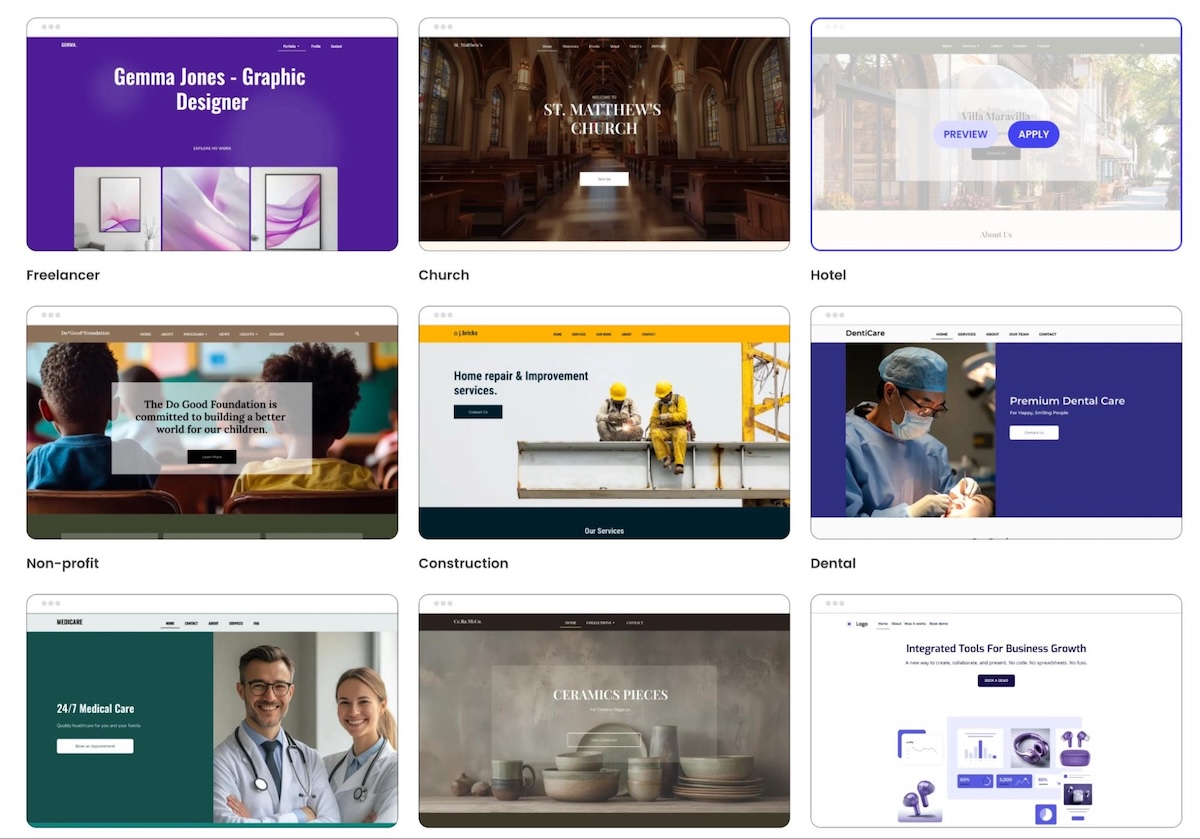
A website builder usually combines a visual editor, ready-made designs and templates, and hosting in one subscription. Most also handle security and updates, and many include support, though what’s covered varies by provider. You pick a design, add your own content, and publish.
Pros
- Fast setup, with simple and professional sites often live within a few hours.
- One bill usually covers hosting and updates.
- Common features like forms, a blog, and basic SEO tools are usually built in.
Cons
- Design flexibility varies by builder, and some limit how far you can move beyond the built-in layouts.
- Features come from the platform, so a very niche need may have no built-in answer.
- Your site usually lives on that platform, so switching later means rebuilding the design.
What is WordPress?
WordPress is free, open-source CMS software. You install it on the hosting provider you choose, shape the design with a ready-made theme or one you code yourself, and add plugins for features like contact forms, SEO settings, or bookings. In exchange for that freedom, hosting and upkeep are on you.
Pros
- More than 60,000 free plugins in the WordPress.org plugin directory for adding features.
- Full access to the code, so you can modify your site to your heart’s content, as long as you know how or are happy to pay someone who does.
- You own your site, files and database included, and can move it to any host that supports WordPress.
- A huge community means most problems already have a documented fix.
Cons
- Hosting, a domain, and premium add-ons are separate costs.
- Updates, backups, and security are your responsibility, or partly your host’s if it’s managed.
- Troubleshooting is on you. When something breaks, the cause could be a plugin, the theme, a core update, or the server, and there’s no single place to check.
This comparison covers self-hosted WordPress from WordPress.org. WordPress.com is a hosted service built on the same software, and it behaves more like a builder.
Where do AI website builders fit in?
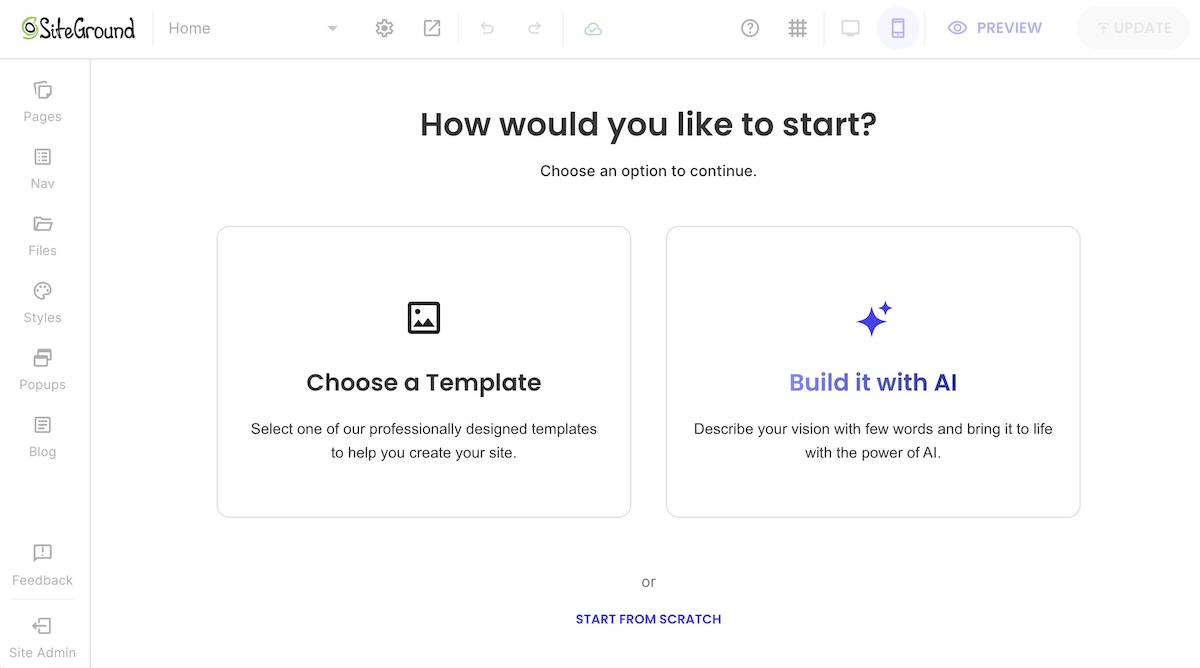
AI website builders vary more than traditional builders do. Most generate a starting site from a prompt or a few questions, then let you refine it in a visual editor or by giving the AI more instructions. Some host and maintain the site for you like a regular builder, while others generate code you host elsewhere, and some produce WordPress sites.
WordPress is adding AI features too, both in the core software and through plugins. AI speeds up the first draft on either side, but the basic tradeoff between convenience and control doesn’t change.
How they compare where it counts
| Factor | Website builder | WordPress (self-hosted) |
| Setup time | A few hours for a simple site | A weekend or more, plus learning time |
| Learning curve | Low: visual editing, often drag-and-drop | Moderate: themes, plugins, and settings |
| Cost | Usually one subscription | Hosting and a domain, plus premium themes, plugins, or developer help |
| Design freedom | Varies by builder, from template-based to highly flexible | Near-unlimited with themes and custom code |
| Features | Built in, but some may need a higher plan or paid add-on | Added through plugins |
| Maintenance | Usually handled by the platform | Handled by you, or partly by a managed host |
| Support | Varies by provider, often covering the whole site | Split up: your host covers hosting, each plugin’s developer or forum covers that plugin, and WordPress itself has community support only |
| SEO control | Essentials built in | Granular, through plugins |
| Portability | Usually tied to the platform | Moves to any host that supports WordPress (files and database) |
Ease of use and setup
Getting a site live and getting it to look right are two different timelines, and they differ more on WordPress.
Website builder
- A visual editor and pre-designed layouts mean a simple five-page site can often go live in a few hours.
- Many setup decisions are made for you, so there’s less to learn before you publish.
WordPress
- Many hosts install it in one click, but you still set up the design, usually by choosing and configuring a theme, then pick plugins for things a builder includes by default, like contact forms or SEO tools.
- You can learn the basics of the block editor in a weekend.
- Customizing the design is where the steeper learning curve sits. A polished, on-brand site usually means wrestling with theme settings, plugin options, and sometimes CSS.
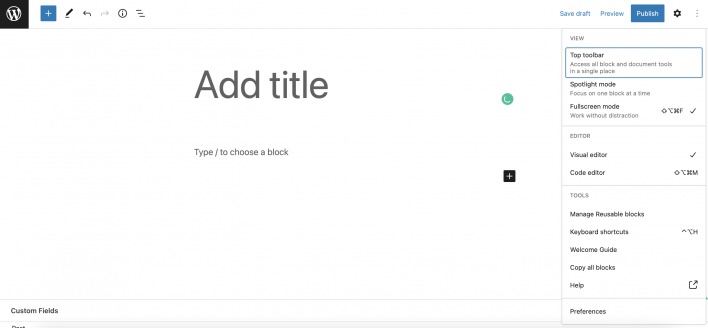
Is WordPress hard to learn? The basics aren’t. A site that looks and works exactly the way you want is a different project, and it takes far more time than that first weekend suggests.
Cost
The sticker price is misleading in both directions.
Website builder
- Usually one subscription that covers hosting and maintenance, and often support.
- Standard features vary by builder. Things like an online store, bookings, or advanced SEO tools may require a higher plan or, where available, a paid add-on, so compare plans against the features you actually need.
- Upgrades and extras like a custom domain raise the bill, but they usually stay with one provider instead of spreading across several.
WordPress
The software is free, but a working site comes with its own line items:
- Hosting: prices range from a few dollars a month to much more for high-traffic sites, and many hosts include managed WordPress features even on entry-level plans.
- Domain: usually $10 to $20 a year for a .com.
- Premium theme: often $50 to $100. Many are annual subscriptions that tie updates and support to renewal, and skipping it means missing security fixes. Free themes exist too.
- Premium plugins: single-site licenses for things like advanced forms, backups, or SEO plugins commonly start around $60 to $120 a year each, and higher tiers can top $300. Like themes, updates and support usually stop when the license lapses.
- Developer help: billed by the hour when something breaks or needs building.
Those line items are why the total cost of a website varies so much. Then there’s your time: every hour spent updating plugins is an hour not spent on the business, and that cost never shows up on an invoice.
Design and customization
Both can produce a good-looking site. The difference is how much of the design you control, and how much work that control takes.
Website builder
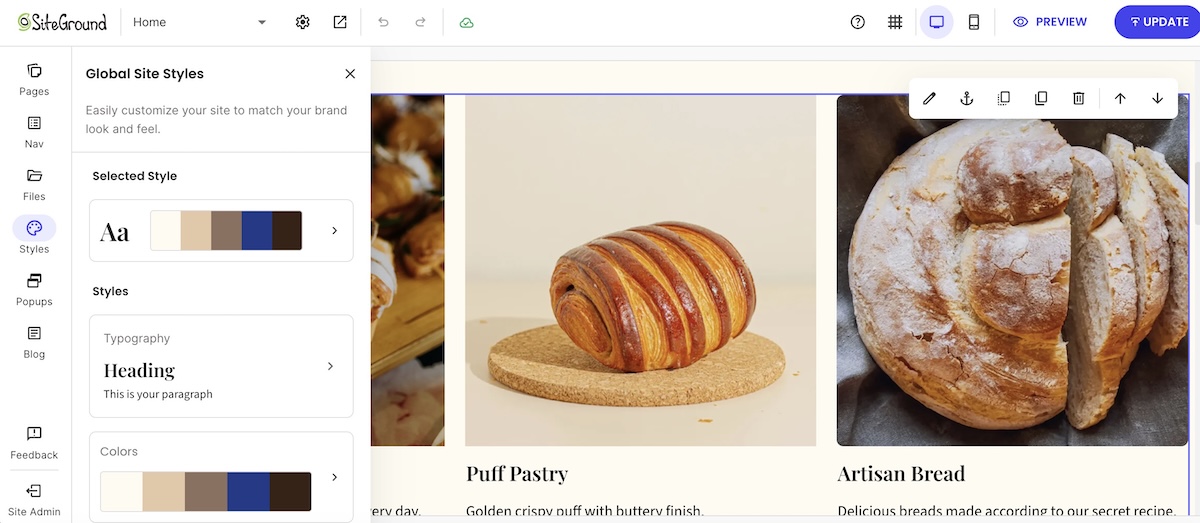
- Flexibility varies a lot. Some builders stick closely to their templates, while others let you rearrange sections and fine-tune styling freely without touching code.
- Built-in design rules help non-designers keep spacing, fonts, and mobile layouts consistent.
- Where a builder runs out of room depends on the tool. When it happens, it tends to be with highly custom layouts or interactive elements.
WordPress
- Thousands of WordPress themes plus custom code mean there’s very little you can’t build.
- That freedom costs time or money. Fine-tuning a theme to match your brand often means digging into settings or CSS, or hiring someone who can.
Features and add-ons
Builders typically include common features out of the box, while WordPress adds them through plugins.
Website builder
- Common features such as forms, a blog, galleries, and basic SEO tools are usually built in. You switch them on rather than install them.
- Built in doesn’t always mean included. Bigger features like a store may only unlock on higher plans.
- Some builders extend features through an app market or third-party integrations, often at extra cost. Others build more into the platform itself, so key features come included, but you can’t add what the platform doesn’t offer. Either way, check that the features you need are covered before you commit.
- Built-in ecommerce usually suits stores of many sizes.
WordPress
- If a feature exists, there’s probably a plugin for it, from must-have plugins like backups and caching to very niche tools.
- Plugins come from different developers and update on their own schedules. An update to a plugin, theme, or WordPress core can create a conflict that breaks a feature, scrambles a layout, or in the worst case takes the whole site down with a critical error.
- For selling online, WordPress typically uses WooCommerce, a free ecommerce plugin that turns a WordPress site into a store.
Maintenance, security & support
This is where the two options differ most from day to day.
Website builder
- With most builders, the platform handles updates, security patches, and backups.
- Support varies by provider, but when it’s included, it usually covers the whole site, so there’s one place to ask when something breaks.
WordPress
- WordPress itself has no vendor support, only community forums and documentation, so your host decides how much upkeep you carry.
- Managed WordPress hosting takes on a large share. SiteGround’s Hosting for WordPress, for example, includes automatic core and free-plugin updates, the SiteGround Speed Optimizer and Security Optimizer plugins, 24/7 support, and staging on higher plans.
- Even on managed hosting, some jobs stay with you: keeping premium plugins and themes compatible, choosing plugins, and sorting out conflicts between them.
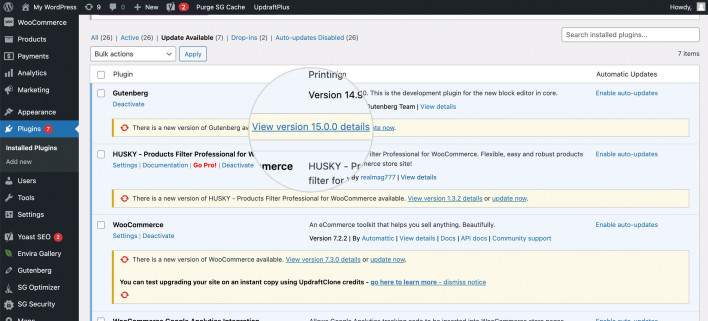
Here’s what that routine looks like for a typical WordPress site in 2026. Managed hosting can automate part of it, like core and free-plugin updates and daily backups, but checking the results still falls to you.
Every week
- Update plugins and themes, starting with anything flagged as a security fix.
- Confirm the latest backup actually ran.
- Click through key pages and forms after updates to catch anything that broke.
Every month
- Check plugin and theme compatibility after WordPress core releases, ideally on a staging copy first.
- Test-restore a backup so you know it works before you need it.
- Delete plugins and themes you no longer use. Deactivated code still sits on your server, and if it has a known vulnerability, attackers can sometimes exploit it even while it’s switched off.
None of it is hard. It just never stops.
SEO and performance
Both can rank. Search engines look at content quality, speed, and structure, and they don’t reward one platform over another.
Website builder
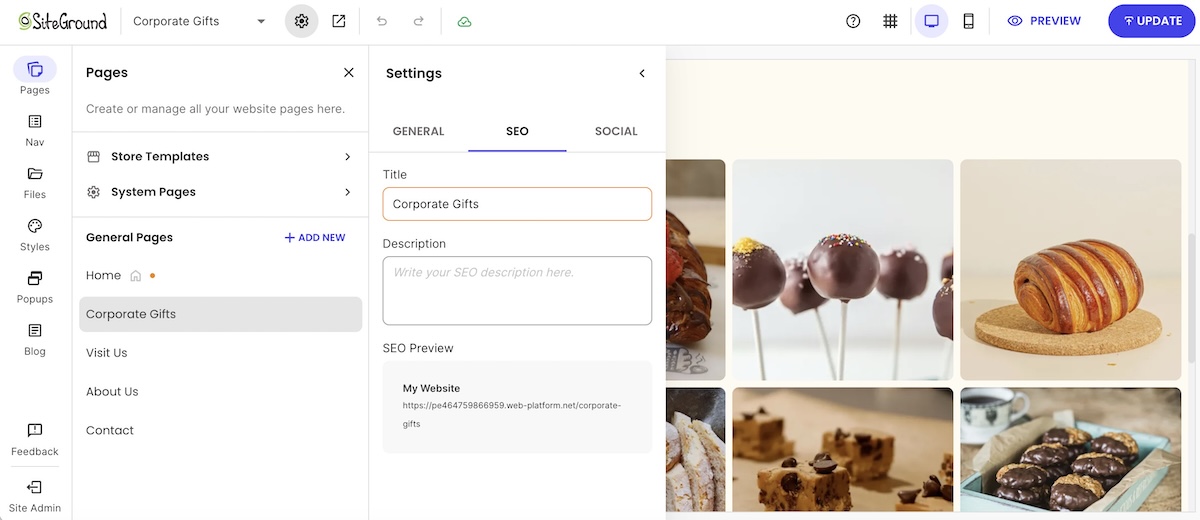
- Most builders cover the essentials out of the box, such as sitemaps, SEO-friendly URLs, and meta fields.
- Speed depends mostly on the platform, so there’s less to tune, but also less you can change.
WordPress
- Plugins may offer more granular control, which matters most for content-heavy sites or technical work like custom schema markup. If WordPress SEO is where you’re headed, expect to configure more yourself.
- Speed depends on your hosting, your theme, and how many plugins you stack.
Growing or moving your site later
Both options can grow with a business, in different ways.
Website builder
- Growing usually means upgrading your plan and switching on built-in features, with no extra upkeep.
- Most small business sites never outgrow that.
WordPress
- It can stretch further for sites that need custom functionality, membership areas, or thousands of pages of content.
- Complexity grows with it: more plugins, more updates, and eventually more developer time.
Switching later is possible. Leaving a builder, on the other hand, is usually the bigger job, since export options are often limited, so expect to copy content over and rebuild the design. WordPress is easier to move, though any switch needs redirects so old URLs keep working.
Where the SiteGround Website Builder fits
If the builder side of this comparison sounds like your speed, the SiteGround Website Builder runs on SiteGround’s own hosting infrastructure, with 24/7 support. You can start from a template or with AI tools, then adjust the design freely without touching code. Built-in SEO tools cover sitemaps, SEO-friendly URLs, and meta fields, and ecommerce is there when you’re ready to sell.
Start building your website now>>
Which one should you choose?
Match your situation to one of the two lists below. Whichever describes you better is your answer.
Choose a website builder if…
- You want your site live this week, not this quarter.
- You’d rather not manage updates, backups, or security.
- You’re building a brochure site, portfolio, or small store.
- You prefer one predictable bill over several.
- You don’t have a developer on call.
- You want one place to ask for help when something breaks.
Choose WordPress if…
- You’re running a content-heavy site or a blog with hundreds of posts.
- You need functionality no builder offers, which is when a custom site starts to make sense.
- You want full ownership of your site and the freedom to change hosts.
- You have the time, or a developer, to handle ongoing upkeep.
- You expect the site to grow into something much bigger, like a membership site or a large store.
[79]
Pick the tool that fits you best
In the end, the website builder vs WordPress choice is a trade between control and upkeep. WordPress gives you the most control, as long as you’re ready for the updates, troubleshooting, and renewals that come with it, and managed hosting can take a good share of that off your plate. A builder hands most of the upkeep to the platform, so your main job is making sure the plan you pick covers the features you need.
If you’d rather spend your time on the business than on the backend, the SiteGround Website Builder lets you start from a template or AI, with built-in SEO tools, ecommerce when you’re ready to sell, and 24/7 support behind the whole site. You can build everything free for 14 days with no credit card and only pay when you’re ready to publish. That way, your weekends stay free for something other than plugin updates.
Frequently asked questions
Technically, WordPress is a CMS (content management system) rather than a website builder. You can build a site with it, but you supply the hosting, theme, and plugins yourself, while a website builder typically bundles most of that into one hosted service.
WordPress isn’t outdated in 2026. It still runs about 42% of all websites, according to W3Techs, and it keeps shipping updates, including built-in AI foundations in WordPress 7.0. The perception comes from simpler tools catching up and from site owners growing tired of maintenance.
The most common reasons people move away from WordPress are maintenance load and plugin complexity, especially on small sites that don’t need its flexibility. Simpler builders now cover what a typical business site needs. Traffic goes the other way too, as some sites that outgrow a builder move to WordPress for more control.
It depends on what you’re building, because the two solve different problems. If you want speed and low upkeep, a builder fits better. If you need custom functionality and full control, WordPress does. The two checklists above will tell you which describes you.
WordPress is easy to start with but harder to master. You can learn to publish pages with the block editor in a weekend, but customizing the design and getting the site exactly how you want it takes much longer, especially without coding experience.