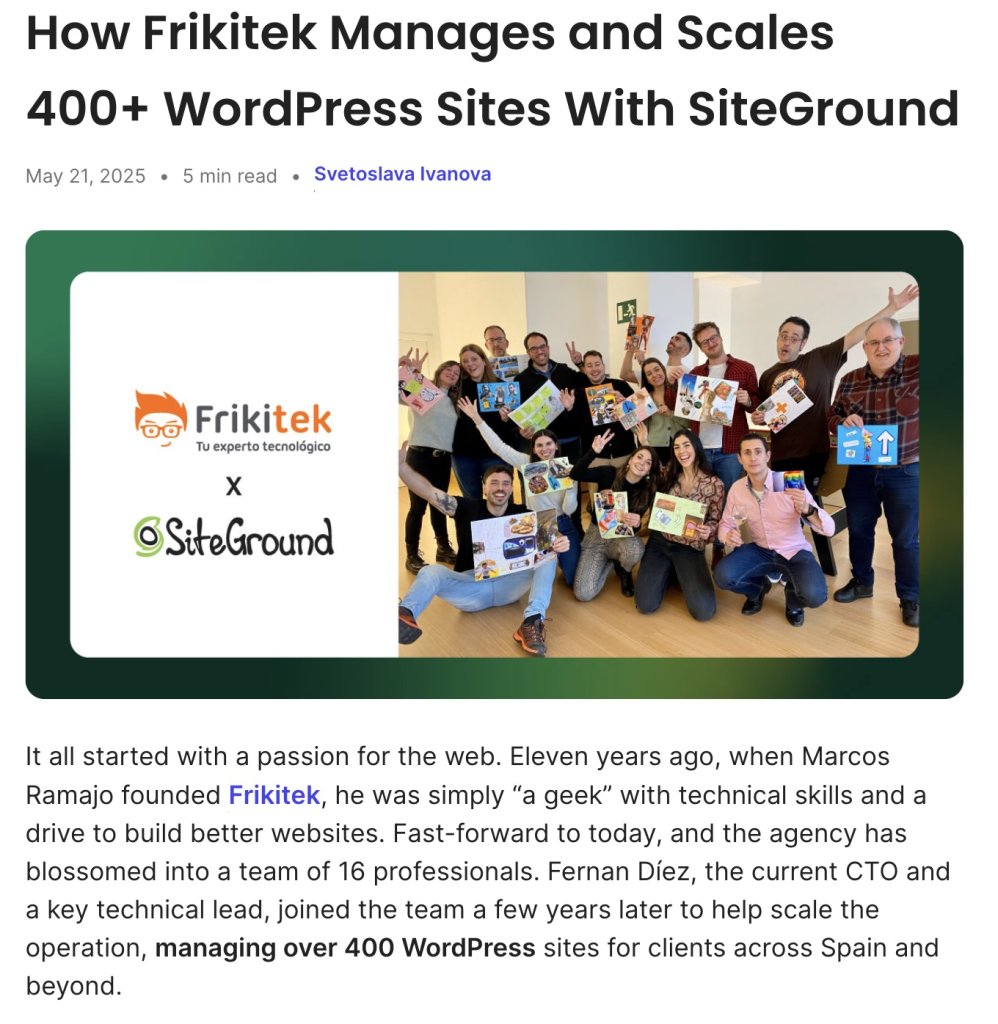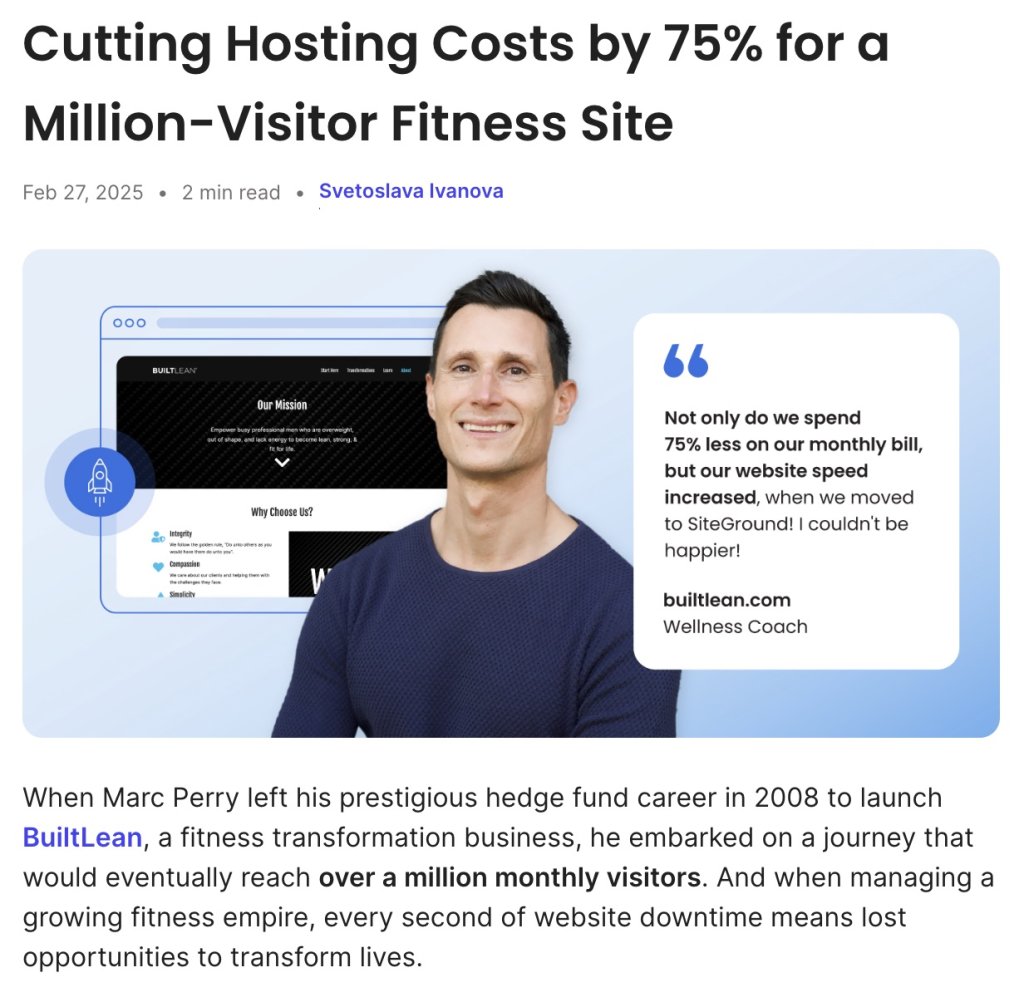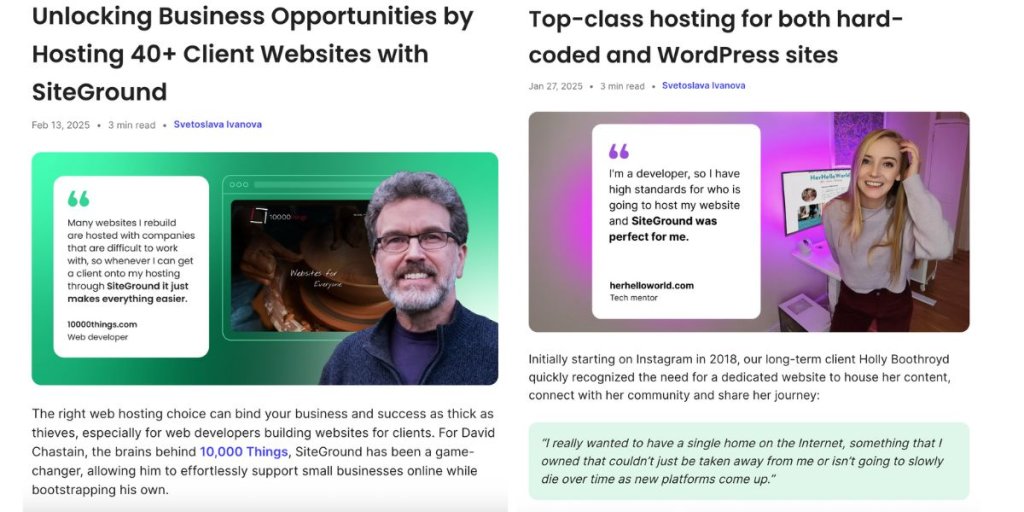
We Miss You Emails: 7 Templates To Bring Users Back

Woman hugging envelope with a red heart, expressing emotion for a "we miss you" email. Background icons included.

Imagine your subscribers as guests who quietly drifted away from your event. But fear not—”We Miss You” emails are your chance to roll out the welcome mat and invite them back with open arms! These emails go beyond a simple reminder; they’re a warm way to rekindle the connection with those who’ve wandered off. 

In this blog post, we’ll dive into the art of crafting “We Miss You” emails that captivate your audience. From creating compelling content to personalizing your approach, we have the insights and templates you need to transform your emails into irresistible invitations. Let’s get started and turn those lost subscribers into loyal fans once again!
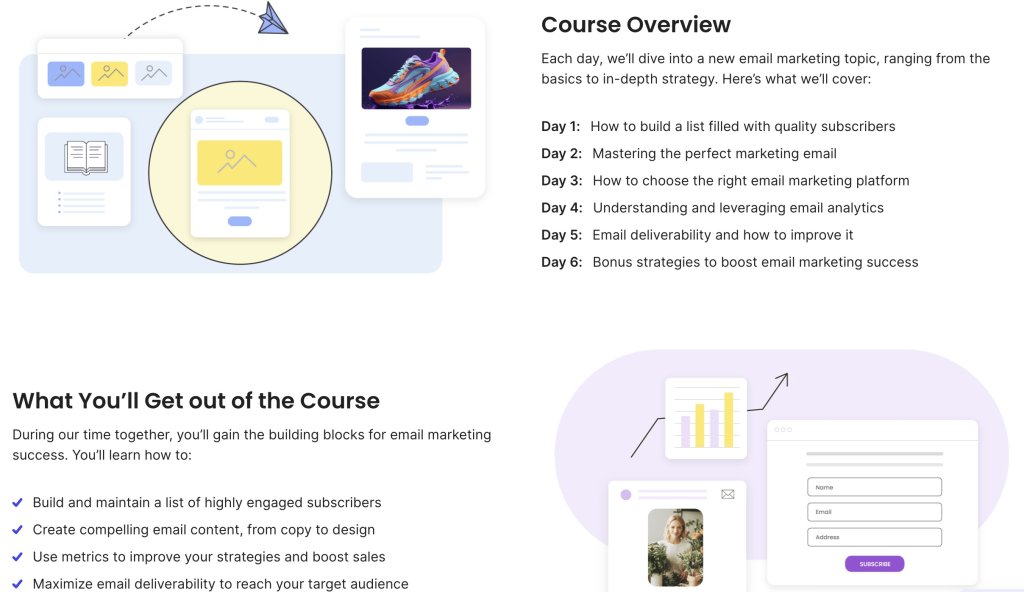
Free email course: Master Email Marketing in 6 Days. Learn to build lists, craft emails, analyze, and boost deliverability.

What Is an Effective We Miss You Email?

A “We Miss You” email is a clever way to reconnect with those who’ve become inactive. Its goal is to spark their interest in your brand again. To make these emails work, you need to know your audience, craft compelling content, and give them a real reason to come back.

At its heart, a good “We Miss You” email feels like a friendly invitation to reconnect. It’s not about flooding recipients with marketing messages but about rekindling that emotional connection. Remind them why they loved you in the first place and the value you bring.

Now that we’ve got a handle on what makes these emails tick, let’s talk about how you can create one that grabs attention and brings your audience back.

Why Do People Stop Opening Your Emails?

Understanding why subscribers become inactive is key to boosting engagement. Because by identifying the factors that contribute to decreased interest, you can tailor your email strategy to better meet the needs of your audience. 

Here are some common reasons why subscribers might become inactive:

1. Inbox Noise

  • Email overload can cause your messages to get overlooked.
  • Subscribers might lose interest or forget about your brand due to the overwhelming number of emails they receive.

2. Relevance

  • Aligning your communication with your subscribers’ email customer journey and interests is crucial
  • Understanding where subscribers are in their customer journey allows you to tailor messages that resonate.
  • Messages that don’t connect on this level often go unopened, so it’s important to address their current stage and needs.

3. Frequency

  • Sending emails too frequently can lead to fatigue among subscribers.
  • Infrequent emails risk your brand being forgotten.

4. Timing

  • Emails sent at inconvenient times may be ignored.
  • Analyzing when your audience is most active can help optimize send times for better open and click-through rates.

5. Personalization

    • A lack of personalization can hinder connection, as generic emails often fail to capture attention.
    • Personalized messages that reflect past behaviors or preferences are more likely to be opened.
    • Tailoring emails to individual interests can boost open rates and maintain subscriber interest.

    How to Write a “We Miss You” Email?

    Writing an email that wins your audience over involves more than just reaching out with a generic message. It requires a thoughtful approach that considers the diverse preferences and behaviors of your subscribers. To successfully reconnect with inactive customers, your email should be a blend of personalization, visual appeal, and strategic calls-to-action.

    With that in mind, let’s explore some actionable tips to help you create compelling “We Miss You” emails that capture attention and inspire action.
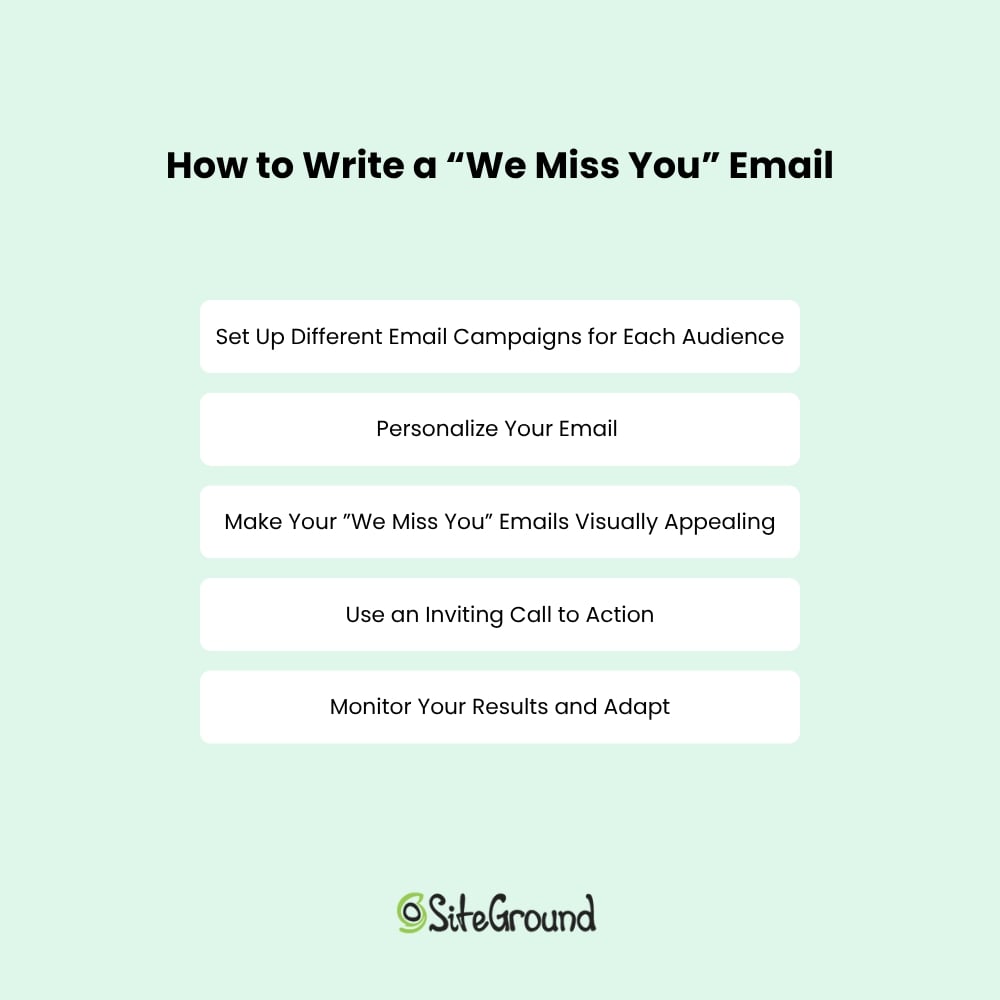
    Guide on writing "We Miss You" emails: customize campaigns, personalize, enhance visuals, use calls to action, and adapt results.

    1. Set Up Different Email Campaigns for Each Audience

    To successfully get your inactive subscribers to come back, it’s important to recognize that a single email won’t resonate with everyone. Different subscribers have various reasons for becoming inactive, and understanding these nuances is necessary for creating messages that truly connect. 

    To optimize your “We Miss You” email campaign, start by segmenting your audience based on interests. This allows you to craft personalized messages that stand out amidst inbox noise and resonate with individual preferences. This approach helps tailor your re-engagement email campaigns to address the unique needs and motivations of each group.

    For instance, some subscribers might have stopped interacting because they felt overwhelmed by frequent emails, while others might be waiting for the right offer to come back. By setting up different email campaigns for these varied audiences, you can create targeted messages that speak directly to their specific situations. This approach not only makes your emails more relevant but also increases the likelihood of rekindling their interest in your brand.

    2. Personalize Your Email

    By tailoring your message to reflect the subscriber’s past interactions, you demonstrate a genuine interest in their needs and preferences.

    Start by adjusting your emails’ design and text, and personalize it by including the recipient’s name in the subject line or greeting to grab their attention right away. 

    Additionally, incorporate a call to action that encourages them to revisit your website or explore new offerings. By making the email feel personalized and relevant, you create a compelling reason for inactive subscribers to reconnect with your brand, increasing the effectiveness of your reactivation efforts.

    3. Make Your ”We Miss You” Emails Visually Appealing

    The visual appeal of your “We Miss You” emails is crucial for capturing and retaining the attention of inactive subscribers. A well-designed email with impactful colors can make your message more inviting and easier to digest. 

    Start by using a clean and organized layout that naturally guides the reader’s eye through the content. Then incorporate your brand’s colors and logos to maintain consistency and reinforce brand recognition, reminding subscribers of their past positive experiences with your brand.

    You might also want to use engaging visuals, such as high-quality images or graphics, to enhance the overall look of your email. These elements can help break up the text and make the email more attractive. Consider using whitespace to prevent the email from feeling cluttered, ensuring that the message remains clear and focused. 

    A visually pleasing email not only captures attention but also encourages subscribers to read through the entire message. By designing easy-on-the-eyes “We Miss You” emails, you increase the likelihood of drawing inactive subscribers back to your brand and encouraging them to re-engage.

    4. Use an Inviting Call to Action

    An engaging email call to action (CTA) is the driving force behind any successful “We Miss You” email for inactive subscribers. It’s not enough to simply grab their attention; you need to guide them toward a specific action that rekindles their interest. 

    Your CTA should be clear, compelling, and easy to find. It also helps to use action-oriented language that conveys urgency or excitement, such as “Come Back and Save,” “Reclaim Your Exclusive Offer,” or “Explore What’s New.”

    Placement matters too. Ensure your CTA stands out by using contrasting colors or buttons that draw the eye. Consider placing it in multiple locations within the email to increase visibility, such as near the beginning and at the end of your message. 

    By making your CTA persuasive and accessible, you encourage inactive subscribers to take the next step, whether it’s making a purchase, revisiting your website, or updating their preferences. 

    5. Monitor Your Results and Adapt

    Monitoring your “We Miss You” emails’ performance is crucial for effectively reactivating inactive subscribers. By analyzing key email marketing metrics such as open rates, click-through rates, and conversion rates specific to these emails, you can gain insights into how well your messages are resonating with subscribers who’ve lost interest.

    Once you have a clear view of how your “We Miss You” emails are performing, be prepared to adapt your strategy. Experiment with different subject lines that emphasize a sense of nostalgia or urgency, adjust the content to highlight personalized offers or updates, and refine CTAs that encourage a return visit or interaction. 

    A/B testing these elements can also provide valuable feedback on what truly motivates inactive subscribers to reconnect. By continuously refining and adapting your “We Miss You” emails based on these insights, you can improve their effectiveness and ensure your lead generation revival efforts are specifically tailored to win back your inactive audience.

    7 “We Miss You” Email Templates to Reactivate Subscribers

    Uncovering the right strategy to win back subscribers can significantly transform your email marketing campaigns. To assist you in this endeavor, we’ve gathered a collection of effective “We Miss You” email templates that can successfully reignite interest. These examples blend creativity, personalization, and strategic connection, providing a robust foundation for you to tailor according to your brand’s distinctive voice.

    1. Give a Personalized Progress Update
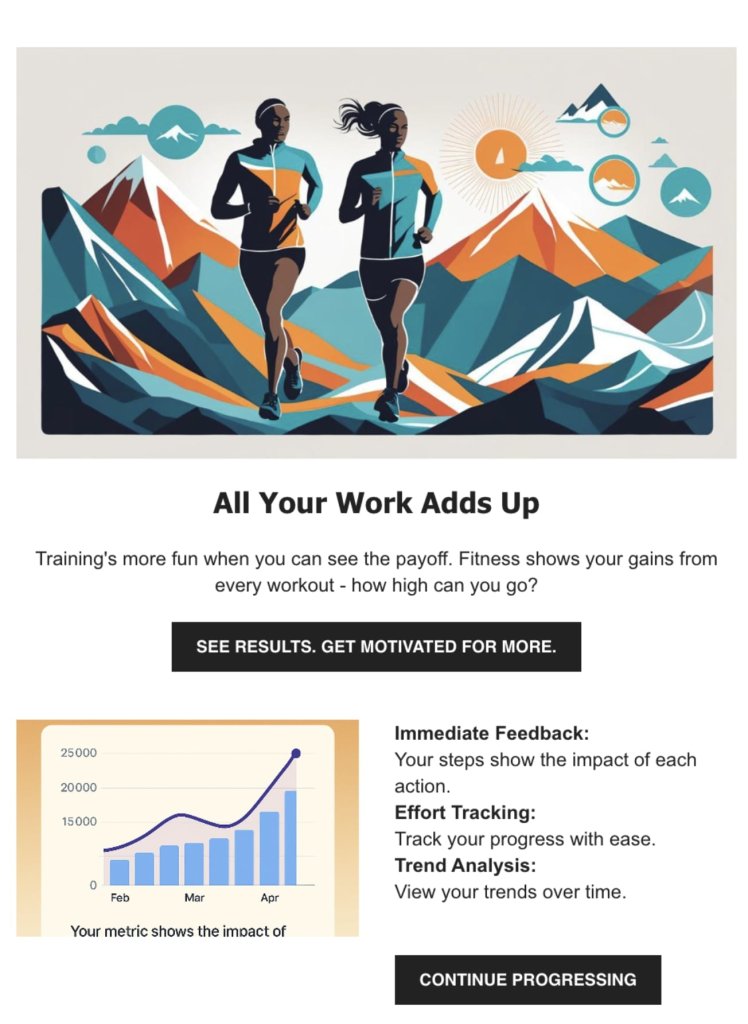
    Illustration of two runners with mountains. Text: "All Your Work Adds Up." Encourages tracking fitness progress and motivation.

    This kind of “We Miss You” email can be used for fitness, learning or time tracking apps. What you aim for here is to celebrate the receiver’s past achievements and inspire them to keep moving forward. The idea is to use attractive visuals and a simple call to action, and invite them to revisit their progress and see how far you’ve come. 

    The email can offer a personalized snapshot of the achieved milestones, providing insights into the effort put in over time. It’s like having a supportive friend cheering, making it easy to reconnect and continue your journey.

    Key Points:

    • Visual Appeal: Using vibrant visuals captures attention and makes the email memorable, encouraging users to explore further.
    • Instant Gratification: Providing immediate feedback on progress taps into the desire for quick insights, motivating users to stay active.
    • Highlighting Value: Emphasizing the importance of tracking efforts helps reinforce the benefits of using the service, reminding users why they signed up in the first place.
    • Long-Term Involvement: Allowing users to see their trends over time fosters a connection to their journey, encouraging them to continue interacting with the brand.

    Subject Line: We Miss You—Look How Far You’ve Come

    [Header Image – optional visual showing progress or activity]

    Headline: You’ve Made Great Progress

    Body:

    Hi [First Name],
    It’s been a little while, so we wanted to check in and remind you of everything you’ve already accomplished with [your product or service]. Every step counts, and you’ve already made great progress.

    Whether you’re ready to dive back in or just want to see what’s new, now’s a great time to return.

    [Optional visual of progress or stats]

    CTA:
    → See Your Progress
    (Alternative: “Continue Where You Left Off,” “Get Back to It,” or “Explore Again”)

    Closing Line:
    We’re always here when you’re ready. Let’s keep going.

    —The [Brand Name] Team

    2. Use a Mascot

    "We Miss You" email with a dog in a bath surrounded by rubber ducks. Encourages returning to French lessons with a quick session.

    If your business has a mascot—like, let’s say an animal, a fictional creature or a person—you can use it to reach out with a warm “We Miss You” email that feels both friendly and inviting. 

    The goal here is to create a personal and approachable vibe. You can use the mascot to express the sadness of the receiver not using your services for a while. Or if your business doesn’t have a mascot, you can always create one specifically for your “We Miss You” email campaign.

    This approach can also be used for fitness tracking and learning apps. Consider using a clear and inviting call to action that encourages the recipient to jump back into learning or working out, but with just a quick 15-minute session. This gentle reminder makes it easy for the customer to reconnect with learning or fitness goals and continue their progress.

    Key Points:

    • Friendly Reminder: The charming mascot and warm tone can create a welcoming atmosphere that encourages reconnecting.
    • Simplicity and Clarity: A straightforward message and an easy-to-understand call to action make it effortless for users to take the next step.
    • Emotional Connection: The use of a familiar mascot fosters a sense of connection and familiarity, reminding users of the fun and friendly learning or training environment.

    Here’s a template you can use:

    Subject Line: We Haven’t Seen You in a While!

    [Header Image – featuring your mascot or friendly visual]

    Headline: [Mascot Name] Misses You!

    Body:

    Hi [First Name],
    It’s been a bit quiet without you around—and we just wanted to say, we miss you!

    [Your mascot name or character] has been keeping things running, but it’s just not the same without you. If you’re still interested in [your product/service], now’s a great time to jump back in.

    [Image of the mascot looking cheerful or encouraging]

    Friendly Nudge:
    All it takes is a quick 15-minute session to get back on track.

    CTA:
    → Get Back on Track
    (Alternative: “Jump Back In,” “Let’s Do This,” “Continue Your Journey”)

    Closing Line:
    Your next step is just a click away—and [mascot name] can’t wait to see you again.

    —The [Brand Name] Team

    3. Be Playful
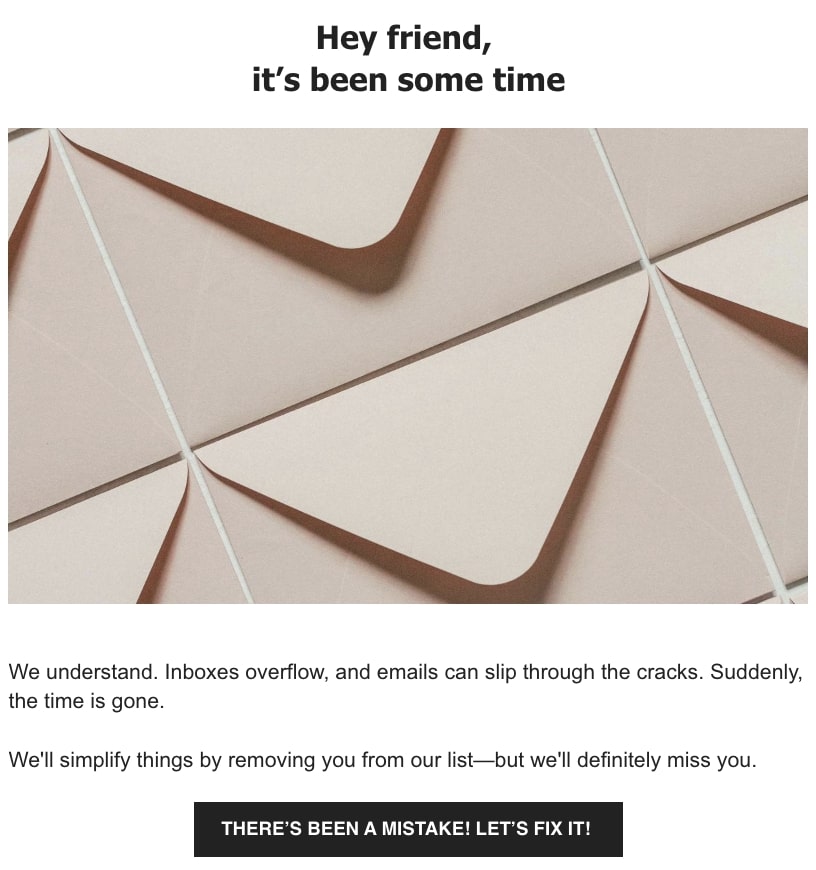
    "We Miss You" email with envelopes. Acknowledges lost connection and offers to fix it, expressing a desire to stay in touch.

    You can also use humor and warmth to reconnect with your audience in a friendly way. A good approach here is to acknowledge the chaos of crowded inboxes and establish a relatable and friendly tone. Use playful language and enticing visuals to make the message captivating and memorable, while a clear call to action encourages the recipient to reconsider and dive back in.

    Key Points:

    • Relatable Humor: Use light-hearted language to acknowledge email overload, making the message feel friendly and approachable.
    • Visual Temptation: Showcase images of your products, enticing subscribers to re-engage.
    • Playful Tone: Maintain a fun and inviting atmosphere, reinforcing brand personality and connection.
    • Clear Call to Action: Encourage a second chance with a bold and inviting button, prompting users to stay connected.

    Here’s a template you can use:

    Subject Line: It’s Been a While

    [Relevant Header Image]

    Introduction:

    Hey there,

    It’s been a while since we’ve connected.

    Main Content:

    [Image of Your Product – Ensure it’s relevant]

    We totally get it—Inboxes can overflow, and emails might slip through the cracks. Suddenly, time flies by.

    We’re here to simplify things. If you’d like, we can remove you from our list—but we’ll definitely miss having you with us.

    Call to Action:

    Think there’s been a mistake? Let’s fix it together!

    4. Use the Time of the Year
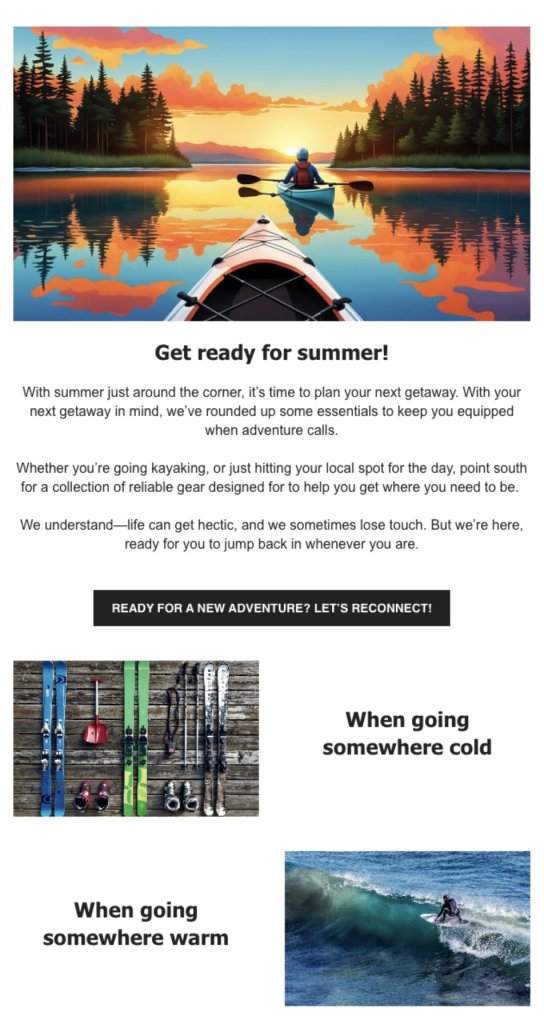
    "We Miss You" email featuring a kayak on a lake at sunset. Encourages reconnecting and planning summer adventures with essential gear.

    This type ofe email is perfect for sports brands looking to capture the seasonal excitement and inspire their audience. By featuring stunning images of travel destinations or leisure activities, the email can evoke a sense of adventure and discovery. 

    This creates an emotional connection with recipients, making them eager to explore the brand’s new collection. Highlighting versatile pieces suitable for travel or sports plans can seamlessly integrate the brand’s offerings with the spirit of the season, making the message clear and inviting.

    Make sure it’s clear that you offer everything your customer needs—whether they’re hitting the coast, exploring new shores, or heading out on a hike.

    Key Points:

    • Adventure-Inspired Visuals: Use captivating imagery that evokes the thrill of surfing and exploration.
    • Seasonal Connection: Tap into the excitement of summer (or winter) and surf trips or whatever is relevant for the season, making the message timely and relevant.
    • Versatile Offerings: Highlight apparel that suits various adventures and travel destinations, appealing to the adventurous spirit. 
    • Clear Call to Action: Encourage exploration of different collections, guiding users to gear up for their next journey.
    • Special Offer: Include incentives like free shipping, a coupon, or a complimentary gift for specific purchases.

    Here’s a template you can use:

    Subject Line: Get Ready for Summer!

    [Relevant Header Image]

    Introduction:

    Hello Adventurer,

    Are you prepared for your next summer escapade?

    Main Content:

    [Image Related to the Activity or Destination – Ensure it’s relevant and appealing]

    With your upcoming getaway in mind, we’ve curated some essentials to keep you equipped when adventure calls.

    Whether you’re [activity relevant for your product] or simply [another activity performed with your product], explore our collection of reliable gear designed to support your journey.

    We know life can get hectic, and it’s easy to lose touch. But we’re here, ready whenever you are to dive back into adventure.

    [Image of Product – Ensure relevance and quality]

    [Brief Description]

    [Image of Product – Ensure relevance and quality]

    [Brief Description]

    Call to Action:

    Excited for a new adventure? Let’s reconnect!

    5. Offer a Free Trial
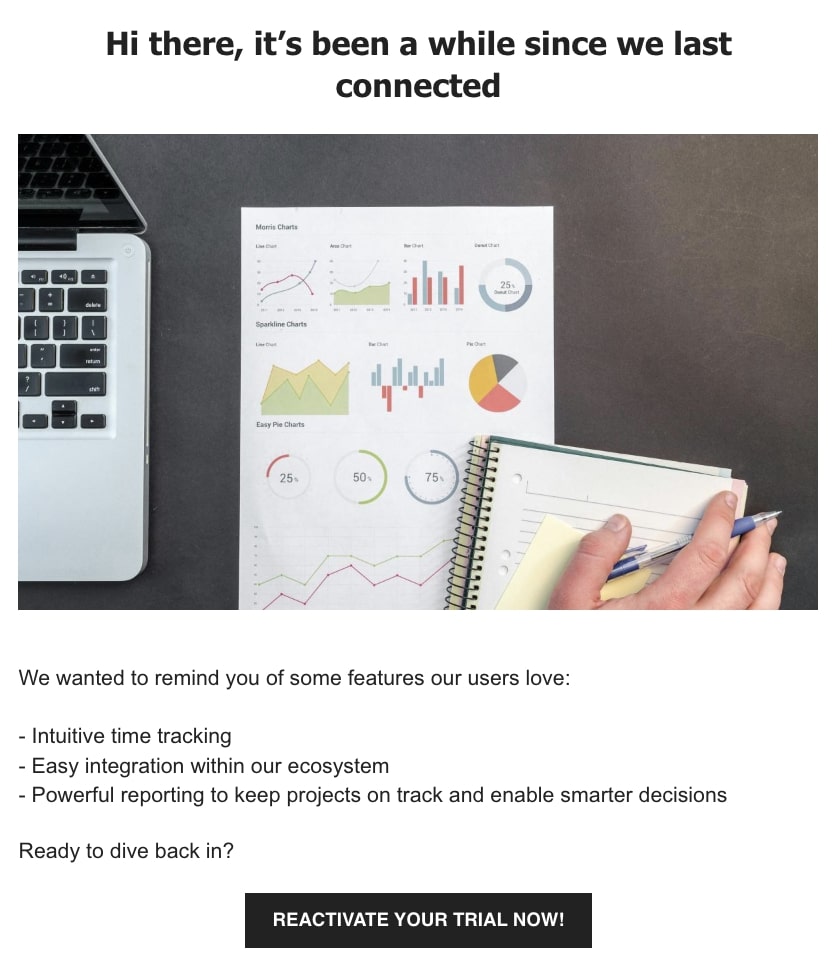
    "We miss you" email with charts and a laptop, inviting the recipient to reactivate their trial and reconnect.

    This email serves as a gentle reminder to return to seamless productivity. With a friendly tone, it highlights the features users love, emphasizing simplicity, integration, and powerful reporting. It is best suited for SaaS, as it invites users to reactivate their trial and rediscover the benefits of using your service, reminding them of the efficiency and ease that await.

    Key Points:

    • User-Centric Highlights: Focus on features that enhance user experience, like intuitive time tracking and easy integrations.
    • Friendly Reminder: Maintain a warm and inviting tone, making the reactivation feel like a welcomed opportunity.
    • Clear Benefits: Emphasize the practical advantages, such as smarter decision-making through powerful reporting.
    • Straightforward Call to Action: Encourage users to jump back in with a simple trial reactivation, making it easy to return to productivity.

    Here’s a template you can use:

    Subject Line: We Miss You

    [Relevant Header Image]

    Introduction:

    Hi there,

    It’s been a while since we last connected.

    Main Content:

    [Image Related to Productivity – Ensure it’s relevant]

    We wanted to remind you of some features our users love:

    • [Unique value proposition 1]
    • [Unique value proposition 2]
    • [Unique value proposition 3]

    Call to Action:

    Excited to dive back in? Reactivate your trial now!

    6. Offer Rewards
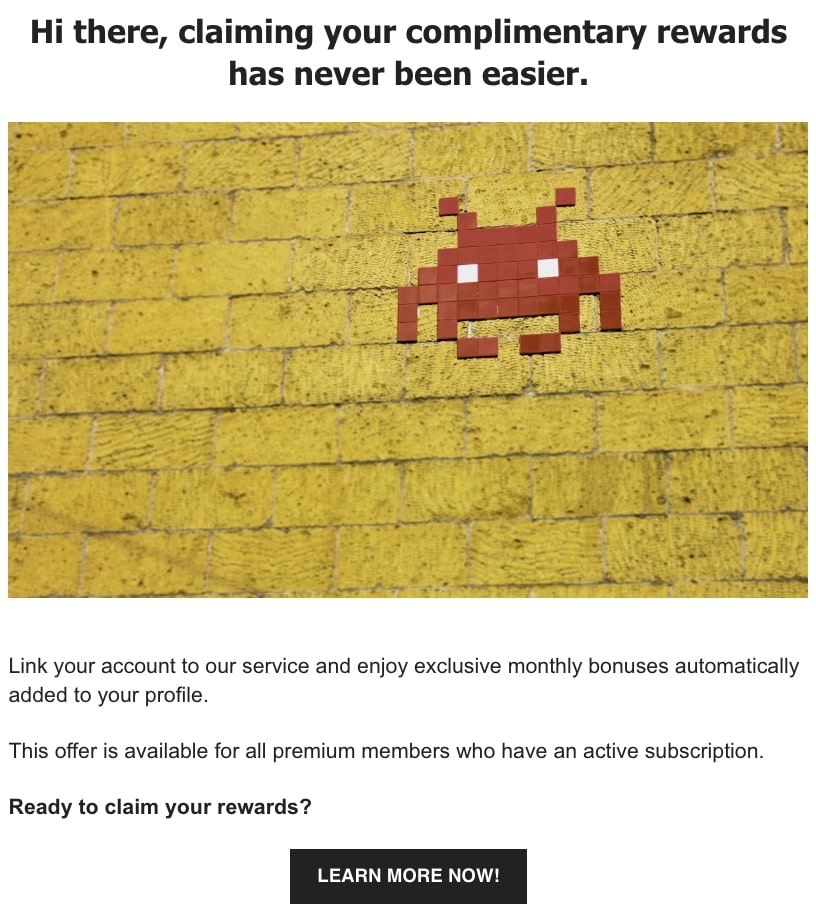
    "We miss you" email with pixel art on a wall, offering easy access to complimentary rewards for premium members.

    This email works best for a freemium service or a game with tokens or in-game currency. It invites customers to enhance their experience with a treasure trove of rewards through a gaming subscription. Focusing on exclusive benefits, it highlights how easy it is to claim complimentary content and improve your experience or game character. It’s a call to adventure for every player, offering a seamless way to elevate your game and enjoy special perks.

    Key Points:

    • Exclusive Rewards: Highlights the unique benefits available only to subscribers, adding a sense of exclusivity.
    • Easy Access: Emphasizes the simplicity of linking accounts to claim rewards, making it user-friendly.
    • Enhanced Gaming Experience: Offers additional card packs to enrich gameplay, appealing to both new and seasoned players.
    • Clear Call to Action: Encourages immediate reactivation with a straightforward button to learn more and start collecting rewards.

    Here’s a template you can use:

    Subject Line: Unlock Your Exclusive Rewards

    [Relevant Header Image]

    Introduction:

    Hello,

    Claiming your complimentary rewards has never been easier.

    Main Content:

    [Image of App or Gaming Content – Ensure it’s relevant]

    Discover how effortlessly you can get your bonus:

    [Briefly explain the steps to claim the bonus]

    Perfect for [mention the target audience or who it is relevant for]

    Call to Action:

    Excited to claim your rewards? Learn more now!

    7. Show Your Customers Their Value

    "We miss you" email with a cozy desk scene, inviting the recipient to share recipes and contribute to cooking ideas.

    This email is best suited for communities like forums or review sites. It aims to reconnect by highlighting your sense of community and contribution. It starts with a warm message, reminding you of the important role you play in helping others explore the world through your reviews and photos.

    You can use a cute image and a clear call to action to grab readers’ attention and make it easy to re-establish contact. This approach effectively values their past contributions and encourages them to keep sharing their experiences.

    Key Points:

    • Emotional Appeal: Use a warm tone that fosters a sense of belonging and nostalgia.
    • Clear Call-to-Action: Encourage users to contribute with a straightforward CTA.
    • Engaging Imagery: Use eye-catching visuals to enhance the message and draw users in.
    • Community Emphasis: Highlight the user’s impact in helping others, reinforcing their importance.

    Here’s a template you can use:

    Subject Line: We Miss Your Contributions

    [Relevant Header Image]

    Introduction:

    Hello,

    It’s been a while since we’ve heard from you…

    Main Content:

    [Image of a Friendly or Engaging Scene – Ensure it’s relevant and inviting]

    Someone out there is looking for a [how your customer can be of help]. Share your insights today to help others explore the world of [relevant field].

    Call to Action:

    Eager to contribute? Add your review now!

    Why You Should Send “We Miss You Emails”

    “We Miss You” emails are a powerful tool to reconnect with inactive subscribers through personalization, visual appeal, and engaging content. By understanding why subscribers become inactive—such as email overload or poor timing—you can tailor messages to meet their needs, offering personalized incentives and exclusive deals. 

    Analyzing subscriber behavior and engagement rates allows for strategy refinement, ensuring your emails remain relevant and impactful. Incorporating compelling calls to action and monitoring results will enhance your re-engagement efforts.

    As you consider implementing these strategies, leverage SiteGround Email Marketing to craft personalized and effective “We Miss You” campaigns. With SiteGround, you can effortlessly create engaging emails that reconnect with your audience and drive meaningful results. Try it out and watch your subscriber engagement soar!
    Promotional image for SiteGround Email Marketing, highlighting tools for creating successful email campaigns with AI assistance.

    Product Detail Pages: Your Key to Maximizing Conversions

    PDP

    A product detail page (PDP) is the single most important page on your ecommerce site. It presents everything a shopper needs to decide—images, descriptions, pricing, reviews, and a clear call to action—and does the job of a physical sales floor: answering questions, building trust, and removing doubt before checkout. A strong PDP converts browsers into buyers; a weak one sends them elsewhere. In this article, we share eight proven best practices to help you build one that sells.

    Key takeaways

    • A product detail page is a dedicated ecommerce page that combines images, descriptions, pricing, and reviews to help shoppers decide to buy.
    • High-quality images from multiple angles (including close-ups and 360° views) are one of the biggest drivers of purchase confidence.
    • Clear, audience-matched product descriptions work better than generic ones. Tech buyers want specs, lifestyle buyers want emotional benefits.
    • Transparent pricing, including visible discounts and free shipping, reduces checkout drop-off and builds trust.
    • Prominent, action-oriented CTAs like “Buy now” or “Add to cart”—placed where shoppers can’t miss them—directly increase conversions.
    • Customer reviews and ratings add social proof that often provides the final nudge a hesitant buyer needs.

    What Is a Product Detail Page and Why Is It Important?

    A PDP typically includes product images, a description, pricing, available variants, and customer reviews. They all work together to answer every question a shopper might have before buying. For ecommerce businesses, it’s the web page where the customer journey moves from consideration to decision, making it one of the highest-leverage pages on your site.

    What’s the Difference Between a PDP and a PLP?

    A product listing page (PLP) shows multiple products side by side for browsing and comparison, while a product detail page goes deep on a single product to help the shopper decide to buy. The PLP attracts and filters, the PDP converts. Slam dunk.

    Think of shopping online as a two-step buying process. First, you have the PLP, which is like scrolling through a digital catalog. It shows your site visitors a variety of products with brief descriptions and images, making it easy for them to compare and spot something they like.

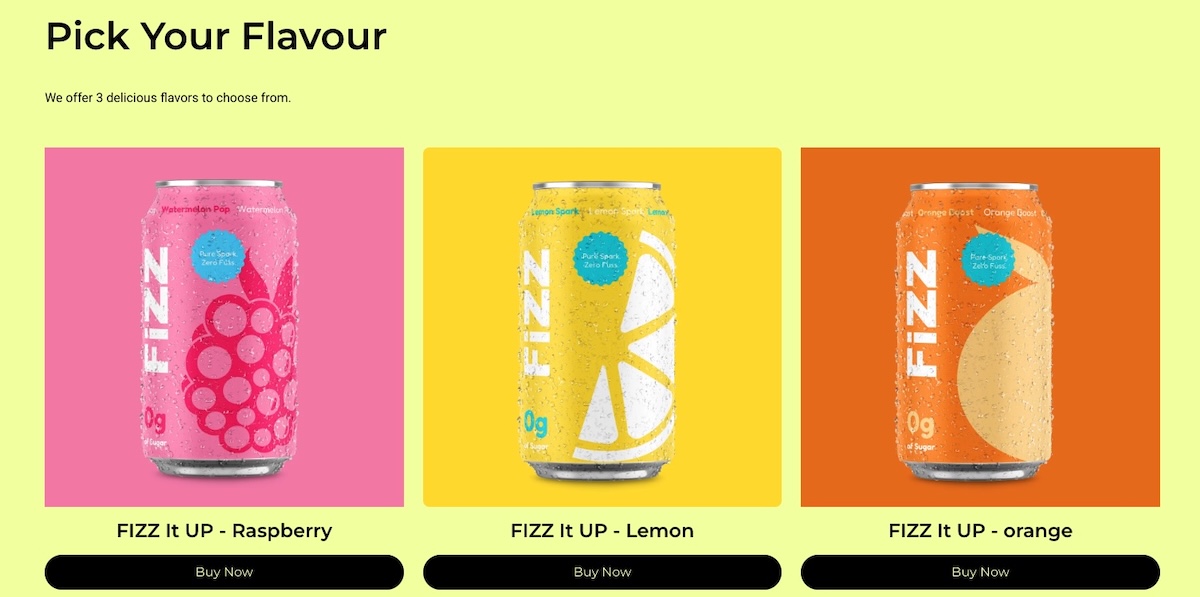
    Example of a product listing page with multiple product options and CTAs

    Once something catches your customer’s eye, they click through to the product detail page. This is where they get all the nitty-gritty details about that specific item—detailed product descriptions, high-quality photos, reviews, and pricing. The PDP is designed to answer any questions an online shopper might have and help them decide if they want to buy.

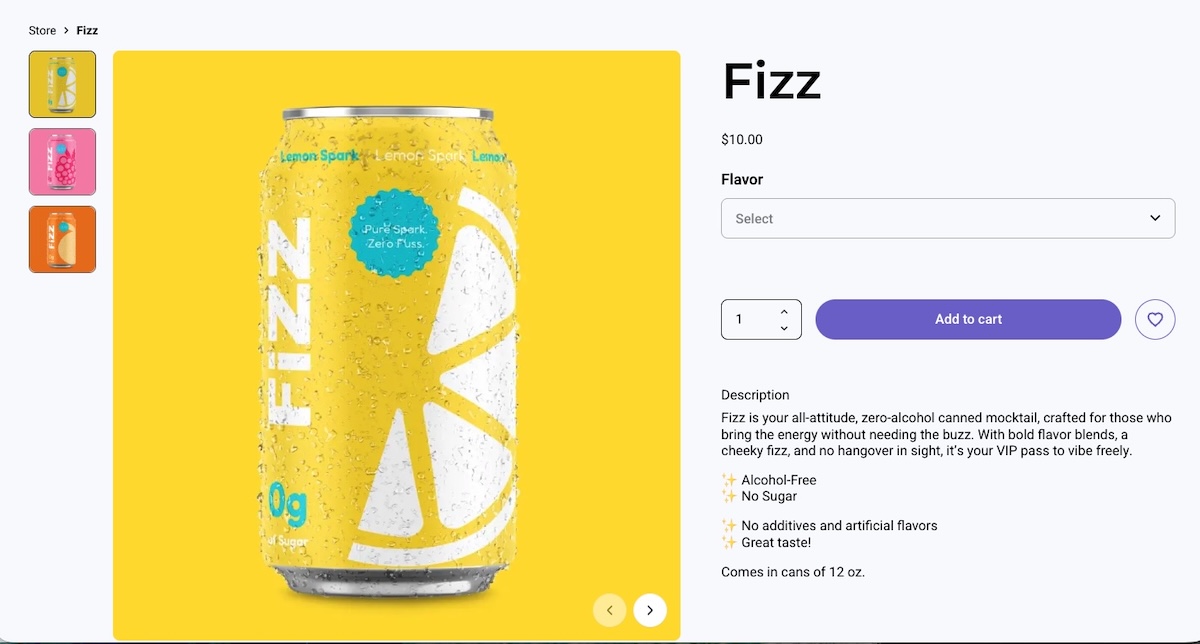
    Example of a product page with an image title description and CTA

    Together, these web pages work like a team: the PLP draws people in, and the PDP assists customers in selecting the right products. Knowing how each product page plays its part can really help you create a smoother customer experience and strengthen your business.

    How Do You Create a Product Detail Page That Converts?

    An effective PDP combines high-quality visuals, clear descriptions, transparent pricing, and strong calls to action, each optimized for the specific audience you’re selling to. The eight elements below cover everything you need to know to get this right, building a PDP that turns browsers into buyers.

    Pro tip: If you’re using an ecommerce platform like SiteGround Ecommerce, many of these best practices are already built into your product detail pages. PDP layouts are pre-designed according to conversion and usability best practices so you can focus on adding great content rather than worrying about structure or technical setup.

    Alright, ready to get attention and encourage those all-important conversions? Let’s start selling!

    1. Capture High-Quality Product Images 

    High-quality images from multiple angles are one of the most direct drivers of purchase confidence. They replace the in-store experience of picking up and examining a product.

    Including real customer photos or letting buyers upload their own images in reviews adds a layer of authenticity that studio shots alone can’t provide. Shoppers get a better sense of how the product looks and performs in real life, which leads to more confident purchases and fewer returns.

    Consider a bike retailer that shows the full bike from multiple angles, includes close-ups of key components like the gears, brakes, and frame joints, and features customer photos of the bike out on the road or trail. That combination gives a prospective buyer far more confidence than a single studio shot ever could.

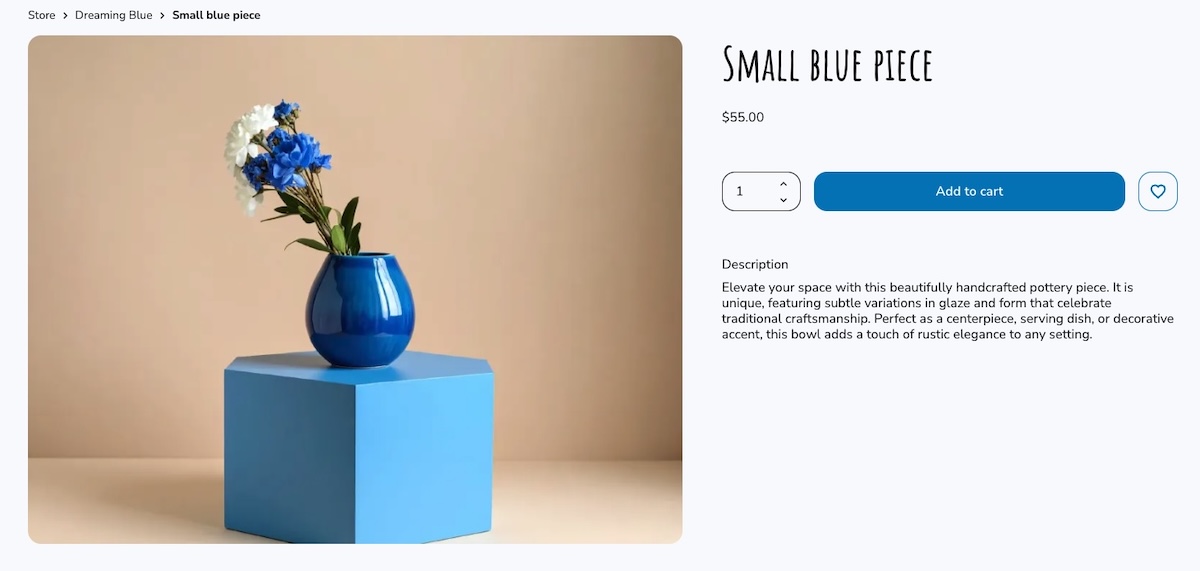
    Example of a product page with multiple product images from different angles

    ✅ Do: Use clear, high-resolution images to highlight product features. 

    ❌ Don’t: Overlook the importance of showing multiple angles and important details.

    2. Craft Clear Key Feature Descriptions

    A good product description highlights the features and benefits that matter most to your specific buyer, and not necessarily every last detail about the product.

    An electronics store, for instance, might need to list specific specs, technical features, and performance comparisons, because that’s the kind of product data tech-savvy shoppers are looking for. 

    On the other hand, a toy aimed at parents should focus more on the emotional experience—how their kids will feel using it, the fun they’ll have, and the kind of memories it might create. It’s really about adapting the message to what matters most to each type of buyer.

    Example of product page with feature copy catered to the audience

    With platforms like SiteGround Ecommerce, product detail pages already include clearly structured sections, making it easier to present information in a way that’s scannable and conversion-friendly.

    ✅ Do: Use bullet points for clarity and quick reading.

    ❌ Don’t: Overload descriptions with unnecessary details and long paragraphs.

    3. Display Transparent Pricing

    Transparent pricing is one of the simplest ways to reduce checkout drop-off. This means showing the full cost upfront, including any discounts and shipping. Everything is clear from the get.

    An important thing worth considering: Try to offer free shipping, even if you’re technically including it in the total price. It’s a small shift, but it can make a big difference. People are much more likely to complete their purchase when they don’t see an extra shipping charge added at checkout. It helps reduce drop-offs right at the final step.

    Imagine a shopper finds a coffee table listed at $150. They’re happy with the price, add it to their cart, and head to checkout—only to be hit with shipping costs they weren’t expecting. That surprise is often all it takes for someone to pause, close the tab, and never come back. Now imagine the same table listed at $169 with free shipping. The shopper weighs it up, decides they’re into it, and completes the purchase. Same cost to them, very different outcome.

    ✅ Do: Ensure all pricing information, including discounts and shipping costs, is prominently displayed and easy to understand. Try to offer free shipping even if it means you have to bump up the price.

    ❌ Don’t: Hide or obscure extra costs such as shipping information, as this can lead to customer frustration and loss of trust.

    Example of a product page with clear pricing including free shipping

    4. Feature Prominent Call-to-Action Buttons

    Your call-to-action (CTA) button is the single most important conversion element on the page. It needs to be impossible to miss and unambiguous about what happens next. Labels like “Add to cart” or “Buy now” work best—they’re direct, action-oriented, and leave no room for confusion.

    A few things make a CTA button work harder: placement, color, and size. It should sit above the fold so shoppers never have to scroll to find it, use a color that contrasts with the rest of the product detail page, and be large enough to tap comfortably on mobile devices (also important for accessible web design). On smaller screens especially, a CTA that’s hard to tap is a conversion you’ve already lost.

    Imagine a shopper who’s already convinced. They’ve looked at the images, read the reviews, and decided they want it. But then they can’t immediately find the button to buy it. That moment of friction, however small, is often enough to break the spell.

    Example of a product page with a clear and noticeable CTA button

    Many modern ecommerce builders, including SiteGround Ecommerce, place CTAs like “Add to cart” and “Buy now” front and center by default, so your product pages naturally guide users toward purchase without extra customization.

    ✅ Do: Use bold colors and clear text for call-to-action buttons to make them stand out.

    ❌ Don’t: Bury call-to-action buttons in cluttered or hard-to-find areas of the web page.

    5. Design for a Clear Page Layout

    A well-structured PDP guides the shopper’s eye naturally from product images to key details to the call to action—without them having to think about where to look next. Getting your website layout right is one of the most impactful things you can do for conversions—when it’s unclear, shoppers lose their place, miss important information, and are less likely to buy.

    Visual hierarchy is what makes this work. Most successful PDPs use a two-column layout—product images on the left, key details on the right. The shopper’s eye moves naturally from the images across to the product name, price, variant selectors, and CTA. Use size and weight to signal importance: a large, bold product title and a clearly styled CTA button should stand out immediately, while secondary information like shipping details or specifications sits further down the product detail page.

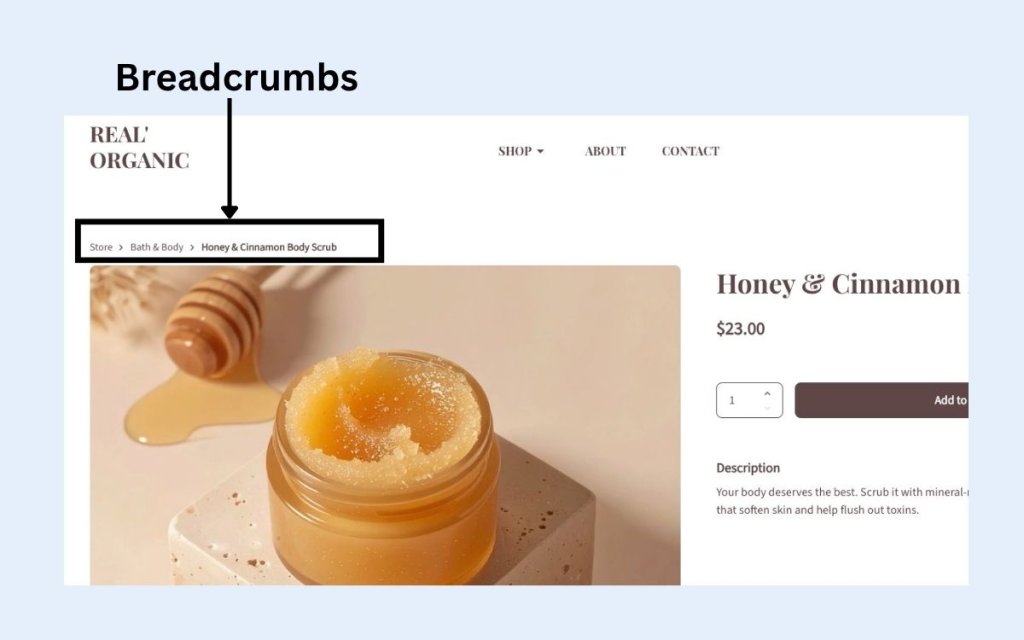
    Breadcrumb navigation is a small but valuable addition. It creates a simple trail like Home > Living Room > Coffee Tables, which tells shoppers exactly where they are on your ecommerce site and makes it easy to jump back to the PLP without hitting the back button.

    Visual example of breadcrumb navigation on a webpage

    On mobile devices, layout becomes even more critical. A sticky add-to-cart bar (that is, a fixed strip at the bottom of the screen that stays visible as the user scrolls) ensures the CTA is always one tap away, no matter how far down the product detail page a shopper has read. Without it, mobile shoppers often have to scroll all the way back to the top to buy, and many won’t bother.

    ✅ Do: Use visual hierarchy to lead shoppers naturally toward the CTA, and keep it accessible on mobile with a sticky add-to-cart bar. 

    ❌ Don’t: Bury key information like price or CTA below the fold or treat desktop and mobile web design as the same thing.

    6. Incorporate Customer Reviews and Ratings

    Most shoppers don’t fully trust a brand talking about its own product. They trust other shoppers. A review from someone who actually bought the product, used it, and came back to share their experience carries a weight that even the best product description can’t match.

    A quick idea to collect customer reviews: some online stores offer a small discount or a reward (like points or free shipping on the next order) in exchange for leaving a review. It’s a simple incentive that can help increase the number of reviews and add more social proof to your product detail pages.

    One more thing worth keeping in mind: don’t filter out negative reviews. A page of exclusively five-star ratings feels curated and raises suspicion. A mix of positive and constructive feedback actually builds more trust, shows the reviews are real, and gives you valuable insight into customer satisfaction that can help you improve.

    ✅ Do: Highlight both positive and constructive reviews to provide a balanced perspective. 

    ❌ Don’t: Filter out all negative reviews, as this can appear inauthentic and reduce trust.

    Example of product detail page with testimonials from happy customers

    7. Offer Additional Information

    Anticipating and answering common shopper questions directly on the PDP removes the friction that causes people to leave and search elsewhere. The goal is to make sure no buyer has an unanswered question by the time they reach the CTA.

    Think beyond the product description itself: a size guide, compatibility notes, care instructions, shipping costs and shipping options (standard, express, free over a certain threshold), returns information, related product suggestions, and customer FAQs all serve a purpose. Each one removes a reason to hesitate.

    Consider a shopper buying a winter jacket. They love it but they’re between sizes—and there’s no size guide. They guess, order it, it doesn’t fit, and they return it. Now imagine the same page includes a size guide and a note saying “this style runs slim, size up if in doubt.” The shopper sizes up confidently, the jacket fits, no return needed. A small addition that saves everyone time and money.

    ✅ Do: Provide clear and accessible resources to enhance customer understanding and confidence. 

    ❌ Don’t: Overwhelm new customers with excessive or irrelevant information that can lead to confusion.

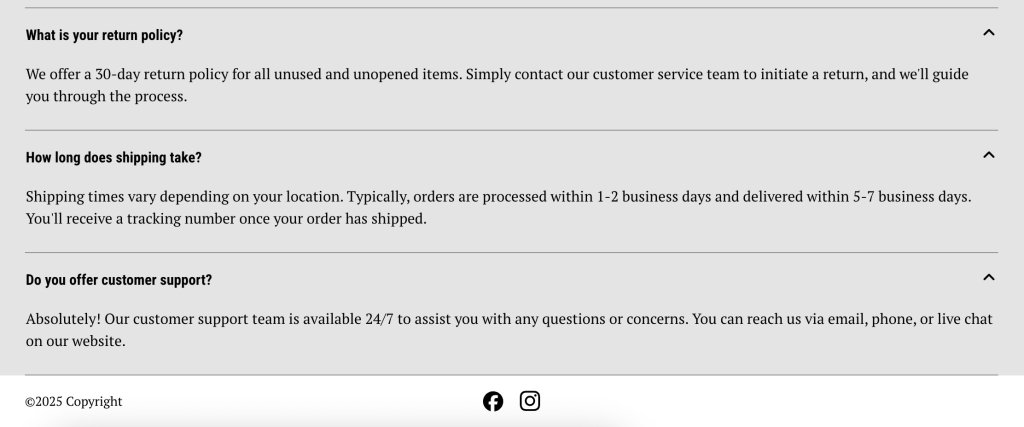
    Example of FAQs on a product detail page

    8. Optimize for Performance

    Page speed is a direct conversion factor. Yep. A slow-loading PDP loses shoppers before they even see the product. According to Google research, 53% of mobile visitors will abandon a page that takes longer than 3 seconds to load—and that’s a threshold most unoptimized sites fail to meet.

    The good news is that most performance gains come from a handful of practical steps: compressing images without sacrificing quality, choosing a reliable hosting provider, and keeping your code lean.

    If your ecommerce platform handles performance optimization at the infrastructure level (like SiteGround Ecommerce does) features such as image optimization, fast loading, and reliable hosting are already baked into your product detail pages.

    ✅ Do: Focus on fast loading times to keep shoppers engaged and reduce bounce rate.

    ❌ Don’t: Ignore performance issues—a slow PDP costs you sales regardless of how good the product is.

    Wrapping It Up: How to Make the Most of Your Product Detail Page

    The best product detail pages are built around customer expectations. When shoppers find everything they need, presented clearly and without friction, the decision to buy becomes easy. 

    With these best practices at your fingertips, you’re ready to create an effective product detail page that improves both conversions and customer satisfaction. Try out these tips, and you might just see your conversion rates climb.

    And if you want to put these ideas into action without building everything from scratch, SiteGround Ecommerce makes it easier. Product pages are already designed according to ecommerce best practices, so layouts, calls to action, and key elements are in place from the start. That means you can focus on your products and content, while the platform takes care of the structure behind the scenes.

    FAQs About Product Detail Pages

    What should a product detail page include?

    A great product detail page should include high-quality images, a clear product description, transparent pricing, available variants (such as size or color), customer reviews, and a prominent call-to-action button like “Add to cart” or “Buy now.”

    What’s the difference between a PDP and a PLP?

    A product listing page (PLP) displays multiple products for browsing and comparison, while a product detail page (PDP) focuses on a single product and provides all the information a shopper needs to make a purchase decision.

    How do product detail pages affect conversion rates?

    A well-optimized PDP directly improves conversion rates by removing doubt and answering every question a shopper might have before buying. Poor PDPs (with low-quality images, hidden fees, or unclear CTAs) push buyers toward competitors.

    How long should a product description be?

    There’s no fixed length, as it depends on the product and audience. Complex products like electronics benefit from detailed specs, while simpler or lifestyle products need only a few sentences focused on benefits and emotional appeal. The key is to include exactly what your buyer needs, nothing more.

    How do I do SEO for ecommerce product pages?

    Use your primary keyword naturally in the product title, H1, description, and image alt text. Add structured data markup, encourage customer reviews for fresh content, and ensure the product detail page loads fast, especially on mobile.

    Do customer reviews really make a difference on a PDP?

    Yes! Reviews are one of the strongest trust signals on a product detail page. They provide social proof that reassures hesitant buyers, and a mix of positive and constructive reviews tends to build more credibility than a page of exclusively five-star ratings.

    This article was originally published in June 2025 and then updated in May 2026

    Email Marketing Benchmarks: What Matters (And What Doesn’t)

    I’ve been running email campaigns for seven years. Product launches, educational series, engagement campaigns for passive subscribers, you name it. And I’m here to tell you something that might surprise you: email marketing benchmarks don’t always tell the whole story.

    Not because the numbers are wrong. They’re not. But because they’re missing the context that actually matters.

    Think of email marketing benchmarks as helpful guidelines rather than strict rules. Understanding when to pay attention to industry standards and when to trust your own data can transform your email marketing from stressful to strategic.

    Let’s dive into what really matters for your email success—and what you can simply stop worrying about. 

    [35]

    The Smart Way to Use Email Marketing Benchmarks

    Email marketing benchmarks serve an important purpose: they give you context. When you’re just starting out or launching a new campaign, it’s normal to wonder if a 25% open rate deserves high fives or if it’s just plain concerning. Industry benchmarks help answer that question. 

    Most marketing emails will see open rates between 20-30%, with click-through rates typically ranging from 3-5%. But these email marketing benchmarks vary significantly based on industry, audience size, and email frequency.  

    So you shouldn’t panic if your open rate is “below industry average.” You should focus on what actually matters for you. For example, an email newsletter with a 42% open rate might generate only three sales, while promotional emails with no higher than a 28% open rate bring in 15 times more. Which campaign is more successful? The math is obvious, isn’t it?  

    What the Numbers Actually Tell You

    When you realize how much revenue a well-executed email strategy can generate compared to its cost, it’s clear why so many businesses prioritize it. But the real value lies in understanding what makes it so effective.

    Companies seeing the highest returns, share some common traits:

    • They dedicate substantial resources to email
    • They send emails consistently
    • They use segmentation to target their messages
    • They measure revenue per email, not just vanity metrics like open rates

    The takeaway here is that it’s not about hitting a magic number. It’s about understanding the relationship between investment, strategy, and results. And that’s where metrics come, and especially understanding which benchmarks you should really pay attention to.

    9 Email Marketing Metrics + the Benchmarks that Matter

    1. Open Rate


    Formula: (number of opens / number of delivered emails) x 100

    Let’s start with a metric that can easily get more attention than it probably should: the open rate. Quite simply, it represents the percentage of email recipients who actually opened your email. 

    But here’s the thing: open rates just aren’t as reliable as they used to be. Thanks to Apple’s Mail Privacy Protection and security bots from Gmail and Yahoo, many opens are now false or inflated. That doesn’t make them useless—they’re still helpful for spotting deliverability issues and comparing subject line performance—but they’re no longer the gold standard.

    • Good Open Rate: 20-30% (varies significantly by industry)
    • Red flag: Below 15% or sudden drops of more than 10% points from your normal performance

    Now, instead of obsessing over potentially inflated open rates, successful email marketers focus on metrics that show real engagement. Let’s move on to those metrics that reveal the most.  

    2. Click-Through Rate (CTR) 


    Formula: (clicks / delivered emails) x 100

    This metric shows actual engagement, as it tells you what percentage of people clicked on a link in your email after receiving it. And while bots could inflate clicks, it’s not as excessive as with open rates. This is one of the metrics that best measures campaign effectiveness.

    • Good CTR: 2-5% (varies significantly by industry)
    • Excellent CTR: 5%+
    • Red flag: Below 1%

    3. Click-to-Open Rate (CTOR)


    Formula: (clicks / opens) x 100

    This metric shows how effective your email content is at driving clicks after someone opens the email—in other words, it reflects the percentage of true email engagement with your content. It’s one of the best indicators of whether your email delivers on the promise made by your subject line. A high click-to-open rate means you set the right expectations from the start, and that you followed through. 

    • Good CTOR: 10-15%
    • Excellent CTOR: 20%+
    • Industry leaders: Professional Services (27%), Consulting (26.5%)

    4. Conversion Rate


    Formula: (conversions / delivered emails) x 100

    Did your email achieve its goal? Maybe your goal was to make a sale, encourage a download, or get someone to sign up—each email can have its own goal, and it can be whatever objective you choose. At the end of the day, it’s the metric that truly matters for your business. 

    • Typical range: 2-5% (highly dependent on industry and goal)

    5. Revenue Per Email


    Formula: (revenue generated / emails sent) 

    This is the metric that pays the bills—the one that justifies your entire email program. After all, it shows how much revenue your emails generate, directly connecting your email efforts to the bottom line of your marketing funnel.

    • Ecommerce average: $0.10 – $0.50 per email
    • SaaS average: $0.20 – $1.00 per email 
    • Strong performance: $1.00+ per email 

    Having reviewed all the metrics thus far, it’s important to keep in mind that the above benchmarks vary dramatically by industry, product price, and audience size.  And while engagement metrics—like the ones we’ve just covered—can be debated, deliverability benchmarks are non-negotiable. These are the foundation of any successful email program. So let’s move on to the deliverability benchmarks you must keep an eye on.

    6. Delivery Rate 


    Formula: (delivered emails / total emails sent) x 100

    This metric measures email deliverability via percentage of emails that are successfully delivered to recipients’ inboxes (not bounced or blocked). It’s the foundation of email performance because if your emails aren’t being delivered, nothing else matters. A strong delivery rate signals healthy list hygiene and good sender reputation.

    • Aim for 98% or higher  
    Email deliverability you at trust - SiteGround

    7. Bounce Rate


    Formula: (bounced emails / total emails sent) x 100

    The bounce rate represents the percentage of emails that couldn’t be delivered to recipients—either because the address is invalid (hard bounce) or there’s a temporary issue (soft bounce). A low bounce rate is a good indicator of email list quality, whereas a high one can damage your sender reputation with inbox providers, making it harder for future emails to land in the inbox.

    • Keep it under 2% 

    8. Spam Complaint Rate 


    Formula: (spam complaints / delivered emails) x 100

    When recipients mark your email as spam, it signals to inbox providers that your messages may be unwanted. Even a small number of complaints can harm your sender reputation and drastically reduce deliverability. ISPs take this metric seriously—consistently high rates can land your emails in the spam folder or block them altogether.

    • Stay within 0.1-0.2%

    9. Unsubscribe Rate 


    Formula: (unsubscribes / delivered emails) x 100

    When someone chooses to stop receiving your emails, it’s recorded as an unsubscribe. While it might feel like a loss, it’s actually a sign that your list is getting more focused—and that’s a good thing. Unsubscribes are far less harmful than spam complaints, and making it easy for people to opt out shows respect for your audience and supports long-term deliverability.

    • A rate between 1–2% is typical

    Pro tip: Want to reduce your bounce rate and number of unsubscribes? Add a double opt-in to your sign up process, as it ensures the people who sign up genuinely want to be on your list.

    Top Email Benchmarks By Industry

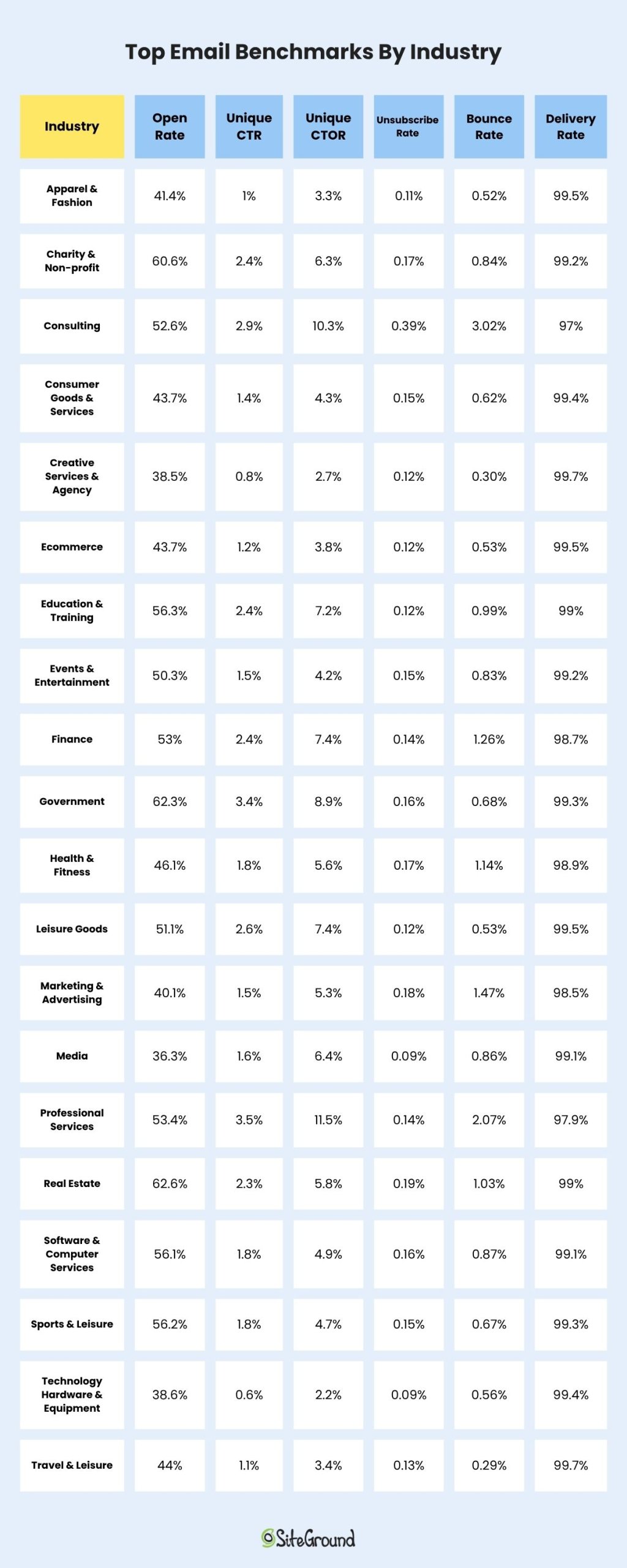
    Now that we know the statistics that actually matter, here’s what typical email marketing benchmarks look like, according to DotDigital’s Global Benchmark Report 2025. 

    These email marketing benchmarks by industry represent comprehensive email marketing statistics from real campaigns, showing how average email open rates and click rates vary significantly across sectors.

    Average Performance:

    • Unique Open Rate: 32.8%
    • Unique Click Rate: 1.3%
    • Unique CTOR: 4% 
    • Unsubscribe Rate: 0.13%
    • Bounce Rate: 0.73%
    • Delivery Rate: 99.28%
    Top Email Benchmarks By Industry

    You can see the full list here. 

    But there’s a lot these numbers don’t tell you. The benchmarks above lack context about audience size, demographics, send frequency, email client (Gmail, Apple, Yahoo, Outlook, etc.) breakdown, or content type. Your specific situation might be completely different. 

    Case Study: When Lower Metrics Lead to Higher Success

    Here’s a case study that might surprise you. In the near past, our team created a four-day email course, called “Grow Your Business Online,” which educated subscribers on practical marketing tactics like content audits, SEO optimization, landing page creation, and email marketing fundamentals. Each day of the course delivered pure value with actionable steps and checklists.

    The course had only a small hosting banner at the bottom of each email. No hard sell. No pushy CTAs. Just valuable education with a subtle mention of our services.

    The results? Click rates were lower than our sales emails. But the course subscribers became our highest-converting customers. Why? Because we built trust through consistent value delivery. When they needed hosting, we were the obvious choice.

    The lesson: relationship-building emails might underperform on immediate metrics but overperform on lifetime value. Sometimes the best sales strategy is not selling at all.

    Not sure where you are in the relationship-building process with your customers? Pay special attention to the email customer journey. Sometimes customers might be in an educational stage, while others are more likely on the brink of decision. Knowing this can also change the lens through which you evaluate your metrics.

    Complex Metrics Made Simple

    You don’t need to constantly compare against industry standard email open rates or get overwhelmed by email marketing statistics. You also don’t need a mathematics degree to track what matters.

    Here are some basic email marketing metrics and approaches that you can easily start with. Ask these questions below and find the answers in the metrics:

    For every campaign:

    • Did people engage? Check CTR. 
    • Did we deliver on our promise? Check CTOR. 
    • Did we achieve our goal? Check conversions. 

    Review monthly:

    • Are we reaching inboxes? Check delivery rate. 
    • Is our list healthy? Check bounce rate. 
    • Are people happy? Check unsubscribe and spam rates. 

    Evaluate quarterly:

    • What’s our revenue per email? 
    • Which segments perform best?
    • What content drives action?

    While email marketing benchmarks by industry provide useful context, your email performance metrics should be measured against your own baseline rather than just average email open rates across your sector.

    Build Your Own Benchmarks

    Experienced email marketers build their own benchmarks, but honestly anyone can do it. Below, I’m summarizing in four steps how you can easily build your own email marketing benchmarks:

    1. Establish YOUR baseline: Track your metrics for 3-6 months without major changes
    2. Separate by type of email: Educational emails perform differently than promotional ones
    3. Note your patterns: Understand your audience’s unique behavior
    4. Improve gradually: Aim to beat your own records, not industry averages

    Once you know your normal performance, you can run meaningful tests and actually know if they worked.

    An Action Plan To Begin With

    In order to move beyond the benchmark expectations, I suggest you follow the below roadmap. This action plan has proven successful for me in every email marketing project I’ve worked on. 

    Week 1-2: Audit Your Current State

    • Check your deliverability metrics first (they’re fundamental)
    • Note your current CTR and conversion rates
    • Don’t change anything yet, just observe

    Week 3-4: Pick One Metric to Improve

    • Start with CTR (it’s easiest to impact)
    • Test one element per email only: subject lines, send times, or CTAs
    • Compare to YOUR own baseline, not industry standards

    Month 2: Scale What Works

    • Continue with the changes that were successful
    • Begin basic segmentation (engaged vs. unengaged is a great start)
    • Keep tracking against your own benchmarks

    Ongoing: Build Relationships, Not Just Lists

    • Focus on value-first content
    • Make unsubscribing easy 
    • Remember that trust drives long-term results

    Relationships Beat Email Marketing Benchmarks

    What really matters in email marketing is building genuine connections with your subscribers, providing value, and always respecting their inbox. 

    A 22% open rate that builds trust and drives revenue beats a 40% open rate achieved through misleading subject lines—every single time.

    And try to remember:

    • Open rates are inflated and are getting less reliable
    • CTR shows real engagement
    • Your best benchmark is your own past performance
    • Deliverability metrics are non-negotiable
    • Strategies that prioritize value for your subscribers always win long-term

    The most successful email marketers I know barely talk about industry benchmarks. They talk about their subscribers, their content strategy, and their continuous improvements. 

    Great email marketing really happens not by chasing someone else’s average, but by consistently delivering value to the people who chose to hear from you.

    After all, behind every click is a real person who trusted you with their inbox. Honor that trust, and the metrics will follow.

    FAQs about Email Marketing Benchmarks

    What are average email open rates by industry?

    Average email open rates vary significantly by industry. Nonprofits see around 40% open rates, while ecommerce averages 30%. Education and training industries typically achieve 35-36% open rates, and business & finance sectors average 31%. These email marketing benchmarks by industry provide context, but your specific audience behavior matters more than hitting these averages.

    What is a good click-through rate for email marketing?

    A good click-through rate typically ranges from 2% to 5%, but this can vary depending on the industry and the type of content being sent.

    How can I improve my email open rates?

    Use compelling email subject lines with personalization, test different variations through A/B testing, and send emails at optimal times based on your audience’s behavior.

    How do privacy changes impact email marketing metrics?

    With enhanced email privacy features, open rate accuracy can be affected. It’s important to adapt your strategies and focus on other metrics like CTR and CTOR for a comprehensive view.

    What email marketing metrics should I track instead of just open rates?

    Focus on metrics that show real engagement: Click-through rate (CTR), click-to-open rate (CTOR), conversion rate, and revenue per email. These email performance metrics provide more reliable insights than open rates, which can be inflated by privacy features and email bots.

    How often should I compare my metrics to email marketing benchmarks?

    Check email marketing benchmarks by industry quarterly for context, but track your own performance monthly. Your email marketing statistics should improve against your own baseline rather than constantly chasing industry standard email open rates. Build your own benchmarks based on 3-6 months of consistent data.

    Top Personal Website Examples + What to Learn from Them

    abstract of a personal website

    A personal website is the modern, upgraded version of a business card—but with far more impact, and of course a lot more digital bells and whistles. It’s your first impression, your introduction, and your invitation to connect. And, unlike social media, which can dilute your message or limit your control, a personal website gives you full ownership of how you present yourself online. It’s your space to clearly show who you are, what you do, and why it matters—on your terms.

    In this guide, we’ll explore standout personal websites and break down the strategies that make them work. You’ll discover how to create a site that reflects your personality and professionalism—one that supports your goals and sets the foundation for future marketing, networking, or business opportunities.

    Key takeaways:

    • A strong personal website starts with a clear purpose and messaging that instantly tells visitors who you are and what you offer.
    • Focused calls to action and thoughtful structure guide visitors smoothly toward the next step.
    • Social proof, experience, and real examples build trust faster than claims alone.
    • Consistent branding and storytelling make your site feel personal, credible, and memorable.
    • Performance matters: a great personal website must be fast, mobile-friendly, accessible, and easy to use.

    What is a Personal Website?

    A personal website is your own corner of the internet—built to reflect your work, your voice, your goals, and your offerings. It brings together your expertise, experience, and personality in one clear, professional space you control, helping you make the right impression and move your work forward.

    Use this online space to showcase your skills, win new clients, and launch fresh ideas. Far beyond an online resume, it’s a living asset that powers your business, career, and creative work every day.

    Best Personal Website Examples and What They Teach Us

    Let’s take a look at some standout personal website examples and ideas, and break down what they do well so that you can apply the same principles to your own.

    Takeaway #1: Start With a Crystal-Clear Purpose

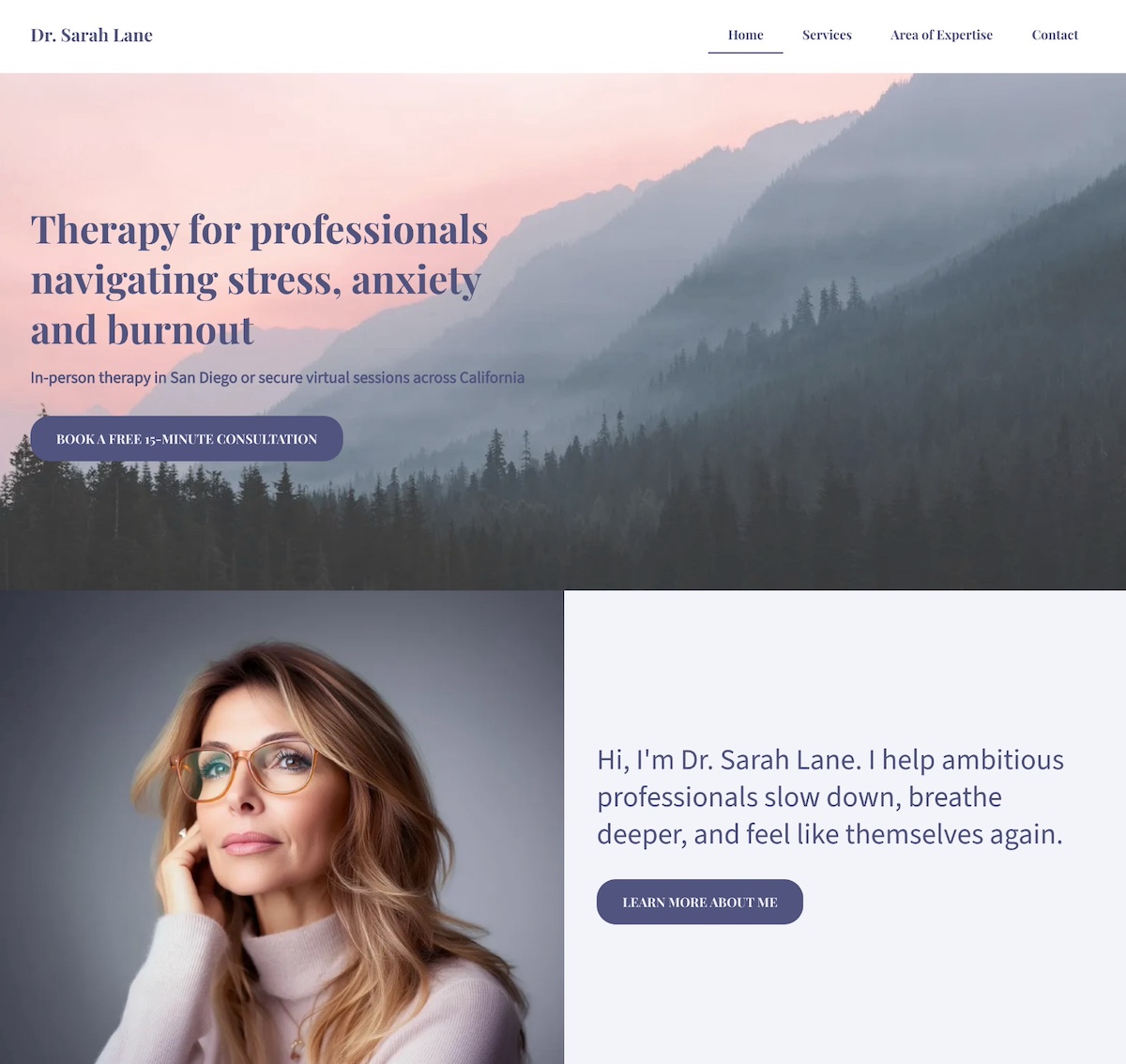
    personal website example with a crystal clear purpose

    When your unique selling proposition is crystal clear and consistently reinforced, your personal website becomes more than a bio, and instead becomes a magnet for the right audience. 

    The personal website example above shows exactly what it looks like to put your unique selling proposition front and center. As you can see, it’s clear, consistent, and built to connect with the people she’s best equipped to help. Let’s examine. 

    Leads With a Clear, Specific Promise

    The homepage opens with confidence and clarity: “Therapy for professionals navigating stress, anxiety, and burnout.” There’s no ambiguity: the unique selling proposition is immediately obvious, letting visitors know exactly who the professional helps and how.

    Defines the Audience and Approach

    Within seconds, the site communicates three essentials:

    • Who she helps: Ambitious professionals
    • What she helps with: Stress, anxiety, and burnout
    • How and where: In-person in San Diego or virtually across California

    This specificity builds trust fast, especially for busy people looking for someone who truly understands their reality.

    Backs It Up With Consistent Visuals and Language

    From the calming color palette to the warm, welcoming copy, and easy-to-scan website layout, everything reinforces the core message. Additionally, a friendly photo appears alongside this line: “I help ambitious professionals slow down, breathe deeper, and feel like themselves again.” It’s approachable, empathetic, and immediately relatable.

    The Final Takeaway

    This website doesn’t just say the person helps overwhelmed professionals, rather it shows it, through focused messaging, calming design, and a seamless user experience. The unique selling proposition is consistent, visible, and deeply aligned with the ideal client’s needs. Ultimately, this personal website feels reassuring, credible, and completely representative of the person behind it.

    Overwhelmed by having to tackle effective copywriting that really conveys your purpose? With the SiteGround Website Builder’s AI writer, you can craft great copy as you create your site, no hassle. Plus, you get reliable hosting, excellent support, and a free domain for the first year — everything you need to launch a polished, professional website with ease.

    Get started today>>

    Takeaway #2: Add a Focused Call to Action

    personal website example with a focused call to action

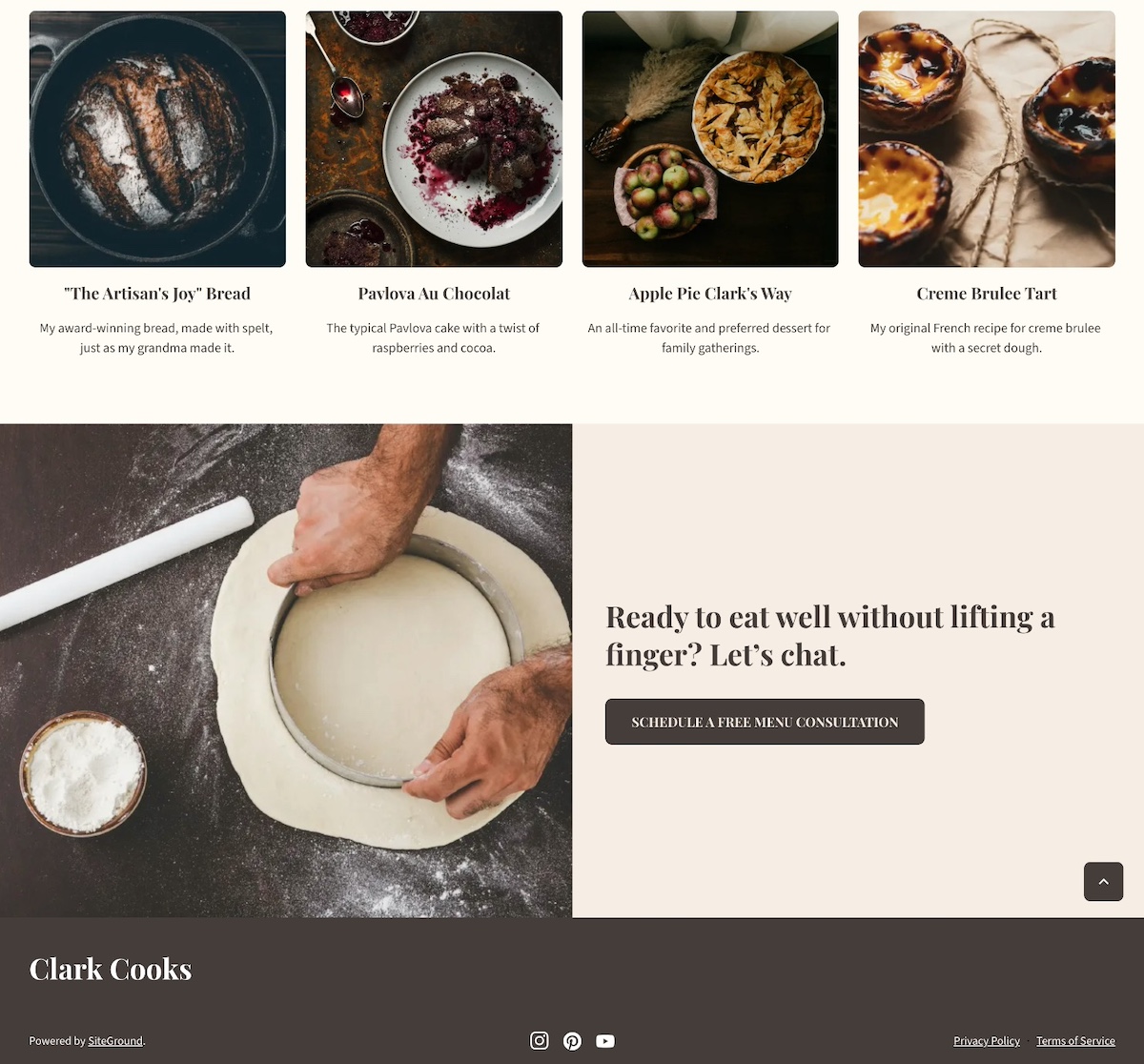
    This personal chef keeps his homepage design and message simple and sharp. It keeps visitors  focused on one clear next step: booking a free, customized menu consultation. Right from the start, the site shows that his services are personal, convenient, and ideal for busy families who want to eat well without the hassle. How can you replicate this? 

    A Headline That Sets Up the Next Step

    The homepage headline—“Fresh, Custom Meals — Cooked in Your Kitchen”—does more than describe the service. It frames the offering clearly and compellingly, making it easy for visitors to understand what’s next and why they should take action.

    A Focused, Repeated CTA

    The real strength lies in the effective call to action (CTA): “Schedule a Free Menu Consultation.” It’s the only CTA above the fold and repeats throughout the page—no competing buttons, no distractions. Just one confident invitation that feels valuable and low-pressure.

    personal website example with a closing call to action


    A Consistent Closing Prompt

    Near the footer, a friendly line ties it all together: “Ready to eat well without lifting a finger? Let’s chat.” The same CTA button appears again, keeping the next step super clear.

    The Final Takeaway

    This website is a great example of how one well-placed call to action is more powerful than a dozen scattered options. The visual hierarchy leads with clarity, delivers value, and keeps visitors focused—all while making the process feel personal, simple, and stress-free.

    Takeaway #3: Include Testimonials & Social Proof

    example of a personal website with testimonials

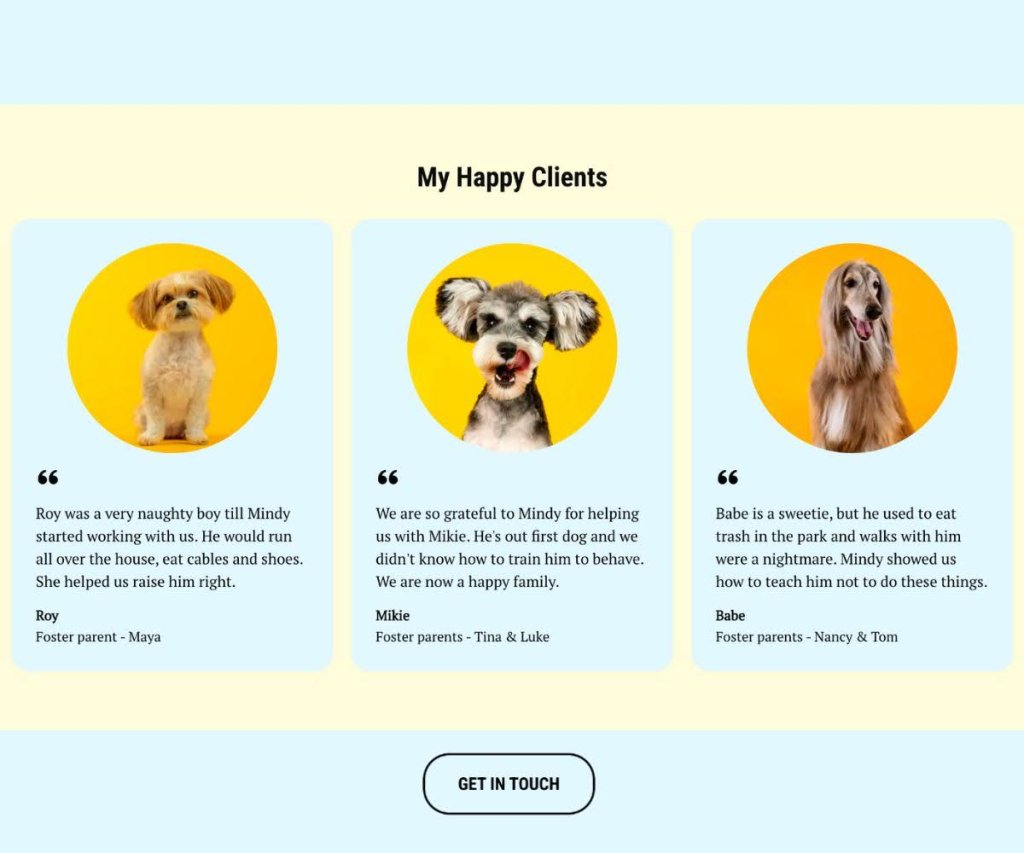
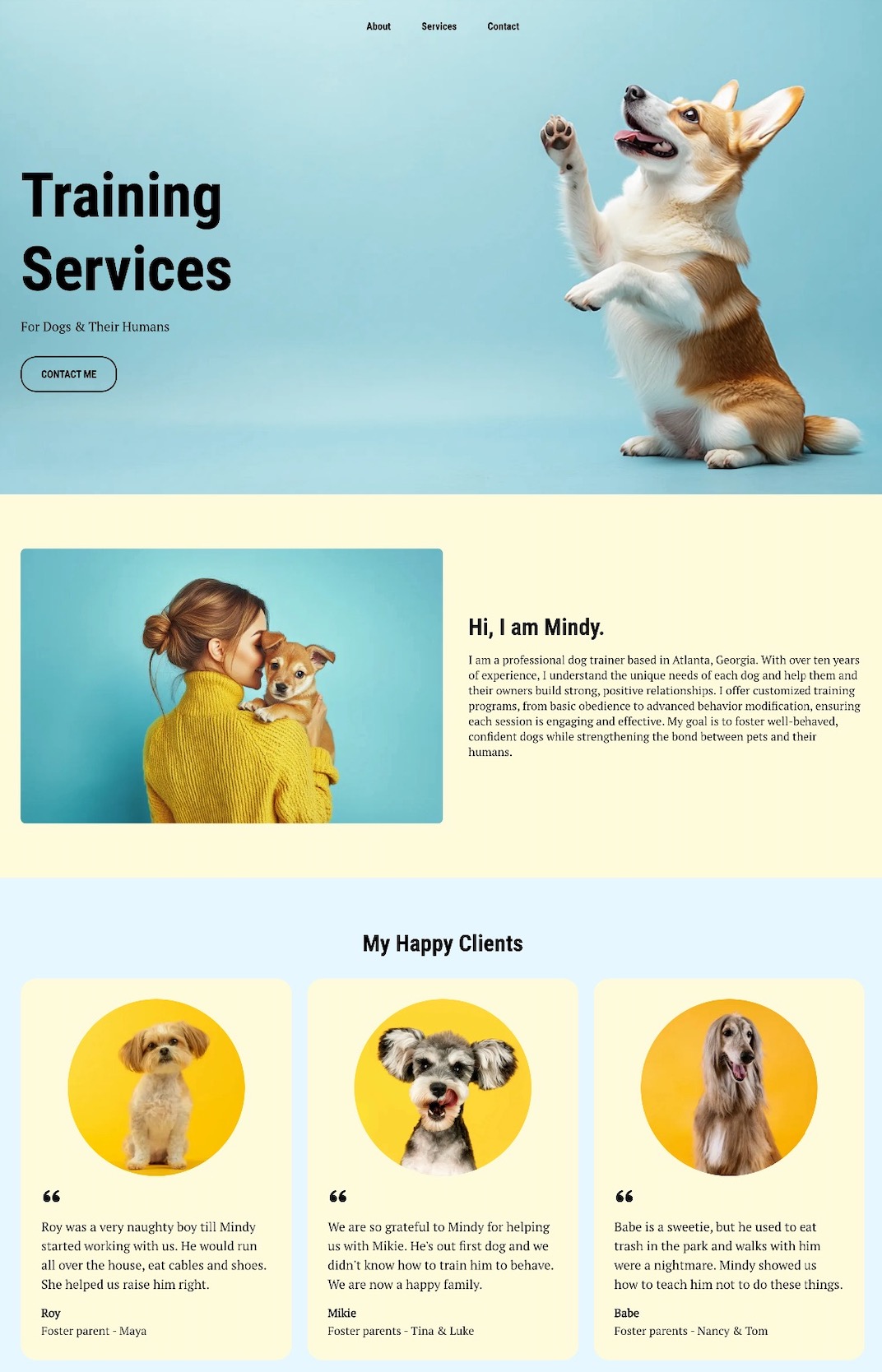
    This dog walking website shows—rather than just tells—this person is great with dogs. Right below the hero section and introduction, glowing testimonials from local clients take center stage, complete with names and happy-dog photos that add authenticity. Indeed, including social proof like this is an essential website design tip.

    Specific, Relatable Testimonials

    These reviews go beyond generic praise. One client shares how Mindy helped their dog curb a habit of eating everything in sight. Another highlights how Mindy guided a new dog owner through training basics. The stories feel genuine and relatable.

    Visual Proof That Builds Trust

    Alongside the testimonials, in-brand photos of happy dogs create a warm, trustworthy vibe that visitors can connect with instantly.

    Opportunities to Boost Social Proof

    While this site nails testimonials and visuals, it could go a step further by adding logos from past clients like local vets or shelters, quick case studies (“Max went from leash-puller to walking pro in 3 weeks!”), or result-focused blurbs (“95% of repeat clients rebook within the first month”).

    The Final Takeaway

    This personal website example doesn’t rely on clever sales copy; it lets happy clients (and their even happier dogs) do the talking. Social proof is front and center, building trust without a single hard sell. The result is a site that feels friendly, credible, and totally walk-worthy.

    Takeaway #4: Infuse Your Personal Brand

    example of a personal website with a strong brand

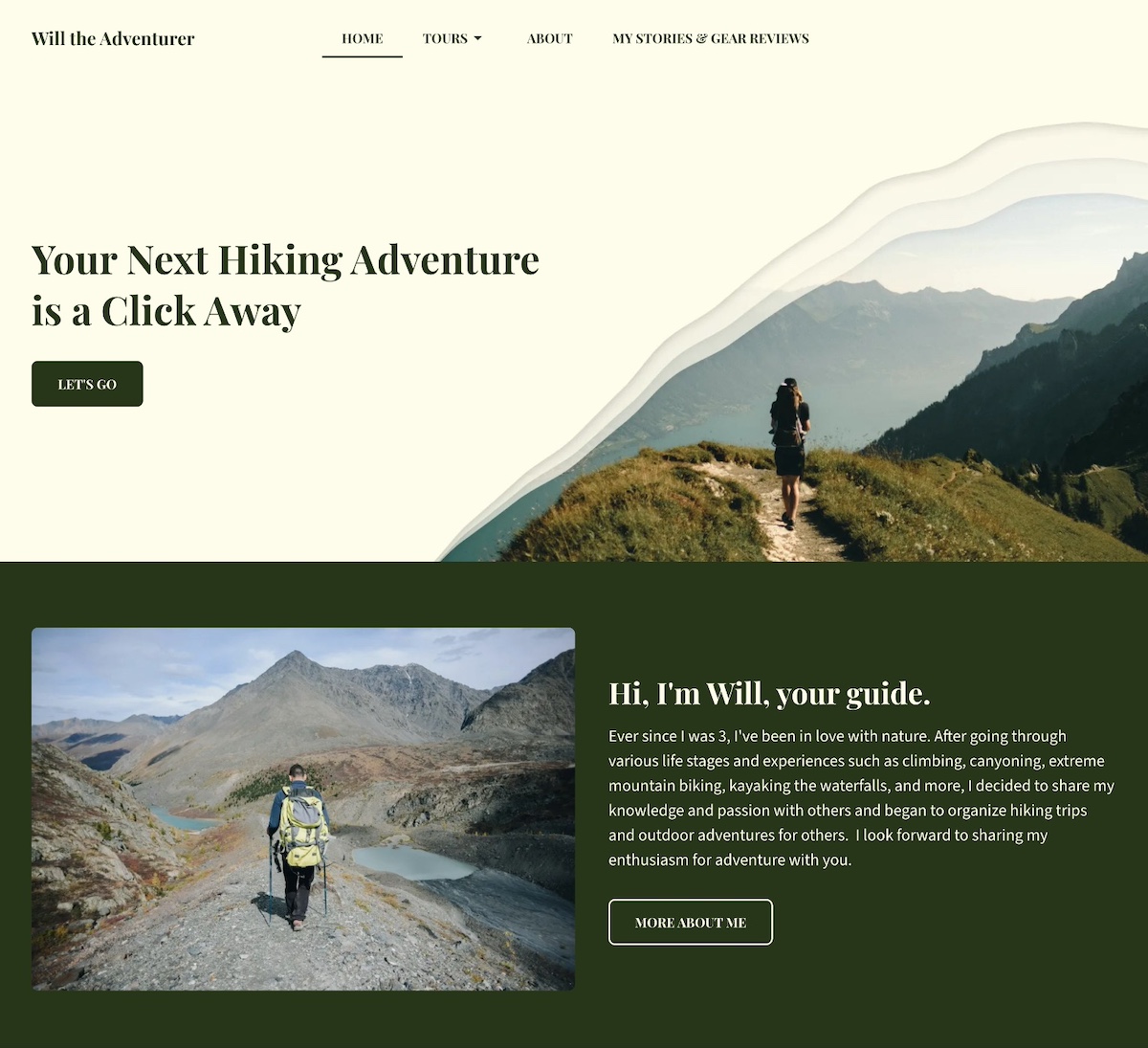
    This personal website example doesn’t just talk about outdoor adventure, it feels like one. Every detail reinforces the site owner’s personal brand as a trusted, nature-loving guide who leads unforgettable experiences in the wild.

    Visual Branding That Speaks to Nature

    The color palette sets the tone immediately. Rich, earthy dark green paired with off-white backgrounds evokes forests, maps, and classic outdoor gear. The hero section features bold text and a design inspired more by topography than technology. It’s rugged, grounded, and distinct.

    Authentic, On-Brand Photography

    The site is filled with striking, on-brand photos of people hiking alpine meadows, summiting peaks, and journeying through wild terrain. These images aren’t generic stock shots but instead lived-in moments that reinforce the connection to nature and adventure.

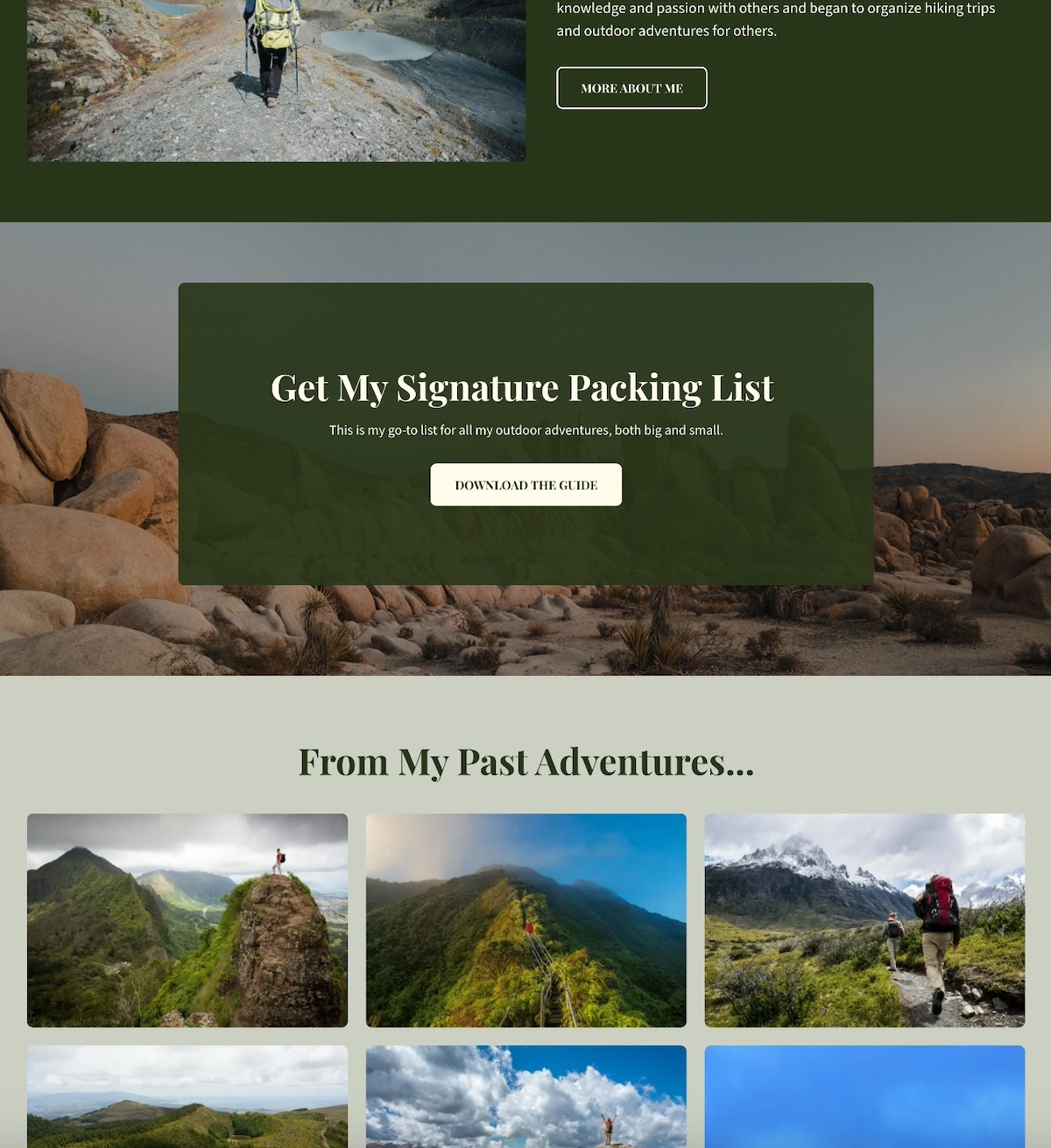
    personal website example with lead magnet

    Personal Brand Elements That Elevate

    The design of this site goes the extra mile with added elements to build the brand, including:

    • A signature packing list offered as a downloadable PDF (which is also great for lead generation)
    • A journal-style blog sharing gear reviews and stories from past hikes (a bonus for getting started with SEO)
    • A warm, welcoming intro that sets the right tone

    These features aren’t flashy add-ons; they’re thoughtful choices that tell a clear, cohesive story about who this person is, and what kind of experience visitors can expect.

    The Final Takeaway

    This website example feels extra personal and professional, as every visual, word, and detail reflect the brand with clarity and consistency. Strong personal branding basics don’t need anything fancy—just a clear point of view and thoughtful execution.

    Takeaway #5: Create a Memorable About Section

    personal website example with a memorable about page

    A memorable personal website About page does more than share facts—it connects with visitors on a human level and clearly communicates who you are and why you do what you do. The above About page is a great example of how to make that connection with warmth right from the start.

    Opens With Heart and Clarity

    This About page opens with heart: “Hi, I’m Kate Mason — a digital marketer who believes the heart of great marketing is real human connection.” That one line instantly sets the tone—warm, confident, and personal. 

    Leads With a Story, Not a Résumé

    Rather than listing qualifications or jargon, this example leads with a real-world story: helping a struggling local business grow by focusing on connection over clicks. It’s a powerful way to show what the person offers and why it matters—and without ever saying, “I’m results-driven.” The results speak for themselves.

    States a Human-Centered Mission

    The mission is clearly stated and refreshingly human: “To help brands tell authentic stories that build trust, spark engagement, and drive growth.” It’s simple, direct, and immediately tells you what they are all about.

    Adds Personality With Light Touches

    Light personal touches are also weaved in—a love of hiking, coffee, and a favorite quote from Seth Godin—that make the page feel approachable and real without straying from the brand voice.

    Closes With a Warm Invitation

    The About section closes with a low-pressure, inviting CTA: “Feel free to explore my work or get in touch — I’d love to hear about your story.”

    Everything you see on this About page feels intentional, honest, and connection-focused.

    The Final Takeaway

    This personal website About page doesn’t try to impress with credentials alone. Instead, it invites visitors into the person’s world with a relatable story, a clear mission, and a human touch. It builds trust, creates connection, and mirrors exactly what is being offered as a marketer—genuine, people-first storytelling.

    Takeaway #6: Show Your Experience

    example of a personal website showing experience

    This personal website example makes one thing clear: this isn’t just a photographer—it’s a seasoned creative with real credentials, published work, and a proven eye.

    Credibility Highlighted With Purpose

    More than just an About page, this personal website includes an Awards & Recognition page. It highlights notable awards, major exhibitions, and editorial features that immediately build trust. Each accolade signals that his work isn’t just beautiful—it’s respected and recognized in the industry.

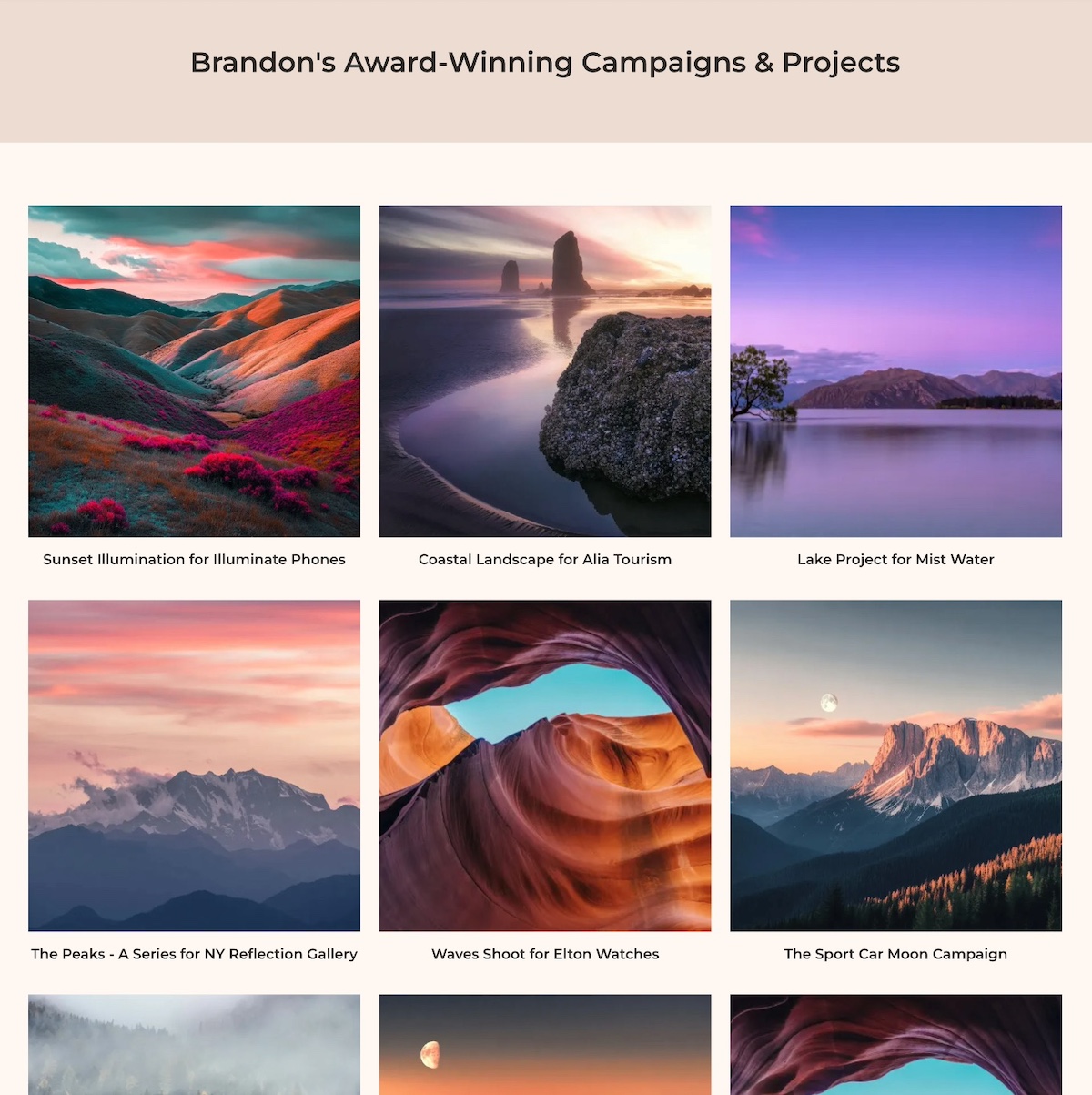
    personal website example with a portfolio

    Showing Experience Through Work

    Experience isn’t just something you say—it’s something you show. Brandon’s portfolio features a curated grid of campaigns and photoshoots, presented cleanly and intentionally to let the work speak for itself.

    Context That Adds Meaning

    Each project links out to a brief description outlining not just the shoot, but the client, creative direction, and how the visuals supported the brand. This context helps visitors understand why his work matters, not just what it looks like.

    The Final Takeaway

    This example website doesn’t just claim experience—it proves it. By showcasing awards, exhibitions, and thoughtful project details, it builds credibility without any hard selling. If you’ve done great work, let it show. Evidence earns trust far faster than adjectives ever could.

    Takeaway #7: Make it Mobile-Optimized & High-Performing

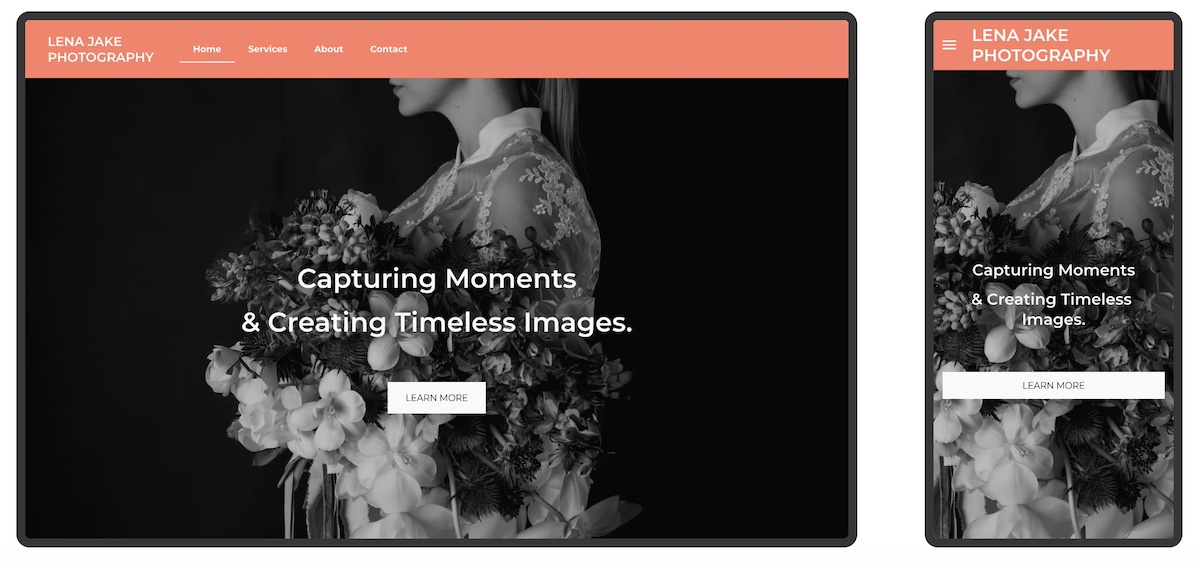
    example of a personal website that is mobile optimized

    This photographer’s website goes beyond looking great on desktop, and also performs beautifully on mobile. And that makes all the difference.

    Seamless Mobile Experience

    From the moment visitors arrive, the hero image resizes perfectly to fit smaller screens without cutting off important details. The headline stays crisp and readable, while the call to action—“Book a Session”—remains easy to find and tap. Even the navigation menu adapts, collapsing into a clean, user-friendly mobile version.

    Built With Mobile in Mind

    It’s obvious this site wasn’t just adapted for mobile after the fact—it was designed to shine on any device from the start. With over 60% of visitors browsing personal websites on their phones, having a mobile-optimized site is super important. Alternatively, a site that breaks, hides buttons, or loads slowly risks losing those visitors immediately.

    Beyond Mobile: Fast, Secure, and Accessible

    This site also loads quickly and runs securely—no delays, no warnings, no frustration. But performance goes beyond speed and security. Accessible web design choices—like clear typography, strong color contrast, and intuitive website navigation—make the site easier to use for everyone, including visitors with visual, motor, or cognitive impairments. Together, these elements build trust and ensure more people can comfortably interact with the site.

    Hosting and Site Building Made Easy

    A reliable hosting provider like SiteGround not only delivers blazing-fast speeds and built-in security but also offers a site builder that automatically makes your site mobile optimized. That means your website will look great and perform well on any device without extra hassle.

    The Final Takeaway

    A great-looking website is only part of the equation. To truly succeed, your site needs to perform flawlessly everywhere—fast, secure, and mobile-optimized. That’s the foundation of a professional, user-friendly online presence.

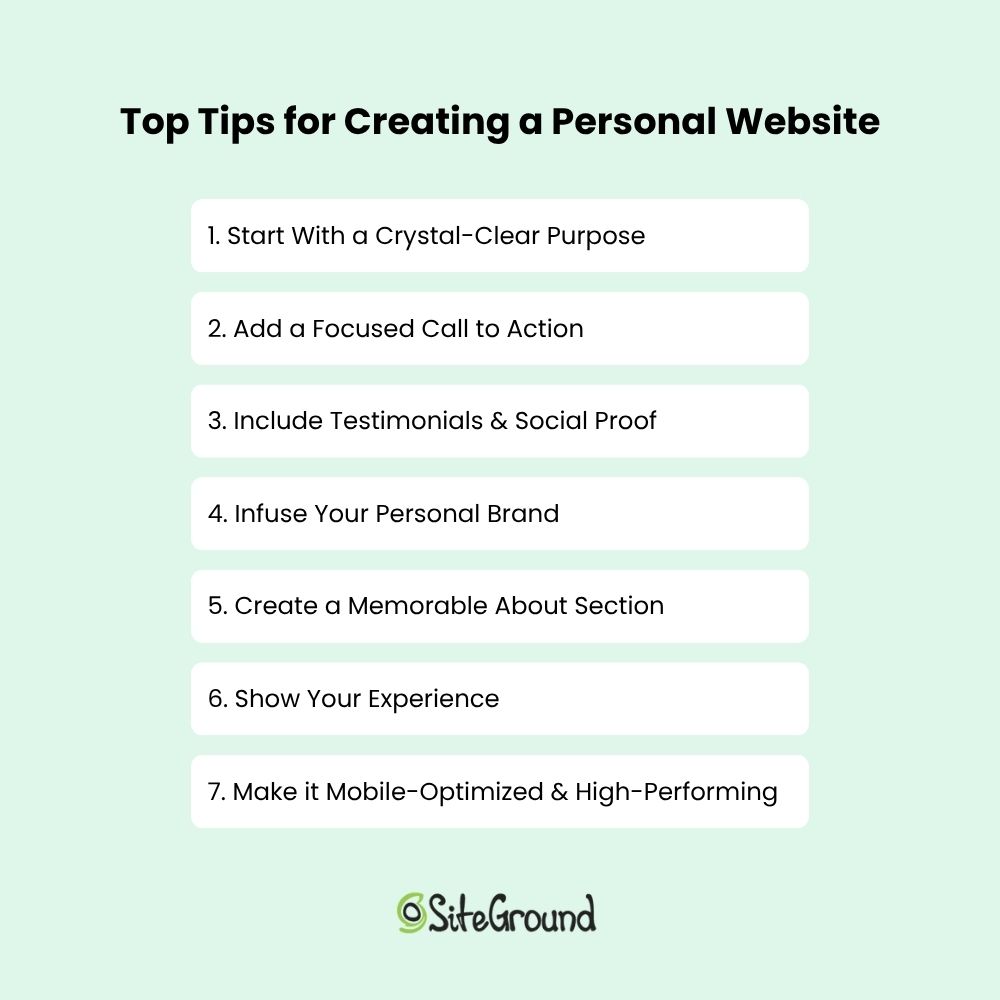
    Top tips for creating a personal website

    Put Your Personal Website to Work

    Creating a personal website isn’t just about putting your name on a webpage. It’s about building an online experience around your story and what you offer so that you can connect and create opportunity. The most effective personal websites are purposeful, focused, and easy to navigate. Use the examples above as inspiration, and always keep your core purpose front and center as you build your own.

    If you want to make the process easier from start to finish, the SiteGround Website Builder has you covered. With built-in AI to help you write your site copy, mobile-optimized design, fast and secure hosting, and expert support when you need it—plus a free domain for your first year—it’s everything you need to build a polished personal website, no stress required.

    SiteGround Website Builder

    FAQs About Creating a Personal Website

    How Much Does it Cost to Build a Personal Website?

    As you start website planning, you’ll discover that the cost of building a personal website can vary widely depending on how you approach it. If you hire a designer for a fully custom site, costs can run into the thousands. On the other hand, using a website builder is a budget-friendly option that lets you create a professional site yourself, often for little to no upfront cost.

    With SiteGround, you can try the SiteGround Website Builder for free and build your website without any design experience. There’s no cost until you decide to publish your site, at which point you choose a hosting plan. SiteGround’s hosting plans are affordable and include fast performance, reliable security, and 24/7 expert support.

    So, not only can you start building your personal website easily and at no initial cost, but you also get the peace of mind that comes with trusted hosting and expert help whenever you need it.

    How Do I Create a Personal Website?

    Creating a personal website usually means picking a domain, designing your site, and setting up web hosting—which can feel complicated if you’re new to it. But with SiteGround, the whole process becomes much easier. When you sign up for web hosting, you can get a free domain and domain privacy for the first year. You can also use the simple, no-code Website Builder to design your site and benefit from reliable hosting—all in one place. Plus, top-notch customer support helps you every step of the way, so launching your site is smooth and stress-free.

    How Hard Is It to Build a Personal Website?

    For someone new to websites, the idea of juggling domains, design, and hosting can feel daunting. There’s a learning curve, and technical details can slow you down. That said, SiteGround’s platform is designed to lower that barrier. With easy-to-use tools and helpful support, the process becomes manageable—even for beginners. Instead of wrestling with confusing setups, you get clear guidance and reliable infrastructure that lets you focus on creating your site, not troubleshooting it.

    How to Choose a Web Hosting Partner?

    Smiling young man holding a laptop, surrounded by website interface elements and eCommerce icons, representing online business and hosting performance.

    Your hosting provider is more than just a place to upload your website files — it’s the foundation your entire online presence depends on. 

    Whether you’re launching a new project or looking to scale, choosing the right web hosting service largely defines your site’s speed, security, and your peace of mind. It is one of the most important decisions for any website owner. 

    But with so many options out there, how do you know which one fits your business best?

    In this article, we’ll walk you through how to choose web hosting—what really matters and how to find the right partner for your site. Let’s dive in!

    Why Your Hosting Choice Matters

    Your web hosting provider plays a crucial role in your website’s success. It affects:

    • How fast your site loads 
    • How often it’s available 
    • How well it ranks on search engines
    • How likely visitors are to convert into customers

    A reliable web hosting company gives your business a strong technical backbone – one that supports your growth instead of holding it back. Fast speeds, secure infrastructure, and high uptime help keep your audience happy and your business online.

    On the flip side, choosing the wrong web hosting service can lead to slow performance, frequent downtime, and security issues. That means lost traffic, missed opportunities, and hours of troubleshooting you shouldn’t have to deal with.

    Key Factors to Consider When Choosing a Hosting Partner

    Not all hosts are created equal. Whether you’re choosing shared hosting, Cloud hosting, or managed WordPress hosting, your needs will determine the best web hosting provider for you. 

    The right choice depends on your business — but there are some essential features every reliable provider should offer. Let’s walk through the most important ones.

    1. Reliability and Uptime

    Your website is your digital storefront — and just like a physical store, it needs to be open when people show up. That’s where uptime comes in.

    Uptime refers to the percentage of time your site is live and accessible. Most hosting providers claim to guarantee around 99.9% uptime, which roughly translates into about 40 minutes of total potential downtime per month. Don’t rely on marketing claims alone. Uptime is one of the clearest indicators of a web host’s reliability. Reputable hosts publish a Service Level Agreement (SLA) that clearly outlines their uptime commitment — and whether they offer compensation if that promise isn’t met. 

    ✅ Tip: Look for 99.9% or higher uptime, a transparent SLA, and a global network of data centers with built-in redundancy.

    2. Speed and Performance

    Website speed isn’t just a technical metric — it’s a competitive advantage. A few extra milliseconds of load time might not sound like much, but for your visitors, it is the difference between staying or bouncing, converting or abandoning.

    Let’s look at why speed matters so much — and what hosting features actually move the needle.

    2.1. How a Fast Website Drives Better Business Results

    A faster website leads to better results across the board — from traffic and conversions to long-term customer satisfaction. Here’s how:

    • Higher Search Rankings
      Google uses speed as a ranking factor. Sites that load faster get prioritized in search results, especially on mobile.
    • Better User Experience
      Today’s users expect instant access. If your site takes more than a couple of seconds to load, many visitors will leave before they even see your content.
    • Lower Bounce Rates
      Slow pages cause visitors to leave quickly. Faster sites encourage browsing, increase time on site, and reduce bounce rates.
    • Increased Conversions
      Whether you’re selling products, generating leads, or booking consultations, speed has a direct impact on your website conversion rate. Even beyond cached pages, critical conversion actions — like adding a product to the cart or completing a checkout — rely on real-time server responses. These actions aren’t cached, so they depend entirely on the speed of your hosting platform – right when you need it most.
    • Trust and Professionalism
      Users associate speed with quality. A fast, responsive site builds trust and shows that your business is reliable and well-managed.

    📊 Industry insight:

    According to Google research, as page load time increases from 1 second to 3 seconds, the probability of a visitor bouncing increases by 32%. At 5 seconds, that jumps to 90%.

    Other studies found that improving site speed by just 0.1 seconds can increase conversion rates by up to 8% for eCommerce websites.

    2.2. What Makes a Host Fast — Features That Matter

    Your hosting provider is the engine behind your site’s performance. The right setup can cut seconds off load time and offer consistent speed, even during traffic spikes. Here’s what to look for:

    • Modern server infrastructure
    • Server-Side Caching
    • Content Delivery Network (CDN)
    • Optimized Server Stack

    Let’s take a closer look at what these features actually mean in practice — and why they matter so much for real-world performance.

    Speed starts at the infrastructure level. At SiteGround, we host all websites on the Google Cloud Platform, known for its ultra-fast network, SSD-based persistent storage, and global data center footprint. This means your website runs on cutting-edge infrastructure — not just fast drives, but an entire ecosystem built for performance, scalability, and low latency worldwide.

    Server-side caching
    stores pre-built versions of your pages, so visitors get content instantly — without waiting for the server to generate it from scratch. SiteGround includes multiple layers of caching (static, dynamic, and object) that are automatically configured for most popular platforms.

    Content Delivery Networks (CDNs) reduce latency for global visitors by delivering your content from the server nearest to them. SiteGround’s custom, in‑house CDN delivers content from multiple global locations seamlessly—no manual setup required.

    World map displaying SiteGround’s global CDN network, showing multiple interconnected server locations across North America, Europe, Asia, and Oceania.

    An optimized server stack makes sure all layers — from your web server to your PHP engine and database — are running as efficiently as possible.

    For example, SiteGround doesn’t just use standard software like NGINX or PHP — we write our own custom solutions to fine-tune them. Our custom MySQL setup and proprietary Ultrafast PHP are engineered from our expert in-house team to reduce server response times and handle traffic spikes much more efficiently than the default configurations you would normally get.

    ✅ Pro Tip: Don’t just rely on specs — test them. Use tools like Google PageSpeed Insights or GTmetrix to measure how different hosts perform in real-world conditions.

    Google PageSpeed Insights report for a SiteGround-hosted website showing strong performance scores: 94 performance, 97 accessibility, 100 best practices, and 92 SEO.

    3. Security and Data Protection

    Security isn’t just a technical detail — it’s the foundation of trust between your website and your visitors. Whether you run a blog, an online store, or a client portal, your hosting partner should be proactive in protecting your data and your users.

    One of the first layers of protection is an SSL, which encrypts the connection between your site and its visitors. Your hosting provider should offer a free SSL certificate (like Let’s Encrypt) and make installation effortless.

    At SiteGround, we automatically install an SSL certificate as soon as your domain is pointed to our servers.

    But that’s just the beginning.

    A robust web hosting platform also includes a Web Application Firewall (WAF). This system filters out malicious traffic, blocking common attacks like SQL injections and cross-site scripting (XSS) before they can reach your website.

    Another crucial line of defense is DDoS protection. Distributed Denial of Service attacks flood a site with traffic to take it offline. A good host uses automated systems to detect and mitigate these attacks in real time — often with tiered protections based on the severity and scale. 

    Some providers even offer Always Online modes to keep a cached version of your site available during disruptions.

    Malware protection is also an important layer of security. Hosting providers should scan for malicious code regularly and notify you if a threat is found. It’s even better if additional tools and services are available for more advanced malware scanning and removal — especially useful for high-traffic or business-critical websites.

    Another important factor, especially in shared hosting environments, is account isolation. One vulnerable site can put others at risk — unless proper safeguards are in place. 

    With the right setup, each website on a shared server operates in its own secure space. This prevents malware or exploits from spreading between accounts on the same server. 

    SiteGround was one of the first companies to implement technologies such as chroot isolation and suEXEC, which set the standard for secure shared hosting. 

    Today, account isolation remains a best practice for reducing cross-site risk and maintaining a safe, stable environment for everyone on the server.

    At SiteGround, a dedicated security team actively monitors for emerging threats and zero-day vulnerabilities. When issues arise, we apply custom security patches across our infrastructure and software — often way before official vulnerability fixes are widely available. This proactive approach helps keep your site safe, even from the latest and most dangerous exploits.

    Additional safeguards like Two-Factor Authentication (2FA) for your hosting dashboard, automatic patching for system vulnerabilities, and 24/7 threat monitoring all contribute to a strong security stack.

    List of essential hosting security features from SiteGround including free SSL, WAF, DDoS protection, malware scanning, account isolation, updates, and 24/7 monitoring.

    4. Backups

    No matter how careful you are, things can go wrong — a plugin update that breaks your site, an accidental file deletion, human error, or even a malware infection. That’s why backups are non-negotiable. Your hosting provider should make it easy to recover your site quickly, with minimal stress or downtime.

    A solid backup system includes automated daily backups stored securely, preferably on a separate server. Ideally, these backups should be kept for a minimum of 7–30 days, giving you a comfortable window to roll back changes if needed.

    However, even when automatic backups are provided, many hosts store them on the same account or server. This isn’t ideal, as it consumes your website’s resources and creates a single point of failure. If your account or server experiences an issue, your backup stored in the same location would also be compromised.

    That’s why at SiteGround, we take a more resilient approach. Instead of utilizing the same server, or another server in the same data center, we store backups across geographically separate data centers — a method known as geo-distributed backups. 

    This adds an essential layer of protection against events that affect more than just your server — including full data center outages caused by natural disasters or other large-scale failures. SiteGround is one, if not the only, provider that offers daily geo-distributed backups at no extra cost – an essential reliability feature the majority of the hosting companies simply do not have because it’s costly and technically complex to execute — but we consider it a must for keeping your data truly secure.

    And then, automation isn’t everything. You should also be able to create manual backups on demand — for example, before making major updates or experimenting with new features. The process should be quick and require zero technical know-how.

    Screenshot of SiteGround’s backup interface, showing options to create and restore backups, with available manual slots and daily backup history tabs.

    Flexibility matters too. Whether you want to restore your entire site or just a specific file, folder, or database, your hosting partner should give you control over what gets restored and when.

    One last thing: restore access. Some hosts limit how often you can restore your backups, or charge extra for it. Others include free backup restores as part of their service — no strings attached.

    SiteGround checks all the boxes when it comes to dependable backups — daily automated copies, easy manual triggers, fast restores, and secure geographically-distributed storage are included in all plans. 

    5. Support and Customer Service

    No matter how intuitive a web hosting platform is, there will come a time when you need help — fast. Whether it’s a sudden technical issue or just a quick question about settings, reliable customer support can save you time, stress, and even lost revenue. 

    Great hosting support isn’t just about being available 24/7 (though that’s important). It’s about getting help from real people who actually know what they’re doing — not just reading from a script. 

    For business owners without a technical background, access to expert human support is often the difference between resolving an issue in minutes or spending hours searching forums.

    Here’s what to look for in a quality support experience:

    • 24/7 Availability – Issues don’t follow business hours. Your host’s support shouldn’t either.
    • Multiple Contact Channels – Live chat is ideal for quick questions, while support tickets are better for in-depth technical problems.
    • Fast Response Times – It’s not just about getting a reply — it’s about getting a useful, timely solution.
    • Knowledgeable Staff – Real hosting expertise makes troubleshooting smoother and less frustrating.

    Tip: Before you commit, check third-party review platforms like Trustpilot, G2, or Reddit for honest feedback on the host’s support quality.

    Fact: SiteGround is often recognized for top-rated support — our team combines technical expertise with a personal touch across chat, ticket and phone. This makes us a favorite among SMBs and agencies.

    6. Scalability

    Your hosting needs today may not be the same a year from now — and a good hosting partner makes sure you don’t outgrow their platform.

    Scalability means being able to upgrade your hosting as your site traffic, functionality, or business complexity grows. 

    Maybe you start with a simple shared plan, but eventually need the power of cloud hosting. The transition should be smooth, fast, and — most importantly — without downtime.

    A scalable host offers:

    • Clear upgrade paths, like moving from shared to cloud.
    • Flexible limits, so you can add more resources as needed.
    • Staging environments to safely test changes before deploying them live.

    This flexibility is especially useful for seasonal businesses, growing agencies, or eCommerce sites preparing for big traffic spikes.

    A scalable host grows with your business — without painful migrations, or need to start over. At SiteGround you can easily upgrade or downgrade your plan any time, and pay pro-rated whenever needed.

    7. Ease of Use and Tools for Business Owners

    Not every business owner has a web developer on call — and they shouldn’t need one just to manage hosting. That’s why ease of use is a key factor when choosing a hosting partner.

    Your host should provide a clean, intuitive dashboard where you can manage your website, domains, email accounts, and backups without digging through complex menus. 

    Whether you’re updating DNS records or creating a staging copy of your site, the process should be clear and guided.

    Dashboard view of SiteGround’s Site Tools with pinned tools like backups, SuperCacher, staging, WordPress manager, FTP accounts, SSL, and CDN.

    Beyond the basics, look for tools and services that help you run your business more efficiently, such as:

    • Email hosting so you can create branded addresses like you@yourdomain.com.
    • Free domain registration so you can easily manage your services in one place.
    • Website builders for quick and easy site creation without coding.
    • eCommerce and analytics integrations to help you sell products and track performance.
    • Email marketing tools so you can engage your target audience.

    These save time and reduce the need to juggle third-party services.

    8. Pricing Transparency and Value

    Hosting prices can be tricky. What looks like a great deal up front may come with hidden fees, unexpected renewal rates, or missing features that cost extra later. That’s why transparent pricing matters just as much as the price itself.

    Many hosting providers charge extra for essentials like site migration, backups, SSL certificates, or even support.

    When comparing providers, go beyond the sticker price. Ask:

    • What features are included by default?
    • What types of hosting are available?
    • Are backups, security features, or email hosting extra?
    • How much is the renewal rate, and is it stated on the website?

    A trustworthy host makes this information easy to find. They focus on delivering long-term value, not just short-term discounts. Choose based on what you’re getting — not just what you’re paying. Quality infrastructure, support, and tools pay off over time.

    How to Research and Compare Hosting Providers

    Choosing a hosting partner isn’t something you want to rush. Even if all providers look similar on the surface, what you get behind the scenes can vary a lot. Taking a bit of time to compare your options can save you money, downtime, and future headaches.

    Here’s how to make a smart, informed decision:

    1. Read Trusted Reviews

    Don’t rely solely on testimonials on the host’s own site — check independent platforms like Trustpilot, G2 or Reddit. 

    SiteGround’s Trustpilot profile showing a 4.8-star rating from over 22,000 reviews, with highlighted user feedback praising customer support and usability.

    Look for patterns in reviews: Are there frequent complaints about speed, support, or billing? Or do users praise the provider’s reliability and customer service?

    To help you compare, here’s how leading hosting providers are rated on Trustpilot based on thousands of customer reviews.

    Comparison table showing Trustpilot ratings of hosting providers as of June 2025. SiteGround leads with a 4.8 rating, followed by Hostinger (4.7), GoDaddy (4.6), and Bluehost (4.4).

    2. Ask Around

    Talk to your network — business owners, developers, or agency partners. People with real-world experience can offer valuable insight into what a host is really like to work with day to day.

    3. Try Before You Buy

    Many providers offer money-back guarantees, trial periods or a demo. Take advantage of these to test the dashboard, run a speed check, or contact support with a few basic questions.

    SiteGround landing page promoting Site Tools panel with a demo access CTA and visuals of the interface highlighting site management features.

    4. Evaluate Transparency

    Trustworthy hosts are upfront about what’s included and what’s not. Check their website for clear policies on pricing, uptime, support access, and terms of service. You should be able to understand what you’re paying for — without squinting at the fine print.

    Website Hosting Speed Comparison – Real-website Performance Before and After Transferring to SiteGround

    Speed isn’t just a feature — it’s a foundational part of your website’s success. At SiteGround, we continuously monitor performance metrics like Time to First Byte (TTFB) across thousands of real websites that migrate from other hosting providers to our platform.

    The table below shows aggregated performance results for websites that migrated to SiteGround in 2025. In nearly every case, the majority of sites saw significantly faster load times — particularly when it comes to server responsiveness (TTFB).

    Note: This data is based on SiteGround’s internal analysis of real customer migrations and reflects average performance across comparable site setups.

    TTFB (Time to First Byte) comparison between SiteGround and other hosting providers in 2025. SiteGround delivers significantly lower TTFB than GoDaddy, Hostinger, and Bluehost, with improvements ranging from 34% to 68%.

    While it is a key performance metric, TTFB only tells part of the story. It only captures the time until the first byte of data is received from your server. From there on, depending on your website size, setup, and configuration, there are multiple elements that need to load – so the actual loading time for your whole website to be displayed varies enormously.

    That’s why it’s important to look at real-time speed results. The stats below represent real website data of websites migrated to SiteGround from other hosting providers.

    Here is a comparison of real page load times of all actual websites we have confirmed are migrated from these providers to all companies part of the SiteGround group between January 1st  2025 and June 1st 2025 using the automated SiteGround WordPress Migrator plugin.

    Table showing real-world speed results after migrating to SiteGround in 2025. SiteGround outperforms GoDaddy, Hostinger, Bluehost, and WP Engine, with up to 95.23% average speed increase and over 83% of sites performing faster after migration.

    These results reflect what many users already report: after moving to SiteGround, their websites load faster, feel more responsive, and perform better — both for visitors and for search engines.

    For a detailed side-by-side view, check out our in-depth comparisons with other hosting providers:

    SiteGround vs. Hostinger
    SiteGround vs. GoDaddy
    SiteGround vs. Bluehost

    Power Your Growth with the Right Host

    Choosing the right web hosting provider is key to your online success. Focus on reliability, security, support, and scalability — not just price. 

    Take your time to research, compare, and test providers to find the one that fits your business needs best.

    Remember, a good host doesn’t just store your website — it helps your business grow.

    Ready to find a hosting partner that checks all the boxes?

    How to Optimize Every Part of an Email for Impact

    Abstract of parts of an email

    A well-crafted email is never just one thing—it’s a collection of carefully constructed sections and elements that work together. From the subject line that earns the open to the call to action that seals the deal, and everything in between, each part plays a role. Because when these parts of an email are optimized smartly and strategically, your emails don’t just look good, they have the power to drive real action.


    No matter the type of message you wish to send—be it a promotional message, a welcome email, or a re-engagement campaign—understanding how each component functions, and how to make it work harder, is how to really get the results you want. And that’s what we’ll be tackling today: how to make each part of your email work for you so that it really gets the job done.

    email-marketing-course-for-beginners

    The Essential Parts of an Email Message

    At first blush, an email might seem simple. And it could be simple. But there’s certainly a whole lot more to a high-performing email: beyond words, there’s a structure designed to guide the reader, build credibility, and lead them to a desired action. It’s strategic, multifaceted, and when everything comes together, more valuable than the sum of its parts.

    So let’s explore the anatomy of the seemingly humble email. Here are the essential parts of a complete, fully baked, high-converting email message:

    • 1. Subject line – The first impression and open-rate driver
    • 2. Preheader text – A text preview that complements the subject line
    • 3. Sender information – Establishes trust and recognition
    • 4. Recipient information – Clarifies who sees what, and why it matters
    • 5. Header – Visually sets the tone for what follows
    • 6. Salutation – Establishes voice and connection
    • 7. Personalization – The key to making your email feel less anonymous
    • 8. Body copy – The core message that informs or persuades
    • 9. Call to action (CTA) – Directs readers toward a specific next step
    • 10. Closing – Reinforces tone and wraps up with intent
    • 11. Signature – A trust-building bookend
    • 12. Social media links – Boosts credibility and brand awareness
    • 13. Footer – Includes key business and legal information, as well as an unsubscribe option
    • 14. Attachments – Optional, of course, but can add value, and it’s important to actually attach!

    Each of these elements contributes to the overall success of your email. Miss one, and you risk a weaker message. Get them all right, and your email becomes a powerful tool for engagement and conversion. Now let’s unlock the secrets behind each component.

    The different parts of an email

    How to Make Each Part of an Email Work for You

    Now that we’ve outlined the key parts and sections of a complete email, it’s time to dig into how to make each one work harder so that every part of the email isn’t just present, but purpose-driven. Whether you’re aiming to increase open rates, improve click-throughs, or drive conversions, each section of your email should support your end goal.

    Let’s start at the top—literally—with the parts of an email your reader sees first.

    1. Subject Line

    Your subject line is your email’s decision point. Do they open it or do they not? Not only that, but it frames the entire message and primes your audience’s mindset. A good email subject line aligns with the intent of your campaign, nudges curiosity, and connects to the outcome you want.

    Strategic tips:

    • Focus on the benefit or value for the reader
    • Use emotional triggers (urgency, exclusivity, curiosity)
    • Keep it concise—aim for under 60 characters so that it shows up on mobile
    • Test subject lines against different segments or goals

    Examples:

    • “One Day Left: Claim Your Spot Before It’s Gone” (creates urgency)
    • “You Asked, We Delivered: New Features Inside” (builds curiosity and relevance)
    • “20% Off for Returning Customers Only” (personalized + exclusive)
    • “A Faster Way to Manage Your Workflow” (value-focused)

    2. Preheader Text

    Think of the preheader text as a second subject line—it’s an extra way to persuade your reader to open. With this added precious space, you’ve got a chance to support the hook, preview what’s inside, or clarify your message.

    Strategic tips:

    • Expand on the subject line or deliver a complementary message
    • Reinforce your call to action or tease what’s coming
    • Match tone and intent to the subject line and body copy

    Examples:

    • Subject: “Big Improvements Just Dropped 🎉”
    • Preheader: “Take a look at what’s new—and how it makes your workflow smoother.”
    • Subject: “Don’t Miss Out: Sale Ends Tonight”
    • Preheader: “Save 25% on everything in your cart before midnight.”
    • Subject: “Welcome to the Team”
    • Preheader: “Let’s get you set up—your first steps are inside.”

    It’s worth noting that as inbox functionality evolves—especially with the rise of AI email summaries—some have questioned whether preview text will still matter. While it’s true that AI may reduce its visibility in certain cases, you’d still be wise to optimize this space. Strong preview text remains a valuable opportunity to drive opens and engagement, regardless of changing trends.

    3. Sender Details

    Before your email is even opened, your sender name and address play a huge role in whether your message gets noticed or ignored. People are far more likely to open emails from sources they recognize and trust.

    But there’s a technical side to trust, too. Behind the scenes, domain authentication (like SPF, DKIM, and DMARC) signals to inbox providers that your email is legitimate. Without it, even a great sender name might land in spam—and, notably, your email deliverability could take a hit. So it’s important to pay extra attention to sender details for a variety of reasons. 

    Strategic tips:

    • Use a recognizable name (brand, person, or both)
    • Avoid no-reply addresses, which feel impersonal or unhelpful
    • Stay consistent across campaigns to build familiarity
    • Change things up when necessary—sending an occasional email directly from your founder, for example, could elicit more opens
    • Ensure your domain is authenticated to protect your brand and improve deliverability

    SiteGround, for example, takes email deliverability seriously—optimizing everything from server reputation to DNS settings to help ensure your messages actually reach the inbox. With built-in support for SPF, DKIM, and DMARC authentication, plus proactive IP reputation management, SiteGround gives senders a strong foundation for email success right out of the gate.

    Get started with SiteGround Email Marketing >>

    4. Recipient Info

    Sending an email isn’t always as basic as just dropping in an email address and hitting send. The way you use To, CC, and BCC can shape how your message is perceived, and who acts on it.

    To: The Primary Audience

    This is where you put the main person or people you want to engage with your message. If you want someone to read, respond, or take action, they should be in the To field. Think of this as your email’s “front row” audience.

    CC (Carbon Copy): Keeping Others in the Loop

    Use CC to include people who should be aware of the conversation but aren’t expected to respond or take action. It’s a way of saying, “FYI, you might find this useful.” This keeps communication transparent but avoids overwhelming the primary recipient with unnecessary replies. CC is especially common in cold emails, where senders might copy a manager, colleague, or mutual contact to lend context or credibility.

    BCC (Blind Carbon Copy): Privacy and Discretion

    Recipients in the BCC field receive the email without other recipients knowing. This is perfect for sending announcements or newsletters to large groups without exposing everyone’s email address. It also prevents reply-all chaos and keeps the list confidential.

    5. Email Header

    Your email header isn’t just decorative; it sets expectations for what’s to come and reinforces your brand from the very first scroll. In it, you might include your logo, a design, and even headline or call to action. 

    the header part of an email

    Strategic tips:

    • Keep it clean, on-brand, and mobile-friendly
    • Include your logo to build instant recognition
    • Use a banner image that reinforces your message or theme
    • Add a headline or tagline when it supports the content

    Examples:

    • Brand + Context: Logo with “This Month’s SEO Trends & Insights” underneath (sets expectations and connects to the content)
    • Minimalist: Just your logo, no text (works well for quick updates or personal messages)
    • Event Follow-Up: Branded banner with “Thanks for Attending Our AI in Marketing Webinar” (immediately reminds the reader why this email matters)
    • Role-Based Newsletter: Logo plus “Resources for Product Designers” (reinforces custom content)

    6. Salutation

    The salutation is your first real chance to speak directly to your reader and make a proper connection. It also subtly establishes the tone—whether friendly, formal, or conversational—and can help build rapport right away.

    Strategic tips:

    • Match your salutation to your brand voice and audience expectations
    • Use the recipient’s name when possible for a personal touch
    • Adjust formality based on context (that is, “Hi, Joan” versus “Dear, Mr. Nakamoto”)
    • Consider including a brief, warm opening line to engage readers immediately

    Examples:

    • “Dear, Dr. Smith,” — respectful and formal, ideal for professional or academic audiences
    • “Hello, Sarah, hope your week is going well!” — conversational and friendly, adds warmth
    • “Greetings, Marketing Team,” — useful for group or role-based emails
    • “Hi, Kara,” — casual and approachable, great for B2C or informal brands. Or, as seen in the example below, add an exclamation point for an extra touch of friendliness.
    The salutation part of an email with personalization

    7. Personalization

    Personalization goes beyond using a first name. It’s about showing your audience that you understand their context, preferences, and needs. Even small, thoughtful tweaks can make your message feel more custom and relevant.

    Strategic tips:

    • Use dynamic fields like name, company, or location
    • Reference recent activity (event participation, downloads, interests)
    • Segment based on behavior, interests, or email customer journey stage
    • Adapt tone, product suggestions, or CTAs to match the segment

    Examples:

    • “Thanks for joining us at [Event Name]—here’s what’s next” (follow-up to an event registration or attendance)
    • “You downloaded our Remote Work Toolkit—now try these tools” (lead nurturing email based on a resource download)
    • “For Marketing Managers: Our top tips on email segmentation” (targeted content aligned with the role identified during sign-up)
    • “Hi Sam, great to have you as part of our webinar” (personalized webinar follow-up that references participation)
    Implementing personalization in the parts of your email

    8. Body Copy 

    The body of your email is where you deliver on the promise made by your subject line and header. This is where your email copywriting has a chance to engage, inform, and persuade, so every sentence should have a purpose.

    Strategic tips:

    • Focus on one clear message and structure your content around it to avoid overwhelming the reader.
    • Write in a natural, conversational tone, like you’re speaking directly to one person.
    • Break up text with short paragraphs and bullet points to make your email easy to scan.
    • Highlight the benefit to the reader, not just the product’s features—make it about what’s in it for them.
    • Use real examples or mini-stories to illustrate your point and keep people interested.
    • Add trust elements, like testimonials or data points, to reinforce credibility and drive action.

    If you’re feeling stuck or just need a little help writing your email copy, there are tools that can make the process easier. SiteGround Email Marketing, for example, includes a built-in AI email writer that helps you craft clear, compelling messages in less time.

    AI for writing the body of your email

    9. Call to Action

    Your email’s call to action is the driving force behind your message’s success. A good CTA guides your reader toward the next step, whether that’s signing up, downloading, buying, or simply learning more.

    Strategic tips:

    • Use strong, direct verbs that tell your reader exactly what to do—think “Start your free trial,” “Shop the sale,” or “Book your spot.”
    • Make your CTA button visually stand out with color, size, and spacing that draws the eye.
    • Place CTAs where they make the most impact—typically near the top (above the fold), again in the middle, and once more at the end.
    • Stick to a single goal: one primary CTA per email is usually most effective. If you include more than one, make sure they support the same action.
    • Cater your CTA to the audience—reference their interests, behavior, or where they are in the buyer’s journey to make it more relevant and persuasive.

    Examples:

    • After introducing an event: “Reserve your spot now” button right after the event details
    • In a personalized email for a specific job role: “Explore resources for product managers” link embedded after relevant content
    • For selling a product: A brightly colored “Start Shopping Now” button immediately following the promotion description—like seen in the example below.
    a good call to action as part of your email

    10. Closing

    The closing is your final send off. Though it might seem trivial, a strong one can reinforce your message, keep the tone consistent, and leave the reader feeling confident about what to do next.

    Strategic tips:

    • Match the tone of your closing with the rest of the email (such as professional, friendly, or casual)
    • Include your name or your team’s name to humanize the message
    • Reinforce your CTA or main takeaway just before signing off
    • Add a subtle reminder of your brand voice and values

    Examples:

    Formal and professional:

    “Looking forward to your participation.

    Best regards,

    The Events Team”

    Friendly and helpful:

    “Can’t wait to see what you think.

    Cheers,

    Luisa from BrightWorks”

    CTA-focused:

    “Ready to dive in? Click below to get started.

    Talk soon,

    The Growth Team”

    11. Signature

    The closing may be the final line of your message, but your email signature is where you solidify who the message is from and how readers can connect with you or your company. It adds context, credibility, and consistency.

    If the email is coming from a person, the signature typically includes:

    • Full name
    • Job title
    • Company
    • Website and contact info
    • Optional photo or logo
    • Links to relevant social media

    If the email is from a company or team (rather than an individual), it should still feel warm and professional. A company signature might include:

    • Team or department name (such as, The SiteGround Support Team)
    • Company logo
    • Website and contact email
    • Optional CTA or tagline

    12. Social Links

    Including social media links isn’t just about growing your follower count; it’s about building trust and giving readers more ways to connect with your brand.

    Strategic tips:

    • If you add icons, consider making them either neutral-colored (as seen below) or within your own branding (versus the original social media branding colors, which might clash with your email marketing design.) 
    • Make sure the tone and content on your social pages match your brand voice
    • Link to relevant channels: LinkedIn for B2B, Instagram for lifestyle brands, etc.
    • Use UTM parameters to track traffic from email to social
    social media icons as part of an email

    13. Footer

    It’s easy to overlook, but the footer plays a big role in compliance, clarity, and trust. It’s where readers go to verify who you are, and how to opt out if they need to.

    Strategic tips:

    • Always include your company name, physical address, and a clear unsubscribe link (these are essential email marketing best practices in order to comply with regulations)
    • Add contact information or a support email for questions
    • Keep the design clean and unobtrusive, but still on-brand
    • Consider including legal disclaimers or certifications if relevant

    14. Attachments

    Attachments can add value to your email, but only when they’re used strategically and clearly support your message.

    Strategic tips:

    • Only attach files that are necessary and expected (like a brochure, event agenda, or whitepaper)
    • Mention the attachment in the body of your email so the recipient knows what to look for
    • Keep file sizes small to avoid deliverability issues
    • Use clear, descriptive file names (because how often have you downloaded something and then struggled to identify it later due to its ambiguous name?)
    • For better tracking and security, consider using a download link instead of an attachment

    Beyond Just a Single Email: The Bigger Sending Picture 

    Mastering the components of a high-converting email is important, but one message doesn’t stand alone. In business, every email you send becomes part of a larger story you’re telling your audience. With that in mind:

    Think in Journeys, Not One-Offs

    Whether you’re welcoming a new subscriber, following up after a download, or nudging someone toward a purchase, your email’s structure and content should reflect where the recipient is in their customer journey. The tone, CTA, and overall copy of each email should evolve based on what they’ve already done (or received)—or haven’t.

    Segment to Stay Relevant

    Sending emails that speak to where the customer is at means that you don’t send the same message to everyone. To do this, segment your list based on behavior, preferences, or actions, and customize each part of the email accordingly. A subject line that resonates with a CFO may fall flat for a marketing manager. A call to action that works for a long-time customer might not land the same way as it would for someone who just discovered your brand. This is part of bringing personalization to life, beyond just someone’s first name. 

    Automation Ties It Together

    The idea here is to think about the bigger email picture, beyond just a single message with all its email parts. That’s where smart email automation comes in. It allows you to turn individual messages into thoughtful sequences—each one leveraging the email structure we’ve covered, and each one moving the recipient closer to a goal.

    Parts of an email in an email sequence automation example

    Connecting All the Parts for Stronger Email Results

    As you can see by now, truly successful emails aren’t just well-written, they’re well-constructed, with each part getting special attention. The whole anatomy, from subject line to footer, plays an important role in how your message is received and acted upon. So when you understand the purpose of each component, you can optimize with intention, and transform every email into an effective tool for engagement, brand-building, and conversion. 

    Want to bring all these best practices to life without starting from scratch each time? SiteGround Email Marketing gives you everything you need to build beautiful, high-performing emails—fast. With customizable templates, intuitive design tools, and built-in features for personalization, segmentation, and automation, you can craft messages that don’t just look good—they get results. Try it out and see how easy powerful email marketing can be.

    Grow your business with SiteGround Email Marketing

    What You Need to Know About Domain Squatting in 2026

    Domain squatting abstract

    You’ve built your brand, brainstormed the perfect name, and checked if the domain is available—only to find out it’s already taken. Not by a legit business, but by someone who beat you to the punch…and now they’re asking thousands just to hand it over. Welcome to the frustrating world of domain squatting.

    In 2025, domain squatters have gotten smarter and faster. But so has the know-how when it comes to fighting back. Indeed, when businesses understand how domain squatting works, it makes it a whole lot easier to avoid falling victim to the practice.

    This guide breaks it all down given the state of domain squatting in 2025: what domain squatting actually is (and isn’t), the smart steps you can take right now to protect your business, and how you can take action if necessary. Let’s get into it.

    What is Domain Squatting?

    Domain squatting, or cybersquatting, happens when someone registers a domain name that closely resembles an existing brand, trademark, or business—not to build something real, but to cash in on someone else’s reputation. These individuals often sit on the domain, waiting to sell it back at a steep price or use it to divert web traffic. It’s frustrating for businesses trying to protect their brand, and in many cases, it’s illegal.

    What is domain squatting

    What Domain Squatting Isn’t

    Not every domain conflict is a case of squatting. Domain squatting requires bad-faith intent—like registering a domain just to profit from someone else’s trademark or mislead users. But there are plenty of legitimate reasons someone might own a domain you want. For example, someone may have registered the domain for a personal project or business with the same name, bought it as a generic investment (also known as domaining, which we’ll touch on in a moment), or owned it long before your brand even existed.

    If there’s no intent to deceive, extort, or capitalize unfairly on your trademark, it’s not domain squatting—it’s just an unfortunate overlap. Understanding this distinction is key before you take action.

    Domain Squatting vs. Domaining

    While they might sound similar, domain squatting and domaining are very different practices. Domain squatting involves registering domain names that match someone else’s trademark, and with the bad-faith intent to profit from it later. It’s generally illegal and can lead to lawsuits or forced domain transfers.

    Domaining, on the other hand, is a legitimate business. Domainers buy and sell domain names that are generic and brandable (like bestshoes.com or glimmer.io), and without targeting specific trademarks. It’s like digital real estate investing: profitable, legal, and often helpful for startups looking to acquire a relevant, available name.

    The key difference lies in the intent and trademark infringement. If a domain is registered to hijack or hold hostage someone else’s brand, it’s squatting. If it’s about spotting valuable opportunities in unused domain names, it’s domaining.

    How Domain Squatting Can Impact Your Business

    Domain squatting can seriously derail your brand, especially if you’re a startup or creator building your online presence.

    It disrupts your ability to establish a consistent identity, confuses customers, and can hurt your credibility. Worse, squatters often demand high payouts for the domain, or force you into expensive, time-consuming legal battles, draining resources you’d rather invest in growth.

    Simply put, domain squatting can stall your brand before it even has a chance to thrive. So let’s nip this one in the bud before it becomes a bigger problem. 

    How to Avoid Domain Squatting

    When it comes to domain squatting, starting your prevention measures early is the best way to save you from major headaches later on. So let’s begin at the earliest phases, because this is where you can make the smartest moves.

    Step 1: Secure Your Brand Identity Early

    Building a strong brand starts with securing your identity — and that means locking down the name you want before someone else does. Here’s how:

    Choose a Distinctive Name

    Great brand names are memorable, easy to pronounce, and hard to confuse with others. Steer clear of generic or overly descriptive names that competitors can easily mimic. The more unique your business and website name, the easier it is to protect.

    Check Trademark Availability

    Before falling in love with a name, check if it’s already trademarked. A quick search through the USPTO (United States Patent and Trade Organization) or your country’s trademark registry can save you from costly legal headaches later.

    Register Your Trademark (When You’re Ready)

    Trademarking offers strong legal protection but can take time and money. If you’re not ready to file yet, consider registering a DBA (“Doing Business As”) in your state or municipality. It’s a practical first step that gives you some rights while you grow.

    Step 2: Lock Down Key Domains

    Once you’ve got your brand name locked in, the next step is to make sure no one else can claim your digital turf. Securing the right domains isn’t just an important part of website planning—it’s about covering all your bases to keep domain squatters at bay.

    Buy Your Primary Domain

    Your primary domain—the one that matches your brand name exactly—is your online home base. Once you choose a domain name, snag it as soon as possible, ideally with a .com extension, since it’s still the most recognized and trusted by customers worldwide. And don’t wait around hoping it’ll be available later; once it’s gone, it’s often gone for good. You can secure your perfect name today easily and confidently by registering your domain via SiteGround.

    Lock down key domains to avoid domain squatting

    Register Common Misspellings and Variations

    You have a domain name, but now what? People make typos—it’s inevitable. To prevent potential visitors from landing on a squatter’s site or a competitor, register common misspellings, plural forms, and slight variations of your domain. These small investments can save you from problems and lost traffic down the road.

    Consider Multiple TLDs 

    The domain world has expanded way beyond .com, with plenty of new top-level domains (TLDs, also called domain extensions) like .net, .co, .biz, or industry-specific options like .tech or .store. Depending on your budget and brand strategy, it’s wise to register your name across several relevant domain extensions. This doesn’t just block squatters, it also gives you flexibility for future growth or marketing campaigns.

    Consider multiple TLDs to avoid domain squatting

    Locking down these variations and top-level domains early gives you control over your brand’s online presence and makes it much harder for domain squatters to catch you off guard.

    Step 3: Claim Your Name on Social Media

    Just like domain squatting, social media handle squatting is a sneaky tactic where someone grabs your brand’s name on social platforms—not to generously build your presence, but to block you or profit off your success. As part of your social media marketing strategy, securing consistent handles across major platforms can easily be just as important as locking down your domain name. It helps you keep your brand identity tight and trusted everywhere online.

    Example of avoiding domain and social media squatting

    Step 4: Set Up Monitoring Alerts

    Even after securing your domains and social handles, staying vigilant is still a good plan. Domain squatters and impersonators can strike anytime, so setting up monitoring alerts helps you catch problems early, before they turn into those big headaches.

    Use Domain Monitoring Services

    There are specialized services that keep an eye on new domain registrations that resemble your brand name. These tools alert you if someone registers a suspicious domain, giving you a chance to act quickly—whether that means reaching out to the owner or preparing to take legal steps.

    Set Up Google Alerts for Your Brand Name

    Google Alerts is a free, easy way to stay informed about mentions of your brand online. Set alerts for your brand name, common misspellings, and related keywords. This way, you’ll be notified if someone is using your name in unexpected places, helping you spot social media squatting, fake accounts, or even negative publicity fast.

    Set up alerts to avoid domain squatting

    Monitoring alerts are your early warning system, as it helps you defend your brand from domain squatting and online impersonation before they do any real damage.

    Step 5: Work with a Reputable Domain Registrar

    When it comes to domain name registration, choosing where you register is just as important as what you register. A trusted, well-established domain registrar—such as SiteGround, for example—offers tools and safeguards that can help prevent domain hijacking and squatting risks down the line. Let’s examine.

    Enable Domain Privacy

    When you register a domain, your personal details (like name, email, and phone number) are often listed in the public WHOIS database—unless you opt for domain privacy protection via your registrar. This feature masks your information, helping protect you from spammers, scammers, and opportunistic squatters who monitor registrations to target new businesses.

    Use Domain Locking for Extra Security

    Most reputable registrars also offer domain locking, which prevents unauthorized transfers of your domain name. It’s a simple but powerful way to stop someone from trying to hijack your domain without your permission.

    Set Up Two-Factor Authentication

    Once you’ve secured your domain, protect your account by enabling two-factor authentication. This adds an extra layer of security beyond just a password, helping prevent unauthorized access to your domain registrar account and reducing the risk of hijacking or theft.

    Always-Available Customer Support

    Dealing with domain issues like squatting can be tricky and stressful. Having knowledgeable support available 24/7 means you’re never alone when navigating these challenges. Whether you need help securing your domain or resolving disputes, expert assistance ensures you get the right guidance quickly, keeping your brand protected and your site running smoothly.

    SiteGround offers all of the above: from two-factor authentication and domain locking to expert support and even free domain privacy for the first year. It’s a secure, reliable choice that helps protect your online identity from day one. Even better? SiteGround is an all-in-one platform for everything your business needs to grow online—domain registration, hosting, easy site-building tools, and professional email marketing—all backed by top-rated customer support.

    Get your domain now and start growing with SiteGround>>

    how to avoid domain squatting

    What to Do If Your Desired Domain Is Squatted On

    If your ideal domain is already taken, don’t panic—there are smart, practical steps you can take to understand if and how to make your next move. Whether it’s a case of domain squatting or simply a name that’s already in use, you still have options.

    Step 1: Investigate the Current Owner

    Find out who owns the domain

    Use WHOIS lookup tools to access public registration details like the owner’s name, contact info, and registration date. This data can help you determine whether the owner is an individual, a business, or possibly a domain squatter.

    Check the domain’s history

    Use tools like the Wayback Machine to see how the domain was used in the past—whether it was active, abandoned, or linked to questionable content. Knowing its history can help you decide if pursuing the domain is worth it or if you should explore other options, and it can also inform your approach if you need to contact the current owner.

    Step 2: Determine If It’s a Case of Squatting

    Not every taken domain is a case of squatting—sometimes it’s just a coincidence (we’ll explore some examples in a moment). But if someone’s sitting on your brand name without a legitimate reason, it may cross into squatter territory. How do you know? 

    Look for trademark infringement

    If you’ve registered your trademark (or even if you have strong common law rights), and someone is using the domain in a way that could confuse customers or damage your brand, that’s a red flag.

    Assess the owner’s intent and use 

    Is the domain just parked with ads or for sale at an inflated price? Is the site mimicking your business or redirecting traffic elsewhere? If the owner has no legitimate interest in the name and seems to be holding it hostage, you might be dealing with a classic case of domain squatting.

    Step 3: Consider Your Options

    Once you’ve confirmed that your desired domain is taken—and possibly being squatted—you have a few paths forward. The right choice depends on your budget, timeline, and how aggressively you want to pursue the name.

    Negotiate a Purchase

    Sometimes the simplest solution is reaching out to the owner with a reasonable offer. Use a domain broker if you’d prefer to stay anonymous or want help navigating the negotiation. Be prepared for counteroffers—especially if the domain matches a trending term or business name.

    File a Complaint (UDRP or URS)

    If the domain clearly violates your trademark rights and was registered in bad faith, you may be able to file a formal dispute with ICANN under the Uniform Domain-Name Dispute-Resolution Policy (UDRP) or the faster Uniform Rapid Suspension (URS) system. These administrative procedures are typically quicker and less expensive than going to court, but they require clear evidence that: you hold trademark rights to the name, the current registrant has no legitimate interest in it, and the domain was registered and used in bad faith. For more details on how to initiate these disputes, you can visit the WIPO Domain Name Dispute Resolution Center, which administers many of these cases internationally.

    Pursue Legal Action

    In serious cases, especially where damages are involved, legal action might be necessary. The Anticybersquatting Consumer Protection Act (ACPA) is a law in the U.S., for example, that gives trademark holders a way to sue domain squatters in court. It’s the most involved route, but sometimes the most effective.

    Noteworthy Domain Squatting Dispute Examples

    Domain squatting doesn’t just impact small businesses on a budget—it hits major brands, celebrities, and startups alike. And not surprisingly: because that’s where the domain squatting jackpot is at. Here are a few entertaining and headline-worthy examples that show the nuances of domain squatting, and the outcomes.

    1. Nissan.com

    One of the most cited examples—though often misunderstood. In the late 1990s, Uzi Nissan, a computer repair shop owner, registered nissan.com for his legitimate business, long before Nissan Motor Corporation pursued the domain. Despite years of legal pressure from the automaker, Uzi Nissan held on to the domain because it was, quite literally, his name. This wasn’t a textbook case of domain squatting, since there was no bad-faith intent to profit off the brand. But it highlights how valuable domain names can become—and why businesses should secure theirs early.

    2. Madonna.com

    In the early 2000s, pop icon Madonna filed a successful complaint under the UDRP to reclaim madonna.com from an individual who had filled the site with adult content. The panel of course found clear evidence of bad faith and awarded her the domain.

    3. MikeRoweSoft.com

    In one of the more playful domain disputes, a Canadian high school student named Mike Rowe registered mikerowesoft.com for his part-time website design business. The name was a pun—“Mike Rowe Soft”—but it phonetically resembled Microsoft, and the tech giant took issue. While it looked like a case of cybersquatting on the surface, Mike’s intent wasn’t malicious or deceptive, just clever wordplay. After some public backlash and media attention, Microsoft softened its stance and reached a friendly resolution—complete with an Xbox for Mike.

    4. Tesla.com

    Before Tesla became a household name, tesla.com was registered by Silicon Valley engineer Stuart Grossman, who had held the domain since the 1990s. Unlike a typical squatter, Grossman wasn’t trying to sell the domain for profit or capitalize on the Tesla brand—he simply had a long-standing personal interest in Nikola Tesla. For years, Tesla Motors operated under teslamotors.com while reportedly trying (and failing) to negotiate a deal. Eventually, in 2016, the company acquired tesla.com—but only after what Elon Musk described as years of “painful” back-and-forth. Though not a squatting case per se, it’s a cautionary tale about how hard (and expensive) it can be to get the perfect domain after your brand takes off.

    5. Airbnb.ca

    When Airbnb expanded into Canada, they discovered that airbnb.ca was already registered—not by the company, but by a domain investor who had set up a generic travel-related website. While it wasn’t outright impersonation, Airbnb argued that the registrant was capitalizing on their growing brand recognition in bad faith. They filed a UDRP complaint, citing trademark infringement and lack of legitimate interest by the domain holder. Ultimately, the panel sided with Airbnb, and the company regained control of the domain.

    These examples show that domain squatting affects everyone—from garage startups to global icons. Learn from their mistakes: don’t wait to secure your brand’s domain and trademarks, because once your business takes off, the stakes (and the price tags) only get higher.

    Protecting Your Brand from Domain Squatting: The Bottom Line

    By now, you’re surely convinced: you need to jump on that prized domain name, and you need to do it now. Because it’s at the heart of your online identity, and a key piece of your long-term success. Choosing the right name takes a mix of creativity, strategy, and a little bit of legal know-how. So the earlier you secure it, the better positioned you’ll be to grow with confidence.

    When you’re ready to claim your domain, build your website, and get it online fast, SiteGround makes it easy. From domain registration to reliable hosting and intuitive website tools, we’ve got everything you need to get started and stand out.

    Lead Magnets That Work: Trends and Tips

    Lead magnets

    A lead magnet is your secret weapon for capturing attention and building meaningful connections. If you’re a small business owner or an agency eager to shine, offering something valuable in return for contact details is your ticket to attracting leads and nurturing lasting relationships.

    These days, top lead magnets are all about personalization and staying ahead of the curve. Whether it’s interactive content or AI-powered experiences, we’re here to explore how you can craft lead magnets that genuinely connect with your audience.

    So, gear up to revamp your marketing approach and watch your business thrive like never before!

    What Is a Lead Magnet?

    lead magnet definition

    A lead magnet is a strategic marketing tool designed to attract potential customers by offering them something of value in exchange for their contact information, typically an email address. The primary purpose of a lead magnet is to target the right website visitors and nurture them through the customer journey, ultimately converting them into loyal customers. 

    There are various types of lead magnets, such as eBooks, webinars, and free trials, each serving to address specific needs and interests of the target audience. Now that we know what a lead magnet is and the different forms it can take, let’s explore how these powerful tools work.

    Do Lead Magnets Work?

    Yes, lead magnets work! Suppose you’re browsing online and come across a free guide that promises to solve a problem you’ve been struggling with—wouldn’t you be tempted to download it? What lead magnets do is tap into basic human psychology, particularly the principle of reciprocity. 

    When people receive something valuable for free, they often feel inclined to give something back, like their contact information. Additionally, lead magnets satisfy our natural curiosity and desire for useful information, making them hard to resist. 

    However, the success of a lead magnet depends on precise targeting and relevance to the audience’s needs, which are important steps in the segmentation, targeting, and positioning process.

    When you truly understand your audience and offer them solutions that fit their needs, your business can create lead magnets that grab attention, spark genuine interest, and help build strong, lasting connections.

    Best Lead Magnet Ideas to Inspire You

    Discover a variety of lead magnet examples that can transform your marketing strategy and captivate your audience. From informative eBooks to interactive quizzes, explore these creative ideas to find the perfect fit for your business and start attracting potential customers today.

    1. eBooks, Guides, and Whitepapers

    These formats allow people to learn from experts at their own pace, building trust and engagement by offering valuable insights and the opportunity for deeper understanding through comprehensive content. 

    For example, a guide on how to start and grow your online presence can be incredibly handy if you own a small business. It helps you navigate the digital landscape, attract more customers, and build a strong, lasting brand.

    How to Start and Grow Your Successful Online Presence

    2. Webinars, Workshops, and Video Tutorials

    These formats allow people to learn from experts in an interactive way, delivering meaningful information and the opportunity to ask questions on the spot. For example, our video on “How to Point a Domain to SiteGround Servers” offers step-by-step instructions, allowing viewers to follow along easily and ask questions in the comments for further clarification.

    3. Checklists, Cheat Sheets, and Free Templates

    Checklists, cheat sheets, and templates offer straightforward, actionable resources that help people accomplish tasks efficiently. Take, for instance, SiteGround’s website planning checklist. This is a helpful tool for anyone looking to build a website, as it guides users through each step of the process, making it easier and less overwhelming to get started.

    [18]

    4. Free Trials, Product Demos, and Samples

    lead magnet example

    Free trials, product demos, and samples offer a risk-free way for people to experience a service or product firsthand. Consider a law firm offering a free consultation that allows potential clients to understand the firm’s expertise and build trust before committing, making it easier for them to decide whether to proceed with legal services.

    5. Quizzes, Assessments, and Surveys

    lead magnet example quiz

    Quizzes, assessments, and surveys draw in users by offering personalized insights and gathering feedback. One example is this quiz titled “Which Bag Is Right for You?” It helps a fashion brand connect with customers by recommending products that match their style and needs, enhancing the shopping experience.

    6. Discount Coupons, Special Offers, and Giveaways

    lead magnet discount

    Discount coupons, special offers, and giveaways provide incentives that encourage purchases and engagement. For example, a clothing store offering a limited-time 20% off coupon can attract new customers and elevate sales, creating a sense of urgency and rewarding loyal shoppers.

    7. Case Studies and Success Stories

    lead magnet success stories

    Case studies and success stories showcase real-life examples of how products or services have made a positive impact. For instance, SiteGround’s success stories highlight customer achievements using their hosting services, demonstrating reliability and effectiveness, and helping potential clients envision similar results for their own projects.

    8. Email Courses and Educational Series

    lead magnet course

    Email courses and educational series provide structured learning experiences by delivering lessons and insights directly to participants’ inboxes over a set period. This method keeps subscribers interested by providing regular, easy-to-understand content that gradually deepens their knowledge. SiteGround’s Email Marketing Course exemplifies effective engagement by delivering informative content over time, helping participants learn progressively without feeling overwhelmed.

    9. Infographics and Visual Content

    lead magnet map

    A picture is worth a thousand words. Infographics and visual content do just that, presenting information in an easily digestible and engaging format. For example, a map showing global performance and connectivity by SiteGround visually highlights network strengths, making complex data accessible and helping users quickly grasp the company’s reach and reliability.

    10. Podcasts and Audio Content

    lead magnet podcast

    Podcasts deliver information in a convenient format, making it easy for people to absorb content while on the go, providing flexibility and accessibility. Let’s say you have a landscaping business. You could create a podcast on DIY landscaping, and through that gain leads for your not-so-DIY services.

    11.     Exclusive Content and Membership Access

    lead magnet membership

    Exclusive content and membership access offer premium resources and community interaction. For example, these membership packages provide various levels of access to sessions and resources, encouraging commitment and offering tailored benefits to suit different needs and preferences.

    12. Interactive Tools and Calculators

    lead magnet calculator

    These tools provide users with customized insights, offering immediate value and practical assistance, such as helping with financial planning through personalized calculations.Take, for instance, SiteGround’s free lead evaluation tool. If you’re new to lead scoring and unsure where to begin, this tool provides customizable and easy-to-use spreadsheets to help you create your scoring model.

    How to Create a Lead Magnet

    Creating an effective lead magnet involves a strategic approach to understanding and engaging your audience. Learn how to create a lead magnet that really connects with people, encourages interaction, and builds lasting relationships—from identifying your audience to measuring your success. 

    Just follow these key steps, and you’ll be able to create a lead magnet that grabs attention and genuinely offers value.

    1. Identify Your Target Audience

    Understanding who your audience is and what they need is the first step in creating an effective lead magnet. Use techniques like audience analysis and segmentation to gather insights about demographics, interests, and pain points. When you understand your audience deeply, you can craft lead magnets that directly address their unique challenges and desires, making them more attractive and relevant.

    2. Define Your Unique Value Proposition

    Your lead magnet should offer something unique that sets it apart from others. Craft a compelling value proposition that clearly communicates the benefits your audience will receive. Focus on what makes your offering special and why it’s worth their attention. A strong value proposition will entice potential customers to engage with your lead magnet.

    3. Choose the Right Type of Lead Magnet

    Selecting the appropriate type of lead magnet is crucial for meeting your audience’s needs and preferences. Consider what format will best deliver the value you’re offering, whether it’s an eBook, webinar, checklist, or something else. Matching the lead magnet type with what your audience finds useful and engaging will increase its effectiveness.

    4. Create Engaging and Valuable Content

    Your lead magnet’s content should be engaging and valuable to your audience. Focus on delivering high-quality information or resources that address their needs or solve their problems. Use clear, concise language and a visually appealing design to make your lead magnet easy to consume and share.

    5. Promote Your Lead Magnet

    Once your lead magnet is ready, it’s time to get it in front of your audience. Utilize various effective promotion and distribution strategies, such as social media, promotional emails, and partnerships. Make sure to highlight the value proposition and benefits to encourage people to take action and engage with your lead magnet.

    6. Measure and Optimize

    To ensure your lead magnet’s success, track key digital marketing metrics such as conversion rates, engagement, and feedback. Use this data to identify areas for improvement and optimize your lead magnet’s performance. Continuously refining your approach based on insights will help you create even more effective lead magnets in the future.

    Emerging Trends in Lead Magnets

    To stay in the game and keep your marketing fresh, you need to be on top of the latest lead magnet trends. As consumer preferences evolve, interactive content, AI-driven personalization, and sustainability-focused offers are becoming go-to strategies. Let’s explore how these creative approaches can grab your audience’s attention and match your brand with their values, making sure your marketing stays fresh and meaningful.

    Interactive Content

    Interactive lead magnets are gaining popularity, as they engage users in a more dynamic and personalized way. These can include quizzes, assessments, and interactive infographics that not only share meaningful knowledge but also make the experience enjoyable and memorable. 

    For example, a fitness brand might offer an interactive workout planner that adapts exercises to individual fitness levels and goals, encouraging users to connect more deeply with the brand.

    AI-Driven Personalization

    It seems like everyone is talking about AI these days, and for good reason! Artificial intelligence is shaking up lead magnet strategies by making it possible to create highly personalized experiences.

    AI can analyze user data to deliver personalized content that connects with individual preferences and needs. For instance, an online retailer could use AI to recommend personalized product guides based on a customer’s browsing history. These techniques make it more likely that people will take action because they provide solutions that are spot-on and right when you need them.

    Sustainability-Focused Offers

    As consumers become more environmentally conscious, sustainability-focused lead magnets are gaining traction. These lead magnets highlight eco-friendly practices or offer sustainable products and services. 

    A company might provide a guide on reducing carbon footprints or offer a free sample of a sustainable product, appealing to environmentally aware customers and aligning the brand with values that are important to the audience.

    The Future of Lead Magnets

    Looking ahead, it’s clear that technology and personalization are going to shape the future for lead magnets. With everything we’ve discussed about the latest trends, it’s no surprise that AI and interactive content are paving the way for lead magnets to become even more tailored and engaging. 

    These tools are set to offer experiences that genuinely connect with each individual, making your marketing efforts more impactful than ever. This shift won’t just make lead magnets work better; it’ll also help businesses connect more closely with their audiences.

    Lead magnets are definitely still key—they’re great for bringing in leads and building solid customer relationships. As the market shifts, it’s important to try out new strategies and stay adaptable to keep your competitive edge.

    To create the perfect lead magnets, take advantage of SiteGround’s various templates that make the process a breeze. Try it today and see how easy it is to craft engaging content that truly connects with your audience!

    The 4 Email Copywriting Tips That Drive Results

    abstract of email copywriting

    Email inboxes are crowded and unforgiving. You know how it goes: your email is one of tens—maybe hundreds!—of unread messages in people’s inboxes, so if the email copywriting doesn’t instantly speak to the recipient, then off to the trash bin it goes. The right words make readers open and click, and the wrong ones, well, they get ignored, deleted, or marked as spam.

    Strong email copywriting isn’t just about writing grammatically correct or perfectly structured sentences, though. It’s about clarity, purpose, and knowing how to guide readers from line one to the call to action. So in this article, we’ll walk through four essential tips to help you write emails that not only get opened, but actually get results.

    email-marketing-course-for-beginners

    What is Email Copywriting? 

    Email copywriting is the art and strategy of writing persuasive messages that are sent via email. At its core, it’s about using words to drive action in the inbox: opening the email, clicking the button, making the purchase, signing up, or engaging with your brand. It is, in many ways, the most important part of effective email marketing. 

    But email copywriting is rather nuanced, and has a whole lot to do with more than just the words themselves. So let’s crack it open and take a closer look at what makes email copywriting work—and how you can do it better. 

    4 Top Email Copywriting Tips That Drive Results

    As we’ve established: to get real results, you need more than clever phrasing—you need to follow proven email copywriting best practices. So let’s walk through the four essential tips to help you write emails that stand out, resonate, and convert.

    Tip #1: Build a Strong Foundation for Your Email Marketing Copywriting

    Let’s say you subscribe to a wellness brand’s email list—you’re thinking you’ll get different types of emails with tips on stress relief, early access to product drops, maybe a guided meditation or two. But instead, your inbox fills up with random updates about the founder’s weekend plans, off-topic news articles, and vague subject lines that feel like clickbait. One email is ultra-polished, the next looks like rushed text. There’s no clear voice, no value, and no consistency. And it is, quite simply, not what you signed up for. 

    Good email copywriting, on the other hand, means showing up with clarity, consistency, and content that actually delivers on your brand’s promise. So how do you make sure that happens? 

    Deliver What You Said You Would

    If your sign-up form promises exclusive discounts, don’t make email recipients hunt for that discount code. If your audience expects updates, make sure those updates are timely and relevant. People should never have to dig through fine print or click around just to find what they were promised.

    Failing to meet expectations erodes trust, and that’s a sure way to lose subscribers. Each message should connect to where the subscriber is in their email customer journey with your brand. Are they new and just getting to know you? Are they comparing options? Ready to buy? Shape your copywriting accordingly so it always feels purposeful and aligned.

    Email copywriting example with a clear message

    Match Your Tone to Your Reader

    Good email copy isn’t just about writing beautiful prose (though that’s definitely a bonus!). You need to actually speak to your audience in the way they like to be spoken to, in a way they can relate to you and receive your message. That means understanding your audience’s mindset, values, and communication style.

    A formal, precise tone might resonate with legal professionals. A friendly, conversational tone might suit a handmade candle business. 

    So for those legal professionals, the tone of a welcome email might read something like: “Welcome to our monthly briefing—your curated source for legal insights, policy updates, and best practices to support your practice and keep you informed.” Whereas, for that candle business, it might sound more like: “Hey there—so glad you’re here! You’re officially on the list for cozy vibes, behind-the-scenes peeks, and exclusive candle drops.”

    Whatever your tone, the key is pick the right one and stay consistent. That way, your brand voice becomes familiar, reliable, and recognizable in every inbox it enters.

    Tip #2: Write Content That Captivates

    Once you’ve laid the groundwork with a clear, consistent approach, it’s time to focus on the heart of your email—the content itself, of course. This is where your email copywriting really earns its keep.

    And no, it’s not just about typing out a few pretty paragraphs and hitting send. Every sentence, every heading, every button has a job to do. Good email copy isn’t just well-written but rather strategically crafted to connect with your reader and guide them toward a specific outcome.

    Let’s start at the top, with the one line that determines whether your email even gets read at all:

    Nail the Subject Line

    It can’t be emphasized enough how important it is to have a good email subject line. If it doesn’t create interest or hint at value, your email will likely get deleted straightaway, or even get marked as spam (which, by the way, will also negatively impact your email deliverability).

    With that in mind, prioritize being clear over clever. Sure, use language that taps into curiosity, urgency, or usefulness—but make certain it gets the true point across. Whether it’s “Your 15% off code inside” or “Don’t forget this before summer ends,” your goal is to make someone feel compelled to open your email right now.

    A good rule of thumb: keep your email subject line under 50 characters so it doesn’t get cut off on mobile. And avoid all caps or clickbait—we’ve all grown pretty tired of these kinds of subject lines, and one misleading or annoying subject line can undo a lot of that hard-earned brand building.

    email copywriting subject line and preview text

    Don’t Overlook Your Preview Text

    Sitting right beside your subject line in the inbox is your preview text. While it’s often an afterthought, it can play a big role in whether someone opens your email or scrolls right on past. It adds context, teases value, and works with your subject line to build on your message.

    Let’s say your subject line is: “Skip the long tutorials—learn email copywriting fast.” Your preview text could follow up with something like: “4 actionable tips for writing emails your audience actually wants.”

    Now, there’s some discussion around whether the preview text will show up as often in inboxes given recent AI email summary trends, but that doesn’t mean you should take any chances. Assuming it does show up—which it very likely will!—it can help give readers a stronger reason to click. Use that space to your advantage.

    Strengthen the Body of Your Email Marketing Copy

    Once someone opens your email, the real messaging work begins. This is where your message lives, and where good email copywriting can make the biggest difference. The details matter here. A few smart choices in how you write and structure your content can significantly change your results.

    So let’s start with the beginning:

    Start Strong With Your First Few Lines

    Your email is opened and those first couple sentences need to grab attention and make it clear there’s value in continuing to read.

    With that in mind, a strong opener might acknowledge a challenge your reader is facing, ask a question that sparks curiosity, or lead with a specific benefit or desirable outcome. It should draw the reader in and make them feel instantly part of whatever it is you have to say.

    So in practice, let’s compare “We’re launching something new this week!” versus “Tired of losing track of tasks? This tool keeps you on schedule—without the stress.” Notice how the second version hooks the reader with relevance and value right away. Just upon reading it, it’s hard not to think, “yeah, I do have a hard time keeping track of tasks. Tell me more!”

    Keep It Active

    Active voice brings energy and clarity to your writing—it is, after all, active. In an active sentence, the subject performs the action, rather than having the action done to them. For example: “Thousands rely on our services every day” is more confident and direct than “Our services are used by thousands.” 

    To keep your writing active, look for forms of “to be” (like is, are, was) and see if you can rewrite the sentence so the subject is doing something, not receiving the action. That’s the kind of tone that moves people to action.

    Make It Personal

    Effective email marketing copy speaks to the reader, not at them. Use words like “you” and “your” to draw them in and make the message feel like it’s meant just for them.

    So instead of: “We’ve added a new feature to improve customer efficiency,” try: “You can now save time with our newest feature—here’s how it works.”

    It feels more human, more helpful, and much more likely to keep your reader engaged. They instinctively envision themselves in that role, and want to learn more.

    What if you’re feeling short on copywriting inspo? No problem. SiteGround Email Marketing has a built-in, email-optimized AI writer that makes it super easy to create this kind of optimal content on the fly. 

    AI for email copywriting

    Make Your Emails Easy to Scan

    You probably don’t read every word of every email you receive, and, well, your email recipients don’t either. They skim. We all skim. And unless something grabs our attention right away, we move on.

    That’s why scannability is so important in good email copywriting. Your content might be literary genius, but if it looks like a wall of dense text, few people will stick around to find out.

    Here’s how to make your emails easier (and more inviting) to read:

    • Keep paragraphs short. Aim for 2–3 sentences max. It makes everything feel lighter and more approachable.
    • Use bullet points and subheadings. They break up your content visually and help readers jump to the parts that matter to them.
    • Highlight key phrases with bold or italics. Just don’t overdo it—use these sparingly to call attention to what truly matters.
    • Vary your sentence length. A mix of short and longer sentences creates rhythm and keeps things flowing naturally.
    • And don’t forget: most people are reading on their phones. Make sure your emails are mobile-friendly, with enough spacing and a layout that’s easy to navigate on small screens. This follows email copywriting best practices—because how your message is delivered and viewed matters just as much as what it says.
    email copywriting that is scannable

    Enhance Your Email Copy with Design and Visuals

    Great email marketing copy works hand-in-hand with your email’s design. The way your message looks—the layout, images, colors, and overall style—can significantly shape how your audience experiences and engages with all your well-thought-out words.

    Different goals call for different designs and email layouts. If you’re promoting a new product, a clean, visually striking layout with bold images is often the way to go. Conversely, if you’re sending a newsletter or sharing in-depth updates, a text-forward format that invites reading and conversation might be more effective.

    Your email marketing design choices will also guide your writing style. A product spotlight usually demands concise, punchy copy, while a content-rich email allows for a warmer, more relaxed tone.

    SiteGround offers ready-made email templates that make it easy to choose just the right layout for your goals—no design experience needed. Plus, with easy set up and sending, in addition to built-in tools for segmentation, automation, and tracking, SiteGround Email Marketing helps you connect with the right audience at the right time.

    Get started now >>

    email designs that work with your copywriting

    Craft Calls to Action That Drive Results

    Your email’s call to action (CTA) is the main reason behind your email so getting it right couldn’t be more important. Whether it’s “Shop Now,” “Join Free,” or “Claim Your Discount,” this little phrase has to be crystal clear, motivating, and simple to click. It’s the culmination of all your other email efforts, so getting it right isn’t trivial.

    Choose action-oriented words that inspire urgency and excitement—“Get Started” feels way more inviting than “Submit Form.” And don’t hide your CTAs deep in your email where they might get missed. Place them strategically so they’re easy to spot and click, even on a quick skim. A colored (within brand!) button is ideal.

    Email copywriting for calls to action

    Tip #3: Think Bigger with Strategy

    Creating a good email is one thing, but effective email marketing strategy is much much more than just that one email. It’s about designing a thoughtful email sequence that connects, engages, and converts over time. So if you’re just starting out, thinking strategically will keep you on track and help prevent burnout.

    Plan Ahead with a Content Calendar

    Having a schedule for your emails keeps things organized and helps you to keep your messaging extra fresh. Because when you plan ahead, you avoid repeating yourself, and you make sure you’re hitting the right mix of promotional content and helpful information. Plus, mapping out your topics lets every email have a clear purpose and fit into a bigger picture. 

    And here’s where things really get efficient: planning ahead also makes it easier to set up email automation—welcome series, lead-nurturing sequences, and more. When your content is mapped out in advance, automation becomes not just possible, but powerful, and it helps you stay consistent without having to manually write every send.

    Use Personalization

    Personalization goes way beyond inserting someone’s first name in the subject line. You can—and should—customize your messages based on the specific interests and needs of your audience. Maybe you know what brought them to your list—a download, a webinar, or specific type of business role. Use those clues! Segment your list and customize your emails so recipients feel like you’re speaking directly to them. This level of personalization adds depth and relevance, making your copywriting more powerful.

    Implementing personalization in email copywriting
    SiteGround Email Marketing Platform

    Tip #4: Track, Test, and Optimize

    Even the most carefully crafted email won’t always land the way you expect. Maybe you spent extra time perfecting your subject line and polishing your CTA. But when the results come in… something’s off. Open rates are lower than expected, clicks are minimal, or unsubscribes suddenly spike.

    The reality is that email copywriting doesn’t stop when you hit send. To get consistently better results, you need to track your email marketing metrics, test variations, and optimize based on what you learn.

    Use Metrics to Guide Your Next Move

    Every key stat—open rates, click-through rates, conversions, unsubscribes—is a window into how your audience is experiencing your emails. Low open rates? Your subject line might need work. Lots of opens but few clicks? Maybe your CTA isn’t compelling, or your email content doesn’t align with what the subject line promised.

    The more you analyze, the more you’ll understand what resonates with your audience, and what doesn’t—and you can tweak from there.

    Run A/B Tests to Improve Performance

    The good news is that you don’t need to guess what works. Instead, test it! Try two different subject lines. Test a short version of your email against a longer one. Switch up your CTA placement or wording. The key is to test one element at a time, sending one version of your email to one part of your audience, and the other version to another—and then observe your stats. You’ll find that small changes can make a big difference, and A/B testing lets you find out what truly performs best.

    Treat Every Send as a Learning Opportunity

    Along the lines of A/B testing, the goal here really isn’t to be perfect right away—it’s to get smarter with every email. Keep track of what works, what doesn’t, and what you want to try next. Over time, these small adjustments add up to big improvements in engagement, clicks, and conversions.

    4 top email copywriting tips

    Put Your Email Marketing Copywriting to Work

    Email copywriting doesn’t just boil down to sounding clever or using perfect grammar—it’s about being intentional, strategic, and clear. When your emails align with what your audience expects and delivers content they care about in a tone that feels familiar, your message lands. Layer in clean design, thoughtful structure, and a strong CTA, and you’ve got a recipe for results.

    SiteGround Email Marketing makes it easy to bring this full package together. With ready-to-use templates, smart automation, and built-in AI writing tools, it takes the guesswork out of content creation and helps you send polished, on-brand emails that perform. Explore it for yourself and start sending with confidence.

    Case Study Examples and Proven Strategies

    case studies siteground

    People connect through stories — and case studies are one of the best ways to tell yours. They give potential clients a window into your process, your results, and the value you bring to the table.

    In this article, we delve into the significance of case studies and offer proven strategies for crafting impactful narratives. 

    Examining different types of case studies and learning best practices can provide you with valuable insights to improve your business strategies and craft inspiring success stories.

    What is a Case Study?

    what is a case study

    A case study is a real-life example that highlights how a business effectively helped a customer solve a problem or achieve a specific goal. It gives you a clear picture of the challenge tackled, the solution put in place, and the measurable results and benefits that came out of it. Why is this important? It helps potential customers see just how effective the business’s offerings can be.

    If you’ve come across terms like “impact report,” “success story,” or “business analysis,” you’re essentially looking at different types of case studies. These labels each shine a light on different aspects of the customer experience—whether it’s the results achieved, the strategic insights gained, or the overall impact of a particular initiative.

    So, let’s talk about the four main types of case studies: Descriptive, Explanatory, Exploratory, and Intrinsic. Each one has its own unique purpose, whether it’s detailing specific situations, examining causes and effects, exploring new questions, or focusing on unique cases. Stick around as we explore each of these types in the next section!

    What are the Four Types of Case Studies? + Best Examples

    Understanding the different types of case studies allows you to choose the right approach for your goals—that could be exploring a new topic, explaining a process, describing a situation, or focusing on a unique scenario. While these categories can sometimes overlap, knowing the distinctions helps clarify your research strategy. In this section, we’ll introduce the four main types of case studies and give examples to show how they’re used. 

    1. Exploratory Case Studies

    Exploratory case studies help identify key questions and discover ways to improve different parts of a business. They gather initial data to understand how people behave and what they prefer. These studies look into new topics and help organizations tackle complex problems. This approach gets you ready to explore how to improve your processes, systems, and overall experience.

    Case Study Example Convident

    Let’s take a look at Convident’s journey with SiteGround, which is a fantastic example of an exploratory case study. This one examines the early steps and decisions that paved the way for the agency’s success. It zooms in on the key questions and challenges they faced when picking a hosting partner, showing why reliable support and standardized operations were so crucial. Through this study, you’ll see how Convident tackled big issues like scalability, efficiency, and building client trust, revealing the nuts and bolts of how they made it all work.

    This exploratory case study demonstrates how smart choices and strategic partnerships can shape a small business’s journey. It’s a great resource for agencies looking to optimize and grow sustainably. Convident’s story highlights how these key decisions can make all the difference.

    2. Descriptive Case Studies

    Unlike exploratory studies, which are more open-ended, descriptive case studies provide a detailed account of a specific subject or phenomenon in its real-life context. They really get into the nitty-gritty, capturing all the details and unique aspects of the subject. These studies paint a clear picture of the situation, setting the stage for further analysis. As we look closer, they give us the context we need to understand how different factors are connected.

    Descriptive Case Study example

    Let’s explore Roxana Degiovanni’s journey with SiteGround, a perfect example of a descriptive case study. It details how she found a reliable hosting provider that revolutionized her business operations. As a brand and web designer, Roxana faced technical hurdles until she stumbled upon SiteGround at a WordCamp event. 

    The study highlights how features like 1-click WordPress installation and strong security were just what she needed. The focus on reliability and performance enabled her to improve client satisfaction and propel business growth.

    This case study offers a clear look at the benefits of SiteGround’s hosting solutions, making it a valuable resource for other creative professionals looking to upgrade their workflows and improve client outcomes.

    3. Explanatory Case Studies

    Explanatory case studies take things a step further than descriptive ones by examining the cause-and-effect dynamics of a specific event or outcome. They’re all about uncovering the reasons and mechanisms behind the results. 

    While descriptive studies lay out the situation, explanatory ones look closer, aiming to give you insights into what makes everything tick.

    Explanatory case study example

    The case study of Frikitek’s experience with SiteGround is a standout example of an explanatory case study. This story shows how Frikitek, a web development agency, tackled the challenge of managing over 400 WordPress sites by switching to SiteGround’s hosting services. 

    The case study highlights their need for better performance, security, and scalability. With SiteGround’s resource isolation, security infrastructure, and automation tools, Frikitek’s operations saw significant improvements. 

    This study really shows how adopting SiteGround’s services made a big difference by tackling specific challenges. If you’re an agency looking to make similar improvements, this resource can be incredibly helpful.

    4. Intrinsic Case Studies

    Finally, intrinsic case studies stand apart by focusing on a specific case, rather than as a representative of other cases. They are all about those unique or unusual cases that really catch a researcher’s eye because of their distinct characteristics. They explore these one-of-a-kind situations, offering specific insights that might not apply to every situation but are fascinating and valuable on their own.

    Case study example

    Jonathan Sophie’s experience with SiteGround demonstrates an intrinsic case study example in action. What makes this case so ideal is how it explores his unique path, highlighting the specific challenges and triumphs he encountered as a designer. It focuses on his personal growth and how SiteGround’s services helped him manage creative projects and overcome technical hurdles. 

    The study shows how SiteGround supported Jonathan’s work and sheds light on his specific challenges and successes. This case is particularly insightful because it takes a close look at a special situation, providing lessons that, while specific, can inspire others facing similar challenges.

    Instrumental Case Studies

    In addition to the four main types, there are several other common case study approaches that serve different research goals and needs.

    Let’s explore instrumental case studies, which offer a different angle compared to the main types we’ve talked about. These studies use a specific case to examine a bigger issue or fine-tune a theoretical framework. Unlike intrinsic case studies that focus on what makes a particular case unique, instrumental studies use the case to get a better grasp of a larger phenomenon. 

    Looking at a specific instance helps researchers find lessons with wider impact. This approach makes instrumental case studies incredibly valuable for developing theories and understanding how individual cases relate to larger trends.

    case study example builtlean

    The story about Marc Perry and his fitness site, BuiltLean, serves as an instrumental case study. Marc’s story is all about how SiteGround’s hosting services helped him slash costs while managing a huge amount of web traffic. 

    What makes this example so relatable is how it highlights the real-world benefits of cost-efficiency and scalability, offering practical tips on how to optimize your hosting expenses if your business has big online audiences. You’ll find valuable lessons here about discovering cost-effective solutions that truly make a difference. It’s a great reminder of how the right hosting choice can help you grow without breaking the bank.

    Collective Case Studies

    Next, we have collective case studies, which focus on examining a group of cases, either simultaneously or one after another. This method allows researchers to compare and contrast different situations to identify patterns and differences. 

    When you look at multiple cases, you get a fuller picture of what’s going on, revealing details that might be missed if you only focused on one case. This method is especially helpful for analyzing complex issues that can show up in different ways depending on the situation.

    collective case study example

    Let’s take a look at the stories of David Chastain and Holly Boothroyd, which together make for an interesting collective case study. Both are web developers who manage multiple client websites using SiteGround, and their experiences offer a rich knowledge source.

    Comparing how they handle hosting for different types of websites helps us uncover patterns and best practices that are helpful for developers and agencies looking to streamline their operations. 

    What makes these examples so intriguing is how they demonstrate ways to improve client satisfaction with reliable hosting solutions. Their stories provide practical, real-world examples of how effective hosting can make a big difference in managing multiple sites efficiently.

    Key Elements of a Case Study Design + Template

    Crafting a case study that really hits the mark takes some careful thought and attention to detail. In this section, we’ll walk through the key elements that make a case study truly engaging. We’ll look at everything from pinpointing the challenge to highlighting the results. Let’s jump in and see how to make your case study stand out!

    With the right tools, adding your case studies to your website can be simple and effective. The SiteGround Website Builder is not only easy to use, but makes adding case study sections to your website effortless. Start today and make your achievements shine!

    Caste study example template + key elements

    1. Cap It Off with a Great Title

    Pick a title that’s short, sweet, and to the point, capturing what the case study is all about. A great title grabs attention and clearly highlights the customer’s journey and the key takeaways. 

    For instance, “Transforming Business: How SiteGround Boosted Frikitek’s Efficiency” gets right to the heart of the story.

    2. Start with A Defined Challenge

    Kick things off by pinpointing the common problems or challenges your audience deals with. This helps set the stage for your case study, showing readers that you get where they’re coming from. 

    For example, if a small café is having trouble with low afternoon traffic, make that the starting point of your story to connect with other businesses facing similar issues.

    3. Tell the Story of Your Customer’s Experience

    Bring the narrative to life by sharing it through the eyes of your customer. Talk about their journey, emotions, and experiences along the way, so readers can connect on a personal level. 

    Picture a local artist feeling overwhelmed by managing online sales until they discovered an ecommerce platform that made everything so much easier.

    4. Show Your Solution

    Highlight how your product or service effectively addressed the customer’s problem. Focus on showcasing your solutions and the unique value you provide, helping potential customers envision how you can assist them, too.

    For instance, explain how a cleaning service reduced a hotel’s maintenance costs by implementing eco-friendly cleaning solutions.

    5. Give Your Customer a Voice

    Highlight the ways your product or service tackled the customer’s issue head-on. Emphasize the unique value you offer, helping potential customers see how you can help them, too. 

    Include a quote from a satisfied client who says, “Thanks to their marketing strategy, our customer inquiries have tripled!”

    6. Show Some Results!

    Share specific, measurable outcomes to prove how effective your solution is. Highlight the tangible results, giving potential customers a peek at the benefits they can expect from working with you. 

    For instance, illustrate how a bakery boosted its weekly sales by 25% after rolling out a new loyalty program.

    7. Engage Readers Visually

    Incorporate visual elements like photos, diagrams, infographics, or videos to make your case study more engaging and easier to understand. These visuals can break down complex topics and help create a stronger emotional connection with your audience. 

    For example, show before-and-after photos of a renovated kitchen to highlight the amazing transformation a home improvement company achieved.

    How to Write a Case Study: Dos and Don’ts

    Once you know what the key elements of a case study are, it’s important to focus on best practices to ensure your case study is both compelling and informative. 

    Here’s a quick rundown of dos and don’ts for crafting a story that connects with your audience and highlights the benefits of your solutions.

    ✅ Dos:

    • Thoroughly research to fully understand the client’s problem and pain points, making sure you have a clear picture of their situation.
    • Set clear goals to shape your story, keeping in mind the client’s challenges and what they hope to achieve.
    • Back up your claims with solid data to show credibility, demonstrating how your solution tackled the client’s issues and achieved results.

    ❌ Don’ts:

    • Don’t let bias or oversimplification creep in, as they can make your story feel less genuine and overlook the complexity of the client’s situation.
    • Don’t use technical jargon that might confuse readers; keep your content simple and relatable to help them connect with the client’s challenges and solutions.
    • Don’t lose sight of your target audience; ensure your content focuses on the client’s specific issues and highlights how your solution offers real, tangible benefits.

    Wrap-Up: Mastering Case Studies Examples

    We’ve covered the key ingredients for crafting effective case studies, like pinpointing challenges, sharing results, and using best practices such as engaging storytelling and solid data analysis.

    Understanding and utilizing case studies effectively can significantly improve your ability to communicate value. Now, it’s time to put what you’ve learnt into action. 

    Start creating impactful case studies today and watch your audience engagement soar!
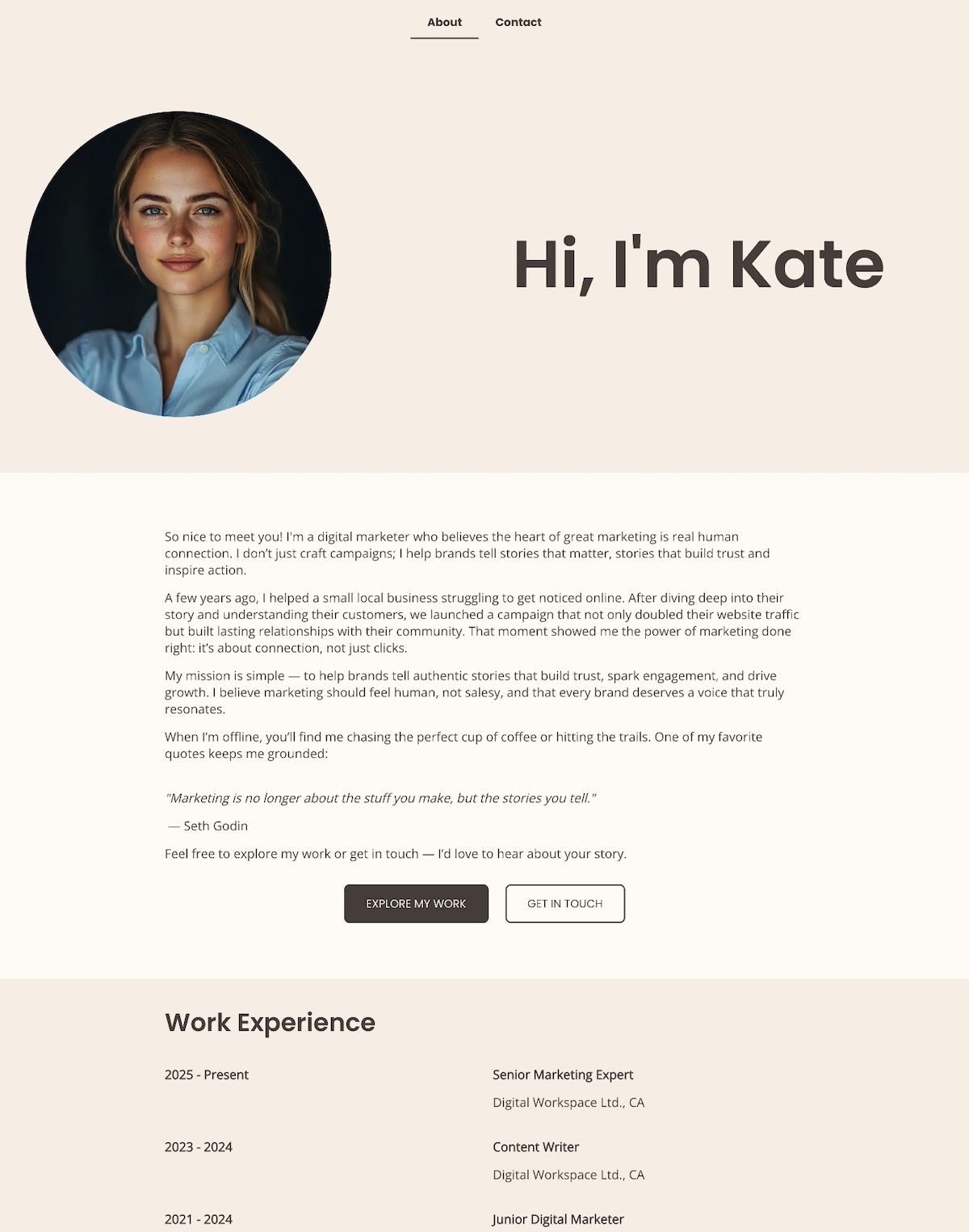
    SiteGround Website Builder