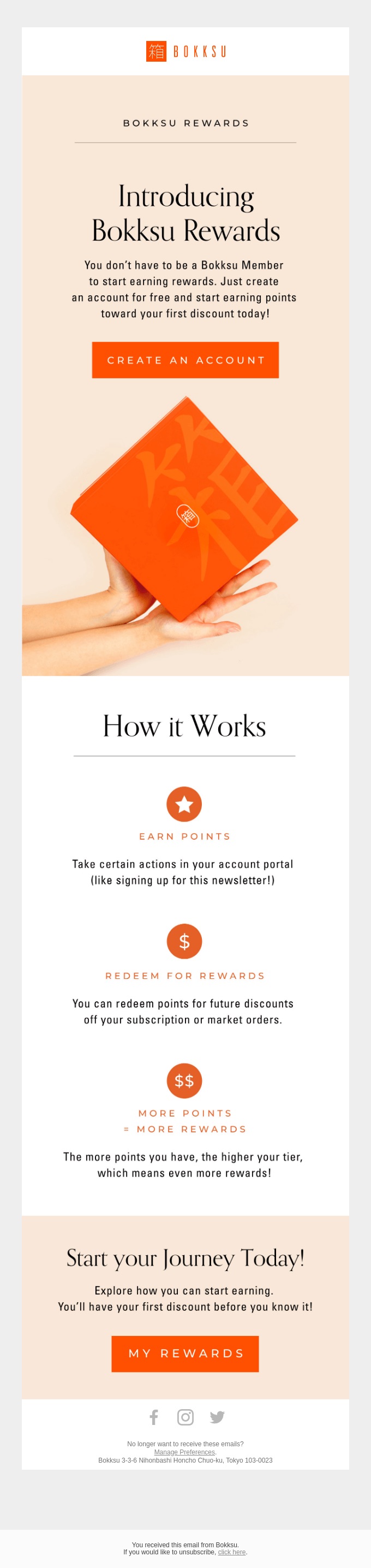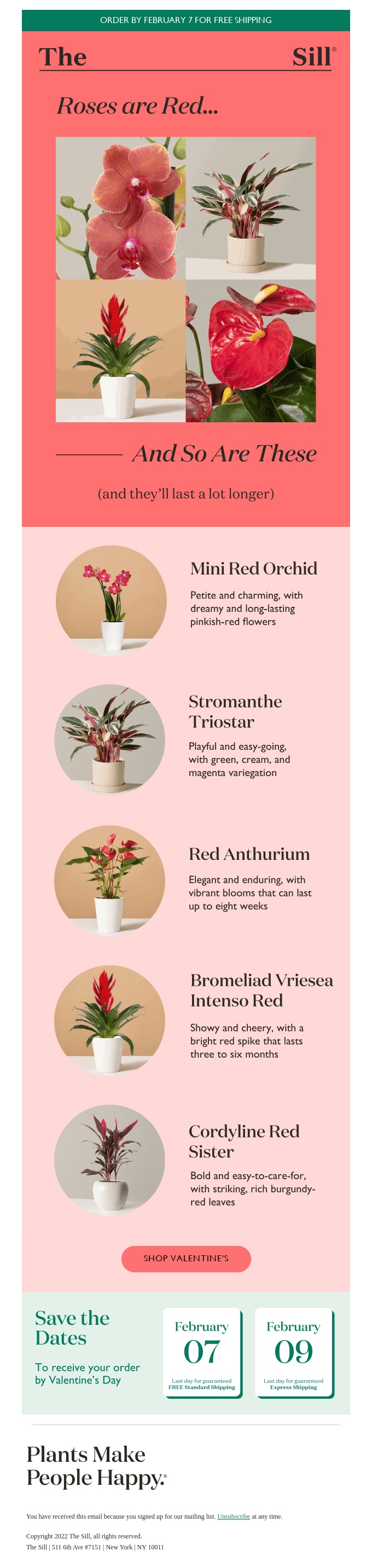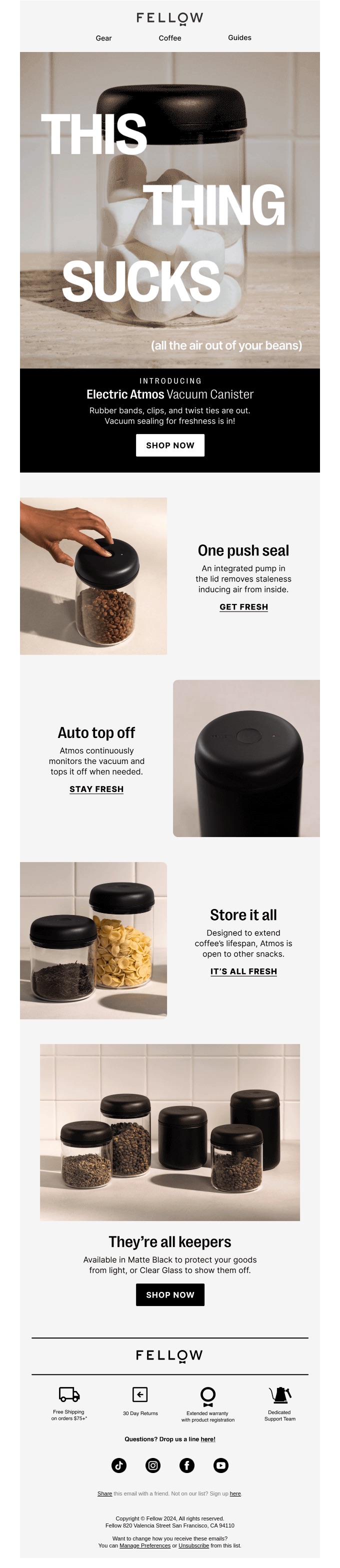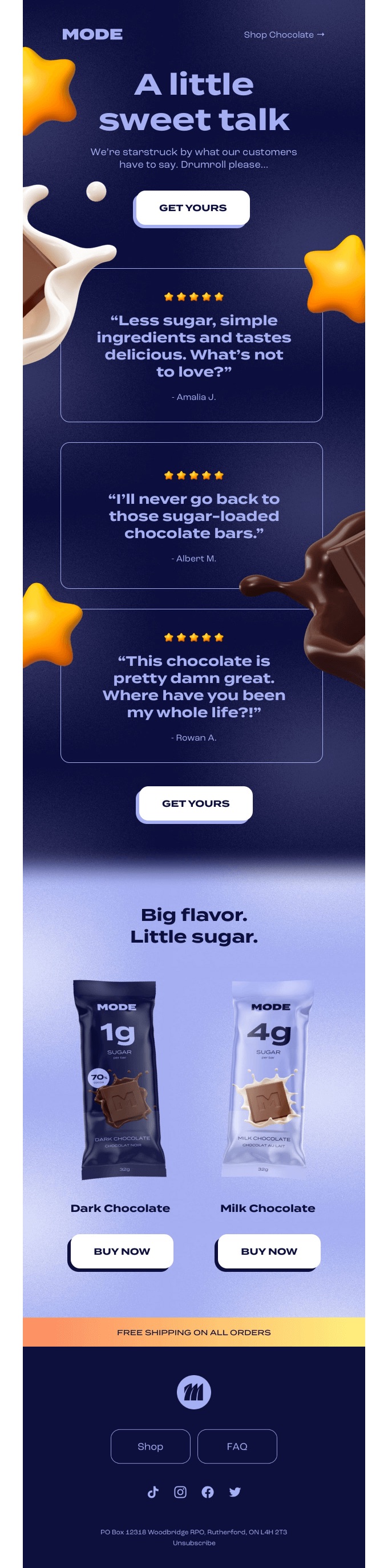
Best Practices for Email Subject Lines + 194 Top Examples

Email_Subject_Lines

First impressions are everything, right? Well, when it comes to email subject lines, this old saying holds true. Indeed, the best email subject lines are the first step toward crafting impactful campaigns and achieving email marketing success. It’s the first thing your audience sees in their inbox, and it often determines whether your email is opened, ignored, or straight up deleted.

In this article, we’ll explore the key elements of a great subject line, as well as share email subject line best practices for crafting ones that stand out. Plus, we’ve included a long list of email subject line examples to inspire your next campaign.

What Makes a Good Email Subject Line?

A good email subject line does more than just announce the email’s content: it grabs attention, maybe makes you look twice, and clearly that it’s worth your time to open it. It should be concise, compelling, and relevant to the recipient, and therefore increase the chances of your email being opened, read, and clicked on. 

But if only it were so simple, right? Understanding how to write email subject lines is a bit of an art, and can make the difference between a high open rate and, well, a high unsubscribe rate. Let’s unpack all that goes into good email subject line success.

New to the world of email marketing? Or maybe you’re keen to improve your skills? Take our FREE, six-day course to learn how to craft targeted messages, nurture leads, track success, and benefit from an unbeatable ROI. 

Sign up now >>

Email Subject Line Best Practices

Now that we’ve established the importance of having good subject lines for emails, it’s time to dive into strategies that can actually make a difference for your email campaigns. From creating a sense of urgency to using personalization and intrigue, we’ll cover the email subject line best practices that can bump up your email marketing game a notch. Plus, we’ll highlight common mistakes to avoid, ensuring your emails feel authentic and professional. 

1. Do: Create a Sense of Urgency

It’s hard to resist a great opportunity that just won’t last – whether that’s a sale, a limited-time product, an exclusive event, or some other get-it-while-you-can offer. By strategically emphasizing deadlines, scarcity, or exclusivity in your subject lines, you can highlight the value of your offer and get your recipients to take that much-desired action.

How to Implement a Sense of Urgency

  1. Use Time-Sensitive Phrases: Include language like “today only,” “limited time,” or “ends soon” to create urgency. For example, “Flash sale: 50% off ends at midnight!”
  2. Highlight Scarcity: Mention limited availability to add a friendly nudge. For instance, “Only 3 spots left – book now!”
  3. Combine Urgency With Exclusivity: Frame the offer as exclusive to the recipient while emphasizing the time limit. Example: “Your VIP early access ends in 12 hours!”
  4. Use Numbers or Specifics: Adding precise deadlines or quantities increases credibility and impact. Example: “Sale ends in 4 hours” or “5 seats left in this week’s webinar.”

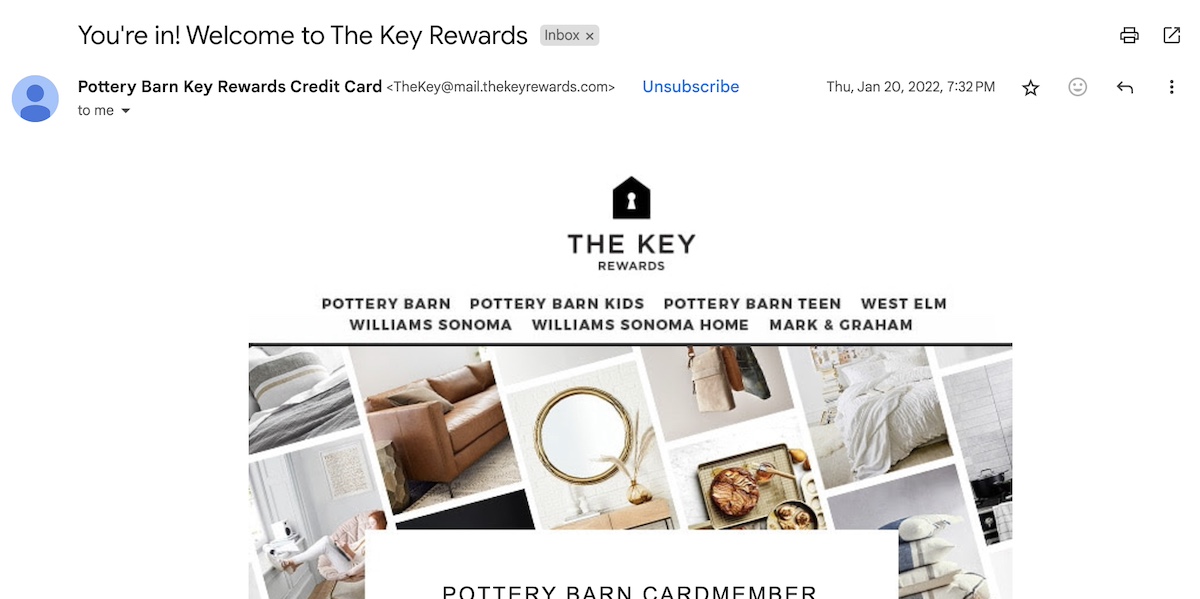
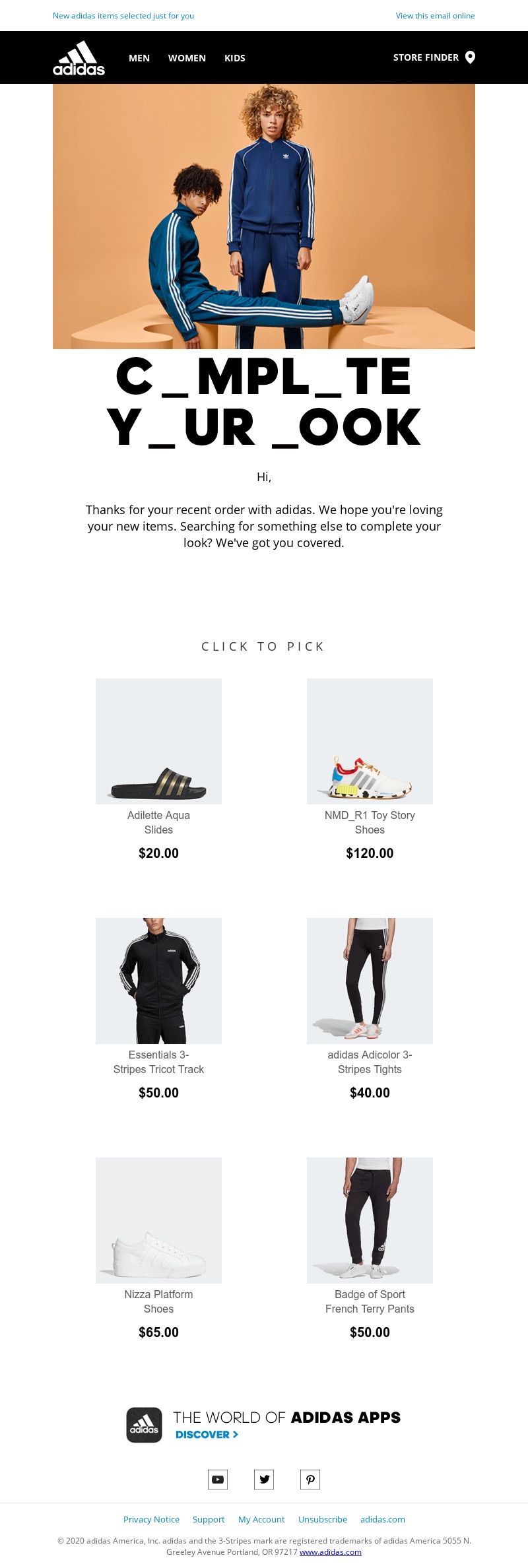
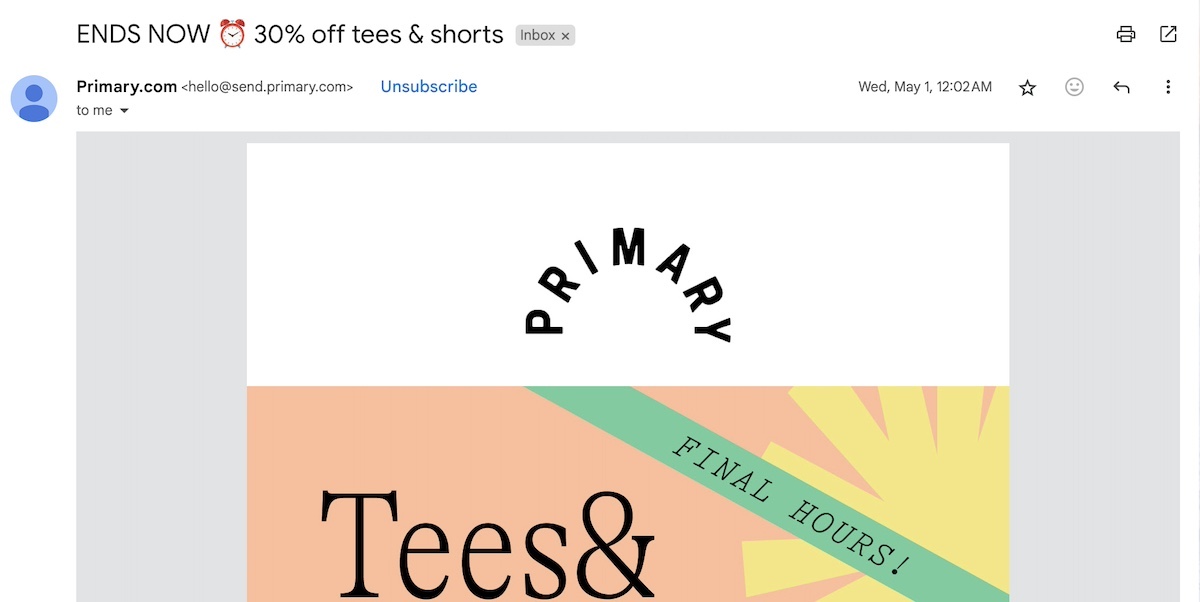
The below email combines a sense of urgency with precise details on the offer – plus it adds a playful emoji (another “do” we’ll touch on shortly).  
Good-email-subject-lines-sense-of-urgency

2. Do: Personalize

Personalization is one of the most effective ways to make your email subject lines really land with recipients – and to leverage the power of strategic email marketing. For example, when you’re building an email list, you can gather recipient names and thus craft personalized email subject lines that have a sense of connection and that grab attention. Emails that feel custom-made, rather than generic, are far more likely to get opened because they speak directly to the reader’s needs, interests, or past interactions with your brand.

How to Implement Personalization:

  1. Use the Recipient’s Name: Incorporate their first name to set a friendly vibe. Example: “Jenna, here’s your member discount!”
  2. Reference Past Behavior: Customize the subject line based on their previous interactions, like purchases or browsing history. Example: “Still Interested in Those running shoes? Let’s make them yours”
  3. Include Location or Preferences: Make the subject line location-specific or aligned with their preferences. Example: “Discover the best rock climbing spots in Colorado”
  4. Segment Your Audience: Along the lines of referencing past behavior or location, considering grouping recipients based on various criteria in order to create even more targeted and relevant subject lines. 
  5. Avoid Overdoing It: While personalization is powerful, overusing it or coming across as invasive and forced can feel off-putting. Keep it genuine and relevant.

Implementing personalization elements – such as a recipient’s name, or segmenting your lists – is a feature you’ll want to look for in your email marketing platform. With SiteGround Email Marketing, for example, you can take advantage of these capabilities, along with one of the most user-friendly and intuitive platforms available, making it easy to get started and see results quickly.

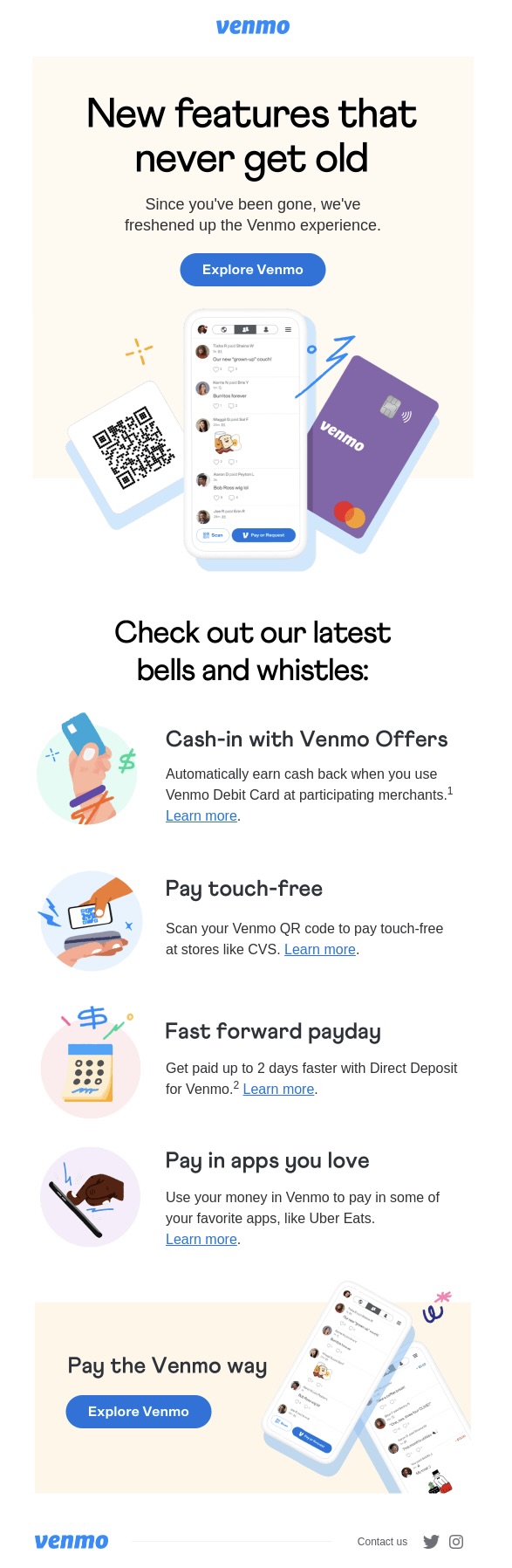
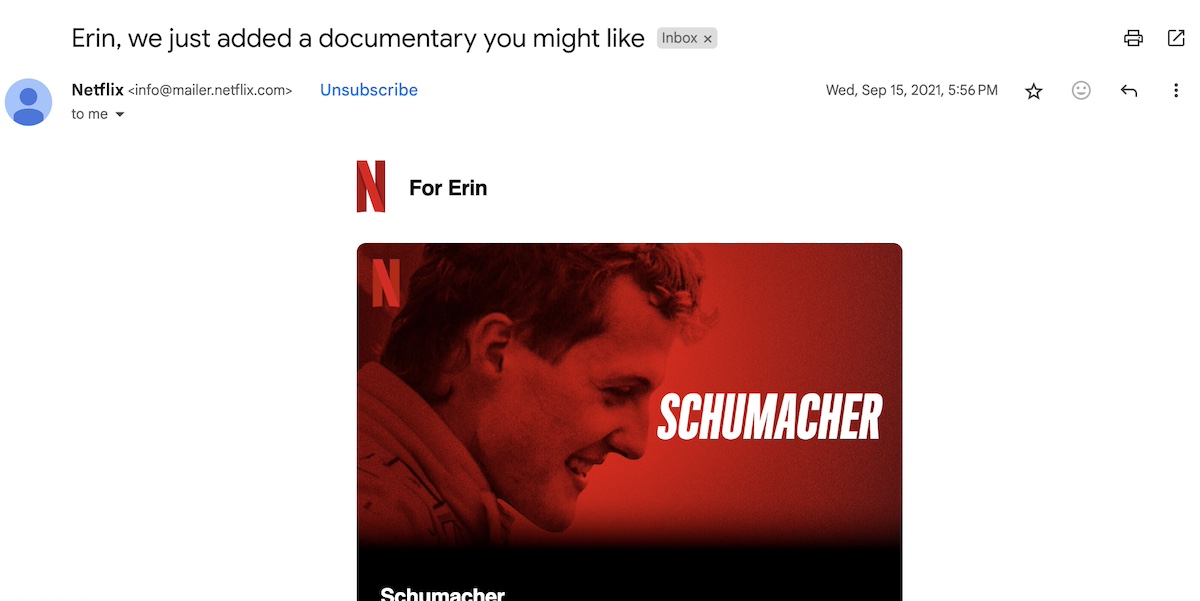
The following email not only uses the recipient name to establish a connection and draw attention, but it leverages user behavior and interests in order to make a targeted recommendation, and entice the reader to see what’s inside.
email-subject line - personalization

3. Do: Use Numbered Lists

Numbered lists are a tried-and-true method for capturing attention and can be a great way to make good subject lines for emails. Despite their simplicity, numbered lists perform exceptionally well because they provide structure, create intrigue, and make content feel more approachable and digestible. 

How to Implement Lists:

  1. Be Specific With Numbers: Use odd numbers like 3, 5, or 7, as they tend to feel a bit more authentic and rounded out. Example: “5 ways to boost productivity today”
  2. Highlight a Benefit: Combine the number with an actionable benefit for the reader. Example: “9 tips for effortless meal prep”
  3. Keep It Relevant: Ensure the number and content align with your audience’s interests or pain points. Example: “3 reasons your website might be losing traffic”
  4. Be Concise: Avoid overly long subject lines – keep the number and value clear in just a few words.
good-subject-lines-for-emails-numbered-list

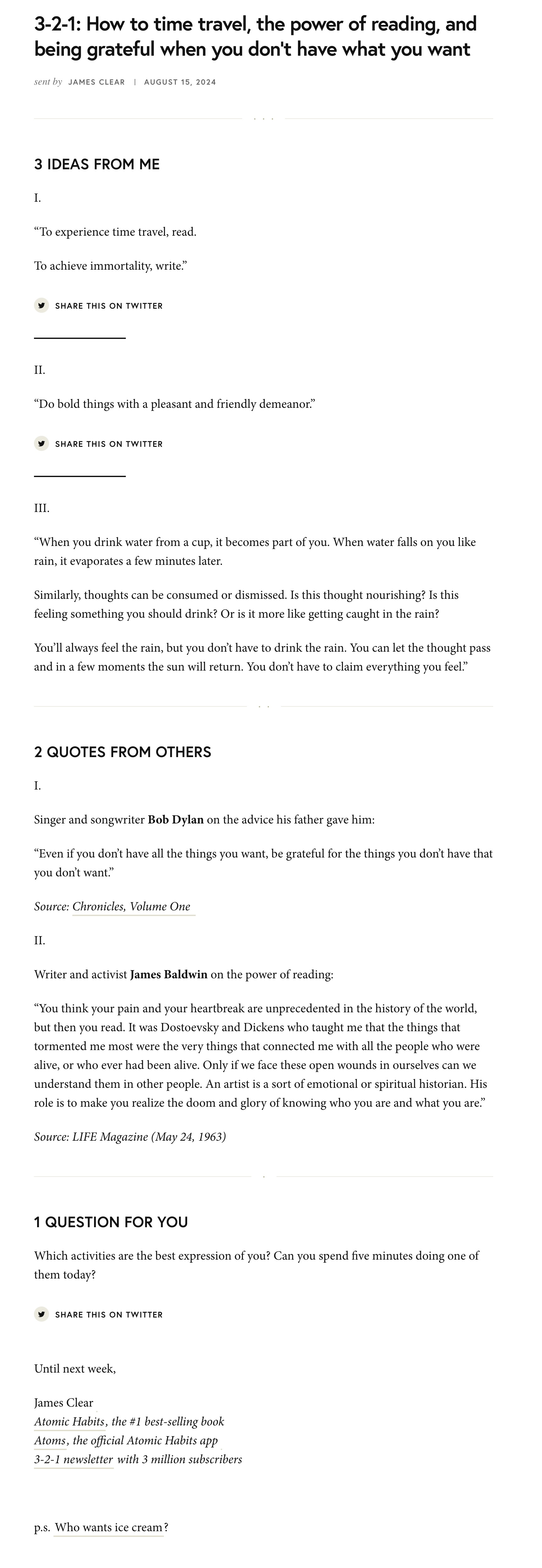
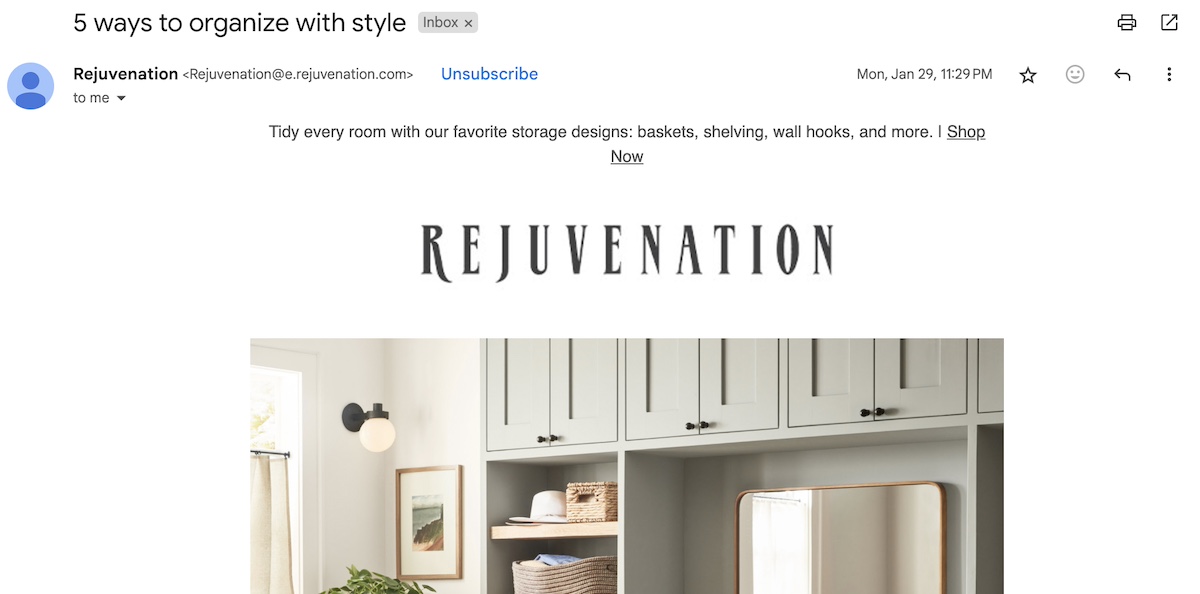
Take a look at the above email, which uses a list combined with a benefit in order to motivate action. Even if you haven’t contemplated organizing your style, it’s rather hard to resist learning five quick ways you might be able to do so.

4. Do: Use Questions and Commands

Incorporating questions and commands into your email subject lines is a clever way to grab attention and fuel action. Questions invite curiosity, prompting readers to seek answers in your email – it’s reflexive! Commands, on the other hand, provide clear instructions and create urgency, making it easier for recipients to take the next step. Both approaches encourage engagement, which is never a bad plan when it comes to standing out in overpacked inboxes.

How to Implement Questions and Commands:

  1. Ask Open-Ended Questions: Use questions that highlight a problem or opportunity relevant to your audience. Example: “Struggling to find time for yourself?”
  2. Give Actionable Commands: Use action words like “discover,” “learn,” or “claim” to guide the reader. Example: “Claim your free ebook today!”
  3. Pair With a Benefit: Show what’s in it for the reader by including the value they’ll gain. Example: “Ready to simplify your morning routine?”
  4. Combine Techniques: Pair questions and commands for added impact. Example: “Want to save time? Start with these 3 tips!”
  5. Keep It Short: Ensure your question or command is concise and easy to understand at a glance.

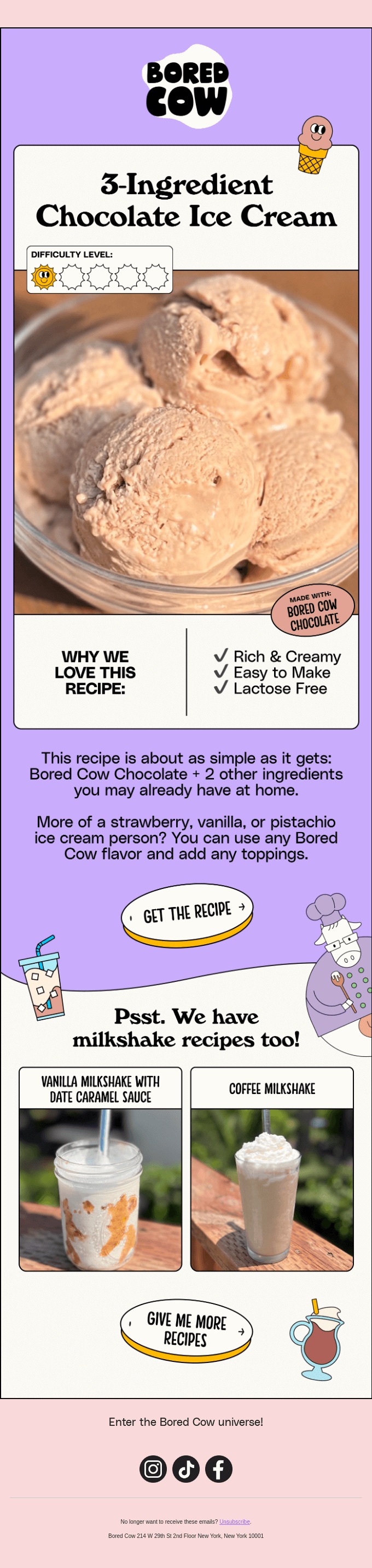
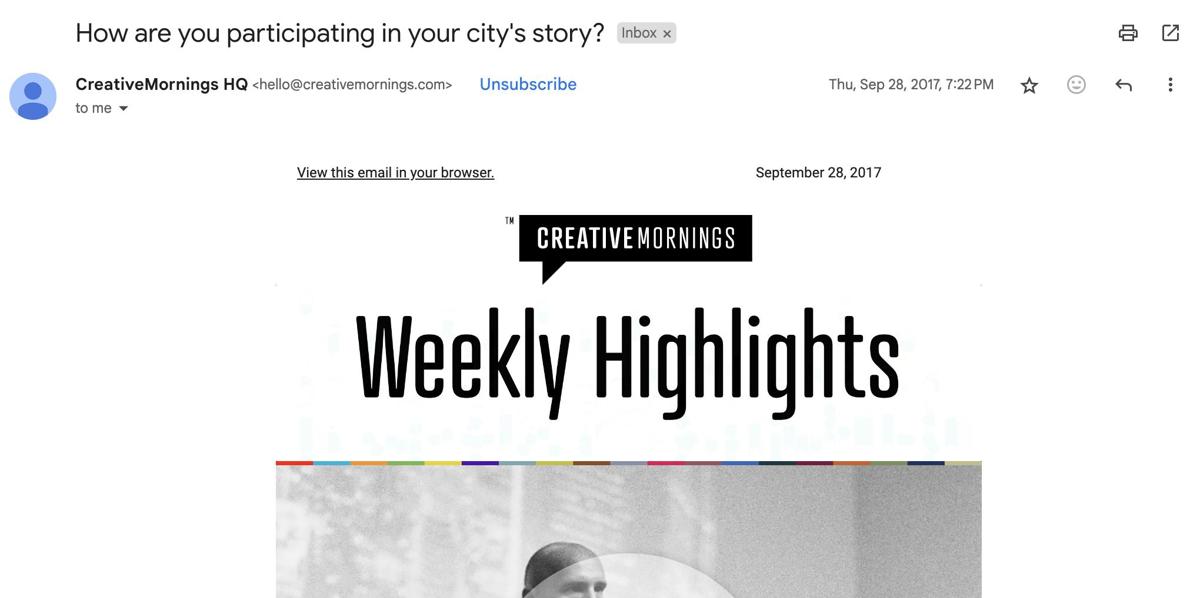
The below email implements a question with a splash of intrigue. It inspires the recipient to wonder not only what they might be doing to participate in their city’s story, but, perhaps even more so, what the email might have inside.
subject-lines-questions

5. Do: Use Emojis

Don’t underestimate the power of an emoji. The addition of emojis is a super simple and yet creative way to give your email subject lines a little extra pizzazz. Not only do they add a pop of color, but they convey emotion, and can help reinforce the message of your email. 

How to Implement Emojis:

  1. Keep It Subtle: Limit your use to one or two emojis to maintain professionalism and avoid overkill.
  2. Test for Compatibility: Ensure your emojis display correctly across different email clients and devices. Some emojis may not appear as expected.
  3. Don’t Use Emojis in Place of Words: Along the same lines, since sometimes emojis may not show up (or show up as expected), avoid replacing words with emojis. Use emojis to complement, not replace.
  4. Use Emojis for Emphasis: Highlight key points, like urgency or excitement. Example: “⏳ Limited time offer: act fast!”

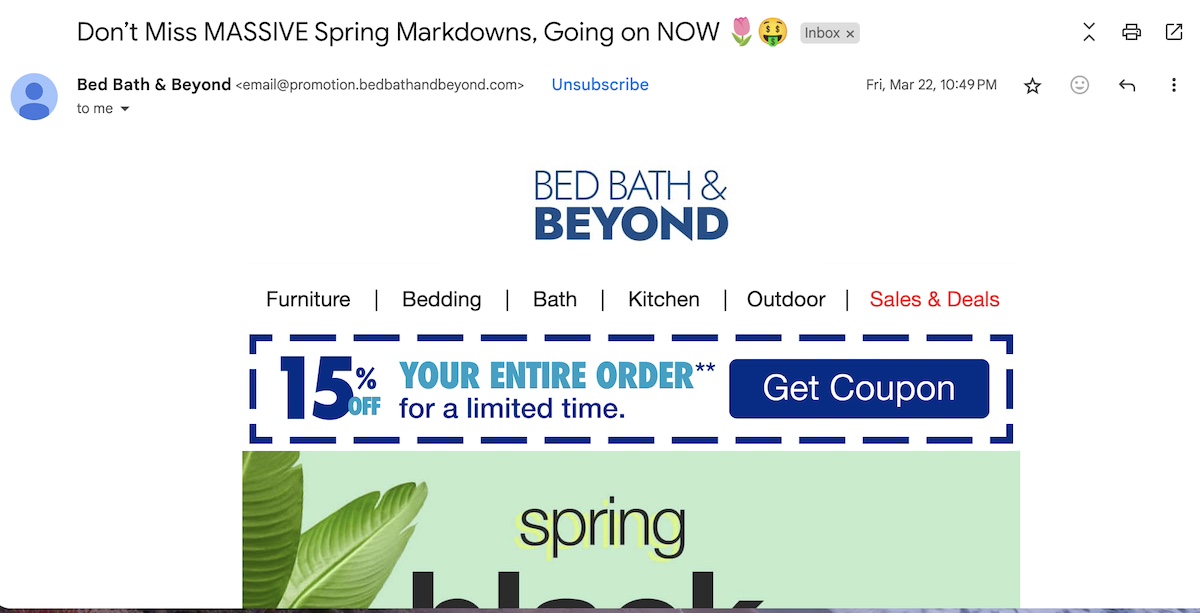
Using emojis in your subject lines can make your emails feel fresh while giving them a colorful edge in a text-heavy inbox. The below email uses emojis to support the context, make the message more playful, and help the email stand out.
email-subject-line-examples-emojis

6. Do: Keep it Short

How long should email subject lines be? Well, by keeping it short, you are more likely to grab attention and communicate your message quickly, especially on mobile devices. With limited space in email previews, brevity ensures your email subject line gets straight to the point and avoids being cut off. Good subject lines for email are clear, clever, and easier for recipients to process at a glance.

How to Implement Short Subject Lines:

  1. Focus on One Idea: Stick to a single, clear message to avoid overloading the subject line. Example: “Limited time: 20% off today!”
  2. Keep It Under 50 Characters: Aim for subject lines that are brief enough to display fully on most devices. Example: “Last chance to save!”
  3. Test Different Lengths: While shorter is generally better, test variations to see what resonates most with your audience.
  4. Prioritize Mobile Users: Just as with all email marketing design, it’s super important to always preview your subject lines on mobile to ensure they’re visible and impactful.

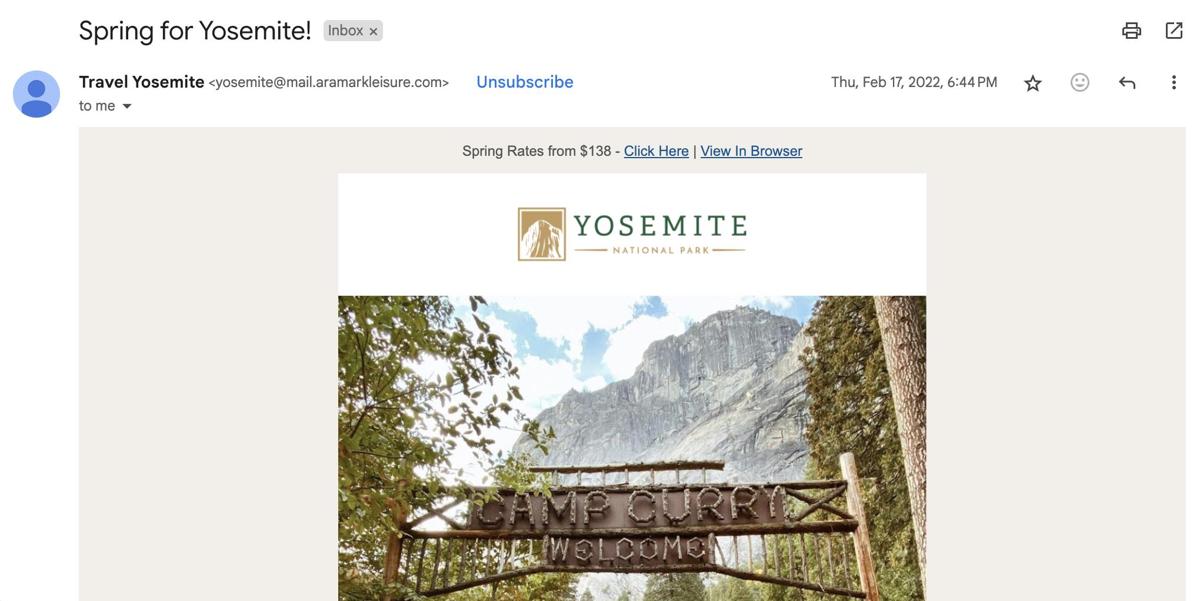
The following email subject line is short but sweet. The play on words – suggesting the season, but also to take action – gives you a quick idea for what’s inside, in addition to creating a bit of curiosity.
email-subject-line-keep-short

7. Do: Generate Intrigue

Intriguing and catchy email subject lines add that little extra spice that helps to create interest and compel recipients to open your email. By creating a sense of mystery or posing an enticing question, you encourage readers to find out what’s inside. This approach taps into their natural desire to uncover information and gives your email an extra advantage in their inbox.

How to Implement Intrigue:

  1. Ask a Provocative Question: Use subject lines that invite readers to explore a surprising or intriguing topic. Example: “What’s the one thing you’re missing in your morning routine?”
  2. Tease a Secret or Surprise: Hint at valuable or unexpected content without giving it all away. Example: “We’ve got big news – can you guess what it is?”
  3. Create a Cliffhanger: Use ellipses or leave the subject line unfinished to build suspense. Example: “This one hack will change everything…”
  4. Balance Mystery With Clarity: While it’s good to tease, provide enough information to convey the email’s purpose.
  5. Avoid Being Too Vague: Intrigue should spark curiosity, not confusion. Keep the subject line engaging yet understandable.

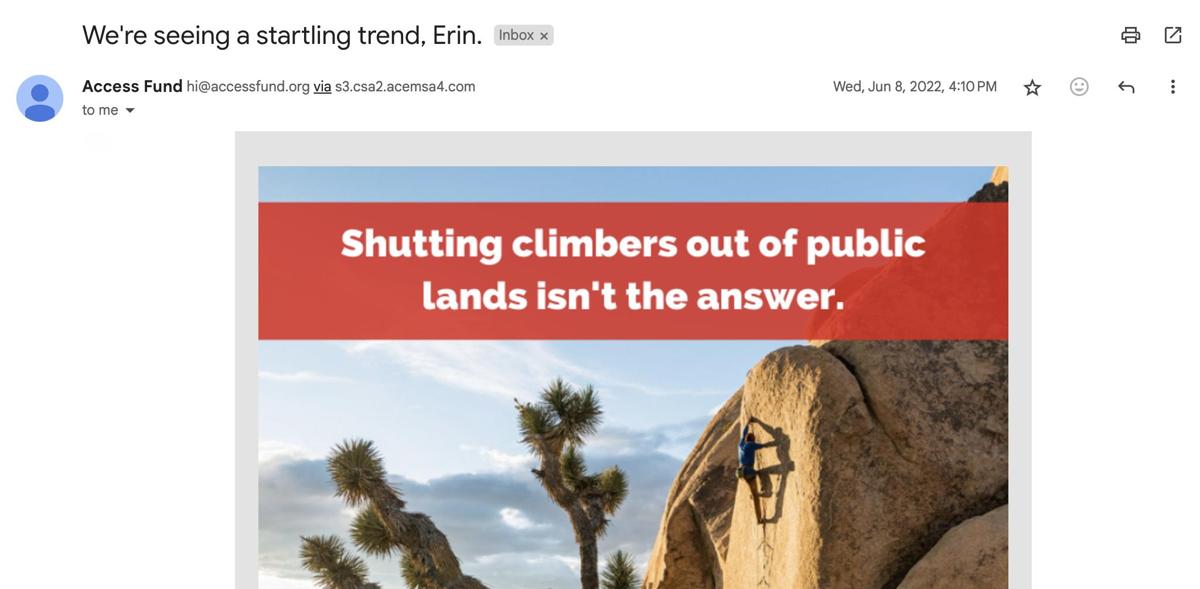
Nothing beats a little good old fashioned intrigue. In the next email, the sender has leveraged not only personalization, but they tease the reader about a “startling trend.” It grabs attention and makes you want to open the email and see what’s so concerning. 
best-email-subject-intrigue

8. Don’t: Use Clickbait

Speaking of generating confusion, while it might be tempting to use flashy or exaggerated subject lines to grab attention, clickbait can backfire and harm your email campaigns. Misleading email subject lines may lead to initial opens, but they often disappoint readers, erode trust, and hurt your brand reputation in the long run.

How to Avoid Using Clickbait

  1. Match Content to Subject Line: Ensure your subject line accurately reflects the email’s content. Example: Instead of “You won’t believe what’s inside!” use “5 tips to boost your marketing ROI.”
  2. Focus on Value: Highlight the genuine benefit of your email rather than relying on over-the-top language. Example: “Get ready for 20% off this weekend!”
  3. Avoid Overpromising: Be realistic about what you’re offering to avoid disappointing your audience. Example: Don’t claim “Everything is on sale” if there are conditions.
  4. Use Clear Language: Stick to straightforward, honest subject lines that highlight value without exaggeration.
  5. Monitor Feedback: Pay attention to your email marketing metrics – particularly open rates and unsubscribes – to identify and avoid subject lines that might feel clickbaity to readers.

9. Don’t: Use Spammy or Promotional Words

Using overly promotional or spammy language in your email subject lines can be a major turn-off, never mind that it can trigger spam filters. Words or phrases that seem too salesy or exaggerated may cause your emails to end up in the junk folder or be ignored by readers, ultimately harming your campaign’s effectiveness.

How to Avoid Spammy Language

  1. Choose Natural Language: Write subject lines that sound conversational and authentic, not overly polished or salesy. Example: Use “Save on your next adventure” instead of “Huge sale! Click now!!”
  2. Avoid Overused Words: Be thoughtful about using words like “guaranteed,” “urgent,” or “limited time only” unless they are genuinely applicable and paired with context.
  3. Limit Excessive Symbols: Emojis are great and all, but avoid overdoing it when it comes to using them. Also, mind the overuse of exclamation marks – it can all come across a bit spammy. Example: Replace “🔥🔥 Deal of the century!!! 🔥🔥” with “Your exclusive savings awaits.”
  4. Focus on Benefits: Emphasize what your audience will gain without sounding overly promotional. Example: Highlight “3 ways to save on your next trip” instead of “Act now for big savings!!!”.

10. Don’t: Put it in all Caps

Using all caps in your email subject lines may seem like an effective way to grab attention, but it often comes across as aggressive or unprofessional. Plus, all caps can trigger spam filters, negatively impacting your email deliverability. So instead of standing out in a positive way, it can actually have the opposite effect, making your email appear too salesy or even like spam – big no-nos on many levels. 

How to Avoid Capitalization Misuse

  1. Use Title Case or Sentence Case: Stick to standard capitalization rules. For example: “Exclusive offer just for you” instead of “EXCLUSIVE OFFER JUST FOR YOU!”
  2. Strategically Capitalize: Use capitalization sparingly to draw attention to specific words, but only when it feels natural and adds value. For example, rather than “OUR BIGGEST SALE OF THE YEAR STARTS NOW” go with, “Our biggest sale of the year starts NOW.”
  3. Experiment with Emphasis: Try using punctuation like dashes or colons for emphasis rather than capital letters. It allows you to create a natural pause or separation, making the message clearer and more engaging without resorting to ALL CAPS. For example, in “Exclusive offer: save 20% on your first order,” the colon breaks the subject line into two distinct parts. The first part, “Exclusive offer,” grabs attention, while the second part, “save 20% on your first order,” delivers the benefit.
  4. Use Short, Impactful Words: Keep your subject line concise and impactful, rather than relying on caps to convey urgency.

Email Subject Line Examples

Now that we’ve covered the key elements of crafting the best email subject lines, it’s time to dive into the real meat of the matter – a comprehensive list of email subject line examples to inspire your next email marketing campaign. Whether you’re writing a warm welcome email, a time-sensitive sales pitch, or a creative holiday greeting, we’ve got action-inspiring email subject line examples for you. 

Cold Email Subject Lines

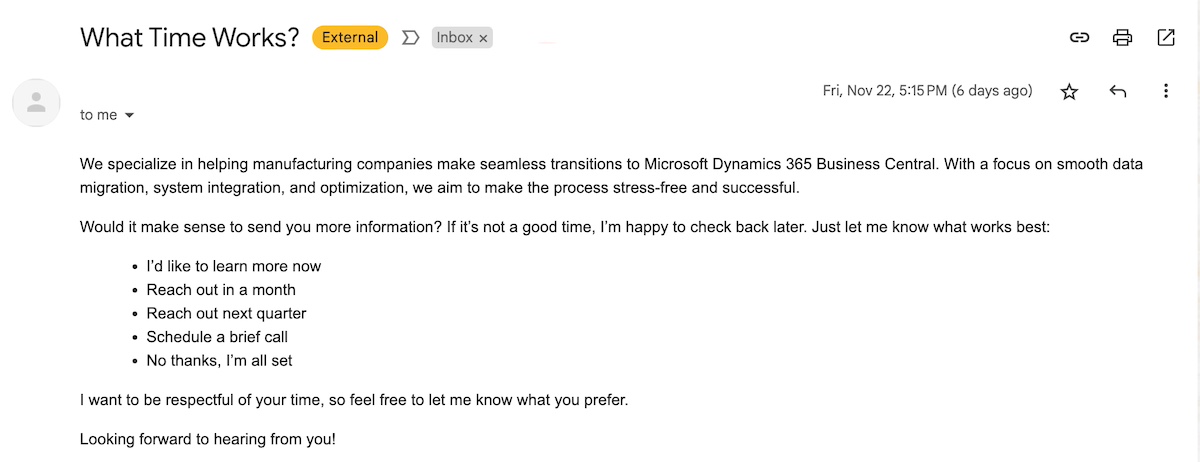
Cold email subject lines are all about making a strong first impression. They need to be intriguing, relevant, and inviting enough to turn a stranger into a potential connection or customer.

  1. Transform your [specific industry] results with ease
  2. How we helped companies like [customer company] thrive
  3. Your solution to [specific pain point] starts here
  4. Take the next step toward [specific goal]
  5. The fastest way to achieve [desired outcome]
  6. Cut costs and boost results in [specific timeframe]
  7. See what’s missing in your [specific process]
  8. Looks like we both want to improve [specific goal]—let’s talk about how
  9. We’ve got the tools to help you succeed
  10. Simplify your path to [key business goal]
  11. Helping [industry professionals] save time and money
  12. I saw you attended [event/conference]—let’s connect!
  13. [Mutual connection] thought we should connect
  14. Struggling with [specific issue]? We have a fix
  15. Stop wasting time on [inefficient process]—here’s how
  16. Increase [metric] with this simple change
  17. I see you’re passionate about [topic]—me too! Here’s something that could help
email-subject-line-examples-cold-email

Follow-Up Email Subject Lines

Building connections doesn’t end with the first email – it’s all about the follow-up. Great follow-up subject lines grab attention, show purpose, and encourage the reader to reconnect or take the next step.

  1. Just checking in – any questions about [product/service]?
  2. We’re still here and ready to help!
  3. We don’t want you to miss out – final reminder!
  4. It’s been a minute – here’s 10% off just for you!
  5. We’re here to answer your questions, [Name]
  6. Still thinking about it? Let’s talk
  7. What’s the best time for us to revisit your options?
  8. Just checking in – anything you’d like to discuss?
  9. I wanted to share some new info with you on [product/service]
  10. If you’re still on the fence, here’s something that might help
  11. Thought I’d follow up and see if you had any more questions
  12. Time’s running out to take advantage of [offer] – let’s chat soon!
  13. Is now a good time to reconnect?
  14. Just wanted to circle back – let me know your thoughts
  15. Thought this might be helpful for your decision
  16. Any updates on your end? I’m here to help
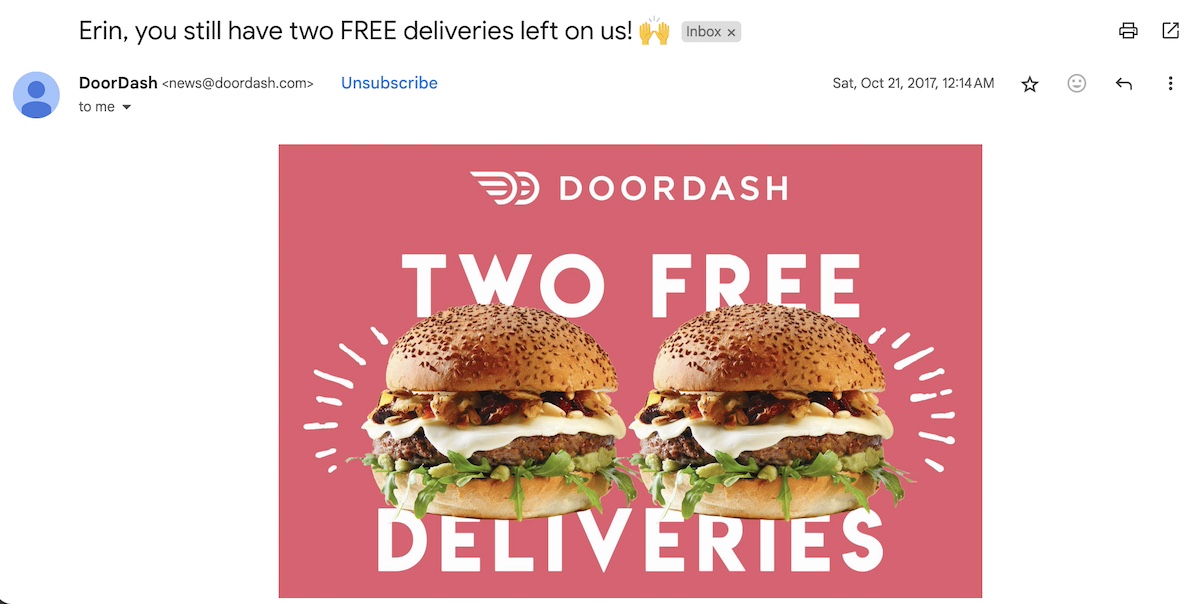
best-email-subject-lines-follow-up

Welcome Email Subject Lines

Welcome emails require their own unique subject lines, as they set the stage for your relationship with new subscribers. They should feel warm, inviting, and exciting – like the digital equivalent of rolling out the red carpet.

  1. Your welcome gift is ready and waiting inside
  2. Welcome to [brand]! Here’s how to get the most out of it
  3. Thanks for joining us! Your special offer is inside
  4. Welcome to the family – thanks for subscribing
  5. Welcome aboard! Enjoy 10% off your first purchase
  6. Your first step with [product/service]: let’s get started
  7. Say hello to your new [brand/product] experience
  8. Ready to dive in? Your quick guide to [product/service] awaits
  9. A note from our founders
  10. Enjoy 10% off your first order with us – just for you
  11. Let’s get started: your welcome guide is inside
  12. Welcome to [Brand]! Let’s get to know each other.
  13. You’re in! Here’s what’s next.
  14. Everything you need to know about [Brand]
  15. Hello, [Name]! Here’s how to connect with us.
  16. Meet [Brand]: What to expect from us
email-subject-lines-Welcome-email

Promotional Email Subject Lines

Promotional emails aren’t just about deals – they’re your chance to delight, surprise, and inspire someone to take action. A great subject line grabs attention, teases what’s inside, and gets readers excited to click and discover what’s waiting for them.

  1. Meet our newest [product/service] – now available!
  2. Introducing our newest [product/service] – see what’s new!
  3. The next big thing is here – be the first to try it
  4. Discover what makes [product] stand out from the rest
  5. Get to know the features you’ll love in [product/service]
  6. You’re invited to be the first to try [new product/feature]
  7. Unlock expert tips on using [product/service]
  8. [Product/service] tips and tricks you didn’t know you needed
  9. The [product/feature] everyone’s talking about
  10. What makes [product/service] the best? Find out here
  11. [Product/service] just got better – check out the new updates
  12. Special access to [product/feature] – just for you
  13. Step-by-step: How to use [product/service] to its full potential
  14. Last chance to get your hands on [product/feature]
  15. Discover why [product/service] is getting rave reviews
  16. We just introduced something new – find out what!

email-subject-lines-promotional

Newsletter Email Subject Lines

Newsletters are your chance to catch up with your audience and share what’s new. A great subject line pulls them in, gives a hint of what’s inside, and makes them excited to stay in the loop.

  1. Fresh off the press: The latest from [Brand]
  2. Let’s catch up: Here’s what’s new!
  3. In case you missed it: This week’s top stories
  4. Your November wrap-up: What’s new in [industry/topic]
  5. Your weekly pick-me-up from [Brand]
  6. What our community is buzzing about this week
  7. Here’s what you need to know about [topic] this month
  8. Catch up on everything happening at [Brand]
  9. What’s making waves in [industry]? Get the details
  10. Here’s what’s new and noteworthy at [Brand]
  11. What’s on the horizon for [industry/topic]? Get the scoop
  12. New this week: [topic/feature/product] you don’t want to miss
  13. What our [readers/shoppers/customers] are loving this week
  14. This week at [Brand]: Highlights from our community
  15. Grab your coffee—here’s this week’s roundup from [Brand]
  16. Fresh updates and trends: See what’s new
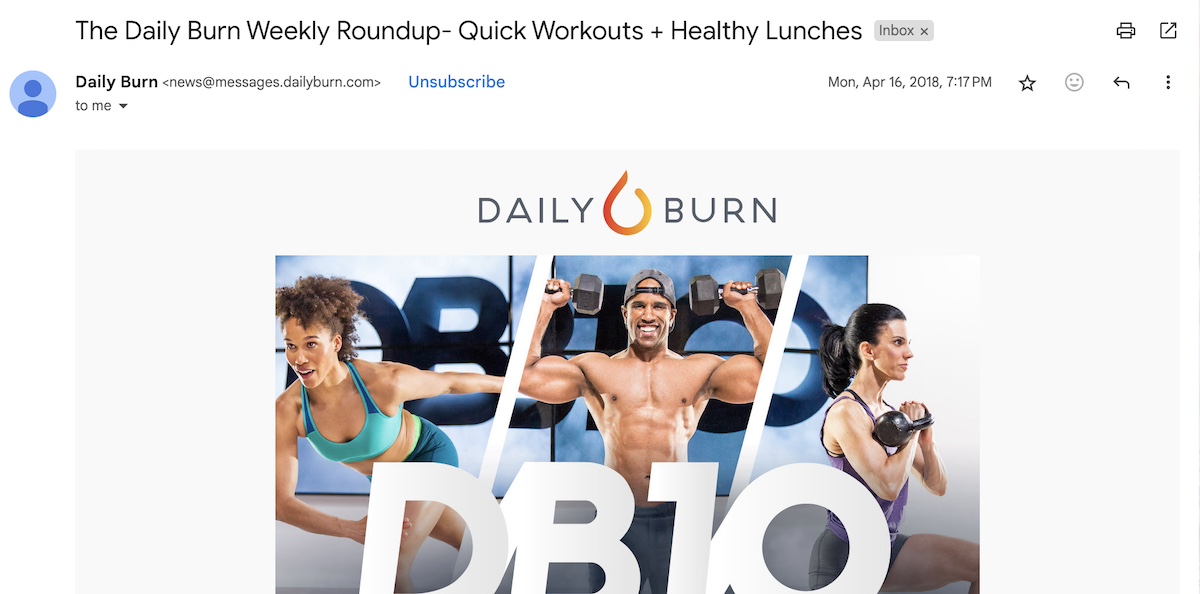
good-email-subject-lines-newsletter

Catchy Email Subject Lines

Catchy email subject lines are like a perfect opening act – they grab attention, set the tone, and get your audience excited to see what’s next. It’s important to note, however: while catchy subject lines should do just that – catch one’s attention – the content of the email should live up to and align with the subject line. Otherwise you just end up with a big “don’t”: click bait. 

  1. The wait is over – something big has arrived!
  2. Ready for something that will make you smile?
  3. We couldn’t keep this to ourselves any longer
  4. Here’s the [tool/product/service] you didn’t know you needed
  5. Change the way you [action] – starting now
  6. If you like [X], you’ll love this
  7. A little surprise to make your day
  8. Ready for something a little unexpected?
  9. Can you guess what we’ve been working on?
  10. Upgrade your [productivity/experience] with just one click
  11. You didn’t think we’d forget, did you?
  12. Let’s make your day a little bit better
  13. Here’s a fresh take on [topic/solution]
  14. [Benefit] in just three steps – start here
  15. It’s not magic, it’s [product/feature]
  16. Why did we wait so long to share this?
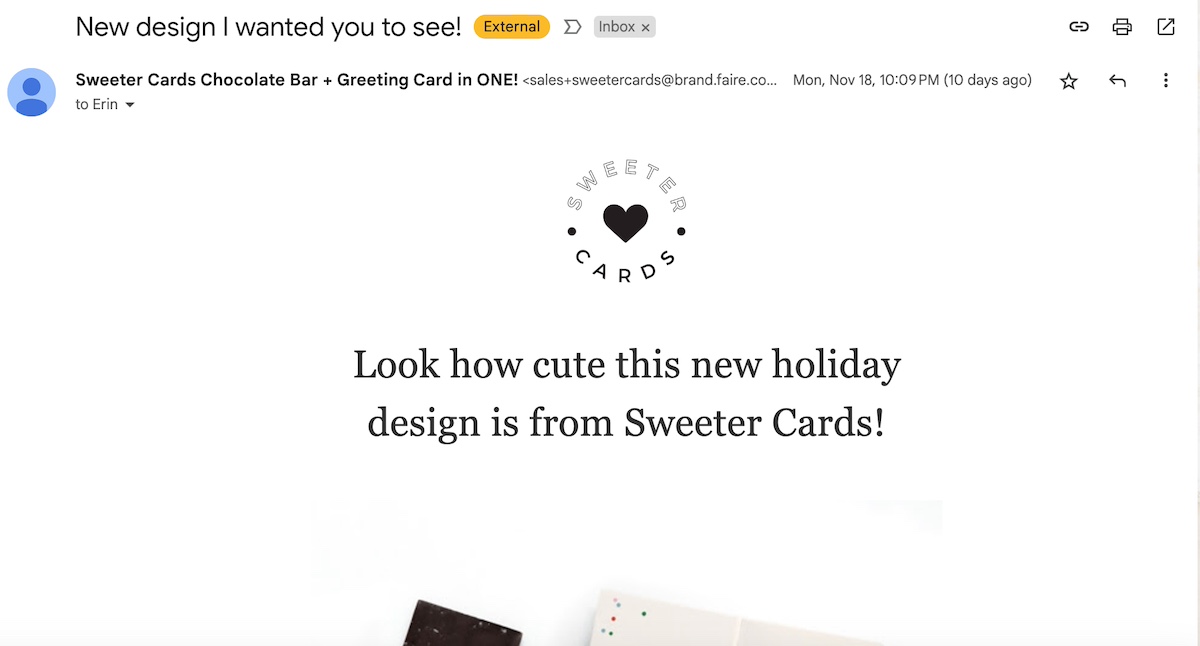
Catchy-email-subject-lines

Sale Email Subject Lines

Sale email subject lines are your secret weapon for turning interest into action. They highlight irresistible deals, create a sense of urgency, and make it harder for readers to resist opening to learn more.

  1. This sale’s got your name on it – literally
  2. Your wallet will thank you for these deals
  3. Your favorite things – now at even better prices
  4. Shop now, thank us later
  5. Your private sale starts now!
  6. Almost sold out: Shop now for the best picks!
  7. Hurry – before your size is gone!
  8. Did someone say sale? Oh wait, we did!
  9. Didn’t catch our sale? Enjoy a bonus day of 15% OFF
  10. VIP access to our secret sale
  11. Our biggest sale of the year is here
  12. Grab what’s left – our sale ends soon
  13. Last chance to grab your favorites on sale
  14. If you wait, you’ll be paying full price 😉
  15. Everything you need, now at the price you want
  16. Save now, thank us later – shop the sale
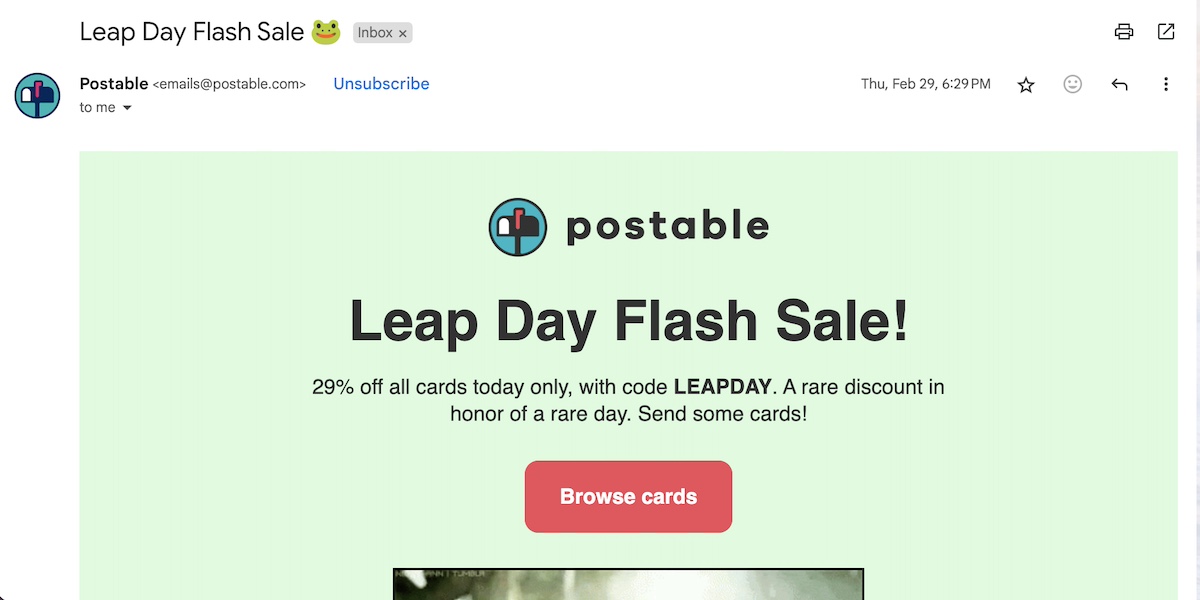
good-subject-lines-for-emails-sale

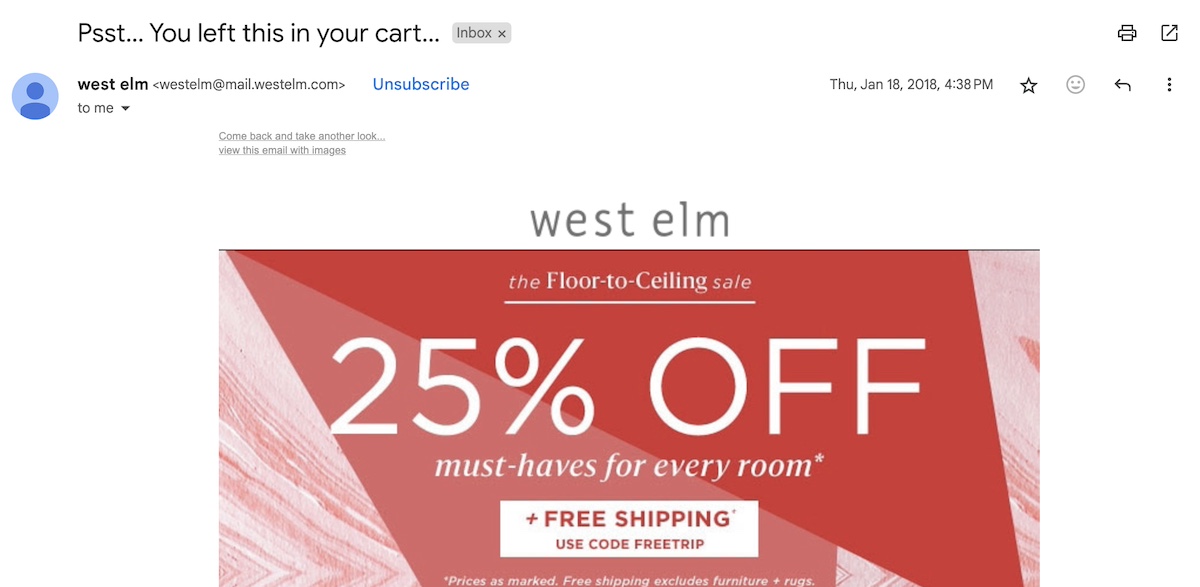
Abandoned Cart Email Subject Lines

Abandoned cart emails are your chance to say, ‘Hey, don’t forget this!’ A great subject line catches their eye, makes them smile, and gives them a reason to come back and complete their purchase.

  1. Your cart misses you – checkout in just one click!
  2. Still interested? Let’s make it happen!
  3. Still thinking it over? Here’s a quick reminder!
  4. You left something behind – your [product/service] is waiting!
  5. Still interested? Take 20% off with this special code
  6. Still interested? Here’s a little incentive!
  7. Oops, did you forget something in your cart?
  8. Almost there! Complete your purchase before it’s gone
  9. Hurry! Your cart is about to expire!
  10. We’ve saved your cart for you—use code [code] for 10% off
  11. Need a little nudge? Here’s [X]% off your order!
  12. We noticed you left something behind, [Name]—need help?
  13. Still deciding? Here’s why you’ll love what’s in your cart
  14. Only a few left in stock—grab them before they’re gone!
  15. Hey [Name], you forgot something—let’s take care of that cart!
  16. Complete your order now to enjoy [benefit of product]
email-subject-line-examples-abandoned-cart

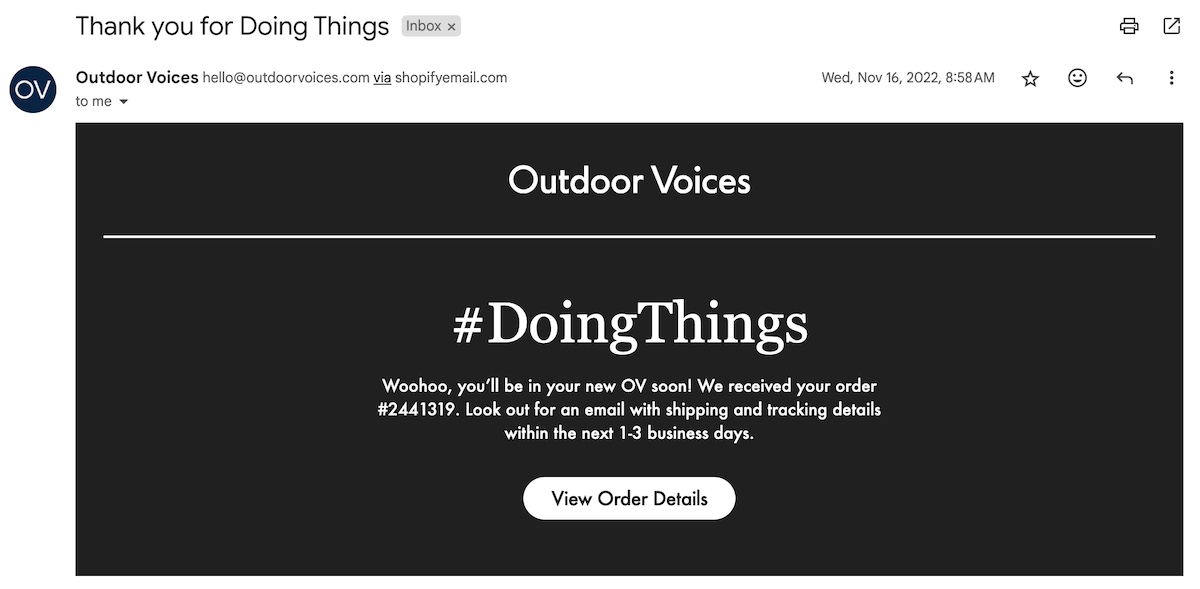
Thank You Email Subject Lines

Thank you email subject lines are your chance to show gratitude and leave a lasting positive impression. They should feel genuine and heartfelt, reminding readers just how much they’re appreciated.

  1. Your purchase made our day
  2. Here’s a little something to say thanks
  3. Thanks for shopping with us – here’s what’s next
  4. A heartfelt thank you for partnering with us
  5. You’re the reason we do what we do – thank you
  6. Your order is on its way – thanks for choosing us
  7. Big thanks from all of us at [brand name]
  8. Thanks for helping us grow – here’s to more together
  9. A little thank you from all of us at [brand name]
  10. Thank you for being an important part of our story
  11. Thank you for shopping small this holiday season
  12. You just made our day – thank you for choosing us!
  13. You’re awesome – thanks for your order!
  14. You’ve made us smile – thank you for your order!
  15. Your support helps us do what we love – thank you!
  16. High five for your order – thanks for choosing us!
good-email-subject-lines-Thank-you

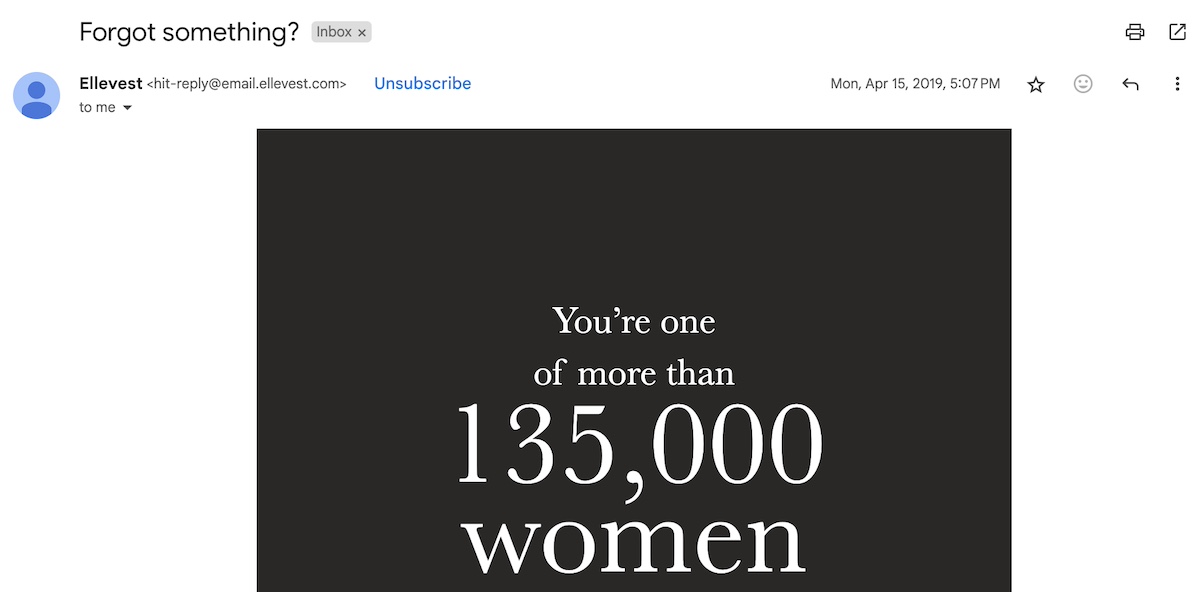
Re-engagement Email Subject Lines

Re-engagement email subject lines are your opportunity to reignite interest and encourage action. They should feel inviting and energizing, reminding recipients of the value they once found in your brand or service.

  1. We miss you! Here’s 20% off to come back.
  2. It’s been a while – let’s reconnect!
  3. Don’t let this be goodbye – we’d love to have you back!
  4. We noticed you’ve been quiet – is everything okay?
  5. Let’s start fresh – here’s an exclusive offer just for you.
  6. Are you still there? We’d love to hear from you.
  7. Where have you been? We’ve got some exciting updates!
  8. Don’t let this be the end – here’s why you should come back.
  9. Here’s what you missed – it’s worth checking out!
  10. We’ve saved you a spot – come back and see what’s new!
  11. We’ve got new things in store for you – come take a look!
  12. Hey, we’ve been thinking about you – let’s catch up!
  13. Things have changed – let us show you around!
  14. [Name], are you ready for a fresh start with us?
  15. New products, new offers, and more – let’s get you back in the loop!
  16. Ready to make up for lost time? Let’s reconnect!
email-subject-lines-reengagement

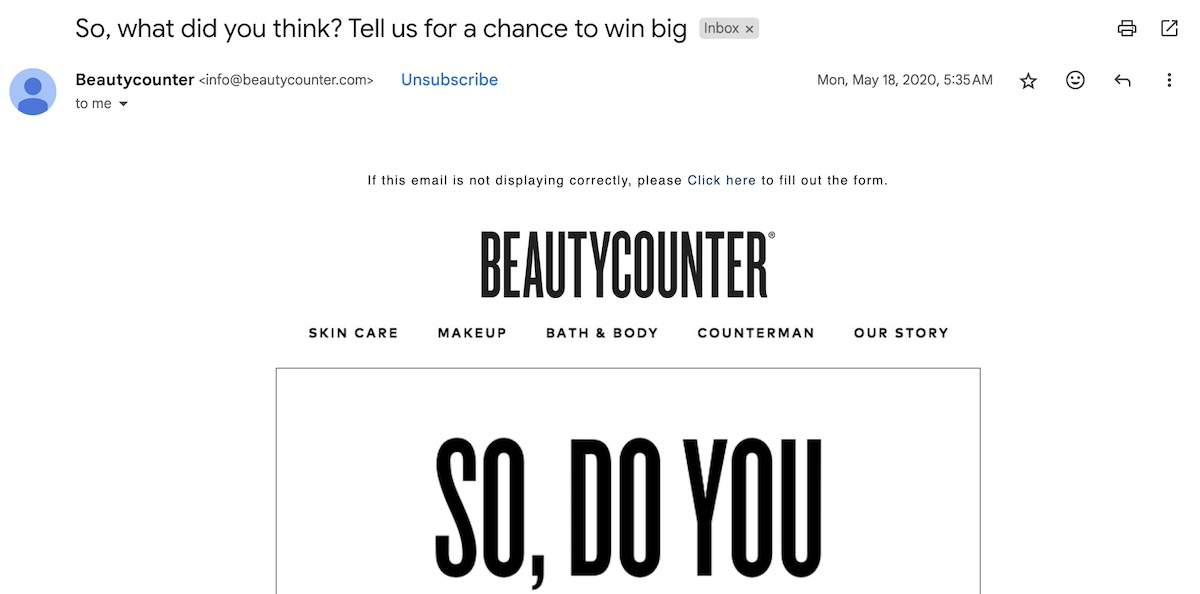
Survey Email Subject Lines

Getting feedback is key to growth, and it all starts with a compelling subject line. A well-crafted survey email subject line draws readers in, and motivates them to share their thoughts.

  1. Got 2 minutes? We’d love to hear what you think
  2. We’ve got questions. You’ve got answers. Let’s make it happen
  3. Your opinion matters – take a quick survey & be heard
  4. Help us improve & unlock a special discount
  5. Spill the tea – what do you really think about us?
  6. [Name], what do you think of [product/service]? We value your feedback
  7. Your opinion pays off – complete our survey for a special offer
  8. Your thoughts could help shape our business – share them with us!
  9. What do you think? We’d love your feedback!
  10. We’ve got some questions – let’s hear your thoughts!
  11. We value your input, [Name] – help us improve!
  12. A quick survey to help us serve you better
  13. Help us understand what matters to you!
  14. Can we ask for your feedback?
  15. We’re all ears – take our short, 2-minute survey
  16. Help us make your experience even better – take our survey
email-subject-line-survey

Holiday Email Subject Lines

Holiday emails offer a chance to bring some extra cheer to your audience. A strong holiday subject line captures the festive spirit and encourages readers to open and engage with your special seasonal offer.

  1. Don’t get left out in the cold – [offer] inside
  2. All I want for Christmas is [your offer] – shop now
  3. Santa called – he wants you to have [discount/deal]
  4. Get your jingle on – limited-time holiday deals inside
  5. Sleigh the holiday shopping – exclusive offer just for you
  6. Fa la la la la… [deal] that’ll make your holiday bright
  7. Feeling festive? Here’s a holiday gift from us to you
  8. Merry and bright deals – only available for a limited time
  9. Dashing through the deals – don’t miss our holiday sale
  10. Have you been naughty or nice? Either way, we’ve got a deal for you
  11. Make your season merry with 20% off
  12. Hot deals for a cold season – shop now!
  13. You’re on the nice list – get 15% off your next order
  14. Make your holidays sparkle (without the splurge)
  15. A little something to make your season brighter
  16. Sleigh your holiday shopping with us
  17. Less stress, more savings – holiday deals inside
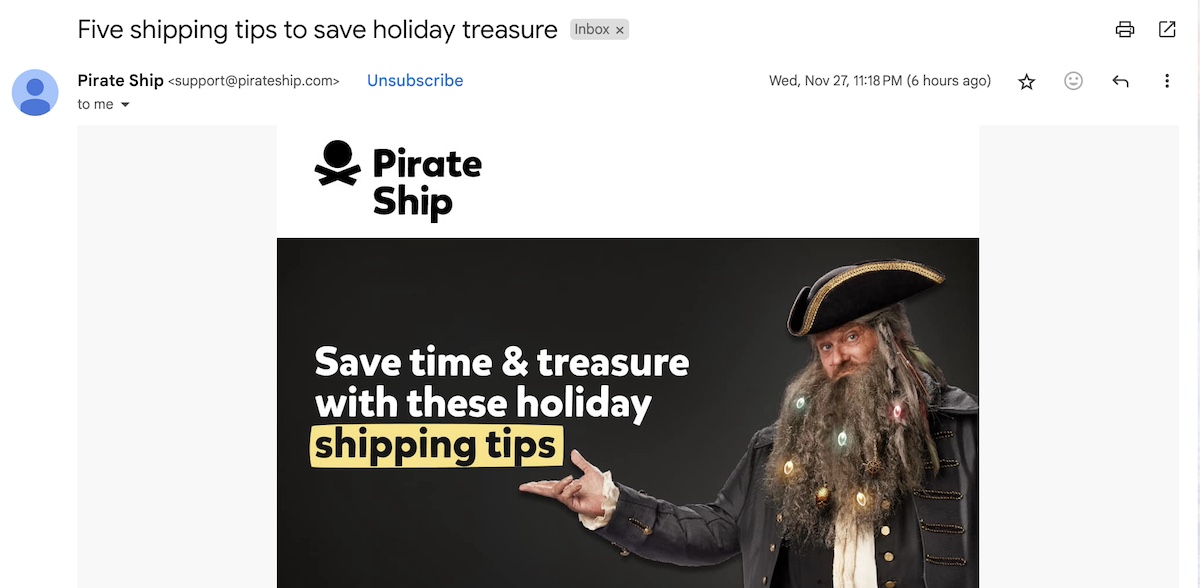
email-subject-line-ideas-holiday

The holidays are also a great time to think strategically when it comes to email marketing and sales – for expert tips on how to maximize this sale-heavy season, check out our Black Friday and Cyber Monday Guide. 

Bonus Tips for Creating the Best Email Subject Lines

Be Strategic About Email Subject Line and Preview Text

While your email subject line is the superstar here, don’t overlook the importance of your preview text – the small snippet that appears in recipient inboxes before the email is opened. Think of it as a connector between your subject line and the content inside the email. Use it to add context to your subject line and give readers an extra nudge to open your message.

Keep in Mind Sender Name and Email Address

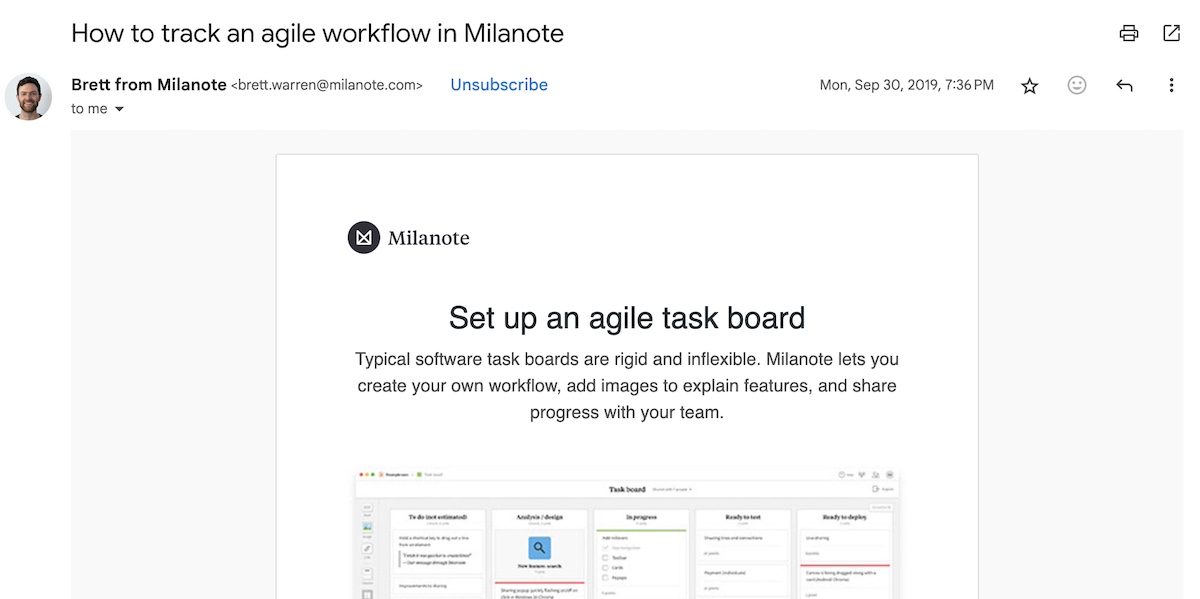
Although this isn’t directly about subject lines, the sender name plays a significant role in how recipients perceive your emails and whether they decide to open them.

You might opt to use your company name, or, for a more personal touch, include your own name, such as “[your name] from [your company].” This approach makes your email feel more relatable and human, much like using personalization in a subject line. It helps create a subtle connection with the recipient and can increase your chances of engagement.

On the other hand, using a “no-reply” email address has the opposite effect. It makes your message seem detached and signals that you’re not interested in hearing from your customers. Ultimately, the more personal you can make every aspect of your email – from the sender name and email address to the subject line and content – the more impactful it will be.
email-subject-line-best-practices-Sender-name

Run A/B Tests

You can follow all these tips, but the best way to ensure your email subject lines are truly effective is by running A/B tests. This involves sending the same email to different segments of your audience, each with a slightly varied subject line.

Once the emails are sent, evaluate their performance. Which subject line resulted in higher open rates? And which one led to more clicks on your call to action? For example, if your open rate is high but your click-through rate is low, it could mean the email content didn’t live up to the expectations set by the subject line. (This is also a great way to test different elements of your email layout – from imagery, to calls to action, and more.)

By analyzing the data from your A/B test, you can identify which subject line resonated most with your audience and use those insights to improve future campaigns. 

Following Through on Email Subject Line Best Practices

Perhaps you now have a solid list of best email subject lines for your coming email campaigns – but please don’t stop there! Make sure your email content not only delivers on the subject line’s promise, but that you also follow through with a thoughtful email marketing strategy. 

By implementing “dos,” like a dash of urgency and personalizing your messages, or by leveraging one of the many above email subject line examples, you’ll see open rates, engagement, and conversions grow. These strategies aren’t just for show – they deliver real email marketing benefits, helping you connect with your audience and make a lasting impression.

What Is Cloud Hosting & How Does It Work?

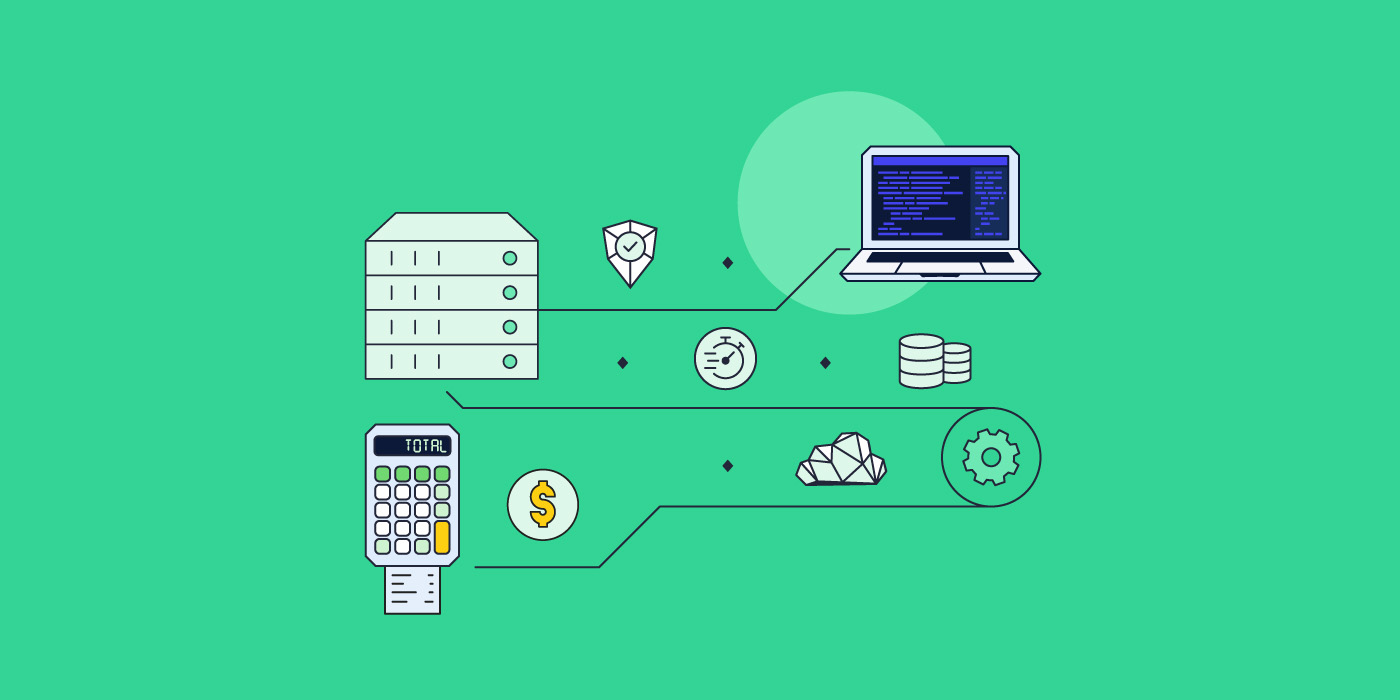
Illustration of cloud hosting with interconnected icons representing security, performance, global reach, and scalability. A laptop displays an online storefront with a product image, symbolizing e-commerce powered by cloud hosting.

Curious about cloud hosting and how it can boost your website performance? This blog post dives into everything you need to know about cloud hosting – how it works, its benefits, and why it’s a top choice for growing businesses. 

What Is Cloud Hosting?

Cloud hosting is a modern web hosting model that utilizes multiple virtual servers. Instead of relying on a single physical server, it operates within a cloud computing environment, where resources are pooled from a network of interconnected physical servers, known as the “cloud.” 

Through cloud hosting solutions, businesses can access computing power, storage, and hosting services without the limitations of physical infrastructure.

Cloud hosting has become especially popular for its scalability, flexibility, and cost-effectiveness.   

How Does Cloud Hosting Work?

Cloud hosting works by using virtualization technology, which connects physical web servers and divides them into multiple virtual machines. 

These virtual servers can be configured and allocated based on the needs of each business, providing dedicated resources without the need for separate physical infrastructure. 

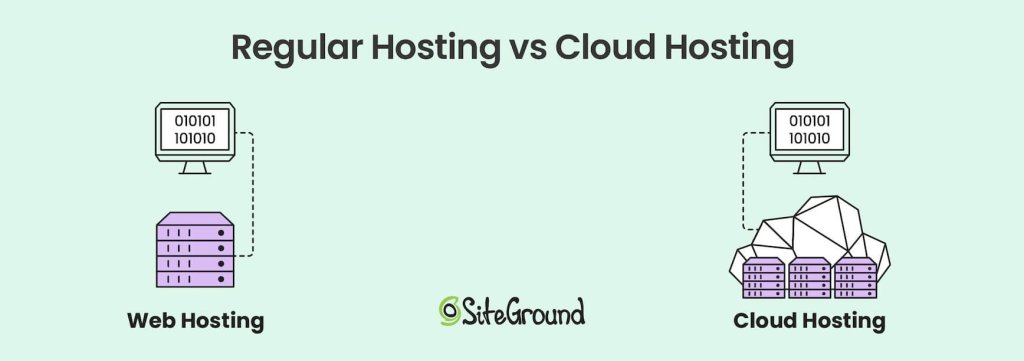
Comparison of web hosting and cloud hosting. Web hosting is depicted as a single server linked to a computer, while cloud hosting shows multiple interconnected servers forming a flexible, scalable cloud infrastructure.

The cloud hosting environment is a complex network of servers located in data centers across multiple locations. 

Both in shared and dedicated web hosting, a website relies on a single physical server. However, with cloud hosting, if one server fails, another server in the cloud network seamlessly takes over. 

This system provides high availability and minimal downtime for websites. 

1. The Role of the Hypervisor

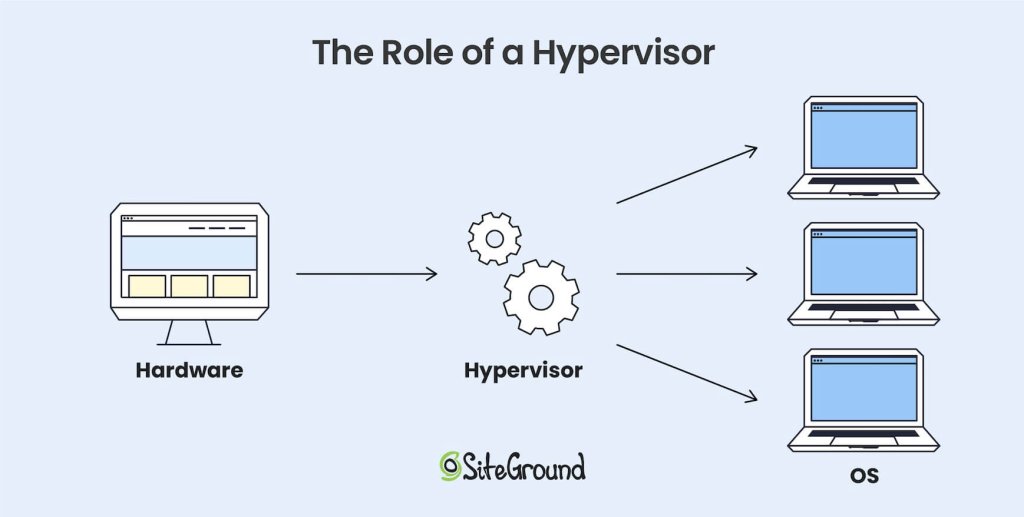
The hypervisor is a type of software installed on physical servers that controls the creation of virtual machines and distributes resources to them. It connects physical servers, turning them into virtual resources that work as a single unit. 

The hypervisor is a critical component in virtualization and manages this setup. It ensures that each cloud server operates independently. 

This gives cloud hosting providers the ability to dynamically allocate computing resources, maximizing efficiency and performance. 

Diagram showing the role of a hypervisor in virtualization. Hardware connects to a hypervisor, which allocates resources to multiple operating systems running on separate virtual machines.

Benefits and Key Features of Cloud Hosting

1. Scalability and Flexibility

One of the biggest advantages of cloud hosting is that it offers scalable resources. With cloud hosting services, businesses can easily scale their resources up or down based on demand, without the limitations of a single server’s processing power. 

This makes cloud hosting a great choice for websites experiencing fluctuating traffic or seasonal spikes.

2. High Uptime and Reliability

Cloud hosting offers exceptional reliability because websites are hosted on multiple servers. When a server fails, the system automatically shifts the load to another server in the network, ensuring minimal downtime. 

Most cloud hosting providers guarantee uptime percentages of 99.9% or higher, which is particularly important for businesses where website availability is critical.

3. Cost-Effectiveness

With cloud hosting services, the need for costly hardware investments is eliminated. Instead, businesses can rely on a third-party provider that manages and maintains the physical infrastructure. 

The pay-as-you-go pricing model in cloud hosting is budget-friendly. It allows companies to avoid upfront expenses and scale their costs according to their actual usage.

This gives flexibility to managed hosting providers like SiteGround. We can dynamically scale resources to meet traffic demands and optimize costs. For end-users, this means SiteGround can offer scalable, high-performance plans with predictable monthly pricing.

4. Security and Compliance

Cloud hosting solutions often come with advanced security measures, including data encryption, firewalls, and strict access control policies. 

Leading providers like Google Cloud Platform (GCP) invest heavily in security, offering reliable protections for customer data stored in the cloud. While security risks exist in cloud hosting, reputable cloud providers take proactive steps to mitigate them. 

5. Global Accessibility

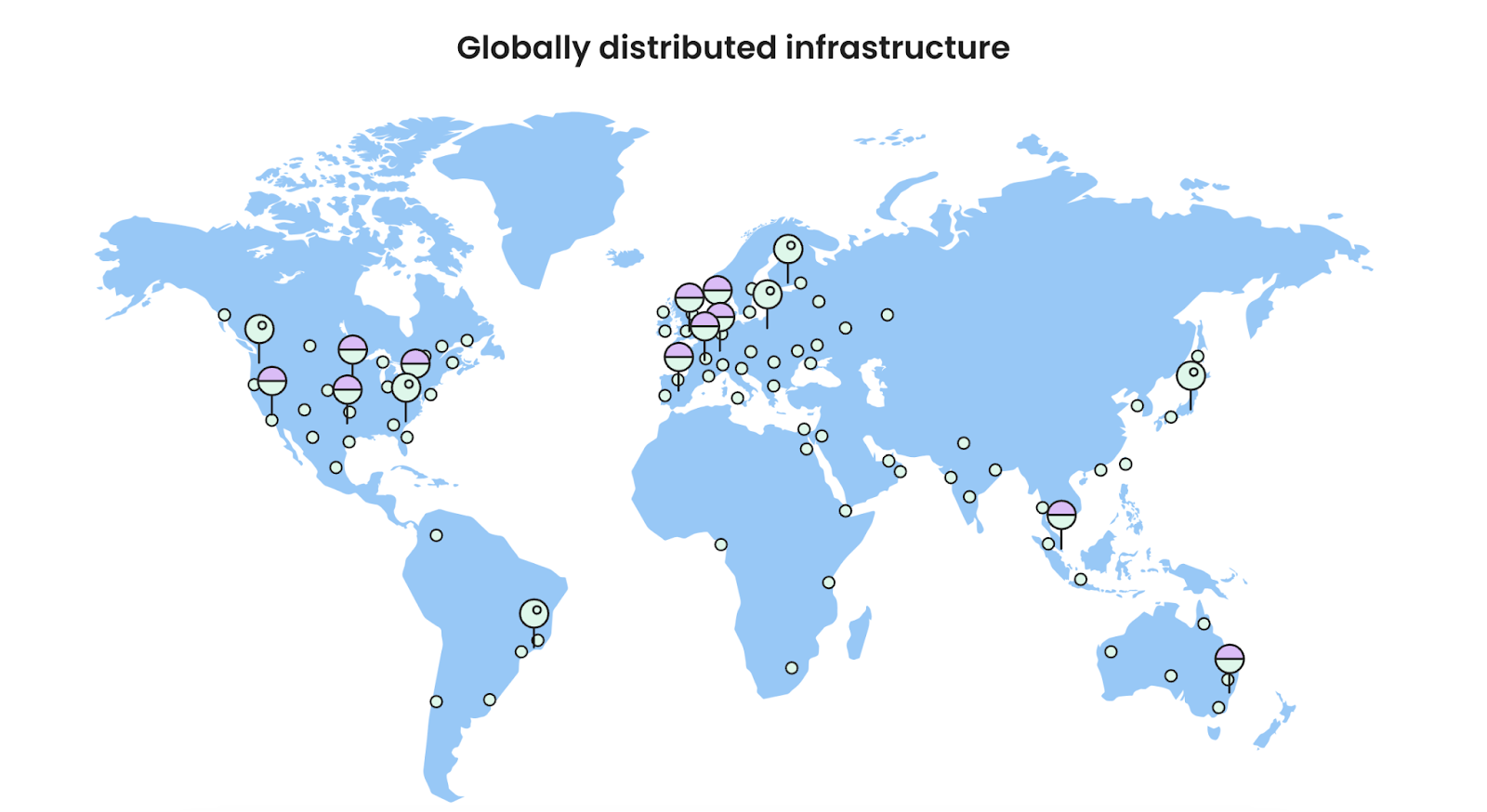
Cloud hosting enables businesses to reach a global audience, thanks to the widespread distribution of data centers. As such, leading providers offer cloud services through a network of data centers that spans multiple regions around the world. 

Image displaying a globally distributed infrastructure of servers on a world map.

Furthermore, cloud providers offer multiple data center locations, enabling companies to host data closer to their target audience for faster load times and optimized performance. 

We currently offer hosting services in 11 data centers on four continents, and also have an in-house built CDN system with close to 20 CDN locations and multiple CDN edges.

Who’s Cloud Hosting Best For?

Cloud hosting is versatile, so it’s suitable for various applications and businesses.

  • Small and Medium Businesses (SMBs): Cloud hosting’s scalability and cost-efficiency make it ideal for SMBs looking to grow without substantial upfront investments.
  • High-Traffic Websites and Ecommerce: Websites that need increased processing power, traffic capacity, and disk space benefit from cloud hosting’s resource flexibility and better performance.
  • Web Development Agencies: Agencies with multiple clients and projects can leverage cloud hosting to streamline management across different websites.
  • Enterprise Applications: Companies that need extensive computing resources for analytics, artificial intelligence, or large-scale applications can achieve this more affordably with cloud hosting solutions.

Types of Cloud Hosting

Cloud services can be categorized into four different types of hosting. Each type uses different technologies for backend management and resource allocation.

1. Public Cloud

In a public cloud setup, a third-party provider supplies all the servers, resources, and management. Businesses don’t need to own physical servers – they scale resources on demand, and develop custom features on top of the public cloud infrastructure.

Common examples of large-scale public cloud providers are the Google Cloud Platform (GCP), Amazon Web Services (AWS), and Microsoft Azure.

2. Private Cloud

A private cloud is managed and hosted by the business itself. All servers, storage, and resources are owned in-house, which gives full control, but requires managing the infrastructure. 

Financial institutions or government agencies may use a private cloud setup for compliance, enhanced security, and full control over sensitive data handling. 

3. Hybrid Cloud

Hybrid clouds combine private and public clouds, allowing businesses to store some data privately and use third-party resources for other needs. This approach supports flexible data and application handling.

4. Managed Cloud

A managed cloud is a public cloud where the provider takes care of operations, from monitoring to security and performance optimizations. This model is great for companies that want cloud power but prefer to focus on core business, not backend IT management. 

SiteGround offers managed cloud hosting plans that are built on top of GCP’s infrastructure. This means that while clients benefit from the scalability and reliability of Google Cloud Platform, they are also provided with additional support, custom features and management tools from SiteGround.

Choosing a Cloud Hosting Provider

Selecting the right cloud hosting provider is essential to get the most out of cloud hosting. Here are some key factors to consider:

  • Performance and Reliability: Look for providers with high uptime guarantees, efficient cloud infrastructure, and reputable data centers.
  • Scalability: Ensure the provider offers easy scaling options to support your business growth. 
  • Pricing Models: Compare pricing structures and choose a hosting plan that aligns with your budget and expected usage.
  • Security Measures: Evaluate the provider’s security offerings, such as encryption, firewalls, and compliance with industry standards.
  • Customer Support: Reliable, 24/7 customer support is critical, especially if you lack in-house technical expertise.

Many cloud hosting providers offer trial plans or flexible pricing options, which can help you test out their services before committing.

1. Why Choose a Managed Cloud Hosting Provider for Your Website?

Using a large-scale public cloud provider like GCP or AWS can be cumbersome from a technical standpoint. While it’s less involved than setting up a private cloud network, it still requires a lot of expertise to utilize public cloud services for website hosting.

For most users, a managed cloud hosting plan is the best choice. SiteGround has invested a lot of time and resources in optimizing their cloud servers, offering performance, security and management features that allow users to focus on their site and business.

The main benefits of SiteGround’s Managed Cloud Hosting are:

  • Expert Support and Maintenance: 24/7 support and proactive monitoring to keep your site running smoothly.
  • Enhanced Security: Built-in security features, regular updates, and compliance support.
  • Optimized Performance: Load balancing, autoscaling, and uptime guarantees for reliable site performance.
  • Cost Efficiency: Predictable pricing, optimized resource use, and no hardware costs.
  • Scalability: Seamlessly adjust resources to handle traffic growth or fluctuations.
  • Simplified Management: Focus on your business while we handle the technical backend.

Cloud Hosting vs Other Hosting Types

Cloud hosting can be distinguished from other hosting models, like shared hosting, VPS hosting, and dedicated hosting in a variety of ways – let’s explore how.

1. Cloud Hosting vs. Shared Hosting

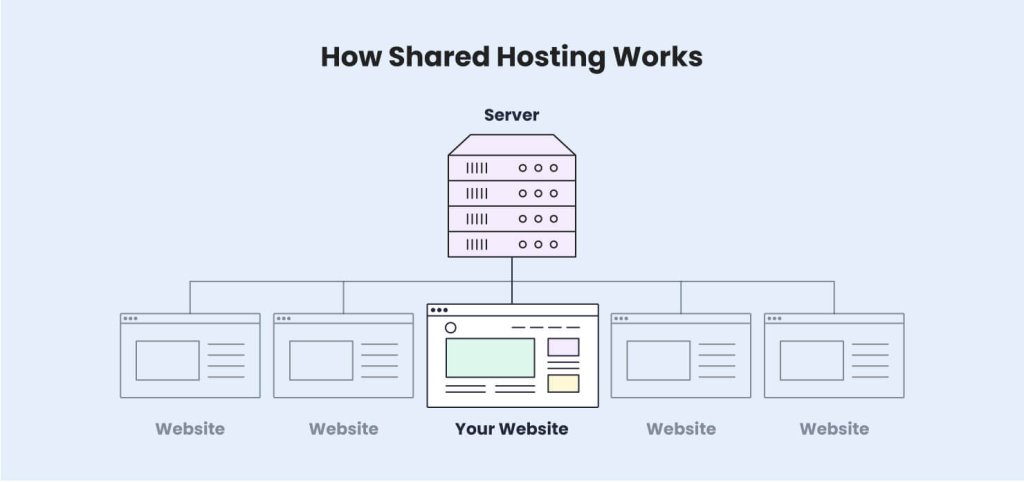
Shared hosting is an entry-level hosting solution where multiple websites share resources on a single server. While cost-effective, it lacks the scalability and reliability of cloud hosting. 

Cloud hosting, on the other hand, allows websites to draw from a large pool of resources across multiple servers. 

For growing businesses, cloud hosting is preferable as it offers more computing resources and flexibility.

2. Cloud Hosting vs. VPS Hosting

Virtual Private Servers (VPS hosting) provide dedicated resources on a shared physical server. While it offers better performance than shared hosting, VPS is still limited to a single physical server. 

Cloud servers provide enhanced scalability and resilience, as they aren’t confined to a single server. Cloud hosting works by allowing resources to scale dynamically based on demand, whereas VPS has more rigid limitations.

3. Cloud Hosting vs. Dedicated Hosting

Dedicated hosting gives exclusive access to a dedicated server for a single customer. Although this offers the highest level of control, it comes at a higher cost and lacks the flexibility found in cloud hosting. 

For example, if you are on a dedicated server and need to upgrade your CPU or RAM memory, the process must be done manually by someone with the necessary expertise, and physical access to the machine. 

In contrast, cloud hosting providers deliver similar performance but with the added benefits of resource scalability, making it a more cost-effective solution for many businesses. 

Get Started with Cloud Hosting Today!

Cloud hosting provides a combination of scalability, performance, and security that’s hard to match with traditional web hosting models.

Whether you’re running a high-traffic website, managing multiple client projects, or looking for a way to grow your website, cloud hosting solutions can offer you the necessary tools and resources.

Using a managed cloud hosting service can take your website or online business to the next level. Reach out to our sales team if you wish to learn more! 

11 Best AI Tools for Business in 2026

Best-ai-tools-for-business

In 2025, artificial intelligence won’t just be changing the game, it’ll continue to redefine the entire business playing field. That’s because it doesn’t just make processes easier but it goes beyond that, fueling creativity, amplifying productivity, and driving smarter, faster decisions. From predictive analytics and personalized marketing to AI-powered HR, the best AI tools for business transform the way we get our work done, and also how much work we get done.

In this article, we’ll look at what some of the top AI tools for business can do to increase efficiency, enhance creativity, and help you stay ahead in the rapidly evolving realm of artificial intelligence.

Why Are AI Tools for Business So Important in 2025?

Let’s step back for a moment: why are AI tools for business so important in 2025? As global markets become more interconnected and the use of artificial intelligence accelerates, companies that really lean in to using AI business tools gain a competitive edge in innovation and productivity. 

In essence, the best AI tools empower businesses to not only keep pace with change but to anticipate it, positioning them for long-term growth and resilience. Indeed, using AI is no longer a luxury; it’s a necessity if you want to keep up and outpace the competition. So let’s dive into some of the top AI tools for business that can make the biggest difference for your organization, and in each area of your business.

Top AI Tools for Business

For Administration

1. Otter.ai

Do you ever finish a day of lengthy meetings and struggle to remember what the takeaways were? And what about next steps? It can be hard to stay on top of everything and keep track, especially if you’ve already got a lot on your plate.

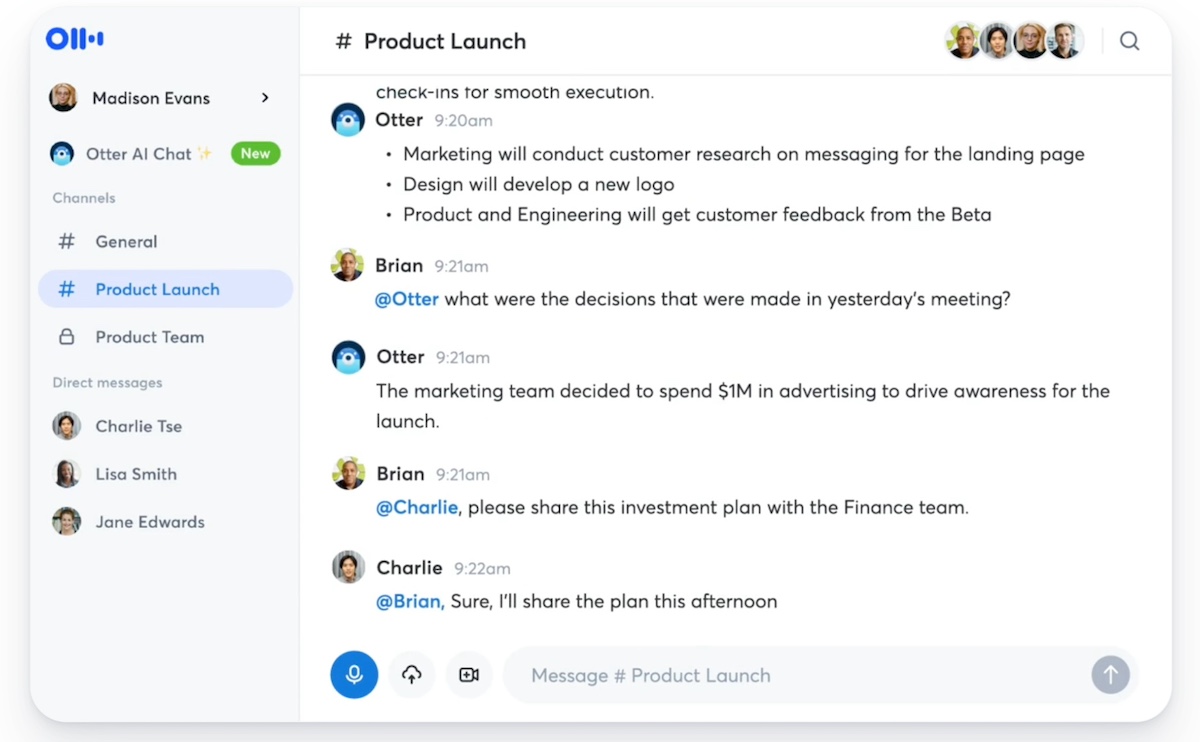
Otter.ai is one of the top AI tools for business, as it can help alleviate this meeting chaos by keeping you a lot more organized. Thanks to its speech recognition, it makes it easier for you to capture and retain valuable meeting information via transcripts, automated summaries, and action items. 

You can even chat with Otter to get answers from your meetings. It’s like having a dedicated assistant who takes notes, organizes them, provides summaries and action items, and answers your follow-up questions. 

It also integrates with major video conferencing platforms, such as Zoom and Google Meet, so that your new favorite “work assistant” can easily participate in all of your meetings.

Best-AI-for-Business-Otter

2. Reclaim.ai

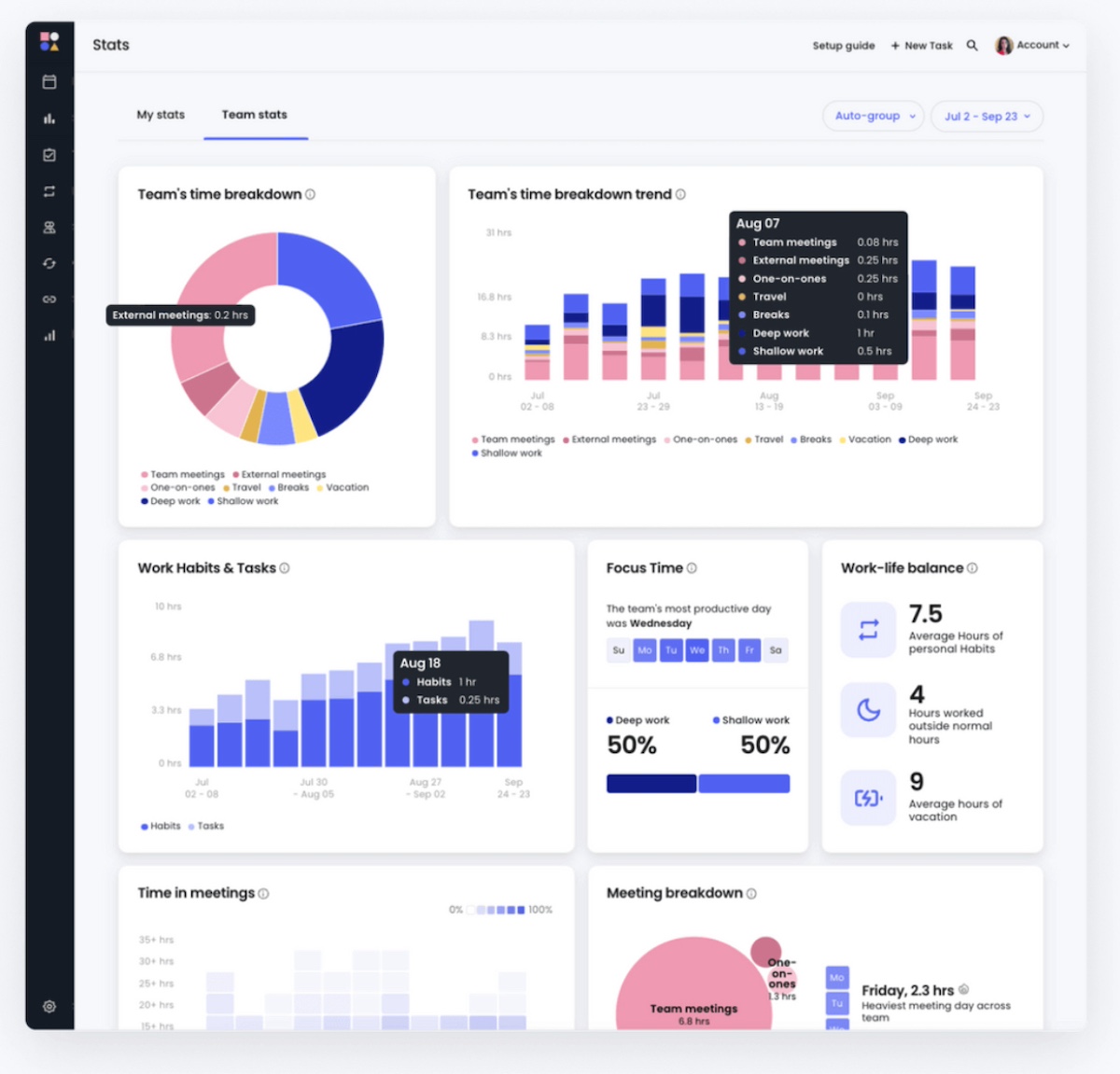
Reclaim.ai is an AI-powered scheduling assistant that helps people like you, as well as your team, manage time more effectively. With intelligent time-blocking and smart reminders, Reclaim.ai automatically schedules tasks, habits, and meetings based on priorities, reducing scheduling conflicts. It also offers insights into how team members spend their time, helping optimize productivity. Personally and professionally, it’ll make scheduling a whole lot easier.

Best-ai-tools-reclaim

For Marketing

3. HeyGen

Video creation and translation can feel out of reach for a lot of businesses, especially small businesses. You have to come up with a script, find talent, and even get translations if you’re trying to reach more markets – never mind needing to find a native speaker. The whole process can be a big undertaking that requires a lot of time and money, making it inaccessible for many businesses.

But HeyGen has the bases covered for you, making it a great tool for any company, and one of the best ai tools for small business. You can use HeyGen’s AI to not only craft your script but, if you don’t have video talent, HeyGen even allows you to choose a realistic avatar to bring your video to life.

Or, you can really get on the AI bandwagon with HeyGen’s coolest AI offering: upload a filmed version of yourself, and HeyGen can then make a video of you speaking fluently and seamlessly in any of 175 languages. You’ve covered script creation, translation, and talent acquisition all in one fell swoop. Plus, you can even try it for free!

AI-tools-HeyGen

4. SiteGround Email Marketing

Email marketing is essential for any business, but let’s face it – coming up with fresh copy can be tough. The struggle to craft just one marketing email, let alone keep up with them regularly, can be a real challenge. 

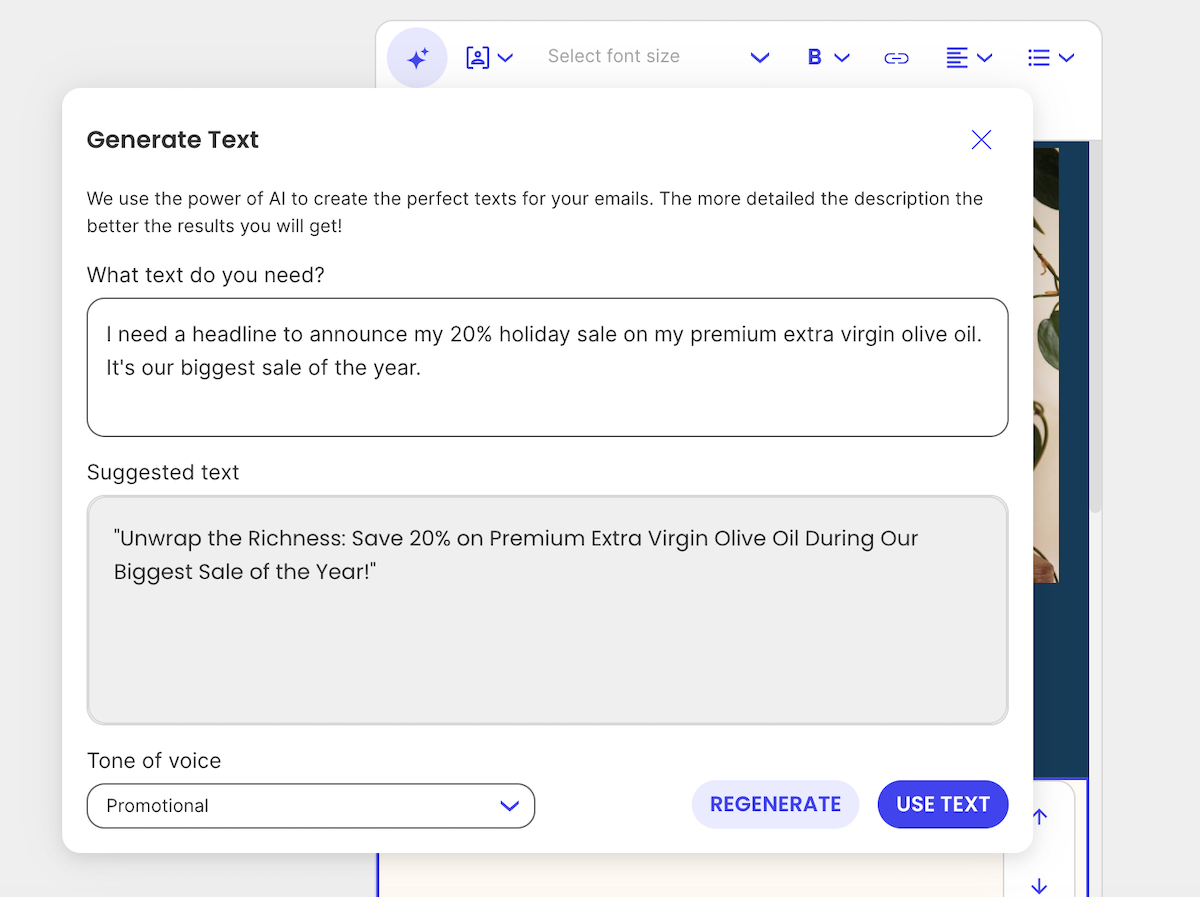
SiteGround’s email marketing platform not only helps ease that burden with its user-friendly design and powerful email marketing tools, but its AI email writer helps you create emails effortlessly, turning your AI email prompts into ready-to-send content in no time. It transforms email marketing into a simpler, more efficient process, making it one of the best AI tools for small businesses aiming to save time and achieve better results.

Best-ai-tools-for-small-business-SiteGround

New to the world of email marketing? Or maybe you’re keen to improve your skills? Take our FREE, six-day course to learn how to craft targeted messages, nurture leads, track success, and benefit from an unbeatable ROI.

Sign up now >>

For Design

5. Canva’s Magic Studio

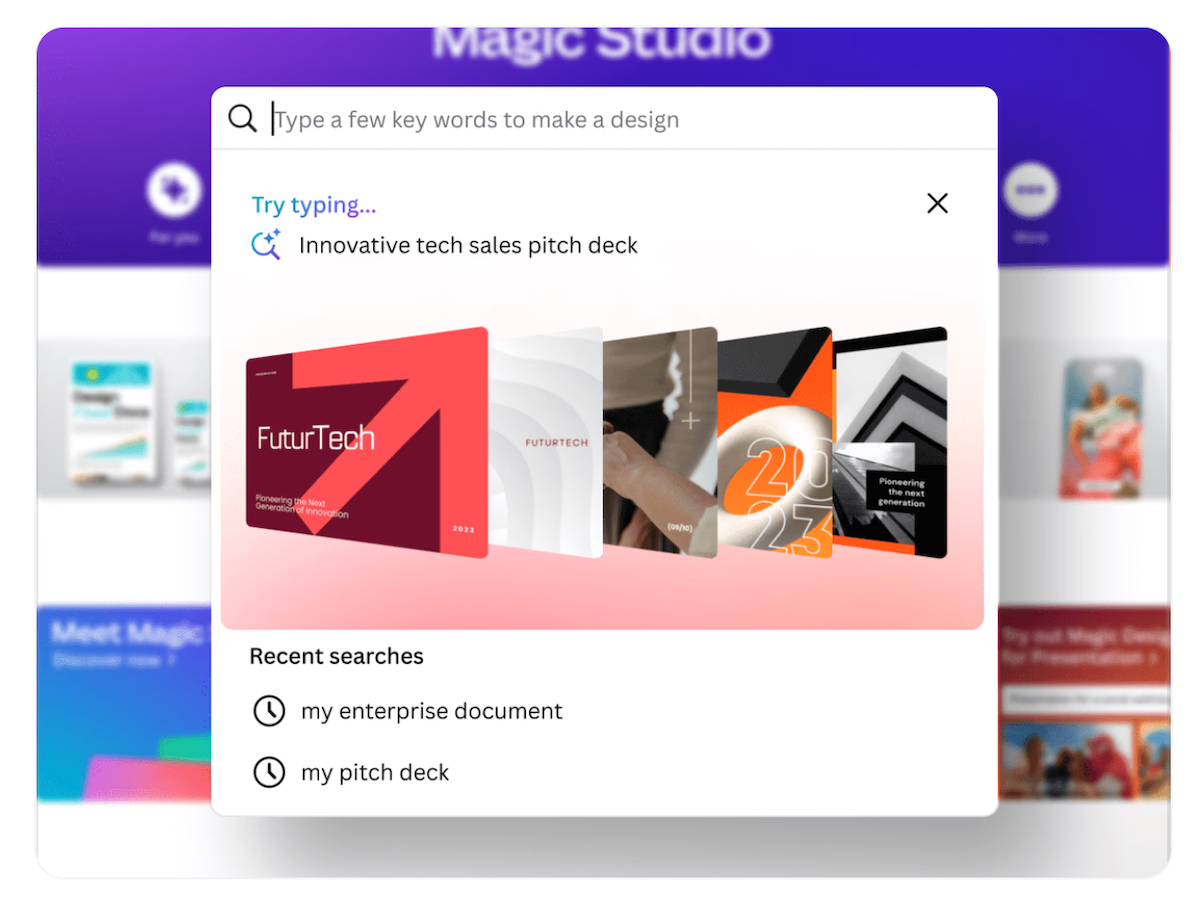
You may already know Canva, but have you explored its Magic Studio? It’s an ai tool for business that acts as your new in-house designer. It can create eye-catching sales presentations, marketing materials, and even branding elements for your website planning. With just a few AI prompts, you can quickly transform your ideas into polished images and videos. 

Magic Studio even generates copy for you, so you can effortlessly draft persuasive ads or social media posts. It increases your creativity and productivity, making your marketing materials not only easier to create but also more engaging.

AI-business-tools-Canva-Magic-Studio

For Human Resources

6. BambooHR

Running a business, and especially building a small business, means juggling countless responsibilities – operations, customer service, and everything else in between. When it’s time to hire, sifting through resumes and handling paperwork can feel overwhelming. It’s like you’re just picking a resume at random and hoping it works out.

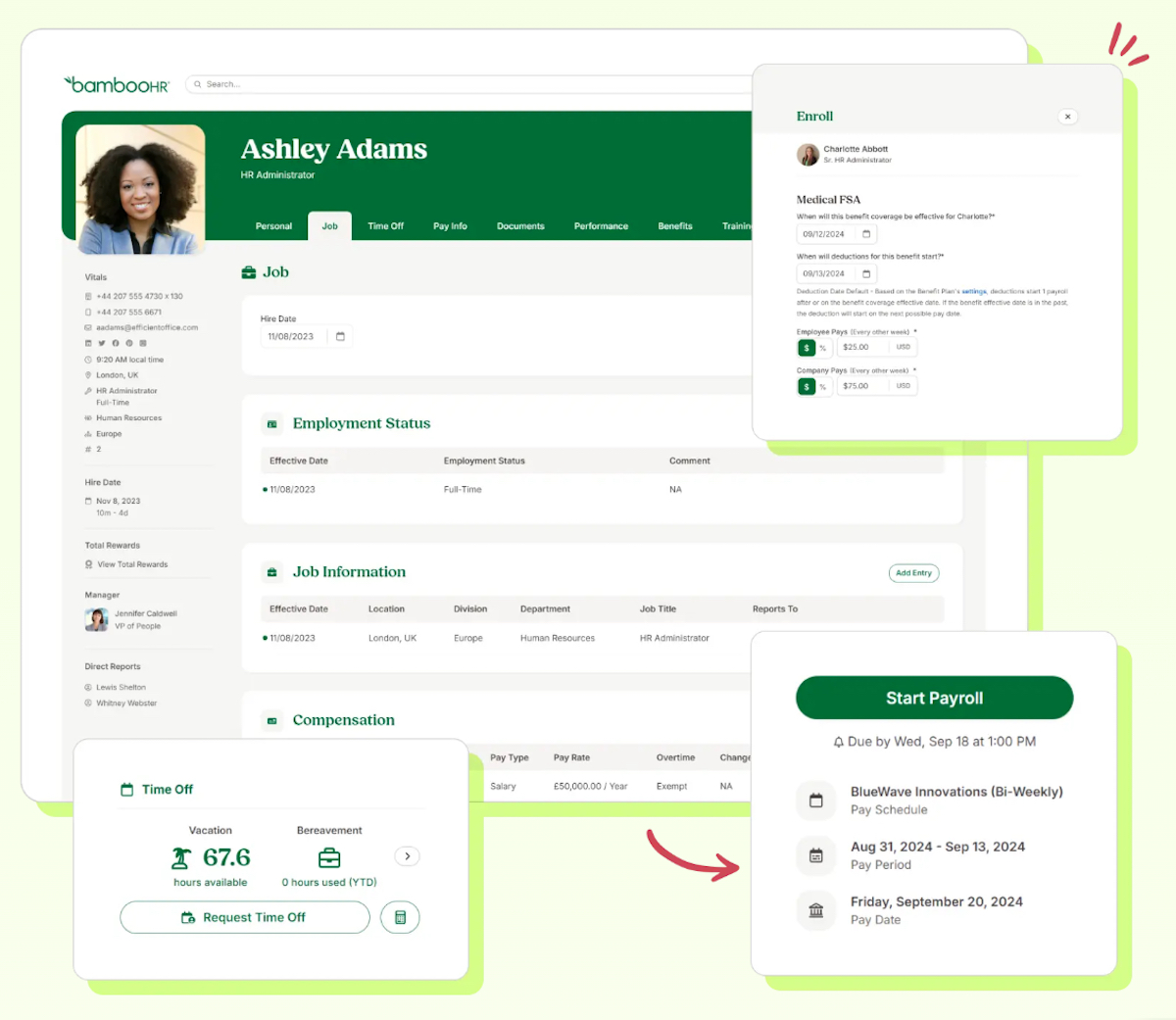
BambooHR is a top AI tool for business that will make this process a whole lot easier. It streamlines the hiring process by sorting through resumes and identifying top candidates, while also automating the onboarding process. This makes bringing new employees onto your team smoother and more efficient, so you can handle hiring and HR tasks effortlessly without needing extra help or overspending on HR services.

Top-AI-tools-for-business-BambooHR

For Sales

7. HubSpot CRM

If you work in sales, you’re probably up to your ears in all things lead generation – it often feels like a frantic race just to keep up, without any clear sense of which leads will actually convert. It’s a far cry from the streamlined, revenue-generating process you’re after. 

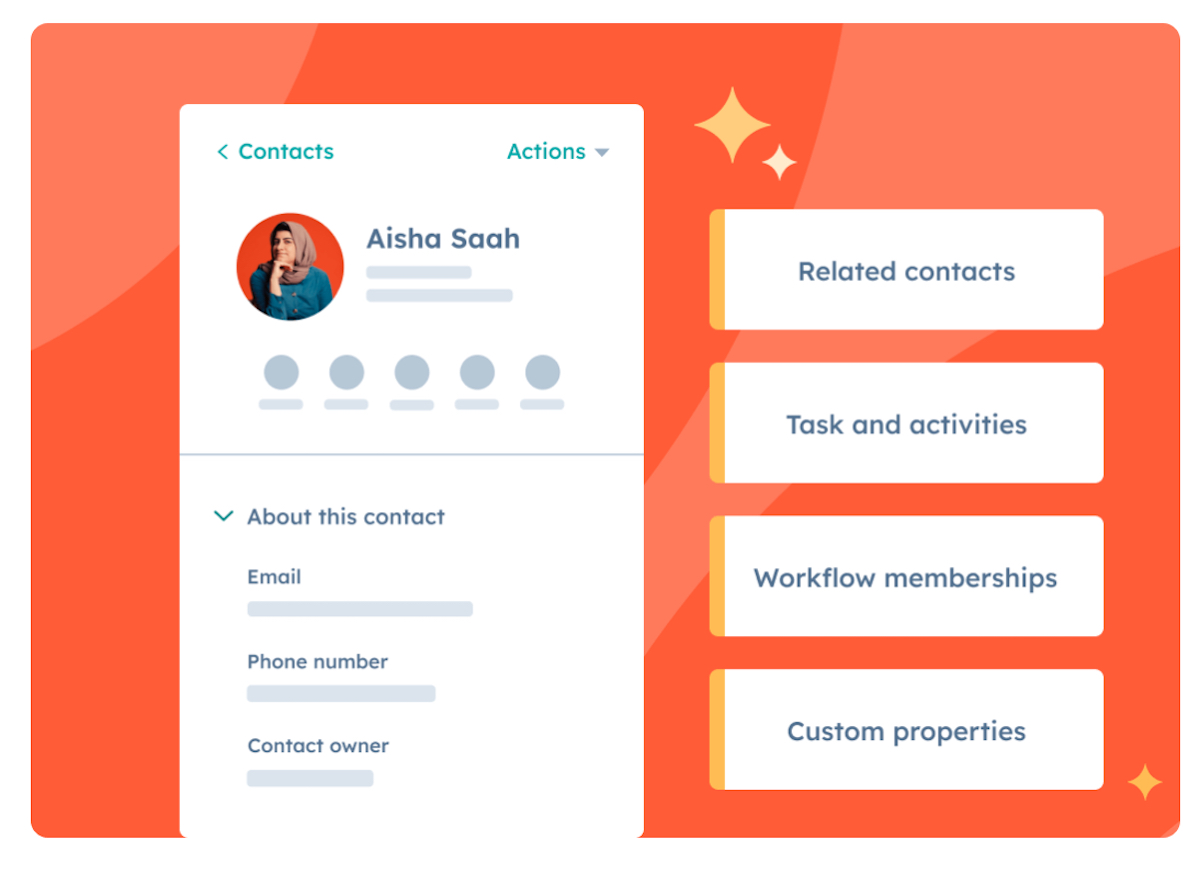
That’s where HubSpot CRM can make a big difference. With AI-powered insights, HubSpot CRM identifies your high-potential leads, automates follow-up emails, tracks how prospects engage with your content, and offers suggestions to sharpen your strategy. It’s like having a personal advisor who manages the details and provides valuable insights. The result? More time spent on meaningful sales, and a positive impact on your bottom line.

best-ai-tools-for-small-business-Hubspot

For Finance

8. QuickBooks Online

Financial tasks pile up fast, making it easy to fall behind and feel especially overwhelmed. That’s where QuickBooks Online comes in. While it’s known as a staple in accounting, its advanced AI features make it a game-changer. 

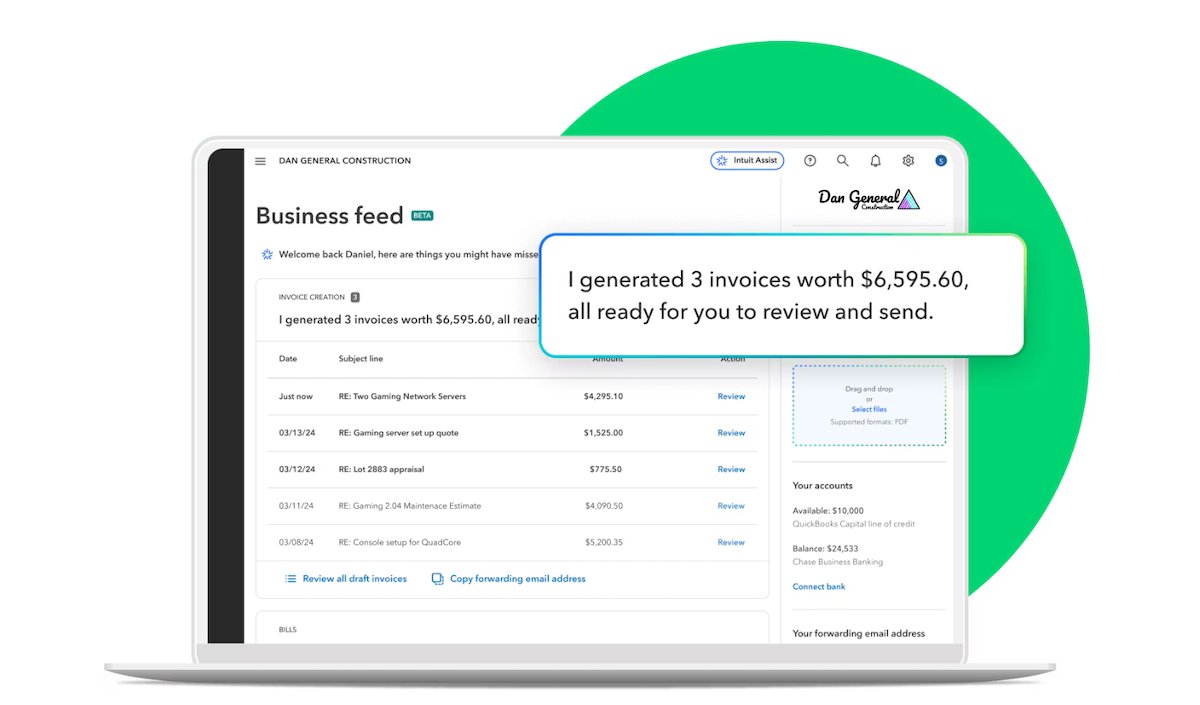
QuickBooks’ AI automatically categorizes expenses, identifies spending trends, sends invoices, and even manages bill payments. It also projects cash flow and alerts you to any unusual account activity. With QuickBooks handling the numbers, you can spend less time buried in spreadsheets and more time growing your business online and offline.

AI-tools-QuickBooks-Online

For Project Management

9. Asana

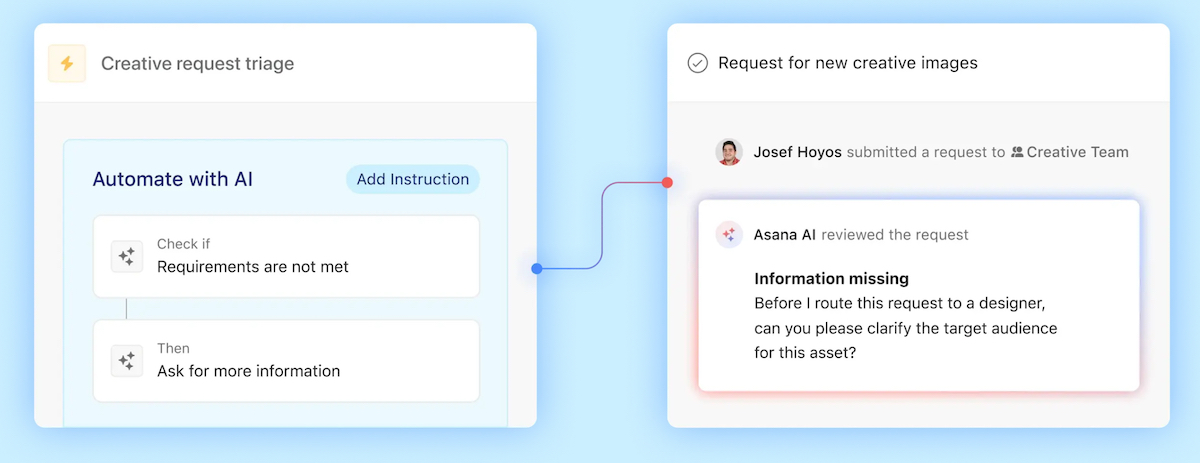
If you’re running a business, you’re likely wearing many hats, trying to stay organized, and ensure nothing gets overlooked – it’s a real balancing act. That’s when Asana becomes invaluable. Its AI forecasts project timelines, recommends task assignments tailored to your team’s strengths, and automates routine follow-ups. For solo entrepreneurs, small teams, and even larger groups, Asana simplifies project management, enhances collaboration, and keeps your workflow running smoothly.

AI-business-tools-Asana

For All Departments

10. ChatGPT

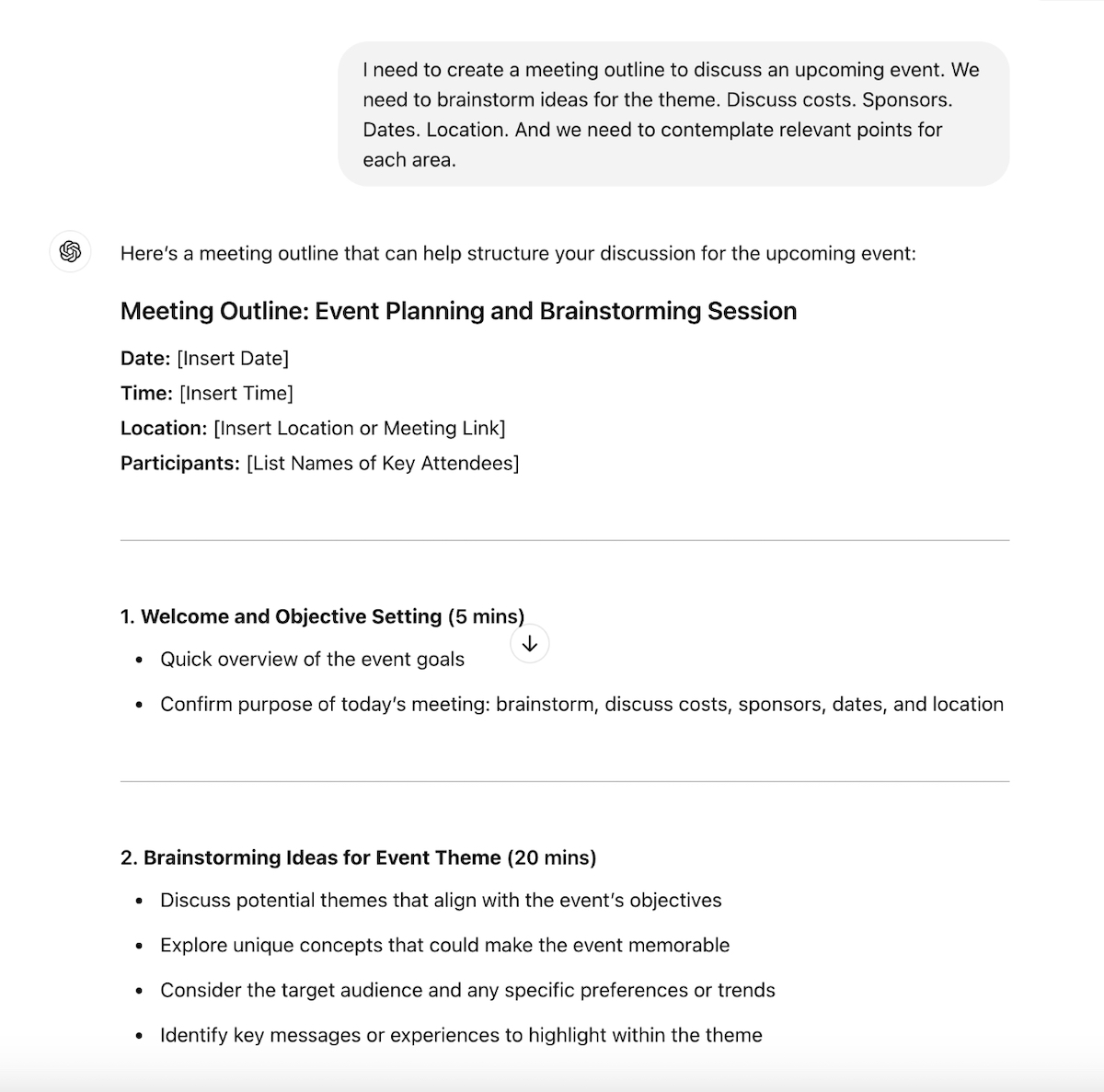
Don’t overlook ChatGPT – it’s a fantastic resource for answering all of your miscellaneous business questions, and therefore makes our list of best AI tools for business. Need help drafting a meeting outline? Just share the topics you’d like to address, and ChatGPT will generate a detailed guide. Curious about competitor analysis? Ask it for insights on other businesses in your industry. Need this data organized into a table? ChatGPT will do the busy work. The list of possible questions and answers is virtually endless. 

This said, it’s important to keep in mind that the clearer and more precise your prompt, the more useful the response will be. Also, ChatGPT can be a bit finicky if you ask it abstract or subjective questions – it’ll often just make things up. So when asking it to provide you information, it’s best to provide it with specific sources for analysis so that you can ensure greater accuracy.

Best-ai-tools-chatGPT

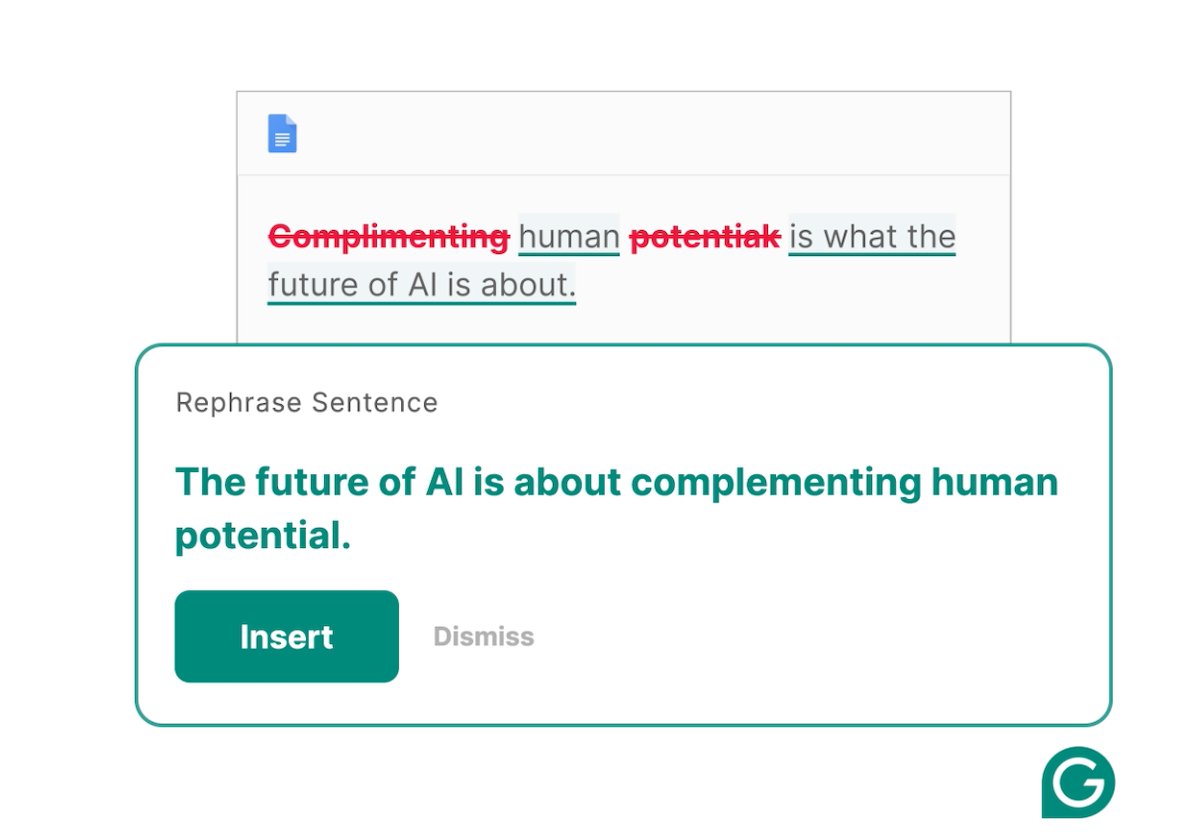
11. Grammarly

Grammarly is your new personal copy editor. It’s an AI-driven writing assistant that helps people and teams produce clear, error-free communication when it comes to a range of content tasks – from drafting emails to creating marketing copy, or writing reports. Beyond that, its AI-powered tools provide real-time suggestions for grammar, spelling, tone, and style. It helps businesses communicate more effectively, improving internal communication and brand messaging.

For example, imagine you have several team members who are responsible for creating content, such as newsletters and advertisements. You can have them install the Grammarly browser extension, and it will help them to edit their content, maintain style consistency, and it will even check for plagiarism – all helping to increase copy quality, build your brand voice, and avoid getting in any legal hot water.

ai-tools-for-small-business-Grammarly

Transforming Your Business with AI Business Tools

AI business tools are no longer just a trend – they’re essential for those looking to improve in any or all aspects of their business. From sales and finance to HR, project management, and communication, AI is transforming how businesses operate in 2025.

By leveraging the right AI tools, businesses can automate repetitive tasks, optimize workflows, and provide better value to customers. The future of business is AI-powered, and embracing these tools sooner rather than later can help your organization stay competitive and agile.

What Is WordPress Hosting and Is It Worth It?

what is wordpress hosting

If you’re just starting your website or online project, you probably have many questions about hosting. You may have heard about the popular WordPress application and wondered: What is WordPress hosting, and is it the right choice for my website? 

In this article, we’ll answer all your questions, help you decide if WordPress hosting is the best fit for your needs, and guide you on what to look for when navigating the wide range of WordPress hosting providers and options available.

But first, let’s clarify what WordPress is.

What Is WordPress?

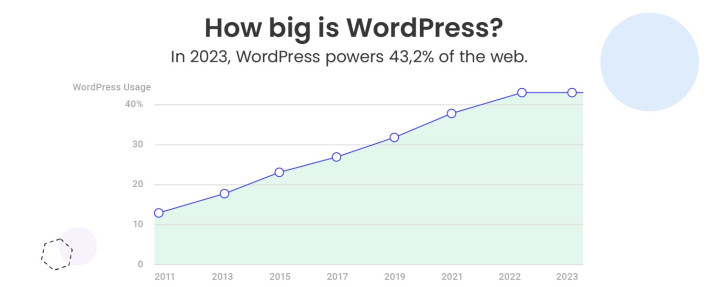
WordPress is the most popular Content Management System (CMS), currently powering over 40% of all websites on the internet. But why is it so popular? 

WordPress is an intuitive, open-source platform that’s incredibly easy to use, even if you have no technical expertise. It allows you to create a high-quality website, whether it’s a simple blog, a complex online store, or a portfolio. Thanks to its flexibility, WordPress can cater to a wide range of needs and is perfect for both beginners and experienced web developers.

Another reason behind WordPress’s success is its large and supportive community. From tutorials and forums to plugins and themes, there’s a wealth of resources available to help you build and customize your site with ease.

Now, what is hosting and how does it relate to WordPress? 

What Is WordPress Hosting?

In simple terms, it is a type of hosting specifically optimized to meet the unique technical requirements and performance needs of the WordPress application. Hosting providers specialized in WordPress hosting typically offer customer support, as well as additional or even custom-built features and solutions designed to enhance the speed, security, and functionality of WordPress sites.

WordPress hosting plans typically include performance enhancements, such as server configurations optimized for WordPress, caching mechanisms that speed up loading times, and seamless integration with content delivery networks (CDN) to further improve load speed.

Security is another cornerstone of WordPress hosting. Providers often include automated updates for WordPress core files, plugins, and themes, ensuring your site stays protected against vulnerabilities. Many hosts also implement advanced measures like custom firewalls, malware scans, and backups, all fine-tuned for WordPress websites to ensure higher security.

Additionally, with WordPress hosting you often get tools like one-click installations, which simplify the website setup process, as well as staging environments that allow users to experiment with new website designs, features, and code without risking their live site.

WordPress Hosting vs. Web Hosting

When it comes to web hosting, there’s often some confusion, especially for those new to building websites. The terms can seem interchangeable, but they aren’t always. Let’s break it down to help you understand the difference between WordPress hosting and Web hosting.

Generally speaking, there are different types of web hosting that could be categorized based on two factors:

Web hosting, on one hand, is a broad, umbrella term that could be used for any type. And since web hosting is a general term, it can also refer to specialized hosting services tailored for specific applications – like WordPress hosting. 

And here’s the key point: any type of web hosting – shared, VPS, cloud, or dedicated – can be considered WordPress hosting if it’s designed for WordPress. For example, many managed WordPress hosting plans are built on shared hosting infrastructure, but they come with additional features and optimizations to enhance performance, security, and ease of use for WordPress users.

What Is Managed WordPress Hosting Used For?

WordPress hosting is perfect for users planning to use WordPress as their Content Management System (CMS). If it’s your platform of choice, opting for hosting specifically designed for WordPress is highly recommended.

Creating a website with WordPress has never been easier, especially with managed WordPress hosting. This type of hosting is widely used for websites of all sizes and purposes due to its simplicity and efficiency. This includes online stores, blogs, personal websites and portfolios, business sites, membership platforms, non-profit organizations, educational websites, and more. 

Managed WordPress hosting has become a popular choice among webmasters because it allows you to focus on the important aspects of your business, such as content creation, SEO, and driving site traffic, without having to worry about the technical details of server management. 

The real difference in the services you receive for your WordPress site, however, depends on the value-added features included in your hosting plan and the host’s infrastructure. But don’t worry, we’ll dive deeper into this topic later in the article.

[106]

Managed WordPress Hosting: Benefits and Key Features

Now, let’s explore Managed WordPress hosting a bit further and take a look at the main advantages it offers.  

Effortless and Stress-Free Maintenance 

Managed WordPress hosting is designed to remove the tedious task of maintaining your website. With a managed plan, you can say goodbye to the headaches of installing updates for WordPress, its plugins and themes, handling server configurations and optimizations, and adding security patches. 

Your hosting provider takes care of all the technical tasks, ensuring your site remains secure, up-to-date, and performing at its best, so you don’t have to lift a finger.

Perfect Hosting Environment for Your WordPress Site

With managed WordPress hosting, you’re ensuring that your website operates in the ideal environment designed specifically for WordPress. Unlike generic hosting plans, managed WordPress hosting offers a platform tailored to the needs of the CMS, providing a streamlined and efficient experience. 

This means your site benefits from a hosting setup that’s fine-tuned to optimize performance, reliability, and overall functionality. Reputable WordPress hosting providers ensure that everything is configured to make sure your WordPress site runs smoothly and is always ready to perform at its best.

Optimized Performance, Tougher Security, and Up-To-Date Software

With managed WordPress hosting, the environment is specifically optimized for WordPress, ensuring your site performs at its best. This optimization leads to faster loading times, which is crucial not only for delivering an exceptional user experience but also for improving your website’s SEO rankings. Search engines like Google prioritize fast-loading sites, so this is a key factor in helping your website rank higher and attract more traffic.

Additionally, managed WordPress hosting offers enhanced security. Since your hosting provider handles all updates and maintenance, your WordPress software will always be kept up-to-date, which is essential for protecting your site. Regular updates often include important security patches and bug fixes that help keep your website safe from potential threats.

Furthermore, some reputable hosting providers offer custom security solutions, adding an extra layer of protection to safeguard your WordPress site from malicious attacks.

Saves You Time to Focus on Business

As we’ve mentioned, managed WordPress hosting frees you from the time-consuming tasks of maintaining and managing your website. With these technical responsibilities handled by your hosting provider, you can dedicate your time and energy to crafting engaging content, working on email marketing campaigns, and ensuring a seamless, enjoyable experience for your visitors. This gives you the freedom to grow your site and focus on your business, without getting overwhelmed by doing server management.

Customer Support 

One of the major advantages of managed WordPress hosting is the customer support that comes with it. When you choose a hosting provider that specializes in WordPress, their support team is generally much more knowledgeable about that particular platform and its specific needs. 

With managed WordPress hosting, you’re more likely to receive quick, accurate, and expert assistance when you have questions or encounter issues with your website. However, it’s important to note that not all WordPress hosting providers offer the same level of support. 

While many providers may claim to specialize in WordPress, the quality of their support can vary significantly. That’s why it’s crucial to do your research and choose a hosting provider known for excellent customer service. Don’t worry, we’ll guide you on how to make the right choice when selecting a WordPress hosting provider further down in the article.

Quick Website Setup and Ease of Use

Another benefit of using managed WordPress hosting is that setting up your WordPress site is quite easy and fast. Most managed WordPress hosting providers offer WordPress auto-installers that you can use to configure WordPress with your domain in just a few clicks. 

These tools simplify what might otherwise be a complex process, allowing even beginners to get their websites up and running quickly with no tech skills. Within minutes, you can have a fully functional WordPress site ready for customization. This ease of setup makes managed WordPress hosting an ideal choice for small business owners and freelancers who want to focus on building their site rather than dealing with technical details.

Expandable and Scalable

If you’re planning on growing your website, managed WordPress hosting is an excellent option. One of the major advantages of this type of hosting is its scalability. As your site expands in scope, most WordPress hosting providers make it easy to scale up by offering simple hosting plan upgrade options to ensure it can handle higher traffic without problems. 

Additionally, WordPress benefits from a vast community of developers who create plugins and themes that extend the platform’s capabilities. If you need specific features like ecommerce capabilities, membership systems, or SEO tools, you can quickly find plugins that integrate seamlessly with WordPress. 

Many managed hosting providers offer support for these plugins, ensuring that your site remains fast and responsive even as it grows. The ability to scale both in terms of resources and functionality is a huge plus for businesses looking to expand and grow.

Is Managed WordPress Hosting Right for You?

With all the advantages outlined above, it’s clear that managed WordPress hosting is the best option if you plan to use WordPress as your content management system (CMS). Whether you’re creating a personal blog, an ecommerce site, or a business website, the specialized features of managed WordPress hosting are tailored to the platform’s needs.

However, it’s also essential to evaluate your website’s current and future needs. If your project involves a platform other than WordPress or requires total control over server configurations, you may want to explore other hosting options. But, for the vast majority of WordPress users, managed hosting offers unparalleled convenience and peace of mind.

How to Choose the Right Managed WordPress Hosting Provider

If you’ve decided that WordPress hosting is the right fit for your website, that’s a fantastic start! However, with so many hosting providers out there, choosing the right one can be overwhelming. In this section, we’ll guide you through the key factors to consider to make a smart and informed decision. 
1. Speed and Performance

When choosing a managed WordPress hosting provider, one of the most critical factors to consider is website speed and performance. Website speed not only affects user experience but also has a direct impact on your SEO ranking. Search engines like Google prioritize fast-loading websites, so if your site takes more than 2-3 seconds to load, you risk losing visitors and increasing your bounce rates. A slow site can lead to frustrated users and fewer sales, making it essential to select a hosting provider that prioritizes speed.

Look for a hosting company that uses a reliable network and has servers specifically optimized to deliver top-notch performance for WordPress sites. The best providers ensure your website is supported by powerful hardware, like fast SSD drives to store website data, and offer services or tools such as caching or content delivery networks (CDNs) to speed up load times.

At SiteGround, for example, we leverage the Google Cloud platform, which provides exceptional speed and reliability. We also provide a widespread and highly available network with multiple data centers across four continents. Our cutting-edge SSD technology helps store your files and databases more efficiently, and we improve performance even further with custom solutions like Ultrafast PHP and MySQL implementations. Additionally, we offer a free CDN and built-in caching to further enhance speed. To make things even easier, our free Speed Optimizer plugin delivers a significant performance boost, ensuring that your WordPress site loads faster and operates more efficiently than ever before.

2. Security

Security is another key factor to keep in mind when selecting a WordPress hosting provider. Your website’s security is essential in preventing malicious attacks, keeping your data safe, and ensuring the trust of your visitors. 

With the rise in cyber threats, it’s crucial to choose a provider that goes beyond basic security measures. While managed WordPress hosting already includes automatic updates for WordPress software and plugins, look for a hosting provider that offers additional layers of protection. 

For instance, at SiteGround, we take security seriously and provide several advanced features to keep your website safe. These include a free SSL certificate to encrypt your site’s data, automated daily backups to ensure you can quickly recover from any disaster, a built-in WordPress Security Plugin, a smart web application firewall that blocks harmful traffic before it reaches your site, and an AI system that detects and stops brute-force login attempts.

3. Customer Support

Having access to responsive, knowledgeable, and friendly customer support is a significant advantage for you as a website owner. You want to make sure that when you run into issues or need guidance, you’re able to quickly reach a team that can help you with WordPress-specific questions and concerns. Since most managed WordPress hosts provide customer support, it’s important to evaluate the quality of that support before committing to a plan.

To ensure you’re choosing the right provider, do some research first. Look for customer reviews and testimonials to get a sense of the support quality, check out their response times, the expertise of the team, and their overall helpfulness. If possible, contact their support team directly before purchasing hosting. This can give you insight into how quickly they respond and how well they communicate.

4. Scalability for Growth

When considering WordPress hosting, scalability is a critical element to ensure your website can grow as your business expands. As your site attracts more visitors, it’s crucial to have a hosting provider that can accommodate increased traffic and resource demands. Scalable hosting solutions allow you to easily upgrade your plan or adjust server resources as needed, preventing performance slowdowns during traffic spikes.

Before committing to a hosting provider, it’s a good idea to reach out to their support team and inquire about their scalability options. Ask if they offer flexibility in upgrading your plan or server resources as your site grows. Renowned providers will offer seamless upgrades to handle increased traffic, ensuring that your website remains responsive and efficient without downtime or performance issues.

5. Pricing and Value

The cost of your managed WordPress hosting plan is, of course, important. However, don’t focus solely on the website hosting cost, it’s crucial to also evaluate the full package you’re getting. These add-ons can make a significant difference in your site’s performance, security, and overall success.

When thinking about your budget, it’s important to strike the right balance between price and the value-added services that come with the plan. Don’t be tempted to cut corners by opting for the cheapest option, as it may lack vital tools and features that could ultimately impact your site’s operation. 
Even paying a bit more can prove to be a wise investment, especially when you need added reliability or security in times of unexpected issues. A few extra dollars could save you time, headaches, and potentially even revenue down the road.

To wrap it up, selecting the right managed WordPress hosting provider can significantly impact your site’s speed, security, and success, so make sure to do proper research. SiteGround’s managed WordPress hosting offers all the features and services you need for a high-performance WordPress site, including free WordPress installation, auto-updates, speed and security plugins, staging, backups, SSL, CDN, and more. Ready to see the difference? Try SiteGround today and join millions of satisfied customers!

What Is WordPress Hosting: Frequently Asked Questions

What Is the Difference between WordPress Hosting and Normal Hosting?

“Normal hosting” generally refers to standard web hosting (e.g. shared hosting). The primary difference is that WordPress hosting is specifically optimized for WordPress sites, offering features like pre-installed WordPress, automatic updates, and enhanced performance. In contrast, “web hosting” is a broad category that includes various types of web hosting (shared, cloud, VPS, dedicated) without specific optimizations for WordPress. WordPress hosting ensures a tailored environment for smoother performance and added benefits.

Is WordPress Hosting Free?

While the WordPress software is free to use and download, hosting your WordPress site requires a paid hosting service. The cost will depend on the plan you choose. While some providers offer free hosting, these often come with restricted features, limited storage, and reduced performance. For a seamless, professional WordPress hosting experience, investing in a paid plan is advisable, as it ensures enhanced speed, security, and professional customer support. 

Do I Need Hosting with WordPress?

Yes, WordPress is a content management system (CMS) that allows you to create and publish content. However, it requires a server and, by extension, hosting to store your website’s files and make them accessible online.

15 Successful Email Marketing Campaigns Examples

Girl-displaying-email-marketing-campaigns-examples-on-purple-gradient-background

Is there someone on this planet whose inbox isn’t flooded with emails? Given the sheer volume of emails people receive daily, making your brand’s messages stand out can be challenging. But don’t worry, we’ve got you covered!

In this article, we will show you effective email marketing campaigns examples and guide you on what to consider when crafting your future campaigns.

[ai_prompts_download]

What Is an Email Marketing Campaign

An email marketing campaign is the process of sending a single email or a series of emails to your subscribers, with a particular goal in mind. 

It’s important to understand that an email campaign is most often integrated into a broader marketing strategy that can include other types of advertisement like paid ads, social media, etc. These campaigns can serve various purposes, such as raising brand awareness, nurturing leads, driving website traffic, or boosting sales. 

Some of the common types of emails marketing campaigns you can stumble upon are: 

  • Informational campaigns. They include newsletters, resource emails, loyalty/rewards emails, year-in-review emails, and other engaging or educational emails. 
  • Promotional emails. They feature product launches, seasonal deals, limited-time sales, and other sales-driven emails.
  • Drip campaigns (also known as lifecycle emails or email flows). They include welcome emails, abandoned cart reminders, product recommendations, order confirmations, and other emails that can be automated.  

Why Are Email Marketing Campaigns Important

Sending purposefully crafted emails, rather than sporadic messages, can enhance brand awareness, boost your credibility, and offer numerous other benefits of email marketing. Moreover, people generally are more inclined to support businesses or freelancers with whom they have a connection.
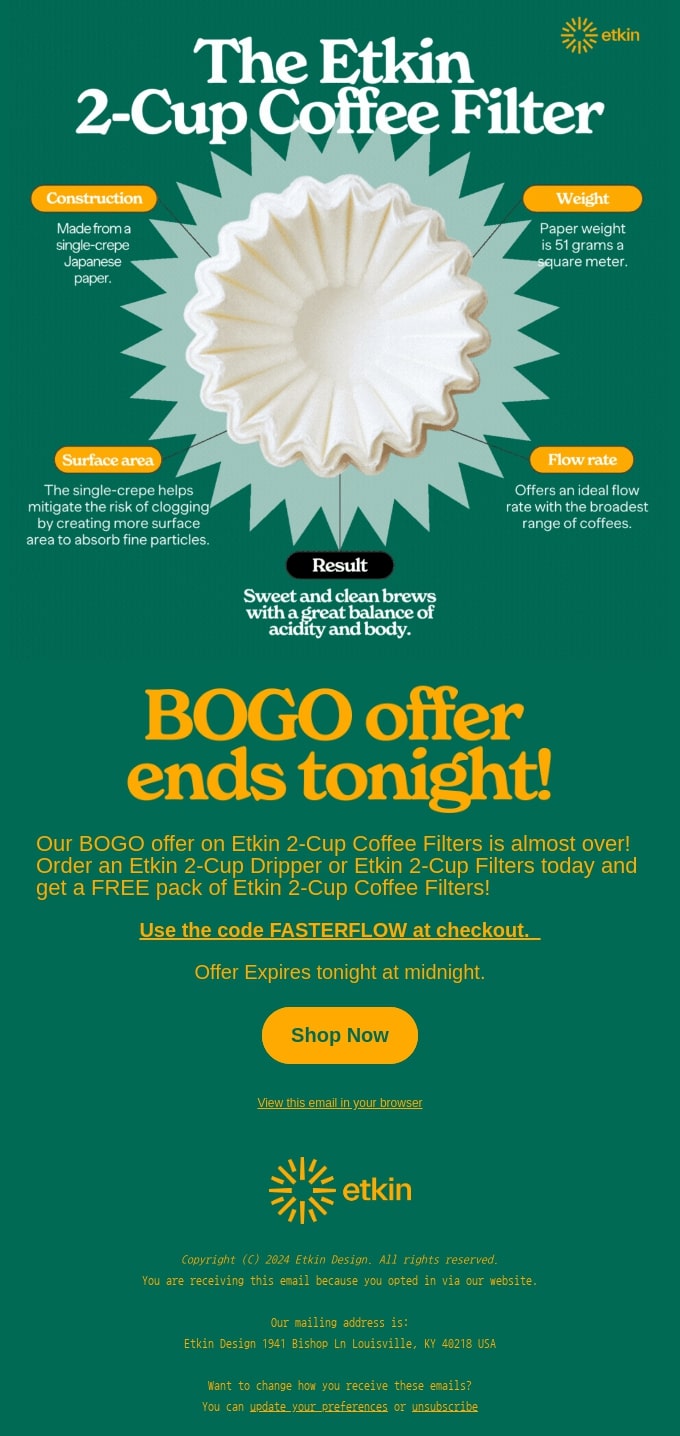
Additionally, email marketing campaigns serve as an effective tool for gaining a deeper understanding of how your audience interacts with your content. By tracking key email metrics such as bounce rate, click-to-open rate, and unsubscribe rate, you can make improvements on your subject line, copy, layout, and send time, leading to better outcomes.
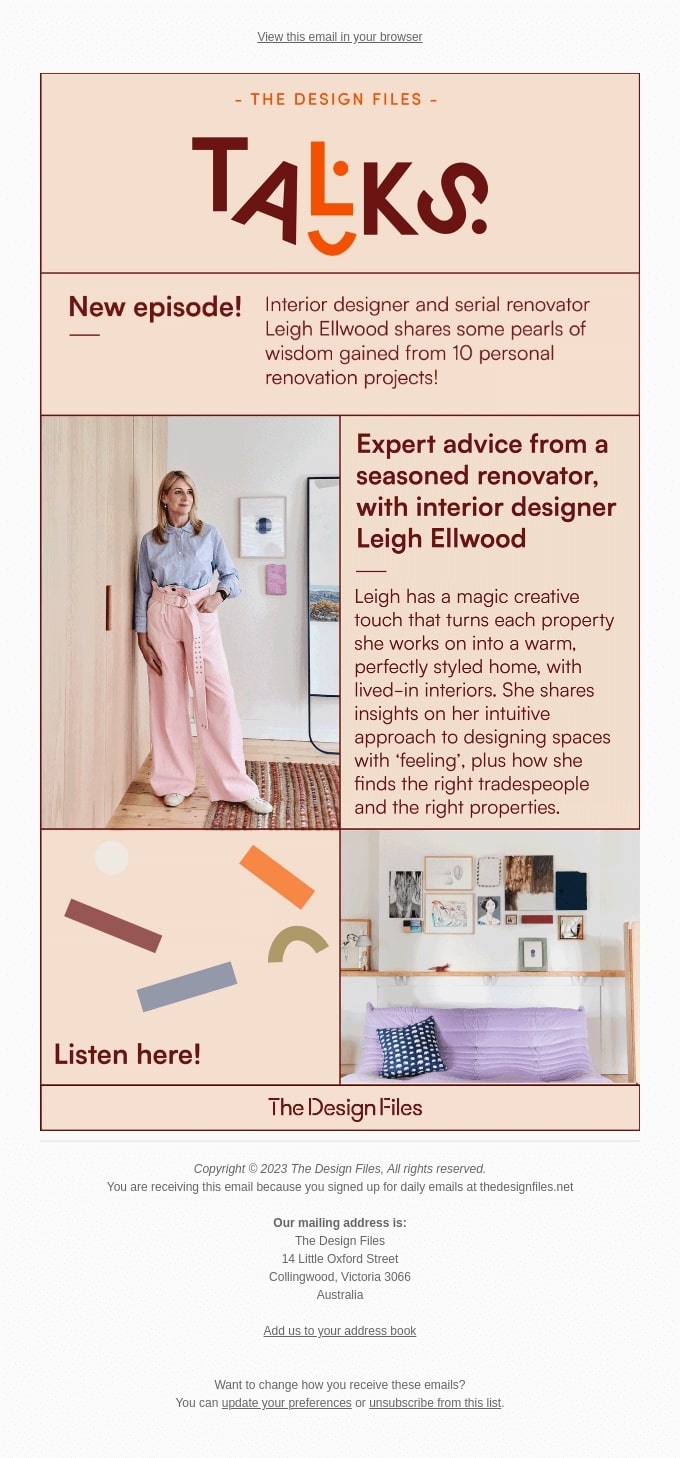
15 Successful Email Marketing Campaigns

We’ve gathered some of the best email campaigns that can inspire you as you develop your own strategies and ideas. These email campaign examples are thoughtfully organized into categories to help you easily find the ones that suit your business needs at different times.

🔥 Learn the key elements and strategies to stand out in your readers’ inboxes with our tips for crafting high-performing email campaigns. 

5 Email Marketing Campaigns that Nurture Leads

When it comes to lead nurturing, drip campaigns are crucial. These automated email sequences provide timely, relevant content to prospects based on specific actions they’ve taken, with the aim of guiding them further down the sales funnel.

Here are some of the best email campaign examples to inspire you when a customer makes their first purchase, when you’re launching a new product, or when you want to gather feedback on your products and services.

1. Welcome Email by Vimeo

Screenshot of a welcome email from Vimeo, showcasing its visual and text elements

Subject line: Welcome! Here’s how to get started.

Welcome emails are a great way to kick off customer relationships when they join your email list, and the video streaming platform Vimeo utilizes them well.

What makes this email stand out: the skillful application of visual elements to engage the reader. The inverted pyramid layout starts with a captivating image at the top, immediately drawing the reader in and smoothly guiding their attention toward the primary goal – exploring their website, which will lead to more traffic. 

The brand also incorporated images to highlight its services, including clear call-to-action (CTA) phrases that simplify the exploration of the specific service. The simple copywriting makes things sound so easy that anyone will feel like clicking the final CTA. It’s a great example of moving the user further into the customer journey.

The email concludes with another inverted pyramid layout, elegantly closing the framework and prompting readers to take action once more – this time, encouraging them to find their muse, again boosting website traffic.

2. Abandoned Cart Email by Surreal

Screenshot of an abandoned cart email from Surreal, showcasing visual and text elements

Subject line: Thinking about Surreal?

Surreal not only provides out-of-this-world cereal, but their emails are equally impressive. The brand often relies on the principle that “a little laugh can’t hurt anybody,” and they nailed it once again.

What makes this email stand out: it doesn’t feel like an abandoned cart email. The headline pun “Grab breakfast by the bowls” is clever and bold, capturing the reader’s attention instantly and encouraging them to rethink their breakfast choice.  

The message afterwards humorously suggests alternatives like oats or even spaghetti but quickly brings it back to why Surreal is a better choice. Followed by a vibrant and funny “Feed Me” CTA button, inviting the customer to return and complete their purchase. 

The lighthearted, quirky tone carries through to the chart below, where Surreal demonstrates how it surpasses competitors with the health benefits of its cereal. The section wraps up with another humorous call to action, reminding you that this is, after all, an abandoned cart email.

3. Customer Satisfaction Survey by Google

Screenshot of a satisfaction survey email from Google, showcasing visual and text elements

Subject line: Got opinions? We’re all ears

Receiving feedback is essential for business improvement, yet many people postpone providing it, particularly when it involves completing a survey sent to their email inbox.

What makes this email stand out: its simplicity and direct approach. Not every email needs to be flashy to capture attention. Google recognizes that surveys aren’t always a preferred task, so they effectively communicate that it “will take less time than watching our latest YouTube Short.” This clever comparison entices readers with the idea that the survey will be quick and effortless, while also sparking curiosity about the latest Short. Genius!

4. Upsell Email by Adidas

Screenshot of an upsell email from Adidas, showcasing visual and text elements

Subject line: Complete Your Look

After a purchase, timely follow-up emails can introduce complementary items. Cross-selling and upselling leverage the excitement of the initial purchase and can lead to additional sales. 

What makes this email stand out: Adidas’s masterful use of wordplay. The email begins by thanking the customer for their recent purchase, but cleverly suggests their look might not be complete through an animated headline with initially missing letters.

The sports apparel brand then recommends a few products that would complement the customer’s purchase. They opted for a minimalist approach, avoiding any pushy sales tactics, as there are no visible CTA buttons. Instead, they made the images clickable, encouraging the reader to “click to pick” whatever they like.

5. Renew Email by Venmo

Screenshot of a renew email from Venmo, showcasing visual and text elements

Subject line: An update on your subscription renewal and pricing

You might think it’s hard to appreciate an email from a company whose services you’ve used and then canceled. However, the mobile payment app Venmo is here to prove they deserve a second chance.

What makes this email stand out: re-engage the customer by promoting essential “never get old” features, while emphasizing that they have been “freshened up,” so that they spark curiosity. The use of the phrase “latest bells and whistles” further highlights the special features added to the product, enticing customers to see if they live up to the promise.

The email is designed with a simple one-column layout, ensuring readability on mobile devices, which aligns with the application’s intended mobile use. This layout also helps to highlight the new features, which are briefly explained with relevant and intriguing to the customers descriptions like “fast forward payday” and “pay in apps you love.”

The design takes a similar approach to Vimeo’s welcome email, using various graphics to showcase the platform’s new features. Clear call-to-action (CTA) phrases are included to simplify the exploration process.

5 Email Marketing Campaigns that Engage 

Informational campaigns are designed to educate, recognize, or engage readers, gradually turning them into loyal customers. They allow you to connect with both existing and potential clients by sharing valuable insights or offering something special, all while subtly promoting your products or services.

Here are some of the best email campaigns to inspire you when you’re looking for ways to keep your audience engaged.

1. The 3-2-1 Newsletter by James Clear

Screenshot of a newsletter from James Clear, showcasing visual and text elements

Subject line: 3-2-1: How to time travel, the power of reading, and being grateful when you don’t have what you want

The habits guru and best-selling author James Clear sends out a newsletter every Thursday featuring 3 short ideas from him, 2 quotes from others, and 1 question for readers to ponder. His newsletter is an excellent example of how an all-text message can be both elegant and engaging, without relying on visual elements.

What makes this email stand out: its  direct approach, effectively engaging readers by highlighting the value they will gain from reading the email. Strategically placed headings help maintain the reader’s attention, while the short sentences and paragraphs ensure easy readability. 

While some argue that adding social media links within emails isn’t effective, James Clear demonstrates how to do it right. By inviting readers to share their thoughts on social media, he not only fosters engagement but also enhances his online presence. This approach shows that, when integrated thoughtfully, social media links can extend the conversation beyond the inbox and build a stronger connection with your audience.

2. Travel Guide by Booking

Screenshot of a travel guide email from Booking.com, showcasing visual and text elements

Subject line: 5 city guides for your next long weekend away

Who doesn’t love a quick getaway without the hassle of planning? Recognizing this, one of the most popular travel marketplaces, Booking, created tailored travel guides for their email subscribers.

What makes this email stand out: the creative use of visual design. By pairing color blocks with city images, it creates a visually pleasing experience without overwhelming the reader. The CTA buttons are stacked in a way that follows a natural flow, guiding readers to either the complete city guide or the accommodation options on the website, effectively driving more traffic to both.

Additionally, if none of the featured destinations appeal to you, Booking has smartly integrated a search bar. This feature not only allows readers to explore other options but also directs them to the website, increasing traffic. The search bar enhances user experience by providing immediate access to personalized travel searches, making the email both functional and engaging.

3. How-to Email by Bored Cow

Screenshot of a recipe email from Bored Cow, showcasing visual and text elements

Subject line: I scream you scream…

Providing your audience with a step-by-step or how-to guide is a great strategy for retaining customers and turning them into brand ambassadors. This delightful ice cream recipe from the dairy-free milk brand, Bored Cow, taps into nostalgia by featuring the universal love for ice cream

What makes this email stand out: the masterful use of a pop culture reference, instantly capturing attention with a nostalgic, song-themed subject line: “I Scream, You Scream, We All Scream for Ice Cream.” This clever nod not only grabs the reader’s interest but also creates a personal connection by evoking fond memories.

The email further distinguishes itself with a well-designed layout that includes vibrant graphics and 3D call-to-action buttons, enhancing the overall childhood feel. The inclusion of a difficulty level bar underscores the simplicity of the recipe, encouraging readers to dive into memory land while preparing the ice cream. 

The brand also thought about those who aren’t ice cream enthusiasts or don’t catch the reference, by offering milkshake recipes. They are prominently displayed against a white background, distinct from the rest of the email, ensuring the reader’s eye won’t miss them.

4. Anniversary Email by Duolingo

Screenshot of an anniversary email from Duolingo, showcasing visual and text elements

Subject line: EXCLUSIVE: Embarrassing photos of Duo inside 😈

Name a better occasion to remind all your customers of your brand than an anniversary celebration. The language education platform, Duolingo, used this opportunity to highlight key milestones while promoting its services in a clever and engaging way. 

What makes this email stand out: the storytelling approach, which draws readers in and keeps them engaged. A powerful brand story has the potential to boost customer loyalty by 20%.

Duolingo, famous for its playful and lighthearted brand voice, infuses humor right from the subject line by teasing “embarrassing” photos of its main character, Duo. The use of the word “EXCLUSIVE” enhances the sense of connection between the users and the brand, fostering a community feel. Even if readers suspect the brand is joking, it’s a clever way to add intrigue and entice recipients to open the email.

Additionally, eye-catching visuals and a zig-zag pattern make the email easy to skim, allowing information to be conveyed quickly and effectively.

5. Rewards Email by Bokksu

Screenshot of a rewards email from Bokksu, showcasing visual and text elements

Subject line: We give you a reason to stick around, promise!

Many brands use gamification as part of their strategy to keep clients engaged and to boost sales, and the Japanese snack brand Bokksu has also embraced this trend.

What makes this email stand out: its vibrant and joyful look while using only two colors – orange and white. When used in an email, orange gives the energy and brightness of red but with a softer edge, making it less intense and easier to get along with. It’s a warm color that can get people interested. 

The brand masterfully incorporated two shades of orange, using the more intense shade for the CTA buttons to signal attention, while the softer shade conveys a calm, joyful vibe. This approach highlights the importance and impact of colors in email marketing.

For the content, the subject line should pique recipients’ curiosity about what’s inside while accurately setting expectations. Bokksu successfully fulfilled their promise of “We give you a reason to stick” by clearly outlining the benefits of their loyalty programs in a straightforward one-column layout.

5 Email Marketing Campaigns that Boost Sales 

Promotional campaigns tend to include sales-driven emails, which typically include a call to action, encouraging readers to take specific actions.

Here are some of the best email campaigns to inspire you the next time you want to announce a product launch, promote limited-time sales, or run a seasonal campaign.

1. Seasonal Email by Sill

Screenshot of an email dedicated to Valentine’s Day from Sill, showcasing visual and text elements

Subject line: Roses are Red, & These Plants Are Too!

When you think of “holiday email marketing” your mind might jump straight to Christmas, but there are other holidays sprinkled throughout the rest of the year that you can create campaigns around. 

What makes this email stand out: the brand thought about every little detail – from the header image to the CTA button. As Valentine’s Day is a celebration of love, using red is ideal – associated with strong emotions, it’s a color that commands attention and is meant to be noticed. It shouts ‘look at me” and adds a sense of enthusiasm and boldness to anything it’s applied to.

The strategically placed phrase “and they’ll last a lot longer” highlights the benefits of buying this product (a plant) rather than its competitors (a soon-to-die flower). When trying to sell your products, it would be hard not to provide visuals so that the reader gets an idea of what to expect. However, if the appealing images don’t do the trick for you,  the catchy and amusing plant descriptions are what would convince you to buy!

2. Product Launch by Fellow

Screenshot of a product launch email from Fellow, showcasing visual and text elements

Subject line: Our new product sucks…

You probably wouldn’t think to promote your new product by stating that it sucks. But let’s be honest. Wouldn’t you be intrigued to open the email and see what the problem is? Fellow is a brand dedicated to making coffee a pleasant experience without the clunky equipment.

What makes this email stand out: the playful, tongue-in-cheek approach undertaken to promote a product. The new Electric Atmos is designed to remove air from your coffee beans – and yes, it “sucks,” but in the best way possible.

The zig-zag layout, paired with a black-and-white color scheme, creates an elegant and minimalist aesthetic that complements the subtle humor and highlights the product images. The email wraps up with the playful phrase “They’re all keepers,” cleverly underscoring the product’s ability to keep your coffee fresh for as long as possible.

3. Customer Reviews by Mode Chocolate  

Screenshot of a customer recommendations email from Mode, showcasing visual and text elements

Subject line: We’re starstruck ⭐️

Showcasing positive client reviews is always a smart move – it boosts your brand’s reputation and encourages potential customers to try your products. Mode Chocolate, known for its zero-added sugar treats, nails this with a simple design and captivating graphics.

What makes this email stand out: it tells a story even though it’s a promotional email. The opening line, “A little sweet talk,”  sets the stage for customer reviews that likely praise the delicious treat. The three-dimensional graphics of spilling chocolate enhance the narrative, making you almost taste the chocolate the email promotes. 

The use of purple, with its unique blend of warm and cool tones, is a great choice, as purple is known to spark curiosity. This blend of colors also helps clearly distinguish the two sections – the reviews and the products –  and highlights the featured chocolates bars.

4. Giveaway by Honey Mama’s

Screenshot of an email featuring a giveaway from Honey Mama's, showcasing its visual and text elements

Subject line: Lemon Blueberry Giveaway! 🍋

Often, a bold subject line is needed to capture readers’ attention. However, when offering discounts or giveaways, being direct can be just as effective. Honey Mama’s, known for its healthy candy bars, ran a giveaway campaign that grabbed attention with its straightforward subject line, encouraging immediate engagement.

What makes this email stand out: it effectively leverages email marketing to boost social media channels. The email provides just enough information to entice you to participate and is intriguing enough to prompt a click on the strategically placed CTA button.

The header image helps visualize what you might miss out on if you don’t participate, enhanced by yellow stars that add a sense of joy and warmth. The phrase “two winners” provides a feeling of excitement, imagining you can be one of these lucky people. The use of yellow brings enthusiasm and optimism to the email, making it perfect for highlighting the urgency to join now.

 5.  Limited-Time Sale by Pearly

Screenshot of a limited-time sale email from Pearly, showcasing its visual and text elements

Subject line: Prime Deals Start Now: 20% Off

And the last email that we’ll take a look at is from the bubble tea company, Pearly, which decided to make their customers happy by offering a limited-time sale.

What makes this email stand out: it screams urgency – from the subject line to the purple label stating “48 hours only.” If you didn’t get the idea that you should be running to catch the discounts, the strategically placed heading “unbeatable deals for only 48 hours” is there to remind you.

They have categorized their bubble bundles starting from beginners to more advanced customers, ensuring that none of their audience feels left out. They have also strategically crossed out the old prices and put the new ones in bold and bigger fonts, so you see that their discounts are worth taking advantage of. 

Additionally, using bullet points helps readers easily understand and retain the information. If you’re convinced to purchase the bundle, the darker CTA button, prominently displayed against the warmer purple background, is designed to catch your eye.

Send Your Next Email Marketing Campaign with SiteGround

Are you inspired by the creative email marketing campaign examples we just shared and eager to create your own? Take a look at how you can seamlessly craft email campaigns using the SiteGround Email Marketing Platform 👇🏼

Sign up for our email marketing platform today and take advantage of our limited-time offer. Get everything you need to create effective emails that deliver results!

10 Steps to Master Email Marketing Design (+ Best Examples)

email marketing design elements

In this highly digitalized world we live in, email marketing design is one of the core vitals for your business strategy. However, designing an email campaign is easier said than done. 

It requires a lot of time, effort, technical knowledge, and design skills. Whether you’re just starting out, or you already have some experience, we’ve got you covered in your email marketing design endeavors.

To help you foster and put into effect your email design ideas, we’ll share with you the top 10 proven email marketing design techniques, backed up by some real-life best email examples.

Before we get started, let’s first explore the basics of email marketing design.

What Is Email Marketing Design?

Email marketing design is the process of thoughtfully creating and designing an email that will grab the attention and interest of your target audience and current subscribers. This includes how you place your text, images, CTA buttons, and other visual elements. All these in combination will have a direct impact on the readability of your email – whether it’s easy to read, scannable, and catchy. At the end of the day, your email design is one of the most important components of your approach to email marketing.

Why Is Email Marketing Design Important?

A well-designed email will help you not only catch your readers’ attention, but also engage your subscribers, and eventually increase your conversion rates.

Nowadays, people don’t spend much time reading emails, but rather scan through your information. That’s why email marketing design is of utmost importance for your email marketing strategy.

Let’s dive into how to design emails that grab attention and boost sales.

How to Design a Great Marketing Email

As mentioned, creating a successful email marketing design is not an easy task. Here are some email design best practices that will help you greatly.

1. Start Using an Email Marketing Platform

Using an email marketing platform is a smart approach no matter whether you’re a beginner or more experienced in email marketing design. Either way, it will make your life easier and help you leverage all email marketing benefits for your business by saving you time, effort, and resources.

Here are the main features and capabilities that you need to look for in an email marketing tool:

  • Templates & Layouts OR Drag-and-Drop Editor 

Most email marketing tools offer ready-to-use templates and customizable layouts, and an easy-to-use drag-and-drop editor. With any of these, you can create an appealing email marketing design in just a few clicks and with ready-to-go email template ideas. You’ll be able to manage colors, fonts, headings, images, and other similar elements. On top of that, an email marketing tool allows you to craft a design that’s responsive on various devices.

  • Emails Personalizations

An email marketing platform lets you personalize your emails with dynamic content, based on subscriber data. By using their first name in the subject line or body text, for example, or leveraging other information that they’ve provided you with, you’ll be able to better engage with your subscribers.

  • Statistics and Analytics

Another important option is the ability to track email marketing metrics from your campaigns. This is extremely important for analyzing results and optimizing your future email campaigns.

  • Automations 

An email marketing tool should allow you to perform email automation, ensuring that your beautifully designed emails reach the right audience at the right time without manual intervention. For example, if a new contact has subscribed to your newsletter, they need to receive a welcome email from you that can be an automated process.

Are you on the lookout for the right email marketing tool for your business? Check out SiteGround’s email marketing platform that offers premium features and functionalities to help you grow your business.

2. Be Consistent with Your Brand Guidelines

As a rule of thumb, your email marketing design should be in line with your brand guidelines. When the readers open your email, they should be able to recognize that it was sent by your business. In other words, your marketing email design should be branded.

Here are the main techniques you can use to achieve that:

  • Use the same colors and fonts that you’ve implemented on your website and via other marketing materials.
  • Mind your tone of voice and word choice by making them consistent and recognizable across your emails.
  • Incorporate your logo and have it link to your website, and include links to your social media channels.

These will help you raise brand awareness, boost your lead generation, and eventually increase your sales.

3. Choose Your Email Marketing Layout

One of the key elements of your email marketing design is the email marketing layout that you choose for your campaign.

An email layout represents the structure of your email – the way you organize your email’s elements, such as texts, CTA buttons, headings, bullet points, images, or videos, so that they look aesthetically appealing.

There are different types of layouts. Based on the user’s reading pattern, layouts can include the following:

  • Inverted pyramid – the most important information is at the top to catch the reader’s attention, and then it gradually narrows down the focus towards your CTA. Here’s an example:
  • Zig-zag – follows the left to right reading pattern, where the most important information is on the top horizontal line, followed by the diagonal that leads readers to your copy, and the bottom horizontal line gives them the final copy and CTA. Here’s an example:
  • F-pattern – the most essential information is at the top, followed by less important info on the shorter left sides below, including a CTA at the bottom. Here’s an example:

Let’s imagine that you need an email newsletter design, for example. A typical newsletter would use a one-column layout or two-column layout, which are perfect for introducing products or services, or listing articles and case studies. On the other hand, promotional emails would benefit mostly from an inverted pyramid layout, where you can have an appealing visual for your offer, followed by an engaging description of your promotion, including a CTA button at the bottom.

4. Write a Catchy Subject Line and Preview Text

The next step of your email marketing design is your subject line and preview text.

Your email’s subject line is the first thing that your recipients will see in their inboxes. That’s why it needs to be catchy, valuable, and informative. Let’s expand a bit on these characteristics of your subject line:

First, it needs to grab the reader’s attention. You can achieve this by adding their first name, asking them a question, using an actionable verb, or adding an emoji.

Second, your subject line should bring value to the reader, to spark their interest and desire to open your email. To address this, keep your subject line short and simple, yet smart and subtle enough.

Lastly, use your subject line to give your readers an idea of what to expect in the body of your email. Consider your subject line a short summary of your email content. Remember that this is your first and last chance to have your email opened.

Here are a few examples of catchy subject lines:

From: memobottle
Subject line: Hey Siri, what’s the best last-minute Father’s Day gift?

From: Best Day Brewing
Subject line: Can We Ask You One Question? 🙏

From: Lonely Planet
Subject line: The best things in life are…

Next comes your preview text that appears right next to your subject line and is a preview of your email content. Have your preview text complement your subject line and still build curiosity in your readers. It’s also essential that you keep it under 50 characters, so that it’s fully displayed on most devices.

5. Add Call to Action Button(s)

One of the most crucial parts of your email marketing design is your CTA button. It should appeal to your email readers and make them want to click on it. The CTA button will bring them one step closer to converting – signing up, making a purchase, or another desired action. Actually, not using strong CTAs is one of the absolute worst email marketing mistakes you could make.

It’s crucial to consider where to put your CTA button, what copy and design it should have, and if you need more than one CTA. 

If you want to maximize the benefits of email marketing, focus on these three key guidelines for your CTA buttons:

  • Incorporate short, concise, and actionable copy
  • Use colors that contrast with the email background
  • Make it well outlined and shaped to be easily clickable

Here’s an example for some email design inspiration:

In the example above, the first CTA is in the form of a play button for a video overview of their product, followed by a classic CTA button prompting readers to watch the video. The brand has three more CTA buttons after each section, in a logical order. The first one is enticing readers to install their product, the second one is a push to upgrade to one of their more advanced plans, and the last one is a CTA to join their community, which is a win-win for both the brand and the reader.

6. Include Visual Elements

When talking about email marketing design, there’s one thing that’s a must-have – visual elements. Don’t hesitate to incorporate images, GIFs, videos, or even emojis in your email body. Get creative and complement your content with appropriate visual elements. 

For example, if you’re launching a new product, you definitely need to include its image. Or let’s say that you’ve updated an existing service – show how happy your clients are with it by including a pie chart with their reviews. Then why not add an emoji in your subject line to generate more clicks?

However, there’s one strict rule to follow in regards to all visual elements you’re using: Do not overload your email with visuals. This can have a negative impact on your engagement and conversion rates, as too many visuals can annoy your audience or distract them from the main desired action. 

Here is one of the best email design examples:

7. Personalize Your Email Content

To make your email marketing design as engaging for your audience as possible, make sure to personalize the email content for them. That way every reader feels more appreciated and seen, as the message they get is tailored to their personal preferences.

Segmenting your audience is the first step towards successful personalization. You can divide your subscribers into different groups, based on their interests, purchase history, and their stage in the customer journey. Then, tailor your email content for the different audiences that you’ve identified. Remember to also send your messages at the right time for your groups, based on their location and time zone.

If all these best email design guidelines feel overwhelming, don’t worry. We’re taking one of the most difficult tasks off your shoulders – writing the perfect email content. Our AI professionals have already prepared a guide full of free ChatGPT email prompts that you can use to create engaging emails that convert into sales. Download them from the link below to get you started:

[ai_prompts_download]

8. Incorporate Your Signature

Another smart way to raise brand awareness and increase click-through rates is to incorporate a signature into your email campaigns. This way the email seems more personal, just as if an actual person had sent it. 

Make sure your signature includes not only the first and last name, but also the job title and contact information of the person who’s going to sign the email, resulting in a more professional email design. This could be anyone that’s relevant to your audience. 

For example, if you’re sending welcome emails, you can use the CEO’s signature, or if it’s a promotional email, someone from your sales team can sign the email.

In terms of design, ensure that the signature is appealing. One way to achieve this is including a picture of the person that’s signing the email. You can also incorporate a link to social media professional profiles, e.g. a LinkedIn profile. Here’s an example:

9. Use a Mobile Responsive Design

Using a mobile-friendly email marketing design is perhaps one of the most overlooked email marketing tips. 

In 2024, it has been estimated that between 50% and 60% of email opens come from mobile devices. It’s a huge percentage that shouldn’t be overlooked. That’s why it’s essential to focus your efforts on crafting a mobile-friendly email marketing design.

When your email design is mobile responsive, it’s made to fit different screens and will be visible on various mobile devices without compromising user experience.

One way to ensure that your email is mobile friendly is to use ready-to-go templates that are optimized for mobile. Another way to make sure that your users have the best experience possible is to test the preview of your email on mobile devices, and fix any issues that you notice.

Most email marketing platforms offer both templates and preview options to spare you some time and technicalities.

10. A/B Test Your Email Design Ideas

Now that you have all that information, you probably have many email marketing design ideas. There’s no need to choose just one design and forget about the rest. 

What you can do is perform A/B tests. In fact, doing an A/B test helps you determine which elements of your design work best, which ones need improvement, and how to optimize them.

For example, you might want to test an email graphic design versus a more simple email design to figure out which one works better for your target audience.

Here are the main design elements that you can test:

  • CTA button – experiment with the placement of your CTA button, whether above the fold will get you more click-through rates, or the bottom position.
  • Images – test different image types to figure out which ones resonate best with your audience and drive more engagement.
  • Content design – strategically create, organize, and place your email content in a way that will make people read your emails.

Once you have A and B versions of your email marketing design, you can send version A to 50% of your subscribers, version B to the other 50%, and then check the results in a couple of days. Analyze the data you get and optimize your future email designs accordingly. Don’t rely on assumptions – use this data to find out for yourself which is the most effective email design for your business and audience. Remember to regularly A/B test in order to be in line with the latest email marketing design trends.

Convert Better with Effective Email Marketing Design

Now that you know how to design a marketing email, you can go ahead and apply these tips in your next email campaign. 

For maximum results, build your next email with the SiteGround Email Marketing tool, which offers everything you need to send successful email campaigns.

Also, don’t forget to let us know in the comments below what email design worked best for you.

How to Do Email Marketing: An Easy Guide for Beginners

how to do email marketing

Email marketing is undoubtedly one of the most powerful tools that you can use to drive sales to your business and build stronger relationships with customers. Whether you’re a business owner or a freelancer, learning how to do email marketing can help you grow your brand. 

If you’re new to it, however, the whole process can seem overwhelming – from building an email list, setting up campaigns, creating email content to measuring results with analytics. 

But don’t worry! In this email marketing guide, we’ll cover the essentials and walk you through everything you need to know to get started and do email marketing easily.  

What Is Email Marketing

Email marketing is a direct and highly effective way to communicate with your prospects and clients. It involves sending targeted email campaigns to a specific group of people (leads or customers) to promote a new product, share a special offer, or simply stay in touch.

Unlike other forms of digital marketing, email marketing doesn’t require a huge budget or technical expertise, making it accessible to just about anyone.

Why Is Email Marketing Important for Your Business

Email marketing brings various benefits to all types of businesses, but here are some of the key ones. 

First and foremost, it offers one of the highest returns on investment (ROI). The average ROI generated is $36 for every $1 spent on email marketing. This makes it one of the most cost-effective ways to reach your audience and grow your business compared to other marketing methods and channels.

But it’s not just about the money. Email marketing also plays a vital role in nurturing relationships with your customers or leads. By sending personalized, relevant, and useful content, you can stay top-of-mind with your audience, build trust, and keep them engaged. This ongoing communication helps move leads through the sales funnel, ultimately converting them into customers.

Another major benefit is that email marketing provides measurable results. You can track open rates, click-through rates, conversions, and other metrics that tell you exactly how well your campaigns are performing. This data allows you to continuously optimize your email campaigns and strategy, and make informed decisions.

How to Do Email Marketing Step-by-Step

Now that we’ve discussed why email marketing is so critical for your business, let’s break down the process of how to do email marketing yourself into easy-to-follow steps.

1. Identify Your Audience

When getting started with email marketing, the first step is identifying your audience. Understanding who you’re sending emails to is key because it allows you to speak directly to their specific needs. When you know your audience well, you can craft content that resonates with them, making your campaigns way more useful and interesting. 

Consider key demographic factors like age, location, gender, occupation, and interests. For example, if you’re selling high-end skincare products, your target audience might include women aged 25-45 who are interested in health and beauty. 

Narrowing your focus helps ensure that you’re not wasting time and effort on people who aren’t interested in your product or service. Overall, defining your audience clearly will help you send more relevant, engaging content and increase the chances of converting prospects into clients.

Here’s a nice example of a company identifying the needs and use cases of their customers and using the information to tailor their messaging.

In email marketing, you can use a similar approach – understanding the unique needs of your audience will help you adapt your content more effectively. Further segmenting your audience based on even more precise criteria can be especially beneficial, but we will go into this in more detail below.

2. Set Clear Email Marketing Goals

Another thing that will help you have effective content and campaigns is setting specific, clear goals for your email marketing efforts. Without clear objectives, your campaigns can quickly become unfocused or even feel spammy. So, take a moment to think about what you want to achieve. 

Are you looking to drive sales, boost brand awareness, generate more leads, keep customers engaged, or build stronger loyalty with your existing clients? Your goals will guide everything from what types of emails to send to how and when you send them. 

For instance, if your goal is to generate leads, you might send educational content with a clear call to action that encourages subscribers to sign up for a webinar. Or, if you’re aiming to increase recurring customers, your emails might feature special offers or limited-edition items. 

The easiest way to define your goals is by thinking about your business needs, and what it is that you want to accomplish in the short and long term.

3. Choose an Email Marketing Platform

Your email marketing platform is the backbone of your entire email strategy. It’s the tool that enables you to craft, send, and track your campaigns with ease, streamlining tasks that would otherwise take hours.

The right platform can help you design eye-catching emails, grow and manage your subscriber list, create templates, run test campaigns, automate messages, and track important metrics like open rates and clicks. When choosing your platform, think carefully about which features matter most for your business. 

Define your priorities, then look for a platform that matches both your needs and budget.

💌 At SiteGround, we’re happy to have created one of the easiest-to-use, yet powerful email marketing platform. With the SiteGround Email Marketing Platform, you get everything you need to run successful email campaigns at an unbeatable value. It includes features that make it easy to grow your audience, design beautiful emails, and run targeted campaigns – and all without advanced tech skills, thanks to a no-code email builder, AI email writer, free customizable email templates, automated email sequences, high email deliverability, and more.

siteground email marketing platform

4. Start Building and Growing Your Email List

Once you’ve defined your audience, set your goals, and chosen an email marketing platform, it’s time to start building your email list. If you already have a website, the easiest way to start collecting subscribers is through sign-up forms. You can create them yourself, use an external tool, or leverage your email marketing platform in case it offers that functionality.

At SiteGround, we’ve taken the hassle out of this process by offering a lead generation plugin for WordPress, built to integrate seamlessly with our email marketing tool. In just minutes, you can create a sign-up form and add it to your site without coding.

You can also grow your list by offering a lead magnet, such as a freebie or discount, in exchange for emails. For example, you may create a sign-up form that promises a 10% discount on the first purchase, or a free ebook that gives useful tips to your audience or solves a common problem they might have. You can promote your lead magnet on various pages of your website, and share it on your social media channels to increase visits and sign-ups.

Offline events and opportunities could also help you grow your list. If you attend industry conferences and meetups, for instance, you could collect emails by setting up a sign-up station or using QR codes that link to your form. Collaborating with influencers or affiliates is another way to get new subscribers.

Don’t forget to offer them unique incentives (discounts or referral bonuses) to promote your product and subscriber list, and consider running limited-time promotions they can share with their followers. For more detailed tips and tricks, check out our guides on how to build an email list and proven email lead generation tactics.

5. Segment Your Email List for Maximum Impact

Another email marketing tip is dividing your subscriber list into smaller, more specific groups. Segmentation could be based on different criteria like demographics, purchase history, behavior, or where they are in the customer journey. 

This approach helps you connect more meaningfully with subscribers, as each segment will receive content that’s directly applicable and useful to them. For example, let’s say you run an online clothing store. You might create segments for recent customers who purchased a specific type of clothing, loyal customers who buy regularly, and new subscribers who haven’t yet made a purchase. Based on your segments, you could send tailored content like a promotion to recent buyers, a sneak peek of upcoming new products for loyal frequent shoppers, and a welcome discount for new subscribers.

6. Create the Perfect Marketing Email

Creating the perfect marketing email requires great design and content, and it starts with understanding the type of email you’re sending. Some of the most effective email types include welcome emails, promotional emails, newsletters, lead nurturing emails, transactional emails, and re-engagement emails. Each of these has a unique purpose, so it’s important to adapt your content to match the goal of each email type.

Design also plays a huge role in creating the perfect marketing email. A modern, visually appealing layout can make all the difference in keeping your readers interested. Be sure to use a responsive layout so your emails look great on any device, whether it’s a desktop, tablet, or mobile screen. Maintaining consistency with your brand colors and fonts across all emails will also reinforce your brand identity. 

In terms of content, one of the most crucial elements is the subject line. This is the first thing your subscribers see, so your subject line must be short, relevant, compelling, and ideally personalized. It should grab attention and highlight the value your email provides. When it comes to the body of the email, keep it concise and aligned with your audience’s needs and your marketing goals. People’s time is precious, so make sure your message delivers value quickly and clearly.

And, of course, every email needs a clear call to action (CTA). You must tell your subscribers exactly what you want them to do. Whether it’s clicking a button, visiting an article, or making a purchase, the CTA should be visible and compelling. 
Experiment with different types of CTAs – buttons, links with anchor text, or images to see what works best with your audience.

🔥With the SiteGround Email Marketing Platform, creating beautiful, effective emails is easy. You can design your own email layouts to structure your content or use customizable, ready-made templates to get a professional look with minimal effort. We’ve also removed the hassle of writing your email copy thanks to the help of our AI assistant, which can craft the email text for you. Here is a cheat sheet with email prompts you can use for this purpose.

7. Test and Send Your Email

Once you’ve crafted your email, the next step is testing it. Don’t overlook this step! Test your email to ensure everything looks great, and don’t forget to check it on mobile devices too, as most people read emails on their phones these days.

To take your optimization even further, try A/B testing. This means sending different versions of your email to small groups of recipients to see which one performs better. Experiment with different subject lines, email body content, CTAs, images, and even the timing of when you send your emails. With testing, you can gather insights into what your audience responds to best, and refine your approach.

8. Track and Improve Your Email Marketing Campaigns

Tracking the email metrics of each email campaign is necessary so that you can measure the effectiveness of your campaigns and continuously improve them. These metrics give you insight into what’s working and what you can optimize. Here are the top email marketing metrics to pay attention to:

  • Open Rate: It shows how many people opened your email. Reveals whether your subject line is attention-grabbing and if your emails are reaching people at the right time.
  • Delivery Rate: This reflects how many emails were successfully delivered to subscribers. A low rate could signal issues with your email infrastructure or reputation.
  • Click to Open Rate (CTR): This tells you how many recipients clicked on links in your email. It’s a good indicator of whether your content is engaging and valuable.
  • Bounce Rate: This measures the percentage of emails that failed to deliver. High bounce rates could indicate problems with your email list or the quality of your content.
  • Spam Complaint Rate: This shows how often your emails are marked as spam. A high rate could suggest that your content isn’t resonating with your audience or that you’re sending too many emails.
  • Unsubscribed: This tells you how many people unsubscribed from your list. If the rate is high, it might mean your content isn’t hitting the mark or that you’re emailing too frequently.

Start Your Email Marketing Journey Today 

We hope this email marketing guide has given you the know-how to dive into email marketing confidently. You can also check our email marketing course and build your way to advanced techniques. Remember to focus on delivering value, keeping an eye on your results, and improving with each campaign. When you’re ready, kick off your first campaign smoothly and stress-free with the SiteGround Email Platform.

How to Do Email Marketing FAQs

Can I Do Email Marketing Myself?

Most definitely! By using the right email marketing platform, you can do email marketing yourself without needing advanced tech skills. This will streamline many time-consuming tasks, like managing subscribers, designing emails, testing and sending campaigns, creating automated email journeys, and even writing the content.

How to Do Email Marketing for Free?

It’s possible to start email marketing for free, as some email tools offer free plans with basic features. But keep in mind that free plans often come with limitations. Most free tools provide only the most basic features, which you can quickly outgrow and find insufficient as your business expands. 

You might find yourself restricted by the number of emails you can send, the quality of design options, and access to important analytics.

For more professional results, it’s advisable to invest in a robust email marketing tool, like SiteGround’s Email Marketing Platform, which can equip you with all essential features from the start.

When It Comes to Email Marketing, What Do We Mean by the Term A/B Testing?

A/B testing is when you send two different versions of an email campaign to small segments of your audience to see which one performs better. For example, you might test two subject lines, different CTAs, or images to find out what grabs attention or drives more clicks. This testing helps you better understand what resonates with your subscribers.

9 Landing Page Best Practices to Improve Performance and ROI

landing-page-best-practices-to-improve-performance

If your goal is to get your website visitors to complete one very specific action, look no further than the trusty landing page. But creating a high-converting landing page doesn’t happen on its own – it requires following proven landing page tips that guide visitors towards taking that desired action. Whether you want them to sign up for a newsletter, make a purchase, or download a resource, using effective landing page best practices can significantly increase your conversion rates. 

In this article, we’ll break down key landing page best practices you can implement in order to capture attention and drive results. We’ll also showcase real-world examples so you can see these practices in action and learn how to apply them to your own marketing campaigns.

But first, what is a landing page?

What is a Landing Page?

A landing page is a standalone web page designed with a single focus or goal, and is typically used in marketing campaigns to drive conversions. Unlike a regular webpage, it has minimal distractions and is focused on guiding visitors to take a specific action, such as signing up for an email newsletter, downloading an ebook, or purchasing a product.

As for what makes a good landing page? Well, making a high-converting landing page is a fine art, so today we’re going to examine all the very best landing page tips.

9 Landing Page Best Practices to Improve Performance and ROI

Creating an effective landing page is all about optimizing every element to encourage visitors to take action. Here are nine landing page best practices to help you build high-converting landing pages:

1. Ensure a Clear Value Proposition

First thing’s first. Before you get started on anything else, you’ve got to nail your value proposition, as it’s central to your entire landing page content strategy. 

A landing page value proposition is a clear, compelling statement that conveys the main benefit or unique selling point of a product, service, or offer to visitors as soon as they land on the page. It’s typically conveyed via the headline and/or subheadline, where it’s prominently positioned in order to capture attention and communicate why the visitor should be interested in staying on the page or taking an action.

The purpose of a value proposition on a landing page is to quickly answer the question, “What’s in it for me?” by telling visitors:

  1. What the product or service does – A brief explanation that orients the visitor.
  2. The primary benefit or outcome – Why it matters to the visitor or the problem it solves.
  3. What makes it unique or better than alternatives – How it stands out or adds additional value.

For example, a value proposition for a childcare service might read, “Your Gateway to Local, Trusted Childcare – Easy Booking, Anytime,” which tells the visitor what it is, how it benefits them, and expresses its uniqueness in that it’s nearby and easily available anytime.

In the case of duolingo’s landing page below, for example, it conveys what it is (a language-learning method), what the benefit is (it’s fun and effective), and what makes it stand out (it’s free, and implied that this method is unique to duolingo). Simple as that.

perfect-landing-page-example-duolingo

2. Create an Impactful Hero Section

Now let’s explore the hero section. It forms a central part of how to make a website, and especially when it comes to highlighting the unique value proposition. It’s crucial to make a powerful impression here because it sets the stage for the rest of the experience. A well-designed hero section can immediately grab attention, convey your message, and prompt visitors to act. 

Or not: it could bore them into closing their web tab and looking elsewhere!

With that in mind, there are several elements that go into making this section a success. Here’s what you’ll want to include in your perfect landing page hero section:

Strong Headline/Title

The main headline, or title, is a key part of landing page strategy, and one of the most important hero section elements because it’s the first thing visitors will read when they arrive. It sets the tone for the rest of the page and determines whether visitors will stay or leave. 

A strong headline should be clear, concise, and compelling, immediately communicating the value proposition of whatever it is that you’re offering. 

landing-page-optimization-best practices-example-Calm

Supporting Subtitle

While the headline grabs attention with a bold, concise statement, the subtitle adds context by expanding on what’s offered and why it matters. It often explains the product, service, or offer in more detail, highlighting key benefits or addressing the visitor’s needs and concerns. 

Together, the headline and subtitle create a compelling introduction that captures attention and encourages engagement. Here are a couple examples of landing page headlines and subtitles: 

Headline: “Feel Your Best Every Day with Personalized Nutrition”
Subtitle: “Discover a nutrition plan tailored to your unique needs, goals, and lifestyle—designed to help you thrive, one meal at a time.”

Headline: “Keep Your Car Running Smoothly with Expert Care”
Subtitle: “Experience reliable, affordable auto repairs and maintenance from certified professionals dedicated to ensuring your vehicle’s longevity and performance.”

Illustrative and Appealing Image

While messaging reigns supreme, having a high-quality image that supports your message and captivates attention can be a deal maker or a deal breaker. A successful image could include a product photo, a happy customer using the product, or a graphic that speaks to what your business does. Images should be visually appealing and relevant to your offer.

Landing-page-design-best-practices-example-Audi

Attention-Grabbing Call-to-Action (CTA) Button

A CTA button is the crucial element that encourages visitors to take action. We’ll get into the strategy behind a good call to action in just a minute, but suffice it to say that you’ll want to include a prominent call-to-action button in your hero section in order to easily facilitate visitors moving to the next step.

3. Make Your Landing Page Benefit-Driven

Now that we’ve got the hero section basics covered, it’s time to dive in a little deeper – and move down your page. An important way for your landing page to support and emphasize your hero section and value proposition is to not only highlight features, but also focus on the benefits, as this is what really convinces visitors to take action. Features tell what your product does, but benefits show how it solves a problem or makes life better for the customer.

Here are some examples of how you can turn a feature into a benefit:

Feature: Task Automation.
Benefit: Save time by automating repetitive tasks.

Feature: Real-Time Collaboration.
Benefit: Easily work with team members across different locations.

Feature: Intuitive Dashboard.
Benefit: Manage projects at a glance with a clean, user-friendly interface.

Complement these selling points with imagery, icons or graphics in order to capture attention and keep visitors engaged.

Notice how, in the example below, Headspace focuses on benefits both in its hero section, and then farther down on its landing page.

landing-page-content-example-headspace

landing-page-tips-example-headspace

4. Include a Strong Call to Action (CTA)

Back to that CTA: having a particularly strong one is among the top tips for making a great landing page – and also when it comes to website planning in general – as it ensures users understand the next step. 

Without a clear, compelling CTA, visitors might leave your page without taking any action, even if they’re interested in what you’re offering. Indeed, a well-crafted CTA provides direction, reduces friction, and encourages users to engage, whether that means signing up, purchasing, or downloading. 

When crafting your CTAs, consider implementing the following elements: 

  • Precision: Instead of a vague CTA like “Submit,” a more effective alternative would be “Get Your Free E-book Now.” This specific wording clearly communicates what the visitor will receive and sets an expectation, making it more likely that they’ll follow through. 
  • Urgency: Add a sense of urgency or exclusivity, like “Limited Spots” or “Sign Up Today,” to encourage immediate action.
  • Actionable language: Use direct, action-oriented verbs like “Get,” “Start,” “Discover,” or “Join” that tell visitors exactly what to do.

Apart from including a CTA in the hero section, you will likely want to include it at the bottom of your page, so that visitors are again encouraged to click after having reviewed all of your landing page content. If your landing page is on the longer side, consider placing CTAs at various points throughout so that visitors can move on to the next step whenever they’re ready.

5. Use Compelling and Strategic Copy

Overall, copy plays a vital role in driving conversions, and accounts for another important landing page best practice. When writing web content, keep in mind the following:

  • Keep language clear, persuasive, and, as we’ve already discussed, focussed on the benefits
  • Use language that resonates with your target audience
  • Address audience pain points directly
  • Avoid jargon
  • Keep the tone conversational yet professional

Also be strategic about implementing content that builds your case and guides visitors toward your CTA. Do so by addressing any objections they might have, whether that’s by including FAQs or an explanatory section on a certain product feature. Ultimately, each section of your landing page, from the headline to the closing statement, should work together to create a seamless and convincing narrative.

6. Remove Landing Page Navigation

A key element of an effective landing page strategy is minimizing distractions. As illustrated in the image below (and in many of our other examples), this involves removing unnecessary navigation links – often even the menu bar – that could divert visitors from your primary goal. That’s because when users land on your page, the aim is for them to focus on the CTA button and take action.

This streamlined experience encourages users to concentrate solely on the content you’re providing, and ultimately on the call to action. If additional information is necessary, consider incorporating anchor links within the landing page to provide relevant details without redirecting visitors elsewhere.

Tips-for-making-a-great-landing-page-example-Zoho-Desk

7. Demonstrate Social Proof

Social proof is a powerful landing page tip for building trust and credibility. It reassures potential customers that others have used and benefited from your product or service. Some effective forms of social proof include:

  • Testimonials: Positive feedback from satisfied customers.
  • Case studies: Real-world examples of how your product helped a customer achieve success.
  • Customer logos: Showcase logos of well-known clients or partners.
  • Awards and certifications: Highlight any accolades your product has received.

Just remember not to link out from testimonials or customer logos. While it’s tempting to send people for more information, the goal here is to keep people engaged in your landing page, and exiting only via your call to action (and thus making a conversion).

By way of example, notice below that Zapier has a ticker tape of not-linked logos, which demonstrate that it is a trusted brand by other brands that you might already know and be loyal to. 

Effective-landing-page-example-Zapier

8. Implement a Lead Magnet

If the purpose of your landing page is email lead generation (such as capturing contacts for your email list, or getting people to sign up for a free course), then a lead magnet is a smart way to encourage conversion. 

A lead magnet is an incentive you offer in exchange for contact information, such as an email address. This is a great way to build your email list and nurture potential customers who are not ready to convert right away. Lead magnets can take many forms, such as:

  • Ebooks or whitepapers: In-depth content that provides value.
  • Discounts or coupons: A special offer for new subscribers.
  • Free trials or demos: Allow users to try your product before committing.
  • Webinars: Live or recorded sessions on a topic of interest to your audience.

Your lead magnet should be relevant to your target audience and offer immediate value. You’ll of course want to make its benefits clear in your hero section so that visitors are motivated to click through. 

The creative lead magnet on the landing page below is especially enticing, with a title and subtitle that spark curiosity. It’s hard to resist simply dropping your URL into the box and hitting “Analyze Website.” You receive intriguing website insights, and they gain valuable lead information in return. 

what-makes-a-good-landing-page-example-Neil-Patel

9. Make Sure Your Landing Page Lines Up With the Referring Source

Consistency is key when it comes to a strong landing page strategy. If visitors click on an ad or email link, they should see landing page content that matches their expectations. This means that the language, visuals, and offer presented in the referring source (like an ad or social media post) should align closely with what’s on the landing page – it should feel like an extension of what they clicked on.

If your ad promises a 20% discount, make sure the landing page clearly states how visitors can claim that discount. Inconsistent messaging can lead to confusion, which reduces the chances of conversion.

Improving Landing Page Performance

Once your landing page is up and running, the next step is to optimize it for even better performance. Continuous improvement is essential in order to have a high-converting landing page. This involves monitoring metrics, experimenting with new landing page content, and making adjustments based on real user behavior. Here are some landing page optimization best practices that will help improve performance:

Track Metrics

Understanding how to improve landing page performance starts with tracking the right website metrics. A few key performance indicators (KPIs) include:

  • Conversion rate: This percentage demonstrates the quantity of visitors who take the desired action, such as filling out a form, clicking a CTA, or making a purchase. This is the most critical metric for gauging success, as this is the whole point of your landing page: to gain conversions! The higher the rate the better, so when you make tweaks to your page, keep a close eye on how this impacts conversions. 
  • Bounce rate: This is the percentage of visitors who leave the page without interacting. A high bounce rate may indicate that the landing page content or design isn’t resonating with visitors. So try to identify what might not be working, then make adjustments, and see if your bounce rate drops.
  • Time on page: This data represents the average time visitors spend on your page. Longer times usually indicate that your content is engaging, while shorter times might suggest it needs improvement. Of course, if your conversion rate is high, but the time on page is low, it might simply mean that your sales pitch is working quite quickly! As such, always be sure to consider your data as a whole in order to draw educated conclusions.

By keeping a close eye on these metrics, you can identify which areas need adjustments, allowing for data-driven decisions that lead to improved landing page performance.

Try New Content

Now that you’re familiar with these key metrics, note that if your landing page isn’t converting or performing as well as you’d like, then it’s time to try experimenting with new content. 

As we touched on above, you may want to tweak different parts of the page. This could include revising the headline, reworking the copy, or even changing images and embedding videos. Sometimes, small changes can make a significant difference.

For example, if your current copy is very technical or generic, consider rewriting it to be more benefit-focused and customer-centric. Or, if the landing page content is heavy, try simplifying the design to make it cleaner and easier to navigate. 

An especially important element to consider improving is your CTA. If “Learn More” isn’t driving clicks, something more assertive like “Get Started Now” might be more effective. Or perhaps an even more descriptive CTA, such as “Claim Your Free Trial.” Get curious and try new approaches to see what works best.

Run A/B Tests

A great way to really evaluate whether your small changes are working is to run A/B testing (or split testing). It’s one of the most effective methods for improving landing page performance. 

This involves creating two versions of your landing page with one key difference – such as a different headline, image, or CTA – and sending an equal amount of traffic to each version. By comparing which version performs better, you can identify the most effective elements to use going forward.

For example, you might want to test whether a short or long-form landing page leads to more conversions. Or, you could experiment with two different images in the hero section to see which one captures more attention. Running consistent A/B tests allows you to optimize your landing page based on real data rather than guesswork.

Improve Load Speed

A slow-loading landing page can lead to higher bounce rates and lower conversions. Indeed, studies have shown that even a one-second delay in load time can result in a significant drop in conversions, as visitors are less likely to wait for a page to fully load.

To improve load speed, consider optimizing your images, reducing external requests, and using a reliable web host. Depending on the type of site you have, you may also wish to choose to use performance-friendly plugins that focus specifically on improving site speed. 

With SiteGround hosting, you can benefit from famously fast web speed and performance, along with multi-level security, and top-rated support.
Explore web hosting plans now>>

More Examples of Effective Landing Page Best Practices

Enough talk: let’s see more of these landing page design best practices in action. Here are a few more examples of landing pages that implement some of the effective best practices we’ve mentioned above.

Click Up

high-converting-landing-page-example-ClickUp

Clear value proposition: The headline, “The everything app, for work,” immediately tells visitors that this app covers all aspects of work management, providing a sense of comprehensiveness and utility.

Strong call to action (CTA): The prominent “Get Started. It’s FREE” button is compelling and reassuring, as it highlights that there’s no cost or risk to try the platform. The use of bright, gradient colors on the CTA button draws the eye, making it easy to find and click.

Minimal distractions: The page is clean and focused on one primary goal – getting users to sign up. The minimal text and whitespace keep users focused on the CTA.

Monday.com

landing-page-strategy-example-Monday.com

Strong headline and subtitle: The headline, “The new way of working together,” speaks directly to teams and businesses looking to improve collaboration. The subheadline further clarifies the platform’s purpose: a customizable work management tool to boost productivity.

Engaging call to action (CTA): The “Get Started” button is visually prominent and, as with Click Up, is paired with the reassurance of “Free forever. No credit card.” This reduces the friction to try the platform, as users know they can explore it without commitment.

Clever functionality for a focused user experience: By using different checkboxes, monday.com is able to simplify the conversion process without adding extra links or friction-causing user steps.

AG1

Improving-landing-page-performance-example-AG1

Supporting social proof: AG1 goes above and beyond here to demonstrate its credibility among consumers. It positions the five-star rating by over 47,000 customers front and center in order to generate a sense of trust. 

Clear and noticeable CTAs: The call-to-action buttons stand out not only with their color, but the language is precise. It doesn’t simply say “buy now,” – it says “Get your AG1 now.” 

Evocative video: Although the screenshot doesn’t capture it, the landing page effectively utilizes video (instead of a still image) to convey the energy and proactive feeling associated with using AG1. For a product designed to enhance self-care, video plays a crucial role in showcasing its full potential.

Closing Thoughts on Landing Page Best Practices

Creating a high-converting landing page is an essential component of any successful digital marketing strategy. By implementing the landing page best practices outlined in this article, you can design a perfect landing page that not only captures attention but also effectively guides visitors toward taking action. 

Remember that what makes a good landing page is your ability to convey that you understand your audience, and as such craft a message and offer that resonates with their needs and desires. Continuously monitor performance metrics, test different elements, and refine your approach based on real data. By doing so, you’ll ensure that your landing pages remain effective and aligned with your marketing objectives, ultimately driving better results for your business.

What is Shared Hosting & How Does It Work?

A header image showing a website page hosted on a web server.

Having a website is essential for businesses, bloggers, and anyone looking to establish an online presence. However, before you can create a website, you need a place to store your site’s files so that people can access them over the Internet. 

This is where web hosting comes in. One of the most popular and cost-effective hosting options available is shared hosting. 

In this article, we’ll explore what shared hosting is, how it works, and why it might be the right choice for your website.

What Is Shared Hosting?

Shared hosting is a type of web hosting service where multiple websites are hosted on a single physical server. Each website shares the server’s resources (such as CPU, RAM, storage, and bandwidth), with other websites. 

With shared web hosting, the hosting provider takes care of server maintenance and security, so it is an ideal choice for beginners. A shared hosting service is often the best entry-level option for individuals (freelancers, bloggers, etc.) and small businesses. It offers an affordable way to get started online without the need for technical expertise or a complicated setup.  

How Does Shared Hosting Work?

In a shared hosting environment, a single physical server is partitioned into multiple spaces, and each of these spaces is allocated to different users. 

The hosting provider sets up a server and installs the necessary software, including an operating system, web server software, and a control panel. They divide the server’s resources into smaller units, which are shared by multiple users. 

Additionally, the web host manages the server, taking care of maintenance tasks such as software updates, security patches, and monitoring. This centralized management is one of the main reasons shared hosting is popular among beginners – it reduces the need for technical knowledge, as all of the backend work is handled by the provider. 

Since all websites are on the same server, they share the overall processing power and bandwidth. This is why hosting providers set per-user limits for CPU seconds usage, disk space, and memory. However, this should not worry you! Shared plans can handle tens or even hundreds of thousands of visits.  

These restrictions are there so that it’s not possible for one user to negatively impact the performance of the whole server and the other sites hosted on it.

Pros and Cons of Shared Hosting

Shared hosting is a great fit for many website owners. Naturally, the lower cost also comes with some downsides you should consider when evaluating different web hosting plans. We’ll take a closer look at the pros and cons of shared hosting providers below. 

1. Advantages of Shared Hosting

1.1. Cost-Effective

The main benefit of shared hosting services is the price – it is significantly less expensive than cloud hosting or a dedicated server. Since all users are sharing one high-powered server, they are also sharing the total cost of that machine. This allows web hosting companies to offer better prices, focus on server maintenance, and implement custom add-on features for users at a low cost.

1.2. Ease of Use

As opposed to VPS, cloud or dedicated hosting, where you are responsible for the technical setup of your server, shared hosting is usually fully managed by the hosting company. Most providers offer a control panel that allows you to easily upload files, manage FTP accounts, and add domain-related features like SSL certificates. This means you do not need to have any technical expertise to host a site, and you would never have to worry about system administration or command lines.

1.3. Maintenance-Free

Another benefit of shared hosting is that your web hosting company is responsible for the backend management of your server. This includes performance and security optimizations, and updates to application and database servers. This allows website owners to focus entirely on their business and website content. 

1.4. Scalability

Small businesses can easily scale their accounts by upgrading to a higher plan. Even though you are sharing a server with other users, most providers offer upgrade options so you can increase your resource allocation significantly.

Most top-level shared plans can handle up to several hundred thousand visitors per month. The exact capacity and limitations vary depending on how well a hosting provider has optimized their web servers. 

At SiteGround, we offer seamless upgrades between shared hosting packages. The process is fully automated, and does not involve any downtime or DNS changes for your domain name.

2. Limitations of Shared Hosting

2.1. Resources

This point is especially important for sites that are getting more than 500,000 visits per month. If your website’s audience is growing and you start getting more web traffic, you may hit some of the resource limitations of your shared plan. As a result, your websites could be suspended until the issue is addressed.  

As we mentioned, these limits are there to ensure the stability of the server, so this may be a sign that you need to either optimize your site, or upgrade to a higher plan with more capacity.   

2.2. Potential for Slower Speeds

While there are many technologies in place to prevent abuse, it is possible to experience poor performance if something goes wrong with the shared server. If another site overloads the whole server, it would affect the loading speed of your own website. This does not happen often but is possible given there are multiple users sharing the same server environment. 

If this is a concern, consider having your website on a different type of hosting plan, such as a cloud server. There, you have your own dedicated set of CPU, RAM memory, and disk space. This would give you the peace of mind that no other user can affect your site and resource usage. 

2.3. Less Customization

Using a managed shared hosting environment means you do not have root access to your server and cannot install server software on your own. 

Usually, it’s not possible to request such a customization from your provider, because any changes done for you by the web host would also affect other users sharing the same server.

This is more relevant for larger online businesses and complex website applications that require different layers of technology in order to function properly. In such cases, the owners employ technicians that are fully responsible for setting up, customizing, and maintaining dedicated servers.

2.4. Security Considerations

While hosting providers take measures to ensure security, the shared environment means that vulnerabilities on one website can potentially affect others on the same server. If one site gets hacked or infected with malware, there is a higher risk that other sites could be impacted as well. This is why it’s crucial to keep your website software up to date and to implement additional security measures.

Server-level security can vary significantly across different providers. At SiteGround, we offer 24/7 monitoring, advanced Firewall protection, and DDoS protection to make sure your site is well-protected.

Our Security Optimizer for WordPress sites is a great way to increase your application-level security and prevent any issues with malware.  

Who Should Use a Shared Hosting Server?

Shared hosting is an excellent choice for individuals, bloggers, and small businesses.

It is also a great solution for personal projects, portfolios, and smaller eCommerce stores that do not require large-scale operations or custom configurations. 

Since the hosting provider manages the technical setup, users with little to no technical experience can use shared hosting without any difficulties.  

In essence, it’s the best option for almost everyone, unless you’re running a highly customized site or have an exceptional amount of traffic. 

1. When to Consider Other Options

If your website has high traffic, includes complex applications, or requires specific server configurations, shared hosting may not be the best choice. 

In such cases, you might want to explore cloud hosting, or dedicated hosting options that provide more control and flexibility. These options are also better suited for larger businesses or ecommerce platforms with significant data and customer management needs. 

How to Choose the Right Shared Hosting Plan 

1. Performance and Reliability

When selecting a shared hosting plan, make sure to check the provider’s uptime guarantee and performance optimizations. A reliable hosting service should offer consistent server uptime (ideally 99.9% or higher) to ensure your website remains accessible to visitors. They should also offer other technologies to reduce server load and optimize performance. This includes caching, custom application layers, and optimized database servers.

SiteGround implements three levels of caching, an Ultrafast PHP version, and a custom MySQL setup in order to increase the performance and capacity of our servers.

2. Customer Support

Since shared hosting is mainly targeted at smaller websites and beginner users, it is highly important to choose a provider that has a strong customer service team and a good reputation for the support they offer. 

Make sure your hosting provider offers 24/7 support via chat, phone, or ticket so you can get assistance whenever you need it.

SiteGround offers support via chat, phone, and a ticketing system. There is also a rich Knowledge Base and an AI assistant to help you with any questions regarding your shared hosting package.

3. Scalability Options

Manual migrations to other platforms are a hassle that most people do not know how to deal with. 

No website owner wants to feel stuck with a limited provider so it’s essential to pick a web host that allows you to upgrade to a higher plan if your website starts growing. Check if the provider offers easy upgrades so you can smoothly scale your online presence as your business grows. 

4. Security Features

Security is crucial, especially on a shared server where multiple users are hosted together. Look for hosting providers that offer SSL certificates, firewalls, DDoS protection, and regular security patches. Some hosts also offer automated backups, which can be a lifesaver if something goes wrong. 

We offer free SSL certificates, 24/7 monitoring, an AI firewall, and daily backups for all plan tiers.

5. Price vs. Features

Evaluate the price of the hosting plan in comparison to the features offered. While shared hosting is generally affordable, some plans may have extra perks like one-click installations, built-in caching, and free domain registration. Ensure you’re getting the best value for your money by comparing features and customer reviews. 

Also, check if they offer a money-back guarantee, so you have enough time to get familiar with all the available tools and test the service.

Get Started with Shared Hosting Today!

Shared hosting is an accessible and affordable way to build your online presence, whether you’re launching a blog, setting up an online store, or starting a portfolio site. 

By choosing the right hosting provider, you can get your website up and running quickly without worrying about the technical aspects of server management. 

Take advantage of the features that shared hosting offers, and as your site grows, you’ll have options to scale up seamlessly. Ready to get started? Check out our recommended shared hosting plans and kickstart your online journey today! 

The Complete Guide to Website Hosting Costs in 2026

website hosting cost total calculator and server around a laptop

Your online business success relies heavily on your website. That’s why it’s important to choose the right web hosting plan for your site. But where do you begin research for your website hosting costs if you’ve never hosted a website before or need up-to-date information?

In this guide, we will go over the most popular types of hosting, their average prices, and what type of website they are most suitable for. We’ll also cover some additional hidden expenses that you need to consider before hosting your website. At the end of this guide, you will be able to make an informed decision about your website hosting.

What is the average website hosting cost?

Average website hosting costs range from $2 to $500 per month. They will depend on the type of web hosting necessary for your website. Each type of hosting comes with different server configurations and resources, such as CPU, RAM, and disk space. Depending on these, the website hosting price varies, and each web hosting type is suitable for different types of websites.

Let’s explore the various types of hosting to determine which one best fits your needs.

Shared hosting

With shared web hosting, you get to share a server’s resources, such as storage, bandwidth, and processing power, with hundreds or thousands of other websites. 

The average cost on a shared web hosting plan starts between $2 and $15 per month, and increases to around $10–$40 per month upon renewal. 

A shared web hosting plan is designed to suit the needs of a blog or portfolio website, as well as a small business website. Shared web hosting is a great fit for beginners, all the way up to more advanced business owners, too. It’s one of your best options, not only because it’s the cheapest type of web hosting, but it provides you with many benefits – e.g. no advanced technical knowledge and skills required, plus additional, essential features.

With SiteGround shared hosting plans, you get to choose from three different plans, depending on your website’s needs and requirements. On top of that, each of these shared web hosting plans comes with key features, such as an SSL certificate, email business account, daily backups, and other benefits included at no additional cost.

Here are some specific subtypes of shared hosting:

Managed WordPress hosting

Managed WordPress hosting is shared hosting that’s specifically optimized for WordPress website owners. This type of hosting provides an extra layer of convenience, as the web host takes care of WordPress updates and offers additional perks, such as speed and security boosts.

The cost of WordPress website hosting is roughly the same as the shared hosting price – but managed hosting costs vary, as some hosts may charge extra for the additional software support. With SiteGround, Managed WordPress hosting plans provide all the extra perks for WordPress users, yet the price remains the same as for the shared web hosting, ranging between $2.99 to $7.99 per month.

Managed WordPress hosting is suitable for a blog, hobby website, small business website, or any site built on WordPress content management system.

WooCommerce hosting

WooCommerce hosting is a popular plugin for WordPress. To build an online store, you need both WordPress and WooCommerce installed. WooCommerce hosting includes both of them preinstalled, while also providing additional features to help you sell different products or use various payment gateways. What’s more, WooCommerce hosting may require more server resources for proper website functioning.
That’s why WooCommerce hosting may be more expensive than Managed WordPress hosting, which starts at around $4–$9 per month to $19–$30 per month, but in some cases it can go higher. With SiteGround, WooCommerce hosting comes at the same price as Managed WordPress hosting.

VPS hosting

VPS hosting stands for virtual private server, where a single physical server is divided into several virtual servers. With VPS hosting, users still share server space with other websites, but these websites are fewer. This allows for stronger security and the ability to manage higher traffic volumes, while also having more control over the hosting environment.

VPS hosting is best suited for growing websites that have higher traffic and large amounts of data. For example, most shared web hosting plans can handle up to ~500,000 monthly visits. If you regularly exceed that monthly capacity, or you simply need unlimited bandwidth, you might want to consider upgrading to VPS hosting. Bear in mind, though, that with VPS hosting, having control over your hosting requires you to be technically proficient in order to be able to maintain your server configuration.

The average monthly VPS website hosting fees range from $20 to $100, where the price varies due to the provided RAM, CPU, and SSD storage on the server.

Cloud hosting

Cloud web hosting is the superior and more expensive alternative to VPS hosting. It consists of multiple servers connected in a network that host your website. Its main advantages include better scalability and reliability, greater uptime, and faster loading times.

Thus, cloud web hosting fees start at a higher price than shared hosting. For instance, cloud hosting plans begin at $30 per month and can reach up to $400 per month on the high end. SiteGround cloud hosting offers flexible plans, allowing you to grow your business to the next level anytime.

Cloud hosting is best for medium and large business websites, as well as small business websites that expect to grow at a fast pace.

Dedicated hosting

Dedicated hosting provides the user with an entire physical server solely for their website. This allows for complete control over your website, as well as higher performance and stronger security. With complete control comes complete responsibility, though. A dedicated server will require you to have extensive knowledge about server maintenance, while technical support from your hosting provider will be limited.

Dedicated hosting is the most expensive hosting option available. Its price generally starts at around $100 per month, reaching up to around $500 per month.

If you have a large-scale website that generates high amounts of traffic and consumes many resources, you may think about purchasing dedicated hosting. For example, a large online store, a multimedia-based website, or a website with large amounts of data.

Reseller hosting

Have you ever considered making money off of hosting yourself? With reseller hosting, you get to rent server space and hosting services in order to resell them to others. A good hosting provider should offer you tools and services that make reselling easy for you, e.g. white labeling, easy setup, affordable prices, and others.

Reseller hosting may cost between $4–$35 per month for shared plans, while the prices will go up if you need cloud reseller hosting. With SiteGround, reseller hosting plans allow you to easily manage your sites and resources, giving you all the necessary tools to do that.

To help you get an overview idea of the above mentioned hosting types and their respective price ranges, here’s a website-hosting comparison table:

Additional expenses for hosting a website

Keep in mind that the cost to host a website does not end with paying for a web hosting plan. There are several extra, yet must-have add-ons that you need to calculate in advance in order to have the full picture of your business website hosting costs.

You can read about some of these additional expenses below:

Domain name

A domain name is the web address of your website, which is easier to remember and enter in the browser than its IP address. For example, your domain name can be something like mycatshop.com, while its IP address will be a difficult-to-remember combination of numbers. 

Having a domain name for your website is a basic paid necessity. There are different ways to buy a domain name. You can buy one from a domain name registrar (for around $10–$30 for common extensions like .com or .net) or your hosting provider. 

Some web hosting plans even come with a free domain name registration for the first year, like the current SiteGround limited-time offer. Just pick a domain name and go ahead and register it. Keep in mind that since domain names are paid for on a yearly subscription basis, you will have to pay your domain hosting price for subsequent years.

SSL certificate

An SSL certificate is a security feature that encrypts all the traffic going through your website and ensures that sensitive data and information (e.g. login credentials, credit card details) remain protected.

Having an SSL certificate is important even if your website doesn’t handle sensitive data. For example, Google prioritizes the ranking of sites with SSL certificates, while some browsers won’t allow users to visit websites without an SSL certificate.

Many hosting providers, like SiteGround, for example, provide SSL certificates for free with their hosting plans. However, some may charge you separately for an SSL certificate. In such cases, it may cost around $10–$1000 per year, depending on the type of SSL certificate and the number of domains it will cover.

Themes and Plugins

If you want to customize the appearance of your website and make it more appealing to users, you will need a theme. To further enhance your website’s functionalities, you may wish to use additional extensions (also called plugins for WordPress, or apps for other platforms).

Let’s explore your options for the above-mentioned extras:

Free vs. paid themes

Themes, or templates, can make a real difference for your website users’ engagement and influence them in their decision to convert. That’s why you’d want to be able to customize your website in a way that corresponds to your user’s expectations and enhance their experience.

You can use a free, pre-selected theme, or you can go for paid, premium themes that allow you to further customize your site.

For instance, there are over 12,000 free WordPress themes that are great for a beginner’s website. The average cost of a paid theme for WordPress can be around $60.

Free vs. paid plugins

As mentioned above, some plugins, or extensions, enhance your site’s functionalities. For example, they allow you to add things like social media integrations, booking appointments, and more. Other plugins are used to increase your website’s security or boost your conversion rates.

For example, WordPress offers over 59,000 free plugins, and premium paid WordPress plugins can start from $5, reaching up to $400.

Marketing tools

Similarly, marketing tools can help you further customize and optimize your website to attract more visitors and turn them into conversions. Let’s explore the most important categories of marketing tools, such as email marketing, search engine optimization, social media marketing, and website traffic analytics.

SEO tools

One of the things that will help you attract more visitors is to have your website rank in top positions in search engine results. For this purpose, you will need an SEO tool that helps you optimize content for search engines by backlinking, analyzing keywords, and allowing you to customize descriptions in search engine results – in addition to other features. 

With WordPress, for example, you will need an SEO plugin – a free or a paid one (prices ranging around $100 or more per year). Other SEO tools’ may cost between $100 and $1000 for a monthly subscription.

Email marketing tools

Having successful email marketing campaigns that actually convert leads into customers depends heavily on the email marketing tool you use. Whether you plan to send regular newsletters with educational or informational content, or send special offers and promotions, you need an email marketing tool by your side.

An email marketing tool is usually a third-party service or an extension, paid on a monthly subscription basis or based on your number of subscribers. The costs generally start at around $10 per month.

With SiteGround, you can also take advantage of an easy-to-use email marketing platform that helps you drive growth for your business without the hassles of other hard-to-get-started platforms.

Social media integrations

To increase your website visibility even further, you have to be present on different social media platforms. That doesn’t mean that all of them are relevant to your website’s business or content, but it’s important to have a social media presence.

As such, you need to make it easy for your website visitors to share your content on social media or follow your social media profiles. This may already be built-in via your website builder, but sometimes it might only be available only on premium plans. For example, WordPress users can take advantage of a free plugin, or a paid one that would cost between $20 and $200 per year. 

Site traffic analytics tools

Last but not least, it’s important to monitor and analyze your website traffic. Where do most of your visitors come from? How much time do your visitors spend on your site? On which pages? The list of questions you can ask yourself goes on and on.

All you need to answer these questions is a tool that tracks these statistics. For example, some popular ones include Google Analytics, MonsterInsights, and Hotjar. 

Some web analytics tools have free versions, while they can also reach up to a few hundred dollars per month.

Website hosting cost FAQs

What is the cheapest website hosting option?

The cheapest website hosting option is to host your website for free with a free hosting platform (for example, GitHub Pages, WordPress.com, and many others). However, such platforms often come with strict limitations in regard to storage space, bandwidth and customization options. You may want to consider paid website hosting for a more advanced website with enhanced features and functionalities.

What features should be included in my web hosting charges?

Your web hosting charges should include essential features to get you started with your website, such as enough storage space; bandwidth and processing power on the server level; free domain name registration or website transfer to streamline your online journey; as well as an email account, SSL certificate, and site backups. 

Bear in mind that web hosting plans, and the features included in them, may vary depending on the hosting provider you choose. Look for the above-mentioned features before making your decision, as these can make a difference when it comes to the right web hosting plan for your website.

Is it better to pay for an annual or monthly web hosting subscription?

It’s better to go for an annual web hosting subscription because hosting providers usually provide discounts and savings. At the end of the day, when you calculate your website hosting charges per year, you get to pay a lower price every month in comparison to paying monthly. That said, you may find paying monthly web hosting fees more appealing if you are just starting and unsure about your project in the long run, and/or prefer flexible monthly pay without a long-term commitment.

How do I choose the best website hosting service?

To choose the best hosting service for your website, you need to consider different factors, such as your website’s size, its expected traffic, and general goals, e.g. selling online products. Having said that, the decision does not always come down to choosing the best web hosting prices or simply searching for low-cost website hosting. It’s much more than that. 

Once you identify the above-mentioned factors, you also need to consider what type of hosting would be best for your website, what additional features you need, and if they are included in your hosting plan or not. 

For example, you may need a business email address, or 24/7 technical support, or a free SSL certificate, free domain name registration to get you started, and other features. All of the above need to be considered before you make an informed decision.

Bottom Line for Your Website Hosting Cost

If you are asking yourself: “How much do I need to host a website?”, you need to be prepared to pay anything within the range of $2 (for a shared hosting plan) up to $500 (for a dedicated hosting plan), plus additional expenses, depending on the add-ons you’d need for your website.

The bottom line is that the total sum you are going to pay for hosting a website will depend on different factors – for example, type of web hosting, subscription period, as well as additional features and tools.

Now that you understand the main types of hosting and their respective average costs, along with the hidden expenses you may expect, you can go ahead and host your website with SiteGround, where there are no hidden costs – everything you might need is included in our hosting plans.