The SiteGround academy provides a wide variety of tips, tools, and resources related to WordPress, web performance, website optimization and site security.
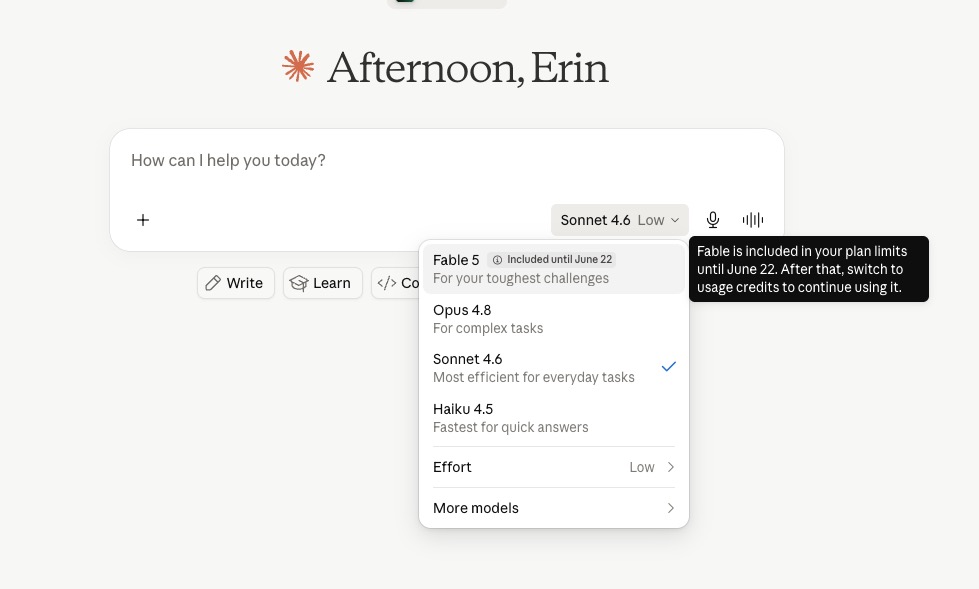
Update, July 1, 2026: Following an official statement from Anthropic on June 30th, access to Claude Fable 5 has been restored. The US government had ordered Anthropic to suspend the model on June 12th while it investigated a potential security concern; that directive has now been lifted, and Fable 5 is available again across Claude.ai, Claude Code, Claude Cowork, and the Claude Platform. Mythos 5 has also been partially restored for a set of approved US organizations. All other Claude models were unaffected throughout. Read below to understand more about each model and how Fable 5 fits.
Anthropic just handed the public a model that was, until June 9, 2026, too powerful to release openly. Claude Fable 5 sits at the top of the Claude model family, built on the same foundation as the restricted Mythos 5 with safety guardrails added for general use. Whether it belongs in your workflow, though, is a different question.
Key Takeaways
Claude Fable 5 is Anthropic’s most capable publicly available AI model, released on June 9, 2026, and built on the same foundation as the restricted Claude Mythos 5.
It’s designed for long-running, autonomous tasks, including multi-step research, complex document analysis, and extended coding projects that previous models struggled to sustain.
The model costs $10 per million input tokens and $50 per million output tokens via API, roughly twice the price of Claude Opus 4.8.
For most everyday business tasks such as writing, summarizing, and basic research, Claude Sonnet 5 is the smarter, more cost-effective choice, with Opus 4.8 as the step up for work that needs the highest reliability.
What is Claude Fable 5?
Claude Fable 5 is Anthropic’s most capable publicly available AI model, launched June 9, 2026. It’s built for complex, long-running tasks that previous models struggled to sustain. It comes from a model tier Anthropic had, until now, considered too powerful to release openly.
What is Claude Mythos 5 and what does it have to do with Fable?
For the past year, Anthropic has been quietly developing a tier of models called Mythos: models powerful enough that the company considered them too capable for public release. The concern was specific. At Mythos-level reasoning, a model can identify and exploit security vulnerabilities and navigate sensitive areas of biology and chemistry with a degree of precision that raises real risks. Enticing, sure, but problematic.
Anthropic’s answer was to build two versions of the same model. Claude Mythos 5 stays restricted, available only to cyberdefenders, critical infrastructure providers, and select research partners through Project Glasswing. Claude Fable 5, on the other hand, is the same model with safety classifiers added on top, launched for general use on June 9, 2026.
What are the safety filters and what happens when they trigger?
Because Fable 5 inherits Mythos-level reasoning, it comes with classifiers that monitor every request. So if a prompt touches restricted territory (such as detailed cyberattack tooling, dual-use biology, certain chemistry applications, or frontier AI model development), the model declines and for most of these categories automatically reroutes to Claude Opus 4.8, though behavior may vary depending on the specific topic flagged.
Anthropic reports this happens in fewer than 5% of sessions, so for normal business work you’re unlikely to ever see a refusal. One caveat: shortly after launch, some users reported false positives on completely benign prompts. Anthropic has acknowledged the issue and is working on fixes. If it happens, Opus 4.8 handles the task in the background and your workflow continues.
What’s actually different about Fable 5 — and what isn’t
Where Fable 5 pulls ahead of previous Claude models
The meaningful difference between Fable 5 and Opus 4.8 isn’t any single capability but rather how much further the model can run before it loses the thread. Previous models handle complex tasks well but tend to need check-ins. A long research project, a detailed document analysis, or a multi-step workflow will often require you to re-prompt, correct course, or fill in gaps. Fable 5 is built to sustain that work longer before that happens.
Specific areas where the gap is noticeable:
Long-horizon autonomous work: Tasks that previously needed to be broken into chunks and supervised can run end-to-end. Anthropic’s benchmarks on agentic performance show Fable 5 consistently ahead of Opus 4.8 on tasks requiring sequential decisions across extended runs.
Maintaining focus across long documents: Opus 4.8 could handle a 1-million-token context window, and so can Fable 5. But remembering early constraints, tracking long document threads, and avoiding contradictions across that full window is where Fable 5 shows a practical difference.
Vision and document analysis: Fable 5 posts the strongest vision benchmark scores Anthropic has published. Reading dense technical graphs, extracting data from multi-page PDFs, and interpreting complex screenshots all produce more reliable results.
Multi-step workflows: Tool use and agentic workflows, where Claude calls external services, processes the results, and continues working, are smoother. The model is less likely to stall when it hits an unexpected result.
Coding: This is where Fable 5 really shines. It’s Anthropic’s strongest coding model to date. It can write, review, and debug complex code with fewer errors and less back-and-forth than previous versions, which makes a real difference if you’re building or maintaining a website, app, or any custom tool.
What Fable 5 still won’t do well
Fable 5 still needs a clear, well-defined task to produce good results. If your brief is vague, the output will be too. It won’t push back and tell you the question you asked is the wrong one, and it can’t replace judgment on decisions that require real-world context.
The safety classifiers can also produce unexpected refusals on benign prompts. And for anything routine, the cost premium is hard to justify when Sonnet or Opus will get you most of the way there for less.
How much does Claude Fable 5 cost?
If you’re on a Claude subscription plan
If you’re using Claude through claude.ai, Fable 5 comes with a temporary usage allowance rather than a flat inclusion. Pro, Max, Team, and select Enterprise plans include it for a limited portion of weekly usage before it shifts to usage credits (check Anthropic’s usage credits page for the current terms). Standard Enterprise seats don’t get an included allowance at all and need usage credits enabled from day one. Opus 4.8, Sonnet 5, and Haiku remain on standard plans without this kind of cap
If you’re paying per token via the API
For developers and businesses accessing Claude through the API, pricing is per million tokens. Fable 5 sits at the top of the scale at exactly twice the price of Opus 4.8, following the same 5x output-to-input ratio consistent across all models.
*Sonnet 5 launched with introductory pricing of $2 per million input tokens and $10 per million output tokens, in effect through August 31, 2026. Standard pricing shown above applies after that date.
The list price is only part of the picture. Fable 5 thinks longer before it responds, running internal checks that improve output quality but increase token usage. A task that costs a dollar on Opus 4.8 may cost two dollars or more on Fable 5 in practice. For long autonomous jobs where Fable 5 completes something in one run that would take Opus 4.8 three supervised rounds, the math can favor Fable 5. For standard content and research tasks, it rarely does.
Sonnet 5 has a smaller version of the same issue. It runs on a new tokenizer, so the same text can translate to more tokens than it did on Sonnet 4.6. Anthropic set the introductory price to offset that, but it’s worth knowing the token count itself shifted, not just the sticker price.
The Claude AI model family, and which one is right for your business
Claude is not one model. It’s a family, with each tier designed for a different balance of speed, cost, and capability.
Model
Speed
Relative cost
Claude Haiku 4.5
Fastest
Lowest
Claude Sonnet 5
Fast
Mid
Claude Opus 4.8
Moderate
Higher
Claude Fable 5
Slower
Highest
Not sure which one fits your needs? Here’s a quick guide, with more detail in the sections below.
If you need to…
Use this model
Handle high-volume, simple, repetitive tasks
Haiku 4.5
Handle everyday writing, research, content, and agentic work like coding and tool use
Sonnet 5
Tackle detailed work where accuracy matters most, or complex tasks that need the highest reliability
Opus 4.8
Run extended autonomous, multi-step, long-horizon tasks
Fable 5
If you’re also weighing Claude against other AI tools, our ChatGPT vs Claude vs Gemini guide covers the key differences across use cases.
When to use Haiku or Sonnet
Haiku is the right choice when you’re running high volumes of simple, structured tasks: classifying support tickets, tagging content, generating short product descriptions at scale. It’s fast and costs a fraction of the upper-tier models.
Sonnet 5 covers everyday business work and quite a bit more: drafting emails, writing blog posts, summarizing meeting notes, answering customer questions, building basic content. It’s also Anthropic’s most agentic Sonnet yet, closing much of the gap with Opus 4.8 on reasoning, tool use, and coding.
For most small business owners using an AI assistant day-to-day, Sonnet is where to start, and it now handles a wider range of tasks than “start here” used to mean. Speed is good, quality is close to top-tier, and the cost is still the most manageable of the three paid tiers.
When Opus 4.8 is still the smart default
Opus 4.8 is the workhorse for work where accuracy and reliability matter most, short of a multi-day autonomous run. Detailed research reports, nuanced client documents, code reviews, and long-form analysis all fall comfortably within what Opus handles well.
Sonnet 5 can take on a lot of this too now, so the honest dividing line is less about task type and more about how much margin for error you’re comfortable with. When the work is high-stakes enough that you’d rather not double-check it, Opus is worth the extra cost over Fable 5’s price.
If you’re weighing Claude Code pricing for a development project, Sonnet 5 will cover a large share of coding tasks at a lower cost, with Opus 4.8 as the step up when you need the extra reliability.
When Fable 5 is worth it
Fable 5 earns its cost when the task is genuinely large and benefits from running autonomously start to finish. Good candidates include:
Researching and writing a comprehensive market analysis or business report from scratch, pulling from multiple sources without you stepping in between each step
Running a full content audit across a large website and producing a prioritized action plan in one go
Analyzing a large set of customer reviews, support tickets, or survey responses to surface patterns and recommendations
Building out a multi-page proposal or pitch deck that requires synthesizing information from several documents
If the task could be completed with a few rounds of Opus 4.8 prompts, Fable 5 is probably not the right spend.
How to access Claude Fable 5
Claude Fable 5 is generally available across all of Anthropic’s main surfaces: Claude.ai (web and mobile), Claude Code, and Claude Cowork. It is also available through the Claude API, Amazon Bedrock, Google Cloud Vertex AI, and Microsoft Foundry.
The bottom line: matching the right Claude model to your needs
Claude Fable 5 is a genuinely significant release, but alas “significant” doesn’t mean “right for everyone.” For most small businesses, the model to reach for daily is Sonnet 5, with Opus 4.8 as the upgrade for anything where reliability matters more than cost. Fable 5 earns its place on tasks that are genuinely large, long-running, and autonomous: the kind of work where a skilled contractor completing a project unsupervised over several days is the right mental model.
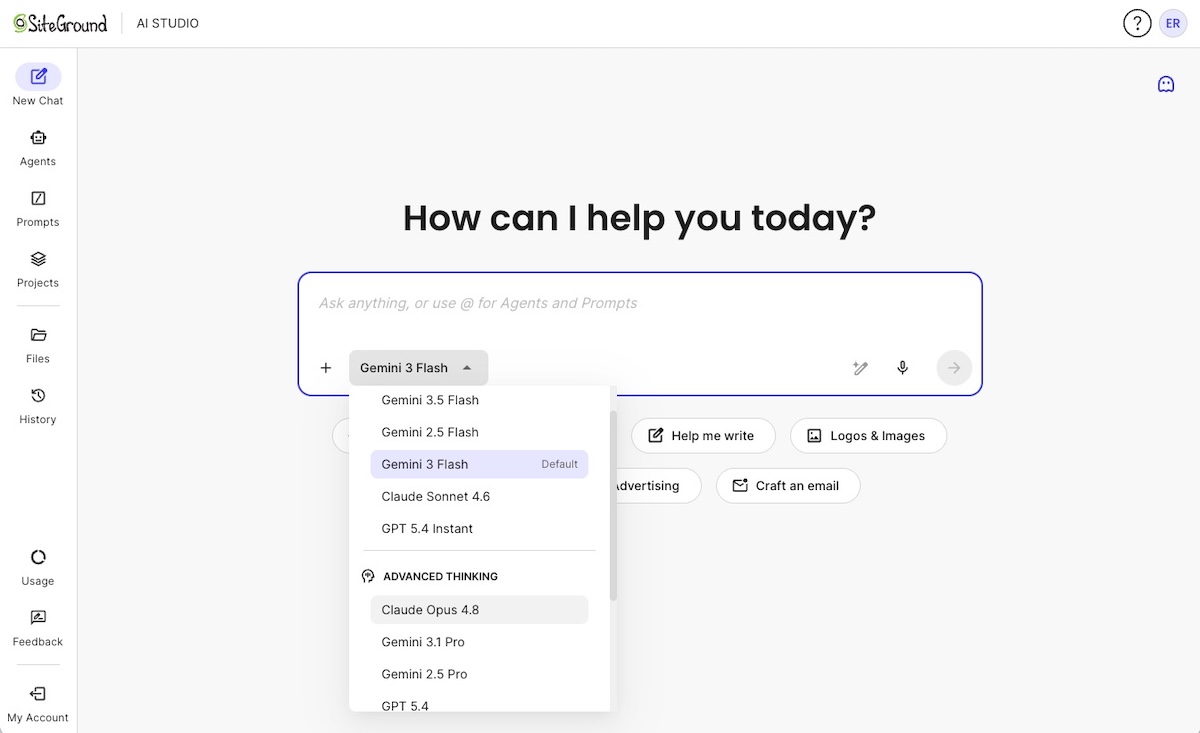
For the day-to-day work that makes up most of a small business’s AI needs, SiteGround AI Studio gives you access to ChatGPT, Claude, Gemini, and more than 15 specialized AI agents for SEO, social media, email marketing, and WordPress — all in one workspace, under one subscription.
[97]
Frequently asked questions
What is the difference between Claude Fable 5 and Mythos 5?
Fable 5 and Mythos 5 are the same underlying model with one key difference: Fable 5 includes safety classifiers that block and reroute requests in restricted categories: cyberattack tooling, dual-use biology and chemistry, and frontier AI model development.. Mythos 5 operates without those classifiers and is available only to vetted partners through Anthropic’s Project Glasswing program. For general business use, Fable 5 offers the same capabilities.
Is Claude Fable 5 free?
Fable 5 comes with a temporary usage allowance on Claude Pro, Max, Team, and select Enterprise plans, rather than being included at no cost indefinitely. Check Anthropic’s usage credits page for the current terms. It’s not available on the free tier. Via the API, it costs $10 per million input tokens and $50 per million output tokens.
Which Claude model is best for small businesses?
For the majority of small business tasks (content creation, research, email drafting, customer support) Claude Sonnet 5 offers the best balance of quality and cost, and now handles a fair amount of agentic work like coding and tool use too. Claude Opus 4.8 is the better choice when the work is high-stakes enough that reliability matters more than cost, things like long-form analysis or document-heavy projects where a mistake is expensive. Claude Fable 5 is worth considering only for genuinely large, autonomous, multi-step tasks where the extended run capability justifies the higher cost.
How does Claude Fable 5 handle sensitive or restricted topics?
Fable 5 includes classifiers that monitor for requests in restricted categories: detailed cybersecurity exploits, dual-use chemistry or biology content, and frontier AI model development. If a request triggers a classifier, the model declines and automatically reroutes to Claude Opus 4.8. Anthropic reports this affects fewer than 5% of sessions. For normal business work, refusals are rare. Shortly after launch, some false positives were reported on benign prompts; Anthropic has acknowledged this and is actively addressing it.
Do I need technical knowledge to use Claude Fable 5?
No. Fable 5 is available directly through Claude.ai on web, mobile, and desktop without any technical setup. If you are on a paid Claude plan, you can start using it today from the model selector in the interface. Developer access via API does require technical knowledge, but for everyday business use the standard Claude interface is all you need.
Claude code pricing stops at the code, whereas getting to a live site? That’s on you. Building, launching, hosting, securing, and maintaining what you create with that code adds costs that the plan price simply doesn’t cover.
Claude Code can be accessed through Claude subscription plans or API usage, but the real cost goes beyond this, as it depends on usage limits, usage credits, project complexity, and the production stack around the code. Developers may already plan for hosting, databases, deployment, monitoring, and maintenance. But non-technical users should ask whether they need Claude Code at all, or whether Coderick AI is a more predictable all-in-one path for a website or а web app.
Key Takeaways
Claude Code pricing in 2026 isn’t just the plan price. Usage limits, usage credits, API billing, and production costs all affect the real budget.
Claude Code is built for code-first users. It makes sense when you need source code control, Git workflows, custom architecture, and developer-managed deployment.
The hidden cost is the production stack. Hosting, SSL, domains, databases, monitoring, updates, and maintenance often sit outside the Claude Code subscription.
Coderick AI isn’t a Claude Code deployment layer. It’s a separate path for users who don’t need a codebase and want a predictable all-in-one option for a website or simple web app.
What is Claude Code?
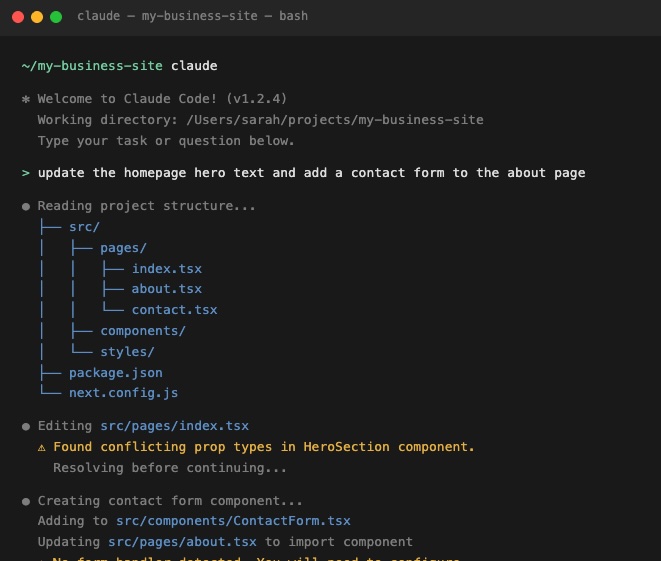
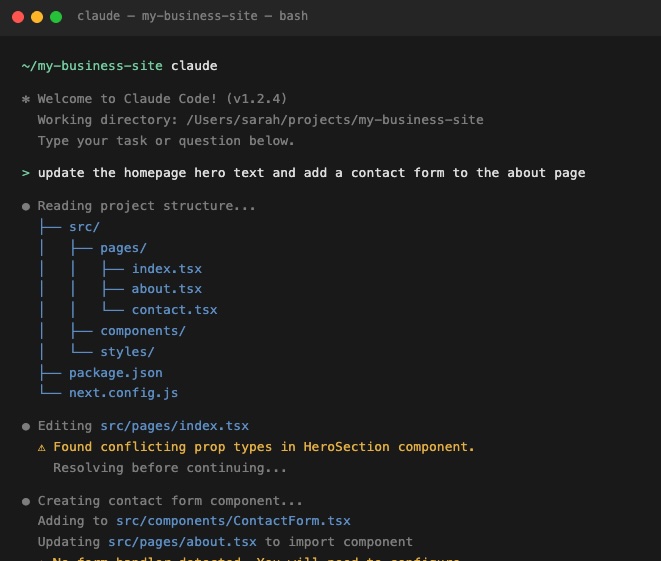
Claude Code is an agentic coding assistant built by Anthropic, and understanding its full cost starts with knowing what it actually is. Unlike the Claude chat interface you use in a browser, Claude Code lives in your computer’s terminal and works directly alongside your code. It can read files, write and edit code, run commands, and work through multi-step development tasks, all from the command line.
If you’ve been vibe coding with Claude in the browser and are wondering whether Claude Code is the next step, it’s worth stopping here. Claude Code is designed for people who are already comfortable in a development environment. If terms like “terminal”, “repository,” and “command line” made you pause just now, that’s actually useful information because it’s worth understanding what Claude Code involves before you commit to a plan that includes it.
What is Claude Code pricing in 2026?
Claude Code doesn’t have its own separate price tag. It’s included in certain Claude subscription plans, or you can access it through Anthropic’s API and pay based on how much you use. There’s no free Claude Code plan. The free Claude tier covers chat only.
Claude Pro pricing
Claude Pro costs $20 per month, or $17 per month if you pay annually ($200 upfront). It’s the entry-level plan that includes Claude Code, and for most individuals it’s the natural starting point. You get access to Claude’s main models and a usage budget that refreshes every few hours.
Who it’s for: Individuals and solo developers who want to try Claude Code without a heavy commitment. Good for focused sessions, smaller projects, and getting started.
One thing worth knowing upfront: your Claude Code usage and your regular Claude chat usage share the same budget. If you spend a long session building something in Claude Code, that can eat into what’s available for your other Claude work in the same window. It’s one shared pool, not two separate ones, so a big morning Claude Code-exploration session could leave you feeling a bit short-changed by lunchtime.
Claude Max pricing
Claude Max comes in two tiers. Max 5x costs $100 per month and gives you five times the usage capacity of Pro. Max 20x costs $200 per month and gives you twenty times. Both are monthly only. There’s no annual discount.
Who it’s for: Developers who regularly hit Pro limits and need more daily headroom. Max 20x is for full-day heavy users where the flat rate works out cheaper than paying per use.
Max makes sense once you’re consistently running out of capacity mid-session. Most people starting out won’t need it right away. And if you’re not sure whether you need it, you probably don’t.
Claude Team pricing
Claude Team plans are for organizations and small teams that need shared billing, administration, and seat-level access. There are two seat types. Standard seats cost $20 per seat per month annually (or $25 billed monthly). Premium seats cost $125 per seat per month (or $100 annually) and give five times more usage headroom, making it the right choice for developers using Claude Code heavily throughout the day. There’s a minimum of five seats, but you can mix Standard and Premium seats on the same account.
Who it’s for: Teams with a mix of heavy and light Claude Code users. Premium seats suit developers using Claude Code intensively throughout the day; Standard seats work for anyone who needs Claude Code occasionally or mainly uses Claude chat. Premium seats include five times more usage capacity per session than Standard seats.
Claude API pricing
An API is essentially a direct line to Claude’s brain. There’s no subscription, no plan, just a connection your developer (or your tools) can tap into and pay for exactly what they use. Think of it like a pay-as-you-go meter rather than an all-you-can-eat plan. Usage is measured in tokens, which are roughly three-quarters of a word each, and billed per million. As of June 2026, the rates are:
Model
Input (per MTok)
Output (per MTok)
Claude Haiku 4.5
$1.00
$5.00
Claude Sonnet 4.6
$3.00
$15.00
Claude Opus 4.8
$5.00
$25.00
Who it’s for: Developers and teams building automated workflows or tools on top of Claude Code, where usage is variable and unpredictable. For regular daily use, a flat subscription plan is simpler and usually cheaper.
One trap worth flagging: if you’re a developer and you have an Anthropic API key configured in your setup, Claude Code may bill at these per-use rates instead of through your subscription, even if you have an active plan. It’s one of those things that’s obvious in hindsight and annoying in real life. Worth double-checking before a long session if you’re not sure which billing path is active.
What changed with Claude Code pricing and limits in 2026?
The main 2026 changes to Claude Code aren’t new plan tiers or price increases. They’re about Claude Code rate limits, and specifically how much you can do within your plan before hitting one.
Higher Claude Code usage limits
On May 6, 2026, Anthropic doubled the usage limits on Claude Code for all paid plans: Pro, Max, Team, and Enterprise. The change came alongside a large compute expansion through a partnership with SpaceX’s Colossus 1 data center. In plain terms: you can do roughly twice as much in a single session before hitting a usage limit.
The doubling applies to the per-session limit, not the weekly one. Weekly limits stayed the same in this announcement, though a separate temporary promotion from May 13 through July 13, 2026 added a further 50% on top of that across all plans.
Removed Pro and Max peak-hour reductions
Before May 6, 2026, Pro and Max users got less Claude Code capacity during busy periods of the day, when lots of people were using Claude at the same time. Anthropic was quietly throttling usage during those windows, which meant your plan felt less powerful at the exact times you were most likely to be working. Not ideal. That’s now permanently gone for Pro and Max. Your plan delivers the same capacity at 10am as it does at 10pm.
Usage credits became more important for heavy users
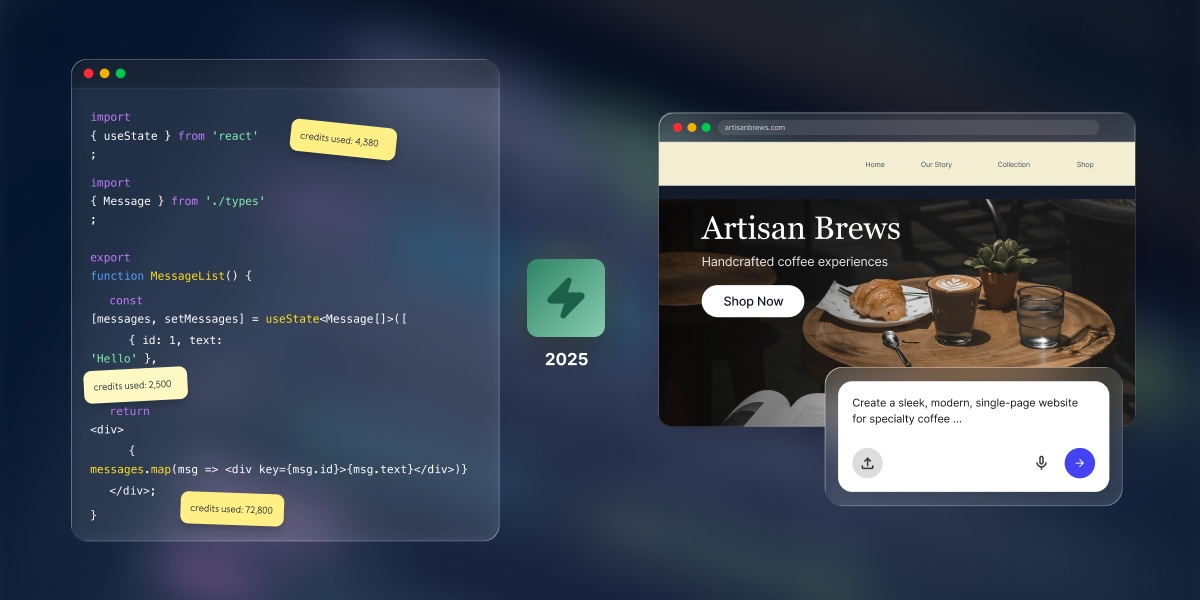
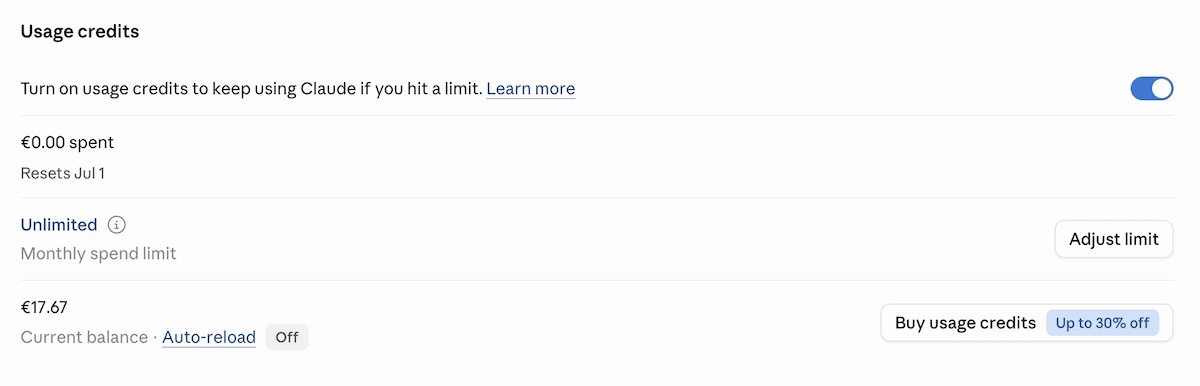
In 2026, Anthropic added an option that lets you keep working after you’ve hit your plan’s included limit, by switching to pay-as-you-go pricing for the overage. You set a monthly spend cap so it doesn’t run away from you; you can also toggle on and off whether you tap into your credits. Both are useful safety valves, but the option does mean your monthly cost may no longer be strictly fixed. Usage credits are billed separately from your subscription, so it’s worth keeping an eye on them if you’re using Claude Code heavily.
How do Claude Code usage limits affect the real cost?
Usage limits are where the plan price and what you actually spend start to diverge. The subscription tells you the floor. Your usage patterns, credits, and API billing determine the ceiling.
Claude and Claude Code share the same usage limits
If you’re on Pro or Max, your Claude chat and Claude Code usage come out of the same pot. That means a long Claude Code session in the morning can leave you with less capacity for regular Claude work later in the day. It’s not a separate Claude Code limit. It’s the same budget being used in two places at once.
Usage credits can add separate pay-as-you-go costs
When you hit your plan’s limit and usage credits are enabled, you keep working but the meter switches to pay-as-you-go. Those overage charges are billed separately on top of your flat subscription. For a Pro subscriber who triggers this regularly, the combined monthly cost can start creeping toward what Max 5x would have cost outright. It’s worth knowing how often you’re hitting your limit before deciding whether to upgrade your plan or rely on credits.
API-key usage can create different billing behavior
This one’s mainly relevant if you or your developer have set up Claude Code with an API key directly. In that setup, all Claude Code activity is billed at per-use rates rather than through your subscription plan, even if you have an active subscription. It’s a common source of unexpected charges and easy to miss if no one’s watching the API account.
What are the hidden costs of building with Claude Code?
Claude Code pricing covers access to the AI assistant, but doesn’t cover the infrastructure needed to put what you’ve built somewhere the rest of the world can actually reach it. That’s where the bill (and list of things to do) has a habit of quietly growing. So while not every Claude Code user is building something that needs to go live (some use it for internal tools, existing codebases, and so on), if the goal is a standalone website or web app there will be separate costs. Hosting, SSL, domains, and ongoing maintenance are all outside the subscription. As such, some users may find a managed path the more straightforward route.
Hosting and deployment
Code generated or edited through Claude Code doesn’t run anywhere by default. It sits on your machine, being code. Deploying it requires somewhere for it to live: a cloud platform, managed hosting, a VPS, or a containerized runtime. Monthly costs range from a few dollars for static sites to several hundred for production web applications with real traffic. None of that is covered by the Claude subscription. Neither is the process of implementing it.
Custom domains and SSL
Your project also needs a domain name and an SSL certificate (the padlock in the browser bar that tells visitors the site is legit). Domain registration typically runs $10 to $20 a year, and while SSL is often included with hosting, the DNS setup and domain configuration take time even when the certificate itself is free. Users who are comparing cost because Claude Code feels too technical can also look at Claude Code alternatives for beginners.
Databases, backend services, and monitoring
Any application that stores user data, handles authentication, or processes payments needs a database and backend services. Managed databases on platforms like AWS or Google Cloud add a database cost that scales with storage and query volume. Application monitoring, error logging, and uptime alerting typically mean additional subscriptions. These are standard costs for any code-first project, regardless of which AI tool helped write the code.
Maintenance, updates, and debugging time
Code written today needs attention later. Dependencies go stale. APIs change their minds. Bugs show up in production that had no business being there. Each update cycle takes developer time, and for non-technical users without a developer available, that maintenance cost has a market rate. This is especially true when comparing an AI prototype to published website costs, where the production layer often turns out to be the real ongoing cost.
Do you need Claude Code, or a predictable all-in-one website path?
The decision between Claude Code and a managed builder path isn’t really about AI capabilities. It’s about whether you need a codebase, who’s going to manage the infrastructure it requires, or whether you can build a website without Claude Code in the first place. And the reality is, for a lot of people, the answer to the first question is no.
Coderick AI — SiteGround’s managed AI website and app builder — is relevant when the budget question isn’t “how do I deploy my Claude Code project more cheaply?” but “do I need a Claude Code project at all?” If the goal is a business website, landing page, portfolio, booking flow, dashboard, or web app, it can be a more predictable cost path than Claude Code with separate hosting, SSL, domains, backend setup, deployment, and maintenance on top. And honestly, it’s a whole lot easier.
Use Claude Code when you need codebase control
Claude Code is a developer tool. It works in the terminal and connects to Git workflows, deployment pipelines, version control, and test runners. It’s the right choice when the project needs custom architecture, third-party integrations, specific backend logic, or the ability to read and modify every line of code. Developers who already manage infrastructure can treat the production stack as a known and expected cost.
Use Coderick AI when you don’t need a code-first workflow
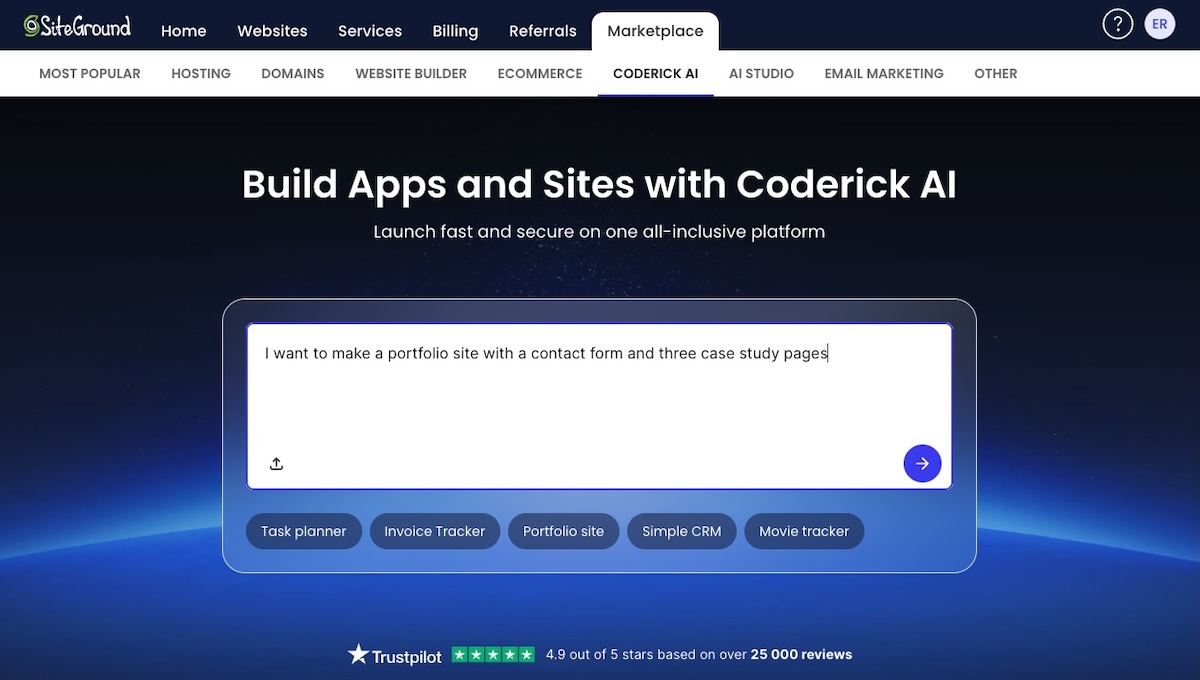
Coderick AI is SiteGround’s managed website and app builder. You describe what you want to build, and Coderick AI generates it. From there, publishing, hosting, SSL, version control, and updates are all handled within the platform — no separate tools, no deployment pipeline, no developer required. There are different plan tiers depending on how much you want to build, but all of them include everything you need to go live.
For founders, freelancers, marketers, and small business owners whose goal is a working website or simple web app, the total cost and time comparison matters more than the feature comparison. Coderick AI replaces the code-first workflow rather than following it — and if you’re curious how that works in practice, the process of building a web app with an AI builder is more straightforward than it sounds.
Think in total project cost, not only AI subscription cost
A fair comparison between Claude Code and a managed builder path looks like this: Claude subscription cost plus hosting plus SSL plus domain plus database plus deployment time plus ongoing maintenance. Not just the subscription price. For many non-technical users, the production stack adds more to the monthly budget than the AI subscription itself; the same cost-and-complexity question also applies when comparing OpenAI Codex alternatives for beginners.
Ready to build without the infrastructure overhead? Coderick AI is SiteGround’s managed website and app builder — AI-assisted building, hosting, SSL, publishing, updates, and expert around-the-clock support, all in one place. If you don’t need a developer-controlled codebase, you don’t need the infrastructure headache that comes with one. Find out more about Coderick AI.
Can you build in Claude Code and then use Coderick AI?
Coderick AI isn’t a full Claude Code project deployment platform
Coderick AI isn’t the standard path for deploying a Claude Code project. It’s not a GitHub import tool, a repository connector, or a way to hand off a full Next.js or React app from your local environment to a managed host. The two tools serve different starting points.
Some files can be used as references or starting points
Coderick AI supports uploading specific text-based file types as reference material or starting points: HTML, CSS, SCSS, JS, JSX, TSX, and Markdown. In some cases, individual files from a Claude Code workflow can be uploaded into Coderick AI as inputs for a new build. That’s not the same as importing and deploying a full project repository, though. A partial component, an HTML layout, or an artifact-style file can be a useful starting point, especially when turning a Claude Artifact into a real website, but a complete multi-file application can’t be imported as-is.
The main decision is code-first workflow vs managed workflow
The more practical question is which workflow to choose from the start, not how to connect them after the fact. If the project needs a codebase, Git history, custom backend logic, and developer-managed deployment, start with Claude Code. If it needs to be live and managed without developer overhead, start with Coderick AI.
How can you keep building affordably with Claude Code?
Pick the right Claude plan for your actual usage
The most common Claude Code overspend comes from choosing a plan based on how you imagine you’ll use it rather than how you actually do. Pro at $20 a month is the right starting point for most individual developers doing focused daily work. Upgrading to Max 5x ($100 a month) only makes sense once you’re regularly exhausting Pro limits mid-session. Max 20x ($200 a month) earns its keep for developers using Claude Code as a full-day primary tool, where the flat rate runs cheaper than equivalent API billing.
Monitor usage before enabling more credits
Usage credits let you keep working after plan limits run out, but they add variable costs on top of your flat subscription. Before enabling them, it’s worth checking whether you’re actually hitting limits or just getting close. Turning credits on without monitoring how often they trigger can quietly push a Pro bill toward Max territory for a fraction of the capacity.
Separate experiments from production builds
Exploratory sessions, big refactors of unfamiliar codebases, and prototype builds burn more tokens per task than focused feature work. Running experimental sessions separately from production work, and being deliberate about context size and model choice during exploration, keeps the core subscription budget predictable.
Decide early whether the project needs codebase ownership
The production stack costs for a Claude Code project aren’t always obvious at the start. A developer-owned codebase means deployment infrastructure, ongoing maintenance, and update cycles. Deciding early whether the project genuinely needs source code control avoids building a code-first project and then discovering the ongoing costs of managing it weren’t in the budget.
Avoid paying for both a code-first stack and a managed stack when one path is enough
Some users end up paying for a Claude Code subscription, a hosting service, and a managed builder tool simultaneously, which is a great way to spend money on three things when one would have done the job. If one path covers the project requirements, the other is just overhead.
A Claude Code subscription plus separate hosting makes sense for developer-controlled projects. A managed builder path makes sense for websites and simple web apps where hosting, SSL, and publishing come included. Paying for both without a clear reason usually means the project scope wasn’t defined clearly at the start.
When is Coderick AI the more affordable path?
Coderick AI may be the more affordable path when the code-first stack costs more than the project needs. Here’s when that’s usually the case.
The project is a website or simple web app
Business websites, landing pages, portfolios, booking flows, dashboards, and content-driven web apps don’t need a user-managed codebase with version control and a deployment pipeline. If you’re a small business owner, building your website with an AI website builder without writing any code may be a more natural starting point than Claude Code.
The user doesn’t need source-code ownership
Source code ownership matters when a project needs custom integrations, proprietary logic, multi-developer collaboration, or future portability. For a business website or simple web app maintained by one person, source code ownership adds cost and complexity without adding proportional value.
The user wants hosting, SSL, publishing, and updates handled together
A predictable managed website deployment bundles the production concerns that sit outside a Claude Code subscription into a single service. Hosting, SSL certificate provisioning, custom domain connection, and update management are part of the platform, not separate line items in the monthly budget.
The user wants predictable post-build costs
The ongoing cost of a Claude Code project is harder to predict than the subscription price. Maintenance, updates, and infrastructure usage all add variable costs after the initial build. A managed builder path with a fixed monthly cost is easier to plan around, particularly for non-technical users who’d otherwise pay a developer for every update cycle.
Which path is more cost-effective for your project?
Project situation
More cost-effective path
Why
You need source-code control, tests, Git, custom architecture, or manual deployment
Claude Code
You need a code-first workflow and should budget for infrastructure separately
You already have a developer or engineering workflow
Claude Code
The extra production stack is expected and controllable
You only need a business site, landing page, portfolio, booking page, dashboard, or simple web app without source-code ownership
Coderick AI
A managed all-in-one path can avoid separate tooling, hosting, and infrastructure costs
You are non-technical and mainly want the project live
Coderick AI
You avoid paying for a coding workflow you don’t plan to manage
You have a partial HTML/CSS/JS component or export
Depends
Coderick AI may use supported files as references or starting points, but it isn’t a full project importer
Ready to build without the infrastructure overhead?
If the goal is a working website or web app, not a developer-controlled codebase to maintain, Coderick AI bundles AI-assisted building, hosting, SSL, publishing, updates, and expert around-the-clock support into a single managed path. It’s not the right tool for every project. But for users who pay for a Claude Code subscription and then still need to solve hosting, deployment, and ongoing maintenance separately, it may be the more predictable and affordable place to start.
[96]
Frequently asked questions
How much does Claude Code cost in 2026?
Claude Code is included with Claude Pro, Max, Team Premium, and Enterprise plans. Pro costs $17 per month with annual billing or $20 per month on monthly billing. Max starts at $100 per month. Claude Code can also be used through API-based billing, charged per token with no monthly minimum.
What changed with Claude Code pricing in 2026?
The most important 2026 capacity change took effect on May 6, 2026. Anthropic doubled Claude Code’s five-hour rate limits for Pro, Max, Team, and seat-based Enterprise plans, and permanently removed peak-hour limit reductions for Pro and Max users.
Do Claude and Claude Code share usage limits?
Yes. Pro and Max usage limits are shared across Claude and Claude Code, so activity in both tools counts against the same limits. Heavy use of Claude Code can reduce the remaining capacity available for regular Claude work within the same window.
What are Claude usage credits?
Usage credits let paid Claude subscribers keep working after hitting included usage limits by switching to pay-as-you-go pricing. They’re charged separately from the subscription and billed at standard API rates.
What are the hidden costs of Claude Code?
They’re not extra Claude Code fees. They’re the costs of the code-first production stack: hosting, SSL, domains, deployment, databases, monitoring, updates, and maintenance. Developers tend to expect these because it’s just part of the deal. Non-technical users often discover them only after the code is written, which is less fun.
Is Coderick AI a deployment service for Claude Code projects?
Not exactly. Coderick AI isn’t the standard deployment layer after Claude Code. It supports uploading certain text-based files, but that’s not a full project import workflow. It’s a managed AI website and app-building platform for users who may not need Claude Code in the first place.
Can I build something in Claude Code and use it in Coderick AI?
Sometimes, but only in a limited sense. Coderick AI supports specific text-based file types: HTML, CSS, SCSS, JS, JSX, TSX, and Markdown. Those files can serve as references or starting points, but it’s not the same as importing and deploying a full Claude Code repository.
When is Coderick AI cheaper than Claude Code?
Coderick AI may be cheaper when you don’t need a codebase and would otherwise pay for Claude Code plus separate hosting, SSL, custom domains, databases, deployment, and ongoing maintenance. It’s a more predictable path for websites and simple web apps that don’t require source code ownership.
When should I still choose Claude Code?
Choose Claude Code when you need source-code control, Git workflows, tests, custom architecture, integrations, deployment flexibility, or developer-managed infrastructure. It’s a developer tool that works in the terminal and connects with the tooling developers already use for deployment, databases, monitoring, and version control.
How do I keep Claude Code costs predictable?
Choose the plan that matches your actual usage, monitor shared Claude and Claude Code limits, be careful with usage credits, separate experiments from production work, and decide early whether the project really needs codebase ownership. If the goal is a simple site or app, compare the total code-first cost against a managed builder path before you commit.
Building a website with Claude Code no longer means opening a terminal. What you still need is everything that happens after the code: a host, a domain, SSL, a deploy step, and someone to keep it all running. If that list made you tired,Coderick AIskips it: describe the site you want, and it goes live on SiteGround hosting.
Key takeaways:
You can build a website with Claude Code without writing code or opening a terminal: the desktop app gives it a graphical interface, and Claude Code on the web runs in the cloud.
Claude Code builds the code, not the website around it. Hosting, a domain, SSL, deployment, and ongoing maintenance are still yours to set up.
In a browser, Claude Code on the web needs a connected GitHub repository, and it pushes finished work to a GitHub branch.
Coderick AI is SiteGround’s AI website and web app builder, made for non-technical users who want a live site without that setup.
Every Coderick AI project includes hosting, SSL, version control, and automatic deployment, so publishing is a single step.
Claude Code is still the better fit if you already have a codebase, an engineering team, or need full source-code control.
Can you build a website with Claude Code if you can’t code?
Yes. Claude Code no longer requires a terminal, and you can describe what you want in plain language while it writes the code. What it doesn’t come with is hosting, a domain, or a way to publish. Those are still yours to arrange.
The desktop app removes the terminal
The Claude Code desktop app swaps the command line for a graphical interface. You point it at a folder on your computer, ask for changes in plain language, and review what it did. You still end up with project files in a folder, not a website.
Claude Code on the web runs in the cloud, but needs GitHub
Claude Code on the web runs on Anthropic’s cloud infrastructure, so there’s nothing to install. The catch: it works from a GitHub repository you connect, and pushes finished work to a GitHub branch. That means a GitHub account, plus a way to get the code from GitHub onto a live site. Either way, you end up with code. Turning it into a website is where the real work starts.
When does Claude Code make sense for a website?
When Claude Code helps
Claude Code is genuinely useful when you already have a project, codebase, or a development workflow. It works inside a codebase (the full collection of source code files that make up a software project), so if there is an existing repository and a team of developers already comfortable working with code, it makes their work a lot faster and more efficient.
When Claude Code is unnecessary
Claude Code becomes unnecessary the minute you just want a live website. A landing page, a portfolio, a booking site, a small CRM, an invoice tracker, or a small business website. None of these require a codebase, much less technical knowledge, to exist. If that sounds closer to your situation, Claude Code alternatives for beginners can help you choose a simpler starting point.
When a managed website path is simpler
A managed path is simpler when the goal is the website outcome, not the development process. If the question is “how do I get a working site live today without configuring servers,” the answer is definitely a managed AI website builder. And definitely not a coding agent that expects a project folder, a deployment pipeline, and a computer science degree you never got.
What does Claude Code add to the website-building workflow?
Claude Code gives technical users precise control over the codebase and development workflow. That’s its strength. It is also, for non-technical users, the precise problem.
It works with codebases and project files
Claude Code is built to work inside projects that already have a file structure. It reads, edits, and creates files within that structure. You point it at a repository and work from there. There is no chat-to-live-site path; you start with code and end with code — you still require deployment, hosting, domains, SSL, and ongoing maintenance.
It can run commands, tests, and development tasks
Claude Code can run commands, execute test suites, and perform development tasks that would normally require manual effort. For a developer, that’s major time saved. For everyone else, it’s a lot of activity you’d struggle to check.
It fits GitHub, GitLab, and pull request workflows
Claude Code is designed to slot into professional development workflows that use version control. Branches, pull requests, commit histories — these are the natural environment for Claude Code.
It still leaves you with launch and infrastructure decisions
Even if you’re on board with Claude Code building or modifying a codebase, the launch decisions remain. Where does the site live? Who handles hosting, DNS, SSL, and the deployment pipeline? These are essential questions to be addressed, and Claude Code doesn’t answer any of them. It hands you code, wishes you luck, and leaves the rest entirely up to you.
Why might non-technical users avoid Claude Code?
Claude Code is easier to start with than it used to be, but it’s still built around code, not websites. Here’s what stands between you and a live site if you try.
They don’t want to work inside a codebase
Every version of Claude Code works on project files, whether that’s a folder on your computer or a GitHub repository. The desktop app hides the command line, but not the code. You’re still reviewing file changes and error messages you didn’t write, one decision at a time. That’s a lot of homework for someone who just wants a portfolio site.
They don’t want to manage repositories or GitHub
In the browser, Claude Code needs a GitHub repository, and its workflow is built around branches and commits. That means setting up a GitHub account, connecting a repository, and understanding version control well enough to know what just changed. For a freelancer who wants a portfolio site, this is overhead that has nothing to do with the actual goal.
They don’t want to configure hosting, DNS, SSL, or deployment
After the code exists, it still needs to go somewhere. Configuring a hosting environment, pointing a custom domain, setting up SSL certificates, and wiring a deployment pipeline are infrastructure tasks that require technical knowledge. Claude Code doesn’t manage any of that.
They want a live website, not a developer workflow
This is the core tension. Claude Code gives you control over a development workflow. Most non-technical users don’t actually want a development workflow: they want a live website. Optimizing for control over the process is only useful when you understand the process. When the goal is a live website, the right tool is the one that gives you exactly that, and not a graduate course in deployment infrastructure.
What is the simpler path if you don’t want Claude Code?
Start with the website outcome, not the codebase
Describe what the site should do, not how to build it. The simplest path to a live website skips the technical infrastructure entirely and starts with the outcome: a plain-language description of what you need. AI website builders like Coderick AI make this possible without a repository, a framework decision, or a terminal session before the first page exists.
Claude Code works the opposite way: you start with infrastructure, and the website is what eventually comes out the other end.
Choose a managed builder instead of a coding agent
A coding agent like Claude Code is built for developers who already know what to do next. A managed website builder handles the full path in one environment (creation, structure, hosting, and publishing) so no prior technical knowledge is required to get something live.
Keep publishing, hosting, and updates in one environment
Switching between tools creates friction, costs, and headaches, especially when you factor in Claude Code pricing and deployment costs. Building in one place, then exporting to a hosting provider, then configuring deployment is a multi-step process that requires understanding each layer. A managed environment where building and hosting are the same product removes that friction entirely (and often saves you costs in the process).
How does Coderick AI replace the technical setup around Claude Code?
Coderick AI is SiteGround’s AI website and web app builder, with no coding required. Here’s what that looks like in practice.
Already designed it in Claude Design or Google Stitch? Import it
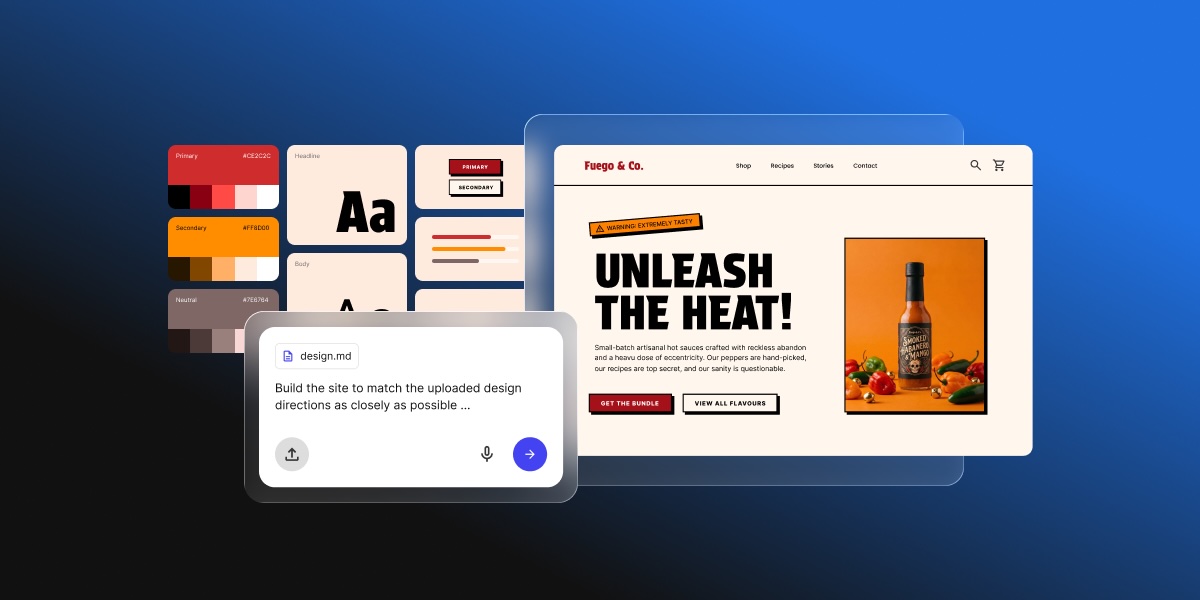
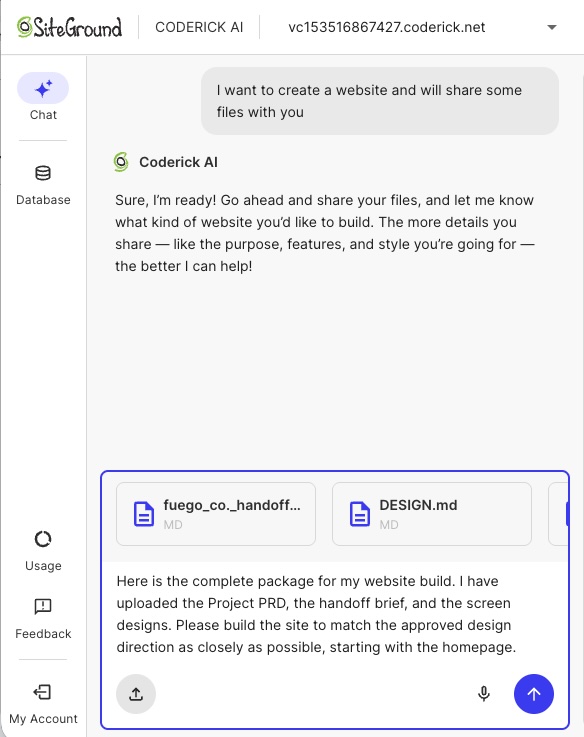
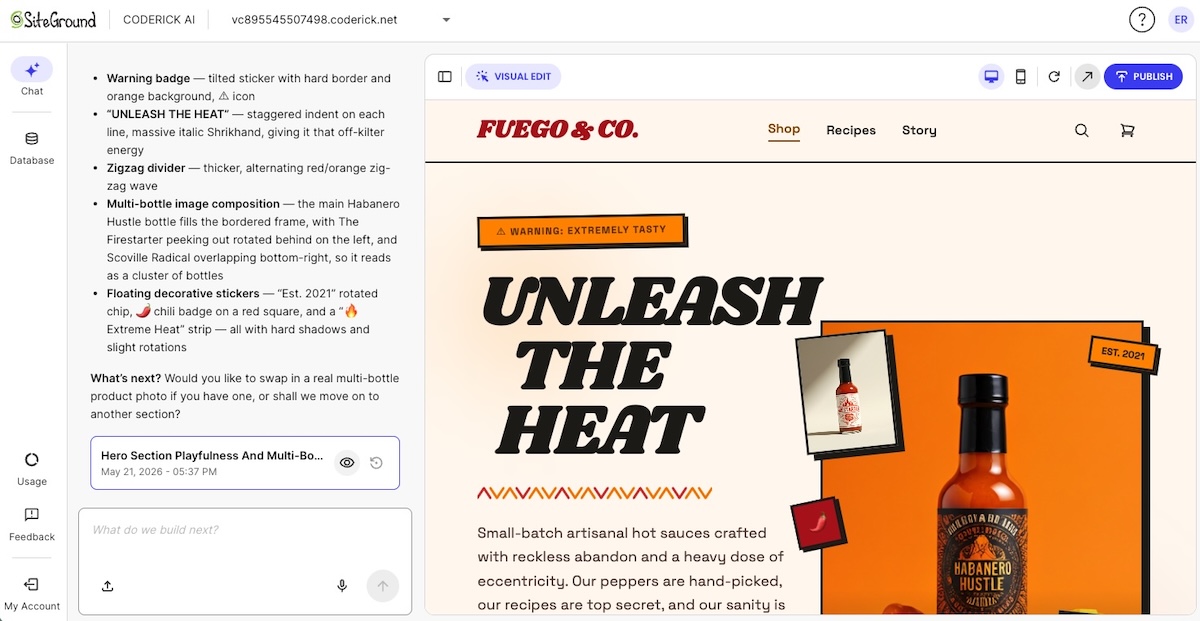
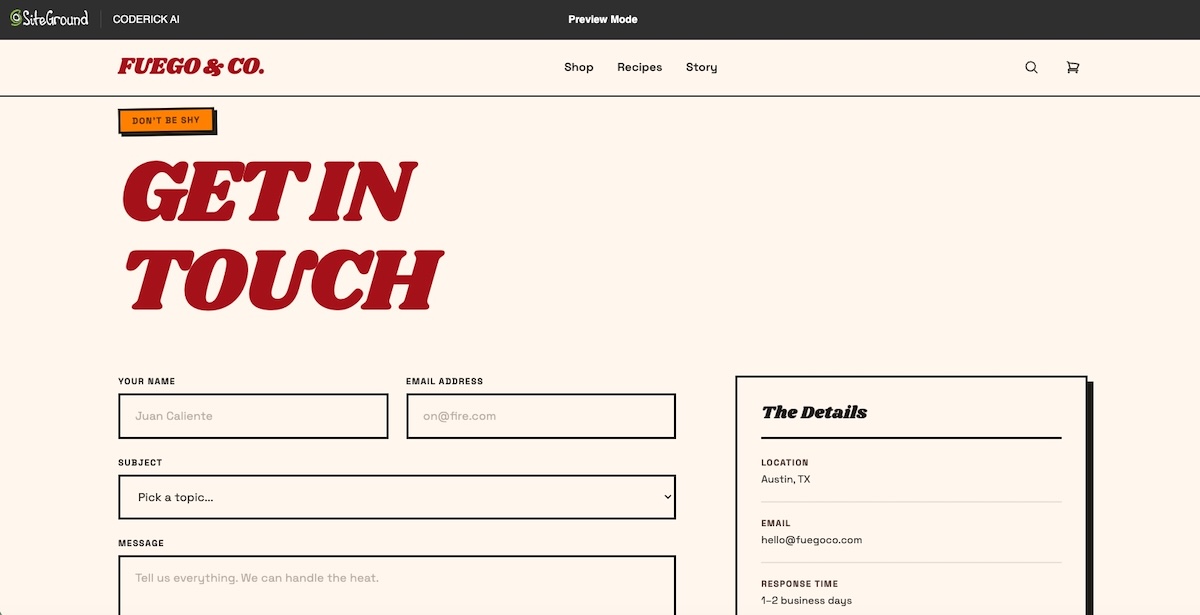
If you’ve already designed your site in Claude Design or Google Stitch, you don’t have to start over. Export the design as a ZIP or HTML file, upload it when you start a new Coderick AI project, and adjust the pre-filled prompt to describe how it should work. Coderick AI builds a working website or web app from the design, hosted and ready to publish.
Describe the website or app instead of opening a code project
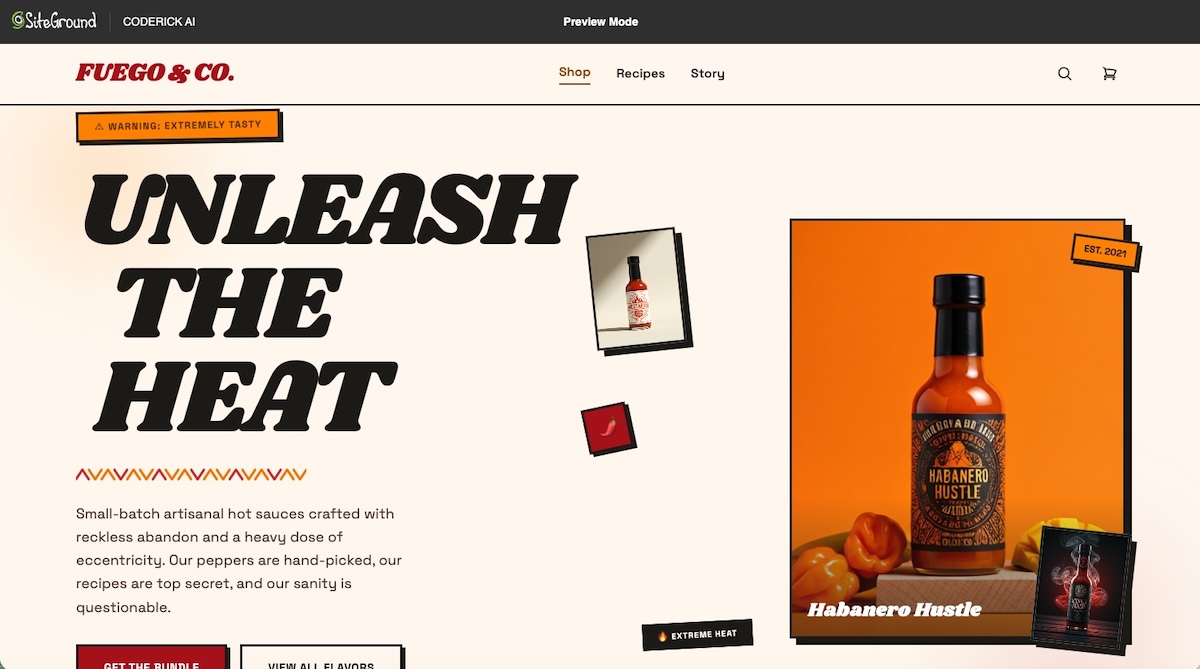
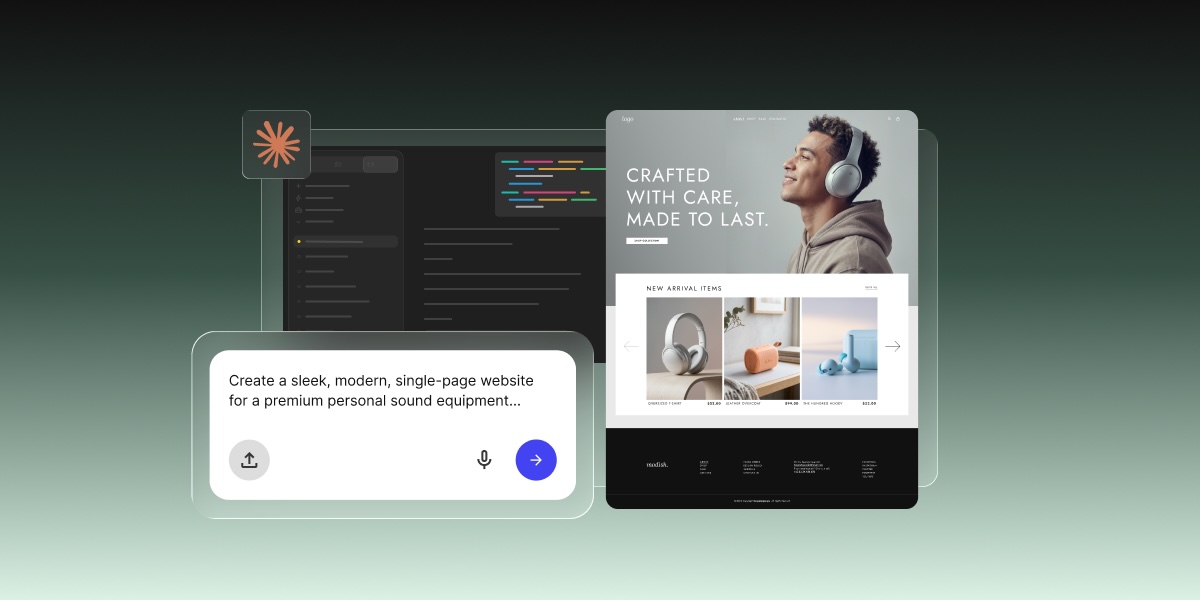
The starting point in Coderick AI is a plain-language description. The more detail you bring upfront, the stronger the first build, but you can start with something as simple as “a booking site for a vet clinic with an appointment form and a services page” and refine from there. Coderick AI interprets the intent, generates the user interface, creates the backend logic, and handles the technical work in the background. No repository, no terminal session, no framework decision required.
Coderick AI also accepts visual references, screenshots, and supported files as starting material. If you already have a design mocked up elsewhere, you can bring it straight in. If you designed something in Google Stitch, you can turn that Google Stitch design into a real website using Coderick AI. The same applies if you worked up something in Claude’s design tools. You can turn a Claude Design project into a website, or even a Claude artifact into a website using Coderick AI, all without starting from scratch. From there, you shape the project into something suited to your needs, all through the same chat interface.
Build structure, pages, forms, and simple functionality through prompts
Once the initial build is generated, changes happen through the same conversation. Add a page, adjust the layout, add a contact form, and change the navigation structure by using natural language prompts. The platform supports a wide range of use cases: business websites, portfolios, landing pages, internal tools, simple CRMs, booking systems, invoice trackers, and task planners.
Users can also import existing code files (including .js, .jsx, .ts, .tsx, .html, .css, .scss, and .md) to bring existing work into a Coderick AI project. That makes Coderick AI useful for users who already have files from other prototyping tools and want to take them live without setting up infrastructure separately, including cases where the goal is to turn a Claude Artifact into a real website.
Publish without setting up a separate hosting workflow
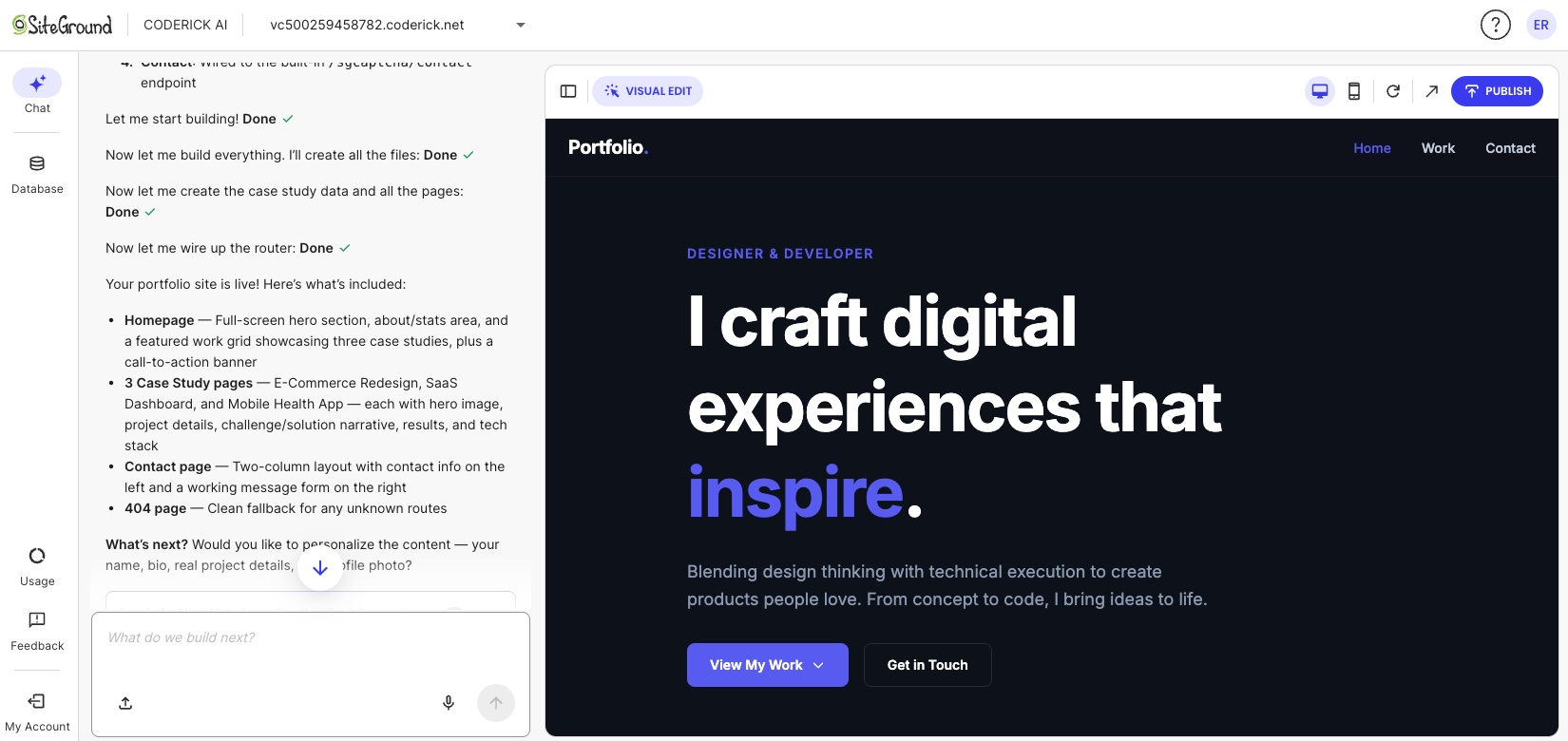
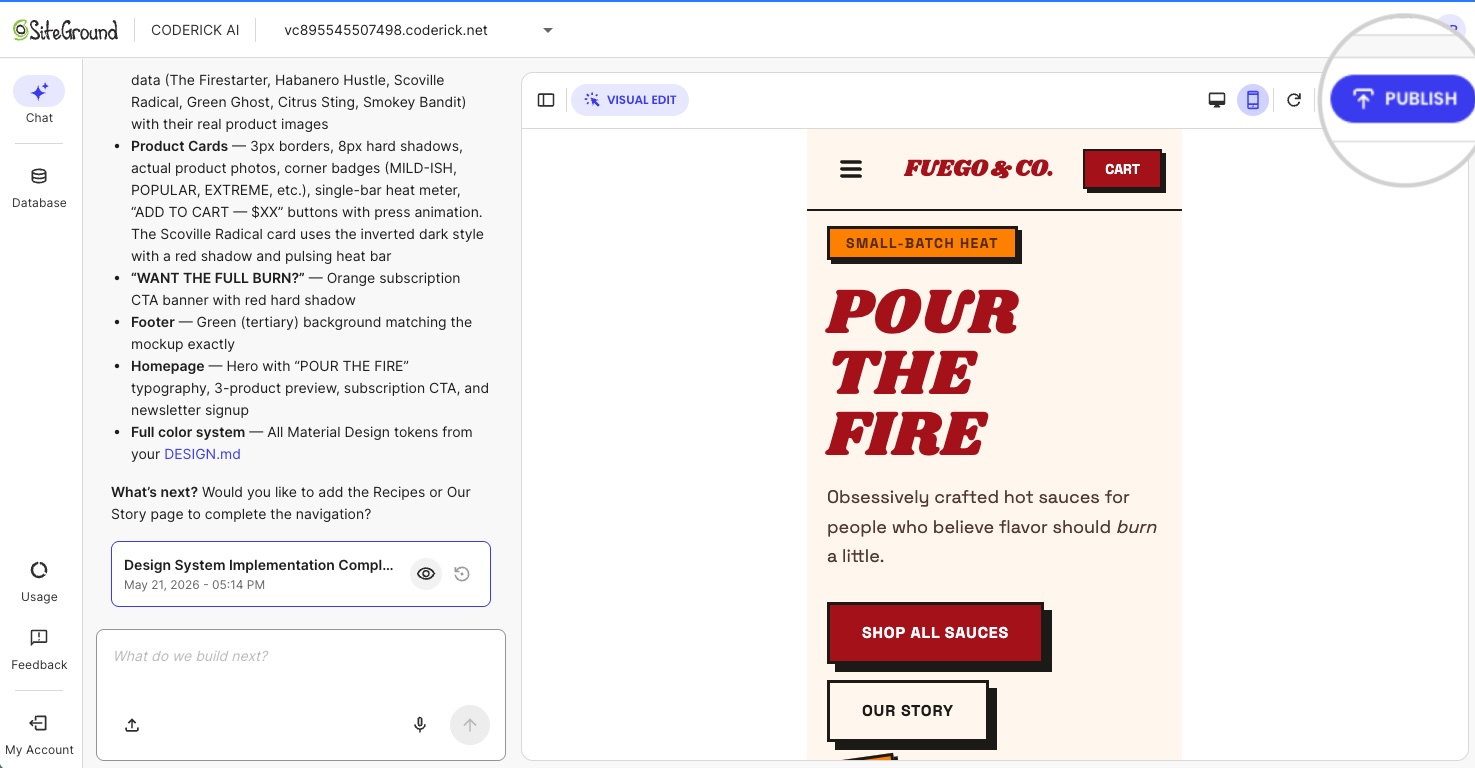
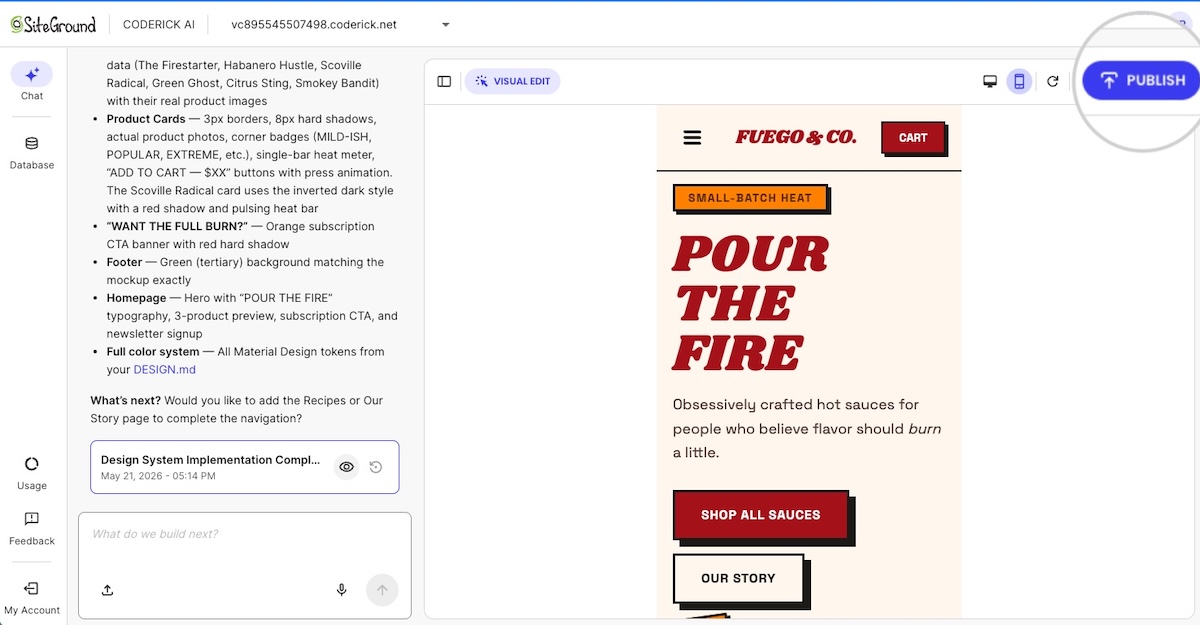
When a project is ready, hitting Publish deploys it instantly to SiteGround’s hosting infrastructure. No domain configuration to manage. No hosting environment to configure. No deployment pipeline to set up. The site goes live on the same infrastructure that powers millions of SiteGround-hosted websites, and with built-in caching and a free CDN included.
Every Coderick AI project ships with hosting, SSL, version control, user authentication, and automatic deployment included. These are not add-ons. They are part of the product from the first build. For what that actually saves versus assembling the pieces yourself, see how to compare AI website builder pricing without getting burned.
Manage updates without editing a repository manually
Post-launch updates work the same way as the initial build: describe the change in chat and Coderick AI applies it. There is no need to check out a branch, edit files locally, push to a repository, or trigger a deployment. The managed environment handles the full update cycle ( building, versioning, and redeploying) so the workflow stays the same whether you are making the first page or the fifteenth update.
What do you avoid by using Coderick AI instead of Claude Code?
Every item below is a step that Claude Code requires and Coderick AI removes entirely. The same logic applies if you want to build a website without OpenAI Codex and avoid a coding-agent workflow altogether.
No installation or project setup
Coderick AI runs in your browser. Sign in with your SiteGround account, describe the project, and start building. There’s nothing to install, no folder to point it at, and no repository to connect before the first page exists.
No GitHub repository required for a simple site
Coderick AI has built-in version control. There’s no need to set up GitHub, initialize a repository, or manage commits manually. For users who want a business site, a portfolio, or a landing page, a GitHub repository is an unnecessary layer of complexity that Coderick AI removes by default.
No manual deployment pipeline
Deployment in Coderick AI is automatic. There is no build step to trigger, no automated pipeline to configure, and no server to target. Publishing is a single action.
No separate hosting or SSL setup
Hosting, SSL, and DNS are part of the Coderick AI managed environment. There’s no separate hosting account to provision, no SSL certificate to install, and no DNS record to configure for the initial launch. Custom domains are supported (users can connect a custom domain to a Coderick AI project through their account) but the base configuration requires no manual infrastructure work.
Less post-launch maintenance complexity
After launch, updates go through the same prompt-based workflow as the build. There are no server patches to apply, no deployment scripts to maintain, and no hosting configuration to revisit for routine content changes. The managed environment absorbs the operational complexity that would otherwise fall on the site owner.
When should you still choose Claude Code?
Claude Code is the right tool in a specific set of circumstances. Those circumstances generally involve existing codebases, engineering teams, or the need for precise technical control.
You need source-code control
If reviewing every code change, managing branches, and maintaining a full commit history is important to the project, Claude Code fits into that workflow. It’s built for teams that treat version control as a core part of how work gets reviewed and approved.
You already have a codebase or engineering team
Claude Code’s most natural home is an existing project. If there is already a codebase in a repository and a team working inside it, Claude Code adds speed to the work that team already does. For a non-technical user starting from nothing, that advantage is not relevant.
You need custom integrations or advanced architecture
Complex backend requirements, custom API integrations, non-standard data architecture, multi-service dependencies — these are cases where direct control over the codebase matters. Claude Code is suited to those requirements. Coderick AI is built for a different scope: functional websites and web apps that don’t require custom engineering depth or full source-code ownership.
You want GitHub, tests, pull requests, and manual deployment control
If the workflow involves pull request reviews, automated test runs, and manual deployment approval, Claude Code belongs in that pipeline. These are professional development workflows, and Claude Code is designed for them. They are not requirements for most small business websites, portfolios, landing pages, or internal tools.
Is Coderick AI the right path to build a website without Claude Code?
For most non-technical users, yes — especially when the project does not need a developer-controlled codebase. The table below maps the most common situations to the most appropriate tool.
User situation
Better path
Why
You want a live site without working in a codebase
Coderick AI
The workflow starts from the website or app outcome, not files and commands
You do not want GitHub, repositories, or deployment pipelines
Coderick AI
The managed path removes technical setup
You need hosting, SSL, and publishing handled together
Coderick AI
SiteGround’s Coderick AI includes hosting, SSL, version control, and publishing as part of the builder experience
You already have a codebase and want to modify it
Claude Code
Claude Code is built for working inside existing projects
Skip Claude Code. Launch your website instead.
For users starting from scratch, the path is simpler than you might expect. Describe what you need, build it through conversation, and publish it in a single step.If you’re new to SiteGround, your first Coderick AI Essential plan starts with a 14-day free period, so you can build and launch your site before your first payment. The repository, the hosting, the deployment pipeline: none of it is your problem. Build a website without Claude Code using Coderick AI and spend your time on the business, not the infrastructure.
[96]
Frequently asked questions
Can I build a website with Claude Code without coding?
Yes, you can build a website with Claude Code without coding. Claude Code’s desktop app works without a terminal, and Claude Code on the web runs in the cloud, so you can describe what you want in plain language. You’ll still need to handle hosting, a domain, SSL, and deployment yourself, and review the code changes it makes. If you’d rather skip that setup, Coderick AI builds and publishes the site for you.
Does Claude Code need GitHub?
In the browser, yes. Claude Code on the web works from a GitHub repository you connect and pushes finished work to a GitHub branch. The desktop app works on a folder on your computer instead. Either way, you’ll still need somewhere to host the finished site.
When should I build a website without Claude Code?
You should build a website without Claude Code when your goal is a live site, not a developer-controlled codebase. If you don’t want to work with project files, GitHub repositories, hosting setup, DNS, SSL, or deployment pipelines, a managed builder like Coderick AI is the more direct path for landing pages, portfolios, booking sites, and small business websites.
Should I use Claude Code for a simple business website?
Probably not. A simple business website usually doesn’t require Claude Code unless you want custom development control. If you need a business site, landing page, portfolio, booking page, or simple web app, Coderick AI can be a more direct path because it avoids project files, repositories, and deployment setup.
Why would I avoid Claude Code?
You might avoid Claude Code if you don’t want to review code changes or manage project files, GitHub, hosting, DNS, SSL, or deployment. Its desktop and web versions remove the terminal, but Claude Code is still built around development workflows.
What is Coderick AI?
Coderick AI is SiteGround’s AI website and web app builder. It lets users create websites and simple apps by describing what they need, then customizing the result through conversation. It’s built for small businesses, freelancers, creators, and founders who want to launch without coding or complicated tools.
Can I bring a design from Claude Design or Google Stitch into Coderick AI?
Yes, you can bring a design from Claude Design and Google Stitch. When you start a new project, you can upload a ZIP or HTML export from Claude Design or Google Stitch, and Coderick AI turns it into a working site or app. Importing works for new projects only.
Is Coderick AI a replacement for Claude Code?
Not exactly. Claude Code is not a website builder per se: it’s for users who want to work with codebases, commands, Git workflows, and developer tools. Coderick AI is for users who want a managed website or web app-building path without having to handle the code and infrastructure layers manually.
What does Coderick AI help me avoid?
Coderick AI helps non-technical users avoid the technical setup around a code-first workflow: project files, repositories, deployment pipelines, separate hosting setup, SSL configuration, and manual infrastructure work. The value is not that it replaces every developer tool, but that it removes the need for one in simpler projects.
Can Coderick AI build a website from scratch?
Yes. Coderick AI can create a website or web app from a plain-language description. Users can build websites, dashboards, simple CRMs, booking systems, portfolio sites, and invoice trackers without coding or server setup.
Does Coderick AI include hosting and SSL?
Yes. SiteGround’s Coderick AI includes hosting, SSL, version control, and publishing as part of its AI website and app builder experience.
When should I still choose Claude Code?
Choose Claude Code when you want source-code control, custom engineering, tests, Git workflows, pull requests, or manual deployment. Claude Code is a better fit for developers and technical teams working inside a codebase.
This article was originally published in June of 2026 and then updated in October of 2026.
Google Stitch can produce stunning UI designs for web and mobile apps in minutes. It has the pages, the layouts, the buttons, the copy. But Google Stitch design is not the same as a published website. Getting to a live website requires a proper production path: hosting, a domain, backend logic, and a way to turn your approved web design into something people can actually visit.
Now, that path looks different depending on your project, your technical comfort, and who will manage the site after launch. So here is everything you need to know to choose the right way and make it happen.
Key Takeaways
The complete Google Stitch workflow runs in a rough sequence: project brief, UI design, handoff brief, then website build. Skipping steps creates gaps that cost more to fix than to get right upfront.
Google Stitch produces high-fidelity UI designs, interactive prototypes, and front-end code. It does not handle hosting, backend logic, authentication, or domain setup.
Before handing off to any builder, three things make the build accurate: a clear vision and goals, a technical handoff brief from Stitch, and the exported designs.
Coderick AI can use the approved Google Stitch design, screenshots, copy, and functionality notes as a production brief to build and publish a managed website or web app.
The right production path depends on technical comfort and project complexity: Coderick AI for most teams; Claude Code for developers; a custom build for complex engineering needs.
What is Google Stitch, and how does it help create website designs?
Google Stitch is a free AI-powered UI design tool from Google Labs that turns text prompts, sketches, uploaded images, and wireframes into high-fidelity interface designs and front-end code. It launched at Google I/O in May 2025 and got a serious upgrade in March 2026, adding multi-screen generation, an infinite design canvas, and voice input.
Built on Google’s Gemini models and available through Google Labs, its party trick is speed. Describe what you need and Stitch gets to work immediately, generating several complete UI directions from a single prompt in minutes. The kind of output that used to take a designer days now takes seconds.
Its speed and skill makes it a very handy tool for founders, product managers, small businesses, and designers who need to move from a rough concept to a usable visual reference without spending days (or heaps of money) on manual design work.
But getting from a Stitch design to a live website requires more than a magic wand, and that’s what we’re tackling here.
What can you create with Google Stitch?
Stitch generates designs and user interfaces for web and mobile apps. Typical outputs include:
Landing pages
Dashboards
Onboarding screens
Product detail layouts
Multi-step forms
As of March 2026, Stitch also supports multi-screen projects, so you can map out a full user flow across several connected screens in a single canvas.
Notice that what we are talking about here are designs, not finished production websites. Stitch is also specifically a UI design tool. It is built for digital interfaces, not broader design work, so it does not produce:
Marketing materials
Presentations
Social graphics
Print assets
At the end of the day, its focus is UI design for digital products, and not a full production layer. Rest assured, we’ll get to the final deliverable part in a moment.
How Google Stitch turns prompts into high-fidelity UI concepts
Stitch interprets natural language, uploaded sketches, images, and voice input as UI instructions, generating one or more visual variants with underlying HTML, CSS, and Tailwind code. The output is not a static mockup. It is a refinable, exportable design that can be connected across screens and previewed as an interactive flow.
Why a Google Stitch design still needs a production website workflow
Google Stitch generates the visual UI and front-end design, not a complete production website. The front-end code output covers layout and styling, but Stitch doesn’t handle hosting, SSL, custom domain setup, backend logic, authentication, database connections, or ongoing maintenance. All things that are absolutely essential for taking the Google Stitch output from idea to actual functioning product.
A Google Stitch design is the blueprint, not the keys to the house. Getting from one to the other requires a separate production path.
Can a Google Stitch design become a real website?
A Google Stitch design can become a real website once the UI direction, page structure, copy, and functionality requirements are documented and handed off to a production path. Before the design is ready for that, it may be useful for stakeholder sign-off, user testing, or internal alignment. But once the screens are approved, the work shifts from design validation to website production. This is one version of the broader AI prototype to published website process.
What changes when a design becomes a production website
A production website is not just a rendered version of the Google Stitch design. To actually work, it needs routing and navigation logic, server-side or client-side rendering, image optimization, form handling, SEO metadata, accessibility compliance, performance configuration, and connection to any backend services the product needs.
Each of these elements requires decisions and setup that go beyond what any UI design tool provides. That is why they are outside Google Stitch’s scope.
Why hosting, SSL, domains, and updates are still needed
A live website has to be served from somewhere, encrypted in transit, and reachable at a domain name people can type or click. It also needs to be updated when content changes, security patches are released, or new features are added. It is an ongoing process, not a one-off deliverable.
These are infrastructure requirements, not design requirements. Google Stitch does not address them. But your production path does.
How do you start a Google Stitch project?
You can jump straight into prompting in Google Stitch and get impressive results. But if you are planning to hand the project off to a developer or an AI builder, starting with a Project PRD will make the design and production handoff more accurate.
PRD stands for Product Requirements Document. It is the strategic foundation of the project: the “what” and the “why” before any screen design begins. To generate one, describe your project to Stitch and explicitly ask: “Create a project PRD for this site.” You do not need a polished brief ready. A brain dump of the key points is enough for Stitch to organize into a structured document.
What to give Stitch to generate a strong PRD
To produce a useful PRD, Stitch looks for four things:
The “Why” — vision and goals: What is the primary purpose of the site? Who is it for? A sentence or two on the goal and the target audience gives Stitch the context to make smart design decisions throughout the project.
The “What” — pages and features: Which pages does the site need? Are there specific interactive elements like filters, subscription signups, or a cart drawer? A rough list is enough.
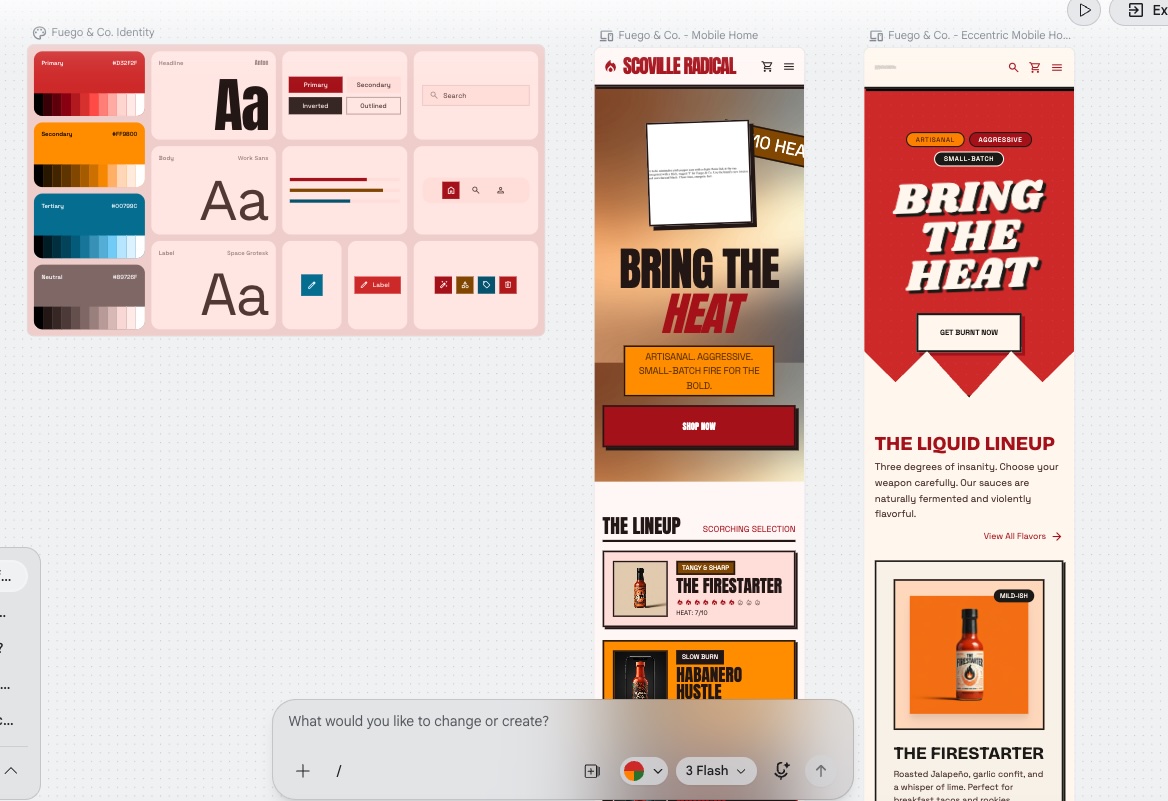
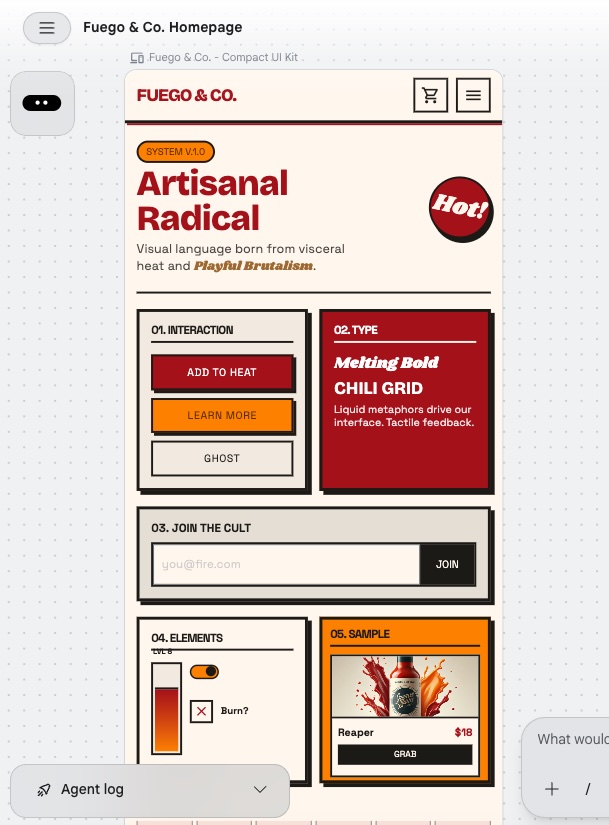
The “Vibe” — brand and visual style: A few keywords go a long way. “Artisanal Radical,” “Clean and Corporate,” “Gritty and Brutalist.” Include how the brand should speak as well as how it should look.
Constraints and success metrics: Are there things you absolutely do not want? Assets that must be used? And how will you know the project is successful?
The PRD comes before the design
The sequence in a Google Stitch project runs in a specific order: PRD first, design second, handoff brief last. The PRD sets the vision. The design executes it visually. The handoff brief translates that visual execution into technical specifications a builder can follow precisely. Together, the three things give a production build everything it needs: the soul of the project, the look of it, and the exact specs to recreate it accurately.
When is a Google Stitch design ready for a website build?
The PRD is in place and the design work is done. Now comes the gate check: confirming the visual layer is complete and the operational requirements are documented before anything moves to production. If you’re new to this process, an AI website builder checklist can help frame what to expect.
Confirm in Google Stitch before handing off:
Final screen designs approved
Desktop and mobile layout direction confirmed
Full page list defined
Navigation bar structure and user flow mapped
Typography, colors, and spacing locked
Component states and interactions visible in the design
Add before the build starts:
Copy and calls to action with confirmed destinations
Form fields, types, and validation requirements
Button actions and link destinations
Login or authentication needs
Backend or database needs
SEO title and meta description for each page
Custom domain requirements confirmed
The final screens and layout direction are approved
Approved means signed off, not just finished. Review every Stitch screen against the original brief and confirm that the layout direction, visual hierarchy, and component arrangement are intentional decisions, not defaults the AI picked. If anything looks off, refine it in Stitch now. Changes requested after the build starts cost significantly more time than ones caught here.
The page structure and navigation are clear
Use Google Stitch to map every page that will exist on the live site, not just the ones with fully designed screens. Secondary pages, 404 error pages, and utility pages are easy to overlook in a design canvas but create gaps in the build if they are not listed. Confirm the website navigation structure reflects the full page list before the handoff, including any pages that exist in the user flow but were not explicitly designed in Stitch.
The mobile and desktop layouts are documented
Stitch supports both viewport sizes, so use it to confirm responsive behavior before the handoff. If a screen was only designed at desktop, generate the mobile version in Stitch and review it. Check that column stacking, navigation behavior, and image scaling are all visible in the mobile web design before it leaves Stitch. Responsive decisions made at the design stage are faster and cheaper to implement than ones made mid-build.
Define typography, colors, and spacing in Google Stitch
Before moving on, confirm that your branding basics are defined, documented, and consistent across every screen. Use Stitch to lock the type scale, color palette, and design system, and check that these decisions are applied consistently across every page. The goal is not just visual consistency inside Stitch but a clear enough record that the next step can apply them accurately without guessing.
The copy, calls to action, and content blocks are placed
Use Stitch to place final copy directly in the design before the handoff. Placeholder text creates layout assumptions that break when real content is added. If the copy is not ready, use realistic placeholder text that matches the intended length and tone rather than generic lorem ipsum. Calls to action need confirmed destinations before the build starts.
The buttons, forms, menus, and interaction states are defined
Use Stitch to confirm what each interactive element looks like before the handoff, and it will create a UI Kit for you with all the necessary details. A primary button needs a default state, a hover state, and a disabled state. A form needs visible field labels and an error state. A navigation menu needs both its open and closed positions designed. Note any states Stitch did not render as items the builder will need to define.
How do you turn Google Stitch screens into a website build brief?
With the design confirmed, the next step is packaging everything into a brief a builder can act on. The Stitch handoff gives you the visual and structural layer. Your job now is to add the operational layer on top of it.
Generate the handoff brief from Google Stitch
Ask Stitch to produce a handoff brief directly from the design. The brief captures the visual and structural layer: colors, typography, spacing, page list, layout notes, component states, and responsive behavior.
Think of it as the bookend to the PRD. The PRD defined the vision at the start. The handoff brief captures the technical execution at the end. Together they form the complete production package.
What the handoff brief does not cover are the operational requirements: form behavior, button destinations, backend needs, SEO metadata, and domain setup. Those get added in the steps that follow.
Save the final Google Stitch project screens and visual references
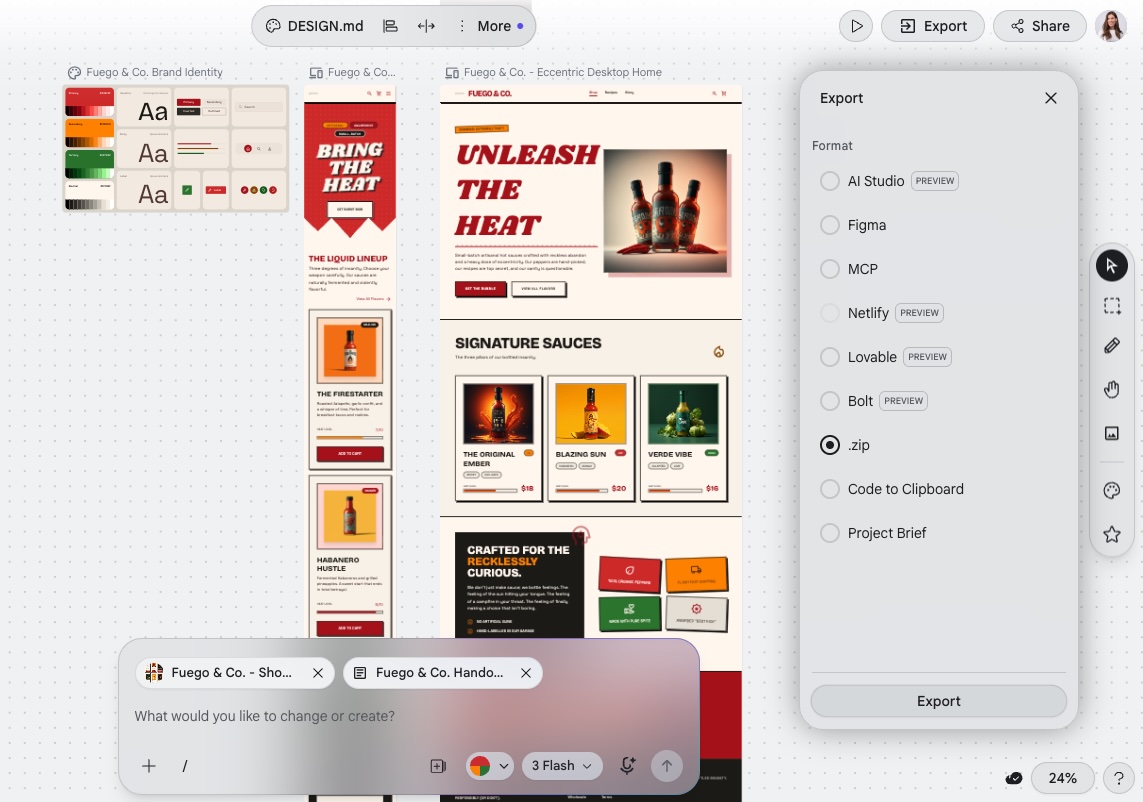
With the handoff brief generated, export and organize everything from the Stitch canvas. Stitch allows you to download the full project as a zip file, or export to a specific format such as Figma, HTML/CSS, or DESIGN.md depending on your production path. To export, just select all the files on your canvas, click Export, and choose your export delivery preference.
The goal is a single organized package containing three things: the Project PRD, the handoff brief, and all visual references. Together these give a production build the vision, the technical specs, and the visual reference it needs to execute accurately.
List form fields, button actions, menus, and interaction notes
While designing in Stitch, these elements are already shaping the layout. This step is about making them explicit. Go through every interactive element and define its behavior: field labels, validation rules, and submission destinations for forms; confirmed destinations for buttons and calls to action; dropdown and mobile behavior for menus. Keep this as a simple written list, specific enough that the builder does not have to make assumptions.
Define backend, database, and login requirements
Some websites are purely informational and need no backend. Others need functionality that runs behind the scenes: user accounts, a database, or a connection to an external service like a payment processor, email marketing, or CRM. Google Stitch can design the screens for all of these, but designing a screen and building what happens behind it are two different things. Before the build starts, identify whether your site needs any of this and be specific. The builder will use that requirement to configure the right functionality.
Add SEO metadata and launch requirements
SEO and domain requirements should already be taking shape during the design process. This step makes them explicit. Write an SEO title tag and meta description for each page, and make sure to follow an SEO checklist. Note any redirect rules or canonical tags, and include any staging needs or launch date constraints the builder needs to plan around.
Now you have everything needed to hand the project to whichever production path you have chosen.
How can Coderick AI turn a Google Stitch design direction into a live website?
Coderick AI is a managed website and web app builder from SiteGround that fits naturally after the Google Stitch design is approved. Stitch defines the interface. Coderick AI turns that direction into a live website or web app that can be built, edited, published, hosted, and updated within a single managed environment, with version control, user authentication, and automatic deployment included in every project.
The workflow for taking a Google Stitch design into Coderick AI follows five steps — a process that fits squarely within what the industry now calls vibe coding.
1. Use the Google Stitch design as the visual blueprint
Coderick AI accepts both text prompts and image uploads, so the exported Stitch files can go directly into the build prompt alongside the additional details you have defined above.
Start with a framing prompt before uploading anything: something like “I am starting a new website project and will be sharing some design files.” This prevents Coderick AI from starting to build before your full package is in. After it takes you to the next screen, upload everything together: the Project PRD, the handoff brief, the operational requirements, and the exported screen images.
The more complete this package is, the more accurately the build will reflect the approved design direction.
2. Recreate the page structure and layout inside Coderick AI
From there, review and refine one page at a time. For simpler sites, the full brief in a single, plain-language prompt is likely enough. For larger builds, focusing the prompt on one page at a time may produce more accurate results. Either way, use the approved Stitch screens as the benchmark for each page before moving to the next.
3. Refine copy, forms, backend needs, and functionality notes
With the visual structure in place, work through the Coderick AI chat to confirm the operational layer matches the brief. Check that form fields, validation rules, and submission destinations are implemented correctly. Verify that copy reads as intended in context, button actions work as specified, and any backend requirements like user authentication or database connections are configured correctly.
4. Publish the website through Coderick AI’s managed environment
Publishing from Coderick AI means the site is live on SiteGround infrastructure immediately, without manual deployment steps. SSL is included. A custom domain can be connected from within the platform. The published site is production-ready from the moment it goes live.
5. Update the site without managing deployment manually
After launch, all changes go through the Coderick AI chat interface. Describe the update: a new content block, a revised form, a layout change, a new page. Coderick AI applies it and deploys automatically.
What should a handoff from a Google Stitch project to Coderick AI include?
The five-step workflow above is only as good as the material you bring into it. The brief-building section covers the universal layer: screens, layout notes, typography, colors, page structure, navigation, forms, backend needs, and SEO metadata. What follows are the additional details specific to handing off to Coderick AI.
Custom domain and publishing requirements
Confirm the domain name that will be connected to the live site and note any redirect requirements. If you don’t have a domain yet, don’t worry: you can register one through SiteGround as part of the process. Once your domain is ready, connecting it to your live site is straightforward, as hosting and SSL are included automatically with Coderick AI, with no extra cost or manual setup needed.
Imagery, icons, and visual assets
Stitch generates placeholder imagery and reference images to support the layout. When writing your Coderick AI prompt, include any brand guidelines, visual style references, photography direction, or icon and illustration preferences.
For the images themselves, the most practical approach is to let Coderick AI generate a first version, then refine from there using Visual Edit, where you can swap in your own images or generate new ones directly in the preview in seconds. Worth noting: uploading your own images via Visual Edit is free, while generating new AI images uses credits.
Maintenance and update expectations
Coderick AI handles deployment and hosting automatically, so updates after launch are straightforward. Changes go through the interactive chat interface and deploy without manual steps. Before launch, decide internally who will be responsible for requesting changes and how frequently the site will need to be updated. Having that process in place avoids ad hoc edits that create inconsistencies over time.
Should you use Coderick AI, Claude Code, or a developer after Google Stitch?
The right production path depends on the level of technical control needed, the complexity of the build, and who will manage the site after launch. All three paths can produce a live website from a Google Stitch design. But they differ in how much manual setup, code access, and ongoing maintenance responsibility each one requires.
Path after Google Stitch
Best for
What happens after Google Stitch
Coderick AI
Non-technical users, founders, marketers, freelancers, and small teams who want a managed launch path
Use the approved Stitch design, screenshots, copy, page and layout structure, and functionality notes as the blueprint for building and publishing the live website in a managed environment
Claude Code
Technical users who want to turn the Stitch design direction into a working codebase
Use the Stitch design as a visual reference, then use Claude Code to help build, edit, debug, and prepare the project for deployment
Developer or agency
Projects that need custom engineering, complex integrations, advanced backend logic, or strict design QA
Hand off the Stitch design, layout notes, user flows, and technical requirements so the developer can build, deploy, and maintain the production version
Stay in Google Stitch
Early-stage ideas where the UI direction is not yet approved
Keep refining screens, layout, visual hierarchy, and user flow before moving into production
Let’s break this down.
Use Coderick AI when you want managed website publishing
Coderick AI is the right choice when you want a managed publishing path from an approved Google Stitch design to a live website without handling hosting, SSL, domain configuration, backend setup, deployment pipelines, or maintenance tasks manually. It fits founders, marketers, and small teams building everything from simple landing pages to web apps for small businesses, internal tools, and dashboards.
A note on SiteGround’s infrastructure Every Coderick AI project runs on SiteGround’s hosting infrastructure, which is built for speed, performance, and security. SiteGround powers millions of websites worldwide with enterprise-grade infrastructure, fast load times, and automatic security updates included in every plan.
Use Claude Code when you want to turn the design into a codebase
Claude Code is a command-line coding assistant that helps you write, edit, and debug code. Use the Stitch design as a visual reference and describe the screens, components, and interactions to Claude Code to generate the underlying codebase.
The end result is a codebase you own and can edit freely. It is not a live website. Deployment, hosting, SSL, and domain setup are handled separately through whichever hosting provider you choose.
This path suits technical users who want full code control, custom integrations, or a specific deployment setup. By contrast, Coderick AI supports a website build without Claude Code for users who want the design published through a managed platform.
Use a developer when the build needs custom engineering
Some projects need capabilities that go beyond what any AI builder provides: proprietary APIs, complex data models, enterprise authentication systems, or performance requirements that need hand-tuned infrastructure. For those projects, hand the Stitch design, layout notes, user flows, and technical spec to a developer or agency.
This path gives you the most control. It also gives you the longest timeline and the largest invoice. Development costs are significantly higher upfront, and ongoing changes (even small ones like updating copy or adding a new section) typically require going back to the developer. For projects that need frequent updates or evolving content, factor that dependency into the decision before committing to a custom build.
The Stitch design still serves as the visual brief. The developer translates it into a custom production build.
Keep Google Stitch as the source of visual direction
Regardless of which production path you choose, the approved Google Stitch design remains the visual reference throughout the build. Use it to check layout accuracy, review responsive behavior, and validate that the production site reflects the intended design direction.
What should you check when the Google Stitch design becomes a live website?
Once the production build is live, check it against the approved Stitch design and the functional requirements defined in the handoff brief. A thorough review before you point traffic at a new site catches problems that are much cheaper to fix at this stage than after launch.
Visual match to the approved Google Stitch design
Compare each live page to the corresponding approved Stitch screen. Check layout, spacing, color, typography, and component arrangement. Flag any sections where the production build drifts from the design direction.
Responsive behavior on mobile, tablet, and desktop
Resize each page across the three main breakpoints and verify that the layout adapts correctly across screen sizes. Check text size, image scaling, navigation behavior, and touch target sizes on mobile.
Navigation, buttons, forms, and interactive states
Click every link, button, and menu item. Submit every form with valid data and with intentionally invalid data to test validation. Verify that every interactive element behaves as specified in the handoff brief.
Accessibility, contrast, and readable typography
Check text contrast ratios against WCAG 2.1 AA requirements as part of good accessible web design practice. Verify that all images have descriptive alt text. Test keyboard navigation for users who do not use a mouse.
Page speed, image optimization, and layout stability
Run a Lighthouse or PageSpeed Insights audit on the homepage and the highest-traffic page. Check that images are compressed, served in a modern format, and use lazy loading so they only load when needed. Look for cumulative layout shift caused by images loading without defined dimensions, and confirm that browser caching is enabled.
If you built with Coderick AI, most of this is handled automatically. Images are optimized out of the box, and SiteGround’s infrastructure takes care of caching, CDN, and server response time without any manual configuration needed.
Custom domain, SSL, metadata, and indexability
Confirm the custom domain resolves correctly. Verify the SSL certificate is active and that all pages serve over HTTPS. Check that each page has a unique title tag and meta description matching the approved metadata. Confirm the site is not blocked from indexing by a robots.txt directive left over from staging.
Related workflows: Claude Artifact and Claude Design
This article focuses on Google Stitch designs. If your starting point is an interactive prototype inside Claude, use the Claude Artifact workflow. If your starting point is Anthropic’s design workflow, use the Claude Design workflow to turn it into a website. The production logic is similar, but the source asset and handoff details are different.
Start building from your Google Stitch design today
A finished Google Stitch design is the production blueprint, not the finished website. Once the vision is defined, the screens are approved, and the handoff brief is ready, the only thing left is to turn that Google Stitch design into a real website.
Coderick AI provides the managed path from an approved Google Stitch design direction to a live, hosted, maintainable website or web app. Bring your complete Stitch package into Coderick AI, build on SiteGround’s infrastructure, and publish without manual deployment steps.
[96]
FAQs about turning Google Stitch designs into a website
Can you turn a Google Stitch design into a real website?
Yes. A Google Stitch design can become a real website once the UI direction, page structure, copy, and functionality requirements are documented. The next step is production: hosting, SSL, custom domain setup, responsive testing, SEO metadata, and ongoing maintenance. Coderick AI can support this stage as a managed handoff and publishing path.
What is a Google Stitch project PRD and do I need one?
A Project PRD, or Product Requirements Document, defines the vision, goals, audience, pages, and brand direction of your project. You generate it in Stitch by describing your project and explicitly asking for one before design work begins. You do not need it to use Stitch, but if you are handing the project to a builder, it gives them the strategic context the handoff brief alone cannot provide.
Is Google Stitch a website builder?
Google Stitch is an AI UI design and prototyping tool, not a website hosting platform. According to Google, Stitch generates UIs for mobile and web applications. The production website still requires publishing, hosting, domain setup, SSL, and maintenance through a separate workflow.
Where does Coderick AI fit after Google Stitch?
Coderick AI fits after the Google Stitch design is approved and the full package is ready: the project brief, the handoff brief, and the exported screen files. Bring that package into Coderick AI and build and publish the live website or web app in a managed environment on SiteGround’s hosting infrastructure.
Can Coderick AI directly import a Google Stitch design?
Coderick AI does not import external design files or project folders directly, but it does accept both text prompts and image uploads. The optimal path is to bring the complete package into your initial prompt: the project brief, the handoff brief, the exported screen images, and the operational requirements. Together these give Coderick AI everything it needs to build accurately from the approved design direction.
What should I include in a Google Stitch project to Coderick AI handoff?
The full package has three layers: the project brief covering vision, goals, and audience; the handoff brief covering colors, typography, spacing, and component specs; and the exported screen files. On top of that, add the operational requirements: form fields, button actions, backend needs, SEO metadata, and domain requirements.
When should I use Claude Code instead of Coderick AI?
Use Claude Code when you need developer-level control: repository ownership, raw code access, custom integrations, test suites, or a GitHub-based deployment workflow. Use Coderick AI when you want to go from an approved Google Stitch design to a managed, hosted website without handling server setup, deployment, or infrastructure tasks manually. If Claude Code feels too technical for the site you want to launch, Claude Code alternatives for beginners can help you choose a simpler starting point.
What does Coderick AI handle after the handoff?
After the handoff, Coderick AI helps turn the approved Google Stitch design direction into a live website or web app. It supports building, editing, publishing, hosting, custom domains, responsive design, backend features, security, version control, and ongoing updates within a single managed environment on SiteGround’s infrastructure.
Can a Google Stitch design have a custom domain?
A Google Stitch design is a visual prototype, not a hosted website with a domain. To use a branded domain, the design needs to move into a production path. Coderick AI supports custom domain connections with hosting and SSL provided through SiteGround.
What is the best workflow for non-technical users?
Start in Google Stitch with a project brief, design the UI, then generate the handoff brief before exporting everything as a complete package. Hand that package to Coderick AI as the managed production path. The entire process avoids manual server setup, DNS configuration, SSL management, deployment pipelines, backend setup, and ongoing maintenance tasks.
If your product pages aren’t ranking, you’re leaving sales on the table. Not because your products aren’t good, but because Google, AI search tools, and the shoppers using them don’t know you exist.
The fix isn’t as complicated as it sounds. Product page SEO is really just a series of small, deliberate decisions — the right words in the right places, a few technical boxes ticked, and some genuine thought put into what your customers actually need to read before they hit “add to cart.” This guide walks you through all of it, in plain language, even if you’ve never thought about ecommerce SEO a day in your life.
Key takeaways:
Product page SEO drives high-intent traffic — these pages convert best because shoppers are already ready to buy.
Small optimizations add up — the right titles, product descriptions, and structure make your pages easier to find and rank.
Clarity beats cleverness — use the exact words your customers search for, not branded or overly creative language.
Original content wins — unique product descriptions and reviews outperform copied manufacturer text every time.
Technical basics matter — fast load times, clean URLs, and structured data directly impact visibility and performance.
Trust signals improve both search rankings and conversions — reviews, ratings, and UGC help search engines trust you and shoppers choose you.
Why product page SEO matters more than most small businesses realize
Product page SEO is the practice of optimizing individual product pages so they rank higher in search results, get cited by AI tools like ChatGPT and Perplexity, and convert more visitors into buyers. It’s one of those things that feels optional…until you realize your competitor is getting the sale you should have had.
Product pages are also some of the highest-intent pages on the internet. Someone doing a local search for “organic dog shampoo for sensitive skin” — in Google, an AI assistant, or anywhere else — isn’t browsing. They’re ready to buy! So if your page shows up, that’s a sale. And if it doesn’t? Someone else gets it.
Every element on a product page has two jobs: help search engines understand what you’re selling, and convince a real human to buy it. Most advice only covers one. This guide covers both. And unlike a paid ad that stops working the moment you stop paying, a well-optimized product page compounds over time, so the work you do today keeps paying off long after you’ve moved on to the next thing.
Anatomy of a high-ranking product page
A product page is more than a photo and a price. It’s a collection of individual elements, each sending its own signal to search engines. Here’s a quick map of what lives on a typical product page and what each piece is doing behind the scenes (we’ll dive in deeper in a minute).
Product title: This is the main heading on your page. In web terms, it’s called an H1, or title tag. It’s the first thing shoppers and search engines read, and it sets the context for everything else on the page.
Meta title and meta description: These are what appear in search results. The meta title is a ranking factor; the meta description influences whether someone clicks.
Product description: Your main copy. Where you use keywords naturally, highlight benefits, and give search engines and AI tools plenty of context about what you sell.
Images: Search engines can read file names and alt text. Image quality and size also affect how fast your page loads, which affects search rankings.
Reviews and user-generated content: Fresh content that adds keyword coverage you didn’t have to write yourself, and the kind of specific, natural language that AI search tools love to pull from.
URL: A permanent address for your page. Should be clean, readable, and include your product name.
Internal links: Connections between your product pages and the rest of your site, like blog posts, category pages, and related products.
Structured data (schema markup): Invisible code that helps search engines display rich results like star ratings and prices directly in search.
Page speed: How fast your page loads, whether it works well on mobile, and whether it’s indexed correctly.
How to optimize your product pages
Optimizing a product page is really just a series of smaller tasks stacked on top of each other. None of them are that hard, it’s just a matter of knowing where to start. So work through the steps below in order if you’re starting from scratch, or jump straight to wherever your pages need the most love.
Let’s start with the stuff your customers actually see.
1. Product page essentials
Product titles
Your product title is the H1 (the main header title, or title tag, that is) on your page, and it’s one of the most important steps on your SEO checklist. It tells search engines (and increasingly, AI tools surfacing product recommendations) exactly what the product is using the words shoppers actually type into search. A surprising number of small stores spend little time thinking about this, which means getting this right already puts you ahead of more competitors than you’d think.
Now, this doesn’t mean keyword stuffing your title. It means being specific. “Candle” is not a product title. “Hand-Poured Lavender Soy Candle” is.
A few conventions worth following:
Lead with the most descriptive term. Put the thing first. “Running shoes for women” not “Women’s footwear: running shoes.”
Match how your customers talk. If they say “tote bag,” don’t call it a “hand-carry carryall.” Write in the language your customers use, not the language that sounds the cutest.
Keep it readable. You’re writing for humans first, then Google. If it sounds weird out loud, rewrite it.
For keyword research, free tools like Google Search Console (once your site has some traffic), Ubersuggest, or even Google’s autocomplete and “People also ask” section can show you how people phrase searches in your category.
Meta descriptions
Here’s something worth knowing: a lot of small online stores never write a meta description at all, leaving whatever text the platform auto-generated — or nothing. That’s a missed opportunity, because your meta description is the two-line summary that appears under your page title in search results, and it’s often what decides whether someone clicks on your listing or scrolls past it.
Think of it as a tiny ad for your product. It should include your main keyword, mention a key benefit or differentiator, and close with something concrete, like a detail that makes clicking feel worth it.
Example:
Before: “Shop our selection of candles online.” Or worse, whatever text happened to get pulled from the top of the product page automatically.
After: “Hand-poured lavender soy candles made in small batches. Burns clean for 50+ hours. Free shipping on orders over $40.”
Pro tip: Keep it under 155 characters so it doesn’t get cut off in search results.
URLs and product variants
Your URL is the full web address of your product page — the text you see in the browser bar — and the part you can usually edit is called the slug (it’s everything after the last slash). When it comes to product page SEO, the slug is the part that matters.
Now, it’s worth first emphasizing that you should aim to get it right from the start, as changing a URL later can wipe out any ranking value the page has already built up. That’s definitely a headache worth avoiding. So here’s what to know from the get-go:
Keep it readable. yourstore.com/products/lavender-soy-candle tells both search engines and shoppers exactly what the page is. yourstore.com/products/item?id=00342 tells them nothing.
Use one URL per product. Variants like size, color, or material should be selectable on the same page, not each living at their own separate URL. When every variant gets its own page, search engines can treat them as duplicate content, which splits your ranking power rather than stacking it.
Most modern ecommerce platforms handle URL structure automatically, so if you’re using something like the SiteGround Website Builder you likely don’t even need to think about this. If you’re on a heavily customized setup or have added plugins that affect URL structure, it’s worth clicking through your own product variants to check whether the URL changes.
2. Product descriptions
Benefits vs. features
Features describe what a product is. Benefits describe what it does for the person buying it. Both matter for your SEO strategy, but benefits are what actually sell, as they naturally produce richer, more varied copy that ranks for a wider range of searches.
Feature
Benefit
Made from merino wool
Stays warm without overheating, even on long hikes
10,000 mAh battery
Charges your phone three times before you need an outlet
BPA-free plastic
Safe for kids, no chemical aftertaste
Write product descriptions that lead with benefits and back them up with features. Because your customers aren’t shopping for specs; they’re shopping for outcomes. Nobody buys a travel pillow because it’s “ergonomically contoured.” They buy it because they want to actually sleep on the red-eye.
Long-tail keywords
Long-tail keywords are longer, more specific search phrases, like “waterproof hiking boots for wide feet” instead of just “hiking boots.” They get less search volume individually, but they’re much easier to rank for and they attract buyers who know exactly what they want (and are very ready to buy).
Your product description is the best place to work these in. To find the right ones, ask yourself:
What problem is my customer trying to solve?
What do they call this type of product?
What specific details matter to them? Size, material, use case, compatibility?
What would they type into a search bar at 10pm when they really need to find it?
The answers are often your long-tail keywords. Work them in naturally and your description will read better for shoppers and rank better in search.
Pro tip: This kind of specific, natural language also matters beyond traditional search. AI Overviews, and tools like ChatGPT, Claude, and so on, are increasingly where people go for product recommendations, and they favor the same things good shoppers do: clear answers and concrete details. A product description that reads like a helpful human wrote it is exactly what gets cited. Adopting an AI-first mindset when writing your product content isn’t just good for AI search — it makes your copy better for everyone.
The duplicate content trap (and how beginners fall into it)
Duplicate content comes in two forms, and both will quietly undermine your rankings before you even realize what’s happening.
Copied product descriptions
If you copied the manufacturer’s product description, you’re not alone, but we’ve got some news: it’s costing you. When dozens of stores all use the same copy, Google sees duplicate content across the web and has no strong reason to rank any of them, especially not a smaller store over an established one.
This is fixable: simply write your own descriptions. They don’t have to be long. Even 100 to 150 words of original, specific copy will outperform copied content. Describe how the product feels, who it’s for, how you use it, or what makes your version worth buying from you specifically.
Duplicate product pages
The other kind of duplication is easier to create accidentally than you’d think, especially if you’ve been running your store for a while. Duplicate product pages (two or more pages for the same product, often created by importing products twice, copying listings, or platform migrations) confuse search engines and split your ranking power across multiple URLs instead of concentrating it on one.
Before optimizing anything, do a quick audit of your store and look for products that appear more than once. Tidy these up first. Every other optimization you make falls apart if search engines are trying to decide between two versions of the same page.
3. Images
File names and alt text
Before you upload any product image, rename it with a descriptive file name. A photo straight off your phone is named something like IMG_4823.jpg, which tells search engines exactly nothing. Something like lavender-soy-candle.jpg is far more useful.
Alt text is the written description attached to an image in your site’s code. It was originally designed as part of accessible web design for screen readers, but search engines also read it to understand what an image shows (and oftentimes they even serve up the product images in search results!).
To get alt text right, imagine that you’re describing the image to someone who can’t see it. Be specific and include your product name and any relevant detail: “Hand-poured lavender soy candle in a clear glass jar with a wooden wick” beats “candle” or, worse, “product image 1.”
Compression and page speed
Fact: large image files slow your page down. More problematic fact: slow pages rank lower and convert worse — a double penalty you most certainly don’t want.
Before uploading, compress your images to reduce file size without visibly sacrificing quality. Free tools like Squoosh or TinyPNG make this straightforward. The goal is to find the smallest file size that still looks good — there’s no single number that works for every image, but if a product photo is several megabytes, it’s almost certainly larger than it needs to be.
That said, if you’re building on the SiteGround Website Builder, the magic starts the moment you upload an image. Rather than just serving the same file to every device, SiteGround automatically compresses your images and generates optimized versions for different screen sizes — so a visitor on a phone never has to download the same heavy file as someone on a desktop. It’s the level of image optimization you’d usually only get by installing a premium WordPress plugin — except here, it’s baked in from the start, with nothing to configure.
4. User-generated content and trust signals
Reviews and keyword coverage for small stores
Every review a customer leaves is content you didn’t have to write. And because customers describe products in their own words, reviews often contain long-tail keywords and phrases you wouldn’t have thought to include yourself. Wins all around.
Someone reviewing your hiking boots might mention “great for a wide toe box,” “held up in muddy trails,” or “fits true to size.” Those phrases become searchable content on your product page and match exactly how future buyers describe their problem when they search. This is the kind of content that generative engine optimization is built around — specific, human language that AI systems can confidently cite rather than generic marketing copy that could apply to any product.
UGC for small business
You don’t need thousands of customers to start building user-generated content (UGC). A few strategies that work even at small scale:
Send a post-purchase survey email. A simple email three to seven days after delivery asking “How’s your [product name] treating you?” with a direct link to leave a review goes a long way. Keep it short, personal, and low-pressure.
Respond to reviews publicly. When potential buyers see you engage with feedback (both good and bad), it builds confidence. It also signals to search engines that your page is active.
Ask specific questions. “Would you recommend this to a friend?” gets fewer responses than “What problem did this solve for you?”
Trust signals and SEO impact
Trust signals are your social proof — reviews, star ratings, return policies, and “as seen in” mentions — and they have a bigger search engine optimization impact than most people realize:
In traditional search, they up conversions, and higher conversions send positive behavioral signals to search engines: people are landing on your page and doing something, not bouncing straight back to the results page.
In AI search, the stakes are higher. AI tools actively factor in brand credibility and reputation when deciding what to recommend. A product page with strong reviews, clear policies, and visible trust signals is more likely to be cited than one that looks unestablished, even if the underlying product is just as good. It’s part of a broader shift in how AI is changing marketing, and product discovery in particular.
Practically speaking, make sure star ratings are visible near the top of your product page, and that any press mentions or recognizable partnerships are noted where shoppers can see them. These are the kinds of credibility signals that influence both human buyers and AI tools surfacing product recommendations.
5. Structured data
Now let’s look at what’s under the hood: the elements search engines read that your customers don’t see directly.
Structured data basics
Structured data, also called schema markup, is a snippet of code you add to your page that labels its content for search engines. Product schema is the version built for ecommerce — instead of Google having to guess what your page is about, it tells it explicitly: this is a product, here’s the name, here’s the price, here’s whether it’s in stock.”
When search engines understand your page this way, they can display richer, more informative results (like those above) before someone even clicks. That kind of visibility makes your listing stand out and gives shoppers more reason to choose you over a plain text result.
The schema type that matters most
For ecommerce product pages, Product schema is the one to know. It marks up the core details search engines need to understand and display your product accurately: name, description, price, availability, images, and brand. Getting this right is one of the more impactful technical things you can do for a product page, and thankfully it’s also one of the easier ones.
Implementation as a non-technical user
If you’re using an ecommerce platform like SiteGround Ecommerce, Product schema is built in. Fill in your product details completely, and your schema is already taken care of. The steps you’re taking to optimize your product pages are the same steps that keep your schema accurate and up to date. If you’re using a CMS platform like WordPress, on the other hand, you will need to add a plugin to handle this for you.
6. Technical essentials
Page speed and mobile optimization
Page speed is a direct ranking factor, and a slow product page loses visitors before they’ve even seen what you’re selling. And with more than half of ecommerce browsing happening on phones, the bar is even higher on mobile devices.
Watch your add-ons. Every plugin, widget, or third-party tool you install adds a little weight to your page. If you’re on WordPress with a stack of plugins, this adds up quickly. Audit what you actually use and remove what you don’t.
Check your scores. Run your product pages through Google’s free PageSpeed Insights tool. It gives you a plain-language breakdown of what’s slowing things down and what to fix first.
Test on your phone. Browse your own store as a customer would. If the mobile web design is slowing things down, your customers are experiencing the same thing.
Choose your web hostingprovider thoughtfully. Where your site lives has a direct impact on how fast it loads. A slow host puts a ceiling on your performance no matter how well you’ve optimized everything else. If you’re using the SiteGround Website Builder, speed is the starting point, not something you work toward. The sites it produces are in a different league from what you’d get with standard themes from competing builders — and that gap shows up exactly where it matters: load times, mobile performance, and real user experience.
Out-of-stock product pages
When a product goes out of stock, don’t delete the page. If it had any search visibility, deleting it throws that away. Here’s what to do instead:
Temporarily out of stock: Keep the page live, mark it clearly as out of stock. Update your product availability in your store settings so the status is accurate for both shoppers and search engines.
Permanently discontinued: Redirect the URL to the most relevant alternative product or category page. That way, any ranking value the page had gets passed along rather than disappearing into a 404 error.
XML sitemap
An XML sitemap is a file that lists all the important pages on your site and helps search engines find and index them. Think of it as a map you hand directly to Google and say “here’s everything worth looking at.”
Worth noting: the SiteGround Website Builder generates and updates your sitemap automatically. You’ll still need to submit it via Google Search Console, but make sure your product pages are included when you do. New products won’t rank if search engines don’t know they exist.
7. Internal linking
Now that your product page is in good shape, here’s how it connects to the rest of your store. This part matters more than one might think, so don’t sleep on these tips.
Blog and category page links to products
Internal links from other website pages on your site pass authority to your product pages and help search engines understand how everything relates. If you write a blog post about “how to choose the right hiking boot,” linking to your hiking boot product page from that post is a direct SEO boost for the product.
Category pages work the same way. Make sure every product is reachable from at least one category page, and that those pages are easy for both shoppers and search engines to find.
Cross-sells and related products
“You might also like” and “frequently bought together” sections do double duty: they help shoppers discover more products and they create internal links between product pages. Both are good for SEO and for average order value.
Orphan product pages
An orphan page is a page with no internal links pointing to it. Search engines may struggle to find it, and even if they do, the lack of internal links signals that it’s not very important. If you’ve ever added a product and forgotten to add it to a category or link to it from anywhere, there’s a solid chance you have orphan pages without knowing it.
To fix this, run a quick audit by checking your category pages and making sure every active product appears in at least one. Tools like Screaming Frog (free up to 500 pages) can help you find orphans if your catalog is larger.
Product page SEO checklist
We’ve covered a lot of ground, so use the below checklist as a quick reference every time you optimize a product page. Start with your best sellers and work through the catalog from there.
Product title
Includes the primary keyword naturally
Leads with the most descriptive term
Written in language your customers actually use
Meta description
Under 155 characters
Includes the primary keyword
Highlights a concrete benefit or differentiator
URL
Clean and readable slug
Includes the product name
No unnecessary parameters or numbers
Product description
Written in your own words (not manufacturer copy)
No duplicate product pages
Leads with benefits, backed up by features
Includes long-tail keywords naturally
Covers variant details where relevant
Images
Descriptive file names
Alt text written for every image
Compressed before uploading
Tested on mobile
Reviews and UGC
Reviews enabled on the page
Post-purchase survey email in place
Respond to reviews publicly
Structured data
Product schema is present and verified
All product details are filled in completely (name, price, description, images, availability)
Availability and pricing are kept up to date
Technical
Page loads quickly
Page is mobile-friendly
XML sitemap created and submitted
Out-of-stock pages handled correctly
Internal linking
Product appears in at least one category page
Linked from relevant blog content where possible
Related products section populated
No orphan pages
Start somewhere, not everywhere
If this guide has done its job, you now have a clear picture of what makes a product page work and why it matters. Your to-do list might feel a teeny bit longer, but once you get the hang of it, and reap the rewards, you’ll be glad you took a moment to really optimize.
So start now: pick your top three best-selling products and run them through the checklist above. From there, ecommerce marketing is the natural next frontier.
And if you’re building or moving your store to a platform that handles the technical side for you, that to-do list gets a whole lot shorter. SiteGround Ecommerce takes care of schema, sitemaps, image optimization, and mobile performance automatically, plus it makes the whole process easy and unintimidating — leaving you free to focus on the one thing no platform can do for you: making your products impossible to resist.
Frequently asked questions
How do I do SEO for a product page?
Start with the basics: a clear, keyword-rich product title, an original product description that leads with benefits, descriptive image file names and alt text, and a clean URL. Then layer in structured data, internal links, and user-generated content like reviews. Use the checklist in this guide to work through each element systematically, and prioritize your best-selling products first.
What is the 80/20 rule for SEO?
The 80/20 rule applied to SEO suggests that roughly 80% of your organic traffic comes from 20% of your pages or keywords. For small businesses, this means a handful of well-optimized product pages will drive the majority of your search visibility. Focus your effort on those high-value pages first rather than trying to optimize everything at once.
What are the 3 C’s of SEO?
The 3 C’s of SEO are content, code, and credibility. Content refers to the quality and relevance of what’s on your page. Code refers to the technical setup — page speed, structured data, mobile optimization. Credibility refers to the trust signals that tell search engines your site is authoritative, including backlinks and reviews.
Ecommerce SEO is the process of optimizing your online store so it shows up when people search for what you sell and turns those visitors into customers. It brings in consistent, high-intent traffic without relying entirely on ads.
It’s also not the dark art it’s often made out to be. This guide breaks down the fundamentals, including keywords, site structure, product pages, and technical basics, in plain language so you know exactly where to start.
Key takeaways:
Ecommerce SEO compounds: it brings consistent, high-intent traffic without ongoing ad spend.
Start with the basics: focus on your homepage, category pages, and site structure first.
Use relevant keywords: prioritize transactional and long-tail terms that convert.
Keep your site simple: clear navigation and internal links help users and rankings.
Optimize for clicks and sales: strong titles, clear structure, and unique product content matter.
Improve consistently: audit, update, and track performance to grow over time.
What is ecommerce SEO?
Ecommerce SEO is the practice of optimizing your online store to improve visibility in search engines and AI tools, and to convert more of the visitors it attracts. It’s the difference between a store that waits to be found and one that actively goes out and gets found.
How it differs from regular SEO
Most SEO advice is written with blog articles and service pages in mind. Ecommerce is a different kettle of fish. You’re not just trying to rank content; you’re trying to rank product and category pages that need to convince someone to buy within seconds of landing. Every optimization has two jobs: help search engines understand what you’re selling, and help real humans decide they want it. No pressure, right?
Why it matters for small businesses and first-time sellers
You don’t need a big budget or a digital marketing team to compete in search. What you do need is a store that’s structured well, uses the right language, and gives Google enough to work with. Get those fundamentals down and you’re on a level playing field with sellers who’ve been at it for years and totally just phoning it in when it comes to SEO.
Why ecommerce SEO is worth your time (even if you’re just starting out)
Paid ads stop the moment you stop paying. But search engine optimization (SEO) keeps working while you sleep, eat, and do literally anything else. For small businesses and first-time sellers, that kind of compounding return matters, and it’s why SEO should be a cornerstone of any ecommerce marketing plan, not an afterthought bolted on once the store is live.
Beyond the free traffic, SEO also filters it. Someone who finds your store by searching “handmade ceramic mugs Portland” is a much warmer lead in the marketing funnel than someone who saw a banner ad and clicked out of curiosity. They were already looking. You just showed up.
The bar is also lower than you’d think. The majority of small businesses aren’t doing this well. Many skip ecommerce SEO entirely, lean on paid ads, or sort of set it up once and never revisit it. That’s your opening. A store that invests even modest effort into their SEO strategy can consistently outrank competitors who aren’t trying at all.
And you don’t need to overhaul your entire store at once. Start with the fundamentals: your homepage, your main category pages, and your site structure. Get those right and everything else builds on a solid foundation.
Your ecommerce SEO starter checklist
Not sure where to begin? Start here. Think of this as your quick-start SEO checklist: the highest-impact actions for a store that’s just getting started, in the order you should tackle them. The rest of this guide covers each one in detail.
Set up Google Search Console and Google Analytics
Make sure your site structure follows a clear Homepage → Category → Product hierarchy
Write an original title tag and meta description for your homepage and top category pages
Research and assign one primary keyword to each of your best-selling product and category pages
Write original product descriptions for your top sellers (no copied manufacturer copy)
Add descriptive file names and alt text to your product images
Check your store on desktop and mobile to make sure it loads quickly and looks right
Submit your sitemap to Google Search Console
Enable product schema on your product pages
Set a reminder to revisit and refresh your top pages every quarter
Keyword research for your online store
Before anyone can find your store, they have to type something into a search bar. Keywords are how you make sure what they type leads to you and not a competitor. The right ones bring in people who are ready to purchase. The wrong ones bring in traffic that doesn’t convert.
Ecommerce keyword research and where to start
Start with what your potential customers would actually type into a search engine. Think about your store in layers: your homepage targets your broadest category (“natural skincare”), your category pages go one level deeper (“natural face moisturizer”), and from there you branch out across your full range. Type that category into Google and autocomplete does half the work for you: “natural face moisturizer for sensitive skin,” “natural face moisturizer for oily skin,” “natural face moisturizer for winter.” Free tools like Google’s Keyword Planner and Google Search Console can take it further without costing anything.
The key principle is one primary keyword per web page. Don’t try to squeeze multiple variations into a single page hoping to cover all bases. It muddies the focus and usually ends up ranking well for nothing.
Buyer intent and why it matters
Search intent is the “why” behind a query, and it generally falls into two camps. Informational intent is research mode: “best leather wallet brands,” “how to care for a leather wallet,” “what is full-grain leather.” These searchers are learning, not buying. Transactional intent is purchase mode: “slim leather wallet under $50,” “buy minimalist leather wallet,” “leather card holder free shipping.” These searchers have their credit card nearby.
Understanding where someone is in the customer journey helps you target the right keywords on the right pages. Your product and category pages should target transactional keywords. Informational queries are better served by blog content, where you can educate, build trust, and link readers toward your store when they’re ready to buy.
Long-tail keywords and why they convert better
Long-tail keywords are longer, more specific phrases with lower search volume but much higher purchase intent. “Women’s running shoes” is broad, sure, but also very competitive and vague. “Women’s wide-fit trail running shoes size 10,” on the other hand, is niche, far easier to rank for, and comes from someone who knows exactly what they want. For small businesses, long-tail keywords are where the real opportunity lies: less competition, more qualified traffic, and a much higher chance of turning a visitor into a customer.
Competitor keywords and why they’re worth knowing
Type your main product category into Google and look at who’s showing up. SEO tools like Ahrefs or Semrush let you see exactly which relevant keywords your competitors rank for and which ones they’re missing. Those gaps are your opportunity. A competitor who ranks for “ceramic dinnerware” but not “speckled ceramic dinnerware handmade” has just handed you an opening.
Site structure and navigation
Think of your website structure as a map. If Google can’t navigate it clearly, it won’t rank your web pages well. If shoppers can’t navigate it clearly, they’ll leave. Both a major bummer.
Site architecture and why it matters for SEO
Search engines crawl your site by following links. A well-structured site makes it easy for them to find every page and understand how those pages relate to each other. A messy structure means pages get missed, buried, or indexed without context. It also means Google can’t tell which pages are most important, so it guesses, and — surprise — it often guesses wrong. That’s rankings left on the table before you’ve even written a word of copy.
Logical structure and how it helps Google and shoppers
The simplest structure that works is also the most intuitive: Homepage → Category pages → Product pages. Keep everything within three clicks of the homepage. A product buried five levels deep is harder for Google to find and harder for a shopper to reach, and a shopper who can’t find what they’re looking for will leave. Clean, predictable website navigation that mirrors your store’s categories serves both audiences at once. If a visitor can’t figure out where to go next within a few seconds, your structure needs work.
Internal linking and why it works like a map
Every time you add an internal link from one page to another within your site, you’re doing two things: passing authority from one page to another, and telling Google what the destination page is about. Link from product pages to related products. Link from blog posts to relevant category pages. Link from your homepage to your most important categories. These are all internal links doing hard SEO work.
The words you use for those internal links matter too. Anchor text (the clickable text in a link) should describe where the internal link goes. “Shop our ceramic mugs” tells Google something useful. “Click here” tells it nothing. A simple rule: if you covered up the link, would the surrounding sentence still make it clear where you’d end up? If yes, the anchor text is probably doing its job.
On-page SEO that ranks and converts
On-page SEO is everything you control directly on each page of your ecommerce store. When you get it right, it does double duty: it signals relevance to search engines and convinces real shoppers to stick around. Let’s examine what good on-page search engine optimization looks like.
Title tags, meta descriptions, and URL structure
These three elements control how your ecommerce store appears in search engine results pages before anyone even visits your site. Nail them and you’ll earn more clicks from the same search engine rankings.
Title tag: the clickable headline that appears in search results. Include your primary keyword, lead with the most important words, and keep it under 60 characters. “Slim Leather Wallet for Men | Free Shipping” beats “Product — My Store” every time.
Meta description: the short summary below the title. It doesn’t directly affect search rankings, but it does affect clicks, so write it for humans. Keep it under 160 characters and give people a reason to choose your result. “Handcrafted slim wallets in full-grain leather. Ships in 24 hours.” is specific and compelling. “We sell wallets and other leather goods for men and women” is neither.
URL: keep it short, readable, and keyword-rich. mysite.net/wallets/slim-leather-wallet tells Google and the reader exactly what the page is. mysite.net/products/item?id=48302 tells neither. Edit your URLs to match the page’s primary keyword and cut anything unnecessary.
Headings and page structure
Headings are the titles and subheadings that organize a page’s content. They’re marked up in order of importance: H1 is the main page title, H2s are the major sections beneath it, and H3s break those sections down further. Search engines use this visual hierarchy to understand what a page is about and which parts matter most. Shoppers use it to scan and find what they’re looking for without reading every word.
With that in mind, use one H1 per page (your main product or category name), then H2s and H3s to organize the rest.
So on a category page, your H1 might be “Women’s Running Shoes,” with H2s for subcategories like “Trail Running” and “Road Running.” On a product page, your H1 is the product name, and H2s cover sections like specifications, reviews, and related products. A well-structured page like this is easier to scan, and shoppers who can find information quickly are more likely to buy.
Product page essentials
Your product pages have two jobs: convince Google they’re relevant, and convince a human to add to cart. Here’s what to keep in mind as you tackle product page SEO:
Original descriptions. Write copy that addresses what the shopper actually wants to know: what it is, who it’s for, and why it’s worth buying. Include your target keyword naturally in the title and lead with the most important information. Not sure what to write? Lean on a built-in AI writer, like the one in the SiteGround Website Builder, to generate content on the fly and give you a solid foundation you can refine and make your own.
Trust signals. Return policies, sizing notes, materials information, social proof, and anything else that removes doubt and answers the unspoken “but what if…” question.
Customer reviews. One of the most powerful conversion tools on any product page, and a source of fresh, keyword-rich content that search engines like.
Product schema. Structured data that helps Google display rich results for your listings, including star ratings, price, and stock availability, directly in the search results. Most ecommerce platforms generate it automatically.
Watch out for duplicate content. Copying a manufacturer’s description is a shortcut that backfires: if the same text appears on dozens of other ecommerce sites, Google sees it as duplicate content and is unlikely to rank your page for it. The same applies to product variants. If your store sells the same item in multiple sizes or colors, avoid creating near-identical pages for each one. Duplicate or very thin pages dilute your search engine optimization rather than multiply it. Consolidate where you can.
Technical foundations
Technical SEO sounds intimidating, but let’s demystify it. For most small store owners, it comes down to one question: does your store load quickly and look great on every device? Get that right and you’re covering most of the technical ground that matters. But let’s break it down.
Hosting and why it affects your store’s performance
A slow server affects load times across all devices, and web hosting quality is one of the most direct levers you have on performance. Shared hosting on an overloaded server, cheap plans with no caching, and hosting located far from your customers can all drag down your scores regardless of how well-optimized your images are or how clean your code is. If your store is consistently slow despite fixing the obvious culprits, your hosting is worth looking at.
Image optimization: file names, alt text, and page speed
Images are often the biggest drag on page load times, and slow pages lose sales. To address this:
Compress your images before uploading.
Use descriptive file names (“navy-linen-cushion-cover.jpg” rather than “IMG_4832.jpg”).
Write alt text that describes what’s in the image. This helps visually impaired users, helps Google understand your images, and opens the door to product discovery through Google image search and Google Lens.
Mobile-first indexing and what it means for your store
Google’s mobile-first indexing means it evaluates the mobile version of your ecommerce site when deciding how to rank it. If your mobile web design is missing content that exists on desktop, or if it loads slowly on a phone, that affects your rankings across all devices. Mobile SEO comes down to one principle: treat your mobile experience as the primary one, not an afterthought.
Simple performance checks for first-time sellers
Google’s free PageSpeed Insights tool gives your store a performance score and a prioritized list of issues to fix. You don’t need to action every flag, but the top recommendations are usually worth addressing, since even small website speed improvements can reduce the number of visitors who leave before your page finishes loading.
The metric that matters most here is Core Web Vitals, a set of three measurements Google uses as a real ranking factor:
Largest Contentful Paint: how long it takes for the main content of a page to load
Cumulative Layout Shift: whether elements jump around while the page loads (frustrating for users, penalized by Google)
Interaction to Next Paint: how consistently and quickly your page responds to user interactions (like clicks, taps, and key presses) throughout a visit
You don’t need to understand the technical details behind each one. PageSpeed Insights flags them clearly, and most fixes come down to the same handful of culprits: uncompressed images, too many third-party scripts, and slow hosting.
How SiteGround Website Builder handles the technical heavy lifting The platform you build on makes a real difference to all of the above. SiteGround’s Website Builder handles hosting performance, image optimization, and mobile responsiveness by default: fast servers, built-in caching, automatic image compression for every screen size, and responsive design out of the box. You focus on your store; SiteGround handles the rest. Start building your online store now>>
Ecommerce SEO marketing tips to keep improving over time
Getting your store optimized is a start. Keeping it optimized is what compounds over time.
1. Conduct a periodic SEO audit
Every few months, set aside an hour to check the health of your store using Google Search Console. Here’s what to look at:
Crawl errors: pages Google tried to visit but couldn’t access. Fix or redirect any pointing to removed products or changed URLs.
Broken links: links on your site that lead nowhere. They frustrate shoppers and signal to Google that your store isn’t well maintained. Tools like Google Search Console or the free version of Screaming Frog (which crawls up to 500 URLs) can help surface broken links quickly.
Sitemap: make sure it’s up to date and submitted so Google can find all your pages. (Good news: if you’re using the SiteGround Website Builder, this is already taken care of for you.)
Top-performing pages: confirm titles, descriptions, and content still reflect how people are actually searching.
2. Track your SEO performance
Set up Google Search Console and Google Analytics (both free) from day one, not after you’ve been running your store for six months. Here’s what each one tells you:
Google Search Console
Which queries are bringing people to your store
How often your pages appear in search results and your average position
Pages with high impressions but low clicks (a sign your title tag or meta description needs work)
Sudden ranking drops, and often why they happened
Google Analytics
Which pages visitors land on and where they drop off
Which traffic sources lead to actual purchases
How people move through your store before buying (or leaving)
You don’t need to check them every day. A monthly review will quickly tell you where to focus your next round of optimization.
3. Refresh product pages and content regularly
Search engines favor fresh, updated content. Product pages with outdated descriptions, old pricing, or thin copy tend to lose ground over time. Set a reminder to revisit your top pages every quarter. Update descriptions, add new reviews where possible, and make sure your keywords still reflect how buyers are searching for your products today.
4. Build backlinks naturally as a small business
Backlinks (links from other websites to yours) are one of the strongest trust signals in ecommerce SEO. For small businesses, the most natural path to link building like this is through earned press, supplier pages that link to authorized retailers, guest contributions, and local business directories. You don’t need hundreds; a handful of relevant, authoritative links will make a difference.
Start small, stay consistent, and let it compound
The truth about ecommerce SEO is that it’s less about doing everything right and more about doing something regularly. Small improvements compound. A better title tag here, a fresher product description there, and six months later your store looks very different in search results.
Ready to build a store that’s optimized from the ground up?SiteGround Ecommerce gives you everything you need: a fast, mobile-ready storefront, automatic image optimization, built-in product schema, and SEO-friendly structure baked into every template. You bring the products. SiteGround handles the rest.
Most stores start to see meaningful movement within three to six months of consistent optimization. Some changes (like fixing technical issues or improving page speed) can have a faster impact, while others (like building domain authority through backlinks) take longer.
Do I need technical knowledge to do ecommerce SEO?
Not much. The fundamentals, which include writing good titles, optimizing product descriptions, and structuring your ecommerce site logically, require no coding knowledge at all. And platforms like the SiteGround Website Builder handle the technical side automatically, so you can focus on the content.
What is product schema and do I need it?
Product schema is a type of structured data markup that helps Google display rich results for your products in search, including star ratings, prices, and stock availability. It’s not required, but it significantly increases the visibility and credibility of your listings. Many ecommerce platforms, like SiteGround, generate it automatically.
Which ecommerce platform is best for SEO?
The best platform for ecommerce SEO is one that combines technical performance (speed, mobile optimization, structured data) with tools that make on-page optimization straightforward. The SiteGround Website Builder is built with all of these in mind, giving small businesses an SEO-ready foundation without requiring technical expertise.
Over 57% of global web traffic comes from mobile devices, and Google now uses your mobile site to determine your search engine rankings everywhere, including desktop. So if your site looks great on a laptop but falls apart on a phone, that’s a problem.
You don’t need to rebuild everything from scratch, either. Responsive design, fast load times, and content that actually works on a small screen will get you most of the way there. This guide covers the rest — from technical SEO to local search and voice — so you know exactly what to fix and in what order.
Key takeaways:
Google ranks all pages based on your mobile website — desktop performance is no exception
Responsive design is the only configuration worth choosing in 2026
Mobile users scan, not read — structure your content accordingly
Local mobile searches convert fast — 76% result in a store visit within 24 hours
Speed is non-negotiable — 53% of visitors abandon a page that takes more than 3 seconds to load
What is mobile SEO?
Mobile SEO is the practice of optimizing websites for smartphones and tablets in order to rank higher in search engine results pages. Unlike traditional desktop SEO, which focuses primarily on desktop user experience, mobile search engine optimization requires a fundamentally different approach that prioritizes mobile user behavior, touch navigation, and the unique constraints of smaller screens.
What’s the difference between mobile SEO and traditional (desktop) SEO?
It differs from desktop SEO in three key ways: how users navigate (touch versus mouse), the conditions they’re browsing in (on the go versus seated), and how Google evaluates your site (mobile version first).
In practice, that means prioritizing fast load times, thumb-friendly design, and content that’s easy to scan on a small screen.
Google looks at your mobile site first
Let’s come back to this important point: since 2021, Google has used mobile-first indexingas its default. This is a big deal, as it means that when Google decides how to rank your pages, it bases that decision on your mobile version — for every device, including desktop.
The takeaway is simple: if your mobile site is slower, thinner, or missing content that your desktop version has, your search rankings take a hit everywhere.
AI features like Google’s AI Overviews are pushing this even further, rewarding content that’s well-structured and easy for both users and algorithms to parse.
Mobile users behave differently
Optimizing for mobile isn’t just about making things smaller. It’s about understanding that mobile visitors:
Scan, they don’t read — walls of text get skipped
Expect pages to load instantly — most users leave if a page takes more than 3 seconds
Want the key information upfront — no scrolling to find what they came for
Navigate with their thumbs — small buttons and cramped links cause frustration
Get these mobile web design concepts right, and you’re not just improving rankings, you’re turning more mobile visitors into customers.
Why is mobile SEO so important in 2026?
Because your customers are on their phones. And so is Google.
And it’s only growing. Here’s what that means for your business:
2. Mobile commerce is taking over
59% of all global ecommerce sales now happen on mobile — and that share is still climbing. Shoppers are browsing, comparing, and buying on their phones. If your mobile experience is clunky or slow, you’re handing those sales to competitors whose sites work better.
53% of mobile visits are abandonedif a page takes longer than 3 seconds to load. Faster networks and better phones have raised the bar; users expect near-instant load times and leave quickly when they don’t get them.
Mobile site configuration options
There are three ways to configure a site for mobile devices. And hit: one is clearly the best choice. Here’s a quick breakdown:
Approach
How it works
Mobile SEO verdict
Responsive design
One site, one URL — layout adapts to screen size via CSS
✅ Recommended
Dynamic serving
Same URL, but different HTML served based on device
⚠️ Works, but complex
Separate mobile URLs (m.domain.com)
Entirely separate mobile site
❌ Avoid in 2025
Responsive web design
Responsive web design means your site automatically adjusts its layout to fit any screen (phone, tablet, or desktop) without serving different content or URLs. The same page, styled differently depending on the device.
Google recommends it, and for good reason:
No duplicate content issues — one URL means one set of signals
Easier to maintain — update content once, it updates everywhere
Better crawlability — search engines index everything in a single pass
Consistent UX — visitors get the same experience regardless of device
Dynamic serving
Dynamic serving keeps a single URL but detects the user’s device and serves different HTML and CSS depending on whether they’re on mobile or desktop. It allows for more tailored mobile device experiences, but it comes with real trade-offs:
Device detection can fail, especially with newer devices, leading to the wrong version being served
Server-side caching gets more complex since multiple versions need to be stored and managed
You need to implement the Vary: User-Agent HTTP header correctly, or search engines may not crawl both versions
It can make sense for large sites with very different mobile and desktop functionality, but for most, the added complexity isn’t worth it.
Separate mobile URLs (m.domain.com)
This approach creates an entirely separate mobile site on a subdomain like m.domain.com. It gives you full control over the mobile experience, but the downsides are significant:
Content has to be maintained in two places, which creates risk of inconsistencies and duplicate content
Canonical tags and redirects need to be set up carefully, or search engines get confused about which version to rank
Any site-wide change (navigation, product pages, content updates, website structure, you name it) has to be made twice
This approach is generally not recommended in 2026. Responsive design achieves the same goals with far less overhead.
If you’re starting fresh or rebuilding, the SiteGround Website Builder makes responsive design the default — every site is mobile-ready and fast-loading from day one, no configuration needed.
Effective mobile SEO requires attention to several essential optimization techniques that directly impact both search rankings and mobile user experience. These practices form the foundation of successful mobile optimization strategies.
Mobile page speed optimization
Speed isn’t just a nice-to-have on mobile devices; it’s a ranking factor. Google measures mobile performance through Core Web Vitals, with three metrics that reflect how fast and stable your page feels to real users.
Core Web Vitals: the benchmarks to hit
Metric
What it measures
Target
LCP (Largest Contentful Paint)
How fast your main content loads
Under 2.5 seconds
INP (Interaction to Next Paint)
How quickly the page responds to input
Under 200 milliseconds
CLS (Cumulative Layout Shift)
How much the layout shifts while loading
Below 0.1
Miss these thresholds and it can directly hurt your mobile rankings.
Images: the biggest speed win
Images are usually the heaviest assets on a page and the easiest place to make a big impact.
Convert to WebP — reduces file size by 25–35% vs. JPEG with no visible quality loss
Size images correctly before uploading — hero images at 800–1,200px wide, in-content images at 400–800px
Use srcset and sizes so browsers automatically serve the right size for each screen
Use lazy loading for images below the fold — but not above it, as this is one of the main causes of CLS issues
If you’re comfortable editing your site’s HTML, here’s what a properly implemented srcset looks like:
Bloated code slows down mobile pages, especially on weaker connections. The key actions:
Minify your JS and CSS files
Remove unused CSS
Inline critical CSS for above-the-fold content so it renders immediately
Reduce HTTP requests and enable browser caching
If your site runs on WordPress, our Speed Optimizer plugin handles all of this automatically — no manual configuration needed.
If you’d rather not think about any of this, the SiteGround Website Builder takes care of it for you by default — fast-loading pages, optimized images, and clean code, all without touching a single setting.
Getting people to your page is only half the battle. If your content is hard to read or navigate on a small screen, they’ll leave. Here’s what to get right:
Text and typography
Minimum font size: 16px — anything smaller and iOS will auto-zoom, which breaks your layout and frustrates users
Keep paragraphs short — mobile users scan, they don’t read top to bottom
Use clear heading hierarchies (H2s, H3s) to break up content and help users jump to what they need
Tap targets
Buttons and clickable elements should be at least 48×48 pixels
Leave enough space between links and buttons — cramped tap targets lead to accidental clicks and a poor experience, especially for users with larger fingers
Content structure
Lead with the most important information — don’t make users scroll to find what they came for
Use bullet points, numbered lists, and subheadings to make content easy to scan
Prioritize your key calls to action above the fold
Pop-ups and ads
Avoid anything that blocks the main content on mobile devices. Google actively penalizes pages where pop-ups or interstitials make content hard to access right after arriving from search. If you use them, they must be easy to dismiss and must not cover the main content.
Pro tip: Mobile-friendly design and accessible web design overlap more than you’d think. Minimum font sizes, sufficient color contrast, clear heading structure, and tap targets large enough for a thumb are also the foundations of an accessible site — one that works for users with visual impairments, motor difficulties, or cognitive differences. Getting these right doesn’t just help your mobile SEO; it makes your site usable for everyone, which should be an important part of your SEO strategy.
Technical mobile SEO elements
The next few elements are more technical in nature — they involve code, configuration files, and markup that lives behind the scenes. If you’re using the SiteGround Website Builder, a lot of this is already taken care of for you, so feel free to skip ahead to the next section. If you’re managing your own site, want to improve WordPress SEO, or are working with a developer, here’s what to check.
Viewport meta tag
The viewport tag tells mobile browsers how to scale and display your page. Without it, browsers default to a desktop layout — tiny text, horizontal scrolling, broken design.
If you’re using the SiteGround Website Builder or a top WordPress theme like Astra, this is already handled for you — no code needed. If you’re using a custom or lesser-known WordPress theme, it’s worth double-checking that the tag is present in your header.php file.
For everyone else, make sure this is included in your <head>:
Fixed-width values (e.g. width=1024) — forces a desktop layout on mobile device screens
Omitting initial-scale=1 — causes inconsistent zoom levels across devices
user-scalable=no or maximum-scale=1 — prevents users from zooming, which is an accessibility issue and can hurt rankings
Structured data
On mobile search, rich results (star ratings, FAQ dropdowns, price info) take up more screen space than on desktop. That makes structured data one of the highest-leverage technical wins for mobile visibility and click-through rates.
You can use schema types that match your page’s intent:
FAQPage — for blog posts, service pages, support content
LocalBusiness — for “near me” searches
Product — for ecommerce and transactional pages (which helps Google surface your products as seen below)
Google’s preferred format is JSON-LD. Here’s a simple FAQ example:
{ “@context”: “https://schema.org”, “@type”: “FAQPage”, “mainEntity”: [{ “@type”: “Question”, “name”: “How does mobile SEO improve rankings?”, “acceptedAnswer”: { “@type”: “Answer”, “text”: “Mobile SEO helps your site rank higher on smartphones and tablets by optimizing load speed, user experience, and mobile-first indexing readiness.” } }] }
A sitemap helps search engines discover and index every important page on your site — especially useful for large or newly launched sites. Submit yours through Google Search Console to make sure your mobile content gets crawled efficiently.
Robots.txt
Your robots.txt file controls what search engines can and can’t crawl. On mobile, the most common mistake is accidentally blocking files that are needed to render your pages — CSS, JavaScript, fonts, and images.
If Google’s Smartphone crawler can’t access these, it can’t see how your page actually looks on mobile devices, which leads to usability errors and ranking drops.
Pro tip: If you’re using a JS-heavy framework like React, Angular, or Vue, make sure your JavaScript is fully crawlable. Use Google Search Console’s URL Inspection tool or run a Lighthouse test to confirm your dynamic content renders correctly for Googlebot.
As mentioned before, if this all feels like a wee bit more than you even want to think about, then don’t worry. The SiteGround Website Builderautomatically implements viewport meta tags, structured data for product pages, submits your sitemap for you, and generates a robots.txt file. So let’s move right along without a worry.
Mobile user experience optimization
Good mobile SEO isn’t just about technical settings; it’s about making your site genuinely easy to use on a small screen. These are the areas that matter most.
Navigation
Most mobile users navigate with their thumbs, so the easier your navigation is to reach and use, the better.
Keep website navigation simple and shallow — the fewer taps to get somewhere, the better
Make sure your menu button is clearly visible and easy to tap
Avoid burying important links in dropdowns or secondary menus
Forms
Every extra field on a mobile device form is friction. Keep them as short as possible, and make the experience as effortless as you can:
Only ask for what you actually need
Use the right keyboard for each field (numeric for phone numbers, email keyboard for email fields)
Make the submit button large, clearly labeled, and easy to tap
Visual hierarchy
Mobile device screens have limited space, so what you put above the fold matters a lot. Lead with your most important content and calls to action, and resist the urge to cram too much onto the screen at once. A focused page with a thoughtful visual hierarchy converts better than a busy one.
Button and link spacing
Tightly packed links and buttons lead to accidental taps and frustration. Make sure clickable elements have enough breathing room between them — this ties back to the 48x48px tap target minimum covered earlier in the content design section.
Local SEO for mobile users
Mobile local searches have high commercial intent. That is, someone searching “locksmith open now” or “coffee shop near me” is ready to act. That’s why local SEO is so very important. Here’s how to make sure your business shows up when it counts.
Google Business Profile
Your Google Business Profile (GBP) is often the first thing a mobile user sees before ever visiting your site. Keep it complete and accurate:
Correct business hours (including holidays)
Up-to-date phone number and address
High-quality photos of your location, products, or team
An incomplete profile loses customers to competitors who’ve put in the work.
NAP consistency
Your Name, Address, and Phone number must be identical across your website, GBP, and any other directory listings. Inconsistencies confuse both search engines and users — and can quietly drag down your local rankings.
“Near me” keyword optimization
Mobile users search with location in mind, even when they don’t type a city name. Capture that intent by weaving local phrases naturally into:
Meta descriptions — “Fast, affordable plumbing in [city]. Book a same-day visit from certified professionals near you.”
H1 headings — “Plumbing Services in [city] and Nearby Areas”
Body content — mention your location and service area naturally throughout the page
If you serve multiple locations, create a dedicated landing page for each area, and don’t try to rank one page for everywhere.
Pro tip: Add this to your SEO checklist: Search for your own business on mobile using terms like “near me,” “open now,” or your service + city. Verify whether you appear in the map pack, organic mobile search results, and AI snapshots. If you’re missing from any of them, it’s a signal that your GBP, local schema, or on-page content needs attention.
Click-to-call and click-to-directions
Make it as easy as possible for mobile users to take the next step. A tap-to-call button and a direct link to Google Maps directions remove friction at the exact moment someone is ready to reach out or visit. That directly impacts calls, walk-ins, and conversions.
Voice search and mobile SEO
Optimizing for conversational queries requires targeting question-based keywords that match how people naturally speak when using voice search. Voice searches tend to be longer and more conversational than typed queries, requiring content that answers specific questions in natural language.
What to do to optimize for voice search:
Focus on featured snippet optimization
Add structured data
Cover long-tail keywords
Featured snippet optimization helps capture voice search results since many voice assistants read featured snippet content as answers to voice queries. Structuring content to directly answer common questions and using proper heading tags increases the likelihood of earning featured snippets.
Structured data markup (which we covered above) provides search engines with structured information about common questions and answers, improving the chances of appearing in voice search results. This markup format aligns well with the question-and-answer nature of many voice queries.
Long-tail keyword targeting for natural language queries helps capture the more conversational style of voice searches. These keywords often have lower competition and higher intent, making them valuable for both voice search optimization and general mobile SEO strategy.
Mobile SEO testing and monitoring
Once your mobile optimizations are in place, these four tools will help you track performance and catch issues before they affect rankings.
Tool
What it’s for
Google Search Console
Flags mobile usability issues — text too small, tap targets too close, content wider than the screen
Tracks how mobile users behave on your site — conversion rates, bounce rates, and how their patterns differ from desktop users
Check Search Console and PageSpeed Insights regularly, not just when something breaks. Catching a usability issue early is far easier than recovering lost rankings after the fact.
The future of mobile SEO in 2026
Mobile SEO is changing fast. AI Overviews, voice results, and smarter ranking signals are all reshaping what it means to show up on mobile devices. But the sites that benefit most aren’t doing anything exotic. They’re quick, easy to use, and built around what their visitors actually need.
The SiteGround Website Builder gets you there by default — responsive design, fast-loading pages, and all the technical groundwork handled for you, so you can focus on your business instead of your code. And if you’re selling online, the built-in SiteGround Ecommerce tools are optimized for mobile too, so your store works as well on a phone as it does anywhere else.
The four main types of SEO are on-page SEO, off-page SEO, technical SEO, and local SEO. On-page SEO focuses on optimizing content and elements on your website, like keywords and headings. Off-page SEO builds your site’s authority through backlinks and external signals. Technical SEO ensures your site is fast, crawlable, and easy for search engines to index. Local SEO helps your business appear in location-based searches, using tools like your Google Business Profile and local listings.
What is mobile-first indexing?
Mobile-first indexing means search engines like Google use the mobile version of your content for indexing and ranking, rather than the desktop version.
What is a responsive website design?
Responsive design means your website automatically adjusts its layout and content to fit different screen sizes, providing a consistent experience across devices.
Does page speed affect mobile SEO?
Yes, page speed is a key ranking factor. Slow-loading pages lead to higher bounce rates and lower rankings, especially on mobile connections.
Most local SEO guides start with the same advice: add your address, claim your listing, show up on the map. Great advice, if you have a map-worthy address. But contractors, consultants, mobile service providers, and home service businesses play by different rules. Ranking locally without a physical storefront is entirely achievable, it just requires a smarter approach. This guide covers exactly that: from setting up your Google Business Profile correctly, to building service area pages that rank in cities you’ve never set foot in.
Key takeaways:
Local SEO still works without a storefront — but service-area businesses need a different local SEO strategy to prove geographic relevance.
Your Google Business Profile is critical — set it up as a service-area business, hide your address, and define realistic service regions.
Consistent citations (NAP) build trust — clean up any conflicting addresses and keep your business details aligned everywhere.
Create dedicated, high-quality service area pages for each location you target — avoid duplicate or “copy-paste” content.
Reviews are essential trust signals — build a simple system to request and respond to them consistently.
Track performance and stay consistent — effective local SEO compounds over time, and early effort gives you a competitive edge.
What is local SEO — and why does it work differently if you have no storefront?
Local search engine optimization (SEO) is the process of optimizing your online presence so your business shows up when people search for services in a specific location. Think “plumber in San Jose” or “mobile dog groomer near me.” These searches have clear local intent, and the local businesses that appear at the top of search engine results get the calls.
Businesses that serve customers at their location rather than from a fixed address are known as service-area businesses, or SABs. Think plumbers, consultants, mobile cleaners, or personal trainers.
For a small business with a physical address, the setup is fairly straightforward: your location is a built-in ranking signal. But for a service-area business, it’s a different challenge. You need to rank in local areas where you have no physical presence, which means working a little harder to prove to search engines, and to potential customers, that you genuinely serve those areas.
That reach is growing too. AI tools like ChatGPT and Google’s AI Overviews are increasingly surfacing local business recommendations, drawing from the same signals as traditional local search: your GBP, your reviews, your citations, and your website content. Getting your foundation right today means building local visibility across both.
And guess what? The majority of your SAB competitors aren’t investing in local SEO properly. 58% of businesses still haven’t optimized for local search at all. That’s not a threat; it’s an incredible small business marketing opportunity. Getting in early and doing it right means you’re not fighting uphill; you’re stepping into a lane most of your competition has left wide open, and the wind is at your back.
How to do local SEO as a service-area business: a step-by-step guide
1. Set up your Google Business Profile as a service-area business
Your Google Business Profile (GBP) is the single most important local SEO asset you have. For SABs specifically, getting this part of your SEO strategy right from the start saves a lot of headaches later.
How SAB profiles differ from storefront profiles
A standard GBP displays a physical address that shows up on Google Maps. But, of course, as a service-area business, you don’t display a public address. Instead, you define the regions, cities, or zip codes you serve. This is a key distinction that many SAB owners miss, but getting it right from the start makes everything else easier.
When prompted, select that you are a service business, and that you make visits to customers (this marks you as an SAB)
Hide your address so it doesn’t display publicly
Define your service areas by city, region, or zip code. Be specific, but realistic — a one-person operation probably shouldn’t be claiming an entire state
Choose your primary and secondary categories carefully, as these directly influence which searches you appear in
Add your services and high-quality photos, along with a business description using local keywords, and written in natural language that includes the services you offer and the local areas you serve (so not just your business name and a generic tagline)
Enable messaging and aim to post once a week. GBP posts are short updates (offers, service highlights, seasonal promotions, tips) that appear on your profile in local search results and signal to Google that your listing is active
Build your online foundation with SiteGround
Google Business Profile optimization works best when it points to a fast, professional website. SiteGround’s Website Builder gives service-area businesses an SEO-ready foundation — no technical experience needed.
2. Get found in more places: citations and NAP consistency
A citation is any online mention of your business name, address, and phone number (collectively known as NAP). Consistency across these mentions is a ranking signal. Inconsistencies confuse search engines and can tank trust.
Understand the SAB address challenge
For a small business with a fixed address, keeping NAP consistent is relatively straightforward. For SABs, it’s more complicated. You may not have a public address at all, or your address situation may have changed over time — and both scenarios create inconsistencies that are worth getting ahead of. The first step is deciding what your address situation actually is.
Choose your address situation
Home address: Not recommended to display publicly, but if it’s already out there, focus on cleaning it up rather than leaving mismatched data behind
Virtual office: A legitimate option that gives you a real, displayable address in your target market, though it comes with a monthly cost
PO Box: Not accepted by Google as a valid business address, so avoid using this as your primary listing
Fix a home address that’s already listed
It’s a citation headache, and a security concern. A less-than-satisfied customer could come and TP your house. Or a happy one might send you flowers. Anything is possible, but not everything is welcome.
Here’s how to sort it: go to your GBP dashboard, edit your business information, and — importantly — uncheck the address display option so it no longer shows publicly. Then run a citation audit to update any online directories where the address already appeared, which brings us to the next point.
Audit and clean up your citations
Tools like BrightLocal, Whitespark, and Moz Local can scan the web for existing mentions of your business and flag inconsistencies. Priority directories to be listed in include Google, Yelp, Bing Places, Apple Maps, and any industry-specific platforms relevant to your trade.
Beyond the major platforms, local directories (city-specific business listings, local chamber of commerce directories, and neighbourhood-specific sites) are worth pursuing too. They carry less individual weight than Google or Yelp, but collectively local directories reinforce your relevance in a specific area.
3. Build service area pages that rank
Your GBP tells Google where you operate, but it’s your website that provides the content signals Google (and increasingly AI) needs to actually rank you for location-based searches. Without a physical address, dedicated service area pages are how you build that geographic relevance. A good way to do this is to create one page per city or region you serve.
Picture it in practice
Take a roofing company serving five towns outside Chicago. They might have a service page called “Roof repair in Naperville” living at mysite.net/locations/naperville, another for Schaumburg, another for Aurora, and so on. Each page targets that specific location and is written as if a local homeowner landed on it directly from a search (because hopefully they will!).
In terms of website structure, most SABs keep it simple with a dedicated locations section:
mysite.net/locations/
mysite.net/locations/naperville/
mysite.net/locations/schaumburg/
mysite.net/locations/aurora/
The parent /locations/ page acts as a hub that links out to each individual location page, helping search engines and AI crawl and understand the full geographic scope of your business. If you offer meaningfully different local services across areas, you can go one level deeper (mysite.net/roof-repair/naperville/), but for most small SABs the simpler structure works well.
Structure each page for search
While the specifics will vary by business, most service area pages follow a similar structure and visual hierarchy:
Locally targeted heading: Include the city or region name — “Roof repair in Naperville, IL” not just “Roof repair”
Local intro: A short opening paragraph that speaks directly to local customers, referencing the location naturally, and highlighting the unique selling proposition
Services offered: What you provide in that specific area, with any locally relevant context
Trust signals: A review from a customer in that location, or a note about a recent project nearby
Keywords and search language: Incorporate local keywords, such as a city name, naturally into your copy and write conversationally to match how people search — phrases like “roof repair near me” or “best plumber in Naperville.” Avoid forcing keywords in awkwardly; Google is good at detecting over-optimization
Clear call to action: Something location-specific works best, like “Get a free quote for your Naperville home”
Avoid thin and duplicate content
This is where most SABs trip up. If you’re serving ten cities and each page says the same thing with only the city name swapped out, search engines will likely treat those pages as thin or duplicate content, which can actively hurt your rankings. Each page needs a genuine reason to exist: a local detail, a relevant example, a neighborhood-specific reference.
Link internally between service area pages
Link between your service area pages to help search engines understand the geographic scope of your business and to pass authority across the service locations. A simple “we also serve [nearby city]” link at the bottom of each page goes a long way.
Keep in mind general SEO best practices
Service area pages still need to follow general SEO best practices to perform their best when it comes to local SEO. That means writing a unique meta title and description for each page, making sure your site loads fast and optimized for mobile, and keeping your page structure clean and crawlable. For a full rundown of the basics, SiteGround’s SEO checklist is a good place to start.
Create your service area pages with SiteGround SiteGround Website Builder makes it easy to structure your location pages exactly the way you need them — no coding required. Every page is automatically mobile-responsive and fast, with built-in SEO tools to help you optimize as you go. Get started with SiteGround Website Builder >>
4. Generate and manage reviews systematically
For a service-area business, reviews can seem secondary, but in reality, they’re often the first trust signal a potential customer encounters. Without a shopfront, foot traffic, or a physical presence, online reviews become your most visible proof of credibility.
Here’s how to build a strong library of positive reviews for your small business:
Build a simple follow-up sequence
The best time to request a review is immediately after job completion, when the customer’s satisfaction is at its peak — waiting a week is waiting too long.
An easy way to handle this: if you collected the customer’s email during the service, add them to a follow-up email automation sequence as soon as the job is done. Keep that first email short, personal, encourage customers to share their feedback, and include a direct link to your Google review page.
Not familiar with setting up email automation? Don’t worry: getting started with post-job email sequences couldn’t be easier with SiteGround Email Marketing. No technical experience is needed — and if you’re already using SiteGround Website Builder, you can manage your website, your email list, and your automations all in one place.
Prioritize the right platforms
Focus on Google first, since Google reviews have the most direct impact on local rankings. Then build presence on industry-specific platforms relevant to your trade, such as Houzz or Angi for home services or Thumbtack for general service businesses.
Respond to every review
Responding to online reviews — both positive and negative — signals to Google that your profile is active, and signals to potential local customers that you’re professional and engaged. According to BrightLocal, 88% of consumers say they are more likely to use a business that responds to all its reviews.
5. Measure what’s working
Tracking the right metrics is the only way to know whether your local SEO efforts are paying off. Here’s what to continually monitor and where to find it.
Key metrics to monitor
Google Search Console: Filter for local queries to see which location-based search terms are driving impressions and clicks to your site
GBP Insights: Track calls, direction requests, and website clicks directly from your profile — these are strong indicators of real-world intent
Service area page traffic: Monitor organic traffic to individual location pages in GA4 to see which areas are gaining traction
Realistic timelines
Most service-area businesses start to see early movement within 60 to 90 days of optimizing their GBP and building out citations. Meaningful results (such as consistent local pack appearances, steady inbound leads) typically take 3 to 6 months. Local SEO (like all SEO) compounds over time, so the earlier you start, the better your baseline becomes.
Your local SEO checklist
This all sounds good in practice, but now it’s time for the rubber to meet the road. Use the below checklist as your reference point once you’ve finished reading.
Google Business Profile
Set up or claimed as a service-area business
Address hidden from public display
Service areas defined accurately
Categories, services, photos, and description complete
Posting cadence established
Citations and NAP
Consistent business name, phone, and address across all directories
Listed on Google, Yelp, Bing Places, Apple Maps
Existing citation inconsistencies audited and cleaned up
Avoid using a PO Box as your primary address
Service area pages
Dedicated page created for each key city or region
Each page has unique, locally relevant content
“Near me” language included naturally
Service area pages linked to each other internally
Reviews
Post-job review request process in place
Follow-up sequence set up (text or email within 24 to 48 hours)
Responding to all reviews consistently
Listed on relevant industry platforms beyond Google
Tracking
Google Search Console set up and filtering for local queries
GBP Insights being checked regularly
GA4 tracking service area page performance
Take your local SEO further
The thing about local SEO is that it rewards consistency over cleverness. But you don’t need to do everything at once. Start with your GBP, get your citations in order, build out your first few service area pages, and put a review system in place. Then track what’s working and build from there.
The businesses that win at local search aren’t always the biggest or the best-funded. They’re the ones that show up consistently, in the right places, with the right information. For service-area businesses, that’s entirely achievable — and, good news for you, most of your competitors haven’t figured it out yet.
Everything in this guide — your service area pages, your GBP, your review follow-up sequences — works better when it’s anchored to a fast, well-structured website. Local SEO is one of the highest-impact channels in your broader website marketing strategy, and unlike paid ads, it compounds over time.
SiteGround’s Website Builder gives you an easy-to-create foundation for this: SEO-ready, mobile-responsive, and connected to SiteGround Email Marketing so you can manage your entire local presence in one place. No developer required.
Local SEO is the practice of optimizing your online presence to appear in local search results when potential customers look for businesses or services in a specific area. For small local businesses, it typically involves optimizing your Google Business Profile, building consistent citations, generating reviews, and creating locally targeted website content.
How much does local SEO cost for a small business?
Costs vary widely depending on whether you do it yourself or hire help. DIY local SEO can cost very little beyond your time, especially in the early stages. Hiring a freelancer or agency typically ranges from a few hundred to several thousand dollars per month depending on the scope of work and competitiveness of your market.
Is SEO worth it for a small business?
Yes, particularly having a local SEO strategy. Unlike paid advertising, which stops the moment you stop spending, local SEO helps build visibility that compounds over time. For service-area businesses with limited marketing budgets, it’s one of the highest-return investments available.
Do I need a website to rank locally as a service-area business?
Technically you can rank with just a GBP listing, but a website significantly increases your chances — especially for competitive searches. Service area pages, in particular, require a website to exist. A fast, well-structured site also strengthens your overall local authority.
How do I rank in a city where I don’t have an office?
Build a dedicated service area page for that city on your website, ensure your GBP service areas include that location, gather reviews that mention the area, and build citations that reference your service coverage. Over time, these signals combine to establish relevance in that market.
Will AI search affect my local SEO as a service-area business?
It’s already starting to. AI tools like ChatGPT and Google’s AI Overviews are being used to find and recommend local businesses, and they tend to pull from businesses with strong GBP profiles, consistent citations, and a healthy review base. Essentially the same things that drive traditional local rankings. If you want to go deeper on how AI is changing SEO more broadly, we’ve got you covered.
High-converting ecommerce website design isn’t about how impressive your store looks, but rather about how easily shoppers can move from browsing to buying. The most effective sites reduce friction, guide attention, and build trust at every step, from the homepage to checkout.
This guide breaks down practical ecommerce website design ideas that actually drive sales, with clear examples across your homepage, navigation, product pages, and checkout, so you can see what to change and why it works.
Key takeaways:
Conversion beats aesthetics – High-performing ecommerce websites prioritize clarity, speed, and usability over looking fancy or flashy.
Reduce friction and build trust – Streamline navigation, speed up load times, and use social proof early to keep visitors engaged.
Homepage clarity matters – Use a clear hero section, prominent categories, and Z-pattern layouts to direct attention and simplify decisions.
Product pages close the deal – Show multiple product angles, highlight prices and promotions early, use real scarcity, and make CTAs impossible to miss.
Checkout should be frictionless – Enable guest checkout, remove distractions, and keep CTAs sticky on mobile to reduce abandonment.
Design for mobile first – Prioritize thumb-friendly layouts, legible product grids, and large tap targets to boost mobile conversions.
What makes good ecommerce website design?
Good ecommerce website design is about making it easy for shoppers to find what they want, trust what they see, and buy without hesitation. In fact, some of the highest-performing ecommerce sites (take Amazon, for example), prioritize usability over visual polish, focusing on clarity, speed, and frictionless purchasing rather than all the fancy aesthetics.
Three principles underpin almost every design decision that actually makes a difference:
1. Shoppers scan, they don’t read. Your visitors are not sitting down with a cup of tea to carefully read your homepage (if only!). They’re skimming. Their eyes jump to images, prices, buttons, and bold text. This is why visual hierarchy matters — your layout needs to guide the eye to the right information in the right order, because if shoppers have to hunt for it, most won’t bother.
2. Friction kills conversions. Every extra click, every unnecessary form field, every moment of confusion is a small reason to leave. The best ecommerce designs don’t just look good; they remove obstacles. The path from “I want this” to “I bought this” should be as short and smooth as possible.
3. Trust is earned in seconds. A shopper who lands on your store for the first time knows nothing about you. Within a few seconds, your ecommerce website design is already communicating whether you’re credible or not. Consistent branding, professional imagery, reviews, and clean layouts all reinforce credibility before a single word of copy is read — and it all starts the moment your page loads.
These principles sit at the heart of effective ecommerce website design, no matter what products you sell. They’re the lens through which every good design decision is made.
Why site speed is a design decision
Fast performance is a core part of ecommerce website design, not just a technical detail. A Deloitte and Google study found that a 0.1 second improvement in load time leads to an 8.4% increase in ecommerce conversions. Slow pages don’t just frustrate visitors; they signal an unprofessional experience before your design has had a chance to make an impression.
SiteGround Ecommerce is built with speed baked in, so your store loads fast for every visitor without you needing to do anything extra. Faster pages, better first impressions, more sales.
Your homepage design is often the first impression of your ecommerce website design. Here’s how to make it count.
Let the Z-pattern guide your hero design
The hero section is the large visual area at the very top of your homepage — the first thing visitors see when they land on your page. It’s your most valuable real estate.
Most shoppers won’t scroll far. Engagement drops sharply once visitors move below the fold (the point where they have to start scrolling), which means content lower down the page is content many shoppers simply won’t see. So your hero needs to do real work: communicate what you sell online, why it’s worth buying, and what to do next.
There’s no single correct layout, but the Z-pattern, as shown in the homepage example below, is a reliable starting point. On visually led pages, the eye travels in a Z shape (across the top, diagonally down, then across the bottom) so placing your CTA along that path means it lands exactly where attention naturally goes.
Centered hero layouts and split-screen image-and-text formats work well too. The principle is the same either way: give the eye a clear path and make the next step obvious.
The idea: A single, high-quality hero image paired with a one-line unique selling proposition and one primary CTA button. Resist the urge to add multiple competing links or banners. One clear next step always outperforms three vague ones.
Why it works: You’re meeting the scanner where they are. A clean hero with a clear CTA gives the eye a path to follow, and a decision that’s easy to make.
Let social proof do the selling
Small businesses often put social proof, such as reviews, at the bottom of the homepage, in the footer, or on a dedicated testimonials page. This is a missed opportunity. Trust signals work hardest when they appear at the moment a visitor is deciding whether to stay or go, which is near the top of the page, not the bottom.
The idea: Add a simple social proof strip near your hero. This could be a star rating with a review count (“4.8 stars from 1,200 customers”), a row of press logos, or a short pull quote from a real customer. On product pages, display star ratings and review counts prominently near the price, before the description.
Why it works: Trust signals placed near your primary CTA reduce hesitation at exactly the right moment. A visitor who sees strong social proof before they’ve scrolled anywhere is far more likely to keep exploring, and a shopper who sees reviews next to the price is far more likely to buy.
Make your categories instantly obvious
If you sell more than one type of product, your homepage needs to help visitors self-select quickly. A shopper looking for a specific category shouldn’t have to dig through your navigation just to shop online for what they need.
The idea: Feature three to four category tiles prominently on the homepage, with clear labels and strong images. They should either be visible without scrolling, or immediately below the hero at most.
Why it works: This is about cognitive load: the mental effort required to make a decision. The more a visitor has to think about where to go next, the more likely they are to give up and leave. Clear categories remove that friction and route shoppers toward what they actually want.
Online store structure and navigation design ideas
Good ecommerce website navigation is the backbone of a store that converts. It’s how shoppers move from curiosity to purchase, and when it’s unclear, confusing, or cluttered, they leave. Your website structure should make the ecommerce journey effortless so that site visitors can find what they’re looking for, orient themselves at any point, and take the next step without having to think too hard.
Keep your navigation simple and honest
The temptation with ecommerce navigation is to show everything upfront. More categories means more products visible, right? In practice, the opposite is true. Too many options in your top navigation creates decision fatigue. Shoppers freeze, scan without clicking, and bounce.
The idea: Limit your main website navigation to your most important categories — typically five to seven at most. If your catalog is large, use a clean dropdown rather than a sprawling mega menu. If it’s small, a simple flat nav works best. Every navigation item should describe exactly what’s behind it; clever labels might feel on-brand but they slow people down.
Why it works: Clear, simple navigation reduces the mental effort required to explore your ecommerce store. Shoppers who can orient themselves quickly are far more likely to keep browsing, and far more likely to buy.
Make search visible for larger catalogues
For stores with more than a few dozen products, search is often the fastest path to purchase. A shopper who knows what they want shouldn’t have to browse through category pages to find it, but if your search bar is hidden, small, or hard to find, they won’t use it.
The idea: Place your search bar prominently in the header, visible on every website page. On mobile, use a recognizable magnifying glass icon that expands into a full search field on tap.
Why it works: Shoppers who use site search have already told you what they want: they’re further along in the buying process and far more likely to purchase. According to an eConsultancy study, site search users converted at 4.63% compared to the site average of 2.77%. Making search easy to find captures that high-intent behavior before it turns into frustration.
Use breadcrumbs to keep shoppers oriented
Breadcrumbs are the small navigation trail that shows a shopper where they are in your online store (for example, Store > Bath & Body > Honey Body Scrub, as seen below). They’re easy to overlook in the ecommerce website design process, but they play an important role in keeping visitors oriented, especially those who land directly on a product from a search engine.
The idea: Add breadcrumb navigation to all category and product pages. Keep them simple, clickable, and positioned above the product.
Why it works: Shoppers who feel lost in a store leave. Breadcrumbs give them a clear sense of where they are and an easy way to step back without hitting the browser’s back button, reducing bounce and encouraging further exploration.
Shorten the path to purchase
Every click between a visitor landing on your online store and completing a purchase is an opportunity to lose them. A well-structured ecommerce website gets shoppers from discovery to checkout in as few steps as possible.
The idea: Audit your click depth — how many clicks does it take to get from your homepage to a completed purchase? Three to four is a reasonable target. If your catalog structure requires more than that, look at where you can create shortcuts: featured products on the homepage, direct category links in the navigation, and prominent CTAs on category pages that bypass unnecessary browsing steps.
Why it works: Friction compounds. Each additional step in the path to purchase introduces a new opportunity to abandon. A leaner ecommerce website structure keeps momentum going in the right direction.
Building your store with SiteGround Ecommerce
Setting up clean, intuitive site structure doesn’t have to be a technical challenge. SiteGround Ecommerce comes with the key navigation and structure features built in, including an easy-to-manage navigation menu, automatic breadcrumb navigation on category and product pages, and a built-in search bar so shoppers can always find what they’re looking for. Conversion best practices like these are organized logically from the start, without you needing to figure it out from scratch or hire a developer to make it work.
If the homepage gets visitors interested, the product page is where ecommerce website design turns interest into purchases. These ideas will help you close the deal.
Show the product from every angle
Online shoppers can’t pick up your product, turn it over, or hold it up to the light. The closest you can get to replicating that experience is giving them as many visual angles as possible. 56% of users’ first actions on a product page are to immediately begin exploring product images — that’s before reading the description, checking the price, or doing literally anything else.
The idea: Use a minimum of three angles for every product — front, back, and detail or lifestyle. On your listing (grid) pages, enable a hover image so that a second product photo appears when a cursor moves over the product thumbnail.
Why it works: Uncertainty is one of the top reasons people abandon carts. When a shopper isn’t sure exactly what they’re getting, they hesitate. More images reduce uncertainty, and uncertainty is the enemy of conversion.
Put price and promotions where eyes land first
Price is one of the first things shoppers look for. If they have to scroll past a description, a gallery of images, and three bullet points to find it, many won’t bother. They’ll go back to Google and find an online store that makes it easier.
The same logic applies to promotional labels. A “sale” tag that’s buried below the fold isn’t doing its job. This kind of signal is meant to create interest and urgency, and they only work if they’re seen early.
The idea: Place your price and any promotional labels (sale, low stock) at the top of the product page. On listing pages, make sure pricing and promo badges are visible without any interaction.
Why it works: Shoppers are scanning for specific information. Put the things they most want to see at the top, and you reduce friction at one of the most critical points in the buying decision.
Use scarcity signals (but keep them honest)
Scarcity is one of the most powerful psychological triggers in ecommerce. “Only 13 items left” creates a sense of urgency that a discount alone can’t replicate, as it introduces the fear of missing out entirely, not just the fear of paying more later.
The caveat is important, though: fake scarcity destroys trust. If a product has been “almost sold out” for six months, shoppers notice. And once trust is gone, it’s very hard to earn back.
The idea: Display real low-stock labels when inventory genuinely is limited. If you have a time-sensitive promotion, a simple countdown or end-date label is equally effective.
Why it works: Real scarcity creates urgency without requiring a price cut, and urgency shortens the decision-making window. Just make sure it’s real.
The good news is that keeping it real doesn’t require any manual work. SiteGround Ecommerce automatically displays sale badges and stock levels based on your actual inventory, so your scarcity signals are always accurate and always up to date.
Make your CTA impossible to miss
Your “Add to cart” button is the most important key element on the product page. Everything else (the images, the description, the reviews) exists to build the case for clicking it. So why do so many online stores bury it in a sea of visual noise?
The idea: Your CTA button should be high-contrast, meaning its color stands out on the page. It should sit above the fold, before any scrolling is required. Remove competing elements from the area immediately around it, such as links, banners, and secondary buttons dilute attention.
Why it works: Button contrast is consistently one of the highest-impact, lowest-effort wins in ecommerce A/B testing. A button that stands out visually gets clicked more. That’s it. That’s the whole insight.
Getting your product page layout right takes time — unless it’s already done for you. With SiteGround Ecommerce, pages are structured around conversion best practices by default, with image galleries, prominent pricing, review display, and high-contrast CTA placement built in. So instead of second-guessing where to put things, you can focus on what really matters: your products.
Checkout design ideas
You’ve done the hard work of convincing someone to buy. The checkout is where it can all fall apart, and often does. These ideas reduce the risk of losing that hard-earned sale at the final hurdle.
Offer guest checkout (don’t force an account)
Almost one in five shoppers abandon their order simply because they don’t want to create an account. Think about it from the customer’s perspective: they’ve decided to buy, they’re ready to pay, and then they’re told they have to create a password and confirm their email address first. It’s annoying friction at the worst possible moment — and we’ve all probably been there.
The idea: Make guest checkout the default or the most prominent option on your checkout page. You can always invite customers to create an account after the purchase is complete (you know, when they’re already happy and have nothing to lose).
Why it works: Removing mandatory registration eliminates one of the most common drop-off points in ecommerce. Fewer barriers at checkout means more completed purchases.
Keep the CTA sticky on mobile
On mobile, checkout can feel long and form-heavy. If your “Continue to payment” button is only visible at the top of the page, a shopper who’s worked their way through the form has to scroll all the way back up to complete the purchase. Many won’t bother.
The idea: Implement a sticky CTA bar at the bottom of the screen on mobile checkout, so the final action is always within reach no matter how far the shopper has scrolled. Bonus: include a scroll-to-top button that makes it extra easy to go back to the top of the page.
Why it works: The fewer steps between intent and action, the higher the conversion rate. A sticky CTA removes a small but real piece of friction at the exact moment shoppers are most ready to buy.
Strip the checkout page back
Your checkout page has one job: get the shopper from “I want to buy this” to “I have bought this.” Every element on that page that isn’t directly related to completing the purchase is a potential distraction, and potentially an exit.
The idea: Remove your main navigation, promotional banners, sidebar content, and any non-essential links from the checkout. The shopper should have nothing to look at except the path to completing their order.
Why it works: More elements on a checkout page means more opportunities to leave. A stripped-back checkout keeps the focus where it needs to be and significantly reduces abandonment at this critical stage.
Mobile-first design ideas
According to Statista, smartphones accounted for over three-quarters of retail site visits in the US in 2024 — yet desktop, generating just 23% of traffic, represented 31% of all purchases. The gap isn’t about screen size. It’s about mobile web design. Most online stores were built for a cursor and a keyboard, not a thumb and a small screen. Yours doesn’t need to be one of those stores.
Design for how people actually use their phones
On a desktop, every part of the screen is equally accessible. On a mobile device held in one hand, that’s not true. The top corners of the screen are the hardest to reach for mobile users, while the lower-center area is the most natural resting zone for the thumb. If shoppers can’t easily see or tap your CTA, they won’t.
The idea: Audit your mobile layout with thumb zones in mind. Your primary CTA (most importantly the “Add to cart” button on product pages) should sit in the lower half of the screen where it’s easy to reach without repositioning your hand. Consider a sticky “Add to cart” bar that follows the user as they scroll through product images and descriptions, so the action is always visible.
Button size matters here too — both Google and Apple recommend a minimum tap target size of 44×44 pixels, which helps ensure buttons are easy to tap without mis-clicks. (This is also an important component of accessible web design.)
Why it works: Ease of use is a conversion factor. If tapping the most important button requires an awkward stretch, some users simply won’t bother. Small ergonomic adjustments can have a measurable impact on mobile conversion rates.
Simplify your product grid on mobile
A three-column product grid might look clean on desktop, but, on mobile, it produces tiny images, unreadable text, and tap targets so small that mis-clicks become a regular occurrence. Frustration at this stage sends shoppers elsewhere.
The idea: Use a one-column grid layout on mobile, with large tap targets and enough white space between items to make browsing comfortable. Product names and prices should be legible without zooming.
Why it works: A grid that’s easy to browse encourages exploration. A grid that requires squinting and precision-tapping encourages leaving. Simplicity at the browsing stage keeps shoppers engaged long enough to reach the product page.
Ecommerce website design: Get started now
You made it to the end, which means you’re serious about building a store that actually sells, not just one that looks good in a screenshot.
The ideas in this article aren’t complicated. Put the important things where eyes go. Build trust early. Remove friction at every step. Make the “buy” button impossible to ignore. These aren’t secrets; they’re fundamentals that get overlooked when everyone is busy chasing the next piece of design inspiration instead of focusing on what actually drives sales.
If you’re starting from scratch or starting over, SiteGround Ecommerce has all of this covered. Product pages, checkout, mobile optimization, site speed: it’s all handled out of the box, so you can skip the guesswork and get straight to selling. Your job is to know your products. Ours is to make sure the design doesn’t get in the way.
Yes — and it’s more accessible than it’s ever been. Modern website builders like the SiteGround Website Builder include ecommerce functionality built in, with templates and layouts designed around conversion best practices. You don’t need to know how to code, hire a web designer, or start from a blank canvas. Most first-time sellers can have a functional, good-looking store live within a day or two.
Which ecommerce platform is best for small business?
For small ecommerce businesses and first-time sellers, the right ecommerce platform is one that handles the hard stuff for you. SiteGround Ecommerce is built with conversion best practices baked in — product pages are structured for high-intent shoppers, checkout is optimized to reduce abandonment, and your store automatically adjusts for mobile without any extra work on your end. Fast, secure hosting is included, so your pages load quickly out of the box. And because everything — your store, your hosting, your design tools — lives in one place, you’re not stitching together separate services or paying multiple subscriptions just to get started.
How do I make my ecommerce site look professional without a big budget?
Professionalism in ecommerce website design comes down to the fundamentals covered in this article, and not how much you spend. Keep your website layout clean and uncluttered, place your most important information where eyes naturally land, and make sure your CTA button stands out. Use high-quality product images shot from multiple angles, display reviews prominently, and make sure your online store loads fast. Meanwhile, consistent branding goes a long way toward making a store feel considered and trustworthy. None of this requires a designer or a big budget — just attention to the basics that most online stores overlook.
What is the most important web design change I can make to improve conversions?
It depends on where your biggest drop-off point is, but for most stores, one of the highest-impact, lowest-effort changes is fixing your CTA button. Make it high-contrast, position it above the fold on your product pages, and remove competing visual elements from around it. It’s a change most stores get wrong, and one that tends to show results quickly.
Here’s the plan: a focused 90-day ecommerce marketing roadmap in four phases, with real benchmarks and tactics that work whether your budget is zero or a few hundred bucks a month. No need to become an overnight expert. Whether you’re selling a productivity planner, custom phone cases, or a home-cooked hot sauce, the path is the same: get your store ready, launch, learn from your first customers, then double down on what works.
Key takeaways
You don’t need a complicated ecommerce marketing strategy — you need a focused 90-day plan built in phases.
Get your store ready to convert before spending time or money driving traffic.
Set up essential email flows early — they work in the background and drive consistent revenue.
Choose two marketing channels and commit to them before adding more.
Use customer data from your first customers to guide decisions instead of guessing.
Double down on what works and cut what doesn’t by day 60 to scale smarter in days 61–90.
What is ecommerce marketing?
Ecommerce marketing is everything you do to bring people to your store and turn them into paying customers. That includes social media marketing, the emails you send, the ads you run, how your store ranks in search engine and AI results, and even the words on your product pages.
Ecommerce marketing success is less about making a lot of noise and more about finding the right people and giving them a reason to buy. The good news is that you don’t need to do all of it at once, and especially not in your first 90 days.
Your 90-day ecommerce marketing plan
Phase
Timeframe
Focus
Key goal
1: Pre-launch
Days 1–30
Build
Store ready, email set up, audience started
2: Launch
Days 31–37
Sell
First customers
3: Validation
Days 38–60
Learn
What’s working
4: Scale
Days 61–90
Grow
Double down and expand
Phase 1: Pre-launch (days 1–30): build before you sell
The biggest mistake new sellers make when it comes to ecommerce marketing is spending money driving traffic to a store that isn’t ready to convert. Phase 1 is about getting the foundations right before a single ad goes live or a single email gets sent.
1. What’s your ecommerce marketing budget?
Before anything else, figure out what you’re working with. This shapes every decision in the phases ahead.
Budget stage
Monthly marketing budget
What this means for your strategy
No budget
$0-$200
Organic-first. Lean on free (or almost-free) channels — social media, email, word of mouth. Hustle over spend.
A little to work with
Up to $200
You can start testing low-cost options like a small social media ad boost or a promoted post. Be selective.
A bit more budget to invest
$200–$500
Enough to run a real paid campaign or try a few channels at once. Spend intentionally and track everything.
2. Optimize your store before you drive traffic to it
Before you market anything, make sure your store is actually ready to convert visitors into buyers. Go through each of these:
Product descriptions: Make sure your product detail pages are ready to go. That is, answer the questions a customer would actually ask. What is it made of? How does it work? What size should I get? Don’t assume they know what you know.
Photos: Use clear, well-lit images that show the product from multiple angles. Lifestyle shots help people picture owning it.
Checkout: Go through the checkout yourself. Is it quick and easy? Every extra step loses customers.
Trust signals: Add a clear returns policy, contact information, and if you have any early reviews or press mentions, show them.
Mobile: Check that everything looks good and words as it should on a phone. Paying special attention to mobile web design is essential, as most of your visitors will be on one.
Site speed: Every extra second your store takes to load loses you customers. Test your load time using a free tool like Google PageSpeed Insights and fix any obvious issues (oversized images are usually the biggest culprit). Choosing a website builder with web hosting built for performance means you’re starting from a strong baseline.
Search visibility basics: Set your store up for search from day one — clear page titles, meta descriptions, and product copy that uses the words your customers actually search for. SiteGround’s SEO checklist and guide to generative engine optimization are good places to start.
3. Set up your essential email flows and sequences before day one
Email is one of the highest-returning marketing channels available, and the best part is you set it up once and it works in the background. Before launch, you need two things in place: automated flows that trigger based on what a customer does, and email sequences that guide someone along the email customer journey over time.
Automated flows respond to behavior. Get these three set up before you launch:
1. Abandoned cart: Sent a few hours after someone leaves without buying. Cart abandonment sits around 70% industry-wide, so a simple “you left something behind” email with a link back to their cart recovers more sales than you’d expect. Consider a follow-up a day later if they still haven’t completed their purchase.
2. Post-purchase: Sent after a completed order. Thank them, tell them what to expect, and start building the relationship that leads to a second purchase. This is also a good place to ask for a review.
3. Email sequences are the planned journey you take someone on from the moment they join your list. Rather than sending one email and hoping for the best, a good welcome email sequence spans 4–5 emails over a couple of weeks — introducing yourself, showcasing your product, handling common questions, building social proof, and ending with a first-purchase incentive for anyone who still hasn’t bought.
Each email moves the reader along an email customer journey — from awareness to re-engagement — one step closer to buying rather than asking them to go from stranger to customer in a single send. Once you launch, this sequence transitions naturally into your ongoing email rhythm.
As soon as you start sending, note your open rates, click-through rates, and unsubscribe rates for each email. These email marketing benchmarks will look different for every ecommerce business and audience — what matters isn’t hitting a universal benchmark, but establishing your own baseline so you can spot meaningful changes over time.
4. Build your pre-launch audience
You don’t have to wait until launch day to start building an audience; in fact, the sooner you get started, the better. Here’s how to get some ecommerce marketing momentum going before you go live:
Set up a simple email marketing waitlist on your site and link to it everywhere. (If you’re using SiteGround, adding a simple email subscribe form is super easy to do.)
Consider offering an incentive (often called a lead magnet) to encourage sign–ups. For example, early-bird access or a small discount for people who sign up before launch is a great way to get people to join your list. Just remember to keep the incentive relevant to what you offer so that you attract people that are genuinely interested in your product or services.
Post behind-the-scenes content on social media — people love seeing how a product is made
Tell your personal network what you’re working on (yes, actually tell them and even ask them kindly to give you a follow; oftentimes and a genuine request is all it takes)
5. Choose your first two channels and ignore the rest (for now)
Pick two marketing channels and focus on them entirely. Your goal is to reach potential customers where they already spend time, not to be everywhere at once. Use this to decide:
Visually driven products (home goods, fashion, food, art): Instagram, TikTok, or Pinterest. Instagram marketing or Pinterest presence are your go-tos TikTok can be great for small business and is worth serious consideration if you’re comfortable on camera — its organic reach for new accounts is hard to beat, and behind-the-scenes and “how it’s made” content performs particularly well for independent sellers.
Products for professionals or other businesses: LinkedIn is where it’s at
Products with a passionate niche community: Find where that community already lives — a subreddit, a Facebook group, a niche newsletter
Local or service-adjacent products: Facebook or even Google Business Profile
Once you’ve chosen your two channels, here’s how to approach them based on your budget:
If you have no budget: Go all in on organic. That means showing up consistently (aim for at least 3–4 posts a week) and focusing on content marketing that gives people a reason to follow you before they buy. Behind-the-scenes content, product demos, your story, customer reactions. Engagement matters more than follower count at this stage, so respond to every comment and message.
If you have a little to spend: Start with organic to figure out what content resonates, then put a small amount behind your best-performing posts to extend their reach so that you can build your following, hype, and momentum. Even $5–10 a day on a boosted post to a targeted audience can meaningfully increase visibility.
If you have some budget to invest: You could run proper paid campaigns, but keep in mind that paid social media works best when your organic presence is already established and your store is converting well. So best to save this investment for a later phase while you get the foundations in place.
Whichever budget level you’re at, consistency beats volume. Two channels done well will always outperform five channels done poorly. Commit to those two for the full 90 days before dabbling in a third.
Phase 1 success metrics
By the end of day 30, you should have:
A store that’s ready to convert, with complete essential pages and trust signals
Three email marketing flows set up and tested
A pre-launch email list of at least 50–100 subscribers
Two channels chosen and active with a content rhythm established
AI pro tip
Phase 1 involves a lot of writing — product descriptions, email flows, social media bios, page copy. Use AI (either your favorite LLM, or a built-into-your platform AI writer) to draft and refine these faster. Give it context about your product and your customer and let it do the heavy lifting on the first draft.
You can also use AI to help research your target audience. Ask it what questions your ideal customer is likely to have, what objections they might raise, and what language they use.
One tool to bring it all together By this point you’ve set up a store, built email flows, started growing an audience, and chosen your channels. If you’re stitching together separate tools to do all of this, it gets expensive and complicated fast.
SiteGround Ecommerce is built to handle all of it in one place: a high-performing store optimized for speed, mobile-ready design out of the box, built-in search engine optimization tools, a built-in AI writer, email marketing that integrates seamlessly, and access to AI Studio to help you create content faster. And if anything goes wrong or you just need a hand, 24/7 support is there. Less time managing tools means more time actually marketing your store.
Phase 2: Launch week (days 31–37): get your first customers
Launch week is about turning all that setup into your first sales. Start with a clear goal, then follow a day-by-day plan to get in front of customers immediately.
1. Set your launch goal
Before launch week begins, decide what success looks like, and be specific about what that means for your type of business. A store selling $15 digital downloads and one selling $500 handmade furniture are playing very different games. Your goal and the metrics you track should reflect that.
Use this to set your launch goal:
Business type
Good launch week goal
Key metrics to track
Low-price products ($10–$50)
First 5–10 sales
Number of sales, conversion rate, email click-through rate
Mid-price products ($50–$200)
First 1–3 sales
Number of sales, add-to-cart rate, abandoned cart recovery
High-price or considered purchases ($200+)
First inquiry or consultation
Inquiries received, email replies, time spent on product page
Digital products or downloads
First 10+ sales
Number of downloads, conversion rate, traffic source
Services or bookings
First booking or discovery call
Bookings made, contact form submissions, email open rate
Write your goal down and keep it visible. Every ecommerce marketing decision you make this week should be answering the same question: is this getting me closer to that number?
2. Plan your launch week
Launch week is not the time to sit back and see what happens. Here’s a day-by-day framework:
Day 1:
Send a product launch email to your waitlist — make it personal, tell the story behind the product, and include a clear reason to buy now (a launch discount, limited first batch, or free shipping for the first 48 hours).
Post your launch announcement on both of your chosen channels.
Message people in your network directly. Again, don’t be shy about leaning on your people for that initial momentum — and don’t just post and hope they notice.
Days 2–4 + ongoing:
Post on your chosen channels every day.
Vary your content to keep it fresh. Some ideas that tend to perform well for new stores:
Behind-the-scenes: how the product is made, packaged, or shipped
Founder lives or videos: put a face to the brand and talk directly to your audience
How-tos: show the product in use or explain how to get the most out of it
Problem/solution posts: who is this for and what does it solve?
Respond to every comment and message. Early engagement signals matter for algorithm reach.
Share any positive first reactions or purchases (with permission) as social proof. Even better: encourage customers to share photos or videos of their purchase and tag you. Reposting real user-generated content is more convincing than anything you could create yourself, and it costs nothing.
Days 5–7:
Send a second launch email with a fresh angle — a different email subject line, a reminder that a launch offer is ending, or a customer story if you have one. Not everyone opens the first email, and a follow-up gives you a second shot at their attention.
Follow up personally with anyone who expressed interest but hasn’t bought.
If you have a small budget, boost a post to a warm audience or run a small targeted ad. As soon as you start spending, track your customer acquisition cost (CAC) — simply divide what you spent by the number of customers you got. It’s the clearest way to know if your marketing spend is paying off.
Phase 2 success metrics
The ecommerce marketing metrics that matter here depend entirely on the goal you’ve set and the type of business you’re running — so refer back to those before reading this list. Then ask yourself:
Did people show up? Look at your traffic. If you had visitors but no sales or enquiries, the issue is likely your store or your offer — not your ecommerce marketing strategy.
Did your email do its job? Look at your open rates and click-through rates. Are people opening but not clicking? Your subject line is working but the content or offer inside isn’t landing. Low opens across the board? Try a different subject line approach on your next send.
Did you get the response you were looking for? Whether that’s a first sale, a product enquiry, a booking, or a sign-up — did people take the action you were hoping for?
Did people engage? Comments, shares, replies, and DMs all indicate interest — even from people who didn’t buy yet. That’s an audience worth nurturing into Phase 3.
AI pro tip
Launch week means a lot of content to produce in a short amount of time. SiteGround AI Studio has specialized agents built for exactly this: the Copywriter Agent can draft your launch email and follow-up in minutes, the Ads Expert for Meta can generate ad copy with multiple variants ready to test, and the Instagram and Facebook Manager Agents can create and post social media content directly to your channels —no copy-pasting between platforms. Just explain what you need in plain language and the work gets done.
Phase 3: Validation (days 38–60): what’s working?
Reading your early numbers accurately means looking at what’s working, what’s not, and adjusting before you scale.
1. How to read your results and what to do next
You don’t need a data science degree to read your early numbers. Using the signals you gathered in launch week as your starting point, look for these patterns, and act on what you find:
People visiting but not converting: Something on the page isn’t convincing them — usually copy, photos, pricing, or trust signals. Don’t keep driving more traffic to a website page that isn’t converting. Pause and fix the page first — copy, photos, pricing, or trust signals — before spending more money or energy on marketing it.
Your customer journey has friction: Walk through your customer’s journey to purchase — from awareness to decision — to make sure it runs smoothly. Pay special attention to your online business as if you’re a first-time visitor. Does each step lead naturally to the next? Is it obvious where to go, what to do, and how to buy? A confusing website navigation, a buried call to action, or a checkout that asks for too much too soon can lose customers at any point.
Low traffic: Your marketing isn’t reaching enough people, or the right people. Double down on the channel that’s showing even small signs of life before adding anything new.
Customers not coming back or re-engaging: Depending on your sales cycle it may be too early to expect repeat purchases — but if customers aren’t opening your post-purchase emails or showing any sign of engagement, go back to your email flows. Check your email marketing metrics to see which email gets the most clicks? Is your timing right? Small adjustments to subject lines, content, or send timing can make a real difference.
You’ve been consistent on a channel for 3–4 weeks with no engagement: Before switching channels, consider whether your content marketing approach is right for it. TikTok rewards casual, personality-driven video; Pinterest rewards polished, searchable visuals; LinkedIn rewards insight and expertise. Try adapting your format or messaging before writing the channel off entirely.
Check your store analytics once a week. What “working” looks like will be different for every business; a high-ticket product with one inquiry a week might be right on track, while a low-price digital product with the same result is not. Use your own goal and business type as the benchmark, not someone else’s.
2. Ask your first customers directly
Send a short survey email to your first buyers to gain customer feedback. Keep it to 3–5 questions:
What made you decide to buy?
Was there anything that almost stopped you?
How would you describe this product to a friend?
What would you love to see us add or improve?
You’ll learn more from 10 honest responses than from weeks of guessing. Offer a small discount code as a thank-you for their time. Accumulate and save the responses — you’ll use them in Phase 4.
3. Try things, see what works
You don’t need fancy tools to figure out what’s resonating. At this stage, testing just means trying one thing, watching what happens, and adjusting. Keep it simple:
Send two different subject lines on consecutive email sends and see which gets more opens
Try a different lead image on your best-selling product page and see if it changes behavior
Post two different content styles on the same channel in the same week and see which gets more engagement
Change one thing at a time, give it enough time to mean something, and write down what you learn. Small, consistent tweaks add up quickly.
If you have some budget to work with, this is also the right moment to start putting small amounts behind what’s already showing organic traction. A post that performed well organically, a product page that’s getting traffic but not converting, or an email offer that got strong clicks — these are worth a small ad spend to see if paid amplification moves the needle. Don’t spend on anything that hasn’t already shown a sign of life.
Phase 3 success metrics
By the end of day 60, aim for:
At least one clear signal of what’s working — a channel, a message, a product
Email metrics moving in the right direction from your own baseline — open rates, click-through rates, and unsubscribe rates should be improving or holding steady. A consistent drop is a signal to act on.
First signs of repeat engagement or returning visitors, depending on your sales cycle
A short list of things to stop doing and things to do more of going into Phase 4
AI pro tip
Use AI to generate copy variations quickly. Instead of rewriting a subject line or product description from scratch, paste in your original and ask for five alternatives, then try the most promising one in your next send. AI is also useful for making sense of early data: describe what you’re seeing in basic language and ask it to help you spot patterns or figure out what to focus on next.
Phase 4: Scale (days 61–90): build on what’s working
You’ve validated that people want what you’re selling. Now it’s time to do more of what’s working and less of what isn’t.
1. Apply what you learned from your customers
Go back to those survey responses from Phase 3. Put them to work:
If several customers mentioned the same hesitation before buying, address it directly in your product copy or FAQ. Even consider posting an Instagram or TikTok video addressing those hesitations directly — it builds trust and reaches people who are on the fence.
If people described your product in a specific way, use that exact language in your ecommerce marketing. Customer words almost always outperform brand-written copy.
If someone mentioned a feature or product they wished you had, that’s a roadmap idea.
This is also a good moment to think about customer lifetime value (CLV): the total a customer spends with you over time. Someone who buys three times is worth far more than their first order suggests. In fact, acquiring a new customer costs 5 to 25 times more than retaining one (Harvard Business Review, citing Bain & Company research), which is why investing in customer loyalty and retention often pays off more than chasing new customers.
And don’t stop there. Your first customers are your biggest asset, so make it easy for them to come back, leave a review, or refer a friend. Actively encourage user-generated content too: a simple ask to share a photo or tag you on social media can kickstart a stream of authentic content that builds trust far more effectively than any ad.
2. Double down on what the data is telling you
By day 60 you have enough information on customer behavior to make more confident decisions — not just small tweaks, but real shifts in where you spend your time and money. This is different from Phase 3, where you were looking for early signals. Now you’re acting on them decisively.
Here’s how to put your data to work:
Find your best channel and invest more in it. Which channel is sending the most traffic that actually converts? Increase your posting frequency there, put budget behind it if you have any, and deprioritize the channel that’s consistently underdelivering.
Identify your best-performing email. Which email in your flow drives the most clicks or revenue? Model your next campaign around what’s working in that email — the offer, the tone, the subject line format.
Find your best product and lead with it. Which product is getting the most traction and why? Make it the centerpiece of an effective ecommerce marketing strategy (feature it in ads, emails, and social media content) and consider whether a bundle or upsell opportunity exists around it.
Look for opportunities to increase average order value (AOV). Bundles, upsells, or a free shipping threshold can meaningfully grow revenue from the same number of customers.
Cut what isn’t working. If something has had 60 days and shown no signs of life, stop doing it. The time and budget you free up is better spent doubling down on what is.
3. Run an early SEO and reputation audit
By day 60 you have enough history to take stock of how your store is showing up beyond your own ecommerce marketing efforts. Set aside some time to review:
Search visibility: Are any of your product or category pages showing up in search engine results yet? Which search terms are bringing people to your site? Use Google Search Console (free) to see what queries you’re appearing for and where there’s room to improve. Also consider how your store is showing up in AI-powered search tools — are your product pages clear and authoritative enough to be surfaced by tools like ChatGPT or Google’s AI Overviews? Well-structured, descriptive content is what gets picked up.
Revisit SEO: Review your product descriptions, page titles, and meta descriptions with fresh eyes. Are they using the language your customers actually search for? Are they clear and compelling enough to earn a click from a search result? Conduct an SEO audit to make sure everything is working as it should.
Your online reputation: Search for your brand name and your products. What comes up? Are there any early reviews, mentions, or social media posts you should be aware of or responding to? Keep in mind that a positive online presence helps you get found by both search engines and AI. Getting on top of this early makes it much easier to manage as you grow.
4. Add a third channel based on what’s working
Look back at the channel options from Phase 1 and pick the one you left on the table. Here’s how to decide:
You’re seeing engagement from a niche community: Find the subreddit, Facebook group, or newsletter where your customers hang out and start showing up there.
You’ve been organic-only on social media: Put a small budget behind your best-performing content on the platform that’s already working.
You tried one social media channel and it’s running well: Start giving another relevant social channel a try.
Pick one, commit to it for the rest of Phase 4, and measure it against the same signals you used for your first two channels.
5. Explore partnerships and PR for organic growth
Some of the best growth at this stage comes from other people’s audiences:
Micro-influencers: Reach out to creators and social media influencers in your niche with 1,000–10,000 engaged followers. Influencer marketing is a way to get a genuine recommendation from a trusted voice, and that often converts better than a paid ad.
Complementary brands: Find businesses selling to the same customer but not competing with you. A cross-promotion, giveaway, or bundle deal can introduce you to a whole new and highly targeted audience, plus it comes with the default endorsement of the partnering brand.
Press and blogs: Pitch your story to a local publication or news station, a niche blog, or a relevant newsletter. New brand stories are genuinely interesting to editors. To do this, find the writer or journalist who seems most likely to cover your area. Reach out with a thoughtful pitch, and follow up a couple weeks later. Not sure how to reach them? Apart from the obvious contact form, don’t be shy about sending an Instagram direct message — for news journalists this is often a top source for story leads.
Phase 4 success metrics
By the end of day 90, ask yourself:
Is your third channel showing any traction? Even early engagement (followers, clicks, or inquiries) is a positive sign. If it’s completely flat after a few weeks, reassess the channel or your content approach.
Are your best-performing channel and email doing more work than before? You should be seeing more traffic, better engagement, or more conversions from the things you doubled down on in this phase.
Are you growing month on month? Whether that’s revenue, inquiries, bookings, or email list size, pick the number that reflects your business goal and check whether it’s moving in the right direction.
AI pro tip
SiteGround AI Studio has specialized agents that make Phase 4 auditing much faster. The SEO Expert agent can run a full audit of your website and deliver a set of concrete recommendations — from keyword gaps to page-level improvements. The Reputation Manager agent actively scans the web to surface how your brand is being talked about, without you having to hunt it down manually. Both give you a clear picture of where you stand and what to fix before you scale further, helping you multiply your output even with a small team.
Your ecommerce marketing journey starts here
Ninety days from now you could have a store that’s live, tested, and growing — with real customers, real data, and a clear sense of what’s working. That’s what a focused 90-day ecommerce marketing plan actually looks like in practice.
The best time to start is before you feel ready. Pick your budget level, get your store ready, set up your emails, and go. And if you want a platform that brings the whole thing together without the tool-juggling, SiteGround Ecommerce gives you everything you need to build, market, and grow your store in one place.
Ecommerce marketing FAQs
What is ecommerce marketing?
Ecommerce marketing is the process of driving traffic to an online shop and converting that traffic into online sales. It covers channels like email marketing, social media marketing, paid advertising, search engine optimization, and content marketing, all used together to attract, convert, and retain customers.
What is the 80/20 rule in ecommerce?
The 80/20 rule (also known as the Pareto principle) suggests that roughly 80% of your revenue comes from 20% of your customers. For new stores, this is a reminder to focus early energy on retaining your first buyers rather than constantly chasing new ones.
What are the four types of ecommerce?
The four main types are B2C (business to consumer), B2B (business to business), C2C (consumer to consumer, like a marketplace), and D2C (direct to consumer, where a brand sells directly without a retailer). Most independent online stores fall into the B2C or D2C category — and knowing which one you are matters for your marketing. B2C and D2C businesses typically focus on emotional connection, social proof, and impulse-friendly content, while B2B requires a longer nurture cycle, more educational content, and channels like LinkedIn over Instagram.
What does ecommerce mean in marketing?
In a marketing context, ecommerce refers to the strategies and tactics used specifically to drive sales through your website. It combines elements of digital marketing — like SEO, email, and paid ads — with conversion optimization and customer retention to grow an online business.