
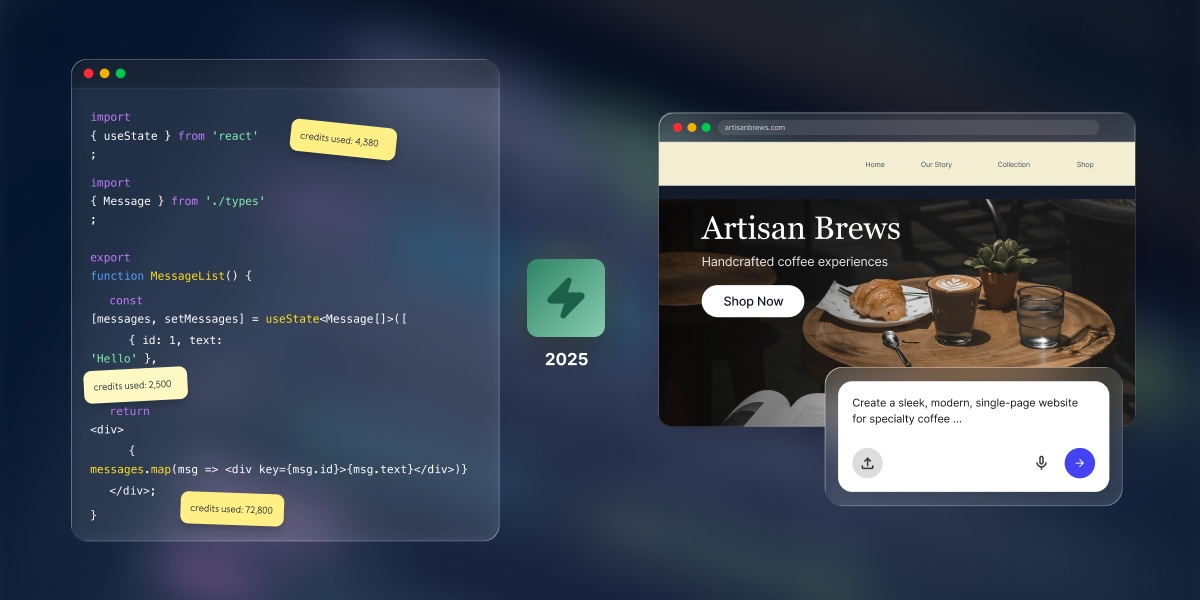
Claude code pricing stops at the code, whereas getting to a live site? That’s on you. Building, launching, hosting, securing, and maintaining what you create with that code adds costs that the plan price simply doesn’t cover.
Claude Code can be accessed through Claude subscription plans or API usage, but the real cost goes beyond this, as it depends on usage limits, usage credits, project complexity, and the production stack around the code. Developers may already plan for hosting, databases, deployment, monitoring, and maintenance. But non-technical users should ask whether they need Claude Code at all, or whether Coderick AI is a more predictable all-in-one path for a website or а web app.
Key Takeaways
- Claude Code pricing in 2026 isn’t just the plan price. Usage limits, usage credits, API billing, and production costs all affect the real budget.
- Claude Code is built for code-first users. It makes sense when you need source code control, Git workflows, custom architecture, and developer-managed deployment.
- The hidden cost is the production stack. Hosting, SSL, domains, databases, monitoring, updates, and maintenance often sit outside the Claude Code subscription.
- Coderick AI isn’t a Claude Code deployment layer. It’s a separate path for users who don’t need a codebase and want a predictable all-in-one option for a website or simple web app.
What is Claude Code?
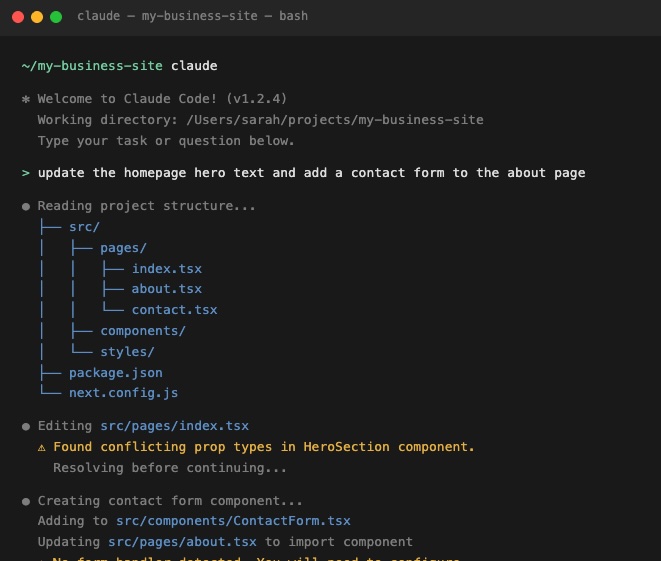
Claude Code is an agentic coding assistant built by Anthropic, and understanding its full cost starts with knowing what it actually is. Unlike the Claude chat interface you use in a browser, Claude Code lives in your computer’s terminal and works directly alongside your code. It can read files, write and edit code, run commands, and work through multi-step development tasks, all from the command line.
If you’ve been vibe coding with Claude in the browser and are wondering whether Claude Code is the next step, it’s worth stopping here. Claude Code is designed for people who are already comfortable in a development environment. If terms like “terminal”, “repository,” and “command line” made you pause just now, that’s actually useful information because it’s worth understanding what Claude Code involves before you commit to a plan that includes it.
What is Claude Code pricing in 2026?
Claude Code doesn’t have its own separate price tag. It’s included in certain Claude subscription plans, or you can access it through Anthropic’s API and pay based on how much you use. There’s no free Claude Code plan. The free Claude tier covers chat only.
Claude Pro pricing
Claude Pro costs $20 per month, or $17 per month if you pay annually ($200 upfront). It’s the entry-level plan that includes Claude Code, and for most individuals it’s the natural starting point. You get access to Claude’s main models and a usage budget that refreshes every few hours.
Who it’s for: Individuals and solo developers who want to try Claude Code without a heavy commitment. Good for focused sessions, smaller projects, and getting started.
One thing worth knowing upfront: your Claude Code usage and your regular Claude chat usage share the same budget. If you spend a long session building something in Claude Code, that can eat into what’s available for your other Claude work in the same window. It’s one shared pool, not two separate ones, so a big morning Claude Code-exploration session could leave you feeling a bit short-changed by lunchtime.
Claude Max pricing
Claude Max comes in two tiers. Max 5x costs $100 per month and gives you five times the usage capacity of Pro. Max 20x costs $200 per month and gives you twenty times. Both are monthly only. There’s no annual discount.
Who it’s for: Developers who regularly hit Pro limits and need more daily headroom. Max 20x is for full-day heavy users where the flat rate works out cheaper than paying per use.
Max makes sense once you’re consistently running out of capacity mid-session. Most people starting out won’t need it right away. And if you’re not sure whether you need it, you probably don’t.
Claude Team pricing
Claude Team plans are for organizations and small teams that need shared billing, administration, and seat-level access. There are two seat types. Standard seats cost $20 per seat per month annually (or $25 billed monthly). Premium seats cost $125 per seat per month (or $100 annually) and give five times more usage headroom, making it the right choice for developers using Claude Code heavily throughout the day. There’s a minimum of five seats, but you can mix Standard and Premium seats on the same account.
Who it’s for: Teams with a mix of heavy and light Claude Code users. Premium seats suit developers using Claude Code intensively throughout the day; Standard seats work for anyone who needs Claude Code occasionally or mainly uses Claude chat. Premium seats include five times more usage capacity per session than Standard seats.
Claude API pricing
An API is essentially a direct line to Claude’s brain. There’s no subscription, no plan, just a connection your developer (or your tools) can tap into and pay for exactly what they use. Think of it like a pay-as-you-go meter rather than an all-you-can-eat plan. Usage is measured in tokens, which are roughly three-quarters of a word each, and billed per million. As of June 2026, the rates are:
| Model | Input (per MTok) | Output (per MTok) |
| Claude Haiku 4.5 | $1.00 | $5.00 |
| Claude Sonnet 4.6 | $3.00 | $15.00 |
| Claude Opus 4.8 | $5.00 | $25.00 |
Who it’s for: Developers and teams building automated workflows or tools on top of Claude Code, where usage is variable and unpredictable. For regular daily use, a flat subscription plan is simpler and usually cheaper.
One trap worth flagging: if you’re a developer and you have an Anthropic API key configured in your setup, Claude Code may bill at these per-use rates instead of through your subscription, even if you have an active plan. It’s one of those things that’s obvious in hindsight and annoying in real life. Worth double-checking before a long session if you’re not sure which billing path is active.
What changed with Claude Code pricing and limits in 2026?
The main 2026 changes to Claude Code aren’t new plan tiers or price increases. They’re about Claude Code rate limits, and specifically how much you can do within your plan before hitting one.
Higher Claude Code usage limits
On May 6, 2026, Anthropic doubled the usage limits on Claude Code for all paid plans: Pro, Max, Team, and Enterprise. The change came alongside a large compute expansion through a partnership with SpaceX’s Colossus 1 data center. In plain terms: you can do roughly twice as much in a single session before hitting a usage limit.
The doubling applies to the per-session limit, not the weekly one. Weekly limits stayed the same in this announcement, though a separate temporary promotion from May 13 through July 13, 2026 added a further 50% on top of that across all plans.
Removed Pro and Max peak-hour reductions
Before May 6, 2026, Pro and Max users got less Claude Code capacity during busy periods of the day, when lots of people were using Claude at the same time. Anthropic was quietly throttling usage during those windows, which meant your plan felt less powerful at the exact times you were most likely to be working. Not ideal. That’s now permanently gone for Pro and Max. Your plan delivers the same capacity at 10am as it does at 10pm.
Usage credits became more important for heavy users
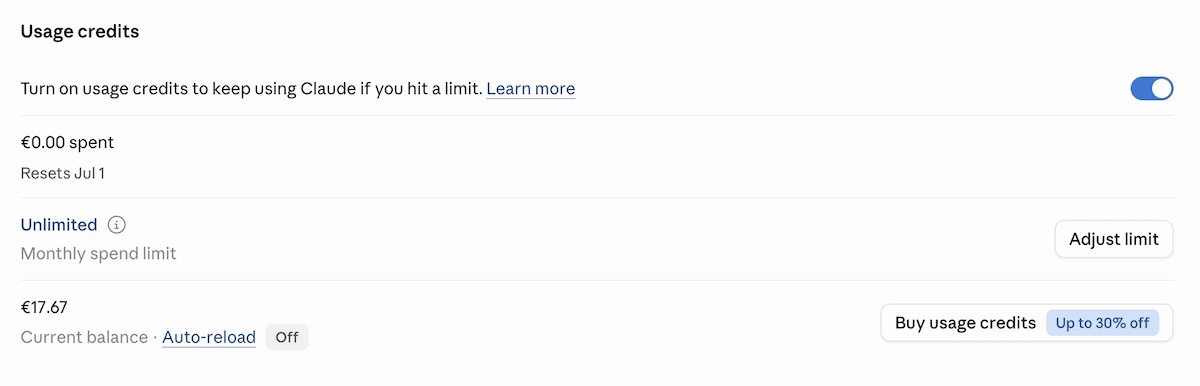
In 2026, Anthropic added an option that lets you keep working after you’ve hit your plan’s included limit, by switching to pay-as-you-go pricing for the overage. You set a monthly spend cap so it doesn’t run away from you; you can also toggle on and off whether you tap into your credits. Both are useful safety valves, but the option does mean your monthly cost may no longer be strictly fixed. Usage credits are billed separately from your subscription, so it’s worth keeping an eye on them if you’re using Claude Code heavily.
How do Claude Code usage limits affect the real cost?
Usage limits are where the plan price and what you actually spend start to diverge. The subscription tells you the floor. Your usage patterns, credits, and API billing determine the ceiling.
Claude and Claude Code share the same usage limits
If you’re on Pro or Max, your Claude chat and Claude Code usage come out of the same pot. That means a long Claude Code session in the morning can leave you with less capacity for regular Claude work later in the day. It’s not a separate Claude Code limit. It’s the same budget being used in two places at once.
Usage credits can add separate pay-as-you-go costs
When you hit your plan’s limit and usage credits are enabled, you keep working but the meter switches to pay-as-you-go. Those overage charges are billed separately on top of your flat subscription. For a Pro subscriber who triggers this regularly, the combined monthly cost can start creeping toward what Max 5x would have cost outright. It’s worth knowing how often you’re hitting your limit before deciding whether to upgrade your plan or rely on credits.
API-key usage can create different billing behavior
This one’s mainly relevant if you or your developer have set up Claude Code with an API key directly. In that setup, all Claude Code activity is billed at per-use rates rather than through your subscription plan, even if you have an active subscription. It’s a common source of unexpected charges and easy to miss if no one’s watching the API account.
What are the hidden costs of building with Claude Code?
Claude Code pricing covers access to the AI assistant, but doesn’t cover the infrastructure needed to put what you’ve built somewhere the rest of the world can actually reach it. That’s where the bill (and list of things to do) has a habit of quietly growing. So while not every Claude Code user is building something that needs to go live (some use it for internal tools, existing codebases, and so on), if the goal is a standalone website or web app there will be separate costs. Hosting, SSL, domains, and ongoing maintenance are all outside the subscription. As such, some users may find a managed path the more straightforward route.
Hosting and deployment
Code generated or edited through Claude Code doesn’t run anywhere by default. It sits on your machine, being code. Deploying it requires somewhere for it to live: a cloud platform, managed hosting, a VPS, or a containerized runtime. Monthly costs range from a few dollars for static sites to several hundred for production web applications with real traffic. None of that is covered by the Claude subscription. Neither is the process of implementing it.
Custom domains and SSL
Your project also needs a domain name and an SSL certificate (the padlock in the browser bar that tells visitors the site is legit). Domain registration typically runs $10 to $20 a year, and while SSL is often included with hosting, the DNS setup and domain configuration take time even when the certificate itself is free. Users who are comparing cost because Claude Code feels too technical can also look at Claude Code alternatives for beginners.
Databases, backend services, and monitoring
Any application that stores user data, handles authentication, or processes payments needs a database and backend services. Managed databases on platforms like AWS or Google Cloud add a database cost that scales with storage and query volume. Application monitoring, error logging, and uptime alerting typically mean additional subscriptions. These are standard costs for any code-first project, regardless of which AI tool helped write the code.
Maintenance, updates, and debugging time
Code written today needs attention later. Dependencies go stale. APIs change their minds. Bugs show up in production that had no business being there. Each update cycle takes developer time, and for non-technical users without a developer available, that maintenance cost has a market rate. This is especially true when comparing an AI prototype to published website costs, where the production layer often turns out to be the real ongoing cost.
Do you need Claude Code, or a predictable all-in-one website path?
The decision between Claude Code and a managed builder path isn’t really about AI capabilities. It’s about whether you need a codebase, who’s going to manage the infrastructure it requires, or whether you can build a website without Claude Code in the first place. And the reality is, for a lot of people, the answer to the first question is no.
Coderick AI — SiteGround’s managed AI website and app builder — is relevant when the budget question isn’t “how do I deploy my Claude Code project more cheaply?” but “do I need a Claude Code project at all?” If the goal is a business website, landing page, portfolio, booking flow, dashboard, or web app, it can be a more predictable cost path than Claude Code with separate hosting, SSL, domains, backend setup, deployment, and maintenance on top. And honestly, it’s a whole lot easier.
Use Claude Code when you need codebase control
Claude Code is a developer tool. It works in the terminal and connects to Git workflows, deployment pipelines, version control, and test runners. It’s the right choice when the project needs custom architecture, third-party integrations, specific backend logic, or the ability to read and modify every line of code. Developers who already manage infrastructure can treat the production stack as a known and expected cost.
Use Coderick AI when you don’t need a code-first workflow
Coderick AI is SiteGround’s managed website and app builder. You describe what you want to build, and Coderick AI generates it. From there, publishing, hosting, SSL, version control, and updates are all handled within the platform — no separate tools, no deployment pipeline, no developer required. There are different plan tiers depending on how much you want to build, but all of them include everything you need to go live.
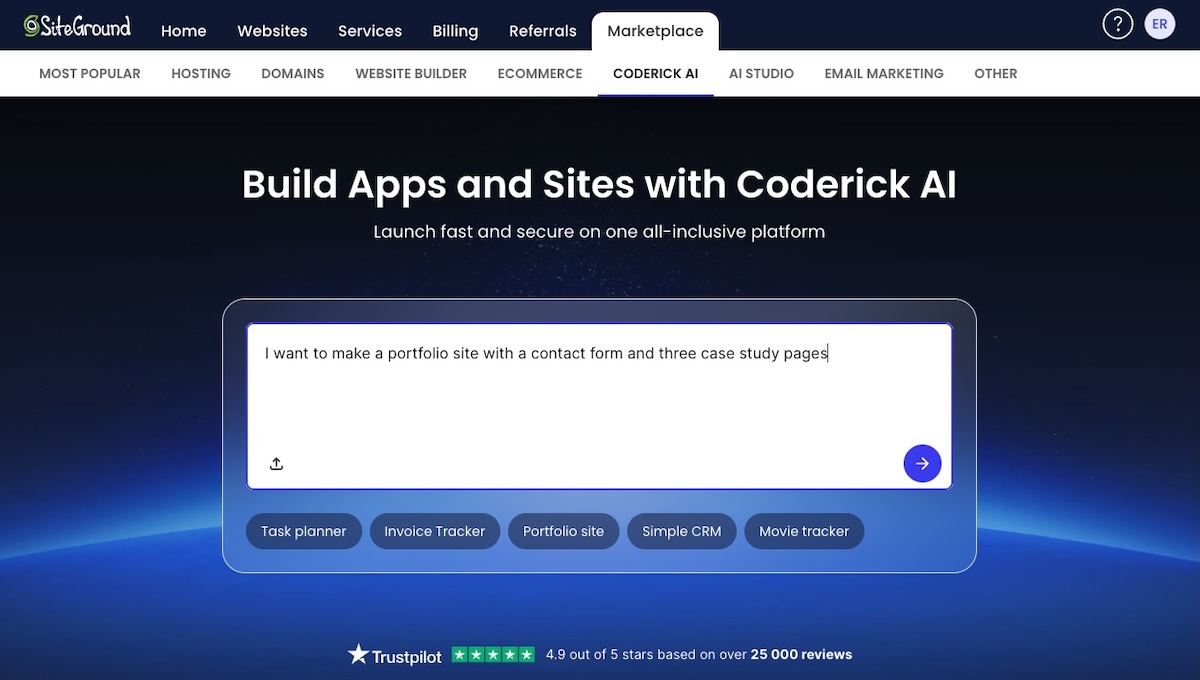
For founders, freelancers, marketers, and small business owners whose goal is a working website or simple web app, the total cost and time comparison matters more than the feature comparison. Coderick AI replaces the code-first workflow rather than following it — and if you’re curious how that works in practice, the process of building a web app with an AI builder is more straightforward than it sounds.
Think in total project cost, not only AI subscription cost
A fair comparison between Claude Code and a managed builder path looks like this: Claude subscription cost plus hosting plus SSL plus domain plus database plus deployment time plus ongoing maintenance. Not just the subscription price. For many non-technical users, the production stack adds more to the monthly budget than the AI subscription itself; the same cost-and-complexity question also applies when comparing OpenAI Codex alternatives for beginners.
Ready to build without the infrastructure overhead?
Coderick AI is SiteGround’s managed website and app builder — AI-assisted building, hosting, SSL, publishing, updates, and expert around-the-clock support, all in one place. If you don’t need a developer-controlled codebase, you don’t need the infrastructure headache that comes with one. Find out more about Coderick AI.
Can you build in Claude Code and then use Coderick AI?
Coderick AI isn’t a full Claude Code project deployment platform
Coderick AI isn’t the standard path for deploying a Claude Code project. It’s not a GitHub import tool, a repository connector, or a way to hand off a full Next.js or React app from your local environment to a managed host. The two tools serve different starting points.
Some files can be used as references or starting points
Coderick AI supports uploading specific text-based file types as reference material or starting points: HTML, CSS, SCSS, JS, JSX, TSX, and Markdown. In some cases, individual files from a Claude Code workflow can be uploaded into Coderick AI as inputs for a new build. That’s not the same as importing and deploying a full project repository, though. A partial component, an HTML layout, or an artifact-style file can be a useful starting point, especially when turning a Claude Artifact into a real website, but a complete multi-file application can’t be imported as-is.
The main decision is code-first workflow vs managed workflow
The more practical question is which workflow to choose from the start, not how to connect them after the fact. If the project needs a codebase, Git history, custom backend logic, and developer-managed deployment, start with Claude Code. If it needs to be live and managed without developer overhead, start with Coderick AI.
How can you keep building affordably with Claude Code?
Pick the right Claude plan for your actual usage
The most common Claude Code overspend comes from choosing a plan based on how you imagine you’ll use it rather than how you actually do. Pro at $20 a month is the right starting point for most individual developers doing focused daily work. Upgrading to Max 5x ($100 a month) only makes sense once you’re regularly exhausting Pro limits mid-session. Max 20x ($200 a month) earns its keep for developers using Claude Code as a full-day primary tool, where the flat rate runs cheaper than equivalent API billing.
Monitor usage before enabling more credits
Usage credits let you keep working after plan limits run out, but they add variable costs on top of your flat subscription. Before enabling them, it’s worth checking whether you’re actually hitting limits or just getting close. Turning credits on without monitoring how often they trigger can quietly push a Pro bill toward Max territory for a fraction of the capacity.
Separate experiments from production builds
Exploratory sessions, big refactors of unfamiliar codebases, and prototype builds burn more tokens per task than focused feature work. Running experimental sessions separately from production work, and being deliberate about context size and model choice during exploration, keeps the core subscription budget predictable.
Decide early whether the project needs codebase ownership
The production stack costs for a Claude Code project aren’t always obvious at the start. A developer-owned codebase means deployment infrastructure, ongoing maintenance, and update cycles. Deciding early whether the project genuinely needs source code control avoids building a code-first project and then discovering the ongoing costs of managing it weren’t in the budget.
Avoid paying for both a code-first stack and a managed stack when one path is enough
Some users end up paying for a Claude Code subscription, a hosting service, and a managed builder tool simultaneously, which is a great way to spend money on three things when one would have done the job. If one path covers the project requirements, the other is just overhead.
A Claude Code subscription plus separate hosting makes sense for developer-controlled projects. A managed builder path makes sense for websites and simple web apps where hosting, SSL, and publishing come included. Paying for both without a clear reason usually means the project scope wasn’t defined clearly at the start.
When is Coderick AI the more affordable path?
Coderick AI may be the more affordable path when the code-first stack costs more than the project needs. Here’s when that’s usually the case.
The project is a website or simple web app
Business websites, landing pages, portfolios, booking flows, dashboards, and content-driven web apps don’t need a user-managed codebase with version control and a deployment pipeline. If you’re a small business owner, building your website with an AI website builder without writing any code may be a more natural starting point than Claude Code.

The user doesn’t need source-code ownership
Source code ownership matters when a project needs custom integrations, proprietary logic, multi-developer collaboration, or future portability. For a business website or simple web app maintained by one person, source code ownership adds cost and complexity without adding proportional value.
The user wants hosting, SSL, publishing, and updates handled together
A predictable managed website deployment bundles the production concerns that sit outside a Claude Code subscription into a single service. Hosting, SSL certificate provisioning, custom domain connection, and update management are part of the platform, not separate line items in the monthly budget.
The user wants predictable post-build costs
The ongoing cost of a Claude Code project is harder to predict than the subscription price. Maintenance, updates, and infrastructure usage all add variable costs after the initial build. A managed builder path with a fixed monthly cost is easier to plan around, particularly for non-technical users who’d otherwise pay a developer for every update cycle.
Which path is more cost-effective for your project?
| Project situation | More cost-effective path | Why |
| You need source-code control, tests, Git, custom architecture, or manual deployment | Claude Code | You need a code-first workflow and should budget for infrastructure separately |
| You already have a developer or engineering workflow | Claude Code | The extra production stack is expected and controllable |
| You only need a business site, landing page, portfolio, booking page, dashboard, or simple web app without source-code ownership | Coderick AI | A managed all-in-one path can avoid separate tooling, hosting, and infrastructure costs |
| You are non-technical and mainly want the project live | Coderick AI | You avoid paying for a coding workflow you don’t plan to manage |
| You have a partial HTML/CSS/JS component or export | Depends | Coderick AI may use supported files as references or starting points, but it isn’t a full project importer |
Ready to build without the infrastructure overhead?
If the goal is a working website or web app, not a developer-controlled codebase to maintain, Coderick AI bundles AI-assisted building, hosting, SSL, publishing, updates, and expert around-the-clock support into a single managed path. It’s not the right tool for every project. But for users who pay for a Claude Code subscription and then still need to solve hosting, deployment, and ongoing maintenance separately, it may be the more predictable and affordable place to start.
[96]
Frequently asked questions
Claude Code is included with Claude Pro, Max, Team Premium, and Enterprise plans. Pro costs $17 per month with annual billing or $20 per month on monthly billing. Max starts at $100 per month. Claude Code can also be used through API-based billing, charged per token with no monthly minimum.
The most important 2026 capacity change took effect on May 6, 2026. Anthropic doubled Claude Code’s five-hour rate limits for Pro, Max, Team, and seat-based Enterprise plans, and permanently removed peak-hour limit reductions for Pro and Max users.
Yes. Pro and Max usage limits are shared across Claude and Claude Code, so activity in both tools counts against the same limits. Heavy use of Claude Code can reduce the remaining capacity available for regular Claude work within the same window.
Usage credits let paid Claude subscribers keep working after hitting included usage limits by switching to pay-as-you-go pricing. They’re charged separately from the subscription and billed at standard API rates.
They’re not extra Claude Code fees. They’re the costs of the code-first production stack: hosting, SSL, domains, deployment, databases, monitoring, updates, and maintenance. Developers tend to expect these because it’s just part of the deal. Non-technical users often discover them only after the code is written, which is less fun.
Not exactly. Coderick AI isn’t the standard deployment layer after Claude Code. It supports uploading certain text-based files, but that’s not a full project import workflow. It’s a managed AI website and app-building platform for users who may not need Claude Code in the first place.
Sometimes, but only in a limited sense. Coderick AI supports specific text-based file types: HTML, CSS, SCSS, JS, JSX, TSX, and Markdown. Those files can serve as references or starting points, but it’s not the same as importing and deploying a full Claude Code repository.
Coderick AI may be cheaper when you don’t need a codebase and would otherwise pay for Claude Code plus separate hosting, SSL, custom domains, databases, deployment, and ongoing maintenance. It’s a more predictable path for websites and simple web apps that don’t require source code ownership.
Choose Claude Code when you need source-code control, Git workflows, tests, custom architecture, integrations, deployment flexibility, or developer-managed infrastructure. It’s a developer tool that works in the terminal and connects with the tooling developers already use for deployment, databases, monitoring, and version control.
Choose the plan that matches your actual usage, monitor shared Claude and Claude Code limits, be careful with usage credits, separate experiments from production work, and decide early whether the project really needs codebase ownership. If the goal is a simple site or app, compare the total code-first cost against a managed builder path before you commit.