
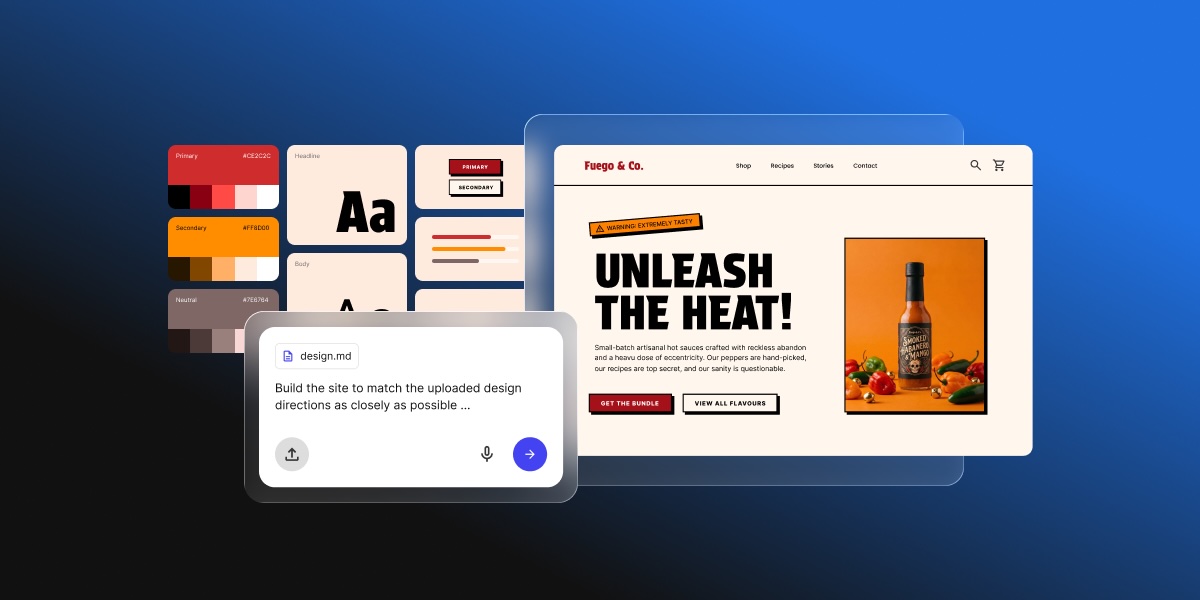
Google Stitch can produce stunning UI designs for web and mobile apps in minutes. It has the pages, the layouts, the buttons, the copy. But Google Stitch design is not the same as a published website. Getting to a live website requires a proper production path: hosting, a domain, backend logic, and a way to turn your approved web design into something people can actually visit.
Now, that path looks different depending on your project, your technical comfort, and who will manage the site after launch. So here is everything you need to know to choose the right way and make it happen.
Key Takeaways
- The complete Google Stitch workflow runs in a rough sequence: project brief, UI design, handoff brief, then website build. Skipping steps creates gaps that cost more to fix than to get right upfront.
- Google Stitch produces high-fidelity UI designs, interactive prototypes, and front-end code. It does not handle hosting, backend logic, authentication, or domain setup.
- Before handing off to any builder, three things make the build accurate: a clear vision and goals, a technical handoff brief from Stitch, and the exported designs.
- Coderick AI can use the approved Google Stitch design, screenshots, copy, and functionality notes as a production brief to build and publish a managed website or web app.
- The right production path depends on technical comfort and project complexity: Coderick AI for most teams; Claude Code for developers; a custom build for complex engineering needs.
What is Google Stitch, and how does it help create website designs?
Google Stitch is a free AI-powered UI design tool from Google Labs that turns text prompts, sketches, uploaded images, and wireframes into high-fidelity interface designs and front-end code. It launched at Google I/O in May 2025 and got a serious upgrade in March 2026, adding multi-screen generation, an infinite design canvas, and voice input.
Built on Google’s Gemini models and available through Google Labs, its party trick is speed. Describe what you need and Stitch gets to work immediately, generating several complete UI directions from a single prompt in minutes. The kind of output that used to take a designer days now takes seconds.
Its speed and skill makes it a very handy tool for founders, product managers, small businesses, and designers who need to move from a rough concept to a usable visual reference without spending days (or heaps of money) on manual design work.
But getting from a Stitch design to a live website requires more than a magic wand, and that’s what we’re tackling here.
What can you create with Google Stitch?
Stitch generates designs and user interfaces for web and mobile apps. Typical outputs include:
- Landing pages
- Dashboards
- Onboarding screens
- Product detail layouts
- Multi-step forms
As of March 2026, Stitch also supports multi-screen projects, so you can map out a full user flow across several connected screens in a single canvas.

Notice that what we are talking about here are designs, not finished production websites. Stitch is also specifically a UI design tool. It is built for digital interfaces, not broader design work, so it does not produce:
- Marketing materials
- Presentations
- Social graphics
- Print assets
At the end of the day, its focus is UI design for digital products, and not a full production layer. Rest assured, we’ll get to the final deliverable part in a moment.
How Google Stitch turns prompts into high-fidelity UI concepts
Stitch interprets natural language, uploaded sketches, images, and voice input as UI instructions, generating one or more visual variants with underlying HTML, CSS, and Tailwind code. The output is not a static mockup. It is a refinable, exportable design that can be connected across screens and previewed as an interactive flow.
Why a Google Stitch design still needs a production website workflow
Google Stitch generates the visual UI and front-end design, not a complete production website. The front-end code output covers layout and styling, but Stitch doesn’t handle hosting, SSL, custom domain setup, backend logic, authentication, database connections, or ongoing maintenance. All things that are absolutely essential for taking the Google Stitch output from idea to actual functioning product.
A Google Stitch design is the blueprint, not the keys to the house. Getting from one to the other requires a separate production path.
Can a Google Stitch design become a real website?
A Google Stitch design can become a real website once the UI direction, page structure, copy, and functionality requirements are documented and handed off to a production path. Before the design is ready for that, it may be useful for stakeholder sign-off, user testing, or internal alignment. But once the screens are approved, the work shifts from design validation to website production. This is one version of the broader AI prototype to published website process.
What changes when a design becomes a production website
A production website is not just a rendered version of the Google Stitch design. To actually work, it needs routing and navigation logic, server-side or client-side rendering, image optimization, form handling, SEO metadata, accessibility compliance, performance configuration, and connection to any backend services the product needs.
Each of these elements requires decisions and setup that go beyond what any UI design tool provides. That is why they are outside Google Stitch’s scope.
Why hosting, SSL, domains, and updates are still needed
A live website has to be served from somewhere, encrypted in transit, and reachable at a domain name people can type or click. It also needs to be updated when content changes, security patches are released, or new features are added. It is an ongoing process, not a one-off deliverable.
These are infrastructure requirements, not design requirements. Google Stitch does not address them. But your production path does.
How do you start a Google Stitch project?
You can jump straight into prompting in Google Stitch and get impressive results. But if you are planning to hand the project off to a developer or an AI builder, starting with a Project PRD will make the design and production handoff more accurate.
PRD stands for Product Requirements Document. It is the strategic foundation of the project: the “what” and the “why” before any screen design begins. To generate one, describe your project to Stitch and explicitly ask: “Create a project PRD for this site.” You do not need a polished brief ready. A brain dump of the key points is enough for Stitch to organize into a structured document.
What to give Stitch to generate a strong PRD
To produce a useful PRD, Stitch looks for four things:
- The “Why” — vision and goals: What is the primary purpose of the site? Who is it for? A sentence or two on the goal and the target audience gives Stitch the context to make smart design decisions throughout the project.
- The “What” — pages and features: Which pages does the site need? Are there specific interactive elements like filters, subscription signups, or a cart drawer? A rough list is enough.
- The “Vibe” — brand and visual style: A few keywords go a long way. “Artisanal Radical,” “Clean and Corporate,” “Gritty and Brutalist.” Include how the brand should speak as well as how it should look.
- Constraints and success metrics: Are there things you absolutely do not want? Assets that must be used? And how will you know the project is successful?
The PRD comes before the design
The sequence in a Google Stitch project runs in a specific order: PRD first, design second, handoff brief last. The PRD sets the vision. The design executes it visually. The handoff brief translates that visual execution into technical specifications a builder can follow precisely. Together, the three things give a production build everything it needs: the soul of the project, the look of it, and the exact specs to recreate it accurately.
When is a Google Stitch design ready for a website build?
The PRD is in place and the design work is done. Now comes the gate check: confirming the visual layer is complete and the operational requirements are documented before anything moves to production. If you’re new to this process, an AI website builder checklist can help frame what to expect.
Confirm in Google Stitch before handing off:
- Final screen designs approved
- Desktop and mobile layout direction confirmed
- Full page list defined
- Navigation bar structure and user flow mapped
- Typography, colors, and spacing locked
- Component states and interactions visible in the design
Add before the build starts:
- Copy and calls to action with confirmed destinations
- Form fields, types, and validation requirements
- Button actions and link destinations
- Login or authentication needs
- Backend or database needs
- SEO title and meta description for each page
- Custom domain requirements confirmed
The final screens and layout direction are approved
Approved means signed off, not just finished. Review every Stitch screen against the original brief and confirm that the layout direction, visual hierarchy, and component arrangement are intentional decisions, not defaults the AI picked. If anything looks off, refine it in Stitch now. Changes requested after the build starts cost significantly more time than ones caught here.
The page structure and navigation are clear
Use Google Stitch to map every page that will exist on the live site, not just the ones with fully designed screens. Secondary pages, 404 error pages, and utility pages are easy to overlook in a design canvas but create gaps in the build if they are not listed. Confirm the website navigation structure reflects the full page list before the handoff, including any pages that exist in the user flow but were not explicitly designed in Stitch.
The mobile and desktop layouts are documented
Stitch supports both viewport sizes, so use it to confirm responsive behavior before the handoff. If a screen was only designed at desktop, generate the mobile version in Stitch and review it. Check that column stacking, navigation behavior, and image scaling are all visible in the mobile web design before it leaves Stitch. Responsive decisions made at the design stage are faster and cheaper to implement than ones made mid-build.
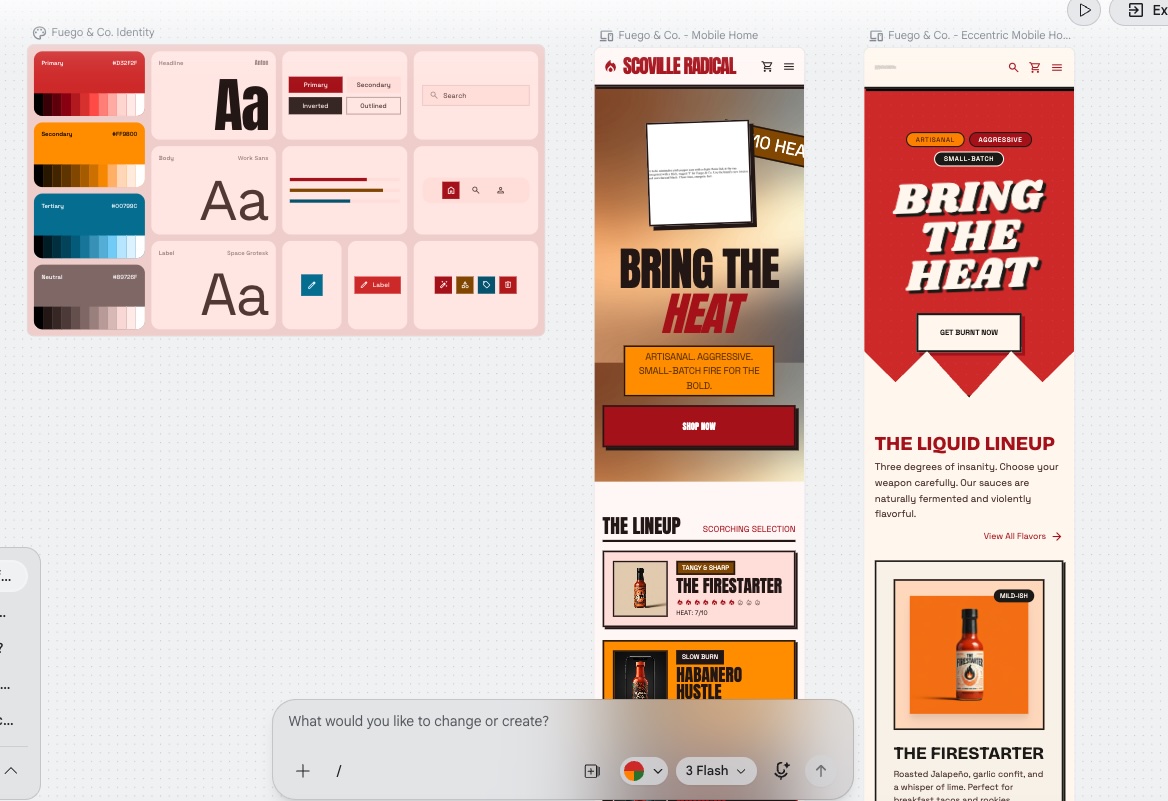
Define typography, colors, and spacing in Google Stitch
Before moving on, confirm that your branding basics are defined, documented, and consistent across every screen. Use Stitch to lock the type scale, color palette, and design system, and check that these decisions are applied consistently across every page. The goal is not just visual consistency inside Stitch but a clear enough record that the next step can apply them accurately without guessing.
The copy, calls to action, and content blocks are placed
Use Stitch to place final copy directly in the design before the handoff. Placeholder text creates layout assumptions that break when real content is added. If the copy is not ready, use realistic placeholder text that matches the intended length and tone rather than generic lorem ipsum. Calls to action need confirmed destinations before the build starts.
The buttons, forms, menus, and interaction states are defined
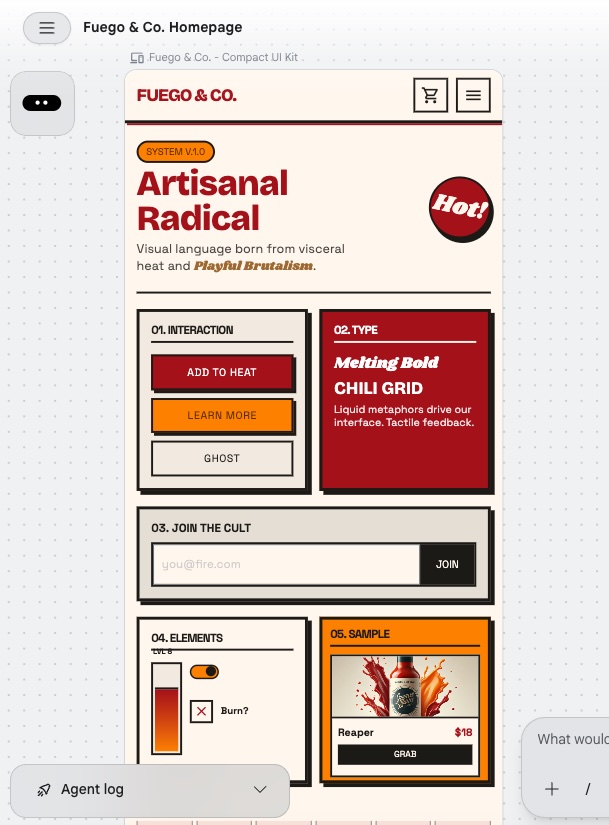
Use Stitch to confirm what each interactive element looks like before the handoff, and it will create a UI Kit for you with all the necessary details. A primary button needs a default state, a hover state, and a disabled state. A form needs visible field labels and an error state. A navigation menu needs both its open and closed positions designed. Note any states Stitch did not render as items the builder will need to define.
How do you turn Google Stitch screens into a website build brief?
With the design confirmed, the next step is packaging everything into a brief a builder can act on. The Stitch handoff gives you the visual and structural layer. Your job now is to add the operational layer on top of it.
Generate the handoff brief from Google Stitch
Ask Stitch to produce a handoff brief directly from the design. The brief captures the visual and structural layer: colors, typography, spacing, page list, layout notes, component states, and responsive behavior.
Think of it as the bookend to the PRD. The PRD defined the vision at the start. The handoff brief captures the technical execution at the end. Together they form the complete production package.
What the handoff brief does not cover are the operational requirements: form behavior, button destinations, backend needs, SEO metadata, and domain setup. Those get added in the steps that follow.
Save the final Google Stitch project screens and visual references
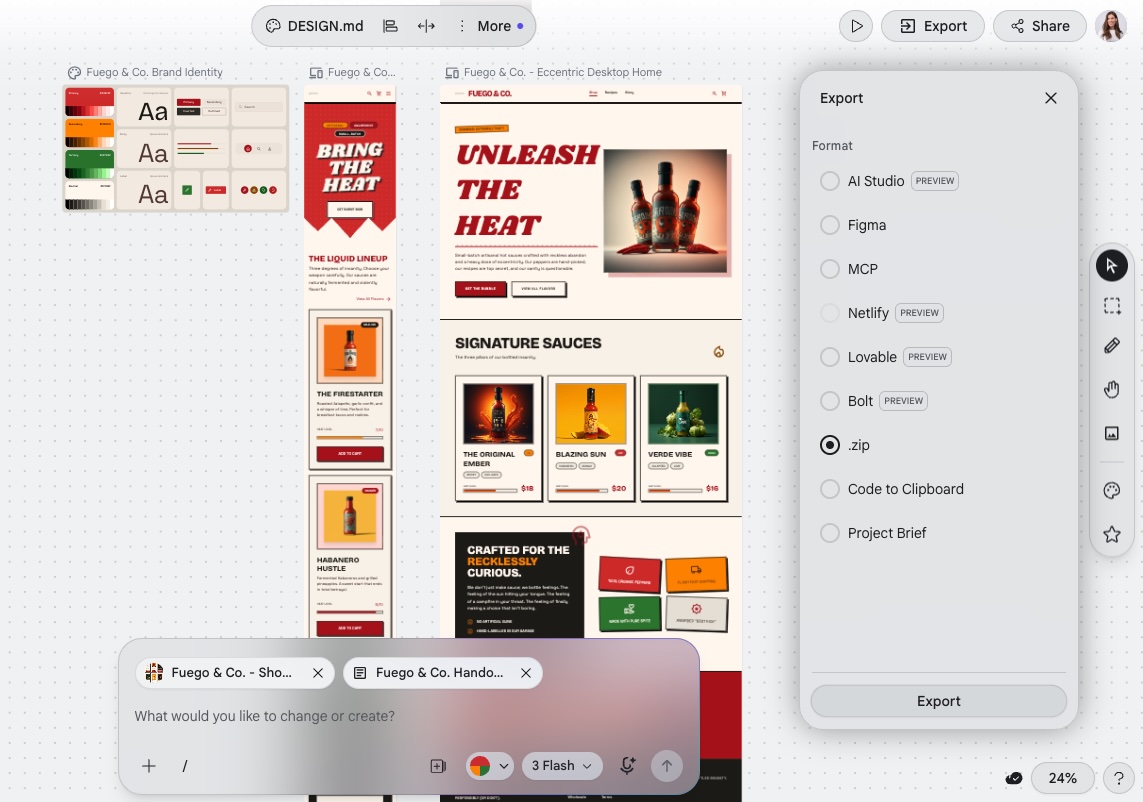
With the handoff brief generated, export and organize everything from the Stitch canvas. Stitch allows you to download the full project as a zip file, or export to a specific format such as Figma, HTML/CSS, or DESIGN.md depending on your production path. To export, just select all the files on your canvas, click Export, and choose your export delivery preference.
The goal is a single organized package containing three things: the Project PRD, the handoff brief, and all visual references. Together these give a production build the vision, the technical specs, and the visual reference it needs to execute accurately.
List form fields, button actions, menus, and interaction notes
While designing in Stitch, these elements are already shaping the layout. This step is about making them explicit. Go through every interactive element and define its behavior: field labels, validation rules, and submission destinations for forms; confirmed destinations for buttons and calls to action; dropdown and mobile behavior for menus. Keep this as a simple written list, specific enough that the builder does not have to make assumptions.
Define backend, database, and login requirements
Some websites are purely informational and need no backend. Others need functionality that runs behind the scenes: user accounts, a database, or a connection to an external service like a payment processor, email marketing, or CRM. Google Stitch can design the screens for all of these, but designing a screen and building what happens behind it are two different things. Before the build starts, identify whether your site needs any of this and be specific. The builder will use that requirement to configure the right functionality.
Add SEO metadata and launch requirements
SEO and domain requirements should already be taking shape during the design process. This step makes them explicit. Write an SEO title tag and meta description for each page, and make sure to follow an SEO checklist. Note any redirect rules or canonical tags, and include any staging needs or launch date constraints the builder needs to plan around.
Now you have everything needed to hand the project to whichever production path you have chosen.
How can Coderick AI turn a Google Stitch design direction into a live website?
Coderick AI is a managed website and web app builder from SiteGround that fits naturally after the Google Stitch design is approved. Stitch defines the interface. Coderick AI turns that direction into a live website or web app that can be built, edited, published, hosted, and updated within a single managed environment, with version control, user authentication, and automatic deployment included in every project.
The workflow for taking a Google Stitch design into Coderick AI follows five steps — a process that fits squarely within what the industry now calls vibe coding.
1. Use the Google Stitch design as the visual blueprint
Coderick AI accepts both text prompts and image uploads, so the exported Stitch files can go directly into the build prompt alongside the additional details you have defined above.
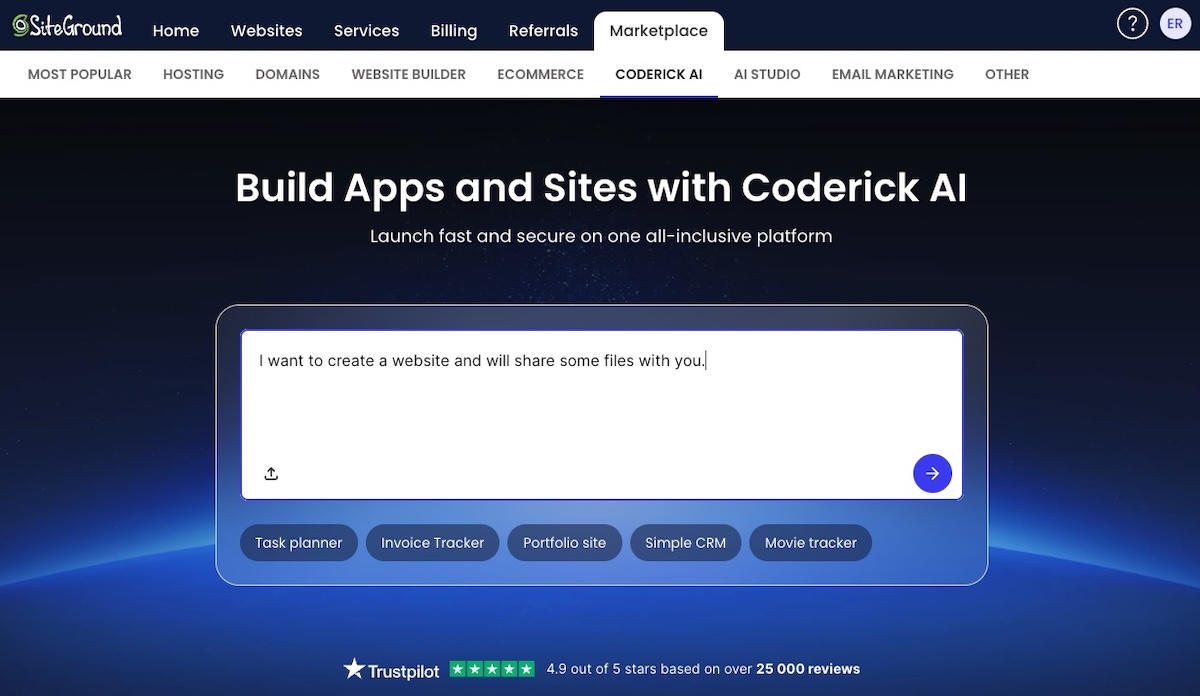
Start with a framing prompt before uploading anything: something like “I am starting a new website project and will be sharing some design files.” This prevents Coderick AI from starting to build before your full package is in. After it takes you to the next screen, upload everything together: the Project PRD, the handoff brief, the operational requirements, and the exported screen images.
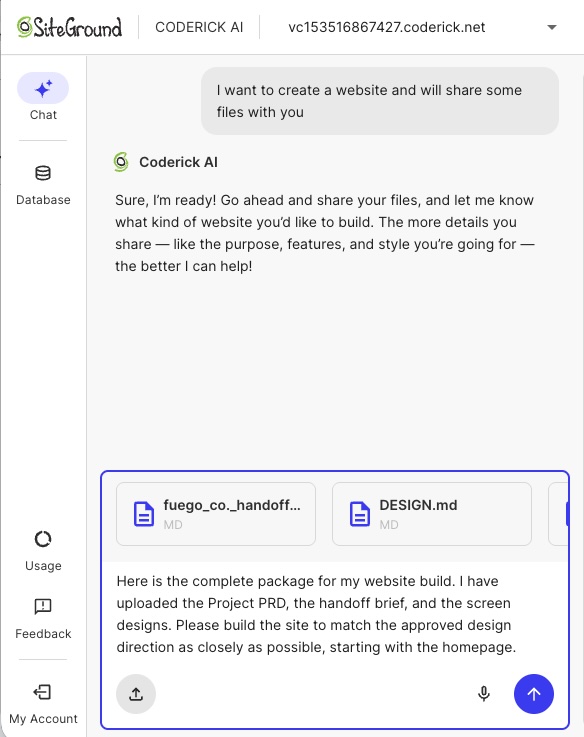
The more complete this package is, the more accurately the build will reflect the approved design direction.
2. Recreate the page structure and layout inside Coderick AI
From there, review and refine one page at a time. For simpler sites, the full brief in a single, plain-language prompt is likely enough. For larger builds, focusing the prompt on one page at a time may produce more accurate results. Either way, use the approved Stitch screens as the benchmark for each page before moving to the next.
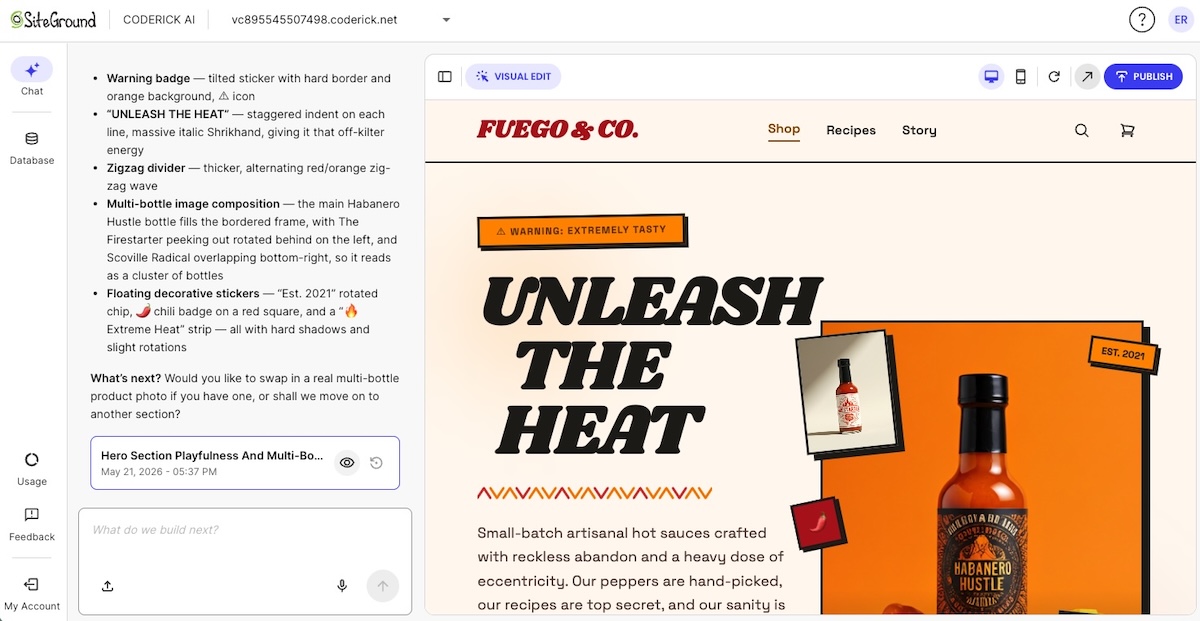
3. Refine copy, forms, backend needs, and functionality notes
With the visual structure in place, work through the Coderick AI chat to confirm the operational layer matches the brief. Check that form fields, validation rules, and submission destinations are implemented correctly. Verify that copy reads as intended in context, button actions work as specified, and any backend requirements like user authentication or database connections are configured correctly.
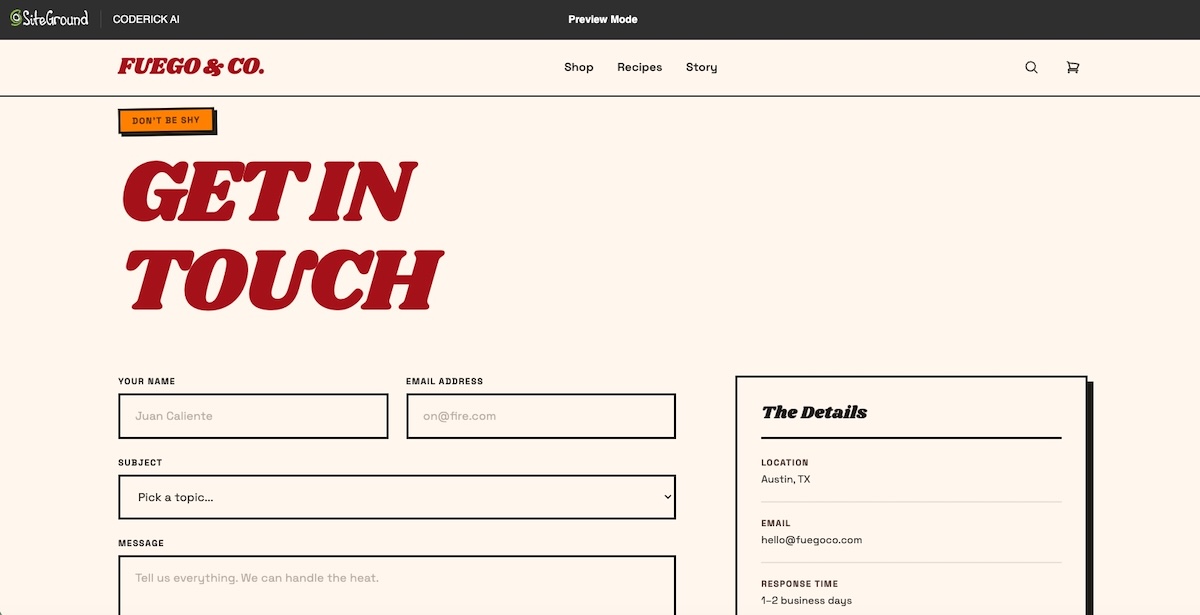
4. Publish the website through Coderick AI’s managed environment
Publishing from Coderick AI means the site is live on SiteGround infrastructure immediately, without manual deployment steps. SSL is included. A custom domain can be connected from within the platform. The published site is production-ready from the moment it goes live.
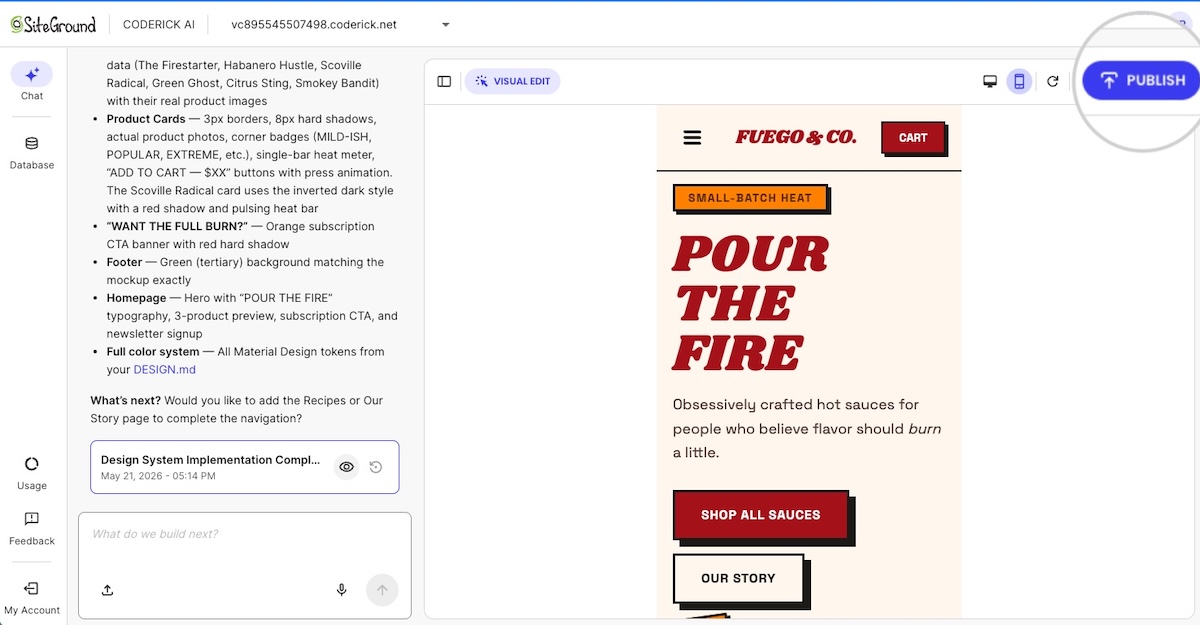
5. Update the site without managing deployment manually
After launch, all changes go through the Coderick AI chat interface. Describe the update: a new content block, a revised form, a layout change, a new page. Coderick AI applies it and deploys automatically.
What should a handoff from a Google Stitch project to Coderick AI include?
The five-step workflow above is only as good as the material you bring into it. The brief-building section covers the universal layer: screens, layout notes, typography, colors, page structure, navigation, forms, backend needs, and SEO metadata. What follows are the additional details specific to handing off to Coderick AI.
Custom domain and publishing requirements
Confirm the domain name that will be connected to the live site and note any redirect requirements. If you don’t have a domain yet, don’t worry: you can register one through SiteGround as part of the process. Once your domain is ready, connecting it to your live site is straightforward, as hosting and SSL are included automatically with Coderick AI, with no extra cost or manual setup needed.
Imagery, icons, and visual assets
Stitch generates placeholder imagery and reference images to support the layout. When writing your Coderick AI prompt, include any brand guidelines, visual style references, photography direction, or icon and illustration preferences.
For the images themselves, the most practical approach is to let Coderick AI generate a first version, then refine from there using Visual Edit, where you can swap in your own images or generate new ones directly in the preview in seconds. Worth noting: uploading your own images via Visual Edit is free, while generating new AI images uses credits.
Maintenance and update expectations
Coderick AI handles deployment and hosting automatically, so updates after launch are straightforward. Changes go through the interactive chat interface and deploy without manual steps. Before launch, decide internally who will be responsible for requesting changes and how frequently the site will need to be updated. Having that process in place avoids ad hoc edits that create inconsistencies over time.
Should you use Coderick AI, Claude Code, or a developer after Google Stitch?
The right production path depends on the level of technical control needed, the complexity of the build, and who will manage the site after launch. All three paths can produce a live website from a Google Stitch design. But they differ in how much manual setup, code access, and ongoing maintenance responsibility each one requires.
| Path after Google Stitch | Best for | What happens after Google Stitch |
| Coderick AI | Non-technical users, founders, marketers, freelancers, and small teams who want a managed launch path | Use the approved Stitch design, screenshots, copy, page and layout structure, and functionality notes as the blueprint for building and publishing the live website in a managed environment |
| Claude Code | Technical users who want to turn the Stitch design direction into a working codebase | Use the Stitch design as a visual reference, then use Claude Code to help build, edit, debug, and prepare the project for deployment |
| Developer or agency | Projects that need custom engineering, complex integrations, advanced backend logic, or strict design QA | Hand off the Stitch design, layout notes, user flows, and technical requirements so the developer can build, deploy, and maintain the production version |
| Stay in Google Stitch | Early-stage ideas where the UI direction is not yet approved | Keep refining screens, layout, visual hierarchy, and user flow before moving into production |
Let’s break this down.
Use Coderick AI when you want managed website publishing
Coderick AI is the right choice when you want a managed publishing path from an approved Google Stitch design to a live website without handling hosting, SSL, domain configuration, backend setup, deployment pipelines, or maintenance tasks manually. It fits founders, marketers, and small teams building everything from simple landing pages to web apps for small businesses, internal tools, and dashboards.
A note on SiteGround’s infrastructure
Every Coderick AI project runs on SiteGround’s hosting infrastructure, which is built for speed, performance, and security. SiteGround powers millions of websites worldwide with enterprise-grade infrastructure, fast load times, and automatic security updates included in every plan.
Use Claude Code when you want to turn the design into a codebase
Claude Code is a command-line coding assistant that helps you write, edit, and debug code. Use the Stitch design as a visual reference and describe the screens, components, and interactions to Claude Code to generate the underlying codebase.
The end result is a codebase you own and can edit freely. It is not a live website. Deployment, hosting, SSL, and domain setup are handled separately through whichever hosting provider you choose.
This path suits technical users who want full code control, custom integrations, or a specific deployment setup. By contrast, Coderick AI supports a website build without Claude Code for users who want the design published through a managed platform.
Use a developer when the build needs custom engineering
Some projects need capabilities that go beyond what any AI builder provides: proprietary APIs, complex data models, enterprise authentication systems, or performance requirements that need hand-tuned infrastructure. For those projects, hand the Stitch design, layout notes, user flows, and technical spec to a developer or agency.
This path gives you the most control. It also gives you the longest timeline and the largest invoice. Development costs are significantly higher upfront, and ongoing changes (even small ones like updating copy or adding a new section) typically require going back to the developer. For projects that need frequent updates or evolving content, factor that dependency into the decision before committing to a custom build.
The Stitch design still serves as the visual brief. The developer translates it into a custom production build.
Keep Google Stitch as the source of visual direction
Regardless of which production path you choose, the approved Google Stitch design remains the visual reference throughout the build. Use it to check layout accuracy, review responsive behavior, and validate that the production site reflects the intended design direction.
What should you check when the Google Stitch design becomes a live website?
Once the production build is live, check it against the approved Stitch design and the functional requirements defined in the handoff brief. A thorough review before you point traffic at a new site catches problems that are much cheaper to fix at this stage than after launch.
Visual match to the approved Google Stitch design
Compare each live page to the corresponding approved Stitch screen. Check layout, spacing, color, typography, and component arrangement. Flag any sections where the production build drifts from the design direction.
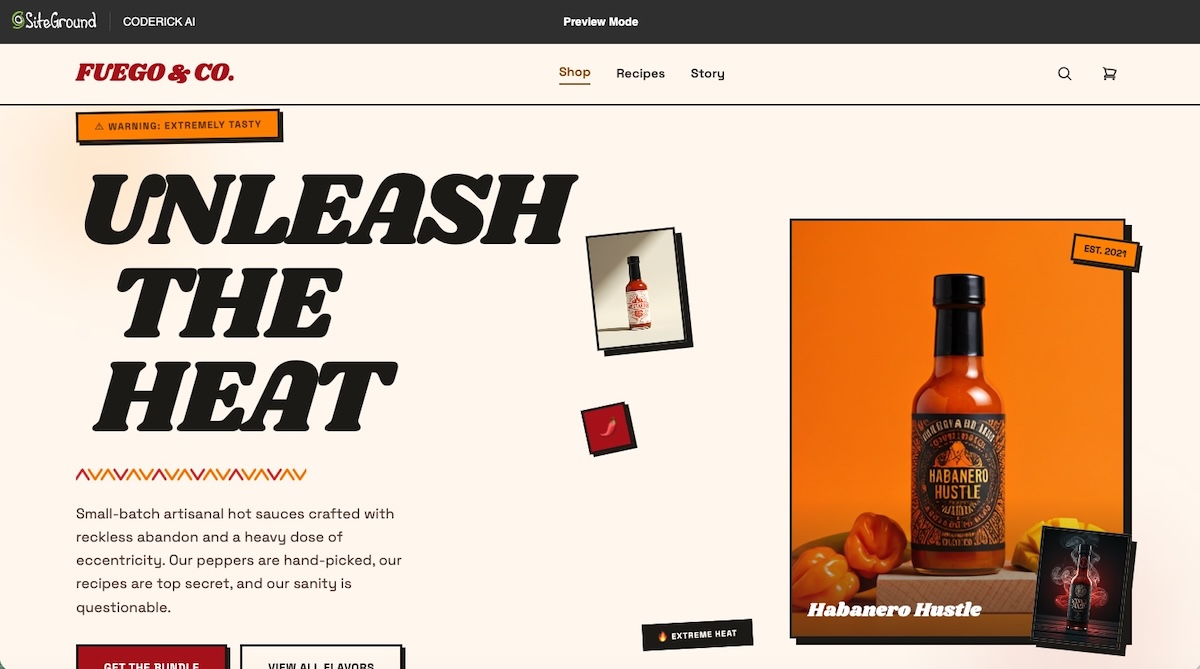
Responsive behavior on mobile, tablet, and desktop
Resize each page across the three main breakpoints and verify that the layout adapts correctly across screen sizes. Check text size, image scaling, navigation behavior, and touch target sizes on mobile.
Navigation, buttons, forms, and interactive states
Click every link, button, and menu item. Submit every form with valid data and with intentionally invalid data to test validation. Verify that every interactive element behaves as specified in the handoff brief.
Accessibility, contrast, and readable typography
Check text contrast ratios against WCAG 2.1 AA requirements as part of good accessible web design practice. Verify that all images have descriptive alt text. Test keyboard navigation for users who do not use a mouse.
Page speed, image optimization, and layout stability
Run a Lighthouse or PageSpeed Insights audit on the homepage and the highest-traffic page. Check that images are compressed, served in a modern format, and use lazy loading so they only load when needed. Look for cumulative layout shift caused by images loading without defined dimensions, and confirm that browser caching is enabled.
If you built with Coderick AI, most of this is handled automatically. Images are optimized out of the box, and SiteGround’s infrastructure takes care of caching, CDN, and server response time without any manual configuration needed.
Custom domain, SSL, metadata, and indexability
Confirm the custom domain resolves correctly. Verify the SSL certificate is active and that all pages serve over HTTPS. Check that each page has a unique title tag and meta description matching the approved metadata. Confirm the site is not blocked from indexing by a robots.txt directive left over from staging.
Related workflows: Claude Artifact and Claude Design
This article focuses on Google Stitch designs. If your starting point is an interactive prototype inside Claude, use the Claude Artifact workflow. If your starting point is Anthropic’s design workflow, use the Claude Design workflow to turn it into a website. The production logic is similar, but the source asset and handoff details are different.
Start building from your Google Stitch design today
A finished Google Stitch design is the production blueprint, not the finished website. Once the vision is defined, the screens are approved, and the handoff brief is ready, the only thing left is to turn that Google Stitch design into a real website.
Coderick AI provides the managed path from an approved Google Stitch design direction to a live, hosted, maintainable website or web app. Bring your complete Stitch package into Coderick AI, build on SiteGround’s infrastructure, and publish without manual deployment steps.
[96]
FAQs about turning Google Stitch designs into a website
Yes. A Google Stitch design can become a real website once the UI direction, page structure, copy, and functionality requirements are documented. The next step is production: hosting, SSL, custom domain setup, responsive testing, SEO metadata, and ongoing maintenance. Coderick AI can support this stage as a managed handoff and publishing path.
A Project PRD, or Product Requirements Document, defines the vision, goals, audience, pages, and brand direction of your project. You generate it in Stitch by describing your project and explicitly asking for one before design work begins.
You do not need it to use Stitch, but if you are handing the project to a builder, it gives them the strategic context the handoff brief alone cannot provide.
Google Stitch is an AI UI design and prototyping tool, not a website hosting platform. According to Google, Stitch generates UIs for mobile and web applications. The production website still requires publishing, hosting, domain setup, SSL, and maintenance through a separate workflow.
Coderick AI fits after the Google Stitch design is approved and the full package is ready: the project brief, the handoff brief, and the exported screen files. Bring that package into Coderick AI and build and publish the live website or web app in a managed environment on SiteGround’s hosting infrastructure.
Coderick AI does not import external design files or project folders directly, but it does accept both text prompts and image uploads. The optimal path is to bring the complete package into your initial prompt: the project brief, the handoff brief, the exported screen images, and the operational requirements. Together these give Coderick AI everything it needs to build accurately from the approved design direction.
The full package has three layers: the project brief covering vision, goals, and audience; the handoff brief covering colors, typography, spacing, and component specs; and the exported screen files. On top of that, add the operational requirements: form fields, button actions, backend needs, SEO metadata, and domain requirements.
Use Claude Code when you need developer-level control: repository ownership, raw code access, custom integrations, test suites, or a GitHub-based deployment workflow. Use Coderick AI when you want to go from an approved Google Stitch design to a managed, hosted website without handling server setup, deployment, or infrastructure tasks manually. If Claude Code feels too technical for the site you want to launch, Claude Code alternatives for beginners can help you choose a simpler starting point.
After the handoff, Coderick AI helps turn the approved Google Stitch design direction into a live website or web app. It supports building, editing, publishing, hosting, custom domains, responsive design, backend features, security, version control, and ongoing updates within a single managed environment on SiteGround’s infrastructure.
A Google Stitch design is a visual prototype, not a hosted website with a domain. To use a branded domain, the design needs to move into a production path. Coderick AI supports custom domain connections with hosting and SSL provided through SiteGround.
Start in Google Stitch with a project brief, design the UI, then generate the handoff brief before exporting everything as a complete package. Hand that package to Coderick AI as the managed production path. The entire process avoids manual server setup, DNS configuration, SSL management, deployment pipelines, backend setup, and ongoing maintenance tasks.