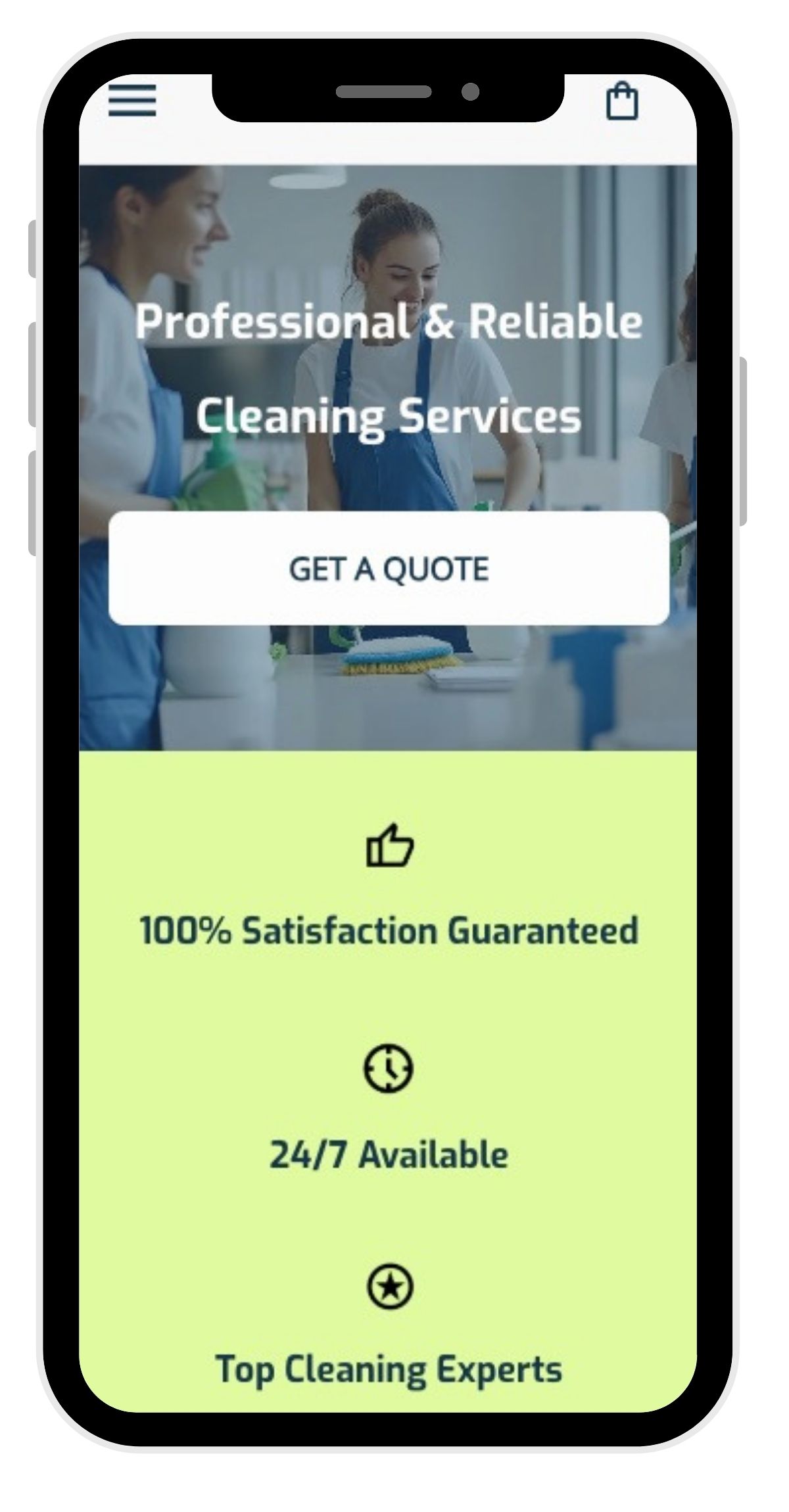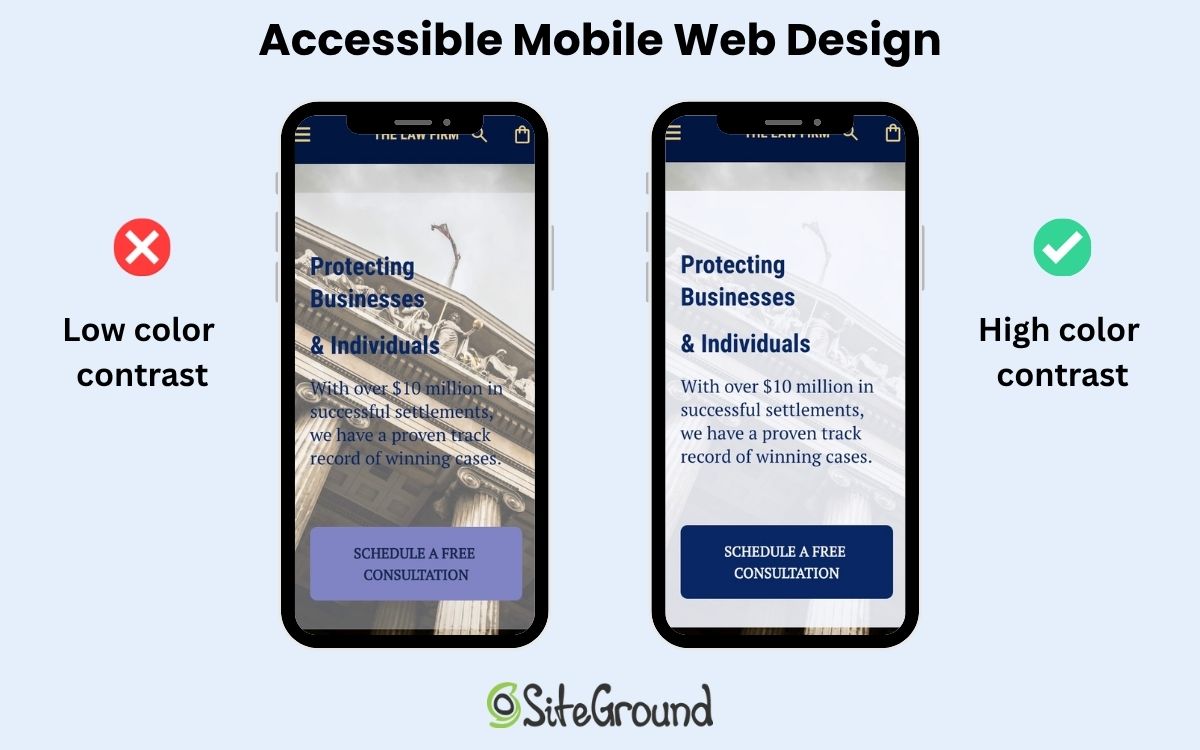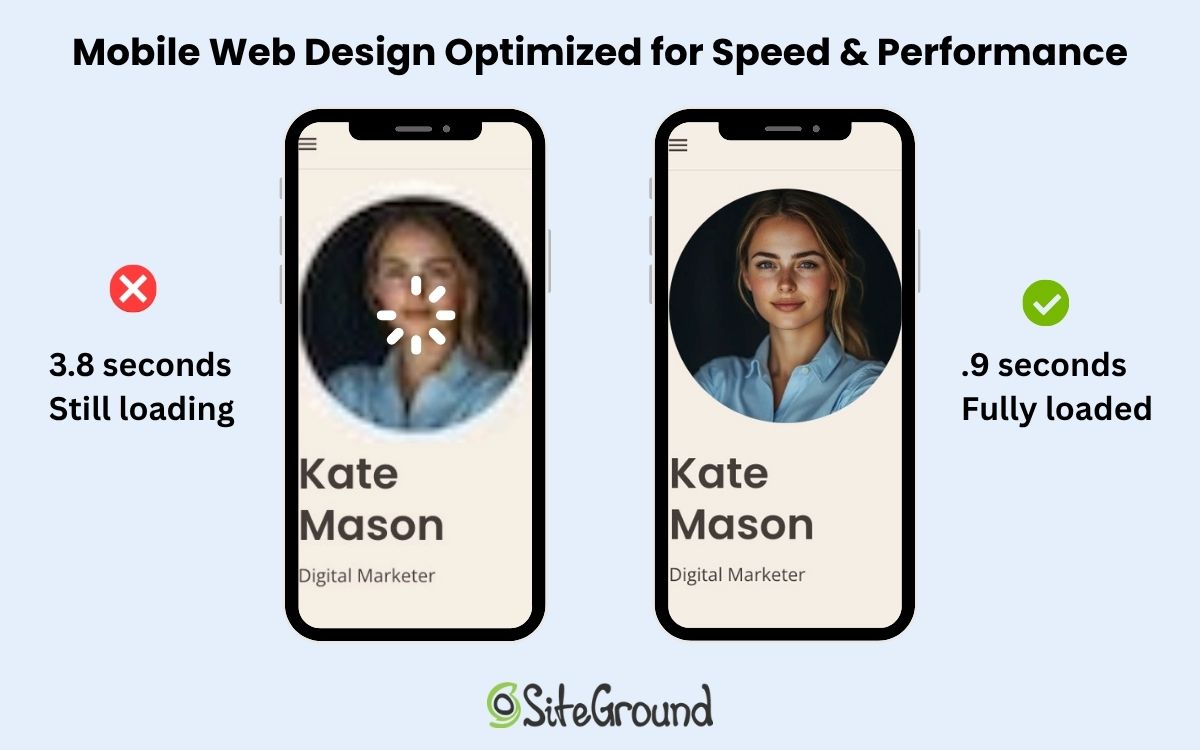
Website marketing in the AI era: a guide for the small business owner

abstract of website marketing

You built a website. You were pretty pleased with a job well done. And then…you waited. For the visitors. The orders. The inquiries. The love.

Crickets.

Alas, a website without marketing is like a storefront in the middle of the ocean. Beautiful, possibly. Discoverable, not so much. Website marketing is what puts your business on the map, and in 2026, that map has gotten a lot more interesting.

You can still count on core tactics like SEO, content, social media, email, and paid ads. The new wrinkle is that AI tools like ChatGPT, Perplexity, and Google AI Overviews are changing how customers find businesses in the first place. Most small businesses aren’t prepared for that shift. After reading this, you will be.

Key takeaways:

  • A website without marketing won’t generate traffic — you need intentional channels to get found.
  • The core channels still matter: SEO, content, social media, email, and paid ads each play a distinct role.
  • The most effective strategies combine channels so they reinforce each other and build momentum over time.
  • SEO fundamentals — clear titles, structured content, and relevant keywords — are the foundation of visibility.
  • Email marketing is one of the most reliable long-term assets a small business can build.
  • AI search is reshaping discovery, but businesses that do the fundamentals well are already positioning themselves to benefit.

What is website marketing?

Website marketing is every tactic you use to attract visitors to your website and turn them into customers. That includes showing up in Google search, sharing content on social media, sending emails to your list, running paid ads, and, increasingly, getting recommended by AI tools when someone asks for exactly what you offer.

For small businesses, it matters more than ever. You’re not competing just on product or price; you’re competing for attention (and even more so with the launch of ChatGPT ads). People have more options and less patience. If they can’t find you quickly and trust you fast, they move on.

The landscape has also shifted in a meaningful way. It used to be that web marketing was about driving clicks. Now it’s about earning recommendations — from search engines, from social platforms, and from AI tools that are becoming the first stop for millions of people looking for answers (and businesses like yours). We can work with this, so let’s.

Website marketing channels: your core toolkit

No single channel does everything. The businesses that grow consistently are the ones that smartly use several channels together, each one reinforcing the others. Here’s what’s in the toolkit.

1. Search engine optimization

Search engine optimization (SEO) is the practice of making your website easy for search engines to find, understand, and recommend to the right people. When someone searches for “best bakery in Austin” or “how to fix a leaky faucet,” SEO is what determines whether your business shows up.

The SEO basics start on your own pages:

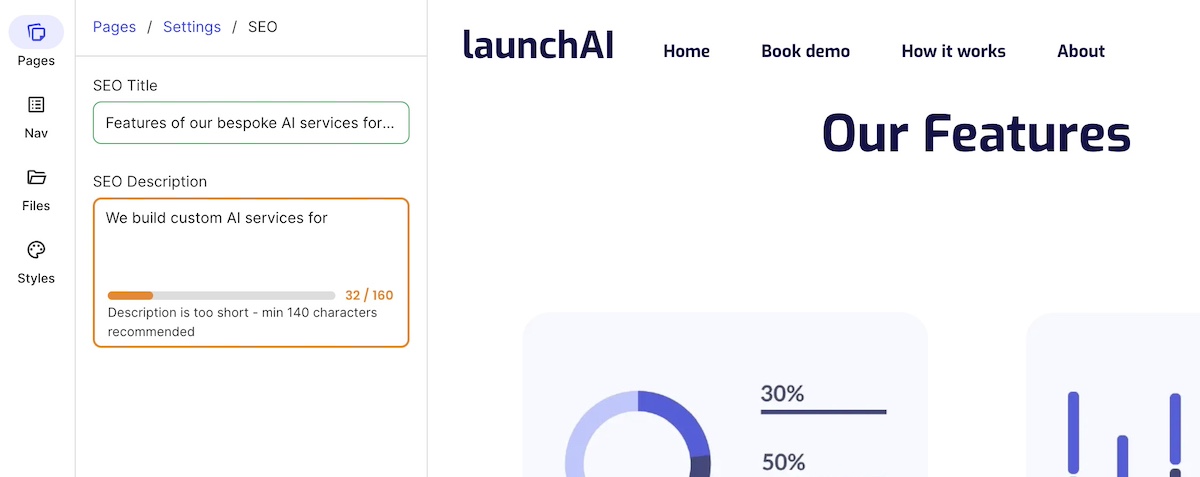
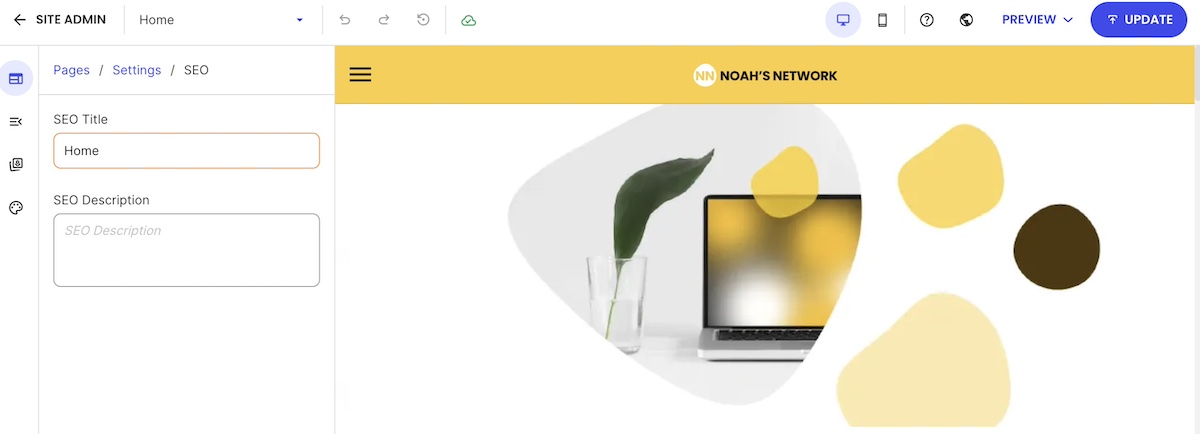
  • Title tags, (often called meta titles) tell search engines and searchers what each page is about. If you’ve never set one, your page might be showing up as something deeply unhelpful, like the name of the template you used. Gulp. A good title tag is specific, includes a relevant keyword, and stays under 60 characters so it doesn’t get cut off. Usually you can set them in your website platform —  if you’re using the SiteGround Website Builder, for example, adding your meta title is super easy.
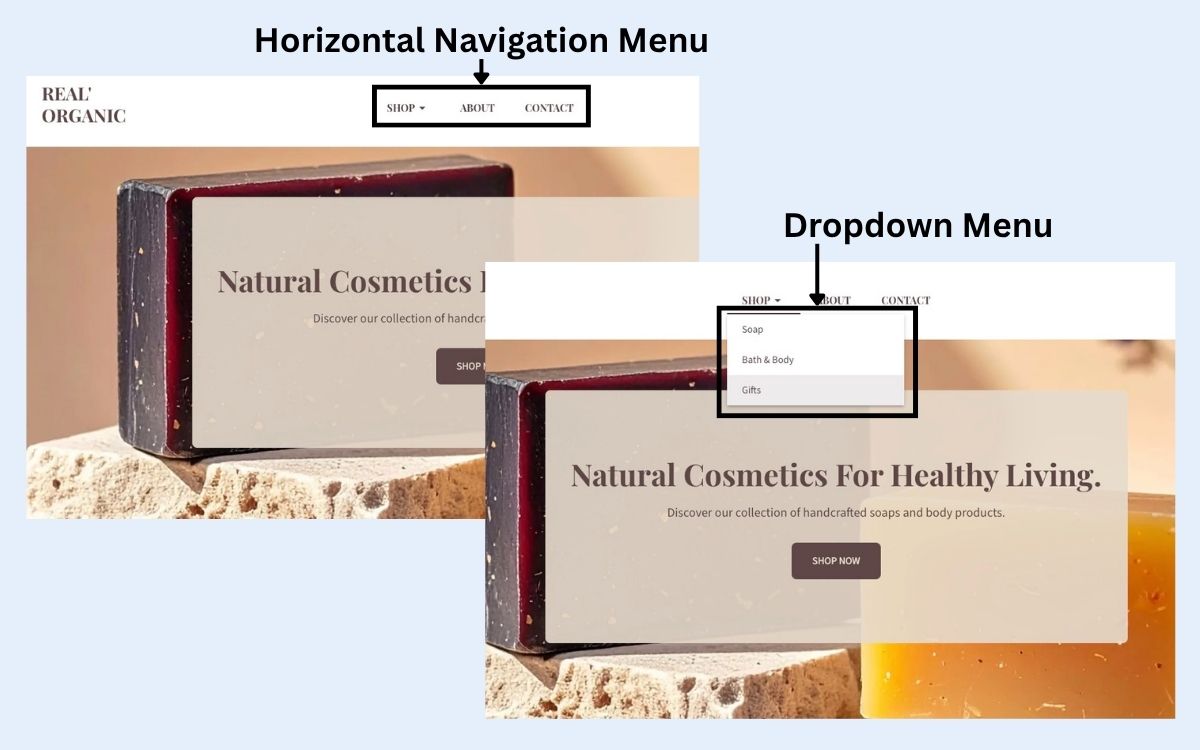
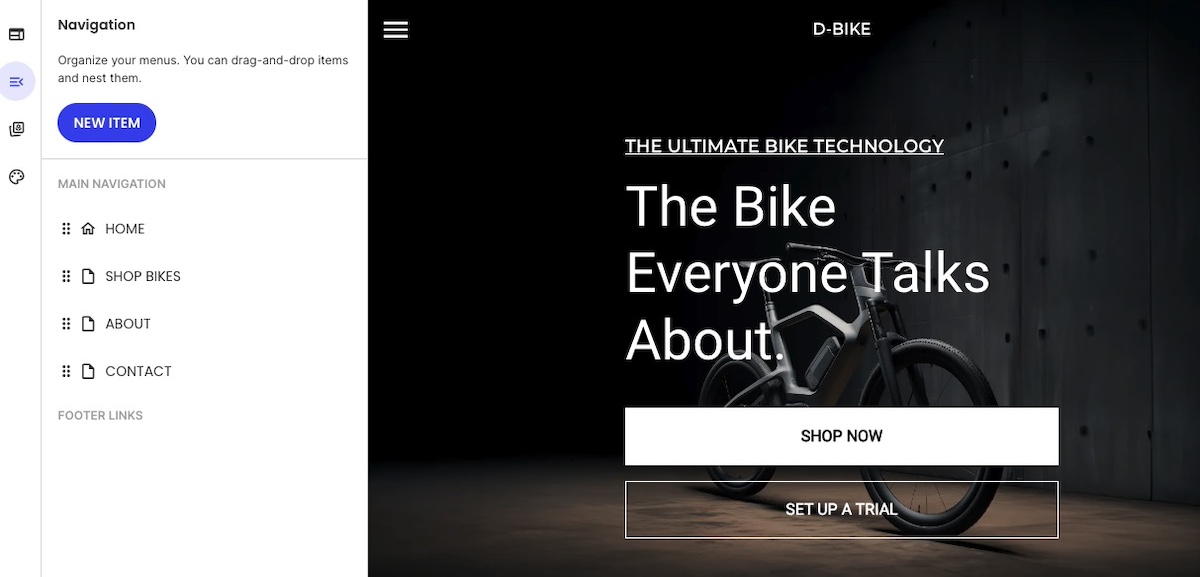
  • Headers (H1, H2, H3) organize your content the way a good outline would. Your H1 is the main title of the page; H2s and H3s are the subheadings underneath. In most website builders and CMS platforms, you set heading tags by highlighting your text and selecting the heading level from a dropdown or toolbar (as seen below). Search engines read these to understand what your page covers, so they should describe your content clearly rather than be clever for the sake of it.
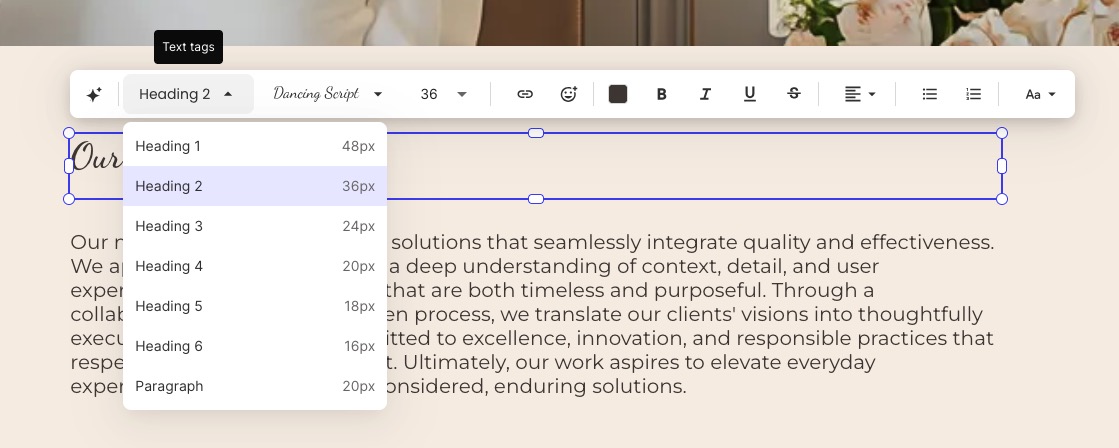
Example demonstrating how to change the header tags in a website builder
  • Keywords are the words and phrases your customers actually type into search engines. Think about what someone would search if they needed exactly what you offer — “emergency plumber Chicago” or “custom wedding invitations” — and make sure that language appears naturally in your titles, headers, and page copy. The goal is to match how your customers talk, not how you describe yourself internally.
  • Content makes up the actual words on your pages. It should answer the questions your customers are asking. The more directly and clearly you do that, the better your chances of showing up when it matters.

These are the basics, but to really tackle SEO thoroughly (especially tasks like keyword research) consider making an SEO checklist. The bonus: the same fundamentals that help you rank on Google are increasingly what help AI tools find and recommend you. We’ll come back to that.

Already set up for SEO, right out of the box

SiteGround’s Website Builder takes care of the technical SEO fundamentals automatically — title tags, sitemaps, SSL, and mobile optimization — so you’re starting from a solid foundation without any setup headaches. It’s designed for business owners, not developers: an intuitive interface, professional templates, and built-in tools that mean you spend less time figuring out your website and more time running your business.

Start building your website now >>

2. Content marketing

Content marketing means creating useful, interesting material that attracts people who are already looking for what you do. Think guides, FAQs, how-tos, articles — anything that answers a real question your customers are asking.

A plumber who publishes “5 signs your water heater is about to give up” isn’t just being helpful. They’re getting found by homeowners at the exact moment those homeowners are worried about their water heater. That’s not a coincidence. That’s good marketing at work.

For small businesses, the formats that work hardest are:

  • Articles and guides that answer common customer questions
  • How-to guides related to your product or service area
  • FAQ pages that cover what people actually ask before buying

Content that answers real questions doesn’t just rank on Google; it’s exactly the kind of material AI tools pull from when they’re generating answers for users. More on that shortly.
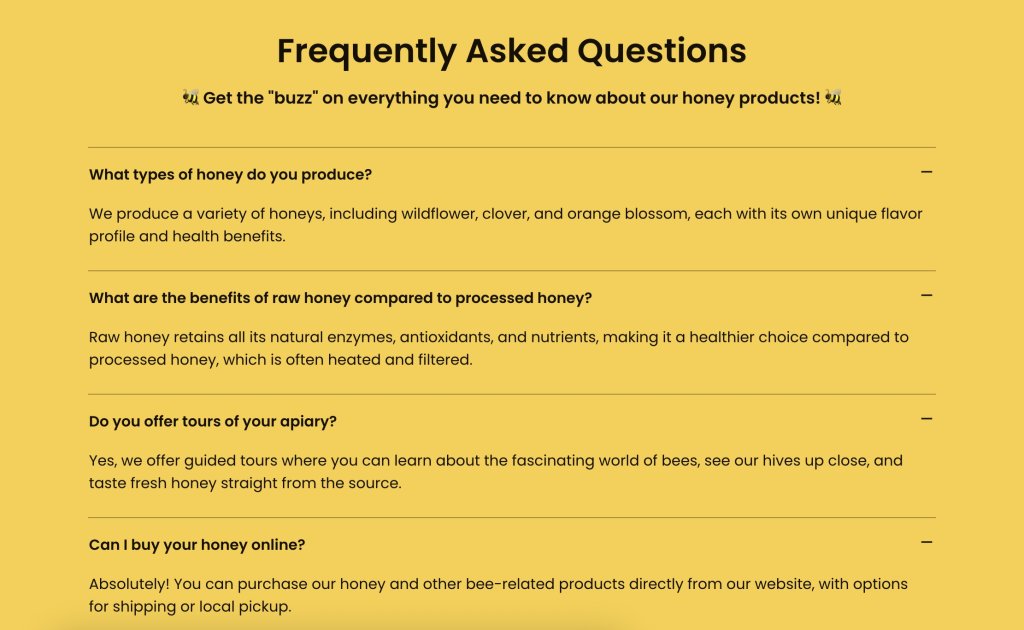
Sample FAQs and what they look like when done well

3. Social media marketing

Social media marketing won’t replace your website, but it feeds it. Platforms like Instagram, Facebook, LinkedIn, and TikTok are where you build awareness, show personality, and give people a reason to click through.

Not every platform makes sense for every business. A B2B consultant might tap into LinkedIn, whereas a boutique florist might invest time in Instagram marketing, because indeed each has very different target audiences living in very different places online. The key is picking one or two platforms where your customers actually spend time and showing up there consistently.

Social presence also signals credibility to AI tools. When your business is mentioned, tagged, and discussed across the web (not just on your own site) it builds the kind of authority that gets you recommended.

4. Email marketing

Email is the channel that doesn’t play by anyone else’s rules other than yours. No algorithm decides whether your subscribers see your message. No platform change can wipe out your list overnight. It all belongs to you.

Here’s how to get started:

  1. Pick an email platform. You need somewhere to collect addresses and send email marketing campaigns. Look for something simple with templates, a sign-up form builder, and basic analytics. 
  2. Create a reason to sign up. Often called a lead magnet, this is the thing you offer in exchange for someone’s email address. A first-purchase discount, a helpful guide, a free resource, early access to a sale — whatever makes sense for your target audience. Add the sign-up form to your website, ideally somewhere it’s easy to spot.
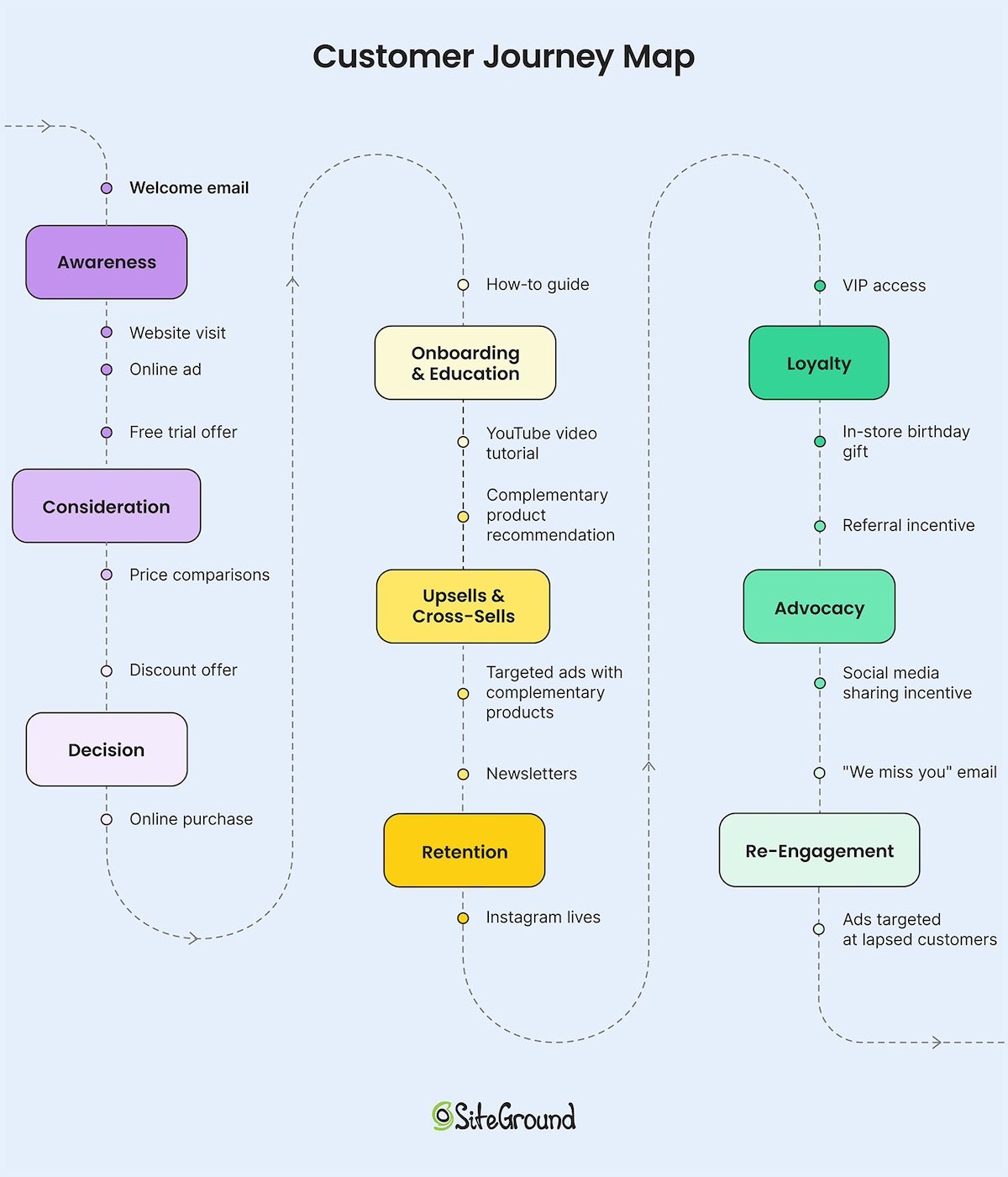
  3. Send something. A welcome email when someone joins, a monthly newsletter, a promotion when you have one. The bar isn’t perfection — it’s consistency. Paying attention to the email customer journey will help you figure out what to say and when.

Building an email list takes time, but it compounds. A hundred engaged subscribers who actually want to hear from you will outperform thousands of social followers who scroll past your posts.
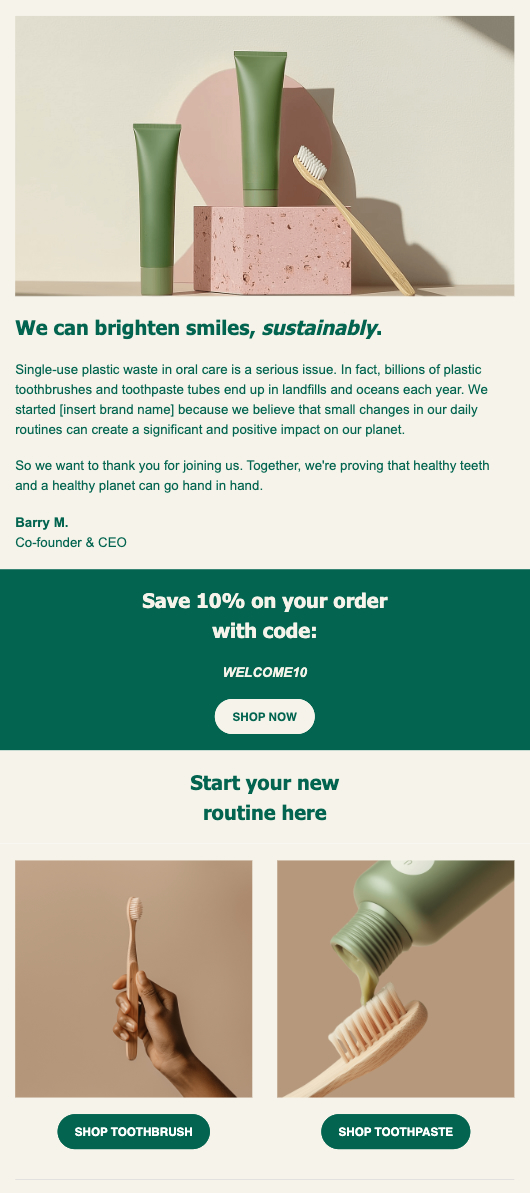
Example of an email marketing message

Try SiteGround Email Marketing
Built for small businesses that want professional results without the complexity. Design campaigns, grow your list, and track performance — all from the same place you manage your website. No steep learning curve, no enterprise price tag.

Get started with SiteGround Email Marketing →

5. Paid advertising (PPC)

Organic growth takes time. Paid advertising — Google Ads, Meta ads, and similar platforms — gets you in front of people immediately. You’re essentially paying to skip the line.

For small businesses, paid ads make the most sense when:

  • You need visibility fast (new launch, seasonal push)
  • You have a specific offer with a clear return
  • You’ve already defined your marketing mix and validated it

Paid isn’t a substitute for organic. But as part of a balanced strategy, it can fill gaps while your longer-term digital marketing efforts build momentum.

The new channel every small business needs to understand: AI search

Something has been quietly (or perhaps not so quietly!) shifting in how people find both information and businesses. Tools like ChatGPT, Claude, and Google AI Overviews don’t just return a list of links. They read across the web, synthesize information, and hand users an answer.
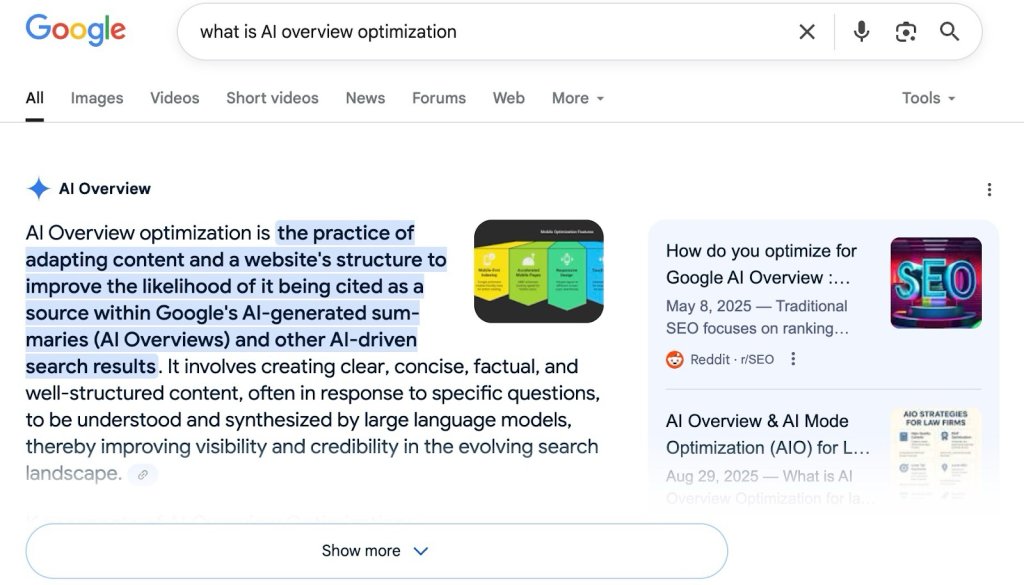
Example of an AI Overview in Google search

Instead of “search and click,” it’s “ask and get told.”

Someone used to Google “best accountant for freelancers in Denver” and scroll through results. Now they might ask ChatGPT the same question and get a direct recommendation — maybe with a name, a reason why, and a link. If your business isn’t part of that answer, you don’t exist in that moment. 

AI has changed marketing for small businesses, and it’s necessary to adapt. Because being recommended by AI is becoming as valuable as ranking on page one of Google. And the businesses positioning for it now have a head start.

The genuinely good news: AI tools don’t require a completely different online marketing strategy. They favor businesses that do the fundamentals well — authoritative content, clear expertise, mentions across credible sources. The same SEO checklist that helps you rank on Google is also feeding your AI visibility. SEO and AI work together, so you’re not starting over. You’re building on what you already have (or are building toward).

How to get your business recommended by AI tools

Check if AI is already finding you

This takes a tiny chunk of time and is a great starting point, because you can’t improve what you don’t know.

Step 1: Search for yourself like a customer would. Open ChatGPT, Claude, Google (for AI Overviews), and any others you use. Search using natural, conversational language — the way a real customer would ask. Something like “who offers the best [your service] in [your city]?” or “where can I buy [your product] near [your location]?”

Step 2: Record what you find. In a simple spreadsheet, note the query, the platform, whether your business appeared, and who else showed up. Aim for 10 or so queries that matter to your business.

Step 3: Understand the gap. Not showing up? Look at who is, and what their content looks like. That gap tells you where to focus your content and authority-building efforts. Already showing up? Note which topics are earning you citations. Those are the subjects to build on: create supporting content around them, add FAQ sections, and make sure those pages have clear Q&A formatting so AI has even more to cite.

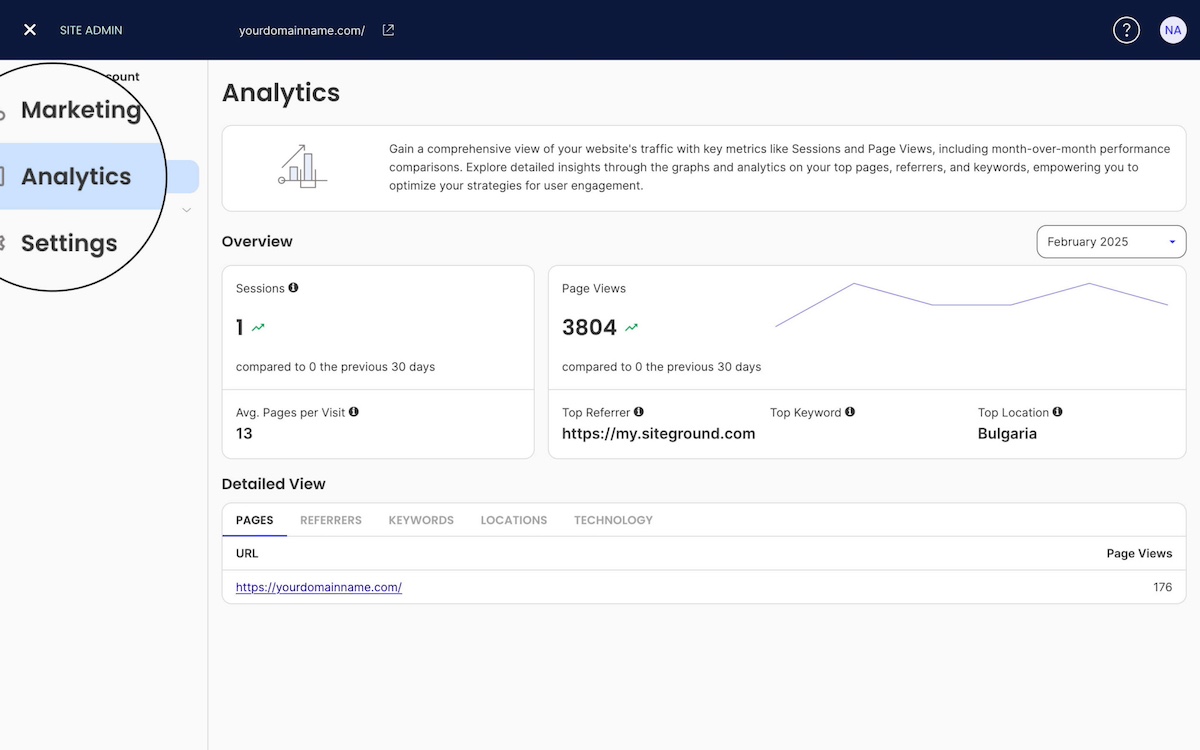
Step 4: Some AI tools pass referral data that shows up in Google Analytics 4 (GA4), though not all do. Traffic from certain tools may appear as direct traffic instead. It’s still worth checking monthly.

Here’s how:

  1. Log in to Google Analytics 4.
  2. In the left-hand menu, click Reports.
  3. Go to Acquisition → Traffic acquisition.
  4. Look at the Source/Medium column.
  5. Scan for referrals from AI platforms such as Perplexity or ChatGPT.

If you see them, click into the source to see which pages visitors landed on. Those landing pages are the topics AI is already associating with your business, and a strong signal to create more supporting content in that area.

Write content that AI can cite

Now you have an idea for where you should put your focus, but how to do so? AI tools pull answers from content that is clear, specific, and directly addresses real questions. To give them something to work with:

  • Write in a conversational, question-and-answer style. Instead of “Our services include X, Y, and Z,” try “What services do we offer? We specialize in X, Y, and Z for [type of customer].”
  • Make definitive statements. Vague content is hard to cite. “We’re one of the top options in the area” is easy to skip. “We offer same-day service for plumbing emergencies in the greater Phoenix area” is something an AI can actually use.
  • Aim for featured snippets on Google. A featured snippet — the answer box that appears at the top of search results — is a strong signal that your content is authoritative. AI tools and featured snippets favor the same thing: a clear, direct answer to a specific question.
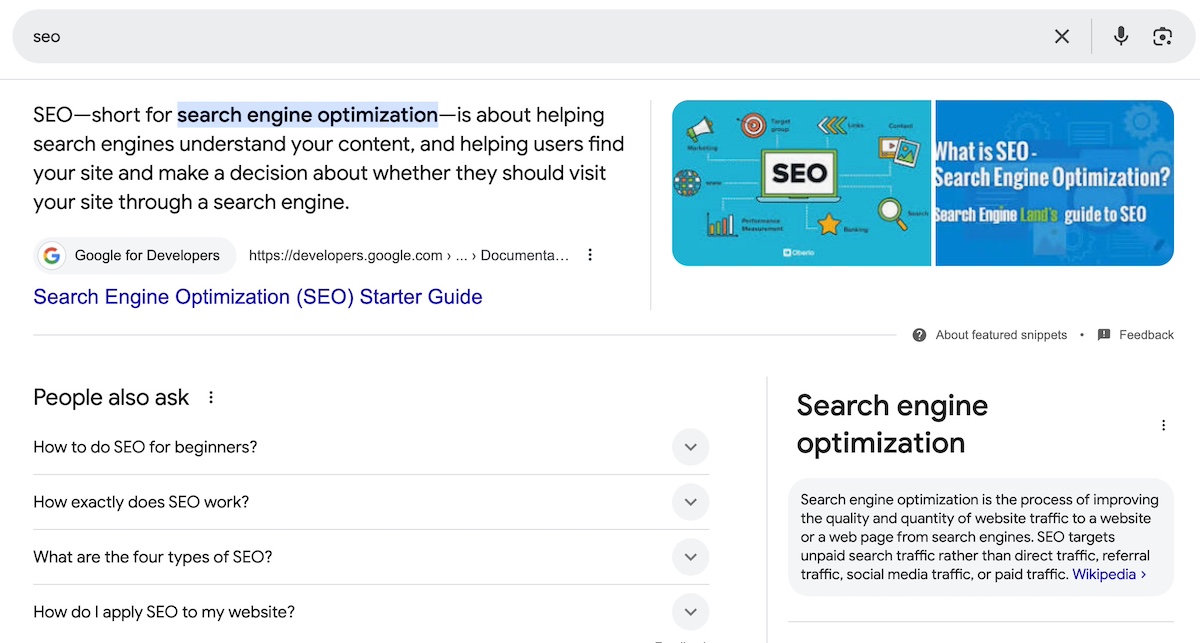
example of a featured snippet in Google search

The tactics above are a strong starting point, but there’s a whole practice dedicated to making your content more visible to AI tools specifically. It’s called generative engine optimization (GEO), and our guide breaks down exactly how it works and what steps to take.

Build authority signals across the web

AI tools don’t just look at your website. They look at what the broader web says about you. A business mentioned in local directories, customer reviews, industry publications, and reputable third-party sites is a business that looks trustworthy.

Practical ways to build this:

  • Claim and complete your Google Business Profile, like the one seen below
  • Encourage satisfied customers to leave reviews on Google, Yelp, or industry-specific platforms
  • Get listed in relevant directories and local business associations
  • Look for opportunities to be mentioned in local press, guest posts, or community sites

Each mention compounds. The more places your business appears credibly, the more authoritative you look to both search engines and to AI.
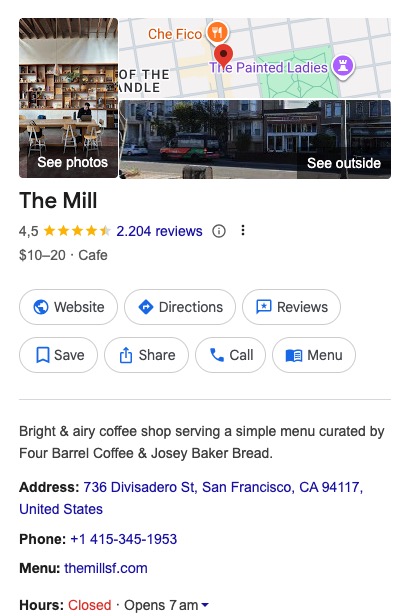
Example of a Google Business Profile as it shows up in search

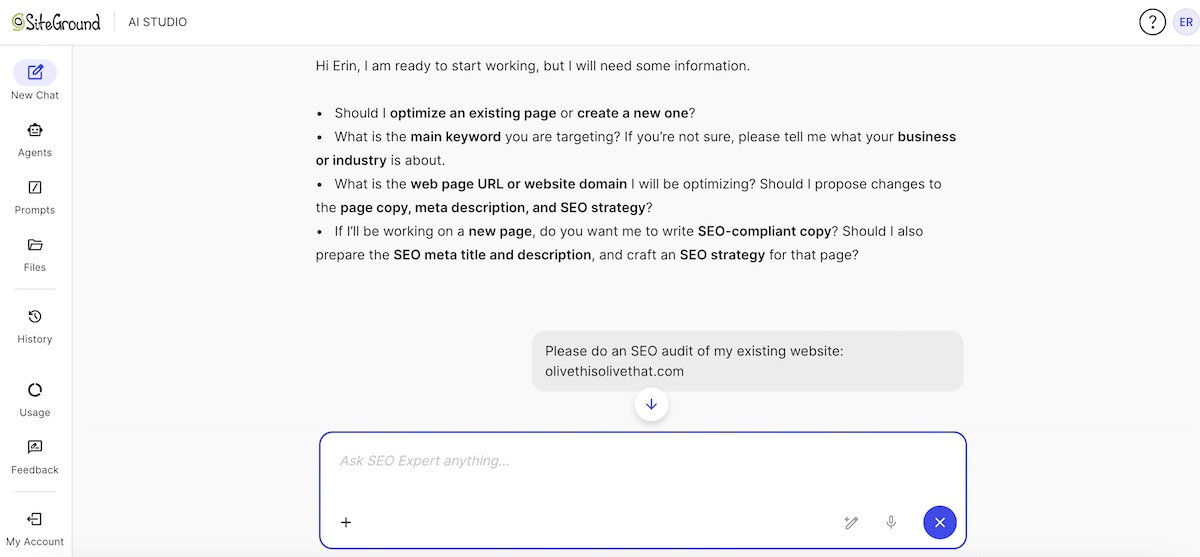
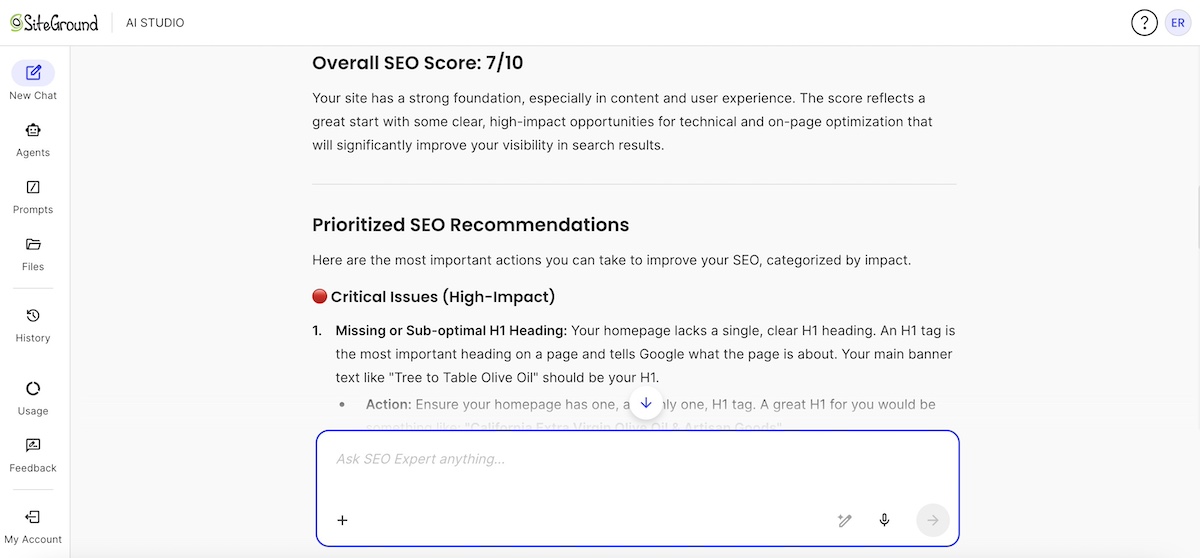
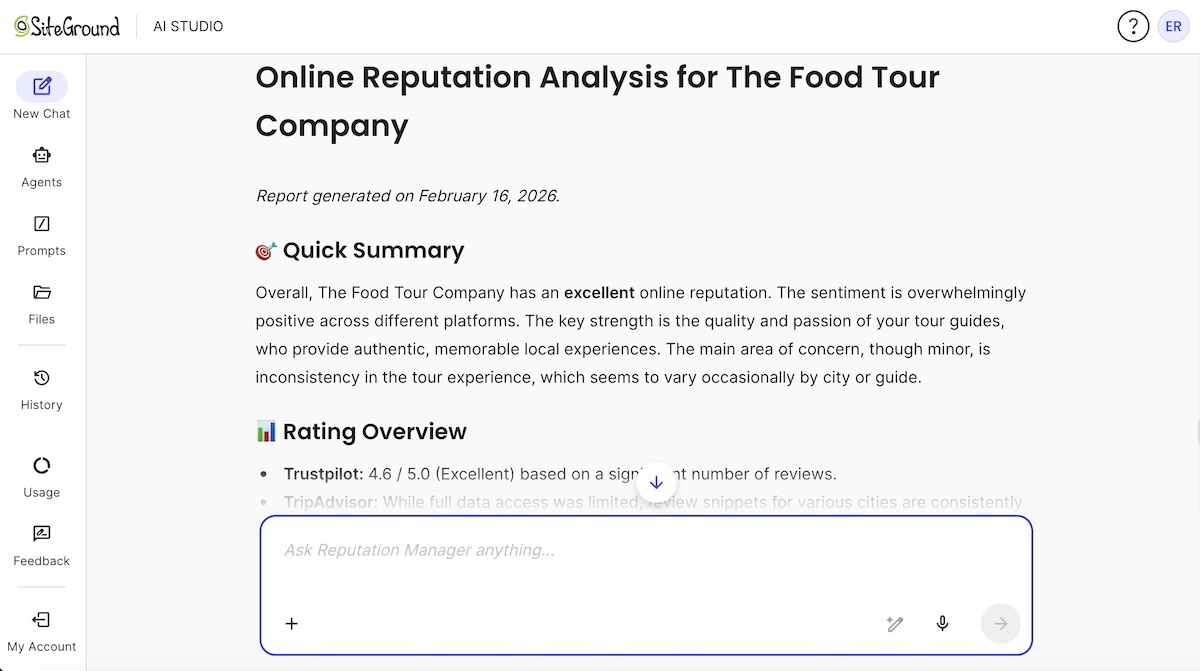
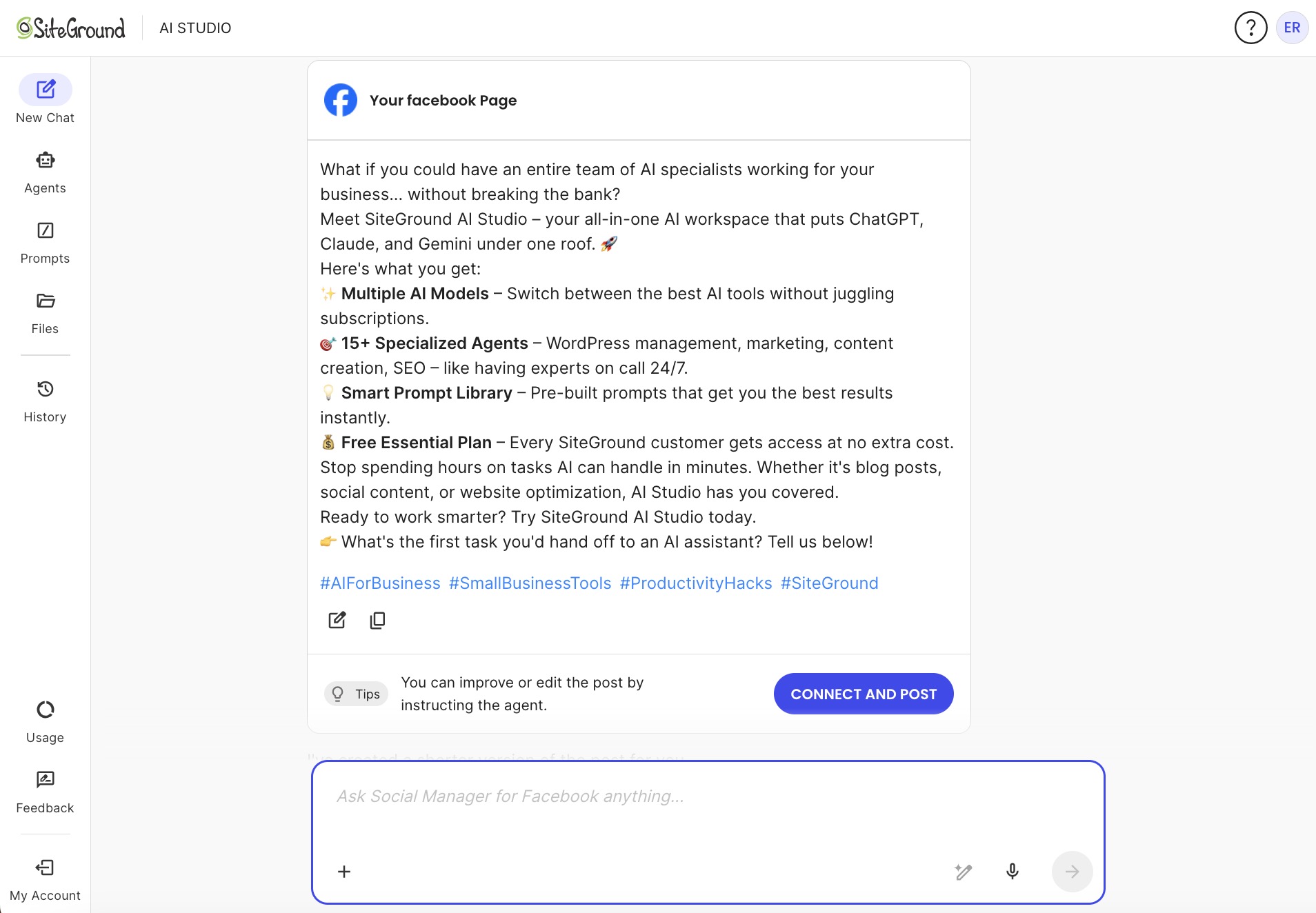
Don’t have time for PR babysitting? No problem. SiteGround’s AI agents do. If you’re a SiteGround client, you can access AI Studio, which offers loads of AI tools. And with the Plus Plan, you unlock 15+ specialized agents that can handle a surprising amount of the marketing work. Like a Reputation Manager Agent who can comb the dusty corners of the internet to get the pulse on your reputation, plus deliver action items. Or an SEO Agent who can audit your site and breakdown how best to optimize. Or an Image Agent with access to Nano Banana and other image tools so that you can create on-brand artwork in a flash. It’s the kind of output that used to require a whole team, but now it’s manageable for a team of one.

Explore AI Studio now >>

Building your website marketing strategy

You don’t have to do everything at once. In fact, trying to do everything at once is a great way to do nothing well.

Start with the channels that match your current bandwidth and budget:

  • Just getting started? Focus on SEO and one social platform (Tiktok marketing for small business can be surprisingly beneficial depending on your market). Get your pages optimized, start answering customer questions in writing, and show up consistently in one place.
  • Also add email marketing. It’s easy to set up, doesn’t cost much, and a growing subscriber list will accelerate your impact over time.
  • When you’re ready to accelerate, Layer in paid ads strategically and start preparing your content for AI visibility.

All these channels reinforce each other. An optimized website brings in organic traffic. Social shares send people to your site. New visitors join your email list. Email drives repeat visits. Good content earns mentions that build authority. Authority feeds AI recommendations. It’s a flywheel — slow to start, hard to stop.

AI visibility isn’t a separate online marketing strategy. It’s what happens when you do the other channels well, with a bit of intentional framing on top.

Put your website marketing into action

Remember that storefront in the middle of the ocean? Website marketing is what moves it to Main Street. The channels covered here — SEO, content, social, email, paid, and AI visibility — are how you get foot traffic, earn trust, and turn curious visitors into actual customers. None of it is out of reach for a small business. It just takes showing up consistently and building one layer at a time.

What it does require is a solid website underneath it all. One that’s fast, secure, mobile-responsive, and set up to be found. The SiteGround Website Builder gives you that foundation — plus built-in email marketing, AI Studio tools, ecommerce features, and expert support whenever you need it. Because you may have a tiny team, but you shouldn’t have to figure all of this out alone.

Your marketing is only as strong as the website it sends people to. Make sure yours is ready; we’re here to help make it happen.

Website marketing FAQs

What is website marketing?

Website marketing is the collection of strategies used to attract visitors to your website and convert them into customers. It includes SEO, content marketing, social media, email, paid advertising, and increasingly, visibility in AI-powered search tools.

What is the best way to market your website?

There’s no single best way — the most effective approach combines channels. For most small businesses, starting with SEO and content marketing builds a strong organic foundation, while social media and email amplify reach. Paid ads can accelerate results when you’re ready to invest.

What are the most important website marketing channels for small businesses?

SEO, content marketing, and email tend to offer the best long-term return for small businesses because they build compounding value over time. Social media builds awareness, and paid ads provide immediate visibility when needed.

Do I need a separate website marketing strategy for AI search engines?

No, not a completely separate marketing strategy. AI tools favor the same things traditional SEO does: clear, authoritative, well-structured content and credible mentions across the web. Focus on those fundamentals, and you’re already building AI visibility.

How long does website marketing take to show results?

Paid ads can show results within days. SEO and content efforts typically take three to six months to gain traction, but the results last much longer. Email marketing delivers one of the highest returns on investment, with results appearing as soon as you have a list to send to.

How much should a small business budget for website marketing?

It depends on your goals and channels. Many small businesses start with a minimal budget by focusing on organic tactics (SEO, content, social) and scale paid investment as revenue grows. Even a few hundred dollars a month in the right places can move the needle early on.

How do I know if my website marketing is working?

Track your digital marketing metrics. Google Analytics 4 shows where your traffic comes from and what visitors do on your site. Monitor organic search rankings, email open rates, and social referral traffic. For AI visibility, do monthly manual searches in ChatGPT, Perplexity, and others to see if your business is showing up.


Marketing mix strategy for first-time sellers: maximum impact with minimum budget

abstract of the marketing mix with the 4 ps

Most small business owners start marketing by doing. They post on Instagram, run a quick ad, send an email to their list. Cross fingers; hope something sticks. It’s not a bad instinct. Taking action beats waiting for a perfect plan. But without a framework connecting all those moves, you end up scattered, second-guessing yourself, and spending time (and money) in the wrong places.

That’s exactly the problem the marketing mix was designed to solve.

The marketing mix is a structured way of thinking about how you bring your product or service to market. It helps you stop guessing and start making deliberate decisions, even when your budget is tight, your team is small (or nonexistent), and your time is limited.

In this guide, you’ll learn what the marketing mix is, how each element works, and, most importantly, how to actually apply it as someone starting out with real constraints. We’ll also cover how the framework has evolved from 4 Ps to 7 Ps, and when that distinction matters for you.

Key takeaways

  • The marketing mix helps you stop guessing and build marketing that works as a system, not scattered tactics.
  • Start with the 4 Ps of marketing — Product, Price, Place, and Promotion — before adding complexity.
  • Prioritize owned marketing channels like your website and email list before investing in paid ads.
  • Focus on one or two channels you can consistently maintain instead of trying to be everywhere.
  • Test and refine continuously: sustainable growth comes from iteration, not one-time marketing campaigns.
  • Move to the 7 Ps only as your business grows and customer experience becomes more complex.

What is the marketing mix?

The marketing mix is a strategic framework that helps businesses make deliberate decisions about how to bring a product or service to market. It organizes marketing into four core elements — Product, Price, Place, and Promotion — so that every decision works together as a system rather than a set of disconnected tactics.

The concept was introduced by professor E. Jerome McCarthy in the 1960s, who organized marketing strategy into these four categories, now known as the 4 Ps of marketing. While the model has expanded over time, the original four remain the foundation every marketer — beginner or seasoned — should understand first.

For small businesses, defining the marketing mix is especially valuable because it forces clarity before spending. Rather than asking, “What should I post today?”, it asks, “What am I selling, to whom, at what price, and through which channel?” That shift in thinking can save you months of effort, never mind a lot of existential spiraling over your analytics dashboard. Once your mix is in place, it also becomes the foundation for more advanced approaches like growth marketing, but that’s a later chapter.

The 4 Ps of the marketing mix

The 4 Ps represent the pillars of basic marketing — understanding what you sell, who it’s for, where customers find you, and how you promote it. Before layering in more advanced concepts, every small business owner should have a clear answer to each of these four concepts. Think of them as the building blocks. Get these right, and everything else in your marketing becomes easier and more effective. So let’s unpack.

1. Product

Your product isn’t just what you sell. It’s the problem you solve and how you position that solution for a specific person. A product can be a physical item, a digital download, a service, or a subscription. What matters is that you can articulate what it does, who it’s for, and why it’s the right choice over the alternatives. Product clarity is the foundation of your entire mix. Get this fuzzy, and everything downstream suffers, including perhaps your will to keep going.

  • The one-sentence test: Can you describe what you sell and who it’s for in a single sentence? If it comes out murky, your marketing will too. Your pricing will feel arbitrary, your promotion will feel generic, your brand will feel scattered, and your ideal customer won’t recognize themselves in your messaging.
  • The differentiation question: What makes your product different from the next option your customer might choose? You don’t need a unique answer that no one else on earth can claim, but you do need a true and specific one.

In practice:
Nadia runs Folio & Fire, a small business selling hand-thrown ceramic planters and a companion digital guide called Roots: A Beginner’s Guide to Plant Care. When she first tried to write her Instagram bio, she couldn’t get it under four sentences. That was the signal. She went back to basics: “I make ceramic planters for plant lovers who want their home to feel intentional.” One sentence. Suddenly her website, product photos, welcome email, and packaging copy all had something to align to.

Example of the first p in the marketing mix about product and getting your message right

Like what you see? The Folio & Fire website was made in only ten minutes using SiteGround’s Coderick AI. Just a simple prompt and additional tweaking can turn out a beautiful site in no time.

Start creating with Coderick now>>

2. Price

Price is in fact more than a number. It’s actually a signal. Decades of consumer research show that people often use price as a shortcut for judging expected quality — when something is priced higher, they tend to assume it will be better before they ever experience it. So before a customer reads your description or visits your product detail page, your price is already communicating something about the quality, exclusivity, and value of what you offer. Getting it right matters more than most beginners realize.

Common mistakes to avoid:

  • Underpricing out of fear. Charging less than your product is worth might feel safe, but it attracts price-sensitive buyers, undercuts your margins, and makes your offer look less credible.
  • Copying competitors without context. Competitor pricing reflects their costs, positioning, and target customers, none of which may apply to you.

How to validate pricing with limited data:

  • Offer two or three pricing tiers and see where customers land
  • Send survey emails and ask early buyers whether price was a factor in their decision
  • Run a short A/B test on a landing page

For service providers and creators especially: raising your price often increases interest rather than reducing it, because a higher price can increase perceived value, implying expertise and seriousness that a low one undercuts.

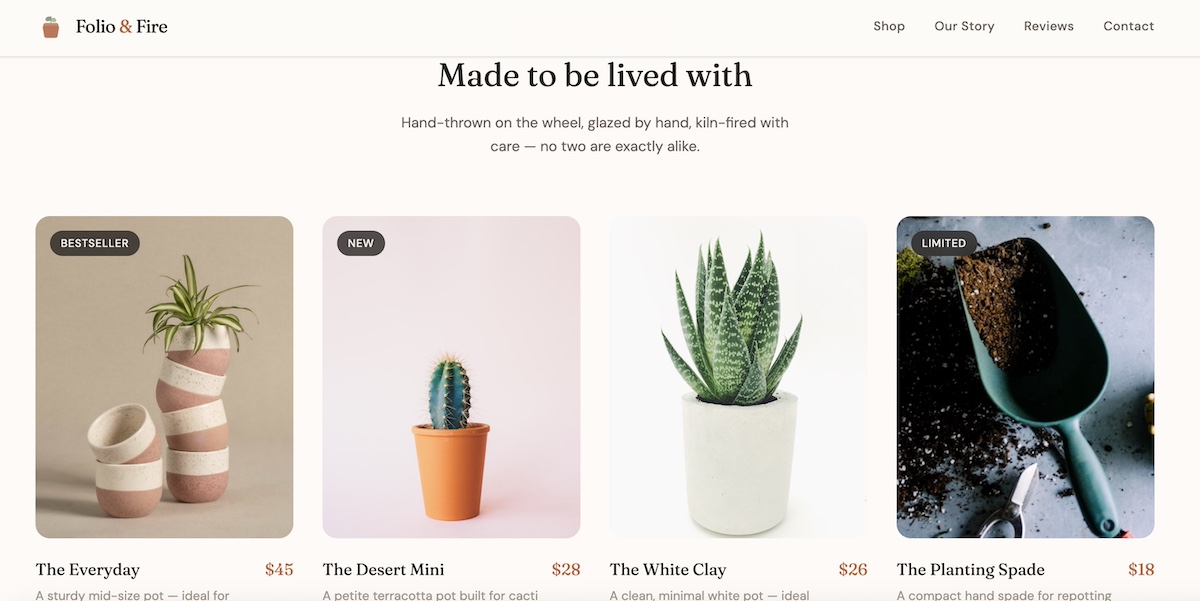
In practice: Nadia launched her planters at $18 because she was nervous. They sold, but barely. A maker friend pointed out that similar planters at a local market were going for $55 and selling out. She also had to make peace with something else: yes, someone could find a planter on Amazon for $10. But that person was never her customer. Nadia wasn’t selling a planter — she was selling something handmade, considered, and worth displaying. Pricing like the $10 option only undermined that. Nadia ran a small test: she listed three new planters at $45 and emphasized the hand-thrown, local-business process in the description. They sold faster than the $18 ones ever had. Her digital guide followed the same logic: she’d been offering it as a free download, but when she priced it at $12, people started treating it like the resource it actually was.

Example of an online shop and the second p in the marketing mix about price and getting it just right

3. Place

“Place” refers to where your target market finds you and where the transaction actually happens. In modern marketing, these touchpoints are often called distribution channels — the paths through which customers discover, evaluate, and buy from your business. 

The central question isn’t “where should I be?” It’s “where does my customer already go, and can I meet them there?” For small businesses today, that typically means some combination of a website, email list, social platforms, and online marketplaces.

Owned vs. borrowed channels

  • Owned: Your website, your email list. These belong to you and compound over time.
  • Borrowed: Your Instagram following, your TikTok audience. These live on someone else’s online platform, and are subject to algorithm changes, policy updates, and outages you can’t control. Social media marketing matters, but it’s important to keep in mind that it can be unpredictable.

It’s worth noting that organic reach on platforms like Instagram can be in the single digits as a percentage of your followers, which means most people who chose to follow you never see your content in their feed anyway.

Building an email list, on the other hand, is building an asset. Growing a follower count on a platform you don’t own is renting space, and the landlord can change the rules at any time. Grow your own email list? That makes you the landlord.

When you can’t be everywhere (which is most small businesses), prioritize the marketing channels where your target audience is most active and where you have the most control. Turns out, being really present in two places beats being kind of present in five. A strong website and a growing email list are your top go-tos.

In practice: Nadia was spread across Instagram, Pinterest, Etsy, and a website she’d barely touched. Nothing felt consistent and she was exhausted keeping up with all of it. She made a call: Instagram marketing for discovery, her own website for purchasing, and an email list for everything else. She stopped posting on Pinterest entirely. Within two months, her website traffic was up and she had 200 people on her list — people she actually owned access to, regardless of what any algorithm decided to do next.

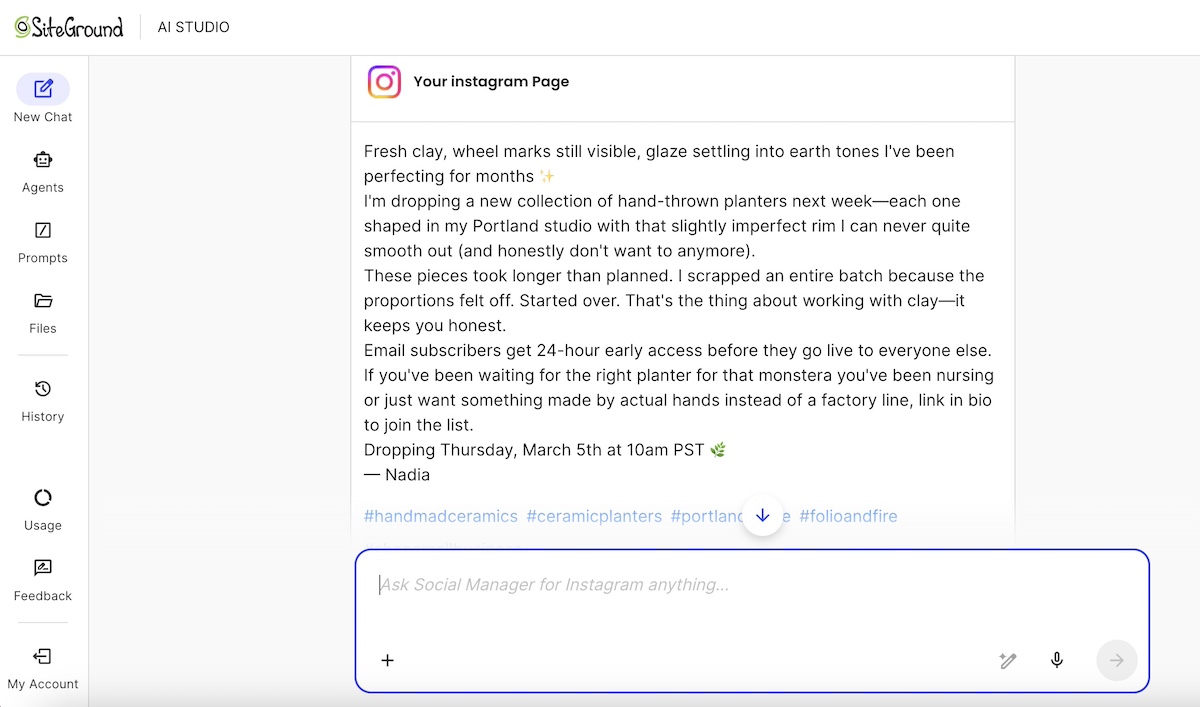
Instagram post made with a prompt and the Instagram Manager via SiteGround AI Studio

Did you know? 
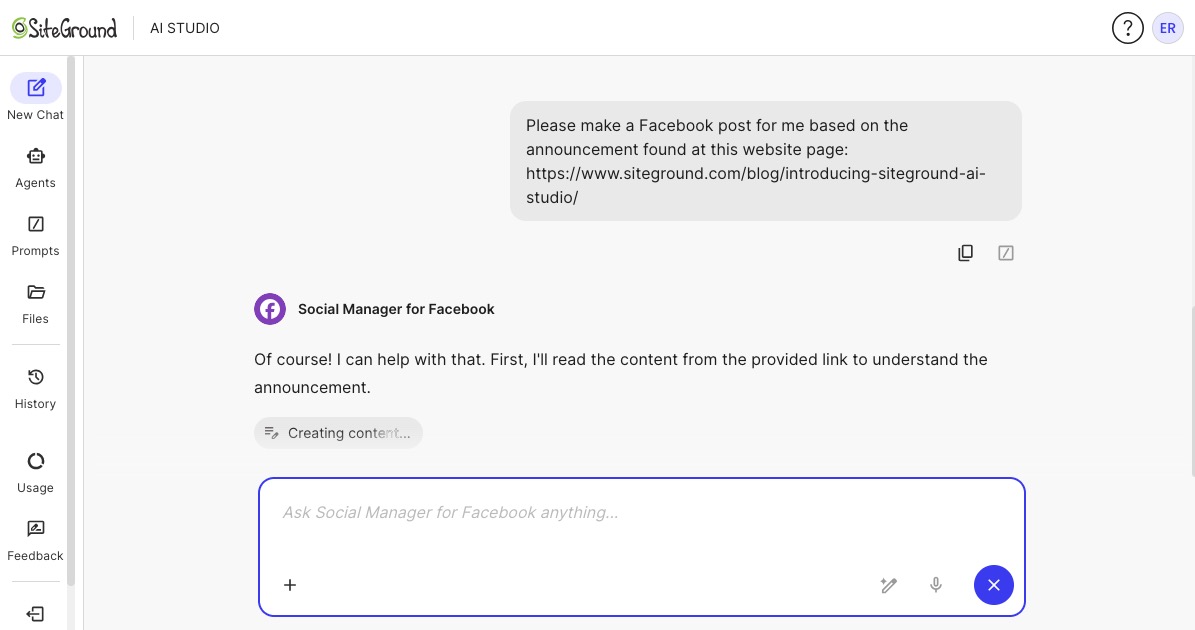
As a SiteGround client, you already have access to marketing tools available in AI Studio — and for small businesses trying to do more with less, it’s worth exploring. With the Plus plan, you unlock 15+ specialized agents that can handle a surprising amount of the marketing work on this list: a social media manager that publishes directly to your connected profiles, an email marketing agent that builds campaigns and exports them straight to SiteGround Email Marketing, and an AI image designer for banners, social posts, and more. It’s the kind of output that used to require a whole team, but now it’s manageable for a team of one.

4. Promotion

Promotion is how you communicate your offer to the right people at the right time. It’s the part of the marketing mix most people jump to first, but it works best when the other three Ps of marketing are already solid. A great sales promotion strategy can’t rescue a vague product, a wrong price, or the wrong channel.

Main promotion channels for small businesses:

  • Organic social media: low cost, slow build, algorithm-dependent
  • Content marketing and SEO: slow to start, compounds well over time
  • Paid advertising: fast results, but requires budget and ongoing spend
  • Partnerships and referrals: high trust, often underused by beginners
  • Email marketing: owned audience, high ROI, works at every stage

Why email deserves a featured spot here: Unlike social, email reaches people who already opted in to hear from you. Unlike paid ads, it doesn’t stop working the moment you stop spending. Unlike SEO, it can produce results relatively quickly even with a modest list. Plus, it consistently delivers some of the highest ROI of any marketing channel, which makes it a natural starting point when budget is limited.

This highlights an important distinction in marketing: understanding which distribution channels generate sustainable organic traffic versus where paid investment makes sense.

Free vs. paid — a realistic breakdown:

  • Free/near-free traffic to your website: Organic social, content, SEO, email marketing
  • Worth paying for once you have traction: Paid ads to amplify what’s already working organically, not as a substitute for building owned channels first

In practice: Nadia’s first promotion instinct was to run Facebook ads. Instead, she started a simple monthly email: new planter drops, a care tip for whatever plant was in season, and a link to her digital guide. It took 30 minutes to write and cost nothing. By the time she did try paid ads — six months later, with a real list and a converting website — she already knew what messaging worked, because her email subscribers had told her.

Example of the fourth p in the marketing mix about promotion via an email marketing message

Tools like SiteGround Email Marketing make it straightforward to get started with email campaigns like the one above. Build your list, design campaigns, amply your marketing communications, and track performance without needing a dedicated marketing team or a large budget. 
Start sending emails now>>

From 4 Ps to 7 Ps: when does it matter?

The 7 Ps are an extended marketing mix, building on the original framework by adding three more elements: People, Process, and Physical Evidence (sometimes called Packaging). These additions came out of the services marketing world, where the customer experience itself is part of the product. That said, they’re increasingly relevant to any business that has repeat customers and wants to grow.

  • People refers to the human side of your brand. We’re talking about your team, your customer service, and the way anyone who represents your business interacts with customers. For a solo creator or one-person shop, “people” is largely you. Your responsiveness, your tone, and your follow-through all shape how customers feel about buying from you.
  • Process is how customers experience doing business with you. This includes the entire customer journey, from how easy it is to buy, to how you onboard a new client, to how you handle fulfillment and follow-up. A smooth process reduces friction and increases repeat purchases. A clunky one creates frustration even when the product itself is great.
  • Physical Evidence (or Packaging) covers how your brand looks and feels across every touchpoint — your website, your packaging, your email templates, your invoices. Consistency here builds trust and makes your brand feel more established, even if you’re a team of one.
Example branded packaging of the fourth p physical evidence

In practice: This on-brand packaging image for Folio & Fire was made in minutes using the SiteGround AI Studio Image Agent. With a quick prompt, marketing and packaging dreams come to life. 

Explore AI Studio>>

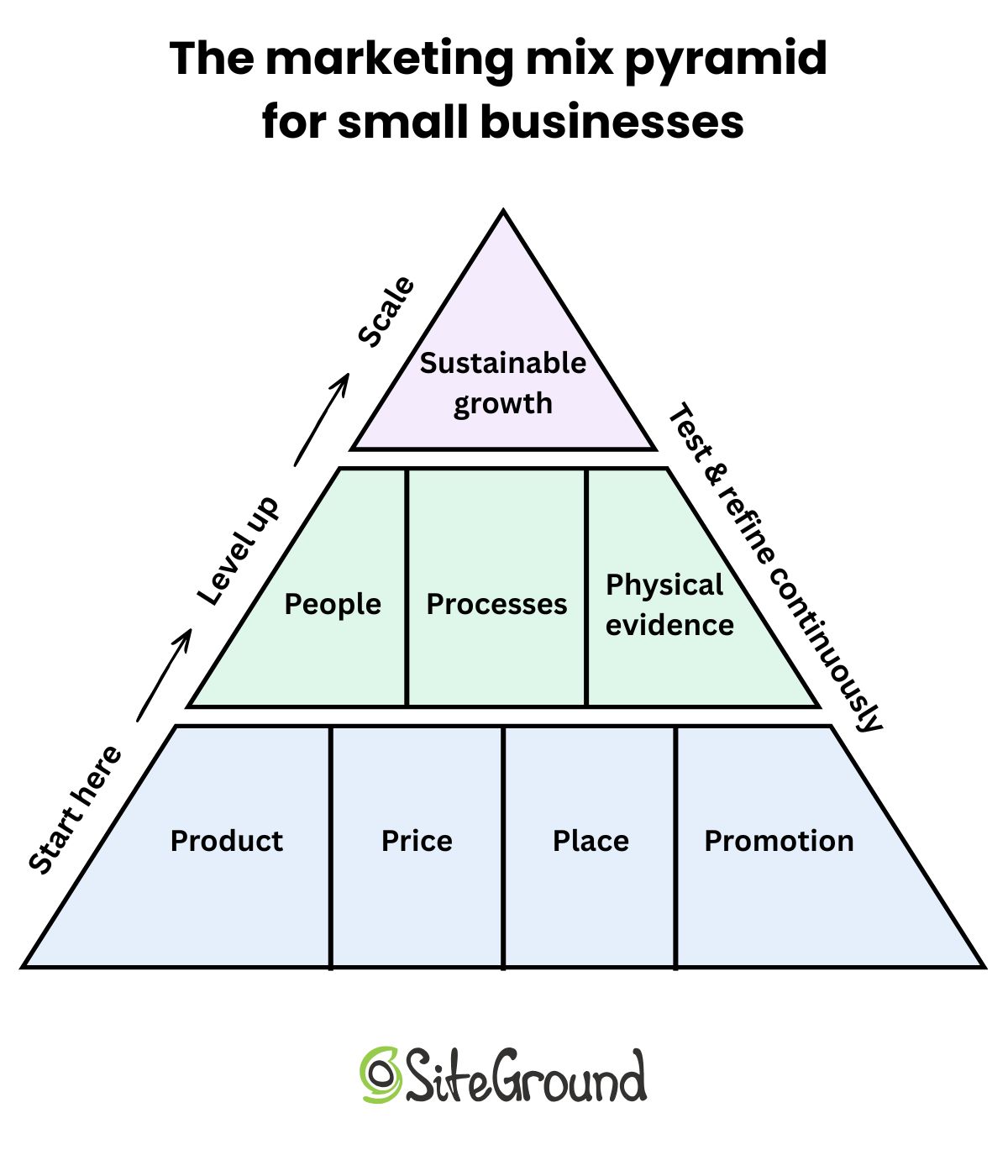
For beginners, the 7 Ps are best understood as a “level up” rather than a starting requirement. Get the 4 Ps working first. Build your offer clarity, price with intention, show up in the right place, and promote consistently. Then revisit the additional three Ps as your business grows and the customer experience becomes a more complex thing to manage.

Diagram of the marketing mix pyramid adapted for small business

How to build your own marketing mix on a small budget

Knowing the framework is one thing, but, alas, using it is another. Here’s a practical sequence for building your own marketing mix when you’re working with limited time and money.

Step 1: Audit what you already have. Before adding anything new, take stock of what exists. Can you describe your offer clearly? Do you have a website? An email list, even a small one? A social presence? Existing customers you could ask for feedback? Most beginners have more to work with than they realize — the audit just makes it visible.

Step 2: Identify your one primary promotion channel. Trying to be active on five channels at once is a reliable path to burnout and mediocre results everywhere. Pick the one channel where your target audience is most active and where you can show up consistently. That’s your primary channel for now. Everything else is secondary.

Step 3: Start with owned channels before investing in paid. Your email list and your website are assets that compound over time. Social media followings and paid ad audiences are not. Build the owned foundation first (get people onto your list, plan your website) before pouring money into channels that stop working the moment you stop paying.

Step 4: Test one thing at a time. The marketing mix is a framework for iteration and not a one-time marketing plan. Change one variable at a time (your pricing strategy, your messaging, your call to action) so you can actually learn what made a difference. Testing everything at once makes it impossible to know what worked.

Focus NowLayer In Later
Offer clarity and positioningPaid advertising
Website that convertsPartnership and affiliate programs
Email list buildingAdvanced SEO checklist and content
One primary social channelMultiple platforms and formats
Pricing validationTiered products and upsells

Common marketing mix mistakes first-timers make

Most marketing mistakes don’t happen because you chose the wrong tactic. They happen because fundamentals get neglected. Here’s a rundown of the common marketing mix mistakes to avoid:

  1. Skipping product clarity and jumping straight to promotion is the most common. If you don’t know precisely what you’re selling and who it’s for, no amount of posting or advertising will fix it. All it does is amplify the confusion.
  2. Pricing based on fear rather than value keeps a lot of small businesses stuck. Underpricing doesn’t end up coming off as humility. Instead, it’s a positioning problem that attracts the wrong customers and makes sustainable growth harder.
  3. Spreading too thin across channels is the natural result of trying to do everything at once. You end up with a mediocre presence in five places instead of a strong one in the right one.
  4. Treating sales promotion as the whole marketing strategy means neglecting product, price, and place. This is like trying to sell a house by putting up a good sign and without first checking if the plumbing even works.
  5. Ignoring email in favor of social is one of the costlier long-term mistakes. Social platforms can change their algorithms or terms of service any time they fancy. Your email list, on the other, belongs only to you. Building on rented land has real risk.
  6. Not revisiting the mix as the business evolves turns a living framework into a dusty document. Your marketing mix should change as your offer matures, your customer base grows, and your budget expands. Schedule a quarterly check-in with yourself to ask whether the mix still fits.

Your marketing mix is the strategy — start here

You started this article posting on Instagram, running a quick ad, and crossing fingers. You’re leaving it with an actual framework — and that’s not nothing. Most people skip the marketing strategy entirely, go straight to tactics, and spend the next six months wondering why nothing compounds.

So start with the basics: get clear on your product, pressure-test your pricing strategy, pick two or three channels and own them. Once those are solid, promotion gets easier and cheaper  because you’re no longer paying to send the right message to the wrong person in the wrong place. 

At that stage, owned channels matter most, and email is often the first one that truly compounds. It gives you direct access to people who already chose to hear from you, without relying on algorithms or ongoing ad spend. SiteGround Email Marketing is built for exactly this moment: when your marketing strategy is clear and you’re ready to turn attention into lasting relationships.

Then,when you’re ready to scale without hiring, AI Studio is how you multiply what you’ve built — agents that handle the execution while you stay focused on the bigger picture. The framework gave you the strategy. Now go build something.

Marketing mix FAQs

What’s the difference between the 4 Ps and 7 Ps, and which should I use?

The 4 Ps (Product, Price, Place, Promotion) are the original framework and the right starting point for most small businesses. The 7 Ps add People, Process, and Physical Evidence, which are elements that become more relevant as your business grows and the customer experience becomes more complex to manage. Start with 4. Revisit the additional 3 when your operations and team have grown enough that they matter.

What is the difference between a marketing mix and a marketing strategy?

Your marketing strategy is the big picture, such as your goals, your target market, your competitive positioning, and the direction you’re heading. Your marketing mix is the operational layer beneath that strategy, including the specific decisions about product, price, place, and promotion that bring the strategy to life. Think of the marketing strategy as where you’re going and the mix as how you’re getting there.

How do small businesses use the marketing mix?

Small businesses use the marketing mix as a decision-making framework — a way to think through each element of their offer before committing time or budget to any tactic. In practice, this means auditing your offer clarity, validating your pricing strategy, choosing the right channels for your target market, and selecting promotion methods that fit your budget and goals. It’s a tool for prioritization as much as planning.

How does the marketing mix apply to digital marketing?

The 4 Ps translate directly to digital: your product is your offer and how it’s positioned online; your price includes any free tiers, trials, or dynamic pricing; your place is your website, email list, and the platforms where your target market finds you; and your promotion includes SEO, content, email, social media, and paid advertising. The digital environment gives you more ways to test and iterate each P quickly and affordably.

How do you create a marketing mix on a limited budget?

Start by auditing what you already have (your offer, your existing channels, and your current pricing). Then choose one primary promotion channel and focus on building owned assets (your email list and website) before spending on paid channels. Test one variable at a time so you know what’s actually driving results. The marketing mix doesn’t require a big budget, but it requires clear thinking and consistent execution. If you want to multiply your output on a limited budget, SiteGround AI Studio is a great place to start.

How often should you review your marketing mix?

A quarterly review is a reasonable cadence for most small businesses. Your mix should evolve as your offer matures, your customer base grows, and your budget changes. If something in your marketing stops working (such as conversion rates drop, a channel goes quiet, pricing starts to feel off) that’s a signal to revisit sooner rather than waiting for the next scheduled check-in.

2026 SEO checklist: Get found on Google and AI search engines

Abstract of SEO checklist activites

You open Google, search for your own business, and an AI chatbot is busy recommending your competitor. This SEO checklist fixes that. It’s a practical, jargon-free guide to getting found on Google and AI search engines in 2026, no marketing degree, agency retainer, or spare weekend required. Work through it and you’ll cover more ground than most of your competitors already have.

Key takeaways:

  • You don’t need two SEO strategies. One well-structured, authoritative content and technical SEO approach works for both Google and AI search engines.
  • Rankings alone aren’t enough anymore. Zero-click searches and AI summaries mean visibility and citations matter just as much as position.
  • Structure is as important as substance. Clear headers, Q&A formatting, structured data, and quotable statements increase both rankings and AI citations.
  • E-E-A-T is non-negotiable. Demonstrating real experience, expertise, authority, and trust is now a core ranking factor — not a bonus.
  • Consistency beats complexity. A focused 90-day plan, steady content publishing, and monthly tracking will outperform sporadic bursts of effort.

Understanding the 2026 search landscape

SEO today means optimizing for Google and AI engines like ChatGPT and Perplexity. One strong content and technical SEO strategy covers both. Here’s what’s changed and why it matters.

How do traditional search and AI search differ?

Most people still think of search engine optimization as “showing up on Google.” And that’s still true: Google processes billions of searches every day, and ranking well there matters enormously. But it’s no longer the only game in town.

AI-powered search engines have entered the chat, and your customers are using them. Here’s a quick breakdown:

  • Google AI Overviews are the AI-generated summaries that now appear at the very top of many Google search results pages. They pull information from multiple sources and present a synthesized answer, often before the user ever sees a traditional blue link.
  • ChatGPT is increasingly used as a search tool, especially for questions like “what’s the best accountant for a small business in [city]?” or “how do I create an ecommerce website?” Users ask conversational questions and expect direct, authoritative answers.
  • Perplexity is a dedicated AI search engine that cites its sources directly in the answer. It’s growing fast, particularly among tech-savvy users who want depth over speed.

And these AI-powered search engines aren’t alone — Microsoft Copilot, Claude, and Meta AI are all increasingly being used the same way. The good news is that optimizing for one largely means optimizing for all of them.

Also worth nothing: optimizing for SEO and AI search are more similar than different. Both reward well-structured, authoritative, clearly written content. You won’t need to build two separate strategies but rather just one smart integrated approach covers both. And that’s what we’re tackling today.

What’s changed in SEO in 2026?

Let’s talk about what’s actually different this year, because some of it is significant.

  • Rankings no longer equal traffic. Zero-click searches (where a user finds their answer directly on the results page without clicking through) now account for nearly 60% of all Google searches. That means even if you rank #1 (congrats by the way), a large portion of searchers may never visit your site. It also means that visibility in featured snippets, AI Overviews, and knowledge panels is now just as important as your ranking position.
  • Keywords are out; search intent is in. Google (and AI engines) have become very good at understanding what someone means, not just what they typed. These days, stuffing your content with exact-match keywords is not only ineffective; it can actually hurt you. What matters now is whether your content genuinely answers the question behind the search. 
  • E-E-A-T has gone from guideline to gatekeeper. Google’s framework of Experience, Expertise, Authoritativeness, and Trustworthiness used to be a nice-to-have. In 2026, it’s a core ranking signal. If your content doesn’t demonstrate real-world expertise and credibility, it will struggle to rank — full stop.
  • Your online reputation is now an SEO signal. Reviews on Google, mentions across the web, and how people talk about your brand all feed into how search engines perceive your authority. A strong reputation isn’t just good for business; it’s good for search.
  • Search happens everywhere, not just Google. Your customers are asking questions on TikTok, Reddit, YouTube, and AI chatbots. A truly effective SEO strategy accounts for how content travels across platforms and not just how it ranks in one place. And with the launch of ChatGPT ads, the stakes have gone up. Businesses that aren’t visible in AI search aren’t just missing organic citations, but they’re potentially losing ground to competitors who are paying to appear there too.

We’ll get to the bottom of how to tackle all of these in a moment — hang tight.

What does changing search mean for small businesses?

Ok, this might feel overwhelming. But the silver lining for small businesses is pretty shiny.

To start, you definitely don’t need separate strategies for Google and AI: one well-executed content and technical SEO approach covers both. And you don’t need an agency. Many of the most impactful SEO tasks are free or low-cost, and a consistent effort over 90 days can produce meaningful results and increase traffic to your website. The businesses winning in AI search right now are often not the biggest ones; they’re the ones with the clearest, most helpful, most credible content. 

That’s an advantage you can totally build. Let’s get into it.

Your 2026 SEO checklist

1. Get started: Essential setup

Essential setup means six things: a verified Google Business Profile, Search Console, GA4, HTTPS, a checked robots.txt, and the right plugins if you’re on WordPress. Let’s break this down:

  • Claim and verify your Google Business Profile. If you have a physical location or serve customers in a specific area, this is non-negotiable. Your Google Business Profile is often the first thing someone sees when they search for your business, and it directly influences your local search visibility. Go to google.com/business and follow the verification steps.
  • Install Google Search Console and submit your xml sitemap. Search Console is free, powerful, and essential. It shows you which search queries are bringing people to your site, which pages are indexed, and any technical errors Google has found. Once installed, submit your xml sitemap so Google can find and crawl your pages efficiently.
  • Install Google Analytics 4 (GA4). Where Search Console tells you about your search visibility, GA4 tells you what people do once they arrive on your site. Together, they give you the full picture. Set it up before you start any optimization work so you have a baseline to compare against.
  • Set up SSL (HTTPS). If your site still shows “http://” rather than “https://”, you have a problem. Google uses HTTPS as a ranking signal, and browsers actively warn users that non-secure sites are unsafe. Get this sorted before anything else.
  • Check your robots.txt file. This file tells search engine crawlers which parts of your site to index and which to ignore. If you’re on WordPress, use Google Search Console’s URL Inspection tool to verify it’s configured correctly. If you’re on SiteGround, this is handled for you.
  • Install plugins (if on WordPress). An SEO plugin can handle sitemap generation, meta tags, and technical flags without touching any code. Add a performance plugin like SiteGround Speed Optimizer to keep your site fast.

Already on SiteGround? Most of this section is handled for you.

SiteGround’s Website Builder and Ecommerce automatically generate and update your xml sitemap every 24 hours, handle SSL, manage your robots.txt, and integrate with Google Analytics without any code. Your ecommerce dashboard also includes built-in sales and product analytics, so you get the full picture alongside Search Console and GA4, all in one place. Skip the setup headaches and get straight to growing.

 Get started with the SiteGround Website Builder →

2. Do keyword research & content planning for SEO & AI

Keyword research in 2026 is a digital marketing exercise that means finding both what people type into Google and what they ask AI chatbots directly, then matching content to each search’s intent.

Finding relevant keywords that work everywhere

  • Lean into long-tail keywords. These are longer, more specific search phrases (think “best accounting software for freelance photographers” rather than “accounting software”). Long-tail keywords have lower search volume but higher search intent, meaning the people searching them are closer to making a decision. They’re also less competitive, which is a genuine advantage for growing small businesses going up against bigger brands.
  • Prioritize question-based keywords. Questions like “how do I,” “what is the best,” and “should I use” are gold for both traditional SEO and AI search. That’s because AI engines are specifically designed to answer questions, and when your content directly and clearly answers a question someone asked, you become a candidate for an AI citation. Tools like AnswerThePublic, Google’s “People Also Ask” boxes, and even your own customer support inbox are excellent sources of real question data.
  • Match content to search intent. For every keyword you target, ask yourself: what does someone actually want when they search this? Informational intent (they want to learn), navigational intent (they want to find a specific site), or transactional intent (they want to buy)? Your content needs to match the intent and where the searchers are in the customer journey. That is, a product page won’t rank for an informational query, and a blog post won’t rank for a transactional one.

Understanding what AI search engines want

AI search engines select sources based on a few consistent signals:

  • Authority and trust: Is your site credible? Do other reputable sites link to or mention you?
  • Clarity and directness: Does your content give a clear, complete answer without making the reader work for it?
  • Topical comprehensiveness: Do you cover a subject in enough depth to be considered a reliable source?
  • Freshness: Is your content up to date? Outdated information is a red flag for AI engines.

Content mapping & topic cluster strategy

The most effective content strategy for 2026 combines traditional SEO structure with an approach that signals deep topical authority to both Google and AI.

Here’s how it works. Instead of creating isolated blog posts targeting individual keywords, you build topic clusters. Each cluster has:

  • A pillar page — a long-form, comprehensive piece covering a broad topic (like this one).
  • Supporting content — shorter articles that go deep on specific subtopics within that broader theme. For example, in the case of this article, that means links to generative engine optimization or how AI is changing marketing for small business. (See what we did there? We just showed you this very strategy in action.)
  • Internal links connecting the supporting articles back to the pillar page, and to each other. 

This structure tells search engines that your site has genuine depth on a subject, not just a few surface-level posts. It also makes your content far more likely to be used as a source by AI engines, which are looking for comprehensive, trustworthy coverage of a topic. And, most importantly, it addresses thoroughly what your readers really want to know.

When building your content calendar, map each piece to a keyword cluster, assign it a content type (pillar or support), and make sure every piece connects back to your broader topic strategy.

3. Create content that ranks everywhere

Good content is still the heart of SEO. But “good” in 2026 means more than well-written; it means well-structured, deeply useful, credible, and formatted for both human readers and search engine algorithms. What does this look like? 

The complete on-page optimization framework

  • Title tags and meta descriptions. Your title tag is the clickable headline in search results; your meta description is the short summary beneath it. Both should include your target keyword naturally, accurately describe the page content, and be written to earn the click. Title tags should stay under 60 characters; meta descriptions under 160.
  • Header hierarchy (H1–H6). Your H1 is your page’s “welcome sign” — the first thing visitors see when they land. Use it once, and make it count. Use H2s for main sections, H3s for subsections, and so on. This structure builds visual hierarchy so readers can scan easily, and it helps search engines understand your page’s organization. Bonus: well-structured headers make your content easier for AI engines to parse.
  • URL structure. Keep URLs short, descriptive, and keyword-inclusive. Avoid dates, random strings of numbers, or anything that doesn’t communicate what the page is about. A URL like /academy/seo-checklist is infinitely better than /page?id=4827.
  • Image optimization and alt text. Every image on your site should have a descriptive file name (not “IMG_4821.jpg”) and alt text that describes what the image shows. Alt text helps visually impaired users, improves website accessibility, and gives search engines additional context about your page content.
  • Internal linking. Don’t forget to link relevant pages on your site to each other. Every piece of content should link to at least two or three related pages on your site.

SiteGround takes the guesswork out of on-page SEO. SiteGround’s Website Builder includes built-in SEO tools that make it easy to add title tags, meta descriptions, and image optimization as you build — no plugin hunting required. It’s designed for business owners, not developers. 

Get started now →

Content depth, quality & authority (E-E-A-T)

E-E-A-T — Experience, Expertise, Authoritativeness, and Trustworthiness — is Google’s framework for evaluating content quality. It’s also increasingly how AI engines decide whose content is worth citing. Here’s how to demonstrate it in practical terms:

  • Demonstrate Experience means showing that you’ve actually done the thing you’re writing about. Include real case studies, before-and-after results, specific examples from your own business, or outcomes from clients. First-hand experience is something AI-generated content can’t replicate, and it’s exactly what Google is looking for.
  • Showing Expertise means making it clear who wrote the content and why they’re qualified to write it. Add author bios to your blog posts (just like we’ve done for this post). List credentials, certifications, years of experience, or relevant qualifications. If you’re a plumber writing about plumbing, say so. If you’re a nutritionist writing about food, make that visible.
  • Building Authority happens when other credible sources reference, link to, or cite your content, and this is where link building comes in. Link building is the practice of earning backlinks from other reputable websites, and it remains one of the most powerful ranking signals in existence. You can accelerate link building by creating original research worth citing, publishing unique data, earning press coverage, pitching guest posts to industry publications, or getting mentioned on reputable industry sites. Worth emphasizing: Google is very good at identifying backlinks that were bought or manufactured, and those can actually hurt your rankings. Earned links only.
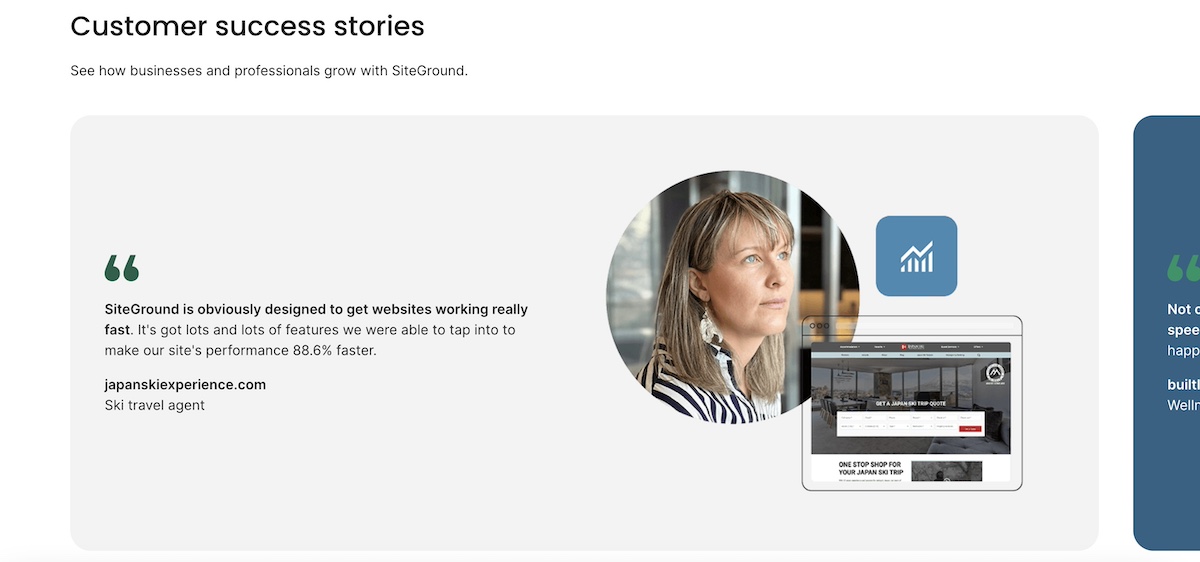
  • Establishing Trust means being transparent about who you are, how you operate, and what your customers think of you. Display customer reviews prominently, include a clear privacy policy and terms of service, use HTTPS, and make it easy for visitors to contact you. Trust signals like this are good for conversion, and also good for search. For example, SiteGround dedicates an entire section on the homepage to customer success stories.
Example of establishing trust with customers by displaying customer success stories

Structuring content for maximum visibility

How you format your content is as important as what it says, so don’t sleep on this step.

  • Question-answer formatting is the most reliable way to appear in both featured snippets and AI-generated responses. Structure your content so that a clear question is followed immediately by a clear, complete answer within the same paragraph or section. This is exactly how AI engines extract content to cite.
  • Write definitive, quotable statements. Vague, hedging language is the enemy of AI citations.Instead of “email marketing is a pretty good way to stay in touch with customers,” write “email marketing generates an average of $36 for every $1 spent — a higher ROI than paid ads, social media, and SEO combined.” Clear, confident, specific.
  • Use structured formats strategically. Lists and tables aren’t just easier to read, they’re more likely to appear as featured snippets. Use bulleted lists when presenting multiple items of equal weight, numbered lists for sequential steps, and tables when comparing options or presenting data. But don’t overdo it: blocks of prose are also valuable, especially for nuanced explanations that benefit from context.
  • Answer questions completely. A half-answered question sends users back to the search results, and tells Google your content didn’t satisfy the intent. Aim to be the last stop: give enough depth that readers don’t need to go anywhere else.

4. Address technical SEO

Technical SEO covers the behind-the-scenes elements that help search engines crawl, understand, and index your site: mobile performance, site structure, and fixes like duplicate content and broken links. None of it requires a developer.

Mobile & performance

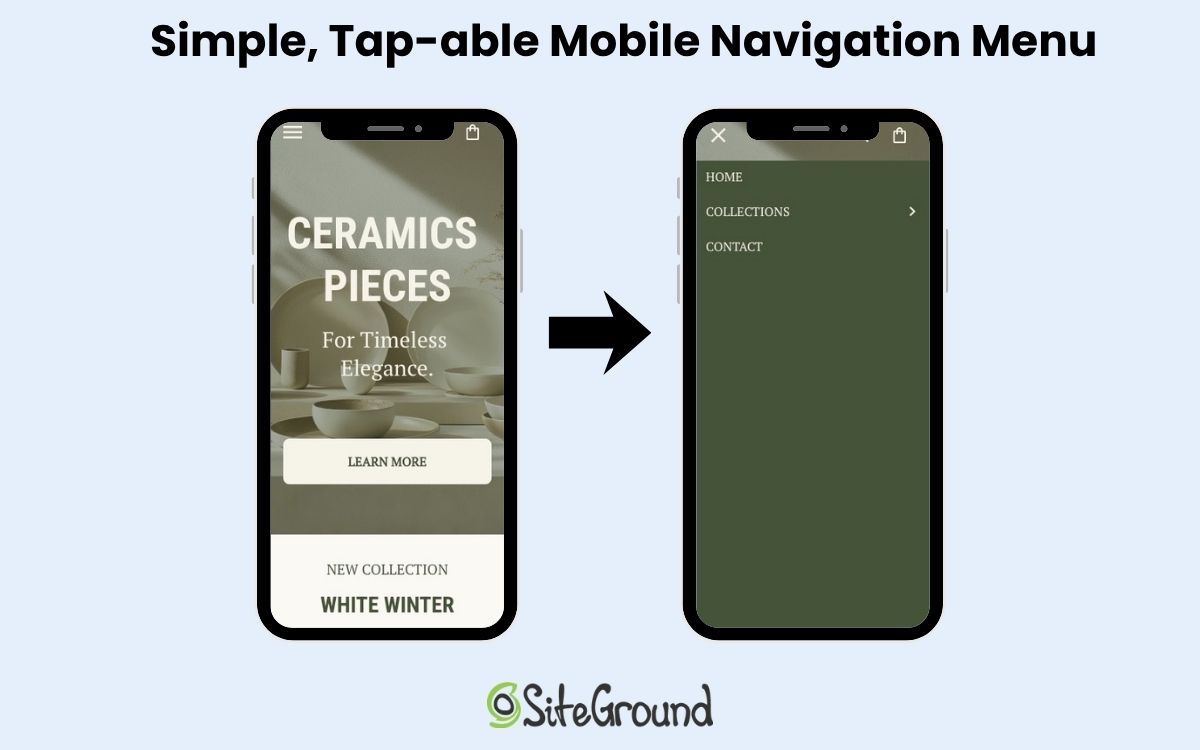
Mobile optimization showing desktop and phone version
  • Understand Core Web Vitals. These are Google’s user experience metrics, and they’re a direct ranking factor. There are three to know:
    • LCP (Largest Contentful Paint): How quickly does the main content of your page load? Aim for under 2.5 seconds.
    • INP (Interaction to Next Paint): How quickly does your page respond when a user interacts with it? Under 200ms is the target.
    • CLS (Cumulative Layout Shift): Does your page content jump around while it loads? A score below 0.1 is ideal.
  • Optimize page speed. Compress images before uploading, minimize unnecessary plugins, use a content delivery network (CDN), and choose a fast web hosting. Every extra second of load time increases your bounce rate, and hurts your rankings.

SiteGround is built for speed. SiteGround’s infrastructure includes a global CDN, built-in caching, and server-level optimizations designed to keep your Core Web Vitals in the green. It’s one of the fastest hosting environments available for small business websites, without requiring any technical configuration on your end. Plus, websites built with the SiteGround Website Builder are all built and optimized for mobile so that you can rest assured that your site performs at the very best no matter the screen. 

Start building a better website now>>

Site structure & crawlability

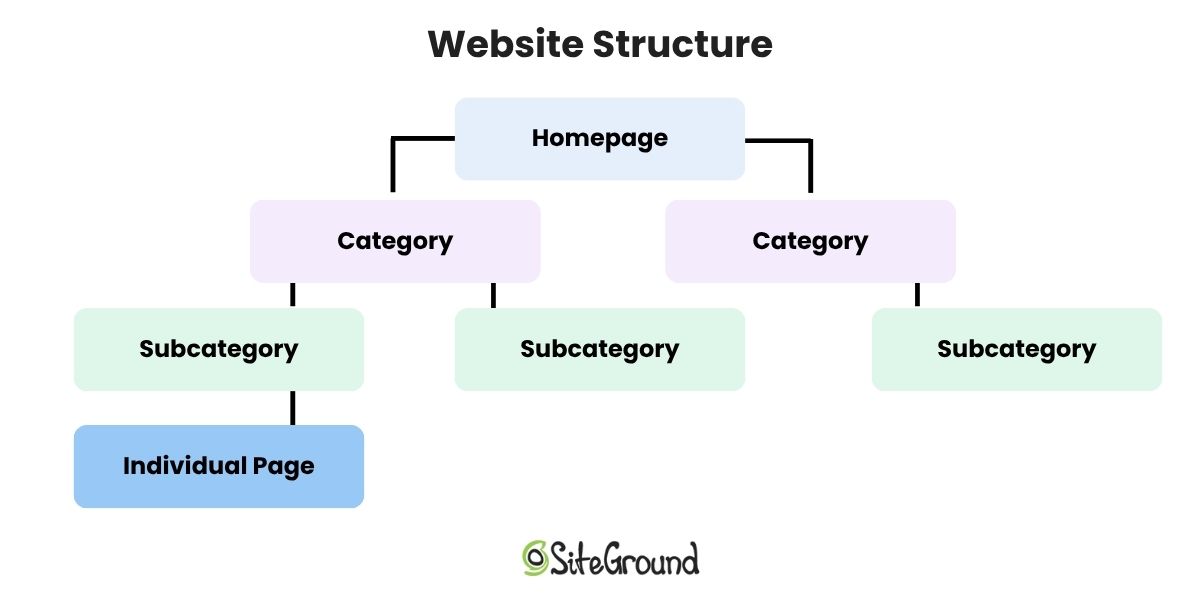
  • Apply the 3-click rule. Every page on your site should be reachable within three clicks from your homepage. If important content is buried deep in your website structure, search engines may not crawl it effectively, and users definitely won’t find it easily.
  • Fix crawl errors in Search Console. Google Search Console’s Coverage report shows any pages that couldn’t be indexed and why. Common issues include 404 errors (pages that no longer exist), pages blocked by robots.txt, and redirect chains. Address these regularly.
Diagram of website structure with homepage then categories subcategories and individual pages

Common technical issues to resolve

  • Duplicate content and canonical tags. If the same content appears at multiple URLs on your site, use canonical tags to tell search engines which version is the “official” one.
  • Broken link detection and repair. Broken links (both internal and external) hurt user experience and waste crawl budget, meaning Google spends its limited time crawling dead pages instead of your good ones.
  • 301 redirects. When you delete a page or change a URL, always set up a 301 redirect from the old URL to the most relevant new one. This preserves any SEO value the old page had and prevents users from landing on a 404.
  • Orphaned pages. Pages with no internal links pointing to them are essentially invisible to search engines (and users). Do a site audit for orphaned pages and either delete them, redirect them, or add internal links to them from relevant content.

5. Implement structured data: Your visibility multiplier

Structured data (also called schema markup) is a type of code added to your web pages to help search engines understand exactly what your content is about: your business, your products, your content, your location. Without it, Google and AI engines have to figure that out on their own.

With schema markup in place, you’re more likely to appear in rich search results (think star ratings, product details, and FAQ dropdowns), and more likely to be cited as a source in AI-generated answers. Not every small business bothers with it, which means doing it well is a genuine competitive advantage.

Example of how product schema markup helps your products show up in search

Using the SiteGround Website Builder?
Product schema markup is built in automatically for your store, so your product listings are already set up to display pricing, availability, and review information directly in search results.

6. Tackle AI visibility must-dos

You’ve covered a lot of ground. Before moving on to tracking, here’s a quick roundup of the AI-specific actions that matter most, pulled from everything above, plus a couple of extras worth calling out on their own.

  • Write in clear, quotable statements. AI engines cite short, direct excerpts, not long paragraphs. Aim for 2–3 sentence answers that can stand alone.
  • Use conversational language throughout. Write how your customers actually talk, not how a textbook reads.
  • Embed Q&A pairs in your content. A question followed immediately by a complete answer is the format AI engines are built to process.
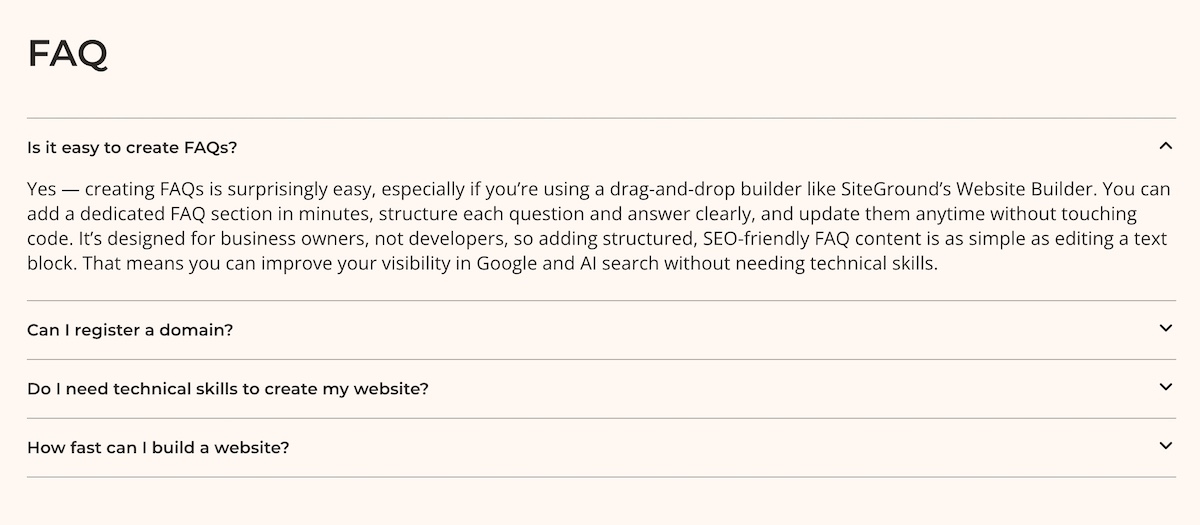
  • Add FAQ sections and keep FAQ answers between 50–150 words. Complete enough to be useful, tight enough to be citable.
Example of an FAQ section on a website built by SiteGround Website Builder
  • Make author credentials visible on every content page.
  • Cite your sources. Linking out to credible external references signals that your content is part of a trustworthy information ecosystem, and not just opinion.
  • Keep content fresh. Outdated information is a red flag for AI engines. Build a regular update cadence into your content rhythm (more on this in the 90-day plan below).

If you’ve worked through Sections 1–5 with care, most of these should already be in motion. Consider this your final AI readiness check before you hit publish.

7. Tracking across all search platforms

You can’t improve what you don’t measure. Tracking SEO performance in 2026 means keeping an eye on both your traditional Google digital marketing metrics and your visibility in AI-generated responses.

Tracking traditional search performance

What to measure:

  • Keyword rankings (which positions are you holding, improving, or losing?)
  • Organic traffic (how many visitors are from search engine traffic?)
  • Click-through rates (are your titles and meta descriptions earning the click?)
  • Conversions and revenue (is your SEO actually driving business outcomes?)

How to track it:

  • Google Search Console shows your average ranking position, impressions, clicks, and CTR for every query driving traffic to your site.
  • Google Analytics 4 shows what organic traffic does once it arrives, which pages they visit, how long they stay, and whether they convert.
  • Your ecommerce platform dashboard shows how your store is actually performing — revenue, orders, and product trends that connect your SEO efforts directly to business outcomes. If you’re using the SiteGround Website Builder, this is built in.

Tracking AI search visibility

This is the newer, less automated side of tracking, but it’s increasingly important. There are no comprehensive tools yet (and certainly not free tools) that fully automate AI search monitoring, so the most reliable approach right now is a structured manual process.

What to measure:

  • Whether your brand is mentioned in AI responses
  • Whether your site is being cited as a source
  • Which topics you’re being referenced for
  • How the quality and frequency of citations changes over time

How to track it (30-minute weekly process):

Before you start optimizing, run the below process once as a baseline, even if you don’t expect to show up yet. Knowing where you’re starting from is what makes your Month 3 results meaningful.

  1. Make a list of your 10–15 most important topics and keywords from your Section 2 research. Then, for each one, craft 2–3 natural, conversational questions that a customer might actually ask — the kind of thing someone would type into ChatGPT rather than Google. For example, instead of searching “local bakery SEO,” you’d ask something like “what’s the best bakery in [city]?” or “where should I order a custom wedding cake in [city]?” 
  2. Search those questions in ChatGPT, Perplexity, Claude, Google AI Overviews, etc, and note whether your business or website shows up in the responses and keywords.
  3. Note whether your site is cited, your brand is mentioned, or a competitor is referenced instead.
  4. Record results in a simple spreadsheet like the one below.

AI visibility tracking template:

DateQueryPlatformYour site cited?Competitor cited?Notes
Day 0The question you askedChatGPT, Claude or othersyes/noyes/no/whoAny observations
Month 1
Month 2

Compare performance side-by-side

Once you have a few weeks of data, look for patterns using this comparison framework:

ScenarioWhat it meansWhat to do
Ranks well in Google + gets AI citationsThis is your best-performing contentLeave the existing content alone — it’s working. Instead, build more supporting content around this topic to strengthen your cluster and capture related searches.
Ranks well in Google + no AI citationsGood foundation, not AI-optimizedAdd clearer Q&A sections, FAQs, and definitive statements
Gets AI citations + weak Google rankingsStrong content, weak technical foundationImprove backlinks, fix technical issues and broken links, strengthen on-page SEO
Neither ranks nor gets citedLow-priority or low-quality contentUpdate, consolidate, or redirect

Monthly action triggers:

  • If you’re seeing strong Google rankings but zero AI citations, then improve content structure and website navigation, add clear questions and answers, and sharpen your authority signals.
  • If you’re getting AI citations but weak traditional rankings, focus on technical SEO, link building, and on-page optimization.

Your 90-Day SEO implementation plan

Knowing what to do is one thing. Knowing when to do it is what turns an SEO checklist into actual progress. Here’s a practical 90-day plan designed for small businesses working with limited time and budget.

Month 1: Setup, research & benchmarking

  • Install and configure Google Search Console, Google Analytics 4, and an SEO plugin if relevant
  • Conduct keyword research for both traditional and AI search — identify your topic clusters and priority web pages
  • Establish your baseline: current keyword rankings, organic traffic levels, and an initial AI citation check
  • Do an existing content site audit: what’s working, what needs updating (E-E-A-T optimization, technical fixes, and so on), and what should be retired
  • Create your content plan: pillar pages, supporting articles, and a realistic publishing schedule
  • Fix any critical technical issues: mobile responsiveness, HTTPS, Core Web Vitals

Month 2: Execute content strategy & technical foundation

  • Update existing content: add E-E-A-T signals (author bios, credentials, citations), improve on-page elements, restructure for AI readability.
  • Publish your first pillar page, supported by 2–3 related articles.
  • Continue working through your technical fixes: site structure, crawl errors, broken links.
  • End-of-month check-in: review Search Console data, run your AI citation spot-check.

Month 3: Expand & optimize

  • Expand your content ecosystem: add more cluster content, strengthen internal linking.
  • Compare Month 1 baseline to Month 3 results: keyword rankings, traffic, and AI citation frequency.
  • Identify your top 3 performing pages and add supporting content around each. Then pick your 3 weakest pages and run them through the on-page SEO checklist in Section 3.
  • Identify your next 90-day priorities based on what the data tells you.

After Month 3: Your ongoing SEO rhythm

  • Publish 1–2 new content pieces per month.
  • Update 2–3 existing posts per month based on performance data.
  • Monthly 30-minute review: Search Console + GA4 + AI citation check.
  • Quarterly deep dive: competitor analysis, content audit, strategy adjustments.
  • Stay on top of the future of SEO, as the environment is constantly changing.

A note on realistic expectations: SEO is not a tap you turn on; it’s more like a garden you tend. Most small businesses start seeing measurable improvements in organic traffic within 3–6 months of consistent effort. Ranking for competitive keywords can take longer, sometimes 6–12 months. AI citation visibility can happen faster for well-optimized content, sometimes within weeks of publishing. The key is consistency: small, regular improvements compound into significant results over time. Don’t let the slow start discourage you. The businesses that win at SEO are the ones that show up every month.

Start using this SEO checklist today

Remember that AI chatbot recommending your competitor? It’s about to have a new favorite. Because once you’re showing up with the right structure, the right content, and the right signals, you’re the one who gets cited.

Work through the below SEO checklist at your own pace and you’ll have covered more SEO ground than most small businesses ever do. If you want the technical foundations handled for you from day one, SiteGround’s Website Builder has speed, SSL, and SEO tools built right in.

Quick SEO checklist

Essential Setup

  • Google Business Profile claimed and verified
  • Google Search Console installed and sitemap submitted
  • Google Analytics 4 installed
  • SSL/HTTPS active
  • Robots.txt verified or handled by platform
  • Plugins installed for WordPress SEO (if using)

Keyword Research & Content Planning

  • Long-tail and question-based keywords identified
  • Search intent matched to content type
  • Topic clusters mapped (pillar + supporting content)
  • Content calendar built around cluster strategy

On-Page & Content

  • Title tags and meta descriptions optimized
  • Header hierarchy used correctly (H1–H6)
  • URLs short, descriptive, and keyword-inclusive
  • Images optimized with descriptive alt text
  • Internal linking throughout content
  • E-E-A-T signals included (author bios, credentials, sources, link building)
  • Question-answer formatting used throughout
  • Definitive, quotable statements included
  • Content answers questions completely

Technical SEO

  • Mobile responsiveness confirmed
  • Core Web Vitals passing (LCP, INP, CLS)
  • Page speed optimized
  • 3-click rule applied to site architecture
  • Crawl errors resolved in Search Console
  • Duplicate content addressed with canonical tags
  • Broken links fixed
  • 301 redirects in place for changed/deleted URLs
  • Orphaned pages addressed

Structured data

  • Structured data implemented for your platform
  • Product schema markup active if selling online

AI visibility double-check

  • Clear, citable 2–3 sentence statements throughout content
  • Conversational language used
  • Q&A pairs embedded in content
  • FAQ sections on priority pages
  • Author credentials visible on all content
  • External sources cited with links
  • Content update schedule in place

Tracking

  • Search and analytics monitoring 
  • AI visibility tracking spreadsheet created
  • Baseline AI citation check completed
  • Monthly comparison process in place

SEO checklist: Frequently asked questions

What is an SEO checklist and why do small businesses need one?

An SEO checklist is a structured list of tasks that helps ensure your website is optimized for search engines. For small businesses, it provides a prioritized, practical roadmap so you’re not trying to do everything at once, but steadily building the foundations that drive sustainable organic traffic and visibility.

How long does it take to see SEO results?

Most small businesses start seeing measurable improvements in organic traffic within 3–6 months of consistent effort. Competitive keywords can take 6–12 months to rank for. AI citation visibility can sometimes appear faster — within weeks of publishing well-optimized content. SEO is a long-term investment, but the results compound over time.

What’s the difference between optimizing for Google vs. AI search engines?

The good news is that it’s less different than you might think. Both reward authoritative, well-structured, clearly written content. The main differences are in formatting: AI engines particularly favor FAQ sections, question-answer pairs, and concise definitive statements that can be directly cited.

Can I do SEO myself or should I hire someone?

Most small businesses can handle the fundamentals themselves, especially with the right tools and a clear SEO checklist. Technical issues, content creation, and basic structured data are all manageable without an agency. Consider hiring an SEO specialist if you’re in a highly competitive market, need a faster turnaround, or want expert-level strategy work. Many businesses use a hybrid approach by doing the day-to-day work themselves and bringing in help for specific projects.

How much should a small business budget for SEO?

At the most basic level, getting your site set up with good hosting, Google Search Console, and GA4 costs very little — many of the most important tools are free. The SiteGround Website Builder, for example, comes with a 30-day free trial, after which the StartUp plan runs $2.99 a month for the first year. It bundles hosting, SSL, mobile optimization, and built-in SEO tools into one plan, so you’re not cobbling together separate tools to cover the basics.

If you want to go deeper on keyword research and competitor analysis, tools like Ahrefs or Semrush run $100–$130 per month. And if you want expert help (whether for content creation, technical fixes, or strategy) freelance SEO support typically runs $500–$2,000 per project. Start with the basics, and layer in more investment as your business grows.

What are the most important SEO tasks to start with?

In order of priority: set up Google Search Console and GA4, fix any critical technical issues (HTTPS, mobile, speed), claim your Google Business Profile, and start creating well-structured content targeting question-based keywords in your niche. These four steps alone will put you ahead of a significant portion of small business competitors.

Do I need different content for traditional search vs. AI search?

No, but you do need to format your content with both in mind. Content that answers questions clearly, uses structured formatting, and demonstrates E-E-A-T performs well in both environments. You’re not writing two versions of the same content; you’re writing one version that’s well-optimized for both.

How do I know if my SEO efforts are working?

Track keyword rankings and organic traffic in Google Search Console and GA4, and also run a monthly AI citation check across AI search platforms. Compare month-on-month and quarter-on-quarter data against the baseline you established at the start. Rising traffic, improving rankings, and growing AI citation frequency are all positive signals. Staying on top of SEO trends also helps you know whether your strategy needs adjusting as the landscape shifts.

What’s the difference between on-page and technical SEO?

On-page SEO refers to everything you do within the content and structure of individual pages, such as title tags, headers, body copy, internal links, and E-E-A-T signals. Technical SEO refers to the behind-the-scenes infrastructure of your site, including crawlability, page speed, mobile responsiveness, structured data, and site architecture. Both are necessary; neither works as well without the other.

This article was originally published in February 2026 and then updated in October 2026

ChatGPT ads are here: How AI tools help small businesses compete

Abstract of ChatGPT ads on a cell phone

OpenAI recently announced that ChatGPT ads are rolling out soon. Cue the panic at the thought of competitors with marketing budgets the size of your annual revenue suddenly appearing in AI answers.

If you’re worried that these paid placements will push your business out of view, you are not wrong. But here’s a small-but-impactful secret: there is one type of visibility money cannot buy and it is exactly where small businesses have the edge.

With the right AI tools and strategy, you can show up organically in the AI recommendations your customers actually see, often faster and more efficiently than larger competitors tied up in approvals and budgets.

This guide walks you through how to build that organic AI visibility before ChatGPT ads start dominating the conversation. No massive ad spend required, just smart moves and the right tools.

Key takeaways:

  • ChatGPT ads change the game. Paid placements may dominate AI answers, but organic visibility can’t be bought.
  • Audit before you act. Understand how AI currently sees and mentions your business to identify gaps.
  • Create content AI references. Build comprehensive, helpful content that directly answers customer questions.
  • Manage reputation strategically. Reviews and online signals affect whether AI confidently recommends your business.
  • Leverage AI tools. Specialized AI agents let small teams scale content, reputation, and cross-platform presence efficiently.

What ChatGPT ads are and how they work

ChatGPT ads appear as sponsored recommendations directly within AI conversations. For example, when a user asks “What’s the best CRM for small businesses?” they may see ChatGPT’s answer followed by a labeled “Sponsored” suggestion, matched to the topic for relevance.

The critical difference from Google Ads is how placement shapes perception. In traditional search, paid ads appear at the top, followed by organic results below. Users can scroll past ads to see organic rankings. 

In ChatGPT, users receive one conversational answer that feels complete and authoritative. While sponsored content appears separately below that answer rather than replacing it, the conversational format impacts perception and consideration. 

Why ChatGPT ads change everything for small business

The implications for small- and medium-sized businesses (SMBs) are significant. In a conversational interface, customers often rely on the first answer they receive. If your business isn’t included in that response, you may never enter the decision set at all. 

Worse, AI recommendations feel authoritative and objective, even when they’re paid placements. And pricing will likely mirror Google Ads, meaning enterprise budgets will dominate competitive keywords. AI is completely changing marketing as we know it.

But here’s your small business marketing advantage: Organic AI visibility can’t be bought. It’s built by creating helpful, conversational content that AI naturally wants to reference. And AI tools let you do this at enterprise scale, creating optimized content and maintaining cross-platform presence without an entire marketing department. While big competitors debate strategy in committee meetings, you can implement changes in hours, not months.

Skip ChatGPT ads: 4 steps to build organic AI visibility instead

Now we’re all on the same page: you don’t need a massive budget to show up in AI responses. But you do need a systematic approach to building that organic visibility. And, you do need a plan. So here are your steps to build that much-coveted organic AI visibility.

Step 1: Audit your AI visibility

The problem

Most SMB owners have no idea if ChatGPT is recommending their business, sending customers to competitors, or giving generic advice that mentions exactly no one. Indeed, you might be invisible in the precise conversations where your ideal customers are asking for help, all while losing deals to competitors who aren’t actually better, just more visible to AI. 

And once ads in ChatGPT are fully launched? Forget about it. Those same competitors will pay to appear first in conversations where you’re currently invisible. Without auditing your AI visibility, though, you won’t know what organic ground you’re losing or which questions to own before they become paid placements you can’t afford. Let’s fix that with AI tools that give you an edge.

The strategy: Do an AI visibility audit

To properly audit your AI visibility, you need to take a look at two perspectives:

  1. How AI can interpret your site
  2. How AI actually talks about your business in the wild

That requires two complementary tools:

1. Your technical foundation: SEO AI agent

An SEO AI agent, such as the SEO Expert from SiteGround, serves as your internal diagnostic system. By analyzing your key webpages one by one, it evaluates the critical on-page factors that influence how search engines and AI interpret your content, from content quality and website structure to technical best practices like improving page speed. It can also analyze your content against search intent and competitor performance, then provide a prioritized roadmap of improvements ranked by impact. This step tells you whether AI can understand and confidently surface your business.

SiteGround AI Studio is available to all SiteGround customers. You can start with the free AI Agent for WordPress (which supports SEO optimizations if you’re using WordPress) or upgrade to the Plus Plan to unlock a full suite of specialized agents, including the SEO Agent, along with tools for copywriting, reputation management, social posting, and more. It’s like expanding your team’s capacity and boosting productivity without hiring additional staff.

Explore AI Studio now>>

2. Your reality check: LLM testing

Large language models (LLMs) like ChatGPT, Claude, Perplexity, and Gemini are where your customers are already asking questions (and are more so every day). They’re also where you can test your actual AI visibility in real time. We can go straight into the belly of the beast, leveraging it to reverse engineer how and when you can get mentioned.

Action steps: Connect the dots

Let’s bring both these tools together.

1. Review your technical foundation: Use the SEO AI agent to assess the core factors like page load speed, heading structure, internal linking, and metadata. These fundamentals matter for both Google and AI. If search engines struggle to understand your site, AI will too. You can simply start by asking it to do an SEO audit of your website, then drill down deeper as you see fit.

Prompt for SiteGround SEO Agent to do an SEO audit of a website
SiteGround SEO Agent response with an overall SEO audit of a website

2. Evaluate content comprehensiveness: Does your site thoroughly explain your services, address common customer questions, and clearly communicate your differentiators? The SEO AI agent can identify content gaps where crucial information is missing.

3. Test and document AI responses
Open ChatGPT, Claude, Perplexity, or Gemini and ask:

  • “What are the best [your solution] for [specific customer problem]?”
  • Use the exact language your customers use. Be specific — instead of “best marketing agencies,” try “best B2B SaaS marketing agencies for companies under $5M in revenue.”

Then evaluate:

  • Are you mentioned at all?
  • Are competitors recommended instead?
  • Is the AI giving generic advice without naming specific businesses?
  • If competitors are recommended, ask: “Why did you recommend them?”

Track your findings in a simple spreadsheet: queries tested, whether you appeared, which competitors showed up, and what differentiators AI highlighted.

4. Cross-reference findings: If ChatGPT doesn’t mention your key differentiator and the SEO AI agent flagged that content as weak or thin, you’ve identified a priority fix. This is where your audit will turn into action. Take note.

SMB advantage

Your small-business agility is your superpower here. Once you identify gaps, you can implement changes immediately with no 47-person, corporate approval chain required. Lean into your advantage.

Step 2: Create content AI will reference

The problem

SMB owners like you are stuck in a content creation catch-22: You need comprehensive, helpful content that answers every variation of customer questions in your space, but creating said content manually (or even with the help of the average LLM) can mean months of work and know-how. You need the content depth of an enterprise blog with a team of two. That math doesn’t work without help. 

And with ChatGPT ads as the latest digital marketing trend, the window for building organic content authority is getting smaller every day. Once those paid placements dominate AI responses, organic visibility and generative engine optimization — the practice of structuring content so AI systems naturally reference it — become even more critical, because it’s the only battlefield where budget doesn’t determine the winner.

The strategy: Leverage a specialized execution engine

Yes, any LLM can produce copy. But the quality depends entirely on your AI prompting acumen. A specialized copywriter AI agent, on the other hand, eliminates that burden. Instead of requiring you to specify every last SEO detail and structural element, a dedicated copywriting agent is already an expert. It bridges the gap between your raw audit takeaways (from Step 1) and dialed, performance-driven content. Now your optimized workflow becomes clear.

The SiteGround AI Studio Copywriter Agent has SEO built in. It automatically structures content with clear headings, integrates target keywords naturally, generates optimized titles and meta descriptions, and creates engaging, readable copy that keeps users on the page longer. It also guides readers with clear calls-to-action, helping turn traffic into conversions. All of this ensures your content is not just written, but designed to perform in both search engines and AI recommendations.

As a SiteGround customer, you can access AI Studio for free, or upgrade to the Plus plan to unlock the Copywriter Agent and the full suite of specialized AI agents. 

Explore AI Studio now >>

Action plan: From gaps to authority

1. Turn audit insights into a content roadmap

Start with the missing questions, weak differentiators, and competitor strengths you documented in Step 1. This becomes your content topic roadmap.

2. Identify content type for each gap

Based on your gaps, as well as the customer journey, decide the format that best addresses each gap:

  • FAQ-style pages – Answer specific customer questions.
  • How-to guides / problem-solving content – Help customers make decisions, troubleshoot issues, or understand options.
  • Comparison / alternative pages – “[Competitor] vs. [Your Solution]” or “Best [solution] for [use case]” to capture high-intent queries.
  • Expanded landing or service pages – Fill gaps where existing core offerings have thin coverage.
  • General page updates – You may wish to update existing pages if the missing content fits naturally and the page already ranks for related queries. But plan to create new pages for unique, high-intent questions or topics that need structured formats (FAQs, guides, or comparison pages).
Customer journey map with touch points going through all the stages

3. Feed a focused brief to the copywriter AI agent

Now that you know the topic and content type, submit a structured brief that includes:

  • Customer question or missing topic
  • Content type (FAQ, guide, comparison, landing page) and length
  • Specific information AI failed to mention about your business
  • Competitor positioning to address
  • Key info about your brand

The AI agent transforms these briefs into SEO-optimized content.

4. Strengthen, optimize, and publish consistently

  • Add specific examples, expert quotes, customer insights, and unique knowledge to differentiate your content (AI loves this). 
  • Ensure each piece uses clear headings, answers questions directly in complete sentences, and reinforces your differentiators.
  • Maintain momentum. If you have a blog, publish two to four in-depth pieces per month to build authority. This kind of fresh, comprehensive content signals that you’re an active and reliable source, which is something AI systems increasingly reward.

SMB advantage

We already know AI can handle the heavy lifting of content creation. What matters now is using the right AI tools to create truly optimized content that helps your business surface in AI search. That visibility allows you to compete with enterprise advertiser content teams at a fraction of the cost. While large companies need layers of approval for every article, you can publish within days of identifying a content gap.

Step 3: Build and manage your reputation

The problem

There’s a key difference between traditional SEO search and AI-driven search. Google ranks based on technical factors and content quality, but AI tools act more like advisors than information organizers. That makes them far more cautious in their recommendations.

So if you have a few unresolved negative reviews? AI may skip mentioning you entirely, even if your content is excellent. Mixed sentiment across platforms? AI hedges or recommends safer alternatives. No reviews or mentions at all? You’re effectively invisible. Without clear trust signals, AI has nothing to base its recommendations on.

The challenge is compounded because reputation signals are scattered across platforms you barely have time to monitor, let alone manage strategically. Manual tracking is labor-intensive and most SMB owners simply don’t have hours to devote to it. Understandable.

The strategy: Systematic reputation management

To gain AI confidence, you need a reputation management system that:

  1. Reviews mentions and reviews across platforms.
  2. Analyzes sentiment patterns and identifies recurring issues.
  3. Prioritizes actions that will most impact perception and AI recommendations.

A reputation management AI agent serves as your operational backbone. It can scan review sites, social media, forums, and other customer feedback channels, then deliver a prioritized set of action items. This means you can focus on fixes that truly affect visibility, rather than chasing every minor mention in the hidden corners of the internet.

Action steps: Audit, prioritize, improve

  • Run a comprehensive reputation analysis: Let the agent scan for your business mentions. Get the full picture of what customers are saying and where your strengths and weaknesses lie.
Online reputation analysis output by the SiteGround Reputation AI Agent
  • Review sentiment patterns: Identify overall trends: positive, negative, or neutral. Break it down by platform and topic to see where AI may view your brand as trustworthy — or not.
  • Prioritize and address critical issues: Not every negative review needs immediate action. Focus on those that impact customer perception and AI recommendation confidence. Respond to criticism professionally and constructively to show both humans and AI that you take feedback seriously.
  • Encourage positive reviews: Make it easy for satisfied customers to share experiences across key platforms like Google Business Profile, industry-specific sites, and social media. Integrate this into post-purchase workflows using email marketing or other engagement tools. You can also gather feedback directly through survey emails in order to boost overall customer satisfaction.
  • Implement and track improvements over time: Work through the agent’s action items methodically, fixing root causes rather than just managing symptoms. Run regular analyses monthly or quarterly to measure progress, monitor trends, and maintain momentum. AI rewards consistent improvement.

SMB advantage

As a small business, you have the benefit of authenticity, and that means it’s easier to generate positive reviews and build user trust, both with customers and AI. Enterprise companies often struggle to replicate this. So remember: your agility and personal touch are powerful advantages in building a reputation that AI confidently references.

Step 4: Maintain consistent cross-platform presence

The problem

ChatGPT doesn’t just pull from your website; it aggregates signals from the full web, such as social media, your Google Business Profile, reviews, and anywhere your brand appears. The challenge for you as a small business is twofold: you need both broad visibility and consistent messaging. Without both, AI can’t confidently recommend your business.

Even with a wide presence, inconsistency creates doubt. If your website says you specialize in sustainable packaging, your Instagram bio says eco-friendly solutions, and your LinkedIn highlights green business practices, AI struggles to describe you clearly. Mixed messaging signals uncertainty.

Maintenance gaps matter too. An inactive Facebook page or mismatched business hours between platforms signals neglect. AI notices these gaps and interprets them as lower credibility.

But alas, for small businesses, maintaining an active, consistent presence across five or more platforms while running day-to-day operations is difficult. Most focus on one or two channels and let the rest go stale. And AI notices.

The strategy: Cross-platform consistency

To be confidently recommended by AI, you need a unified approach to messaging and platform activity:

  • Centralized messaging framework: Every platform should communicate the same core value proposition, differentiators, and business details.
  • Platform-specific optimization: Content should be customized to each channel’s format and audience expectations without breaking your messaging consistency.
  • Ongoing engagement: Regular posting and interaction signal both human responsiveness and brand activity, which AI values highly.

Action steps: Implement and monitor

  • Define core messaging: Use a specialized copywriter AI agent to clarify who you serve, your differentiators, your unique selling proposition, and the problems you solve. Document this in a simple brand brief; this becomes your consistency anchor.
  • Standardize essential business information: Ensure your business name, services, hours, contact details, and key differentiators appear identically across all platforms. Update everything simultaneously whenever changes occur.
  • Deploy platform-specific content at scale: Use social media AI agents (like the SiteGround Social Managers for Instagram, LinkedIn, and Facebook) to easily create posts customized to each channel while reinforcing your core positioning.
  • Maintain steady activity and engagement: Post consistently, reply to comments, and monitor performance. Refine content based on what resonates. Consistency and responsiveness are signals AI actively notices.
An AI prompt for the SiteGround AI Studio Social Media for Facebook in order to create a Facebook post
SiteGround Social Media Manager for Facebook AI Agent response with a full social media post

SMB advantage

You can update messaging across all platforms in one afternoon. No committees, no approval chains. AI agents handle the messaging and execution (creating posts, adapting formats, publishing) while you control the strategy. Enterprise-level presence without enterprise headcount. While big competitors schedule meetings to discuss their social media marketing strategy, you’ve already implemented and refined yours.

Don’t wait for ChatGPT ads: build your AI presence now

The real threat isn’t ChatGPT ads. It’s being invisible when AI tools answer customer questions.

Enterprise competitors will outspend you in ad auctions, and that’s just reality. But they can’t outmaneuver you when it comes to building organic AI visibility. You have speed, agility, and the ability to implement changes while they’re still debating in committee. This is a tremendous advantage. AI tools amplify that advantage, giving you the efficiency to compete at enterprise scale without enterprise resources. 

SiteGround AI Studio makes this even easier. With it, you gain access to a growing suite of specialized AI agents designed to amplify your team’s capabilities. Every SiteGround customer receives the Essential plan at no extra cost, which includes 20,000 monthly tokens, and the AI Agent for WordPress. Upgrading to the Plus plan unlocks 100,000 monthly tokens, 15+ specialized agents for SEO, content creation, reputation management, social presence, and more, plus a library of ready-to-use prompts, helping you build a comprehensive online footprint without expanding your headcount.

Getting started is simple. Access AI Studio from your dashboard and begin with the visibility audit. In just minutes, you’ll see where your business stands and get a clear roadmap for strengthening your organic AI presence.

ChatGPT ads: FAQs

What is AI visibility and why does it matter for small businesses?

AI visibility is how often and how favorably AI tools like ChatGPT mention your business when answering relevant customer questions. It matters because customer discovery is shifting to AI conversations. So if you’re invisible in AI responses, you’re invisible to potential customers regardless of your traditional SEO ranking.

How much do ChatGPT ads cost?

OpenAI hasn’t released official pricing yet. Based on the competitive nature of paid search and the value of AI recommendations, expect ads on ChatGPT to be comparable to or more expensive than Google Ads in competitive industries. Growing small businesses should prepare for costs that favor enterprise advertiser budgets.

How do you run ads on ChatGPT?

OpenAI is still rolling out ChatGPT advertising features. When available, ads will likely appear as sponsored recommendations within AI responses. The exact mechanics, bidding system, and targeting options haven’t been fully announced.

Are ChatGPT ads good for small businesses?

ChatGPT ads could work for SMBs with competitive ad budgets and specific, high-value keywords. However, organic AI visibility often delivers better ROI for small businesses because it doesn’t require ongoing ad spend and builds compound advantages over time. Focus on organic presence first, then consider supplementing with ads if budget allows.

Should I do ChatGPT advertising?

It depends on your budget and how quickly you need results. ChatGPT advertising will likely favor businesses with substantial ad budgets. For most small businesses, building organic AI visibility first makes more sense because it’s sustainable, cost-effective, and builds long-term presence rather than paying for temporary placement.

Do I need a big budget to show up in ChatGPT responses?

No. Organic AI visibility is built through content quality, reputation, and consistency (not ad spend). AI tools help level the playing field by letting you create optimized content and manage presence at scale without enterprise-sized marketing budgets. Focus on being genuinely helpful to customers, and AI will take notice.

Can small businesses get found on ChatGPT without paying for ads?

Definitely. Organic AI visibility is built through comprehensive, helpful content, strong online reputation, and consistent presence across multiple platforms. ChatGPT references authoritative sources when making recommendations, so if you’ve built that authority through content and reputation, you’ll get recommended without paying for ads.

How do I make ChatGPT recommend my business?

Create content that directly answers customer questions, maintain positive reputation signals across reviews and social media, ensure consistent information across all online platforms, and demonstrate expertise through helpful how-to guides and problem-solving content. AI tools favor sources that comprehensively address customer needs.

What should small businesses do before ChatGPT launches its ads?

Start with an AI visibility audit to understand your current position, create comprehensive content that answers customer questions, build and monitor your online reputation, and establish consistent presence across multiple platforms. These steps build organic visibility that benefits you whether there are ads in ChatGPT or not.

What Is a Website Builder? Tips for Small Businesses

abstract of a website builder

As a small business owner, a website builder is the fastest, most affordable way to get a professional site online without coding skills or a developer budget. These platforms bundle design tools, hosting, security, and templates into one place, so you can launch and manage your site without technical expertise, in an afternoon, at a fraction of the cost of hiring a developer.

In this guide, we’ll break down how website builders work, which types exist, and what features matter most for small businesses growing online.

Key Takeaways:

  • Website builders for small business create professional sites without coding or hiring developers.
  • Visual editors, templates, and simple publishing make building and updating a site easy.
  • Different builder types—drag-and-drop, templates, AI, CMS/low-code, ecommerce, and all-in-one—suit different needs.
  • Many builders include helpful tools like mobile-ready design, SEO features, marketing integrations, and ecommerce options.
  • They offer a fast, affordable way to launch and manage a polished website without technical headaches.

What Is a Website Builder?

A website builder is a platform that lets you create a website without writing code or hiring a developer. For small businesses, that means one dashboard that handles templates, design tools, hosting, and security together, so you’re not juggling five different services or piecing together a solution on your own.

No technical degree required. No existential crisis when something breaks. Whether you’re launching a portfolio, a business site, or a full online store, website builders make getting online fast, affordable, and way less painful, which is exactly what you need when you’re busy actually running a business.

How Does a Website Builder Work?

A website builder works by giving you a visual editor, ready-made templates, and built-in tools for hosting, security, and publishing, all in one platform. You design by clicking and editing rather than coding, and changes go live without any technical steps. While each website builder works slightly differently, most operate through a few core functions:

  • Visual Editing: Provides a visual workspace where you can design pages by arranging elements like text, images, buttons, or forms, and see changes in real time.
  • Ready-Made Structures: Offers professionally designed templates and layouts that match your industry or style.
  • Technical Essentials Managed: Handles website hosting, security, backups, and performance updates behind the scenes.
  • Expandable Functionality: Includes features like SEO tools, forms, ecommerce, or marketing integrations that you can add as your business grows.
  • Simple Publishing: Allows you to launch or update your website with minimal effort—edits go live instantly.

What Are the Different Types of Website Builders?

The six main types of website builders are drag-and-drop editors, template-based builders, AI builders, CMS and low-code platforms, ecommerce platforms, and all-in-one solutions. The right one depends on how much control you want versus how fast you need to launch, and most modern platforms blend features from more than one category.

  1. Drag-and-Drop Website Builders – These let you design visually by clicking and dragging elements (text boxes, images, buttons, videos) onto a page and positioning them wherever you want. No coding knowledge required. You see changes in real-time as you create your website. Great for people who want creative control without technical skills.
  2. Template-Based Website Builders – For this website builder you can use professionally designed templates for different industries (restaurants, portfolios, consulting, etc.) and customize colors, fonts, images, and text. The structure is pre-built, so you’re filling in the blanks rather than designing from scratch. Faster than starting with a blank canvas.
  3. AI Website Builders – Instead of starting from a blank canvas, you describe your business, your goals, and the look you’re after, and the builder’s AI generates a personalized site: layout, color scheme, content structure, and all. The SiteGround Website Builder’s AI Wizard, for example, lets you type or say what you have in mind, shows you an editable summary of your site name, main goal, tone, and colors before anything gets built, then drops the result into the same editor you’d use to build it by hand. Many builders also include smaller AI tools, like content writers, even if they mainly run on drag-and-drop. It’s the newest type of builder, built for speed and for skipping decision fatigue. Just expect to do some editing before the output sounds like you.
Example of an AI content writer within a website builder
  1. CMS/Low-Code Platforms – Content management systems (CMS) like WordPress let you manage content through a dashboard and use page builder plugins to design layouts. They give you visual design tools but also let you add custom code, animations, or interactions when needed. These platforms are more flexible and powerful, bridging the gap between basic website builders and full development. They’re good for businesses that need more control over functionality and design details, though they have a steeper learning curve.
Example of WordPress a low code website builder option
  1. Ecommerce Platforms – These are built specifically for online stores with product catalogs, inventory management, payment processing, shipping calculations, and order tracking. Ecommerce website builders, like, for example, SiteGround Ecommerce, usually include storefront design tools plus all the backend functionality to actually run an online business.
  2. All-in-One Website Builders – This kind of online website builder packages everything together: domain registration, hosting, email, SSL certificates, backups, and the building tools. One login, one bill, one support team. It removes the hassle of connecting separate services.

It’s worth noting that most modern website builders combine several of these approaches—like a drag-and-drop editor that also offers templates and AI tools, or an ecommerce platform with drag-and-drop design features.

Types of Website Builders (at a Glance)
TypeWhat It Is
Drag-and-Drop Website BuildersVisual editors where you click and drag elements (text, images, buttons) to design pages without coding
Template-Based Website BuildersPre-designed templates you customize with your own colors, fonts, images, and text
AI Website BuildersPlatforms that generate complete websites based on questions you answer about your business
CMS/Low-Code PlatformsContent management systems (like WordPress) that let you manage content through a dashboard and add custom code when needed for advanced functionality
Ecommerce PlatformsWebsite builders designed specifically for online stores with product listings, payments, inventory, and shipping tools
All-in-One Website BuildersPlatforms that bundle hosting, domain, email, security, and building tools in one package

[79]

Why Use a Website Builder? 

Website builders for small business remove the two biggest barriers to getting online: cost and technical complexity. Instead of hiring a developer or stitching together separate tools for hosting, security, and design, you get everything in one platform at a predictable monthly price.

Here’s what many website builders offer (though specific features vary by platform):

  • Simplified Setup: Most website builders remove technical barriers by providing templates, visual editors, and straightforward workflows—no coding required.
  • Affordable and Predictable Costs: Compared to hiring developers or maintaining custom sites, website builders typically allow for more predictable and transparent monthly pricing.
  • Professional Designs: Website builder templates are often crafted by designers, giving you a polished starting point for website layouts, usability, and readability.
  • Room to Grow: Many website builders let you add features like ecommerce, email marketing, appointment booking, or analytics as your business needs evolve.
  • Managed Hosting and Security: All-in-one website builders handle web hosting services, uptime, updates, backups, and security automatically. Other platforms (like CMS-based website builders) may require you to manage these separately.
  • Quick Launch and Easy Updates: You can publish a functional site quickly and make changes without waiting on developers—though complexity varies depending on the website builder type you choose.

Looking for an all-in-one solution? SiteGround’s web hosting plans include the Website Builder, with professional templates, built-in AI tools, a free domain for the first year, security, and daily backups in one plan, designed for businesses that want a professional website without the technical headaches. Not sure where to start? Describe your business to the AI Wizard for a ready-made first draft, or pick a template and build it your way. There’s a built-in blog for when you’re ready to publish, and when it’s time to sell, SiteGround Ecommerce adds a store without switching platforms. Support is there 24/7, , and every plan comes with a 30-day money-back guarantee. One platform, one login, zero hassle.

What Can Website Builders Do for Small Business?

Modern website builders come packed with features that actually help small businesses attract customers, close sales, and keep your business running—without needing a tech team on standby. Here’s what you can often expect from a website builder platform, and why these features matter when you’re trying to grow a business.

  1. Mobile-friendly design for any device
  2. Email and marketing integrations
  3. Customizable templates
  4. SEO tools are included
  5. Ecommerce capabilities
  6. Analytics and tracking features
  7. Automatic updates, hosting, and performance

1. Mobile-Friendly Design for Any Device

More than 60% of global web traffic comes from mobile devices, according to Statista, which means your customers are most likely visiting your website from a smartphone or tablet. So a website that isn’t optimized for these small screens can frustrate users, hurt engagement, and even impact search rankings. The good news is that most modern website builders automatically incorporate mobile web design, adjusting your site’s layout, font sizes, and images to ensure it looks great on any device.

Benefits:

  • Ensures pages display correctly on any screen size
  • Makes it easy for customers to browse, read, and interact
  • Saves time (and money) compared to manually designing mobile layouts
Mobile friendly design featuring a website desktop and mobile layout

2. Email and Marketing Integrations

Many website builders connect seamlessly with email marketing platforms and lead-capture forms. This allows your website to do more than display information—it becomes an active part of your broader integrated marketing strategy.

For small businesses, these website builder integrations are especially valuable: email remains one of the most cost-effective marketing channels, delivering an average ROI of around $36 for every $1 spent, according to Forbes. By linking your website with email tools, you can capture leads, nurture customers, and run promotions—all without needing to manage separate systems or hire a developer.

Benefits:

  • Supports email newsletters, promotions, and automated follow-ups
  • Generates leads directly from your website with forms and pop-ups
  • Connects your website to your broader marketing ecosystem (CRM, social media, email tools)
  • Helps track customer engagement and measure campaign performance
email-marketing-course-for-beginners

3. Customizable Templates

First impressions matter—we know this. So a professional-looking website makes a big difference for small businesses.

Website builders make that possible by providing a wide selection of designer-developed templates, giving you a buttoned-up starting point for your website design. Oftentimes, these website builder templates are even tailored to different industries and business types, and can then be customized to match your brand’s colors, typography, and personality.

Benefits:

  • Provides a professional, ready-made starting point
  • Allows easy customization to reflect your brand basics and identity
  • Speeds up the website creation process
  • Maintains design consistency across pages
examples of customizable templates available from a website builder

4. SEO Tools Are Included

Getting found online shouldn’t feel like searching for a needle in a haystack. The higher your search engine rankings—or AI-powered search results—the more likely potential customers are to discover you. 

Thankfully, modern website builders often come with built-in SEO tools, assisting with optimizations ranging from meta titles and descriptions to sitemaps and URL structure. These website builder features help your site stay visible and relevant, even as AI-driven search continues to shape how people find information online.

Benefits:

  • Provides optimized meta titles, descriptions, and URLs for search engines
  • Allows you to make sure images are properly tagged for indexing
  • Generates sitemaps automatically to help search engines crawl your site
  • Gives a solid foundation for organic search traffic growth
Example of a website builder AI providing optimized titles and SEO descriptions

5. Ecommerce Capabilities

Many online website builders include ecommerce features that transform your site into a fully functional online store—but without requiring custom development, of course. These tools make it easier to set up a professional, trustworthy site that helps drive sales and manage your online business efficiently.

Benefits:

  • Provides centralized management of product listings, inventory, and pricing
  • Enables secure payment processing and shopping cart functionality
  • Includes shipping options and order management tools
  • Creates a professional-looking online store that builds customer trust

With SiteGround Ecommerce, everything you need to sell online is already built in. You can add products, manage orders, and accept secure payments without relying on plugins, custom code, or third-party tools. Because ecommerce is part of the same platform, your store benefits from fast performance, built-in security, and a consistent design—so you can focus on selling, not setup or maintenance.

Whether you’re launching your first product or expanding an existing business, SiteGround Ecommerce lets you move from website to online store smoothly, on your terms.

6. Analytics and Tracking Features

It’s also common for website builders to include built-in, high-level analytics, so you can track basic stats like visitor traffic, popular pages, and engagement patterns without being an analytics expert. For businesses that want more advanced insights, most website builders also integrate easily with tools like Google Analytics.

Benefits:

  • Provides key digital marketing metrics without requiring technical expertise
  • Shows how visitors interact with your site and content
  • Helps make informed decisions to improve performance and engagement
  • Offers integration with Google Analytics for deeper insights
example of key marketing metrics in website builder analytics

7. Automatic Updates, Hosting, and Performance

A site that loads in 1 second converts 2.5 times better than one that takes 5 seconds, according to Portent. All-in-one website builders can simplify site management by including built-in hosting, automatic updates, speed optimization tools, and security patches. While load times aren’t guaranteed, these features can help keep your site reliable, secure, and easier to maintain without technical skills.

Benefits:

  • Ensures your website stays secure with automatic updates and patches
  • Optimizes site speed to keep visitors engaged and reduce bounce rates
  • Eliminates the need to manage hosting or server maintenance
  • Frees you to focus on growing your business instead of technical upkeep

Closing Thoughts: How Website Builders Empower Small Businesses

Look, you didn’t start your business because you love troubleshooting hosting issues or tweaking CSS code at midnight. You started it because you’re great at what you do—and now you need to create a website that doesn’t get in the way of actually doing it.

A website builder lets you check “get a professional website” off your list without derailing your entire month or draining your startup budget. You get templates designed by people who actually know what they’re doing, tools that handle the technical stuff automatically, and the freedom to make changes whenever you need to—no developer on speed dial required.

Once you decide to jump in with a website builder, you can launch a polished, functional site in an afternoon instead of waiting weeks (or months) for someone else to build it for you.

Ready to get started? SiteGround’s web hosting plans include the Website Builder, with easy-to-use functionality, professional templates, and all the hosting and security you need in one straightforward plan, plus SiteGround Ecommerce when you’re ready to sell. They’re built for people who want to get online fast and focus on running their business, not managing their website.

Because at the end of the day, your website should work for you—not the other way around.

Website Builder FAQs

Do I need a domain name before using a website builder?

No, most all-in-one website builders let you register a domain directly through the platform, or connect one you already own. With SiteGround, you can register your domain and set up your site in the same place, and the first year of your domain is free with any web hosting plan.

Do website builders work for ecommerce?

Yes. Many modern website builders include ecommerce features, and some, like SiteGround, are built specifically for selling online. Look for basic ecommerce functionality (product listings, shopping cart, secure payment processing), as well as ease of use, quality of customer support, and site performance.

Can I build a website myself with no experience?

Absolutely. That’s the core purpose of a website builder. Template-based and AI builders in particular are designed for people with no design or technical background. You choose a template, swap in your content, and publish. Most small business owners can have a functional site live within an afternoon.

What is the best website builder for small business?

The best website builder for small business depends on your priorities. If you want simplicity and everything bundled in one place, an all-in-one builder like SiteGround is a strong choice. If you need more design flexibility and don’t mind a steeper learning curve, a CMS like WordPress gives you more control. The key things to look for are ease of use, included hosting and security, ecommerce options, and transparent pricing.

Do website builders work for ecommerce?

Yes. Many website builders include ecommerce, either built in or as a plan upgrade. With SiteGround, for example, selling comes via SiteGround Ecommerce as an add-on, so you can add products, accept payments, and manage orders, shipping, and tax without plugins. When comparing options, start with the basics (product listings, a shopping cart, secure payment processing). Then look at ease of use, support quality, site performance, and whether the platform takes its own fee on each sale.

This article was originally published in December 2025 and then updated in October 2026

How AI Is Changing Marketing: A Guide for Small Business

Abstract of how ai is changing digital marketing

You’ve been meaning to post on Instagram for days. That blog post? Still sitting in drafts since February. The promotional email is “almost done”—from a week ago…or was that last month? 

Meanwhile, your competitors are posting daily, their websites look slick, and their ads are everywhere. Do they have a whole team you don’t know about?

Probably not. They’re just using AI.

And you can too. Unlike most digital marketing trends that need big budgets or specialized skills, artificial intelligence is actually more accessible for small businesses. No tech degree required, no marketing team, no massive budget.

This guide shows you how AI is changing digital marketing—and how to use it to finally cross off that never-ending to-do list and to actually get ahead.

Key Takeaways:

  • Leverage AI’s advantage: Small businesses can move fast, experiment, and get more done with fewer resources.
  • Create content faster: Draft blogs, emails, social posts, and product copy quickly while staying on brand.
  • Streamline social and design: Schedule posts, auto-reply to comments, and generate visuals without a designer.
  • Simplify websites and ads: Build and optimize sites, run campaigns, and track performance with AI assistance.
  • Test, refine, and scale: Start small, review results, and expand AI use while keeping humans in control.

Why Small Businesses Have a Unique Advantage Right Now

Small businesses are in a surprisingly strong position when it comes to AI—it’s the great equalizer. Unlike large companies, you’re not slowed down by layers of approvals, big budgets, or complex tech stacks. You can more easily shift to an AI-first mindset, experimenting faster, switching tools quickly, and adapting as artificial intelligence evolves. This is a major competitive advantage in a space that advances more quickly than big-business processes can.

Even better, today’s AI tools make tasks that used to require specialized skills or big budgets accessible to anyone. You can create high-quality content, design professional-looking assets, schedule social media posts, or even build and optimize websites—all without hiring a full team of experts. 

The big takeaway here is that AI allows small businesses to multiply their output, tackle projects that were previously out of reach, and do more with less. 

Types of AI in Digital Marketing

AI shows up in a lot of different ways in digital marketing, but you don’t need to understand every technical detail to make it work for your business. That said, let’s wrangle a few terms first before we get started. 

Here are the main types of AI you’ll run into, explained so you can quickly see what each one does and how it fits into your digital marketing:

  • Generative AI – Creates new content like text, images, videos, and layouts. Large language models (LLMs) like ChatGPT, Claude, and Gemini fall here, powering tools that write blog posts, draft emails, design graphics, or turn ideas into social-ready content. These tools rely on natural language processing (NLP), which allows AI to understand, interpret, and generate human-like text—so it can draft content, respond to questions, and maintain your brand voice. This will likely be your go-to type of AI.
  • Predictive AI – Uses past data to forecast what might happen next. These tools rely on machine learning (ML) to analyze patterns and trends, helping you spot high-value leads, anticipate customer behavior, and make smarter decisions about where to spend your digital marketing budget.
  • Conversational AI – Chatbots and virtual assistants that communicate naturally with customers. When LLMs are embedded in these tools, they can answer questions, recommend products, and handle basic support without you needing to be online 24/7.
Example of an AI assistant with an LLM embedded to provide answers
  • Personalization AI – Adjusts content in real time based on each person’s behavior or preferences. It powers personalized emails, recommended products, and tailored website experiences that feel “made for you.”
  • Programmatic/Ad AI – Automates the ad process, from choosing audiences to optimizing performance. Powered by machine learning, these tools continuously learn from campaign and customer data to target the right people at the right time, adjust budgets, and improve ROI without constant manual intervention.

[44]

5 Big Trends in Digital Marketing

Content, social, design, websites, ads—AI is quietly doing the heavy lifting in all of them. Lucky for you, small businesses can jump in fast. Here’s the lowdown on the top five AI trends shaping digital marketing today—and how to put them to work for your brand.

  1. Instant, On-Brand Content
  2. Smarter Social Media
  3. Effortless Design Assets
  4. AI-Powered Websites
  5. Optimized Ads & PR

1. Instant, On-Brand Content

Just a few short years ago, creating content meant hours of writing, editing, and second-guessing every headline. It was enough to make you want to put off the whole task altogether. But flash forward, and now small businesses can produce high-quality, on-brand content in minutes, even if they don’t have a dedicated writer on staff. 

AI has now taken over the most tedious parts of the content process (thank goodness!). LLMs like ChatGPT and Claude can draft blog posts, write video scripts, and brainstorm ideas. At the same time, built-in AI writers inside platforms (like the AI writer in the SiteGround Website Builder) let you create content right where you’re already working. Gone are the days of content-creation procrastination. 

Why this matters for small businesses:

You’re no longer limited by time, budget, or writing confidence. AI lets you keep up with (or even surpass) competitors who have larger digital marketing teams.

Where this shows up for small businesses: 

  • Blog posts & articles written in minutes, then refined by a human for tone and accuracy
  • Email newsletters drafted in seconds
  • Video script drafts for YouTube, TikTok, or Reels
  • Product descriptions that match your brand voice automatically
  • SEO content like meta descriptions, keywords, and FAQs
  • AI agents that can take on multi-step tasks (such as researching, drafting, formatting)

What you can do right now:

  • Brush up on your ChatGPT prompt skills so that you can get the most out of LLMs as they aid with content.
  • Use an LLM to outline and draft your next blog post or landing page.
  • Let a built-in AI writer help with site or email content.
  • Use artificial intelligence to repurpose one piece of content into multiple formats: captions, emails, video scripts. For example, below you can see how with a simple but clear prompt, AI can turn a blog post into a well-crafted email.
  • Create a simple voice guide (3–5 bullet points) based on your brand and paste it into your prompts to keep everything consistent.
Example of using AI to repurpose content for different channels - article to email

Pro tip: It’s always, always important to keep in mind that you’re still the boss. Don’t let AI run wild with content creation. Review it, refine it, and make sure it’s on brand, accurate, and sounds like you.

Ad to build your site in minutes with the SiteGround Website builder

2. Smarter Social Media

Most small businesses struggle with social media marketing for the same reason: it feels endless. There are too many platforms, too many formats, and not enough hours in the day. So AI is basically stepping in as the (never-tired and always-available) “social media assistant” most small businesses never had.

AI business tools can now plan posts, write captions, suggest hashtags, design visuals, schedule everything, and even handle basic customer engagement. Instead of hopping between Instagram, Facebook, TikTok, and LinkedIn manually, you can manage it (competently!) all from fewer places—and with way less mental load.

Why this trend matters for small businesses:

Visibility requires consistency—but consistency is hard when you’re already juggling 15 other priorities. AI makes it possible to show up daily without burning out or hiring a full-time social manager.

Where this shows up for small businesses:

  • AI-powered schedulers that plan posts in a few minutes
  • Caption generators that match your brand voice and platform style (short punchy for TikTok social media marketing, more detailed for LinkedIn)
  • Hashtag and trend suggestions based on what’s performing in your niche
  • AI auto-replies for common comments or DMs
  • Content repurposing: turn a blog post into 10 short-form posts without starting from scratch

What you can do right now:

  • Use an AI planner to generate a week’s worth of posts at once
  • Use AI to rewrite the same post for multiple platforms automatically. In the example below, clear instructions identify tone and length, and let’s AI do the rest.
  • Automate replies to simple comments (“What’s the price?,” “Do you ship to…?”)
  • Let AI turn your existing blog posts or videos into bite-sized content
  • Create a simple prompt library for your brand—a small collection of ready-to-use AI instructions—so captions always feel consistent
Example of using AI to create captions for different social media channels

3. Effortless Design Assets

Design used to be a resource problem for most small businesses: not enough time, not enough skills, and definitely not enough budget to make everything look polished and professional. AI flips that completely (finally!). You can now produce high-quality, on-brand visuals on demand, and all without waiting for a designer or scaling the massive learning curve that is Photoshop.

You can now create almost any visual asset—social graphics, product images, logos, ads, illustrations, thumbnails, and more—using artificial intelligence. It can match your branding basics, resize your designs for different platforms, and help you build an entire visual system without starting from scratch.

Why this matters for small businesses:

You don’t need a designer for every little thing anymore. AI lets you produce more visuals, faster, and at a quality level that used to require a marketing professional. And the more polished your brand looks, the more credible you appear—especially online. The effects are far reaching.

Where this shows up for small businesses:

  • Instant social graphics based on a short prompt (“Create a bold, modern Instagram post announcing a sale”)
  • AI image generators that create product mockups, lifestyle scenes, or brand imagery
  • Logo and branding kits automatically generated from a few style inputs
  • Automatic resizing for platforms (Instagram → TikTok → Facebook → Pinterest)
  • Background removal + cleanup for product photos
  • Templates created by AI to keep your visual identity consistent even if you’re not a designer

What you can do right now:

  • Generate a set of reusable templates for social posts, ads, and banners
  • Use AI to create product images or mockups if you’re short on photography
  • Let AI remix one design into multiple formats for different platforms
  • Build a quick brand kit (fonts, colors, vibe) and use it in your prompts
  • Use AI to refresh outdated graphics so your brand feels more modern

4. AI-Powered Websites

If you’ve ever wrestled with plugins, code, or endless settings panels, you know the pain of traditional website management. AI is basically removing all those barriers. Even if you’re not “technical,” you can now build, edit, and maintain a professional website just by…talking to it.

Now, many AI-powered website platforms can generate full pages, write copy, suggest layouts, fix issues, and guide you step-by-step through tasks that once required a developer. Some platforms even let you manage your site through a chat interface—“add a new services page,” “rewrite this section,” “optimize this for SEO,” etc.

Why this matters for small businesses:

You no longer need to hire a developer for every update, or put off important changes because they feel too technical. AI lets you keep your website fresh, fast, and optimized without all the complexity. And when your website feels current and easy to navigate, customers trust you more.

Where this shows up for small businesses:

  • AI website builders that create full site layouts from just a short description
  • AI that writes or rewrites website copy to match your tone and industry
  • SEO assistants that suggest keywords, fix metadata, and optimize your pages
  • Chat-based editing (“Make this headline shorter,” “Add a contact form here”)
  • Automatic accessibility improvements like alt text generation
  • Error detection and performance optimizations you don’t have to hunt for manually

What you can do right now:

  • Use AI to create new landing page content in minutes
  • Ask a chat-style assistant to rewrite your homepage in a clearer, more compelling voice
  • Let AI generate SEO-friendly titles and meta descriptions
  • Ask AI to add a plugin to speed up your website
  • Use AI to analyze your site and suggest quick wins for clarity, speed, or conversions
  • Repurpose your best content (blog → landing page → email) with AI’s help
Example of using AI to rewrite homepage content so that it's more clear and compelling

SiteGround Website Builder makes building a professional‑looking site straightforward—even if you’re not tech‑savvy. You get a library of customizable templates, a drag‑and‑drop editor, and mobile‑ready design by default. It includes a built‑in AI writer for copy (transforming website text, as seen in the example above), access to a huge stock‑image gallery, automatic image resizing, and integrated marketing tools like SEO settings, and analytics. Plus SiteGround Ecommerce lets you add products and checkout directly within the same platform—no extra tools required.

Get started now>>

5. Optimized Ads & PR

PR and advertising have always felt a bit like gambling for small businesses: you put money or effort in, you hope something works, and you cross your fingers hard that you didn’t waste time or budget. AI is taking that uncertainty and replacing it with data, precision, and real strategic insight—the kind only big companies used to afford.

Today’s AI can now write ad copy, design ad creatives, pick audiences, set budgets, optimize marketing campaigns, and even track your brand reputation across the internet. Instead of guessing what will work, AI analyzes patterns in real time and adjusts automatically.

Why this matters for small businesses:

You get the kind of advertising intelligence and PR visibility that used to require an agency, but without the steep costs. AI helps stretch your budget further, improve ROI, and catch reputational issues early.

Where this shows up for small businesses:

  • AI-generated ad creatives (images and copy) customized to each platform
  • Audience targeting based on behavior, interests, and likelihood to convert
  • Automatic budget optimization that moves money toward the best-performing ads
  • Sentiment and reputation analysis that alerts you when brand mentions shift positive or negative
  • PR assistants that help draft press releases or pitch emails
  • Real-time performance recommendations (“pause this ad,” “increase spend here”)
  • Predictive analytics to forecast which marketing campaigns will perform best before you even run them

What you can do right now:

  • Use an AI tool to draft ad copy and generate ad visuals
  • Test 2–3 variations of ads using AI to compare performance
  • Let AI suggest your target audience, instead of guessing
  • Use a listening tool to monitor your brand mentions across social and news
  • Use predictive insights to avoid campaigns that are likely to underperform

How to Apply AI Marketing Trends in Your Business

AI can feel overwhelming, but small businesses can make real progress by focusing on one area at a time. 

Here’s a simple, actionable framework to start putting the trends into practice. Each step is designed to help you experiment, measure, and scale without getting bogged down.

Step 1: Define Your Goal

Before you start experimenting, be clear on what you want to achieve with AI. This keeps your marketing efforts focused and measurable.

  • Examples: Increase social media engagement by 20%, cut content creation time in half, improve ad ROI, or generate leads.
  • Having a goal helps you choose the right tools, track performance, and evaluate success.

Step 2: Identify Your Biggest Opportunity

Start by looking at your digital marketing workflow and pinpoint where AI could make the biggest impact. This might be the area that takes the most time or has the biggest gap in performance.

  • Ask yourself: Where could AI save time or improve results most?
  • Example: A small ecommerce shop might start with AI content for product descriptions or social media scheduling, since these are repetitive but crucial tasks.

Step 3: Start With Tools You Already Have

Don’t feel like you need a massive toolkit. Begin with the AI features already built into the platforms you use daily. This reduces friction and lets you experiment safely.

  • Explore built-in AI features in your website builder, email platform, or social scheduler. For example, with the SiteGround Website Builder, you can simply tell it the text you need, and the tone of voice, and it will whip up copy on the spot. 
  • Supplement with an LLM tool like ChatGPT or an AI image generator to test quick drafts or visuals.
Example of a built in AI writer to help create website content

Step 4: Test, Learn, and Refine

Treat AI like a partner, not a magic solution. Experiment with one workflow at a time and see what works for your business.

  • Pick a single task—drafting emails, generating social posts, or creating graphics.
  • Measure your digital marketing metrics: look at customer engagement, clicks, or conversions.
  • Refine prompts, tool settings, or timing based on what performs best, keeping in mind that many AI tools use machine learning to learn from data and improve results over time.

Step 5: Scale Gradually

Once you’ve found a workflow that works, expand to other marketing areas. Scaling gradually prevents overwhelm and ensures quality stays high.

  • Apply AI to additional tasks, like web copy, ad creatives, or branding assets.
  • Combine tools when possible to reduce manual work, such as connecting AI content creation with your social scheduler.
  • As you scale, be sure to use AI ethically for your marketing by being transparent about AI-generated content, protecting customer data, and keeping a human in the loop to avoid bias or misleading outputs.  
AI Digital Marketing TrendActionable Tips for Small Businesses
On-Brand ContentStart with short-form content like social captions or emails. Test AI for blog drafts. Always review outputs to maintain your brand voice.
Smart Social MediaPlan a week of posts in advance. Automate comment responses. Test different post formats and timing to see what works best.
Easy Brand AssetsQuickly generate graphics, banners, or logos. Resize assets for multiple platforms. Ensure visual consistency across channels.
AI-Powered WebsiteUse AI to create landing pages or optimize site copy. Leverage chat-driven tools for updates. Run AI-powered SEO checks.
Optimized Ads & PRTest AI-generated ad creatives. Monitor brand mentions and sentiment. Adjust campaigns based on AI recommendations and insights.

AI in Marketing: The New Competitive Reality

Remember that never-ending marketing to-do list from the beginning? AI doesn’t make it disappear, but it does make it very manageable.

You don’t need to master every AI tool or trend overnight. Start with one area—content, social media, design, whatever drains your time most—and experiment. The businesses winning with AI right now aren’t the ones with the biggest budgets. They’re the ones that started small, tested what worked, and kept going.

And if you’re looking for a simple place to start? The SiteGround Website Builder makes it easy. Its built-in AI writer helps you generate page copy, while pre-designed templates, stock images, and drag-and-drop sections let you build a professional site without touching a line of code. Selling online? SiteGround Ecommerce makes it extra easy. No jumping between tools, no extra subscriptions—just faster, easier website updates.

Your competitors aren’t waiting. Neither should you.

A promotional image for SiteGround's Easy-to-Use Website Builder featuring a mockup of a website with a living room photo. The text highlights creating a professional site without coding, offering customizable templates, AI-powered content generation, built-in SEO tools, access to over 6 million free high-quality images, an easy drag-and-drop editor, and mobile-friendly designs. Includes a "Get Started Now" button and the SiteGround logo.

Your Unique Selling Proposition: Stand Out in the AI Era

Abstract of a unique value proposition

AI can generate content in seconds, making it easier than ever to show up online—but much harder to be memorable. That’s why your unique selling proposition deserves more attention than ever before. It’s the part of your brand that tells potential customers, “This is why we’re different—and why it matters to you.” 

In this guide, we’ll walk you through how to craft a unique selling proposition that stands out, connects with your audience, and holds up even as AI reshapes marketing as we know it.

Key Takeaways:

  • Understand your USP: It clearly explains what makes your business different and why that difference matters to your customer.
  • Why it matters now: With AI flooding the web with generic, look-alike content, a strong USP is essential to stand out.
  • Build it right: Combine a real customer benefit, a clear differentiator, and strengths competitors can’t easily copy.
  • Craft an AI-proof USP: Focus on what’s truly unique and human—specific, hard-to-replicate strengths like expertise, personalized support, or brand voice.
  • Avoid common mistakes: Don’t be vague, feature-focused, generic-sounding, or inconsistent in how you apply your USP.

What is a Unique Selling Proposition?

A unique selling proposition (USP) is a crisp, memorable statement that explains what makes your business different—and more importantly, why that difference gives customers a clear reason to choose you.

It’s not a tagline, a mission statement, or a generic benefit. It’s the promise at the core of your brand: the specific value customers can count on that they can’t get the same way anywhere else.

In practical terms, your unique selling proposition answers two questions:

  • What do we offer that others don’t—or don’t as well?
  • Why does that difference matter to the customer?

An effective USP is simple, specific, and focused. If someone reads it and immediately knows, “Ah, that’s why I’d choose them,” you’re on the right track.

What’s the difference between a unique selling proposition and a unique value proposition?

A USP defines what sets your business apart, while a UVP (unique value proposition) explains why that difference matters to your customer. In reality, a strong USP already includes the customer benefit, so most businesses don’t develop both separately. The distinction is mainly useful as a framing tool: it helps you clarify your point of difference and make sure it connects to a real customer need.

Why Your USP Matters Even More in the AI Era

AI is literally everywhere these days, which means customers are bombarded with automated marketing, AI-generated content, and highly personalized recommendations. What’s great is that this makes it easier than for small business marketers to join the content party—but also a whole lot harder to stand out. Your unique selling proposition will have to work harder than we ever thought possible.

Here’s why your USP plays such a critical role today:

  • AI makes marketing look and sound more similar: Because AI tools can churn out content in seconds, a lot of brands end up sounding alike. A strong unique selling proposition ensures your messaging stays distinct and human, even when AI is part of your workflow.
  • Customers are actively seeking authenticity: People can now spot generic AI writing a mile away. A clear unique selling proposition brings in your human angle—your story, expertise, philosophy, or personality—making your brand feel real, credible, and worth trusting.
  • Competition moves faster than ever: AI lets competitors iterate quickly, test messaging instantly, and pivot overnight. An effective USP anchors your brand so you don’t get swept into constant reactive changes.
  • Your USP shapes how AI represents you: Search engines, recommendation systems, and AI assistants pull signals from your content. A clear USP helps them understand what truly sets you apart so that they surface you more accurately and more often.

Ultimately, at this stage in the game, you want to have an AI-first mindset. But that doesn’t just mean being able to use AI; it also means being able to distinguish yourself, your business, and your offerings from AI as well. And that’s why a solid USP is all the more important.

Key Components of a Unique Selling Proposition

This strong USP isn’t just one clever line, though; it’s actually the outcome of a few core elements strategically working together. When these pieces click, your value becomes instantly clear to customers and harder for competitors (and, notably, AI tools) to replicate. So what are we talking about exactly? Here are the key components of a unique selling proposition:

  • A Direct, Meaningful Customer Benefit: Your unique selling proposition must express value from the customer’s point of view. It should clarify the outcome, result, or improvement they gain, ensuring the benefit is something they actually care about and recognize as important.
  • A Unique Differentiator: This highlights the specific way your product, service, or brand stands apart. It should show what you uniquely offer or do better than others—something identifiable, concrete, and relevant in your market.
  • Core Strengths: The most resilient USPs build on your strengths—especially qualities competitors can’t easily imitate, such as your experience, processes, approach, relationships, or brand identity. These strengths help your USP remain distinctive and durable as the market evolves.
unique selling proposition venn diagram combining customer value, unique differentiator and core strengths

Pro tip: While not a separate component, clarity and specificity are essential qualities of any effective USP. Keeping your message simple, focused, and easy to understand ensures customers instantly grasp what makes your brand different.

How to Write a Unique Selling Proposition

A successful unique value proposition is built strategically from understanding your target audience, your market, and the unique value only you can provide. Here’s a structured approach that can help you build a strong USP, even as AI reshapes how successful businesses communicate.

Step 1: Know Your Target Audience 

Before you can define what makes your brand unique, you need to know who you’re talking to and what outcomes or benefits they truly care about. This step is about uncovering your customers’ real needs, frustrations, and goals—it’s the “value proposition” that your product or service will deliver from their perspective.

Dig into:

  • Real pain points and frustrations
  • Complaints in reviews (yours and competitors’)
  • Outcomes that matter most to them
  • Emotional drivers (ease, confidence, speed, safety, reliability, identity)

Examples:

  • Overwhelmed customers want simplicity
  • Risk-averse customers want trust and proof
  • Ambitious customers want speed and measurable results

End goal: Gain a clear understanding of the benefits that matter most to your target audience, so every later step—from differentiating yourself to crafting messaging—is rooted in the value your customers actually care about.

Pro tip: Plain and simple—interview your customers, in person, or via survey emails. Ask them these questions yourself. Use their responses to not only fine tune your messaging, but even your offering itself. 

Step 2: Analyze Your Market & Competition

Once you understand your audience, look at what others are doing. Identify competitors, patterns, and gaps in the market. This step helps you find and articulate where you truly stand out.

What to look for:

  • What competitors emphasize in their messaging
  • What feels overused (“trusted,” “affordable,” “innovative”)
  • Any strengths they play up—speed, quality, specialization, features
  • Opportunities where customer needs aren’t being met

Ask yourself:

  • Where does our product or service outperform others?
  • What do competitors not offer or not execute well?
  • Where do you have a competitive advantage?
  • What aspects of our offering are difficult for others to copy—processes, expertise, relationships, or branding?
Example of using chatgpt to determine competitive differentiator for unique selling proposition

End goal: Identify where your brand can truly stand out by uncovering market gaps, spotting opportunities competitors aren’t addressing, and highlighting elements of your offering that are meaningful to your ideal customers.

Pro tip: Don’t be shy about using ChatGPT for marketing, especially when it comes to competitor research. You can provide it with competitors’ websites, social media, or product pages and ask it to analyze patterns, spot gaps, or summarize strengths and weaknesses—giving you a faster, data-informed starting point for defining where you truly stand out.

Ad to build your site in minutes with the SiteGround Website builder

Step 3: Identify What’s Hard to Copy

Not all advantages are equal. These days, competitors and AI can replicate features, claims, and content almost instantly, so the strongest USPs rely on core strengths that are genuinely unique and difficult to imitate.

Focus on:

  • Expertise, experience, or specialized knowledge
  • Proprietary tools, processes, or methods
  • Exceptional customer relationships or personalized support
  • Brand personality, philosophy, or story
  • Community, ecosystem, or long-term trust

End goal: Pinpoint aspects of your offering that are truly original and hard to replicate, giving your unique selling proposition staying power and resonance in a crowded marketplace.

Pro tip: Ask yourself, “Could a competitor copy this overnight?” If yes, dig deeper until you find the part that’s distinctively yours.

Step 4: Craft Your AI-Proof Unique Selling Proposition

Now you bring together your customer benefit + differentiator + the thing that’s hard to copy.

A simple formula you can use:

“We help [audience] achieve [desired result] by providing [unique advantage].”

Unique selling proposition examples:

  • “We help small businesses launch websites faster with tailor-made AI tools built for beginners.”
  • “We help busy parents plan nutritious meals for their families in minutes using personalized meal plans created by certified nutritionists.”
  • “We help busy ecommerce founders offload customer support using AI-powered workflows trained on their own brand voice.”
Example of including a unique selling proposition in a homepage hero section

Tips:

  • Keep it clear and concrete.
  • Avoid generic claims.
  • Highlight something competitors can’t easily mimic.

End goal:

Turn your value into a statement that’s simple enough to remember and strong enough to differentiate.

Pro tip: With the right ChatGPT prompts, you can absolutely use AI to help draft a first version of your USP. Think of it as a moldable starting point. Then refine it to highlight what’s truly unique, human, and hard to copy, making sure it resonates with your audience.

Step 5: Apply and Refine Your USP

Writing your unique selling proposition is only the first part of the process. To truly make it effective, you need to both integrate it across your messaging and continuously test and adjust based on customer feedback and market changes.

Where to use your USP:

Example of incorporating a unique value proposition into email marketing subject line

How to apply it:

  • Don’t just repeat your USP verbatim; weave its essence consistently throughout your messaging. Use your USP as the cornerstone of an integrated marketing approach, ensuring every touchpoint—website, social media, email campaigns, ads, and sales materials—communicates a consistent and compelling message.
  • Reinforce it with examples, proof points, and customer-relevant outcomes.
  • Make it the guiding principle behind your tone, style, and positioning.

How to refine it:

  • Test messaging and track digital marketing metrics: A/B test ads and email subject lines.
  • Gather customer feedback: Ask what stood out in their decision to buy.
  • Monitor performance and competitor positioning regularly. (This is another area where you can lean on AI tools, such as by monitoring your business’s reputation.)
  • Update the USP as needed to stay relevant, credible, and resonant.

End goal: Your USP becomes a living tool embedded in everything your audience sees, continuously validated, and sharpened over time to remain clear, distinctive, and meaningful.

If you want a simple way to put your USP into action, the SiteGround Website Builder makes it effortless. You can integrate your messaging across pages, track how your content performs, and refine it as you go—all without needing a developer. Plus, the built-in AI writer can help you craft on-point messaging on the fly. It’s an easy, intuitive way to keep your USP front and center while monitoring the results in real time.

Start building a better website now>>

Common USP Mistakes to Avoid in the AI Era

The rise of AI hasn’t changed what a USP is, but it’s absolutely changed the environment your USP lives in. Customers see more options, get answers faster, and can compare brands instantly. At the same time, competitors can spin up AI-enhanced products and polished copy almost overnight.

That’s why it’s essential to get your USP right: avoiding these mistakes makes your message as clear and impactful as possible.

1. Being Too Vague or Generic

Phrases like “high quality,” “great service,” “trusted,” or “innovative” all sound positive — but they don’t tell anyone how you’re different. AI-generated websites can produce these phrases at scale, which means they’ve never been more meaningless.

Why it matters now:

AI can produce generic “good-sounding” copy instantly. If your USP looks like something ChatGPT could create for any business in your industry, customers will skim right past it.

Stronger approach:

Replace broad traits with specifics customers can visualize or compare.

Successful unique selling proposition example: “Real human support, responding in under two minutes.”

2. Focusing on Features Instead of Outcomes

Many businesses fall into the trap of highlighting what their product has rather than what their customer gets. And in today’s AI environment, this is especially risky: AI tools can instantly generate polished feature lists for any competitor, making feature-level differentiation almost invisible.

Why it matters now:

  • Competitors can replicate features quickly.
  • AI-generated content makes every feature sound impressive.
  • Customers scanning summaries see nearly identical capabilities.

The fix: Focus on outcomes, not features. Customers care about what your product does for them: saving time, reducing stress, boosting confidence, or achieving results faster.

Here’s what it looks like when you identify features and their outcomes:

  • Feature: “AI-powered scheduling.” → Outcome: “Automatically schedule your week and save 10+ hours every month.”
  • Feature: “Customizable nutrition plans.” → Outcome: “Eat healthier with meal plans tailored to your preferences and goals.”
  • Feature: “AI chatbot responses.” → Outcome: “Resolve customer questions instantly without extra staff.”

Outcome-driven USPs cut through the AI-generated noise and connect directly to what really influences customer decisions.

3. Differentiating on Something AI Can Replicate Overnight

If your USP is built around something purely technology-based—especially generic AI functionality—it’s vulnerable. Competitors can adopt the same tools or generate similar claims in hours.

Why it matters now:

AI-driven features have a short life cycle. What feels cutting-edge today could be the industry standard tomorrow. A USP needs staying power.

Better approach:

Highlight the things AI can’t easily duplicate: expertise, community, proprietary data, personalized support, craftsmanship, long-term trust.

4. Not Writing AI language in Your Own Voice

Relying on AI-generated phrasing without adapting it to your brand’s voice can make your USP feel generic, robotic, and inauthentic. That’s because AI tends to favor certain words, phrases, and punctuation—like “cutting-edge,” “next-level,” “game-changer,” and em dashes. If you leave these untouched, your messaging can sound like every other AI-generated page out there.

Why it matters now:

People are becoming adept at spotting AI content. A unique selling proposition that reads like an algorithmic template may feel inauthentic, impersonal, or untrustworthy—even if the ideas are good.

Better approach:

Use AI to draft ideas, but actively weed out overused phrases and AI-favored constructions. Rewrite your USP in your own voice, making it sound human, genuine, and unmistakably your brand.

5. Creating a USP and Then Never Using it

A USP is only powerful when it consistently reinforces your brand story—across your homepage, ads, product pages, email marketing, social channels, and even your onboarding experience.

Why it matters now:

  • SEO and AI—including search engines, shopping assistants, and chat-based recommendations—rely on signals pulled from your content.
  • If your USP only appears in one place, AI tools may not recognize it as your core value, which can weaken your discoverability.

Better approach:

Use the USP as a guiding thread in your messaging, not a one-off statement.

Make Your Unique Selling Proposition Work for You

Your USP is more than a statement—it’s the guiding principle that keeps your brand distinct, human, and memorable amidst the AI noise. When you understand your audience, analyze your competition, and highlight what’s truly hard to copy, you can craft a USP that resonates and evolves alongside your business. 

Turning your USP into a visible, actionable part of your website has never been easier. With the SiteGround Website Builder, you can integrate your core messaging seamlessly, track performance metrics, and continuously refine your site to ensure every page reflects the unique value you offer.  And if your business includes selling online, SiteGround Ecommerce makes that easy by delivering a smooth, reliable buying experience that matches the value you’ve communicated from the start.

Website Navigation: How to Design for Conversions, SEO & AI

Abstract of website navigation

Website navigation is the system of menus, links, and pathways that helps visitors move through your site and find what they’re looking for. It’s one of those elements that shapes everything: whether visitors stay or leave, whether they discover your best content or miss it entirely, and whether they take the actions that matter to your business.

The good news is that you don’t need to be a design expert to get it right. In this guide, we’ll walk through what website navigation is, why it matters, and the practical steps you can take to make yours work harder for your visitors and your site’s performance in search.

Key Takeaways:

  • Guide visitors effectively: Use clear navigation menus and paths to improve user experience and conversions.
  • Keep navigation simple: Limit top-level items, use standard labels, and stay consistent across pages.
  • Highlight priority pages: Place high-value pages and CTAs prominently and remove distractions.
  • Design for mobile: Use mobile-friendly navigation menus, increase tap targets, and test on real devices.
  • Use visual hierarchy: Differentiate key items, group related links, and guide users to important actions.
  • Optimize for search and AI: Align navigation with content pillars, use descriptive labels, and support internal linking.

What Is Website Navigation?

Website navigation refers to the menus, links, and structural elements that help visitors move through your site. It can include your main menu, dropdown menus, sidebars, and so on (all of which we’ll tackle below). Together, these elements shape how users explore your content and how easily (or not easily!) they can find what they’re looking for.

Good navigation does more than organize pages, though; it creates a clear path through your site. When users understand where they are and how to get where they want to go, they’re more likely to stay engaged, visit multiple pages, and complete key actions such as making a purchase, submitting a form, or reading more of your content.

What’s the Difference Between Website Structure and Website Navigation?

Website structure and website navigation are closely related but not the same thing. Structure is the full architecture of your site; navigation is how visitors actually move through it.

Website StructureWebsite Navigation
What it isHow all pages, content, and resources are organizedHow users find and access those pages
Think of it asThe full architecture behind the scenesThe visible map users follow
What it includesEvery page and relationship, even those not shown in menusMenus, dropdowns, breadcrumbs, and footer links
Who it’s forSearch engines and site ownersVisitors first, search engines second

Why Does Website Navigation Matter?

Your website navigation plays a central role in three critical areas: user experience, conversions, and search. What does this look like? 

  • For users: Clear navigation reduces friction—meaning it removes the little moments of confusion, hesitation, or extra effort that make people stop and think, “Wait… where do I go next?” When visitors can instantly understand where to click and quickly find what they need, they stay longer, feel more confident, and experience fewer dead ends.
  • For conversions: Website navigation guides people toward high-value pages—product categories, services, or key CTAs—making the path from curiosity to action smooth and intuitive instead of scattered or overwhelming. In the end, this is what shapes your overall customer journey: how people discover, evaluate, and ultimately decide to convert.
  • For search: Traditional search as well as AI search systems rely partly on your navigation to understand your website structure. Well-organized navigation menus and internal links help crawlers and AI assistants discover your pages, interpret their importance, and serve the right content in both traditional search results and AI-generated answers. That means better visibility, higher rankings, and more opportunities to be featured in emerging AI-driven search experiences.

In short, website navigation is the framework that supports every interaction on your site. It’s a seemingly small detail with big impact, making your content easier to access, your business easier to trust, and your site more discoverable in both traditional and AI-powered search.

What Are the Types of Website Navigation?

There are six main types of website navigation: horizontal menus, dropdown menus, hamburger menus, vertical sidebars, footer menus, and breadcrumbs. Most websites use a combination of these depending on their size, audience, and content depth. Here are the most common types you’ll see and likely use:

  • Horizontal Navigation Menu: This horizontal navigation bar is the classic top-of-the-page menu found on most websites. It’s ideal for highlighting your most important pages and keeping your site organization clean and familiar.
  • Dropdown Navigation Menu: Dropdown menus expand from a main navigation item to reveal subpages. They’re useful for sites with multiple categories or layers of content, but they work best when kept simple and clearly labeled.
Visual examples of a horizontal navigation menu and a dropdown menu
  • Hamburger Navigation Menu: This icon-based menu (three stacked lines) is used primarily on mobile. It hides the full navigation menu behind a tap to save screen space. Many modern sites use hamburger navigation menus on desktop as well, though it should be paired with clear cues so users don’t miss key pages.
Visual example of a Hamburger Menu in mobile web design
  • Vertical Sidebar Navigation Menu: Often used on blogs, documentation sites, or dashboards, a sidebar menu runs down the left or right side of the page. It helps users browse categories or drill deeper into specific topics.
  • Footer Navigation Menu: The footer menu typically includes secondary links, such as legal pages, contact info, FAQs, or additional resources. It’s a useful place to provide access to pages that don’t need to be featured in the main website navigation menu.
  • Breadcrumbs: Breadcrumbs show users the path from the homepage to their current location. They make it easy to backtrack and help both users and search systems understand page hierarchy.
Visual example of breadcrumb navigation on a webpage

What Are Website Navigation Best Practices?

Good navigation comes down to a handful of principles: keeping menus simple, surfacing your most important pages, designing for mobile, and using visual hierarchy to guide attention. It’s worth thinking through during website planning, because when visitors can move through your site without friction, they’re more likely to stay, explore, and take action.

1. Keep Navigation Simple and Predictable

While it can be tempting to stack links that point out to every corner of your website, it’s important to remember that simplicity is one of the biggest drivers of conversion-friendly website navigation. Because when visitors don’t have to work to understand your website navigation menu, they’re more likely to browse and engage.

Why keeping website navigation simple works:

People rely on pattern recognition when using websites. Research from Nielsen Norman Group consistently shows that familiar navigation patterns reduce decision-making time and keep visitors moving without hesitation.

How to implement simple and effective website navigation:

  • Limit top-level items to 5–7. Too many choices create cognitive overload and slow decision-making.
  • Stick to standard terminology. Labels like Pricing, Contact, and Shop perform better than clever or branded phrasing that forces users to guess. So unclear labels like “Our Playground” instead of Products, “Drop a line” instead of Contact, or “Treasure Chest” instead of Store are cute, but no-gos if you want your website navigation to truly work.
  • Keep your website navigation structure consistent across all pages so visitors never feel disoriented.

The result: Simple, predictable website navigation keeps visitors moving without friction, helping them explore more of your site and increasing the likelihood they’ll convert.

2. Prioritize High-Value Pages

Your navigation should reflect your business goals. That means highlighting the pages that move users closer to conversion, whether that’s a product category, a service description, a booking page, or a demo request.

Why prioritizing high-value pages matters:

Users naturally gravitate toward prominent items. If your most valuable pages sit buried in a dropdown or at the far right of your website navigation menu, you’re missing opportunities.

How to prioritize high-value pages:

  • Place key items at the beginning of your navigation, where scanning patterns (F-pattern and Z-pattern) make them more noticeable. As you can see in the example below, “Shop” is placed straight away, rather than after the search bar or elsewhere.
Example of a website navigation menu that places important links at beginning of the navigation to follow scanning patterns
  • Remove or demote less important links so they don’t compete with priority actions.
  • Use digital marketing metrics to guide decisions: Which pages already assist conversions? Which pages have high engagement? Which pages do your best customers rely on?
  • Highlight critical CTAs in the header, such as Get Started, Shop Now, or Book a Call.

The result: Think of your website navigation as the starting point for your marketing funnel. The easier it is to reach your high-impact pages, the more conversions you’ll drive.

3. Design for Mobile

More than half of global web traffic comes from mobile devices, so mobile web design and navigation for small screens is more than just a nice-to-have side project.

Why website navigation matters on mobile:

All these mobile users that are visiting your site simply aren’t experiencing it the same way as desktop visitors. That is, mobile users are usually more impatient (they’re on the go!) and more easily frustrated by poor website navigation. So if your menu is hard to find, difficult to tap, or cluttered, many visitors won’t stick around.

Example of a mobile-friendly website navigation menu

How to implement website navigation on mobile:

  • Choose a mobile-friendly menu style, such as a clean hamburger menu or a minimalist top bar.
  • Increase tap targets (typically 44px or larger) to prevent accidental taps.
  • Test your navigation on real devices to ensure nothing overlaps, breaks, or requires zooming.
  • Use a back-to-top button (like seen in the example below) so that users can easily jump back to the website navigation at the top of your page.
Example of a mobile website with a back to top button

The result: Good mobile web design ensures visitors can browse easily wherever they are, which naturally strengthens your conversion flow.

4. Guide Users with Visual Hierarchy

Even a well-organized menu can underperform if everything looks the same. Visual hierarchy makes your website navigation easier to scan and helps direct attention toward the most important pages and actions.

Why visual hierarchy in website navigation works:

People scan menus quickly—often in seconds. So visual hierarchy helps them identify what matters without overthinking.

How to implement it in your website navigation:

  • Differentiate important items through size, weight, or color (while still keeping web design consistent).
  • Use whitespace to separate menu items and reduce visual clutter.
  • Group related links so users don’t have to analyze where things go.
  • Use consistent link styling so visitors immediately recognize what’s clickable.
  • Feature priority CTAs (like Start Free Trial or Request a Quote) with subtle visual cues such as buttons or contrasting accents.

In the example below, you can see some of these best practices in action: the importance of the main menu is emphasized by using a bold font; ample white space separates menu items; and hovering over a link changes its color to indicate it’s clickable.

Example of a website navigation menu with visual hierarchy including bolded font and hover over color change

The result: Good hierarchy makes your website navigation intuitive—and intuition leads to faster decision-making, deeper engagement, and more conversions.

Make Navigation Easy with SiteGround

The SiteGround Website Builder takes the headache out of creating menus that follow best practices. It automatically optimizes website navigation for mobile, ensures proper sizing and spacing for taps and clicks, and makes it simple to build intuitive menus that guide visitors—and search engines—exactly where you want them to go. And if you’re selling online, SiteGround Ecommerce extends that same ease to your store navigation, helping customers move smoothly from browsing to checkout without friction.

Start building your website now>>

What Are the Best Navigation Tips for SEO and AI?

Your navigation helps search engines and AI-powered search understand what your site is about and which pages matter most. Organizing menus around your main topics, using descriptive labels, and keeping your structure shallow makes it easier for crawlers, visitors, and GEO-driven search systems to find what they need.

What is GEO?
GEO, or Generative Engine Optimization, is the practice of optimizing your content so that it’s not only discoverable by traditional search engines but also well understood and prioritized by AI-powered, generative search systems.

1. Pay Attention to Your Content Pillars

Your navigation should reflect the main topics your website is built around. These content pillars define the big buckets of what your site covers and signal your expertise at a glance. When your top-level navigation aligns with these pillars, people immediately understand what your site is about—and search engines and AI can more easily interpret your core themes.

SiteGround homepage with top level navigation featuring content pillar offerings

The example above of SiteGround’s homepage shows how top-level website navigation can clearly showcase a business’s content pillars, making it easy for users to quickly find what they need.

2. Build Website Navigation That Reflects Your Site Structure

Your website navigation doesn’t need to show every page. Instead, it should highlight the hierarchy of your main content pillars—the high-level topics your site covers. Think of navigation as a map of your key categories, grouping related content logically without overwhelming visitors, and giving search engines and AI a much clearer sense of your site’s core categories.

To do this, keep menus shallow: aim for important pages to be reachable in two or three clicks, using dropdowns or sections to organize subpages under the right pillars. By focusing on navigation-specific hierarchy rather than full site structure, you create a clean, intuitive menu that helps visitors and search systems interpret your site easily.

Ad to build your site in minutes with the SiteGround Website builder

3. Use Descriptive, Keyword-Rich Labels

Navigation labels should clearly communicate what your pages are about so search engines, AI systems, and users can accurately classify your content. And while generic menu names (like “Services” or “Resources”) can make sense, consider using descriptive labels such as “Web Design Services,” “SEO Guides,” or “Hiking Gear.” This gives search systems, AI, and visitors clearer expectations.

Example of a website navigation menu with keyword rich labels

Using natural, keyword-aligned phrasing also supports traditional search rankings by signaling relevance to search engines, while also aiding AI discoverability, since AI increasingly relies on content that is semantically clear and well-labeled. So at the end of the day, clarity always comes first; labels should be readable and provide enough context for search engines and AI systems to interpret your site correctly.

4. Optimize for Crawlability

Navigation also plays a practical, behind-the-scenes role: it supports your internal linking strategy by reflecting your main content areas. When your navigation is clear and logically organized, it becomes easier to create internal links between related pages in a way that’s consistent and intuitive for both users and search engines.

Here’s what to focus on when it comes to website navigation crawlability:

  • Use standard links: Google recommends simple HTML links in the main menu, footer menu, and sidebar, as JavaScript-rendered menus can create gaps in how your pages are discovered.
  • Link important pages consistently: Reinforce key pages by including them in your top navigation and linking to them where relevant in your content.
  • Add contextual links naturally: When navigation is built around clear pillars, it’s much easier to make meaningful in-content links between related articles, guides, or products.

Strong, crawlable navigation supports better discoverability and creates multiple pathways for both people and search engines to understand your site.

[24]

What Website Navigation Mistakes Should You Avoid?

Navigation mistakes tend to fall into two camps: things that confuse visitors, like vague labels and overcrowded menus, and things that quietly limit your site’s reach, like poor mobile behavior and weak internal linking. Most are easy to fix once you know what to look for. Here’s a rundown of the most common navigation mistakes you’ll want to avoid.

1. Overcrowded Menus

Too many items in your top-level menu can overwhelm users and make it difficult to find what they need. Keep your navigation concise and prioritize the pages that matter most. Secondary pages can go in dropdown menus or footer menus instead of cluttering the main navigation. 

2. Hidden or Inconsistent Menus

Menus that change location, style, or labels across pages confuse visitors. A predictable navigation and website layout helps users know where to look and builds trust. Stick to consistent placement and labeling throughout your site.

3. Vague or Generic Labels

Using vague labels like “Resources” or “Solutions” doesn’t communicate what visitors will find, even though it may feel as though it’s implied. Descriptive, specific labels guide users effectively and give search engines clearer signals about your content.

4. Deep, Confusing Hierarchies

If key pages are buried under multiple layers of navigation, users may never find them—and search engines may have difficulty crawling them. Aim for a shallow, intuitive website navigation structure where important pages are reachable within two or three clicks.

5. Ignoring Mobile Navigation

With most traffic coming from mobile devices, menus that aren’t mobile-friendly can frustrate users and increase bounce rates. Make sure navigation is easy to tap, scroll, and understand on smaller screens. Just as with traditional SEO, this also plays an important part in mobile SEO. And avoid multi-level dropdown menus when possible: they’re difficult to open, close, and scroll through.

6. Neglecting Internal Linking Opportunities

Good navigation should naturally support linking throughout your content. If your navigation isn’t organized around clear content pillars, it becomes harder to link related pages, which can limit both SEO performance and user discovery.

Pro Tip: Reviewing your analytics or doing user testing can reveal exactly where visitors get stuck or drop off. Often, fixing one or two of these common mistakes dramatically improves both usability and search performance.

Start Building and Optimizing Your Website Navigation

Website navigation might feel like a small detail, but as we’ve seen, it touches every part of your site: guiding visitors, boosting conversions, and helping both traditional and AI-powered search systems understand your content. Simple, intuitive menus built around clear content pillars, descriptive labels, and smart linking make your site easier to explore, more discoverable, and more likely to turn clicks into action.

And there’s good news here: You don’t have to be a coding wizard or SEO guru to get it right. The SiteGround Website Builder makes it simple to create menus, organize content, and optimize navigation (for desktop and mobile)—all with best practices built in. It, along with SiteGround Ecommerce, are designed to help your website navigation perform at its best, so that your visitors, SEO, and AI rankings all win.

A promotional image for SiteGround's Easy-to-Use Website Builder featuring a mockup of a website with a living room photo. The text highlights creating a professional site without coding, offering customizable templates, AI-powered content generation, built-in SEO tools, access to over 6 million free high-quality images, an easy drag-and-drop editor, and mobile-friendly designs. Includes a "Get Started Now" button and the SiteGround logo.

Website Navigation FAQs

What is navigation in a website?

Website navigation is the system of menus, links, and pathways that helps visitors move through your site and find what they’re looking for. It includes your main menu, dropdown menus, footer links, breadcrumbs, and any other structural elements that guide people from one page to another.

What are the main types of website navigation?

The most common types are horizontal menus, dropdown menus, hamburger menus, vertical sidebar menus, footer menus, and breadcrumbs. Most websites use a combination of these depending on their size, content depth, and audience. A blog might rely on a sidebar and breadcrumbs, while an ecommerce site might lean heavily on dropdowns and a persistent header menu.

Does website navigation affect SEO?

Yes, significantly. Search engines use your navigation to understand your site’s structure, identify your most important pages, and discover content through internal links. Clear, well-organized menus with descriptive labels help crawlers interpret what your site is about and can strengthen the ranking potential of your priority pages.

How does website navigation affect AI-powered search?

AI search systems rely on your navigation to understand the themes and hierarchy of your site, much like traditional search engines do. When your menus are organized around clear content pillars and use descriptive, semantically meaningful labels, AI systems can more accurately interpret your expertise and surface your content in generated answers. This is a core part of GEO, or Generative Engine Optimization, which the article covers in detail above.

This article was originally published in November 2025 and then updated in May 2026

Mobile Web Design Guide: Insider Tips + Examples

abstract of mobile web design

Mobile web design is the practice of designing and building websites so they load fast and feel intuitive on phones and tablets, not just desktop screens. Most of your visitors are arriving on mobile, and how your site performs on those devices shapes whether they stay, find what they need, and come back.

This guide covers the principles, practical tips, and real-world considerations that go into building a mobile experience that feels effortless on any screen size. No shrinking, no retrofitting, just good design from the start.

Key takeaways:

  • Mobile isn’t a “version” of your site—it’s the primary experience. Design for phones first, or risk losing users, conversions, and search visibility.
  • Effective mobile website design is about context, not just screen size. Mobile users are distracted, on the go, and impatient—your site needs to adapt to that reality.
  • Navigation and touch interactions make or break mobile UX. Clear menus, thumb-friendly buttons, and intuitive flows keep users moving instead of bouncing.
  • Speed, accessibility, and performance are non-negotiable on mobile. Fast load times and inclusive design directly impact SEO, engagement, and retention.
  • The best mobile-friendly websites are tested in the real world, not just in theory. Real devices, real networks, and real users reveal issues no simulator can catch.

Why Does Mobile Web Design Matter? 

These days, more than 62% of global web traffic comes from mobile devices. Users expect a fast, seamless experience wherever they land, and if your mobile site feels slow, cluttered, or hard to tap on, they won’t wait around. After all, you wouldn’t either.

Here’s why investing in mobile design is essential:

  • First impressions happen fast. A confusing layout, tiny buttons, or slow load time can turn potential customers away in seconds—long before they explore your content or make a decision.
  • User expectations are evolving. People interact differently on mobile and desktop sites. Mobile websites that don’t feel intuitive, responsive, or enjoyable risk losing trust and credibility.
  • Performance affects business outcomes. Beyond engagement, mobile experience impacts conversions, repeat visits, and even search visibility. Google now evaluates mobile first, so a clunky mobile site can directly hit your traffic and rankings. 

[24]

What Are the Best Practices for Mobile Web Design?

Good mobile web design comes down to seven things: treating mobile as a priority from the start, designing for how people actually use their phones, making navigation effortless, building for touch, ensuring accessibility, prioritizing speed, and testing on real devices. Let’s break it down.

1. Design With Mobile as a Priority

First and foremost: start by making mobile design an absolute top priority. 

And no, we don’t just mean shrinking your desktop site. No, no. It means you should create your website with mobile top of mind so that the experience feels natural and effortless on mobile screens. Even if you’re designing for multiple devices, when you keep mobile as a priority from the start, it helps ensure your website layout, content, and visuals adapt beautifully for all mobile devices.

Mobile optimization showing desktop and phone version

This mobile mindset helps you focus on what truly matters: speed, clarity, and usability…all things we’ll get to in a moment. Instead of retrofitting a desktop design later (which, let’s be honest, can be a real pain) you’re building a foundation that works everywhere from the start.

Best practices for creating your website with mobile top of mind:

  • Start with your essentials. Identify the content and actions users need most on mobile—like navigation, CTAs, or quick access to products or services.
  • Design for simplicity. Clean layouts, readable text, and concise messaging perform best on mobile screens—and, honestly, on all screens!
  • Test your visual hierarchy early. Make sure users can find what they need quickly without scrolling endlessly or guessing where to tap.
Backend admin of a website main navigation including home shop about and contact pages

Pro insight: Google’s mobile-first indexing means search engines primarily crawl the mobile version of your site. So your mobile site should include the same core content as your desktop version; not a stripped-down or limited version. If your mobile website is missing important text, images, or links, it can hurt your visibility, traffic, and ultimately your bottom line. There’s a lot at stake.

Make Mobile Design Effortless
All of this becomes a whole lot easier with the SiteGround Website Builder. It’s designed with mobile responsiveness baked in from the start — so your layouts, images, and content automatically adapt to every screen size. No extra plugins, no endless tweaking — just a professional, mobile-ready site built right from the first click.

Start building your mobile-friendly website now >>

2. Design for Context, Not Just Screen Size

Part of what contributes to the mobile user experience is context. That is, when we’re on our computers, we’re mostly at a desk, indoors, and seated. But of course this is not the case for cell phones. Mobile visitors are often multitasking, scrolling on the go, or working with limited bandwidth. Your design should adapt to their reality, not just their screen.

Best practices for adapting to mobile context:

  • Simplify user flows. Reduce unnecessary steps so users can complete their customer journey quickly, even with one hand or limited attention. At the end of the day, this isn’t just good for mobile, but also for overall user experience.
  • Make key actions effortless. Include mobile-friendly features like click-to-call buttons, or scroll-to-top options (like seen in the example below).
Example of a mobile website with a back to top button
  • Design for varying environments. Assume not everyone has perfect Wi-Fi—use progressive loading and compressed media to keep performance smooth.
  • Prioritize legibility. Larger fonts, generous spacing, and contrast-friendly colors make reading easy in different lighting conditions.
  • Adapt to intent. Mobile users might browse differently than desktop website users. For example, have you ever googled a site to confirm store hours and ended up lost somewhere in a messy mobile drop-down menu? No one wants that. So make sure local info, store hours, or fast access to services are all super easy to find.

UX Note: Mobile users are often multitasking. Anticipate their context—like quick access to store hours—and you’ll reduce friction and increase engagement.

3. Make Mobile Navigation Effortless

Website navigation can make or break the mobile experience. On small screens, users don’t have the patience (or space really) for deep menus or hidden links. Every tap should move them closer to their goal—and easily.

Keep in mind that well-structured mobile navigation feels almost invisible. It’s intuitive enough that users don’t have to stop and think about how to use it.

Example of a mobile web design with a simple and tap-abel navigation menu

Best practices for mobile navigation:

  • Keep key actions visible. Place the most important options—like “Shop,” “Contact,” or “Book Now”—where users can see and reach them immediately.
  • Limit layers. Avoid burying key pages three or four levels deep. Two layers are usually the maximum before users give up.

  • Use familiar icons & functionality. Hamburger menus for main navigation and other standard icons for actions help users instantly understand what to do.
Example of mobile web design that uses familar icons, hamburger menu, and a clear CTA button

Designer’s Tip: Stick to familiar navigation patterns—hamburger menus, top-level CTAs, predictable labels. Users complete tasks faster when they don’t have to guess where to tap. This is made easy with the SiteGround Website Builder, which automatically integrates a user-friendly hamburger menu to the mobile website design.
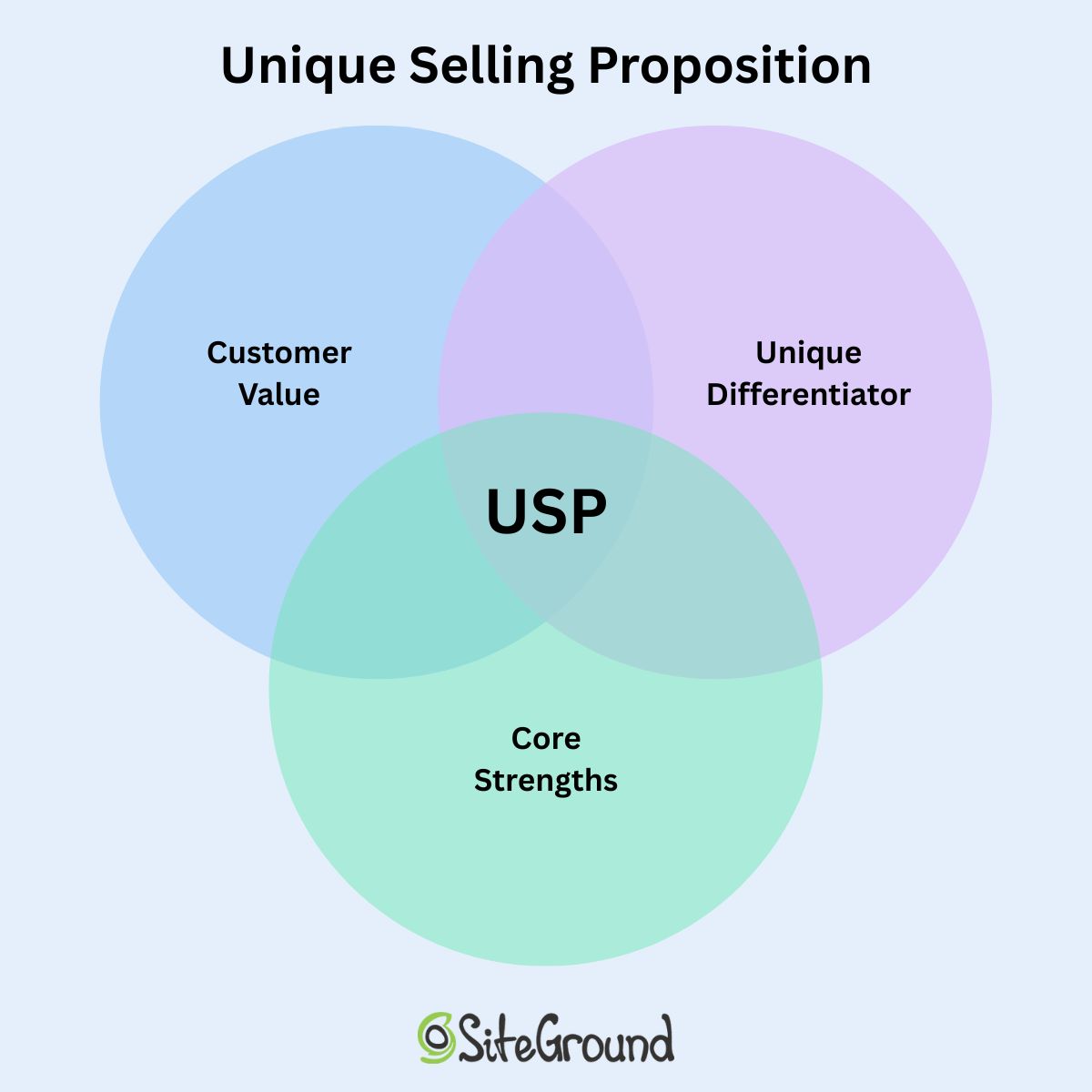
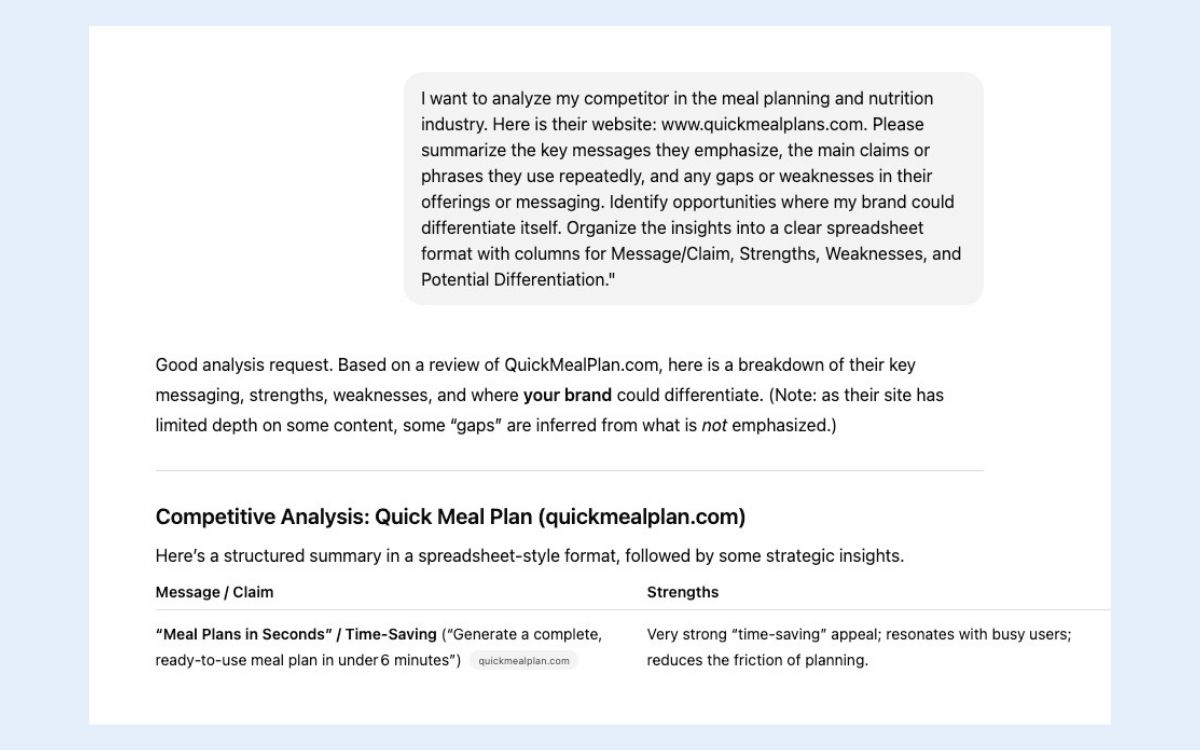
4. Design for Touch, Not Clicks

Mobile users interact differently than those on desktop. There’s no cursor, no hover, but instead just clumsy thumbs and fingers poking around on small screens. So website design for touch means rethinking space, positioning, and how users physically interact with your site.

Here’s how to make touch interactions smooth, intuitive, and frustration-free on mobile devices:

  • Increase tap targets. Buttons, links, and icons should be large enough to tap without zooming—ideally 44x44px or larger.
  • Mind the spacing. Leave enough space between clickable elements so users don’t accidentally tap the wrong one, especially in lists or forms.
  • Keep key actions within thumb reach. Most users hold their phones one-handed. Sometimes those phones are tiny; sometimes they’re massive. So that means you’ve got to design so essential buttons sit comfortably in the lower half of the screen.
  • Avoid edge clutter. Keep important elements away from the screen edges, where gestures like swiping can accidentally interfere.
Example of designing for touch with a finger tapping the webpage

Quick Win: Add subtle tap feedback—like color changes or animations—so users instantly know their action registered. It reduces frustration and speeds up task completion.

5. Ensure Accessibility from the Start

How much have you thought about accessible web design? It means making your website—whether desktop or mobile—is accessible to everyone. It not only supports inclusivity, but also improves overall usability and even SEO. So it’s worth paying attention to.

Also important to keep in mind, when accessibility is built into your design process early, you avoid costly retrofits later. Your mobile website naturally becomes clearer, faster, and easier for all users.

Best practices for implementing accessible mobile web design:

  • Use sufficient color contrast. Ensure text is readable against backgrounds—especially outdoors or in bright light.
Example of low contrast coloring on mobile web design vs a mobile website with good color contrast
  • Design with scalable text. Allow users to zoom and resize text without breaking your layout.
  • Add alt text. These help screen readers interpret images and navigation accurately.
  • Don’t rely on color alone. Use icons, shapes, or labels to convey meaning for users with color blindness.
  • Ensure keyboard and voice navigation compatibility. Not everyone uses touch; accessibility means multiple ways to interact.
Low contrast warning about color in siteground website builder

UX Note: Building accessibility from the start improves usability for everyone—and boosts SEO. Alt text, scalable text, and clear contrasts aren’t just nice—they impact rankings and engagement.

Ad to build your site in minutes with the SiteGround Website builder

6. Prioritize Speed and Performance

Speed is the backbone of great web design—whether that’s for desktop or mobile. A crafty and creative interface won’t land well if your mobile website takes too long to load. And mobile users, who are already probably multitasking, will up and leave in seconds.

So it’s important to keep in mind that every image, animation, and line of code impacts performance. The goal is to keep things light, fast, and responsive no matter the connection.

Best practices for improving website speed and performance on mobile:

  • Optimize images. Use next-gen formats like WebP and compress files without losing quality.
  • Minimize code and scripts. Remove unnecessary JavaScript and CSS that slow down rendering.
  • Implement lazy loading. Defer loading of off-screen images and videos until they’re needed.
  • Use caching and a content delivery network (CDN). Store and deliver assets closer to the user to reduce latency.
  • Avoid heavy pop-ups or animations. They might look nice on desktop but can stall or lag on mobile (and even on desktop, they can impact performance).
  • Test with real mobile devices and connections. Don’t just rely on lab results—test on 4G or even 3G networks to see true performance.
Example of mobile web design optimized for speed with one image blurry and unloaded and the other web pages crisp

Data Point: Google’s data shows that as page load times rise—especially above 1–3 seconds on mobile—the risk of a visitor leaving increases sharply. Plus, fast-loading mobile websites don’t just keep users happy—they also benefit SEO. Google favors pages that load quickly, meaning your mobile website’s speed can directly impact how high it ranks in search results.

Not quite sure how to make this happen in practice? Much of this is already handled if you’re using the SiteGround Website Builder—from image optimization to caching and fast-loading templates. And if you’re sticking with WordPress, the SiteGround Speed Optimizer plugin can help with many of the same tasks, including image compression, lazy loading, and script optimization, so your mobile site stays fast without extra manual work.

7. Test in Real-World Conditions

Even the most polished design can fall apart once it leaves the ideal lab environment. Real-world testing shows how your mobile site actually performs—in sunlight, on older mobile devices, with spotty Wi-Fi, or one-handed while juggling a coffee.

Best practices:

  • Test on multiple mobile devices. Try different screen sizes, operating systems, and browsers—not just your own phone.
  • Simulate weak connections. Use throttling tools or real 3G/4G networks to test load times and reliability.
  • Check usability outdoors. Bright light, glare, and motion all affect readability and interaction.
  • Observe real users. Watch people navigate key tasks. Where do they hesitate, zoom, or scroll too much?
  • Test touch and gesture accuracy. Make sure interactive elements respond instantly and as expected.
  • Review digital marketing metrics after launch. Track bounce rates, time on page, and conversion drop-offs to spot friction points.

Quick Win: Watch real users interact with your mobile website on actual devices and connections. You’ll uncover issues no lab test or emulation could predict.

Mobile Web Design That Works—Everywhere

It’s surely clear by now: a mobile-friendly website should be a top priority. But it’s not just about shrinking a perfectly tweaked desktop site—you need to treat mobile design as equally important from the start, with easy-to-use navigation, touch-friendly buttons and links, fast loading, and more.

Now, this could be a large and even costly task, but the good news is that it doesn’t have to be. The SiteGround Website Builder handles much of the heavy lifting for you. From mobile-adaptive layouts that adjust seamlessly to any screen, to automatically optimized images and fast-loading templates, it takes care of the technical details so you can focus on creating content and connecting with your audience. Responsive layout, spacing, and tap-friendly buttons are built in by default. And if selling online is part of your plan, SiteGround Ecommerce lets you turn that same mobile-optimized experience into a fully functional store—no extra setup, plugins, or coding required.

Mobile Web Design FAQs

What is the difference between mobile-first website design and responsive design?

Mobile-first website design and responsive design are related but not the same thing. Responsive web design is a technical approach that builds a single site to adapt automatically to any screen size. Mobile-first is a design philosophy that starts with the smallest screen and scales up, prioritizing what matters most on mobile before adding complexity for larger screens. The two work best together: responsive web design handles how your site is built, mobile-first thinking shapes the decisions behind it.

Does mobile design affect SEO?

Yes, significantly. Google now uses mobile-first indexing, which means it primarily crawls and evaluates the mobile version of your site when determining search rankings. If your mobile site is slow, hard to navigate, or missing content that appears on your desktop version, it can directly hurt your visibility in search results. Good mobile design and good SEO are increasingly the same thing.

Does page speed matter on mobile?

Yes, and more than most people realize. Mobile users are often on the go, on slower connections, and far less patient than desktop visitors. Google’s data shows that the risk of a visitor leaving increases sharply as load times rise above a few seconds. Beyond user experience, speed is also a ranking factor, so a slow mobile site can cost you both traffic and conversions. A lot of the technical side of this—image optimization, caching, fast-loading templates—is handled automatically if you’re building with the SiteGround Website Builder, or manageable with the SiteGround Speed Optimizer plugin if you’re on WordPress.

This article was originally published in November 2025 and then updated in May 2026.

How to Choose a Website Builder Without the Overwhelm + Quiz

Abstract of how to choose a website builder

Choosing the right website builder comes down to one question: what do you actually need your site to do? Once that’s clear, the best-fit platform is obvious, even with dozens of options that all promise the same reliability and great design until you dig into pricing, templates, integrations, and trade-offs.

This guide walks you step-by-step through the questions that actually matter, so you can choose a builder confidently and avoid the dreaded analysis paralysis. Plus, we’ve put together a super handy quiz so that you can quickly assess your needs and confidently take the next step.

Key takeaways

  • The best website builder isn’t the one with the most features—it’s the one that matches what your site actually needs to do.
  • Clarifying your goals, timeline, and tech comfort upfront makes choosing a builder far less overwhelming.
  • Most people don’t need advanced customization; a simple, all-in-one builder is often faster and more effective.
  • Speed, maintenance, and long-term cost matter just as much as design and flexibility.
  • A quick self-assessment (or quiz) can save you hours of comparison and help you choose with confidence.

[79]

What is a Website Builder?

A website builder is a tool that allows you to create a professional site without needing to write code or fork over the big bucks to hire a developer. Instead of building everything from scratch, you start with a visual editor and customizable templates, which makes the whole process faster, more beginner-friendly, and easier on your budget.

Not all builders, however, are designed for the same type of user. Some prioritize simplicity and speed; others offer deeper customization. And that’s where your own goals come in—because the builder that feels “easy” for one business might feel limiting or overkill for another. 

So let’s find the best website builder for you.

Key Questions to Identify the Best Website Builder

Before you choose a platform—or even start comparing features—it helps to step back and get clear on what your website actually needs to do for you. The questions below act like a filter: the clearer your answers, the easier it becomes to narrow your choices. Treat this as a quick self-assessment to help you match your goals, skills, and timeline with the right type of platform.

1. What Job Does My Website Actually Need to Do?

The job your website needs to do determines everything that follows (the builder you choose, the features worth paying for, and how much flexibility you’ll need) which is why it’s the first step in website planning, before you even look at templates or pricing pages.

Determine your main goal

Some sites simply act like digital business cards. Others are full storefronts, booking engines, or content hubs. If you name the primary “job” your site needs to do, you’ll immediately filter out platforms that aren’t built for it.

Typical goals include:

  • Building credibility and having a “home base” online
  • Showcasing creative work or a portfolio
  • Selling products or services (with or without shipping)
  • Educating through content
  • Generating leads or building your email list
  • Running events, bookings, or memberships

If your site has more than one goal, great—but try to rank them. The builder that’s perfect for selling digital products isn’t always the one that makes email marketing effortless, and vice versa.

To really nail your top priority, ask yourself: If I could only achieve one outcome with my site, what would it be? That’s your anchor.

Identify features you actually need 

Once you know the main job of your website, the next step is figuring out which features truly support that goal. To make this easier (and avoid feature overwhelm), think of features in three buckets:

Must-have features 

These are the core tools most small businesses, freelancers, and personal brands actually need to launch and operate effectively.

  • Mobile-responsive templates
  • Basic SEO (page titles, meta descriptions, alt text)
  • Contact forms or lead capture
  • Easy content editing (visual builder)
  • Built-in hosting + SSL

Nice-to-haves (useful if they fit your goals)

These only matter depending on your priorities and business model.

  • Appointment booking or scheduling
  • Integrated email marketing / newsletters
  • Ecommerce or payment processing
  • AI writing or image tools
  • Blogging / content management features
  • Membership or gated content
Example of an appointment booking feature in a website builder

Advanced or edge-case features (skip unless you know you need them)

These are helpful for highly customized sites or complex workflows, but unnecessary for most people—and often come with a steeper learning curve.

  • Custom databases or dynamic content
  • Deep workflow automation
  • Advanced SEO schema controls
  • Multi-language or multi-site architecture
  • Developer-level customization or code injection
  • Third-party integrations that require configuration

If you’re unsure whether you need something today or later, ask: “Will this feature meaningfully help me reach my main goal?” If the answer is no, it’s optional, and not essential.

Tools That Make Your Website Work Harder
Every SiteGround web hosting plan includes the Website Builder, which makes it easy to launch a site that does more than just look good:

-AI Wizard: Describe your business and get a ready-made first draft of your site to edit.
-AI-powered content creation: A built-in AI writer and image generator help you produce copy and visuals quickly.
-Built-in blog: Publish posts and feature products from your store right inside them, no plugins needed.
-SEO tools included: Optimize pages for search engines without extra plugins or guesswork.
-Email list building: Connect SiteGround Email Marketing to add signup forms and grow your list.
-Appointment booking: Add a Calendly section so visitors can book time without leaving your site.

Whether you’re selling products, showcasing your work, or taking bookings, you can manage it all from one platform.


Start building your website now>>

Consider Your Business or Project Type

After clarifying goals and features, it can help to think about what type of website creator or business you are. This is less about strict rules and more about shortcutting your decision based on your typical needs and challenges.

  • Portfolio Creator / Hobbyist: You want a clean, simple site to showcase work, a portfolio, or a personal project. Low maintenance, fast setup, and visually polished templates are most important. A basic visual builder is ideal.
  • Small Business Owner / Online Store: You need tools for selling products, managing email, and tracking analytics—but you don’t want to spend weeks learning the platform. An easy-to-use website builder with growth tools hits the sweet spot.
  • Scaling Business Planning for Big Growth : You’re handling a lot of content, memberships, or community features. You need moderate customization and workflow control. A CMS platform (like WordPress) is likely the best fit.
  • Businesses or Users Requiring Custom or High-Budget Builds: You require unique layouts, advanced integrations, or complex workflows. You enjoy tinkering and can handle technical setup. Developer-friendly platforms (like WordPress) or fully custom solutions are appropriate. Before taking the leap, really evaluate whether a website builder or custom site is the best choice for you.

The bottom line: For most users—freelancers, hobbyists, small business owners, or anyone who just wants a clean, functional online presence—a simple site builder is all you need. It’s easy to use, requires minimal setup, and gets you online quickly.

If your needs are more complex—running a large online store with hundreds of products, managing thousands of blog posts, or building membership-based sites with advanced workflows—you’ll likely benefit from more specialized or developer-friendly solutions that can handle those requirements.

For the vast majority, sticking with a simple, all-in-one website builder is the smartest, fastest path forward.

If you’re still unsure exactly where you fall, take our “Find Your Perfect Website Builder” quiz. Your answers will highlight the builder type that best matches your goals and priorities—helping you skip the guesswork and get online faster, with less frustration.

2: How Quickly Do I Need My Site Live?

The tighter your timeline, the more you should favor a simple, template-driven builder over one built for deep customization. Speed and flexibility are a trade-off, and not a package deal.

Templates and layout constraints

Templates are a huge time-saver, especially when you’re starting from a clean slate. Some builders give you highly structured templates that guide you toward a polished web design quickly. Others give you almost endless layout freedom—which can be powerful, but also slow you down because every decision is on you. 

More freedom also means more decisions, more tinkering, and more time spent polishing instead of publishing. Customization feels like an upgrade, but in practice it creates extra work unless you have a specific design reason for needing it.

Example of template options from the SiteGround website builder

If you need to launch fast, a more straightforward builder is your friend, because it limits design rabbit holes. So really it comes down to: do you want faster, easier decisions or more design freedom?

Accessible web design is worth keeping in mind too. High-contrast text, a clear website structure, proper heading hierarchies, and keyboard-friendly layouts not only broaden your audience but also improve SEO and usability. Many modern builders, including the SiteGround Website Builder, offer templates with accessibility features like this built in. Alternatively, highly customizable options may not automatically implement such best practices.

Mobile responsiveness

Most visitors will see your site on a phone first, so a builder that handles mobile layouts professionally—without you tweaking every section manually—is a major time win. Some platforms auto-adjust beautifully. Others require additional layout editing for small screens.

If you need to launch quickly (or simply want to avoid headaches), prioritize a builder that offers:

  • Templates featuring mobile web design: Templates that are optimized for phones from the start.
  • Automatic stacking and spacing: Page elements adjust automatically for smaller screens.
  • Minimal-to-no manual resizing: You shouldn’t have to tweak every margin or padding to make the site look right.
Mobile optimization showing desktop and phone version

Ease-of-use versus learning curve

Every builder comes with a trade-off: the easier it is to use, the less technical freedom it usually gives you. Platforms built for speed often have fewer knobs to turn—the point is to remove complexity so you can go live sooner.

If you only have a weekend to build a site, a short learning curve matters more than customization. But if this website will be a long-term growth engine, a slightly steeper learning curve can pay off over time. 

The bottom line: If you need to get online fast—whether it’s for a product launch, a campaign, or a new business—a straightforward, easy-to-use site builder is your best friend. It handles mobile layouts, accessibility, and design basics automatically, so you can focus on publishing instead of tweaking.

If your timeline is more flexible and long-term growth or unique design is a priority, you can afford a platform with more customization and control—but be ready for a longer setup and more hands-on work.

3: How Comfortable Am I With Tech and Setup?

The right builder should match your tech comfort level, not stretch past it. Visual, drag-and-drop platforms suit most users, while advanced customization tools like WordPress reward (and require) more comfort with configuration.

Visual builders vs. advanced customization

Some website builders are designed to be fully visual: you drag and drop blocks, swap images, and change text—all without touching a single line of code. They make it easy to launch a beautiful and functional site quickly, and with minimal technical knowledge.

Other builders offer advanced customization. These platforms (like WordPress, for example) give you more flexibility to tweak layouts, design interactions, and fine-tune functionality. You’re not usually writing heavy code, but you do need a higher comfort level with configuration, themes, and settings. Now, this flexibility is great if you want a unique design or plan to scale features over time, but it can slow down your launch if you’re not used to tinkering.

And it’s worth calling out: customization is not automatically a benefit. It gives you more control, but it also adds more decisions, more upkeep, and more complexity. Unless you have a clear reason you need that control, it tends to create friction, not freedom.

For example, as you can see in the WordPress image below: you have lots of customization options, but oftentimes this can be overwhelming if you don’t know how to use them.

Example of customization options in WordPress

This said, a platform like WordPress can also occupy a middle ground. With the right plugins, you can work visually for most of your site while still having access to deeper customization if needed. This makes WordPress a versatile option for users who want both simplicity and long-term control. That said, it’s very worth noting that it still comes with a pretty steep learning curve.

Quick takeaway:

  • Visual builders: Fast, intuitive, low technical load. Great for quick launches and low-maintenance sites.
  • Advanced customization: More flexible, more options, can be more complex. Better if you need unique layouts or plan to scale.

Reality check: If you don’t already know why you need deep customization, you probably don’t—and a simpler builder will serve you better.

Layout constraints

This is one of the hidden pain points for beginners. Some platforms limit where you can place elements on the page in order to keep the website layout tidy and responsive. Others let you put anything anywhere—and while that’s powerful, it can also create alignment issues and extra time tweaking margins.

If you hate fussy design work, constraints are a plus; if you want total control, constraints can feel like a cage. Be realistic about where you are on the spectrum and choose accordingly.

SEO tools

A pretty website won’t help your business if no traffic ever gets sent to it, and that’s where SEO comes in. But your comfort with tech will affect how much SEO control you can realistically handle.

Visual builders usually cover the SEO essentials: page titles, meta descriptions, alt text for images, and basic analytics. These are enough for most small businesses or freelancers.

Example of SEO basics included in a website builder

Advanced or hybrid builders (like WordPress) give you deeper SEO capabilities: custom URLs, redirects, structured data, advanced meta control, and site speed optimization. That said, to get the most out of these, you’ll need some familiarity with site settings and, occasionally, how to make technical tweaks. 

General rule of thumb: If SEO is central to your strategy, choose a builder that matches your technical comfort. Otherwise, keep it simple.

The bottom line: For most users—freelancers, hobbyists, or small business owners—a visual, drag-and-drop builder is more than enough. It’s fast, intuitive, handles essential SEO, and keeps technical headaches to a minimum.

If you’re comfortable with configuration, themes, plugins, and more detailed SEO or design tweaks—or you need unique layouts and long-term scalability—a more specialized or developer-friendly platform (like WordPress) can give you that control. Just be aware it comes with a steeper learning curve and more ongoing maintenance.

4: Will I Realistically Maintain the Site Myself?

How much ongoing maintenance you’re actually willing to take on, from updates to security to troubleshooting, should decide whether you pick a fully managed builder or a more hands-on platform.

Let’s break down what maintenance looks like realistically, so your site doesn’t become a chore.

Technical updates

Most builders handle updates automatically, but if you’re using a hybrid platform like WordPress, you may need to manually update plugins, themes, or even the core system. Falling behind can cause errors, slow performance, or even security risks.

So a good question to yourself: Am I willing to regularly check for updates and apply them, or do I want the platform to do it for me? The answer can guide whether a fully managed builder or a more flexible, self-managed one is the right choice.

Speed, security, and performance optimization

Depending on the website builder, performance and security can either be handled automatically—or left for you to manage manually.

Some platforms (especially fully hosted website builders) optimize things like caching, image compression, and threat protection in the background, so your site stays fast and secure without extra maintenance. 

Others—particularly open platforms or those relying heavily on plugins—may require you to stay on top of updates, install security tools, and manage performance settings yourself.

So if site speed, uptime, and security are mission-critical—especially for ecommerce or sites with high traffic —choosing a platform with built-in optimization and active protection can prevent slowdowns and reduce risk over time.

Support and troubleshooting

Problems will happen. The difference is how much support you have when they do. Some platforms offer 24/7 support or live chat. Others rely on community forums or documentation.

Consider your tolerance for figuring things out on your own. If you want a hands-off experience, prioritize a builder with robust, well-reviewed support and quick response times. If you enjoy troubleshooting or have developer resources, you can opt for a platform that offers more flexibility but less hand-holding.

The bottom line: For most users who prefer a hands-off experience, a fully managed website builder is the easiest path. It handles updates, performance optimization, and security automatically—so you can focus on content and growth, not tech headaches.

If you’re comfortable with ongoing updates, troubleshooting, and technical setup—or if your site requires advanced customizations or unique workflows—a self-managed or hybrid platform can offer more flexibility. Just be prepared to invest time in maintenance to keep your site running smoothly.

5: What is the Real Cost Over Time?

The real cost of a website extends well past the signup price, once you factor in hosting, domains, SSL, and add-ons, so total cost of ownership matters more than comparing sticker prices.

Hosting

Some builders include hosting in their monthly fee, while others, like WordPress, require you to buy hosting separately. Managed WordPress hosting can save time and worry, but comes at a slightly higher cost. Consider:

  • Bandwidth or storage limits
  • Automatic backups
  • Performance optimization included

Domain name

Your domain is your web address: the “.com” people type in. Some builders throw in a free domain for the first year, usually with an annual plan, while others charge for it separately. Either way, check the renewal price, since that’s what you’ll pay from year two on. With SiteGround, the first year of a new domain is free with any web hosting plan, and you can also connect one you already own, all from the same account.

SSL

SSL certificates keep your site secure and are essential for SEO and visitor trust. Many builders include SSL automatically, but some require a separate purchase. Make sure your plan covers it without extra fees.

The ability to test-drive your builder

Before you commit to paying long term, it helps to see what you’re actually getting for your money. Many platforms allow you to build and explore the interface before checkout—use that opportunity to see whether essential features are included in the plan you’ll ultimately need, or if key tools are locked behind higher tiers. A quick test-drive can prevent surprises later, like realizing you have to upgrade just to access ecommerce, analytics, or email marketing.

All-in-one vs. multiple subscriptions

Some platforms bundle everything—hosting, email marketing, SEO, and ecommerce—into one plan. Others require separate subscriptions for tools like email providers, analytics, or booking systems. 

When choosing an all-in-one solution with ecommerce, also check whether the platform charges its own transaction fees on every sale, and on which plans. Some charge a fee on entry-level plans and drop it on higher tiers, which matters more as your sales grow. With SiteGround Ecommerce, for example, the Sell plan has a 3% platform fee, while Grow and Scale have none, so only the standard payment processor fee applies.

Ultimately, think about how much you want to manage yourself versus paying for built-in convenience.

The bottom line: The true cost of a website goes beyond the signup price. For most small businesses, freelancers, or personal projects, an all-in-one builder that includes hosting, a domain, SSL, and essential features is the most cost-effective and low-maintenance choice.

If you’re building a larger or more complex site—like an ecommerce store with many products, or a content-heavy site with memberships and integrations—you may need separate hosting, plugins, or add-ons, which increases costs and maintenance. In those cases, plan for ongoing subscriptions and potential transaction fees to understand the full long-term investment.

SiteGround Website Builder: Your All-in-One Solution

Looking for a website builder that does it all? Every SiteGround web hosting plan includes the Website Builder, which combines ease of use with powerful features so you can focus on growing your site, not managing it.
-All-in-one platform: Hosting, AI tools, a built-in blog, and more, all in one place.
Beautiful templates & mobile-ready design: Launch a professional-looking site that looks great on any device.
-Start with AI: Describe your business to the AI Wizard and get a first draft of your site to customize.
–SiteGround Ecommerce ready: Add it when you’re ready to sell products, accept payments, and manage orders, with no extra plugins or platforms required.
-Fast, high-performance websites: Optimized for speed and reliability.
-Built-in security & daily backups: Keep your site safe without extra effort.
-No updates required: The platform handles maintenance so you can focus on content.
-A free new domain: Your first year is free with any hosting plan, or connect one you already have.
-Top-rated 24/7 support: Expert help whenever you need it.

Whether you’re building a portfolio, a small business site, or an online store, SiteGround’s hosting plans with the Website Builder get you online without the technical headaches.

Start building with SiteGround hosting >>

The Best Website Builder Is the One That Matches Your Goals

At the end of the day, there is no universally “best” website builder—there’s only the one that best fits what you are trying to achieve. Once you’re clear on your goals, the right choice becomes far easier to see. The more aligned your platform is with your real needs (not your hypothetical ones), the smoother your build and growth experience will be.

And if you want a solution that checks the major boxes most people care about—built-in tools, easy ecommerce, strong performance, security, and room to grow—SiteGround’s web hosting plans include the Website Builder and give you all of that in one place. You can start designing immediately, try it risk-free with a 30-day money-back guarantee, and launch on a foundation that is fast, secure, mobile-ready, and supported by a world-class team whenever you need help.

Frequently asked questions

What is the average cost to have someone build a website?

Hiring a professional to build a small business website typically runs $500 to $10,000 or more, with $1,500 being a common starting point, depending on the designer’s experience and how customized the site needs to be. A website builder sidesteps most of that cost, since you’re doing the building yourself with a visual editor instead of paying by the hour.

How do I choose a website builder that won’t limit my growth?

Look for a platform that already includes room to grow, like ecommerce, email marketing, bookings, and SEO tools, so you’re not stuck migrating to a whole new system the moment your needs change. SiteGround, for example, includes SEO tools in the builder that comes with every hosting plan, and SiteGround Ecommerce adds a store later without switching platforms. If you’re already unsure whether you’ll outgrow a simple builder, revisit the business-or-project-type breakdown above, it’s built specifically to flag that.

Is Wix really the best website builder?

No single builder is universally “best,” only the one that fits what your site actually needs to do. Wix is one of the best-known names out there, but that doesn’t make it the right pick for every use case. Whether you need deeper customization, specific ecommerce features, or a simpler editor, there are plenty of Wix alternatives.

This article was originally published in December 2025 and last updated in October 2026.