Clothing website builder: What to look for before you pick one

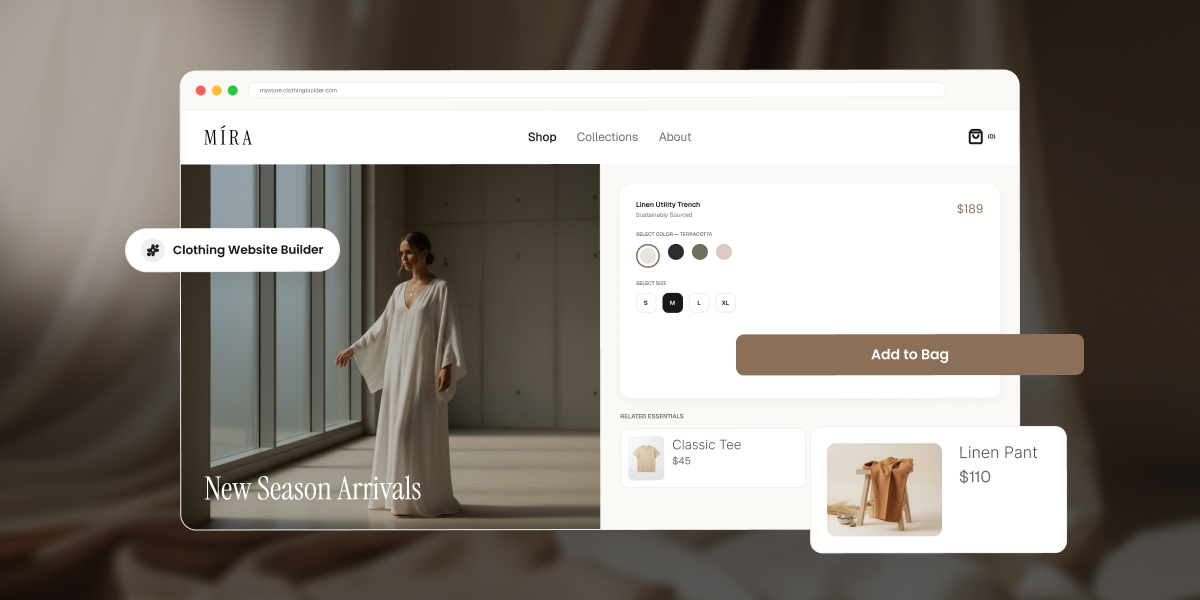
Browser mockup of a clothing store called MÍRA built with a website builder, showing a "New Season Arrivals" hero image of a model in a white linen dress, alongside a product page for a Linen Utility Trench with color and size options, an "Add to Bag" button, and related items: Classic Tee and Linen Pant.

You’ve got a rack of samples shot and ready, a size chart scribbled on a notepad, and no patience left for tutorials. The builder you pick from here decides whether that turns into a store people can actually buy from, or a pretty homepage that quietly blocks your first sale until you upgrade. Here’s what actually matters before you commit to one.

Key takeaways:

  • A clothing website builder needs native size and color variant support, or a single design in three sizes and four colors turns into 12 separate products to manage by hand.
  • Checkout is where most sales are actually won or lost, so a clunky payment flow undoes good product photography and merchandising in seconds.
  • Nearly every well-known builder lets you build a store for free but requires a paid plan before you can process a single sale. Truly free-and-selling platforms exist, but they cap your product count in exchange.
  • The clearest way to choose between a simple builder and a full ecommerce platform is your actual SKU count today and a year from now.
  • A missing size guide and an unclear returns policy are two of the most common, and most avoidable, mistakes first-time apparel sellers make before launch.

What to look for in a website builder for a clothing brand

Apparel has needs that most website builders weren’t originally designed around, mostly because they were built with someone selling one kind of thing in one size in mind. Before comparing platforms by price or template count, check that each one covers the four things that actually determine whether you can run a clothing store on it day to day, not just launch a pretty homepage and call it done.

1. Product variants (size, color, material)

A single T-shirt design in three sizes and four colors is 12 separate combinations, called SKUs. A builder without native variant support forces you to create 12 separate product listings, then manually track stock for each one, which is less “running an online store” and more “running a spreadsheet with a storefront attached.” 

Look for a platform where you set a product once, add size, color, and material color as variant attributes, and get one product page with a size or color selector for shoppers. This single feature separates real fashion ecommerce builders from generic site builders with a “shop” add-on bolted on.
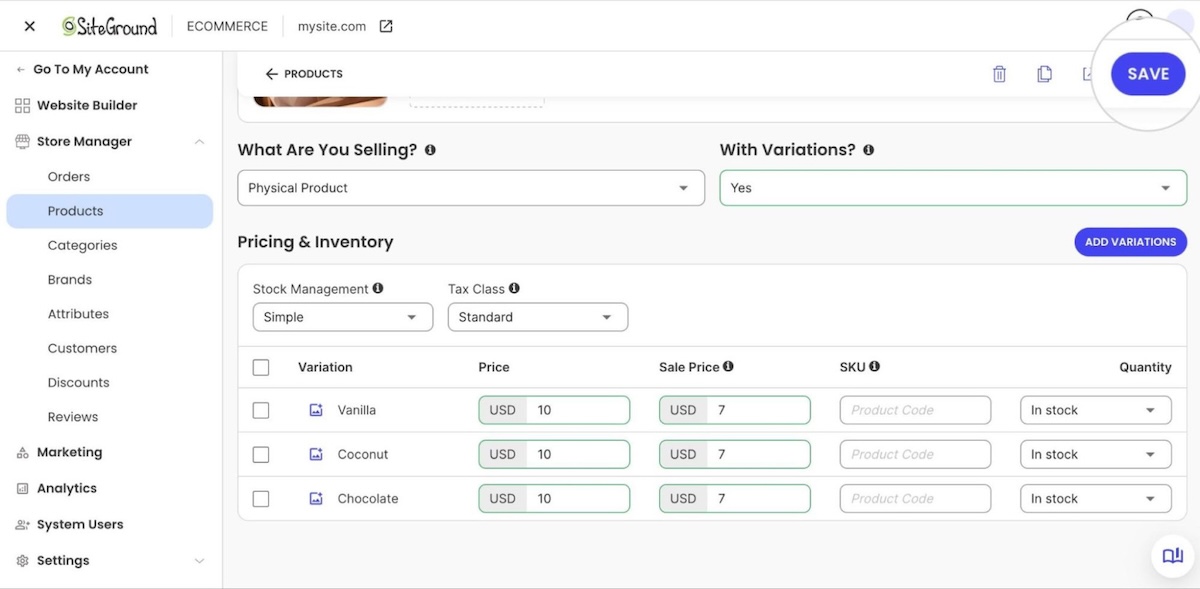
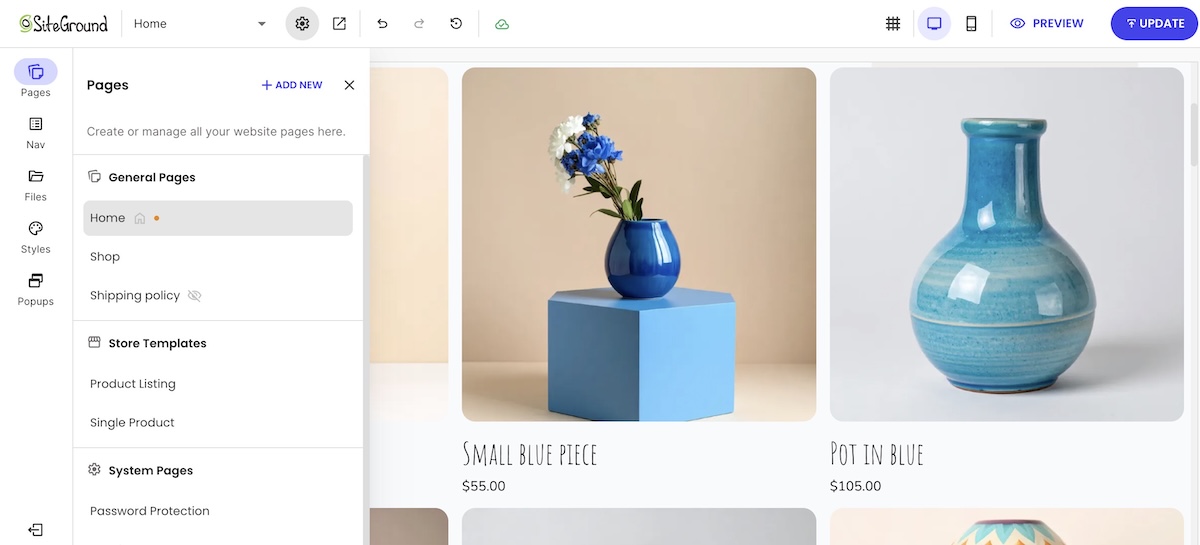
clothing website product variation selection on ecommerce platform

2. Collections, drops, and seasonal merchandising

Clothing brands sell in cycles: a spring lineup, a limited drop, a holiday capsule. Your builder should let you group products into categories, so a new drop can go live as its own dedicated section without rebuilding your site structure each season. If adding a new drop means recreating your navigation from scratch, the platform is working against your merchandising calendar, not with it.
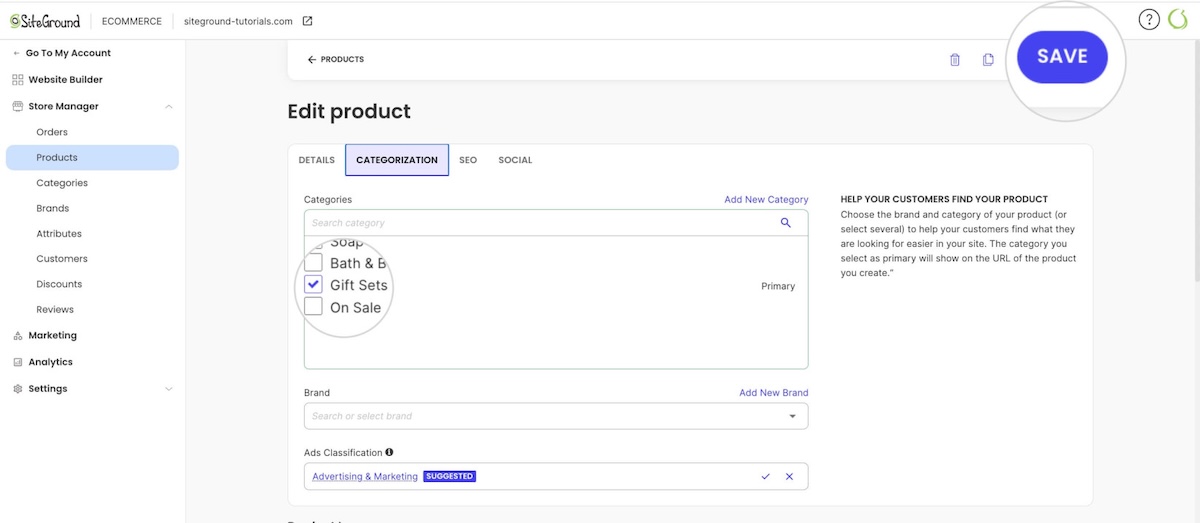
Selecting categories for products on ecommerce website admin panel

3. Product photography and lookbook-style visuals

Clothing sells on how it looks worn, styled, and photographed, not just specs. Look for:

  • Storytelling layouts. Big photos that stretch edge to edge instead of sitting in a small boxed-in frame, and galleries with more than one or two shots per product.
  • At least four to six images per variant. Shoppers buying clothing online rely on multiple angles to judge fit in place of trying it on.
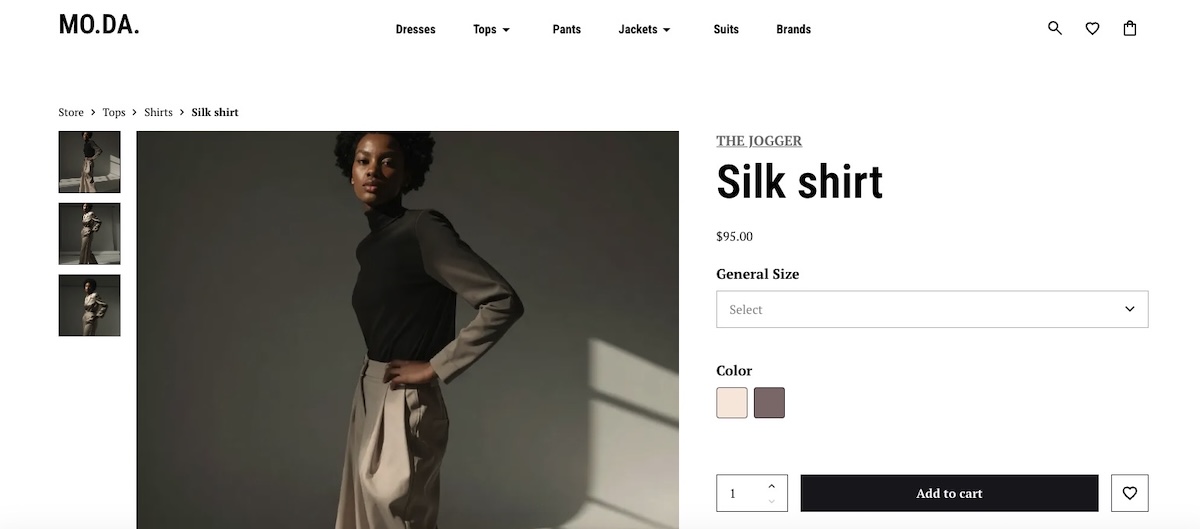
product imagery on a clothing ecommerce website

4. Payment processing and checkout experience

Checkout is where most of the sale is actually won or lost. The global average cart abandonment rate sits at 70.22%, and apparel is widely cited across industry benchmarks as one of the highest-abandoning retail categories

Look for a builder with built-in support for major processors such as Stripe and PayPal, a mobile-friendly checkout with few form fields, and clear shipping costs shown before the final step. 

Don’t forget the technical essentials: speed, mobile, and SEO
None of the above matters if the site is slow, breaks for mobile shoppers, or never shows up in search. Look for a builder that loads product pages in a couple of seconds, adapts automatically to phone screens, and easily handles the SEO basics, meta titles, clean URLs, alt text, without a separate plugin.

Free vs. paid clothing website builders: what you actually get

“Free clothing website builder” is one of the most searched phrases in this category, and it hides a real gap between what free means on different platforms. In practice, there are really only two tiers, no matter how many different names builders give them.

TierWhat you actually getThe tradeoff
Free to build, not to sellA live storefront with your branding and products, sometimes with the full feature set unlocked for previewCheckout stays off until you pay, whether that’s a standing free plan with no time limit or a trial that expires in a matter of days
Free to sell, but cappedReal checkout and payment processing at no costUsually a hard cap on product count, like 5 products

Most well-known builders fall into the first tier. Some offer a permanent free plan, others a time-boxed trial, but the result is the same either way: you build for free, and you pay to actually sell. Free-and-selling platforms exist, but they’re the exception, usually in return for a hard product cap, not something you can expect to find by default. If your goal is to launch and start selling in the next few weeks, it’s worth reading through the specific tradeoffs of starting an online store on a budget before you commit to any single plan.

SiteGround Ecommerce lets you build the real thing, not a demo. Set up your storefront, add every variant, and see exactly what your first collection will look like, all in 14 days, no credit card required. It’s a no-code builder from the first click, runs on the same fast, secure infrastructure SiteGround’s known for, and email marketing tools are ready to plug in whenever you want to start building a list.

Start building your online store now>>

How to choose the right builder for your apparel business

Once you know what to look for, the real question is which platform fits your specific business, not apparel sellers in general. A hobbyist launching eight T-shirt designs has different needs than a brand moving 150 SKUs online for the first time, and treating them the same leads to the wrong builder for one of them. If you’d rather answer a few quick questions than work through a framework, a short builder-matching quiz can point you toward a shortlist in a couple of minutes.

Consider your catalog size and product complexity

Ten T-shirt designs in three sizes each is a manageable catalog for almost any builder. Two hundred SKUs across multiple product types, each with size, color, and material variants, needs a platform built to handle bulk product management, inventory tracking, and variant combinations without manual workarounds. Count your current SKUs and your planned SKUs a year out. If that number is already in the hundreds, rule out any builder with a hard product cap on its paid plans, not just its free tier. Discovering the cap the hard way, mid-upload, is a real momentum killer.

Consider your budget and growth stage

A pre-launch seller testing demand with a small collection has different math than a brand already doing five figures a month in sales. Weigh the monthly platform fee against any per-transaction fee, since transaction fees scale with your revenue in a way a flat monthly cost doesn’t. A 14-day free trial period is long enough to build your full catalog and see exactly what your online store will look like before you decide whether the ongoing cost fits your margins.

Consider your design and branding needs

Some builders offer flexible layout control; others lock you into a fixed template structure. If your brand depends on a distinct visual identity, custom fonts, and a specific homepage layout matter more than they would for a generic product catalog. Check whether the builder lets you edit layouts directly or only swap between preset themes. A brand built on strong visual identity deserves more than “here’s our template, please enjoy the stock photo of a laptop.”

Step-by-step: what building your clothing website actually involves

Regardless of which platform you pick, launching a clothing store follows roughly the same sequence, and skipping ahead tends to cost you time later, not save it:

  1. Choose your platform and plan. Confirm it supports variants, your preferred ways to accept payments, and your expected catalog size before you build anything.
  2. Set up your domain and branding. Connect your domain, upload your logo, and set your brand colors and fonts.
  3. Create your first product with variants. Build one product completely, including size, color, and material options, before duplicating the structure for the rest of your catalog.
  4. Add product photography. Upload consistent, well-lit images for every variant. Inconsistent photo quality across products is one of the fastest ways to look unfinished.
  5. Configure payment processing and shipping. Connect Stripe or PayPal, set your shipping rates or flat rates, and confirm tax settings for your region.
  6. Set up tax settings for your region. Confirm whether you need to collect ecommerce sales tax based on where you and your customers are located, and configure your platform’s tax rules before your first sale.
  7. Test the full checkout flow yourself. Place a real test order and walk through every step a customer would, on both desktop and mobile.
  8. Publish and launch. Go live once the test order confirms your checkout, shipping, and confirmation emails all work correctly.

This sequence covers the apparel-specific setup. For the broader mechanics of setting up product pages, tax settings, and store policies, the eight-step ecommerce website process walks through each stage in more depth.

Common mistakes first-time clothing sellers make

A few mistakes show up repeatedly among first-time apparel sellers, and every single one of them is more fun to read about now than to discover after launch.

  • Skipping the size guide. Apparel has one of the highest return rates in ecommerce, and a missing or vague size chart is a common cause. Add a size guide to every product page before launch, not after the first round of “runs small” emails.
  • Uploading inconsistent product photos. Mixing phone photos with professional shots, or shooting products against different backgrounds, makes a product gallery and catalog look unfinished even when the products themselves are solid. 
  • Choosing a custom-built site before validating demand. Committing to a fully custom, developer-built site before your first sale adds cost and delay you don’t need yet. Comparing a builder against a custom-built site is worth doing, but most first-time sellers are better served by a builder until sales volume justifies custom development, not personal ambition.
  • Not testing checkout on mobile. Mobile cart abandonment consistently runs higher than desktop across most industry benchmarks. If you only tested checkout on a laptop, you’ve only tested half your traffic and hoped for the best on the rest.
  • Underpricing shipping. Absorbing shipping costs without checking your margins first is one of the fastest ways to sell at a loss without noticing, right up until the numbers catch up with you.
  • Launching without a returns policy. Apparel has one of the highest return rates of any retail category, driven mostly by sizing and fit. A clear, visible returns policy on your product pages and checkout reduces pre-purchase hesitation and gives you a documented process to point customers to when a return request comes in, instead of writing the policy on the spot in a support chat.
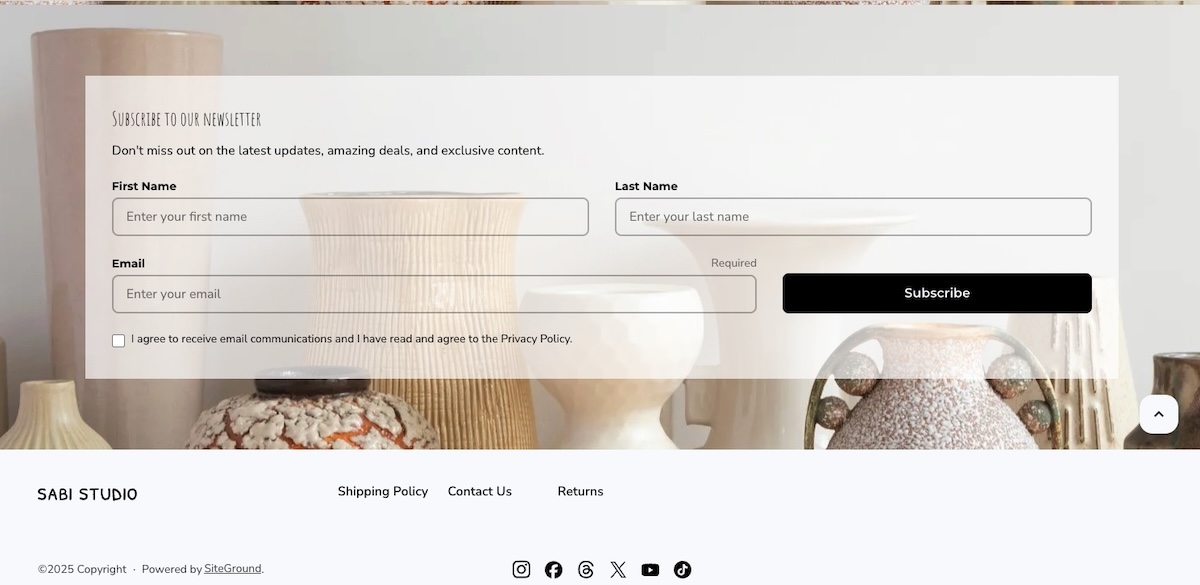
Example of a return policy in the footer of a clothing ecommerce website

Getting your clothing website ready to launch

In the final stretch before launch, a short checklist separates an online store that looks intentional from one that looks unfinished.

  • Size guide on every page. Confirm it’s visible on every product page, not just a handful of them.
  • Consistent and high quality product images. Check that lighting, backgrounds, and angles match across your full catalog, not just your bestsellers.
  • A homepage that earns the click. Review it against a few ecommerce design ideas to spot obvious gaps, such as a missing call-to-action above the fold or a navigation menu that buries your best-selling collection.
  • Product page SEO. Give every product a unique title and description instead of the manufacturer’s boilerplate copy, and add descriptive alt text to your images so search engines (and screen readers) know what’s actually in the photo. A quick pass through SEO basics for ecommerce product pages before launch beats rewriting 40 product descriptions after the fact.
  • An audience to actually launch to. A finished store with nobody to tell about it just sits there. Set up accounts on social platforms accounts and start building an email list before launch day, even a small one, so your first collection has somewhere to go the moment it’s live instead of a quiet opening with zero visitors.
  • A real test order. Place one yourself, start to finish, on both desktop and mobile. Confirm the payment goes through, the confirmation email arrives, and the order shows up correctly in your dashboard. A five-minute test now is faster, and considerably less awkward, than fielding a support email from your first real customer.

Once your storefront, variants, and checkout all pass that test, you’re not pre-launch anymore. You’re open for business.

Ready to build your store

Most of the decision comes down to matching your catalog size, budget, and design needs to a platform that treats variants, drops, and checkout as essential features rather than afterthoughts. Once you’ve settled on that, the setup itself takes a weekend, not a quarter, no matter how many browser tabs it currently feels like.

SiteGround Ecommerce covers the essentials this guide walks through: product variants for size and color, Stripe and PayPal support, and store design tools that don’t require code. Start your free 14-day trial with no credit card required, and see whether your first collection is ready to go live sooner than you expected.

[103]

Frequently asked questions

What is the best website builder for a clothing brand?

The best clothing store website builder is the one that natively handles size and color variants, supports your expected catalog size, and includes a mobile-friendly checkout with your preferred payment processors. There’s no single universal answer. A brand with 15 products has different needs than one with 300, so match the platform to your catalog first, then compare pricing and design flexibility second.

How do I create my own online clothing store?

Creating an online clothing store starts with choosing a builder that supports product variants, then setting up your domain, branding, and first product listing with size, color, and material options before adding the rest of your catalog. From there, connect a payment processor, set shipping methods, and test the full checkout flow before you publish.

Do I need an LLC to sell clothing online?

You don’t need an LLC to start selling clothing online in most places, since many first-time sellers begin as a sole proprietor. An LLC can offer liability protection and tax advantages as your sales grow, so it’s worth a conversation with an accountant or attorney once you’re past initial testing, rather than a requirement to launch.

Is it free to build a clothing website?

Building a fashion website is often free, but selling on it usually isn’t. Many builders let you design a full storefront at no cost, then require a paid plan the moment you actually try to accept an order. Check whether a platform’s free tier includes real checkout, or only site design, before assuming “free” covers your launch.

How long does it take to create a clothing website?

Building a clothing website typically takes a few days to two weeks for a first-time seller with a small catalog, most of which goes toward product photography and writing descriptions rather than the technical setup. Platforms with built-in variant support and templates cut the setup time itself down to a few hours.

Skincare website builder: Choosing a platform your brand won’t outgrow

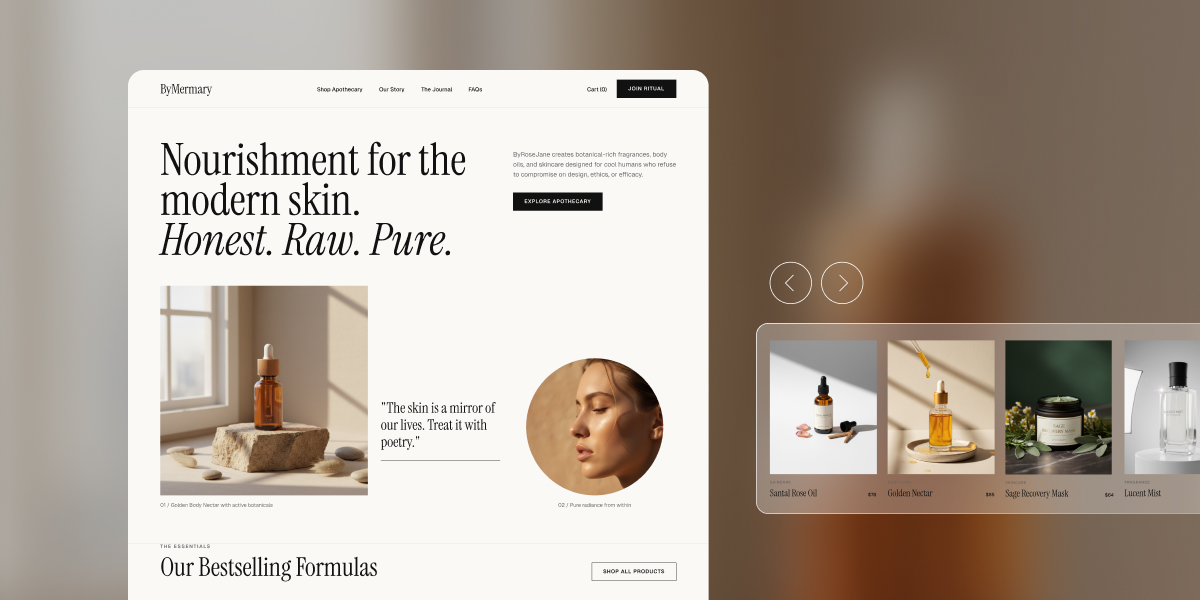
Homepage mockup for skincare brand ByMermary, showing a hero section with the headline "Nourishment for the modern skin. Honest. Raw. Pure," a product photo of an amber dropper bottle on stone, a circular portrait of a woman with a skin-care quote, and a horizontal carousel of four bestselling products: Santal Rose Oil, Golden Nectar, Sage Recovery Mask, and Lucent Mist.

Choosing a skincare website builder is a bigger decision than it seems: get it wrong, and the cost shows up months later, not on launch day. Skincare has needs most generic “how to sell online” advice skips: ingredient transparency and allergen disclosure aren’t optional, and the photography this category relies on can quietly slow a site down if the platform isn’t built for it. Here’s how to choose one that actually keeps up.

Key takeaways:

  • Ecommerce now accounts for 37% of global skincare sales in 2026, the highest share of any beauty category.
  • A skincare website builder needs to do more than take payments. Ingredient lists, allergen disclosures, and credibility signals aren’t optional extras for this category.
  • MoCRA registration and product listing aren’t optional for most skincare brands selling in the U.S.; confirm your status (or your small-business exemption) before you launch, not after.
  • High-resolution product photography, the kind skincare shoppers expect for texture and ingredient close-ups, can quietly slow your site down if your platform wasn’t built to handle it.
  • A side hustle, a growing brand, and an established line need genuinely different things from a skincare website builder, not just different budget levels.

Why the platform you pick now matters later

Skincare is the fastest-growing beauty category online: ecommerce made up 37% of global skincare sales in 2026, the highest of any beauty category, and Euromonitor projects that reaching 40% by 2030. Ingredient transparency and high search intent are driving that shift. Ingredient transparency and high search intent are driving that shift. Launch a skincare brand today, and most of your future customers already expect to find you online.

“Outgrowing” a website builder rarely looks dramatic. It’s page speed quietly slipping under new product photography, or a catalog and cost structure that no longer fits, not a crash: most platforms handle traffic spikes fine now. Those problems rarely show up on day one. They show up six months to a year in, right when you can least afford to rebuild.

Scale matters more here than raw power on day one. The right platform lets you grow without forcing a migration, a replatform, or three bolted-on tools just to keep functioning. That’s a different question than which platform looks best in a demo, and it’s the one this guide actually answers.

What a skincare website actually needs to sell

A skincare site has to do everything a general ecommerce site does, plus a handful of things that are specific to this category and that most generic “how to sell online” guides skip entirely.

1. Ecommerce features you actually need

At minimum, your platform needs:

  • Real product pages, not just a photo and a price
  • Inventory tracking across SKUs and variants
  • Checkout that handles tax and accepts multiple payment methods
  • Customer accounts with order history
  • Room for ecommerce design that supports before/after comparisons and ingredient callouts, not a two-line description
  • Appointment booking, if you offer skin consultations or other in-person services alongside your products

And ideally all of this without unnecessary complexity that makes handling your store a pain.

appointment booking feature in an ecommerce platform

2. Speed and image handling for product photography

Skincare product photography runs heavier than almost any other ecommerce niche. Texture close-ups, ingredient macro shots, and before/after pairs are often shot at full resolution, and a single unoptimized image can run 4 to 8 MB. Put six of those on one product page without automatic compression, and that page is slow before a single customer even scrolls. Look for a platform that handles image compression and delivery automatically, rather than one that expects you to manually resize every photo before uploading it.

3. Ingredient and allergen transparency

Skincare shoppers read ingredient lists before they read marketing copy, especially anyone managing sensitive skin, a fragrance allergy, or a specific skin condition. The real gap isn’t whether your platform has room for this: every product page has a description field. It’s whether that field gives you enough space and formatting control to keep a full ingredient list scannable instead of crammed at the bottom, and whether you have writing help to keep that wording consistent across every SKU instead of rewriting it from scratch each time.

easy to edit product descriptions for a skincare online store

4. MoCRA requirements met on your labels and product pages

The Modernization of Cosmetics Regulation Act of 2022 (MoCRA) is the biggest expansion of FDA authority over cosmetics since 1938, and most of its core requirements were already in effect by the end of 2024. Here’s what applies:

  • Facility registration and product listing: Required annually with the FDA if you manufacture or process cosmetics sold in the U.S.
  • Adverse-event reporting: Serious adverse events must be reported to the FDA within 15 business days.
  • Small-business exemption: Brands averaging under $1 million in U.S. cosmetic sales over the prior three years can skip facility registration, product listing, and Good Manufacturing Practice requirements.
  • Exceptions to the exemption: It doesn’t apply if your products touch the eye area’s mucous membrane, are injected, are intended for internal use, or alter appearance for more than 24 hours without the consumer removing them.
  • Fragrance allergen disclosure: Still being finalized federally as of 2026 and not yet enforced, though California already requires disclosure of specific allergens, which is why many brands label consistently across every state.

None of this is legal advice, and the thresholds and deadlines above have already shifted more than once since MoCRA passed. Confirm your current obligations directly with the FDA or a cosmetics-focused attorney or regulatory consultant before you launch or make label claims, since your specific product type and sales volume can change what applies to you.

5. Trust signals that make shoppers comfortable buying skincare online

Skincare is a higher-trust purchase than most consumer goods, since customers are putting the product on their skin. Genuine social proof, such as customer reviews, dermatologist or esthetician input on formulations, and any relevant certifications all help close that trust gap. A short “why we formulated this” note from a real person on your team does more work than a polished mission statement.

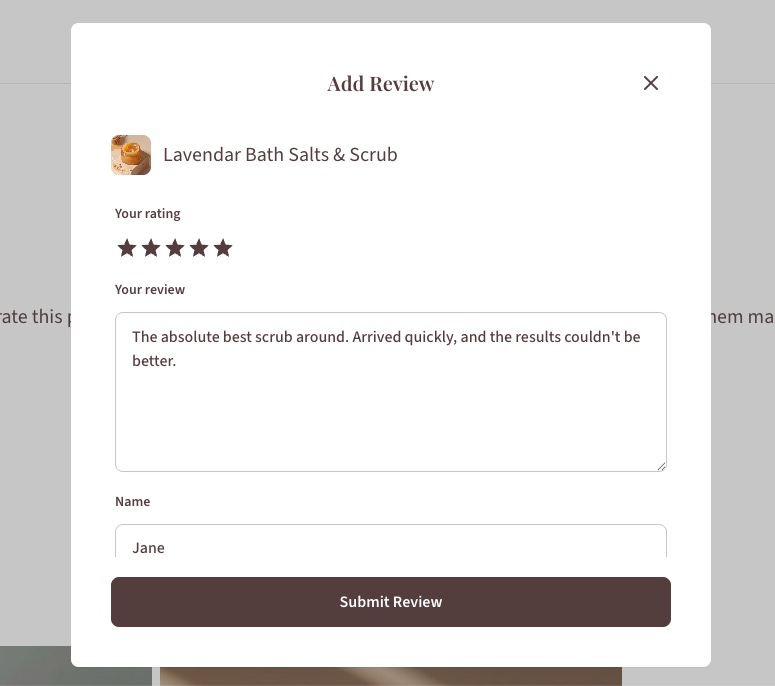
a customer review feature in a skincare online store

How to choose the right setup for your stage and budget

Most comparisons start with a features list. Start with a decision framework tied to your stage instead.

You’re running a side hustle

You’re selling a handful of SKUs and still testing demand, probably alongside a full-time job or another business. At this stage, speed and low overhead beat any feature you’re not using yet. That cost shows up as apps: platforms like Shopify don’t include reviews, email, or SEO tools out of the box, and those add-ons commonly run $50 to $150 a month on top of the subscription. If you’re already paying for two or three of those, that’s your signal to consolidate into one platform now instead of waiting until you feel like you need to.

Your brand is growing

You’ve got repeat clients, a widening product line, and enough traffic that a rebuild would actually hurt. What matters most here is room to add SKUs and content without starting over. If a plugin conflict or a payment gateway issue has already eaten an afternoon this year, your current setup is already costing you more time than it’s saving.

You’re running an established line

You’re juggling wholesale accounts, multiple SKUs, and steady traffic that a smaller setup was never built to handle. At this point, the platform needs to manage real catalog complexity, even if that costs more than a simpler builder. If your catalog is already outpacing what your current platform can do, that’s not a future problem, it’s a current one.

Here’s the same breakdown at a glance:

StageWatch forPrioritize
Side hustleYou’re already paying for two or three separate apps, like reviews, email, or SEO, on top of your platform subscriptionFast, all-in-one setup over more features
Growing a businessA plugin conflict or payment gateway issue has already eaten an afternoon this yearManaged, built-in tools over DIY flexibility
Established lineYour catalog is outpacing what your current platform can handleA platform built for that complexity, even at a higher cost

Whichever stage you’re in, match the platform to where your business actually is today, not where you hope it’ll be in a year.

How to build your skincare website step by step

Once you’ve picked a platform for your stage and budget, the build itself follows a fairly consistent order.

  1. Choose and connect your domain. Pick a domain that matches your brand name and point it at your platform. On an all-in-one platform, hosting comes bundled in, so there’s no separate server or hosting decision to make here.
  2. Pick a template and customize your skincare website design. Start from a template built for product-heavy layouts rather than a generic blog theme, then adjust colors, fonts, and layout to match your brand.
  3. Set up products, payments, shipping, and ecommerce sales taxes. Load your product catalog with full ingredient lists, connect a payment processor, and configure shipping rates and tax settings for the regions you actually sell into.
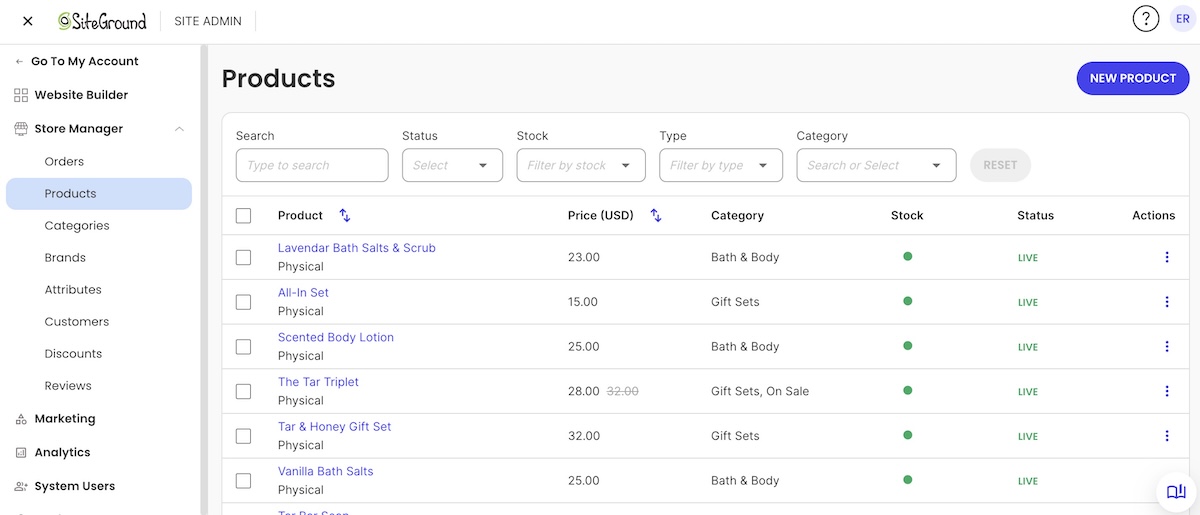
setting up products in a skincare online store
  1. Set your basic ecommerce SEO. Write a real title and description for each product page, add alt text to your images, and submit your sitemap so search engines can find your catalog before you start driving traffic to it.
  2. Test, launch, and promote. Check every product page on mobile, run a test order end-to-end, and confirm your checkout, tax, and shipping settings all work before you send traffic to the site.

Skincare website launch checklist

Run through this before you flip your site live:

  • Domain connected and SSL certificate active
  • Product pages include full ingredient lists and allergen notes
  • MoCRA registration or exemption status confirmed for your business
  • Product photography compressed and loading quickly on mobile
  • Payment processor connected and tested with a real transaction
  • Shipping rates and tax settings configured for every region you sell into
  • At least one trust signal live: reviews, expert input, or certifications
  • Legal pages published: returns policy, privacy policy, and terms of service

Getting this list right the first time is cheaper than fixing it after launch, and it’s a big part of starting an online store without blowing your budget on avoidable rework.

The bottom line: choose a platform that grows with your brand

Skincare’s real requirements, ingredient transparency, heavy photography, ongoing compliance, make the “which platform” decision matter. The brands that avoid a mid-growth scramble picked infrastructure built for where they’re headed, not just where they’re starting.

SiteGround Ecommerce bundles hosting, security, and store tools into one platform, so you’re not managing a host, a page builder, and a stack of apps separately as you grow. It’s quick to set up without a developer, it handles image-heavy product pages without a separate speed fix, and it skips the app-by-app cost creep of covering gaps the base platform left out, including booking appointments (via Calendly) for brands offering consultations or other in-person services. Add 24/7 expert support when something needs a real answer, and that combination, speed, simplicity, and help when you need it, matters more to a side hustle or growing skincare line than any single feature.

[103]

Frequently asked questions

How to create a skincare website?

Choose a platform that supports full ecommerce, ingredient and allergen disclosure, and fast image loading, then set up your domain, product pages, payments, and shipping methods before testing and launching. The full step-by-step process is covered above, and most platforms with built-in store tools compress this into a single setup flow rather than several separate purchases.

Is selling beauty products online profitable?

It can be, and skincare specifically is outperforming most beauty industry categories online: ecommerce made up 37% of global skincare sales in 2026, according to Euromonitor International. Profitability still depends on your margins, customer acquisition costs, and how efficiently your site converts visitors, not just the size of the online market.

Do you need FDA approval to sell skincare?

Cosmetics don’t require FDA pre-market approval the way drugs do, but under MoCRA you likely need to register your facility and list your products with the FDA unless you qualify for the small-business exemption. Verify your specific obligations with the FDA or a regulatory consultant, since exemption thresholds and product-type exclusions can affect whether that applies to you.

How much does it cost to build a skincare website?

Costs vary widely based on whether you’re stacking separate tools or using an all-in-one platform, with hosting, a page builder, ecommerce plugins, and security add-ons each carrying their own price tag if purchased separately. Bundled platforms that combine hosting, security, and store tools typically cost less in total than assembling the same stack piece by piece.

What happens if I outgrow my website builder later?

Outgrowing a platform usually means slow load times under traffic spikes, inventory tools that can’t keep up with a growing SKU count, or a plugin stack that starts conflicting with itself. Choosing a platform built to scale with your business stage from the start is generally cheaper and less disruptive than migrating everything mid-growth.

Ecommerce platform vs. marketplace: Which one should you sell on?

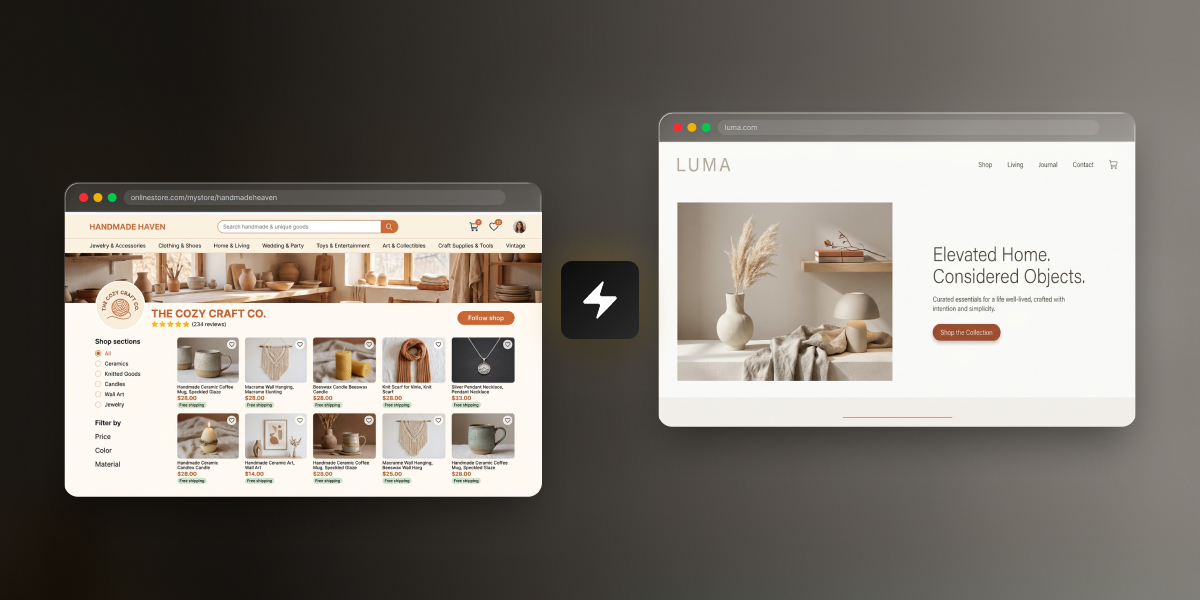
Side-by-side comparison of a marketplace shop page (Handmade Haven, a ceramics and craft seller on a hosted marketplace) and a standalone e-commerce platform (Luma, a home goods brand with its own branded storefront), connected by a lightning bolt icon.

You’ve got a product, maybe even a few sales to friends and family, and no idea where to actually sell it. That’s normal. There are really only two paths: list it on an online marketplace, or build your own ecommerce store. One hands you an audience and takes a cut for it. The other keeps more of the money, once you’ve built the audience yourself.

Key takeaways:

  • The ecommerce platform vs marketplace decision comes down to three tradeoffs: setup cost, control over your brand, and where your buyers come from.
  • A marketplace works as a ready-made sales channel: you get access to shoppers already browsing, but you don’t own the storefront or the customer data. You’re a tenant, not a landlord.
  • Your own ecommerce platform costs more time and setup work upfront, but you keep full control over pricing, branding, and have direct access to every customer’s contact information.
  • You don’t have to pick one lane. Plenty of sellers list on a marketplace and run their own ecommerce site as two sales channels at once, keeping stock and pricing in sync by hand.

What is an ecommerce platform?

An ecommerce platform is software you use to build and run your own online store on your own domain, where you control the pricing, the checkout, and every piece of customer data that comes through it. Nobody else’s logo is on the page, and nobody else sets the rules for how you sell. For most people selling online for the first time, that control is the whole appeal.

Most first-time sellers build one using a website builder, a tool that turns product photos, descriptions, and a page layout into a live storefront without touching code. You pick a template, add your products, connect a way to accept payments, and the platform handles the technical side: hosting, checkout, security, and usually taxes and shipping calculations too. Et voila.

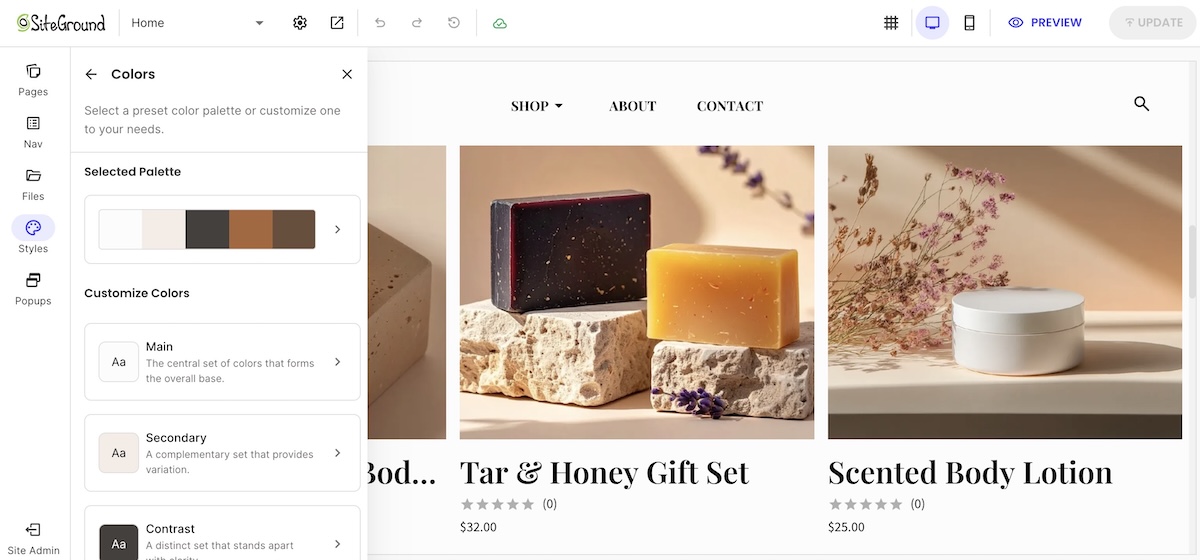
Example of customizing an ecommerce platfrom for your own website

The tradeoff is visibility. A brand-new ecommerce platform starts with no traffic. Every visitor has to come from somewhere: search, social media, paid ads, or word of mouth. Owning the whole experience means owning the empty parking lot, too…at least for a while.

What is an online marketplace?

A marketplace platform is a third-party website where multiple sellers list products under one shared brand and one shared audience. You don’t own the storefront, you’re working inside someone else’s.

Common examples include:

  • Etsy – handmade goods, vintage items, and craft supplies
  • Amazon – general merchandise at massive scale
  • eBay – auctions, used goods, and general merchandise
  • Facebook Marketplace – local, peer-to-peer sales with minimal setup

Every marketplace runs on the same basic exchange: it brings the buyers, you bring the product, and it takes a cut of every sale for the introduction. Etsy alone reported roughly 86.5 million active buyers at the end of 2025. The target audience is there, but so is the competition.

Ecommerce platform vs. marketplace: cost, control, and traffic compared

The real difference between an ecommerce platform and a marketplace comes down to three things: what it costs you, who’s actually in control, and where your buyers come from. Here’s how they stack up, numbers included, so nobody has to take our word for it.

Setup cost, monthly cost, and fees

Etsy (example marketplace)Your own ecommerce platform (SiteGround Ecommerce, Grow plan)
Setup cost$0 to open a shop, plus a one-time $15 shop verification fee$0 to build and preview your store (14-day free trial, no credit card required)
Monthly cost$0 (Etsy Plus is optional, $10/month)$24/month (billed annually)
Listing fee$0.20 per item, renews every 4 months until it sellsNone
Transaction fee6.5% of the total order, including shippingNone (0% platform fee)
Payment processing~3% + $0.25 per order (US rates)Set by your payment processor, typically 2.9% + $0.30 per card transaction
AdvertisingOffsite Ads: 15% if you’ve made under $10,000 in the past year, 12% mandatory above thatOptional, and entirely your choice
Time to launchSame day: list a product into an existing marketplace with built-in checkoutA few hours to a few days, depending on your catalog size

Prices shown above are as of July 10, 2026. Consult product pages for current prices. 

Add it up and a typical Etsy sale runs close to 10% in combined fees before any advertising even shows up to the party. Your own platform trades that per-sale cut for a flat monthly cost, so the more you sell, the more the math tips in your favor. Fixed costs love volume. Percentage cuts do not.

Control over branding and customer data

On a marketplace, you’re working inside someone else’s template. You can pick a shop banner and write a bio, but the layout, the checkout, and the overall look are Etsy’s, Amazon’s, or eBay’s to control, not yours.

Play it forward a couple of years, and the marketplace path looks like this:

  • 400 sales, but no list of 400 customers, just transactions that passed through someone else’s platform
  • No way to email past buyers about a new product or restock
  • If the marketplace changes its fees, its algorithm, or suspends your account, that customer base goes with it

Your own ecommerce platform flips that. You control the brand, the design, the checkout flow, and the customer list.

Same two years, different outcome:

  • 400 sales become a real email list you own outright, no platform in between
  • You can send a welcome email, announce new products, run a loyalty program, or ask for reviews for free
  • Nobody handed you those customers. You found every one yourself, but once you have them, they’re yours to keep
Welcome email example from a website on an ecommerce platform

Where SiteGround Ecommerce fits in

If this sounds like your situation, SiteGround Ecommerce is built for exactly this: a real store on your own domain, with templates designed for retail and everything (hosting, payments, checkout, email marketing) already connected. You can build the whole thing during the free trial before paying anything, so there’s no cost to see if it’s the right fit.

Starting building your ecommerce website now>>

Built-in traffic and discovery

This is where marketplaces earn their fees, and it’s the one thing they’re genuinely good at. Etsy, Amazon, and eBay all have shoppers actively searching inside their platforms, which means a new listing can get discovered without a single dollar spent on marketing. Your own site starts at zero. You’re responsible for every visitor, whether that’s through SEO, social media marketing, or paid traffic, and none of it shows up just because you launched.

Neither approach is free. A marketplace charges you in fees for its traffic. Your own site charges you in time and marketing spend to build traffic from scratch. There’s no free option here, only a choice of which cost you’d rather carry.

How to choose based on your situation

The right choice depends less on the product and more on where you are right now and where you plan to go: how much budget you have, how long you plan to sell, and what kind of product you’re selling. Here are a few scenarios to map against your own situation:

Testing a product idea with little budget

If you’re not sure people will buy what you’re making, a marketplace is a fast and cheap way to find out. Listing fees are pennies, there’s no monthly cost to test with, and you’re in front of buyers immediately instead of waiting on traffic. 

Building a long-term brand

If you already know you’re in this for the long haul (and branding is an important part of your online business plan), building on a custom ecommerce platform pays off sooner than you might expect. You own the customer relationships from sale one, which matters more with every repeat purchase, and you’re not paying a percentage of your growth back to a marketplace forever. Renting gets old.

Selling handmade or niche goods

Handmade and niche products get real discovery benefits from a marketplace: buyers who are already searching for exactly that kind of item are hard to reach cold on a brand-new website. That’s a genuine advantage.

It comes with a real cost, too. Handmade goods usually run on thin margins to begin with, and a marketplace’s fees eat into that margin on every single sale. You’re also sitting next to hundreds of other sellers making similar things, which makes it harder to stand out or charge what your work is actually worth. Some sellers use a marketplace to get discovered, then move buyers toward their own site over time specifically to protect their margins and their brand.

product catalog page on ecommerce platform website with handmade goods

There’s no single right answer for handmade sellers. It depends on whether you value the built-in audience more than the fees and competition cost you.

The hybrid approach: selling on both 

You don’t have to choose one and abandon the other. Plenty of sellers list the same products on a marketplace and their own site at the same time, using the marketplace for discovery and their own site for the sales they want to keep full control and full margin on.

Others use it as a sequence rather than a split: start on a marketplace to prove the product sells with real buyers, then build a site once there’s demand worth owning. The marketplace does the early legwork of finding an audience. The site is where you keep them.

For a solo seller with a manageable product count, running both at once is simpler than it sounds:

  • Keep a single spreadsheet or notebook with current stock counts, and update it by hand after each sale on either channel
  • Use the same product photos and descriptions across both, tightened to each platform’s format
  • Decide on a pricing strategy across channels and stick to it. Some sellers keep prices identical everywhere to avoid undercutting themselves. Others price slightly lower on their own site, since skipping the marketplace fee leaves room to do that and still keep more margin than the marketplace sale would. Either works. What doesn’t is customers noticing a price gap with no clear reason behind it.
  • Check both dashboards on a set schedule, like once a day, instead of trying to watch them constantly and losing the rest of your afternoon to it

This gets harder past a handful of SKUs or a sales volume where manual updates start slipping through the cracks. At that point, it’s worth rethinking how much you’re tracking by hand. Until then, a simple habit of checking both channels on a schedule works fine for most new sellers.

How to launch your own ecommerce platform

Creating your ecommerce website doesn’t require a developer, an agency, or a big budget. The basic setup is the same regardless of platform: pick a template, add your products, and connect a payment method.

A few things are worth getting right before you go live:

  • Start with a template instead of custom design work. Most store builders include templates built specifically for retail, so you get a professional layout without designing one from scratch
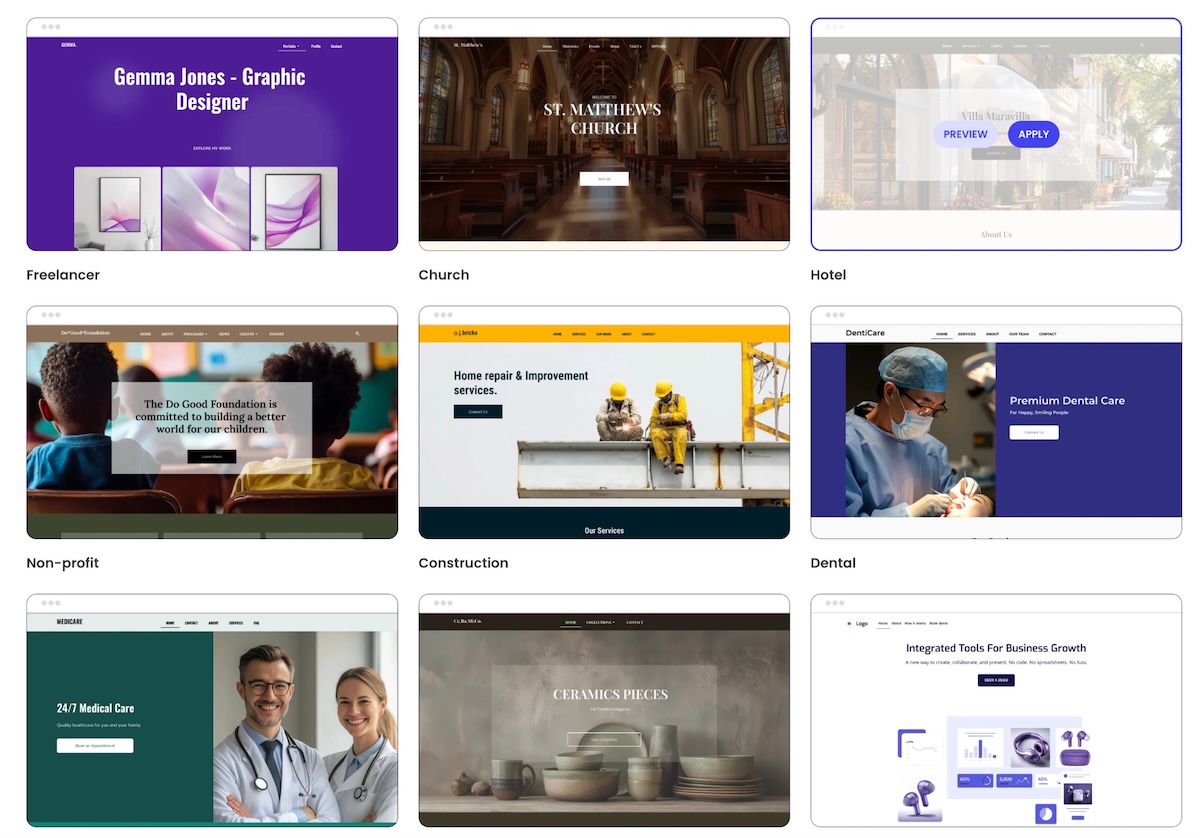
Different templates available on an ecommerce platform
  • Look for a platform that offers a free trial, and build your whole store during it. You can set up your store, add products, and preview it live before you’re ever charged
  • Decide your shipping approach before you list anything, not after your first order comes in. Flat rate, calculated by weight or destination, or built into the price all work, but pick one before a customer is waiting on an answer
  • Take product photos from multiple angles, not just one hero shot, and make sure they’re actually in focus and well-lit. This matters more for a brand-new store with no reviews yet than almost anything else on the page. If your original photos are a little rough, an AI image tool can clean up lighting and background without needing a reshoot
  • Add basic trust signals before you launch: a way to contact you, a shipping and return policy, and a privacy policy. A brand-new store has no reviews yet, so this is what tells a stranger you’re legitimate

Setup is the easy part. Developing an ecommerce marketing plan and getting people to actually visit is the harder one. Here’s what you need to know:

  • Post on social media where your buyers already are, not everywhere at once
  • Start building your email list from day one, even just a signup box on your homepage. A small list you can email directly is worth more long-term than a big spike of one-time visitors
  • Use AI to draft a first pass at product titles and descriptions, then edit them the way a buyer would actually search, not the way you’d describe it to a friend. This is a very important part of your ecommerce SEO at this stage
  • Ask happy customers to share what they bought. A tagged photo or a mention does more for a new store than most paid ads would at this stage

The first month or two on your own platform will feel slower than a marketplace, because you’re building traffic instead of borrowing it. That’s expected, not a sign you picked wrong.

Common mistakes when choosing where to sell

  • Picking a marketplace only because it’s free to start. The listing and transaction fees add up fast once you’re selling consistently, and “free to start” isn’t the same as “cheap to run.”
  • Underestimating how long it takes to build traffic on your own site. A new store doesn’t show up in search results overnight, or in week one, or usually in week three either. Budget weeks, not days, before expecting steady visitors.
  • Assuming you have to choose one and stick with it forever. Sellers move between models constantly. Etsy sellers add a website once they have proof a product sells; website owners add a marketplace listing to reach a new audience. Nobody signs a lifetime contract here.
  • Ignoring who owns the customer relationship. If you’re building a brand you want people to remember, a marketplace-only strategy makes every sale a one-off instead of a repeat customer.
  • Copying a competitor’s setup without checking your own numbers. What’s cheap or affordable for someone selling $200 candles isn’t the same math as someone selling $8 stickers. Run your own fee comparison before committing, not after.

The bottom line: ecommerce platform or marketplace?

There’s no universal right answer here, only the right answer for where you are. If you’re still testing whether the product sells, a marketplace gets you in front of buyers with less money on the line. If you already know you’re building something long-term, your own platform starts paying you back instead of a marketplace, and sooner than most people expect.

SiteGround Ecommerce makes the ownership side of that genuinely easy, not just possible. You can go from a blank page to a live, working store in a matter of hours, no developer and no code required. Every plan comes with fast, reliable hosting built in, so your store loads quickly and stays up when it matters. And if something trips you up along the way, real support is available 24/7, not a chatbot loop or a three-day ticket queue.

[103]

Frequently asked questions

What’s the difference between an ecommerce platform and a marketplace?

An ecommerce platform is software for building your own standalone online store, where you control the branding, pricing, and customer data. A marketplace is a shared website where multiple sellers list products under one brand, like Etsy or Amazon, in exchange for a cut of every sale.

Should I sell on Etsy or build my own website?

That depends on what stage you’re at and what you’re trying to solve for. Etsy trades a cut of every sale for speed and an existing audience. Your own website trades more setup time for control and margin. Neither is the “right” starting point, they fit different situations.

Is Etsy a marketplace or an ecommerce platform?

Etsy is a marketplace, not an ecommerce platform. It hosts millions of individual sellers under one shared brand and takes a percentage of each sale, rather than giving you a standalone ecommerce store on your own domain.

Is it cheaper to sell on a marketplace or build your own store?

It depends on your sales volume. At low volume, a marketplace can be cheaper because there’s no monthly cost. Once you’re selling consistently, the roughly 10% in combined marketplace fees per sale often costs more than a flat monthly plan for your own platform.

Can I use both a marketplace and my own online store?

Yes. Many sellers list the same products on a marketplace and their own ecommerce site at once, using each as a separate sales channel. At low product counts, this works fine with manual inventory updates and no extra software.

What are examples of ecommerce platforms vs. marketplaces?

Ecommerce platforms include website builders you use to create a standalone store on your own domain. Marketplaces include Etsy, Amazon, eBay, and Facebook Marketplace, where you sell inside someone else’s shared platform.

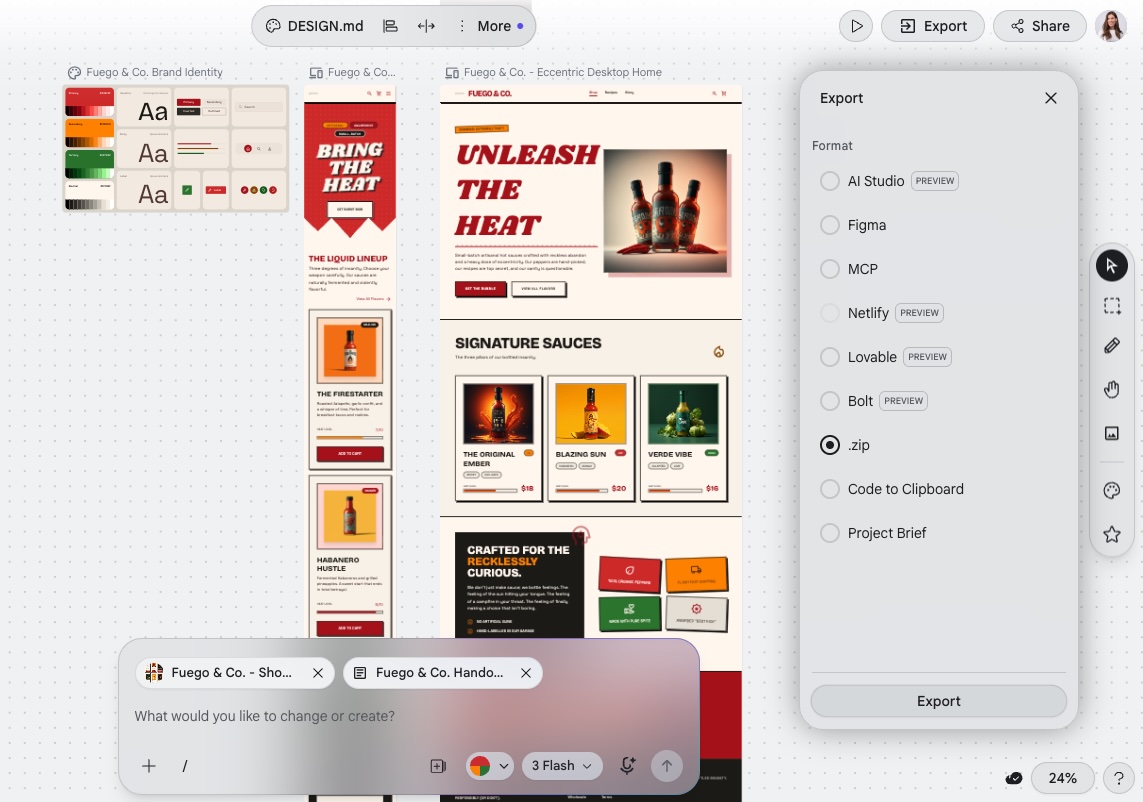
AI design tools aren’t enough: How to go from prototype to published website

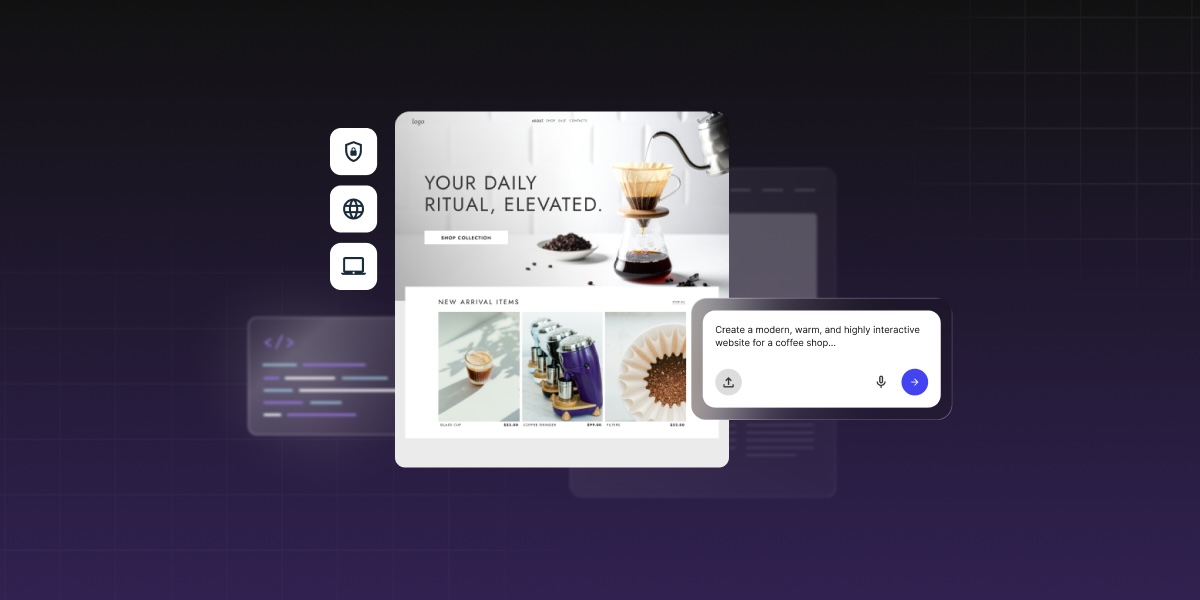
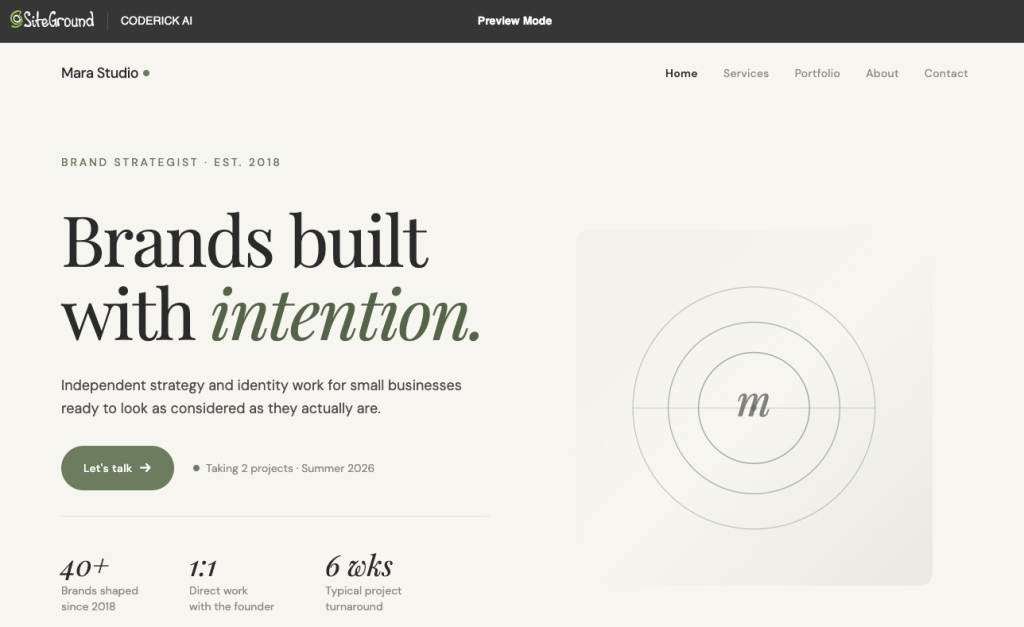
Abstract of turning an ai prototype into a real website

If you’ve used an AI design tool and ended up with something that looks like a finished website, only to realize you have no idea how to actually put it online, you’re not alone. The gap between a solid AI prototype and an actual published website is where most AI-assisted projects come to a grinding halt. And while tools like Claude Artifacts, Google Stitch, and Claude Design have made the design stage faster than ever, they haven’t made the often-tedious production stage disappear.

An AI prototype becomes a published website only after that production layer is handled: we’re talking hosting, custom domains, SSL, responsive QA, metadata, backend needs, updates, and maintenance. So while AI design tools help validate the idea, a tool like Coderick AI can help move the validated concept into a managed publishing environment.

Key takeaways:

  • AI design tools help validate ideas, not finish the production layer. The two jobs are genuinely different.
  • The missing step is almost always the prototype-to-website handoff: hosting, SSL, domain, and maintenance all need to be solved before anything goes live.
  • Coderick AI fits as the practical publishing path after the AI prototype, handling hosting, SSL, custom domains, version control, and updates in one managed environment.
  • The source of the prototype determines the production path: a Claude Artifact, a Google Stitch export, and a Claude Design project each hand off differently.
  • A prototype-to-website handoff should include the page list, copy, user flow, form requirements, backend needs, domain details, and maintenance expectations. Screenshots alone aren’t enough for production.

Why aren’t AI design tools enough to publish a website?

A prototype shows the idea without handling production

AI design tools are built for speed. You describe what you want, the tool generates it, and, like magic, you have something that truly looks like a complete website — layouts, copy, navigation, interactive states. That’s the point. It lets you test the idea before committing to the beasty infrastructure behind it.

But the output is just a visual representation, and, alas, not the finished product. There’s simply no server behind it. No domain attached. No SSL certificate. None of it. That’s because the prototype lives inside the tool’s environment. So if you close that tab and nothing is publicly accessible, then nobody can find it, navigate to it, or use it the way a real visitor would. 

A visual design is different from a hosted website

A visual design is a set of decisions: what the pages look like, how they’re laid out, what the typography and color are, where the buttons go. A hosted website is infrastructure: a server, a domain, an SSL certificate, a deployment process, a database if anything dynamic is involved. One answers “what should this look like?” The other answers “how does this actually run?” They’re different problems, solved by different tools, and finishing the first one doesn’t start the second.

Publishing adds hosting, domains, SSL, QA, and maintenance

Getting from AI prototype to published website means handling at least six things the design tool didn’t: choosing a host, connecting a domain, provisioning SSL, testing responsive behavior across devices, setting up metadata and analytics, and deciding how updates will be handled going forward. That’s a laundry list of possibly dizzying extras, each adding another round of decisions. 

What’s the difference between an AI prototype and a published website?

An AI prototype validates layout, flow, and functionality

An AI prototype is a working representation of an idea. It shows what the pages look like, how navigation connects them, and (if the tool supports it) how interactive elements behave. A Claude Artifact can be a fully interactive React component. A Google Stitch output is high-fidelity UI screens and front-end code. A Claude Design project offers a structured handoff package with layout, copy, and requirements.

All super valuable outputs. But, disclaimer: all built to answer design and validation questions, not production ones.

A published website needs infrastructure and ownership

A published website has an address anyone can type into a browser. It loads over a secure connection. It stays up when you’re not logged into the tool that made it. It has an owner (you) who controls the domain, the hosting account, and what happens when something needs to change. There’s a massive infrastructure gap between the prototype and a published website.

A production website must be tested, secured, and maintained

Going live opens a whole different kind of work. A proper production website needs responsive QA across real devices, accessibility checks, page speed testing, form submission testing, SSL verification, and analytics setup before the first real visitor arrives. 

Then, after launch, it needs updates, security monitoring, and a process for making changes without breaking anything. The website checklist for launch day is indeed longer than most prototyping workflows account for.

StageWhat it provesWhat it still needs
AI prototypeIdea, layout, interaction, visual direction, user flowHosting, domain, SSL, QA, maintenance
Design handoffScreens, copy, user flow, requirements, source filesBuild path, backend decisions, publishing
Published websiteLive public experience on a controlled domainMonitoring, updates, SEO, security, maintenance ownership

Which AI design tools help before publishing?

Claude Artifacts help test interactive ideas

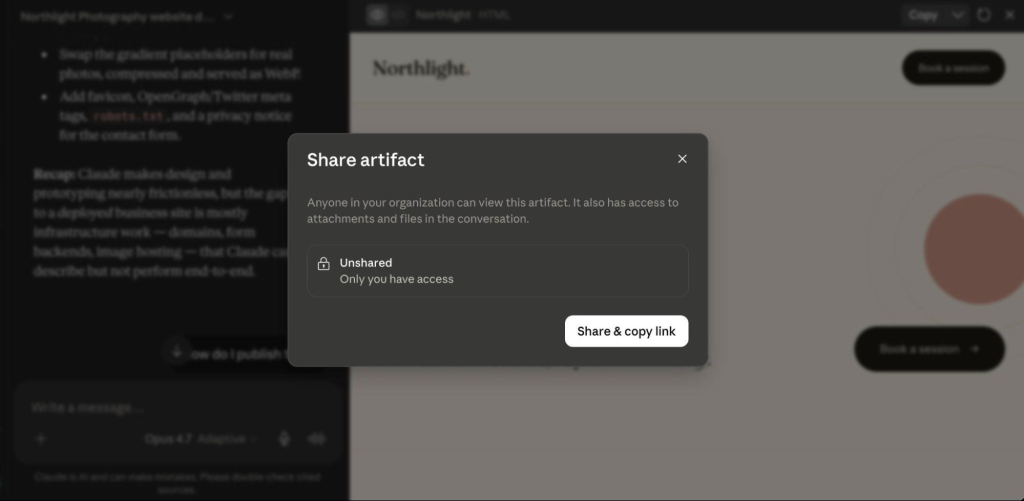
A Claude Artifact is a standalone output that Claude generates in a side panel: a web page, React component, form, calculator, chart, or interactive prototype. Artifacts run in the browser and can be shared via a claude.ai URL, embedded in another page, or downloaded as source files. They’re great for testing a specific interaction, validating a layout, or building a component that can be handed off to production.

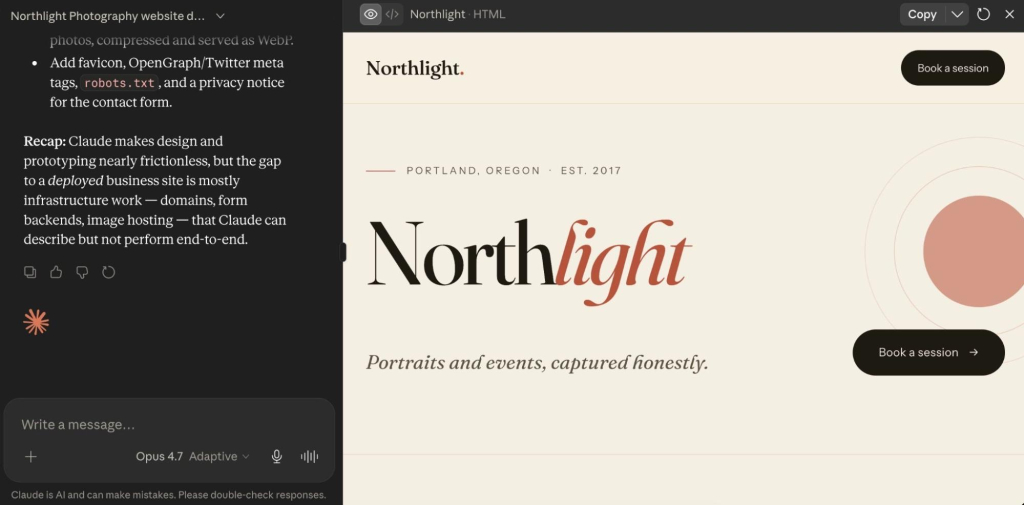
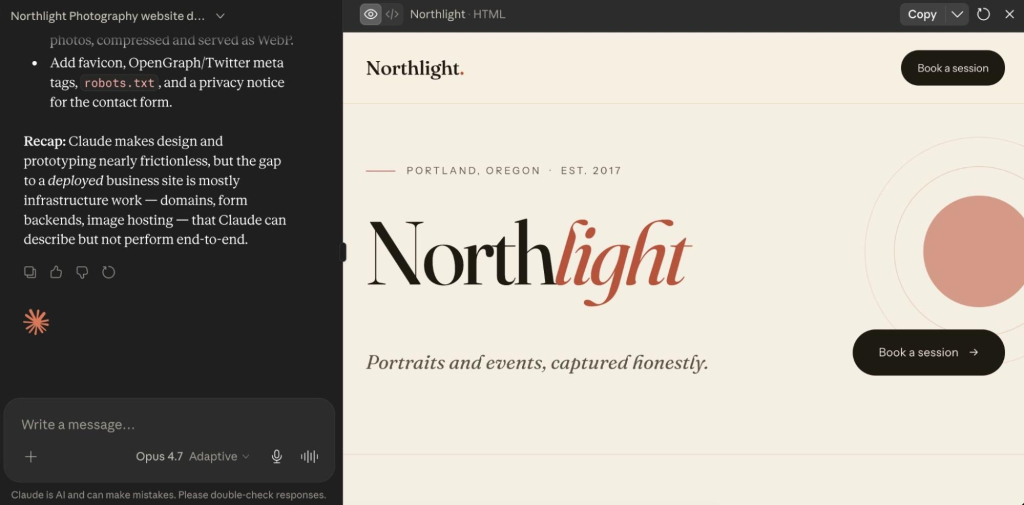
Claude artifact in a side panel

Google Stitch helps create UI direction

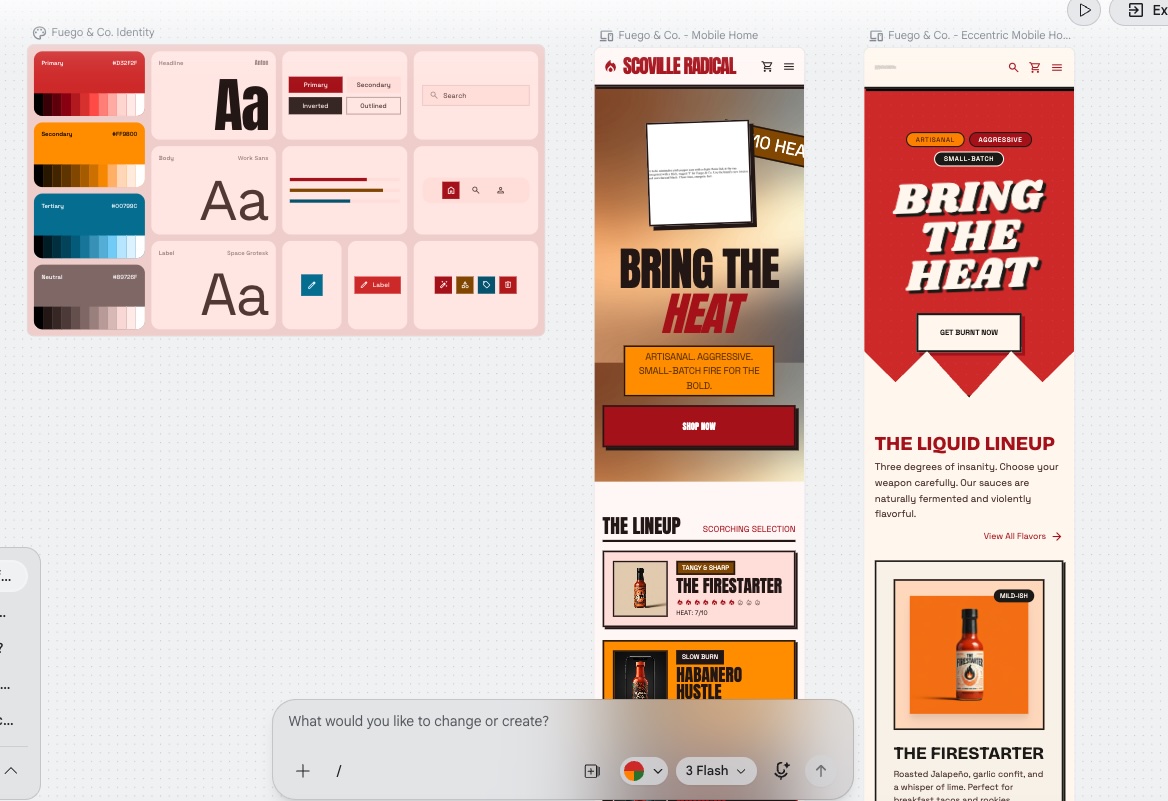
Google Stitch is a free AI-powered UI design tool from Google Labs that turns text prompts, uploaded images, sketches, and wireframes into high-fidelity interface designs and front-end code. Stitch generates several complete UI directions from a single prompt, then lets you refine and export.

Example of a Google Stitch capabilities with  web page designs

Claude Design helps create design projects and handoff bundles

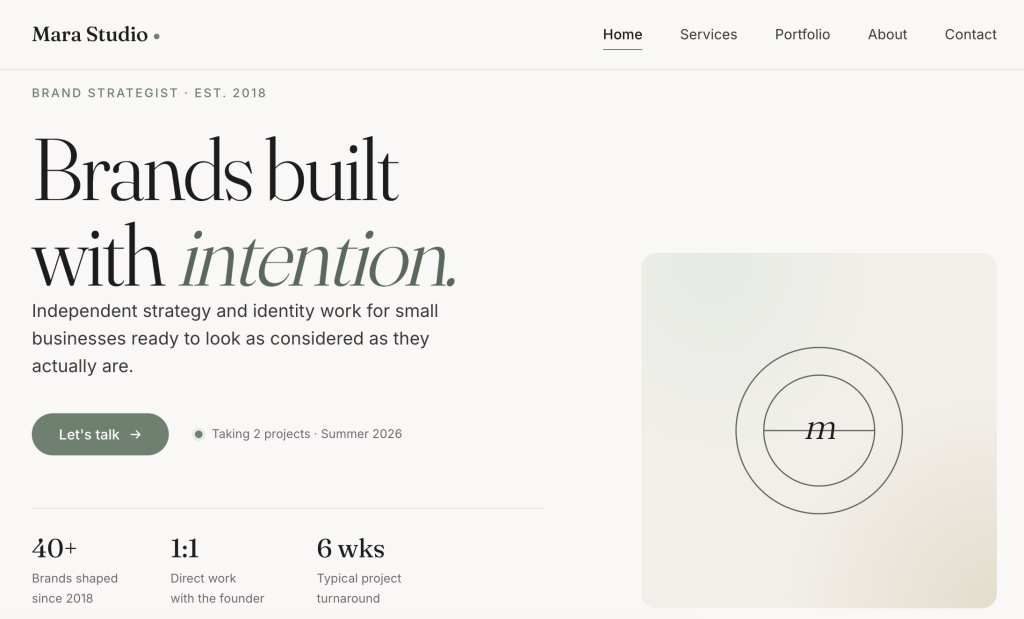
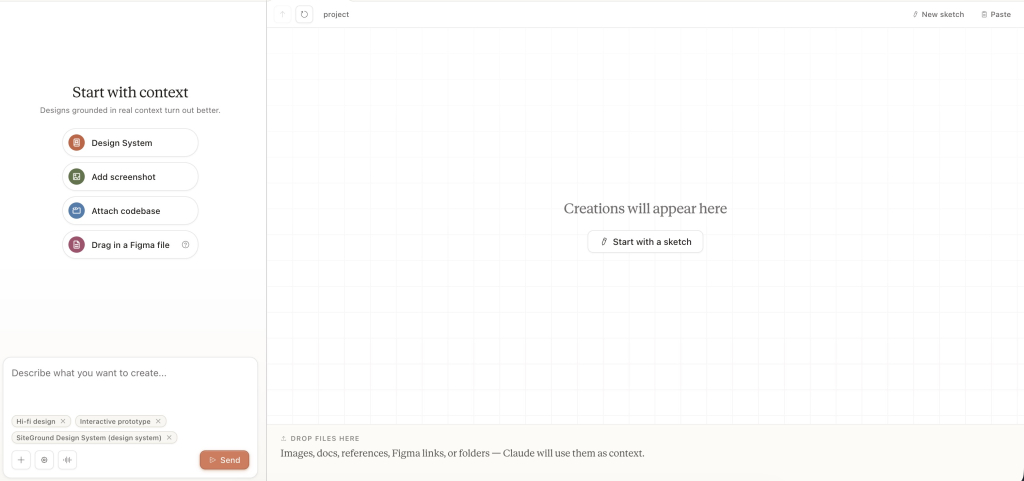
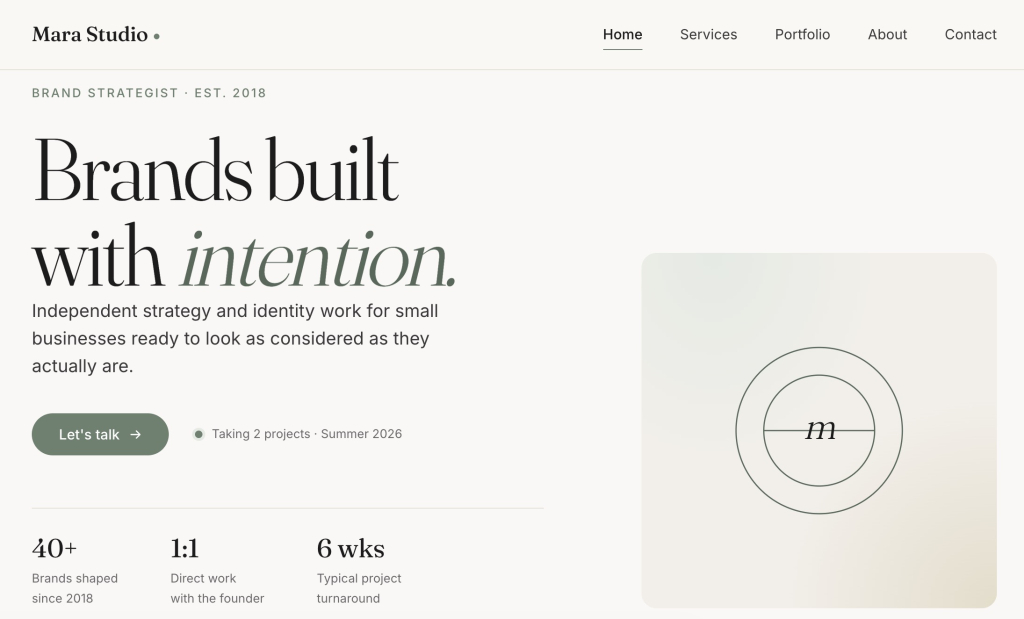
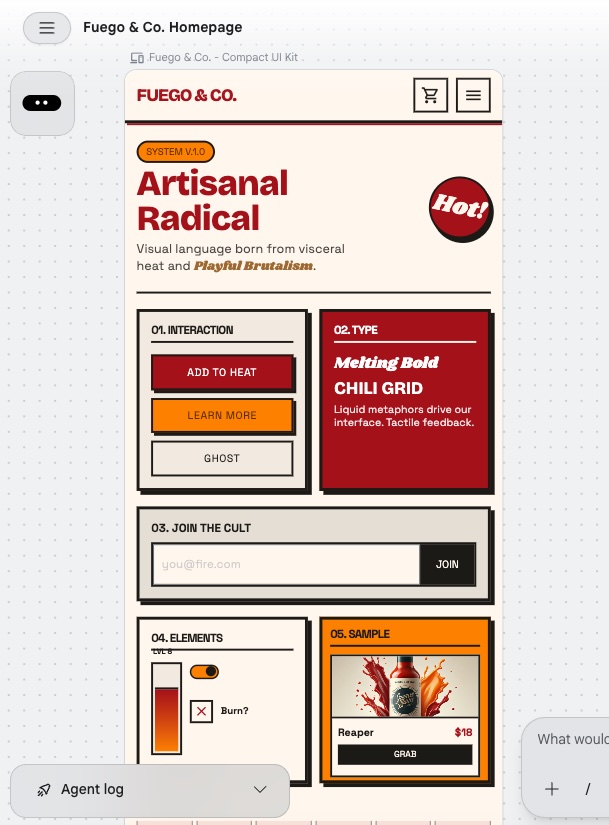
Claude Design is Anthropic’s design tool, still in early access. Describe what you want, refine it through chat, tweak layouts with sliders, and leave inline comments. It’s a pretty great way to nail down a visual direction. When you’re ready to hand it off, you can export to a zip folder, standalone HTML, Canva, PDF, or PPTX.

website visual design created by Claude Design

Other AI design tools may still need a production path

These processes often apply to other AI design tools. Screens, code, interactive mockups — they usually stop at the design layer. The production path is often a separate decision, and the source of the prototype determines which handoff workflow fits.

What does a prototype need before it becomes a published website?

Clear page structure and navigation

Before any prototype goes into production, you’ll want to tackle work though an AI website builder checklist, which includes outlining your page structure. That means a defined list of pages, a navigation model that covers how users move between them, and a clear decision about which pages are static, which pull from a database, and which require authentication. A prototype often implies this structure visually without making it explicit. But production needs it in writing.

Final copy, calls to action, and content blocks

A prototype almost always contains placeholder copy. Production calls for final text: headlines, body copy, calls to action, button labels, form field labels, and error messages. Copy decisions that seem trivial when you’re spitballing the prototype, like the exact text on a call-to-action button, ultimately affect conversion rates on a live site. So that final copy really belongs in the handoff brief, not in the production sprint.

Responsive layouts for mobile, tablet, and desktop

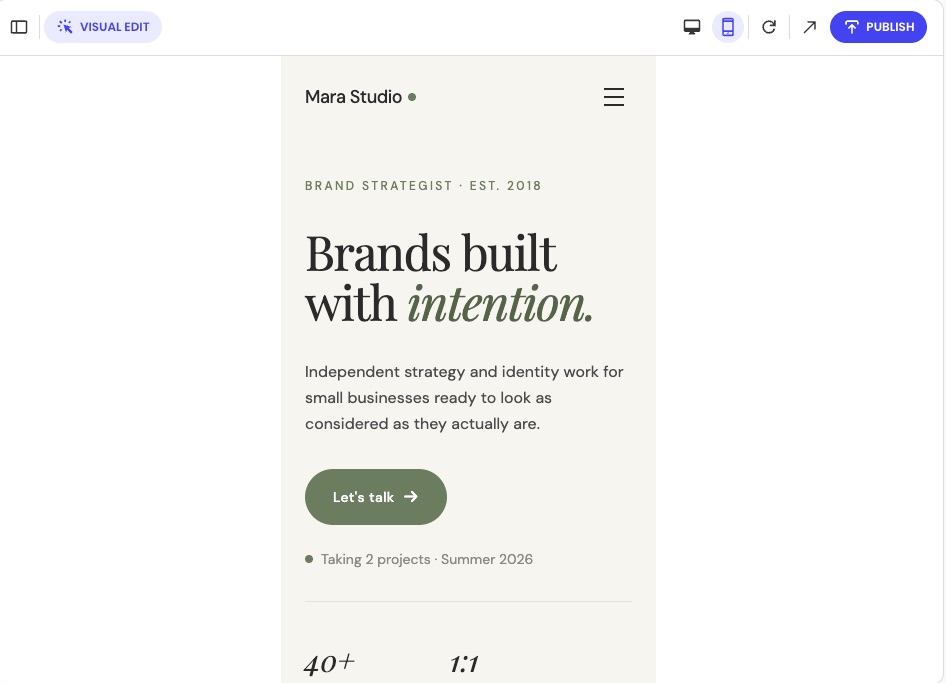
Most AI design tools generate desktop layouts by default, which is great, but a published website needs to also work correctly on mobiles and tablets. So, sure, you can review these elements after the production build, but the prototype should at least include mobile-specific decisions. That is, navigation behavior at small screen widths, form layout on touch devices, and any components that need to restructure below a certain viewport size.

Forms, backend, database, or login requirements

Let’s say you want to include a contact form, booking system, user account, CRM, dashboard, or really any feature that stores or retrieves data on your website. All of these requirements need to be specified before production starts. That’s because while the prototype can show that a form exists, it doesn’t automatically articulate where the submissions go, how they’re stored, or who can access them. And when those kinds of backend decisions get made during production rather than before, during prototyping, they tend to get sloppy, adding both time and cost.

SEO metadata, analytics, and indexability

A prototype has no SEO metadata, no proper page titles, no meta descriptions, no sitemap configuration, no robots.txt rules, no canonical URLs, and no analytics. And hey, that’s fine, because it’s a prototype. The production build is where all of this gets set up for the first time, and it’s worth doing before the first visitor arrives rather than cleaning it up afterward. Run through an SEO checklist, and get those analytics set up before launch to make sure the basics are covered.

How do you move from AI prototype to published website?

The path from AI prototype to published website follows these same five steps regardless of which AI design tool produced the prototype. 

  • Step 1: Validate the prototype
    Confirm that the prototype solves the problem it was designed to solve. This means reviewing the layout, user flow, and key interactions against the original goal. Get sign-off from any stakeholders who need to approve the design before production starts. Changes made after production starts cost more time and credits.
  • Step 2: Create a production handoff brief
    Document everything the production build needs that isn’t visible in the prototype: the page list, final copy, user flow, form behavior, backend requirements, domain details, launch requirements, and maintenance expectations. The handoff brief is what prevents the production tool or developer getting lost in making decisions that should have been made during the design stage. A clear brief means the first production build is close to the approved design.
  • Step 3: Choose a publishing path
    The right path depends on how much you want to manage. If you want hosting, SSL, publishing, and updates handled in one place without touching code, Coderick AI is the direct route. If you need source-code ownership, a custom deployment pipeline, or a developer-controlled environment, you’ll be looking at a separate build process using something like Claude Code (not your jam? Consider Claude Code alternatives). The decision table later in this article maps the most common starting points to the right next step.
  • Step 4: Build or recreate the production version
    In a managed publishing environment, the supported prototype files, screenshots, and the handoff brief go in together as production inputs. The production tool reads the source files, applies the design intent, and builds on top of it: adding pages, wiring up functionality, and extending the layout. In a developer-controlled path, the prototype becomes a specification that the developer builds from. Either way, the prototype is the brief, not the deliverable.
  • Step 5: Test, publish, and maintain the live website
    Before publishing, confirm that the live build matches the approved prototype, forms work correctly, responsive behavior holds across devices, SSL is active, metadata is set, and analytics are tracking. After publishing, the live website then needs a maintenance workflow: a process for content updates, a monitoring setup that catches errors, and a path for adding new features without taking the site down.

Where does Coderick AI fit after an AI prototype?

Coderick AI acts as the managed publishing path

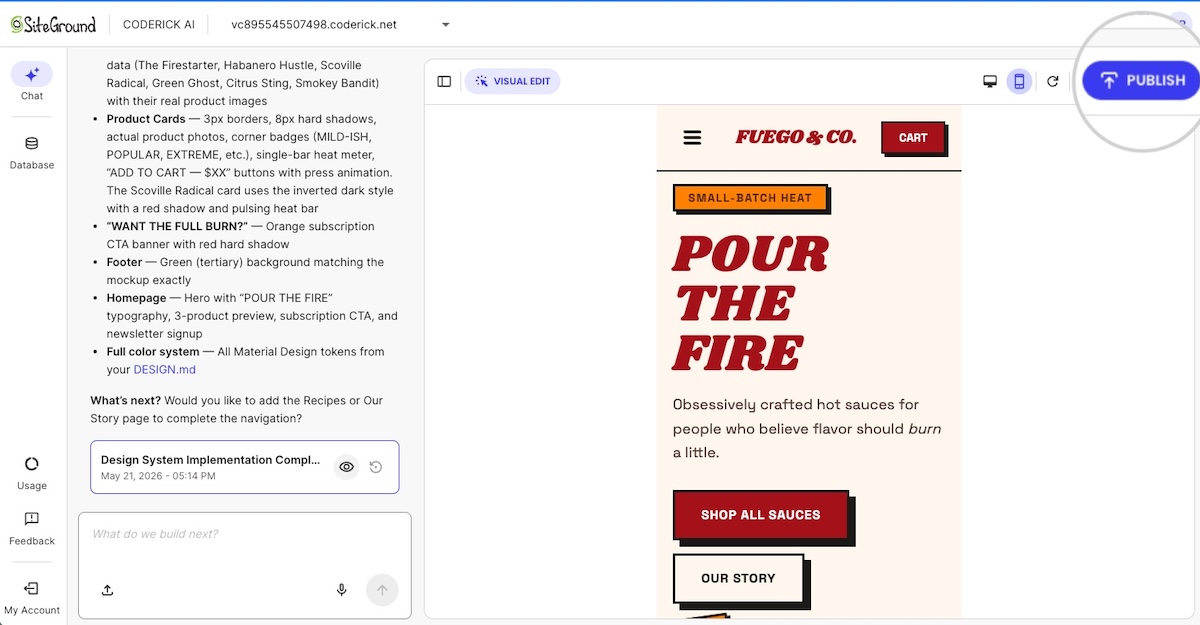
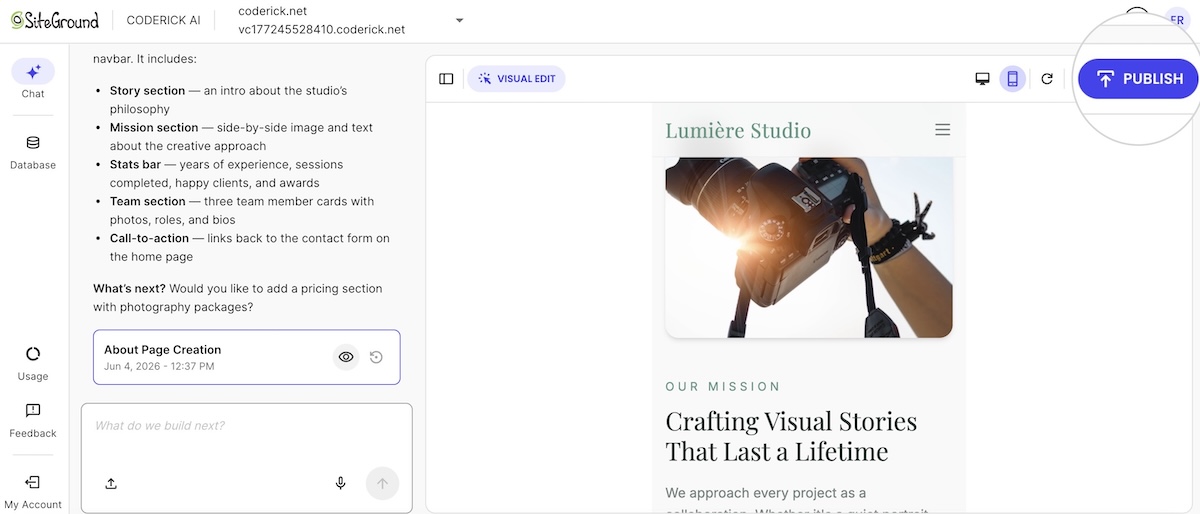
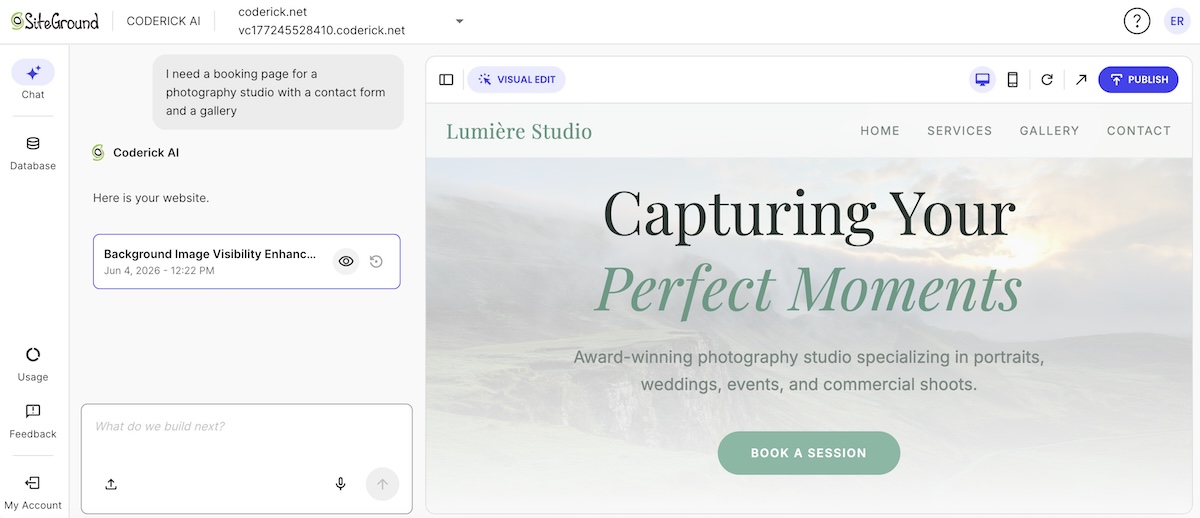
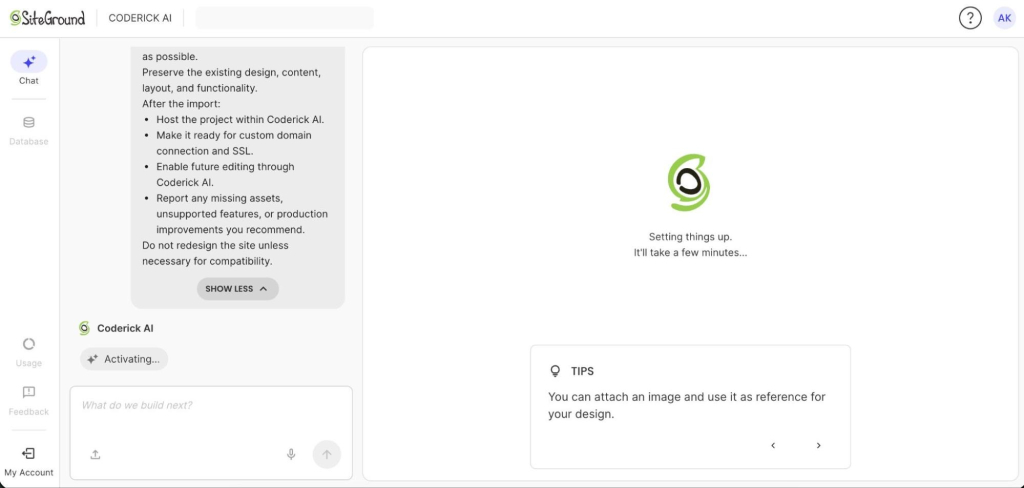
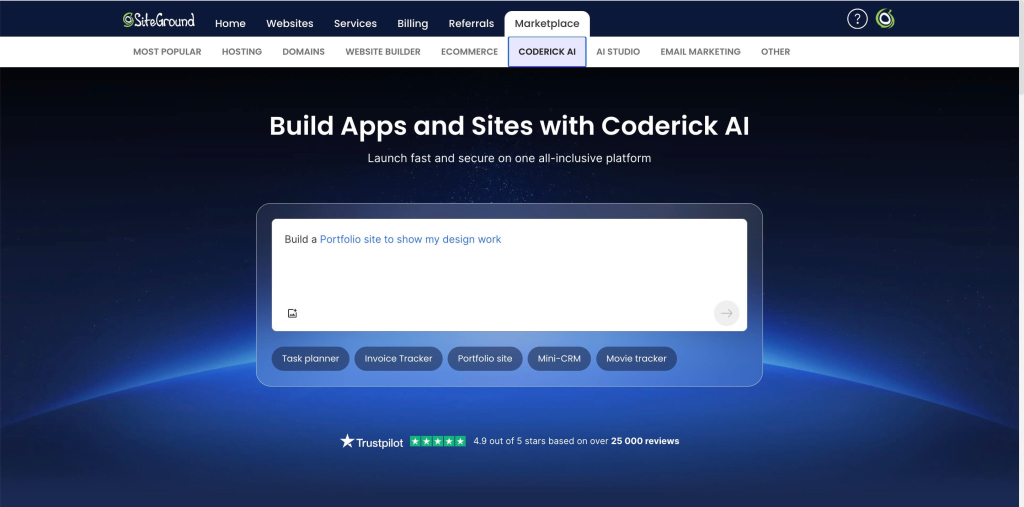
Coderick AI is SiteGround’s AI website and web app builder. Describe what you want to build, and Coderick AI generates it. Hosting, SSL, custom domain, database, version control, and deployment are all included. Hit Publish and the site is live, backed by SiteGround’s infrastructure across more than 3 million domains. There’s no separate server setup, no hosting account to manage on the side , which is also why users who want a managed website outcome can build a website without OpenAI Codex.

The prototype becomes the production brief

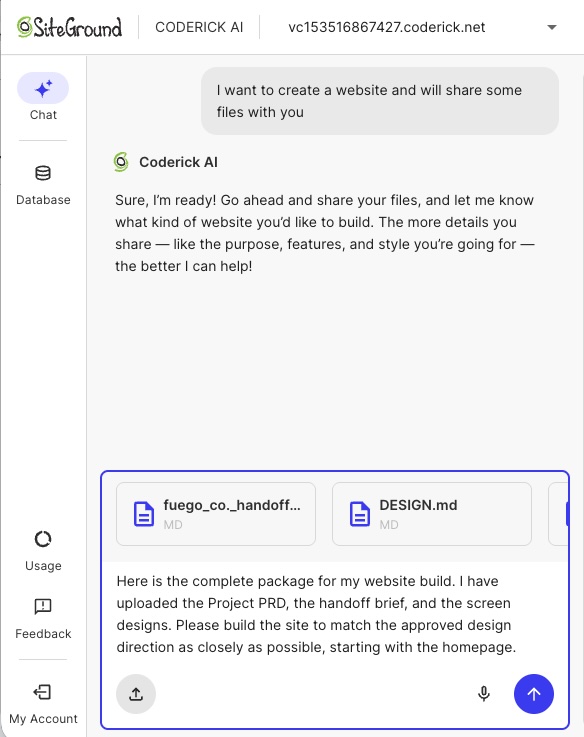
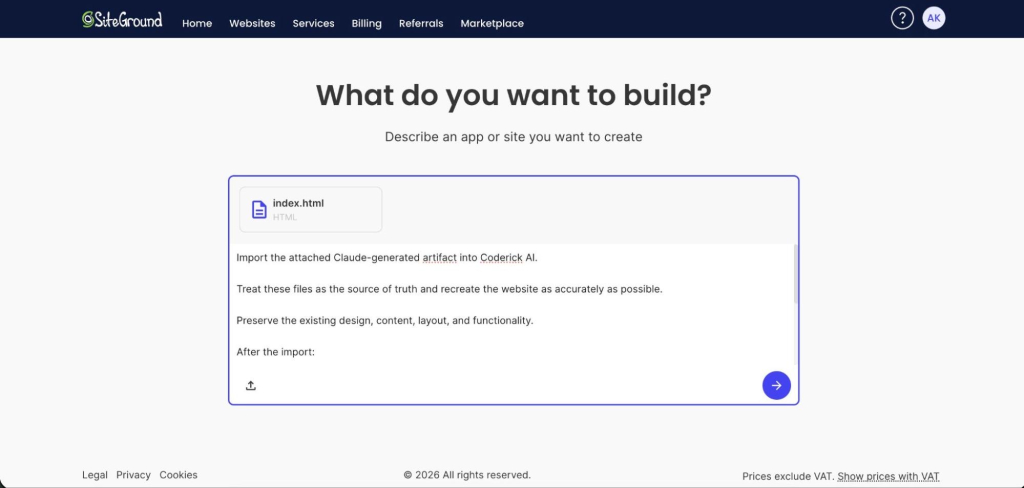
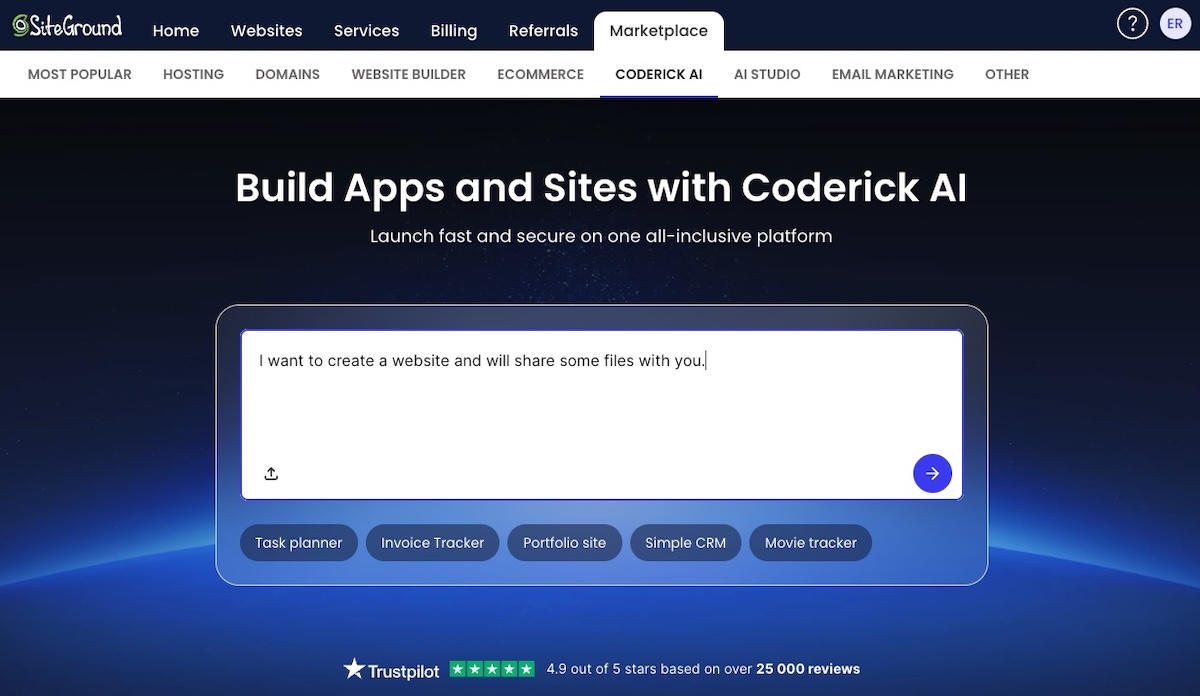
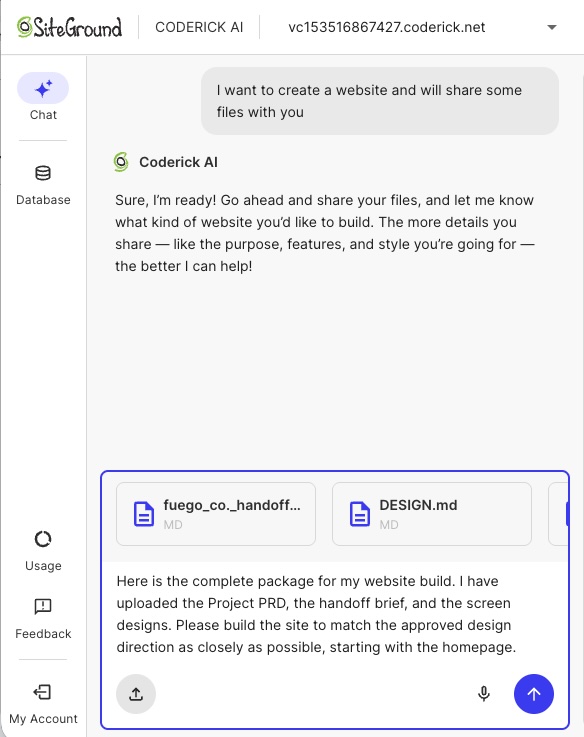
Coderick AI accepts both text prompts and file uploads, which means the prototype output can go directly into the build. That means a Claude Artifact’s exported source files, a Google Stitch HTML export, or a set of screenshots from a Claude Design project can all serve as starting points. 

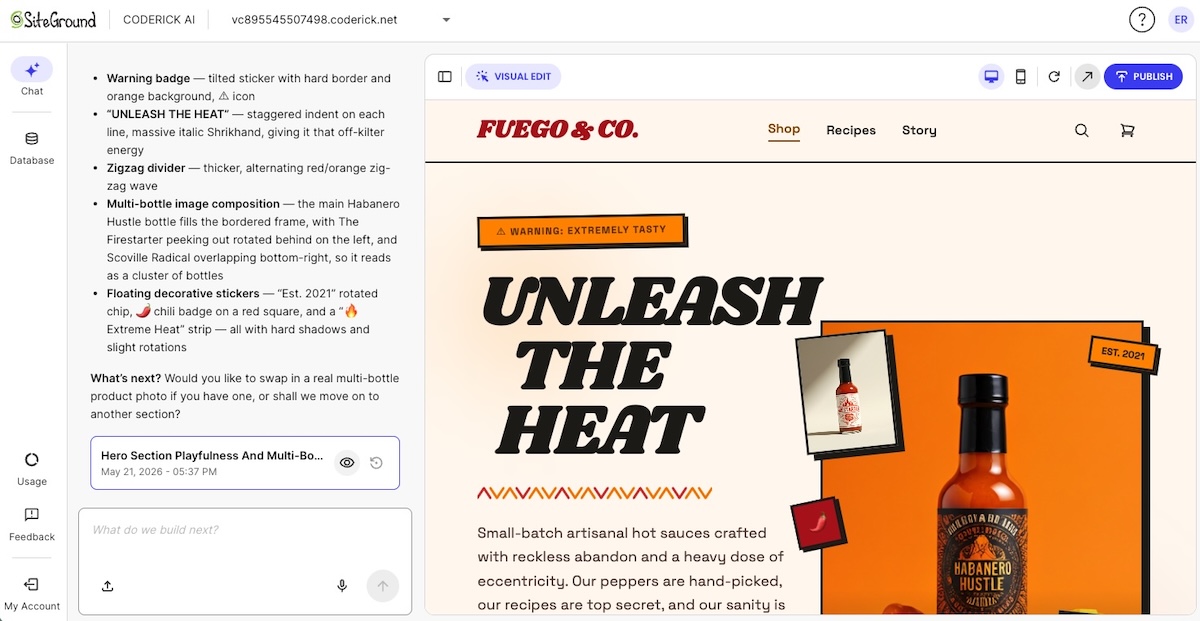
Coderick AI simply reads the uploaded files and builds on top of them rather than starting from scratch so that the design decisions made during prototyping are preserved in the production build.

Hosting, SSL, publishing, and updates move into one environment

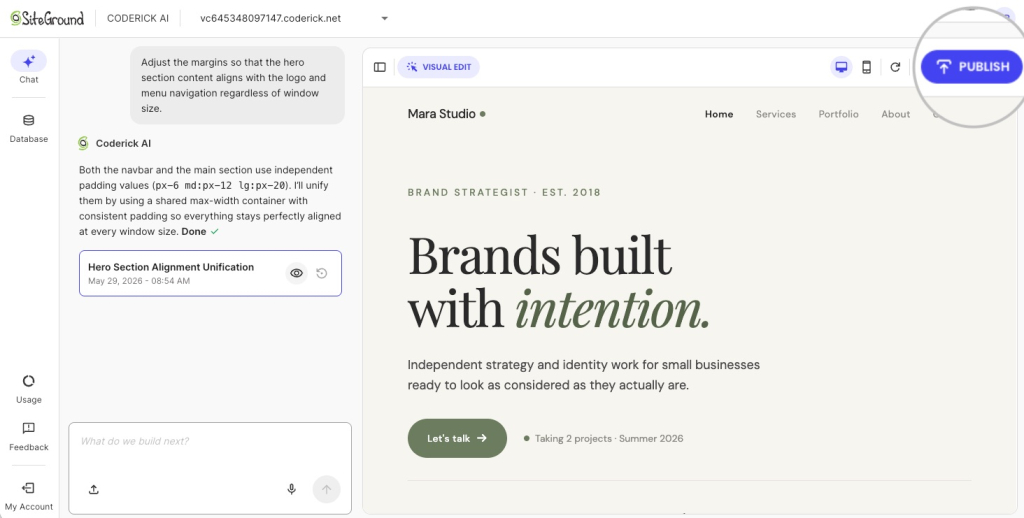
After the initial build, all updates happen through the same Coderick AI chat interface. Describe the change (a new content block, a revised form, a layout adjustment, a new page) and Coderick AI applies it and deploys automatically. Plus, there’s no separate hosting control panel, no FTP client, no deployment pipeline to manage. 

For those of you who don’t want to own or manage infrastructure, this is the difference between creating a pretty prototype that goes nowhere fast, and one that becomes a fully maintained, production website.

Publishing a website created by Coderick AI

Version control is built in so if an update breaks something you can roll back without a crisis. Projects that need user authentication support that too. Plus everything runs on the same infrastructure behind managed hosting at SiteGround, so it’s convenient, fast, and reliable.

Coderick AI is useful when users don’t want to manage the production stack

The decision between Coderick AI and a developer-controlled path comes down to one question: does the project need source-code ownership? If it does, because of any number of reasons (custom architecture, complex integrations, Git workflows, or a development team that will maintain the codebase) the project belongs in a developer environment. 

If none of that sounds remotely of interest to you, and all you need is a finished business site, landing page, booking system, membership area, CRM, or dashboard, then you can build a website without Claude Code and use Coderick AI as the faster publishing path.

And, worth considering: for those of you who might already be paying for Claude Code and then separately solving hosting, SSL, deployment, and maintenance, Coderick AI may also be the more predictable budget.

What should a prototype-to-website handoff include?

The handoff starts with the design output itself:

  • The prototype URL or shareable link
  • Screenshots of key states: default, hover, error, empty, and mobile views
  • Exported source files the design tool supports

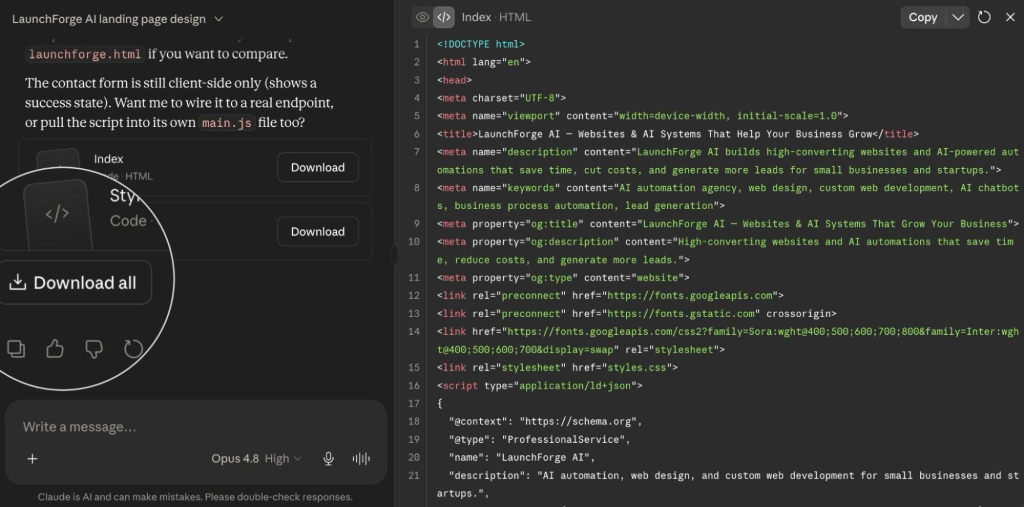
For Coderick AI, exported source files are more useful than screenshots alone. The tool reads .html, .css, .scss, .js, .jsx, .ts, .tsx, and .md files directly, so the website structure built in the prototype can carry over to the production build without being re-described from scratch.

Giving Coderick the full handoff package to create a website

Page list, navigation, and user flow

Don’t just hand over the prototype and assume the page structure is obvious. Document every page the production site needs, how website navigation connects them, and the two or three user journeys that matter most. Those decisions are easy to lose between the design tool and the build.

Copy, CTA placement, and content requirements

Final copy for every page means:

  • Headlines, body text, and button labels
  • Form field labels, confirmation messages, and error states
  • CTA placement confirmed before production starts, not defaulted by the build tool
  • Any content that needs regular updates — testimonials, pricing tables, event listings — so the production build can account for how it’ll be managed

Forms, backend, database, and login needs

Backend decisions are the hardest to change once the build is done. Before production starts, document every form the site needs, where submissions go, how data is stored, and what authentication looks like if the site has user accounts. Getting this wrong mid-build costs more than getting it right in the brief.

Domain, hosting, SSL, and maintenance requirements

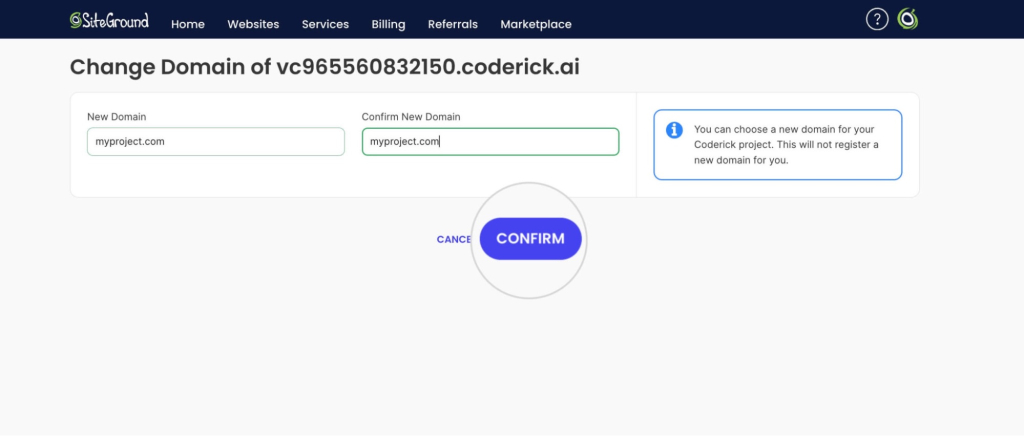
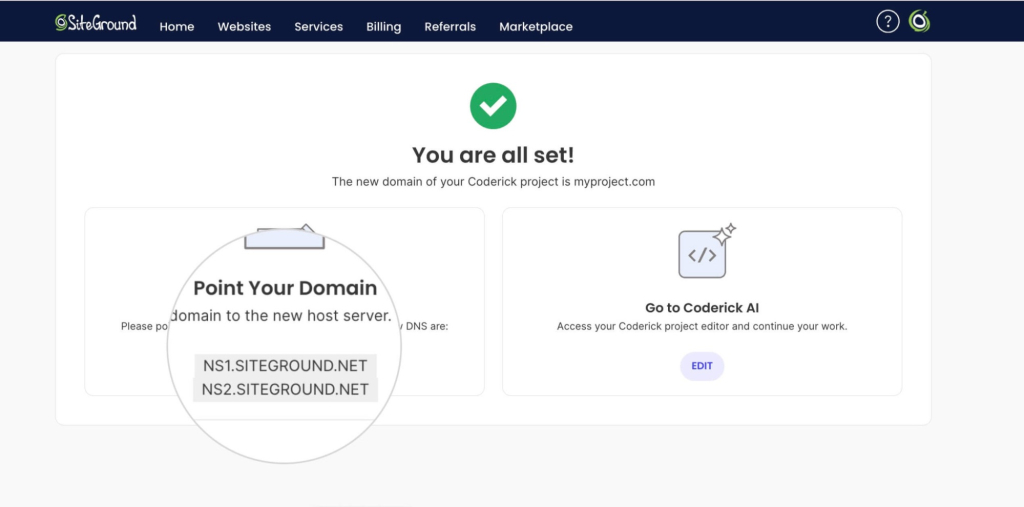
If you have a domain, note it in the brief. If you don’t, add “buy domain” to the launch checklist. Then, in Coderick AI, SSL can be handled automatically once the domain points to SiteGround nameservers. Also define the maintenance workflow before you launch: who’s keeping the site updated, how new pages get added, and whether you want a staging environment to check changes before they go live.

Handoff checklist

Before you move into production, use this checklist to confirm everything the build needs is documented and ready. Anything left blank is a decision that will get made during the build instead of before it.

  • Prototype source: link, supported exported files, screenshots, or visual references
  • Website goal: what the site needs to achieve
  • Target audience: who it’s for
  • Pages needed: full production page list, including pages not shown in the prototype
  • Navigation: how pages connect and what’s in the main menu
  • Final copy: headlines, body text, button labels, error messages
  • Calls to action: exact wording and destination for each
  • User flow: the two or three journeys that matter most
  • Forms: fields, validation rules, success/error states, and where submissions go
  • Backend/database needs: any dynamic content, data storage, or integrations
  • Authentication needs: user accounts, login requirements, access levels
  • SEO title, meta description, canonical URL, and indexability notes: for every page
  • Custom domain: registered or still to buy
  • Launch requirements: anything that needs to be true before go-live
  • Maintenance expectations: who updates the site, how often, and through which workflow

Which publishing path should you choose after an AI prototype?

The production path is broadly the same regardless of which tool you used, but the source asset determines where you start. The table below maps the most common starting points to the right next step.

Starting pointWhat you’re working withWhere to go next
Claude ArtifactAn interactive artifact with exportable source filesTurn a Claude Artifact into a real website
Google Stitch designUI screens with exportable front-end codeTurn a Google Stitch design into a real website
Claude Design projectA structured design handoff with export optionsTurn a Claude Design project into a real website
No existing prototypeJust the idea, no design output yetStart directly in Coderick AI

If you have a prototype, the handoff brief from the previous section is what you’ll use to turn a validated prototype into a live website in Coderick AI. If you’re starting from scratch, you can skip straight to Coderick AI and vibe code from the idea directly.

What should you test before the website goes live?

Visual match to the approved prototype

Before anything else, compare the production build to the approved prototype screen by screen. Typography, spacing, color, and layout should match. So should the states that are easy to miss — empty, loading, error, hover. The earlier a visual mismatch is caught, the cheaper it is to fix.

Responsive behavior on mobile and desktop

Though it’s tempting, don’t just resize the browser window. Open the live site on an actual phone and check that navigation works, forms are usable, images scale correctly, and text is readable without zooming. Better yet, watch someone else do it to see how they interact with your site.

Forms, buttons, navigation, and interactive states

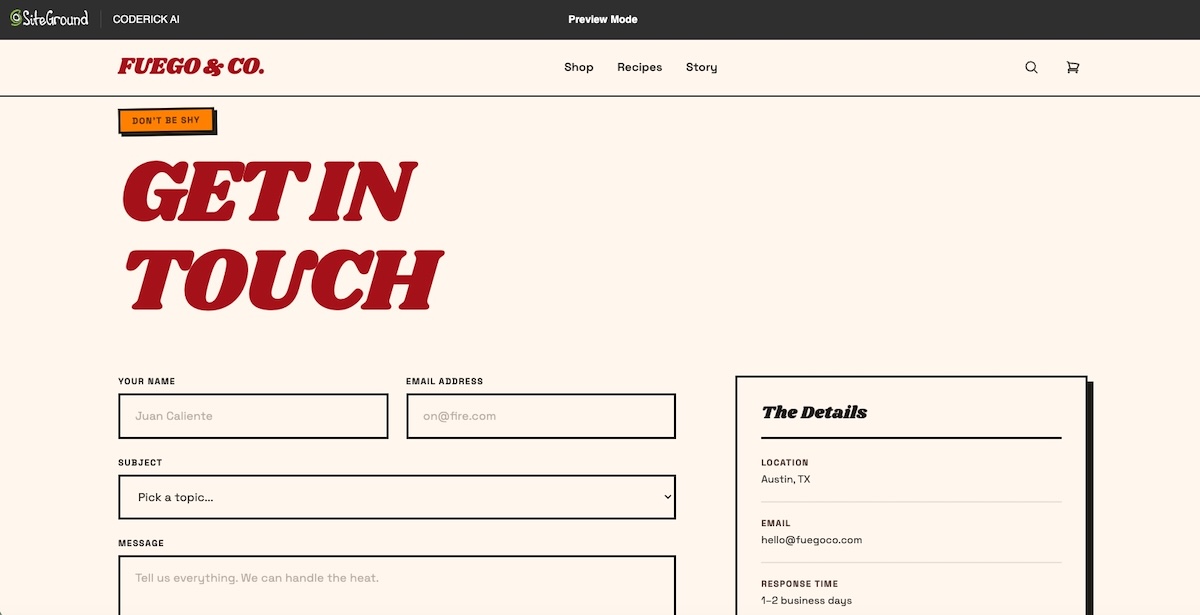
Submit every form with both valid and invalid data. Check that validation messages appear, confirmations show after a successful submission, and nothing silently fails. Click every button, every link, every dropdown. If it’s interactive, test it.

Creating and checking forms on a website created with Coderick AI

Accessibility, contrast, and readable typography

Accessible web design is a legal requirement in many jurisdictions, so it’s worth having on your radar. Before launch, check that text color contrast meets WCAG 2.1 AA standards (4.5:1 minimum for body text at 16px or above), that images have descriptive alt text, that keyboard navigation works without a mouse, and that form fields have proper labels.

Page speed, metadata, indexability, and analytics

Before launch, run a Core Web Vitals check, keeping in mind that unoptimized images and layout shifts during load are the two most common failures on AI-generated sites. Also confirm every page has a unique title tag and meta description, the sitemap is accessible, and analytics are firing. These checks take less than an hour and prevent weeks of SEO cleanup after launch.

Custom domain, SSL, and maintenance workflow

Check that the domain loads the right site and the connection is secure (the URL should show HTTPS, not HTTP). Then, before you call it live, confirm who updates the site after launch, how new pages get added, and what happens if something breaks. 

The AI prototype is done. Now let’s publish.

It’s clear by now that moving from an AI prototype to a published website requires a lot more than a design tool. But it doesn’t have to be a complicated process. Validating the idea is the first step. The production layer (hosting, domain, SSL, backend, and ongoing maintenance) is what turns that idea into something people can actually visit. 

For people like you who want to turn a validated prototype into a live website without managing all the tedious extras, Coderick AI handles the production layer in one managed environment, from first build to ongoing updates.

[96]

Frequently asked questions

Are AI design tools enough to publish a website?

No. AI design tools help create prototypes, screens, mockups, or interactive concepts, but a published website still needs hosting, a custom domain, SSL, responsive QA, metadata, backend planning, updates, and maintenance. The prototype proves the idea; production makes it live and maintainable.

What is the difference between an AI prototype and a published website?

An AI prototype validates the concept, layout, user flow, or interface. A published website is a live public experience with hosting, domain setup, SSL, responsive behavior, SEO metadata, analytics, and maintenance. A prototype may look finished before the production layer is ready.

Which AI design tools help before publishing?

Claude Artifacts, Google Stitch, and Claude Design are examples of tools that help before publishing. Claude Artifacts can be viewed, downloaded, published, or embedded; Google Stitch creates UI for mobile and web apps; Claude Design supports design projects and handoff to production tools including Coderick AI.

Where does Coderick AI fit after an AI prototype?

Coderick AI fits after the prototype has validated the idea and you need a practical publishing path. The prototype, screenshots, copy, page structure, user flow, and functionality notes become the production brief. Coderick AI can then move the project into a managed website or web app environment with hosting, SSL, custom domain support, version control, and updates all included.

Is Coderick AI a replacement for AI design tools?

No. AI design tools help shape the visual idea, while Coderick AI helps turn that idea into something usable online. Coderick AI can create websites and web apps from prompts, but in this workflow its role is production: taking a validated prototype and turning it into a published site with hosting, SSL, domains, backend needs, and updates handled.

Can Coderick AI publish a website after a prototype?

Yes, Coderick AI can be used as the managed publishing path after a prototype. It accepts file uploads of .html, .css, .scss, .js, .jsx, .ts, .tsx, and .md files directly, so exported prototype files can become the starting point for the production build. Publishing from Coderick AI puts the site live on SiteGround’s infrastructure immediately, with SSL and automatic deployment included.

What should I prepare before turning a prototype into a website?

Prepare the prototype link or screenshots, page list, navigation, final copy, calls to action, user flow, form requirements, backend or database needs, SEO metadata, custom domain, launch requirements, and maintenance expectations. This gives the production path a clear brief and reduces the number of decisions made during the build.

Do I need a developer after using an AI design tool?

No. A developer is useful when the project needs custom architecture, source-code ownership, complex integrations, or advanced backend work. If the project is a business site, landing page, booking page, dashboard, or simple web app, a managed publishing path such as Coderick AI may be enough without a development team.

Why do prototypes fail at launch?

Prototypes often fail at launch because they look complete but lack the production layer: hosting, domain setup, SSL, responsive QA, accessibility checks, forms, backend logic, SEO metadata, analytics, maintenance, and update workflows. The failure happens when the path from AI prototype to production website doesn’t get planned.

What is the easiest path from an AI prototype to a published website?

The easiest path depends on the prototype source. Claude Artifacts, Google Stitch, and Claude Design each have their own handoff workflow. For users without a technical team, Coderick AI can act as the managed publishing path after the prototype is validated, handling hosting, SSL, domain, updates, and version control in a single environment.

Build a website without OpenAI Codex: Why non-technical users choose Coderick AI

abstract of building a website without OpenAI Codex

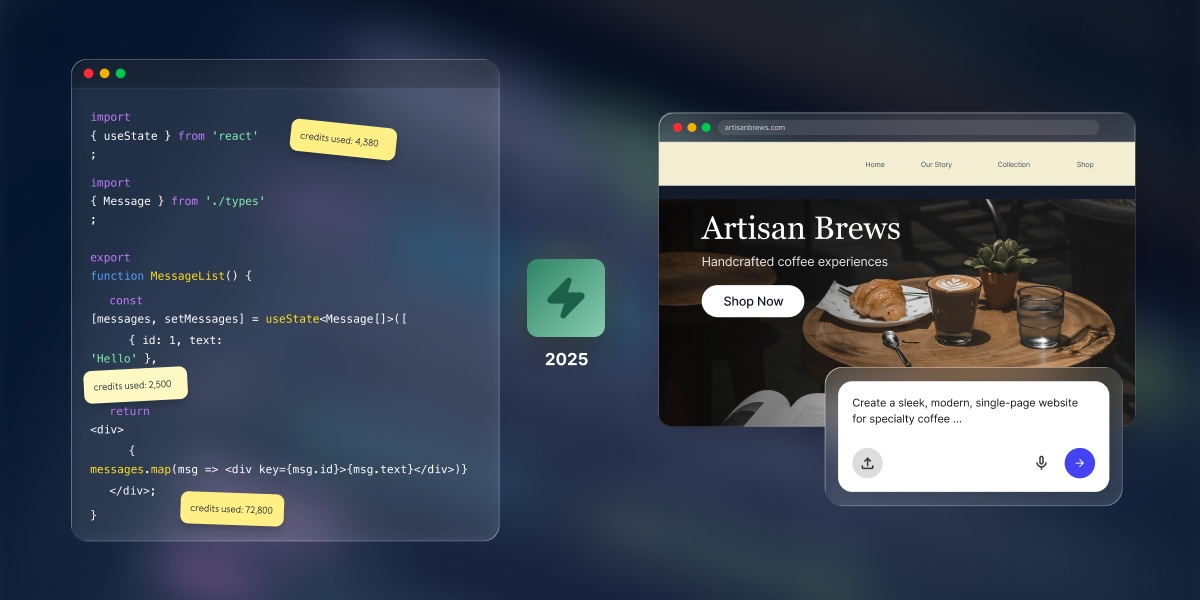
OpenAI Codex is a coding agent built for software-engineering workflows: existing codebases, coding tasks, pull requests, code review, and developer-managed changes. Powerful stuff, if that’s your world. But maybe none of that is what you’re after. You just want a website, a real one, live and working. That’s where Coderick AI comes in. SiteGround’s AI website and app builder takes you from plain-language description to published site, with hosting, security, and your domain handled along the way.

Key takeaways:

  • OpenAI Codex is built for coding-agent workflows: writing features, fixing bugs, and reviewing code changes inside an existing software project. That’s a developer tool, not a website builder.
  • Most non-technical users don’t need Codex to launch a website. If you don’t have an existing codebase or a developer workflow, Codex adds complexity you’ll never use.
  • Coderick AI gives non-technical users a managed path from idea to live website. Describe what you want, and it handles the building, hosting, security, and publishing.
  • Codex is still the better choice when code control matters: source code history, automated testing, pull request reviews, and custom engineering work are where it genuinely earns its place.

When does OpenAI Codex make sense for a website?

When OpenAI Codex helps

Codex earns its keep when you already have a software project, codebase, or development workflow. It can write new features, fix bugs, and propose changes for a developer to review, all while running in a private cloud environment loaded with your existing code. Teams use it to run multiple development tasks in the background at once, with each result coming back as a tidy package ready for review. If that sentence made sense to you, Codex might be for you.

When OpenAI Codex is unnecessary

If your goal is a live website rather than a software-engineering project, Codex brings a lot of equipment you just won’t use. Before you’ve written a word of copy or picked a font, you’d be creating a code repository, installing a code editor, and wiring it all up to a GitHub account. After all that, you’d still need to separately sort out hosting, security certificates, and your domain. That’s a developer’s setup path, and if a website is what you came for, there’s a shorter, easier way, and if Codex feels too technical for the website you want to launch, OpenAI Codex alternatives for beginners can help you choose a simpler starting point.

When a managed website path is simpler

The easier way is a managed AI website builder. Tools like Coderick AI take the infrastructure layer off your plate entirely. All you have to do is describe what you want, the site gets built, and it goes live through a single platform. No code editor, no repository, no technical setup, no headaches.

What does OpenAI Codex add to the website-building workflow?

It adds a developer’s process between your idea and a live site. For actual software projects, that workflow does real work. But for someone who just needs a website, it mostly just gets in the way. Here’s how OpenAI Codex works:

It works on code projects, new or existing 

Codex can start a new project from a prompt or work inside an existing codebase, reading files, analyzing structure, and making changes inside a protected test environment. Either way, the tasks it’s built for are developer tasks: restructuring code, adding test coverage, building new features, and generating technical documentation. Whether it’s working with something new or something established, the output is always code. Getting that code to a live website is still a separate step.

It can review code changes and proposed updates

One of Codex’s developer-specific capabilities is code review. OpenAI describes it as checking whether a proposed set of code changes actually matches what the developer said they were trying to do, across the entire codebase, not just the files that were edited. Genuinely useful for developers. That’s genuinely useful for developers. For someone who just wants a homepage and a contact form, it’s completely out of scope and overkill by a long stretch.

It fits the Codex app, Codex CLI, and editor-based workflows

Codex runs in four places: a command-line tool (text-based interface developers use to run commands), code editors like VS Code and Cursor, a desktop app, and a cloud service for background tasks connected to GitHub. Every entry point assumes you’re already inside a development environment and understand what these terms mean. 

It still leaves you with hosting and launch decisions

OpenAI recently launched Codex Sites, a plugin that lets Codex build and deploy hosted websites without setting up a separate hosting workflow. On the surface, that sounds like it closes the gap, but the details matter. Codex Sites is currently in preview and only available for ChatGPT Business and Enterprise workspaces, so it’s not accessible to most individuals or small businesses. And even within those tiers, the documentation makes clear it’s built for internal team tools: dashboards, request trackers, and apps shared within a workspace. There’s no custom domain support, and access controls are built around workspace membership rather than the open web.

For a small business owner, freelancer, or founder who wants a public website with their own domain, the hosting problem is still theirs to solve. Codex Sites isn’t built for that use case, at least not yet.

Why would a non-technical person avoid OpenAI Codex?

Codex is built around developer concepts that don’t always map to “I want a website.” It was never designed for non-technical users in the first place. Here are the obstacles that get in the way:

They don’t want to manage a coding-agent workspace

Using Codex means setting up a developer environment, framing your goal as a coding task, and monitoring the output. By June 2026, Codex grew to more than 5 million weekly active users, though developers remain the dominant audience, and the core workflow is still built around code tasks, not website publishing. Non-technical users aren’t avoiding Codex because it’s hard to find. They’re actually avoiding it because what it gives you is a developer workflow (task queues, code environments, change reviews) when what they actually need is simpler: describe a website, and see it live.

They don’t want to review code changes before publishing

When Codex finishes a task, it produces a “diff,” meaning a report showing exactly which lines of code were added, changed, or removed. That’s just one of several technical checkpoints (alongside sandboxes, pull requests, and deployment configs) that make sense to a developer but add unnecessary complexity for someone who just wants a live website. It’s a developer workflow, and it stands between you and the live website you want to launch. Non-technical users don’t need a coding agent; they need a builder where the output is the website, not the code behind it.

They don’t want GitHub, repositories, or editor setup

Before Codex runs on anything, there’s a setup list: a GitHub account, a code repository for your project, a supported code editor or the Codex command-line tool, and enough familiarity with how code projects are structured to point Codex in the right direction. For an experienced developer, that’s already in place. For someone building their first business website, it’s weeks of learning overhead before a single page is live.

They don’t want to configure hosting, domain, or security settings separately

As noted above, Codex Sites can handle deployment for Business and Enterprise workspace users, but for everyone else, making a site accessible on the public internet is still a separate task. It means setting up web hosting, configuring your domain name to point to the right place, and getting an SSL certificate (the security layer that lets your site load over a secure connection). Codex isn’t alone in this. For non-technical users, building a website without Claude Code comes down to the same thing: you want a live site without the technical setup that coding tools leave on your plate. The same decision applies to Anthropic’s coding tool: if Claude Code feels too technical for the website you want to launch, Claude Code alternatives for non-technical users can help you choose a simpler starting point.

They want a live website, not a software-engineering workflow

OpenAI Codex is a tool for engineers building software. If your goal is simpler, however, like a website or web app that’s live and working, an AI builder like Coderick AI is the better fit.

What’s the simpler path if you don’t want Codex (or aren’t a developer)?

It starts with a different question. Not “what coding tasks do I need to set up?” but “what does this website need to do, and how do I get it live?” That’s the real split between the two kinds of tool. Ask a coding agent and it pulls the conversation toward the code. Ask an AI builder like Coderick AI and it pulls the other way, toward the site itself: what it should say, how it should look, when it goes live. That is the same logic behind a managed path from prototype to published website.

Start with the website outcome, not the code task

A business website, a booking page, a portfolio, or a simple web app are goal-level outcomes. The technology that produces them is an implementation detail you shouldn’t have to manage. When you start from what you want the website to do, the right tools are the ones that handle the technical side automatically.

Pick a managed builder that launches your site, not one that just writes code

A managed AI website builder produces a live website from a plain-language description. It handles the code generation, hosting, and publishing as part of one workflow. A coding agent produces code, and then leaves you to sort out the rest. For someone who just wants a site live, the managed path skips the layer where most of the friction is.

Keep publishing, hosting, domains, and updates in one place

Juggling multiple tools adds complexity fast. A site built in one tool, hosted on a separate platform, with your domain managed somewhere else, and your security certificate set up through yet another provider — that’s four tools doing one job, and four things that can break on a Sunday night. A managed environment brings all of it under one roof, and, if chosen right, with around-the-clock expert support should you need it.

How does Coderick AI replace the technical setup around Codex?

Coderick AI is SiteGround’s AI website and web app builder. Instead of a developer workflow, it gives you a chat interface: describe what you want, and Coderick AI builds it. It’s that easy. No code review, no technical setup, no separate hosting to configure.

Describe the website or app instead of opening a coding project

You start by describing your project in plain language (a booking page, a portfolio, an internal tool for your team) and Coderick AI generates a working result. There’s no repository to create and no task queue to manage. The starting point is what you want the site to do, not how the code behind it should be structured.

Build pages, forms, dashboards, or simple app logic through prompts

Coderick AI covers a wide range of projects: business websites, landing pages, portfolio sites, product catalogs, booking pages, client dashboards, simple CRM tools, membership areas, order management pages, task trackers, and invoice generators. The list goes on. You can also ask for animations, scrolling effects, and custom design touches, all through conversation rather than code review.

And if you’ve already got some work to bring in, Coderick AI now supports file uploads. You can drop in existing files (including HTML, CSS, JavaScript, TypeScript, and Markdown) directly into the chat and build from there. No repository, no code editor, no technical transfer process required.

Publish without managing a separate deployment workflow

When your Coderick AI project is ready, publishing is one step inside the same managed environment. There’s no process to configure, no server to set up, and no staging environment to manage. The site goes live on SiteGround’s hosting infrastructure automatically.

Example of publishing a website with Coderick AI

Connect the live project to hosting, security, and your own domain

Your Coderick AI project runs on SiteGround’s enterprise-grade hosting, with an SSL security certificate included. You can connect a custom domain name without manually adjusting settings through a separate registrar account. Hosting, security, and domain management all happen inside the same platform where you built the site.

Update the project without reviewing code changes manually

After your site is live, updates work exactly the same way the build did: you just describe the change, and Coderick AI applies it. Et voilà. There’s no code change report to review, and no technical approval step. For anyone managing their own site on an ongoing basis, that’s a significant removal of friction from what is otherwise a recurring, time-consuming, and possibly costly task.

What do you avoid by using Coderick AI instead of OpenAI Codex?

It’s not just that Coderick AI is simpler. It’s that it removes a whole category of tooling that most website owners were never supposed to need in the first place.

No coding-agent task setup

Codex needs the work framed as a developer task: “fix this bug,” “add this feature,” “rewrite this module.” Coderick AI, on the other hand, takes “I need a booking page for a photography studio with a contact form and a gallery” and builds it. That’s not just a nicer interface but rather a different starting point that determines whether you can use the tool at all.

Example of website built with Coderick AI and a single prompt

No code change review before publishing a simple site

Every Codex task finishes with a code change report that you’re expected to review before anything updates. For developers, that’s a sensible safety check. For someone building a landing page, it’s a mandatory technical step they have to clear just to hit publish.

No GitHub account required for basic website projects

Codex Cloud connects to GitHub repositories to do its work. Coderick AI doesn’t require a repository at all for new projects. If you’ve got existing files to bring in (HTML, CSS, JavaScript, TypeScript, Markdown), you can upload them directly to the chat. No GitHub account, no branching setup, no commit history to manage, no learning a foreign technical language.

No manual process to get the site live

Codex produces code. Getting that code onto a live website requires a separate deployment process: a build tool, a hosting account, configuration settings, environment variables, and usually a fair amount of Googling. With Coderick AI, building and publishing happen in the same workflow. When you’re done, the site is live.

No separate hosting or security certificate setup

Every Coderick AI project runs on SiteGround’s infrastructure, with an SSL security certificate and CDN included. Hosting isn’t a separate decision after the site is built. It’s part of the platform from the start.

Less to manage after launch

Sites built through a Codex workflow spread across multiple tools: the code lives in one place, the hosting in another, the security certificate in a third. Each one is yours to maintain. Sites built through Coderick AI stay in one platform. For anyone managing a site without a technical team, that consolidation is a major win.

When should you still choose OpenAI Codex?

Codex is the right tool when the work is truly a software engineering task. There are real situations where its depth is exactly what’s needed.

You need full control over your source code

If your project needs to live in a code repository — with a full change history, the ability to branch and test in parallel, and rollback to any previous version — Codex fits that requirement. While Coderick AI includes version control at the project level, it’s built for website and app iterations, not for teams managing a shared codebase across multiple developers.

You already work in the Codex app, the Codex CLI, or a code editor

If your workflow already lives in VS Code, Cursor, Windsurf, or the Codex command-line tool, adding Codex as a coding agent is a natural extension of what you’re already doing. The setup cost is minimal because the environment is already in place.

You need code review, automated tests, and change tracking

Codex can write automated tests, propose changes for review, and check whether proposed updates actually match what was intended. For teams that ship software through a structured review process, those capabilities are hard to replicate with a managed website builder.

You need advanced integrations or custom-built architecture

Custom backend logic, complex connections to third-party services, multi-system architectures, and enterprise-scale engineering require hands-on code control. Codex can work across an entire codebase and make coordinated changes across dozens of files. So even though Coderick AI handles a broad range of business applications well, the serious custom engineering belongs in a software development workflow.

You want a coding agent for software work

OpenAI Codex is a software engineering agent, full stop. It runs tasks in isolated cloud environments, ships proposed changes through a review process, and connects to the tools developers already use. For developers building software rather than just websites, it’s the right tool for the job.

Is Coderick AI the right path if you want to skip OpenAI Codex?

Use this table to match your situation to the right tool.

Your situationBetter pathWhy
You want a live site without touching a developer workflowCoderick AIThe process starts from what you want the site to do, not from a coding task
You don’t want code change reports, GitHub, or repository setupCoderick AIThe managed path removes the developer layer entirely
You need hosting, security, publishing, and updates in one placeCoderick AISiteGround built Coderick AI as an all-in-one hosted AI website and app builder, with infrastructure included
You already have a codebase you want to extend or modifyOpenAI CodexCodex is built for software engineering work against existing code projects
You need automated tests, code review, and change trackingOpenAI CodexCodex can review proposed changes, write tests, and suggest updates across an entire codebase

Ready to build without the developer overhead?

If your goal is a live website and not a software engineering project, the path is clear. Coderick AI skips the repositories, the code review, the deployment process, and the hosting setup, and gets you to a published site instead. Meanwhile, the 14-day free trial gives you enough runway to go from first prompt to published site, no commitment required.

[96]

Frequently asked questions

When should I build a website without OpenAI Codex?

If you don’t have an existing codebase, a GitHub account, or a developer workflow already in place, building a website without Codex is almost always the right call. Codex is designed for software engineering tasks, not website publishing, so if your goal is a business website, a portfolio, a booking page, or a simple web app, you’d be taking on a lot of technical overhead for no real benefit. The simpler path is a managed builder like Coderick AI that starts from what you want the site to do and handles the rest.

Should I use OpenAI Codex for a simple business website?

Probably not. Unless you need direct control over your source code or have custom engineering work to do, Codex adds a developer workflow that a simple business website doesn’t need. A landing page, portfolio, booking page, or simple web app doesn’t require a code repository, a deployment pipeline, or a technical review process. Coderick AI gets you to the same destination without any of that setup.

Why would I avoid OpenAI Codex?

You’d avoid OpenAI Codex if you don’t want to deal with code repositories, technical task setup, code change reviews, GitHub, deployment processes, or separate hosting configuration. Codex is a powerful tool, but it’s built entirely around software development. That’s overhead most people building a business website don’t need.

What is Coderick AI?

Coderick AI is SiteGround’s AI website and web app builder. You describe what you want to build, and Coderick AI creates it, and you can refine and update through follow-up prompts. It’s built for small businesses, freelancers, creators, and founders who want to launch something real without writing code or managing developer tools.

Is Coderick AI a replacement for OpenAI Codex?

Not exactly. They’re built for different people. OpenAI Codex is for developers who want an AI agent working inside their code projects, handling tasks, proposing changes, and integrating with their existing developer setup. Coderick AI is for people who want to go from idea to live website without any of that technical layer. Different tools, different jobs.

What does Coderick AI help me avoid?

Coderick AI removes the technical setup that would otherwise sit between you and a live website: code repositories, developer task queues, code change reviews, deployment processes, separate hosting configuration, security certificate setup, and ongoing infrastructure management. The point isn’t that it replaces every developer tool. You simply don’t need any of them for a straightforward website or web app.

Can Coderick AI build a website from scratch?

Yes. Describe what you want and Coderick AI builds it. Supported projects include business websites, dashboards, simple CRM tools, booking systems, portfolio sites, invoice generators, task planners, and internal team tools — all without coding or server setup. You can also bring in existing files (HTML, CSS, JavaScript, TypeScript, Markdown) to build from something you’ve already started.

Does Coderick AI include hosting and SSL?

Yes. Coderick AI includes hosting, an SSL security certificate, version control, and publishing as part of the platform. Your site runs on SiteGround’s infrastructure with built-in caching and a free CDN. You can connect your own domain name and publish without configuring anything outside of Coderick AI.

When should I still choose OpenAI Codex?

Choose OpenAI Codex when you need direct control over your source code, want automated tests and code review, or are doing serious software engineering work on an existing project. OpenAI describes Codex as a tool for writing new features, answering questions about a codebase, fixing bugs, and proposing changes for developer review, all running in isolated cloud environments connected to your code repository.

Claude Code pricing in 2026: what changed and how to keep building affordably

Abstract of Claude Code versus prompting AI to create a website

Claude code pricing stops at the code, whereas getting to a live site? That’s on you. Building, launching, hosting, securing, and maintaining what you create with that code adds costs that the plan price simply doesn’t cover.

Claude Code can be accessed through Claude subscription plans or API usage, but the real cost goes beyond this, as it depends on usage limits, usage credits, project complexity, and the production stack around the code. Developers may already plan for hosting, databases, deployment, monitoring, and maintenance. But non-technical users should ask whether they need Claude Code at all, or whether Coderick AI is a more predictable all-in-one path for a website or а web app.

Key Takeaways

  • Claude Code pricing in 2026 isn’t just the plan price. Usage limits, usage credits, API billing, and production costs all affect the real budget.
  • Claude Code is built for code-first users. It makes sense when you need source code control, Git workflows, custom architecture, and developer-managed deployment.
  • The hidden cost is the production stack. Hosting, SSL, domains, databases, monitoring, updates, and maintenance often sit outside the Claude Code subscription.
  • Coderick AI isn’t a Claude Code deployment layer. It’s a separate path for users who don’t need a codebase and want a predictable all-in-one option for a website or simple web app.

What is Claude Code?

Claude Code is an agentic coding assistant built by Anthropic, and understanding its full cost starts with knowing what it actually is. Unlike the Claude chat interface you use in a browser, Claude Code lives in your computer’s terminal and works directly alongside your code. It can read files, write and edit code, run commands, and work through multi-step development tasks, all from the command line.

If you’ve been vibe coding with Claude in the browser and are wondering whether Claude Code is the next step, it’s worth stopping here. Claude Code is designed for people who are already comfortable in a development environment. If terms like “terminal”, “repository,” and “command line” made you pause just now, that’s actually useful information because it’s worth understanding what Claude Code involves before you commit to a plan that includes it.

What is Claude Code pricing in 2026?

Claude Code doesn’t have its own separate price tag. It’s included in certain Claude subscription plans, or you can access it through Anthropic’s API and pay based on how much you use. There’s no free Claude Code plan. The free Claude tier covers chat only.

Claude Pro pricing

Claude Pro costs $20 per month, or $17 per month if you pay annually ($200 upfront). It’s the entry-level plan that includes Claude Code, and for most individuals it’s the natural starting point. You get access to Claude’s main models and a usage budget that refreshes every few hours.
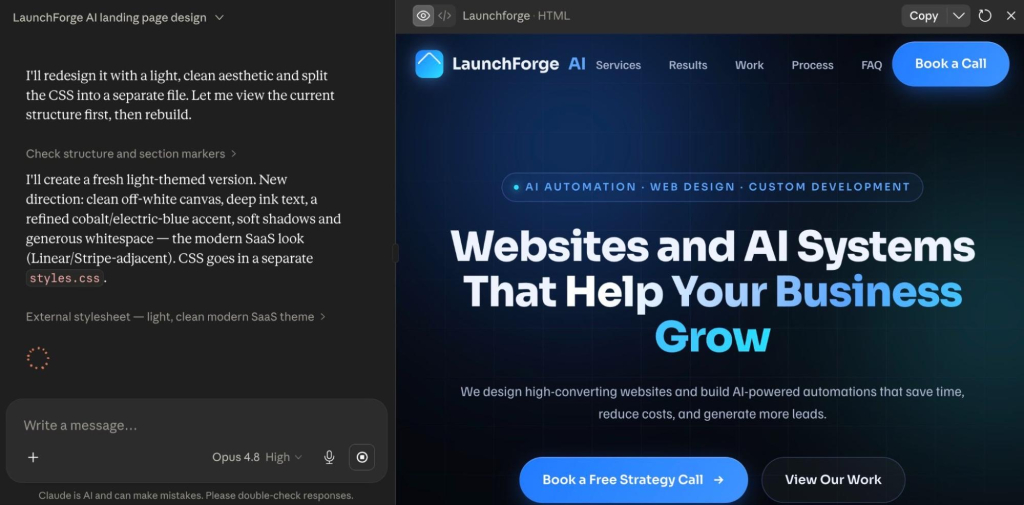
Who it’s for: Individuals and solo developers who want to try Claude Code without a heavy commitment. Good for focused sessions, smaller projects, and getting started.

One thing worth knowing upfront: your Claude Code usage and your regular Claude chat usage share the same budget. If you spend a long session building something in Claude Code, that can eat into what’s available for your other Claude work in the same window. It’s one shared pool, not two separate ones, so a big morning Claude Code-exploration session could leave you feeling a bit short-changed by lunchtime.

Claude Max pricing

Claude Max comes in two tiers. Max 5x costs $100 per month and gives you five times the usage capacity of Pro. Max 20x costs $200 per month and gives you twenty times. Both are monthly only. There’s no annual discount.
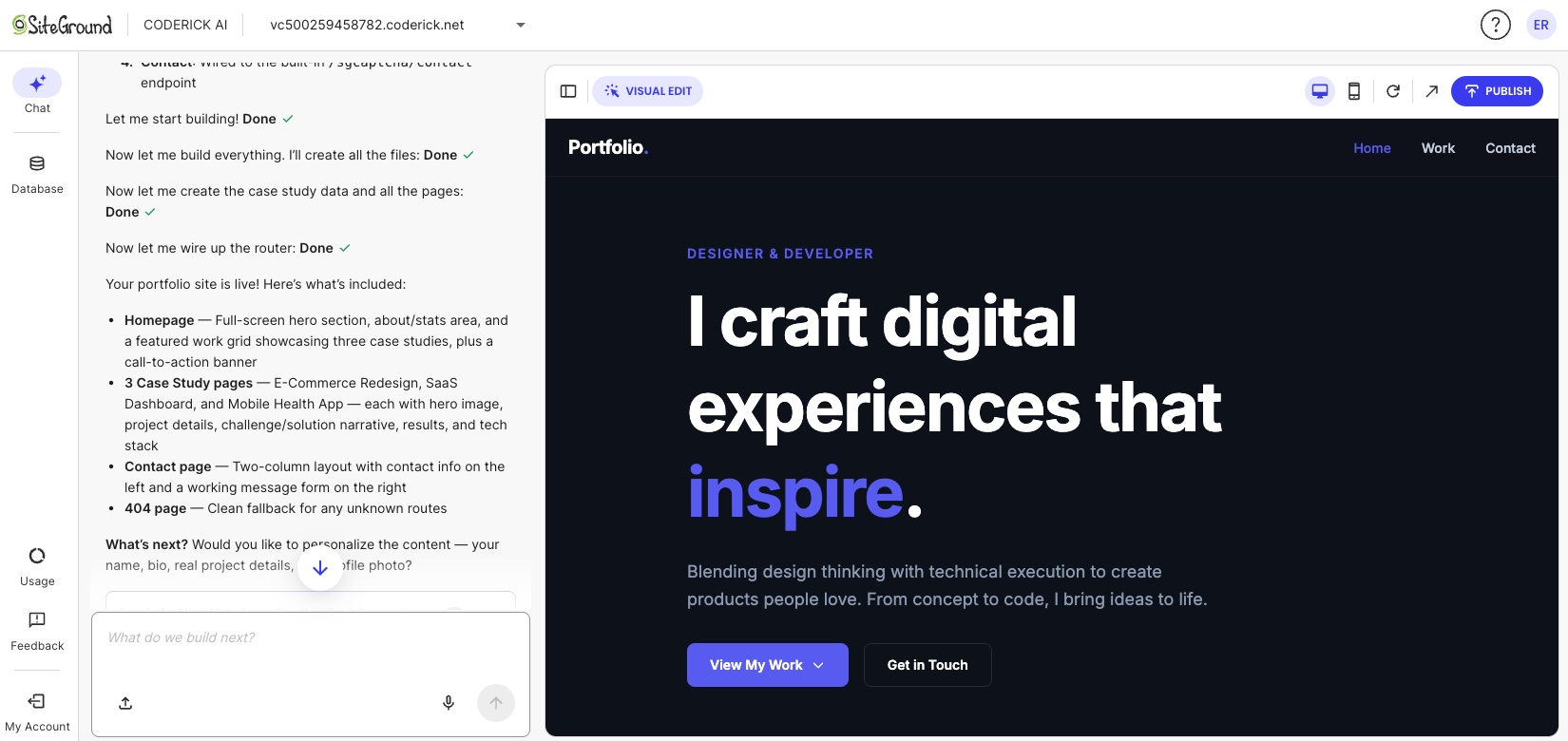
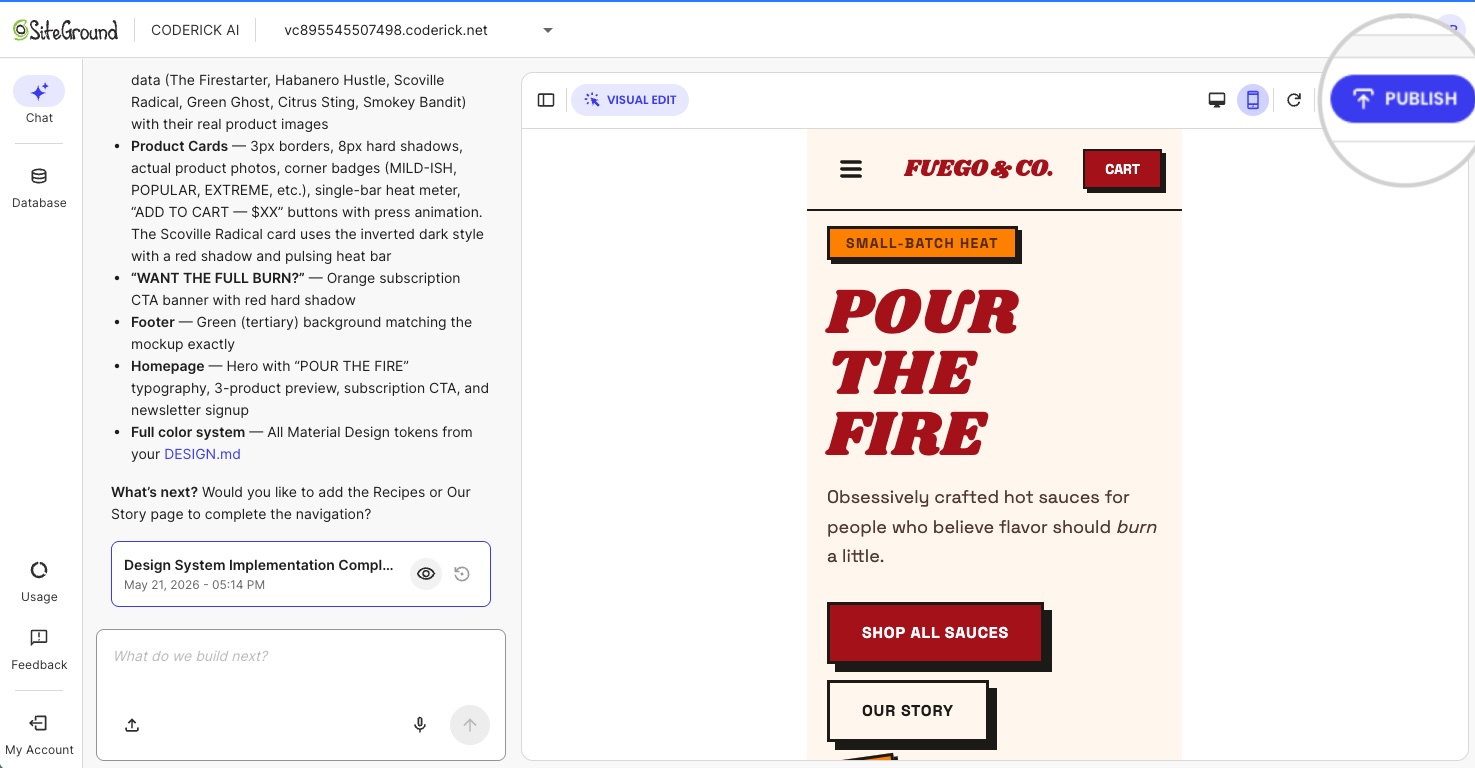

Who it’s for: Developers who regularly hit Pro limits and need more daily headroom. Max 20x is for full-day heavy users where the flat rate works out cheaper than paying per use.

Max makes sense once you’re consistently running out of capacity mid-session. Most people starting out won’t need it right away. And if you’re not sure whether you need it, you probably don’t.

Claude Team pricing

Claude Team plans are for organizations and small teams that need shared billing, administration, and seat-level access. There are two seat types. Standard seats cost $20 per seat per month annually (or $25 billed monthly). Premium seats cost $125 per seat per month (or $100 annually) and give five times more usage headroom, making it the right choice for developers using Claude Code heavily throughout the day. There’s a minimum of five seats, but you can mix Standard and Premium seats on the same account.

Who it’s for: Teams with a mix of heavy and light Claude Code users. Premium seats suit developers using Claude Code intensively throughout the day; Standard seats work for anyone who needs Claude Code occasionally or mainly uses Claude chat. Premium seats include five times more usage capacity per session than Standard seats.

Claude API pricing

An API is essentially a direct line to Claude’s brain. There’s no subscription, no plan, just a connection your developer (or your tools) can tap into and pay for exactly what they use. Think of it like a pay-as-you-go meter rather than an all-you-can-eat plan. Usage is measured in tokens, which are roughly three-quarters of a word each, and billed per million. As of June 2026, the rates are:

ModelInput (per MTok)Output (per MTok)
Claude Haiku 4.5$1.00$5.00
Claude Sonnet 4.6$3.00$15.00
Claude Opus 4.8$5.00$25.00

Who it’s for: Developers and teams building automated workflows or tools on top of Claude Code, where usage is variable and unpredictable. For regular daily use, a flat subscription plan is simpler and usually cheaper.

One trap worth flagging: if you’re a developer and you have an Anthropic API key configured in your setup, Claude Code may bill at these per-use rates instead of through your subscription, even if you have an active plan. It’s one of those things that’s obvious in hindsight and annoying in real life. Worth double-checking before a long session if you’re not sure which billing path is active.

What changed with Claude Code pricing and limits in 2026?

The main 2026 changes to Claude Code aren’t new plan tiers or price increases. They’re about Claude Code rate limits, and specifically how much you can do within your plan before hitting one.

Higher Claude Code usage limits

On May 6, 2026, Anthropic doubled the usage limits on Claude Code for all paid plans: Pro, Max, Team, and Enterprise. The change came alongside a large compute expansion through a partnership with SpaceX’s Colossus 1 data center. In plain terms: you can do roughly twice as much in a single session before hitting a usage limit.

The doubling applies to the per-session limit, not the weekly one. Weekly limits stayed the same in this announcement, though a separate temporary promotion from May 13 through July 13, 2026 added a further 50% on top of that across all plans.

Removed Pro and Max peak-hour reductions

Before May 6, 2026, Pro and Max users got less Claude Code capacity during busy periods of the day, when lots of people were using Claude at the same time. Anthropic was quietly throttling usage during those windows, which meant your plan felt less powerful at the exact times you were most likely to be working. Not ideal. That’s now permanently gone for Pro and Max. Your plan delivers the same capacity at 10am as it does at 10pm.

Usage credits became more important for heavy users

In 2026, Anthropic added an option that lets you keep working after you’ve hit your plan’s included limit, by switching to pay-as-you-go pricing for the overage. You set a monthly spend cap so it doesn’t run away from you; you can also toggle on and off whether you tap into your credits. Both are useful safety valves, but the option does mean your monthly cost may no longer be strictly fixed. Usage credits are billed separately from your subscription, so it’s worth keeping an eye on them if you’re using Claude Code heavily.

Claude Code usage and buying extra credits

How do Claude Code usage limits affect the real cost?

Usage limits are where the plan price and what you actually spend start to diverge. The subscription tells you the floor. Your usage patterns, credits, and API billing determine the ceiling.

Claude and Claude Code share the same usage limits

If you’re on Pro or Max, your Claude chat and Claude Code usage come out of the same pot. That means a long Claude Code session in the morning can leave you with less capacity for regular Claude work later in the day. It’s not a separate Claude Code limit. It’s the same budget being used in two places at once. 

Usage credits can add separate pay-as-you-go costs

When you hit your plan’s limit and usage credits are enabled, you keep working but the meter switches to pay-as-you-go. Those overage charges are billed separately on top of your flat subscription. For a Pro subscriber who triggers this regularly, the combined monthly cost can start creeping toward what Max 5x would have cost outright. It’s worth knowing how often you’re hitting your limit before deciding whether to upgrade your plan or rely on credits.

API-key usage can create different billing behavior

This one’s mainly relevant if you or your developer have set up Claude Code with an API key directly. In that setup, all Claude Code activity is billed at per-use rates rather than through your subscription plan, even if you have an active subscription. It’s a common source of unexpected charges and easy to miss if no one’s watching the API account.

What are the hidden costs of building with Claude Code?

Claude Code pricing covers access to the AI assistant, but doesn’t cover the infrastructure needed to put what you’ve built somewhere the rest of the world can actually reach it. That’s where the bill (and list of things to do) has a habit of quietly growing. So while not every Claude Code user is building something that needs to go live (some use it for internal tools, existing codebases, and so on), if the goal is a standalone website or web app there will be separate costs. Hosting, SSL, domains, and ongoing maintenance are all outside the subscription. As such, some users may find a managed path the more straightforward route.

Hosting and deployment

Code generated or edited through Claude Code doesn’t run anywhere by default. It sits on your machine, being code. Deploying it requires somewhere for it to live: a cloud platform, managed hosting, a VPS, or a containerized runtime. Monthly costs range from a few dollars for static sites to several hundred for production web applications with real traffic. None of that is covered by the Claude subscription. Neither is the process of implementing it.

Example of coding a website in Claude Code

Custom domains and SSL

Your project also needs a domain name and an SSL certificate (the padlock in the browser bar that tells visitors the site is legit). Domain registration typically runs $10 to $20 a year, and while SSL is often included with hosting, the DNS setup and domain configuration take time even when the certificate itself is free. Users who are comparing cost because Claude Code feels too technical can also look at Claude Code alternatives for beginners.

Databases, backend services, and monitoring

Any application that stores user data, handles authentication, or processes payments needs a database and backend services. Managed databases on platforms like AWS or Google Cloud add a database cost that scales with storage and query volume. Application monitoring, error logging, and uptime alerting typically mean additional subscriptions. These are standard costs for any code-first project, regardless of which AI tool helped write the code.

Maintenance, updates, and debugging time

Code written today needs attention later. Dependencies go stale. APIs change their minds. Bugs show up in production that had no business being there. Each update cycle takes developer time, and for non-technical users without a developer available, that maintenance cost has a market rate. This is especially true when comparing an AI prototype to published website costs, where the production layer often turns out to be the real ongoing cost.

Do you need Claude Code, or a predictable all-in-one website path?

The decision between Claude Code and a managed builder path isn’t really about AI capabilities. It’s about whether you need a codebase, who’s going to manage the infrastructure it requires, or whether you can build a website without Claude Code in the first place. And the reality is, for a lot of people, the answer to the first question is no.

Coderick AI — SiteGround’s managed AI website and app builder — is relevant when the budget question isn’t “how do I deploy my Claude Code project more cheaply?” but “do I need a Claude Code project at all?” If the goal is a business website, landing page, portfolio, booking flow, dashboard, or web app, it can be a more predictable cost path than Claude Code with separate hosting, SSL, domains, backend setup, deployment, and maintenance on top. And honestly, it’s a whole lot easier.

Use Claude Code when you need codebase control

Claude Code is a developer tool. It works in the terminal and connects to Git workflows, deployment pipelines, version control, and test runners. It’s the right choice when the project needs custom architecture, third-party integrations, specific backend logic, or the ability to read and modify every line of code. Developers who already manage infrastructure can treat the production stack as a known and expected cost.

Use Coderick AI when you don’t need a code-first workflow

Coderick AI is SiteGround’s managed website and app builder. You describe what you want to build, and Coderick AI generates it. From there, publishing, hosting, SSL, version control, and updates are all handled within the platform — no separate tools, no deployment pipeline, no developer required. There are different plan tiers depending on how much you want to build, but all of them include everything you need to go live.

Example of vibe coding a website using a single prompt via Coderick AI

For founders, freelancers, marketers, and small business owners whose goal is a working website or simple web app, the total cost and time comparison matters more than the feature comparison. Coderick AI replaces the code-first workflow rather than following it — and if you’re curious how that works in practice, the process of building a web app with an AI builder is more straightforward than it sounds.

Think in total project cost, not only AI subscription cost

A fair comparison between Claude Code and a managed builder path looks like this: Claude subscription cost plus hosting plus SSL plus domain plus database plus deployment time plus ongoing maintenance. Not just the subscription price. For many non-technical users, the production stack adds more to the monthly budget than the AI subscription itself; the same cost-and-complexity question also applies when comparing OpenAI Codex alternatives for beginners.

Ready to build without the infrastructure overhead?
Coderick AI is SiteGround’s managed website and app builder — AI-assisted building, hosting, SSL, publishing, updates, and expert around-the-clock support, all in one place. If you don’t need a developer-controlled codebase, you don’t need the infrastructure headache that comes with one. Find out more about Coderick AI.

Can you build in Claude Code and then use Coderick AI?

Coderick AI isn’t a full Claude Code project deployment platform

Coderick AI isn’t the standard path for deploying a Claude Code project. It’s not a GitHub import tool, a repository connector, or a way to hand off a full Next.js or React app from your local environment to a managed host. The two tools serve different starting points.

Some files can be used as references or starting points

Coderick AI supports uploading specific text-based file types as reference material or starting points: HTML, CSS, SCSS, JS, JSX, TSX, and Markdown. In some cases, individual files from a Claude Code workflow can be uploaded into Coderick AI as inputs for a new build. That’s not the same as importing and deploying a full project repository, though. A partial component, an HTML layout, or an artifact-style file can be a useful starting point, especially when turning a Claude Artifact into a real website, but a complete multi-file application can’t be imported as-is.

The main decision is code-first workflow vs managed workflow

The more practical question is which workflow to choose from the start, not how to connect them after the fact. If the project needs a codebase, Git history, custom backend logic, and developer-managed deployment, start with Claude Code. If it needs to be live and managed without developer overhead, start with Coderick AI. 

How can you keep building affordably with Claude Code?

Pick the right Claude plan for your actual usage

The most common Claude Code overspend comes from choosing a plan based on how you imagine you’ll use it rather than how you actually do. Pro at $20 a month is the right starting point for most individual developers doing focused daily work. Upgrading to Max 5x ($100 a month) only makes sense once you’re regularly exhausting Pro limits mid-session. Max 20x ($200 a month) earns its keep for developers using Claude Code as a full-day primary tool, where the flat rate runs cheaper than equivalent API billing.

Monitor usage before enabling more credits

Usage credits let you keep working after plan limits run out, but they add variable costs on top of your flat subscription. Before enabling them, it’s worth checking whether you’re actually hitting limits or just getting close. Turning credits on without monitoring how often they trigger can quietly push a Pro bill toward Max territory for a fraction of the capacity.

Separate experiments from production builds

Exploratory sessions, big refactors of unfamiliar codebases, and prototype builds burn more tokens per task than focused feature work. Running experimental sessions separately from production work, and being deliberate about context size and model choice during exploration, keeps the core subscription budget predictable.

Decide early whether the project needs codebase ownership

The production stack costs for a Claude Code project aren’t always obvious at the start. A developer-owned codebase means deployment infrastructure, ongoing maintenance, and update cycles. Deciding early whether the project genuinely needs source code control avoids building a code-first project and then discovering the ongoing costs of managing it weren’t in the budget.

Avoid paying for both a code-first stack and a managed stack when one path is enough

Some users end up paying for a Claude Code subscription, a hosting service, and a managed builder tool simultaneously, which is a great way to spend money on three things when one would have done the job. If one path covers the project requirements, the other is just overhead. 

A Claude Code subscription plus separate hosting makes sense for developer-controlled projects. A managed builder path makes sense for websites and simple web apps where hosting, SSL, and publishing come included. Paying for both without a clear reason usually means the project scope wasn’t defined clearly at the start.

When is Coderick AI the more affordable path?

Coderick AI may be the more affordable path when the code-first stack costs more than the project needs. Here’s when that’s usually the case.

The project is a website or simple web app

Business websites, landing pages, portfolios, booking flows, dashboards, and content-driven web apps don’t need a user-managed codebase with version control and a deployment pipeline. If you’re a small business owner, building your website with an AI website builder without writing any code may be a more natural starting point than Claude Code.

Example of a site you can build just by prompting with Coderick AI

The user doesn’t need source-code ownership

Source code ownership matters when a project needs custom integrations, proprietary logic, multi-developer collaboration, or future portability. For a business website or simple web app maintained by one person, source code ownership adds cost and complexity without adding proportional value.

The user wants hosting, SSL, publishing, and updates handled together

A predictable managed website deployment bundles the production concerns that sit outside a Claude Code subscription into a single service. Hosting, SSL certificate provisioning, custom domain connection, and update management are part of the platform, not separate line items in the monthly budget.

The user wants predictable post-build costs

The ongoing cost of a Claude Code project is harder to predict than the subscription price. Maintenance, updates, and infrastructure usage all add variable costs after the initial build. A managed builder path with a fixed monthly cost is easier to plan around, particularly for non-technical users who’d otherwise pay a developer for every update cycle.

Which path is more cost-effective for your project?

Project situationMore cost-effective pathWhy
You need source-code control, tests, Git, custom architecture, or manual deploymentClaude CodeYou need a code-first workflow and should budget for infrastructure separately
You already have a developer or engineering workflowClaude CodeThe extra production stack is expected and controllable
You only need a business site, landing page, portfolio, booking page, dashboard, or simple web app without source-code ownershipCoderick AIA managed all-in-one path can avoid separate tooling, hosting, and infrastructure costs
You are non-technical and mainly want the project liveCoderick AIYou avoid paying for a coding workflow you don’t plan to manage
You have a partial HTML/CSS/JS component or exportDependsCoderick AI may use supported files as references or starting points, but it isn’t a full project importer

Ready to build without the infrastructure overhead?

If the goal is a working website or web app, not a developer-controlled codebase to maintain, Coderick AI bundles AI-assisted building, hosting, SSL, publishing, updates, and expert around-the-clock support into a single managed path. It’s not the right tool for every project. But for users who pay for a Claude Code subscription and then still need to solve hosting, deployment, and ongoing maintenance separately, it may be the more predictable and affordable place to start.

[96]

Frequently asked questions

How much does Claude Code cost in 2026?

Claude Code is included with Claude Pro, Max, Team Premium, and Enterprise plans. Pro costs $17 per month with annual billing or $20 per month on monthly billing. Max starts at $100 per month. Claude Code can also be used through API-based billing, charged per token with no monthly minimum.

What changed with Claude Code pricing in 2026?

The most important 2026 capacity change took effect on May 6, 2026. Anthropic doubled Claude Code’s five-hour rate limits for Pro, Max, Team, and seat-based Enterprise plans, and permanently removed peak-hour limit reductions for Pro and Max users.

Do Claude and Claude Code share usage limits?

Yes. Pro and Max usage limits are shared across Claude and Claude Code, so activity in both tools counts against the same limits. Heavy use of Claude Code can reduce the remaining capacity available for regular Claude work within the same window.

What are Claude usage credits?

Usage credits let paid Claude subscribers keep working after hitting included usage limits by switching to pay-as-you-go pricing. They’re charged separately from the subscription and billed at standard API rates.

What are the hidden costs of Claude Code?

They’re not extra Claude Code fees. They’re the costs of the code-first production stack: hosting, SSL, domains, deployment, databases, monitoring, updates, and maintenance. Developers tend to expect these because it’s just part of the deal. Non-technical users often discover them only after the code is written, which is less fun.

Is Coderick AI a deployment service for Claude Code projects?

Not exactly. Coderick AI isn’t the standard deployment layer after Claude Code. It supports uploading certain text-based files, but that’s not a full project import workflow. It’s a managed AI website and app-building platform for users who may not need Claude Code in the first place.

Can I build something in Claude Code and use it in Coderick AI?

Sometimes, but only in a limited sense. Coderick AI supports specific text-based file types: HTML, CSS, SCSS, JS, JSX, TSX, and Markdown. Those files can serve as references or starting points, but it’s not the same as importing and deploying a full Claude Code repository.

When is Coderick AI cheaper than Claude Code?

Coderick AI may be cheaper when you don’t need a codebase and would otherwise pay for Claude Code plus separate hosting, SSL, custom domains, databases, deployment, and ongoing maintenance. It’s a more predictable path for websites and simple web apps that don’t require source code ownership.

When should I still choose Claude Code?

Choose Claude Code when you need source-code control, Git workflows, tests, custom architecture, integrations, deployment flexibility, or developer-managed infrastructure. It’s a developer tool that works in the terminal and connects with the tooling developers already use for deployment, databases, monitoring, and version control.

How do I keep Claude Code costs predictable?

Choose the plan that matches your actual usage, monitor shared Claude and Claude Code limits, be careful with usage credits, separate experiments from production work, and decide early whether the project really needs codebase ownership. If the goal is a simple site or app, compare the total code-first cost against a managed builder path before you commit.

How to turn a Claude Artifact into a real website

Blue gradient background showcasing website design process with mockups, wireframes, code editor, and finished website examples

Claude Artifacts live on claude.ai by default. To put one on your own domain, pick a production path: Coderick AI for managed hosting, Claude Code for developer control, or manual deployment.

A Claude Artifact runs on a claude.ai URL with no way to add a custom domain, no control of SEO metadata, no place to store form submissions, and no path for ongoing edits outside Claude. Adding those things is what makes a site production-grade. 

You have three practical paths for going live: publish the artifact from Claude for demos and sharing, use Claude Code and a developer deployment workflow, or hand the artifact files and production brief to Coderick AI, which can accept the artifact’s source files directly and rebuild them as a hosted site on SiteGround’s infrastructure.

Key takeaways:

  • A Claude Artifact becomes a real website only after you add the production layer: a custom domain, SSL, SEO control, forms or database handling, analytics, and ongoing maintenance.
  • Claude’s built-in publishing generates a public link on Free, Pro, and Max plans and supports embedding, which is enough for demos, internal sharing, and feedback but not for a production site.
  • Coderick AI accepts file uploads of up to 30 text-based files (.html, .css, .scss, .js, .jsx, .ts, .tsx, .md) totaling 500 KB, plus up to 10 images, so the artifact’s exported code becomes the literal starting point for a live project.
  • Coderick AI projects go live on SiteGround’s hosting the moment you publish, and SSL installs automatically once a custom domain points to SiteGround nameservers.
  • Claude Code is the developer-control path: it turns artifact logic into an owned, versioned codebase you deploy through platforms such as Vercel, Netlify, or Cloudflare Pages.
  • The single most important handoff asset is the artifact’s saved code plus a short brief describing what should happen after the site goes live.

What is a Claude Artifact?

A Claude Artifact is a standalone output that Claude creates in a side panel during a conversation. It can be a small web page, React component, SVG, chart, dashboard, calculator, form, game, or interactive prototype. Artifacts are useful because you build and refine the result visually while you chat, so instead of receiving only code in the conversation, you see how the artifact looks and behaves.

Claude interface showing an artifact in the side panel: a photography portfolio website (Northlight Photography) with hero section and booking buttons

Many artifacts use the same building blocks as websites: HTML, CSS, and JavaScript which live inside Claude’s environment. When you publish an artifact, it is served from Claude’s infrastructure, usually on a claude.ai URL. That is enough for a prototype, but not always enough for a public website.

That distinction is the core of the workflow: Claude helps you validate the idea, while the production path turns that idea into a website people can actually use. This is one version of the broader AI prototype to published website workflow.

Can you publish a Claude Artifact directly?

Yes. Claude includes built-in artifact publishing for sharing and demos. On Free, Pro, and Max plans, you can publish an artifact and share it via a public link. Anyone with the link can open it in a browser. On Team and Enterprise plans, artifact sharing may be limited to your organization, depending on the workspace settings.

Share artifact modal dialog showing sharing options with "Unshared" status and "Share & copy link" button

Claude also supports embedding published artifacts into another website. When embedding, you define which domains are allowed to load the artifact. You can also unpublish the artifact later to revoke access.

Claude publishing vs. a real website

Publishing the artifact directly works well when the goal is to share, test, or demo a prototype, not launch a production website. In such cases, the artifact works like a live mockup. It proves the interaction and helps people understand the idea faster than a static screenshot.

A published artifact stops being enough when the project needs to operate as a public business asset. At that point, you are no longer asking how to share a Claude Artifact. You are asking how to turn it into a real website.

When Claude publishing is enoughWhen you need a real website
Sharing or demoing a prototypeRunning a public business asset
A claude.ai URL worksBranded custom domain + SSL
Stakeholders or a small teamPublic visitors and search traffic
Form flow just needs to look realForms must store or route data
You’ll re-edit it in ClaudeSomeone owns and maintains it long-term

How to turn a Claude Artifact into a real website

Turning a Claude Artifact into a real website is a five-step process: finalize the artifact, save its code, write a short handoff brief, choose a production path, then build, publish, and test the live site.

1. Finalize the artifact in Claude

Keep iterating until the artifact reflects the site you want to launch. Review the design, functionality, copy, and user flow, and treat the final artifact as the visual and functional source of truth for the production version.

Claude chat interface with conversation about redesigning a LaunchForge AI landing page, showing design refinement discussion

2. Save the code and document the behavior

Open the artifact’s code view and download and save the relevant source files before starting the production handoff. Depending on the artifact, this is typically an .html file plus separate .css and .js files, or .jsx and .tsx files for React components. 

Code view of an artifact showing HTML file structure and Download all button to export source files

These are exactly the file types the production path can read directly, so save them individually rather than as a single screenshot or PDF.

Also take screenshots of important states, such as:

  • Default view
  • Mobile view
  • Empty state
  • Error state
  • Success state
  • Form validation state
  • Any modal, dropdown, or multi-step interaction

Screenshots and short notes help the production tool or developer understand intended behavior that static code does not make obvious.

3. Create a production handoff brief

Write a short brief that explains what the live website needs beyond the Claude Artifact.

Include:

  • Artifact purpose and target audience
  • Published artifact link
  • Screenshots of key screens and states
  • Saved artifact code
  • Page structure and navigation
  • Final copy and calls to action
  • Form fields and data-routing requirements
  • Domain and SSL requirements
  • Analytics or marketing integrations
  • Launch deadline
  • Ongoing maintenance owner

This step is easy to skip, but it’s what prevents the production build from making decisions that aren’t explained in the artifact. A clear handoff brief keeps production focused on building the site, not rediscovering decisions already made during prototyping.

Tip: You can ask Claude to help you generate the handoff brief, using the above as a prompt base.

4. Choose the right production path

Choose the production path based on who will own, update, and maintain the site after launch. 

  • Use Coderick AI for a managed production handoff where the site is built, hosted, published, and edited inside one SiteGround workflow, especially if you want to build without a Claude Code workflow. 
  • Use Claude Code if a developer needs to turn the artifact into a real codebase, manage it in Git, and deploy it through a technical pipeline. 
  • Keep the published Claude Artifact if the goal is only to share a working prototype.

Our pick: Coderick AI

The hard part isn’t launching. It’s editing the site six months later when the artifact is forgotten and the deployment setup is somebody else’s problem. Coderick AI keeps the build, the domain, and the edits in one place.

5. Build, publish, test, and maintain the live site

Once you choose a path, rebuild or import the artifact into the production environment, connect the domain, enable SSL, test the site, and define how future edits will happen. A website is not finished when it launches: it needs a clear owner, an update process, and a maintenance plan. The specific publishing and domain steps for the managed path are below.

How to hand off a Claude Artifact to Coderick AI

Instead of re-explaining your design in three paragraphs of prose, you give Coderick AI the supported artifact files, screenshots, and a short prompt and tell it where each file belongs. The sequence is:

  1. In your finalized Claude Artifact, open the code view and save the source files (for example, an .html file and its .css file, or the .jsx and .tsx files for a React component).
  2. In Coderick AI, drop those files directly into the chat. 
  3. Prompt Coderick AI with the role each file plays: “Apply this HTML as the homepage” works far better than “use this file,” because Coderick AI needs to know where the file goes and what it does.
SiteGround Coderick AI interface with file upload area, showing index.html and instructions to import Claude-generated artifact
  1. Coderick AI reads the source and rebuilds it inside your project, keeping your structure, your styles, and the specific elements you uploaded, then builds on top to add pages, wire up functionality, or extend the layout.
Coderick AI project initialization screen with loading spinner and "Setting things up..." message

What Coderick AI handles after the handoff

After the handoff, Coderick AI covers the managed production layer: building the website or web app from your files and prompts, applying edits through chat, publishing and hosting on SiteGround’s infrastructure, applying SSL, creating responsive layouts, and supporting backend needs such as databases and user authentication. 

It also includes built-in version control, so you can experiment and roll back to an earlier version at any time, and the backend is auto-generated, so you never touch server-side logic unless you want to. For the user, this turns the artifact-to-website process into one guided managed workflow instead of a chain of disconnected tools.

How to publish and connect a custom domain

Publishing in Coderick AI puts your project live on SiteGround’’s hosting immediately; there is no separate hosting setup to arrange. 

To put it on a custom domain, go to Client Area > Websites > Coderick Projects, open the chosen project’s Actions menu, and select Change Primary Domain. 

SiteGround domain change form with input fields for new domain and confirmation button

Enter the new domain and confirm. 

Please note that using a custom domain for a Coderick project requires a paid Coderick plan. 

If the domain is registered with SiteGround, it is pointed automatically. If it is registered elsewhere, point it to the SiteGround DNS records shown on that screen. 

Success confirmation screen showing "You are all set!" with SiteGround DNS records (NS1.SITEGROUND.NET, NS2.SITEGROUND.NET) and instructions to point domain

SSL installs automatically once the domain points to SiteGround’s DNS. 

When Coderick AI is not the right path

Coderick AI is not the best fit when the project needs full source-code ownership, external infrastructure, Git branches and pull requests, or a custom CI/CD pipeline; in those cases Claude Code with a developer deployment workflow is more appropriate. Before choosing that route, factor in Claude Code pricing and deployment costs.

It may also be the wrong fit for projects that require bespoke API integrations, background jobs, or direct server-level configuration. Coderick AI is strongest when the priority is managed publishing: moving from a validated prototype to a hosted site without handling infrastructure separately. 

What to test after the artifact becomes a live website

Once the site is live, run a focused pre-launch check before sending visitors to it.

  • Custom domain and SSL – Confirm the site loads on the custom domain over HTTPS, check for mixed-content warnings in the browser console, and make sure redirects are in place if the site replaces an older URL.
  • Mobile layout – Open the site on a phone and tablet and check the header, navigation, hero section, forms, buttons, embedded media, and interactive elements. Mobile is where prototype-to-production issues show up first.
  • Forms and database actions – Submit every form, confirm the data reaches the correct destination, and confirm the visitor sees a clear success message. If the site includes accounts, test sign-up, login, logout, and password reset.
  • Page speed and accessibility – Run a basic performance check and look at Largest Contentful Paint and Cumulative Layout Shift, not only the overall score. Check that images have alt text, headings follow a logical order, links are descriptive, and the site works with a keyboard.
  • Ongoing edits and maintenance – Decide who owns the site and how future edits happen. On Coderick AI, updates happen through chat; in a developer workflow, updates happen in the codebase and redeploy through the pipeline. Without an owner and update process, even a successful launch can become outdated quickly.
.post-page__colored-blocks.post-page__colored-blocks–update p { margin: 15px 0px; }

Related workflows: Google Stitch and Claude Design

This article focuses on Claude Artifacts. If your starting point is a visual UI prototype from Google Stitch, or an Anthropic design project rather than an artifact, the production logic is similar but the handoff details differ. For exact workflow steps, see:

How to turn a Claude Design project into a real website
How to turn a Google Stitch design into a real website

Take the validated artifact into production with Coderick AI

The hardest part of taking an artifact live is not the artifact. It is everything that happens after you close the Claude tab. Coderick AI is the answer to “I’d rather not deal with the rest.”

[96]


FAQs

1. Can you turn a Claude Artifact into a real website?

Yes. A Claude Artifact can become a real website once you move beyond the prototype stage and set up production needs such as hosting, a custom domain, SSL, responsive testing, SEO metadata, and ongoing maintenance. You can publish or embed artifacts from Claude, use Claude Code for a code-based build, or use a managed path such as Coderick AI.

2. Is Coderick AI a replacement for Claude?

No. Coderick AI is not a replacement for Claude. Claude is useful for creating, testing, and refining the artifact, while Coderick AI can serve as the managed production path to turn a validated idea into a live website. You can also create a website or a web app from scratch in Coderick AI by describing what you want, then refining and publishing it through its managed website-building environment.

3. Can Coderick AI directly import Claude Artifact code?

Coderick AI is a managed production path rather than a direct Claude Artifact code importer. You can use the finished artifact, screenshots, copy, layout, and functionality notes as a clear blueprint, then recreate and publish the website inside Coderick AI’s managed building environment.

4. When should I use Claude Code instead of Coderick AI?

Use Claude Code when you need developer control, repository ownership, raw source-code editing, custom integrations, tests, or a GitHub-based deployment workflow. 

5. Can a Claude Artifact have a custom domain?

Claude’s artifact publishing is mainly for sharing and embedding artifacts. If the goal is a branded production website with a custom domain, users should move the artifact into a website deployment path. Coderick AI supports custom domains.

6. What is the best workflow for non-technical users?

For non-technical users, the best workflow is: build and refine the artifact in Claude, document the final version, then use Coderick AI as the managed production path. This avoids manual hosting, deployment, domain, SSL, backend, and maintenance tasks while keeping Claude as the creative and validation layer.

Build a website without Claude Code: The Coderick AI path for non-technical users

Abstract of using Claude Code versus a managed AI site builder like Coderick AI

Building a website with Claude Code no longer means opening a terminal. What you still need is everything that happens after the code: a host, a domain, SSL, a deploy step, and someone to keep it all running. If that list made you tired, Coderick AI skips it: describe the site you want, and it goes live on SiteGround hosting.

Key takeaways:

  • You can build a website with Claude Code without writing code or opening a terminal: the desktop app gives it a graphical interface, and Claude Code on the web runs in the cloud.
  • Claude Code builds the code, not the website around it. Hosting, a domain, SSL, deployment, and ongoing maintenance are still yours to set up.
  • In a browser, Claude Code on the web needs a connected GitHub repository, and it pushes finished work to a GitHub branch.
  • Coderick AI is SiteGround’s AI website and web app builder, made for non-technical users who want a live site without that setup.
  • Every Coderick AI project includes hosting, SSL, version control, and automatic deployment, so publishing is a single step.
  • Claude Code is still the better fit if you already have a codebase, an engineering team, or need full source-code control.

Can you build a website with Claude Code if you can’t code?

Yes. Claude Code no longer requires a terminal, and you can describe what you want in plain language while it writes the code. What it doesn’t come with is hosting, a domain, or a way to publish. Those are still yours to arrange.

The desktop app removes the terminal

The Claude Code desktop app swaps the command line for a graphical interface. You point it at a folder on your computer, ask for changes in plain language, and review what it did. You still end up with project files in a folder, not a website.

Claude Code on the web runs in the cloud, but needs GitHub

Claude Code on the web runs on Anthropic’s cloud infrastructure, so there’s nothing to install. The catch: it works from a GitHub repository you connect, and pushes finished work to a GitHub branch. That means a GitHub account, plus a way to get the code from GitHub onto a live site. Either way, you end up with code. Turning it into a website is where the real work starts.

When does Claude Code make sense for a website?

When Claude Code helps

Claude Code is genuinely useful when you already have a project, codebase, or a development workflow. It works inside a codebase (the full collection of source code files that make up a software project), so if there is an existing repository and a team of developers already comfortable working with code, it makes their work a lot faster and more efficient.

When Claude Code is unnecessary

Claude Code becomes unnecessary the minute you just want a live website. A landing page, a portfolio, a booking site, a small CRM, an invoice tracker, or a small business website. None of these require a codebase, much less technical knowledge, to exist. If that sounds closer to your situation, Claude Code alternatives for beginners can help you choose a simpler starting point.

When a managed website path is simpler

A managed path is simpler when the goal is the website outcome, not the development process. If the question is “how do I get a working site live today without configuring servers,” the answer is definitely a managed AI website builder. And definitely not a coding agent that expects a project folder, a deployment pipeline, and a computer science degree you never got.

What does Claude Code add to the website-building workflow?

Claude Code gives technical users precise control over the codebase and development workflow. That’s its strength. It is also, for non-technical users, the precise problem.

It works with codebases and project files

Claude Code is built to work inside projects that already have a file structure. It reads, edits, and creates files within that structure. You point it at a repository and work from there. There is no chat-to-live-site path; you start with code and end with code — you still require deployment, hosting, domains, SSL, and ongoing maintenance.

Example of code created in Claude Code

It can run commands, tests, and development tasks

Claude Code can run commands, execute test suites, and perform development tasks that would normally require manual effort. For a developer, that’s major time saved. For everyone else, it’s a lot of activity you’d struggle to check.

It fits GitHub, GitLab, and pull request workflows

Claude Code is designed to slot into professional development workflows that use version control. Branches, pull requests, commit histories — these are the natural environment for Claude Code. 

It still leaves you with launch and infrastructure decisions

Even if you’re on board with Claude Code building or modifying a codebase, the launch decisions remain. Where does the site live? Who handles hosting, DNS, SSL, and the deployment pipeline? These are essential questions to be addressed, and Claude Code doesn’t answer any of them. It hands you code, wishes you luck, and leaves the rest entirely up to you.

Why might non-technical users avoid Claude Code?

Claude Code is easier to start with than it used to be, but it’s still built around code, not websites. Here’s what stands between you and a live site if you try.

They don’t want to work inside a codebase

Every version of Claude Code works on project files, whether that’s a folder on your computer or a GitHub repository. The desktop app hides the command line, but not the code. You’re still reviewing file changes and error messages you didn’t write, one decision at a time. That’s a lot of homework for someone who just wants a portfolio site.

They don’t want to manage repositories or GitHub

In the browser, Claude Code needs a GitHub repository, and its workflow is built around branches and commits. That means setting up a GitHub account, connecting a repository, and understanding version control well enough to know what just changed. For a freelancer who wants a portfolio site, this is overhead that has nothing to do with the actual goal.

They don’t want to configure hosting, DNS, SSL, or deployment

After the code exists, it still needs to go somewhere. Configuring a hosting environment, pointing a custom domain, setting up SSL certificates, and wiring a deployment pipeline are infrastructure tasks that require technical knowledge. Claude Code doesn’t manage any of that.

They want a live website, not a developer workflow

This is the core tension. Claude Code gives you control over a development workflow. Most non-technical users don’t actually want a development workflow: they want a live website. Optimizing for control over the process is only useful when you understand the process. When the goal is a live website, the right tool is the one that gives you exactly that, and not a graduate course in deployment infrastructure.

What is the simpler path if you don’t want Claude Code?

Start with the website outcome, not the codebase

Describe what the site should do, not how to build it. The simplest path to a live website skips the technical infrastructure entirely and starts with the outcome: a plain-language description of what you need. AI website builders like Coderick AI make this possible without a repository, a framework decision, or a terminal session before the first page exists.

Example of a website being created by Coderick AI based on a simple prompt

Claude Code works the opposite way: you start with infrastructure, and the website is what eventually comes out the other end.

Choose a managed builder instead of a coding agent

A coding agent like Claude Code is built for developers who already know what to do next. A managed website builder handles the full path in one environment (creation, structure, hosting, and publishing) so no prior technical knowledge is required to get something live.

Keep publishing, hosting, and updates in one environment

Switching between tools creates friction, costs, and headaches, especially when you factor in Claude Code pricing and deployment costs. Building in one place, then exporting to a hosting provider, then configuring deployment is a multi-step process that requires understanding each layer. A managed environment where building and hosting are the same product removes that friction entirely (and often saves you costs in the process).

How does Coderick AI replace the technical setup around Claude Code?

Coderick AI is SiteGround’s AI website and web app builder, with no coding required. Here’s what that looks like in practice.

Already designed it in Claude Design or Google Stitch? Import it

If you’ve already designed your site in Claude Design or Google Stitch, you don’t have to start over. Export the design as a ZIP or HTML file, upload it when you start a new Coderick AI project, and adjust the pre-filled prompt to describe how it should work. Coderick AI builds a working website or web app from the design, hosted and ready to publish.

Describe the website or app instead of opening a code project

The starting point in Coderick AI is a plain-language description. The more detail you bring upfront, the stronger the first build, but you can start with something as simple as “a booking site for a vet clinic with an appointment form and a services page” and refine from there. Coderick AI interprets the intent, generates the user interface, creates the backend logic, and handles the technical work in the background. No repository, no terminal session, no framework decision required.

Coderick AI also accepts visual references, screenshots, and supported files as starting material. If you already have a design mocked up elsewhere, you can bring it straight in. If you designed something in Google Stitch, you can turn that Google Stitch design into a real website using Coderick AI. The same applies if you worked up something in Claude’s design tools. You can turn a Claude Design project into a website, or even a Claude artifact into a website using Coderick AI, all without starting from scratch. From there, you shape the project into something suited to your needs, all through the same chat interface.

Build structure, pages, forms, and simple functionality through prompts

Once the initial build is generated, changes happen through the same conversation. Add a page, adjust the layout, add a contact form, and change the navigation structure by using natural language prompts. The platform supports a wide range of use cases: business websites, portfolios, landing pages, internal tools, simple CRMs, booking systems, invoice trackers, and task planners. 

Users can also import existing code files (including .js, .jsx, .ts, .tsx, .html, .css, .scss, and .md) to bring existing work into a Coderick AI project. That makes Coderick AI useful for users who already have files from other prototyping tools and want to take them live without setting up infrastructure separately, including cases where the goal is to turn a Claude Artifact into a real website.

Publish without setting up a separate hosting workflow

When a project is ready, hitting Publish deploys it instantly to SiteGround’s hosting infrastructure. No domain configuration to manage. No hosting environment to configure. No deployment pipeline to set up. The site goes live on the same infrastructure that powers millions of SiteGround-hosted websites, and with built-in caching and a free CDN included.

Publishing a site in Coderick AI by simply prompting and hitting publish

Every Coderick AI project ships with hosting, SSL, version control, user authentication, and automatic deployment included. These are not add-ons. They are part of the product from the first build. For what that actually saves versus assembling the pieces yourself, see how to compare AI website builder pricing without getting burned.

Manage updates without editing a repository manually

Post-launch updates work the same way as the initial build: describe the change in chat and Coderick AI applies it. There is no need to check out a branch, edit files locally, push to a repository, or trigger a deployment. The managed environment handles the full update cycle ( building, versioning, and redeploying) so the workflow stays the same whether you are making the first page or the fifteenth update.

What do you avoid by using Coderick AI instead of Claude Code?

Every item below is a step that Claude Code requires and Coderick AI removes entirely. The same logic applies if you want to build a website without OpenAI Codex and avoid a coding-agent workflow altogether.

No installation or project setup

Coderick AI runs in your browser. Sign in with your SiteGround account, describe the project, and start building. There’s nothing to install, no folder to point it at, and no repository to connect before the first page exists.

No GitHub repository required for a simple site

Coderick AI has built-in version control. There’s no need to set up GitHub, initialize a repository, or manage commits manually. For users who want a business site, a portfolio, or a landing page, a GitHub repository is an unnecessary layer of complexity that Coderick AI removes by default.

No manual deployment pipeline

Deployment in Coderick AI is automatic. There is no build step to trigger, no automated pipeline to configure, and no server to target. Publishing is a single action.

No separate hosting or SSL setup

Hosting, SSL, and DNS are part of the Coderick AI managed environment. There’s no separate hosting account to provision, no SSL certificate to install, and no DNS record to configure for the initial launch. Custom domains are supported (users can connect a custom domain to a Coderick AI project through their account) but the base configuration requires no manual infrastructure work.

Less post-launch maintenance complexity

After launch, updates go through the same prompt-based workflow as the build. There are no server patches to apply, no deployment scripts to maintain, and no hosting configuration to revisit for routine content changes. The managed environment absorbs the operational complexity that would otherwise fall on the site owner.

When should you still choose Claude Code?

Claude Code is the right tool in a specific set of circumstances. Those circumstances generally involve existing codebases, engineering teams, or the need for precise technical control.

You need source-code control

If reviewing every code change, managing branches, and maintaining a full commit history is important to the project, Claude Code fits into that workflow. It’s built for teams that treat version control as a core part of how work gets reviewed and approved.

You already have a codebase or engineering team

Claude Code’s most natural home is an existing project. If there is already a codebase in a repository and a team working inside it, Claude Code adds speed to the work that team already does. For a non-technical user starting from nothing, that advantage is not relevant.

You need custom integrations or advanced architecture

Complex backend requirements, custom API integrations, non-standard data architecture, multi-service dependencies — these are cases where direct control over the codebase matters. Claude Code is suited to those requirements. Coderick AI is built for a different scope: functional websites and web apps that don’t require custom engineering depth or full source-code ownership.

You want GitHub, tests, pull requests, and manual deployment control

If the workflow involves pull request reviews, automated test runs, and manual deployment approval, Claude Code belongs in that pipeline. These are professional development workflows, and Claude Code is designed for them. They are not requirements for most small business websites, portfolios, landing pages, or internal tools.

Is Coderick AI the right path to build a website without  Claude Code?

For most non-technical users, yes — especially when the project does not need a developer-controlled codebase. The table below maps the most common situations to the most appropriate tool.

User situationBetter pathWhy
You want a live site without working in a codebaseCoderick AIThe workflow starts from the website or app outcome, not files and commands
You do not want GitHub, repositories, or deployment pipelinesCoderick AIThe managed path removes technical setup
You need hosting, SSL, and publishing handled togetherCoderick AISiteGround’s Coderick AI includes hosting, SSL, version control, and publishing as part of the builder experience
You already have a codebase and want to modify itClaude CodeClaude Code is built for working inside existing projects

Skip Claude Code. Launch your website instead. 

For users starting from scratch, the path is simpler than you might expect. Describe what you need, build it through conversation, and publish it in a single step.If you’re new to SiteGround, your first Coderick AI Essential plan starts with a 14-day free period, so you can build and launch your site before your first payment. The repository, the hosting, the deployment pipeline: none of it is your problem. Build a website without Claude Code using Coderick AI and spend your time on the business, not the infrastructure.

[96]

Frequently asked questions

Can I build a website with Claude Code without coding?

Yes, you can build a website with Claude Code without coding. Claude Code’s desktop app works without a terminal, and Claude Code on the web runs in the cloud, so you can describe what you want in plain language. You’ll still need to handle hosting, a domain, SSL, and deployment yourself, and review the code changes it makes. If you’d rather skip that setup, Coderick AI builds and publishes the site for you.

Does Claude Code need GitHub?

In the browser, yes. Claude Code on the web works from a GitHub repository you connect and pushes finished work to a GitHub branch. The desktop app works on a folder on your computer instead. Either way, you’ll still need somewhere to host the finished site.

When should I build a website without Claude Code?

You should build a website without Claude Code when your goal is a live site, not a developer-controlled codebase. If you don’t want to work with project files, GitHub repositories, hosting setup, DNS, SSL, or deployment pipelines, a managed builder like Coderick AI is the more direct path for landing pages, portfolios, booking sites, and small business websites.

Should I use Claude Code for a simple business website?

Probably not. A simple business website usually doesn’t require Claude Code unless you want custom development control. If you need a business site, landing page, portfolio, booking page, or simple web app, Coderick AI can be a more direct path because it avoids project files, repositories, and deployment setup.

Why would I avoid Claude Code?

You might avoid Claude Code if you don’t want to review code changes or manage project files, GitHub, hosting, DNS, SSL, or deployment. Its desktop and web versions remove the terminal, but Claude Code is still built around development workflows.

What is Coderick AI?

Coderick AI is SiteGround’s AI website and web app builder. It lets users create websites and simple apps by describing what they need, then customizing the result through conversation. It’s built for small businesses, freelancers, creators, and founders who want to launch without coding or complicated tools.

Can I bring a design from Claude Design or Google Stitch into Coderick AI?

Yes, you can bring a design from Claude Design and Google Stitch. When you start a new project, you can upload a ZIP or HTML export from Claude Design or Google Stitch, and Coderick AI turns it into a working site or app. Importing works for new projects only.

Is Coderick AI a replacement for Claude Code?

Not exactly. Claude Code is not a website builder per se: it’s for users who want to work with codebases, commands, Git workflows, and developer tools. Coderick AI is for users who want a managed website or web app-building path without having to handle the code and infrastructure layers manually.

What does Coderick AI help me avoid?

Coderick AI helps non-technical users avoid the technical setup around a code-first workflow: project files, repositories, deployment pipelines, separate hosting setup, SSL configuration, and manual infrastructure work. The value is not that it replaces every developer tool, but that it removes the need for one in simpler projects.

Can Coderick AI build a website from scratch?

Yes. Coderick AI can create a website or web app from a plain-language description. Users can build websites, dashboards, simple CRMs, booking systems, portfolio sites, and invoice trackers without coding or server setup.

Does Coderick AI include hosting and SSL?

Yes. SiteGround’s Coderick AI includes hosting, SSL, version control, and publishing as part of its AI website and app builder experience.

When should I still choose Claude Code?

Choose Claude Code when you want source-code control, custom engineering, tests, Git workflows, pull requests, or manual deployment. Claude Code is a better fit for developers and technical teams working inside a codebase.

This article was originally published in June of 2026 and then updated in October of 2026.

How to turn a Claude Design project into a real website

A woman smiling at her desk with Claude AI open on her laptop, surrounded by plants and a coffee mug

To turn a Claude Design project into a real website, finalize the design in Claude Design, document the design intent, and then choose a production path.

Developers can use Claude Design’s native handoff to Claude Code. Non-technical users can use Coderick AI as the managed production path after Claude Design. Coderick AI handles the full launch — hosting, SSL, custom domains, and deployment — without any manual setup. 

Key takeaways:

  • Claude Design is the design and prototype layer for creating and validating a website’s visual direction
  • Claude Code is the native developer handoff path for users who want codebase control
  • Coderick AI is where your validated Claude Design project becomes a live website; no repositories, no server setup, no deployment configuration
  • The safest workflow is Claude Design project → handoff brief → production website

What is Claude Design?

Claude Design is a research-preview workspace from Anthropic Labs where each design project lives on its own canvas. You describe what you want, Claude generates a visual version, and you refine it through chat, inline comments, direct edits, and layout sliders: all in the same place, without starting over.

Released on April 17, 2026, it runs on Claude Opus 4.7 and is available to Claude Pro, Max, Team, and Enterprise subscribers. Unlike most AI tools that respond to prompts with text, code, or images that disappear into the chat, Claude Design keeps your work in a persistent, shareable project that can be reviewed, refined, exported, or handed off.

Claude AI's design tool interface showing options to add a design system, screenshot, codebase, or Figma file, with the SiteGround Design System loaded as context

What you can create in Claude Design

In Claude Design, you can create:

  • Interactive prototypes
  • Product wireframes, mockups, and website concepts
  • Design explorations
  • Pitch decks and presentations
  • One-pagers, visual concepts, and presentation-style assets

During onboarding, Claude reads your codebase and existing design files and generates a design system (colors, typography, and component patterns) that carries through every project automatically.

How Claude Design supports design iteration and sharing

Iteration happens through two inputs:

  • Chat for broad changes to layout, color scheme, or structure
  • Inline comments for targeted edits to specific elements on the canvas

You can pin comments across multiple elements and send them as a single batch. Claude resolves everything in one turn.

Sharing is organization-scoped with three permission levels:

  • Private: visible only to you
  • View-only link: anyone in your organization with the link can see it
  • Edit access: collaborators can modify the design and chat with Claude together

Not every project needs to start in Claude Design. If you already know what you want to build and you are ready to go live, you can skip the design step entirely and start directly in Coderick AI. Claude Design earns its place when the visual direction needs validation before production; not every project does.

Why a Claude Design project is not the same as a live website

Claude Design can export to an internal URL, a .zip folder, Canva, PDF, PPTX, or standalone HTML, but none of those outputs are a live website. A Claude Design project has no hosting, no custom domain, no SSL certificate, no backend, and no deployment pipeline. It shows what a website should look like and how it should behave. It does not run as one.

Can a Claude Design project become a real website?

Yes. A Claude Design project can become a real website after the design intent, page structure, copy, user flow, and production requirements are documented.

Claude Design is built for the work that happens before production: aligning on layout and visual direction, testing user flow through an interactive prototype, presenting a concept to a client or stakeholder, and documenting design intent before handoff. When those things are done, its job is done.

Moving the design into production means translating the approved Claude Design project into a working site. The design intent, page structure, copy, and user flow carry over, but the prototype does not. This is one version of the broader AI prototype to published website process.

A production website needs hosting, an SSL certificate, a custom domain name, a deployment pipeline, and a system for ongoing updates. None of that exists inside Claude Design. It belongs to whoever owns the production path.

How to create a Claude Design

Claude Design works best when your prompt is specific. Open Claude.ai, click the palette icon in the left-hand navigation, and start a new project. The more detail you give upfront, like a visual direction, page structure, copy intent, and user flow, the closer the first output is to what you actually want. 

Here’s an example of a well-structured starting point:

“I want to create a website for a freelance brand strategist called Mara Studio. The target audience is small business owners looking for brand identity work.
Visual direction: Clean and minimal. Warm off-white background (#FAF8F5), dark charcoal text (#1C1C1C), and a muted sage green accent (#6B7F6E) for CTAs and highlights. Use Inter for body text and Fraunces for display headings. Generous white space throughout.
Pages: Homepage, Services, About, Portfolio, and Contact.
Start with the homepage. It needs:
A full-width hero with a bold headline, one-line value proposition, and a single “Let’s talk” CTA in sage green
A services overview below the hero with three cards: Brand Identity, Logo Design, Brand Strategy
A short about teaser with a link to the About page
Two portfolio thumbnails with project name and category labels
A sticky navigation bar with links to all five pages
A simple footer with social links and a copyright line
Once the homepage looks right, generate the remaining four pages to match the same design system. Make the Contact page include a form with name, email, a project type dropdown (Brand Identity, Logo Design, Brand Strategy, Other), and a message field.
When all five pages are done, create an interactive prototype so I can click through the full user flow from the homepage to the contact form submission.”

And here’s the first result that Claude Design gives you:

Homepage of Mara Studio, a brand strategy portfolio site built with Coderick AI, featuring a hero headline, stats section showing 40+ brands and 6-week turnaround, and a minimalist logo mark

This is a starting point, not a finished design. Claude Design is iterative and the first output gives you something to react to, and you refine from there through chat and inline comments. When the design looks right and the user flow works, that is when the production path begins.

How do you turn a Claude Design project into a real website?

To turn a Claude Design project into a real website, follow these five steps.

Step 1: Finalize the Claude Design project

Finish all design iterations before the production build starts. Approve the layout, visual direction, page structure, and user flow. Confirm that the design intent is documented and that stakeholders have reviewed the interactive prototype. Changes cost more to fix in a production build than in Claude Design.

Before handing off, confirm five things are true:

CheckpointWhat it means
Design direction is approvedStakeholders have signed off. No major changes expected.
Design intent is documentedLayout decisions, component choices, and interaction patterns are captured in writing.
Page structure and content are clearEvery page, heading, call to action, and form field is defined.
Interactive prototype has been reviewedNavigation, form interactions, and state changes have been tested.
Production requirements are knownHosting, domain, backend needs, and the production path are decided.

Anything unresolved here gets decided by the builder, not the designer, which can create mismatches between the approved design and the live website.

Our original prompt covers the visual direction and homepage structure well, but it leaves three gaps: the inner pages (Services, About, Portfolio) are underspecified, the interactive prototype is requested but never reviewed against a defined user flow, and there is no production handoff summary to document design intent for production. 

Once you have reviewed the first output, use the production readiness checklist above to identify what is still missing. 

Here are the additions that turn the initial prompt into a complete handoff-ready brief:

“Apply this design system consistently across all pages.
Pages and structure:
Services: Page headline and one-line intro. Three service sections — Brand Identity, Logo Design, Brand Strategy — each with a title, three-line description, and starting price. A “Let’s talk” CTA at the bottom of the page.
About: Page headline. Short bio paragraph. Headshot placeholder. List of four working principles. A “See my work” link to the Portfolio page.
Portfolio: Page headline and one-line intro. Six-item image grid with project name and category label on each item.
User flow: Visitor lands on the homepage → reads the hero → scrolls to services → clicks “Let’s talk” CTA → lands on the Contact page → submits the form.
Also test that the navigation bar links work correctly on every page.
Finally, give me a handoff summary with the following:
Visual direction and design intent: colors, typography, spacing rules, and the reasoning behind key layout decisions
Component inventory: every component used, how it looks, and how it behaves
Page-by-page structure: sections, headings, CTAs, and form fields for each page
User flow: the full path from homepage to form submission
Any placeholder content, unresolved layout questions, or missing elements that need a decision before production starts”

Step 2: Choose your production path

Three production paths are available. Claude Design stays as the source of design intent, while Claude Code, Coderick AI, or a developer turns that intent into a live website.

PathBest forWhat happens next
Coderick AINon-technical users, founders, marketers, freelancers, and small teams that want a managed launch pathUse the finished Claude Design project as a production brief and build/publish the live site in a managed environment
Claude CodeTechnical users and teams that want codebase controlUse Claude Design’s handoff bundle or export files to move the design into a developer-controlled build
Developer or agencyProjects needing custom engineering, integrations, complex backend logic, or strict QAHand off the design intent, export files, user flows, and requirements for a manual production build

Claude Design has a native handoff to Claude Code, but not every user wants a developer-controlled workflow. Users who find that path too technical can explore Claude Code alternatives for beginners. If the project doesn’t require codebase ownership, a managed path can help users build without Claude Code while still moving the approved design toward a live site.

Step 3: Export or document the design intent

Export the project in the format that fits your chosen path.

If you chose Claude Code:

When a design is ready to build, Claude Design packages the project into a handoff bundle that can be passed to Claude Code with a single instruction — design to production code, inside Anthropic’s ecosystem. The handoff bundle packages the design intent, layout structure, and component context into a format Claude Code can read and act on.

Send the project to Claude Code when:

  • The design is approved and the page structure is clear
  • The team wants to own the source code and manage a Git repository
  • The build requires tests, custom deployments, or developer-controlled infrastructure

If the team is not using Claude Code directly, use the export that fits:

Export formatBest for
HTML bundleDeveloper working outside Claude Code
PPTX or PDFClient proposals, presentations, review documents
Shareable linkInternal stakeholder review and approval

If you chose Coderick AI:

The Claude Design project does not import directly into Coderick AI, but it does not need to. The validated design is the production brief. Export the project as a PDF, PPTX, or standalone HTML and upload it alongside your brief.

Coderick AI also accepts existing code files (.js, .jsx, .ts, .tsx, .html, .css, .scss, and .md) so any existing code or content comes with you too. The validated design becomes the production brief: describe the page structure, design intent, copy, user flow, functionality, domain requirements, and update needs, and Coderick AI builds from there.

Below is your everything-you-could-possibly-need list, not a homework assignment. If you are uploading an HTML export or code files from Claude Design, a good chunk is already covered. Focus on what the files cannot tell Coderick AI: your copy, user flow, forms, backend needs, domain, and how you plan to keep the site updated.


Use this as your reference and fill in what applies to your project:

FieldWhat to include
Claude Design project referenceDirect link to the finished project, or exported files if sharing externally
Exported filesScreenshots, (.png, .jpg, .jpeg, .gif, .webp) or HTML export of each page. Coderick AI accepts .js, .jsx, .ts, .tsx, .html, .css, .scss, and .md files — upload any existing code or content alongside the visual reference.
Goal of the websiteWhat the site needs to achieve and for whom
Target audienceWho will use the site and what they are trying to do
Pages neededFull list of pages with purpose and priority
Design intentDescribe in your prompt: the visual direction, tone, and layout logic behind the approved design
Brand colors and typographyExact hex codes, font names, sizes, and weight rules
Component behavior and visual statesButtons, cards, navigation, headers, footers — how they should look and behave
Final copyAll headlines, body text, CTAs, labels, and microcopy — ready to use
Calls to actionExact CTA text, placement, and destination for each page
User flowThe path from landing to conversion, with any branching or conditional steps
FormsFields, validation rules, and where form submissions should go
Backend/database needsAny data that needs to be stored, retrieved, or managed
Authentication needsLogin, sign-up, roles, or access control requirements
SEO title and meta descriptionPer-page SEO metadata, ready to paste
Custom domainThe domain to connect after publishing
Launch requirementsAny staging, review, or approval steps before going live
Ongoing update and maintenance expectationsHow often the site will be updated and by whom

The more specific the brief, the closer the first build is to the approved design.

With this checklist in mind, here are the fields the original Claude Design prompt does not cover — and what to add to your Coderick AI brief before you start the build:

“Claude Design project: [Link to the finished Mara Studio Claude Design project as HTML and upload it to Coderick AI. Include screenshots (.png or .jpg) of each page as visual reference.]
Backend/database needs: None beyond contact form submission handling. Form submissions go to hello@marastudio.com.
Authentication needs: None. The site is fully public with no login or member areas.
SEO title and meta description:
Homepage: “Mara Studio — Brand Identity for Small Businesses” / “Mara Studio helps small business owners build a visual identity that means something. Brand identity, logo design, and brand strategy.”
Services: “Brand Identity, Logo Design & Brand Strategy — Mara Studio” / “Explore Mara Studio’s brand services for small businesses. Clear pricing, considered process, and work that lasts.”
About: “About Mara — Mara Studio” / “Mara is a freelance brand strategist helping small businesses find their visual voice. Learn about her process and working principles.”
Portfolio: “Portfolio — Mara Studio” / “A selection of brand identity and logo design projects by Mara Studio.”
Contact: “Work With Mara — Mara Studio” / “Ready to start a brand project? Tell Mara about your business and she will be in touch within two working days.”

And this is what Coderick AI builds: not a prototype, not a design file, but a working website on live infrastructure with hosting, SSL, and a custom domain ready to connect.

Mara Studio portfolio homepage displayed in Coderick AI's preview mode, showing the hero section with brand strategy headline, stats, and minimalist logo mark

If you chose a developer or agency:

Hand off the exported files, design intent notes, page structure, user flow, and production requirements. Use the PPTX, PDF, or HTML export from Claude Design as the visual reference, and document anything that is not visible in the export — interaction logic, backend requirements, authentication needs, and launch criteria.

Step 4: Build, publish, and maintain the live website

Build from the approved design using the chosen path. With Coderick AI, publishing is one click: hosting, SSL, and deployment are included, and ongoing updates happen through the same chat interface. With Claude Code or a developer, hosting, SSL, and deployment need to be configured separately after the build is complete.

How can Coderick AI turn a Claude Design project into a managed website?

Once the brief is ready (design intent, page structure, copy, user flow, and functionality notes documented), Coderick AI takes it from there. This is the managed production path after Claude Design for building, publishing, hosting, and updating the live website, without a developer-controlled workflow.

Start with a full project description, then refine by section

Start with a framing prompt before sharing any files: something like “I am starting a new website project and will be sharing a Claude Design brief and files.” This prevents Coderick AI from building before your full brief is in. Then share everything together: the design intent, page structure, copy, user flow, functionality notes, and any exported files or screenshots from Claude Design.

SiteGround Marketplace page for Coderick AI, showing a prompt-based interface to build apps and websites, with example use cases like task planner, invoice tracker, and portfolio site

Build and refine the website inside Coderick AI

Building with Coderick AI works the same way as the Claude Design iteration process: describe what you want, review the output, and refine through chat. You can adjust layout, update copy, add pages, and change functionality without leaving the platform. 

Coderick AI is suitable for business websites, landing pages, portfolios, booking systems, membership areas, CRMs, dashboards, and internal tools. It also accepts existing files like .js, .jsx, .ts, .tsx, .html, .css, .scss, and .md, so you can bring in any existing code or content alongside the Claude Design brief.

Publish and update the site in a managed environment

When the build is ready, Coderick AI publishes it to SiteGround’s infrastructure with hosting, SSL, and automatic deployment included. That makes it a managed path without Claude Code for users who want the approved design to become a live site without handling infrastructure separately. Connect a custom domain, and the site is live. Ongoing updates, such as new pages, content edits, or feature additions, all happen through the same chat interface, without touching a codebase or logging into a separate hosting control panel.

Coderick AI builder interface showing a chat panel on the left and a desktop preview of Mara Studio's portfolio site on the right, with a Publish button highlighted

What should you test after the Claude Design project becomes a live website?

Testing after a Claude Design to production build is not a generic hosting checklist; it is a design-to-production QA pass. The goal is to confirm the live site matches the approved design and functions correctly for real users.

Visual match to the approved Claude Design project

Compare the live site against the approved Claude Design project page by page. Check that layout, spacing, typography, colors, and component styles match the design intent. Visual drift is common during production builds — catch it before users do.

Responsive behavior on mobile, tablet, and desktop

Test every page at three breakpoints: mobile, tablet, and desktop. Check that layouts reflow correctly, touch targets are large enough, navigation works on small screens, and no content is clipped or hidden unintentionally.

Mobile preview of a portfolio website for Mara Studio built with Coderick AI, showing responsive layout with hero text, a call-to-action button, and navigation menu

Navigation, forms, and interactive states

Test every navigation path in the site. Submit every form and confirm it reaches its destination. Check hover states, focus states, error states, and empty states. Interactive elements that work in the Claude Design prototype need to work the same way in the live build.

A contact page for Mara Studio generated with Coderick AI, featuring a headline, contact form with name, email, and message fields, and a Send message button

Accessibility, contrast, and readable typography

Check color contrast ratios against WCAG AA minimums. Confirm all images have alt text. Test the site with keyboard navigation. Verify that font sizes are readable at every breakpoint and that line lengths do not make body text hard to scan.

Page speed, image optimization, and layout stability

Run a Lighthouse or PageSpeed Insights audit on key pages. Check that images are compressed and served in modern formats (which is done automatically with Coderick AI). Confirm there is no layout shift on load — elements jumping as the page renders hurt both user experience and Core Web Vitals scores.

Custom domain, SSL, metadata, and indexability

Confirm the custom domain resolves correctly, and SSL is active. Check that every page has a unique title tag and meta description. Verify the site is not accidentally set to noindex.

Test that canonical URLs are correct and the sitemap is accessible. Before launch, also confirm the update workflow: in Coderick AI, test that chat-based edits apply correctly; for Claude Code or developer builds, confirm the staging environment is in place and the deployment process is documented.

This article covers the Claude Design workflow: from a finished Claude Design project to a live website via Claude Code or Coderick AI. Two other starting points lead to similar production questions but follow different paths.

Use the Claude Artifact workflow for interactive Claude prototypes

If the starting point is a Claude Artifact — an interactive component, tool, or prototype built inside Claude — the production path is different. See the Claude Artifact production workflow for how to move from an artifact to a live build.

Use the Google Stitch workflow for UI design screens

If the starting point is Google Stitch (Figma-style UI screens and components), as opposed to Claude Design, the design handoff and production requirements are a bit different. See the Google Stitch design workflow for that path.

Ready to take your Claude Design project live?

A Claude Design project gets the hardest part done — the visual direction, the page structure, the user flow, and the stakeholder sign-off. What comes next is a production decision, not a design one.

Most founders, freelancers, and small teams do not need a codebase. They need a live website. If that sounds like you, take the Claude Design project you just validated and bring it straight into Coderick AI.

Your design work is done. The infrastructure is handled. All that is left is the build. If you do need codebase control, the Claude Code handoff is there for you. But chances are, it’s not your next step; Coderick AI is.

[96]

FAQs about turning Claude Design projects into real websites

Can you turn a Claude Design project into a real website?

Yes. A Claude Design project can become a real website once the design direction, page structure, copy, user flow, and production requirements are clear. The next step is choosing a production path: Claude Code for developer control, Coderick AI for managed publishing, or a developer/agency for custom engineering.

Is Claude Design a website builder?

Claude Design is better understood as a design and prototype tool inside Anthropic’s ecosystem. It helps users create polished visual work such as designs, prototypes, slides, and one-pagers. A real website still needs production work such as hosting, custom domains, SSL, publishing, testing, and maintenance.

What is the Claude Design to Claude Code handoff?

The Claude Design to Claude Code handoff is Anthropic’s native developer workflow. When a design is ready to build, Claude can package it into a handoff bundle that can be passed to Claude Code with a single instruction. This path is best for users or teams that want codebase control.

Can Claude Design export files?

Yes. Claude Design supports export to HTML bundles, PPTX, PDF, and handoff to Claude Code. The right export depends on whether the next step is developer implementation, presentation, documentation, or production planning.

Where does Coderick AI fit after Claude Design?

Coderick AI fits after the Claude Design project has been validated, and the user wants a managed production path rather than the Claude Design-to-Claude Code developer workflow. The Claude Design project becomes the production brief: design intent, layout, copy, user flow, and functionality notes guide the live site build.

Can Coderick AI directly import a Claude Design project?

Coderick AI works best as a managed production path after the Claude Design project is ready. You can use the design project, exported files, screenshots, copy, page structure, user flow, and functionality notes as the blueprint for building and publishing the live website inside Coderick AI.

When should I use Claude Code instead of Coderick AI?

Use Claude Code when you want developer control, source-code ownership, Git workflows, custom integrations, tests, and manual deployment. Use Coderick AI when you want to move from a validated Claude Design project to a managed website or app without handling repositories, hosting, SSL, backend setup, or deployment manually.

What does Coderick AI handle after the handoff?

After the handoff, Coderick AI helps turn the validated Claude Design direction into a live website or web app. It supports building, editing, publishing, hosting, custom domains, responsive design, backend generation, security, version control, staging, and ongoing updates through a managed website-building environment.

What should a Claude Design to Coderick AI handoff include?

Include the Claude Design project link, exported files if available, design intent, page structure, screenshots, final copy, CTAs, user flows, brand rules, form fields, backend needs, SEO metadata, custom domain requirements, and maintenance expectations. The goal is to give Coderick AI a clear production brief.

What is the simplest workflow for non-technical users?

The simplest workflow is: create and validate the project in Claude Design, document the design intent and production requirements, then use Coderick AI as the managed production path. This avoids manual setup for repositories, hosting, deployment pipelines, SSL, domains, backend configuration, and ongoing maintenance.

Can I start directly with Coderick AI?

Yes. You do not need a Claude Design project to use Coderick AI. If you already know what you want to build (the pages, the layout, the copy, and the user flow) bring that brief straight into Coderick AI and start the build. Claude Design is useful when you need to validate the visual direction first. If that work is already done, skip it. 

How to turn a Google Stitch design into a real website

abstract of the creation of a website using Google Stitch and Coderick AI

Google Stitch can produce stunning UI designs for web and mobile apps in minutes. It has the pages, the layouts, the buttons, the copy. But Google Stitch design is not the same as a published website. Getting to a live website requires a proper production path: hosting, a domain, backend logic, and a way to turn your approved web design into something people can actually visit. 

Now, that path looks different depending on your project, your technical comfort, and who will manage the site after launch. So here is everything you need to know to choose the right way and make it happen.

Key Takeaways

  • The complete Google Stitch workflow runs in a rough sequence: project brief, UI design, handoff brief, then website build. Skipping steps creates gaps that cost more to fix than to get right upfront.
  • Google Stitch produces high-fidelity UI designs, interactive prototypes, and front-end code. It does not handle hosting, backend logic, authentication, or domain setup.
  • Before handing off to any builder, three things make the build accurate: a clear vision and goals, a technical handoff brief from Stitch, and the exported designs.
  • Coderick AI can use the approved Google Stitch design, screenshots, copy, and functionality notes as a production brief to build and publish a managed website or web app.
  • The right production path depends on technical comfort and project complexity: Coderick AI for most teams; Claude Code for developers; a custom build for complex engineering needs.

What is Google Stitch, and how does it help create website designs?

Google Stitch is a free AI-powered UI design tool from Google Labs that turns text prompts, sketches, uploaded images, and wireframes into high-fidelity interface designs and front-end code. It launched at Google I/O in May 2025 and got a serious upgrade in March 2026, adding multi-screen generation, an infinite design canvas, and voice input.

Built on Google’s Gemini models and available through Google Labs, its party trick is speed. Describe what you need and Stitch gets to work immediately, generating several complete UI directions from a single prompt in minutes. The kind of output that used to take a designer days now takes seconds.

Its speed and skill makes it a very handy tool for founders, product managers, small businesses, and designers who need to move from a rough concept to a usable visual reference without spending days (or heaps of money) on manual design work. 

But getting from a Stitch design to a live website requires more than a magic wand, and that’s what we’re tackling here.

What can you create with Google Stitch?

Stitch generates designs and user interfaces for web and mobile apps. Typical outputs include:

  • Landing pages
  • Dashboards
  • Onboarding screens
  • Product detail layouts
  • Multi-step forms

As of March 2026, Stitch also supports multi-screen projects, so you can map out a full user flow across several connected screens in a single canvas.

Example of Google Stitch capabilities with brand colors and web page designs

Notice that what we are talking about here are designs, not finished production websites. Stitch is also specifically a UI design tool. It is built for digital interfaces, not broader design work, so it does not produce:

  • Marketing materials
  • Presentations
  • Social graphics
  • Print assets

At the end of the day, its focus is UI design for digital products, and not a full production layer. Rest assured, we’ll get to the final deliverable part in a moment. 

How Google Stitch turns prompts into high-fidelity UI concepts

Stitch interprets natural language, uploaded sketches, images, and voice input as UI instructions, generating one or more visual variants with underlying HTML, CSS, and Tailwind code. The output is not a static mockup. It is a refinable, exportable design that can be connected across screens and previewed as an interactive flow.

Why a Google Stitch design still needs a production website workflow

Google Stitch generates the visual UI and front-end design, not a complete production website. The front-end code output covers layout and styling, but Stitch doesn’t handle hosting, SSL, custom domain setup, backend logic, authentication, database connections, or ongoing maintenance. All things that are absolutely essential for taking the Google Stitch output from idea to actual functioning product.

A Google Stitch design is the blueprint, not the keys to the house. Getting from one to the other requires a separate production path.

Can a Google Stitch design become a real website?

A Google Stitch design can become a real website once the UI direction, page structure, copy, and functionality requirements are documented and handed off to a production path. Before the design is ready for that, it may be useful for stakeholder sign-off, user testing, or internal alignment. But once the screens are approved, the work shifts from design validation to website production. This is one version of the broader AI prototype to published website process.

What changes when a design becomes a production website

A production website is not just a rendered version of the Google Stitch design. To actually work, it needs routing and navigation logic, server-side or client-side rendering, image optimization, form handling, SEO metadata, accessibility compliance, performance configuration, and connection to any backend services the product needs.

Each of these elements requires decisions and setup that go beyond what any UI design tool provides. That is why they are outside Google Stitch’s scope.

Why hosting, SSL, domains, and updates are still needed

A live website has to be served from somewhere, encrypted in transit, and reachable at a domain name people can type or click. It also needs to be updated when content changes, security patches are released, or new features are added. It is an ongoing process, not a one-off deliverable.

These are infrastructure requirements, not design requirements. Google Stitch does not address them. But your production path does.

How do you start a Google Stitch project?

You can jump straight into prompting in Google Stitch and get impressive results. But if you are planning to hand the project off to a developer or an AI builder, starting with a Project PRD will make the design and production handoff more accurate.

PRD stands for Product Requirements Document. It is the strategic foundation of the project: the “what” and the “why” before any screen design begins. To generate one, describe your project to Stitch and explicitly ask: “Create a project PRD for this site.” You do not need a polished brief ready. A brain dump of the key points is enough for Stitch to organize into a structured document.

What to give Stitch to generate a strong PRD

To produce a useful PRD, Stitch looks for four things:

  • The “Why” — vision and goals: What is the primary purpose of the site? Who is it for? A sentence or two on the goal and the target audience gives Stitch the context to make smart design decisions throughout the project.
  • The “What” — pages and features: Which pages does the site need? Are there specific interactive elements like filters, subscription signups, or a cart drawer? A rough list is enough.
  • The “Vibe” — brand and visual style: A few keywords go a long way. “Artisanal Radical,” “Clean and Corporate,” “Gritty and Brutalist.” Include how the brand should speak as well as how it should look.
  • Constraints and success metrics: Are there things you absolutely do not want? Assets that must be used? And how will you know the project is successful?

The PRD comes before the design

The sequence in a Google Stitch project runs in a specific order: PRD first, design second, handoff brief last. The PRD sets the vision. The design executes it visually. The handoff brief translates that visual execution into technical specifications a builder can follow precisely. Together, the three things give a production build everything it needs: the soul of the project, the look of it, and the exact specs to recreate it accurately.

When is a Google Stitch design ready for a website build?

The PRD is in place and the design work is done. Now comes the gate check: confirming the visual layer is complete and the operational requirements are documented before anything moves to production. If you’re new to this process, an AI website builder checklist can help frame what to expect.

Confirm in Google Stitch before handing off:

  • Final screen designs approved
  • Desktop and mobile layout direction confirmed
  • Full page list defined
  • Navigation bar structure and user flow mapped
  • Typography, colors, and spacing locked
  • Component states and interactions visible in the design

Add before the build starts:

  • Copy and calls to action with confirmed destinations
  • Form fields, types, and validation requirements
  • Button actions and link destinations
  • Login or authentication needs
  • Backend or database needs
  • SEO title and meta description for each page
  • Custom domain requirements confirmed

The final screens and layout direction are approved

Approved means signed off, not just finished. Review every Stitch screen against the original brief and confirm that the layout direction, visual hierarchy, and component arrangement are intentional decisions, not defaults the AI picked. If anything looks off, refine it in Stitch now. Changes requested after the build starts cost significantly more time than ones caught here.

The page structure and navigation are clear

Use Google Stitch to map every page that will exist on the live site, not just the ones with fully designed screens. Secondary pages, 404 error pages, and utility pages are easy to overlook in a design canvas but create gaps in the build if they are not listed. Confirm the website navigation structure reflects the full page list before the handoff, including any pages that exist in the user flow but were not explicitly designed in Stitch.

The mobile and desktop layouts are documented

Stitch supports both viewport sizes, so use it to confirm responsive behavior before the handoff. If a screen was only designed at desktop, generate the mobile version in Stitch and review it. Check that column stacking, navigation behavior, and image scaling are all visible in the mobile web design before it leaves Stitch. Responsive decisions made at the design stage are faster and cheaper to implement than ones made mid-build.

Example of mobile web designs in Google Stitch

Define typography, colors, and spacing in Google Stitch

Before moving on, confirm that your branding basics are defined, documented, and consistent across every screen. Use Stitch to lock the type scale, color palette, and design system, and check that these decisions are applied consistently across every page. The goal is not just visual consistency inside Stitch but a clear enough record that the next step can apply them accurately without guessing. 

The copy, calls to action, and content blocks are placed

Use Stitch to place final copy directly in the design before the handoff. Placeholder text creates layout assumptions that break when real content is added. If the copy is not ready, use realistic placeholder text that matches the intended length and tone rather than generic lorem ipsum. Calls to action need confirmed destinations before the build starts.

The buttons, forms, menus, and interaction states are defined

Use Stitch to confirm what each interactive element looks like before the handoff, and it will create a UI Kit for you with all the necessary details. A primary button needs a default state, a hover state, and a disabled state. A form needs visible field labels and an error state. A navigation menu needs both its open and closed positions designed. Note any states Stitch did not render as items the builder will need to define.

Example of UI kit from Google Stitch

How do you turn Google Stitch screens into a website build brief?

With the design confirmed, the next step is packaging everything into a brief a builder can act on. The Stitch handoff gives you the visual and structural layer. Your job now is to add the operational layer on top of it.

Generate the handoff brief from Google Stitch

Ask Stitch to produce a handoff brief directly from the design. The brief captures the visual and structural layer: colors, typography, spacing, page list, layout notes, component states, and responsive behavior.

Think of it as the bookend to the PRD. The PRD defined the vision at the start. The handoff brief captures the technical execution at the end. Together they form the complete production package.

What the handoff brief does not cover are the operational requirements: form behavior, button destinations, backend needs, SEO metadata, and domain setup. Those get added in the steps that follow.

Save the final Google Stitch project screens and visual references

With the handoff brief generated, export and organize everything from the Stitch canvas. Stitch allows you to download the full project as a zip file, or export to a specific format such as Figma, HTML/CSS, or DESIGN.md depending on your production path. To export, just select all the files on your canvas, click Export, and choose your export delivery preference.

The goal is a single organized package containing three things: the Project PRD, the handoff brief, and all visual references. Together these give a production build the vision, the technical specs, and the visual reference it needs to execute accurately.

Exporting final designs and files from Google Stitch

List form fields, button actions, menus, and interaction notes

While designing in Stitch, these elements are already shaping the layout. This step is about making them explicit. Go through every interactive element and define its behavior: field labels, validation rules, and submission destinations for forms; confirmed destinations for buttons and calls to action; dropdown and mobile behavior for menus. Keep this as a simple written list, specific enough that the builder does not have to make assumptions.

Define backend, database, and login requirements

Some websites are purely informational and need no backend. Others need functionality that runs behind the scenes: user accounts, a database, or a connection to an external service like a payment processor, email marketing, or CRM. Google Stitch can design the screens for all of these, but designing a screen and building what happens behind it are two different things. Before the build starts, identify whether your site needs any of this and be specific. The builder will use that requirement to configure the right functionality.

Add SEO metadata and launch requirements

SEO and domain requirements should already be taking shape during the design process. This step makes them explicit. Write an SEO title tag and meta description for each page, and make sure to follow an SEO checklist. Note any redirect rules or canonical tags, and include any staging needs or launch date constraints the builder needs to plan around.

Now you have everything needed to hand the project to whichever production path you have chosen.

How can Coderick AI turn a Google Stitch design direction into a live website?

Coderick AI is a managed website and web app builder from SiteGround that fits naturally after the Google Stitch design is approved. Stitch defines the interface. Coderick AI turns that direction into a live website or web app that can be built, edited, published, hosted, and updated within a single managed environment, with version control, user authentication, and automatic deployment included in every project.

The workflow for taking a Google Stitch design into Coderick AI follows five steps — a process that fits squarely within what the industry now calls vibe coding.

1. Use the Google Stitch design as the visual blueprint

Coderick AI accepts both text prompts and image uploads, so the exported Stitch files can go directly into the build prompt alongside the additional details you have defined above.

Prompting Coderick AI with a simple command to get a website started

Start with a framing prompt before uploading anything: something like “I am starting a new website project and will be sharing some design files.” This prevents Coderick AI from starting to build before your full package is in. After it takes you to the next screen, upload everything together: the Project PRD, the handoff brief, the operational requirements, and the exported screen images.

Giving Coderick AI the full handoff package from Google Stitch to create a website

The more complete this package is, the more accurately the build will reflect the approved design direction.

2. Recreate the page structure and layout inside Coderick AI

From there, review and refine one page at a time. For simpler sites, the full brief in a single, plain-language prompt is likely enough. For larger builds, focusing the prompt on one page at a time may produce more accurate results. Either way, use the approved Stitch screens as the benchmark for each page before moving to the next.

Recreating a Google Stitch design and website structure in Coderick AI

3. Refine copy, forms, backend needs, and functionality notes

With the visual structure in place, work through the Coderick AI chat to confirm the operational layer matches the brief. Check that form fields, validation rules, and submission destinations are implemented correctly. Verify that copy reads as intended in context, button actions work as specified, and any backend requirements like user authentication or database connections are configured correctly. 

Creating and checking forms on a website created by Coderick AI

4. Publish the website through Coderick AI’s managed environment

Publishing from Coderick AI means the site is live on SiteGround infrastructure immediately, without manual deployment steps. SSL is included. A custom domain can be connected from within the platform. The published site is production-ready from the moment it goes live.

Publishing a website created with Coderick AI

5. Update the site without managing deployment manually

After launch, all changes go through the Coderick AI chat interface. Describe the update: a new content block, a revised form, a layout change, a new page. Coderick AI applies it and deploys automatically.

What should a handoff from a Google Stitch project to Coderick AI include?

The five-step workflow above is only as good as the material you bring into it. The brief-building section covers the universal layer: screens, layout notes, typography, colors, page structure, navigation, forms, backend needs, and SEO metadata. What follows are the additional details specific to handing off to Coderick AI.

Custom domain and publishing requirements

Confirm the domain name that will be connected to the live site and note any redirect requirements. If you don’t have a domain yet, don’t worry: you can register one through SiteGround as part of the process. Once your domain is ready, connecting it to your live site is straightforward, as hosting and SSL are included automatically with Coderick AI, with no extra cost or manual setup needed.

Imagery, icons, and visual assets

Stitch generates placeholder imagery and reference images to support the layout. When writing your Coderick AI prompt, include any brand guidelines, visual style references, photography direction, or icon and illustration preferences. 

For the images themselves, the most practical approach is to let Coderick AI generate a first version, then refine from there using Visual Edit, where you can swap in your own images or generate new ones directly in the preview in seconds. Worth noting: uploading your own images via Visual Edit is free, while generating new AI images uses credits.

Maintenance and update expectations

Coderick AI handles deployment and hosting automatically, so updates after launch are straightforward. Changes go through the interactive chat interface and deploy without manual steps. Before launch, decide internally who will be responsible for requesting changes and how frequently the site will need to be updated. Having that process in place avoids ad hoc edits that create inconsistencies over time.

Should you use Coderick AI, Claude Code, or a developer after Google Stitch?

The right production path depends on the level of technical control needed, the complexity of the build, and who will manage the site after launch. All three paths can produce a live website from a Google Stitch design. But they differ in how much manual setup, code access, and ongoing maintenance responsibility each one requires.

Path after Google StitchBest forWhat happens after Google Stitch
Coderick AINon-technical users, founders, marketers, freelancers, and small teams who want a managed launch pathUse the approved Stitch design, screenshots, copy, page and layout structure, and functionality notes as the blueprint for building and publishing the live website in a managed environment
Claude CodeTechnical users who want to turn the Stitch design direction into a working codebaseUse the Stitch design as a visual reference, then use Claude Code to help build, edit, debug, and prepare the project for deployment
Developer or agencyProjects that need custom engineering, complex integrations, advanced backend logic, or strict design QAHand off the Stitch design, layout notes, user flows, and technical requirements so the developer can build, deploy, and maintain the production version
Stay in Google StitchEarly-stage ideas where the UI direction is not yet approvedKeep refining screens, layout, visual hierarchy, and user flow before moving into production

Let’s break this down.

Use Coderick AI when you want managed website publishing

Coderick AI is the right choice when you want a managed publishing path from an approved Google Stitch design to a live website without handling hosting, SSL, domain configuration, backend setup, deployment pipelines, or maintenance tasks manually. It fits founders, marketers, and small teams building everything from simple landing pages to web apps for small businesses, internal tools, and dashboards.

A note on SiteGround’s infrastructure 
Every Coderick AI project runs on SiteGround’s hosting infrastructure, which is built for speed, performance, and security. SiteGround powers millions of websites worldwide with enterprise-grade infrastructure, fast load times, and automatic security updates included in every plan.

Use Claude Code when you want to turn the design into a codebase

Claude Code is a command-line coding assistant that helps you write, edit, and debug code. Use the Stitch design as a visual reference and describe the screens, components, and interactions to Claude Code to generate the underlying codebase.

The end result is a codebase you own and can edit freely. It is not a live website. Deployment, hosting, SSL, and domain setup are handled separately through whichever hosting provider you choose.

This path suits technical users who want full code control, custom integrations, or a specific deployment setup. By contrast, Coderick AI supports a website build without Claude Code for users who want the design published through a managed platform.

Use a developer when the build needs custom engineering

Some projects need capabilities that go beyond what any AI builder provides: proprietary APIs, complex data models, enterprise authentication systems, or performance requirements that need hand-tuned infrastructure. For those projects, hand the Stitch design, layout notes, user flows, and technical spec to a developer or agency.

This path gives you the most control. It also gives you the longest timeline and the largest invoice. Development costs are significantly higher upfront, and ongoing changes (even small ones like updating copy or adding a new section) typically require going back to the developer. For projects that need frequent updates or evolving content, factor that dependency into the decision before committing to a custom build.

The Stitch design still serves as the visual brief. The developer translates it into a custom production build.

Keep Google Stitch as the source of visual direction

Regardless of which production path you choose, the approved Google Stitch design remains the visual reference throughout the build. Use it to check layout accuracy, review responsive behavior, and validate that the production site reflects the intended design direction.

What should you check when the Google Stitch design becomes a live website?

Once the production build is live, check it against the approved Stitch design and the functional requirements defined in the handoff brief. A thorough review before you point traffic at a new site catches problems that are much cheaper to fix at this stage than after launch.

Visual match to the approved Google Stitch design

Compare each live page to the corresponding approved Stitch screen. Check layout, spacing, color, typography, and component arrangement. Flag any sections where the production build drifts from the design direction.

Reviewing the final website design in Coderick AI and the final image of the homepage

Responsive behavior on mobile, tablet, and desktop

Resize each page across the three main breakpoints and verify that the layout adapts correctly across screen sizes. Check text size, image scaling, navigation behavior, and touch target sizes on mobile.

Navigation, buttons, forms, and interactive states

Click every link, button, and menu item. Submit every form with valid data and with intentionally invalid data to test validation. Verify that every interactive element behaves as specified in the handoff brief.

Accessibility, contrast, and readable typography

Check text contrast ratios against WCAG 2.1 AA requirements as part of good accessible web design practice. Verify that all images have descriptive alt text. Test keyboard navigation for users who do not use a mouse.

Page speed, image optimization, and layout stability

Run a Lighthouse or PageSpeed Insights audit on the homepage and the highest-traffic page. Check that images are compressed, served in a modern format, and use lazy loading so they only load when needed. Look for cumulative layout shift caused by images loading without defined dimensions, and confirm that browser caching is enabled.

If you built with Coderick AI, most of this is handled automatically. Images are optimized out of the box, and SiteGround’s infrastructure takes care of caching, CDN, and server response time without any manual configuration needed.

Custom domain, SSL, metadata, and indexability

Confirm the custom domain resolves correctly. Verify the SSL certificate is active and that all pages serve over HTTPS. Check that each page has a unique title tag and meta description matching the approved metadata. Confirm the site is not blocked from indexing by a robots.txt directive left over from staging.

This article focuses on Google Stitch designs. If your starting point is an interactive prototype inside Claude, use the Claude Artifact workflow. If your starting point is Anthropic’s design workflow, use the Claude Design workflow to turn it into a website. The production logic is similar, but the source asset and handoff details are different.

Start building from your Google Stitch design today

A finished Google Stitch design is the production blueprint, not the finished website. Once the vision is defined, the screens are approved, and the handoff brief is ready, the only thing left is to turn that Google Stitch design into a real website.

Coderick AI provides the managed path from an approved Google Stitch design direction to a live, hosted, maintainable website or web app. Bring your complete Stitch package into Coderick AI, build on SiteGround’s infrastructure, and publish without manual deployment steps.

[96]

FAQs about turning Google Stitch designs into a website

Can you turn a Google Stitch design into a real website?

Yes. A Google Stitch design can become a real website once the UI direction, page structure, copy, and functionality requirements are documented. The next step is production: hosting, SSL, custom domain setup, responsive testing, SEO metadata, and ongoing maintenance. Coderick AI can support this stage as a managed handoff and publishing path.

What is a Google Stitch project PRD and do I need one?

A Project PRD, or Product Requirements Document, defines the vision, goals, audience, pages, and brand direction of your project. You generate it in Stitch by describing your project and explicitly asking for one before design work begins.
You do not need it to use Stitch, but if you are handing the project to a builder, it gives them the strategic context the handoff brief alone cannot provide.

Is Google Stitch a website builder?

Google Stitch is an AI UI design and prototyping tool, not a website hosting platform. According to Google, Stitch generates UIs for mobile and web applications. The production website still requires publishing, hosting, domain setup, SSL, and maintenance through a separate workflow.

Where does Coderick AI fit after Google Stitch?

Coderick AI fits after the Google Stitch design is approved and the full package is ready: the project brief, the handoff brief, and the exported screen files. Bring that package into Coderick AI and build and publish the live website or web app in a managed environment on SiteGround’s hosting infrastructure.

Can Coderick AI directly import a Google Stitch design?

Coderick AI does not import external design files or project folders directly, but it does accept both text prompts and image uploads. The optimal path is to bring the complete package into your initial prompt: the project brief, the handoff brief, the exported screen images, and the operational requirements. Together these give Coderick AI everything it needs to build accurately from the approved design direction.

What should I include in a Google Stitch project to Coderick AI handoff?

The full package has three layers: the project brief covering vision, goals, and audience; the handoff brief covering colors, typography, spacing, and component specs; and the exported screen files. On top of that, add the operational requirements: form fields, button actions, backend needs, SEO metadata, and domain requirements.

When should I use Claude Code instead of Coderick AI?

Use Claude Code when you need developer-level control: repository ownership, raw code access, custom integrations, test suites, or a GitHub-based deployment workflow. Use Coderick AI when you want to go from an approved Google Stitch design to a managed, hosted website without handling server setup, deployment, or infrastructure tasks manually. If Claude Code feels too technical for the site you want to launch, Claude Code alternatives for beginners can help you choose a simpler starting point.

What does Coderick AI handle after the handoff?

After the handoff, Coderick AI helps turn the approved Google Stitch design direction into a live website or web app. It supports building, editing, publishing, hosting, custom domains, responsive design, backend features, security, version control, and ongoing updates within a single managed environment on SiteGround’s infrastructure.

Can a Google Stitch design have a custom domain?

A Google Stitch design is a visual prototype, not a hosted website with a domain. To use a branded domain, the design needs to move into a production path. Coderick AI supports custom domain connections with hosting and SSL provided through SiteGround.

What is the best workflow for non-technical users?

Start in Google Stitch with a project brief, design the UI, then generate the handoff brief before exporting everything as a complete package. Hand that package to Coderick AI as the managed production path. The entire process avoids manual server setup, DNS configuration, SSL management, deployment pipelines, backend setup, and ongoing maintenance tasks.