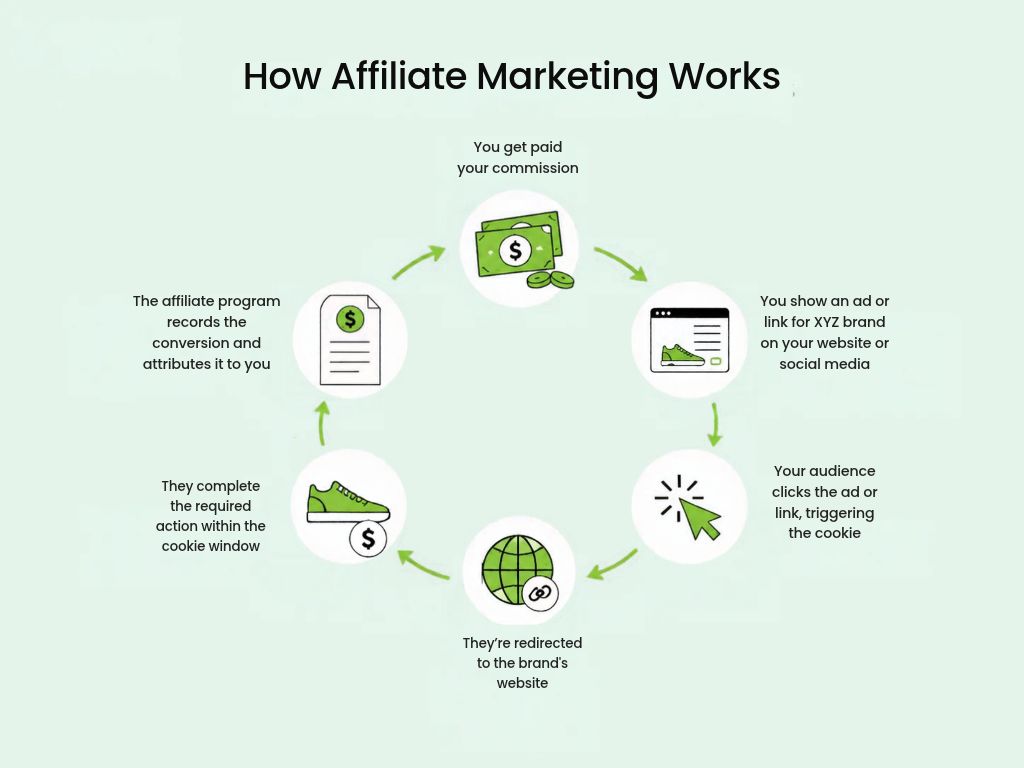
You’ve decided you want to earn through affiliate marketing, but you haven’t picked a website building platform yet, and every option online promises it’s the easiest, fastest, or cheapest way to get started. It’s tempting to just sign up for whatever’s out there and figure out the rest later. But the platform is only one piece of the puzzle: several other steps come before and after it that shape whether your affiliate site will succeed.
This guide walks you through the full process of creating a website for affiliate marketing, so you can make the right call at each step.
Key takeaways:
- The domain, platform, and hosting you choose all affect your rankings, so treat speed, security, and a memorable domain name as priorities from day one, not afterthoughts.
- Website structure and navigation work together: a clear hierarchy of homepage, categories, and posts helps search engines understand your site, while a well-organized menu and footer help visitors actually move through it.
- Organize your content around pillar posts that link to narrower cluster posts; broad topics are harder to rank for early on, so cluster posts are your realistic starting point.
- Place affiliate links naturally, since adding too many can look spammy to both readers and Google.
- Backlinks and a connected website, email, and social presence compound your traffic over time, giving a website an edge no other channel can match.
Benefits of having a website for affiliate marketing
Affiliates find success on different marketing channels, but a website gives you advantages that others can’t quite match:
- Full control over your content: no platform can ban your account or decide who gets to see your posts. You own the site and everything on it, and if something goes wrong, you can restore it from a backup instead of waiting on a platform’s support team. Search updates can still shift your traffic, but you can see what changed and adjust.
- Long-term earning: a blog post that ranks can keep bringing in visitors and commissions for months or years after you publish it. It still needs occasional updates, like refreshing prices, fixing broken links, and checking that your recommendations hold up, but that’s far less work than producing new social posts every day.
How to create a website for affiliate marketing in 8 steps
While there are many examples of affiliate marketing websites, most take the form of a blog. That’s because blogging gives you the space to demonstrate real knowledge and hands-on experience: content based on personal use, real screenshots, and first-hand observations builds the kind of trust that makes readers more likely to act on your recommendations and click your affiliate links.
Whether you build a dedicated blog or add one as a section of a broader site, the steps in this guide apply the same way.
Step 1: Figure out your niche
Before doing anything else, you need to choose your niche, or your site’s focus. Everything that follows like your content, target audience, and the affiliate programs you join flows from this choice. If you haven’t selected one yet, these questions will help you brainstorm potential niches:
- Do people already follow you somewhere, and do you know what draws them in?
- Are you an expert in a particular field?
- Do you have a hobby or passion you want to monetize?
- Is there a product or service you really like?
Once you have a few ideas in mind, you can narrow them down by checking whether people are actively searching for those topics. Free tools like Google Ads Keyword Planner provide search volume, competition levels, and keyword ideas directly from Google’s database to help you assess real demand before committing.
Step 2: Buy a domain name for your website
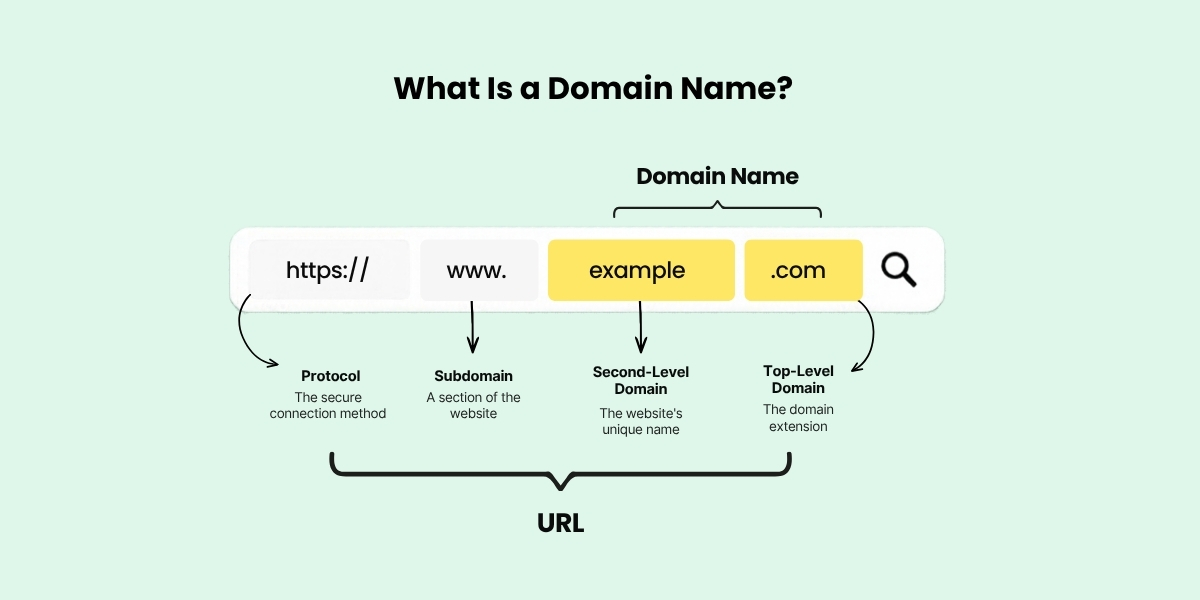
Choosing a domain name is the next important step when launching a website. It’s your address on the web and as such it shapes how search engines understand your site and determines whether someone can recall your name after closing the tab.
First, pick the name itself
If you already have an established social media account, using your @handle is a natural starting point. People searching for you will find all your platforms in one place, and the trust you’ve already built carries over to your website. Alternatively, you could pick a name that directly matches the keywords you want to rank for like “hostingpick” for a web hosting review site or “fitgearlab” for a fitness equipment site.
Second, choose your domain extension
A domain name isn’t complete without an extension, the part that comes right after the final dot. Google treats generic extensions like .com, .net, and .blog the same way in search rankings, so your choice mostly comes down to trust and memorability. The .com extension is still the one people recognize and type by default, while .blog is a good fit for content-heavy sites. Country-code extensions like .ca, .uk, or .de work differently though: Google reads them as a sign your site targets that country, which helps if your audience is local but can hold you back if you want readers worldwide.
Lastly, register it
Once you have a domain name picked out, the next step is to register it, as good domains go fast. Domain registration is generally inexpensive, but it’s important to remember that domains are not purchased indefinitely. You must renew your registration periodically (typically every year) and pay a renewal fee to keep your domain active.
Step 3: Choose your website building platform
While some affiliates still prefer a content management system (CMS) like WordPress to build their site, those just starting out often opt for the more modern approach of a website builder.
| WordPress | Website builder | |
| Best for | Those who want full control and flexibility | Those who want to get started quickly with no technical setup |
| Ease of use | Steeper learning curve | Beginner-friendly, no coding required |
| Customization | Advanced (themes, plugins, and custom code) | Depends on the type of the builder |
| SEO tools | Requires an SEO plugin | Built-in SEO features |
| Analytics | Requires an analytics plugin | Integrated analytics |
WordPress
Even though WordPress expanded far beyond blogging software long ago, it remains the most popular choice for affiliate publishers for several key reasons:
- Limitless customization: Thousands of themes give you a starting point for the design, visual page builders let you customize it without touching code, and if you ever need something more specific, the source code is open for you to modify however you like.
- Full control over your SEO: WordPress has a clean code structure that search engines handle well, and plugins like Yoast or AIOSEO let you manage every on-page element, including meta titles, descriptions, schema markup, sitemaps directly from your dashboard.
Compared to a website builder, WordPress has a steeper learning curve, mainly due to its sheer number of themes and plugins. Some of these come at a cost, which can add up over time, and installing too many can also slow down your site.
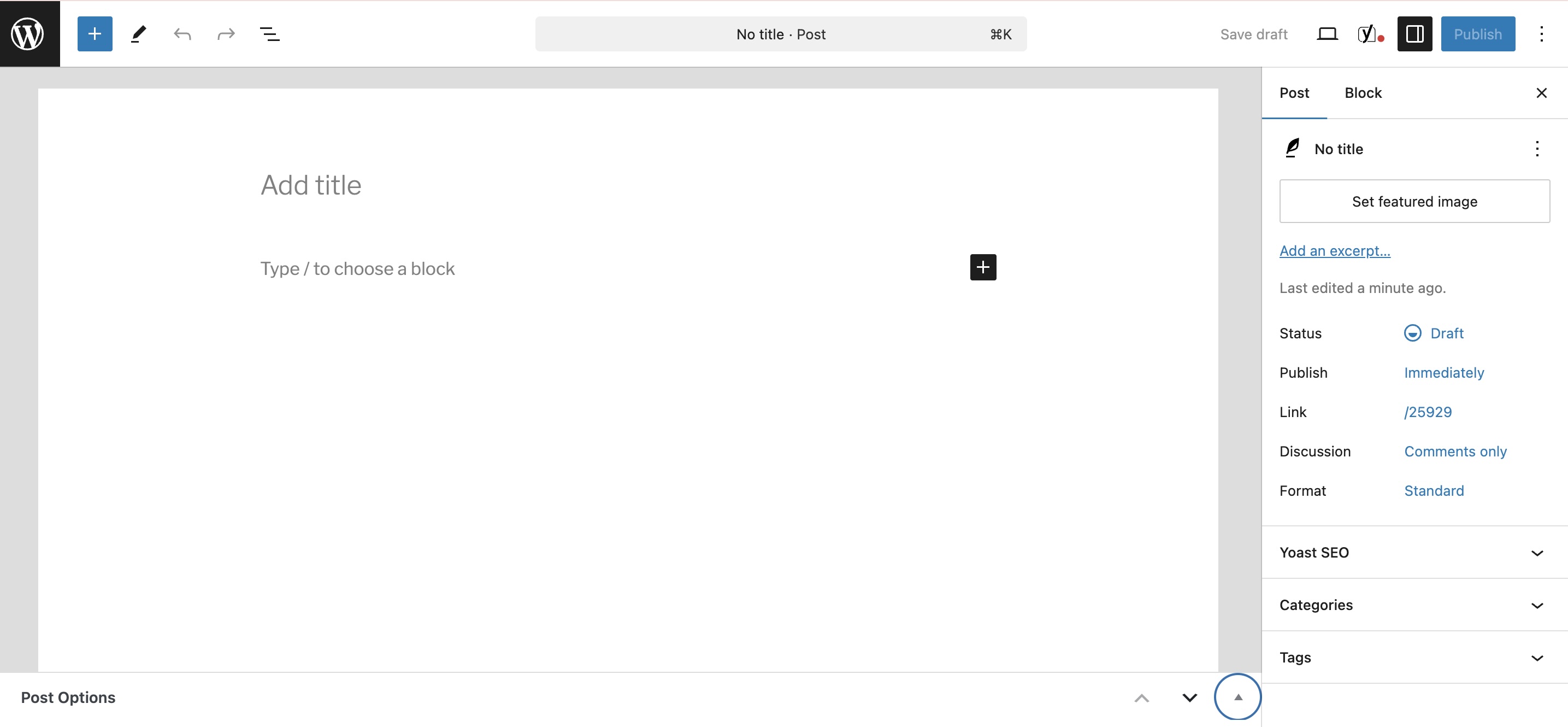
This is how the blog post functionality looks inside WordPress.
Website builder
A website builder offers a faster and simpler way to get a professional-looking site live, since you do not need to assemble third-party add-ons or themes from different marketplaces. Everything comes in one place and you can get straight into building.
Most builders offer some combination of the following features:
- Template-based: you start with a pre-built layouts and customize it with your own text, images, and colors.
- Drag-and-drop: you design your site visually by clicking and dragging elements onto a page and positioning them wherever you want.
- AI-assisted: instead of starting from a blank canvas, you answer a few questions or describe what you need, and the builder generates a personalized layout for you.
While these features simplify design and layout, not all website builders offer built-in blog functionality like WordPress, some might even sell it separately. SiteGround’s Website Builder, for example, includes it at no extra cost: you can customize how your blog listing page looks, choose what details to show (featured images, categories, reading time), and give each post its own SEO title, description, and social sharing image so every share looks intentional rather than generic.
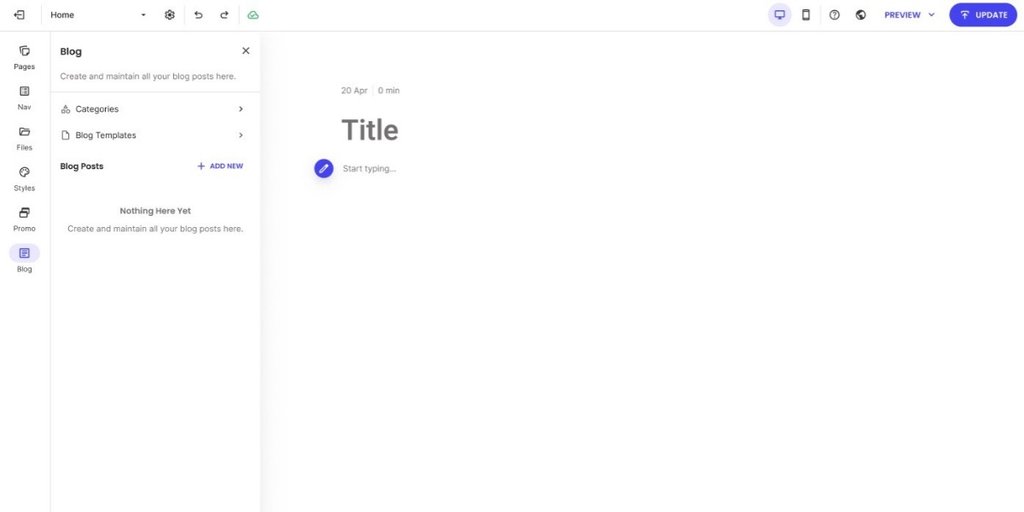
This is how the blog post functionality looks inside SiteGround’s Website Builder.
Step 4: Find a reliable hosting provider
Next, you need to find a web hosting provider to make your site accessible online. If your host is slow, your pages will load slowly, which will frustrate your visitors and also hurt your search rankings. Constant downtime costs you traffic and trust, while poor security leaves your site vulnerable to cyberattacks, data loss, or blacklisting.
To avoid such bad scenarios, here’s what to look for when choosing your web hosting partner:
- Uptime: a minimum of 99.9% uptime guarantee is the industry standard.
- Security: check if the SSL certificate, a WAF, and automatic daily backups are included in the plan, not as add-ons.
- Support: 24/7 real, human support with multiple contact channels is a must-have.
- That it’s managed (particularly important for WordPress): look for a provider that handles server maintenance, security patches, and updates for you, so you can focus on content rather than server management. Some providers even go a step further and an AI agent for WordPress in their plans. This extra feature can help you save time and money when it comes to generating content, creating images, and managing routine site tasks directly inside your dashboard.
SiteGround checks all the boxes, with managed web hosting starting from $2.99/month. It includes free SSL, daily backups, a WAF, 24/7 expert support, and native AI functionalities.
Step 5: Structure your site for visitors and search engines
While a reliable host keeps your site live, its structure and navigation are what keep it running. They let search engines crawl the site more easily and help visitors find what they need once they land on it. In practice, this means setting up your homepage, your categories, and your footer.
Homepage
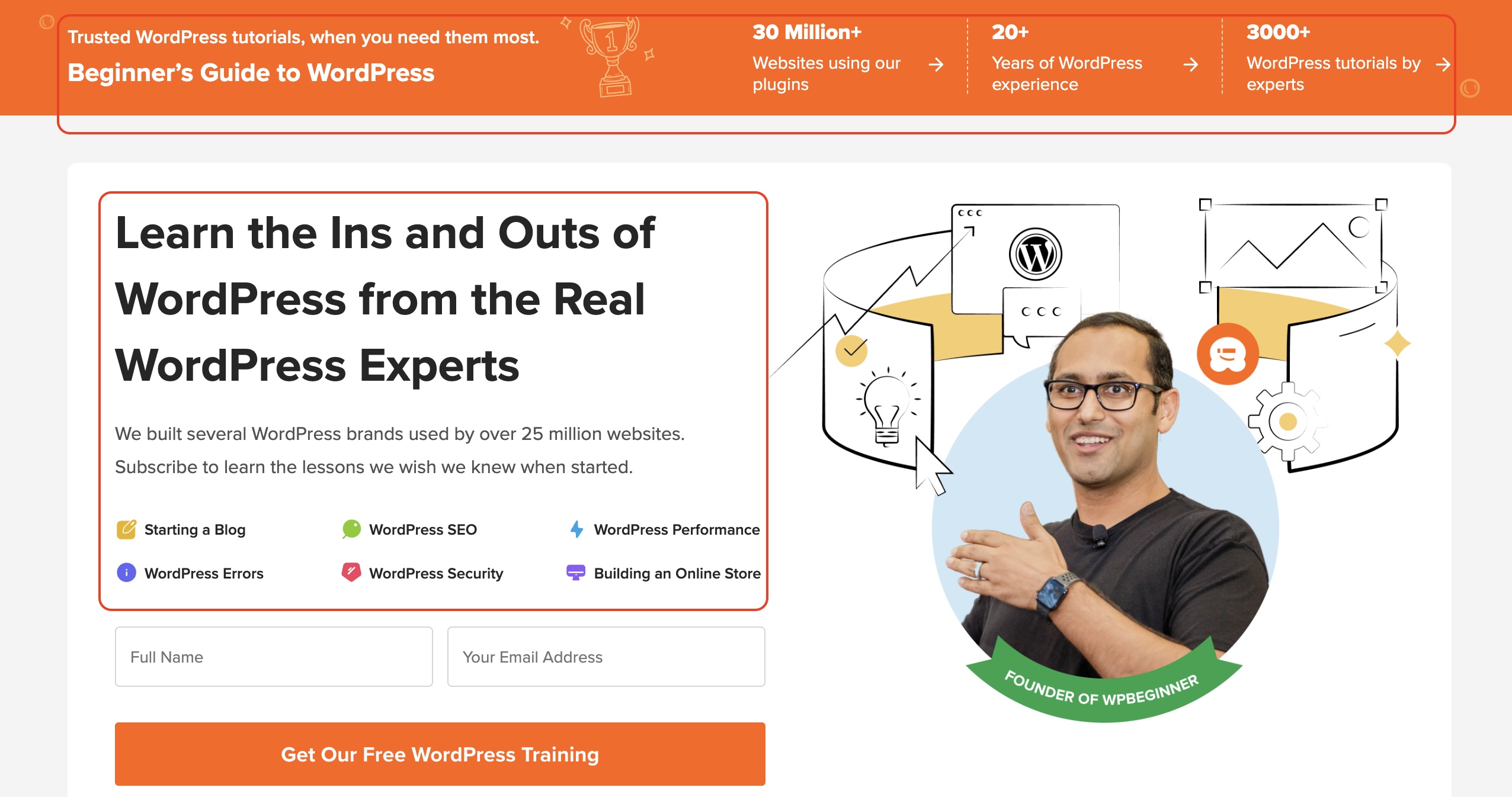
Your homepage sits at the top of your site’s hierarchy and is typically the most authoritative page on your site. Links from it pass authority to your key category pages and pillar posts, helping those pages rank better as a result. It’s also the one most likely to attract backlinks from other sites (more on why that’s important in a later section). And since it’s the first stop for your visitors, it should clearly communicate what your site is about and guide them toward your most important content.
The example below does these three things well. Not only does it immediately communicate what the site is about (WordPress tutorials for beginners), but it also organizes everything around what the visitor is trying to do like starting a blog, WordPress SEO, building an online store, and more.
Category pages
Below your homepage sit your main categories or pillar content, the pages that group related posts together and typically make up your header menu.
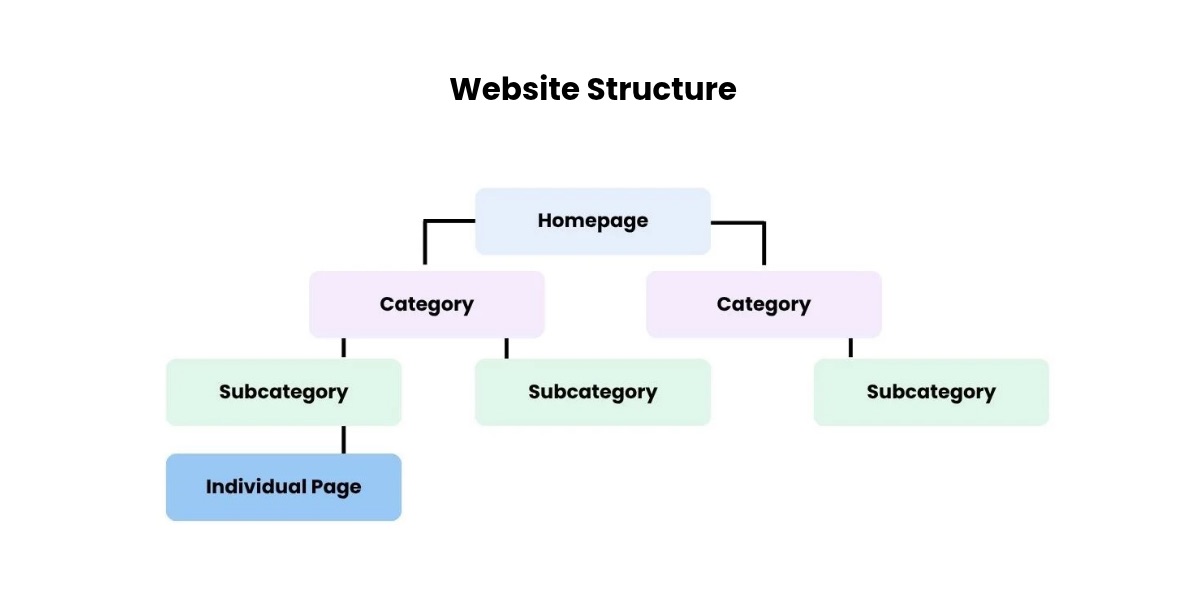
The number of categories you need depends on what your site covers. A pure blog might only need a handful of topic categories like “Tutorials” and “Reviews,” plus an About and Contact page, but if you also offer an online course or want a dedicated place for all your affiliate recommendations, those deserve their own tab in the navigation too.
For a newly created website, it’s best to keep the category count low. Managing too many makes it difficult to organize content properly, increasing the risk of creating orphan pages – articles with zero internal links pointing to them. Without those internal links, it’s nearly impossible for Google to surface your content, no matter how good it is.
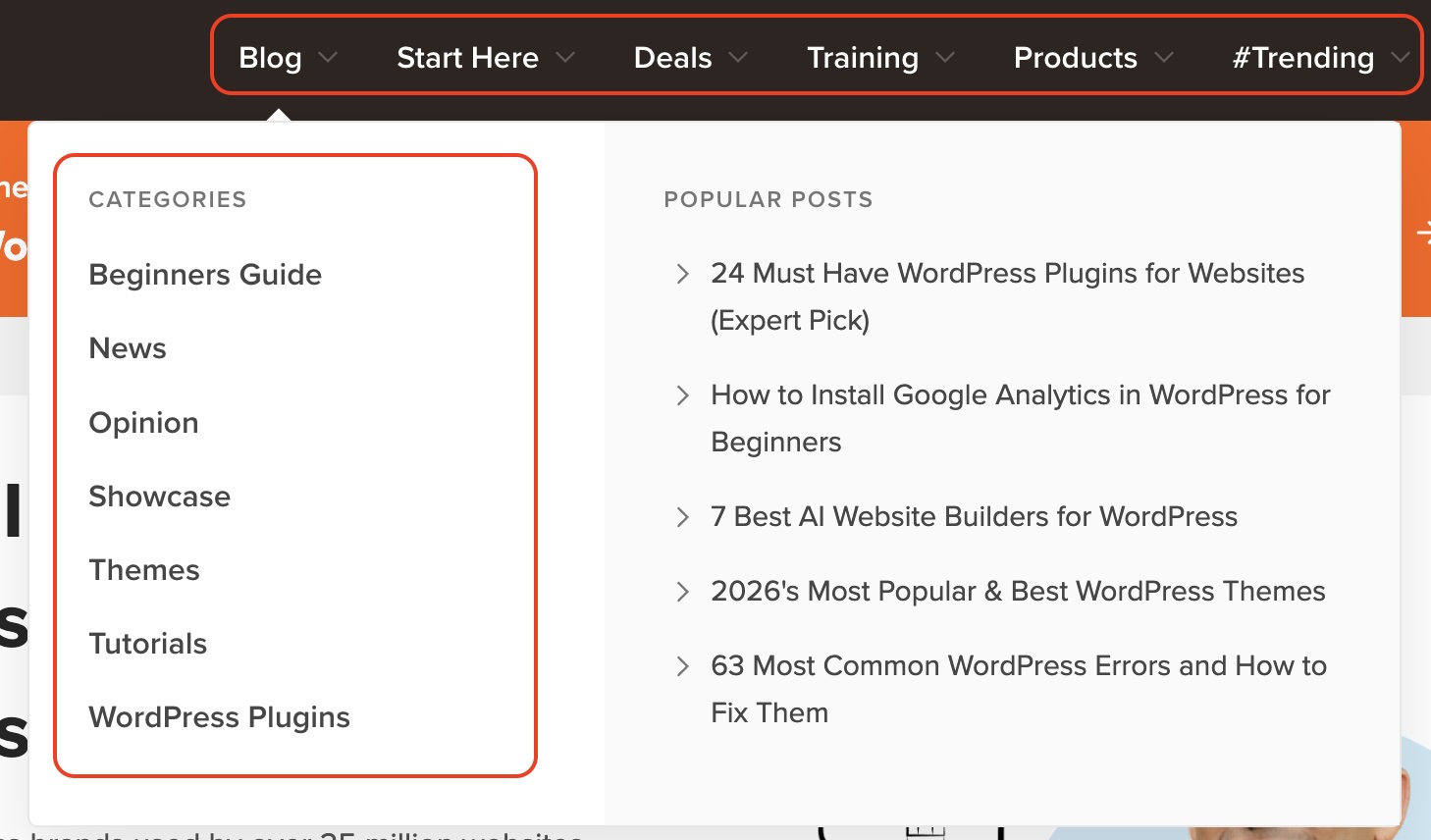
Beyond that, your header navigation should tell visitors where to go, not just what kind of content exists. The example below shows six tabs serving visitors at different stages: someone just starting out, someone ready to buy, someone looking to learn, and someone browsing what’s popular. Notice also how the Blog dropdown combines categories on the left with popular posts on the right, giving visitors two ways to find what they need without having to dig.
Footer and legal pages
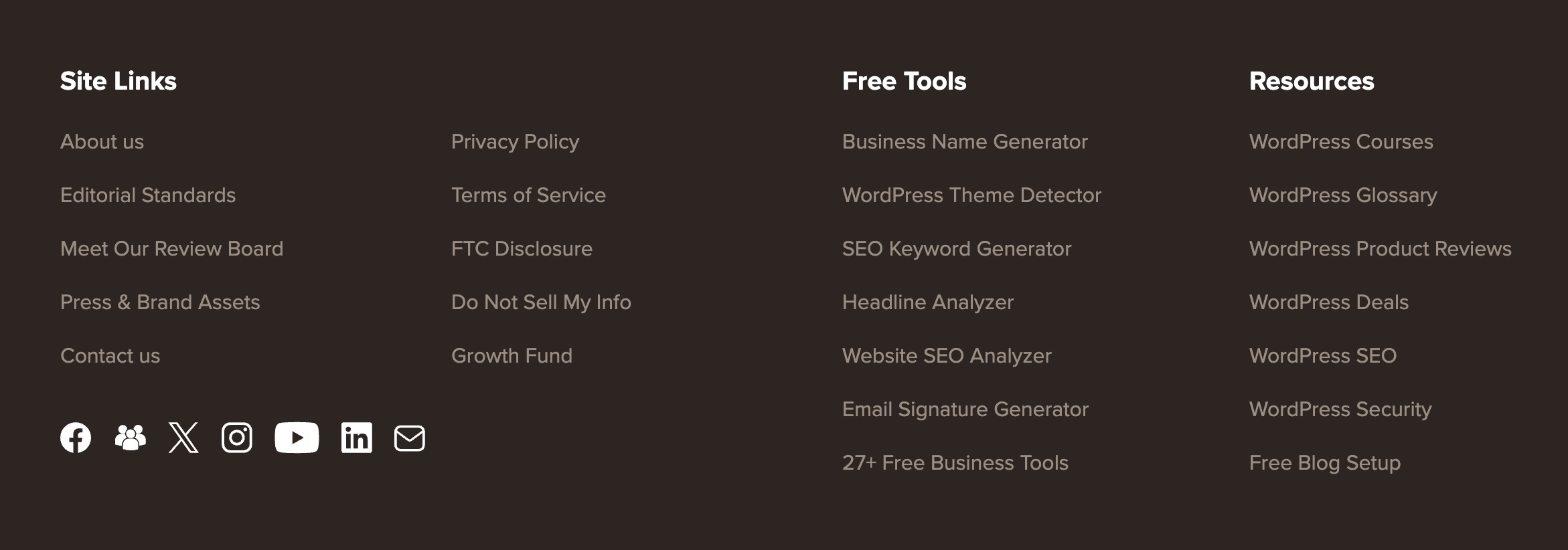
Your footer is where visitors expect to find links to your legal pages. Some are required by law, while others are strongly recommended.
| Legal page | What it is | Why it matters |
| Cookie policy | A page explaining the cookies your site uses, such as analytics and advertising cookies, and what each one does | In the EU, the ePrivacy Directive and GDPR require visitors’ consent before you set non-essential cookies, which usually means a cookie banner with a clear opt-in, plus this policy |
| Terms of service | The rules governing how visitors can use your site | Protects you legally if a visitor misuses your content or services |
| Copyright notice | A statement asserting ownership over your content and graphics | Makes your ownership clear and discourages copying. Your content is protected by copyright automatically, but a visible notice removes any doubt |
| Privacy policy | A page explaining how you collect, store, and use visitor data | Required by law in both the EU and US. Without one, you risk fines and your site could get flagged |
| FTC disclosure | A short statement telling visitors your content contains affiliate links | A footer disclosure page is a good backup, but it isn’t enough on its own. Every post with affiliate links also needs a short disclosure near the top, before the first link, such as: “This post contains affiliate links. If you buy through them, I may earn a commission” |
The footer is also a good place to link back to some of your main categories, so visitors can jump anywhere without scrolling back to the top. You can also add links to your social media channels, so visitors can follow you where you’re already active.
Step 6: Join affiliate programs
By now, you’ve registered your domain, set up hosting, and structured your site, which together count as a live online presence for many affiliate programs to approve you.
You can find and apply to affiliate programs in one of two ways:
- Affiliate networks: marketplaces housing thousands of brands. You create one account, then apply to individual programs from there, which makes it convenient if you want to compare and join several programs quickly.
- A direct search: visit the website of any brand you want to promote and check the footer for a link labeled “affiliates,” “partners,” or “affiliate program.” You can also type “[niche] affiliate program” directly into your browser and the companies that have a dedicated landing page for it, will show up.
Some of the programs you find by direct search are run directly by the company rather than through a network, meaning they run the program on their in-house software. The SiteGround Affiliate Program is one example: affiliates get a dedicated account manager who can help with everything from content ideas to account questions, rather than going through a third-party network. You can also benefit from both one-time and recurring commissions, 60-day cookies, and weekly payouts.
Step 7: Plan and write your first batch of content
With AI tools generating content at scale, the bar for what counts as useful has gone up. Readers and search engines are getting better at telling real experience from recycled information. The sections below walk you through finding topics worth writing about, organizing them to build authority over time, and getting the basics right so your posts have a real chance of not only ranking, but also being cited by AI.
Find keywords to write about
Before you write anything, you need to know what people are really searching for. Keyword research is how you find the exact phrases your audience types into Google, so every post targets a real question rather than one you made up.
The first thing to understand is search intent, or what the searcher actually wants. “Best web hosting for small business” signals someone weighing providers before a purchase, a natural fit for a product recommendation. “What is web hosting” is someone still researching, with no clear plan to buy, so forcing an affiliate link in there feels unnatural and won’t convert.
There are five keyword types you should be aware:
| Keyword type | Example | What it’s for |
| General comparisons | “best [brand/product] for [use case/audience]” | High search volume and competition, but easy to recommend products since the searcher expects a comparison |
| Branded comparisons | “[brand] vs [competitor’s name]” | Lower volume, but converts well since the searcher has already narrowed down their options |
| In-depth reviews | “[brand/product] review” | Lower volume, but targets readers who are close to buying and want a final opinion |
| Tutorials and educational content | “how to [action] with [brand/product]” | Non-commercial, but builds backlinks and trust, which supports your commercial content’s rankings |
| Competitor alternatives | “[product/brand] alternatives” | High purchase intent query from users looking to switch products or compare final options, making them easy to convert |
Keep in mind that purely informational content has taken the biggest hit in traffic, since a quick AI summary can satisfy that kind of search without a click. Commercial content, comparisons, reviews, and “best of” lists, has held up better, since people weighing a purchase still want the reasoning behind a recommendation, not just a quick answer. That’s one more reason to prioritize the first three keyword types above as your foundation, and treat trust and authority content as the supporting layer around them.
To find these, start with a few broad seed terms related to your niche and run them through a keyword tool. Free options like Ahrefs’ keyword generator or Google’s Keyword Planner will show you search volume and competition, so you’re not guessing whether a topic is worth writing about. As a rule, don’t chase only the highest-volume keywords: they’re the hardest to rank for early on, so mixing in lower-competition terms gives your site a realistic way to start gaining traction.
Organize around pillars and clusters
While researching keywords, it’s worth paying attention to how they connect to each other, since grouping related keywords under a shared topic gives your content a clear structure you could follow. This is what SEOs call a pillar and cluster model.
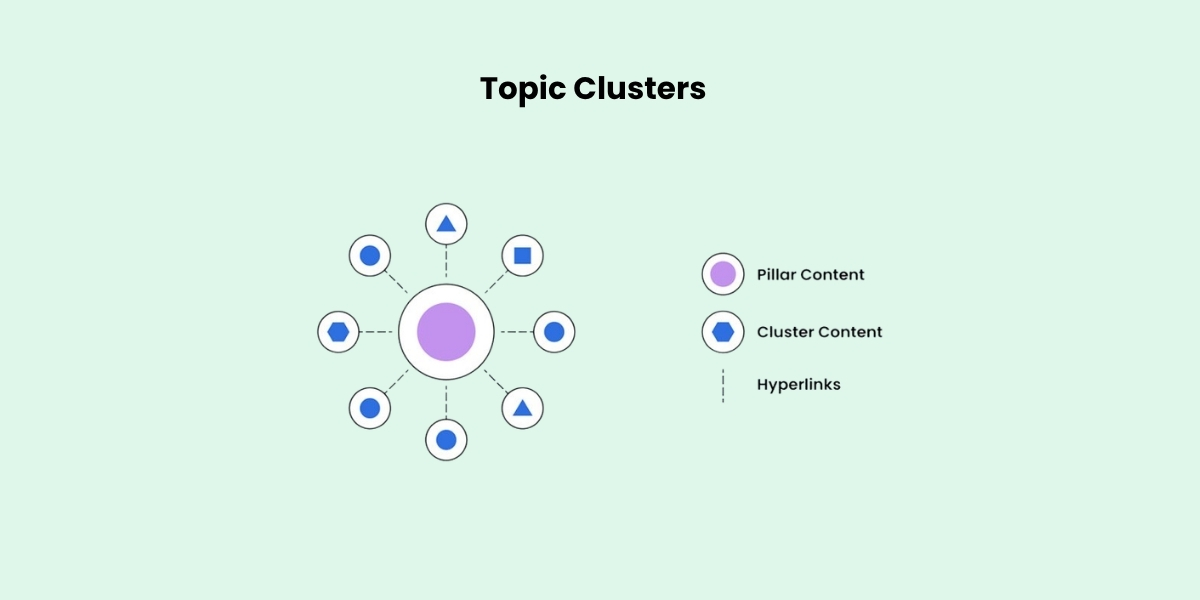
A pillar post covers a broad topic in depth, something like “The best web hosting for small businesses.” It then links out to narrower cluster posts that each cover one piece of that topic, like “Shared vs. VPS hosting” or “How to migrate your site to a new host.”
The reason this works is about competition. Broad pillar topics usually have high search volume, but that also means high competition, so a brand-new site has little chance of ranking for one right away. Cluster topics are narrower and easier to rank for, which makes them your realistic starting point. As each cluster post earns links and traffic, it passes some of that authority back to the pillar through the internal link, so over time the pillar becomes strong enough to compete too.
Optimize each piece of content for SEO
Up until now, we’ve touched on SEO several times, and how important it is for your website to rank in search engines to get traffic. While writing your first blog post, there are a few SEO basics worth getting right, so the post has a better chance of ranking:
- Put your keyword in the slug: the part of the URL after the domain should contain your primary keyword, with words separated by dashes.
- Keep your title under 60 characters: check how top results have written theirs for a pattern.
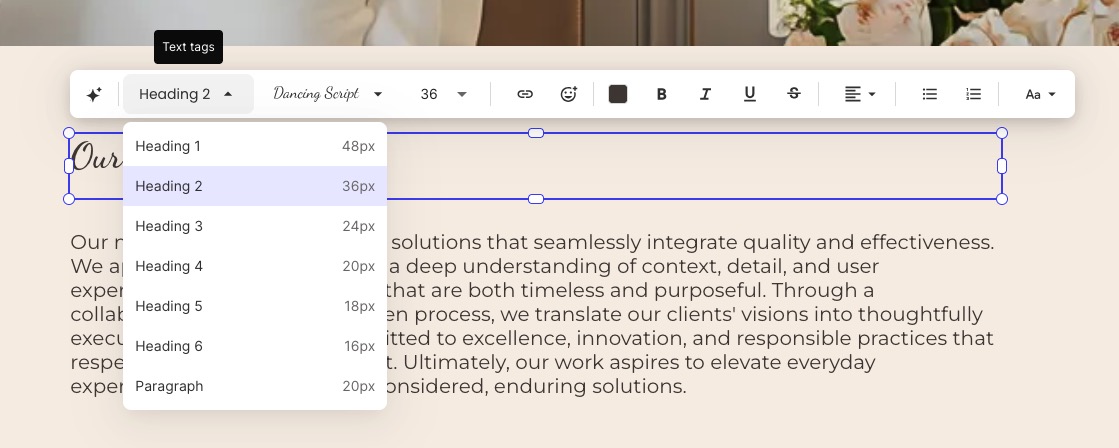
- Use subheadings to break up the content: H2s for broad sections, H3s for specific points.
- Add original research or data where you can, such as your own testing or a small reader poll, since it outweighs a generic summary.
- Add alt text to images: a short description helps both search engines and visually impaired visitors.
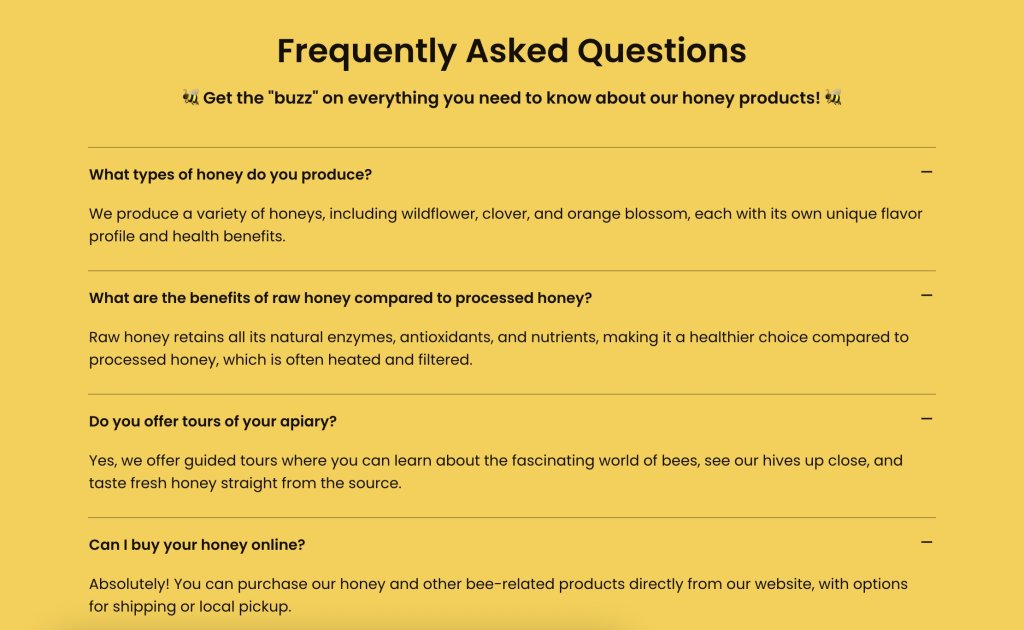
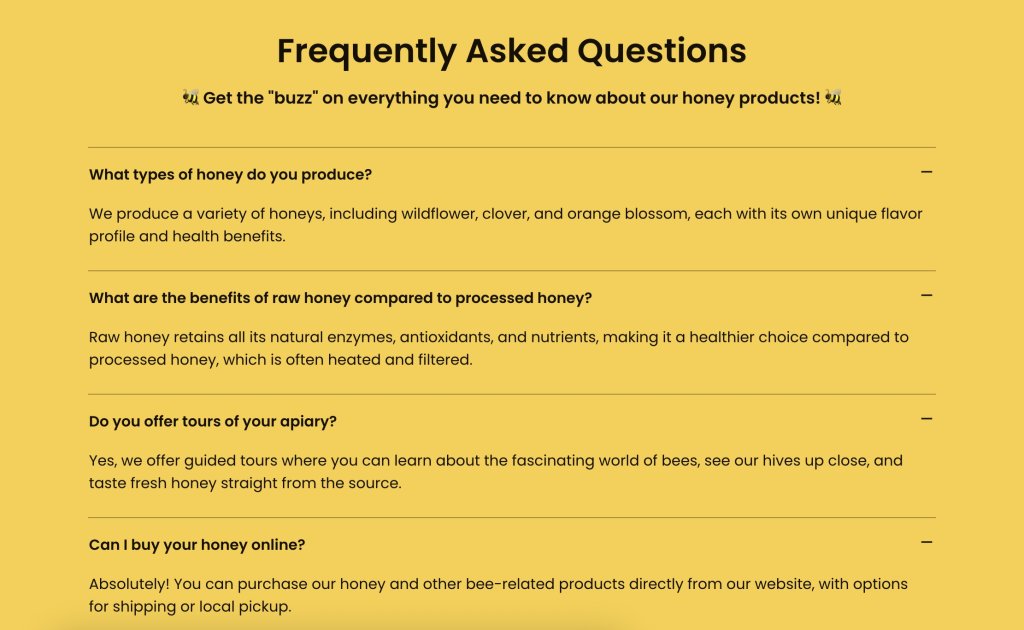
- Utilize an FAQ section to work in long-tail keywords and increase your odds of appearing in Google’s “People also ask.”
Add affiliate links
Add affiliate links to your post as you write it, rather than treating it as a separate step afterward. The goal is not to sprinkle them through every paragraph so you don’t annoy your reader, but to include them where they feel like a natural part of the recommendation and where readers are most likely to click:
- Near the top: grab attention early by adding a link right after introducing the product (for example, “SiteGround is our top pick for beginners, here’s why” with the anchor link on the brand name).
- In the middle: reinforce your call to action after a value section, such as placing a “Visit SiteGround” button right after a pros and cons list or features overview.
- At the bottom: catch readers who scroll all the way down with a closing call to action, such as “Ready to build your site? Try SiteGround.”
- In sidebar or footer banners: use passive promotion like a “Save up to 83% on SiteGround hosting” banner without cluttering your article text with extra links.
Whichever placement you choose, mark every affiliate link with the rel=”sponsored” attribute. This tells Google the link is paid, which is what its guidelines ask for and protects your site from being seen as manipulating rankings. On WordPress, affiliate link management plugins can add the attribute automatically and turn long tracking URLs into short, readable links on your own domain, which also makes updating a link across every post a one-step job.
Step 8: Drive traffic to your website
Ranking in search and getting cited by AI tools takes time. While your content works its way up, there are two things you can do in parallel to accelerate the process.
Build backlinks
A backlink is a link from another site pointing to yours, and it’s one of the strongest signals search engines use to judge a site’s authority. Rather than cold outreach with a low success rate, focus on proven link building strategies that earn links through useful content rather than asking for them directly.
Get your other channels working together
Your website, email list, and social channels work best when they reinforce each other rather than running as separate efforts. This is what’s known as integrated marketing: a social post drives traffic to your site, your site captures emails, and your emails bring readers back to new content, so every channel does more than it would alone.
If you haven’t set up an email list or a social channel yet, there’s no rush. It’s better to focus on your content for the first few months, then bring in these supporting channels once you have enough pieces to populate.
Launch checklist to gain traction quickly
You’ve covered a lot of ground. Use this as a quick reference to make sure every one of the steps is checked before the site goes live.
Foundation
- Picked a niche you can commit to long-term
- Registered a domain name
- Chosen a website building platform
- Chosen a hosting provider with strong uptime, security, and support
Structure
- Set up a homepage that explains your site and links to key content
- Added a contact page and an about page
- Built out header categories that match visitor intent
- Created your legal pages and added them to the footer
Programs and content
- Built a starter list of keywords
- Mapped your first pillar topic and its supporting cluster posts
- Published your first post with on-page SEO covered
- Placed affiliate links naturally throughout your content
Traffic
- Identified two or three realistic ways to earn backlinks
- Set up an email list or social media channel for additional promotion
Your affiliate site doesn’t have to be perfect to start earning
The steps in this guide aren’t just a checklist to rush through, they’re decisions that build on each other. Choosing the right niche makes your content much easier to write, picking a platform that reflects your skills keeps setup manageable, structuring your site well maintains effective SEO, and creating content that reflects real experience is what improves both your search rankings and your visibility in AI-generated answers.
If you built your site with SiteGround, you’ve already used the product firsthand, which puts you in a great position to recommend it. Whether you choose WordPress or SiteGround’s Website Builder, both fall under the same affiliate program. You get a dedicated account manager, a 60-day cookie window, and high-reward weekly payouts.
FAQs about how to create a website for affiliate marketing
Yes, you can start affiliate marketing without a website, though most affiliates eventually create one. Some of the main benefits are that you have full control over your content (no host can ban your account, limit your reach, or decide who sees your posts), and if something goes wrong you can restore it from a backup instead of waiting on a support team. There are affiliate programs, particularly in the SaaS space, that require proof of an established website before approving your application.
Most affiliate marketing websites take the form of a blog, because blogging gives you the space to demonstrate real knowledge and hands-on experience. Content based on personal use, real screenshots, and first-hand observations builds the kind of trust that makes readers more likely to act on your recommendations and click your affiliate links.
Yes, you can. One option is using WordPress.com, which is the free version of WordPress. While it lets you build a site at no cost, it comes with some trade-offs: your site will use a subdomain (like yourwebsiteaddress.wordpress.com), feature the WordPress header, and display ads that you don’t have control over. Other free site building tools exist, but they impose similar restrictions that you can only avoid with a paid hosting plan.
Your main costs consist of a domain name (about $10–20 per year) and hosting. With SiteGround, hosting plans start at $2.99 per month and give you the choice between WordPress and SiteGround’s Website Builder, both of which include a built-in CDN, free SSL, and daily backups. You also get a one-year .com domain for free, so your starting cost is just $2.99.
Most affiliate sites take 3 to 6 months to earn their first commissions. By the end of year one, consistent site owners usually see $200 to $500 a month, though your exact timeline depends on your niche, content quality, and posting schedule.
The best website builder depends on your specific goals, technical skills, and budget. Key factors to consider include ease of use, customization, built-in SEO tools, scalability, and pricing. Ultimately, choose the platform that best supports your content workflow and long-term affiliate strategy.