Which Marketing Channels Actually Work for Your Business?

Stylized website interface with search bar, dollar sign conversion icon, megaphone representing advertising, and shopping cart with notification badge on gradient green background

You’ve probably seen it: a competitor crushing it on Instagram while you’re posting  to crickets. A peer swearing by email while you’re convinced SEO is the answer. Someone’s LinkedIn strategy is printing money while your carefully crafted posts get three pity likes from your mom and two bots.

The truth is, they’re not all right, and you’re not doing it wrong. They just found the channels that match how their customers actually buy. Most small businesses don’t fail at marketing because they picked the wrong channels. They fail because they picked too many, or chose based on what sounds exciting instead of what actually works for their specific business.

This guide walks you through the eight marketing channels small businesses actually use, then gives you a simple framework to figure out which 1-2 deserve your time and money. It’s practical help for choosing channels based on where your customers actually are, what you can afford, and what you can realistically manage.

What Is a Marketing Channel?

A marketing channel is the medium or path you use to communicate with your target audience and guide them through the marketing funnel. It’s the route your message travels—from your business to the people who need what you sell.

The purpose of a marketing channel is to connect your business with customers where they’re already looking for solutions—whether that’s Google search results, their email inbox, or their social media feed.

These channels include digital options like search engines, email, and social media, as well as traditional methods such as events, direct mail, and local advertising.

One quick clarification before we dig into specific options: you’ll often hear “channel” and “platform” used interchangeably, but they’re different. 

  • A marketing channel is the broad category—email marketing, social media, paid search. 
  • A marketing platform is the specific tool you use within that channel—SiteGround Email Marketing, Instagram, Google Ads. 

When you’re planning your marketing, start by choosing the right channels for your customers, then pick platforms to execute.

Now let’s look at the different channels small businesses actually use and what makes each one work.

8 Marketing Channels Small Businesses Actually Use

The marketing channels small businesses rely on most fall into eight categories: 

  1. Email marketing
  2. SEO & content marketing
  3. Social media (organic)
  4. Social media ads
  5. Paid search ads
  6. Referrals & word-of-mouth
  7. Local partnerships & events
  8. Direct outreach

You don’t need to master every marketing channel out there—most small businesses see better results by focusing on 2-3 that naturally work together. When your channels reinforce each other (your blog drives email subscribers, your email nurtures referrals, your social content points to your website), that’s integrated marketing in action. The key is picking channels that align with how your specific customers discover and buy from businesses like yours.

1. Email Marketing

Email marketing is a direct marketing channel where you communicate with people who’ve opted in to hear from you—whether they signed up on your website, downloaded a resource, or made a purchase. You own the list, control the timing, and can personalize messages based on customer behavior.

It’s one of the most reliable digital marketing channels out there, with an average ROI of $36 for every $1 spent, according to multiple sources. Unlike social media where algorithms control who sees your content, email puts you directly in someone’s inbox. And getting started with email marketing is simpler than most people think.For example, SiteGround Email Marketing lets you create professional email campaigns, manage your subscriber list, and track performance without needing technical expertise or a designer on staff.

Email invitation showing laptop with hand holding red paper airplane emerging from screen, inviting Maria to register for digital marketing masters event on Thursday, June 3rd, 3pm-5pm at San Francisco Business Hall with sign-up button
  • Best for: Service businesses, ecommerce, B2B companies with longer sales cycles
  • What it takes: Time for writing and managing your list, plus budget for an email platform
  • When you’ll see results: 3-6 months to build a list that actually engages
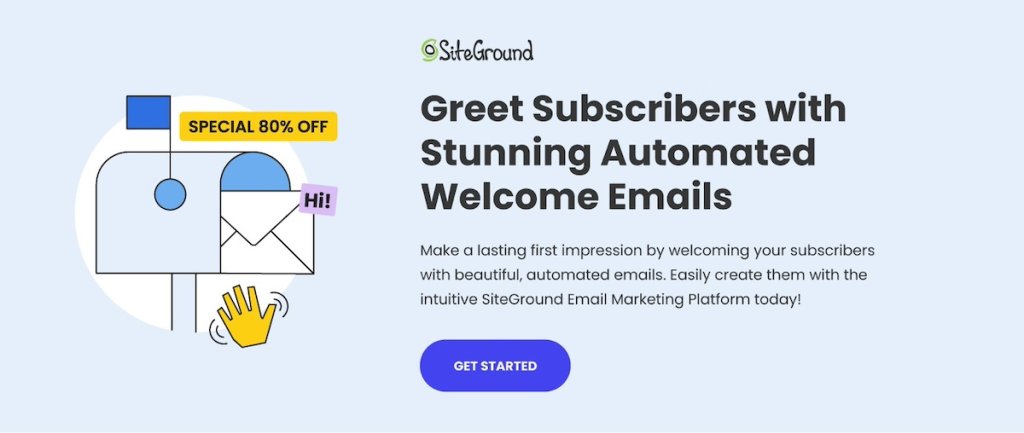
SiteGround promotional banner featuring illustration of envelope with "Hi!" greeting and waving hand, advertising 80% off special, with headline "Greet Subscribers with Stunning Automated Welcome Emails" and description of creating automated emails using SiteGround Email Marketing Platform with blue "Get Started" button

2. Content & Search Engine Marketing

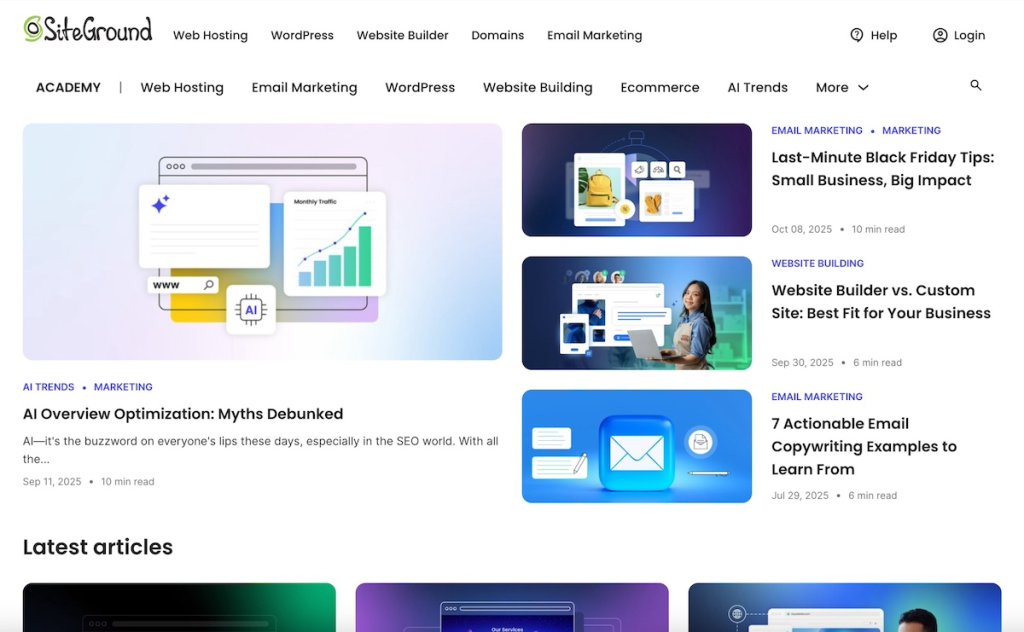
Content marketing and SEO work together to get your business found online.This channel attracts customers organically by positioning your content in search results when they’re looking for information, solutions, or services you provide. It includes blog posts, guides, videos, and optimized website pages that answer questions your customers are already asking.You’re actually reading an example right now—SiteGround’s Academy creates helpful guides like this one that rank when people search for marketing advice.
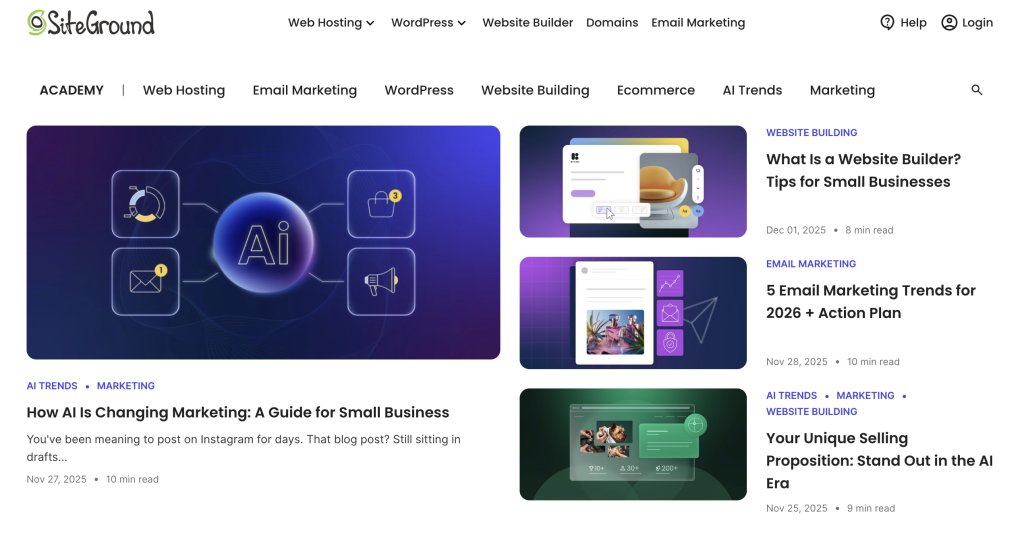
SiteGround Academy homepage displaying article cards on AI marketing, email marketing trends for 2026, website builders for small businesses, and unique selling propositions in the AI era

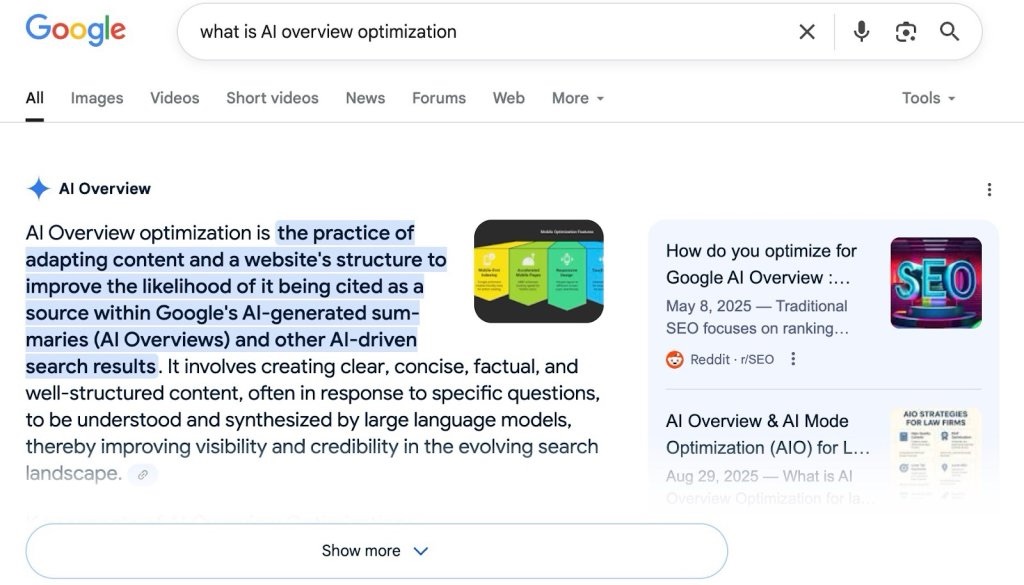
What’s new? Recently, SEO marketing has shifted with AI-generated search results—optimizing for AI Overviews (Google’s AI-powered summaries) now matters as much as traditional rankings.

So your content needs to be clear, structured, directly answer specific questions, and demonstrate genuine experience and expertise that adds real value to readers.

  • Best for: Businesses where customers research before buying, local services
  • What it takes: Time for content creation and optimization
  • When you’ll see results: 6-12 months for meaningful traffic

3. Social Media Marketing (Organic)

Organic social media marketing involves building an audience and engaging with potential customers on digital platforms like Instagram, LinkedIn, Facebook, or TikTok without paying for ads. You’re creating content that earns attention rather than buying it. In fact, more than 40% of consumers now use social media as a discovery engine, according to “We Are Social,” which is why social media marketing for small businesses has become essential for reaching new audiences.


What’s new? Facebook and Instagram content is now searchable on Google, which means your social posts can show up in search results and drive discovery beyond the platform itself.

  • Best for: Visual businesses (food, design, fashion), B2B on LinkedIn, community-focused brands
  • What it takes: Time for consistent posting and customer engagement
  • When you’ll see results: 3-6 months to build traction

5. Social Media Ads

Social media advertising lets you target specific demographics, interests, or behaviors on social media platforms like Facebook, Instagram, and LinkedIn. Unlike organic social, you’re paying to put your content in front of people who haven’t necessarily chosen to follow you yet.

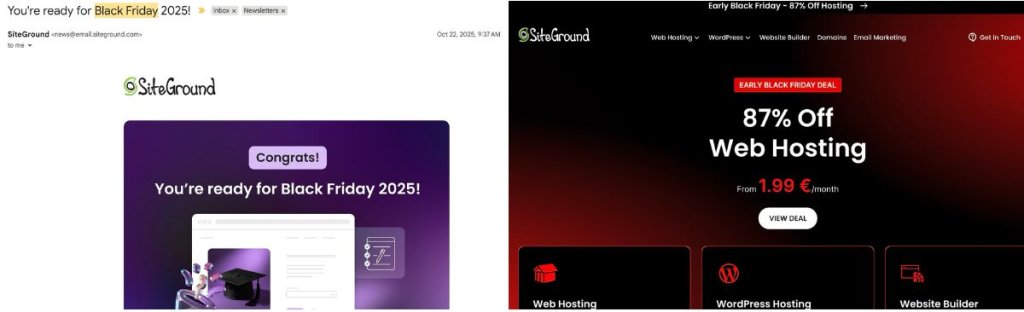
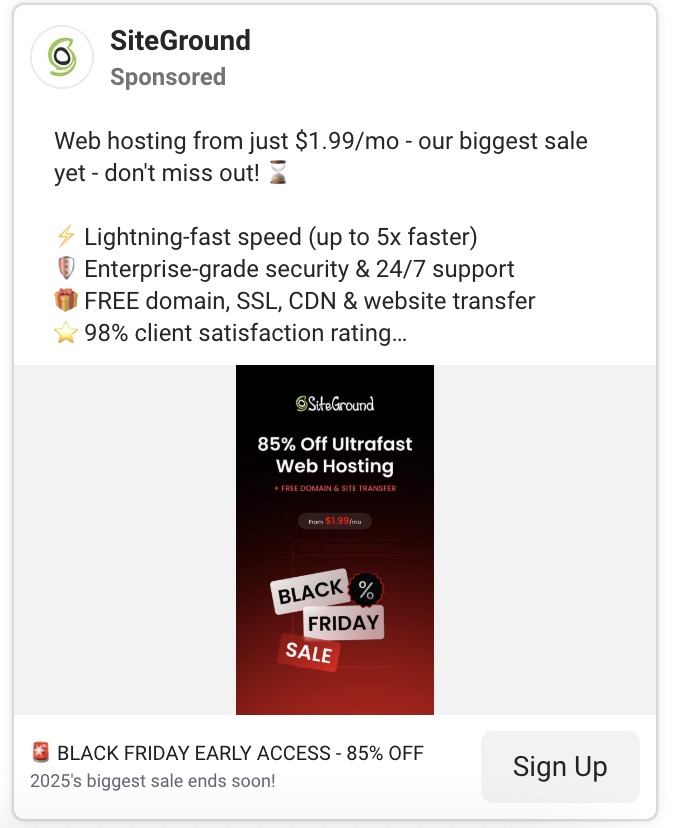
It’s a form of direct marketing that gives you precise control—you can target a 30-mile radius around your shop, people who visited your website last week, or professionals in specific industries. This precision means you can directly tie your ad spend to results from specific audience segments. For example, SiteGround uses targeted social ads during the Black Friday campaign to reach website owners actively looking for hosting deals—the right message, to the right audience, at exactly the right time.
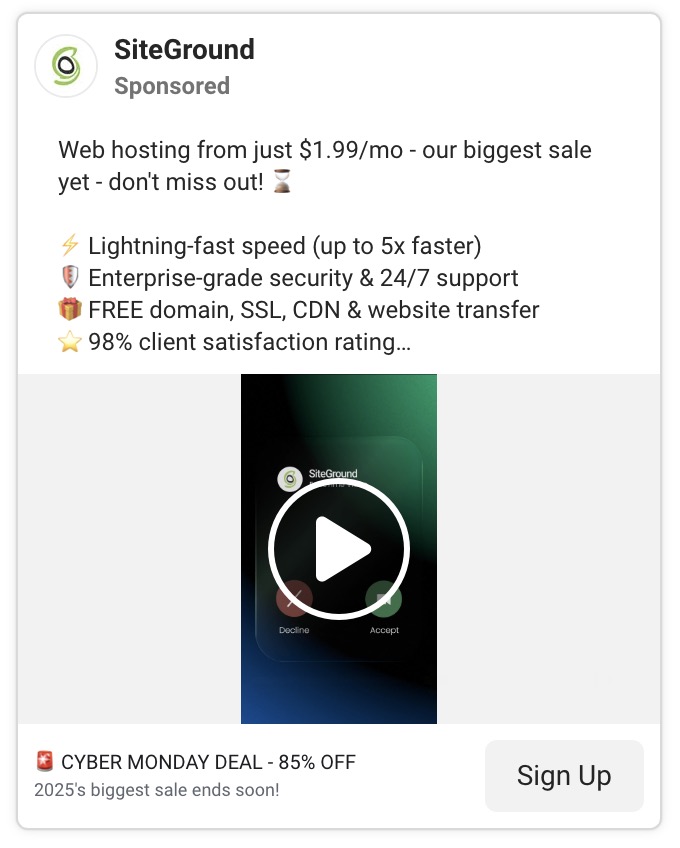
SiteGround sponsored ad promoting web hosting from $1.99/month featuring lightning-fast speed, enterprise-grade security, free domain and SSL, 98% client satisfaction rating, with video thumbnail and Cyber Monday 85% off deal banner

Influencer marketing falls into this category too—paying creators or micro-influencers to promote your product to their followers. For small businesses, this often works better with local or niche micro-influencers (under 10,000 followers) who charge reasonable rates and have engaged audiences.

  • Best for: Ecommerce, lead generation, reaching specific audience segments
  • What it takes: Budget for ad spend and creative production
  • When you’ll see results: Immediate reach, 1-2 months to optimize performance

4. Paid Search Ads

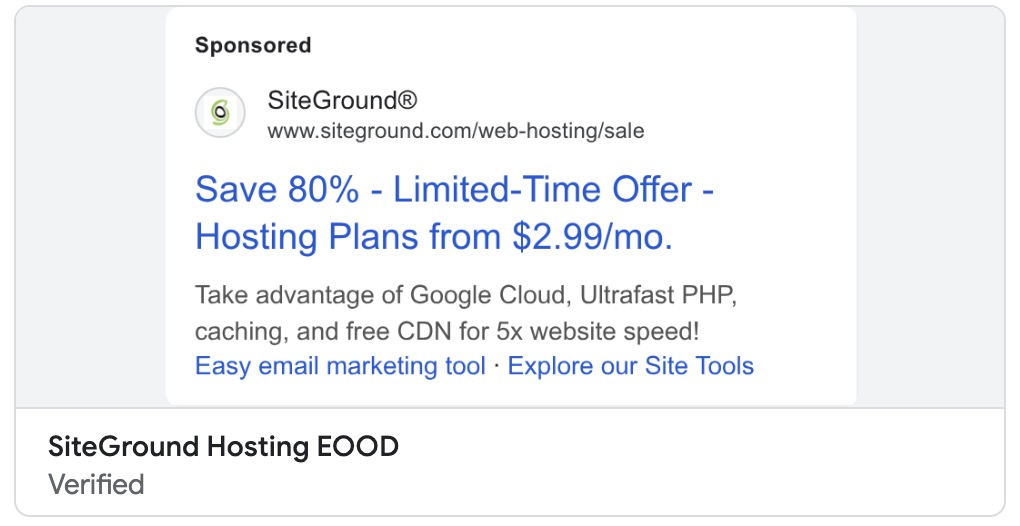
With paid search, you show up at the top of Google search results when people look for what you offer. You pay per click, which means you only spend money when someone actually visits your site.
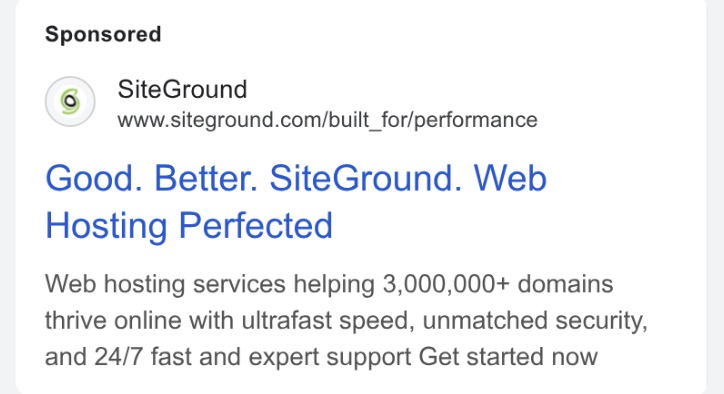
Google sponsored ad for SiteGround web hosting with headline "Good. Better. SiteGround. Web Hosting Perfected" describing services for 3+ million domains with ultrafast speed, security, and 24/7 support
  • Best for: Local services, high-intent purchases, competitive markets
  • What it takes: Budget for ad spend and campaign management
  • When you’ll see results: Immediate traffic once campaigns are running

6. Referrals & Word of Mouth Marketing (WOM)

Word of mouth marketing is when people organically talk about your business—whether that’s recommending you to a friend, leaving a review, or sharing their experience on social media. Referral marketing happens when existing customers recommend your business to others. 

Both are among the oldest marketing tactics out there, but they remain some of the most effective. In fact, around 88% of consumers globally trust customer recommendations more than any other form of marketing, according to WiserReview. Referrals and word-of-mouth can happen naturally as people share positive experiences, or you can build systems to make it easier—referral programs, review requests, or customer testimonial campaigns. Social proof examples like online reviews, testimonials, and case studies all feed into this channel by giving potential customers confidence in your business.
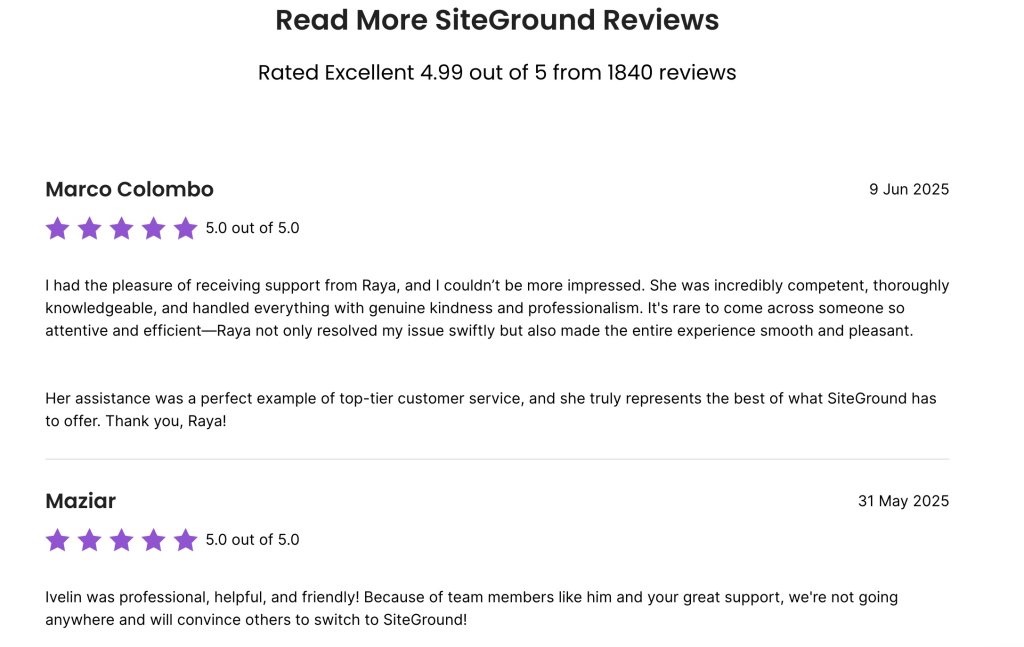
Customer review section showing SiteGround rated 4.99 out of 5 from 1840 reviews, with testimonials from Marco Colombo praising support representative Raya and Maziar commending team member Ivelin

7. Local Partnerships & Events

This channel involves collaborating with complementary businesses or participating in community events to reach potential customers face-to-face. Think vendor booths at farmers markets, co-hosted workshops, or cross-promotions with nearby businesses.

While most marketing advice focuses on digital channels, community building matters just as much offline as it does online. Face-to-face connections build trust faster than any social media post. Local partnerships create networks that refer customers back and forth, and community events put your business in front of people who are already invested in supporting local. For brick-and-mortar businesses especially, being present and visible in your community often drives more sustainable growth than chasing online trends.

  • Best for: Local businesses, brick-and-mortar stores, community-focused brands
  • What it takes: Time and budget for event costs and partnership development
  • When you’ll see results: Depends on event frequency and follow-up

8. Direct Outreach

Direct outreach is the practice of personally contacting potential customers through email, LinkedIn, phone calls, or in-person meetings. It’s targeted, one-to-one communication with prospects you’ve identified as good fits.

We’ve already covered email marketing and paid advertising as forms of direct marketing, but direct outreach takes it a step further—it’s proactive, personalized prospecting rather than waiting for people to find you. 

Technically, this sits somewhere between marketing and sales, and not everyone would call it a “marketing channel.” But for small businesses and freelancers, that distinction doesn’t matter much—you’re the one finding customers, whether you label it marketing or sales. 

If you’re a consultant landing clients through LinkedIn messages or a local service business knocking on doors, this is part of your customer acquisition strategy. It’s hands-on, personal, and often necessary when you’re building from the ground up.

  • Best for: B2B services, high-ticket offerings, local sales
  • What it takes: Time for research and personalized outreach
  • When you’ll see results: Varies by sales cycle length—can be immediate or take months

How to Choose Your Marketing Channels: A Quiz

Before you start picking multiple channels, get clear on one thing: your unique selling proposition (USP). What makes you different from competitors? Why should someone choose you over the ten other options in their search results?

Your USP doesn’t change which marketing channels exist, but it shapes which ones make sense for you. If you compete on price, paid search works—people searching “affordable plumber near me” or “cheap web hosting” find you immediately. Premium quality and craftsmanship? SEO and Instagram showcase that. Local expertise? Focus on Google Business Profile and community partnerships.

You don’t need a perfect elevator pitch, just clarity on what you do differently. That clarity makes every marketing decision—from channel selection to message creation—easier.

Now, let’s figure out which channels match your business.

QuestionChannels
1. What type of business do you run?
A. B2B service or software (selling to other businesses)LinkedIn, email, SEO
B. Ecommerce or product-based business (selling physical or digital products)Social Media, email, social ads
C. Local service business (plumber, salon, consultant, contractor)Local SEO, referrals
D. Creative freelancer or agency (designer, writer, photographer, marketer)Social Media, direct outreach
2. Where do your customers make buying decisions?
A. They research extensively online, read reviews, compare options, and take weeks or months to decideSEO, email
B. They buy quickly when they see something they like—impulse purchases or urgent needsSocial ads, paid search
C. They rely heavily on recommendations from people they trustReferrals, word of mouth
D. They search for solutions when they have an immediate problem to solvePaid search, local SEO
3. What’s your realistic weekly time commitment for marketing?
A. 10+ hours—I can dedicate significant time to marketingSEO, content, organic Social
B. 5-10 hours—I have some time but it’s limitedEmail, one social platform
C. 2-5 hours—I’m stretched thin and need efficiencyEmail, referrals
D. Less than 2 hours—I barely have time for marketing at allPaid ads, referrals
4. What’s your monthly marketing budget?
A. $500+—I can invest in paid marketing channelsPaid search, social ads
B. $100-$500—I have a modest budgetEmail platform, small ad tests
C. Under $100—I need mostly free or low-cost optionsSEO, organic social, email
D. $0—I have no budget, only timeSEO, organic social, referrals
5. What existing assets do you already have?
A. An email list (even if small) and/or existing website trafficDouble down on email, SEO
B. Happy past customers who could refer othersReferral program
C. A social media presence with some followersOptimize current platform
D. None of the above—I’m starting from scratchPick 1 channel, commit 6 months
6. How do you prefer to create content?
A. Writing (blog posts, articles, email newsletters)SEO, email, LinkedIn
B. Visual content (photos, graphics, short videos)Instagram, Facebook, Pinterest
C. Speaking/video (longer videos, presentations, conversations)LinkedIn, YouTube, events
D. I don’t want to create content—I’d rather pay for visibilityPaid search, social ads
7. What’s your sales cycle like?
A. Long (months)—customers need nurturing, multiple touchpoints, trust-buildingEmail, SEO, LinkedIn
B. Medium (weeks)—some research required but not extensiveEmail, organic social, SEO
C. Short (days)—quick decisions once they discover usSocial ads, paid search
D. Immediate—people buy right away when they need the solutionPaid search, local SEO

What Your Answers Mean

Look at which marketing channels appeared most frequently next to your answers—those are your starting point. If SEO and email showed up 4-5 times, that’s where you should focus. If your answers point to 3-4 different channels, narrow it down by prioritizing what you already have (question 5) and what you can realistically commit to (questions 3 and 4).

Quick Decision Guide

If your answers were all over the place:

Time-poor + Budget-rich: Start with paid search or social ads
Time-rich + Budget-poor: Start with SEO/content + one organic social platform
Have existing assets: Double down on what you already have (email list → email marketing, website traffic → SEO, past customers → referrals)
Starting from scratch: Pick the ONE channel where your customers are most active. Commit for six months before adding another.

From Channels to Marketing Strategy: Make It Work

Here’s what most marketing advice won’t tell you: the “best” marketing channel is whichever one you’ll actually stick with long enough to see results. A mediocre channel executed consistently beats a perfect channel you abandon after three weeks.

So pick 1-2 marketing channels based on where your customers are and what you can realistically commit to. Track what brings actual customers (not just likes or traffic—customers). Double down on what works. Cut what doesn’t.

And if email marketing made your list? You’re in good company. It’s one of the few digital channels where you own the audience, control the message, and see real ROI without fighting an algorithm. SiteGround Email Marketing makes it ridiculously simple to get started—build your email list, send campaigns, and track what’s working, all without needing a designer or tech background.

Whatever marketing channels you choose, commit to them. Give them time. Measure what matters. Then build from there.

[58]

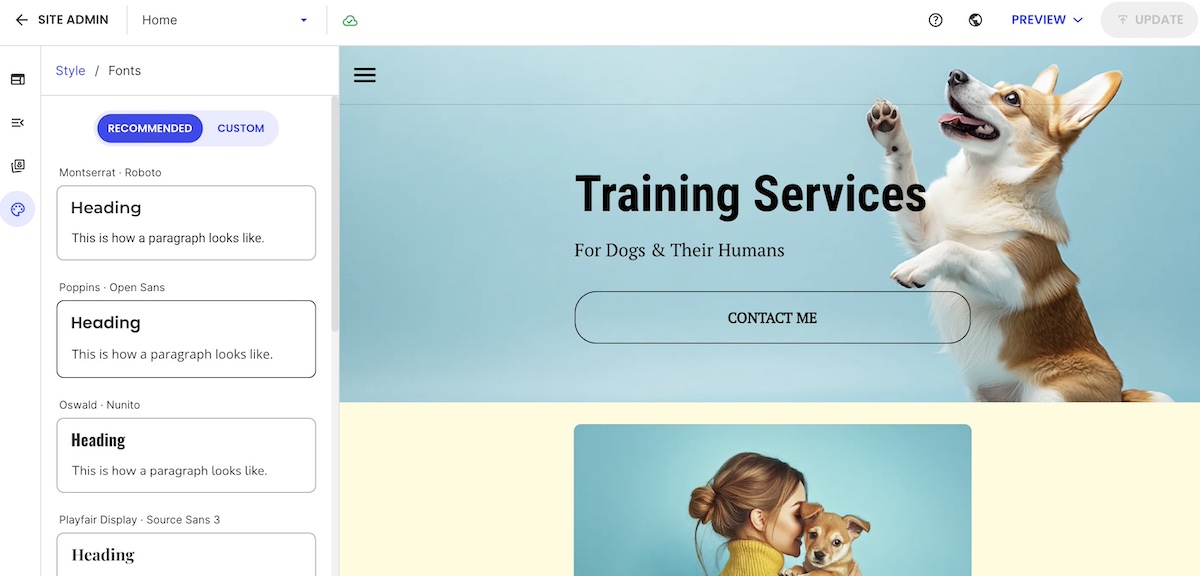
How AI Is Changing Marketing: A Guide for Small Business

Abstract of how ai is changing digital marketing

You’ve been meaning to post on Instagram for days. That blog post? Still sitting in drafts since February. The promotional email is “almost done”—from a week ago…or was that last month? 

Meanwhile, your competitors are posting daily, their websites look slick, and their ads are everywhere. Do they have a whole team you don’t know about?

Probably not. They’re just using AI.

And you can too. Unlike most digital marketing trends that need big budgets or specialized skills, artificial intelligence is actually more accessible for small businesses. No tech degree required, no marketing team, no massive budget.

This guide shows you how AI is changing digital marketing—and how to use it to finally cross off that never-ending to-do list and to actually get ahead.

Key Takeaways:

  • Leverage AI’s advantage: Small businesses can move fast, experiment, and get more done with fewer resources.
  • Create content faster: Draft blogs, emails, social posts, and product copy quickly while staying on brand.
  • Streamline social and design: Schedule posts, auto-reply to comments, and generate visuals without a designer.
  • Simplify websites and ads: Build and optimize sites, run campaigns, and track performance with AI assistance.
  • Test, refine, and scale: Start small, review results, and expand AI use while keeping humans in control.

Why Small Businesses Have a Unique Advantage Right Now

Small businesses are in a surprisingly strong position when it comes to AI—it’s the great equalizer. Unlike large companies, you’re not slowed down by layers of approvals, big budgets, or complex tech stacks. You can more easily shift to an AI-first mindset, experimenting faster, switching tools quickly, and adapting as artificial intelligence evolves. This is a major competitive advantage in a space that advances more quickly than big-business processes can.

Even better, today’s AI tools make tasks that used to require specialized skills or big budgets accessible to anyone. You can create high-quality content, design professional-looking assets, schedule social media posts, or even build and optimize websites—all without hiring a full team of experts. 

The big takeaway here is that AI allows small businesses to multiply their output, tackle projects that were previously out of reach, and do more with less. 

Types of AI in Digital Marketing

AI shows up in a lot of different ways in digital marketing, but you don’t need to understand every technical detail to make it work for your business. That said, let’s wrangle a few terms first before we get started. 

Here are the main types of AI you’ll run into, explained so you can quickly see what each one does and how it fits into your digital marketing:

  • Generative AI – Creates new content like text, images, videos, and layouts. Large language models (LLMs) like ChatGPT, Claude, and Gemini fall here, powering tools that write blog posts, draft emails, design graphics, or turn ideas into social-ready content. These tools rely on natural language processing (NLP), which allows AI to understand, interpret, and generate human-like text—so it can draft content, respond to questions, and maintain your brand voice. This will likely be your go-to type of AI.
  • Predictive AI – Uses past data to forecast what might happen next. These tools rely on machine learning (ML) to analyze patterns and trends, helping you spot high-value leads, anticipate customer behavior, and make smarter decisions about where to spend your digital marketing budget.
  • Conversational AI – Chatbots and virtual assistants that communicate naturally with customers. When LLMs are embedded in these tools, they can answer questions, recommend products, and handle basic support without you needing to be online 24/7.
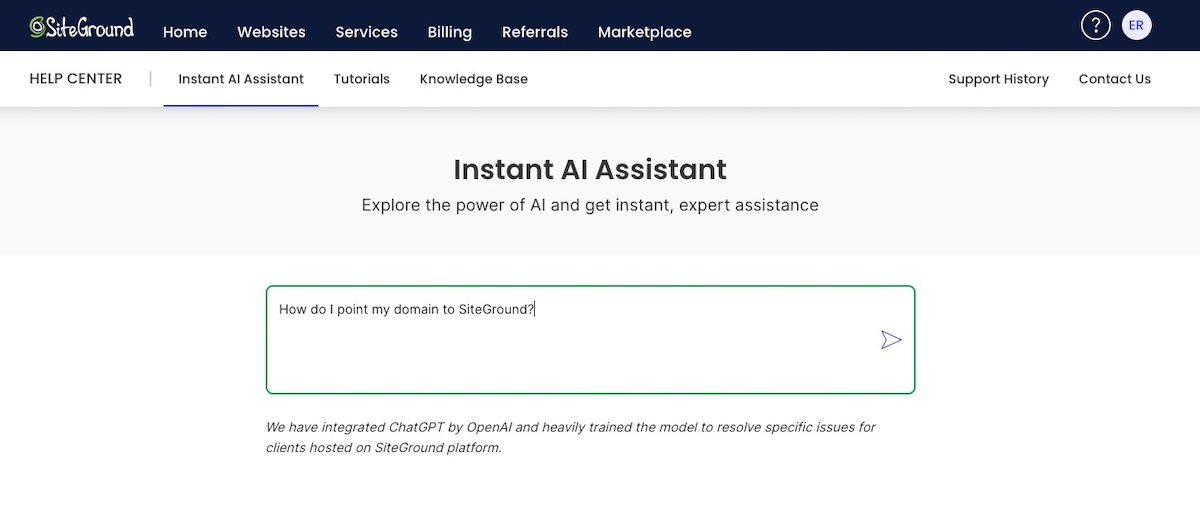
Example of an AI assistant with an LLM embedded to provide answers
  • Personalization AI – Adjusts content in real time based on each person’s behavior or preferences. It powers personalized emails, recommended products, and tailored website experiences that feel “made for you.”
  • Programmatic/Ad AI – Automates the ad process, from choosing audiences to optimizing performance. Powered by machine learning, these tools continuously learn from campaign and customer data to target the right people at the right time, adjust budgets, and improve ROI without constant manual intervention.

[44]
5 Big Trends in Digital Marketing

Content, social, design, websites, ads—AI is quietly doing the heavy lifting in all of them. Lucky for you, small businesses can jump in fast. Here’s the lowdown on the top five AI trends shaping digital marketing today—and how to put them to work for your brand.

  1. Instant, On-Brand Content
  2. Smarter Social Media
  3. Effortless Design Assets
  4. AI-Powered Websites
  5. Optimized Ads & PR

1. Instant, On-Brand Content

Just a few short years ago, creating content meant hours of writing, editing, and second-guessing every headline. It was enough to make you want to put off the whole task altogether. But flash forward, and now small businesses can produce high-quality, on-brand content in minutes, even if they don’t have a dedicated writer on staff. 

AI has now taken over the most tedious parts of the content process (thank goodness!). LLMs like ChatGPT and Claude can draft blog posts, write video scripts, and brainstorm ideas. At the same time, built-in AI writers inside platforms (like the AI writer in the SiteGround Website Builder) let you create content right where you’re already working. Gone are the days of content-creation procrastination. 

Why this matters for small businesses:

You’re no longer limited by time, budget, or writing confidence. AI lets you keep up with (or even surpass) competitors who have larger digital marketing teams.

Where this shows up for small businesses: 

  • Blog posts & articles written in minutes, then refined by a human for tone and accuracy
  • Email newsletters drafted in seconds
  • Video script drafts for YouTube, TikTok, or Reels
  • Product descriptions that match your brand voice automatically
  • SEO content like meta descriptions, keywords, and FAQs
  • AI agents that can take on multi-step tasks (such as researching, drafting, formatting)

What you can do right now:

  • Brush up on your ChatGPT prompt skills so that you can get the most out of LLMs as they aid with content.
  • Use an LLM to outline and draft your next blog post or landing page.
  • Let a built-in AI writer help with site or email content.
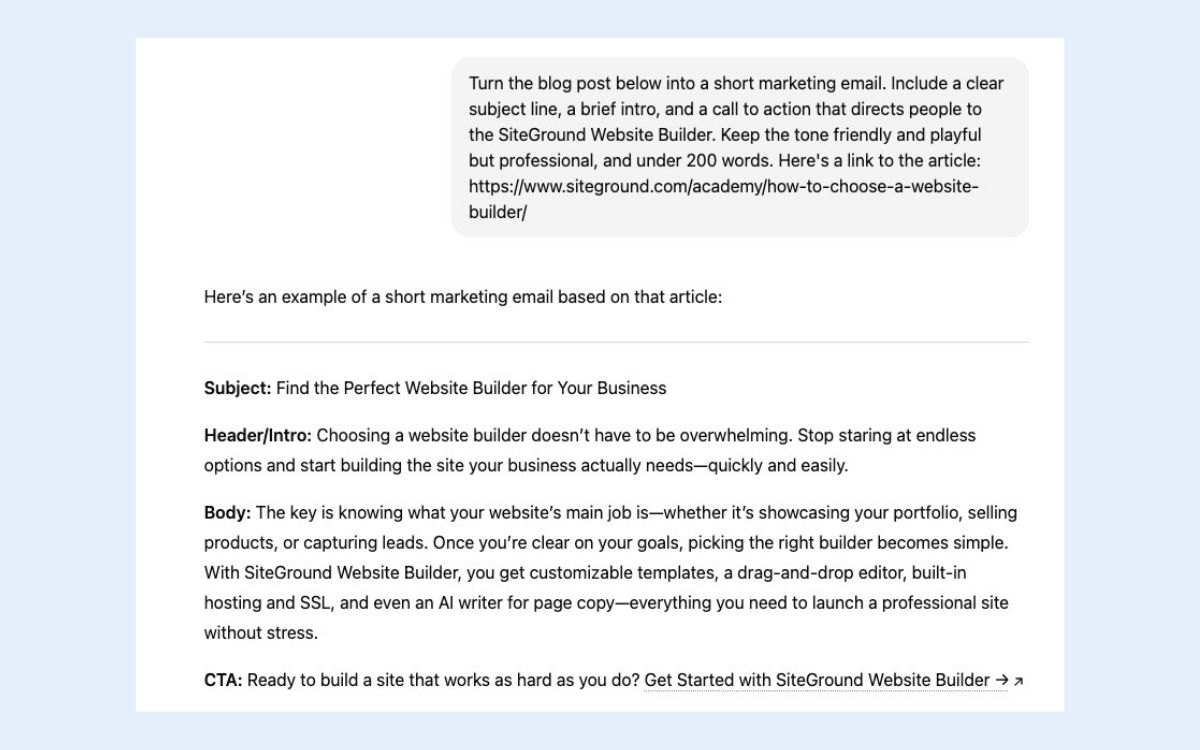
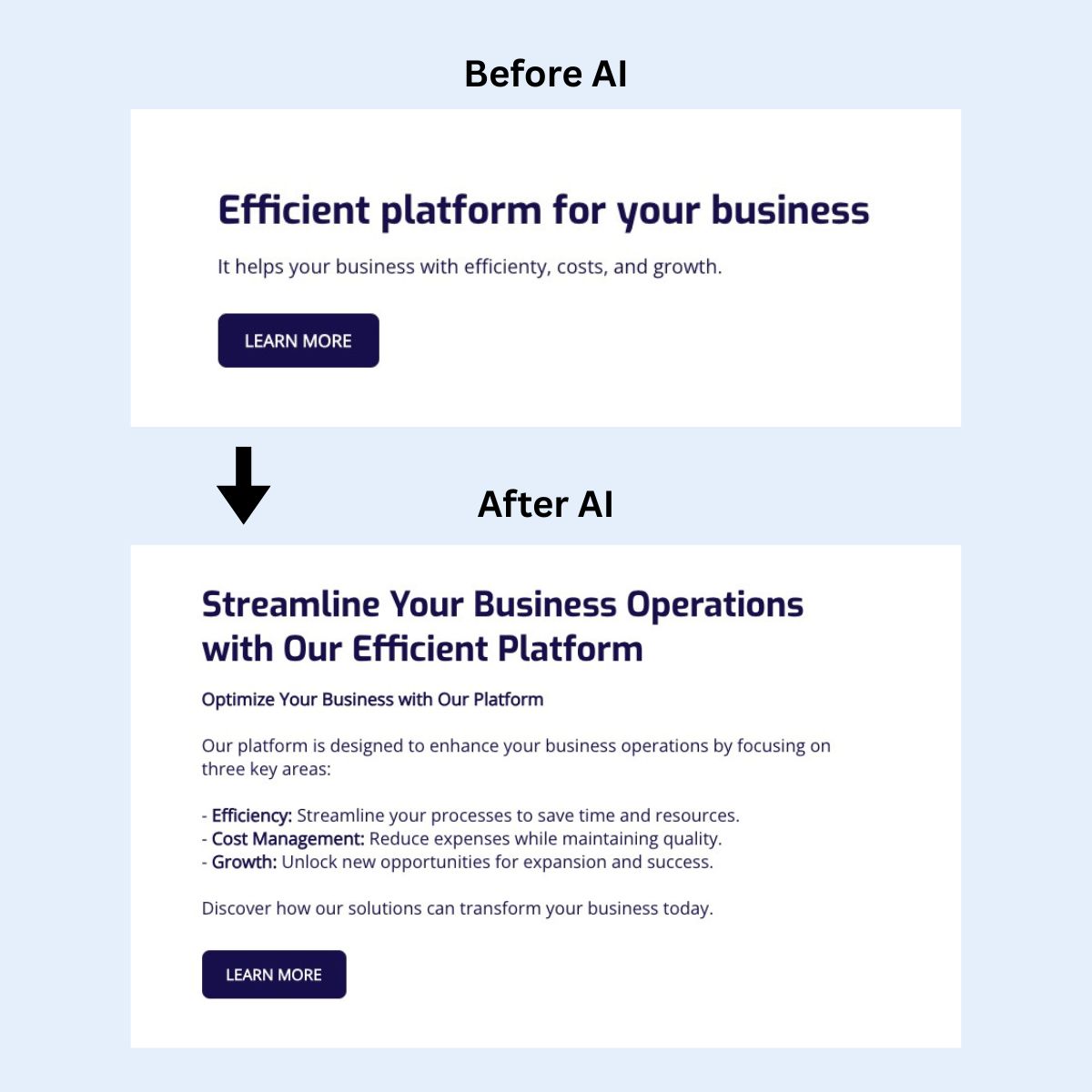
  • Use artificial intelligence to repurpose one piece of content into multiple formats: captions, emails, video scripts. For example, below you can see how with a simple but clear prompt, AI can turn a blog post into a well-crafted email.
  • Create a simple voice guide (3–5 bullet points) based on your brand and paste it into your prompts to keep everything consistent.
Example of using AI to repurpose content for different channels - article to email

Pro tip: It’s always, always important to keep in mind that you’re still the boss. Don’t let AI run wild with content creation. Review it, refine it, and make sure it’s on brand, accurate, and sounds like you.

Ad to build your site in minutes with the SiteGround Website builder

2. Smarter Social Media

Most small businesses struggle with social media marketing for the same reason: it feels endless. There are too many platforms, too many formats, and not enough hours in the day. So AI is basically stepping in as the (never-tired and always-available) “social media assistant” most small businesses never had.

AI business tools can now plan posts, write captions, suggest hashtags, design visuals, schedule everything, and even handle basic customer engagement. Instead of hopping between Instagram, Facebook, TikTok, and LinkedIn manually, you can manage it (competently!) all from fewer places—and with way less mental load.

Why this trend matters for small businesses:

Visibility requires consistency—but consistency is hard when you’re already juggling 15 other priorities. AI makes it possible to show up daily without burning out or hiring a full-time social manager.

Where this shows up for small businesses:

  • AI-powered schedulers that plan posts in a few minutes
  • Caption generators that match your brand voice and platform style (short punchy for TikTok social media marketing, more detailed for LinkedIn)
  • Hashtag and trend suggestions based on what’s performing in your niche
  • AI auto-replies for common comments or DMs
  • Content repurposing: turn a blog post into 10 short-form posts without starting from scratch

What you can do right now:

  • Use an AI planner to generate a week’s worth of posts at once
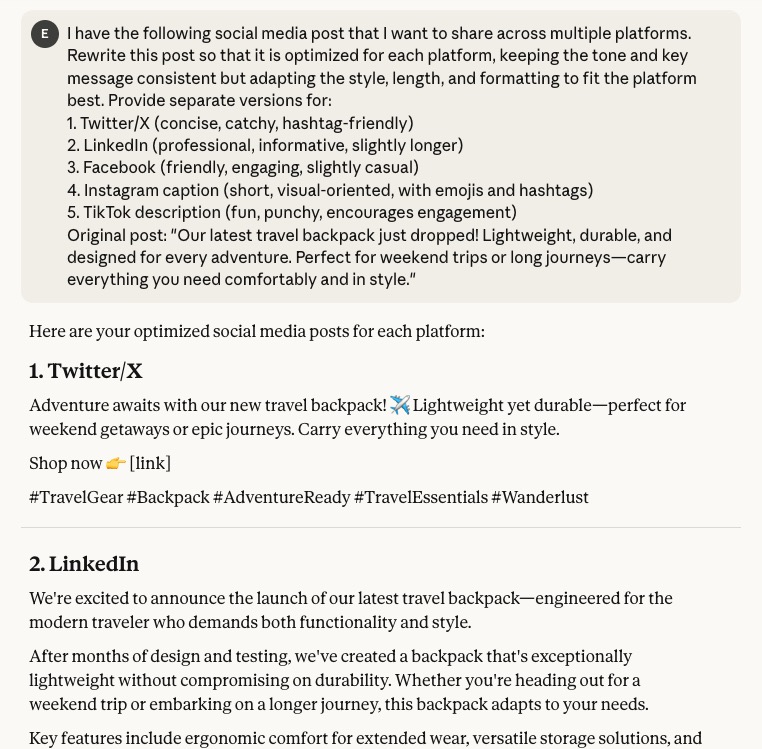
  • Use AI to rewrite the same post for multiple platforms automatically. In the example below, clear instructions identify tone and length, and let’s AI do the rest.
  • Automate replies to simple comments (“What’s the price?,” “Do you ship to…?”)
  • Let AI turn your existing blog posts or videos into bite-sized content
  • Create a simple prompt library for your brand—a small collection of ready-to-use AI instructions—so captions always feel consistent
Example of using AI to create captions for different social media channels

3. Effortless Design Assets

Design used to be a resource problem for most small businesses: not enough time, not enough skills, and definitely not enough budget to make everything look polished and professional. AI flips that completely (finally!). You can now produce high-quality, on-brand visuals on demand, and all without waiting for a designer or scaling the massive learning curve that is Photoshop.

You can now create almost any visual asset—social graphics, product images, logos, ads, illustrations, thumbnails, and more—using artificial intelligence. It can match your branding basics, resize your designs for different platforms, and help you build an entire visual system without starting from scratch.

Why this matters for small businesses:

You don’t need a designer for every little thing anymore. AI lets you produce more visuals, faster, and at a quality level that used to require a marketing professional. And the more polished your brand looks, the more credible you appear—especially online. The effects are far reaching.

Where this shows up for small businesses:

  • Instant social graphics based on a short prompt (“Create a bold, modern Instagram post announcing a sale”)
  • AI image generators that create product mockups, lifestyle scenes, or brand imagery
  • Logo and branding kits automatically generated from a few style inputs
  • Automatic resizing for platforms (Instagram → TikTok → Facebook → Pinterest)
  • Background removal + cleanup for product photos
  • Templates created by AI to keep your visual identity consistent even if you’re not a designer

What you can do right now:

  • Generate a set of reusable templates for social posts, ads, and banners
  • Use AI to create product images or mockups if you’re short on photography
  • Let AI remix one design into multiple formats for different platforms
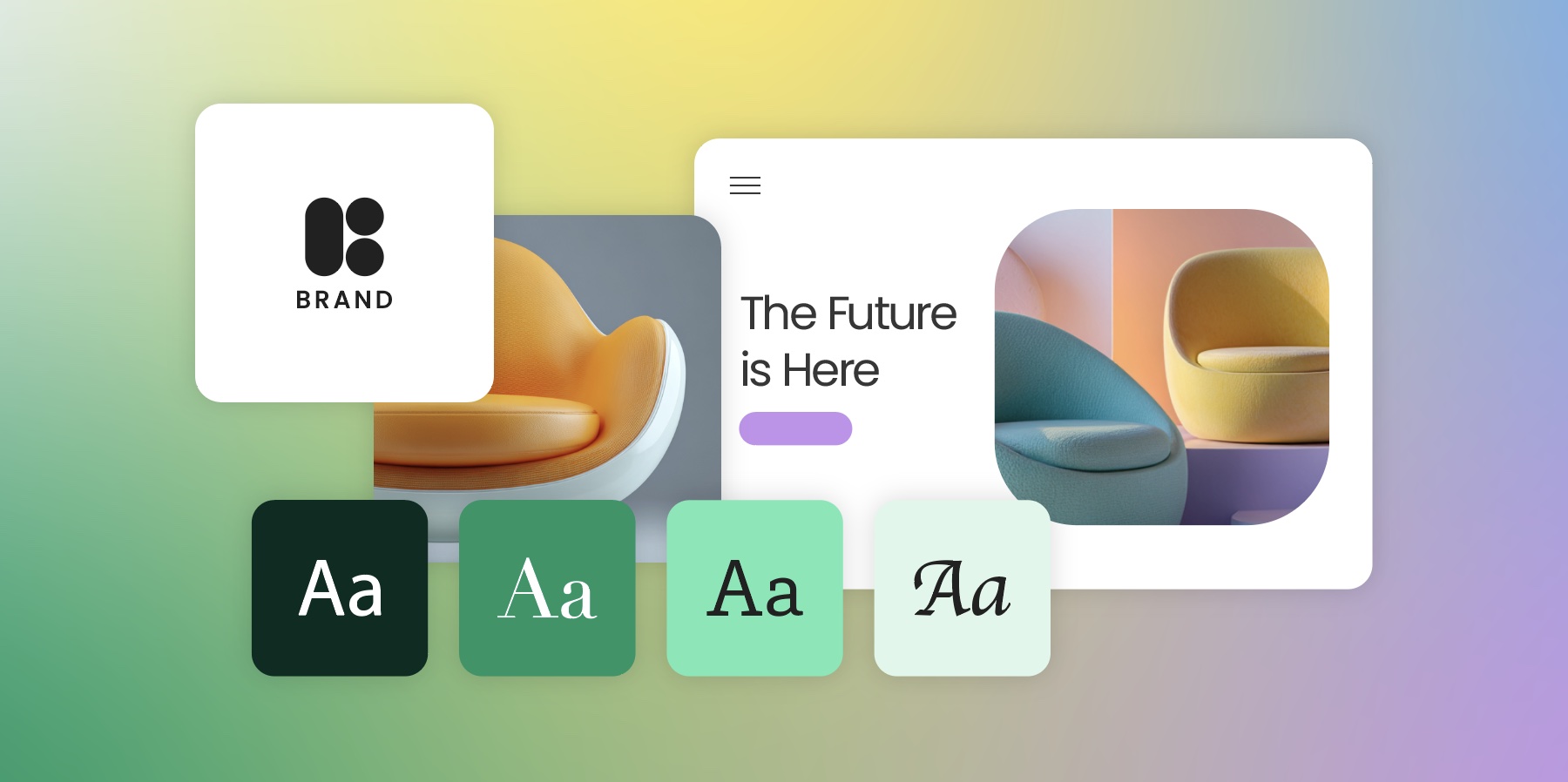
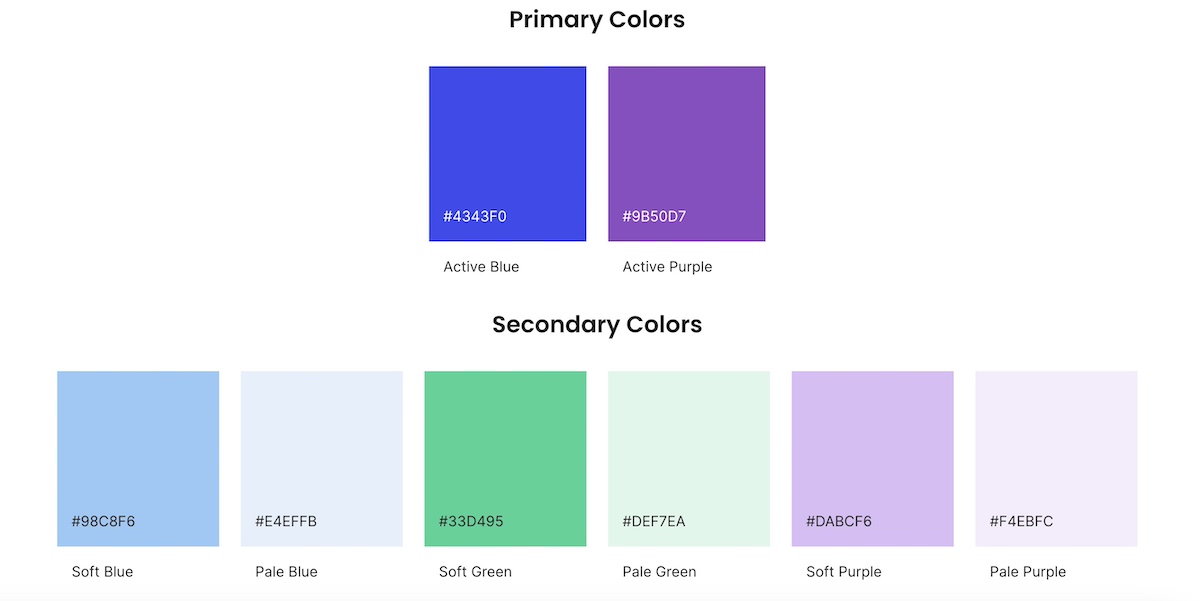
  • Build a quick brand kit (fonts, colors, vibe) and use it in your prompts
  • Use AI to refresh outdated graphics so your brand feels more modern

4. AI-Powered Websites

If you’ve ever wrestled with plugins, code, or endless settings panels, you know the pain of traditional website management. AI is basically removing all those barriers. Even if you’re not “technical,” you can now build, edit, and maintain a professional website just by…talking to it.

Now, many AI-powered website platforms can generate full pages, write copy, suggest layouts, fix issues, and guide you step-by-step through tasks that once required a developer. Some platforms even let you manage your site through a chat interface—“add a new services page,” “rewrite this section,” “optimize this for SEO,” etc.

Why this matters for small businesses:

You no longer need to hire a developer for every update, or put off important changes because they feel too technical. AI lets you keep your website fresh, fast, and optimized without all the complexity. And when your website feels current and easy to navigate, customers trust you more.

Where this shows up for small businesses:

  • AI website builders that create full site layouts from just a short description
  • AI that writes or rewrites website copy to match your tone and industry
  • SEO assistants that suggest keywords, fix metadata, and optimize your pages
  • Chat-based editing (“Make this headline shorter,” “Add a contact form here”)
  • Automatic accessibility improvements like alt text generation
  • Error detection and performance optimizations you don’t have to hunt for manually

What you can do right now:

  • Use AI to create new landing page content in minutes
  • Ask a chat-style assistant to rewrite your homepage in a clearer, more compelling voice
  • Let AI generate SEO-friendly titles and meta descriptions
  • Ask AI to add a plugin to speed up your website
  • Use AI to analyze your site and suggest quick wins for clarity, speed, or conversions
  • Repurpose your best content (blog → landing page → email) with AI’s help
Example of using AI to rewrite homepage content so that it's more clear and compelling

SiteGround Website Builder makes building a professional‑looking site straightforward—even if you’re not tech‑savvy. You get a library of customizable templates, a drag‑and‑drop editor, and mobile‑ready design by default. It includes a built‑in AI writer for copy (transforming website text, as seen in the example above), access to a huge stock‑image gallery, automatic image resizing, and integrated marketing tools like SEO settings, and analytics. Plus SiteGround Ecommerce lets you add products and checkout directly within the same platform—no extra tools required.

Get started now>>

5. Optimized Ads & PR

PR and advertising have always felt a bit like gambling for small businesses: you put money or effort in, you hope something works, and you cross your fingers hard that you didn’t waste time or budget. AI is taking that uncertainty and replacing it with data, precision, and real strategic insight—the kind only big companies used to afford.

Today’s AI can now write ad copy, design ad creatives, pick audiences, set budgets, optimize marketing campaigns, and even track your brand reputation across the internet. Instead of guessing what will work, AI analyzes patterns in real time and adjusts automatically.

Why this matters for small businesses:

You get the kind of advertising intelligence and PR visibility that used to require an agency, but without the steep costs. AI helps stretch your budget further, improve ROI, and catch reputational issues early.

Where this shows up for small businesses:

  • AI-generated ad creatives (images and copy) customized to each platform
  • Audience targeting based on behavior, interests, and likelihood to convert
  • Automatic budget optimization that moves money toward the best-performing ads
  • Sentiment and reputation analysis that alerts you when brand mentions shift positive or negative
  • PR assistants that help draft press releases or pitch emails
  • Real-time performance recommendations (“pause this ad,” “increase spend here”)
  • Predictive analytics to forecast which marketing campaigns will perform best before you even run them

What you can do right now:

  • Use an AI tool to draft ad copy and generate ad visuals
  • Test 2–3 variations of ads using AI to compare performance
  • Let AI suggest your target audience, instead of guessing
  • Use a listening tool to monitor your brand mentions across social and news
  • Use predictive insights to avoid campaigns that are likely to underperform

How to Apply AI Marketing Trends in Your Business

AI can feel overwhelming, but small businesses can make real progress by focusing on one area at a time. 

Here’s a simple, actionable framework to start putting the trends into practice. Each step is designed to help you experiment, measure, and scale without getting bogged down.

Step 1: Define Your Goal

Before you start experimenting, be clear on what you want to achieve with AI. This keeps your marketing efforts focused and measurable.

  • Examples: Increase social media engagement by 20%, cut content creation time in half, improve ad ROI, or generate leads.
  • Having a goal helps you choose the right tools, track performance, and evaluate success.

Step 2: Identify Your Biggest Opportunity

Start by looking at your digital marketing workflow and pinpoint where AI could make the biggest impact. This might be the area that takes the most time or has the biggest gap in performance.

  • Ask yourself: Where could AI save time or improve results most?
  • Example: A small ecommerce shop might start with AI content for product descriptions or social media scheduling, since these are repetitive but crucial tasks.

Step 3: Start With Tools You Already Have

Don’t feel like you need a massive toolkit. Begin with the AI features already built into the platforms you use daily. This reduces friction and lets you experiment safely.

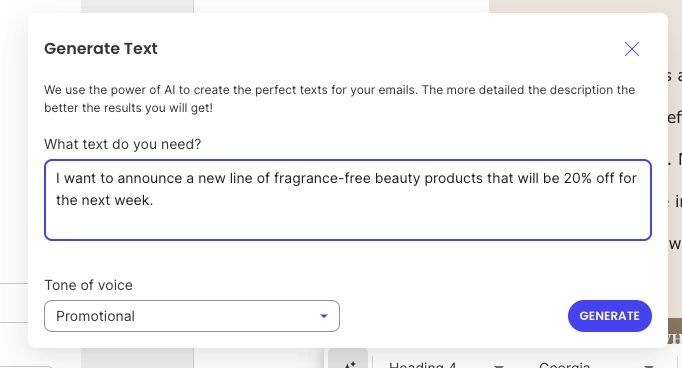
  • Explore built-in AI features in your website builder, email platform, or social scheduler. For example, with the SiteGround Website Builder, you can simply tell it the text you need, and the tone of voice, and it will whip up copy on the spot. 
  • Supplement with an LLM tool like ChatGPT or an AI image generator to test quick drafts or visuals.
Example of a built in AI writer to help create website content

Step 4: Test, Learn, and Refine

Treat AI like a partner, not a magic solution. Experiment with one workflow at a time and see what works for your business.

  • Pick a single task—drafting emails, generating social posts, or creating graphics.
  • Measure your digital marketing metrics: look at customer engagement, clicks, or conversions.
  • Refine prompts, tool settings, or timing based on what performs best, keeping in mind that many AI tools use machine learning to learn from data and improve results over time.

Step 5: Scale Gradually

Once you’ve found a workflow that works, expand to other marketing areas. Scaling gradually prevents overwhelm and ensures quality stays high.

  • Apply AI to additional tasks, like web copy, ad creatives, or branding assets.
  • Combine tools when possible to reduce manual work, such as connecting AI content creation with your social scheduler.
  • As you scale, be sure to use AI ethically for your marketing by being transparent about AI-generated content, protecting customer data, and keeping a human in the loop to avoid bias or misleading outputs.  
AI Digital Marketing TrendActionable Tips for Small Businesses
On-Brand ContentStart with short-form content like social captions or emails. Test AI for blog drafts. Always review outputs to maintain your brand voice.
Smart Social MediaPlan a week of posts in advance. Automate comment responses. Test different post formats and timing to see what works best.
Easy Brand AssetsQuickly generate graphics, banners, or logos. Resize assets for multiple platforms. Ensure visual consistency across channels.
AI-Powered WebsiteUse AI to create landing pages or optimize site copy. Leverage chat-driven tools for updates. Run AI-powered SEO checks.
Optimized Ads & PRTest AI-generated ad creatives. Monitor brand mentions and sentiment. Adjust campaigns based on AI recommendations and insights.

AI in Marketing: The New Competitive Reality

Remember that never-ending marketing to-do list from the beginning? AI doesn’t make it disappear, but it does make it very manageable.

You don’t need to master every AI tool or trend overnight. Start with one area—content, social media, design, whatever drains your time most—and experiment. The businesses winning with AI right now aren’t the ones with the biggest budgets. They’re the ones that started small, tested what worked, and kept going.

And if you’re looking for a simple place to start? The SiteGround Website Builder makes it easy. Its built-in AI writer helps you generate page copy, while pre-designed templates, stock images, and drag-and-drop sections let you build a professional site without touching a line of code. Selling online? SiteGround Ecommerce makes it extra easy. No jumping between tools, no extra subscriptions—just faster, easier website updates.

Your competitors aren’t waiting. Neither should you.

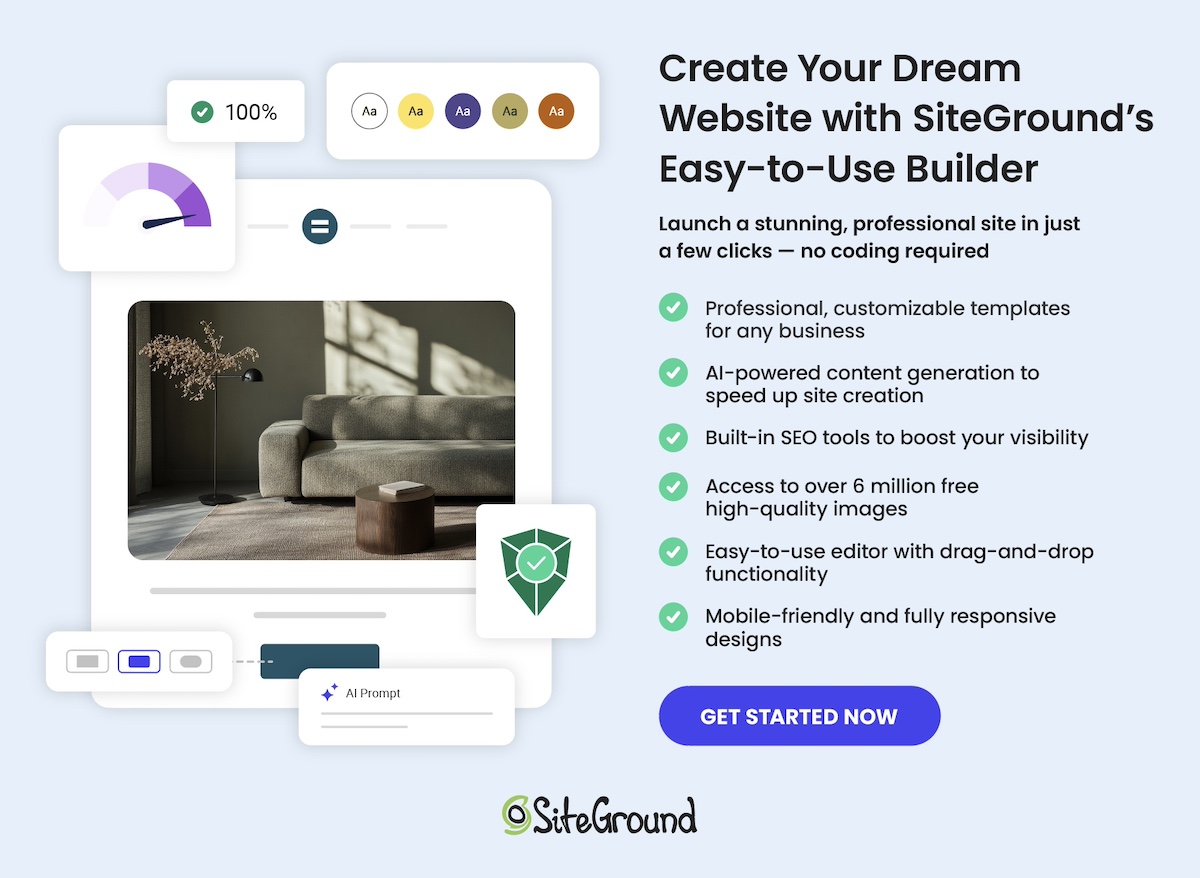
A promotional image for SiteGround's Easy-to-Use Website Builder featuring a mockup of a website with a living room photo. The text highlights creating a professional site without coding, offering customizable templates, AI-powered content generation, built-in SEO tools, access to over 6 million free high-quality images, an easy drag-and-drop editor, and mobile-friendly designs. Includes a "Get Started Now" button and the SiteGround logo.

Your Unique Selling Proposition: Stand Out in the AI Era

Abstract of a unique value proposition

AI can generate content in seconds, making it easier than ever to show up online—but much harder to be memorable. That’s why your unique selling proposition deserves more attention than ever before. It’s the part of your brand that tells potential customers, “This is why we’re different—and why it matters to you.” 

In this guide, we’ll walk you through how to craft a unique selling proposition that stands out, connects with your audience, and holds up even as AI reshapes marketing as we know it.

Key Takeaways:

  • Understand your USP: It clearly explains what makes your business different and why that difference matters to your customer.
  • Why it matters now: With AI flooding the web with generic, look-alike content, a strong USP is essential to stand out.
  • Build it right: Combine a real customer benefit, a clear differentiator, and strengths competitors can’t easily copy.
  • Craft an AI-proof USP: Focus on what’s truly unique and human—specific, hard-to-replicate strengths like expertise, personalized support, or brand voice.
  • Avoid common mistakes: Don’t be vague, feature-focused, generic-sounding, or inconsistent in how you apply your USP.

What is a Unique Selling Proposition?

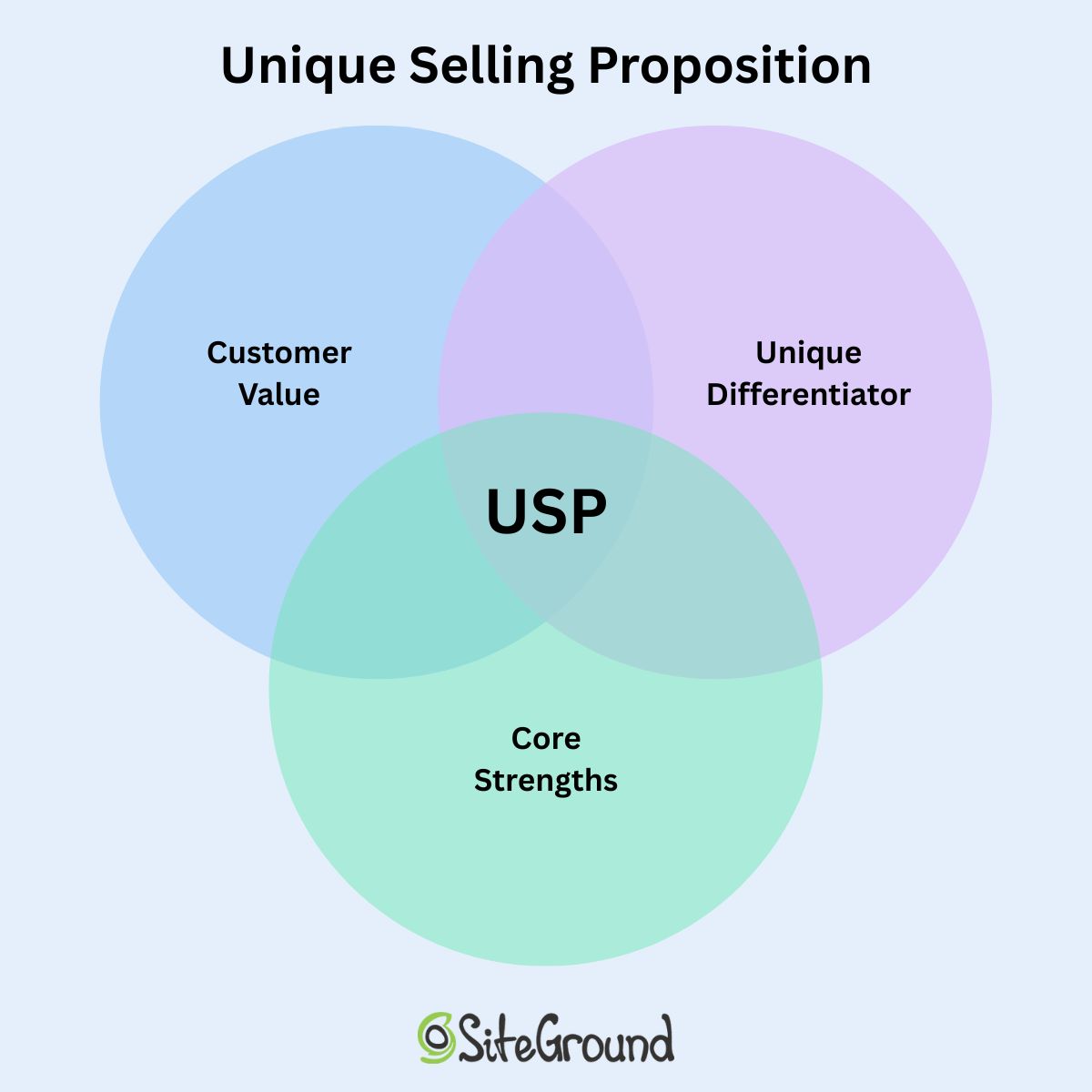
A unique selling proposition (USP) is a crisp, memorable statement that explains what makes your business different—and more importantly, why that difference gives customers a clear reason to choose you.

It’s not a tagline, a mission statement, or a generic benefit. It’s the promise at the core of your brand: the specific value customers can count on that they can’t get the same way anywhere else.

In practical terms, your unique selling proposition answers two questions:

  • What do we offer that others don’t—or don’t as well?
  • Why does that difference matter to the customer?

An effective USP is simple, specific, and focused. If someone reads it and immediately knows, “Ah, that’s why I’d choose them,” you’re on the right track.

What’s the difference between a unique selling proposition and a unique value proposition?

A USP defines what sets your business apart, while a UVP (unique value proposition) explains why that difference matters to your customer. In reality, a strong USP already includes the customer benefit, so most businesses don’t develop both separately. The distinction is mainly useful as a framing tool: it helps you clarify your point of difference and make sure it connects to a real customer need.

Why Your USP Matters Even More in the AI Era

AI is literally everywhere these days, which means customers are bombarded with automated marketing, AI-generated content, and highly personalized recommendations. What’s great is that this makes it easier than for small business marketers to join the content party—but also a whole lot harder to stand out. Your unique selling proposition will have to work harder than we ever thought possible.

Here’s why your USP plays such a critical role today:

  • AI makes marketing look and sound more similar: Because AI tools can churn out content in seconds, a lot of brands end up sounding alike. A strong unique selling proposition ensures your messaging stays distinct and human, even when AI is part of your workflow.
  • Customers are actively seeking authenticity: People can now spot generic AI writing a mile away. A clear unique selling proposition brings in your human angle—your story, expertise, philosophy, or personality—making your brand feel real, credible, and worth trusting.
  • Competition moves faster than ever: AI lets competitors iterate quickly, test messaging instantly, and pivot overnight. An effective USP anchors your brand so you don’t get swept into constant reactive changes.
  • Your USP shapes how AI represents you: Search engines, recommendation systems, and AI assistants pull signals from your content. A clear USP helps them understand what truly sets you apart so that they surface you more accurately and more often.

Ultimately, at this stage in the game, you want to have an AI-first mindset. But that doesn’t just mean being able to use AI; it also means being able to distinguish yourself, your business, and your offerings from AI as well. And that’s why a solid USP is all the more important.

Key Components of a Unique Selling Proposition

This strong USP isn’t just one clever line, though; it’s actually the outcome of a few core elements strategically working together. When these pieces click, your value becomes instantly clear to customers and harder for competitors (and, notably, AI tools) to replicate. So what are we talking about exactly? Here are the key components of a unique selling proposition:

  • A Direct, Meaningful Customer Benefit: Your unique selling proposition must express value from the customer’s point of view. It should clarify the outcome, result, or improvement they gain, ensuring the benefit is something they actually care about and recognize as important.
  • A Unique Differentiator: This highlights the specific way your product, service, or brand stands apart. It should show what you uniquely offer or do better than others—something identifiable, concrete, and relevant in your market.
  • Core Strengths: The most resilient USPs build on your strengths—especially qualities competitors can’t easily imitate, such as your experience, processes, approach, relationships, or brand identity. These strengths help your USP remain distinctive and durable as the market evolves.
unique selling proposition venn diagram combining customer value, unique differentiator and core strengths

Pro tip: While not a separate component, clarity and specificity are essential qualities of any effective USP. Keeping your message simple, focused, and easy to understand ensures customers instantly grasp what makes your brand different.

How to Write a Unique Selling Proposition

A successful unique value proposition is built strategically from understanding your target audience, your market, and the unique value only you can provide. Here’s a structured approach that can help you build a strong USP, even as AI reshapes how successful businesses communicate.

Step 1: Know Your Target Audience 

Before you can define what makes your brand unique, you need to know who you’re talking to and what outcomes or benefits they truly care about. This step is about uncovering your customers’ real needs, frustrations, and goals—it’s the “value proposition” that your product or service will deliver from their perspective.

Dig into:

  • Real pain points and frustrations
  • Complaints in reviews (yours and competitors’)
  • Outcomes that matter most to them
  • Emotional drivers (ease, confidence, speed, safety, reliability, identity)

Examples:

  • Overwhelmed customers want simplicity
  • Risk-averse customers want trust and proof
  • Ambitious customers want speed and measurable results

End goal: Gain a clear understanding of the benefits that matter most to your target audience, so every later step—from differentiating yourself to crafting messaging—is rooted in the value your customers actually care about.

Pro tip: Plain and simple—interview your customers, in person, or via survey emails. Ask them these questions yourself. Use their responses to not only fine tune your messaging, but even your offering itself. 

Step 2: Analyze Your Market & Competition

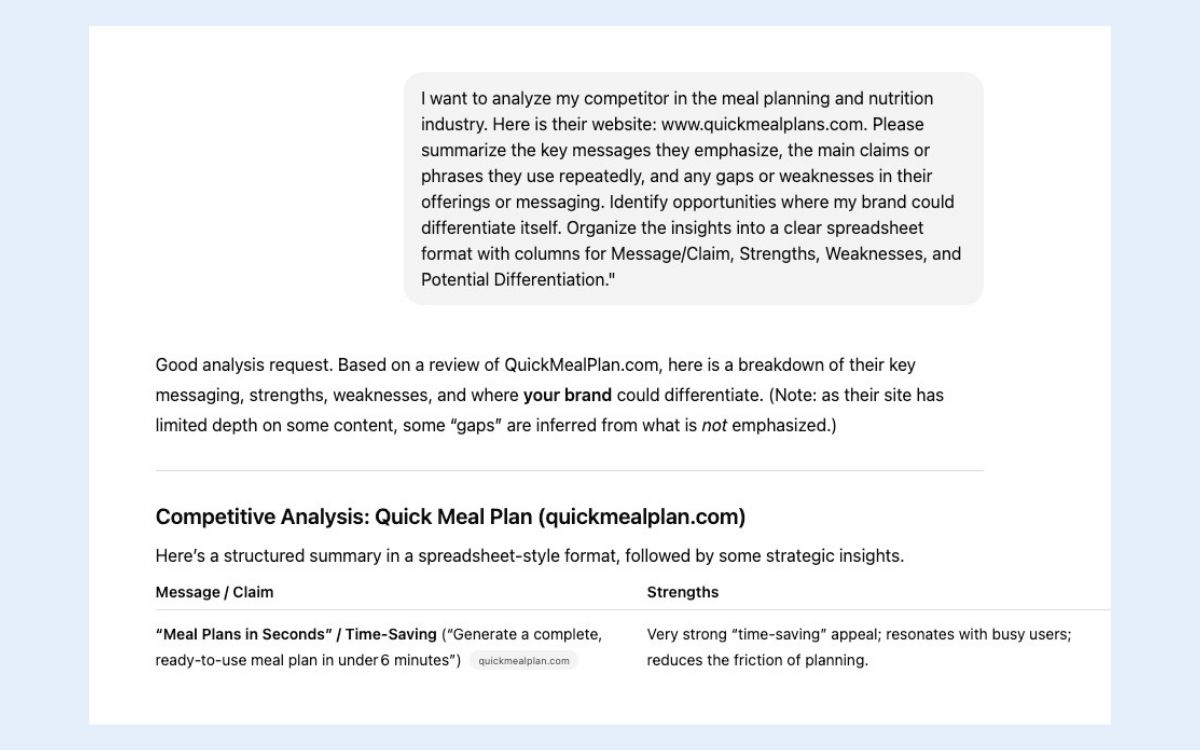
Once you understand your audience, look at what others are doing. Identify competitors, patterns, and gaps in the market. This step helps you find and articulate where you truly stand out.

What to look for:

  • What competitors emphasize in their messaging
  • What feels overused (“trusted,” “affordable,” “innovative”)
  • Any strengths they play up—speed, quality, specialization, features
  • Opportunities where customer needs aren’t being met

Ask yourself:

  • Where does our product or service outperform others?
  • What do competitors not offer or not execute well?
  • Where do you have a competitive advantage?
  • What aspects of our offering are difficult for others to copy—processes, expertise, relationships, or branding?
Example of using chatgpt to determine competitive differentiator for unique selling proposition

End goal: Identify where your brand can truly stand out by uncovering market gaps, spotting opportunities competitors aren’t addressing, and highlighting elements of your offering that are meaningful to your ideal customers.

Pro tip: Don’t be shy about using ChatGPT for marketing, especially when it comes to competitor research. You can provide it with competitors’ websites, social media, or product pages and ask it to analyze patterns, spot gaps, or summarize strengths and weaknesses—giving you a faster, data-informed starting point for defining where you truly stand out.

Ad to build your site in minutes with the SiteGround Website builder

Step 3: Identify What’s Hard to Copy

Not all advantages are equal. These days, competitors and AI can replicate features, claims, and content almost instantly, so the strongest USPs rely on core strengths that are genuinely unique and difficult to imitate.

Focus on:

  • Expertise, experience, or specialized knowledge
  • Proprietary tools, processes, or methods
  • Exceptional customer relationships or personalized support
  • Brand personality, philosophy, or story
  • Community, ecosystem, or long-term trust

End goal: Pinpoint aspects of your offering that are truly original and hard to replicate, giving your unique selling proposition staying power and resonance in a crowded marketplace.

Pro tip: Ask yourself, “Could a competitor copy this overnight?” If yes, dig deeper until you find the part that’s distinctively yours.

Step 4: Craft Your AI-Proof Unique Selling Proposition

Now you bring together your customer benefit + differentiator + the thing that’s hard to copy.

A simple formula you can use:

“We help [audience] achieve [desired result] by providing [unique advantage].”

Unique selling proposition examples:

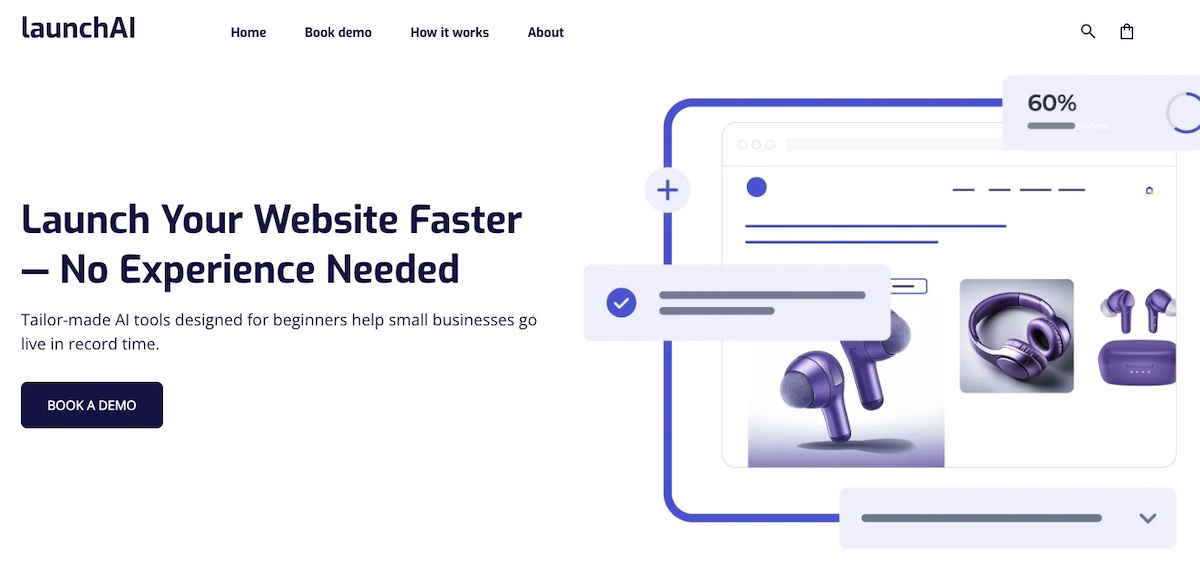
  • “We help small businesses launch websites faster with tailor-made AI tools built for beginners.”
  • “We help busy parents plan nutritious meals for their families in minutes using personalized meal plans created by certified nutritionists.”
  • “We help busy ecommerce founders offload customer support using AI-powered workflows trained on their own brand voice.”
Example of including a unique selling proposition in a homepage hero section

Tips:

  • Keep it clear and concrete.
  • Avoid generic claims.
  • Highlight something competitors can’t easily mimic.

End goal:

Turn your value into a statement that’s simple enough to remember and strong enough to differentiate.

Pro tip: With the right ChatGPT prompts, you can absolutely use AI to help draft a first version of your USP. Think of it as a moldable starting point. Then refine it to highlight what’s truly unique, human, and hard to copy, making sure it resonates with your audience.

Step 5: Apply and Refine Your USP

Writing your unique selling proposition is only the first part of the process. To truly make it effective, you need to both integrate it across your messaging and continuously test and adjust based on customer feedback and market changes.

Where to use your USP:

Example of incorporating a unique value proposition into email marketing subject line

How to apply it:

  • Don’t just repeat your USP verbatim; weave its essence consistently throughout your messaging. Use your USP as the cornerstone of an integrated marketing approach, ensuring every touchpoint—website, social media, email campaigns, ads, and sales materials—communicates a consistent and compelling message.
  • Reinforce it with examples, proof points, and customer-relevant outcomes.
  • Make it the guiding principle behind your tone, style, and positioning.

How to refine it:

  • Test messaging and track digital marketing metrics: A/B test ads and email subject lines.
  • Gather customer feedback: Ask what stood out in their decision to buy.
  • Monitor performance and competitor positioning regularly. (This is another area where you can lean on AI tools, such as by monitoring your business’s reputation.)
  • Update the USP as needed to stay relevant, credible, and resonant.

End goal: Your USP becomes a living tool embedded in everything your audience sees, continuously validated, and sharpened over time to remain clear, distinctive, and meaningful.

If you want a simple way to put your USP into action, the SiteGround Website Builder makes it effortless. You can integrate your messaging across pages, track how your content performs, and refine it as you go—all without needing a developer. Plus, the built-in AI writer can help you craft on-point messaging on the fly. It’s an easy, intuitive way to keep your USP front and center while monitoring the results in real time.

Start building a better website now>>

Common USP Mistakes to Avoid in the AI Era

The rise of AI hasn’t changed what a USP is, but it’s absolutely changed the environment your USP lives in. Customers see more options, get answers faster, and can compare brands instantly. At the same time, competitors can spin up AI-enhanced products and polished copy almost overnight.

That’s why it’s essential to get your USP right: avoiding these mistakes makes your message as clear and impactful as possible.

1. Being Too Vague or Generic

Phrases like “high quality,” “great service,” “trusted,” or “innovative” all sound positive — but they don’t tell anyone how you’re different. AI-generated websites can produce these phrases at scale, which means they’ve never been more meaningless.

Why it matters now:

AI can produce generic “good-sounding” copy instantly. If your USP looks like something ChatGPT could create for any business in your industry, customers will skim right past it.

Stronger approach:

Replace broad traits with specifics customers can visualize or compare.

Successful unique selling proposition example: “Real human support, responding in under two minutes.”

2. Focusing on Features Instead of Outcomes

Many businesses fall into the trap of highlighting what their product has rather than what their customer gets. And in today’s AI environment, this is especially risky: AI tools can instantly generate polished feature lists for any competitor, making feature-level differentiation almost invisible.

Why it matters now:

  • Competitors can replicate features quickly.
  • AI-generated content makes every feature sound impressive.
  • Customers scanning summaries see nearly identical capabilities.

The fix: Focus on outcomes, not features. Customers care about what your product does for them: saving time, reducing stress, boosting confidence, or achieving results faster.

Here’s what it looks like when you identify features and their outcomes:

  • Feature: “AI-powered scheduling.” → Outcome: “Automatically schedule your week and save 10+ hours every month.”
  • Feature: “Customizable nutrition plans.” → Outcome: “Eat healthier with meal plans tailored to your preferences and goals.”
  • Feature: “AI chatbot responses.” → Outcome: “Resolve customer questions instantly without extra staff.”

Outcome-driven USPs cut through the AI-generated noise and connect directly to what really influences customer decisions.

3. Differentiating on Something AI Can Replicate Overnight

If your USP is built around something purely technology-based—especially generic AI functionality—it’s vulnerable. Competitors can adopt the same tools or generate similar claims in hours.

Why it matters now:

AI-driven features have a short life cycle. What feels cutting-edge today could be the industry standard tomorrow. A USP needs staying power.

Better approach:

Highlight the things AI can’t easily duplicate: expertise, community, proprietary data, personalized support, craftsmanship, long-term trust.

4. Not Writing AI language in Your Own Voice

Relying on AI-generated phrasing without adapting it to your brand’s voice can make your USP feel generic, robotic, and inauthentic. That’s because AI tends to favor certain words, phrases, and punctuation—like “cutting-edge,” “next-level,” “game-changer,” and em dashes. If you leave these untouched, your messaging can sound like every other AI-generated page out there.

Why it matters now:

People are becoming adept at spotting AI content. A unique selling proposition that reads like an algorithmic template may feel inauthentic, impersonal, or untrustworthy—even if the ideas are good.

Better approach:

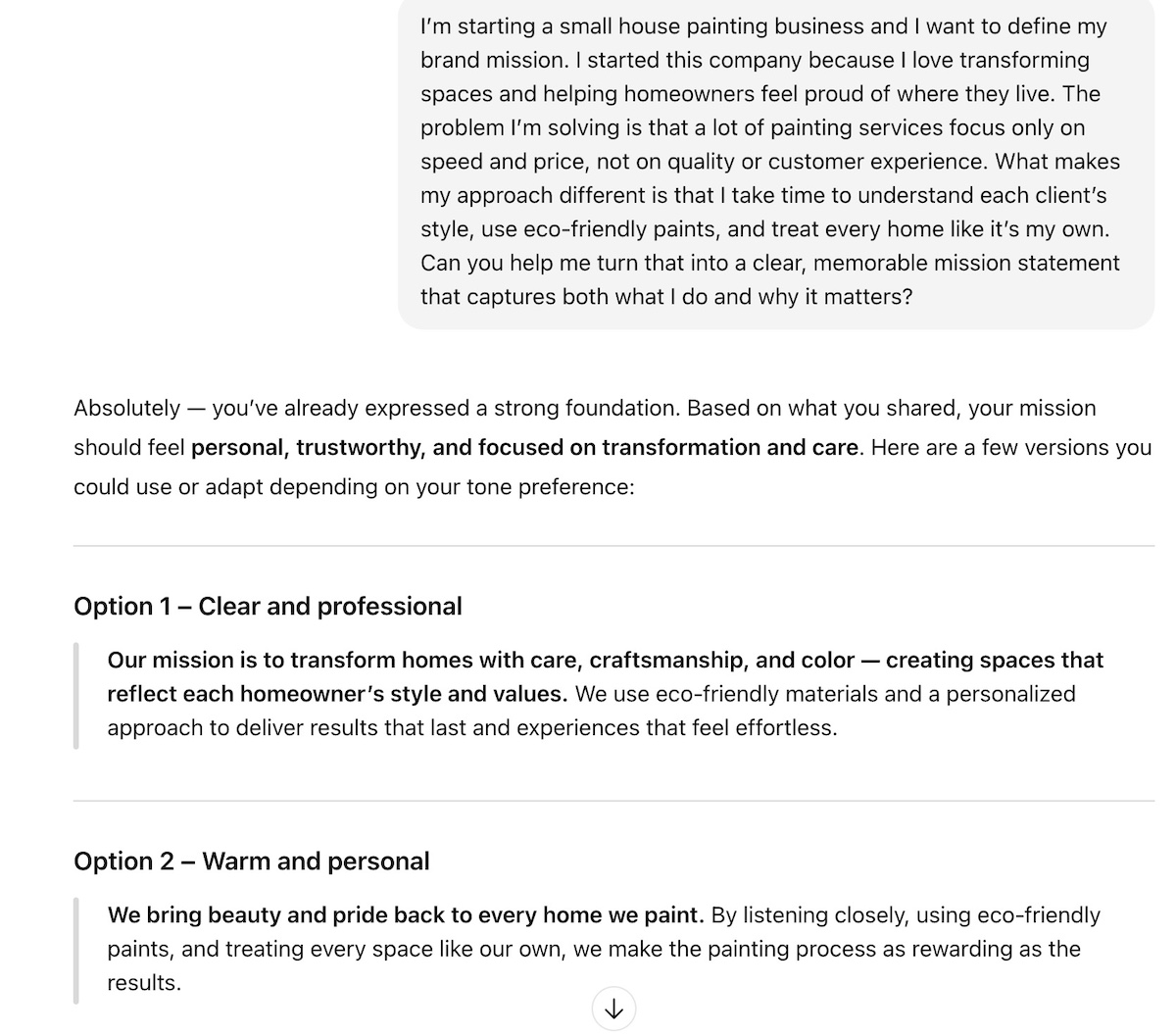
Use AI to draft ideas, but actively weed out overused phrases and AI-favored constructions. Rewrite your USP in your own voice, making it sound human, genuine, and unmistakably your brand.

5. Creating a USP and Then Never Using it

A USP is only powerful when it consistently reinforces your brand story—across your homepage, ads, product pages, email marketing, social channels, and even your onboarding experience.

Why it matters now:

  • SEO and AI—including search engines, shopping assistants, and chat-based recommendations—rely on signals pulled from your content.
  • If your USP only appears in one place, AI tools may not recognize it as your core value, which can weaken your discoverability.

Better approach:

Use the USP as a guiding thread in your messaging, not a one-off statement.

Make Your Unique Selling Proposition Work for You

Your USP is more than a statement—it’s the guiding principle that keeps your brand distinct, human, and memorable amidst the AI noise. When you understand your audience, analyze your competition, and highlight what’s truly hard to copy, you can craft a USP that resonates and evolves alongside your business. 

Turning your USP into a visible, actionable part of your website has never been easier. With the SiteGround Website Builder, you can integrate your core messaging seamlessly, track performance metrics, and continuously refine your site to ensure every page reflects the unique value you offer.  And if your business includes selling online, SiteGround Ecommerce makes that easy by delivering a smooth, reliable buying experience that matches the value you’ve communicated from the start.

Plan Integrated Marketing: Strategy + Template

Illustration demonstrating integrated marketing through shoppable social media functionality with blue and white ceramic vase displayed across multiple device screens, showing how users can click products to purchase

Here’s the thing about integrated marketing: it sounds like one more thing you need to learn, right? Another framework, another strategy, another way you’re supposedly “doing it wrong.”

But you’re probably closer than you think. You already have a website. You send emails. Maybe you post on social media. The gap isn’t that you’re missing something—it’s that these pieces could be working together and they’re probably not.

In this article, we’ll cover what integrated marketing actually means, how to build a strategy that works for your business, and which channels to connect first. You’ll also get a practical integrated marketing strategy template you can fill out and use immediately—no complicated frameworks, just a straightforward plan to get multiple marketing channels working together.

Let’s get started.

Key takeaways:

  • Integrated marketing coordinates channels to share the same message and customer data—website, email, and social guide customers through one connected journey instead of separate campaigns.
  • Privacy updates cut off cross-platform tracking: build on owned channels (website + email) where you control data and connections, not platforms that restrict access.
  • Website + email foundation: when hosting and email live on one platform, forms sync directly to lists without broken APIs or manual exports.
  • Integration metrics reveal what works: track how channels connect (website signups becoming email subscribers, email clicks turning into sales) rather than judging each channel alone.
  • Three connected channels beat five disconnected ones: map your core message, choose channels where your audience is, and follow a 90-day rollout plan.

What Is Integrated Marketing? 

Integrated marketing is a strategy where all your marketing channels share the same message, connect to the same customer data, and work toward unified goals. Instead of running separate campaigns on different platforms, integrated marketing coordinates your channels so they support each other. 

When a customer sees your social post, they get the same offer on your website and in their email. What they do on one channel directly influences what they see on another—creating a connected experience instead of disconnected touchpoints.

Key Principles of Integrated Marketing Communications

Integrated marketing communications rests on four core principles: 

  • Consistency
  • Customer focus
  • Synergy
  • Cross-functional collaboration 
  1. Consistency

Your message stays the same across every channel. Same offer, same voice, same core promise—whether someone finds you on Instagram, your website, or in their inbox. Research by PamMoore shows it takes 5-7 brand impressions before someone remembers your brand, which means those impressions need to be consistent to actually register as the same business.

This matters more now because you can’t track customers between touchpoints. If someone sees one offer on social and different pricing on your website, they’re gone. Consistency is what makes people recognize and trust you.

  1. Customer focus

Meet your customers where they are and guide them through a clear path. Privacy changes make this more critical: since iOS 14.5, the number of people you can reach with follow-up ads dropped 10-30% on average, according to AXM. 

And when you can’t track and retarget as many visitors, owned channels like your website and email become your primary way to stay connected. That’s where you can see what people do, respond to their behavior, and keep the data regardless of platform restrictions.

  1. Synergy

Your marketing channels should work together, not just exist side by side. Your blog post mentions your email newsletter. Your email links back to specific website pages. Your social posts drive traffic to landing pages where you capture contact info. Each channel makes the others more effective. 

This isn’t just theory—research by Firework shows that in retail, combining digital and in-store campaigns resulted in a 24% year-over-year increase in ROI—proof that integrated channels outperform disconnected ones. This is the tracking you can still do—watching how people move between your own properties.

  1. Cross-functional collaboration

If you’re solo, your Monday self needs to coordinate with your Thursday self. For small teams or agencies, everyone needs to know what everyone else is doing. Your Instagram post should match what’s in this week’s email. Your website homepage should reflect your current focus. Write down your core message and current offer somewhere visible. Check it before you create anything.

Integrated Marketing vs. Other Marketing Approaches

The difference between integrated marketing and other approaches isn’t about which channels you use—it’s about whether those channels actually work together.

Traditional MarketingIntegrated Marketing
How channels workEach channel operates independently. Your email doesn’t know about your social posts. Your website doesn’t connect to your other marketing.All channels work together. Website behavior informs your emails. Social posts drive people to specific landing pages. Everything connects.
CommunicationOne-way broadcasting. You put your message out and hope people see it.Two-way conversation. People respond, you track behavior, you adapt.
MessageDifferent messages across channels. Instagram says one thing, email says another, website shows something else.Same core message everywhere, adapted to fit each channel.
FlexibilityHard to change once launched. Each channel requires separate updates.Easier to adjust. Update your message once, push it across all channels.

For instance, with traditional marketing you might run a Facebook ad campaign about your services, send a monthly newsletter to your email list about industry tips, and update your website with new case studies—all separate marketing efforts with their own goals and messages. 

With integrated marketing, your Facebook ads promote a specific guide, which lives on your website, gets featured in your email that week, and anyone who downloads it enters a follow-up sequence. One campaign, multiple connected touchpoints.

Traditional marketing treats each channel as its own initiative. Integrated marketing means your channels deliberately feed into each other—social drives website traffic, website captures emails, emails nurture those relationships with content that brings people back to your website.

What’s Changed About Integrated Marketing Now?

There are several key differences in integrated marketing

  • Tracking doesn’t work like it used to
  • Platforms restrict your customer data
  • Websites and email matter more
  • AI creates content faster, but coordination matters more

These shifts mean you need direct control over your customer relationships. And while AI helps you create content quickly, coordinating messages across channels requires intentional planning.

Tracking doesn’t work like it used toiOS blocks most tracking pixels now. Third-party cookies are disappearing. Remember when you could retarget someone who visited your website and see them across the internet? That’s breaking down. Platforms can’t tell you what your customers did across different channels anymore. You need to track that yourself through your own website and email list—data you actually own.

How to track across your own channels: Use UTM tags—simple bits of text you add to any link. When someone clicks that link, your website analytics shows exactly where they came from and which campaign brought them. So you can see if your Instagram post drove 50 visitors while your email brought 200. 

For email specifically, when your hosting and email marketing live on the same platform like SiteGround, form submissions automatically sync to your email list through the WordPress plugin—no manual exports, no broken integrations, no data getting lost between tools.

And if you use the SiteGround Website Builder it’s even easier: forms, email marketing, and hosting all work together automatically on one platform.

Platforms are restricting your customer data

Meta and Google are limiting what user data you can export and how your tools connect to their platforms. Your email platform doesn’t sync with ad accounts as smoothly as it used to. Features you relied on last year might not be available this year.

The solution? Build your marketing on channels you control. 

Your website and email are more valuable than ever

When your website and email are part of one integrated platform, you don’t need anyone’s permission to connect them. This is the modern version of direct marketing—you’re building direct relationships with customers on channels you own. Someone fills out a form? They’re instantly on your email list. They click a link in your email? You see what they did on your website. No APIs breaking, no platform restrictions.

With SiteGround, hosting, email marketing, and website building all live in one place and sync automatically. The Lead Generation plugin connects your website forms directly to your email lists automatically—no third-party tools, no complicated setup, no wondering if data synced properly.SiteGround’s infrastructure makes this integration reliable: 170+ CDN edge locations mean your website and forms load fast globally, 99.99% uptime means your campaigns don’t get disrupted by downtime, and built-in email authentication  maintains consistently high email deliverability.

SiteGround Email Marketing banner: Improve email campaigns with 98.8% inbox delivery rate. Features colorful icons of AI robot, greeting envelope, documents, and megaphone with "START TODAY" button on purple background.

Focus your integration efforts here first. Build on this foundation, then connect your other channels to it.

AI creates content faster, but coordination matters more

AI tools can handle most marketing tasks: writing copy, resizing images, scheduling posts, even syncing campaigns across platforms. Use that speed—but make sure everything points in the same direction. Decide on your core message for the week or month, then use a ChatGPT prompts for marketing to adapt it for each channel.

One main idea becomes a blog post, three social posts, and two emails—all saying the same thing in different formats. Speed is useful when it’s coordinated. Without coordination, it’s just volume.

Now that you understand what’s changed and why owned channels matter, here’s how to build a strategy that works with today’s restrictions.

How to Create a Successful Integrated Marketing Strategy 

Integrated marketing sounds complex, but you’re really just making sure your channels work together instead of against each other. Here’s how to build a marketing strategy in 6 steps that actually works.

1. Define Your Target Audience

Who are you trying to reach? Start with the broad category (small business owners, freelancers, agencies), then narrow it down. Ask yourself: What specific problem do they have that I solve? What’s their situation right now? Where do they look for solutions?

For example, “small business owners” becomes “restaurant owners struggling to fill tables on weekdays” or “retail shop owners who want more foot traffic.” The more specific you get, the easier it is to know where to find them online and what messages will actually resonate. This determines which channels matter and how you’ll connect them.

2. Set SMART Goals for Integration

Without clear goals, you won’t know if your integrated marketing is actually working. Vague goals like “get more customers” don’t tell you which channels are performing or how they’re working together. Goals without deadlines never get priority. Goals you can’t measure mean you can’t improve.

So make your goals SMART:

  • Specific – Clearly define what you want to achieve
  • Measurable – Include numbers you can track
  • Achievable – Realistic given your resources and timeline
  • Relevant – Connected to your business outcomes
  • Time-bound – Include a deadline

Ineffective goal: “Increase engagement and get more customers.” This doesn’t tell you what to do, what to measure, or when you’ve succeeded.

Effective goal: “Grow email list by 500 subscribers through website signups in 90 days, with 30% coming from blog content and 70% from social traffic.” 

This is specific (500 subscribers), measurable (you can track signups), achievable (reasonable for 90 days), relevant (email list grows your business), and time-bound (90 days). It also shows how your channels work together—blog and social both drive website signups.

Keep in mind that your goals should prove integration is working. If you could hit a goal using only one channel, it’s not really testing integration. For example, “Grow email list by 500 subscribers” could come from just email marketing. But “Grow email list by 500 subscribers through website signups, with 30% from blog content and 70% from social traffic” proves your blog and social are both driving people to your website—that’s integration working.

3. Match Channels to Your Audience and Goals

Your channels depend on where your target audience actually spends their time. Be available where they already are.

Start by figuring out where your audience looks for solutions. Busy professionals check email daily but rarely scroll Instagram. Creative freelancers live on Instagram and LinkedIn. Local service customers search Google and check email.

Website and email are usually a good starting duo because you control both. Your website captures interest, email builds the relationship. 

Once those two work together, add one or two channels where your audience is active. LinkedIn for B2B professionals and service providers. Instagram for visual products and lifestyle brands. Facebook for local businesses and community groups.

But remember: pick based on where your specific audience actually spends time, not where you think they should be. Three channels that work together well will get you better results than five channels that barely connect.

We’ll show you specific channel combinations that work well together later in this article.

4. Develop Your Unified Brand Message

Your unified message is your unique selling proposition (USP): the specific value you deliver that competitors don’t. This combines what customers get (the problem you solve), what makes you different (your competitive edge), and what you’re genuinely good at (your core strengths). State it simply enough that you can adapt it for any channel without losing its meaning.

“We help freelancers get paid faster” is a unified message. “Your success is our priority” is not—it’s too vague and doesn’t say what you actually do.

Once you have your core message, adapt it for each channel. For instance:

  • Blog post: “5 Invoicing Mistakes Costing You Money”
  • Email subject: “Stop Waiting 60 Days for Payment”
  • Social post: “That feeling when the invoice gets paid same-day 🎉”

Same promise, different formats. Someone who sees your social post, reads your blog, and opens your email hears the same message three times. That’s integration—not repeating yourself word-for-word, but reinforcing the same core idea so people remember what you’re about.

5. Create Your Campaign Plan

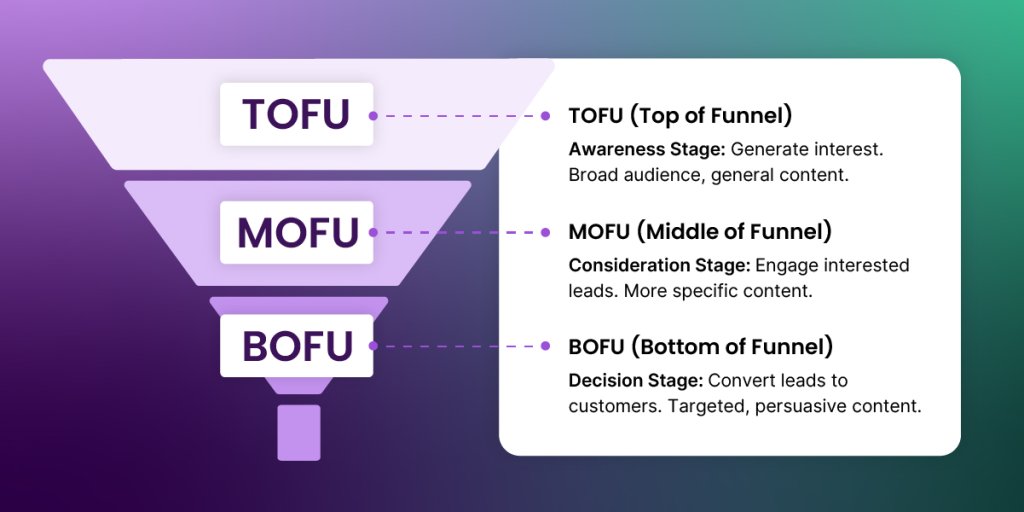
Your integrated marketing should guide people through the main marketing funnel stages:

  • Awareness – They discover you
  • Consideration – They evaluate you
  • Decision – They’re ready to act
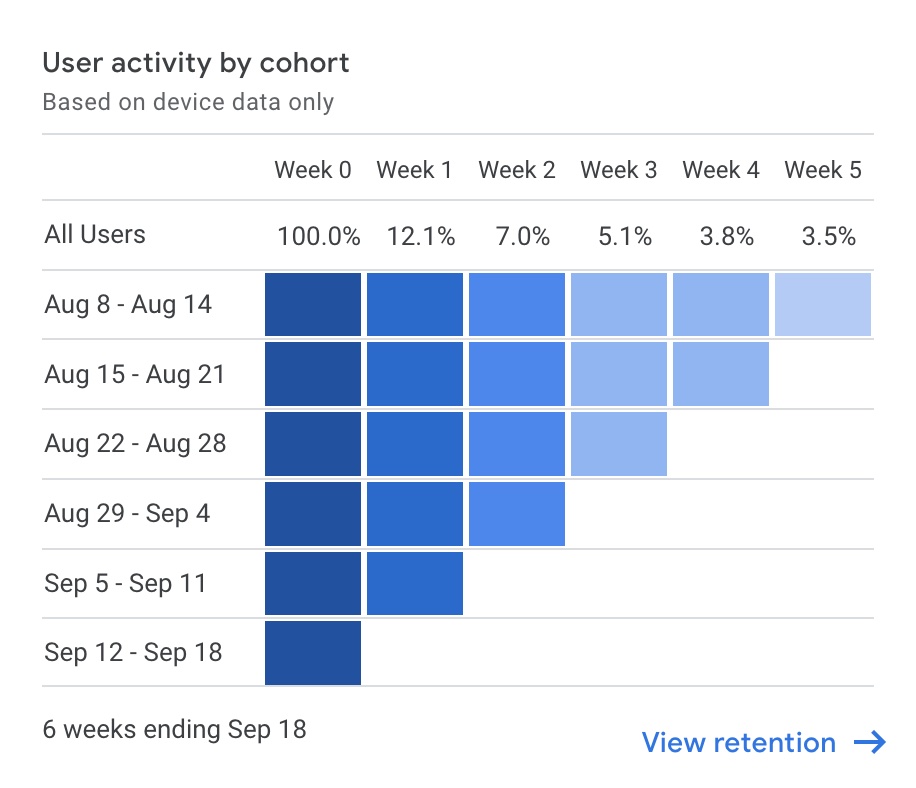
The marketing funnel and website retention

One campaign might focus on just one stage, but your overall approach should ideally cover all three.

One campaign might focus on just one stage, but your overall approach should ideally cover all three. Start with customer journey mapping to see how people actually move between stages, then pick one campaign and plan it out: what content goes where, when it publishes, who creates it, and how channels connect.

Here’s a simple example: 

  • Week 1—publish a blog post about website security (awareness). 
  • Week 2—email subscribers with key takeaways and link to full post (consideration).
  • Week 3—social post with one stat from the blog, linking back (awareness). 
  • Week 4—follow-up email to those who clicked, offering a security checklist (decision).

Each piece connects and moves people forward. Blog introduces the topic, email builds trust, social brings new readers, engaged readers get a next step.

For successful integrated marketing campaigns, write down who’s creating what and when. If you’re solo, assign tasks to specific days. If you have a team, clear ownership keeps integration from falling apart when someone’s out.

6. Track What Matters and Optimize

Don’t just measure individual channel performance—track the integration points. How many website visitors become email subscribers? How many email clicks turn into purchases or bookings? Which social posts actually drive traffic that converts on your website? These connection points show whether your channels are working together or just coexisting.

As we’ve already touched on, you can’t track everything like you used to—privacy changes made sure of that. So focus on metrics you actually control: email open rates, website form conversions, which traffic sources lead to real results.

What to track for integrated marketing:

Channel connection metrics (this is what matters most):

  • Website visitors who become email subscribers
  • Email clicks that lead to website conversions
  • Social traffic that converts vs. just visits
  • Blog readers who join your email list
  • Which channel combinations lead to sales

Awareness stage metrics:

  • Traffic sources (where are people finding you?)
  • Social reach and engagement
  • Blog post views

Consideration stage metrics:

  • Email open rates (see email marketing benchmarks for detailed ranges)
  • Time on site and pages per visit
  • Content downloads or guide signups

Decision stage metrics:

  • Form submission rates
  • Email click-through to purchase
  • Conversion rate by traffic source

[37]


TLDR: Track how people move between your channels. If your blog drives email signups and those subscribers buy, that’s integration working. If your social channels get likes but no one visits your website, that’s not.

Use Google Analytics to see where traffic comes from and what it does. Your email platform shows engagement. Your website forms show conversions.

Set monthly check-ins to review these numbers. What’s working? Do more of it. What’s not connecting? Drop it or fix it.

Your Go-To Integrated Marketing Plan Тemplate 

Every business is different, so adapt this template to fit your industry, audience, and goals. Copy this into your notes or project doc and fill in each section to organize your integrated marketing approach.

StepFill This In
1. Your Core MessageMain value (one sentence): _________________________
Problem you solve: _________________________
2. Your ChannelsFoundation: ☐ Website + Email connected
Channel 1: _____________ (where your audience is)
Channel 2 (optional): _____________
3. Adapt Your MessageBlog: _________________________
Email: _________________________
Social: _________________________
Website: _________________________
4. 90-Day PlanMonth 1: ☐ Connect website + email, define message
Month 2: ☐ Add social, link content across channels
Month 3: ☐ Launch integrated marketing campaign, track and adjust
5. Track These Metrics☐ Website → email signups
☐ Email → website clicks
☐ Social → conversions

Best Integrated Marketing Channels (+ Examples)

Here are the channel combinations that work for small businesses, freelancers, and agencies—with the specific connection points that make them integrated.

Core Owned Channels:

Website + Email

This is your foundation because you control both. The connection: someone fills out a form on your website, they’re added to your email list. They click a link in your email, you see which page they visited. Website behavior informs email content, email drives people back to specific pages.

For example, SiteGround’s Black Friday campaign runs across both website and email—the same offers appear on the website homepage and in email campaigns, with emails driving traffic to specific landing pages and website visitors getting prompted to join the email list for exclusive deals.

Split screen showing Black Friday email announcement and corresponding landing page, both advertising 87% off web hosting starting at €1.99 per month with early-bird deal messaging

Blog Content + Email Sequences

Write a blog post about a topic your audience cares about. At the end, offer an email course or guide on the same topic. Readers who sign up enter a sequence where each email builds on the blog content. You’re tracking who’s most engaged based on which posts they read and which emails they open.

Table of contents listing Black Friday marketing strategies including sneak peeks, early-bird sales, and bundle deals, alongside promotional graphic for free Black Friday 2025 email course featuring target and shopping bag icons

Landing Pages + Form Data

Create landing pages for specific offers—a guide download, consultation booking, or product demo. When you set up the form in SiteGround Email Marketing, assign it to a specific Group. 

Someone who signs up for your “Master Email Marketing” course automatically gets added to your “Email Marketing” group. Now you can send targeted integrated marketing campaigns to that group—course lessons, advanced email tips, or related tools—instead of generic messages to your entire list.

SiteGround landing page header showing woman working on laptop with illustrated email elements, promoting free 6-day email marketing course with sign-up button

That’s integration through segmenting contacts: the offer someone chose determines which group they’re in and which emails they receive. 

Someone interested in website speed gets speed content. Someone who downloaded security resources gets security emails. Your messaging stays relevant because it’s based on what they already told you they care about.

Social Media Marketing + Owned Channels

Social + Website + Email

Post content on social media with a clear next step: “Read the full guide” or “Get the checklist.” Social drives traffic to a landing page with a signup form. Someone who found you on Instagram is now on your email list, and you can continue the conversation beyond the algorithm. Use UTM tags in social links to see which posts drive the most signups.

SiteGround’s Instagram posts do exactly this—link in bio drives followers to website pages with signup forms.

Instagram video post showing person in green hoodie explaining managed hosting, with caption listing security features including Web Application Firewall, SSL/HTTPS, daily backups, 24/7 monitoring, and malware scanning

Email + Social

Send emails asking subscribers to share results, leave reviews, or participate in something social. Feature this content on your social channels. Your email list becomes your most engaged social audience.

Paid + Owned Channels

Paid Advertising + Landing Pages + Email

Run an ad promoting a specific resource—a guide, checklist, or free tool. The ad links to a dedicated landing page (not your homepage) where visitors enter their email to access it. They get the resource immediately and enter an email sequence that continues the conversation.

Promotional card for SiteGround's all-in-one WordPress optimization plugin featuring illustration of rocket launching from laptop screen, with headline "Make Your WP Faster & Safer" and download link

You’re not just paying for website visits that disappear. You’re paying to build an owned audience you can market to repeatedly, without paying for every single interaction. One ad converts a stranger into an email subscriber you can reach for free from that point forward.

Paid Advertising + Website + Email

Someone visits your website but doesn’t sign up—retarget them with ads encouraging them to come back. When they do and sign up, they enter your email system. Or work it the other way: upload your email list to Facebook and show specific ads to people based on their email engagement. Someone who opened three emails about website security sees ads for your security service.

This is smarter targeting: instead of guessing, you use real behavior from your website and email to decide who sees your ads and what message they get.

Let’s Make Your Integrated Marketing Work

You don’t need to overhaul everything overnight. Pick one connection to make this week. Add a signup form to your most-read blog post. Link to that post in your next email. Mention your email newsletter in a social post. Just one connection.

With SiteGround Email Marketing that first connection happens automatically—website forms feed directly into your email list. No setup, no sync issues, just working integration from day one.

The businesses getting real results aren’t running the most complex systems. They’re the ones where everything connects: a customer sees a social post, clicks to read more, signs up for updates, and gets a welcome email that actually relates to what they just read. That’s integration.

You already have the pieces. Now make them work together.

Direct Marketing: Stop Guessing & See Results

Direct marketing example showing woman browsing products on phone while receiving targeted email with personalized product recommendations including sweater, shoes, and phone case

Direct marketing is one of those terms everyone throws around—but ask someone to explain what actually makes it “direct” or when to use it, and you’ll get vague answers.

Here’s why it matters: this is one of the few marketing strategies where you can see exactly what’s working, track ROI down to the dollar, and stop wasting budget on tactics that don’t deliver.

In this guide, you’ll learn what direct marketing really means, how it works, and—most importantly—how to choose the channel that makes sense for your business. No guessing, no trying everything at once. Just a clear path to reaching customers directly and tracking what happens next.

What Is Direct Marketing?

Direct marketing is a strategy that targets specific people with personalized messages designed to prompt immediate action—like making a purchase, booking a call, or claiming an offer.

Common forms include: email marketing, social media, catalogs, telemarketing (text/SMS marketing and cold calling), and direct mail.

A direct marketing strategy requires three key elements:

  • Targeting. You’re reaching specific people based on their contact info, behavior, or demographics—not casting a wide net.
  • Personalization. The message speaks to their needs, interests, or past actions. It’s “Hi Sarah, here’s 20% off the shoes you viewed,” not “Hey everyone, we have a sale.”
  • Measurability. You can track who responded, what they did, and how much revenue resulted. No guessing.

How Direct Marketing Works

Direct marketing relies on a four-step cycle:

  1. Identify – Determine who you’re targeting. This could include your existing customers, website visitors, people who match specific demographics, or contacts who gave you permission to reach them.
  2. Reach – Send your message through your chosen channel: email, SMS, phone, mail, or targeted ad.
  3. Persuade – Give them a reason to act now by offering a discount, a solution to their problem, or limited-time access—whatever prompts them to respond.
  4. Measure – Track results. Who opened? Who clicked? Who bought? What was your ROI?

Then repeat, but smarter. You scale what works and drop what doesn’t.

The goal is to turn strangers into customers and customers into repeat buyers. Direct marketing isn’t just about one-time sales; it’s about building relationships you can measure and improve.

You’re reaching people who either opted in (meaning they gave you their email or phone number) or match your ideal customer profile. Instead of interrupting random broad audiences, you’re talking to people who are already interested or likely to care.

Direct vs. Indirect Marketing Examples: What’s the Difference?

It comes down to: Can you track who responded?

Direct marketing means you can measure individual responses. You know Sarah opened your email and made a purchase. You know which phone numbers converted into appointments. You can tie revenue back to specific people or actions.

Indirect marketing means you’re building awareness without tracking individuals. You’re putting your brand in front of people, but you can’t tell exactly who saw it or what they did because of it.

That said, you can turn traditionally indirect channels into direct marketing by adding tracking mechanisms like unique coupon codes, UTM parameters, or QR codes. A billboard becomes a direct marketing campaign when you add “Use code SAVE20” and can track exactly who responds. A podcast sponsorship becomes direct when you use a unique promo code that shows how many listeners converted.

Here’s what direct and indirect marketing look like in practice:

Marketing ChannelDirect Marketing ExamplesIndirect Marketing Examples
EmailEmail campaigns to your subscriber list
Social MediaPaid social ads targeting specific audiencesDirect messages to leadsOrganic posts on your social feedBuilding follower community
Content MarketingEmail newsletters with blog contentGated content (ebooks, whitepapers)Blog posts ranking in GoogleYouTube videos ranking in search
SMSSMS promotions to customers who opted in
Paid AdvertisingRetargeting ads to website visitorsPPC search adsTargeted display adsTV commercialsBillboard adsRadio spots
PhoneTelemarketing calls to qualified leads
Direct MailPostcards/catalogs with tracking codesPersonalized letters to prospects
PodcastTargeted podcast ads (host-read with promo codes)Sponsored segmentsOrganic podcast mentionsBeing a guest on podcasts
VideoYouTube/streaming pre-roll adsVideo ads on social platformsBrand videos ranking organicallyTV commercials (broad reach)
EventsPersonalized event invitationsBooth demos at trade showsBrand-sponsored conferencesCommunity event presence
Influencer MarketingAffiliate partnerships with tracking linksPaid influencer promotionsOrganic brand mentions by influencersProduct seeding


Simple rule: If you can track the marketing effort back to a specific person’s action, it’s direct. If you can’t connect it to an individual, it’s indirect. Some channels, like social media or email, can actually serve as both—it depends on how they’re used.

For example, a personalized DM or targeted ad is direct, while a general brand post to all followers is indirect.

Ultimately, both methods have value. Indirect marketing builds your brand and attracts people over time. Direct marketing asks for immediate action and shows you exactly what’s working. Most businesses need both, but direct marketing strategies are where you go when you need measurable results now.

Types of Direct Marketing (And When to Use Each One)

Each channel has different strengths, costs, and ideal use cases. Not sure which one fits your business? Skip to the decision table to see which channel makes sense for your situation. Otherwise, read on to understand what each type does and when it works best.

Email Marketing

Most marketing costs money upfront with no guarantee of returns. Email marketing flips that—you pay pennies per message and can see exactly who’s buying. 

Email marketing is a form of direct marketing where businesses send promotional messages, newsletters, or content to subscribers via email to prompt specific actions like making a purchase, signing up for a service, or engaging with content. 

Email marketing example showing personalized welcome message to new subscriber Alex with 20% discount code WELCOME20 and call-to-action button

This email checks all three boxes: it targets a specific audience (new subscribers), personalizes the message with the recipient’s name and relevant offer, and includes a trackable code and button link to measure who clicks and converts.

Common email direct marketing examples include:

  • Welcome emails after someone subscribes
  • Abandoned cart reminders with discount codes
  • Flash sales and time-sensitive promotions
  • Product launch announcements
  • Re-engagement email campaigns for inactive customers
  • Birthday emails with personalized offers

Best for: Regular communication with your audience, sending time-sensitive offers, nurturing leads over time, staying in touch with past clients, sharing availability, following up with prospects, and reaching many people in a cost-effective way.

Skip if: You don’t have an email list yet, and no realistic way to build one organically through your website, content, or lead magnets. That said, don’t assume it’s impossible. There are plenty of creative ways to build your email list offline too, like collecting sign-ups at events, in-store, or wherever you connect with customers offline.

An email list is a collection of email addresses from people who gave you permission to contact them—they opted in through your website, signed up for updates, or subscribed to your content.

You build one by adding opt-in forms to your website, offering lead magnets (discount codes, free guides, exclusive content) in exchange for email addresses, or collecting emails at checkout. While it might seem tempting to shortcut this process by purchasing email lists, it simply doesn’t work and violates most email regulations.

Cost: Low—small lists (under 1,000 subscribers) typically cost $10-30/month, while larger lists (10,000+ subscribers) can run $100-300/month. Still budget-friendly compared to other channels, and costs scale with your audience size.

Email typically delivers 3000-4000% ROI, making it one of the highest-returning channels, though your actual results depend on your industry, list quality, and how well you write.

SiteGround Email Marketing makes this easy. It lets you manage campaigns, subscriber lists, and automation in one place without juggling separate tools or dealing with technical setup—particularly useful for small businesses getting started with email marketing. Plans start at just €2.40/month for 500 contacts, making it significantly more affordable than many email marketing platforms while still including all essential features.

SiteGround-Email-Marketing-Welcome-Emails

Search & Display Advertising

When you need to catch people actively searching for what you sell—or stay visible after they leave your site—search and display advertising delivers. This includes pay-per-click (PPC) search ads that appear on search engines like Google and Bing, display ads (banner ads) across websites, and retargeting ads that follow visitors after they leave your site.

An online furniture store might run Google Ads targeting “modern office desks” to catch buyers actively searching, then use retargeting ads showing those exact desks to people who viewed them but didn’t purchase.

A B2B software company could run LinkedIn display ads targeting IT managers at companies with 50+ employees, driving them to a free trial landing page.

Direct marketing example showing SiteGround sponsored Google search ad with time-sensitive offer, specific pricing, and trackable URL targeting users searching for web hosting

This Google search ad shows PPC advertising in action—targeting users actively searching for hosting with a time-sensitive offer.

Best for: Capturing high-intent buyers actively searching for solutions (PPC search ads), staying visible to people who’ve already shown interest but didn’t convert (retargeting), reaching specific professional audiences based on job titles or industries (display ads), scaling quickly once you know what converts.

Skip if: You don’t have budget for testing—paid ads require experimenting with different keywords, audiences, and creative before you find what works.

Also skip if your profit margins are too thin to absorb the cost per click (which can range from $1-50+ depending on competition), or if you lack landing pages optimized for conversions (sending paid traffic to your homepage wastes money).

Cost: Variable—search ads typically cost $1-5+ per click for most industries (legal and insurance can hit $50+), while display ads run $0.50-2 per click. Most platforms require minimum daily budgets of $10-20. Budget $500-1,000 monthly minimum to gather meaningful data and optimize campaigns.

Social Media Marketing

While search and display ads let you target people across the web, social media brings its own advantage—built-in audience data and native engagement tools that make targeting and interaction seamless. Social media direct marketing includes both direct messages (DMs) to individual users and targeted ads shown to specific audiences based on their demographics, interests, or behavior on the platform.

For instance, a fitness coach might run Instagram ads targeting women ages 25-40 who follow workout accounts, with a “Book your free consultation” button. Or a local bakery could send DMs to followers who commented on a recent post, offering a discount code.

SiteGround Facebook ad showing direct marketing with time-sensitive Black Friday offer, specific discount, and trackable Sign Up button

This ad targets specific audiences with a time-sensitive discount offer and a trackable “Sign Up” button—making it targeted, actionable, and measurable.

Common social media direct marketing examples include:

  • Instagram Stories ads with “Shop Now” links
  • Facebook retargeting ads to website visitors
  • LinkedIn InMail campaigns to decision-makers
  • Instagram DMs with personalized offers to engaged followers
  • TikTok ads targeting specific age groups or interests

Best for: Building your audience without existing contact lists, targeting younger customers on social feeds, showcasing products, services, or portfolio work, engaging prospects through comments and DMs, combining brand awareness with direct sales, and retargeting website visitors. It’s less intrusive than cold calling and more scalable than direct mail.

Skip if: Your target audience isn’t active on social platforms—if you’re selling B2B software to executives or services for older demographics who don’t use social media platforms regularly, your money’s better spent elsewhere.

Cost: Variable—you can start with $5-10/day for ads and scale based on results.

Direct mail 

Direct mail involves sending physical promotional materials—postcards, letters, brochures, or flyers—directly to prospects’ or customers’ mailboxes.

A local HVAC company might mail postcards offering seasonal maintenance specials to homeowners in their service area, or an ecommerce brand could send a personalized “We miss you” postcard with a discount code to customers who haven’t purchased in six months.

Common types of mail include:

  • Postcards
  • Sales letters
  • Brochures and flyers
  • Catalogs
  • Coupons and vouchers

Best for: Local businesses targeting specific neighborhoods or zip codes, high-value offers where a physical piece stands out (real estate, home services, luxury products), reaching older demographics who engage more with physical mail, creating a tangible reminder that doesn’t get lost in digital noise.

Skip if: You’re operating on tight margins and can’t absorb printing and postage costs, your target audience is exclusively younger and digitally native, or you don’t have good address data for your target customers.

Cost: High—expect $0.50-2+ per piece including printing and postage, making it best suited for high-margin products or services.

Catalogs

Catalogs are technically a type of direct mail, but they deserve their own section because they work differently. They’ve been around since the 18th century, making them one of the oldest forms of direct marketing—and they still work today for the right businesses.

Unlike single-offer promotions like postcards, catalogs are comprehensive product showcases that require a different approach and bigger investment.

Today, businesses send printed or digital booklets featuring product listings with descriptions, photos, pricing, and ordering information directly to existing or potential customers.

A home goods company might mail a seasonal catalog showcasing new furniture collections with order forms and promo codes, while a specialty tool retailer could send a comprehensive catalog to contractors featuring hundreds of products organized by category.

Best for: Product-heavy businesses with diverse inventory, high-ticket items that benefit from detailed photos and descriptions (furniture, luxury goods, specialty equipment), reaching audiences who respond well to tangible materials, particularly for high-value or local offers.

Skip if: You have fewer than roughly 20 products (not enough to fill a catalog worth mailing), you sell purely digital offerings (software, courses, services), or your margins are too thin to cover printing and mailing costs. 

Cost: Very high—printing multi-page catalogs plus postage can run $2-5+ per piece, making this viable only for businesses with strong margins and significant product ranges.

Tracking catalog ROI: Use unique promo codes for each mailing, dedicated phone numbers, QR codes linking to tracked landing pages, or personalized URLs. This lets you measure exactly which catalogs drive sales and calculate ROI per mailing.

Telemarketing

While digital channels dominate modern marketing, phone calls still close deals—especially high-value ones. Telemarketing is a form of direct marketing where businesses make phone calls to prospects or existing customers to promote products, schedule appointments, conduct surveys, or close sales.

A B2B software company might call qualified leads to book product demos, or a dental office could call patients due for checkups to schedule appointments.

Best for: B2B sales where deals require conversation and relationship building, high-value services that need explanation (insurance, financial planning, enterprise software), appointment setting for consultations or demos.

Skip if: You’re selling low-cost consumer products where the cost of a phone call outweighs the potential sale, or your target audience actively avoids phone calls (younger demographics typically prefer digital communication).

Cost: High—whether hiring reps or doing it yourself, factor in significant time investment per call, making it viable mainly for high-ticket sales.

Cold Calling

Cold calling is telemarketing’s harder-to-pull-off cousin—making unsolicited phone calls to prospects who haven’t expressed interest in your product or service yet.

A B2B software sales team might call companies that fit their ideal customer profile to introduce their solution and book a demo, or a commercial real estate agent could call business owners to discuss property opportunities.

Best for: Complex B2B sales that require conversation to explain value and handle objections, high-ticket services where building rapport matters (enterprise software, commercial services, financial products).

Skip if: You’re selling to consumers (most hate cold calls), your product is low-cost and self-explanatory (people can just buy it online), or your margins are too low to justify the time investment per call.

Cost: High—whether you’re making calls yourself or hiring reps, the time investment per conversion is significant, making this practical only for higher-value sales where the commission justifies the effort.

Text (SMS) Marketing

When your marketing message absolutely needs to be seen within minutes—not hours or days—SMS delivers. Text (SMS) direct marketing is when businesses send promotional messages, alerts, or updates directly to customers’ mobile phones via text message. 

A restaurant might text “Tonight only! A free cocktail with each preset menu—show this text to your server to claim yours.” to subscribers, or a salon could send appointment reminders with a link to reschedule if needed.

Best for: Deals that need immediate response (flash sales, limited inventory alerts), appointment reminders to reduce no-shows, local businesses reaching customers in their area, updates that people need to see quickly (order confirmations, delivery notifications).

Skip if: You don’t have explicit opt-ins from customers—SMS direct marketing is heavily regulated, and sending texts without permission can result in serious fines and damage your reputation. Under TCPA, you need written consent before texting, and violations can cost $500-1,500 per unsolicited message.

Cost: Low to moderate—typically $0.01-0.05 per message, with most platforms charging monthly fees starting around $20-30 plus per-message costs.

Push Notifications

Unlike SMS, which requires phone numbers and costs per message, push notifications are free once someone opts in through your app or website. They’re clickable messages that appear on users’ mobile devices or desktop browsers, sent to subscribers who’ve given permission.

An ecommerce app might send “Your cart items are selling out—complete checkout now” when inventory drops, while a news site could push breaking stories to browser subscribers with a link to the full article. A fitness app could remind users “You haven’t logged a workout in 3 days—let’s get back on track.”

Best for: Re-engaging app users who’ve gone quiet; sending time-sensitive updates that need immediate attention (flash sales, breaking news, appointment reminders); driving users back to your app or website without needing their email or phone number; and delivering personalized content based on in-app behavior or preferences.

Skip if: You don’t have a mobile app or website with significant traffic—push notifications require users to opt in first, and if you’re just starting out, you won’t have enough subscribers to make this worthwhile. Also skip if your messages aren’t actually urgent; people who get irrelevant push notifications disable them fast.

Cost: Free after setup—no per-message fees like SMS. You’ll need push notification software (many are free for basic features, or $10-50/month for advanced targeting) and developer time to implement if you’re building from scratch. The main cost is the technical setup, not the ongoing sends.

Which Direct Marketing Channel Should You Choose?

You don’t need to be on every channel. You need to be on the right one for your business. Here’s how to decide where to start:

If your business…Start with…
Has an existing email list or can build oneEmail marketing. It’s the highest ROI channel and you already have the audience. Focus on getting your first direct marketing campaign out and measuring results.
Needs revenue quickly (this week or month)Text marketing or social ads. SMS can drive purchases within hours for impulse buys, while social ads typically convert within 1-7 days depending on your product.
Wants to capture people actively searching for your solutionSearch advertising (Google Ads, Bing Ads). Target high-intent keywords people use when ready to buy. Combine with retargeting to follow up with visitors who didn’t convert. Budget $500-1,000/month minimum for testing.
Sells high-value or complex B2B servicesTelemarketing or cold calling. High-ticket sales need conversation. Pick up the phone, build relationships, and book demos or consultations.
Targets customers in specific geographic areasDirect mail or SMS. Mail a postcard to specific zip codes. Text people in your area with time-sensitive offers. Both work well for local businesses with geographic boundaries.
Targets younger, social-media-active audiencesSocial media marketing. If your product photographs well (fashion, food, home decor, art), use Instagram or Facebook ads to show it off and drive clicks. Instagram works best for visual products and audiences under 40, while Facebook reaches older demographics and works well for local businesses.
Has a mobile app or high-traffic website with engaged usersPush notifications. Free to send after setup, great for bringing users back to your app or site without needing their contact info.

The best approach? Pick one channel, give it enough time to gather real data, measure what’s working, and then decide whether to scale or pivot. Give email 3-4 weeks, social ads 2-3 weeks, direct mail 6-8 weeks, or telemarketing 1-2 months depending on your sales cycle. Don’t spread yourself thin trying to do everything at once.

When do you add a second channel? Once your first channel is consistently profitable for 2-3 months, consider adding a complementary one. Email + SMS work well together (same audience, different urgency levels). Social ads + email retargeting create a powerful combo. But don’t add channels just to add them—only expand when you’re maxing out your current channel’s potential.

Advantages and Disadvantages of Direct Marketing

Like any marketing strategy, direct marketing has clear benefits and real challenges. Here’s what you need to know before you commit budget and time.

Direct Marketing Advantages

Measurable results → You know exactly what’s working

You can track opens, clicks, and conversions down to the individual level. This gives you hard data to calculate ROI and cut what doesn’t perform.

Precise targeting → Stop wasting money on people who won’t buy

You reach people who’ve shown interest, match your customer profile, or have bought before—not everyone in a zip code or age bracket.

Personalization → Higher response rates than generic ads

When you reference past purchases or tailor offers to specific interests, people pay attention. Personalized messages consistently outperform generic ones.

Cost-effective → Start small, scale what works

Test with a small send. If it works, scale up. If it doesn’t, you’ve spent little to learn what not to do.

Speed → Launch campaigns in days, not months

Write an email today, send it tomorrow. When you need quick revenue or have time-sensitive offers, direct marketing moves fast.

Direct Marketing Disadvantages (And How to Avoid Them)

Can feel intrusive

Nobody wants spam, and reaching out to people who didn’t ask to hear from you damages your reputation and gets you ignored—or worse, reported and blocked.

→ Fix: Only contact people who explicitly opted in through sign-up forms or checkboxes.

Requires list management

Contacts change, addresses bounce, people unsubscribe. 

→ Fix: Use tools that automate list cleaning and remove bad contacts automatically. Implement double opt-in to verify email addresses upfront—this means subscribers confirm their signup through a verification email, which filters out fake addresses and improves list quality from the start.

Privacy regulations

CAN-SPAM and GDPR carry serious fines if violated. 

→ Fix: Include unsubscribe links, get explicit consent, and don’t buy or sell contact data.

Depends on data quality

Outdated emails or wrong phone numbers tank your results. 

→ Fix: Verify contacts regularly and remove bounces immediately.

Risk of oversaturation

Too many messages and people tune out. 

→ Fix: Set a schedule, stick to it, and make every message valuable.

Limited reach compared to mass marketing

You’re only reaching people on your lists or who match your targeting criteria—not entire markets. If you need broad brand awareness fast, traditional advertising reaches more people at once.

Your Direct Marketing Starting Point

Direct marketing works because it’s measurable, targeted, and scalable—you reach specific people, track results, and adjust based on data. The hardest part is just picking a channel. 

If you’re unsure, start with email direct marketing. It’s low-cost, low-risk, delivers high ROI, and works for nearly every business type.

Your next step is simple: build your list (or clean up the one you have), send your first campaign, and measure what happens—track email marketing metrics like open rates, click-throughs, and conversions to see what’s actually driving results. Then do more of what works and drop what doesn’t.

And if you need a straightforward way to get started, SiteGround Email Marketing handles direct marketing campaigns, list management, and automation without the usual technical headaches—built for businesses that need results without complexity. If you’ve decided email marketing is your starting point, SiteGround gives you everything you need to take action.

How to Choose a Blog Niche That Works—5 Simple Steps

Two women collaborating at a laptop with a browser window displaying website content blocks and a magnifying glass icon in the foreground

If you’ve ever thought about starting a blog, you’ve probably wondered: Isn’t it too late? Between saturated topics, changing algorithms, and AI content everywhere, it can feel like blogging’s best days are behind us. But here’s the truth—blogs are still one of the best ways to build authority, boost SEO, and connect with your audience.

Still, one thing that can stop many people before they even start is choosing a blog niche. And honestly—why is it even important? Whether you’re a business owner, freelancer, or creative professional, it’s easy to get stuck here. Most advice says things like “follow your passion” or “pick the most profitable niche.” But if you’re running a business, your blog needs to do more than just generate clicks—it needs to attract the right audience, support your goals, and give you enough content ideas to keep going long-term.

Here’s the good news: choosing a blog niche isn’t about finding the perfect topic and sticking with it forever. It’s about finding a strategic starting point—one that highlights your expertise, draws in your ideal customers, and evolves with your business.

This guide walks you through six practical steps to choose a profitable blog niche that works for your business. No generic advice—just a clear framework you can act on today.

What Is a Blog Niche? 

A blog niche is the specific topic or area of expertise that your blog focuses on. Niche blogs typically appeal to geographic areas, a specialty industry, cultural or age groups, or any other particular group of people. If you run a consulting business, your particular niche might be “B2B marketing strategy.” If you own a bakery, it could be “seasonal baking tutorials.”

A niche is a topic, but it’s a narrower aspect of that broader topic. For example, if your passion is photography, the right blog niche for you could be nature photography, architectural photography, or wedding portraits.

Here’s what most articles on choosing a blog niche miss: your niche doesn’t lock you into writing about one tiny thing forever. Consider using a core + satellites model instead.

The Core + Satellites Formula:

Core niche = your main expertise + your target audience’s primary need
Example: Local bakery owner → “seasonal baking tutorials and recipes”
Satellite topics = related problems your audience faces that connect back to your core

Using the same example:

Core: Seasonal baking tutorials and recipes

  • Satellite 1: Ingredient sourcing and supplier relationships
  • Satellite 2: Pricing baked goods for profitability
  • Satellite 3: Marketing your bakery on social media
  • Satellite 4: Managing holiday rush orders

Each satellite topic serves your core audience (people interested in your baking expertise) and naturally leads readers back to your bakery, giving you content variety without losing focus.

Why does this approach work better? When you stick to one focused topic, people interested in one of your posts have a high chance of being interested in all your other content. Plus, search engines recognize topical authority and reward focused expertise with better rankings.

But going too narrow limits your audience size and makes it difficult to generate enough content ideas to sustain long-term growth.

The core + satellites approach solves both problems. You build authority in one focused area, then expand into related topics as you learn what your audience needs. You’re choosing a starting point that can grow with your business, not a permanent constraint.

Now that you understand what a blog niche is and how to think about it flexibly, let’s walk through the exact process for choosing yours.

How to Choose a Niche: Your Step-by-Step Guide

Blogging isn’t dead—but it has evolved. With AI-generated content flooding the web and search algorithms prioritizing genuine expertise, blogs that perform well today look very different from those a few years ago. The more focused and authoritative your blog, the better it performs.

This six-step process will help you choose the right blog niche that works for your business, not against it.

Step 1: Start With Your Strategic Foundation

First things first. Before you pick topics, get clear on why you’re blogging. Most small business owners skip this and jump straight to “what should I write about?”—then wonder why their blog isn’t bringing in customers.

Define your business goals first. Whether you’re adding a blog to an existing business or starting a blog as your primary income source, get clear on what success looks like. Do you want to generate leads? Establish authority? Educate customers before they buy? Your perfect blog niche should directly support at least one of these goals.

A useful way to define your audience is through the STP marketing framework—Segmentation, Targeting, and Positioning. First, segment your audience into smaller groups (for example, a fitness studio might serve busy professionals, new moms, and seniors). Then, choose one group to target first. Finally, decide how you want your brand to be perceived by that segment. Your blog niche should reflect that positioning.

Map where your blog fits in your reader’s journey—this is called customer journey mapping. When someone discovers your blog, are they just learning about a problem, comparing solutions, or ready to take action?

Match your content to your goals:

  • Want affiliate income? Create product roundups, comparison guides, and tutorials showing how to use specific tools
  • Establishing authority? Write in-depth expert content that showcases your unique knowledge and frameworks
  • Building an email list? Offer downloadable templates, checklists, or guides that require signup
  • Attracting clients? Share case studies, methodology breakdowns, and answers to questions prospects ask

Most successful blogs focus 70% of content on attracting new readers (educational basics, problem identification) and 30% on converting them (solution comparisons, detailed guides, resources). So start broad to build audience, then create valuable content that moves them toward your goal.

Today’s blogs aren’t just text—they also include video, audio, and interactive content. Match format to purpose: educational content works as quick videos or infographics, detailed guides as long-form articles, and conversion-focused content as downloadable resources or interactive tools.

Last but not least, set up your blog on the right technical foundation.

WordPress  is the most popular blogging platform and for good reason: you own your content completely, it gives you full control over SEO and customization, and it scales as your blog grows. Most importantly, thousands of plugins and themes make it beginner-friendly while remaining powerful enough for advanced users.

But WordPress is only as good as the hosting behind it. Choose WordPress hosting built for speed, reliability, and ease of use—like SiteGround’s WordPress hosting, which includes built-in caching, automatic updates, and staging environments. Page speed matters for both user experience and search rankings.

Man at desk with computer screens showing WordPress sites, alongside icons for mobile WordPress dashboard, camera, speedometer, and analytics chart, with list of managed WordPress hosting features including premium caching, Speed Optimizer plugin, security solutions, Google Cloud infrastructure, free site transfer, and 24/7 support

Step 2: Use the Three-Circle Method to Find Your Core Blog Niche

Once you know your strategic foundation, it’s time to find your actual topic. The Three-Circle Method helps you choose a niche that’s practical, profitable, and sustainable.

Three overlapping circles labeled "what you're good at," "what sustains you," and "what your audience wants to read about," with "your niche" at the intersection

Circle 1: What you know

List your expertise and experience. What can you explain better than most people (and AI)? What have you spent years doing? What do friends ask you about?

For a small business owner, this might include your industry knowledge, lessons from running your business, skills you’ve developed, or problems you’ve solved for customers. You don’t need to be the world’s leading expert—you just need to know more than your target audience. This real-world expertise is exactly what makes content valuable for AI citations—AI search tools prioritize sources that demonstrate practical, firsthand knowledge over generic information.

Circle 2: What your audience wants to read about

This is about their pain points and search demand, not what you think they should care about. What questions do they ask repeatedly? What problems keep them up at night? What are they actively searching for online?

Look at your customer service emails, social media comments, and sales conversations. These reveal the real questions your audience has. Then verify there’s actual search demand using keyword research tools (we’ll cover this in Step 3).

Circle 3: What sustains you

This includes both passion and monetization potential. Can you write about this topic consistently for the next year without burning out? Does it connect to products, services, or revenue streams for your business?

A topic might be profitable, but if you dread writing about it, you won’t last. Similarly, you might love a topic, but if it doesn’t lead to business outcomes, it’s a hobby, not a strategy.

Your blog niche lives where all three circles overlap. That’s your sweet spot—you know enough to provide value, your audience actually wants it, and you can sustain it long-term while supporting your business goals.

If nothing overlaps perfectly, that’s normal. Pick the area with the strongest overlap across at least two circles, then commit to learning or adjusting as you go.

Need inspiration? Check out our blog niche ideas section below for specific examples across different industries and business types.

Step 3: Validate Your Niche With Data

You’ve identified a potential niche using the Three-Circle Method. Now validate it with data before you commit.

Research search volume and trendsUse Google Trends to check if interest in your blog niche is growing, stable, or declining. For example, a niche with 1,000 monthly searches growing 20% annually beats one with 5,000 searches that’s declining—momentum matters more than current volume. For example, “gut health” (growing steadily since 2019) now outperforms “keto diet” (down 80% from its 2019 peak).

Google Trends graph comparing search interest over time for "keto diet" (blue line) and "gut health" (red line) from March 2023 to November 2025, showing fluctuating patterns with keto diet declining and gut health rising in recent months

Use keyword research tools like Google Keyword Planner or any SEO platform to find terms with meaningful search volume. Focus on long-tail keywords (like “weekend itinerary for Prague with friends” instead of “Prague travel guide”) to reduce competition and attract readers. 

A good rule of thumb is finding 20-30 related long-tail keywords you could reasonably rank for, though this varies by industry—B2B niches might have fewer high-value keywords, while consumer topics typically offer more options.

Understanding search in 2025: Why blogging still works (if you do it right)

You’ve probably noticed that when you search on Google, you often see an AI-generated summary at the top before the traditional links. Nearly half of all searches now show these AI Overviews, and it’s natural to worry: if Google is answering questions directly, will anyone click through to blogs anymore?

Google search results page showing AI Overview explaining that AI Overview optimization is the practice of adapting content and website structure to improve likelihood of being cited in Google's AI-generated summaries and AI-driven search results

Traffic patterns have shifted, but blogs remain powerful for building businesses—if you have something unique to say. AI Overviews provide quick answers, but they can’t replace the depth, real examples, and personal expertise that blogs offer. When people need more than a surface-level answer—when they’re making decisions, comparing options, or looking for trusted 

The caveat is that generic content that repeats what everyone else says isn’t going to do the trick. You need a unique angle: your specific experience, a contrarian perspective, data from your own work, or a framework you’ve developed. If you don’t have something different to share, you’re better off choosing a different marketing channel.

More importantly, a smaller number of highly qualified readers (people genuinely interested in what you offer) is far more valuable than high traffic from random visitors. Blogging positions you as an expert, builds trust before people ever contact you, and creates a library of content that works for your business around the clock.

How to approach AI Overview Optimization

When researching your blog niche, search for your target keywords and notice what appears:

  • What does the AI Overview cover? (Usually just basics)
  • What’s missing that you could provide? (Depth, specific examples, personal experience)
  • What sources does it cite? (These are the types of blogs Google trusts)

This tells you two things: First, if AI Overviews appear for your keywords, it confirms people are actively searching for this information. Second, the gaps in what AI covers show you exactly where to provide value—detailed case studies, step-by-step processes based on real experience, or specific applications for your audience.

Evaluate competition and find gaps

Competition proves people care—don’t avoid it. Search your main keywords and check the top 10 search results for gaps. Are they all targeting beginners while intermediate users are underserved? Are they outdated (two years old or more)? Are they text-only while you could add videos or visuals? Are they generic while you can be industry-specific?

When evaluating these results, don’t rely solely on keyword difficulty (KD) scores. Here’s why difficulty scores don’t tell the whole story: A keyword with KD 45 might seem hard to rank for, but if the top results are outdated (three years old or more), text-only, or targeting general audiences when you’re focused on a specific segment, you actually have a strong opportunity. Always manually check the top 10 results—stale, generic content is easier to beat than fresh, comprehensive content from trusted brands, regardless of the difficulty score.

Assess monetization potential

Examine successful blogs in your niche to see how they monetize. For service businesses, does this niche naturally lead to client inquiries? For product businesses, can you recommend your products naturally within the content?

Check if companies in your blog niche have affiliate programs if relevant to your model. If you can’t draw a clear line from blog content to revenue, reconsider your niche.

Gauge audience interest

Monitor active forums, Facebook groups, Reddit communities, or LinkedIn groups where people discuss your topic. High engagement proves your audience exists. Pay attention to repeated questions—user-generated content in these communities reveals content gaps and shows how your audience actually talks about their problems.

Brainstorm at least 50 potential blog post topics. If you can’t easily generate 50 ideas, your niche might be too narrow. Consider publishing a few test posts to validate engagement before fully committing.

Step 4: Plan Your Content Pillars

You’ve validated your blog niche—now it’s time to plan how you’ll actually fill it with content. Content pillars give your blog structure and help you build authority systematically. 

Identify 3-5 core content pillars within your niche

Content pillars are the main themes you’ll write about repeatedly. They’re broader than individual blog posts but more specific than your overall niche.

The Content Pillar Formula:

To identify your pillars, answer these questions about your target audience:

  1. What do they need to learn? (Educational pillar)
  2. What problems do they face? (Problem-solving pillar)
  3. What decisions do they need to make? (Decision-support pillar)
  4. What tools or resources do they need? (Resources pillar)
  5. What does success look like for them? (Aspirational/advanced pillar)

These are common pillar types, but you can create your own based on what your audience needs—just pick 3-5 that best match your business goals.

Example: Yoga studio owner (core niche: “yoga for stress relief and flexibility”)

  • Educational: How yoga reduces stress and improves flexibility
  • Problem-solving: Modifications for beginners with limited mobility
  • Decision-support: Choosing the right yoga style for your goals
  • Resources: At-home practice guides and breathing technique videos

Each pillar should connect back to your services or products, creating natural pathways from content to conversion.

Apply the N-E-E-A-T principle to your pillars

Google evaluates content quality using the N-E-E-A-T framework (formerly E-E-A-T): Notability, Experience, Expertise, Authoritativeness, and Trustworthiness. Your content pillars should demonstrate all five:

  • Notability: Choose pillars where you or your business has recognition or unique positioning in your field.
  • Experience: Share real examples from your business—actual client situations, problems you’ve solved, or processes you’ve refined through trial and error.
  • Expertise: Go deep on topics where you have genuine knowledge. Surface-level content won’t cut it in 2025.
  • Authoritativeness: Build pillars around topics where you can cite data, reference industry standards, or provide frameworks others can follow.
  • Trustworthiness: Be transparent about limitations, cite sources, and provide accurate information. One false claim can undermine your entire blog.

Each content pillar should allow you to demonstrate these qualities repeatedly. If a potential pillar doesn’t let you do that, choose a different one.

Structure site architecture for topic clusters

Topic clusters organize your content so both readers and search engines understand your expertise. Here’s how it works:

Create a pillar page for each of your 3-5 pillars. This is a comprehensive guide (1,500-3,000 words) that covers the topic broadly. For example: “Complete Guide to Stress-Relief Yoga Practices.”

Then create cluster content—individual blog posts that dive deep into specific aspects of that pillar. Each cluster post links back to the pillar page, and the pillar page links out to all cluster posts. This creates a web of related content that signals topical authority to search engines.

Here’s an example cluster for the “Stress-Relief Yoga” pillar:

  • Pillar page: Complete Guide to Stress-Relief Yoga Practices
  • Cluster posts: “5-Minute Breathing Exercises for Instant Calm,” “Best Yoga Poses for Tension Headaches,” “Creating a Calming Evening Yoga Routine”

Pillar pages, cluster posts, and internal links work together to build topical authority.

A diagram illustrating topic clusters, featuring a central purple circle labeled as Pillar Content, surrounded by six blue shapes (circles, triangles, and a hexagon) representing Cluster Content. Dashed lines indicate hyperlinks connecting the Pillar Content to the Cluster Content.

Technical note: As your content library grows, site performance matters. Topic clusters mean more internal linking and heavier site architecture. Choose WordPress hosting optimized for performance—like the SiteGround WordPress hosting—that can handle growing content libraries without slowing down. Fast page speeds keep both readers and search engines happy as you scale.

Step 5: Create Content That Ranks and Engages

Once you have your content pillars mapped out, it’s time to actually create the content. The way you write and structure your posts determines whether they rank in search results and convert readers into customers.

Build a content ladder

Don’t treat each blog post as a standalone piece. Design content that naturally leads readers deeper into your expertise:

  • Start with foundational content that attracts beginners and answers basic questions. These posts typically have higher search volume and broader appeal.
  • Build intermediate content that assumes baseline knowledge and goes deeper. These posts serve readers who’ve already consumed your foundational content and want more.
  • Top with advanced content that showcases your expertise and attracts serious buyers or collaborators. These might have lower traffic but higher conversion rates.

This approach—often called a “content ladder”—keeps readers on your site longer and positions you as the go-to resource as their needs evolve. It also gives you a clear content roadmap: if you notice lots of traffic on beginner content but you haven’t created intermediate posts yet, you know what to create next.

Go beyond text-only content

Consider how your content pillars translate across formats. A detailed blog post on website performance could also become a short tutorial video, an Instagram carousel of quick practical tips, or a downloadable optimization checklist. This multi-format approach meets your audience wherever they prefer to consume content while maximizing the value of each piece you create.

Use AI as your research assistant, not your writer

Leverage AI-powered blogging tools strategically:

  • For ideation: Use ChatGPT prompts “Generate 20 blog post angles about [your topic] for [your audience]” to overcome writer’s block
  • For outlines: Use AI to create article structures, then customize based on your expertise
  • For research: Have AI summarize multiple sources or explain complex topics you’ll then rewrite in your voice
  • For optimization: Use AI tools to suggest meta descriptions, headline variations, or identify content gaps

But always add what AI can’t replicate: your case studies, client examples, mistakes you’ve made, specific frameworks you’ve developed, and your authentic voice in the introduction and conclusion. AI handles the scaffolding; you provide the insights that make people trust and hire you.

Think about distribution: How will people find your content?

You can share your blog on social media, run paid ads, or rely on word-of-mouth—but most small businesses depend primarily on organic search traffic. That means optimizing your content for SEO so people can discover you when they’re actively searching for solutions.

If you’re new to this, our WordPress SEO for beginners guide covers the technical essentials. But here’s what SEO looks like these days: it’s messier than it used to be. Traffic patterns have shifted, AI Overviews appear in search results, and generic content gets buried. The blogs that still succeed focus on three non-negotiables:

  • True expertise: Write from real experience, not research alone. Share what you’ve actually done, mistakes you’ve made, and results you’ve achieved.
  • Brand building: People need to recognize and trust you. Consistent publishing, a clear point of view, and genuine engagement with your audience matter more than ever.
  • Original value: Provide something different—a unique angle, proprietary data, a contrarian perspective, or a framework others can’t easily replicate.

Write for topics, not just keywords

Semantic SEO means optimizing for search intent and topic comprehensiveness, not keyword density. Remember the long-tail keywords we discussed in Step 3? This is how you use them naturally.

Instead of targeting “email marketing tips” and repeating that exact phrase, write about the complete topic: email deliverability best practices, subject line optimization, list segmentation strategies, automation workflows, engagement metrics that matter, and compliance requirements. Google’s algorithm understands these concepts are related.

When planning a blog post, ask “What would a thorough answer to this question include?” Then cover those sub-topics naturally. If someone searches “how to improve email open rates,” they also need to understand email marketing metrics like deliverability, sender reputation, and list quality—even if they didn’t search for those terms specifically.

Turn readers into a community

Traffic means nothing without connection. Community building is what transforms casual readers into loyal followers and customers:

In your first 90 days, commit to:

  • Responding to every single comment within 24 hours with thoughtful replies, not just “thanks”
  • Ending each post with a specific question that invites discussion
  • Start an email newsletter from day one—it’s super easy with SiteGround Email Marketing. Offer lead magnets like downloadable checklists, templates, or guides to capture emails from readers who aren’t ready to buy yet, then actually engage when people reply (most bloggers never do, which sets you apart)
  • Sharing reader questions and your answers in future posts: “Sarah asked me about X, here’s what I told her…”
  • Creating a simple feedback loop: ask readers what they want to learn next

The depth of your expertise and genuine connection with readers is what AI can’t replicate. People remember how you made them feel, not just what information you provided. This is especially critical when competing with AI-generated content—your community becomes your moat.

Step 6: Launch, Measure, Adjust 

You’ve planned your content strategy—now it’s time to put it into action. First, make sure your site can be found by submitting your website to Google using Search Console—without this, your content won’t appear in search results.

The first 90 days are about testing your assumptions, learning what resonates with real readers, and adjusting based on actual data rather than guesses.

What metrics actually matter early on

Forget vanity metrics like total page views in your first 90 days. Focus on digital marketing metrics that indicate you’re on the right track:

  • Organic traffic growth: Are you getting visitors specifically from search engines (not social media, direct visits, or paid ads)? Even a small amount of organic search traffic in your first 90 days is a positive sign. Track the trend, not the absolute number.
  • Time on page: Are people reading your content or bouncing immediately? If average time on page is under 30 seconds, your content doesn’t match search intent or your headlines are misleading.
  • Engagement signals: Comments, email replies, social shares, or direct messages show people find your content valuable enough to respond. One engaged reader is worth more than 100 silent visitors.
  • Keyword rankings: Check if your target keywords are starting to appear in search results, even on page 2 or 3. Movement from position 50 to position 25 shows you’re heading in the right direction.
  • Page speed: This affects both user experience and SEO rankings. Use Google PageSpeed Insights to check your scores. If your site loads slowly, readers leave before your content even appears. SiteGround’s Speed Optimizer plugin is a quick fix for this, as it includes built-in caching and image compression to maintain fast loading times as your content library grows.
Enhance your frontend speed with SiteGround

When to double down vs. when to pivot

The first six months reveal what resonates. Here’s how to read the signals:

Double down when:

  • Specific topics consistently get more traffic and engagement than others
  • Certain content formats (how-to guides, case studies, lists) perform better
  • You’re getting direct inquiries or questions about particular subjects
  • A few posts are starting to rank while others aren’t

Don’t create more variety—create more of what’s working. If your “how to price services” post outperforms everything else, that’s your audience telling you what they need.

Pivot when:

  • After 20+ published posts, you’re seeing zero organic traffic growth
  • Engagement remains flat despite consistent publishing
  • The topics you planned don’t generate the questions or interest you expected
  • You’re struggling to generate content ideas (a sign your blog niche is too narrow)

Pivoting doesn’t mean starting over. It means adjusting your angle within your niche or shifting which content pillars you emphasize.

How to read audience signals

MetricWhat to Look ForWhat It Tells You
Search queriesWhat search terms bring people to your site (check Google Search Console)Reveals if people find you through the keywords you targeted, or if you’re accidentally ranking for different terms—both tell you what content to create next
Comments and emailsDetailed questions and pain pointsEach question is a blog post idea handed to you
Bounce ratesHigh exits on specific postsContent doesn’t match the title or search intent—revise or adjust targeting
Repeat visitorsPeople returning multiple times (website retention)You’re creating content worth coming back to—you’re building an audience
Conversion rateContact forms, email signups, service inquiries despite low trafficYour content attracts the right people, even if volume is small—better than high traffic with no business results

Use these first 90 days as a learning phase, not a proving phase. The goal isn’t perfection—it’s gathering enough data to make informed decisions about where to focus next.

Blog Niche Ideas to Inspire Your Choice

Now that you understand how to choose and validate your blog niche, here are specific blog niche ideas organized by category. As we discussed earlier, experience-driven niches consistently outperform generic content because they showcase what AI can’t replicate—your real stories, hands-on expertise, and personal journey.

Health and Wellness Blogs

Healthy Eating:

  • Plant-based nutrition for endurance athletes (meeting protein needs, race fueling, recovery)
  • Meal prep for busy parents (30-minute dinners, batch cooking, picky eater solutions)
  • Anti-inflammatory diet for chronic pain management (specific foods, meal planning, tracking results)

Mental Health:

  • Anxiety management for high-achieving professionals (workplace strategies, therapy approaches, medication navigation)
  • Mental health resources for parents of neurodivergent children (support systems, school advocacy, self-care)
  • Burnout recovery for healthcare workers (returning to work, setting boundaries, career pivots)

Fitness Blogs

  • Strength training for busy professionals (time-efficient workouts, home and gym options, beginner to advanced progressions)
  • Home workout routines (equipment-free exercises, small space solutions, building a home gym on a budget)
  • Running and endurance training (from couch to 5K, marathon prep, injury prevention, nutrition for runners)

Lifestyle Blogs

  • Home organization for small apartments (storage solutions, multipurpose furniture, decluttering strategies)
  • Sustainable fashion on a budget (thrifting guides, ethical brands under $50, capsule wardrobes)
  • Minimalist living with kids (realistic decluttering, toy rotation systems, teaching children simplicity)

Personal Finance

  • Financial independence for public school teachers (maximizing pension benefits, summer income, early retirement)
  • Retirement planning for freelance creatives (SEP IRAs, irregular income investing, healthcare strategies)
  • Debt payoff for medical professionals (student loans, high income management, tax optimization)

Career and Productivity

Career Advice:

  • Career transitions for military veterans (translating skills, networking strategies, resume writing)
  • Freelance writing for B2B SaaS companies (tech terminology, case studies, pricing, portfolio building)
  • Remote job hunting for mid-career professionals (landing distributed roles, salary negotiation, avoiding scams)

Productivity Tips:

  • Productivity systems for ADHD professionals (task management, time-blocking, focus strategies)
  • Time management for working parents (morning routines, meal planning, boundary setting)
  • Digital minimalism for knowledge workers (reducing app overwhelm, focus tools, email management)

Technology Blogs

Software Reviews:

  • Project management tools for creative agencies (comparing platforms, team size considerations, pricing)
  • Accounting software for ecommerce businesses (inventory tracking, multi-channel sales, tax integration)
  • Smart home technology for renters (no-installation devices, portable systems, budget options)

Pet Care

Pet Owners:

  • Dog training for rescue dogs (trauma-informed approaches, socialization, behavioral issues)
  • Budget-friendly cat care (DIY toys, affordable vet alternatives, nutrition on a budget)
  • Traveling with pets (car trip preparation, pet-friendly accommodations, documentation requirements)

Pet Health:

  • Senior dog care (mobility issues, medication management, quality of life assessments)
  • Managing pet anxiety (separation anxiety, storm phobia, vet visit preparation)
  • Natural pet remedies (holistic approaches, supplement guidance, when to see a vet)

Choose Your Blog Niche With Confidence

You now have a framework to start your blogging journey: start with your strategic foundation, apply the Three-Circle Method to find your sweet spot, validate with real data (not gut feelings), plan your content pillars, and give yourself some time to learn what actually makes sense. Your blog niche isn’t a lifetime commitment—it can evolve as you learn what your specific audience needs. What matters most is making a decision and getting started.

Once you’ve chosen the right niche for you, set up your blog on solid technical ground. As we covered earlier, WordPress hosting built for performance—like SiteGround’s WordPress hosting—gives you the speed, reliability, and scalability your growing content library needs. You focus on creating great content; your hosting handles the technical side.

Ready to start? Pick your niche, set up your blog, and publish 10 posts in 30 days. Momentum beats perfection.

Branding Basics: A Step-by-Step Guide to Building Your Brand

Abstract of brand basics for businesses

A strong, memorable brand multiplies the value of your business, shaping how people perceive you, driving their decisions, and building lasting value that goes far beyond logos, colors, or slogans.

I’ve spent years working on branding from both sides of the table, helping large corporations build consistent, recognizable brands, and later launching small business and startup brands of my own. That range taught me what it takes to make a brand stand out when resources are limited and every decision matters.

This guide walks entrepreneurs and small business owners through every step, from defining your mission to creating visuals and building consistency, whether you’re launching something new or refreshing an existing identity.

Key Takeaways:

  • Branding is about shaping perception through every interaction—not just logos or visuals.
  • A strong brand starts with a clear mission and a deep understanding of its audience.
  • Consistent storytelling, voice, and visuals are what turn awareness into trust and loyalty.
  • Brand guidelines ensure your identity stays cohesive as your business grows and evolves.
  • The most successful brands are built intentionally, executed consistently, and refined over time.

What Is Branding?

Branding is the practice of actively shaping how people perceive your business through every interaction, touchpoint, and message. It’s the overall impression your company branding leaves on customers and prospects, and, very importantly, the perception that sticks with them after.That means it’s much more than just your logo or color palette. 

It goes beyond, including your visual identity, tone of voice, messaging, and even how you handle customer support. When done right, branding builds recognition, trust, and emotional connection—the foundation for long-term loyalty. 

Why Does Branding Matter?

Branding matters because it directly shapes whether customers trust you, remember you, and choose you over competitors. It’s not a “nice to have,” especially for entrepreneurs and small businesses competing against bigger names. Effective branding builds recognition, communicates brand values, and creates trust, all of which can directly influence customer decisions and revenue.

Key reasons branding matters include:

  • Builds trust and credibility with customers and partners.
  • Differentiates you from competitors in a crowded market.
  • Creates emotional connections that drive loyalty.
  • Guides strategic decisions across products, marketing, and partnerships.
  • Supports long-term growth as you scale your business while maintaining a recognizable, consistent identity.
  • Contributes to brand equity: according to IPA research, strong, well-recognized brands can command higher prices and attract loyal customers, and Harvard Business School Online notes their value can even appear on the balance sheet as goodwill when a company is acquired.

Ultimately, good branding turns a business into a memorable, trusted, and valuable asset, one that strengthens relationships, drives revenue, and positions the company for sustainable success.

I’ve seen this firsthand in my own career—both working on branding for Fortune 500 companies and later building a premium consumer brand of my own. The difference between a product that people notice and one they overlook almost always comes down to branding—not budget. When a brand is thoughtfully built and consistently executed, it opens doors: partnerships, press, distribution, loyalty, and long-term value.

How Do You Build a Brand?

As you’ve surely gathered by now, brand building isn’t as simple as creating a logo. To truly create a lasting and impactful brand, you must go through the process of defining, expressing, and refining who you are as a business. The steps below will help get you there, with a step-by-step plan for creating a brand that feels authentic, resonates with your target audience, and stands the test of time. Let’s jump on the branding bandwagon.

1. Identify Your Mission

Every strong brand needs a clear mission before you even touch colors or designs. That’s because your company’s mission defines why your business exists beyond making a profit—that is, what change you want to create, what need you meet, and what value you bring to your customers’ lives. 

This clarity becomes the beating heart of your brand strategy, serving as the foundation for everything—from how you communicate to how you design. It ensures your messaging stays consistent and your decisions remain aligned as your business grows.

When I launched my olive oil brand, this step was pivotal. My goal wasn’t simply to sell a product; it was to help people understand what makes truly great olive oil—why sourcing matters, how harvest timing affects flavor, and what quality tastes like. That mission of education and appreciation shaped every decision afterward: the storytelling, the packaging, even the language on the bottle. Because the mission was clear and genuine, the rest of the brand flowed from it naturally.

If you’re unsure where to start with your brand, ask yourself:

  • Why did I create this business in the first place?
  • What problem am I helping people solve?
  • What makes my approach different or better?

Once you’ve answered those questions, summarize your mission in one clear statement. For a kitchenware business, this could look something like: “We craft premium kitchen tools that help home chefs cook with confidence and flair.”


If you’re struggling to articulate this mission, don’t be afraid to turn to your favorite AI. For instance, with the right ChatGPT prompts, AI can help synthesize your thoughts so that you can come up with a clear and powerful mission statement.

chatgpt prompt asking chatgpt to help develop a brand's mission

At the end of the day, keep it simple and authentic. Your mission should be easy to remember and easy to believe. It’s not marketing mumbo jumbo; it’s the heart and soul of your brand.

2. Define and Understand Your Audience

Once you know why your brand exists, the next step is understanding who it’s for. Your brand should speak directly to the people who will benefit most from what you offer. To do that effectively, you need to know them inside and out.

Start by identifying your ideal customer:

  • Who are they (age, location, interests, lifestyle)?
  • What challenges or frustrations do they face?
  • What motivates their decisions—price, quality, convenience, values?
  • How do they want to feel after engaging with your brand?

The goal isn’t just to define demographics but to understand mindset and emotion. The more clearly you picture your target audience, the easier it is to create messaging, visuals, and experiences that resonate.

One of the best ways to do this is to actually get to know your audience. Real insight doesn’t come from assumptions; it comes from listening. In my experience, that process has looked very different depending on the size of the business. When I worked with large corporate brands, we relied on structured research like surveys and focus groups to test messaging and understand customer needs. But when working with early-stage startups or building brands from scratch, we got much closer to the customer by interviewing people directly to uncover their frustrations, motivations, and what they wish existed in the market.

Those conversations don’t just validate your assumptions about your product and its brand, but in fact often reshape them. And that’s where real brand clarity comes from: not guessing what people want, but hearing it in their own words.

Once your audience becomes crystal clear, you can visualize your target customer by creating a simple buyer persona—a short description of a fictional but realistic example of your ideal audience. For instance:

“Freelancer Fiona is a 35-year-old designer who works remotely and relies on digital tools to stay organized. She values brands that save her time, simplify her workflow, and speak to her in a straightforward, professional tone.”

When you define and understand your audience, your branding shifts from being about what you want to say to what they need to hear.

Pro tip: As part of this process, think also about how your customer interacts with your brand from start to finish. Building a customer journey map can help you better understand who they are, what they need, and how your brand can meet them every step of the way.

3. Build Your Brand Story

Your brand story shows how your mission meets your audience’s needs, connecting why you exist with who you’re here to serve, and how you solve their problems or make their lives better.

A strong brand story is more than a list of milestones or a marketing pitch. It’s an emotional thread that helps people feel what your brand stands for and why it matters.

What I’ve found again and again—both when building my own brand and when working with startups—is that this step becomes far more natural when you’ve really done the work in the previous two. When you’re clear on why you exist and who you serve, the story almost starts telling itself. It stops feeling like something you have to “craft” and instead becomes the way you genuinely talk about your business, because you’re rooted in purpose rather than a slogan.

To shape your story, focus on these elements:

  • Origin: How did your brand begin? What inspired you to start?
  • Purpose: What problem or need sparked your idea?
  • Transformation: How do you make your customers’ lives better or easier?

Here’s a simple example:

“After a decade in big-agency PR, a communications strategist saw how smaller companies struggled to get noticed without huge budgets. She started her own boutique agency to change that—giving startups, small businesses, and entrepreneurs the same storytelling power as global brands. Her mission: to make great PR personal, strategic, and accessible.”

A great brand story acts as a bridge between who you are and who you serve. It helps your audience see themselves in your journey, and that connection is what turns awareness into loyalty.

4. Develop Personality and Voice

Your brand’s personality is how it feels to your audience—friendly or formal, bold or reassuring, playful or sophisticated. It’s what makes your brand memorable and relatable, setting the tone for every piece of communication you create. Just like in personal branding, your brand’s voice should sound like you—consistent, distinct, and aligned with your values.

To define your personality, think of your brand as a person. How would they speak? What kind of energy would they bring to a conversation? Use these questions to guide you:

  • What three adjectives describe your brand’s character?
  • How do you want customers to feel when they interact with you?
  • What tone best fits your industry and your values?

Once you’ve defined your personality, translate it into a brand voice—the words, tone, and style that bring that personality to life. For instance, a real estate business with a confident, approachable personality might use conversational language and storytelling examples to simplify complex topics.

A consistent voice helps build trust, and by extension, your brand. Whether you’re writing a press release, social post, or email marketing, your audience should always recognize you. 

When I was creating social media content and marketing emails for my own brand, I made a point of keeping the tone playful and approachable—almost as if I were speaking to a close friend. This wasn’t random; we knew our target audience well, and that kind of voice felt authentic to them and helped build a genuine connection.

Example of an email newsletter with a playful brand voice

One of the most important ways to put your brand voice into action is through email marketing. Tools like SiteGround Email Marketing make it easy to stay consistent, no matter the audience or channel. The built-in AI writer can help you craft copy that fits your tone perfectly—whether you’re looking for something neutral, promotional, professional, or social-media specific. This ensures your content reflects your personality and strengthens your brand with every send.

5. Create Visual Identity

Your visual identity is what makes your brand instantly recognizable. It includes the colors, fonts, imagery, and other design elements that communicate who you are and what you stand for. But, importantly, it’s not just about looking good! It’s about creating a cohesive visual language that reflects your personality and brand values at a glance.

That’s right: a cohesive and consistent visual identity creates brand recognition across every touchpoint, from your website to social media to marketing materials. Thinking about your brand holistically like this ensures all elements work together to express your personality clearly and consistently. 

When your visual identity grows out of a brand you’ve taken the time to understand deeply, the design becomes more than decoration, and becomes shorthand for your values and story. In my own career, building both my brand and brands for early-stage startups, the visual process became far easier and much more authentic when we first got clear on who we were serving and why. Once that foundation was in place, the visuals weren’t guesses or random style choices, but instead became extensions of our story and purpose.

With that in mind, these are the branding elements you’ll want to focus on:

Logo: Your logo is the centerpiece of your brand, but what’s most important is designing it with your entire brand in mind. Before diving headfirst into logo creation, contemplate the full picture, including the other elements listed below. 

Also consider how and where your logo will be used—on your website, email headers, social media profiles, printed materials, merchandise, and even as a tiny favicon in a browser tab. Planning for all these applications ensures your logo works everywhere and aligns with your overall brand.

Color palette: Choose colors that reflect your brand’s mood and values. Many brands use a system of primary, secondary, and even tertiary colors: primary colors define your brand at a glance, secondary colors complement and support the primary palette across marketing materials and digital channels, and tertiary colors can be used sparingly for accents or special campaigns, adding depth without diluting your identity.

Example of branding color pallete with primary and secondary colors

Typography: Your fonts should align with your brand’s tone—for example, modern and clean for tech, classic and elegant for luxury, or bold and friendly for lifestyle brands. Many brands choose two main fonts: one for headlines to grab attention and convey personality, and another for body copy to ensure readability.

Imagery and graphics: Define your photography and illustration style. Are your visuals polished and professional, or candid and authentic? Also pay attention to color tones, lighting, and composition so that your imagery has a consistent mood and brand style.

Brand elements: Consider supporting design elements like icons, textures, or patterns that can reinforce your style.

If you’re unsure how to define these elements, tools like ChatGPT or other AI can be a helpful resource. By providing details you’ve already clarified—such as your mission, audience, and brand personality—ChatGPT can suggest ideas for color palettes, fonts, and other design elements. You can even use ChatGPT to create a website, helping you implement your brand consistently across your content.

6. Produce Brand Guidelines

Once you’ve settled on these elements, remember that the key to successful branding isn’t just creating a beautiful brand—it’s being consistent with it. When your visuals, voice, and messaging align across your web design, social media, packaging, and marketing materials, they reinforce your identity and make your brand more memorable.

Brand guidelines help make this happen. They act as a manual for your brand, allowing anyone—whether on your team or external partners—know exactly how to execute your brand, and equally important, how not to. They don’t just document the elements we’ve covered above, but they also provide concrete examples of correct and incorrect usage.

Example of SiteGround brand guidelines including logo dos and don'ts

During my years managing brand strategy for a large corporation, I learned that true brand building means letting guidelines become your watchwords. So much so that, many years later, I still remember our main pantone color code—PMS 208!—because it was ingrained in every project and interaction. That precision and consistency is what builds and maintains brand equity. 

A solid set of guidelines typically covers:

  • Color codes and typography
  • Logo usage rules, including correct and incorrect examples
  • Voice and tone guidelines

Even for small businesses, the lesson holds: treat your brand like it matters, and it will. Well-crafted guidelines make it possible to uphold that consistency, so your brand stays cohesive, professional, and memorable no matter who is communicating it.

This level of detail is oh so important. That is, to build a strong, recognizable brand (and even protect it legally), you need to be meticulous about maintaining consistency across every interaction.

7. Implement Branding 

Defining your brand is of course only the first step in brand building; the real impact comes from applying it. So now it’s time to use your newly created guidelines to really bring your brand to life. 

This is where consistency truly pays off. When I launched my own brand, I didn’t have a massive marketing budget, but every detail—from packaging and website to social media visuals and tone of voice—was carefully aligned. That consistency helped our brand stand out, getting noticed by major retailers and featured in high-profile national magazines and newspapers, and even landing coverage on the news. It proved that when your brand is cohesive and thoughtfully executed, it can generate recognition and credibility that no budget alone can buy.

Here are some ways to put your branding into action:

  • Packaging and physical materials: If you have tangible products, make sure packaging, labels, and even shipping materials reflect your brand.
  • Presentations and documents: Use consistent branding in slides, PDFs, and internal/external documents.
  • Team alignment: Make sure employees and contractors understand your brand guidelines and the value of following them. When your team knows why consistency matters, they’re better able to represent the brand accurately and maintain its impact across every interaction.
  • Advertising campaigns: Apply your brand strategy consistently in paid ads, both online and offline, so your brand messaging and visuals are instantly recognizable.
  • Create templates for social media marketing: Ensure your posts, graphics, and captions consistently reflect your colors, fonts, and tone of voice.
  • Implement branding in email marketing: Use consistent visuals, messaging, and layouts in all your campaigns so subscribers immediately recognize your brand.
  • Reflect your brand on your website: From colors and fonts to imagery and messaging, every website page should reinforce your brand identity.
Example of a website builder where you can choose the right fonts for your brand

8. Evolve With the Times

Even the strongest brands aren’t meant to stay frozen in time. As your business grows, your audience shifts, or the market evolves, your brand should adapt too—but always with intention. The goal isn’t to reinvent yourself every year, but to refine and refresh in ways that keep your brand relevant while preserving what makes it recognizable.

A few signs it might be time to evolve your brand:

  • Your business has grown or changed direction significantly
  • Your audience has shifted since you started
  • Your market or competitors have changed around you

From my experience working for a large, time-tested corporation in Silicon Valley, brand refreshes were sometimes necessary to stay current. We approached this by working closely with designers to identify the most valuable elements of the brand—the elements that audiences instantly recognized—and keeping those as a guiding thread in the refresh. The result was a brand that felt modern and upgraded, but was still just as recognizable as before.

This approach applies to any brand: evolution doesn’t mean starting from scratch. It means maintaining the essence of who you are—your mission, values, and overall feel—while updating the elements that help you stay current. Maybe your logo becomes simpler, your color palette more modern, or your messaging more attuned to your audience’s current mindset. But the throughline should always remain: your audience should feel that it’s still you, just a sharper, more confident version.

If you handle it thoughtfully, evolution strengthens brand equity and reinforces brand recognition, helping your brand feel both familiar and forward-thinking.

From Strategy to Reality: Branding Basics in Action

When all is said and done, a strong brand only works when it’s built thoughtfully and implemented consistently. Every decision—from messaging and visuals to customer interactions—should reflect the brand identity you’ve carefully defined. With that, you can project a brand that resonates with your audience and becomes a lasting, recognizable asset.

The SiteGround Website Builder makes it easy to bring your brand to life online. With customizable templates, built-in design tools, and full control over colors, typography, and layout, you can apply your visual identity seamlessly across every page. Whether you’re launching your first site or refreshing an existing one, it helps ensure your brand feels cohesive, polished, and uniquely yours from the moment visitors land on your homepage.

A promotional image for SiteGround's Easy-to-Use Website Builder featuring a mockup of a website with a living room photo. The text highlights creating a professional site without coding, offering customizable templates, AI-powered content generation, built-in SEO tools, access to over 6 million free high-quality images, an easy drag-and-drop editor, and mobile-friendly designs. Includes a "Get Started Now" button and the SiteGround logo.

Frequently Asked Questions

What are common branding mistakes to avoid?

The most common mistake is inconsistency, using different colors, tones, or messaging across platforms until people stop recognizing you. Others include skipping the mission-and-audience work before jumping straight to logos and colors, copying a competitor’s look instead of building your own identity, and refreshing your brand so often it never has a chance to build recognition.

Does branding work differently for a startup versus an established business?

The fundamentals, defining your mission, understanding your audience, building a visual identity, stay the same either way. Startups are usually building that identity from scratch with limited resources, while established businesses are more often refining or evolving a brand that already has recognition and equity worth protecting.

What’s the difference between a brand and a logo?

Your logo is one visual element, a symbol or mark that represents you. Your brand is everything people think and feel about your business: how you communicate, how you treat customers, and the overall impression you leave, of which your logo is just one part.

How long does it take to build a brand?

There’s no fixed timeline. Working through the mission, audience, story, and visual identity steps can take anywhere from a few weeks for a small business to several months for a larger company, and a brand keeps evolving well after that initial work is done.

Do I need a big budget to build a strong brand?

No. The steps in this guide, defining your mission, understanding your audience, creating a consistent visual identity, are about clarity and consistency, not spending. Some of the most recognizable brands started with limited resources and grew their recognition through consistent execution over time.

This article was originally published in October of 2025 and then updated in October of 2026.

Website Retention: What It Really Means (and Why It Matters)

abstract of website retention

Website retention rate measures how many visitors come back to your site after their first visit. It’s not time on page, it’s not bounce rate. It’s return visits, and it’s one of the most overlooked growth levers for any website.

Key takeaways

  • Website retention measures whether visitors come back—not how long they stay in one session.
  • Improving retention drives more conversions without increasing acquisition costs.
  • Retention impacts SEO, brand trust, and long-term business growth.
  • Measuring retention requires the right time frame and an understanding of returning visitors.
  • Better UX, performance, content, and engagement are the strongest levers for boosting retention.

Let’s put the power of website retention into perspective. If your retention rate is 10% and 8,000 people visit your site during the holidays, only 800 will come back. Raise that to 30%, and 2,400 people will return to explore more—without spending a cent more on ads or acquisition!

In this article, we’ll break down what website retention really means, why it matters for your business, and how to measure it effectively. You’ll also discover actionable strategies to improve retention. By the end, you’ll have a clear roadmap for turning casual visitors into repeat users and loyal customers who see ongoing value in your site.

What Is a Website Retention Rate?

Website retention rate measures how many visitors come back to your site after their first visit. Unlike engagement metrics that focus on a single session, it tells you whether your site delivers enough value to earn a return visit.

This metric depends on two key factors: the time frame you measure (weekly, monthly, etc.) and the formula you use to calculate it. We’ll walk through both in more detail below, along with practical ways to interpret and improve your results.

How Does Website Retention Compare to Other Metrics?

Website retention is often confused with metrics like bounce rate or session duration, but they measure different things. Bounce rate and session duration tell you what happens during a visit. Retention tells you whether people come back at all.

With so many look-alike digital marketing metrics—user retention, customer retention, session duration, and so on—it’s easy to get confused. So let’s quickly untangle the differences and definitions. 

Website Retention Rate

As we’ve established, this measures how effectively your site brings visitors back over time. It focuses on returning website visitors—people who come back after their initial visit—as a sign that your website delivers lasting value. 

Session Duration

Metrics like average session duration or engaged sessions show how long visitors stay on your site during a single visit. These reflect engagement quality, not long-term loyalty.

Bounce Rate

Bounce rate shows the percentage of visitors who leave your site after viewing only one page. A high bounce rate can signal that users aren’t finding what they expected—or that your page isn’t giving them a reason to explore further. While it’s not the same as retention, it can offer early clues about whether visitors are likely to return.

User Retention Rate

This comes from the world of digital products and apps. The user retention rate measures how many unique users remain active and engaged within a defined time period (such as daily, weekly, or monthly). It’s stricter and more time-based, emphasizing ongoing activity rather than simple return visits.

Customer Retention Rate

Customer retention rate looks at how many of your existing customers continue to buy or use your services over time. While website retention happens earlier in the marketing funnel—tracking visitors before they convert—the customer retention rate measures loyalty and sustained value after conversion.

The marketing funnel and website retention

Simply put:

  • Website retention rate = how many people return to your site over time
  • Session duration = how long visitors stay during a single visit
  • Bounce rate = how many visitors leave after viewing only one page
  • User retention rate = how often users remain active within a product or platform
  • Customer retention rate = how many existing customers continue buying or using your service

[37]

Why Does Website Retention Matter?

Strong website retention means more repeat visitors without spending more on ads. It also signals to search engines that your site delivers value, which can improve rankings, and it builds the kind of trust that turns visitors into loyal customers. Let’s unpack the importance of website retention for your business.  

1. Business impact

It’s far cheaper to keep visitors coming back than to attract fresh traffic, and the same logic applies to customers. According to Harvard Business Review, acquiring a new customer can cost five to 25 times more than retaining an existing one. That’s because repeat visitors are more likely to convert, spend more over time, and become loyal customers that advocate for your brand. A site with good retention builds consistent, reliable traffic that drives higher sales and long-term growth.

2. SEO performance

Did you know that search engines reward user engagement? Indeed, when people return to your site, spend time exploring, and interact with your content, it signals to Google that your website delivers good value. High retention indirectly supports SEO. When visitors return, spend time on your site, and engage with your content, it sends positive behavioral signals, and many SEO experts believe these signals influence how Google evaluates and ranks pages.

3. Brand loyalty and trust

A site that people return to regularly becomes a trusted source—whether for information, inspiration, or solutions. Over time, this builds credibility, authority, and emotional connection—the kind of brand loyalty no ad campaign can buy.

How Do You Measure Website Retention?

You measure website retention by dividing returning visitors by total visitors over a set time period, then multiplying by 100. Before you calculate, you need to define your time frame and pull the right data from your analytics tool.

Unlike session duration or pageviews, retention focuses on return visits—giving you insight into the long-term value your site provides. Here’s how to do it step by step.

1. Define the Time Frame

Retention is always measured over a specific period—daily, weekly, monthly, or annually. Choosing the right time frame depends on how frequently your visitors typically return and what actions define meaningful engagement on your site.

Consider these factors when deciding on your website retention time frame:

Site type & content frequency:

  • News or blog sites: Weekly retention often makes sense because readers return for regular updates.
  • Ecommerce sites: Monthly retention may be more relevant, reflecting purchase cycles.
  • SaaS or subscription services: Daily or weekly retention can show ongoing usage of your product.

User behavior patterns:

Start with a reasonable initial time frame based on your site type. Then, review your analytics to see how often visitors actually return. If most return sooner or later than your chosen interval, adjust the time frame to better capture repeat visits. This ensures your retention metric reflects real user behavior without being too short (which can be noisy) or too long (which can hide trends).

Business goals:

If your goal is engagement with content, shorter intervals like weekly retention may highlight trends. If the goal is repeat purchases, monthly or quarterly retention may be more useful.

Note: In Google Analytics 4 (GA4), retention is calculated automatically over fixed windows—1 day, 7 days, and 30 days. You can’t modify these default time frames, but you can interpret them based on your site’s engagement patterns. For instance, if your visitors typically return weekly, the seven-day retention window will give the most relevant insights.

2. Gather the Data

Before calculating, you need to know how many visitors are returning and how many total visitors you had within your chosen time frame.

Most analytics tools, like Google Analytics 4, make this easy. In GA4, you can check:

  • Retention report: Overview of new versus returning users.
  • Cohort Analysis: Track how specific groups of visitors (such as those who first visited in January) behave in later weeks or months.
Example of Google Search Console cohort data

Image source: Google Analytics

Note that cohort analysis gives you deeper insight than the overall website retention rate. It can show:

  • Whether visitors return more often after content updates or site changes.
  • Which marketing channels bring back the most repeat visitors.
  • Which website pages or entry points generate the most long-term engagement.

Tip: You won’t see a metric called “website retention” in GA4. Instead, look for related metrics such as Returning Users, User Retention, or Cohort Retention. These represent the same concept—how many of your visitors come back after their first visit—and can be found in the Retention or Cohort Analysis reports.

After you’ve explored these reports and spotted your returning visitor numbers, it’s time to pull the data you’ll need for your calculation. Export or note these figures—you’ll use them in your retention formula next.

3. Apply the Retention Formula

Now that you have your data, calculate your website retention rate using this formula:

Retention Rate = (Returning Visitors ÷ Total Visitors) × 100

Make sure the numbers match your chosen period. For example, if you’re measuring monthly retention:

  • 1,000 people visited your site in January.
  • 250 of them returned at least once in February.
  • Monthly retention rate = 250 ÷ 1,000 × 100 = 25%

This calculation gives you a clear, consistent measure of how well your site turns first-time visitors into repeat ones. We’ll get into industry benchmarks below to help you understand how your own numbers compare.

4. Consider Measurement Limitations

Even if you’ve implemented everything correctly, it’s worth noting that analytics data isn’t always 100% complete. Privacy settings, cookie consent banners, and ad blockers can prevent some visitors from being tracked. This means you might successfully bring users back to your site—but not see all of those return visits reflected in your analytics.

That’s normal and expected. The key is to keep implementing retention strategies consistently, knowing that your actual returning audience may be slightly larger than what the data shows.

If you want to improve the accuracy of your measurement:

  • Encourage users to create an account or sign up so returning visits can be tied to logins rather than cookies.
  • Consider using first-party data (like newsletter subscriptions or memberships) to supplement analytics reports.
  • Some websites, including many media outlets, require users to accept cookies to access content. While this can improve data accuracy, it often feels intrusive and can harm the overall user experience, so it’s worth considering carefully before implementing.

While not the same as retention, metrics like average session duration, pages per session, and bounce rate can provide important context:

  • A long session with multiple pages indicates engaging content, which can support retention.
  • A high bounce rate or short sessions may signal that your site isn’t giving visitors a reason to return.

Together, these metrics paint a more complete picture of both immediate engagement and long-term loyalty. They can act as hints for how to improve your site and up retention.

How Do You Improve Website Retention?

The biggest drivers of return visits are a fast, easy-to-use site, fresh content worth coming back for, and consistent engagement through email or loyalty incentives. Most sites can improve retention significantly by focusing on just these three areas:

1. Optimize the User Experience

Seamless, intuitive web design is the foundation of retention. Visitors stay on sites with easy website navigation and that are enjoyable to use. Here are some key tactics to optimize user experience and increase website retention:

  • Clear navigation and menus: Make it easy for visitors to find what they need. Well-labeled categories, menus, and interlinks help users explore more pages without frustration.
  • Visual hierarchy and clarity: Highlight important content and calls to action so users can quickly understand the site’s purpose.
  • Engaging media: Incorporate videos, images, and interactive elements thoughtfully—but avoid slowing the site down.
  • Logical user paths: Guide visitors naturally through your website structure with a clear flow from landing pages to deeper content, encouraging return visits for more exploration.
  • Accessibility: Ensure your site works for all users, including those with disabilities. Screen reader compatibility, readable fonts, and color contrast are accessible web design techniques that can really make a difference.
Low contrast color detection warning during website building

Not sure how to do this in practice? The SiteGround Website Builder makes it easy, with clean designs, easy-to-add buttons, and alerts, like the one shown above, that let you know when your color choices aren’t optimal. 

2. Enhance Site Performance

Have you ever landed on a website that takes forever to load? Of course you have. It’s frustrating, and quickly makes you want to leave and not look back. The content could have been fantastic, but if the site is slow or unreliable, it won’t be retaining anyone. 

That’s why website performance is so very critical—and it’s often an overlooked driver of retention. Here’s what’ll you want to pay attention to in order to improve website performance and increase retention:

  • Page load speed: We already know this: visitors expect pages to load quickly. Slow sites frustrate users and increase the likelihood of them leaving—and never coming back.
  • Mobile optimization: With more users browsing on handheld devices, mobile web design ensures a smooth experience for everyone.
Mobile optimization showing desktop and phone version of website
  • Reliability and uptime: Unexpected downtime erodes trust and discourages repeat visits. Reliable website hosting and monitoring are key to making sure your site is always up and running.
  • Technical optimization: Efficient code, caching, and content delivery networks (CDNs) help keep performance high even as traffic grows.

3. Create Fresh Content Worth Coming Back For

If you’ve been to a site before and consumed all it has to offer, then why would you go back? Probably because you expect to see something new! Indeed, visitors return to websites that consistently provide good value. And that’s why content is the heart of retention. Here’s how you can use your content to boost your website retention:

  • Evergreen and updated content: Ensure your core pages remain relevant and accurate, while adding new material to keep visitors engaged.
  • Personalized recommendations: Suggest related articles, products, or resources based on visitor behavior.
  • Quality over quantity: Focus on content that solves problems, educates, or entertains.
  • Dynamic content: Use blogs, videos, or fresh content to give users a reason to check back regularly. For example, we at SiteGround have an Academy where we regularly post new expert articles, educational videos, free ebooks, and more. 
Website page with fresh content that contributes to website retention

If the idea of constantly coming up with fresh content feels intimidating, there’s an easier way. With the SiteGround Website Builder, you can use the built-in AI Writer to quickly generate content on the go—no more stale pages or writer’s block. It also automatically optimizes your site for mobile and delivers the high performance SiteGround is known for. That means you can tackle several retention strategies at once, without the extra effort.

4. Encourage Engagement and Connection

We’ve established that you need to give visitors a reason to return, but creating fresh content isn’t enough: you also need engagement. Email marketing and loyalty programs are powerful tools to engage, connect, and get those visitors come back to your site for more. Here are a handful of ways to engage with your visitors so that you can increase your website retention:

  • Email newsletters and updates: Regularly share fresh content, updates, or promotions with your subscribers. A well-crafted email reminds them why your site is valuable and encourages them to come back.
  • Content teasers and personalized recommendations: Use email to highlight new articles, resources, or products tailored to the user’s interests, enticing them to revisit your site.
  • Loyalty and incentive programs: Reward repeat visits or interactions with points, discounts, exclusive content, or early access offers. Incentives can motivate users to re-engage and even convert.
  • Smart reminders: Send prompts to inactive users, gently reminding them of what they’re missing—whether it’s a trending article, a limited-time offer, or new tools on your site.
A re-engagement email that encourages website retention with new articles to read

5. Analyze and Iterate

Website retention is always evolving. It can fluctuate week to week or month to month, and there’s always room to improve. That’s why ongoing measurement of digital marketing metrics is essential. Here’s what to keep in mind when it comes to analyzing your metrics to improve website retention:

  • Monitor analytics: Track returning visitors, page performance, session duration, and engagement patterns.
  • Identify trends and gaps: See which content, pages, or features drive retention and which don’t.
  • Test changes: Small UX, performance, or content adjustments can have a measurable impact on return rates.
  • Combine quantitative and qualitative data: Use analytics alongside feedback to understand why users come back—or why they don’t.

What Are the Industry Benchmarks for Website Retention?

Retention rates vary widely by industry, so it’s important to compare yourself to relevant benchmarks rather than a universal number. IT and software sites tend to retain the most visitors, while hospitality and travel tend to retain the fewest. The following benchmarks provide a useful reference.

Industry30-Day Retention Rate60-Day Retention Rate90-Day Retention Rate
Media & Professional Services~30%~25%~20%
Automotive & Transportation~25%~20%~15%
Insurance~35%~30%~25%
IT & Software~40%~35%~30%
Retail~20%~15%~10%
Hospitality, Travel, Restaurants~15%~10%~5%

Note: These figures are approximate averages based on available data and may vary depending on specific business models and user engagement strategies.

What to Know About These Industry Insights

Context is everything when interpreting these industry benchmarks. Understanding why these rates look the way they do will help you apply them more effectively to your own website strategy.

  • Media & Professional Services: These industries often have higher retention rates due to compelling content and specialized services that encourage users to return regularly.
  • Automotive & Transportation: Retention is influenced by factors like service reliability and customer satisfaction, leading to moderate return rates.
  • Insurance: Users may revisit insurance websites for policy renewals or to explore additional services, contributing to higher retention.
  • IT & Software: Continuous updates, support, and product enhancements can drive users to return, resulting in higher retention rates.
  • Retail: Frequent promotions, new product launches, and personalized recommendations can help improve retention.
  • Hospitality, Travel, Restaurants: Seasonal demand and varying customer needs can lead to lower retention rates in these sectors.

Website Retention: Build a Site Worth Returning To

Every return visit tells a story: a user found value, felt engaged, and decided to come back. When you focus on retention metrics and making deliberate improvements to content, design, and engagement, you give more visitors a reason to write the next chapter.

Building a website that encourages repeat visits doesn’t have to be complicated. The SiteGround Website Builder offers an intuitive, fast, and reliable platform to design your site, launch content quickly, and ensure a smooth experience for your visitors. With features like responsive design, customizable templates, and built-in SEO tools, you can focus on creating content and engagement strategies that drive retention—while leaving the technical work to a platform you can trust.

A promotional image for SiteGround's Easy-to-Use Website Builder featuring a mockup of a website with a living room photo. The text highlights creating a professional site without coding, offering customizable templates, AI-powered content generation, built-in SEO tools, access to over 6 million free high-quality images, an easy drag-and-drop editor, and mobile-friendly designs. Includes a "Get Started Now" button and the SiteGround logo.

Website Retention FAQs

What is retention in a website?

This is a perfect fit. It’s essentially the article’s core question and would capture top-of-funnel searchers landing on the article. Worth including, pulling directly from the article’s opening definition.

What is the difference between retention rate and bounce rate?

Bounce rate measures the percentage of visitors who leave your site after viewing only one page—it’s a single-session metric. Retention rate, on the other hand, measures how many visitors come back to your site over time. Bounce rate can hint at whether users are likely to return, but retention rate is what actually confirms it.

How do I measure website retention in Google Analytics?

In GA4, navigate to the Retention report under Life cycle to see an overview of new versus returning users, or use Cohort Analysis to track how specific groups behave over time. Note that GA4 measures retention over fixed windows of 1, 7, and 30 days—you can’t customize these intervals, but they cover most common use cases.

What is a good website retention rate?

It depends on your industry. As a general reference: IT and software sites average around 40% at 30 days, insurance around 35%, media and professional services around 30%, retail around 20%, and hospitality and travel around 15%. Rather than chasing a universal benchmark, focus on improving your own rate consistently over time.

How do I get visitors to return to my website?

The biggest drivers are fresh content that gives people a reason to come back, a fast and easy-to-use site experience, and active engagement through email newsletters or loyalty incentives. Even small improvements—like a faster load time or a well-timed re-engagement email—can make a meaningful difference in return visit rates.

This article was originally published in October 2025 and then updated in May 2026

21 Black Friday Marketing Ideas for Small Businesses in 2025

Black Friday ideas

This article was originally published in September 2024, and then updated in October 2025.

To make the most out of this shopping season, your Black Friday planning should begin as soon as possible. There are all sorts of things you need to do to prepare for Black Friday—from your marketing, content, email, and sales strategy, to logistics, preparing your ecommerce website for traffic, among heaps of other tasks.

What lies at the core of your Black Friday success, though, is driving as many sales as possible to your website. We’ve got you covered on this most important part with 21 Black Friday ideas that will boost your sales.

[46]

Why Smart Black Friday Marketing Matters for Small Businesses

For small businesses, Black Friday isn’t just another sales event; it’s a rare opportunity to compete with big-name brands, attract new customers, and significantly increase end-of-year revenue. But with so many businesses elbowing for attention, simply slashing prices isn’t going to cut it.

That’s where smart Black Friday marketing strategies come in. The right ideas help you maximize your reach and turn limited-time shoppers into long-term, VIP customers. By planning early and promoting strategically, you’ll not only increase traffic to your website, but you’ll drive more meaningful conversions and build stronger brand awareness that lasts beyond Black Friday.

21 Creative Black Friday marketing ideas for your business

If you’re still asking yourself, “but how do I attract customers on Black Friday?” Worry no more: let’s dive into those 21 proven techniques for drawing more clients to your website.

1. Sneak Peeks

One of the most powerful Black Friday promotion ideas is providing a sneak peek of what you’ll be offering during the Black Friday sale. Create a collection of your top products and services and explain how they will benefit your customers.

The beauty of sneak peeks is that they help spark interest and build excitement among your followers. That’s why it’s important to make sure that you advertise your Black Friday sneak peek well in advance and through appropriate channels.

For example, when it comes to the best time to send Black Friday emails, you can reach out to your audience once your Black Friday teaser is ready (ideally at the end of October or beginning of November), and once again when the sale is live on your website. What’s more, use various channels to communicate the sneak peek, such as email campaigns, social media platforms, website pop-ups, and PPC ads. It makes for great content fuel across all your channels.

2. Early-Bird Sales

Early-bird sales are also among the must-have Black Friday marketing ideas. Consider offering this type of sale ahead of Black Friday to your loyal and VIP customers. These are people who already know your brand, they’ve purchased your products and services, and are more likely to engage with your business. Offering exclusive discounts will also inspire them to take action.

You can also make your promotional email exclusive to just email subscribers by sending them targeted early-bird sale email campaigns. Tailor your content in a way that emphasizes the fact that you’re giving them early access to your deals. Use phrases like “exclusively for you,” “before everyone else,” or “early access” to make them feel like they’re insiders on your special Black Friday deals.

To make the offer sound even more exclusive, you can evoke a sense of urgency with words like “limited availability,” “limited-time offer,” or “don’t miss out.”

Having an early-bird access sale will help you not only make customers feel valued and appreciated, but also increase sales before Black Friday deals actually begin. At the end of the day, you’ll increase both your brand recognition and your margins.

3. Bundle Deals

Bundled deals have proven to be some of the most successful and clever Black Friday marketing campaign ideas. For the Black Friday holiday shopping season, consider bundling products or services (that are usually purchased together) and offering a special bundle price. This price should be lower than if these products or services were purchased separately.

You can go even further and curate different levels of bundled Black Friday deals with different prices, depending on the products or services that are included. For example, a basic set of facial care products will be less expensive than more advanced care products.

With bundled deals, your customers will appreciate that they’re getting more value from your Black Friday deal, and you will benefit from an increased average order value.

4. Gift Cards

Another Black Friday advertising idea includes offering gift cards, which is ideal for the upcoming holiday shopping season as well. There are two main ways to incorporate gift cards into your Black Friday marketing strategies. 

First, you can offer them upon purchase. When a customer buys something specific or above a certain value, they get a gift card for their future purchase (maybe even offer a special follow-up Cyber Monday deal). This way, you ensure the customer will return to make another purchase. What’s more, they often end up spending more than the actual value of the gift card, which further increases your revenue.

The second Black Friday marketing strategy involves offering a discounted rate on your gift card value. If the card’s value was initially $100, you can offer it at a reduced price for just $80. Your customers will be incentivized to make a purchase because it’s not only a deal for them, but allows them to give an even bigger gift.

Pro tip: You can have a Black Friday gift card giveaway on your social media channels ahead of your sale, so that when the big day comes, customers will be more likely to redeem their gift cards.

5. New Product Launch

Launching a new product is one of the most profitable Black Friday ideas for ecommerce businesses. This will set your brand apart from all general discounts and sales. 

If you announce a new product for Black Friday, you’ll not only stand out among the competition, but you’ll also increase your sales. Your customers will feel a sense of exclusivity and uniqueness when they see a brand-new product. In fact, you may even wish to make it a limited-time product to add an extra sense of urgency.

To unveil your new product, you can publish a dedicated Black Friday post on your social media channels. You can even build up your followers’ curiosity by sending a product launch email with a countdown timer ahead of Black Friday. Or you can add the product a few days before Black Friday in order to increase your sales.

Keep in mind that consumers are always on the lookout for something new and exclusive, so Black Friday can be the perfect timing to provide them with your newest product.

Sign up for free Black Friday email marketing course from SiteGround

6. Gift Guides

Creating a gift guide is one of the best Black Friday marketing ideas, as well as one of the most practical and useful ones for your customers. It’s a curated collection of products or services that suit different groups or events. This is yet another chance to showcase your products and make them appeal to new and existing customers alike.

Assemble a list with appropriate gifts, depending on different target groups, such as the type of gift recipient (e.g. teens, women, babies, etc.), or the occasion (e.g. holiday season, birthday, wedding anniversary, etc.). 

Research who your target audiences are shopping for, and then provide them with a relevant Black Friday gift guide. They will be keen to take advantage of it because a gift guide will save them time, effort and stress when choosing the perfect item for their loved ones.

Your gift guide can take many forms. For example, it can be a downloadable asset on some of your web pages, an email newsletter well ahead of Black Friday, or even a blog post.

7. Partner with Influencers

If you want to make it into Black Friday headlines, you may want to consider partnering with an influencer as part of your Black Friday marketing strategy.

Your first move should be to research and select the right influencers for your brand. Start by making sure their audience aligns with your own target group. Next, it’s important that their own personal branding and communication style corresponds with your own brand. Last but not least, consider their audience size.

Once you identify the right influencer(s), you have to approach them. You can even give them some guidelines on the promotional campaign that you imagine. Another thing to consider is giving an exclusive discount code for their followers so that they feel even more special. Keep in mind that many influencers will want to be paid.

Remember to let them be creative. They will come up with some unique Black Friday ads, videos, reels, etc, that they know will resonate with their audience and that will elevate your brand. They may even create a Black Friday interactive post for your customers to engage with on their social media platform of choice (usually TikTok or Instagram).

8. Giveaways

Giveaways won’t necessarily boost Black Friday sales. But what they will surely do is strengthen your brand awareness. 

To leverage this, you need to make the giveaway appealing for your followers to participate in. It should have very precise rules for participation in order to avoid complaints from unhappy customers. Not only should the rules be clear, but they should also be easy to follow, so that more people are motivated to take part.

For example, you can get inspiration from some of these ideas: “tag 2 friends and follow us,” “use the hashtag to repost,” “follow us and leave a comment which prize you want to win,” etc. You can include your rules on the image, too.

Last but not least, offer tempting Black Friday prizes. You can have three prizes, where the first one is the biggest. Or you can have one big prize and many (e.g., around 10) smaller prizes. Make sure that you brand all the prizes to raise brand awareness.

9. Flash Sales

Flash sales, also known as daily or hourly deals, are among popular Black Friday sale ideas for small businesses. 

This type of Black Friday campaign can bring many benefits because they keep your customers excited and expecting more sales every hour or day. Flash sales also encourage your customers to come back to your website in order to check the next deal. These sales also allow you to sell different categories of products from your inventory. 

An important aspect to keep in mind is to incorporate your flash sales into your Black Friday social media campaigns. Timely posts, alerts, and reminders on social media can work miracles in terms of web traffic and sales conversions.

If you have an international audience, flash sales can be particularly beneficial because they allow you to target different parts of the world with different time zones.

10. Partner With a Charity Organization

Partner with a non-profit organization whose cause aligns with your and/or your brand’s values and resonates with your target audience. This might not sound like one of the common Black Friday marketing ideas, yet it can be beneficial both for your business and your community.

For every purchase made on Black Friday, donate a small percentage to the cause. Inform your audience about the organization you’re supporting across all your communication channels. You can also share stories, videos, or information related to the cause. These can appeal to your audience and make a big difference when it comes to their buying decisions.

11. Gamification

If you’re looking for outside-the-box Black Friday promotion ideas, you can gamify your offer. Gamification can increase your audience’s engagement and boost your website’s traffic. Give your followers a chance to win discounts, prizes, or coupons.

You can incorporate a pop-up game on your website, such as a virtual spin wheel. To do that, use an external application or hire a web developer to code it on your website.

Gamifying your Black Friday sale will not only create fun for your audience, but also provide them with a positive experience with your brand.

Other proven Black Friday ad examples include leveraging the power of social media challenges.

Encourage your followers to participate in a challenge on your social media channels and incentivize them with a gift or discount code. Ask them to create a wishlist with your products, share a Black Friday (carousel) post you’ve created, or post a photo or video of them using your product(s).

You can even think of some fun promo code ideas to include in your social media posts to grab the attention of your audience. Incorporate them into your image or buttons, etc.

12. Social Media Challenges

Other proven Black Friday ad examples include leveraging the power of social media challenges.

Encourage your followers to participate in a challenge on your social media channels and incentivize them with a gift or discount code. Ask them to create a wishlist with your products, share a Black Friday (carousel) post you’ve created, or post a photo or video of them using your product(s).

You can even think of some fun promo code ideas to include in your social media posts to grab the attention of your audience. Incorporate them into your image or buttons, etc.

13. Countdown Timers

Incorporating a countdown timer on your website or main sales webpage is also among the most popular Black Friday banner ideas. Countdown timers create a sense of urgency among your website visitors. This sense of limited-time availability will entice shoppers that are still doubting whether to make a purchase or not.

You can set the countdown timer to reflect how much time is left until your sale starts or ends. In the first case, your sale will remain top of mind for your customers, and in the second case, it will encourage them to buy as quickly as possible.

To incorporate a countdown timer, you can leverage a third-party tool to generate the timer on your website, or hire a developer to insert the necessary code on your site.

Pro tip: To get even more creative with your countdown clock, you can make a countdown video with the products that will be on sale – but do it a week or so in advance. You can also post your deal of the day on social media channels to make customers visit your website on a daily basis.

14. Referral Rewards

Take advantage of referral discounts on Black Friday to get more customers, and even use it as an opportunity to (re)start an ongoing referral program.

Provide loyal and existing customers with discount codes, extra sales, redeemable points, or other incentives that entice them to share your brand with other potential customers. This way, you will strengthen your brand, drive more sales, and increase your customer base—something especially important to keep in mind when it comes to your email customer journey.

At the end of the day, word of mouth is one of the most powerful and effective ways to attract new customers during Black Friday.

15. Upsell and Cross-Sell Promotions

With upsells, encourage customers to buy a more premium product or service than they had planned to purchase initially. For example, encourage them to buy your premium subscription plan by showing them the benefits—even if they originally only planned to purchase your basic plan.

Cross-selling, on the other hand, involves encouraging customers to buy another item or service that is complementary to what they have already purchased. For example, recommend a related product, such as a scarf matching a hat that they’ve bought.

Some good Black Friday ideas for upselling and cross-selling are to provide free or discounted upgrades for upselling purposes, and a special bundle deal for cross-selling ones.

16. Exclusive Email Deals

When it comes to email marketing, exclusive email deals are among the Black Friday ideas that will drive more sales to your website. Make the most out of your email list, because your email subscribers are the ones that are already interested in your brand.

Send them exclusive deals in an email blast well ahead of Black Friday. In this dedicated email campaign, you can include special discounts or early access to limited edition products or services that will only be available to the rest of your audience later on. You can also give them access to limited-edition products, among other Black Friday email examples.

In this way, you will show your appreciation for your customers’ loyalty and strengthen your brand recognition even further.

17. Virtual Shopping Events

One of the most creative Black Friday campaigns is hosting virtual shopping events. These events can bring the in-person shopping experience to your online store.  In doing this, you can showcase your products, hold a Q&A session, and offer attendees special discounts. It’s also a great way to acquire new leads.

You can also stream your online shopping event via social media platform, where more people can gain insights about your products.

To take this idea to the next level, you can even use augmented reality (AR) for the online event. With the help of AR, customers can visualize how different products will look in their natural environment (such as trying on outfits, or placing furniture in their home) by using their digital devices.

18. Conditional Discounts

Conditional discounts can include anything from “buy 1, get 1 free,” free shipping when you purchase a product above a certain price value, “[X]% off on orders above $[Y],” among other offers.

The conditional discounts can include products or services from different categories in order to encourage people to buy more items. By doing this, you also allow them to create their own “special deal” that suits their needs, and therefore increase the chances of them buying more products or services.

Make sure to spread the word about your special and exclusive discounts. You can communicate the conditional discounts to your customers via all your channels – website sales page, email campaigns, social media platforms, or even create a traditional Black Friday flier with a catchy design.

19. Checkout Coupons

Once your potential customers end up on your checkout page, you certainly don’t want them abandoning their shopping cart. With that in mind, we have another Black Friday idea that minimizes this risk.

Provide your potential customers with a special (or even surprising) checkout discount to stimulate that final click and close the purchase. You can even decide to have that checkout discount appear only if the orders are above a certain value or contain particular products from your inventory.

On another note, you can offer customers a discount code that’s visible at checkout, and which they can redeem with their next order. In doing so, you increase your chances of returning customers, and drive even more sales.

20. Free Shipping

Shipping cost is another reason why you might end up having many abandoned shopping carts. As a result,  offering free shipping on Black Friday could be another intriguing way to incentivize visitors to eventually make a purchase.

That said, offering free shipping on every purchase can be financially overwhelming for your business. Therefore, you can choose to only include free shipping under certain conditions, such as only making it applicable on orders above a specific price.

This will be a win-win for your business—you’ll avoid abandoned shopping carts and boost your margins at the same time.

21. Free Gift(s) with Purchases

Attract more customers by giving them free gifts with every purchase.

To avoid a situation where free gifts hurt overall profit margins, offer small gifts whose overall value is around $2. Alternatively, provide a gift for purchases that are above a certain order value.

Make sure to provide good visibility for this special offer by including a banner on your home page, promoting it on social media, and/or spreading the word about the freebie via email.

Wrapping Up: Make Your Black Friday Marketing Count in 2025

Black Friday can be your most successful season in terms of sales, yet it’s definitely the most competitive time of the year. That’s why creative Black Friday ideas play a vital role in your marketing strategy.

With all these aces in your sleeve, you’ll be able to drive more sales to your website and create buzz around your brand this shopping season.

What are some Black Friday marketing ideas that we haven’t yet thought about, but you have already successfully incorporated? Share in the comments below.

This article was originally published in September 2024, and then updated in July 2025.

BFCM 2025 Ultimate Guide: What You Should Know and How to Prepare

bfcm 2024

This article was originally published in September 2024, and was updated in October 2025

Black Friday and Cyber Monday, the year’s biggest shopping events, are fast approaching. With shoppers eager to spend and an abundance of mega sales in both physical and online stores, you don’t want to miss the opportunity to connect with customers and boost your business.

In this article, we’ll cover all the essential information you need to know to prepare for the busy shopping days. We’ll explain the differences between Black Friday and Cyber Monday – including when they start and how long they last. Additionally, we’ll provide tips on how to get ready for them effectively and stress-free.

BFCM Meaning: Introduction to BFCM 2025

So, what is BFCM? BFCM stands for Black Friday and Cyber Monday, the two most popular shopping events of the year. BFCM is highly anticipated by customers because of the major discounts, sales, and special promotions in both physical and online stores. For businesses, BFCM offers a great opportunity to boost sales, get new customers, and clear inventory.

To maximize sales, though, you need to prepare well in advance. Most businesses typically offer attractive deals and savings for both new and loyal customers, so the competition is quite extreme.

[46]

Black Friday vs. Cyber Monday: Understanding the Differences

Even though Black Friday and Cyber Monday are often referred to collectively, given their major discounts, they are two separate events with distinct differences. Each has a different focus, so let’s take a closer look at them individually.

Black Friday Overview

Historically, Black Friday originated in the United States in the 60s. Initially, it was focused on brick-and-mortar stores, and buyers would line up early in the morning to get their desired purchase and deal.

Today, Black Friday officially marks the start of the holiday shopping season, with alluring offers on products varying from electronics to cosmetics and clothing. It takes place on Friday, the day after Thanksgiving. In 2025, Black Friday falls on November 28.

Cyber Monday Overview

Cyber Monday was created much later, in 2005, by the US National Retail Federation as a counterpoint to the Black Friday in-store discounts. The idea was to entice people to shop online from the convenience of their homes, avoiding the Black Friday shopping crowds and chaos. That’s why Cyber Monday offers are exclusively online.

Traditionally, Cyber Monday takes place the Monday after Thanksgiving, which in 2025, is December 1. On Cyber Monday, the discounted products are mainly electronics, software, tech gadgets, and digital products, but in recent years, the offerings have extended to fashion and other goods as well.

BFCM Weekend: How Are the Two Events Connected?

In recent years, as the popularity of both events has grown, they have evolved into an extended four-day shopping event known as BFCM weekend. Some businesses even stretch their discounts to last an entire week. In most cases, however, sales and special offers begin on Black Friday, continue through the weekend, and culminate with Cyber Monday.

As online shopping continues to rise, the lines between Black Friday and Cyber Monday are blurring more and more. Many businesses now offer online deals during Black Friday, and some even announce their promotions well in advance of the actual date. This trend is beneficial not only for traditional retailers but also for online business owners.

How to Prepare for Black Friday and Cyber Monday

Given the expected intense competition, eager customers, heavy Black Friday web traffic, and increased workload, preparing for BFCM 2025 is a must for businesses of all sizes and types. Whether you manage a physical store, an e-commerce business, or just a website featuring products or services, follow the essential steps and tips we’ve described below to ensure peace of mind in this busy period.

1. Plan Your Goals and Steps in Advance

Before anything else, take time to clearly define what you want to achieve with your BFCM strategy and understand who your target audience would be. This will make it much easier to determine the focus of your BFCM sale. List what your top goals are, for example:

  • Maximizing sales on specific products, new collections, or products with limited quantities
  • Promoting digital products or services (online courses, consultations, etc.)
  • Providing special offers on subscription-based services
  • Attracting and acquiring new customers
  • Enhancing customer loyalty
  • Boosting brand awareness or increasing website traffic
  • Building your email subscription list 
  • Clearing out discontinued items or excess inventory 

Note that you might have several goals and that’s perfectly fine.

🔥 Craft an irresistible email campaign this Black Friday by drawing inspiration from our carefully selected Black Friday email examples, ensuring your message captures attention and gets read.

2. Define Your Offers and Sales for BFCM 2025

Once you’ve set your goals, it’s time to come up with Black Friday ideas, and determine what specific products, offers, or deals you’ll provide. When making these decisions, keep your goals in mind, consider your current capabilities, and profit margins.

For physical product sellers, this involves inventory planning, while for service providers and creators of digital products, it means considering your capacity to deliver your digital goods. Thoroughly consider whether you will offer discounts on specific products or services only – probably using them as doorbusters – or instead have all-inclusive promotions.

3. Prepare Your Resources and Stock Up on Inventory

Next, ensure you are well-prepared to meet the expected surge in demand and orders during the BFCM weekend. For physical-product merchants, this requires inventory planning: review your sales and inventory reports, analyze them to predict how much stock you’ll need, and contact suppliers to confirm that you will have sufficient quantities of your discounted products to fulfill orders.

For creators of digital products and service-based businesses, the preparation process might involve creating additional content or digital products in advance, updating existing ones, creating bundled offers, ensuring your site can handle the traffic, etc.

4. Update Your Content, Descriptions, and Design

Once you’ve taken care of your inventory, take time to review your website content and design. Update any outdated information, including sales pages, product descriptions, menus, categories, and anything else that needs a refresh. Ensure your website content is compelling and valuable to your audience.

Before BFCM 2025, update product prices that will go on sale. Prepare descriptions, sales announcements, offers, homepage banners, and other promotional graphics that you will need for your website, social media, or newsletters. Have everything ready well before the BFCM weekend so you can make any necessary changes and be prepared to upload them on time. And if you need help coming up with descriptions, just lean on ChatGPT prompts to help you get the job done.

5. Optimize for AI-Driven Shopping Searches

Shoppers aren’t just heading to Google anymore—they’re turning to AI tools for business like ChatGPT to research and compare BFCM deals. OpenAI’s recent updates have made it easier for users to discover products directly in ChatGPT when they search for things like “best laptop deals for Black Friday” or “top website hosting offers for Cyber Monday.”

To increase your chances of showing up in these AI-generated shopping results:

  • Make your product listings clear and structured. Use clean HTML and include essential info like product names, descriptions, pricing, and images. Structured, crawlable content makes it easier for AI tools to understand what you’re offering.
  • Get listed in popular shopping data sources. ChatGPT’s shopping results are powered by third-party providers like Shopify, Instacart, and Klarna. If you sell through one of these platforms, make sure your listings are accurate and optimized.
  • Use descriptive, natural language. AI models work best with language that reflects how people search. Phrases like “affordable web hosting for small businesses” or “Black Friday deal on climbing ropes” can help match user intent.

When it comes to AI and SEO, AI is in fact becoming a key player in product discovery, especially during high-intent shopping seasons like BFCM. Make sure your deals are easy for humans and machines to find.

6. Check & Optimize Your Site Speed for the Black Friday Web Traffic

Another crucial step when preparing your website for BFCM is optimizing its speed and ensuring it can handle the expected high traffic so that this doesn’t cost you sales and annoyed website visitors.

  • Check current website speed: Ensure your website loads in less than 2 seconds, as sites that need more time to load are typically considered slow and risk driving visitors away. You can test your site speed with various online tools like GTmetrix, Pingdom, and if you’re on WordPress, you can use our Speed Optimizer plugin, which, besides speed testing, will also equip you with all the essential optimization tools seamlessly.
  • Make sure you’re hosted on a high-speed infrastructure: Having a reliable web host that provides you with a fast hosting infrastructure is extremely important for optimal performance. It directly influences critical factors such as server performance, the way traffic is managed and allocated (especially important when you expect huge traffic spikes during events like BFCM), network latency, caching implementation, CDN systems, and much more.
  • Assess if your website can handle the Black Friday web traffic: Bringing in increased Black Friday ecommerce sales is great, but prior to BFCM, it’s wise to first review your website’s daily resource usage, such as CPU seconds and program executions. Also, analyze your website traffic stats and try to find information for previous periods when you’ve had sales or special offers. In doing so, try to estimate if you’ll need more resources and possibly a larger hosting plan in order to prepare your website for the Black Friday traffic.
  • Optimize images: There are several simple yet effective ways to optimize your website images and improve their loading speed. First, only use images that are necessary – avoid cluttering your site with unnecessary ones. Reduce image size and ensure they aren’t larger than their display dimensions. Save them in the WebP format, which offers strong compression while maintaining high image quality. Additionally, you can implement lazy-loading, which delays image loading until they’re about to enter the user’s view.
  • Implement a content delivery network (CDN): If your website has visitors from different countries and continents, don’t miss using a CDN. It will store cached versions of your site’s content across multiple data centers worldwide, so when a new visitor comes, they will see the cached version from the closest location to them, ensuring optimal performance. As a SiteGround hosting customer, you can enjoy a standard CDN for free with every hosting plan, and for a limited-time only our Premium CDN at 50% OFF, which can significantly boost your website’s speed.
  • Use caching: This is another powerful method for improving your website’s loading time by storing copies of its content on the server temporarily. Some web hosting companies offer this service as a built-in solution. At SiteGround, for example, we have SuperCacher, which offers three different layers of caching: NGINX Direct Delivery (for static content), Dynamic Cache (for dynamic content), and Memcached (for object caching). When enabled on top of the static cache, Memcached and Dynamic cache can lead to a website speed boost of up to 5 times!

🔥 HOT TIP 🔥
Follow our speed improvement to-do list for a detailed guide on all the essential website speed improvements that you can make in preparation for BFCM – and how to actually implement them.

7. Enhance Website Security and Prevent Bad Bot Traffic

Ensuring website security is just as important as optimizing speed, especially in periods with expected high traffic. If your website gets infected with malware or goes under a DDOS attack, it could go offline, resulting in lost sales and even damaged client trust. Here are some quick and easy tricks that you can do in advance to guarantee your website’s safety during BFCM. 

  • Choose a secure web hosting service: Make sure you’re using a secure hosting provider with robust server infrastructure and solutions, such as DDOS protection, server monitoring systems, and backups. At SiteGround, we’re proud to provide clients with all of those essential features, including even more, such as an AI anti-bot system, Web Application Firewall, as well as the latest and most secure software versions, including the default PHP 8.2 and the latest MySQL 8.
  • Keep your software and plugins updated: To avoid making your website vulnerable to attacks, remember to always keep its software, plugins, and themes updated with the latest stable versions.
  • Add an SSL certificate: If you haven’t already, installing an SSL certificate is a total must, as it encrypts and secures sensitive website data such as IDs, passwords, credit card numbers. It also verifies your website’s identity and is needed if you want to meet the requirements of search engines that flag unsecured sites.
  • Use strong passwords and implement two-factor authentication (2FA): Keep in mind that both you and your users should create strong, complex passwords. Also, add an extra layer of security for your website admin accounts. With 2FA enabled, your login will require one additional step before anybody can access your website admin account, making it much more secure. If you’re on WordPress, don’t skip adding 2FA with just a click using our free Security Optimizer plugin.

8. Prepare Your Customer Support

Once you’ve addressed your website speed and security, it’s time to focus on your support service during Black Friday campaigns. Providing adequate support to your website visitors is quite important as customers nowadays expect quick responses to their inquiries, especially during heavy-traffic events like BFCM.

Regardless of whether your business has a dedicated support team, adding a visible, clear, and helpful FAQ section is crucial. It can significantly reduce the load on your support team and improve overall customer experience. Try to give a thorough response to all popular customer questions, including product details, shipping and delivery info, return policies, etc.

For those managing customer support, whether as a dedicated team or if you’re handling it yourself, make sure to increase availability for BFCM-related requests. Consider increasing your support hours or incorporating live chat or AI-driven bots to help you handle routine inquiries.

9. Plan Your Black Friday Marketing Efforts

To make the most out of your BFCM sale, set aside time to think and prepare a well-planned BFCM marketing strategy. The earlier you start building the anticipation, the better the results you can expect. For your marketing strategy, consider focusing on and using the channel that is traditionally most effective for your particular business.

Typically, email marketing is one of the best ways to promote your upcoming BFCM sales. To make your promotional emails more relevant and personalized, segment your email subscriber list for precise targeting. Consider sending teaser emails well in advance of BFCM, which will help you keep your brand top of mind. And don’t forget to pay attention to the best times for sending those Black Friday emails.

If you’re looking for a reliable and easy-to-use tool to manage your email campaigns, SiteGround’s Email Marketing solution offers seamless integration with your website, smart segmentation features, and user-friendly templates—helping you get your message out quickly and effectively.

Get started with SiteGround Email Marketing >>

Your presence on social media is also critical during BFCM, especially on the most popular and effective platforms like Instagram, Facebook, and TikTok. Start generating buzz around your special offers with countdowns, a sneak peek of your top sales, and think about partnering with influencers if you want to reach a specific or wider audience. Don’t miss also using social media ads to further promote your deals with clear, compelling, and urgent ad copy. 

Another powerful way to increase sales and drive traffic to your website during BFCM, is through leveraging blog content. If you have a blog, start writing informative and engaging articles that highlight your BFCM deals and the value of your products or services. 

For maximum impact, consider preparing a series of blog articles leading up to Black Friday with shopping tips, product information, and hacks that could attract potential buyers and build anticipation. Be sure to share each blog article via social media and email to reach a broader audience. To make your BFCM marketing efforts really work, write compelling content, use multiple channels so that you can reach a bigger audience, and take advantage of paid advertising once the sales begin.

Sign up for free Black Friday email marketing course from SiteGround

Get Ready for BFCM Now to Maximize Your Results

The most intense shopping days of the year are coming lightning fast, so start preparing today to make the most out of your sales during BFCM weekend. Set your goals and utilize the tactics that you think will be most effective for your business.

And when it comes to having a reliable, high-performing site that can handle those coming traffic spikes, look no further than SiteGround. With its reliable hosting and support, you can handle increased traffic and keep your site running smoothly. Here’s to a strong BFCM 2025!

Black Friday & Cyber Monday FAQ

Is Cyber Monday better than Black Friday?

When it comes to the number of sales and which of the two events performs better, this greatly depends on the industry, the type of business, and customer preferences. If you own a physical store, then Black Friday might bring you better results, as it’s associated with in-store shopping. On the other hand, if your business is solely online, then Cyber Monday might be more advantageous. We’d definitely recommend utilizing both events, given that the line distinguishing them has blurred more and more in recent years.

How long does BFCM last?

Traditionally, Black Friday starts in the US on the Friday (November 28) right after Thanksgiving, and lasts a full 24 hours. In recent years, though, most retailers have begun extending the shopping event throughout the weekend up until Cyber Monday, which falls on the following Monday. As for when Cyber Monday ends, most deals will end late Monday night (December 1), but some merchants will extend the deals until Tuesday and beyond.

How to increase sales on Black Friday?

To increase sales on Black Friday, start preparing early and announce your promotions in advance to build anticipation. Advertise them using multiple channels so that you reach a wider audience, and be sure to highlight their value, benefits, and limited quantity. Verify that your website is fast and secure enough to handle the traffic surge and volume of orders. And last but not least, create legitimately attractive discounts and bundles, rather than deceptive ones where prices are raised beforehand and then lowered on Black Friday to appear discounted.

This article was originally published in September 2024, and was updated in October 2025