

A WordPress AI assistant for business is worth using if you regularly handle content, ecommerce tasks, maintenance, SEO updates, users, or site settings inside WordPress. Most tools handle one of those areas well. SiteGround AI Agent for WordPress is built to handle all of them and each group can use the same chat-based assistant for completely different workflows. Each group can use the same chat-based WordPress management assistant for completely different workflows.
Key takeaways:
- The right WordPress AI assistant depends on the type of site you run and the WordPress admin tasks that slow you down most.
- The SiteGround AI Agent for WordPress is most useful for bloggers, WooCommerce store owners, agencies, and small businesses that want help managing WordPress tasks through natural language prompts.
- Bloggers benefit most from content workflow support, store owners benefit most from WooCommerce operations, and agencies benefit most from repeat site-management tasks across client sites.
- Staging, backups, Power Mode, and human review are important when using an AI Agent for WordPress on unfamiliar or high-impact tasks.
Which WordPress business owners benefit most from an AI assistant?
The answer depends on how you use WordPress, but bloggers, WooCommerce store owners, agencies, and small businesses usually get the clearest value from a WordPress AI assistant.
Bloggers need help publishing and refreshing content
Bloggers spend more time on post-publishing housekeeping than most would care to admit. Categories, tags, image alt text, comment moderation, meta descriptions. None of it is hard, but it adds up fast and it all lands on the same to-do list as the actual writing, updating, and improving of posts. The AI Agent for WordPress handles that layer so the blogger can stay in the work that matters.
Store owners need help managing WooCommerce operations
WooCommerce store owners deal with products, prices, orders, inventory, coupons, reports, and customer details, often in separate admin screens. The AI Agent for WordPress can work across those areas from a single conversation, which reduces the number of clicks needed for routine store management.
Agencies need help reducing repeat admin work
Agencies that manage multiple client sites spend a lot of time on the same tasks: plugin updates, user role changes, content edits, and maintenance checks. But the AI Agent for WordPress can run those tasks through natural language prompts, which is faster than logging into each dashboard manually.
Small businesses need practical time savings, not another tool to manage
A small business owner wearing multiple hats does not have time to learn a complex new platform. What works for this group is a WordPress AI assistant that fits into their existing WordPress workflow, responds to plain-language prompts, and handles the admin tasks they find most repetitive.
Is the SiteGround AI Agent for WordPress good for bloggers?
Yes. The SiteGround AI Agent for WordPress is useful for bloggers who want help creating, organizing, optimizing, publishing, and refreshing WordPress content. It can handle posts, pages, categories, tags, images, comments, and SEO-related content tasks through natural language prompts, while the blogger stays responsible for editorial judgment and final review.
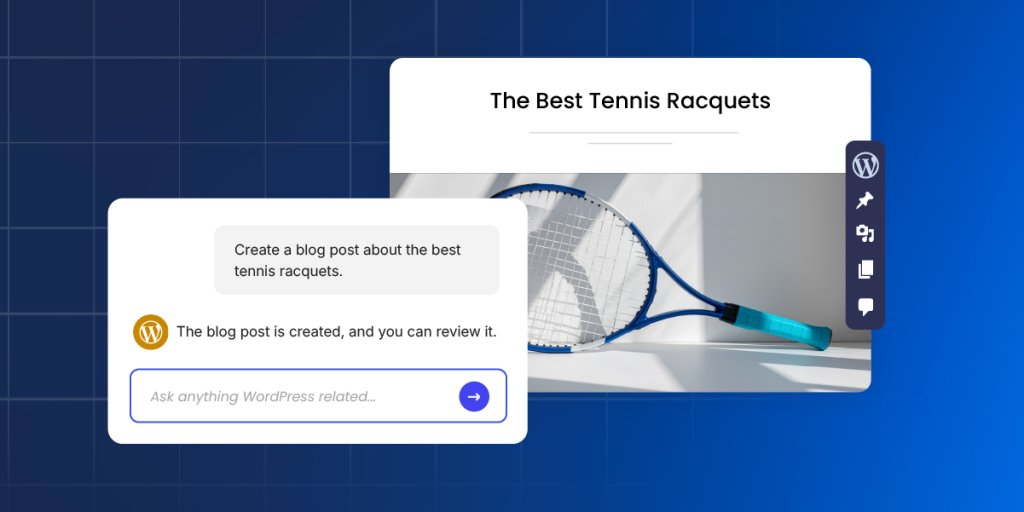
Think of a blogger who publishes weekly and has a backlog of older posts quietly collecting dust. The writing is done, but the to-do list isn’t: categories, tags, image alt text, comments, meta descriptions. None of it requires a human brain, but all of it somehow takes up half the afternoon. That’s exactly where the AI Agent earns its place.
Blog content creation and editing
The AI Agent for WordPress can draft new posts, update existing ones, and apply formatting changes without the blogger opening the block editor.
Ask it to create a post, and it generates the content, assigns categories, adds tags, prepares SEO metadata, and publishes when you’re ready: one prompt instead of a full manual workflow. It also handles targeted edits to older posts without touching the surrounding content, so Gutenberg blocks stay formatted and shortcodes keep working.
Categories, tags, media, and comment moderation
A blogger can ask the AI Agent to assign categories, update tags across multiple posts, add alt text to images, or moderate a queue of comments, all in a single conversation. For media-heavy blogs, it can update titles, alt text, captions, and descriptions across hundreds of files at once, and flag unused images bloating the library.
SEO metadata and old content refreshes
For bloggers with a large back catalog, this is one of the most practical use cases. Point the AI Agent for WordPress at a set of older posts and it works through missing or outdated meta titles, meta descriptions, and alt text systematically, no need to open each post individually.
When bloggers may still want a dedicated writing tool
SiteGround AI Agent for WordPress runs inside AI Studio and connects to your WordPress site from there. If your writing process happens mostly outside the CMS (in Google Docs, Notion, or a dedicated editor) the agent picks up where that workflow ends, not where it starts. Think of it as the part of the job that happens after the writing is done.
Is the SiteGround AI Agent for WordPress useful for WooCommerce store owners?
Yes. SiteGround AI Agent for WordPress can help WooCommerce store owners manage product updates, prices, orders, coupons, inventory, and sales reports through natural language prompts. One thing to know upfront: product management works for simple products only, such as single items with no size, color, or variation options, like a book, a bag of coffee, or a print. Products with selectable options still need the standard WooCommerce dashboard.

Running a 50-product store, for instance, means a lot of tab-switching for tasks that should take minutes. The AI Agent handles prices, coupons, orders, and sales reports from a single conversation.
Product creation and product updates
The AI Agent for WordPress can create new products, update descriptions, and apply changes across multiple listings from a single prompt. For a store owner adding a new seasonal line, that means no more opening each product individually, filling in the same fields, and hoping nothing gets missed halfway through.
Prices, inventory, coupons, and promotions
Price changes and inventory updates are the kind of tasks that feel quick until you’re doing them across 50 SKUs. The AI Agent for WordPress handles bulk price updates, stock adjustments, and coupon creation through a single conversation — so “reduce everything in the Summer Collection by 20%” is a prompt, not an afternoon.
Orders, customer details, and sales reports
Instead of jumping between order screens, customer records, and WooCommerce reports, store owners can ask the AI Agent a plain question and get a plain answer. What sold best last month? Which orders are still processing? What’s a specific customer’s shipping address? The agent pulls the data and surfaces what you need without the tab-switching.
When store owners should test changes on staging first
Product changes, price updates, and order operations directly affect revenue. Any unfamiliar or high-impact WooCommerce task is worth testing on a staging copy of the site before applying it live. This is especially true for bulk updates or operations the store owner has not run through the agent before. See the section below on safe testing.
Is SiteGround AI Agent for WordPress a good fit for agencies?
Yes. SiteGround AI Agent for WordPress can help agencies cut down on repetitive WordPress work. Teams can manage multiple client sites with an AI Agent instead of repeating plugin updates, user-role changes, content edits, and maintenance tasks inside every separate dashboard.

Maintenance tasks across client sites
Plugin updates, theme checks, and routine maintenance are the kind of tasks that are never urgent until they are. The SiteGround AI Agent for WordPress runs them through natural language prompts; no dashboard hopping, no repetitive clicking, no “I’ll do it later.”
Content updates and standardized workflows
If updating metadata, reorganizing categories, and refreshing page content sounded like a lot when we talked about bloggers… multiply that by fifteen client sites. A single conversation with the agent handles all of it, which means less time logged into block editors and more time doing work clients actually notice.
User roles, permissions, and delegation
Adding a new editor to a client site takes thirty seconds. Adding new editors to fifteen client sites, checking who still has admin access from two years ago, and cleaning up leftover user accounts from a contractor who left, that’s a different story. SiteGround AI Agent for WordPress handles user management across an entire portfolio in one conversation, which is where the time saving actually adds up.
How should bloggers, store owners, and agencies test the AI Agent for WordPress safely?
Drafting a post or refreshing metadata carries very little risk. Bulk-deleting products, updating prices across a catalog, or changing user roles across client sites is a different story. Here’s how each group should approach the agent before going all in.
Bloggers can start with draft content and small edits
Bloggers face the lowest risk of the three groups. Starting with draft posts, category assignments, or metadata updates is a low-stakes way to get comfortable with how the AI Agent for WordPress responds to different prompts before using it on published content.
Store owners should test prices, orders, and product changes carefully
WooCommerce tasks carry real risk. A pricing error or order change applied to the live store has immediate consequences. Before running any bulk update or order operation, make sure Power Mode is enabled. It’s the setting that unlocks high-impact actions inside the AI Agent, and it’s off by default for exactly this reason. Run unfamiliar operations on a staging site first, check the results, and move to the live site once the workflow behaves as expected.
Agencies should test workflows per client site
Because client sites vary in configuration, an agency workflow that works on one site may produce different results on another. Testing each repeated workflow on a staging copy of the specific client site before applying it live keeps client data and site functionality protected.
Use staging for unfamiliar or high-impact tasks
A staging site is a private copy of your WordPress site where you can test changes without affecting the live version. SiteGround’s staging tool creates one with a click. Run anything unfamiliar there first: bulk updates, price changes across a catalog, and any task that requires Power Mode. Check that everything looks right, then push it live when you’re ready.
Three rules worth keeping in mind regardless of your site type
1. Start with low-stakes tasks until you know how the agent handles your specific setup.
2. Power Mode unlocks high-impact actions like deletions and bulk updates. It’s off by default. Turn it on when you need those actions, and turn it off again when you’re done.
3. When in doubt, test on staging first. It takes a few extra minutes and saves a lot of explaining.
Which SiteGround AI Agent for WordPress features matter most for each user type?
| Feature / Capability | Bloggers | Store owners | Agencies |
| Create and edit posts/pages | Core | Useful | Useful |
| Manage categories and tags | Core | Useful | Occasional |
| SEO titles and metadata descriptions | Core | Useful | Useful |
| Refresh old content | Core | Occasional | Useful |
| Comment moderation | Core | Occasional | Occasional |
| Create or update products | Not relevant | Core | Useful |
| Price and inventory updates | Not relevant | Core | Useful |
| Order tracking and reports | Not relevant | Core | Occasional |
| Coupons and promotions | Not relevant | Core | Occasional |
| Plugin, theme, and maintenance tasks | Useful | Useful | Core |
| User management and roles | Occasional | Occasional | Core |
| Multi-site workflows | Not relevant | Occasional | Core |
| Power Mode operations | Occasional | Important | Important |
| Staging-first testing | Recommended | Essential | Essential |
Who might not need an AI Agent for WordPress yet?
The AI Agent for WordPress is not the right fit for every AI use case. Here’s who can probably skip it for now.
Users who only need a visitor-facing chatbot
An AI Agent for WordPress manages the WordPress site itself through admin-level operations. It is not a frontend chatbot for site visitors. If your goal is to add a live chat or FAQ widget for visitors, you need a different type of tool.
Developers who want custom AI integrations
The AI Agent for WordPress is built for site management, not custom development. Developers who need API integrations, custom agent frameworks, or tailored automation will likely find it too rigid for what they’re trying to build.
Users who do not want a WordPress management assistant
The AI Agent for WordPress operates directly on your site. It has access to your content, WooCommerce data, and site settings. If that level of access isn’t something you’re comfortable with yet, it’s not the right fit right now. That’s a completely fair call.
Is SiteGround AI Agent for WordPress worth it for your business?
The SiteGround AI Agent for WordPress is worth considering if your business spends regular time managing WordPress content, WooCommerce products, plugin and theme maintenance, SEO updates, user management, or site settings. It is less useful if you only need a frontend chatbot or a custom developer AI framework.
It’s most valuable when WordPress admin work slows you down
The clearest sign that the AI Agent for WordPress will be useful: you spend time on WordPress tasks you could describe in a plain sentence. Writing product descriptions, updating prices, refreshing metadata, running plugin updates — these are exactly the tasks the agent is built for. For a broader explanation of its supported tasks and safety features, see how the SiteGround AI Agent for WordPress handles everyday site management.
It’s less valuable when you only need one narrow AI feature
If you need only one specific AI capability like a writing assistant, a chatbot, or a custom reporting tool, a focused AI plugin or standalone tool may serve you better. The SiteGround AI Agent for WordPress is most useful when you want help across multiple parts of the WordPress admin, not just one. Compare AI plugins vs AI agents for WordPress before deciding whether a specialized feature or broader site-management support is the better fit.
The best next step depends on your site type
For bloggers: start with a draft post or an old content refresh and see how the agent handles your workflow.
- For store owners: test a product update or a coupon on a staging site before going live, and follow the Power Mode safety guide before approving high-impact WooCommerce actions.
- For agencies: pick one client site, run your most repetitive maintenance task through the agent, and go from there. These real-world AI Agent workflows show how common tasks move from the initial request to a reviewed result.
Ready to spend less time in WordPress admin?
SiteGround AI Agent for WordPress is available to all SiteGround customers through AI Studio, and if you’re on SiteGround’s WordPress hosting, connecting your site takes one click.
Whether you’re a blogger drowning in post-publishing housekeeping, a store owner tab-switching through WooCommerce, or an agency running the same tasks across fifteen client sites, it handles the repetitive layer so you can get to the work that actually needs you. If your to-do list is full of tasks you could describe in a plain sentence, it’s worth trying.
[97]
Frequently asked questions about the SiteGround WordPress AI Assistant for WordPress
Yes. The SiteGround AI Agent for WordPress is useful for bloggers who want help creating, organizing, optimizing, and refreshing WordPress content. It can handle posts, pages, categories, tags, images, comments, and SEO-related content tasks through natural language prompts.
Yes. WooCommerce store owners can use SiteGround AI Agent for WordPress to help manage products, prices, orders, coupons, inventory, and sales reports. Product management works for simple products like single items with no size, color, or variation options. For stores that rely heavily on variable products, the agent still helps with orders, coupons, and reports, but product management would need to happen in the standard WooCommerce dashboard.
Yes. The SiteGround AI Agent for WordPress can help agencies and freelancers cut down on repetitive WordPress work, including maintenance tasks, content updates, user-role changes, and site-management workflows. Agencies that manage multiple client sites should read the dedicated agency guide for deeper multi-site workflows.
An AI Agent for WordPress is most useful for businesses that regularly manage WordPress content, WooCommerce products, site maintenance, users, plugins, SEO updates, or settings. It is less useful for businesses that only need frontend chatbots or custom AI development.
Yes, staging is the right approach for unfamiliar or high-impact tasks. Bloggers can start with low-risk draft content; store owners should test product, price, and order-related workflows carefully; agencies should test repeat workflows before applying them to client sites. SiteGround’s staging tool creates a development copy of your WordPress site where you can test changes before publishing them live.
The AI Agent for WordPress works with WooCommerce data, including products, orders, inventory, pricing, and sales reports. For order changes, price changes, or other high-impact ecommerce tasks, review the results and use staging or backups when appropriate.
Yes, an AI Agent for WordPress can be a practical WordPress AI assistant for a small business that wants to reduce repetitive WordPress admin work. It’s especially useful when the business needs help with content updates, WooCommerce management, plugin and theme tasks, SEO updates, or user management.