From platform choice to first commission: build a successful affiliate marketing website

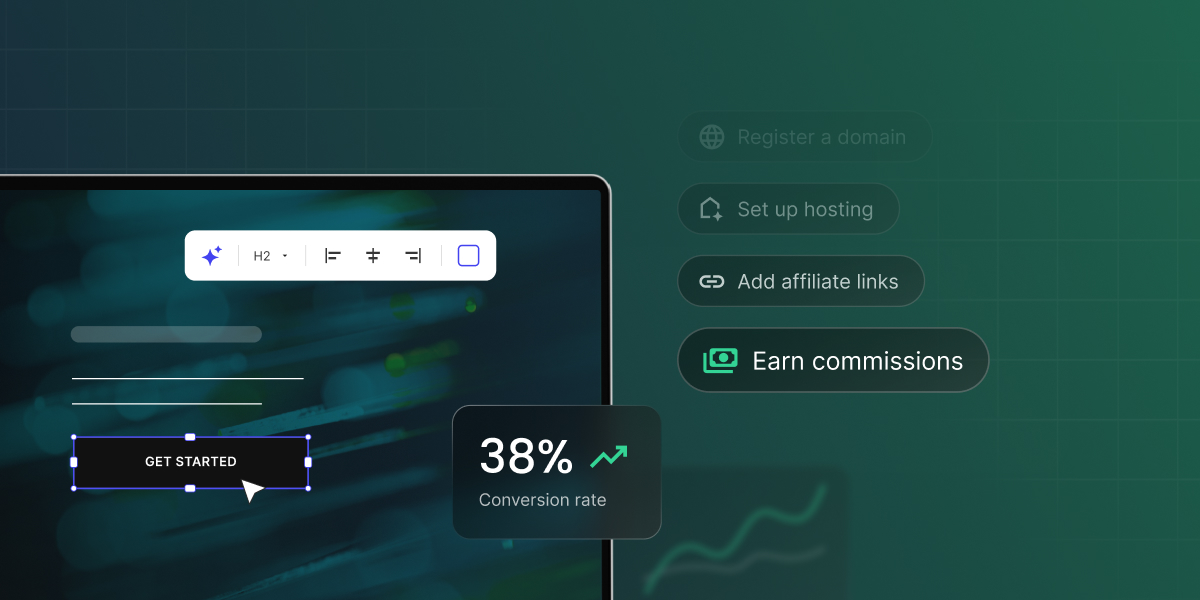
Laptop showing a website editor beside steps to register a domain, set up hosting, add affiliate links, and earn commissions

You’ve decided you want to earn through affiliate marketing, but you haven’t picked a website building platform yet, and every option online promises it’s the easiest, fastest, or cheapest way to get started. It’s tempting to just sign up for whatever’s out there and figure out the rest later. But the platform is only one piece of the puzzle: several other steps come before and after it that shape whether your affiliate site will succeed.

This guide walks you through the full process of creating a website for affiliate marketing, so you can make the right call at each step.

Key takeaways:

  • The domain, platform, and hosting you choose all affect your rankings, so treat speed, security, and a memorable domain name as priorities from day one, not afterthoughts.
  • Website structure and navigation work together: a clear hierarchy of homepage, categories, and posts helps search engines understand your site, while a well-organized menu and footer help visitors actually move through it.
  • Organize your content around pillar posts that link to narrower cluster posts; broad topics are harder to rank for early on, so cluster posts are your realistic starting point.
  • Place affiliate links naturally, since adding too many can look spammy to both readers and Google.
  • Backlinks and a connected website, email, and social presence compound your traffic over time, giving a website an edge no other channel can match.

Benefits of having a website for affiliate marketing 

Affiliates find success on different marketing channels, but a website gives you advantages that others can’t quite match:

  • Full control over your content: no platform can ban your account or decide who gets to see your posts. You own the site and everything on it, and if something goes wrong, you can restore it from a backup instead of waiting on a platform’s support team. Search updates can still shift your traffic, but you can see what changed and adjust. 
  • Long-term earning: a blog post that ranks can keep bringing in visitors and commissions for months or years after you publish it. It still needs occasional updates, like refreshing prices, fixing broken links, and checking that your recommendations hold up, but that’s far less work than producing new social posts every day. 

How to create a website for affiliate marketing in 8 steps

While there are many examples of affiliate marketing websites, most take the form of a blog. That’s because blogging gives you the space to demonstrate real knowledge and hands-on experience: content based on personal use, real screenshots, and first-hand observations builds the kind of trust that makes readers more likely to act on your recommendations and click your affiliate links.

Whether you build a dedicated blog or add one as a section of a broader site, the steps in this guide apply the same way.

Step 1: Figure out your niche

Before doing anything else, you need to choose your niche, or your site’s focus. Everything that follows like your content, target audience, and the affiliate programs you join flows from this choice. If you haven’t selected one yet, these questions will help you brainstorm potential niches:

  1. Do people already follow you somewhere, and do you know what draws them in?
  2. Are you an expert in a particular field? 
  3. Do you have a hobby or passion you want to monetize?
  4. Is there a product or service you really like? 

Once you have a few ideas in mind, you can narrow them down by checking whether people are actively searching for those topics. Free tools like Google Ads Keyword Planner provide search volume, competition levels, and keyword ideas directly from Google’s database to help you assess real demand before committing.

Step 2: Buy a domain name for your website

Choosing a domain name is the next important step when launching a website. It’s your address on the web and as such it shapes how search engines understand your site and determines whether someone can recall your name after closing the tab.
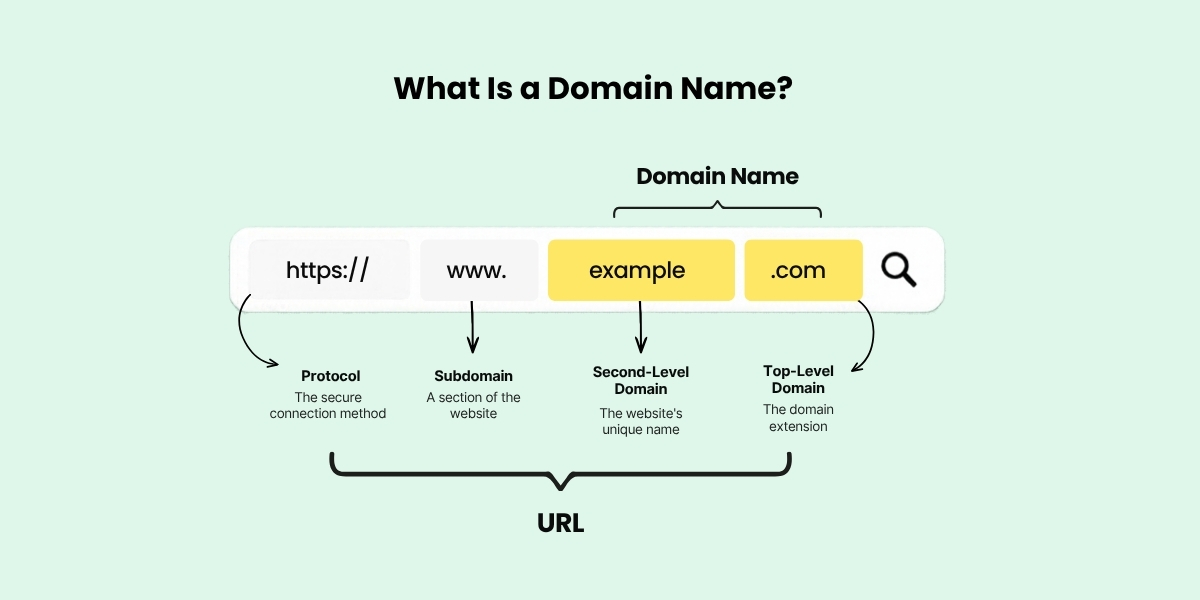
A detailed breakdown of a URL (https://www.example.com), labeling the protocol (https://), subdomain (www.), second-level domain (example), and top-level domain (.com), explaining how each component functions as an address on the web.

First, pick the name itself

If you already have an established social media account, using your @handle is a natural starting point. People searching for you will find all your platforms in one place, and the trust you’ve already built carries over to your website. Alternatively, you could pick a name that directly matches the keywords you want to rank for like “hostingpick” for a web hosting review site or “fitgearlab” for a fitness equipment site.

Second, choose your domain extension

A domain name isn’t complete without an extension, the part that comes right after the final dot. Google treats generic extensions like .com, .net, and .blog the same way in search rankings, so your choice mostly comes down to trust and memorability. The .com extension is still the one people recognize and type by default, while .blog is a good fit for content-heavy sites. Country-code extensions like .ca, .uk, or .de work differently though: Google reads them as a sign your site targets that country, which helps if your audience is local but can hold you back if you want readers worldwide.

Lastly, register it

Once you have a domain name picked out, the next step is to register it, as good domains go fast. Domain registration is generally inexpensive, but it’s important to remember that domains are not purchased indefinitely. You must renew your registration periodically (typically every year) and pay a renewal fee to keep your domain active.

Step 3: Choose your website building platform

While some affiliates still prefer a content management system (CMS) like WordPress to build their site, those just starting out often opt for the more modern approach of a website builder.

WordPressWebsite builder
Best forThose who want full control and flexibilityThose who want to get started quickly with no technical setup
Ease of useSteeper learning curveBeginner-friendly, no coding required
CustomizationAdvanced (themes, plugins, and custom code)Depends on the type of the builder
SEO toolsRequires an SEO pluginBuilt-in SEO features
AnalyticsRequires an analytics pluginIntegrated analytics

WordPress

Even though WordPress expanded far beyond blogging software long ago, it remains the most popular choice for affiliate publishers for several key reasons:

  • Limitless customization: Thousands of themes give you a starting point for the design, visual page builders let you customize it without touching code, and if you ever need something more specific, the source code is open for you to modify however you like.
  • Full control over your SEO: WordPress has a clean code structure that search engines handle well, and plugins like Yoast or AIOSEO let you manage every on-page element, including meta titles, descriptions, schema markup, sitemaps directly from your dashboard.

Compared to a website builder, WordPress has a steeper learning curve, mainly due to its sheer number of themes and plugins. Some of these come at a cost, which can add up over time, and installing too many can also slow down your site.
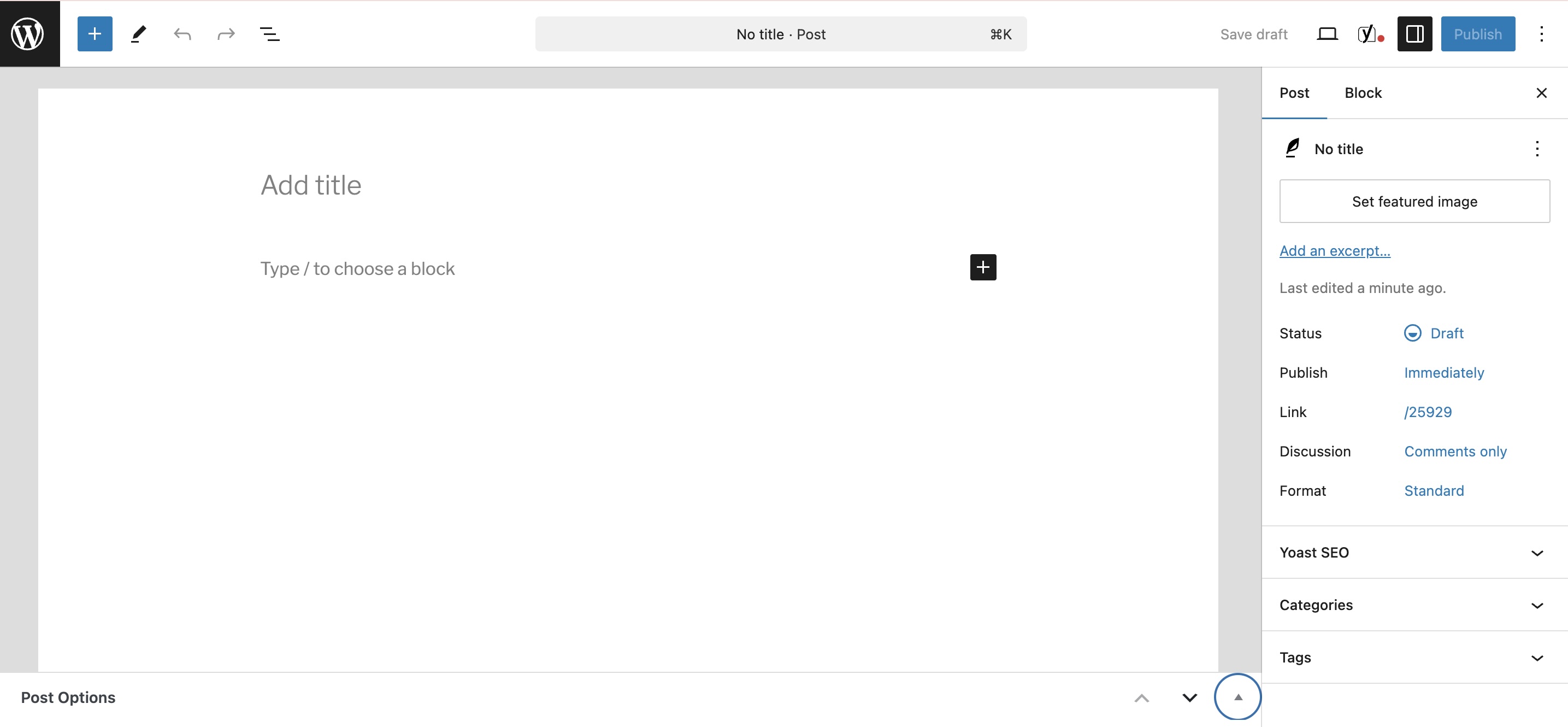
A screenshot of the WordPress post creation interface, showing the "Add title" field, main text editing canvas, and the right-hand sidebar with publishing settings, categories, tags, and Yoast SEO options.

This is how the blog post functionality looks inside WordPress.

Website builder 

A website builder offers a faster and simpler way to get a professional-looking site live, since you do not need to assemble third-party add-ons or themes from different marketplaces. Everything comes in one place and you can get straight into building. 

Most builders offer some combination of the following features:

  • Template-based: you start with a pre-built layouts and customize it with your own text, images, and colors.
  • Drag-and-drop: you design your site visually by clicking and dragging elements onto a page and positioning them wherever you want.
  • AI-assisted: instead of starting from a blank canvas, you answer a few questions or describe what you need, and the builder generates a personalized layout for you.

While these features simplify design and layout, not all website builders offer built-in blog functionality like WordPress, some might even sell it separately. SiteGround’s Website Builder, for example, includes it at no extra cost: you can customize how your blog listing page looks, choose what details to show (featured images, categories, reading time), and give each post its own SEO title, description, and social sharing image so every share looks intentional rather than generic.
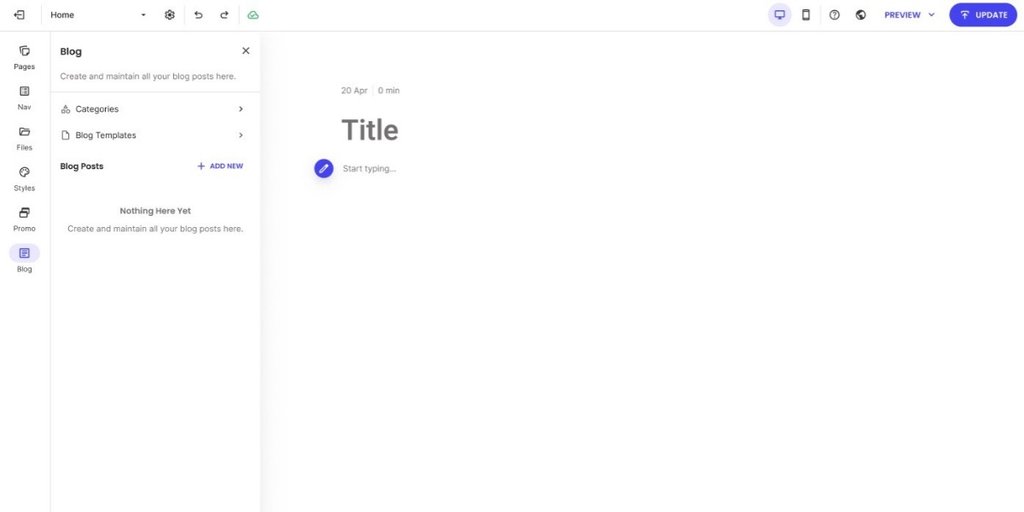
Screenshot of the SiteGround Website Builder dashboard showing the blog management interface, including categories, blog templates, and an option to add a new post.

This is how the blog post functionality looks inside SiteGround’s Website Builder.

Step 4: Find a reliable hosting provider

Next, you need to find a web hosting provider to make your site accessible online. If your host is slow, your pages will load slowly, which will frustrate your visitors and also hurt your search rankings. Constant downtime costs you traffic and trust, while poor security leaves your site vulnerable to cyberattacks, data loss, or blacklisting. 

To avoid such bad scenarios, here’s what to look for when choosing your web hosting partner: 

  • Uptime: a minimum of 99.9% uptime guarantee is the industry standard.
  • Security: check if the SSL certificate, a WAF, and automatic daily backups are included in the plan, not as add-ons. 
  • Support: 24/7 real, human support with multiple contact channels is a must-have.
  • That it’s managed (particularly important for WordPress): look for a provider that handles server maintenance, security patches, and updates for you, so you can focus on content rather than server management. Some providers even go a step further and an AI agent for WordPress in their plans. This extra feature  can help you save time and money when it comes to generating content, creating images, and managing routine site tasks directly inside your dashboard.

SiteGround checks all the boxes, with managed web hosting starting from $2.99/month. It includes free SSL, daily backups, a WAF, 24/7 expert support, and native AI functionalities.

Step 5: Structure your site for visitors and search engines 

While a reliable host keeps your site live, its structure and navigation are what keep it running. They let search engines crawl the site more easily and help visitors find what they need once they land on it. In practice, this means setting up your homepage, your categories, and your footer.

Homepage

Your homepage sits at the top of your site’s hierarchy and is typically the most authoritative page on your site. Links from it pass authority to your key category pages and pillar posts, helping those pages rank better as a result. It’s also the one most likely to attract backlinks from other sites (more on why that’s important in a later section). And since it’s the first stop for your visitors, it should clearly communicate what your site is about and guide them toward your most important content.

The example below does these three things well. Not only does it immediately communicate what the site is about (WordPress tutorials for beginners), but it also organizes everything around what the visitor is trying to do like starting a blog, WordPress SEO, building an online store, and more. 
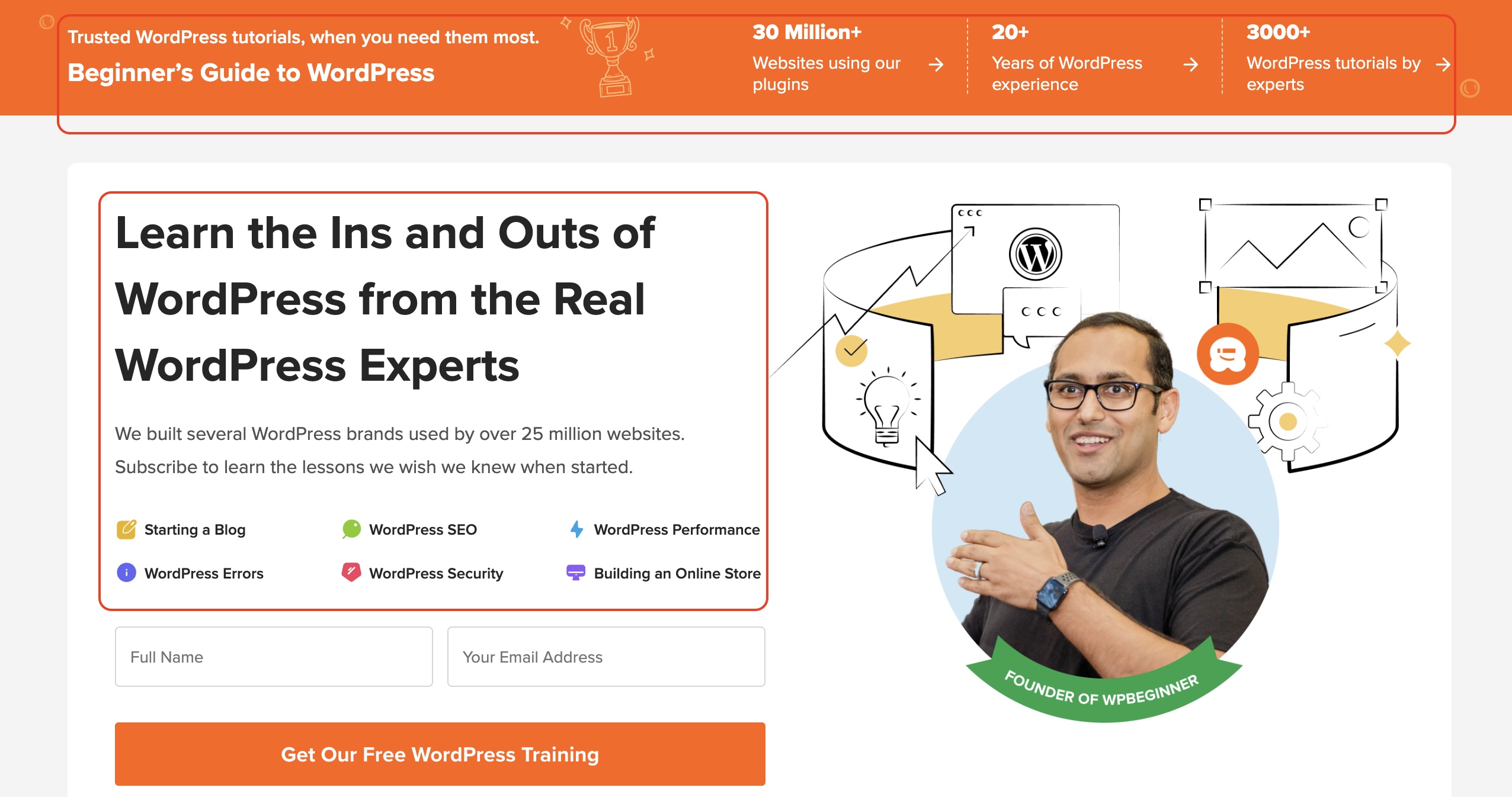
A screenshot of the "Beginner's Guide to WordPress" homepage, featuring a large orange banner highlighting expert WordPress tutorials, quick links to core topics (Starting a Blog, SEO, Performance, Security), an email subscription form, and a portrait of the founder.

Category pages

Below your homepage sit your main categories or pillar content, the pages that group related posts together and typically make up your header menu.
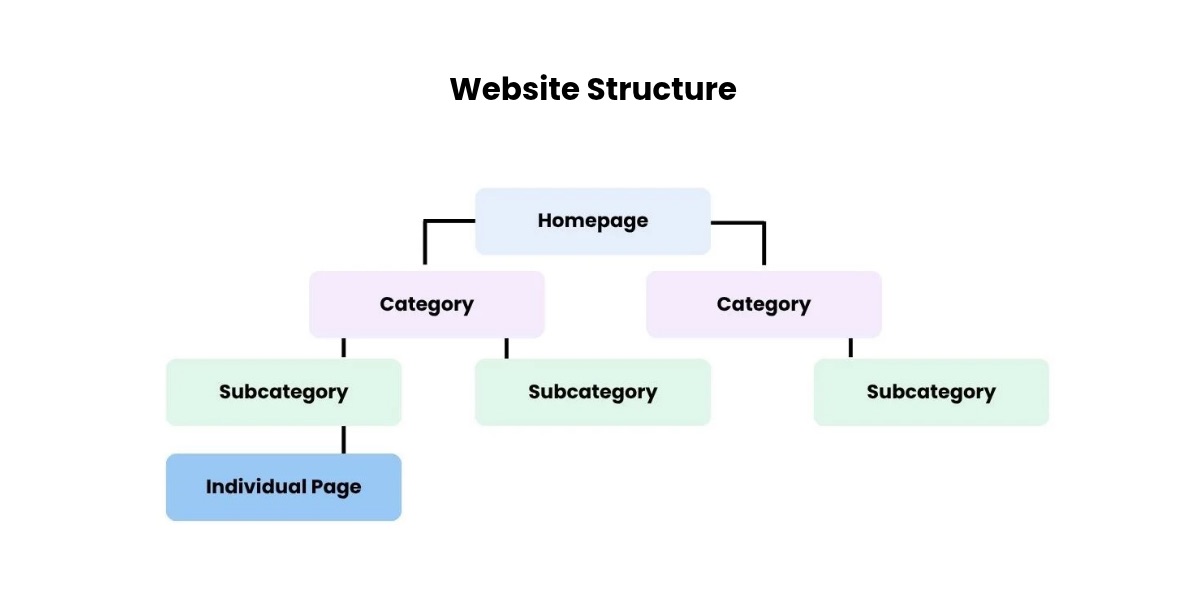
A hierarchical flowchart illustrating optimal site architecture, starting from the Homepage at the top, branching down into Category pages and Subcategory pages, and leading to Individual Pages at the base.

The number of categories you need depends on what your site covers. A pure blog might only need a handful of topic categories like “Tutorials” and “Reviews,” plus an About and Contact page, but if you also offer an online course or want a dedicated place for all your affiliate recommendations, those deserve their own tab in the navigation too.

For a newly created website, it’s best to keep the category count low. Managing too many makes it difficult to organize content properly, increasing the risk of creating orphan pages – articles with zero internal links pointing to them. Without those internal links, it’s nearly impossible for Google to surface your content, no matter how good it is.

Beyond that, your header navigation should tell visitors where to go, not just what kind of content exists. The example below shows six tabs serving visitors at different stages: someone just starting out, someone ready to buy, someone looking to learn, and someone browsing what’s popular. Notice also how the Blog dropdown combines categories on the left with popular posts on the right, giving visitors two ways to find what they need without having to dig.
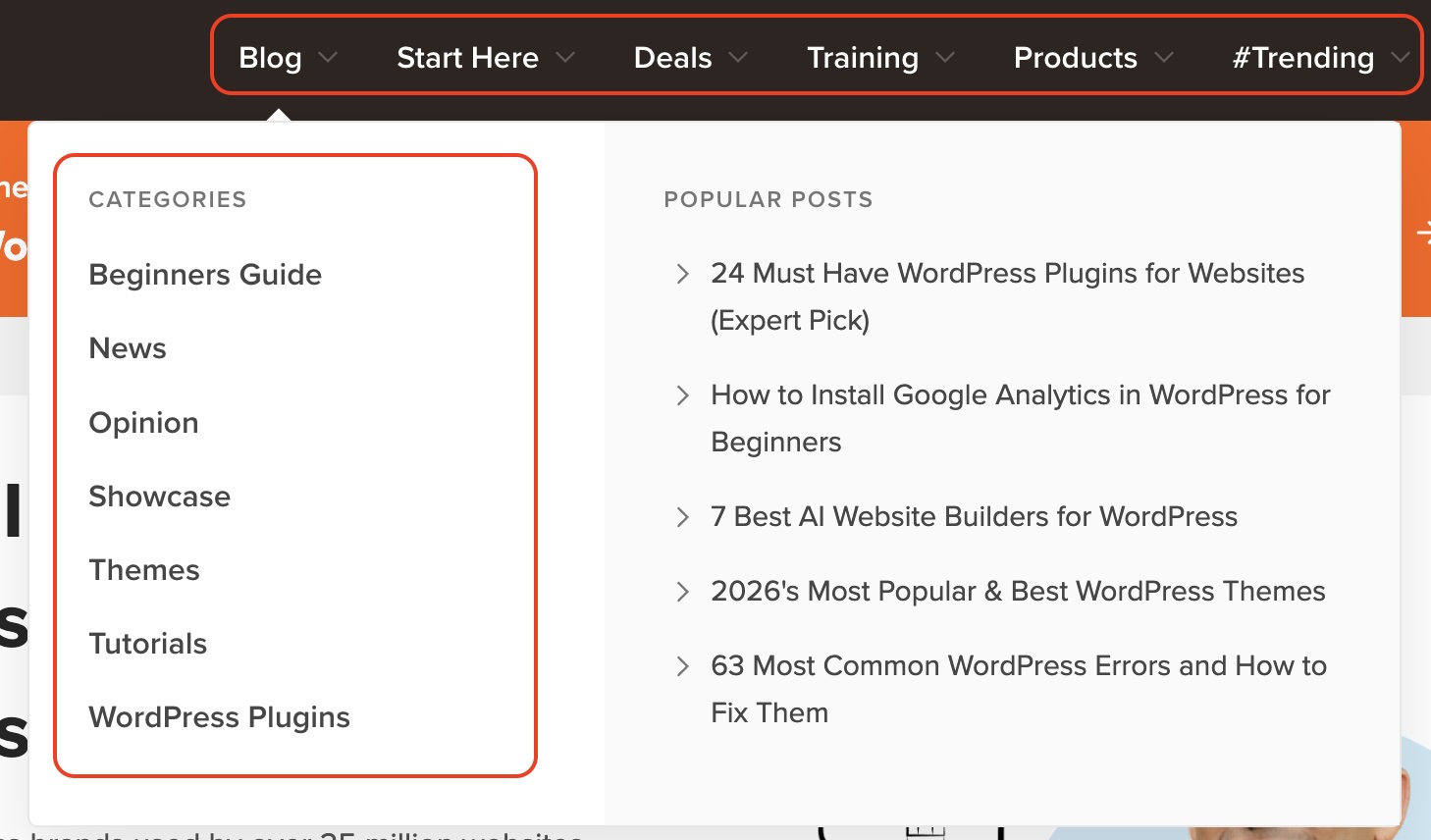
A screenshot of an expanded website navigation menu, showing a left-hand column listing content categories (Beginners Guide, News, Opinion, Tutorials) and a right-hand column displaying popular articles.

Your footer is where visitors expect to find links to your legal pages. Some are required by law, while others are strongly recommended. 

Legal pageWhat it isWhy it matters
Cookie policyA page explaining the cookies your site uses, such as analytics and advertising cookies, and what each one doesIn the EU, the ePrivacy Directive and GDPR require visitors’ consent before you set non-essential cookies, which usually means a cookie banner with a clear opt-in, plus this policy
Terms of serviceThe rules governing how visitors can use your siteProtects you legally if a visitor misuses your content or services
Copyright noticeA statement asserting ownership over your content and graphicsMakes your ownership clear and discourages copying. Your content is protected by copyright automatically, but a visible notice removes any doubt
Privacy policyA page explaining how you collect, store, and use visitor dataRequired by law in both the EU and US. Without one, you risk fines and your site could get flagged
FTC disclosureA short statement telling visitors your content contains affiliate linksA footer disclosure page is a good backup, but it isn’t enough on its own. Every post with affiliate links also needs a short disclosure near the top, before the first link, such as: “This post contains affiliate links. If you buy through them, I may earn a commission”

The footer is also a good place to link back to some of your main categories, so visitors can jump anywhere without scrolling back to the top. You can also add links to your social media channels, so visitors can follow you where you’re already active. 
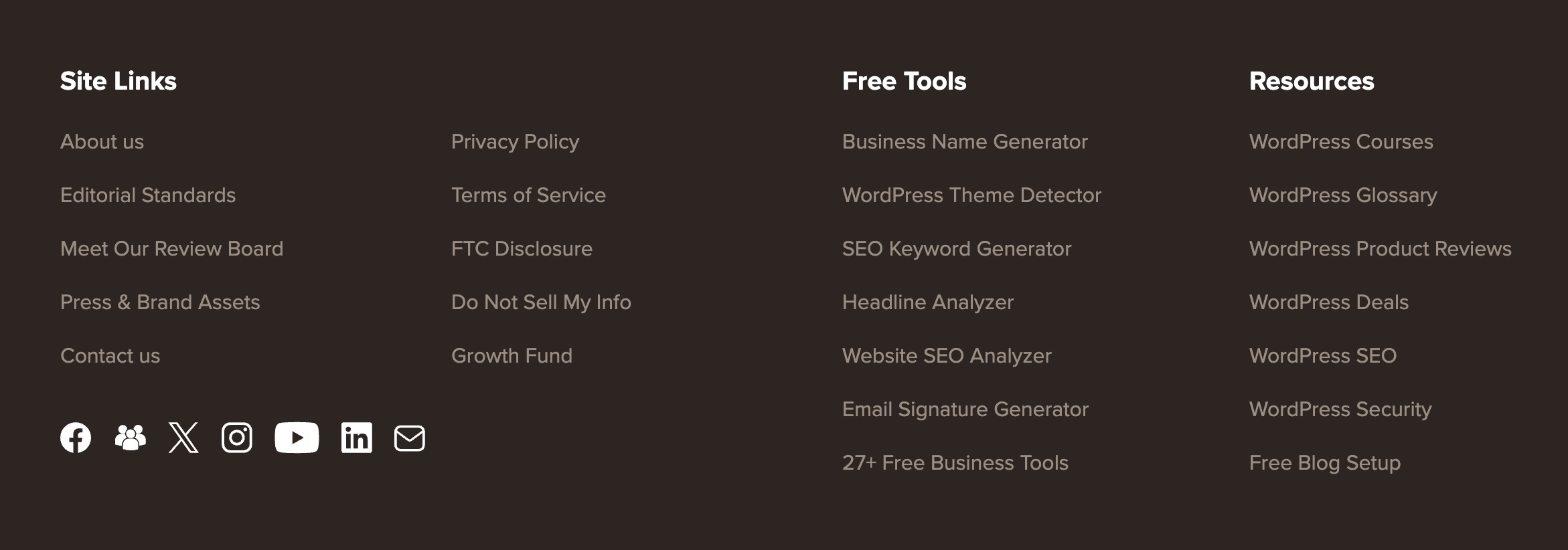
A screenshot of a website footer, displaying organized columns of links for site navigation, legal policies, free tools, and resources, accompanied by social media icons (Facebook, Twitter/X, Instagram, YouTube, LinkedIn, and Email).

Step 6: Join affiliate programs

By now, you’ve registered your domain, set up hosting, and structured your site, which together count as a live online presence for many affiliate programs to approve you.

You can find and apply to affiliate programs in one of two ways:

  • Affiliate networks: marketplaces housing thousands of brands. You create one account, then apply to individual programs from there, which makes it convenient if you want to compare and join several programs quickly.
  • A direct search: visit the website of any brand you want to promote and check the footer for a link labeled “affiliates,” “partners,” or “affiliate program.” You can also type “[niche] affiliate program” directly into your browser and the companies that have a dedicated landing page for it, will show up. 

Some of the programs you find by direct search are run directly by the company rather than through a network, meaning they run the program on their in-house software. The SiteGround Affiliate Program is one example: affiliates get a dedicated account manager who can help with everything from content ideas to account questions, rather than going through a third-party network. You can also benefit from both one-time and recurring commissions, 60-day cookies, and weekly payouts.

Step 7: Plan and write your first batch of content

With AI tools generating content at scale, the bar for what counts as useful has gone up. Readers and search engines are getting better at telling real experience from recycled information. The sections below walk you through finding topics worth writing about, organizing them to build authority over time, and getting the basics right so your posts have a real chance of not only ranking, but also being cited by AI. 

Find keywords to write about

Before you write anything, you need to know what people are really searching for. Keyword research is how you find the exact phrases your audience types into Google, so every post targets a real question rather than one you made up.

The first thing to understand is search intent, or what the searcher actually wants. “Best web hosting for small business” signals someone weighing providers before a purchase, a natural fit for a product recommendation. “What is web hosting” is someone still researching, with no clear plan to buy, so forcing an affiliate link in there feels unnatural and won’t convert.

There are five keyword types you should be aware:

Keyword typeExampleWhat it’s for
General comparisons“best [brand/product] for [use case/audience]”High search volume and competition, but easy to recommend products since the searcher expects a comparison
Branded comparisons“[brand] vs [competitor’s name]”Lower volume, but converts well since the searcher has already narrowed down their options
In-depth reviews“[brand/product] review”Lower volume, but targets readers who are close to buying and want a final opinion
Tutorials and educational content“how to [action] with [brand/product]”Non-commercial, but builds backlinks and trust, which supports your commercial content’s rankings
Competitor alternatives“[product/brand] alternatives”High purchase intent query from users looking to switch products or compare final options, making them easy to convert

Keep in mind that purely informational content has taken the biggest hit in traffic, since a quick AI summary can satisfy that kind of search without a click. Commercial content, comparisons, reviews, and “best of” lists, has held up better, since people weighing a purchase still want the reasoning behind a recommendation, not just a quick answer. That’s one more reason to prioritize the first three keyword types above as your foundation, and treat trust and authority content as the supporting layer around them.

To find these, start with a few broad seed terms related to your niche and run them through a keyword tool. Free options like Ahrefs’ keyword generator or Google’s Keyword Planner will show you search volume and competition, so you’re not guessing whether a topic is worth writing about. As a rule, don’t chase only the highest-volume keywords: they’re the hardest to rank for early on, so mixing in lower-competition terms gives your site a realistic way to start gaining traction.

Organize around pillars and clusters

While researching keywords, it’s worth paying attention to how they connect to each other, since grouping related keywords under a shared topic gives your content a clear structure you could follow. This is what SEOs call a pillar and cluster model.
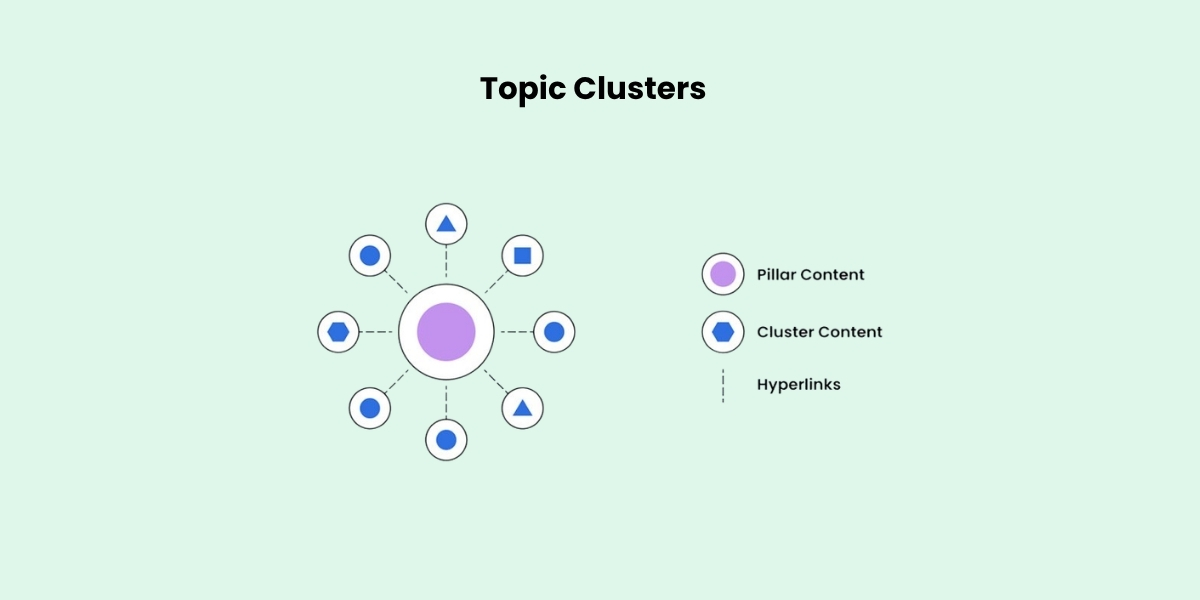
A diagram illustrating the pillar-and-cluster SEO content strategy, showing a central purple circle labeled “Pillar Content” surrounded by smaller blue circles for the connected “Cluster Content” nodes, linked through internal hyperlinks.

A pillar post covers a broad topic in depth, something like “The best web hosting for small businesses.” It then links out to narrower cluster posts that each cover one piece of that topic, like “Shared vs. VPS hosting” or “How to migrate your site to a new host.”

The reason this works is about competition. Broad pillar topics usually have high search volume, but that also means high competition, so a brand-new site has little chance of ranking for one right away. Cluster topics are narrower and easier to rank for, which makes them your realistic starting point. As each cluster post earns links and traffic, it passes some of that authority back to the pillar through the internal link, so over time the pillar becomes strong enough to compete too.

Optimize each piece of content for SEO 

Up until now, we’ve touched on SEO several times, and how important it is for your website to rank in search engines to get traffic. While writing your first blog post, there are a few SEO basics worth getting right, so the post has a better chance of ranking:

  • Put your keyword in the slug: the part of the URL after the domain should contain your primary keyword, with words separated by dashes.
  • Keep your title under 60 characters: check how top results have written theirs for a pattern.
  • Use subheadings to break up the content: H2s for broad sections, H3s for specific points.
  • Add original research or data where you can, such as your own testing or a small reader poll, since it outweighs a generic summary.
  • Add alt text to images: a short description helps both search engines and visually impaired visitors.
  • Utilize an FAQ section to work in long-tail keywords and increase your odds of appearing in Google’s “People also ask.”

Add affiliate links to your post as you write it, rather than treating it as a separate step afterward. The goal is not to sprinkle them through every paragraph so you don’t annoy your reader, but to include them where they feel like a natural part of the recommendation and where readers are most likely to click:

  • Near the top: grab attention early by adding a link right after introducing the product (for example, “SiteGround is our top pick for beginners, here’s why” with the anchor link on the brand name).
  • In the middle: reinforce your call to action after a value section, such as placing a “Visit SiteGround” button right after a pros and cons list or features overview.
  • At the bottom: catch readers who scroll all the way down with a closing call to action, such as “Ready to build your site? Try SiteGround.”
  • In sidebar or footer banners: use passive promotion like a “Save up to 83% on SiteGround hosting” banner without cluttering your article text with extra links.

Whichever placement you choose, mark every affiliate link with the rel=”sponsored” attribute. This tells Google the link is paid, which is what its guidelines ask for and protects your site from being seen as manipulating rankings. On WordPress, affiliate link management plugins can add the attribute automatically and turn long tracking URLs into short, readable links on your own domain, which also makes updating a link across every post a one-step job. 

Step 8: Drive traffic to your website

Ranking in search and getting cited by AI tools takes time. While your content works its way up, there are two things you can do in parallel to accelerate the process.

A backlink is a link from another site pointing to yours, and it’s one of the strongest signals search engines use to judge a site’s authority. Rather than cold outreach with a low success rate, focus on proven link building strategies that earn links through useful content rather than asking for them directly.

Get your other channels working together

Your website, email list, and social channels work best when they reinforce each other rather than running as separate efforts. This is what’s known as integrated marketing: a social post drives traffic to your site, your site captures emails, and your emails bring readers back to new content, so every channel does more than it would alone. 

If you haven’t set up an email list or a social channel yet, there’s no rush. It’s better to focus on your content for the first few months, then bring in these supporting channels once you have enough pieces to populate.

Launch checklist to gain traction quickly

You’ve covered a lot of ground. Use this as a quick reference to make sure every one of the steps is checked before the site goes live.

Foundation

  • Picked a niche you can commit to long-term
  • Registered a domain name 
  • Chosen a website building platform
  • Chosen a hosting provider with strong uptime, security, and support

Structure

  • Set up a homepage that explains your site and links to key content
  • Added a contact page and an about page
  • Built out header categories that match visitor intent
  • Created your legal pages and added them to the footer 

Programs and content

  • Built a starter list of keywords 
  • Mapped your first pillar topic and its supporting cluster posts
  • Published your first post with on-page SEO covered
  • Placed affiliate links naturally throughout your content

Traffic

  • Identified two or three realistic ways to earn backlinks
  • Set up an email list or social media channel for additional promotion

Your affiliate site doesn’t have to be perfect to start earning

The steps in this guide aren’t just a checklist to rush through, they’re decisions that build on each other. Choosing the right niche makes your content much easier to write, picking a platform that reflects your skills keeps setup manageable, structuring your site well maintains effective SEO, and creating content that reflects real experience is what improves both your search rankings and your visibility in AI-generated answers.

If you built your site with SiteGround, you’ve already used the product firsthand, which puts you in a great position to recommend it. Whether you choose WordPress or SiteGround’s Website Builder, both fall under the same affiliate program. You get a dedicated account manager, a 60-day cookie window, and high-reward weekly payouts. 

 FAQs about how to create a website for affiliate marketing

Can I start affiliate marketing without a website?

Yes, you can start affiliate marketing without a website, though most affiliates eventually create one. Some of the main benefits are that you have full control over your content (no host can ban your account, limit your reach, or decide who sees your posts), and if something goes wrong you can restore it from a backup instead of waiting on a support team. There are affiliate programs, particularly in the SaaS space, that require proof of an established website before approving your application.

What website do I need for affiliate marketing?

Most affiliate marketing websites take the form of a blog, because blogging gives you the space to demonstrate real knowledge and hands-on experience. Content based on personal use, real screenshots, and first-hand observations builds the kind of trust that makes readers more likely to act on your recommendations and click your affiliate links. 

Can I create a website for affiliate marketing for free?

Yes, you can. One option is using WordPress.com, which is the free version of WordPress. While it lets you build a site at no cost, it comes with some trade-offs: your site will use a subdomain (like yourwebsiteaddress.wordpress.com), feature the WordPress header, and display ads that you don’t have control over. Other free site building tools exist, but they impose similar restrictions that you can only avoid with a paid hosting plan.

How much does it cost to start an affiliate marketing website? 

Your main costs consist of a domain name (about $10–20 per year) and hosting. With SiteGround, hosting plans start at $2.99 per month and give you the choice between WordPress and SiteGround’s Website Builder, both of which include a built-in CDN, free SSL, and daily backups. You also get a one-year .com domain for free, so your starting cost is just $2.99.

How long until my affiliate website starts earning?

Most affiliate sites take 3 to 6 months to earn their first commissions. By the end of year one, consistent site owners usually see $200 to $500 a month, though your exact timeline depends on your niche, content quality, and posting schedule.

Which is the best website builder for affiliate marketing?

The best website builder depends on your specific goals, technical skills, and budget. Key factors to consider include ease of use, customization, built-in SEO tools, scalability, and pricing. Ultimately, choose the platform that best supports your content workflow and long-term affiliate strategy.

Thinking about affiliate marketing but worried you’ve missed your chance? 

A person working on a laptop with an affiliate marketing dashboard in the background showing reporting data, a social media notification of 20K+ new likes, and a monthly commission widget displaying $14,800

Getting started in affiliate marketing in 2026 might feel a bit like arriving late to a party. Every niche is flooded with content, AI is generating articles faster than anyone can read them, and the classic advice to “just write reviews and add links”  isn’t as effective as it was in the early days.

However, industry trends paint a different picture. Studies show that the vast majority of brands still actively use affiliate marketing and that the market continues to generate record revenue. This indicates that the industry is not in decline, but is instead undergoing a transformation. The affiliates losing ground are those who rely on volume without being authentic, while the most successful are those who create useful content and recommend products they really use and like.

So you haven’t missed the party, you’ve simply arrived at a time when building trust and delivering value are no longer optional, but essential for staying competitive. This guide will teach you how. 

Key takeaways:

  • Grand View Research values the 2025 global affiliate marketing industry at $22.6 billion, with projections reaching $35.7 billion by 2031. Supporting this growth, Rakuten Advertising finds that 81% of brands worldwide are running an active affiliate program.
  • Select a niche that aligns with your genuine interests. Creating content consistently is much easier when you are personally invested in the topic.
  • Prioritize “evergreen” channels like a blog, YouTube, or Pinterest. Unlike short-lived social media feeds, content on these platforms is indexed by search engines, allowing it to generate traffic and revenue years after publication.
  • Seek affiliate programs with a long cookie window, a reliable payout history, and, most importantly, a high customer satisfaction rate, as every recommendation is a direct extension of your own brand and the trust you’ve built with your audience.
  • Implement conversion tracking from day one. Understanding which content drives sales and which link placements perform best allows you to double down on what works and cut what doesn’t.
  • Focus on your individual progress and milestones. Comparing your entry-level earnings to the revenue of industry veterans who have spent years building their brand is counterproductive to your success.

What is affiliate marketing? 

Affiliate marketing is a partnership between you and a brand, in which the latter aims to reach new prospects, and pays you each time one of those prospects takes a specific action. Most commonly, that action is making a purchase, but programs may also pay per click, per lead, or for any other defined outcome.

You aren’t tied to a single brand or product category, either, so you can partner with as many companies and earn from all of them at the same time. However, just because you can, doesn’t mean you should. Affiliates who build trust with their audience by sharing products they believe in and actually use are more likely to get their viewers to act on their recommendations, and therefore receive commissions.

How does affiliate marketing work? 

Once you apply to a company’s affiliate program and get accepted, you’ll receive a unique link to track your referrals, either through email or in your affiliate dashboard. That link is what connects your recommendation to the sale. You can embed it as hyperlinked text in an article, place it on a button, add it to an image, share it in your social media bio, or send it directly in a message. 

Your link can also offer added value to the person clicking on it, whether it’s a coupon code for a physical item, or a free trial and discounted first year for a service-based platform.

How affiliate marketers get paid?

Affiliate marketers typically earn income through one of two primary commission models:

  • One-time (flat) commission: you earn a fixed amount or percentage when someone completes the required action through your link once, regardless of whether they stay a customer. 
  • Recurring commission: you earn a percentage every month for as long as the customer stays subscribed.

To make the difference concrete, if you refer someone to a $40/month vibe coding tool that pays a 60% commission, you earn $24 every month that person stays subscribed. After 12 months, that single referral has earned you $288. In contrast, a one-time commission on that same sale would have only paid you $24 once.

The tradeoff: Programs offering recurring commissions build income over time, but your long-term earnings depend on the product’s quality and customer satisfaction. On the other hand, programs with flat-rate commissions often use tiers, where the amount you earn per sale rises as your referrals grow.

You should also consider the payout logistics, as these directly influence your cash flow. Many programs maintain a minimum threshold, meaning you must earn a certain amount, like $100, before you can withdraw your funds, or they follow a set schedule that only releases payments on a specific date once a month.

Beginner takeaway: Choose at least one program from each model. One-time commissions give you a nice quick win, while recurring commissions build steady passive income as you grow. SiteGround’s affiliate program, for example, gives you the opportunity to benefit from either model: you get tiered flat commissions for hosting referrals or recurring earnings on some of the other services for up to one year. Plus, the payouts are weekly with no minimum threshold, so you don’t have to wait around or hit high sales targets just to get paid for your work.

Types of affiliate products

The niche you operate in and the type of products you recommend are closely connected, and together they set the ceiling for how much you can earn per referral.

Affiliate product typeTypical commissionCommon nichesWhat to know
Physical products5–15% per saleHome, fitness, fashion, beauty, outdoorEasier to recommend because people recognize the brands, but lower earnings per sale mean you need significant traffic volume to earn meaningfully
Digital products and online courses20–50% per saleAnything related to education and personal developmentHigher earnings potential per referral; requires more trust-building because the buyer cannot touch or try the product before purchasing
Subscription servicesVaries widelySaaS (web hosting, email marketing, ecommerce, video streaming, creative software)Some of the highest-earning programs available; buyers typically take longer to decide since they are committing to an ongoing subscription

However, a high commission rate only matters if people act on your affiliate link. A 50% commission on a product you have never used and don’t believe in will almost always earn less than a 10% commission on something you sincerely recommend and your audience trusts enough to buy. 

When someone clicks on your link, a small file called a “cookie” is stored in their browser. This cookie contains your unique affiliate ID and stays active for a set period of time, during which they need to buy, sign up, or complete whatever the program requires. 

Cookie windows vary depending on what you are promoting. Physical products tend to come with shorter windows, sometimes just 24 hours, whereas digital products and subscription services can offer up to 60 days. The longer the cookie window, the more time your referral has to come back and complete the action while still crediting you. 

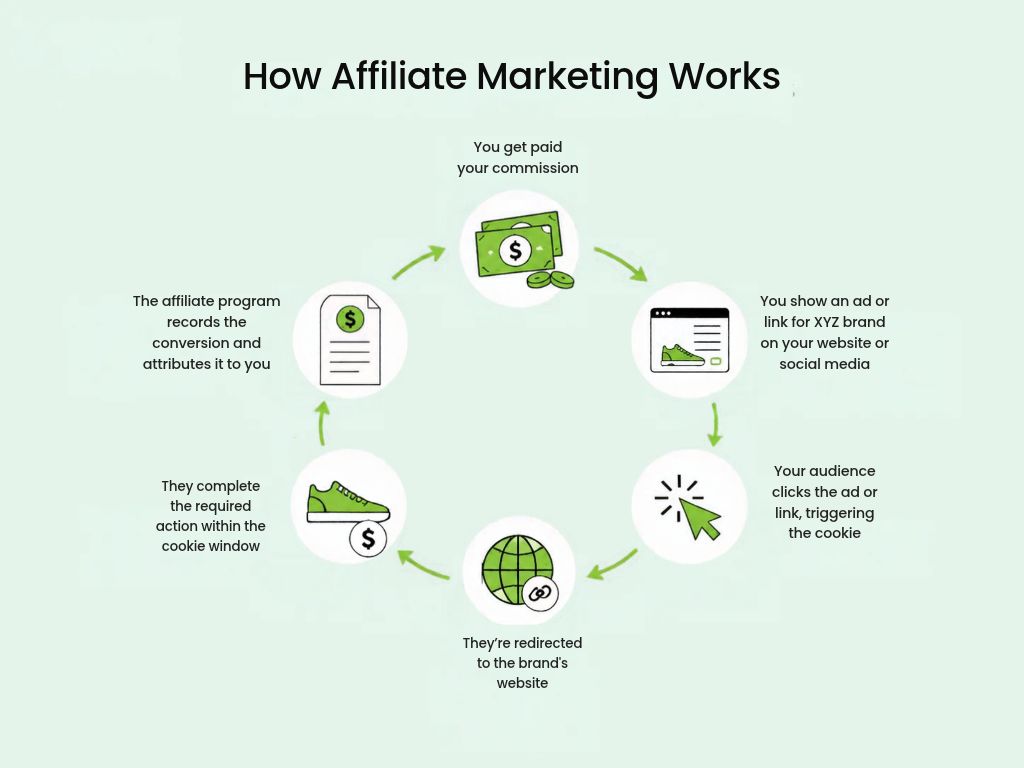
A circular diagram showing how affiliate marketing works in five steps: you share an affiliate link on your website, blog, or social media; a customer clicks the link; they are redirected to the merchant's store through a tracking link; they complete a purchase; the affiliate program records the transaction and pays you your commission.

How much can you make with affiliate marketing in your first year?

It varies enormously depending on where you’re starting from. A blogger with existing traffic who adds affiliate links to content they’re already publishing can start seeing commissions within weeks. A professional with an established reputation in their field recommending tools they already use can convert their credibility into income relatively quickly. But if you’re starting from total zero, your first year is less about earning and more about building the foundation that income eventually comes from. 

Here’s roughly how the first year tends to go for a complete beginner:

  • Months 1–3: You join a few programs, add links to your content, and focus on building your presence on your chosen platform; while it’s possible to make sales at this stage, it’s not really realistic.
  • Months 4–6: You can expect a few sales here and there, but these will start to show you what content resonates with your audience and what products they actually want.
  • Months 7–12: The most consistent affiliate marketers at this stage report earning between $200 and $500 per month, although these figures aren’t set in stone and may vary.

How to start affiliate marketing in 5 steps 

Now that you have a solid understanding of the fundamentals, here’s a step-by-step guide to getting you closer to earning your first affiliate commission.

Step 1: Pick one niche you can sustain 

Your niche is the main topic around which your affiliate content and online identity revolve, and this is why you need to choose it wisely.

You can take two main routes here: either target a high-commission niche if maximizing the affiliate income is your priority, or focus on a passion or hobby you’re really knowledgeable and enthusiastic about. Choosing the latter is often the smarter move, as leveraging existing expertise saves you time from learning an entirely new field and helps you stay consistent while waiting for the first affiliate sale to come. 

To validate whether this is the best affiliate niche for you, you need to check the demand, to see if people are actively looking for related content. For example, if you want to specialize in “web hosting,” simply enter that keyword along with other similar terms into one of following tools:

  • Google Ads Keyword Planner: It shows search volume data, competition levels, and keyword ideas directly from Google’s own database. 
  • Ubersuggest: It gives keyword search volume, competition level, and content ideas for any niche, but the free plan is limited to only 3 searches per day. 
  • Keyword Surfer: A free browser extension that shows search volume directly in Google results as you type.
  • Ahrefs: A full SEO platform covering keyword research, competitor research, and site audits, however it requires a paid plan starting from $29/month.


Pro tip: When validating your niche, look at the total demand across a cluster of related keywords (the one you enter and the ones that pop up as suggestions) rather than judging it by a single term’s monthly search volume. Search interest varies widely from niche to niche and topic to topic, so the combined picture across several related terms is a much more reliable signal than any one keyword alone.

Step 2: Set up your content distribution platform(s)

Now that you have an idea of what you’ll be talking about, you need to understand where your target audience hangs out most. While you can post content whenever you want and use whichever format you feel most confident with, by placing it where you’re sure people will search for it, your efforts won’t be in vain. 

The best way to figure this out is to put yourself in their shoes: search the topics you want to cover, watch what comes up, check the comments on popular YouTube videos in your niche, see who is engaging on LinkedIn or Reddit, and notice which platforms surface the most active conversations. You’ll spot patterns quickly. Start with the platform where your audience is most active and engaged, test a couple if you are not sure, and narrow it down to the one that gets traction.

Here’s a breakdown of the main platforms in which marketers promote affiliate products:

PlatformTypeContent lifespanBest forProduct types
Affiliate marketing website/blogSearch engineYearsIn-depth reviews, tutorials, comparisons, roundupsSoftware, SaaS, web hosting, financial products, electronics
YouTubeSearch engineYearsProduct demonstrations, how-to videos, honest reviews, unboxingTech gadgets, cameras, software tutorials, fitness equipment
PinterestVisual search engineMonths to yearsInspirational and visual niches; repurposing existing blog contentHome decor, fashion, food, fitness, beauty, finance
Community channels (Reddit, Facebook groups)Search engineDays to weeksHigh-intent recommendations within niche communitiesNiche gear, software tools, courses, anything with an engaged community
Social media (TIkTok, Instagram)Discovery channelHours to daysBrand awareness, short-form demonstrations, driving traffic to primary platformPhysical products, lifestyle, beauty, fashion


Pro tip: Some affiliate programs ask for proof of an online presence before approving you. Therefore, set up your account(s) and publish a few pieces of content early to increase your chances of getting accepted.

Should you use paid advertising or banner ads for promoting affiliate products?

While it’s not prohibited, most affiliate programs don’t allow you to send paid traffic straight to your affiliate link, and platforms like Google or Facebook might suspend your account if you try. To get around that, you’d have to set up a dedicated landing page first, which will cost you additional money. And even then, you’re paying for every click whether someone completes an action or not, which means your budget can disappear fast with very little to show for it.

Paid ads are most effective when you already have a steady stream of organic traffic that actively generates conversions, but they aren’t a good place to start with as a beginner.

Step 3: Find affiliate marketing program(s) worth joining

This is where things start getting exciting. Even though you might want to sign up for every program you come across (which will quickly become hard to manage), focus on finding a few solid ones with fair commissions and simple tracking.

Where to find affiliate programs?

One way is by typing “[brand name] affiliate program” directly into your browser for any company whose products you want to recommend, or “[niche] affiliate program” to search for available programs in your field. If a brand doesn’t list one on their site, don’t hesitate to email them directly. This way you can negotiate commissions from the start and build a relationship ahead of the competition.

Alternatively, you can join an affiliate network. This is a platform that brings together hundreds or thousands of brands in one place, allowing you to browse and apply to multiple programs from one place. If you run into any technical or administrative issue with your account, though, it might take quite some time since it has to go through the network’s support team rather than being resolved directly with the brand.

Affiliate networkIn-house program 
ExamplesAwin, CJ Affiliate, ImpactSiteGround’s affiliate program
Program varietyHundreds of brands in one placeMultiple products to promote (managed hosting, WordPress hosting, website builder, ecommerce, vibe coding, email marketing)
Commission ratesVaries widely by merchantUp to $100 per hosting sale, scaling with monthly volume or 60% recurring commissions from any other SiteGround service; custom deals for top performers are available
Cookie durationVaries by merchant60 days
TrackingVaries by network; some offer SubID supportTrack clicks, sales, and conversion rates by creating separate campaigns for each platform or piece of content
SupportPlatform-level supportDedicated affiliate manager
PayoutVaries by networkWeekly, no minimum threshold
Best forBeginners exploring what’s available across a nicheAnyone

How to evaluate if an affiliate program is worth it?

Not all programs are built the same. Before recommending a brand to your audience, take a moment to look over these key criteria to make sure the partnership is worth your time and effort:

  • Cookie duration: at least 30 days for digital services and 1 week for physical products. 
  • Commission structure: recurring commissions or tiered commission structures that reward higher sales volumes with increased rates.
  • Payment reliability: check how often the program pays, what the minimum payout threshold is, and whether there is a history of delayed payments.
  • Brand reputation: recommend companies that have a high customer satisfaction rate, since a bad customer experience will reflect on you too, not just the brand.
  • Support: some programs provide dedicated affiliate managers and marketing materials, making it easier for the affiliate marketer to promote the brand. 
  • Tracking and analytics: go for programs that allow you to create different links for different pieces and placements, and show you the number of clicks and sales generated by each, so you know what performs and what does not.

Step 4: Leverage content and traffic strategies

Affiliate marketing is a content marketing business after all. Your links mean nothing without content that people can find, read, and most importantly, trust, which is why what you publish and how you optimize it for both search engine and AI models matters as much as which programs you join.

How to know what to write about?

The content formats that convert most include product reviews, comparisons, “best X for Y” roundups, how-to guides, and tutorials. However, your choice of format should align with your target keyword and search intent. For instance, a user searching for “best email marketing software for small business” demonstrates transactional intent and is likely seeking a comparison. Conversely, someone searching “how to send a newsletter” has informational intent and prefers a step-by-step tutorial.

Here’s how to find the right keywords and topics on each platform:

  • For a website/blog: use the same tools you used to validate your niche.
  • For YouTube: type your topic into the search bar and note what autocomplete suggests, or use vidIQ. It’s a free browser extension that overlays keyword search volume and competition scores directly on YouTube pages as you browse.
  • For Pinterest: you can either do the same trick with the search bar or look at Pinterest Trends. It’s a free tool showing you growing and seasonal trends you can hop on. 
  • For community forums: note the questions that come up repeatedly. The most upvoted unanswered questions are your best content opportunities
  • For social media: search your niche hashtag (for example, #webhosting) to see what content people are engaging in. 

How to drive traffic to my content? 

Every platform has its own rules for getting content discovered.

  • On YouTube, your keyword should appear in the video title, thumbnail, description, and even closed captions. 
  • On Pinterest, it goes in the pin title, description, and the text overlaid on the image itself, and if you add your pin to a board specifically named after this keyword, even better. 
  • For a website or blog, since search engine optimization covers a lot more ground, it’s best to follow a dedicated SEO checklist.
  • In forums and communities, detailed and specific answers rank better in search results than short replies, and platforms like Reddit even allow you to publish longer, blog-style posts that can rank on their own. 
  • On social media, you should include your keyword in captions, on-screen text, and say it out loud in videos since TikTok transcribes audio for search indexing.

People buy when they sense an authentic experience and your affiliate link should appear at the exact moment your recommendation feels most natural, not wherever it is most convenient for you.

  • On a blog, that means linking within the text when you first mention the product, adding it to comparison tables and buttons where the reader is already in decision mode. 
  • On YouTube, most put it in the description with a clear call to action like “Try it now: [affiliate link]” or in a QR code in your video, for people watching on their TV. 
  • On social media, one way is a link in bio since there’s nowhere else to add it, and another is “comment [word] and I will send you the link,” which you can automate with a third-party tool. 
  • On Pinterest, you can add your affiliate directly to your post.

Disclosing your affiliate partnerships is not optional, it’s required by the FTC in the US and by the CMA and ASA in the UK. But there’s also a practical reason to do it: 57% of consumers name transparency as the most important value they look for in a creator. 

Here’s what a compliant disclosure looks like on each platform:

  • Blog or website: add a short statement at the very top of any post containing affiliate links, before the reader reaches any recommendation. For example: “This post contains affiliate links. If you purchase through them, I may earn a commission.”
  • YouTube: check the “paid promotion” box when uploading the video, mention the affiliate relationship verbally at the start, and include a written line in the description. Doing all three keeps you fully compliant.
  • TikTok: turn on TikTok’s disclosure setting and add hashtags like #ad or #affiliatelink at the beginning of your caption. 
  • Instagram and Facebook: use the built-in paid partnership label that Meta provides for affiliate and sponsored content, pair it with a short statement in your caption for maximum transparency.
  • Forums and communities: add a brief note alongside every affiliate link you share; a simple (affiliate link) in parentheses next to the URL is enough and keeps you compliant without interrupting the flow of your answer.

Is AI helping or hurting affiliate marketers?

AI tools have made it easier to research keywords, generate first drafts, and handle other repetitive tasks that experienced affiliates now use as a regular part of their workflow. The problem, though, is that it has also flooded every niche with content where AI did all the thinking and the writer contributed nothing original. AI-generated avatars, voiceovers, and faceless video content are becoming increasingly common, raising valid concerns about whether AI is undermining the visibility of authentic content.

The good news is that search engines are getting better at spotting this kind of content, and readers are too. At the end of the day, people buy from people they trust, and you can’t build that trust if you’re not really there. The affiliates who use AI to work faster while still showing up authentically in their content, are the ones winning in this debate. 

Step 5: Measure performance and fine tune whenever needed

Knowing that a conversion happened is useful, but knowing where it came from is what lets you repeat it. Some affiliate marketers use SubIDs: labels added to tracking links to identify the source of each click, including the platform, content piece, or specific placement. Others rely on performance metrics in their affiliate dashboard, though the available data varies by program.

SiteGround’s affiliate dashboard makes this straightforward with custom campaign tracking. You can create separate campaigns for each platform or piece of content, label them accordingly, and compare their total and unique clicks, number of sales and their conversion rate side by side. You can even create a branded short link like siteground.com/go/yourbrand, which is especially useful for creators who share links verbally with their audience. 


Pro tip: Review click and conversion data monthly. High traffic with no clicks calls for a clearer call to action or link placement, while clicks without sales indicate a product-audience mismatch. If no one clicks, refine your content; if no one buys, adjust your offer.

The 3 affiliate marketing mistakes that can get you stuck

We’ve touched on some of these already, but they’re worth emphasizing one more time so you’re sure you’ll avoid them. 

1. Trying to sell instead of solving a problem

The most common mistake beginners make is sharing their affiliate links everywhere and waiting for clicks. This approach almost never works. What really converts is content that addresses a specific problem and presents the product as the logical solution.

2. Recommending products you haven’t actually used

Reviews assembled from pricing pages and other people’s opinions all read the same, and AI can produce them faster than you can. What sets your content apart is proof you were there: screenshots of the actual dashboard, numbers you measured yourself, the thing that annoyed you in week two.

3. Failing to track where your conversions come from

Many beginners fail to set up tracking properly, relying only on total clicks and earnings. Without knowing which specific piece of content, link placement, or platform drove a sale, you won’t know what works or how to replicate your success.

30-day affiliate marketing action plan: how to not waste your first days

  • Pick a niche and confirm there is both search demand and active affiliate programs in it.
  • Set up accounts on the platform(s) where your target audience spends most of their time.
  • Apply to a few affiliate programs in your niche.
  • Conduct keyword research to plan your first ten content pieces.
  • Optimize every piece of content for organic search.
  • Place your affiliate links strategically where users are most likely to click.
  • Configure tracking parameters before publishing your first link live.
  • Commit to a consistent publishing schedule.
  • Analyze your performance metrics monthly to identify effective tactics and adjust accordingly.

You’re now ready to begin your affiliate marketing journey 

The journey of an affiliate marketer starts with one niche and one honest recommendation. Most beginners overcomplicate the process. In reality, showing up consistently, publishing, testing, tracking, and improving is what separates successful affiliates from those who give up early.

If you decide to focus on website building, ecommerce, email marketing or vibe coding, SiteGround’s affiliate program is an ideal place to start. It offers both tiered and recurring commissions, 60-day cookies, weekly payouts, and a dedicated affiliate manager to assist you every step of the way.

 FAQs about affiliate marketing for beginners

Can I start affiliate marketing with no experience?

Yes. All you need to start affiliate marketing is a niche you know well enough to create content about consistently, a platform where your target audience looks for recommendations, a few relevant affiliate programs, and the right keywords to reach your audience.

Can I start affiliate marketing for free?

Yes, affiliate marketing is one of the most low-risk endeavors you can pursue. You can create content on virtually any platform simply by opening a free account, and affiliate programs are free to join. If you promote products you already use and like, you don’t need to spend money purchasing anything new. Additionally, you can generate content ideas using free search tools, meaning your primary investment at the start is simply your time.

Can you make $100 a day with affiliate marketing?

Yes, but it’s not a beginner’s outcome. Getting there requires either significant traffic at modest commission rates, or a smaller but highly targeted audience and high-ticket programs where one or two sales a week is enough to hit the target. Affiliates who reach that level consistently have usually been publishing for at least a year or more.

Do you need a website to start affiliate marketing?

Yes, you can start affiliate marketing without a website, though most affiliates eventually create one. Some of the main benefits are that you have full control over your content (no host can ban your account, limit your reach, or decide who sees your posts), and if something goes wrong you can restore it from a backup instead of waiting on a support team. A well-ranked blog post can also keep bringing in visitors and commissions for months or years after you publish it, with only occasional maintenance rather than the constant output social media demands. Some affiliate programs, particularly in the SaaS space, may require proof of an established website before approving your application.

What is the difference between an affiliate program and an affiliate network?

An affiliate program can be hosted in-house or featured on a network. In-house programs are managed directly by the brand with their own dedicated team and dashboard, while affiliate networks are third-party platforms that host multiple merchant programs under a single login, allowing you to browse and apply to various brands from one place.

If I already have an established audience, does affiliate marketing hurt their trust in me?

No, but only if you prioritize your audience over the commission. You should disclose clearly, only recommend products you would stand behind regardless of what they pay, and keep affiliate content to a reasonable share of your output.

10 Inspiring Black Friday Campaigns from Leading Brands

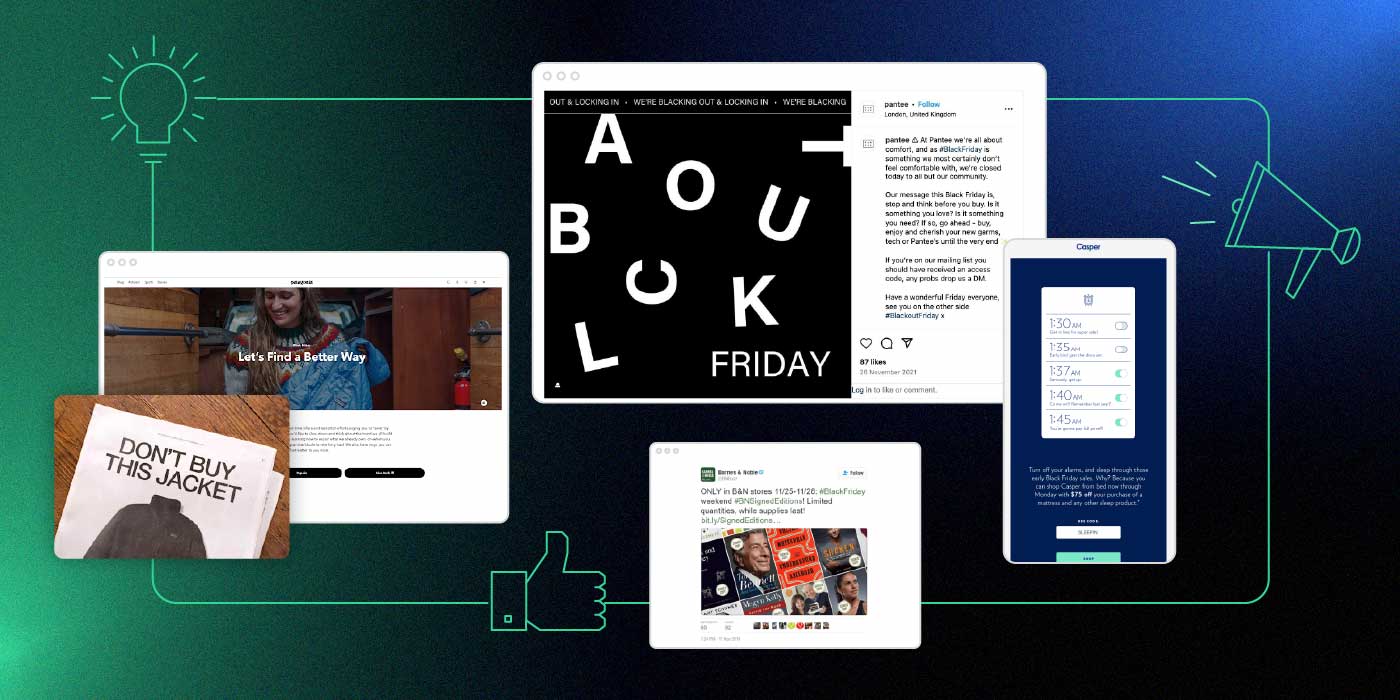
Black Friday campaigns on a dark background

Black Friday is often seen as one of the most exciting days of the year, but it can also feel overwhelming for both consumers and businesses alike. Consumers are flooded with deals from every brand they’ve ever interacted with, browsed, or even stumbled upon, while companies are fiercely competing for attention. That’s why a well-executed Black Friday campaign is essential to stand out in a sea of offers. 

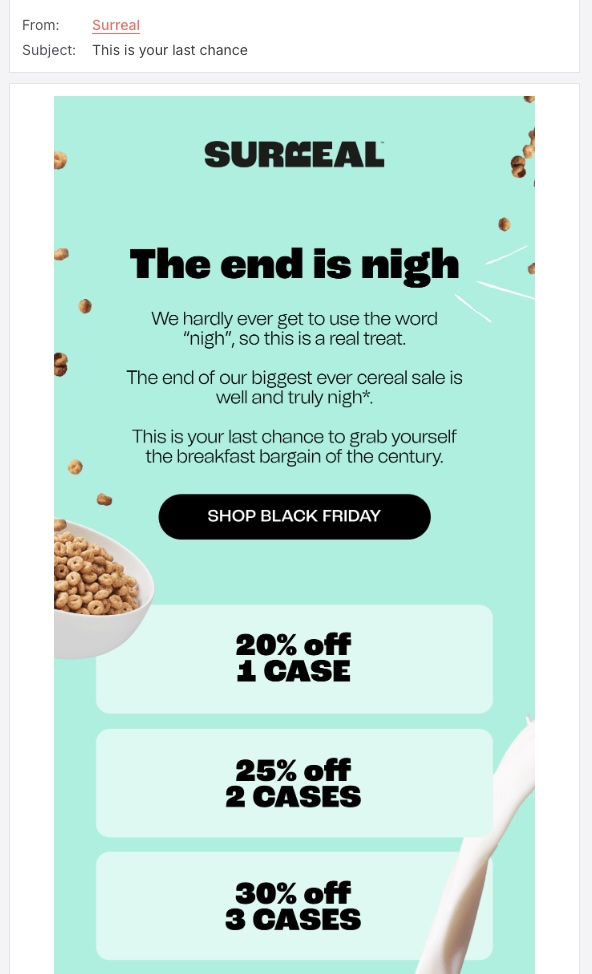
However, Black Friday marketing isn’t only about offering big discounts and special deals anymore. Brands are implementing a variety of strategies nowadays to make the most of the shopping season – from eye-catching paid advertisements to creative email marketing and social media campaigns designed to engage customers and boost sales. Of course, there are always exceptions to the norm with some brands trying to promote mindful shopping habits or opting out of Black Friday altogether.

So whether you are looking for inspiration or you are just curious to see how leading brands tackle the shopping frenzy, we’ve put together a list of 10 inspiring Black Friday campaigns to have a look at.

[bf_prep_checklist_download]

1. Influencer Lookalikes by Puma India

Recognizing the popularity of their products – and the flood of their unsuccessful duplicates – Puma India took an innovative approach for their 2022 Black Friday campaign by partnering with Indian influencers. In addition to hiring lookalikes of their prominent brand ambassadors, the brand set up fake pop-up stores with altered branding outside a few of their key locations, where the famous lookalikes were seen posing in front of fake Puma merchandise.

The real influencers, including Indian national team cricketer Virat Kohli, which we see above, joined in by calling out Puma on social media, sparking curiosity. To add to the hype, the brand even made their website look like it had been hacked, prompting Instagram users to express on their social media accounts their confusion at the supposed “bugs” they spotted while visiting the site. 

The underlying message of the campaign was clear: while everything can be imitated, Puma’s Black Friday deals are 100% authentic. During a shopping season where many customers are skeptical of the discounts brands offer, Puma set themself apart with truly unbeatable deals on their top products, promoted through videos featuring all the participating influencers. 

The campaign was a masterpiece, capturing the attention of customers while addressing the doubt many have when shopping during this season.

2. Best Buy’s Gift Recommendations on TikTok

Another great example of leveraging social media for Black Friday comes from Best Buy, the American multinational electronics retailer. The busiest shopping day of the year isn’t only about grabbing deals on long-awaited items for ourselves, it’s also the perfect time to shop gifts, and Best Buy seized the opportunity.

The brand’s campaign revolved around the theme of the perfect tech gift, in collaboration with TikTok influencers to highlight holiday gift ideas. The short video format on the platform was ideal for boosting visibility and engaging with Best Buy’s customers.


For small business owners and freelancers who may not have the budget for a large-scale campaign, partnering with micro-influencers on platforms such as TikTok or Instagram, can be a smart, affordable alternative to generate buzz and to connect with your target audience.

💡If you are a retailer of electronics, software, tech gadgets, or digital products, consider merging Black Friday and Cyber Monday into a single, extended event to maximize your campaign’s impact during the shopping season.

3. Walmart’s Video Ad Campaign Targeting Millennials

As we’ve seen already, social media can be a powerful tool in your Black Friday marketing toolbox. However, instead of sticking to the usual path, Walmart took a more creative leap by launching the Mean Girls ad series, connecting with a generation that grew up with the iconic movie.

The campaign brought back Lindsay Lohan, Lacey Chabert, and Amanda Seyfried reprising their Mean Girls roles, but now as moms. Each week of November, a different character was featured in videos and social media posts alongside exclusive Walmart deals. The campaign became a success among both fans of the film and savvy shoppers.

4. AussieBum’s Black Friday Film Intro

Some campaigns remain timeless, as shown by AussieBum’s 2016 Black Friday film intro ad. The Australian apparel company cleverly parodied famous production company logos, such as 20th Century Fox, Marvel, and Warner Brothers, but with a funny twist – featuring underwear instead. While the aim of a film intro is to create excitement and anticipation for the particular film, AussieBum repurposed it to generate buzz for their substantial discount.

Feel free to draw inspiration from well-known movie openings or pop-cultural references that your audience will appreciate, but always be mindful of copyright laws.

5. Patagonia’s Sustainable Approach to Black Friday Marketing

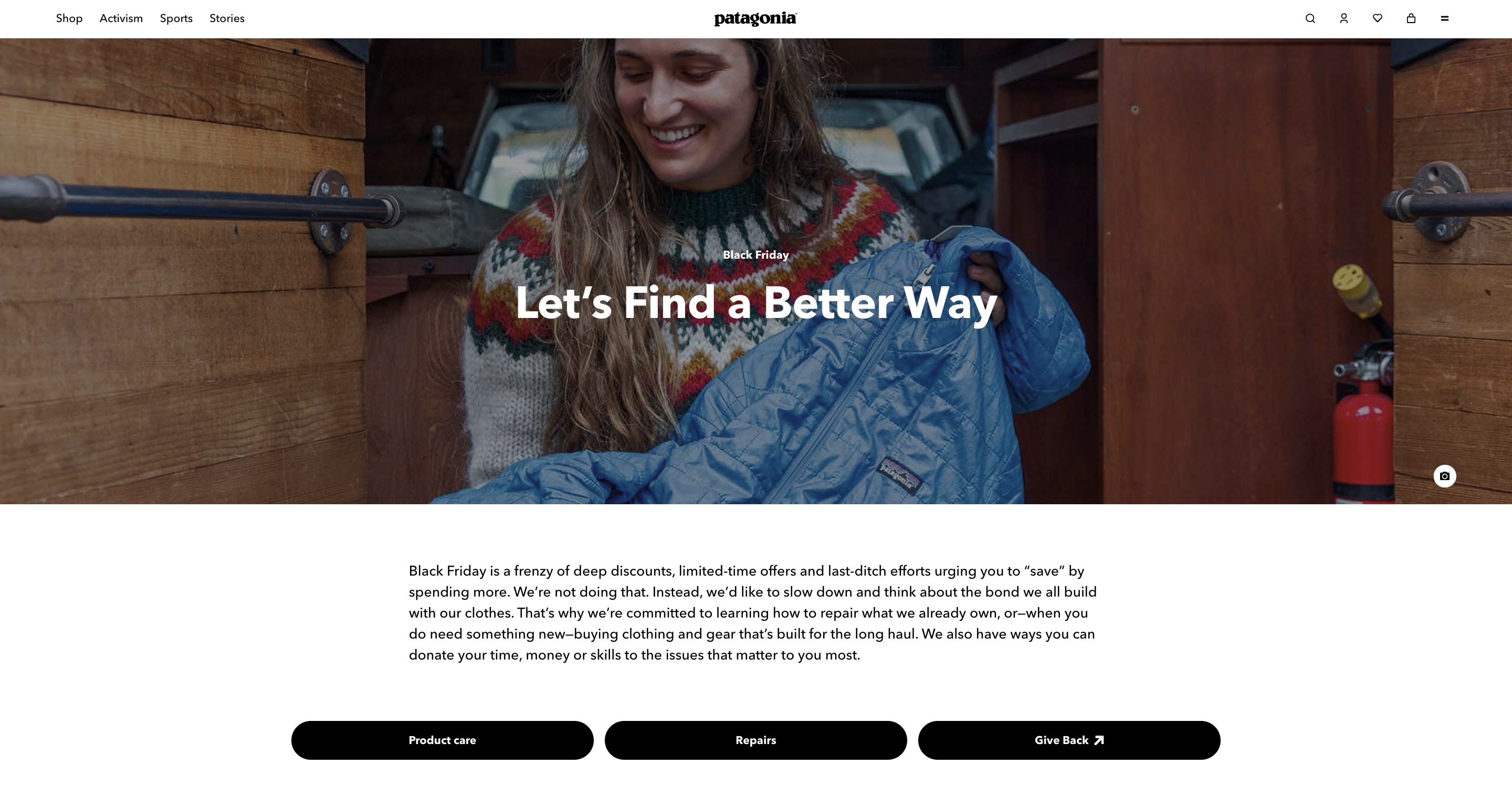
Black Friday can be a great time to distinguish your brand by highlighting their values, something that Patagonia opted for in 2011, launching one of the first ever anti-Black Friday campaigns with the “Don’t Buy This Jacket” ad in the New York Times. In it, the brand deliberately explained what resources and how many of them were needed to produce a single one of their bestselling jackets, with the aim of encouraging consumers to think twice before choosing a new one.

Staying true to their values, Patagonia is actively going against the common Black Friday trend of slashing prices and offering huge discounts. Instead, the brand uses their campaigns to advocate for mindful consumption, such as their campaign last year: “Let’s Find a Better Way.” Rather than pushing for new purchases, they urged consumers to consider buying used items, trading or repairing what they already own, and if a new purchase is necessary, to choose only high-quality gear that lasts.

💡 You don’t need to follow to a tee what the leading brands are implementing in their campaigns, but if you want to be greener this shopping season and still offer discounts, you can start with small steps by making your website more eco-friendly.

6. Black-out-Friday Campaign by Pantee

Another brand that has been known for advocating for sustainable consumer behavior is Pantee. Recognized for creating products from unsold inventory that would otherwise end up in landfills, the brand is committed to both comfort and sustainability, fighting against mindless buying. 

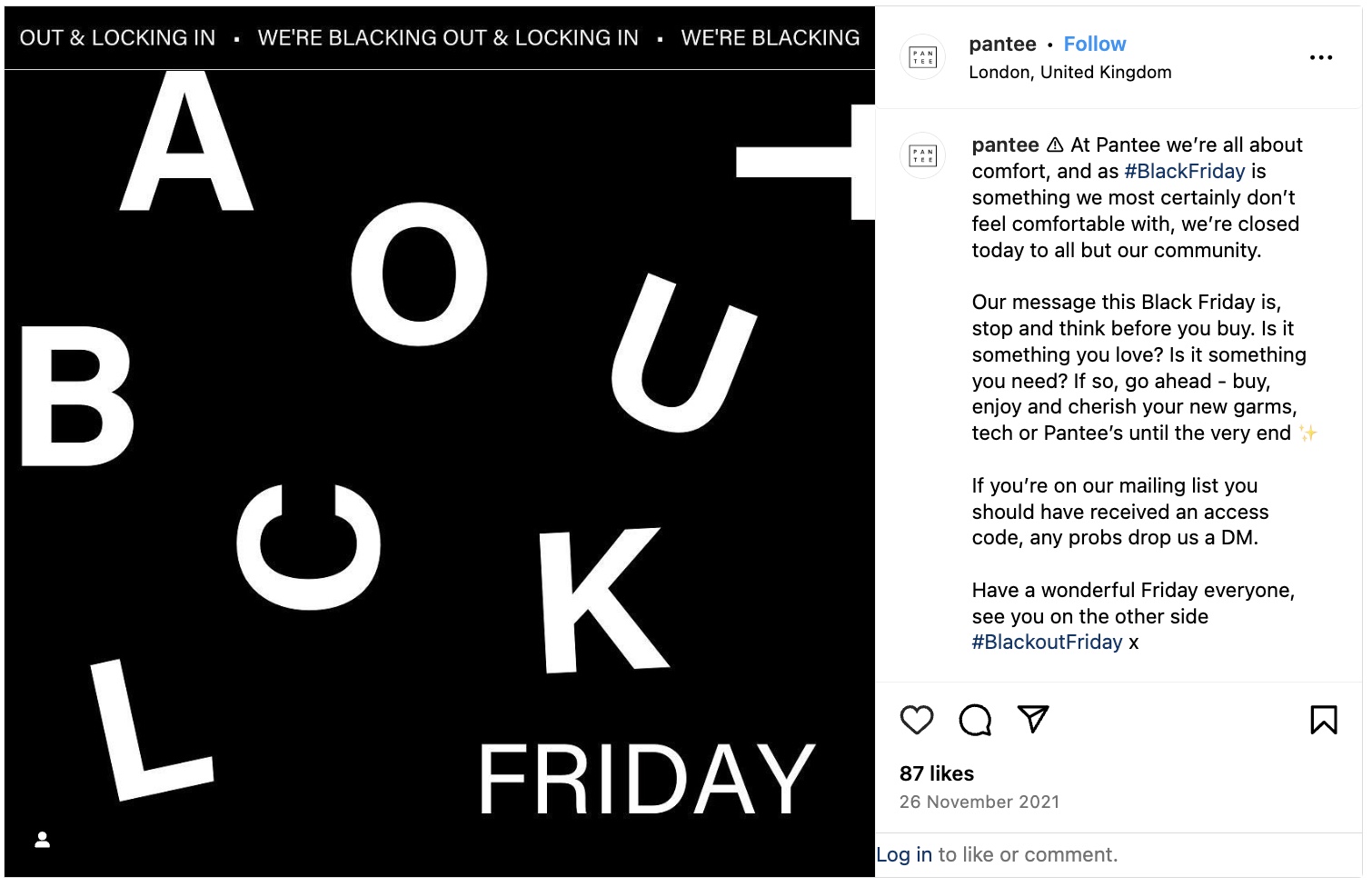
In line with their beliefs, Pantee took a unique approach by restricting access to their Black Friday sale with a password on their website. Only subscribers to their mailing list received it, giving them exclusive access to new items and old favorites on the day. This strategy not only rewarded loyal customers, but also generated new ones as the brand provided a sign-up form on their social channels for anyone wanting to join in.

The campaign was a huge success in its launch year, 2021. Organic social media impressions reached over four times the brand’s total followers at the time, and November web traffic that year increased 122% month-on-month without any paid ads. Moreover, Pantee’s email list grew 33% in the week leading up to Black Friday.

7. Casper’s Alarm Campaign

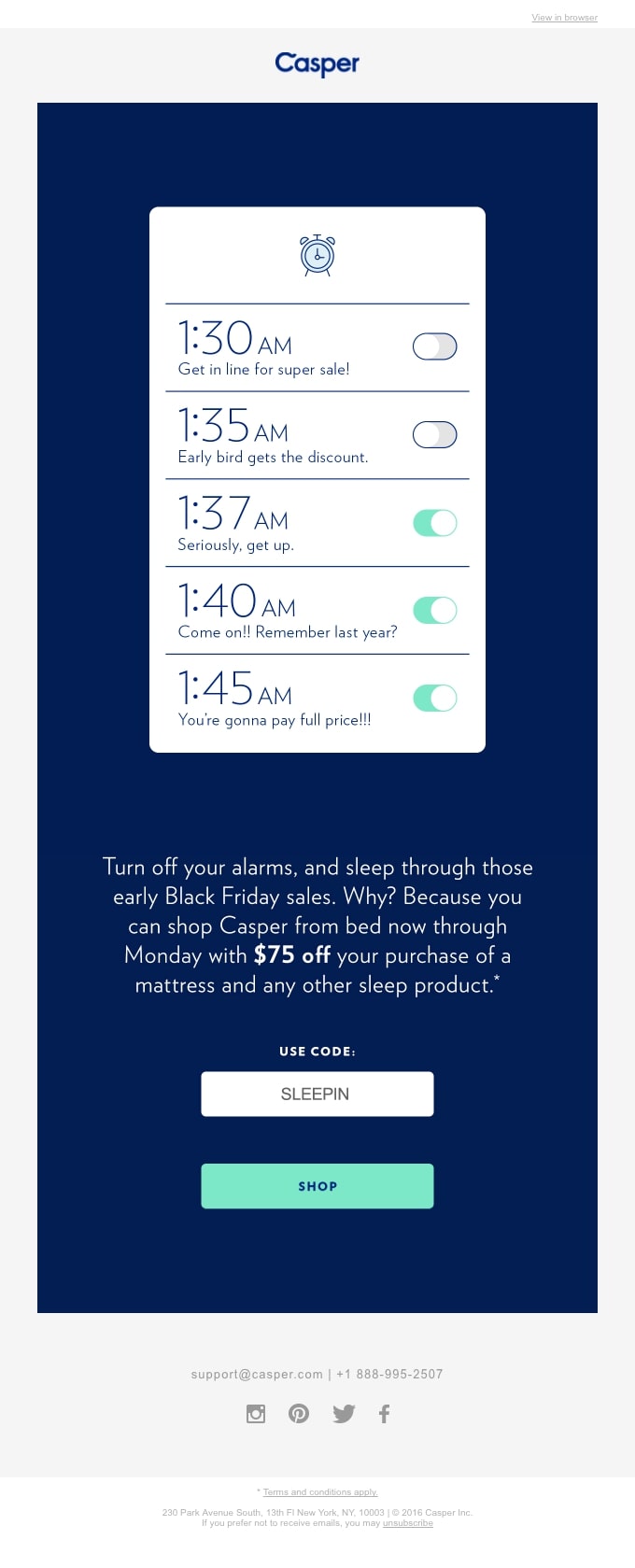
Do you find yourself setting multiple alarms in order to get up early in the morning? Casper, an American sleep product company, cleverly tapped into this relatable habit for their Black Friday email campaign. By sparking a humorous conversation around a shared morning struggle, they connected with customers on a personal level. In doing so, they also highlighted their current offers, making the campaign both engaging and effective.

🔥 Craft an irresistible email campaign this Black Friday by drawing inspiration from our carefully selected Black Friday email examples, ensuring your message captures attention and gets read.

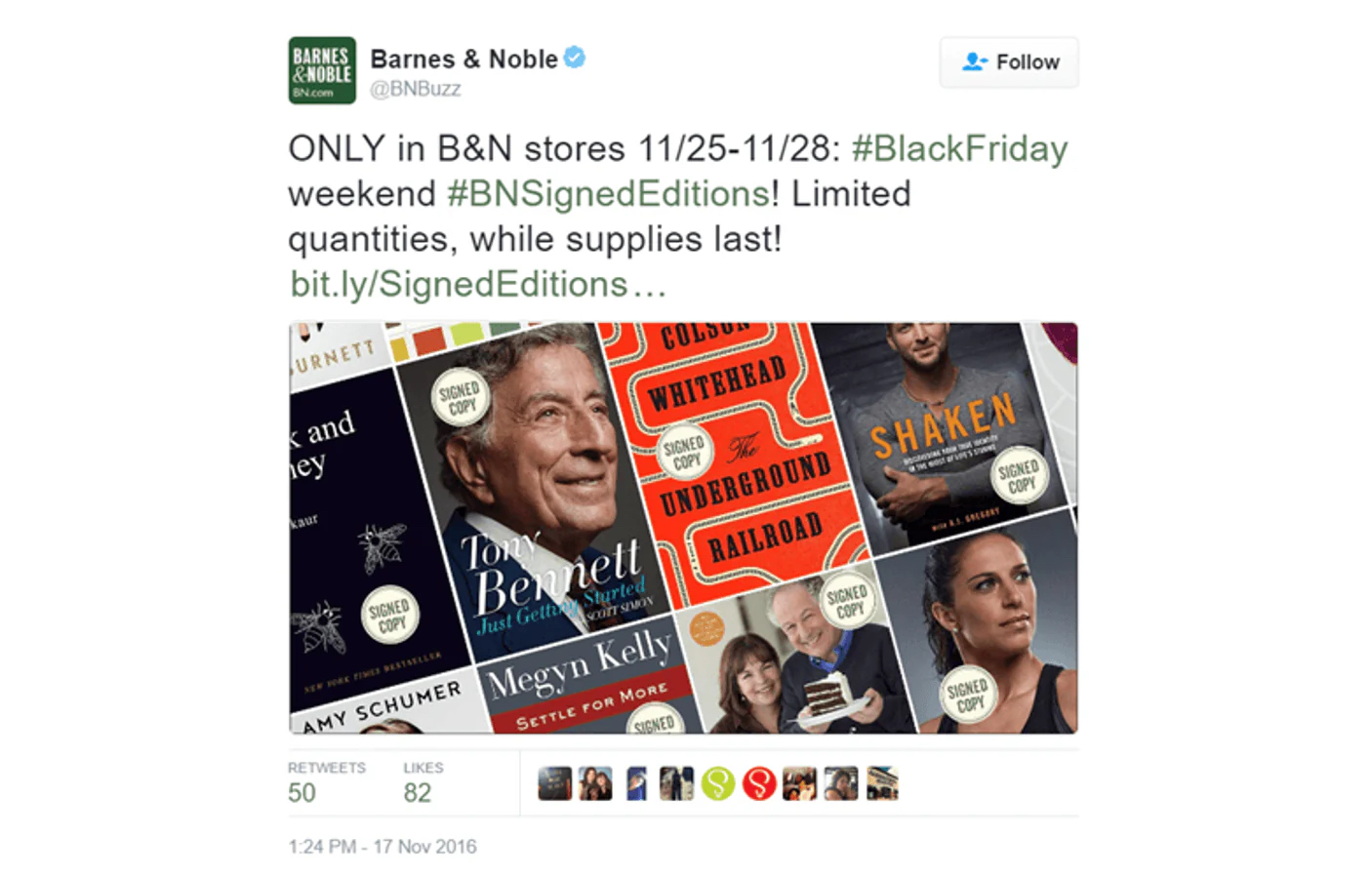
8. Barnes & Noble’s Signed Editions Campaign

Barnes & Noble (B&N), the largest bookseller in the U.S., sought to make their customers feel special on Black Friday without relying on any splashy discounts. In 2016, the bookseller invited over 200 renowned writers across a wide variety of genres, including Lee Child, Rupi Kaur and Reese Witherspoon, to sign thousands of copies of their popular books, exclusively for Barnes & Noble customers.

To enhance the experience, Barnes & Noble shared behind-the-scenes content of the signing process, using #BNSignedEditions on Twitter (now X), Instagram, and Facebook. Customers could also enjoy personal video messages from selected authors leading up to the campaign’s launch. 

As a result, the campaign contributed to one of Barnes & Noble’s most successful holiday seasons, with over 650,000 signed books sold. 

9. REI’s Tradition to #OptOutside Black Friday

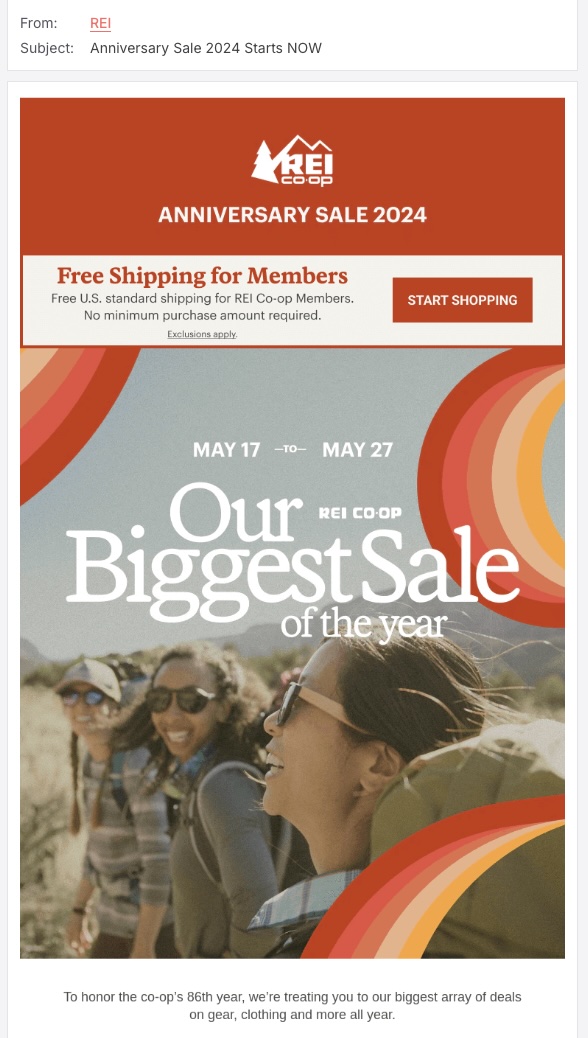
Have you ever wondered what would happen if you put your phone aside on Black Friday and, instead of fighting for deals, opted for a day in nature? Well, REI’s idea was not far from that. Founded by 23 climbing enthusiasts on a mission to change how people experience the outdoors, the brand started their #OptOutside movement in 2015 – a bold initiative to close REI stores on Black Friday, pay their 12,000 employees to spend the day outside, and invite everyone else to join them.

#OptOutside was the first campaign of its kind, as no other major retailer had ever closed on Thanksgiving and Black Friday. Following REI’s example, more than 1.4 million people and 170 companies, nonprofits and outdoor organizations decided to spend Black Friday outside the office, with more people embracing the movement each year.

10. Cards Against Humanity Out-Of-The-Box Campaigns

In case you don’t really want to contribute to the crazy shopping madness, the fill-in-the-blank witty party game Cards Against Humanity has you covered. Known for taking a stand against mass consumerism, the brand’s Black Friday campaigns are anything but typical.

Despite their controversial name, most of their Black Friday campaigns are surprisingly altruistic. For instance, the profits the brand has made from several of their campaigns have been donated to various organizations, including the Wikimedia Foundation, which is dedicated to encouraging the growth and distribution of free, multilingual content. In 2020, the brand went further by donating their whole Black Friday budget, consisting of $250,000, to nonprofits suggested by their staff that support causes like Black Lives Matter, voting rights, and fair housing. 

Another way that Cards Against Humanity boycotts the first day of the shopping season is by mocking it. In one campaign, they offered customers the chance to buy nothing for $5. Shockingly, 11,248 people gave them $5, with 1,199 contributing more than $5 by submitting the form more than once. Another campaign featured a whopping 99% price reduction on bizarre items such as an original Picasso Lithograph, a life-size Orlando Bloom cut-out, and a 2015 red Ford Fiesta, showcasing their unique approach to Black Friday marketing.

Key Takeaways for a Successful Black Friday Campaign 

It’s no secret that over the last few years Black Friday has become one of the most profitable days for businesses, and because of this, brands will go to great extremes to stand out and avoid becoming yet another annoying email or social media post. Hopefully you’ve taken some useful ideas from our list  to kick off the holiday shopping season – but as you prepare your Black Friday campaign, don’t forget to keep these key elements in mind: 

  • Stay true to your brand identity

As we’ve discussed above, even though some brands opt out of offering massive sales and discounts, their loyal customers continue to support them because the brands remain true to their values. This authenticity can sometimes be the best form of advertising. For example, if your brand advocates for sustainable shopping habits, go for it – the right customers will find their way to you.

In the race to maximize revenue, many brands lose sight of their purpose. Staying aligned with your core value ensures that your messaging is consistent with your long-term goals.

  • Maintain consistency in your messaging and communication channels

Whether you’re opting for a traditional Black Friday marketing approach or trying something unconventional, it’s essential to set a clear vision on how you will present your brand. If your campaign supports a specific cause, communicate how it aligns with your brand values and highlight its importance throughout the whole campaign. If your focus is purely on offering discounts, prioritize the most effective channels and stick to them.

For instance, avoid starting with an email campaign announcing the start of your Black Friday sale and then shifting entirely to social media to disguise what it will be. Inconsistent messaging can confuse and frustrate your audience, ultimately leading to a drop in sales. 

Kick off the Holiday Season with SiteGround’s Email Marketing Tool

If you are feeling overwhelmed by all the ideas and unsure where to begin, email marketing is a great way for starters. Whether you’re new to email campaigns or a seasoned pro, SiteGround offers a user-friendly email marketing tool that simplifies the process. With features like pre-built layouts, an AI assistant to write messages and generate images, and a lead generation plugin to easily import contacts from anywhere, you’ll be set up for success in no time. 

Sounds great, right? Choose Siteground’s Email Marketing tool to engage your audience and drive results this Black Friday!

How to Write Effective Email CTAs (+ Examples)

Featured image of article about email CTA

This article was originally published in April 2025, and then updated in July 2025.

You’ve nailed the subject line, curated engaging content, and designed an eye-catching template—everything seems perfectly aligned for success. Yet there’s one can’t-live-without element that can make or break your email marketing campaign—your call to action, or CTA. This small yet powerful piece of text serves as the link between your message and the recipient’s next move.

However, making it work takes more than just slapping a CTA button on your email and hoping for the best. From picking the perfect words and choosing the right colors to finding that sweet spot for placement, every detail matters.

Fear not—we’ve got your back! With these tried-and-true tips and powerful call to action examples, you’ll be all set to create effective CTAs that encourage subscribers to take action and drive results in your email marketing campaigns.

Why Does a Good Call to Action Matter?

As a small business owner or someone working independently, you likely don’t send email marketing campaigns just for the sake of it—you create them with a specific goal.

Building your email list is all about converting subscribers into customers, but without a clear CTA, your audience may hesitate instead of taking action. A well-placed email CTA guides them through the customer journey so that they move forward efficiently and effectively.

However, not every email needs to be, nor should it be, a sales pitch. Sometimes, your emails are just meant to share valuable insights and foster trust. Think newsletters or lead nurturing emails—here, the focus might be more on informing and entertaining rather than pushing for an immediate action. In these cases, an email call to action can be as subtle as a gentle nudge, inviting readers to dive deeper into your content or engage at their own pace.

So, whether you’re driving conversions or building relationships, the strategic use of calls to action will ensure your emails resonate with your target audience and support the growth of your business or project.

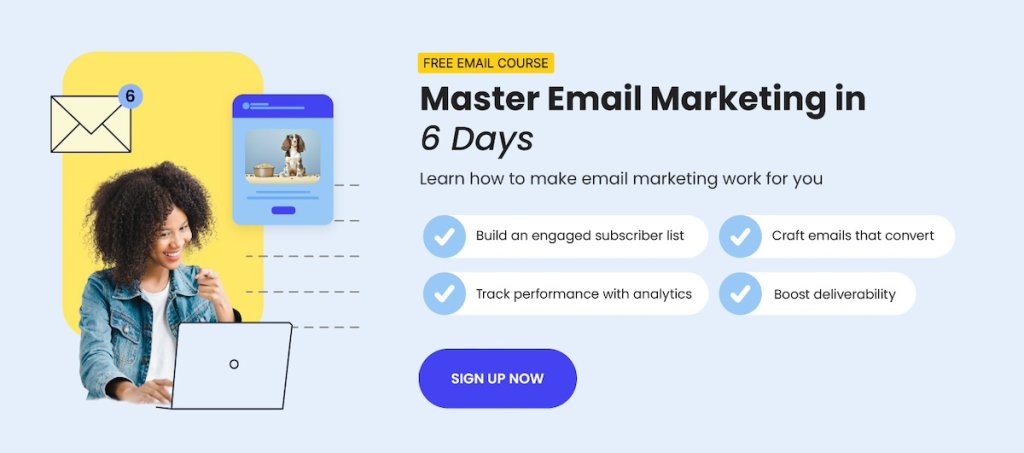
Image of SiteGround email marketing course for beginners

Best Practices for Email Calls to Action

Now that we’ve got the basics down, let’s unpack all that goes into an effective email CTA—from copy and design to the destination URL—and discover how to crank up those click-through rates.

1. Write Short and Magnetic Copy

Whether you’re leveraging action words, highlighting benefits, or creating a sense of urgency, persuasive language compels recipients to take the desired action. It reinforces the value proposition you’ve crafted within the content of your email and, ideally—your subject line too. 

While opting for a hyperlink within action-oriented text gives you the freedom to play with your phrasing, when it comes to your call-to-action button, brevity is your best friend. Aim for a concise copy, ideally two to four words long, as anything longer might lose its charm. It could also be a tight squeeze on mobile screens, which, in case you didn’t know, are the go-to choice for checking emails.

2. Speak in First-Person 

Calls to action can work their magic without directly addressing the reader, but why not add a dash of first-person charm? By incorporating pronouns like “I,” “me,” “my,” and “mine,” you can transform your email CTA into a personal invitation that taps into the reader’s self-interest. It’s like whispering, “This is just for you!”

Suppose you’re running an email campaign for a special promotion. Instead of using the phrase “Get 10% Off” in your email CTA you might say “Claim My 10% Discount.” This subtle shift can enhance the overall message, making readers feel like active participants in their journey with your brand.

3. Use Approachable Action Words

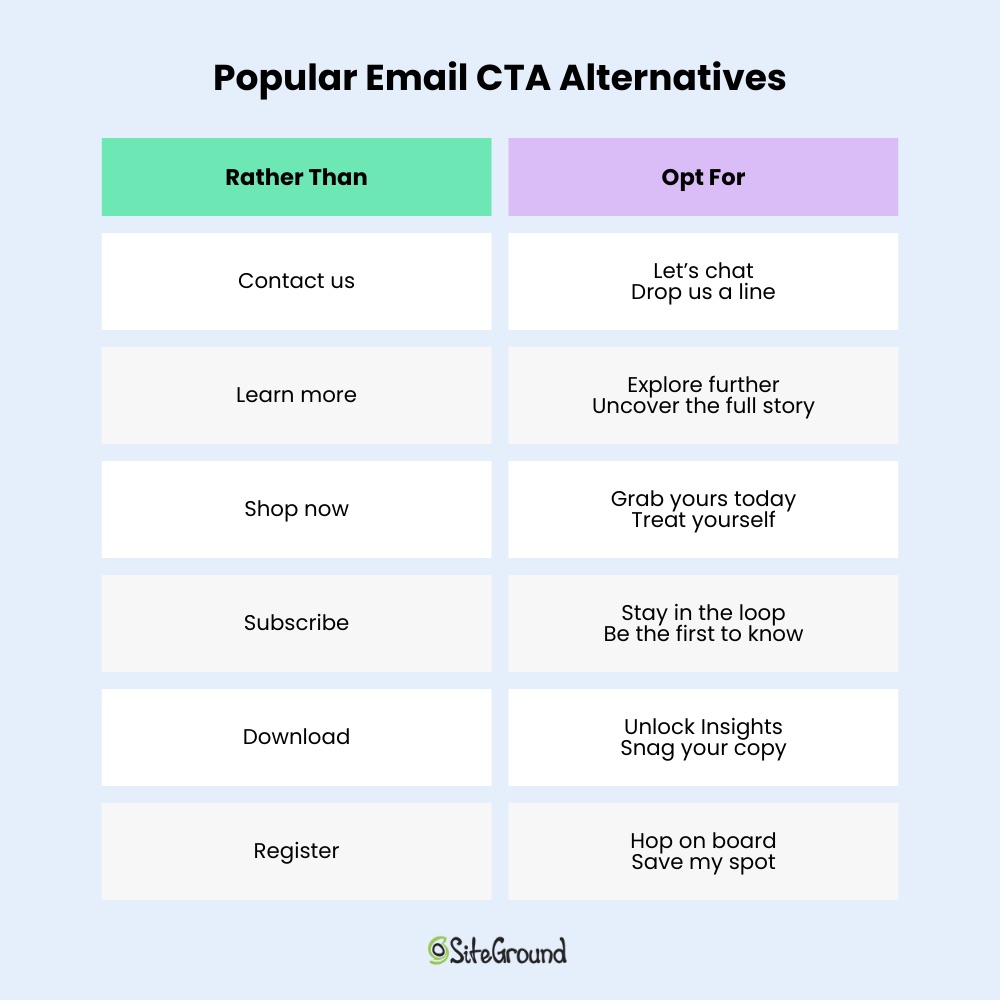
As we already mentioned, for a call to action to be effective, it should include action-oriented language that guides the reader to achieve the desired outcome. However, some verbs like “submit,” “register,” “buy,” and “download,” can make your readers feel uneasy, as they imply a greater commitment—whether it’s spending money, investing time, or making a firm decision they might not be ready for.

To counteract this, it’s important to provide readers with a sense of choice. You can do that by replacing the verbs above with more approachable ones like “Get,” “Start,” “Explore,” or “Try.” These words feel less committal and more inviting, encouraging further engagement without pressure.

Alternative email CTAs to commonly used calls to action, such as "contact us," "learn more," "shop now," "subscribe," "download," and "register."

4. Be Mindful of Colors and Font Sizes

When choosing colors for your call to action, whether for text or buttons, aim to create a contrast with the background to prevent blending with other design elements in your email. A tool like the WebAIM Contrast Checker can help you nail the perfect contrast ratio. For optimal readability, it’s best to use a font size between 16-20 pixels.

Additionally, when crafting a CTA button, give it some breathing room with ample spacing (whitespace). This way, you ensure it pops out, making it a breeze for users to tap the right link and dodge any mix-ups! 

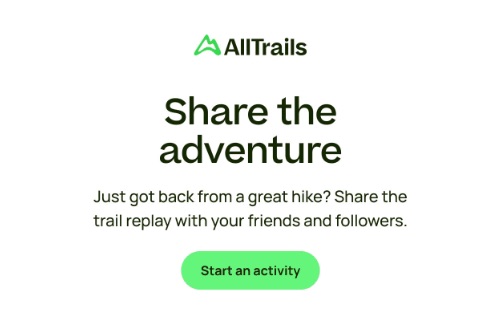
The email CTA button below is a good example of making the CTA button really pop.

A good email CTA example from AllTrails, featuring a green call-to-action button with the text "Start an Activity."

5. Design for Mobile

While clicking a link with a mouse on a desktop offers precise control, tapping a call to action on a mobile device can be more challenging, especially if it’s a button. Therefore, when including a CTA button, aim for a height between 35 and 45 pixels to make sure it’s easy for the reader to interact with it.

For enhanced accessibility, consider increasing the height of your CTA buttons to 50 pixels to make them easier for individuals with visual impairments to identify. Furthermore, setting the width in percentages, rather than fixed pixels, allows your CTA buttons to automatically adjust to various screen sizes, ensuring they display correctly on any device.

SiteGround Email Marketing makes it easy to create mobile-friendly emails that look great on any device. From responsive buttons and images to perfectly scaled text, everything is optimized for the small screen. Plus, you get predesigned templates, smart segmentation, automation features, and an AI-powered email writer to help you hit send faster.

Get started with SiteGround Email Marketing today>>

6. Mind the Number

A common question among marketers is, “How many CTAs in an email are too many?” Some argue that including many CTAs provides subscribers with various options to engage, potentially increasing interest. However, too many email CTAs can overwhelm readers, dilute your message, and even harm your sender reputation by making your email appear spammy.

To strike the right balance, aim for no more than one link per 125 words of text, which helps maintain a balanced link-to-text ratio and prevents your email from being overloaded with links. If your email includes more images, a good rule of thumb is to limit your hyperlinks to a maximum of three.

Types of Email CTAs

As you decide how many CTAs to include, it’s also important to consider the type of CTA you’re using. Marketing teams typically identify two main types:

  • Primary CTA: This is the main action you want the recipient to take—such as making a purchase, signing up, or visiting a webpage. It aligns with your email’s core purpose and should stand out visually with bold colors, large fonts, or a prominent button. You might include it in more than one place within the email, but it still counts as a single action in terms of importance.
  • Secondary CTA: A secondary CTA provides an alternative path for readers who aren’t ready to act on the primary ask. This might include following your brand on social media or exploring related content. These are usually more subtle—styled as hyperlinks or understated buttons—and placed further down the email.

By combining a clear primary email call to action with an optional secondary one—and keeping the total number of links in check—you can guide readers effectively without overwhelming them.

7. Optimize The Placement

To maximize the visibility of your calls to action, strategic placement is key—it’s the difference between an email marketing campaign that succeeds and one that falters.

If your primary CTA is tucked away at the bottom of a long email without any context, users might not scroll far enough to find it. So, give your CTA the spotlight it deserves by placing it near the top, or “above the fold,” right after those enticing product features or benefits. This way, it grabs attention right from the start and encourages immediate action.

An illustration of what does "above the fold" mean

With the rise of AI email summaries, this placement becomes even more important, as these summaries can push content further below the fold. Therefore, it’s important to ensure that your most important messages, including a key CTA, are positioned closer to the top.

Also, don’t forget those curious clickers who love to explore every aspect of your email, from the logo to headlines and images. By embedding the same link in these elements, you can subtly direct readers to your desired destination, often without them even realizing it.

8. Do The Blurriness Test

While we highly recommend A/B testing to evaluate your email call to action performance, there’s a quick visual test you can use called the “blurriness test.” 

To conduct this test, convert your email into an image and apply a high level of blur (around 50%). Then, take a step back and examine the blurred image. This technique helps you assess whether the layout is well-organized and if the primary call to action stands out and remains prominent, even when details are obscured. If your CTA is still noticeable, it suggests that it will catch the reader’s eye in a real-world scenario.

Below is a call-to-action example of an email that passes the blurriness test. Can you tell where the CTA buttons are placed? 

A blurred example email featuring two call-to-action buttons

You probably guessed it: you can find one at the top of the email and another at the end. 

9. Include UTM Tags Within the Destination Link

You’ve completed the previous nine steps, added the destination link to the call to action, and now, you might be tempted to wrap things up and send this email. But wait!

Imagine you’re promoting a landing page on your website and want to use the same link across other digital marketing channels, such as social media posts and online ads, not just email marketing campaigns. How can you determine which channel is generating the most traffic and engagement for your landing page?

This is where UTM parameters come into play—these are tags you can append to your URLs to track the source, medium, and campaign name in your analytics tool. By using UTM parameters, you can gain detailed insights into the performance of each marketing channel, allowing you to make data-driven decisions to optimize your marketing strategy and allocate resources more efficiently.

You can easily create UTM parameters using free tools like the Google Campaign URL Builder, and monitor their performance in Google Analytics.

Email Call-to-Action Examples 

We know there are many tools to help you come up with CTAs for your emails, including AI—everyone’s best friend. So, rather than overwhelming you with a long list of CTA copy you’ve likely seen before, we’re providing you with real-life examples to spark your creativity. Use these to experiment and try something new when designing your next email campaign.

Jump In

This welcome email from Vimeo is a perfect example of how including multiple calls to action can effectively encourage newcomers to explore your services. Right from the start, the email invites readers to “jump in” with a prominent primary CTA button, while additional calls to action are strategically placed throughout the copy to subtly introduce other features and functionalities they benefit from. 

An example email from Vimeo, featuring multiple CTAs

Give Us Feedback

survey email below, Food52 playfully asks readers to give them some “food for thought,” extending this clever wordplay into their CTA copy. Did you catch that? While “give us feedback” is straightforward, it also cheekily hints at giving “feed” back, suggesting a return of something nourishing to the sender. It’s a subtle touch, but definitely an effective one!

An example email from Food52, featuring multiple CTAs

Get Lucky

Simpler Hair Color used a creative approach to guide readers toward the desired action: leveraging the gaze within an image. This subtle yet powerful visual cue naturally draws the reader’s attention, increasing the likelihood of engagement with the email CTA button below the image. 

An example email from Simpler, featuring one CTA

Additionally, by strategically placing elements like lines, arrows, or a play button on images, you can direct the reader’s eye along a clear path. These techniques not only enhance the visual appeal of your messages but also increase email marketing campaign effectiveness by focusing attention on key actions.

Complete Your Look

For Adidas, the CTAs are subtly placed by using clickable images instead of multiple CTA buttons. This strategy encourages customers to explore and effectively boosts conversion rates by directing them to curated product pages. It provides a seamless shopping experience, allowing customers to easily explore and purchase featured items directly from the promotional email—genius, isn’t it? 

 An example email from Adidas, featuring multiple CTAs

Feel the Difference

In their product launch email, TheraOne invites customers to dive into their latest offerings.  The email highlights the unique benefits and features of these new products, aiming to capture the interest of potential buyers. To top it off, a vibrant email CTA button beckons with the phrase “Feel the Difference,” encouraging recipients to click and experience the hype firsthand. It does make you curious, doesn’t it?

An example email from TheraOne, featuring one CTA

Transform Your Email CTA Knowledge into Results

A compelling call to action is more than just a few action words placed randomly in your email—it’s the driving force that transforms interest into engagement and curiosity into conversion. By applying expert tips and techniques, you can enhance the visual appeal and effectiveness of your email campaigns, seamlessly guiding your readers toward the action you want them to take.

With SiteGround Email Marketing, effective CTA creation is built right in. You get pre-designed button styles that are easy to customize: adjust shape, color, and outline with just a few clicks. Plus, every hyperlink you add is automatically styled for visibility—colored by default and underlined on hover—so they’re easy to spot and even easier to click. So, are you ready to put your CTAs to work?

This article was originally published in April 2025, and then updated in July 2025.

Master B2B Email Marketing: Proven Tactics & Examples

Featured image for a blog post on B2B email marketing strategies

Ever wonder how some brands skillfully connect with other businesses and drive substantial sales through email? It’s not just luck; it’s the strategic prowess of B2B email marketing at work. However, attempting to proceed without a strategy tailored for business audiences is like setting sail without a map—you’re likely to lose your way. 

Today, we’ll be your north star, guiding you as we explore effective email strategies, real-life examples, and best practices to help you achieve results, just like the top performers in the B2B field.

What Is B2B Email Marketing?

Business-to-business (B2B) email marketing refers to the process of sending targeted messages from one business to another, selling products or services that can address internal challenges, improve operations, or enhance offerings.

It’s all about building brand awareness, nurturing relationships with potential clients, and ultimately increasing your bottom line. Although this might sound similar to the business-to-consumer (B2C) marketing model, there’s more going on beneath the surface.

Differences between B2B and B2C email marketing

Why Do B2B Emails Require a B2B Email Marketing Strategy?

B2B email marketing campaigns, in contrast to B2C ones that focus on individuals, aim to connect with entire organizations—or, more precisely, the diverse group of individuals within them.

Unlike solo shoppers, a company’s buying process is much longer and more complex, often involving multiple stages of evaluation and approval. It’s like a team sport, requiring collaboration and input from people across various roles and departments.

This means B2B marketers need to tailor their email marketing strategy to address the diverse interests and concerns of multiple decision-makers. By providing valuable information—such as detailed product specifications, case studies, industry reports, and more—marketers can help each team member understand the benefits and relevance of the offering.

Therefore, B2C email marketing tactics simply won’t work for your B2B emails—just as different keys are needed for different doors, you’re reaching out to a completely different set of buyer personas.

B2B Email Marketing Tactics That Deliver Results

We’ve highlighted key steps to help you plan an effective B2B email marketing strategy, so you can direct your marketing efforts toward strategies that transform your readers into loyal customers.

1. Map the Buyer’s Journey

Just as an individual customer has a journey with a specific brand, so does a company as a consumer. 

The B2B email customer journey outlines the experience a company has with your brand through email communication, starting with the initial introduction and continuing as they evaluate and consider your offer. Below are the key stages of the customer journey:

  • Awareness: The targeted company is becoming familiar with your brand and product but isn’t considering a purchase yet.
  • Consideration: Interest is shown in your offer, but more information is needed before making a decision.
  • Purchase: The company is prepared to buy or try your product and is assessing budget and return on investment (ROI) to finalize their decision.
  • Retention: After your qualified leads have become customers, your aim is to engage them and encourage repeat purchases and renewals.

Map the journey your prospects take, counting the touchpoints they need before they finally say “yes!” to your offer. Also consider how often you should pop up in their inbox to keep the momentum going. 

Knowing what your prospects want and need in every stage of the sales funnel will guide the types of emails you send, ensuring they are relevant and impactful, but more on this in the following section. 

2. Identify Your Target Personas

As we mentioned earlier, when you’re reaching out to a company, you’re not contacting just one person—you’re actually trying to connect with its buying center, or the team of people who decide whether to purchase from you.

In B2B email marketing, connecting with the right people is key—after all, you don’t want to spend your time chatting with gatekeepers or those who aren’t in the loop. So, it’s important to identify each member of the buying team to ensure you’re speaking to the right individuals, or at least that your message is passed on to the decision-makers you need.

The buying center typically consists of six key roles:

  • Initiators: Identify the need for a product or service. These could be department heads, team leaders, or managers.
  • Users: Utilize the product or service after purchase. They might include end-users like sales teams, or customer service representatives.
  • Influencers: Impact decisions and opinions within the buying center. These could be industry experts, consultants, or senior executives.
  • Gatekeepers: Manage the flow of information. These are often administrative assistants, office managers.
  • Deciders: Approve or reject the purchase. These are usually high-level executives or managers, such as CEOs, CFOs, or department heads.
  • Buyers: Handle logistics and administrative aspects of the purchase. These roles are typically filled by procurement officers, purchasing managers, or finance personnel.

Here’s a breakdown of the customer journey stages and the B2B email types you need to send for each stage and target role.

B2B email types by stage and target role

3. Build a B2B Email List

Cold emails might seem like an easy option, but it’s a risky adventure if you start sending messages to every email address you come across. Reaching out to those who haven’t given you the green light can lead to spam complaints, lower email deliverability rates, and leave recipients more frustrated than pleased.

Instead, focus on those who have willingly joined your email list through an opt-in form—and even better if you’ve implemented a double opt-in process. Below is an overview of five proven methods for generating qualified leads:  

  • Utilize LinkedIn 

As the saying goes, “Social media is for discovery, email is for conversions.” Leverage LinkedIn’s vast B2B network by running lead-generation ads, or, if you’re on a budget, try directly messaging your target buyer persona. Be transparent about your purpose, and it could open up new opportunities to follow up with emails.

  • Offer Lead Magnets

Sprinkling your website with ebooks, research reports, or mini-courses in exchange for email addresses is always a smart move. Toss in a few profiling fields on the sign-up form—like job title and organization—and you’ll have an easier time sorting and segmenting your audience later!

  • Organize Gated Events

B2B prospects value educational content, constantly seeking ways to innovate and deliver better solutions to their clients. Therefore, hosting gated events—either online or offline—can help you present yourself as an expert in your field, network with your target audience, and ultimately gather valuable contacts.

  • Use a Data Vendor

If you want to save time and effort, vendors like Global Database or D&B Hoovers serve up a treasure trove of insights, from key decision-makers’ details (like job title, seniority, age, education) to company scoop (industry, size, location, financials). They keep their databases fresh and up-to-date, and all this valuable information is just a subscription away!

  • Implement a Referral Program

If you already have a squad of email subscribers, why not turn them into your brand ambassadors by offering fun incentives like discounts or exclusive content for referrals? People love sharing great finds with friends and colleagues, making referrals a fantastic way to widen your reach and build trust.

4. Segment Your Audience

Having snagged those coveted email addresses, you’re halfway to hitting your email marketing strategy goal. However, when running email campaigns at scale, trying to personalize messages for each individual can be like trying to bake a unique cake for every guest at a party—overwhelming and inefficient.

Instead, think about organizing your contacts into customer segments. You could start with broader segmentation based on industry, company size, and job title to ensure relevance. Then, refine your segments further by considering the roles within the buying center as you gather more detailed information about your contacts.

5. Utilize B2B Email Sequences

Once you’ve tailored your content to meet the specific needs and preferences of your target audience—whether they’re decision-makers, influencers, or end-users within a business—you can streamline your communication through drip marketing campaigns. These automated sequences keep your content relevant and engaging, especially in B2B contexts where the sales cycle is longer.

Drip campaigns allow you to deliver a series of pre-scheduled emails that guide prospects through the buyer’s journey and nudge them gently to conversion. They spring into action in response to specific triggers or behaviors, like website visits or content downloads, as you can see below.

A sequence of emails illustrating how drip marketing works

B2B Marketing Emails Best Practices

A well-planned B2B email strategy is only as effective as its content. With your prospects’ inboxes likely blasted with emails daily, be sure to follow these best practices to ensure yours stands out and doesn’t get lost in the shuffle.

1. Use a Persuasive Subject Line

The busier your targets are, the more vital a captivating subject line becomes. It’s wise to kick things off by showcasing the value of your email—whether it’s an insider resource, a handy tool, or an irresistible offer. Plus, teasing a solution to a common industry challenge can really spark your recipients’ curiosity. 

Here are some effective B2B subject line examples that you can apply to your emails: 

📕 Educational content and guides:

“[number] tips to [lead’s goal] in [year],” “A proven solution for [lead’s pain point],” “[number] steps to achieve [lead’s goal].”

🛍️ Product or service promotions:

“Would you like to try [product/service name] for free?” “[number] facts about what [product/service name] can do for you,” “Did you know this about [lead’s interest]?”

📈 Niche-specific: 

“Your [lead’s niche] service needs this,” “Every [lead’s job position] needs this tool,” “[lead’s company name] can sell even more with [your company name].”

2. Strike a Balance Between Professionalism and Personality

When crafting B2B content, it’s easy to adopt a formal tone that might seem stiff and robotic. While maintaining professionalism is important, remember that you’re still communicating with real people, even if they represent a brand. 

Think about the business emails that catch your eye—the ones that speak directly to your needs and interests—and strive to write with empathy and a touch of personality. Below are some ideas on how to make your B2B emails more approachable: 

  • Personalize

Use the information you’ve gathered to personalize as much of your email message to the recipient’s needs and preferences as possible. If your marketing content seems irrelevant or holds little interest for them, you risk being dismissed as spam.

  • Ask Questions

Engage your reader by asking questions that prompt them to think or reflect. This can make the email feel more interactive and less like a monologue.

  • Include Relatable Examples

Use anecdotes, scenarios, or even case studies that the reader can relate to, making your message more tangible and relevant.

  • Don’t Overdo Your Design

Occasional plain emails appear much more personal and authentic than fully designed pieces, as they give the feel of a one-on-one conversation, which stands out among overly salesy messages.

  • End With a Friendly Sign-Off

Use a warm and approachable closing, like “Take care,” “Looking forward to hearing from you,” or “Best wishes,” to leave a positive impression.

3. Add Straightforward Calls to Action

After capturing your reader’s attention with a stellar subject line and engaging content, guide them with a clear call to action (CTA) that specifies the next steps. Ensure your CTA stands out and is easy to follow, with descriptive links that lead to exactly what is promised.

Here are some effective calls to action to implement in your B2B emails: 

📣 To increase brand awareness:

“Learn more,” “Start your journey,” “Discover [product name],” “Watch a demo,” “Take a tour,” “I’m interested,” “Tell me more.”

🛒  To encourage conversion:

“Get started today,” “Start free trial,” “Download the report,” “Book your appointment,” “Request a demo,” “Enroll now,” “Get early access,” “Sign up for free,” “Unlock exclusive access.”

🚀 To drive sales:

“Buy now,” “Upgrade to [product name],” “Get your [product],” “Claim your discount,” “Order now,” “Try premium.”

9 Great B2B Email Marketing Examples

This is where theory turns into practice—with clever B2B email examples. They capture the many different types of emails you can send and the diverse techniques you can use to turn your professional emails from dull to dazzling.

So without further ado, let’s check them out!

1. Lead Magnet Delivery B2B Email

Lead magnets not only boost your credibility but also pave the way for building brand awareness. Satisfied visitors are more likely to share your content, amplifying your reach and influence, making lead magnets a proven email lead generation tactic.

Take a look at the SiteGround email below, which offers a free guide on building a successful online presence for small business owners. With a catchy header image, a well-placed CTA button, and a list of all the goodies in the guide, it’s straightforward yet irresistibly persuasive.

Screenshot of the SiteGround lead magnet delivery B2B email
Screenshot

2. Case Study B2B Email

Case studies, success stories, and customer testimonials are a B2B marketer’s secret weapon, highlighting your solution’s effectiveness in real-world scenarios. These narratives provide tangible evidence of your product’s impact, demonstrating how it has successfully addressed challenges similar to those faced by prospective customers.

In the email below, Animalz hooks readers with a captivating opening line that makes it clear why they should stick around. Instead of immediately pushing a CTA button, they dive headfirst into the story, weaving in relatable challenges and impressive outcomes to draw readers in. After all, who can resist a good tale?

Screenshot of the Animalz case study B2B email
Screenshot

3. Event Invitation B2B Email

When you’re promoting an event—be it an in-person seminar, workshop, or online webinar—the goal of your emails is to encourage attendance and generate excitement among your subscriber list. To achieve this, your emails should effectively capture the essence of the event by highlighting key speakers, topics, and activities that will intrigue potential attendees. 

And just as you wouldn’t clutter your mailed invitations with unnecessary information, avoid doing so with your emailed invitations. Take a cue from Slack—they highlight key details upfront and offer a sneak peek of the event, crafting an email that’s both light and efficient.

Screenshot of the Slack event invitation B2B email
Screenshot

4. Welcome B2B Email

A welcome email is your brand’s official introduction to new subscribers who’ve taken the exciting leap—whether by signing up for a newsletter or creating an account. It’s more than just a “thanks a bunch” note—it’s your moment to shine and make a memorable impression. Use it to showcase what your brand is all about and kick off your new subscriber’s adventure as a valued partner in your business journey.

This welcome email example from Miro gets the job done right, giving readers a clear snapshot of what their platform offers while cleverly nudging them to revisit the website.

Screenshot of the Miro welcome B2B email
Screenshot

5. B2B Newsletters

In general, newsletters present a great opportunity to keep your new email joiners hooked and gently prompt them further along in the sales cycle. They offer email marketers the flexibility to deliver more in-depth content, as recipients often open them during moments when they can fully engage with the material.

By incorporating industry insights, trends, and expert opinions, you can position your brand as an industry thought leader—just like this email from Exploding Topics.

Screenshot of the Exploding Topics B2B newsletter

Alternatively, you can dish out a selection of curated content or the freshest updates from your blog posts to keep yourself at the forefront of your audience’s minds.

Screenshot of the HoneyBook B2B newsletter


6. Demo Invitation B2B Email

A demo invitation email is commonly used in B2B marketing, especially for products that are complex or benefit from a hands-on demonstration to fully convey their value. Whether it’s following up on initial contact, responding to a curious inquiry, or as part of a targeted outreach campaign, this email is all about engaging potential customers at the perfect moment.

In their demo invitation email, Weave added an exciting twist by offering a special discount from one of their partners—isn’t that smart?

Screenshot of the Weave demo invitation B2B email
Screenshot

7. Sales Promotion B2B Email

As consumers, we’re all familiar with promotional emails, and let’s be honest—who doesn’t love finding a great deal in their inbox? Businesses value this approach too. Once you’ve established a connection, showcased satisfied customers, and demonstrated the effectiveness of your product, why not seal the deal with a special offer? 

In the example below, Google cleverly encourages their existing customer base to upgrade by slipping a tempting offer of free product usage into the subject line and kicking off the email with the benefit front and center!

Screenshot of the Google B2B sales promotion email
Screenshot

8. Customer Survey B2B Email

While we can’t read customers’ minds just yet, survey emails offer valuable insights into their thoughts, desires, and expectations. Whether you’re refining a product, enhancing a service, or simply checking in, these emails help strengthen customer connections. Plus, people love sharing their opinions—especially when they know you’re listening!

When putting together a customer survey email, be sure to let your audience know why it matters and how it benefits them. To secure their participation, consider adding a little extra fun by offering a chance to win a prize—just like in this example from Wistia.

Screenshot of the Wistia customer survey B2B email

9. Re-Engagement B2B Email

For B2B companies, re-engagement emails play a vital role in bringing back inactive subscribers, encouraging repeat purchases, or reminding customers of your value. This kind of email tends to be more formal, steering away from casual phrases like “we miss you,” and instead often emphasize educational content, product updates, or exclusive offers.

We like how this B2B re-engagement email from Asana clearly reminds the recipient that they’ve been missing out on new features and gently nudges them to reconnect.

Screenshot of the Asana re-engagement B2B email
Screenshot

Making the Most Out of Your B2B Emails

As we wrap up our journey through the world of B2B email marketing, it’s clear that success lies in a strategic approach tailored to the unique dynamics of business-to-business interactions. By mastering the intricate dance of the buyer’s journey and crafting communications that charm multiple decision-makers, your emails can become powerful allies in building partnerships and driving sales.

However,  you don’t need a complex setup to get started with B2B email marketing. In fact, the most important part is consistency—sending helpful, relevant emails at the right time.

Our own email marketing platform offers essential automation features that help you set up simple but effective sequences, like sending a welcome email when someone signs up, or following up a few days later. For many B2B use cases, especially early on, that’s all you need to start seeing results. 

Call-to-action button regarding SiteGround Email Marketing platform

15 Must-Track Digital Marketing Metrics 

Featured image of blog post "15 Must-Track Digital Marketing Metrics "

As a business owner, you’re likely managing social media campaigns, sending newsletters, and tackling search engine optimization challenges—and everything at the same time. Amidst all this, it’s easy to feel swamped by the sea of key indicators you’re supposed to track, leaving you unsure of how to separate the general digital marketing metrics from the ones that truly steer you toward your business goals.

Luckily, we’ve compiled a list of the 15 most important metrics to measure your marketing performance. We’ll break down the purpose of each metric and guide you on how to interpret the numbers, empowering you to make data-driven decisions that enhance your overall digital marketing strategy.
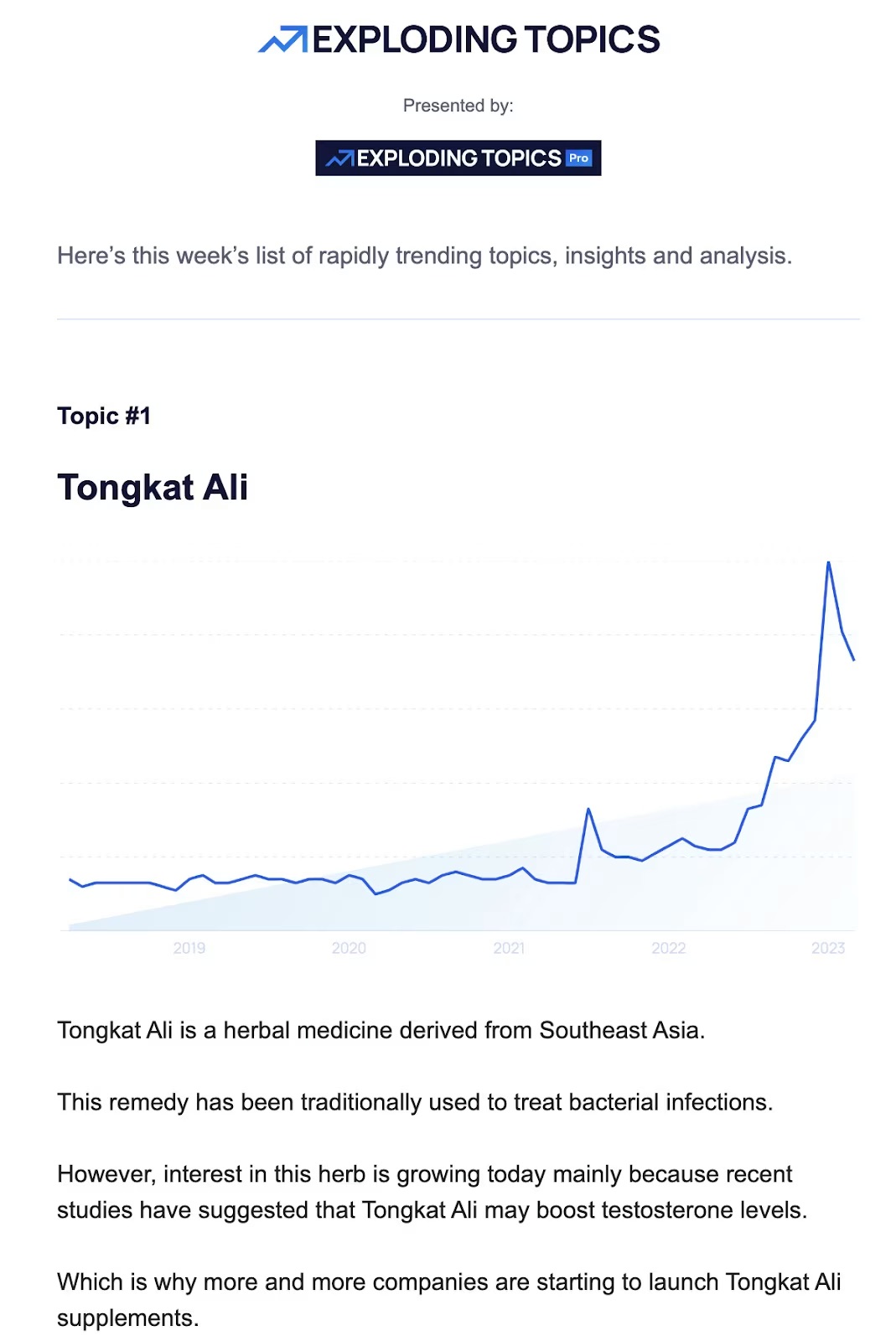
Plus, we’ve included a free downloadable with actionable tips for when a metric excels or falls short, helping you quickly adjust your tactics and maximize your return on investment.

[37]

What Are Digital Marketing Metrics?

Digital marketing metrics are measurable data points used to track the performance of online efforts across different marketing channels, including social media, website, app, search engines, email marketing, and more. They are essential for assessing effectiveness, optimizing strategies, and guiding decision-making.

By analyzing the numbers behind your efforts, you can identify which webpages are captivating visitors and which ones are causing them to leave. You can also discern what makes your paid ads successful, uncover reasons why your organic traffic might be underperforming, and gain a deeper understanding of your overall marketing performance.

In a nutshell, these metrics empower you to fine-tune your marketing efforts to better meet the needs of your target audience, transforming interested visitors into loyal, paying customers.

15 Important Digital Marketing Metrics 

Here are the most important metrics that digital marketers use to evaluate the effectiveness of their marketing initiatives and optimize their advertising spend.

1. Impressions

If you’ve dabbled in digital marketing, then impressions are likely familiar to you. As one of the most commonly used metrics, impressions indicate your brand’s exposure by measuring the number of times your content, whether a social media post or a paid ad, appears on users’ screens, capturing every instance of exposure.

The number of impressions can be found within the analytics or reporting tools provided by the platform where your content is being displayed.

For example, If your post appears in the feeds of 10,000 people, that would count as 10,000 impressions, regardless of whether the content was clicked or not.

High impressions are a green flag for your digital marketing campaigns, hinting that your content is being widely shown, which leads to increased brand visibility and awareness. Conversely, low impressions might indicate limited exposure, possibly due to targeting issues or insufficient budget for ad spend, if you opted for paid digital advertising. 

2. Click-Through Rate (CTR)

You’ve probably heard about click-through rate, or simply CTR, in the context of email marketing metrics, but it’s also applicable at website level. CTR serves as a key performance indicator, reflecting how well your content resonates with your target audience. 

As a digital marketing metric, the click-through rate measures the percentage of people who click on a link compared to the total number of people who viewed it—including links within emails, social media posts, search engine results, display ads, or any other digital content where a link is presented.

Generally speaking, a higher click-through rate indicates that your audience is engaging rather than just browsing. However, keep in mind that CTR benchmarks vary based on content type, channel, and the action you’re prompting. 

For Email Marketing:
Click-Through Rate = ( Number of Unique Clicks / Number of Emails Delivered ) x 100

For Paid Social Advertising and Paid Search Ads: 
Click-Through Rate = ( Total Clicks / Total Impressions ) x 100

3. Sessions

While getting viewers to see and click on your content is good, understanding how to maintain their interest while on your platform is equally important. This is where the digital marketing metric of sessions comes into play.

A session begins when a user lands on your website and wraps up when they leave (usually after 30 minutes of inactivity). Think of it as a container for all activities a user performs on your site within that time frame, such as browsing pages, conducting searches, or adding items to their cart.

You can find the number of sessions in the analytics or reporting tools provided by your website’s hosting platform or through search engine analytics tools.

A longer session duration is generally seen as positive, indicating that users are spending more time engaging meaningfully with your content or features. However, it’s essential to interpret this metric in context.

For instance, a news website might experience shorter session durations as users quickly read articles and move on. In contrast, an ecommerce site might benefit from longer visits as users browse products and make purchases. Additionally, factors such as design and usability, content relevance and quality, and user intent or behavior can influence how long visitors stay on your site.

4. Pageviews

Turning our attention to another essential digital marketing metric—pageviews. It measures the total number of times a web page is loaded or reloaded in a browser. Unlike sessions, which count each visitor within a timeframe once, pageviews can include the same user multiple times, in that a single visitor can view multiple pages during their session. 

Pageviews provide insight into the overall interest in your content. For example, if the average page on your website receives 100 pageviews a month, but then you have this killer blog post that is receiving 1,000 pageviews a month, it’s a pretty good indicator that people are really feeling the content in that particular post.

Another way to use pageviews is for spotting trends, such as traffic spikes from ad campaigns or seasonal swings, which can help you plan your next move.

Indeed, while high pageviews might look impressive, without context, they don’t always translate to meaningful engagement. To get the full picture of user behavior and site performance, combine pageviews with other engagement metrics like bounce rate, conversion rate, and average time on page—our next topic of discussion.

5. Average Time on Page (ATP)

Average time on page measures how long a visitor stays on a specific page during a single session. Not surprisingly, a high average time on page suggests that users like the content. As a result, you can assume that you targeted the right audience and they are finding your information relevant and compelling.

On the flip side, if they leave the page quickly, it could mean you missed the mark with your audience, set the wrong expectations, or that your content just isn’t cutting it. Or, sadly, it could just mean that your site or that page just aren’t user friendly. 

You can find metrics like the number of pageviews and average time on page within analytics or reporting tools such as Google Analytics.

6. Engagement Rate

Social media is a metric-filled world of its own. So instead of average time on page, we’ve got the engagement rate. 

Both metrics are similar in that they help you assess whether users are vibing with your content. While average time on page measures how long visitors stay on a specific page, engagement rate captures how users interact with a social media post, such as through likes, shares, comments, or clicks.

Engagement Rate = ( Total Number of Interactions on a Post / Reach of That Post ) x 100

A high engagement rate indicates that your content is compelling and relevant, which can lead to the generation of marketing qualified leads (MQLs). These are potential customers who have demonstrated interest in your company’s products or services through your marketing efforts and are more likely to become actual customers.

Conversely, a low engagement rate might indicate that your content isn’t hitting the mark. In such cases, it’s time to revisit and refine your strategy to ensure your content speaks to your target audience and aligns with your future campaigns.

7. Bounce Rate

When a browser lands on your website and leaves without interacting with any additional pages or elements, it is considered a single-page visit or a “bounce.” Therefore, bounce rate measures how many users visit your site and then leave without clicking a link, filling out a form, or making a purchase.

Bounce Rate = Single-Page Sessions / Total Sessions

A high bounce rate might be waving a red flag about your user experience, suggesting that your landing pages need a little TLC or your site navigation feels like a maze without a map. But don’t worry—sometimes a high bounce rate isn’t all doom and gloom!

For instance, if an educational blog post effectively answers a visitor’s question, a high bounce rate might actually reflect the success of demonstrating your business’s expertise. On the other hand, a high bounce rate on a product page before checkout likely points to a problem.

To turn those bounces into delightful visits, focus on creating a seamless and engaging journey for your users. Start by ensuring your website loads quickly, as slow load times can frustrate visitors and lead to an immediate exit, affecting your overall digital marketing metrics.

Next, give your site navigation a makeover. A clear, intuitive menu will help users easily find related content, encouraging them to explore further. Additionally, incorporating internal links within your content can guide visitors to other relevant pages, keeping them engaged. 

KEEP IN MIND

Exit rate is a metric that measures the percentage of visitors who leave your site from a specific page, regardless of how many pages they have visited beforehand. While it might seem similar to bounce rate, exit rate specifically provides insight into which pages are the last ones viewed before users exit your site.

8. Conversion Rate

Imagine you’ve created a seamless user experience with engaging content and well-placed calls to action that drive action and lead to conversions. 

It’s important to understand that a conversion isn’t limited to a transaction; it represents the completion of any desired action, whether it’s making a purchase, signing up for a newsletter, downloading a resource, or filling out a contact form. Consequently, the conversion rate indicates the percentage of visitors who take that specific action on your platform.

It helps measure the effectiveness of marketing campaigns and website performance.

Conversion Rate = ( Number of Conversions / Total Number of Visitors ) x 100

A low conversion rate could mean your content isn’t effectively persuading users to take action. Maybe it doesn’t quite align with what they’re looking for, or your CTAs aren’t doing the job—they might be unclear, not in the right spot, or just not compelling enough to get users to take action.

9. Average Order Value (AOV)

Your website traffic is going strong, and conversion rates remain steady—everything seems to be progressing smoothly. As the end of the month approaches, you review the details and identify an opportunity to enhance order values, or the amount customers spend at checkout. 

Average Order Value = Total Revenue / Number of Orders Placed

Focusing on average order value is a smart way to improve your revenue growth without the need to draw in more visitors or ramp up your total website traffic. By optimizing how much each customer spends, you can effectively increase earnings while making the most of your marketing budget and existing customer base.

For instance, if your AOV is $30, and you sell t-shirts at $20, you can offer free shipping on orders over $40. This encourages customers to add more items to their cart, thereby increasing their total spend.

As you see, AOV also provides insights into customer purchasing behavior and can indicate the effectiveness of pricing strategies, product bundling, and upselling efforts. 

10. Repeat Purchase Rate (RPR)

While a one-time purchase is great, having customers return for more is even better. This is where the repeat purchase rate comes into play. It measures the percentage of customers who come back to make additional purchases after their initial transaction. It’s a key performance indicator of how well a business retains its customer base. 

Repeat Purchase Rate = (Number of Repeat Customers /  Total Number of Customers) x 100

A good RPR is relative and should be evaluated against industry standards, historical company data, and business objectives. As a general rule of thumb, a high repeat purchase rate suggests that customers are satisfied with their experience and are likely to continue buying from your brand. Whereas a decline might indicate customer dissatisfaction with product quality, customer service or increased competition. 

If you’ve done everything right, you’ll surely be swimming in sales by now. But are you profitable? Let’s look at some key digital metrics that will help you determine this.

11. Customer Lifetime Value (CLV)

Customers are converting, spending, and returning for more. It’s a dream scenario for any business. But how do you quantify the value of these loyal customers? This is where the digital marketing metric known as customer lifetime value becomes important.

It’s a metric that estimates  how much revenue an average customer generates over a specified period of time. It takes into account factors like how much a customer typically spends per purchase, how often they make purchases, and how long they remain a customer, to give you an overview of how much a new customer will bring.

Customer Lifetime Value = Average Customer Lifetime Span x Average Customer Value

To put this knowledge into practice, imagine you have a customer that spends an average of $100 per year and remains loyal to your brand for five years. So their CLV would be $500.

As you can guess, a higher CLV indicates that customers are generating more revenue over time. But if you see a decline, it might be time to spoil your customers with personalized offers and enticing loyalty program preferences. Additionally, using a customer relationship management (CRM) tool can help streamline processes such as managing customer data, and automating communication for better engagement.

12. Cost Per Click (CPC)

The cost per click (CPC) metric is indispensable when it comes to managing advertising budgets effectively, as it measures the amount spent by a digital marketer each time a user clicks on their ad.

By understanding this metric, you can assess how efficiently your marketing budget is being used to attract potential customers.

Cost Per Click = Ad Cost / Number of Clicks

A high CPC can feel like your budget is slipping through your fingers, especially if those clicks aren’t turning into sales. It might suggest you’re in a competitive keyword arena, your ad could use a little more polish, or it’s simply not resonating with your audience.

Conversely, a lower CPC is like getting more mileage out of your budget, with each click bringing you closer to your goals. It typically indicates your ad campaigns are finely tuned, featuring interesting content and smart targeting strategies.

It’s important to note that the cost per click can vary based on factors like the competitiveness of the keywords being targeted, the ad quality, and the industry.

13. Cost Per Lead (CPL)

This next marketing metric, cost per lead, reveals the total cost for converting site visitors either through organic traffic or advertising campaigns into potential customers. 

Cost Per Lead =  Total Money Spent on a Marketing Activity / Number of Leads

For instance, if you spend $500 on a campaign and acquire 50 leads, your CPL would be $10. This metric doesn’t focus on the people who clicked on your ad but rather the ones who took action—like booking a demo or downloading a guide. 

Now, if your cost per click looks promising but conversions are playing hard to get and your budget is vanishing into thin air, the culprit might be your CPL. A lower CPL means your lead generation strategies are attracting potential customers efficiently, but they’re not quite making the leap.

To tackle this, consider refining your landing pages to ensure they’re engaging and aligned with your ad’s promises. Also, evaluate your call to action to make sure it’s compelling and clear.

14. Customer Acquisition Cost (CAC)

Now that you’ve gathered your leads, it’s time to convert them into clients. This is where the customer acquisition cost, in short—CPL, shines. It measures the total expense incurred to acquire a new customer and includes all marketing and sales expenses, such as advertising costs, salaries, software, and any other resources used.

This marketing metric essentially indicates whether your digital marketing efforts contributed to your campaign’s success or failure.

Customer Acquisition Cost = Total Cost of Sales and Marketing / Number of New Customers Acquired

For example, if your company invests $10,000 in a month to acquire 100 customers, your CAC would be $100. So, if your average order value is approximately $500, this indicates that your campaigns are profitable. However, it’s important to also factor in product costs and other expenses to obtain a comprehensive financial overview.

A high customer acquisition cost (CAC) might suggest that you need to optimize your targeting, messaging, or choice of marketing channels to attract customers more cost-effectively. Conversely, a low CAC indicates that you are acquiring customers efficiently at a lower cost, which can enhance your profit margins and give you the flexibility to reinvest in different growth initiatives.

15. Return on Investment (ROI)

We’ve saved the best for last—the most crucial digital marketing metric: return on Investment (ROI). This essential performance indicator is a must-know for any business, as it assesses the profitability of your marketing efforts by comparing the revenue generated to the costs incurred.

Return on Investment = ( Total Revenue – Cost of Investment / Cost of Investment ) x 100

Let’s say that you spend $1,000 on a marketing campaign and generate $5,000 in revenue, then your return on investment would be 400%.

A higher marketing ROI indicates that your marketing efforts are doing the job, bringing in more cash relative to the costs. A low or even negative ROI, on the other hand, is a real bummer, because it obviously tells you that what you’re doing simply isn’t working. That means it’s time to reassess your marketing tactics so that your budget is more efficiently used to get better results. 

To improve return on investment, set clear, measurable marketing goals for your campaigns so that every dollar is dialed with your business objectives. This might involve targeting specific customer segments or focusing on high-impact channels.

You can also experiment with different ad formats, messaging, or promotional offers that can lead to better engagement and conversion rates, and of course, a better ROI. Long story short: get creative and get strategic!

Following Through on Digital Marketing Metrics 

Understanding and tracking the right digital marketing metrics is not just a good idea—it’s an essential step for your business to succeed, as they provide insights into the effectiveness of your digital marketing efforts.

By keeping an eye on important indicators such as social media engagement, total website traffic, and conversion rate, you can identify trends, anticipate market shifts, and adapt your strategies accordingly. Our free downloadable offers actionable insights to help you navigate these changes, enabling you to quickly adjust your tactics and maximize your return on investment.

Remember, whether you’re jazzing up your email campaigns, leveling up your social media presence, or fine-tuning your website’s user experience, these metrics ensure your ad spend hits the mark and your digital marketing strategies shine.

Design Flawless Emails: Must-Know Email Layouts and Trends 

Featured image of article about email designs

Are your email marketing campaigns falling short in engagement? If your emails are being opened but the click-through rate is low, you might be wondering whether it’s the copy or the design of the email that is turning readers away. Since you’ve successfully gotten them hit “open,” there’s still hope—you might just need an email design tune-up.

In this article, we’ll help you understand the importance of good email design and how you can achieve it with the help of effective layouts and email design ideas that have gained popularity recently—all to create beautiful emails that keep your readers glued from start to finish.

Why Do Your Emails Need Great Design to Stand Out?

Think about it this way: when you open an email, what grabs your attention first? For most people—and even your email subscribers—it’s not long paragraphs of text. With information coming at them from all directions, it’s unrealistic to expect them to read every word of your email, no matter how connected they are to your brand.

Your recipients are more likely to skim rather than read in detail to quickly assess if the content is worth their time. So, how can you effectively convey your message? This is where great email marketing design comes in handy.

By using visual cues to direct the reader’s attention, you can highlight the essential elements your audience needs to understand for your email marketing campaigns to be successful.

Email Layout vs. Email Template: Understanding Their Roles in Email Design

To clear up any confusion from the start, and save you from wondering what comes first, here’s a simple breakdown of each term:

The differences between an email layout and an email template explained

So, how does creative email design fit into the mix with these terms?

While the email layout ensures a balanced and organized presentation for your email’s appearance, an effective email design builds upon this by styling elements within this framework—from color palettes and fonts to all kinds of visual elements—to create an email that’s both engaging and visually appealing. 

The result of this combination is the email template—a ready-to-use framework that simplifies the email creation process. It ensures consistency, saves time, and allows for customization to align with your branding and the goals of your message.

Illustration showing what an email layout looks like compared to an email template

Most email marketing platforms offer predefined templates to help you create beautiful emails at one time. SiteGround Email Marketing is one of them—offering a range of professional email templates that can be easily customized using a no-code builder and built-in AI assistant. 

Common Types of Layouts for Effective Email Design Ideas

The design of your email should align with its purpose. While some emails might be all about the words, others come alive with images, graphics, and videos. It’s all about arranging these elements in a way that guides your reader’s eyes smoothly through the content, whether it’s a structured hierarchy or a natural reading flow.

We’ll be exploring some common types of email structures, accompanied by template examples to discover how each design comes to life.

The seven common types of email layouts, each structured sequentially to form a list

1. All-Text Email Layout

As the name suggests, all-text emails do not include any images or graphic elements; it’s just plain text. Because of that, emails with such structure are often used for password resets, order confirmations, and for almost any kind of transactional email. 

But don’t think that’s all they’re good for—they’re also great for welcome emails or any message you want to feel more personal. Without logos or images, they can come across as if they were sent by an actual person.

And while you might think that with your concise and simple copy, success is guaranteed, there are a few rules to follow to make your message pop, such as:

  • Use well-formatted text with short sentences and short paragraphs.
  • Include headings and subheadings to break up text, where appropriate.
  • Bold important phrases to catch and keep the customers’ attention.

2. One-Column Email Layout

When we say one-column layout, we’re referring to an email where everything is arranged in a simple, straight line—just like a column. This format allows you to include as many sections as needed, with each section typically featuring a single image or block of text.

The simplicity of this design is its greatest strength, as it offers a clean and straightforward presentation that keeps the reader engaged with the main message without any distractions. That’s why single-column layouts are effective for welcome emails, sales promotion emails, and re-engagement emails. They also work well on mobile devices because they easily adapt to smaller screens, offering a user-friendly reading experience.

3. Two-Column Email Layout

A two-column layout organizes your essential elements—content and images—into two distinct sections, providing clear separation within your content.

This format is ideal for covering multiple topics at once, such as introducing your brand while guiding readers to the landing page of your services. It’s also well-suited for information-heavy content like newsletters, especially those featuring blog posts where you need to present various pieces of information in an organized manner.


Plus, this format works wonders when incorporating multiple calls to action, as it enables you to strategically position them throughout your body copy without overwhelming the reader.

4. Hybrid-Column Layout

A hybrid-column or multi-column layout starts with a wide, single-column header that can be used to provide context for the topic of your email or, if it’s a promotional email, to highlight your main offer. Following the header, the layout transitions into multiple blocks arranged in a two-column format, where you can place your calls to action and additional information.

The main advantage of this format is its ability to convey a large amount of information in a streamlined design, keeping your email both tidy and visually engaging.

Just keep in mind that while some email platforms offer mobile-friendly templates, emails with more than one column might present challenges in optimization. Therefore, always preview your email to ensure it looks great on all screen sizes.

Now that you’re familiar with the columns, let’s move on to discovering how different visual patterns can elevate your email designs.

5. Inverted Pyramid Pattern 

The inverted pyramid layout follows how readers naturally skim through text. It starts with an appealing visual or catchy copy that captures attention, then gradually narrows the reader’s focus toward the main goal of your email—the call to action. This progression is particularly effective for promotional emails, where the primary objective is to drive conversions.

In this layout, every element of the email is designed to support the call to action and eliminate distractions, ensuring that readers have a clear and direct path to engage with your offer.

6. Zig-Zag Pattern 

This pattern is perfect for emails that are packed with information but still need to be visually appealing, as it leverages the natural way our eyes move when we read—from left to right—creating a “Z” pattern. That’s where its name comes from.

When creating emails following the zig-zag pattern, it’s a good idea to place the most important information on the top horizontal line, as this is what readers notice first. From there, guide the reader’s eye along a diagonal line that leads to engaging copy and a call to action, and do the same for the opposite side. Additionally, if you want to improve readability and maintain a clean email design, utilize the white spaces. 

The zig-zag pattern is perfect for emails that contain weekly updates, product launches, or tips—any scenario where you need to highlight key elements while presenting more details.

7. F-Pattern

This pattern uses the following visual hierarchy: the most important information is at the top, followed by less important information on the left sides below, including the call to action at the bottom.

This layout also follows a natural reading pattern, as users tend to read one section at a time, left to right, with CTAs at the bottom of each section, where the reader’s eyes are drawn to. As the content continues, the text on the right becomes shorter, gradually leading to the CTA button. 

The F-pattern layout works well for information-heavy emails that need to be easy to read and mobile-friendly. 

6 Effective Design Ideas (With Email Design Examples)

Now that you’ve got the knack for structuring emails that grab attention, it’s time to shift our focus to elevating your email design to maintain that attention.

Whether you’re eager to revamp your style or explore bold new ideas, below are some great email design ideas to get your creativity going.

6 effective design ideas, each structured sequentially to form a list

1. Gamifying Elements 

Imagine incorporating game-like elements into your emails to increase reader engagement. For instance, you could create a series of emails where subscribers complete fun challenges or quizzes to earn points. As they accumulate points, they can unlock new content or receive special rewards. You might also introduce a leaderboard to foster friendly competition among subscribers.

Additionally, developing storylines that unfold over multiple emails can further hook subscribers, enticing them to see how the narrative evolves and encouraging them to come back for more.

Gamifying your emails leads to increased time spent reading and even higher click-through rates. This email design is especially effective in re-engagement emails, where rekindling the connection with your readers is the main goal.

Screenshot of the Duolingo email, including gamification elements

Here’s a great email design example from the language learning app Duolingo. They send out gamified emails with mini-quizzes and progress reports to keep users engaged and to encourage regular app use.

Screenshot of the Travelodge email, including gamification elements

This email from Travelodge taps into the festive spirit by offering a free trip to the lucky winners. By incorporating a challenge-based entry, it encourages active participation, transforming a simple email into an exciting adventure.

2. Dynamic Content With High-Quality Images

Your readers have diverse preferences, so instead of creating emails that try to use one-size-fits-all content, focus on more personalized messages that resonate with your subscribers. 

Dynamic content allows a single email to automatically adapt and personalize itself based on who receives the message. You can either set up specific content blocks and choose which subscriber groups or segments to show the content to, or customize content based on individual subscriber information, such as using their name or other details from their user profile.

Pair it with eye-catching images, and your subscribers will be hooked.

Screenshot of the Spotify email, including dynamic content with high-quality images

Here’s an email design example from Spotify: the content in their newsletter changes based on each subscriber’s listening preferences. This way, recipients are more likely to explore the recommendations in the app, whether it’s ’90s hits or another music era tailored to their tastes.

Screenshot of the Netflix email, including dynamic content with high-quality images

Netflix adds a splash of personalization to their emails with customized elements, nudging subscribers to dive back into their latest series right where they left off. Plus, they sprinkle in recommendations for new shows adapted to each viewer’s unique tastes, based on their viewing history.

3. Cinemagraphs

The next email design idea might be something you’ve spotted before, but didn’t know by name—cinemagraphs, more recognized as animated GIFs. These delightful animations within still photographs feature a portion of the image that moves in a seamless, endless loop. This masterful blend of motion and static elements breathes life into the photo, creating this wow factor for your reader.

Usually lasting 3-10 seconds, cinemagraphs pique visual interest and lend a sleek look to your emails. Remember, while these charming loops are visually captivating, they should remain subtle to avoid distracting from your main message. 

Screenshot of the Detour email, including cinemagraphs

Do you sense the aroma from the freshly brewed pot? Detour Coffee Roasters makes sure you do, leaving a memorable mark on new subscribers. By adding a cinemagraph to the coffee cup, they not only spotlight their product but also sprinkle a touch of elegance to their welcome emails.

Screenshot of the Korres email, including cinemagraphs

This promotional email from Korres is another great email design example. With a splash of motion in their product images, the email transforms into an eye-catching showcase, letting readers almost feel the products’ presence.

4. 3D Graphics

By adding 3D animations or illustrations, you can create a rich, immersive visual environment that draws the reader in and holds their attention. These elements can be particularly effective in showcasing products or highlighting key features in a way that feels more tangible and engaging.

Additionally, parallax scrolling effects—where background and foreground elements move at different speeds—can create a layered, dynamic design that adds depth and motion to your emails. 

The next email design from Envato can only be described as a masterpiece. The brand skillfully showcases their 2D and 3D services, using the email as a dynamic canvas to demonstrate the full potential of their platform.

5. Hand-Drawn Illustrations

Incorporating hand-drawn elements into your email designs can infuse them with a sense of personality and authenticity, creating a more intimate connection with your audience. This approach subtly conveys that there are real, creative individuals behind your brand, which can help build trust and foster stronger relationships with your subscribers.

Whether it’s a sketched icon, a handwritten font, or a doodled border, these artistic touches can add a unique flair to your marketing emails, distinguishing them from more generic, mass-produced designs. 

You can draw inspiration from this effective email design by Rifle Paper:

Similarly, adding organic, imperfect shapes can greatly enhance the aesthetics of your email designs. Unlike the rigid, geometric shapes often found in digital design, organic shapes are free-flowing and less structured. This can evoke feelings of creativity, spontaneity, and warmth, offering a refreshing contrast that adds a unique and inviting touch to your message—just like this welcome email. 

Screenshot of the Meow Meow Tweet email, including illustrations of animals
Screenshot

6. Dark Mode Compatibility 

Now that you’ve gathered some email design inspiration, it’s time to consider how these designs will fare in dark mode. This is an essential step if you want to keep your email campaigns looking sharp and engaging despite your reader’s preferences for dark or light mode.  

While you can’t completely control how emails are displayed in dark mode—since that’s often up to the user’s device or email provider—you can design your emails to be more adaptable. 

Here are some handy pointers to keep in mind when making your emails dark mode-ready:

  • Use transparent PNGs: Ensure images blend well by using transparent PNGs or removing backgrounds that may not integrate smoothly.
  • Add padding to non-transparent Images: If images have backgrounds, add sufficient padding around focal points to prevent awkward contrasts.
  • Enhance brand logo: For black logos, consider adding an outline to prevent them from disappearing on dark backgrounds.
  • Opt for subtle accent colors: Select less saturated accent colors that look good on dark backgrounds.
  • Rethink icon colors: Аvoid black icons on white backgrounds, as they may vanish in dark mode. Use a poppy color with white icons for better visibility.

The Art of Creating Your Own Email Design 

Great email design is an essential part of any successful marketing strategy. By understanding the different types of layouts and incorporating creative design elements, you can create emails that resonate with your target audience and achieve your business goals. 
Whether you’re looking to generate leads, increase brand awareness, or drive sales, a well-designed email can make all the difference. Additionally, don’t forget to continuously evolve your design strategies, keeping them fresh and relevant to maintain your audience’s attention and create memorable interactions.

With these insights and examples, you’re well-equipped to design emails that not only stand out but also deliver results.


This article was originally published in June 2024 and updated in March 2025.

Write the Perfect Promotional Email + 17 Examples & Free Templates

Featured image of article about sales promotion email sample

Let’s be honest—everyone appreciates a good deal, but no one enjoys being overwhelmed with emails that simply push products.

In this article, we’re ditching the usual advice and diving into what actually makes an offer irresistible and how to communicate it effectively to minimize customer churn. After all, for a sales promotion email to catch the eye, you need to do more than just throw one together and expect to get results.

We’ll also look at some great promotional email examples, and share key insights into crafting emails that resonate with your recipients and keep them far from the spam button. 

And as a bonus, we’re throwing in a free downloadable guide packed with ready-to-use promotional email templates.

[40]

What Are Promotional Emails?

Sales promotion emails, also known as promotional or promo emails, are exactly what they sound like: marketing emails sent to your audience—whether they’re customers, leads, or subscribers—with the purpose of encouraging purchase by highlighting special offers, discounts, or products.

You can send email promos for a variety of occasions, but to maximize those conversion rates, consider aligning them with the stages of your customer’s journey. 

The 9 stages of the email customer journey: awareness, consideration, decision, onboarding and education, upsell and cross-sells, retention, loyalty, advocacy, re-engagement

Based on your customer’s current stage, you can send:

  • Welcome promo codes, one-month free trials, or limited-time offers (consideration)
  • Abandoned cart reminders, exclusive discounts, or flash sales (decision)
  • Back-in-stock alerts, product launch announcements, or personalized product recommendations (upsell and cross-sell)
  • Milestone celebration discounts, VIP offers, or seasonal and holiday promotions (loyalty)

How to Write the Perfect Promotional Email

You can’t skip essentials like using high-quality images, creating a sense of urgency, and including clear calls to action when crafting your sales email. However, there are additional tricks you can use to make your offer irresistible.

Call to action button regarding SiteGround Email Marketing

1. Write Catchy but Clear Subject Line

Did you know that 47% of emails are opened  solely based on the subject line? With this in mind, make sure yours stand out by clearly highlighting the offer or benefit for your subscriber. For instance, the subject line “Exclusive Offer: 20% Off Only for Our New Customers” grabs attention, sets clear expectations, and is more likely to prompt opens than a vague line like “Socks on Discount.”

Additionally, keep your subject lines short—no more than 50 characters long—and simple, as overly clever or complicated ones often get overlooked.

Finally, strive to be catchy, conversational, and compelling, but be cautious of spam-trigger words like “100% free,” “guaranteed,” or “urgent,” as they could send your email straight to the spam folder. 

2. Use Preheader Text to Back Up Your Subject Line

Before opening an email, your subscribers see three key pieces of information: the sender name, subject line, and preheader text (which is sometimes called preview text). So, if your subject line didn’t steal the show, you’ve still got a shot to make an impression with the preheader!

The preheader is a brief snippet of text that follows the subject line in the inbox. Though only 30-80 characters long, this small piece of text can be the deciding factor in whether someone opens your email. Therefore, avoid repeating the same message as your subject line, as it would be a waste of space and might create the perception that your brand is lazy or sloppy.

Some best practices when it comes to your preheader include: 

  • Incorporating a call to action (CTA)
Screenshot of an email preheader text "Buy 2 and save," accompanying the subject line, "25% off leggings"
  • Expanding on the offer
Screenshot of an email preheader "Here's a discount off cover art," accompanying the subject line, "We've got you covered"
  • Using FOMO (fear of missing out)
Screenshot of an email preheader "2 days left," accompanying the subject line, "Gear Up with 25% Off"

However, if you can’t decide what you’d like to add, lucky for you—most email providers will automatically pull the first 40-50 characters from your email. Just make sure those opening words are action-driven and give your readers a reason to dive in further!

3. Create a Sense of Urgency

Creating a sense of urgency in your sales promotion emails is a powerful tactic to compel readers to act fast. The psychological principle behind this is simple—consumers tend to place a higher value on opportunities that are available for a limited time. 

To effectively create this sense of urgency, use time-sensitive language in both your email copy and CTA buttons. Phrases such as “Sales ends in 24 hours“, “Grab yours before they’re gone,” or “Last chance to claim your exclusive discount” suggest that delaying could result in missing out on something desirable.

The email below is an excellent example of how to create a sense of urgency in your messaging:

An example of a back-in-stock email promo about a pair of jeans, where a sense of urgency is created by using the phrase "Grab yours now because they will sell out again."
Screenshot

4. Use Visible and Clear Call to Actions

Think of your CTA as the handshake between your email content and your reader’s next move. Make sure it stands out and is easy to find, while remaining clear and not overly pushy.

It’s important to recognize that different CTAs pack different punches. For example, “Shop Now” is your go-to for immediate action, while “Learn More” is perfect for those curious clicks.

Additionally, to enhance the visibility of your calls to action, aim to use contrasting colors, bold fonts, or quirky shapes. Try popping one in the header for easy access or save it for the end to smoothly guide readers to the next step. You can also sprinkle them throughout your email, as long as each one has a clear purpose and adds a little flair.

For instance, here we have a great example of strategically placed calls to action:

An example of a flash sale email with strategically placed CTA buttons throughout the email
Screenshot

5. Mind the Email Length

Depending on the promotion you’re running, your email’s body might be a quick read or a little more detailed. But remember, a wall of text is a fast track to the trash bin!

When crafting sales promotion emails, think of “less is more” as your mantra. Try to keep your text short and to the point, allowing the reader to focus on the offer and not get overwhelmed by details that might put them off.

The example below shows exactly that—how concise and clear copy effectively highlights the offer:

An example of a promotional email featuring a bag as the hero image, with concise copy below to demonstrate the importance of email length
Screenshot

6. Balance All Elements (Text vs. Visuals)

It’s important to give your email elements some breathing room, as it helps prevent a cluttered or overwhelming appearance. Sometimes, the use of white space can improve readability and draw attention to the most important parts of your email, such as the headline, key benefits, and that all-important call to action, ultimately increasing your click-through rate.

Also, don’t forget about  the overall layout of your email—an aesthetically appealing email captures subscribers’ attention and also holds it, guiding them through your message and towards the desired action. 

Try  breaking up text into short paragraphs with headings or bullet points to make the content of your email more digestible.This way, the likelihood that your offer will be noticed and acted upon is higher. 

It’s also important to note that some email providers monitor the text-to-image ratio. Although there’s no strict rule, a commonly recommended ratio is 60% text to 40% images, or even higher text content, to help ensure your emails reach your intended customers.

Take a cue from the example below, where we have a well-balanced text-to-image ratio:

An example of a promotional email offering an AI-trained plush puppy, featuring a two-column layout with images, headings, and paragraph text
Screenshot

7. Sync The Email Color Scheme with Your Brand Identity

The color scheme of your email is a key player in your design game. Pick email colors that not only reflect your brand’s personality but also play nice together. A harmonious palette stirs up the right emotions and makes your content a treat to read.

For instance, incorporating a calming blue in a wellness center’s email promo can emphasize relaxation, while a vibrant orange in a fitness brand’s email can evoke energy and enthusiasm, highlighting an active lifestyle.

8. Use High-Quality Images

No email is complete without captivating imagery. Therefore, if you’re promoting a physical product, avoid using the same generic stock images that every company in your industry uses. Instead, show off your products from their best angles to highlight key features. When it comes to services, use photos that tell a story by featuring real people enjoying the service. This approach makes your offerings more tangible and relatable to your audience.

Remember, while images are important, they shouldn’t be the sole focus of your email. Aim for a sales promotion email that is exciting but not overwhelming, where images enhance rather than distract from your call to action. 

The example below shows exactly that—how images can be used effectively to complement the overall message:

An email promo offering journaling accessories with original photos, showcasing the unique design and quality of each item
Screenshot

9. Make It Personal

Personalized emails nowadays go beyond simply using the customer’s name; they involve crafting a message that feels uniquely tailored to the recipient.

By referencing past interactions with your brand, such as previous purchases or items they’ve shown interest in, you demonstrate an understanding of their individual needs and preferences. Additionally, you can celebrate milestones, like the anniversary of their first purchase, with a personalized offer or a simple congratulatory note to make them feel valued and appreciated.

To make sure your emails are really landing, it’s important to keep an eye on your email marketing metrics. These insights reveal how your audience engages with your content, allowing you to refine your approach and create more impactful messages. With this data in hand, you can turn a generic email promo into a memorable message that leaves a lasting impression on your recipient.

10. Build Trust 

Sometimes a friend’s recommendation or even a random review on the internet can sway your audience’s decisions. That said, try to showcase testimonials, awards, or endorsements your product or service has snagged to improve your credibility and demonstrate authenticity and reliability. 

To add even more value to your sales promotion email, think of including some handy tips on how your customers can make the most of your service or provide a fun guide on using it like a pro. By doing so, you not only educate them but also demonstrate your commitment to their satisfaction and success. It also helps them get more out of your product—now, and hopefully as they return as customers!

How to write the perfect promotional email with a summary of the steps mentioned above.

11. Harness Gmail’s Promotion Tab Features (Bonus Step)

When Gmail introduced tabs in 2013, many email marketers were concerned. The new promotions tab meant that sales promotion emails could land there instead of the coveted primary tab, potentially reducing their visibility to subscribers.

Screenshot

However, the promotions tab isn’t the junk folder, so don’t treat it as the enemy. Instead, think of it like your trusty sidekick, helping your promotional emails stand out among the many messages your subscribers receive. In fact, 45.1% of users with this feature enabled check the promotions tab daily, and those users are more likely to engage with and make purchases from the emails they find there.

And while landing in the primary tab is every email marketer’s dream, trying to sneak your sales messages in there could backfire, as recipients might mark them as spam, damaging your sender reputation and deliverability rates.

Fast forward to 2019, when Gmail introduced annotations in the promotions tab—a feature that lets you include extra details about your offer right in the inbox preview, making your email more noticeable. Essentially, annotations are snippets of HTML code added to your email header, which you can easily modify to display desired information, such as your logo, business name, featured image, deal badge and more.

An example of a sales promotion email with Gmail's promotional annotations incorporated, featuring different elements such as the logo, deal badge, expiration date, and featured image.

You can also opt for a simpler version with only text-based details like a promo code or expiration date, or spice things up by using product carousels that showcase multiple image previews for your promotion.

Overall, using Gmail annotations can only work to your advantage, allowing you to spotlight important information about your deal right in the promotions tab. Check out this guide for all the details on this feature.

Common Types of Sales Promotion Emails (With Examples)

While the perfect promotional email template doesn’t exist, by understanding different approaches, you can craft compelling messages that not only resonate with your target customers, but also effectively drive sales.


With that in mind, here are the most common types of email promos, paired with effective examples to help elevate your email marketing efforts.

Common types of sales promotion emails

1. Not an Offer, Just a Teaser

A teaser email is like a friendly nudge in your reader’s inbox, saying, “Psst, something big is on the way—stay tuned!” Whether it’s a new product launch, a major announcement, or in this case, an upcoming sale, these emails are all about building excitement.

Teaser emails usually keep it short and sweet, but don’t let their simplicity fool you—they can add a real intrigue to your promotional email campaigns. 

Screenshot of the Knix teaser email
Screenshot

This  teaser email from Knix skillfully entices the reader to open with its promise of a sale potentially surpassing Black Friday—one of the busiest shopping days. Inside, it builds urgency by nudging them to mark their calendars for “What you’ve been waiting for,” while the “Unlock early access” CTA adds a hint of exclusivity, making the opportunity hard to miss.

2. Limited-Time Deal Promotional Email 

A limited-time deal email is a promotional classic that effectively taps into the natural fear of missing out. Essentially, they showcase offers available only for a set time, whether it’s a matter of minutes, hours, or even a few days or weeks. 


Limited-time deals work wonders when timed with special occasions, especially during holiday seasons, when people eagerly anticipate discounts and are more likely to take advantage of them.

Screenshot of the NoBull limited-time deal sales promotion email
Screenshot

In the email above, the subject line immediately grabs attention with a time-sensitive deal, encouraging quick action. The playful header “Make repetition your reputation” resonates with fitness enthusiasts, while the concise copy highlights the featured sneakers as essential for those pursuing continuous improvement.

Screenshot of The Washington Post limited-time deal sales promotion email
Screenshot

Offering free trials is an effective lead generation strategy, as it lets potential customers experience your product or service firsthand, without the financial commitment. In this next example, a sleek, minimalist design keeps the spotlight on the offer, while a cleverly positioned CTA button guides them to a landing page detailing the promotion’s features and terms.

3. Back-In-Stock Promotional Email

Back-in-stock emails are perfect for prompting immediate action from customers who missed out on popular items. Letting them know that a product is available again provides a chance to re-engage them and encourage visits to your store.

These emails serve as reminders, creating a sense of urgency and excitement that can lead to quick conversions. Additionally, by personalizing them based on previous interactions, you can enhance their effectiveness even more.

Screenshot of the Lululemon back-in-stock sales promotion email
Screenshot

We’ve already explored how the fear of missing out can drive consumer behavior, and Lululemon nails it perfectly. Their back-in-stock email starts with a subject line that picks the reader’s interest by hinting that a sought-after item has returned. It then uses a clever aviation-themed metaphor to create a sense of urgency, indicating that these popular products are ready to “take off” again.

Screenshot of the Sill back-in-stock sales promotion email
Screenshot

For the plant lovers out there, this back-in-stock email from Sill kicks things off with a playful question that’s sure to catch their eye. With free shipping and a 30-day guarantee, it’s tough to resist. And if the visuals don’t convince the reader, they’ve cleverly highlighted key features to seal the deal.

4. Holiday and Seasonal Promotional Emails

A holiday without a sale just feels incomplete, doesn’t it? Holiday email promotions tap into the festive spirit when customers are more likely to shop. These emails can cover special occasions such as Christmas, Valentine’s Day, or any other holiday you can think of. The better your offer matches a particular celebration, the more successfully you can engage your email subscribers.

Similarly, seasonal shifts offer perfect opportunities for businesses to connect with subscribers through enticing deals. Each season brings a new backdrop for campaigns that resonate with consumer moods, while seasonal store clean-ups provide a chance to offer exclusive discounts to clear last season’s stock.

Screenshot of the Athletic Brewing holiday sales promotion email
Screenshot

If this holiday-themed email doesn’t make you raise a red ale and say “Sláinte,” we’re not sure what will. Designed to capture the festive spirit, the email features a sleek green monochrome palette that beautifully showcases the product. The prominent “Make Your Own Luck” slogan cleverly ties into the traditions of St. Patrick’s Day, subtly encouraging customers to seize the opportunity and make a purchase.

Screenshot of the Nominal holiday sales promotion email
Screenshot

There’s nothing like shopping for your favorite person to spark a little excitement. The Valentine’s Day email above not only encourages action but also adds a charming touch by linking the featured jewelry to a deep, unforgettable love story. By weaving a narrative that resonates emotionally, the email helps create a connection between the product and the sentiment of the occasion.

Screenshot of the Little Beast seasonal email promo
Screenshot

This next email promo cleverly plays on the idea of seasonal renewal, prompting readers to consider refreshing their pet’s wardrobe. Additionally, it features a diverse mix of popular items, thoughtful gifting options, and enticing discounts to appeal to a wide range of customers.

5. Exclusive Subscriber Offer Promotional Email

Expressing gratitude to your subscribers for taking a desired action is a great way to keep them engaged. Instead of just a simple thank you, consider offering special deals that aren’t available to the general public. Such email promos foster a sense of privilege and appreciation among your subscribers. Plus, you can easily add them to your email automation sequences.

You can offer newcomer promo code, repeated purchases discount, members-only access, and unique product bundles—these little perks make your customers feel like the VIPs that they are. 

Screenshot of the Pro's Closet exclusive subscriber offer email promo
Screenshot

While there are certainly many exciting things out there, knowing something is reserved just for you can be quite appealing.  In this email offering an exclusive subscriber deal, The Pro’s Closet teases a special discount right in the subject line, inviting new customers to dive in and ultimately circle back to the website. Pretty straightforward, and effective. 

Screenshot of the MeUndies exclusive subscriber offer email promo
Screenshot

The next email masterfully blends a sense of exclusivity with a playful touch–a simple emoji. By incorporating a lighthearted tone, the email immediately sets a welcoming atmosphere. This tone is further enhanced with catchy images and vibrant colors that perfectly align with the brand’s personality, making the overall customer experience memorable and enjoyable.

6. Upsell and Cross-Sell Promotional Emails

With trust established, the upsell and cross-sell emails focus on encouraging customers to explore additional products or services. This is ever so important, as existing customers can be one of your greatest sources of business, and they ensure ongoing success. 

Since you’ve already convinced these customers to buy from you, now’s the time to leverage your emails to highlight complementary items or premium options that not only might address other customer pain points, but that can even enhance the initial purchase.

Screenshot of the Linktree upsell email promo
Screenshot

Simple and to the point is how we can describe this upsell email example. Linktree not only offers a free trial of their premium plan but also cleverly emphasizes that there are no strings attached—it’s entirely on them. And just in case the reader misses the bright pink CTA button, the big, bold promo code is right there, ready to remind them of what this email is all about.

Screenshot of the Crocs cross-sell email promo
Screenshot

Back-in-stock or new arrival email promos often fall into the cross-sell category, as they encourage existing customers to enhance their previous orders with complementary items. For example, Crocs’ charming message to “give the little ones a new reason to smile” is a perfect illustration of this strategy. By highlighting the joy and excitement that new colors can bring to their kiddos, the email tugs at parents’ heartstrings, prompting them to explore additional options.
7. Special Occasion Promotional Email

Celebrating special moments like birthdays, personal milestones, or even your brand anniversary can make your customers feel special. Including a unique offer, such as a discount or complimentary product, can enhance their experience with your brand. Plus, it’s a great way to encourage them to engage with your brand and make additional purchases.

Screenshot of the REI special occasion sales promotion email
Screenshot

This anniversary email is a warm invitation to REI Co-op members, fostering a sense of community while making them feel extra special. By highlighting the “Biggest Sale,” it promises impressive discounts, stirring excitement and encouraging recipients to explore the deals. The splash of red is no accident—it’s strategically used to create a sense of urgency, motivating customers to take action quickly.

Screenshot of the Starbucks special occasion sales promotion email
Screenshot

In this next example, Starbucks uses the customer’s birthday to offer a free drink. The email conveys excitement about giving the customer a special treat, making them feel valued by the brand. Redeeming the offer is easy—just visit any participating store on your birthday to enjoy your drink!

8. Event Promotion Email

Whether you’re hosting an in-person seminar, a workshop, or an online webinar, the goal of event promotion emails is to increase attendance and generate excitement among your email list. These emails should capture the essence of the event, spotlighting key speakers, topics, and activities that will pique the interest of potential attendees.

By providing a glimpse into the unique experiences and valuable insights that await them, you create buzz that encourages recipients to register. 

Screenshot of the Salesforce event promotion email
Screenshot

Engagement can kick off with a simple question, especially when you’re asking subscribers about their needs or spotlighting a problem they might encounter. This approach not only captures attention but also demonstrates that you understand their concerns and are eager to provide solutions. Take a cue from Salesforce’s event promotion email, which promises to tackle customer challenges with expert insights, all while promoting new features!

Screenshot of the Pilot event promotion email
Screenshot

After unveiling the event, you need to keep your readers hooked by playfully reminding them of the perks of attending and by revealing the star speakers—just like this email from Pilot does.

9. No Offer, Just a Reminder

While it would be great if your recipients acted upon your offer immediately after the first email, the reality is, unfortunately, different. Many factors can distract or delay a subscriber’s decision to engage with your offer—from a busy schedule to simply forgetting about the email. That’s where a gentle nudge comes in handy. A well-timed follow-up email, even without introducing a new offer, can serve as a friendly reminder of the value you initially presented.

However, while many of us are used to setting reminders for ourselves, sending them to others can be a bit tricky. You want to avoid coming across as pushy or naggy, yet ensure the reminder is memorable.

Screenshot of the Surreal reminder email promo
Screenshot

A cheeky joke can make your brand feel more relatable and increase engagement. For example, a self-aware quip about rarely using the word “nigh” adds a quirky personality that aligns perfectly with Surreal’s playful brand voice. This lighthearted approach helps break the ice, making the communication feel more like a conversation with a friend rather than a sales pitch.

Start Converting Readers into Clients

Sales promotion emails are your golden ticket to reaching out to your subscribers and saying, “We’ve got something special just for you!” Whether you’re unveiling a new product, marking a milestone, or offering a seasonal discount, the goal is to capture attention and inspire action.

By leveraging the strategies and examples shared in this article, you’ll be well-prepared to craft email promos that not only intrigue your audience but also convert that interest into sales.

And remember, as you embark on this journey, the use of personalization, catchy yet relevant CTAs, and a visually appealing design are your best allies. Tailor your messages to resonate with your recipients, and ensure your offer is communicated clearly, keeping the benefits it delivers in mind.


This article was originally published in August 2024 and updated in February 2025.

12 Great Newsletter Examples to Learn From 

Featured image of blog post "12 Great Newsletter Examples to Learn From"

From sharing important updates to providing helpful tips—email newsletters can cover just about anything! However, to make good use of your newsletters, your content must be unique, insightful, and visually appealing. While combining all these elements might seem challenging, it’s entirely achievable.

In this article, we’ll explore some of the best email newsletter examples to help you find the perfect fit for your business and email marketing strategy. This will hopefully provide insights to sprinkle some magic into your own emails and increase click-through rates. But first, let’s make sure you’ve got the basics down. 
What Is an Email Newsletter?

In the beginning, email newsletters were just a humble way to share company news. But much like a fine wine, they’ve matured into powerful tools with versatile functionalities. From small businesses educating customers and freelancers sharing stories to agencies showcasing expertise, email newsletters have become the key to your subscribers’ hearts—forging connections that go beyond mere transactions.

With their regular frequency—be it weekly, monthly, quarterly or whenever you feel like you won’t overwhelm your audience—and themed content, newsletters strike the perfect balance. They keep you present in your audience’s inbox while skillfully dodging the dreaded unsubscribe button. 

12 Great Email Newsletter Examples

Here are 12 successful newsletter examples from various industries and target audiences to help you spark inspiration for your own email newsletter:

Call-to-action button for the SiteGround 6-Day Free Email Marketing Course

Curated Email Newsletter Examples

With the never-ending flow of information, your audience might find it tricky to pick out what’s truly worth their time. That’s where curated email newsletters come into play—with their thoughtful blend of news, articles, links and other relevant content from both in-house and third-party sources, they help sift out the gems from the noise.

For an entrepreneur or freelancer in the early stages of their business or project, they are especially valuable, as they allow you to keep your email list engaged even when you’re juggling many tasks and can’t produce content yourself.

1. Freelance Things 

The backstory: Freelance Things is a weekly personal newsletter packed with resources—articles, books, podcasts, tools, and more—to guide freelancers on their unpredictable journey. Crafted by Bryan Taylor, a seasoned freelance product and website designer with over 11 years of experience, this newsletter draws from his own career highs and lows.

Subject line: Thoughts on freelancing, first-year pricing, U.S. tax resources, get more referrals, and  “How to Win Friends and Influence People”

Screenshot of the Freelance Things curated email newsletter, showcasing its unique content and design.

Why this is a great newsletter example:

  • Straightforward subject line that effectively outlines the range of topics covered, piquing interest and setting clear expectations for the readers.
  • Authored by an experienced freelancer, the email newsletter offers valuable information, drawing on personal experience to resonate with the audience.
  • Content organized into sections allowing the subscribers to easily navigate and focus on the topics most relevant to them.
  • Vibrant CTA button that invites subscribers to explore the website, all while sneakily keeping the website’s name top-of-mind for readers.

Takeaways: Adding your own perspective or commentary to the curated pieces reinforces your brand’s voice and authority.

2. Morning Brew

The backstory: Morning Brew is a daily newsletter curated specifically for young professionals eager to stay on top of the latest business buzz. It serves up quick and insightful updates on everything from Wall Street to Silicon Valley, keeping its readers informed every day of the week. Since its 2015 debut, it’s attracted over 2 million active members, showcasing its impressive reach and popularity.

Subject line: ☕ Supersonic boom

Screenshot of the Morning Brew curated email newsletter, showcasing its unique content and design.

Why this is a great newsletter example:

  • Catchy subject line that keeps the readers guessing at first glance, but provoking curiosity to discover the buzz behind it all.
  • High-quality images help prolong interaction with the newsletter, preventing attention from “leaking” away.
  • Interactive sections designed to maintain a two-sided conversation with the readers to keep their attention for longer. 
  • Subtle promotion that nudges subscribers to spread the “brew” with friends, offering a chance to snag free merch and amplify the media outlet’s presence.

Takeaways: Organizing your curated information into sections, such as “Trending Articles,” “Tool of the Week,” or “Quick Tips,” improves readability and makes it easier for your audience to navigate within your newsletter content.

Analysis Email Newsletter Examples

Analysis newsletters bring the expertise of a savvy professional straight to your inbox, offering in-depth insights on niche topics. Filled with detailed tables, graphs, and perhaps some surprising facts, these comprehensive emails arrive weekly or monthly, highlighting the thorough research behind each edition.

By transforming your own research and data into eye-catching graphics that convey valuable insights on specific topics, you can dazzle your subscribers and establish yourself, your company or your non-profit organization as a trusted expert in the field.

3. Better Mortgage

The backstory: Better Mortgage is a tech-driven company focused on digitizing and automating home finance to make the process cheaper, easier, and faster for homebuyers. Their email newsletter includes mortgage trends, expert insights, financing tips, and current market analysis, empowering readers to make informed decisions in the ever-changing mortgage landscape.

Subject line: 🏠 Homebuyer news: The Fed is raising rates

Screenshot of the Better Mortgage analysis email newsletter, showcasing its unique content and design.

Why this is a great newsletter example:

  • Attention-grabbing subject line that highlights important information for subscribers, engaging them from the outset.
  • Large graphs spotlight main points, creating a delightful harmony between the newsletter’s design and content.
  • Strategically placed call to action invites readers to explore a service offered by the company, smoothly transitioning from details to action.
  • Contrasting colors distinguish the analysis section from other important information in the email, ensuring clarity and focus while maintaining a cohesive design.

Takeaways: When creating an analysis email newsletter, try to incorporate charts, graphs, or infographics to visually represent the information and make complex concepts easier to understand.

H4. Strava

The backstory: Strava, the exercise tracking app, adds a personal touch by engaging subscribers with their own data. They deliver a monthly newsletter, powered by email automation software, that highlights activity summaries from each user’s profile. This newsletter example effectively showcases how to enhance the user experience while encouraging more interaction with the app.

 Subject line: Your February Stats

Screenshot of the Strava analysis email newsletter, showcasing its unique content and design.

Why this is a great newsletter example:

  • Social media links placed right on top help increase brand visibility by nudging users to share their stats on their social accounts.
  • Clean and minimalistic email design allows users to easily focus on key statistics, complemented by bold text and vibrant graphics.
  • Interactive sections maintain audience engagement for longer and encourage them to interact with the app.
  • Personalized content tailored to user actions adds a special touch, making the newsletter feel more relevant and valuable to each reader.

Takeaways: When you craft a newsletter that focuses primarily on statistics, opt for prominent bright colors and larger font sizes to highlight key insights, ensuring your data captures attention and is easy for readers to interpret at a glance.

Practical Email Newsletter Examples

Up until now, we’ve covered some great newsletter examples that primarily highlight expertise and niche-specific topics or data. However, the next examples are more practical—they emphasize utility with a touch of indirect selling. Such newsletters are invaluable for users eager to deepen their understanding of your product or explore new ways of usage.

Whether you run an ecommerce store, create digital content, or manage a membership platform, offering practical tips and actionable insights is always a fantastic newsletter idea. 

5. Graza

The backstory: Graza is a company renowned for its high-quality, single-origin olive oil, celebrated for its fresh taste and convenient squeezable bottles. In their practical newsletter, Graza shares “grill hacks” that showcase inventive ways to use their olive oil as an enhancement for various dishes like fish, meat, and more, elevating the flavors of your culinary creations. 

Subject line: How to cook the perfect steak

Screenshot of the Graza practical email newsletter, showcasing its unique content and design.

Why this is a great newsletter example:

  • Catchy subject line that suggests new techniques, methods, or insider secrets to achieve the perfect result—or, in this case, the perfect steak.
  • Spotlight expertise by partnering with a professional who knows the ropes, reassuring readers they’re receiving expert guidance.
  • Scannable content organized into sections for easier navigation throughout the email, enhanced by eye-catching imagery to keep the readers attention for longer.
  • Clear CTA buttons in line with the brand voice that nudges the readers to discover more on the website.

Takeaways: Your subscribers can learn a lot about your brand from the email colors, structure, and language you use. Even emails designed to promote a specific product or service provide an excellent opportunity to reinforce your branding.

6. Lifesum

The backstory: Lifesum is a health and wellness app designed to help users improve their lifestyle through better nutrition, exercise, and overall well-being. Lifesum provides tools and resources to assist users in achieving their health goals. Their email newsletter, sent out once a week, serves up delicious app recipes, inviting current users to dive deeper into the app and tempting newcomers to discover all the benefits it has to offer.

Subject line: Chocolate and Coffee Mousse 🍫

Screenshot of the Lifesum practical email newsletter, showcasing its unique content and design.

Why this is a great newsletter example:

  • High-quality header image captures attention, encouraging readers to dive deeper into the email by sparking their curiosity.
  • Concise newsletter content that delivers prep time and calories, with graphics and short paragraphs—giving readers the opportunity to quickly grasp the key information.
  • Friendly suggestions to treat someone special if you’re not inclined to try the recipe for yourself.
  • Engaging call to action encourages readers to try the recipe and share their creations on social media, tagging the brand for a chance to be featured.

Takeaways: Linking your social media channels to your emails is yesterday’s news, but you can spice things up with interactive elements like using challenges or contests that require social media engagement to ramp up interaction on your platforms. 

Blog-Style Email Newsletter Examples

As the name suggests, blog-style newsletters feature a collection of your recent articles. If your brand or organization has an active blog page, or you’re a freelancer sharing your journey through writing, why not send out a newsletter? After all, you didn’t create all this content just for fun—make it work for you.

The beauty of a blog-style newsletter is that it keeps your subscribers—those who are most interested in your work—in the loop with your latest creations. Plus, you’re not limited to just blog posts; feel free to sprinkle in other helpful content too.

7. SiteGround

The backstory: When you subscribe to the SiteGround blog newsletter, you’re provided with insights into email marketing, hosting, business strategies, and website tips to help you navigate the marketplace. We understand the challenges of starting a business, having been a startup ourselves 20 years ago. The newsletter example we chose includes our latest blog posts and YouTube videos, crafted to deliver value for everyone aiming to make their business or personal brand a success story. 

Subject line: Stand Out in 2025: Must-Knows for a Thriving Online Business

Screenshot of the SiteGround blog email newsletter, showcasing its unique content and design.

Why this is a great newsletter example:

  • Action-driven subject line that clearly highlights what’s in it for the reader by specifying the value they will gain from opening the email.
  • Sleek minimalist design that helps subscribers focus on the featured content without any distractions.
  • Concise overviews with clear CTA buttons that guide traffic back to the original source of the content.
  • Clickable brand logo linking back to the company’s website—a clever touch to enhance navigation.

Takeaways: Don’t underestimate the power of images in your email newsletter! While text is important, too much of it can sometimes overwhelm readers and prompt them to hit “delete” in a flash. Keep your audience captivated by selecting images that complement and enhance your content, making your newsletter more inviting and effective.

8. GoodRx

The backstory: GoodRx provides a platform designed to help consumers find affordable prescription medications in the United States. By making medication pricing more transparent and accessible, the brand aims to help people make informed decisions and reduce their overall healthcare costs. In their blog newsletter, they cleverly pair the latest blog posts with partner offers, giving you a dose of valuable insights and savings all in one place.

Subject line: How Much Does a Dental Cleaning Cost Without Insurance?

Screenshot of the GoodRx blog email newsletter, showcasing its unique content and design.

Why this is a great newsletter example:

  • Straightforward subject line that can increase email open rates by addressing a specific and practical concern that many people might have.
  • High-quality images and a sleek layout to make your newsletter eye candy and easy to navigate.
  • Exclusive deals or partner offers to make subscribers feel like they’re getting the VIP treatment.

Takeaways: Choose an email layout that structures your content with flair! The zig-zag visual hierarchy pattern is a fantastic way to keep your audience intrigued and guide them smoothly through your email. It’s ideal for packing in lots of information while maintaining a visually appealing and easy-to-navigate design.

User-Generated Email Newsletter Examples

Marketing newsletters, specifically those driven by user-generated content, are the perfect opportunity to increase your conversions. This format can include reviews, customer testimonials, case studies, and even frequently asked questions from your users. Such newsletters typically achieve higher open rates, as subscribers value their trustworthiness and relatability, given that the  content directly involves them. 

Additionally, it provides a great opportunity to gather valuable feedback and improve your customers’ experience with your business.

9. AllTrails

The backstory: AllTrails is a platform and mobile app designed for outdoor enthusiasts, offering a comprehensive resource for discovering hiking, biking, and running trails around the world. We chose to showcase their email as one of the best product newsletter examples because the brand cleverly incorporated user-generated content by presenting customer reviews as hacks, subtly highlighting the benefits of their app.

Subject line: Check out these hacks for more time in nature

Screenshot of the AllTrails user-generated email newsletter, showcasing its unique content and design.

Why this is a great newsletter example:

  • Action-oriented subject line indicates that the email content includes shortcuts designed to help the target audience achieve their goals.
  • Visually centered newsletter design encourages readers to spend more time interacting with the email, thereby increasing click-through rates.
  • Customer reviews serve to enhance credibility by showcasing authentic user experiences and satisfaction.
  • App overview to entice subscribers who haven’t tried the app yet to give it a go.

Takeaways: Sharing testimonials, case studies, and success stories builds trust by showcasing tangible results and encouraging customers to envision similar outcomes for themselves.

10. Who Gives a Crap

The backstory: Who Gives A Crap is an eco-friendly company specializing in sustainable hygiene paper products. Known for its cheeky brand voice, they keep customers entertained while tackling environmental issues. In their user-generated newsletter, they humorously answer client questions, announce job openings, and encourage product purchases—all with a playful twist.

Subject line: Few people asked, we still answered

Screenshot of the Who Gives a Crap user-generated email newsletter, showcasing its unique content and design.

Why this is a great newsletter example:

  • Catchy subject line inviting subscribers to discover what unexpected or lesser-known topics are being addressed.
  • Q&A structure that presents the newsletter content in a relatable manner, making the brand feel more approachable to the audience.
  • Unconventional newsletter design that reflects the brand’s unique personality, capturing attention and making the content inside memorable.

Takeaways: Spice up your email subject lines with a dash of intrigue to capture attention and entice recipients to open your newsletter. By weaving in a hint of mystery or posing an intriguing question, you spark curiosity and invite your audience to discover what’s inside. 

Themed Email Newsletter Examples

Themed email newsletters stand out by aligning your content with specific occasions or events, providing a more entertaining experience for your email list. These newsletters can be crafted around various themes—from seasonal topics like summer travel guides or winter gift ideas to educational themes such as Financial Literacy Month, or even storytelling themes like behind-the-scenes looks and employee spotlights.

The good news is that you don’t need to completely overhaul your existing content. You can simply repurpose or adapt your current material to fit the chosen theme, making it relevant and timely.

11. Warby Parker

The backstory: Warby Parker is known for its direct-to-consumer model, offering high-quality prescription glasses, sunglasses, and contact lenses at affordable prices by cutting traditional retail markups. Their astrology-themed email is another excellent product newsletter example, as the company cleverly pairs glasses with zodiac signs, providing a fun and personalized shopping experience.

Subject line: Your 2023 frame horoscope

Screenshot of the Warby Parker themed email newsletter, showcasing its unique content and design.

Why this is a great newsletter example:

  • Intriguing subject line featuring clever wordplay captures the reader’s attention by combining the popular interest in astrology with the concept of eyewear.
  • Trendy topic that potentially would increase audience interaction and encourage subscribers to share the newsletter with friends.
  • Fun and quirky tone of voice, setting the brand apart from competitors and leaving a lasting impression on subscribers.
  • Subtly promoting products in a playful manner that engages customers without being overly sales-focused.

Takeaways: Understanding your email list preferences is your ride-or-die email marketing strategy. By crafting content that hits the sweet spot of your email subscribers’ needs and expectations will increase the chances they’ll dive right into your newsletter.
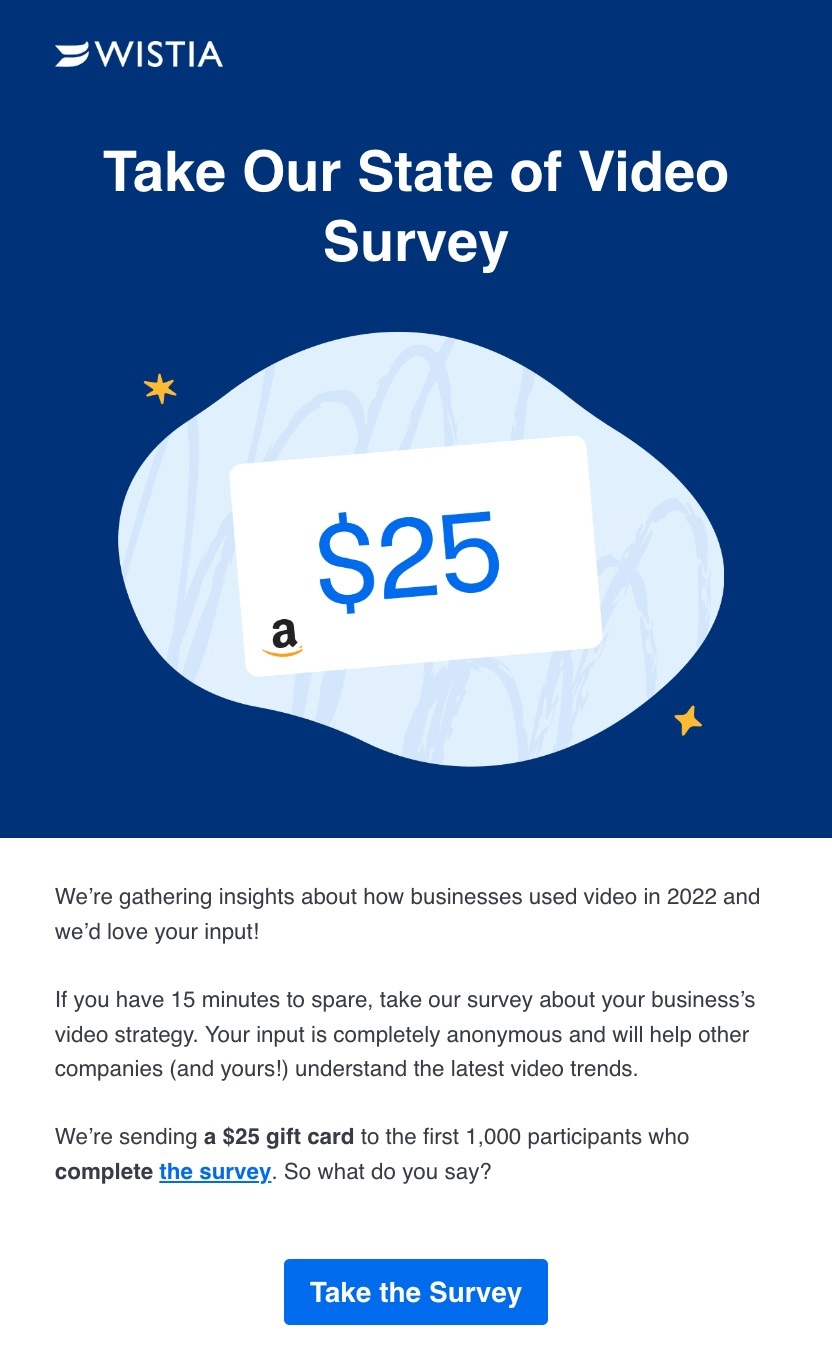
12. Methodical Coffee

The backstory: Methodical Coffee is known for sourcing high-quality beans from around the world and roasting them with precision to highlight their unique flavors. They collaborate with farms that prioritize sustainable and ethical practices, ensuring each cup is both delicious and responsibly produced. In their holiday newsletter, they feature team favorites, offering customers the opportunity to discover recommendations from those who know the products best.

Subject line: Holiday Gifting Made Simple 🎁

Screenshot of the Methodical Coffee themed email newsletter, showcasing its unique content and design.

Why this is a great newsletter example:

  • Team highlights showcasing the people behind the brand adds a personal touch, helping subscribers feel more connected to those who create their favorite coffee.
  • Friendly brand voice makes the company more approachable, increasing the likelihood that customers will choose to support it.
  • Relevant product images that resonate with the theme and content capture attention and improve the overall visual appeal of the newsletter.

Takeaways: Holiday newsletters should embody the spirit of the occasion. Use festive colors like red and green for Christmas, black and gold for New Year’s, and orange and purple for Halloween. Aligning your offer with the holiday enhances its impact on subscribers.

Send Your Next Newsletter with SiteGround Email Marketing

Creating a successful email newsletter is all about blending creativity with strategy. By drawing inspiration from these effective examples, you can create newsletters that not only inform and engage but also resonate with your subscribers. Whether sharing curated content, analysis, or tips, focus on delivering value in a visually appealing and digestible format.
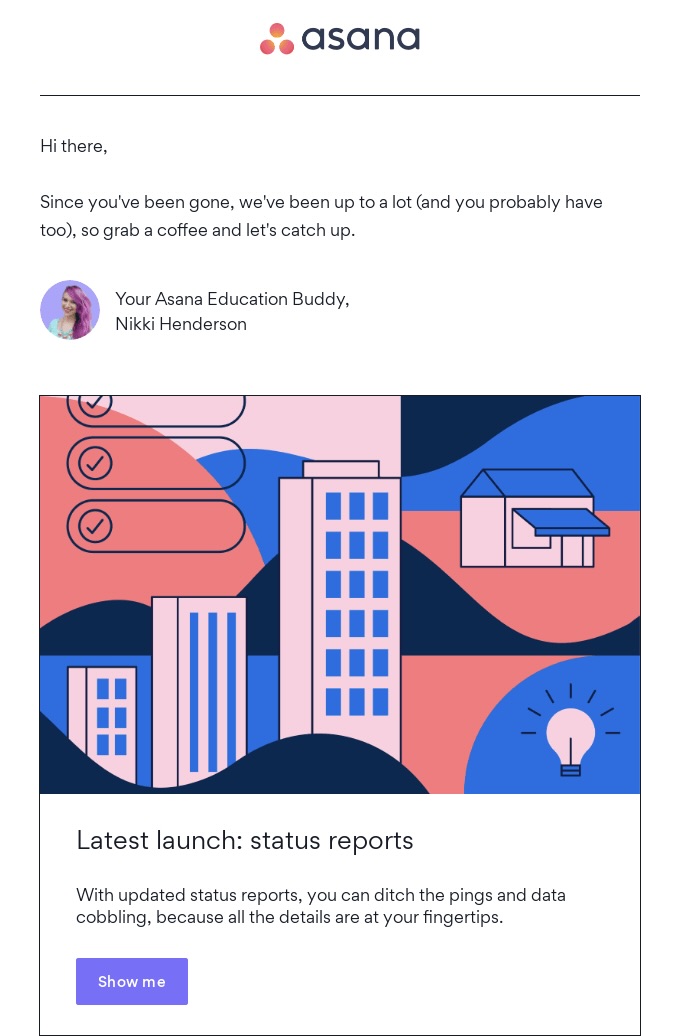
As you embark on your newsletter journey, remember that the right tools can make all the difference. SiteGround Email Marketing is here to support you every step of the way, offering customizable templates, including ones for newsletters, AI assistant, multi-platform integrations, and a treasure trove of other great features. Plus, it ensures your emails are mobile-friendly, making them a breeze to read and interact with on different screen sizes.

17-Step Website Checklist: Launch Your Site with Confidence

Website checklist illustrating all the necessary steps to launch your site with confidence.

This article was originally published in June 2025 and then updated in May 2026.

A website checklist is a structured list of everything you need to review, test, and confirm before—and just after—launching your site. It covers the areas that are easiest to overlook when you’re close to the work: SEO, security, speed, design, legal compliance, and more.

If you’re about to hit publish and that nagging feeling has set in that something isn’t quite right, this guide walks you through a comprehensive rundown of 17 steps. We’ve also put together a free downloadable checklist to keep you on track every step of the way.
Key Takeaways:

  • Cover the essentials before you publish. Design, content, SEO, forms, and accessibility all need a final review before your site goes live.
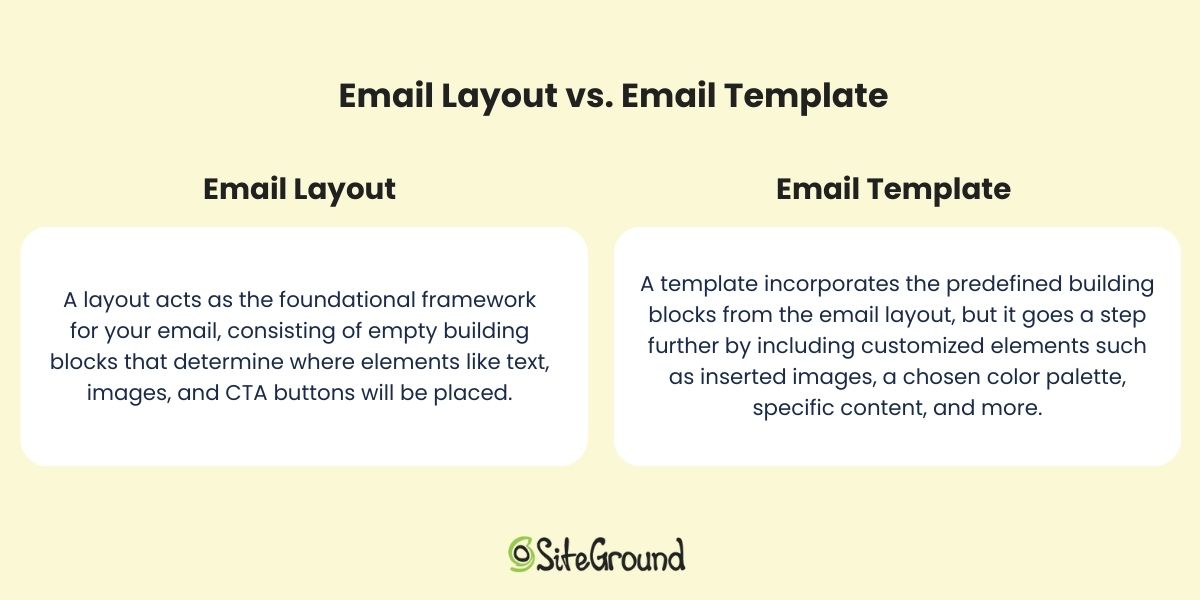
  • Security and backups are non-negotiable. An SSL certificate, regular backups, and basic security measures protect both you and your visitors from day one.
  • Speed affects more than user experience. A slow site costs you visitors, conversions, and search rankings, so performance optimization belongs on every pre-launch list.
  • Legal compliance is not optional. Cookie consent, a privacy policy, and terms of service are legal requirements in many jurisdictions, not just good practice.
  • Launching is the beginning, not the end. Crawling your site, integrating analytics, and setting up a maintenance plan are what keep your site performing well after launch.
  • The right hosting provider makes most of this easier. Backups, speed, security, and uptime all depend heavily on who hosts your site.

[18]

Website Pre-Launch Checklist

Perfecting everything from cybersecurity to design can feel overwhelming, especially when learning how to launch a new website. But don’t worry—by following these steps, you’ll be able to handle it all:

1. Review Your Site Look, Feel and Architecture

Before anything else, make sure the foundations are solid. This step covers the core decisions that everything else builds on: your goals, your target audience, your branding, your hosting, and your site structure.

  • Have You Defined Your Goals and Objectives?
  • Have You Identified Your Audience?
  • Have You Established Your Branding Basics?
  • Have You Chosen a Website Building Method?
  • Have You Selected Hosting and a Domain Name?
  • Have You Shaped Your Web Design?
  • Have You Created a Sitemap? 
  • Have You Gathered Your Content Planning Assets?

Not confident in your responses? Our website planning checklist will guide you through each step, helping you build a professional and effective website with ease.

2. Back Up Your Site

Now, let’s check off-site backups—a crucial part of maintenance and something to consider before launch. Think of it as your site’s safety net! Whether it’s a cyber attack, server crash, or just an oops moment, a reliable backup system means you can restore your site to its former glory without losing all your hard work.

It’s wise to think ahead and opt for a web host or website builder that offers daily and on-demand backups, giving you the flexibility to dance through your day with peace of mind. Some hosts and builders even take care of plugin updates automatically, freeing up your time and keeping your site secure. 

For instance, SiteGround hosting provides daily backups stored securely for 30 days. And if you’re looking for that extra dash of assurance, our Premium Backup Service offers even more advanced features so that you’ll always have a recent, secure copy of your website to rely on.

3. Fine-Tune Your Pages

Go through every page, section, and heading with fresh eyes before launch. Typos, broken links, placeholder text, and unlicensed images are all easy to miss when you’re close to the work, and all easy to fix before anyone else sees them.

It’s a good idea to copy and paste all your text into a proofreading tool like Grammarlyto make sure nothing’s been missed. Better yet, consider sharing it with a friend, as another pair of eyes is always a bonus.

Additionally, if you’ve leaned on stock videos or photos for your site’s creative flair, double-check that you have the rights to use all images and assets. You can verify this by using tools like Google Reverse Image Search or by reviewing the licensing terms on your stock image website.

4. Optimize On-Page SEO

On-page search engine optimization (SEO) is how you tell search engines what your site is about and help the right people find it. Before launch, make sure the basics are in place across every page: titles, descriptions, keywords, headings, and site structure.

  • Start With the Basics

While your logo is important, also ensure you have a site title under 60 characters, as it’s the first thing browsers will see. Similarly, include a site description between 50-300 characters to give a preview of what your site is about. Additionally, adding SEO descriptions to each page, within the same character range as the site description, can improve your site’s SEO ranking in comparison to your competitors.

  • Master Keyword Use

Keyword research is crucial, especially for bloggers, but it’s a game-changer for any new website aiming for a first-page search engine spot. Sprinkle keywords into title tags, headings, and URLs for maximum impact. Consider using free tools like Google Keyword Planner or paid ones like SEMrush and Ahrefs. For WordPress sites, you can leverage an SEO plugin like Yoast SEO to help select and position keywords effectively,

  • Enhance User Experience

Make your pages easy to navigate by using headings and bullet points to create scannable, reader-friendly content. Incorporating high-quality images is essential, as they not only make your site visually appealing but also help convey your message more effectively. Additionally, don’t fear adding clear calls to action (CTAs) whenever needed—whether it’s signing up for a newsletter, exploring more of your website’s content, or making a purchase.
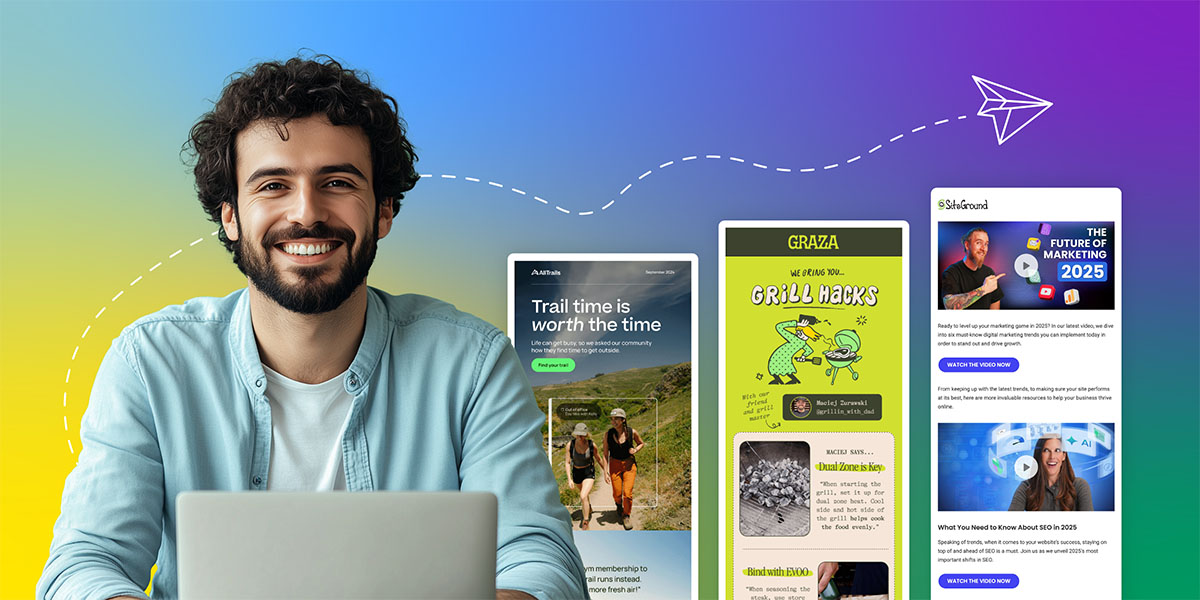
Optimizing page layout and structure using headers in a website builder
  • Optimize Structure and Navigation

If you skipped the sitemap in the first step of this checklist, now’s the time to prioritize website navigation. Think of it as your website’s treasure map, guiding users and search engines through your pages. Begin by pinpointing core pages like the homepage, about, contact, and any business-specific sections, such as services or products. Organize related pages into intuitive categories like “Services” or “Blog.” We’ll cover sitemap submission in a later step!

  • Perform Ongoing Maintenance

Keep your keywords in tune with what users are searching for—be it information, products, or solutions. Dive into content gap analyses to uncover topics your competitors cover that you might be missing. This detective work can help you craft content that not only fills those gaps but also attracts new clients like a magnet.

This is your first time hearing of SEO? Make sure to go through a SEO checklist so that you’re on top of all the essentials.

5. Test All Forms 

Your new website is your digital handshake, and email sign-up forms are a great way to connect with visitors and gather valuable data. Whether it’s an email signup, contact form, or payment form, the type will depend on your business needs—but having at least one is essential.

Now is the perfect time to make sure all your forms function properly and that the data is stored correctly. Here’s what to look for when doing so:

  • Optimized number of fields: As a rule of thumb, the more fields you have, the less likely people are to complete them—so keep it simple and essential.
  • Field validation: Make sure that the data entered meets specific criteria before submission. This process might involve checking for the correct data type (like numbers only in a phone number field) or verifying the proper format (such as a valid email address structure).
  • Notifications: Check that any emails or notifications triggered by form submissions are being sent and received as expected.

If you’re using WordPress, plugins like WPForms give you the ability to test the functionality of your form before going live. That said, if you’ve used another site building method, check what other apps or plugins are available. 

💡 Consider creating separate forms for each page or section, even if they’re identical. This allows you to easily track where users are converting without any guesswork.

6. Polish Your Design 

Consistency is what separates a professional site from one that feels unfinished. But that doesn’t mean you need a website designer. Check that your typography, colors, and layout hold up across every page and every screen size, and that everything aligns with your brand.

With that in mind, aim for a homepage design with captivating content and easy-to-follow navigation. Try to extend this approach to all your pages, making sure that:

  • Headers use the same font
  • Subheadings are consistently presented
  • Paragraph text is legible and easy to read
  • Fonts and background colors offer high contrast
  • Web pages look good on all screen sizes and web browsers
  • Mobile web design is optimal—that is, test your design and functionality on mobile devices to make sure it flows from start to finish.


💡 Give your new website a navigation boost by popping your logo at the top and linking it to the homepage. Including a favicon—the small icon that appears next to page titles in browser tabs and bookmarks—can also be beneficial, as it helps visitors easily identify and return to your site when they have multiple tabs open

Example of a favicon in a web browser tab

7. Scan for Accessibility

And while talking about design and responsiveness, next up on the checklist for launching a site with accessible web design. This allows everyone, including people with disabilities, to use your site effectively. It isn’t just good practice; it’s often a legal requirement and a vital component of creating an inclusive online experience.

So, what does accessibility mean in practice? It involves designing your site so that all users can navigate and interact with it easily. This includes:

  • Providing text alternatives for images
  • Making your site keyboard accessible
  • Choosing a high-contrast color scheme
  • Providing transcripts or closed captions for files with audio
  • Opting for on-page content rather than PDFs

To ensure your site meets all of the standards, we recommend consulting the Web Content Accessibility Guidelines and making any necessary changes accordingly.

Example of adding alt test to an image in a website builder

Though it may not be the most exciting task, legal compliance is essential for protecting both you and your visitors, especially if you are running any kind of retail activity. Fortunately, many tools and AI solutions can assist you in creating these documents.

To check this off your website launch checklist, consider the following:

  • Implement a cookie consent banner: This informs visitors about your data collection practices and obtains their consent, as required by many privacy laws like GDPR.
  • Have a privacy policy in place: This text informs your users about what data you collect, how it’s used, and how you protect it. It’s not just good practice, it’s a legal requirement in many jurisdictions.
  • Include legal notices and terms of service: These outline the rules and guidelines for using your website and help limit your liability. They should clearly explain what users can and cannot do on your site.

While the cookie consent typically appears as a pop-up window on a visitor’s first visit, other legal documents should also be easily accessible. These are usually found in your website’s footer and often linked at the bottom of email newsletters. 

9. Fortify Against Cyber Threats

Security is non-negotiable before launch. Your site needs to be safe for visitors from day one, and a few foundational steps make a significant difference.

Start with an SSL certificate to encrypt data between your site and its visitors. Most hosting providers include these for free, and the SiteGround Website Builder has SSL built in along with security handled out of the box, so the basics are already covered.

If you’re running a WordPress site, there are a few extra steps worth taking on top of that:

  • Change your default login URL from “wp-admin” to something unique.
  • Install a security plugin like SiteGround’s Security Optimizer, which offers two-factor authentication and limits login attempts, and is completely free.
  • Keep everything up to date, from your WordPress version to themes and plugins, as outdated software can be an open invitation for trouble.

Keep those pesky cyber attacks at bay by following our website security checklist, and keep your digital space as safe as a vault!

10. Optimize For Speed and Performance

A slow site loses visitors before they even see your content. Speed optimization reduces load times, improves user experience, and directly affects your search rankings, so it belongs on every pre-launch checklist.

Fine tune key elements of your website by:

  • Compressing images: Reduce file sizes while maintaining quality and improving loading time.
  • Leveraging browser caching: Decrease data transfer by storing files locally on users’ browsers.
  • Minifying CSS, JavaScript, and HTML: Strip unnecessary characters and spaces to improve loading times.
  • Using a content delivery network (CDN): Distribute content across global servers to enhance load times and help mitigate DDoS attacks.

These optimizations might sound small, but they add up to a big difference when it comes to your site performance. Luckily, SiteGround’s Speed Optimizer allows you to optimize your website in a few clicks, and it’s free for all WordPress users!  

11. Ensure Your Domain Directs to Your Actual Site

Now let’s talk about your domain name, which you may have already purchased by now. 

Whether you’ve chosen to use a web-hosted sitebuilder, or to buy your own hosting and create a site with a content management system (CMS), you’ll need to make sure that your domain directs to your actual website. This step is a crucial part of your website requirements checklist.

If you’ve purchased your domain and hosting from the same provider, this might already be set up for you. However, if you’ve bought your domain from one provider and your hosting from another, you’ll need to point your domain to your hosting provider. To do this, you will need to consult your domain and hosting providers for exact instructions, but the process is generally straightforward. 

Working with SiteGround? Here’s how you can point your domain to SiteGround servers.

12. Conduct Usability Testing

Usability testing means watching real people use your site before it goes live. It surfaces friction points and confusion that are impossible to spot when you already know how everything works.

You can do it in two ways:

  • By sharing your website with friends, family, and potential users, and asking for their candid overall experience—frustrations they’ve experienced, ideas you might not have considered. 
  • By using paid platforms like UserTesting or Trymata to observe users as they navigate your site and complete tasks. 

In any case, testing your user experience can reveal usability hiccups or bottlenecks, allowing you to address them before the big day.

13. Use Social Media to Build Anticipation

Building anticipation through social media is an ongoing process to weave into your website launch preparations. It’s an effective way to engage potential visitors and drive traffic to your site once it goes live, especially if you already have engaged followers.

Here’s how to make it happen:

  • Share sneak peeks, countdowns, and behind-the-scenes content to spark interest and excitement.
  • Use hashtags relevant to your niche to broaden your reach.
  • Encourage followers to share your content and join the conversation.

And there you have it! It’s time to hit that much-anticipated “Publish” button and watch the magic unfold as the results start rolling in.

14. Crawl Your Website

Once your site is live, you need to make sure search engines can find and index your pages. Submitting a sitemap and setting up a robots.txt file are the two steps that make that happen. Let’s break it down.

❗Crawling involves exploring pages and links that branch out to additional pages, while indexing entails storing, analyzing, and organizing the content and relationships between those pages.

Here’s how to make your site visible to search engines:

  • Submit an XML sitemap: This is a document of all the links on your website and how they relate to one another. Once it’s ready, you can submit it via Google Search Console and Bing Webmaster Tools.
  • Create a robots.txt file: Consider this as your site’s bouncer, guiding Google’s search engine crawlers on which pages to bypass. While smaller sites may not necessarily need it, larger sites can benefit significantly from this to manage server resources effectively. You can use Google Search Console’s tester to ensure it’s properly configured and not blocking essential pages.

15. Integrate Analytics Tools 

To better serve your users and grow your business, analytics tools are critical. They act as your website’s secret agents, offering insights into visitor interactions and helping optimize your site for search engines. Based on these insights, you can adjust your content, expand or refine your offerings, and make other strategic improvements.

The three most important tools that you’ll need are:

  • Google Search Console: Helps you understand your site’s performance on Google Search and get insights to improve visibility with the right keywords.
  • Google Analytics: Helps you track website traffic and measure the effectiveness of marketing campaigns by identifying website visitor sources such as organic search, social media, and paid ads.
  • Bing Analytics: Offers similar functionalities, optimized for the Bing search engine.

16. Check Site Speed 

Now, let’s tick off the speed box on our website checklist. Tools like PageSpeed Insights and GTmetrix are fantastic for getting a snapshot of your site’s performance. They’ll show you website metrics like load time, time to first byte, and even give you a performance score. It’s like having a performance dashboard for your website.

Once you have the data, what’s next? One of the biggest factors is your hosting provider. A reliable host with fast server response times can make a world of difference. Look for one that offers solid uptime guarantees and good customer support – because when things go wrong, you’ll want help, and you’ll want it fast.

Do you have doubts about your hosting provider? No worries—it’s never too late to make a switch! Check out SiteGround’s hosting plans and find your perfect match. 

SEE SITEGROUND HOSTING PLANS →

17. Map Out a Maintenance Plan

Launching your site is not the finish line. A maintenance plan keeps your site secure, fast, and up to date over time, and prevents small issues from becoming costly ones. Be sure to schedule regular reviews for tasks such as:

  • Updating plugins 
  • Checking security 
  • Renewing content 
  • Refreshing design

These should be part of your routine and addressed whenever issues pop up.

Final Thoughts on Your Website Checklist

Launching a website is exciting, but ensuring its success requires careful preparation and ongoing maintenance. By following a comprehensive website checklist that details the steps to launching a website, you can confidently address key areas such as SEO, security, speed, design, and usability. This proactive approach not only helps you avoid common pitfalls but also ensures that your site performs optimally from day one. 

Remember, the launch is just the beginning—post-launch efforts like monitoring site performance, integrating analytics, and maintaining regular backups are crucial for long-term success. With the right tools and strategies in place, your website will not only meet expectations but exceed them, providing a seamless experience for your visitors and supporting your business goals.

Website Checklist FAQs

What should be on a website checklist before launching?

A complete pre-launch website checklist covers design and branding consistency, page content and proofreading, on-page SEO, form functionality, accessibility, legal compliance, security, speed optimization, and domain setup. Beyond the technical side, it should also include usability testing and a plan for how you’ll maintain the site after launch. The goal is to make sure nothing critical is overlooked in the rush to publish.

How do I know when my website is ready to launch?

Your site is ready to launch when it works correctly on all devices and browsers, every page has been proofread and tested, your SEO basics are in place, your legal documents are live, and your security and backups are set up. If you’ve worked through a structured checklist and can confidently tick off each area, that’s your signal. Waiting for perfection is a trap—a well-prepared site is ready even if it isn’t finished.

Do I need a privacy policy on my website?

Yes, in most cases. If your site collects any personal data—through contact forms, newsletter signups, analytics tools, or cookies—a privacy policy is a legal requirement in many jurisdictions including the EU, UK, and California. It tells visitors what data you collect, how you use it, and how you protect it. Many AI tools and legal document generators can help you create one quickly.

This article was originally published in June 2025 and then updated in May 2026.