

The best colors for email marketing depend on your brand and the action you want a reader to take: red and orange for urgency, blue for trust, green for growth, and black or white for a clean, versatile look. Color shapes how a message is read before the text does, so getting it right means matching your palette to your brand identity and the emotion you’re aiming for. Here’s the psychology behind each color, and how to put it to work in your own campaigns.
Key takeaways:
- Color influences how a message is read before the text does; it sets mood and creates bias toward or against a brand, sometimes unconsciously.
- Each color carries its own associations: red for urgency, blue for trust, green for growth or sustainability, purple for curiosity, orange for friendliness, black for sophistication.
- Match your email colors to your existing brand palette first, then adjust for context (holidays, promotions) without abandoning your core identity.
- Keep contrast in mind: a minimum 4.5:1 ratio for body text keeps emails readable for subscribers with visual impairments.
- Limit your palette to one primary color plus one or two secondary accents — too many colors compete for attention instead of guiding it.
Why do colors matter in email marketing?
In email marketing, alongside all web and on-site marketing efforts, colors have a psychological power that goes beyond practical applications, quietly shaping your subscribers’ mood and perception of your message. Here are key reasons why the choice of email color really matters:
Colors help reinforce brand recognition
Colors help in establishing and reinforcing brand identity. Consistent use of specific color palettes makes a brand more recognizable and memorable to consumers. A study from the Pantone Color Institute shows that colors increase brand recognition by 87%! That is why best marketing practices advise using your brand colors consistently across all your marketing communications, and emails are no exception. A great starting point for choosing consistent colors in your emails is to use the ones from your logo or ones that complement them. Apply these colors to the header, footer, and body of your emails to create a professional look that reinforces your brand identity.
Impact readability & accessibility of your emails
The right email color combinations can improve the readability of your marketing emails, making it easier for consumers to digest the information. Always remember that there are 1.3 billion visually impaired people, according to the WHO, many of whom are challenged to consume low contrast color combinations. This means that if you do not consider serving these people with the adequate use of colors in your emails, you are missing out on a significant percentage of your audience. We’ll talk about accessibility standards later in this article.
Create response triggers,attract attention & encourage actions
Because different colors evoke different emotions, marketers and business owners use email colors to influence how consumers feel about a product or brand and how they respond to it. Part of this color potential lies in past associations, established throughout the years by various institutions and accepted conventions.
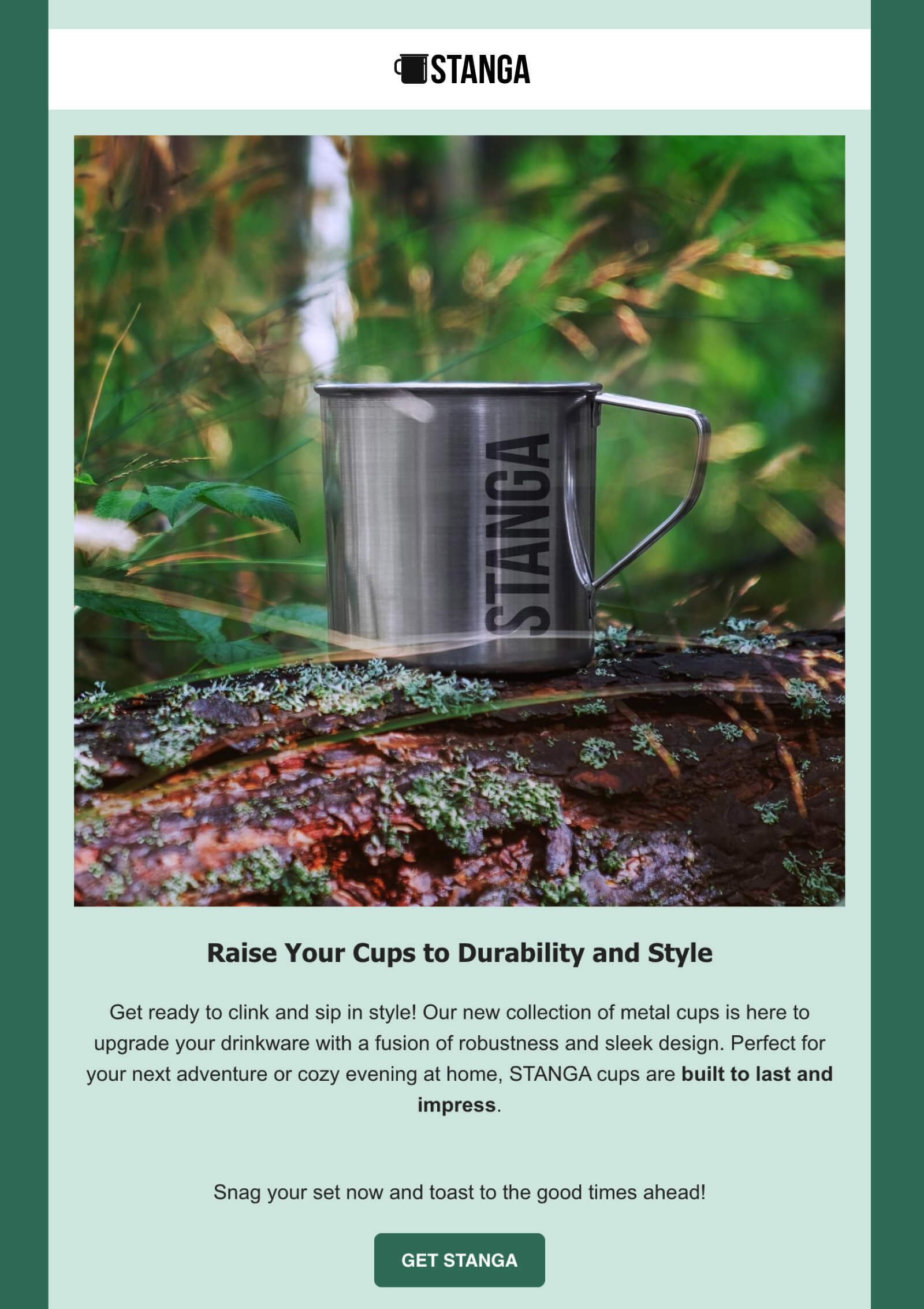
For example, over the years green has often represented eco-friendliness and has been used by many brands producing organic, natural products. So if you wish to talk about corporate responsibility and sustainability, you would include the green color in your messages by association.
At the same time, it is known that bright and contrasting colors can make your marketing emails stand out, grab attention, and make a strong visual impact. Or, that the red color in ‘Buy Now’ buttons creates a sense of urgency and excitement and tends to trigger higher click rates under similar circumstances.
We’ll first deep-dive into the psychology behind each color to see what emotions and associations it comes with and then talk about how to best use these colors in emails.
The psychology of colors in email marketing
Color psychology can be a game changer in email marketing since each color has a unique effect on people’s emotions and can lead them to take different actions. By picking the right email colors, you can trigger emotions that resonate with your audience, driving engagement and encouraging the desired response to your message.
🔴 Red
Use red when you want a CTA button or a promotional email to be the first thing a reader’s eye catches. It’s tied to urgency and excitement — the classic “Buy Now” button color — and tends to outperform quieter shades on click-through.
Reach for it for CTAs, flash sales, and festive campaigns like Black Friday or Christmas, where grabbing attention fast matters more than subtlety. Just pick a shade that still fits your existing palette; a red that clashes with your logo works against the brand recognition you’re trying to build.
🟡 Yellow
Use yellow to highlight one key message or draw the eye to a single element — it’s one of the most visible colors against a dark background, and it reads as upbeat rather than aggressive the way red can.
It works well as a badge, a highlighted line, or an accent against a darker header. It’s rarely a good choice as a dominant background, though as too much yellow reads as loud rather than cheerful. Save it for the one thing you want noticed first.
🔵 Blue
Use blue when trust is the point. It’s the default choice for finance, healthcare, SaaS, and any brand that needs to read as dependable before anything else.
Darker navy blues lean more corporate and authoritative; lighter blues feel calmer and more approachable. Pick the shade based on which side of that line your brand sits on, not just on what looks good in isolation.
🟢 Green
Green splits two ways: use it for sustainability, wellness, or organic products to lean into its nature and health associations, or use it for finance and growth messaging to lean into its money and prosperity associations. Decide which one your brand needs before picking a shade.
Brighter greens read as fresh and energetic; darker greens read as stable and secure. Match the shade to the message you’re sending, not just to your logo.
⚫ Black
Use black when you want an email to read as premium or modern — it pairs cleanly with almost any accent color and creates instant contrast for whatever sits on top of it.
It also works as a safe default: if you’re not sure which color fits your brand yet, black as a base with one accent color rarely goes wrong. Just don’t rely on it alone for CTAs — a black button doesn’t stand out against a mostly-black layout.
🟣 Purple
Use purple when you want to signal innovation or ambition — it’s the go-to color for tech and forward-thinking brands because it reads as curious and a little unconventional, unlike the calm of blue.
It also carries softer, caring associations, which is why it shows up often in wellness and beauty brands too. Either way, it’s a distinctive choice: purple stands out in most inboxes simply because so few brands use it as a primary color.
⚪ White
Use white space deliberately, not as a default — it’s what gives your other colors room to work and keeps a busy email from feeling cluttered.
Every brand ends up using some white, but the difference is in how much: minimalist brands lean into open, spacious layouts, while promotional emails often use less of it to pack in more content. Too little white and the email feels crowded; too much and it can read as cold rather than clean.
🟠 Orange
Use orange when you want red’s energy without red’s intensity — it’s a common pick for brands targeting a younger, creative audience that still want a CTA or badge to stand out.
Brighter shades feel more urgent and can double as a caution signal; softer, muted oranges feel more relaxed and approachable. Choose based on whether the email is meant to feel exciting or easygoing.
🟤 Brown
Use brown for brands built around natural materials, craftsmanship, or organic products — it reads as grounded and reliable in a way brighter colors don’t.
It works well as a background or an accent, but it’s rarely a strong CTA color since it doesn’t create much contrast against typical email backgrounds. Pair it with a brighter accent if you need a button to stand out.
🩷 Pink
Use pink for a youthful, playful tone rather than assuming it only speaks to one audience — its associations have broadened well beyond traditionally feminine branding.
Soft pinks feel gentle and approachable; hot pinks feel bold and attention-grabbing. Pick the shade based on the mood you’re going for, not just the audience you’re picturing.
Best practices for ssing colors in email marketing
Incorporating color effectively in your email marketing isn’t just about making things look pretty – it’s a strategic move that can pay off in reader engagement and campaign performance. Let’s dive into some best practices that can help you harness the full potential of your email colors:
1. Align email colors with your brand identity
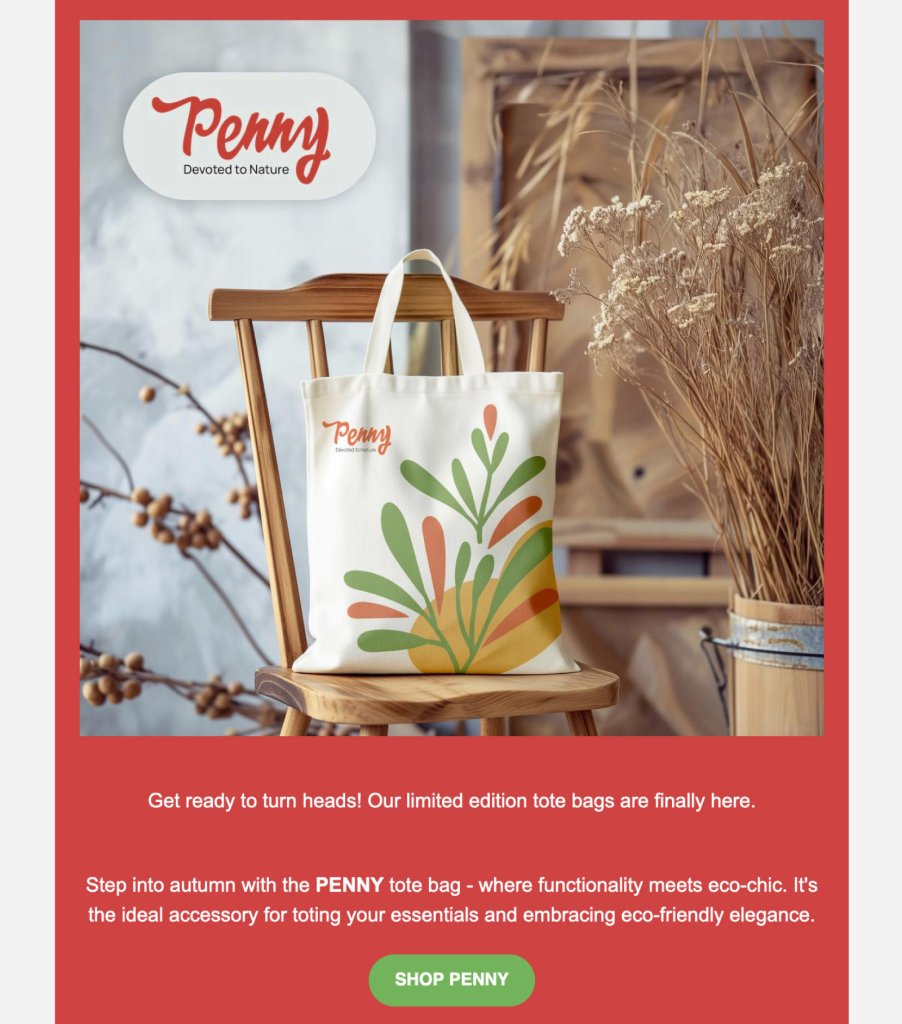
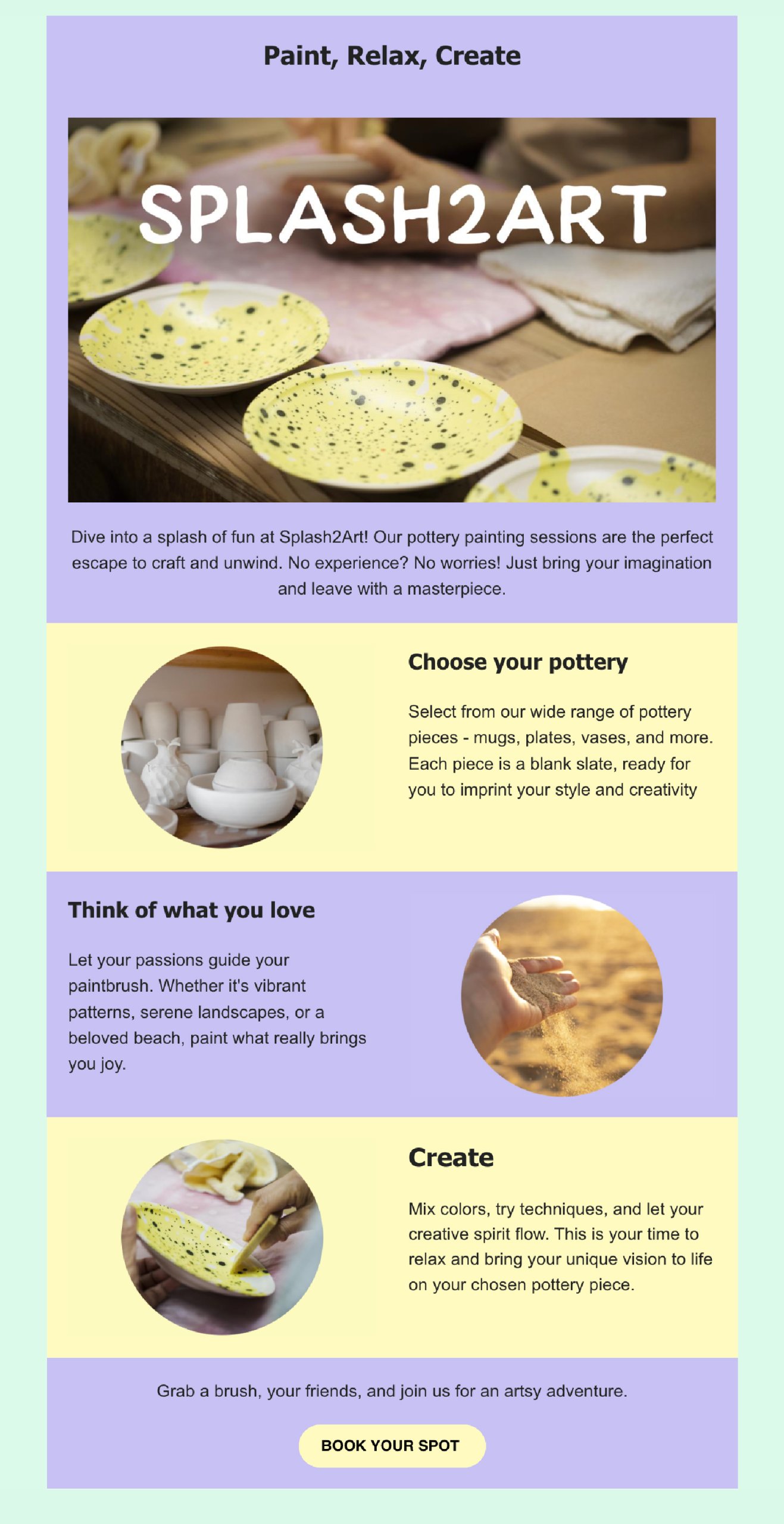
When going into email marketing, it’s essential to select your email colors based on your existing brand palette (if you have such already). Consider the primary colors used in your logo, website, and existing marketing materials. These colors are most likely part of an established palette that should be used in your email marketing campaigns in order to make your email a natural extension of your brand’s visual identity. Assuming your website has two primary colors – mustard yellow and navy blue, use those colors in your marketing emails so that your recipients can quickly recognize your brand.
It’s important to know that it is acceptable to change your email colors for a particular event, such as using red around Christmas, but keep in mind that the essential colors of your brand should always be present. Maintaining consistency in your brand colors strengthens awareness and delivers a consistent experience for your subscribers throughout your email marketing campaigns.
2. Prioritize accessibility and readability
Ensuring color accessibility is crucial for making your emails readable and understandable for all subscribers, including those with disabilities. Email accessibility is the practice of ensuring that your emails can be read and understood even by subscribers who have some visual impairment.
A fundamental principle in email design accessibility is to use font colors that contrast with the background, similar to the clarity of black text on a white canvas. Avoid using too bright colors, as they might be irritating to the eye.
It is important to know that not all contrasts are created equal – combinations such as green and red may provide difficulties for people who are colorblind. In cases like this, we recommend using a color contrast checker tool to ensure that the color shades you’ve picked are appropriate.
According to the guidelines set by the Web Content Accessibility Guidelines (WCAG), a minimum contrast ratio of 4.5:1 is recommended for standard-sized text, while larger or bold text should have a ratio of at least 3:1. While striving for effective contrast, simplicity is key. Opting for a single text color with a contrasting background can make your message accessible and readable to those with color vision deficiencies.
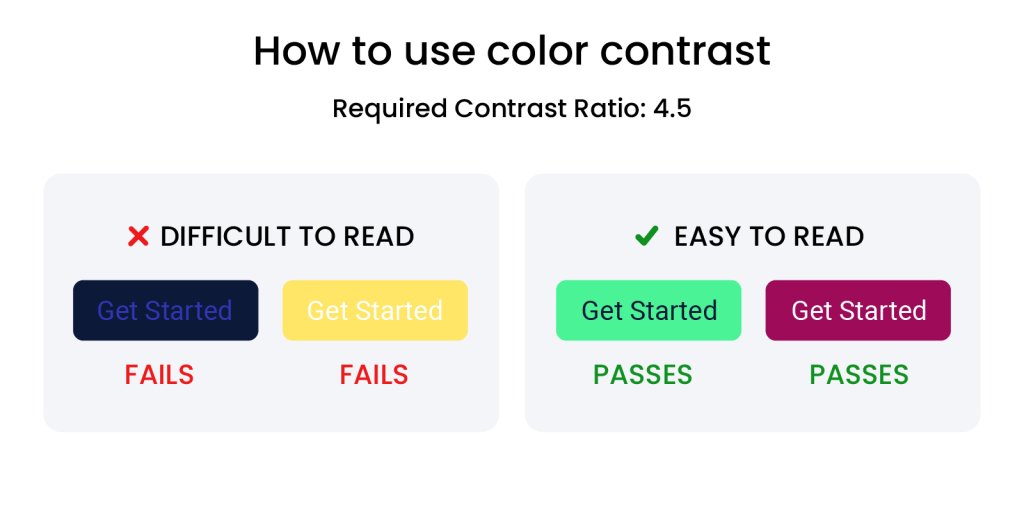
A thoughtful color scheme can make the difference between an email that is easily digested and one that is quickly ignored. High-contrast email colors ensure that text stands out against the background, significantly improving readability.
3. Avoid using too many colors
Introducing too many colors into your email design can result in a cluttered and overwhelming visual experience for the recipient, detracting from the message you want them to engage with. To avoid this, it’s advisable to select a primary color that is closely associated with your brand identity. This primary email color should serve as the dominant hue within your emails, ensuring immediate brand recognition. Complement this with one or two secondary colors that harmonize with your primary color. These additional colors can be used strategically to accentuate important elements such as calls to action buttons, links, or key information, thereby guiding your subscribers’ attention to the most important parts of your message. The goal is to create a balanced and aesthetically pleasing color scheme that enhances readability and engagement without overwhelming the senses.
4. Make your call to actions stand out
The call-to-action is the most important part of your email. Choose a contrasting color that stands out against the rest of the email colors, prompting recipients to click.
By sticking to these color principles, you can craft emails that not only captivate your audience visually but also guide them smoothly towards the actions you desire. Email colors are more than visual features – they’re a communication tool that, when used wisely, can significantly enhance the effectiveness of your email marketing efforts.
5. Blend with the mood of the Holidays & other special occasions
As you develop your email marketing strategy, it’s common to plan for a variety of special occasions like Black Friday, Christmas, Halloween, and others. For each of these events, you may want to choose a unique color combination that aligns with the Holiday’s vibe.
🎄 Christmas
Christmas is strong on associations. During Christmas and New Year season, you will see traditional reds and greens everywhere. You may consider adding them to your email messages during this period.
🛍️ Black Friday
The use of Black is typical for Black Friday, usually combined with red, but also yellow and orange, and other powerful, strong accent colors. The aim is to create a sense of urgency, highlight exclusive deals, and provoke action.
🏖️ Summer Sale
During the summer, bright yellows, blue and turquoise, oranges, and vibrant greens are commonly used in marketing since they create associations with beaches, deep blue waters, and sunny skies, invoking energy, vibrancy, and playfulness.
💖 Valentine’s Day
Consider the use of pink and red to blend with the prevalent holiday feelings of love, passion, and warmth.
When selecting email colors for special occasions, don’t forget that you have a lot of flexibility and you should not feel constrained by one shade of red or green or else. It is still important to stay true to your brand’s core colors, including them in your color scheme to maintain brand identity.
When in doubt, or you feel overwhelmed, using a color scheme generator can help you harmoniously blend colors. In the broader context of design, there are established principles of color combinations that are equally applicable to email marketing and you could safely rely on those for assistance, when in need.
Free holiday marketing guide download
Download our free Holiday Marketing Guide featuring content from SiteGround and our partner experts in ecommerce, email marketing, web design and code optimization to help your business in any holiday season.
6. Create visual balance
Achieving a visually balanced layout is key to designing emails that are both aesthetically pleasing and easy to navigate. To create this balance, play with color placement throughout your layout. For instance, if you’ve chosen blue for your email’s header, mirror this by using the same shade of blue in the footer. This creates a sense of unity and frames your content neatly. Similarly, if there’s a vibrant orange call-to-action button situated on the right, consider placing an orange icon or highlight on the left to maintain visual balance.
The objective here is to guide the reader’s eye through the email in a way that feels natural and intuitive, encouraging them to engage with the content without feeling overwhelmed or lost. A well-balanced email design not only looks professional but also enhances the overall user experience, making it more likely that subscribers will take the desired action.
How to select color combinations for your marketing emails
All this color science and best practices can be overwhelming to people who are just starting out with email marketing. Let’s get a few more tips on how more effectively to select and pair colors for your emails, following scientific principles.
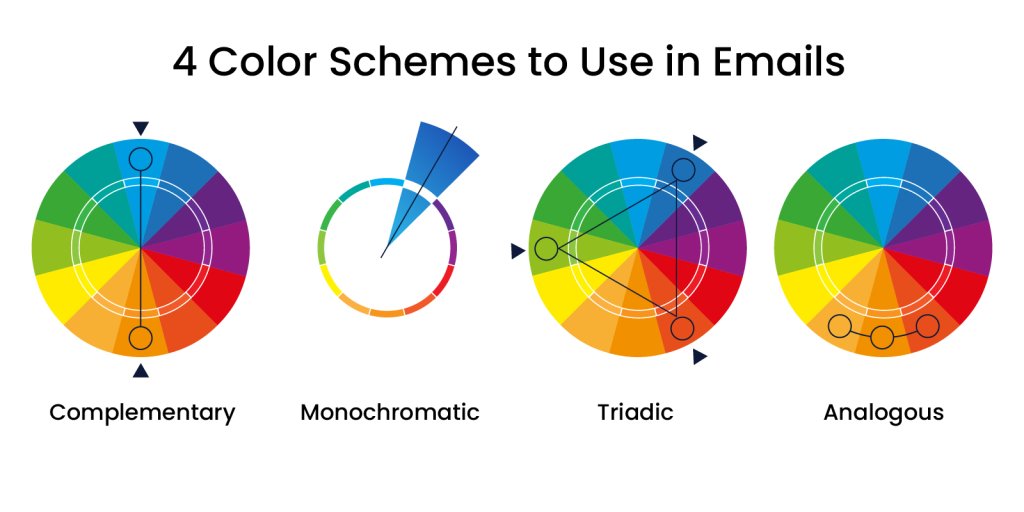
1. Complementary colors
Complementary email colors sit directly across from each other on the color wheel, typically pairing a primary color with a secondary color. Classic combinations include:
- yellow with purple
- blue with orange
- red with green
These combinations can be adapted to the right hue and shade to suit the theme of your email marketing campaigns. Use these complementary email colors thoughtfully to draw attention to key parts of your emails, like call-to-action buttons, links, or the headings of your emails.
2. Monochromatic
A monochrome palette is a color combination based on a single color or hue. It simply uses various shades and tints of that one color to create a visually appealing email look. Shades are created by adding black to the hue, making it darker, while tints are made by adding white, making it lighter. This approach to color coordination is often used for its simplicity and aesthetic appeal, creating a harmonious and balanced visual experience.
3. Triadic
A triadic color scheme is a color combination of three that are evenly spaced on the color wheel, creating a vibrant yet balanced palette. This trio often includes colors that contrast and complement each other, for instance, a blend of red-violet, yellow-orange, and blue-green.
Typically, a triadic palette will mix two shades of either a warm or cool temperament with one from the opposite spectrum, achieving visual balance. The beauty of triadic email colors lies in their collective strength – the supporting colors enhance the primary hue, amplifying the overall impact and message. To capture attention and encourage interaction in your design, use the primary triadic color on essential elements such as call-to-action CTA buttons.
4. Analogous
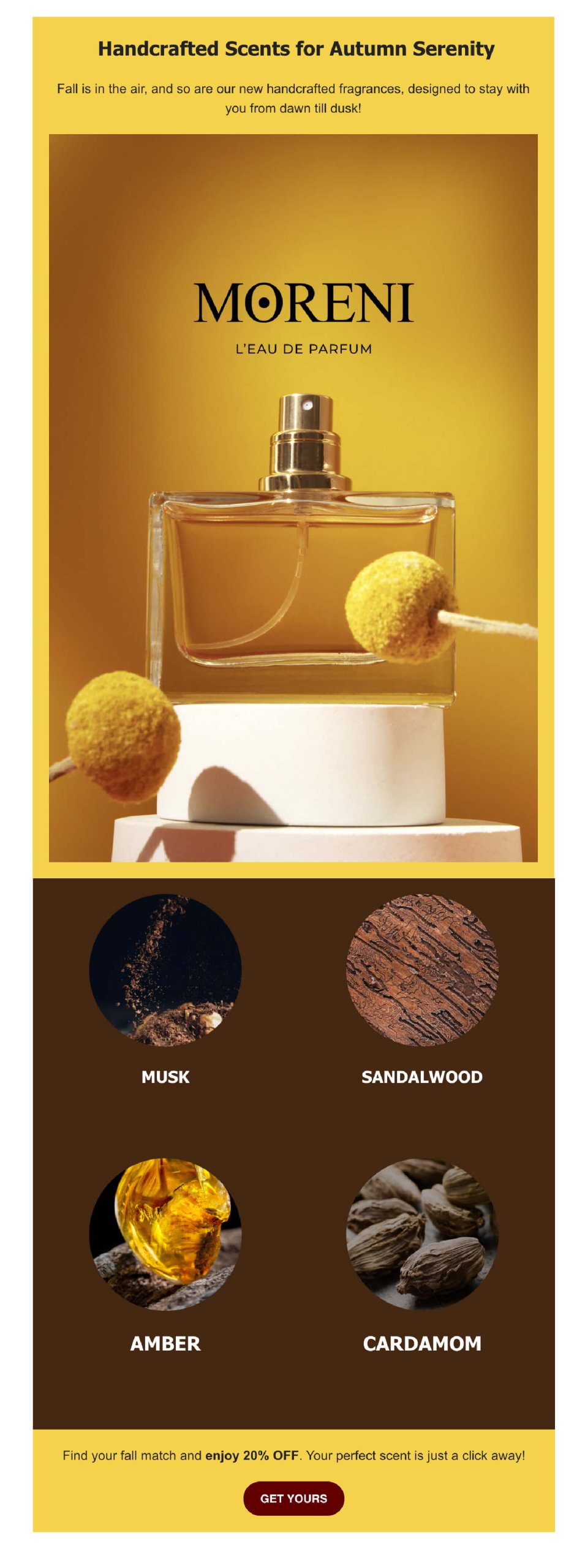
An analogous color scheme is a harmonious blend of three colors positioned side by side on the color wheel, such as the trio of orange, violet, and purple, crafting a visually soothing array. Depending on the hues used, this trio adds delicate or essential depth to the dominant color in your template. Perfect for capturing the essence of the seasons or natural events, analogous colors can enhance the thematic consistency of your email designs. For instance, a gradation from red to red-orange to yellow can evoke a fall vibe when used thoughtfully throughout your email layout.
Color trends in email marketing
Two forces are shaping palettes this year: a pull toward calm, spacious neutrals, and a handful of high-energy accents used sparingly to cut through a crowded inbox.
Pantone’s 2026 Color of the Year, Cloud Dancer, is a soft off-white built around calm and clarity. It’s the first time in the program’s history that a white tone has taken the top spot. For email, that means swapping stark white backgrounds for warmer, gentler off-whites, paired with earthy neutrals like beige and taupe instead of high-contrast black-and-white layouts.
Pinterest’s 2026 Palette pulls in the other direction with five bold accents: persimmon, a warm orange-red; wasabi, an electric chartreuse; plum noir, a deep, moody purple; jade; and cool blue. Used as a dominant palette, they’re a lot. Used in small bursts on a CTA button or a highlight strip, persimmon or wasabi does exactly what red has always done in email: grab attention fast.
Pro tip:
Dark mode is worth planning around too, not treating as an edge case. Roughly a third of email opens now happen in dark mode, according to Stripo. And that share keeps climbing. Pure black and pure white backgrounds are the two most likely to get inverted or distorted by a client’s dark mode rendering, so a soft off-white or dark gray background holds up more reliably than either extreme. Test any logo as a transparent PNG with a subtle outline; without one, a dark logo can vanish entirely against an inverted background.
Turn color into action
Color isn’t decoration; it’s one of the fastest levers you have for changing how a subscriber reacts to an email, and it costs nothing to test. Start with what you already have: pull your brand’s primary shade, pick one accent color for your CTA, and run the combination through a contrast checker before your next send.
From there, treat color like any other campaign variable. Test it. Try a warmer CTA against a cooler one, or a seasonal accent against your usual palette, and let your open and click data tell you which one actually works for your list.
Adjust colors with SiteGround Email Marketing: background, sections, buttons, and see the change instantly. If you pick a combination with low contrast, the tool flags it before you send, so accessibility isn’t something you have to check by hand.
[58]
This article was originally posted in May 2024 and updated in September 2026.
Frequently asked questions: Best colors for email marketing
There’s no single best color. It depends on your brand and your goal. Blue tends to perform well for trust-driven messages (finance, professional services), red and orange work for urgency and promotions, and green suits sustainability or finance-related content. The consistent factor across high-performing emails isn’t one specific color; it’s alignment with your existing brand palette.
Studies on attention and marketing point to red and yellow as the most attention-grabbing colors, since both stand out against most backgrounds and are associated with energy and optimism. “Attractive” and “effective” aren’t the same thing, though — a color that grabs attention but clashes with your brand can hurt recognition rather than help it.
Yes, the same principle used in web and graphic design applies well to email: one primary color for brand recognition, one secondary color to support it, and one accent color reserved for calls to action. Sticking to three keeps an email visually balanced instead of cluttered.
Hi, I’m a siteground user and I need to buy another web hosting again now, but can’t complete the palpal payment successfully.
Also can’t contact the online service team, only through blog comments, I hope someone from siteground will see it and contact me.
Hey there, we’ve located your account and noticed that you’ve already contacted our support team, who provided you with a PayPal payment link. If you require further assistance or have any questions, please don’t hesitate to reach out by following the steps outlined here: https://stgrnd.co/contactus. We are available 24/7 and would be happy to help!