Partners Page Guide: Attract the Right Partners + Examples

Abstract of a partners page

Do you already have a partner program, but not a dedicated page to showcase it? That’s a major missed opportunity. A cleverly designed partners page does more than just list logos: it reinforces trust with your customers, helps existing partners feel valued and supported, and invites the right new partners to join your network.

In this guide, we’ll break down what makes an effective partners page, why it’s such a powerful asset for growth, and the essential elements you need to include. Plus, we’ll share partners page best practices and examples to inspire your own.

Key takeaways:

  • A well-designed partners page builds credibility and attracts partners who align with your goals.
  • The best partners pages balance trust signals, clear benefits, and easy next steps.
  • Strong structure—from hero messaging to CTAs—guides potential partners through a clear decision path.
  • Case studies, resources, and FAQs turn interest into confidence and action.
  • A thoughtful partners page supports long-term growth by strengthening both partnerships and brand trust.

What Is a Partners Page?

A partners page is a dedicated page on your website that displays your company’s partnerships, but also acts as a gateway for new ones. Usually the partners page will feature noteworthy brands or people you work with, what your partner program looks like, and how interested parties can get involved.

Think of a partners page as accomplishing multiple small business marketing jobs all at once: it’s a credibility booster plus a business development tool. That’s because it shows the outside world that you have trusted collaborations while also inviting new partners to learn about opportunities with your company.

Why Have a Partners Page?

Not every company needs a partners page, but for scaling businesses or those that rely on partnerships—such as SaaS companies, agencies, nonprofits, or ecommerce brands—it can be a really important growth asset that helps you reach your business goals.

Here are the main reasons to have a partners page:

  • Build credibility – Feature your partners, customer success, and case stories that demonstrates reliability and trustworthiness to both customers and future collaborators.
  • Attract the right partners – A smartly crafted partners page makes it clear who you want to work with and what you offer, drawing in organizations that align with your business goals.
  • Clarify your program – Outlining the benefits, requirements, and process saves time for both you and future partners.
  • Support brand storytelling – Your partners reflect your values and expertise, so highlighting them strengthens your overall brand positioning.

But, importantly, you’ve got to get all of this right on your partners page! So that’s what we’re here to do today.

[24]

What to Include on a Partners Page

A strong partners page balances clear messaging with a smart website layout, guiding visitors through the story in a way that feels natural and persuasive. It’s essentially a marketing funnel in a page: you start with high-level credibility (logos, hero section), build interest with benefits and case studies, and end with action-driven elements like forms and calls to action. 

A successful partners page should include these elements: 

1. Hero Section

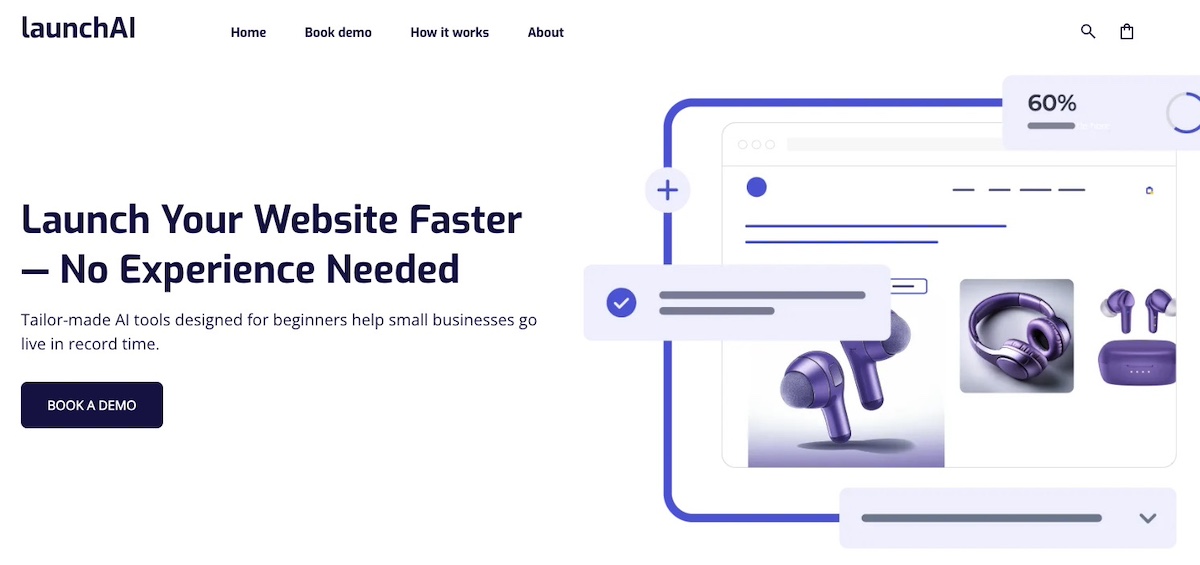
You might recall having heard about the hero section as an important—if not the most important—part of your homepage website design. And in fact it’s also a great tool for your partners page design. 

As a little refresher, the hero section is the above-the-fold graphic section that gets your strongest message across both visually and verbally. It typically communicates instant value—in this case, of your partnership program. An especially strong hero will combine that clear messaging with visual web design to make an impactful first impression.

Key elements to include in the hero section:

  • Headline: A benefit-driven statement that speaks to potential partners (such as “Grow with Us: Join Our Partner Network”).
  • Subheadline or short description: A concise explanation of what your program is about.
  • Visuals: Branded imagery, an illustration of collaboration, or even a short video.
  • Call-to-action (CTA) button: A clear action such as “Become a Partner” or “Explore Benefits.”
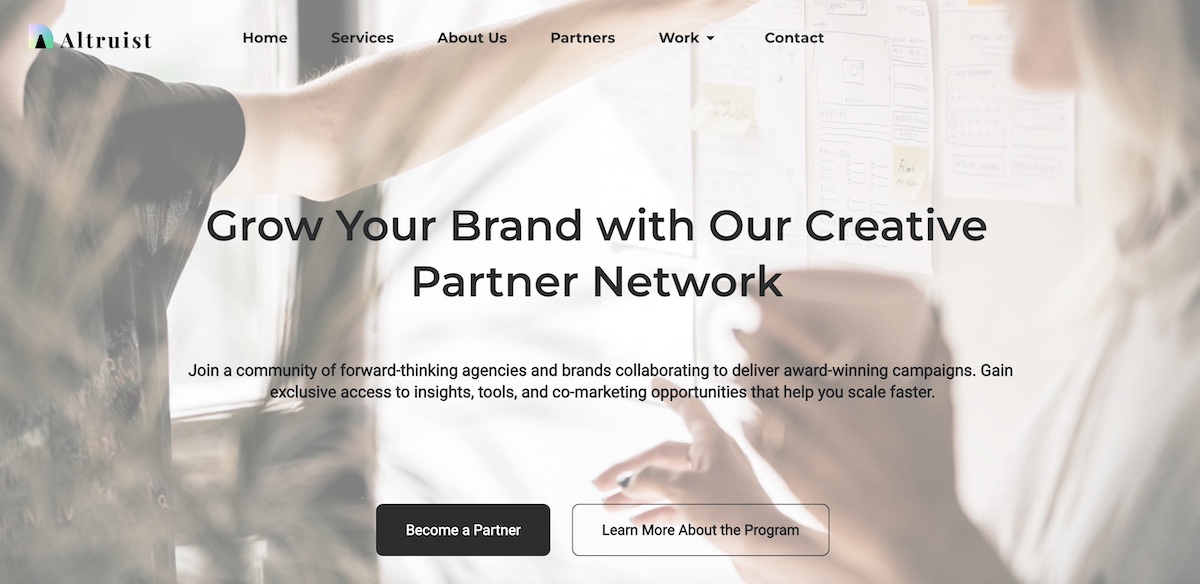
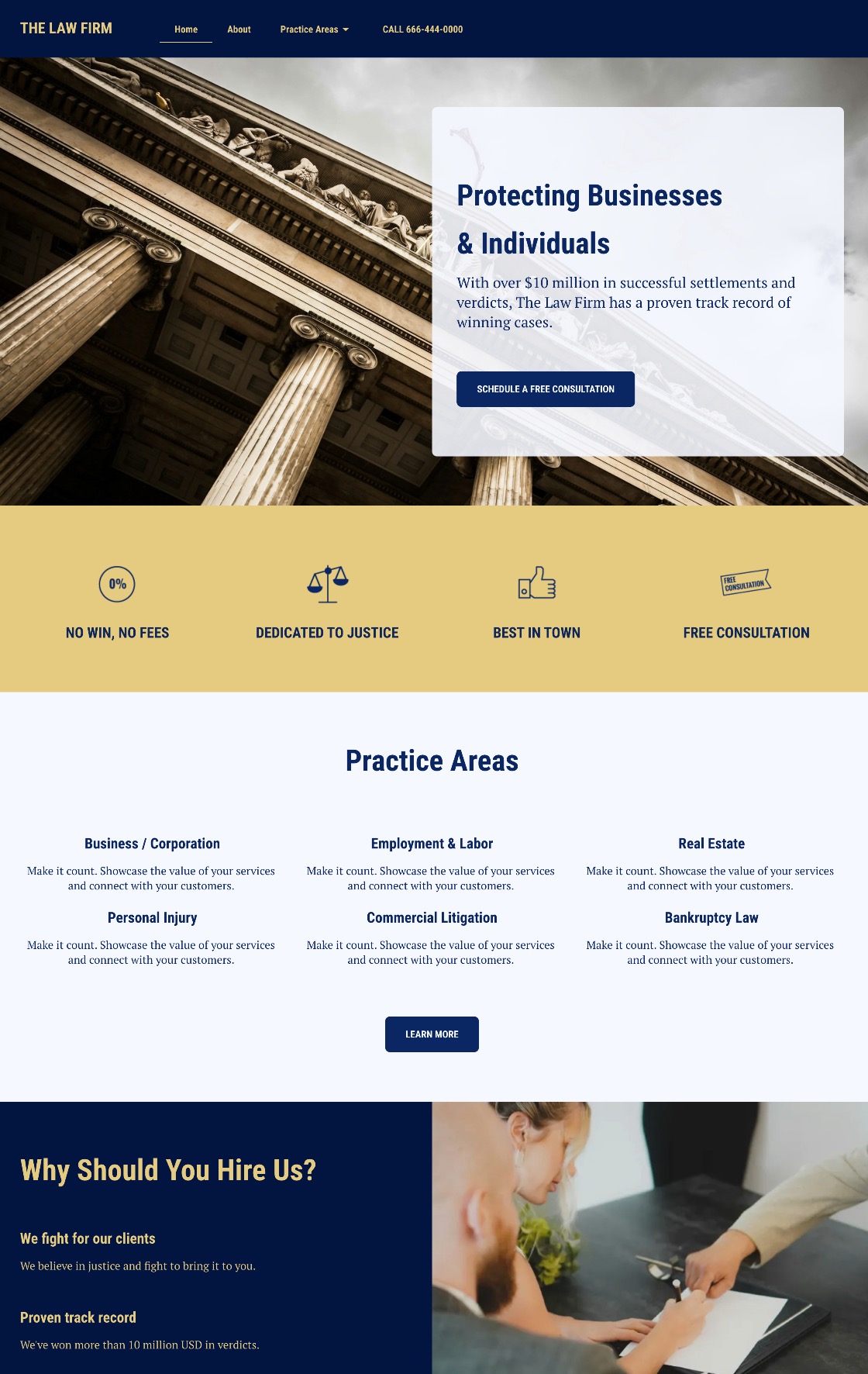
Example of a partners page hero section

Think of your hero section as a pitch in miniature. It sets the tone for the rest of the page and should quickly answer the question: “Why should I care about this partnership?”

2. Partner Logos

Featuring partner logos is one of the most straightforward ways to build instant credibility for your program and for your brand in general. It shows that respected organizations and businesses already trust you, and by extension others can too.
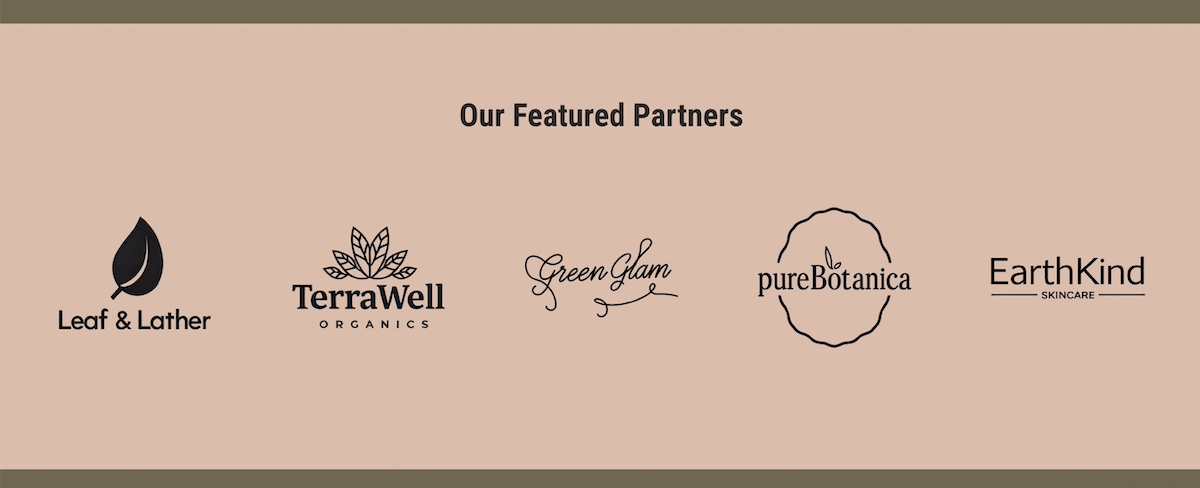
Example of a partners page with partner logos

Best practices for displaying logos:

  • Visibility: Place logos high enough on your partners page design so that they reinforce credibility early, often just below the hero.
  • Consistency: Use uniform sizing and layout to keep the section visually clean—but avoid altering partner logos in ways that conflict with their brand guidelines (for example, changing colors or proportions).
  • Grouping: If you have many partners, consider organizing logos by category or using a carousel/grid layout.
  • Linking (optional): You can link logos to case studies, testimonials, or the partner’s website for added depth. If you link to another site, however, be sure to have it open in a new webpage so that you still keep visitors on your site. That said, you may want to avoid the distraction altogether and avoid sending users off to another site.

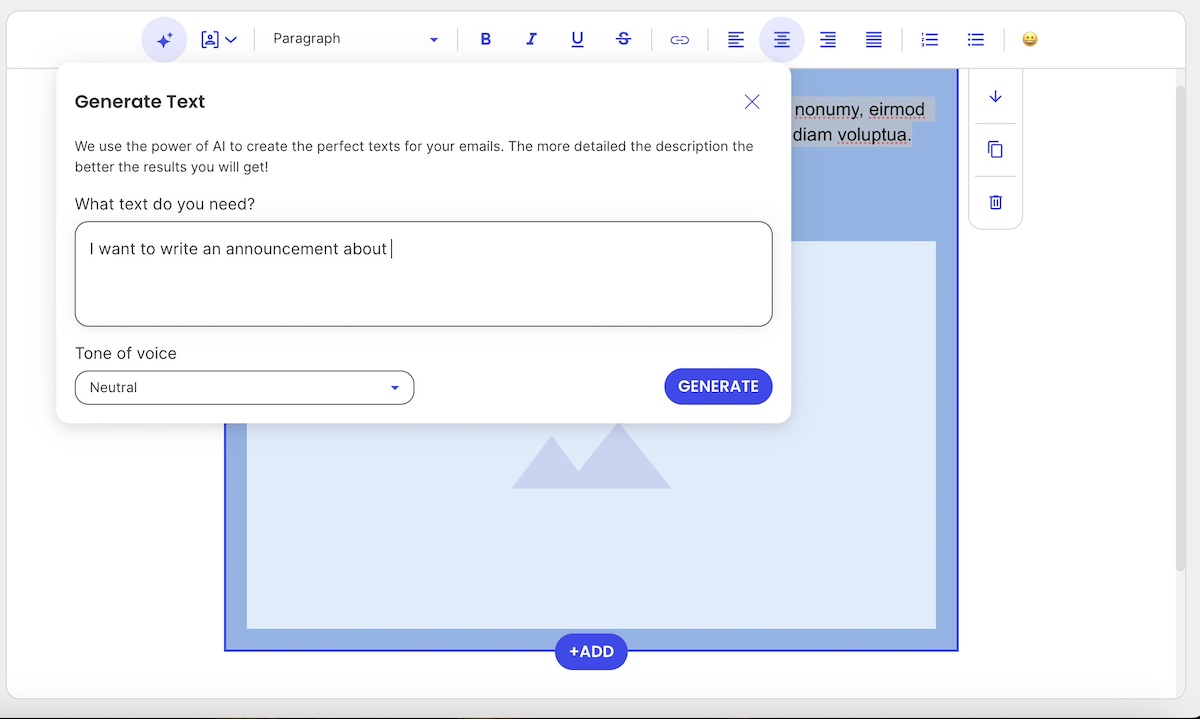
Your partners page deserves a design that’s as professional as your program. With SiteGround Website Builder, you can easily create clean, modern layouts using drag-and-drop, add partner logos, case studies, and CTAs, customize colors, fonts, and imagery to match your brand, and ensure your page is optimized for both mobile and desktop automatically.

Start building a partners page that looks great and converts>>

3. Benefits 

This is the section of your partners page design where you make the case for your partnership program. Instead of just describing what the program is, highlight the tangible benefits a partner will gain from joining.

Ways to structure a Benefits section:

  • Headlines or bullet points: Make the benefits scannable (think: “Grow revenue together,” “Access exclusive resources,” “Expand your reach”).
  • Partner-focused language: Speak to what’s in it for them, not just what your company gains.
  • Visual support: Use icons, graphics, or short testimonials to reinforce each benefit.
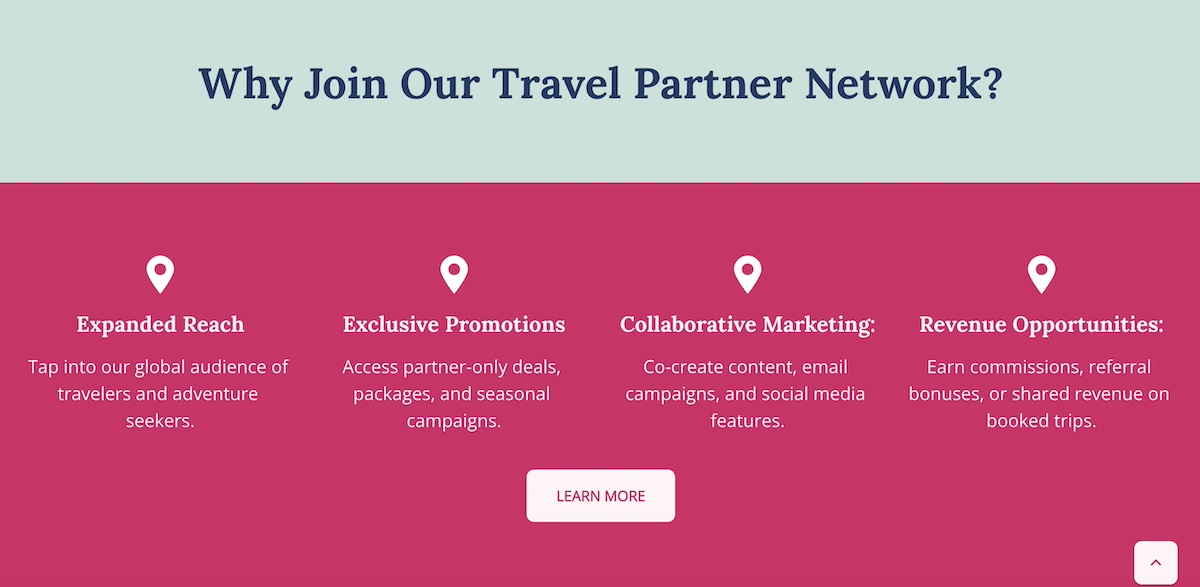
Example of a partners page listing benefits

Think of this partners page section as answering the question: “Why should I work with you instead of someone else?” The clearer and more compelling your benefits, the more likely the right partners will self-identify and take the next step.

4. Program Overview

After laying out the benefits, it’s time to get specific. An About the Program section on your partners page explains how your partnership model works, giving prospective partners the clarity and transparency they need to make a decision to move forward.

What to include in the program overview:

  • Types of partnerships: For example, reseller, affiliate, integration, or strategic alliances.
  • How the program is structured: Tiers, revenue sharing, training, or co-marketing opportunities.
  • Expectations: What you provide to partners and what you expect in return.
  • Visual aids: A simple diagram or infographic can make a complex program easier to understand at a glance.
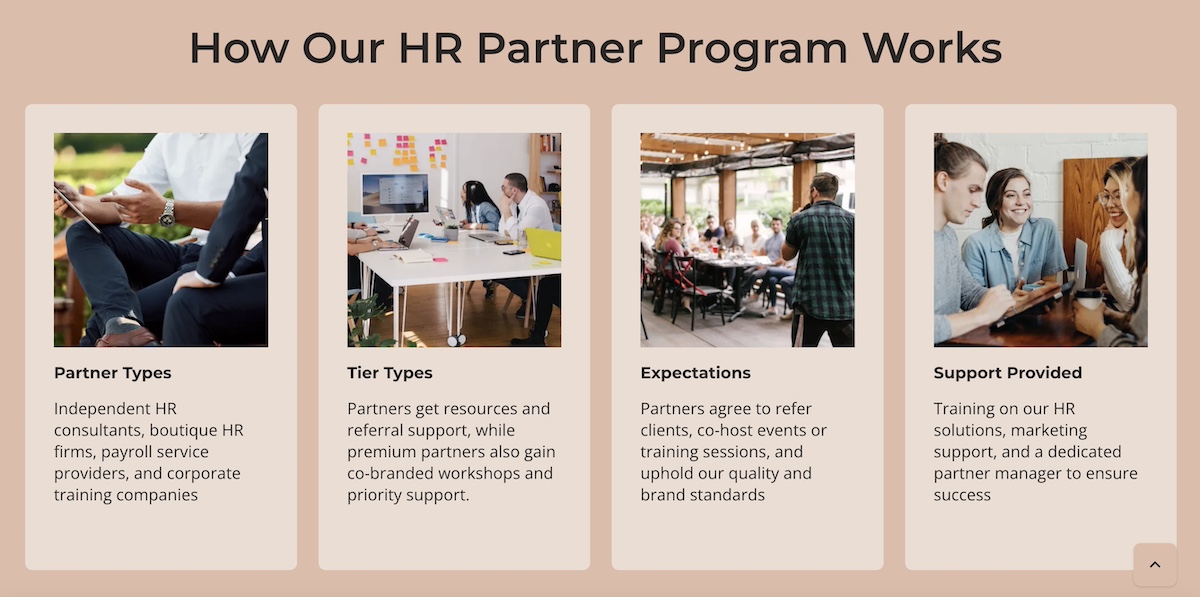
Example of a partners program overview

Clarity is the goal here. Think of it like a customer journey: Give the reader enough information to evaluate fit quickly, while keeping the details succinct enough to encourage them to take the next step and learn more.

5. Partner Application Process

Once a possible partner is interested, make it abundantly clear via your partners page design how they can move forward. A How to Become a Partner section does just that, removing friction by outlining the process in a simple, transparent way. Quite simply: set expectations.

Best practices for displaying the partner application process:

  • Step-by-step overview: Break the process into 3–4 clear steps (such as apply, review, onboarding, and launch).
  • Set expectations: Mention timelines, required qualifications, or additional resources applicants will need.
  • Consider providing multiple touchpoints: You can include both a primary CTA (like “Apply Now”) and a secondary one (like “Contact Us”) for those who may need more information first.
  • Highlight support: Reassure applying partners that they’ll have guidance through the process, whether from a dedicated partner manager or a resource hub.
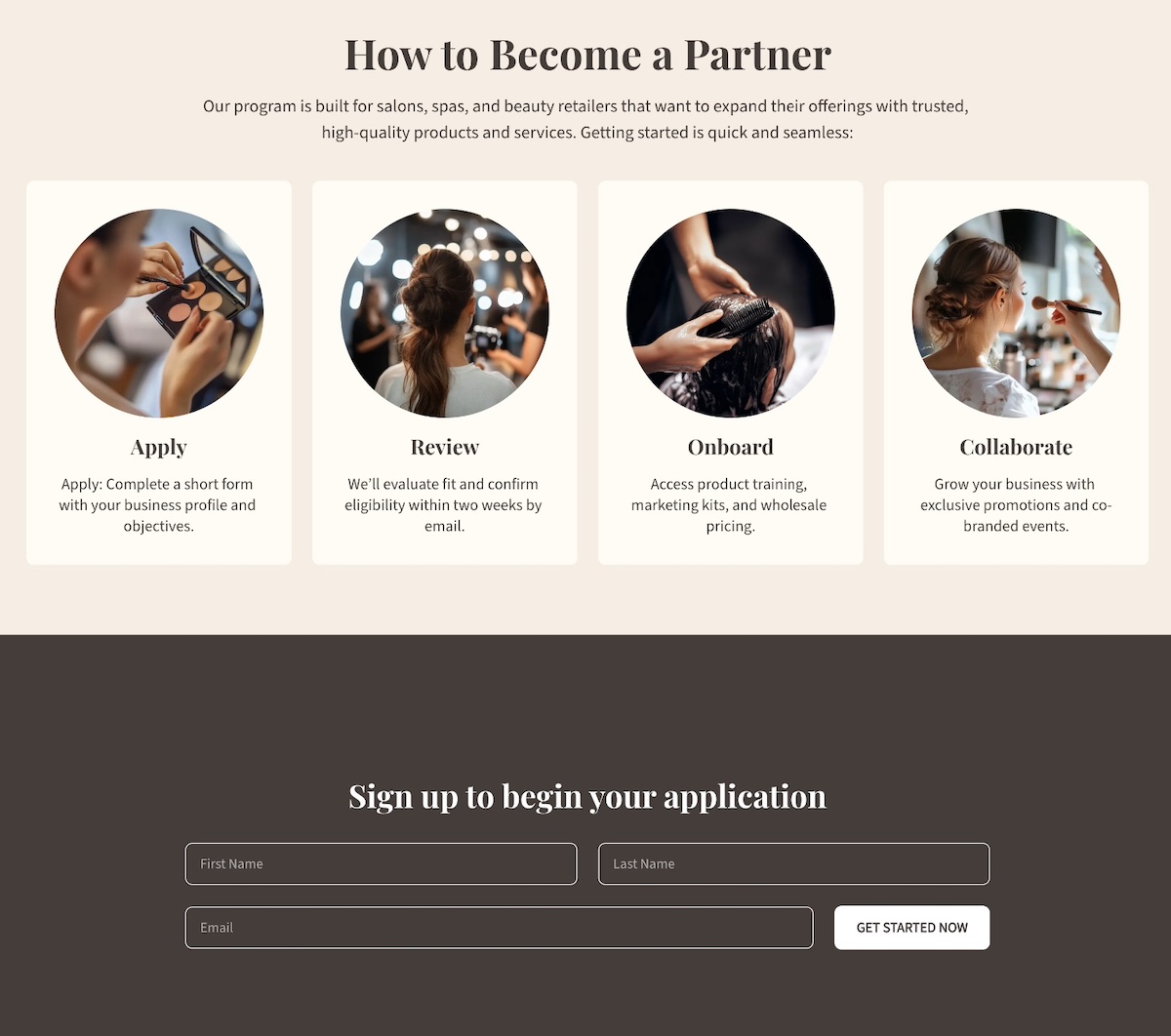
Example of a partners page partner application process

This kind of expectation setting via your partners page helps avoid drop-offs, because when potential partners know exactly what to expect, they’re more likely to follow through.

6. Case Studies

Case studies are one of the most persuasive elements of your partners page design. They turn abstract benefits into real-world proof by showing how your program has helped existing partners succeed.

Ways to showcase case studies:

  • Spotlight format: Dedicate a short section to a single partner success story with measurable results.
  • Carousel or grid: Feature multiple partner case studies with visuals, quotes, and outcomes.
  • Mix of formats: Include written stories, video testimonials, or data-driven snapshots featuring existing partners.

When writing case studies, focus on:

  • The partner’s challenge before working with you.
  • The solution provided through your partnership.
  • The results they achieved (revenue growth, increased reach, new opportunities, etc.).

Example of a partners page case study

Well-crafted case studies show potential partners that others like them have achieved success with your program. 

7. CTAs and Forms

A strong partners page goes beyond informing, and really guides visitors toward action. That’s where calls to action and forms come in. While they work together, each has a different role.

CTAs are about engagement. They should appear throughout the partners page design to capture interest at the right moment and direct visitors to learn more, apply, or contact you.

Forms are about conversion. They turn interest into a commitment by collecting essential details so you can qualify and follow up.

When to use CTAs:

  • Early in the partners page design (like in the hero section) to capture top-level interest.
  • After benefits or case studies, when the value has been clearly shown.
  • For “softer” actions, like “Download our program guide” or “Contact us to learn more.”
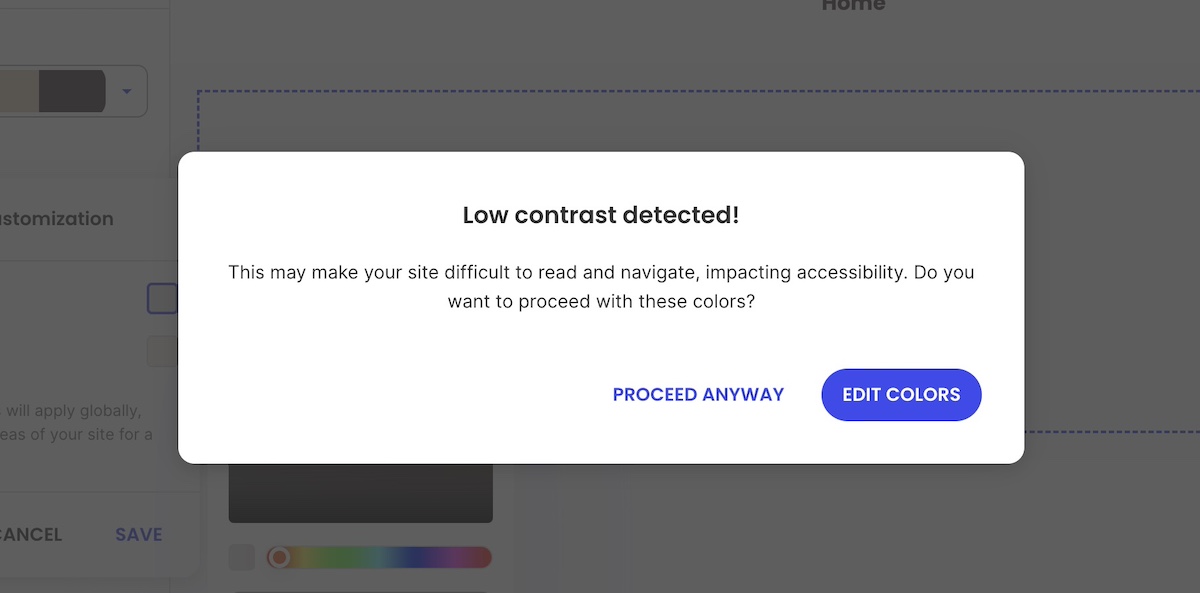
  • Remember to keep CTAs action-oriented and descriptive, which is also important for website accessibility, as it allows all users to understand the next step.

When to use forms:

  • At the point of highest intent, often after explaining the program and its benefits, or how to apply.
  • When you want to qualify prospects by segmenting (affiliate, reseller, etc.).
  • As the final action step, placed toward the bottom of the partners page design.
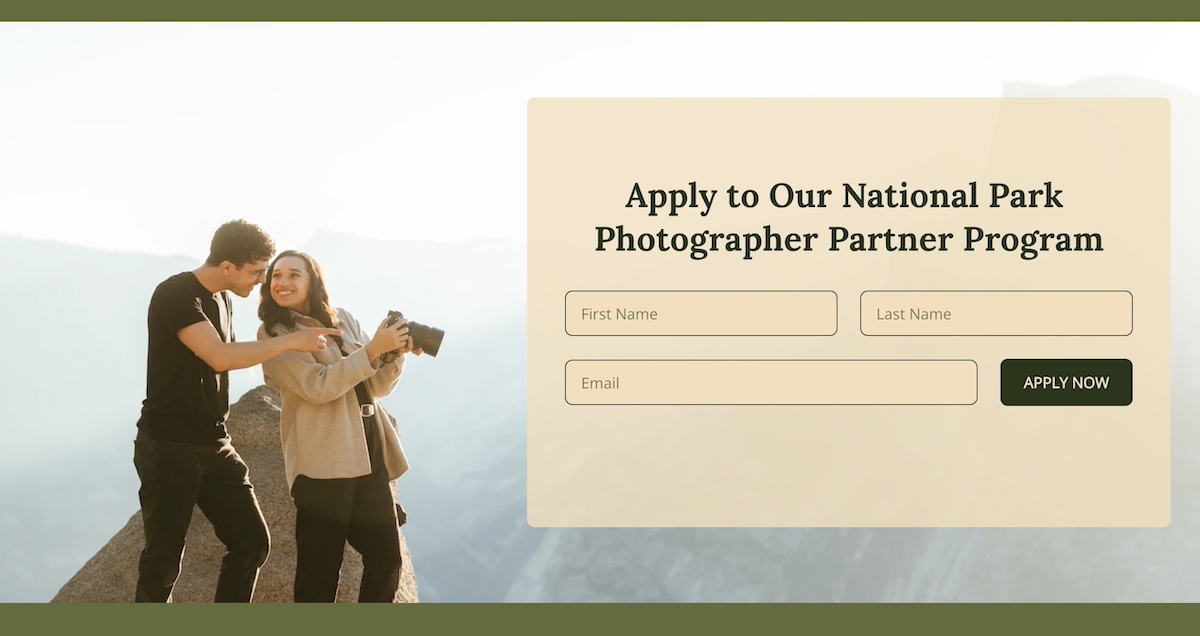
Example of a form on a partners page

Together, CTAs and forms act as the conversion engine of your partners page. CTAs build that curiosity and momentum, while forms capture the momentum and turn it into qualified leads.

For all the necessary follow-up, you will need a solid email marketing platform in your court. One that’s easy to get going, allows you to segment your lists, send automated sequences, and track performance over time. With SiteGround Email Marketing, you can nurture new partner leads from the moment they sign up—sending welcome sequences, program updates, and tailored campaigns that keep them engaged and moving toward long-term collaboration.

8. Resources

Providing resources helps both potential and existing partners feel supported, while also demonstrating that your partnership program is structured, professional, and built for success. A well-organized resource section works in two important ways: it can help attract the right partners, and also help current partners thrive.

Examples of resources to include:

Guides and playbooks:

  • Materials that explain how partners can get started or maximize the partnership.
  • Ideal for prospects who are still evaluating the program and want to understand the process.

Marketing materials:

  • Logos, co-branding guidelines, banners, or templates.
  • Helps partners promote your products/services effectively while maintaining brand consistency.

Training and onboarding content:

  • Videos, webinars, or step-by-step documentation.
  • Best for new partners to quickly get up to speed and start contributing value.
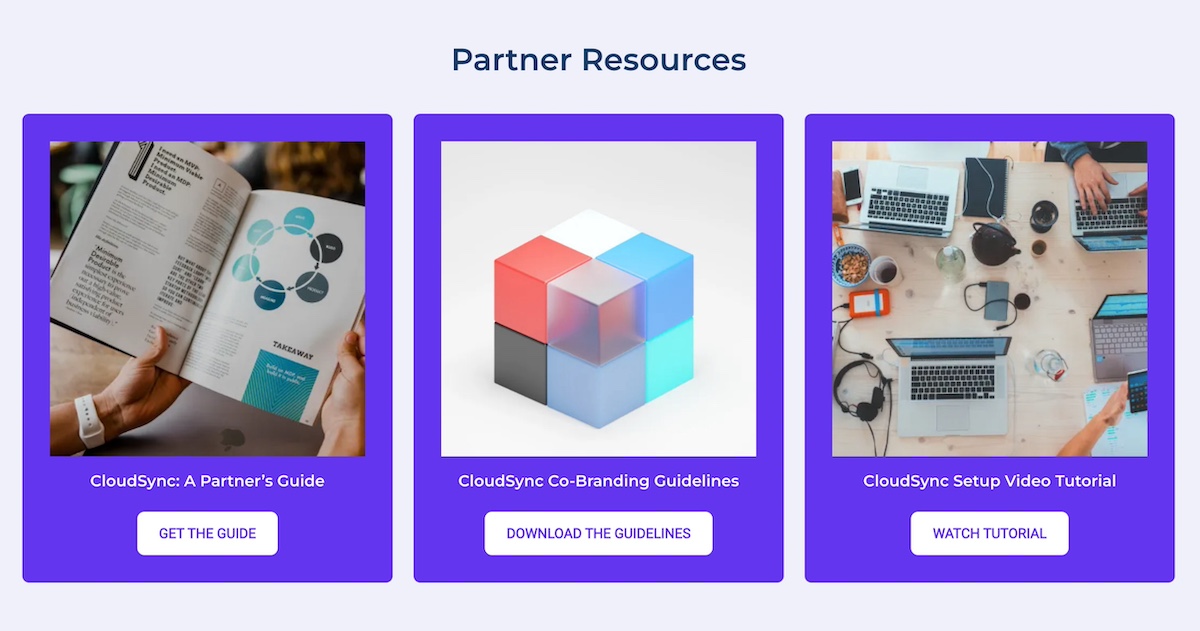
Example of a partners page with partner resources

9. FAQs

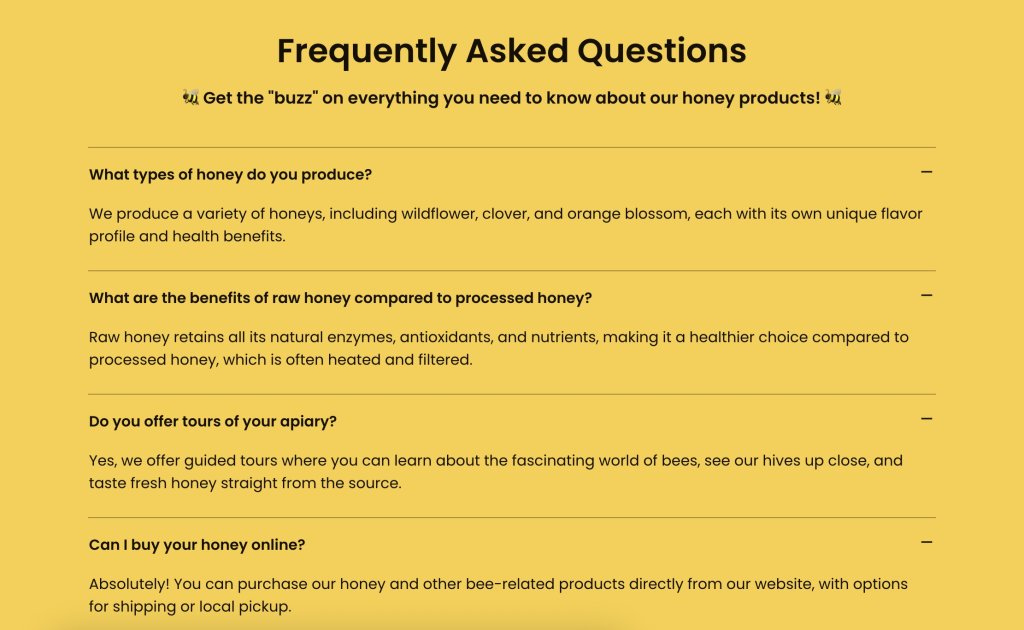
An FAQ section is a helpful way to address common questions, reduce friction for prospective partners, and prevent unnecessary back-and-forth before someone decides to apply or reach out.

Consider including questions that cover:

  • Program details: Eligibility, partner types, or expected benefits.
  • Process questions: How to apply, timelines, or onboarding steps.
  • Support and contact information: How to get help if needed.
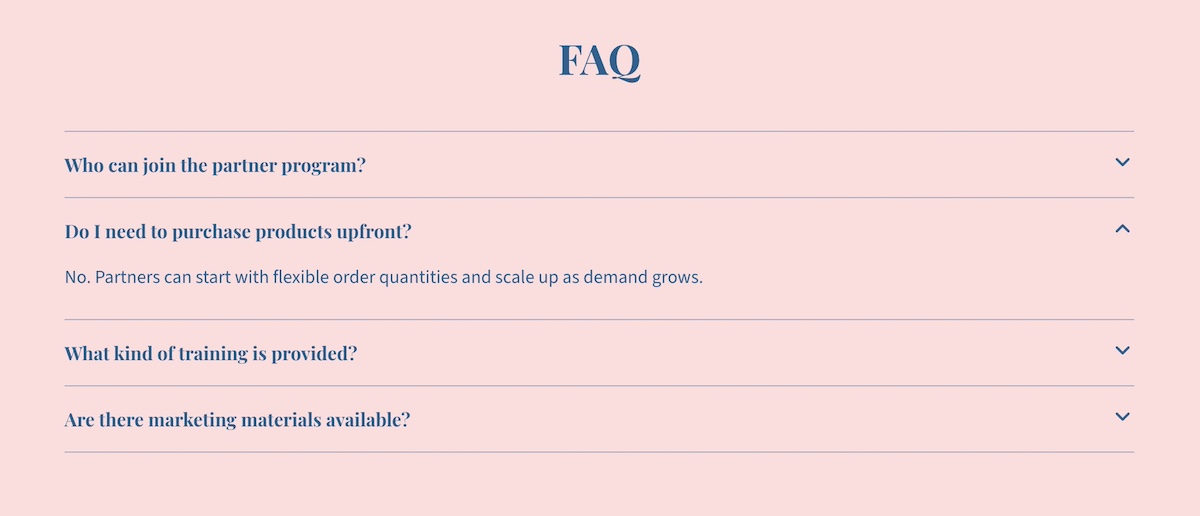
Example of a partners page FAQ

Keep answers brief and scannable, using bullet points or short paragraphs. You can also include links to guides or resources for more detailed explanations.

Best Practices for Partners Pages

Creating a truly successful and well-designed partners page goes beyond just checking the above boxes. It requires a bit more nuance involving structure, web design, and how you communicate your partner program. Following these best practices will help your page attract the right partners and support meaningful collaboration.

Define Your Ideal Partner

Before writing copy or going down the rabbit hole of partners page design, be clear about who you want to attract. Consider factors like industry, company size, business goals, and values. Defining your ideal partner is the starting point for everything else you produce. 

Create Messaging that Resonates

Your messaging should speak directly to this potential ideal partner. Focus on the benefits for them, not just what your company gains. Use clear, concise language, highlight success stories, and avoid jargon. If you can nail this messaging, it will enable the right partners to quickly understand the value of joining your partner program.

Keep the Partners Page Aligned with Your Site

Your partners page design shouldn’t feel disconnected from the rest of your site. Make sure it reflects your company’s branding by using consistent colors, fonts, and imagery. At the same time, consider how it fits into your broader website planning—whether through main navigation, as part of your About section, or linked from resources. This alignment helps the page feel like a cohesive part of your site and reinforces the value of your brand and working with you.

Leverage Existing Partnerships

We touched on this before, but we can’t emphasize it enough: leverage your existing partners, as it adds valuable credibility for both customers and for developing new partnerships. Use those logos (with permission), create case studies, and don’t be shy about asking for testimonials. Highlighting successful collaborations demonstrates the credibility of your program and encourages new partners to envision similar results.

Segment and Follow Up

Not all partners are the same, so segment prospects by using forms. That is, if you have, let’s say, a newsletter form on your homepage, you’ll want to be sure to create a unique, segmented form for your partners page. This kind of segmentation allows you to automate your emails and follow up with customized communications with relevant resources. 

Build a Partners Page That Works

Surely you are convinced by now that a well-structured and well-designed partners page does more than just rattle off a few points about your program. It’s actually a strategic tool that strengthens relationships, attracts new partners, and builds trust with your customers. And if you get it just right, you won’t just attract partners, but you’ll attract the right partners, making your whole partner program more successful.

And if you want to make building that page effortless, turn to SiteGround’s Website Builder. With drag-and-drop web design, customizable templates, and built-in marketing tools for forms and CTAs, you can create a partners page that looks polished, functions seamlessly, and fits perfectly within your overall website. That way, you can showcase your program and grow your partner network with confidence.
A promotional image for SiteGround's Easy-to-Use Website Builder featuring a mockup of a website with a living room photo. The text highlights creating a professional site without coding, offering customizable templates, AI-powered content generation, built-in SEO tools, access to over 6 million free high-quality images, an easy drag-and-drop editor, and mobile-friendly designs. Includes a "Get Started Now" button and the SiteGround logo.

Instagram Marketing for Small Business: A Quick-Start Guide

Abstract of instagram marketing for small business

You already know Instagram isn’t just a place for selfies and travel snaps anymore. With more than a billion active users worldwide, it’s evolved into one of the most powerful platforms for building brand awareness, connecting with customers, and driving sales. And if you run a small business, there’s a good chance your customers are already there—scrolling, searching, and discovering new brands every day. That makes Instagram marketing for small business owners more important than ever.

That said, while most of us are familiar with using Instagram personally, the “marketing” side can feel overwhelming. With so many features, formats, and strategies to choose from, it’s hard to know where to start. 

That’s where this guide comes in: a clear, practical playbook to help you get your Instagram marketing strategy off the ground.

What is Instagram Marketing & Why Do You Need It?

At its core, Instagram marketing is about using the platform to promote your products or services, connect with your audience, and grow your business. That can mean posting photos and videos, sharing behind-the-scenes stories, running ads, or engaging with your followers in the comments.

And social media marketing for small businesses offers a unique opportunity:

  • Reach your customers where they already spend time. Instagram is especially popular with younger generations—around 32% of global users are aged 18–24 (Gen Z), and another 30% are aged 25–34 (millennials)—making up over 60% of its audience. 
  • Showcase your brand visually. Whether you sell products or services, Instagram lets you highlight what makes you different through your own branding and storytelling.
  • Build relationships, not just sales. Direct messages, comments, and interactive features like polls make it easy to connect with your audience on a personal level (and even improve your offering).
  • Drive measurable results. From increasing reach to generating sales, Instagram’s tools help you see how your efforts translate into real business impact.

Long story short, if you’re a small business looking for a cost-effective way to grow your presence, Instagram marketing is one of the best places to start.

How to Build & Execute Your Instagram Strategy

So let’s identify a step-by-step plan for Instagram when it comes to your small business marketing. 

1. Define Your Goals & Audience

Before you jump in, the first step in any Instagram marketing strategy is getting crystal clear on what you want to achieve and who you’re trying to reach. And on Instagram, it’s no different. Without knowing who you’re talking to, you’ll waste time creating content that no one relates to, and thus, you won’t be able to grow.

Set Your Goals

Ask yourself what Instagram marketing should do for your business. Common small business goals include:

  • Building brand awareness
  • Driving traffic to your website or online store
  • Selling products directly through Instagram
  • Strengthening relationships with existing customers
  • Encouraging repeat business or loyalty

Clearly defining your goals with Instagram marketing will help you focus your content and measure success. For example, if your goal is to drive sales, your posts and Instagram Stories should include clear calls to action and product highlights. If it’s brand awareness, focus on shareable content that tells your story.

Pro tip: Tie each goal to at least one measurable digital marketing metric. That could mean tracking reach for brand awareness, clicks for traffic, or conversions for sales. You’ll dive deeper into performance tracking later, but identifying these benchmarks upfront ensures you’ll know what progress looks like.

Understand Your Audience

Next, think deeply about the people you want to reach:

  • Do they spend time on Instagram, or are they more active on other platforms? (Keep in mind that TikTok is great for small businesses as well, but of course, it depends on your audience.)
  • When are they most active on the app?
  • What kind of content do they consume and engage with—educational, entertaining, inspirational, or product-focused?
  • What language, tone, and style resonates with them?

You can gather these insights from your existing customers, Instagram marketing’s built-in analytics, or by observing similar brands in your niche. Knowing your audience allows you to produce content that lands with the right people at the right time.

Check Out Your Competitors

Along these lines, competitor research can be a great source of ideas and insights when it comes to what best to post for your audience. Look at:

  • The content formats they post (photos, Reels, Stories, carousels)
  • Their tone of voice (friendly, professional, humorous, edgy)
  • What drives active engagement (actions like likes, comments, shares, saves, and now reposts with Instagram’s new functionality)
  • Posting frequency and timing

Don’t copy them, of course, but instead use their approach as inspiration to identify gaps and opportunities. For example, if competitors are posting mainly studio-style product photos that don’t drive much active engagement, you could focus on sharing photos of your customers with the products you offer and behind-the-scenes reels to make your brand stand out from the rest.

2. Generate Ideas & Formats

With your goals and audience already defined, it’s time to put that information into action by coming up with content ideas and deciding which formats to use. This step bridges strategy and execution: it’s where you translate your goals into actual ideas that can fill your feed.

Start With Idea Generation

Begin by brainstorming topics rooted in what you know about your audience and goals:

  • Customer questions: What do people often ask about your product or industry? Turn FAQs into Reels, carousels, or Stories.
  • Pain points & solutions: Think about your customers’ biggest challenges and show how your business can solve them.
  • Behind-the-scenes content: Share your process, your team, or your day-to-day—authenticity builds connection.
  • Seasonal or industry moments: Tie your content to holidays, local events, or niche trends your audience cares about.
  • User-generated content: Showcase customer photos, reviews, or testimonials for social proof.
  • Sharable content: Think about what excites your audience or feels instantly relatable, and turn it into posts they’ll want to share with friends or save for later.

Keep a running list of these ideas in a spreadsheet, project management tool, or even the Notes app—that way you’ll never be faced with the “what should I post?” conundrum.

Come Up With a Balanced Content Mix

In the brainstorming process, keep in mind that it’s important to mix up the type of content you post. A proven approach is the 60/20/20 mix:

  • 60% Educational or Value-Driven Content: Tips, how-to’s, behind-the-scenes insights, or advice that helps your audience solve a problem.
  • 20% Trending or Timely Content: Participate in relevant trends, challenges, or industry news.
  • 20% Promotional or Product-Focused Content: Highlight your products, services, or offers in a way that adds value.

Choose Instagram Formats Based on Your Goals

Almost any idea—FAQs, tips, behind-the-scenes, or user content—can be adapted into a Reel, Story, Carousel, or Post. What matters most is your goal: do you want reach, engagement, or conversions? Once you know that, pick the format that helps you get there.

  • Reels (Best for reach & discovery): Use trending sounds, strong hooks, and keyword-rich captions. Add “Follow for more tips” prompts to convert new viewers into followers.
  • Stories (Best for engagement & retention): Keep your current followers engaged with interactive stickers, polls, and Q&As. Share your Reels to Stories for an initial visibility boost.
  • Carousels (Best for saves, shares & thoughtful engagement): Create save-worthy, swipe-through posts with clear CTAs. Carousels increase time spent on your content but shouldn’t be your only growth strategy.
  • Single image posts (Best for link clicks & simple engagement): Use them for quick updates, announcements, or when one strong visual says it all.
  • Lives (Best for real-time engagement & reach): Promote ahead of time, then repurpose into Reels or Carousels to maximize visibility.

Pro tip: Combine formats for compounding impact—for example, launch a Reel, follow it up with an interactive Instagram Story, and later post a carousel that dives deeper into the topic.

3. Create & Schedule

Once you have your bank of content ideas and formats ready, it’s time to bring them to life and get them on the calendar. Scheduling your Instagram posts in advance not only keeps you consistent but also reduces the daily scramble to stay on track.

Keep Your Content Mix in Mind

As you schedule, remember your 60/20/20 content mix—educational/value-driven, trending/timely, and promotional—and make sure each week or month maintains that balance. Also, vary the formats (photos, carousels, Reels, Stories, Lives) to keep your feed engaging and dynamic.

Align Content With Your Brand and Goals

When creating your Instagram marketing content, be sure to use what you’ve already established about your brand and audience to guide which of these ideas you put into action and how. Ask yourself:

  • Does it reflect your brand’s voice, style, and values?
  • Does it support the goals you’ve set for Instagram?
  • Will it engage your audience in a meaningful way?

Batch Your Content for Efficiency

Producing content in batches saves time and helps maintain a consistent look and style. For example:

  • Film several Reels in one session
  • Design multiple carousels or graphics at once
  • Create Instagram Story templates you can reuse

Batching keeps your energy up, helps implement visual consistency, and frees up your time during the week for engagement and promotion.

Timing Matters

Don’t schedule randomly—pay attention to when your audience is most active. Posting when followers are online increases the likelihood of engagement, which signals the algorithm to show your content to more people.

Schedule Ahead

Instead of posting on the fly, use scheduling tools (like Meta Business Suite or third-party apps) to plan and queue your content in advance. This not only saves time but also translates to consistency, even during your busiest weeks.

[39]

4. Promote & Advertise

Creating and scheduling content is just the first part of getting your Instagram marketing strategy off the ground. While some brands do manage to explode organically on social media, in most cases, it’s smarter to promote your content than to just wait years hoping for a viral post. This can mean either boosting posts or running separate Instagram ad campaigns—two approaches that overlap but serve slightly different purposes.

Boost Organic Posts

Boosting turns one of your existing posts into an Instagram ad directly from your profile. It’s quick, easy, and best for giving a wider audience to content that’s already performing well. Think of it as amplifying your hits without much extra setup.

Run Targeted Ads

For more control, Meta Ads Manager lets you create Instagram ads separately from your organic posts. Here you can:

  • Define precise audiences (demographics, interests, behaviors, location)
  • Promote products, services, or special offers
  • Choose from multiple ad formats (photo, video, carousel, Reels)
  • Optimize and test creative variations

While boosting is a good entry point, Ads Manager campaigns are designed for deeper targeting and tracking. Most businesses find a mix of both works best: boost your best content to broaden reach, and run targeted Instagram ads when you need to hit specific goals.

Set Clear Objectives

Whether boosting or running Instagram ads, tie each promotion back to the goals you’ve already defined for your Instagram marketing strategy. Are you aiming to drive traffic to your site, build awareness, or generate sales? Knowing the objective upfront makes it easier to measure performance, optimize over time, and ultimately grow your business.

Pro tip: Promote strategically, not constantly. Focus on amplifying your strongest content and experimenting with small budgets to see what resonates with your audience before scaling up.

5. Track & Optimize

Whether you choose to promote your Instagram posts via ads or not, there’s one more critical step: tracking. 

Remember those original goals you set? Look at metrics like reach, engagement, clicks, and conversions to see which content and campaigns are resonating with your audience, and if you’re meeting the goals you set out to achieve. This feedback helps you make smarter decisions for future promotions.

Use Instagram Insights (available in the app) to keep an eye on:

  • Reach & Impressions: How many people are seeing your content.
  • Engagement: Likes, comments, shares, saves, and interactions on Stories.
  • Follower Growth: Whether your strategies are consistently attracting new followers.
  • Profile & Bio Link Clicks: How often people click through from your profile.

And, if you’re running ads, you’ll need Ads Manager to track website clicks and conversions.

Optimize Based on Data

Once you know what’s working, double down on it:

  • Post more of the formats and topics that get high engagement
  • Experiment with posting times if certain hours get better reach
  • Test new content types or ad creatives to see if they outperform existing ones
  • Refine your hashtag strategy (more on that in a minute!) based on posts that reach new audiences

Tracking and optimization is an ongoing process. Make reviewing performance a habit so that your Instagram strategy can evolve with your audience, trends, and business goals.

Pro Tips to Improve Your Instagram Performance

Beyond building and executing your Instagram marketing strategy, we’ve got a slew of additional tips to really help you get the most out of your content so that you can boost engagement, reach, and results.

Grab Attention Quickly

First up, start your videos and Reels with a strong hook in the first few seconds to stop viewers from scrolling past. Keep in mind that many people watch without sound, though, so be sure to include on-screen text early. And for those that do watch with sound, you may wish to add trending music from Instagram’s library, as it can make your content more engaging and help it get discovered by a wider audience. 

Instagram example of grabbing attention quickly

Use Relevant Keywords

Incorporate keywords in captions to help Instagram understand your content and show it to the right audience. For example, a fitness coach posting a Reel about home workouts might include terms like “home workout,” “bodyweight exercises,” or “no equipment needed.”

Use Hashtags and Topics Wisely

Hashtags are still helpful—focus on 3–5 that are highly relevant (such as 1 branded, 1 content-specific, plus 2–3 niche tags). For Reels, you can also add up to three Topics using Instagram’s “Add Topic” feature, which helps categorize your video in the Reels feed. 

Together, hashtags and Topics improve your chances of being discovered by people interested in your niche. And with Instagram leaning more into search-based discovery—and even surfacing Facebook and Instagram posts in search results—strategic tagging is becoming even more valuable for small businesses.

Engage With Interactive Stories

Encourage interaction by using polls, questions, and quizzes in Stories. Simple prompts like “Which design do you like best?” or “What time of day do you work out?” increase engagement and provide valuable audience insights that you can use to improve your Instagram marketing strategy, and even your products and services.

Increase Time on Post With Carousels

Carousels keep Instagram users swiping through multiple slides, which ups time on post—a signal the algorithm loves. Turn a single tip into a “5-Step How-To” carousel, or repurpose a blog post into bite-sized slides. Adding video clips or trending music from Instagram’s library can make your posts even more engaging and help boost visibility.

Example of an Instagram post with a carousel

Prompt Quick Actions

Include clear calls to action to encourage your audience to save, share, or comment. Instead of vague prompts, be specific and tie the CTA to the value of the Instagram post. For example:

  • “Save this post to come back to before your next trip.”
  • “Tag a friend who needs to see this.”
  • “Comment with your favorite tip from the list.”
  • “Share this with someone starting their own business.”

Respond Quickly

Reply to DMs and comments promptly to build community and increase engagement. Even short replies like “Thanks for your comment!” or using a friendly emoji can keep conversations going and signal activity to Instagram. Plus it’s just good business!

Use Location Tags

Tagging locations in posts and Instagram Stories increases discoverability, especially for local businesses or geo-targeted content. Even broader locations like “Europe” or “Detroit” can increase reach in Explore and Reels tabs.

Put Your Small Business Instagram Plan into Action

Instagram marketing for your small business doesn’t have to feel overwhelming—you just need an intentional plan. So set those goals, create that content thoughtfully, promote strategically, track all the results, and you’ll build an Instagram presence that not only looks good on the feed but also supports your real-world business growth. Then be consistent and willing to adjust as you learn what resonates with your audience.


But Instagram is just one piece of your marketing puzzle! As you drive traffic from your posts and ads, make sure your website is ready to impress. A fast, secure, and professional-looking site—like the kind you can build and host with the SiteGround Website Builder—helps turn all those new casual scrollers into paying customers. Pair that with SiteGround Email Marketing to nurture those followers after they’ve clicked through, and you’ll create a seamless path from Instagram engagement to long-term customer loyalty.

Best Homepage Examples: 9 Designs by Business Type and Goal

abstract of a homepage example

The best homepages share a common formula: a clear message, a compelling visual hierarchy, and a focused call to action—and studying examples is the fastest way to learn it. In this article, we break down top homepage examples by business type and purpose, highlighting exactly what makes each one work.

Whether you’re building a lead generation page, an ecommerce storefront, or a personal brand site, you’ll find concrete design tricks, messaging strategies, and CTAs you can apply right away. Because while crafting the perfect homepage can feel like catching lightning in a bottle, the truth is there’s a proven playbook—and the best sites are already using it.

Key takeaways

  • The most effective homepages have a clear goal and make the next step obvious within seconds.
  • Strong above-the-fold messaging sets expectations and draws visitors in right away.
  • Clear navigation, focused layouts, and strategic CTAs guide users toward action.
  • Trust signals like testimonials, reviews, and social proof build credibility fast.
  • Speed, mobile optimization, and consistent branding are essential for performance and conversions.

What are the Best Website Homepage Examples?

The best homepage examples are organized by business type and primary goal—because what works for an ecommerce store looks very different from what works for a portfolio or a service business.

As you plan your website, these examples can help you better understand the purpose of your own homepage and how to shape your design, messaging, and calls to action accordingly.

Homepage Examples for Lead Generation

A great lead generation homepage has one job: turn interested visitors into contactable leads. The best ones pair a compelling offer — a free guide, a trial, a consultation — with clear CTAs and just enough social proof to make saying yes feel like a no-brainer.

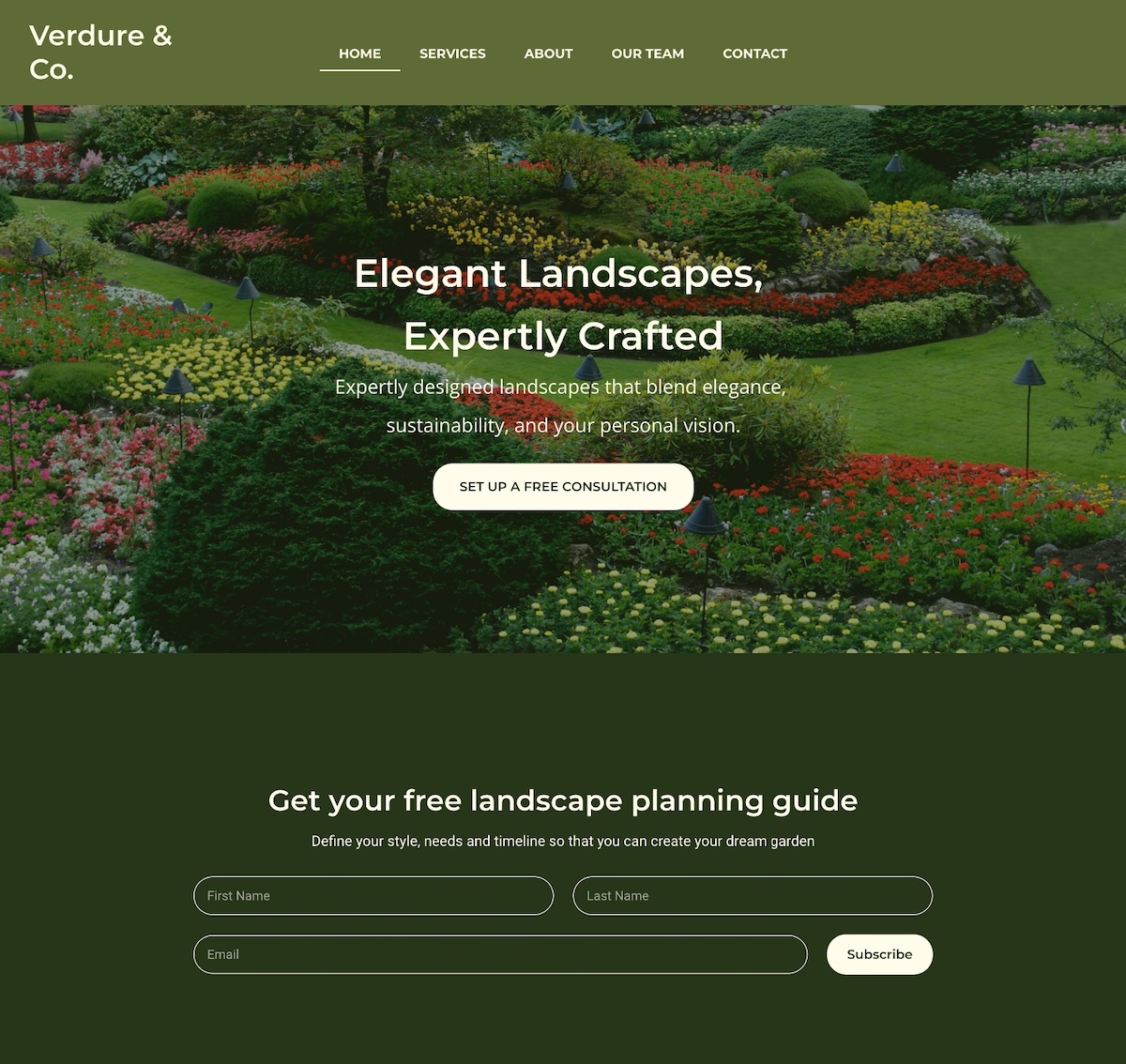
1. Notice that the homepage example below captures attention with an eye-catching photo that highlights their core message: expertly crafted landscapes. Worth noting, they prioritize email lead generation by offering a free planning guide right upfront. Offering a lead magnet allows them to attract interested leads and nurture them through strategic email marketing. 

homepage example with lead generation and lead magnet

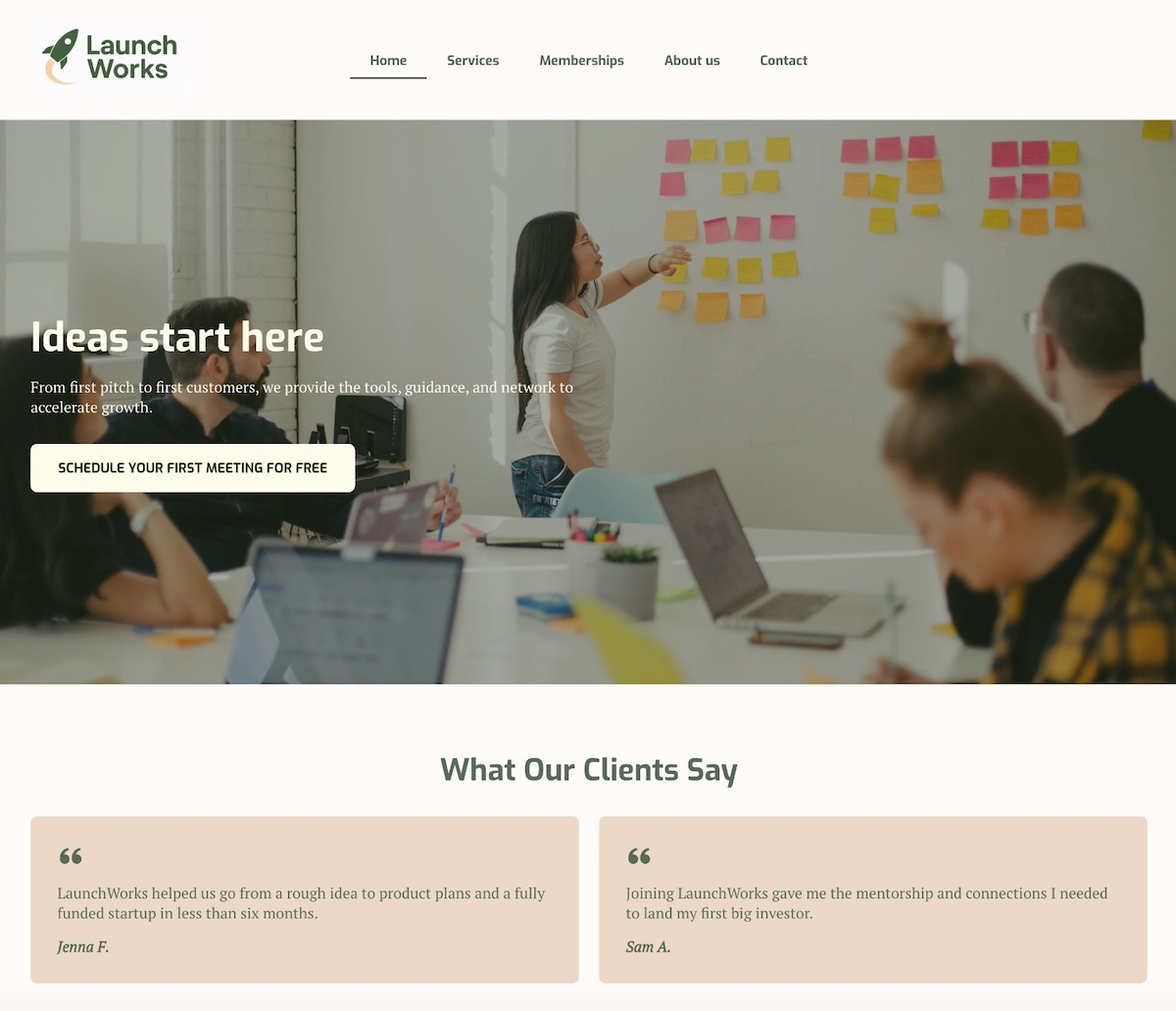
2. The below homepage stands out with a bold headline and subtitle that prominently highlight the business’s value and benefits. A clear call to action—which is action-based but also spotlights value (it’s free!)—is to the point and super effective. Then they follow their hero section with strong social proof via unmissable testimonials, adding credibility to their offerings.

homepage example of lead generation with testimonials

3. The homepage below uses clear, compelling calls to action (CTAs) targeted at different stages of the marketing funnel. Visitors who are ready to make a decision can request a consultation, while those just beginning to explore can get started for free. By including these CTAs, they implement an effective lead generation tactic: to collect emails so the conversation can continue.

example of lead generation homepage with two calls to action

Pro tip: For all of these lead-generating homepage examples, it’s smart to segment leads based on which CTA they click. For instance, leads who choose “Schedule a consultation” can go into one list, while those who click “Start for free” go into another. This way, you can tailor your messaging more precisely based on where each lead is in the customer journey.

Want to make segmentation simple? SiteGround Email Marketing makes it easy to create targeted lists, send personalized emails, and track performance—all from your SiteGround dashboard. It’s a powerful way to nurture leads with the right message at the right time.

Get started with SiteGround Email Marketing >>

Homepage Examples for Ecommerce Stores

Ecommerce homepages need to do three things fast: show what you sell, make it easy to find, and give visitors a reason to stick around. The strongest examples balance eye-catching visuals with intuitive navigation and CTAs that move browsers toward buyers.

4. This site offers clear pathways to help customers find exactly what they’re looking for—whether it’s men’s or women’s items, new arrivals, or best sellers. The website navigation menu, header, and just below the hero section offer many ways for site visitors to find just the right next step. 

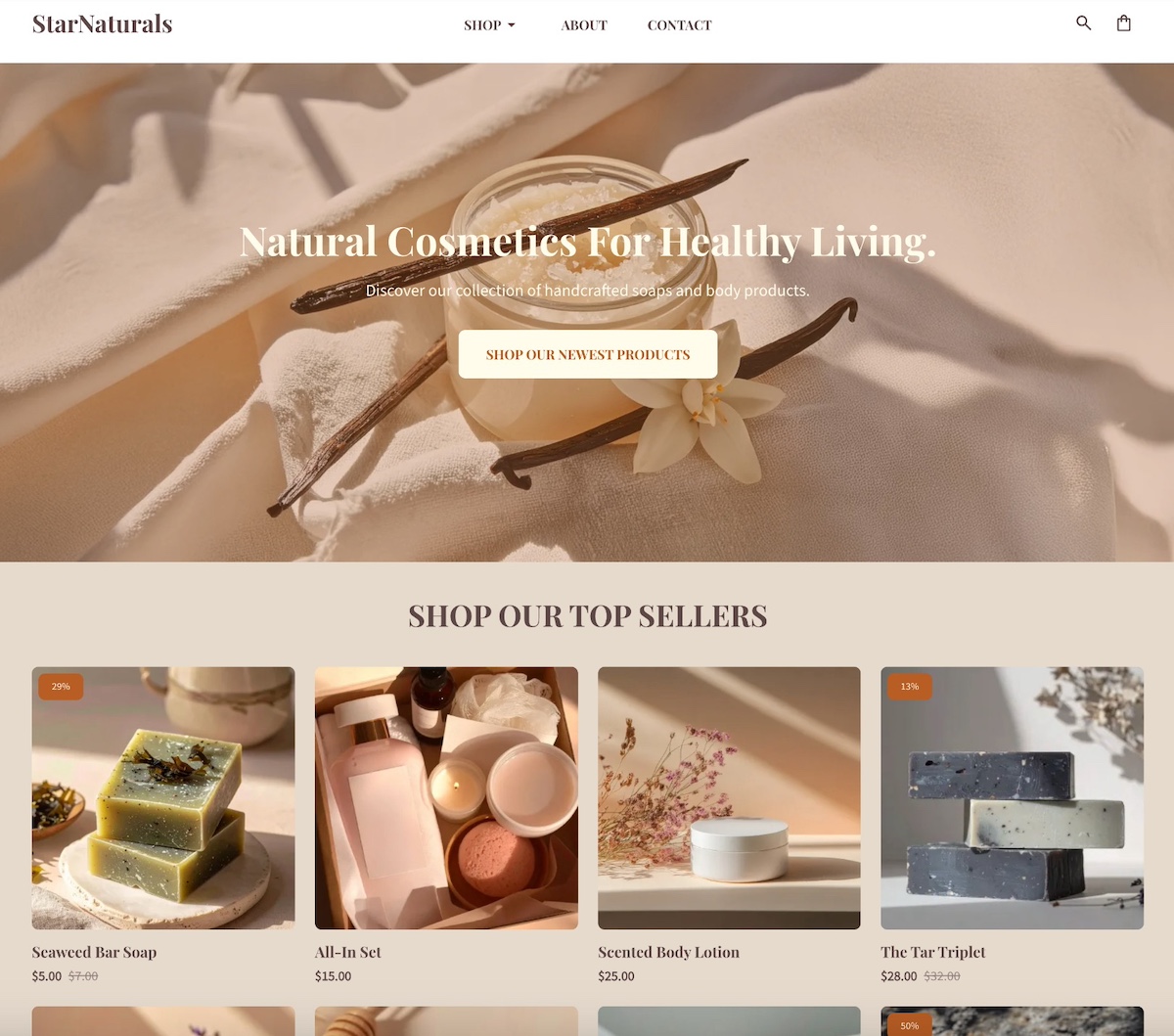
homepage example of ecommerce business with calls to action for different types of customers

5. This site keeps it simple and effective with a single clean image and a clear and prominent call to action. More specific product links are neatly organized in the navigation menu under “shop” for easy browsing. Plus, in the post-hero section, they include a gallery of top products for instant ideas and shopping.

homepage example of ecommerce business with product links

If you’re inspired by these ecommerce homepage examples and want to create something similar, SiteGround Ecommerce makes it easy to put these ideas into action. You can highlight featured products, added email marketing forms, and add conversion-focused calls to action—all while benefiting from fast performance, mobile optimization, and built-in security. The result is an ecommerce homepage that looks great, feels intuitive, and is designed to convert from the start.

Start building your ecommerce store now>>

Homepage Examples for Personal Websites & Portfolios

Personal homepages work best when they lead with personality before credentials. The most memorable ones use a strong photo, an authentic voice, and a clear invitation — whether that’s to explore your work, join your community, or get in touch.

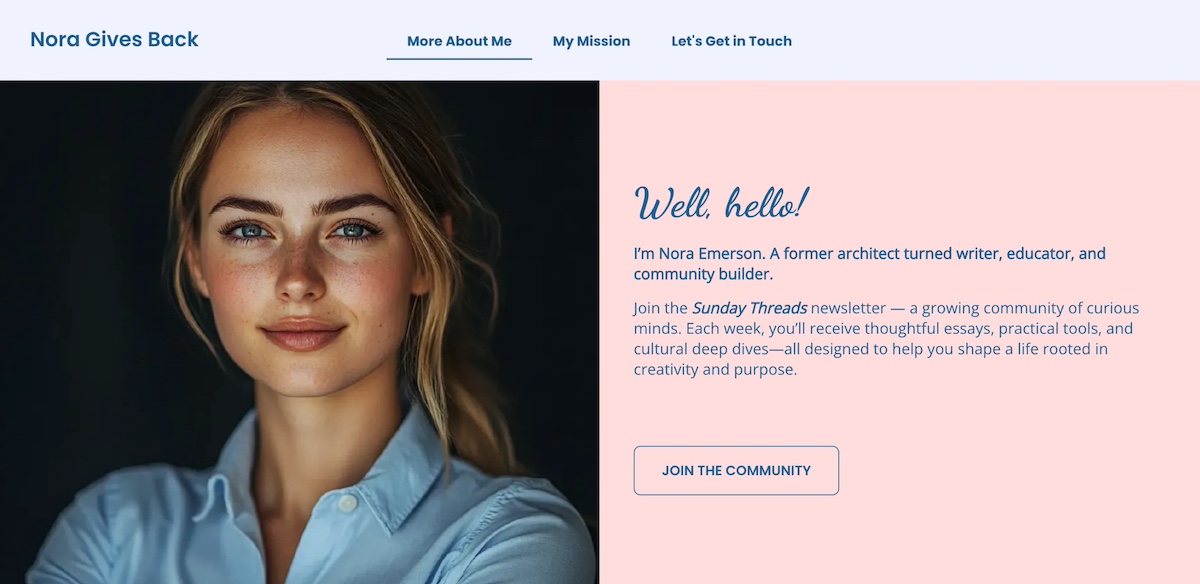
6. You’ll notice that personal webpages often take a slightly different approach. Impressive above-the-fold messaging and imagery is still important, but they’re focused more on personal photos and bios. This is evident on the homepage below, which features a friendly photo and heartfelt introduction that invites you to join her community and newsletter. The story and personal appeal make it hard not to want to “join the community.”

Example of personal website homepage with friendly photo and message

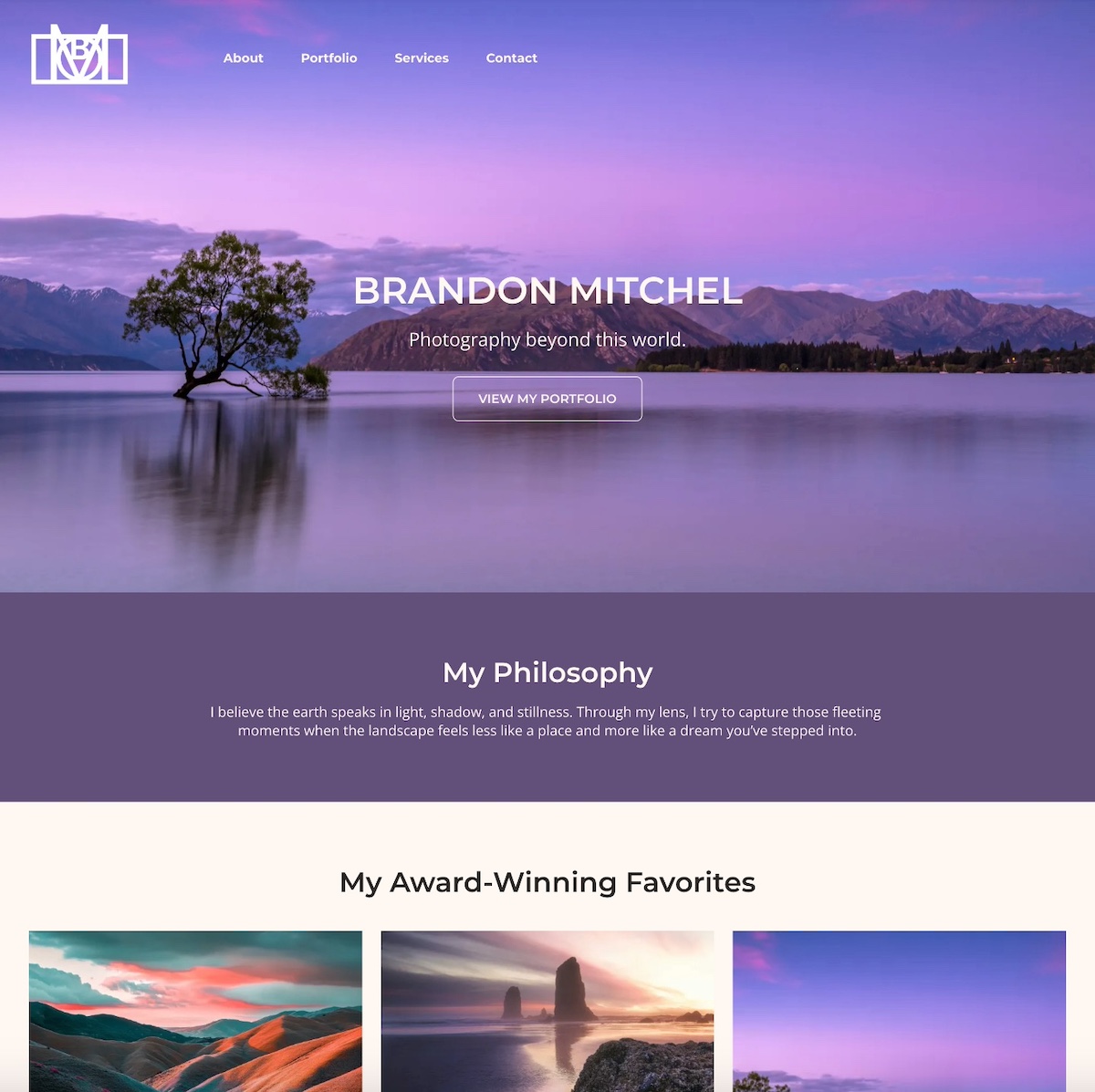
7. The below homepage example instantly pulls you in with its evocative hero image. It’s simple, captivating, and in just a few brief words captures what this site is all about: the ethereal photography. Below that, the photographer strengthens the message by sharing their personal philosophy, followed by a portfolio of imagery. The overall result is a quick and intriguing sense of what drives this person’s work, and what they have to offer.

homepage example of a portfolio website

Homepage Examples for Service-Based Businesses

Service business homepages need to answer two questions immediately: what do you do, and why should I trust you? The strongest examples combine a clear headline, an easy next step, and trust signals—like client logos or testimonials—that do the convincing before a visitor even scrolls.

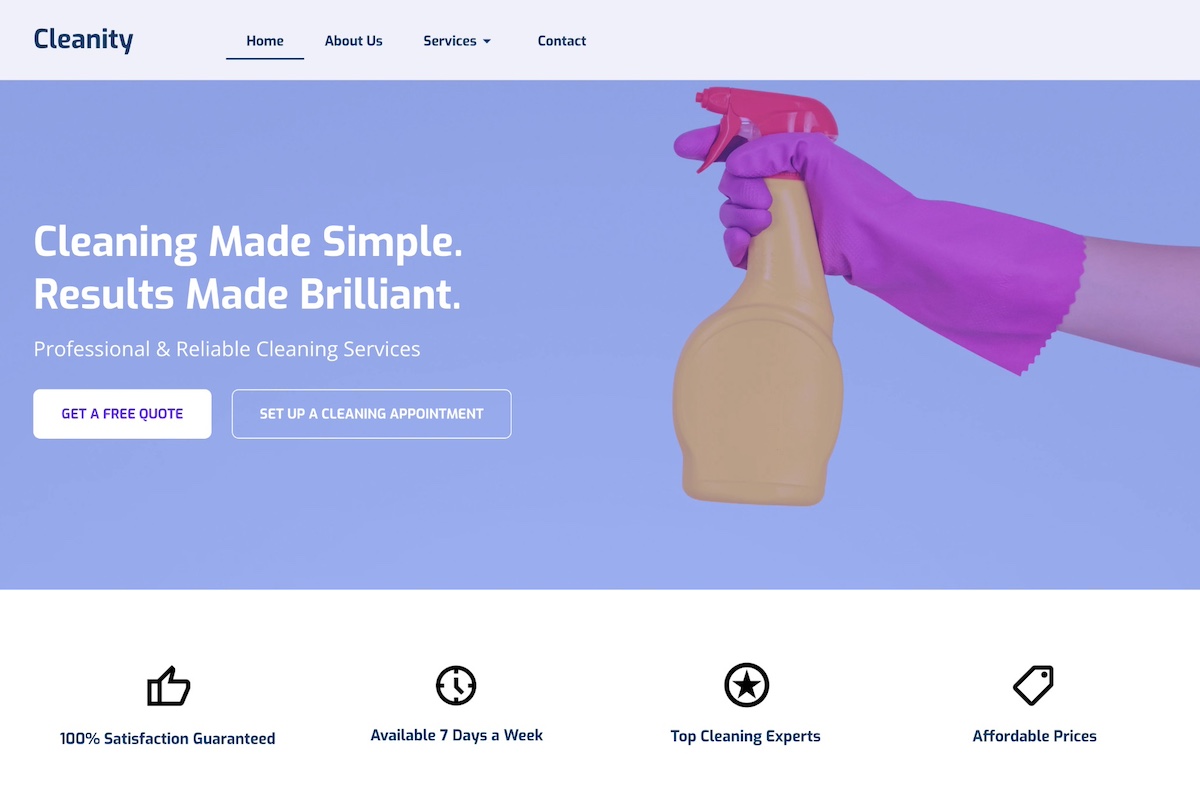
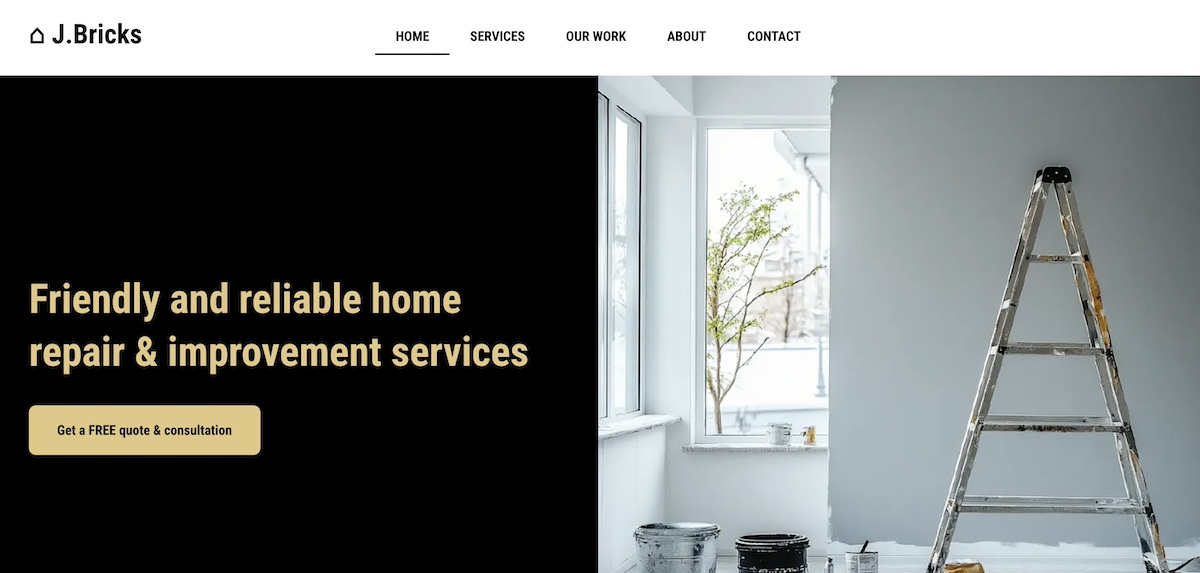
8. This homepage example stands out with a color-popping hero image and short-but-sweet headline that clearly communicate what the company does. And taking the next step is simple no matter where you are in the customer journey—you can either get a free quote, or jump right in and schedule. Below the hero section, they highlight key features that make their business worth using, helping visitors understand the brand’s true value. 

homepage example of service based business with multiple calls to action

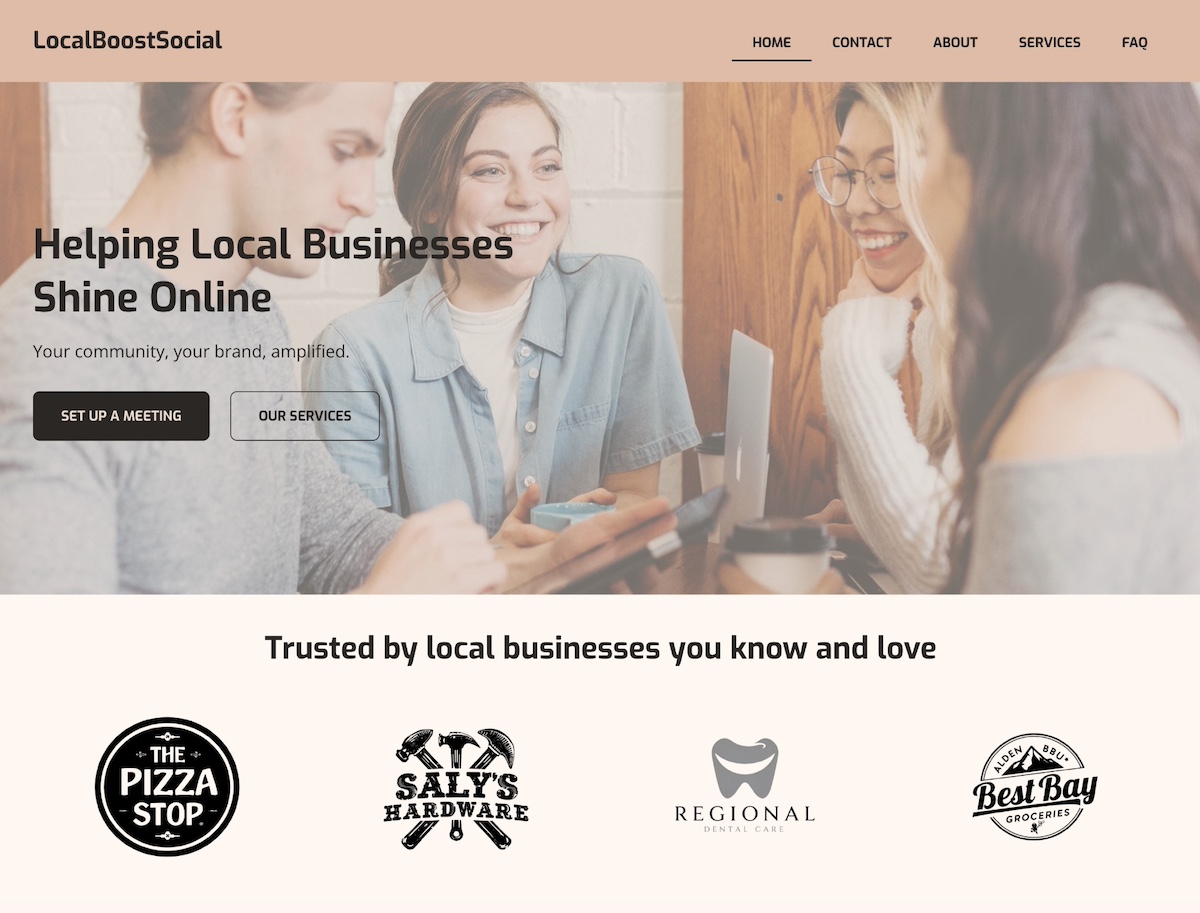
9. This homepage example opens with a friendly photo, intentional brand colors, a clear headline, and strong calls to action. Notably, because they focus on serving local businesses, the section below the header features client logos. This leverages the credibility and recognition of those businesses while strengthening their own brand—a form of social proof that’s especially powerful in a local community.

homepage example of service based business with social proof

What Makes a Homepage Effective?

Effective homepage design comes down to a handful of core principles — no matter the business type or goal. Here’s what the best examples in this article have in common, and what you should keep in mind as you build your own.

Clear Purpose and Goal

Every great homepage starts with a clear objective. Whether it’s selling a product, collecting leads, or building credibility, your homepage should make its purpose obvious within seconds. Visitors should instantly understand what your business does and what action they’re expected to take.

Strong Above-the-Fold Content

The content users see before they scroll is crucial. Use this space to grab attention with a concise headline, value proposition, and a clear CTA. The data backs this up: Nielsen Norman Group eyetracking research found that content above the fold receives 57% of users’ total viewing time, with attention dropping off sharply below it.

When it comes to effective above-the-fold design, the website below wins. It’s extremely basic and totally gets to the point with a straight forward value proposition, and a specific and enticing call to action. 

homepage example of strong above the fold content

Pro tip: many of these same techniques also form part of landing page best practices. It’s all about really nailing your hero section, value proposition, and CTAs. 

Intuitive Design and Navigation

An important way to lower your bounce rate and keep users engaged is by creating a well-structured homepage that uses visual hierarchy to guide the eye and make content easy to scan. Keep navigation simple and predictable. Use clear headings, consistent spacing, and logical flow to help visitors find what they need quickly.

Clear and Compelling CTAs

Calls to action should stand out visually and align with your page’s goal. Use action-oriented language (“Get Started,” “Book a Demo,” “Shop Now”) and place CTAs strategically throughout the page to guide users toward conversion.

Trust Signals

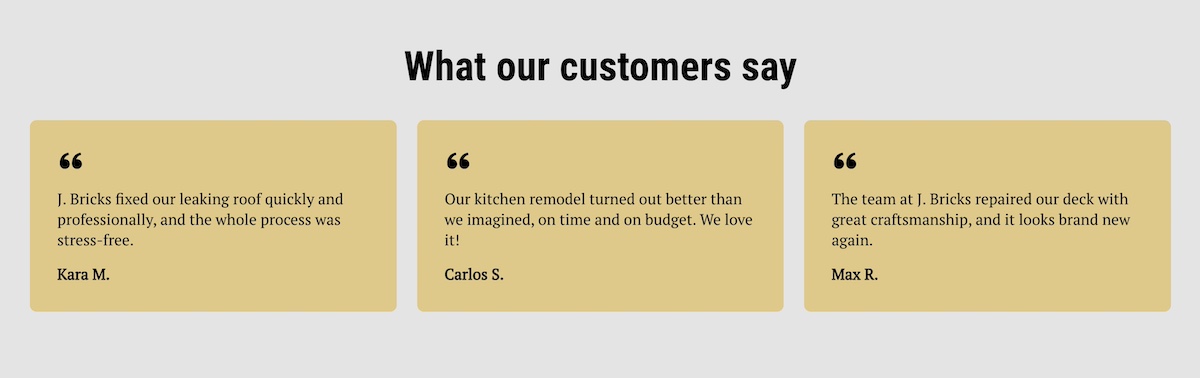
Build credibility with testimonials, reviews, partner logos, certifications, or guarantees. Even a simple “As seen in” bar or customer quote can go a long way in making new visitors feel confident in your brand.

example of testimonials used on a homepage

Fast Loading

Page speed directly affects user experience and conversion rates. Optimize images, use clean code, and choose a reliable hosting provider to ensure your homepage loads quickly across all devices.

One of the easiest ways to improve page speed? Start with high-performance hosting. SiteGround’s infrastructure is built for speed, security, and reliability—plus, if you’re starting from scratch, the built-in SiteGround Website Builder along with SiteGround Ecommerce make it simple to design a sleek, homepage without sacrificing performance.

Get started with SiteGround now>>

Consistent Branding

Your homepage should reflect your brand basics—visually and verbally. Use consistent colors, fonts, tone of voice, and imagery to create a cohesive experience that feels trustworthy and professional.

Optimized for Mobile

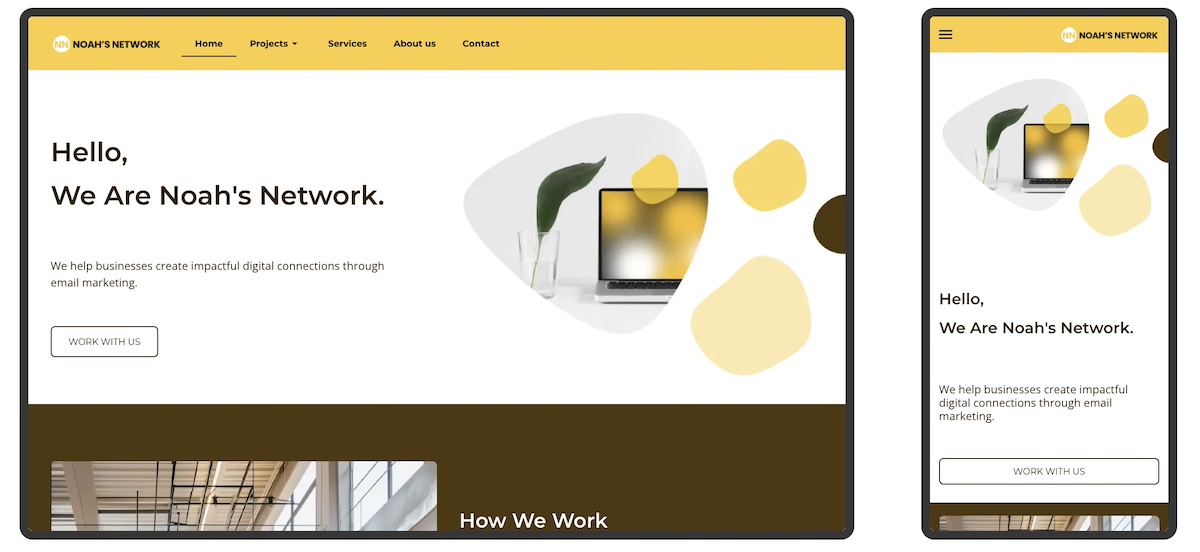
With more users browsing on mobile devices, a responsive, mobile-friendly web design isn’t optional. Make sure buttons are easy to tap, text is readable, and content stacks well on smaller screens without losing functionality. 

With the SiteGround Website Builder, for example, we do this for you automatically. All websites are automatically optimized for mobile so that they not only look good, but work well. 

example of a homepage optimized for mobile

[18]

Why Draw Inspiration from Homepage Examples?

Drawing inspiration from homepage examples is one of the fastest ways to improve your own. Real designs show you what works in practice—not just in theory—and help you make smarter decisions about layout, messaging, and calls to action before you start building. Here’s what to look for and what to keep in mind as you take notes for your own site:

  • Clarify Your Page’s Purpose: Seeing how other websites define their goals—whether it’s driving sales, capturing leads, or sharing information—can help you pinpoint the main objective of your own homepage.
  • Understand Best Practices: Homepage examples reveal how successful sites organize content, guide visitors, and encourage action—giving you a clearer sense of what works.
  • Inspire Creative Ideas: A range of visual styles, messaging tones, and layouts can inspire you to find a look and feel that matches your brand identity.
  • Save Time: Examples give you a starting point, helping you avoid design paralysis and focus your efforts more efficiently.
  • Enhance User Experience: Learning from great design helps you create a homepage that’s intuitive, welcoming, and conversion-friendly.
  • Define Your Website Layout: Different businesses require different website layouts. Understanding all of the above will help you determine what works best for your own webpage and to achieve your specific goals.

Before You Launch: Your Homepage Checklist

Building a homepage is one thing—making sure it’s ready to perform is another. Before you hit publish, run through these essentials:

  • A clear headline that explains what you do and who you do it for, in plain language
  • A value proposition that tells visitors why you and not someone else
  • At least one strong CTA above the fold, with action-oriented language
  • Intuitive navigation that makes it easy to find the next step
  • A compelling hero image or visual that reinforces your message
  • Social proof: at least one testimonial, client logo, or trust signal
  • A mobile-friendly layout that looks and works just as well on a small screen
  • Fast load time: test it before you launch, not after
  • Consistent branding: fonts, colors, and tone that match the rest of your site
  • A secondary CTA lower on the page for visitors who need more convincing before they act

If you can check every box, you’re not just ready to launch, you’re ready to convert.

From Homepage Examples to Action: Start Designing with Purpose

By now, you’ve seen just how much a great homepage can do—build trust, guide visitors, and drive real results. The best homepages aren’t the flashiest; they’re the clearest, most purposeful, and easiest to navigate. Whether your goal is to generate leads, make sales, or simply show off your work, let these examples be your creative fuel. Take what works, leave what doesn’t, and start shaping a homepage that feels like you—and gets the job done.

Not sure where to start? The SiteGround Website Builder makes it surprisingly easy to bring your homepage vision to life. With beautiful templates, design simplicity, and built-in speed and mobile optimization, it’s the shortcut to a professional-looking site—without the usual headaches. Plus, SiteGround Ecommerce makes it exceptionally easy to start selling online whenever you’re ready, so your site can grow alongside your ideas, goals, or business from day one.

FAQs About Homepage Examples

What is an example of a home page?

A homepage is the main page of a website—the first thing most visitors land on. A lead generation homepage, for example, might open with a bold headline, a free offer like a planning guide, and an email signup form. An ecommerce homepage might lead with a hero image, featured products, and a Shop Now button. The best homepage examples all share the same basics: a clear message, an obvious next step, and a design that reflects the brand.

What should my homepage look like?

Your homepage should have a strong hero section with a headline that explains what you do, a visual that reinforces it, and a clear call to action. Below that, include supporting content like key benefits, social proof, and easy navigation to help visitors find what they need. The exact look depends on your goal—a portfolio site feels different from an ecommerce store—but clarity and simplicity should drive every design decision.

What is a good homepage to use?

A good homepage is one that matches your specific goal—whether that’s generating leads, selling products, or building credibility. Rather than chasing a single “best” design, focus on your business type and what your visitors need to see first: a compelling headline, a clear next step, and trust signals that make them feel confident. Start there, and build outward.

How does a homepage look?

Most homepages follow a similar structure: a hero section at the top with a headline and CTA, followed by sections that build the case—benefits, featured products or services, testimonials, and a final call to action. The visual style varies widely by brand, but the underlying layout is usually consistent: important information up top, supporting detail below, and a clear path forward throughout.

What should a homepage include?

At minimum, a homepage should include a clear headline, a unique selling proposition, at least one call to action, and basic website navigation. Most effective homepages also add social proof—like testimonials or client logos—along with a brief explanation of what the business does and who it’s for. Everything else depends on your goal and audience.

What is the most important element of a homepage?

The headline. It’s the first thing visitors read and the deciding factor in whether they stay or leave. A strong homepage headline clearly communicates what you do and who you do it for—in as few words as possible. Everything else on the page supports and expands on that single message.

What is the difference between a homepage and a landing page?

A homepage serves your entire audience—it introduces your brand, offers navigation, and points visitors toward different parts of your site. A landing page has one specific goal, like signing up for a free trial or downloading a guide, and deliberately removes navigation to keep visitors focused on a single action. Both need strong headlines and CTAs, but a landing page is narrower and more conversion-focused by design.

This article was originally published in September 2025, and then updated in April 2026.

The TikTok Advantage: How It Helps Small Businesses + Tips

abstract of tiktok helping small business

For many small businesses, social media marketing can feel like an uphill battle. Where do you even start when large companies with big budgets usually dominate the space? The good news is that one platform has turned this model upside down: TikTok. Unlike traditional social platforms, TikTok rewards authenticity, creativity, and consistency over sheer spending power. So how does TikTok help small businesses stand out and compete with the big guys?

In this article, we’ll reveal the benefits, and share actionable tips so that you can generate awareness and turn TikTok watchers into real customers.

Benefits of TikTok: Why Small Businesses Have an Edge

TikTok offers a particularly unique combination of features that makes it ideal for small business marketing. That’s because its unique culture and algorithm often give small businesses an advantage over larger corporations. The platform rewards authenticity, creativity, and consistency—qualities small businesses can naturally lean into without the out-of-reach massive teams or ad spend.

Not convinced yet? Let’s break down a handful of ways that TikTok gives small businesses a social media marketing advantage that bigger brands just can’t always match.

  • Authenticity beats polish: TikTok users prefer content that feels real and relatable over highly produced ads. Small businesses can shine by showing their personality, daily process, or behind-the-scenes moments.
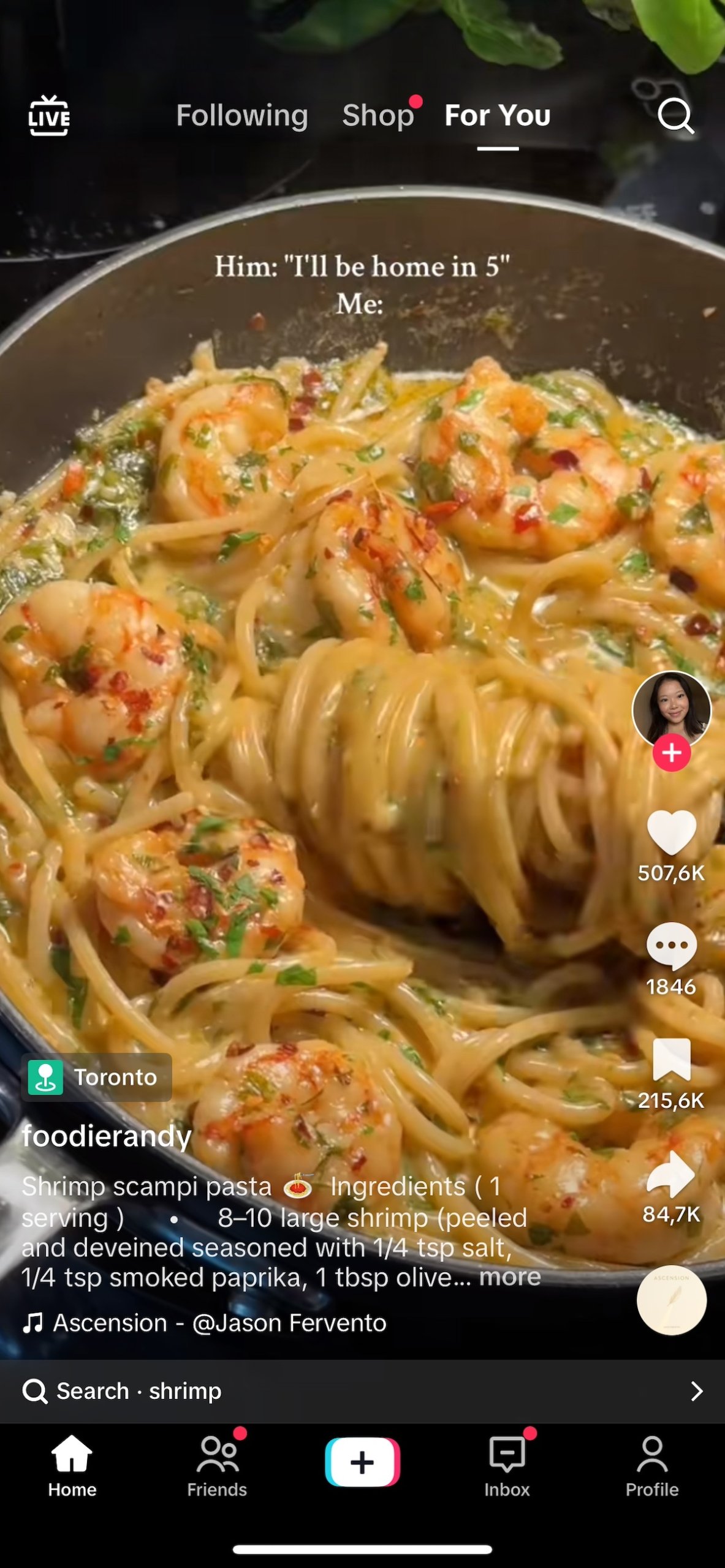
  • Discovery-first algorithm: TikTok’s For You Page promotes content based on engagement, not follower count. This means even small businesses with no audience can get discovered and compete with larger brands.
Screen grab of TikTok For You page with pasta being made
  • Massive organic reach: Thanks to that algorithm, videos can spread well beyond your current followers. A single creative post can reach thousands—or even millions—of people without paid promotion.
  • TikTok as a search engine: Small business SEO is transforming, especially given the new landscape of AI and SEO. A part of this transformation is that more people, especially Gen Z, are using TikTok to search for products, services, and recommendations instead of Google. This trend creates new opportunities for small businesses to be found by ready-to-buy customers.
  • Budget-friendly: TikTok doesn’t require fancy equipment or large ad spend. With just a smartphone and creative ideas, small businesses can compete and often outperform larger competitors.

TikTok Tips for Small Business

Knowing TikTok’s advantages is one thing, but using them effectively is another. So let’s examine some practical tips to help small businesses like yours make the most of the social media platform.

1. Research Competitors

Before posting, take time to see how other businesses in your niche are using TikTok. Look at what’s working for them—that is, the types of videos they create, the sounds or trends they use, and how they engage with their target audience. Use this as inspiration, and also as an opportunity for differentiation.

And don’t just pay attention to direct competitors, but also to similar creators or brands that appeal to your ideal customers. This research will help you generate ideas for your own content and help you identify gaps where you can stand out (plus, you can also keep an eye out for potential collaborators).

2. Familiarize Yourself With the Platform

TikTok marketing isn’t the same as other social media platforms, so it’s worth regularly spending time simply scrolling. Explore the For You Page, check trending sounds, and notice the different video styles people use. The more you understand TikTok’s culture—fast-paced, playful, and authentic—the easier it will be to create content that feels natural there. Think of this as learning the “language” of TikTok before you jump in with your own posts.

3. Post Consistently

On TikTok, posting frequency matters. The algorithm favors active accounts, and regular posting gives you more chances to be discovered. Aim for at least 3–5 posts per week, experimenting with different formats until you see what resonates. Consistency doesn’t mean perfection—you’ll just want to show up often enough to stay on your target audience’s radar and signal to TikTok that you’re an active creator.

As you plan your content calendar, remember to mix things up. A useful guideline is the 60/20/20 rule: roughly 60% of your posts should be educational or helpful, but on TikTok, this also includes trendy, relatable content your audience is already consuming—like participating in popular challenges, using trending sounds, or putting your own twist on viral formats. This helps your brand stay approachable while still providing value. 

Then around 20% can be brand-building or personality-driven, showing your vibe, values, or behind-the-scenes moments. The final 20% can be promotional, highlighting your products or driving specific actions. This balance keeps your feed engaging, relevant, and aligned with your business goals.

Need help making this process easier? We’ve made a calendar template that makes mapping out your social media content a lot more manageable. Grab it via the form below.

[39]

4. Partner With Micro-Influencers

You don’t need to hire celebrity influencers to get results—and good thing, because as a small business that’s probably not in the cards. Micro-influencers—typically creators with 10,000 to 100,000 followers—are often a better fit for small businesses anyway. They tend to have higher engagement rates than larger influencers because their target audiences are more niche and invested.

For example, a micro-influencer with 20,000 highly engaged followers might generate more clicks, comments, and sales than an influencer with half a million casual fans. These micro-influencers are also far more affordable, often charging a few hundred dollars per post (or even working in exchange for free products), compared to the thousands or tens of thousands that bigger names require.

How to find the right micro-influencers:

  • Search by hashtag: Look up keywords related to your industry (e.g., #PlantTok, #CleanTok, #SmallBusinessCheck) and note creators with consistent engagement.
  • Check engagement, not just followers: Aim for influencers with 5–10% engagement rates (likes + comments ÷ followers). That’s a good sign their target audience is paying attention.
  • Look for alignment: Choose creators whose tone, style, and audience overlap with your brand values. A natural fit always outperforms a forced one.
  • Use TikTok Creator Marketplace: TikTok’s built-in platform lets you search and connect with influencers directly.

5. Keep It Short, Real, and Story-Driven

Short-form videos

Short-form video content is a digital marketing trend that’s having an impact across the board, especially on TikTok. The social media platform’s content thrives when it’s quick, authentic, and engaging. Instead of trying to push a polished sales pitch, focus on telling short stories: how your product is made, what problem it solves, or the real people behind your business. 

Videos under 30 seconds generally perform best, but the key is to hook viewers right away and keep it natural. Story-driven content doesn’t just promote your business—it builds connection and loyalty. (Short on format ideas? We’ll get into that in a minute.)

Carousels

In addition to single videos, TikTok now supports carousel-style posts, which let you combine multiple images or video clips in a swipeable format. Carousels are a great way to showcase step-by-step tutorials, highlight multiple products, or tell a story in stages. They keep your content dynamic and encourage viewers to interact, giving you another tool to engage your audience and boost reach.

6. Use Hashtags

Hashtags help TikTok’s algorithm understand what your content is about and who might be interested in it. For small businesses, they’re also a powerful way to show up in searches and connect with niche communities. Mix in industry-specific ones (#EcoProduce, #PlantTok, #ClimbingGear) and location-based hashtags (#MadridEats, #NYCcoffee). This increases your chances of being discovered by people most likely to become customers.

7. Engage With Comments to Build Community

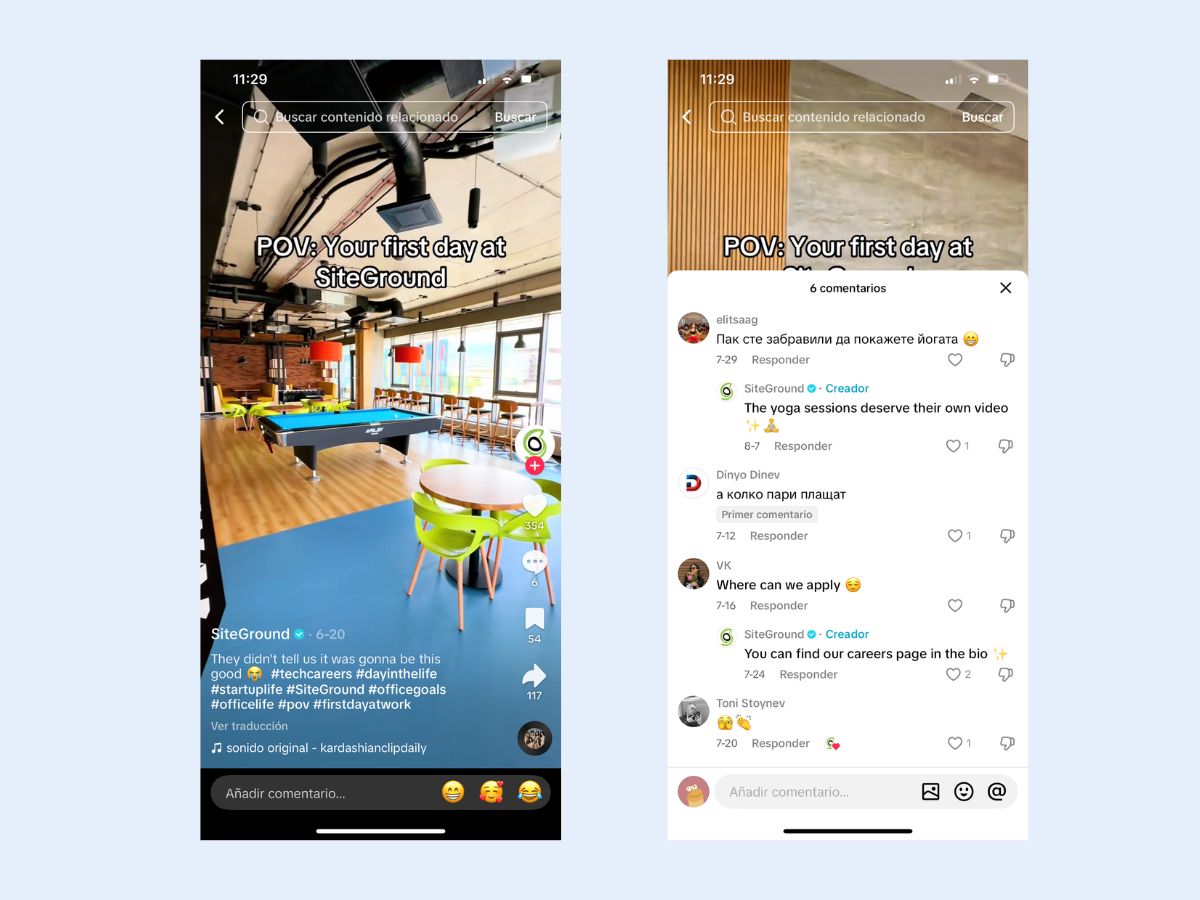
Don’t ghost your followers by just posting and disappearing. TikTok rewards creators who interact with their audience, and users notice when a brand is responsive. Just like in our real-world relationships, replying builds trust. Plus, you can even use those questions as inspiration for creating video replies that answer questions directly. 

By interacting with comments, you can turn slightly interested viewers into very-interested fans, an important step in moving people along in their customer journey. It’s also a major advantage for a small business, as it helps build a sense of community—something large brands often struggle to replicate.

Example of a business engaging with comments on tiktok

8. Invest in TikTok Ads

While the platform offers huge organic potential, TikTok ads can help you scale once you find content that resonates. Even a small-business budget can go far. Start with in-feed ads, which look like regular TikToks and feel native to the platform. Spark Ads are another great option, letting you boost posts that are already performing well.

Whatever ad format you choose, make sure your creatives fit your overall communication style and feel authentic—TikTok users respond best to ads that blend seamlessly into their feed rather than feeling overly polished or promotional.

Use targeting tools like custom audiences and lookalikes to reach the right viewers without wasting spend. For many small businesses, testing TikTok ads with just $20–50 per day can provide valuable insights and drive traffic to your website (and ultimately conversions!).

Content Formats That Work for Small Businesses

While TikTok rewards experimentation, certain types of videos consistently perform well for small businesses. Here are a handful of proven formats to start with:

Behind the Scenes

TikTok users love seeing what happens behind the curtain. For small business owners, this is a natural strength. Share moments like packing orders, setting up your workspace, or unboxing new inventory. These glimpses make your brand more approachable. Viewers enjoy feeling like insiders, and seeing “how the sausage is made” adds a human, personal element to your product or service. It shows the care and effort behind what you do, making it more than just the final product.

Example of a TikTok behind the scenes

How-Tos & Tutorials

Educational content thrives on TikTok, and small businesses can use this to their advantage. Short tutorials, demos, or quick tips show your expertise while highlighting your product or service. 

For example, a bakery might share a “60-second frosting hack,” or a bike shop might post “how to fix a flat tire.” The key is to provide value first, and then once viewers learn something from you, they’re more likely to trust and buy from your business. You become a point of reference and are seen as a trusted expert in your field.

Answer FAQs

Turning frequently asked questions into TikTok videos is an easy way to provide value while building trust. Address common customer concerns, explain how your products work, or clarify your services in short clips. 

This type of content positions your small business as approachable and knowledgeable. It’s also just plain practical, as it can save you time by reducing repetitive inquiries. Plus, it often adds value to the product itself by helping customers get more out of what you offer.

Before & After

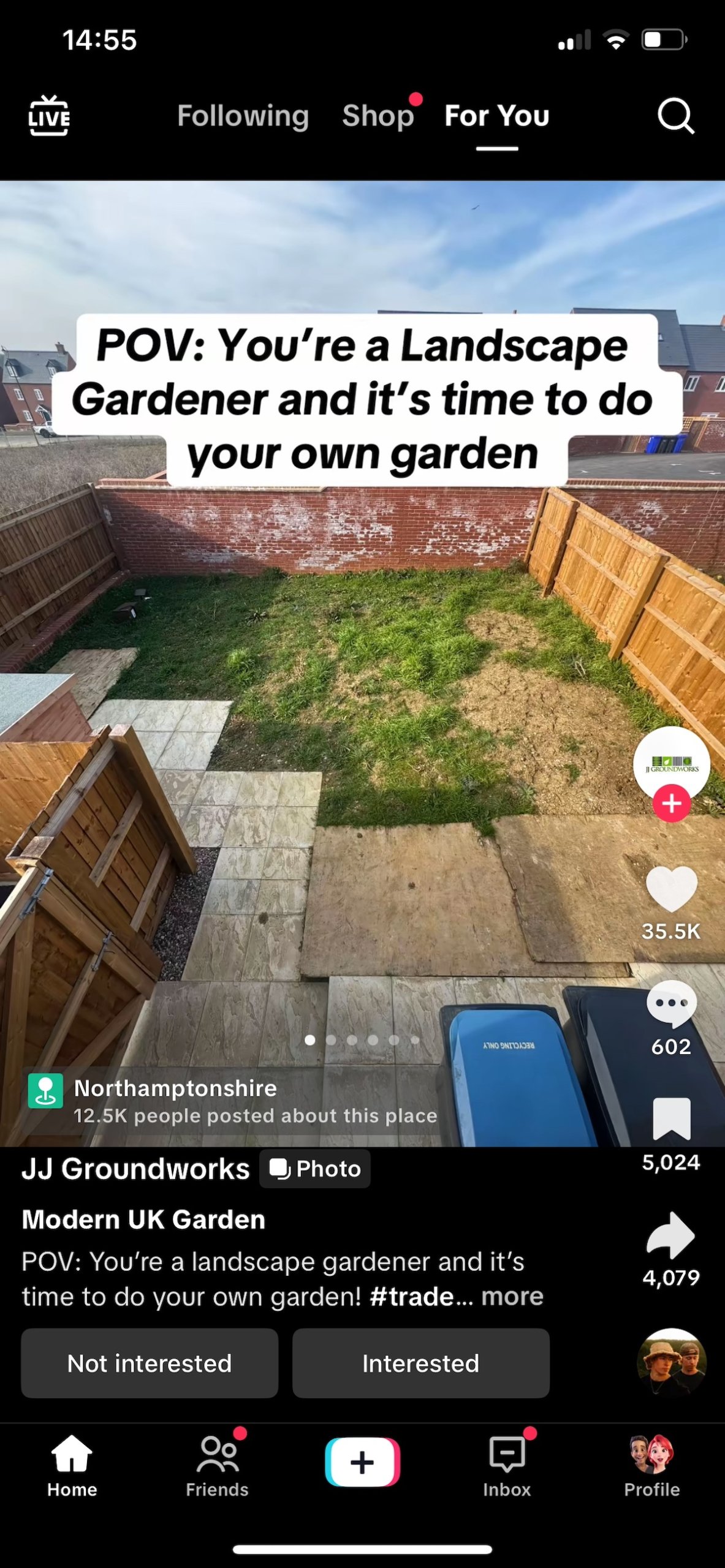
You’ve been there: you’re going down a TikTok rabbit hole or scrolling through Instagram and then become suddenly engrossed in a video featuring an overgrown yard that turns into a landscaped paradise. You weren’t looking for it, but you’re instantly obsessed and can’t turn away. 

Visual transformations like this resonate especially strongly on TikTok. As a small business owner, show your product or service in action with “before and after” clips—whether it’s a cleaned space, a remodeled room, a styled outfit, or a planted garden. These videos are satisfying to watch, highlight the impact of your business, and naturally encourage engagement and shares because they’re just so darn entertaining to watch.

Example of a TikTok before and after

Testimonials & Case Studies

Or, you can just let your customers do the talking. Sharing short testimonial videos or mini case studies adds instant cred to your brand. Even a quick clip of a happy customer explaining how your product helped them can be more persuasive than any fancy ad. Leverage user-generated content to demonstrate results, and inspire others to try your business.

Trends

TikTok thrives on trends, from viral sounds to challenges and popular video formats. Small businesses can get on board as a way to gain visibility and stay relevant. The key is to adapt trends in a way that aligns with your brand; don’t just copy them blindly. For example, use a trending sound to feature your product, or put a unique twist on a popular challenge. Be creative and enjoy the process; the results will follow.

Test, Optimize & Bring it All Together

When all is said and done, the best way to succeed with TikTok marketing is to experiment with different types of content. Try the content ideas we just covered to see what resonates. The key is to keep testing, learning, and iterating so you can find what truly works for your business.

As a small business owner, it’s also important to track your results beyond TikTok. Monitor your digital marketing metrics, including the traffic to your website and whether those leads you generated turn into actual conversions.

This is where the connection to your website becomes critical. TikTok can generate attention and interest, but if your site isn’t visually appealing, easy to navigate, and optimized to guide visitors toward action, all that momentum could be lost. Build momentum on TikTok, but make sure your website is ready to capture it and turn it into tangible results.

Maximizing TikTok for Small Business

TikTok gives small business owners a real advantage: it’s accessible, budget-friendly, and rewards the qualities that smaller businesses naturally excel at. By following the tips we’ve covered—from experimenting with content to engaging with your audience and leaning into trends—you’ll be well positioned to turn TikTok into a powerful growth engine for your business.

But TikTok is just the beginning. The leads, clicks, and attention you generate need a destination, and that means a website that looks professional, works seamlessly, and converts visitors into customers. That’s where tools like the SiteGround Website Builder come in. It’s easy to use, fast and secure, and comes with expert support. Whether you want to showcase your products, sell directly with ecommerce functionality, or simply provide a reliable hub for your brand, having a strong website ensures the momentum you build on TikTok translates into real business results.

With the right content strategy on TikTok and a website designed to convert, your small business can thrive in ways that even bigger brands might envy.

A promotional image for SiteGround's Easy-to-Use Website Builder featuring a mockup of a website with a living room photo. The text highlights creating a professional site without coding, offering customizable templates, AI-powered content generation, built-in SEO tools, access to over 6 million free high-quality images, an easy drag-and-drop editor, and mobile-friendly designs. Includes a "Get Started Now" button and the SiteGround logo.

Accessible Web Design: Basics and Best Practices

Abstract of accessible web design

Accessible web design means building websites that anyone can use, regardless of ability, including people who are blind or have low vision, deaf or hard of hearing, or living with motor or cognitive disabilities. Getting it right removes barriers for real users, improves experience for everyone, and keeps your site on the right side of digital accessibility laws. Here’s what it means in practice, and how to implement it.

Key takeaways:

  • Accessible web design removes barriers so people of all abilities can use and enjoy your website.
  • Accessibility improves usability for everyone, while also supporting SEO and legal compliance.
  • Small design choices—like headings, fonts, contrast, and alt text—have a big accessibility impact.
  • Following WCAG guidelines provides a practical framework for inclusive, future-proof design.
  • Testing and maintaining accessibility over time is essential for creating truly inclusive websites.

What is Web Accessibility? 

Web accessibility and accessible web design means designing and developing websites, tools, and technologies that can be used by people of all abilities, including those with temporary, situational, or permanent disabilities. That includes users who are blind or have low vision, those who are deaf or hard of hearing, people with motor difficulties, cognitive or learning disabilities, and many others.

Chances are that many people you know (if not you yourself) are in this situation. According to the World Health Organization, over 1.3 billion people—or roughly 16% of the global population—live with some form of disability. That’s a massive audience we don’t and shouldn’t want to leave out—partly because it’s just the right thing to do, and also because it’s surely an audience that you want to reach.

Accessibility is about removing barriers so all users can perceive, understand, navigate, and interact with your website. These are the four pillars of the POUR framework, which underpins the Web Content Accessibility Guidelines (WCAG):

  • Perceivable: Information and interface components must be presented in ways users can perceive (such as using alt text for images, sufficient color contrast).
  • Operable: Navigation and interface elements must be usable via multiple methods (keyboard, screen reader, etc.).
  • Understandable: Content and interfaces must be clear and predictable (readable text, consistent design).
  • Robust: Content must work reliably across current and future devices, browsers, and assistive technologies.

If you’re not sure what to make of all these concepts, don’t worry—we’re going to break it down into understandable and actionable terms.

Why Does Web Accessibility Matter?

According to the World Health Organization, an estimated 1.3 billion people — 16% of the global population — live with a significant disability. Yet according to the WebAIM Million report, the top one million homepages averaged 56 detectable accessibility errors per page in 2026, meaning most websites are still falling short, often without realizing it. That gap is exactly what accessible web design is designed to close.

There are other reasons to get on board as well:

  • Legal compliance: Many countries enforce digital accessibility laws, and failing to meet them can result in costly lawsuits or penalties.
  • Inclusive values: More broadly, building with web accessibility in mind shows respect for all users and reflects a commitment to inclusivity and equal access.
  • SEO benefits: Accessible sites tend to perform better in search engines thanks to clearer structure, alt text, semantic HTML, and better page speed.

What Are Accessible Web Design Best Practices?

Now that we’re all clear on its importance, let’s look at accessible web design best practices you can start putting into action today.

1. Add Clear, Helpful Headings

While seemingly trivial, headings play a surprisingly important role making your content more accessible, readable, and searchable. And when we say “headings,” we don’t just mean a title in big bold lettering for each page or section; we meanactually using proper HTML tags so that screen readers and search engines alike understand the website structure of your pages. 

A screen reader is software that reads aloud the content on a screen, allowing people who are blind or have low vision to navigate and interact with accessible websites using speech or braille.

For screen reader users, headings act as signposts. They allow users to navigate through content quickly, skipping to the section they’re interested in without having to read everything in order. This is especially helpful on longer web pages, where a well-structured outline can save time and reduce frustration.

And of course, accessible headings aren’t just good for users—they’re also a key part of SEO basics. Search engines rely on heading structure to understand the hierarchy and relevance of your content. Using proper HTML heading tags (<h1> through <h6>) signals to search engines what your page is about and how it’s organized, making it easier to index and rank.

From a visual design perspective, clear headings also improve readability and scannability. Most people don’t read web pages word-for-word; they scan. Well-designed headings break up long blocks of text, highlight key points, and guide the reader’s eye through the page. When styled consistently, they help create a visual rhythm that enhances the user experience.

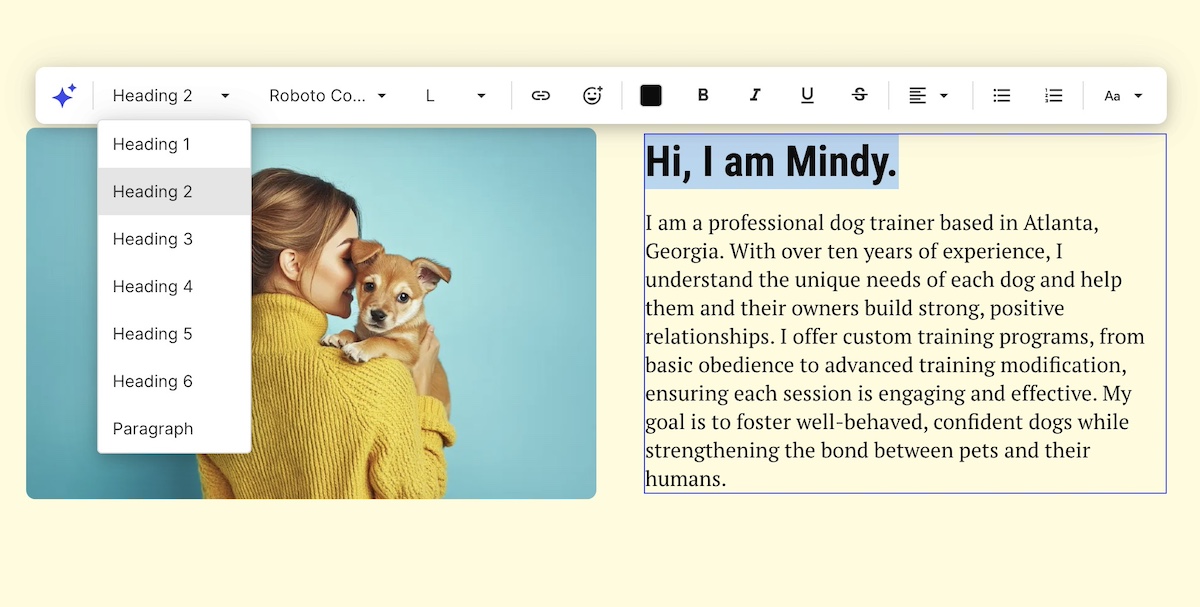
Now, if you’re not familiar with using header tags, no problem—they can be easy to implement. In the SiteGround Website Builder, for example, you can just highlight your text, and modify the type of text as you go.

Adding a heading tag to website via the SiteGround Website Builder

To make the most of your headings:

  • Use only one <h1> per web page (usually the page title)
  • Follow a logical nesting order (<h2> for main sections, <h3> for subsections, etc.)
  • Keep them short, descriptive, and relevant to the content that follows
  • Avoid using headings purely for visual effect—use CSS to style regular text if it’s not meant to function as a heading

2. Choose Accessible, Easy-to-Read Fonts

Typography is one of the most overlooked aspects of web accessibility, but it has a huge impact on how easily users can read and engage with your content.

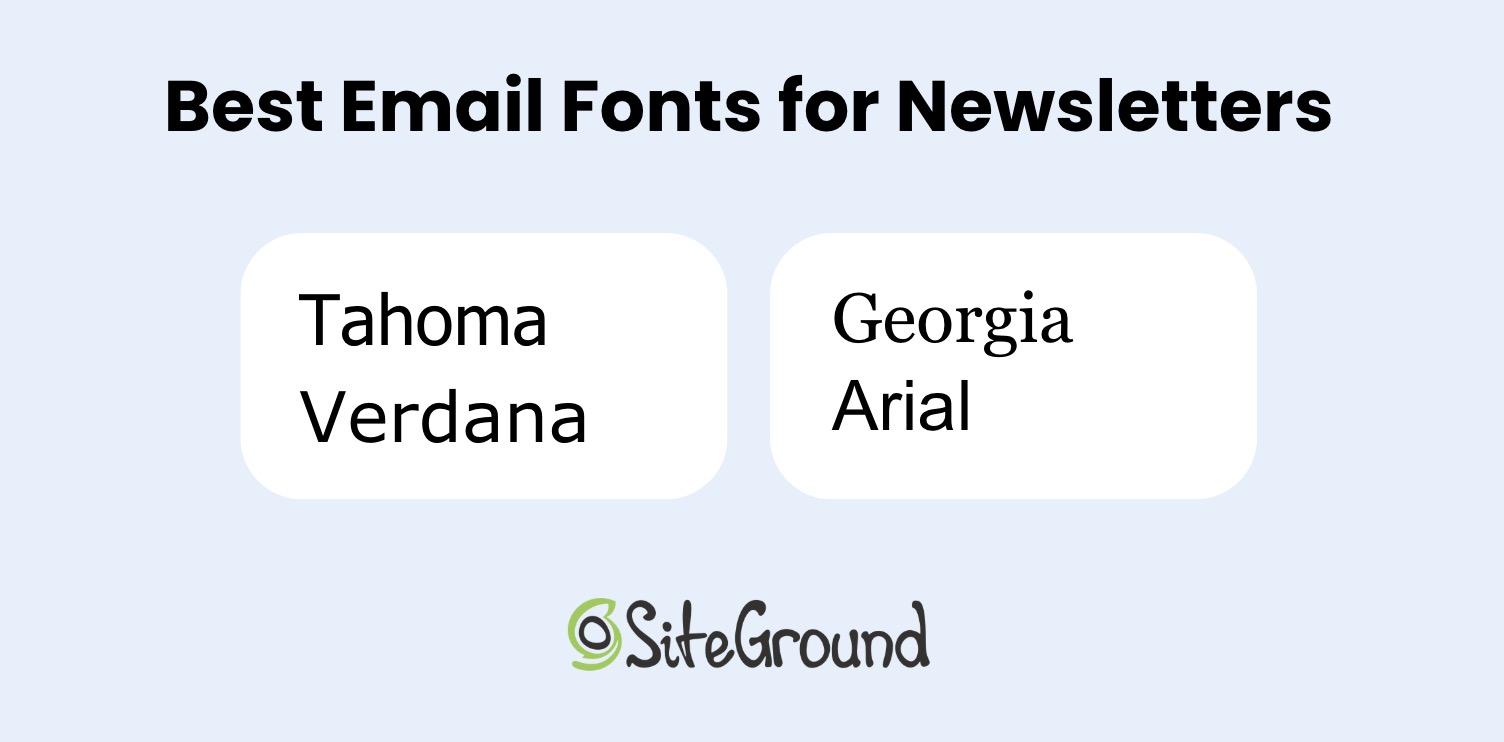
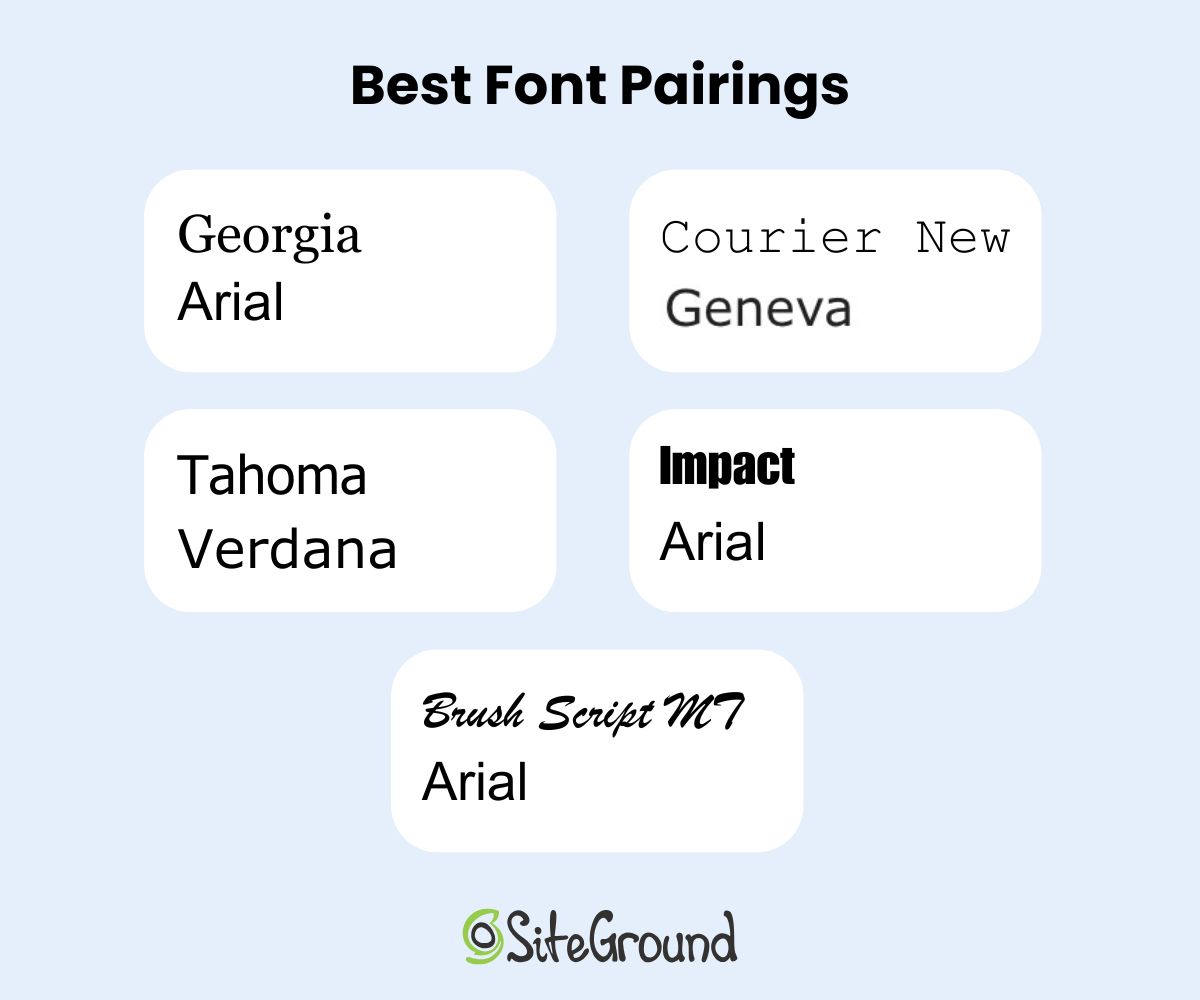
For accessibility, the goal is to choose fonts that are legible, clear, and consistent across devices and screen sizes (this is just as important, by the way, when it comes to choosing the best fonts for email). This helps people with low vision, dyslexia, or cognitive disabilities process text more easily. It also improves readability for everyone, especially on mobile screens.

When it comes to choosing font, here are best practices to consider and follow:

Use Simple, Sans-Serif Fonts

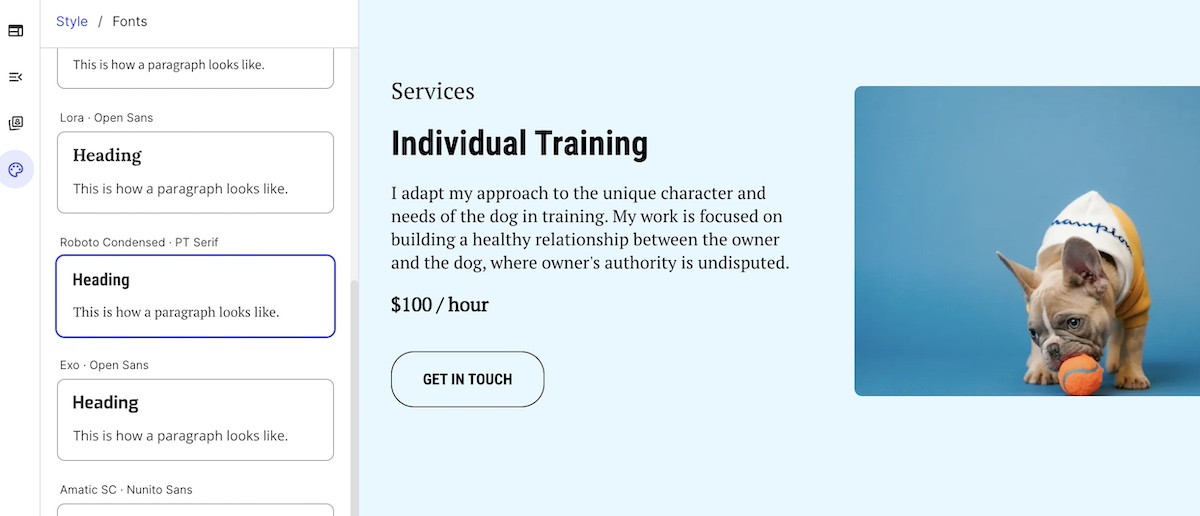
Sans-serif fonts like Roboto or Open Sans are generally easier to read on screens of all sizes than serif fonts, which have small decorative strokes at the ends of their letters. Avoid overly decorative, script, or novelty fonts especially in body copy—they might look fun, but they can be hard to decipher for many users.

Keep Font Size Legible

Be mindful of body text size making sure it’s reading without forcing users to zoom in. Also make sure your text scales well when a user adjusts their browser’s zoom settings or increases text size in their operating system preferences.

Pay Attention to Spacing

Use ample line height, letter spacing, and paragraph spacing to give your text breathing room. Dense, cramped text can be overwhelming and hard to follow, particularly for users with reading difficulties or cognitive disabilities.

Limit the Number of Fonts

Stick to one or two fonts across your site to maintain visual consistency and reduce cognitive load. Many competing typefaces can make your design feel chaotic and harder to process.

Choosing font pairings in the SiteGround Website Builder

Avoid Using Text in Images

Text embedded in images can’t be read by assistive technologies, like screen readers, and doesn’t scale well for different screen sizes. If you must use it, make sure the same information is available as live text elsewhere on the page.

When it comes to implementing these font best practices, SiteGround makes it extra simple. Our website builder offers carefully curated font pairings that are optimized for readability, professionalism, and performance. And everything automatically adjusts for all screen sizes so that you can be sure your text is always readable. 

3. Write Descriptive Alt Text for Images

Alt text, or alternative text, is a short description of an image added via the alt attribute in HTML. It’s essential for web accessibility, allowing users who rely on screen readers to understand the content and context of images. It also improves both SEO and AI by making it easier for machines to interpret images on your site.

What Makes for Good Alt Text?

Effective alt text is:

  • Concise – typically a brief sentence that captures the essential message or purpose of the image.
  • Contextual – tailored to how the image relates to surrounding content.
  • Descriptive – clearly communicates what the image shows or represents.

Examples:

  • “Rock climber scaling a granite cliff at sunrise” — descriptive and relevant
  • “SiteGround logo” — short but provides necessary context
  • “Red backpack on a forest trail” — gives meaning to a product or lifestyle photo
Adding alt text to an image in the SiteGround Website Builder

On the other hand, avoid vague or unhelpful descriptions like:

  • “Image” or “Picture” — these provide no useful information
  • “Click here” — if used as a linked image, this lacks clarity
  • “Logo” — unless you specify whose logo it is

When to use alt text—and when to leave it out

  • Use alt text for images that convey information, illustrate content, or provide important context.
  • Use alt=”” (an empty alt attribute) for decorative images that don’t add meaning—such as borders, icons used only for style, or background flourishes. This prevents screen readers from announcing unnecessary content.

What about complex images?

For graphs, charts, and infographics, alt text alone may not be enough. Provide a longer description elsewhere on the page (such as a text summary below the image) to convey the data or insights in an accessible way.

Feeling a little confused about all this talk of using the alt attribute in HTML? It doesn’t have to be complicated. SiteGround makes adding alt text to your images super easy. Just click on an image in your photo library, give it a description in the alt text field, and you’re good to go.

Clear, descriptive links and calls to action (CTAs) are one of those small but impactful details that improve both web accessibility and usability. They help all users—including those people with disabilities—understand exactly what will happen when they interact with a link or button.

Why Clarity Matters

Screen reader users often navigate a page by scanning through a list of links. Vague link text like “Click here,” “Read more,” or “Learn more” doesn’t provide meaningful context, making it difficult to understand the purpose of the link without hearing surrounding content.

Descriptive links improve website navigation by clearly communicating the destination or action. This benefits everyone, including users with cognitive disabilities or anyone scanning the page quickly.

With that in mind, here are a handful of best practices for links and CTAs: 

  • Be specific: Use link text that clearly describes what the user will get or where they will go, such as “Download the 2025 Accessibility Guide” or “View pricing plans.”
  • Keep it concise: While descriptive, links should be short enough to be easily understood at a glance.
  • Use consistent styling: Links and buttons should stand out visually, typically using color and underlining or distinct button shapes, so users recognize them easily.
  • Avoid using URLs as link text: Long URLs are hard to read and understand; instead, use meaningful text.
  • Use buttons for actions: When the interaction triggers an action (like submitting a form or starting a download), use buttons instead of links to convey this difference.
Example of a call to action button with clear description text
  • Accessible focus states and keyboard navigation: Make sure that links and buttons have visible focus indicators (such as outlines or underlines) when selected via keyboard navigation. This helps users who rely on keyboard input track where they are on the page.

These same principles apply beyond accessibility, as clear, descriptive CTAs are a cornerstone of good ecommerce website design too.

5. Ensure Sufficient Color Contrast

Color contrast is a classic example of where things can really go sideways with accessible web design. Achieving adequate color contrast means that the text and important visual elements stand out clearly against their backgrounds. This makes content readable for users with visual impairments, color blindness, and even those viewing screens in bright or low-light conditions.

What the guidelines say

The Web Content Accessibility Guidelines (WCAG) recommend the following minimum contrast ratios:

  • Normal text: At least a 4.5:1 contrast ratio between text and background
  • Large text: At least a 3:1 contrast ratio (large text is generally 18pt/24px or larger, or 14pt/18.66px bold or larger)
  • UI components and graphical objects: At least a 3:1 contrast ratio to distinguish interactive elements

How to check and improve contrast

  • Use online tools to test your color combinations. Alternatively, the SiteGround Website Builder automatically notifies you if your color contrast isn’t optimal.
  • If your contrast ratio is too low, consider adjusting either the text color or the background color to increase the difference.
  • Avoid using color as the only means of conveying information—for example, don’t rely solely on red text to indicate errors. Use additional visual cues like icons or text labels.
  • Be mindful of background images or gradients that can interfere with text clarity—consider adding overlays or solid backgrounds behind text.
  • Consistency is key. Use a defined color palette with accessible contrast ratios for your primary, secondary, and accent colors.
Low contrast warning about color in SiteGround Website Builder

6. Design for Easy Layout and Scannability

Most people don’t read web content word-for-word; they scan. This is especially true for users with cognitive disabilities, limited attention spans, or those who are simply short on time (so, most of us!). A clean, well-organized website layout improves both accessibility and user experience by making it easier for everyone to find and understand information.

Here are some best practices for scannable, accessible design:

  • Use headings and subheadings: Break content into logical sections using clear, hierarchical headings. This creates a visual hierarchy and structural roadmap for the page.
  • Write in short paragraphs: Long blocks of text can be difficult to follow. Aim for no more than 3–4 sentences per paragraph. This improves readability and allows users to scan quickly.
  • Use bullet points or numbered lists: This helps organize information, making it easier to process. Lists also work well with screen readers, which announce how many items are in the list and read them one by one.
  • Maintain consistent spacing: Leave enough white space between sections, paragraphs, and elements to avoid visual clutter. This gives users time to process one element before moving on to the next.
  • Group related content: Keep related information close together—visually and structurally—so users can quickly understand the relationship between different elements.
  • Keep navigation simple: Use predictable menus and page layouts across your site. Consistent navigation helps users orient themselves and move through your site confidently.
  • Avoid distractions: Limit unnecessary animations, auto-playing content, or flashing visuals. These can distract or even trigger seizures for sensitive users. If you do use motion or video, allow users to pause, stop, or control it.
A homepage with scannable headers and text

Good layout design is as much about what you leave out as what you include. When in doubt, simplify. A clear, uncluttered layout improves usability for everyone, and supports accessibility without sacrificing visual appeal.

7. Follow Accessibility Standards & Guidelines

Web accessibility isn’t just a design preference; it’s guided by internationally recognized standards that help make sure digital content is usable by as many people as possible. Following these guidelines gives you a framework for making informed, inclusive design decisions, helping your site stay compliant with website accessibility laws.

The Gold Standard: WCAG

The Web Content Accessibility Guidelines (WCAG) are the most widely accepted benchmarks for accessible design. Created by the World Wide Web Consortium (W3C), the WCAG is now in version 2.2, with most organizations targeting Level AA compliance as it offers a strong balance between broad accessibility and practical implementation.

Why Following WCAG Matters

  • Legal protection: In many regions—including the EU, U.S., and parts of Canada and Latin America—failing to meet web accessibility standards can result in legal action. 
  • Clear benchmarks: Rather than guessing what “accessible” means, WCAG gives you specific, testable goals.
  • Future-proofing: Designing to recognized standards makes your site more adaptable as new devices, platforms, and user needs emerge.

Thankfully, by applying the best practices we’ve described above, you are well on your way to complying with these guidelines and making your website accessible for all. 

8. Test Your Site

Even if you’ve followed every website accessibility best practice, you can’t assume your site is fully accessible until you test it. Testing helps you catch issues you might not see during design and development. It also ensures that your site works for real users with a variety of needs.

The best way to make sure your site is accessible is to combine automated testing with manual checks. Here’s the best approach: 

  • Automated tools can quickly catch common issues like missing alt text, low contrast, or improper heading structure. They’re a great first step, but they typically detect only a portion of potential problems.
  • Manual testing helps fill the gaps. Try navigating your site using only a keyboard, zooming in to 200%, and using a screen reader to experience your content from a different perspective. Make sure focus indicators (the visible outlines and underlines that show where you are on the page) are present and interactive elements are easy to reach and understand. Whenever possible, include people with disabilities in your testing to uncover issues that tools and developers might miss.
Website navigation with focus indicators

Build testing into your process

Website accessibility testing shouldn’t be a one-time task or something saved for the end. Integrate it into your website planning, especially during redesigns, new content rollouts, or feature updates. Catching issues early is faster, cheaper, and more effective than fixing them after launch. 

[18]

Make Web Accessibility Part of Your Site Today

An accessible website goes beyond meeting legal requirements—it means equal access for everyone to enjoy your content. So when you apply accessible web design best practices, it not only removes barriers, but it improves overall usability, and extends your reach to a broader audience. This is good news for everyone.

And if you’re ready to put these principles into action without getting lost in technical details, the SiteGround Website Builder has you covered. It’s designed with accessibility in mind, offering easy-to-use tools for headings, font pairings, color contrast checks, alt text, and more—so you can focus on your content while knowing your site is both beautiful and inclusive from the start.

Create Your Dream Website with SiteGround’s Easy-to-Use Builder

FAQs about Accessible Web Design

What is accessible web design?

Accessible web design is the practice of building websites that can be used by people of all abilities, including those with visual, auditory, motor, or cognitive disabilities. It involves design and development choices like clear headings, sufficient color contrast, and descriptive alt text that remove barriers and make content available to everyone.

What is WCAG vs ADA?

WCAG (Web Content Accessibility Guidelines) is an internationally recognized set of technical standards for web accessibility, created by the World Wide Web Consortium (W3C). The ADA (Americans with Disabilities Act) is a U.S. civil rights law that prohibits discrimination against people with disabilities, and courts have increasingly applied it to websites. In short, WCAG is the technical benchmark and the ADA is the legal framework. Meeting WCAG AA compliance is generally the strongest defense against ADA-related legal action.

What are the 4 principles of WCAG?

The four principles of WCAG are Perceivable, Operable, Understandable, and Robust, known collectively as the POUR framework. Perceivable means content can be seen or heard by all users. Operable means the interface works via keyboard and assistive technology. Understandable means content is clear and predictable. Robust means it works reliably across devices and assistive tools.

An AI-First Mindset: How to Build, Launch, and Grow Smarter

abstract image of an AI first mindset

Gone are the days of using AI as just an afterthought—something you plug in to simply spruce up some copy, or help with image creation. We are now in the age of AI first. 

On one hand, if you don’t get on board, you’ll definitely get left behind. On the other, if you truly embrace an AI-first mindset, then you actually have the chance to get ahead…way ahead.

That’s what we’re covering here today. Not just how AI can help you with your business, but how transforming how you think about it and integrate it can actually change the potential of your business as you build, launch and grow. 

Why an AI-First Mindset Matters Now

Perhaps you need no convincing that AI is rapidly reshaping how we do business—and life. It’s no longer about sprinkling in AI tools here and there. Instead, we now must intentionally build AI into your projects, processes, and strategies from the start. Not as a shortcut, but as a creative and operational partner.

And while AI adoption might seem like something only big companies can afford, the opposite is often true. Solo entrepreneurs, small teams, and creators now stand to benefit the most. AI levels the playing field, giving you the speed, scale, and capabilities to compete without the overhead.

With an AI-first mindset, you’re no longer stuck doing things the slow, manual, and often expensive way. You can work smarter, move faster, and grow more strategically, while staying focused on what matters most. So let’s look at what this AI-first mindset really means in practice.

How to Integrate an AI First Mindset into Your Business

1. Start with Strategy: Make AI Part of the Plan

Most people think of AI as something you plug in later—a tool you use when you need help writing copy or analyzing data. But with an AI mindset, that thinking shifts completely. You don’t just use artificial intelligence—you plan with it from the start.

This mindset asks you to reimagine your role at the strategy table. Instead of doing all the early thinking alone, you bring artificial intelligence in as a thought partner—someone (or something) that can challenge assumptions, generate options, and surface insights early on.

No matter what you’re building—a website, a new product, a marketing campaign—ask yourself: How can AI help me shape this smarter from the beginning? When you approach strategy this way, you can:

  • Use AI to brainstorm business ideas or product features
  • Generate user personas or map customer journeys
  • Analyze trends or competitor moves
  • Construct a business plan

You’re not just getting help, but rather expanding your thinking. And you don’t need enterprise tools to make it happen. With generative AI tools like ChatGPT (and the right ChatGPT prompts), and other AI-powered options, an AI-first strategy is already within reach—no steep learning curve or extra resources required.

SiteGround, for example, takes this AI-first approach seriously. From the way we help customers choose domains, to enabling AI-generated content creation, and how we protect customer sites and support their growth, AI is baked in—not tacked on after. We deliver smarter tools that help creators and businesses do more and better with less.

Get started with SiteGround today>>

2. Build Smarter: Let AI Streamline Website & Content Creation 

Once you’ve laid the groundwork, it’s time to build—and this is where an AI-first mindset starts to benefit and shape your business. It’s not just about saving time (though you certainly will!). It’s about changing how you approach the building process from the ground up.

Instead of seeing AI as a last-minute add-on, an AI-first mindset means thinking like a team of two—you and your AI assistant—from day one. Every decision becomes a chance to ask: What can I delegate? What can AI make faster, more insightful, or more consistent?

This shift frees you up to focus on the more human elements: storytelling, vision, strategy, and connection.

For website and content creation, that collaborative mindset can show up in things like:

  • Brainstorming and testing domain name ideas
  • Structuring your site hierarchy and page flow
  • Drafting initial copy—from homepage headlines to product descriptions and welcome emails
  • Exploring website layout and color palette ideas that align with your brand
  • Generating blog posts or service pages based on your audience’s needs
Visual of a generative AI tool helping to craft email copy

A general awareness and understanding of AI—that is, an AI-first mindset!—can also help you more clearly build and create with AI in mind. Traditional SEO is evolving into something broader: Generative Engine Optimization (GEO). That means, when it comes to AI and SEO, it’s not just about keywords anymore, but creating content that AI systems—like the ones behind search and chat interfaces—can interpret as relevant, trustworthy, and useful. This kind of proactive understanding will shape and elevate everything you create.

The core idea here: build with AI at your side, not trailing behind. 

[41]

3. Launch Faster: Accelerate & Improve Prep and Promotion

An AI-first mindset changes how you approach launch prep—not just how you execute the launch itself.

Instead of seeing this stage as a long checklist of to-dos, AI-first thinkers use it as a creative springboard. More than just speeding up tasks, you can uncover better ways to craft and promote your message right from the start.

With AI, you can:

  • Brainstorm angles and formats for emails, landing pages, and social posts
  • Draft initial content faster, from ad copy to meta descriptions and email subject lines
  • Generate launch timelines and promotional plans targeted just for your audience
  • Adapt messaging for different user segments or platforms

Here, speed and creativity go hand in hand. You can lean on AI to help you come up with inventive approaches, and then turn to it again to help with the execution. 

4. Grow Better: Ongoing Optimization with an AI-First Mindset

Once the launch is out the door, the real work begins. Rather than reacting slowly to results or relying on instinct, artificial intelligence helps you build continuous improvement into everything you do. That means using AI as an active feedback loop that helps you stay relevant, accurate, and aligned with your goals.

For example:

  • Use AI to interpret campaign performance and digital marketing metrics
  • Get suggestions for improving underperforming content or messaging
  • Iterate with speed, using tools like RAG (retrieval-augmented generation) to generate updates based on your best internal content
  • Leverage tools such as Google Trends, Surfer SEO, and ChatGPT to stay on top of SEO trends, and understand how generative AI models evaluate and surface content.

At the end of the day, AI is part of the whole process, from inception to optimization. So you don’t just create once and move on; you use artificial intelligence to turn every piece of content or campaign into a living, evolving asset.

5. Shift Company Culture: Embrace AI Holistically

An AI-first mindset means going beyond using AI as just a personal productivity hack; it’s a cultural shift. Whether you’re a solo entrepreneur or part of a small team, adopting this mindset means normalizing the use of AI across your workflows, decisions, and habits. It becomes part of how you think, not just what you use.

In practical terms, this means:

  • Encouraging regular AI adoption, not just when someone’s stuck
  • Promoting experimentation, where trying AI-generated drafts or solutions is seen as a smart first move
  • Creating space to learn—sharing prompts, tools, benefits, and results with your team or community to build collective confidence
  • Reducing resistance, especially from team members who assume artificial intelligence is too technical, unreliable, or impersonal
  • Expand AI use across teams—for example, using customer support chatbots or AI assistants that can handle common queries, frees your team to focus on higher-value interactions
Visual of an AI assistant along with disclosure
  • Removing the stigma—using AI isn’t “cheating” or lazy. It’s about working more efficiently so you can focus on higher-value, human contributions
  • Keeping in mind the ethical considerations of AI in marketing and business. AI-first culture still requires good judgment. Fact-check results, avoid misuse, and be transparent when needed. 

This last point is especially important. When you embrace an AI-first mindset as an integral part of your business, you can be clearer and more deliberate about your ethics around its use. AI becomes not just a tool, but a core part of your operations—and that means thoughtfully choosing how it fits in and building a culture grounded in those values.

The Competitive Edge of Thinking AI-First

Adopting an AI-first mindset means you aren’t just keeping up with the technology but rather making it a natural extension of your work. As such, when you approach your work and business with AI as a collaborative partner, you can actually unlock new levels of efficiency, creativity, and agility. Indeed, it helps you build, launch, and adapt smarter, all while giving you the speed and insight needed to outpace competitors, no matter the size or stage of your business.

At SiteGround, we take an AI-first approach to web hosting and beyond. Our Antibot AI helps keep your site secure by blocking millions of brute-force attacks before they ever reach your server. When you’re searching for the perfect domain, our AI-powered tools offer smart, memorable suggestions that are just right for your brand. And when it’s time to build your website or launch a campaign, the SiteGround Website Builder and Email Marketing Platform include built-in AI features that help you craft polished, engaging content with ease. 

Get started with SiteGround today, and experience how an AI-first mindset can simplify your workflow, up your creativity, and empower your business to grow smarter and faster.

7 Actionable Email Copywriting Examples to Learn From

an abstract image of email copywriting with an envelope and notes

Writer’s block—it gets you every time, doesn’t it? We’ve all been there, staring at that pesky blinking cursor, uncertain how to start the next email. And sure, for inspiration we could show you flashy marketing copy from big-budget brands, but that doesn’t really help when you’re writing for your own business. 

Instead, we’re breaking down seven email copywriting examples and tactics, each with clear and actionable takeaways. We’re dishing out smart techniques you can actually use to make your marketing emails more engaging, persuasive, and effective.

How These Email Copywriting Examples Will Make You a Better Writer

Indeed, looking at random email copywriting examples can be helpful—but it doesn’t really create a good foundation for email copywriting. What you need are practical examples that show how great email copywriting works, and not just what it looks like.

That’s why every email copywriting example in this article was crafted to teach you something very specific and replicable. These aren’t cherry-picked from famous brands with million-dollar teams. They’re clear, simple, and built around proven copywriting techniques, so you can learn them, practice them, and use them in your own marketing emails right away.

Image of SiteGround email marketing course for beginners

7 Email Copywriting Examples and Why They Work

1. Curiosity + Specificity

When your goal is to get someone to open and read your email, few techniques work as consistently as combining curiosity with a specific, attention-grabbing detail. The curiosity makes the reader want to know more; the specificity gives your message credibility and focus.

Here’s a great example of how that might look in an email:

Subject line: We deleted one line of email text — here’s what happened

email copywriting example demonstrating curiosity and specificity by implementing the points in the text

Why it works:

The email subject line plants a question (“what happened?”) with just enough context to feed curiosity—and the body copy delivers a satisfying but concise story. Specificity (a 37% boost) gives credibility, while the tone stays casual and relatable.

The technique:

  • Curiosity + specificity
  • Bonus: Story-driven setup (a before/after moment with stakes)

When to use it:

This approach works well in email newsletters, product updates, or any content-driven email where you’re sharing an insight, test, or lesson learned. It draws readers in by promising something useful, and all without gimmicky overselling.

2. Problem–Agitate–Solve (PAS)

The PAS formula is one of the most effective copywriting techniques for email because it mirrors how people instinctively think through their own problems. You identify a pain point, dig into the frustration it causes, and then offer relief—ta-da: your solution.

Here’s what this can look like in a real email:

Subject line: Still juggling too many tabs?

email copywriting example demonstrating Problem–Agitate–Solve formula as described in the text

Why it works:

This email follows the classic Problem>Agitate>Solve structure. It opens with a familiar frustration (tab overload, sigh, we’ve all been there), leans into the emotional annoyance of disorganization, and then presents a simple, clear solution with a soft call to action (CTA).

The technique:

  • Problem: Scattered work and too many open tabs
  • Agitate: Emphasizes emotional impact and familiarity
  • Solve: Offers a streamlined, trial-friendly solution

When to use it:

Use PAS when you’re introducing a solution to a specific pain point—whether it’s in a cold outreach, an onboarding sequence, or promotional emails. It’s especially effective when you’re launching tools, services, or features designed to make life easier.

Ready to hit send faster? SiteGround Email Marketing makes it easy with a built-in AI email writer that helps you craft compelling copy in seconds. Plus, you get beautiful templates, contact list management, email campaign automation, and performance tracking—all in one simple, streamlined platform.

Get started with SiteGround Email Marketing today>>

3. Micro-Storytelling

Tiny moments tell powerful stories. Micro-storytelling works because it shows (not tells) how a product fits into real life, and makes your reader feel something fast.

Here’s an example from a specialty coffee brand:

Subject line: She called it “the first grounded moment of my day.”

email copywriting example with micro-storytelling as described in the text

Why it works:

The compelling story is ultra-short and highly relatable—it feels honest, specific, and emotionally grounded. It anchors the product in a feeling (peace in the chaos) instead of just a feature (flavor or origin).

The technique:

  • Uses a real quote as the hook to grab the reader’s attention
  • The personal story evokes a sensory experience and emotion
  • Ties the brand into a familiar, everyday moment
  • Soft-sells the product by focusing on why it matters

When to use it:

Ideal for marketing messages ranging from brand storytelling to welcome emails, and highlighting customer love. Great for any product that’s part of a daily ritual, like coffee, tea, skincare, home goods, or wellness.

4. Cliffhanger CTA

A cliffhanger CTA leaves your reader wanting just a little more—which is exactly why they click. This technique teases curiosity or holds back a key detail so the reader has to follow through to find out.

Check out this email copywriting example from a skincare brand:

Subject line: You’ll never guess what’s *not* in this moisturizer

email copywriting example with a cliffhanger CTA as described in the text

Why it works:

This is a great example because the CTA builds suspense by hinting that something unexpected is missing—and that it’s worth finding out. This taps into your reader’s curiosity, making the click feel irresistible. The rest of the email supports it with authenticity and a clear benefit.

The technique:

  • Starts with a bold subject line that poses a question
  • Creates a mini origin story (2 years, 100+ versions) in the body copy
  • Teases an unexpected insight or twist
  • Leaves the “surprise” just out of reach—accessible only by clicking

When to use it:

Best for product launch emails, or educational content that flips expectations. This tactic works well in industries like beauty, wellness, fashion, food, and personal development—anywhere you want to reframe what people think they know.

5. Benefit Stacking

Stacking benefits helps you quickly communicate the full value of your offer by layering multiple clear advantages. This makes it easier for your reader to say “yes” because they see how the product fits their needs in many ways.

Here’s an copywriting example from a meal kit delivery service:

Subject line: Healthy dinners, zero grocery trips, and less cleanup? Yes, please.

email copywriting example with benefit stacking as described in the text

Why it works:

This email highlights multiple benefits that appeal to convenience, health, sustainability, and cooking confidence. The stacked list creates a compelling, multi-faceted value proposition.

The technique:

  • Benefit stacking in bullets
  • Appeals to practical and emotional motivators
  • Clear, low-friction CTA

When to use it:

This type of email is great for any product or service with multiple advantages, such as food delivery, subscription boxes, wellness programs, or educational courses.

6. Conversational Tone

A conversational tone helps your emails feel more like a note from a friend than a hard sell. It builds trust, makes your brand feel more human, and encourages engagement—especially in inboxes full of formal marketing speak.

Below is an email copywriting example that demonstrates how that can sound when coming from a pet grooming service:

Subject line: Your dog called. He wants a spa day. 🐾

email copywriting example with a conversational tone as described in the text

Why it works:

This email feels playful, friendly, and natural—like something you’d forward to a friend. It’s persuasive without sounding like a pitch, and it uses light humor and warmth to connect emotionally.

The technique:

  • Informal phrasing (“we’re not saying…”)
  • Humor and brand voice consistent with pet-lover culture
  • CTA that fits the tone of the message

When to use it:

Ideal for brands with strong personality or loyal customer communities—like pet services, indie ecommerce, personal coaching, or creative products. Especially effective when you want to stand out with tone rather than hard selling.

7. Ethical Scarcity

Scarcity is a classic persuasion tactic, but when done ethically, it builds urgency without relying on gimmicks. It works best when the limitation is real—whether it’s about time, availability, or capacity—and when it’s framed in a respectful, transparent way.

Here’s an example from an online course platform:

Subject line: Enrollment closes Friday—next session won’t open until October

email copywriting example demonstrating ethical scarcity as described in the text

Why it works:

It uses real scarcity (limited class size, set enrollment window), explains why the limit exists (personal attention), and avoids pressure or fake urgency. The tone is respectful and informative.

The technique:

  • Time-based scarcity + capacity limit
  • Transparent reasoning behind urgency
  • CTA with a clear next step

When to use it:

Perfect for courses, coaching, product drops, or seasonal offers (especially Black Friday emails), when timing and availability are real and meaningful.

The Bigger Strategy Behind These Email Copywriting Examples

Great marketing copy doesn’t exist in a vacuum (we looked and just found a bunch of boring dust). Each of the examples above works because it’s part of a broader, intentional email marketing strategy. This is so important! 

No matter how clever your subject line or engaging your tone, if the email isn’t thought of as part of a full reader experience, it just won’t perform as well. So here are three essential elements that help these examples succeed—and that you should keep in mind when writing and planning your own email campaigns.

1. Mobile-Optimized Copy

More than half of all emails are opened on mobile devices. That means your email copywriting should be skimmable, scrollable, and fast to load. Keep paragraphs short, use strong headers or bolded phrases, and make CTAs easy to tap. Every copywriting example above was written with a clean structure that would read well on a small screen. 

Not sure how to make sure it all looks good on mobile? Lean on an email marketing platform, that makes mobile optimization instantaneous. Copy and images are automatically resized for mobile, and easily previewed right from the email editor.

2. Personalized and Targeted

These emails aren’t meant for everyone; they’re meant for the right someone. Whether it’s using a name, referencing behavior (like a recent event participation), or customizing content to specific needs, personalization helps copy land better. Even if the copywriting examples above didn’t use first names, they spoke directly to a clear, specific target audience.

3. Designed to Support the Customer Journey

Email copywriting isn’t just about generating one-time clicks, but rather about moving people through an email customer journey. That is, some of these examples are perfect for lead nurturing, others for sales conversion, and others still for post-purchase engagement. When your copy aligns with where your reader is in their journey, the email copywriting naturally becomes more effective.

Wrapping Up: The Power of Great Email Copy 

Email copywriting isn’t about clever words. It’s about crafting the right words at the right time and for the right target audience. These best copywriting examples above show how these different techniques accomplish that, so that your emails are not only well written, but truly get the job done. Ultimately, when you combine those tactics with a clear strategy, the results speak for themselves.

Ready to put it all into action? With SiteGround Email Marketing, you can easily craft, send, and track beautifully written emails, and all from the same platform where you host, manage, and create your site. It’s built for small businesses who want simple, powerful tools that grow with them.

Grow your business with SiteGround Email Marketing

Best Fonts for Email: Dos, Don’ts, and Smart Picks

Image with top font pairings as stated in the article

Ever opened an email and instantly cringed at the font? Maybe it was a bright purple script or something wildly hard to read. It might work for Uncle Jim’s road trip updates—but definitely not for marketing or business. When it comes to professional emails, choosing the best font for email makes a big difference.

Most people don’t think twice about fonts—until it’s time to send a real campaign. Suddenly, you’re asking: What are the best fonts for email that actually look good and render properly across inboxes?

Just like subject lines or email CTAs, font choice is one of those small details that can impact your email marketing and how your message is received. In this article, we’re breaking down the best fonts for email, including what to use, what to avoid, and how to keep your design clean and readable.

Image of SiteGround email marketing course for beginners

Why Font Choice Matters in Email

It might seem like a small thing, but your font choice speaks volumes. Before anyone reads a single word, the look of your email sends a message—about your business, your professionalism, and how much attention you pay to detail.

Pick the wrong font, and your email might feel clunky, off-brand, or just plain hard to read. But choose well, and you instantly boost clarity, trust, and visual appeal. It’s a subtle design choice that has a not-so-subtle impact.

What are Email-Safe and Web-Safe Fonts?

Now that we’ve established that font choice matters, let’s clear up a common point of confusion: the difference between email-safe and web-safe fonts.

Email-safe fonts

These are a rather limited group of standard fonts known to display consistently across major email clients like Gmail, Outlook, and Apple Mail. That’s because they are pre-installed on most devices and supported by all major email clients without needing to be loaded from the web. 

So if you want to be absolutely certain as possible that your exact fonts show up in your emails, then email-safe fonts are a good option. These fonts include Arial, Tahoma, Georgia, and Geneva, just to name a few.  

Web-safe fonts

That said, if you want to get a little more original, that’s where web-safe fonts come in. These fonts are widely supported across most browsers and devices, making them great for websites, where design flexibility is higher. Unlike email-safe fonts, web-safe fonts are not system-installed, meaning they need to be loaded from an external source. This process is known as font hosting.

Font hosting

When it comes to email marketing design, font hosting works by including a reference to a font file—typically hosted on a service like Google Fonts—directly in the email’s HTML. Most modern email platforms, like SiteGround and others, handle this automatically behind the scenes, so you don’t need to manually add the code. 

If the recipient’s email client supports web fonts, it will download and display the custom font as intended. If it doesn’t, the client will simply ignore the hosted font and use the fallback font defined in the CSS, ensuring your email still looks clean and readable.

All of this is to say, when it comes to choosing your fonts, it’s important to think about how they will actually show up for the reader. It’s all about finding the sweet spot between brand style and technical reliability. And when you choose a competent email marketing platform—like, say, SiteGround Email Marketing—this technical side is already taken care of for you.

The Dos—What Makes a Good Email Font?

Now that you know how to make sure your fonts show up, it’s time to nail down a few simple guidelines. These “dos” and “don’ts” can help you choose fonts that help your message look sharp and readable, and stay out of the spam folder. Then, stick around for our list of top font examples to find what works best for you.

Choose Something Easy to Read

This might sound obvious, but it’s often overlooked. Fancy fonts might feel fun or unique, but if your reader has to squint or pause to figure out what you’re saying, you’ve lost them.

So when it comes to body copy in particular, stick with clean, simple fonts that are easy on the eyes—especially on smaller screens. Your font should help your message, not compete with it.

Think Strategically About Font Pairings

Using more than one font in your email layout can actually improve readability—if you do it right. The key is to create a clear visual hierarchy that helps readers quickly scan and digest your content.

Image of email with top font pairings such a tahoma and verdana

A common approach is to use one font for headings and another for body text. This contrast makes it easier for people to spot the key takeaways at a glance, especially on mobile, where people tend to skim more than read.

For example, you might use a bold, modern sans-serif for headlines (like Verdana) and a clean serif for body text (like Georgia). The difference in style creates contrast, while still keeping the overall look cohesive.

Serif vs. Sans-Serif: What’s the Difference?

Serif fonts have small decorative strokes, or “serifs,” at the ends of their letters—think Courier New or Georgia. They give a classic, formal feel and are often used in print. Sans-serif fonts, like Arial or Verdana, don’t have those strokes. They’re clean, modern, and typically easier to read on screens—especially in emails. For most marketing emails, sans-serif fonts are the go-to for clarity and versatility, but serifs can add a touch of sophistication when used strategically.

Hang tight, because we’ll cover more ideal font pairings below.

Stick to Web-Safe and Widely Supported Fonts

We touched on this earlier, but it’s worth repeating: choose standard fonts that are proven to display reliably across all major email clients. Even the best-looking design won’t matter if your text shows up broken or defaulted to a font that you simply did not choose.

Email-safe fonts like Arial, Verdana, Georgia, and Tahoma are safe bets. And f you want to use a custom font, be sure to set a web-safe fallback so your message still looks good if the custom option doesn’t load.

It’s worth noting that SiteGround takes care of all of this for you, automatically implementing both email-safe and web-safe fonts so that you don’t need to worry about a thing.

Keep it Professional

Your font reflects your brand—whether you mean it to or not. So while it might be tempting to get playful with decorative or handwritten styles, it’s best to save those for party invites, not marketing emails.

Stick with fonts that look clean, modern, and trustworthy. Even if your brand has a fun or creative vibe, readability and polish should still come first. A professional-looking font instantly builds credibility and shows you take your communication seriously.

That doesn’t mean boring—but it does mean avoiding anything too stylized, overly casual, or hard to read. Aim for a look that aligns with your brand personality and maintains a level of professionalism that suits your audience.

Image of an email using professional fonts such as courier new and geneva

Think About Mobile Readers

These days, most emails are opened on phones—so if your font looks great on desktop but cramped or chaotic on a smaller screen, that’s a problem.

Choose fonts that are legible at smaller sizes and avoid anything too thin or tightly spaced. A simple sans-serif font often works well on mobile because it’s clean and easy to scan. Also, keep font sizes generous—around 14–16px for body text and larger for headings—to make reading effortless, even on the go.

Image of email fonts being adapted for mobile

Bonus tip: Preview your email on both desktop and mobile before sending to make sure your fonts and layout look great everywhere.

SiteGround makes this extra easy, automatically optimizing all email design details (including font size) for mobile, as well as allowing you to easily see and compare screen-size versions, and of course send test emails.

The Don’ts—Common Email Font Mistakes to Avoid

Just as the right font can enhance your message, the wrong one can distract, confuse, or even annoy your readers. Here are a couple of common pitfalls to steer clear of when choosing fonts for your emails.

Don’t Use Script or Decorative Fonts for Body Copy

Sure, that curly script might look creative and playful in theory—but in practice, it’s often hard to read, especially on small screens or low-resolution displays. So decorative fonts might seem like a fun and expressive way to stand out, but they tend to backfire in email copywriting, where clarity is king.

Unless you’re designing a wedding invitation, it’s best to leave script and novelty fonts out of your email marketing. Stick to clean, legible typefaces that make your content easy to skim—and easy to trust.

Don’t Pick Obscure Fonts

Similarly, that rare, quirky font you stumbled across online might look like it has a lot of personality and flavor, but chances are your email recipients won’t see it the same way. Literally.

By now, you know that some email clients don’t necessarily support custom or less-common fonts. So if that super-cool font choice isn’t installed on the reader’s device, their email app will swap it for a default standard font—often with less-than-great results for design and readability.

Stick with tried-and-true fonts that you know will render well across most devices and platforms. And if you do use a custom font, always define a solid fallback to maintain a consistent look.

Don’t Go Overboard With Styles

It’s tempting to play with bolds, italics, colors, and different font sizes to make your email pop—but too much styling quickly turns into visual clutter.

Mixing multiple fonts, sizes, and formats can overwhelm your reader and make your email look unpolished. Instead, aim for consistency. Use a clear hierarchy—like bold for headings and regular weight for body text—and apply styles sparingly to emphasize key points without causing distraction.

Think of styling as seasoning: a little goes a long way.

Don’t Neglect Font Size

Even the best font won’t do you any favors if it’s too small to read. Tiny text is one of the fastest ways to lose readers—especially on mobile.

As a general rule, keep your body text around 14–16px, and headers at 20px or larger, depending on your design. This ensures your content is readable without zooming or squinting, and makes for a smoother user experience overall.

Also, be mindful of line spacing. Crowded lines make your email feel dense and harder to scan. A little breathing room goes a long way.

Best Fonts for Email (with Examples)

Now that you know what to do (and not do) when choosing fonts, let’s get specific with some font suggestions for different types of emails. Whether you’re aiming for clean and modern, professional and formal, or something with a bit of personality, here are some great options—plus a few curated pairings that work especially well together.

Ideal All-Around Fonts for Everyday Use

For emails like newsletters, product updates, or friendly promos, you want fonts that are clean, clear, and easy to scan. These widely supported sans-serif fonts get the job done:

Recommended Fonts:

  • Tahoma – Compact and efficient, great for tight layouts and small screens.
  • Arial – A true staple—neutral, clean, and readable across virtually all devices.
  • Verdana – Designed specifically for the screen, it’s excellent at small sizes.
  • Geneva – Crisp and tidy, it adds a subtle touch of sophistication to everyday content.
Image of best all around fonts such as tahoma, arial, verdana and geneva

Top Professional Fonts for Business Emails

Business emails often need to strike a balance between professionalism and approachability. Use these fonts in client updates, service notifications, onboarding sequences, or internal newsletters—any message where email etiquette is top of mind, and you need a polished, brand-consistent tone. The best fonts for this purpose are simple, structured, and easy to read on any device.

Top picks for business emails:

  • Georgia – A classic serif font that feels polished and reliable.
  • Arial – Clean and professional without being stiff.
  • Courier New – Monospaced and traditional; best used sparingly for a technical or retro feel.
  • Verdana – Solid and straightforward—great for body text.
Image of best email fonts for newsletters, such as tahoma, verdana, georgia and arial

Best Font Pairings

As we’ve already touched on, pairing fonts is a clever way to create contrast, guide the reader’s eye, and really optimize every part of your email. The trick is to match fonts that complement one another—usually one for headlines and another for body text. So let’s look at several pairings that strike that perfect balance between style and readability.

Best font pairings:

  • Georgia + Arial – A classic serif headline with a clean sans-serif body.
  • Tahoma + Verdana – A modern, web-safe combo that’s friendly and readable.
  • Courier New + Geneva – Technical meets tidy—a unique but effective pairing.
  • Impact + Arial – Bold headers paired with a clean body font for high-contrast layouts.
  • Brush Script MT + Arial – Script for flair in headlines, grounded by a solid sans-serif base (use script sparingly).
Image of best font pairings

Each of these pairings is pre-built into SiteGround’s email design tools, so you can easily apply them without worrying about compatibility.

Final Thoughts on Best Email Fonts

Choosing the best font for email might seem like a teeny tiny design decision, but it can have a big impact on how your message is received. Clear, consistent, and well-paired fonts help your emails look professional, stay readable across devices, and reflect your brand’s personality—whether you’re sending a welcome message or announcing a big sale.

With SiteGround, creating beautiful, effective emails is simple. From smart font pairings to fully customizable templates, automation tools, and personalization options, our platform makes it easy to design, send, and manage your marketing emails—all in one place. So you can focus less on the technical details and more on building connections that convert.

How to Secure a Domain Name: 9 Best Security Tips

Abstract image of how to secure a domain name

There’s something exciting about buying a domain—it’s your own slice of digital real estate, and it’s usually quick and affordable to acquire. But more often than not, we forget that it’s not just about buying a domain, but also protecting it. 

If you skip important security steps, you’re leaving your site—and your brand—vulnerable to hijacking, impersonation, or even accidental loss. So knowing how to secure a name is just as important as choosing the right domain name in the first place. 

In this guide, we’ll walk you through nine essential best practices to help you safeguard your domain and keep it firmly under your control, now and in the future.

Why Domain Security Matters

Your domain name is the entry point for your business, blog, or personal brand. So if someone gains unauthorized access to it, the consequences aren’t trivial. They could redirect your site, intercept emails, or impersonate your brand online. The reality is that domain theft, spoofing, and accidental expiration are all very real threats, which can be costly to recover from, if recovery is even possible.

As such, it might come as no surprise that having a secure domain really matters. It helps to ensure: 

  • Your website and email stay under your control
  • Your visitors aren’t redirected to malicious sites
  • Your brand reputation remains intact
  • You avoid unexpected downtime or data loss
  • You avoid short and even long term financial loss due to the fall out

While securing a domain name might seem like a minor technical detail, it’s in fact a core part of managing and maintaining your online presence—so kind of a big deal! The very good news is that there are super simple steps you can take that will save you loads of headaches down the road. And that’s what we’ll be tackling today.

How to Protect Your Domain: 9 Best Practices

1. Enable Domain Privacy

When you register a domain name, your personal information—such as your name, address, phone number, and email—ends up listed in the public WHOIS database by default. This database is accessible to anyone online and is often used by marketers, scammers, and cybercriminals alike. Not good. 

What does this mean?

Exposing your contact details publicly can lead to a flood of unwanted spam emails, phishing attempts, and even social engineering attacks aimed at tricking you or your registrar into handing over control of your website domain. If it sounds like a nightmare, it’s because it is: this kind of information leakage can put both your domain and your online security at serious risk.

How can you fix this? 

Domain privacy protection, sometimes called WHOIS privacy or WHOIS guard, masks your personal details by substituting them with the registrar’s contact information. This way, your private information is hidden from public view, greatly reducing your exposure to unwanted contacts and potential attacks.

Most reputable registrars offer domain privacy as an optional service, and in some cases, it may even be included for free (like at SiteGround, where you get domain privacy for free during the first year after acquiring a domain). Enabling this feature is an easy but extra impactful step in protecting your identity and reducing risks linked to domain ownership.

Image of domain privacy management in SiteGround client area

So be sure to enable domain privacy as soon as you register your domain in order to keep your contact information hidden. Just keep in mind that privacy protection only conceals your details—it doesn’t prevent domain theft.

2. Set Up Auto Renewal

One of the most common (and quite preventable!) ways people lose their website domain names is by simply forgetting to renew them. That’s because domain names are typically registered on an annual basis, and if you miss the renewal window, your registrar can release the domain back to the public. That means anyone—yes, even a competitor—could swoop in and register it.

The fix? Quite simply: enable auto-renewal.

Most domain registrars give you the option to automatically renew your domain name each year. So as long as your payment method is valid, your domain will remain yours—no manual steps or last-minute reminders needed.

To be extra safe:

  • Double-check that auto-renewal is enabled in your account settings
  • Use a primary email address that you regularly check, so you’ll receive renewal notices or failed payment alerts
  • Set a calendar reminder a few weeks before your domain’s expiration date, just in case there’s an issue with your payment method
  • If you register your domain at SiteGround, then your domain is set up for automatic renewal by default (one less box to check off!). But to be extra safe, always make sure your payment methods are up to date, and keep an eye out for any email notifications 

Losing a domain—even briefly—can cause website downtime, email disruption, and serious damage to your brand. Setting up auto-renewal is a quick and easy way to avoid that risk.

4. Use Strong, Unique Passwords and 2FA

Your domain is only as secure as the account that controls it. If someone gains access to your domain registrar login, they could transfer your domain, change DNS settings, or take your website offline altogether. That’s why it’s super important to protect your account with strong credentials and an extra layer of security.

By now, you probably know the drill when it comes to creating a good password: Start with a strong, unique password—something long, complex, and not reused across other accounts. Avoid using easy-to-guess information like birthdays, pet names, or words related to your brand.

Then, enable two-factor authentication (2FA) if your registrar offers it (as SiteGround does). 2FA adds an additional step to the login process—typically a one-time code sent to your phone or generated through an authenticator app—making it much harder for unauthorized users to break in, even if they somehow get your password.

Image of setting up 2 step verification in SiteGround client area

5. Protect Your DNS Settings

Once your domain is registered, your Domain Name System (DNS) settings determine where it points—whether that’s to your website, your email provider, or other services. If someone gains access to your DNS, they can redirect your traffic, hijack your email, or take your entire site offline. That’s why DNS protection is such a critical part of domain security.

Here’s how to lock it down:

  • Use a trusted DNS provider. Whether you manage DNS through your registrar or a third party, choose a provider with strong security practices and a reliable track record.
  • Restrict access. Make sure only authorized users can modify your DNS records, and monitor for any unexpected changes. As we’ve already covered, this means securing your account with a strong password and two-factor authentication, limiting who has login access, and avoiding shared credentials whenever possible.
  • Regularly review your records. Periodically check your DNS settings to remove outdated entries, unused subdomains, or third-party access you no longer need. This helps keep your domain secure and prevents potential misconfigurations or vulnerabilities.

Even if your domain is locked and private, weak DNS security can still leave your site vulnerable. Taking a few extra steps to secure it can protect your traffic, your customers, and your reputation.

At SiteGround, DNS management is built into our platform, giving you full control over your domain’s DNS settings with an easy-to-use interface—and the added security of a trusted provider. 

Search domains now >>

6. Implement Registrar Locking

One of the simplest ways to prevent threats like the unauthorized transfer of your domain is by enabling registrar locking—sometimes called “domain lock” or “transfer lock.” This setting prevents anyone from moving your domain to another registrar without your explicit approval.

Without this lock in place, a digital troublemaker who gains access to your registrar account—or successfully targets you with a phishing attack—could initiate a website domain transfer. Once your domain is moved, you could be dealing with an avalanche of problems. Not only could getting it back can be extremely difficult, but your website, email, and online identity could all be compromised.

Registrar locking acts as a safeguard by blocking unauthorized or accidental domain transfers and giving you time to respond if any suspicious activity occurs. Most reputable registrars include this feature at no extra cost, and it’s typically just a toggle in your domain settings.

Image of domain locking in SiteGround client area

With SiteGround, domains are locked by default for your protection. You can easily view and manage this setting through your account dashboard, giving you peace of mind that your domain is staying put.

8. Monitor Your Domain Name for Domain Squatters and Spoofing

Even if you’ve locked down your website domain, someone up to no good can still try to take advantage of your brand by registering lookalike domains. This is known as domain squatting (or cybersquatting) and can be used for phishing scams, impersonation, or simply to confuse your visitors.

For example, someone might register a domain like yourbrand-support.com or a misspelled version like yorubrand.com to trick users into thinking it’s you.

This tactic is often part of a broader threat called spoofing—a form of digital impersonation where attackers pretend to be a legitimate business or individual to mislead users and gain their trust. In the context of domains, spoofing can be used to steal login credentials, spread malware, or damage your reputation.

To stay ahead of these threats:

  • Set up Google Alerts for your brand name and domain
  • Periodically search for domain variations that could be mistaken for yours
  • Use domain monitoring tools that track new registrations of similar names
  • Report malicious use (like phishing or impersonation) to the registrar or authorities
Image of setting up alerts to avoid domain squatting

If you’re serious about brand protection, this kind of ongoing monitoring is just as important as setting up strong passwords or enabling auto-renewal.

7. Buy Multiple Variations

Another important way to ward off domain squatters is by purchasing multiple variations of your domain name. Doing this reduces the risk of someone else registering similar names and using them to impersonate you, divert your traffic, or just plain confuse your audience.

Consider registering:

  • Common misspellings of your domain
  • Other top-level domains (TLDs) (also called domain extensions) like .net, .org, .co, or country codes if relevant to your audience
  • Hyphenated or non-hyphenated versions
  • Singular/plural or brand-related terms that could be mistaken for your own
Image of multiple domain extension options

When you acquire these additional variations, simply redirect the domain names to your main site for better visibility. Even if you don’t actively use them, having control over these domains strengthens your overall domain security and brand presence.

8. Keep Your Registrar Account Email Up to Date

This is yet another seemingly tiny detail that can make a big difference. Your registrar account email address is your main point of contact for not-to-be-missed domain updates—including renewal notices, transfer requests, and security alerts. If that email is outdated or inactive, you could miss something important and risk losing control of your domain.

Simply make sure you use an email address you check regularly, and avoid using one tied to the relevant domain (because if your domain goes down, so does access to that inbox!). This one simple habit will mean you always stay in the loop—and in control—if something unexpected happens.

9. Use a Reputable Registrar with Strong Support and Security

When all is said and done, it’s important to keep in mind that the registrar you choose plays a major role in keeping your domain name safe—because working with the right registrar makes implementing the above recommendations a whole lot easier. 

With all the domain security tips we’ve covered, here’s a streamlined summary and some final points to guide your registrar choice:

  • Built-in security features like domain locking and two-factor authentication (2FA)
  • Reliable customer support that’s available when you need it
  • Easy domain management tools for DNS updates, transfers, and auto-renewals
  • Optional extras like domain privacy, subdomain creation, and email forwarding
  • Transparent pricing with no surprise renewal fees

At SiteGround, we make domain security a priority. With features like domain locking, WHOIS privacy, easy DNS management, and expert support, it’s easy to register and manage your domain name with confidence.
Image of choosing a domain name with SiteGround AI suggestion tool

How to Secure a Domain Name: A Quick Security Recap

Securing your domain name goes far beyond the initial purchase. From locking your domain and enabling privacy protection to monitoring for spoofing and keeping your registrar info up to date, each step adds a noteworthy layer of protection. These best practices help ensure your domain—and everything connected to it—remains safe, stable, and under your control.

At SiteGround, we make domain security simple. When registering a new domain or managing multiple ones, you’ll have the tools and support you need—from domain locking and WHOIS privacy to intuitive DNS controls and expert help around the clock when you need it. Your domain deserves more than just a name—it deserves protection you can trust.

How to Create a Website with ChatGPT in 6 Simple Steps

abstract of how to create a website with chatgpt

ChatGPT has quietly made one of the hardest parts of starting a business dramatically easier. The naming, the messaging, the page structure, the copy — things that once required agencies, freelancers, and weeks of back-and-forth can now be worked out in a single conversation. And with AI website builders now able to take those ideas and turn them into a real, live site without a line of code, the whole process from blank page to published website has been compressed into something anyone can do. This step-by-step guide shows you how.

Key Takeaways:

  • ChatGPT handles naming, structure, and copy — but it can’t host a site or deploy anything. You need a separate tool for that.
  • There are four build paths to choose from. The right one depends on your timeline, design needs, and technical comfort.
  • The fastest path pairs ChatGPT with an AI website builder: one for the thinking, one for the execution.
  • Vague prompts produce generic copy. The more specific context you give ChatGPT, the more usable the output.
  • Launching is only beginning. Sites that get updated regularly outperform ones that go live and stay static.

Can ChatGPT really build an entire website on its own?

No. Not entirely on its own. But that’s not really the right question. The better one is: what can ChatGPT do to help build a basic website, and what do you need alongside it?

What ChatGPT can do

ChatGPT is excellent at the thinking and writing work that most people find hardest when building a website. For example, give it some context about your business, and it can:

  • Brainstorm domain names and taglines
  • Suggest your website structure and what should go on each page
  • Help you define your brand voice and messaging
  • Write headlines, calls to action, and full page copy
  • Generate color palette and font pairing ideas
  • Troubleshoot errors if you’re working with an code editor or WordPress

In short, ChatGPT is a capable thinking partner and content engine for your web development project. It removes the blank-page paralysis that slows most people down, and it’s genuinely good at turning vague business ideas into structured, usable language. This is huge. That said, the quality of what you get back depends heavily on the quality of your ChatGPT prompts. Vague prompts produce vague output. The more specific context you give ChatGPT (your target customer, your differentiator, the tone you’re after) the more useful its responses will be. Throughout this guide, we’ll give you prompt templates for exactly this.

[108]

What ChatGPT can’t do (and how to fill the gap)

Where ChatGPT falls short is the execution side. It can write HTML code until the cows come home, but you’d still have to host it somewhere, style it properly, make it mobile-friendly, set up forms, connect a domain, and handle all the technical configuration that comes with running a site. For most small business owners and first-time builders, that’s where things can totally unravel.

That’s also where AI site builders come in. Purpose-built tools in this category are designed to take your ideas and produce a functioning website. No code required, no server configuration, no hunting for tutorials. So think of it as ChatGPT for planning, and AI tools and AI builders for doing. Together, they cover the full picture, virtual soup to nuts.

What this can look like in practice
SiteGround offers two options that fit this workflow particularly well: Coderick AI for a fully AI-driven build, and the SiteGround Website Builder for a more hands-on, design-controlled approach. We’ll get into the specifics shortly.

Step 1 — Choose a domain name

Before you have launch a site, you need to choose a domain name, the web address people will type to find you. If you’ve already got one, skip ahead. If not, ChatGPT can help you brainstorm one in just a few minutes.

How to brainstorm domain names with ChatGPT

Describe your business to ChatGPT (what you do, who you serve, what makes you different) and ask it to suggest domain name options. You’ll get back a working list much faster than staring at a blank search bar.

ChatGPT prompt template:

I’m starting a [type of business] in [location or market], focused on [key value or angle]. Can you suggest [number] creative domain name ideas that are memorable, easy to spell, and on-brand? I’d prefer .com where possible.

A few things worth knowing about domain names before you commit:

  • .com is still the default expectation. People type .com by habit. If you go with another extension, make sure it reads cleanly and doesn’t create confusion with an existing .com in the same space.
  • Shorter is better. Aim for under 15 characters if you can. Long domain names get mistyped, truncated, and are harder to say out loud.
  • Avoid hyphens and numbers. They’re easy to forget and make word-of-mouth much harder.
  • Check social availability too. Before locking in a name, search for it across major social platforms. A consistent handle across your website and social media marketing platforms looks more professional.

If your dream name is already taken, ask ChatGPT to riff on it — adding location-specific keywords, tweaking the extension, or finding a variation that’s equally strong. Domain generators (SiteGround’s AI Domain Name Generator is a solid option) can also surface available alternatives in real time once you’ve got a shortlist. Once you find one you like, register it swiftly to make it yours!

image of the AI domain suggestion tool at SiteGround

Step 2 — Choose how you’ll build your site

The build path you choose will determine how fast you launch, how much control you have, and how much technical knowledge you need. It’ll also determine how and when to lean on ChatGPT and other AI tools. There’s no single right answer — how you go about it will depend on your goals, your timeline, and how comfortable you are with technology. Let’s break it down.

The fastest path: ChatGPT + an AI website builder

If your goal is to get a real, professional website live as quickly as possible (without touching HTML code or wrestling with finicky design tools) this is the path for you.

AI site builders in this category let you describe what you want, then generate a fully functioning site from that input alone. You can use ChatGPT to do the upstream planning work (your positioning, your copy, your structure — all the things we’ll get into), then bring that into the builder to make it reality. 

And the AI doesn’t just drop you into a blank template — it generates real pages, real structure, and design based on the context of what you’re building. This is essentially what is coined as vibe coding: building through conversation rather than configuration. 

For example, SiteGround’s Coderick AI is built exactly for this workflow. You describe your site in plain language — a business site, a portfolio, a restaurant page — and Coderick AI builds it with responsive design and a modern layout already in place. The moment you’re happy with it, you hit publish and it’s live. No servers to set up, no plugins to install. You can keep refining after the fact too, just by chatting with Coderick AI to update colors, restructure pages, or swap out content. Every version is saved, so you can iterate freely without fear of breaking anything.

Best for: First-time builders, small businesses that need a site fast, anyone who comes in with a clear vision of what they want and just needs the fastest possible way to bring it to life.

Example of different types of websites that an AI website builder might create

More control with AI assistance: drag-and-drop builders with built-in AI

This is a step up in involvement from an AI builder, but that’s not a bad thing. Rather than handing the reins entirely to AI, you’re making many of the design decisions yourself, with AI there to assist. 

You’re also not starting from scratch: templates give you a solid, professionally designed foundation with best practices already baked in. From there, you customize layouts visually, adjust to fit your brand, and use AI tools to generate copy and images as you go. You get real design flexibility without needing to generate code, or how to vibe code.

If you have a specific look in mind, want to tweak every section until it feels right, or, importantly, need seamless ecommerce functionality, this level of control is worth the extra effort.

The SiteGround Website Builder falls into this category — modern templates, full ecommerce support, and AI content tools built in. Plus it’s extra easy to use.

Best for: Businesses that want design flexibility, online stores, anyone who wants to build hands-on with AI assistance.

Maximum flexibility: WordPress + ChatGPT

WordPress is a CMS (content management system) which means it gives you a dashboard to build and manage your site without touching code directly. It offers thousands of WordPress themes and plugins, total customization, and a massive community of developers and documentation behind it. The tradeoff is a steeper learning curve, especially if you’re new to it.

With a managed WordPress hosting plan (SiteGround’s Hosting for WordPress, for example, you don’t need to install WordPress or configure it), you skip many of that standard WordPress setup and maintenance headaches. ChatGPT can be genuinely useful throughout this WordPress workflow — for writing content, troubleshooting plugin issues, customizing themes, understanding PHP errors, and more.

Best for: Those who want full control, plan to scale significantly, or have some technical confidence. 

Pro tip: If you want AI assistance that lives directly inside your WordPress dashboard, SiteGround AI Studio includes a specialized WordPress Agent that can make real changes to your site based on simple chat prompts, handling setup, content, and configuration tasks without you ever leaving your dashboard. Instead of just pointing you in the right direction, it actually does the work for you, saving you significant time and effort. This agent is available for free to all SiteGround customers.

For developers: build a static site with ChatGPT

ChatGPT can generate clean HTML, CSS, and JavaScript for simple, lightweight websites. This approach is fast to produce and lean to host. But it’s not beginner-friendly, and updating it later requires going back into the code every time. There’s no CMS, no visual editor, and no built-in way to add a contact form or blog.

Best for: Developers or technically confident builders who want a minimal, no-CMS site — a portfolio, a landing page, or a simple product page.

A note on web hosting: Whichever path you choose, your hosting provider is what keeps your site fast, secure, and online 24/7. It affects how quickly pages load, how well you’re protected from threats, and who’s in your corner when something goes wrong. A Google-commissioned Deloitte study found that a 0.1 second improvement in site speed led to an 8.4% increase in retail conversions — the kind of thing that compounds over time in ways a cheaper provider will cost you later. 

SiteGround Web Hosting covers all four paths with the same fast, secure, well-supported infrastructure underneath. And if you go the Coderick AI or SiteGround Website Builder route, your site goes live instantly with exceptional hosting already built in, no setup required.

The steps that follow are written for the first three paths — an AI builder, a drag-and-drop builder, or WordPress. If you’re going the custom code route, you likely don’t need the hand-holding.

Step 3 — Develop your branding

Your branding (colors, fonts, overall visual feel) shapes how visitors perceive your business before they’ve read a single word of copy. So getting the basics right early makes every design decision downstream easier. Plus it helps ChatGPT give you more on-target suggestions during the content creation process later.

Before diving in, a note on workflow: the next three steps are written assuming you’re using ChatGPT to do the thinking before you build. If you’re using an AI builder, the line between planning and building is blurrier, as much of this work happens inside the builder itself, woven into the prompts you use to describe and shape your site. Either way, the thinking still needs to happen. Use these steps as a checklist of what to work through, regardless of which tool you’re in when you do it.

Choose a color scheme

Colors set the emotional tone of your site before a visitor reads a single word. Blues signal trust and reliability, greens suggest growth or wellness, warm oranges feel energetic and approachable, and dark neutrals project premium credibility. That said, color psychology is a starting point, not a rulebook — what matters most is that your palette feels consistent and intentional.

A practical approach: start with three colors. One primary color that carries your brand (used on headers, key UI elements, and accents), one secondary color that complements it without competing, and one accent color reserved for buttons and calls to action. This keeps your design from feeling cluttered while giving you enough range to create visual hierarchy across pages.

ChatGPT prompt template:

Suggest three different color palette options for a [type of business] that appeals to [target audience]. Give me three colors for each palette: a primary brand color, a secondary color that complements it without competing, and an accent color for buttons and calls to action. The overall feel should be [tone or vibe]. Create a horizontal color strip image with three blocks and hex labels for each palette option.

Color palette recommendations from chatgpt when creating a website

When reviewing suggestions, keep a few practical constraints in mind. Your primary color should work on both light and dark backgrounds. Text needs a contrast ratio of at least 4.5:1 for body copy. And your accent color — used for buttons and calls to action — should stand out clearly without clashing with the rest of the palette. All of this not only makes your site look good, but also aligns with accessible web design best practices.

The example below was fully created by ChatGPT, simply by telling it a bit about a business idea and offerings. ChatGPT came back with a color palette-infused mood board that can easily be used as branding inspiration.

Mood board with brand colors and fonts created by chatgpt

Get font pairing inspiration

Typography matters more than most people realize. The right font pairing makes a site feel intentional and polished. The wrong one can make the whole thing feel a bit amateur.

A reliable pairing approach is to combine one display font (for headlines) with one highly readable font (for body copy). These two fonts should complement each other without competing. A bold serif headline, for example, with a clean sans-serif body is a classic starting point that works across most business types.

ChatGPT prompt template:

Suggest font pairings for a [type of website] that feels [vibe — for example, modern but approachable / editorial and premium / friendly and casual]. Ideally Google Fonts, so they’re free and easy to implement.

Shape your site’s visual foundation

This is where you shift from ChatGPT to your builder. The planning and branding work is done — now it’s time to make your site look like yours. How you do that depends on the path you chose in Step 2:

  • AI builder: Describe what you want — including your branding direction — and the AI generates a site already shaped around your type of business. Coderick AI also offers ready-made prompts for common site types if you want a useful starting point to react to.
Output of an AI website builder after explaining what you're trying to build

Drag-and-drop builder: Browse the template library and pick one that’s structurally close to what you need, then apply your colors, fonts, and logo to make it feel on-brand.

image of SiteGround website builder templates collection

WordPress: Choose a theme that fits your type of site and visual direction. Depending on the theme, you may also have access to a drag-and-drop editor to customize further from there.

Examples of wordpress themes you can use for your website

In all cases, you’re not starting from a blank page, and you don’t need everything to be perfect before moving on. Getting the visual foundation close enough and continuing keeps you moving forward with your eye on the prize.

Step 4 — Map out your site structure and page layouts

A clear website structure makes your site easier to navigate, better for search engines and AI-powered discovery tools, and more likely to convert visitors into customers. ChatGPT can help you map out a solid structure in minutes once you give it the right context.

Build a smart site structure

Most business websites need fewer pages than their owners think — at least at the start. A well-executed five-page site will outperform a sprawling 20-page site with thin content on every page. Focus on having fewer, more substantive pages rather than more pages that barely say anything. And make sure your important conversion pages are no more than three clicks deep.

Example of building a smart website structure when creating a website

ChatGPT prompt template:

I’m building a website for a [type of business] that offers [brief description of products or services]. My target audience is [describe them]. Can you suggest a logical site structure, including which pages I need and a short description of what should go on each one?

A standard starting structure for most small business websites looks something like this:

  • Homepage: Who you are, what you do, and why someone should care — with a clear call to action
  • About: Your story, your team, and what makes you credible
  • Services or Product pages: What you offer, with enough detail to answer the most common questions
  • Contact: How to get in touch, with a working form and your key contact details

Plan your page layouts

Once you know your pages, zoom in on each one individually. The homepage has a different objective than that of a Services page, both of which have different jobs than an About page. Mapping out the visual hierarchy within each of these pages before you start writing helps you produce more focused, purposeful content.

ChatGPT prompt template:

I’m working on the [page name] for a [type of business]. The goal of this page is to [main goal — for example, introduce the brand / generate leads / build trust / explain pricing]. What sections should I include, and how should I structure the layout for clarity and conversion?

For the homepage design specifically, a typical layout covers: a hero section with your headline and primary call to action, a social proof element (testimonials, client logos, or a key stat), a brief overview of your services or offerings, a secondary call to action, and a footer with navigation and contact information. 

Set up your navigation

Your website navigation menu should reflect how your customers think about your business, not how you organize it internally. Keep the menu items to five or six at most and put your most important pages first. 

Example of an optimized website navigation menu

With your structure mapped, head into your builder, create your pages, and set up navigation in an order that makes sense for a first-time visitor. The bones of your site are now ready to go.

Step 5 — Fill your pages with content

This is where ChatGPT does its best work. Give it the right context and it can draft everything from your homepage headline to your About page — ready for you to refine and personalize. Worth noting: if you’re using an AI builder or a drag-and-drop builder with built-in AI writing tools, you may not need to switch back to ChatGPT at all. Many builders let you generate and refine content ideas without ever leaving the platform. Coderick AI and the SiteGround Website Builder both work this way.

Define your unique selling proposition

Before you write a word of copy, get clear on your positioning. What do you do, who do you do it for, and what makes you different from the alternatives? Sharp answers to these three questions makes every other piece of writing easier — and it’s the foundation that ChatGPT needs to produce copy that actually sounds like you rather than a generic business template.

ChatGPT prompt template:

Help me develop a short, punchy value proposition for my [type of business]. I serve [target audience], my main offering is [product or service], and what makes me different is [key differentiator]. My brand voice is [tone — for example, direct and confident / warm and approachable / expert but plain-spoken]. Give me a few options to choose from.

Once you’ve settled on a unique selling proposition, use it as an anchor for everything else — your homepage headline, your About page opening, your social profiles, and your elevator pitch. Consistency in how you describe your business is also part of an AI-first mindset: that is the more consistently you use the same language across your site, the more likely AI search tools are to surface you accurately when someone’s looking for what you do.

Example of including a unique selling proposition in a homepage hero section

Write your homepage copy

Your homepage has one main job: clearly communicate what you do and who it’s for, fast enough to convince someone to stay and keep reading. Most visitors decide within seconds whether to stay or move on — your headline and the first sentence of your body copy carry a disproportionate amount of that weight.

ChatGPT prompt template:

Write a homepage hero section for my [type of business]. My value proposition is [your value prop]. Target audience: [describe them]. Brand voice: [tone]. Include a headline, a two-to-three sentence subheadline, and a call-to-action button label.

After the hero, your homepage should answer the question every visitor is silently asking: “Is this for me?” A brief, specific description of who you work with does this job well and filters out poor-fit inquiries before they reach you.

Craft headlines and calls to action

ChatGPT prompt template:

Can you write [number] headline and call-to-action combinations for the [page name] of my [type of business]? The goal of this page is to [goal]. My brand voice is [tone].

When reviewing ChatGPT’s headline suggestions, look for specificity over cleverness. “Custom wedding photography in Austin, TX — booked out six months in advance” is more compelling than “Capturing your most important moments.” The first tells you exactly who this is for, where they are, and implies high demand. The second could describe any photographer on earth.

Write the copy for each page

ChatGPT prompt template:

Write copy for the [page name] of my [type of business]. The purpose of the page is to [goal]. Tone: [tone]. Please cover [key points or sections to include]. Aim for around [word count].

One tip worth repeating: treat ChatGPT’s output as a strong first draft, not a finished product. Read it back in your own voice, rewrite what doesn’t sound like you, and fill in the specific details that only you can provide. Your clients’ real results, your actual process, the stories from your own experience. That’s what turns generic AI copy into something that actually works for your business.
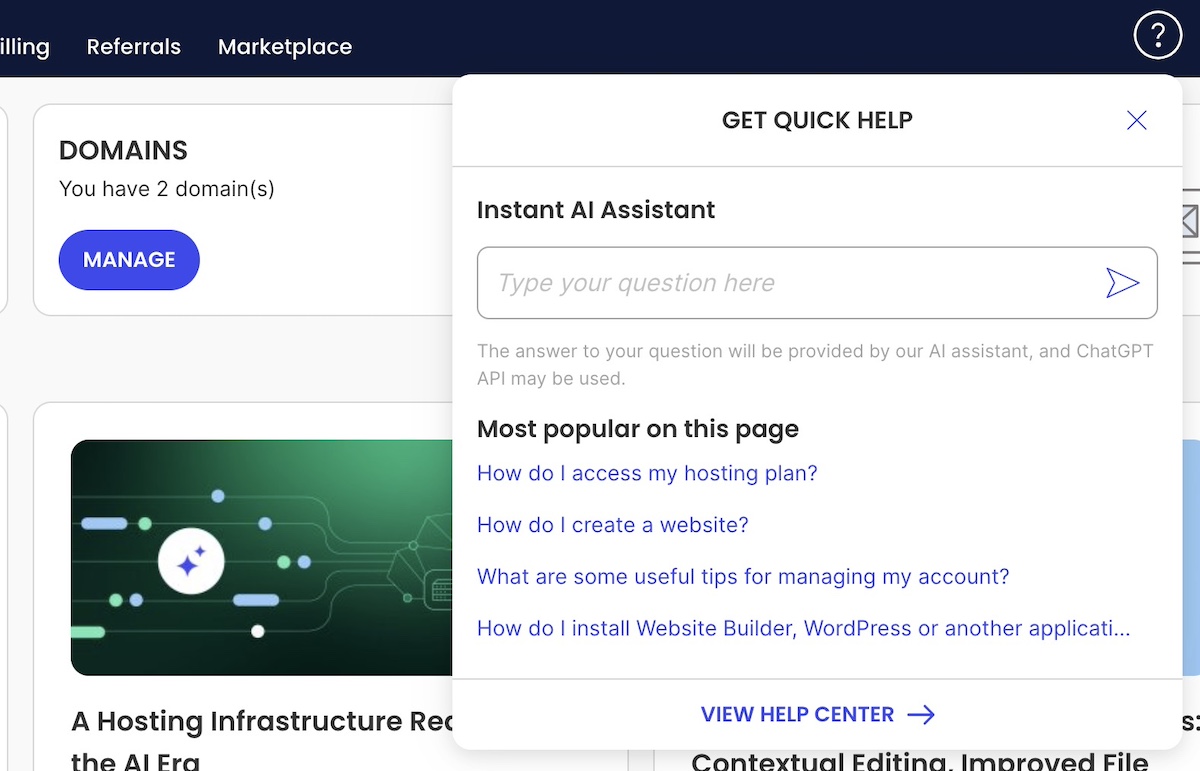
Don’t forget supporting content

Beyond your main essential pages, consider the content that helps visitors make a decision: testimonials, case studies, an FAQ section, and a clear description of your process or what working with you actually looks like. ChatGPT can draft all of this from your input — you just need to supply the raw material.

ChatGPT prompt template for an FAQ section:

Generate a FAQ section for the [page name or topic] of my [type of business]. Based on what you know about this industry and audience, what are the five to eight questions potential customers most commonly have? Write both the questions and answers. Tone: [tone].

Example of an FAQ section on a website

Step 6 — Launch and what to do next

Do a pre-launch check

Before you hit publish, spend 30 minutes going through a basic pre-launch website checklist. It’s far easier to fix issues now than after your site is live and people are visiting.

  • Click through every page and every link — broken links lose trust fast
  • Test every contact form or booking widget end-to-end (submit a test entry and confirm it arrives)
  • Check every page on your phone — mobile visitors typically make up more than half of web traffic, so how your mobile web design looks and works matters
  • Confirm your desired domain is connected and pointing to the right place
  • Read your homepage copy out loud — you’ll catch awkward phrasing faster than reading silently
  • Make sure images are loading correctly and aren’t broken or missing

Troubleshoot before you go live

If you’ve gone the WordPress website route without an AI assistant living inside your dashboard, ChatGPT is a solid debugging partner. Describe the problem — layout issues, error messages, plugin conflicts — paste the error directly into the chat, and it’ll walk you through solutions. For common WordPress issues especially, this is often faster than searching forums. The same goes if you’ve gone the custom coding route.

If you’re using an AI builder or a drag-and-drop builder, you’ll likely run into far fewer issues to begin with. Performance, mobile optimization, and design consistency are handled behind the scenes. If something looks off, most fixes are a click or drag away in the visual interface. Plus you can usually lean on helpful customer support.

Set up basic SEO before launch

You don’t need to become an SEO expert before you launch. But a few basics (done before you go live!) make a real difference in how your site shows up in search over time.

  • Meta titles and descriptions: Write one for each page. ChatGPT can help — just describe the page and ask for SEO-friendly versions. Keep titles under 60 characters and descriptions under 155 characters.
  • H1 headings: Every page should have exactly one H1 heading, and it should clearly describe what the page is about.
  • Image alt text: Every image should have a short, descriptive alt text. This helps both search engines and accessibility tools understand your content.
  • Clean URLs: Make sure your page URLs are readable and descriptive — mysite.net/services is better than mysite.net/page?id=42.
  • Google Search Console: Submit your site to Google Search Console so Google knows it exists and you can monitor how it’s indexed over time.

ChatGPT prompt template for meta content:

Write an SEO meta title (under 60 characters) and meta description (under 155 characters) for the [page name] of my [type of business]. The page covers [brief description]. Primary keyword: [keyword].

Keep your content fresh after launch

Most people treat launch as the finish line. It isn’t. Search engines favor sites that get updated regularly, and so do visitors who come back more than once. A new blog post every month, a refreshed services page when your offerings change, a testimonial added after a good client engagement. None of it is a heavy lift, but it adds up.
Use ChatGPT for marketing to make this easier: ask it to help you brainstorm blog topics based on questions your customers ask, repurpose page content into social posts, or update your copy when your offerings change. Even small, regular updates (a new case study every quarter, a blog post every month) beat one big overhaul once a year. Bake it all into your workflow.
ChatGPT prompt template for blog ideas:

Generate 10 blog post ideas for a [type of business] targeting [audience]. Focus on topics that answer real questions potential customers have before they decide to hire someone or buy. Include a suggested headline for each.

Final thoughts on ChatGPT and website building

ChatGPT has made the hardest parts of building a website — the thinking, the writing, the decision-making — genuinely accessible to people who aren’t writers, designers, or developers. That’s a meaningful shift from even a few years ago, when getting a professional site live required significant budget, significant time, or significant technical skill.

But the full picture now includes more than just ChatGPT. Paired with the right AI builder, you’ve got a workflow that covers everything from the first spark of an idea to a live, polished site: ChatGPT for the planning and content, an AI builder for the build and deployment. 

If you’re starting from scratch and want the fastest route to a real website, Coderick AI is worth a look. It’s purpose-built to take your ideas and turn them into a hosted site without the technical overhead. If you want more hands-on control over design or need full ecommerce capabilities, the SiteGround Website Builder gives you that flexibility, with AI tools built in to keep the content work moving. Either way, you don’t have to do this the hard way anymore.

FAQs about how to build a website with ChatGPT

Can I build a website with ChatGPT for free?

ChatGPT itself is free to use for planning and content, but you don’t actually build your site in ChatGPT. You’ll use a separate tool for that, whether that’s an AI website builder, a drag-and-drop builder, or WordPress. Those platforms have their own costs: domain registration, a hosting account, and the platform itself. Some offer trials or limited free tiers, but a live, functioning business website will typically require a paid plan. The total cost is lower than most people expect, but it’s worth budgeting for from the start.

How long does it take to build a website with ChatGPT?

It depends heavily on the path you choose. With an AI builder like Coderick AI or a drag-and-drop builder, you can realistically have a site live in a single day — the tools are designed to get you there fast. WordPress is in a different category altogether — between choosing a theme, configuring plugins, and learning the platform, expect at least a week, often more, especially if you’re new to it.

Content is usually the biggest time variable across all paths, but this is where leaning on ChatGPT or an AI assistant throughout the process pays off. If you’re using it to draft copy, generate FAQs, and write page-by-page as you build, the content work stops being a bottleneck and becomes part of the flow.

Do I need coding skills to use ChatGPT to build a website?

No. If you use an AI builder or a visual drag-and-drop site builder, no coding is required at any stage. If you go the WordPress route, some technical familiarity helps, but ChatGPT can walk you through most issues — including interpreting error messages — as they come up. The only path that genuinely requires coding is the static HTML route, which we’d steer most people away from unless you’re already comfortable in code.

What’s the difference between ChatGPT and an AI website builder?

ChatGPT is a general-purpose AI assistant. That is, it’s excellent at thinking, writing, and problem-solving, but it doesn’t connect to hosting platforms, manage your files, or build pages. An AI website builder is purpose-built for construction: it takes your input and produces a hosted website with pages, styles, forms, and a connected domain. They work best together — one for planning, one for building. Treating ChatGPT as a replacement for an actual builder is the most common misunderstanding people make with this workflow.

Can ChatGPT write all my website content?

It can write a strong first draft of almost everything: headlines, page copy, calls to action, FAQ answers, About page narratives, and more. What it can’t do is replace your specific knowledge of your own business — the details, the stories, the nuances that make your brand feel real and trustworthy. Use ChatGPT to get 80% of the way there, then go through with your own voice and fill in what only you can provide.

How do I make sure my website shows up in search results?

Start with the basics from Step 6: a clear H1 on every page, descriptive meta titles and descriptions, image alt text, and clean URLs. Submit your site to Google Search Console so Google indexes it. Then focus on adding genuinely useful content over time (blog posts, service pages, FAQs) that answers real questions your potential customers are searching for. ChatGPT can help you identify those questions and draft the content. Consistent, relevant updates signal to search engines that your site is active and worth ranking.

This article was originally published in July 2025 and then updated in May 2026.