
ChatGPT has quietly made one of the hardest parts of starting a business dramatically easier. The naming, the messaging, the page structure, the copy — things that once required agencies, freelancers, and weeks of back-and-forth can now be worked out in a single conversation. And with AI website builders now able to take those ideas and turn them into a real, live site without a line of code, the whole process from blank page to published website has been compressed into something anyone can do. This step-by-step guide shows you how.
Key Takeaways:
- ChatGPT handles naming, structure, and copy — but it can’t host a site or deploy anything. You need a separate tool for that.
- There are four build paths to choose from. The right one depends on your timeline, design needs, and technical comfort.
- The fastest path pairs ChatGPT with an AI website builder: one for the thinking, one for the execution.
- Vague prompts produce generic copy. The more specific context you give ChatGPT, the more usable the output.
- Launching is only beginning. Sites that get updated regularly outperform ones that go live and stay static.
Can ChatGPT really build an entire website on its own?
No. Not entirely on its own. But that’s not really the right question. The better one is: what can ChatGPT do to help build a basic website, and what do you need alongside it?
What ChatGPT can do
ChatGPT is excellent at the thinking and writing work that most people find hardest when building a website. For example, give it some context about your business, and it can:
- Brainstorm domain names and taglines
- Suggest your website structure and what should go on each page
- Help you define your brand voice and messaging
- Write headlines, calls to action, and full page copy
- Generate color palette and font pairing ideas
- Troubleshoot errors if you’re working with an code editor or WordPress
In short, ChatGPT is a capable thinking partner and content engine for your web development project. It removes the blank-page paralysis that slows most people down, and it’s genuinely good at turning vague business ideas into structured, usable language. This is huge. That said, the quality of what you get back depends heavily on the quality of your ChatGPT prompts. Vague prompts produce vague output. The more specific context you give ChatGPT (your target customer, your differentiator, the tone you’re after) the more useful its responses will be. Throughout this guide, we’ll give you prompt templates for exactly this.
[108]
What ChatGPT can’t do (and how to fill the gap)
Where ChatGPT falls short is the execution side. It can write HTML code until the cows come home, but you’d still have to host it somewhere, style it properly, make it mobile-friendly, set up forms, connect a domain, and handle all the technical configuration that comes with running a site. For most small business owners and first-time builders, that’s where things can totally unravel.
That’s also where AI site builders come in. Purpose-built tools in this category are designed to take your ideas and produce a functioning website. No code required, no server configuration, no hunting for tutorials. So think of it as ChatGPT for planning, and AI tools and AI builders for doing. Together, they cover the full picture, virtual soup to nuts.
What this can look like in practice
SiteGround offers two options that fit this workflow particularly well: Coderick AI for a fully AI-driven build, and the SiteGround Website Builder for a more hands-on, design-controlled approach. We’ll get into the specifics shortly.
Step 1 — Choose a domain name
Before you have launch a site, you need to choose a domain name, the web address people will type to find you. If you’ve already got one, skip ahead. If not, ChatGPT can help you brainstorm one in just a few minutes.
How to brainstorm domain names with ChatGPT
Describe your business to ChatGPT (what you do, who you serve, what makes you different) and ask it to suggest domain name options. You’ll get back a working list much faster than staring at a blank search bar.
ChatGPT prompt template:
I’m starting a [type of business] in [location or market], focused on [key value or angle]. Can you suggest [number] creative domain name ideas that are memorable, easy to spell, and on-brand? I’d prefer .com where possible.
A few things worth knowing about domain names before you commit:
- .com is still the default expectation. People type .com by habit. If you go with another extension, make sure it reads cleanly and doesn’t create confusion with an existing .com in the same space.
- Shorter is better. Aim for under 15 characters if you can. Long domain names get mistyped, truncated, and are harder to say out loud.
- Avoid hyphens and numbers. They’re easy to forget and make word-of-mouth much harder.
- Check social availability too. Before locking in a name, search for it across major social platforms. A consistent handle across your website and social media marketing platforms looks more professional.
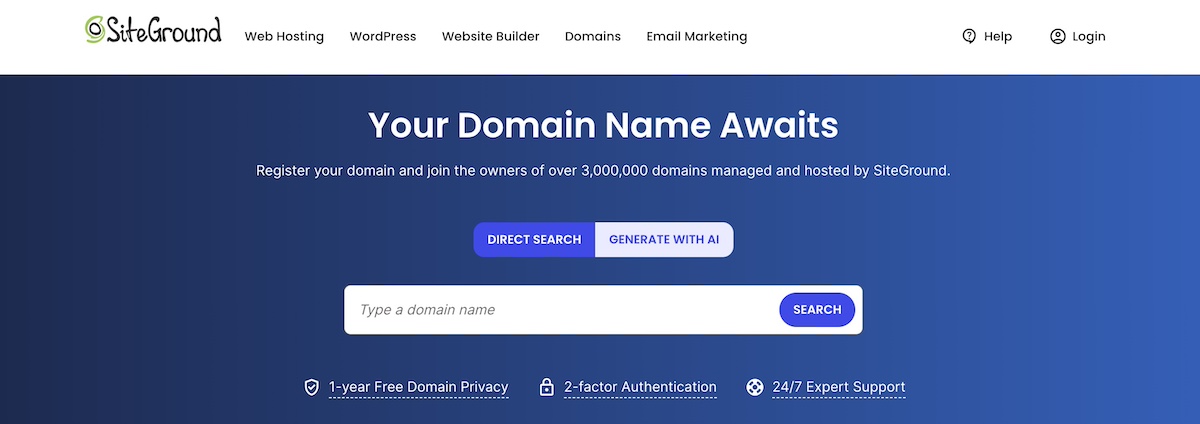
If your dream name is already taken, ask ChatGPT to riff on it — adding location-specific keywords, tweaking the extension, or finding a variation that’s equally strong. Domain generators (SiteGround’s AI Domain Name Generator is a solid option) can also surface available alternatives in real time once you’ve got a shortlist. Once you find one you like, register it swiftly to make it yours!
Step 2 — Choose how you’ll build your site
The build path you choose will determine how fast you launch, how much control you have, and how much technical knowledge you need. It’ll also determine how and when to lean on ChatGPT and other AI tools. There’s no single right answer — how you go about it will depend on your goals, your timeline, and how comfortable you are with technology. Let’s break it down.
The fastest path: ChatGPT + an AI website builder
If your goal is to get a real, professional website live as quickly as possible (without touching HTML code or wrestling with finicky design tools) this is the path for you.
AI site builders in this category let you describe what you want, then generate a fully functioning site from that input alone. You can use ChatGPT to do the upstream planning work (your positioning, your copy, your structure — all the things we’ll get into), then bring that into the builder to make it reality.
And the AI doesn’t just drop you into a blank template — it generates real pages, real structure, and design based on the context of what you’re building. This is essentially what is coined as vibe coding: building through conversation rather than configuration.
For example, SiteGround’s Coderick AI is built exactly for this workflow. You describe your site in plain language — a business site, a portfolio, a restaurant page — and Coderick AI builds it with responsive design and a modern layout already in place. The moment you’re happy with it, you hit publish and it’s live. No servers to set up, no plugins to install. You can keep refining after the fact too, just by chatting with Coderick AI to update colors, restructure pages, or swap out content. Every version is saved, so you can iterate freely without fear of breaking anything.
Best for: First-time builders, small businesses that need a site fast, anyone who comes in with a clear vision of what they want and just needs the fastest possible way to bring it to life.
More control with AI assistance: drag-and-drop builders with built-in AI
This is a step up in involvement from an AI builder, but that’s not a bad thing. Rather than handing the reins entirely to AI, you’re making many of the design decisions yourself, with AI there to assist.
You’re also not starting from scratch: templates give you a solid, professionally designed foundation with best practices already baked in. From there, you customize layouts visually, adjust to fit your brand, and use AI tools to generate copy and images as you go. You get real design flexibility without needing to generate code, or how to vibe code.
If you have a specific look in mind, want to tweak every section until it feels right, or, importantly, need seamless ecommerce functionality, this level of control is worth the extra effort.
The SiteGround Website Builder falls into this category — modern templates, full ecommerce support, and AI content tools built in. Plus it’s extra easy to use.
Best for: Businesses that want design flexibility, online stores, anyone who wants to build hands-on with AI assistance.
Maximum flexibility: WordPress + ChatGPT
WordPress is a CMS (content management system) which means it gives you a dashboard to build and manage your site without touching code directly. It offers thousands of WordPress themes and plugins, total customization, and a massive community of developers and documentation behind it. The tradeoff is a steeper learning curve, especially if you’re new to it.
With a managed WordPress hosting plan (SiteGround’s Hosting for WordPress, for example, you don’t need to install WordPress or configure it), you skip many of that standard WordPress setup and maintenance headaches. ChatGPT can be genuinely useful throughout this WordPress workflow — for writing content, troubleshooting plugin issues, customizing themes, understanding PHP errors, and more.
Best for: Those who want full control, plan to scale significantly, or have some technical confidence.
Pro tip: If you want AI assistance that lives directly inside your WordPress dashboard, SiteGround AI Studio includes a specialized WordPress Agent that can make real changes to your site based on simple chat prompts, handling setup, content, and configuration tasks without you ever leaving your dashboard. Instead of just pointing you in the right direction, it actually does the work for you, saving you significant time and effort. This agent is available for free to all SiteGround customers.
For developers: build a static site with ChatGPT
ChatGPT can generate clean HTML, CSS, and JavaScript for simple, lightweight websites. This approach is fast to produce and lean to host. But it’s not beginner-friendly, and updating it later requires going back into the code every time. There’s no CMS, no visual editor, and no built-in way to add a contact form or blog.
Best for: Developers or technically confident builders who want a minimal, no-CMS site — a portfolio, a landing page, or a simple product page.
A note on web hosting: Whichever path you choose, your hosting provider is what keeps your site fast, secure, and online 24/7. It affects how quickly pages load, how well you’re protected from threats, and who’s in your corner when something goes wrong. A Google-commissioned Deloitte study found that a 0.1 second improvement in site speed led to an 8.4% increase in retail conversions — the kind of thing that compounds over time in ways a cheaper provider will cost you later.
SiteGround Web Hosting covers all four paths with the same fast, secure, well-supported infrastructure underneath. And if you go the Coderick AI or SiteGround Website Builder route, your site goes live instantly with exceptional hosting already built in, no setup required.
The steps that follow are written for the first three paths — an AI builder, a drag-and-drop builder, or WordPress. If you’re going the custom code route, you likely don’t need the hand-holding.
Step 3 — Develop your branding
Your branding (colors, fonts, overall visual feel) shapes how visitors perceive your business before they’ve read a single word of copy. So getting the basics right early makes every design decision downstream easier. Plus it helps ChatGPT give you more on-target suggestions during the content creation process later.
Before diving in, a note on workflow: the next three steps are written assuming you’re using ChatGPT to do the thinking before you build. If you’re using an AI builder, the line between planning and building is blurrier, as much of this work happens inside the builder itself, woven into the prompts you use to describe and shape your site. Either way, the thinking still needs to happen. Use these steps as a checklist of what to work through, regardless of which tool you’re in when you do it.
Choose a color scheme
Colors set the emotional tone of your site before a visitor reads a single word. Blues signal trust and reliability, greens suggest growth or wellness, warm oranges feel energetic and approachable, and dark neutrals project premium credibility. That said, color psychology is a starting point, not a rulebook — what matters most is that your palette feels consistent and intentional.
A practical approach: start with three colors. One primary color that carries your brand (used on headers, key UI elements, and accents), one secondary color that complements it without competing, and one accent color reserved for buttons and calls to action. This keeps your design from feeling cluttered while giving you enough range to create visual hierarchy across pages.
ChatGPT prompt template:
Suggest three different color palette options for a [type of business] that appeals to [target audience]. Give me three colors for each palette: a primary brand color, a secondary color that complements it without competing, and an accent color for buttons and calls to action. The overall feel should be [tone or vibe]. Create a horizontal color strip image with three blocks and hex labels for each palette option.
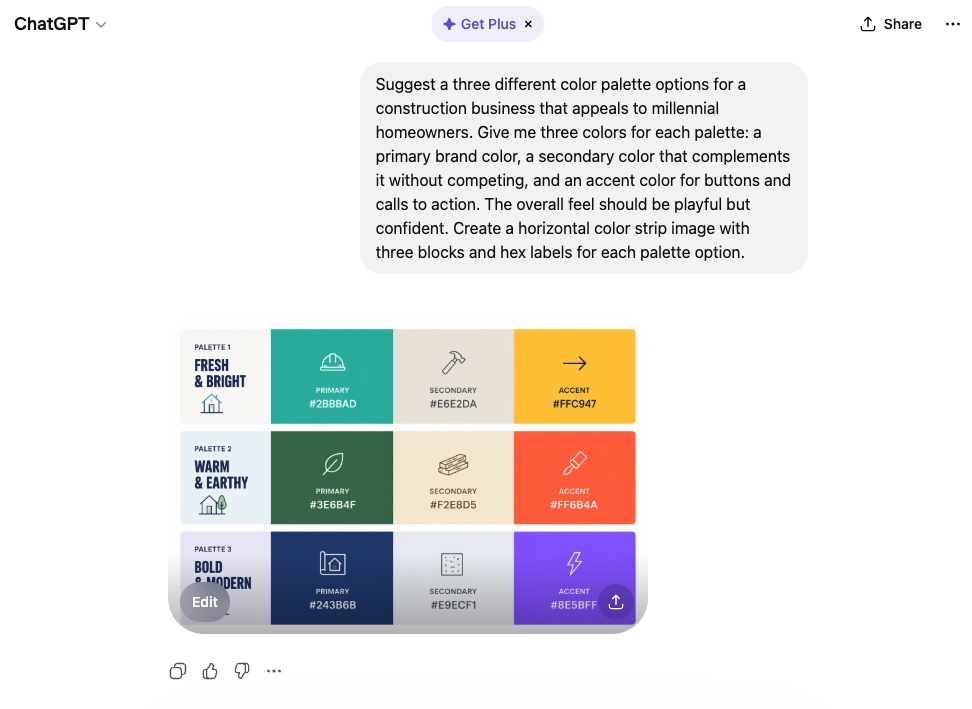
When reviewing suggestions, keep a few practical constraints in mind. Your primary color should work on both light and dark backgrounds. Text needs a contrast ratio of at least 4.5:1 for body copy. And your accent color — used for buttons and calls to action — should stand out clearly without clashing with the rest of the palette. All of this not only makes your site look good, but also aligns with accessible web design best practices.
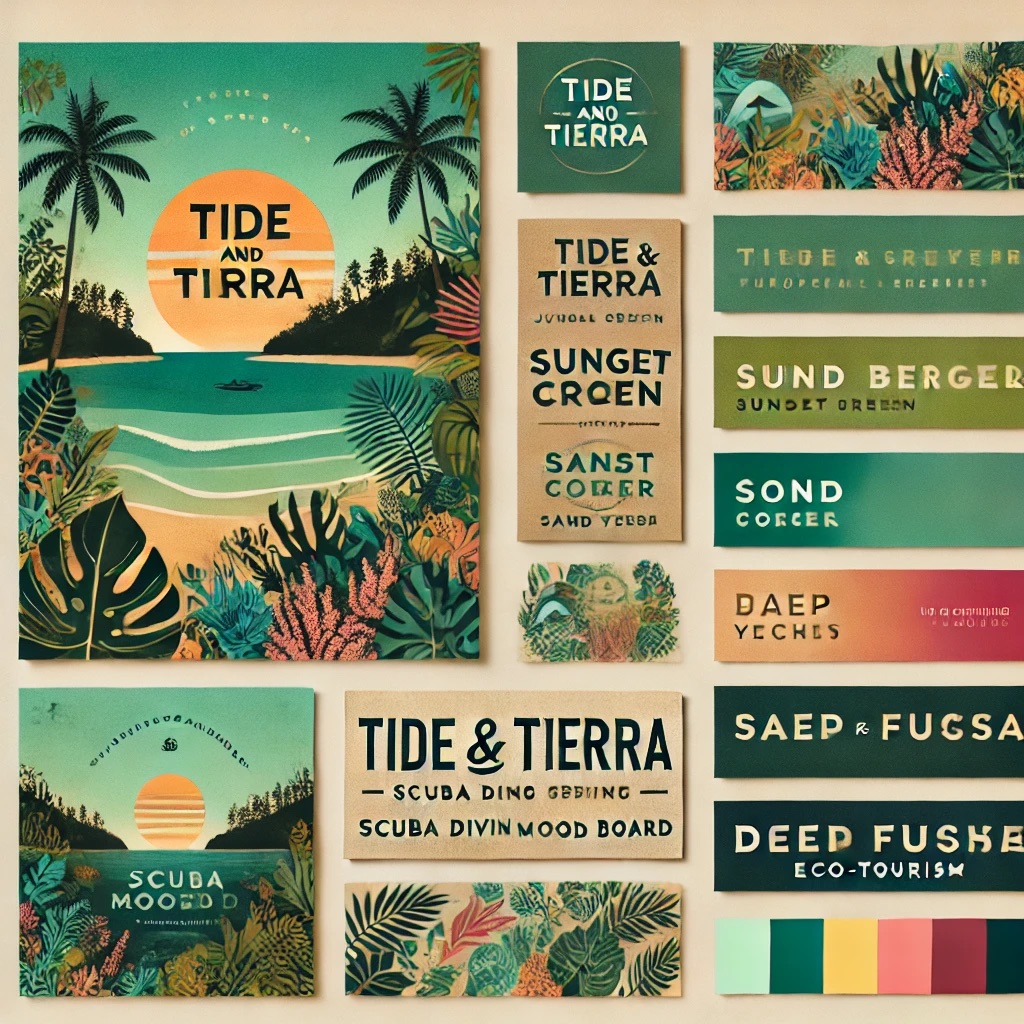
The example below was fully created by ChatGPT, simply by telling it a bit about a business idea and offerings. ChatGPT came back with a color palette-infused mood board that can easily be used as branding inspiration.
Get font pairing inspiration
Typography matters more than most people realize. The right font pairing makes a site feel intentional and polished. The wrong one can make the whole thing feel a bit amateur.
A reliable pairing approach is to combine one display font (for headlines) with one highly readable font (for body copy). These two fonts should complement each other without competing. A bold serif headline, for example, with a clean sans-serif body is a classic starting point that works across most business types.
ChatGPT prompt template:
Suggest font pairings for a [type of website] that feels [vibe — for example, modern but approachable / editorial and premium / friendly and casual]. Ideally Google Fonts, so they’re free and easy to implement.
Shape your site’s visual foundation
This is where you shift from ChatGPT to your builder. The planning and branding work is done — now it’s time to make your site look like yours. How you do that depends on the path you chose in Step 2:
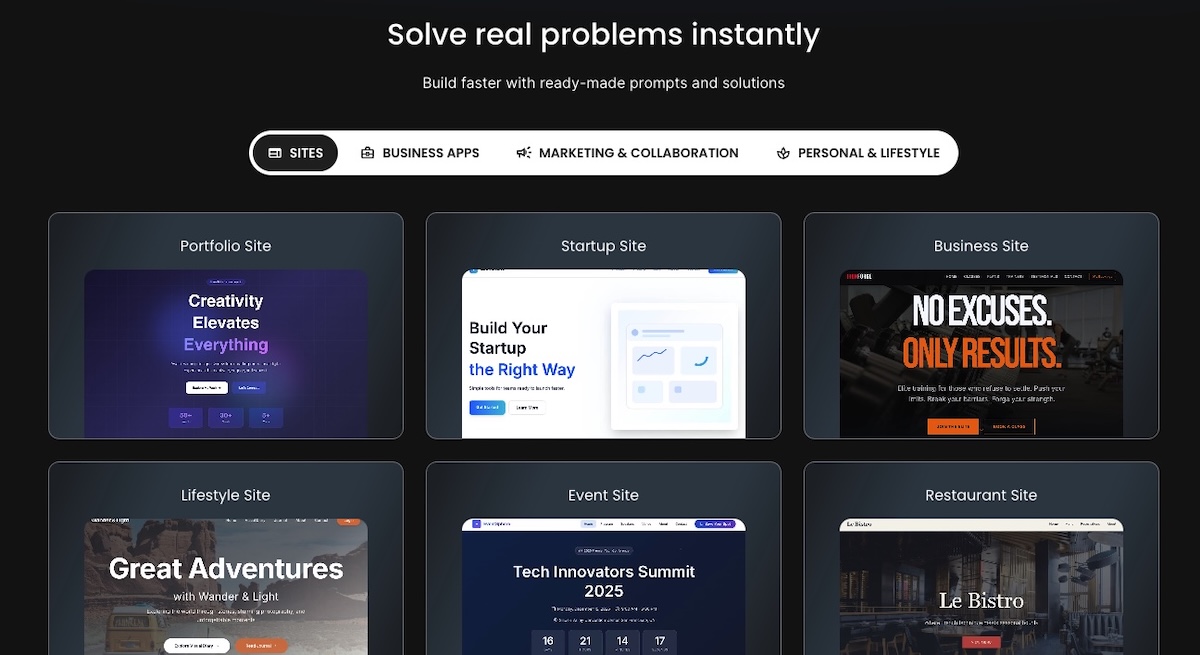
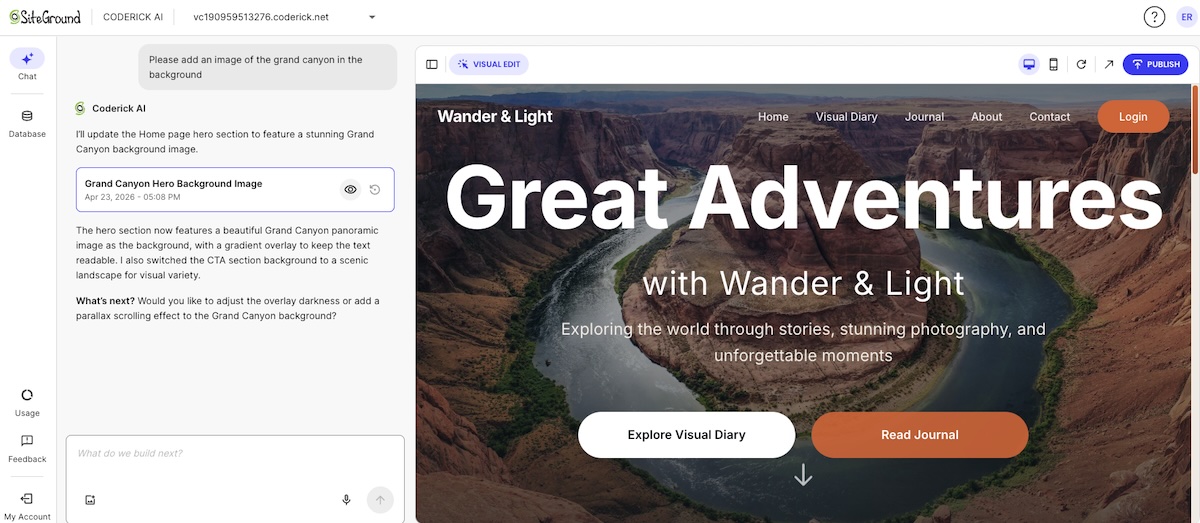
- AI builder: Describe what you want — including your branding direction — and the AI generates a site already shaped around your type of business. Coderick AI also offers ready-made prompts for common site types if you want a useful starting point to react to.
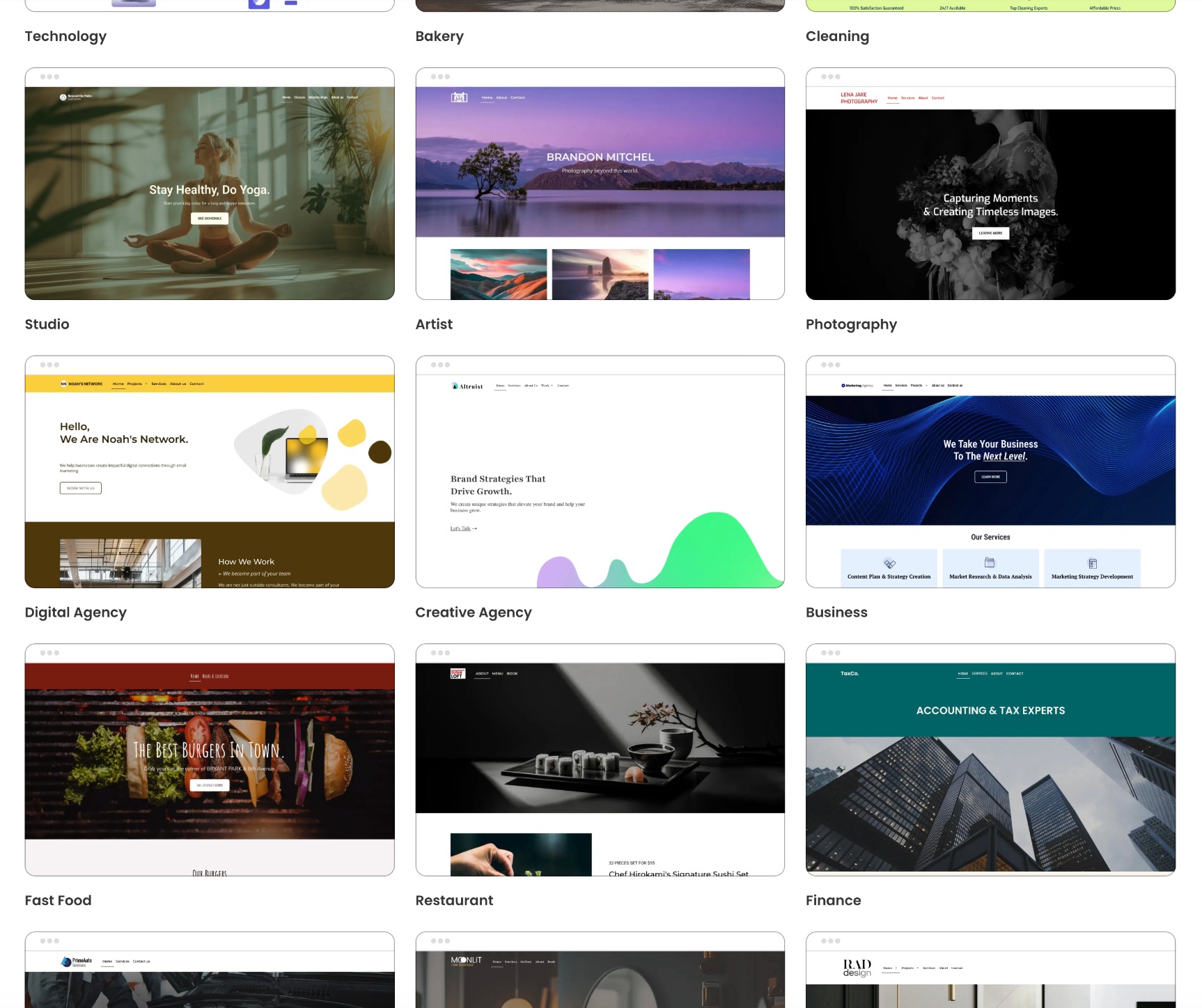
Drag-and-drop builder: Browse the template library and pick one that’s structurally close to what you need, then apply your colors, fonts, and logo to make it feel on-brand.
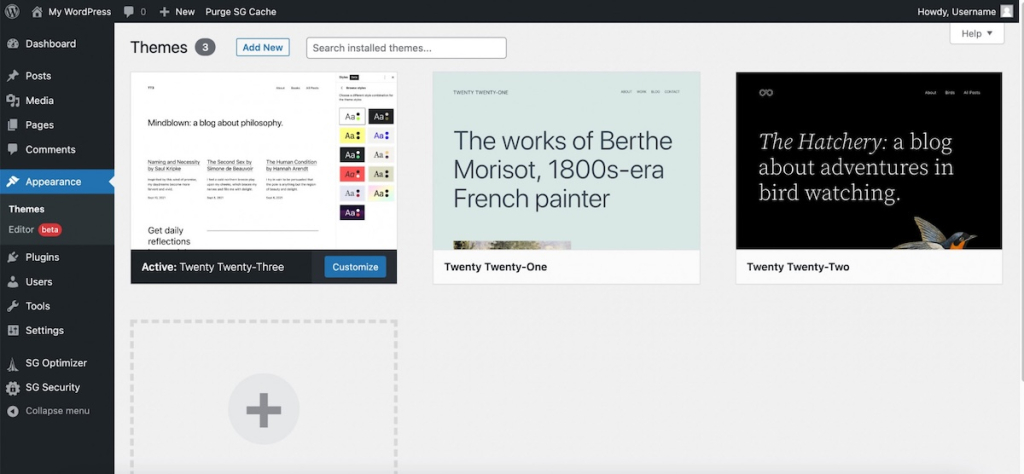
WordPress: Choose a theme that fits your type of site and visual direction. Depending on the theme, you may also have access to a drag-and-drop editor to customize further from there.
In all cases, you’re not starting from a blank page, and you don’t need everything to be perfect before moving on. Getting the visual foundation close enough and continuing keeps you moving forward with your eye on the prize.
Step 4 — Map out your site structure and page layouts
A clear website structure makes your site easier to navigate, better for search engines and AI-powered discovery tools, and more likely to convert visitors into customers. ChatGPT can help you map out a solid structure in minutes once you give it the right context.
Build a smart site structure
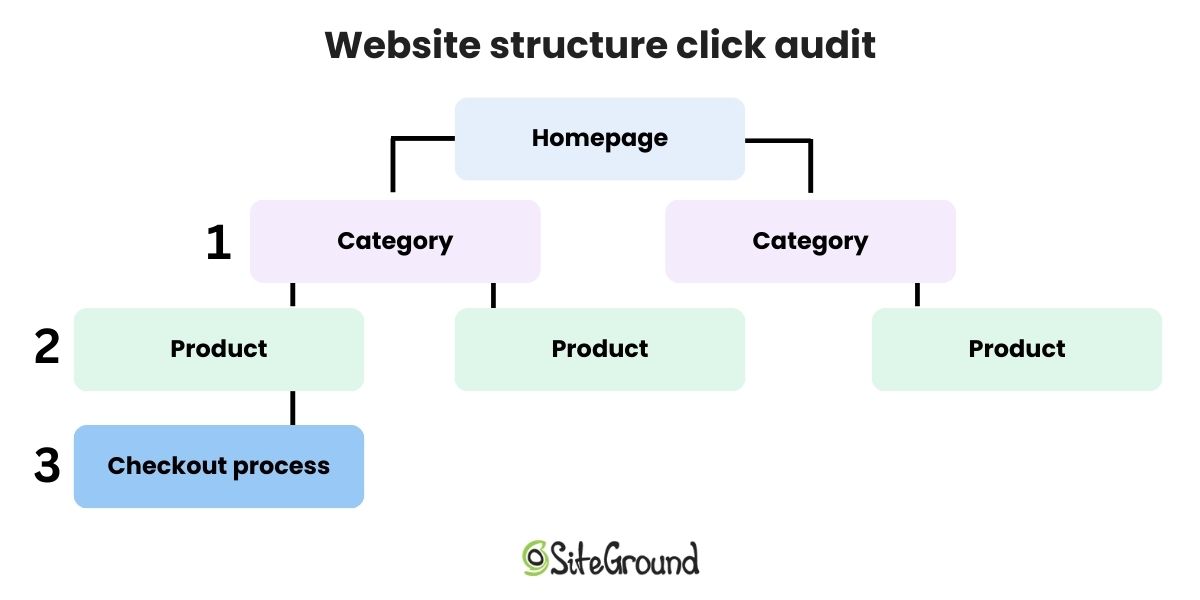
Most business websites need fewer pages than their owners think — at least at the start. A well-executed five-page site will outperform a sprawling 20-page site with thin content on every page. Focus on having fewer, more substantive pages rather than more pages that barely say anything. And make sure your important conversion pages are no more than three clicks deep.
ChatGPT prompt template:
I’m building a website for a [type of business] that offers [brief description of products or services]. My target audience is [describe them]. Can you suggest a logical site structure, including which pages I need and a short description of what should go on each one?
A standard starting structure for most small business websites looks something like this:
- Homepage: Who you are, what you do, and why someone should care — with a clear call to action
- About: Your story, your team, and what makes you credible
- Services or Product pages: What you offer, with enough detail to answer the most common questions
- Contact: How to get in touch, with a working form and your key contact details
Plan your page layouts
Once you know your pages, zoom in on each one individually. The homepage has a different objective than that of a Services page, both of which have different jobs than an About page. Mapping out the visual hierarchy within each of these pages before you start writing helps you produce more focused, purposeful content.
ChatGPT prompt template:
I’m working on the [page name] for a [type of business]. The goal of this page is to [main goal — for example, introduce the brand / generate leads / build trust / explain pricing]. What sections should I include, and how should I structure the layout for clarity and conversion?
For the homepage design specifically, a typical layout covers: a hero section with your headline and primary call to action, a social proof element (testimonials, client logos, or a key stat), a brief overview of your services or offerings, a secondary call to action, and a footer with navigation and contact information.
Set up your navigation
Your website navigation menu should reflect how your customers think about your business, not how you organize it internally. Keep the menu items to five or six at most and put your most important pages first.

With your structure mapped, head into your builder, create your pages, and set up navigation in an order that makes sense for a first-time visitor. The bones of your site are now ready to go.
Step 5 — Fill your pages with content
This is where ChatGPT does its best work. Give it the right context and it can draft everything from your homepage headline to your About page — ready for you to refine and personalize. Worth noting: if you’re using an AI builder or a drag-and-drop builder with built-in AI writing tools, you may not need to switch back to ChatGPT at all. Many builders let you generate and refine content ideas without ever leaving the platform. Coderick AI and the SiteGround Website Builder both work this way.
Define your unique selling proposition
Before you write a word of copy, get clear on your positioning. What do you do, who do you do it for, and what makes you different from the alternatives? Sharp answers to these three questions makes every other piece of writing easier — and it’s the foundation that ChatGPT needs to produce copy that actually sounds like you rather than a generic business template.
ChatGPT prompt template:
Help me develop a short, punchy value proposition for my [type of business]. I serve [target audience], my main offering is [product or service], and what makes me different is [key differentiator]. My brand voice is [tone — for example, direct and confident / warm and approachable / expert but plain-spoken]. Give me a few options to choose from.
Once you’ve settled on a unique selling proposition, use it as an anchor for everything else — your homepage headline, your About page opening, your social profiles, and your elevator pitch. Consistency in how you describe your business is also part of an AI-first mindset: that is the more consistently you use the same language across your site, the more likely AI search tools are to surface you accurately when someone’s looking for what you do.
Write your homepage copy
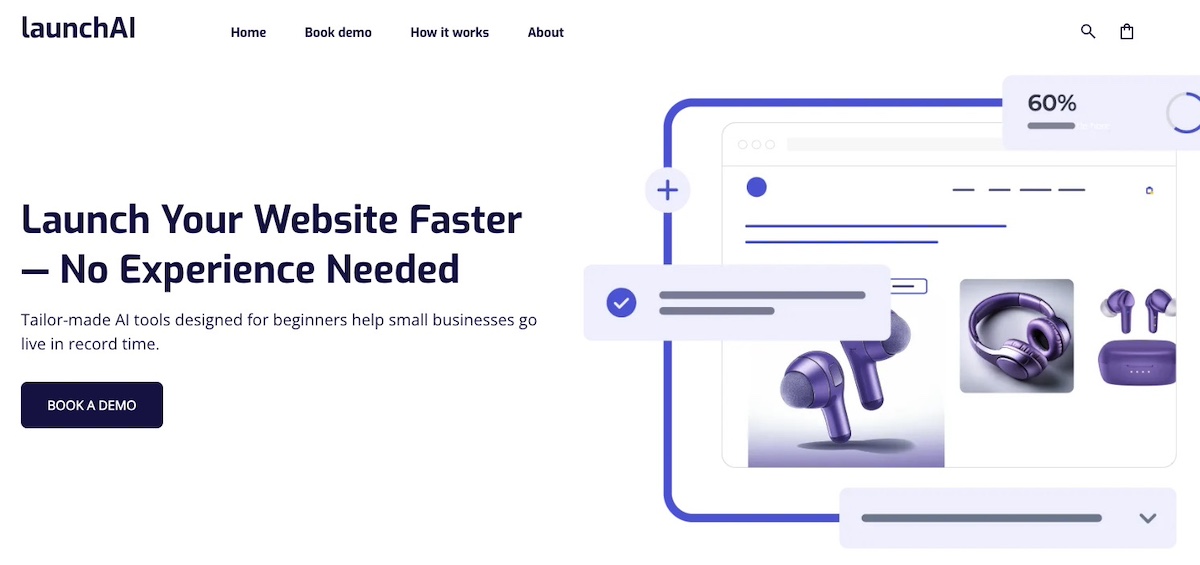
Your homepage has one main job: clearly communicate what you do and who it’s for, fast enough to convince someone to stay and keep reading. Most visitors decide within seconds whether to stay or move on — your headline and the first sentence of your body copy carry a disproportionate amount of that weight.
ChatGPT prompt template:
Write a homepage hero section for my [type of business]. My value proposition is [your value prop]. Target audience: [describe them]. Brand voice: [tone]. Include a headline, a two-to-three sentence subheadline, and a call-to-action button label.
After the hero, your homepage should answer the question every visitor is silently asking: “Is this for me?” A brief, specific description of who you work with does this job well and filters out poor-fit inquiries before they reach you.
Craft headlines and calls to action
ChatGPT prompt template:
Can you write [number] headline and call-to-action combinations for the [page name] of my [type of business]? The goal of this page is to [goal]. My brand voice is [tone].
When reviewing ChatGPT’s headline suggestions, look for specificity over cleverness. “Custom wedding photography in Austin, TX — booked out six months in advance” is more compelling than “Capturing your most important moments.” The first tells you exactly who this is for, where they are, and implies high demand. The second could describe any photographer on earth.
Write the copy for each page
ChatGPT prompt template:
Write copy for the [page name] of my [type of business]. The purpose of the page is to [goal]. Tone: [tone]. Please cover [key points or sections to include]. Aim for around [word count].
One tip worth repeating: treat ChatGPT’s output as a strong first draft, not a finished product. Read it back in your own voice, rewrite what doesn’t sound like you, and fill in the specific details that only you can provide. Your clients’ real results, your actual process, the stories from your own experience. That’s what turns generic AI copy into something that actually works for your business.
Don’t forget supporting content
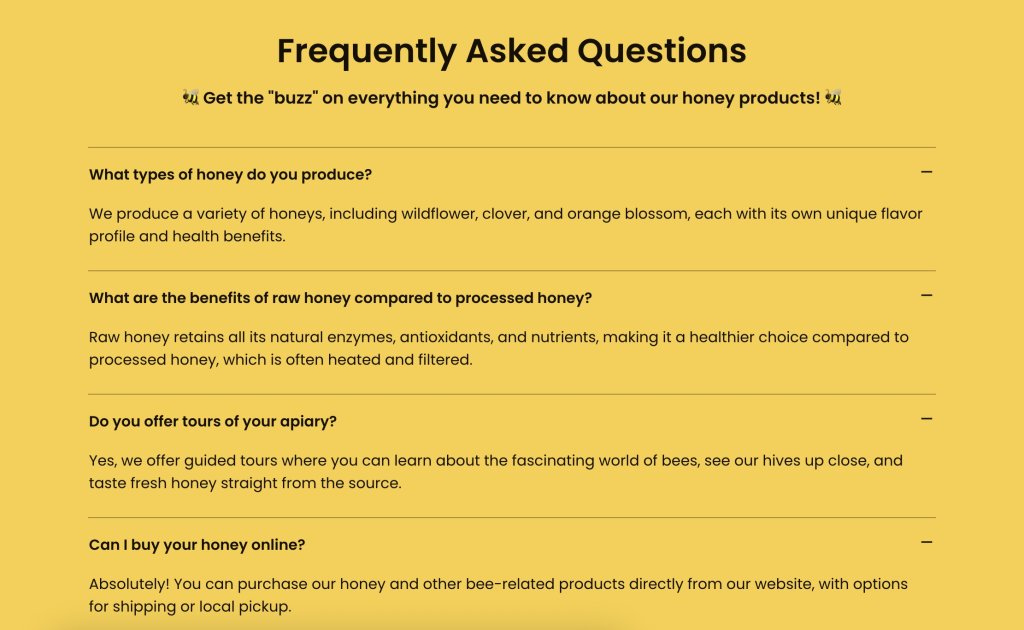
Beyond your main essential pages, consider the content that helps visitors make a decision: testimonials, case studies, an FAQ section, and a clear description of your process or what working with you actually looks like. ChatGPT can draft all of this from your input — you just need to supply the raw material.
ChatGPT prompt template for an FAQ section:
Generate a FAQ section for the [page name or topic] of my [type of business]. Based on what you know about this industry and audience, what are the five to eight questions potential customers most commonly have? Write both the questions and answers. Tone: [tone].
Step 6 — Launch and what to do next
Do a pre-launch check
Before you hit publish, spend 30 minutes going through a basic pre-launch website checklist. It’s far easier to fix issues now than after your site is live and people are visiting.
- Click through every page and every link — broken links lose trust fast
- Test every contact form or booking widget end-to-end (submit a test entry and confirm it arrives)
- Check every page on your phone — mobile visitors typically make up more than half of web traffic, so how your mobile web design looks and works matters
- Confirm your desired domain is connected and pointing to the right place
- Read your homepage copy out loud — you’ll catch awkward phrasing faster than reading silently
- Make sure images are loading correctly and aren’t broken or missing
Troubleshoot before you go live
If you’ve gone the WordPress website route without an AI assistant living inside your dashboard, ChatGPT is a solid debugging partner. Describe the problem — layout issues, error messages, plugin conflicts — paste the error directly into the chat, and it’ll walk you through solutions. For common WordPress issues especially, this is often faster than searching forums. The same goes if you’ve gone the custom coding route.
If you’re using an AI builder or a drag-and-drop builder, you’ll likely run into far fewer issues to begin with. Performance, mobile optimization, and design consistency are handled behind the scenes. If something looks off, most fixes are a click or drag away in the visual interface. Plus you can usually lean on helpful customer support.
Set up basic SEO before launch
You don’t need to become an SEO expert before you launch. But a few basics (done before you go live!) make a real difference in how your site shows up in search over time.
- Meta titles and descriptions: Write one for each page. ChatGPT can help — just describe the page and ask for SEO-friendly versions. Keep titles under 60 characters and descriptions under 155 characters.
- H1 headings: Every page should have exactly one H1 heading, and it should clearly describe what the page is about.
- Image alt text: Every image should have a short, descriptive alt text. This helps both search engines and accessibility tools understand your content.
- Clean URLs: Make sure your page URLs are readable and descriptive — mysite.net/services is better than mysite.net/page?id=42.
- Google Search Console: Submit your site to Google Search Console so Google knows it exists and you can monitor how it’s indexed over time.
ChatGPT prompt template for meta content:
Write an SEO meta title (under 60 characters) and meta description (under 155 characters) for the [page name] of my [type of business]. The page covers [brief description]. Primary keyword: [keyword].
Keep your content fresh after launch
Most people treat launch as the finish line. It isn’t. Search engines favor sites that get updated regularly, and so do visitors who come back more than once. A new blog post every month, a refreshed services page when your offerings change, a testimonial added after a good client engagement. None of it is a heavy lift, but it adds up.
Use ChatGPT for marketing to make this easier: ask it to help you brainstorm blog topics based on questions your customers ask, repurpose page content into social posts, or update your copy when your offerings change. Even small, regular updates (a new case study every quarter, a blog post every month) beat one big overhaul once a year. Bake it all into your workflow.
ChatGPT prompt template for blog ideas:
Generate 10 blog post ideas for a [type of business] targeting [audience]. Focus on topics that answer real questions potential customers have before they decide to hire someone or buy. Include a suggested headline for each.
Final thoughts on ChatGPT and website building
ChatGPT has made the hardest parts of building a website — the thinking, the writing, the decision-making — genuinely accessible to people who aren’t writers, designers, or developers. That’s a meaningful shift from even a few years ago, when getting a professional site live required significant budget, significant time, or significant technical skill.
But the full picture now includes more than just ChatGPT. Paired with the right AI builder, you’ve got a workflow that covers everything from the first spark of an idea to a live, polished site: ChatGPT for the planning and content, an AI builder for the build and deployment.
If you’re starting from scratch and want the fastest route to a real website, Coderick AI is worth a look. It’s purpose-built to take your ideas and turn them into a hosted site without the technical overhead. If you want more hands-on control over design or need full ecommerce capabilities, the SiteGround Website Builder gives you that flexibility, with AI tools built in to keep the content work moving. Either way, you don’t have to do this the hard way anymore.
FAQs about how to build a website with ChatGPT
ChatGPT itself is free to use for planning and content, but you don’t actually build your site in ChatGPT. You’ll use a separate tool for that, whether that’s an AI website builder, a drag-and-drop builder, or WordPress. Those platforms have their own costs: domain registration, a hosting account, and the platform itself. Some offer trials or limited free tiers, but a live, functioning business website will typically require a paid plan. The total cost is lower than most people expect, but it’s worth budgeting for from the start.
It depends heavily on the path you choose. With an AI builder like Coderick AI or a drag-and-drop builder, you can realistically have a site live in a single day — the tools are designed to get you there fast. WordPress is in a different category altogether — between choosing a theme, configuring plugins, and learning the platform, expect at least a week, often more, especially if you’re new to it.
Content is usually the biggest time variable across all paths, but this is where leaning on ChatGPT or an AI assistant throughout the process pays off. If you’re using it to draft copy, generate FAQs, and write page-by-page as you build, the content work stops being a bottleneck and becomes part of the flow.
No. If you use an AI builder or a visual drag-and-drop site builder, no coding is required at any stage. If you go the WordPress route, some technical familiarity helps, but ChatGPT can walk you through most issues — including interpreting error messages — as they come up. The only path that genuinely requires coding is the static HTML route, which we’d steer most people away from unless you’re already comfortable in code.
ChatGPT is a general-purpose AI assistant. That is, it’s excellent at thinking, writing, and problem-solving, but it doesn’t connect to hosting platforms, manage your files, or build pages. An AI website builder is purpose-built for construction: it takes your input and produces a hosted website with pages, styles, forms, and a connected domain. They work best together — one for planning, one for building. Treating ChatGPT as a replacement for an actual builder is the most common misunderstanding people make with this workflow.
It can write a strong first draft of almost everything: headlines, page copy, calls to action, FAQ answers, About page narratives, and more. What it can’t do is replace your specific knowledge of your own business — the details, the stories, the nuances that make your brand feel real and trustworthy. Use ChatGPT to get 80% of the way there, then go through with your own voice and fill in what only you can provide.
Start with the basics from Step 6: a clear H1 on every page, descriptive meta titles and descriptions, image alt text, and clean URLs. Submit your site to Google Search Console so Google indexes it. Then focus on adding genuinely useful content over time (blog posts, service pages, FAQs) that answers real questions your potential customers are searching for. ChatGPT can help you identify those questions and draft the content. Consistent, relevant updates signal to search engines that your site is active and worth ranking.
This article was originally published in July 2025 and then updated in May 2026.