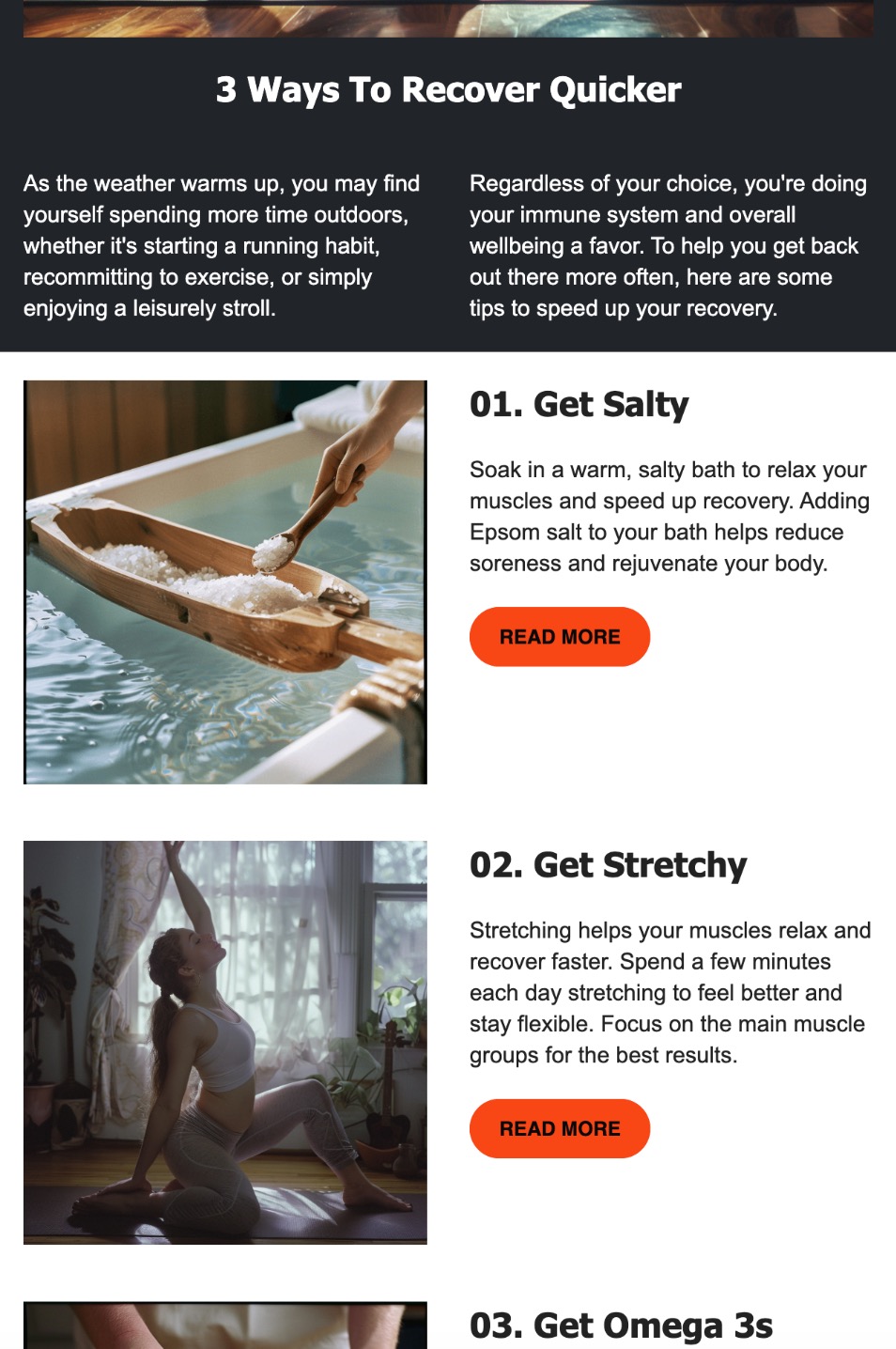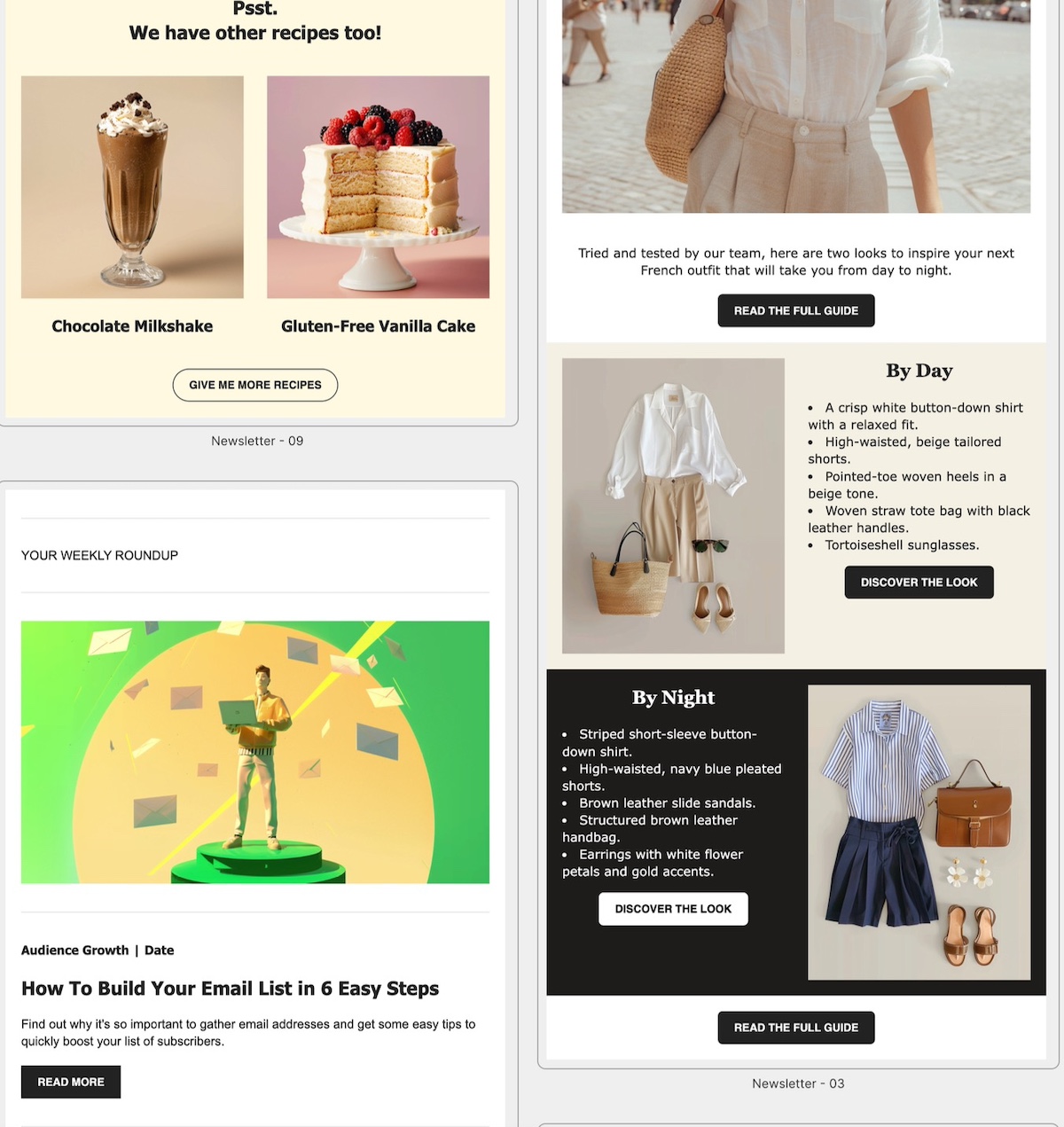
AI Ethics in Marketing: What It Really Means in Practice

abstract of ethical considerations in ai

AI is now officially baked into our daily lives—whether we’re getting eerily accurate product suggestions, binge-worthy content queues, or always-available customer support. And if you’re in marketing, chances are you’re using AI tools more and more to get your job done. In many ways it’s great news, but as AI becomes a bigger part of our workflow and strategy, so does the looming question: What are the ethical considerations of AI in marketing?

So today we’re going to tackle what this means for your marketing in practical terms, and not just in philosophical ones. From chatbots to ChatGPT, we’ll be examining how you should be thinking about the ethics of AI in your day-to-day marketing and business efforts. 

What Is AI in Marketing, Really?

Search for “AI ethics in marketing” and you’ll find a lot of big ideas—data privacy, algorithmic bias, transparency—but not much clarity on what those issues actually look like in real life. Are we talking about the ethics of ad targeting? Of AI-generated content? Customer data? And which of these actually apply to your corner of the marketing world?

Indeed “AI in marketing” is a broad umbrella of considerations that includes everything from writing email subject lines to predicting who’s most likely to click “buy.” It can automate, analyze, personalize, and generate at a scale that wasn’t possible even a few years ago—transforming everything from campaign targeting to content creation, and even how AI shapes SEO strategy.

But not all AI tools carry the same issues and risks—or raise the same ethical questions.

To make this more actionable, we’re going to break these considerations down by use case and explore what to watch out for with each:

  • Generative AI that creates text, images, or video
  • Predictive analytics that forecast behavior and outcomes
  • Personalization engines that tailor content or offers
  • Chatbots and virtual assistants that manage interactions
  • Ad targeting algorithms that decide who sees what

Each of these issues comes with its own set of implications and benefits—and its own ethical blind spots. So instead of talking ethics in the abstract, we’re going to look at these considerations in context.

Let’s get into it.

The Ethical Considerations of AI by Marketing Use Case

1. Generative AI & Content Creation

AI tools like ChatGPT, Jasper, or DALL·E have all become commonplace go-tos in any marketers toolbox. Product descriptions, blog posts, ad campaigns—they’re all fair game when it comes to AI-generated content. Which is also why it has a lot of marketers scratching their heads, wondering about the ethical considerations at play.
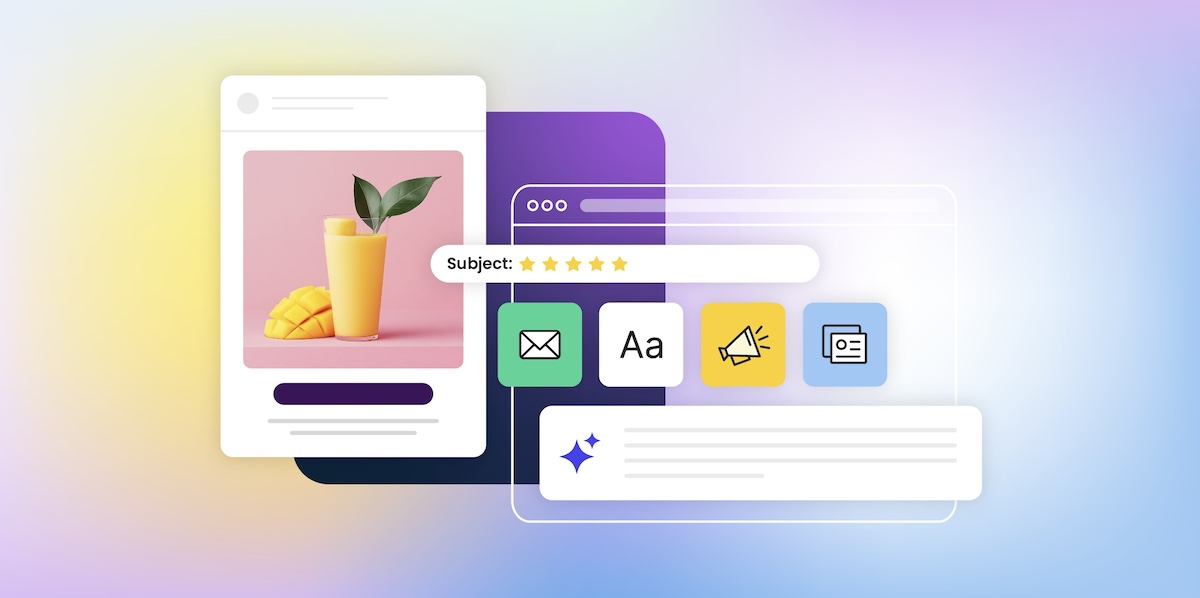
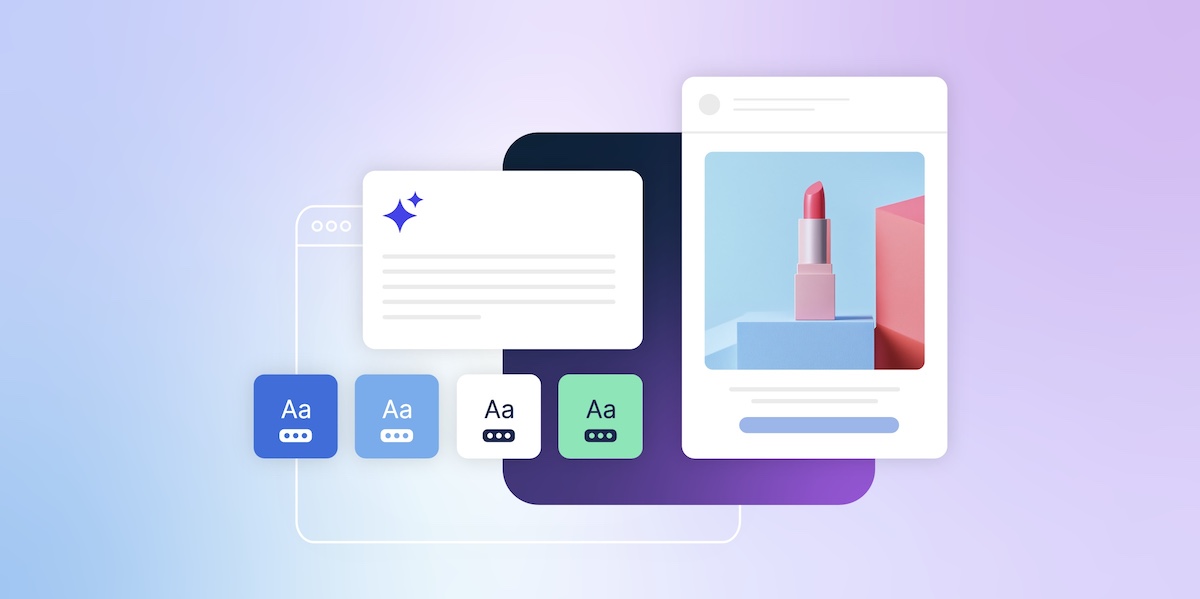
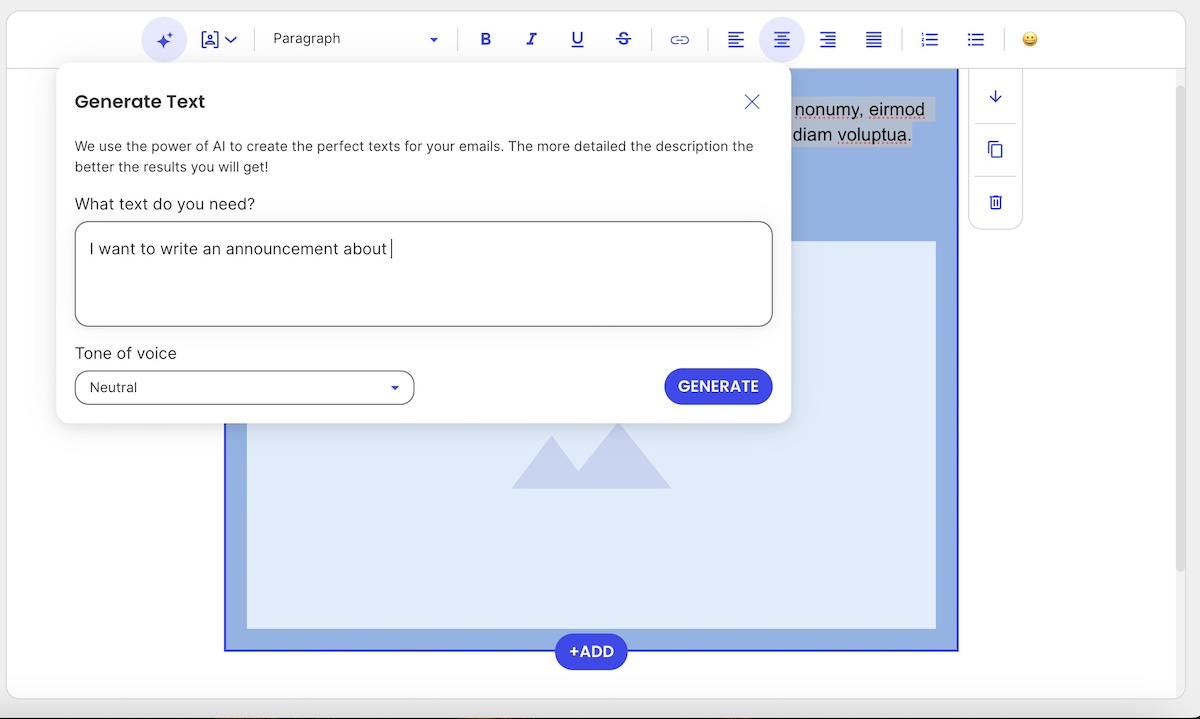
Visual of a generative AI tool helping to craft email copy

Key Concerns

  • Transparency: When consumers take in content, they very likely assume it was created the old-fashioned way (by a human, that is!), and not by AI. This assumption can be problematic because it may mislead readers about the source or credibility of the information. For example:
    • In educational or informational content, AI can easily present outdated or inaccurate facts with confident and not-so-transparent wording, which could misinform readers who trust it as expert insight.
    • In thought leadership, audiences expect original ideas or firsthand experience—something AI, by nature, cannot provide.
    • In customer support, using AI without disclosure can negatively impact trust if users discover they’re interacting with a bot, especially in sensitive or high-stakes scenarios.

In short, when using an AI tool or ChatGPT for marketing, the output may lead people to believe they’re hearing from a human—particularly an expert, authority, or representative. Customers make decisions based on that perceived authenticity, and if your content isn’t original, it can undermine trust.

  • Information Security: Many marketers use AI tools by inputting customer details, drafts, or internal business info into platforms like ChatGPT. But unless you’re using an enterprise-level solution with strict privacy policies, that information could potentially be stored or used to train future models. This raises concerns about safeguarding proprietary content and protecting customer privacy—especially when using free or public AI tools.
  • Plagiarism & Originality: Generative AI tools are trained on large datasets scraped from the internet. While they create “new” content, there’s always a risk of closely replicating existing work—potentially without proper attribution or awareness.
  • Brand Authenticity: Content generated by AI can lack nuance, emotional depth, or contextual awareness—especially when used without human review. This can lead to tone-deaf messaging, inconsistencies in voice, or even reputational harm if the content misrepresents your values.

Recommendations:

  • Clearly label AI-generated content when appropriate, especially in editorial or informational contexts.
  • Be mindful of what you share: Avoid pasting sensitive, personal, or proprietary information into generative AI tools unless they’re designed for secure, enterprise use. Treat AI like an external collaborator—one who needs boundaries to protect your business and your customers.
  • Be smart about your ChatGPT prompts, making sure they are extra precise in order to yield highly custom responses, then refine to really make the content your own.
  • You’re the brain, AI is just the assistant: AI is a powerful creative partner, but it shouldn’t replace your own thinking. Use it to draft, brainstorm, or edit—but the final insight, perspective, and voice should come from you. That’s what keeps your content original, credible, and human.
  • Use plagiarism checkers and editing tools to review AI output for originality and quality.
  • Maintain human oversight to ensure the tone, message, and brand identity are preserved.

Pro tip: As AI content becomes more prevalent across blogs, landing pages, and campaign assets, a new consideration is emerging: how to ensure it gets found. This is where Generative Engine Optimization—or GEO—comes into play. GEO is about crafting AI-generated content that’s not just high-quality, but also structured and styled to perform well in AI-driven discovery tools like ChatGPT, Perplexity, and Google’s AI Overviews. It’s just another reason to make sure your content is original and worth discovering.

[108]

2. Predictive Analytics

AI-driven predictive analytics allow marketers to identify trends, segment customers, and forecast behaviors—from churn risk to likelihood to purchase. It unlocks a whole lot of marketing potential! But when applied without care, it also raises ethical red flags.

Key Concerns:

  • Data Privacy: Predictive models rely on vast amounts of behavioral and demographic data, a lot of which is collected passively or indirectly. So if customers aren’t aware of how their data is being used, or didn’t explicitly consent, you as the marketer risk violating privacy norms or even regulations.
  • Bias: If the training data reflects real-world inequalities, the model can reproduce and reinforce them. For example, a model predicting “high-value customers” could unintentionally prioritize certain age groups, zip codes, or socioeconomic classes, leading to exclusion or discrimination.
  • Over-targeting: Just because you can anticipate a customer’s behavior doesn’t mean you should act on it. Hyper-personalized targeting can cross the line into manipulation, nudging users in ways that feel intrusive or exploit emotional vulnerabilities (like targeting someone during a late-night scroll binge).

Recommendations:

  • Be clear about consent: Ensure that data used in predictive models is collected ethically and transparently. Revisit your privacy policies to make sure they align with how you actually use data.
  • Test for fairness: Regularly audit models for biased outcomes. This means checking whether certain groups are being unfairly excluded or overly targeted—and adjusting the model or dataset accordingly.
  • Use data to empower, not pressure: Aim to support customer decisions, not manipulate them. For instance, predictive models can be used to help users find what they need faster—not to push unnecessary purchases or create urgency traps.
  • Involve cross-functional review: Bring in legal, compliance, and ethical oversight—especially for sensitive use cases—to ensure predictive tools are aligned with your company’s broader values and obligations.

3. Personalization Engines

Everyone loves a good recommendation—like a spot-on product pick or an ad that feels like it just read your mind. When personalization is done right, it can feel like magic. But there’s a fine line between helpful and just plain creepy.

Key Concerns:

  • Manipulation: Personalization can quickly become persuasion. Nudging someone toward a product they might like is one thing, but designing experiences that subtly push them into spending more or clicking faster can feel exploitative, especially if emotional triggers are involved.
  • Fairness: Algorithms often determine who sees what, but not everyone gets the same deals, opportunities, or exposure. We’ve touched on this already, but if your system unintentionally favors certain demographics or behaviors—like showing premium products only to high-income areas or reinforcing gender stereotypes in recommendations—you might be leaving others out without realizing it. And that’s just not good business.
  • Data Transparency: People should know how and why they’re seeing certain content. If your site feels like it knows too much without ever asking, it can set off privacy alarms.

Recommendations:

  • Be helpful, not pushy: Use personalization to guide, not pressure. That means going with: “Here’s what we think you’ll love,” instead of “Buy this now or miss out forever.”
  • Audit for fairness: Check who’s getting shown what, and who’s not. Test across different personas to make sure your engine isn’t creating a digital popularity contest.
  • Explain the magic: A simple “We recommend this based on your recent views” goes a long way in making people feel informed, not tracked. Transparency builds trust and keeps the creep factor low.

4. Chatbots and Virtual Assistants

AI-powered chatbots and virtual assistants are everywhere—from answering FAQs to helping customers track orders or make product decisions. They’re efficient, available 24/7, and can handle a shocking number of queries without human help. But while they’ve come a long way, they still raise some eyebrows and come with their own set of implications.

Key Concerns:

  • Disclosure: Users often assume they’re chatting with a human, especially when the bot is extra chatty or friendly, and introduces themselves by a name. So when you fail to make it clear that it’s an AI behind the screen, it can make the customer feel a bit duped (even more so if the conversation involves important or sensitive issues).
  • Accuracy: Chatbots are only as smart as the data and rules behind them. They might give outdated or incomplete answers—or worse, confidently provide wrong information. When users rely on that info to make decisions, a simple mistake can have real consequences.
  • The Empathy Gap: As hard as they try, Bots don’t have feelings, and yet they’re often used in situations that call for empathy, like complaints, cancellations, or product issues. So if a customer is frustrated or upset, a scripted bot response can feel cold or dismissive, damaging trust and sales instead of saving time and budget.

Recommendations:

  • Be upfront about the bot: Start every interaction with a clear intro like, “Hi! I’m an AI assistant here to help.” This manages expectations and builds trust from the first message.
  • Set smart limits: Know when to hand things off to a human. If a chatbot hits a complex or emotional issue, the best response might be, “Let me connect you to someone who can help further.”
  • Train bots with care: Keep responses helpful, accurate, and human-sounding—but not too human. Also, regularly update content to make sure answers reflect current policies, inventory, or terms.
  • Add emotional intelligence cues: Even if bots can’t feel, they can still respond in ways that feel thoughtful. Phrases like “I understand that must be frustrating” can go a long way in softening automated replies. And again, set those smart limits, so that if a customer is truly frustrated, they get connected with a real, feeling human being.
Visual of an AI assistant along with disclosure

5. Ad Targeting Algorithms

AI-driven ad targeting is what makes those eerily relevant ads follow you around the internet—from the shoes you almost bought to the flight you only searched once, and the car you merely thought about researching when you saw it on the freeway yesterday. This kind of ad targeting is powerful, efficient, and often boosts ROI—but its creepy precision also raises some big questions about privacy, fairness, and how much users really know about what’s happening behind the scenes.

Key Concerns:

  • Surveillance: We’ve all felt it: ad targeting can feel a lot like digital stalking. These algorithms track behavior across websites, apps, and devices, often collecting more data than users realize. And when people feel watched rather than understood, they start to get suspicious and trust a whole lot less.
  • Algorithmic Bias: Bias strikes once again because AI learns from data patterns, but those patterns can reflect real-world inequalities. That means targeting algorithms might unintentionally exclude or stereotype certain groups—like showing job ads mostly to men or financial products only to wealthier users.
  • Transparency: Most users don’t know why they’re seeing a certain ad, what data was used to target them, or how to control it. The more opaque the process, the more people feel manipulated instead of marketed to.

Recommendations:

  • Collect responsibly: Be mindful of how much data you’re gathering and why. Stick to what’s needed, disclose it clearly, and give users real control over tracking and targeting preferences.
  • Audit your targeting regularly: Like in other cases, check who your ads are reaching and, just as importantly, who they’re not. Make sure your campaigns aren’t unintentionally reinforcing bias or limiting reach.
  • Offer transparency tools: Give users a way to understand and manage their ad experience (like “Why am I seeing this?” links or personalized ad settings). It’s good ethics and good UX.
  • Balance relevance with respect: Smart targeting doesn’t have to feel invasive. Focus on delivering value, not just visibility. If your ad makes someone feel seen—in a good way—you’ve nailed it.

AI Ethics in Marketing: Evergreen Principles to Keep in Mind

As we’ve seen across different AI tools—from content generators to chatbots and ad engines—the ethical concerns and considerations may vary in detail, but they revolve around a few core themes. So as you move through the world of AI in marketing, no matter the context, you’ll always want to keep the following in mind: 

Transparency 

Whether it’s content, conversations, or ads, people deserve to know what’s AI-generated and how their data is being used. The more open you are, the more trust you earn.

Bias & Fairness 

AI doesn’t operate in a vacuum. It learns from us, flaws and all. That means unchecked models can reinforce stereotypes or unfairly exclude certain groups. Ethical marketing means that businesses should actively work to catch and correct those patterns.

Data Privacy

Just because data is accessible doesn’t mean it should be used indiscriminately. Ethical AI marketing respects customer privacy—not only to comply with regulations like GDPR, CCPA, or other regional laws, but also to limit exposure of private data when using external AI tools. Transparent data practices and secure handling are non-negotiable pillars of trust. 

User Autonomy

Personalization and prediction should empower users and not manipulate them. Ethical AI marketing supports better decision-making rather than pushing people into a corner.

Human Oversight

AI can do a lot, but it shouldn’t be doing it all alone. Keeping humans in the loop—especially for sensitive decisions or customer touchpoints—is what makes AI feel like a tool, not a replacement. It’s not meant to be the brain—it’s there to assist your brain. Your ideas, your judgment, and your expertise are still the most valuable parts of the process.

Together, these considerations form the foundation of responsible AI marketing and business. They’re not just “nice-to-haves,” but in fact critical for building brands that last.
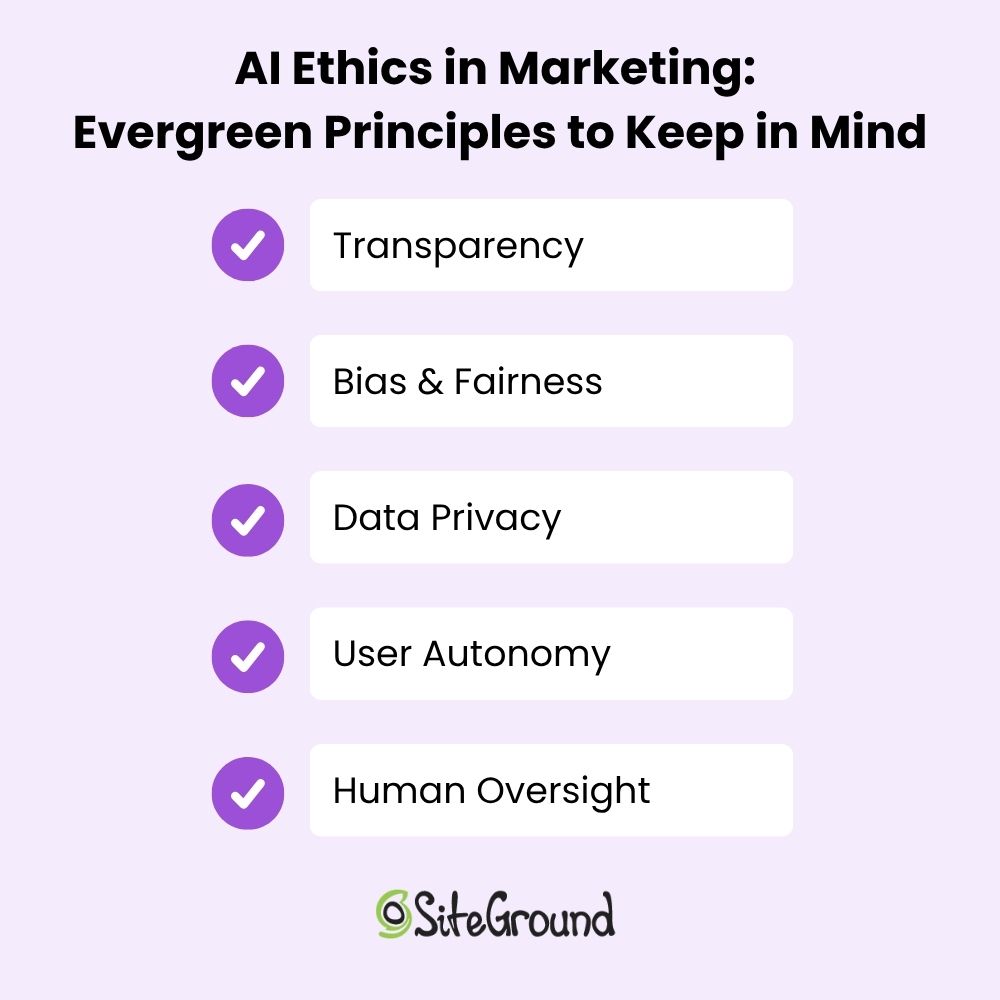
A list of AI ethics and principles in marketing

Ethical Implications of AI: Where Marketers Go From Here

AI isn’t going anywhere—and neither are the ethical questions and implications that come with it. As marketers, we’re in a powerful position, as we get to shape how AI shows up in the world, how it interacts with real people, and how much trust it earns (or loses) in the process. That means asking hard questions, pushing for transparency, and making ethics an integral part of the process from the start.

We at SiteGround lean into AI, and it’s thoughtfully weaved into the fabric of what we do. For web hosting, our Antibot AI blocks millions of brute-force attacks before they ever reach your site. When it comes to finding the perfect domain, AI powers our search tools to suggest names that are relevant, memorable, and on-brand. And when it’s time to build your website or craft your next campaign, our Website Builder and Email Marketing Platform include built-in AI tools to help you create fresh content that’s clear, polished, and ready to go.
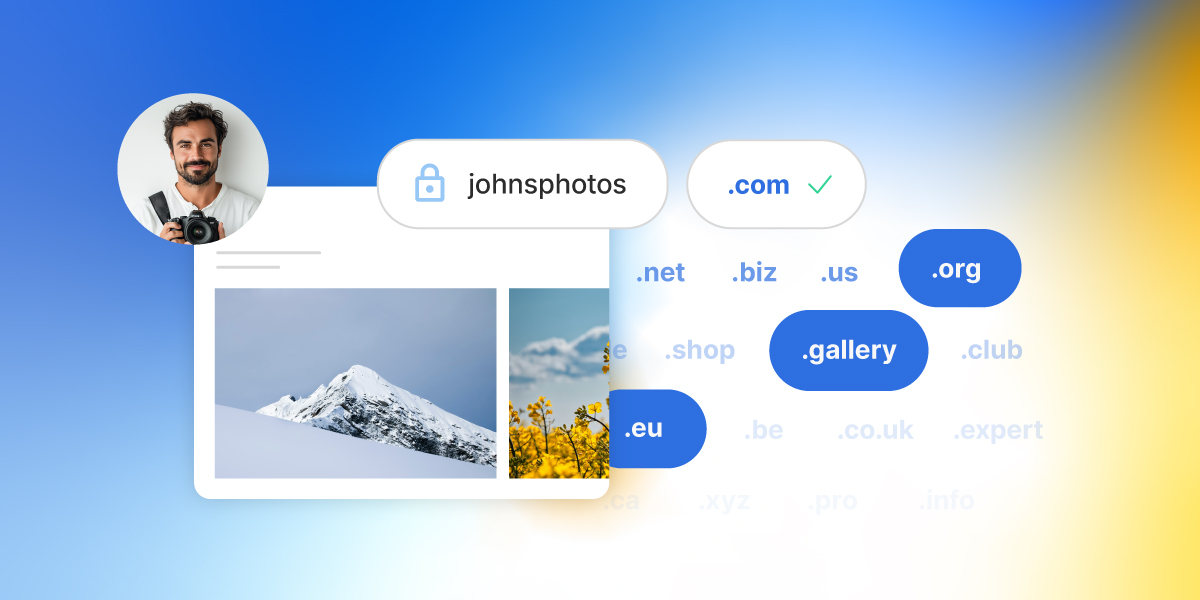

.com and Beyond: A Guide to Domain Extensions in 2026

Abstract of domain extensions

When it comes to domain names, everyone knows .com—it’s the internet’s classic go-to and still the best choice for most websites. But with over 1,500 domain extensions available today, from .tech to .shop to .bio, the domain landscape sure has a lot more to offer than just what remains of .com. What’s more, choosing the right extension goes beyond just getting you online—it can shape how your brand is perceived, who finds you, and even how memorable your site is.

In this guide, we’ll break down what domain extensions are, why .com still reigns supreme, and how savvy businesses and creators are using newer, niche extensions to stand out in 2025. Because startups, online stores, personal brands: there’s a perfect domain extension out there waiting for you.

What is a Domain Extension? 

A domain extension is the part of a website’s address that comes after the final dot—like .com, .org, or .net. A slightly more techy audience might also hear it referred to as a top-level domain (TLD), which refers to the highest level in the domain name system hierarchy. These terms are used interchangeably, though, with domain extension being the more user-friendly version.

Domain extensions have become a routine part of our digital day as we browse the web, but they do in fact serve an actual and important purpose behind the scenes. That is, they help organize the internet by categorizing websites based on their purpose, location, or sponsoring organization. And that’s where different types of domains come in.

Types of Domain Extensions

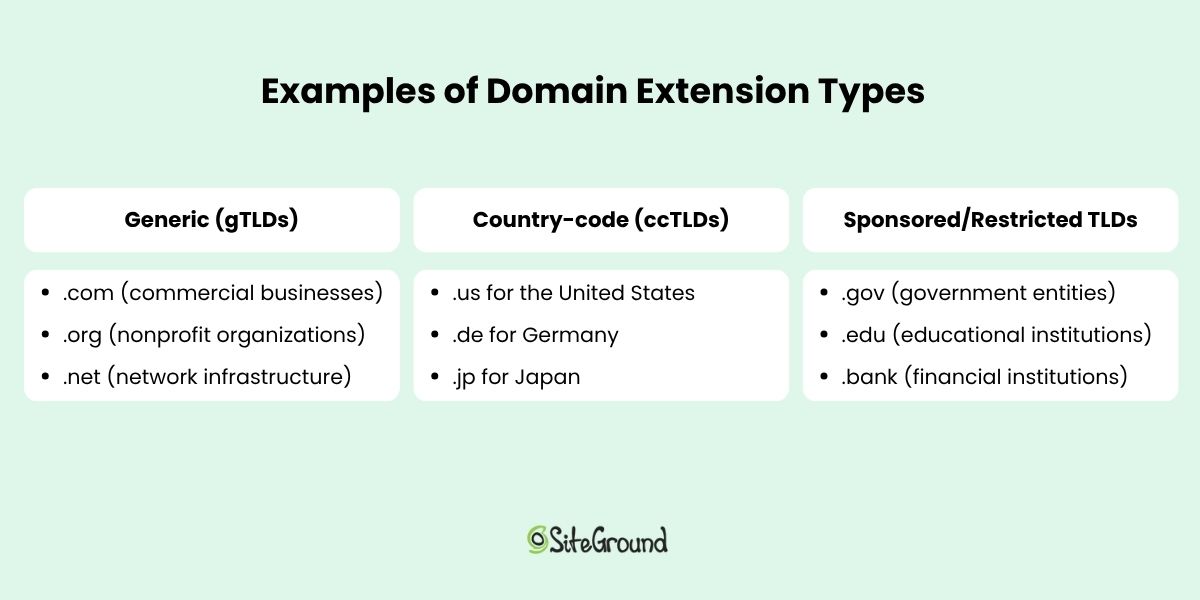
Indeed, domain extensions come in several varieties, each serving different roles and audiences. Understanding these types can not only help you in your website planning, but also get those creative juices flowing, and maybe even inspire some of your branding.

Generic (gTLDs)

Generic top-level domains (gTLDs) are the most common and recognizable domain extensions. They were originally created for general use without any geographic or organizational restriction. Examples include:

  • .com (commercial businesses)
  • .org (nonprofit organizations)
  • .net (network infrastructure)

In recent years, hundreds of new gTLDs have been introduced to help websites stand out and signal their industry or purpose, such as .app, .blog, .shop, and .tech. 

Country-code (ccTLDs)

Country-code top-level domains (ccTLDs) are two-letter extensions assigned to specific countries or territories. They help indicate the geographic focus of a website, such as:

  • .us for the United States
  • .es for Spain
  • .jp for Japan
example website with a ccTLD

Sponsored/Restricted TLDs

Sponsored and restricted TLDs are specialized domain extensions that are regulated or managed by designated organizations. These often require applicants to meet certain criteria or verification processes to assure that the domain’s use fits specific industries or communities. Examples include:

  • .gov (government entities)
  • .edu (accredited educational institutions)
  • .bank (verified financial institutions)
  • .health (trusted health organizations)

These domains add credibility and trustworthiness, but they aren’t open for general registration.

Examples of domain extension types

How to Choose the Right Domain Extension

Alright, now we’ve got the basics covered, but what does this mean for you as you contemplate the perfect domain name? 

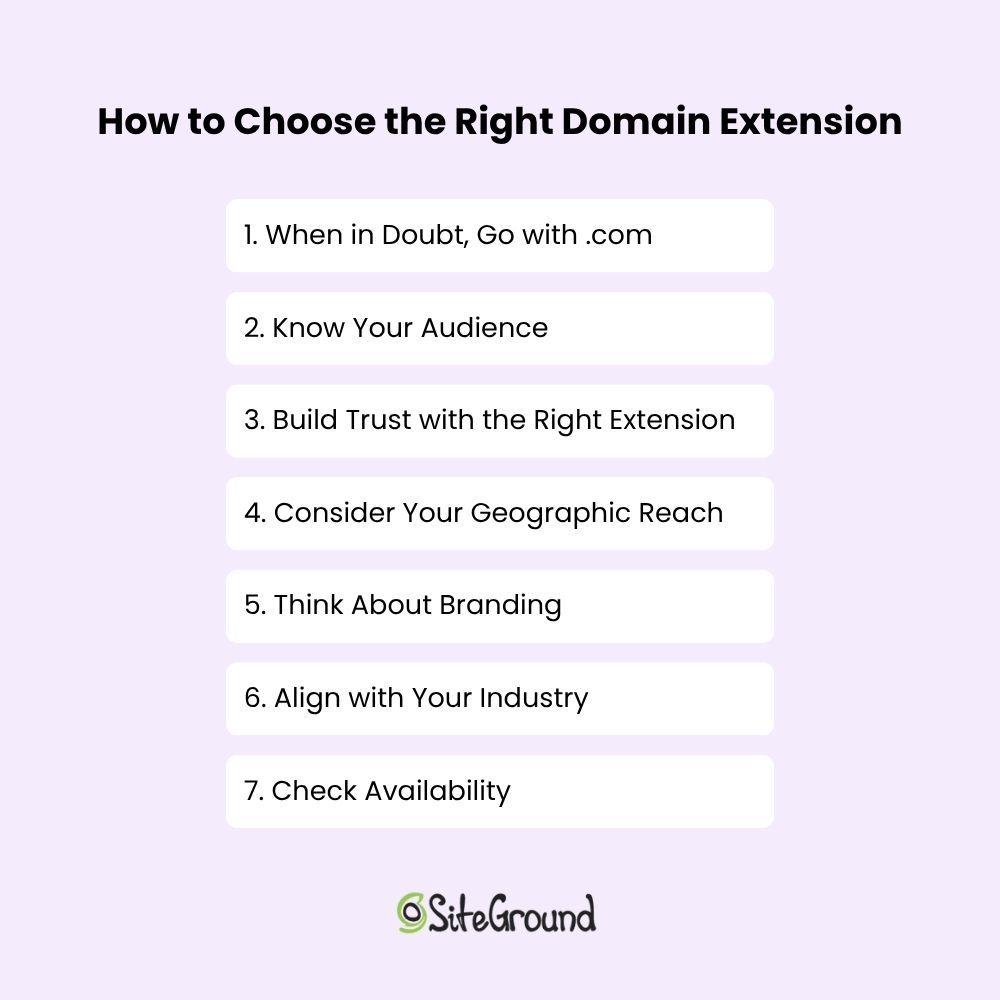
1. When in Doubt, Go with .com

Despite the explosion of new domain extensions, .com remains a top choice for businesses and personal websites alike. If you’re able to find a great domain name with a .com extension, it’s usually the safest and most effective choice. Here’s why:

  • Universal Recognition: .com is the most familiar and trusted domain extension worldwide. People automatically type “.com” when entering web addresses, making it easier for your audience to find you.
  • Credibility and Professionalism: Because it’s so well-established, .com domains often convey authority and legitimacy. Visitors may trust a .com site more than less familiar extensions.
  • SEO Stability: While Google states that domain extensions don’t directly affect search rankings, users’ trust and click behavior often favor .com sites, which can indirectly benefit SEO.
  • Better Resale Value: If you ever decide to sell your domain, .com names tend to have higher market value and demand.
  • Widespread Availability: Many services, platforms, and email providers default to .com, making integration easier.

Those are some pretty compelling reasons, but securing a short, catchy .com domain can be like panning for gold: just plain hard to find. So if your ideal .com isn’t available, don’t worry—newer domain extensions can offer creative and even more ideal alternatives, which we’ll be covering in the sections to come.

2. Know Your Audience

We’ve established that .com is the default choice—and for good reason. But, apart from the limited availability, it’s important to keep in mind that not every audience responds to domain extensions in the same way. 

That is, if you’re building a brand, and want to get more adventurous with your domain extension, then it’s worth considering how your domain extension will land with your audience. In fact, in some cases, going beyond .com might actually make your brand feel more relevant, more modern, or more trustworthy. 

So what does this look like?

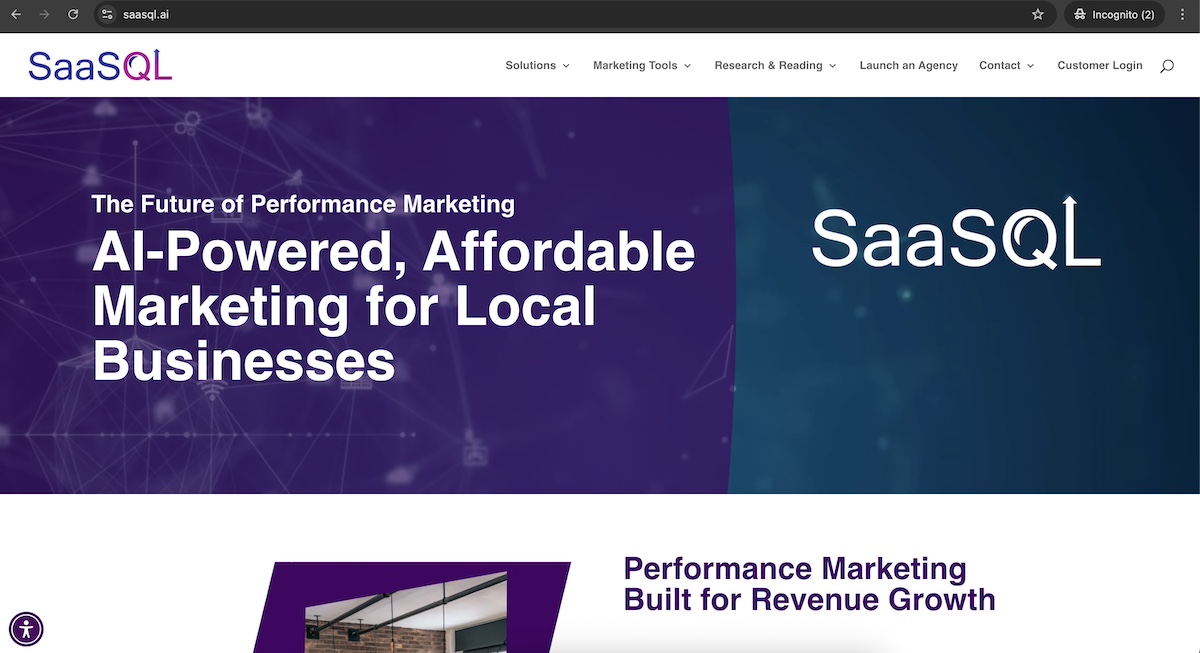
If your audience is tech-savvy, you can more confidently use newer, less conventional extensions, like .io or .ai (which we discuss more about in a bit).

example website with a .ai domain extension

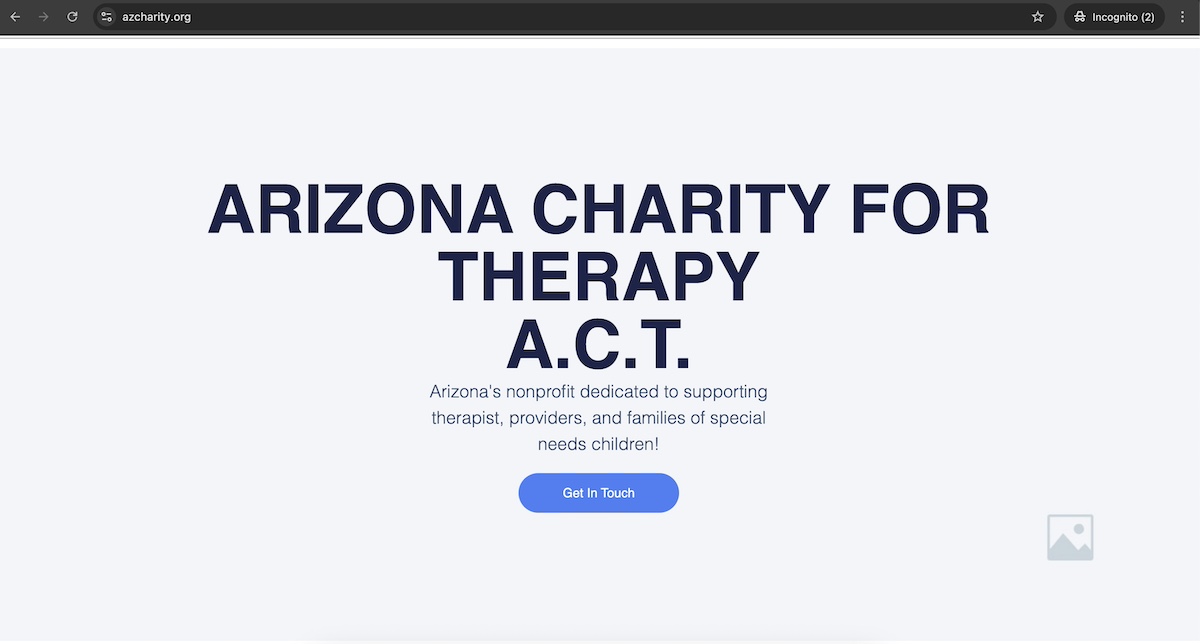
If your audience is more mainstream, it’s best to stick with traditional, widely recognized extensions like .com (still the most familiar and trusted), .org (well-established for nonprofits and mission-driven brands), and .net (occasionally used for networking or infrastructure services). Mainstream users may be confused or skeptical of unfamiliar extensions, which can hurt trust and click-through rates.

Bottom line: Choose an extension your audience will recognize and trust—especially if you’re targeting users who aren’t in the habit of exploring the internet’s cutting edge.

3. Build Trust with the Right Extension

Beyond audience preferences, your domain extension also sends a subtle signal about your site’s trustworthiness and professionalism. Some extensions instantly convey authority, while others can feel unfamiliar—or even spammy—to certain users.

Here’s how different extensions shape perception:

  • Trusted and stable: Extensions like .com, .org, and .edu are long-established and widely respected. They’re safe bets when you want to signal legitimacy and reliability.
  • Potentially risky: Some extensions—such as .biz, .info, or obscure gTLDs—may raise eyebrows. Even if they’re valid, they’ve historically been linked with spammy or low-quality content.
  • Contextually strong: Industry-specific or verified extensions (like .health, .law, or .bank) can build credibility if they clearly match your offering and audience expectations.
example website with a .org domain extension

While having a familiar domain extension like .com might not necessarily improve your Google ranking, choosing an extension that feels untrustworthy or unfamiliar can negatively impact your SEO—primarily by reducing user trust and click-through rates. Since Google values user engagement, a domain that inspires confidence encourages people to click, explore, and interact with your site, indirectly supporting better search performance.

4. Consider Your Geographic Reach 

If your business or website primarily serves a specific country or region, using a country-code top-level domain (ccTLD)—like .es for Spain or .ca for Canada—can help signal your local presence. Beyond that, local TLDs can:

  • Improve relevance for local search results
  • Increase visitor confidence that your site is tailored to their region
  • Help comply with country-specific regulations

All this said, if your brand or business operates globally, it’s usually better to stick with a single domain—preferably a generic TLD like .com—and organize your content using subdirectories (that is, yourbrand.com/es/ for Spain) rather than multiple country-specific domains. Here’s why:

  • SEO Benefits: Domain authority does not transfer between multiple ccTLDs, so managing several domains splits your SEO power. A single domain consolidates your site’s authority, making it easier to rank.
  • Simplified Tracking: Managing analytics and marketing campaigns is easier when all traffic funnels through one domain. Multiple domains complicate performance tracking and increase costs.
  • Consistent Branding: A single domain ensures a unified brand identity across regions without confusing visitors.

In short, reserve local ccTLDs if your audience is narrowly focused on that region. Otherwise, use a single global domain and organize content by language or country within it for better SEO, tracking, and brand consistency.

5. Think About Branding 

Your domain extension is part of your brand—it shows up in every link, every email, and often in spoken conversation. That means it should be easy to remember, simple to say, and visually clean.

Sometimes, the right domain extension can even enhance your brand identity or make a clever name possible when the .com version is already taken. For example:

  • Creative use of the TLD: A site like calm.app or notion.so feels modern and on-brand without needing .com.
  • Shorter, cleaner names: If yourbrand.com is taken, but yourbrand.tech or yourbrand.store is available, you can keep the name you want without adding awkward dashes or extra words.
  • Memorability over convention: A domain like join.us or studio.design might stand out more and be easier to remember than a longer or compromised .com.

Pro tip: Before choosing an extension, say the full domain name out loud. If it sounds awkward or hard to explain to someone, it may not be the right fit, regardless of how clever it looks on paper.

6. Align with Your Industry 

Choosing a domain extension that reflects your industry can help you stand out, clarify your offering, and create a more intuitive experience for your audience. It shows visitors what you do before they even land on your site.

Some examples of industry-specific extensions include:

  • .tech – For startups, engineers, and tech-focused brands
  • .design – Popular with creatives, agencies, and portfolio sites
  • .health – For healthcare providers, wellness brands, and medical tech
  • .law – Used by law firms and legal professionals
  • .photography, .finance, .marketing, and many more

These extensions aren’t just creative, they can also help to:

  • Establish relevance: Visitors instantly associate your site with your field
  • Improve memorability: A descriptive extension can be easier to recall than a generic one
  • Enhance branding: You get a cleaner, more brand-aligned domain when .com versions are taken

Pro tip: Make sure the extension is widely understood within your industry and won’t confuse your audience. As we discussed above, some niche TLDs still feel unfamiliar to the general public.

7. Check Availability

Before you fall in love with a name, make sure it’s actually available, and be sure to buy the domain. But don’t just make sure the domain isn’t in use: these days, consistency across platforms is essential, so you’ll want to make sure your name is available across the board. 

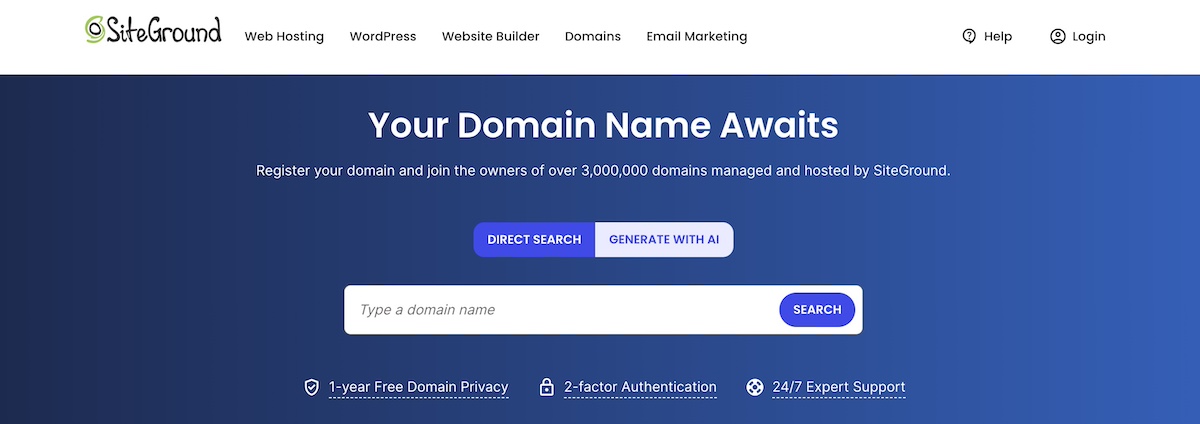
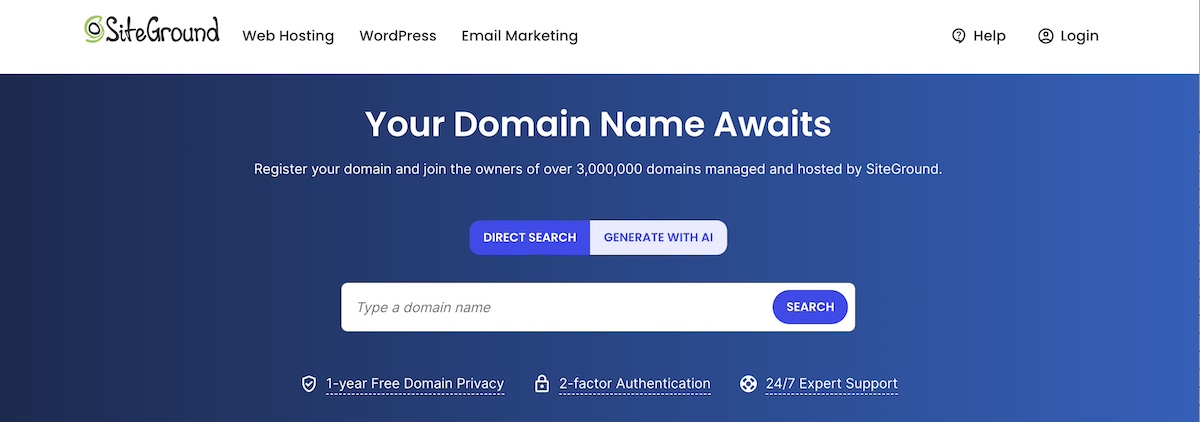
searching for a domain extension with a domain search tool

Domain availability

Use a domain search tool to see if your desired name is available for domain registration. If the .com is taken, consider alternatives like .co, .io, or an industry-specific TLD—but always double-check that the alternative domain extension (or extensions) isn’t already in use by an active brand or competitor (because, if so, and you proceed with using the domain, this could equate to domain squatting). 

Even if the domain is used by a non-competitor, think carefully about potential confusion. Do you want your brand mistaken for another? Could it impact your visibility, credibility, or future expansion plans? Before settling on a name and extension, make sure to evaluate the broader implications for your brand.

A Quick Note on Pricing

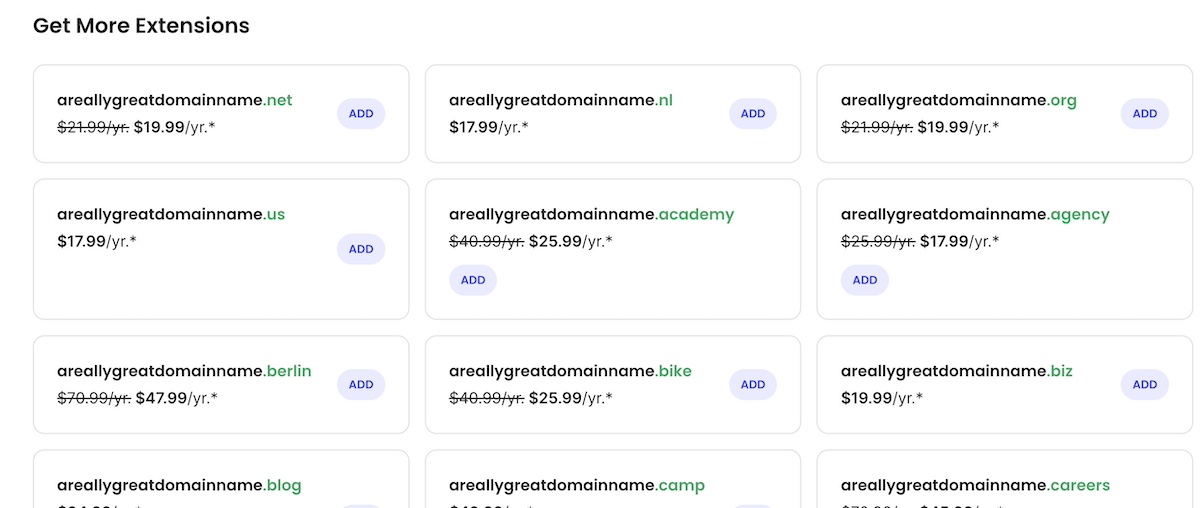
Domain pricing varies depending on the extension. Standard domains like .com, .org, or .net usually cost around $10–$20/year. Newer or niche extensions—like .ai, .tech, or .design—can range from $30 to $100+ annually, while short or keyword-rich names may be considered premium and priced higher.

SiteGround makes it easy to check domain availability and compare prices during registration. And if you’re starting a new website, your first year of domain registration is free for select extensions when you sign up for hosting.

Social handle availability

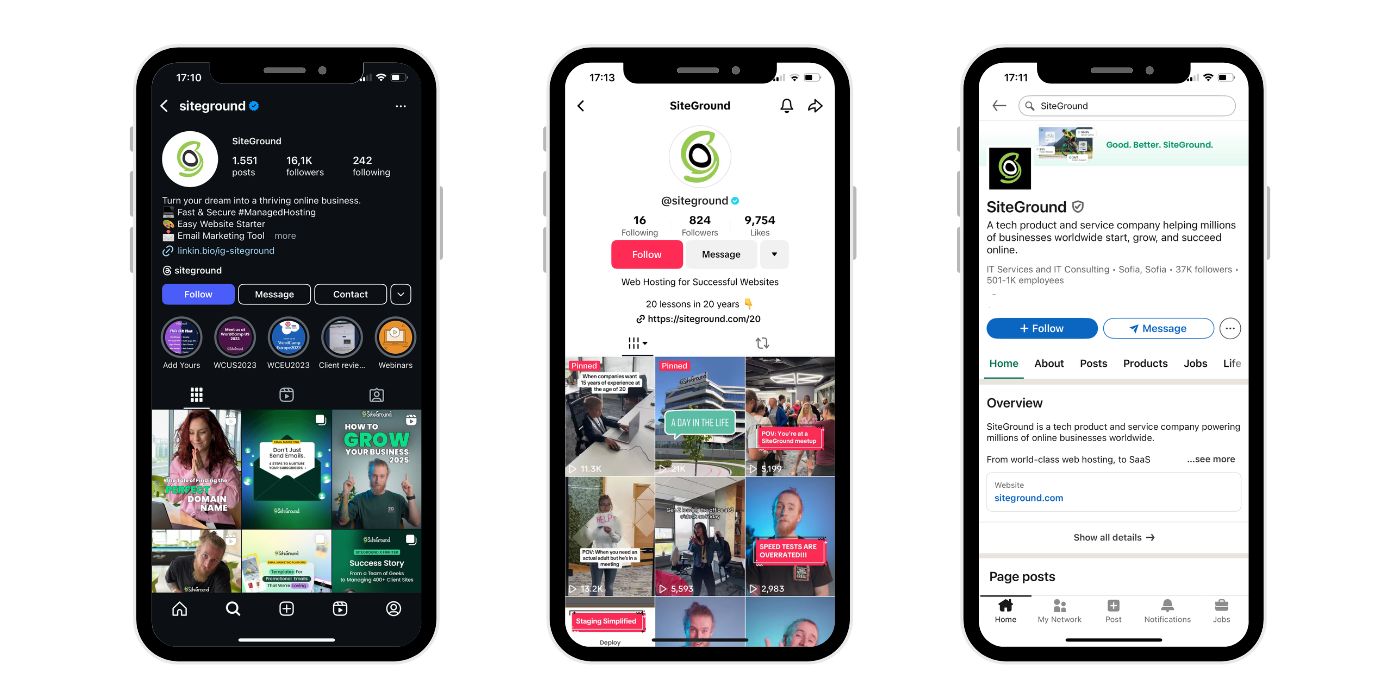
Social media marketing is an inevitably important part of growing a business, so you’ll want to make sure your domain’s name (or a close variation) is available on key social platforms like Instagram, Twitter/X, TikTok, LinkedIn, and YouTube. At the end of day, a unified identity across web and social helps build brand recognition and makes it easier for people to find you.

How to choose the right domain extension

Modern Domain Trends in 2025

At this point, we’ve got the general domain extension landscape pretty well mapped out. So, what fresh trends are shaping the way we choose domains in 2025?

Trend #1: Startups Are Steering Away From .com

As we’ve covered, .com usually remains the go-to, but many startups today are opting for modern extensions like .io, .ai, and .dev to signal innovation and stand out. These newer TLDs are often shorter, more brandable, and directly reflect the tech focus of many startups.

  • .io is popular with SaaS and developer tools.
  • .ai highlights artificial intelligence products.
  • .dev targets developer-focused platforms.

These extensions aren’t just practical—they’re strategic branding choices that speak to a tech-savvy audience and help startups differentiate themselves. In fact, in some spaces, a .com might even feel outdated or overly corporate.

Trend #2: Brands Are Rethinking ccTLDs

Country-code top-level domains (ccTLDs) were originally tied to specific countries—but today, brands are using them creatively to signal what they do rather than where they are.

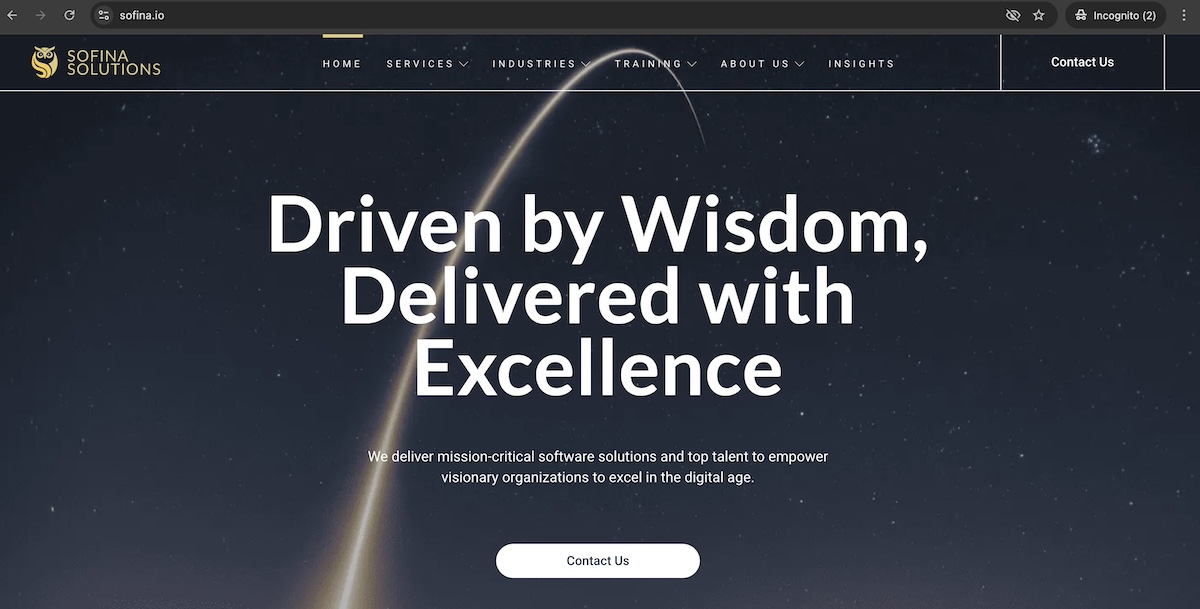
For example, the aforementioned .io was originally meant for the British Indian Ocean Territory, .ai was tied to Anguilla, and .tv represents Tuvalu but has become popular with media and streaming sites.

One caveat: while these ccTLDs act like generic TLDs in practice, they’re still technically country-specific. That means some policies or restrictions could apply, and their long-term status depends on agreements with the respective country’s domain authority.

Example website with a .io domain extension

Trend #3: Online Stores Are Getting Creative

Ecommerce websites are also moving beyond traditional .com domains and embracing extensions like .store, .shop, and .fashion to clearly communicate what they sell. These extensions make URLs more descriptive and oftentimes memorable, helping brands stand out.

Using a niche TLD gives retailers more flexibility to claim their ideal brand name without awkward add-ons, numbers, or hyphens. It can also reinforce brand identity at a glance, making it easier for customers to find, remember, and trust the site.

Trend #4: Creators Are Branding with Personal TLDs

Freelancers, influencers, and content creators are using extensions like .me, .bio, and .name to build personal brands that feel approachable and authentic.

These extensions are perfect for personal websites, landing pages, and social link hubs—and they make domains feel more custom and human.

  • .me domains are great for showcasing personal work
  • .bio works well as a link-in-bio or intro page
  • .name is a niche but fitting choice for personal sites

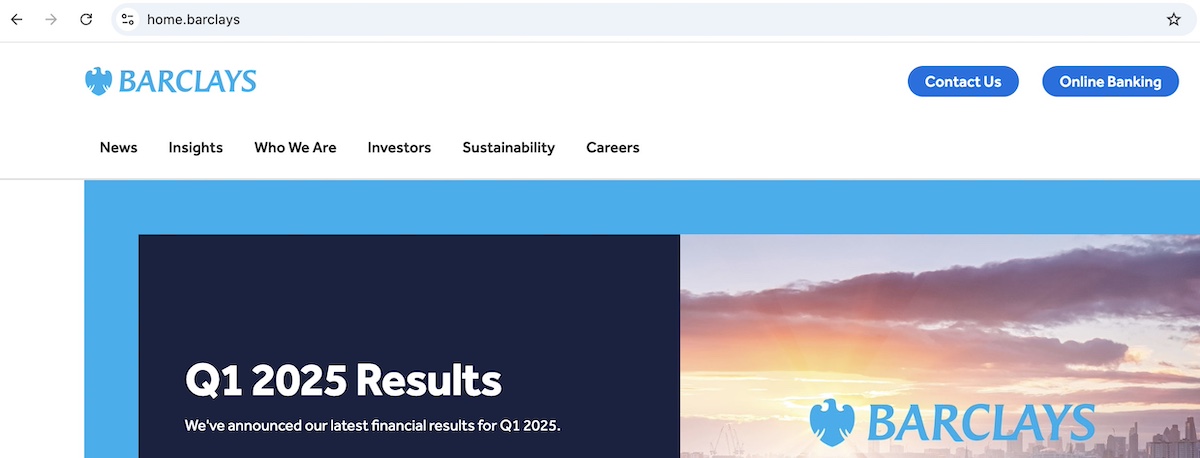
Trend #5: Big Brands Are Launching Their Own TLDs

Major companies are going a step further by securing custom, brand-owned TLDs like .apple and .barclays. These exclusive domains offer full control over the namespace and reinforce brand identity at every level.

example of a website with a custom domain extension

While this strategy is still limited to large enterprises with the resources to manage their own TLD, it points to where the web is headed—more personalized, brand-specific domains.

The Perfect Domain Extension Is Waiting for You

Whether you stick with a tried-and-true .com or venture into trendy new territory with a creative or industry-specific TLD, your domain extension plays a meaningful role in shaping how people find, perceive, and remember your brand. Just be sure to balance recognition and trust with creativity and clarity—that way you can stand out without confusing your audience. With more options than ever before, 2025 is the year to really get smart about your domain.

Ready to launch your next great idea? Buy your domain with SiteGround and get free domain privacy for the first year—plus access to expert support whenever you need it. Want to take things further? Explore powerful tools for web hosting, site building, and email marketing to bring your vision to life.

FAQs for Domain Extensions

What are the Most Common Domain Extensions?

The most common domain extensions include .com, .org, and .net, which have been around since the early days of the internet. .com is by far the most widely used and trusted, while .org is often associated with nonprofits and communities, and .net serves as a solid alternative when a .com isn’t available. Other frequently seen extensions include .edu (for educational institutions), .gov (for U.S. government entities), and newer favorites like .co, .io, and .ai, especially among startups and tech companies.

How Many Domain Extensions Are There?

There are currently over 1,500 domain extensions available, with new ones being introduced regularly. This includes classic options like .com, .org, and .net, as well as hundreds of newer generic extensions (like .app, .design, .xyz), country-code TLDs (like .de or .jp), and specialized or restricted domains (like .bank or .gov). While not all are widely used, the variety gives website owners more flexibility than ever before.

How Much Does a Domain Extension Cost?

The cost of a domain extension varies depending on the type and popularity of the TLD. Common extensions like .com or .net typically cost between $10 and $20 per year, while newer or niche extensions like .tech, .ai, or .design can range from $30 to $100+ annually. Premium domains or restricted TLDs may cost even more. If you’re starting a new website with SiteGround, you can register a domain for free for the first year when you sign up for hosting—making it even easier to get started.

How to Search for a Domain Extension?

You can search for a domain extension using any domain registrar or web hosting provider with a domain search tool. Simply enter the name you want, and the tool will show you which extensions are available—like .com, .net, .shop, or .tech—along with their prices. If you’re using SiteGround, you can easily check domain availability and register your preferred extension directly during the hosting signup process.

Do Domain Extensions Affect SEO?

When it comes to whether domain extensions affect your SEO rankings, Google, in theory, treats all domain extensions equally when it comes to search algorithms. However, indirect factors—like user trust, click-through rates, and memorability—can influence performance. So a .com may not necessarily improve your SEO, but it might get more clicks than a less familiar extension simply because users recognize and trust it. Alternatively, a less trustworthy domain extension could have the opposite affect.

Top Personal Website Examples + What to Learn from Them

abstract of a personal website

A personal website is the modern, upgraded version of a business card—but with far more impact, and of course a lot more digital bells and whistles. It’s your first impression, your introduction, and your invitation to connect. And, unlike social media, which can dilute your message or limit your control, a personal website gives you full ownership of how you present yourself online. It’s your space to clearly show who you are, what you do, and why it matters—on your terms.

In this guide, we’ll explore standout personal websites and break down the strategies that make them work. You’ll discover how to create a site that reflects your personality and professionalism—one that supports your goals and sets the foundation for future marketing, networking, or business opportunities.

Key takeaways:

  • A strong personal website starts with a clear purpose and messaging that instantly tells visitors who you are and what you offer.
  • Focused calls to action and thoughtful structure guide visitors smoothly toward the next step.
  • Social proof, experience, and real examples build trust faster than claims alone.
  • Consistent branding and storytelling make your site feel personal, credible, and memorable.
  • Performance matters: a great personal website must be fast, mobile-friendly, accessible, and easy to use.

What is a Personal Website?

A personal website is your own corner of the internet—built to reflect your work, your voice, your goals, and your offerings. It brings together your expertise, experience, and personality in one clear, professional space you control, helping you make the right impression and move your work forward.

Use this online space to showcase your skills, win new clients, and launch fresh ideas. Far beyond an online resume, it’s a living asset that powers your business, career, and creative work every day.

Best Personal Website Examples and What They Teach Us

Let’s take a look at some standout personal website examples and ideas, and break down what they do well so that you can apply the same principles to your own.

Takeaway #1: Start With a Crystal-Clear Purpose

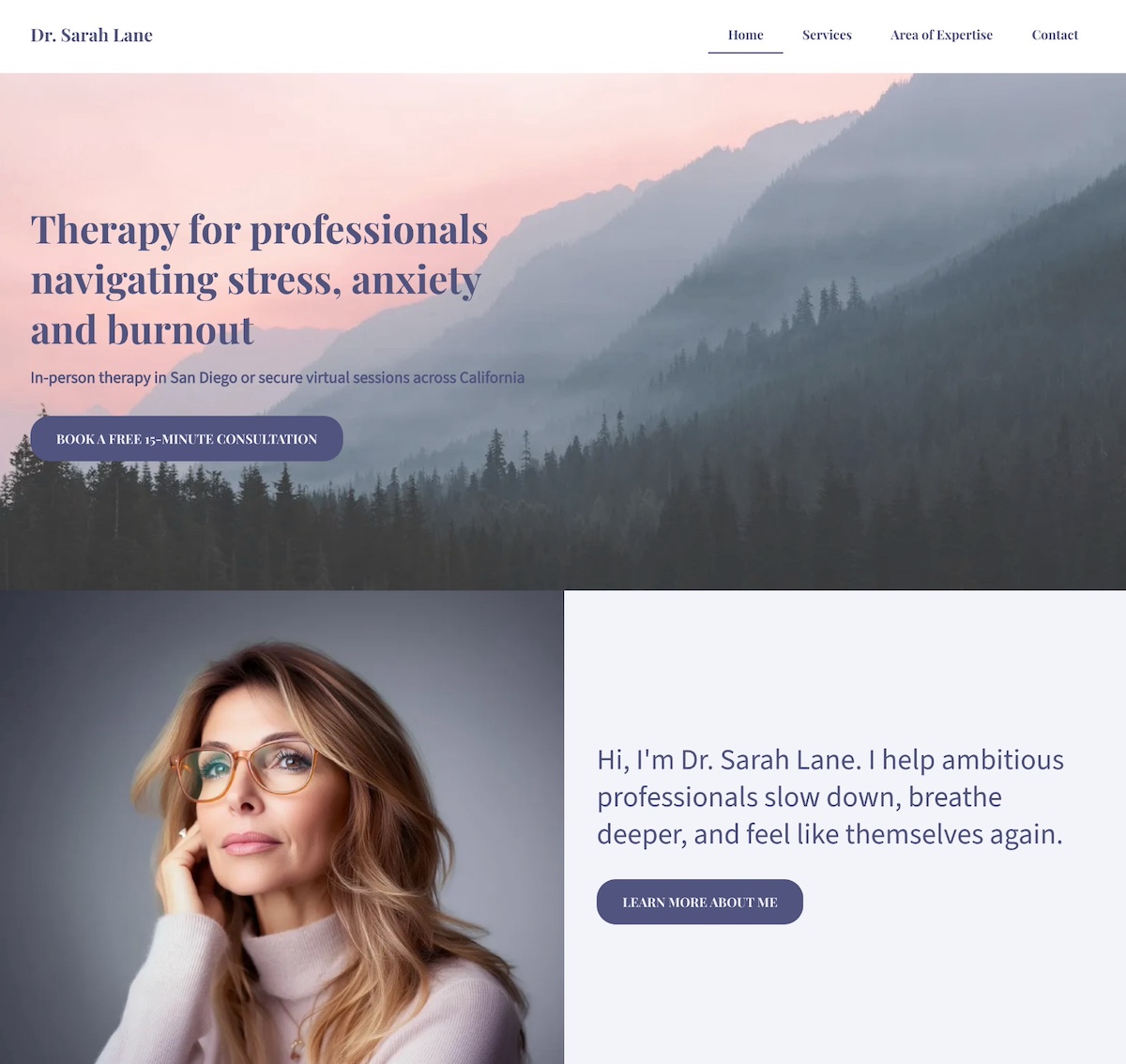
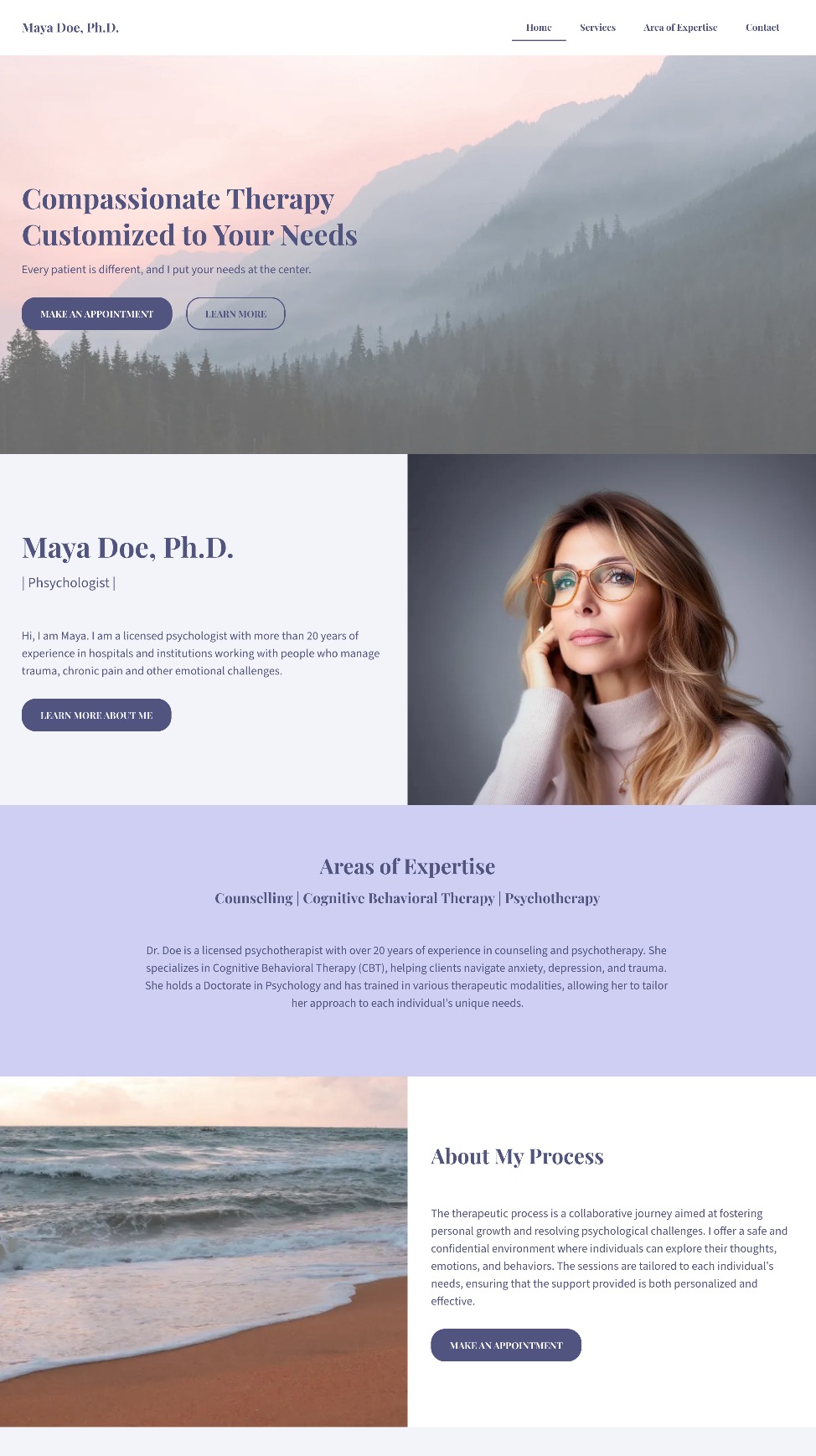
personal website example with a crystal clear purpose

When your unique selling proposition is crystal clear and consistently reinforced, your personal website becomes more than a bio, and instead becomes a magnet for the right audience. 

The personal website example above shows exactly what it looks like to put your unique selling proposition front and center. As you can see, it’s clear, consistent, and built to connect with the people she’s best equipped to help. Let’s examine. 

Leads With a Clear, Specific Promise

The homepage opens with confidence and clarity: “Therapy for professionals navigating stress, anxiety, and burnout.” There’s no ambiguity: the unique selling proposition is immediately obvious, letting visitors know exactly who the professional helps and how.

Defines the Audience and Approach

Within seconds, the site communicates three essentials:

  • Who she helps: Ambitious professionals
  • What she helps with: Stress, anxiety, and burnout
  • How and where: In-person in San Diego or virtually across California

This specificity builds trust fast, especially for busy people looking for someone who truly understands their reality.

Backs It Up With Consistent Visuals and Language

From the calming color palette to the warm, welcoming copy, and easy-to-scan website layout, everything reinforces the core message. Additionally, a friendly photo appears alongside this line: “I help ambitious professionals slow down, breathe deeper, and feel like themselves again.” It’s approachable, empathetic, and immediately relatable.

The Final Takeaway

This website doesn’t just say the person helps overwhelmed professionals, rather it shows it, through focused messaging, calming design, and a seamless user experience. The unique selling proposition is consistent, visible, and deeply aligned with the ideal client’s needs. Ultimately, this personal website feels reassuring, credible, and completely representative of the person behind it.

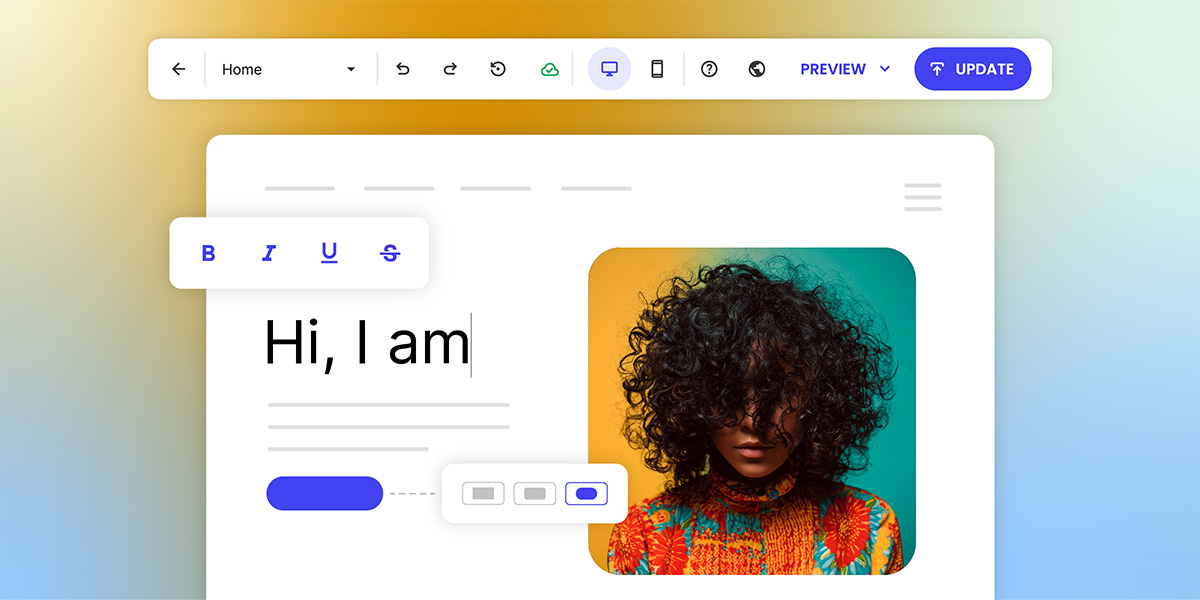
Overwhelmed by having to tackle effective copywriting that really conveys your purpose? With the SiteGround Website Builder’s AI writer, you can craft great copy as you create your site, no hassle. Plus, you get reliable hosting, excellent support, and a free domain for the first year — everything you need to launch a polished, professional website with ease.

Get started today>>

Takeaway #2: Add a Focused Call to Action

personal website example with a focused call to action

This personal chef keeps his homepage design and message simple and sharp. It keeps visitors  focused on one clear next step: booking a free, customized menu consultation. Right from the start, the site shows that his services are personal, convenient, and ideal for busy families who want to eat well without the hassle. How can you replicate this? 

A Headline That Sets Up the Next Step

The homepage headline—“Fresh, Custom Meals — Cooked in Your Kitchen”—does more than describe the service. It frames the offering clearly and compellingly, making it easy for visitors to understand what’s next and why they should take action.

A Focused, Repeated CTA

The real strength lies in the effective call to action (CTA): “Schedule a Free Menu Consultation.” It’s the only CTA above the fold and repeats throughout the page—no competing buttons, no distractions. Just one confident invitation that feels valuable and low-pressure.

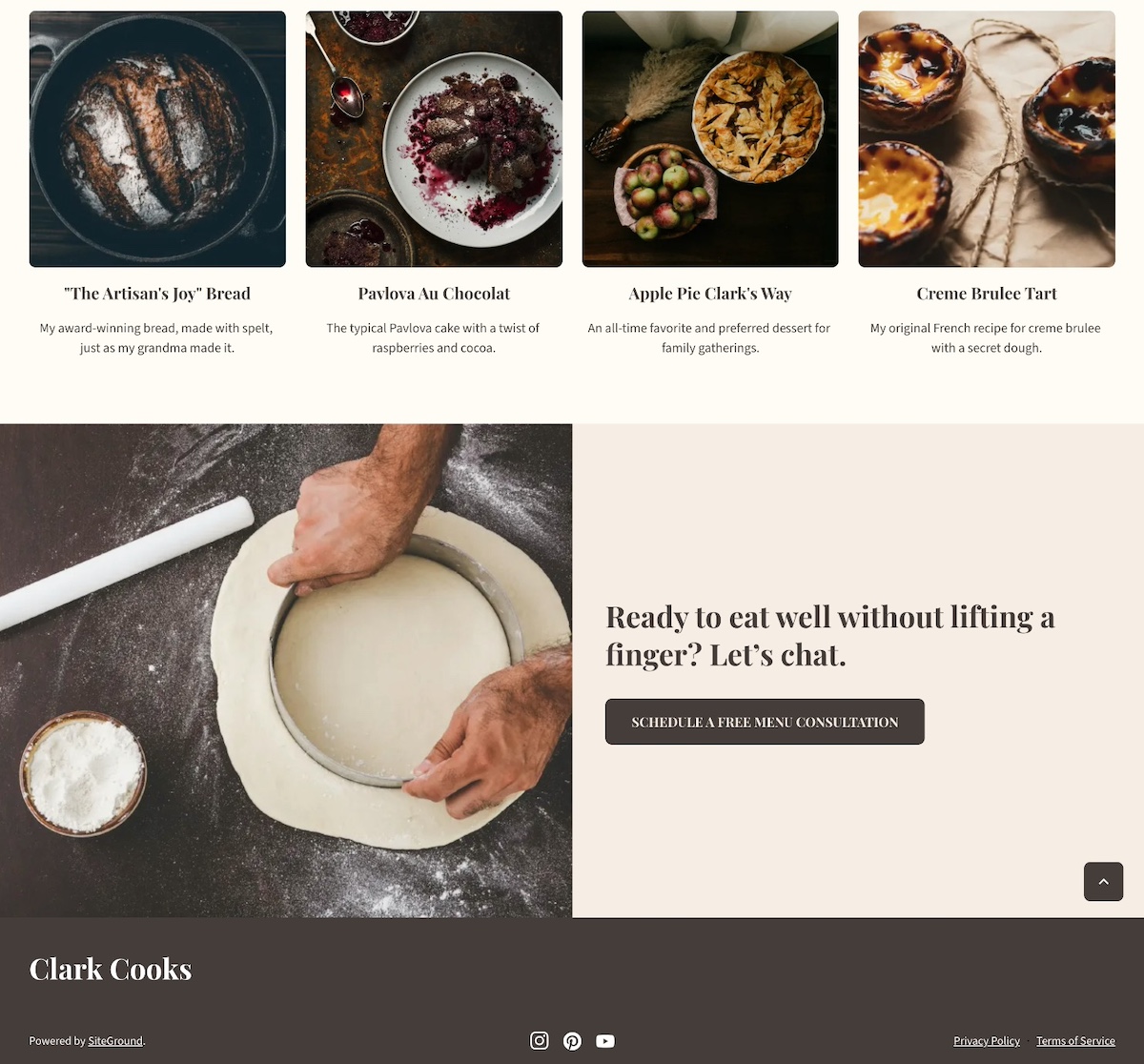
personal website example with a closing call to action


A Consistent Closing Prompt

Near the footer, a friendly line ties it all together: “Ready to eat well without lifting a finger? Let’s chat.” The same CTA button appears again, keeping the next step super clear.

The Final Takeaway

This website is a great example of how one well-placed call to action is more powerful than a dozen scattered options. The visual hierarchy leads with clarity, delivers value, and keeps visitors focused—all while making the process feel personal, simple, and stress-free.

Takeaway #3: Include Testimonials & Social Proof

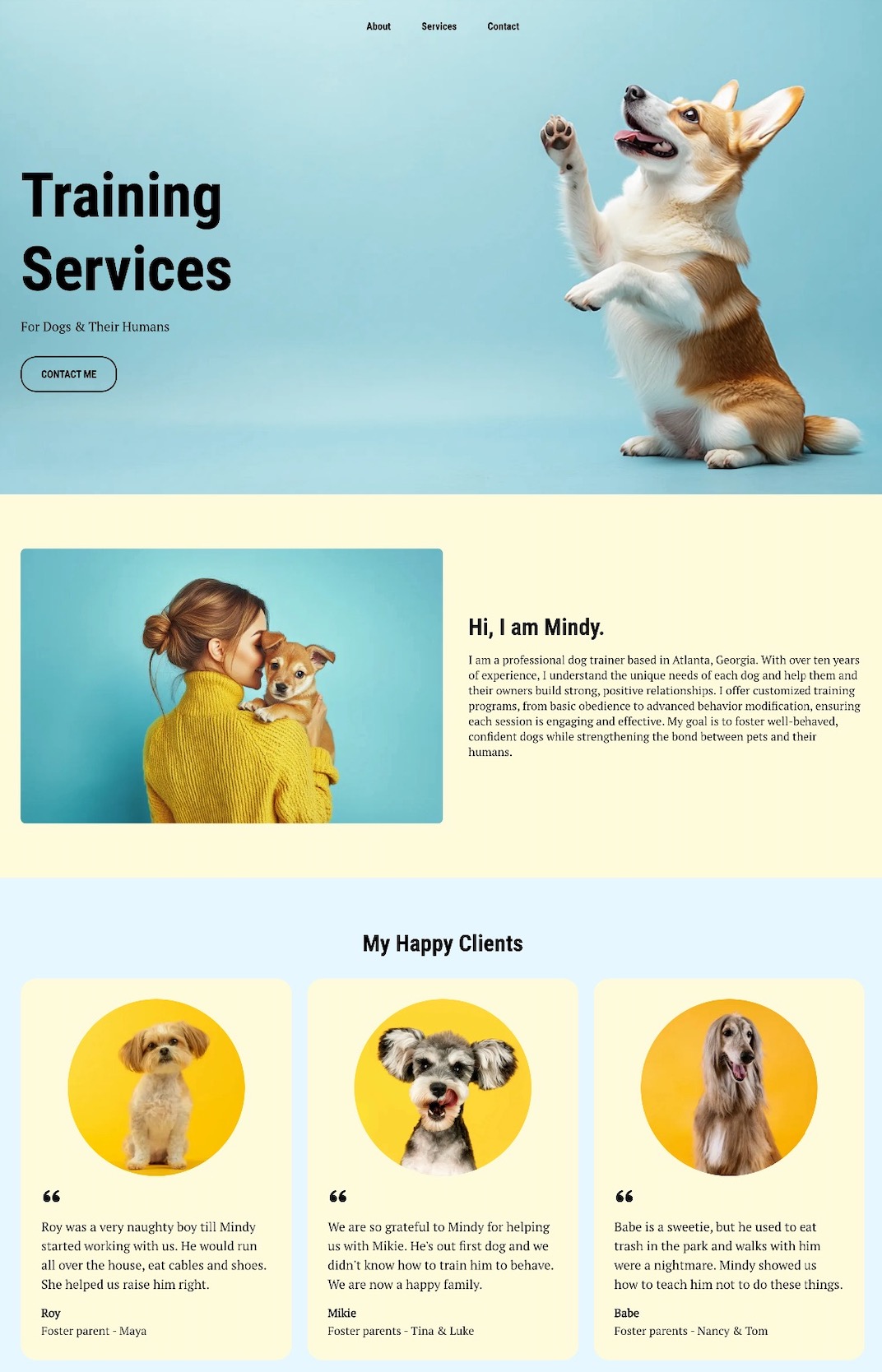
example of a personal website with testimonials

This dog walking website shows—rather than just tells—this person is great with dogs. Right below the hero section and introduction, glowing testimonials from local clients take center stage, complete with names and happy-dog photos that add authenticity. Indeed, including social proof like this is an essential website design tip.

Specific, Relatable Testimonials

These reviews go beyond generic praise. One client shares how Mindy helped their dog curb a habit of eating everything in sight. Another highlights how Mindy guided a new dog owner through training basics. The stories feel genuine and relatable.

Visual Proof That Builds Trust

Alongside the testimonials, in-brand photos of happy dogs create a warm, trustworthy vibe that visitors can connect with instantly.

Opportunities to Boost Social Proof

While this site nails testimonials and visuals, it could go a step further by adding logos from past clients like local vets or shelters, quick case studies (“Max went from leash-puller to walking pro in 3 weeks!”), or result-focused blurbs (“95% of repeat clients rebook within the first month”).

The Final Takeaway

This personal website example doesn’t rely on clever sales copy; it lets happy clients (and their even happier dogs) do the talking. Social proof is front and center, building trust without a single hard sell. The result is a site that feels friendly, credible, and totally walk-worthy.

Takeaway #4: Infuse Your Personal Brand

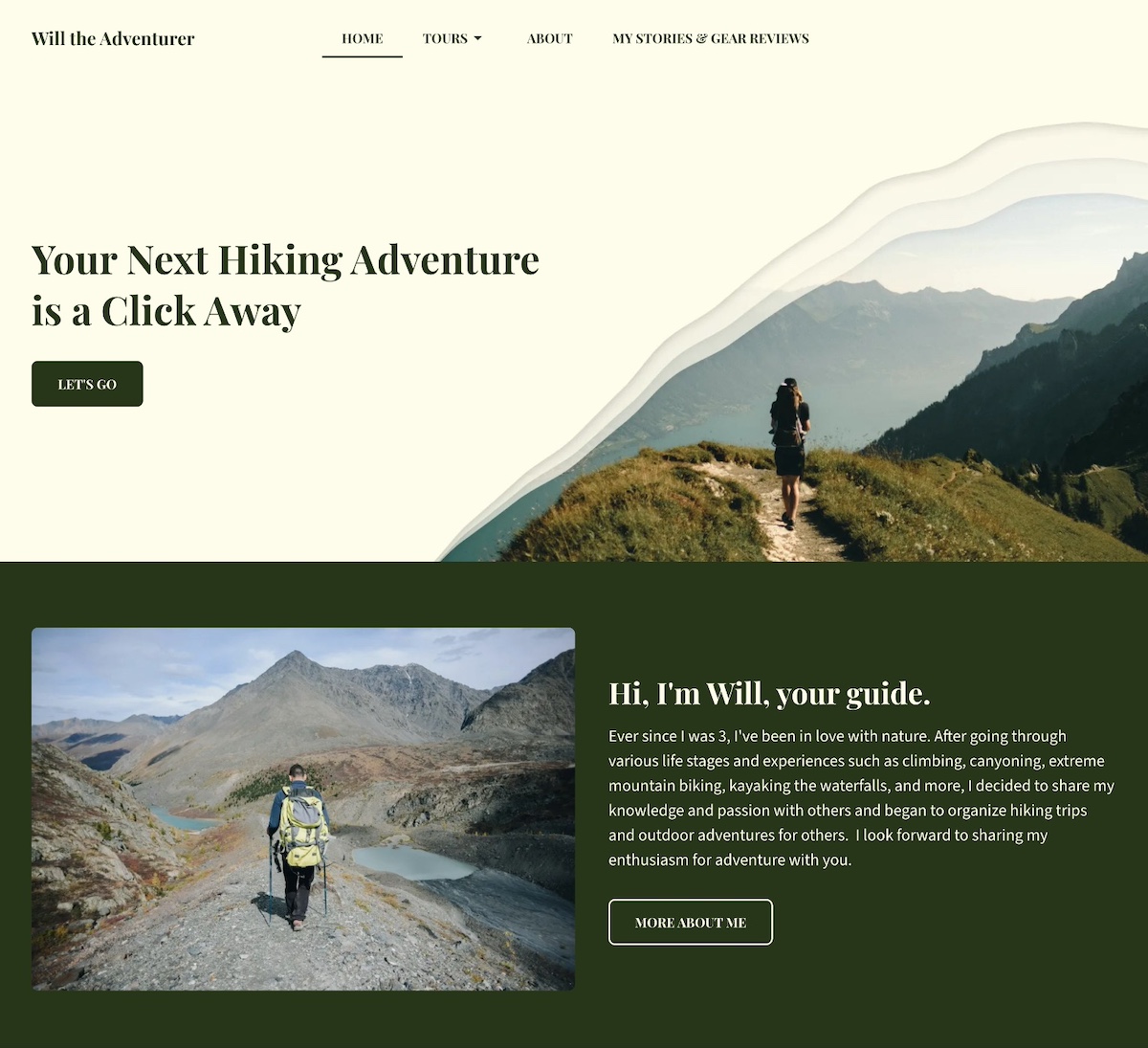
example of a personal website with a strong brand

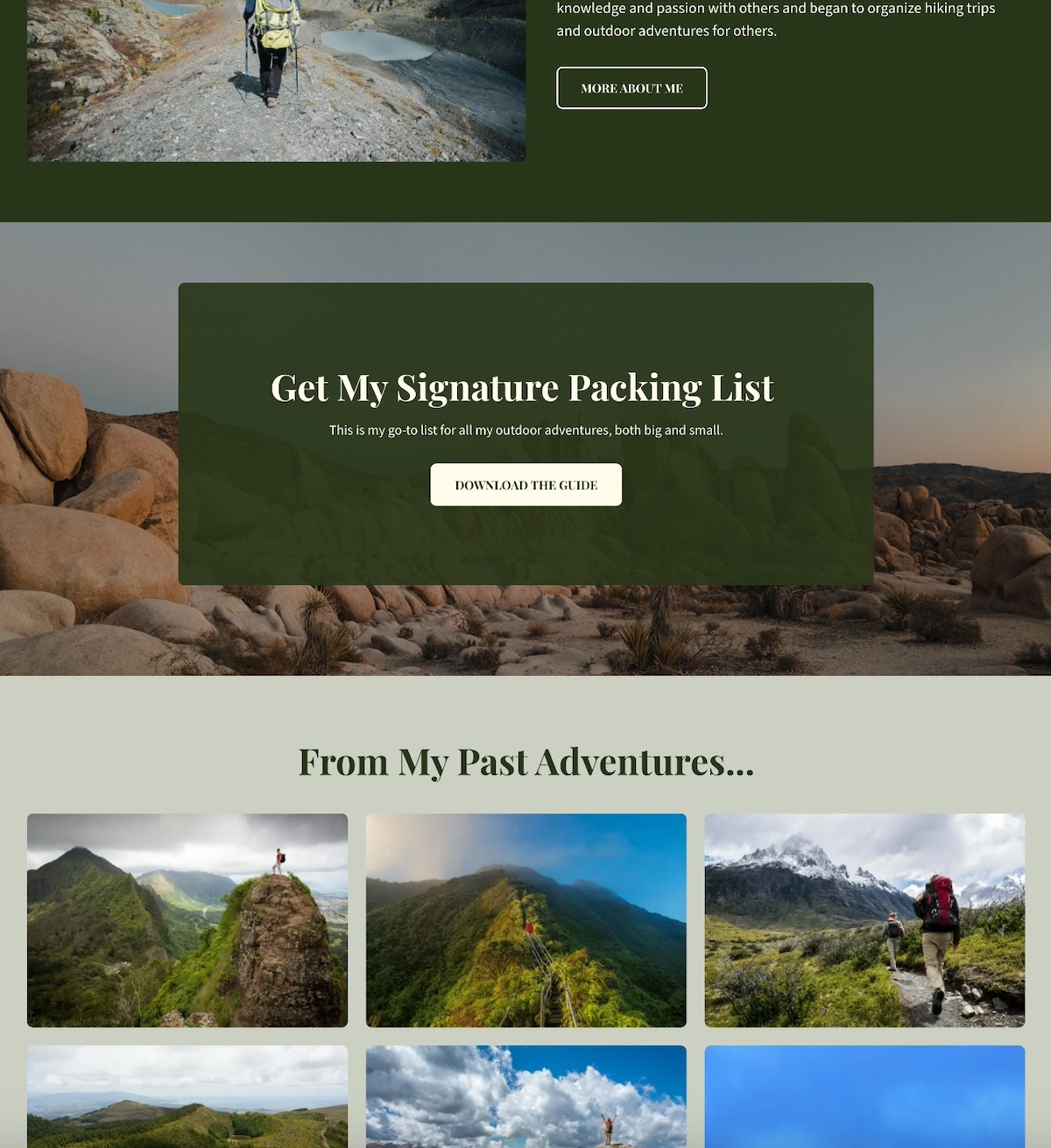
This personal website example doesn’t just talk about outdoor adventure, it feels like one. Every detail reinforces the site owner’s personal brand as a trusted, nature-loving guide who leads unforgettable experiences in the wild.

Visual Branding That Speaks to Nature

The color palette sets the tone immediately. Rich, earthy dark green paired with off-white backgrounds evokes forests, maps, and classic outdoor gear. The hero section features bold text and a design inspired more by topography than technology. It’s rugged, grounded, and distinct.

Authentic, On-Brand Photography

The site is filled with striking, on-brand photos of people hiking alpine meadows, summiting peaks, and journeying through wild terrain. These images aren’t generic stock shots but instead lived-in moments that reinforce the connection to nature and adventure.

personal website example with lead magnet

Personal Brand Elements That Elevate

The design of this site goes the extra mile with added elements to build the brand, including:

  • A signature packing list offered as a downloadable PDF (which is also great for lead generation)
  • A journal-style blog sharing gear reviews and stories from past hikes (a bonus for getting started with SEO)
  • A warm, welcoming intro that sets the right tone

These features aren’t flashy add-ons; they’re thoughtful choices that tell a clear, cohesive story about who this person is, and what kind of experience visitors can expect.

The Final Takeaway

This website example feels extra personal and professional, as every visual, word, and detail reflect the brand with clarity and consistency. Strong personal branding basics don’t need anything fancy—just a clear point of view and thoughtful execution.

Takeaway #5: Create a Memorable About Section

personal website example with a memorable about page

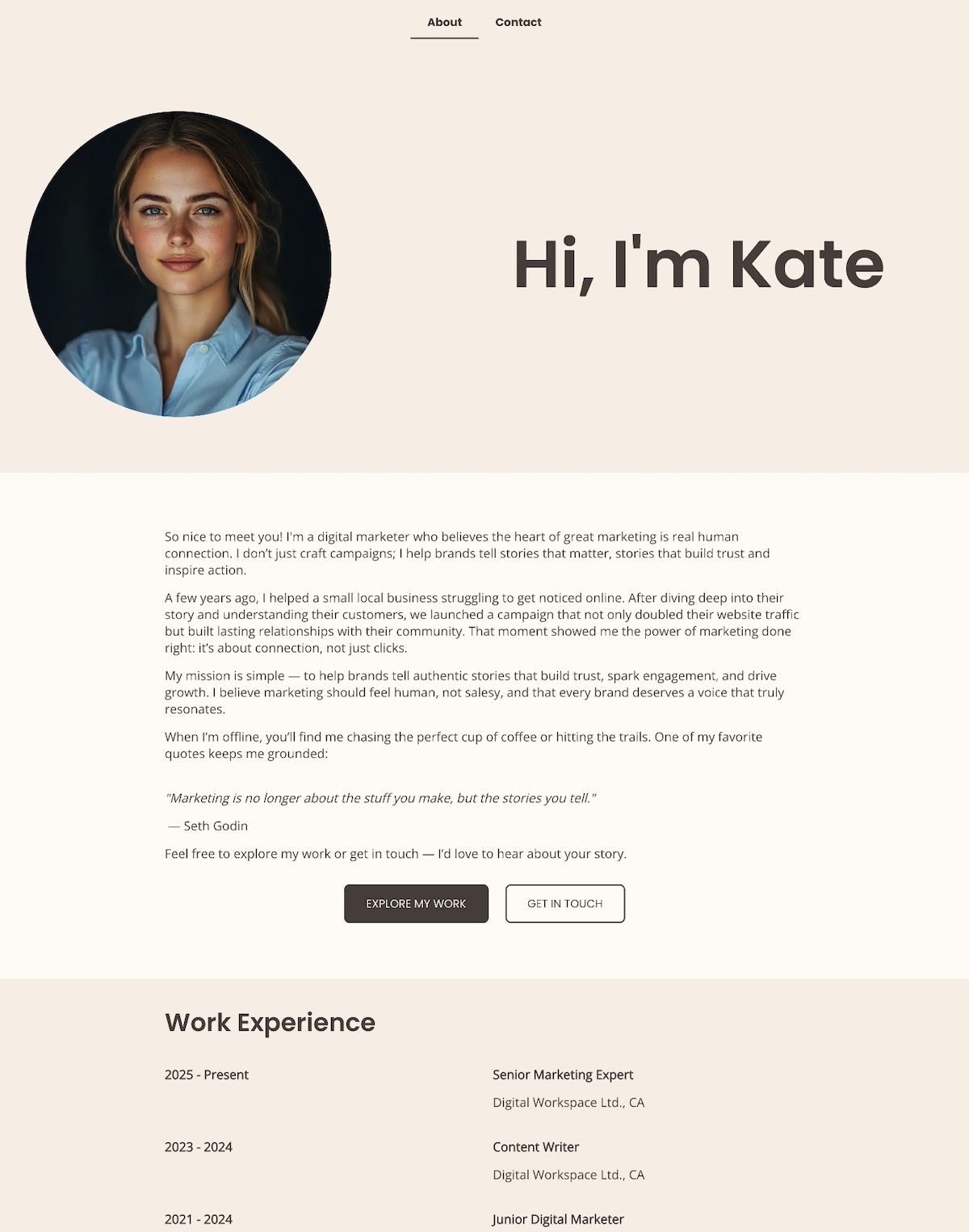
A memorable personal website About page does more than share facts—it connects with visitors on a human level and clearly communicates who you are and why you do what you do. The above About page is a great example of how to make that connection with warmth right from the start.

Opens With Heart and Clarity

This About page opens with heart: “Hi, I’m Kate Mason — a digital marketer who believes the heart of great marketing is real human connection.” That one line instantly sets the tone—warm, confident, and personal. 

Leads With a Story, Not a Résumé

Rather than listing qualifications or jargon, this example leads with a real-world story: helping a struggling local business grow by focusing on connection over clicks. It’s a powerful way to show what the person offers and why it matters—and without ever saying, “I’m results-driven.” The results speak for themselves.

States a Human-Centered Mission

The mission is clearly stated and refreshingly human: “To help brands tell authentic stories that build trust, spark engagement, and drive growth.” It’s simple, direct, and immediately tells you what they are all about.

Adds Personality With Light Touches

Light personal touches are also weaved in—a love of hiking, coffee, and a favorite quote from Seth Godin—that make the page feel approachable and real without straying from the brand voice.

Closes With a Warm Invitation

The About section closes with a low-pressure, inviting CTA: “Feel free to explore my work or get in touch — I’d love to hear about your story.”

Everything you see on this About page feels intentional, honest, and connection-focused.

The Final Takeaway

This personal website About page doesn’t try to impress with credentials alone. Instead, it invites visitors into the person’s world with a relatable story, a clear mission, and a human touch. It builds trust, creates connection, and mirrors exactly what is being offered as a marketer—genuine, people-first storytelling.

Takeaway #6: Show Your Experience

example of a personal website showing experience

This personal website example makes one thing clear: this isn’t just a photographer—it’s a seasoned creative with real credentials, published work, and a proven eye.

Credibility Highlighted With Purpose

More than just an About page, this personal website includes an Awards & Recognition page. It highlights notable awards, major exhibitions, and editorial features that immediately build trust. Each accolade signals that his work isn’t just beautiful—it’s respected and recognized in the industry.

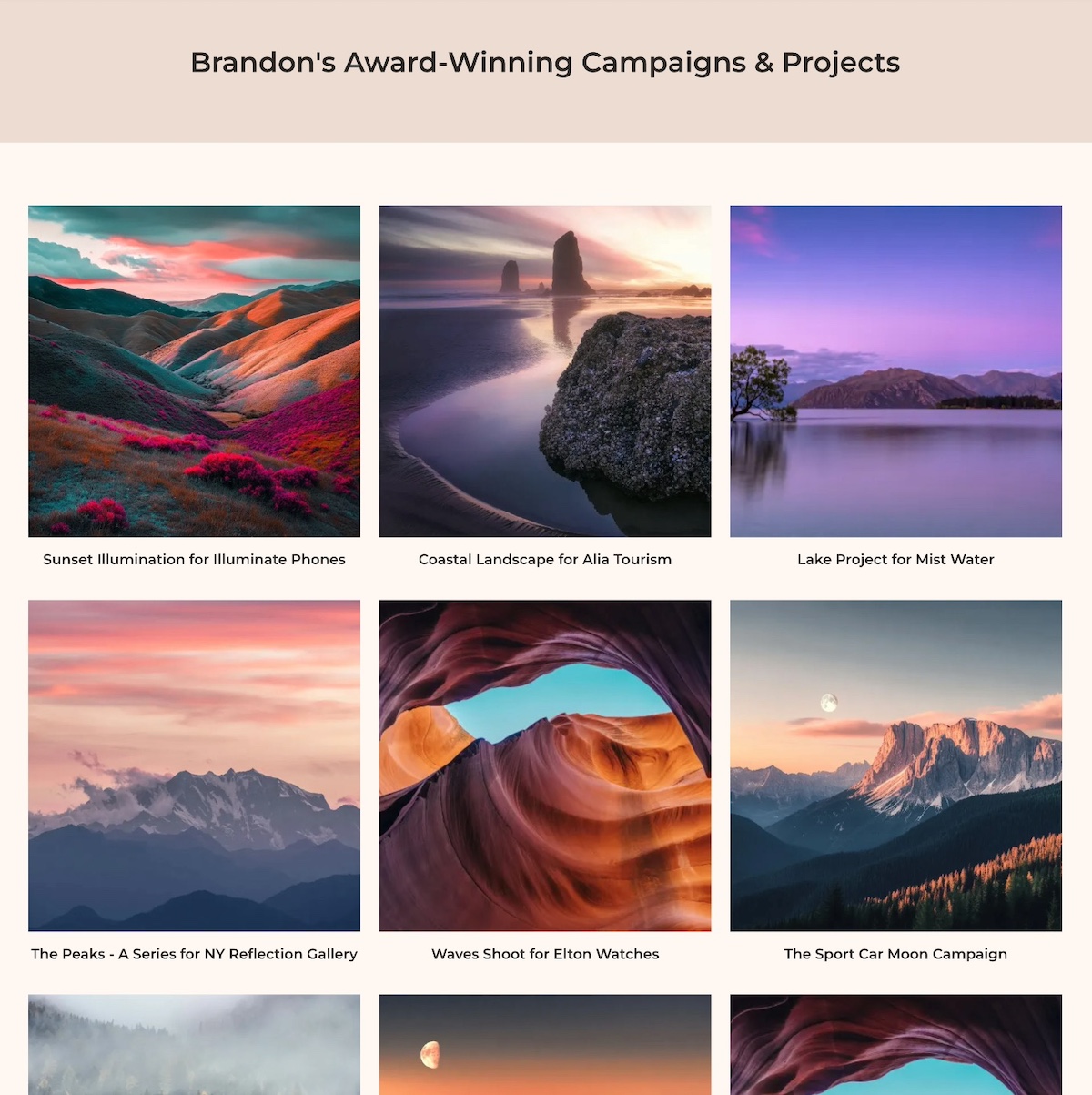
personal website example with a portfolio

Showing Experience Through Work

Experience isn’t just something you say—it’s something you show. Brandon’s portfolio features a curated grid of campaigns and photoshoots, presented cleanly and intentionally to let the work speak for itself.

Context That Adds Meaning

Each project links out to a brief description outlining not just the shoot, but the client, creative direction, and how the visuals supported the brand. This context helps visitors understand why his work matters, not just what it looks like.

The Final Takeaway

This example website doesn’t just claim experience—it proves it. By showcasing awards, exhibitions, and thoughtful project details, it builds credibility without any hard selling. If you’ve done great work, let it show. Evidence earns trust far faster than adjectives ever could.

Takeaway #7: Make it Mobile-Optimized & High-Performing

example of a personal website that is mobile optimized

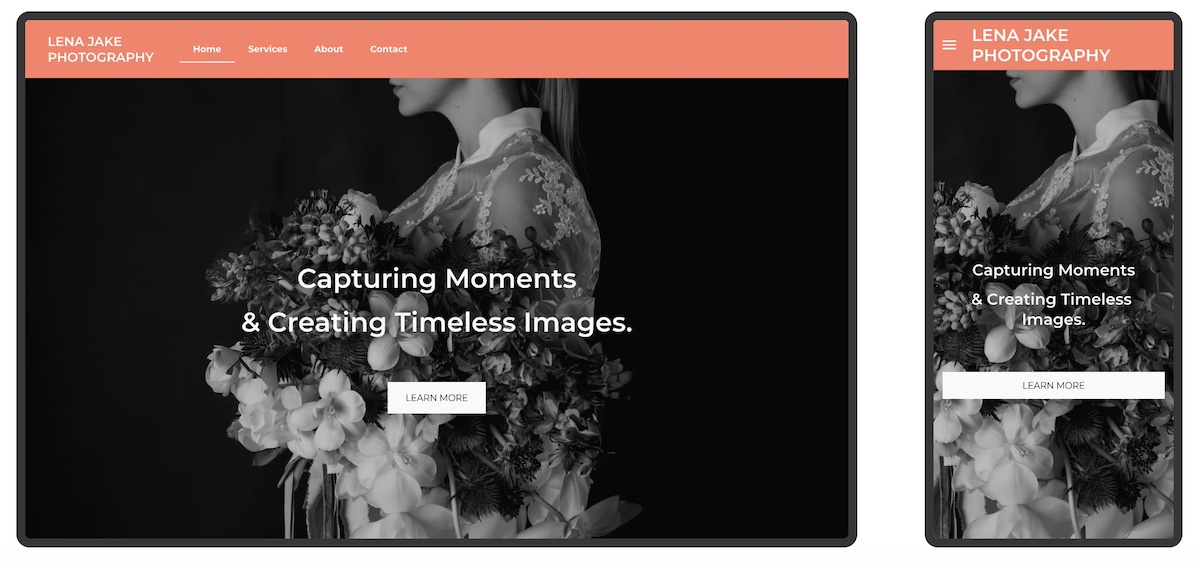
This photographer’s website goes beyond looking great on desktop, and also performs beautifully on mobile. And that makes all the difference.

Seamless Mobile Experience

From the moment visitors arrive, the hero image resizes perfectly to fit smaller screens without cutting off important details. The headline stays crisp and readable, while the call to action—“Book a Session”—remains easy to find and tap. Even the navigation menu adapts, collapsing into a clean, user-friendly mobile version.

Built With Mobile in Mind

It’s obvious this site wasn’t just adapted for mobile after the fact—it was designed to shine on any device from the start. With over 60% of visitors browsing personal websites on their phones, having a mobile-optimized site is super important. Alternatively, a site that breaks, hides buttons, or loads slowly risks losing those visitors immediately.

Beyond Mobile: Fast, Secure, and Accessible

This site also loads quickly and runs securely—no delays, no warnings, no frustration. But performance goes beyond speed and security. Accessible web design choices—like clear typography, strong color contrast, and intuitive website navigation—make the site easier to use for everyone, including visitors with visual, motor, or cognitive impairments. Together, these elements build trust and ensure more people can comfortably interact with the site.

Hosting and Site Building Made Easy

A reliable hosting provider like SiteGround not only delivers blazing-fast speeds and built-in security but also offers a site builder that automatically makes your site mobile optimized. That means your website will look great and perform well on any device without extra hassle.

The Final Takeaway

A great-looking website is only part of the equation. To truly succeed, your site needs to perform flawlessly everywhere—fast, secure, and mobile-optimized. That’s the foundation of a professional, user-friendly online presence.

Top tips for creating a personal website

Put Your Personal Website to Work

Creating a personal website isn’t just about putting your name on a webpage. It’s about building an online experience around your story and what you offer so that you can connect and create opportunity. The most effective personal websites are purposeful, focused, and easy to navigate. Use the examples above as inspiration, and always keep your core purpose front and center as you build your own.

If you want to make the process easier from start to finish, the SiteGround Website Builder has you covered. With built-in AI to help you write your site copy, mobile-optimized design, fast and secure hosting, and expert support when you need it—plus a free domain for your first year—it’s everything you need to build a polished personal website, no stress required.

SiteGround Website Builder

FAQs About Creating a Personal Website

How Much Does it Cost to Build a Personal Website?

As you start website planning, you’ll discover that the cost of building a personal website can vary widely depending on how you approach it. If you hire a designer for a fully custom site, costs can run into the thousands. On the other hand, using a website builder is a budget-friendly option that lets you create a professional site yourself, often for little to no upfront cost.

With SiteGround, you can try the SiteGround Website Builder for free and build your website without any design experience. There’s no cost until you decide to publish your site, at which point you choose a hosting plan. SiteGround’s hosting plans are affordable and include fast performance, reliable security, and 24/7 expert support.

So, not only can you start building your personal website easily and at no initial cost, but you also get the peace of mind that comes with trusted hosting and expert help whenever you need it.

How Do I Create a Personal Website?

Creating a personal website usually means picking a domain, designing your site, and setting up web hosting—which can feel complicated if you’re new to it. But with SiteGround, the whole process becomes much easier. When you sign up for web hosting, you can get a free domain and domain privacy for the first year. You can also use the simple, no-code Website Builder to design your site and benefit from reliable hosting—all in one place. Plus, top-notch customer support helps you every step of the way, so launching your site is smooth and stress-free.

How Hard Is It to Build a Personal Website?

For someone new to websites, the idea of juggling domains, design, and hosting can feel daunting. There’s a learning curve, and technical details can slow you down. That said, SiteGround’s platform is designed to lower that barrier. With easy-to-use tools and helpful support, the process becomes manageable—even for beginners. Instead of wrestling with confusing setups, you get clear guidance and reliable infrastructure that lets you focus on creating your site, not troubleshooting it.

How to Optimize Every Part of an Email for Impact

Abstract of parts of an email

A well-crafted email is never just one thing—it’s a collection of carefully constructed sections and elements that work together. From the subject line that earns the open to the call to action that seals the deal, and everything in between, each part plays a role. Because when these parts of an email are optimized smartly and strategically, your emails don’t just look good, they have the power to drive real action.


No matter the type of message you wish to send—be it a promotional message, a welcome email, or a re-engagement campaign—understanding how each component functions, and how to make it work harder, is how to really get the results you want. And that’s what we’ll be tackling today: how to make each part of your email work for you so that it really gets the job done.

email-marketing-course-for-beginners

The Essential Parts of an Email Message

At first blush, an email might seem simple. And it could be simple. But there’s certainly a whole lot more to a high-performing email: beyond words, there’s a structure designed to guide the reader, build credibility, and lead them to a desired action. It’s strategic, multifaceted, and when everything comes together, more valuable than the sum of its parts.

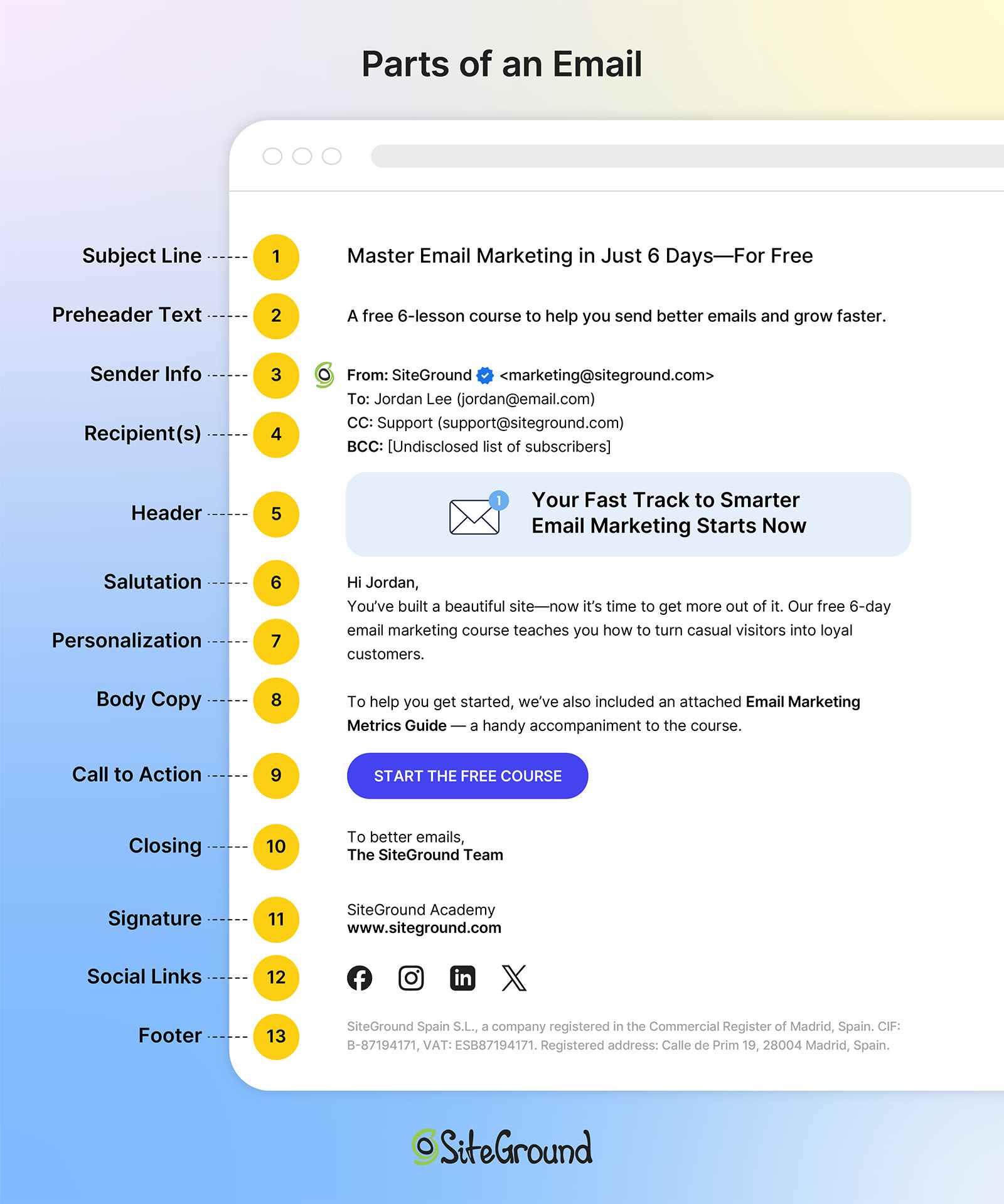
So let’s explore the anatomy of the seemingly humble email. Here are the essential parts of a complete, fully baked, high-converting email message:

  • 1. Subject line – The first impression and open-rate driver
  • 2. Preheader text – A text preview that complements the subject line
  • 3. Sender information – Establishes trust and recognition
  • 4. Recipient information – Clarifies who sees what, and why it matters
  • 5. Header – Visually sets the tone for what follows
  • 6. Salutation – Establishes voice and connection
  • 7. Personalization – The key to making your email feel less anonymous
  • 8. Body copy – The core message that informs or persuades
  • 9. Call to action (CTA) – Directs readers toward a specific next step
  • 10. Closing – Reinforces tone and wraps up with intent
  • 11. Signature – A trust-building bookend
  • 12. Social media links – Boosts credibility and brand awareness
  • 13. Footer – Includes key business and legal information, as well as an unsubscribe option
  • 14. Attachments – Optional, of course, but can add value, and it’s important to actually attach!

Each of these elements contributes to the overall success of your email. Miss one, and you risk a weaker message. Get them all right, and your email becomes a powerful tool for engagement and conversion. Now let’s unlock the secrets behind each component.

The different parts of an email

How to Make Each Part of an Email Work for You

Now that we’ve outlined the key parts and sections of a complete email, it’s time to dig into how to make each one work harder so that every part of the email isn’t just present, but purpose-driven. Whether you’re aiming to increase open rates, improve click-throughs, or drive conversions, each section of your email should support your end goal.

Let’s start at the top—literally—with the parts of an email your reader sees first.

1. Subject Line

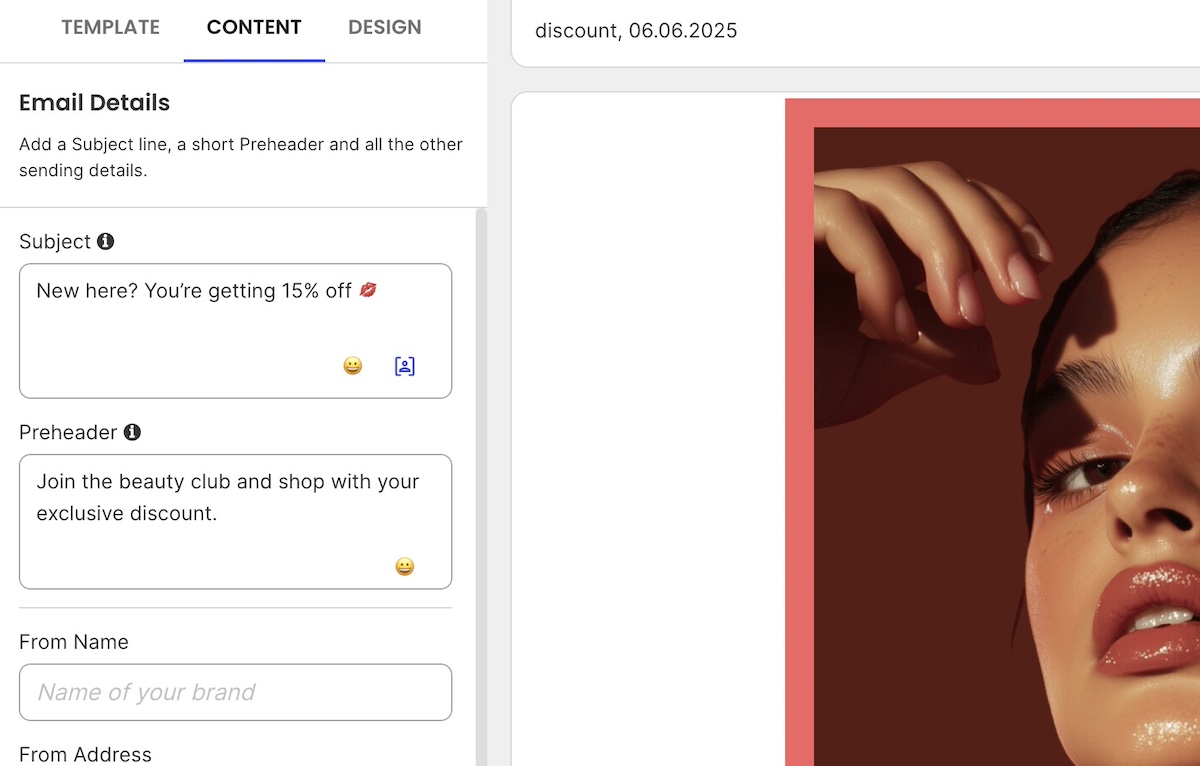
Your subject line is your email’s decision point. Do they open it or do they not? Not only that, but it frames the entire message and primes your audience’s mindset. A good email subject line aligns with the intent of your campaign, nudges curiosity, and connects to the outcome you want.

Strategic tips:

  • Focus on the benefit or value for the reader
  • Use emotional triggers (urgency, exclusivity, curiosity)
  • Keep it concise—aim for under 60 characters so that it shows up on mobile
  • Test subject lines against different segments or goals

Examples:

  • “One Day Left: Claim Your Spot Before It’s Gone” (creates urgency)
  • “You Asked, We Delivered: New Features Inside” (builds curiosity and relevance)
  • “20% Off for Returning Customers Only” (personalized + exclusive)
  • “A Faster Way to Manage Your Workflow” (value-focused)

2. Preheader Text

Think of the preheader text as a second subject line—it’s an extra way to persuade your reader to open. With this added precious space, you’ve got a chance to support the hook, preview what’s inside, or clarify your message.

Strategic tips:

  • Expand on the subject line or deliver a complementary message
  • Reinforce your call to action or tease what’s coming
  • Match tone and intent to the subject line and body copy

Examples:

  • Subject: “Big Improvements Just Dropped 🎉”
  • Preheader: “Take a look at what’s new—and how it makes your workflow smoother.”
  • Subject: “Don’t Miss Out: Sale Ends Tonight”
  • Preheader: “Save 25% on everything in your cart before midnight.”
  • Subject: “Welcome to the Team”
  • Preheader: “Let’s get you set up—your first steps are inside.”

It’s worth noting that as inbox functionality evolves—especially with the rise of AI email summaries—some have questioned whether preview text will still matter. While it’s true that AI may reduce its visibility in certain cases, you’d still be wise to optimize this space. Strong preview text remains a valuable opportunity to drive opens and engagement, regardless of changing trends.

3. Sender Details

Before your email is even opened, your sender name and address play a huge role in whether your message gets noticed or ignored. People are far more likely to open emails from sources they recognize and trust.

But there’s a technical side to trust, too. Behind the scenes, domain authentication (like SPF, DKIM, and DMARC) signals to inbox providers that your email is legitimate. Without it, even a great sender name might land in spam—and, notably, your email deliverability could take a hit. So it’s important to pay extra attention to sender details for a variety of reasons. 

Strategic tips:

  • Use a recognizable name (brand, person, or both)
  • Avoid no-reply addresses, which feel impersonal or unhelpful
  • Stay consistent across campaigns to build familiarity
  • Change things up when necessary—sending an occasional email directly from your founder, for example, could elicit more opens
  • Ensure your domain is authenticated to protect your brand and improve deliverability

SiteGround, for example, takes email deliverability seriously—optimizing everything from server reputation to DNS settings to help ensure your messages actually reach the inbox. With built-in support for SPF, DKIM, and DMARC authentication, plus proactive IP reputation management, SiteGround gives senders a strong foundation for email success right out of the gate.

Get started with SiteGround Email Marketing >>

4. Recipient Info

Sending an email isn’t always as basic as just dropping in an email address and hitting send. The way you use To, CC, and BCC can shape how your message is perceived, and who acts on it.

To: The Primary Audience

This is where you put the main person or people you want to engage with your message. If you want someone to read, respond, or take action, they should be in the To field. Think of this as your email’s “front row” audience.

CC (Carbon Copy): Keeping Others in the Loop

Use CC to include people who should be aware of the conversation but aren’t expected to respond or take action. It’s a way of saying, “FYI, you might find this useful.” This keeps communication transparent but avoids overwhelming the primary recipient with unnecessary replies. CC is especially common in cold emails, where senders might copy a manager, colleague, or mutual contact to lend context or credibility.

BCC (Blind Carbon Copy): Privacy and Discretion

Recipients in the BCC field receive the email without other recipients knowing. This is perfect for sending announcements or newsletters to large groups without exposing everyone’s email address. It also prevents reply-all chaos and keeps the list confidential.

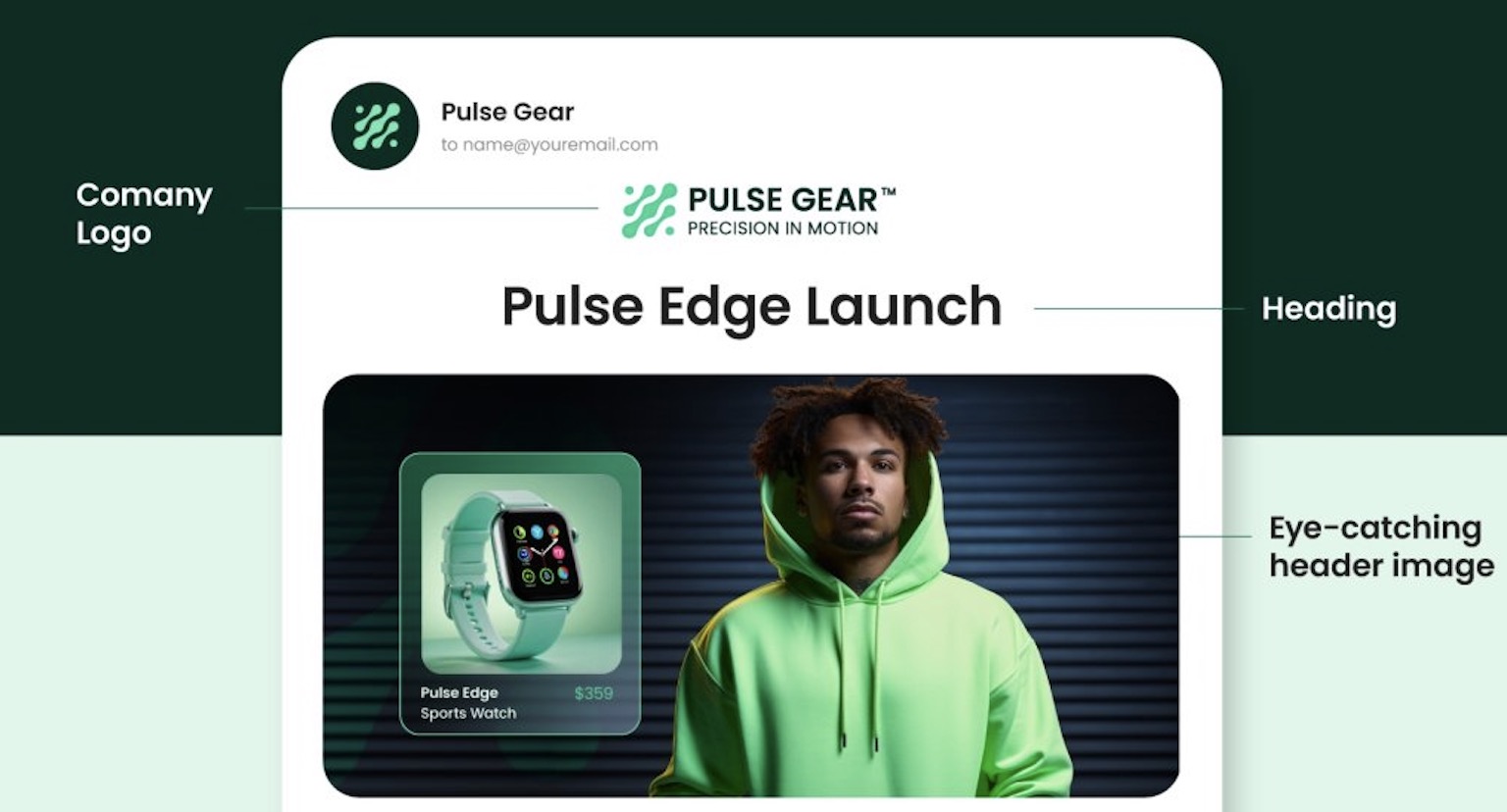
5. Email Header

Your email header isn’t just decorative; it sets expectations for what’s to come and reinforces your brand from the very first scroll. In it, you might include your logo, a design, and even headline or call to action. 

the header part of an email

Strategic tips:

  • Keep it clean, on-brand, and mobile-friendly
  • Include your logo to build instant recognition
  • Use a banner image that reinforces your message or theme
  • Add a headline or tagline when it supports the content

Examples:

  • Brand + Context: Logo with “This Month’s SEO Trends & Insights” underneath (sets expectations and connects to the content)
  • Minimalist: Just your logo, no text (works well for quick updates or personal messages)
  • Event Follow-Up: Branded banner with “Thanks for Attending Our AI in Marketing Webinar” (immediately reminds the reader why this email matters)
  • Role-Based Newsletter: Logo plus “Resources for Product Designers” (reinforces custom content)

6. Salutation

The salutation is your first real chance to speak directly to your reader and make a proper connection. It also subtly establishes the tone—whether friendly, formal, or conversational—and can help build rapport right away.

Strategic tips:

  • Match your salutation to your brand voice and audience expectations
  • Use the recipient’s name when possible for a personal touch
  • Adjust formality based on context (that is, “Hi, Joan” versus “Dear, Mr. Nakamoto”)
  • Consider including a brief, warm opening line to engage readers immediately

Examples:

  • “Dear, Dr. Smith,” — respectful and formal, ideal for professional or academic audiences
  • “Hello, Sarah, hope your week is going well!” — conversational and friendly, adds warmth
  • “Greetings, Marketing Team,” — useful for group or role-based emails
  • “Hi, Kara,” — casual and approachable, great for B2C or informal brands. Or, as seen in the example below, add an exclamation point for an extra touch of friendliness.
The salutation part of an email with personalization

7. Personalization

Personalization goes beyond using a first name. It’s about showing your audience that you understand their context, preferences, and needs. Even small, thoughtful tweaks can make your message feel more custom and relevant.

Strategic tips:

  • Use dynamic fields like name, company, or location
  • Reference recent activity (event participation, downloads, interests)
  • Segment based on behavior, interests, or email customer journey stage
  • Adapt tone, product suggestions, or CTAs to match the segment

Examples:

  • “Thanks for joining us at [Event Name]—here’s what’s next” (follow-up to an event registration or attendance)
  • “You downloaded our Remote Work Toolkit—now try these tools” (lead nurturing email based on a resource download)
  • “For Marketing Managers: Our top tips on email segmentation” (targeted content aligned with the role identified during sign-up)
  • “Hi Sam, great to have you as part of our webinar” (personalized webinar follow-up that references participation)
Implementing personalization in the parts of your email

8. Body Copy 

The body of your email is where you deliver on the promise made by your subject line and header. This is where your email copywriting has a chance to engage, inform, and persuade, so every sentence should have a purpose.

Strategic tips:

  • Focus on one clear message and structure your content around it to avoid overwhelming the reader.
  • Write in a natural, conversational tone, like you’re speaking directly to one person.
  • Break up text with short paragraphs and bullet points to make your email easy to scan.
  • Highlight the benefit to the reader, not just the product’s features—make it about what’s in it for them.
  • Use real examples or mini-stories to illustrate your point and keep people interested.
  • Add trust elements, like testimonials or data points, to reinforce credibility and drive action.

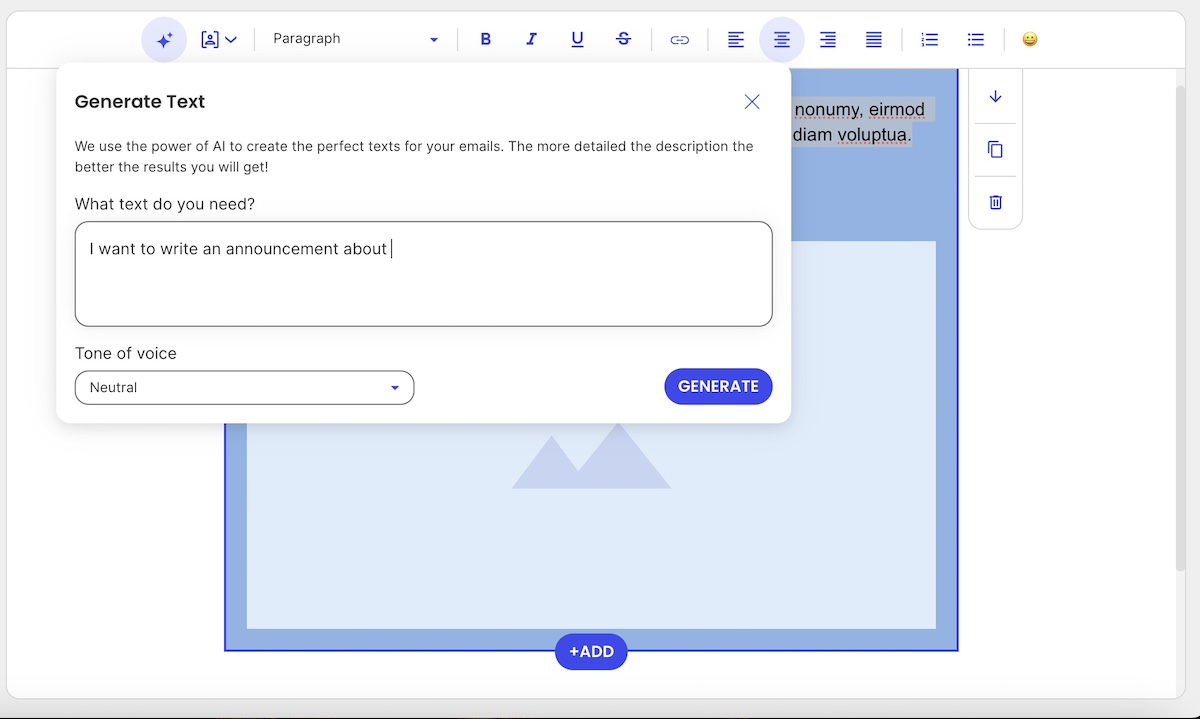
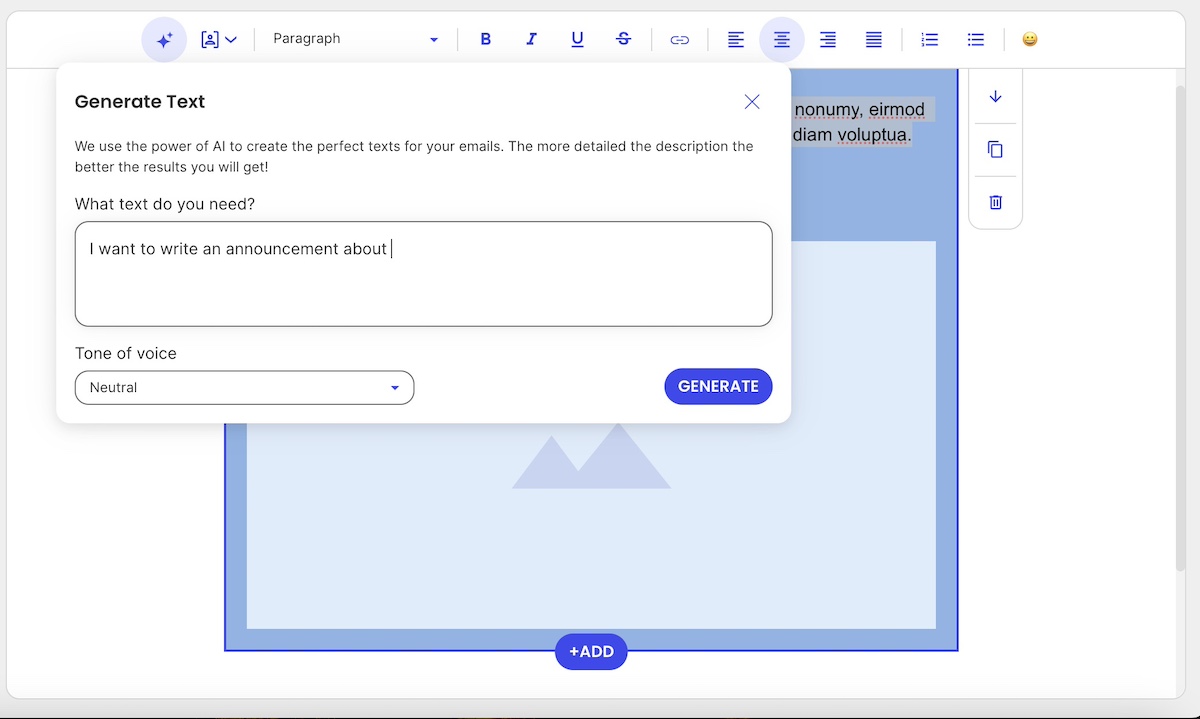
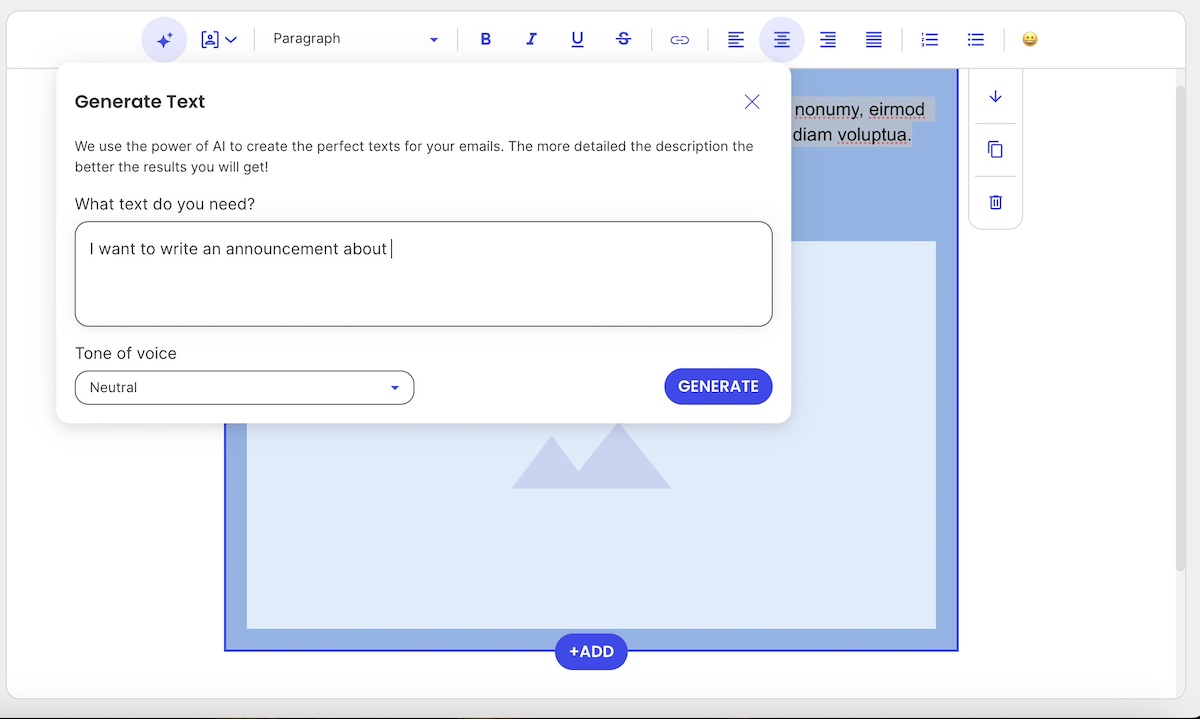
If you’re feeling stuck or just need a little help writing your email copy, there are tools that can make the process easier. SiteGround Email Marketing, for example, includes a built-in AI email writer that helps you craft clear, compelling messages in less time.

AI for writing the body of your email

9. Call to Action

Your email’s call to action is the driving force behind your message’s success. A good CTA guides your reader toward the next step, whether that’s signing up, downloading, buying, or simply learning more.

Strategic tips:

  • Use strong, direct verbs that tell your reader exactly what to do—think “Start your free trial,” “Shop the sale,” or “Book your spot.”
  • Make your CTA button visually stand out with color, size, and spacing that draws the eye.
  • Place CTAs where they make the most impact—typically near the top (above the fold), again in the middle, and once more at the end.
  • Stick to a single goal: one primary CTA per email is usually most effective. If you include more than one, make sure they support the same action.
  • Cater your CTA to the audience—reference their interests, behavior, or where they are in the buyer’s journey to make it more relevant and persuasive.

Examples:

  • After introducing an event: “Reserve your spot now” button right after the event details
  • In a personalized email for a specific job role: “Explore resources for product managers” link embedded after relevant content
  • For selling a product: A brightly colored “Start Shopping Now” button immediately following the promotion description—like seen in the example below.
a good call to action as part of your email

10. Closing

The closing is your final send off. Though it might seem trivial, a strong one can reinforce your message, keep the tone consistent, and leave the reader feeling confident about what to do next.

Strategic tips:

  • Match the tone of your closing with the rest of the email (such as professional, friendly, or casual)
  • Include your name or your team’s name to humanize the message
  • Reinforce your CTA or main takeaway just before signing off
  • Add a subtle reminder of your brand voice and values

Examples:

Formal and professional:

“Looking forward to your participation.

Best regards,

The Events Team”

Friendly and helpful:

“Can’t wait to see what you think.

Cheers,

Luisa from BrightWorks”

CTA-focused:

“Ready to dive in? Click below to get started.

Talk soon,

The Growth Team”

11. Signature

The closing may be the final line of your message, but your email signature is where you solidify who the message is from and how readers can connect with you or your company. It adds context, credibility, and consistency.

If the email is coming from a person, the signature typically includes:

  • Full name
  • Job title
  • Company
  • Website and contact info
  • Optional photo or logo
  • Links to relevant social media

If the email is from a company or team (rather than an individual), it should still feel warm and professional. A company signature might include:

  • Team or department name (such as, The SiteGround Support Team)
  • Company logo
  • Website and contact email
  • Optional CTA or tagline

12. Social Links

Including social media links isn’t just about growing your follower count; it’s about building trust and giving readers more ways to connect with your brand.

Strategic tips:

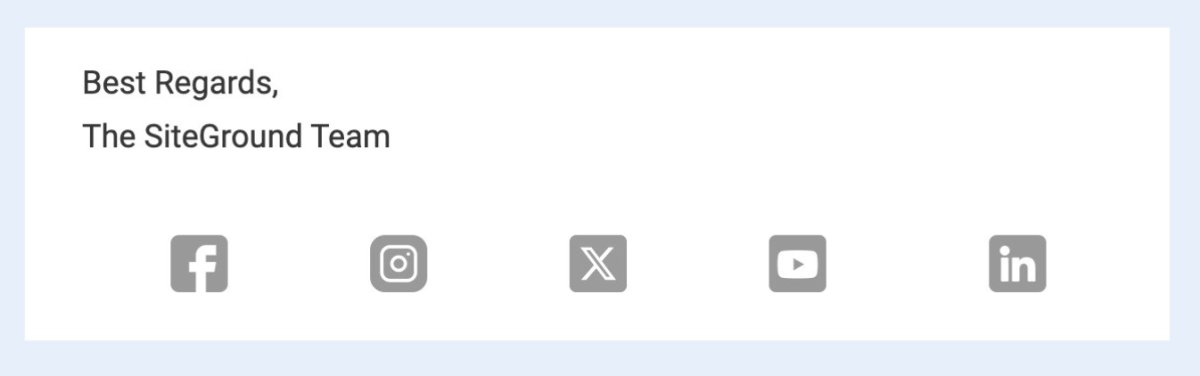
  • If you add icons, consider making them either neutral-colored (as seen below) or within your own branding (versus the original social media branding colors, which might clash with your email marketing design.) 
  • Make sure the tone and content on your social pages match your brand voice
  • Link to relevant channels: LinkedIn for B2B, Instagram for lifestyle brands, etc.
  • Use UTM parameters to track traffic from email to social
social media icons as part of an email

13. Footer

It’s easy to overlook, but the footer plays a big role in compliance, clarity, and trust. It’s where readers go to verify who you are, and how to opt out if they need to.

Strategic tips:

  • Always include your company name, physical address, and a clear unsubscribe link (these are essential email marketing best practices in order to comply with regulations)
  • Add contact information or a support email for questions
  • Keep the design clean and unobtrusive, but still on-brand
  • Consider including legal disclaimers or certifications if relevant

14. Attachments

Attachments can add value to your email, but only when they’re used strategically and clearly support your message.

Strategic tips:

  • Only attach files that are necessary and expected (like a brochure, event agenda, or whitepaper)
  • Mention the attachment in the body of your email so the recipient knows what to look for
  • Keep file sizes small to avoid deliverability issues
  • Use clear, descriptive file names (because how often have you downloaded something and then struggled to identify it later due to its ambiguous name?)
  • For better tracking and security, consider using a download link instead of an attachment

Beyond Just a Single Email: The Bigger Sending Picture 

Mastering the components of a high-converting email is important, but one message doesn’t stand alone. In business, every email you send becomes part of a larger story you’re telling your audience. With that in mind:

Think in Journeys, Not One-Offs

Whether you’re welcoming a new subscriber, following up after a download, or nudging someone toward a purchase, your email’s structure and content should reflect where the recipient is in their customer journey. The tone, CTA, and overall copy of each email should evolve based on what they’ve already done (or received)—or haven’t.

Segment to Stay Relevant

Sending emails that speak to where the customer is at means that you don’t send the same message to everyone. To do this, segment your list based on behavior, preferences, or actions, and customize each part of the email accordingly. A subject line that resonates with a CFO may fall flat for a marketing manager. A call to action that works for a long-time customer might not land the same way as it would for someone who just discovered your brand. This is part of bringing personalization to life, beyond just someone’s first name. 

Automation Ties It Together

The idea here is to think about the bigger email picture, beyond just a single message with all its email parts. That’s where smart email automation comes in. It allows you to turn individual messages into thoughtful sequences—each one leveraging the email structure we’ve covered, and each one moving the recipient closer to a goal.

Parts of an email in an email sequence automation example

Connecting All the Parts for Stronger Email Results

As you can see by now, truly successful emails aren’t just well-written, they’re well-constructed, with each part getting special attention. The whole anatomy, from subject line to footer, plays an important role in how your message is received and acted upon. So when you understand the purpose of each component, you can optimize with intention, and transform every email into an effective tool for engagement, brand-building, and conversion. 

Want to bring all these best practices to life without starting from scratch each time? SiteGround Email Marketing gives you everything you need to build beautiful, high-performing emails—fast. With customizable templates, intuitive design tools, and built-in features for personalization, segmentation, and automation, you can craft messages that don’t just look good—they get results. Try it out and see how easy powerful email marketing can be.

Grow your business with SiteGround Email Marketing

What You Need to Know About Domain Squatting in 2026

Domain squatting abstract

You’ve built your brand, brainstormed the perfect name, and checked if the domain is available—only to find out it’s already taken. Not by a legit business, but by someone who beat you to the punch…and now they’re asking thousands just to hand it over. Welcome to the frustrating world of domain squatting.

In 2025, domain squatters have gotten smarter and faster. But so has the know-how when it comes to fighting back. Indeed, when businesses understand how domain squatting works, it makes it a whole lot easier to avoid falling victim to the practice.

This guide breaks it all down given the state of domain squatting in 2025: what domain squatting actually is (and isn’t), the smart steps you can take right now to protect your business, and how you can take action if necessary. Let’s get into it.

What is Domain Squatting?

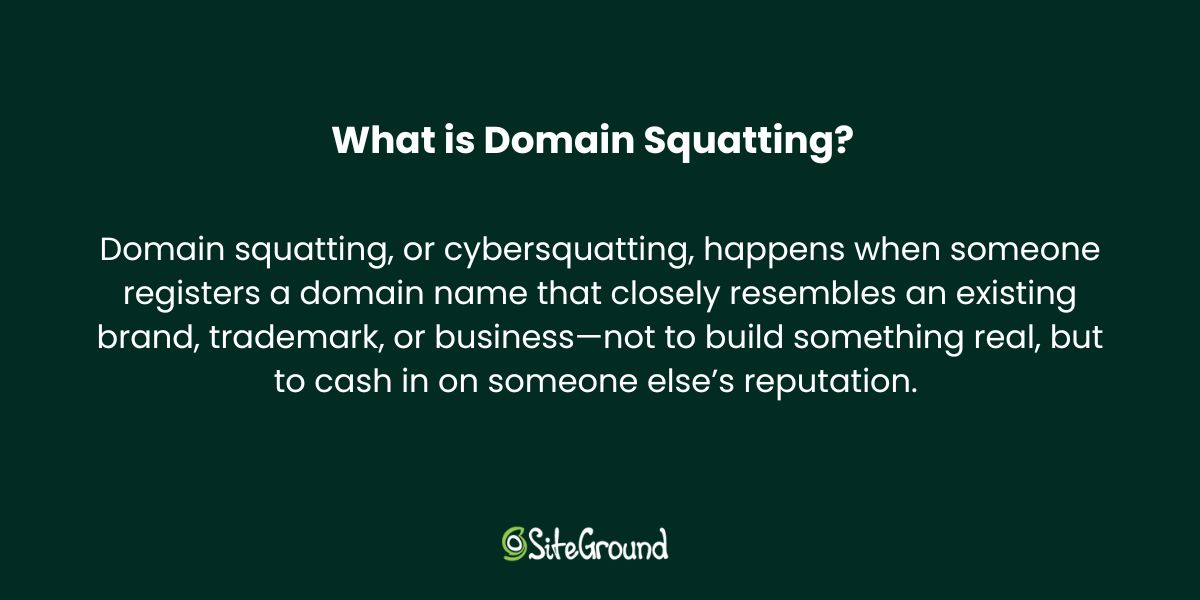
Domain squatting, or cybersquatting, happens when someone registers a domain name that closely resembles an existing brand, trademark, or business—not to build something real, but to cash in on someone else’s reputation. These individuals often sit on the domain, waiting to sell it back at a steep price or use it to divert web traffic. It’s frustrating for businesses trying to protect their brand, and in many cases, it’s illegal.

What is domain squatting

What Domain Squatting Isn’t

Not every domain conflict is a case of squatting. Domain squatting requires bad-faith intent—like registering a domain just to profit from someone else’s trademark or mislead users. But there are plenty of legitimate reasons someone might own a domain you want. For example, someone may have registered the domain for a personal project or business with the same name, bought it as a generic investment (also known as domaining, which we’ll touch on in a moment), or owned it long before your brand even existed.

If there’s no intent to deceive, extort, or capitalize unfairly on your trademark, it’s not domain squatting—it’s just an unfortunate overlap. Understanding this distinction is key before you take action.

Domain Squatting vs. Domaining

While they might sound similar, domain squatting and domaining are very different practices. Domain squatting involves registering domain names that match someone else’s trademark, and with the bad-faith intent to profit from it later. It’s generally illegal and can lead to lawsuits or forced domain transfers.

Domaining, on the other hand, is a legitimate business. Domainers buy and sell domain names that are generic and brandable (like bestshoes.com or glimmer.io), and without targeting specific trademarks. It’s like digital real estate investing: profitable, legal, and often helpful for startups looking to acquire a relevant, available name.

The key difference lies in the intent and trademark infringement. If a domain is registered to hijack or hold hostage someone else’s brand, it’s squatting. If it’s about spotting valuable opportunities in unused domain names, it’s domaining.

How Domain Squatting Can Impact Your Business

Domain squatting can seriously derail your brand, especially if you’re a startup or creator building your online presence.

It disrupts your ability to establish a consistent identity, confuses customers, and can hurt your credibility. Worse, squatters often demand high payouts for the domain, or force you into expensive, time-consuming legal battles, draining resources you’d rather invest in growth.

Simply put, domain squatting can stall your brand before it even has a chance to thrive. So let’s nip this one in the bud before it becomes a bigger problem. 

How to Avoid Domain Squatting

When it comes to domain squatting, starting your prevention measures early is the best way to save you from major headaches later on. So let’s begin at the earliest phases, because this is where you can make the smartest moves.

Step 1: Secure Your Brand Identity Early

Building a strong brand starts with securing your identity — and that means locking down the name you want before someone else does. Here’s how:

Choose a Distinctive Name

Great brand names are memorable, easy to pronounce, and hard to confuse with others. Steer clear of generic or overly descriptive names that competitors can easily mimic. The more unique your business and website name, the easier it is to protect.

Check Trademark Availability

Before falling in love with a name, check if it’s already trademarked. A quick search through the USPTO (United States Patent and Trade Organization) or your country’s trademark registry can save you from costly legal headaches later.

Register Your Trademark (When You’re Ready)

Trademarking offers strong legal protection but can take time and money. If you’re not ready to file yet, consider registering a DBA (“Doing Business As”) in your state or municipality. It’s a practical first step that gives you some rights while you grow.

Step 2: Lock Down Key Domains

Once you’ve got your brand name locked in, the next step is to make sure no one else can claim your digital turf. Securing the right domains isn’t just an important part of website planning—it’s about covering all your bases to keep domain squatters at bay.

Buy Your Primary Domain

Your primary domain—the one that matches your brand name exactly—is your online home base. Once you choose a domain name, snag it as soon as possible, ideally with a .com extension, since it’s still the most recognized and trusted by customers worldwide. And don’t wait around hoping it’ll be available later; once it’s gone, it’s often gone for good. You can secure your perfect name today easily and confidently by registering your domain via SiteGround.

Lock down key domains to avoid domain squatting

Register Common Misspellings and Variations

You have a domain name, but now what? People make typos—it’s inevitable. To prevent potential visitors from landing on a squatter’s site or a competitor, register common misspellings, plural forms, and slight variations of your domain. These small investments can save you from problems and lost traffic down the road.

Consider Multiple TLDs 

The domain world has expanded way beyond .com, with plenty of new top-level domains (TLDs, also called domain extensions) like .net, .co, .biz, or industry-specific options like .tech or .store. Depending on your budget and brand strategy, it’s wise to register your name across several relevant domain extensions. This doesn’t just block squatters, it also gives you flexibility for future growth or marketing campaigns.

Consider multiple TLDs to avoid domain squatting

Locking down these variations and top-level domains early gives you control over your brand’s online presence and makes it much harder for domain squatters to catch you off guard.

Step 3: Claim Your Name on Social Media

Just like domain squatting, social media handle squatting is a sneaky tactic where someone grabs your brand’s name on social platforms—not to generously build your presence, but to block you or profit off your success. As part of your social media marketing strategy, securing consistent handles across major platforms can easily be just as important as locking down your domain name. It helps you keep your brand identity tight and trusted everywhere online.

Example of avoiding domain and social media squatting

Step 4: Set Up Monitoring Alerts

Even after securing your domains and social handles, staying vigilant is still a good plan. Domain squatters and impersonators can strike anytime, so setting up monitoring alerts helps you catch problems early, before they turn into those big headaches.

Use Domain Monitoring Services

There are specialized services that keep an eye on new domain registrations that resemble your brand name. These tools alert you if someone registers a suspicious domain, giving you a chance to act quickly—whether that means reaching out to the owner or preparing to take legal steps.

Set Up Google Alerts for Your Brand Name

Google Alerts is a free, easy way to stay informed about mentions of your brand online. Set alerts for your brand name, common misspellings, and related keywords. This way, you’ll be notified if someone is using your name in unexpected places, helping you spot social media squatting, fake accounts, or even negative publicity fast.

Set up alerts to avoid domain squatting

Monitoring alerts are your early warning system, as it helps you defend your brand from domain squatting and online impersonation before they do any real damage.

Step 5: Work with a Reputable Domain Registrar

When it comes to domain name registration, choosing where you register is just as important as what you register. A trusted, well-established domain registrar—such as SiteGround, for example—offers tools and safeguards that can help prevent domain hijacking and squatting risks down the line. Let’s examine.

Enable Domain Privacy

When you register a domain, your personal details (like name, email, and phone number) are often listed in the public WHOIS database—unless you opt for domain privacy protection via your registrar. This feature masks your information, helping protect you from spammers, scammers, and opportunistic squatters who monitor registrations to target new businesses.

Use Domain Locking for Extra Security

Most reputable registrars also offer domain locking, which prevents unauthorized transfers of your domain name. It’s a simple but powerful way to stop someone from trying to hijack your domain without your permission.

Set Up Two-Factor Authentication

Once you’ve secured your domain, protect your account by enabling two-factor authentication. This adds an extra layer of security beyond just a password, helping prevent unauthorized access to your domain registrar account and reducing the risk of hijacking or theft.

Always-Available Customer Support

Dealing with domain issues like squatting can be tricky and stressful. Having knowledgeable support available 24/7 means you’re never alone when navigating these challenges. Whether you need help securing your domain or resolving disputes, expert assistance ensures you get the right guidance quickly, keeping your brand protected and your site running smoothly.

SiteGround offers all of the above: from two-factor authentication and domain locking to expert support and even free domain privacy for the first year. It’s a secure, reliable choice that helps protect your online identity from day one. Even better? SiteGround is an all-in-one platform for everything your business needs to grow online—domain registration, hosting, easy site-building tools, and professional email marketing—all backed by top-rated customer support.

Get your domain now and start growing with SiteGround>>

how to avoid domain squatting

What to Do If Your Desired Domain Is Squatted On

If your ideal domain is already taken, don’t panic—there are smart, practical steps you can take to understand if and how to make your next move. Whether it’s a case of domain squatting or simply a name that’s already in use, you still have options.

Step 1: Investigate the Current Owner

Find out who owns the domain

Use WHOIS lookup tools to access public registration details like the owner’s name, contact info, and registration date. This data can help you determine whether the owner is an individual, a business, or possibly a domain squatter.

Check the domain’s history

Use tools like the Wayback Machine to see how the domain was used in the past—whether it was active, abandoned, or linked to questionable content. Knowing its history can help you decide if pursuing the domain is worth it or if you should explore other options, and it can also inform your approach if you need to contact the current owner.

Step 2: Determine If It’s a Case of Squatting

Not every taken domain is a case of squatting—sometimes it’s just a coincidence (we’ll explore some examples in a moment). But if someone’s sitting on your brand name without a legitimate reason, it may cross into squatter territory. How do you know? 

Look for trademark infringement

If you’ve registered your trademark (or even if you have strong common law rights), and someone is using the domain in a way that could confuse customers or damage your brand, that’s a red flag.

Assess the owner’s intent and use 

Is the domain just parked with ads or for sale at an inflated price? Is the site mimicking your business or redirecting traffic elsewhere? If the owner has no legitimate interest in the name and seems to be holding it hostage, you might be dealing with a classic case of domain squatting.

Step 3: Consider Your Options

Once you’ve confirmed that your desired domain is taken—and possibly being squatted—you have a few paths forward. The right choice depends on your budget, timeline, and how aggressively you want to pursue the name.

Negotiate a Purchase

Sometimes the simplest solution is reaching out to the owner with a reasonable offer. Use a domain broker if you’d prefer to stay anonymous or want help navigating the negotiation. Be prepared for counteroffers—especially if the domain matches a trending term or business name.

File a Complaint (UDRP or URS)

If the domain clearly violates your trademark rights and was registered in bad faith, you may be able to file a formal dispute with ICANN under the Uniform Domain-Name Dispute-Resolution Policy (UDRP) or the faster Uniform Rapid Suspension (URS) system. These administrative procedures are typically quicker and less expensive than going to court, but they require clear evidence that: you hold trademark rights to the name, the current registrant has no legitimate interest in it, and the domain was registered and used in bad faith. For more details on how to initiate these disputes, you can visit the WIPO Domain Name Dispute Resolution Center, which administers many of these cases internationally.

Pursue Legal Action

In serious cases, especially where damages are involved, legal action might be necessary. The Anticybersquatting Consumer Protection Act (ACPA) is a law in the U.S., for example, that gives trademark holders a way to sue domain squatters in court. It’s the most involved route, but sometimes the most effective.

Noteworthy Domain Squatting Dispute Examples

Domain squatting doesn’t just impact small businesses on a budget—it hits major brands, celebrities, and startups alike. And not surprisingly: because that’s where the domain squatting jackpot is at. Here are a few entertaining and headline-worthy examples that show the nuances of domain squatting, and the outcomes.

1. Nissan.com

One of the most cited examples—though often misunderstood. In the late 1990s, Uzi Nissan, a computer repair shop owner, registered nissan.com for his legitimate business, long before Nissan Motor Corporation pursued the domain. Despite years of legal pressure from the automaker, Uzi Nissan held on to the domain because it was, quite literally, his name. This wasn’t a textbook case of domain squatting, since there was no bad-faith intent to profit off the brand. But it highlights how valuable domain names can become—and why businesses should secure theirs early.

2. Madonna.com

In the early 2000s, pop icon Madonna filed a successful complaint under the UDRP to reclaim madonna.com from an individual who had filled the site with adult content. The panel of course found clear evidence of bad faith and awarded her the domain.

3. MikeRoweSoft.com

In one of the more playful domain disputes, a Canadian high school student named Mike Rowe registered mikerowesoft.com for his part-time website design business. The name was a pun—“Mike Rowe Soft”—but it phonetically resembled Microsoft, and the tech giant took issue. While it looked like a case of cybersquatting on the surface, Mike’s intent wasn’t malicious or deceptive, just clever wordplay. After some public backlash and media attention, Microsoft softened its stance and reached a friendly resolution—complete with an Xbox for Mike.

4. Tesla.com

Before Tesla became a household name, tesla.com was registered by Silicon Valley engineer Stuart Grossman, who had held the domain since the 1990s. Unlike a typical squatter, Grossman wasn’t trying to sell the domain for profit or capitalize on the Tesla brand—he simply had a long-standing personal interest in Nikola Tesla. For years, Tesla Motors operated under teslamotors.com while reportedly trying (and failing) to negotiate a deal. Eventually, in 2016, the company acquired tesla.com—but only after what Elon Musk described as years of “painful” back-and-forth. Though not a squatting case per se, it’s a cautionary tale about how hard (and expensive) it can be to get the perfect domain after your brand takes off.

5. Airbnb.ca

When Airbnb expanded into Canada, they discovered that airbnb.ca was already registered—not by the company, but by a domain investor who had set up a generic travel-related website. While it wasn’t outright impersonation, Airbnb argued that the registrant was capitalizing on their growing brand recognition in bad faith. They filed a UDRP complaint, citing trademark infringement and lack of legitimate interest by the domain holder. Ultimately, the panel sided with Airbnb, and the company regained control of the domain.

These examples show that domain squatting affects everyone—from garage startups to global icons. Learn from their mistakes: don’t wait to secure your brand’s domain and trademarks, because once your business takes off, the stakes (and the price tags) only get higher.

Protecting Your Brand from Domain Squatting: The Bottom Line

By now, you’re surely convinced: you need to jump on that prized domain name, and you need to do it now. Because it’s at the heart of your online identity, and a key piece of your long-term success. Choosing the right name takes a mix of creativity, strategy, and a little bit of legal know-how. So the earlier you secure it, the better positioned you’ll be to grow with confidence.

When you’re ready to claim your domain, build your website, and get it online fast, SiteGround makes it easy. From domain registration to reliable hosting and intuitive website tools, we’ve got everything you need to get started and stand out.

The 4 Email Copywriting Tips That Drive Results

abstract of email copywriting

Email inboxes are crowded and unforgiving. You know how it goes: your email is one of tens—maybe hundreds!—of unread messages in people’s inboxes, so if the email copywriting doesn’t instantly speak to the recipient, then off to the trash bin it goes. The right words make readers open and click, and the wrong ones, well, they get ignored, deleted, or marked as spam.

Strong email copywriting isn’t just about writing grammatically correct or perfectly structured sentences, though. It’s about clarity, purpose, and knowing how to guide readers from line one to the call to action. So in this article, we’ll walk through four essential tips to help you write emails that not only get opened, but actually get results.

email-marketing-course-for-beginners

What is Email Copywriting? 

Email copywriting is the art and strategy of writing persuasive messages that are sent via email. At its core, it’s about using words to drive action in the inbox: opening the email, clicking the button, making the purchase, signing up, or engaging with your brand. It is, in many ways, the most important part of effective email marketing. 

But email copywriting is rather nuanced, and has a whole lot to do with more than just the words themselves. So let’s crack it open and take a closer look at what makes email copywriting work—and how you can do it better. 

4 Top Email Copywriting Tips That Drive Results

As we’ve established: to get real results, you need more than clever phrasing—you need to follow proven email copywriting best practices. So let’s walk through the four essential tips to help you write emails that stand out, resonate, and convert.

Tip #1: Build a Strong Foundation for Your Email Marketing Copywriting

Let’s say you subscribe to a wellness brand’s email list—you’re thinking you’ll get different types of emails with tips on stress relief, early access to product drops, maybe a guided meditation or two. But instead, your inbox fills up with random updates about the founder’s weekend plans, off-topic news articles, and vague subject lines that feel like clickbait. One email is ultra-polished, the next looks like rushed text. There’s no clear voice, no value, and no consistency. And it is, quite simply, not what you signed up for. 

Good email copywriting, on the other hand, means showing up with clarity, consistency, and content that actually delivers on your brand’s promise. So how do you make sure that happens? 

Deliver What You Said You Would

If your sign-up form promises exclusive discounts, don’t make email recipients hunt for that discount code. If your audience expects updates, make sure those updates are timely and relevant. People should never have to dig through fine print or click around just to find what they were promised.

Failing to meet expectations erodes trust, and that’s a sure way to lose subscribers. Each message should connect to where the subscriber is in their email customer journey with your brand. Are they new and just getting to know you? Are they comparing options? Ready to buy? Shape your copywriting accordingly so it always feels purposeful and aligned.

Email copywriting example with a clear message

Match Your Tone to Your Reader

Good email copy isn’t just about writing beautiful prose (though that’s definitely a bonus!). You need to actually speak to your audience in the way they like to be spoken to, in a way they can relate to you and receive your message. That means understanding your audience’s mindset, values, and communication style.

A formal, precise tone might resonate with legal professionals. A friendly, conversational tone might suit a handmade candle business. 

So for those legal professionals, the tone of a welcome email might read something like: “Welcome to our monthly briefing—your curated source for legal insights, policy updates, and best practices to support your practice and keep you informed.” Whereas, for that candle business, it might sound more like: “Hey there—so glad you’re here! You’re officially on the list for cozy vibes, behind-the-scenes peeks, and exclusive candle drops.”

Whatever your tone, the key is pick the right one and stay consistent. That way, your brand voice becomes familiar, reliable, and recognizable in every inbox it enters.

Tip #2: Write Content That Captivates

Once you’ve laid the groundwork with a clear, consistent approach, it’s time to focus on the heart of your email—the content itself, of course. This is where your email copywriting really earns its keep.

And no, it’s not just about typing out a few pretty paragraphs and hitting send. Every sentence, every heading, every button has a job to do. Good email copy isn’t just well-written but rather strategically crafted to connect with your reader and guide them toward a specific outcome.

Let’s start at the top, with the one line that determines whether your email even gets read at all:

Nail the Subject Line

It can’t be emphasized enough how important it is to have a good email subject line. If it doesn’t create interest or hint at value, your email will likely get deleted straightaway, or even get marked as spam (which, by the way, will also negatively impact your email deliverability).

With that in mind, prioritize being clear over clever. Sure, use language that taps into curiosity, urgency, or usefulness—but make certain it gets the true point across. Whether it’s “Your 15% off code inside” or “Don’t forget this before summer ends,” your goal is to make someone feel compelled to open your email right now.

A good rule of thumb: keep your email subject line under 50 characters so it doesn’t get cut off on mobile. And avoid all caps or clickbait—we’ve all grown pretty tired of these kinds of subject lines, and one misleading or annoying subject line can undo a lot of that hard-earned brand building.

email copywriting subject line and preview text

Don’t Overlook Your Preview Text

Sitting right beside your subject line in the inbox is your preview text. While it’s often an afterthought, it can play a big role in whether someone opens your email or scrolls right on past. It adds context, teases value, and works with your subject line to build on your message.

Let’s say your subject line is: “Skip the long tutorials—learn email copywriting fast.” Your preview text could follow up with something like: “4 actionable tips for writing emails your audience actually wants.”

Now, there’s some discussion around whether the preview text will show up as often in inboxes given recent AI email summary trends, but that doesn’t mean you should take any chances. Assuming it does show up—which it very likely will!—it can help give readers a stronger reason to click. Use that space to your advantage.

Strengthen the Body of Your Email Marketing Copy

Once someone opens your email, the real messaging work begins. This is where your message lives, and where good email copywriting can make the biggest difference. The details matter here. A few smart choices in how you write and structure your content can significantly change your results.

So let’s start with the beginning:

Start Strong With Your First Few Lines

Your email is opened and those first couple sentences need to grab attention and make it clear there’s value in continuing to read.

With that in mind, a strong opener might acknowledge a challenge your reader is facing, ask a question that sparks curiosity, or lead with a specific benefit or desirable outcome. It should draw the reader in and make them feel instantly part of whatever it is you have to say.

So in practice, let’s compare “We’re launching something new this week!” versus “Tired of losing track of tasks? This tool keeps you on schedule—without the stress.” Notice how the second version hooks the reader with relevance and value right away. Just upon reading it, it’s hard not to think, “yeah, I do have a hard time keeping track of tasks. Tell me more!”

Keep It Active

Active voice brings energy and clarity to your writing—it is, after all, active. In an active sentence, the subject performs the action, rather than having the action done to them. For example: “Thousands rely on our services every day” is more confident and direct than “Our services are used by thousands.” 

To keep your writing active, look for forms of “to be” (like is, are, was) and see if you can rewrite the sentence so the subject is doing something, not receiving the action. That’s the kind of tone that moves people to action.

Make It Personal

Effective email marketing copy speaks to the reader, not at them. Use words like “you” and “your” to draw them in and make the message feel like it’s meant just for them.

So instead of: “We’ve added a new feature to improve customer efficiency,” try: “You can now save time with our newest feature—here’s how it works.”

It feels more human, more helpful, and much more likely to keep your reader engaged. They instinctively envision themselves in that role, and want to learn more.

What if you’re feeling short on copywriting inspo? No problem. SiteGround Email Marketing has a built-in, email-optimized AI writer that makes it super easy to create this kind of optimal content on the fly. 

AI for email copywriting

Make Your Emails Easy to Scan

You probably don’t read every word of every email you receive, and, well, your email recipients don’t either. They skim. We all skim. And unless something grabs our attention right away, we move on.

That’s why scannability is so important in good email copywriting. Your content might be literary genius, but if it looks like a wall of dense text, few people will stick around to find out.

Here’s how to make your emails easier (and more inviting) to read:

  • Keep paragraphs short. Aim for 2–3 sentences max. It makes everything feel lighter and more approachable.
  • Use bullet points and subheadings. They break up your content visually and help readers jump to the parts that matter to them.
  • Highlight key phrases with bold or italics. Just don’t overdo it—use these sparingly to call attention to what truly matters.
  • Vary your sentence length. A mix of short and longer sentences creates rhythm and keeps things flowing naturally.
  • And don’t forget: most people are reading on their phones. Make sure your emails are mobile-friendly, with enough spacing and a layout that’s easy to navigate on small screens. This follows email copywriting best practices—because how your message is delivered and viewed matters just as much as what it says.
email copywriting that is scannable

Enhance Your Email Copy with Design and Visuals

Great email marketing copy works hand-in-hand with your email’s design. The way your message looks—the layout, images, colors, and overall style—can significantly shape how your audience experiences and engages with all your well-thought-out words.

Different goals call for different designs and email layouts. If you’re promoting a new product, a clean, visually striking layout with bold images is often the way to go. Conversely, if you’re sending a newsletter or sharing in-depth updates, a text-forward format that invites reading and conversation might be more effective.
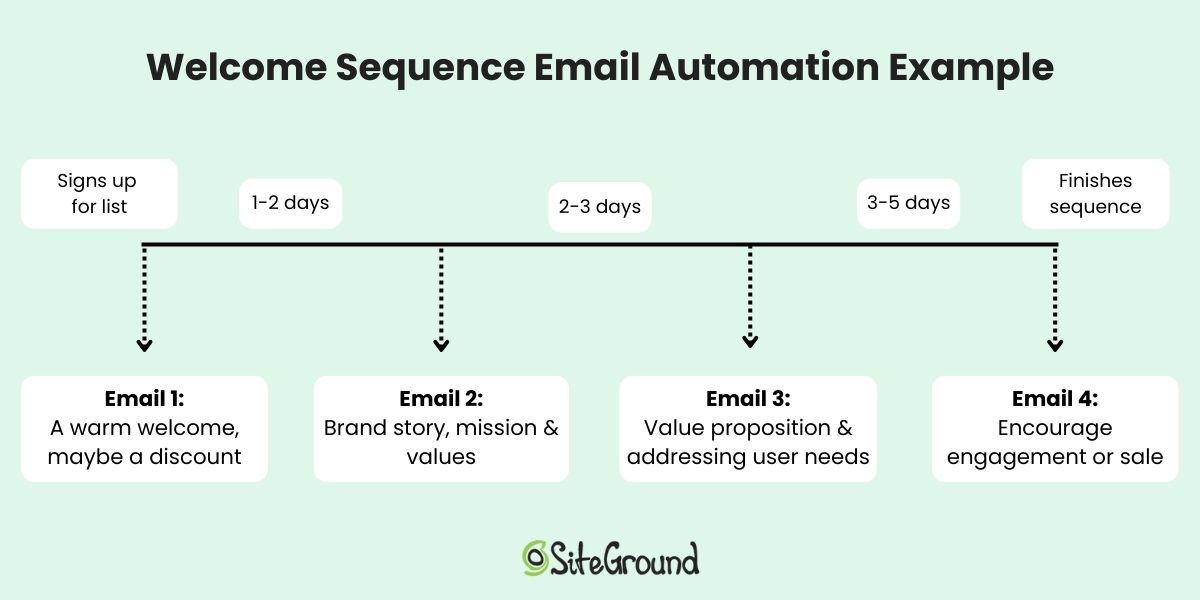
Your email marketing design choices will also guide your writing style. A product spotlight usually demands concise, punchy copy, while a content-rich email allows for a warmer, more relaxed tone.

SiteGround offers ready-made email templates that make it easy to choose just the right layout for your goals—no design experience needed. Plus, with easy set up and sending, in addition to built-in tools for segmentation, automation, and tracking, SiteGround Email Marketing helps you connect with the right audience at the right time.

Get started now >>

email designs that work with your copywriting

Craft Calls to Action That Drive Results

Your email’s call to action (CTA) is the main reason behind your email so getting it right couldn’t be more important. Whether it’s “Shop Now,” “Join Free,” or “Claim Your Discount,” this little phrase has to be crystal clear, motivating, and simple to click. It’s the culmination of all your other email efforts, so getting it right isn’t trivial.

Choose action-oriented words that inspire urgency and excitement—“Get Started” feels way more inviting than “Submit Form.” And don’t hide your CTAs deep in your email where they might get missed. Place them strategically so they’re easy to spot and click, even on a quick skim. A colored (within brand!) button is ideal.

Email copywriting for calls to action

Tip #3: Think Bigger with Strategy

Creating a good email is one thing, but effective email marketing strategy is much much more than just that one email. It’s about designing a thoughtful email sequence that connects, engages, and converts over time. So if you’re just starting out, thinking strategically will keep you on track and help prevent burnout.

Plan Ahead with a Content Calendar

Having a schedule for your emails keeps things organized and helps you to keep your messaging extra fresh. Because when you plan ahead, you avoid repeating yourself, and you make sure you’re hitting the right mix of promotional content and helpful information. Plus, mapping out your topics lets every email have a clear purpose and fit into a bigger picture. 

And here’s where things really get efficient: planning ahead also makes it easier to set up email automation—welcome series, lead-nurturing sequences, and more. When your content is mapped out in advance, automation becomes not just possible, but powerful, and it helps you stay consistent without having to manually write every send.

Use Personalization

Personalization goes way beyond inserting someone’s first name in the subject line. You can—and should—customize your messages based on the specific interests and needs of your audience. Maybe you know what brought them to your list—a download, a webinar, or specific type of business role. Use those clues! Segment your list and customize your emails so recipients feel like you’re speaking directly to them. This level of personalization adds depth and relevance, making your copywriting more powerful.

Implementing personalization in email copywriting
SiteGround Email Marketing Platform

Tip #4: Track, Test, and Optimize

Even the most carefully crafted email won’t always land the way you expect. Maybe you spent extra time perfecting your subject line and polishing your CTA. But when the results come in… something’s off. Open rates are lower than expected, clicks are minimal, or unsubscribes suddenly spike.

The reality is that email copywriting doesn’t stop when you hit send. To get consistently better results, you need to track your email marketing metrics, test variations, and optimize based on what you learn.

Use Metrics to Guide Your Next Move

Every key stat—open rates, click-through rates, conversions, unsubscribes—is a window into how your audience is experiencing your emails. Low open rates? Your subject line might need work. Lots of opens but few clicks? Maybe your CTA isn’t compelling, or your email content doesn’t align with what the subject line promised.

The more you analyze, the more you’ll understand what resonates with your audience, and what doesn’t—and you can tweak from there.

Run A/B Tests to Improve Performance

The good news is that you don’t need to guess what works. Instead, test it! Try two different subject lines. Test a short version of your email against a longer one. Switch up your CTA placement or wording. The key is to test one element at a time, sending one version of your email to one part of your audience, and the other version to another—and then observe your stats. You’ll find that small changes can make a big difference, and A/B testing lets you find out what truly performs best.

Treat Every Send as a Learning Opportunity

Along the lines of A/B testing, the goal here really isn’t to be perfect right away—it’s to get smarter with every email. Keep track of what works, what doesn’t, and what you want to try next. Over time, these small adjustments add up to big improvements in engagement, clicks, and conversions.

4 top email copywriting tips

Put Your Email Marketing Copywriting to Work

Email copywriting doesn’t just boil down to sounding clever or using perfect grammar—it’s about being intentional, strategic, and clear. When your emails align with what your audience expects and delivers content they care about in a tone that feels familiar, your message lands. Layer in clean design, thoughtful structure, and a strong CTA, and you’ve got a recipe for results.

SiteGround Email Marketing makes it easy to bring this full package together. With ready-to-use templates, smart automation, and built-in AI writing tools, it takes the guesswork out of content creation and helps you send polished, on-brand emails that perform. Explore it for yourself and start sending with confidence.

High-Converting Event Reminder Emails + Examples

abstract of an event reminder email

You’ve put together a fantastic event. Everything is ready to go, you just need to make sure that all those attendees actually show up. You’ve not only got to remind them, you need to keep the energy going so that they still really want to show up. 

That’s where a truly effective event reminder email comes in—and you’ve got to get it just right. So today we’re going to cover all the essentials, from what makes an event reminder email great, to examples, and tools you can use to make the whole process easier and more effective.

What is an Event Reminder Email?

An event reminder email is the follow up to your event invitation email. It gets sent before an event to confirm attendance, inspire an RSVP, provide key details, and keep the event top-of-mind for your audience. It’s usually delivered in the days—or even hours—leading up to an event and can be sent for both virtual and in-person gatherings. 

Reminder emails can include the event name, date, time, location, a calendar link, and any last-minute updates or instructions. They can also act as re-engagement emails by intriguing less-engaged subscribers back into the loop. Lastly, they can serve to reinforce the value of attending and build excitement.

Why Send Event Reminder Emails? 

To remind people, of course—to sign up or simply attend. Because the reality is that even the most enthusiastic RSVP can turn into a no-show if the event slips their mind or they lose motivation. That’s where friendly event reminder emails shine. With the right timing and tone, they not only increase attendance, they help set the tone for a seamless, well-run event.

Beyond that, a great reminder email reinforces your brand voice, shows your audience you’re organized, and creates one more moment of connection before showtime. They are just one more way you can leverage email marketing to drive business and build connections with your audience.

What Makes Event Reminder Emails Get Opened?

An event reminder might look simple, but getting someone to open your email involves a mix of timing, curiosity, and emotional cues. At its core, it’s about tapping into human behavior—our tendency to respond to urgency, our fear of missing out, and our desire to stay in the loop. The most effective reminder emails don’t just inform; they nudge people toward action by making the event feel timely, relevant, and worth their attention.

The psychology behind it is subtle but powerful. When an email feels personal or makes the recipient think “I don’t want to miss this,” it’s far more likely to get opened. In the next section, we’ll break down the specific tactics that bring this psychology to life, so your reminders don’t just land in inboxes, they get results.

How to Create Effective Event Email Reminders

Now that we’ve covered the “what” and “why” behind sending an event reminder, it’s time to dive into how to write your emails. From subject lines that demand attention to practical resources that help your emails go off without a hitch (and hopefully your events too!), the following tips will set you up for success. We’ll also share examples so you can see these strategies in action—and start writing emails that truly work.

1. Use Urgency and Scarcity

Creating a sense of urgency or scarcity is a go-to when it comes to email marketing tips, and it’s no different when it comes to event reminders. Phrases like “limited spots available,” “last chance to register,” or countdown timers add pressure without feeling pushy. These triggers tap into our natural aversion to missing out on opportunities, making recipients more likely to open your email and confirm their attendance before it’s too late.

In the following event reminder email example, scarcity and urgency are used by mentioning that only five spots are left, and that the event is only three weeks away. After providing easy-to-see event details, and a clear sign-up button, the sender could also reinforce the enticing reasons to join the event, like noteworthy presenters, swag bags, and so on.

Event reminder email that uses urgency and scarcity

2. Tap into FOMO

Fear of missing out (FOMO) is a powerful emotional driver. Use social proof like attendee testimonials, share highlights of what they’ll miss if they don’t attend, or spotlight popular speakers and unique experiences. When people see that others value the event and fear being left out, they’re more likely to prioritize attending, and that’s exactly what your reminder emails should inspire.

The below example builds FOMO in a bunch of ways. It teases networking and impressive speakers, networking opportunities, and giveaways like swag bags and a contest. Plus, it includes testimonials as proof of what you’ll miss out on. 

Event reminder email example that uses FOMO

3. Personalize Your Message

Personalization goes beyond just adding a recipient’s name. Customize your reminder emails based on audience segments, whether that’s past attendees, VIP guests, or registrants for specific sessions. When your message feels relevant and speaks directly to their interests or history with your events, people are more likely to engage with your emails and take action.

In the below event reminder email example, the sender uses personalization not only by addressing the recipient by name, but by referencing a past event they attended. This makes the message feel more friendly, personal, and relevant, making it more likely that the invitee will sign up. Easy-to-find details, and a clear sign-up make registration an even easier choice.

Personalized event reminder email example

4. Write a Catchy Subject Line

Your subject line is the first thing recipients see—make it count. The best email subject lines for this are short, specific, and time-sensitive to create urgency. Adding a touch of curiosity can also drive opens, but clarity is key. Examples like “Ready for tomorrow’s webinar?” or “Last chance to join Friday’s event!” tell readers exactly what to expect and why they should open now.

The below example uses a play on words to encourage sign up before it closes. It’s fun and casual, and inspires a click to sign up. 

Event reminder email with a catchy subject line

5. Keep the Design Clear and Clickable

Once your email is opened, a clean design guides readers smoothly to your call to action. Use a clear visual hierarchy with bold headings and to-the-point text. Include clickable, effective calls to action so recipients can RSVP or add the event to their calendar with ease. Don’t forget to optimize for mobile devices, as most people check emails on their phones, so your message should look great and be easy to navigate anywhere.

With SiteGround’s email marketing tools, your campaigns are optimized for both mobile and desktop, so every message looks polished on any device. Built-in responsive templates and fast-loading designs help you deliver clear, clickable emails that encourage engagement and make it easy for recipients to respond.

Get started with SiteGround Email Marketing today >>

The below example keeps it extra clear and simple by including the date, time, and location, plus a super easy and obvious way to add to the recipient’s calendar. Even better, they made the email extra friendly with personalization.

Event reminder email with good design

6. Send at the Right Time

Timing is everything when it comes to event reminder emails. Send your message too early, and it risks getting forgotten; send it too late, and your audience might have already made other plans. 

While it will depend on the type of event (is it in-person? Virtual? Local? Or in a far-off place?), it’s generally best practice to send a reminder email a week before the event, and then again the day before. This way, the event is fresh in participants’ minds and also gives them enough time to prepare or still RSVP. 

Event reminder email example sent at the right time

While it might seem obvious to send an event reminder email a week or a day in advance, it can even be helpful to send a last-minute reminder if your event is virtual. Because how often have you found yourself scrambling five minutes before a virtual event, hunting for the login details? The email sample above does just this, making it extra easy for people to join the event upon receiving the reminder email.

7. Harness Email Automation

Email automation takes the hassle out of managing event reminders by scheduling and sending messages automatically based on triggers you set. Whether it’s a series of countdown emails leading up to the event or follow-ups post-event, automation keeps your audience engaged without extra manual effort.

If you’re looking for a reliable solution, SiteGround Email Marketing offers incredibly effective and user-friendly automation along with easy-to-use tools, robust deliverability, and handy and attractive templates. It’s an excellent choice to streamline your event email campaigns while keeping your attendees informed and excited every step of the way.

8. Leverage AI to Enhance Your Event Reminders

Artificial intelligence is often a great resource for crafting and optimizing event reminder emails. That’s because AI-powered tools can help you generate compelling subject lines, write clear and engaging content, and suggest the best times to send your emails for maximum impact.

For example, built in to SiteGround’s Email Marketing is an email-optimized AI editor that can help you craft your emails and subject lines on the fly—and make the whole process a lot easier. 

AI for event reminder email marketing

You can also ask AI, such as ChatGPT, to analyze past campaign data to identify patterns and recommend improvements, making your reminders smarter and more effective over time.

By incorporating AI into your email strategy, you save time, reduce guesswork, and increase the chances that your reminders get opened, read, and acted upon.

9. Use A/B Testing to Optimize Your Emails

A/B testing is the easiest and most effective way to discover what resonates best with your audience. By sending two variations of your event reminder email—differing in one key element like the subject line, call to action, or send time. When you track your email marketing metrics, you can see which version drives more opens, clicks, and RSVPs.

For example, you might test a subject line focused on urgency against one that’s more curiosity-inducing, or compare a reminder sent in the morning versus the afternoon. The insights you gain from these experiments allow you to refine your messaging, design, and timing to maximize engagement. 

Regularly running A/B tests is a great way to create emails that continually improve, helping you to not only improve your event participation, but also improve your email outreach across the board.

How to create effective event email reminders

Send Your Event Reminder Emails and Build Attendance

An event reminder email might seem like a small step, but it holds a surprising amount of power to turn tentative RSVPs into eager attendees. Timing your sends just right, tapping into FOMO, and keeping your design clean and clickable are all great ways to make your audience feel informed, excited, and ready to show up—without overwhelming them.

And when you’re ready to bring your email game to the next level, SiteGround Email Marketing has your back. Its easy-to-use platform offers sleek, mobile-optimized templates, handy automation tools, and built-in AI features to help you create polished, effective campaigns. Check out SiteGround Email Marketing and see how simple it can be to keep your events top of mind and your inbox full of enthusiastic responses.

Web Design Made Simple: The Only 10 Tips You Really Need

Abstract of web design tips

Chances are, you’ve come across those websites: the ones that look unprofessional, are confusing to use, or simply don’t address what you’re actually seeking. So, as you build your own website, you want to get it right—to create a webpage that reflects your brand’s unique personality, connects with your audience, and drives real action.

We’re going to make that happen by breaking down 10 practical principles to help you design a website that’s not only visually appealing but also strategic, user-friendly, and built to grow your business.

Key takeaways

  • A strong website starts with clear branding and a consistent visual style.
  • Templates help you follow proven design patterns without overcomplicating layout decisions.
  • Good design guides visitors clearly, with smart content structure and visible calls to action.
  • Performance, mobile optimization, and accessibility are essential for usability and conversions.
  • Security and trust signals are just as important as aesthetics for credibility and confidence.

10 Top Tips for Good Web Design

If you’re focusing on just ten key tips to build a strong, effective website, these are the ones to keep top of mind. They cover everything from design basics to strategic layout, branding, and user experience. 

1. Identify Your Branding & Style

Before you go down the fun rabbit hole of choosing layouts, buttons, and fancy features, there’s one thing that sets the tone for everything on your site: your brand style. It’s the secret ingredient that makes your website feel professional, put-together, and unmistakably you.

Think of your brand basics as your website’s personality. Are you bold and creative? Calm and trustworthy? Elegant and refined? The way you answer that will shape the look and feel of your entire site—from your color choices and fonts to the way your content comes across.

Here are a few quick examples to guide your choices:

  • Trustworthy and professional: Go for classic, subdued colors like navy, charcoal, or forest green, paired with strong, traditional serif fonts.
  • Playful and approachable: Use energetic colors like orange, turquoise, or lime green, and friendly sans-serif fonts with soft curves.
  • Elegant and high-end: Consider rich hues like burgundy, gold, or black, with sleek, minimal fonts and lots of whitespace.
  • Modern and bold: Bright or unexpected colors—think electric blue or hot pink—can work well with edgy fonts and dynamic layouts.

Not sure what fits your brand yet? That’s totally normal. Start by asking yourself: What do I want people to feel when they land on my site? Then, explore sites you love and notice what pulls you in—the colors, the fonts, the vibe. You’ll start to see patterns, and from there, you can craft a style that feels true to your brand.

The homepage example below does an excellent job of expressing its brand through calming pastel colors, a relaxed font, and cohesive, brand-aligned imagery. The result is a polished, professional look that immediately communicates what this person and their service are all about: peaceful, inviting, and comforting.

example of branding in web design

A clear brand style doesn’t just make your site look great—it gives your visitors an instant sense of who you are and what you’re all about. And that’s the kind of first impression that sticks.

2. Pick a Template

One of the fastest, easiest, and most budget-friendly ways to get your website looking polished is to start with a template. Templates are pre-designed and typically feature the best web design layouts so that you aren’t starting from scratch or guessing what looks good.

And if you’re using the SiteGround Website Builder, you’re in luck. It comes packed with beautifully designed, ready-to-use templates tailored for different types of businesses, blogs, portfolios, and more. These templates are built to look professional right out of the box, and you can easily customize them to match your brand style—colors, fonts, images, layout—you name it.

picking a template is good for web design

What’s important here is not to overthink it. Choose a template that closely matches the structure and feel you want for your site. Then, make small adjustments to align it with your branding. The more you try to overhaul the template, the more work you create—and that can sometimes lead to a clunky design.

Also, worth noting, while it can be tempting to really think outside the box with your website layout and design, this is ultimately more likely to just create user frustration. So using a template ensures that you’re sticking to tried-and-true design best practices that will keep users seamlessly moving through your site.

Keep it simple. Start with a template you love, make it yours, and let the SiteGround Website Builder do the heavy lifting.

If you’re building your site with SiteGround, you’ve already got a head start. The SiteGround Website Builder not only includes a wide range of professionally designed templates but it’s fully integrated with powerful hosting, speed optimization, and top-tier security features, so your site won’t just look great—it’ll perform beautifully, too.

Explore SiteGround’s Website Builder and bring your vision to life >>

3. Make a Great First Impression

Your homepage is prime real estate—and the top section (also called the hero section) is where the magic needs to happen. So as you delve into website planning, remember that your homepage is the most important way to grab attention and make visitors feel like they’ve landed in the right place.

Start with a bold, benefit-focused headline. What’s in it for your visitor? Follow it up with a short, punchy subtitle that adds context or reinforces your value. Then seal the deal with a clear call to action—something that invites them to take the next step, whether that’s exploring your products, booking a call, or diving deeper into your content.

Pair your message with a high-quality, eye-catching image that supports your vibe and adds visual interest. Just make sure it doesn’t compete with your text. The image should enhance your message and not drown it out.

The homepage below captures the spirit of wanderlust with a mesmerizing hero image that instantly transports you. Paired with an evocative headline and a curiosity-driven subtitle, it invites visitors not just to scroll—but to explore. The overall effect is immersive, compelling, and impossible to ignore.

example of making a great first impression in web design

4. Mind the Fold

Here’s a basic rule of good web design: don’t bury the good stuff. The most important content—like your headline, key message, and call to action—should be visible above the fold, meaning it’s the first thing people see without scrolling.

This is super important because what appears at the top of your page gets the most attention. Anything “below the fold” runs the risk of being missed, especially by visitors who are just skimming. That’s why your hero section should be fully visible and thoughtfully designed to quickly communicate who you are and what you offer.

And it’s not just your homepage. Every page on your site should be built with the fold in mind. Whether it’s your About page or a product details page, make sure the most compelling, need-to-know info is front and center.

The below homepage makes the most of its above-the-fold space. A bold, eye-catching photo is paired with a strong headline, a clear call to action, and a subtitle that conveys strong social proof. The branding and message are impactful and communicated seamlessly above the fold.

Homepage web example of design above the fold

The above-the-fold principle is especially critical when creating high-converting landing pages—those focused, conversion-driven pages that guide visitors toward one specific action. The same rules apply: keep it clean, clear, and captivating above the fold to drive results.

5. Be Strategic About Content & Layout

Every page on your website should have a job to do—whether it’s welcoming visitors, showcasing products, or prompting a purchase. To help each page succeed, you need two key ingredients: clear content and thoughtful layout. This is a foundational principle that should guide how you construct your website.

Let’s take your homepage design as an example. Once you’ve grabbed attention with a strong hero section, the content that follows should back it up. Think: customer testimonials, trust signals, or a quick story that highlights your value. Each section should build on the last, guiding visitors deeper into your message in a way that feels natural—not overwhelming.

To do this well, structure your content with a clear visual hierarchy. Use headings, visuals, and whitespace to create a smooth flow from one idea to the next. Design elements like color contrast, font size, and section breaks can help your most important messages stand out.

In the below snippet from a homepage, you don’t even need to read the text to see that it is thoughtfully broken out by section with headlines and noticeable calls to action. Zoom in a little more and you’ll see that the sections build on one another, offering various benefits of different services, followed by cleanly explained features.

example of content layout in web design

Again, less is more. Keep each section focused on one core idea, and make sure everything on the page works toward the page’s goal. When your layout and content work hand-in-hand, your website becomes easier to navigate and far more enjoyable to explore.

6. Implement Strategically Placed Calls to Action

Every website needs a tour guide—and that’s exactly what your calls to action (CTAs) are for. Whether it’s “Start now,” “Book a call,” or “Shop the collection,” your CTAs help move visitors smoothly from one step to the next in their customer journey.

But don’t just stick one lonely button at the bottom of the page and call it a day. Instead, sprinkle clear and compelling CTAs throughout your page. Start with the hero section and then continue alongside your content, down your page. Each one should gently nudge visitors forward, whether that’s to learn more, sign up, or make a purchase.

And make sure your CTAs stand out visually, too. Use bold or contrasting colors to draw attention—but stay true to your brand’s aesthetic. For example, if your site has a soft, minimalist vibe, a neon green button might feel more jarring than inviting. Choose CTA colors that complement your overall palette while still catching the eye. Again, a good template will already implement this design best practice.

Notice how the calls to action in the below website design not only stand out, but are scattered throughout the page, and the coloring fits in with the business’s color palette. The buttons are noticeable, strategically distributed, and look good.

good web design with strategic calls to action

In short: keep your CTAs visible, actionable, and on-brand. When placed with intention, they’ll help keep your visitors engaged and your site working like a well-oiled machine.

7. Add Imagery That Supports Your Brand

Selecting imagery might seem basic and straightforward, but really images aren’t just decoration—they are a key part of your website’s storytelling. The right visuals can instantly communicate your vibe, highlight your message, and make your pages feel more engaging and less like a wall of text.

So when choosing images, be intentional. Each one should serve a purpose: to reinforce your brand identity, illustrate your products or services, or simply create visual breathing room that makes your content easier to digest.

But what’s important here is to stick to images that match your brand’s style—whether that’s bold and colorful, soft and minimalist, or sleek and modern. Be consistent. And don’t forget about layout: well-placed visuals can guide the reader’s eye and help your page flow naturally.

Notice how the below website wins at branding, and especially imagery. Not only are their branding colors and fonts consistent, but their imagery further reinforces that. That is, instead of using random dog shots from the park, the dog images are placed on colored backgrounds that contribute to brand consistency and the overall web design. The photos have also been strategically placed to guide the eye from section to section. 

example of web design tip to use image strategically

8. Design for Performance, Not Just Aesthetics

You can have the most beautifully designed website in the world, but if it’s slow to load, visitors will bounce before they ever see it.

That’s why page speed is a really big deal. A sluggish site can frustrate users, hurt your search rankings, make your business seem less professional, and, of course, negatively impact conversions. The most common culprits? Oversized images, auto-playing videos, clunky code, and too many unnecessary plugins.

But, thankfully, there are simple ways to speed up your website. Compress your images, minimize unnecessary scripts, and choose a fast, reliable host (like SiteGround!) to keep things running smoothly.

web design tip to optimize site performance

If you’re using WordPress, you can make this extra easy by adding the free-to-use (and very necessary!) SiteGround Speed Optimizer Plugin. And if you’re using the SiteGround Website Builder, then all the top performance-enhancing features are already baked right in. 

9. Optimize for Mobile

The reality is that people are browsing your site on all kinds of devices—laptops, tablets, smartphones—you name it. So if your website doesn’t adapt smoothly to different screen sizes, visitors might get frustrated and bounce.

The good news is that sites built with the SiteGround Website Builder come automatically optimized for mobile web design. That means your site will look great and work perfectly whether it’s on a giant desktop monitor or the smallest phone screen.

optimizing your site for mobile as a web design tip

Still, don’t just take it for granted—make it a habit to test your site on multiple devices. Check that fonts are readable, buttons are easy to tap, and layouts stay clean and user-friendly no matter the screen. This hands-on approach ensures your visitors get the best experience, wherever they are.

It’s not just important to make sure people on mobile devices can interact with your site—it’s important to make sure everyone can. Accessible web design helps people with visual, motor, or cognitive impairments navigate your content more easily through clear typography, strong color contrast, readable layouts, and intuitive interactions. These improvements don’t just support accessibility; they also make your site more usable overall, leading to a better experience for all visitors.

10. Secure Your Site & Build Trust from the Start

First impressions matter, especially when it comes to trust. A website that looks unprofessional or feels unsafe can quickly send visitors running. To create a welcoming and credible site, focus on website security alongside clean, cohesive design. Avoid overwhelming your visitors with too many colors or fonts—instead, use a consistent layout that guides users smoothly through your content, as we’ve already discussed.

You can also add social proof like testimonials and trust badges, which can further boost your site’s credibility and reassure visitors. Like on SiteGround’s very own homepage, which features customer success stories, as well a section dedicated to sharing that 98% of customers are satisfied. These are strong trust signals that are worth including when planning your web design.

Homepage design example of social proof

Most importantly, make sure your website is protected with an SSL certificate. While some hosts charge extra for this essential security layer, SiteGround includes SSL for free, giving you peace of mind without added cost. SSL not only safeguards your visitors’ information but also signals professionalism—helping your site make a strong, trustworthy first impression.

And just like with performance, if you’re using WordPress, the no-cost SiteGround Security Optimizer plugin can help patch up front-end vulnerabilities. On the other hand, if you’re building your site with the SiteGround Website Builder, comprehensive security is built in from start to finish.

Top tips for good web design

Website Tips and Tricks: Wrapping Up Your Web Design Journey

So let’s put those less-than-stellar websites in the rearview mirror, because now you’ve got the tools to build your own—one that truly delivers. Nail the basics: define your brand, choose the right template, and optimize for speed, mobile, and security. Do that, and you won’t just end up with a good-looking site, but one that works hard, connects with your audience, and gets the job done.

If you’re looking for a simple, powerful way to bring your website vision to life, the SiteGround Website Builder is the ideal option. It offers easy-to-use templates, automatic mobile optimization, built-in security, and all the tools you need to build a professional site quickly and confidently—no coding required.

This article was originally published in November of 2022, and was updated in February of 2026.

The Secrets to a High-Impact Coming Soon Page + Examples

abstract of a coming soon page

You’ve got something big in the works—a brand-new website, product, or business that’s almost ready for its grand debut. But just because you’re not all set to go live doesn’t mean you can’t start drumming up some excitement. That’s where a coming soon page comes in. It’s a way to roll out the welcome mat, build a bit of curiosity, and start connecting with your future fans before the big launch day arrives.

In this guide, we’ll cover what makes a coming soon page effective, what to include, and how to create one that’s buzzworthy (and all without looking like a construction zone). Plus, we’ll share the best examples as well as actionable tips to help you get inspired.

Key takeaways:

  • A coming soon page helps you build momentum and make a strong first impression before your site goes live.
  • Clear messaging, visuals, and calls to action matter just as much pre-launch as they do after launch.
  • Excitement comes from teasing value and progress, not just design or timing.
  • Email sign-ups and social links turn early interest into ongoing engagement.
  • A polished coming soon page signals credibility and gives visitors a reason to return.

What Is a Coming Soon Page?

A coming soon page is a placeholder web page that appears before your website or page is officially launched. It typically includes a short message announcing that something exciting is on the way—whether that’s a new brand, product, service, or full website. 

Coming soon page example

But if you scratch the surface, it’s more than just a basic message. Instead of showing a blank screen or a “site under construction” message, a coming soon page gives people a sneak peek and a reason to stick around. Beyond just a basic message, it could include a countdown timer, or a form for visitors to sign up to receive updates. So it’s already working hard for you, even if the big event is yet to come. 

Why Do You Need a Coming Soon Page?

A coming soon landing page helps you show up with confidence, even before your full site is live. It’s a pre-launch landing page that turns awkward in-between time into a chance to connect with your audience and start generating momentum.

Here are a handful of the best reasons why it’s worth your time to give your coming soon page some extra thought:

  • Create buzz. Tease your launch and get people curious about what’s coming. Doing so will create excitement, and prime people for your actual launch. 
  • Start building your brand. Even simple branding basics like your logo, color scheme, or tagline can make a lasting impression.
  • Get found online. While you won’t rank overnight, having a live page helps search engines begin indexing your site, which can give you a slight head start with your SEO. It’s also a chance to include a short meta description or page title that reflects your niche or keywords, giving Google something to work with from the beginning.
  • Keep things polished. A coming soon page looks a lot better than a blank screen, broken layout, or default “404 error.” Even if you’re still working behind the scenes, you can show the world that you’re professional, thoughtful, and intentional about the experience you’re creating. That extra bit of polish can make a lasting first impression—and encourage visitors to come back when the full site goes live.
  • Grow your email list early. Building an email list is an absolutely critical part of email marketing. And the beauty of a coming soon landing page is that you can include a signup form and start adding to your email list now. Just be sure to create a segment for these sign-ups so that you can send them targeted messages and email automations in the future. 

With SiteGround Email Marketing, it’s easy to start growing your list from day one. You can segment your audience, and schedule automated welcome emails. Whether you’re launching a blog, store, or portfolio, SiteGround helps you turn early interest into lasting connections.

START NOW>>

Key Elements of a Coming Soon Page + Examples

Your coming soon page doesn’t need to be complicated—but that doesn’t mean you shouldn’t give it much thought. A little strategy goes a long way when it comes to grabbing attention, collecting leads, and building excitement. So here are the best elements to include (plus a few bonus tips to help your page really hit the mark).

1. Use a Clear Headline and CTA

Let visitors know what’s coming with a headline that’s short, bold, and to the point. It could be as simple as “Something Awesome is Coming” or more specific like “Our New Online Store Launches Soon.”

Follow it up with a clear call to action (CTA)—something like “Sign up for updates,” “Get early access,” or “Be the first to know.” Whatever you choose, make it obvious what you want visitors to do next.

Coming soon page example with a strong headline

The above coming soon page example makes the message very clear with an unmissable headline, supporting headlines, and a call to action that precisely articulates how to get updates. It’s simple, captivating, and gives visitors an opportunity to follow along.

2. Include an Email Capture Form

A coming soon page is the perfect pre-launch opportunity to start building your email list. Include a simple form where visitors can leave their email address to get updates or early access. (If you’re using WordPress, you can easily add an email sign-up form.)

Pro tip: Sweeten the deal with a small incentive—early bird perks, exclusive content, or a pre-launch discount. And, as mentioned before, don’t forget to create an email segment for these sign-ups!

3. Make It Visually Impactful

Design matters, even for a one-page preview. Use strong visuals—whether it’s a bold background image, your brand colors, or an illustration that reflects your vibe. Don’t miss this first impression opportunity to really set the vibe. Make your page feel like a glimpse of what’s coming, not just a placeholder.

Coming soon page example with an impactful image

The above coming soon page exemplifies the use of an evocative image that really sets the stage. It gets the key points across, but it’s really the image that does most of the talking. 

The SiteGround Website Builder makes creating a coming soon page extra easy: just add a photo, a headline, and toggle on your coming soon page mode—and you’re all set. Website creation has never been easier. 

Start building your website now>>

4. Add Social Media Links

Give people a way to follow along while they wait. Link to your social media accounts so visitors can connect with you, see behind-the-scenes updates, and stay in the loop. It’s also another great way to grow your following before launch so that you can hit the ground running with your social media marketing.

5. Create Excitement with Anticipation

A great coming soon page makes people feel like they’re early to something worth paying attention to. That excitement can come from a smart tease, a promise, or a hint at what’s about to change—without giving everything away.

A line like “We’re building something better for small teams” or “A faster way to launch your next project is on the way” tells visitors why they should care. You can amplify that with a light sense of timing—“Launching this spring” or “Opening early access soon”—but the real hook is the value, not the date.

When done right, anticipation feels intentional, not vague. Visitors understand what’s coming, why it matters, and why it’s worth checking back for.

6. Consider Adding Social Proof

If you already have customers, press mentions, or a growing community, let people know! Just as on a landing page, you have only a brief amount of time and space to transmit value. As such, a short quote, testimonial, or mention of media coverage can build trust and show that others are already excited about what you’re doing. Something as simple as “Join 1,500+ early subscribers” can add credibility by showing there’s already interest.

Final Thoughts on Your Coming Soon Page

A coming soon page might seem unimportant, but it can make a big first impression. It’s your chance to start creating momentum, collect leads, and let your future fans know something noteworthy is on the way. You might be hyping up a product launch, introducing a new brand, or simply looking for a polished placeholder while you finish your site—no matter your goal, a coming soon page can set the tone for everything that follows.

And if you’re looking for a fast, easy way to create your own coming soon page (without wrestling with code or complicated tools), the SiteGround Website Builder has you covered. It makes it extra easy for you to get online and get your coming soon page up and running in no time.

FAQs

How Long Should a Coming Soon Page Be?

Short and sweet is the way to go. A coming soon page is meant to tease, not explain everything. Aim for a punchy headline, a one-liner about what’s coming, and a call to action (like an email sign-up). Keep it all above the fold—no scrolling required. If you’re feeling fancy, you can add a countdown timer, social proof, or visuals—but even then, keep things streamlined.
What is a Good Call to Action for a Coming Soon Page?

A strong CTA is clear, specific, and action-oriented—just like the most effective email marketing calls to action and others across your marketing channels. Here are a few examples:

  • “Notify Me When It Launches”
  • “Get Early Access”
  • “Join the Waitlist”
  • “Sign Up for Launch Updates”

Even better if you can get creative and make your CTA match your tone of voice. So if your brand is fun and cheeky, a CTA like “Don’t miss the magic” might be a perfect fit.

How Should I Track Results for a Coming Soon Page?

Good question—because what gets measured gets improved. Here are a few ways to track performance:

  • Google Analytics – Track digital marketing metrics to see how many people visit your page and where they’re coming from.
  • Email Signups – Track how many visitors convert into subscribers. Then, once you start sending emails, track your email marketing metrics to make sure you’re sending messages that land.
  • Click-through Rates – If your page includes links to social media or a preview video, monitor which ones get clicked most.
  • Heatmaps (like Hotjar or Crazy Egg) – Get insight into what people are clicking and how they interact with the page.

How Do I Create a Coming Soon Page in WordPress?

There are a few easy ways:

  • Use a plugin – This is the quickest method. Many have drag-and-drop functionality making it extra easy.  
  • Use a page builder theme – If your theme comes with a page builder, create a standalone “coming soon” page and set it as your homepage.
  • Enable maintenance mode – WordPress settings or plugins can show a coming soon page while your real site is hidden from the public.

How Do I Remove a Coming Soon Page in WordPress?

Ready to go live? Here’s how to make the switch:

  • If you’re using a plugin, go to the plugin’s settings and disable the coming soon mode.
  • If you set it manually through your homepage settings, just change your homepage back to your main site or publish your homepage content.

How to Sell a Domain Name (4 Easy Steps)

abstract of how to sell a domain name

This article was originally published in May 2025, and then updated in October 2025

So you’ve got a domain name you aren’t using, and it’s doing nothing but gathering digital dust. Maybe you bought it for a project that never took off, or perhaps you’ve got a few too many domains to manage. 

Whatever the reason, it’s very possible that your domain has some value and could be worth selling rather than just abandoning. Not only can you clear up some space, but you might also make a nice little profit while you’re at it. 

But how to sell that domain name? Indeed the idea of actually selling a no longer-needed domain might seem like a hassle. It doesn’t need to be though. 

Today, we’re breaking it down in four simple steps for the best ways to assess your domain’s value, including tools that can estimate its worth. And then how to easily sell it, and hopefully make a pretty penny while you’re at it.

Why Sell a Domain Name?

Cold, hard cash is a pretty solid reason to sell a domain. Afterall, some domains can certainly command a higher price than whatever you may have initially purchased them for. But there are also some perhaps less obvious reasons to get that dusty domain off your plate. 

Beyond profit, selling also:

  • Reduces renewal costs for domains you no longer use
  • Simplifies your portfolio if you own multiple domains
  • Frees up creativity and focus by letting go of abandoned projects
  • Provides value to others who are actively seeking the right domain for their business

Maybe you’re a casual domain collector or an experienced investor—either way, selling a domain can turn dormant potential into actual value. So let’s explore the best tips for making it happen.

Rethinking Your Website? Start Fresh with SiteGround.

Whether you’re revamping an old project, launching a new idea, or finally building that site you’ve been thinking about, SiteGround makes it simple. Get your ideal domain and power your website with high-performance hosting, unmatched speed, and top-tier security. Plus, every hosting plan includes SiteGround’s easy-to-use website builder, so you can bring your vision to life without extra cost.

Pick your domain, power up your site, and get going—fast>>

How to Sell a Domain Name—4 Simple Steps

Alright, your mind’s made up and you’re going to sell your domain. Let’s dive into the easy steps you can take to make it happen.

1. Assess the Domain’s Value 

Before you put your domain up for sale, it’s important to know what it’s worth. Just like a tangible piece of real estate, your virtual property could have a lot of value, or not be worth much at all.

To make this process easier, there are several online domain appraisal tools available, such as EstiBot and Sedo.com. These tools give you a rough estimate based on recent sales data, keyword trends, and similar domains. Of course, just like any other sales transaction, the true value of a domain is ultimately determined by what a buyer is willing to pay. So knowing what makes it appealing helps you price it right and negotiate more confidently.

Online domain appraisal example

Here are the main reasons someone might want to buy your domain—and the factors that influence its perceived value:

1. Branding Opportunities

Buyers often look for domains that have the potential to become strong, memorable brand names. That means they’re easy to spell, pronounce, and remember. If your domain sounds like a real brand or includes popular industry keywords, that increases its value. Here are the key branding-related factors that can affect the value:

  • Exact Match Domain (EMD): Domains that directly match a product, service, or keyword—like BestCoffeeMugs.com—can rank more easily in search engines and instantly communicate what the site is about.
  • Short and Catchy: The shorter and simpler, the better. One- and two-word domains are like prime internet real estate.

2. Traffic and SEO Value

If your domain already has an existing website with traffic or backlinks, that adds significant value. Many buyers are looking to tap into that SEO history rather than start from scratch, so they might consider the following:

  • Established Traffic: Domains that already attract visitors can be monetized immediately.
  • Strong Backlink Profile: If other reputable websites link to your domain, that’s valuable SEO juice a buyer can inherit—especially if they plan to redirect or rebuild.
  • Keyword Quality: Domains that include highly sought-after keywords or phrases (especially ones with high search volume) tend to be more valuable. For example, a domain related to a popular industry like “fitness” or “tech” could command a higher price than something more obscure, like a domain focused on niche accounting software or specialized warehouse supplies.

Use tools like Ahrefs or SEMrush to check your domain’s SEO strength.

3. Investment and Resale Potential

Domains are digital assets—some buyers want to use them now, while others see them as long-term investments. Here are some factors that influence a domain’s investment potential:

  • Domain Flipping: Investors may buy your domain with the goal of reselling it for a profit.
  • Scarcity: Good .com domains are becoming harder to find, and rarity can drive up value.

4. Domain Extension

Speaking of domain extensions (also known as the TLD—top-level domain)—they can significantly impact a domain’s value, and not just because they are rare. Buyers often consider extensions based on:

  • Recognition and Trust: “.com” domains are the most familiar and widely trusted, which makes them the most valuable in most cases.
  • Niche Relevance: Other extensions like “.net,” “.org,” “.io,” or “.co” can still hold value—especially if they align with the domain’s industry or audience.

5. Local, Niche, or Trending

A domain tied to a city, region, or specific industry or trend can appeal to local businesses or specialists. So buyers could be interested in a purchase related to: 

  • Location-Based Domains: Something like DentistChicago.com is super appealing to a local dentist looking to dominate local search.
  • Niche or Trending Industries: Domain names (and not just TLDs), in growing areas like AI, eco-products, or remote work tools can be especially valuable today. 

6. Brand Protection

Larger companies may buy domains not to build new sites, but to protect their brand with the goal to:

  • Avoid Cybersquatting: Businesses may want to prevent competitors or impersonators from owning similar domains.
  • Control Variations: Owning different extensions or common misspellings helps brands control their online identity.

2. Prepare the Domain 

If you were to sell a house, you’d have to clean it up and give the realtor a set of keys. That’s what this step represents: prepping your property for sale! You want your domain to be as ready for the new owner as possible, without any loose ends or complications. Here’s what you need to do:

Update WHOIS Information 

WHOIS information is essentially the contact information for the domain. It’s how the buyer can reach you if there are any issues with the transfer, or to finalize the sale. So before listing the domain for sale, update your WHOIS info to make sure it’s accurate and reflects your current email address. You can make this update via your domain provider.

This step helps the buyer feel confident that they can communicate with you directly, and it also ensures the transfer process goes off without a hitch. If you’re selling the domain through a marketplace, they may handle this for you as part of the process.

Evaluate Existing Website Content 

If your domain currently hosts a website, think carefully before removing any content. In many cases, the site’s existing traffic, content, and backlinks can add significant value for potential buyers—especially if they’re interested in maintaining SEO performance or repurposing the site.

Instead of wiping the site clean, consider leaving the content up and letting the buyer decide what to do with it. In fact, some buyers may be willing to pay more if you include a license to the original content as part of the deal.

That said, if you want to signal that the domain is for sale, you can add a discreet banner or a dedicated “For Sale” page with contact information, which won’t impact the site’s visibility or performance.

Domain for sale landing page example

This step is all about making sure the domain is “move-in ready.” A clean, clear, and empty domain makes it easier for the buyer to envision their own brand or website on it, and it’s a professional way to show that you’re serious about the sale and that the process will be easy. The smoother you make this transition, the more likely you are to close the deal successfully.

3. Sell the Domain

Time to find those prospective buyers! Once your domain is prepped and primed, you’ve got to put it out into the world. Here’s what you’ll need to do:

  • List it on a marketplace like Afternic or Sedo to get it in front of interested buyers. Think of these as the real estate agents of the internet. Some platforms even allow you to auction the domain, creating urgency and competitive bidding—ideal if you have a premium name.
Domain for sale marketplace example
  • Write an enticing listing that highlights the domain’s strengths—is it short, keyword-rich, or brandable? Let people know why it’s valuable.
  • Promote your listing on social media, in your email signature, or even on relevant forums and communities.
  • Reach out to potential buyers directly—businesses, entrepreneurs, or anyone relevant who might be trying to choose a domain name for their site.
  • Negotiate the price with interested buyers, but stay realistic and flexible.
  • Use an escrow service—a legal and trusted third party that holds the payment until both parties have fulfilled their part of the agreement—to ensure a secure transaction and smooth domain transfer. Legal requirements may vary by country, so be sure to check local regulations.

4. Transfer and Finalize the Sale

You’ve made it to the final step and now you just need to seal the deal. Here’s how to wrap things up properly:

Confirm payment through escrow

Before doing anything else, make sure the funds have cleared via your escrow service. Once the money’s locked in, you’re good to go.
Initiate the domain transfer

Follow the platform’s or registrar’s process to transfer the domain to the buyer’s account. This usually involves unlocking the domain, providing an authorization code (also called an EPP code), and accepting the transfer on both ends.
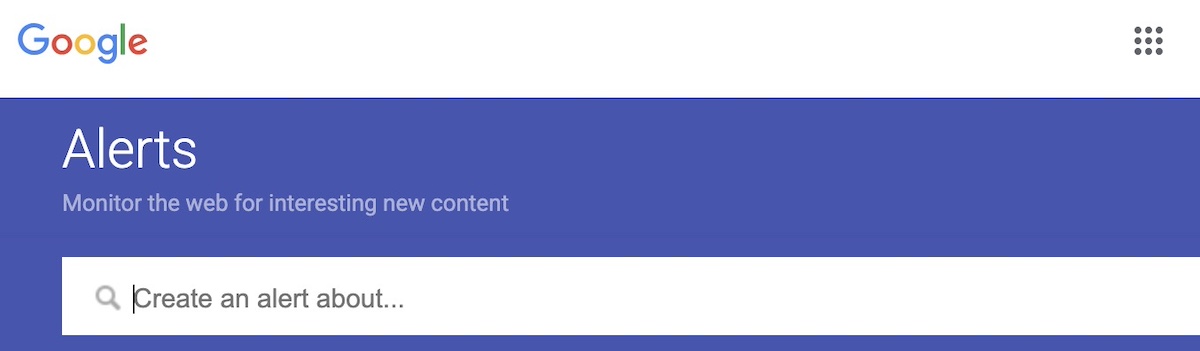
Communicate with the buyer

Keep the buyer in the loop during the transfer process. A quick message to let them know what’s happening (and when) goes a long way.

Confirm completion

Once the buyer has successfully received the domain and the transaction is marked complete, you’re officially done! Most escrow services will release the payment at this point.

And now, just celebrate a job well done!

How to sell a domain name

Challenges When Selling a Domain Name

Selling a domain can be smooth sailing, but sometimes you can run into challenges. Here are some common hurdles to watch out for:

  • Overvaluing your domain: Automated appraisals or personal bias can inflate expectations. Check comparable sales to price realistically.
  • Low buyer demand: Niche or long domains may take longer to sell. Optimize your listing title and keywords to increase visibility.
  • Scams and fraud: Fake escrow services and phishing attempts are common. Always use reputable marketplaces and verified payment platforms.
  • Transfer delays: Locked domains, outdated WHOIS data, or registrar policies can slow the process. Prepare your domain before listing.
  • Tough negotiations: Expect low offers and long discussions. Set your minimum price in advance and stay professional.
  • Market shifts: Trends and keyword popularity can change domain values quickly. Revisit your pricing if interest drops.
  • Legal and tax issues: Trademarked terms or unreported profits can lead to problems. Do a quick legal check and understand tax obligations.

Sell Your Domain Name with Confidence

Selling a domain name requires a smidge of effort, but really doesn’t need to be complicated with the right preparation and expectations. Just follow these easy steps, and savor having lightened your digital load while making a profit in the process. 

And if you’re planning to purchase your next domain and build something amazing with it, SiteGround has you covered. Get top-rated, high-performance hosting with industry-leading speed, advanced security, and 24/7 support. Every hosting plan includes free access to SiteGround’s easy-to-use website builder—so you can bring your ideas to life without hiring a developer.

FAQs

How do Domain Name Marketplaces Work?

Domain name marketplaces are platforms where you can list your domain for sale, browse available domains, and connect with potential buyers or sellers. You create a listing (often with a price or an option to negotiate), and the marketplace helps handle the process, oftentimes even assisting with payment and domain transfer. Some charge a commission, but in return, you get exposure to a large audience and a more secure, straightforward transaction.

How Do I Sell a Domain Name Instantly?

If you’re looking to sell a domain name fast, your best bet is to set a competitive “Buy It Now” price and list it on popular domain marketplaces. These platforms have large audiences and offer instant purchase options. Then just be sure to follow all the mentioned steps above. 

How Do I Make Money with my Domain Name?

You can sell it, of course, but it’s not the only way to make money from a domain name. You can also lease it to a business for ongoing monthly income, or park it using a domain parking service that displays ads — you earn money every time someone clicks. If your domain gets decent traffic or includes valuable keywords, it can become a surprisingly profitable asset!

How Do I Sell a Domain Name Privately?

To sell a domain name privately, you’ll skip the public marketplaces and handle the deal directly with a buyer. Start by reaching out to potential buyers—businesses, entrepreneurs, or investors who might find your domain valuable. You might also want to implement a custom landing page on the domain or a simple “This domain is for sale” message to attract interest. 

Once you find a buyer, agree on a price and use a trusted escrow service, as mentioned above, to handle payment and transfer safely. 

I’ve Decided Not to Sell My Domain Name—Now What?

Maybe you’ve read all this and decided you’d rather keep that valuable domain for yourself. But you have this domain, now what? The next steps are to build your online presence by choosing a hosting provider, building your website, and creating content. You should also secure matching social media handles, set up a professional email address, and take basic security measures like adding an SSL certificate. 

This article was originally published in May 2025, and then updated in October 2025