Email Marketing Metrics – Essential Metrics & KPIs to Track for Your Success

email metrics

Looking to boost your business or project’s results through email marketing? If you’re already on this journey, this article will be quite useful for assessing the success of your email campaigns and determining if they are helping you achieve your goals. We’ll cover the essential email marketing metrics and KPIs, explore what insights they can provide, and explain how you can use them effectively.

What Are Email Marketing Metrics and KPIs?

Email metrics are simply data points that demonstrate how your email marketing campaigns are performing. Think of them as email analytics that inform you about how many people read your email, how many unsubscribe, how many you convert into clients, and much more. 

Key Performance Indicators (KPIs), are also measurable values used by businesses to evaluate their success in achieving important business objectives. They differ from metrics even though the two are often used interchangeably.

KPIs help track progress, identify areas for improvement, and guide decision-making. They vary depending on the industry and specific goals but typically focus on critical aspects of business performance such as revenue, customer satisfaction, or operational efficiency.

Below, we will describe which are the most important email marketing metrics and what they show. Under each explained metric, we will also give an example of the business insight it could reveal, as well as some tips for improvement. 

We’ll also go over the most common goals business owners have nowadays and give suggestions about which KPIs could be helpful for you to monitor. But remember: you know your business best, so itโ€™s your choice to determine which metrics and KPIs will   best help you reach your goals.

[47]

Why Is It Important to Track Metrics in Email Marketing?

We all know the satisfying feeling of crafting an email campaign with great design and all the crucial information you want to share with your subscribers. But let’s be honest โ€“ itโ€™s not just about hitting “send” and hoping for the best. Evaluating your campaigns is equally important, as it reveals how they impact your business and marketing efforts in the following aspects:

๐Ÿ“Š Campaign performance: analyzing email marketing metrics goes beyond assumptions, offering a concrete overview of the campaign performance and its impact on your subscribers.

๐Ÿฅ‡ Campaign optimization opportunities:
metrics help you find out what aspects of your emails could be changed and optimized for better results.

๐Ÿ‘จโ€๐Ÿ‘ฉโ€๐Ÿ‘งโ€๐Ÿ‘ฆ Audience insights:
by reading your metrics, you can gain valuable insights into your audience, such as what types of emails and content they prefer, what time of day they are more likely to open an email, and what they might potentially buy from you.
๐ŸŽฏ Strategic planning:
observing your email campaigns will help you make informed decisions in the future (like what’s the perfect time to do a promotional campaign), and tweak your email marketing strategy accordingly.

๐Ÿ“… Reporting:
evaluating email marketing metrics is crucial for keeping everyone informed, whether you’re working on a team, as a freelancer, or even independently. It helps you and your colleagues, clients, or managers stay up-to-date on all communications sent to subscribers and understand how they are performing.

With the SiteGround Email Marketing tool, you can seamlessly track all the crucial metrics and analyze your email campaigns for better results. Get your free trial today! 

What Are Your Goals for Email Marketing?

Before we explain the most important email marketing metrics and KPIs, ask yourself what you want to achieve. Define what your biggest goal with email marketing is and don’t skip setting specific objectives for every email campaign you work on. The metrics you need to measure depend on the exact goals you have. They could be increasing your leads, driving traffic to your website, driving sales, etc. 

Email Marketing Metrics to Track & Monitor

Here are the essential metrics that every business owner and email marketer should know and have in mind when working on an email campaign.

Open rate

Open rate is one of the most common email metrics, and it shows the percentage of recipients who opened your email campaign. However, despite its popularity, the open rate is often seen as a vanity metric, and many marketers even consider it unreliable for several reasons.

Generally, most tracking systems count an email as “opened” only when the email software receives a tiny transparent image (aka tracking pixel) embedded in the email for tracking purposes. However, some email apps block images by default, so unless the recipient manually enables them, the email may not be recorded as opened, even if it was. 

Also, with Appleโ€™s Mail Privacy Protection, which was introduced several years ago, the content of emails in Apple Mail gets preloaded (including tracking pixels) regardless of whether the user actually opens the email. All these things make open rate not a very accurate and reliable metric for your business, so don’t focus too much on it. 

๐Ÿ“ Formula: open rate = (total emails opened / total emails delivered) x 100โ€‹โ€‹

๐Ÿ’ก Business insight: even if not 100% accurate, an open rate can give you an idea about the effectiveness of your subject line, whether it was interesting and compelling to the recipients or not. It also hints at whether recipients are interested in your content. Beyond individual campaigns, though, reviewing changes in your open rate between multiple sends can offer crucial insights, especially if you’re reaching the same audience. Monitoring the shifts can help you identify patterns in engagement. 

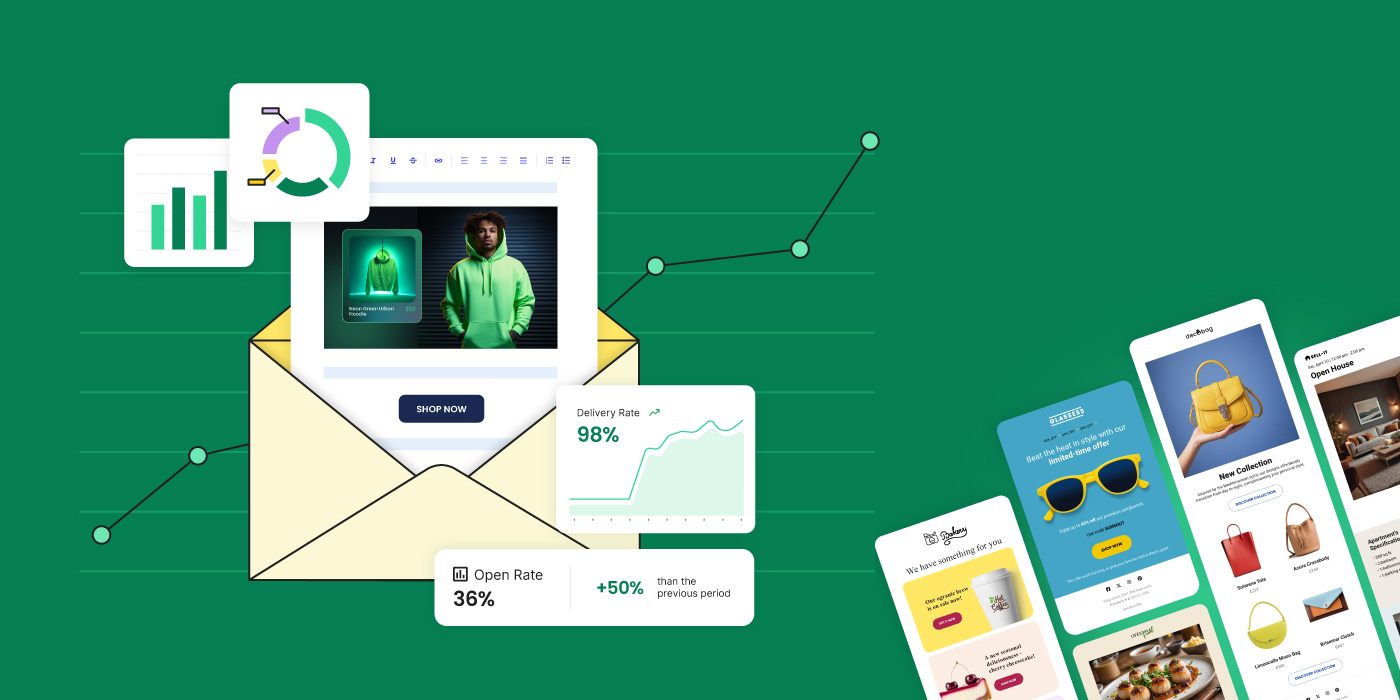
Curious if your open rate is good? An average open rate for small businesses using email marketing is around 36%, based on data reported by SiteGround. If your open rates tend to be much lower, consider applying the following tips.  

๐Ÿš€ Ideas for improvement: if you want to improve your open rates, make sure to write emails that people will read โ€“ experiment with the length, style, and tone of your subject lines. Use personalization in the subject line, as well as emojis, and try different sending times to find out what time of day your subscribers are most active and more likely to open an email.  

Click-to-open rate

The click-to-open rate is another popular email metric that reveals how many people clicked on any links inside your email. If, for example, you have included a link or button to a special discount, the click-to-open rate will indicate what percentage of your recipients clicked on it to learn more about your offer. To determine if your click-to-open rate is good enough, you should track it for each email campaign and analyze the trends over time. Based on data provided by SiteGround, the average click-to-open rate for small business owners is approximately 6.4%.

๐Ÿ“ Formula: click-to-open rate = (number of clicks / number of emails opened) x 100

๐Ÿ’ก Business insight: The click-to-open rate is a crucial metric for revealing the effectiveness of your email content and whether it speaks to the subscribers. It tells you whether it is compelling and engaging. 

๐Ÿš€ Ideas for improvement: to improve this rate, first make sure that your email campaign is well-structured, has relevant and helpful content, and has a catchy design. Boost your click-to-open rate by making your call to action visible and clear. 

Bounce rate

Bounce rate is an email marketing metric that shows the percentage of emails that could not be delivered to your subscribers for some reason. This happens when your email gets rejected by the recipientโ€™s email servers and returns to the sender with an automated message indicating a delivery error. It’s important to monitor that metric as a high bounce rate can affect your sender reputation and, in time, even lower your campaigns’ reach. 

๐Ÿ“ Formula: bounce rate = (bounced emails / emails sent) x 100%

๐Ÿ’ก Business insight: Along with hurting your sending reputation, a high bounce rate can hint that there will be a potential drop in your open and click-to-open rate, as they depend on actually reaching recipients. It could also suggest problems with the quality of your subscriber list or issues with your email server. A bounce rate under 2% is generally considered a strong performance.

๐Ÿš€ Ideas for improvement: to lower your bounce rate, ensure that your recipient list is of high quality. Regularly clear it from unengaged and inactive subscribers. Don’t buy email lists and never use spammy tactics in your email campaigns, as this can lead to lots of spam complaints and serious consequences to your sender’s reputation. 

It’s a good practice to implement a double opt-in to ensure that each subscriber is truly interested in receiving your content. 

Unsubscribe rate

The unsubscribe rate measures the percentage of recipients who opt to leave your list after receiving an email. Even though seeing recipients unsubscribe from your emails can be discouraging, it’s also beneficial, as itโ€™s a good way to efficiently clean your subscriber list. Providing your recipients with the option to cancel their email subscription is a way to ensure good email deliverability, as this is a requirement in various spam laws worldwide.  

๐Ÿ“ Formula: unsubscribe rate = (number of unsubscribes / number of emails delivered) x 100

๐Ÿ’ก Business insight: The unsubscribe rate, if high, can reveal that your email content is not relevant, useful, or interesting to your target audience. It could also suggest that your subscriber list is not well-segmented or that your emails are being sent too frequently. To get meaningful feedback about your content, consider sending a confirmation email to unsubscribers, asking them to provide more information on why they decided to leave your email list. Based on our experience with small business clients using the SiteGround Email Marketing tool, a good unsubscribe rate is below 0.5%.

๐Ÿš€ Ideas for improvement: To minimize unsubscribes, consider implementing a double opt-in, segmenting subscribers into different lists based on various criteria, and focus on providing them with valuable and interesting content. It’s also a good practice to give recipients the option to choose how often and what type of emails they want to receive.  

Spam complaint rate

This metric shows the percentage of people who mark an email as spam after receiving it. This is critical data to monitor, as it reveals that recipients perceive your message as irrelevant, annoying, or even inappropriate. However, note that the spam rate does not account for emails that get rejected at the network level by spam filters, so this metric may not fully capture all spam-related issues. 

๐Ÿ“ Formula: Spam complaint rate = (number of spam complaints / number of emails delivered) x 100

๐Ÿ’ก Business insight: Similar to the bounce rate, a high spam complaint rate can damage your sender reputation. It is also a red flag that there’s a problem with your email content (frequency, relevancy, or quality). Keep in mind that the acceptable standard spam complaint rate is less than 0.1%. 

๐Ÿš€ Ideas for improvement: We have a detailed article that gives you all the tips and tricks on how to avoid your emails going to spam. Generally, to reduce the spam complaint rate, it’s important to only send emails to people who have opted in to receive them, and to avoid sending emails too frequently. Additionally, always include an unsubscribe option in your email campaigns. People often report messages as spam when they get frustrated by not being able to find an unsubscribe link. 

Focus on building your email list organically and improving it by incorporating double opt-in signup. Also, authenticate your sender domain as it is an effective way to prove your emails come from you.  

Delivery rate

Email delivery rate indicates the percentage of emails successfully delivered to the recipients without bouncing or being reported as spam. That means they have passed all the email filters and reached your intended audience.

๐Ÿ“ Formula: delivery rate = (number of successfully delivered emails / number of emails sent) x 100

๐Ÿ’ก Business insight: A high delivery rate is important as it is proof that your sender reputation is intact. It could also reveal to you that your email and its content are relevant to your audience as it is not reported as spam. However, a low delivery rate might suggest problems with the quality of your email list hygiene and issues with your server sending infrastructure. Consider that the average delivery rate typically ranges between 90% and 98%. Remarkably, data provided by the SiteGround Email Marketing tool shows an average Delivery Rate of 98.8%, ensuring your messages consistently reach their intended recipients and maximizing your potential for engagement and conversions.

๐Ÿš€ Ideas for improvement: To boost your delivery rate, regularly clean your email list, and remove inactive or unengaged subscribers. Improve your sender credibility by using a reputable email service provider that maintains a good sender reputation for their servers. 

Also, be mindful of how often you send email campaigns: don’t do it too frequently, as it might lead to overwhelming your recipients, and therefore result in more complaints, unsubscribes, and even spam reports. For further help on this topic, we have a great article that explains in detail how to ensure high email deliverability.

Forwarding rate 

This rate (also quite similar to โ€email sharingโ€) measures the percentage of people who forward your email to others. Itโ€™s a strong indicator of how interesting, helpful, and engaging your email is, as subscribers are more likely to share useful content with their friends and family. Keep in mind that not all email marketing tools measure this metric, so if you want to track it over time, you might have to use unique URLs or social media sharing buttons for this purpose. 

๐Ÿ“ Formula: forwarding rate = (number of forwards / number of emails delivered) x 100

๐Ÿ’ก Business insight: The forwarding rate reveals whether your content resonates with your target audience. It could unveil whether word-of-mouth organic growth is feasible for your business. A good email forwarding rate is typically between 0.5% to 2%. 

๐Ÿš€ Ideas for improvement: To encourage your recipients to share your email campaigns, make it easy for them to do so. Include a clear call to action asking them to forward or share it. Provide helpful content, expert tips, or other valuable information that is worth sharing, and ensure your email design is visually appealing and easy to navigate.

Key Email Marketing KPIs to Track 

There are countless KPIs you could monitor, but how do you decide which ones to track? Here we’ll highlight the most popular KPIs, explain their benefits, and help you determine which ones are best suited to your email marketing goals.

As we mentioned earlier, a KPI can be a single metric or a mix of metrics, specifically aligned with your goals. They are tools that help you and your team monitor progress toward your objectives. As a result, it’s crucial to identify which KPIs are the most important for your business or project early on.

Note that some email service providers automatically provide such metrics. If not, consider tracking the key ones for your business yourself, as they can significantly impact your strategy.

Conversion Rate

One of the essential KPIs that you can monitor as a small business owner is conversion rate. The conversion rate is the percentage of recipients who complete a desired action after receiving your email. This action can vary depending on your specific goals and may include making a purchase, converting a lead into ะฐ client, filling out a form, reading a blog post, signing up for a webinar, or visiting your website, among other actions.

๐Ÿ“ Formula: conversion rate = (number of conversions/number of delivered or sent emails) x 100


Tracking conversions typically requires integrating data from two sources: your email marketing platform and your website analytics. To accurately attribute conversions to specific email campaigns, it’s crucial to use UTM parameters in your email links. These are tags added to URLs that allow you to track the source, medium, and campaign name in your analytics tool.

๐Ÿ’ก Business insight: The conversion rate can reveal how effective your email campaigns are in encouraging subscribers to engage and take action with your business. The higher the conversion rate, the better your email campaigns are performing. But what qualifies as a good conversion rate? 

Research suggests that the average conversion rate in email marketing hovers around 3%. Note that to truly assess your email performance, it’s important to track conversion rates over time and compare them. Keep in mind that these rates can be influenced by factors such as your industry, your content, sending times, and more. 

๐Ÿš€ Ideas for improvement: To improve your conversion rate, you need to ensure that your email campaigns are relevant, useful, and easy to navigate. Clear inactive users from your recipient list, write attention-grabbing subject lines, include visible and compelling call-to-action buttons or links, and experiment with sending times.

Subscriber acquisition cost (SAC)

Subscriber acquisition cost is a critical KPI to track in order to make informed decisions about your marketing spend. In the context of email marketing, SAC represents the cost of acquiring a new subscriber to your list. 

๐Ÿ“ Formula: SAC = total cost of acquisition / number of new subscribers acquired through email

To calculate SAC, divide the total cost of acquiring a new subscriber by the number of new subscribers gained as a result. The total cost should include all the costs, including marketing, design, ads, sales, and everything else that you might have used in the acquisition process. 

If your SAC is high, it could indicate that your marketing efforts are not cost-effective. Note that SAC varies significantly across industries, so you should research what the estimate is for your specific industry and analyze your results for a longer period. It’s also useful to keep in mind that a good SAC is lower than the subscriber’s lifetime value (which we explain down below). 

๐Ÿ’ก Business insight: By tracking SAC, you can get an idea of how effective your overall marketing efforts are in acquiring new subscribers and respectively whether you need to change something to help increase your email list. A lower SAC means you’re spending less to acquire each new subscriber, which is crucial for profitability.

๐Ÿš€ Ideas for improvement: If you discover that you need to lower your SAC after researching your industryโ€™s average, focus on improving your ad design and copy, and create useful and educational content on your website, social media, and on any other platforms that you may use for collecting leads. Try incentivizing readers to subscribe to your email list with different free resources and materials.

Subscriber lifetime value 

Subscriber lifetime value is another useful KPI that estimates the revenue a subscriber is expected to generate for you over the course of time as your newsletter subscriber.

๐Ÿ“ Formula: Subscriber lifetime value =  (average revenue per email subscriber x average subscriber lifespan) – the cost to serve them

Calculating this KPI might not be straightforward, as you need to have specific data. If you are able to calculate it, it will help you to decide how much to invest in acquiring your subscribers and, in the end, will optimize your marketing spend. 

๐Ÿ’ก Business insight: Lifetime value is one of the most important KPIs to track because it can give you insights into how much to invest in acquiring new subscribers and how well you are performing in monetizing your audience.  

๐Ÿš€ Ideas for improvement: To improve the lifetime value of your subscribers, work on enhancing engagement with your email content. Make it more personalized and actionable, and provide more value to your audience with different exclusive offers and promos. Try boosting upsells by sending email campaigns offering related products. 

Return on investment (ROI)

Return on investment is a popular KPI that measures the revenue generated from your email campaigns compared to the cost of running those campaigns. It unveils whether your email campaigns are profitable or not. 

๐Ÿ“ Formula: ROI = (revenue from email campaign – cost of email campaign) / cost of email campaign

To calculate it, you need to subtract the money you spent to run the campaign from the revenue โ€“ this represents the money you earned from it, which will show you how much profit you made after covering your costs. Then, dividing by the cost of the email campaign will reveal how much profit you made for every dollar spent. 

Note that to correctly calculate the cost of creating and sending your email campaign for that KPI, you need to again consider the email tools you use to do it, as well as internal writers, freelancers, agencies, and/or design costs.

๐Ÿ’ก Business insight: A positive ROI is a sign that your marketing efforts are working and generating more than you spend. According to research, the average ROI for email marketing is $36. Keep in mind that as with most of the other KPIs, the ROI also varies greatly depending on your industry. 

๐Ÿš€ Ideas for improvement: You can improve your ROI by making your offers more appealing to your readers. For example, you could use personalization and experiment with different content and the way itโ€™s presented. You could also review how you segment your email lists and make changes in order to improve your targeted messaging. 

Revenue per email

The revenue per email KPI could help you assess the profitability of individual campaigns and identify which types of emails are most effective at driving revenue. You can calculate it easily by dividing the revenue of an email campaign by the number of emails sent. 

๐Ÿ“ Formula: revenue per email = revenue from email campaign / number of emails sent

๐Ÿ’ก Business insight: This KPI allows you to compare the effectiveness of different campaigns and email strategies. It will help you reveal which email types work the best at driving revenue โ€“ whether they are promotional, newsletters, or otherwise. A higher revenue per email shows that your content, CTAs, and targeting are resonating with your audience. Since there isn’t a specific industry benchmark, you need to track and analyze the results for your particular business. 

As a general guideline, the revenue from your email campaign should be equal to or close to the amount you invested. This way, you can ensure that your campaigns are paying off, and you can determine the budget for future campaigns.  

๐Ÿš€ Ideas for improvement: To drive more revenue for your campaigns, it is again important to increase engagement. Optimize your email content specifically for each segment of your subscribers to make it more relevant. A/B test various subject lines, design styles, buttons, and visuals (one at a time) to see what will bring you the most clicks, engagement, and revenue. 

Choose the Right Email Marketing Tool to Track Metrics 

Having the right Email Marketing Tool by your side is crucial for optimizing all your tasks related to creating, sending, testing, and analyzing your email campaigns. When selecting an email marketing service, make sure you choose a tool that provides you with all this functionality โ€“ and that is easy to use and to get started.
With the SiteGround Email Marketing tool, you can rest assured that you have everything in one place. Developed by experts with 20+ years of experience in hosting email, our platform provides an intuitive no-code builder, customizable email layouts, AI copywriter, unlimited audiences, subscriber management, and friendly reporting features. 

You can enjoy automated essential email analytics like open, delivery, click-to-open, bounced, spam, and unsubscribe rates, and interactions stats showing you clicks on specific URLs, the type of the element that has been clicked (button, link, image) and the caption text.

Conclusion

Monitoring your metrics and adopting a structured approach to evaluating your email marketing work will empower you to make data-based decisions and boost your business. Don’t miss out on that opportunity! Now, tell us in the comments: Are there any metrics you already track for your business? Which ones have most helped you to reach your goals?

BONUS: Email Marketing Glossary

TermExplanation
Open RateThe percentage of recipients who opened an email, indicating how well your subject line worked.
Click-Through RateThe percentage of email recipients who clicked on one or more links contained in an email. It shows engagement with the content.
Conversion RateThe percentage of email recipients who clicked on a link within an email and completed a desired action, like making a purchase.
Bounce RateThe rate at which your emails are not delivered to the recipientโ€™s inbox, either due to invalid addresses (hard bounce) or temporary server deliverability issues (soft bounce).
DeliverabilityThe measure of the success rate at which emails are delivered to the recipientโ€™s inboxes.
Unsubscribe RateThe rate at which people opt-out of your email list after receiving an email, indicates the relevance and quality of your campaigns.
SegmentationThe process of dividing your email list into smaller, more specific groups based on certain criteria to send more targeted campaigns.
PersonalizationThe practice of tailoring email content to individual recipients based on the data you have about them.
A/B TestingSending two variants of an email to a small percentage of your total recipients to see which version performs better, before sending the better-performing version to the rest of the list.
Call To Action (CTA)A button or link placed in your email that encourages your recipients to take a specific action, such as โ€œBuy Nowโ€, โ€œLearn Moreโ€, or โ€œSubscribeโ€.
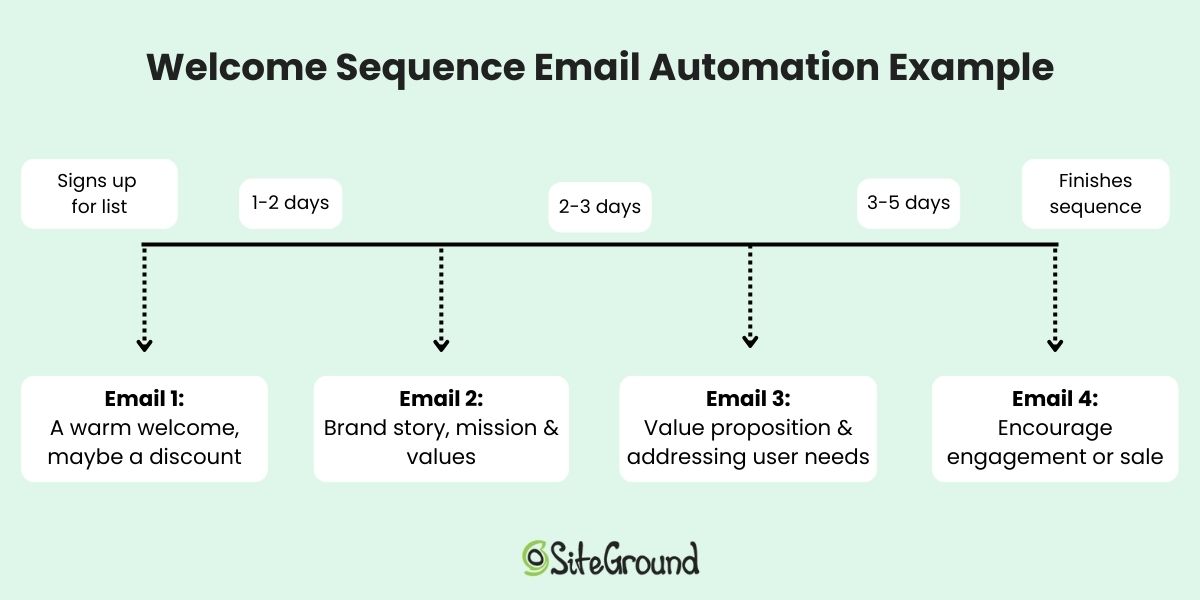
Email AutomationEmail that is sent automatically by the system when triggered by a specific customer action or event. For example, a welcome email after sign-up or a confirmation email after purchase.
CAN-SPAM ActA US law that sets the rules for commercial email and establishes requirements for commercial messages. It gives recipients the right to stop unsolicited emails from being sent to them and spells out tough penalties for violations.
General Data Protection Regulation (GDPR)A regulation on data protection and privacy in the European Union and the European Economic Area. It also addresses the transfer of personal data outside the EU and EEA areas.
Email List HygieneThe practice of regularly cleaning your email list to remove inactive, invalid, or unengaged subscribers to maintain a high-quality recipient list.

Holiday Email Marketing Guide (practical tips, ideas and examples)

Picture cozy sweaters, flavored lattes, and the excitement of gift-giving. The holidays are here! For business owners, this season is a big opportunity to connect with customers in a way thatโ€™s both joyful and profitable. In this guide, weโ€™ll explore how to harness the holiday spirit to create effective holiday email campaigns that resonate with your audience and boost your sales. 

Download our free Holiday Marketing Guide featuring content from SiteGround and our partner experts in ecommerce, email marketing, web design and code optimization to help your business in any holiday season.

How holiday email marketing can help your business

Boost your holiday sales with email marketing

Holiday email marketing is highly effective because it aligns with what consumers expect and how they behave during the festive season. It taps into the seasonal mood and capitalizes on the increase in online activity. 

During holiday times like Christmas, people are usually in the mood to buy things. This is because holidays are often about giving gifts, and many are on the lookout for the perfect present for their friends and family. So, they’re more open to buying things than they might be at other times of the year and even wait for special offers, discounts, and promotions during the holiday season.

Now, how do people find out about these deals? One of the best ways is through emails. 

A well-crafted email can be the nudge they need to choose your business for their festive shopping. Remember, they are already on your email list, theyโ€™ve shown interest in your brand, but you need to remind them about yourself, so they donโ€™t buy from someone else who did. Since people are already on the lookout for holiday shopping deals, they are paying attention to holiday emails. If they see an email with a good offer, theyโ€™re most likely to open it and check it out.

All these elements combined – the seasonal shopping mindset, the anticipation of holiday deals, and the power of email marketing – work together to significantly boost sales and increase brand visibility during the holiday season.

Build customer relationships with holiday emails

Sending out emails that are solely focused on wishing your customers happy holidays, without including any sales pitch or promotional content, is a powerful strategy to build customer relationships with your buyers and subscribers. It tells your audience that your company values and recognizes the spirit of the holiday season, which is about goodwill and cheer, not just sales. People remember brands that treat them as individuals and are more likely to return to these brands in the future. Plus, in a sea of promotional emails during the holidays, a genuine holiday greeting can stand out.

What you need to send holiday email campaigns

With the right tools and a bit of creativity, you can create effective campaigns that resonate with your customers, whether itโ€™s driving sales or simply spreading holiday cheer. Still sound complicated? It’s quite manageable once you break it down into steps, and here is what youโ€™ll need:

1. Email marketing service

When selecting an email marketing platform, it’s important to choose one that aligns with your specific needs and experience level. For beginners, the focus should be on finding a service that is user-friendly, enabling you to craft engaging email campaigns with ease. Additionally, the ideal platform should support you in efficiently gathering subscribers and managing your contact list. It’s also vital to choose a service that offers insights into the performance of your emails, such as tracking open rates and link clicks. Above all, the key feature to look for is a platform’s ability to ensure your emails reliably land in recipients’ inboxes, avoiding spam folders.

SiteGround Email Marketing

The SiteGround Email Marketing tool is a new, powerful addition to SiteGround’s suite of services, designed to help businesses connect and engage with their audience more effectively. It is integrated into the SiteGround Client Area, allowing our clients to manage their website and email campaigns in one place. Our tool includes an intuitive, no-code email builder with responsive designs, ensuring emails look great on all devices. Plus, our builder comes with an awesome AI Email Writer that can write the emails for you. Users can easily create and manage email campaigns, target specific audiences, and personalize content. Additionally, users can track the effectiveness of their campaigns with built-in analytics, gaining insights into open rates, click rates, bounce rates, and interactions to improve conversions.

2. Email List

This is a list of email addresses of customers or potential customers who have agreed to receive emails from you. You can gather these emails through sign-up forms on your website, during checkout at your store, or during events. Even if you have just a few contacts in an excel sheet, you can still go for a holiday email campaign and see results.

Need more insights on how to build your email list? Read this blog post.

SiteGroundโ€™s Lead Generation for WordPress

Weโ€™ve created a Lead Generation Plugin for WordPress tailored for our Email Marketing tool, designed to help users engage with website visitors and effortlessly turn them into subscribers. It’s user-friendly, especially for those new to email marketing. The plugin allows you to create and add sign-up forms anywhere on your website in minutes. And anyone who signs up is automatically added to your contacts as a “Subscriber.” The plugin also offers the functionality to assign groups to each form, allowing for precise audience segmentation and customized messaging. Additionally, you can capture high-quality leads through various touchpoints, including WooCommerce checkout and standard WordPress forms.

3. Holiday design for your email

A holiday-themed design can help capture the festive spirit of the season, making your email more engaging and enjoyable for the recipient. Most email marketing services offer a variety of pre-designed templates. For a holiday-themed email, you would choose a template that already has a festive look. This might include designs with holiday colors (like red, green, blue), images of holiday symbols (like Christmas trees, snowflakes, etc.), or other seasonal graphics.

SiteGroundโ€™s Holiday email templates

Weโ€™ve created a collection of pre-designed email templates specifically for the holiday season. The idea is to save you a lot of time and effort from thinking and designing your email. Instead of starting from scratch, you can select a template, make a few customizations, and be ready to send your email. Plus, in combination with our email AI Writing Assistant, you can get your holiday email campaign up and running very quickly. This is especially beneficial if youโ€™re short on time or if you’re launching a last-minute campaign. Use this holiday season as an opportunity to try SiteGround Email Marketing tool, free for 30 days!

๐Ÿ”ฅ Craft an irresistible email campaign this Black Friday by drawing inspiration from our carefully selected Black Friday email examples, ensuring your message captures attention and gets read.

4. Idea for your holiday email campaign

To send holiday email campaigns, you need an idea or theme for your campaign. This idea should resonate with the holiday spirit and appeal to your audience. It could be centered around special holiday offers, festive greetings, gift ideas, or sharing holiday-themed content like recipes or stories. 

Below, you can find ideas and examples of holiday email campaigns built with the SiteGround Email Marketing tool and our new holiday-themed templates.

Holiday email campaign examples and ideas

If you havenโ€™t launched your holiday email campaign, now is the time to jump in because itโ€™s never too late to embrace the holiday spirit with email marketing. There are plenty of ways to kick off your festive campaign starting right now. Hereโ€™s what you can do:

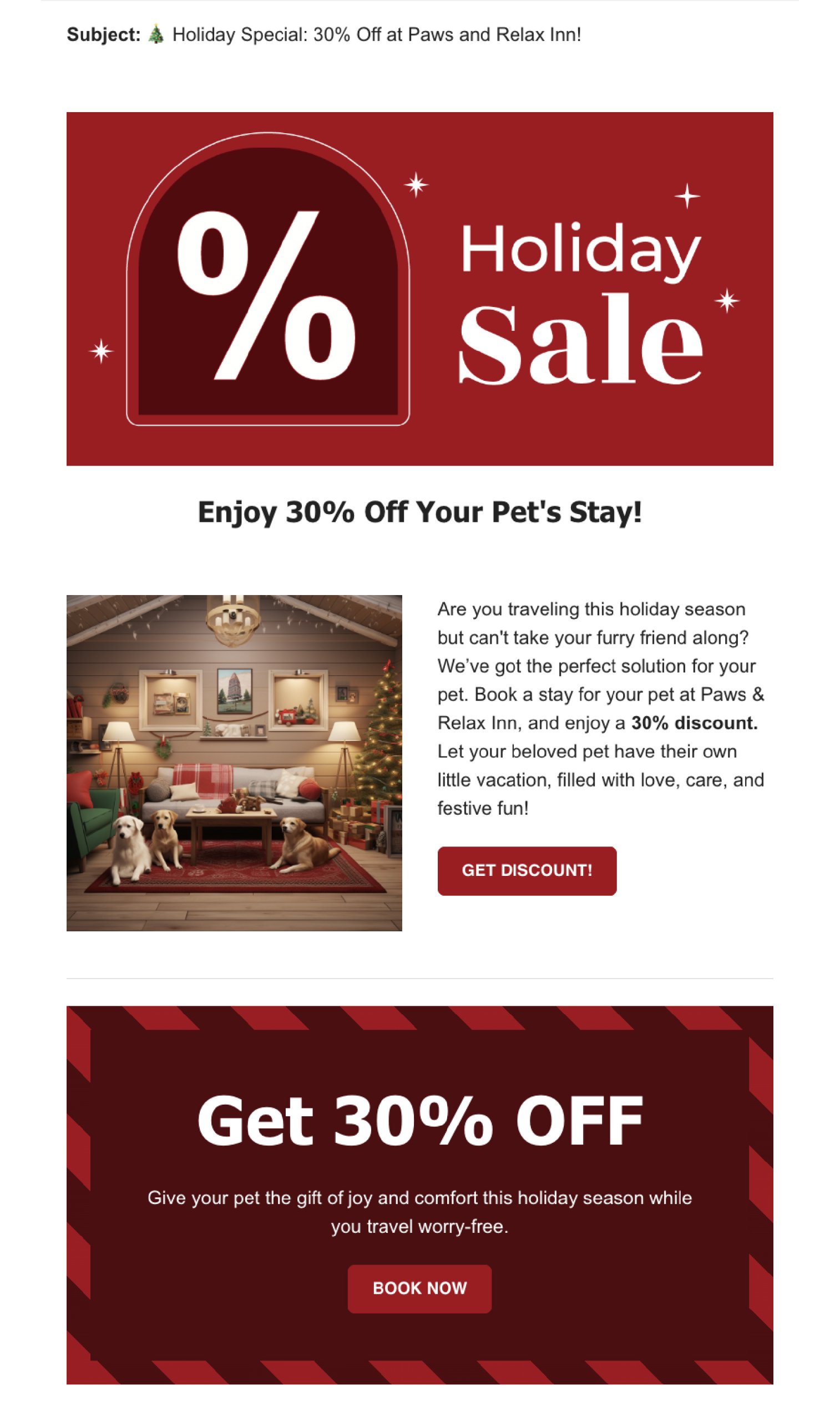
1. Run a Holiday Sale Email Campaign

Providing your customers with holiday sales on products or services they’ve already shown an interest in (since they’re on your emails list) is an easy way to encourage them to buy from you.

Why holiday sales work

Imagine you own a store. During the holidays, like Christmas, people are often looking to buy gifts. If you send them an email saying, “Hey, we’ve got a special sale on some of the things you liked in our store,” they’re more likely than ever to be interested. This works because:

  • Itโ€™s the right time: People are already thinking of buying things for the holidays and they need businesses like yours to help them.
  • They like it: You’re telling them about sales on items they already showed interest in. So, they are more likely to want to buy.
  • Thereโ€™s a special deal: Everyone loves a good deal, especially during the holiday season when they’re spending a lot on gifts.

Before you create your holiday sale email campaign

  • Decide what items youโ€™re going to sell: Think about what products your customers have bought or looked at before. This could be from remembering your regular customers or checking any records of past sales you have.
  • Decide on your promotion type: Choose what kind of sale or discount you want to offer. For example, “20% off on all children’s books” or “buy one get one free on coffee mugs.”

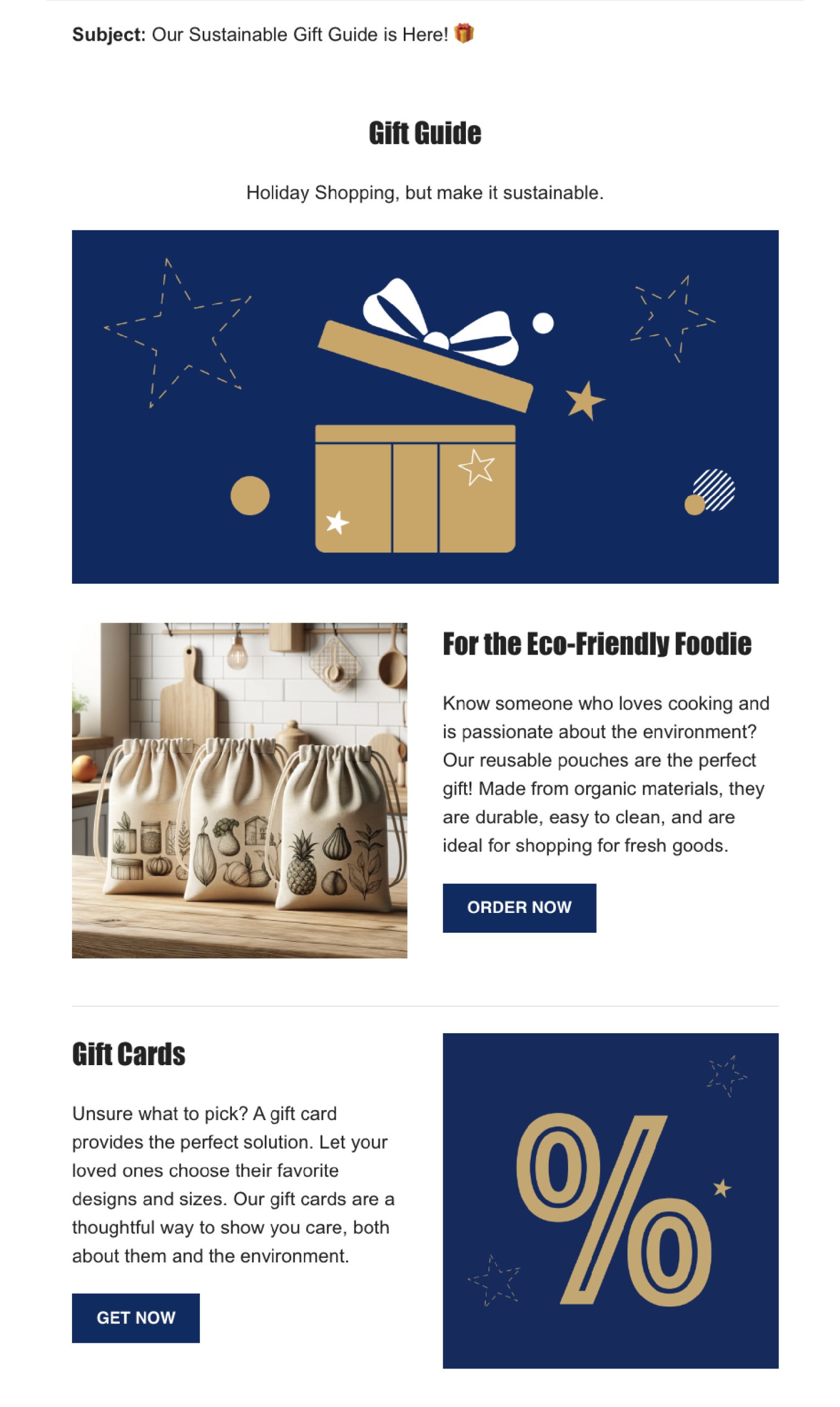
2. Share a gift guide email campaign

A gift guide email campaign is effective because it makes holiday shopping easier for your customers. By presenting them with a curated list of gift ideas, you’re helping them find the perfect presents and encouraging them to buy from your store.

Why gift guides works

Think about when you’re trying to find gifts for your friends or family. It can be tough to decide what to get, right? When a store sends out a gift guide, it’s like they’re saying, “Don’t worry, we’ve got some ideas for you!” This is helpful because:

  • Makes shopping easier: It saves people time and effort. Instead of searching through tons of products, they have a curated list for you.
  • Ideas for different people: By creating categories like “Gifts for Dad” or “Best Gifts Under $50,” you help customers quickly find relevant ideas.
  • Encourages buying: When customers see a well-organized list of gift ideas, especially ones that fit their budget or the type of person theyโ€™re buying for, they’re more likely to make a purchase.

Before you create your gift guide email campaign

  • Pick your products: Look at your storeโ€™s sales history, identify the most popular items and choose items that would make good gifts. Think about different types of customers – like gifts for parents, friends, kids, or gifts that fit different budgets.
  • Create categories: Organize these products into categories. For example, you might have categories like “Tech Gadgets for Teens” or “Cozy Gifts for Home.”

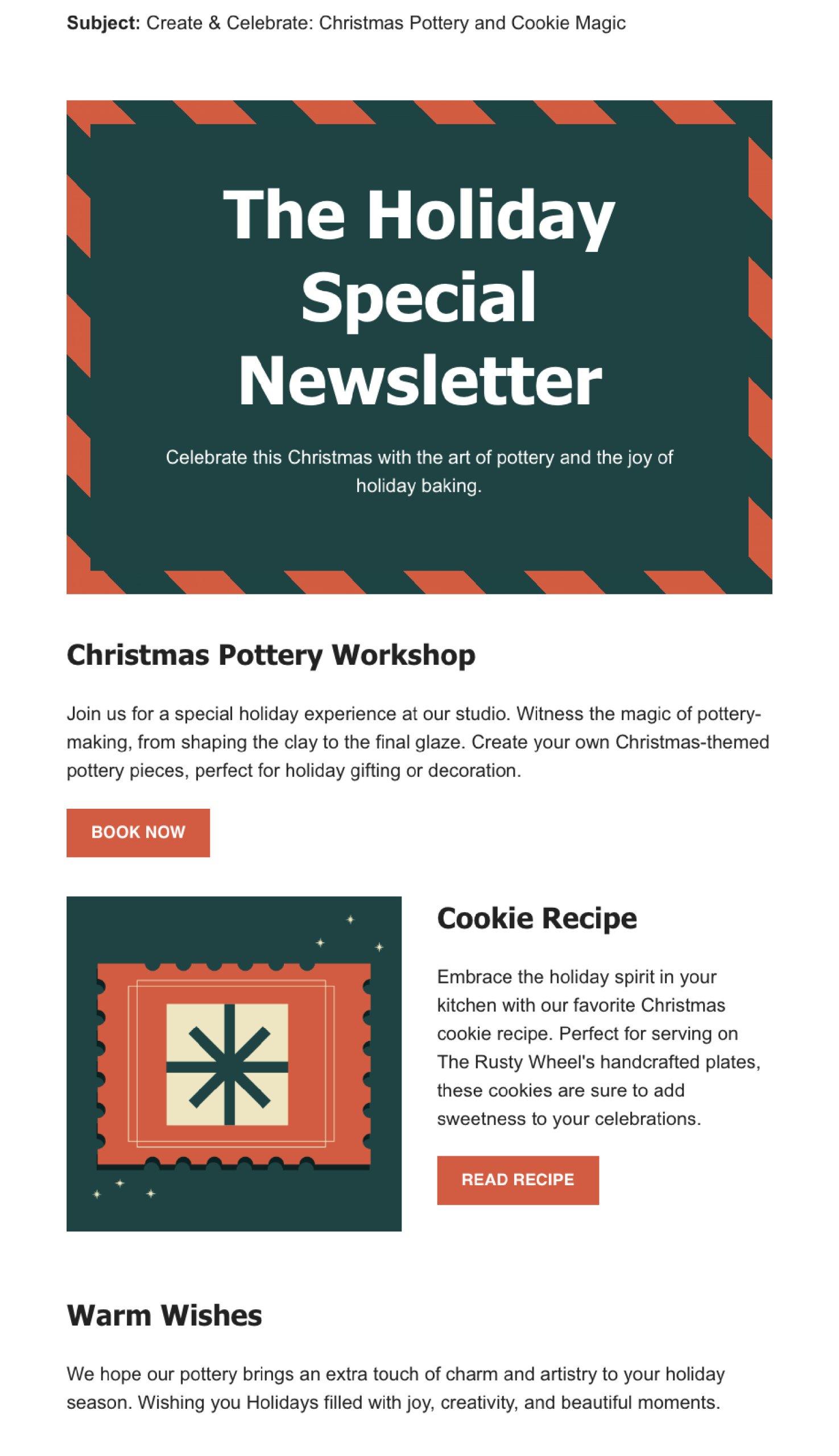
3. Send a Holiday Newsletter

By sharing stories, holiday greetings, or personal reflections from the year, you’re opening a more human and relatable side of your business.

Why holiday newsletters work

Think about how special holiday movies or songs make you feel during the festive season. They get you into the holiday spirit, right? A holiday newsletter works in a similar way and people love holiday-themed content to put them in the spirit of the season. 

  • Feels festive and fun: Just like holiday movies, a newsletter with a holiday theme feels special and seasonal. It adds to the excitement of the holidays.
  • More than just sales: Instead of just trying to sell something, a holiday newsletter can share fun content, holiday wishes, or interesting information. This makes your customers feel valued and not just like someone to sell to.
  • Builds a connection: By sending out a friendly and warm holiday message, you build a stronger relationship with your customers. It shows you care about sharing the holiday joy with them.

Before you create your holiday newsletter

  • Choose your content: Think about what you want to include in your newsletter. This could be a holiday greeting, a recap of the year, highlights of special products for the holidays, or even a holiday cooking recipe or story.
  • Donโ€™t make it all about sales: Itโ€™s okay to mention any special holiday deals, but donโ€™t make the entire newsletter about selling. If youโ€™re including promotional content or special offers, balance it with holiday content. The focus should be on the holiday spirit rather than a hard sell.

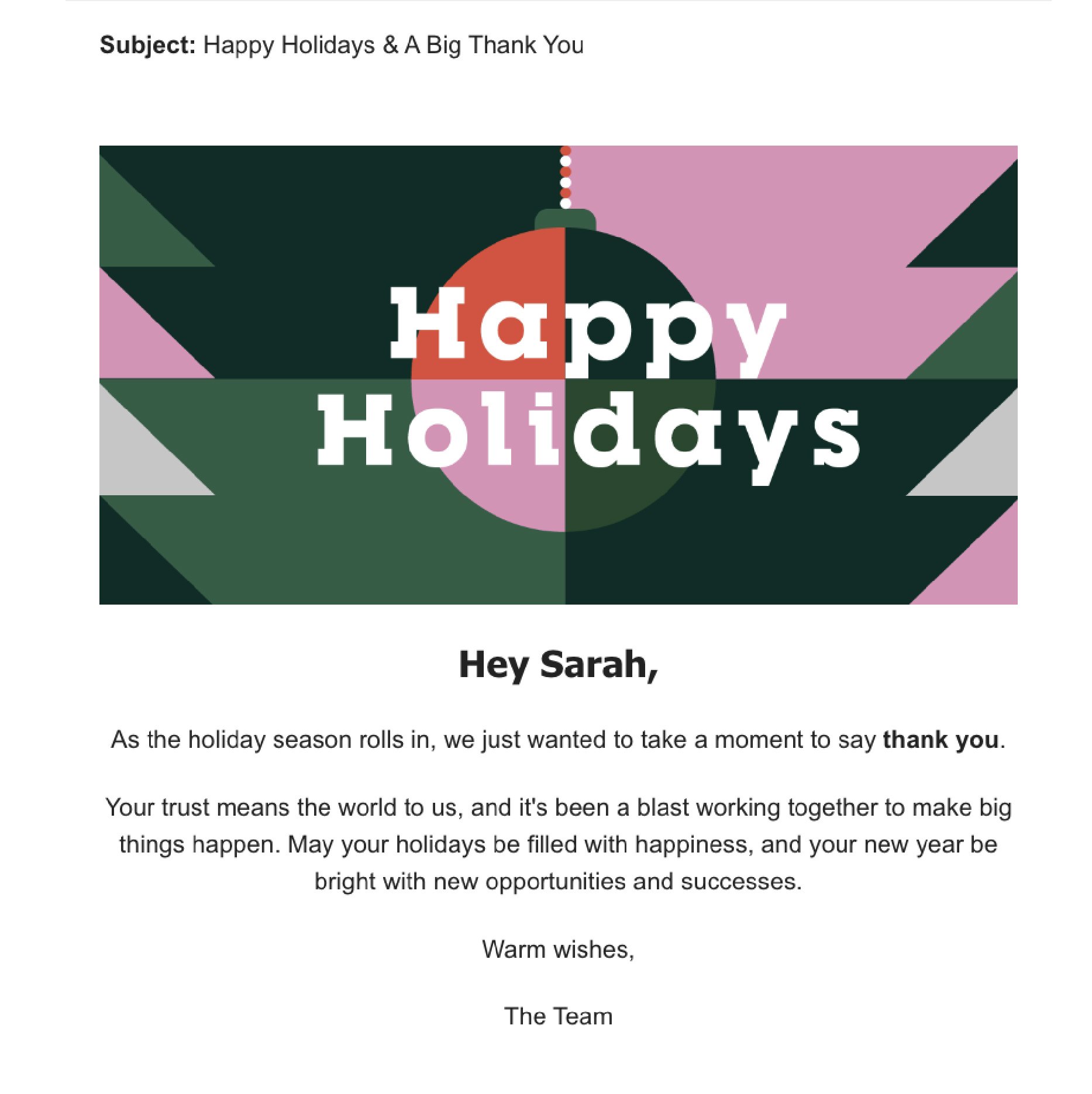
4. Send a Seasonโ€™s greetings email campaign

Sending a season’s greetings email is a simple but effective way to connect with your customers and spread a little holiday joy. It shows you care and helps create a positive image of your business.

Why seasonโ€™s greetings emails work

  • Builds personal connection: This kind of email shows your customers that you see them as more than just buyers. It’s a way to say, “We appreciate you,” and helps build a friendly relationship.
  • Makes you stand out: During the holiday season, people get lots of sales ads and promotions. A season’s greetings email is different โ€“ it’s not trying to sell anything, just wishing them well, which can be a pleasant change.
  • Builds brand loyalty: By sending warm wishes, you’re creating positive feelings about your brand. People remember businesses that treat them well, and they’re more likely to come back in the future.

Before you create your seasonโ€™s greetings email

Well, there is no recipe here, just speak from your heart. Your message doesnโ€™t have to be long. A few sentences wishing them well during the holiday season is enough. The most important thing is to remember to avoid turning this email into a sales pitch. The focus should be on sending good wishes, not selling products or services.

Strategies for a winning holiday email campaign

1. Add personalization

Personalizing a holiday email campaign by including the recipient’s name is a highly effective strategy. It creates a sense of personal connection, making the email feel tailored to the individual rather than a generic marketing message. Personalized emails can lead to better engagement, which in turn can increase the likelihood of the recipient taking the desired action, whether it’s making a purchase, signing up for a service, or participating in an event.

To implement this, use an email marketing tool that allows you to insert recipient names dynamically and ensure your sign-up forms collect names. With the SiteGround Email Marketing tool, you can easily add your recipient first or last name in your emails and our Lead Generation plugin allows you to collect your subscriberโ€™s names with ease.

2. How to write Holiday subject lines

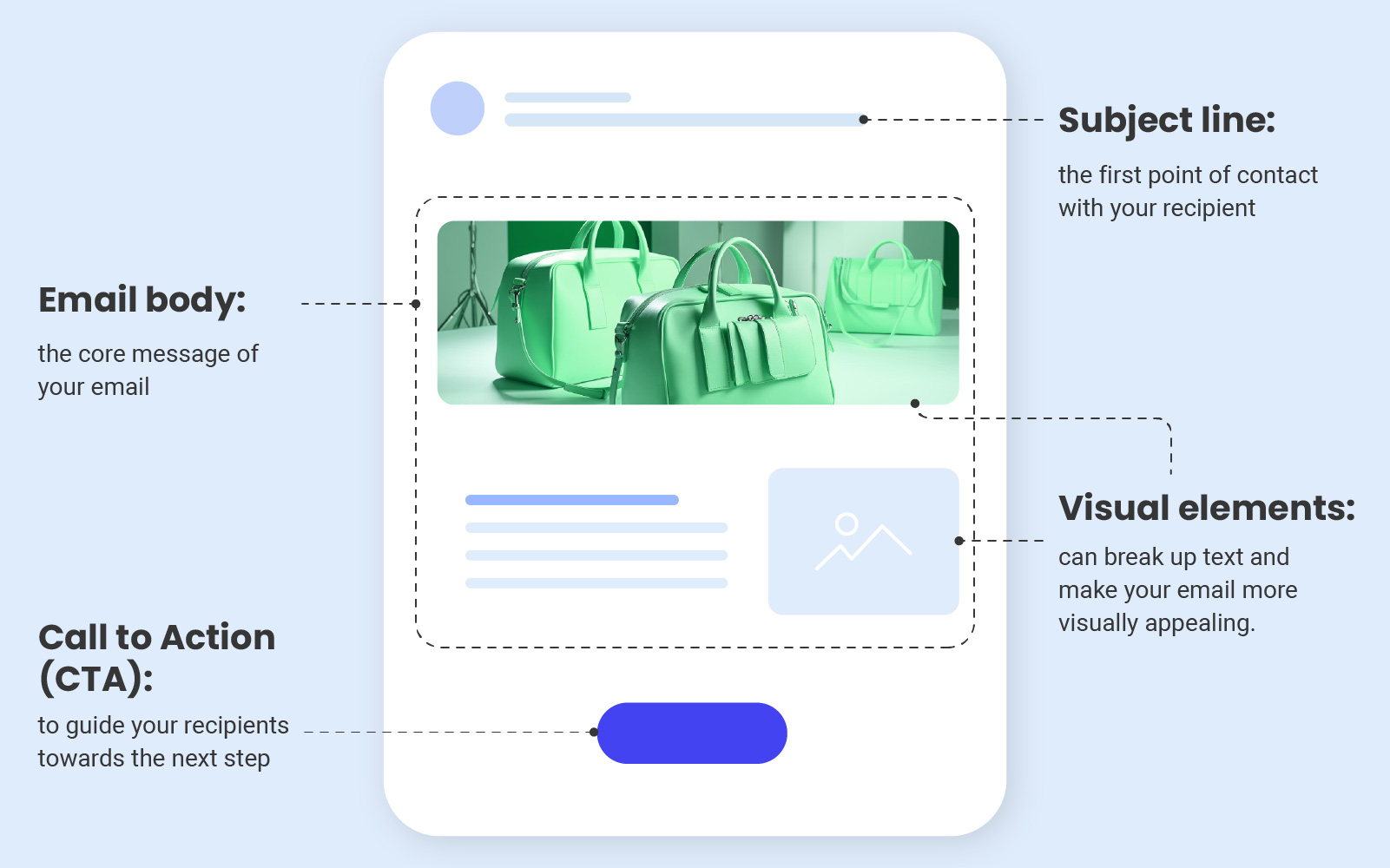
The subject line is the first point of contact with your audience in their inbox. A compelling subject line can make the difference between an opened email and one that’s ignored. It sounds like a big responsibility, so here are some suggestions you can use to write effective holiday subject lines:

  • Length of the subject line: Keep it short and sweet, ideally between 30 and 50 characters. This length ensures that the subject line is fully visible on most devices, especially mobile phones.
  • Ask a question: Questions in subject lines pique curiosity and engage the reader’s mind, prompting them to seek answers. โ€œReady for your best Christmas ever?โ€ or โ€œLooking for the perfect New Yearโ€™s gift?โ€ These questions directly address the reader’s interests or needs.
  • Create curiosity: Tease something interesting inside the email. You see a hint that something exciting is inside the email, and you want to find out what it is. It’s human nature to be curious about hidden things. โ€œUnwrap your exclusive holiday offer insideโ€ suggests there’s something valuable waiting for them, which can be very enticing.
  • Use Emojis: Emojis add a visual element that can make your email stand out in a crowded inbox.  A subject line with a Christmas tree ๐ŸŒฒ or gift emoji ๐ŸŽ is more likely to catch the eye.

3. Holiday preheader tips

The preheader in an email is the short summary text that follows the subject line when viewing an email in the inbox. It works together with the subject line to grab attention and give a glimpse of what the email contains. Here’s how to use preheaders effectively:

  • Again, keep it short: Aim for around 40-50 characters so they donโ€™t get cut off in the email preview. For example, โ€œYour holiday cheer starts here.โ€
  • Complement the Subject Line: Your preheader should work hand-in-hand with your subject line. If your subject line is the headline, think of the preheader as the subheadline. For example, if the subject line is โ€œ๐ŸŽ Unwrap Your Holiday Gift,โ€ the preheader could be โ€œExclusive deals inside just for you!โ€
  • Create urgency or excitement: Use language that creates a sense of urgency or excitement about the holiday season, like โ€œHurry, your exclusive holiday offer ends soon!โ€

4. Always test your email campaign

Before you send your email, make sure to test it out. This means sending a test email and looking at how it looks on different devices, browsers and email clients, fixing any spelling or grammar mistakes, and making sure all the links work properly. Doing this helps avoid problems and make sure that your recipients have a good experience, which is really important for the success of your email campaign.

Remember, the key to a successful email campaign is to connect with your audience in a way that’s relevant and respectful. Whether it’s promoting a holiday sale or sending warm wishes, your emails should add value to your recipients’ inboxes. If you’re new to this, it’s okay to start with a small list and simple emails. Learn from each campaign, look at what worked and what didn’t, and use these insights for your next campaign.

Sign up for free Black Friday email marketing course from SiteGround

โ€˜โ€™View This Email in Your Browserโ€™โ€™- What Is It & Why to Use It

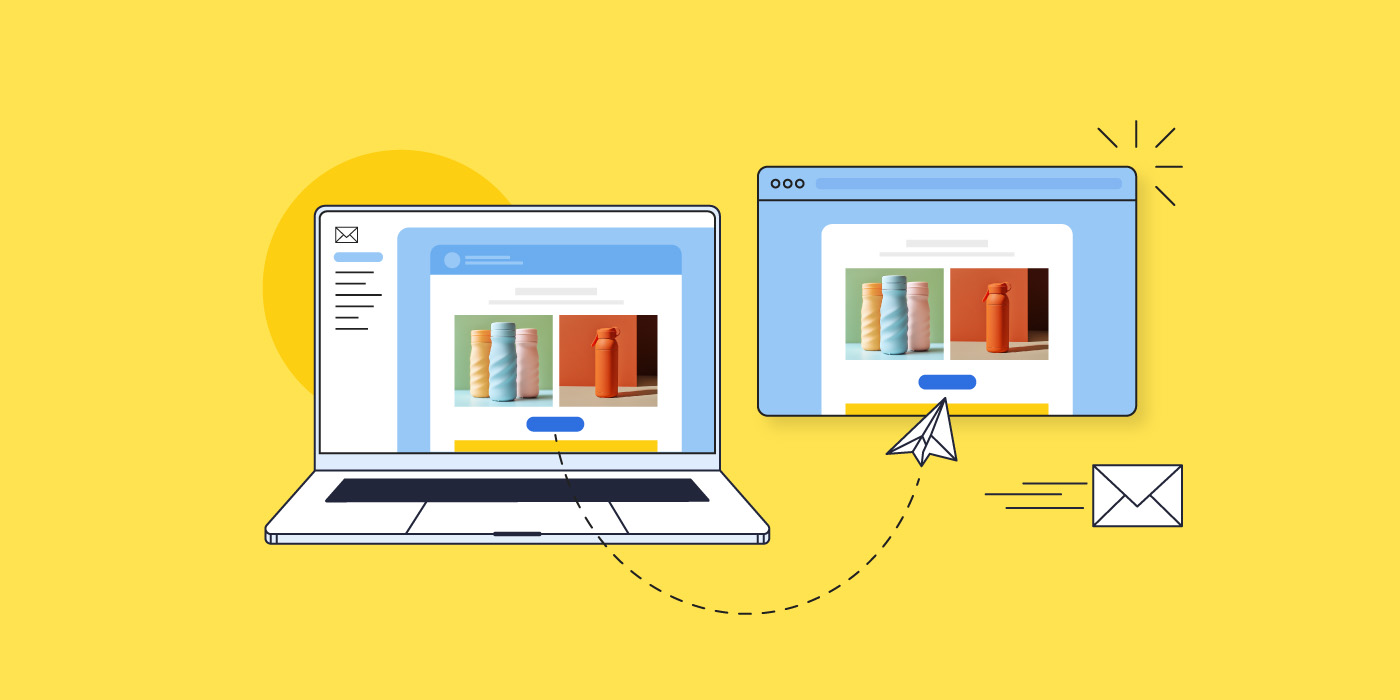
view this email in your browser

If you’re using email to connect with your audience, then you’re always seeking ways to improve engagement and reach. Enter the ‘View this email in your browser’ link โ€“ a powerful yet often-overlooked tool in your email marketing arsenal. Let’s explore how this simple feature can solve formatting issues, boost accessibility, and even expand your audience.

SiteGround Email Marketing Course

What is โ€œview this email in your browserโ€? 

The simple explanation is that the โ€œview this email in your browserโ€ takes you to a browser version of the email youโ€™re reading. That is, itโ€™s hyperlinked text that takes you out of your email inbox, and into a separate website browser, where you can see the email laid out in full. More technically speaking, it is a web-hosted version of your email, rather than just an email message living in someoneโ€™s inbox.

What is the purpose of โ€œview this email in your browserโ€?

Improve accessibility

Accessibility is an important component of email marketing โ€“ that is, all content should be made accessible and viewable for all types of viewers (such as people with visual impairment). But not all email service providers can process and transmit your email information optimally for all audiences. With an alternative viewing option for your email campaign, those keen to consume your content in a different way can more easily use assistive technology (such as screen reader tools) regardless of their email client.

Address email formatting issues

You can send yourself and colleagues loads of test emails to double check formatting and image loading, but at the end of the day, itโ€™s impossible to know how your email will appear on every mobile device and via every email client. Some recipients might even have image loading turned off, thus blocking graphics and hyperlinked images. By including a web browser version of your email, you give subscribers the ability to view your email outside their inbox, and therefore have access to the accurate, full version of your email, and with no rendering issues.

Aid in viewing content- or image-heavy emails

Some emails may be particularly image heavy, or perhaps include animations or other visuals that take longer to load via certain email providers or on different devices. This can result in unviewable content, which will not only impact reader experience, but it will negatively impact your message. Some users might even get so annoyed that they end up flagging your content so that your emails go to spam. Clicking on the โ€œview this email in your browserโ€ allows recipients to exit to the web, where your full email content can load more easily. 

Enable sharing & reach a broader audience

By having a web browser version of your email, you make it shareable. That is, if a subscriber clicks on the โ€œview this email in your browserโ€ link, they can then copy that link and share it with others, allowing you to reach a broader audience. 

As weโ€™ve discussed, the beauty of the web browser link is that it makes your emails accessible beyond just a recipientโ€™s inbox. This allows the information to reach more people, and it also means you can refer to and use past content going forward.

This is all fine and well, but you might be wondering how exactly to tap into this apparent potential. Here are a few creative ways to do so: 

Take advantage of social sharing

As we discussed above, having a linkable version of your email allows for sharing, and thus gives your business more ways to reach more people. Here are a couple of ideas to leverage sharing: 

  • Share emails via social media and in your social profiles: If you have an email newsletter that contains particularly pertinent information, you might wish to share it via social media and/or include it as a link in your social profiles (for example, as one of your shared links on Instagram). This is also a great way to reach an audience that is already interested in your brand, but maybe hasnโ€™t yet signed up for your emails. 
  • Promote content sharing: Maybe youโ€™re running a contest, or perhaps youโ€™ve published research that is relevant to a wider audience โ€“ users may be keen to share your email about this via social media. Consider embedding the link as a call to action in your email in order to motivate social sharing. Examples include: โ€œClick here to share `this information via socialโ€ or โ€œClick here for a shareable link.โ€

Pro tip: Include a subscription sign-up link in the web browser version of your email so that interested readers can easily sign up for your emails, and you can build your email list.

Encourage bookmarking

Letโ€™s say you share recipes via your emails, or maybe how-tos, or just any kind of information that readers might want to refer back to later โ€“ by having a web browser version of your email, readers can bookmark the information youโ€™ve sent. And again, not only do they have the ability to do this by clicking on the โ€œview this email in your browserโ€ link, but you can also embed this link in your email as a call to action (such as, โ€œbookmark this recipe nowโ€) so that your subscribers know that they can save it for later.

Make use of past content

Web browser versions of your emails enable easy access to previously sent messages, allowing you to benefit indefinitely from past email content. Here are a couple ways ways to take advantage of this:

  • Create a searchable content hub: you may wish to include an archive of your old newsletters on your website. In doing so, you can even create a searchable content hub so that users have access to a knowledge base of your earlier emails.
  • Link to past content: Perhaps you are writing a new blog post, or are selling a product for which an old newsletterโ€™s information might be helpful โ€“ you can simply link to it!

Pro tip: Need assistance crafting emails that resonate and are worth linking back to? Worry not. Read up on it in our article about writing marketing emails.

How โ€œview this email in your browserโ€ appears in emails

Header

You may find that in some emails the โ€œview this email in your browserโ€ link shows up in the white space in the email header. Some prefer to use this unused area to make the link readily available from the start, thus avoiding any reader frustration. 

That said, most opt for the footer, as this is where important information unrelated to the emailโ€™s content is located. For example, in the footer, youโ€™ll usually find the businessโ€™s address, as well as links to unsubscribe, and read terms and policies. The footer is also optimal because placing the link in the header can be distracting, and can negatively impact design and branding. 

Within body text

This would likely only be advisable if, as we mentioned above, you want to provide a call to action of sorts โ€“ to bookmark the email, or perhaps share it. Either way, the link should also be included in either the header or footer, as this is where people expect to find it โ€“ and it will create reader frustration if itโ€™s buried in your emailโ€™s body content.

Using โ€œview this email in your browserโ€ with SiteGround Email Marketing

The benefits are built-in

Because we at SiteGround like to make things easy for our email marketing users, we implement best practices, and automate the whole process for you. This includes the following steps:

  • The โ€œview this email in your browserโ€  link is automatically placed in the email footer, where itโ€™s least distracting, and where users expect to find it.
  • The link goes to an already-designed web version of your email.
  • The web version includes a link at the top to โ€œsubscribe,โ€ which directs to an already-designed subscription page.

How to implement it 

Adding this feature to your emails couldnโ€™t be easier: just enable it, create your emails as usual, and send! Hereโ€™s how the process gets set in motion: 

  • Turn it on by navigating to the Email Builder > Design >  Footer > โ€œShow browser preview optionโ€ > toggle it on.
  • A web version is generated after sending or scheduling, and the link is accessible via the send/schedule confirmation page, or via the Email Marketing Dashboard. 
  • Edit the subscription page if you wish by visiting Groups > Contacts > Subscribe Page. (Each subscriber added via the subscription form will be added to this Group.)

Pro tip: If you wish to use the โ€œview this email in your browserโ€ link as a call to action within the email itself, just schedule your unfinished email for a later date, and then copy the shareable link from the scheduling confirmation. Then return to editing your email (which, importantly, will disable your scheduled send).

Track its results

You can track each web versionโ€™s engagement by visiting the individual campaign in your Analytics. Here you will be able to see the following statistics:

  • Unique Visitors tells you how many unique visitors arrived at the email campaignโ€™s webpage and viewed it.
  • Unique Clicks represents the number of unique visitors that clicked on any link in the web version of your email.
  • New Subscribers reveals the number of contacts that have subscribed to your mailing list via the web version of your email.

Learn more about how to implement and track the โ€œview this email in your browserโ€ link.

The takeaway

This simple feature is super easy to add, and offers loads of unexpected benefits. Not only does it permit an improved user experience, but it provides your business with many ways to leverage past content, reach a larger audience, and continue to build your list. Toggle it on today, and start getting creative with the different ways you can take advantage of its easy-to-add inclusion in your email marketing.

Top 5 Proven Email Lead Generation Tactics + Best Practices

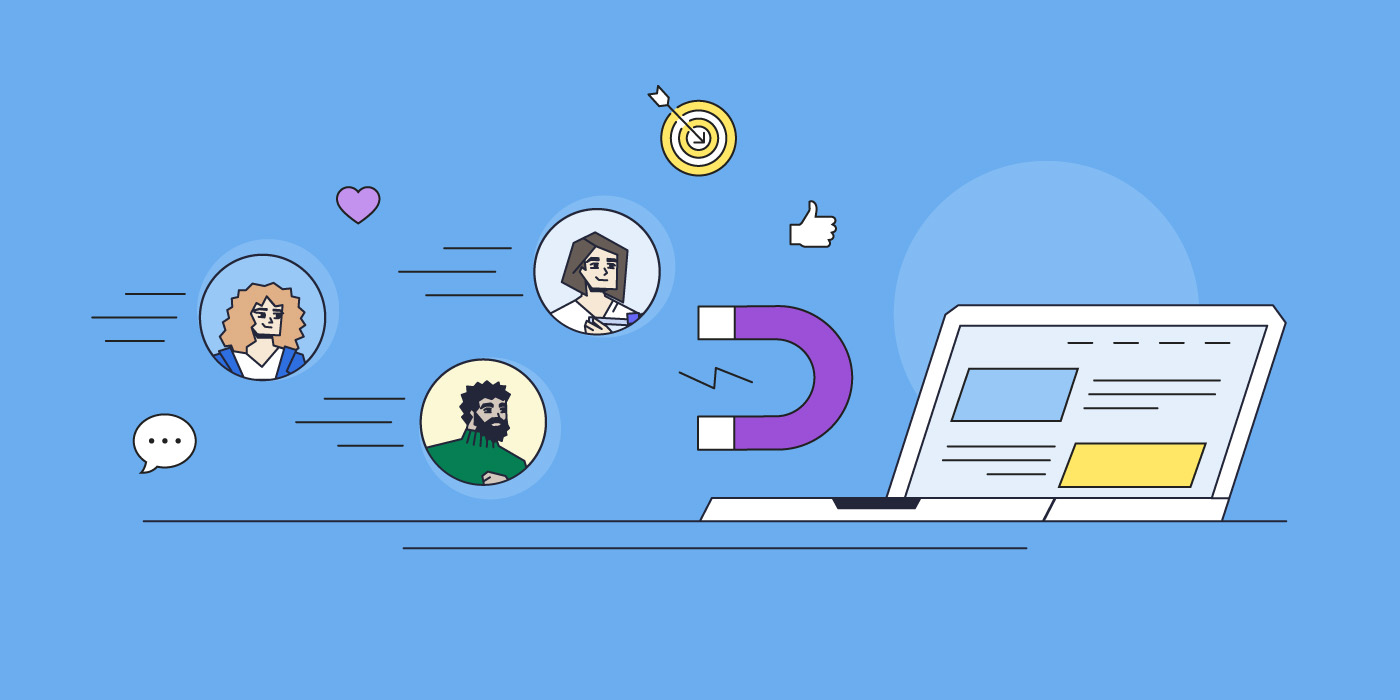
Email_Lead_Generation_Tactics_Magnet

Finding potential customers and turning them into paying customers is the ultimate marketing challenge. But there is, in fact, a solution that solves this problem like no other, and that’s email lead generation. Itโ€™s a key component of any business growth strategy, offering a steady stream of strategic, cost-effective growth.

And it doesn’t have to be hard to do! In this guide, we’ll explore all things email lead generation, and provide actionable tips for small business owners looking to harness its power.

What is Email Lead Generation?

Email lead generation entails enticing potential customers to join your email list โ€“ these people become your leads. This lead generation process typically involves collecting names and email addresses through an opt-in form, and by offering something of value in return. Once you have their contact information, you can build relationships by sending targeted content that converts leads into paying customers. 

(Before we really get started: if you’re new to email marketing and would like to learn more about the basics, please check out our comprehensive guide on what email marketing is and how to get started.)

What Are The Benefits of Email Lead Generation?

While an email lead generation campaign may seem like a pretty straight-forward concept, its benefits are much more far reaching. They include: 

  1. Attract Clients Automatically: With just a sign-up form, you can attract a steady stream of potential customers. This automation works around the clock so that you can capture leads without any extra effort.
  2. Save Money on Marketing: Once youโ€™ve set up your opt-in form or lead magnet, the costs primarily involve maintaining your email list and creating content, both of which are minimal compared to traditional advertising expenses.
  3. Reach Interested Customers: Because your target audience includes those whoโ€™ve already shown interest in your products or services, your marketing dollars are more likely to result in actual sales, providing an exceptionally high return on investment (ROI).
  4. Increase Your Sales: Guiding leads through your sales funnel with targeted email marketing campaigns allows you to turn prospects into paying customers.

How to Generate Email Leads?

Now that weโ€™re all on the same page about the importance of email lead generation, let’s dive into the different ways you can attract new sales leads. 

1. Add a Sign-Up Form to Your Website

Online sign-up forms are the go-to way to start gathering subscriber email addresses for your list. By collecting the emails of those that want to hear more from you โ€“ about products, services, promotions and more โ€“ you can build a list of potential customers that can be turned into loyal customers over time.

Best practices for creating effective lead generation forms include:

  • Use an eye-catching design that aligns with your brand’s visual style and personality. 
  • Keep the copy persuasive but straightforward. Clearly communicate the benefits and incentives of signing up. 
  • Make sure the value you offer is relevant to your business and products so that subscribers genuinely want to build and continue a relationship with you.
  • Consider offering a sign-up incentive, such as a discount.
  • Embed forms in the footer, as a page-break, in blog posts, or by using slide-in animations after a short delay.
  • Limit form fields to only the most essential information, ideally just email and perhaps first name. Conversion rates drop with each added field. 

With all this in mind, you can easily create sign-up forms, add them to your site or landing pages, and start growing your list with SiteGround’s Lead Generation Plugin for WordPress.

2. Offer a Lead Magnet

A particularly effective method for gathering email addresses is with a lead magnet. This typically comes in the form of a free resource, such as a digital product (ebooks, research reports, mini-courses, etc) that you provide in exchange for an email address. This type of content is ideal because it requires a one-time effort to produce, and can generate leads over time, thus offering a high return on investment. 

The primary purpose of a lead magnet is, of course, to collect email addresses, but it’s important not to give away all your valuable information for free. So when creating a lead magnet, aim to provide more value than your free content but less than what you offer in your paid products. Consider what your potential customers are looking for when they first land on your site, identify their pain points, and provide solutions. 

By way of example, check out our free email marketing course. This is a SiteGround lead magnet, and follows the principles weโ€™ve discussed above.

3. Use Web Views to Promote Your Emails

A web view is a version of your email that can be seen in a web browser. Itโ€™s particularly useful for sharing your content with a broader audience beyond those that are signed up for your  email list. 

You can implement this feature in the following ways:

  • Include a โ€œView this email in your browserโ€ link in your emails
  • Share the link on social
  • Make past newsletters viewable by website visitors by embedding links to them on your site

Via each of these channels, be sure to include a clear call to action to sign up for your emails so that those intrigued by your content can opt in to receive more.

4. Ask Your Subscribers To Share Your Email

Never hesitate to ask for a little help! Reach a wider audience by encouraging current subscribers to share your emails with friends, family, or social networks. In doing so, you’re tapping into a highly effective email marketing strategy, as people tend to trust recommendations from those they know.

You can easily encourage this kind of sharing by embedding a sign-up link in your emails. This link can direct to a landing page with a sign-up form, where you can highlight the benefits of subscribing. You can also incentivize sharing by offering rewards (such as a discount) to those who make referrals.

5. Promote Sign-ups with QR Codes

QR codes are a powerful tool for small businesses to grow their email lists. With just a smartphone, users can scan the QR code and instantly go to a landing page with a sign-up form, and possibly a special offer. Consider using create QR codes for free with Adobe Express to place codes on posters, business cards, promotional materials, and elsewhere.

How to Design Successful Lead Generation Emails

Youโ€™ve got the leads, and now we must keep them engaged and moving through your sales funnel. As such, it’s important to write and design your emails for maximum impact. Hereโ€™s how you can craft compelling lead generation emails that capture attention and drive conversions.

1. Write Attention-Grabbing Subject Lines

To create captivating subject lines, focus on understanding and addressing your audienceโ€™s pain points, needs, and interests. Incorporate actionable language and a sense of urgency to prompt immediate interaction. Keep your subject lines concise, ideally under 50 characters, to ensure visibility on most email clients and mobile devices.

2. Short Writing for Reader Engagement

To maximize reader interest, keep your emails to-the-point and engaging. Short paragraphs, bullet points, and clear, direct language make your emails easily digestible, especially on mobile devices where most emails are opened. Need help crafting your content? Turn to AI. Our blog post on how to write AI email prompts that boost engagement offers valuable tips and examples to help you take advantage of the power of AI.

3. Use Images

Given that images are processed much faster than text, relevant visuals can quickly and effectively convey your message, making your emails more appealing and easier for leads to understand.

4. Offer Valuable Content

By offering your leads useful content that solves problems and provides insights, you nurture them through your sales funnel. This keeps them interested, positions your brand as a trusted authority, and aids in the process of converting leads into loyal customers.

Hereโ€™s what to keep in mind to help you provide especially valuable content:

  • Tailor your content by audience: Use insights from lead segmentation (which weโ€™ll discuss more about shortly) to address your leadsโ€™ specific interests. For example, if a lead downloaded an ebook on SEO, follow up with emails that offer advanced SEO tips, industry trends, and related case studies. 
  • Consistent Quality – Maintain a high standard of quality across all your content. Whether itโ€™s a detailed guide, a success story, or a simple tip, ensure it is well-researched, well-written, and provides clear value.

5. Add Strong & Strategic Calls to Action

To effectively convert leads, your emails must include strong, strategically placed calls to action (CTAs). Use action-oriented words like โ€œattend,โ€ โ€œdownload,โ€ โ€œregister,โ€ โ€œread,โ€ and โ€œtry nowโ€ to guide your leads toward the next step. 

Not sure how best to place the CTA or design your email? Email marketing platforms like SiteGround offer ready-made templates that implement design best practices aimed to grasp interest and motivate action. You can learn more about strategic email designs via our guide on easy-to-design templates.

Email Campaign Examples that Turn Leads into Sales

With email creation mastered, the next important step is to strategically move leads through your sales funnel. To do this, youโ€™ll want to create a customer journey, welcoming them first, and then thoughtfully offering valuable and diverse content that nudges them closer and closer to a sale. Here are sample email topics that you may wish to include in your lead-nurturing process.

Welcome Email

Welcome emails are essential in a lead generation campaign, marking the initial interaction between your brand and new subscribers. 

Key Elements of a Welcome email:

  • Introduction: Clearly introduce who you are and what your business does.
  • Value Proposition: Highlight what makes your brand unique and what value your content will bring to their inbox.
  • Expectations: Explain what kind of content subscribers can expect, how often they’ll hear from you, and any other relevant details.
  • CTA: Encourage new subscribers to connect further by linking to your social media, website, or landing page for digital products.

Educational Email

Educational emails offer practical solutions and insights related to your product or service, and play a key role in guiding leads through the sales funnel. In doing so, you position your brand as a trusted authority and resource, building credibility and keeping subscribers engaged.

Key Elements of an Educational Email:

  • Problem Identification: Start by identifying a common problem your audience faces.
  • Solution Offering: Offer practical advice, tips, or solutions to address this problem.
  • Resources: Link to additional resources like blog posts, eBooks, or webinars for more in-depth information.

Product or Service Explainers

These emails provide detailed information about your offerings, highlighting how to solve specific problems or improve the lives of your subscribers. This generates more value for your product or services, fosters trust, drives conversions, and creates loyal customers that come back for more. 

Key Elements of a Product or Service Explainer Email:

  • Feature Highlight: Focus on one or two key features of your product or service.
  • Benefit Explanation: Explain how these features solve specific problems or improve the user’s life.
  • Visuals: Use images, videos, or infographics to make the explanation more engaging.
  • Testimonial: Include a short testimonial from a satisfied customer to add credibility.

Product or Service Updates

Update emails keep your potential clients informed about new features, improvements, or changes to your offerings, ensuring they stay current with the latest developments. By regularly communicating updates, you reinforce the value of your products or services and remind your leads why they should consider becoming customers. You can also re-engage inactive leads by keeping your services top of mind.

Key Elements of Product or Service Update Email:

  • Update Announcement: Clearly announce the new feature or product.
  • Benefits Overview: Explain the benefits and how they enhance the user experience.
  • Usage Tips: Provide tips on how to get the most out of the new feature.
  • CTA: Encourage users to try out the new feature or learn more about the update.

Social Proof

These emails leverage the experiences and testimonials of existing customers to validate your products or services, making them more appealing to potential customers. 

Key Elements of a Social Proof Email:

  • Testimonials: Include quotes from satisfied customers.
  • Case Studies: Share detailed stories of how your product or service solved specific problems.
  • Reviews: Link to third-party reviews or ratings.
  • Social Media: Embed social media posts where customers talk about your product.

Discounts

Discount emails are highly effective, as they provide an immediate incentive for potential customers to make a purchase. By offering discounts, you create a sense of urgency and exclusivity, encouraging leads to act quickly.

Key Elements of a Discount Email:

  • Personalization: Address the lead by name and reference their past interactions or interests.
  • Offer Details: Clearly state the discount or special offer.
  • Urgency: Create a sense of urgency with limited-time offers.
  • CTA: Encourage immediate action to take advantage of the deal.

Email Lead Generation Best Practices

Now that we’ve covered how to effectively generate leads and craft compelling email content, let’s explore some essential best practices to maximize your email lead generation success.

1. Leverage Email Automation

As weโ€™ve just discussed, sending different types of emails can help move your leads through your sales funnel. A great way to put this into place is to automate the process. That is, depending on how your lead was acquired โ€“ whether they signed up for a newsletter, downloaded an ebook, or joined a webinar โ€“ you can create tailored email journeys, during which a sequential flow of emails is sent to those subscribers. The purpose of an automated email journey is to nurture your leads, build trust and credibility over time, and eventually lead to conversions.

2. Infuse branding

An essential tool in any marketing toolbox is branding, and itโ€™s something you should definitely keep in mind as you craft your content. By transmitting a consistent voice, look and feel, you can build brand loyalty. To put this into action, when you produce emails, consider creating and saving templates that feature your branding, including colors and other brand elements.

3. Segment Your Leads

Lead segmentation entails dividing your list of potential customers into smaller groups based on their activities, actions or characteristics. By segmenting your audience, you can send more personalized and targeted messages, thus speaking to their particular needs and interests, and more effectively moving them through your sales funnel. 

Consider segmenting your audience based on sign-up form location, type of lead magnet, level of email engagement, purchase behavior, location, industry and/or job title. Get as creative as youโ€™d like with segmentation criteria, then target your messages accordingly, and test your results.

4. Conduct A/B Tests

To get the most out of your email lead generation strategy and keep improving your approach, it’s important to do A/B testing. This involves sending slightly modified versions of an email to different groups of your subscribers to see which version performs best. 

You can test every component of your emails to find the optimal combination that drives engagement and conversions โ€“ but do keep in mind: you should only test one variation at a time. Here are some important elements to consider:

  • Subject Lines: Test different subject lines to see which ones increase open rates. Experiment with length, tone, urgency, and personalization. 
  • Images: Experiment with the size, type, and placement of images to see what enhances interaction.
  • Design and Layout: Vary the overall design โ€“ such as single-column versus multi-column, or even different color schemes โ€“ to find out what is most visually appealing and easy to navigate. To learn more about using colors effectively in email marketing, check out our helpful blog post – The Importance & Impact of Colors in Email Marketing.
  • CTA Buttons: Test different call-to-action buttons, including their text, color, size, and placement. 

After a few rounds of A/B tests, you will have a better understanding of which elements perform best. Continuously applying these insights will help you create more effective email marketing campaigns, leading to higher engagement and conversion rates.

5. Donโ€™t Use a No-Reply Address

Using an email other than a no-reply address can benefit your email success. Indeed, the more personalized nature of a proper email address encourages interaction and builds trust. It can also improve deliverability, as emails from no-reply addresses are more likely to be marked as spam by email providers. (You can learn more about landing your emails in inboxes by reading our guide on ensuring high email deliverability.)

6. Maintain Email List Hygiene

Over time, your email list will accumulate leads who are no longer active or engaged. As such, itโ€™s important to regularly clean your list through a process called email scrubbing to remove such leads. This will improve engagement rates, email deliverability, and allow for more accurate performance metrics. Thatโ€™s because youโ€™re weeding out low-quality leads, and also reducing the chances of your emails landing in spam.

Practical Tips for Email Lead Scrubbing

  • Set a Regular Schedule: Aim to clean up your email list every three to six months. 
  • Identify Inactive Leads: Look for leads who havenโ€™t opened or clicked on your emails in the last six months to a year. 
  • Send Re-Engagement Campaigns: Before removing inactive leads, send a re-engagement email offering an easy way to confirm their interest.
  • Remove Unresponsive Leads: If inactive leads donโ€™t respond within two weeks, move them to an inactive list, and eventually remove them from your list altogether. 
  • Monitor Your Metrics: Regularly check your email metrics such as open rates, click-through rates, and unsubscribe rates. If you notice a sudden drop in engagement or increase in unsubscribes, it might be time for another cleanup.

To learn more about maintaining a high-quality email list, read our guide on how to build an email list.

Measure Lead Generation Success

Close the loop on your email lead generation efforts by tracking your success. Here are the key components youโ€™ll want to keep an eye on:

  1. Count Your Email Leads – Track how many potential leads you attract, such as those who sign up for your newsletter, download an ebook, or register for a webinar. Ensure you separate these new leads from existing clients to keep your data accurate.
  2. Track Conversions to Clients – Next, track how many of these email leads actually become paying customers. This shows how effective your email marketing campaigns are at attracting the right people.
  3. Measure Cost Per Lead (CPL) – Look at how much youโ€™re spending to get each email lead. Do this by adding up all related expenses, including email marketing platform costs, content creation, distribution costs, lead magnet production, advertising, and any overheads. Then, divide the total cost of your email campaigns by the number of leads you acquired. Lower costs mean more efficient spending.

Whatโ€™s Next

Email lead generation stands as a powerful strategy to connect with potential clients and grow your business. By leveraging the direct and personal nature of email marketing, you can build and nurture relationships with new prospects, guiding them through the sales funnel and converting them into loyal customers.

To do this, you will need a powerful email marketing platform, and SiteGround Email Marketing is the perfect partner. Create and send professional campaigns, manage your subscriber lists, and track your results with ease. Our tool includes its own Lead Generation Plugin for WordPress, but also integrates seamlessly with popular WordPress forms like WPForms, Elementor Pro Forms, and Contact Form 7, making it even easier to capture and nurture leads directly from your website. Discover the power of simple, effective email marketing today.

Double Opt-In: Your Key to Building a High-Quality Email List

Double_Opt-In

Are you puzzled by low open rates, unexplained spam complaints, or high bounce rates during your email campaigns? The solution might be simpler than you think: the implementation of a double opt-in process. 

In this post, we’ll explore how this powerful feature can improve your email list quality, increase engagement, and skyrocket your marketing results.

What is a double opt-in?

A double opt-in is a two-step process for adding new subscribers to your email list. Here’s how it works:

  • Step 1: A potential subscriber fills out a sign-up form (single opt-in).
  • Step 2: They receive a confirmation message via email and must click a link to verify their subscription (double opt-in).
  • Step 3: The subscriber is sent to a confirmation page, and added to your list.

Whatโ€™s the difference between a double opt-in & single opt-in? 

More precisely, a single opt-in represents a subscription confirmation in its simplest form (literally!): the potential subscriber fills out a form by providing their email, hits submit, and voila, theyโ€™re on the email list. 

A double opt-in, on the other hand, starts with this same first step, but with an additional step during which the potential subscriber must then validate their subscription via a confirmation email. 

The single opt-in is of course simpler and can initially help a list grow more quickly. But, as weโ€™ll discuss, the long-term benefits of a double opt-in may outweigh the initial excitement of quick list growth.

Why you need a double opt-in

You might think: if people sign up to receive my emails, isnโ€™t that enough? Not necessarily. While a single opt-in can grow your list quickly, a double opt-in ensures that list is composed of a high-quality, engaged audience. Additionally, having a double opt-in plays a crucial part in maintaining a good sender reputation and ensuring good email deliverability. 

This is because, as weโ€™ll discuss in more detail shortly, by requiring that people confirm subscription via their email address, you reduce the amount of incorrect email addresses, as well as bogus ones (added by bots). Doing so means your emails are more likely to reach those that want to hear from you, and less likely to go to spam. 

What are the advantages of a double opt-in?

Promotes a high-quality subscriber list

As weโ€™ve mentioned, while a single opt-in can help you grow your list quickly, itโ€™s not the best way to ensure a high-quality list of subscribers. Thatโ€™s because, when subscribers have to confirm their subscription for you, theyโ€™re actually doing you a big favor: they are letting you know that they are indeed very interested! And you want your list to be composed of people that are legitimately engaged in what you have to say.

Reduces number of emails going to spam

The converse of this is that if people are only sort-of interested, or not interested at all, they are more likely to mark your email as spam. Given their lack of engagement, they may carelessly mark your emails as spam, which can negatively impact your sender reputation, and relegate your emails to the spam folders of even your more-interested subscribers. 

Another critical advantage is that it weeds out invalid or fake email addresses. If these kinds of emails get added to your list, itโ€™s likely youโ€™ll have a much larger email bounce rate and, again, your sender reputation drops, and your emails go straight to spam. 

Keeps you compliant

While not universally required by law, the double opt-in can help you stay compliant with international regulations such as GDPR and CAN-SPAM. Thatโ€™s because these laws require clear evidence of subscriber consent, and the double opt-in makes this easy to prove. 

Makes list maintenance easier

Along these same lines, by filtering out invalid emails and incorrectly spelled emails (simply made by subscriber error), you save yourself time when it comes to managing your list. Indeed an important part of building your email list is doing regular list housekeeping once every three to six months to remove bounced or inactive email addresses (i.e. those less-interested subscribers). 

The good news here is that a solid email marketing platform can do much of this legwork for you by flagging bounced emails, and allowing you to easily track user engagement.

When to use double opt-in

The answer here is simple: if you want to ensure a high-quality email list, then itโ€™s always a good time to implement a double opt-in. But its benefits are especially important in the following scenarios:  

  • If youโ€™ve struggled with hard bounces and spam: Perhaps you have, for one reason or another, had trouble with past emails bouncing or getting marked as spam. By implementing a double opt-in, you can get your email list and email sending back on track by weeding out incoming fake or invalid emails, as well as unengaged users who lightheartedly mark your emails as spam.
  • When youโ€™re seeking more targeted leads: If you donโ€™t want to waste time with sort-of interest subscribers, then adding the second confirmation will help to capture only those that are genuinely interested. To ensure the most quality leads, itโ€™s essential that your email sign-up form is very clear about the value to be provided upon signing up.

How to set up a double opt-in

Setting up a double opt-in should be straight forward in most email marketing platforms. With SiteGround Email Marketing platform, for example, you simply go to a group youโ€™ve created (or create a new group) and turn on the double opt-in feature. 

During this process, would-be subscribers will sign up via your online form (your first opt-in), and then receive a confirmation email. Once they click the emailโ€™s confirmation link โ€“ your double opt-in โ€“ they will be redirected to a โ€œthank youโ€ page, and added to your subscriber list.

When you enable SiteGroundโ€™s double opt-in feature, all of the above is automatically done for you so that you donโ€™t have to worry about a thing.

How to ensure people double opt-in

Setting and forgetting about your double opt-in is not the best plan. Youโ€™ll want to make sure that hopeful subscribers actually complete that second opt-in. With that in mind, here are several ways to make certain subscribers follow through. 

Set expectations

Double opt-in success starts with the initial sign-up. Make sure that, when customers complete the first step of the sign-up process via your online form, you also let them know that they should keep an eye out for a confirmation email to verify their subscription.

Entice potential subscribers to sign up

Sign-up forms are basically a mini sales pitch, so get right to the point by offering hard-to-pass-on value that entices potential subscribers to sign up and follow through with confirmation. Be clear about what theyโ€™ll get from their subscription โ€“ this could include deals, resources, unique insight, a specific incentive, or any number of other benefits.

Use a subject line that communicates action is needed

Follow the initial heads-up in your sign-up form with an email that has a clear subject line that re-emphasizes that confirmation is needed. SiteGround already does this for you, communicating that action is required for the subscription to be confirmed.

Keep email content simple and focused on action

Just as every other step in this process, make this step as easy as possible. Keep the confirmation email content brief and focused by making sure itโ€™s obvious that confirmation is required, and that thereโ€™s an unmissable confirmation button or link. Thankfully, SiteGround automatically implements this so that you don’t have to worry about doing so yourself.

If youโ€™d like insight about crafting future content, though, weโ€™ve put together this guide to help you write marketing emails.

Measure double opt-in success

The true proof of double opt-in success rests in your metrics. Here are the stats you should keep an eye on, and what to look for: 

  • Open rates and click-through rates: Given subscribersโ€™ greater interest, you should notice an increased percentage of people opening your marketing emails, and clicking through on your calls to action.
  • Unsubscribes and spam complaints: Conversely, since readers were very intentional about signing up, they are less likely to find your content unworthy of their inboxes. Expect these rates to go down.
  • Bounce rates: Fewer invalid or inactive emails means better inbox delivery. Expect your bounce rates to reduce, and, as such, your sender reputation to improve.
  • Overall engagement: From email receipt to website purchase, you should find that subscriber engagement goes up across the board.

Invest in quality for long-term success

Implementing a double opt-in process might seem like an extra step, but it’s an investment in long-term success, and an important part of what email marketing is. By ensuring your list is filled with engaged, interested subscribers, you’ll see improved open rates, higher click-throughs, and, ultimately, better results from your email campaigns.

Remember, having a successful email marketing strategy isn’t just about the size of your list โ€“ it’s about the quality of your connections. The double opt-in helps you build a list of subscribers who truly want to hear from you, setting the stage for meaningful connection and lasting business relationships.

Double Opt-in FAQ

Wonโ€™t I lose potential subscribers?

While you may see a slight decrease in initial sign-ups, the subscribers you do gain will be more engaged and valuable in the long run. Your bounce rates should also go down, increasing the likelihood of successful email delivery.

Is it complicated to set up a double opt-in? 

Not at all. Usually itโ€™s as easy as turning on the double opt-in feature. Some platforms (such as SiteGround email marketing) even offer built-in, double opt-in features โ€“ like pre-determined emails, email copy and subject lines that implement best practices and make setup easy. 

Is a double opt-in required by law?

While regulatory compliance laws vary from country to country, the double opt-in isnโ€™t a standard requirement. That said, it can help you to be more compliant. This is because regulations such as CAN-SPAM and GDPR, which cover the USA and Europe, respectively, require clear consent (opt-in) by subscribers. To accomplish this, you as the sender must be able to provide proof of subscriber opt-in (at least once), and having a double opt-in makes this easier to do. 

Core Web Vitals Guide: What They Are & How to Improve Them

Understanding Core Web Vitals

Slow loading times, unresponsive elements, or unexpected page shifts can frustrate users. This is why Core Web Vitals have become essential for optimizing your site and your chances of ranking higher in searches.

By improving your website performance on these metrics, you can provide a smoother experience for your audience. This results in better search engine rankings, increased engagement, and more conversions.

What are Core Web Vitals?

Core Web Vitals is a set of metrics from Google that measure real-world user experience for loading performance, interactivity, and visual stability of a webpage. Achieving good Core Web Vitals is recommended for success in Google Search, as it helps ensure a fast, responsive, and visually stable user experience.

The three Core Web Vitals are: 

  • Largest Contentful Paint (LCP) โ€“ Measures how long it takes for the largest visible element (like an image, video, or block of text) to load and become visible to the user.
  • Interaction to Next Paint (INP) โ€“ Measures the time it takes for a website to respond visually after a user interaction, such as clicking a button or typing.
  • Cumulative Layout Shift (CLS) โ€“ Measures how much visible content shifts unexpectedly during loading. 

Google uses these quality signals as part of its ranking algorithm, and improving them can boost your search rankings.

Largest Contentful Paint (LCP)

Illustration of the differences between First Paint, First contentful paint and Largest Contentful Paint.

Largest Contentful Paint (LCP) measures how long it takes for the largest visible content element on a page to fully render. This could be an image, video, or a block of text that occupies the most space on the screen. This metric is important because it gives an accurate view of how fast a web page loads from the user’s perspective.

Hereโ€™s how Google defines LCP scores:

Illustration of how Google defines Largest Contentful Paint and its scores - "Good" (0 to 2.5 seconds), "Needs improvement" (between 2.5s and 4s) and "Poor" (more than 4s).
  • Good: 2.5 seconds or less
  • Needs improvement: Between 2.5 and 4 seconds. 
  • Poor: More than 4.0 seconds

For your website to pass the Core Web Vitals, you need an LCP score of 2.5 seconds or less for 75% of all your page views.

A high LCP means your users are waiting too much time to load the largest piece of content on your page. For website owners, this means long render times, leading to big bounce rates and low conversion rates.

The three most common factors that negatively affect LCP are:

  • Large, unoptimized media
  • Render-blocking JavaScript
  • Slow resource load time

Interaction to Next Paint (INP) 

Google announced that INP (Interaction to Next Paint) is officially replacing the FID (First Input Delay) as the new Core Web Vitals metric for responsiveness. The replacement will be effective as of March 2024.

Illustration of First Input Delay - a person clicking on a link in a page on a mobile device and waiting for the response of the page

Interaction to Next Paint (INP) is a real-user web performance metric that measures the responsiveness of a web page. It evaluates the time it takes for the browser to respond to user interactions, such as clicks or taps after the page has finished loading.

INP is designed to capture the user’s experience of how quickly and smoothly a site reacts to their inputs. It is a key indicator of the page’s interactivity and responsiveness. 

Unlike FID, which only measures the delay for the first input, INP considers the responsiveness of the entire page throughout the user’s session.

Hereโ€™s how Google defines INP scores:

Illustration of how Google defines Interaction to Next Paint (INP) and its scores - "Good" (0 to 200ms), "Needs improvement" (between 200ms and 500ms) and "Poor" (more than 500ms).
  • Good: Less than or equal to 200 milliseconds
  • Needs Improvement: Between 200 milliseconds and 500 milliseconds
  • Poor: More than 500 milliseconds

A common reason for a bad INP score is unoptimized JavaScript and CSS files. Weโ€™ll show you how to measure and improve INP later on.

Cumulative Layout Shift (CLS)

Illustration of what Cumulative Layout Shift means - the whole web page shifting down, before the user clicks, because an ad has appeared.

Cumulative Layout Shift (CLS) measures the visual stability of a page by tracking unexpected layout shifts. These shifts often occur when new content loads, like images without specified dimensions or dynamically inserted ads. A high CLS score indicates a page is unstable, leading to a frustrating experience for users.

Hereโ€™s how Google defines CLS scores:

Illustration of Cumulative Layout Shift's score and score definitions - "Good" (0.1s or less), "Need improvement" (between 0.1s and 0.25s) or "Poor" (more than 0.25s).
  • Good โ€“ Less than or equal to 0.1 seconds
  • Needs Improvement โ€“ Less than or equal to 0.25 seconds
  • Poor โ€“ More than 0.25 seconds

A score less or equal to 0.1 seconds means the pageโ€™s contents are fully static during their lifecycle. A higher score means the contents are moving.

Usually, layout shifts are commonly caused by:

  • images, 
  • ads, 
  • embeds, 
  • iframes without dimensions, 
  • dynamically injected content,
  • web fonts, causing a flash of invisible text and a flash of unstyled text.

How to measure Core Web Vitals? 

There are several tools available to measure Core Web Vitals, both using real-world data from users and lab metrics (simulated tests). These tools help site owners track their Core Web Vitals performance and identify areas for improvement.

Field tools

Field data, also known as real user monitoring (RUM), reflects real usersโ€™ browsing experience. It takes into account real users, various devices, different network connections, and historical data. The result is aggregated for the entire domain or per URL.

Keep in mind that Google is using field data to rank your site. Therefore, if you want to inspect your real user experience, you should use field tools.

Google Search Console (GSC)

Google Search Console offers a Core Web Vitals report that shows how your site performs on desktop and mobile devices. It highlights affected pages and groups them by performance – Good, Needs Improvement, or Poor.

Screenshot from Google Search Console's Core Web Vitals report showing the mobile & desktop versions of a website and how they are performing in terms of Core web vitals.

PageSpeed Insights

PageSpeed Insights analyzes individual web pages and provides detailed insights into their Core Web Vitals performance. It offers suggestions for improving page speed and site performance. 

Screenshot of PageSpeed Insights and its Core Web Vitals results & assessment of a web page.

You should look into both desktop and mobile scores, as they might differ. At the top of the report, PageSpeed Insights clearly indicates whether your page meets the thresholds for a good experience based on the siteโ€™s Core Web Vitals. 

Chrome UX Report (CrUX) 

The Chrome User Experience Report (CrUX) provides real-world performance data from Chrome users. It shows how users experience your site on both mobile and desktop devices. The Chrome UX Report focuses on website loading performance. It measures Core Web Vitals, metrics like Time to First Byte (TTFB), and more.

Web Vitals Chrome ะ•xtension 

The Web Vitals extension allows you to track Core Web Vitals directly in your Chrome browser as you browse your site. It’s a free tool that provides instant feedback on Core Web Vitals metrics. 

Screenshot from Google Chrome browser, while having opened the Web Vitals Chrome extension, showing the Core Web Vitals metrics of a tested web page

Web.dev 

Web.dev offers a free measurement tool to run a performance audit on your site. Moreover, you can check your siteโ€™s performance across different areas and get tips on improving metrics like the siteโ€™s performance, progressive web app status, accessibility, use of best practices, and SEO. It also supports the Core Web Vitals metrics.

Overview of web.dev's "Measure page" for website performance audits

Lab Tools

This refers to conducting tests in a controlled environment and seeing how a potential user will experience your website. Unlike field tools, lab tools work with simulated data, with predefined device and network specifications. They are useful in reproducing and debugging possible website performance issues, but donโ€™t give you real user experience information.

Lighthouse

Lighthouse is an open-source, automated website auditing tool that helps developers diagnose issues and improve the quality of web pages. 

Overview of Lighthouse and the performance score and results of Core Web Vitals metrics of a tested page

A lab tool like Lighthouse canโ€™t measure Interaction to Next Paint (INP), because it requires real user interaction. However, you can monitor Total Blocking Time (TBT), which measures the total amount of time between First Contentful Paint and Time To Interactive. By improving your TBT, youโ€™ll most likely improve your INP as well.

WebPageTest.org 

This is a free, open-source tool that measures your site speed performance. It loads your page in a real browser, helping you identify specific site sections that need more time to load.

Overview of webpagetest.org and its comprehensive performance results regarding Core Web Vitals metrics

Chrome DevTools Performance Panel

With the Chrome DevTools, you have the Performance option, which includes Core Web Vitals. The Performance panel also has an Experience section where you can detect unexpected layout shifts. Therefore, you can identify and fix any visual instability and improve your Cumulative Layout Shift metric.

In order to access the Chrome DevTools Performance Panel, Open Google Chrome (use incognito mode so thereโ€™s no browser cache) and press Command+Option+I (Mac) or Control+Shift+I (Windows, Linux) to open DevTools. 

Overview of Chrome's DevTools Performance tab on measuring the Core Web Vitals metrics

Select the Layout Shift to view its details in the Summary tab.

Keep in mind that depending on which tool you use (based on field or lab data), the Core Web Vitals metrics might show different results.

How to Improve Core Web Vitals

The good news is that most of the tips for improving your Core Web Vitals are already part of the good practices for optimizing website performance. 

How to Improve Largest Contentful Paint (LCP)

Enable full-page caching

When you enable full-page caching, your siteโ€™s pages will be stored on the server after the first time they are loaded. Only the first visitor will load the entire page content from the database. All the rest will get the page output directly from the serverโ€™s memory, making your site much faster, and ultimately improving your LCP metric.

SiteGround users take advantage of our unique full-page caching solution, called Dynamic caching, enabled for all sites by default. Depending on the type of site, we see up to 5 times faster page loading.

Choose Fast and Reliable Web Hosting 

One of the most common reasons for a bad LCP is a slow server response time. First, check your Time to First Byte (TTFB) โ€“ how long it takes for the browser to receive the first byte of content from the server. The faster your server responds, the better your website will perform. 

SiteGround offers a highly optimized hosting environment, powered by Google Cloud. We implement a unique UltraFast PHP, a custom MySQL database setup, and a strong defense system against potential threats. 

Use a CDN

Besides the server that hosts your site, you can use a content delivery network (CDN) to speed up all your visitorsโ€™ loading time. The CDN will cache your content across a global network of servers and load your website from the one closest to the visitor, thus enhancing their experience with your page.

SiteGround has developed its own CDN infrastructure to increase website performance and security for all of its users. 

Optimize images

Optimizing images will improve your Largest Contentful Paint score since they are often the largest page element.

Always compress your images and scale them correctly. It is recommended to serve images in next-gen formats such as WebP, to improve performance.

An effective way to optimize your media is to take advantage of our Speed Optimizer plugin. It has features for media optimization such as image compression, conversion to WebP format and lazy loading media. 

Optimize JavaScript and CSS

Reducing CSS and JavaScript that slow down the page load can improve your overall Core Web Vital score and user interaction.

  • Defer JavaScript

While the browser is loading JavaScript, users cannot interact with the web page. Thatโ€™s why sometimes you can see the term โ€œRender-blocking JavaScript.โ€ Deferring your JavaScrips means the browser will process and load JS files only after parsing the HTML document. 

In other words, rendering your website will be much faster because there wonโ€™t be anything to block the process. 

  • Minify CSS and JS files

For easier readability, developers often leave characters such as spacing, indentation, or comments in CSS and JS files. However, all these characters in the code are not essential for the browser. 

Minification optimizes your code by removing any unnecessary characters, resulting in improved render time and faster websites. 

How to Improve Interaction to Next Paint (INP)

Remove large page elements and long tasks

Reducing long tasks prevents delays in responding to user interactions. A long task refers to any piece of JavaScript code that takes more than 50 milliseconds to execute. Large page elements like videos or background images can slow down code execution and impact INP.

Instead of using a high-resolution image for the background (e.g., a 4MB JPEG), consider using an optimized WebP image that reduces the file size significantly (e.g., 400KB). Similarly, videos can be lazy-loaded or replaced with static images for initial load, deferring the heavy media until after user interaction. 

Use Web Workers

Using Web Workers allows heavy tasks to run in the background, preventing them from blocking the main thread. This reduces delays in user input and page load, optimizing the INP score and overall performance.

Instead of having large tasks run directly in the browserโ€™s main thread (causing the page to freeze), the processing can be offloaded to a Web Worker. This lets the user continue interacting with the site without any noticeable lag, while the background task completes.

Optimize Event Handlers 

Optimized event handlers reduce input delay and improve site speed, contributing to better Core Web Vitals metrics.

For example, when a user clicks a button, the event handler first logs the button click and defers the calculation to a less critical time when the browserโ€™s main thread is idle. This ensures the interaction is smooth and the user doesnโ€™t experience delays. 

Reduce third-party scripts 

It is strongly recommended to remove any third-party scripts which donโ€™t bring any clear value. If your site includes multiple third-party scripts for analytics, ads, or social media widgets, evaluate whether they are necessary. Removing non-essential scripts, such as a redundant chat widget or ad tracker that isnโ€™t used for your core audience, can significantly improve both your Largest Contentful Paint (LCP) and Interaction to Next Paint (INP) score.

How to Improve Cumulative Layout Shift (CLS) 

Set size attributes

Setting size attribute dimensions will tell the userโ€™s browser exactly how much space that element needs. Letโ€™s use an image element as an example.

If you donโ€™t set the width and height attributes for an image, the browser wonโ€™t know the exact size this image will occupy until it fully loads, which can cause a layout shift. 

<img src="image.jpg" width="600" height="400" alt="A scenic view of mountains">

By specifying the width and height, you allow the browser to calculate the aspect ratio of the image and reserve appropriate space for it. This will minimize Cumulative Layout Shifts. 

Preload fonts

Fonts improve the readability of your page, and convey your brand image.  However, each font you use is an additional resource that may slow down your website. Preloading fonts is recommended to prevent layout shifts and flashes of invisible text.

To preload fonts, you use the <link rel=”preload”> tag in the <head> of your HTML document. You need to specify the as=”font” attribute and include crossorigin if the font is being loaded from an external source (like a CDN). 

By doing this, youโ€™ll improve your CLS metric score.

Our Speed Optimizer is also developed to help you in that area. Our dedicated Web Fonts Optimization functionality improves your render time resulting in better site performance.

Reserve Space for Ads

Ads have a dynamic nature which can lead to unexpected layout shifts. This can have a negative effect on your CLS score. If you donโ€™t reserve sufficient space for the ads on your site, they can pop up unexpectedly and ruin user experience.

Use CSS transform for Animations

Layout shifts during animations often disrupt the userโ€™s experience and can significantly impact your Cumulative Layout Shift (CLS) score. By using the CSS transform property for animations, you can avoid causing elements on the page to move unpredictably. 

Transform animations, such as scale or translate, help maintain the position of other content on the page. This leads to a more stable experience on your site.

Minimize Dynamically Injected Content: 

Dynamically injected content, such as ads, images, or videos that load after the initial webpage, often causes layout shifts. These shifts can negatively affect the Cumulative Layout Shift (CLS) score. 

To improve visual stability, itโ€™s important to pre-allocate space for dynamically loaded content. There are multiple techniques for that, like setting size dimensions in your CSS, JavaScript, or using Aspect Ratio boxes or Placeholders. You can see an example of setting size dimensions before injecting content dynamically with JavaScript below:

<div id="dynamic-content" class="ad-container"></div>

<script>
    const adContainer = document.getElementById('dynamic-content');
    adContainer.style.width = '300px';  // Fixed width
    adContainer.style.height = '250px'; // Fixed height

    // Dynamically inject content
    adContainer.innerHTML = '<p>Ad will appear here</p>';
</script>

This minimizes the impact on the user experience while also improving performance metrics related to your layout shift score.   

Why are Core Web Vitals important?

The tips above are both recommended best practices for website optimization and also positively affect the page experience signals measured by Google’s Core Web Vitals.

As a website owner, it is important to understand these metrics. This can help you offer a positive user experience, and improve your search engine rankings and overall web page performance. 

Itโ€™s important to note that Googleโ€™s ranking algorithm is continuously updated. Regularly monitoring your Core Web Vitals with tools like PageSpeed Insights or Search Console can help you make necessary adjustments, even as user expectations and Googleโ€™s ranking algorithms evolve. This way, youโ€™re setting your site up for long-term success. 

For more expert tips on website optimization, you can download our WordPress Speed Optimization ebook or watch our video guide and learn how to build a high-performance website. 

Updated: October 2024

[subscribe_cta]

How to Create an Email Marketing Strategy

email marketing strategy

Are you seeking a direct way to engage with your audience? Well, email marketing might just be the solution you need. It remains one of the most effective marketing channels for businesses, and it is no surprise its usage is increasing every single day. In fact, researchers project that the number of emails sent daily is expected to reach a staggering 392.5 billion by 2026! 

With inboxes overflowing, standing out amidst the sea of messages requires more than just sporadic blasts. It requires a solid email marketing strategy. 

In this blog post, we’ll guide you through the fundamental components of crafting an effective email marketing strategy that works โ€“ one that aligns with your goals, resonates with your audience, and drives good results. Let’s get started, shall we?

Step 1. Define Your Goals

From global giants like Amazon to your neighborhood grocery store, every company in the world tries to reach out to the perfect customer. Having an email marketing strategy can help you achieve surprisingly good results in this endeavor. But before anything else, it’s essential to clearly determine your goal. 

Think carefully about your business objectives and goals. Are you aiming to increase your brand awareness and visibility, boost your sales, generate leads, retain customers, or improve client satisfaction?

Perhaps there are several objectives that you want to pursue at the same time and that’s perfectly okay. What’s important is to be specific with your goals and define them beforehand. Why? 

By clarifying your goals, you can optimize your email marketing strategy for maximum impact and to meet your business needs. Setting your objectives will help you identify:

  • WHO are the people you should be reaching out to and what their journey with your business will look like;
  • WHAT type of content will be suitable, useful, and appealing to them;
  • HOW and WHEN you should send out your email campaigns;
  • WHICH metrics you should track and measure for success, and more!

All these things are fundamental to crafting a successful email strategy. To illustrate, we’ll break them down using a real-life handmade jewelry business as an example, making each step easy to understand and apply!

Step 2. Identify and Research Who Is Your Target Audience

ะ•mail marketing allows a very high level of personalization and customization of the content, which exceeds in terms of benefits the one-size-fits-all approach. People have varying interests and needs. To maximize the effectiveness of your email strategy and speak to the needs of your audience accordingly, it’s important to define who you’re trying to reach and what are the different interests and characteristics along which you can group them into meaningful segments. 

Who is your target audience, and what are their demographics, preferences, and behaviors? If you’ve recently launched your business or simply haven’t conducted thorough audience research, here are some quick tips on how to explore this more in-depth. In general, there are two methods for collecting target audience data.

The first is quantitative research which focuses on measurable data, such as numerical statistics about your audience and their behaviors. The second method is qualitative research, which focuses more on the reasons behind people’s behaviors and how they perceive a product or business.

audience research

Researching your audience with these methods might sound complex at first, but itโ€™s actually quite manageable. Letโ€™s explore this using our handmade jewelry business as an example.

Quantitative Research

Leverage existing market data and sources

Search for existing materials such as customer survey results, research papers, and social media stats about your target audience and overall market, and analyze them.

In the case of our jewelry business, such quantitative data could be found in customer behavior reports related to jewelry, handmade crafts, and fashion. Typically, craft businesses like our example have a strong social media presence and maintain business pages or accounts on platforms such as Facebook, Instagram, and X. Therefore, built-in analytics tools like Facebook Insights, Instagram Insights, and X (Twitter) Analytics can also be used to gather valuable data on audience demographics and engagement rates.

Website analytics tools

If your business has a website, browse and explore your Google Analytics as well to uncover key insights about your audience’s demographics such as age, gender, and location. You can also learn more about their behavior with your website – where they come from, and what they visit and read the most. 

Another handy way to explore how your visitors interact with your website is via heatmaps which visually illustrate this information. Popular tools, which you may set up on your website to collect that kind of information are, for example, Crazy Egg and Hotjar. Heatmaps could reveal where your website audience clicks the most, which links, buttons, and CTAs are most engaging, and which sections of your website interest your visitors. They might even offer recordings of user sessions. This can provide valuable insights into what they like and dislike.

Qualitative Research

Surveys and feedback

You can get personal insights about your audience’s preferences and behavior also by conducting surveys or asking your customers for feedback on specific products. To create a survey, and collect and analyze the data, you can use handy online tools like Google Forms, Typeform, and SurveyMonkey, for example. To distribute it, you could send the survey via email, provide links to it on your social media, or add them to your website. 

Use clear and specific questions and consider offering some kind of incentive (like a freebie or a discount code) to encourage more people to participate. For example, here are some exemplary questions a jewelry store owner could include in a survey:

  • demographic:
    – what is your age;
    – where are you located;
    – what is your gender;
  • buying preferences:
    – how often do you buy jewelry and accessories;
    – what is your typical budget;
    – do you prefer online or offline purchases;
  • personal preferences:
    – what style of jewelry do you prefer;
    – what materials do you prefer to wear;
  • customer experience:
    – how satisfied are you with your jewelry purchase from {your brand};
    – is there something you wish us to improve;
    – how would you rate your purchase experience;

Reviews, comments, recommendations

Another way to get to know your audience better is by exploring the reviews, comments, and recommendations they leave online. You can find such not only on your website and social media, but also on the platforms of your direct competitors, as well as on Google’s reviews, Amazon, Yelp, Quora, Reddit, and similar platforms where your audience is active. 

For example, a jewelry store owner could browse for such information on Etsy and Pinterest, while a coffee shop owner could explore TripAdvisor or Yelp, local forums, and even relevant Facebook groups.

Step 3. Map Out Your Subscribers’ Journey

Once you have researched your audience, your next important task is to understand the journey they will go through after signing into your email list. Let’s quickly go through the classic buyer’s journey. 

Understanding it will help you clarify the path your audience will follow, enabling you to tailor content that will be valuable to them at each stage of their lifecycle as customers. 

In general, every lead goes through several stages before becoming a client, and a few more to become a loyal one. 

  1. Awareness stage (becoming a lead): 
    Once someone signs up for your email, they become a lead. In the beginning, the journey usually starts with the prospect showing interest in your products, signing up to receive updates from your company, signing up for a newsletter, or downloading a free resource. At this stage, your lead is aware of your brand and products but doesn’t know much about them. It is the perfect time for you to introduce them to your service or products and start educating them.
  2. Consideration stage (still a lead):
    In the consideration stage, your prospects are aware of the fact that they need a solution to the problem. They start exploring options and your goal is to reveal the benefits of your products and what differentiates you from competitors. 

    For example, leads of a jewelry business in the consideration stage would start browsing the website more frequently, comparing different items, asking questions, or looking for customization options. They might also browse similar websites, comparing your brand to the competition, before becoming ready to make a purchase. 
  1. Decision stage (converting to a client):
    The decision stage, also known as the purchase stage, is critical as it’s the moment when leads are ready to make a buying decision. For the business we’re considering, this means the person has already decided on the type of jewelry they want (e.g., a bracelet, ring, or necklace), its appearance, and the price they’re willing to pay. Your goal here is to provide value, emphasize the quality of your products, convince leads that your offerings are superior, and convert as many as possible into clients.
  1. Retention stage (renewing client):
    At the retention stage, your clients have already made a purchase and are in the process of evaluating your service. Your aim should be to retain their loyalty, to encourage ongoing renewals and engagement with your brand by providing excellent client service, regular helpful content, and exclusive offers. 

    For our jewelry business, in the retention stage, clients may come for assistance in case they have a problem with the jewelry (a broken hook for example), which is when you need to find a way to accommodate their request and make them happy. That way they are more likely to come again next time they wish to purchase a piece of jewelry.
  2. Advocacy stage (loyal client):
    At the advocacy stage, satisfied customers become advocates for your brand. For example, a happy client of a handcraft jewelry shop would recommend those products to a friend. Similarly, a satisfied customer of a real estate agency might share their contacts with their family and friends, post about it on social media, or leave positive comments on relevant platforms and groups. Overall, this is the phase where you can ask happy clients to refer your business or products to their social circle.

โ— IMPORTANT REMINDER

Note that journeys aren’t always linear. Depending on whether your business is service or product-based, as well as your industry, your audience might skip some stages. Knowing your business specifics, map out the journey your audience will follow and identify key moments where you need to get their attention or remind them about your brand.

Step 4. Decide What Content to Offer in Every Stage

Deciding what types of content to create and send out in your emails is a substantial aspect of your strategy. Generally, in email marketing, the most widely used types of emails are newsletters and drip campaigns. A good email marketing strategy usually includes both types of emails because they offer distinct advantages.

Newsletters or Drip Campaigns?

Newsletters are standalone emails sent regularly, featuring content relevant for this certain period. They often include special promotions, news, or company announcements, typically sent to the entire list of subscribers or a large portion of it. 

Other types of stand-alone emails are promotional emails or other event-based emails – you send them when you are running a special offer or when you are calling your subscribers or clients to take specific action.

Drip emails, on the other hand, consist of a series of emails sent based on schedule, segments, or triggered by specific user actions. They help you send more tailored content to the right group of people in the current stage of their journey. Here are some content suggestions for the different stages, as well as some ideas based on different triggers.

Content ideas for the Awareness Stage

  • Welcome and introduction emails: You can use this type of welcoming content to introduce new subscribers to your brand and what your business offers. 
  • Informative and educational content: Provide valuable information that addresses your audience’s pain points or interests to demonstrate how your business can assist them further. For our jewelry business, such content could include information on how to care for their handmade jewelry, how to choose the material (silver or gold, stones, and minerals, etc.)  that will suit them best, and similar.
  • Free resources like ebooks, guides, cheat sheets, and similar: Share free resources (such as style or gift guides, and seasonal trends reports) with your subscribers to establish your expertise, show that you understand their needs, and make them anticipate upcoming helpful materials.

Content ideas for the Consideration Stage

  • Continue sharing educational content: Keep your audience engaged with informative content coming from your brand so that they consider your product or service while assessing other options too. 
  • Comparison guides: Help your audience understand what are the advantages of your products or services. For example, a small jewelry business might create a comparison article showcasing the advantages of handcrafted accessories versus fast fashion ones.
  • Product and tools highlights: Showcase the benefits and best features of your products to emphasize their value (e.g. articles on why handmade jewelry has greater quality, how the materials used are more durable, and how they are more environmentally friendly, etc.).
  • Case studies and testimonials: Share success stories and testimonials from satisfied clients to build trust and aid subscribers’ decision-making process.

Content ideas for the Decision (Purchase) Stage

  • Discounted limited-time offers: Provide content around discounts and promotions to encourage purchases.
  • Seasonal offers: Offer special deals or promotions tied to holidays or seasons to stimulate buying (e.g. Black Friday, New Year, Earth Day, Mother’s Day, Christmas, Easter, Hanukkah, Diwali, Thanksgiving, Halloween, Chinese New Year, Valentineโ€™s Day, St. Patrickโ€™s Day, Labor Day, and similar)
  • Free demos or trials for a specific period: Email campaigns, inviting potential customers to try out your products or services risk-free before making a purchase.

Content ideas for the Retention Stage

  • Thank-you emails for purchasing: Show appreciation to customers for their purchase and reinforce their decision to buy from you.
  • Special offers exclusive for existing clients: Reward loyal customers with exclusive discounts and offers. Or, provide a discount code for their next purchase limited to a time frame.
  • Handy tips and tricks on product usage: Provide helpful tips and tutorials to help customers make the most out of their purchase and to enhance their overall experience with your products. For example, a jewelry store owner can send helpful content on how clients can properly store their jewelry, what to keep it away from, how to layer it with different pieces, and similar tips.

Content ideas for the Advocacy Stage

  • Referral campaign content: Ask satisfied customers to refer their friends and family to your business and let them earn awards.
  • Share company news and updates: Encourage loyal customers to share interesting news about your company, products, or upcoming events.
  • Encourage leaving reviews, testimonials, or recommendations: Prompt satisfied customers to share their positive experiences with others to help build your brand reputation and attract new customers.

Content ideas based on triggers

There are myriad email triggers out there. Use the ones we list below as inspiration to map out those relevant to your business.

  • Trigger: Abandoned Cart
    Trigger-based reminder email: “Did you forget something?”
  • Trigger: Order Confirmation
    Trigger-based confirmation email: “We’re packaging your product” 
  • Trigger: Subscriber’s Birthday
    Trigger-based personalized email: “Happy Birthday! We have a gift for you!”
  • Trigger: Inactivity
    Trigger-based re-engagement email: “Check out this limited-time offer”
  • Trigger: Subscription Renewal
    Trigger-based reminder email: “Your subscription is expiring soon” 

Step 5. Execute Your Email Marketing Strategy

After you have nailed down the fundamental questions of Why, Who, and What of your email marketing strategy, now it’s time to answer How and When to send your email campaigns. 

When it comes to execution, a good email marketing strategy is a balanced mix of automated (preset/drip) emails triggered by certain client actions, and one-off email campaigns or newsletters (company news, seasonal promos, etc.). To start the actual work on your emails, though, you need to have a handy email marketing tool. 

Choose an email marketing tool

Choosing the right solution will streamline many of your tasks, such as crafting your emails, growing your subscribers’ list, creating templates, testing, sending, tracking metrics, and a lot more.

Select a platform that meets your needs in terms of features, scalability, budget, and simplicity of use. In our SiteGround Email Marketing platform, we focus on simplicity and efficiency. Youโ€™ll get all the essential email marketing features that business owners and marketers need. It is user-friendly and developed by SiteGround specialists with 20 years of experience in hosting email guaranteeing high platform deliverability. 

It provides a convenient way to grow and manage your subscriber list, an easy way to create impressive emails without any technical know-how, and even a built-in AI assistant that can whip up a compelling email copy for you, saving you tremendous time! Along with 24/7 support, it has various premium features like:

  • customizable pre-built layouts & templates
  • unlimited audiences
  • subscriber management
  • campaign scheduling
  • no daily send limits
  • detailed reporting
  • responsive (mobile-optimized) design, and many more!
powerful email marketing platform

Once you choose the right email marketing tool for your business, it’s time to roll up your sleeves and start working on your emails. 

First, automate your trigger-based campaigns

To structure and execute your email strategy well, itโ€™s best to first automate as much as you can. Preset your welcome, onboarding, purchase-related, and other trigger-based emails. That kind of automations is best done via your shopping cart software if you use such. For our handmade jewelry business, these automated emails could include:

  • Welcome emails: greeting new subscribers, introducing the brand, and telling its story;
  • Onboarding emails: sharing tips on how to take care of their jewelry, providing styling tips, and sending other products to combine them with;
  • Purchase emails: sending order confirmations, shipping, etc.;
  • Birthday emails: sending special discounts for clients’ birthdays;
  • Abandoned cart emails: reminding customers of products they’ve left in their shopping cart;

Automating such repetitive emails frees up your time for other even more important business tasks. Plus, email automation brings many other benefits beyond time savings. It ensures timely, consistent, and relevant communication which in the long run leads to better customer experience.

Next, plan your one-off emails with a calendar 

Knowing what you’ve already preset, your next step is to plan your one-off email campaigns and newsletters. For this purpose, it is useful to create an email content calendar. It will help you organize your work better, keep your team in the loop, and ensure you don’t miss any important dates. Let’s see what such newsletters could include for our sample handmade business:

  • Event announcement: inviting subscribers to visit your pop-up shop or online event;
  • Launch of a new collection: announcing newest jewelry products;
  • Holiday promos: enticing customers with holiday discounts and limited offers;
  • Behind the scenes: sharing the creation process of the jewelry pieces to create buzz and expectation for the launch.

You can create a calendar for the month ahead or several months onwards if you can plan your newsletters for a longer time. The structure of your calendar can vary depending on your goals, segments, and sending frequency. But, as a start, we suggest you include the following common fields:

  • Email subject line
  • Email type (newsletter, one-off promotion, etc.)
  • Email target group
  • Email campaign goal 
  • Email status 
  • Email sending date
  • Email sending time
    For this, select a time when your target audience most likely checks their inboxes. If you’re not sure, try to split test – send one email campaign on different days of the week to see which day works best. Then try different hours to see when the open rate will be highest. Also, consider time-zone differences if any, and keep in mind that midweek days are often considered the best days to send emails.

To create your email marketing calendar, you could use spreadsheets in Google Sheets and Microsoft Excel, or a to-do app (such as Trello or Asana).

โ— IMPORTANT
Itโ€™s crucial to closely monitor and avoid duplicating information or promotions in the different emails that are sent out simultaneously.

Plan and decide how to build your email list

In case you haven’t started building your email list yet, now is the time to decide how to actually do it. The easiest way to start collecting subscribers (in case you already have a website) is via sign-up forms on your website. You can either code it yourself, integrate it with a third party, or use the options your Email Marketing platform provides. 

At SiteGround, for example, we’ve made that process easy for our users by developing a Lead Generation Plugin for WordPress, designed specifically for our Email Marketing tool. It allows you to effortlessly create a sign-up form and add it to your website in a few minutes. Additionally, the plugin can integrate a sign-up checkbox into your WooCommerce checkout, as well as into comment sections or the WordPress registration page. 

Another way to grow your email list is via social media. A handmade craft business, for example, could encourage followers to sign up by highlighting the benefits, like first access to new collections and exclusive discounts. 


Small businesses could also collect emails at craft events; ask customers to subscribe to their list during the checkout process during a purchase; or partner with influencers for giveaways that require participants to subscribe to their email list for entry. If you’re interested in exploring additional methods for gathering leads, check our article on how to build your email list.

โ—IMPORTANT REMINDER: Don’t buy email lists
It might seem like a tempting quick fix, but buying an email list may have severe consequences for your business and brand. It could affect not only your reputation but your email deliverability rates as well. Bought email lists quite often have old and inaccurate information which brings the risk of higher bounce rates. Moreover, the bought recipients don’t expect your email messages, they haven’t given their permission to receive your emails which could lead to your emails being marked as spam and even damage your sender reputation.

Segment your email subscribers into groups of interest

Once you have subscribers on your list (or a plan for how to collect them), you can think about how to divide them into groups of interest so that you can send different messages to each group. This is an essential aspect of your email marketing strategy which will help you deliver a more targeted message to the right group of people. 

It can greatly improve your email’s relevance and lead to higher engagement. HubSpotโ€™s State of Marketing report reveals that segmented emails drive 30% more opens and 50% more click-throughs than unsegmented ones.

The criteria you use to segment your audience will vary depending on your goals and the type of your business. Here are some of the most common segmentation strategies you can draw inspiration from:

  • Customer journey segmentation

As we already discussed, from becoming a lead, then a new client, and a renewing customer, every subscriber goes through their journey. Segmenting your audience based on where they currently are in their client lifecycle is a smart way to divide your recipients list. This will enable you to customize your emails with the useful information they need at the moment.    

  • Demographic segmentation 

This includes dividing your audience into groups based on their demographics such as age, gender, location, education, job, and similar. If you have that kind of information about your subscribers, you can tailor your messages and offers to increase their relevancy. For example, if you offer seasonal products like beachwear or ski accessories, it’s meaningful to segment recipients based on their location and climate. 

  • Behavioral segmentation

Another approach you could use is segmenting subscribers based on their interactions with your products (like purchase history, use of coupons and discounts, etc.), email engagement (whether they open your emails, click on links inside, etc.), or your website or platform activity. For example, you can segment clients who have purchased high-end jewelry pieces versus those who have bought only discounted (or more affordable) products, and tailor your email campaigns with relevant products for each group. 

  • Psychographic segmentation 

This is one of the more complex types of segmentation as it requires you to have deeper insights into your audience’s personal information such as their values, beliefs, hobbies, interests, lifestyle, or even personality traits. If you have that kind of detail, though, make sure to use it in your segmentation strategy and tailor your messages accordingly. They will surely resonate much more with them on a psychological level.

For example, if you know that sustainability is important to your type of audience, you could highlight the eco-friendly production process of your business or the materials used. Or, if they value craftsmanship, you can emphasize the handmade aspect of your business.

๐Ÿ”ฅ HANDY TIP: Easy Segmentation with the SiteGround Email Marketing Tool
In SiteGround Email Marketing, you can easily segment your audience using the “Groups” functionality which lets you divide and organize your contacts based on various demographics or interests. Along with using it for tailored messaging, you can use groups to search more efficiently through your subscribers and explore statistics for each audience segment.

Create email templates for convenience and to ensure brand consistency

Another important aspect of your email marketing strategy is ensuring your emails have coherence so that you can guarantee brand consistency. You can easily achieve it by using email layouts and customizing them to match your company branding. 

Ready-to-use email layouts provide a structured framework for your emails. They determine how the sections within your email will be positioned and save you time from arranging them yourself. If you are more tech and design-savvy, you could craft email layouts yourself. Or you could use pre-built templates if your email marketing tool provides such options. 

In SiteGround’s Email Marketing tool, we’ve made sure to provide clients with the flexibility to do both – build their own templates from the ground up without any tech skill (they can do it with a few clicks), or choose a ready-made one from our selection of layouts which can be further customized with the brand’s unique colors, fonts, etc.

Test your emails and define your email success metrics

At the beginning of your email marketing endeavors, it would be useful to incorporate A/B testing when sending out email campaigns to find what works best for your audience. To do that, send variations of an email to different groups of recipients to determine which performs better. You can systematically experiment with different sections of your emails โ€“ subject lines, body content, CTA, images, and even the sending time. 

Together with A/B testing, it’s crucial to make it a mandatory step to send tests to yourself and your colleagues. This allows you to gather feedback regarding the content, design, and how the email looks on different email apps before sending it out.

For your testing and overall email strategy to be meaningful, you also need to define your key metrics. That way you can objectively measure the success of your emails and make an informed decision whether your email strategy needs to be reviewed, possibly changed, and in the future, increase its likelihood of success.

If you’re using an email marketing tool for sending out your emails, many of these metrics might be readily available in its built-in analytics. Here is a quick overview of the essential metrics it’s good to keep an eye on and the insights hidden behind them.

  1. Open Rate – indicates the percentage of recipients who opened your email campaign. Generally, a high open rate prompts that your subject line is relevant and interesting to your audience. It also hints that you have sent out your email at a convenient time for your recipients.
  2. Delivery Rate – this metric shows the percentage of emails that were delivered to your subscribers successfully. If this rate is low, it could indicate a problem with some factors influencing it, such as the email infrastructure, domain and sender reputation, and more. 
  3. Click Rate (CTR) – a quite important metric that can reveal if your content is meaningful, relevant, and useful to your audience. It’s the percentage of recipients who click on links in your email.
  4. Bounce Rate – measures the percentage of emails that were not delivered. The reasons could be various โ€“ your email list quality, an issue with your content, a typo in the email address, and many others. In our article about email bounce rate, you can learn more details about this metric, how it affects your business, and how to reduce it.
  5. Reported as Spam – the percentage of emails that recipients flagged as spam. This metric indicates the relevance and usefulness of your email. Read our other article to discover effective strategies to prevent your emails from going to spam.
  6. Unsubscribed – a metric that calculates the percentage of recipients who opted out to receive further emails. The rate can provide insights into the usefulness of your content, whether it is relevant and engaging, as well as too frequent and spammy. 

๐Ÿ”ฅ EXTRA TIP: Don’t miss to optimize for mobile

It’s a fact that mobile provides a level of convenience that is unbeatable. That’s why people open and read emails more on their smartphone or other mobile device (to be precise, 41.6%) than on desktops. If you want to reach a massive percentage of your audience, making your email campaigns mobile-friendly is a must. Here are some quick tips to ensure your layouts and overall emails will be well-optimized for mobile devices:

Single-column design – fit your content and images in one column for easier navigation and to avoid horizontal scrolling.

Responsive design – choose an email builder that provides you with responsive email templates. This will ensure your email message will look equally good on different platforms and screens.

Big call-to-action – ensure your buttons or call-to-action links are visible and big enough to tap conveniently.

Optimized images – compress your images to reduce their size and improve the loading time of your emails. 

Short subject line and preheader – go for a shorter subject line and preheader text (the preview that appears alongside the subject) so they are easier to read on the smaller screen. 

Key Takeaways on Email Marketing Strategy

To conclude, remember that an effective email marketing strategy is a mix of clearly defined goals, a well-researched and segmented audience, smart content planning, and analyzing your results. With a willingness to adapt and constantly improve, you will be on the right track to create a strategy that brings results. Donโ€™t forget to take advantage of the possibility of streamlining your work with the power of an email marketing tool. Now tell us, what is your business and what you want to achieve with email marketing in the comment section below!

Email Marketing Strategy FAQs

How often should I send emails to my subscribers?

Unfortunately, there isn’t a set rule to abide by. That really depends on the goals you have and your business and industry specifics. For example, e-commerce businesses, or those that relate to sales, can send email campaigns almost every day. On the other hand, service-related companies generally send emails once per week or biweekly. It’s important to send a campaign as often as you can WITHOUT causing frustration to your subscribers. In the beginning, start with a weekly or bi-weekly email campaign, and slowly test how your audience will act if you send emails more often. The open and unsubscribe rates can help you analyze that. 

How long should my emails be?

The length that will work best for your business varies depending on your goals, audience, email frequency, and the type of content you plan to create. Having in mind the importance of keeping your email mobile-friendly and optimized, it’s best to make your emails as short as possible. Don’t forget to use a single-column structure and place the most crucial information at the beginning of your email to guarantee your readers will see it. 

How do I know if an email was successful? What is the key metric I should track?

To evaluate the effectiveness of your email campaign, it’s critical to first identify your goal, and then track and analyze the metrics relevant to it. The open rate we explained above will guide you if your subject line was overall effective. Click-throughs though will help you gain insights about the percentage of your subscribers who’ve found your body content interesting and clicked on links or calls-to-action (CTAs). On the contrary, the unsubscribed metric will reveal what portion of your audience was not satisfied with your content. It’s also important to analyze the results of a series of emails rather than focusing solely on the metrics of individual emails. This approach allows for meaningful comparisons between them. If you are interested in diving deeper into email metrics, we recommend you check out this article on analytics metrics where we list and explain more of them. 

When should I send emails?

This also varies depending on your goals, content type, and the demographics of your subscribers. As mentioned in the ‘Create your email marketing calendar’ section, a general best practice is to send your email campaigns during midweek days (Tuesday, Wednesday, and Thursday) because people are more likely to be checking their emails. Morning hours are usually more effective as people are more focused at the start of their day. Of course, these general guidelines might not be the perfect time for your specific campaign. So experiment with A/B testing to find out what works for your audience.

The Beginnerโ€™s Guide to Ecommerce Email Marketing

shopping cart with emails going out from it

Ecommerce email marketing is how online stores turn one-time buyers into repeat customers by using targeted, automated emails that land at exactly the right moment in someone’s shopping journey. It’s also one of the few marketing channels where the numbers truly justify the effort: for every $1 spent, email marketing returns between $36 and $45, outperforming paid ads by a widely impressive margin.

If you’re just starting out or suspect your current setup is leaving money on the table, this guide covers everything you need: how to build and segment your list, which emails to send at each stage, and how to measure what’s working. Everything you need to get started, nothing you don’t.

Key takeaways

  • Ecommerce email marketing is one of the highest-ROI channels, helping online stores turn one-time buyers into repeat customers with targeted, timely emails.
  • Segmentation and personalization matter mostโ€”sending a relevant message to the right customer improves open rates, clicks, and conversions.
  • A strong email marketing strategy starts with a healthy email list: collect subscribers ethically, use clear opt-ins, and avoid purchased lists that hurt deliverability.
  • Different email types serve different goalsโ€”promotional, transactional, and lifecycle emails work together to support the full customer journey.
  • Automation saves time and increases sales by triggering emails like welcome sequences, abandoned cart reminders, and win-back campaigns at exactly the right moment.
  • Tracking key metrics like open rate, click-through rate, and conversion rate helps you improve performance and make smarter email marketing decisions.
six day email marketing course for beginners

What Is Ecommerce Email Marketing?

Ecommerce email marketing is a direct marketing channel that lets online stores reach customers with targeted emails, from promotional campaigns and abandoned cart reminders to post-purchase follow-ups and loyalty offers.

Ecommerce businesses use this type of email marketing for a range of purposes. These messages can include promotional emails with special offers and product discounts, transactional emails, such as order status updates and abandoned cart details, and regular informative and educational newsletters.

Segmentation and personalization are what make ecommerce email marketing outperform other channels. That is, when you group your audience by interests and customize the content they receive, you get better open rates, more clicks, and higher conversions. All because the right message is reaching the right person at the right time.

What Are the Benefits of Ecommerce Email Marketing?

The main benefits of ecommerce email marketing include full ownership of your audience, high ROI, precise targeting, stronger customer retention, and insights that sharpen your future campaigns. Here’s a closer look:

1. Gives You Control Over Your Audience

Email is a marketing channel you fully control. You own your email list and decide the content you share, unlike social media marketing and display ads where you rely on third-party algorithms that affect visibility of your message.

That said, ownership comes with responsibility. Getting your emails to the inbox (not the spam folder) depends on maintaining a clean email list, sending to engaged subscribers, and using a platform with solid deliverability. SiteGround Email Marketing, for example, is built with all of this in mind, so your campaigns land where they should.

2. Has the Highest ROI 

In general email marketing is more effective than other marketing channels with a higher return on investment. Research shows it can turn every $1 spent into somewhere between $36 to $45. In contrast, Google ads generate $2 for every $1 spent. Thatโ€™s a very noteworthy difference.

In ecommerce, that targeting potential goes even furtherโ€”you’re not just sending newsletters to a general list, but reaching the right people at exactly the right moment in their shopping journey. But, this requires a strategyโ€”more on that in a moment.

3. Offers Targeted and Personalized Communication 

Ecommerce businesses gather email addresses through various methodsโ€”from paid campaigns and newsletter sign-ups to checkout processes and referrals. The advantage is being able to organize those subscribers into well-defined segments based on the email customer journey: where and when they subscribed, their interests and intent, and the types of emails they prefer to receive. The more closely your emails match what a subscriber actually cares about, the better your open rates, clicks, and conversions.

email customer journey stages diagram

4. Improves Customer Retention and Loyalty

Email does more than drive one-off sales. It’s how you build a relationship that outlasts any single purchase. Regular touchpoints keep your brand top of mind, nudge potential customers toward repeat buys, and when engagement starts to slip, re-engagement emails give you a second shot at winning them back. Over time, that consistent presence is what turns a one-time buyer into a loyal customer.

5. Drives Growth Across Your Entire Business

There are three key ways to grow your ecommerce business: increase the total number of customers, boost the number of purchases each customer makes (repeat purchases), or raise the average order value.

Ecommerce email marketing is a powerful tool that simultaneously impacts these three growth strategies. A simple email can win-back inactive subscribers, promote repeat purchases, stimulate upsells, or recover abandoned orders and bounced sales. Having customers return is important for your business because it keeps your average cost of acquiring a customer down.

6. Provides Unique Insights

Last but not least, ecommerce marketing emails serve as a valuable learning tool for businesses. By analyzing how customers interact with your emails, you can gain deep insights into their interests and behaviors. This knowledge removes the guesswork and enables more effective segmentation and targeting in future campaigns.

How to Create an Ecommerce Email Marketing Strategy

Building a successful ecommerce email marketing strategy comes down to a handful of core steps. Here’s how to set it up from the ground up.

1. Build (and Grow) Your Email List

Collect the Emails of New Clients

Your buyers are your warmest audience. They already know your brand and like what you sell. Whether you’re selling online or in person, start collecting their emails at checkout. They’ve already shown they’re interested, which makes them far more likely to engage with your emails down the line.

Collect Emails of Visitors With Opt-in Forms and/or in Person

Beyond buyers, your website visitors are another strong source of leads. They’re already interested enough to show up. Add sign-up forms in high-visibility spots like your homepage, sales pages, or footer, and give people a compelling reason to subscribe: a discount, early access, or a useful resource (this is what’s known as a lead magnet). For a deeper dive, see our guide on how to build an email list.

If you use SiteGround Ecommerce, your sign-up forms, subscriber management, and email campaigns are already in the same placeโ€”no extra plugins or third-party connections needed.

Get Explicit Consent & Use Double Opt-in forms

A bigger list isn’t always a better list. You want subscribers who actually want to hear from you, which means getting explicit consent and skipping the temptation to buy lists. Purchased lists violate GDPR (the EU’s data privacy regulation) damage your email deliverability and sender reputation, and rarely convert anyway.

The best way to keep your list clean from the start is a double opt-in โ€” a confirmation email that asks new subscribers to verify their sign-up. It adds one extra step but filters out bad addresses and ensures everyone on your list genuinely wants your marketing emails, which helps you reduce bounce rates and stay out of spam folders.

2. Segment Your Audience 

List segmentation means grouping your subscribers by shared characteristics (where they signed up, what they’re interested in) so you can send each group content that’s actually relevant to them. The more targeted the message, the better your chances of getting the open, the click, and the sale.

The most natural place to start is where and how someone signed up. But if your sign-up form includes a simple preference questionโ€””Which sports are you interested in?” for a sports brand, for exampleโ€”you immediately have a basis for more meaningful segmentation. A 10% Black Friday discount hits differently when the soccer fan sees soccer gear and the golf enthusiast sees clubs. Every answer becomes a tag in your subscriber database that you can build campaigns around.

SiteGround Email Marketing makes this straightforward: you can filter subscribers by custom fields like interests or signup source, and have a tightly targeted segment ready before you hit send.

3. Set up Different Types of Ecommerce Email Marketing Campaigns

With your list built and your audience segmented, it’s time to think about what to actually send. Ecommerce email marketing campaigns generally fall into three categories, and most stores need all three working together to cover the full customer journey:

  • Transactional Emails: These are automated messages triggered by customer actions. Examples include order confirmations, purchase receipts, and shipping updates. Because they’re expected and relevant, they’re among the most-opened emails you’ll ever send, making them a key trust-building tool.
  • Promotional Emails: These emails aim to increase product visibility and sales through announcements of discounts, special deals, or product launches. For instance, promoting a new collection or a Black Friday-Cyber Monday sale. They are designed to attract and engage customers, driving both immediate purchases and long-term brand loyalty.
  • Lifecycle Emails: Often called โ€œtriggeredโ€ emails, these are sent in response to specific customer interactions with your site. Examples include a welcome email upon subscription or a loyalty program email to encourage ongoing sales. Lifecycle emails are effective for nurturing customer relationships and guiding potential buyers along the marketing funnel, from initial interest to final purchase and beyond.

4. Organize Your Emails with a Calendar

To effectively reach different customer groups who have varying needs, plan your email campaigns using an email marketing calendar. This helps you schedule your emails and follow-ups, ensuring you stay organized and on track with your campaigns.

You can create your own email calendar using tools like Google Sheets or Microsoft Excel. When setting up your calendar, include entries such as:

  • Campaign name
  • Email type (newsletters, win-back, welcome emails)
  • Subject line
  • Product or service features/offers
  • Target audience
  • Calls to action (CTAs)
  • Send date and time
  • Status (in progress, scheduled)
  • Owner (the person in charge of the email)
  • Goals (generate leads, welcome new subscribers, re-engage inactive customers)

This structured approach helps you deliver targeted content at the right time to the right audience.

5. Automate as Much as Possible

Automation is what turns a good email strategy into one that runs while you sleep. Most platforms handle the basics out of the boxโ€”welcome emails, order confirmations, shipping updates. But email automation goes further: you can set up trigger-based sequences that respond to what a subscriber actually does. A customer shows interest in a productโ€”they get a follow-up email with more information, a related recommendation, or a timely discount to nudge them toward a purchase.

Welcome sequence email automation diagram

The more of this you set up upfront, the less manual work your campaigns require over time.

Must-Send Ecommerce Marketing Emails (+ Examples)

1. Sales and Promotional Emails

These emails aim to drive sales and usually communicate discounts and special offers. They need to be straight to the pointโ€”whatโ€™s the value of the product or service you offer and include a strong CTA. These messages should be designed to drive instant traffic to your website and increase your sales.

Example of a promotional email with a sale

Here are a few subtypes to consider:

  • New product or service launch: Whenever you introduce a new product or service, make sure your customers and subscribers are the first to know. This keeps your audience engaged and excited about your ecommerce brandโ€™s developments.
  • Special or seasonal discounts: Make the best out of special or seasonal discounts to generate urgency. These are time-sensitive offers built around seasonal marketing, from holidays like Christmas and Valentine’s Day to major shopping events like Black Friday email campaigns. These promotions encourage quick decision-making and increase sales during peak shopping times.
  • Cross-sell emails: Send emails that suggest complementary items based on what a customer has already purchased. If theyโ€™ve ordered a book from a collection, let them know there are other books in this series, to spark their interest and drive sales.
  • Upsell emails: Upsell emails are a chance to increase your earnings per customer by promoting premium versions of the products or services they already use, or by offering related products. Encourage your customers to pay extra for more features and convince them that they need these features. Let them know that the upgrade will enhance their experience even further.

2. Abandoned Cart Emails

Abandoned cart emails target shoppers who got close but didn’t quite convert. Keep them simple: address the customer by name, show them what they left behind, and include a clear CTA back to their cart. The less friction between the email and the checkout, the better.

3. Relationship Marketing Emails

These emails let you build and maintain a long-term relationship with your customers. Customize and personalize them as much as possible to strengthen your connection with each subscriber. Examples include: 

  • Newsletters: Sending regular newsletters helps keep your subscribers informed and engaged with your brand. Aim to maintain a balanceโ€”regular updates are good, but too many can overwhelm their inboxes. Always prioritize quality content that adds value.
  • Birthday emails: Sending birthday emails not only makes your customers feel special and appreciated, but it also provides an opportunity to offer them a limited-time discount or promotion. This gesture celebrates their special day while simultaneously boosting your sales.
  • Referral emails: Referral emails allow your customers to recommend your products or services in return for a discount, free shipping, or another win. These emails also make them feel special, because their loyalty to the brand brings them benefits.
  • Feedback survey emails: Once a customer makes a purchase, you can send them a survey email to rate your product or service. This approach shows your customers that you value their opinions and will use their feedback to improve your services in the future. Itโ€™s another effective way to create a connection and make your customers feel respected and involved.
Example of a birthday email for email marketing

4. Personalized Product Recommendations

Your secret weapon in ecommerce email marketing are recommendation emails. In these emails, you can include product suggestions that match your customers’ interests, making it easy for them to discover products they actually want to buy.

Example of an ecommerce email marketing email recommending a related product

5. Win-Back Campaigns to Reactivate Subscribers

If part of your subscribers has become inactive, itโ€™s time to get their attention. Create a win-back email series designed to give these audience members a reason to reconnect with your brand. A friendly โ€œwe miss youโ€ email can go a long way.

Example of an ecommerce email marketing we miss you email

6. Transactional Emails

Transactional emails are important in ecommerce because they confirm a userโ€™s actions on your website. For example, you send confirmation emails when customers make a purchase, providing them with an order receipt and reassuring them about their productโ€™s upcoming delivery.

Since these emails are expected by your customers, they have one of the highest open rates among all types of marketing emails. Their main goal is to streamline the ecommerce process, not to sell or call to a specific action.

The core transactional emails every ecommerce store should have set up:

  • Order confirmation: sent automatically after a purchase, with a receipt, order summary, and key details. It doesn’t need to be creative, just clear and professional.
  • Shipping confirmation: lets the customer know their order is on its way, with an estimated delivery date and tracking link if available.
  • Thank you email: a simple acknowledgement that goes a long way toward making customers feel valued and keeping your brand top of mind after a purchase.
example of an ecommerce transactional email welcoming a new customer

Ecommerce Email Marketing Best Practices

Once your strategy is running, these best practices will help you sharpen it and get better results with every campaign.

1. Choose the Right Email Marketing Platform 

Before you can send a single email, you need a platform to send it from. When evaluating your options, look for a tool that covers the basics well: an intuitive email builder, list management and segmentation, automation capabilities, and built-in analytics to track performance. Easy integration with your store is also worth prioritizing, as the fewer manual connections you have to manage, the better.

2. Collect the Right Customer Data in Your Sign-up Forms

Your sign-up form is your first opportunity to collect customer data that makes segmentation possible. Keep it simpleโ€”one or two questions maxโ€”but make them count. A question like “What products are you interested in?” with a handful of predefined category options gives you an immediate basis for grouping subscribers and tailoring what you send them. Every answer becomes a tag in your subscriber database that you can build campaigns around.

3. Consider How You Use Segmentation for Each Campaign

Segmentation is only as good as the customer data behind it, which is why what you collect at sign-up matters. Once you have that data, the key is knowing when to use it and when not to. Not every campaign needs a finely sliced audience: a storewide discount is relevant to everyone, so sending to your full list is perfectly valid. Think about who actually needs to hear this message, and segment from there.

4. Schedule Your Emails Effectively

Timing matters more than most beginners expect. Mid-week mornings tend to work best, but here are a few rules of thumb to keep in mind:

  • Nights and weekends: avoid these; your email will get buried by the time people check their inbox.
  • Mondays: inboxes are already swamped from the weekend, so your email is competing for attention from the start.
  • Fridays: generally not great for promotions, unless your offer is something people would enjoy over the weekend.
  • Holidays: a well-timed holiday promotion can work brilliantly or fall completely flat depending on what you sell. High-stakes seasonal events like Black Friday have their own timing rules worth knowing before you hit send.

5. Craft Emails Worth Opening

With so many ecommerce stores flooding inboxes, quality is what sets you apart. A few things that make a real difference:

  • Subject line: it’s the first thing people see, and often the only thing that determines whether your email gets opened. Keep it short, specific, and honest. If it sounds like a promotional clichรฉ, it’ll get ignored or flagged as spam.
  • Content: prioritize usefulness over volume. A well-timed, relevant email wins over five generic ones.
  • Visuals: use images that support your message, not just fill space. Decorative visuals that don’t add context are a distraction.
  • Mobile responsiveness: most people will read your email on their phone. If it doesn’t render well on mobile, it doesn’t matter how good the content is.

6. Explore AI for Email Marketing

Content creation is where most beginners hit a wall. And itโ€™s also where AI can take a lot of the weight off. A few ways to put it to work:

  • Writing your emails: a built-in AI writer like the one in SiteGround Email Marketing lets you generate and refine email copy without staring at a blank page.
  • Crafting better email subject lines: AI can generate and help you test multiple subject line variations quickly, improving your chances of getting that open.
  • Using the right prompts: the quality of your AI output depends heavily on how you ask. Our guide on email prompts for AI models is a good place to start.
  • Planning and scheduling: AI can help you map out a campaign calendar, suggest send timing, and identify gaps in your strategy. If you want to go further, SiteGround AI Studio can help you plan and execute across your broader marketing effort.
  • Personalizing at scale: instead of writing separate versions for every segment manually, AI can help you adapt the same core message for different audiences without the heavy lifting.

7. A/B Test Your Emails

A/B testing is how you stop guessing and start knowing what works. The idea is simple: send two versions of an email to a subset of your list, see which performs better, then send the winner to the rest. And you can test almost anythingโ€”subject lines, CTA placement, visuals, offer size, even whether you need a particular email at all. Those small optimizations add up to meaningfully better open rates, clicks, and conversions over time.

The metrics you’ll learn about in the next section are what tell you which version wonโ€”and whether your strategy is improving over time.

How to Measure Your Ecommerce Email Marketing Performance

Sending emails is only half the job. Understanding how they perform is what lets you improve over time. Keep a regular eye on these three core email marketing metrics:

  • Open rate: the percentage of delivered emails that were opened. A strong open rate signals that your subject lines are working and your sender reputation is healthy.
  • Click-through rate (CTR): the percentage of recipients who clicked a link in your email. This tells you how relevant and engaging your content actually is.
  • Conversion rate: the percentage of recipients who completed a desired action after clicking, whether that’s making a purchase, signing up, or filling out a form. This is the metric that ties directly to revenue.

SiteGround Email Marketing tracks all of these automaticallyโ€”open rates, click rates, unsubscribe rates, and moreโ€”so you always know what’s working and what needs adjusting.

Make Your Ecommerce Email Marketing a Success

Ecommerce email marketing is one of the few channels where consistent effort compounds over time: more repeat purchases, stronger customer relationships, and a list that grows in value the longer you work it. The strategy, the segmentation, the timingโ€”all of it gets easier once you have the right tools underneath it.

SiteGround Email Marketing gives you everything you need to build, send, and track campaigns from day oneโ€”an intuitive builder, audience segmentation, automation, a built-in AI writer, and analytics that show you exactly what’s working. 

[58]

Ecommerce Email Marketing FAQs

What is ecommerce email marketing?

Ecommerce email marketing is the practice of using email to communicate with potential and existing customers of an online store. It covers everything from automated transactional emails like order confirmations, to promotional campaigns, product recommendations, and win-back sequencesโ€”all aimed at driving sales, building loyalty, and keeping existing customers engaged throughout their journey.

How often should I send emails to my ecommerce subscribers?

There’s no universal answer, but a good starting point for most stores is one to two emails per week. The right frequency depends on your audience, your content, and the stage of the customer journey. New subscribers may need more touchpoints, while long-term customers may disengage if emailed too frequently. Monitor your unsubscribe and open rates closely; they’re the clearest signal that you’re sending too much or too little.

What is a good open rate for ecommerce emails?

Industry data puts ecommerce open rates around 30% according to email marketing benchmarks, but open rates are increasingly unreliable as a standalone metricโ€”Apple’s Mail Privacy Protection and email bots can inflate the numbers significantly. A more meaningful signal is your click-through rate, which shows actual email engagement, and your own historical trends. If your open rates are suddenly dropping, that’s worth investigating, but chasing an industry average is less useful than building your own baseline over time.

What’s the difference between transactional and marketing emails?

Transactional emails are triggered by a specific customer action, such as an order confirmation, a shipping update, a password reset. Their job is to inform, not to sell. Marketing emails, on the other hand, are sent proactively to promote products, nurture relationships, or re-engage subscribers.

This article was originally published in May 2024 and then updated in May 2026

Best colors for email marketing: The psychology behind every shade

Illustration of an email inbox showing a marketing email with a yellow, white, green, and coral color palette, next to a person smiling at a laptop.

The best colors for email marketing depend on your brand and the action you want a reader to take: red and orange for urgency, blue for trust, green for growth, and black or white for a clean, versatile look. Color shapes how a message is read before the text does, so getting it right means matching your palette to your brand identity and the emotion you’re aiming for. Here’s the psychology behind each color, and how to put it to work in your own campaigns.

Key takeaways:

  • Color influences how a message is read before the text does; it sets mood and creates bias toward or against a brand, sometimes unconsciously.
  • Each color carries its own associations: red for urgency, blue for trust, green for growth or sustainability, purple for curiosity, orange for friendliness, black for sophistication.
  • Match your email colors to your existing brand palette first, then adjust for context (holidays, promotions) without abandoning your core identity.
  • Keep contrast in mind: a minimum 4.5:1 ratio for body text keeps emails readable for subscribers with visual impairments.
  • Limit your palette to one primary color plus one or two secondary accents โ€” too many colors compete for attention instead of guiding it.

Why do colors matter in email marketing?

In email marketing, alongside all web and on-site marketing efforts, colors have a psychological power that goes beyond practical applications, quietly shaping your subscribers’ mood and perception of your message. Here are key reasons why the choice of email color really matters:

Colors help reinforce brand recognition

Colors help in establishing and reinforcing brand identity. Consistent use of specific color palettes makes a brand more recognizable and memorable to consumers. A study from the Pantone Color Institute shows that colors increase brand recognition by 87%! That is why best marketing practices advise using your brand colors consistently across all your marketing communications, and emails are no exception.  A great starting point for choosing consistent colors in your emails is to use the ones from your logo or ones that complement them. Apply these colors to the header, footer, and body of your emails to create a professional look that reinforces your brand identity.

Impact readability & accessibility of your emails

The right email color combinations can improve the readability of your marketing emails, making it easier for consumers to digest the information. Always remember that there are 1.3 billion visually impaired people, according to the WHO, many of whom are challenged to consume low contrast color combinations. This means that if you do not consider serving these people with the adequate use of colors in your emails, you are missing out on a significant percentage of your audience. Weโ€™ll talk about accessibility standards later in this article.

Create response triggers,attract attention & encourage actions

Because different colors evoke different emotions, marketers and business owners use email colors to influence how consumers feel about a product or brand and how they respond to it. Part of this color potential lies in past associations, established throughout the years by various institutions and accepted conventions. 

For example, over the years green has often represented eco-friendliness and has been used by many brands producing organic, natural products. So if you wish to talk about corporate responsibility and sustainability, you would include the green color in your messages by association.

At the same time, it is known that bright and contrasting colors can make your marketing emails stand out, grab attention, and make a strong visual impact. Or, that the red color in ‘Buy Now’ buttons creates a sense of urgency and excitement and tends to trigger higher click rates under similar circumstances. 

Weโ€™ll first deep-dive into the psychology behind each color to see what emotions and associations it comes with and then talk about how to best use these colors in emails.

The psychology of colors in email marketing

Color psychology can be a game changer in email marketing since each color has a unique effect on people’s emotions and can lead them to take different actions. By picking the right email colors, you can trigger emotions that resonate with your audience, driving engagement and encouraging the desired response to your message. 

๐Ÿ”ด Red

Use red when you want a CTA button or a promotional email to be the first thing a reader’s eye catches. It’s tied to urgency and excitement โ€” the classic “Buy Now” button color โ€” and tends to outperform quieter shades on click-through.

Reach for it for CTAs, flash sales, and festive campaigns like Black Friday or Christmas, where grabbing attention fast matters more than subtlety. Just pick a shade that still fits your existing palette; a red that clashes with your logo works against the brand recognition you’re trying to build.ย 

๐ŸŸก Yellow

Use yellow to highlight one key message or draw the eye to a single element โ€” it’s one of the most visible colors against a dark background, and it reads as upbeat rather than aggressive the way red can.

It works well as a badge, a highlighted line, or an accent against a darker header. It’s rarely a good choice as a dominant background, though as too much yellow reads as loud rather than cheerful. Save it for the one thing you want noticed first.

๐Ÿ”ต Blue

Use blue when trust is the point. It’s the default choice for finance, healthcare, SaaS, and any brand that needs to read as dependable before anything else.

Darker navy blues lean more corporate and authoritative; lighter blues feel calmer and more approachable. Pick the shade based on which side of that line your brand sits on, not just on what looks good in isolation.

๐ŸŸข Green

Green splits two ways: use it for sustainability, wellness, or organic products to lean into its nature and health associations, or use it for finance and growth messaging to lean into its money and prosperity associations. Decide which one your brand needs before picking a shade.

Brighter greens read as fresh and energetic; darker greens read as stable and secure. Match the shade to the message you’re sending, not just to your logo.

โšซ Black

Use black when you want an email to read as premium or modern โ€” it pairs cleanly with almost any accent color and creates instant contrast for whatever sits on top of it.

It also works as a safe default: if you’re not sure which color fits your brand yet, black as a base with one accent color rarely goes wrong. Just don’t rely on it alone for CTAs โ€” a black button doesn’t stand out against a mostly-black layout.

๐ŸŸฃ Purple

Use purple when you want to signal innovation or ambition โ€” it’s the go-to color for tech and forward-thinking brands because it reads as curious and a little unconventional, unlike the calm of blue.

It also carries softer, caring associations, which is why it shows up often in wellness and beauty brands too. Either way, it’s a distinctive choice: purple stands out in most inboxes simply because so few brands use it as a primary color.

โšช White

Use white space deliberately, not as a default โ€” it’s what gives your other colors room to work and keeps a busy email from feeling cluttered.

Every brand ends up using some white, but the difference is in how much: minimalist brands lean into open, spacious layouts, while promotional emails often use less of it to pack in more content. Too little white and the email feels crowded; too much and it can read as cold rather than clean.

๐ŸŸ  Orange

Use orange when you want red’s energy without red’s intensity โ€” it’s a common pick for brands targeting a younger, creative audience that still want a CTA or badge to stand out.

Brighter shades feel more urgent and can double as a caution signal; softer, muted oranges feel more relaxed and approachable. Choose based on whether the email is meant to feel exciting or easygoing.

๐ŸŸค Brown

Use brown for brands built around natural materials, craftsmanship, or organic products โ€” it reads as grounded and reliable in a way brighter colors don’t.

It works well as a background or an accent, but it’s rarely a strong CTA color since it doesn’t create much contrast against typical email backgrounds. Pair it with a brighter accent if you need a button to stand out.

๐Ÿฉท Pink

Use pink for a youthful, playful tone rather than assuming it only speaks to one audience โ€” its associations have broadened well beyond traditionally feminine branding.

Soft pinks feel gentle and approachable; hot pinks feel bold and attention-grabbing. Pick the shade based on the mood you’re going for, not just the audience you’re picturing.

Best practices for ssing colors in email marketing

Incorporating color effectively in your email marketing isn’t just about making things look pretty – it’s a strategic move that can pay off in reader engagement and campaign performance. Let’s dive into some best practices that can help you harness the full potential of your email colors:

1. Align email colors with your brand identity

When going into email marketing, it’s essential to select your email colors based on your existing brand palette (if you have such already). Consider the primary colors used in your logo, website, and existing marketing materials. These colors are most likely part of an established palette that should be used in your email marketing campaigns in order to make your email a natural extension of your brandโ€™s visual identity. Assuming your website has two primary colors – mustard yellow and navy blue, use those colors in your marketing emails so that your recipients can quickly recognize your brand. 

Itโ€™s important to know that it is acceptable to change your email colors for a particular event, such as using red around Christmas, but keep in mind that the essential colors of your brand should always be present. Maintaining consistency in your brand colors strengthens awareness and delivers a consistent experience for your subscribers throughout your email marketing campaigns.

2. Prioritize accessibility and readability

Ensuring color accessibility is crucial for making your emails readable and understandable for all subscribers, including those with disabilities. Email accessibility is the practice of ensuring that your emails can be read and understood even by subscribers who have some visual impairment. 

A fundamental principle in email design accessibility is to use font colors that contrast with the background, similar to the clarity of black text on a white canvas. Avoid using too bright colors, as they might be irritating to the eye. 

It is important to know that not all contrasts are created equal – combinations such as green and red may provide difficulties for people who are colorblind. In cases like this, we recommend using a color contrast checker tool to ensure that the color shades youโ€™ve picked are appropriate. 

According to the guidelines set by the Web Content Accessibility Guidelines (WCAG), a minimum contrast ratio of 4.5:1 is recommended for standard-sized text, while larger or bold text should have a ratio of at least 3:1. While striving for effective contrast, simplicity is key. Opting for a single text color with a contrasting background can make your message accessible and readable to those with color vision deficiencies.

Comparison graphic showing four "Get Started" buttons โ€” two with poor color contrast labeled "difficult to read, fails," and two with strong contrast labeled "easy to read, passes."

A thoughtful color scheme can make the difference between an email that is easily digested and one that is quickly ignored. High-contrast email colors ensure that text stands out against the background, significantly improving readability.

3. Avoid using too many colors

Introducing too many colors into your email design can result in a cluttered and overwhelming visual experience for the recipient, detracting from the message you want them to engage with. To avoid this, it’s advisable to select a primary color that is closely associated with your brand identity. This primary email color should serve as the dominant hue within your emails, ensuring immediate brand recognition. Complement this with one or two secondary colors that harmonize with your primary color. These additional colors can be used strategically to accentuate important elements such as calls to action buttons, links, or key information, thereby guiding your subscribers’ attention to the most important parts of your message. The goal is to create a balanced and aesthetically pleasing color scheme that enhances readability and engagement without overwhelming the senses.

4. Make your call to actions stand out

The call-to-action is the most important part of your email. Choose a contrasting color that stands out against the rest of the email colors, prompting recipients to click.

By sticking to these color principles, you can craft emails that not only captivate your audience visually but also guide them smoothly towards the actions you desire. Email colors are more than visual features – they’re a communication tool that, when used wisely, can significantly enhance the effectiveness of your email marketing efforts.

5. Blend with the mood of the Holidays & other special occasions

As you develop your email marketing strategy, it’s common to plan for a variety of special occasions like Black Friday, Christmas, Halloween, and others. For each of these events, you may want to choose a unique color combination that aligns with the Holidayโ€™s vibe.

๐ŸŽ„ Christmas

Christmas is strong on associations. During Christmas and New Year season, you will see traditional reds and greens everywhere. You may consider adding them to your email messages during this period.

๐Ÿ›๏ธ Black Friday

The use of Black is typical for Black Friday, usually combined with red, but also yellow and orange, and other powerful, strong accent colors. The aim is to create a sense of urgency, highlight exclusive deals, and provoke action.

๐Ÿ–๏ธ Summer Sale

During the summer, bright yellows, blue and turquoise, oranges, and vibrant greens are commonly used in marketing since they create associations with beaches, deep blue waters, and sunny skies, invoking energy, vibrancy, and playfulness.

๐Ÿ’– Valentine’s Day

Consider the use of pink and red to blend with the prevalent holiday feelings of love, passion, and warmth.

When selecting email colors for special occasions, donโ€™t forget that you have a lot of flexibility and you should not feel constrained by one shade of red or green or else. It is still important to stay true to your brand’s core colors, including them in your color scheme to maintain brand identity. 


When in doubt, or you feel overwhelmed, using a color scheme generator can help you harmoniously blend colors. In the broader context of design, there are established principles of color combinations that are equally applicable to email marketing and you could safely rely on those for assistance, when in need.

Free holiday marketing guide download

Download our free Holiday Marketing Guide featuring content from SiteGround and our partner experts in ecommerce, email marketing, web design and code optimization to help your business in any holiday season.

6. Create visual balance

Achieving a visually balanced layout is key to designing emails that are both aesthetically pleasing and easy to navigate. To create this balance, play with color placement throughout your layout. For instance, if you’ve chosen blue for your email’s header, mirror this by using the same shade of blue in the footer. This creates a sense of unity and frames your content neatly. Similarly, if there’s a vibrant orange call-to-action button situated on the right, consider placing an orange icon or highlight on the left to maintain visual balance. 

The objective here is to guide the reader’s eye through the email in a way that feels natural and intuitive, encouraging them to engage with the content without feeling overwhelmed or lost. A well-balanced email design not only looks professional but also enhances the overall user experience, making it more likely that subscribers will take the desired action.

How to select color combinations for your marketing emails

All this color science and best practices can be overwhelming to people who are just starting out with email marketing. Letโ€™s get a few more tips on how more effectively to select and pair colors for your emails, following scientific principles.

Four color wheels illustrating complementary, monochromatic, triadic, and analogous color schemes for email design.

1. Complementary colors 

Complementary email colors sit directly across from each other on the color wheel, typically pairing a primary color with a secondary color. Classic combinations include:

  • yellow with purple
  • blue with orange
  • red with green

These combinations can be adapted to the right hue and shade to suit the theme of your email marketing campaigns. Use these complementary email colors thoughtfully to draw attention to key parts of your emails, like call-to-action buttons, links, or the headings of your emails.

Email mockup for a "Penny" tote bag brand using a red background with a photo of a canvas tote bag on a wooden chair, surrounded by dried flowers.

2. Monochromatic

A monochrome palette is a color combination based on a single color or hue. It simply uses various shades and tints of that one color to create a visually appealing email look. Shades are created by adding black to the hue, making it darker, while tints are made by adding white, making it lighter. This approach to color coordination is often used for its simplicity and aesthetic appeal, creating a harmonious and balanced visual experience.

Email mockup for "Stanga" drinkware in a green and mint color scheme, showing a metal mug on a mossy log in a forest setting.

3. Triadic

A triadic color scheme is a color combination of three that are evenly spaced on the color wheel, creating a vibrant yet balanced palette. This trio often includes colors that contrast and complement each other, for instance, a blend of red-violet, yellow-orange, and blue-green. 

Typically, a triadic palette will mix two shades of either a warm or cool temperament with one from the opposite spectrum, achieving visual balance. The beauty of triadic email colors lies in their collective strength – the supporting colors enhance the primary hue, amplifying the overall impact and message. To capture attention and encourage interaction in your design, use the primary triadic color on essential elements such as call-to-action CTA buttons.

Email mockup for "Splash2Art" pottery painting studio using purple and yellow color-blocked sections with photos of painted plates and hands at work.

4. Analogous

An analogous color scheme is a harmonious blend of three colors positioned side by side on the color wheel, such as the trio of orange, violet, and purple, crafting a visually soothing array. Depending on the hues used, this trio adds delicate or essential depth to the dominant color in your template. Perfect for capturing the essence of the seasons or natural events, analogous colors can enhance the thematic consistency of your email designs. For instance, a gradation from red to red-orange to yellow can evoke a fall vibe when used thoughtfully throughout your email layout.

Email mockup for "Moreni" perfume in gold and brown tones, showing a perfume bottle and four scent notes: musk, sandalwood, amber, and cardamom.

Color trends in email marketing

Two forces are shaping palettes this year: a pull toward calm, spacious neutrals, and a handful of high-energy accents used sparingly to cut through a crowded inbox.

Pantone’s 2026 Color of the Year, Cloud Dancer, is a soft off-white built around calm and clarity. It’s the first time in the program’s history that a white tone has taken the top spot. For email, that means swapping stark white backgrounds for warmer, gentler off-whites, paired with earthy neutrals like beige and taupe instead of high-contrast black-and-white layouts.

Pinterest’s 2026 Palette pulls in the other direction with five bold accents: persimmon, a warm orange-red; wasabi, an electric chartreuse; plum noir, a deep, moody purple; jade; and cool blue. Used as a dominant palette, they’re a lot. Used in small bursts on a CTA button or a highlight strip, persimmon or wasabi does exactly what red has always done in email: grab attention fast.

Pro tip:ย 
Dark mode is worth planning around too, not treating as an edge case. Roughly a third of email opens now happen in dark mode, according to Stripo. And that share keeps climbing. Pure black and pure white backgrounds are the two most likely to get inverted or distorted by a client’s dark mode rendering, so a soft off-white or dark gray background holds up more reliably than either extreme. Test any logo as a transparent PNG with a subtle outline; without one, a dark logo can vanish entirely against an inverted background.

Turn color into action

Color isn’t decoration; it’s one of the fastest levers you have for changing how a subscriber reacts to an email, and it costs nothing to test. Start with what you already have: pull your brand’s primary shade, pick one accent color for your CTA, and run the combination through a contrast checker before your next send.

From there, treat color like any other campaign variable. Test it. Try a warmer CTA against a cooler one, or a seasonal accent against your usual palette, and let your open and click data tell you which one actually works for your list.

Adjust colors with SiteGround Email Marketing: background, sections, buttons, and see the change instantly. If you pick a combination with low contrast, the tool flags it before you send, so accessibility isn’t something you have to check by hand.

[58]

This article was originally posted in May 2024 and updated in September 2026.

Frequently asked questions: Best colors for email marketing

What is the best color for emails?

There’s no single best color. It depends on your brand and your goal. Blue tends to perform well for trust-driven messages (finance, professional services), red and orange work for urgency and promotions, and green suits sustainability or finance-related content. The consistent factor across high-performing emails isn’t one specific color; it’s alignment with your existing brand palette.

What is the most attractive color for marketing?

Studies on attention and marketing point to red and yellow as the most attention-grabbing colors, since both stand out against most backgrounds and are associated with energy and optimism. “Attractive” and “effective” aren’t the same thing, though โ€” a color that grabs attention but clashes with your brand can hurt recognition rather than help it.

Does the 3-color rule apply to email marketing?

Yes, the same principle used in web and graphic design applies well to email: one primary color for brand recognition, one secondary color to support it, and one accent color reserved for calls to action. Sticking to three keeps an email visually balanced instead of cluttered.

How to write a marketing email: the structure that gets it opened, read, and clicked

Man holding a laptop next to a graphic showing an email template with open rate and click rate metrics

A marketing email succeeds or fails on three decisions: the subject line, the opening line, and the call to action. Get any one of those wrong and the other two rarely save it. Here’s the structure that gets all three right, plus the mistakes that quietly sink otherwise good emails.

Key takeaways:

  • A subject line only has to do one job: earn the open. Save the persuading for the body.
  • The first line of the body has to work whether or not anyone read the subject line closely, since preview panes show it before the email is even opened.
  • One CTA outperforms two. A second link doesn’t add a second chance, it splits the reader’s attention and cuts the click rate on both.
  • A/B testing your own subject lines beats following anyone’s universal best practice, because your list’s behavior is the only data that actually applies to your list.
  • Open rate, click-through rate, and conversion rate each measure a different part of the email. A weak number in one doesn’t mean the whole email failed, it tells you which part to fix.
  • Bounce rate and spam complaints aren’t performance metrics, but ignoring them will eventually tank every metric that is.

What actually makes an email a “marketing” email

A marketing email is any message sent with a commercial goal behind it: driving a sale, pulling traffic to new content, keeping a customer engaged, or announcing something new. The label isn’t about tone or format, a plain-text note and a fully designed newsletter can both qualify, it’s about intent.

What separates a good one from a forgettable one isn’t the design budget behind it. It’s whether the email hits a specific, measurable goal: an open, a click, a reply, a purchase. An email that reads beautifully but doesn’t move the reader toward that goal hasn’t done its job, no matter how polished the layout looks. That’s the standard every section below is built around, starting with the four parts every marketing email needs to have in place before you touch tone or design. Learn more about how email marketing works as a channel before optimizing individual sends.

The four parts every marketing email needs

Every marketing email, regardless of topic or industry, is built from four working parts. Skip one and the email underperforms even if the other three are excellent.

Diagram of a marketing email labeling the subject line, email body, visual elements, and call to action button

Now letโ€™s dive into each one and explore strategies that will encourage your recipients to open, read, and interact with your marketing emails, ultimately driving conversions and customer engagement:

Subject line

The first thing your readers see when your email lands is the subject line, and it’s often the deciding factor between an email that gets opened and one that gets scrolled past. A half-hearted line can undo hours of work on a genuinely good email underneath it.

Aim for a subject line that teases what’s inside rather than trying to say everything at once. A verb and a concrete payoff, “Get 20% off your next order,” tends to work better than a vague tease, and keeping it under about 40 characters means the point lands before it gets cut off on a phone lock screen.

Email body 

The email body is where the actual substance lives, the offer, the update, the story you’re telling. A well-crafted one states its point early and keeps the momentum going rather than building up to a reveal a few paragraphs in, and every element, from the greeting to the closing line, should point toward the action you want the reader to take. 

The email copywriting guide is a good place to see that kind of tightening done well, line by line.

Visual elements

Bullet points, images, and graphics aren’t decoration, they’re what makes an email easy to skim rather than a wall of text to wade through:

  • Bullet points break information into digestible pieces, ideal for listing benefits, summarizing features, or laying out anything with more than a couple of comparable items.
  • Images do work words alone can’t, showing the offer itself rather than just describing it, and tend to stick in a reader’s memory longer than plain text does.
  • Graphics, like infographics and simple charts, make data or multi-step processes easier to take in at a glance. The email marketing design guide walks through building a layout that balances all three well.
  • Preview by sending yourself a test copy before the real one goes out. Images are blocked by default in a lot of inboxes, so check that your email still makes sense with them switched off.

Call to action 

A call to action tells the reader exactly what to do next, whether that’s completing a purchase, signing up, downloading something, or visiting a page. It’s the moment your email’s whole purpose comes together, and it works best when it’s clear, compelling, and easy to spot, usually a button or a hyperlink built around direct, action-first phrasing rather than something passive. Keep the wording tight: a verb and the payoff is usually all it needs.

Now that you know what each part is supposed to do, there’s a way to skip straight to a working draft. SiteGround Email Marketing’s Generate with AI feature builds all four for you at once, just pick a campaign type like promotional, newsletter, announcement, welcome, or event invitation, and it hands back a subject line, preheader, and body ready to edit in the builder.

How do you write subject lines that get opened?

Four things make the biggest difference in whether a subject line gets opened, and you don’t have to guess at any of them if you’re willing to test against your own list.

Lead with a verb and a clear promise.

A subject line built around a specific benefit tells the reader exactly what they’ll get before they even open it, something like “Boost your productivity: 5 proven time-management techniques inside.” Vague curiosity-bait (“You won’t believe this…”) gets opened once and then ignored forever once the reader learns it never delivers.

Example:
Your cart expires at midnight, save 20% before it does

Personalize where it’s genuine

A first name or a reference to a past interaction works because it signals the email wasn’t blasted to everyone, even when, technically, it was. “Julia, your opinion matters” reads differently than “We want your feedback.”

Example:
Maria, your usual order is 10% off this week only

Avoid spam-trigger language

Words like “risk-free,” “urgent,” and “make money,” plus excessive punctuation or all-caps, are the kind of pattern spam filters are built to catch. Straightforward, specific language clears filters more reliably than clever wording does.

Skip: FREE MONEY!!! Act NOW, 100% risk-free
Try instead: Your first month’s on us, no catch

Test instead of guessing

Two versions of the same email, sent to two segments of the same list, will tell you more about what your specific audience responds to than any general subject-line formula. Run this consistently and you’ll build a pattern of what actually works for your readers, not readers in general. Pull the exact wording that performs into future sends, and check it against your open rate and click-through data before calling a winner.

Version A: Boost your productivity: 5 time-saving tricks inside
Version B: Maria, here’s what’s eating your afternoon

How do you structure the body so people keep reading?

Getting the email opened is half the job. Keeping the reader in it past the first line is the other half, and it depends on how the body is built.

Open with the payoff, not the setup 

The first line has to work whether or not the reader paid close attention to the subject line, since most email clients show a preview of that first line before the email is even opened. A friendly greeting followed by a question, a surprising fact, or a direct value statement gets read further than a slow warm-up.

A few ways this looks depending on what you’re sending:

  • Product update: Ready for the update you’ve been asking about? Here’s what’s new.
  • Newsletter: This month’s roundup is here, and it’s mostly good news.
  • Win-back: It’s been a while. Here’s 15% off to come back and see what changed.
  • Event invite: Save your spot, the webinar’s Thursday and space is limited.

Write like you’re talking to one person 

Contractions, direct address, and a conversational rhythm read as human. Formal, corporate phrasing reads as automated, even when a person wrote every word of it.

Use storytelling and social proof sparingly but specifically 

A short customer story does more to build trust than a list of features, because it shows the product working rather than describing it in the abstract, like SiteGround’s success stories, which pair one clear result with a real customer’s name attached. A one-line testimonial with a name on it outperforms an unattributed claim every time.

How do you structure the body so people keep reading?

Getting the email opened is half the job. Keeping the reader in it past the first line is the other half, and it depends on how the body is built.

Open with the payoff, not the setup 

The first line has to work whether or not the reader paid close attention to the subject line, since most email clients show a preview of that first line before the email is even opened. A friendly greeting followed by a question, a surprising fact, or a direct value statement gets read further than a slow warm-up.

A few ways this looks depending on what you’re sending:

  • Product update: Ready for the update you’ve been asking about? Here’s what’s new.
  • Newsletter: This month’s roundup is here, and it’s mostly good news.
  • Win-back: It’s been a while. Here’s 15% off to come back and see what changed.
  • Event invite: Save your spot, the webinar’s Thursday and space is limited.

Write like you’re talking to one person 

Contractions, direct address, and a conversational rhythm read as human. Formal, corporate phrasing reads as automated, even when a person wrote every word of it.

Use storytelling and social proof sparingly but specifically 

A short customer story does more to build trust than a list of features, because it shows the product working rather than describing it in the abstract, like SiteGround’s success stories, which pair one clear result with a real customer’s name attached. A one-line testimonial with a name on it outperforms an unattributed claim every time.

Success Stories page listing showing three client testimonial cards for Coderick AI, Storm Design, and Marketing Directo, each with a headshot, quote, and website preview

Pro tip: “Swap the adjectives for a number and a name:

โ€œCustomers love us!” convinces nobody, not even the person who wrote it.

“Maria cut her onboarding time from three weeks to four days” does more work in one sentence than a whole paragraph of enthusiasm ever will. If your testimonial could be pasted into any email for any brand and still make sense, it’s not specific enough to trust yet.

Example marketing email featuring a leather goods maker in her workshop with a customer testimonial about productivity gains

Cut anything that isn’t earning its place 

Every sentence should inform, entertain, or move the reader toward the CTA. If a sentence does none of those three, it’s filler, and filler is the fastest way to lose a reader mid-email.

Give every send a reason to exist

A discount code, a genuinely useful how-to, an industry update they’d have missed otherwise, a first look at something new before anyone else gets it, the specific form matters less than whether it’s actually worth the five seconds it takes to open.

Readers run a quick cost-benefit calculation on every subject line whether they realize it or not, and “another email from this brand” is not, on its own, a good enough reason to click. Do this consistently and you buy yourself patience on the sends that undersell themselves. Skip it too often and no clever subject line brings people back, they just get faster at deleting.

Example email newsletter for a gardening brand showing tips, a subscriber discount code, and a seasonal trends section

How do you make one CTA do all the work?

A call to action needs to be unambiguous and visually easy to spot, using action-oriented phrasing like “Buy now” or “Register today” rather than something passive like “Learn more.” Place it where a reader naturally lands after finishing the body, typically at the end, though a second placement near the top works for time-sensitive offers.

The single-CTA rule matters more than most senders expect: two competing links don’t double the chances of a click, they split attention and often lower the click rate on both. If an email genuinely needs to offer two paths (say, “shop men’s” and “shop women’s”), frame them as one decision with two options rather than two separate asks. Building a full email marketing strategy around a single, consistent CTA style across a campaign makes each individual email’s ask feel familiar rather than another thing to figure out.

How do you measure whether an email actually worked?

Four metrics tell four different parts of the story, and none of them substitute for the others.

MetricWhat it measuresWhat a weak number is telling youWhat to aim for
Open ratePercentage of delivered emails that got openedThe subject line, and only the subject line, needs workAround 36% for small businesses 
Click-to-open ratePercentage of openers who then clicked a linkThe body or the CTA didn’t earn the action once the email was actually openedAround 6.4% for small businesses
Conversion ratePercentage of recipients who completed the goal action after clicking, a purchase, a signup, a downloadThe click happened but the landing page didn’t deliver on what the email promisedAround 3%, though this varies more by industry than the other rows
Bounce ratePercentage of emails rejected outright by the recipient’s serverList quality has slipped, or something’s off with your sending setupUnder 2%
Spam complaint ratePercentage of delivered emails marked as spam by recipientsNot a quality signal for one send, but a rising number here will quietly drag down every metric above it over timeUnder 0.1%

If you want to go a step further, A/B testing can tie all four numbers together, and you don’t need a dedicated split-testing feature to try it. Split your list into two groups, send each one a version that differs in a single element, subject line, CTA, or body structure, then compare the results side by side in your analytics. That one-variable-at-a-time approach is what isolates which change actually moved which number. 

And keep an eye on the sender reputation either way. That’s how trustworthy mailbox providers consider your sending domain, and it’s not just bounces and spam complaints they’re watching. Replies and forwards count in your favor too, so a real reply-to address that someone actually checks does more for your reputation than it looks like it should. A quick check of your bounce, spam, and reply numbers each month is enough to track it.

What mistakes kill otherwise good emails?

A few problems show up often enough to call out directly, because each one is easy to miss from the inside.

  • Misleading subject lines. A subject line that overpromises earns one open and loses trust for every send after it.
  • Two CTAs competing for the same click. Covered above, but worth repeating: it’s one of the most common self-inflicted drops in click-through rate.
  • Skipping the proofread pass. Spelling errors and broken links are the fastest way to undercut an otherwise well-written email, and they’re avoidable with a second set of eyes or a test send to a few different email clients before the real send goes out.
  • Ignoring sender reputation until it’s a problem. A domain or IP address that ends up on an email blacklist will see every metric on this page collapse at once, regardless of how good the individual email is. Reputation is a background factor worth checking before assuming a bad send is a copywriting problem.
  • Overlooking the legal basics. Consent, unsubscribe links, and honest subject lines aren’t just good practice, they’re legal requirements under laws like CAN-SPAM, and getting them wrong carries real financial risk on top of the reputational one.

Put it into practice

None of this requires a copywriting background, it requires a structure, and the structure above is repeatable for every send. Start with a clear subject line promise, open the body with the payoff, keep one CTA, and check your metrics against what actually happened rather than what you expected.

If writing every subject line and body from scratch is the bottleneck, SiteGround Email Marketing includes a built-in AI email writer that can draft a first pass in your brand’s tone, so you’re editing rather than starting from a blank page.

[58]

Frequently asked questions about writing marketing emails

How long should a marketing email be?

Long enough to make the point and no longer. A promotional email with a single offer often works in three to five short paragraphs, while a newsletter with multiple stories needs more room. The test isn’t a word count, it’s whether every paragraph earns its place.

How often should you send marketing emails?

Frequency depends on the list and the offer, but the more useful question is consistency: readers who know roughly when to expect an email from you open more reliably than readers getting sends on no predictable schedule.

What’s a good open rate for a marketing email?

Open rates vary widely by industry and list quality, which is why comparing your own email against your own past sends is more useful than chasing an industry benchmark. A steady upward trend from your own baseline matters more than hitting someone else’s number.

Should you use emojis in subject lines?

Used sparingly and where they fit the brand voice, an emoji can help a subject line stand out in a crowded inbox. Used in every send, they lose the novelty that made them work in the first place.

What’s the difference between a marketing email and a transactional email?

A marketing email has a commercial goal behind it, a sale, a click, engagement. A transactional email confirms something the recipient already did, like an order or a password reset, and typically isn’t subject to the same opt-in rules

This article was originally published in April 2024, and then updated in August 2026.