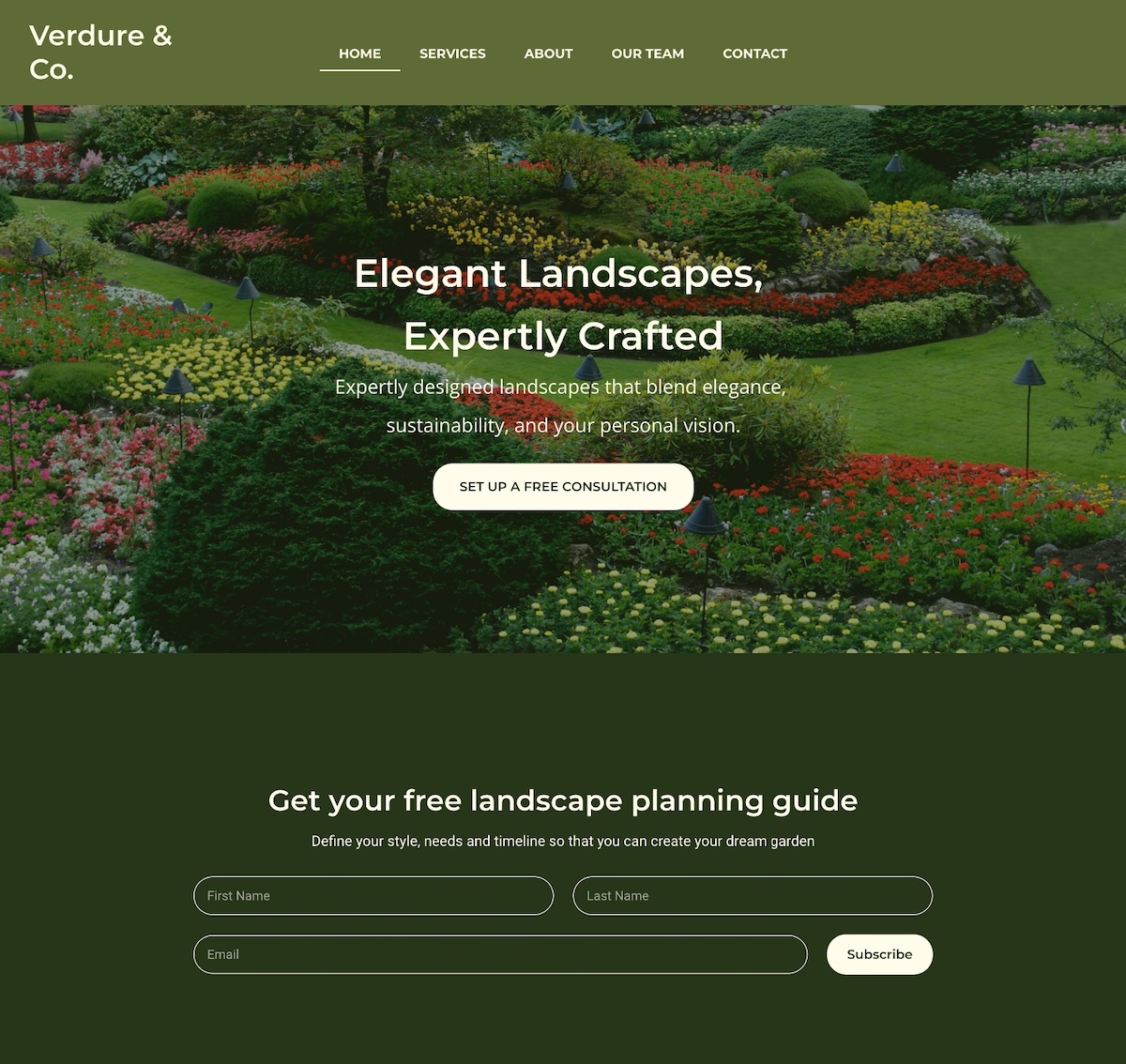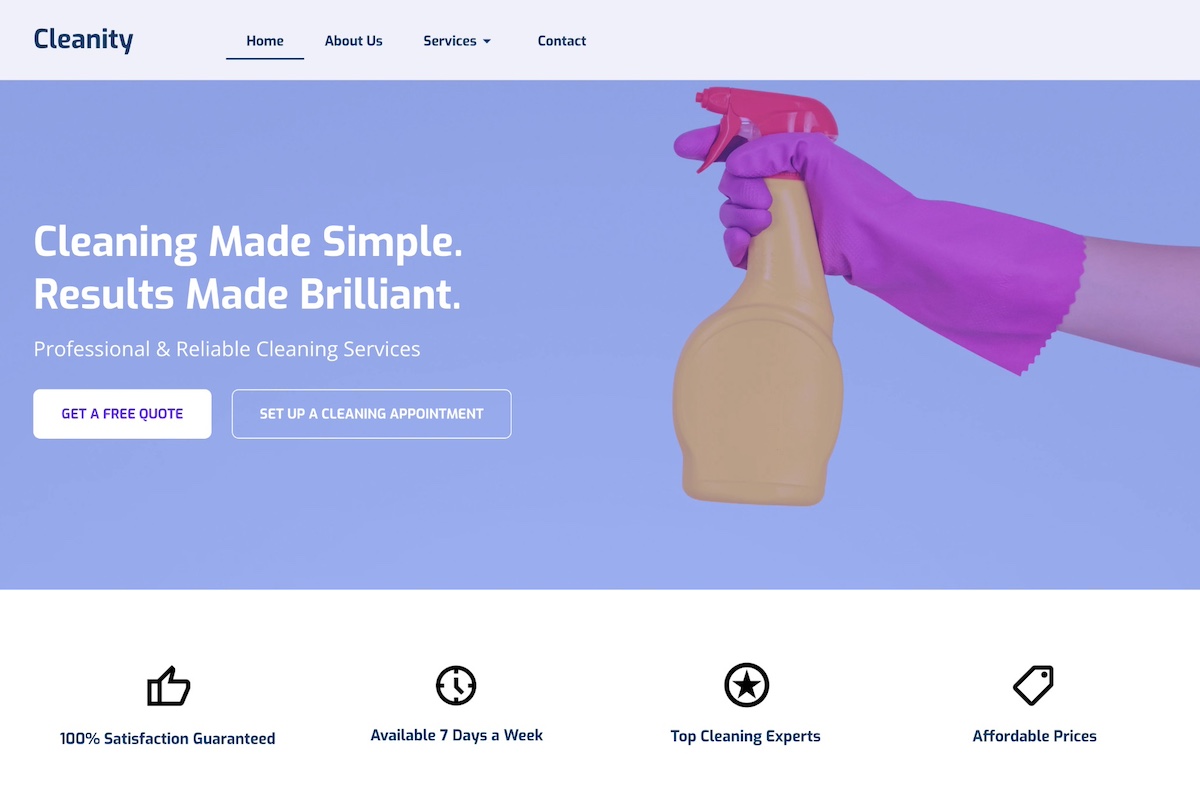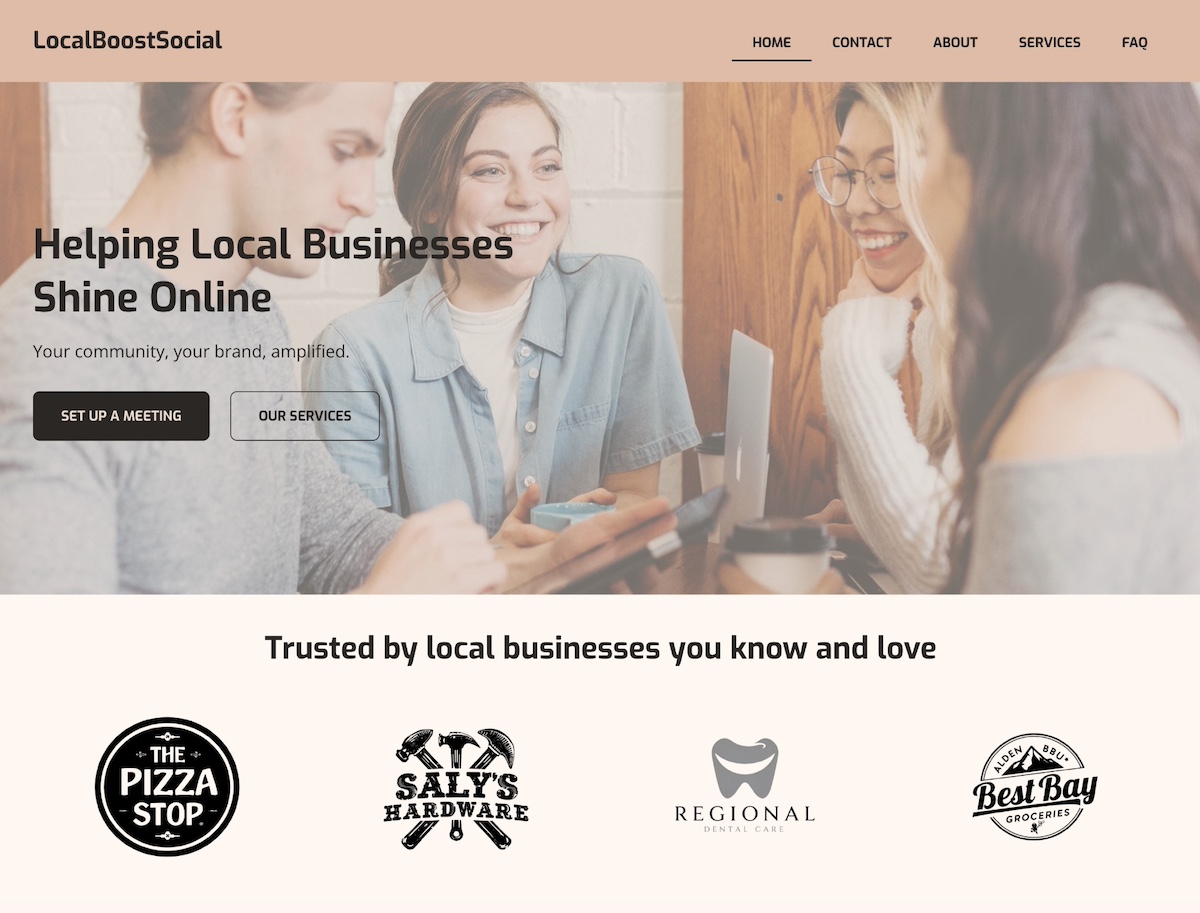
Website Pages That Take Users from First Click to Conversion

abstract of website pages

Your website has the potential to be more than just a random collection of pages—it should actually serve as a roadmap that guides visitors from first glance to becoming loyal customers. But to accomplish this, you can’t treat all website pages the same, as simply adding the usual “About” or “Contact” pages won’t guarantee results.

In this article, we’ll break down the key website pages your site needs, why each page matters, and what to include on them so every visitor moves smoothly toward taking action. Whether you’re building a new site or optimizing an existing one, this guide will help you create pages that not only inform but convert.

Key takeaways

  • Every website page should have a clear purpose tied to a specific stage of the customer journey.
  • The right mix of page types helps guide visitors from discovery to decision—and beyond.
  • Strong structure, clear CTAs, and trust signals are essential for moving users forward.
  • Conversion-focused pages reduce friction and make it easy for visitors to take action.
  • Retention pages like support, partners, and loyalty help turn customers into long-term advocates.


What Makes a Website Page Essential

Every page on your site has a role. Some pages introduce your brand, others build trust, and some finally drive visitors to make a decision. So as we think about the potential pages for your site, keep in mind the objective of each page, and how all of your web pages can work together as stops along the customer journey.

As you consider your pages, these are the key web page objectives to keep in mind:

  • Purpose-driven content: Each page should have a goal, whether it’s informing visitors, showcasing your work, or prompting them to take action.
  • User-focused website design: Pages should make it easy for visitors to find what they need, understand your message, and know what to do next.
  • Support for business goals: Beyond helping users, pages should align with your marketing or sales objectives, turning the casual visitors into leads or customers.
  • SEO & discoverability: A well-structured website is an important part of implementing SEO, as it helps search engines understand your site and connect the right visitors with the right content.

When you think of pages this way—each with a clear purpose along a path—you’ll be ready to organize them into stages that move visitors from awareness to conversion.

Key Components of a Webpage

Every website page is made up of a handful of essential components, which together make it possible to reach the page’s goal. Getting acquainted with these different elements will help you make sure that every page we discuss today can get its job done effectively.

So let’s take a quick look at the key components of a webpage: 

  • Header & Website Navigation – Includes your logo, main menu, and key links to help visitors find their way around your site.
  • Main Content – The core of the page: text, images, videos, and supporting information that deliver your message. Strong, relevant content builds credibility and keeps visitors engaged.
  • Interactive Elements – Forms, sliders, or other features that give visitors ways to interact, share information, or personalize their experience.
  • Footer – Typically contains contact info, legal links, social media icons, and additional navigation.
  • Behind-the-Scenes Elements – The structural and technical parts of the page, like HTML, CSS, JavaScript, metadata, and SEO features, which make the page functional, accessible, and discoverable.
  • Calls to Action (CTAs) – This is listed last here, but among the most important. These are the buttons, links, or prompts woven throughout your page that actively guide visitors forward. CTAs are the connective tissue of your site, encouraging users to explore deeper, sign up, or make a purchase. Without them, even the most compelling content risks becoming a dead end.

Together, these components enable your website pages to go beyond visual appeal. They’re structured to guide visitors, build trust, and drive conversions.

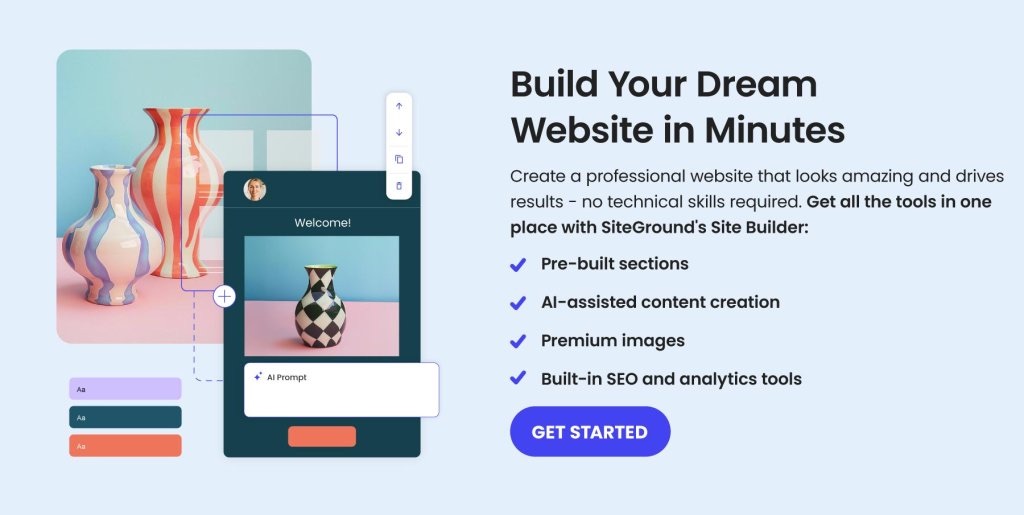
Now, if you’re feeling a little unsure about implementing the technical side of all these elements, then we’ve got good news for you. With the SiteGround Website Builder, you don’t need to worry about coding or complicated setup. It’s designed to help you build professional-looking pages quickly, with all the essential components—navigation, content areas, CTAs, and more—already built in. And if your site also supports selling online, SiteGround Ecommerce makes it easy to add ecommerce functionality without extra complexity. That way, you can focus on crafting the message (with the help of the built-in AI writer) and guiding your visitors, while the builder takes care of the structure, design, and technical foundation behind the scenes.

Web Page Types to Include for Every Stage

Now that you understand what makes a webpage essential and how its components work together to guide visitors, it’s time to look at the specific types of pages that support each stage of the customer journey. Below, we’ll break down the key page types for awareness, consideration, decision, and retention, and highlight what makes each one effective.

Stage 1: Awareness Website Pages

At the awareness stage, potential customers are just discovering your brand. They might have heard about you through a friend, seen your social media marketing, clicked on an ad, or found your site via search. They don’t yet know exactly what you offer or why they should care. 

So this is your opportunity to change that by making a killer first impression, providing clear value, and guiding visitors toward getting to know your brand further. Your website layout should support this goal by creating a clear, consistent experience that introduces your brand but also gently nudges visitors to take the next step. 

Here are a few of the pages that you can leverage to address this early discovery stage.

Homepage

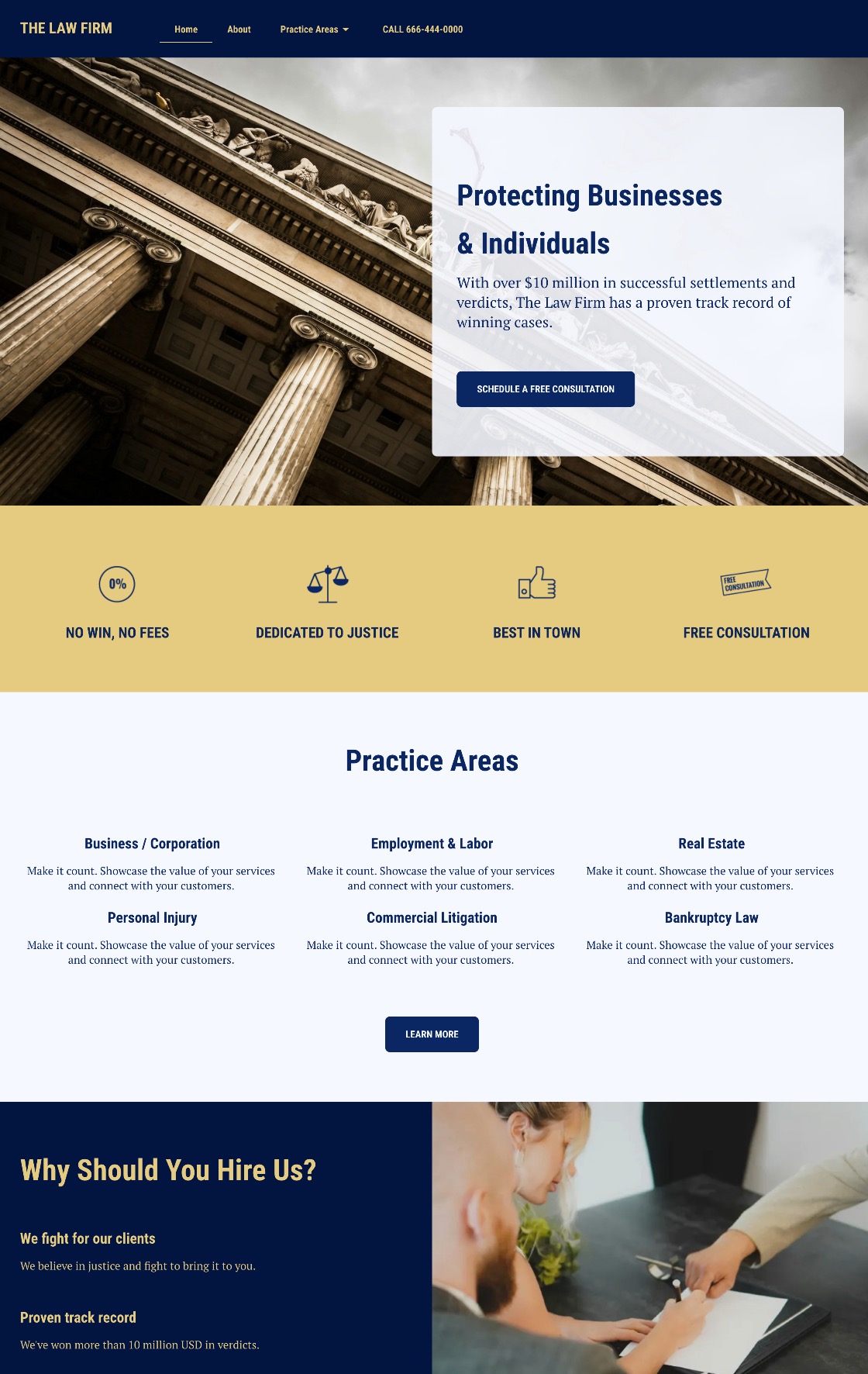
Your homepage is the gateway to your brand and the first step in a longer journey. Beyond introducing your business, it should create context, show value, and make the path forward clear and inviting. Visitors should immediately understand who you are, what you offer, and what they can do next.

Components to include on your homepage:

  • A compelling headline that communicates your main value proposition
  • A hero image and visuals that capture attention and reflect your brand
  • A brief overview of your offerings and unique differentiators
  • Clear calls to action that guide visitors to explore services, resources, or products
  • Social proof elements like testimonials, press mentions, or trust badges
  • Thoughtful visual hierarchy for easy scanning and navigation
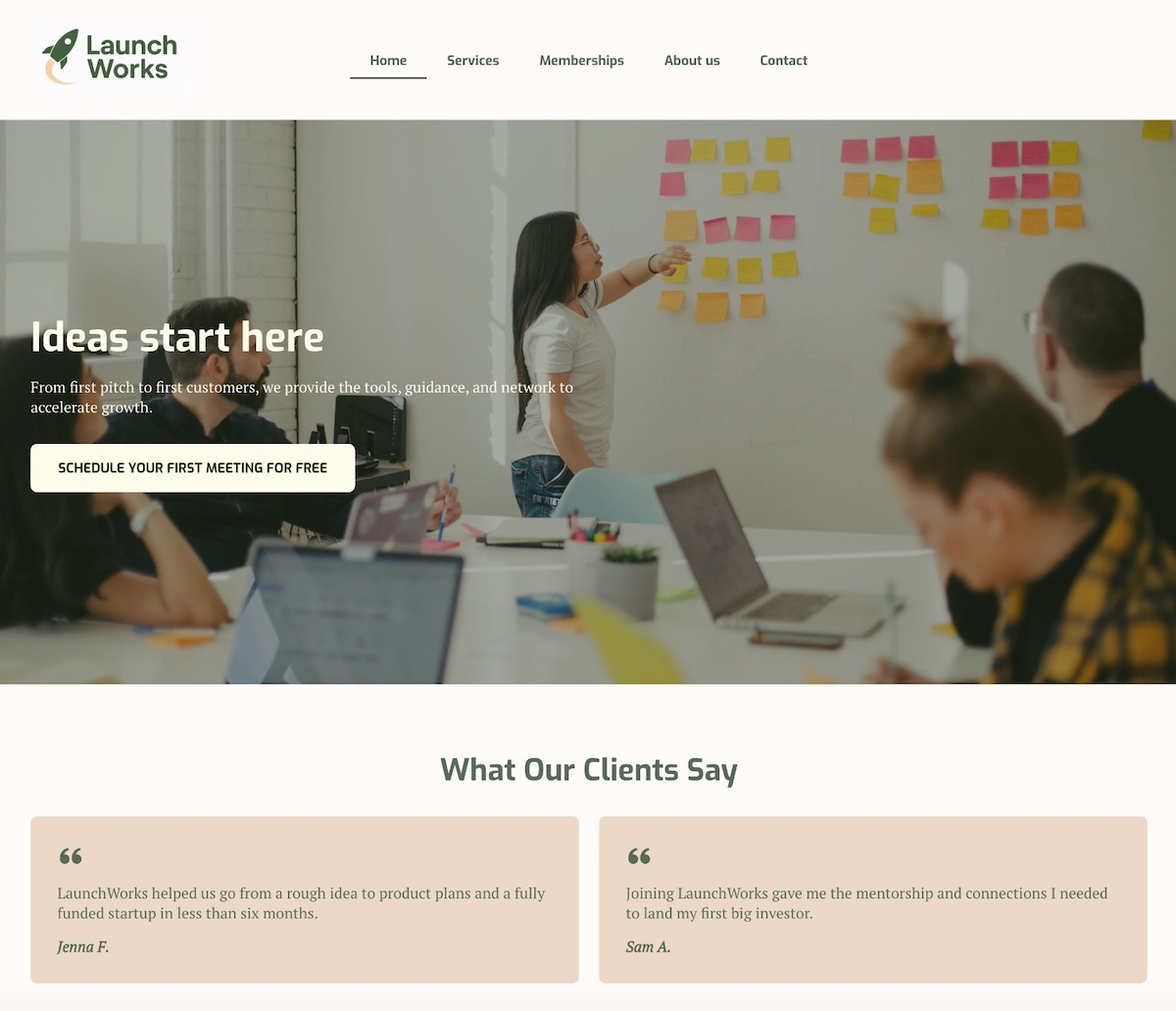
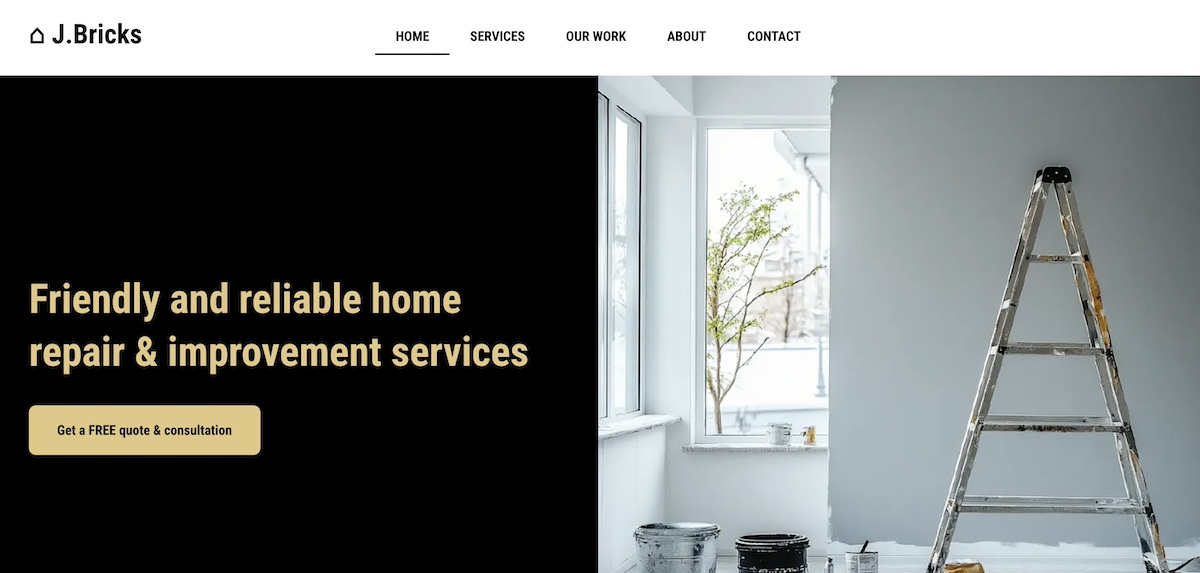
homepage example of a website page

The above homepage nails the hero section with an image of the team in action, creating those ideas that “start here.” A clear button for a free first meeting makes the next step clear, and client testimonials add credibility to the brand’s services. 

About Page

The About page deepens the connection. It explains why your business or organization exists, what you stand for, and who’s behind it. In doing so, it makes your business feel more personal and gives your brand human depth. Importantly, this page should also lead visitors to take the next step—whether that’s exploring services, reading a blog post, or signing up for a newsletter.

What components to include on your About page:

  • Brand story, history, mission, and values
  • Team bios and photos to humanize your business or organization
  • Behind-the-scenes content or milestones
  • Awards, certifications, or achievements 
  • Calls to action guiding visitors to explore products, services, resources, or signing up
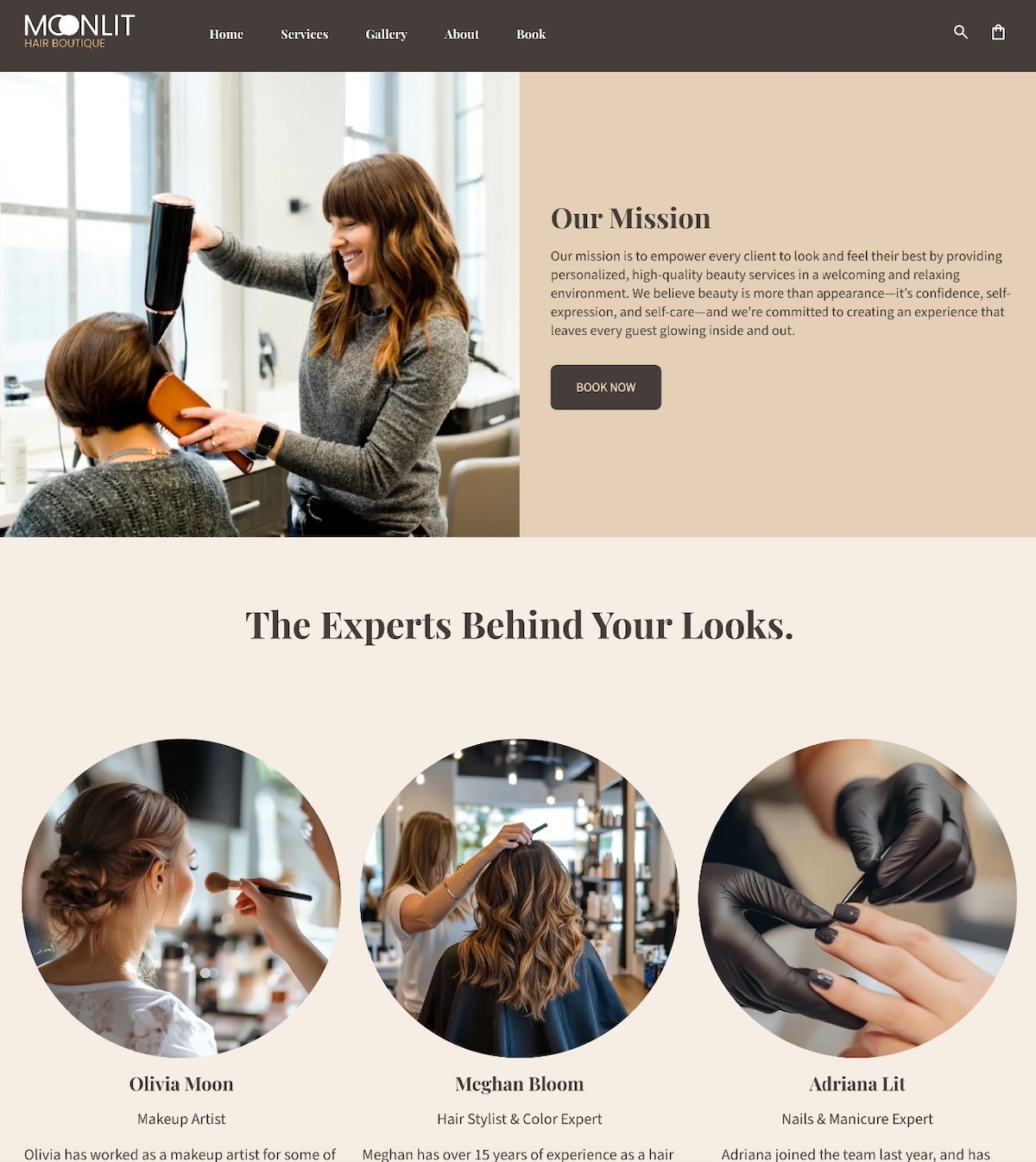
Example of an about page

This About page puts the people behind the salon front and center. It’s more than a simple salon, but one with a mission, and experts behind it.

Blog & Resource Pages

Blog and Resource pages educate and provide value, positioning your brand as an authority. They answer early-stage questions, helping visitors understand your space and your expertise. 

Elements to include on your Blog or Resource pages:

  • Educational articles, guides, or tutorials addressing common problems
  • Clear headings and subheadings for easy scanning
  • Visuals like images, charts, or videos to support content
  • Links to related articles or resources to encourage exploration, which is not only good for SEO, but also for AI overview optimization.
  • Calls to action for newsletter signups, downloads, or product pages
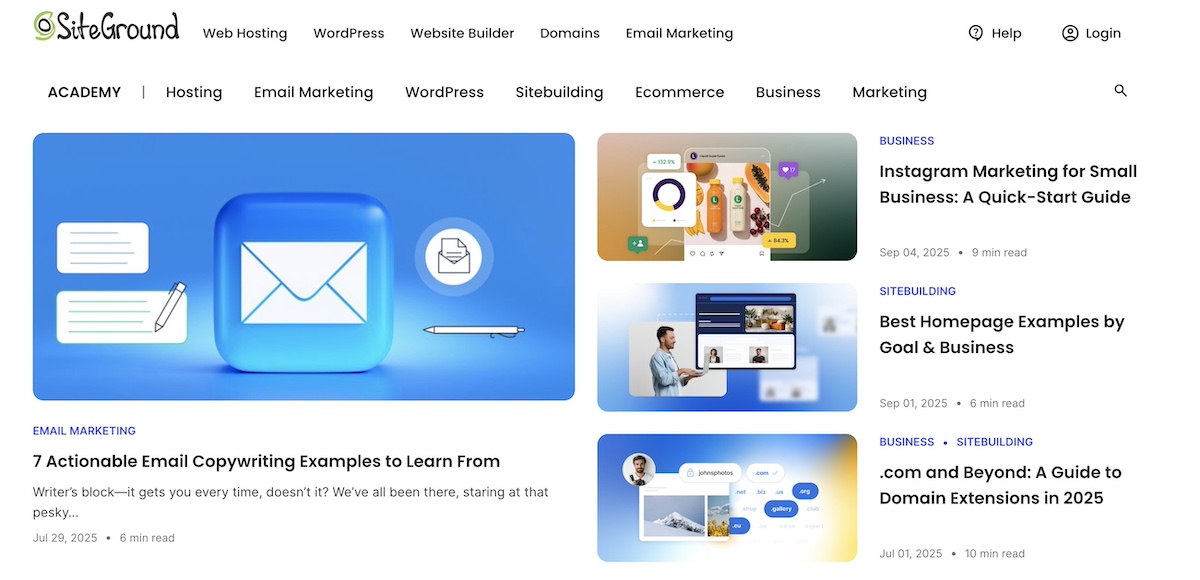
example of a blog and resources website page

And here you have SiteGround’s Academy, the epitome of a Blog & Resource page. The idea here is precisely as we’ve already defined: to offer extra value and credibility to these areas of business about which SiteGround is an expert. 

Stage 2: Consideration Website Pages

At the consideration stage, visitors have learned a bit about your brand and are evaluating whether your products or services meet their needs. This is the middle of the marketing funnel, where they’re comparing options, looking for proof, and deciding whether to take this business-and-customer relationship a step further. Pages at this stage should show value, differentiate your business, and make it easy for visitors to move toward a decision—the next stage. Let’s break down what these website pages might look like. 

Service & Product Pages

Service and product pages are where you showcase what you offer and why it matters. These pages highlight the features, benefits, and unique value of your product or service, while guiding visitors toward the next step—whether that’s requesting a demo, signing up for a consultation, or making a purchase. While they may include pricing, many businesses also benefit from having a dedicated pricing page for deeper detail, which we’ll cover in the next stage.

Elements to include on your Service and Product pages:

  • Detailed descriptions of products or services
  • Key benefits and differentiators
  • Clear visuals or product images
  • Pricing overview (include pricing if it’s simple and builds trust. If pricing is complex or value needs to be shown first, guide users to request a quote, demo, or consultation instead.)
  • Calls to action directing visitors to demos, trials, consultations, or purchase pages
  • Optional testimonials or mini case studies to reinforce credibility
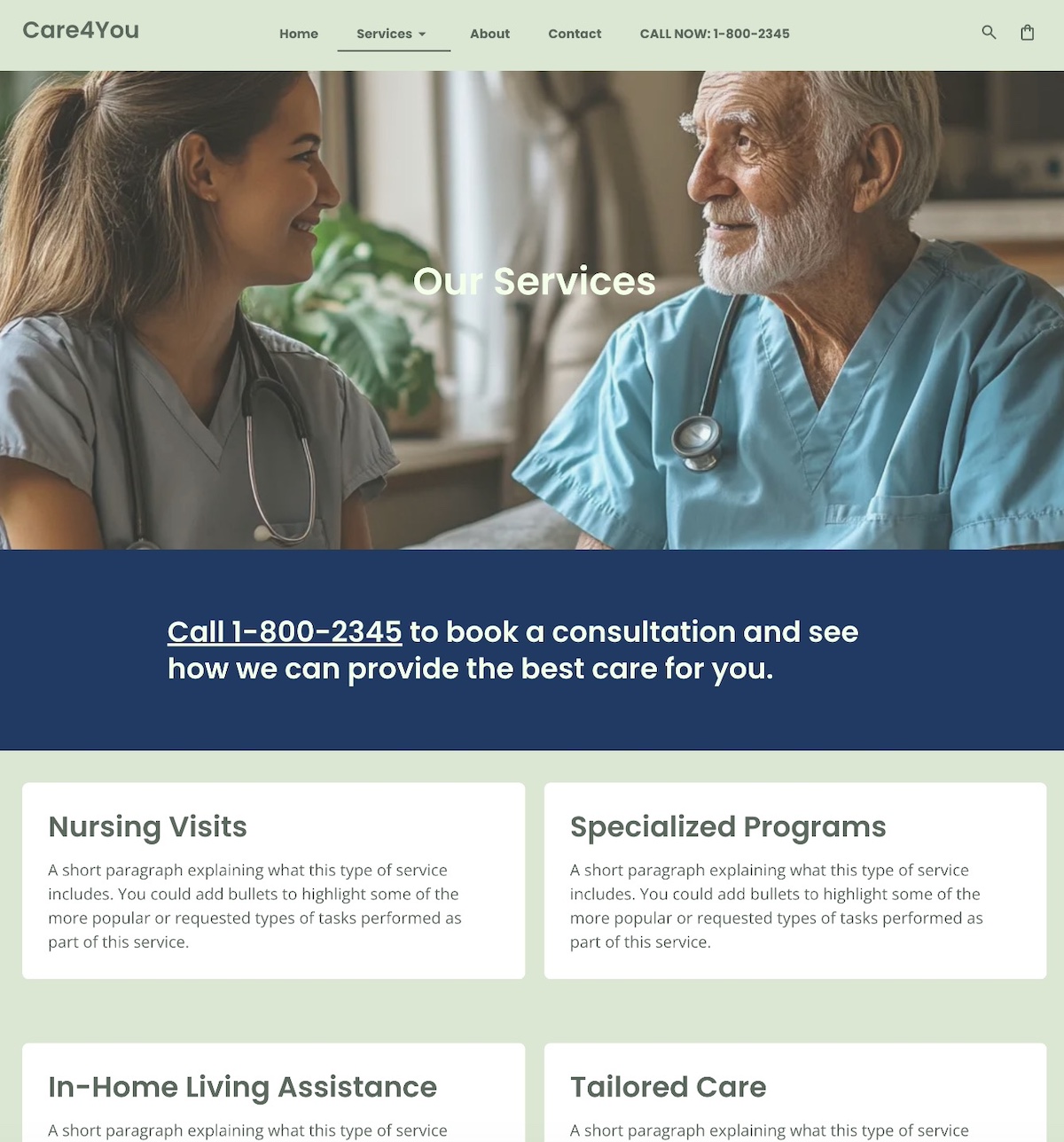
Example of a services website page

The above Services page is a classic example in that it outlines the different services, and also makes it easy and clear to take the next step by including the phone number in multiple locations on the page.
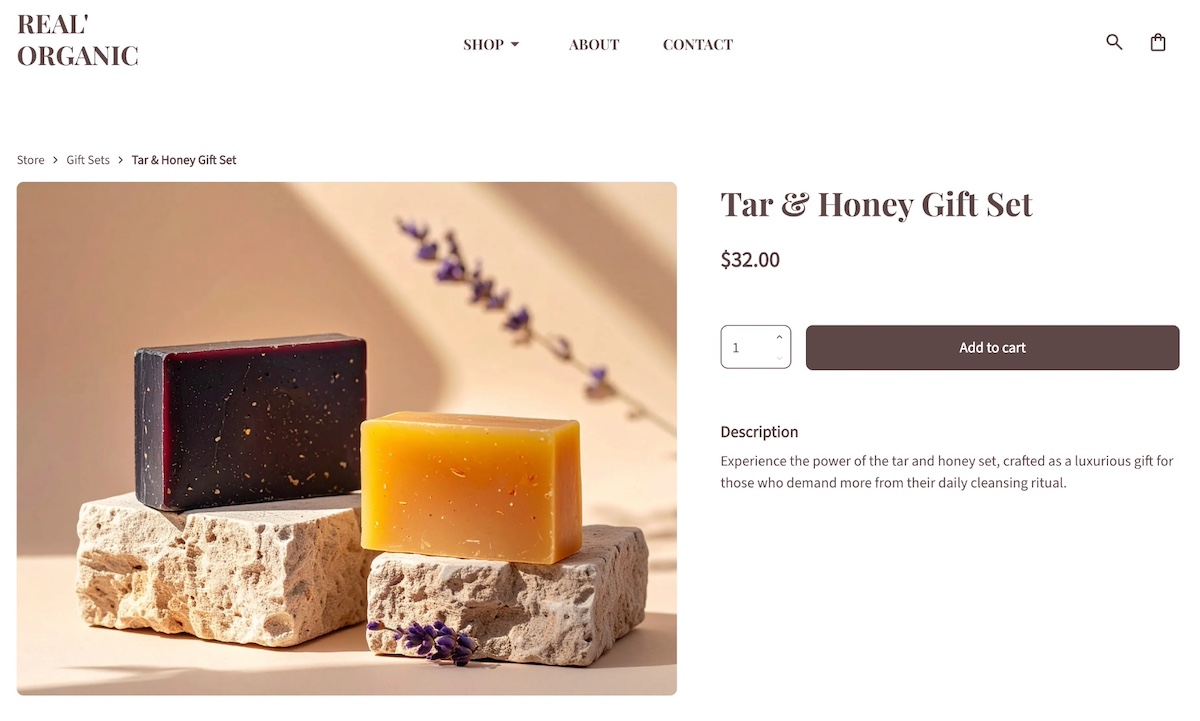
Example of a product website page

Meanwhile, here is an example of a typical product page, featuring the product name, price, and description. It’s clean, to the point, and makes purchase (regardless of quantity) easy and obvious.

Proof & Trust Pages

Visitors at this stage are evaluating credibility and results. Pages showcasing real examples of your work, happy customers, or other social proof help prospects feel good and certain about choosing your brand. 

What to include on your Proof and Trust pages:

  • Case studies the demonstrate challenges, solutions, and results
  • Client or partner logos
  • Portfolio of work or projects
  • Written or video testimonials
  • Customer reviews and ratings
  • Calls to action encouraging contact, demo requests, or product exploration
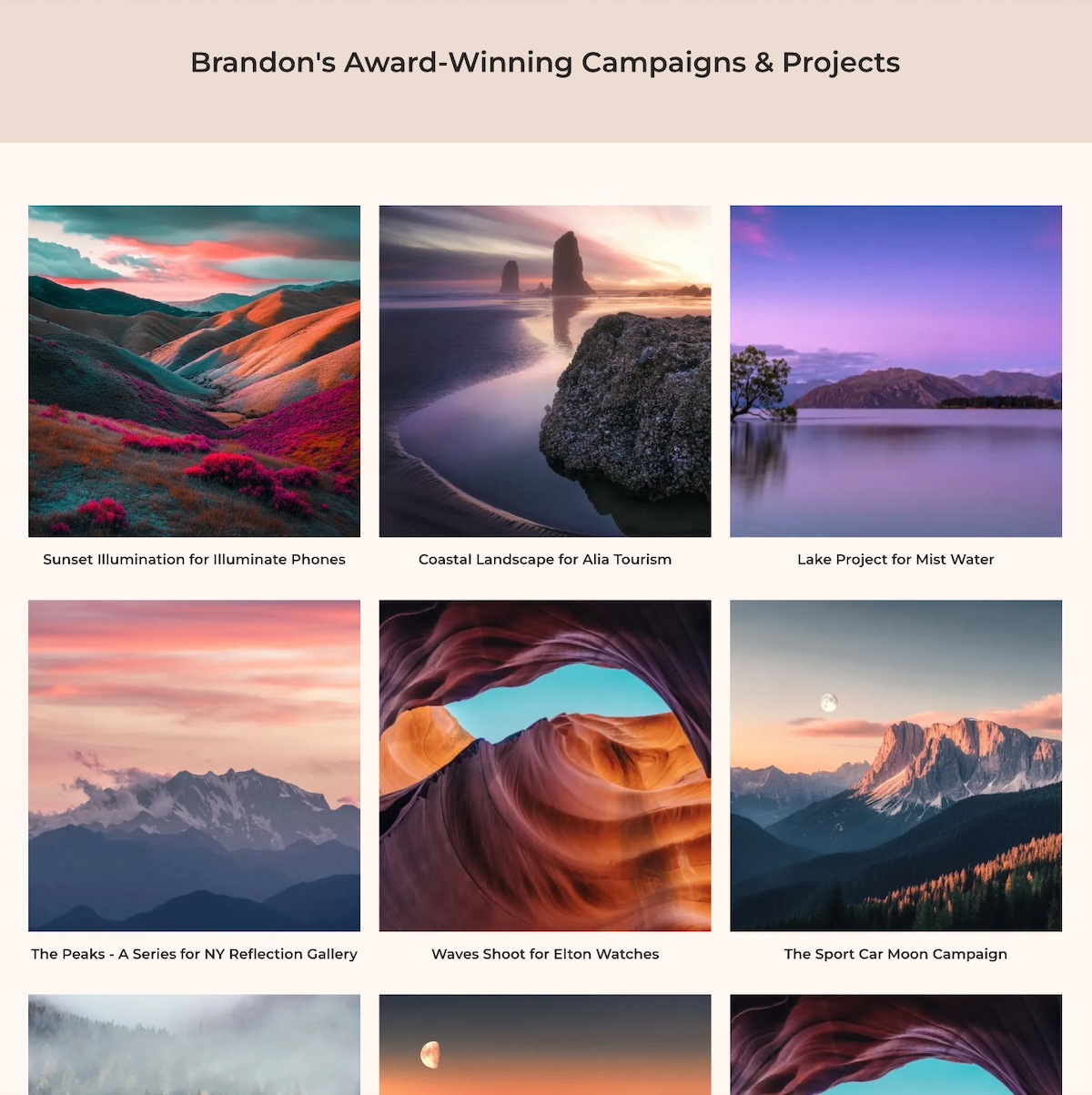
Example of a proof and trust website page

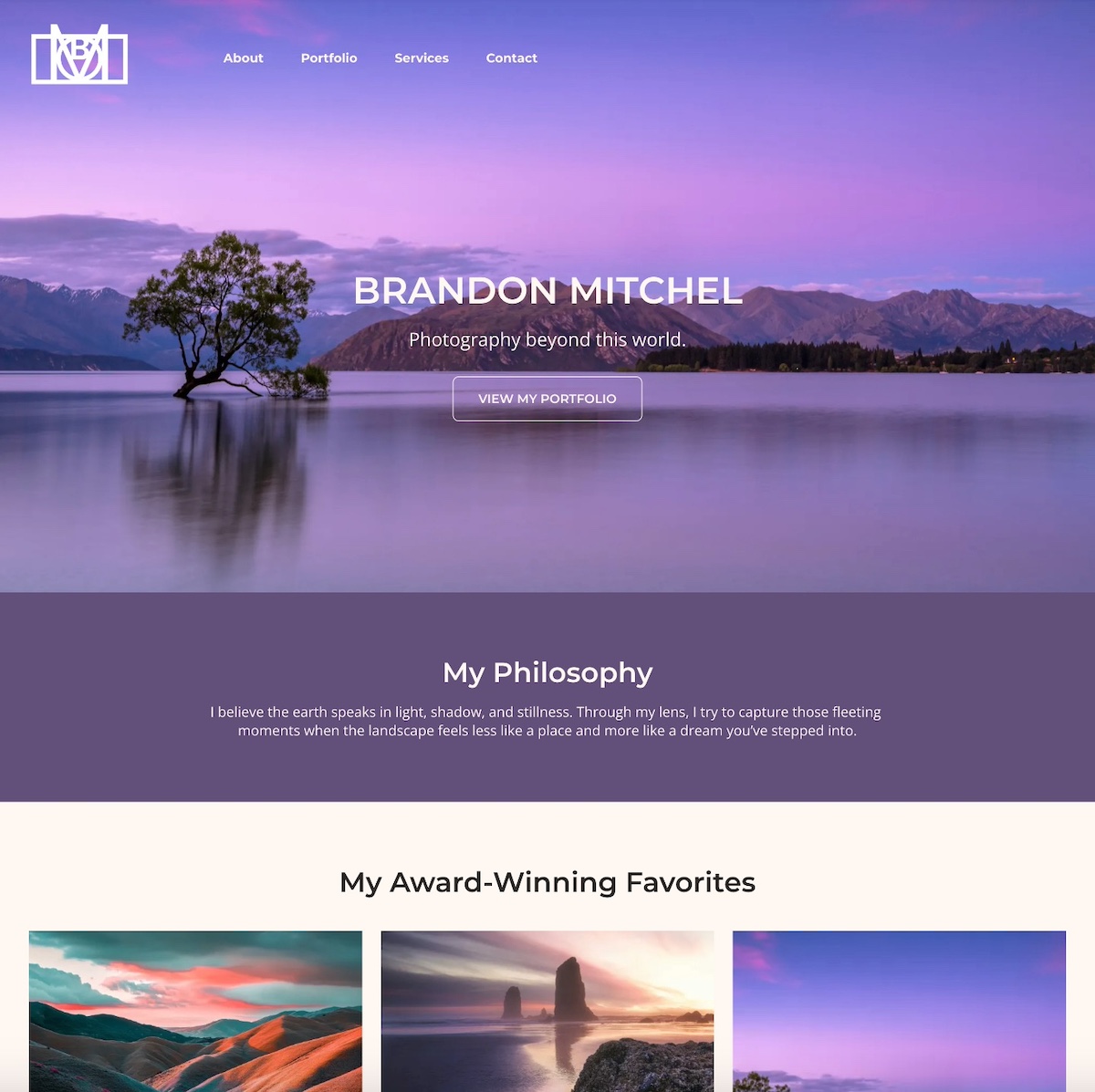
The above page exemplifies a portfolio page, featuring the award-winning work of the photographer. In that way, it not only demonstrates their work, but acts as social proof via the awards.

FAQ Page

The FAQ page addresses common questions and potential objections before they become roadblocks. Visitors at this stage are seriously considering your product or service, but have last doubts that need to get resolved, and this page fixes that. It reassures them and makes it easier to move toward the next stage of the journey.

Elements to include on your FAQ page:

  • Answers to common questions about products, services, policies, or processes
  • Clear, concise formatting for easy scanning
  • Links to related product/service pages or resources
  • Calls to action guiding visitors toward demos, consultations, or purchases
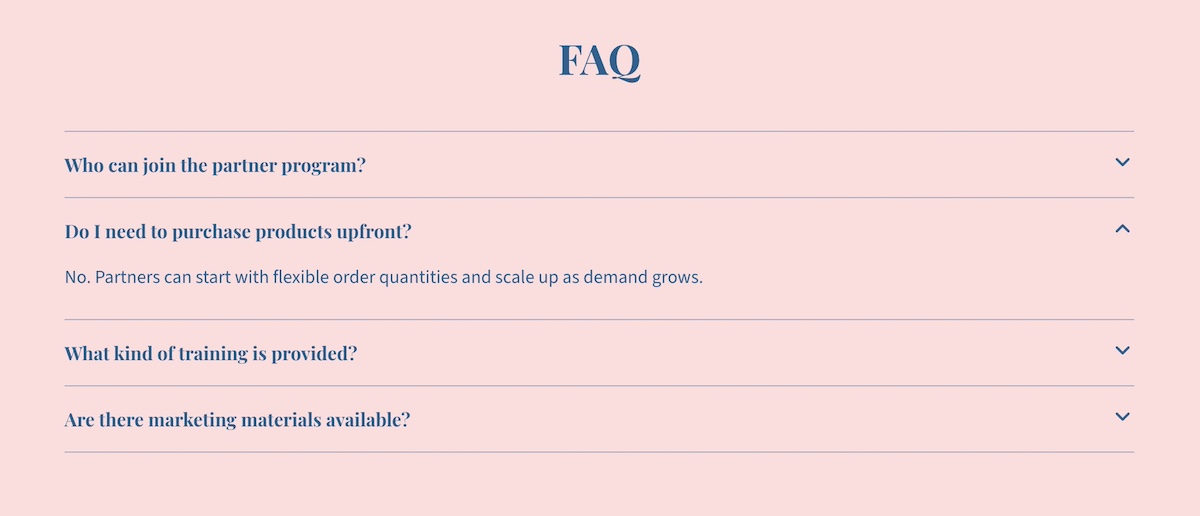
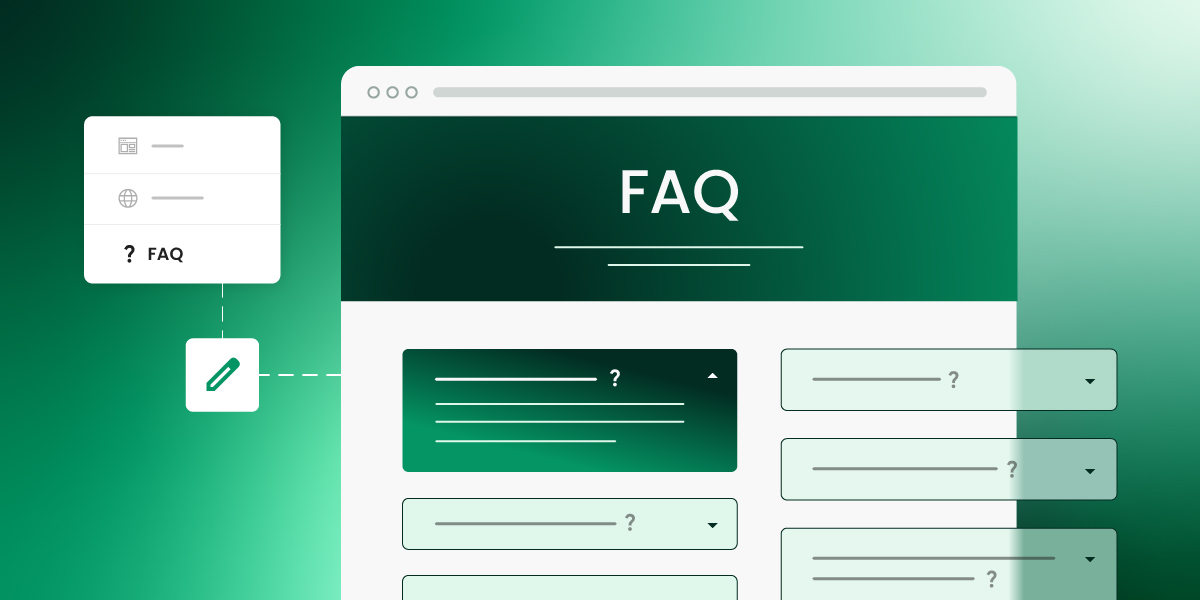
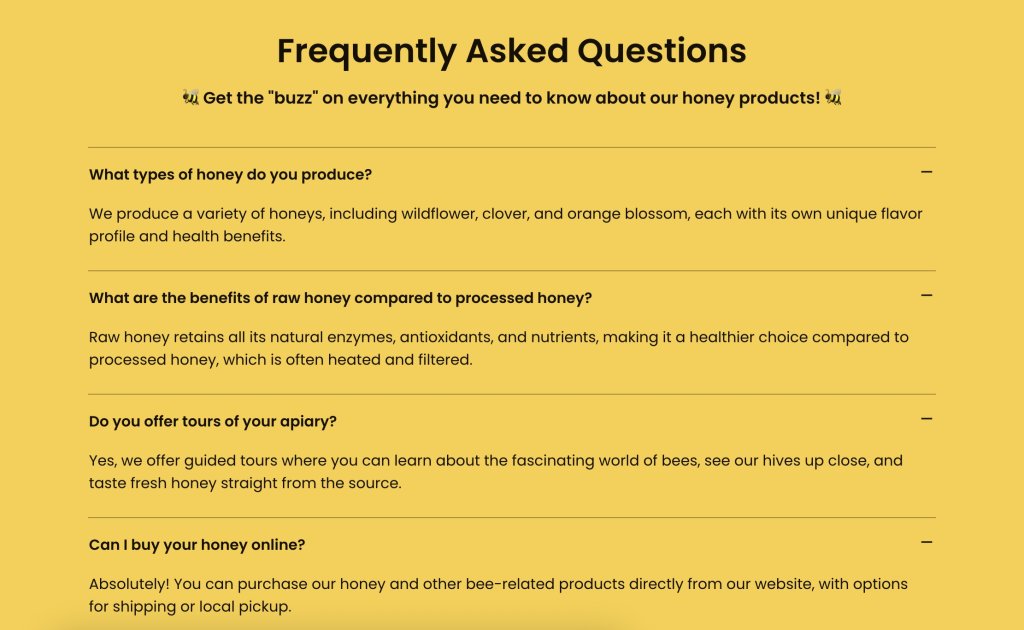
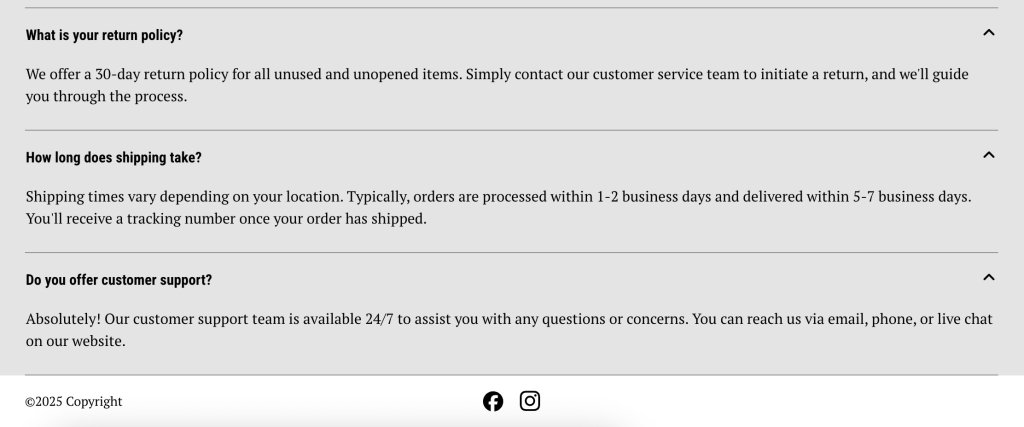
Example of an FAQ website page

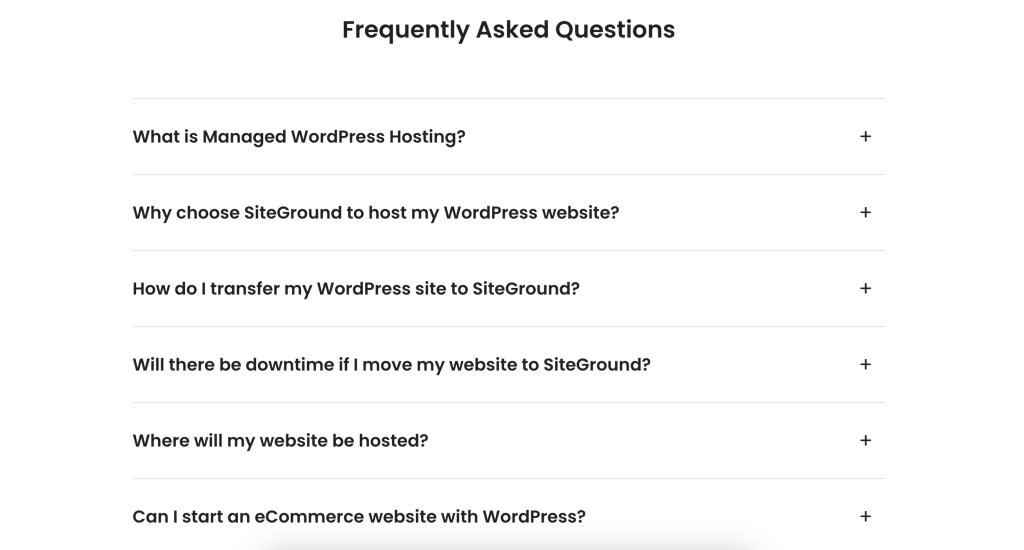
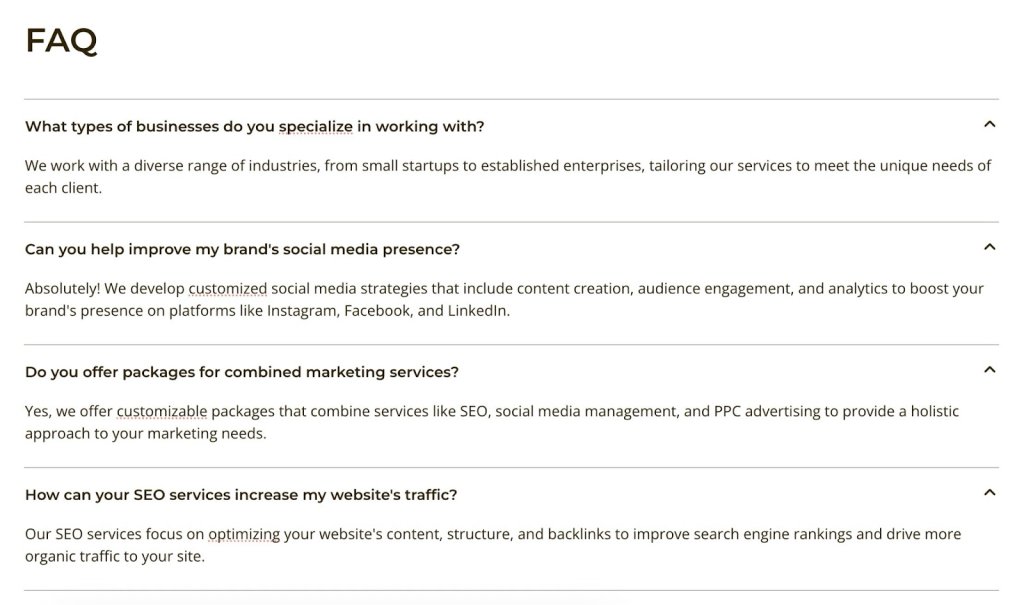
The above FAQ page is quite simple and user friendly, with expandable answer sections. This kind of functionality is especially ideal for an FAQ page, as it allows you to present a substantial amount of text in a more visually pleasing way. Otherwise you risk just having a wall of text, which can be intimidating (or, minimally, boring) for visitors, and drive them away.

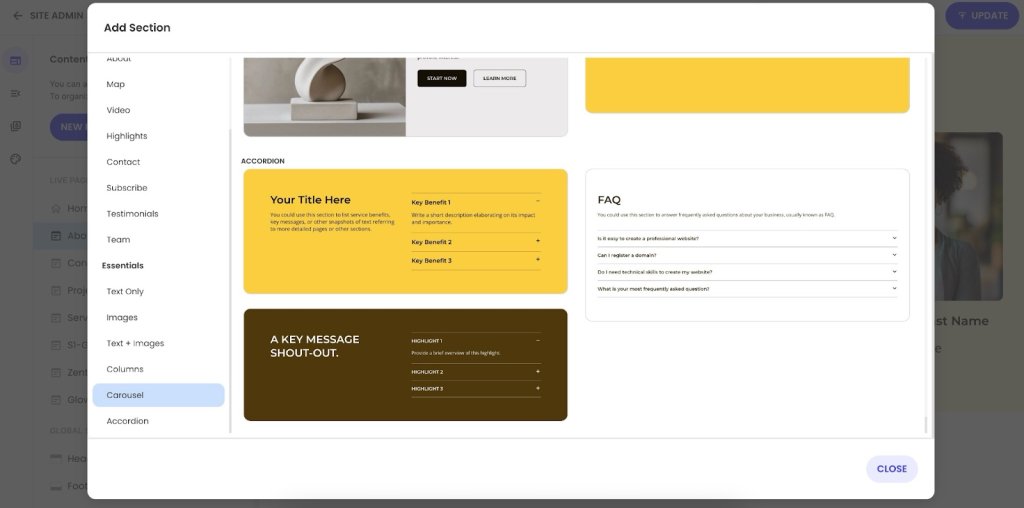
If you’re wondering how complicated it is to implement functionality like this, then don’t worry. It’s super easy with the SiteGround Website Builder, which includes built-in FAQ templates that require no coding skills whatsoever. Just add your text and go. 

Stage 3: Decision Website Pages

At the decision stage, visitors are ready to take action (finally!). They’ve learned about your brand, explored your offerings, and contemplated your credibility. Pages at this stage should give that final green light by removing friction, providing clarity, and making it super easy for visitors to convert, whether that’s by contacting you, signing up, or completing a purchase. 

Let’s break down which kinds of website pages can get this job done.

Pricing Page

A Pricing page deserves its own spotlight because cost is often one of the final hurdles in a customer’s decision-making process. While the aforementioned product or service pages may mention pricing, a dedicated page allows you to present options clearly, compare packages side by side, and answer common concerns. Done well, it builds trust, reduces hesitation, and gives visitors the clarity they need to confidently move forward.

Elements to include on your Pricing page:

  • Clear pricing tiers or options
  • Features or benefits included in each plan/package
  • Comparison charts if relevant
  • Calls to action directing visitors to sign up, request a demo, or contact sales
  • Optional FAQs addressing common pricing concerns
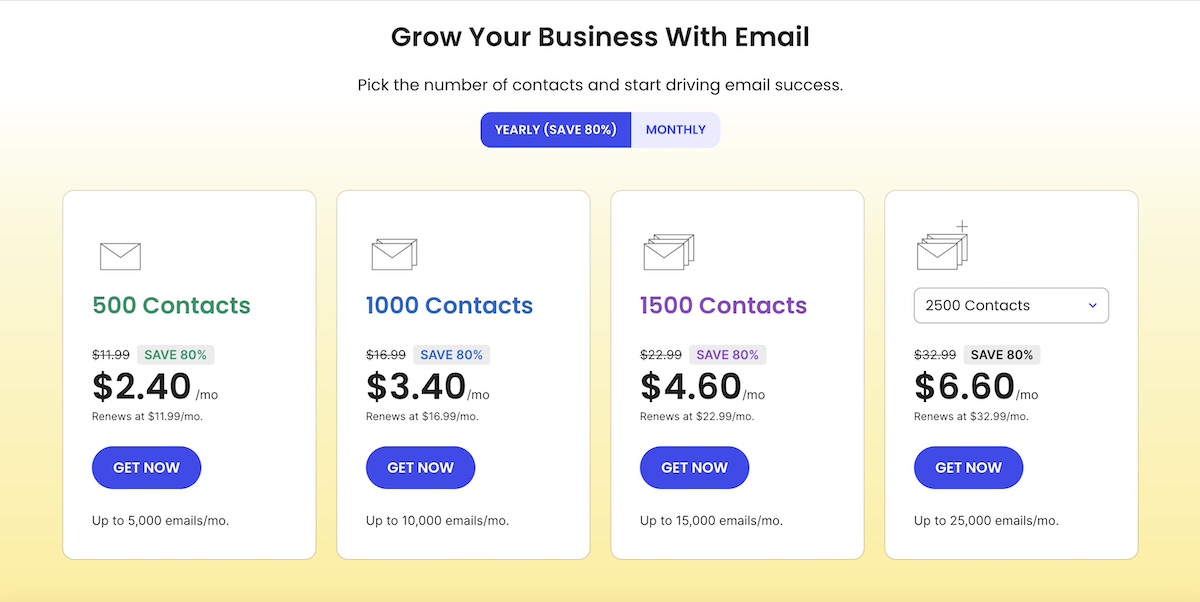
Example of a pricing website page

The above is a snapshot of one of SiteGround’s pricing pages, where the different email marketing plans are laid out. As you can see, having one page with compare-and-contrast pricing makes it easier for visitors to make a quick decision and “get now.”

Free Trial/Consultation/Demo Landing Page

These pages are essentially product pages in disguise. They let visitors experience your product or service firsthand, giving them confidence to eventually commit. They should be simple, and focused on driving action.

It’s also worth noting that not all landing pages need to sit within your site’s main navigation. Many are standalone pages, built specifically for campaigns, ads, or special offers. These pages are stripped of distractions and designed with a single goal in mind—getting the visitor to sign up, download, or buy.

Components to include on your Free Trial/Demo/Consult landing pages:

  • Clear explanation of what the trial, demo, or consultation entails
  • Benefits of participating or signing up
  • Minimal form fields to reduce friction
  • Calls to action that emphasize urgency or value
  • Social proof or testimonials to reinforce credibility
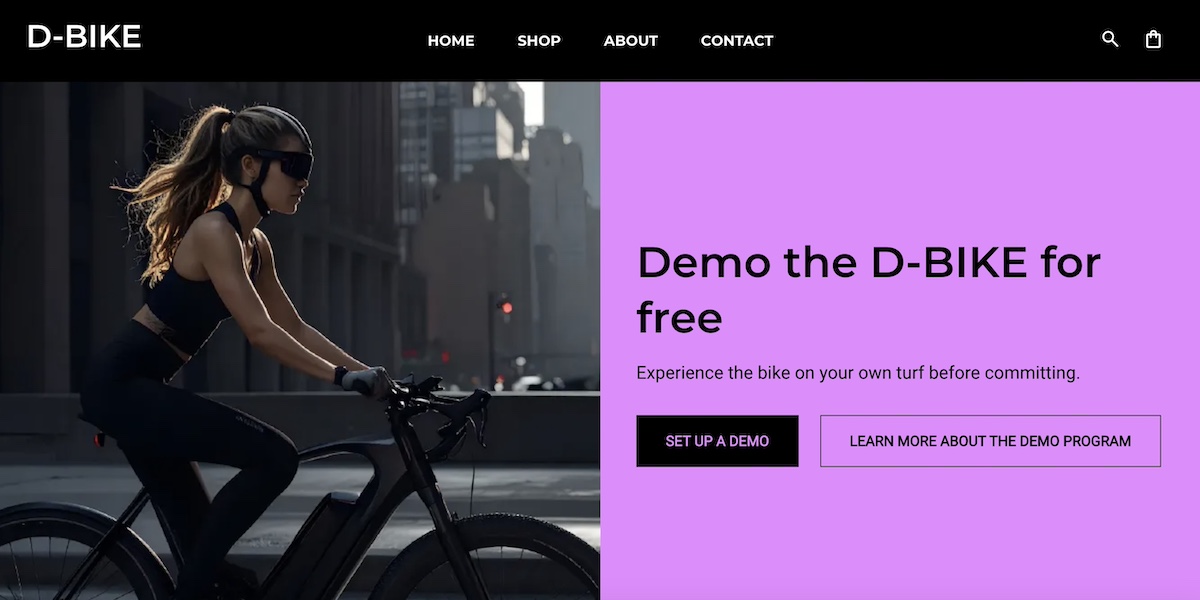
Example of a free demo landing page

The Free Demo page above gives visitors two options to make the decision easier—they can either sign up for a free demo or learn more about the demo program. This approach meets visitors wherever they are in the decision process, helping guide them more seamlessly toward the next step: making a purchase.

Checkout Page

For ecommerce sites, the checkout page should be fast, simple, and secure, ensuring visitors can complete their purchase without friction. Oftentimes, navigation menus even disappear at this stage in order to avoid distraction, and close the sale.

What to include on the Checkout page:

  • Clear summary of items, pricing, and shipping
  • Progress indicators for multi-step checkouts
  • Simple, minimal form fields
  • Calls to action like “Complete Purchase” or “Place Order”

With SiteGround Ecommerce, these best practices are easy to put into action. Checkout pages are designed to be fast, streamlined, and secure by default—so you get clean layouts, clear order summaries, and optimized flows without having to build everything from scratch. That means fewer distractions, less friction, and a smoother path from cart to purchase.

Start building your online store now>>

Stage 4: Retention & Loyalty Website Pages

Once someone becomes a customer, the journey doesn’t in fact end—it shifts to supporting, delighting, and retaining them. Pages at this stage should focus on providing help, strengthening relationships, and encouraging repeat engagement. Strong website retention not only keeps customers coming back, but also turns them into loyal advocates who recommend your brand to others.

Let’s break down the types of web pages that aid in retention and loyalty.

Support Page

A support page gives customers the comfort of knowing that help is always available. It should be easy to find, and the pathways to answers should be clear (because we all know how frustrating it is when a “support” link sends us in circles).

Components to include on a Support page:

  • A knowledge base with guides, tutorials, or FAQs
  • Contact options for direct help and even feedback (chat, email, phone)
  • Search functionality for quick solutions
  • Links to community forums or help centers (if applicable)
  • Calls to action that encourage continued use of your product or service
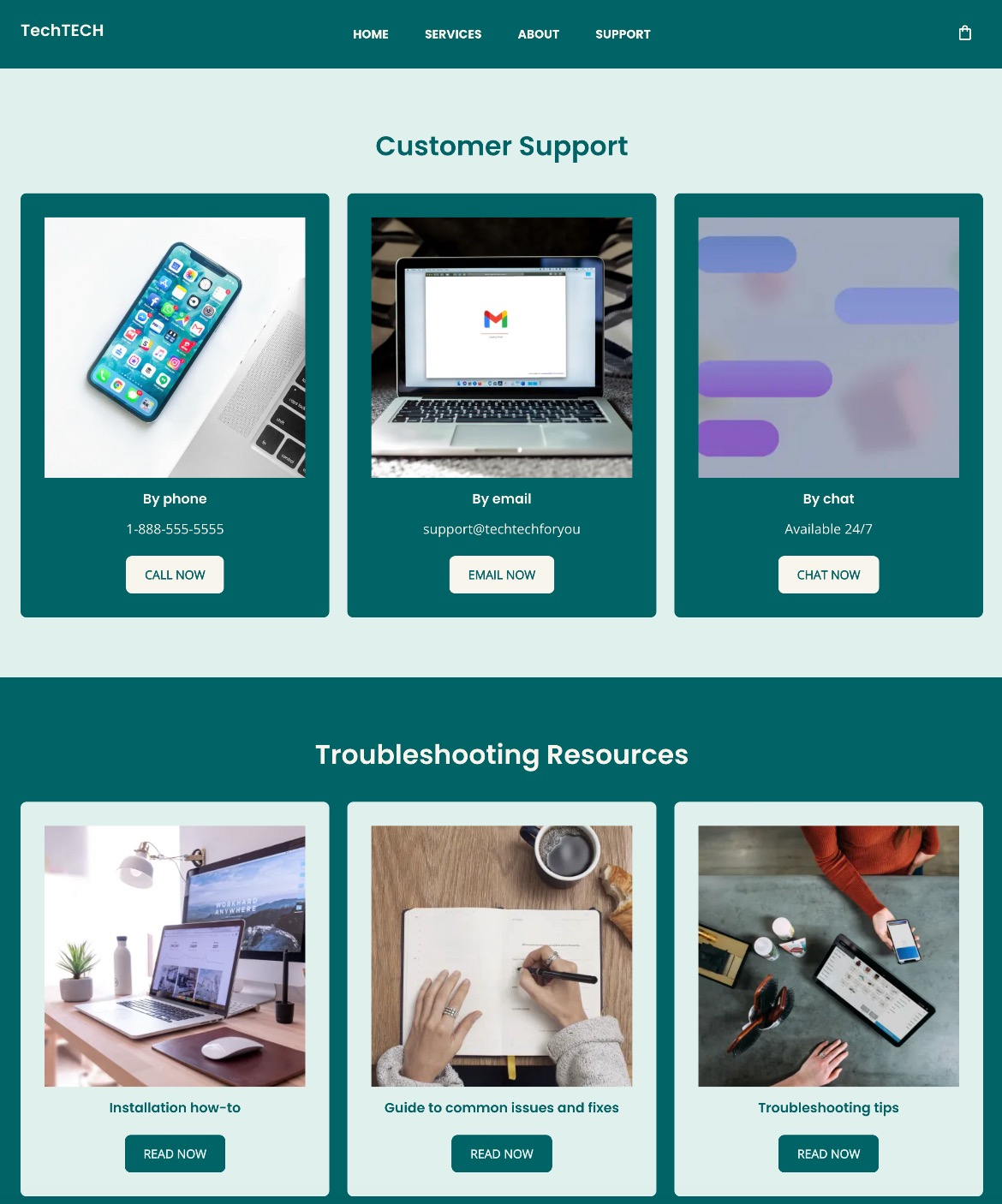
Example of a customer support website page

This support page gives curious customers multiple ways to get answers to their questions. They can very clearly reach out to support via various channels, or use resources to help find the answers. 

Partners Page

A partners page highlights collaborations, integrations, or affiliate opportunities that build credibility and showcase your brand’s ecosystem. It can also inspire trust by showing that others choose to work with you.

Elements to include on a Partners page:

  • Logos or names of partner companies
  • Explanations of partnerships or integrations
  • Affiliate or referral opportunities
  • Links to partner resources or joint offerings
  • Calls to action encouraging visitors to explore partnerships or integrations
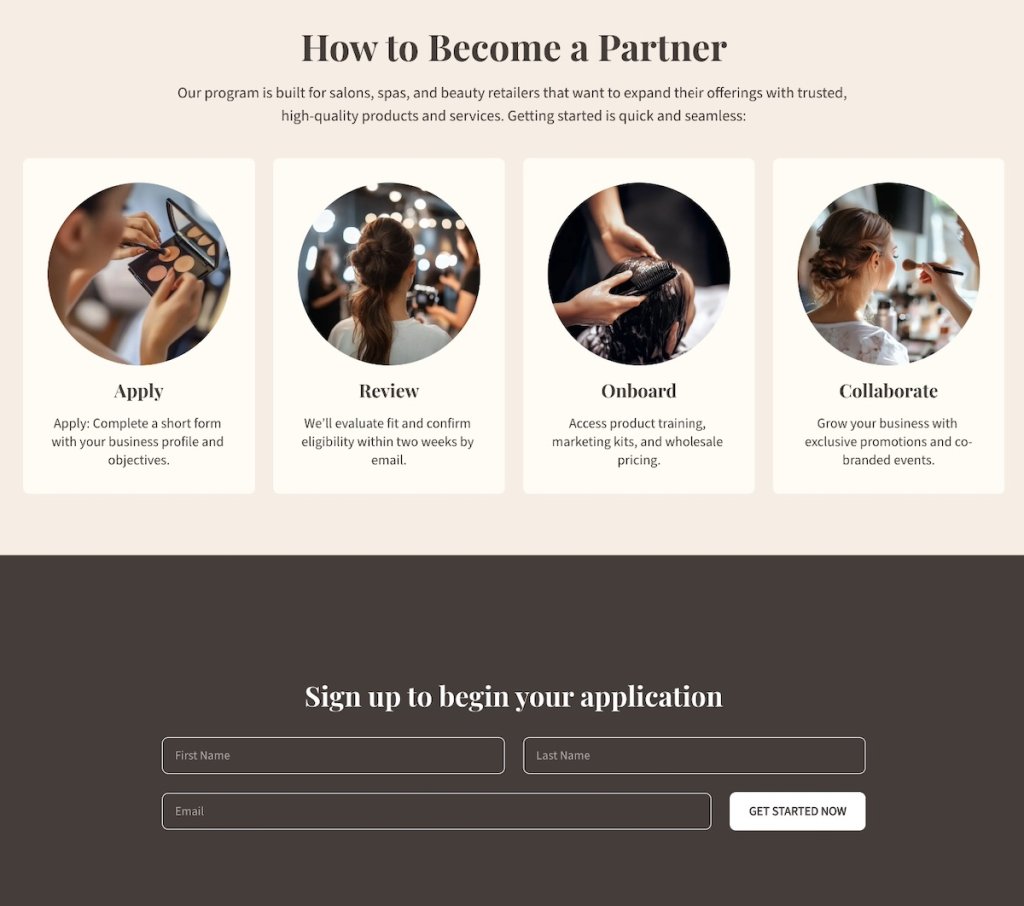
Example of a partners page

The page above includes a section that clearly outlines the process for becoming a partner, and then makes signing up super easy with the form that follows. This kind of easy-to-understand process removes sign-up doubts and friction.

Loyalty Program Page

Acquiring new customers is important, but maintaining existing ones is often where the real long-term value lies. A loyalty or rewards page gives customers a reason to stay engaged, come back, and keep choosing your brand over others. It not only rewards their commitment but also reinforces that you value their business. This page should convey that value—that you appreciate your customers and want to make sure they stay happy with your brand.

Elements to include on a Loyalty Program page:

  • Explanation of loyalty or rewards program benefits
  • Easy steps for joining or participating
  • Examples of rewards, perks, or discounts
  • Calls to action prompting customers to sign up for email marketing
  • Optional testimonials from existing program members
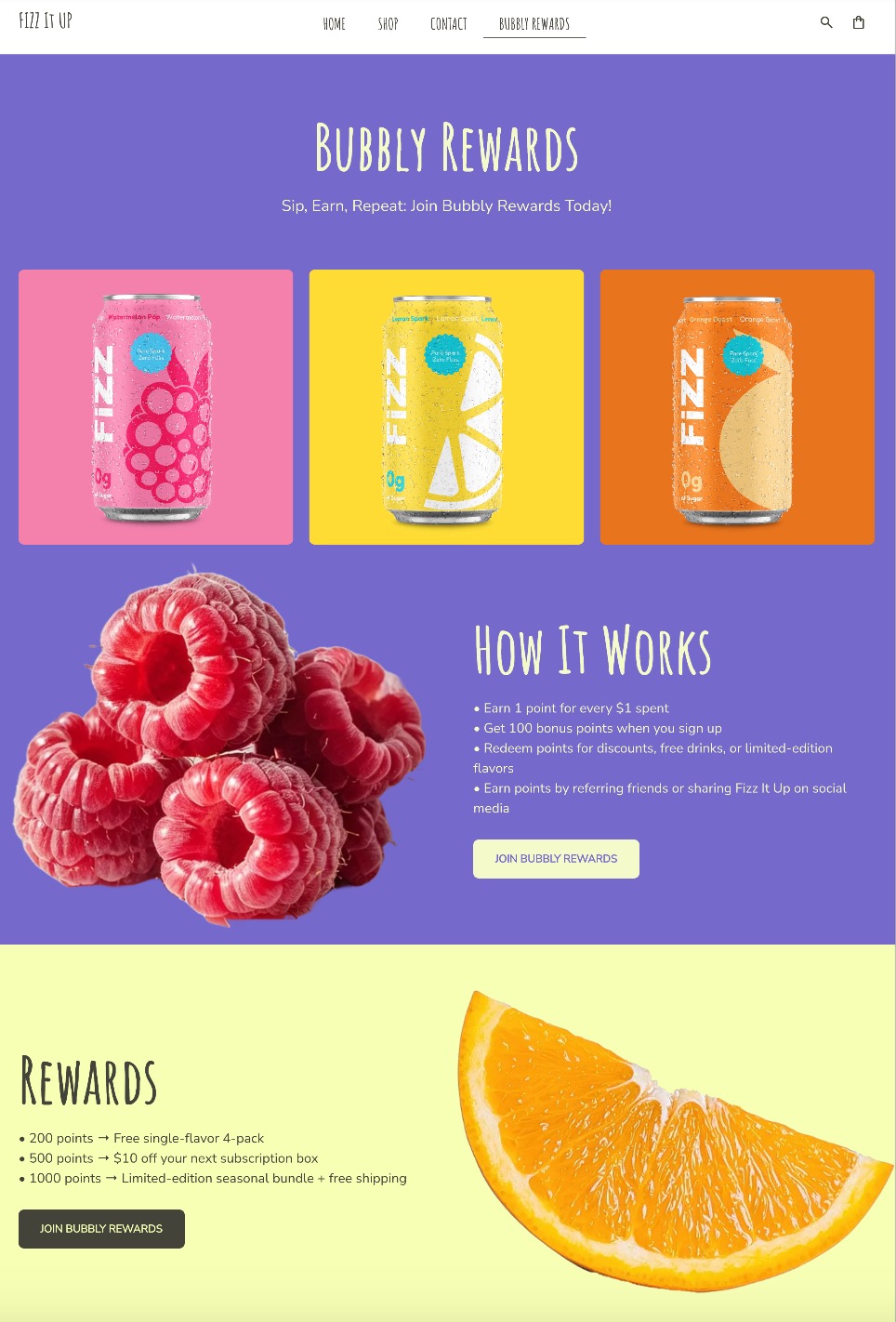
Example of a loyalty program website page

The above Loyalty Program page extends its playful branding to their Bubbly Rewards, making it easy to understand how it works, what the benefit is, and how to join. 

When it comes to building loyalty, this is also where you’ll want to lean on a competent email marketing platform. With SiteGround Email Marketing, you can easily connect your loyalty program to automated email campaigns, send re-engagement emails, provide custom offers, and keep customers in the loop long after their first purchase. Paired with a strong loyalty page, it’s a simple but powerful way to turn one-time buyers into repeat customers and brand advocates.

[24]

Final Thoughts on What Pages a Website Needs

Your website isn’t just a flimsy digital brochure. It has the potential to guide visitors on a brand journey that goes from first click to conversion and beyond. You know by now that each page has a subtle but powerful purpose, whether it’s introducing your brand, building trust, or driving action. And when you structure your site with that in mind, the result is that no website page is a dead end, and every step inches visitors closer to becoming loyal customers.

If you’re ready to bring these website pages to life without the hassle of coding or complex design, the SiteGround Website Builder makes it simple. With professionally designed templates, built-in SEO features, and easy drag-and-drop editing tools, you can create all the essential website pages your business needs—optimized to guide, convert, and retain your visitors. And if you plan to sell online, SiteGround Ecommerce lets you add ecommerce functionality just as easily, so your site can support both content and sales from the same platform.

A promotional image for SiteGround's Easy-to-Use Website Builder featuring a mockup of a website with a living room photo. The text highlights creating a professional site without coding, offering customizable templates, AI-powered content generation, built-in SEO tools, access to over 6 million free high-quality images, an easy drag-and-drop editor, and mobile-friendly designs. Includes a "Get Started Now" button and the SiteGround logo.

Partners Page Guide: Attract the Right Partners + Examples

Abstract of a partners page

Do you already have a partner program, but not a dedicated page to showcase it? That’s a major missed opportunity. A cleverly designed partners page does more than just list logos: it reinforces trust with your customers, helps existing partners feel valued and supported, and invites the right new partners to join your network.

In this guide, we’ll break down what makes an effective partners page, why it’s such a powerful asset for growth, and the essential elements you need to include. Plus, we’ll share partners page best practices and examples to inspire your own.

Key takeaways:

  • A well-designed partners page builds credibility and attracts partners who align with your goals.
  • The best partners pages balance trust signals, clear benefits, and easy next steps.
  • Strong structure—from hero messaging to CTAs—guides potential partners through a clear decision path.
  • Case studies, resources, and FAQs turn interest into confidence and action.
  • A thoughtful partners page supports long-term growth by strengthening both partnerships and brand trust.

What Is a Partners Page?

A partners page is a dedicated page on your website that displays your company’s partnerships, but also acts as a gateway for new ones. Usually the partners page will feature noteworthy brands or people you work with, what your partner program looks like, and how interested parties can get involved.

Think of a partners page as accomplishing multiple small business marketing jobs all at once: it’s a credibility booster plus a business development tool. That’s because it shows the outside world that you have trusted collaborations while also inviting new partners to learn about opportunities with your company.

Why Have a Partners Page?

Not every company needs a partners page, but for scaling businesses or those that rely on partnerships—such as SaaS companies, agencies, nonprofits, or ecommerce brands—it can be a really important growth asset that helps you reach your business goals.

Here are the main reasons to have a partners page:

  • Build credibility – Feature your partners, customer success, and case stories that demonstrates reliability and trustworthiness to both customers and future collaborators.
  • Attract the right partners – A smartly crafted partners page makes it clear who you want to work with and what you offer, drawing in organizations that align with your business goals.
  • Clarify your program – Outlining the benefits, requirements, and process saves time for both you and future partners.
  • Support brand storytelling – Your partners reflect your values and expertise, so highlighting them strengthens your overall brand positioning.

But, importantly, you’ve got to get all of this right on your partners page! So that’s what we’re here to do today.

[24]

What to Include on a Partners Page

A strong partners page balances clear messaging with a smart website layout, guiding visitors through the story in a way that feels natural and persuasive. It’s essentially a marketing funnel in a page: you start with high-level credibility (logos, hero section), build interest with benefits and case studies, and end with action-driven elements like forms and calls to action. 

A successful partners page should include these elements: 

1. Hero Section

You might recall having heard about the hero section as an important—if not the most important—part of your homepage website design. And in fact it’s also a great tool for your partners page design. 

As a little refresher, the hero section is the above-the-fold graphic section that gets your strongest message across both visually and verbally. It typically communicates instant value—in this case, of your partnership program. An especially strong hero will combine that clear messaging with visual web design to make an impactful first impression.

Key elements to include in the hero section:

  • Headline: A benefit-driven statement that speaks to potential partners (such as “Grow with Us: Join Our Partner Network”).
  • Subheadline or short description: A concise explanation of what your program is about.
  • Visuals: Branded imagery, an illustration of collaboration, or even a short video.
  • Call-to-action (CTA) button: A clear action such as “Become a Partner” or “Explore Benefits.”
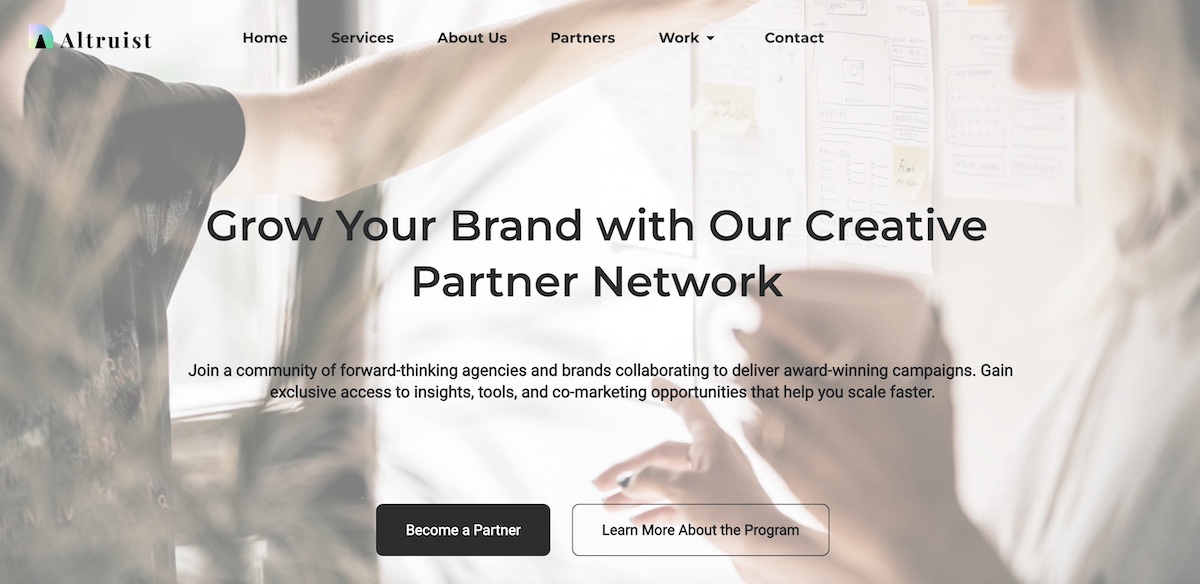
Example of a partners page hero section

Think of your hero section as a pitch in miniature. It sets the tone for the rest of the page and should quickly answer the question: “Why should I care about this partnership?”

2. Partner Logos

Featuring partner logos is one of the most straightforward ways to build instant credibility for your program and for your brand in general. It shows that respected organizations and businesses already trust you, and by extension others can too.

Example of a partners page with partner logos

Best practices for displaying logos:

  • Visibility: Place logos high enough on your partners page design so that they reinforce credibility early, often just below the hero.
  • Consistency: Use uniform sizing and layout to keep the section visually clean—but avoid altering partner logos in ways that conflict with their brand guidelines (for example, changing colors or proportions).
  • Grouping: If you have many partners, consider organizing logos by category or using a carousel/grid layout.
  • Linking (optional): You can link logos to case studies, testimonials, or the partner’s website for added depth. If you link to another site, however, be sure to have it open in a new webpage so that you still keep visitors on your site. That said, you may want to avoid the distraction altogether and avoid sending users off to another site.

Your partners page deserves a design that’s as professional as your program. With SiteGround Website Builder, you can easily create clean, modern layouts using drag-and-drop, add partner logos, case studies, and CTAs, customize colors, fonts, and imagery to match your brand, and ensure your page is optimized for both mobile and desktop automatically.

Start building a partners page that looks great and converts>>

3. Benefits 

This is the section of your partners page design where you make the case for your partnership program. Instead of just describing what the program is, highlight the tangible benefits a partner will gain from joining.

Ways to structure a Benefits section:

  • Headlines or bullet points: Make the benefits scannable (think: “Grow revenue together,” “Access exclusive resources,” “Expand your reach”).
  • Partner-focused language: Speak to what’s in it for them, not just what your company gains.
  • Visual support: Use icons, graphics, or short testimonials to reinforce each benefit.
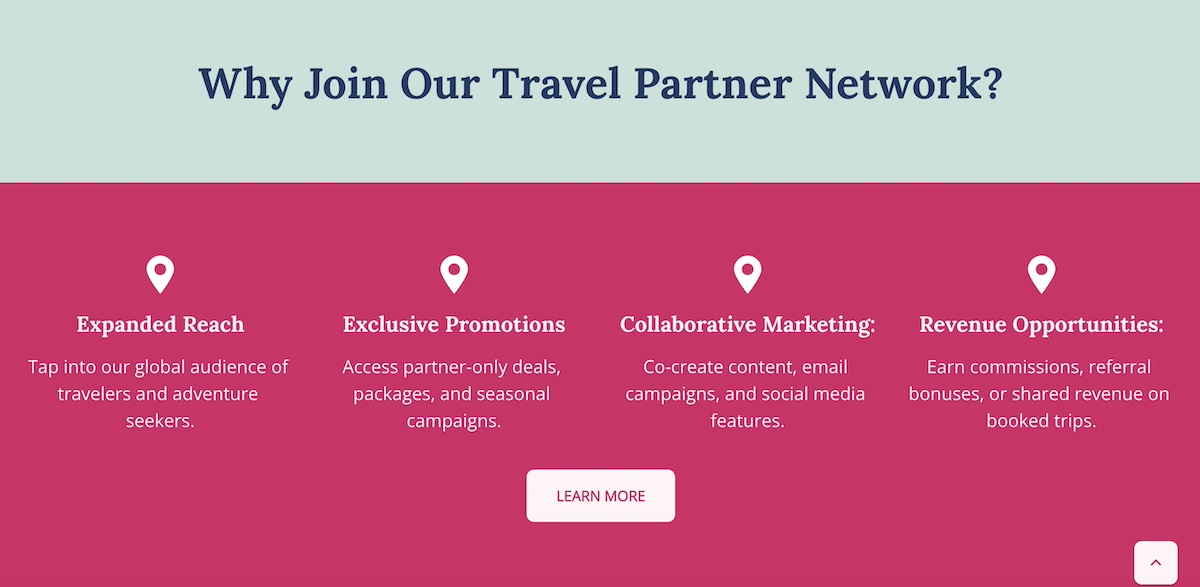
Example of a partners page listing benefits

Think of this partners page section as answering the question: “Why should I work with you instead of someone else?” The clearer and more compelling your benefits, the more likely the right partners will self-identify and take the next step.

4. Program Overview

After laying out the benefits, it’s time to get specific. An About the Program section on your partners page explains how your partnership model works, giving prospective partners the clarity and transparency they need to make a decision to move forward.

What to include in the program overview:

  • Types of partnerships: For example, reseller, affiliate, integration, or strategic alliances.
  • How the program is structured: Tiers, revenue sharing, training, or co-marketing opportunities.
  • Expectations: What you provide to partners and what you expect in return.
  • Visual aids: A simple diagram or infographic can make a complex program easier to understand at a glance.
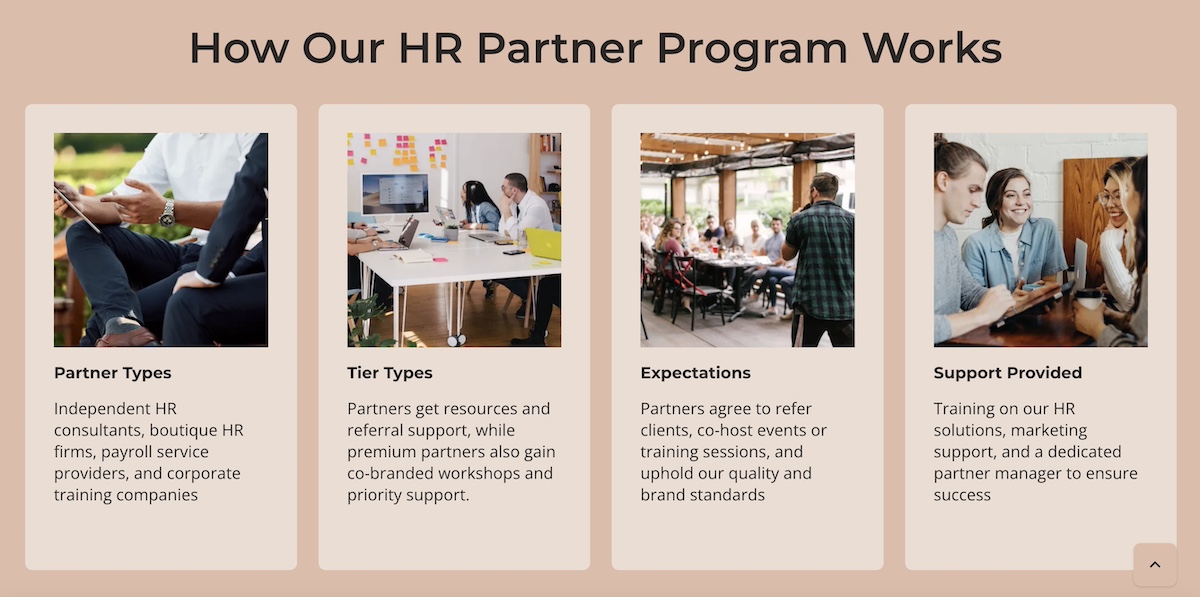
Example of a partners program overview

Clarity is the goal here. Think of it like a customer journey: Give the reader enough information to evaluate fit quickly, while keeping the details succinct enough to encourage them to take the next step and learn more.

5. Partner Application Process

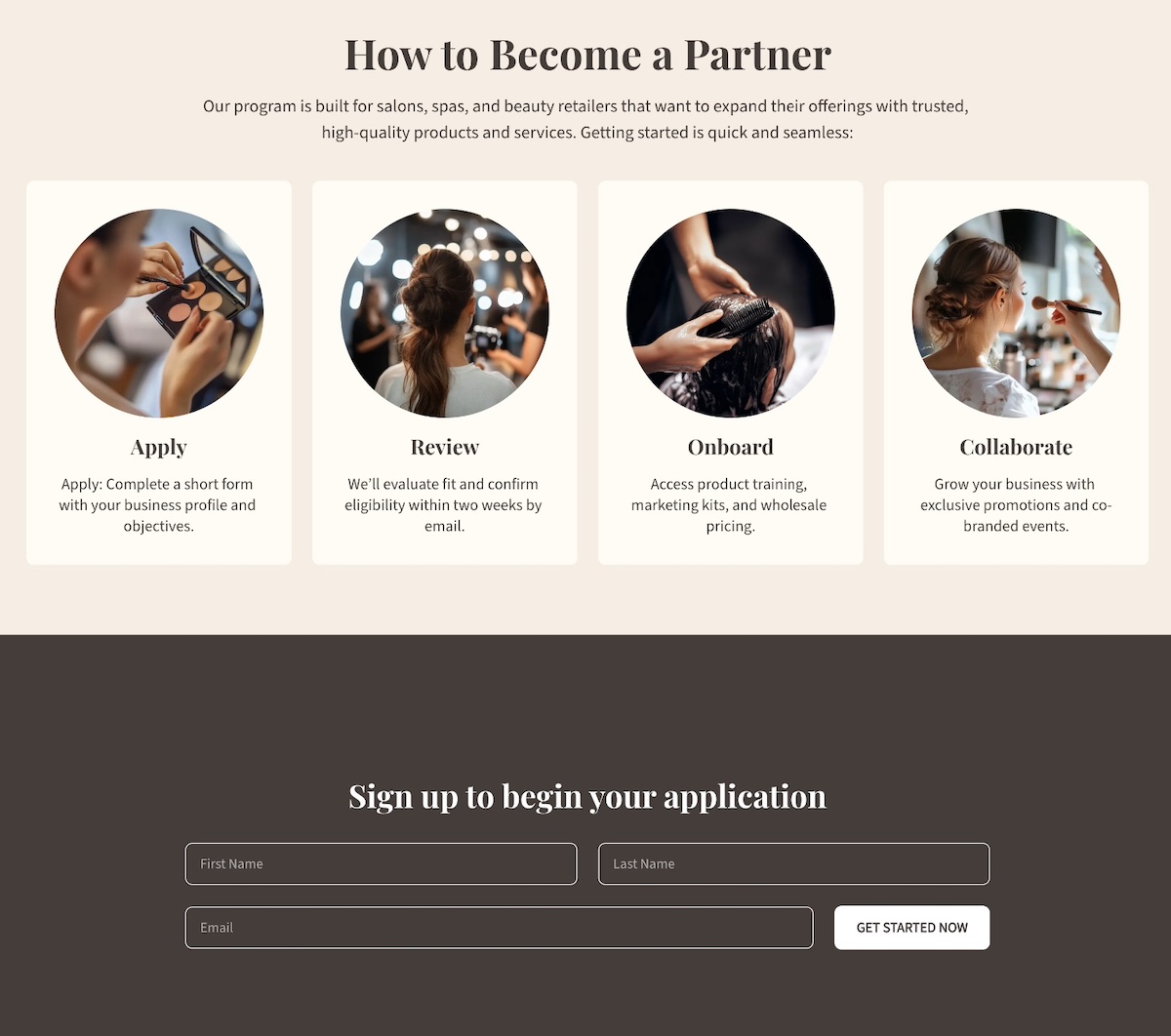
Once a possible partner is interested, make it abundantly clear via your partners page design how they can move forward. A How to Become a Partner section does just that, removing friction by outlining the process in a simple, transparent way. Quite simply: set expectations.

Best practices for displaying the partner application process:

  • Step-by-step overview: Break the process into 3–4 clear steps (such as apply, review, onboarding, and launch).
  • Set expectations: Mention timelines, required qualifications, or additional resources applicants will need.
  • Consider providing multiple touchpoints: You can include both a primary CTA (like “Apply Now”) and a secondary one (like “Contact Us”) for those who may need more information first.
  • Highlight support: Reassure applying partners that they’ll have guidance through the process, whether from a dedicated partner manager or a resource hub.
Example of a partners page partner application process

This kind of expectation setting via your partners page helps avoid drop-offs, because when potential partners know exactly what to expect, they’re more likely to follow through.

6. Case Studies

Case studies are one of the most persuasive elements of your partners page design. They turn abstract benefits into real-world proof by showing how your program has helped existing partners succeed.

Ways to showcase case studies:

  • Spotlight format: Dedicate a short section to a single partner success story with measurable results.
  • Carousel or grid: Feature multiple partner case studies with visuals, quotes, and outcomes.
  • Mix of formats: Include written stories, video testimonials, or data-driven snapshots featuring existing partners.

When writing case studies, focus on:

  • The partner’s challenge before working with you.
  • The solution provided through your partnership.
  • The results they achieved (revenue growth, increased reach, new opportunities, etc.).
Example of a partners page case study

Well-crafted case studies show potential partners that others like them have achieved success with your program. 

7. CTAs and Forms

A strong partners page goes beyond informing, and really guides visitors toward action. That’s where calls to action and forms come in. While they work together, each has a different role.

CTAs are about engagement. They should appear throughout the partners page design to capture interest at the right moment and direct visitors to learn more, apply, or contact you.

Forms are about conversion. They turn interest into a commitment by collecting essential details so you can qualify and follow up.

When to use CTAs:

  • Early in the partners page design (like in the hero section) to capture top-level interest.
  • After benefits or case studies, when the value has been clearly shown.
  • For “softer” actions, like “Download our program guide” or “Contact us to learn more.”
  • Remember to keep CTAs action-oriented and descriptive, which is also important for website accessibility, as it allows all users to understand the next step.

When to use forms:

  • At the point of highest intent, often after explaining the program and its benefits, or how to apply.
  • When you want to qualify prospects by segmenting (affiliate, reseller, etc.).
  • As the final action step, placed toward the bottom of the partners page design.
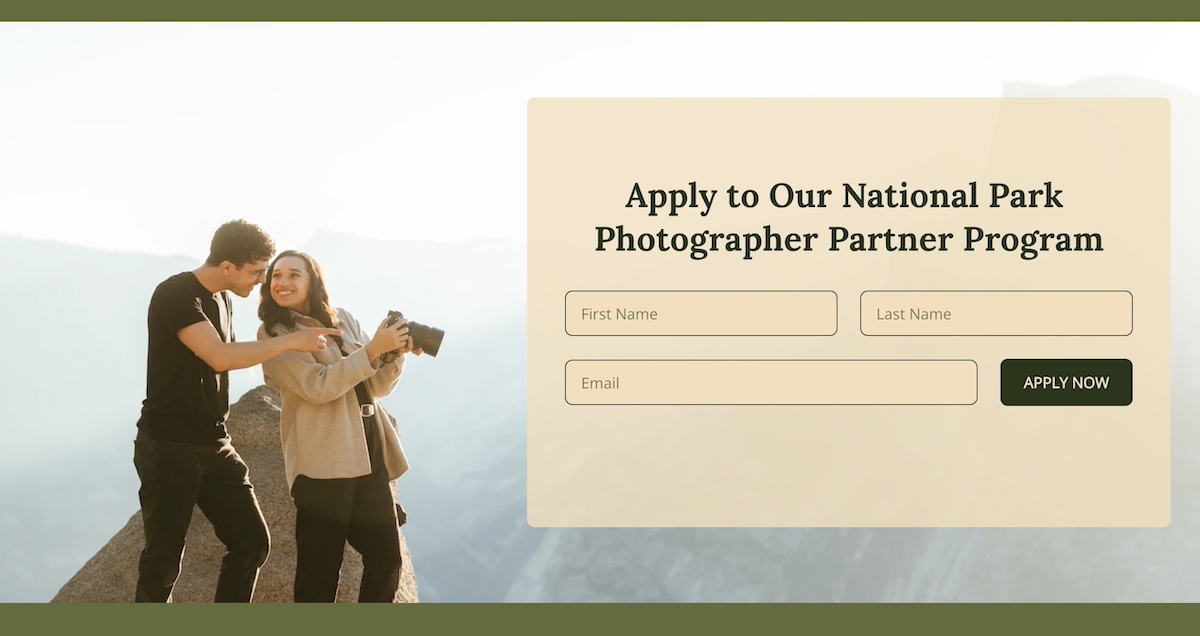
Example of a form on a partners page

Together, CTAs and forms act as the conversion engine of your partners page. CTAs build that curiosity and momentum, while forms capture the momentum and turn it into qualified leads.

For all the necessary follow-up, you will need a solid email marketing platform in your court. One that’s easy to get going, allows you to segment your lists, send automated sequences, and track performance over time. With SiteGround Email Marketing, you can nurture new partner leads from the moment they sign up—sending welcome sequences, program updates, and tailored campaigns that keep them engaged and moving toward long-term collaboration.

8. Resources

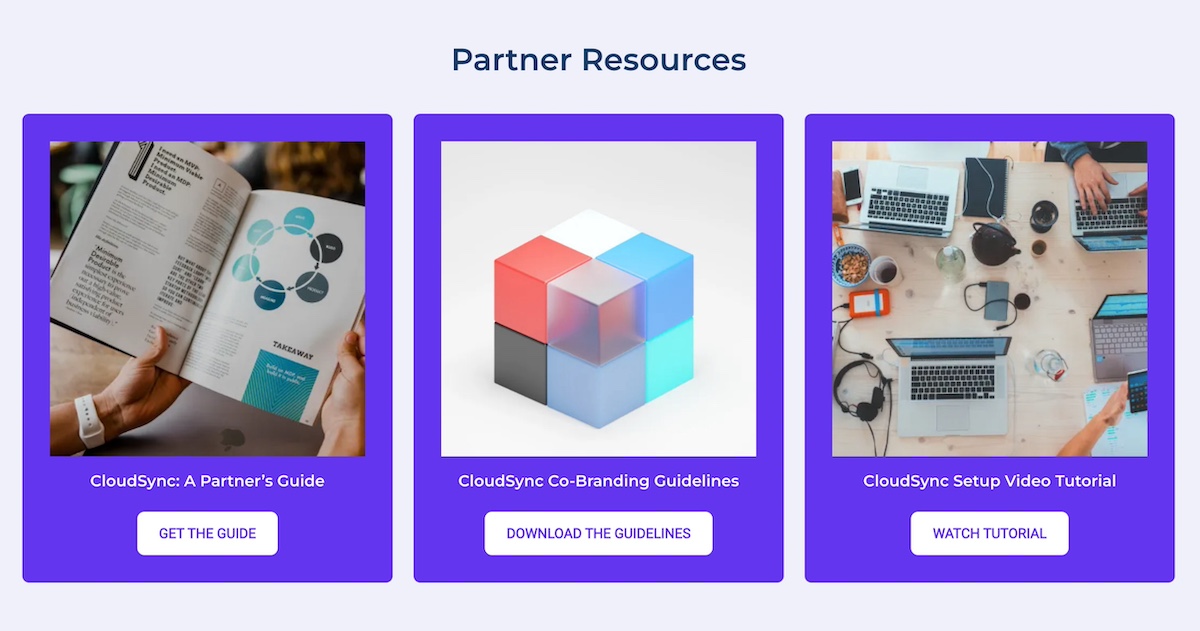
Providing resources helps both potential and existing partners feel supported, while also demonstrating that your partnership program is structured, professional, and built for success. A well-organized resource section works in two important ways: it can help attract the right partners, and also help current partners thrive.

Examples of resources to include:

Guides and playbooks:

  • Materials that explain how partners can get started or maximize the partnership.
  • Ideal for prospects who are still evaluating the program and want to understand the process.

Marketing materials:

  • Logos, co-branding guidelines, banners, or templates.
  • Helps partners promote your products/services effectively while maintaining brand consistency.

Training and onboarding content:

  • Videos, webinars, or step-by-step documentation.
  • Best for new partners to quickly get up to speed and start contributing value.
Example of a partners page with partner resources

9. FAQs

An FAQ section is a helpful way to address common questions, reduce friction for prospective partners, and prevent unnecessary back-and-forth before someone decides to apply or reach out.

Consider including questions that cover:

  • Program details: Eligibility, partner types, or expected benefits.
  • Process questions: How to apply, timelines, or onboarding steps.
  • Support and contact information: How to get help if needed.
Example of a partners page FAQ

Keep answers brief and scannable, using bullet points or short paragraphs. You can also include links to guides or resources for more detailed explanations.

Best Practices for Partners Pages

Creating a truly successful and well-designed partners page goes beyond just checking the above boxes. It requires a bit more nuance involving structure, web design, and how you communicate your partner program. Following these best practices will help your page attract the right partners and support meaningful collaboration.

Define Your Ideal Partner

Before writing copy or going down the rabbit hole of partners page design, be clear about who you want to attract. Consider factors like industry, company size, business goals, and values. Defining your ideal partner is the starting point for everything else you produce. 

Create Messaging that Resonates

Your messaging should speak directly to this potential ideal partner. Focus on the benefits for them, not just what your company gains. Use clear, concise language, highlight success stories, and avoid jargon. If you can nail this messaging, it will enable the right partners to quickly understand the value of joining your partner program.

Keep the Partners Page Aligned with Your Site

Your partners page design shouldn’t feel disconnected from the rest of your site. Make sure it reflects your company’s branding by using consistent colors, fonts, and imagery. At the same time, consider how it fits into your broader website planning—whether through main navigation, as part of your About section, or linked from resources. This alignment helps the page feel like a cohesive part of your site and reinforces the value of your brand and working with you.

Leverage Existing Partnerships

We touched on this before, but we can’t emphasize it enough: leverage your existing partners, as it adds valuable credibility for both customers and for developing new partnerships. Use those logos (with permission), create case studies, and don’t be shy about asking for testimonials. Highlighting successful collaborations demonstrates the credibility of your program and encourages new partners to envision similar results.

Segment and Follow Up

Not all partners are the same, so segment prospects by using forms. That is, if you have, let’s say, a newsletter form on your homepage, you’ll want to be sure to create a unique, segmented form for your partners page. This kind of segmentation allows you to automate your emails and follow up with customized communications with relevant resources. 

Build a Partners Page That Works

Surely you are convinced by now that a well-structured and well-designed partners page does more than just rattle off a few points about your program. It’s actually a strategic tool that strengthens relationships, attracts new partners, and builds trust with your customers. And if you get it just right, you won’t just attract partners, but you’ll attract the right partners, making your whole partner program more successful.

And if you want to make building that page effortless, turn to SiteGround’s Website Builder. With drag-and-drop web design, customizable templates, and built-in marketing tools for forms and CTAs, you can create a partners page that looks polished, functions seamlessly, and fits perfectly within your overall website. That way, you can showcase your program and grow your partner network with confidence.

A promotional image for SiteGround's Easy-to-Use Website Builder featuring a mockup of a website with a living room photo. The text highlights creating a professional site without coding, offering customizable templates, AI-powered content generation, built-in SEO tools, access to over 6 million free high-quality images, an easy drag-and-drop editor, and mobile-friendly designs. Includes a "Get Started Now" button and the SiteGround logo.

AI Overview Optimization: Myths Debunked

A digital illustration featuring a browser window with a blank document, a search icon, and an AI chip icon. On the right, a chart titled "Monthly Traffic" shows an upward trend with green bars and blue data points, indicating growth over time.

AI—it’s the buzzword on everyone’s lips these days, especially in the SEO world. With all the chatter, questions are flying: Is SEO a thing of the past? How do AI Overviews gather their info? 

Let’s clear the air and tackle these questions head-on. We’ll explore how it all really works and uncover the exciting ways AI is transforming SEO for the better!

What is AI Overview Optimization?

AI overview optimization is the process of creating and improving content, so it can increase its chances of showing up in Google’s AI-generated summaries, also known as AI Overviews. It’s about giving your content and SEO a little makeover to match how AI systems think and display info, making it easier for your site to stand out and get noticed.

AI Overview relies on machine learning algorithms and natural language processing (NLP) to analyze large amounts of data. These technologies enable AI to understand context, intent, and user behavior, allowing for more precise content recommendations and search result personalization.

While traditional SEO focuses on relevant keywords and backlinks, AI-powered search goes further by analyzing patterns in user searches and interactions. It looks at the context and intent behind searches to understand what users really want, helping tailor content to meet those needs more precisely.

AI can also predict trends and personalize search results based on individual behavior, making SEO strategies more targeted and effective.

Adding AI to your traditional SEO toolkit helps your site run at its best, stay competitive, and adapt to the changing needs of search engines and users. And of course, having a solid hosting provider is crucial for success. SiteGround offers a robust hosting infrastructure and prepares your site to handle increased traffic and complex AI demands, helping you stay ahead in the SEO game.

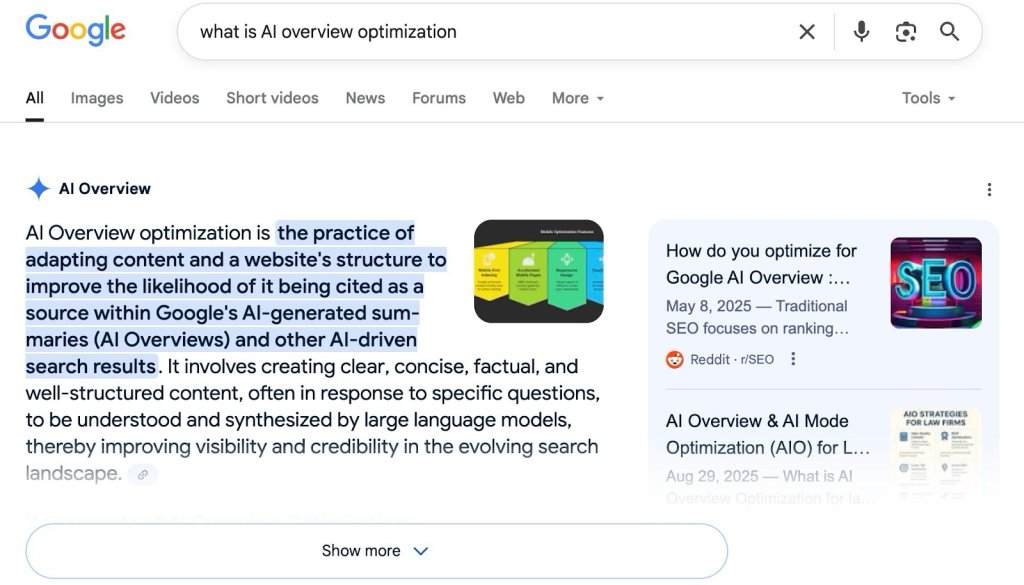
Screenshot of a Google search results page for "what is AI overview optimization," highlighting the AI Overview section with a definition, an infographic on mobile optimization features, and related search suggestions from Reddit and other sources.

AIO, AEO, GEO: What Do They Mean?

There seem to be a lot of O’s floating around these days. But how are they different, and how do they relate to one another? Let’s break it down. 

  • Artificial Intelligence Optimization (AIO) is like the big-picture strategy that gets  every part of your digital presence—your website, content, and more—ready for AI systems..
  • Then there’s Generative Engine Optimization (GEO), which focuses on making your content stand out in AI-powered generative search engines, tailoring your content to be a key source for those systems as they create custom responses.
  • And finally, Answer Engine Optimization (AEO) focuses on making your content the go-to for concise, direct answers in search results.

Each one has its own unique role, but together, they work in harmony to enhance your visibility in the AI-driven landscape.

[41]

How AI Overview Optimization Affects SEO

AI overview optimization is really shaking things up in the SEO world. Just a year ago, if you wanted to find something online, you’d type your query into a search engine and click through a bunch of links to get your answer. 

Now, with AI overviews, you often get the info you need right on the search results page, leading to more “zero-click” searches where you might not even click on any links at all. This means fewer clicks for traditional websites, making it tougher to snag that organic traffic. 

But here’s the upside: while Google’s AI overviews don’t mess with your rankings directly, they give you a significant chance to get noticed by being part of those AI-generated summaries. So, even though it’s trickier to draw in users, there’s a new way for your site to shine and grab attention in this fast-changing SEO scene.

In short, here are four key ways AI affects SEO:

Zero-Click Searches: Answers are provided directly on the search page, reducing traditional link clicks.
User Experience: Quick, relevant answers improve satisfaction and engagement.
Visibility: New opportunities arise from being featured in AI-generated summaries.
Smarter Strategies: AI offers deeper insights for more effective SEO.

Debunking Myths About AI SEO

And just like any exciting new trend in SEO, AI overview optimization seems to be shrouded in a bit of mystery. There are plenty of myths and misconceptions floating around, so let’s clear the air and set the record straight on some of the most common ones.

Myth 1: AI Makes SEO Obsolete

Over the years, there have been countless predictions that SEO was on its way out. However, like many technologies, it has a way of evolving and building on new innovations rather than being replaced by them. 

AI Overviews are a prime example of this evolution. Instead of making SEO obsolete, AI Overviews make it smarter and more advanced by offering deeper insights and more precise data analysis. Embracing an AI-first mindset makes SEO strategies even more effective, allowing you to focus on creating quality content and engaging with your audience.

For example, before Google’s AI overviews, a small online bookstore might have relied on basic keyword research, focusing on generic terms like “rare books” without understanding the specific interests of their audience. Marketing efforts were often broad and less targeted, leading to lower engagement and conversion rates.

Google’s AI overviews summarize trending search queries, and tools like Semrush or Google Analytics 4 analyze user behavior. With these insights, the bookstore’s marketing team can accurately identify specific customer interests, such as “first edition Agatha Christie mystery novels” or “signed Philip K. Dick science fiction books.”

Using these insights, the bookstore can craft targeted landing pages, blog posts, and ad campaigns focused on these specific niches. The bookstore can significantly improve its search engine visibility, attract highly relevant traffic, and drive increased sales through more effective, data-driven marketing strategies.


Quick Tip: Don’t forget the N-E-E-A-T model
(Notability, Experience, Expertise, Authoritativeness, Trustworthiness) 

Highlight unique aspects, achievements, or contributions that set your content apart and make it memorable to your audience.

Enhance content quality by using tools like Grammarly for readability and SEO tools for keyword optimization.

AI chatbots can help with fact-checking, but it’s always a good idea to double-check things the old fashioned way—that is, manually—to keep your content accurate and reliable.

AI and language models often gather information from authoritative sites, so aim to establish your site as a trusted resource. Produce high-quality content, engage with your audience, and show your expertise. SEO tools can be helpful, but you can build links without them by focusing on creating valuable, expert content. 

Display author credentials with LinkedIn or CMS plugins. Including a link to their LinkedIn profile in an author box is a great way to prove their expertise and allow crawlers to access that URL.

Myth 2: The More Keywords, the Better

Remember when SEO was all about stuffing in as many keywords as possible—the more, the better? While relevant keywords still matter, that’s definitely not the whole story anymore. 

With AI overviews, the game has shifted to focus on semantics and broader topics. Instead of just targeting individual keywords, AI helps us understand the bigger picture by identifying themes and concepts that users care about. 


This shift means we’re crafting content that speaks to the intent and context behind searches, not just the words themselves. Going with this topic-centric approach lets AI help websites build authority and relevance across a bunch of related queries, which means better visibility and more engaged users.

Here’s another tip: Use long-tail keywords

Long-tail keywords are specific phrases that capture user intent more accurately. They’re great for AI overview optimization because they align with the semantic focus of AI, helping you target niche audiences and improve relevance. 

For example, a regular keyword might be “running shoes,” while a long-tail keyword could be “best running shoes for flat feet women.” 

Shorter keywords are good for broad visibility, while long-tail keywords are great for attracting highly targeted traffic and addressing specific user needs.

Myth 3: AI Optimization is Only for Large Companies

Think AI optimization is just for the big guys with deep pockets? Think again! Businesses of all sizes can tap into the power of AI to strengthen their online presence. 

AI overviews tend to pop up for searches that demand detailed information, so embracing AI optimization is a clever move for any business eager to capture user interest and make a memorable impression.

AI overview optimization is especially beneficial in industries like technology, health, finance, and automotive, where detailed understanding and complex comparisons are key. 

Small businesses have a real chance to shine by whipping up engaging, top-notch content that nails the exact questions users are itching to have answered. And that’s the cool part—it lets even the little guys stand toe-to-toe with the big players, gaining visibility and authority like never before.

5 Strategies to Optimize for AI Overviews

So we’ve debunked those myths, but how do you actually get AI to notice you? It’s easy—just stick to what AI looks for. 

Like we said, AI favors content that’s clear, concise, and directly relevant to what users are searching for. So, аlign your content with these priorities and you’ll be well on your way to catching AI’s attention and increasing your chances of being featured in AI-generated overviews.

To get started, let’s explore some effective strategies that can help you optimize your content for AI overviews.

1. Nail User Search Intent with Direct Answers

Position direct answers at the beginning. Place them at the top of your content or in a dedicated section like “Frequently Asked Questions” or “Quick Answers.” This helps both users and search engines quickly find the information they need, which, as we’ve discussed, is important since Google focuses on search intent.

Keep answers concise—ideally one to two sentences, or around 40–60 words—to improve readability and search engine recognition.

2. Focus on Topics, Not Just Keywords

Focus your content on topics instead of just individual keywords. Think about the bigger picture and what your audience really cares about. 

As we discussed earlier, focusing your content on these comprehensive topics and incorporating long-tail keywords can help you connect better with your audience. Plus, it increases your chances of being featured in those AI-generated summaries.

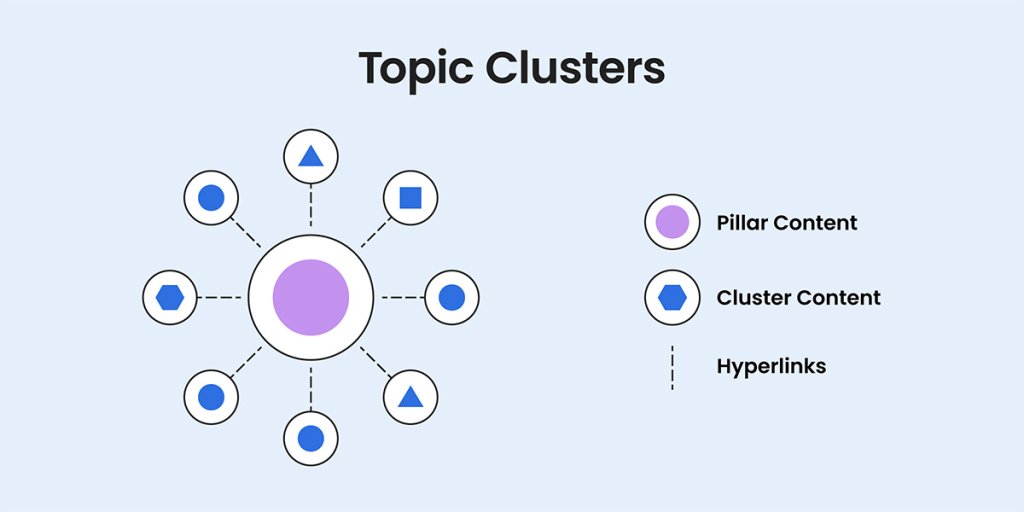
Analyze competitors to see what they’re doing well and identify content gaps you can fill to engage your audience more effectively. Structure your content with topic clusters by creating a central pillar, which acts as a comprehensive guide on a broad topic. 

For example, if you’re in the health industry, your pillar content could be an extensive guide on “Healthy Living.” This guide would cover various aspects of the topic, such as nutrition, exercise, and mental wellness.


Then, develop supporting cluster content by writing specific pieces on sub-topics like “Benefits of a Balanced Diet,” “Effective Home Workouts,” and “Mindfulness Techniques for Stress Reduction.” These articles would link back to the “Healthy Living” pillar page and to each other, enhancing SEO and showcasing your expertise, ultimately boosting your chances of being featured in AI-generated summaries.

A diagram illustrating topic clusters, featuring a central purple circle labeled as Pillar Content, surrounded by six blue shapes (circles, triangles, and a hexagon) representing Cluster Content. Dashed lines indicate hyperlinks connecting the Pillar Content to the Cluster Content.

3. Structure Snippets for AI Search Results

It’s important to structure your content in a way that makes it easy for search engines to feature it in snippets. Snippets are the concise answers or summaries that appear at the top of search results, and they’re an effective way to capture attention.

Start with content chunking by breaking your content into bite-sized, manageable chunks or sections. Use clear headings and subheadings to guide readers through your content. This not only makes it easier for users to digest information but also helps search engines understand the structure and key points.

Incorporate question-based headings to directly address common queries your audience might have. This tactic aligns well with how snippets are generated and can increase the chances of your content being featured. 

Use lists and tables to present information in a clear, organized way. Search engines love this format because it effectively highlights key points or steps. To align with accessible web design standards, just make sure your tables are in text format rather than images. Including bullet points or numbered lists will make your content more accessible and appealing, both to users and search engines.

Highlight important fragments using bold or italics to emphasize key points, making them more likely to be featured in snippets.

Lastly, aim for short, focused paragraphs, ideally around 2-4 sentences each, to maintain reader engagement. Snippets are designed for brevity, so focus on clarity and to-the-point writing.

4. Adopt a Semantic Approach for Quality Content

Adopt a writing style that’s rich, human, and semantic to better align with how AI understands and processes information. This means writing content that connects with readers on a personal level while also being easily understood by search engines. 

Semantics in AI Optimization

Semantics are important because they help AI models, like BERT and GPT, understand the context and meaning behind user queries. These AI models help search engines grasp the nuances of language and the underlying purpose of a search query by using Natural Language Processing (NLP) to interpret complex queries and understand relationships between words and concepts.

Use a conversational tone to make your content feel natural and relatable. This makes it more relatable and engaging for your readers, and it also aligns with how AI systems prefer authentic language. 

Remember the N-E-E-A-T model? Now’s your chance to distinguish yourself by highlighting real-world experiences and insights. This builds trust and authority, making your content appealing and memorable to both users and AI. Be transparent by sharing your sources and any potential biases to boost your credibility even more.

Enrich your content with synonyms and related terms to broaden its relevance and capture diverse user queries. This approach fosters a natural and varied writing style, improving your content’s visibility in AI-driven search results and helping it stand out in a competitive digital space.

5. Optimize Technical SEO for AI Crawlers

Technical SEO’s goal is to improve a website’s backend structure to boost search engine rankings and user experience. It makes it easier for AI crawlers to navigate your site. Speed up your site by compressing images, cleaning up your code, and enabling browser caching for faster loading times. 

SiteGround’s Speed Optimizer is your go-to tool for tackling this, making your WordPress site lightning-fast—up to 20% faster than comparable plugins. Not only will users thank you, but search engines will too.

Create a clear site structure and eliminate barriers such as broken links, duplicate content, blocked resources, complex navigation, slow loading times, and lack of mobile optimization for efficient crawling and indexing. 

It’s important to confirm that your hosting provider allows AI crawlers on their servers. Additionally, be cautious with JavaScript-based content, as it isn’t AI SEO friendly and is often “hidden” from AI crawlers. Aim to minimize its use where possible to enhance visibility.

Structured data, or schema markup, functions as a blueprint that helps AI with clear, machine-readable information that explains what your website content is about. Just make sure it matches what’s actually on your web page. Plus, a speedy site with a good mobile optimization gives users a great experience, which AI loves.

Using tools like SiteGround Supercacher and SiteGround CDN services can significantly improve your site’s performance. Focus on these technical details and you’ll make your site more appealing to AI crawlers and improve your search visibility.

A promotional image for the SiteGround Speed Optimizer plugin, featuring a mockup of a website with a bedroom interior. The text highlights how the plugin can boost website speed by up to 20% with dynamic caching, object caching (Memcached), and file-based caching. A call-to-action button reads "GET THE SPEED OPTIMIZER PLUGIN" with a yellow rocket icon and a graph icon emphasizing performance improvement.

Schema Types for Featured Snippets

And speaking of schema types, also known as structured data, they are a form of microdata that helps search engines understand the content of a web page. Using schema types is a great way to increase your chances of snagging featured snippets in search engine results page (SERP), which can really up your site’s visibility and get more people clicking through.

Here are some common schema types and their roles, along with examples:

  • FAQ Page Schema: Highlight your FAQs so search engines can show them directly in Google results, making it easy for users to find answers.
  • How-to Schema: Provide step-by-step instructions that make your guides and tutorials stand out in search results.
  • Article Schema: Perfect for news and blog posts, helping search engines display your content nicely on results pages.
  • Recipe Schema: Designed for recipes, it showcases ingredients and cooking times, making your dishes more appealing in search results.
  • Product Schema: Display detailed product info like price and reviews, helping your products catch attention in search results.
  • Review Schema: Show off reviews and ratings for products or services, boosting credibility and attracting more clicks.

To see all the structured data types Google supports and learn how to use them, check out Google’s official documentation.

The Future of AI SEO Strategies

AI is shaking things up in the SEO world, offering both exciting opportunities and some challenges. Google suggests that AI overviews can boost engagement by getting users to dive into more complex queries. But Ahrefs paints a different picture, pointing out an increase in zero-click searches when AI overviews are around.

This shows the mixed effects of AI—while it aims to improve quality, it might sometimes lead to less direct engagement.

While it’s super important to stay up to date with the future of SEO and AI, it’s also crucial to not fall into the trap of blindly chasing the latest trends. Instead, focus on what actually works, regardless of the acronym behind it. 

And through it all, having a fast, reliable and AI crawler-friendly hosting provider is key to ensuring your site performs well and stays competitive. SiteGround, with its AI-friendly infrastructure, offers the kind of hosting solutions that keep your site running smoothly and help you stay ahead in the ever-evolving world of SEO.

A promotional SiteGround banner with web hosting icons, a main heading that says "Unleash your website potential with SiteGround", text that says "Begin your online journey with a trusted web hosting partner that will provide your website with ultrafast speed, top-notch security, and dedicated support", and a button with text - "Get SiteGround Hosting"

Instagram Marketing for Small Business: A Quick-Start Guide

Abstract of instagram marketing for small business

You already know Instagram isn’t just a place for selfies and travel snaps anymore. With more than a billion active users worldwide, it’s evolved into one of the most powerful platforms for building brand awareness, connecting with customers, and driving sales. And if you run a small business, there’s a good chance your customers are already there—scrolling, searching, and discovering new brands every day. That makes Instagram marketing for small business owners more important than ever.

That said, while most of us are familiar with using Instagram personally, the “marketing” side can feel overwhelming. With so many features, formats, and strategies to choose from, it’s hard to know where to start. 

That’s where this guide comes in: a clear, practical playbook to help you get your Instagram marketing strategy off the ground.

What is Instagram Marketing & Why Do You Need It?

At its core, Instagram marketing is about using the platform to promote your products or services, connect with your audience, and grow your business. That can mean posting photos and videos, sharing behind-the-scenes stories, running ads, or engaging with your followers in the comments.

And social media marketing for small businesses offers a unique opportunity:

  • Reach your customers where they already spend time. Instagram is especially popular with younger generations—around 32% of global users are aged 18–24 (Gen Z), and another 30% are aged 25–34 (millennials)—making up over 60% of its audience. 
  • Showcase your brand visually. Whether you sell products or services, Instagram lets you highlight what makes you different through your own branding and storytelling.
  • Build relationships, not just sales. Direct messages, comments, and interactive features like polls make it easy to connect with your audience on a personal level (and even improve your offering).
  • Drive measurable results. From increasing reach to generating sales, Instagram’s tools help you see how your efforts translate into real business impact.

Long story short, if you’re a small business looking for a cost-effective way to grow your presence, Instagram marketing is one of the best places to start.

How to Build & Execute Your Instagram Strategy

So let’s identify a step-by-step plan for Instagram when it comes to your small business marketing. 

1. Define Your Goals & Audience

Before you jump in, the first step in any Instagram marketing strategy is getting crystal clear on what you want to achieve and who you’re trying to reach. And on Instagram, it’s no different. Without knowing who you’re talking to, you’ll waste time creating content that no one relates to, and thus, you won’t be able to grow.

Set Your Goals

Ask yourself what Instagram marketing should do for your business. Common small business goals include:

  • Building brand awareness
  • Driving traffic to your website or online store
  • Selling products directly through Instagram
  • Strengthening relationships with existing customers
  • Encouraging repeat business or loyalty

Clearly defining your goals with Instagram marketing will help you focus your content and measure success. For example, if your goal is to drive sales, your posts and Instagram Stories should include clear calls to action and product highlights. If it’s brand awareness, focus on shareable content that tells your story.

Pro tip: Tie each goal to at least one measurable digital marketing metric. That could mean tracking reach for brand awareness, clicks for traffic, or conversions for sales. You’ll dive deeper into performance tracking later, but identifying these benchmarks upfront ensures you’ll know what progress looks like.

Understand Your Audience

Next, think deeply about the people you want to reach:

  • Do they spend time on Instagram, or are they more active on other platforms? (Keep in mind that TikTok is great for small businesses as well, but of course, it depends on your audience.)
  • When are they most active on the app?
  • What kind of content do they consume and engage with—educational, entertaining, inspirational, or product-focused?
  • What language, tone, and style resonates with them?

You can gather these insights from your existing customers, Instagram marketing’s built-in analytics, or by observing similar brands in your niche. Knowing your audience allows you to produce content that lands with the right people at the right time.

Check Out Your Competitors

Along these lines, competitor research can be a great source of ideas and insights when it comes to what best to post for your audience. Look at:

  • The content formats they post (photos, Reels, Stories, carousels)
  • Their tone of voice (friendly, professional, humorous, edgy)
  • What drives active engagement (actions like likes, comments, shares, saves, and now reposts with Instagram’s new functionality)
  • Posting frequency and timing

Don’t copy them, of course, but instead use their approach as inspiration to identify gaps and opportunities. For example, if competitors are posting mainly studio-style product photos that don’t drive much active engagement, you could focus on sharing photos of your customers with the products you offer and behind-the-scenes reels to make your brand stand out from the rest.

2. Generate Ideas & Formats

With your goals and audience already defined, it’s time to put that information into action by coming up with content ideas and deciding which formats to use. This step bridges strategy and execution: it’s where you translate your goals into actual ideas that can fill your feed.

Start With Idea Generation

Begin by brainstorming topics rooted in what you know about your audience and goals:

  • Customer questions: What do people often ask about your product or industry? Turn FAQs into Reels, carousels, or Stories.
  • Pain points & solutions: Think about your customers’ biggest challenges and show how your business can solve them.
  • Behind-the-scenes content: Share your process, your team, or your day-to-day—authenticity builds connection.
  • Seasonal or industry moments: Tie your content to holidays, local events, or niche trends your audience cares about.
  • User-generated content: Showcase customer photos, reviews, or testimonials for social proof.
  • Sharable content: Think about what excites your audience or feels instantly relatable, and turn it into posts they’ll want to share with friends or save for later.

Keep a running list of these ideas in a spreadsheet, project management tool, or even the Notes app—that way you’ll never be faced with the “what should I post?” conundrum.

Come Up With a Balanced Content Mix

In the brainstorming process, keep in mind that it’s important to mix up the type of content you post. A proven approach is the 60/20/20 mix:

  • 60% Educational or Value-Driven Content: Tips, how-to’s, behind-the-scenes insights, or advice that helps your audience solve a problem.
  • 20% Trending or Timely Content: Participate in relevant trends, challenges, or industry news.
  • 20% Promotional or Product-Focused Content: Highlight your products, services, or offers in a way that adds value.

Choose Instagram Formats Based on Your Goals

Almost any idea—FAQs, tips, behind-the-scenes, or user content—can be adapted into a Reel, Story, Carousel, or Post. What matters most is your goal: do you want reach, engagement, or conversions? Once you know that, pick the format that helps you get there.

  • Reels (Best for reach & discovery): Use trending sounds, strong hooks, and keyword-rich captions. Add “Follow for more tips” prompts to convert new viewers into followers.
  • Stories (Best for engagement & retention): Keep your current followers engaged with interactive stickers, polls, and Q&As. Share your Reels to Stories for an initial visibility boost.
  • Carousels (Best for saves, shares & thoughtful engagement): Create save-worthy, swipe-through posts with clear CTAs. Carousels increase time spent on your content but shouldn’t be your only growth strategy.
  • Single image posts (Best for link clicks & simple engagement): Use them for quick updates, announcements, or when one strong visual says it all.
  • Lives (Best for real-time engagement & reach): Promote ahead of time, then repurpose into Reels or Carousels to maximize visibility.

Pro tip: Combine formats for compounding impact—for example, launch a Reel, follow it up with an interactive Instagram Story, and later post a carousel that dives deeper into the topic.

3. Create & Schedule

Once you have your bank of content ideas and formats ready, it’s time to bring them to life and get them on the calendar. Scheduling your Instagram posts in advance not only keeps you consistent but also reduces the daily scramble to stay on track.

Keep Your Content Mix in Mind

As you schedule, remember your 60/20/20 content mix—educational/value-driven, trending/timely, and promotional—and make sure each week or month maintains that balance. Also, vary the formats (photos, carousels, Reels, Stories, Lives) to keep your feed engaging and dynamic.

Align Content With Your Brand and Goals

When creating your Instagram marketing content, be sure to use what you’ve already established about your brand and audience to guide which of these ideas you put into action and how. Ask yourself:

  • Does it reflect your brand’s voice, style, and values?
  • Does it support the goals you’ve set for Instagram?
  • Will it engage your audience in a meaningful way?

Batch Your Content for Efficiency

Producing content in batches saves time and helps maintain a consistent look and style. For example:

  • Film several Reels in one session
  • Design multiple carousels or graphics at once
  • Create Instagram Story templates you can reuse

Batching keeps your energy up, helps implement visual consistency, and frees up your time during the week for engagement and promotion.

Timing Matters

Don’t schedule randomly—pay attention to when your audience is most active. Posting when followers are online increases the likelihood of engagement, which signals the algorithm to show your content to more people.

Schedule Ahead

Instead of posting on the fly, use scheduling tools (like Meta Business Suite or third-party apps) to plan and queue your content in advance. This not only saves time but also translates to consistency, even during your busiest weeks.

[39]

4. Promote & Advertise

Creating and scheduling content is just the first part of getting your Instagram marketing strategy off the ground. While some brands do manage to explode organically on social media, in most cases, it’s smarter to promote your content than to just wait years hoping for a viral post. This can mean either boosting posts or running separate Instagram ad campaigns—two approaches that overlap but serve slightly different purposes.

Boost Organic Posts

Boosting turns one of your existing posts into an Instagram ad directly from your profile. It’s quick, easy, and best for giving a wider audience to content that’s already performing well. Think of it as amplifying your hits without much extra setup.

Run Targeted Ads

For more control, Meta Ads Manager lets you create Instagram ads separately from your organic posts. Here you can:

  • Define precise audiences (demographics, interests, behaviors, location)
  • Promote products, services, or special offers
  • Choose from multiple ad formats (photo, video, carousel, Reels)
  • Optimize and test creative variations

While boosting is a good entry point, Ads Manager campaigns are designed for deeper targeting and tracking. Most businesses find a mix of both works best: boost your best content to broaden reach, and run targeted Instagram ads when you need to hit specific goals.

Set Clear Objectives

Whether boosting or running Instagram ads, tie each promotion back to the goals you’ve already defined for your Instagram marketing strategy. Are you aiming to drive traffic to your site, build awareness, or generate sales? Knowing the objective upfront makes it easier to measure performance, optimize over time, and ultimately grow your business.

Pro tip: Promote strategically, not constantly. Focus on amplifying your strongest content and experimenting with small budgets to see what resonates with your audience before scaling up.

5. Track & Optimize

Whether you choose to promote your Instagram posts via ads or not, there’s one more critical step: tracking. 

Remember those original goals you set? Look at metrics like reach, engagement, clicks, and conversions to see which content and campaigns are resonating with your audience, and if you’re meeting the goals you set out to achieve. This feedback helps you make smarter decisions for future promotions.

Use Instagram Insights (available in the app) to keep an eye on:

  • Reach & Impressions: How many people are seeing your content.
  • Engagement: Likes, comments, shares, saves, and interactions on Stories.
  • Follower Growth: Whether your strategies are consistently attracting new followers.
  • Profile & Bio Link Clicks: How often people click through from your profile.

And, if you’re running ads, you’ll need Ads Manager to track website clicks and conversions.

Optimize Based on Data

Once you know what’s working, double down on it:

  • Post more of the formats and topics that get high engagement
  • Experiment with posting times if certain hours get better reach
  • Test new content types or ad creatives to see if they outperform existing ones
  • Refine your hashtag strategy (more on that in a minute!) based on posts that reach new audiences

Tracking and optimization is an ongoing process. Make reviewing performance a habit so that your Instagram strategy can evolve with your audience, trends, and business goals.

Pro Tips to Improve Your Instagram Performance

Beyond building and executing your Instagram marketing strategy, we’ve got a slew of additional tips to really help you get the most out of your content so that you can boost engagement, reach, and results.

Grab Attention Quickly

First up, start your videos and Reels with a strong hook in the first few seconds to stop viewers from scrolling past. Keep in mind that many people watch without sound, though, so be sure to include on-screen text early. And for those that do watch with sound, you may wish to add trending music from Instagram’s library, as it can make your content more engaging and help it get discovered by a wider audience. 

Instagram example of grabbing attention quickly

Use Relevant Keywords

Incorporate keywords in captions to help Instagram understand your content and show it to the right audience. For example, a fitness coach posting a Reel about home workouts might include terms like “home workout,” “bodyweight exercises,” or “no equipment needed.”

Use Hashtags and Topics Wisely

Hashtags are still helpful—focus on 3–5 that are highly relevant (such as 1 branded, 1 content-specific, plus 2–3 niche tags). For Reels, you can also add up to three Topics using Instagram’s “Add Topic” feature, which helps categorize your video in the Reels feed. 

Together, hashtags and Topics improve your chances of being discovered by people interested in your niche. And with Instagram leaning more into search-based discovery—and even surfacing Facebook and Instagram posts in search results—strategic tagging is becoming even more valuable for small businesses.

Engage With Interactive Stories

Encourage interaction by using polls, questions, and quizzes in Stories. Simple prompts like “Which design do you like best?” or “What time of day do you work out?” increase engagement and provide valuable audience insights that you can use to improve your Instagram marketing strategy, and even your products and services.

Increase Time on Post With Carousels

Carousels keep Instagram users swiping through multiple slides, which ups time on post—a signal the algorithm loves. Turn a single tip into a “5-Step How-To” carousel, or repurpose a blog post into bite-sized slides. Adding video clips or trending music from Instagram’s library can make your posts even more engaging and help boost visibility.

Example of an Instagram post with a carousel

Prompt Quick Actions

Include clear calls to action to encourage your audience to save, share, or comment. Instead of vague prompts, be specific and tie the CTA to the value of the Instagram post. For example:

  • “Save this post to come back to before your next trip.”
  • “Tag a friend who needs to see this.”
  • “Comment with your favorite tip from the list.”
  • “Share this with someone starting their own business.”

Respond Quickly

Reply to DMs and comments promptly to build community and increase engagement. Even short replies like “Thanks for your comment!” or using a friendly emoji can keep conversations going and signal activity to Instagram. Plus it’s just good business!

Use Location Tags

Tagging locations in posts and Instagram Stories increases discoverability, especially for local businesses or geo-targeted content. Even broader locations like “Europe” or “Detroit” can increase reach in Explore and Reels tabs.

Put Your Small Business Instagram Plan into Action

Instagram marketing for your small business doesn’t have to feel overwhelming—you just need an intentional plan. So set those goals, create that content thoughtfully, promote strategically, track all the results, and you’ll build an Instagram presence that not only looks good on the feed but also supports your real-world business growth. Then be consistent and willing to adjust as you learn what resonates with your audience.


But Instagram is just one piece of your marketing puzzle! As you drive traffic from your posts and ads, make sure your website is ready to impress. A fast, secure, and professional-looking site—like the kind you can build and host with the SiteGround Website Builder—helps turn all those new casual scrollers into paying customers. Pair that with SiteGround Email Marketing to nurture those followers after they’ve clicked through, and you’ll create a seamless path from Instagram engagement to long-term customer loyalty.

Marketing Funnel Made Easy: 5 Mistakes & Solutions

An image featuring two online product listings for skincare items, including a purple dropper bottle with a white dropper and a similar bottle surrounded by skincare products and leaves. The listings include icons for email and shopping, with a green upward-trending graph in the background symbolizing growth, set against a gradient of purple and green.

We’ve all seen it—the funnel-shaped infographic with its colorful layers of marketing stages. But what’s really behind this iconic image, and what does it mean for small businesses trying to make their mark? 

From breaking down each stage of the marketing funnel to sidestepping common pitfalls and focusing on the metrics that matter, we’re here to help you master the customer journey from “just browsing” to “sign me up!” 

Are you ready to turn those casual clicks into devoted customers? Let’s get started and help your marketing funnel achieve great results for your business!

What Is a Marketing Funnel?

A marketing funnel is a strategic model that maps the journey potential customers take from initial awareness to final purchase and beyond. 

It works by leading people through specific stages—like awareness, consideration, and conversion—keeping them interested and engaged along the way. You might also hear it called a purchase funnel or sales funnel.

There are all sorts of marketing funnels out there, from the basic AIDA one (Attention, Interest, Desire, Action) to various versions. 

But no matter the model, the core idea is the same: guide people from having no clue about you, to considering your products, making a purchase, and ideally sticking around for the long haul.

Getting this process right can really help your business grow by bringing in new customers and keeping the ones you’ve got.

[33]

What Are the 3 Stages of the Marketing Funnel?

Now that we’ve explained the marketing funnel concept, it’s time to explore its three stages—TOFU, MOFU, and BOFU—and see how they work together to guide curious visitors into making a purchase.

An image depicting a marketing funnel with three stages labeled TOFU, MOFU, and BOFU. TOFU (Top of Funnel) is at the top, representing the awareness stage with a broad audience and general content, aiming to generate interest. MOFU (Middle of Funnel) is in the middle, representing the consideration stage to engage interested leads with more specific content. BOFU (Bottom of Funnel) is at the bottom, representing the decision stage to convert leads to customers with targ
  • TOFU (Top of the Funnel) is where you grab attention and pull in new faces, building awareness and generating leads. 
  • MOFU (Middle of the Funnel) is all about nurturing those leads and building a solid connection, guiding them through the consideration stage with valuable insights and engagement. 
  • And BOFU (Bottom of the Funnel) is where the magic happens, converting those leads into paying customers, as decisions are made. Even after the purchase stage, maintaining a connection is key to fostering loyalty and encouraging repeat business.

Understanding these three traditional marketing funnel stages can be a big win for small business owners looking to ace their marketing. Once you master each phase, you’ll be drawing in potential customers, keeping them engaged, and turning them into buyers in no time.

Funnel Stages: Mistakes & Fixes

With that being said, let’s delve into the strategies that effectively drive each phase: building awareness, encouraging consideration, facilitating decisions, and building after-purchase engagement. 

Along the way, we’ll uncover common mistakes people make and provide practical solutions to keep your funnel running smoothly. 

So, let’s explore how TOFU, MOFU, and BOFU each play their part in this dynamic journey.

TOFU (Top of the Funnel)

The main objective at the TOFU stage is to build awareness and generate leads. This is where you cast a wide net to attract potential customers. 

To really get things rolling, try diving into content optimization, making some noise with social media marketing, boosting your search engine optimization, and throwing in some tempting lead magnets. 

TOFU (Top of the Funnel) Tactics:
Content Marketing
Social Media Engagement
SEO Optimization
Lead Magnets
Online Advertising
Video Content
Webinars and Workshops

Imagine you’re a company that sells eco-friendly home products. At the TOFU stage, you might create an engaging blog post about “10 Easy Ways to Make Your Home More Sustainable,” optimized for SEO to draw in organic traffic. You promote this blog post on social media and offer a free downloadable guide titled “The Ultimate Eco-Friendly Home Checklist” as a lead magnet to capture email addresses.

A social media post from @GreenHavenSolutions featuring eco-friendly cleaning products, including a spray bottle, a sponge, and lemon slices, with a plant in the background. The text reads, "Ready to make your home eco-friendly? Check out our latest blog post 'The Ultimate Eco-Friendly Home Checklist!' Link in bio!" with hashtags #SustainableHome #GreenLiving #EcoTips #HomeChecklist.

Email marketing can be exceptionally valuable at this stage, as it helps you grow your subscriber list, expand your reach, and nurture those leads with personalized messages.

promotional image for SiteGround Email Marketing, highlighting tools to grow subscriber lists and design campaigns, featuring an envelope with charts and a "Start Today" button.

And speaking of leads and reach, here comes your first thing to watch out for: ignoring audience segmentation.

Mistake #1: Ignoring Audience Segmentation

Audience segmentation is a key component of STP marketing, which involves dividing your target audience into specific groups based on characteristics like demographics, interests, and behaviors.

Without properly segmenting your audience, your efforts might not reach the people who are most likely to be interested in your offerings. But it’s not just about identifying segments — you also need to market to them smartly.

Here’s what you can do instead:

  • Segment Smartly: Use SiteGround Email Marketing Automations feature to split your audience into branches with conditions, sending tailored emails to each. Filter contacts with up to 5 rules based on Groups, Custom Fields, or both.
  • Customize Content: Craft personalized messages that address the specific interests and pain points of each segment.
  • Pick Your Platforms: Choose the most active platforms for each segment, whether it’s social media, email, or blogs.
  • Time It Right: Align your communications with the times when your audience is most engaged to maximize interaction.
  • Mix It Up: Offer a variety of content types, like videos or articles, to cater to each segment’s preferences.
  • Keep Improving: Establish a feedback loop using survey emails to gather valuable insights, allowing you to continually refine your approach and enhance effectiveness.

Mistake #2: Overloading Customers With Information

After you’ve nailed down your audience segments and personalized your messaging, the next thing to watch out for is mistake number two: info overload. Throwing too much at them can just lead to confusion and make them tune out.

Your solution is to:

  • Stick to the Essentials: Focus on the key points you really want to get across. Ditch the jargon and keep things straightforward so your message doesn’t get lost in the weeds.
  • Tell a Story: Everyone loves a good story! Use storytelling to make your message relatable and memorable. It’s a great way to connect with your audience on a personal level.
  • Use Visuals: Make your emails pop by adding visuals. Design your marketing emails thoughtfully to capture attention and keep your audience engaged by carefully placing text, images, and CTA buttons. A well-crafted email makes your message easy to read, scannable, and catchy, which can help keep your readers interested and encourage them to take action.

MOFU (Middle of the Funnel)

In the MOFU stage, it’s all about deepening those connections and keeping your audience engaged. If TOFU was about casting a wide net to attract new faces, the goal here is to nurture those relationships. 

You can do this with some smart strategies like sending targeted emails, hosting informative webinars, and sharing compelling case studies. The focus is on building trust and credibility, showing your audience how your product or service can really make a difference, and keeping them interested so they’re ready to take the next step when the time is right.

MOFU (Middle of the Funnel) Tactics:
Email Marketing Campaigns
Case Studies
Webinars and Live Demos
Whitepapers and Reports
Retargeting Ads
Nurture Sequences
Social Proof

Remember our imaginary eco-friendly home products company? You’ve already implemented TOFU marketing, and here’s how you would tackle MOFU: Once you’ve captured email addresses with your eco-friendly home guide, you can send a series of targeted emails that include tips on sustainable living and highlight customer success stories. 

You might also invite these leads to a webinar titled “Transforming Your Home into an Eco-Friendly Haven,” where you provide in-depth insights and showcase how your products can help in that journey. 

An email from Green Haven Solutions with the title "Welcome to Your Eco-Friendly Journey!" addressed to Hi Lauren. The email thanks the recipient for downloading "The Ultimate Eco-Friendly Home Checklist" and invites them to a webinar titled "Transforming Your Home into an Eco-Friendly Haven." The email features an image of eco-friendly products and a "Reserve Your Spot" button, with a message encouraging a sustainable lifestyle.

This brings us to the next common mistake: when sales and marketing aren’t in sync, it can really hinder your ability to convert leads into customers.

Mistake #3: Lack of Alignment Between Sales and Marketing

A lack of alignment between sales and marketing teams can lead to several significant issues. First, missed opportunities arise when marketing generates leads that the sales team fails to follow up on effectively, resulting in lost revenue.

Additionally, inconsistent messaging can occur when the two teams are not in sync, causing confusion among existing customers and undermining trust in the brand. 

Finally, wasting resources is a common issue when teams aren’t on the same page, leading to duplicated work and higher costs, which can really hurt the effectiveness of both departments. Getting everyone aligned is key to making the most of your opportunities, keeping your messaging consistent, and using resources wisely.

Your solution? Encourage collaboration and leverage CRM tools.

  • Encourage Open Communication: Make it a habit to have regular meetings and open dialogue between sales and marketing so everyone is on the same page with goals and strategies.
  • Set Shared Goals: Create common objectives and metrics that both teams can aim for, building a sense of teamwork and accountability. Bring sales and marketing teams together for collaborative planning sessions to identify overlapping objectives, define clear metrics, assign responsibilities, and schedule regular check-ins to review progress and ensure continuous alignment.
  • Utilize CRM Systems: Use Customer Relationship Management systems to track interactions and share insights between teams. This ensures everyone has access to the same information and can work together more effectively.

Getting sales and marketing on the same page with the help of CRM systems can really tighten up teamwork. This means your leads get a smooth ride through the process, and you’ll see a nice boost in how well your funnel performs.

BOFU (Bottom of the Funnel)

At the Bottom of the Funnel (BOFU), the primary objective is to convert leads into customers and close sales. This stage is crucial as it represents the culmination of all previous efforts to nurture and engage prospective customers. 

Strategies at this stage often include personalized offers, free trials, and consultations, all designed to address the specific needs and preferences of each lead.

BOFU (Bottom of the Funnel) Tactics:
Personalized Offers
Free Trials or Samples
Consultations or Demos
Limited-Time Promotions
Satisfaction Guarantees

Let’s return to our imaginary eco-friendly home products company. You’ve effectively implemented TOFU and MOFU strategies, and now it’s time to tackle BOFU. 

At this stage, you might offer personalized discounts or bundle deals on your eco-friendly products to entice leads to make a purchase. You could also provide free consultations to help potential customers choose the right product or service for their homes. 

Additionally, consider offering a free trial of a subscription service or a satisfaction guarantee to alleviate any lingering concerns.

Mistake #4: Neglecting the Post-Purchase Experience

Imagine a customer who has just subscribed to your eco-friendly cleaning service, eager to see its impact. But after the sale, they receive no welcome email, scheduling instructions, or preparation tips. Days pass without communication, leaving the customer frustrated and uncertain, ultimately leading them to cancel their subscription before even using it.

Neglecting what happens after a sale is a big mistake that can really mess with customer loyalty and long-term success. Too often, companies make a sale and then immediately switch their focus back to finding new leads, such as by sending cold emails, forgetting how crucial it is to take care of their current customers. 

This oversight can leave customers feeling dissatisfied, lead to higher churn rates, and miss out on chances for repeat business. If customers feel ignored after buying something, they might not come back or tell others about your brand.

The solution here is to develop a robust post-purchase marketing strategy.

  • Implement Follow-Up Communications: Send timely thank-you emails, confirmations, and helpful tips, including re-engagement emails, to keep customers engaged and informed after their purchase.
  • Offer Personalized Deals: Provide tailored offers or discounts based on previous purchases to encourage repeat business and show customers you value their loyalty.
  • Enhance Customer Support: Ensure accessible and responsive customer service to address any questions or concerns, reinforcing trust and satisfaction.

Mistake #5: Not Adapting and Evolving Your Funnel

The pace of innovation is staggering, with advancements in technology and trends like AI transforming the way we do business. Our final mistake is neglecting the need to adapt and evolve your marketing funnel to keep up. 

Strategies that worked just a few months ago might not be effective now. Sticking to outdated methods can lead to suboptimal performance at every stage, from attracting leads to closing sales.

To address this:

  • Embrace Continuous Learning: Keep up with the latest trends and technologies in digital marketing, adopting an AI-first mindset to ensure your strategies remain relevant and effective.
  • Foster a Culture of Innovation: Encourage your team to experiment with new tools and approaches, and be open to change when the data supports it.
  • Monitor Market Trends: Regularly review market and customer behavior trends to anticipate shifts and adjust your strategies accordingly. You can simply sign up for noteworthy industry newsletters, follow a few influencers on social media, and keep an eye on customer behavior with analytics tools.

The Only Funnel Metrics You Should Care About

So, you understand the key stages of the funnel and the sequence they follow. But how do you know if concepts like brand awareness, consideration, and conversion are actually working for your business? That’s where digital marketing metrics come in!

Whether you’re pulling in visitors, engaging them with your content, or turning them into loyal customers, these key metrics are your go-to guide for making smart, data-driven decisions.

Website Traffic

At the top of the funnel, this metric is your bread and butter—it shows how well your sales and marketing efforts are pulling in visitors and how visible your brand really is. 
If you’re looking to boost those numbers, try ramping up your SEO game or launching some eye-catching ad campaigns to get more eyes on your site.

Check out the SEO basics here!

Bounce Rate

Think of this as your site’s “first impression” score—it tells you if your content is grabbing attention or if visitors are bouncing off faster than a rubber ball. So, how do you fix that? The rules are simple: keep your site fast and optimized, and make sure your content is engaging and matches what visitors are looking for.

Thankfully, there are tools to help with that too. With SiteGround’s Speed Optimizer plugin, CDN, and ultrafast PHP setup, your pages will load in a flash—under three seconds! This means faster content delivery and a super smooth experience for your visitors, helping you keep them engaged and exploring your site longer.

Average Session Duration

Moving on to the middle of the funnel, this measures how long visitors are staying engaged with your content, reflecting their interest and the effectiveness of your nurturing efforts. If your average session duration is high, it means visitors are really digging your content, but if it’s low, it might be time to tweak things to keep them interested.

Relevant and compelling content definitely helps here, too. Use engaging visuals, interactive elements, and well-structured information to keep visitors interested.

Additionally, employing smart internal linking strategies can lead them to related content, encouraging them to stay longer on your site. You can also use well-placed internal links to guide visitors to related content, encouraging them to explore more and stay longer on your site.

Pages Per Session

This metric shows how many pages a visitor checks out in one go, reflecting how engaging your content is. More pages per session usually mean visitors find your site interesting. A high pages per session number means visitors are exploring multiple pages, which means strong engagement, while a low number suggests they aren’t diving deeper. 

Apart from engaging content, use clear navigation and internal links to guide visitors to more pages.

Email Open Rates

This metric tracks how often your emails are opened, giving you insight into the effectiveness of your subject lines and how interested your audience is. It’s closely related to click-through rates (CTR) since a higher open rate can lead to more clicks. 

A high open rate means your email subject lines are grabbing attention, while a low rate suggests they might need some work. 

To improve it, craft catchy, relevant subject lines and make sure your emails are reaching the right audience.

Click-Through Rates (CTR)

And speaking of CTR, it measures how often recipients click on links within your emails, showing how relevant and appealing your content is.

A high CTR means your content resonates well with your audience.  While there’s no guarantee, more personalized emails typically lead to a higher CTR. Using compelling calls to action in your emails and ensuring your emails are mobile-friendly can also contribute to better results.

Conversion Rate

At the bottom of the funnel, conversion rate is crucial as it shows how well you turn interested leads into paying customers, reflecting the effectiveness of your sales and marketing tactics. 

A high conversion rate indicates that your sales strategies are working, while a low rate suggests there might be obstacles in your sales process. 

To improve CTR, consider personalizing offers and simplifying the checkout process to make purchasing easier. Additionally, make your product detail pages clear and informative, and offer excellent customer support to elevate the overall buying experience.

Final Thoughts: Elevating Your Full Funnel Marketing Strategy 

Nailing your marketing funnel is all about mastering each stage, from catching eyes at the top to sealing the deal at the bottom. Keep an eye out for common slip-ups, like ignoring audience segments or letting sales and marketing do their own thing.

Stay sharp by adapting to new trends, and don’t be afraid to shake things up. Keep tweaking and optimizing your funnel for better results—after all, the marketing world never sits still!

And if you’re looking to take your efforts up a notch, why not check out SiteGround Email Marketing? It’s all about keeping your strategies fresh and your audience engaged. So, jump in, make those adjustments, and see your funnel create some real impact!

Best Homepage Examples: 9 Designs by Business Type and Goal

abstract of a homepage example

The best homepages share a common formula: a clear message, a compelling visual hierarchy, and a focused call to action—and studying examples is the fastest way to learn it. In this article, we break down top homepage examples by business type and purpose, highlighting exactly what makes each one work.

Whether you’re building a lead generation page, an ecommerce storefront, or a personal brand site, you’ll find concrete design tricks, messaging strategies, and CTAs you can apply right away. Because while crafting the perfect homepage can feel like catching lightning in a bottle, the truth is there’s a proven playbook—and the best sites are already using it.

Key takeaways

  • The most effective homepages have a clear goal and make the next step obvious within seconds.
  • Strong above-the-fold messaging sets expectations and draws visitors in right away.
  • Clear navigation, focused layouts, and strategic CTAs guide users toward action.
  • Trust signals like testimonials, reviews, and social proof build credibility fast.
  • Speed, mobile optimization, and consistent branding are essential for performance and conversions.

What are the Best Website Homepage Examples?

The best homepage examples are organized by business type and primary goal—because what works for an ecommerce store looks very different from what works for a portfolio or a service business.

As you plan your website, these examples can help you better understand the purpose of your own homepage and how to shape your design, messaging, and calls to action accordingly.

Homepage Examples for Lead Generation

A great lead generation homepage has one job: turn interested visitors into contactable leads. The best ones pair a compelling offer — a free guide, a trial, a consultation — with clear CTAs and just enough social proof to make saying yes feel like a no-brainer.

1. Notice that the homepage example below captures attention with an eye-catching photo that highlights their core message: expertly crafted landscapes. Worth noting, they prioritize email lead generation by offering a free planning guide right upfront. Offering a lead magnet allows them to attract interested leads and nurture them through strategic email marketing. 

homepage example with lead generation and lead magnet

2. The below homepage stands out with a bold headline and subtitle that prominently highlight the business’s value and benefits. A clear call to action—which is action-based but also spotlights value (it’s free!)—is to the point and super effective. Then they follow their hero section with strong social proof via unmissable testimonials, adding credibility to their offerings.

homepage example of lead generation with testimonials

3. The homepage below uses clear, compelling calls to action (CTAs) targeted at different stages of the marketing funnel. Visitors who are ready to make a decision can request a consultation, while those just beginning to explore can get started for free. By including these CTAs, they implement an effective lead generation tactic: to collect emails so the conversation can continue.

example of lead generation homepage with two calls to action

Pro tip: For all of these lead-generating homepage examples, it’s smart to segment leads based on which CTA they click. For instance, leads who choose “Schedule a consultation” can go into one list, while those who click “Start for free” go into another. This way, you can tailor your messaging more precisely based on where each lead is in the customer journey.

Want to make segmentation simple? SiteGround Email Marketing makes it easy to create targeted lists, send personalized emails, and track performance—all from your SiteGround dashboard. It’s a powerful way to nurture leads with the right message at the right time.

Get started with SiteGround Email Marketing >>

Homepage Examples for Ecommerce Stores

Ecommerce homepages need to do three things fast: show what you sell, make it easy to find, and give visitors a reason to stick around. The strongest examples balance eye-catching visuals with intuitive navigation and CTAs that move browsers toward buyers.

4. This site offers clear pathways to help customers find exactly what they’re looking for—whether it’s men’s or women’s items, new arrivals, or best sellers. The website navigation menu, header, and just below the hero section offer many ways for site visitors to find just the right next step. 

homepage example of ecommerce business with calls to action for different types of customers

5. This site keeps it simple and effective with a single clean image and a clear and prominent call to action. More specific product links are neatly organized in the navigation menu under “shop” for easy browsing. Plus, in the post-hero section, they include a gallery of top products for instant ideas and shopping.

homepage example of ecommerce business with product links

If you’re inspired by these ecommerce homepage examples and want to create something similar, SiteGround Ecommerce makes it easy to put these ideas into action. You can highlight featured products, added email marketing forms, and add conversion-focused calls to action—all while benefiting from fast performance, mobile optimization, and built-in security. The result is an ecommerce homepage that looks great, feels intuitive, and is designed to convert from the start.

Start building your ecommerce store now>>

Homepage Examples for Personal Websites & Portfolios

Personal homepages work best when they lead with personality before credentials. The most memorable ones use a strong photo, an authentic voice, and a clear invitation — whether that’s to explore your work, join your community, or get in touch.

6. You’ll notice that personal webpages often take a slightly different approach. Impressive above-the-fold messaging and imagery is still important, but they’re focused more on personal photos and bios. This is evident on the homepage below, which features a friendly photo and heartfelt introduction that invites you to join her community and newsletter. The story and personal appeal make it hard not to want to “join the community.”

Example of personal website homepage with friendly photo and message

7. The below homepage example instantly pulls you in with its evocative hero image. It’s simple, captivating, and in just a few brief words captures what this site is all about: the ethereal photography. Below that, the photographer strengthens the message by sharing their personal philosophy, followed by a portfolio of imagery. The overall result is a quick and intriguing sense of what drives this person’s work, and what they have to offer.

homepage example of a portfolio website

Homepage Examples for Service-Based Businesses

Service business homepages need to answer two questions immediately: what do you do, and why should I trust you? The strongest examples combine a clear headline, an easy next step, and trust signals—like client logos or testimonials—that do the convincing before a visitor even scrolls.

8. This homepage example stands out with a color-popping hero image and short-but-sweet headline that clearly communicate what the company does. And taking the next step is simple no matter where you are in the customer journey—you can either get a free quote, or jump right in and schedule. Below the hero section, they highlight key features that make their business worth using, helping visitors understand the brand’s true value. 

homepage example of service based business with multiple calls to action

9. This homepage example opens with a friendly photo, intentional brand colors, a clear headline, and strong calls to action. Notably, because they focus on serving local businesses, the section below the header features client logos. This leverages the credibility and recognition of those businesses while strengthening their own brand—a form of social proof that’s especially powerful in a local community.

homepage example of service based business with social proof

What Makes a Homepage Effective?

Effective homepage design comes down to a handful of core principles — no matter the business type or goal. Here’s what the best examples in this article have in common, and what you should keep in mind as you build your own.

Clear Purpose and Goal

Every great homepage starts with a clear objective. Whether it’s selling a product, collecting leads, or building credibility, your homepage should make its purpose obvious within seconds. Visitors should instantly understand what your business does and what action they’re expected to take.

Strong Above-the-Fold Content

The content users see before they scroll is crucial. Use this space to grab attention with a concise headline, value proposition, and a clear CTA. The data backs this up: Nielsen Norman Group eyetracking research found that content above the fold receives 57% of users’ total viewing time, with attention dropping off sharply below it.

When it comes to effective above-the-fold design, the website below wins. It’s extremely basic and totally gets to the point with a straight forward value proposition, and a specific and enticing call to action. 

homepage example of strong above the fold content

Pro tip: many of these same techniques also form part of landing page best practices. It’s all about really nailing your hero section, value proposition, and CTAs. 

Intuitive Design and Navigation

An important way to lower your bounce rate and keep users engaged is by creating a well-structured homepage that uses visual hierarchy to guide the eye and make content easy to scan. Keep navigation simple and predictable. Use clear headings, consistent spacing, and logical flow to help visitors find what they need quickly.

Clear and Compelling CTAs

Calls to action should stand out visually and align with your page’s goal. Use action-oriented language (“Get Started,” “Book a Demo,” “Shop Now”) and place CTAs strategically throughout the page to guide users toward conversion.

Trust Signals

Build credibility with testimonials, reviews, partner logos, certifications, or guarantees. Even a simple “As seen in” bar or customer quote can go a long way in making new visitors feel confident in your brand.

example of testimonials used on a homepage

Fast Loading

Page speed directly affects user experience and conversion rates. Optimize images, use clean code, and choose a reliable hosting provider to ensure your homepage loads quickly across all devices.

One of the easiest ways to improve page speed? Start with high-performance hosting. SiteGround’s infrastructure is built for speed, security, and reliability—plus, if you’re starting from scratch, the built-in SiteGround Website Builder along with SiteGround Ecommerce make it simple to design a sleek, homepage without sacrificing performance.

Get started with SiteGround now>>

Consistent Branding

Your homepage should reflect your brand basics—visually and verbally. Use consistent colors, fonts, tone of voice, and imagery to create a cohesive experience that feels trustworthy and professional.

Optimized for Mobile

With more users browsing on mobile devices, a responsive, mobile-friendly web design isn’t optional. Make sure buttons are easy to tap, text is readable, and content stacks well on smaller screens without losing functionality. 

With the SiteGround Website Builder, for example, we do this for you automatically. All websites are automatically optimized for mobile so that they not only look good, but work well. 

example of a homepage optimized for mobile

[18]

Why Draw Inspiration from Homepage Examples?

Drawing inspiration from homepage examples is one of the fastest ways to improve your own. Real designs show you what works in practice—not just in theory—and help you make smarter decisions about layout, messaging, and calls to action before you start building. Here’s what to look for and what to keep in mind as you take notes for your own site:

  • Clarify Your Page’s Purpose: Seeing how other websites define their goals—whether it’s driving sales, capturing leads, or sharing information—can help you pinpoint the main objective of your own homepage.
  • Understand Best Practices: Homepage examples reveal how successful sites organize content, guide visitors, and encourage action—giving you a clearer sense of what works.
  • Inspire Creative Ideas: A range of visual styles, messaging tones, and layouts can inspire you to find a look and feel that matches your brand identity.
  • Save Time: Examples give you a starting point, helping you avoid design paralysis and focus your efforts more efficiently.
  • Enhance User Experience: Learning from great design helps you create a homepage that’s intuitive, welcoming, and conversion-friendly.
  • Define Your Website Layout: Different businesses require different website layouts. Understanding all of the above will help you determine what works best for your own webpage and to achieve your specific goals.

Before You Launch: Your Homepage Checklist

Building a homepage is one thing—making sure it’s ready to perform is another. Before you hit publish, run through these essentials:

  • A clear headline that explains what you do and who you do it for, in plain language
  • A value proposition that tells visitors why you and not someone else
  • At least one strong CTA above the fold, with action-oriented language
  • Intuitive navigation that makes it easy to find the next step
  • A compelling hero image or visual that reinforces your message
  • Social proof: at least one testimonial, client logo, or trust signal
  • A mobile-friendly layout that looks and works just as well on a small screen
  • Fast load time: test it before you launch, not after
  • Consistent branding: fonts, colors, and tone that match the rest of your site
  • A secondary CTA lower on the page for visitors who need more convincing before they act

If you can check every box, you’re not just ready to launch, you’re ready to convert.

From Homepage Examples to Action: Start Designing with Purpose

By now, you’ve seen just how much a great homepage can do—build trust, guide visitors, and drive real results. The best homepages aren’t the flashiest; they’re the clearest, most purposeful, and easiest to navigate. Whether your goal is to generate leads, make sales, or simply show off your work, let these examples be your creative fuel. Take what works, leave what doesn’t, and start shaping a homepage that feels like you—and gets the job done.

Not sure where to start? The SiteGround Website Builder makes it surprisingly easy to bring your homepage vision to life. With beautiful templates, design simplicity, and built-in speed and mobile optimization, it’s the shortcut to a professional-looking site—without the usual headaches. Plus, SiteGround Ecommerce makes it exceptionally easy to start selling online whenever you’re ready, so your site can grow alongside your ideas, goals, or business from day one.

FAQs About Homepage Examples

What is an example of a home page?

A homepage is the main page of a website—the first thing most visitors land on. A lead generation homepage, for example, might open with a bold headline, a free offer like a planning guide, and an email signup form. An ecommerce homepage might lead with a hero image, featured products, and a Shop Now button. The best homepage examples all share the same basics: a clear message, an obvious next step, and a design that reflects the brand.

What should my homepage look like?

Your homepage should have a strong hero section with a headline that explains what you do, a visual that reinforces it, and a clear call to action. Below that, include supporting content like key benefits, social proof, and easy navigation to help visitors find what they need. The exact look depends on your goal—a portfolio site feels different from an ecommerce store—but clarity and simplicity should drive every design decision.

What is a good homepage to use?

A good homepage is one that matches your specific goal—whether that’s generating leads, selling products, or building credibility. Rather than chasing a single “best” design, focus on your business type and what your visitors need to see first: a compelling headline, a clear next step, and trust signals that make them feel confident. Start there, and build outward.

How does a homepage look?

Most homepages follow a similar structure: a hero section at the top with a headline and CTA, followed by sections that build the case—benefits, featured products or services, testimonials, and a final call to action. The visual style varies widely by brand, but the underlying layout is usually consistent: important information up top, supporting detail below, and a clear path forward throughout.

What should a homepage include?

At minimum, a homepage should include a clear headline, a unique selling proposition, at least one call to action, and basic website navigation. Most effective homepages also add social proof—like testimonials or client logos—along with a brief explanation of what the business does and who it’s for. Everything else depends on your goal and audience.

What is the most important element of a homepage?

The headline. It’s the first thing visitors read and the deciding factor in whether they stay or leave. A strong homepage headline clearly communicates what you do and who you do it for—in as few words as possible. Everything else on the page supports and expands on that single message.

What is the difference between a homepage and a landing page?

A homepage serves your entire audience—it introduces your brand, offers navigation, and points visitors toward different parts of your site. A landing page has one specific goal, like signing up for a free trial or downloading a guide, and deliberately removes navigation to keep visitors focused on a single action. Both need strong headlines and CTAs, but a landing page is narrower and more conversion-focused by design.

This article was originally published in September 2025, and then updated in April 2026.

The TikTok Advantage: How It Helps Small Businesses + Tips

abstract of tiktok helping small business

For many small businesses, social media marketing can feel like an uphill battle. Where do you even start when large companies with big budgets usually dominate the space? The good news is that one platform has turned this model upside down: TikTok. Unlike traditional social platforms, TikTok rewards authenticity, creativity, and consistency over sheer spending power. So how does TikTok help small businesses stand out and compete with the big guys?

In this article, we’ll reveal the benefits, and share actionable tips so that you can generate awareness and turn TikTok watchers into real customers.

Benefits of TikTok: Why Small Businesses Have an Edge

TikTok offers a particularly unique combination of features that makes it ideal for small business marketing. That’s because its unique culture and algorithm often give small businesses an advantage over larger corporations. The platform rewards authenticity, creativity, and consistency—qualities small businesses can naturally lean into without the out-of-reach massive teams or ad spend.

Not convinced yet? Let’s break down a handful of ways that TikTok gives small businesses a social media marketing advantage that bigger brands just can’t always match.

  • Authenticity beats polish: TikTok users prefer content that feels real and relatable over highly produced ads. Small businesses can shine by showing their personality, daily process, or behind-the-scenes moments.
  • Discovery-first algorithm: TikTok’s For You Page promotes content based on engagement, not follower count. This means even small businesses with no audience can get discovered and compete with larger brands.
Screen grab of TikTok For You page with pasta being made
  • Massive organic reach: Thanks to that algorithm, videos can spread well beyond your current followers. A single creative post can reach thousands—or even millions—of people without paid promotion.
  • TikTok as a search engine: Small business SEO is transforming, especially given the new landscape of AI and SEO. A part of this transformation is that more people, especially Gen Z, are using TikTok to search for products, services, and recommendations instead of Google. This trend creates new opportunities for small businesses to be found by ready-to-buy customers.
  • Budget-friendly: TikTok doesn’t require fancy equipment or large ad spend. With just a smartphone and creative ideas, small businesses can compete and often outperform larger competitors.

TikTok Tips for Small Business

Knowing TikTok’s advantages is one thing, but using them effectively is another. So let’s examine some practical tips to help small businesses like yours make the most of the social media platform.

1. Research Competitors

Before posting, take time to see how other businesses in your niche are using TikTok. Look at what’s working for them—that is, the types of videos they create, the sounds or trends they use, and how they engage with their target audience. Use this as inspiration, and also as an opportunity for differentiation.

And don’t just pay attention to direct competitors, but also to similar creators or brands that appeal to your ideal customers. This research will help you generate ideas for your own content and help you identify gaps where you can stand out (plus, you can also keep an eye out for potential collaborators).

2. Familiarize Yourself With the Platform

TikTok marketing isn’t the same as other social media platforms, so it’s worth regularly spending time simply scrolling. Explore the For You Page, check trending sounds, and notice the different video styles people use. The more you understand TikTok’s culture—fast-paced, playful, and authentic—the easier it will be to create content that feels natural there. Think of this as learning the “language” of TikTok before you jump in with your own posts.

3. Post Consistently

On TikTok, posting frequency matters. The algorithm favors active accounts, and regular posting gives you more chances to be discovered. Aim for at least 3–5 posts per week, experimenting with different formats until you see what resonates. Consistency doesn’t mean perfection—you’ll just want to show up often enough to stay on your target audience’s radar and signal to TikTok that you’re an active creator.

As you plan your content calendar, remember to mix things up. A useful guideline is the 60/20/20 rule: roughly 60% of your posts should be educational or helpful, but on TikTok, this also includes trendy, relatable content your audience is already consuming—like participating in popular challenges, using trending sounds, or putting your own twist on viral formats. This helps your brand stay approachable while still providing value. 

Then around 20% can be brand-building or personality-driven, showing your vibe, values, or behind-the-scenes moments. The final 20% can be promotional, highlighting your products or driving specific actions. This balance keeps your feed engaging, relevant, and aligned with your business goals.

Need help making this process easier? We’ve made a calendar template that makes mapping out your social media content a lot more manageable. Grab it via the form below.

[39]

4. Partner With Micro-Influencers

You don’t need to hire celebrity influencers to get results—and good thing, because as a small business that’s probably not in the cards. Micro-influencers—typically creators with 10,000 to 100,000 followers—are often a better fit for small businesses anyway. They tend to have higher engagement rates than larger influencers because their target audiences are more niche and invested.

For example, a micro-influencer with 20,000 highly engaged followers might generate more clicks, comments, and sales than an influencer with half a million casual fans. These micro-influencers are also far more affordable, often charging a few hundred dollars per post (or even working in exchange for free products), compared to the thousands or tens of thousands that bigger names require.

How to find the right micro-influencers:

  • Search by hashtag: Look up keywords related to your industry (e.g., #PlantTok, #CleanTok, #SmallBusinessCheck) and note creators with consistent engagement.
  • Check engagement, not just followers: Aim for influencers with 5–10% engagement rates (likes + comments ÷ followers). That’s a good sign their target audience is paying attention.
  • Look for alignment: Choose creators whose tone, style, and audience overlap with your brand values. A natural fit always outperforms a forced one.
  • Use TikTok Creator Marketplace: TikTok’s built-in platform lets you search and connect with influencers directly.

5. Keep It Short, Real, and Story-Driven

Short-form videos

Short-form video content is a digital marketing trend that’s having an impact across the board, especially on TikTok. The social media platform’s content thrives when it’s quick, authentic, and engaging. Instead of trying to push a polished sales pitch, focus on telling short stories: how your product is made, what problem it solves, or the real people behind your business. 

Videos under 30 seconds generally perform best, but the key is to hook viewers right away and keep it natural. Story-driven content doesn’t just promote your business—it builds connection and loyalty. (Short on format ideas? We’ll get into that in a minute.)

Carousels

In addition to single videos, TikTok now supports carousel-style posts, which let you combine multiple images or video clips in a swipeable format. Carousels are a great way to showcase step-by-step tutorials, highlight multiple products, or tell a story in stages. They keep your content dynamic and encourage viewers to interact, giving you another tool to engage your audience and boost reach.

6. Use Hashtags

Hashtags help TikTok’s algorithm understand what your content is about and who might be interested in it. For small businesses, they’re also a powerful way to show up in searches and connect with niche communities. Mix in industry-specific ones (#EcoProduce, #PlantTok, #ClimbingGear) and location-based hashtags (#MadridEats, #NYCcoffee). This increases your chances of being discovered by people most likely to become customers.

7. Engage With Comments to Build Community

Don’t ghost your followers by just posting and disappearing. TikTok rewards creators who interact with their audience, and users notice when a brand is responsive. Just like in our real-world relationships, replying builds trust. Plus, you can even use those questions as inspiration for creating video replies that answer questions directly. 

By interacting with comments, you can turn slightly interested viewers into very-interested fans, an important step in moving people along in their customer journey. It’s also a major advantage for a small business, as it helps build a sense of community—something large brands often struggle to replicate.

Example of a business engaging with comments on tiktok

8. Invest in TikTok Ads

While the platform offers huge organic potential, TikTok ads can help you scale once you find content that resonates. Even a small-business budget can go far. Start with in-feed ads, which look like regular TikToks and feel native to the platform. Spark Ads are another great option, letting you boost posts that are already performing well.
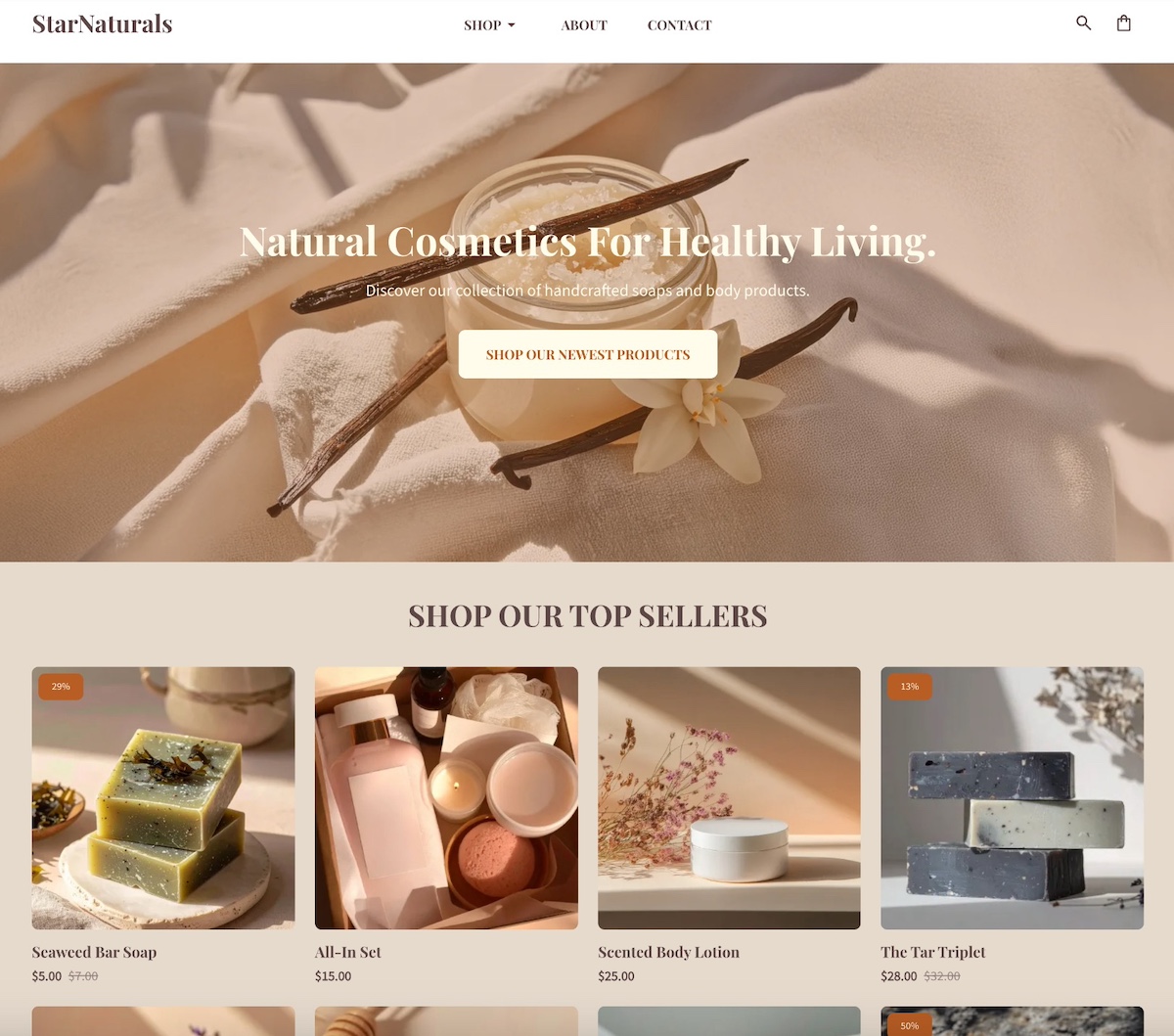
Whatever ad format you choose, make sure your creatives fit your overall communication style and feel authentic—TikTok users respond best to ads that blend seamlessly into their feed rather than feeling overly polished or promotional.

Use targeting tools like custom audiences and lookalikes to reach the right viewers without wasting spend. For many small businesses, testing TikTok ads with just $20–50 per day can provide valuable insights and drive traffic to your website (and ultimately conversions!).

Content Formats That Work for Small Businesses

While TikTok rewards experimentation, certain types of videos consistently perform well for small businesses. Here are a handful of proven formats to start with:

Behind the Scenes

TikTok users love seeing what happens behind the curtain. For small business owners, this is a natural strength. Share moments like packing orders, setting up your workspace, or unboxing new inventory. These glimpses make your brand more approachable. Viewers enjoy feeling like insiders, and seeing “how the sausage is made” adds a human, personal element to your product or service. It shows the care and effort behind what you do, making it more than just the final product.

Example of a TikTok behind the scenes

How-Tos & Tutorials

Educational content thrives on TikTok, and small businesses can use this to their advantage. Short tutorials, demos, or quick tips show your expertise while highlighting your product or service. 

For example, a bakery might share a “60-second frosting hack,” or a bike shop might post “how to fix a flat tire.” The key is to provide value first, and then once viewers learn something from you, they’re more likely to trust and buy from your business. You become a point of reference and are seen as a trusted expert in your field.

Answer FAQs

Turning frequently asked questions into TikTok videos is an easy way to provide value while building trust. Address common customer concerns, explain how your products work, or clarify your services in short clips. 

This type of content positions your small business as approachable and knowledgeable. It’s also just plain practical, as it can save you time by reducing repetitive inquiries. Plus, it often adds value to the product itself by helping customers get more out of what you offer.

Before & After

You’ve been there: you’re going down a TikTok rabbit hole or scrolling through Instagram and then become suddenly engrossed in a video featuring an overgrown yard that turns into a landscaped paradise. You weren’t looking for it, but you’re instantly obsessed and can’t turn away. 

Visual transformations like this resonate especially strongly on TikTok. As a small business owner, show your product or service in action with “before and after” clips—whether it’s a cleaned space, a remodeled room, a styled outfit, or a planted garden. These videos are satisfying to watch, highlight the impact of your business, and naturally encourage engagement and shares because they’re just so darn entertaining to watch.

Example of a TikTok before and after

Testimonials & Case Studies

Or, you can just let your customers do the talking. Sharing short testimonial videos or mini case studies adds instant cred to your brand. Even a quick clip of a happy customer explaining how your product helped them can be more persuasive than any fancy ad. Leverage user-generated content to demonstrate results, and inspire others to try your business.

Trends

TikTok thrives on trends, from viral sounds to challenges and popular video formats. Small businesses can get on board as a way to gain visibility and stay relevant. The key is to adapt trends in a way that aligns with your brand; don’t just copy them blindly. For example, use a trending sound to feature your product, or put a unique twist on a popular challenge. Be creative and enjoy the process; the results will follow.

Test, Optimize & Bring it All Together

When all is said and done, the best way to succeed with TikTok marketing is to experiment with different types of content. Try the content ideas we just covered to see what resonates. The key is to keep testing, learning, and iterating so you can find what truly works for your business.

As a small business owner, it’s also important to track your results beyond TikTok. Monitor your digital marketing metrics, including the traffic to your website and whether those leads you generated turn into actual conversions.

This is where the connection to your website becomes critical. TikTok can generate attention and interest, but if your site isn’t visually appealing, easy to navigate, and optimized to guide visitors toward action, all that momentum could be lost. Build momentum on TikTok, but make sure your website is ready to capture it and turn it into tangible results.

Maximizing TikTok for Small Business

TikTok gives small business owners a real advantage: it’s accessible, budget-friendly, and rewards the qualities that smaller businesses naturally excel at. By following the tips we’ve covered—from experimenting with content to engaging with your audience and leaning into trends—you’ll be well positioned to turn TikTok into a powerful growth engine for your business.

But TikTok is just the beginning. The leads, clicks, and attention you generate need a destination, and that means a website that looks professional, works seamlessly, and converts visitors into customers. That’s where tools like the SiteGround Website Builder come in. It’s easy to use, fast and secure, and comes with expert support. Whether you want to showcase your products, sell directly with ecommerce functionality, or simply provide a reliable hub for your brand, having a strong website ensures the momentum you build on TikTok translates into real business results.

With the right content strategy on TikTok and a website designed to convert, your small business can thrive in ways that even bigger brands might envy.

A promotional image for SiteGround's Easy-to-Use Website Builder featuring a mockup of a website with a living room photo. The text highlights creating a professional site without coding, offering customizable templates, AI-powered content generation, built-in SEO tools, access to over 6 million free high-quality images, an easy drag-and-drop editor, and mobile-friendly designs. Includes a "Get Started Now" button and the SiteGround logo.

Social Media Likes to Business Leads: Top Tactics Revealed

The header image for an article featuring a Beeswax Candle product image on the left with a label, accompanied by icons showing 504 likes and a purple heart. On the right, two people are smiling and working together on a laptop in a cozy office setting with a blue background.

Social media is everywhere these days. While it’s a fantastic place to stay entertained and get those dopamine levels up, it can also be a powerful asset for small businesses looking to make their mark. 

With countless users scrolling and engaging daily, social media is a goldmine for attracting traffic and growing your brand. But with so many people online, posting sporadically without a plan might not be enough.

You need a well-thought-out strategy to stand out. That’s exactly what we’re here to help you with—creating a smart social media strategy to get your business noticed and build real connections with your audience.

Imagine transforming casual scrollers into brand fans, loyal customers, and a steady stream of business leads. It’s a challenge, but we’re here to guide you every step of the way!

What is Social Media Marketing?

Social media marketing is the practice of using social platforms to promote your brand, connect with your audience, and grow your business. It involves creating and sharing content that captures your audience’s interest, starting conversations, and building a community around your brand. 

The key parts of social media marketing are:

  • Audience: Know who they are, their interests, and where they hang out online.
  • Clear Goals: Define success, like growing followers, boosting sales, or building brand awareness.
  • Platforms: Focus on where your audience spends their time.
  • Content: Create content that is genuine, grabs attention, tells a story and sparks interaction.
  • Engagement: Actively participate in conversations and respond to followers.
  • Tracking and Adapting: Regularly assess performance and adjust your strategy based on data.

When you mix these elements together, social media marketing becomes an exciting way to strengthen your brand’s presence and connect with your audience online. Let’s get those likes turning into leads!

Why Social Media Is Great for Small Business Marketing

You’re scrolling through Instagram when a cozy coffee shop story grabs your attention. A barista is crafting beautiful latte art, and the caption invites you to try their new seasonal blend. Intrigued, you click on their social media account, explore their menu, and read glowing reviews. Just like that, you’ve discovered your next coffee spot.

Now, think back to a time before social media. Small businesses relied heavily on word-of-mouth, flyers, and local ads to get noticed. It was a slow and often expensive process to reach new customers. Fast forward to 2025, and more than 40% of consumers use social media as a discovery engine, according to WeAreSocial, making it an essential tool for businesses to connect with new audiences.

Today, the landscape has been transformed, with a whopping 5.41 billion people using social media, according to Statista. That’s about 65.7% of the global population, ready to connect and engage with your brand. 

While your website acts as your business’s backbone, providing the depth and detail your target audience needs, social media is where you “meet” and engage with them, creating meaningful connections and sparking interest.

Whether you’re just starting out or looking to expand your reach, social media provides powerful tools you need to make an impact. Now, let’s dive into why social media is a must for small businesses!

[39]

Stretch Your Budget

Let’s talk about one of the biggest perks: cost-effectiveness. 

Social media is like a digital marketing superhero for small businesses. Unlike traditional advertising, which can burn a hole in your pocket, platforms like Facebook, Instagram, and TikTok let you reach a massive audience without spending a fortune. 

You can start small, with just a modest budget, and still see impressive results.

Expert tip: If you’re cautious about budgeting and paid ads, start small with your first Meta ad. Even with a daily budget of $5 to $10, you can effectively test the waters without financial strain. As you gather insights, gradually increase your budget by 10% to 20% to scale successful marketing campaigns.

Increase Brand Awareness and Growth

Social media is a fantastic tool for building brand recognition and reaching new audiences. With the ability to share your story, showcase your products, and engage with followers, you can create a strong brand presence. 

One of the great advantages is the ease of targeting specific audiences. The advanced targeting options allow you to reach the people most likely to be interested in your products or services. And with Facebook and Instagram now showing up on Google searches, your brand’s visibility is even greater.

As your content gets shared, liked, and commented on, your brand’s reach extends, bringing in new potential customers who might not have discovered you otherwise.

When selecting your target audience, decide whether to go broad or keep it niche. A wide net works for crowd-pleasers, while targeting specific groups can boost engagement and conversions. Adjust age, location, interests, and behaviors to find your ideal match.

Tip for small businesses: Think local!
Local targeting is essential for getting your brand noticed. Start by using location tags and teaming up with local influencers to make your presence felt in the community.

Don’t forget to turn on Meta’s reviews feature—positive feedback can really build trust and draw in new customers. Also, think about partnering with nearby businesses and sponsoring local events.

Improve Customer Engagement and Service

One of the coolest perks of social platforms is getting to chat directly with your customers. It’s your go-to spot for answering questions, tackling feedback, and offering support on the fly. This kind of real-time interaction builds customer loyalty because, let’s face it, customers love businesses that actually listen and respond to what they need.

Grow Your Business and Increase Sales

And hey, social media isn’t just about collecting likes and shares. Running smart, targeted ads and offering exclusive promotions can guide followers along the customer journey, while engaging directly with your audience builds trust, transforming them into actual customers.

How to Craft a Social Media Strategy for Your Small Business

So we’ve covered the whys of crafting a social media marketing strategy for your small business, now let’s look at the hows. Building a social media presence is about understanding your target audience, setting clear goals, and using the right tools and tactics to make your brand shine. 

A key part of this process is the STP framework—Segmentation, Targeting, and Positioning. This marketing approach helps businesses identify specific customer segments, target them effectively, and position their products or services to meet those needs.

With the STP marketing framework in mind, let’s jump into the steps to create a winning strategy.

Step 1: Understand Your Audience

Now, back to basics—or in our case, back to the audience. Getting to know your target demographic and their preferences is key. Dive into what makes them tick—their interests, behaviors, and needs—so you can create content that really clicks. This insight helps you connect with them on a personal level, making your brand feel more relatable and relevant. 

This isn’t just about what you like; it’s about stepping into your customers’ shoes and discovering what they love. Think about their daily challenges, what excites them, and how your products or services fit into their lives. The more you understand these details, the better you can craft messaging that’s consistent, genuine, and builds a bond with your audience. 

Also, think about the content they enjoy—do they prefer fun or inspirational posts, aesthetic videos, or quick tips? Creating content that feels authentic and relatable is key to social media marketing success.

Another quick tip: Create a customer persona to give things a more tangible feel. Think of it as a fictional character that represents your ideal customer. Include details like age, interests, challenges, and shopping habits. This way, you can shape your content and messaging to better connect with your audience.

Step 2: Set Clear Goals 

Now that you understand your target audience, it’s time to determine what you want to achieve with your social media efforts. Step two focuses on setting goals that align with your small business objectives and can make the most impact.

Setting clear goals is crucial because it provides direction and a way to measure success. To do this effectively, use the SMART framework: Specific, Measurable, Achievable, Relevant, and Time-bound.

Whether you’re aiming to grow your follower count, increase engagement, or drive sales, having these well-defined goals keeps your strategy effective. Your goals should align with your business needs, connect with what your target audience is after, and fit the current market scene.

Here’s a solid example of a social media marketing goal for a small business using the SMART framework:

Your goal: Aim to boost online sales by 20% through Instagram over the next three months.

  • Specific: Focuses on increasing sales via Instagram.
  • Measurable: Includes a 20% target.
  • Achievable: Realistic based on current sales data and market trends.
  • Relevant: Aligns with the business’s need to grow revenue using Instagram’s visual platform.
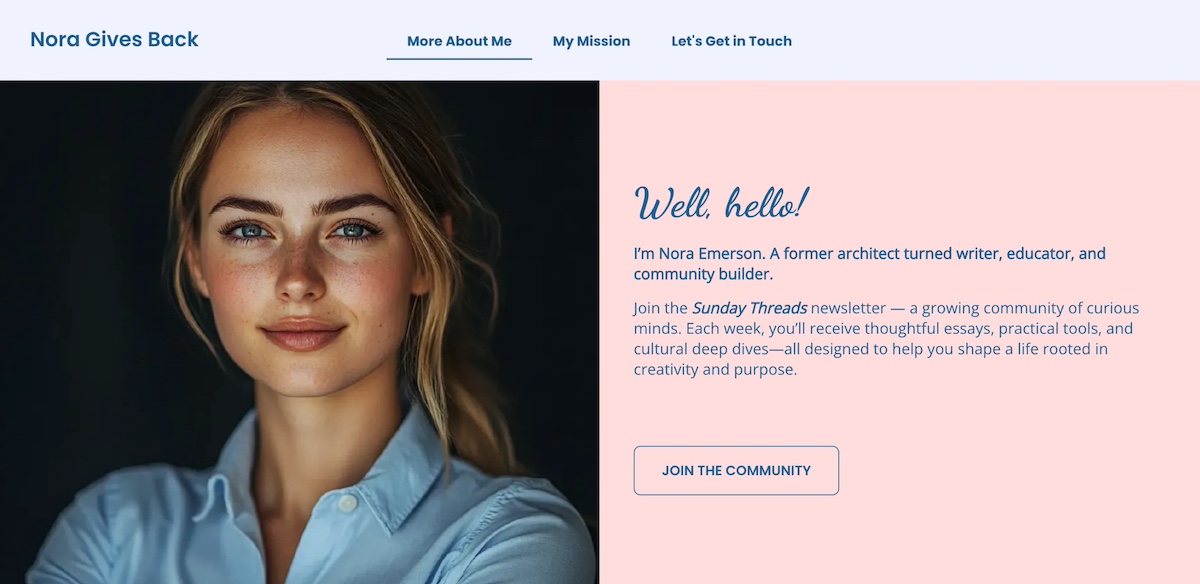
  • Time-bound: Has a three-month deadline.

Your SMART goal formula: 
Aim to [specific action or result] by [measurable target] through [platform or method] over [time period].

Just keep in mind : Don’t stress if you don’t hit your goals right away. Sometimes it takes longer than expected, or the goals might be too ambitious. If you don’t reach your targets initially, take the time to analyze and adjust your strategy accordingly.

Step 3: Analyze Competitors

Next, it’s time to see what your competitors are doing on their social media channels. Start by identifying your main competitors and following their accounts. Look at their strengths and weaknesses to spot gaps and opportunities for your own strategy. Analyze the type of content they post, how often they post, and the level of engagement they receive. 

To make this process easier, use tools like social media analytics to track their performance and see which platforms they favor. Several platforms offer built-in analytics to help refine your strategy:

LinkedIn: Use LinkedIn Analytics to track post engagement, follower demographics, and page views. The “Companies to Track” feature allows you to compare your LinkedIn page’s performance with similar companies, helping you identify trends and areas for improvement.

Facebook: Access Facebook Insights to gain insights into post reach, engagement, and audience demographics. The “Pages to Watch” feature lets you monitor competitors’ activity and engagement, providing valuable context for your strategy.

Instagram: Instagram Insights, available for business and creator accounts, provides data on post performance, audience demographics, and follower activity. While Instagram doesn’t offer direct competitor comparison, you can manually track competitors by observing their engagement rates, content strategies, and follower growth.

TikTok: Although TikTok doesn’t offer direct competitor comparison, TikTok Analytics provides data on video performance, audience demographics, and follower growth, helping you understand what content connects with your audience.

For instance, if you run a local bakery and notice a competitor gets a lot of engagement with behind-the-scenes baking videos, it might mean there’s a strong interest in that type of content. You could then create your own unique spin on it, like sharing a weekly baking tip or showcasing customer stories, to stand out and engage your followers.

Step 4: Choose the Right Platforms

Choosing the right platforms brings us back to your target audience. Social media isn’t a one-size-fits-all solution, so it’s really important to pick platforms that align with your business goals and where your audience is most active.

While every platform can be used for various marketing goals, the primary consideration should be where your audience spends their time. Align your platform choices with both your business goals and audience preferences for the best results.

Consider what each platform offers in terms of audience demographics and user intentions.

For instance, Instagram is especially popular with millennials and Gen Z, who use it to follow lifestyle and fashion content. LinkedIn, on the other hand, attracts more Gen X and older millennials, making it ideal for B2B networking and professional connections. TikTok skews toward Gen Z and younger millennials, where entertainment and viral trends dominate. TikTok is a hit with Gen Z and younger millennials, often used for entertainment and viral trends.

By now, you’ve done the legwork with your SMART goals and competitor research, which should give you a pretty good idea of which platforms will hit the mark for your market.

For example, if you own an online store selling handmade summer bracelets and are targeting Gen Z and millennials, Instagram and TikTok are ideal platforms for your brand due to their visual nature and younger user base.

On the other hand, if you’re a freelancer offering product photography services, incorporating LinkedIn into your social media strategy is essential for reaching professionals and showcasing your work to potential clients. 

Pick platforms that play to your brand’s strengths and vibe with what your audience loves to really make an impact.

Step 5: Plan and Schedule Your Content Strategy

Staying consistent is super important for online presence. To keep things on track, try setting up a content calendar to plan and schedule your social media posts. This way, you’ll have a steady stream of content and can stay active with your audience. Plus, it makes managing everything way less stressful.

You can make life even easier by using AI tools for business to help with scheduling. These resources can automate your posts so you can focus more on creating standout content and chatting with your followers.

🎯 Have you heard of the 60/20/20 rule for social media?
It’s a handy guideline for balancing your content strategy—60% educational or helpful content, 20% brand-building or personality-driven posts, and 20% promotional material.

This way, you can build trust and keep your audience coming back with valuable insights, show off your brand’s vibe with personal touches, and still spotlight your products or services without feeling like a pushy salesperson. Why not give it a whirl and keep your social media game fresh and exciting?

Step 6: Analyze, Refine, Repeat

Now that your content is live, it’s time for the last step: evaluate its performance. Use analytics to track the success of your social media marketing efforts. Pay attention to what’s working and what’s not, and be ready to make adjustments. 

This cycle of analyzing, refining, and repeating is crucial for continuously improving your strategy and getting better results over time. Whether it’s tweaking your content style, posting frequency, or platform choice, staying flexible and responsive to your analytics will keep your social media game strong and effective.

Hot Trends To Keep in Mind

With a solid strategy in place, it’s time to amp up the excitement by exploring the latest trends. A big part of your strategy is staying up to date with what’s cool and current. You don’t want to be the awkward old-school one still clinging to outdated tactics. 

As we cruise through 2025, it’s the perfect moment to sprinkle some buzz into your approach. Let’s explore the key trends to watch this year!

Short-Form Video Content

Short-form video content is still king, with platforms like TikTok and Instagram Reels leading the charge. But it’s not just TikTok anymore—platforms like YouTube (with Shorts) and Facebook (with Reels) are also embracing this trend” or “But it’s not just TikTok anymore—other platforms, including YouTube and Facebook, are jumping in with their own versions: Shorts and Reels.

These quick, engaging clips are perfect for grabbing attention and delivering content that connects. Whether you’re highlighting products, sharing quick tips, or creating fun challenges, short-form videos remain a vital part of your content strategy.

A SiteGround video thumbnail featuring a person holding a billiard ball, with the text "WEBSITE LINGO EXPLAINED DNS" in bold, set against a blue pool table background in a modern office environment.

Community Building

Building a strong community around your brand is more important than ever, especially for small businesses. It’s all about creating a sense of belonging and turning your audience into loyal fans. 

Use platforms like Instagram to send direct updates through Broadcast Channels, or create Facebook Groups for more personal hangouts. Hop on Twitter Spaces or Facebook Live for real-time chats, and dive into TikTok challenges to keep things fun and engaging. These tools help you build a loyal tribe that sticks with you and helps your brand shine in a crowded market.

And hey, who doesn’t love scrolling through their feed on the way home and finding a post that makes them giggle? A little humor goes a long way!

A humorous Instagram video from SiteGround with the title "Clichés I'm not falling for (SiteGround edition)" showing two people waving, with text debunking tech job stereotypes like "Only network geeks survive here" and "Tech is not fun," set in a modern office with a foosball table.

Influencer Marketing

Influencer marketing might not be the newest trick in the book, but it’s still got some serious magic. The real charm lies in how it creates a sense of credibility and authenticity. You don’t need to work with mega influencers with millions of followers.

Connecting with creators who have a smaller audience but maintain genuine, constant communication can be just as effective, as they often build a stronger, more engaged community around them. t comes down to picking influencers who truly connect with their followers and reflect what your brand stands for.
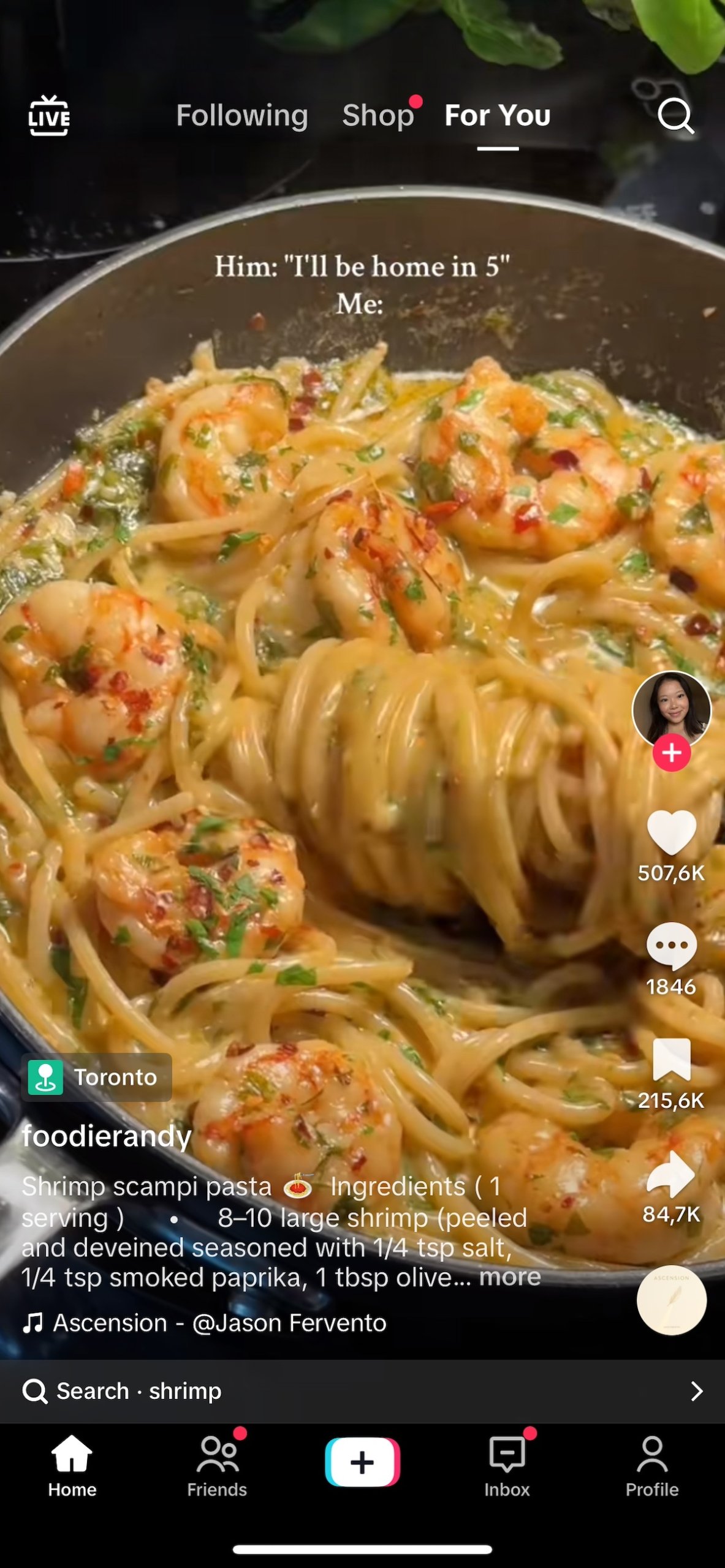
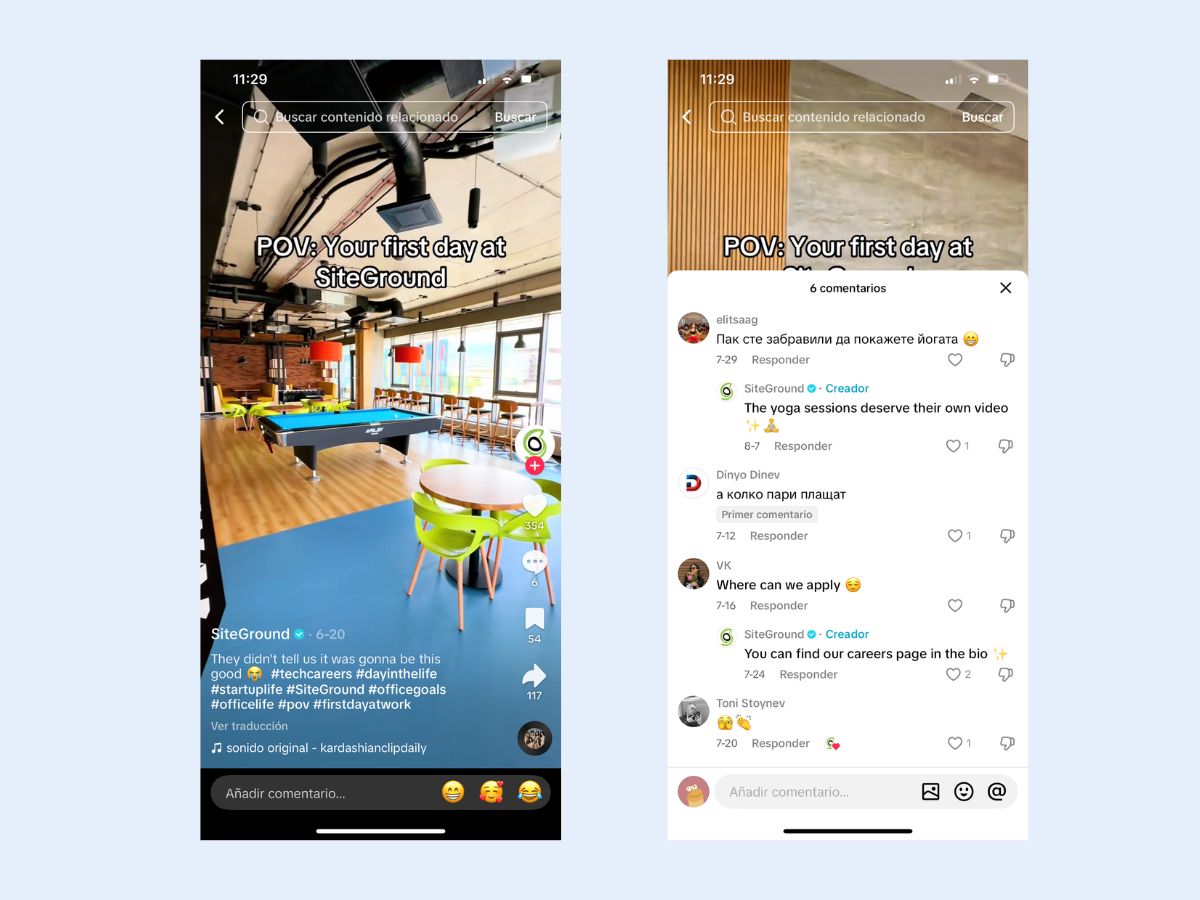
For most small businesses, this is like hitting the jackpot. You get to reach new audiences without needing a huge budget. Plus, when people see someone they trust raving about your product, it feels way more genuine than a regular ad. This example of a social proof can significantly boost your brand’s credibility.

So, take your time to find influencers who get what you’re all about, and let them help spread the word about your brand.

Authenticity

Speaking of authenticity, it’s a big deal in 2025, and for good reason. Social media users are fed up with overly polished content and crave genuine connections. They want to see brands being real and transparent. This trend is all about showing the human side of your business—sharing behind-the-scenes moments, user-generated content, and real stories.

For small businesses, embracing authenticity can definitely build deeper connections with your audience. Plus, it takes the pressure off needing perfect photos or flawless posts. So, let your true colors shine and connect with your audience on a more personal level.

An Instagram reel by Team Fest showing a car dashboard with a countdown message "LESS THAN A DAY LEFT TILL THE FUN STARTS" with emojis, posted 24+ hours ago with 45 weeks of views. Additional related posts include a countdown and an Earth Day Bingo card.

Social Commerce

Social commerce is revolutionizing the online shopping scene, making it super easy for consumers to buy directly through social media platforms. With features like in-app checkout and shoppable posts, users can discover and snag products without ever leaving the app.

In fact, in 2024, Instagram’s social commerce revenue is estimated to exceed 37 billion U.S. dollars, highlighting the massive potential of this trend. As we gear up for the Black Friday rush, it’s crucial to stay on top of BFCM trends.

For small business owners, this means a fantastic opportunity to reach customers where they already spend a lot of time. Make sure your product catalog is set up for shoppable posts, and consider running special promotions or exclusive deals to entice shoppers.

A promotional Instagram post by @GleamGemsHandmade featuring a person wearing handmade jewelry, including a ring and necklace. The text offers 10% off the first purchase with hashtags #HandmadeJewelry and #ShopSmall, encouraging users to click product tags to explore and buy directly from the feed.

Great Website + Social Media = Your Winning Combo

Here’s the deal: Social media is a treasure trove for small businesses. Understanding your audience, setting clear goals, and choosing the right platforms, will help you turn those casual scrollers into loyal customers. Embrace trends like short-form videos and authenticity to keep things lively and engaging.

However, no matter how viral (fingers crossed!) your content on social media becomes, you still need a website. It’s your business’s home base. Having a website means your audience can visit to learn about all the services or products you offer, which helps build credibility and trust in your brand. 

Ready to level up your small business? Start by creating an outstanding website. With the SiteGround Website Builder, you can easily design a professional, user-friendly site that complements your social media strategy perfectly.

So, dive into the world of social media and watch your business thrive. With the SiteGround Website Builder, your website and social efforts will work together seamlessly, creating a full circle that boosts your business growth.

Accessible Web Design: Basics and Best Practices

Abstract of accessible web design

Accessible web design means building websites that anyone can use, regardless of ability, including people who are blind or have low vision, deaf or hard of hearing, or living with motor or cognitive disabilities. Getting it right removes barriers for real users, improves experience for everyone, and keeps your site on the right side of digital accessibility laws. Here’s what it means in practice, and how to implement it.

Key takeaways:

  • Accessible web design removes barriers so people of all abilities can use and enjoy your website.
  • Accessibility improves usability for everyone, while also supporting SEO and legal compliance.
  • Small design choices—like headings, fonts, contrast, and alt text—have a big accessibility impact.
  • Following WCAG guidelines provides a practical framework for inclusive, future-proof design.
  • Testing and maintaining accessibility over time is essential for creating truly inclusive websites.

What is Web Accessibility? 

Web accessibility and accessible web design means designing and developing websites, tools, and technologies that can be used by people of all abilities, including those with temporary, situational, or permanent disabilities. That includes users who are blind or have low vision, those who are deaf or hard of hearing, people with motor difficulties, cognitive or learning disabilities, and many others.

Chances are that many people you know (if not you yourself) are in this situation. According to the World Health Organization, over 1.3 billion people—or roughly 16% of the global population—live with some form of disability. That’s a massive audience we don’t and shouldn’t want to leave out—partly because it’s just the right thing to do, and also because it’s surely an audience that you want to reach.

Accessibility is about removing barriers so all users can perceive, understand, navigate, and interact with your website. These are the four pillars of the POUR framework, which underpins the Web Content Accessibility Guidelines (WCAG):

  • Perceivable: Information and interface components must be presented in ways users can perceive (such as using alt text for images, sufficient color contrast).
  • Operable: Navigation and interface elements must be usable via multiple methods (keyboard, screen reader, etc.).
  • Understandable: Content and interfaces must be clear and predictable (readable text, consistent design).
  • Robust: Content must work reliably across current and future devices, browsers, and assistive technologies.

If you’re not sure what to make of all these concepts, don’t worry—we’re going to break it down into understandable and actionable terms.

Why Does Web Accessibility Matter?

According to the World Health Organization, an estimated 1.3 billion people — 16% of the global population — live with a significant disability. Yet according to the WebAIM Million report, the top one million homepages averaged 56 detectable accessibility errors per page in 2026, meaning most websites are still falling short, often without realizing it. That gap is exactly what accessible web design is designed to close.

There are other reasons to get on board as well:

  • Legal compliance: Many countries enforce digital accessibility laws, and failing to meet them can result in costly lawsuits or penalties.
  • Inclusive values: More broadly, building with web accessibility in mind shows respect for all users and reflects a commitment to inclusivity and equal access.
  • SEO benefits: Accessible sites tend to perform better in search engines thanks to clearer structure, alt text, semantic HTML, and better page speed.

What Are Accessible Web Design Best Practices?

Now that we’re all clear on its importance, let’s look at accessible web design best practices you can start putting into action today.

1. Add Clear, Helpful Headings

While seemingly trivial, headings play a surprisingly important role making your content more accessible, readable, and searchable. And when we say “headings,” we don’t just mean a title in big bold lettering for each page or section; we meanactually using proper HTML tags so that screen readers and search engines alike understand the website structure of your pages. 

A screen reader is software that reads aloud the content on a screen, allowing people who are blind or have low vision to navigate and interact with accessible websites using speech or braille.

For screen reader users, headings act as signposts. They allow users to navigate through content quickly, skipping to the section they’re interested in without having to read everything in order. This is especially helpful on longer web pages, where a well-structured outline can save time and reduce frustration.

And of course, accessible headings aren’t just good for users—they’re also a key part of SEO basics. Search engines rely on heading structure to understand the hierarchy and relevance of your content. Using proper HTML heading tags (<h1> through <h6>) signals to search engines what your page is about and how it’s organized, making it easier to index and rank.

From a visual design perspective, clear headings also improve readability and scannability. Most people don’t read web pages word-for-word; they scan. Well-designed headings break up long blocks of text, highlight key points, and guide the reader’s eye through the page. When styled consistently, they help create a visual rhythm that enhances the user experience.

Now, if you’re not familiar with using header tags, no problem—they can be easy to implement. In the SiteGround Website Builder, for example, you can just highlight your text, and modify the type of text as you go.

Adding a heading tag to website via the SiteGround Website Builder

To make the most of your headings:

  • Use only one <h1> per web page (usually the page title)
  • Follow a logical nesting order (<h2> for main sections, <h3> for subsections, etc.)
  • Keep them short, descriptive, and relevant to the content that follows
  • Avoid using headings purely for visual effect—use CSS to style regular text if it’s not meant to function as a heading

2. Choose Accessible, Easy-to-Read Fonts

Typography is one of the most overlooked aspects of web accessibility, but it has a huge impact on how easily users can read and engage with your content.

For accessibility, the goal is to choose fonts that are legible, clear, and consistent across devices and screen sizes (this is just as important, by the way, when it comes to choosing the best fonts for email). This helps people with low vision, dyslexia, or cognitive disabilities process text more easily. It also improves readability for everyone, especially on mobile screens.

When it comes to choosing font, here are best practices to consider and follow:

Use Simple, Sans-Serif Fonts

Sans-serif fonts like Roboto or Open Sans are generally easier to read on screens of all sizes than serif fonts, which have small decorative strokes at the ends of their letters. Avoid overly decorative, script, or novelty fonts especially in body copy—they might look fun, but they can be hard to decipher for many users.

Keep Font Size Legible

Be mindful of body text size making sure it’s reading without forcing users to zoom in. Also make sure your text scales well when a user adjusts their browser’s zoom settings or increases text size in their operating system preferences.

Pay Attention to Spacing

Use ample line height, letter spacing, and paragraph spacing to give your text breathing room. Dense, cramped text can be overwhelming and hard to follow, particularly for users with reading difficulties or cognitive disabilities.

Limit the Number of Fonts

Stick to one or two fonts across your site to maintain visual consistency and reduce cognitive load. Many competing typefaces can make your design feel chaotic and harder to process.

Choosing font pairings in the SiteGround Website Builder

Avoid Using Text in Images

Text embedded in images can’t be read by assistive technologies, like screen readers, and doesn’t scale well for different screen sizes. If you must use it, make sure the same information is available as live text elsewhere on the page.

When it comes to implementing these font best practices, SiteGround makes it extra simple. Our website builder offers carefully curated font pairings that are optimized for readability, professionalism, and performance. And everything automatically adjusts for all screen sizes so that you can be sure your text is always readable. 

3. Write Descriptive Alt Text for Images

Alt text, or alternative text, is a short description of an image added via the alt attribute in HTML. It’s essential for web accessibility, allowing users who rely on screen readers to understand the content and context of images. It also improves both SEO and AI by making it easier for machines to interpret images on your site.

What Makes for Good Alt Text?

Effective alt text is:

  • Concise – typically a brief sentence that captures the essential message or purpose of the image.
  • Contextual – tailored to how the image relates to surrounding content.
  • Descriptive – clearly communicates what the image shows or represents.

Examples:

  • “Rock climber scaling a granite cliff at sunrise” — descriptive and relevant
  • “SiteGround logo” — short but provides necessary context
  • “Red backpack on a forest trail” — gives meaning to a product or lifestyle photo
Adding alt text to an image in the SiteGround Website Builder

On the other hand, avoid vague or unhelpful descriptions like:

  • “Image” or “Picture” — these provide no useful information
  • “Click here” — if used as a linked image, this lacks clarity
  • “Logo” — unless you specify whose logo it is

When to use alt text—and when to leave it out

  • Use alt text for images that convey information, illustrate content, or provide important context.
  • Use alt=”” (an empty alt attribute) for decorative images that don’t add meaning—such as borders, icons used only for style, or background flourishes. This prevents screen readers from announcing unnecessary content.

What about complex images?

For graphs, charts, and infographics, alt text alone may not be enough. Provide a longer description elsewhere on the page (such as a text summary below the image) to convey the data or insights in an accessible way.

Feeling a little confused about all this talk of using the alt attribute in HTML? It doesn’t have to be complicated. SiteGround makes adding alt text to your images super easy. Just click on an image in your photo library, give it a description in the alt text field, and you’re good to go.

Clear, descriptive links and calls to action (CTAs) are one of those small but impactful details that improve both web accessibility and usability. They help all users—including those people with disabilities—understand exactly what will happen when they interact with a link or button.

Why Clarity Matters

Screen reader users often navigate a page by scanning through a list of links. Vague link text like “Click here,” “Read more,” or “Learn more” doesn’t provide meaningful context, making it difficult to understand the purpose of the link without hearing surrounding content.

Descriptive links improve website navigation by clearly communicating the destination or action. This benefits everyone, including users with cognitive disabilities or anyone scanning the page quickly.

With that in mind, here are a handful of best practices for links and CTAs: 

  • Be specific: Use link text that clearly describes what the user will get or where they will go, such as “Download the 2025 Accessibility Guide” or “View pricing plans.”
  • Keep it concise: While descriptive, links should be short enough to be easily understood at a glance.
  • Use consistent styling: Links and buttons should stand out visually, typically using color and underlining or distinct button shapes, so users recognize them easily.
  • Avoid using URLs as link text: Long URLs are hard to read and understand; instead, use meaningful text.
  • Use buttons for actions: When the interaction triggers an action (like submitting a form or starting a download), use buttons instead of links to convey this difference.
Example of a call to action button with clear description text
  • Accessible focus states and keyboard navigation: Make sure that links and buttons have visible focus indicators (such as outlines or underlines) when selected via keyboard navigation. This helps users who rely on keyboard input track where they are on the page.

These same principles apply beyond accessibility, as clear, descriptive CTAs are a cornerstone of good ecommerce website design too.

5. Ensure Sufficient Color Contrast

Color contrast is a classic example of where things can really go sideways with accessible web design. Achieving adequate color contrast means that the text and important visual elements stand out clearly against their backgrounds. This makes content readable for users with visual impairments, color blindness, and even those viewing screens in bright or low-light conditions.

What the guidelines say

The Web Content Accessibility Guidelines (WCAG) recommend the following minimum contrast ratios:

  • Normal text: At least a 4.5:1 contrast ratio between text and background
  • Large text: At least a 3:1 contrast ratio (large text is generally 18pt/24px or larger, or 14pt/18.66px bold or larger)
  • UI components and graphical objects: At least a 3:1 contrast ratio to distinguish interactive elements

How to check and improve contrast

  • Use online tools to test your color combinations. Alternatively, the SiteGround Website Builder automatically notifies you if your color contrast isn’t optimal.
  • If your contrast ratio is too low, consider adjusting either the text color or the background color to increase the difference.
  • Avoid using color as the only means of conveying information—for example, don’t rely solely on red text to indicate errors. Use additional visual cues like icons or text labels.
  • Be mindful of background images or gradients that can interfere with text clarity—consider adding overlays or solid backgrounds behind text.
  • Consistency is key. Use a defined color palette with accessible contrast ratios for your primary, secondary, and accent colors.
Low contrast warning about color in SiteGround Website Builder

6. Design for Easy Layout and Scannability

Most people don’t read web content word-for-word; they scan. This is especially true for users with cognitive disabilities, limited attention spans, or those who are simply short on time (so, most of us!). A clean, well-organized website layout improves both accessibility and user experience by making it easier for everyone to find and understand information.

Here are some best practices for scannable, accessible design:

  • Use headings and subheadings: Break content into logical sections using clear, hierarchical headings. This creates a visual hierarchy and structural roadmap for the page.
  • Write in short paragraphs: Long blocks of text can be difficult to follow. Aim for no more than 3–4 sentences per paragraph. This improves readability and allows users to scan quickly.
  • Use bullet points or numbered lists: This helps organize information, making it easier to process. Lists also work well with screen readers, which announce how many items are in the list and read them one by one.
  • Maintain consistent spacing: Leave enough white space between sections, paragraphs, and elements to avoid visual clutter. This gives users time to process one element before moving on to the next.
  • Group related content: Keep related information close together—visually and structurally—so users can quickly understand the relationship between different elements.
  • Keep navigation simple: Use predictable menus and page layouts across your site. Consistent navigation helps users orient themselves and move through your site confidently.
  • Avoid distractions: Limit unnecessary animations, auto-playing content, or flashing visuals. These can distract or even trigger seizures for sensitive users. If you do use motion or video, allow users to pause, stop, or control it.
A homepage with scannable headers and text

Good layout design is as much about what you leave out as what you include. When in doubt, simplify. A clear, uncluttered layout improves usability for everyone, and supports accessibility without sacrificing visual appeal.

7. Follow Accessibility Standards & Guidelines

Web accessibility isn’t just a design preference; it’s guided by internationally recognized standards that help make sure digital content is usable by as many people as possible. Following these guidelines gives you a framework for making informed, inclusive design decisions, helping your site stay compliant with website accessibility laws.

The Gold Standard: WCAG

The Web Content Accessibility Guidelines (WCAG) are the most widely accepted benchmarks for accessible design. Created by the World Wide Web Consortium (W3C), the WCAG is now in version 2.2, with most organizations targeting Level AA compliance as it offers a strong balance between broad accessibility and practical implementation.

Why Following WCAG Matters

  • Legal protection: In many regions—including the EU, U.S., and parts of Canada and Latin America—failing to meet web accessibility standards can result in legal action. 
  • Clear benchmarks: Rather than guessing what “accessible” means, WCAG gives you specific, testable goals.
  • Future-proofing: Designing to recognized standards makes your site more adaptable as new devices, platforms, and user needs emerge.

Thankfully, by applying the best practices we’ve described above, you are well on your way to complying with these guidelines and making your website accessible for all. 

8. Test Your Site

Even if you’ve followed every website accessibility best practice, you can’t assume your site is fully accessible until you test it. Testing helps you catch issues you might not see during design and development. It also ensures that your site works for real users with a variety of needs.

The best way to make sure your site is accessible is to combine automated testing with manual checks. Here’s the best approach: 

  • Automated tools can quickly catch common issues like missing alt text, low contrast, or improper heading structure. They’re a great first step, but they typically detect only a portion of potential problems.
  • Manual testing helps fill the gaps. Try navigating your site using only a keyboard, zooming in to 200%, and using a screen reader to experience your content from a different perspective. Make sure focus indicators (the visible outlines and underlines that show where you are on the page) are present and interactive elements are easy to reach and understand. Whenever possible, include people with disabilities in your testing to uncover issues that tools and developers might miss.
Website navigation with focus indicators

Build testing into your process

Website accessibility testing shouldn’t be a one-time task or something saved for the end. Integrate it into your website planning, especially during redesigns, new content rollouts, or feature updates. Catching issues early is faster, cheaper, and more effective than fixing them after launch. 

[18]

Make Web Accessibility Part of Your Site Today

An accessible website goes beyond meeting legal requirements—it means equal access for everyone to enjoy your content. So when you apply accessible web design best practices, it not only removes barriers, but it improves overall usability, and extends your reach to a broader audience. This is good news for everyone.

And if you’re ready to put these principles into action without getting lost in technical details, the SiteGround Website Builder has you covered. It’s designed with accessibility in mind, offering easy-to-use tools for headings, font pairings, color contrast checks, alt text, and more—so you can focus on your content while knowing your site is both beautiful and inclusive from the start.

Create Your Dream Website with SiteGround’s Easy-to-Use Builder

FAQs about Accessible Web Design

What is accessible web design?

Accessible web design is the practice of building websites that can be used by people of all abilities, including those with visual, auditory, motor, or cognitive disabilities. It involves design and development choices like clear headings, sufficient color contrast, and descriptive alt text that remove barriers and make content available to everyone.

What is WCAG vs ADA?

WCAG (Web Content Accessibility Guidelines) is an internationally recognized set of technical standards for web accessibility, created by the World Wide Web Consortium (W3C). The ADA (Americans with Disabilities Act) is a U.S. civil rights law that prohibits discrimination against people with disabilities, and courts have increasingly applied it to websites. In short, WCAG is the technical benchmark and the ADA is the legal framework. Meeting WCAG AA compliance is generally the strongest defense against ADA-related legal action.

What are the 4 principles of WCAG?

The four principles of WCAG are Perceivable, Operable, Understandable, and Robust, known collectively as the POUR framework. Perceivable means content can be seen or heard by all users. Operable means the interface works via keyboard and assistive technology. Understandable means content is clear and predictable. Robust means it works reliably across devices and assistive tools.

Тhe Smarter FAQ Guide: 8 Mistakes to Avoid

Illustration of an FAQ page layout with question and answer sections, featuring a green color scheme and design elements for a clean, organized look.

As a small business owner, you’re always looking for ways to make things run smoothly, and if we’re being really honest, answering the same questions over and over can be a real drag. That’s where an FAQ page saves the day. In this guide, we’ll dive into the common mistakes to avoid and the best practices to follow, making sure your FAQ page is as lively and effective as your business itself.

What is an FAQ Page?

An FAQ page (or Frequently Asked Questions page) is a dedicated section on your website where you address the most common queries customers might have about a product, service or your company. It’s all about delivering quick, clear answers so your customers can find what they need without the extra hassle.

FAQ page detailing business services, including industry specialization, social media strategy, combined marketing packages, and SEO services.

With everyone’s time being precious and attention spans getting shorter, an FAQ page is a great time-saver. It’s a way to make life easier for your users, show off your expertise, and prove you’ve got everything running smoothly.

Why You Need an FAQ Page

With the creation of all these other must-have pages, like designing your homepage and contact us page, you might wonder—do I really need an FAQ page? And here’s why the answer is yes. First, it addresses the questions your customers ask most often, giving them quick solutions without the back-and-forth. This means happier users and more time for your team to focus on bigger tasks. 

Second, it’s fantastic for SEO and even for AI now that it plays such an important part in search. Search engines are getting smarter at figuring out and processing content, so when you add those relevant keywords and questions, your site can climb higher in search results. 

Indeed, an FAQ page isn’t just about answering questions—it’s your ticket to making your site more visible and drawing in more visitors. With AI-driven algorithms, having clear, concise, and keyword-rich content can really help your site stand out and rise above other content online.

[41]

8 FAQ Page Mistakes & How to Fix Them

Creating an FAQ page might seem simple, but there are some common pitfalls that can catch you off guard. Let’s take a look at the top mistakes you’ll want to avoid, so your FAQ page can be at its best.

#1: No Research Behind the Questions

Have you ever visited a FAQ page and thought, “Has anyone ever actually asked these questions?” That’s what happens when there’s no research. It’s easy to assume you know what your audience is curious about, but gathering real customer questions makes all the difference. 

Explore your support emails and scroll through social media comments to uncover what your customers are truly asking. This way, your FAQ page will be relevant and genuinely helpful.

#2: Information Overload

Now, let’s talk about information overload. You don’t want to have one of those pages that feels more like a novel than a quick Q&A, leaving your visitors feeling overwhelmed. Instead, keep it simple. 

By now, you’ve done your homework and know what your visitors are really curious about. So, zero in on those common curiosities and keep your questions and answers clear and to the point. Use bullet points or short paragraphs to make it easy for folks to skim through. The aim here is to make finding information super easy, not a chore.

💡 Insider’s tip: Aim for around 8 to 12 questions—this is usually a sweet spot that provides enough information without overwhelming. As for the answers, keep them concise, ideally around 1 to 3 sentences.

#3: Poor Organization

So you’ve nailed down the right questions and kept things concise, but if your FAQ page is scattered, visitors might still feel lost. Here, the focus is on structure.

Group similar questions together and use clear categories or headings to help guide your visitors. A well-organized page makes it easy for people to find what they’re looking for without any hassle, keeping them happy and coming back for more. Plus, organizing your content with thoughtful headers helps your SEO and contributes to accessible web design. After all, the smoother the experience, the better it is for everyone.

#4: Vague Answers

Even with well-organized questions, vague answers can leave visitors in the dark. In this case, the focus is on the content. Your visitors are looking for straightforward answers, not a guessing game. 

Make sure your responses are clear and to the point, leaving no room for confusion. Keep your language clear and straightforward, ditching any confusing jargon. Keep it simple, and your visitors will totally appreciate it.

💡 Here’s another handy hint: Ask a friend who’s not in your industry to review your FAQs. If they find your responses clear and easy to understand, you’re on the right track. It’s a great way to make sure your info is easy for everyone to understand, not just the experts in your field.

#5: Neglecting SEO

Coming back to SEO again, you know how squeezing in all those essential keywords can sometimes feel a bit awkward and forced? Well, your FAQ page is the perfect place to naturally weave in those keywords and boost your online discoverability. It’s a golden chance to make sure you’re showing up in search results for exactly what your target audience is looking for.

Incorporate relevant keywords into your questions and answers to align with current SEO trends. This can help search engines better understand what your page is about and rank it higher in search results.

#6: Ignoring Mobile Optimization

If your FAQ page isn’t mobile-friendly, you’re missing out. Many visitors are checking out your site on their phones, so it’s super important for your page to look good and work well on those smaller screens.

Make sure your text is readable without zooming in, and that buttons and links are easy to tap. A mobile-friendly and accessible design ensures a smooth experience, keeping your visitors happy and engaged, and encouraging them to stick around.

#7: Not Updating Regularly

Don’t stop at mobile optimization—keeping your page up-to-date is just as important. Information can change, and your customers’ questions might evolve over time. 

Make it a habit to review and update your FAQs regularly. This way, you’re always providing the most up-to-date and relevant info. Plus, fresh content keeps your audience engaged and returning, while also enhancing your site’s SEO by improving search engine rankings.

Wondering how often to update? It really depends on your business and industry, but start with quick reviews every couple of months to keep things fresh. If things change rapidly, you might need to update more often. Staying on top of updates shows your visitors that you’re on it and ready to help.

#8: Lack of Visual Appeal

Once you’ve got your FAQ page updated and mobile-friendly, don’t forget about the visual side of things. A page that’s easy on the eyes can make a big difference in how people engage with it. 

Spice up your FAQ page with some design elements like icons, images, or color highlights to make it more inviting and visually appealing. Instead of changing the text color, try using background color highlights to make important sections pop while keeping everything easy to read. If you add images, don’t forget to include alt text so everyone can enjoy your page and it’s accessible to all users.

A well-crafted website layout that matches your branding helps guide your visitors’ eyes and makes browsing more enjoyable. When your FAQ page looks awesome and fits in with your overall design vibe, it encourages people to stick around and find the answers they need.

The best part? SiteGround Website Builder has got your back on all these fronts. With mobile optimization, pre-built sections like FAQs, and built-in SEO features, you can easily whip up a visually appealing and super functional FAQ page that keeps your visitors engaged.

SiteGround Site Builder offers pre-built sections, AI-assisted content creation, premium images, and built-in SEO tools for easy website creation.

How to Create a FAQ Page + Examples

With these mistakes in mind, let’s shift gears and focus on what to do to make your FAQ page stand out and engage your audience.

Here’s a step-by-step guide to help you craft a comprehensive FAQ page that not only answers questions but also improves user experience and strengthens your online presence. Follow these tips to ensure your FAQ page is both functional and engaging:

1. Select Meaningful FAQs

We’ve already talked about how important it is to know what your audience is curious about, so now let’s dig into how you can actually put this into practice to create an FAQ page that really hits the mark. Here are some great starting points for your research:

📱 Social Media
🔍 Google
🏆 Competitors’ Websites
💬 User-Generated Content Like Reddit and Quora

Kick things off by checking out what folks are Googling about your industry or product. Тools like Google Analyticс can show you what queries are bringing people to your site. Exploring all this information will give you a solid understanding of the questions people are asking.

Additionally, peek into social media comments and customer support emails to spot any recurring questions. With Instagram and Facebook posts now showing up in Google searches, keeping an eye on what people are chatting about on these platforms is super important. 

And don’t forget about survey emails—they’re a great way to engage directly with your audience. By asking them what they want to know, you show that you truly care and value their input, making them more invested in your brand.

Finally, checking out competitors’ websites and places like Reddit and Quora can give you the scoop on relevant questions.

If you’re a marketing agency, for example, answering client curiosities in your FAQ can really show off your expertise and how you tailor solutions just for them. This way, your FAQ page is spot-on for what your visitors want to know.

FAQ section detailing marketing services, including social media strategies, combined marketing packages, and SEO optimization for increased website traffic.

2. Utilize SiteGround Tools

Once you’ve got a handle on the questions your visitors are asking, it’s time to focus on the FAQ page design to make it look as good as it is helpful. That’s where SiteGround comes in handy. With the SiteGround Website Builder, you can easily create a sleek and professional FAQ section, even if you’re not a tech wizard. 

You can create and customize your FAQ page by logging into the SiteGround Client Area and selecting the Website Builder. From there, add a section by choosing the FAQ template from the Carousel category.

After you’ve selected your website template, SiteGround will automatically suggest an FAQ section that fits this original style. You can change the colors, background, and text fonts as you wish to customize it even more. If it makes sense for your business, you can also add emojis for a fun touch. 

Interface for adding sections to a website, featuring options like carousel, accordion, and FAQ for enhanced content organization.

SiteGround is here to help you out when it comes to organizing your content. Our tools make it easy to set up clear categories and headings, so everything’s nice and tidy. You can also jazz things up with icons and color highlights for some visual flair. And we’ve got built-in SEO features to boost your visibility. 

Plus, everything’s mobile-friendly, so your FAQ page looks great on any device. With SiteGround, you’ve got all you need to create a fun, well-organized, and SEO-friendly FAQ page that’ll keep your visitors happy.

3. Stay True to Your Brand

The FAQ page or section is already distinctive enough with its own separate structure, so it’s crucial to make sure the rest of the elements—like colors, fonts, and overall style—match your branding. When someone visits your website and scrolls to the FAQ, you don’t want them to feel confused about whether they’re still on the same site. You want everything to work together and fit seamlessly, so your FAQ feels like a natural part of your brand, showing off your unique identity.

For instance, if you’re a beekeeper, you could liven up your FAQ with some branding like your signature color, some fun emojis, and even a cheeky pun—it’s a sweet way to make your site more personal and entertaining for your visitors.

Frequently Asked Questions about Honey Products, including types of honey, benefits of raw honey, apiary tours, and online purchasing options.

4. Add Social Buttons

Let’s add a little social touch to your FAQ page. Including social buttons opens up more ways for visitors to connect with you and engage with your content. It’s a great way to give them easy access to your social media channels, where they can find more info, ask questions, or just keep up with your latest updates. Plus, it adds a dynamic touch to your page, making it even more interactive and inviting.

FAQ section addressing return policy, shipping times, and 24/7 customer support availability for assistance via email, phone, or live chat.

5. Simplify Navigation

First thing’s first, make sure your FAQ is easy to find on your website. You can pop a link to it right in your main menu or tuck it into another page where it makes sense. The key is to make sure visitors can find it without any fuss.

And remember when we talked about avoiding poor organization? Now’s the time to put that into action. Organize your questions into clear categories. This makes it super easy for visitors to browse through and find exactly what they’re looking for without getting lost. A well-structured FAQ page is like a friendly guide, helping users quickly zero in on the info they need.

A website header for J.Bricks, showcasing home repair and improvement services. The image features a partially painted wall with a ladder and a window with a view of a tree outside. The navigation panel includes links to Home, Services, Our Work, About, Contact, and FAQ.

6. Write from Your Customer’s Point of View

When crafting your FAQ, think like your customers. Use their language and address their specific concerns directly. This approach makes your questions and answers more relatable and ensures you’re genuinely meeting their needs. By stepping into their shoes, you’ll create an FAQ page that feels personal and truly helpful.

For example, instead of saying:

❌ “Does the product have multiple features?”

❌ “Yes, our product offers numerous functionalities.” 

Try saying:

✅ “What can this product do for me?” and then answer with:

✅ “Our product automates scheduling and sends you reminders, freeing up your time so you can focus on growing your business.” 

This way, you’re speaking directly to the customer’s needs and showing how your product benefits them.

Your Go-To FAQ Template

While it’s important to tailor your FAQs to what your audience is really curious about, we’ve got you covered with some common and generic questions you can copy-paste and tweak to your heart’s content. And if you’re using SiteGround, just drop your text into our template.

Frequently Asked Questions (FAQ)
What is your return or cancellation policy?
Answer: Our policy allows [returns/cancellations] within [insert time frame]. Please contact us at [insert contact information] for assistance.
How can I contact customer support?
Answer: You can reach our customer support team via [list contact methods, such as email, phone, or live chat].
How do I track my order or service status?
Answer: You can track your [order/service] status by [explain process, such as logging into your account or using a tracking link].
What payment methods do you accept?
Answer: We accept [list payment methods, such as credit cards, PayPal, etc.].

Create an Effective FAQ Template

A well-crafted FAQ page is a key player in keeping your customers happy and making your site more visible. To achieve this perfect combo of questions, answers, and design, you’ll need thoughtful research, clear organization, and regular updates. By taking these tips to heart, you can transform your FAQ section into a valuable asset for your business.

And here’s the best part: with SiteGround Website Builder, creating your FAQ page is not only quick but also a bit fun! You can easily add it to your website using a ready-made template—just plug in your questions and answers, and you’re good to go. 

Plus, updating your FAQ is super simple, so your content stays fresh and relevant with minimal effort. This way, you can focus on crafting content that truly resonates with your audience.