Email preheader: the subject line’s missing half (and how to write it)

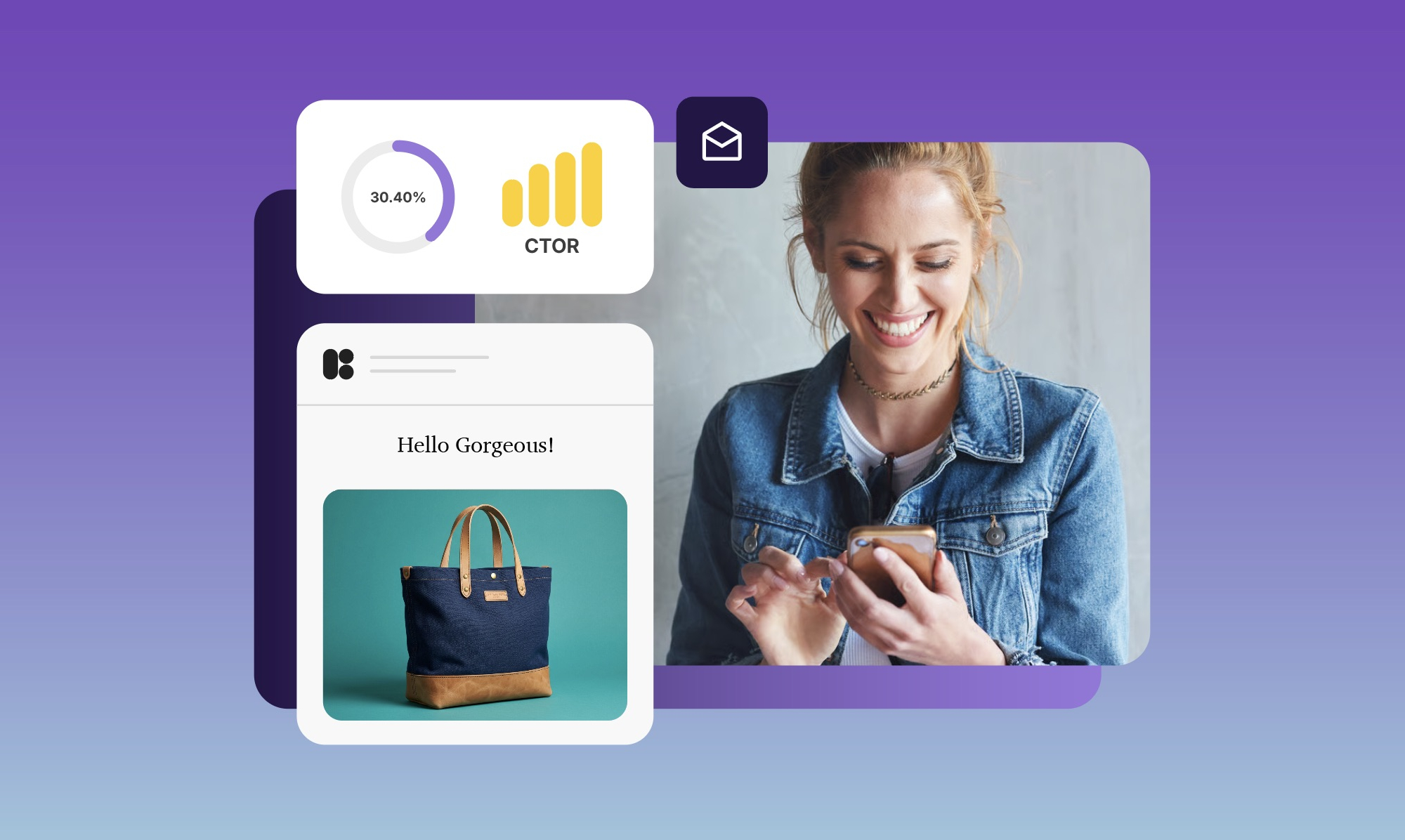
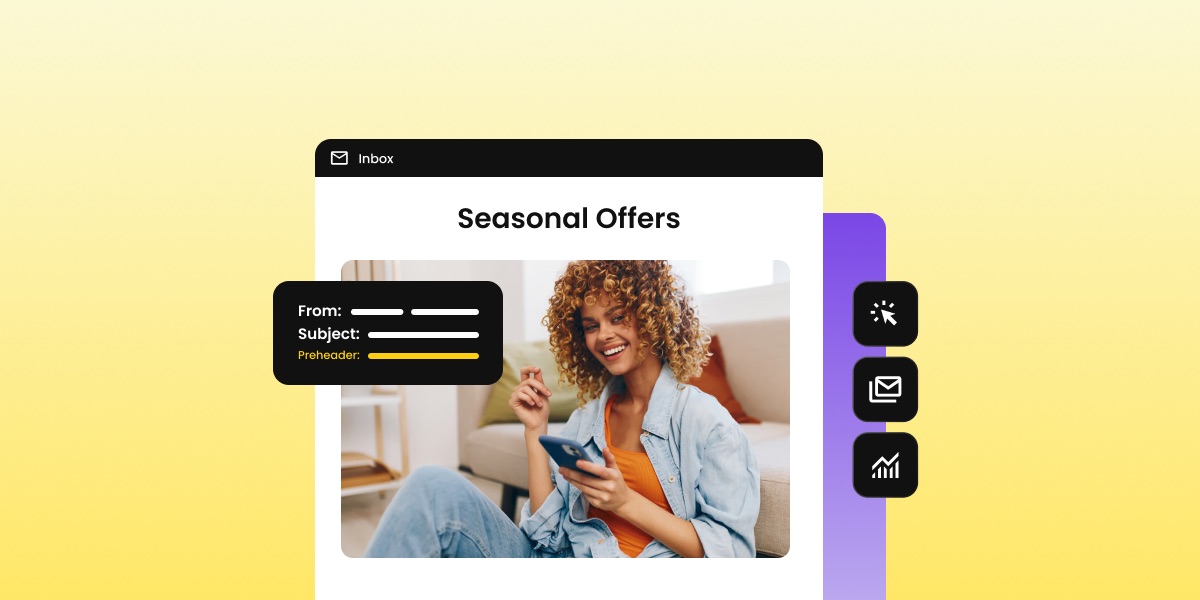
Illustration of an inbox preview showing the sender name, subject line, and preheader highlighted, with a person reading an email on a smartphone

The preheader is the line of text that appears next to your subject line in the inbox and many people either ignore it or leave it to chance. That’s a shame, because it’s the second thing subscribers read before deciding whether to open, and it works best when written as a pair with the subject line, not bolted on at the end.

This article covers what it is, how long it should be, and how to write one that actually pulls its weight in your email marketing campaigns.

Key takeaways:

  • The email preheader is the line of preview text that appears next to your subject line in the inbox, before anyone opens your email.
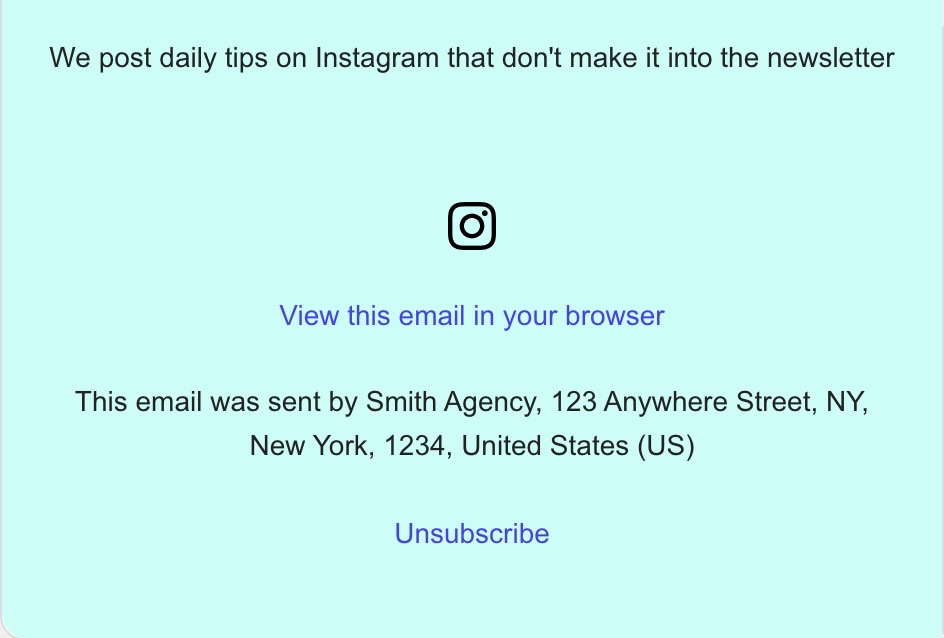
  • If no preheader is set, the email client fills the preview with whatever text it finds first; usually “View this email in your browser” or an unsubscribe link.
  • The subject line and preheader work as a pair. Writing them separately is the most common mistake.
  • Keep your preheader between 40–100 characters, and front-load the key message — mobile clients cut off much earlier.
  • Campaigns with a custom preheader consistently get more opens than those without one.

What is an email preheader?

An email preheader is a short line of text that email clients display in the inbox alongside the subject line, before the recipient opens the email. In most email clients, it appears in lighter gray text directly after or below the subject line in the inbox view. 

Gmail inbox showing a SiteGround email with the subject line "Congratulations on completing the Start Your Business email course"

You’ll also see it called email preview text or snippet text. The two terms refer to the same thing: “preheader” describes where it lives in the email’s code, while “preview text” describes what the subscriber sees in the inbox.

Here is where the preheader text sits alongside the other parts of an email: from the subject line down to the footer.
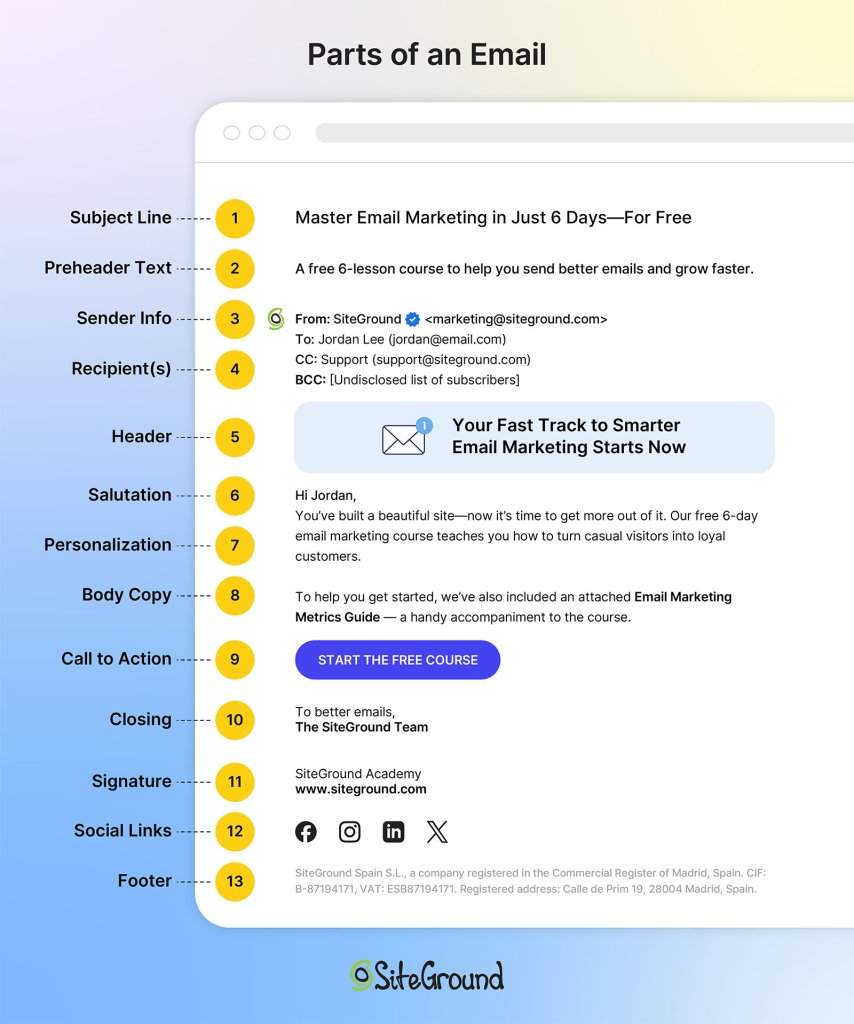
The different parts of an email

Three things show in the inbox before a subscriber opens any email: the sender name, the subject line, and the preheader. That’s the full picture a subscriber has when deciding whether to open. Yet the preheader is the one most senders give the least thought to.

How to set your email preheader

Setting your email preheader takes less than a minute: it’s a single field you fill in before sending.

Technically, the preheader lives in your email’s HTML. It’s a piece of text at the top of the code that email clients read and display as preview text. If you’re working with raw HTML templates, that’s where you’d add it. If you’re using SiteGround Email Marketing, there’s a dedicated field for it right in the campaign editor; no code involved.

To set your email preheader, simply:

  1. Open your campaign and go to the Content step.
  2. Find the Preheader box and type your text directly, or use the built-in AI generator to get three options in seconds.
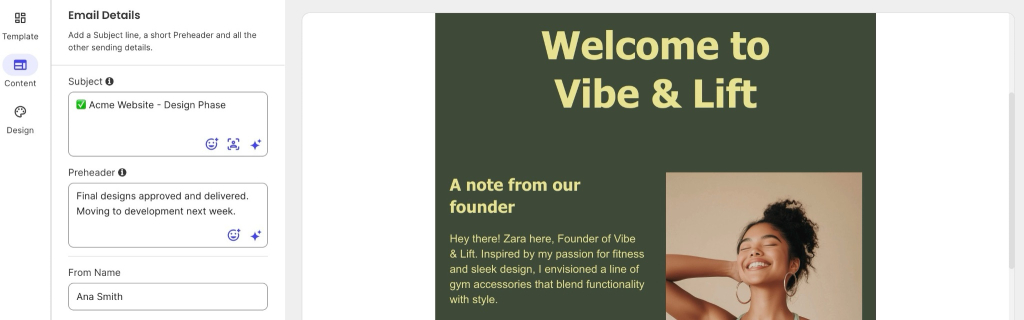
SiteGround Email Marketing campaign editor showing the Subject and Preheader fields filled in, alongside a live email preview

Preheader vs. subject line: how they work together

The subject line and preheader are read as a pair. Most people scan both in under two seconds before deciding to open, ignore, or delete. That means the two lines function as a single unit of copy — not as two separate decisions.

Subject lines tend to carry the hook: the topic, the offer, the reason to care. The preheader’s job is to complete the picture. It can add detail, create context, deepen curiosity, or reinforce urgency. What it shouldn’t do is repeat the subject line.

Here’s the difference in practice:

Subject linePreheader (weak)Preheader (strong)
Your October newsletter is hereRead your October newsletter3 things to do with your site before the holiday rush
We have a deal for youSpecial offer inside30% off hosting — ends Sunday at midnight
You’re almost out of timeTime is running outYour free trial ends in 48 hours. Here’s what happens next.
New from SiteGround AcademyNew article publishedHow to clean your email list without losing good subscribers

When both lines work together, they give a more complete reason to open. When they don’t, you’re leaving one of your two inbox lines doing nothing, which is a pretty easy fix once you know what to look for.

What happens when you leave the preheader blank?

When no preheader is set, the email client fills that space with the first readable text it finds in your email’s HTML. That’s rarely what you’d choose. Depending on how your email is built, it typically pulls in phrases like:

  • “View this email in your browser”
  • “Having trouble viewing this email? Click here”
  • “Unsubscribe | Privacy policy”
  • Navigation links like “Shop,” “About Us,” or “My Account”
  • Image alt text meant for screen readers, like “Header logo”

None of those give a subscriber any reason to open. They just take up the space where a useful line could have been. The preheader costs one sentence, so it’s worth writing it.

How long should an email preheader be?

Aim for 40–100 characters. That’s the range that works across most email clients and devices without getting cut off. The exact amount that shows, though, depends on the email client, the device, and how long your subject line is — a longer subject line leaves less room for the preheader, a shorter one gives it more space.

Character limits by email client

The table below shows approximate visible character counts for common email clients. These are not hard limits; they’re the ranges where text typically gets cut off in standard inbox views.

Email clientApproximate visible characters
Gmail (desktop)~100 characters
Apple Mail (desktop)Up to 140 characters
Outlook (desktop)~50–75 characters (varies by version)
Gmail (mobile)~40–70 characters
Apple Mail (iOS)~90–110 characters
Android (various)~40–60 characters

Mobile vs. desktop: what actually shows

Mobile shows less: usually 40–55 characters, as you can see in the table above. Desktop clients like Gmail and Apple Mail show significantly more.

The practical rule: write for mobile first. Put the most important information in the first 40–50 characters, and treat anything after that as a bonus for desktop readers. 

A preheader that reads “30% off all plans — upgrade before Sunday” works at any length. One that reads “We’re really excited to share this week’s special offer with you — 30% off” loses mobile readers before they get to the point.

How to write a preheader that pairs with your subject line

Write both the subject line and preheader at the same time, as a two-line unit. 

Email preheader best practices

There are a few ways to structure the relationship:

  • The subject sets the topic, the preheader delivers the detail
    Subject: Your site speed report is ready
    Preheader: 3 pages are slowing you down — here’s what to fix first
  • The subject creates curiosity, the preheader rewards it
    Subject: We need to talk about your email list
    Preheader: You might be sending to people who aren’t there anymore
  • The subject states the offer, the preheader adds urgency or context
    Subject: 25% off — this week only
    Preheader: Applies to all annual plans. Ends Friday at 11:59 PM.
  • The subject and preheader complete a single sentence
    Subject: This one change
    Preheader: …increased open rates by 7% in our test. Here’s what we did.

If you read both lines and the preheader feels redundant, rewrite it.

If writing both from scratch every send feels like too much, SiteGround Email Marketing has an AI tool built into the campaign editor that generates subject line and preheader options for you. Use your email content or just describe what you’re sending in a few words. It’ll come back with three options to choose from. Not happy with any of them? Hit regenerate. It takes about ten seconds.
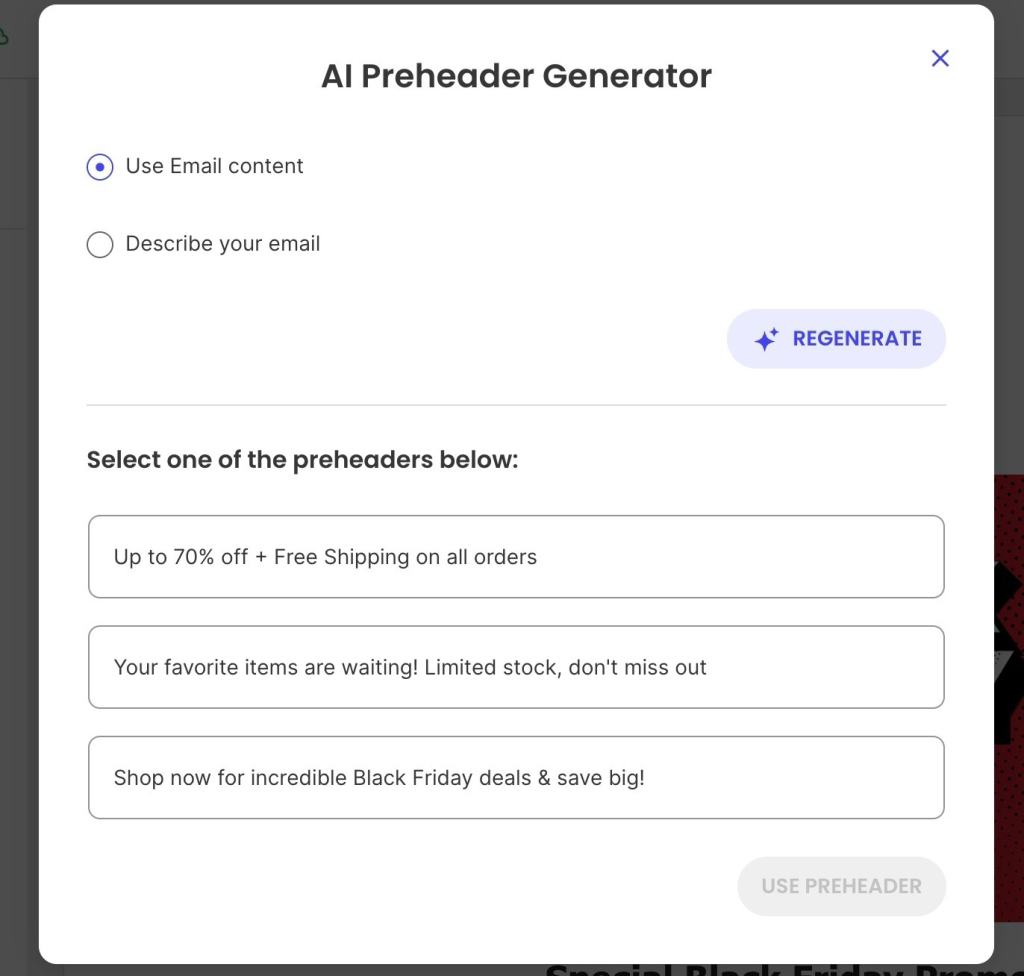
SiteGround Email Marketing AI Preheader Generator showing three preheader options generated from email content, with a Regenerate button

What to avoid in your email preheader

A few patterns that consistently underperform:

  • Repeating the subject line: If both lines say the same thing, you’ve halved your persuasion without reducing your word count.
  • Leaving it blank: The fallback text almost never helps. Set a preheader on every campaign, without exception.
  • Generic filler: “Check out our latest newsletter” or “Don’t miss this” says nothing specific. Specific details outperform vague teasers.
  • Starting with the company name: The sender field already shows who it’s from. The preheader should do something the sender name can’t.
  • CTAs as preheaders: “Click here to save 20%” is an instruction before the subscriber has any reason to act. Earn the click first.

The hidden preheader technique

If you’re working with custom HTML email templates, the hidden preheader technique is worth knowing about. It prevents unwanted email body copy from appearing in the inbox preview by adding invisible characters after your preheader text — transparent filler that takes up space so the email client stops pulling in body text to fill the gap.

With a standard preheader, the text sits visibly at the top of the email body — readers see it in the inbox preview and again when they open the email. A hidden preheader shows only in the inbox preview, invisible once the email is open.

It’s particularly useful for:

  • Design-heavy emails where the first visible text is a headline or image alt text
  • Transactional emails where the body opens with structural copy
  • Any campaign where the first body sentence doesn’t complement the preheader

This is a more advanced use case and usually only relevant if you’re working with custom HTML email templates.

Put your preheader to work

The preheader is a small thing that’s easy to overlook and just as easy to get right. Write it alongside your subject line, keep it under 100 characters, and make sure it adds something the subject line doesn’t already say. That’s most of the work done.

If you’re sending with SiteGround Email Marketing, the preheader field is right there in the campaign editor. And if you’d rather let AI take a first pass, the built-in generator will give you three options in seconds.

[58]

Frequently asked questions about email preheader

How do I view an email preheader?

Open your email inbox and look at the line of text that appears after the subject line, before you open the email. On Gmail desktop, it appears in lighter gray text to the right of the subject line. On mobile, it typically appears on a second line below the subject.

Does preheader length differ on mobile vs. desktop?

Yes, significantly. Desktop clients like Gmail and Apple Mail show 85–140 characters of preheader text. Mobile clients typically show 40–70 characters, depending on screen size and subject line length. Write your preheader so the first 40–50 characters carry the key message — the rest is visible only on desktop.

What happens if I don’t set a preheader?

If no preheader is set, the email client automatically pulls the first readable text from the email body. That’s usually a “View in browser” link, an unsubscribe notice, or whatever opening text your template starts with. None of that helps your open rate. Setting a custom preheader on every campaign takes less than a minute and is one of the higher-return habits in email marketing.

How does the email preheader impact open rates?

Email marketing campaigns with a custom preheader average a 44.67% open rate compared to 39.28% for those without one, according to GetResponse. In a separate study by Litmus and Fluent, 24% of email subscribers said preview text is the main factor influencing their decision to open. The preheader doesn’t operate in isolation — its impact is tied to how well it works alongside the subject line.

What are some email preheader phrases that create intrigue?

Curiosity-gap preheaders tend to perform well when paired with a specific subject line. A few patterns that work:
“Here’s what most people miss about [topic]”
“The part we didn’t mention in the subject line”
“It takes less than 5 minutes — here’s how”
“We ran the numbers. The results surprised us.”
“One thing to do before [event/deadline]”
The key is that the intrigue has a payoff inside the email. Teasing something and not delivering it trains subscribers to stop trusting your previews.
Stop sending boring emails: A guide to email marketing content

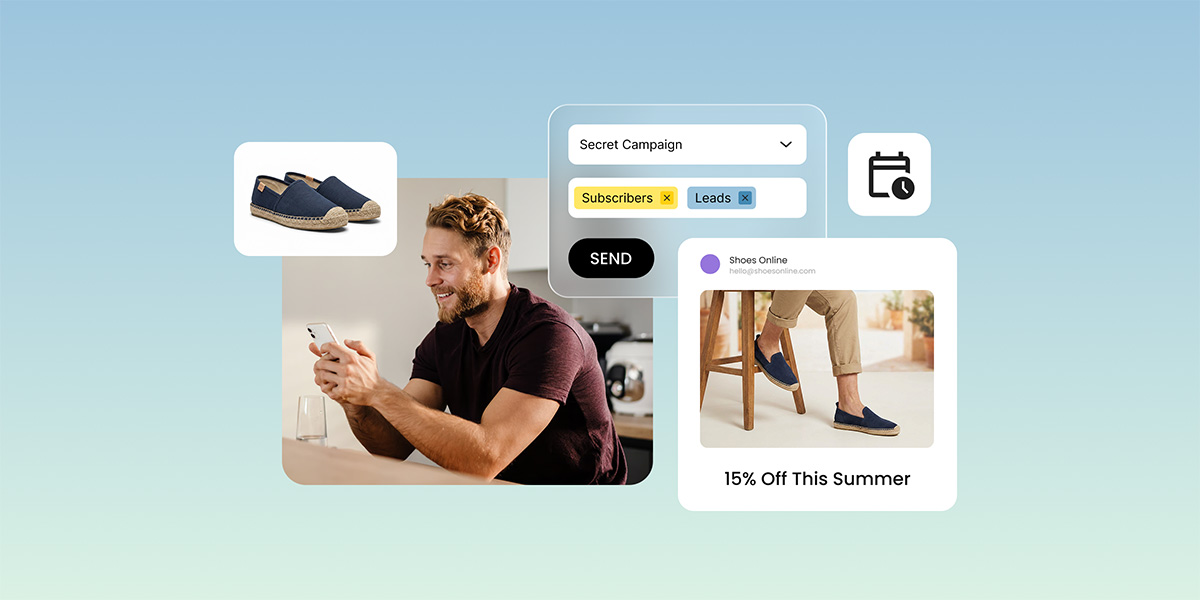
SiteGround Email Marketing dashboard showing a campaign being sent to subscribers and leads, with a promotional email preview displaying a 15% summer discount for a shoe store.

If your open rates are dropping and you’re not sure why, the answer is usually in your sent folder. One content type, sent on repeat, trains subscribers to stop paying attention. This guide covers the six types of email marketing content that fix that, and a simple framework for putting them together so your email marketing actually gets somewhere.

Key takeaways:

  • A varied content mix keeps subscribers engaged between promotions and protects your sender reputation
  • Welcome emails have the highest open rates of any email type — most businesses underuse them
  • Sending only promotions trains your list to ignore you
  • 1–2 emails a week works well for most small businesses, but content type matters more than send frequency
  • Different subscribers need different emails — where they are in the relationship should drive what you send

What is email marketing content? 

Email marketing content is the message inside your email: what you actually say to your subscribers and why. It can serve different purposes: introducing your brand, teaching something useful, sharing a story, promoting an offer, or bringing inactive subscribers back. Together, these different content types cover the full customer journey, from the moment someone joins your list to the point they become a loyal buyer.

Why your content mix matters more than your send frequency 

Sending frequency gets a lot of attention in email marketing, but what you send matters more than how often you send it. When every message is a promotion, subscribers learn to treat your emails as noise. They stop opening, stop clicking, and eventually stop caring.

A varied content mix changes that dynamic. When subscribers get something useful or interesting between offers (a tip, a story, a resource) they stay engaged. And email engagement matters beyond the relationship: inbox providers evaluate senders based on spam complaint rates and overall subscriber behavior. 

According to Validity’s 2026 Email Deliverability Benchmark Report, keeping spam complaint rates below 0.1% is now the desired threshold. A list that only hears from you when you’re selling is more likely to generate spam complaints and a damaged sender reputation takes dedicated effort to recover, not just time.

Give different emails different jobs and keep reading to see what those jobs look like.

6 types of email marketing content and what each one does

Before reading about the six content types, do this one thing: pull up your last 10 sent emails and sort them into two piles: 

  1. Emails that asked for something 
  2. Emails that gave something

Count each pile. If you have seven promotional emails and three of everything else, that ratio is your problem, not your open rates, not your subject lines, not your send time. Write the numbers down. Then keep reading, because the rest of this guide is about fixing them.

Here are the six content types that make up a balanced email mix: what each one does, and when to reach for it.

Welcome emails

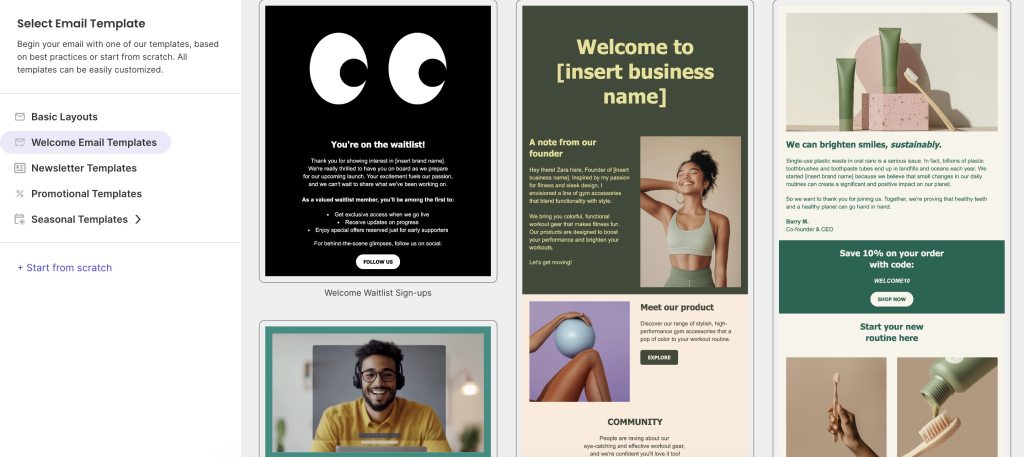
A welcome email is the first message a subscriber receives after joining your list, and statistically, the one they’re most likely to open. Its role in the mix is to set the tone before any ask is made: who you are, what they can expect, and why staying subscribed is worth their while. Send it immediately after signup, every time, without exception. Everything else you send builds on the foundation this email either creates or fails to create.Not sure where to start with your welcome email? SiteGround Email Marketing comes with a gallery of ready-made templates (including welcome emails) so you’re not staring at a blank canvas wondering how to introduce yourself.

SiteGround Email Marketing template selector showing Welcome Email Templates, including a waitlist sign-up, a founder introduction, and a sustainability-focused welcome email with a discount code.

Educational content and how-to emails

Educational emails are the workhorses of a healthy content mix. Their job is to build the kind of authority that makes your promotional emails land better when you do send them. Think of every educational email as a deposit: you’re building a track record of usefulness that subscribers will draw on when deciding whether to trust your recommendations. They work best when they’re specific: one concrete problem, one clear answer rather than broad topic overviews that could have been written by anyone.

Мake educational emails more interesting: before you write, finish this sentence — “After reading this email, my subscriber will know how to ___.” If you can’t complete it in one line, the topic is too broad. 
Then write the email like you’re explaining it to a friend over coffee, not presenting to a boardroom.

Newsletters

A newsletter job isn’t to teach or to sell — it’s to show up. Consistently, on a predictable schedule, with enough personality that subscribers recognize your voice the moment they open it. Think of it like that friend who checks in every few weeks. Not always with big news, but reliably there. That consistency is what keeps you familiar between purchase moments, and familiar is what makes people buy from you when you do have an offer.

The newsletters people actually look forward to: a recognizable voice. Read your newsletter back and ask yourself if it sounds like you or like a brand. If you’d never say any of it out loud, rewrite it until you would.

Promotional emails

Promotional emails are the ones you’ve probably already been sending — a discount, a launch, a limited-time offer. They’re the most direct content type in the mix and the most effective at driving immediate action, but only when the relationship behind them is already warm. A list that hears from you exclusively through promotions stops treating them as offers and starts treating them as noise. The other five content types on this list exist, in part, to make this one work.

Another quick tip: Read your promo back and count how many sentences start with “we,” “our,” or your business name. Then rewrite them to start with “you” instead. The offer doesn’t change. The way it feels to the reader does.

For example: “We’re launching our new skincare range this Friday” becomes “Your skin’s about to get an upgrade — our new range drops Friday.” Same information, completely different feeling.

Stories and behind-the-scenes

Behind-the-scenes emails are the easiest to skip when you’re busy; they don’t have an obvious ask, a clear conversion goal, or a deadline driving them. But they’re consistently the ones subscribers remember and respond to the most.

They don’t lead with a lesson or a pitch. They show the person behind the business through a real moment, a decision, a mistake. The teaching happens on the way, not as the point. For small businesses, this is a structural advantage: your story, your voice, your mistakes are yours alone. One honest email about a decision that nearly went wrong will do more for subscriber loyalty than ten polished newsletters.

A trick for writing these when you’re stuck: if you’re staring at a blank screen, start with the moment you almost got something wrong. A decision that nearly went sideways, a launch that nearly didn’t happen, a lesson that cost you something. That’s where the interesting email lives — not in the win, but in what happened just before it.

Re-engagement emails

Every list has subscribers who’ve gone quiet: they signed up at some point, stopped engaging, and have been silently inflating your list size ever since. A re-engagement email’s job is simple: find out who can be won back and let go of the ones who can’t. Do it intentionally, every 90 days or so, before deliverability quietly suffers.

Skip “we’ve missed you.” It’s the subject line equivalent of a form letter. “Still interested?” or “Should we break up?” gets opened. And often gets a reply.

Cheat sheet: nail every email element to your content type

Now that you know what each type does, here’s how they should actually feel when you’re writing them, from subject line to closing line:

Subject lineBodyCTAClosing
WelcomeDelivers on the signup promiseWho you are, what you offer + one immediate piece of valueOne soft next step (a link to a resource)What’s coming next and when
EducationalProblem-first, no hypeOne problem, one answer, one exampleOptional link to go deeper“Try this today”
NewsletterConversational, like a text from a friendA few updates or resources tied to one theme or momentLight, contextualConsistent personal sign-off
PromotionalOutcome-focused, reason to act nowOffer in the first two sentences, outcome before priceOne button, nothing competing with itRestate the deadline or key benefit
Story / BTSHonest, slightly unfinished-feelingOne specific moment + the tension behind itReply invitation or a soft link; not a hard sellLeave it open — invite a response
Re-engagementDirect and self-awareAcknowledge the silence + one reason to stayStay or unsubscribe: both equally easy to find“Either way, no hard feelings”

How to plan your email content mix

Knowing what each content type does is the easy part. The harder part is sitting down on a Monday morning and actually deciding what to send this week. These six steps take that decision off your plate, covering everything from where your subscribers are in the customer journey to what your metrics are telling you about your mix.

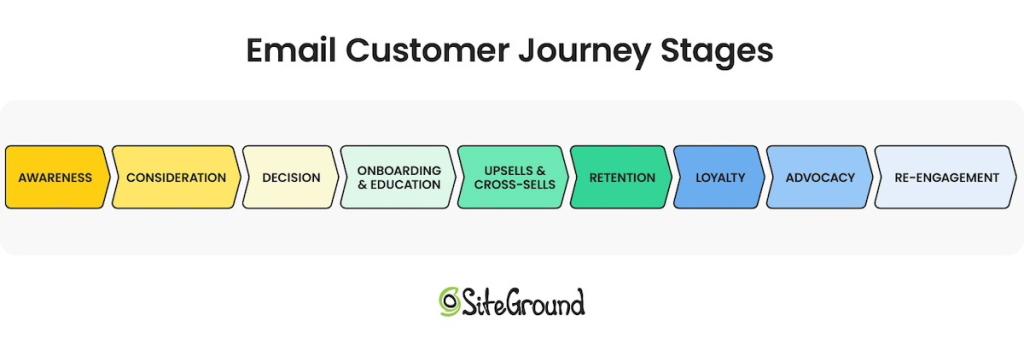
The steps below follow the customer journey: from the moment someone joins your list to the point they become a loyal, engaged buyer.

email customer journey stages diagram

1. Start with one goal per email

Before you pick a content type or open your email editor, decide on your email marketing goal: what do you want this email to do? Inform? Build trust? Drive a purchase? One email, one job.

This single habit is what separates a content strategy from a random send schedule. 

2. Match the content type to the relationship stage

Not everyone on your list needs the same email right now. Someone who signed up yesterday needs something different from someone who’s been opening every email for six months — and something very different from someone who hasn’t clicked anything in three.

Here’s how to match what you send to where they are.

Where they areWhat to sendWhy
Just joined your listWelcome email, educational contentBuild familiarity before making any ask
Opening emails but not buying yetNewsletters, how-to emails, storiesDeliver consistent value, establish personality
Clicking, engaging, buying occasionallyMix of value content and occasional offersKeep trust high while converting it into revenue
Bought from you beforeBehind-the-scenes, early access, rewardsDeepen the relationship with the people already sold on you
Haven’t opened in 90+ daysRe-engagement emailFind out who’s still interested before your deliverability suffers

3. Send the right email to the right part of your list

You don’t need complex segments to send more relevant emails. For a small business sending 2–4 emails a month, one split does most of the work. For instance, you can differentiate customers vs. non-customers using Groups in SiteGround Email Marketing.

  • Existing customers: lead with loyalty, exclusivity, and product depth; they already trust you
  • Non-customers: lead with education and value; they’re still deciding whether you’re worth their attention

That single split immediately makes every email feel more relevant to the person receiving it.

In SiteGround Email Marketing, you can organise your contacts into Groups and send separate campaigns to each one. If you’re running a WooCommerce store, the easiest way to build your customer segment is through the subscribe checkbox at checkout — anyone who buys and opts in can be assigned to a Customers Group from there. If you’re not on WooCommerce, a one-time CSV import of your existing customer list gets you set up. It’s not fully automated, but you only need to do it once.

Once you have your Groups set up, you’ll occasionally run into this: sometimes a subscriber will sit in more than one Group — a loyal customer who’s also gone quiet lately, or someone who bought once but never really engaged. Don’t overthink it. Educational emails and newsletters go to everyone regardless. 

For promotions, use your best judgement. Send to your most engaged Group first, then broaden if the offer is relevant to everyone. When in doubt, ask yourself what this person most needs to hear from you right now. That usually settles it.

4. Repurpose the content you already have

The most common reason small business owners fall off their content calendar isn’t lack of time — it’s running out of things to say. The fix is already sitting in your existing content.

Your blog posts, social media tips, podcast episodes, and videos are all email content waiting to happen:

  • Pick one piece of existing content: a blog post, a tip you shared on Instagram, a question a customer asked last week
  • Pull out one takeaway; not a summary, one specific immediately useful point
  • Write 200–300 words around it: enough for subscribers to get value without clicking anywhere, then link to the original for anyone who wants more

A 1,500-word blog post yields one solid educational email. A five-tip Instagram carousel yields five. You don’t need a new idea every week — just a different format for one you already have.

5. Decide on your content ratio, not just your frequency

For most small businesses, 2–4 emails a month is a sustainable starting point. But how often you send matters less than what you send across those emails.

A simple rule of thumb (and one that’s been around long enough to have earned its place): the 80/20 rule. Roughly 80% of your emails should give subscribers something genuinely useful: education, a story, a newsletter, a resource. The remaining 20% can ask for something in return. In practice, for every promotional email you send, aim for two or three that aren’t selling anything.

A concrete monthly mix might look like this:

WeekContent typeSelling anything?Example
Week 1Educational emailNo“3 things that are hurting your skin barrier (and what to use instead)”
Week 2NewsletterNoA roundup of what you’ve been testing, a customer tip you loved, one thing coming up next month
Week 3Promotional emailYes20% off your bestsellers, this week only
Week 4Story / BTSNo“We almost scrapped our bestselling moisturizer before launch”

📅 Planning around seasonal moments
Your subscribers think in seasons before they think in weeks. Black Friday, the January reset, spring launches, back-to-school — these moments are already on their radar, which makes them the perfect anchors for your content calendar.
The way to use them without blowing your 80/20 ratio: map one promotional email to each seasonal peak, then plan the two or three value emails that lead into it. The content type you lean on in the build-up depends on the moment:
Back-to-school: lead with educational emails — your audience is in problem-solving mode and receptive to practical advice
Black Friday: lead with stories and BTS — people want to know who they’re buying from before they spend
January: lead with newsletters — everyone’s in reset mode and looking for useful, low-pressure content
Spring launches: lead with educational or how-to content — new season, new goals, high motivation to learn something
The promotion lands at the end of that sequence, on a list that’s been warming up for weeks rather than one that hasn’t heard from you since October. Think of the seasons as your content calendar skeleton — fill in the value content around the promotions and the planning part largely takes care of itself.

6. Track what’s working and adjust

Good news: your subscribers tell you exactly what they want to read. You just have to know where to look. Every open, click, and unsubscribe is a vote. Аnd read across a month or two of sends, those votes add up to a pretty clear picture of what’s working in your content mix and what isn’t.

After each send, check three email metrics: 

  • Open rate is your relationship health check. A gradual drop over time isn’t a subject line problem. It’s your list telling you they’ve stopped expecting something worth opening.

→ If the open rate is trending down, check your ratio: more than 25% promotional sends is usually the culprit.

  • Click-through rate (CTR) is your content quality check. If people open but don’t click, the email didn’t deliver on what the subject line promised. For educational emails especially, a healthy CTR means the content was genuinely useful — not just opened and forgotten.

→ If your CTR is dropping, narrow your next educational email to one specific problem and make sure the subject line matches what’s actually inside.

  • Unsubscribes are your most honest feedback. A spike after a promo means the value content around it wasn’t doing enough work. A spike after an educational email means the topic missed.

→ If unsubscribes spiked after a promo, count how many value emails went out in the four weeks before it. If the answer is one or fewer, that’s your answer.

These three numbers won’t tell you everything, but they’ll tell you enough to know what to adjust in your mix. For a full breakdown of what those numbers mean and what to do about them, see our email marketing ROI guide.

Now go send some email marketing content worth reading

If you’ve made it this far, you already know more about email content strategy than the majority of small business owners sending emails right now. The ones who treat their list like a billboard — show up when there’s something to sell, go dark the rest of the time — are leaving a lot on the table. Not just revenue, but the kind of subscriber relationships that make email actually enjoyable to do.

Pick one content type you’re not sending yet and write that email this week. Don’t wait for a full content calendar or a slower month — that month isn’t coming. Start with one email and build from there.

Your list is already there. They signed up because they thought you’d be worth hearing from. Go prove them right.

SiteGround Email Marketing gives you the templates, AI writing tools, and send infrastructure to put everything in this guide into practice, without needing a marketing team behind you.

[58]

Frequently asked questions about email marketing content 

What types of content should I include in email marketing?

The six core types are welcome emails, educational content, newsletters, promotional emails, behind-the-scenes stories, and re-engagement emails. Each serves a different point in the subscriber relationship — welcome and educational emails build trust early, newsletters maintain presence, promotions convert that trust into revenue, stories build brand personality, and re-engagement emails clean your list of inactive subscribers.

How do I repurpose blog content for email marketing?

The most practical approach is to treat your blog post as the source and write a shorter version for email that delivers one key takeaway — not a summary of the whole post. Give subscribers enough to get value from the email itself, then link to the full article for readers who want to go deeper. A 1,500-word blog post typically yields one solid educational email.

How often should I send marketing emails?

For most small businesses, 2–4 emails per month is a sustainable starting point. Frequency matters less than consistency and content ratio — four emails of mixed types (educational, newsletter, promotional, story) will outperform four promotional emails at the same cadence.

What makes a good marketing email?

A clear purpose before you write it, content matched to where the subscriber is in the relationship, one call to action, and a subject line that earns the open without overpromising. The emails that perform best are the ones that give subscribers something worth their time before asking for anything in return.

Why is email marketing content valuable?

Because it’s the difference between a list that buys and a list that ignores you. A subscriber who only hears from you when you’re selling something learns to tune you out. One who regularly gets useful, interesting emails stays engaged — and when you do have an offer, they’re already paying attention.

The first automated email flows to set up when you’re short on time

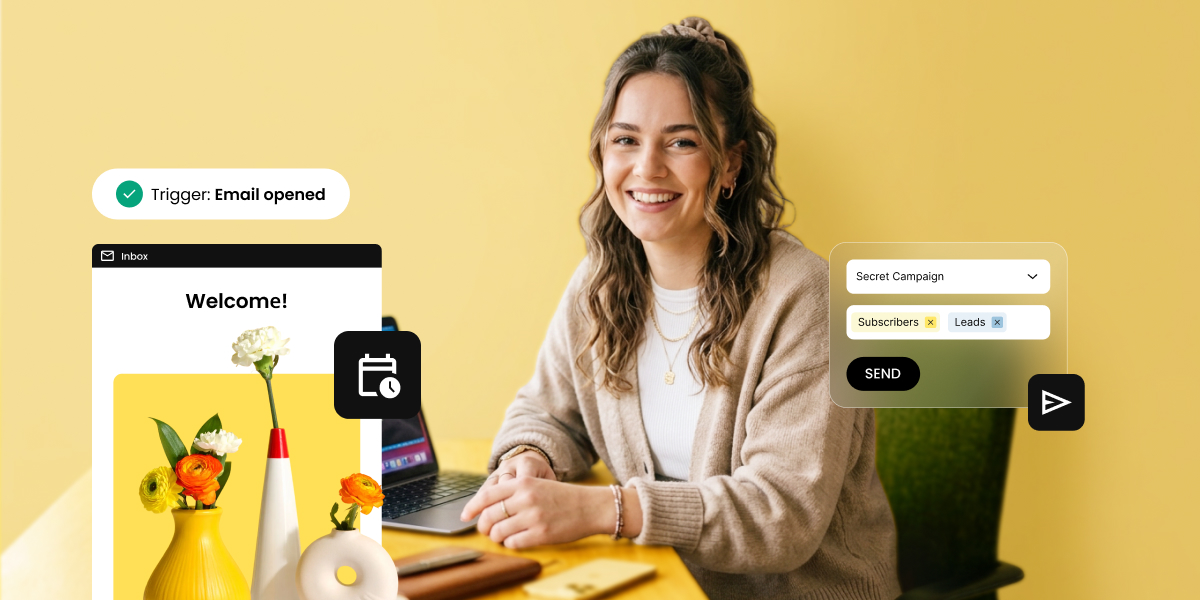
Smiling woman at a desk with a laptop, surrounded by UI elements showing an email automation flow trigger, a welcome email, and a campaign send interface

Automated email flows are sequences that send themselves. The three worth building first are a welcome flow, a lead nurture flow, and a re-engagement flow, covering the moments that matter most: someone joins your list, shows interest in something specific, or stops opening your emails.

This article covers the flow types worth building first, what triggers each one, how to time them, and how to set up your first automated email marketing campaigns.

Key takeaways:

  • Automated email flows send the right message at the right moment without manual effort. Once built, they run on their own.
  • Three flows cover the vast majority of subscriber interactions: welcome, lead nurture, and re-engagement. Start there.
  • What separates a flow that performs from one that doesn’t comes down to four variables: trigger, segmentation, timing, and exit conditions.
  • SiteGround Email Marketing lets you build and launch automated flows without any technical experience.

What are automated email flows?

An automated email flow is a sequence of emails that fires automatically based on a trigger event. Every flow has three components: 

  1. A trigger (what starts it)
  2. A sequence (the emails that go out, in order), 
  3. A goal (the action or outcome you want at the end). 

Once a flow is live, it runs in the background. A subscriber meets the trigger condition, enters the flow, and moves through the sequence without any manual input on your end.

That’s what makes flows fundamentally different from one-time email campaigns. Campaigns go out to a list at a set time: you write, schedule, and send. Flows run continuously, triggered by individual subscriber behavior. The table below shows the key differences:

FeatureEmail campaignAutomated email flow
When it sendsOn a date you chooseWhen a subscriber meets the trigger
Who it goes toA list or segment, all at onceSubscribers who meet the trigger, one at a time as it happens
How often you build itEvery time you want to sendOnce, then it runs on its own
Best forAnnouncements, promotions, newslettersOnboarding, nurturing, re-engagement, retention

Good to know: Timing and relevance are the two variables that determine whether an email gets read or ignored. In fact, 74% of people expect a welcome email immediately after subscribing, as reported by Invesp. And a welcome email sent in that window gets opened far more often than the same message sent three days later.

Immediacy drives engagement: that first email lands when the subscriber is at peak attention. 

The flows to set up first

Start with the flows that run on actions every subscriber takes. The three flows below trigger on the most common things subscribers do: join your list, lose interest, or signal they want something specific. Every business has those moments. These flows handle them automatically.

Welcome email flow

The welcome email flow is the single highest-impact sequence in email marketing for one reason: open rates. Welcome emails average an open rate of around 50%,according to Invesp which is two to three times the average for standard campaigns.

The reason is simple: the subscriber just signed up. They took a deliberate action, they’re expecting a response, and your name is fresh in their mind. That window closes fast and a well-built welcome flow is how you make use of it.

Trigger: A new subscriber joins your email list (via sign-up form, website opt-in, or lead magnet download).

What it should do: Confirm the sign-up, deliver whatever you promised (a discount, a resource, access to something), introduce who you are, and set clear expectations for what comes next. The welcome flow is not the place to sell hard; it’s the place to prove the subscription was worth it.

How to structure a welcome email flow 

EmailWhen it sendsJob
Email 1: Confirmation and deliveryImmediatelyConfirm the sign-up and deliver what you promised. One sentence about what to expect next. Subject line example: “Here’s what you signed up for.”
Email 2: Brand introduction2 days after email 1Who you are, what problem you solve, why it matters. Human and specific — not a company bio. One soft call to action: read a post, visit a page, reply with a question.
Email 3: First real ask4 days after email 2One clear ask: book a call, browse your services, try your product. By now it’s earned.

With SiteGround Email Marketing, the email automation setup is straightforward: create a group for new subscribers, set it as the trigger in the automation builder, and add your email steps. You can set a delay before each email based on your goals and audience — more on that in the following sections.

What a good welcome email flow looks like in practice

A good welcome email is personal, on-brand, and delivers exactly what the subscriber signed up for. Here’s an example built using a SiteGround Email Marketing template:

Welcome email from Vibe & Lift featuring a founder's note and a photo of a smiling woman in a sage green sports clothes

Clear welcome, a founder note that puts a human face on the brand, and a visual that matches the tone. That’s it.

Lead nurture flow

A lead nurture flow is a sequence triggered by a specific sign-up — a guide download, a quote request, a contact form submission — that follows up on that interest with relevant content before making an ask. The goal is to move the subscriber from “I gave you my email” to “I trust this business enough to take the next step.”

Unlike the welcome flow, which is about building the relationship, a nurture flow is about the decision. The emails look different: less brand introduction, more proof, education, and value tied to the specific thing that brought them in.

Trigger: A subscriber joins via a specific sign-up source — a lead magnet, a landing page, a demo request, or a contact form tied to a particular service or topic.

What it should do: Address the specific interest that brought the subscriber in, build credibility through useful content and social proof, and move them toward a decision — whether that’s booking a call, starting a free trial, or making a purchase.

How to structure a lead nurture flow:

EmailWhen it sendsJob
Email 1: Deliver and orientImmediatelyDeliver what they signed up for. Confirm what this sequence covers.
Email 2: EducateDay 3One specific, useful piece of content related to their interest. No ask yet.
Email 3: Build proofDay 6A customer story, a case study, or a concrete result that answers: “Does this work for someone like me?”
Email 4: Address hesitationDay 9Handle the most common objection — price, time, complexity, or fit. Keep it honest.
Email 5: Direct askDay 12–14One call to action, one link, no ambiguity.

In SiteGround Email Marketing, create a separate group for each sign-up source and set each one as the trigger for its own automation, so every subscriber gets a sequence built around what brought them in.

What a nurture email flow looks like in practice

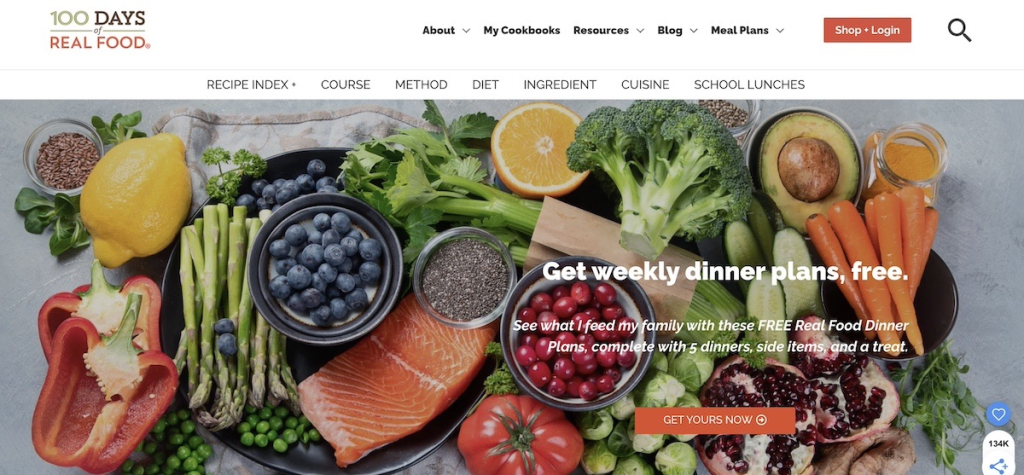
A specific, high-value offer, like this free meal plan from 100 Days of Real Food, is exactly the kind of sign-up that should trigger a nurture flow, not just a welcome email. The subscriber came for something specific. The sequence that follows should speak directly to that.

Homepage of 100 Days of Real Food with a hero image of fresh produce and a free weekly dinner plans opt-in offer

Re-engagement campaigns

A re-engagement email flow is an automated sequence that targets subscribers who’ve gone quiet and either wins them back or removes them from your active list.

Inactive subscribers hurt your sender reputation. Low open rates signal to email providers that your content isn’t worth delivering, which affects how reliably your emails reach everyone else. A re-engagement flow fixes that proactively.

Trigger: A subscriber hasn’t opened or clicked any email in the past 60–90 days. The exact threshold depends on your typical send frequency. If you email weekly, 60 days is reasonable. If you send monthly, 90–120 days may make more sense.

What it should do: Remind the subscriber why they signed up, give them a reason to re-engage (a specific offer, a piece of content, a direct question), and, for those who still don’t respond, cleanly remove them from your active list.

How to structure a re-engagement email flow:

EmailWhen it sendsJob
Email 1: “We miss you”Day 1Acknowledge the gap, remind them of the value they signed up for, include something useful. Subject line example: “Still want [what they signed up for]?”
Email 2: Final nudge5–7 days after email 1Make the ask clearer. Add a small incentive if appropriate — a discount, a free resource, early access. Subject line example: “One click to stay in the loop.”
Email 3: Sunset email5–7 days after email 2Tell them honestly you’re about to remove them and give one last chance to stay. Subject line example: “Should we say goodbye?”

Exit conditions: If a subscriber opens or clicks any email in the flow, pull them out immediately and return them to your regular list. The goal of the flow is re-engagement — the moment that happens, the flow has done its job.

Subscribers who complete all three emails without engaging should be unsubscribed or moved to a suppression list. Keeping them on your active list costs you in deliverability and distorts your reporting.

What a re-engagement email looks in practice

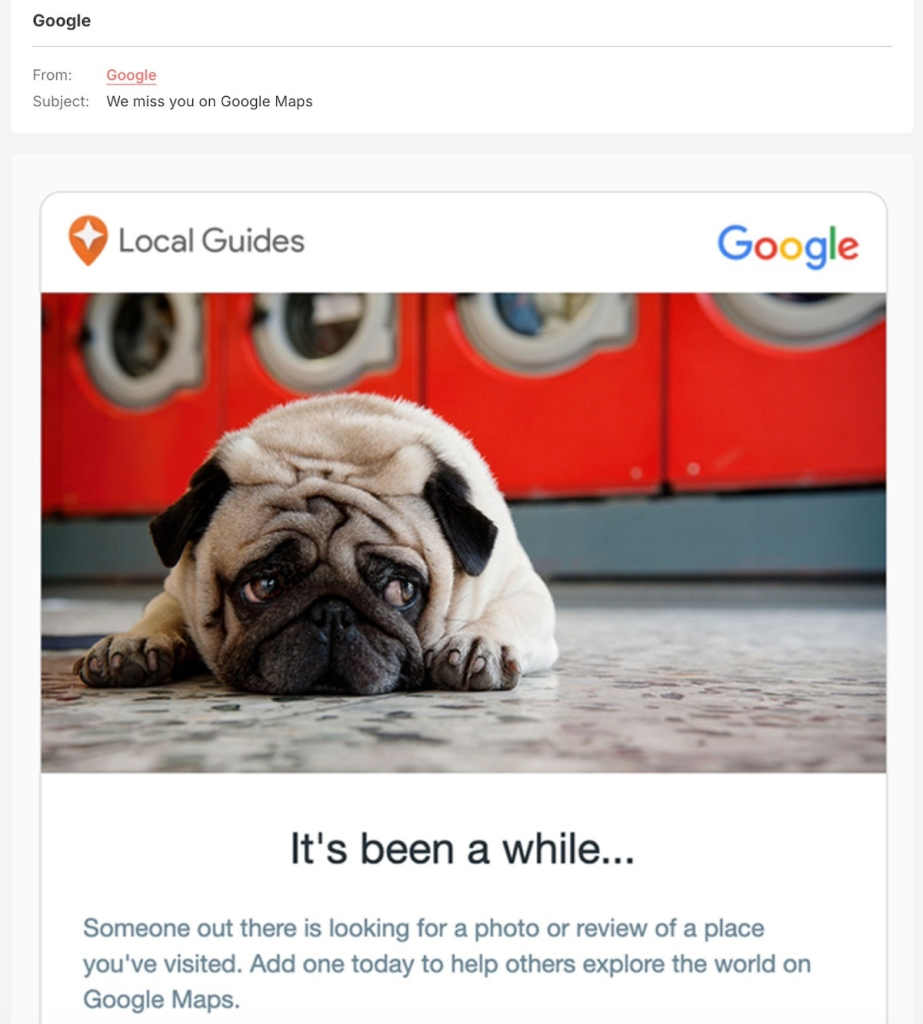
A good re-engagement email acknowledges the gap without making it awkward. Google’s Local Guides example does this well — a disarming visual, a subject line that’s hard to ignore, and a single, low-friction ask.

Re-engagement email from Google Local Guides with a photo of a sad-looking pug lying on the floor and the headline "It's been a while..."

Flows to add once the basics are running

Once your welcome, lead nurture, and re-engagement flows are live, these are the logical next builds. They’re valuable, but they’re not urgent until your foundational flows are in place. Think of this as your second round of automation: each flow below targets a more specific trigger or a more defined group of subscribers.

Onboarding flow

An onboarding email flow is a sequence that guides new customers through their first steps with your product or service. If someone just bought your course but never logs in, or signed up for your tool but never completes setup, they’re already on their way out — and you may not even know it.

A well-built onboarding flow catches them at that moment: here’s what to do first, here’s what to do next, here’s how to get value fast. The result is fewer support requests, less early churn, and customers who actually get what they paid for.

Event or webinar follow-up flow

An event follow-up flow is a sequence triggered by registration or attendance at a webinar, live event, or workshop.

Someone who carved out time for your webinar is already more interested than the average subscriber; don’t let that momentum go cold with a single replay link. A well-timed follow-up sequence delivers the replay, surfaces related resources, and moves them toward a clear next step while the topic is still fresh. If you can, split attendees from no-shows: they showed up for different reasons and should get different emails.

Birthday or anniversary flow

A birthday or anniversary flow is a single email or short sequence, triggered by a date field in the subscriber profile: a birthday, a sign-up anniversary, or a customer anniversary.

In an inbox full of promotions and newsletters, an email that acknowledges a personal milestone stands out. It’s low effort to build, but it lands as something thoughtful — and a genuine targeted message with an optional offer on the right date can quietly outperform campaigns you spent hours on. The only requirement: collect the date field at sign-up.

Content engagement flow

A content engagement flow is a short sequence triggered when a subscriber clicks a specific link in one of your emails — a pricing page, a product, a resource. That click is a signal: they’re interested in something specific, right now.

Unlike the nurture flow, this one fires mid-relationship, when an existing subscriber shows renewed intent. Two or three focused emails on exactly what they clicked on can turn a casual browse into a real conversation.

What makes an email flow actually work

The difference between a flow that performs and one that sits in your platform collecting dust usually comes down to four variables. Competitors cover these briefly or not at all, but they’re worth understanding in detail, because getting even one of them wrong can undermine an otherwise solid sequence.

The trigger

The trigger is the most important decision you make when building a flow. It defines who enters, when, and with what context. A vague or broad trigger like “anyone who joined my list” produces a flow that goes to people who may have very different expectations and needs.

A precise trigger such as “anyone who signed up via the free SEO checklist download on my homepage” produces a flow that can be highly specific, because you know exactly what brought that person in.

When setting up a trigger, ask two questions: 

  1. What did this subscriber just do? 
  2. And what do they likely want next? 

The more directly your flow answers the second question based on the first, the better it will perform.

In SiteGround Email Marketing, segmentation happens at the group level. You define who belongs in a flow by deciding which group triggers it. A group for inactive subscribers triggers the re-engagement flow. A group for guide downloads triggers the nurture flow. The group is both the segment and the trigger.

Segmentation

Segmentation is the process of defining who qualifies to enter an automation flow and just as importantly, who doesn’t. In practice, this means being deliberate about which group triggers a flow: a re-engagement flow should only be linked to a group of inactive subscribers; a lead nurture flow for a specific service should only go to subscribers who expressed interest in that service.

Poor segmentation is one of the most common reasons email flows underperform. When irrelevant subscribers enter a flow, they’re more likely to ignore or unsubscribe, which drags down the engagement metrics for the entire sequence. Before you build a flow, define the audience clearly: which list, which segment, and what behavior or attribute qualifies someone for entry.

Timing and frequency

Spacing between emails in a flow is not a set-and-forget decision. Too close together, and subscribers feel pressured or overwhelmed, which leads to unsubscribes. Too far apart, and the context of what triggered the flow gets lost, which leads to irrelevance. The right cadence depends on the flow type and your audience’s expectations.

As a general starting point: welcome flows work well with emails 2–3 days apart. Lead nurture flows typically run on a three-day cadence over two weeks. Re-engagement flows need more space: 5–7 days between emails gives subscribers time to notice the gap.

The best way to calibrate is to monitor open rates across the sequence and look for where customer engagement drops. A sharp drop between email two and three often signals the timing is too tight or the content isn’t holding relevance.

Exit conditions

Exit conditions define when a subscriber should leave a flow before completing it. Without them, flows keep sending to people who’ve already converted, already unsubscribed, or are now in a different flow with conflicting messaging.

A subscriber who purchases during a nurture flow shouldn’t keep receiving “still thinking about it?” emails. A subscriber who re-engages in your win-back flow shouldn’t receive the sunset email telling them they’re about to be removed.

Every flow you build should have at least one exit condition defined: the action that signals the goal has been achieved. 

How to set up automated email flows with SiteGround Email Marketing

Setting up your first flow doesn’t have to feel like a project. Here’s what the process looks like in practice — from prep to going live.

What to have ready before you build

Before you start, get three things clear: what action triggers the flow, who should receive it, and what each email needs to say. A rough outline per email is enough. And if the writing part feels like the biggest hurdle, SiteGround Email Marketing has a built-in AI text generator to help you get the copy done faster.

Build your first flow

  1. Create your account and access the Email Marketing dashboard.
  2. Set up a group for the subscribers who will trigger the flow — new sign-ups, contacts from a specific form, or any segment that makes sense for your sequence.
  3. Build your email sequence in the automation builder — add emails, write your content using the email editor, and set delays between each step.
  4. Activate the flow and it runs automatically from that point forward — every new contact who joins the trigger group moves through the sequence on their own.

Pick one automated email flow and press send

Still deciding where to start? Build the welcome flow. It has the clearest trigger, the highest open rates, and the most immediate impact — and once it’s live, every new subscriber gets a real introduction to your business without you lifting a finger.

That’s the compounding value of automated email flows. Build them once, and they handle the most common subscriber interactions on their own — freeing your time for the work that actually needs you.

SiteGround Email Marketing gives you everything you need to get your first flow live today.

[58]

Frequently asked questions about automated email flows

What is an automated email flow?

An automated email flow is a sequence of emails that sends automatically based on a subscriber’s action or behavior. When a subscriber meets a trigger condition — signing up for a list, going inactive, clicking a specific link — the flow starts and delivers emails at pre-set intervals without any manual input. The flow runs continuously, so every subscriber who meets the trigger gets the same sequence, timed to their individual entry point.

What’s the difference between an email flow and a campaign?

An email campaign is a one-time send that goes to a list or segment on a date you choose. An automated email flow runs continuously and sends to individual subscribers when they meet a trigger condition. Campaigns are best for announcements, promotions, and newsletters. Flows are best for onboarding, nurturing, re-engagement, and any situation where timing relative to a subscriber’s action (or inaction) matters more than timing relative to a calendar date.

What’s the first email flow I should set up?

Set up the welcome flow first. It triggers on the most common subscriber action (joining your list), has the highest average open rates of any email type, and delivers value immediately. A three-email welcome sequence — confirmation and delivery, brand introduction, and a clear next step — covers the essentials and can be built in a few hours.

How many emails should a flow have?

It depends on the flow’s goal and the subscriber’s stage in their relationship with your business. Welcome flows typically run three emails over six days. Lead nurture flows work well at four to five emails over two weeks. Re-engagement flows rarely need more than three. The right number is the minimum needed to achieve the flow’s goal — adding emails for the sake of volume tends to hurt performance rather than help it.

Can I use email flows with a small list?

Yes. Automated email flows are effective at any list size because they’re triggered by individual subscriber behavior, not list volume. A welcome flow with 50 subscribers delivers the same value as one with 50,000 — every new subscriber gets a relevant, timely introduction to your business. Small lists are actually a good time to set flows up, because you’ll have the sequence running before your list grows, rather than trying to retroactively add automation later.

How do I know if an email flow is working?

Track four metrics: open rate (are subscribers reading the emails?), click rate (are they taking action?), conversion rate (are they completing the flow’s goal?), and unsubscribe rate (are the emails relevant enough to keep them subscribed?). Compare each email in the sequence individually — a sharp drop in open rate at email three, for example, often signals a timing or relevance problem at that step, not a problem with the flow as a whole.

How do I build a profitable email automation?

Profitability in email automation comes from relevance and timing, not volume. Start by defining a clear goal for each flow — what action do you want the subscriber to take by the end? Then build the trigger, sequence, and exit conditions around that goal. Flows that underperform typically have one of three problems: a trigger that’s too broad (the wrong people are entering), timing that’s too aggressive (emails are going out too fast), or an unclear call to action in the final email. Fix those three variables and most flows will improve measurably.

Spam rate explained: why good emails still end up in spam

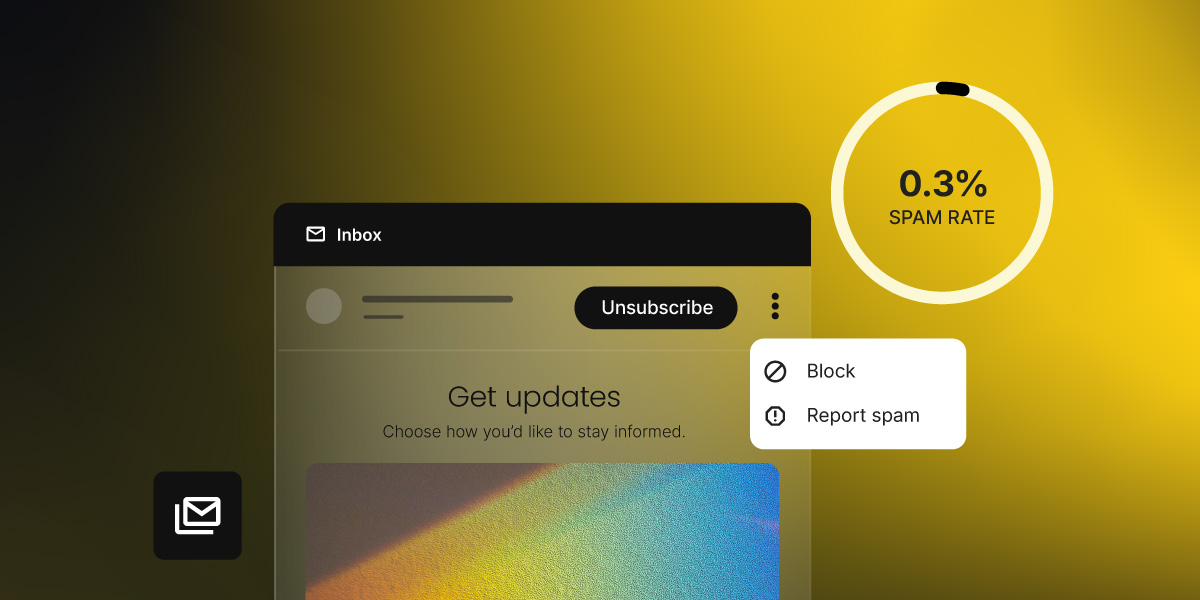
Email inbox interface showing an unsubscribe option, block and report spam menu, and a 0.3% spam rate indicator

Key takeaways:

  • Spam rate is the percentage of delivered emails that recipients report as spam.
  • Keep it below 0.1%. At 0.3%, Google and Yahoo begin blocking your messages, not just filtering them.
  • Most complaints come from human decisions, not technical failures: forgotten sign-ups, too-frequent sending, irrelevant content.
  • You can check your spam rate through Google Postmaster Tools, Yahoo Complaint Feedback Loop (CFL), and SiteGround Email Marketing’s reporting dashboard.
  • Double opt-in, list cleaning, and a visible unsubscribe link are the three highest-impact fixes.

Your emails look fine. Your list is clean. And yet, someone still hits the spam button, and you may not know it until your metrics start taking a turn.

The metric we’re talking about here is your spam rate, which tells you how often that’s happening and why. Here’s what spam rate is, what counts as too high, and what’s actually causing people to hit that button.

What is the spam rate in email marketing?

Spam rate is the percentage of delivered emails that recipients report as spam by clicking “Report spam” (or “Mark as junk”) in their email client. It’s calculated like this:

Spam rate = (number of spam reports ÷ number of emails delivered) × 100

So if you send 1,000 emails, 990 land in inboxes, and three people report them as spam, your spam rate is approximately 0.3%.

A few things spam rate is not:

  • It’s not a spam score. Spam score (sometimes called a spam filter score) is a pre-send content analysis that predicts whether your email will be flagged. Spam rate is a post-send measurement of what actually happened.
  • It’s not a bounce rate. Bounces happen when an email can’t be delivered at all — the address doesn’t exist, the inbox is full, or the server rejected it. Spam reports come from real people who received the email and chose to flag it.
  • It’s not an unsubscribe rate. An unsubscribe is a clean exit. A spam report is a complaint that damages your sender reputation. Both mean someone doesn’t want your emails anymore, but they carry very different consequences.

Mailbox providers like Gmail and Yahoo track spam reports at the domain level and use them to build a picture of your sender reputation. This is a trust score that determines whether your messages reach the inbox, land in spam, or get blocked.

Flag enough messages and those providers start treating everything from your domain with suspicion, not just the campaign that caused the problem. For small senders with low volumes, even a handful of complaints can tip you over a threshold.

And if you’ve come across the terms complaint rate or abuse rate, they mean exactly the same thing. Different providers just use different names for it.

One thing worth knowing: For privacy reasons, Gmail doesn’t share complaint data with email platforms, so it won’t show up in your campaign reports. To see how your emails are performing in Gmail specifically, you need to check Google Postmaster Tools separately. 

  • Gmail doesn’t share spam data with email platforms. To see your Gmail complaint rate, you need Google Postmaster Tools, a free dashboard that shows how your domain looks from Gmail’s side. 
  • Other providers, including Yahoo, do share complaint data with Email Service Providers (ESPs) through a feedback loop (FBL), which is a system that automatically forwards complaint reports back to your ESP every time someone hits “Report spam.” Those numbers show up directly in your campaign reports. 

More on where to find all of this in the steps below. But first, what rate are you actually aiming for?

What’s a good spam rate?

The short answer: below 0.1%. That’s the rate the industry has treated as a healthy benchmark for years, and it’s the number Google explicitly recommends staying under for reliable inbox placement.

The longer answer involves two distinct thresholds that every email sender should know.

Google and Yahoo spam rate thresholds

In February 2024, Google and Yahoo formally codified spam rate requirements as part of their updated bulk sender requirements (rules that apply to anyone sending more than 5,000 emails per day to Gmail or Yahoo addresses). 

The complaint threshold they set has two distinct levels that every sender should treat as separate targets. Microsoft followed with equivalent rules for Outlook, Hotmail, and Live.com addresses in May 2025.

Spam rateWhat it meansWhat to do
Below 0.1%Healthy. Google’s recommended target for reliable inbox placement.Maintain current practices. Keep monitoring.
0.1% – 0.29%Caution zone. Complaints are above ideal; deliverability may start to slip.Investigate the cause. Don’t wait for it to climb.
0.3% or aboveAction threshold. Google and Yahoo begin blocking or filtering your messages.Act immediately. At 0.3%, you’re ineligible for mitigation at Gmail.

To put 0.3% in concrete terms: if you send 10,000 emails, just 30 spam reports push you to that threshold. Aim for below 0.1% and treat anything above it as a warning sign, not a passing grade.

How to check your spam rate

You have two dedicated tools for the biggest providers: Google Postmaster Tools for Gmail data, Yahoo’s Complaint Feedback Loop for Yahoo data, and your SiteGround Email Marketing campaign analytics, which surface complaint data from providers that share it. Between those three, you have a complete picture of how your emails are landing.

The goal is to spot a trend before it becomes a problem.

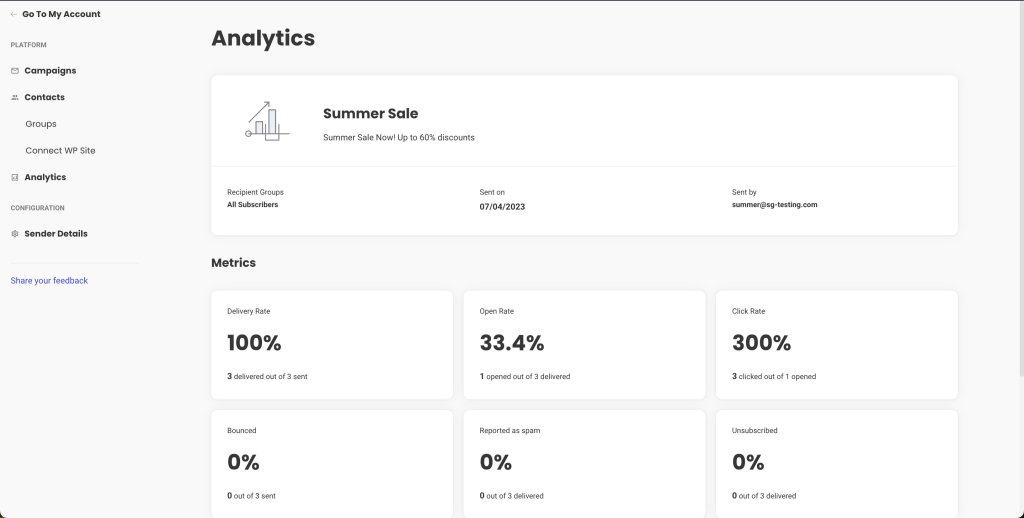
SiteGround Email Marketing analytics dashboard showing campaign metrics including delivery rate, open rate, click rate, bounced, reported as spam, and unsubscribed rates

Complaints compound quietly. By the time you notice a drop in open rates, you may already have a reputation problem.

5 reasons why people mark your emails as spam

Spam complaints are usually a human decision, not a technical failure. The most common triggers: they forgot they signed up, the emails stopped feeling relevant, unsubscribing was too hard, you were sending too often, or the email just looked suspicious. 

Here’s what’s behind each one.

#1. They forgot they signed up

Someone gets an email, doesn’t recognize the sender, and hits “Report spam” before even reading the subject line. They’re not angry; their inbox is just full and that’s the fastest way to clear it.

This happens more than you’d think. Someone signs up for a discount or a free download, your newsletter lands two weeks later, and they genuinely have no idea who you are. A pre-checked checkout box, no confirmation email, a list that’s been cold for months: none of these count as real consent. The person never made a deliberate choice to hear from you, and when your email lands, it feels like it came out of nowhere.

#2. The emails stopped feeling relevant

Relevance is a moving target. Someone who signed up for your newsletter when you were writing about freelancing tips may not want your new content about enterprise software. A customer who bought a specific product may have no interest in emails about a completely different category.

When your content consistently misses what a subscriber actually cares about, they don’t see a reason to unsubscribe when “Report spam” achieves the same result in one click.

#3. They couldn’t find the unsubscribe button

When people want out and can’t find an obvious way to leave, they find another one. A link buried in a dense footer, a confirmation page that requires logging in. Any friction pushes someone toward the spam button instead. It’s not that they’re frustrated with you specifically. Spam is just faster.

What makes this worse: Gmail and Yahoo now show an “Unsubscribe” link right next to your sender name in the inbox, before the email is even opened. When people still choose “Report spam” over that, it’s usually because the unsubscribe process has burned them before. Тhey clicked it somewhere else and the emails kept coming.

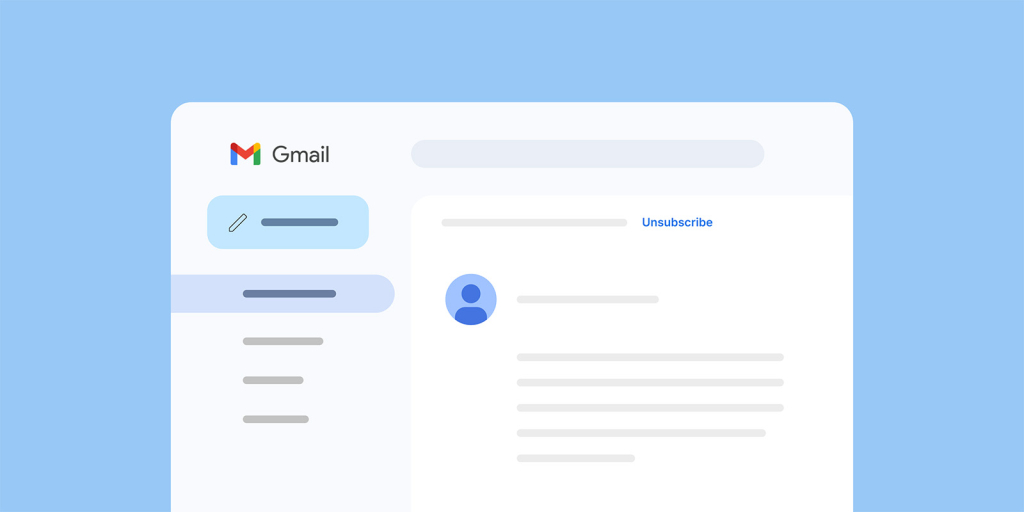
Gmail inbox interface showing an open email with an unsubscribe link visible in the header

#4. You’re sending too often

Frequency fatigue is one of the most consistent drivers of spam complaints. A subscriber who liked your weekly newsletter may not want to hear from you daily. A promotional email a day during a sale can push even engaged contacts over the edge.

Frequency fatigue is real. When someone’s inbox starts filling up with your emails, the spam button is the quickest way out.

There’s no universal “right” frequency that applies to every list. It depends on your audience, your industry, and what you’ve set expectations about. The email marketing benchmarks guide covers typical cadence ranges by list size and industry as a starting point.

#5. The email looked suspicious

Even if your content is legitimate, an email that looks like spam will get reported like spam. This includes:

  • A sender name that doesn’t match the brand the subscriber signed up for (for example, a personal name with no company context)
  • Subject lines with excessive punctuation, all-caps words, or vague urgency (“YOU WON!!! Open now!!!!”)
  • Broken images, misaligned layouts, or fonts that render oddly on mobile
  • Links that don’t match where they appear to go
  • No physical mailing address (required under CAN-SPAM)

According to Zero Bounce, around 80% of people will report an email as spam simply because it looks like spam. That’s before they’ve read a single word. Make sure your emails look like they come from a sender worth trusting: a recognizable name, a clean email layout, a subject line that doesn’t scream “promotional.” People should associate your address with something they actually want to open.

Knowing what drives complaints is half the battle. Let’s see what you can do about it.

6 steps to lower your spam rate

Most spam rate problems aren’t technical, they’re behavioral. The way you grow your list, how often you send, and how easy you make it to leave all have a direct impact on how often people reach for that button. These six steps address the most common causes.

#1. Keep an eye on your campaign reports

Your SiteGround Email Marketing reports are your first line of defense. Check them regularly for complaint data from providers that share it. If you want the full picture for Gmail specifically, Google Postmaster Tools fills that gap. It’s free, takes about 10 minutes to set up, and shows you data your campaign reports can’t.

For Yahoo and other providers, complaint data reaches you through a feedback loop (FBL).

If you’re using SiteGround Email Marketing, complaint data surfaces in your campaign reports automatically as a dedicated “Reported as spam” metric. If you’re sending frequently, check after every campaign. If you send once a week or less, a quick check every two weeks is enough. What you’re looking for is a trend, not a one-off spike.

A spam rate climbing from 0.05% to 0.12% over a few campaigns is a signal worth investigating. Spotted six weeks later, after your inbox placement has already dropped, it’s a much harder situation to recover from.

#2. Use double opt-in

Double opt-in means that after someone signs up, they receive a confirmation email with a link they have to click before they’re added to your list. This filters out typos, bots, and people who signed up impulsively and won’t remember doing so: the exact people most likely to hit the spam button later.

Yes, it reduces raw list growth numbers. But a smaller list of people who genuinely want to hear from you means higher open rates, fewer complaints, and better inbox placement over time: all of which matter more than a big number in your contacts dashboard.

SiteGround Email Marketing has double opt-in built in. You can enable it per group directly from your Contacts settings: either when creating a new group or by switching it on for an existing one.

#3. Clean your list

Inactive subscribers (people who haven’t opened or clicked in six to 12 months) aren’t just dead weight. They actively pull your metrics in the wrong direction. Low engagement signals to mailbox providers that your content isn’t wanted. And inactive email addresses sometimes get recycled into spam traps, which can damage your sender reputation even further.

A regular list cleaning process removes contacts who no longer interact with your emails before they become a problem. This means setting a window for inactivity (six months is a common standard) and either running a re-engagement campaign to see who responds, or removing non-responders from your main sending list.

#4. Make unsubscribing easy

As covered in the reasons above, a hidden or broken unsubscribe process pushes people toward the spam button. The fix is simple: make it visible, make it work in one click, and honor it immediately.

SiteGround Email Marketing handles one-click unsubscribe by default, so if you’re sending through the platform, you’re already covered. If you’re using a different tool, check that RFC 8058 compliance is enabled. Most modern email platforms support it, but it’s worth confirming.

#5. Segment before you send

Relevance is the strongest complaint deterrent you have. Sending a promotional email about enterprise software to a list that signed up for freelancing tips is a fast way to accumulate spam reports from people who just don’t care.

Segmentation doesn’t have to be complex. With SiteGround Email Marketing, you can organize subscribers into groups: by sign-up source or custom fields, and send campaigns to specific segments rather than your whole list. Even sending different content to different audience groups is enough to reduce the chance someone marks you as spam out of irrelevance.

#6. Watch your sending frequency

Too many emails is one of the most consistent reasons people reach for the spam button. There’s no one-size-fits-all answer to how often you should send. It depends on your audience’s expectations, your content type, and what you established when they signed up.

What matters is that frequency feels predictable and proportional. A subscriber who signed up for a weekly roundup and starts getting daily emails from you didn’t agree to that. When volume increases without warning, spam reports tend to follow.

The lower your spam rate, the better your chances in the inbox

Most spam rate problems trace back to the same handful of situations: a list that wasn’t cleaned before a reactivation campaign, emails sent too soon after a growth spike, or frequency creeping up around a sale period. None of those are random — and none require a technical fix. They just require catching the pattern before it compounds.

Keep your spam rate below 0.1%, watch your numbers consistently, and treat anything climbing toward 0.3% as a warning sign, not a passing grade. Your sender reputation and inbox placement depend on it.

One thing worth remembering: your deliverability also depends on the platform you send from. A poorly managed infrastructure, shared with spammers, can get your sending IP flagged regardless of how clean your own list is.

SiteGround Email Marketing gives you campaign-level reporting to monitor complaint data, built-in audience management to keep your list healthy, and the sending infrastructure to back it up.

[58]

Check your email marketing metrics regularly, not just when something feels off. The senders who maintain healthy spam rates aren’t doing anything extraordinary — they’re just watching the right numbers consistently.

Frequently asked questions about spam rate

How do you track spam rate over time?

The most reliable way to track Gmail complaints is Google Postmaster Tools, which shows your domain’s spam rate, sender reputation, and delivery errors as Gmail measures them. Register your sending domain at postmaster.google.com and check the “Spam Rate” tab for a historical view. For Yahoo and other providers that use a feedback loop (FBL), complaint reports are shared back to your ESP automatically — if you’re using SiteGround Email Marketing, Yahoo complaint data shows up in your campaign reports. Build a habit of checking both sources regularly.

Does spam rate affect email deliverability?

Yes, directly. Spam rate is one of the primary signals mailbox providers use to evaluate your sender reputation and decide whether your emails deserve inbox placement. A high spam rate — especially one that crosses the 0.3% complaint threshold — tells Gmail, Yahoo, and Outlook that your recipients don’t want your messages, and those providers will start filtering or blocking them accordingly. Beyond the immediate delivery hit, sustained high complaint rates erode your domain’s sender reputation, which affects how all your future mail is treated — even after you’ve fixed the underlying problem. See the email deliverability guide for a fuller picture of how reputation is built and recovered.

What are some email marketing best practices for a low spam rate in 2026?

The fundamentals haven’t changed, but enforcement has tightened. For 2026, the practices that matter most are: using double opt-in for new sign-ups, cleaning your list every three to six months, making one-click unsubscribe the default (part of Google and Yahoo’s bulk sender requirements since February 2024), segmenting your list so each send goes to people who actually want that content, and monitoring your complaint threshold consistently through Google Postmaster Tools and your email platform’s FBL reports. Authentication (SPF, DKIM, DMARC) is also now mandatory for bulk senders across Gmail, Yahoo, and Outlook.

What percentage of emails marked as spam will get you in trouble?

The official complaint threshold is 0.3% — that’s when Gmail and Yahoo begin enforcement, blocking messages or routing them to spam folders. But the practical warning line is lower. Google recommends keeping your spam rate below 0.1% for consistent inbox placement. The gap between 0.1% and 0.3% is a caution zone where your sender reputation may already be slipping even if you haven’t hit the hard ceiling yet. In concrete terms: 0.1% means one spam report per 1,000 delivered emails. 0.3% means three reports per 1,000. That’s a narrow margin, especially for smaller lists where individual complaints carry more weight.

What is the difference between email spam rate, complaint rate, and unsubscribe rate?

Spam rate and complaint rate are effectively the same metric — different providers use different terminology, but both measure how often recipients report your emails as unwanted. The distinction is that “spam rate” is more commonly used in Google’s tooling, while “complaint rate” or “abuse rate” is more common in industry reporting. Both damage your sender reputation when elevated.
The unsubscribe rate is different. An unsubscribe is a voluntary opt-out that removes someone from your list. It affects your list size and is a useful signal about content relevance or frequency issues, but it does not damage your sender reputation the way spam reports do. In fact, a higher unsubscribe rate is often preferable to a high spam rate — it’s a cleaner exit for both parties.

What percentage of all emails are spam?

Estimates vary by source and year, but industry figures consistently put total email spam at around 45–48% of all email traffic globally. Some sources cite numbers as high as 160+ billion spam messages sent daily. Gmail alone blocks over 15 billion spam emails per day. These figures explain why mailbox providers take spam rates seriously. The scale of the problem means even small changes in sender behavior have a meaningful impact on what their users see.

Email and social media marketing: better together

Small business owner working on a laptop with an email campaign and social media engagement notifications

Social media and email marketing solve different problems: social builds your audience, email deepens the relationship. For small business owners and solopreneurs, the answer isn’t to pick one; it’s to stop treating them as separate. This article shows you how.

Key takeaways:

  • Social media finds you new people; email is how you keep them coming back.
  • Your social followers and email subscribers aren’t the same people and running campaigns across both reaches more of them.
  • Seeing the same message twice is often what makes someone finally click.
  • A signup link in your bio and social icons in your emails are enough to get started.
  • One piece of content can work on both channels. Just change the format, not the idea.

What is social media and email marketing?

Social media marketing and email marketing are two digital marketing channels that help small businesses reach, engage, and convert their audience. 

  • Social media marketing uses platforms like Instagram, Facebook, LinkedIn, or TikTok to help people discover your business through content like posts, stories, videos, and comments.
  • Email marketing is the practice of sending messages to a list of people who’ve chosen to hear from you (your email list), giving you a direct line to an audience that already knows who you are.

Email vs. social media: what each one can’t do alone

Used together, social media and email are a core part of any integrated marketing strategy. But before we get to the “together” part, let’s look at what each one is missing on its own.

What social media can’t guarantee

Social media gives you reach, but not control. When you post, the platform’s algorithm decides who sees it and it’s rarely all of your followers. That’s because organic reach on most platforms has been shrinking for years, as reported by ADdictive. Therefore, your followers aren’t guaranteed to see your content. When a platform tweaks its algorithm, businesses that relied solely on organic reach have seen their engagement drop by half overnight — with no warning and no recourse.

What email can’t do for discovery

Email gives you a direct line to people who already know you, but it can’t help new people find you. You can only send to the list you have, and if that list isn’t growing, neither is your reach.

Why small businesses need both

So each channel has a ceiling the other helps break through. Here’s what that looks like for a small business.

Integrate social media to grow your email list

Social media marketing puts you in front of people who don’t know you yet and some of them will want to hear more. That’s your opportunity to convert a follower into a subscriber. A bio link pointing to a signup page, a post promoting a free resource, or a lead magnet tied to content you’re already sharing can all drive signups without a paid ad in sight. 

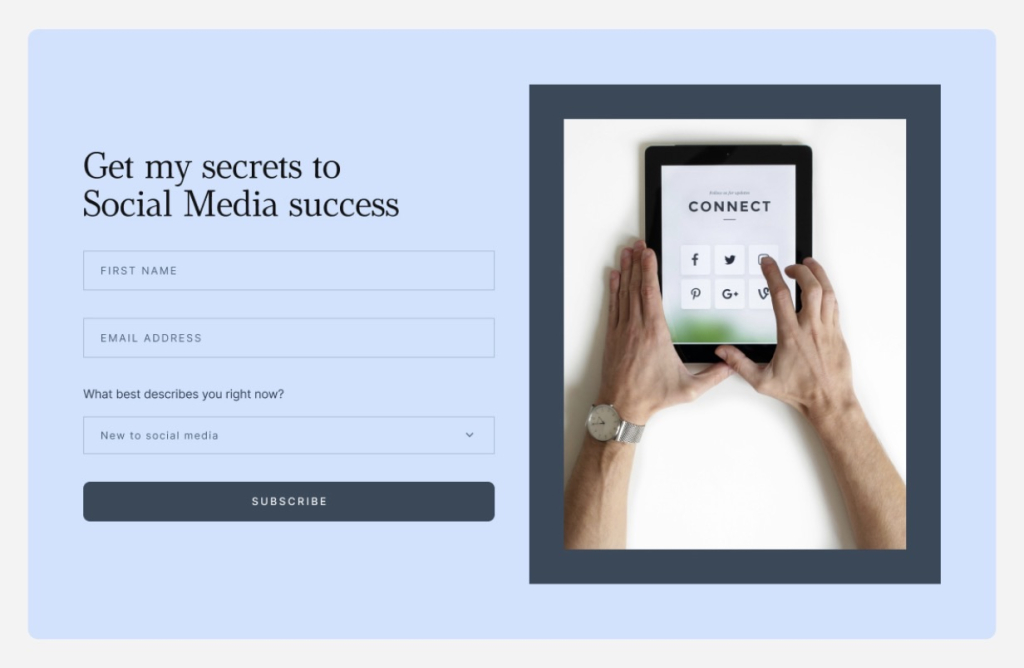
Email subscription form with first name, email address, and audience type fields, promoting a social media tips newsletter

This is especially worth keeping in mind if your audience skews younger. Gen Z may live on social media, but they’re also active email users when the content is relevant and doesn’t feel like a broadcast. Мost of them checking their emails multiple times a day, according to Campaign Monitor.

With SiteGround Email Marketing, you can create signup forms in minutes and share them anywhere, including your social profiles.

Use email to get more subscribers on social

Your email subscribers have already signed up to hear from you, which makes them far more likely to follow you on social media than someone who stumbled across your profile.

A simple nudge in your email newsletter gives subscribers a specific reason to follow you on social. Something like “we’re dropping an exclusive discount code on our Instagram tomorrow” or “join us on Facebook this Thursday for a live Q&A” can go a long way.

Extend the reach of a single campaign

There’s an advantage that’s easy to overlook: your email subscribers and your social followers aren’t usually the same group of people. Some follow you on Instagram but never signed up for your emails. Others are on your list but don’t follow you anywhere on social. 

A freelancer announcing new packages can email existing clients while posting on LinkedIn to get in front of potential new ones. A local shop running a seasonal promotion can hit their subscriber list and pin the offer to their Instagram profile at the same time. Same campaign, two audiences, more chances to convert.

Communicate the same message across both channels

Seeing the same campaign twice: once in an inbox, once on a social feed, makes people more likely to act on it. According to WifiTalents, email and social media combined generate 30% higher engagement than either channel alone.

Someone who ignored your email might act when they spot the same offer on Instagram. Someone who scrolled past your post might finally click when it lands in their inbox. That second touchpoint is often what makes the difference.

Five best practices for a combined email and social media marketing strategy

Now that you know what each channel brings to the table and why they work better together, it’s time to get into the how. Here are five things you can start doing today.

#1. Start with a signup form on your social channels

The simplest way to turn social followers into email subscribers is to make signing up easy and obvious. Think about how many people follow you on social, engage with your posts, and then disappear. No way to reach them outside of whatever the algorithm decides to show them next. A signup form bridges that gap. Add a link to your bio, include it in your posts when relevant, and if you’re running a lead magnet or a freebie, make the form the destination. The key is giving people a clear reason to hand over their email. “Get weekly tips” works better than “join our newsletter.”

Instagram business profile for Bloom Studio with a bio linking to a weekly email newsletter on pricing and packaging

With SiteGround Email Marketing, you can create and customize signup forms in minutes and drop the link anywhere your audience already is. There’s also a ready-to-use Subscribe page with no design work needed, you can just copy the link and share it on your social profiles, in your bio, or anywhere else your audience lands.

Of course, a signup form only works if people actually want to sign up.

#2. Promote your newsletter as a content destination

Most people won’t sign up for a newsletter just because it exists. But they will sign up for something that sounds worth reading. On social, treat your newsletter like a product: share snippets of what’s inside, tell people what they’ll get that they won’t find on your feed, and post consistently about it. A behind-the-scenes look at your last issue, a quote from a recent edition, or a “here’s what we covered this week” post all give followers a reason to want in.

Dark-themed newsletter card with the headline "Your feed gets the likes. Your newsletter gets the trust." and a note about email subscribers converting at 4x the rate of social followers

If you want to take it a step further, SiteGround Email Marketing’s View in Browser feature gives each of your emails a public link, meaning past issues can be browsed online like a blog. Share that link on social and people can read your previous emails before deciding to subscribe. Add a signup form to the page and you’ve turned a single social post into a list-building opportunity.

#3. Add social links to every email you send

Your subscribers are already engaged enough to open your emails, so give them an easy way to find you on social too. Adding social icons to your emails takes minutes, but don’t just drop them in your footer and call it done. Give people a reason to click. A line like “we post daily tips on Instagram that don’t make it into the newsletter” is far more compelling than a row of logos.

Email footer in mint green with an Instagram icon and a note that daily tips are posted on Instagram that don't appear in the newsletter

SiteGround Email Marketing lets you add social links directly to your email templates through Brand Identity. Set it up once and they’ll appear in every email you send automatically, without you having to think about it again.

SiteGround Email Marketing sidebar menu showing Campaigns, Automations, Contacts, Analytics, and Sender Details with Brand identity selected

#4. Use social to tease what’s coming in email (and vice versa)

People act on anticipation. A teaser post on social media before your email goes out: “something good is landing in inboxes tomorrow” or “we’re sharing our full pricing breakdown in this week’s newsletter, subscribe to get it”, creates a reason to pay attention before the message even arrives. It also rewards subscribers for being on your list, which makes them less likely to tune out over time.

On the flip side, use your emails to point subscribers to something happening on social like a live session, a poll, or a limited-time story. A fitness coach teasing their next workout plan email on Instagram, or a freelance designer using their newsletter to invite subscribers to a LinkedIn live session — small moves that keep both audiences engaged and curious. 

And if you’re already sharing content across both channels, you might as well get double the mileage out of it.

#5. Repurpose content across both channels

You don’t need to create separate content for every channel. If you’ve ever stared at a blank Instagram caption after already writing a newsletter that week, you know the feeling. The fix isn’t always more content; it’s the same content, reshaped for each channel.

A newsletter section can become a carousel post. A social post that got strong engagement can become a full email. A how-to you wrote for your list can be broken into a three-part Instagram series. The content is already there — repurposing it just means adapting the format, not starting from scratch. Take SiteGround’s Grow Your Business Email course, for instance, delivered as an email series and promoted across social media at the same time. Same content, different format, reaching people on both channels without doubling the workload.

SiteGround email course graphic covering SEO in the age of AI, AI marketing tips, and email marketing, rated 4.5 stars by participants

Email and social media marketing: putting it all together

Email and social media are better as a team and connecting them doesn’t take much. Use social to grow your list, use email to work that list, and let both channels carry your campaigns further than either one could alone. Start small, stay consistent, and the two channels will start pulling in the same direction.

[58]

Frequently asked questions about social media and email marketing

Which is better, email marketing or social media marketing?

Neither is better than the other. They serve different purposes. Social media is better for reaching new people and building awareness. Email is better for converting and retaining an audience you’ve already built. Used together, they cover the full email customer journey.

How do I grow my email list using social media?

Add a signup link to your bio, promote your newsletter regularly in your posts, and give people a specific reason to subscribe — a free resource, exclusive content, or a discount. The clearer the benefit, the more likely people are to sign up.

Can I manage email and social media without extra tools?

Yes. You don’t need a complex stack to connect the two channels. SiteGround AI Studio brings both together in one place — the Email Marketing Agent builds full campaigns from a single prompt and sends them directly into SiteGround Email Marketing, while the Social Media Managers turn the same message into channel-ready posts for Facebook, Instagram, and LinkedIn. Same workspace, both channels covered. 

What are common social media mistakes?

Posting inconsistently, focusing on follower count over engagement, and treating every platform the same. Another common one: using social as a broadcast channel rather than a two-way conversation. The businesses that get the most out of social media show up regularly, respond to comments, and give their audience something worth engaging with.

Make them laugh: Adding humor in email marketing

When you plan an email, it’s easy to focus on the offer, the segment, and the subject line. It’s also easy to forget there’s a real person on the other side deciding, in a second, whether they feel like reading any of it.

Humor is one of the few tools that can change that feeling quickly, even though it’s not always easy to pull off. In this article, we’ll look at a handful of humor styles that work in email and how to use them intentionally. For small businesses, that can lead to higher opens, more clicks, and a brand people actually remember when they need what you sell.

Key takeaways:

  • Humor works when it mirrors your reader’s actual life and frustrations, so the email makes people feel understood, not marketed at.
  • Choose one humor style per email (self-own, pain point, pun, inside joke, or twist) and make sure it points back to a clear message or offer.
  • Don’t sacrifice clarity for cleverness, if the joke makes the point harder to understand, cut the joke.
  • Measure if humor works by tracking opens, clicks, replies, unsubscribes, and forwards against your normal benchmarks.

Why humor actually works in emails

When an email makes you smile, you don’t experience it as “marketing” first but as a human moment. But the deeper reason humor works has nothing to do with comedy. It’s about recognition.

When you make someone laugh, you’re proving you understand them: their day, their frustrations, their industry, the specific kind of tired they are on a Tuesday afternoon. As conversion copywriter Lianna Patch puts it: “People don’t buy products. They buy feelings that come with them.” Laughter is one of the fastest ways to create that feeling.

According to Oracle’s Happiness Report, 72% of people would choose a brand that makes them laugh over a competitor. That’s a majority of your potential customers actively rewarding brands that don’t take themselves too seriously.

That’s the emotional core of good email marketing, humor or not. Laughter is just the shortcut.

The key insight

Humor is an emotional signal. It tells your subscriber: I wrote this for you specifically, not for a generic person who might be on my list. That signal is what builds the kind of loyalty no discount code can buy.

5 types of humor that work in email marketing

Not all humor is equal. Different styles work for different audiences and moments.

1. Self-deprecating humor (the safest kind)

Poking fun at your own product, your team, or your industry is low-risk and high-reward. It signals confidence, honesty, and humanity, three things marketing copy is usually missing.

The structure is simple: admit something true that’s slightly unflattering, then own it completely. A re‑engagement email that says, “We noticed you haven’t opened lately. We cried a little, ate a cookie, and decided to win you back” injects vulnerability and charm into what’s usually a dry message. Humor makes the outreach feel personal.

Online liquor store Drizly once sent an email full of lorem ipsum by mistake, then followed up with “lol, wtf was that” and a discount code called LOREMIPSUM. They turned an error into a self-deprecating moment that actually made subscribers like them more.

2. Pain-point humor (the most effective kind)

Take a real frustration your audience lives with and exaggerate it until it becomes absurd. This works because of recognition. When someone reads a copy that names their exact problem — not a vague approximation of it, the specific Tuesday-at-4pm version of it — they feel seen. And feeling seen is the fastest path to a click.

A fitness coach can mock the gap between January gym motivation and February reality. A web designer can joke about exported files named “FINAL” and “FINAL FINAL v3”. If your audience has felt it, you can joke about it.

Death Wish Coffee has framed running out of coffee like a horror movie plot, riffing on Friday the 13th in their emails. It’s funny because the fear is real for their audience: they’re exaggerating a genuine pain point, not inventing one.

3. Puns and wordplay (use sparingly, but use them)

Everyone rolls their eyes at puns. Everyone secretly enjoys them. That little eye-roll? It means the pun worked. It caught their attention, made them react, and that’s what makes it memorable.

Research consistently shows pun-based subject lines outperform generic ones (even the obvious ones) because they create a micro-moment of surprise that breaks the monotony of the inbox.

Subject line examples that work:

  • Florist: “We’re rooting for you 🌱”
  • Coffee brand: “Espresso yourself.”
  • Pet shop: “Pawsome deals end Sunday.”

The rule: a pun earns its place when it connects to something real in the email. A pun that exists just for the joke misses the point. A pun that bridges your subject line to your actual offer is a hook.

4. Inside jokes (the most bonding kind)

Nothing signals “I’m one of you” faster than a joke only your audience would get. Industry-specific humor: references to shared tools, shared nightmares, shared jargon — creates a sense of belonging that generic content never can.

Morning Brew, for example, constantly winks to finance in-jokes, niche business memes, and recurring “characters” in the news cycle, jokes that make no sense unless you’ve been following along.

And Cards Against Humanity has turned ridiculous Black Friday stunts into a tradition their audience feels part of: charging more, selling nothing, or listing ridiculous items. Both have built cult-level loyalty partly because of it.

For small business owners: what’s the joke only your customers would get? The one that’s so niche it would mean nothing to anyone outside your world? That’s the joke worth putting in an email.

5. The unexpected twist (the most shareable kind)

Set up an expectation. Break it.

The twist works because it rewards attention. Subscribers who read all the way through feel like they got something: a joke, a reveal, a moment of surprise. That feeling makes them more likely to click, more likely to remember you, and significantly more likely to forward the email to a friend.

Think: a “50% off” subject line that turns out, in the body copy, to be “50% off… your stress, because this tool now does the boring part for you,” then smoothly pivots into the actual (smaller but still real) discount.

Subject line humor vs. body copy humor: Two different skills

Most advice on funny emails treats subject lines and body copy as the same thing. They’re not. Getting one right doesn’t automatically mean you’ll get the other right and mixing up the approach is one of the most common reasons a “humorous” email falls flat.

Subject line humor

A subject line has roughly 40–50 characters to do everything: earn the open, set a tone, and create enough curiosity or recognition that clicking feels like the obvious next move.

This means subject line humor needs to be immediate. The joke has to land on the first read, without setup. The formats that work best here are:

Bluntly honest confessions

“This is a shameless bribe to open” or “Yes, this is a sales email” call out what’s happening and disarm skepticism in one line.

Broken clichés and flipped phrases

Take something familiar and twist it once, like “New year, same beautiful chaos” or “Limited-time offer (for real this time).”

Exaggerated overreactions

Lines like “Everything is under control (we think)” or “We need to talk about your cart” heighten a small situation just enough to be funny, not confusing.

What doesn’t work: jokes that require context to land, references that only make sense if you already know what the email is about, or wordplay so layered it needs a second read. In a subject line, if someone has to think, you’ve already lost them.

Body copy humor

Email body copy humor has the opposite problem. You have room which means you have enough rope to hang yourself with. The risk isn’t that the joke won’t land, it’s that you’ll keep going after it lands, explaining it into the ground, and arriving at your email CTA with no momentum left.

Good body copy humor follows a three-beat structure:

  1. Setup: Establish the bit. Name the pain, the absurdity, or the premise. Keep it short, one or two sentences maximum.
  2. Payoff: The punchline, the reveal, or the escalation. This is the moment the reader rewards you with a smile. It should arrive before they expect it.
  3. Pivot: The clean turn toward your actual point. This is where most brands lose the thread. They stay in the joke too long and the CTA doesn’t feel like the obvious next step anymore. The pivot should feel like the natural conclusion of the joke.

Map your humor to the right moment

Humor is an emotion, and emotions belong in specific places in your marketing funnel.

  • Welcome emails: Self-deprecating humor sets your voice immediately. It tells subscribers what kind of relationship this is going to be.
  • Promotional emails: Pain-point humor makes the problem feel real before your solution feels necessary. The joke is the setup, your offer is the punchline.
  • Re-engagement campaigns: Unexpected twists and a light tone work best here. Your subscriber has gone quiet — a funny email feels lower-stakes to respond to than a serious one.
  • Post-purchase follow-ups: The customer is happy, their guard is down. A funny follow-up deepens loyalty without asking for anything.
  • April Fools (and cultural moments): The rare occasion when everyone expects something different from their inbox. Your subscribers are primed. The bar is lower. Use it.

Priming your audience for humor

Humor lands differently depending on what your subscribers expect from you. If your tone has always been polished and professional, going playful without warning can feel jarring — like a stranger cracking a joke in a business meeting.

The solution is a permission layer: a few small signals that tell your audience your voice is loosening up, before it actually does:

  • Add a PS line with a light touch. A single line at the end of an otherwise normal email — something like “PS. We’re working on something a little different for next week. Just saying.” — plants a seed without committing to anything. It also gets opened: PS lines have disproportionately high read rates because they feel personal.
  • Let one sentence breathe. In your next regular email, swap one stiff, formal sentence for something slightly more human. “Honestly, this one took us a while to get right.” That’s enough. It starts recalibrating what subscribers expect from your voice.
  • Reference your audience’s reality, not just their goals. Most marketing emails speak to where subscribers want to be. One sentence about where they actually are: the frustration, the Monday morning feeling, the thing that’s not working yet, builds the kind of recognition that makes humor land when it arrives.

The permission layer matters most for two groups: new subscribers (who haven’t established a relationship with your voice yet) and long-term subscribers who joined during a more formal era of your brand. For everyone else who already expects warmth and personality from you, you can skip it.

The timing principle

You don’t need to warm up your entire list before one April Fools email. But if humor is going to become a regular part of your email marketing strategy, not just a one-off, the permission layer is what prevents the tonal whiplash that increases unsubscribes over time. Build the relationship first. Then make them laugh.

5 rules to not make it weird

1. Anchor every joke to something real

Every joke should connect to a real pain, a real product, or a real benefit. If you removed the humor, the email should still make sense.

2. Don’t sacrifice clarity for cleverness

If a subscriber has to decode the joke to understand what you’re selling, you’ve lost them. Funny subject line, clear email body. Never the other way around.

3. Know what your audience finds funny

A meme that lands with 25-year-old freelancers may confuse a 55-year-old dentist. Test with a small segment first.

4. Humor is hot sauce, not the main course

One strong humor moment per email. If every line is a gag, the offer disappears. The joke is the hook; the value is why they stay.

5. Test on 3 real humans before sending

If they don’t immediately “get it” — rewrite. Explained humor is dead humor. Always test outside your own bubble.

What to avoid (seriously)

✓ Do this

  • Joke about your failures, not your customer’s
  • Use humor in the subject line, then deliver value in the body
  • Lean on audience-specific references (insider jokes)
  • Use a warm, honest disclaimer when it’s a prank
  • A/B test your humorous vs. standard subject lines

X Avoid this

  • Cultural, political, or religious references
  • Humor that punches at a group (even lightly)
  • Sarcasm without a clear signal — it reads as rude in plain text
  • Over-explaining the joke (this is worse than the joke itself)
  • Humor that has nothing to do with your offer
  • Forcing humor in genuinely serious communications

How to measure if your humor is working

You don’t just want laughs, you want conversions. Here’s the email marketing benchmarks to watch:

  • Email open rate: Did the funny subject line work? Compare against your average.
  • Click-through rate: Did they engage, or just laugh and close? A spike in opens with flat CTR means your humor didn’t connect to the offer.
  • Reply rate: Positive replies are the strongest signal. Humor makes people respond.
  • Unsubscribe rate: A small spike is normal for anything unusual. A big spike means you missed the mark.
  • Forward/share rate: The ultimate proof, did subscribers share it?

Where to start with humor in your emails

At the end of the day, “funny” isn’t the goal. “Remembered,” “clicked,” and “bought again” are the goals, humor is just one way to get there.

A line that makes them smile, a subject line that surprises them a little, that’s often enough to tip the balance toward an open or a click.

Start small. Test one funny subject line against your usual one. Add a single joke to your next welcome email and see how people respond. Over time, you’ll figure out what your audience actually laughs at, not what a marketer on the internet told you should be funny.

Your subscribers are people. They have a sense of humor. Give them credit for it.

How to read your email click to open rate (and act on it)

A woman smiling at her phone next to an email campaign dashboard showing a 30.40% click rate and 94% open rate, with a promotional email featuring a tote bag.

You hit send. Opens roll in. Clicks? Not so much.

Before you scrap your whole email marketing campaign, there’s one metric worth checking first: your click-to-open rate (CTOR). Open rate tells you who showed up, CTR tells you who clicked out of everyone you emailed, but neither one tells you whether your copy, images, CTA, and layout are actually working. CTOR filters out everything upstream: deliverability, subject lines, send time, and looks only at what happened inside your email. 

Key takeaways:

  • CTOR = clicks divided by opens. It tells you whether your copy, images, CTA, and layout are doing their job.
  • If your opens are fine but clicks are low, your subject line isn’t the problem — something inside the email is.
  • A “good” CTOR ranges from 6% to 30% depending on the source. Build your own baseline instead.
  • Too many CTAs, too many images, too many goals — pick one of each and stick to it.
  • Low CTOR points to your content. Low opens point to your subject line. Now you know where to look.

What is email click-to-open rate (CTOR)? 

Click-to-open rate measures how many people who opened your email actually clicked something inside it. While email open rate tells you how many people showed up, CTOR tells you whether the content was worth their time.

The formula is straightforward:

(Clicks / opens) × 100 = CTOR

So if 200 people opened your email and 40 clicked a link, your CTOR is 20%.

One number, one answer: did the people who read your email care enough to act? Clicks are where email starts turning into revenue. A higher CTOR means more of your openers are taking action. And more action means better email marketing ROI.

CTOR vs. other email metrics 

Low clicks: is it the subject line, the content of the email, or just a bad send day? Before you can answer that, you need to know what each email marketing metric is actually measuring. They measure different things, and knowing which one to look at saves you a lot of time going in the wrong direction.

MetricFormulaWhat it measuresWhat it tells you
Open rate(number of opens / number of delivered emails) x 100How many people opened your emailWhether your subject line, sender name, and send time are working
CTR(clicks / delivered emails) x 100How many people clicked out of everyone you delivered toThe overall performance of your email marketing campaign 
CTOR(clicks / opens) x 100How many openers clickedWhether your content, email design, and CTA earned the click

Open rate sets the stage: it tells you whether your email got noticed at all. Click through rate (CTR) gives you the big picture. CTOR zooms in on what happened after the open, which makes it the more useful metric when you’re trying to figure out what inside your email isn’t working.

What’s a good CTOR? 

Depends on who you ask. Benchmarks vary widely across industries anywhere from 6% to 30% — and that gap isn’t a typo. Industry, audience size, email type, and how often you send all pull the number in different directions. A transactional email to an engaged list will naturally outperform a promotional blast to cold contacts.

Rather than chasing a universal benchmark, track your own. Run a few campaigns, record your CTOR for each email type, and let that become your baseline. A 12% CTOR that’s climbing tells you more than hitting someone else’s average once.

Keep in mind: Open counts aren’t always accurate. Apple’s Mail Privacy Protection pre-loads tracking pixels on iOS devices, which can inflate your open numbers without anyone actually reading your email. Since CTOR is calculated from opens, inflated open counts can push your CTOR down, even if your content is performing well. It’s one more reason to measure against your own historical data rather than industry benchmarks — a sudden dip in CTOR is more meaningful when you know what your normal looks like.

A low CTOR? Start here.

A low CTOR is a signal, not just a bad number. What you do with it depends on what your other email marketing metrics are doing.

  • Opens are healthy, CTOR is low: the email isn’t earning the click. Look at your content, CTA, email layout, and images.
  • Both opens and CTOR are low: the email isn’t getting opened in the first place. Start with your subject line, sender name, and send time.
  • Opens are low, CTOR is high: your content is working, but not enough people are seeing it. Check your deliverability, list health, and subject line.
  • Both are healthy: keep testing. Don’t touch what’s working.

The most common scenario for small business senders is the first one: decent email open rates, disappointing clicks. The email got opened, it just didn’t give anyone a reason to click. And that’s exactly what the next section is about.

Your CTOR is low. Here are the parts of your email to look at.

If your opens are healthy but clicks aren’t coming, here are the parts of your email most likely to cost you the click.

Email copy

Your subject line made a promise. Does your email body deliver on it? A mismatch between the two is one of the fastest ways to lose a click. Readers feel misled and move on.

Keep the copy short and leave just enough out to make clicking feel worth it. A little curiosity goes a long way. Pick one marketing goal per email, stick to it, and personalize where you can. Not sure how to phrase it? SiteGround Email Marketing comes with a built-in AI Email Writer to help you draft focused, on-point copy. The strategy is still yours, but the words don’t have to be a struggle.You can also segment contacts directly from your campaign analytics. If someone clicked your last email, you can pull them into a separate group and follow up with something more targeted. A second touch that speaks to what they already showed interest in is a lot harder to ignore. Sending more relevant content to a tighter and engaged audience means more of the people who open will actually click. And that’s exactly what CTOR measures.

Images

Images work best when they’re specific to the message: a product shot, a before/after, a screenshot that backs up what the copy is saying. A generic stock photo of a smiling person at a laptop adds nothing and takes up space.

As a rule of thumb, one to three images per email is plenty for most campaigns. More than that and you’re competing with your own content for attention and risking the spam folder before anyone even sees it.

And we’re not done with AI yet. SiteGround Email Marketing also has a built-in AI Image Generator, so you can create visuals that actually match your message instead of settling for another stock photo of a handshake.

Email newsletter template for a pet brand featuring two product sections — Play Time with a golden retriever chewing a toy, and Walk Time with a woman walking a small dog on a leash

Always check how your email renders on mobile before hitting send, and don’t skip the alt text. Email accessibility is a legal requirement in many countries, and alt text is a core part of that. SiteGround Email Marketing prompts you to add it every time you upload an image, so it’s hard to miss.

Call to action 

One email, one CTA. The more options you give people, the less likely they are to pick any of them.

Place your primary email CTA above the fold so it’s visible without scrolling, use a button color that stands out from the rest of the email, and write copy that tells readers exactly what they’re getting. “Get my guide” lands better than “Submit” every time. A little urgency or curiosity in the button text doesn’t hurt either.

A CTA that’s clear, specific, and easy to find is often the difference between a CTOR you’re proud of and one that makes you scratch your head.

Email layout

Most of your subscribers are reading on their phones, so design for mobile first and treat desktop as secondary. That means single-column layouts over multi-column, large enough font sizes to read without zooming, and a CTA button big enough to tap with a thumb.

Keep the layout simple and the path to the CTA short. The more a reader has to scroll through blocks of content before they reach it, the less likely they are to get there. Put your most important content and your CTA early, and don’t bury either under decorative sections. This matters more than ever now that email clients are summarizing email messages with AI. If your key point and CTA aren’t near the top, they may not make it into the summary at all.

If you’re starting from scratch, SiteGround Email Marketing offers a range of professional templates you can customize with a no-code builder and a built-in AI assistant — so you’re not making layout decisions from a blank page. A well-structured email doesn’t just look good; it removes every excuse not to click.

Use CTOR to fix the right thing

CTOR won’t fix your emails for you, but it will stop you from fixing the wrong thing. Track it alongside your open rate, build your own baseline, and the next time a campaign underperforms, you’ll know exactly where to start.

[58]

Frequently asked questions about email CTOR

What is the difference between CTR and CTOR in email?

CTR divides clicks by emails delivered, CTOR divides by emails opened. CTR shows overall campaign performance; CTOR tells you whether the email’s content was worth clicking.

How do you actually use CTOR?

Read it alongside your open rate. Healthy opens but low CTOR means the problem is inside your email. Both low means focus on getting opens first. It tells you which part of the marketing funnel to fix so you’re not changing things at random.

What is a click through rate in email marketing?

CTR is the percentage of recipients who clicked a link out of the total emails delivered — regardless of whether they opened it or not. On the other hand, CTOR only counts clicks from people who actually opened, which is what makes it a more precise measure of how your content is performing.

What is considered a good open rate for emails?

Industry averages typically sit between 20% and 40%, but they vary by industry, list size, and email type. Your own historical average is a more reliable benchmark than any industry number.

What is a benchmark in email marketing?

An email marketing benchmark is a reference point for measuring your email performance, either against industry averages or your own historical data. Your own baseline tends to be more useful since it reflects your specific audience and email type.

Email list cleaning explained: When, why, and how

Illustration showing a contact moving from an email form to a cleaned subscriber list

If your emails aren’t performing the way you’d expect, your list might be the reason. Invalid email addresses, contacts who’ve gone quiet, people who never really meant to sign up — they all quietly chip away at your email deliverability and your results.

This guide helps you figure out what’s actually going on with your list, and what to do about it.

Key takeaways:

  • A dirty email list costs you money, damages your sender reputation, and makes your data unreliable
  • Email addresses go stale at a rate of 22-30% per year — list cleaning isn’t a one-time fix
  • Low open rates and click-to-open rates aren’t always a content problem — your list might be the culprit
  • Hard bounces should be removed immediately; soft bounces need a threshold before you act
  • Double opt-in is the simplest way to keep bad contacts off your list from the start

What is email list cleaning?

Email list cleaning, also called email list hygiene or email scrubbing, is the process of going through the email list you’ve built and removing addresses that shouldn’t be there. Think of it like cleaning out your closet: you’re not getting rid of everything, just the stuff that’s taking up space and serving no purpose.

That includes invalid or misspelled addresses that never deliver, contacts who haven’t engaged in a long time, duplicates, and spam traps.

Done regularly, it keeps your sender reputation intact, improves your email deliverability, and means your stats actually reflect how your emails are performing; not how much dead weight is dragging them down.

The real cost of a dirty email list

A dirty email list hurts you in three ways: 

  1. Inflates your costs
  2. Damages your sender reputation
  3. Skews your data so you can’t tell what’s actually working

Start with the money. Most email platforms charge by the number of contacts you have. So if a chunk of your list is made up of people who will never open your emails, you’re paying for them anyway and getting nothing back. And lists go stale faster than you’d think. Roughly 22-30% of email addresses become invalid every year as people change jobs, abandon old accounts, or simply move on, according to Bulk Email Checker.

Then there’s what it does to your reputation. Every bounce, every ignored email, every spam complaint sends a signal to inbox providers like Gmail and Outlook. Too many of those signals and they start marking your emails as unwanted: treating them as spam, even for email subscribers who actually want to hear from you. In the worst case, you can end up blacklisted. That means ISPs have flagged your domain or IP as a spam sender, and your emails get blocked before they even reach anyone’s inbox.

And if your list is full of people who never engage, your numbers lie to you. Low email open rates and click-to-open rates aren’t always a content problem. They’re often a sign your list is full of disengaged or irrelevant contacts.

How to tell if you need to perform email cleaning

You should definitely clean your email list when your deliverability starts slipping, your email engagement drops without a clear reason, or your email provider flags your account. But sometimes the signs are subtler than that, or even nonexistent, because the damage is building quietly in the background.

So you know what email list cleaning is and why it matters. But how do you know if your list actually needs it right now? These are the signals worth looking for.

Your email bounce rate is climbing

Your email bounce rate is the percentage of emails in a campaign that were rejected by the recipient’s mail server. A bounce here and there is normal. But if your bounce rate is consistently above 2%, your list has a problem. Hard bounces (emails sent to addresses that don’t exist) are the ones to watch most closely. They’re a direct signal to inbox providers that your list isn’t well maintained, and they add up fast.

SiteGround Email Marketing automatically suppresses hard-bounced contacts so they don’t keep affecting your deliverability. To keep an eye on how things are going, you can check your bounce rate and other campaign performance analysis in your email campaign reports.

SiteGround Email Marketing Campaign Report showing open rate, click-to-open rate, and bounce rate for multiple campaigns

Your open and click-to-open rates are trending down

If your open rate or click-to-open rate has been trending down without an obvious reason, disengaged contacts are likely dragging the numbers. These are people who are still on your list but haven’t opened or clicked anything in months, sometimes years.

Say you ran a Black Friday campaign and picked up 200 new subscribers. A few months later, most of them have gone quiet, but they’re still on your list, still counted in your totals, and still pulling your averages down every time you hit send.

Your ESP (email service provider) sent you a warning

Most email marketing platforms will flag your account if your bounce rate or spam complaint rate crosses a threshold. If you’ve had a warning, don’t ignore it. It means the problem is already affecting your sending ability.

You imported an email database and never cleaned it

Imported lists are high risk. Whether it came from an old CRM, a spreadsheet, or another platform, you have no way of knowing how stale it is or how those contacts were collected. 

Say you switched email platforms and brought your entire contact list with you. Some of those email addresses could be years old, collected through a form you no longer use, or from a campaign people barely remember signing up for. Sending to that list without cleaning it first is one of the fastest ways to damage your sender reputation.

You’ve just never done it

If you’ve been sending emails for a year or more and never removed anyone, your list almost certainly has dead weight. It doesn’t mean something is visibly wrong, it just means the problem is building quietly in the background.

Regardless of which situation sounds familiar, the fix follows the same logic: identify what’s dragging your list down, then remove it. 

These signals don’t just tell you something’s wrong. Each one points to a different kind of problem and a different fix.

How to clean your email list in four steps

Once you’ve identified what’s dragging your list down, the fix is more straightforward than it sounds.

#1. Remove hard bounces

Hard bounces need to go immediately. Every time you send to an address that doesn’t exist, you’re signaling to inbox providers that your list isn’t looked after and that signal sticks.

Pro tip: Remove hard bounces immediately; never let them sit

SiteGround Email Marketing handles this automatically. When an email hard bounces, the contact is moved to a suppressed list and won’t receive future email campaigns. That means your sender reputation is protected without you having to manually track down and delete problem addresses.

[58]

#2. Handle soft bounces

Soft bounces are temporary: a full inbox or the recipient’s mail server being briefly down. One soft bounce isn’t a reason to remove someone. But if the same address keeps bouncing, it’s a sign something more permanent is going on.

Best practice: set a threshold before removing
A good rule of thumb is three consecutive soft bounces. If an address has failed to deliver three times in a row, treat it like a hard bounce and remove it.

#3. Cut or re-engage disengaged subscribers

Inactive subscribers are people who haven’t opened or clicked anything in six months or more. They are worth a second look before you remove them. A short re-engagement email can tell you quickly who’s still interested and who’s just taking up space. Anyone who doesn’t respond is safe to remove.

#4. Scrub imported or old lists

Imported and old lists need extra scrutiny. You don’t always know how the contacts were collected, how long ago, or whether they ever consented to hear from you.

Quick tip: what to look for when reviewing an old or inherited list
Go through the list for obvious red flags: addresses with typos, generic role-based addresses like info@ or admin@, contacts with no engagement history, and anyone added more than two years ago without a recent interaction. When in doubt, leave them out.

Keep a clean email list going forward 

A clean email list isn’t a one-time project. It’s what keeps your emails reaching the right people, your stats telling the truth, and your sender reputation intact.

It also doesn’t have to be a big deal. Know what to look for, deal with the warning signs before they snowball, and set up a few habits that mostly run themselves. The simplest one: enable double opt-in. It means every new contact has confirmed they want to hear from you, which cuts out a big chunk of the problem before it starts.

If you’re on SiteGround Email Marketing, a chunk of that is already taken care of: hard bounces are suppressed automatically and you’re not left guessing where your email deliverability stands. The rest is a quarterly check and a bit of common sense.

Frequently asked questions about email list cleaning

How do I clean up an email list?

Start by removing hard bounces, then cut contacts who haven’t engaged in six months or more. Check for duplicates, typos, and any addresses that look like bot signups. If you’re on SiteGround Email Marketing, hard bounces are suppressed automatically — the rest is a periodic manual review.

How often should I clean my email list?

A light review every quarter is enough for most senders. If you’re seeing a spike in bounces, a drop in engagement, or a warning from your ESP, don’t wait. Clean it straight away.

What is the best free email list cleaner?

Most email platforms have basic list management built in. SiteGround Email Marketing automatically suppresses hard bounces and flags deliverability issues, so you’re not starting from scratch. 

How much is a 1,000-person email list worth?

It depends entirely on the quality of the list. A thousand engaged, opted-in subscribers who regularly open and click is worth far more than ten thousand contacts who haven’t interacted in years. List size is a vanity metric. Engagement and deliverability are what actually drive results.

10 ways to get more leads from your email signup forms

On paper, growing an email list sounds simple. In practice, you add a signup form, check your stats, and still see only a handful of new subscribers each month.

That’s because, people rarely hand over their email address without getting something useful in return.

In this guide, we’ll look at 10 practical ways to make your signup forms attract more subscribers: from improving what they offer to placing them where visitors are most likely to act. Along the way, you’ll also see how small tweaks can help you attract subscribers who are genuinely interested in what you sell.

Key takeaways:

  • Use forms not just to “get subscribers,” but to capture leads with clear buying signals.
  • Add one or two custom fields so you know what each person wants and how to follow up.
  • Connect forms to simple automations so every signup receives relevant emails instead of one generic sequence.

The 10 forms covered in this guide:

  1. Welcome discount form: for visitors close to buying
  2. Lead magnet form: for people researching a problem
  3. Back-in-stock notification: for products that sell out
  4. Price drop alert: for price-sensitive shoppers
  5. Waitlist form: for launches and fully booked services
  6. Webinar or event registration: for topic-specific audiences
  7. Challenge or course signup: for people who need structured help
  8. Interest-based form: so subscribers self-select what they care about
  9. Frequency preference form: so people choose how often they hear from you
  10. Forms for specific roles or audiences: for businesses with different customer types

Use more specific offers on your forms to get higher‑intent leads

Sometimes the only thing standing between you and more leads is what you offer on your signup forms. A “join our newsletter” call to action is too broad to attract qualified subscribers. The people who sign up for it are curious at best, not motivated. The ones who are actually close to buying need something more specific to stop and hand over their email.

Here are two form types that attract people who are already leaning toward action.

1. Lead with a welcome discount code

Best for: ecommerce, services, coaches
The job: “I’m interested in buying, but I need a small push to commit.”

This is the most straightforward value exchange: someone is considering a purchase, and you offer a discount in exchange for their email. You get a subscriber who has already shown buying intent, and they get a reason to act now instead of “someday.”

What makes it work

  • The visitor gets tangible value (10% off, free shipping, a bonus session, or a free sample).
  • You get a lead who is actively browsing your product or service and is likely to be interested in future emails and offers.
  • The email you send next has a clear purpose: “Here’s your discount code, here’s how to use it.”

If you sell services, this can be “X% off your first session,” “free audit,” or “bonus 30‑minute consultation” instead of a product discount.

Where to place it

  • Product or service pages, where purchase intent is highest.
  • Your homepage, for new visitors who are just discovering you.

What to ask for

  • Email (essential)
  • First name (optional but recommended, for personalizing subject lines and intros),

What to send next (simple 3‑email flow)

  • Email 1: Discount + how to use it
  • Email 2: Social proof (reviews, before/after, testimonials) for that category.
  • Email 3: Reminder before the discount expires, with one clear call to action. (if applicable)

2. Add a lead magnet for people actively looking for a solution

Best for: almost any business
The job: “I have a problem and I want a resource that helps me solve it right now.”

A lead magnet is a small, focused resource you give away so people are willing to give you their email and keep hearing from you. It might be a checklist, a short guide, a mini‑course, or a simple tool that helps them solve one specific, annoying problem without much effort.

Good lead magnet ideas

  • Checklists (people love checking things off).
  • Templates (saves them from starting from scratch).
  • Mini‑courses delivered by email (spreads the value over time).
  • Calculators that give a personalized result.

If you sell services: a website budget planner, or a “5 questions to ask before hiring a [type of service]” resource works well in place of product‑focused magnets.

Why this is a lead, not just a subscriber

  • They’re telling you exactly what problem they’re trying to solve.
  • They’re open to learning from you, which makes later offers feel natural.
  • Their behavior (what they download, what they click) helps you decide what to send next.

Where to place it

  • Blog posts on related topics (“Want the full checklist? Get it here.”).
  • Resource or academy pages.
  • Landing pages you share on social media.

What to ask for

  • Email and first name.
  • One short, multiple‑choice question like “What’s your biggest challenge right now?”

What to send next

  • Email 1: Deliver the resource and show them how to use it quickly.
  • Email 2: A story or case study that matches the challenge they selected.
  • Email 3: A soft offer (free consult, audit, discovery call, or product recommendation) that helps them go further.

Catch the leads who were ready to buy, but couldn’t

Some visitors don’t need convincing. They’ve already decided they want what you sell. The only thing stopping them is timing: the product is out of stock, the price is out of reach right now, or you haven’t launched yet.

Back in stock and price drop alerts are features many ecommerce platforms offer natively but usually on higher-tier plans. If you’re on a leaner setup, both can be replicated manually with a signup form and a targeted email when the moment comes. Less automated, but it works.

3. Use forms for “back in stock” notifications

Best for: ecommerce
The job: “I want this specific product and I don’t want to miss it when it’s available.”

A back-in-stock form on sold‑out product pages turns a missed sale into a queue of ready‑to‑purchase customers for when inventory returns. 

If your shop platform doesn’t have built‑in back‑in‑stock alerts, you can still collect these leads with a basic form connected to your email tool. It won’t update stock automatically, but it will give you a list of people to notify the moment you restock.

How to set it up

  • Add a simple form on out‑of‑stock product pages asking for an email to be notified when it’s back.
  • Assign subscribers to a dedicated Group like “Back‑in‑stock: Product X”. Groups act like tags you can use to send targeted emails or trigger automations later.
  • When you restock, send a focused email to everyone who signed up for that item.

Pro tip: Include a small checkbox like “Also tell me about similar products.” Everyone who checks it becomes a lead for recommendations in that category, not just that one product.

If you sell services instead of products, you can adapt the same idea as a waitlist for fully booked services or upcoming new events (see the waitlist section below).

With SiteGround Email Marketing, you can create custom forms, assign Groups when someone signs up, and trigger automated email sequences from those groups, all without much effort.

4. Use forms for price drop alerts

Best for: ecommerce, services, learning platforms
The job: “I want this, but not at this price. Let me know when I can afford it.”

A price drop alert form captures price‑sensitive leads who would otherwise leave and forget about you. They’re interested, they just need the right timing or a better deal. Even without a built‑in price‑drop feature in your shop, you can let visitors leave their email and later email that group specifically when you run a promotion.

This works especially well for

  • Higher‑priced items where people need time to decide.
  • Seasonal businesses (outdoor furniture, winter gear).
  • Products that regularly go on promotion.
  • Courses or programs with occasional sales.

For services, think “Notify me when there’s an early‑bird price.”

What to send next

  • An email when the price changes or a promotion starts, highlighting the new price clearly.
  • A reminder before the promotion ends.

5. Use waitlist forms to build demand before launch

Best for: ecommerce, courses, creators, services, events, restaurants
The job: “I want to be first when this becomes available.”

Waitlist forms let you start marketing something before it’s ready and build an audience around it early. Instead of starting from zero on launch day, you launch to a group of people who already asked to hear from you.

This is especially powerful for service‑based businesses: think of an upcoming workshop, a new program, a seasonal offering, or next seasonal menu.

What to ask for

  • Email (essential).
  • First name (optional).
  • One simple question like “What excites you most about this?” or “What describes you best?” to shape your launch messaging.

What to send before launch

  • A welcome email explaining what they joined and when to expect news.
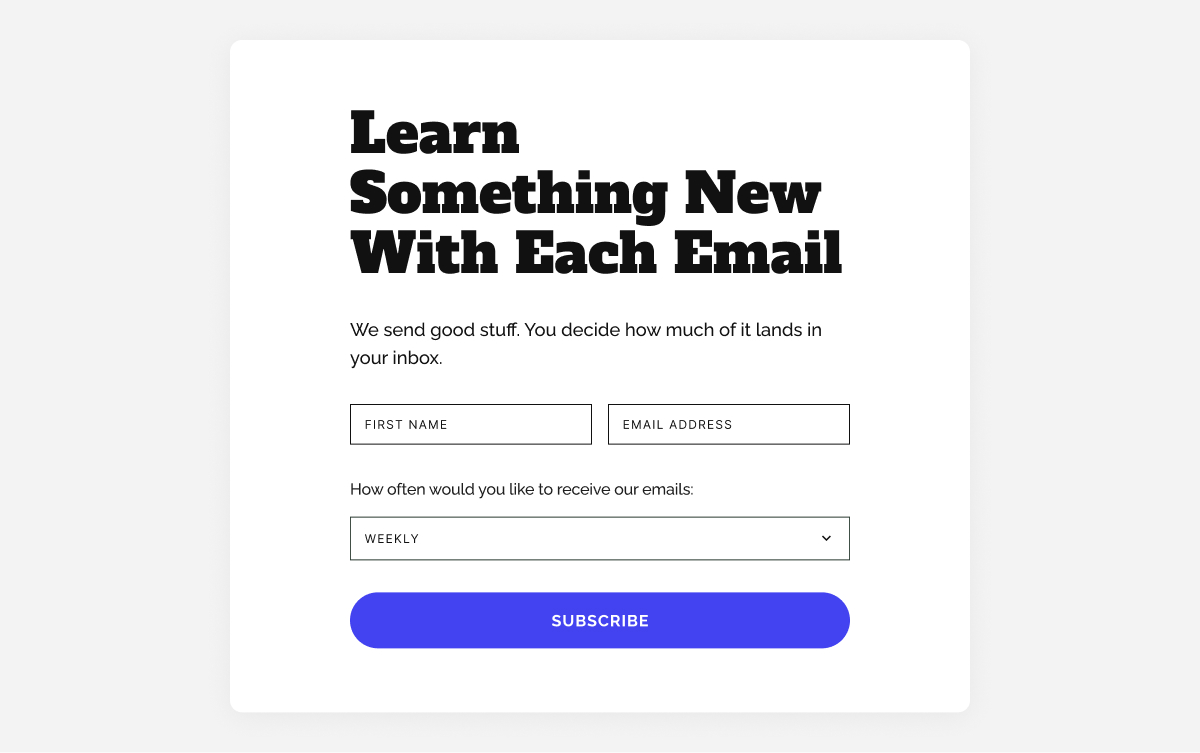
  • A launch day email with a clear offer, plus a reminder email near the end of the launch window.

Build your email list with webinars, challenges, and email courses

Not every lead is ready to buy today. Some need to learn, compare options, or get to know you first. Forms connected to content and events help you group people by interest so you can follow up with emails that make sense for where they are.

6. Webinar or event registration forms

Best for: education, services, ecommerce, creators, B2B
The job: “I want to attend this event and learn about this topic.”

An event registration form lets you promote a specific topic while collecting an audience that’s explicitly interested in it. Everyone who signs up for a webinar or event about topic X is essentially telling you “I care about X.”

What to include

  • Email and name.
  • Optional: “What question do you hope we cover?” or “What’s your main goal with this?”

What to send

  • Confirmation email
  • Reminder emails before the event.
  • A “thank you + replay” email after, with a call to action.
  • A short sequence with related content and a relevant offer.

7. Challenge or course registration forms

Best for: education, coaching, wellness, creators, services
The job: “I want structured help making progress on this goal.”

Challenges and email courses are a way to keep people engaged over several days or weeks. Instead of a one‑time download, they sign up for a series of emails that move them step by step toward a result. This can be very easy to create if you repurpose content you already have.
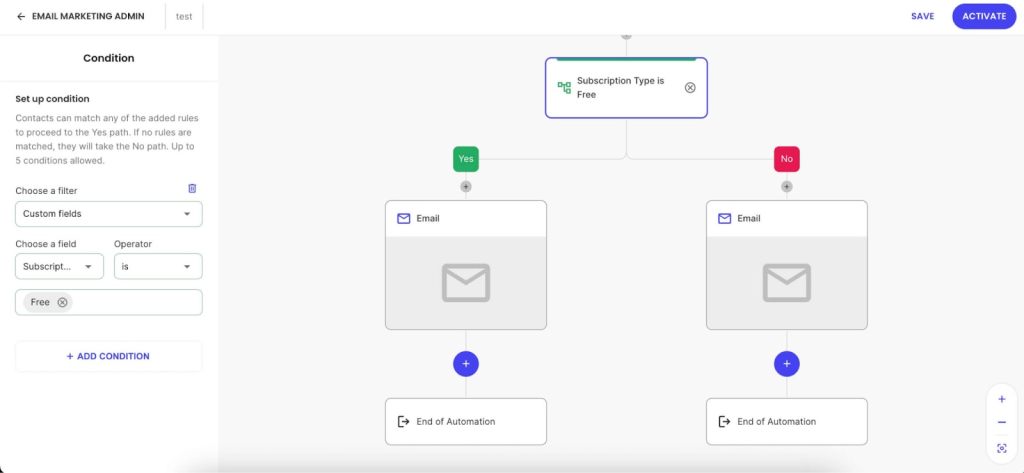
These work especially well for

  • Habit‑building goals (fitness, productivity, learning, wellness).
  • Complex topics that benefit from step‑by‑step guidance.
  • Warming people up before a bigger, paid offer.

What to send next

  • A welcome email setting expectations (how long, how often, what they’ll achieve).
  • A series of short, actionable lessons or prompts.
  • A final email summarizing progress and offering the next step (paid program, service, product).

Ask the right questions and your list segments itself

Most businesses wait until someone unsubscribes to wonder what went wrong. A better approach is to find out what people want at the moment they sign up and use that to send emails they actually want to open.

A small number of well‑chosen custom fields can transform a generic list into clear segments you can sell to more effectively.

8. The interest‑based signup form

Best for: ecommerce, content, services
The job: “I want to hear about things that matter to me, not everything you sell.”

Interest‑based signup forms help you understand what new subscribers care about right at the moment they join. Instead of putting everyone into the same newsletter, you ask one simple question and use the answer to decide what content they receive.

Examples

  • Content business: “What topics interest you?”
  • Ecommerce: “Which product categories should we keep you updated on?”
  • Services or coaching: “What’s your primary goal?”

How this creates better leads

  • You send emails that match their interests, so engagement stays high.
  • When you make an offer related to that interest, it feels natural.
  • You avoid blasting everyone with everything, which reduces unsubscribes.

9. The frequency preference form

Best for: any business that sends regular emails
The job: “I want to stay connected but not overwhelmed.”

Frequency preference forms set expectations about how often you’ll email. By letting people choose their cadence at signup, you make it easier to stay in their inbox longer — crucial if you want time to turn leads into customers.

Options to offer

  • Weekly digest.
  • Monthly roundup.
  • Only big announcements.
  • “Everything” for people who want it all.

10. Forms for specific roles or audiences

Best for: products and services that serve different types of customers
The job: “I want content that’s relevant to my situation.”

Unlike interest‑based forms that focus on what someone wants to hear about, role‑based fields focus on who they are. When the same product or content can serve very different customer types, this helps you adjust the message for each one. A quick role question at signup lets you send people into a version of your emails that fits their situation from the very first message.

How to implement

  • Add a dropdown to your signup form.
  • Keep it to 3–4 options so it doesn’t feel like a survey.
  • Use the answer to trigger different welcome emails or recommend different products.

A form that asks “What best describes you?” with options like “New business,” “Growing business,” and “Established business” lets you send very different emails and offers to each segment.

A few things to keep in mind

No matter which forms you use, a few small choices can make the difference between “more contacts” and “more and better leads.”

Keep forms simple

The research is clear: simpler forms convert better, especially on mobile. If you’re not going to use a field in your emails or segmentation, don’t ask for it.

  • Start with 1–2 fields (email + one more).
  • Add a third only if you know exactly how you’ll use it.

Match the form to the intent

A homepage visitor, a blog reader, and a product page browser are in different mindsets. Your form copy and offer should reflect that.

  • High intent (product pages, pricing): Direct offers work best. “Get 10% off your first order.”
  • Medium intent (blog, resources): Value‑focused offers work. “Get the complete checklist.”
  • Low intent (homepage, general browsing): Curiosity‑driven offers work. “See what our subscribers get every week.”

Make every field earn its place

Each form field should have a job:

  • First name →  personalize subject lines or intros.
  • Location → send localized offers or event invites.
  • Interest/role → send different content and offers.

If you’re collecting data but never using it to segment, personalize, or trigger automations, it’s just friction.

Whatever forms you use, make sure each one includes a clear opt‑in and a link to your privacy policy. If you have customers or subscribers in the EU, UK, or other regions with data protection laws, people need to actively agree to receive marketing emails from you — a pre‑ticked checkbox isn’t enough. When in doubt, check the rules that apply in your region, and always make it easy for people to unsubscribe.

Capture leads beyond your website

The forms above all live on your website, but many small businesses also connect with customers on Instagram, Facebook, or in person. A few ways to bring those leads into the same system:

  • Link to a dedicated landing page with your lead magnet or signup form from your Instagram or Facebook bio.
  • Use a QR code at events, in your packaging, or on printed materials that takes people directly to a form.

Once someone signs up through any of these routes, you can group them by source so you know where they came from.

How to know if your forms are working

Setting up forms is only half the job. Here are a few numbers worth tracking:

  • Form conversion rate: A well‑placed form with a strong offer should convert 2–5% of visitors on a typical page. If yours is well below 1%, it’s worth testing a different offer or placement.
  • Welcome email open rate: The first email in any automated flow typically gets the highest open rate — often 40–60% for warm leads. If yours is much lower, the form may be attracting the wrong audience, or the offer isn’t delivering what people expected.
  • Click‑through rate on follow‑up emails: For a targeted, interest‑based flow, a click rate of 3–5% is a reasonable benchmark. Below that, consider whether the content matches what subscribers actually signed up for.

These are rough guides, not hard rules. What matters more is your own trend over time: are conversions improving as you test different offers and placements?

If you’re a small business asking “how do I get leads?”, start with these 3 forms

You don’t need to implement everything in this guide at once. If you’re a small business with limited time, three well‑chosen forms will take you further than eight half‑built ones.

  • A welcome discount or “first‑order” offer on your product or pricing pages — for people who are already close to buying.
  • One strong, problem‑solving lead magnet on your most visited blog post or resource page — for people who are researching but not yet ready.
  • A simple interest‑based custom field on your main newsletter form — so every new contact lands in the right segment from day one.

SiteGround Email Marketing lets you build forms, collect the details you care about, and automatically place subscribers into the right Groups. From there, each Group can follow its own automated journey, with emails that match what those people signed up for.

Email lead generation: Frequently asked questions

What is an email signup form?

An email signup form is a small form on your website or social media where people can type in their email address to join your mailing list or newsletter. When someone fills it in and clicks submit, they give you permission to send them emails about your business.

How do email signup forms work?

First, a visitor sees the form and a short explanation of what they will get if they sign up, such as weekly tips, special offers, or a free resource. Next, they fill in their details and click submit, after which their information is saved to your list. Often, they are then shown a confirmation message or receive a welcome email that tells them what to expect.

What’s the difference between an email signup form and a contact form?

An email signup form is for ongoing marketing: “Add me to your list so I can get your updates, tips, and offers.” A contact form is for one-off messages: “I have a question or need help,” usually sent directly to your inbox or support.

How do I use email signup forms to generate leads?

To use email signup forms to generate leads, you want them to attract people who are likely to become customers, not just anyone. You do this by connecting the form to an offer that matches what you sell, like a free mini-consultation, a short guide, or a checklist closely tied to your main service or product. You can also ask one or two simple questions on the form that tell you what they are interested in, so you know how to follow up. Once they join, you send emails that match the problem or goal they told you about, which makes them more likely to buy later.

What should I offer on my email signup form to get more subscribers?

Replace “Subscribe to our newsletter” with something clear and useful. You can offer a short checklist, a cheat sheet, a template, a mini‑guide, a discount, a free sample, or a mini‑course delivered by email. The key is that your offer solves a real problem your ideal customer feels right now and naturally points toward what you sell.

How many fields should an email signup form have?

Email address is essential, first name is useful for personalisation, and you might add one simple question that helps you understand their situation or interest. Every extra field adds friction and lowers completion rates, so only ask for more information if you will actively use it in your emails or sales process.

What is a lead magnet?

A lead magnet is a free, valuable resource you give in exchange for someone’s email address. Its job is to attract the right people, give them a quick win, and show them that you understand their problem.

What are the best lead magnet ideas for small businesses?

Strong lead magnets for small businesses tend to be simple and focused rather than long and complex. A clear checklist, a one‑page cheat sheet, a short step‑by‑step guide, or a set of templates and scripts can work extremely well. In some cases, a quiz, a short video training, a free trial, a mini‑audit, or a small discount on a first order is a better fit. The best ideas are always tightly aligned with the main problem your product or service solves.

Does a lead magnet have to be a PDF or download?

A lead magnet does not have to be a PDF at all. It can be a short email course, a video lesson, a private audio, access to a resource library, a small tool or calculator, or even a brief one‑to‑one consultation.

How do I build an email list from scratch?

To build an email list from scratch, start by creating one strong lead magnet that matches what you sell and speaks to a real problem your ideal customers have. Set up a simple signup form or a dedicated signup page, connect it to your email tool, and clearly explain who the list is for, what people will get, and how often you email. Share that signup link wherever people already interact with you, including social profiles, posts, direct messages, your email signature, invoices, booking pages, and in‑person with a QR code. Then send a short welcome sequence and keep emailing on a consistent schedule so subscribers remember you and start to trust you.

Where should I place email signup forms on my website?

Good placement helps more visitors see and use your forms. Your homepage is a strong starting point, especially near your main message or after you explain what you do. Blog posts and articles are powerful spots too, both inside the content and at the end of the page, because readers there are already engaged. A dedicated “Subscribe” or “Free resources” page gives you a link you can share anywhere.

How long does it take to grow an email list?

The time it takes to grow an email list depends on your visibility and how attractive your offer is. When you are starting from a small audience, it can take several months to reach your first hundred or few hundred subscribers, and that is completely normal. Established lists often grow steadily by a few percent each month, while also losing some people to unsubscribes and inactive addresses. For most small businesses, a smaller list of engaged subscribers who actually want what you sell is far more valuable than a large, unresponsive list.

Why people unsubscribe (and when it’s a good thing)

Dashboard showing email unsubscribe rate metrics with a total unsubscribes graph, alongside a preview of a furniture brand email campaign.

You check your email campaign stats and scroll to the unsubscribe count. Three more people left your list today.

It stings a little, right? Was your subject line too pushy? Are you emailing too often? Should you delete everything and start over?

Some of those unsubscribes are actually helping you. That person who never opened a single email? They were tanking your sender reputation. The subscriber who wanted daily deals but you send weekly tips? Wrong fit. Better they unsubscribe now than mark you as spam later.

But not all unsubscribes are the helpful kind. Sometimes they’re warning signs. 

So the real question isn’t “is my unsubscribe rate too high?” It’s “who’s leaving and why?”

This article will show you how to figure that out and what to actually do about it.

Key takeaways:

  • Not all unsubscribes are bad: low-engagement subscribers leaving actually improves your sender reputation
  • SContext matters more than the number: a 1% rate could signal problems or healthy list cleaning depending on who’s leaving
  • Unsubscribe rate alongside other metrics tells the real story — high unsubscribes + high opens means your list is improving
  • People unsubscribe for four main reasons: wrong frequency, content drift, value mismatch, or life changes
  • A smaller list of engaged readers beats a large list of non-openers every time

Understanding email unsubscribe rate

Your unsubscribe rate shows the percentage of people who opt out after receiving your email. But the number itself matters less than what’s behind it — who’s leaving, when, and why. That’s what actually tells you if your list is getting healthier or heading in the wrong direction.

Good unsubscribes vs bad unsubscribes: Which is which

Long story short, good unsubscribes happen when people who weren’t engaging leave your list. 

Bad unsubscribes happen when your active, interested subscribers start leaving.

So before you panic or celebrate, you need to figure out which kind you’re dealing with.

Most email marketing benchmarks will tell you that 0.2% to 0.5% is “normal.” But here’s the problem with that number: it doesn’t tell you if your rate is healthy or not.

A 1% unsubscribe rate might be a red flag for an established email newsletter with an engaged audience. But for a new list you’re still refining? Or after you’ve shifted your content strategy? That same 1% could mean you’re successfully filtering out the wrong people.

Think of it like pruning a plant. You’re not losing something valuable. You’re cutting away what’s not working so the rest can thrive.

Your “good” rate depends on:

  • List size – Smaller lists feel each unsubscribe more, but percentages can look dramatic (one person leaving a 100-person list is 1%)
  • List age – New lists shed mismatched subscribers faster; mature lists stabilize
  • Content changes – Pivoting your email marketing strategy? Expect temporary spikes as you find your real audience
  • Acquisition method – Bought lists or giveaway signups unsubscribe at higher rates than people who intentionally signed up for your specific content

One more thing worth tracking: how quickly someone unsubscribes tells you more than the unsubscribe alone. Someone who opts out within minutes is reacting to that specific campaign: maybe the subject line promised something different, or your send frequency just hit their limit. Someone who unsubscribes three days later was probably already on their way out and your email just reminded them to clean up their inbox.

Good unsubscribes

Here’s when people leaving actually helps your list:

  • Low-engagement subscribers leaving – They haven’t opened your last ten emails. Their departure makes email providers trust you more and gives you a clearer picture of who’s actually paying attention.
  • Wrong-fit audience filtering out – They signed up expecting product discounts but you send industry insights. Or they wanted daily tips but you send monthly deep dives. Mismatch fixed.
  • Natural churn – People change jobs, shift interests, or clean out overflowing inboxes during their annual “digital declutter.” Life happens. This is normal attrition, not a you problem.
  • Post-segmentation departures – You started targeting content more specifically and some people realize it’s not for them anymore. Working exactly as intended.

Bad unsubscribes

These are the warning signs that need your attention:

  • Engaged subscribers leaving – People who regularly opened and clicked are suddenly opting out. Something shifted, and you need to figure out what.
  • Post-campaign spikes – Your unsubscribe rate jumps after a specific email. That campaign missed the mark. Maybe the subject line promised something different, or the content didn’t match expectations.
  • Pattern after changes – You increased sending frequency or shifted topics, and longtime subscribers start leaving. The change isn’t landing well with your core audience.
  • Sudden spike without explanation – Multiple unsubscribes within hours of sending, especially from people who’ve been with you a while. Something in that email didn’t work.

Here’s the paradox that trips people up: 

Sometimes a higher unsubscribe rate means your list is getting better.

Say you tighten your content focus or increase your send frequency. You might see unsubscribes climb from 0.3% to 0.8%, but your open rate jumps from 18% to 28% and your click rate doubles. The people leaving weren’t your audience anyway. The people staying are more engaged than ever.

The goal isn’t zero unsubscribes. The goal is a list full of people who actually want to hear from you.

The four reasons people unsubscribe

People unsubscribe for four main reasons: you’re emailing too much (or too little), your content drifted from what they expected, you’re not delivering what you promised at signup, or their life circumstances changed. 

Here’s how to tell which one you’ve got:

  1. Frequency issues: This is the most common culprit, and it goes both ways. Send too often and people feel bombarded. Send too sporadically (like once every three months) and they forget who you are. When your email finally lands, they think “who is this?” and hit unsubscribe. The inconsistency is often worse than high frequency.

How to spot it: unsubscribes spike right after a cadence change, or drop off consistently after every send once you increased frequency.

  1. Relevance drift: Your content slowly shifted away from what they originally signed up for. Maybe you started as a productivity newsletter and gradually became more about email marketing tools. Or you used to share actionable tips and now you mostly share personal updates. They didn’t sign up for the current version of your emails.

How to spot it: departures happen gradually over months, with no single campaign triggering the pattern.

  1. Value mismatch: They expected one thing at signup and got something different. This happens a lot with lead magnets. Someone downloads “10 Landing Page Templates” and suddenly they’re on a list getting emails about SEO strategy. The disconnect is immediate.

How to spot it: new subscribers leave within their first two or three emails.

  1. Timing and life changes: This one really isn’t about you. They switched jobs and left that email address behind. They’re in the middle of moving and purging everything non-essential. They had a baby and suddenly 47 newsletters feels like 47 too many. Life gets messy. These unsubscribes aren’t rejecting your content; they’re just making space for what matters right now.

How to spot it: no clear pattern: mixed subscriber ages, no common trigger campaign.

What your unsubscribe rate is actually telling you

Your unsubscribe rate doesn’t exist in a vacuum. The real insight comes from looking at it alongside your other metrics:

PatternWhat it meansWhat to do
High unsubscribe rate + high open rateList quality improvingKeep going. This is healthy list cleaning in action.
Low unsubscribe rate + low email engagementInactive subscribers not leavingRun a re-engagement email campaign (“Still want to hear from us?”). Remove non-responders to improve email deliverability.
Sudden unsubscribe spike after a specific campaignContent/frequency mismatchReview what changed in that campaign. If possible, send survey emails to people who left to understand why.
Steady unsubscribe climb over timeRelevance or frequency issueTest your sending cadence. Compare your current content to your original signup promise.
High unsubscribes from new subscribers onlySignup-to-content disconnectYour lead magnet or signup form is promising something your emails don’t deliver. Revisit your onboarding sequence.
Low unsubscribe rate + rising spam complaintsPeople can’t find the exitYour unsubscribe process is too hard to find or too complicated. Make it easier before mailbox providers start filtering you.

The pattern and context together tell you whether you’re looking at a problem or progress.

How to reduce problematic unsubscribes

Now that you can spot the difference between healthy list cleaning and actual warning signs, here’s how to prevent the problematic ones:

Set clear expectations at signup

Tell people exactly what they’re signing up for: topic, format, and frequency. “Get weekly marketing tips every Tuesday” is way better than “Join our newsletter.” When people know what’s coming, they’re less likely to be surprised and bail later.

Use double opt-in

Double opt-in means subscribers have to confirm their email address before they’re added to your list. They sign up, get a confirmation email, and click to verify. It filters out accidental signups, mistyped addresses, and people who weren’t serious about subscribing.

Your list grows slower, yes. But the people on it actually chose to be there and that matters more for engagement, delivery, and sales than a big subscriber count. Lists built with double opt-in consistently see lower unsubscribe rates and fewer spam complaints. 

With SiteGround Email Marketing, it’s a one-click setup — enable double opt-in on any subscriber group and the confirmation flow runs automatically from there.

Match content to subscriber intent

If someone downloaded a guide about Instagram marketing, don’t immediately pivot to email strategy in your follow-up sequence. Start with more Instagram content, then gradually expand. Give them what they came for first.

Better yet: ask what they want right from the start. With SiteGround’s Custom Fields, you can collect specific email preferences when people sign up, such as which topics interest them, what type of content they prefer, or what problems they’re trying to solve. You can add them to a WordPress form. Then set up automated email sequences based on what they actually care about.

This stops two major problems: relevance drift and value mismatch. People get content they actually want, so they stick around instead of thinking “this isn’t for me anymore.”

SiteGround Email Marketing automation builder showing a conditional workflow that splits contacts into two paths based on subscription type — free plan subscribers receive one email, paid plan subscribers receive another.

Find your email frequency sweet spot

There’s no universal “right” cadence. Some audiences want daily emails (deal hunters, news junkies). Others want monthly deep dives. Test different frequencies and watch your email marketing metrics; not just unsubscribe rates. If open rates stay strong as you increase email frequency, your audience can handle more.

Send too sporadically (like once every three months) and they forget who you are. Email your list after a four-month silence with ‘Hey! Long time no talk!’ and don’t be surprised when 15% unsubscribe on the spot.

Make it easy for people to leave

This may feel backwards, like you’re helping people escape, but hiding or complicating your unsubscribe process doesn’t keep subscribers. It just makes them more likely to mark you as spam instead. And that’s way worse for your sender reputation than a clean unsubscribe button.

The footer of an email from Smith Agency, including social media icons for Instagram, Facebook, and LinkedIn, contact information (123 Anywhere Street, NY, New York, 1234, United States, +353123123123), and links to view in browser and unsubscribe.

Add a clear unsubscribe link in every email footer. When people know they can leave anytime, they’re less likely to feel trapped and more likely to stick around. The ones who stay actually want to be there.

Test and monitor content changes

Planning to shift your email focus? Test it with part of your list first. Changing from tips to case studies? Try it with 20% of your list and see how they respond. Big changes without warning drive active subscribers away.

Unsubscribe rates: Quality beats quantity

A list of 10,000 subscribers looks great in your dashboard. But if only 500 actually open your emails? You’ve got 9,500 people hurting your deliverability and skewing your data.

Here’s what matters: the people who open, click, and actually care when you show up in their inbox. Those are your subscribers. The rest are just email addresses taking up space and tanking your deliverability.

Every unsubscribe tells you something. 

  • Low-engagement person finally leaves? → Your list just got healthier. 
  • Engaged subscriber bails after you tripled your send frequency? → That’s fixable feedback.

Your list size means nothing if people aren’t opening. Focus on the ones who actually want to hear from you.

Want to build a list of people who actually open your emails? SiteGround Email Marketing lets you segment by interest, track who’s engaged, and send relevant content that keeps the right people around while the wrong ones quietly show themselves out.

Not all unsubscribes are bad — but the right setup helps you keep the subscribers who matter. SiteGround Email Marketing comes with built-in double opt-in, easy one-click unsubscribe, and segmentation tools that help you send the right content to the right people from the start.

[58]

Frequently asked questions about email unsubscribe rate

What is a good email unsubscribe rate?

Most healthy email lists see unsubscribe rates between 0.2% and 0.5%. But context matters more than the raw number. A 1% rate might be fine if you just increased send frequency and your open rates are climbing. It’s a problem if engaged subscribers are leaving and your overall engagement is dropping. Look at the pattern, not just the percentage.

What is the 60:40 rule in email?

The 60:40 rule suggests that 60% of your email content should provide value (tips, insights, useful information) while 40% can be promotional (product pitches, sales, offers). The idea is to build trust and keep subscribers engaged before asking them to buy. Some audiences can handle more promotional content, others want less. Test what works for your list.

Can unsubscribes actually be good for my list?

Yes. When low-engagement subscribers or wrong-fit audience members leave, your list gets healthier. These departures improve your sender reputation, raise your engagement rates, and give you clearer data about what’s working. The goal isn’t keeping everyone — it’s keeping the right people.

How often should I check my unsubscribe rate?

Check your unsubscribe after every campaign to spot immediate issues, then review the overall trend weekly or monthly. Daily checking leads to overreaction. You’ll see natural fluctuations that don’t mean anything. Look for patterns over time: sudden spikes, steady climbs, or changes that align with content shifts.

What should I do if I see a sudden spike in unsubscribes?

Don’t panic, but don’t ignore it. Compare the email that triggered the spike to your recent sends: look at the subject line, topic, tone, and what you asked subscribers to do. Check if you recently changed anything: frequency, design, content focus. If your email tool shows who unsubscribed, look at whether they were active subscribers or people who were already disengaged. A spike from inactive subscribers is much less concerning than a spike from your most engaged readers. If the cause is obvious, adjust for the next send. If not, watch the next two or three campaigns to see if the trend continues before making bigger changes.