
Key takeaways:
- Spam rate is the percentage of delivered emails that recipients report as spam.
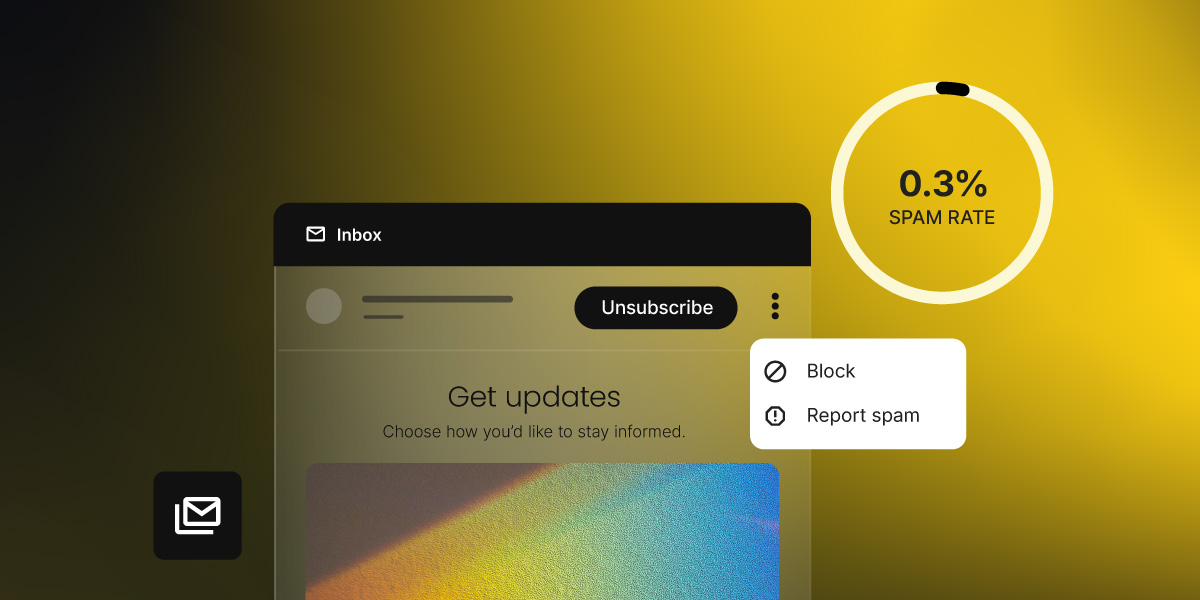
- Keep it below 0.1%. At 0.3%, Google and Yahoo begin blocking your messages, not just filtering them.
- Most complaints come from human decisions, not technical failures: forgotten sign-ups, too-frequent sending, irrelevant content.
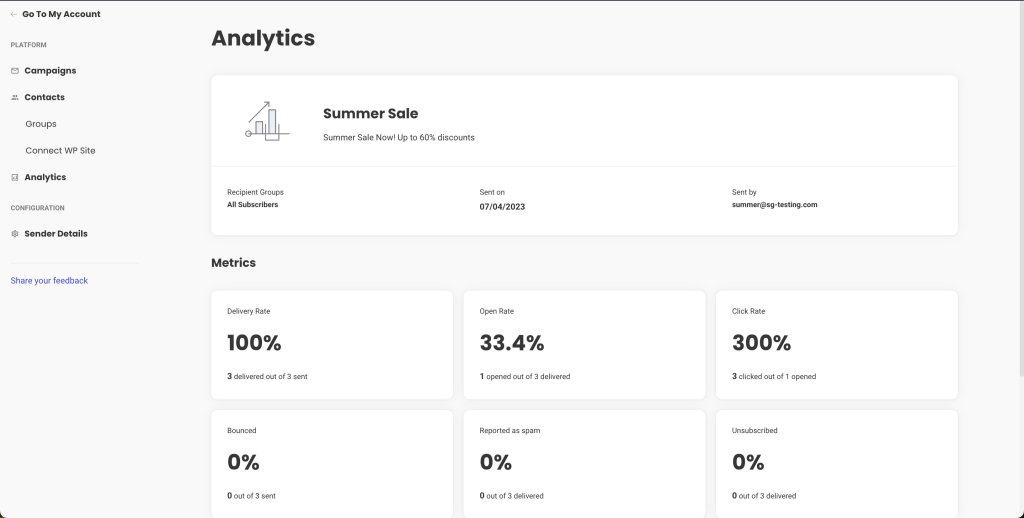
- You can check your spam rate through Google Postmaster Tools, Yahoo Complaint Feedback Loop (CFL), and SiteGround Email Marketing’s reporting dashboard.
- Double opt-in, list cleaning, and a visible unsubscribe link are the three highest-impact fixes.
Your emails look fine. Your list is clean. And yet, someone still hits the spam button, and you may not know it until your metrics start taking a turn.
The metric we’re talking about here is your spam rate, which tells you how often that’s happening and why. Here’s what spam rate is, what counts as too high, and what’s actually causing people to hit that button.
What is the spam rate in email marketing?
Spam rate is the percentage of delivered emails that recipients report as spam by clicking “Report spam” (or “Mark as junk”) in their email client. It’s calculated like this:
Spam rate = (number of spam reports ÷ number of emails delivered) × 100
So if you send 1,000 emails, 990 land in inboxes, and three people report them as spam, your spam rate is approximately 0.3%.
A few things spam rate is not:
- It’s not a spam score. Spam score (sometimes called a spam filter score) is a pre-send content analysis that predicts whether your email will be flagged. Spam rate is a post-send measurement of what actually happened.
- It’s not a bounce rate. Bounces happen when an email can’t be delivered at all — the address doesn’t exist, the inbox is full, or the server rejected it. Spam reports come from real people who received the email and chose to flag it.
- It’s not an unsubscribe rate. An unsubscribe is a clean exit. A spam report is a complaint that damages your sender reputation. Both mean someone doesn’t want your emails anymore, but they carry very different consequences.
Mailbox providers like Gmail and Yahoo track spam reports at the domain level and use them to build a picture of your sender reputation. This is a trust score that determines whether your messages reach the inbox, land in spam, or get blocked.
Flag enough messages and those providers start treating everything from your domain with suspicion, not just the campaign that caused the problem. For small senders with low volumes, even a handful of complaints can tip you over a threshold.
And if you’ve come across the terms complaint rate or abuse rate, they mean exactly the same thing. Different providers just use different names for it.
One thing worth knowing: For privacy reasons, Gmail doesn’t share complaint data with email platforms, so it won’t show up in your campaign reports. To see how your emails are performing in Gmail specifically, you need to check Google Postmaster Tools separately.
- Gmail doesn’t share spam data with email platforms. To see your Gmail complaint rate, you need Google Postmaster Tools, a free dashboard that shows how your domain looks from Gmail’s side.
- Other providers, including Yahoo, do share complaint data with Email Service Providers (ESPs) through a feedback loop (FBL), which is a system that automatically forwards complaint reports back to your ESP every time someone hits “Report spam.” Those numbers show up directly in your campaign reports.
More on where to find all of this in the steps below. But first, what rate are you actually aiming for?
What’s a good spam rate?
The short answer: below 0.1%. That’s the rate the industry has treated as a healthy benchmark for years, and it’s the number Google explicitly recommends staying under for reliable inbox placement.
The longer answer involves two distinct thresholds that every email sender should know.
Google and Yahoo spam rate thresholds
In February 2024, Google and Yahoo formally codified spam rate requirements as part of their updated bulk sender requirements (rules that apply to anyone sending more than 5,000 emails per day to Gmail or Yahoo addresses).
The complaint threshold they set has two distinct levels that every sender should treat as separate targets. Microsoft followed with equivalent rules for Outlook, Hotmail, and Live.com addresses in May 2025.
| Spam rate | What it means | What to do |
| Below 0.1% | Healthy. Google’s recommended target for reliable inbox placement. | Maintain current practices. Keep monitoring. |
| 0.1% – 0.29% | Caution zone. Complaints are above ideal; deliverability may start to slip. | Investigate the cause. Don’t wait for it to climb. |
| 0.3% or above | Action threshold. Google and Yahoo begin blocking or filtering your messages. | Act immediately. At 0.3%, you’re ineligible for mitigation at Gmail. |
To put 0.3% in concrete terms: if you send 10,000 emails, just 30 spam reports push you to that threshold. Aim for below 0.1% and treat anything above it as a warning sign, not a passing grade.
How to check your spam rate
You have two dedicated tools for the biggest providers: Google Postmaster Tools for Gmail data, Yahoo’s Complaint Feedback Loop for Yahoo data, and your SiteGround Email Marketing campaign analytics, which surface complaint data from providers that share it. Between those three, you have a complete picture of how your emails are landing.
The goal is to spot a trend before it becomes a problem.
Complaints compound quietly. By the time you notice a drop in open rates, you may already have a reputation problem.
5 reasons why people mark your emails as spam
Spam complaints are usually a human decision, not a technical failure. The most common triggers: they forgot they signed up, the emails stopped feeling relevant, unsubscribing was too hard, you were sending too often, or the email just looked suspicious.
Here’s what’s behind each one.
#1. They forgot they signed up
Someone gets an email, doesn’t recognize the sender, and hits “Report spam” before even reading the subject line. They’re not angry; their inbox is just full and that’s the fastest way to clear it.
This happens more than you’d think. Someone signs up for a discount or a free download, your newsletter lands two weeks later, and they genuinely have no idea who you are. A pre-checked checkout box, no confirmation email, a list that’s been cold for months: none of these count as real consent. The person never made a deliberate choice to hear from you, and when your email lands, it feels like it came out of nowhere.
#2. The emails stopped feeling relevant
Relevance is a moving target. Someone who signed up for your newsletter when you were writing about freelancing tips may not want your new content about enterprise software. A customer who bought a specific product may have no interest in emails about a completely different category.
When your content consistently misses what a subscriber actually cares about, they don’t see a reason to unsubscribe when “Report spam” achieves the same result in one click.
#3. They couldn’t find the unsubscribe button
When people want out and can’t find an obvious way to leave, they find another one. A link buried in a dense footer, a confirmation page that requires logging in. Any friction pushes someone toward the spam button instead. It’s not that they’re frustrated with you specifically. Spam is just faster.
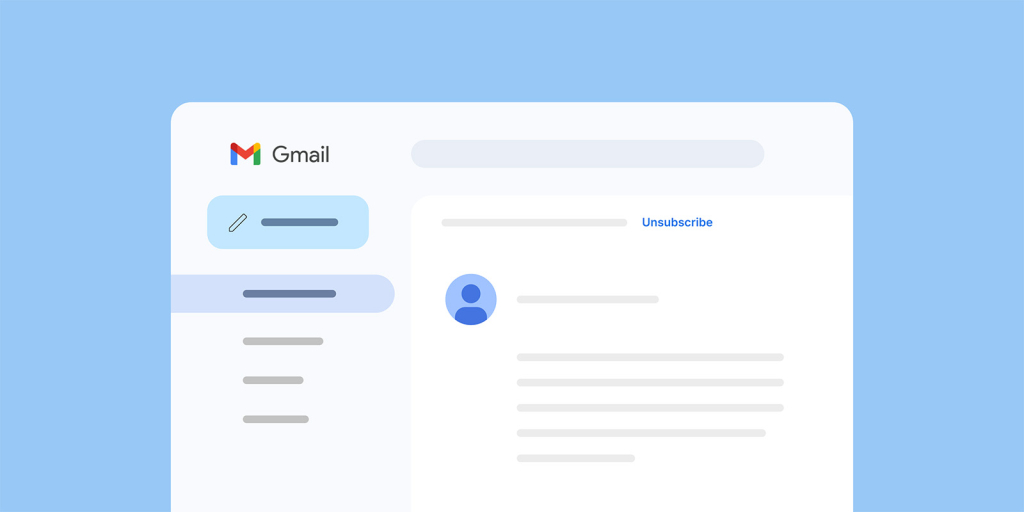
What makes this worse: Gmail and Yahoo now show an “Unsubscribe” link right next to your sender name in the inbox, before the email is even opened. When people still choose “Report spam” over that, it’s usually because the unsubscribe process has burned them before. Тhey clicked it somewhere else and the emails kept coming.
#4. You’re sending too often
Frequency fatigue is one of the most consistent drivers of spam complaints. A subscriber who liked your weekly newsletter may not want to hear from you daily. A promotional email a day during a sale can push even engaged contacts over the edge.
Frequency fatigue is real. When someone’s inbox starts filling up with your emails, the spam button is the quickest way out.
There’s no universal “right” frequency that applies to every list. It depends on your audience, your industry, and what you’ve set expectations about. The email marketing benchmarks guide covers typical cadence ranges by list size and industry as a starting point.
#5. The email looked suspicious
Even if your content is legitimate, an email that looks like spam will get reported like spam. This includes:
- A sender name that doesn’t match the brand the subscriber signed up for (for example, a personal name with no company context)
- Subject lines with excessive punctuation, all-caps words, or vague urgency (“YOU WON!!! Open now!!!!”)
- Broken images, misaligned layouts, or fonts that render oddly on mobile
- Links that don’t match where they appear to go
- No physical mailing address (required under CAN-SPAM)
According to Zero Bounce, around 80% of people will report an email as spam simply because it looks like spam. That’s before they’ve read a single word. Make sure your emails look like they come from a sender worth trusting: a recognizable name, a clean email layout, a subject line that doesn’t scream “promotional.” People should associate your address with something they actually want to open.
Knowing what drives complaints is half the battle. Let’s see what you can do about it.
6 steps to lower your spam rate
Most spam rate problems aren’t technical, they’re behavioral. The way you grow your list, how often you send, and how easy you make it to leave all have a direct impact on how often people reach for that button. These six steps address the most common causes.
#1. Keep an eye on your campaign reports
Your SiteGround Email Marketing reports are your first line of defense. Check them regularly for complaint data from providers that share it. If you want the full picture for Gmail specifically, Google Postmaster Tools fills that gap. It’s free, takes about 10 minutes to set up, and shows you data your campaign reports can’t.
For Yahoo and other providers, complaint data reaches you through a feedback loop (FBL).
If you’re using SiteGround Email Marketing, complaint data surfaces in your campaign reports automatically as a dedicated “Reported as spam” metric. If you’re sending frequently, check after every campaign. If you send once a week or less, a quick check every two weeks is enough. What you’re looking for is a trend, not a one-off spike.
A spam rate climbing from 0.05% to 0.12% over a few campaigns is a signal worth investigating. Spotted six weeks later, after your inbox placement has already dropped, it’s a much harder situation to recover from.
#2. Use double opt-in
Double opt-in means that after someone signs up, they receive a confirmation email with a link they have to click before they’re added to your list. This filters out typos, bots, and people who signed up impulsively and won’t remember doing so: the exact people most likely to hit the spam button later.
Yes, it reduces raw list growth numbers. But a smaller list of people who genuinely want to hear from you means higher open rates, fewer complaints, and better inbox placement over time: all of which matter more than a big number in your contacts dashboard.
SiteGround Email Marketing has double opt-in built in. You can enable it per group directly from your Contacts settings: either when creating a new group or by switching it on for an existing one.
#3. Clean your list
Inactive subscribers (people who haven’t opened or clicked in six to 12 months) aren’t just dead weight. They actively pull your metrics in the wrong direction. Low engagement signals to mailbox providers that your content isn’t wanted. And inactive email addresses sometimes get recycled into spam traps, which can damage your sender reputation even further.
A regular list cleaning process removes contacts who no longer interact with your emails before they become a problem. This means setting a window for inactivity (six months is a common standard) and either running a re-engagement campaign to see who responds, or removing non-responders from your main sending list.
#4. Make unsubscribing easy
As covered in the reasons above, a hidden or broken unsubscribe process pushes people toward the spam button. The fix is simple: make it visible, make it work in one click, and honor it immediately.
SiteGround Email Marketing handles one-click unsubscribe by default, so if you’re sending through the platform, you’re already covered. If you’re using a different tool, check that RFC 8058 compliance is enabled. Most modern email platforms support it, but it’s worth confirming.
#5. Segment before you send
Relevance is the strongest complaint deterrent you have. Sending a promotional email about enterprise software to a list that signed up for freelancing tips is a fast way to accumulate spam reports from people who just don’t care.
Segmentation doesn’t have to be complex. With SiteGround Email Marketing, you can organize subscribers into groups: by sign-up source or custom fields, and send campaigns to specific segments rather than your whole list. Even sending different content to different audience groups is enough to reduce the chance someone marks you as spam out of irrelevance.
#6. Watch your sending frequency
Too many emails is one of the most consistent reasons people reach for the spam button. There’s no one-size-fits-all answer to how often you should send. It depends on your audience’s expectations, your content type, and what you established when they signed up.
What matters is that frequency feels predictable and proportional. A subscriber who signed up for a weekly roundup and starts getting daily emails from you didn’t agree to that. When volume increases without warning, spam reports tend to follow.
The lower your spam rate, the better your chances in the inbox
Most spam rate problems trace back to the same handful of situations: a list that wasn’t cleaned before a reactivation campaign, emails sent too soon after a growth spike, or frequency creeping up around a sale period. None of those are random — and none require a technical fix. They just require catching the pattern before it compounds.
Keep your spam rate below 0.1%, watch your numbers consistently, and treat anything climbing toward 0.3% as a warning sign, not a passing grade. Your sender reputation and inbox placement depend on it.
One thing worth remembering: your deliverability also depends on the platform you send from. A poorly managed infrastructure, shared with spammers, can get your sending IP flagged regardless of how clean your own list is.
SiteGround Email Marketing gives you campaign-level reporting to monitor complaint data, built-in audience management to keep your list healthy, and the sending infrastructure to back it up.
[58]
Check your email marketing metrics regularly, not just when something feels off. The senders who maintain healthy spam rates aren’t doing anything extraordinary — they’re just watching the right numbers consistently.
Frequently asked questions about spam rate
The most reliable way to track Gmail complaints is Google Postmaster Tools, which shows your domain’s spam rate, sender reputation, and delivery errors as Gmail measures them. Register your sending domain at postmaster.google.com and check the “Spam Rate” tab for a historical view. For Yahoo and other providers that use a feedback loop (FBL), complaint reports are shared back to your ESP automatically — if you’re using SiteGround Email Marketing, Yahoo complaint data shows up in your campaign reports. Build a habit of checking both sources regularly.
Yes, directly. Spam rate is one of the primary signals mailbox providers use to evaluate your sender reputation and decide whether your emails deserve inbox placement. A high spam rate — especially one that crosses the 0.3% complaint threshold — tells Gmail, Yahoo, and Outlook that your recipients don’t want your messages, and those providers will start filtering or blocking them accordingly. Beyond the immediate delivery hit, sustained high complaint rates erode your domain’s sender reputation, which affects how all your future mail is treated — even after you’ve fixed the underlying problem. See the email deliverability guide for a fuller picture of how reputation is built and recovered.
The fundamentals haven’t changed, but enforcement has tightened. For 2026, the practices that matter most are: using double opt-in for new sign-ups, cleaning your list every three to six months, making one-click unsubscribe the default (part of Google and Yahoo’s bulk sender requirements since February 2024), segmenting your list so each send goes to people who actually want that content, and monitoring your complaint threshold consistently through Google Postmaster Tools and your email platform’s FBL reports. Authentication (SPF, DKIM, DMARC) is also now mandatory for bulk senders across Gmail, Yahoo, and Outlook.
The official complaint threshold is 0.3% — that’s when Gmail and Yahoo begin enforcement, blocking messages or routing them to spam folders. But the practical warning line is lower. Google recommends keeping your spam rate below 0.1% for consistent inbox placement. The gap between 0.1% and 0.3% is a caution zone where your sender reputation may already be slipping even if you haven’t hit the hard ceiling yet. In concrete terms: 0.1% means one spam report per 1,000 delivered emails. 0.3% means three reports per 1,000. That’s a narrow margin, especially for smaller lists where individual complaints carry more weight.
Spam rate and complaint rate are effectively the same metric — different providers use different terminology, but both measure how often recipients report your emails as unwanted. The distinction is that “spam rate” is more commonly used in Google’s tooling, while “complaint rate” or “abuse rate” is more common in industry reporting. Both damage your sender reputation when elevated.
The unsubscribe rate is different. An unsubscribe is a voluntary opt-out that removes someone from your list. It affects your list size and is a useful signal about content relevance or frequency issues, but it does not damage your sender reputation the way spam reports do. In fact, a higher unsubscribe rate is often preferable to a high spam rate — it’s a cleaner exit for both parties.
Estimates vary by source and year, but industry figures consistently put total email spam at around 45–48% of all email traffic globally. Some sources cite numbers as high as 160+ billion spam messages sent daily. Gmail alone blocks over 15 billion spam emails per day. These figures explain why mailbox providers take spam rates seriously. The scale of the problem means even small changes in sender behavior have a meaningful impact on what their users see.