
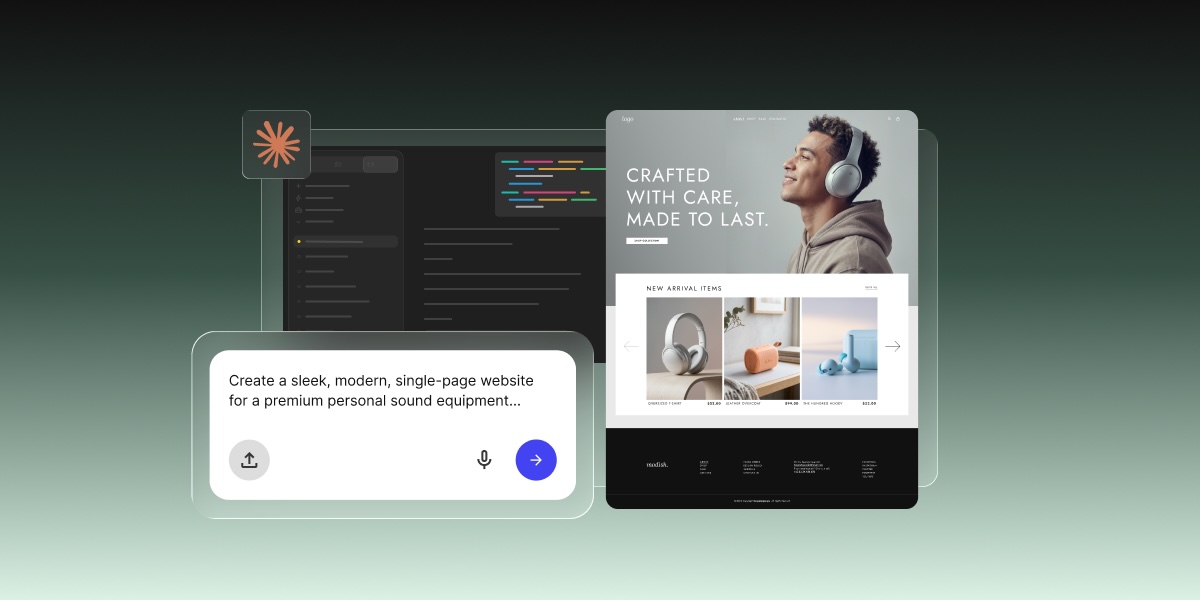
Building a website with Claude Code no longer means opening a terminal. What you still need is everything that happens after the code: a host, a domain, SSL, a deploy step, and someone to keep it all running. If that list made you tired, Coderick AI skips it: describe the site you want, and it goes live on SiteGround hosting.
Key takeaways:
- You can build a website with Claude Code without writing code or opening a terminal: the desktop app gives it a graphical interface, and Claude Code on the web runs in the cloud.
- Claude Code builds the code, not the website around it. Hosting, a domain, SSL, deployment, and ongoing maintenance are still yours to set up.
- In a browser, Claude Code on the web needs a connected GitHub repository, and it pushes finished work to a GitHub branch.
- Coderick AI is SiteGround’s AI website and web app builder, made for non-technical users who want a live site without that setup.
- Every Coderick AI project includes hosting, SSL, version control, and automatic deployment, so publishing is a single step.
- Claude Code is still the better fit if you already have a codebase, an engineering team, or need full source-code control.
Can you build a website with Claude Code if you can’t code?
Yes. Claude Code no longer requires a terminal, and you can describe what you want in plain language while it writes the code. What it doesn’t come with is hosting, a domain, or a way to publish. Those are still yours to arrange.
The desktop app removes the terminal
The Claude Code desktop app swaps the command line for a graphical interface. You point it at a folder on your computer, ask for changes in plain language, and review what it did. You still end up with project files in a folder, not a website.
Claude Code on the web runs in the cloud, but needs GitHub
Claude Code on the web runs on Anthropic’s cloud infrastructure, so there’s nothing to install. The catch: it works from a GitHub repository you connect, and pushes finished work to a GitHub branch. That means a GitHub account, plus a way to get the code from GitHub onto a live site. Either way, you end up with code. Turning it into a website is where the real work starts.
When does Claude Code make sense for a website?
When Claude Code helps
Claude Code is genuinely useful when you already have a project, codebase, or a development workflow. It works inside a codebase (the full collection of source code files that make up a software project), so if there is an existing repository and a team of developers already comfortable working with code, it makes their work a lot faster and more efficient.
When Claude Code is unnecessary
Claude Code becomes unnecessary the minute you just want a live website. A landing page, a portfolio, a booking site, a small CRM, an invoice tracker, or a small business website. None of these require a codebase, much less technical knowledge, to exist. If that sounds closer to your situation, Claude Code alternatives for beginners can help you choose a simpler starting point.
When a managed website path is simpler
A managed path is simpler when the goal is the website outcome, not the development process. If the question is “how do I get a working site live today without configuring servers,” the answer is definitely a managed AI website builder. And definitely not a coding agent that expects a project folder, a deployment pipeline, and a computer science degree you never got.
What does Claude Code add to the website-building workflow?
Claude Code gives technical users precise control over the codebase and development workflow. That’s its strength. It is also, for non-technical users, the precise problem.
It works with codebases and project files
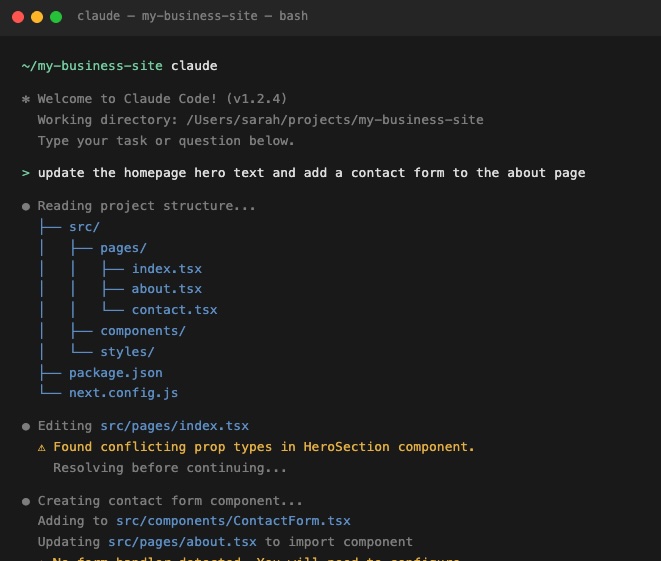
Claude Code is built to work inside projects that already have a file structure. It reads, edits, and creates files within that structure. You point it at a repository and work from there. There is no chat-to-live-site path; you start with code and end with code — you still require deployment, hosting, domains, SSL, and ongoing maintenance.
It can run commands, tests, and development tasks
Claude Code can run commands, execute test suites, and perform development tasks that would normally require manual effort. For a developer, that’s major time saved. For everyone else, it’s a lot of activity you’d struggle to check.
It fits GitHub, GitLab, and pull request workflows
Claude Code is designed to slot into professional development workflows that use version control. Branches, pull requests, commit histories — these are the natural environment for Claude Code.
It still leaves you with launch and infrastructure decisions
Even if you’re on board with Claude Code building or modifying a codebase, the launch decisions remain. Where does the site live? Who handles hosting, DNS, SSL, and the deployment pipeline? These are essential questions to be addressed, and Claude Code doesn’t answer any of them. It hands you code, wishes you luck, and leaves the rest entirely up to you.
Why might non-technical users avoid Claude Code?
Claude Code is easier to start with than it used to be, but it’s still built around code, not websites. Here’s what stands between you and a live site if you try.
They don’t want to work inside a codebase
Every version of Claude Code works on project files, whether that’s a folder on your computer or a GitHub repository. The desktop app hides the command line, but not the code. You’re still reviewing file changes and error messages you didn’t write, one decision at a time. That’s a lot of homework for someone who just wants a portfolio site.
They don’t want to manage repositories or GitHub
In the browser, Claude Code needs a GitHub repository, and its workflow is built around branches and commits. That means setting up a GitHub account, connecting a repository, and understanding version control well enough to know what just changed. For a freelancer who wants a portfolio site, this is overhead that has nothing to do with the actual goal.
They don’t want to configure hosting, DNS, SSL, or deployment
After the code exists, it still needs to go somewhere. Configuring a hosting environment, pointing a custom domain, setting up SSL certificates, and wiring a deployment pipeline are infrastructure tasks that require technical knowledge. Claude Code doesn’t manage any of that.
They want a live website, not a developer workflow
This is the core tension. Claude Code gives you control over a development workflow. Most non-technical users don’t actually want a development workflow: they want a live website. Optimizing for control over the process is only useful when you understand the process. When the goal is a live website, the right tool is the one that gives you exactly that, and not a graduate course in deployment infrastructure.
What is the simpler path if you don’t want Claude Code?
Start with the website outcome, not the codebase
Describe what the site should do, not how to build it. The simplest path to a live website skips the technical infrastructure entirely and starts with the outcome: a plain-language description of what you need. AI website builders like Coderick AI make this possible without a repository, a framework decision, or a terminal session before the first page exists.
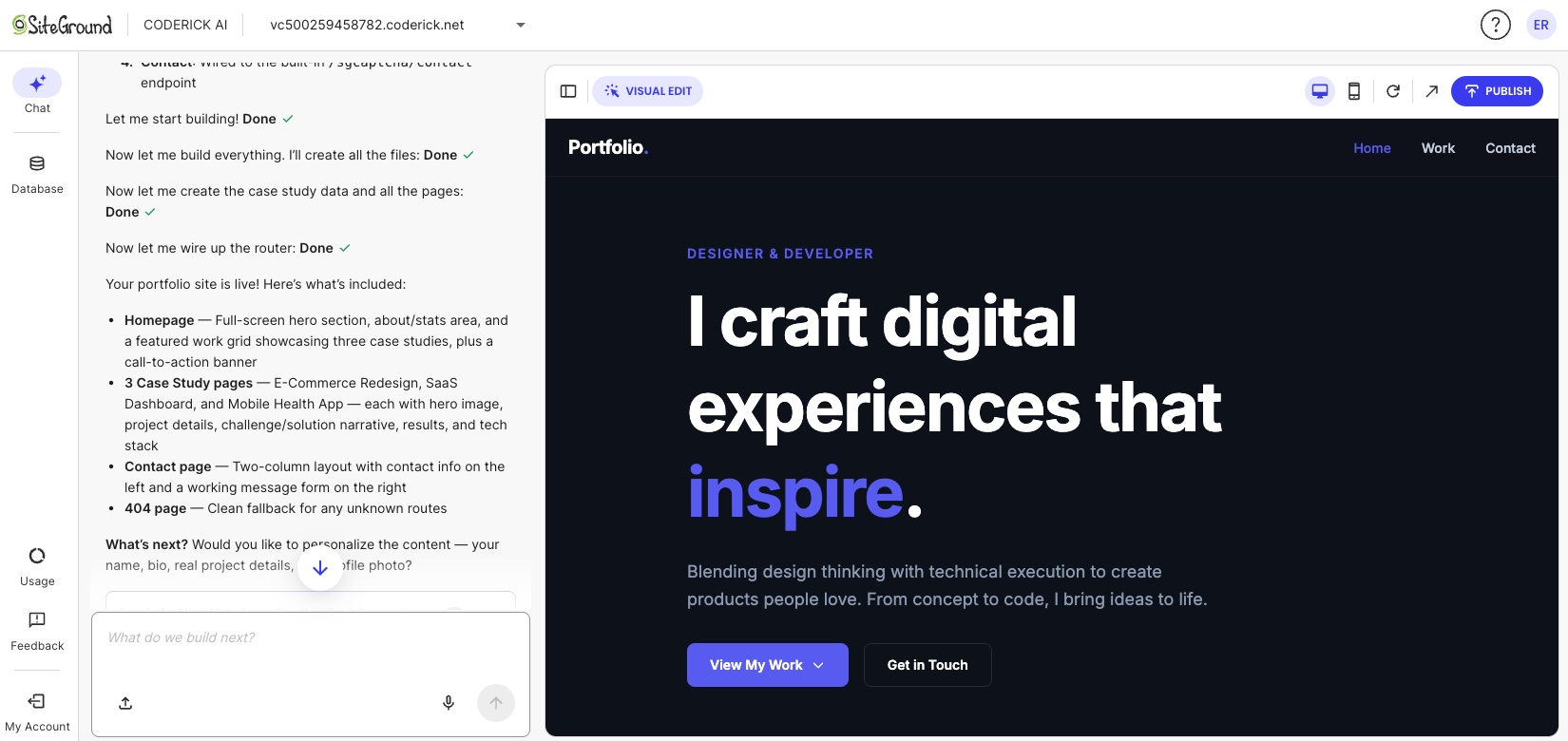
Claude Code works the opposite way: you start with infrastructure, and the website is what eventually comes out the other end.
Choose a managed builder instead of a coding agent
A coding agent like Claude Code is built for developers who already know what to do next. A managed website builder handles the full path in one environment (creation, structure, hosting, and publishing) so no prior technical knowledge is required to get something live.
Keep publishing, hosting, and updates in one environment
Switching between tools creates friction, costs, and headaches, especially when you factor in Claude Code pricing and deployment costs. Building in one place, then exporting to a hosting provider, then configuring deployment is a multi-step process that requires understanding each layer. A managed environment where building and hosting are the same product removes that friction entirely (and often saves you costs in the process).
How does Coderick AI replace the technical setup around Claude Code?
Coderick AI is SiteGround’s AI website and web app builder, with no coding required. Here’s what that looks like in practice.
Already designed it in Claude Design or Google Stitch? Import it
If you’ve already designed your site in Claude Design or Google Stitch, you don’t have to start over. Export the design as a ZIP or HTML file, upload it when you start a new Coderick AI project, and adjust the pre-filled prompt to describe how it should work. Coderick AI builds a working website or web app from the design, hosted and ready to publish.
Describe the website or app instead of opening a code project
The starting point in Coderick AI is a plain-language description. The more detail you bring upfront, the stronger the first build, but you can start with something as simple as “a booking site for a vet clinic with an appointment form and a services page” and refine from there. Coderick AI interprets the intent, generates the user interface, creates the backend logic, and handles the technical work in the background. No repository, no terminal session, no framework decision required.
Coderick AI also accepts visual references, screenshots, and supported files as starting material. If you already have a design mocked up elsewhere, you can bring it straight in. If you designed something in Google Stitch, you can turn that Google Stitch design into a real website using Coderick AI. The same applies if you worked up something in Claude’s design tools. You can turn a Claude Design project into a website, or even a Claude artifact into a website using Coderick AI, all without starting from scratch. From there, you shape the project into something suited to your needs, all through the same chat interface.
Build structure, pages, forms, and simple functionality through prompts
Once the initial build is generated, changes happen through the same conversation. Add a page, adjust the layout, add a contact form, and change the navigation structure by using natural language prompts. The platform supports a wide range of use cases: business websites, portfolios, landing pages, internal tools, simple CRMs, booking systems, invoice trackers, and task planners.
Users can also import existing code files (including .js, .jsx, .ts, .tsx, .html, .css, .scss, and .md) to bring existing work into a Coderick AI project. That makes Coderick AI useful for users who already have files from other prototyping tools and want to take them live without setting up infrastructure separately, including cases where the goal is to turn a Claude Artifact into a real website.
Publish without setting up a separate hosting workflow
When a project is ready, hitting Publish deploys it instantly to SiteGround’s hosting infrastructure. No domain configuration to manage. No hosting environment to configure. No deployment pipeline to set up. The site goes live on the same infrastructure that powers millions of SiteGround-hosted websites, and with built-in caching and a free CDN included.
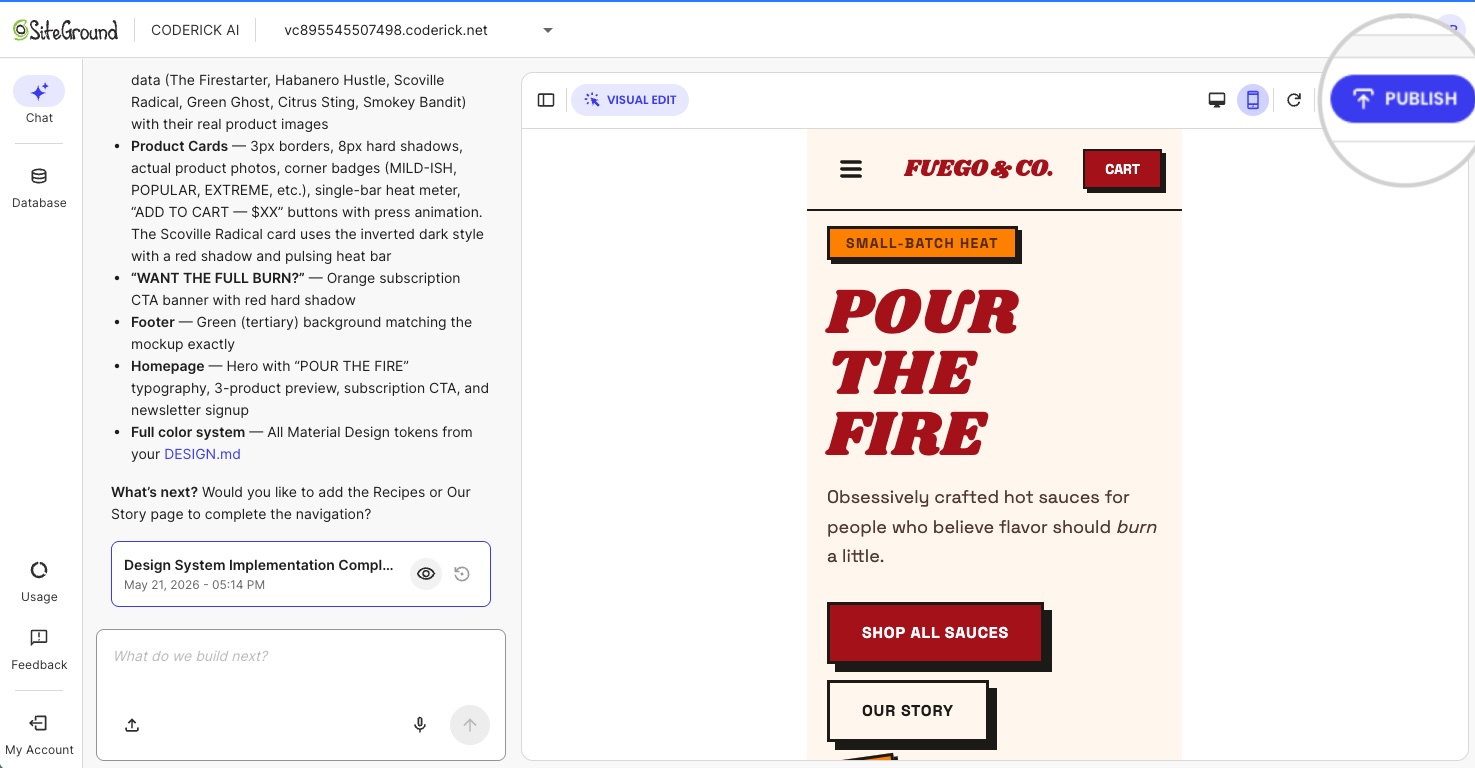
Every Coderick AI project ships with hosting, SSL, version control, user authentication, and automatic deployment included. These are not add-ons. They are part of the product from the first build. For what that actually saves versus assembling the pieces yourself, see how to compare AI website builder pricing without getting burned.
Manage updates without editing a repository manually
Post-launch updates work the same way as the initial build: describe the change in chat and Coderick AI applies it. There is no need to check out a branch, edit files locally, push to a repository, or trigger a deployment. The managed environment handles the full update cycle ( building, versioning, and redeploying) so the workflow stays the same whether you are making the first page or the fifteenth update.
What do you avoid by using Coderick AI instead of Claude Code?
Every item below is a step that Claude Code requires and Coderick AI removes entirely. The same logic applies if you want to build a website without OpenAI Codex and avoid a coding-agent workflow altogether.
No installation or project setup
Coderick AI runs in your browser. Sign in with your SiteGround account, describe the project, and start building. There’s nothing to install, no folder to point it at, and no repository to connect before the first page exists.
No GitHub repository required for a simple site
Coderick AI has built-in version control. There’s no need to set up GitHub, initialize a repository, or manage commits manually. For users who want a business site, a portfolio, or a landing page, a GitHub repository is an unnecessary layer of complexity that Coderick AI removes by default.
No manual deployment pipeline
Deployment in Coderick AI is automatic. There is no build step to trigger, no automated pipeline to configure, and no server to target. Publishing is a single action.
No separate hosting or SSL setup
Hosting, SSL, and DNS are part of the Coderick AI managed environment. There’s no separate hosting account to provision, no SSL certificate to install, and no DNS record to configure for the initial launch. Custom domains are supported (users can connect a custom domain to a Coderick AI project through their account) but the base configuration requires no manual infrastructure work.
Less post-launch maintenance complexity
After launch, updates go through the same prompt-based workflow as the build. There are no server patches to apply, no deployment scripts to maintain, and no hosting configuration to revisit for routine content changes. The managed environment absorbs the operational complexity that would otherwise fall on the site owner.
When should you still choose Claude Code?
Claude Code is the right tool in a specific set of circumstances. Those circumstances generally involve existing codebases, engineering teams, or the need for precise technical control.
You need source-code control
If reviewing every code change, managing branches, and maintaining a full commit history is important to the project, Claude Code fits into that workflow. It’s built for teams that treat version control as a core part of how work gets reviewed and approved.
You already have a codebase or engineering team
Claude Code’s most natural home is an existing project. If there is already a codebase in a repository and a team working inside it, Claude Code adds speed to the work that team already does. For a non-technical user starting from nothing, that advantage is not relevant.
You need custom integrations or advanced architecture
Complex backend requirements, custom API integrations, non-standard data architecture, multi-service dependencies — these are cases where direct control over the codebase matters. Claude Code is suited to those requirements. Coderick AI is built for a different scope: functional websites and web apps that don’t require custom engineering depth or full source-code ownership.
You want GitHub, tests, pull requests, and manual deployment control
If the workflow involves pull request reviews, automated test runs, and manual deployment approval, Claude Code belongs in that pipeline. These are professional development workflows, and Claude Code is designed for them. They are not requirements for most small business websites, portfolios, landing pages, or internal tools.
Is Coderick AI the right path to build a website without Claude Code?
For most non-technical users, yes — especially when the project does not need a developer-controlled codebase. The table below maps the most common situations to the most appropriate tool.
| User situation | Better path | Why |
| You want a live site without working in a codebase | Coderick AI | The workflow starts from the website or app outcome, not files and commands |
| You do not want GitHub, repositories, or deployment pipelines | Coderick AI | The managed path removes technical setup |
| You need hosting, SSL, and publishing handled together | Coderick AI | SiteGround’s Coderick AI includes hosting, SSL, version control, and publishing as part of the builder experience |
| You already have a codebase and want to modify it | Claude Code | Claude Code is built for working inside existing projects |
Skip Claude Code. Launch your website instead.
For users starting from scratch, the path is simpler than you might expect. Describe what you need, build it through conversation, and publish it in a single step.If you’re new to SiteGround, your first Coderick AI Essential plan starts with a 14-day free period, so you can build and launch your site before your first payment. The repository, the hosting, the deployment pipeline: none of it is your problem. Build a website without Claude Code using Coderick AI and spend your time on the business, not the infrastructure.
[96]
Frequently asked questions
Yes, you can build a website with Claude Code without coding. Claude Code’s desktop app works without a terminal, and Claude Code on the web runs in the cloud, so you can describe what you want in plain language. You’ll still need to handle hosting, a domain, SSL, and deployment yourself, and review the code changes it makes. If you’d rather skip that setup, Coderick AI builds and publishes the site for you.
In the browser, yes. Claude Code on the web works from a GitHub repository you connect and pushes finished work to a GitHub branch. The desktop app works on a folder on your computer instead. Either way, you’ll still need somewhere to host the finished site.
You should build a website without Claude Code when your goal is a live site, not a developer-controlled codebase. If you don’t want to work with project files, GitHub repositories, hosting setup, DNS, SSL, or deployment pipelines, a managed builder like Coderick AI is the more direct path for landing pages, portfolios, booking sites, and small business websites.
Probably not. A simple business website usually doesn’t require Claude Code unless you want custom development control. If you need a business site, landing page, portfolio, booking page, or simple web app, Coderick AI can be a more direct path because it avoids project files, repositories, and deployment setup.
You might avoid Claude Code if you don’t want to review code changes or manage project files, GitHub, hosting, DNS, SSL, or deployment. Its desktop and web versions remove the terminal, but Claude Code is still built around development workflows.
Coderick AI is SiteGround’s AI website and web app builder. It lets users create websites and simple apps by describing what they need, then customizing the result through conversation. It’s built for small businesses, freelancers, creators, and founders who want to launch without coding or complicated tools.
Yes, you can bring a design from Claude Design and Google Stitch. When you start a new project, you can upload a ZIP or HTML export from Claude Design or Google Stitch, and Coderick AI turns it into a working site or app. Importing works for new projects only.
Not exactly. Claude Code is not a website builder per se: it’s for users who want to work with codebases, commands, Git workflows, and developer tools. Coderick AI is for users who want a managed website or web app-building path without having to handle the code and infrastructure layers manually.
Coderick AI helps non-technical users avoid the technical setup around a code-first workflow: project files, repositories, deployment pipelines, separate hosting setup, SSL configuration, and manual infrastructure work. The value is not that it replaces every developer tool, but that it removes the need for one in simpler projects.
Yes. Coderick AI can create a website or web app from a plain-language description. Users can build websites, dashboards, simple CRMs, booking systems, portfolio sites, and invoice trackers without coding or server setup.
Yes. SiteGround’s Coderick AI includes hosting, SSL, version control, and publishing as part of its AI website and app builder experience.
Choose Claude Code when you want source-code control, custom engineering, tests, Git workflows, pull requests, or manual deployment. Claude Code is a better fit for developers and technical teams working inside a codebase.
This article was originally published in June of 2026 and then updated in October of 2026.