High-Converting Event Reminder Emails + Examples

abstract of an event reminder email

You’ve put together a fantastic event. Everything is ready to go, you just need to make sure that all those attendees actually show up. You’ve not only got to remind them, you need to keep the energy going so that they still really want to show up. 

That’s where a truly effective event reminder email comes in—and you’ve got to get it just right. So today we’re going to cover all the essentials, from what makes an event reminder email great, to examples, and tools you can use to make the whole process easier and more effective.
What is an Event Reminder Email?

An event reminder email is the follow up to your event invitation email. It gets sent before an event to confirm attendance, inspire an RSVP, provide key details, and keep the event top-of-mind for your audience. It’s usually delivered in the days—or even hours—leading up to an event and can be sent for both virtual and in-person gatherings. 

Reminder emails can include the event name, date, time, location, a calendar link, and any last-minute updates or instructions. They can also act as re-engagement emails by intriguing less-engaged subscribers back into the loop. Lastly, they can serve to reinforce the value of attending and build excitement.

Why Send Event Reminder Emails? 

To remind people, of course—to sign up or simply attend. Because the reality is that even the most enthusiastic RSVP can turn into a no-show if the event slips their mind or they lose motivation. That’s where friendly event reminder emails shine. With the right timing and tone, they not only increase attendance, they help set the tone for a seamless, well-run event.

Beyond that, a great reminder email reinforces your brand voice, shows your audience you’re organized, and creates one more moment of connection before showtime. They are just one more way you can leverage email marketing to drive business and build connections with your audience.

What Makes Event Reminder Emails Get Opened?

An event reminder might look simple, but getting someone to open your email involves a mix of timing, curiosity, and emotional cues. At its core, it’s about tapping into human behavior—our tendency to respond to urgency, our fear of missing out, and our desire to stay in the loop. The most effective reminder emails don’t just inform; they nudge people toward action by making the event feel timely, relevant, and worth their attention.

The psychology behind it is subtle but powerful. When an email feels personal or makes the recipient think “I don’t want to miss this,” it’s far more likely to get opened. In the next section, we’ll break down the specific tactics that bring this psychology to life, so your reminders don’t just land in inboxes, they get results.

How to Create Effective Event Email Reminders

Now that we’ve covered the “what” and “why” behind sending an event reminder, it’s time to dive into how to write your emails. From subject lines that demand attention to practical resources that help your emails go off without a hitch (and hopefully your events too!), the following tips will set you up for success. We’ll also share examples so you can see these strategies in action—and start writing emails that truly work.

1. Use Urgency and Scarcity

Creating a sense of urgency or scarcity is a go-to when it comes to email marketing tips, and it’s no different when it comes to event reminders. Phrases like “limited spots available,” “last chance to register,” or countdown timers add pressure without feeling pushy. These triggers tap into our natural aversion to missing out on opportunities, making recipients more likely to open your email and confirm their attendance before it’s too late.

In the following event reminder email example, scarcity and urgency are used by mentioning that only five spots are left, and that the event is only three weeks away. After providing easy-to-see event details, and a clear sign-up button, the sender could also reinforce the enticing reasons to join the event, like noteworthy presenters, swag bags, and so on.
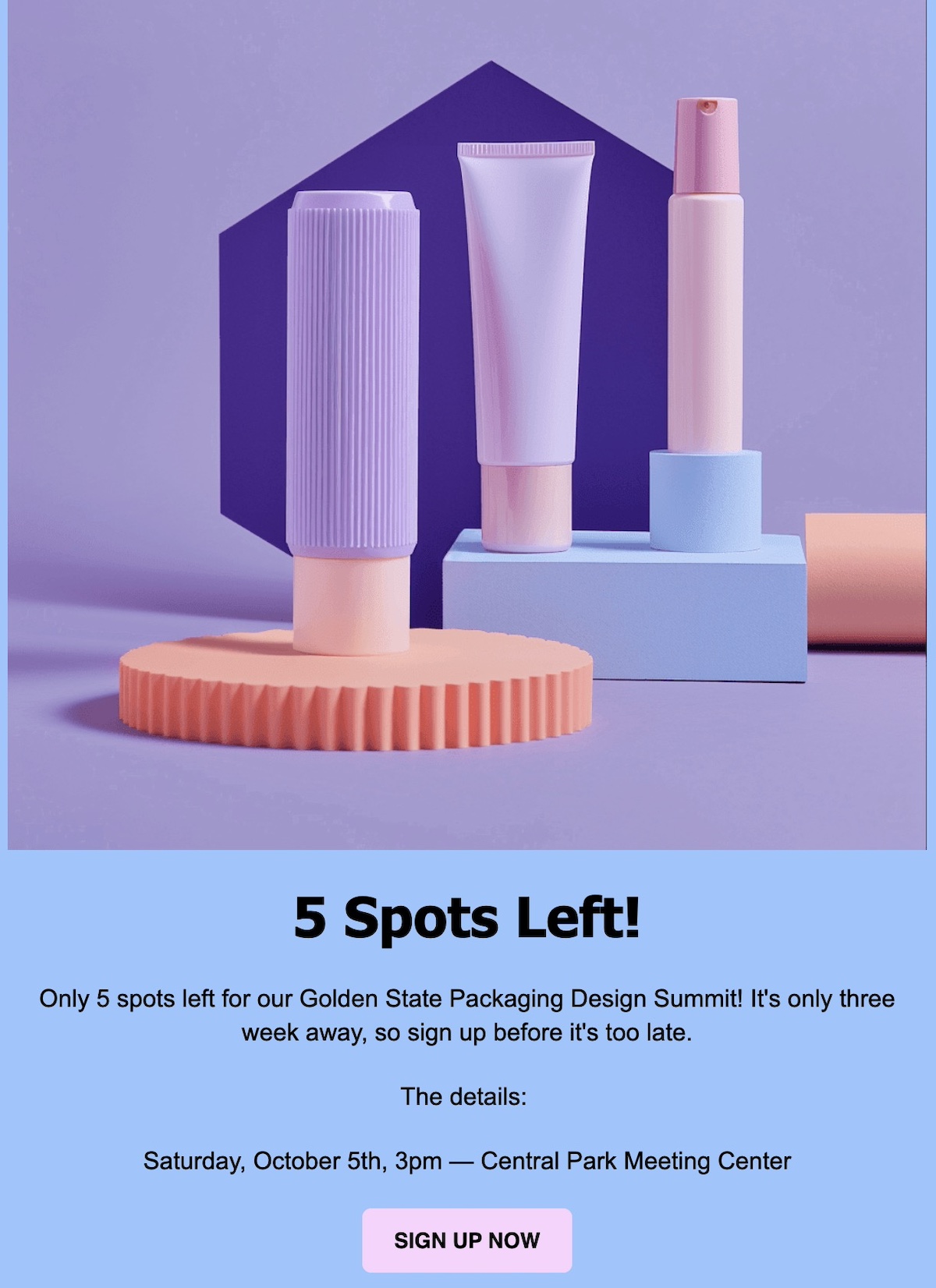
Event reminder email that uses urgency and scarcity

2. Tap into FOMO

Fear of missing out (FOMO) is a powerful emotional driver. Use social proof like attendee testimonials, share highlights of what they’ll miss if they don’t attend, or spotlight popular speakers and unique experiences. When people see that others value the event and fear being left out, they’re more likely to prioritize attending, and that’s exactly what your reminder emails should inspire.

The below example builds FOMO in a bunch of ways. It teases networking and impressive speakers, networking opportunities, and giveaways like swag bags and a contest. Plus, it includes testimonials as proof of what you’ll miss out on. 
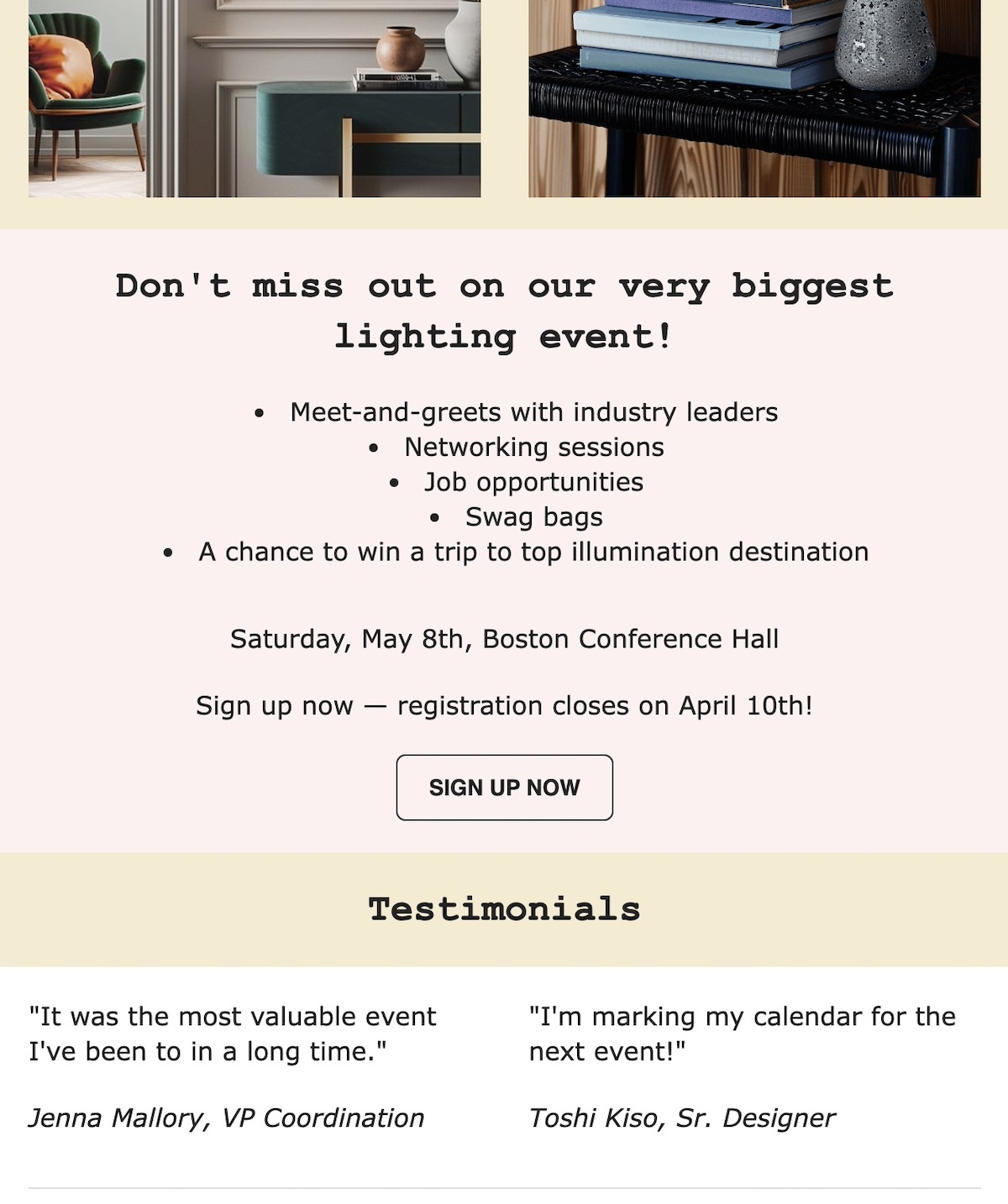
Event reminder email example that uses FOMO

3. Personalize Your Message

Personalization goes beyond just adding a recipient’s name. Customize your reminder emails based on audience segments, whether that’s past attendees, VIP guests, or registrants for specific sessions. When your message feels relevant and speaks directly to their interests or history with your events, people are more likely to engage with your emails and take action.

In the below event reminder email example, the sender uses personalization not only by addressing the recipient by name, but by referencing a past event they attended. This makes the message feel more friendly, personal, and relevant, making it more likely that the invitee will sign up. Easy-to-find details, and a clear sign-up make registration an even easier choice.
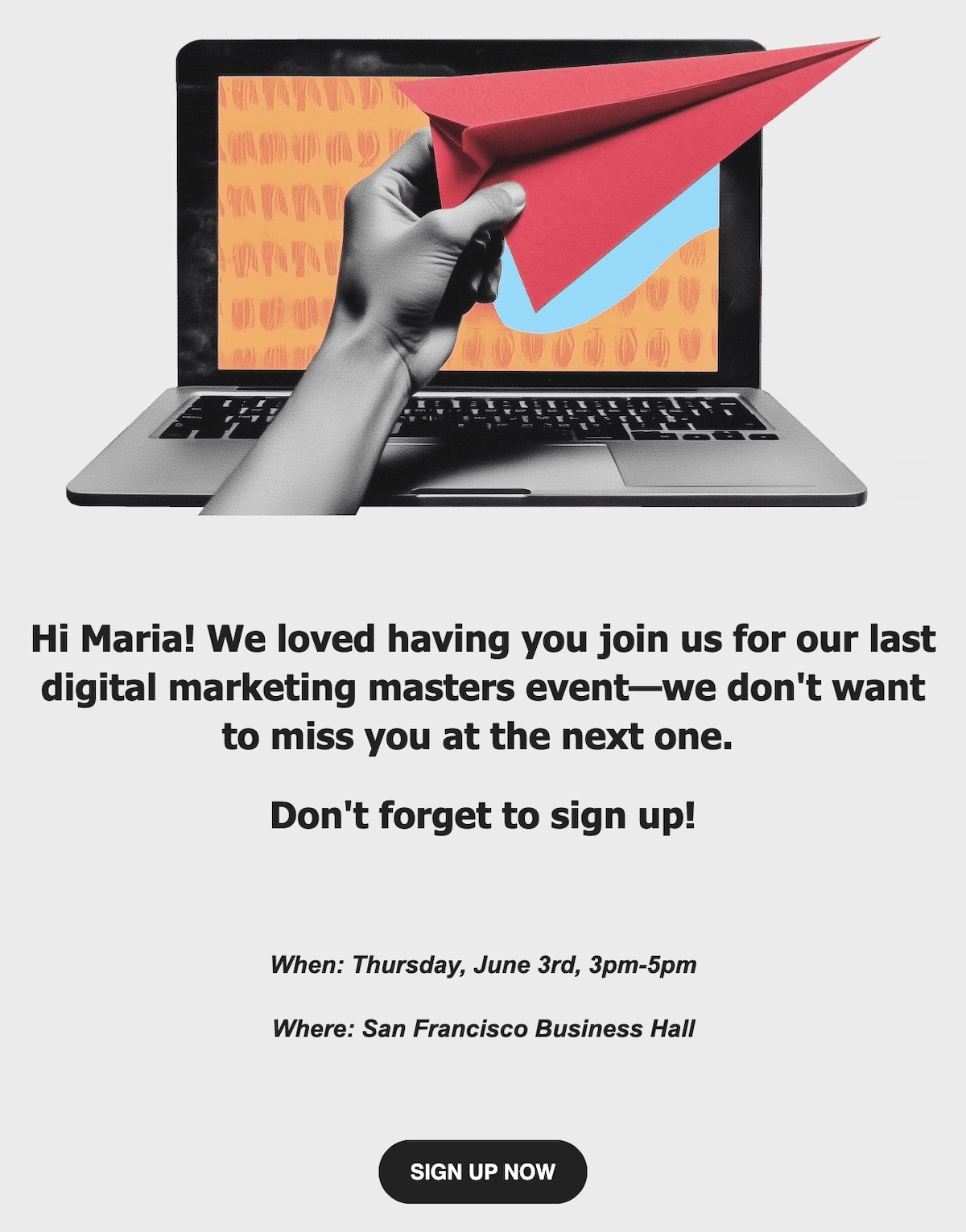
Personalized event reminder email example

4. Write a Catchy Subject Line

Your subject line is the first thing recipients see—make it count. The best email subject lines for this are short, specific, and time-sensitive to create urgency. Adding a touch of curiosity can also drive opens, but clarity is key. Examples like “Ready for tomorrow’s webinar?” or “Last chance to join Friday’s event!” tell readers exactly what to expect and why they should open now.

The below example uses a play on words to encourage sign up before it closes. It’s fun and casual, and inspires a click to sign up. 
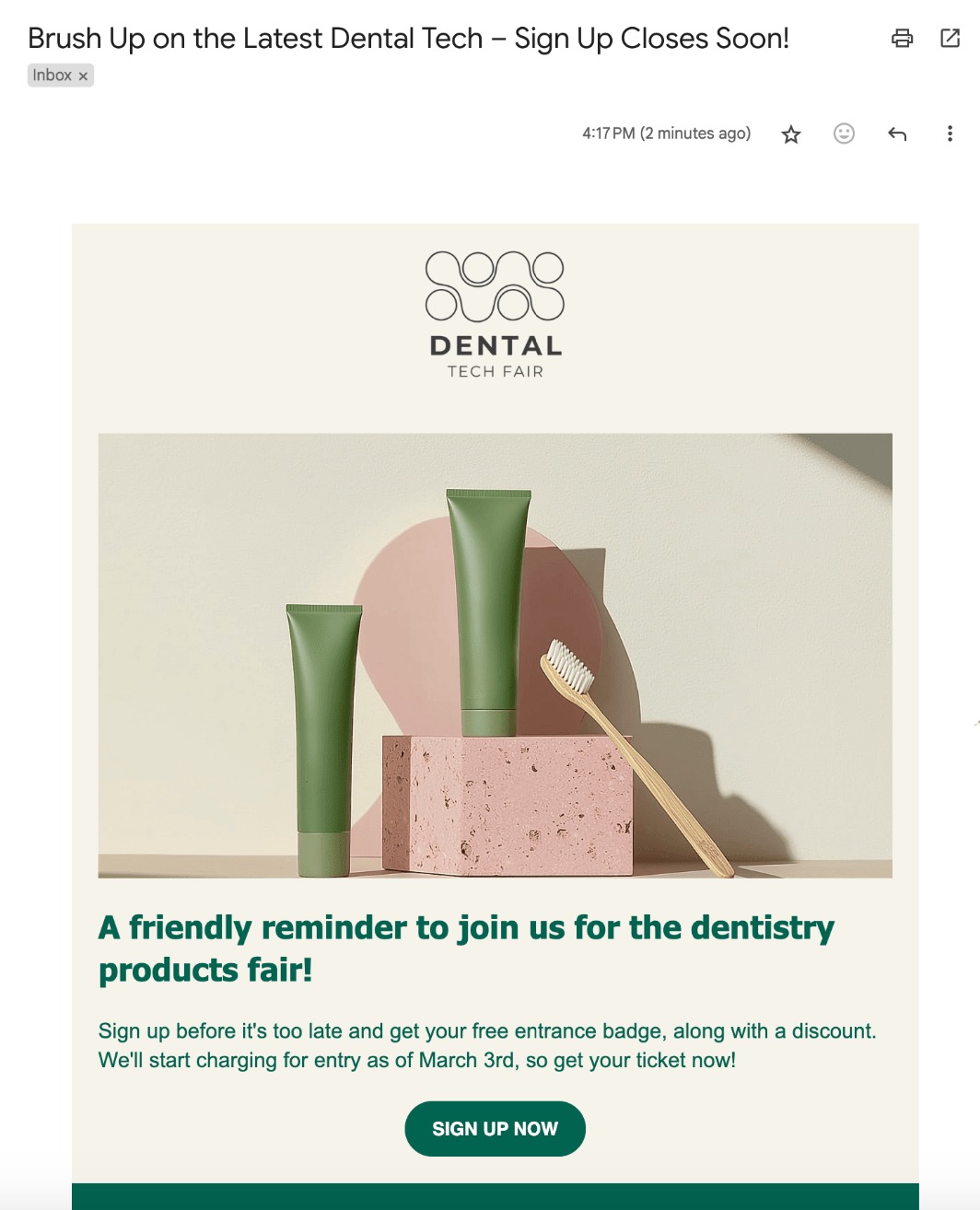
Event reminder email with a catchy subject line

5. Keep the Design Clear and Clickable

Once your email is opened, a clean design guides readers smoothly to your call to action. Use a clear visual hierarchy with bold headings and to-the-point text. Include clickable, effective calls to action so recipients can RSVP or add the event to their calendar with ease. Don’t forget to optimize for mobile devices, as most people check emails on their phones, so your message should look great and be easy to navigate anywhere.

With SiteGround’s email marketing tools, your campaigns are optimized for both mobile and desktop, so every message looks polished on any device. Built-in responsive templates and fast-loading designs help you deliver clear, clickable emails that encourage engagement and make it easy for recipients to respond.

Get started with SiteGround Email Marketing today >>

The below example keeps it extra clear and simple by including the date, time, and location, plus a super easy and obvious way to add to the recipient’s calendar. Even better, they made the email extra friendly with personalization.

Event reminder email with good design

6. Send at the Right Time

Timing is everything when it comes to event reminder emails. Send your message too early, and it risks getting forgotten; send it too late, and your audience might have already made other plans. 

While it will depend on the type of event (is it in-person? Virtual? Local? Or in a far-off place?), it’s generally best practice to send a reminder email a week before the event, and then again the day before. This way, the event is fresh in participants’ minds and also gives them enough time to prepare or still RSVP. 
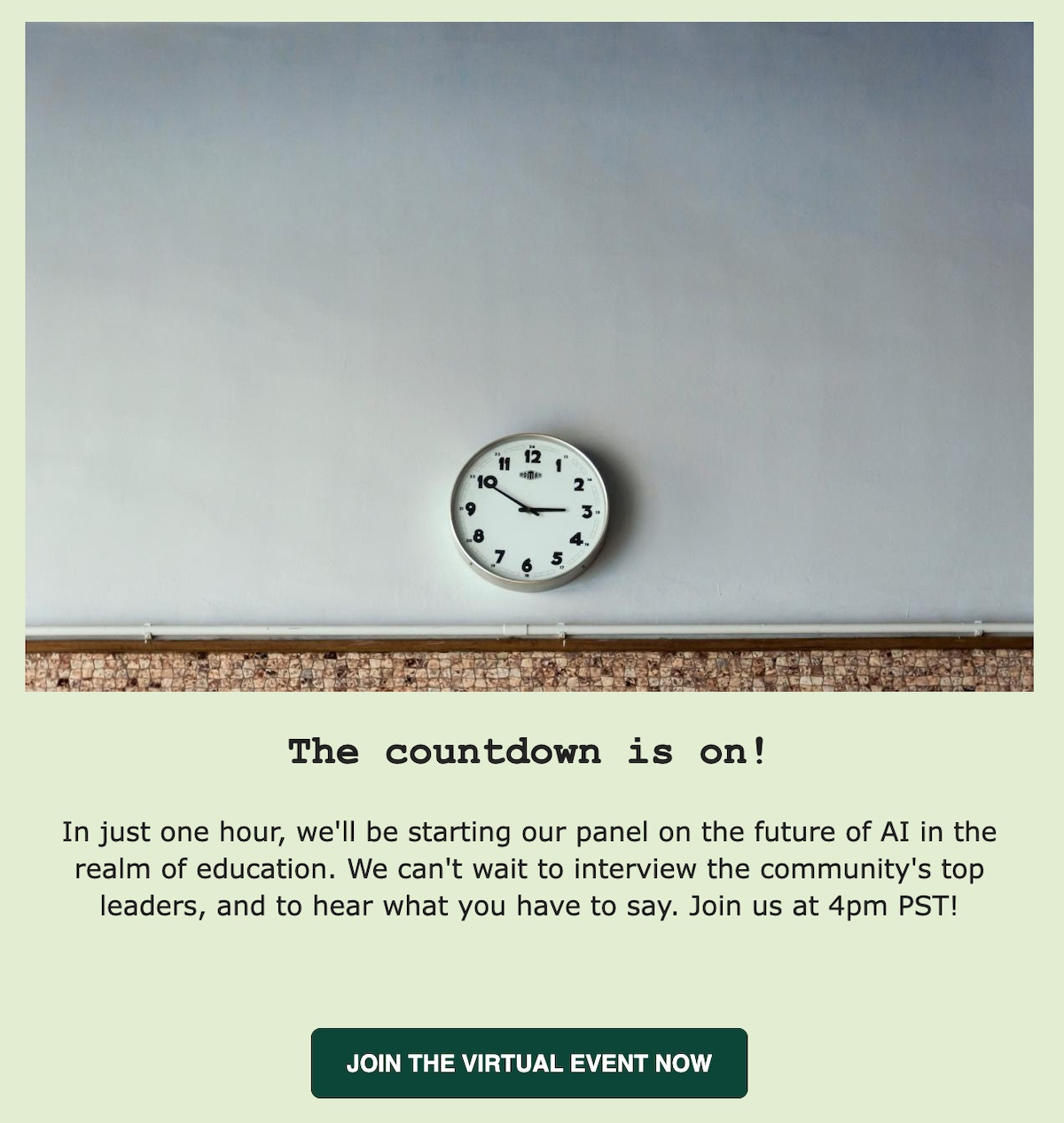
Event reminder email example sent at the right time

While it might seem obvious to send an event reminder email a week or a day in advance, it can even be helpful to send a last-minute reminder if your event is virtual. Because how often have you found yourself scrambling five minutes before a virtual event, hunting for the login details? The email sample above does just this, making it extra easy for people to join the event upon receiving the reminder email.

7. Harness Email Automation

Email automation takes the hassle out of managing event reminders by scheduling and sending messages automatically based on triggers you set. Whether it’s a series of countdown emails leading up to the event or follow-ups post-event, automation keeps your audience engaged without extra manual effort.

If you’re looking for a reliable solution, SiteGround Email Marketing offers incredibly effective and user-friendly automation along with easy-to-use tools, robust deliverability, and handy and attractive templates. It’s an excellent choice to streamline your event email campaigns while keeping your attendees informed and excited every step of the way.

8. Leverage AI to Enhance Your Event Reminders

Artificial intelligence is often a great resource for crafting and optimizing event reminder emails. That’s because AI-powered tools can help you generate compelling subject lines, write clear and engaging content, and suggest the best times to send your emails for maximum impact.

For example, built in to SiteGround’s Email Marketing is an email-optimized AI editor that can help you craft your emails and subject lines on the fly—and make the whole process a lot easier. 
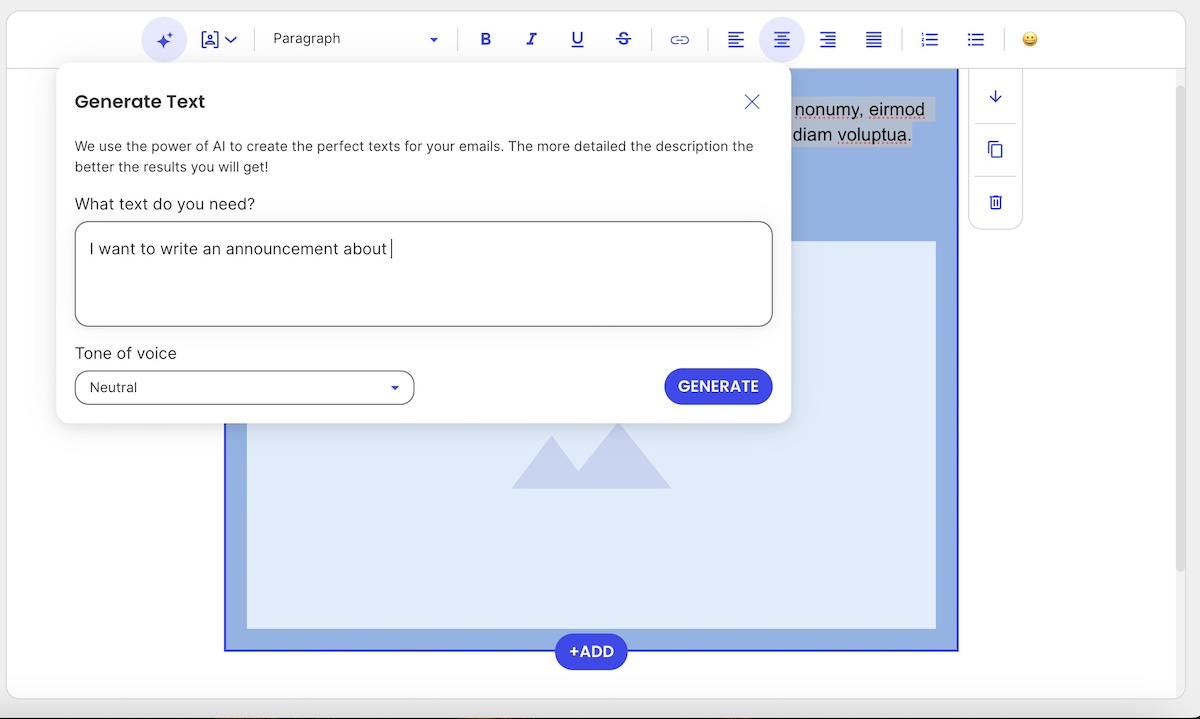
AI for event reminder email marketing

You can also ask AI, such as ChatGPT, to analyze past campaign data to identify patterns and recommend improvements, making your reminders smarter and more effective over time.

By incorporating AI into your email strategy, you save time, reduce guesswork, and increase the chances that your reminders get opened, read, and acted upon.

9. Use A/B Testing to Optimize Your Emails

A/B testing is the easiest and most effective way to discover what resonates best with your audience. By sending two variations of your event reminder email—differing in one key element like the subject line, call to action, or send time. When you track your email marketing metrics, you can see which version drives more opens, clicks, and RSVPs.

For example, you might test a subject line focused on urgency against one that’s more curiosity-inducing, or compare a reminder sent in the morning versus the afternoon. The insights you gain from these experiments allow you to refine your messaging, design, and timing to maximize engagement. 

Regularly running A/B tests is a great way to create emails that continually improve, helping you to not only improve your event participation, but also improve your email outreach across the board.
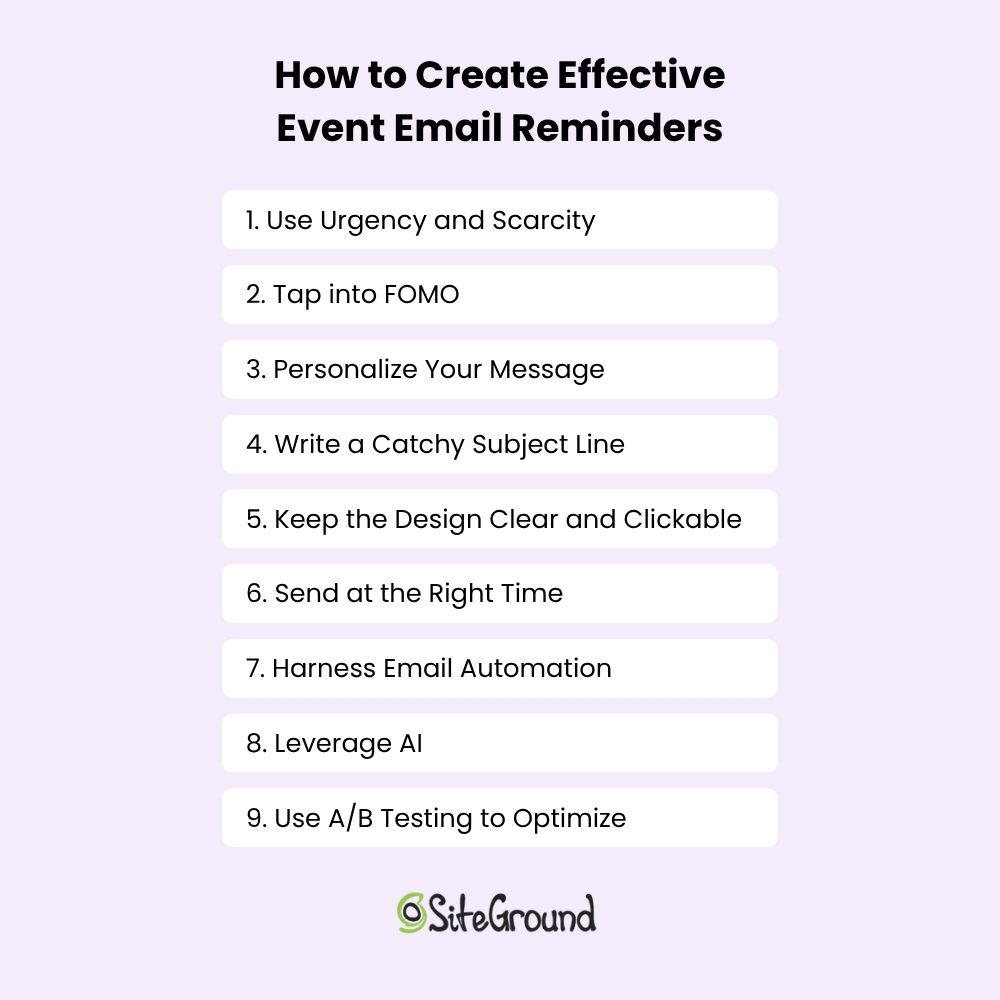
How to create effective event email reminders

Send Your Event Reminder Emails and Build Attendance

An event reminder email might seem like a small step, but it holds a surprising amount of power to turn tentative RSVPs into eager attendees. Timing your sends just right, tapping into FOMO, and keeping your design clean and clickable are all great ways to make your audience feel informed, excited, and ready to show up—without overwhelming them.

And when you’re ready to bring your email game to the next level, SiteGround Email Marketing has your back. Its easy-to-use platform offers sleek, mobile-optimized templates, handy automation tools, and built-in AI features to help you create polished, effective campaigns. Check out SiteGround Email Marketing and see how simple it can be to keep your events top of mind and your inbox full of enthusiastic responses.
Web Design Made Simple: The Only 10 Tips You Really Need

Abstract of web design tips

Chances are, you’ve come across those websites: the ones that look unprofessional, are confusing to use, or simply don’t address what you’re actually seeking. So, as you build your own website, you want to get it right—to create a webpage that reflects your brand’s unique personality, connects with your audience, and drives real action.

We’re going to make that happen by breaking down 10 practical principles to help you design a website that’s not only visually appealing but also strategic, user-friendly, and built to grow your business.

Key takeaways

  • A strong website starts with clear branding and a consistent visual style.
  • Templates help you follow proven design patterns without overcomplicating layout decisions.
  • Good design guides visitors clearly, with smart content structure and visible calls to action.
  • Performance, mobile optimization, and accessibility are essential for usability and conversions.
  • Security and trust signals are just as important as aesthetics for credibility and confidence.

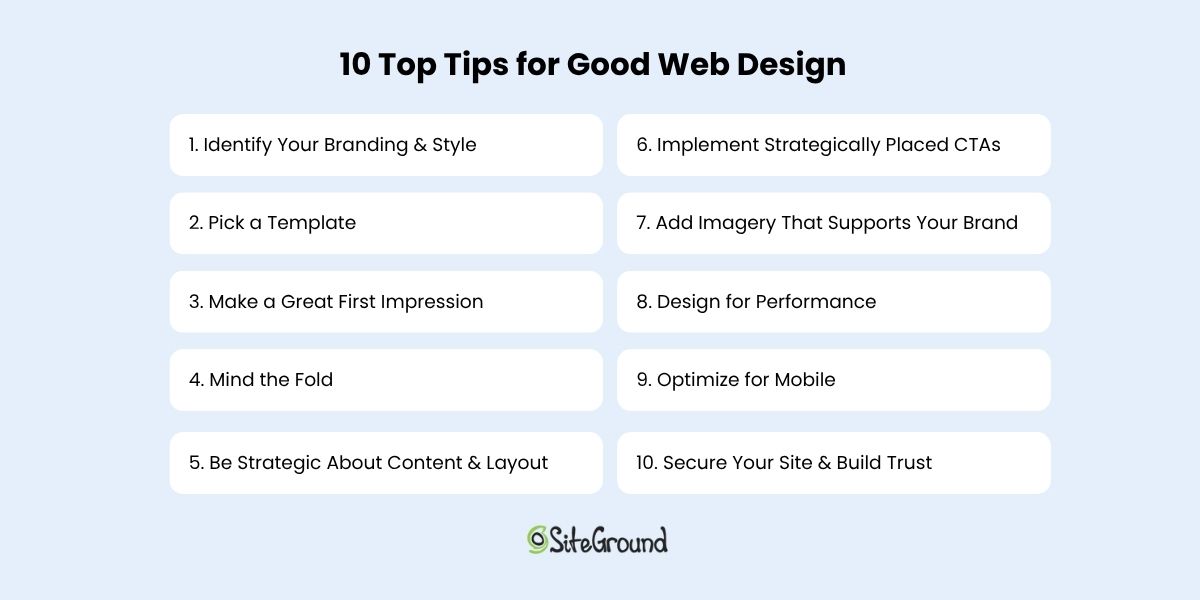
10 Top Tips for Good Web Design

If you’re focusing on just ten key tips to build a strong, effective website, these are the ones to keep top of mind. They cover everything from design basics to strategic layout, branding, and user experience. 

1. Identify Your Branding & Style

Before you go down the fun rabbit hole of choosing layouts, buttons, and fancy features, there’s one thing that sets the tone for everything on your site: your brand style. It’s the secret ingredient that makes your website feel professional, put-together, and unmistakably you.

Think of your brand basics as your website’s personality. Are you bold and creative? Calm and trustworthy? Elegant and refined? The way you answer that will shape the look and feel of your entire site—from your color choices and fonts to the way your content comes across.

Here are a few quick examples to guide your choices:

  • Trustworthy and professional: Go for classic, subdued colors like navy, charcoal, or forest green, paired with strong, traditional serif fonts.
  • Playful and approachable: Use energetic colors like orange, turquoise, or lime green, and friendly sans-serif fonts with soft curves.
  • Elegant and high-end: Consider rich hues like burgundy, gold, or black, with sleek, minimal fonts and lots of whitespace.
  • Modern and bold: Bright or unexpected colors—think electric blue or hot pink—can work well with edgy fonts and dynamic layouts.

Not sure what fits your brand yet? That’s totally normal. Start by asking yourself: What do I want people to feel when they land on my site? Then, explore sites you love and notice what pulls you in—the colors, the fonts, the vibe. You’ll start to see patterns, and from there, you can craft a style that feels true to your brand.

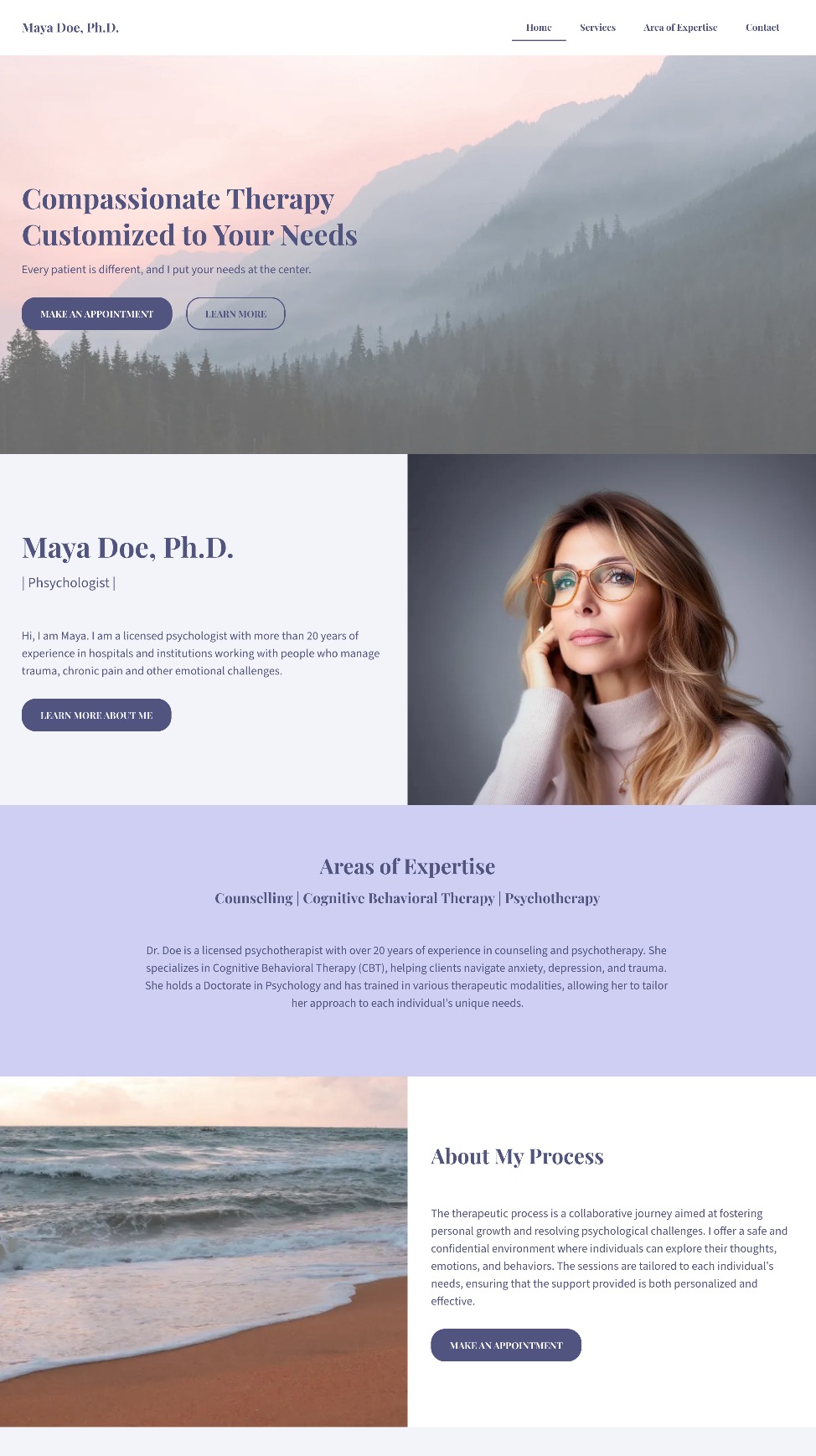
The homepage example below does an excellent job of expressing its brand through calming pastel colors, a relaxed font, and cohesive, brand-aligned imagery. The result is a polished, professional look that immediately communicates what this person and their service are all about: peaceful, inviting, and comforting.

example of branding in web design

A clear brand style doesn’t just make your site look great—it gives your visitors an instant sense of who you are and what you’re all about. And that’s the kind of first impression that sticks.

2. Pick a Template

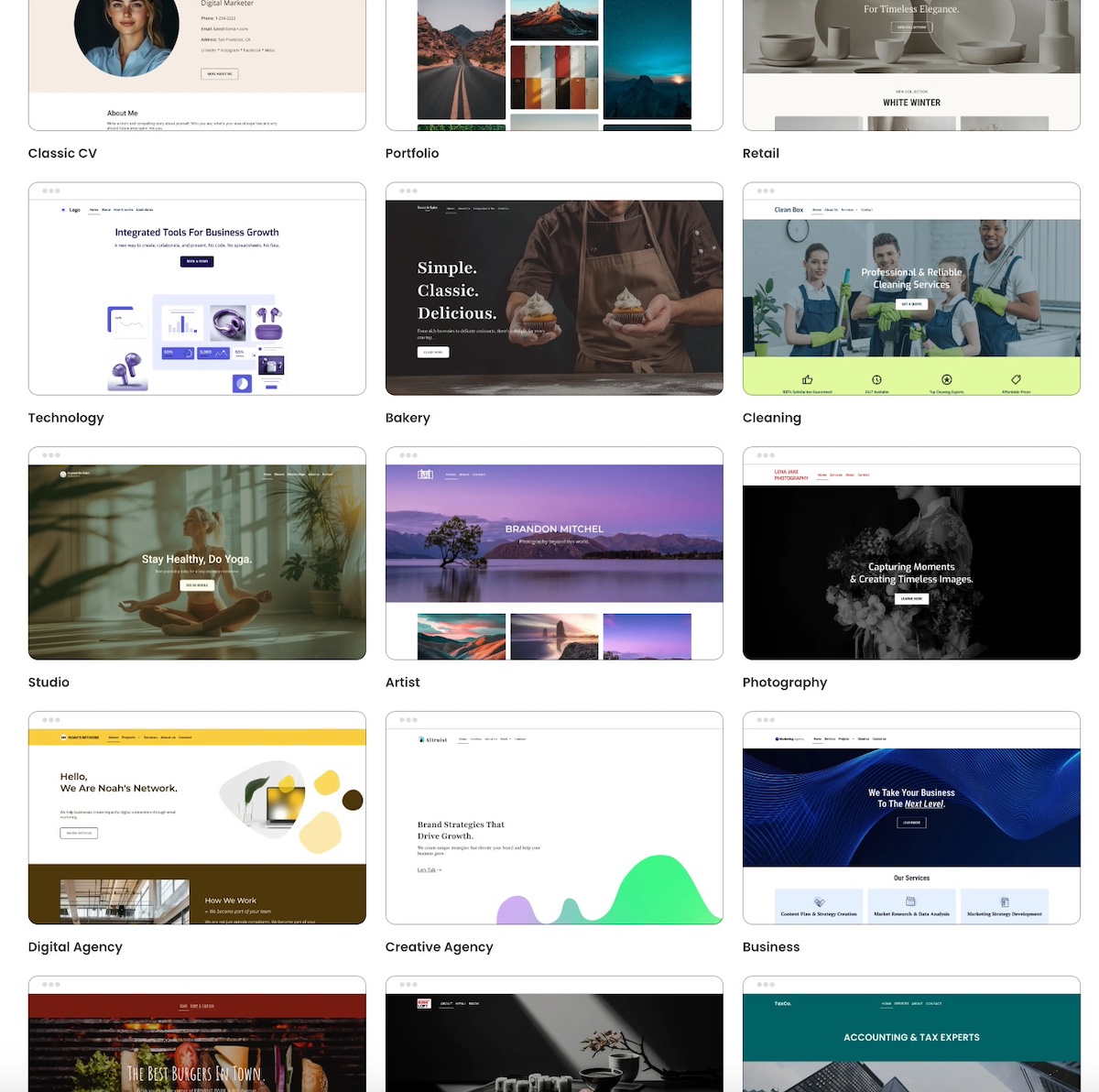
One of the fastest, easiest, and most budget-friendly ways to get your website looking polished is to start with a template. Templates are pre-designed and typically feature the best web design layouts so that you aren’t starting from scratch or guessing what looks good.

And if you’re using the SiteGround Website Builder, you’re in luck. It comes packed with beautifully designed, ready-to-use templates tailored for different types of businesses, blogs, portfolios, and more. These templates are built to look professional right out of the box, and you can easily customize them to match your brand style—colors, fonts, images, layout—you name it.

picking a template is good for web design

What’s important here is not to overthink it. Choose a template that closely matches the structure and feel you want for your site. Then, make small adjustments to align it with your branding. The more you try to overhaul the template, the more work you create—and that can sometimes lead to a clunky design.

Also, worth noting, while it can be tempting to really think outside the box with your website layout and design, this is ultimately more likely to just create user frustration. So using a template ensures that you’re sticking to tried-and-true design best practices that will keep users seamlessly moving through your site.

Keep it simple. Start with a template you love, make it yours, and let the SiteGround Website Builder do the heavy lifting.

If you’re building your site with SiteGround, you’ve already got a head start. The SiteGround Website Builder not only includes a wide range of professionally designed templates but it’s fully integrated with powerful hosting, speed optimization, and top-tier security features, so your site won’t just look great—it’ll perform beautifully, too.

Explore SiteGround’s Website Builder and bring your vision to life >>

3. Make a Great First Impression

Your homepage is prime real estate—and the top section (also called the hero section) is where the magic needs to happen. So as you delve into website planning, remember that your homepage is the most important way to grab attention and make visitors feel like they’ve landed in the right place.

Start with a bold, benefit-focused headline. What’s in it for your visitor? Follow it up with a short, punchy subtitle that adds context or reinforces your value. Then seal the deal with a clear call to action—something that invites them to take the next step, whether that’s exploring your products, booking a call, or diving deeper into your content.

Pair your message with a high-quality, eye-catching image that supports your vibe and adds visual interest. Just make sure it doesn’t compete with your text. The image should enhance your message and not drown it out.

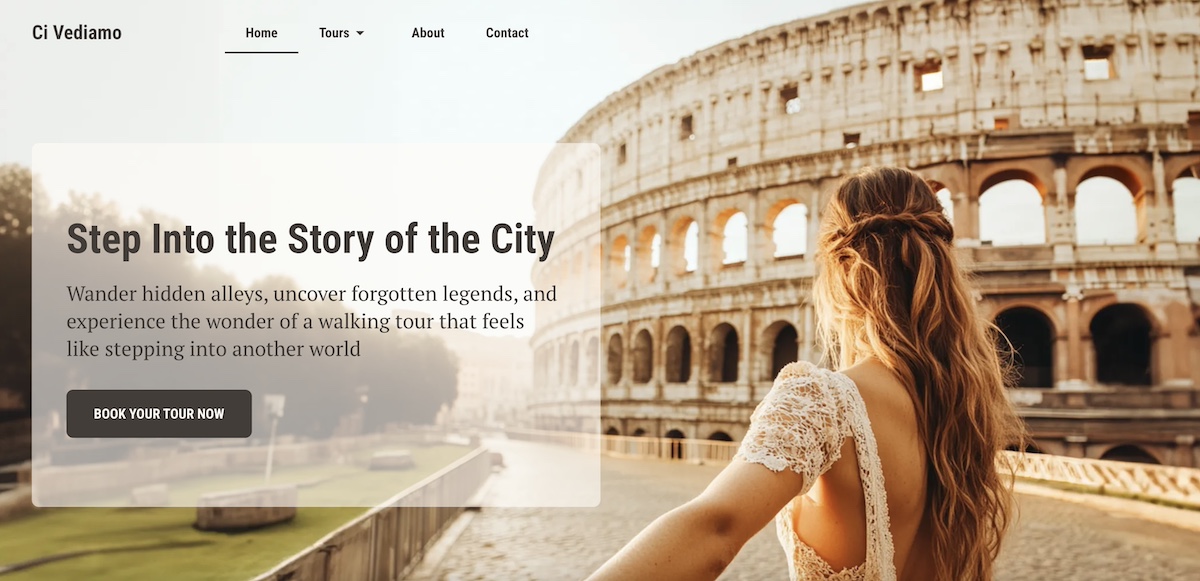
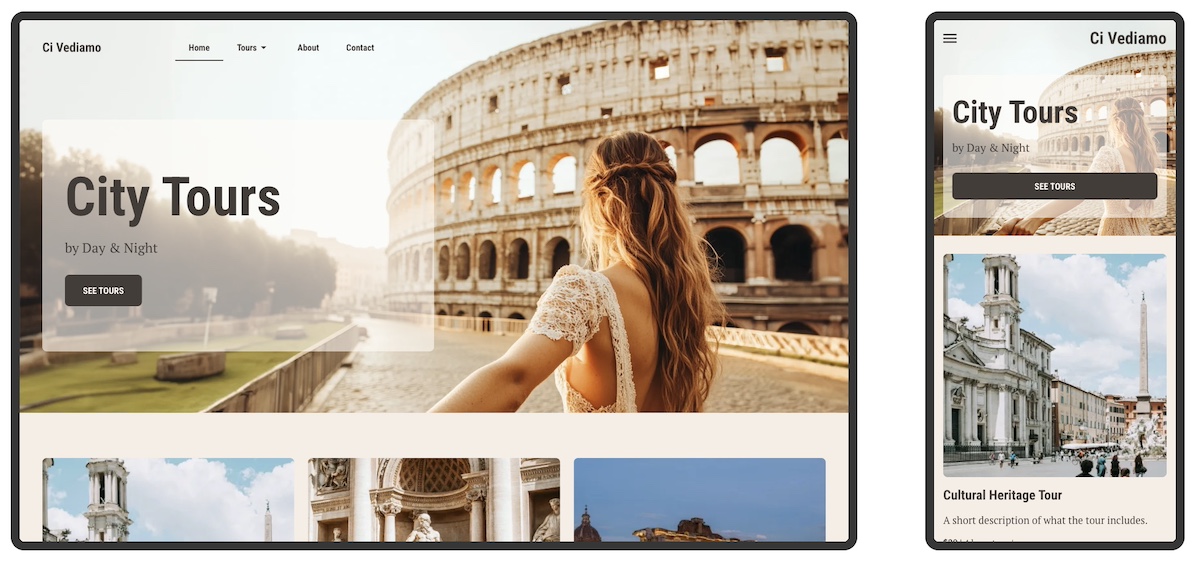
The homepage below captures the spirit of wanderlust with a mesmerizing hero image that instantly transports you. Paired with an evocative headline and a curiosity-driven subtitle, it invites visitors not just to scroll—but to explore. The overall effect is immersive, compelling, and impossible to ignore.

example of making a great first impression in web design

4. Mind the Fold

Here’s a basic rule of good web design: don’t bury the good stuff. The most important content—like your headline, key message, and call to action—should be visible above the fold, meaning it’s the first thing people see without scrolling.

This is super important because what appears at the top of your page gets the most attention. Anything “below the fold” runs the risk of being missed, especially by visitors who are just skimming. That’s why your hero section should be fully visible and thoughtfully designed to quickly communicate who you are and what you offer.

And it’s not just your homepage. Every page on your site should be built with the fold in mind. Whether it’s your About page or a product details page, make sure the most compelling, need-to-know info is front and center.

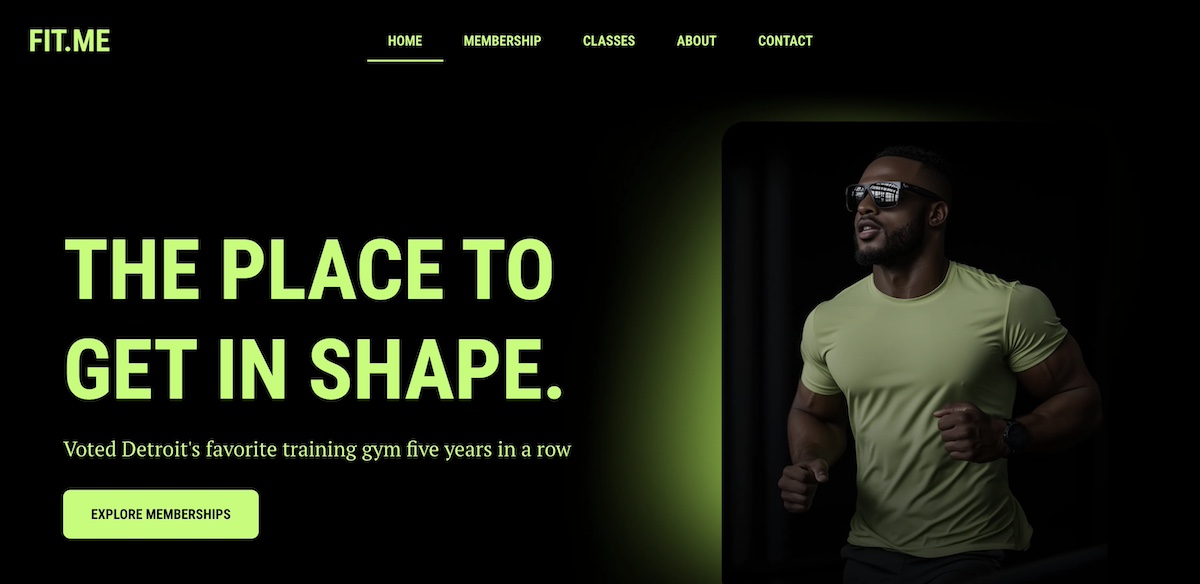
The below homepage makes the most of its above-the-fold space. A bold, eye-catching photo is paired with a strong headline, a clear call to action, and a subtitle that conveys strong social proof. The branding and message are impactful and communicated seamlessly above the fold.

Homepage web example of design above the fold

The above-the-fold principle is especially critical when creating high-converting landing pages—those focused, conversion-driven pages that guide visitors toward one specific action. The same rules apply: keep it clean, clear, and captivating above the fold to drive results.

5. Be Strategic About Content & Layout

Every page on your website should have a job to do—whether it’s welcoming visitors, showcasing products, or prompting a purchase. To help each page succeed, you need two key ingredients: clear content and thoughtful layout. This is a foundational principle that should guide how you construct your website.

Let’s take your homepage design as an example. Once you’ve grabbed attention with a strong hero section, the content that follows should back it up. Think: customer testimonials, trust signals, or a quick story that highlights your value. Each section should build on the last, guiding visitors deeper into your message in a way that feels natural—not overwhelming.

To do this well, structure your content with a clear visual hierarchy. Use headings, visuals, and whitespace to create a smooth flow from one idea to the next. Design elements like color contrast, font size, and section breaks can help your most important messages stand out.

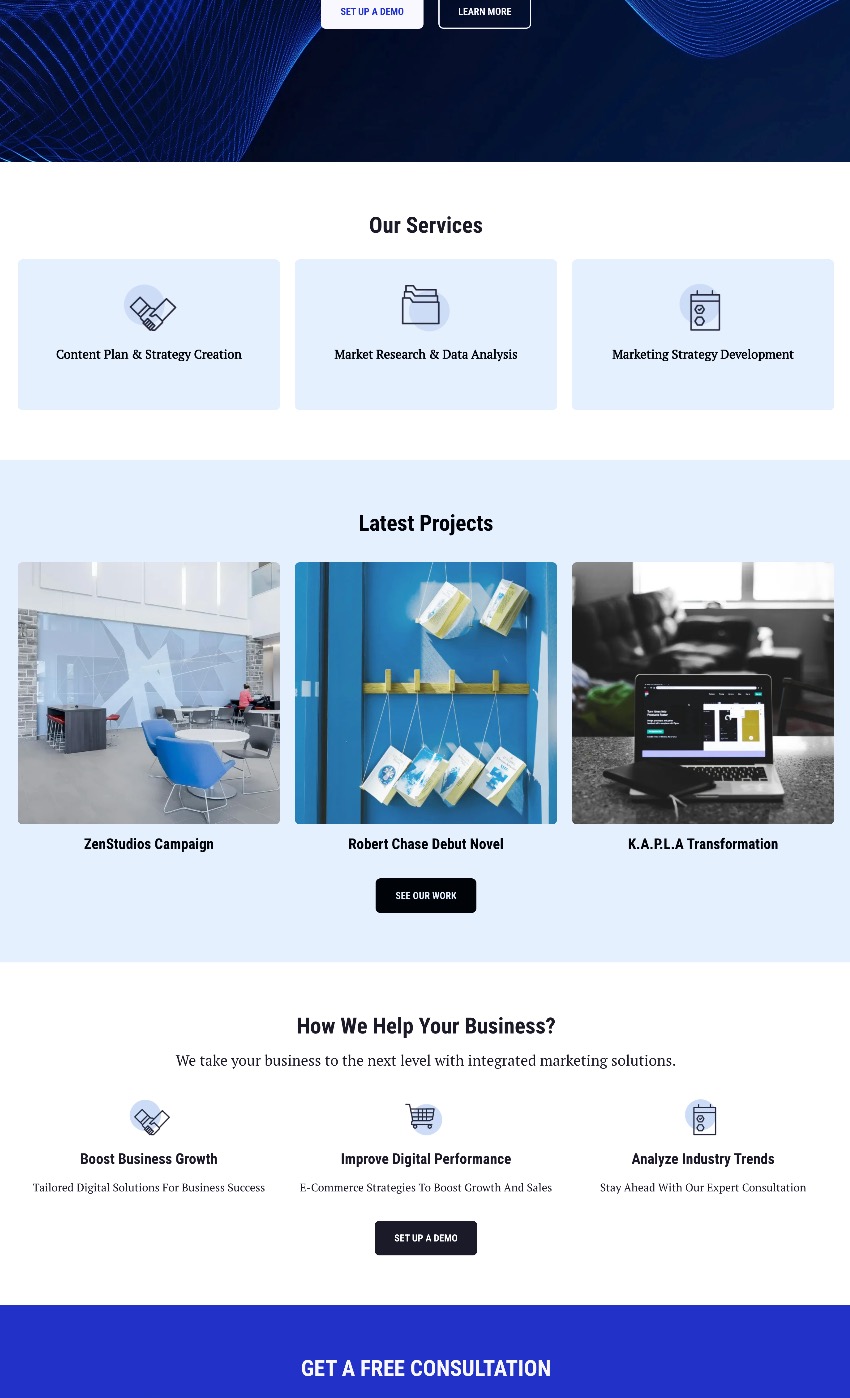
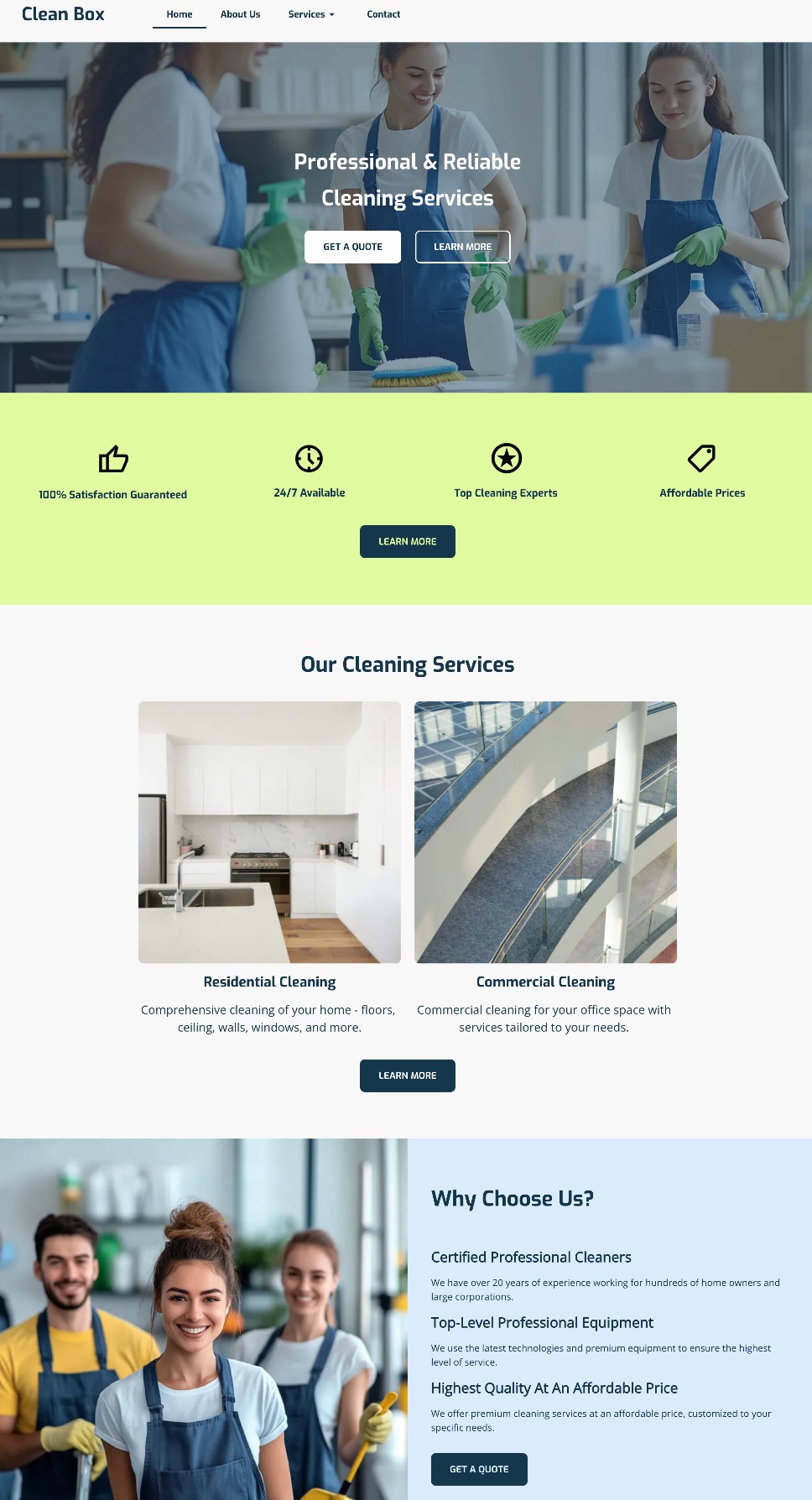
In the below snippet from a homepage, you don’t even need to read the text to see that it is thoughtfully broken out by section with headlines and noticeable calls to action. Zoom in a little more and you’ll see that the sections build on one another, offering various benefits of different services, followed by cleanly explained features.

example of content layout in web design

Again, less is more. Keep each section focused on one core idea, and make sure everything on the page works toward the page’s goal. When your layout and content work hand-in-hand, your website becomes easier to navigate and far more enjoyable to explore.

6. Implement Strategically Placed Calls to Action

Every website needs a tour guide—and that’s exactly what your calls to action (CTAs) are for. Whether it’s “Start now,” “Book a call,” or “Shop the collection,” your CTAs help move visitors smoothly from one step to the next in their customer journey.

But don’t just stick one lonely button at the bottom of the page and call it a day. Instead, sprinkle clear and compelling CTAs throughout your page. Start with the hero section and then continue alongside your content, down your page. Each one should gently nudge visitors forward, whether that’s to learn more, sign up, or make a purchase.

And make sure your CTAs stand out visually, too. Use bold or contrasting colors to draw attention—but stay true to your brand’s aesthetic. For example, if your site has a soft, minimalist vibe, a neon green button might feel more jarring than inviting. Choose CTA colors that complement your overall palette while still catching the eye. Again, a good template will already implement this design best practice.

Notice how the calls to action in the below website design not only stand out, but are scattered throughout the page, and the coloring fits in with the business’s color palette. The buttons are noticeable, strategically distributed, and look good.

good web design with strategic calls to action

In short: keep your CTAs visible, actionable, and on-brand. When placed with intention, they’ll help keep your visitors engaged and your site working like a well-oiled machine.

7. Add Imagery That Supports Your Brand

Selecting imagery might seem basic and straightforward, but really images aren’t just decoration—they are a key part of your website’s storytelling. The right visuals can instantly communicate your vibe, highlight your message, and make your pages feel more engaging and less like a wall of text.

So when choosing images, be intentional. Each one should serve a purpose: to reinforce your brand identity, illustrate your products or services, or simply create visual breathing room that makes your content easier to digest.

But what’s important here is to stick to images that match your brand’s style—whether that’s bold and colorful, soft and minimalist, or sleek and modern. Be consistent. And don’t forget about layout: well-placed visuals can guide the reader’s eye and help your page flow naturally.

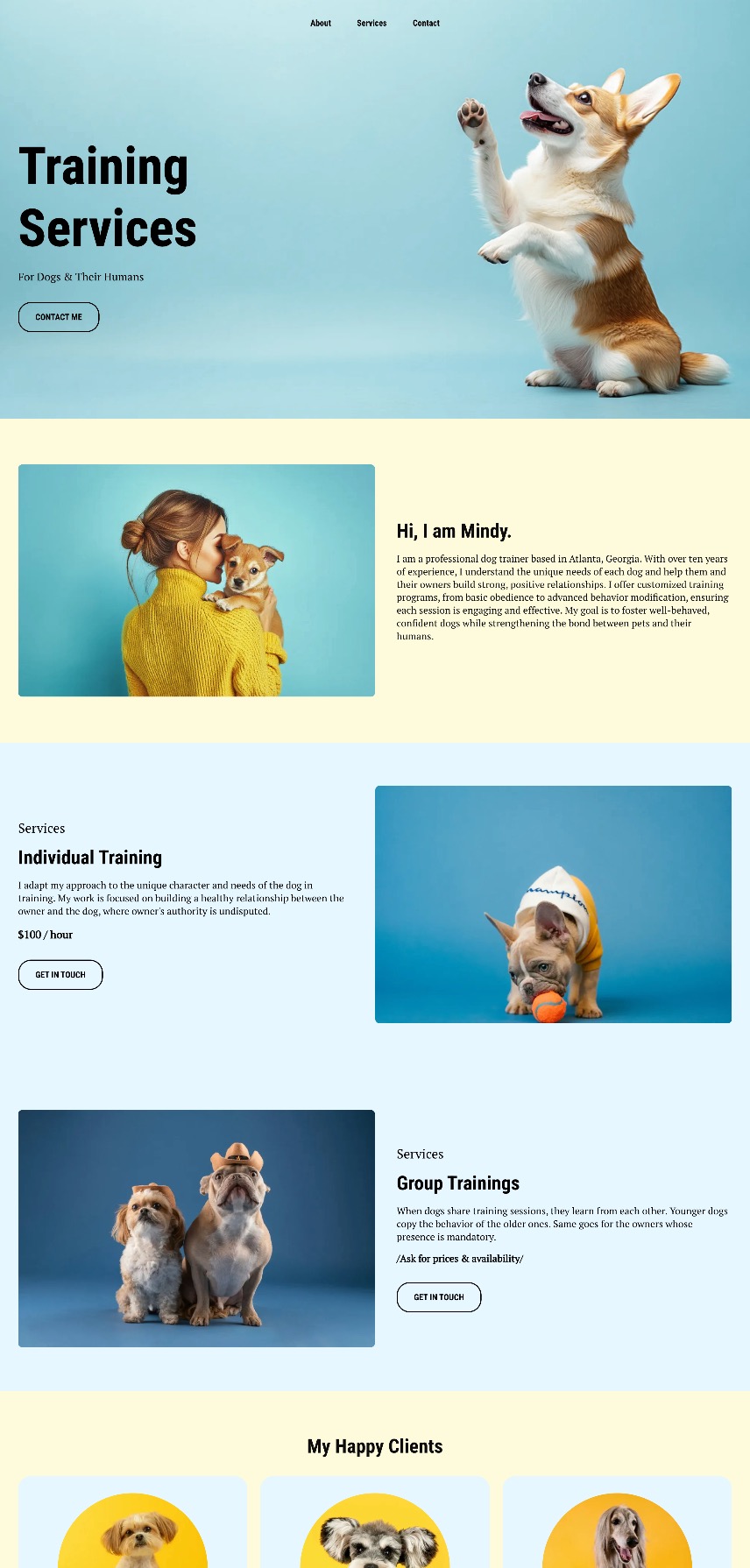
Notice how the below website wins at branding, and especially imagery. Not only are their branding colors and fonts consistent, but their imagery further reinforces that. That is, instead of using random dog shots from the park, the dog images are placed on colored backgrounds that contribute to brand consistency and the overall web design. The photos have also been strategically placed to guide the eye from section to section. 

example of web design tip to use image strategically

8. Design for Performance, Not Just Aesthetics

You can have the most beautifully designed website in the world, but if it’s slow to load, visitors will bounce before they ever see it.

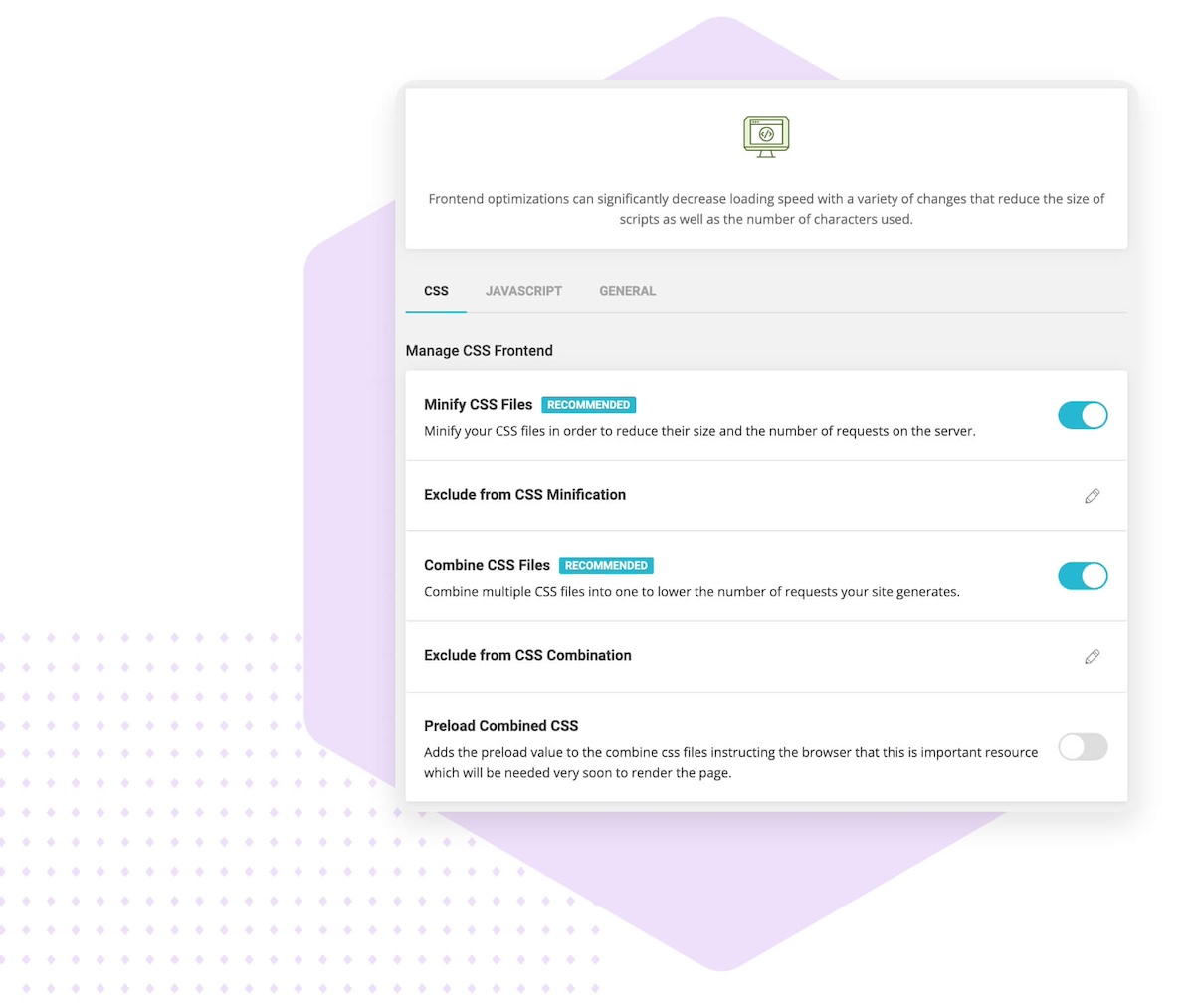
That’s why page speed is a really big deal. A sluggish site can frustrate users, hurt your search rankings, make your business seem less professional, and, of course, negatively impact conversions. The most common culprits? Oversized images, auto-playing videos, clunky code, and too many unnecessary plugins.

But, thankfully, there are simple ways to speed up your website. Compress your images, minimize unnecessary scripts, and choose a fast, reliable host (like SiteGround!) to keep things running smoothly.

web design tip to optimize site performance

If you’re using WordPress, you can make this extra easy by adding the free-to-use (and very necessary!) SiteGround Speed Optimizer Plugin. And if you’re using the SiteGround Website Builder, then all the top performance-enhancing features are already baked right in. 

9. Optimize for Mobile

The reality is that people are browsing your site on all kinds of devices—laptops, tablets, smartphones—you name it. So if your website doesn’t adapt smoothly to different screen sizes, visitors might get frustrated and bounce.

The good news is that sites built with the SiteGround Website Builder come automatically optimized for mobile web design. That means your site will look great and work perfectly whether it’s on a giant desktop monitor or the smallest phone screen.

optimizing your site for mobile as a web design tip

Still, don’t just take it for granted—make it a habit to test your site on multiple devices. Check that fonts are readable, buttons are easy to tap, and layouts stay clean and user-friendly no matter the screen. This hands-on approach ensures your visitors get the best experience, wherever they are.

It’s not just important to make sure people on mobile devices can interact with your site—it’s important to make sure everyone can. Accessible web design helps people with visual, motor, or cognitive impairments navigate your content more easily through clear typography, strong color contrast, readable layouts, and intuitive interactions. These improvements don’t just support accessibility; they also make your site more usable overall, leading to a better experience for all visitors.

10. Secure Your Site & Build Trust from the Start

First impressions matter, especially when it comes to trust. A website that looks unprofessional or feels unsafe can quickly send visitors running. To create a welcoming and credible site, focus on website security alongside clean, cohesive design. Avoid overwhelming your visitors with too many colors or fonts—instead, use a consistent layout that guides users smoothly through your content, as we’ve already discussed.

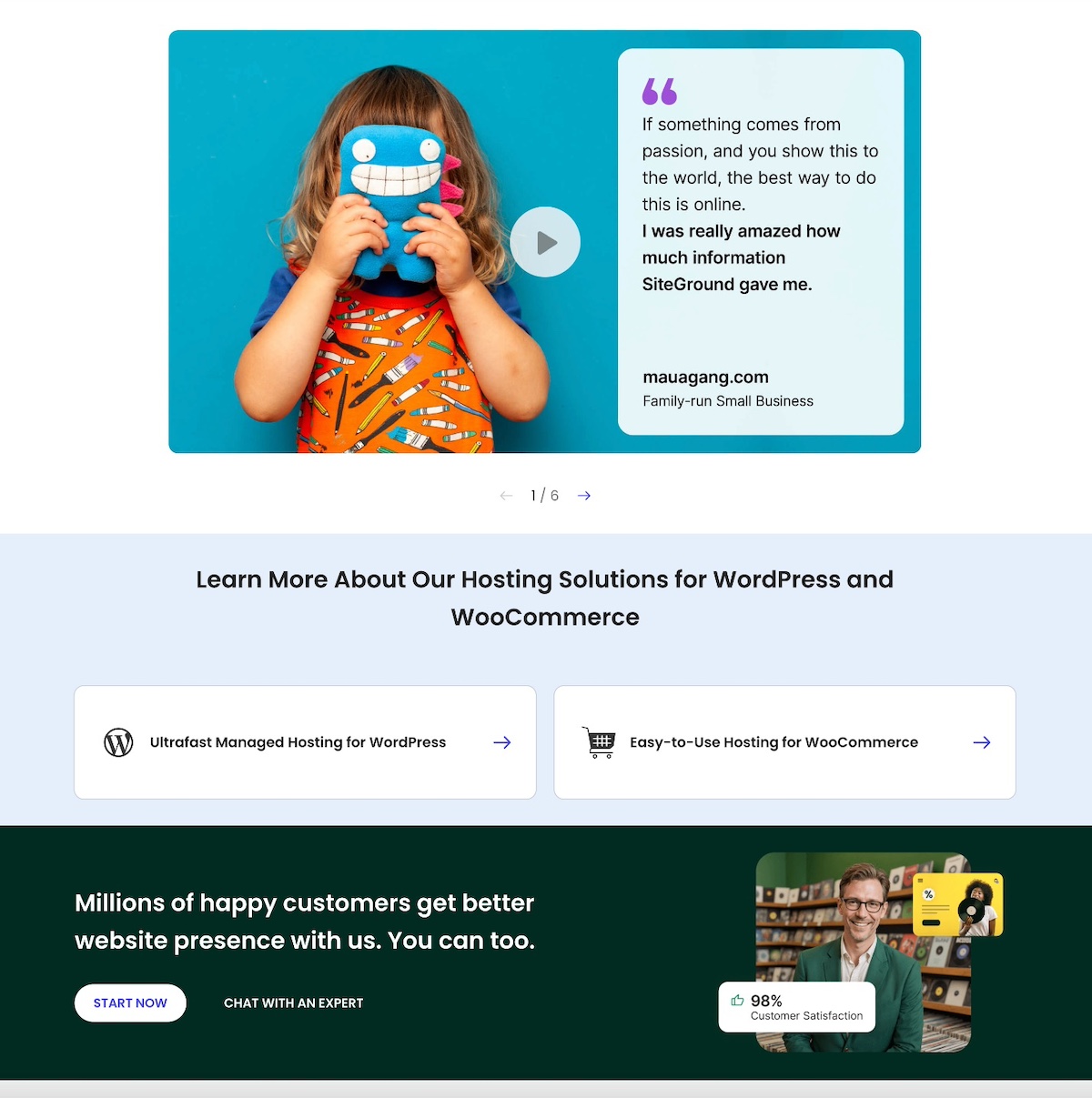
You can also add social proof like testimonials and trust badges, which can further boost your site’s credibility and reassure visitors. Like on SiteGround’s very own homepage, which features customer success stories, as well a section dedicated to sharing that 98% of customers are satisfied. These are strong trust signals that are worth including when planning your web design.

Homepage design example of social proof

Most importantly, make sure your website is protected with an SSL certificate. While some hosts charge extra for this essential security layer, SiteGround includes SSL for free, giving you peace of mind without added cost. SSL not only safeguards your visitors’ information but also signals professionalism—helping your site make a strong, trustworthy first impression.

And just like with performance, if you’re using WordPress, the no-cost SiteGround Security Optimizer plugin can help patch up front-end vulnerabilities. On the other hand, if you’re building your site with the SiteGround Website Builder, comprehensive security is built in from start to finish.

Top tips for good web design

Website Tips and Tricks: Wrapping Up Your Web Design Journey

So let’s put those less-than-stellar websites in the rearview mirror, because now you’ve got the tools to build your own—one that truly delivers. Nail the basics: define your brand, choose the right template, and optimize for speed, mobile, and security. Do that, and you won’t just end up with a good-looking site, but one that works hard, connects with your audience, and gets the job done.

If you’re looking for a simple, powerful way to bring your website vision to life, the SiteGround Website Builder is the ideal option. It offers easy-to-use templates, automatic mobile optimization, built-in security, and all the tools you need to build a professional site quickly and confidently—no coding required.

This article was originally published in November of 2022, and was updated in February of 2026.