
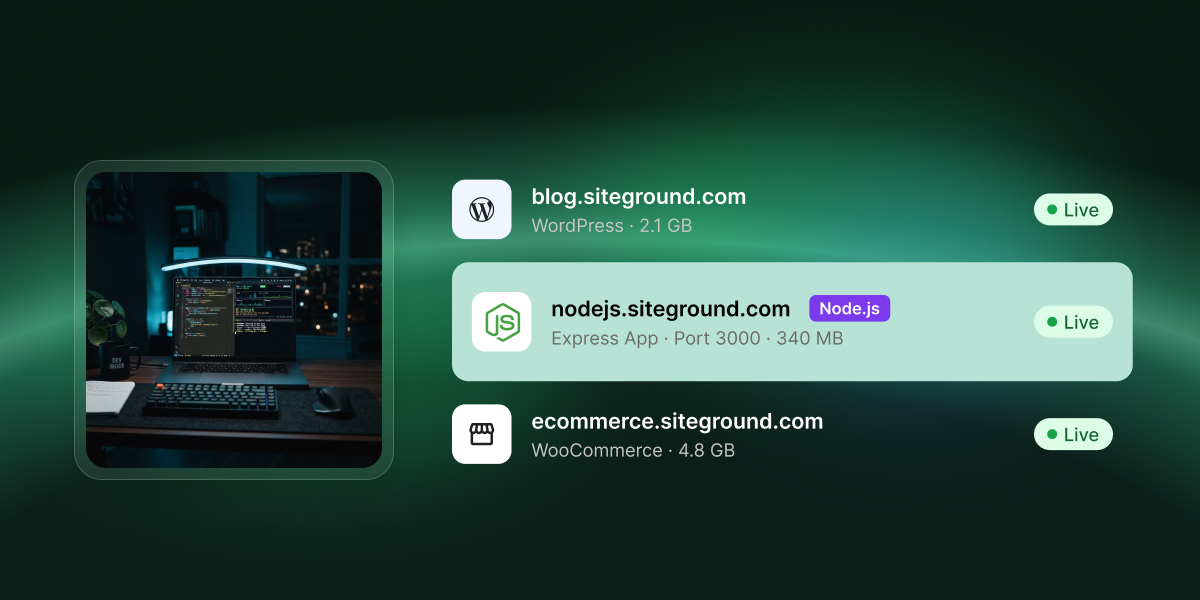
Some shared hosts run Node.js. Most still don’t. The difference isn’t the price of the plan, it’s the runtime model: PHP discards your application’s state at the end of every request, while Node keeps one persistent process running and waiting for requests. Supporting Node.js means supervising that process.
Almost every answer you’ll find about Node.js on shared hosting was written before that supervision existed.
Key takeaways:
- Node.js on shared hosting is available on a minority of providers, including SiteGround, where it runs on GrowBig and above.
- “Supports Node.js” means two different things: Node being installed and left to you, or the host running your app for you as a supervised process that stays up and restarts on its own.
- Shared plans carry request-response workloads: Express APIs, server-rendered Next.js sites, React and Vue front ends with a build step.
- WebSockets aren’t supported on any SiteGround plan, because custom ports can’t be opened for incoming connections. Long polling over HTTP and HTTPS is the documented workaround.
- SiteGround allows 5 Node.js projects on GrowBig, 10 on GoGeek, and unlimited on Cloud, with MySQL and PostgreSQL both available from Site Tools.
- A Node.js project sits in the same account as your other sites, with the domain, email, SSL, and daily backups already included rather than bought separately.
What “supports Node.js” actually means
The phrase covers two different things, and conflating them is why forum answers often contradict each other. The first is availability: Node exists on the server and you are free to use it, but starting your application, keeping it alive, and pointing a domain at it are all your problems. The second is execution: the host runs your application for you, as a supervised process that stays up, answers on your domain, and starts again by itself when something goes wrong.
Only the second one is hosting. The first is a toolbox, not a service.
That explains the pattern across the types of web hosting sold as “Node-friendly”. A host can truthfully say Node is installed while offering nothing that keeps your application running. Started by hand, it stops the moment the connection that started it closes, because nothing was ever watching it.
A host that genuinely supports Node.js provides all of the following:
- A process supervisor that starts the app and restarts it if it exits
- A web server in front of the app, mapping your domain to it
- A selectable Node.js runtime version
- A dependency step that installs what your package.json declares, using npm, pnpm, or yarn
- A way for the platform to work out which file boots your app, whether it detects it or you set it
- Environment variable storage outside your repository
- Build and deployment logs you can read when something fails
If a plan description mentions no process manager and no way to deploy an application, it’s offering you a binary, not a runtime.
Why shared hosting was built for PHP, not Node.js
Shared hosting was designed around a request model Node.js doesn’t use. The standard stack puts hundreds of accounts on one machine and stays stable because no single site holds resources between visitors. That assumption is baked into how shared hosting allocates memory, which is why Node needed a separate mechanism rather than a config flag.
How PHP releases your application’s memory after every request
A PHP request has a short, bounded lifecycle. A visitor hits the page, the web server hands it to a worker process that is already running and waiting, the worker loads the script, runs it, returns HTML, and then releases everything that script allocated. The worker itself stays alive and picks up the next request. What gets discarded is your application’s state, not the process holding it. That’s why one server can host hundreds of accounts: only the sites being visited consume anything. The per-request lifecycle in PHP 8.4 is a resource isolation strategy as much as an execution one.
Node.js inverts it. Your app starts once, holds its dependencies and state in memory, and answers every request from that same resident process. It consumes its memory footprint at 3 a.m. with zero visitors exactly as it does at peak.
What happens when a long-running process crashes
An unsupervised Node process that throws an unhandled exception doesn’t return a 500 and recover. It exits, the app stops answering, and every request after that fails until someone restarts it manually.
PHP has no equivalent failure mode. A fatal error kills one worker, the next visitor gets a fresh one, and nothing needs to be watching. That’s the problem a host solves before it can sell Node.js on a shared plan: something must monitor each application, restart it on exit, cap what it consumes, and stop one account’s memory leak from taking the neighbors down with it.
What changes on a host that does support Node.js
The host adds an application layer above the web server, and it does the supervision your app would otherwise need a VPS and PM2 to get. It’s the same division of labor that separates managed from unmanaged hosting: the supervision is the product, not something you configure.
That trade runs further than it first looks. The control panel covers the whole deployment, and the familiar hosting tools sit underneath it if you want them: a file manager, scheduled jobs, SSH access to your own account. What you do not get is a server to administer. Nobody is asking you to patch an operating system, configure a process manager, or decide how your app comes back after it falls over. Whether that reads as freedom or as a missing feature is the clearest signal of whether this kind of hosting is for you.
You set a handful of things in a control panel and the platform handles the rest:
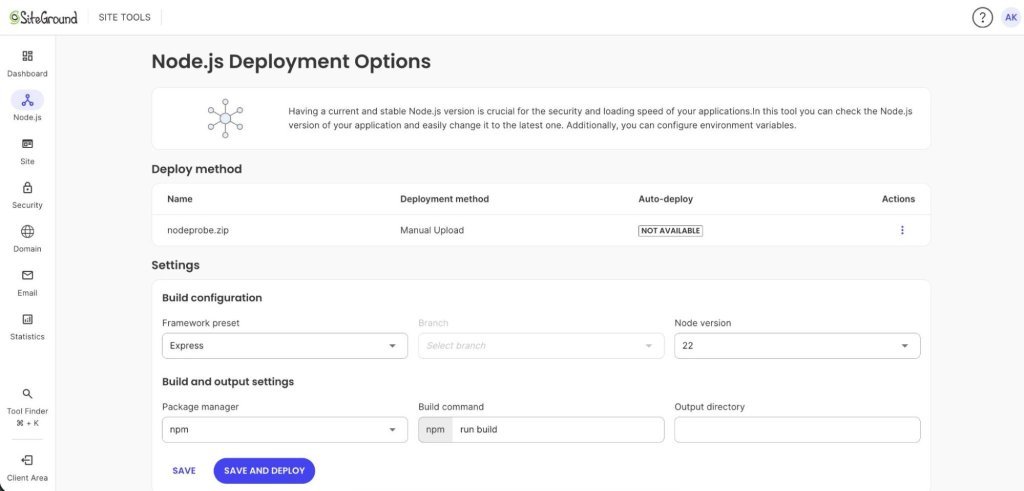
- Runtime version. Which Node.js release the app runs on, selected per project rather than per server.
- Framework preset. The platform recognizes what you have built and fills in the build settings that suit it. You can override them, and the file that boots the app is worked out for you.
- Dependencies. The platform installs what your package.json declares, using the package manager you pick and produces the node_modules tree at deploy time.
- Connecting to the web server. You don’t configure this. The platform runs a web server in front of your app, connects the two, and maps your domain to it.
- Environment variables. Credentials and API keys live in the panel, not in your repository.
Where a shared plan can (and can’t) run a Node app
Two questions decide this, and most articles only ask the first. The first is whether your app is request-response or persistently connected. Request-response workloads fit shared plans well, and anything that holds an open connection to each client doesn’t, at any price tier, on any shared host.
The second gets asked far less often and matters just as much: how much does your app need you to operate it once it is live? A managed platform runs your code, not your server. If your app assumes it can reshape the server underneath it, or that something is watching the process on your behalf, that is the constraint worth weighing, more than the framework it happens to be written in.
| Your app | Shared plan verdict |
| Express or Fastify REST API | Works |
| Next.js or Nuxt site with server-side rendering | Works |
| React, Vue, Svelte, or Astro front end with a build step | Works |
| NestJS or Koa backend service serving JSON | Works |
| App exported from an AI builder or vibe-coding tool | Works, if it’s a standard Node project with a package.json |
| Chat, live dashboard, collaborative editor, anything on Socket.io | Doesn’t work. Needs a platform that allows custom ports |
| Multiple client projects under one account | Works up to the plan’s project limit: 5 on GrowBig, 10 on GoGeek |
| App needing MySQL or PostgreSQL | Works. Both are available from Site Tools |
| App needing MongoDB or another non-relational database | Doesn’t work. You’d connect to an external managed service |
Two verdicts you should reach without asking support. If your app answers HTTP requests and returns data or HTML, a shared plan carries it. If it pushes data to connected clients in real time, no shared plan will.
The second one catches people deploying something built with an AI tool. Most output from vibe coding workflows is a standard Express or Next.js project and deploys without incident. The exceptions reached for Socket.io because the prompt said “live”.
Ready to deploy rather than evaluate? This article covers whether a shared plan fits your app. For the step-by-step walkthrough, follow How to create a Node.js project in the knowledge base.
How SiteGround compares to Hostinger and app platforms
Two categories of providers answer this query, but they approach Node.js from different directions. Traditional web hosts add Node.js to a broader hosting account that can also run websites, databases, email, DNS, backups, and other services. App platforms put application deployment and runtime management at the center of the product.
The right choice depends both on what your application requires and what else you want the same hosting account to handle, which is an important part of choosing a web hosting partner.
Shared hosts: SiteGround, Hostinger, Namecheap
All three provide a managed interface for running Node.js applications, but their plan limits, deployment workflows, databases, and networking restrictions differ.
- SiteGround. Node.js is available from GrowBig upward, with up to 5 projects on GrowBig, 10 on GoGeek, and unlimited projects on Cloud. Apps can be deployed from GitHub with automatic redeployment or uploaded manually, with configurable build settings and deployment logs. MySQL and PostgreSQL are both available.
- Hostinger. Managed Node.js applications are available on Business Web Hosting and Cloud plans. It supports GitHub deployment, file uploads, configurable builds and managed MySQL. Incoming WebSocket connections aren’t supported on Web and Cloud hosting, so applications that require them need a VPS or another platform.
- Namecheap. Node.js is available on shared hosting through cPanel’s Setup Node.js App tool. PostgreSQL is also available on some shared plans, alongside MariaDB.
Database support is one practical difference. SiteGround provides PostgreSQL directly with its hosting, while Hostinger’s Web and Cloud plans provide MySQL and require an external service for PostgreSQL. That matters if your application is already built around Postgres and you want to keep the database inside the same hosting environment.
App platforms: DigitalOcean App Platform and Fly.io
App-focused platforms generally give you more flexibility around application runtimes, real-time connections, scaling, and deployment architecture. DigitalOcean App Platform supports WebSockets and horizontal scaling, while Fly.io lets you distribute and scale application Machines across regions.
The tradeoff isn’t simply managed versus unmanaged hosting. These platforms manage a substantial amount of infrastructure too. The difference is what they manage around your application.
A traditional hosting account is designed to bundle the other services a website commonly needs alongside the application. An app platform is designed primarily around deploying and operating the application itself, with databases, email, storage, domain registration, and other services added or connected according to the architecture you choose.
That makes the decision less about which category is universally more capable and more about what you want the hosting product to do. If Node.js is one part of a broader website setup, an integrated hosting account can reduce the number of systems you need to manage. If the application needs capabilities such as incoming WebSockets, more flexible scaling, or greater runtime control, an app-focused platform may fit the architecture better.
What you can’t do on any shared plan
WebSockets are not supported on any SiteGround plan. The documented alternative is long polling over standard HTTP and HTTPS, which is fine for a notification badge or a status check every few seconds, but not optimal for a chat app or a collaborative editor.
Three more limits apply across the whole shared hosting provider category:
- No custom inbound ports. Anything that expects to open its own listener for incoming connections won’t start.
- No root. You get SSH access to your own account and a file manager, so your project’s files are yours to read and change. What you can’t do is install system packages or alter how the server itself is configured.
- A fixed resource ceiling. A shared plan is a fixed slice of a shared machine, and an app that outgrows it wants a different tier rather than tuning.
If any of these is a hard requirement, upgrade the infrastructure instead of working around it. Reading the comparison of shared hosting against a VPS beats discovering the limit in production.
Node.js hosting on SiteGround
Plan tiers and project limits
StartUp does not support Node.js. Node.js availability starts on GrowBig and continues through GoGeek and Cloud.
| Plan | Node.js projects | Web space |
| GrowBig | Up to 5 | 50 GB |
| GoGeek | Up to 10 | 100 GB |
| Cloud | Unlimited | 40 GB to 1 TB |
All extra services such as email, SSL, CDN and security features are included in all tiers, at no additional cost.
Deploying via GitHub or ZIP upload
There are two deployment paths, and the choice is worth making deliberately.
- Connect a GitHub repository. Every push to the linked branch rebuilds and redeploys automatically. This is the path for anything under active development.
- Upload an archive. The source goes up manually as a .zip, .tar.gz or .tgz file, with no auto-deploy. Every update is another upload.
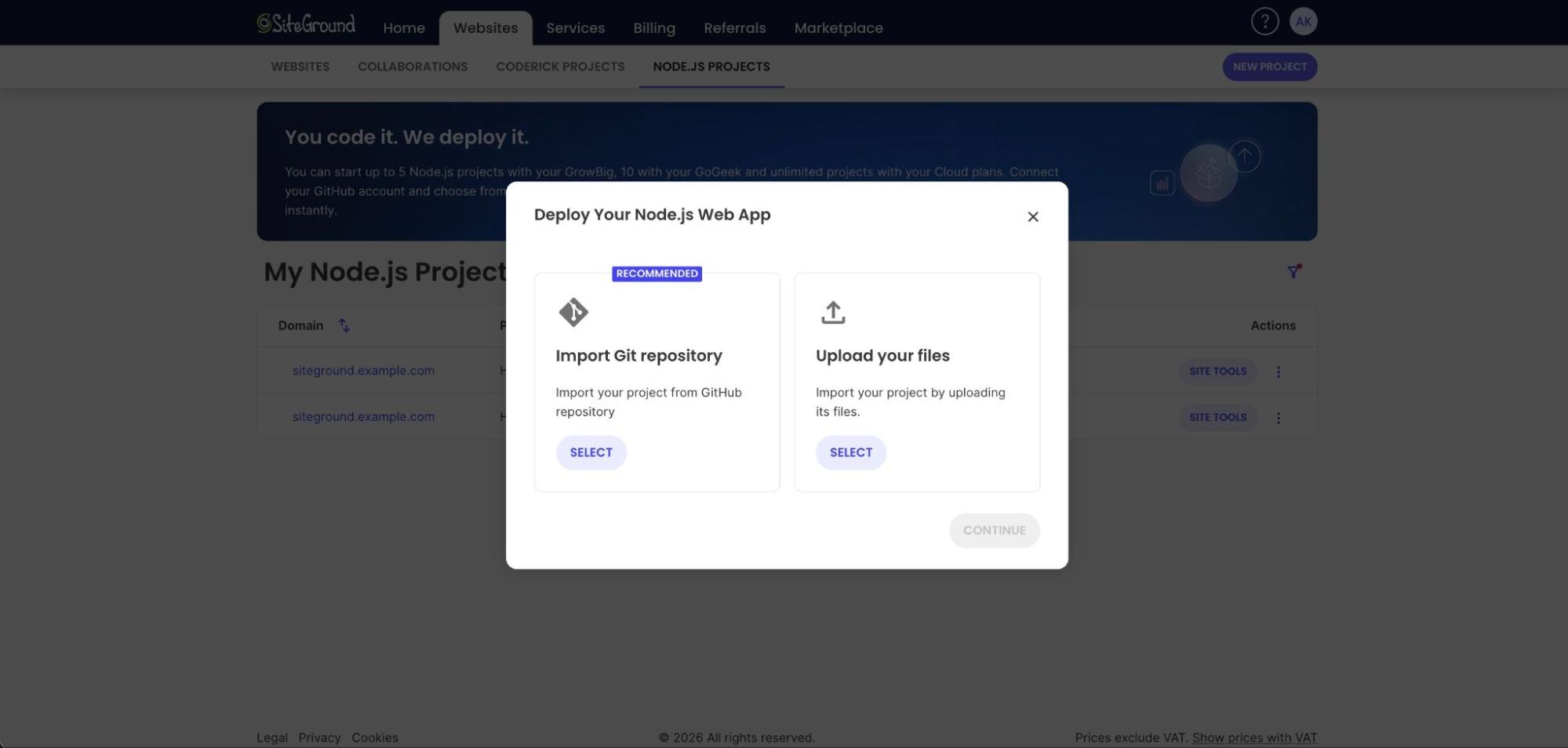
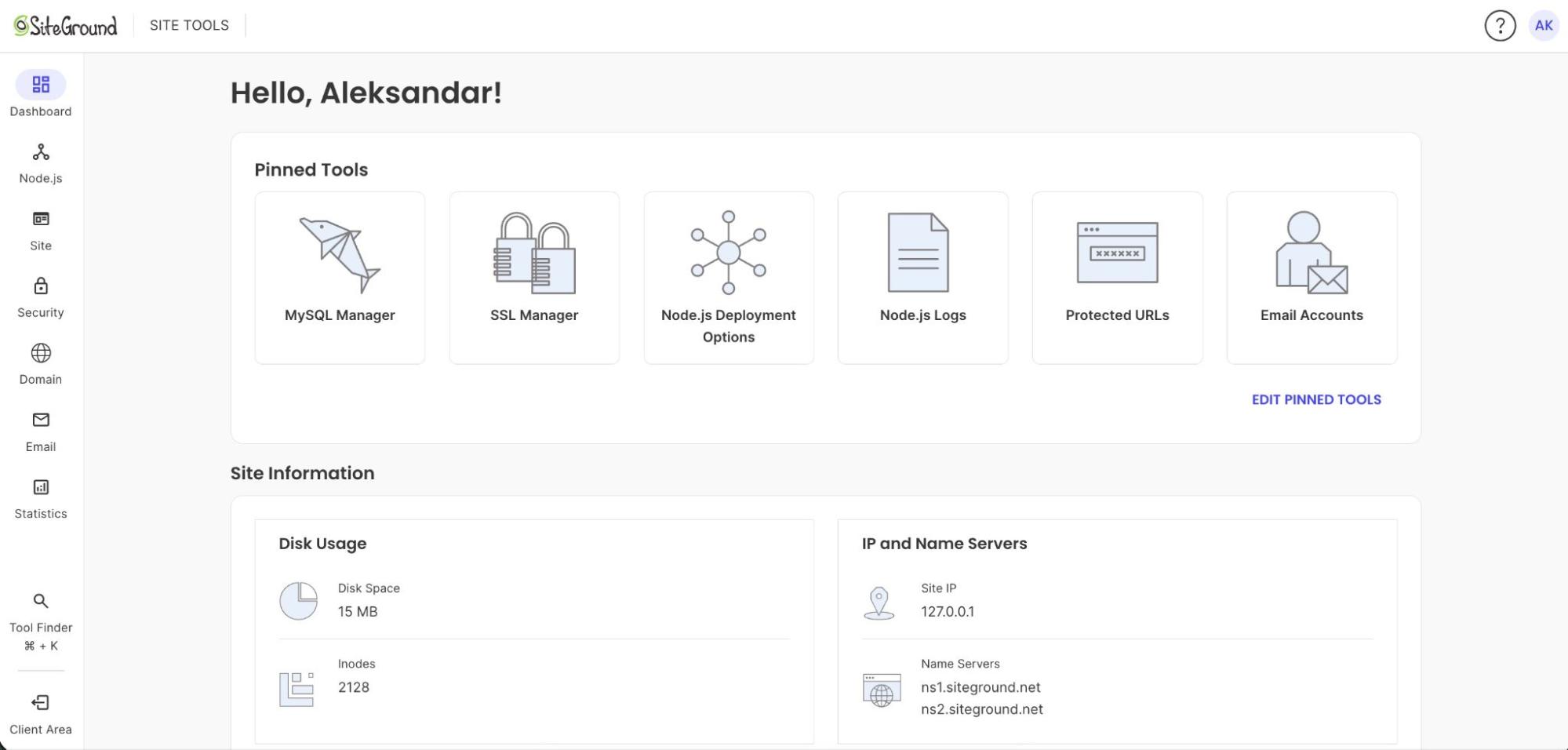
Projects are created in Client Area > Websites > Node.js Projects, where you manage status, primary domain, and deletion. Deployment method, build settings, environment variables, and deployment logs live in Site Tools > Node.js.
Databases, domains, and what’s included
Every project launches on an auto-generated temporary domain, so the app is reachable and testable before any DNS points at it. You attach your own domain whenever you’re ready, which also lets a client review a staging URL without touching their live records.
MySQL and PostgreSQL are both created and managed from Site Tools. The plan also includes a free domain, email on that domain, SSL, the SiteGround CDN, daily backups, and WAF and DDoS protection.
A Node.js project isn’t a separate product here. It sits in the same account as your WordPress sites and static pages, sharing the same domain, email, and database tooling. If your app is a request-response API or a server-rendered front end, and you would rather not be responsible for the server underneath it, a shared plan is a real home for it.
The remaining choice is mostly about scale. GrowBig supports up to 5 Node.js projects, while GoGeek supports up to 10, with the rest of the hosting stack managed alongside them. If that integrated setup fits how you want to run your apps, compare the SiteGround Web Hosting plans and choose the tier that matches what you’re building.
[86]
Frequently asked questions
Node.js runs on GrowBig and above, so the cost is the price of the plan rather than a separate charge. There is no add-on fee for Node.js itself, and the plan covers the database, domain, email on that domain, and daily backups the application needs alongside it. When comparing against an application platform, compare the total monthly cost rather than the instance price, because a database, a domain, and backups are usually billed separately there.
It can, on hosts that have built for it. The old answer was accurate when shared stacks ran only per-request PHP processes, with nothing to supervise a long-lived application. Some hosts can now supervise a long-lived process and put a web server in front of it, so Node.js runs on shared plans.
Shared hosting fits when traffic is moderate and your app doesn’t need root access, custom ports, or a guaranteed resource floor. For an Express API, a business site, or a Next.js front end, it’s the right tool. For a real-time app or one under heavy sustained load, it isn’t.
Shared hosting places multiple accounts on one server, each with an allocated slice of CPU, memory, and disk. The host manages the operating system, web server, and patching. On plans that support Node.js, an application layer runs each project as a supervised process alongside the standard PHP stack.
Yes, on a shared plan that supports Node.js. A React or Vue front end with a build step deploys as a standard Node.js project, and a server-rendered Next.js or Nuxt site runs as a persistent process the way an Express app does. A purely static export doesn’t need Node.js support at all.
No. WebSocket servers require a custom port open for incoming connections, which isn’t permitted on any SiteGround plan. Long polling over HTTP and HTTPS is the documented workaround and is adequate for infrequent updates. For genuine real-time features, use a platform that allows custom ports.
GrowBig supports up to 5 Node.js projects, GoGeek up to 10, and Cloud is unlimited. StartUp doesn’t support Node.js. Each project has its own deployment settings, environment variables, and build logs, so separate client applications stay independently configured inside one account.