
StoreAgent and SiteGround’s AI Agent for WordPress are both AI assistants for WooCommerce management, but the question is: do you need a suite of tools for your storefront or a WordPress AI assistant to manage your entire website?
AI Agent for WordPress vs StoreAgent sets a dedicated WordPress management agent against a specialized WooCommerce AI suite. StoreAgent combines a customer-facing chatbot for shoppers, content generation, store analytics, and an external connection that lets outside apps like ChatGPT or Claude edit your store remotely. SiteGround’s AI Agent for WordPress handles complete website administration and online store operations directly inside its own built-in chat window, with zero outside accounts or external connections required.
Key takeaways:
- AI Agent for WordPress vs StoreAgent starts with who each one works for. StoreAgent’s chatbot talks to your shoppers while its content tools and insights serve you, and the AI Agent for WordPress works only for you, in the WordPress dashboard.
- StoreAgent connects to third-party apps like Claude or ChatGPT to adjust basic prices, stock, and order statuses for simple products, while the AI Agent for WordPress handles broader WooCommerce store operations directly in chat.
- The AI Agent for WordPress also manages the WordPress site around the store, including plugins, users and settings, in the same chat as your products and orders.
- Many online stores can benefit from both tools: StoreAgent for assisting shoppers, and the AI Agent for WordPress in the dashboard to handle daily site maintenance and WooCommerce management.
AI Agent for WordPress vs StoreAgent at a glance
Here is how SiteGround’s AI Agent for WordPress and StoreAgent compare side by side:
| Dimension | StoreAgent | AI Agent for WordPress |
|---|---|---|
| What it is | A WooCommerce AI suite: a storefront chatbot, content tools, insights and an MCP connection | A unified WordPress and WooCommerce management agent |
| Who it serves | Shoppers on the storefront, and the owner in the dashboard | Store owners, managers, and site administrators directly inside their workspace |
| Where the owner works | StoreAgent’s screens in the WordPress dashboard and the StoreAgent.ai account, or inside Claude or ChatGPT for store changes | Inside the WordPress admin chat pop-up or the SiteGround AI Studio workspace |
| AI access | Included in StoreAgent plans, with no API keys. Store changes use your own Claude or ChatGPT account | Included automatically via SiteGround’s managed AI connection with no third-party API keys or separate provider billing needed |
| Shopper conversations | A storefront chatbot with live prices and stock, order lookups, coupon offers, escalation to the owner, and replies in the shopper’s language | Operates exclusively inside your administration control panel for site management rather than on public visitor pages |
| Product content | Descriptions, short and category descriptions, tags, alt text, review summaries, Q&A and upsell suggestions, in bulk | Creates product descriptions, translates entire store catalogs, and manages site content across posts and pages on demand |
| Changing store data | Through a connected assistant: prices, sale prices and stock on simple products, plus order status and notes, one product per request | Manages complete e-commerce operations, including bulk catalog edits from spreadsheets, storewide price changes, coupons, category restructuring, and order processing |
| Store analytics | A chat-to-sale funnel, revenue from chat-assisted orders and listing-quality insights | Provides store sales reports and general performance summaries directly in chat |
| The site around the store | Outside StoreAgent’s own abilities | Manages your broader website alongside your store, including plugins, themes, user roles, permissions, and core settings |
| Several stores | Paid plans cover unlimited websites, and each store connects to your assistant separately | Executes bulk administrative and store management tasks across all connected websites on any hosting provider from a single chat |
| Safety | Content saved as drafts for approval. The connection starts read-only, changes stay off until you allow them, every change is confirmed, and a 30-day activity log records each one | Power Mode (a setting that stays off until you allow high-impact changes) gates deletions, bulk changes, user changes and order edits, with every high-impact action confirmed |
| Cost | A free Lite plan with 200 AI tasks and 50 chat replies that don’t renew, then $19, $49 or $249 a month | 20,000 free AI tokens to start on any website, whoever hosts it, then top up or subscribe monthly. Included with SiteGround hosting plans, which add free monthly AI tokens |
Where StoreAgent and AI Agent for WordPress differ
Choosing between StoreAgent and SiteGround’s AI Agent for WordPress comes down to who the tool interacts with and how much of your website it actually manages. It’s also a difference between a specialist plugin and site-wide AI agent.
StoreAgent for shoppers or AI Agent for WordPress for store owners
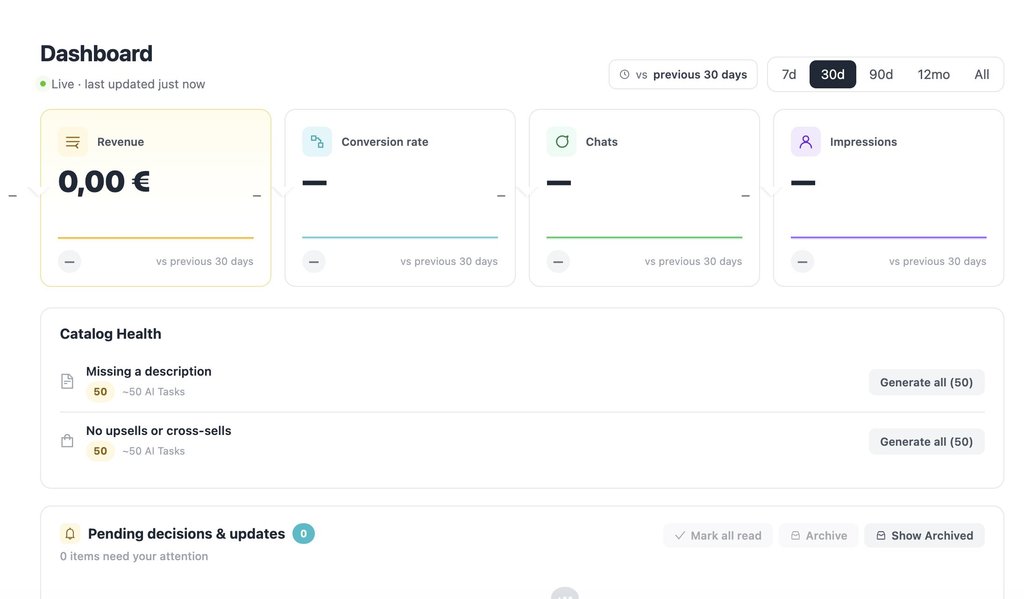
StoreAgent focuses heavily on customer service. Its chatbot sits directly on your public online storefront to assist shoppers in real time, checking live prices, verifying stock for specific sizes or colors, helping logged-in customers track orders, and offering discount coupons to hesitant buyers. Unresolved customer chats are emailed directly to your inbox. For store owners, it also provides dashboard tools to write product copy and track sales analytics from first chat to final order.
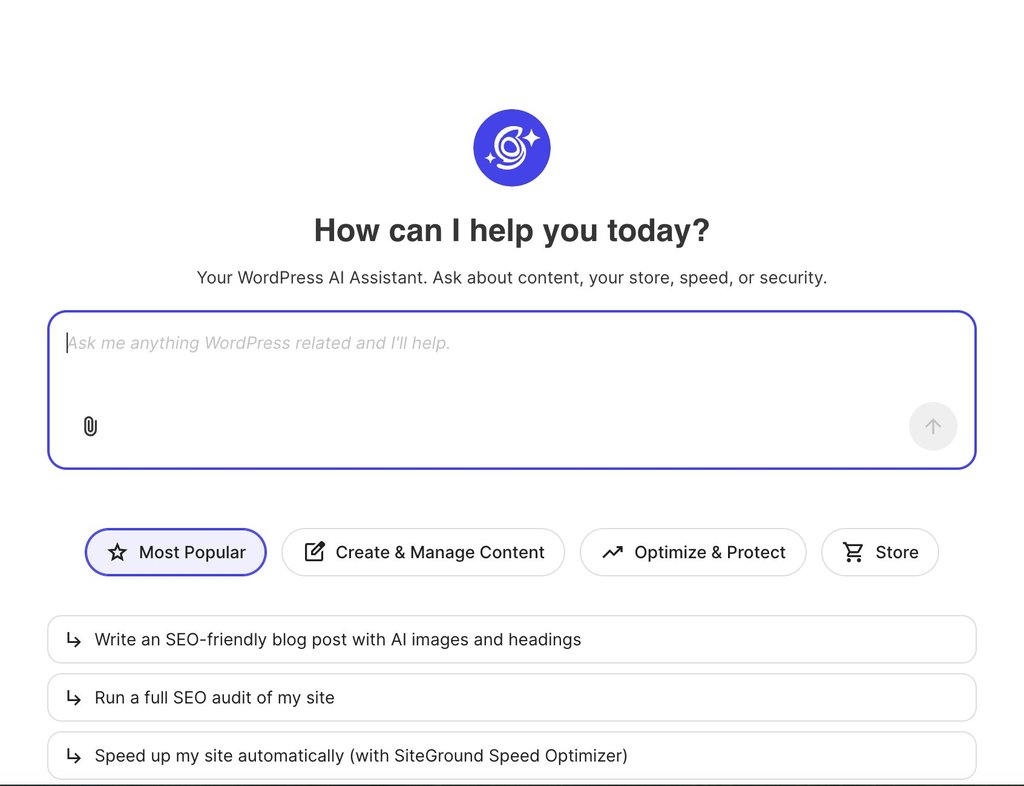
The AI Agent for WordPress works exclusively for you. Operating privately inside your WordPress control panel or AI Studio workspace, it doesn’t interact with your public website visitors. Instead, it acts as your personal store manager, executing administrative and store tasks on demand whenever you type a request.
WooCommerce alone, or WooCommerce and WordPress
StoreAgent is built strictly for WooCommerce, meaning its capabilities start and stop with your product catalog and store operations.
SiteGround’s AI Agent for WordPress manages both your online store and the broader website hosting it within a single conversation. In the exact same chat window where you manage store inventory and pricing, you can also:
- Maintain site health: update plugins before big sales to ensure your website handles peak shopping traffic.
- Manage team access: add seasonal staff with store manager permissions to help run day-to-day fulfillment.
- Update content & settings: revise essential policy pages, such as shipping, privacy, or returns, and adjust general site settings.
The gap widens further when managing multiple websites and online stores. While StoreAgent covers unlimited websites on paid plans, each store connects to your assistant individually. With the AI Agent for WordPress, agencies and store owners can run bulk operations across an entire portfolio at once, executing store updates, plugin checks, and settings changes across multiple connected websites on any hosting provider from a single chat prompt.
How StoreAgent MCP and AI Agent for WordPress change your store
StoreAgent and SiteGround’s AI Agent for WordPress take different routes to WooCommerce management. While StoreAgent splits tasks between its built-in modules and external AI models connected via MCP (Model Context Protocol, an open standard that lets an assistant like Claude or ChatGPT act on other software), the AI Agent for WordPress handles all requests natively within its own chat interface.
What StoreAgent can change: product content, simple-product prices and stock, and order status
StoreAgent operates through two distinct mechanics (neither of which requires pasting API keys):
- Built-in StoreAgent tools: Its included AI powers automated background tasks such as storefront chatbot interactions, product tagging, and draft creation. You toggle each tool on in your settings, where each run consumes an AI task credit, saving descriptions as drafts for your approval.
- External MCP connection for direct control: To direct store actions yourself (like changing prices or updating order statuses) you type instructions into your own Claude or ChatGPT session. StoreAgent MCP bridges that external assistant to your store once you approve the connection in your WordPress dashboard. (Note: Using custom MCP connections requires a paid subscription from those providers, such as Claude Pro/Team or ChatGPT Plus/Pro).
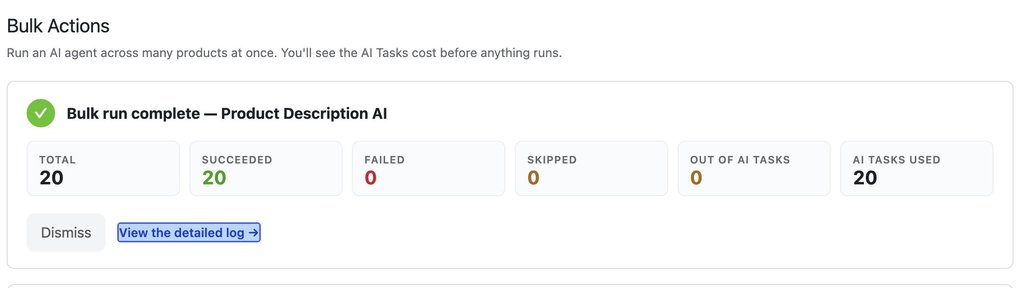
When running bulk content jobs with StoreAgent, you select a specific AI agent for the task (applying one agent per bulk run, though you can launch multiple bulk runs simultaneously). Pricing is calculated strictly per processed item, so any skipped products will not consume your AI Task credits.
For example, you can choose the Product Description AI Agent, select the specific items in your catalog that need updating, and run the batch. In the example below, the agent generated product descriptions for 20 products in a single bulk operation:
What an external assistant can do depends on what’s called abilities, the pre-approved action triggers provided either by StoreAgent or directly by WooCommerce (version 10.9+):
- Product content: Generates descriptions, product tags, image alt text, and captions using StoreAgent’s content abilities.
- Simple products: Adjusts regular prices, sale prices, and inventory stock on single-option items using WooCommerce’s built-in abilities.
- Order management: Searches orders by status, date, or customer, updates order fulfillment stages, and appends order notes.
- Catalog edits: Creates new simple products or moves items to the trash.
Good to know: StoreAgent’s MCP settings show a warning that text an assistant reads from your store, such as product descriptions, reviews or order notes, may contain instructions written to mislead it. Connect only assistants you trust, and read what an assistant proposes before you approve it, especially for anything that changes prices or orders.
What StoreAgent can’t change yet: categories and refunds
Currently, an assistant connected through StoreAgent cannot touch:
- Catalog metadata & settings: Categories, image galleries, attributes (such as material or brand), weight, dimensions, and shipping rules cannot be modified.
- Refunds & financial reports: There are no abilities for processing refunds, managing customer accounts, or running built-in sales reports (though an assistant can tally orders from search results).
- Bulk operations: Each edit targets a single product per request, meaning updating prices for forty items requires forty individual approvals.
WooCommerce considers these its initial set of abilities and plans to expand them over time. Furthermore, third-party plugins can register custom abilities of their own, which StoreAgent allows you to toggle on, so stores running compatible plugins may unlock some of these tasks sooner.
What AI Agent for WordPress can change: products in bulk, categories, prices and orders
The AI Agent for WordPress executes store changes directly within its own chat window in the WordPress dashboard or AI Studio workspace, with no external assistant accounts or third-party connection protocols required. The exact same chat window used to manage your website infrastructure also handles your WooCommerce store:
- Product & catalog management: Creates and updates products individually or in bulk (including importing data from uploaded spreadsheets), manages product descriptions, translates catalogs, and restructures product categories.
- Bulk pricing updates: Adjusts regular and sale prices across groups of products in a single prompt, such as discounting an entire product category or catalog.
- Order management and sales analytics: Searches, updates, and processes WooCommerce orders, and pulls detailed sales reports—including period-based revenue (weekly, monthly, annual, or custom date ranges), top-selling items, order totals, and customer statistics.
- Safety with Power Mode: Power Mode acts as a safeguard (disabled by default) that protects sensitive or high-impact actions (such as bulk product updates, mass deletions, user account changes, and order edits) requiring explicit confirmation before execution.
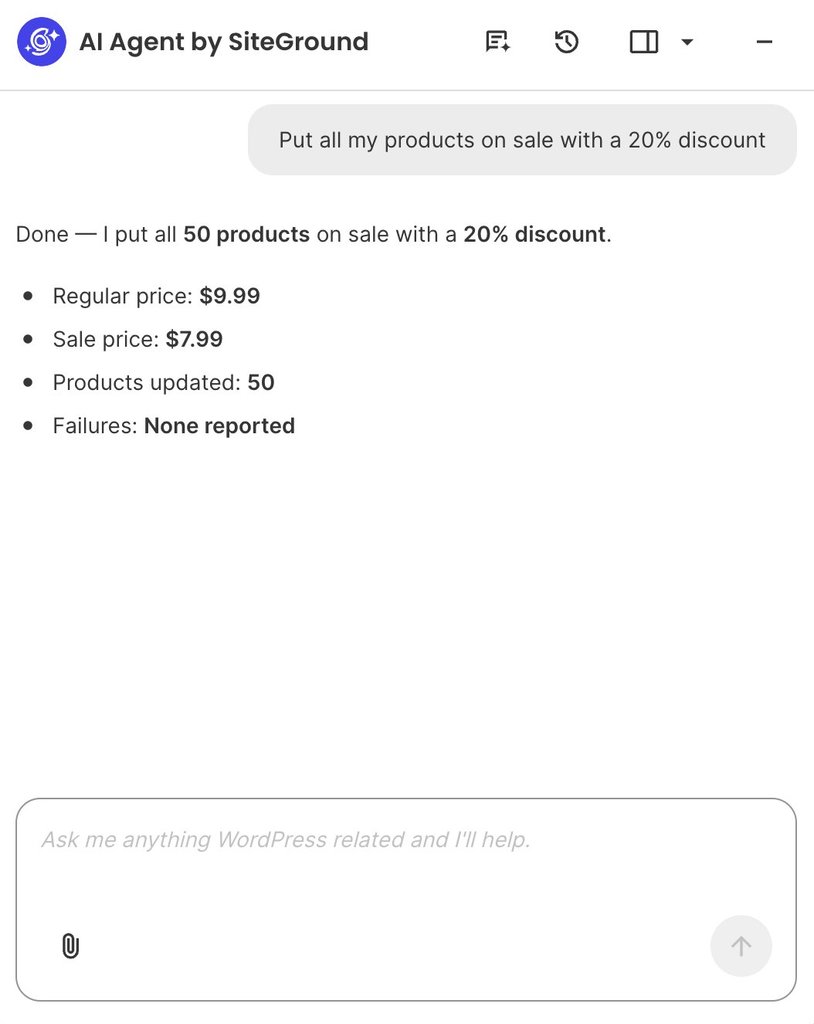
For example, running a storewide promotion takes a single natural-language prompt instead of hours of manually updating individual product pages. You simply ask the assistant to apply a discount across your catalog, and it automatically calculates the sale prices, updates your items in bulk, and confirms the exact changes right in the chat:
The bottom line: where is your store’s bottleneck?
AI Agent for WordPress vs StoreAgent comes down to which part of your e-commerce business demands the most time and attention.
If your daily workload centers on answering customer questions and improving product listings, StoreAgent excels as a storefront assistant. Its public-facing chatbot checks live stock in real time, assists shoppers directly, and provides insights that connect customer conversations to actual revenue. Conversely, if your primary challenge is managing the store and the website hosting it, SiteGround’s AI Agent for WordPress handles WordPress and WooCommerce administration from a single chat window, from bulk category price updates and order processing to plugin updates, security checks, and team access roles.
However, AI Agent for WordPress vs StoreAgent doesn’t have to be an either-or decision. Because their capabilities complement each other without overlapping, many online stores run StoreAgent on the storefront to engage shoppers while using the AI Agent for WordPress in the backend dashboard to manage daily site operations.
FAQs
The difference between AI Agent for WordPress and StoreAgent is who each one serves and how far it reaches. StoreAgent is a WooCommerce AI suite with a storefront chatbot for shoppers, product content tools, insights and a connection for your own AI assistant. AI Agent for WordPress is an owner-facing agent that runs store operations and the wider WordPress site from one chat.
StoreAgent can manage parts of a WooCommerce store. Beyond its chatbot and content tools, it connects Claude, ChatGPT or another assistant to the store, which can then change prices and stock on simple products and update order status once you allow it. Categories and refunds sit outside what that connection covers.
Yes. StoreAgent can update prices, stock and orders through a connected assistant, using the abilities in WooCommerce 10.9 and later. It covers prices, sale prices and stock on simple products, and order status and notes, one product at a time with each change confirmed.
AI Agent for WordPress restructures product categories, reprices whole groups of products in one request, and manages plugins, users and settings, all from its own chat inside WordPress. StoreAgent’s own abilities stop at the store, and its store changes run through a separate assistant you connect.
StoreAgent is better for shopper conversations, product content and conversion insight. AI Agent for WordPress is better for WooCommerce management and the WordPress site around the store. Stores that need both can use StoreAgent on the storefront and AI Agent for WordPress in the dashboard.
You need ChatGPT or Claude only for store changes you direct yourself with StoreAgent. Its chatbot, content tools and insights run on StoreAgent’s own AI, while owner-directed changes to prices, stock and orders go through an assistant you connect, on a plan that supports custom connectors.
StoreAgent MCP for WooCommerce links Claude, ChatGPT or another assistant you already use to your WooCommerce store, so you manage it from that assistant’s app. AI Agent for WordPress is its own agent with its own chat inside WordPress, covering the store and the site around it.
Yes. StoreAgent and AI Agent for WordPress can be used together, since they serve different people: StoreAgent answers shoppers and writes catalog content, while AI Agent for WordPress helps the owner run the store and the site.