
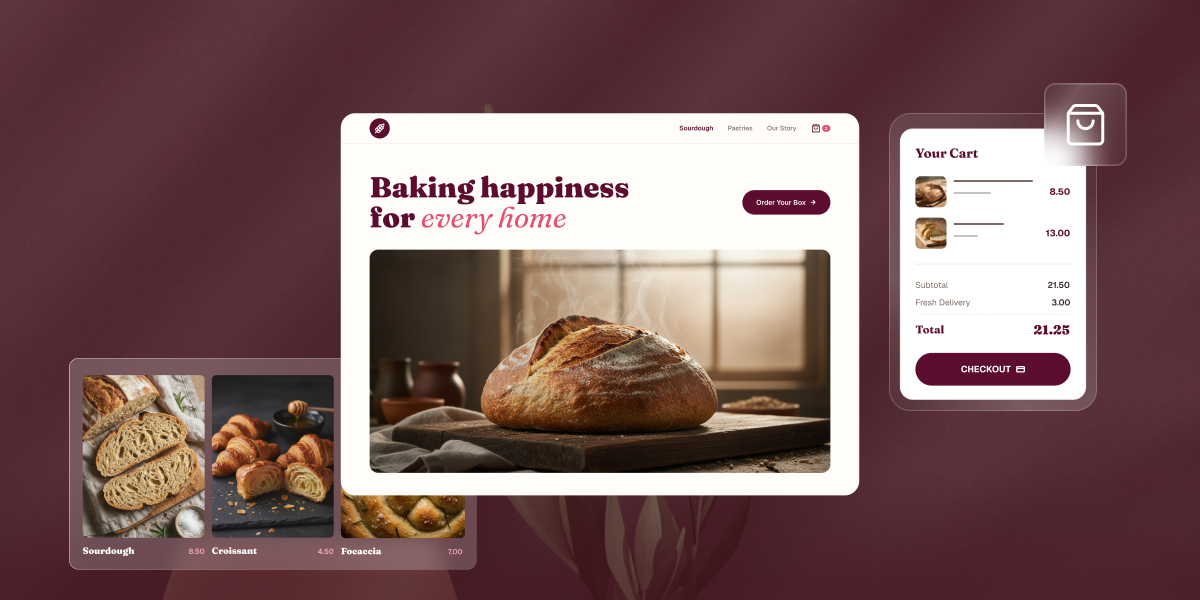
Pick a bakery website builder the way you’d pick a mixer: focus on the batches you’re actually making, and less so on the wedding-cake empire you might run someday. That means an easy-to-use platform that can actually take a payment, priced in a way that matches how much you’re really selling. What does that mean? Let’s unpack.
Key takeaways:
- A bakery website builder needs things a generic site builder doesn’t: real online ordering, pickup as its own checkout option, and space for cottage food or allergen disclosures.
- Entry-level builders get you online in a day, but cap out fast: no real ordering system, no inventory tracking, no order notifications.
- Some platforms give you built-in ordering without a steep learning curve or a pile of add-on costs.
- Plan price isn’t the full story: some platforms charge a per-order fee on top of a lower monthly price, others charge more upfront with none. Run the math against your own volume before assuming the cheaper plan is cheaper.
- A slow-loading order page costs real sales during pickup rushes and pre-order windows, not just search rankings.
What actually matters in a bakery website builder
Two things matter most when you’re narrowing down a bakery website builder: how easy it is to run day to day, and whether the pricing still makes sense once real orders start coming in. Everything else on the list that follows still matters, but these two are the foundation the rest builds on.
A home baker testing recipes on weekends mostly needs the first: something live this weekend, with nothing to configure or maintain. A bakery already taking orders every week needs both, a platform that doesn’t get in the way, at a price that doesn’t quietly cost more than it looks like once volume climbs.
Start there, then use the list that follows to cover what’s specific to selling food, like allergen disclosures and cottage food rules, on top of that foundation.
What to look for in a bakery website builder
Here are the eight checkpoints to run any platform through, covering the foundation above and what’s specific to selling food, allergen disclosures, cottage food rules, and everything else that comes with running a bakery online.
1. Ease of setup
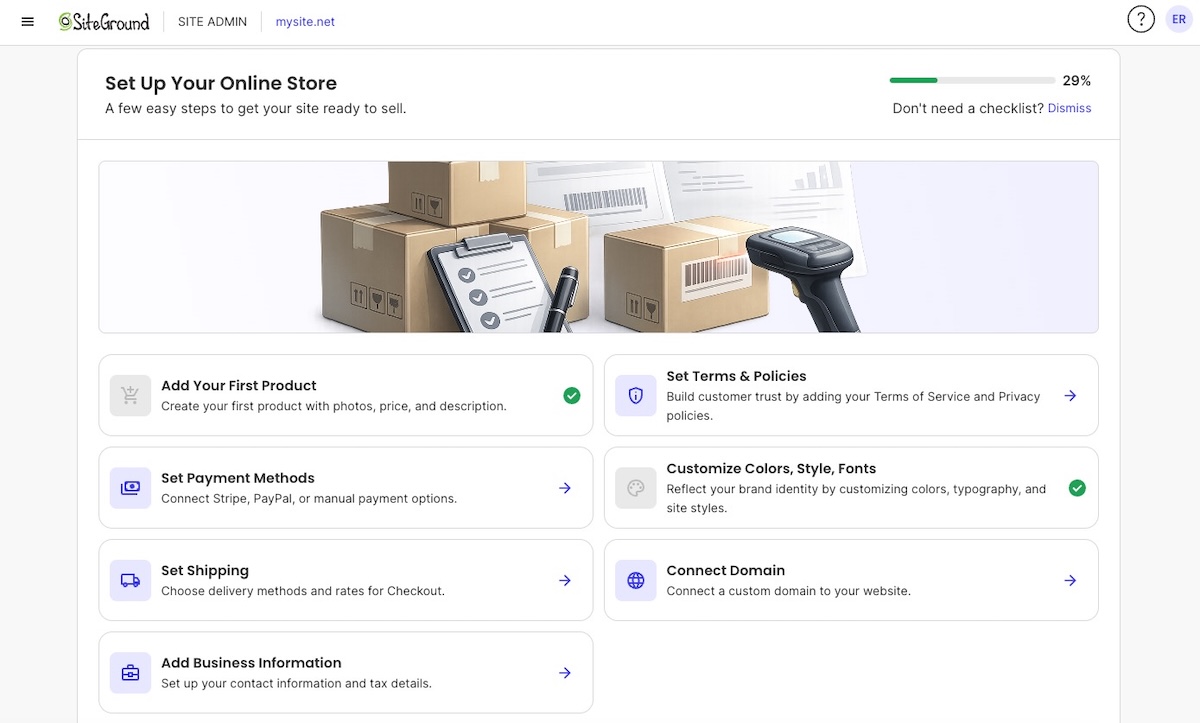
Setup time is the first filter, since most bakery owners are running the kitchen and the website at the same time. But the real test isn’t how few features a platform has, it’s whether a platform that does a lot still feels simple to run.
- Look for a guided setup that walks you through adding products, connecting payments, and publishing.
- The best platforms hide the complexity: real infrastructure and a real payment processor running underneath, with a dashboard that reads like a checklist, not a settings menu.
- Test this before you commit. Try going from creating an account to actually taking a payment, and notice whether the platform explains each step as you go, or leaves you guessing.
2. Bakery website templates
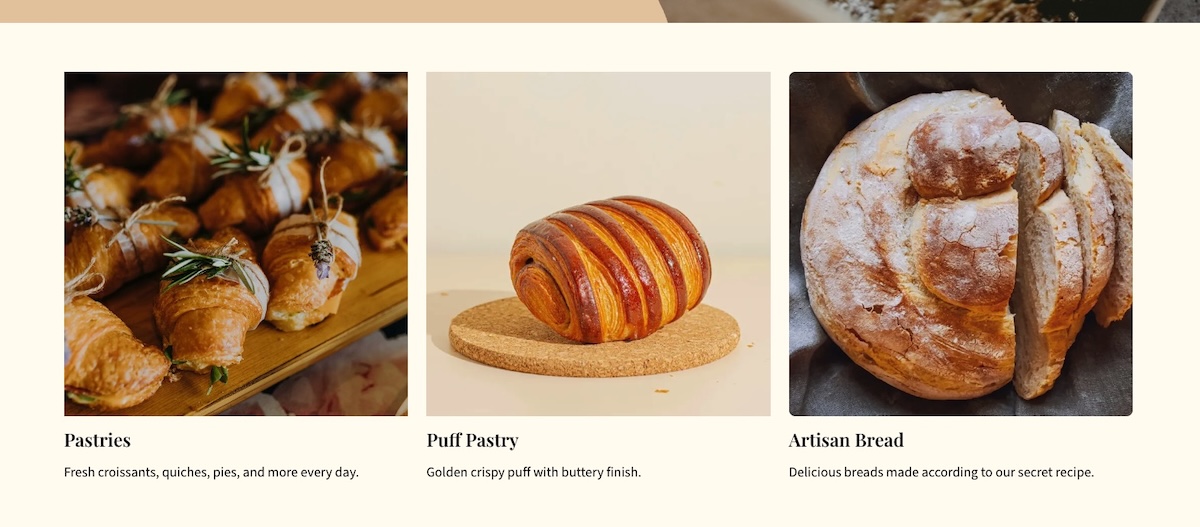
Templates matter more for food than almost any other product category, because photos do the selling. You won’t always find a template labeled specifically for bakeries, and that’s fine. What matters is whether any given template handles design and high quality images well. Before you commit to one, check for:
- Large image grids that can showcase a cake gallery, not just generic text blocks.
- A clean, scannable layout that works for a daily-changing menu.
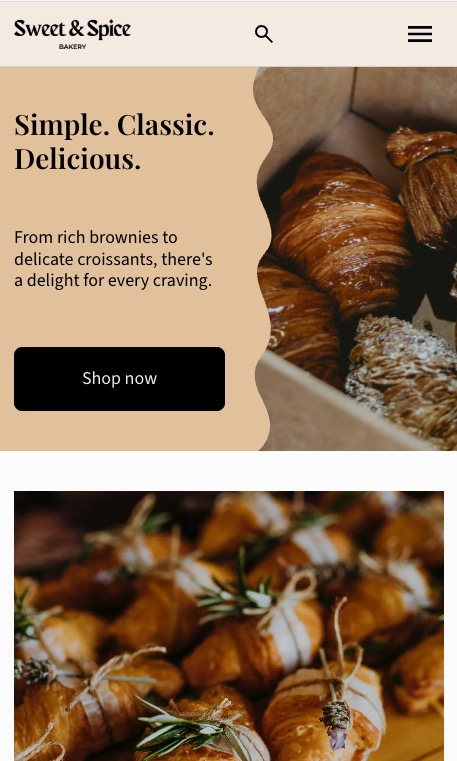
- A homepage hero built to show one great photo, not a stock banner that could belong to any business.
3. Online ordering or order forms
A real ecommerce cart lets a customer pick a product variation, like size or flavor, and pay online, all without a phone call. Building an ecommerce website the right way means checking, before you commit, what a platform actually handles out of the box:
- Product variations for size, flavor, or filling, selectable right on the product page.
- A dedicated field for allergy or dietary notes, so customers can flag what to avoid.
- The ability to add notes during checkout, whether that relates to customization, allergies, or otherwise.
4. Local pickup
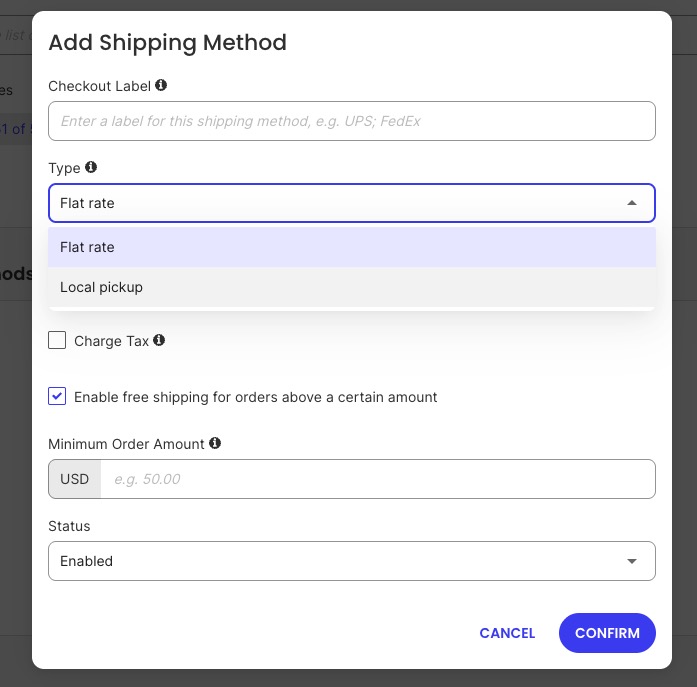
For many bakeries, pickup is essential, so there are few features you’ll want to look for when picking a website builder that is right for you.
- Pickup listed as its own option at checkout, separate from shipping, so customers aren’t charged a shipping fee they’ll never use.
- A clear description of the pickup process.
5. Mobile-friendly menu and photo display
More than half of local searches happen on mobile devices, according to Semrush’s local search data, often while someone is deciding what to order in the next five minutes. Here’s what to keep in mind when it comes to mobile:
- Test the mobile website design with your own bakery photos, not the demo content.
- Remember that mobile speed is a web hosting question, not just a design one. A perfectly responsive template can still be painfully slow if the hosting behind it can’t handle a spike, and spikes hit exactly when you need the site most. SiteGround’s infrastructure, for example, is built to absorb exactly those moments, so a good week doesn’t accidentally take the site down.
6. Local SEO basics
Most bakeries’ customers are almost entirely local, so local SEO matters more than broad keyword rankings. Check whether the builder:
- Links out to and reinforces your Google Business Profile, since that’s often the first thing a local searcher sees, before they ever click through to your site.
- Makes it easy to optimize your product page SEO with elements like the page name and meta description
- Generates and automatically updates an XML sitemap as you add products or pages, so search engines can find new content without you doing anything by hand
- Has solid hosting and performance, which translates to faster pages, something search favors
One easy win either way: make sure your city or neighborhood name shows up naturally in your homepage title and “about” section, not just your address. Someone searching “bakery near me” is looking for that context before they click. As your menu grows past a handful of items, the same logic applies to product page SEO: each one needs to be structured to be found, not just listed.
7. Compliance: cottage food laws, allergen labeling, health permits
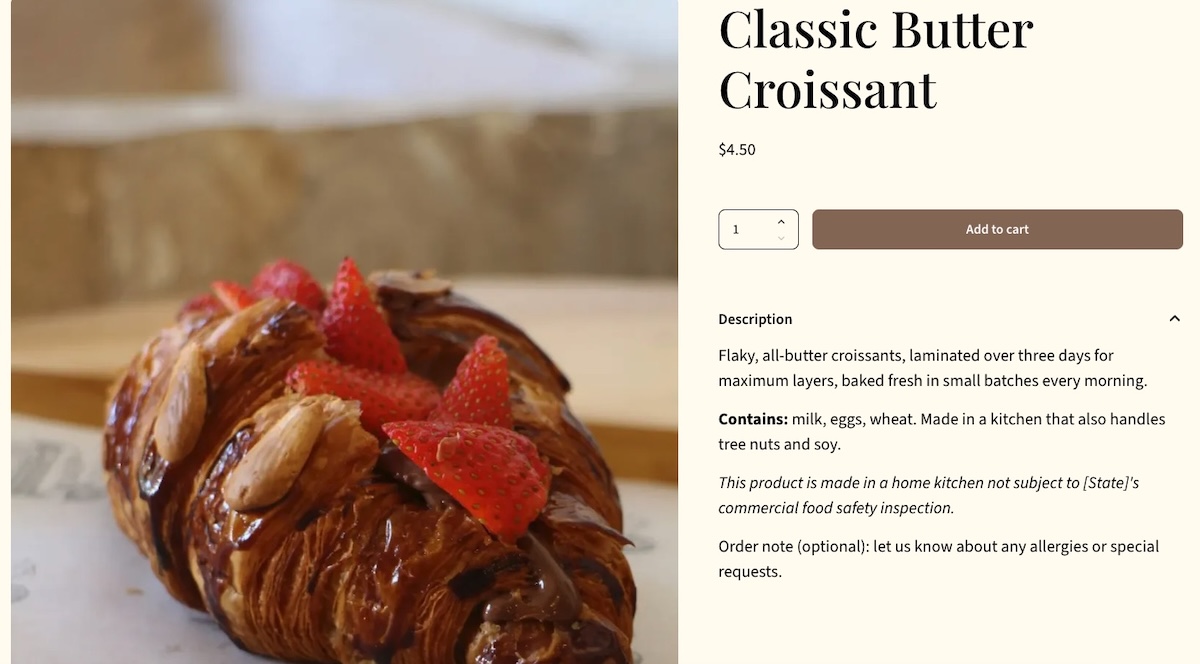
Cottage food laws let bakers sell certain low-risk foods, like selling baked goods, out of a home kitchen without a commercial license or routine health inspection, in exchange for limits on what and how much you can sell. Most states require a specific disclosure statement on any product sold under cottage food law, something like “this product was produced in a home kitchen not subject to state food safety inspection.” The exact wording, and whether it belongs on your website or just the packaging, is set by each state’s health department, so check the current requirement before publishing.
Beyond the legal disclosure, make sure your platform lets you cover:
- Allergen labeling for the nine major allergens under U.S. law, including milk, eggs, wheat, soy, peanuts, and tree nuts
- A custom text field on every product page, not a description box shoppers scroll past
- A visible health permit number, if you have a storefront and your jurisdiction requires it posted online
8. Pricing and transaction fees vs. your order volume
The plan price is rarely the whole story, and “free” isn’t realistic. What actually varies across platforms is whether the price you pay comes as a flat monthly fee, a percentage cut of every order, or some mix of both. This shapes which platform makes sense at your order volume. Before ruling a platform in or out on price alone:
- Check whether its ordering plan charges a percentage-based fee per order, a flat monthly cost with no added fee, or both.
- Estimate your average monthly order revenue, then calculate what a percentage fee would actually cost you at that volume.
- Compare that dollar figure to the flat monthly cost of a platform or plan that skips the percentage fee entirely.
Say you’re doing 15 orders a week at $35 average, that’s about $2,100 a month. A 3% per-order fee costs roughly $63 a month. SiteGround Ecommerce’s Sell plan charges that 3% fee at $18/month, while its Grow plan removes the fee entirely for $24/month, just $6 more. At this volume, the fee alone ($63) is already ten times the $6 price gap, so the plan without the fee is the clear win. Run this same math against your own numbers, and not just a platform’s advertised starting price: starting an online store on a budget means doing it before you pick a platform, not after a busy holiday season does it for you.
Bakery website builders compared
Not every option here deserves equal weight. Most of the market splits into a few predictable buckets, so here’s the general breakdown.
| Option | Starting price | Real online ordering | Best for |
| Carrd, SITE123 | Free, paid from about $19/year | No (contact form only) | Testing an idea before investing more time |
| Wix, Squarespace | Paid plans from about $16 to $29/month, real ecommerce needs a higher tier | Yes, on a higher-tier plan | Design flexibility, if that matters more than selling costs |
| Square Online | Free, but at a higher processing rate than paid tiers | Yes, built for food and pickup | Bakeries already using Square in person |
| Shopify | Paid plans from about $39/month | Yes, full ecommerce suite | High volume, multi-channel, or shipping nationally |
| SiteGround Ecommerce | $18/month (Sell plan) | Yes, from the Sell plan up | A real store today, with room to grow and no fee surprises later |
Not every option here escapes a growth ceiling or a pricing catch. The difference is where the catch shows up and how much it costs to clear it.
Best for getting online fast with minimal setup (Carrd, SITE123)
Carrd and SITE123 solve one problem: getting something live today. No real ecommerce, so orders travel through a contact form, email, or a linked Instagram DM. Fine for testing an idea, a dead end once daily orders start.
Best for built-in ordering without a big learning curve (Square Online, SiteGround Ecommerce)
Square Online gives you a real cart and food-friendly ordering, tied to Square’s point-of-sale ecosystem. Strong if your in-person payments already run through Square, less useful if they don’t.
SiteGround Ecommerce follows the same pattern: the entry-level Build plan is a general website with no selling built in, and moving up to Sell is what turns on a real cart. What’s different is what that climb actually costs. The Sell plan ($18/month) turns on a real cart and payments, at a 3% fee per order. The Grow plan ($24/month), just $6 more, drops that fee to 0% and adds customer accounts, promo scheduling, and a wishlist. Every tier is backed by SiteGround’s hosting infrastructure and 24/7 expert support.
Best for design-forward storefronts (Wix, Squarespace)
Wix and Squarespace are general-purpose website builders with an online store added on. Real ecommerce usually means a separate, pricier commerce-tier plan on top of the advertised entry price, and what that extra cost buys is design range, not more ability to sell.
Best for scaling and high order volume (Shopify)
Shopify is built for volume across sales channels and shipping. Real setup overhead and ongoing app costs that outweigh what most bakeries need before they’re shipping nationally or running a subscription box.
A quick decision framework
Match your current stage to the row that fits, not the one you hope to be in next year.
| Your stage | Order volume | What to prioritize | Fits best |
|---|---|---|---|
| Testing an idea, home-based | Under 10 orders/week | Getting live fast, minimal cost | Carrd, SITE123 |
| Established home bakery | 10 to 50 orders/week | Real ordering, pickup scheduling, local SEO | Square Online, SiteGround Ecommerce |
| First storefront, growing | 50+ orders/week, some wholesale | Ordering plus room to add features, product page SEO as your catalog grows | SiteGround Ecommerce, Wix, Squarespace |
| Shipping nationally or multi-location | High volume across channels | Inventory, shipping, app ecosystem | Shopify |
The middle two rows cover most bakery owners reading this. If you’re already taking real orders every week, the deciding factor usually isn’t design, but rather whether the ordering system was actually built to sell effectively.
Choosing the right bakery website builder for where you are now
Keep two things in mind as you compare platforms: how easy one actually is to run day to day, and whether its pricing still makes sense at your real order volume, not the volume you’re hoping for. Get those right first. Everything else mentioned above still matters, but these two are where the wrong choice costs you the most.
For most bakeries past the testing phase, that means a builder with real ecommerce built in from the start. SiteGround Ecommerce bundles a full online ordering system with hosting built for the traffic spikes that come with holiday pre-orders and weekend rushes, so the setup you do today doesn’t need a rebuild the day your order volume doubles.
[103]
Frequently asked questions
There’s no single best bakery website builder; it depends on order volume and stage. Home bakery businesses testing an idea do fine with Carrd or SITE123. Bakeries taking regular orders need real ecommerce, which is where SiteGround Ecommerce fits in.
A basic bakery website can cost nothing beyond a domain name if you use a free plan, but free ecommerce plans usually charge a per-transaction fee that adds up with volume. Paid ecommerce plans typically run from around $15 to $40 a month, plus standard card-processing fees on every order.
A bakery website needs a home page with a clear hero photo and call to action, a menu or product pages with prices and allergen information, an ordering or contact page, a pickup or delivery details page, and an about page that builds trust in a home-based or small operation. Cottage food or health permit disclosures belong on the ordering page, not buried in a footer link. A short FAQ page covering lead times, custom order minimums, and payment methods also cuts down on repetitive customer questions sent by email or DM, which frees up time better spent decorating cakes.
Yes. Every builder covered here, including SiteGround Ecommerce, is designed for setup without writing code. The difference between them is how much time the drag-and-drop setup takes and how deep the customization options go once you’re past the basics.
Social media marketing reaches new customers, but a website is what lets you take an order without depending on a platform you don’t control. Instagram and Facebook can disable accounts, change algorithms, or bury your posts, and neither is built for real order management the way a proper bakery website is. Think of social media as the storefront window and your website as the actual cash register.