
Searching “Shopify vs WooCommerce” for a business with no warehouse and nothing to ship, just a coaching package, a photography session, or a members-only newsletter, is the first sign you’re comparing the wrong two things. The real question is Shopify vs WooCommerce vs AI-built store, and it isn’t decided by platform popularity. What you’re actually selling decides it first, then payments, setup time, and long-term control decide it from there.
Key takeaways:
- Shopify vs WooCommerce vs AI-built store comes down to one question: are you selling a product catalog, or something else?
- An AI-built store skips the product catalog step and can go live with a working payment flow in hours, not weeks.
- Coderick AI’s Stripe-based checkout accepts real payments for products, services, bookings, digital downloads, and subscriptions.
- Service businesses, bookings, memberships, and portfolio sites rarely fit the product-catalog assumption behind a typical Shopify vs WooCommerce comparison.
- If you need full inventory, tax, and multichannel tooling, a full platform earns its complexity. If you don’t, an AI-built selling flow usually gets you to a first sale faster.
Shopify vs. WooCommerce vs. AI-built store: What each option actually solves
Each option solves a different problem before it solves any feature comparison. Here’s what each one is actually built to do.
Shopify: a hosted, retail-ready ecommerce platform
Shopify is a hosted platform built for retail: a product catalog, cart, checkout, and fulfillment tools that work right out of the box. You don’t manage servers or software updates.
- What’s included: Hosting, security patches, and PCI compliance, all handled inside Shopify’s own admin and theme system.
- Entry cost: As of August 2026, the Basic plan runs $39 a month, or $29 a month billed annually, plus a 2.9% + 30 cent card transaction fee through Shopify Payments. Adding functionality beyond the core plan typically means paying for separate apps.
- Next tier: The Grow plan, formerly called the “Shopify” plan in older comparisons, runs $105 a month (as of August 2026) and adds stronger reporting and up to five staff accounts.
- The trade-off: A retail-ready storefront and predictable support, in exchange for a monthly subscription, a percentage of every sale, and costs that can climb quickly once you’re paying for apps to cover features the core plan doesn’t.
For a business selling 20 or 200 product variants, this level of out-of-the-box functionality is usually worth it. For a business selling one service package or a single paid course, it’s a lot of catalog infrastructure you’ll never use.
Worth knowing
SiteGround Ecommerce is a hosted, all-in-one store builder aimed at the same retail-catalog businesses Shopify serves. Instead of hunting down and paying for a separate app every time you need a new feature, the core pieces come built into the plan itself, running on SiteGround’s own hosting infrastructure for speed and uptime, with SiteGround’s support team behind it if something goes wrong.
WooCommerce: self-hosted control on WordPress
WooCommerce is a free, open-source plugin that turns a self-hosted WordPress site into a store. You own the code, the data, and the hosting account, and nothing about your setup is locked into a vendor’s theme system or app marketplace.
- Core plugin: Free to install.
- Real cost: A production-ready store realistically runs $500 to $3,000 a year once hosting, an SSL certificate, a premium theme, and a handful of paid extensions are stacked in, and that’s before a developer touches it.
- Hosting range: Entry-level hosting often starts around $3 to $15 a month, though renewal rates are commonly higher, and costs climb further as a store’s traffic and resource needs grow.
- What you get: Full code and data ownership, plus the entire WordPress plugin ecosystem, tens of thousands of extensions covering shipping, tax, subscriptions, and marketing.
- The trade-off: Full ownership and lower platform costs, in exchange for an ongoing maintenance job and costs that climb as you add plugins to cover missing features. Plugin updates, security patches, and the odd conflict between extensions are yours to handle indefinitely, whether that’s your own time or a developer’s you’re paying for. If you haven’t run a WordPress site before, expect a real learning curve before any of it feels routine.
AI-built store: a custom selling flow, not a catalog platform
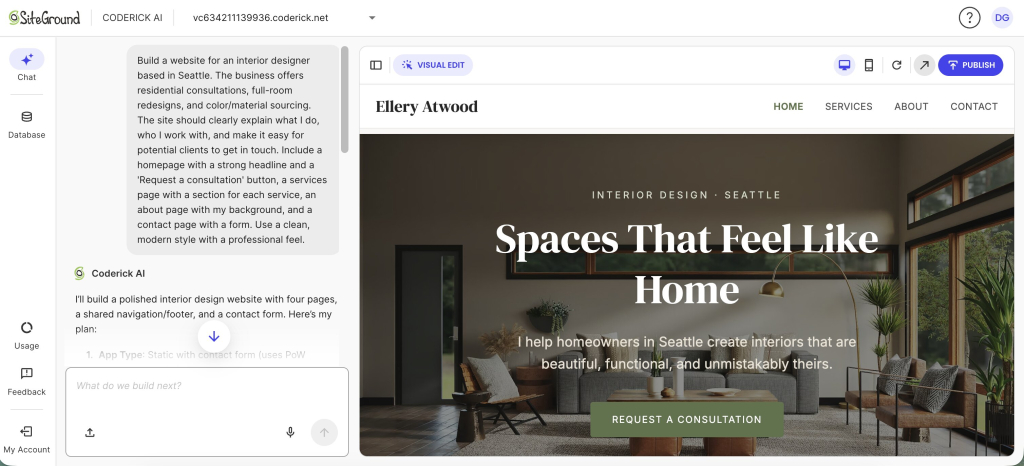
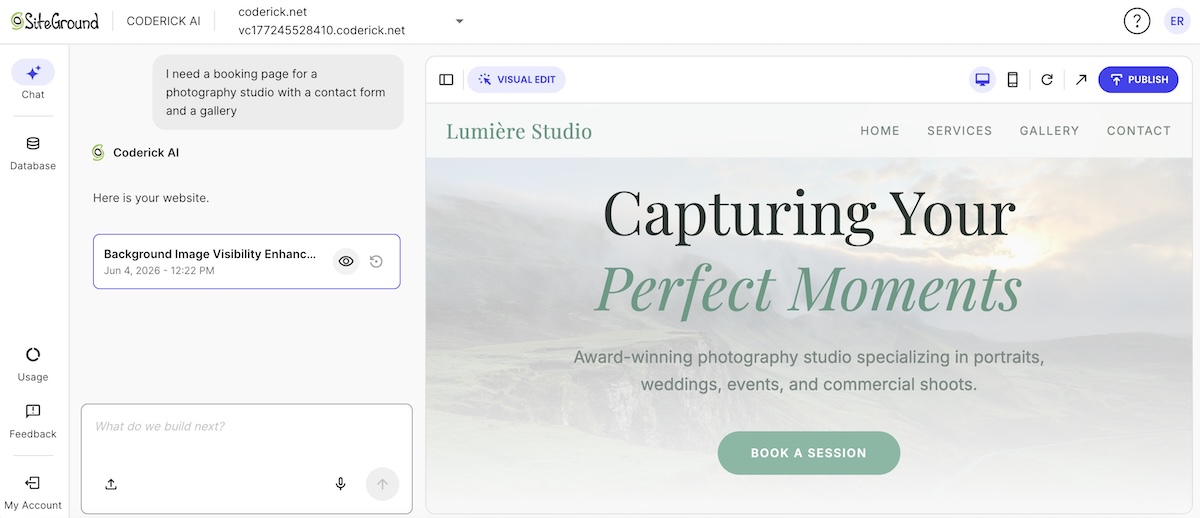
An AI online store builder isn’t a smaller Shopify or a simpler WooCommerce. It’s a custom online store with AI generating the structure from a plain-language description: tell it what you sell, and it builds the pages, forms, and checkout flow around that.
- How it’s built: No product-catalog template to start from. The structure, pages, and forms come from your description, not a theme picker.
- Payments: If you use a platform such as Coderick AI, the payment flow inside an AI build can run through Stripe. That means a generated site can accept cards, Apple Pay, and Google Pay directly.
- The trade-off: Less catalog and inventory depth than Shopify or WooCommerce, in exchange for a setup that skips platform selection, theme shopping, and plugin configuration almost entirely.
Do you need a full ecommerce platform?
The fastest way to know if you need a full ecommerce platform is to count what you’re actually managing, including your catalog of physical products with variants, stock levels, and shipping rules. If that list is short, a full platform is solving problems you don’t have yet. Let’s break it down.
Signs a full platform earns its complexity
- You stock 20 or more product variants, or manage physical inventory across more than one location.
- You need multichannel selling: the same catalog listed on your site, a marketplace, and social shops at once.
- You collect ecommerce sales tax across multiple states or countries and need automated calculation, not a spreadsheet.
If your business matches that list, a full platform, whether that’s Shopify, WooCommerce, or SiteGround Ecommerce is a more realistic starting point than an AI-built selling flow.
When a simple payment flow is enough
A simple payment flow is enough when your business model involves services, bookings, digital downloads, or paid access rather than a shelf of physical products. What you actually need is simply a payment-ready store, and not a complex catalog platform. That means a page that explains what you offer and a checkout that takes the payment. Easy as that.
Getting there without hiring a developer is the whole appeal of an AI-built store. You describe what you sell, and the builder generates a checkout without development and a working payment page without a line of code or an eye-crossing plugin stack to configure.
If your product list is short and stable, this is usually the faster and cheaper path to a first sale.
Shopify vs. WooCommerce vs. AI-Built Store at a glance
The table below distills payments, setup time, control, cost, and best-fit business type across all three selling setups.
| Dimension | Shopify/ecommerce platform | WooCommerce | AI-built store (Coderick AI) |
| Payments | Shopify Payments or third-party gateways; 2.9% + 30 cents standard rate | Any gateway via plugin: Stripe, PayPal, WooCommerce Payments | Payment processor varies by builder; Coderick AI, for example, uses Stripe (and thus Apple Pay, and Google Pay) |
| Setup time | Days to weeks, including theme and app setup | Days to weeks, plus hosting and plugin configuration | Hours for a basic selling flow |
| Control and customization | Moderate; bound by themes and apps system, or more complex code editing | High; full code and hosting ownership | Low to moderate; generated structure, limited deep customization |
| Ongoing maintenance | Low; handles hosting, security patches, and platform updates | High; you or a developer handle plugin updates, security patches, and the occasional plugin conflict indefinitely | Low; hosting and platform updates are handled by the builder |
| Typical annual cost | $468 to $4,788+ plus transaction fees and apps | $500 to $3,000+ plus developer time if needed | Single subscription; hosting included |
| Best-fit business type | Retail catalogs, multichannel sellers | Content-and-commerce hybrids, custom integrations | Services, bookings, paid access, portfolios |
Cost is rarely a single number on any of these three. The store cost tradeoffs above show why the advertised monthly price is only the starting point, not the realistic annual figure, once transaction fees, apps, extensions, or hosting are factored in.
Where Shopify and WooCommerce pull ahead of an AI-built store
The evidence here favors a full platform once a catalog gets complex enough to need real inventory and integration tooling.
Shopify vs. AI-built store: catalog, inventory, and multichannel selling
Shopify vs an AI-built store is a clear win for Shopify (or other competent ecommerce website builders) once your catalog crosses a few dozen SKUs. These are core ecommerce website builder features, not add-ons:
- Built-in inventory tracking across multiple locations.
- Product variants, such as size, color, and material, managed natively.
- Native listings on sales channels such as Instagram, TikTok Shop, and Amazon, though the exact channel list varies by platform.
An AI-built store can generate a product page and working payment setup basics in an afternoon. It doesn’t come with inventory management as a built-in feature the way Shopify does, so stock tracking would have to be custom-described and built into the app itself, and keeping that in sync with a separate sales channel, a marketplace or an in-person POS, isn’t something an AI-built store can typically support. For a boutique with 200 SKUs across three sales channels, that gap will matter more than setup speed.
WooCommerce vs. AI-built store: content control and developer flexibility
WooCommerce vs an AI-built store comes down to ownership. WooCommerce gives you:
- Full code access.
- A WordPress content system built for long-form blogging and ecommerce SEO.
- Access to tens of thousands of WordPress plugins, so almost any custom workflow, from a loyalty program to a booking calendar, can be built or bought (although often with added cost).
- Straightforward payment data in your workflow: syncing orders into a CRM, an accounting tool, or a custom reporting dashboard.
That last one is harder to replicate on a generated AI build that isn’t designed for deep third-party integrations yet. If your business depends on content marketing alongside selling, or on a specific integration WooCommerce already supports, that flexibility is hard to give up.
Where an AI-built store pulls ahead of Shopify and WooCommerce
The evidence runs the other way for service-based, appointment-based, and access-based businesses, where a product catalog was never really the point.
Building an AI-built selling flow instead of a full store
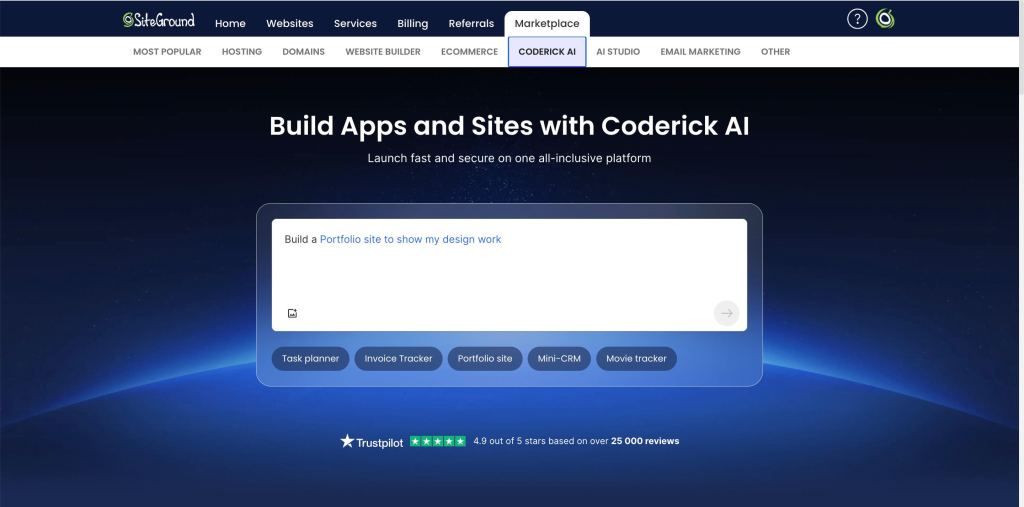
Building an AI-built selling flow instead of a full store starts with a conversation and not a template picker. You describe what you’re selling and who buys it, and an AI builder for selling flows, such as Coderick AI, turns that into a custom selling flow: the pages, forms, and Stripe-based checkout built around your description. This means:
- No theme to install.
- No plugin stack to configure.
- No separate hosting account: the site publishes on the builder’s own hosting the moment you’re ready.
- Setup typically runs hours instead of the days or weeks a Shopify or WooCommerce launch usually takes once you count theme customization and app setup.
Before sending real customers to it, a short list of AI store launch checks, testing the checkout, confirming pricing and policies display correctly, and checking the mobile view, is worth running through.
For businesses that need more than a page and a checkout, such as a custom ecommerce app with account logins, saved orders, and a dashboard, the same plain-language approach applies: describe the added functionality, and it gets built into the generated site.
Selling services or taking paid bookings online without a product catalog
Selling services or taking paid bookings online doesn’t require a product catalog at all. It requires:
- A page that explains the service.
- A calendar or intake form.
- A checkout.
An AI-built store can generate all three from a description of the service and the price. This is also where freelancers and small agencies benefit most: handling client selling projects, invoices, and one-off packages inside a generated selling flow skips the overhead of running a full store just to bill a handful of clients a month.
Choosing a platform for paid access, memberships, or gated content
The right choice here comes down to whether you need a member login and drip content, or a full store built around it.
- Coderick AI can build a members-only area with sign-up, login, and gated pages.
- A Stripe subscription handles the recurring charge itself.
For a creator or coach selling one membership tier, that’s a recurring revenue setup without a shopping cart, a product catalog, or checkout steps built for buying multiple physical items at once.
Running a portfolio, restaurant, or event-based business
Running a portfolio, restaurant, or event-based business rarely means managing SKUs:
- A restaurant needs online ordering or reservations.
- A photographer needs a booking calendar and a way to collect a deposit or shoot payment.
- An event organizer needs ticket sales tied to a date, not a warehouse.
These are businesses built to sell without a product catalog, and an AI-built store, with Stripe handling the ticket or order payment, matches that shape more closely than a platform designed around stock-keeping units and shipping zones.
How to choose the right selling setup for a small business
Which selling setup is best for a small business depends on one thing first: what you’re actually selling, not which platform has the most reviews.
Start with your business model, not the platform
Start with your business model, not the platform name. Ask what you’re actually selling before you compare features: a product catalog points toward Shopify, WooCommerce (or other ecommerce platforms such as SiteGround Ecommerce), while services, bookings, or paid access point toward an AI-built store or a simple payment flow.
Weigh setup time against long-term control
Setup speed and long-term control rarely move together across these three options:
- AI-built store: Live fastest, but the structure is generated from your description. A major redesign later usually means describing it again, not editing existing code.
- WooCommerce: The most control and the most maintenance. Because the code is yours, you can move hosts or rebuild the front end later without starting over.
- Shopify and similar hosted platforms, such as SiteGround Ecommerce: Sit in between, a subscription in exchange for less upkeep.
Plan for where you’ll need to grow
Think about how you’ll grow, and not just where you’re starting. If you’re not selling yet, or you’re not sure you’ll ever need a full product catalog, an AI-built selling flow gets you live and taking payments now instead of spending weeks setting up a platform you might not need.
And if that product line does happen? Moving to Shopify or WooCommerce later means rebuilding there rather than exporting and continuing, which is a reasonable trade for the months you spent selling instead of waiting. A business that already knows it needs multichannel inventory can skip that step and start on the full platform directly.
| If you’re selling… | Start with… |
| A physical product catalog with 20+ SKUs | An ecommerce platform like Shopify, WooCommerce or SiteGround |
| A smaller catalog, with full code ownership as a priority | WooCommerce |
| Services, bookings, or a single paid course | An AI-built store |
| Paid access, memberships, or gated content | An AI-built store with a Stripe subscription |
| A portfolio, restaurant, or event-based business | An AI-built store |
Where Coderick AI fits compared to Shopify and WooCommerce
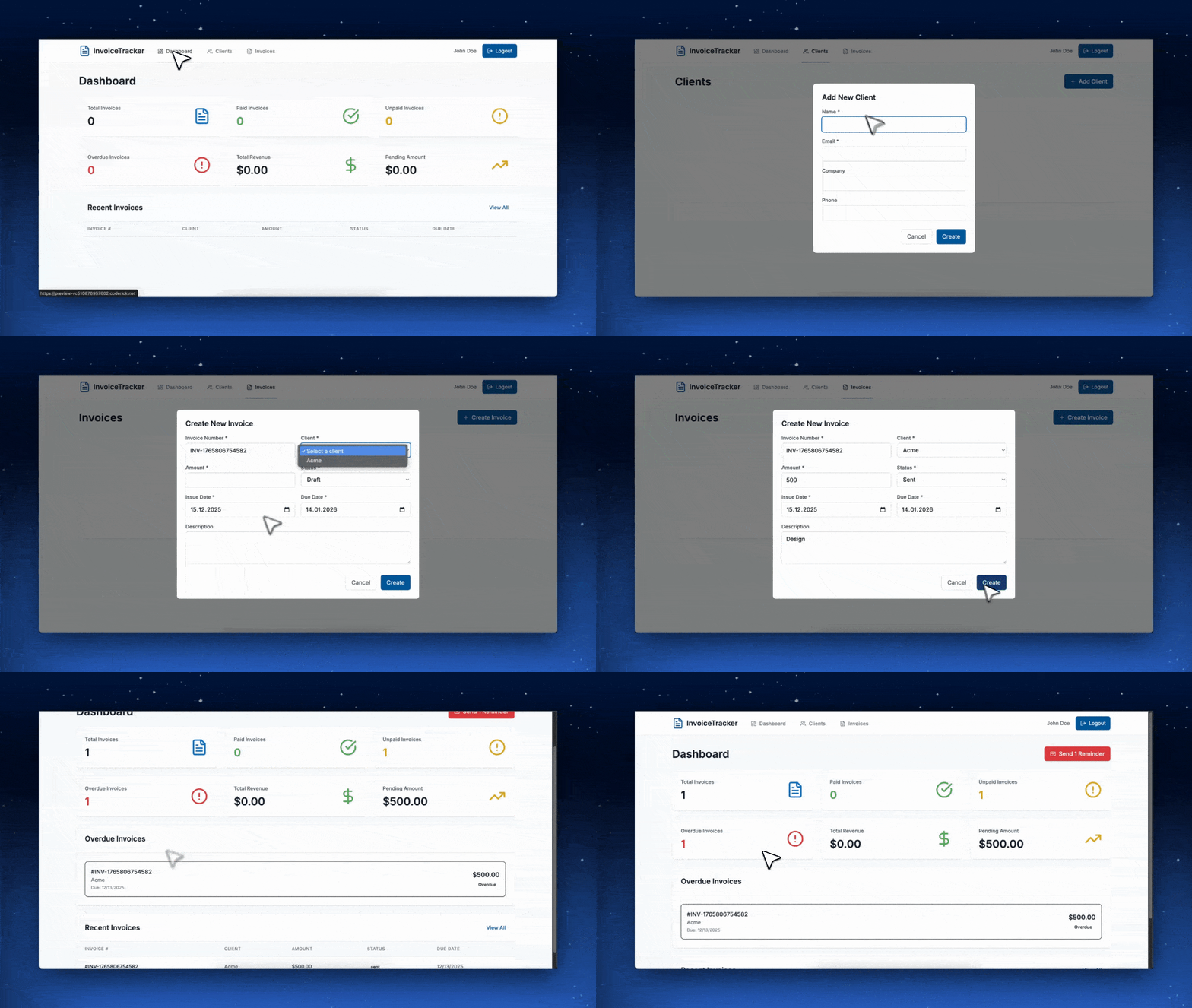
Coderick AI is built for exactly the businesses this article has been describing: services, bookings, memberships, portfolios, and short product lists that don’t need multichannel inventory or tax automation across a dozen jurisdictions. Instead of picking a theme and configuring plugins, you describe what you’re selling in plain language, and Coderick AI builds the pages, forms, and checkout around it, then keeps building as the business needs more: a booking calendar, a client portal, an invoice tracker, or an internal dashboard, all as part of the same project rather than a separate app or plugin.
It isn’t positioned as a Shopify or WooCommerce replacement for a retail catalog business; it’s a separate path for businesses that were never trying to run one.
- How it works: Describe what you’re selling, connect a Stripe account, and Coderick AI generates the pages, forms, and checkout around that description.
- What’s handled for you: Every project starts on a SiteGround-provided domain and publishes immediately on SiteGround’s own hosting, included in the plan, no separate hosting account to arrange. Connecting your own domain later, with SSL enabled automatically once it’s pointed, is a setting inside your account rather than a separate technical project, backed by the same support team behind SiteGround’s other hosting and ecommerce products.
- Beyond the storefront: The same prompt-based approach can add a client portal, an invoice tracker, or an internal dashboard to the same project, not just the pages that take payment.
- Checkout: The Coderick AI checkout setup runs on Stripe, taking cards, Apple Pay, and Google Pay for products, services, bookings, digital downloads, and subscriptions. Running through app checkout readiness, confirming the Stripe connection, testing a real charge, and checking the confirmation flow, takes a few minutes before sending customers to it.
Choosing Shopify vs. WooCommerce vs. AI-built store decision comes down to fit
The right choice here was never about finding the best-reviewed platform. It comes down to naming what you’re actually selling before comparing a single feature, then letting that answer point you to Shopify, WooCommerce, or an AI-built store.
If that’s services, bookings, paid access, or a portfolio without a warehouse behind it, Coderick AI is built for exactly that path. Describe what you’re selling in plain language, and it generates the pages, forms, and Stripe-based checkout around it, with hosting and your domain already sorted. It keeps building as the business grows, too, into a client portal, an invoice tracker, or an internal dashboard, not just a bigger storefront. Create a selling flow with Coderick AI and go from a description to a working checkout in just hours.
[96]
Frequently asked questions
Use Shopify or WooCommerce if you’re selling a physical product catalog with multiple SKUs, variants, or inventory across channels. Use an AI-built store, such as one built with Coderick AI, if you’re selling services, bookings, digital downloads, or paid access and want a working payment flow without managing a full ecommerce platform.
Shopify is a hosted, subscription-based platform built for retail catalogs. WooCommerce is a free, self-hosted plugin that turns WordPress into a store you fully control. An AI-built store generates a custom selling flow from a plain-language description instead of starting from a catalog template.
Choose an ecommerce platform like Shopify or SiteGround when you want a hosted platform with built-in support, predictable updates, and native multichannel selling, and you’re willing to pay a monthly subscription plus transaction fees for that convenience.
An AI-built store is enough when you need a payment-ready store for services, bookings, digital downloads, or paid access rather than a physical product catalog, and you want to accept payments without configuring a full ecommerce platform first.
No. You need a full ecommerce platform only if you’re managing a product catalog with inventory, shipping, and tax across multiple channels. Services, bookings, and paid access can run on a simpler payment flow instead.
Yes. Platforms like Coderick AI can often connect to Stripe, so a generated site can accept cards, Apple Pay, and Google Pay for products, services, bookings, digital downloads, and subscriptions.
Yes, for retail stores with a real product catalog. Ecommerce platform inventory tracking, product variants, and native multichannel listings handle catalog complexity that an AI-built store isn’t designed to manage at scale.
Coderick AI fits better when you’re selling services, bookings, memberships, or a short list of offerings rather than a full product catalog, and you want a working payment flow without configuring a separate ecommerce platform.
Yes, Coderick AI can help you build a custom selling flow. Describe what you’re selling and Coderick AI generates the pages, forms, and Stripe-based checkout around that description, without a theme, plugin, or template to configure first.
Compare what you’re actually selling, how much setup time you can spend before your first sale, how much control you want over code and hosting, and the realistic annual cost, not just the advertised monthly price, of each option.