
You built an online store in an afternoon. It looks great, you pat yourself on the back. But there’s one looming question: are you actually able to charge someone’s card yet? Are AI-built online stores safe for real payments? The answer is yes — if the store passes a payment-readiness check first.
Key takeaways:
- Are AI-built online stores safe for real payments? Yes, once you verify eight specific things before launch, not just the design.
- Test an AI-built store before launch in order: offer, trust signals, policies and data, checkout, mobile, payment status, confirmation, then edge cases.
- Secure online checkout means card numbers never touch your site’s own code. That’s not a promise, it’s a technical fact.
- Coderick AI’s Stripe integration handles one-time purchases and subscriptions automatically.
- A launch checklist only counts if you run it against a real test transaction, not a visual walkthrough.
One thing first: if you haven’t settled on a platform yet, choose the right selling path before working through the rest of this.
Are AI-built online stores safe for real payments?
Yes, but only if you check a specific set of things before you flip the switch on real payments. AI-built store safety comes down to two things: what you actually check yourself, and how much your builder already handles by default. Most of the risk lives in the first part, and that’s what the checklist below walks you through.
Indeed, an AI website builder can produce a complete-looking store in minutes: product pages, a working cart, a checkout button that appears to do its job. But speed and safety solve different problems. A finished-looking store can still fail on:
- Payment status handling
- Refund logic
- A checkout that breaks the moment someone opens it on a phone
A few things make AI-built store risks a distinct category, not just the standard ecommerce checklist with an AI label stuck on it:
- AI-generated copy can misstate a price, a shipping promise, or a product spec with total confidence and zero warning.
- A store built in minutes rarely gets the manual walkthrough an agency-built site would get before launch, because skipping that step was the whole point.
- The person building it is often not a technical or ecommerce professional either, so there’s no expertise in the loop to catch what a specialist would spot on sight.
None of these problems show up when you’re just poking around a finished site. All three show up the first time a customer tries to pay. That’s why the checklist below treats payment readiness as separate from design readiness.
Heads up: not every AI builder leaves all of this on you. Coderick AI closes off a chunk of it before you even start testing, more on that once you’ve gone through the list below.
AI-built store launch checklist: what to verify before taking real payment
AI-built store payments touch eight separate points before you can actually trust them. Work through each one in order:
1. Start with the offer: is it actually clear?
An AI generator, in all its cheerful optimism, will happily produce a colorful product description, a price, and a delivery promise that don’t quite agree with each other, nevermind what you can actually execute. Before you touch checkout, put yourself in a customer’s shoes landing on this page for the first time. Can they answer:
- What am I paying?
- What am I getting?
- By when?
How to check: read your own product page as a stranger would. If you can’t answer all three in one glance, that’s the fix.
An unclear promise turns into payment risk costs the moment a customer disputes a charge over it. This is also the cheapest fix on the whole list, since it’s a text edit, not a technical one, so do it before anything else here.
2. Do the trust signals actually hold up?
Right after the offer, a customer checks whether you’re a real business with a safe and secure website. This is what they’re looking for:
- Your business name matches what’s on the payment page.
- A real contact method exists, and someone actually answers it.
- Checkout shows a padlock and a recognizable payment brand.
- There’s a working support channel, not just a contact page that exists for show.
How to check: use your own contact form and support channel like a stranger would, and see whether anything, or anyone, actually answers.
This matters even for businesses that don’t sell physical goods, since the same expectations apply to safe payment pages built for portfolios, restaurants, or one-off event bookings. An AI builder can generate a footer with a contact form in seconds, but it won’t notice if that form points to a dead inbox.
3. Are your policies actually visible?
Another thing customers expect to see, and that conveys trust, is a clear answer to what happens if something goes wrong, before they hand over a card number, not after. They expect to see:
- Your refund window is stated plainly, not brushed aside on a page nobody clicks.
- Your delivery timeline is realistic and accessible before checkout, not just in a shipping confirmation email.
- Any access or subscription terms are spelled out up front.
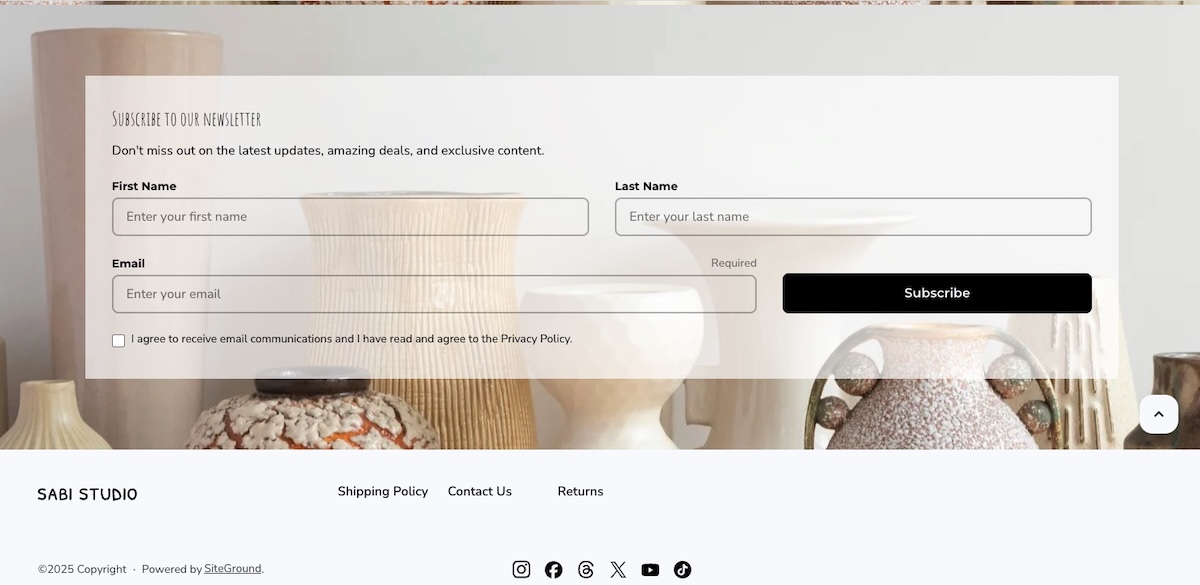
How to check: make sure all of these details are easily visible from your product pages, or no more than one click away.
4. Is the online checkout secure and easy to use?
A secure online checkout comes down to two separate things, and they don’t fail in the same place:
- Security: this is solved by choosing the right foundation, not by building it yourself. Integrating with a reputable payment processor like Stripe (used as the example throughout this checklist, the same checks apply to whichever one you use) means the most sensitive part of the transaction, the actual card data, is handled by a company that specializes in exactly that: encrypted, PCI-compliant, and built for this one job. It also means checkout carries a brand your customers already trust, rather than an unfamiliar name asking for their card number.
- Usability: if checkout runs through Stripe’s own hosted page, the payment form itself isn’t something the AI generator built, it’s Stripe’s tested interface. What the AI-built site still controls is everything around it: whether the right product, price, and currency get passed into that page, and whether the redirect back to your site after payment actually works. That hand-off, not the payment form, is where bugs tend to show up.
How to test: place a real test order with a real card, not a made-up test transaction, and confirm the product, price, and currency on Stripe’s page match exactly what you expected before payment.
5. Does checkout actually work on mobile?
We’ve all been there: mobile checkout simply fails in ways desktop checkout doesn’t. And boy is it frustrating. Make sure your mobile experience ticks these boxes:
- The payment button stays visible instead of hiding under the on-screen keyboard.
- The card field accepts spaces and other common formatting.
- The confirmation page loads fully on screen, not cut off at the edge.

How to test: run the exact same test from step 4, but do it on your phone. AI-generated layouts render cleanly in a desktop preview and only reveal these problems once a thumb, not a mouse, is doing the tapping.
If most of your traffic already arrives on mobile (which, according to recent mobile commerce data, it likely does, with some estimates as high as 78% of global ecommerce traffic), this test matters more than the desktop version you keep checking instead.
6. Does the store know if the payment succeeded, failed, or was canceled?
Can an AI-built store process payments securely? Part of the answer is whether the store actually knows what happened after the customer clicked “pay.” Practically, a payment can:
- Succeed
- Fail on a declined card
- Get canceled mid-checkout
How to test: use your payment processor’s test card numbers to trigger a successful payment, a decline, and a cancellation, then confirm each one redirects to the right place and shows the correct status, both what the customer sees and what your payment processor dashboard reflects.
Your store needs to get this right every time, not just on the happy path, and that consistency is what AI-built store payment security really comes down to.
If you sell subscriptions: run the same test on a renewal charge, not just the first payment. Confirm that a failed renewal actually cuts off access, using recurring access checks rather than leaving the account active by mistake.
7. What happens in the moment right after a customer pays?
Step 6 confirmed a successful payment shows the right status. This step is about whether that moment actually reassures the customer, and two different systems are behind it:
- Your thank-you page and its next-step messaging come from your own site, not Stripe. Once payment goes through, Stripe hands control back to whatever confirmation page your site built, so a generic “thanks” instead of a real next step is your site’s copy to fix, not a Stripe default.
- The email receipt is Stripe’s own mechanism, a dashboard toggle, sent from Stripe’s own template.
How to test: place a real test order and time it. Turn receipts on under Customer emails in your Stripe dashboard settings by toggling “Successful payments,” and separately, check that your own confirmation page actually says something useful instead of a generic thank-you.
8. Have you tested what happens when something goes wrong?
The friction-free path is 80% of testing. The other 20% is deliberately breaking things. Let’s get messy.
How to test:
- Decline a test card
- Cancel mid-checkout
- Request a refund
- Place the same order twice in a row, then check your payment records after checkout to confirm it created one order, not two.
Agencies building AI-generated stores for clients run exactly this kind of client store QA before handoff. If you can’t answer what your store does in each of these four scenarios, you haven’t tested an AI-built store before launch. You’ve only tested that it looks like one.
| Area | What to check |
| Offer | Product, service, price, and promise are stated plainly. |
| Trust signals | Business identity, contact information, secure checkout, and a support path are visible. |
| Policies | Refunds, delivery, access, and support expectations are clear before checkout. |
| Customer data | Checkout forms collect only what fulfilling the order requires. |
| Checkout | A customer can pay without confusion or unexplained errors. |
| Mobile | Checkout works cleanly on a phone, not just on desktop. |
| Payment status | The store correctly shows success, failure, or cancellation every time. |
| Confirmation | The customer gets a clear next step immediately after paying. |
| Edge cases | Failed payments, canceled payments, refunds, and duplicate orders have all been tested. |
The checklist above covers what’s specific to AI-built stores. Stripe checks before launch covers what it doesn’t: test mode, live keys, tax, and disputes.
A note on Coderick AI
If you’re building with Coderick AI, SiteGround’s AI website and app builder, checkout and payment status both come included by default, since it connects to Stripe’s own checkout page rather than a payment form built from scratch. A confirmation page comes included too, though its actual messaging (a real next step versus a generic thanks) is still yours to write well, more on that in step 7.
Start building your online store now with Coderick AI>>
What Coderick AI already handles: where a developer still needs to check the rest
A Coderick AI online store comes with a portion of the checklist above already checked off before you typing out any prose on your keyboard.
The security that comes with the site, not just the site itself
Most of the checklist above is about what you test. This part is about what’s running behind the site to keep it safe, none of which a customer ever sees:
- Access control: user authentication is built in from the start. Weak or missing authentication is one of the most common vulnerabilities found in AI-generated code, so having it handled by default closes off a real, documented gap rather than a hypothetical one.
- Hosting and security: SiteGround’s stack comes with it automatically, covering firewalls, malware scanning, and DDoS protection. Translation: this blocks common break-in attempts, scans for infections, and absorbs traffic spikes designed to knock a site offline.
- Version control: every change to the site is tracked, so there’s a history to roll back to if an edit breaks something, or if an unauthorized one gets through.
- Coderick AI payments: payments here run through Stripe’s hosted page, so card numbers never touch the platform’s underlying code. It’s one of several payment features in Coderick AI built to remove risk before you write a line of setup instructions.
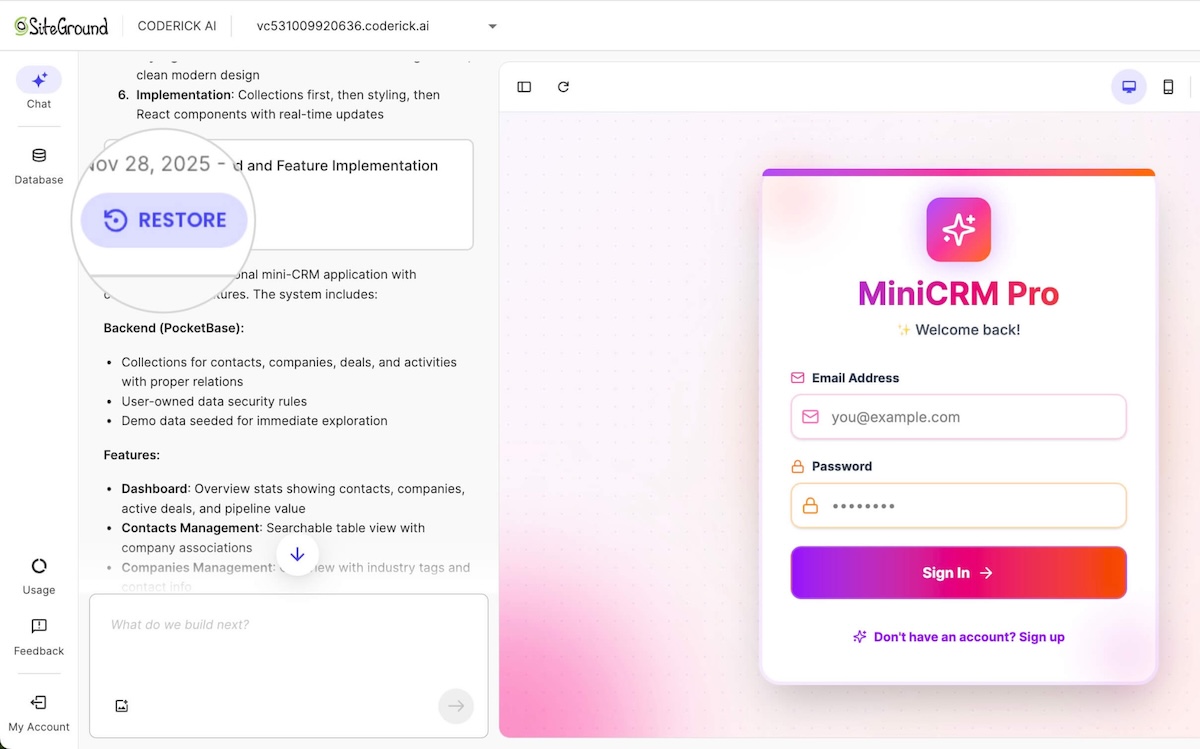
This lines up with security research on vibe-coded websites more broadly: build method is exactly why security gaps show up in the first place, which is why having some of it handled by default matters.
Where a developer still needs to check the rest
Coderick AI’s built-in Stripe checkout draws a clear line between what’s handled for you and what isn’t:
- Handled without a developer: one-time purchases and recurring subscriptions.
- Still needs a developer: splitting a single payment between multiple parties, a custom pricing engine, or a marketplace where customers shouldn’t see each other’s data.
Every AI website builder draws this same line somewhere, Coderick AI included. Look at code-free checkout options first to see how far you can get without a developer, then bring in one specifically for a paid app flow review once you know what needs custom logic.
Build an AI-built store your customers can trust
Are AI-built online stores safe for real payments once you’ve gone through that list? They sure can be, but only in the past tense, after you’ve actually run it against a live transaction, and not while it’s still sitting on a to-do list. Coderick AI is an AI builder with launch controls already pointed at the specific risks above: built-in authentication, inherited hosting security, version history, and Stripe checkout that never lets card data touch your code.
You’ll still want to run the checklist. Coderick AI just gets you started several items ahead, not at zero. If you’re ready to put a store in front of real customers and real payments, build your trusted AI project and run this same checklist against it before you take your first order.
[96]
Frequently asked questions
Yes, AI-built online stores are safe for real payments when you verify checkout, payment status handling, and post-payment confirmation before launch, rather than assuming a finished-looking site is a tested one. The build method doesn’t determine safety. What you checked before your first real transaction does.
An AI-built store is safe to launch once it passes eight checks: a clear offer, visible trust signals, upfront policies, minimal data collection, a working checkout, mobile compatibility, accurate payment status handling, and a tested confirmation flow. Skipping any one leaves a gap that only shows up once real money is involved.
Yes. An AI-built store can process payments securely through Stripe when Stripe processes the actual payment on its own PCI-compliant infrastructure, so card details never sit on your AI-built store’s servers. What still needs checking on your end is whether your store correctly reflects Stripe’s payment status back to the customer, since a secure processor doesn’t guarantee an accurate confirmation screen.
To test an AI-built store before launch, run a full transaction end to end: place a real order, use a card built to simulate a decline, cancel mid-checkout, and request a refund. Then repeat the same order on a phone. If any of those scenarios produces a confusing result for you or the customer, fix it before accepting a real payment from someone who isn’t testing.
The main AI-built store risks are unreviewed AI-generated content, like a wrong price stated with total confidence, thin post-payment handling with no clear status tracking, and gaps between what the builder covers by default and what still needs a developer, such as custom payment splits. None of these are reasons to avoid AI-built stores. They’re reasons to test one before it takes real money.