
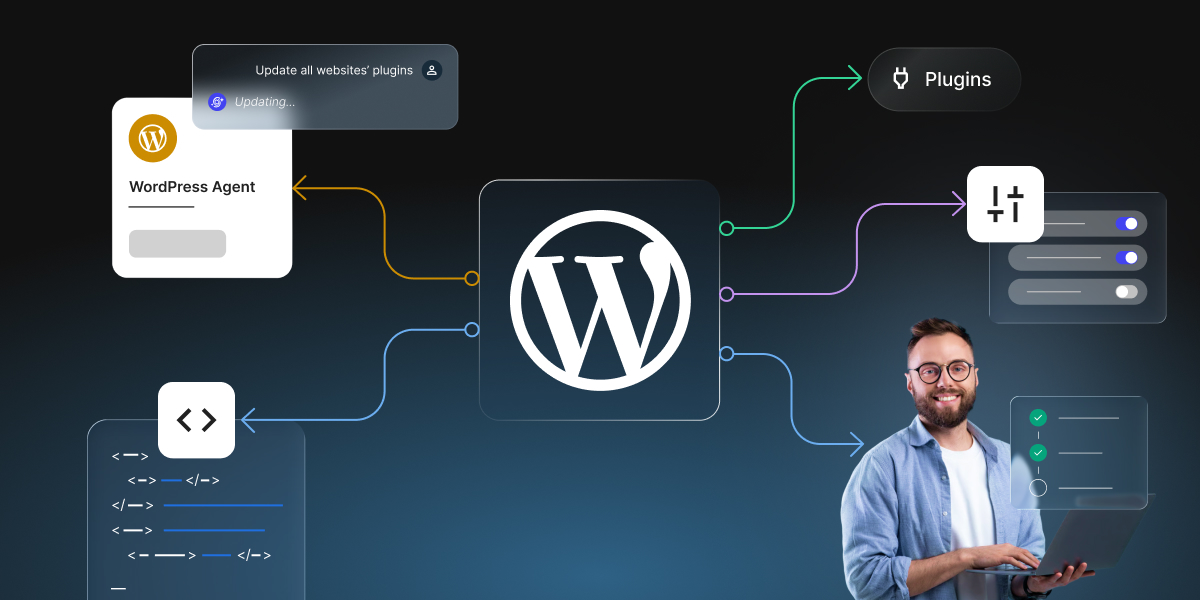
When you’re a small business owner actively running your own WordPress site, routine management tasks can quickly eat up hours you’d rather spend growing your business. Content updates, WooCommerce product changes, plugin maintenance, SEO metadata, user tasks, troubleshooting… The list never really ends, and it’s not always obvious how to get through it faster.
Here’s the thing: you can stay on top of it all if you choose the right WordPress management approach for each task. For example, some WordPress tasks are best handled by an AI Agent for WordPress, some by specialized plugins, some by manual WordPress admin, and some by a human virtual assistant (VA) or developer. This guide walks you through when to use each one, so you can match every WordPress task to the approach that handles it best and spend less time in the dashboard.
Key takeaways:
- The best WordPress management approach depends on the task type, task volume, and level of human judgment required, not the tool name.
- An AI Agent for WordPress is strongest for structured, repeatable, multi-step site management work.
- WordPress plugins are best for focused features, manual WordPress admin is best for visual control, and a VA is best for judgment, communication, and coordination.
- The strongest WordPress management setup often combines an AI Agent, specialized plugins, manual review, VA support, and developer help instead of relying on only one approach.
The business question: which WordPress management approach fits the task?
Over the years, a handful of different kinds of help have grown up around WordPress, and each is good at a different type of work. Here’s what each one is:
- An AI Agent for WordPress is a newer kind of AI assistant that connects to your site and carries out WordPress management tasks through natural language prompts. Best for repetitive, multi-step admin work.
- WordPress plugins are small add-on programs you install to give your site one focused feature. Best when you need a single focused capability, like an SEO tool or a chatbot.
- A virtual assistant (VA) is a real person you hire remotely to run tasks for you. Best for anything that needs human judgment or a personal touch.
- Manual WordPress admin simply means doing the job yourself inside the dashboard. Best for quick and one-off changes.
The right choice depends on task type, volume, and judgment
When you have something to do in WordPress, ask yourself these three quick questions:
- What kind of task is it? Creative and visual, or structured and rule-based? Design work wants human eyes; repetitive, predictable WordPress admin work suits AI.
- How much of it is there? Changing one WooCommerce product price is a 20-second manual job. Changing 200 is one you’ll want to hand to an AI agent for WordPress.
- How much judgment does it need? If a wrong move would upset a customer or dent your brand, keep a person involved. If it’s mechanical and low-risk, a tool can run with it.
Why no single tool should handle every WordPress task
No method is good at everything. Hand a thousand repetitive product edits to a person, and you’re paying premium human time for work an AI agent could clear in minutes. Lean on AI for a delicate brand decision, and you save time but risk losing the human read that keeps customers on-side. Reach for a plugin when the job actually spans your whole site, and you’ve solved one slice while the rest stays manual.
The cost is rarely a broken result: it’s rather wasted time, wasted money, or an outcome that’s technically done but not quite what your site needed. Matching the task to the method is how you avoid paying that tax over and over.
How to think about AI Agents, plugins, manual admin, and VAs together
Picture them as a team with different specialties, not rivals competing for the same job. If you’re not sure where to start, don’t start with the tools at all, start with your own week. Look at where your time actually disappears: for example, updating WooCommerce products, improving SEO metadata, publishing posts, chasing maintenance, checking plugins, managing users, or troubleshooting errors.
Hand off the biggest, most repetitive drain first. That single move usually frees the most time, and the time you get back is time you can put into the work that actually grows your business.
In short: The best WordPress management approach depends on the work involved. Use an AI Agent for WordPress for structured and repeatable site-management tasks, plugins for focused features, manual WordPress admin for visual or technical control, and a VA for judgment-heavy work such as communication, review, coordination, and brand-sensitive decisions.
When should you use an AI Agent for WordPress?
The use of AI in the form of an AI Agent for WordPress is one of the newest and most exciting developments in the WordPress world, and it’s genuinely different from the AI chatbots or AI plugins most people have already tried. This kind of WordPress AI assistant connects directly to your site and can actually carry out tasks, such as creating a post, preparing SEO metadata, managing WooCommerce products, checking plugins, and adjusting settings, all through plain-language conversation, instead of just telling you how to do it yourself.
This means you can now trade a big pile of tedious WordPress work for a simple chat with AI. Instead of clicking through menu after menu, you type what you want in plain English, and it gets done. For a broader overview, see what SiteGround’s AI Agent for WordPress can do across content, WooCommerce, plugins, users, settings, and maintenance.
Use it for structured, repeatable WordPress tasks
An AI agent for WordPress is at its strongest on the routine work that eats your week: publishing a batch of posts, writing SEO details across dozens of pages, refreshing an outdated services page, updating prices on a long product list. These jobs are tedious precisely because they repeat, which is exactly why handing them off pays off. There’s also no learning curve to clear: you don’t get instructions to follow or code to paste, so you never have to hunt through menus to find the right setting.
Use it when one task crosses content, SEO, WooCommerce, or maintenance
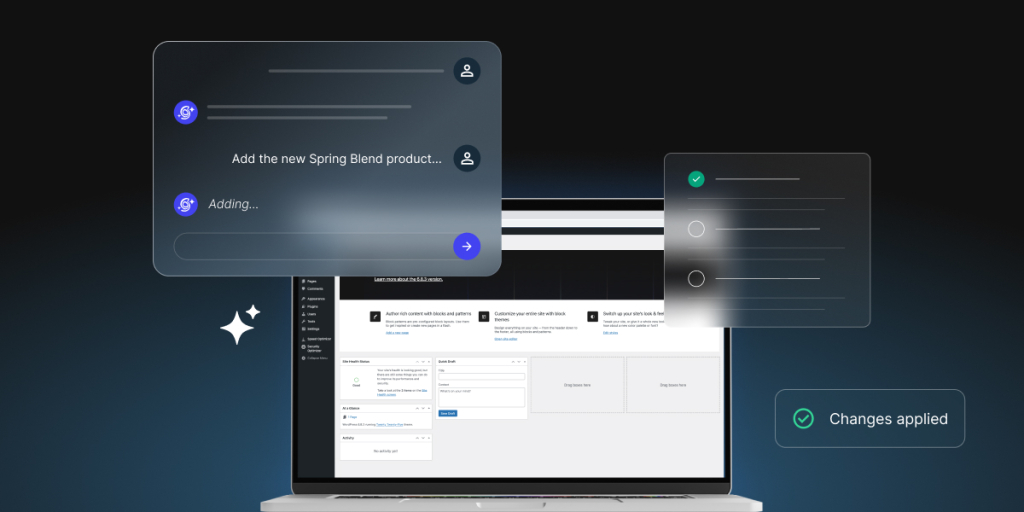
Some jobs touch several parts of WordPress at once, and that’s usually where the dashboard fights you hardest, because you’re jumping between the editor, the SEO panel, the WooCommerce store, and the plugins page. An AI Agent works across your whole site in one conversation, so it can write a post, set its SEO details, add it to your menu, and check nothing conflicts, all without screen-hopping. It handles bulk work at this scale too: you can add alt text to 200 product images, translate 50 products, or restructure a set of categories from a single prompt.
Running more than one site? Advanced AI Agents like SiteGround’s AI Agent for WordPress can manage multiple WordPress sites at once, from one chat. You can connect any number of WordPress sites (on SiteGround or on other hosts) into a single workspace, then run one instruction across all of them: push a plugin or theme update to 30 sites, standardize a setting across your whole portfolio, or roll out the same content change everywhere, without logging into each one separately. For anyone running more than one site, or an agency looking after dozens of client sites, that turns a repetitive site-by-site chore into a single request.
Use it when speed matters but human review still matters
An AI agent can be fast, but it works best with you reviewing the output, not rubber-stamping it. Use it to prepare and implement the heavy lifting, then keep final approval over anything that affects customers and pricing.
| Task type | Why an AI Agent fits |
| Content updates | It can help create, edit, organize, save, and publish WordPress content with review steps. |
| WooCommerce product tasks | It can help manage products, pricing, and store operations, including bulk changes. |
| Maintenance | It can support plugin, theme, performance, and troubleshooting tasks. |
| SEO metadata | It can help with titles, descriptions, headings, content refresh suggestions, and internal links. |
| Users and settings | It can help manage users and WordPress settings where permissions and Power Mode allow. |
| Multi-step workflows | It can combine several WordPress admin steps in one conversation. |
What the time savings actually look like: In our own testing across real projects, mundane WordPress tasks saw 80–95% time savings with SiteGround’s AI Agent for WordPress. One example: writing SEO metadata for 200+ product images dropped from roughly 58 hours of manual work to about 4.5 hours with AI assistance. Tellingly, half the people in the test were AI beginners. To learn more, take a look at our new AI in WordPress white paper.
When are WordPress AI plugins the better choice?
An AI plugin is a small add-on you install to give WordPress one specific feature it doesn’t have out of the box. While an AI agent ranges across your whole site, an AI plugin does a one job. You can reach for a plugin when you want a specialist that owns a single, well-defined area, and you’re happy to set it up and manage it as its own thing.
Use AI writing plugins for focused content generation
When you want AI help built into the writing experience itself, an AI writing plugin works inside the block editor, drafting, rewriting, or expanding text as you go, plus related pieces like excerpts, summaries, and alt text. A good example is the official WordPress AI plugin (from the WordPress team), which adds this kind of in-editor content generation if you’ve upgraded to WordPress 7.0.
Use SEO plugins for technical SEO controls
SEO plugins are the control panel for how search engines understand your site. They own the technical dials, page titles, meta descriptions (the short summaries shown under your link in search results), sitemaps, schema markup, redirects, and readability checks, and the best-known ones, Rank Math and Yoast, now add AI to help fill those fields.
Use chatbot plugins for visitor-facing support
A chatbot plugin is the only tool in this guide that talks to your visitors rather than helping you run the site behind the scenes. It answers common questions in real time, day and night, so buyers get a reply at 2 a.m. and you wake up to fewer repetitive emails.
Use page-builder AI for visual design support
If you design your pages in a page builder, its built-in AI can generate text, images, and whole layout sections right on the canvas, where you can see the result as you go. Builders like Elementor and Divi include this, so you can rough out a design by describing it, then fine-tune it by eye.
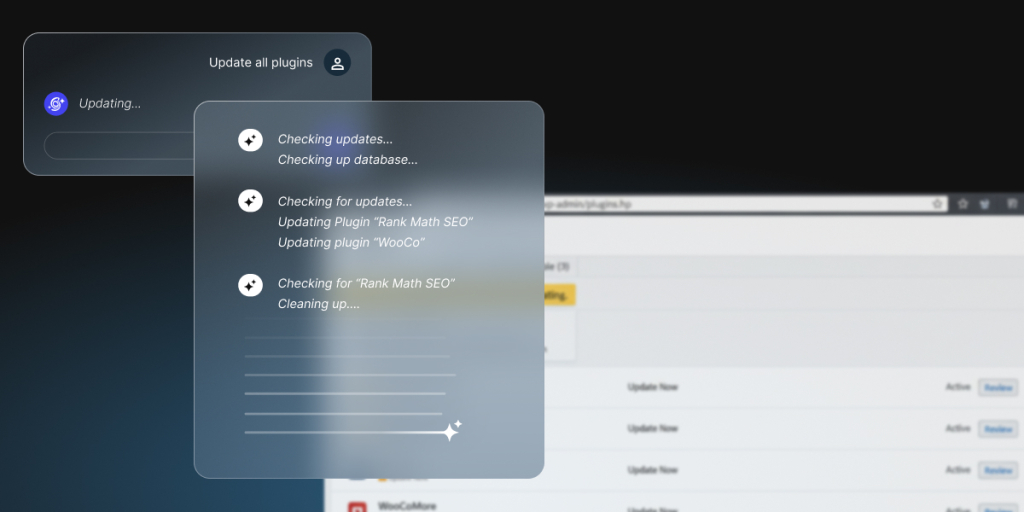
Pro tip: You can actually manage your plugins with an AI Agent. For example, you can ask SiteGround’s AI Agent for WordPress to find and install a plugin (just describe what you need and it locates a good option, installs it, and activates it), update one plugin or many at once (and even back up your site first, for peace of mind), and clean house by identifying and removing old, deactivated plugins you no longer use. Not sure what’s even running on your site? Ask for a list of every installed plugin and its status, and you get an audit that makes outdated or unnecessary ones easy to spot.
When is manual WordPress admin still the best option?
AI can be pretty amazing, but sometimes the fastest, safest path is to just do it yourself. Manual admin, working directly in the WordPress dashboard, still wins whenever the task is visual, tiny, or highly technical.
Use manual admin for visual design and layout work
If you’re making aesthetic calls (like how much space sits between sections, whether an image feels balanced, where the eye lands first), those are judgments you make best by looking and adjusting in real time.
Use manual admin for one-off changes that take less than a minute
Plenty of changes are tiny and self-contained: fixing a typo, flipping a toggle, swapping out a link. When you already know exactly what needs changing and where it lives, going straight to that spot in the dashboard and doing it is the most direct path there is.
Use manual admin for custom code, CSS, or highly technical settings
When you’re editing CSS (the code that controls how things look) or touching precise technical settings, hands-on control is important. If you have the skill, doing it directly is more exact than describing the result.
Use manual admin when you need precise visual confirmation
Some changes you simply need to see before they go out. For final, public-facing review, looking at the real page with your own eyes is the point.
| Task | Why manual admin works better |
| Page layout design | Visual judgment matters. |
| Gutenberg block editing | Drag-and-drop control matters. (Gutenberg is WordPress’s built-in block editor.) |
| Page-builder changes | Seeing the design preview matters. |
| Custom CSS or code | Technical precision matters. |
| One quick setting change | Faster than explaining the task. |
| Final publishing review | Human eyes should approve public-facing changes. |
When should you use a WordPress virtual assistant instead of AI?
If your budget allows it, hiring a WordPress virtual assistant is the right call whenever you need help from a real human, someone to make a judgment call, talk to another person, or protect how your business comes across. Despite the name, a virtual assistant isn’t software. “Virtual” just means they work remotely rather than from your office. A VA is a real person, usually a freelancer or contract worker, who logs into your website and handles tasks for you.
Use a VA for decisions that need judgment
Some tasks come down to a call only a person should make: which of today’s ten jobs actually matters, whether a risky change is worth it, whether something just looks wrong. A VA can help you weigh the specifics of your business and make some decisions for you.
Use a VA when real people need to talk to real people
When a customer has a major complaint, a question, or a delicate request, they can usually tell when they’re being handled by a bot, and it rarely makes them feel valued. A VA can reply as a genuine human: reading the mood, showing they understand, and handling the conversation with the care a real relationship deserves.
Use a VA to keep your brand sounding authentically human
AI chatbots can draft competent copy, but it can often read a little generic, and customers are increasingly good at spotting it. A VA who knows your business can make your content sound like a real person with a point of view, catch anything that feels off-brand, and add the small human touches that make people trust you.
Use a VA when someone needs to own a task end-to-end
A lot of real work isn’t one action but a thread that unfolds over days: a client conversation, an approval that waits on a reply, a project with moving parts. A VA can own that from start to finish, follow up, adapt as things change, and make sure nothing falls through the cracks.
Use an AI Agent to reduce the VA’s admin workload
If you hire a VA, you can still let an AI Agent for WordPress take the repetitive clicks off their plate (the bulk updates, the metadata, the routine maintenance), so your VA can spend their time on the conversations, the judgment, and the brand-sensitive work that genuinely needs a human.
How to find a good WordPress VA: Look for someone who has actually worked in WordPress, not just general “admin support.” Before hiring, check they can name the tasks you care about, ask for a reference or an example of a site they’ve managed, and start with a small paid trial task before handing over anything big. Give them their own login with only the access they need, never your main admin password, and agree how they’ll use AI: a VA who pairs an AI Agent with their own judgment will clear your work faster and cheaper than one doing it all by hand.
| Task | Why a VA fits |
| Client communication | Requires tone, judgment, and relationship context. |
| Editorial review | Requires brand and audience understanding. |
| Project coordination | Requires prioritization and follow-up. |
| Inbox or support triage | Requires human judgment. |
| Content polishing | Requires nuance and taste. |
| QA after AI-assisted changes | Requires accountable human review. |
When are other WordPress AI management tools a better fit?
The four options so far cover the vast majority of what a small business needs. However, there are a few specific jobs that can call for something else.
Use developer AI tools when you need something custom-built
Say you want a feature that doesn’t exist yet, like a booking system wired into software you already use, or a special connection between your site and another business tool. That’s custom development, essentially, building something new rather than using something ready-made. There are AI tools that help with this, but they’re made for people who write code. In practice, this is the point where you’d hand the job to a developer (who might use those AI tools to work faster), rather than something you’d tackle yourself.
Use automation platforms when you want tasks to happen automatically
Imagine that every time you get a new order, you want the details added to a spreadsheet, and the customer added to your mailing list, without you lifting a finger. That’s what automation platforms do: they connect your different apps and pass information between them automatically, following simple “when this happens, do that” rules you set up once. The best-known ones are Zapier and Make. You don’t need to code, but you do need to spend a little time setting up each connection.
Use hosting-integrated AI when you want the least possible setup
If the idea of installing and connecting anything already feels like too much, the easiest starting point is AI that’s built right into your hosting (the service that stores your website and keeps it online). Because it’s part of the platform, there’s little or nothing to set up. SiteGround’s AI Agent for WordPress is an example: on sites hosted with SiteGround, it’s already connected and ready, with nothing to install. It also works with sites hosted elsewhere.
Use standalone tools when you want to choose your own AI provider
Most people are happy to let a tool decide which AI does the work behind the scenes. But some prefer to pick the specific AI service themselves, for example, choosing exactly which company’s AI writes their content. Tools that allow this ask you to bring your own “API key,” which is just a password-like code that links the tool to the AI service you signed up for. It gives you more control, but also more to set up and keep track of, so it mainly suits people who enjoy tinkering with the technical side. If that’s not you, you’re not missing out.
Decision matrix: AI Agent, plugins, manual admin, VA, or developer?
Run your WordPress task through the questions below. Start at the top, stop at the first line that matches what you’re trying to do, and you’ll land on the approach that usually fits best.
| WordPress task | AI Agent | AI plugin | Manual admin | VA | Developer |
| Bulk content updates | Best | Limited | Tedious | Good | Not needed |
| Long-form writing | Good | Best | Slow | Good | Not needed |
| SEO titles and meta descriptions at scale | Best | Good | Tedious | Good | Not needed |
| Technical SEO settings | Limited | Best | Good | Limited | Sometimes |
| Visual page design | Not best | Sometimes | Best | Good | Sometimes |
| WooCommerce product updates | Best | Limited | Tedious | Good | Not needed |
| Plugin and theme updates | Best | N/A | Good | Good | Sometimes |
| Routine maintenance | Best | Limited | Manual | Good | Sometimes |
| Client communication | N/A | N/A | N/A | Best | Not needed |
| Brand strategy | Not best | Not best | N/A | Best | Sometimes |
| Custom code | Not suitable | Not suitable | If skilled | Not suitable | Best |
| Server configuration | Not suitable | Not suitable | Hosting panel | Not suitable | Best |
| Troubleshooting | Good | Limited | Good | Good | Best (complex) |
Conclusion
Choosing the right WordPress management approach is not about finding one perfect tool. Once the task points toward an AI Agent, check who the AI Agent for WordPress is best for based on the site type, team, and recurring workload. It’s about recognizing what each task needs, then using the right mix. Sort a job by its type, its volume, and the judgment it takes, and the answer usually becomes clear.
| If the task is… | Choose |
| Structured, repeatable, or multi-step | An AI Agent for WordPress |
| A focused AI feature, such as writing, SEO scoring, a chatbot, or design | A WordPress plugin |
| Visual layout, a quick one-off edit, or a direct setting change | Manual WordPress admin |
| Client communication, creative review, coordination, or brand-sensitive work | A virtual assistant |
| Custom code, database work, integrations, or server configuration | A developer |
| A high-impact live-site change | Use staging (a safe test copy of your site), backups, Power Mode safeguards, and human review |
Ready to see how AI can help with routine WordPress management? Put SiteGround’s AI Agent for WordPress to work on your next batch of repeatable WordPress tasks.
[97]
FAQs
The best WordPress management approach for a small business depends on the work. Use an AI Agent for WordPress for structured and repeatable site-management tasks, plugins for focused features, manual admin for visual or one-off changes, and a VA for communication, coordination, and judgment-heavy work. Most small businesses end up using a mix.
Use an AI Agent for WordPress for repetitive work, multi-step AI Agent workflows, or tasks spread across several areas of WordPress. Manual admin is still better for visual design, quick one-off changes, custom code, and the final review before publishing.
They solve different problems. An AI Agent for WordPress is better for site-management tasks across your whole site, while WordPress AI plugins are better for focused features such as writing, SEO scoring, chatbots, or design assistance. The full comparison of AI plugins vs AI agents for WordPress explains where each category fits.
Use an AI Agent for WordPress for structured admin work like content updates, WooCommerce product changes, plugin checks, SEO metadata, and routine maintenance. Hire a VA for human judgment, brand-sensitive review, client communication, coordination, and ongoing quality control. Many businesses use both.
Yes, and it’s a strong setup. A VA can use the AI Agent for WordPress to finish routine admin work faster, then focus on review, communication, prioritization, and brand-sensitive decisions. The agent handles the repetitive clicks; the VA handles the judgment.
Manual admin is better for visual page design, page-builder edits, drag-and-drop layout work, custom settings, direct code edits, and quick one-off changes that are faster to make than to explain through a prompt.
It’s designed to be. SiteGround’s AI Agent for WordPress works through SiteGround AI Studio and can manage connected WordPress sites through chat. SiteGround-hosted sites are connected automatically. Externally hosted WordPress sites can connect through the AI Agent by SiteGround plugin, while many standalone AI plugins require you to create AI provider accounts and manage your own API keys.
No. An AI Agent for WordPress can help with site-management tasks, but a developer is still needed for custom code, advanced integrations, theme development, database work, and server-level architecture, and complex troubleshooting.