
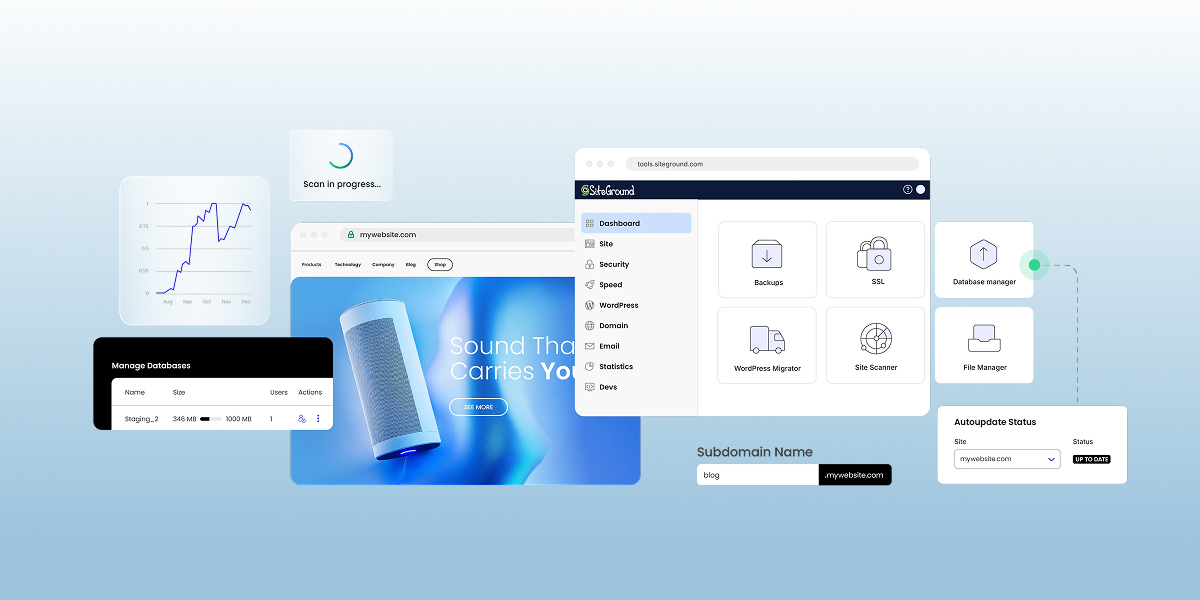
Every cPanel alternative falls into one of two camps: a self-hosted panel you install and run on your own server, like CloudPanel, Plesk, or DirectAdmin, or a panel your host builds into its plans, like SiteGround’s Site Tools. The right choice comes down less to features than to how much server work you want to take on. This guide walks through both options, how they compare with cPanel, and how to decide which one fits your setup.
Key takeaways:
- Every cPanel alternative is one of two types: a self-hosted panel you run on your own server, or a panel built into a hosting plan. The right one depends on how much server work you want to take on.
- Since September 2019, cPanel has charged hosts per account instead of a flat fee per server, so license costs grow with every account. That hits hardest when you run your own server.
- Self-hosted panels range from free to licensed per server, but all of them leave server security, updates, and backups to you.
- If speed is one of your reasons for leaving cPanel, compare hosts’ servers and caching, since those are what make a site load faster. Switching panels alone won’t fix a slow site.
- Built-in panels have a gentler learning curve because the host has already done the setup. In SiteGround’s Site Tools, caching, free SSL, and daily backups are ready from day one, and most tasks take a single click.
Why people move away from cPanel
People leave cPanel for three main reasons: rising license costs, a cluttered interface, and the hope that a new panel will make their site faster. The first two hold up, but that third one needs a closer look. Let’s unpack.
1. Rising license costs
In 2019, cPanel moved from flat server licenses to pricing based on the number of accounts on each server. For hosting companies running thousands of accounts per server, that changed the math overnight, and many passed at least part of the increase on to customers.
Panel licensing is one line item in your overall hosting costs, and it’s built into your plan’s price whether you use the panel or not. On a basic shared plan, that share is usually small. It grows as your site does: once you move up to a plan with your own server resources, cPanel’s per-account pricing can make the licensing cost as much as the server itself. And that cost multiplies if you run multiple servers.
2. A cluttered interface
A standard cPanel dashboard groups dozens of tools into sections like Files, Databases, Domains, Email, Metrics, Security, and Software. That’s useful for power users and server admins. But it’s a lot for non-technical users, like a small business owner who logs in to add an email account or change a PHP version.
For those users, the clutter shows up in three ways:
- It’s hard to tell what matters: Most of the tools on screen are ones you’ll never need, and it isn’t obvious which ones are safe to ignore.
- Every host’s cPanel looks different: Hosts add their own branding, plugins, and upsell banners, so tutorials often don’t match what’s on your screen.
- Everyday tasks are scattered: Caching and staging usually live in separate plugins or third-party add-ons rather than in one place.
3. Performance depends on the host, not the panel
This is the reason that needs some untangling, because a web hosting control panel is simply a management screen. Page speed, on the other hand, comes from what sits underneath it: the web server (Apache, Nginx, LiteSpeed), the PHP setup, and the host’s caching layer.
That cuts both ways. A site on a well-tuned cPanel server can be fast, and a site on a fancy new panel can still crawl on an overloaded server.
Where a built-in panel helps is with convenience. The host’s speed tools are already set up, so caching is on from day one, and extras like Memcached take one click instead of hunting for a plugin that needs to be set up.
The best cPanel alternatives
The best cPanel alternative for you depends largely on one thing: do you run your own server? If you rent a VPS (a virtual private server, meaning your own reserved slice of a physical server) or a dedicated server, you need a self-hosted panel.
If you’d rather not manage a server at all, you’re choosing a hosting plan instead. Many plans still come with cPanel, so if you’re trying to avoid that interface, look for a host that builds its own panel.
Here’s how the options compare at a glance.
| Panel | Type | Cost model | Runs on | Best for |
| Plesk | Self-hosted | Licensed per server, with editions capped by number of domains | Linux and Windows Server | Agencies that need Windows support or many WordPress sites |
| DirectAdmin | Self-hosted | Licensed per server, tiered by number of accounts | Linux only | Hosts and resellers leaving cPanel for a lighter panel |
| CloudPanel | Self-hosted | Free | Debian and Ubuntu | Developers running PHP apps on one VPS |
| Webuzo | Self-hosted | Licensed per server, tiered by number of accounts | Linux (Ubuntu, AlmaLinux, Rocky Linux, Debian, and others) | Small hosts wanting a cPanel-style multi-user setup |
| OpenPanel | Self-hosted | Free Community edition for personal use; paid Enterprise license per server for commercial hosting | Linux | Personal projects, or hosts that want isolated accounts |
| Managed server platforms | Managed | Monthly fee per server, plus the cost of the server | A cloud server you rent | Developers and agencies who want their own server without the maintenance |
| Site Tools | Built-in | Included with SiteGround hosting | SiteGround’s servers only | Site owners who don’t want to manage a server, and who want an easy panel interface |
Panel details are as of October 2026. Check each vendor’s website for current pricing, supported systems, and features.
Self-hosted panels: for your own server
These five panels run on a self-managed server. You install them, handle regular updates, and own anything that breaks.
Plesk
Plesk is one of cPanel’s best-known commercial rivals and the only panel here that runs on Windows Server as well as Linux.
- Cost model: Licensed per server, with higher editions adding more domains and features.
- Runs on: Linux distributions and Windows Server.
- Web server stack: Apache with Nginx as a reverse proxy on Linux, IIS on Windows.
- Best for: Agencies managing many WordPress sites that want a built-in WordPress toolkit.
- Watch out for: Paid extensions add up, so the real cost is often higher than the base license.
DirectAdmin
DirectAdmin is the panel many smaller hosts moved to after cPanel’s pricing change. It’s lighter on server resources and keeps a familiar account-based structure.
- Cost model: Licensed per server, tiered by number of accounts.
- Runs on: Linux only (no Windows support).
- Web server stack: Apache, Nginx, LiteSpeed, or OpenLiteSpeed, set through its CustomBuild tool.
- Best for: Hosts and resellers who want cPanel-style accounts for less money.
- Watch out for: The interface is plainer, with fewer one-click extras out of the box.
CloudPanel
CloudPanel is a free panel built for speed on a single server. It skips email and reseller features to stay lean.
- Cost model: Free.
- Runs on: Debian and Ubuntu.
- Web server stack: Nginx with PHP-FPM.
- Best for: A developer running PHP apps or WordPress sites on one VPS from a cloud provider.
- Watch out for: It has no built-in mail server, so you’ll need a separate email service.
Webuzo
Webuzo comes from the team behind the Softaculous app installer, so one-click app installs are built in from day one.
- Cost model: Licensed per server, tiered by number of accounts, with a 15-day free trial.
- Runs on: Ubuntu, AlmaLinux, Rocky Linux, Debian, and other Linux distributions.
- Web server stack: Apache, Nginx, LiteSpeed, or OpenLiteSpeed.
- Best for: Small hosts that want a multi-user, cPanel-like layout with app installs baked in.
- Watch out for: Its community and documentation are smaller than cPanel’s or Plesk’s, so troubleshooting takes longer.
OpenPanel
OpenPanel is the newest option here. It gives each user an isolated container, so one client’s runaway site can’t drag down another’s.
- Cost model: The Community edition is free for personal, non-commercial use (up to 3 user accounts and 50 websites). Commercial hosting needs the paid Enterprise license, priced per server.
- Runs on: Linux.
- Web server stack: Each user account gets its own web server: Nginx, Apache, OpenLiteSpeed, or OpenResty.
- Best for: Personal projects on the free edition, or hosts on Enterprise who need strong separation between client accounts.
- Watch out for: It’s a young project, so expect fewer integrations and a shorter track record.
Managed server platforms
If you want your own server but not the admin work, a managed server platform sits in between. It connects to a server you rent from a cloud provider and handles the panel, security patches, and server setup for you.
- Cost model: A monthly fee per server, on top of what you pay for the server itself.
- Best for: Developers and agencies who want their own cloud server without doing the maintenance.
- Watch out for: You pay two bills, and choosing and sizing the server is still up to you.
Built-in panels: no server to manage
Every option above still means running a server yourself or paying someone to run it for you. Several hosting companies skip that entirely by building their own panel, with nothing for you to install, license, or patch. These panels differ from host to host, so we’ll use SiteGround’s Site Tools as the example.
Site Tools
SiteGround built Site Tools after years of adding its own features on top of cPanel, and by March 2021 it had moved more than a million live sites over.
- Cost model: Included with every SiteGround hosting plan, with no separate panel fee. That also applies if you outgrow shared hosting: SiteGround Cloud Hosting gives you dedicated server resources without managing the server, and its plans include unlimited websites, so adding a site doesn’t add a license cost.
- Runs on: SiteGround’s servers.
- Best for: Site owners who don’t want to manage a server and want an easy panel interface.
- Watch out for: It only works with SiteGround, so switching hosts later means learning a new panel.
How to pick the right cPanel alternative for your setup
The right cPanel alternative depends on one question: who do you want maintaining the server? Answer that, and the shortlist shrinks to one or two options.
Use this checklist to match your situation:
- You run your own server and want a free panel: Start with CloudPanel for a single site or app, or OpenPanel’s Community edition for a few personal projects.
- You need Windows or manage dozens of WordPress sites: Plesk is the only option here with Windows support and a full WordPress toolkit.
- You run a small hosting or reseller business: DirectAdmin or Webuzo give you cPanel-style accounts, usually for less than cPanel.
- You want your own server without the admin work: A managed server platform handles patches and setup on a server you still own.
- You don’t want to manage a server at all: A hosting plan with a built-in panel, like Site Tools, is the most beginner-friendly option and takes the panel off your to-do list entirely.
If you’re unsure which side you’re on, compare managed vs unmanaged hosting first. Because a self-hosted panel only makes sense if you’re ready to own updates, backups, and security fixes at 2 a.m. when something breaks.
Here’s a quick sanity check before you commit:
- Count the sites you’ll host. One site rarely justifies a licensed panel.
- Check whether you need email on the same server. If you do, rule out CloudPanel.
- Price the full stack (server, panel license, backups, and your own time) before comparing against a hosting plan.
If you’re on the fence about any of those questions, then your situation is probably better suited for a hosting plan with a built-in panel.
Site Tools vs cPanel: key differences
If the checklist pointed you toward a built-in panel, the next question is how it compares with the cPanel you already know. The biggest difference is who builds the panel. Hosts license cPanel from a third party and add their own tweaks, while Site Tools is built and maintained by SiteGround, the company that runs the servers.
That shows up in how the panel looks, what’s built in, and what happens if you switch hosts. Here’s what changes for you day to day:
| cPanel | Site Tools | |
| Who builds it | Licensed from cPanel, then customized by each host | Built by SiteGround for its own servers |
| Layout | Looks different at every host, often with extra add-ons | Same layout on every SiteGround plan |
| Speed and caching | Depends on the host’s server setup and any caching plugins or add-ons it offers. | Built-in caching, on by default |
| Security | Depends on what your host includes | Free SSL and daily backups included |
| WordPress | Usually installed through an app installer like Softaculous | Install and updates in one menu, plus staging on GrowBig and higher plans |
| Cost | License cost built into your plan price | No panel fee on any plan |
| Running several sites | Extra sites are added under one main account | Each site gets its own separate panel |
| Switching hosts | Works at many hosts | Only works with SiteGround |
Two of these differences deserve a closer look:
- Finding things: Familiar cPanel tools still exist in Site Tools under new names. File Manager sits under Site > File Manager, and PHP versions are set in Devs > PHP Manager. You can click through the panel yourself in the free Site Tools demo.
- Security defaults: Site Tools turns on free SSL and daily backups without extra setup, which covers several of the basic website security habits you’d otherwise configure yourself.
Leaving cPanel doesn’t mean starting over
Whichever kind of cPanel alternative you choose, it comes back to the question you started with: how much server work do you want to own? If you’re comfortable running a server, a self-hosted panel gives you full control and plenty of options, including free ones. If you’d rather not, a built-in panel takes that work off your plate, and moving your site is easier than it sounds.
SiteGround has moved more than a million sites to Site Tools, and its team can migrate yours for you, or you can move a WordPress site with the free SiteGround Migrator plugin. SiteGround Web Hosting includes Site Tools on every plan, with caching, free SSL, and daily backups already set up, so there’s no panel license line in your renewal.
[86]
Frequently asked questions about cPanel alternatives
CloudPanel is the best free cPanel alternative for a single VPS, and OpenPanel’s free Community edition works for personal, non-commercial projects. With either one, you take on server updates, security, and backups yourself.
The main disadvantages of cPanel are cost and clutter. Its per-account licensing raises hosting prices as servers grow, and its dense, host-customized interface can overwhelm site owners who need only a few tools.
cPanel is mainly used to manage a hosting account through a web interface instead of the command line. Site owners use it for file management, databases, domains, email accounts, and SSL certificates, while hosts use its companion tool, WHM, to manage the server itself.
No, SiteGround doesn’t use cPanel. It replaced cPanel with its own Site Tools panel, started onboarding new clients in August 2019, and dropped cPanel support entirely by March 2021 after moving more than a million sites.