An AI-First Mindset: How to Build, Launch, and Grow Smarter

abstract image of an AI first mindset

Gone are the days of using AI as just an afterthought—something you plug in to simply spruce up some copy, or help with image creation. We are now in the age of AI first. 

On one hand, if you don’t get on board, you’ll definitely get left behind. On the other, if you truly embrace an AI-first mindset, then you actually have the chance to get ahead…way ahead.

That’s what we’re covering here today. Not just how AI can help you with your business, but how transforming how you think about it and integrate it can actually change the potential of your business as you build, launch and grow. 

Why an AI-First Mindset Matters Now

Perhaps you need no convincing that AI is rapidly reshaping how we do business—and life. It’s no longer about sprinkling in AI tools here and there. Instead, we now must intentionally build AI into your projects, processes, and strategies from the start. Not as a shortcut, but as a creative and operational partner.

And while AI adoption might seem like something only big companies can afford, the opposite is often true. Solo entrepreneurs, small teams, and creators now stand to benefit the most. AI levels the playing field, giving you the speed, scale, and capabilities to compete without the overhead.

With an AI-first mindset, you’re no longer stuck doing things the slow, manual, and often expensive way. You can work smarter, move faster, and grow more strategically, while staying focused on what matters most. So let’s look at what this AI-first mindset really means in practice.

How to Integrate an AI First Mindset into Your Business

1. Start with Strategy: Make AI Part of the Plan

Most people think of AI as something you plug in later—a tool you use when you need help writing copy or analyzing data. But with an AI mindset, that thinking shifts completely. You don’t just use artificial intelligence—you plan with it from the start.

This mindset asks you to reimagine your role at the strategy table. Instead of doing all the early thinking alone, you bring artificial intelligence in as a thought partner—someone (or something) that can challenge assumptions, generate options, and surface insights early on.

No matter what you’re building—a website, a new product, a marketing campaign—ask yourself: How can AI help me shape this smarter from the beginning? When you approach strategy this way, you can:

  • Use AI to brainstorm business ideas or product features
  • Generate user personas or map customer journeys
  • Analyze trends or competitor moves
  • Construct a business plan

You’re not just getting help, but rather expanding your thinking. And you don’t need enterprise tools to make it happen. With generative AI tools like ChatGPT (and the right ChatGPT prompts), and other AI-powered options, an AI-first strategy is already within reach—no steep learning curve or extra resources required.

SiteGround, for example, takes this AI-first approach seriously. From the way we help customers choose domains, to enabling AI-generated content creation, and how we protect customer sites and support their growth, AI is baked in—not tacked on after. We deliver smarter tools that help creators and businesses do more and better with less.

Get started with SiteGround today>>

2. Build Smarter: Let AI Streamline Website & Content Creation 

Once you’ve laid the groundwork, it’s time to build—and this is where an AI-first mindset starts to benefit and shape your business. It’s not just about saving time (though you certainly will!). It’s about changing how you approach the building process from the ground up.

Instead of seeing AI as a last-minute add-on, an AI-first mindset means thinking like a team of two—you and your AI assistant—from day one. Every decision becomes a chance to ask: What can I delegate? What can AI make faster, more insightful, or more consistent?

This shift frees you up to focus on the more human elements: storytelling, vision, strategy, and connection.

For website and content creation, that collaborative mindset can show up in things like:

  • Brainstorming and testing domain name ideas
  • Structuring your site hierarchy and page flow
  • Drafting initial copy—from homepage headlines to product descriptions and welcome emails
  • Exploring website layout and color palette ideas that align with your brand
  • Generating blog posts or service pages based on your audience’s needs
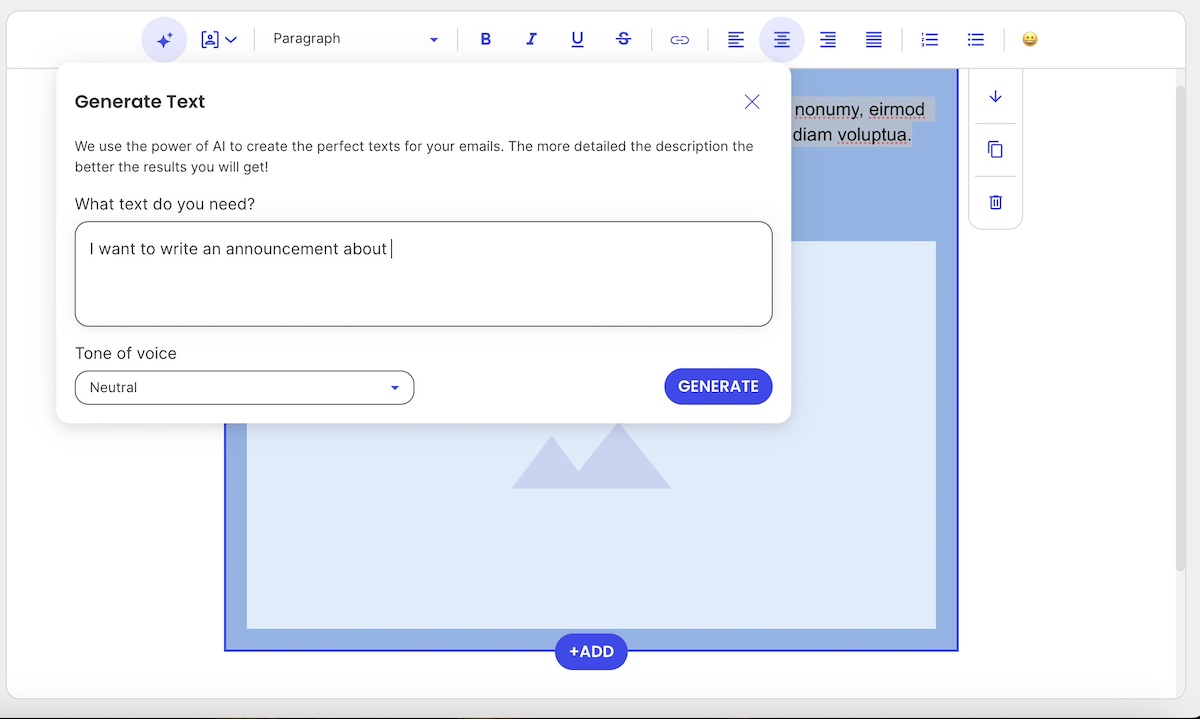
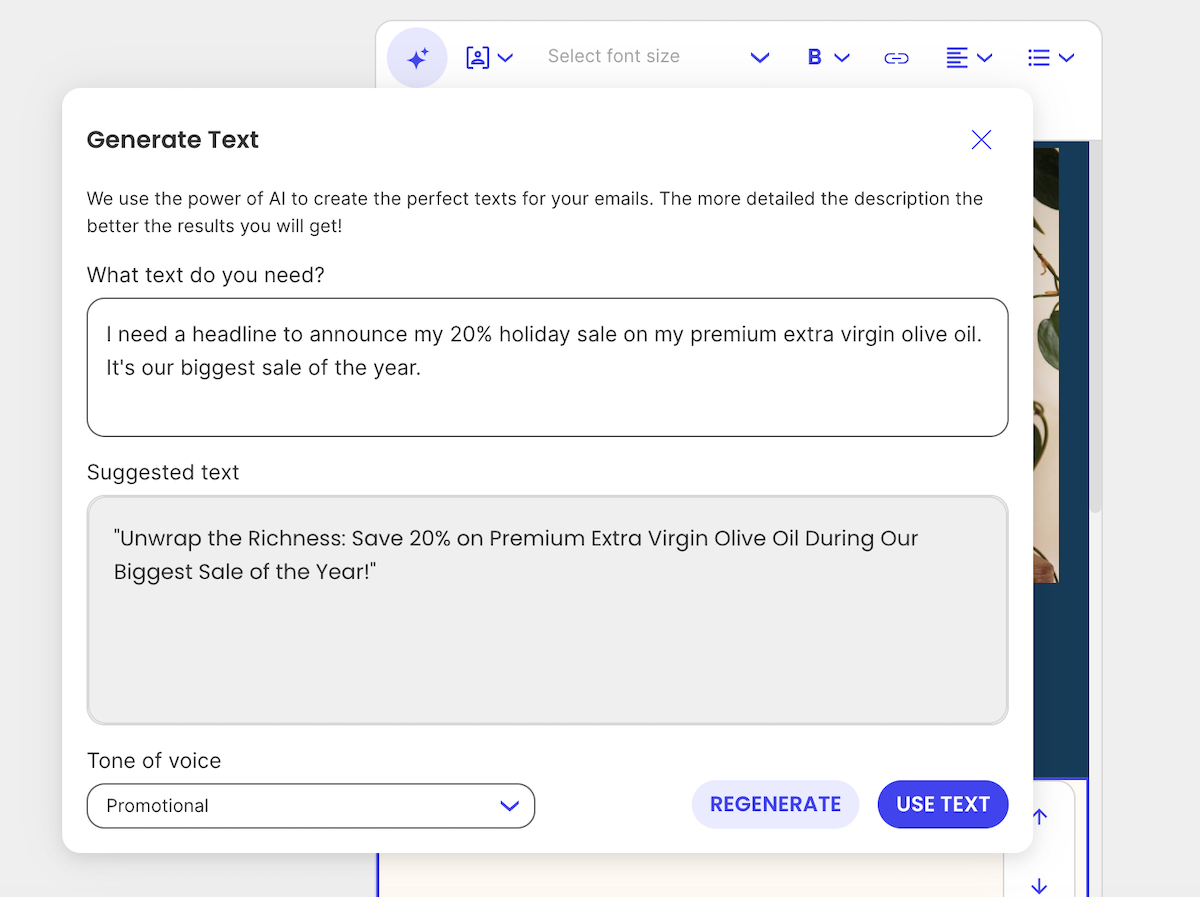
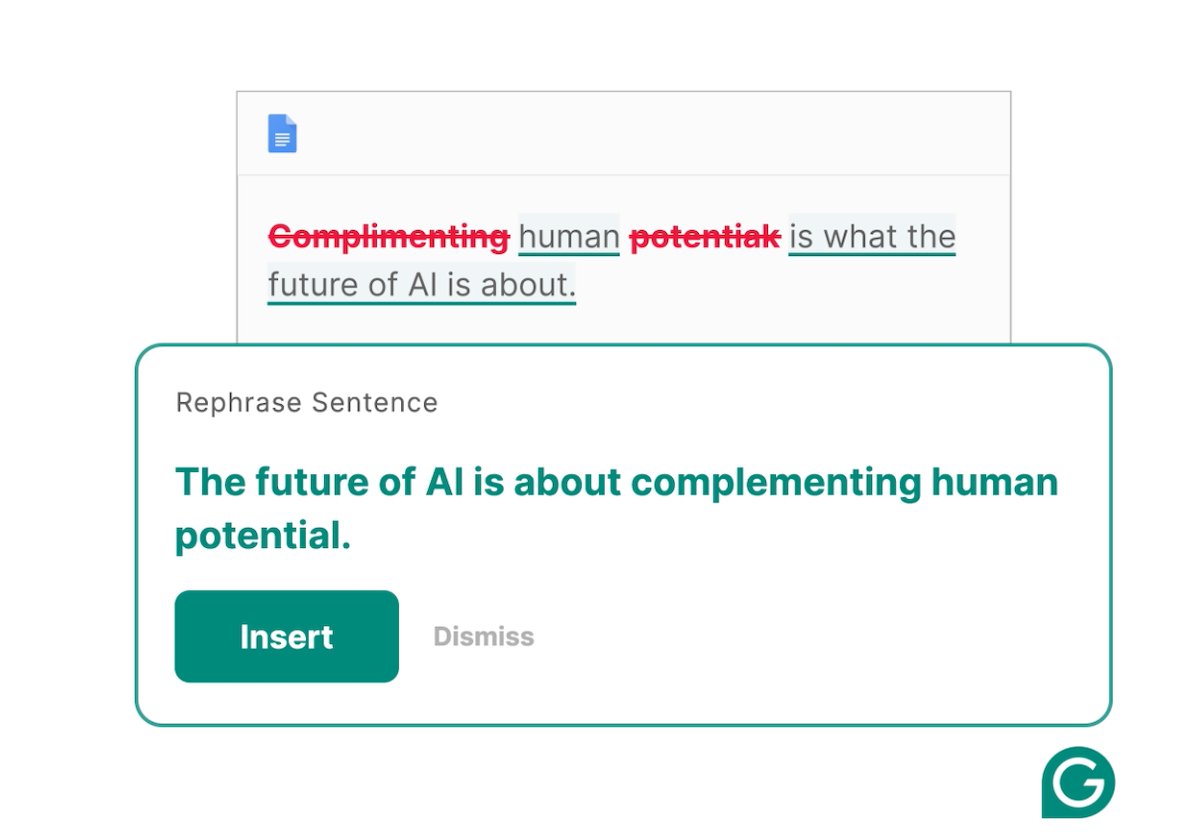
Visual of a generative AI tool helping to craft email copy

A general awareness and understanding of AI—that is, an AI-first mindset!—can also help you more clearly build and create with AI in mind. Traditional SEO is evolving into something broader: Generative Engine Optimization (GEO). That means, when it comes to AI and SEO, it’s not just about keywords anymore, but creating content that AI systems—like the ones behind search and chat interfaces—can interpret as relevant, trustworthy, and useful. This kind of proactive understanding will shape and elevate everything you create.

The core idea here: build with AI at your side, not trailing behind. 

[41]

3. Launch Faster: Accelerate & Improve Prep and Promotion

An AI-first mindset changes how you approach launch prep—not just how you execute the launch itself.

Instead of seeing this stage as a long checklist of to-dos, AI-first thinkers use it as a creative springboard. More than just speeding up tasks, you can uncover better ways to craft and promote your message right from the start.

With AI, you can:

  • Brainstorm angles and formats for emails, landing pages, and social posts
  • Draft initial content faster, from ad copy to meta descriptions and email subject lines
  • Generate launch timelines and promotional plans targeted just for your audience
  • Adapt messaging for different user segments or platforms

Here, speed and creativity go hand in hand. You can lean on AI to help you come up with inventive approaches, and then turn to it again to help with the execution. 

4. Grow Better: Ongoing Optimization with an AI-First Mindset

Once the launch is out the door, the real work begins. Rather than reacting slowly to results or relying on instinct, artificial intelligence helps you build continuous improvement into everything you do. That means using AI as an active feedback loop that helps you stay relevant, accurate, and aligned with your goals.

For example:

  • Use AI to interpret campaign performance and digital marketing metrics
  • Get suggestions for improving underperforming content or messaging
  • Iterate with speed, using tools like RAG (retrieval-augmented generation) to generate updates based on your best internal content
  • Leverage tools such as Google Trends, Surfer SEO, and ChatGPT to stay on top of SEO trends, and understand how generative AI models evaluate and surface content.

At the end of the day, AI is part of the whole process, from inception to optimization. So you don’t just create once and move on; you use artificial intelligence to turn every piece of content or campaign into a living, evolving asset.

5. Shift Company Culture: Embrace AI Holistically

An AI-first mindset means going beyond using AI as just a personal productivity hack; it’s a cultural shift. Whether you’re a solo entrepreneur or part of a small team, adopting this mindset means normalizing the use of AI across your workflows, decisions, and habits. It becomes part of how you think, not just what you use.

In practical terms, this means:

  • Encouraging regular AI adoption, not just when someone’s stuck
  • Promoting experimentation, where trying AI-generated drafts or solutions is seen as a smart first move
  • Creating space to learn—sharing prompts, tools, benefits, and results with your team or community to build collective confidence
  • Reducing resistance, especially from team members who assume artificial intelligence is too technical, unreliable, or impersonal
  • Expand AI use across teams—for example, using customer support chatbots or AI assistants that can handle common queries, frees your team to focus on higher-value interactions
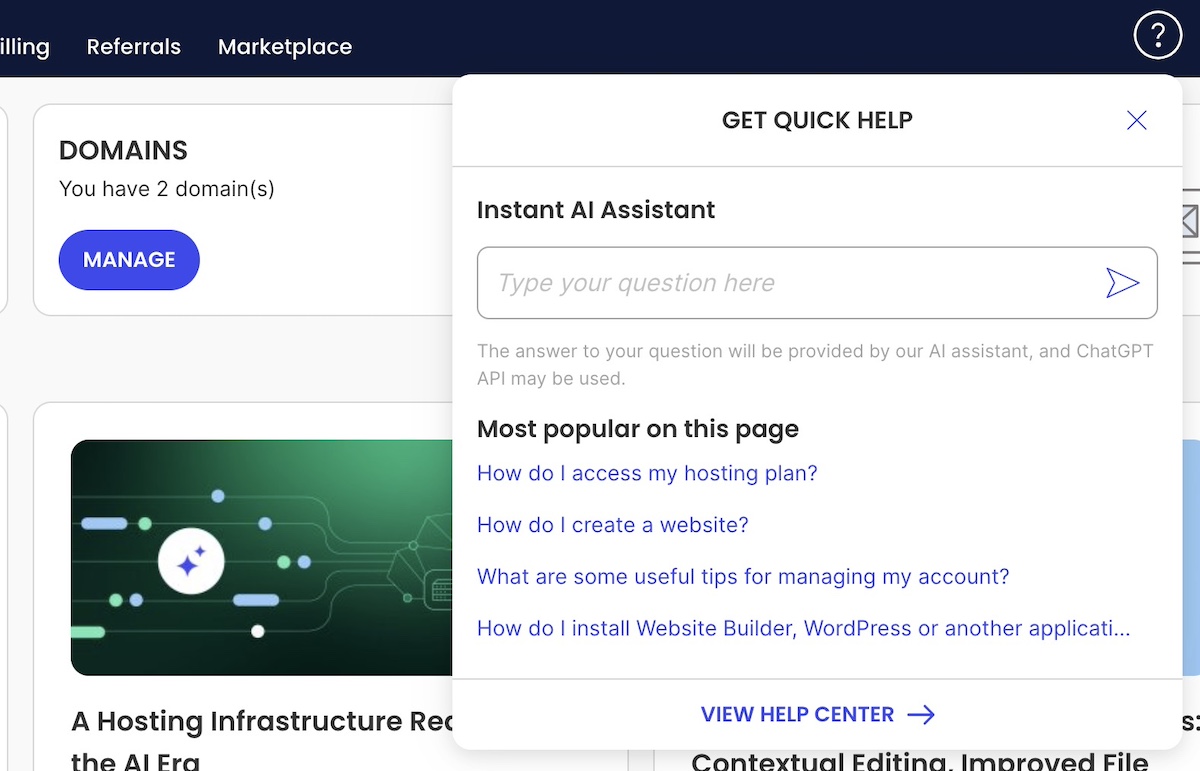
Visual of an AI assistant along with disclosure
  • Removing the stigma—using AI isn’t “cheating” or lazy. It’s about working more efficiently so you can focus on higher-value, human contributions
  • Keeping in mind the ethical considerations of AI in marketing and business. AI-first culture still requires good judgment. Fact-check results, avoid misuse, and be transparent when needed. 

This last point is especially important. When you embrace an AI-first mindset as an integral part of your business, you can be clearer and more deliberate about your ethics around its use. AI becomes not just a tool, but a core part of your operations—and that means thoughtfully choosing how it fits in and building a culture grounded in those values.

The Competitive Edge of Thinking AI-First

Adopting an AI-first mindset means you aren’t just keeping up with the technology but rather making it a natural extension of your work. As such, when you approach your work and business with AI as a collaborative partner, you can actually unlock new levels of efficiency, creativity, and agility. Indeed, it helps you build, launch, and adapt smarter, all while giving you the speed and insight needed to outpace competitors, no matter the size or stage of your business.

At SiteGround, we take an AI-first approach to web hosting and beyond. Our Antibot AI helps keep your site secure by blocking millions of brute-force attacks before they ever reach your server. When you’re searching for the perfect domain, our AI-powered tools offer smart, memorable suggestions that are just right for your brand. And when it’s time to build your website or launch a campaign, the SiteGround Website Builder and Email Marketing Platform include built-in AI features that help you craft polished, engaging content with ease. 

Get started with SiteGround today, and experience how an AI-first mindset can simplify your workflow, up your creativity, and empower your business to grow smarter and faster.
What is RAG in AI and Why Your Business Needs It?

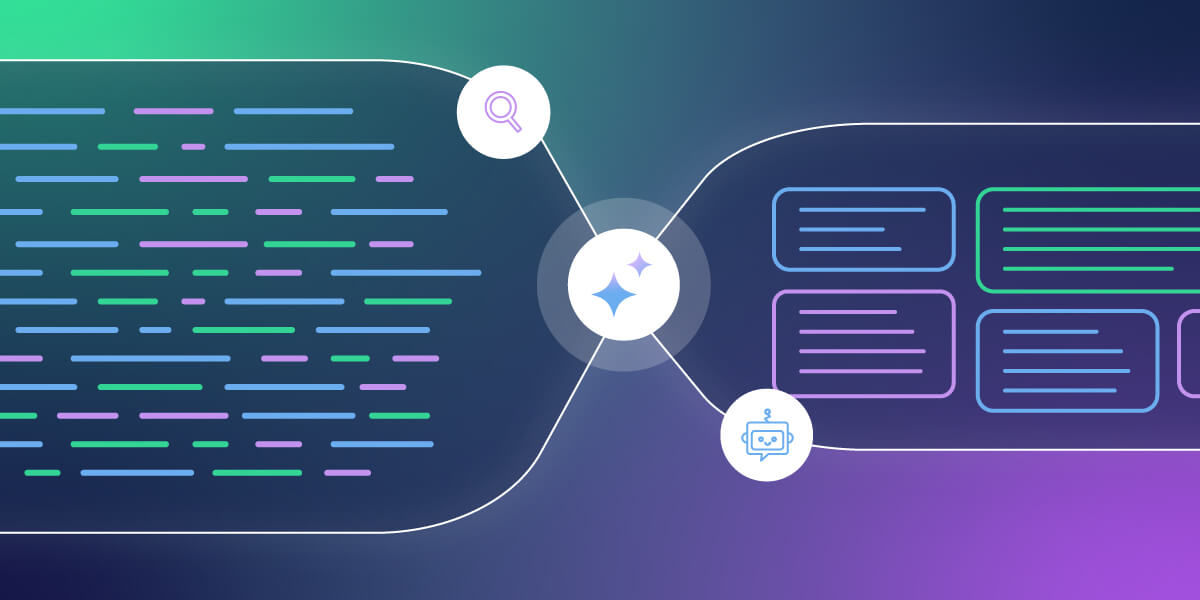
Illustration of Retrieval-Augmented Generation (RAG) in AI showing a flow from unstructured data and search to AI-powered structured outputs, symbolizing how businesses can extract insights using RAG technology.

While AI continues to advance rapidly, one approach that’s gaining real traction in practical business settings is Retrieval-Augmented Generation—also known as RAG. If you’ve heard the term floating around in tech circles and wondered what RAG is in AI and why it matters for your business—then this guide is for you!

Whether you’re a freelancer, building a growing agency, or running a small business, RAG can help you build smarter support systems, create better content, and give your team instant access to your company’s knowledge—all without writing a single line of code. Sounds great, right?

Let’s get to it and break it all down.

What is RAG (Retrieval-Augmented Generation)?

RAG means Retrieval-Augmented Generation, which is a modern AI technique that combines two powerful capabilities:

  1. Retrieving information from a trusted source (like your most relevant documents, website, or internal knowledge base)
  2. Generating a natural-sounding response using the retrieved information

Some of the most popular AI tools, such as ChatGPT or Claude, are generative AI models. That means they create answers based on patterns they’ve learned from the internet. But here’s the catch—they don’t know your business. They might know some basic public information, but if essential information like your policies, product specs, or customer needs isn’t part of their training data, the answers they give can be vague or worse—flat-out wrong.

That’s where RAG comes in.

Instead of relying solely on what the model remembers, RAG systems “look up” relevant information in real time from a custom source (like your own knowledge base). Then, the AI uses that information to craft a grounded and accurate response.

Think of RAG like an AI that can “Google” your company’s internal data before answering a question.

So when someone asks your AI assistant, “What’s your return policy for international orders?”—it doesn’t guess and hallucinate. Instead, it’ll find the exact policy from your documentation and explain it clearly.

In short, RAG brings the power of search into the world of AI conversation.

How Does RAG in AI Work?

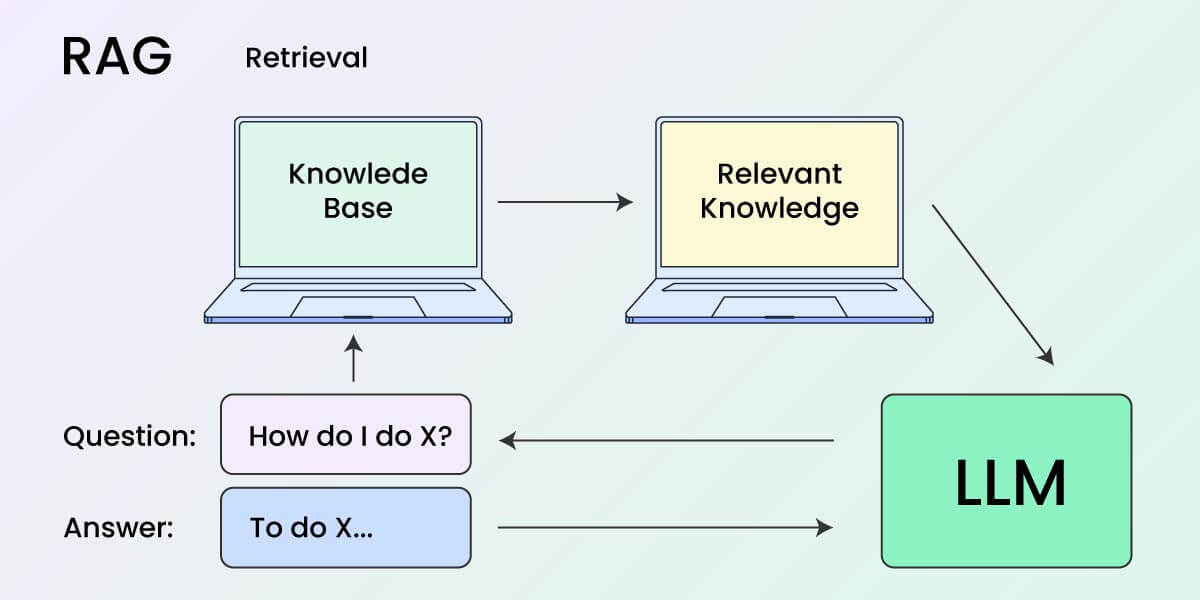
To keep things simple, think of RAG as a two-step process working quietly behind the scenes:

Diagram showing how RAG (Retrieval-Augmented Generation) works. A user asks a question, which is sent to a knowledge base. Relevant knowledge is retrieved and passed to a large language model (LLM), which generates an answer based on that input.

Step 1: Retrieval of information

The AI first looks for information that’s relevant to the question. This is done using a smart search tool that checks through a pre-indexed knowledge base—that could be your website, support docs, product manuals, or internal wiki.

But instead of looking for exact keyword matches, it uses semantic search. That means it understands the meaning behind the question and matches it to the most relevant content, even if the words aren’t exactly the same.

Here is a semantic search example:
If someone searches for “comfortable shoes for running” on an ecommerce platform, they might see results for “lightweight trainers” or “breathable athletic footwear” if the platform understands the user’s intent and the semantic meaning of those phrases.

Step 2: Generation of response

Now, after the relevant content has been found, a language model like GPT or Claude reads it and generates a natural-sounding answer based on it.

But here it gets interesting—The AI doesn’t just repeat the source word-for-word. It will explain it in a conversational tone—the way a helpful teammate or support rep would talk to you.

Let’s backtrack with the question we previously had: “What is your return policy for international orders” question scenario. So instead of saying:

“Refer to section 3.2 of the returns policy on our website.”

…it might say:

“You can return international orders within 30 days—just keep in mind that return shipping is at your expense.”That’s the power of RAG—it gives you the factual accuracy of a search engine combined with the clarity of a human response. Best of both worlds!

How Can Businesses Use RAG? (3 Common Use Cases)

You got this far in the article, so now you might be wondering, “OK, but how would this help my business? How can I benefit from that?” You’re not alone. 

The best thing here is that RAG isn’t just for enterprises and tech giants. In fact, it’s ideal for small teams that want to do more with less.

Here are three ways agencies, freelancers, and SMBs can start benefiting from RAG today:

1. Smarter Customer Support (That Doesn’t Hallucinate)

Most AI customer support chatbots struggle with real-world support issues. They’re either too scripted or too generic. But with RAG, you can build a custom AI assistant that actually knows your business.

  • Feed it your FAQs, policy documents, product guides, or past email templates
  • Let customers ask natural questions, like “Can I change my subscription tier next month?”
  • The AI retrieves the exact info and generates a confident, brand-aligned answer

This might result in fewer support tickets, faster answers, and happier customers, without hiring more support agents. Of course, you might have to make some tweaks and modifications at first to your internal documentations, FAQs, etc., but once everything is set up, everything should be a breeze.

You could even go the extra mile and set RAG in a way that can even be used internally to help your support team get quick answers while handling live chats or calls.

2. Instant Knowledge Access for Your Team

Once your internal knowledge base is connected, RAG becomes more than just a support tool—it becomes your team’s always-on assistant. Instead of pausing work to ask a teammate or digging through shared drives, emails, or Slack threads, your staff can simply ask a question and get an immediate and accurate answer.

Whether it’s a new hire getting up to speed, a team member handling a client call, or someone double-checking a workflow before a deadline, RAG can surface exactly what they need, without slowing them down.

Some of the practical use cases include:

  • Onboarding and training: let new team members ask questions and get accurate answers pulled from your internal guides or SOPs.
  • Task execution: find step-by-step instructions for internal processes, like submitting invoices or updating client dashboards.
  • Real-time support during meetings: need a quick stat, link, or document reference while talking to a client? RAG will have your back.

With RAG, you can create something like a “smart search assistant” for your internal content. Your team would just type a question, and the AI fetches the right info from your SOPs, onboarding guides, or client briefs.

It’s like having a teammate who always knows where everything is and can answer any question in seconds.

3. Marketing and Content Creation on Autopilot

If your team is small, keeping up with content demands like blog posts, product updates, or marketing emails can be a challenge.

Let’s say you want to:

  • Generate blog post outlines based on past reports
  • Write product descriptions using your own feature docs
  • Personalize email campaigns based on customer purchase history

With a RAG setup, you can automatically pull facts from your existing content and let the AI generate something new, clear, and aligned with your brand’s voice.

Keep in mind that it doesn’t invent things out of thin air. Instead, it repurposes what you already have, saving you hours of work. Let’s say you have a detailed PDF with all your product features and benefits. With RAG, your AI assistant can scan that document and help generate:

  • A landing page headline based on your strongest selling points
  • A short product description for your online store
  • A quick-answer snippet for your chatbot when customers ask, “What’s the difference between the basic and premium plans?”

You’re not starting from scratch—the AI is simply pulling the right information from your content and shaping it into the format you need.

How to Start Using RAG (Even Without Tech Skills)

As we previously said—The best part is that you don’t need a technical team to get started with RAG today.

Here are three beginner-friendly ways you can adopt RAG in your business:

1. Use a No-Code RAG Platform

Several tools now let you upload content and get a working RAG assistant within minutes, such as Chatbase, Twilio AI Assistants, Heyday (by Hootsuite), and Notion AI. 

These platforms handle everything behind the scenes (like document indexing, embedding, retrieval, and generation) so you don’t have to worry about any of the technical setup.

What does that actually mean?
When you upload your content (whether it’s FAQs, PDFs, website copy, or internal docs), the system automatically breaks it into chunks, understands the context using AI (that’s the embedding), and creates a fast way to search through it when someone asks a question.

You don’t need to know how vector databases work or how to fine-tune a language model.
All you need to do is:

  • Upload your content (or paste in URLs, depending on the platform)
  • Tell the platform what types of questions you expect
  • Choose how and where the assistant will appear (on your website, in a chat widget, inside your CRM, etc.)

The result? You’ll have an AI assistant that feels like it was trained on your business, without ever touching code. It’s a plug-and-play way to bring RAG into your daily workflow—whether you want to improve support, onboard clients faster, or speed up internal communication.

2. Add RAG to Your Website Chatbot

If you’re already using live chat tools (like Intercom, Drift, Crisp, or Zendesk), good news—you may already have the foundation for RAG built in.

Many of these platforms are now offering AI integrations that let you connect a custom knowledge base (or even an entire folder of help docs) to the chat experience. Instead of relying on keyword search triggers or pre-set flows, your chatbot can now answer questions by searching your content and generating human-like responses, powered by RAG.

Why is this valuable for your business?

  • You don’t need to replace your existing support stack.
  • Your chatbot becomes smarter over time, especially as your knowledge base grows.
  • The responses are more accurate, consistent, and tailored to your brand tone – because they’re based on your actual content, not random web data.

Imagine a user lands on your pricing page and asks, “Do you offer bulk discounts for agencies?”

Instead of a generic “Let me connect you to support,” your AI-powered chatbot could respond with:

“Yes, we offer discounted rates for agency packages starting at 10 client accounts. You can learn more on our reseller page or request a custom quote here.”That kind of direct, helpful answer reduces friction, shortens sales cycles, and frees up your human team for more complex queries.

Pro tip:
Some platforms allow you to train the bot on a mix of articles, past chat logs, and help center pages, making your chatbot a true extension of your support team.

If you’re an agency or a small business with a website and live chat, adding RAG support can give your customers a high-quality, self-service experience without you being online 24/7.

3. Go Open-Source (If You Have Technical Help)

If you’re looking for more control, deeper customization, or want to build something completely unique for your business, you can explore the open-source RAG ecosystem. This route gives you the flexibility to design a solution that’s tailored to your exact workflows, brand voice, or data privacy needs.

But here’s the tradeoff—you’ll need a developer or an AI-savvy freelancer to help set things up, because of the technical complexities.

Here’s a quick look at the key components that make up a custom RAG system:

Frameworks to Build With:

  • LangChain: A modular framework that makes it easier to connect large language models (like GPT-4 or Claude) with custom tools, APIs, and data sources. Great for chaining steps like retrieval, summarization, and follow-up generation in complex flows.
  • LlamaIndex: Built specifically to help developers connect large language models to external data, like PDFs, Notion pages, or Google Docs. It’s focused on the document ingestion and retrieval part of the pipeline.

Vector Databases (Where Your Data Lives):

  • Qdrant, Pinecone, and Weaviate are popular tools that store your document embeddings (AI-friendly formats) and enable lightning-fast similarity search. This is the “retrieval” part of Retrieval-Augmented Generation.

Imagine this case—a digital agency builds an internal RAG assistant that pulls from all their client briefs, creative strategy decks, and ad campaign performance reports. When a strategist types “What were the top-performing Facebook ad variations for the skincare brand last quarter?” The assistant retrieves relevant performance data and copy, then summarizes it in natural language.

Why go custom?

  • You can connect to niche tools or legacy systems
  • You can implement advanced filters (e.g., only search data from a specific client or date range)
  • You control the security and privacy of your data
  • You can embed the assistant into internal dashboards, CRMs, or apps

Keep in mind:

  • You’ll need to handle hosting, updates, and fine-tuning yourself or via your tech partner
  • Costs may vary depending on the infrastructure and usage

Tip:
Many businesses start with a no-code RAG platform (like Chatbase or Twilio), see clear ROI, and then decide to invest in a custom setup to scale or integrate more deeply into operations.

If you’re an agency or growing business with in-house devs or a tech-savvy partner, this path opens up a highly strategic edge in how you deliver support, access knowledge, or even build AI-powered products for clients, but as we said—it’ll require technical assistance from a tech-savvy person.

How to Actually Get Started with RAG

1. Identify the Right RAG Use Case for Your Business

Before implementing Retrieval-Augmented Generation (RAG), identify a clear, high-impact use case. Focus on areas where customers or team members frequently ask questions or need access to context-specific information. 

Think about the most common natural language queries your support team receives or what internal teams often search for across shared drives.

Examples include answering questions about product specifications, automating onboarding FAQs, or surfacing key process documentation.

2. Gather Relevant Business Content for RAG

RAG systems rely on high-quality unstructured data to generate relevant and coherent responses. Start by gathering internal documents, customer service transcripts, standard operating procedures (SOPs), and help articles.

The goal is to build a centralized knowledge base that your RAG model can retrieve from. This can include:

  • Help center articles
  • Internal wikis or SOPs
  • Product or service documentation
  • Blog posts, guides, or even support email templates

Preprocess the data using natural language processing techniques like chunking, tokenization, and entity recognition to improve retrieval quality.

Important!
Make sure that this content/information is factually correct and up to date, because the generated responses otherwise would be inaccurate!

3. Select a RAG Platform and/or Tool

If you’re not a developer, choose a no-code or low-code RAG implementation. 

These platforms often integrate with pre-trained large language models and manage the document embedding and vector search behind the scenes:

  • ChatGPT Plus: upload your own content and use it like a retrieval engine
  • LangChain templates: a flexible framework to build RAG pipelines with prompt engineering and retrieval tuning
  • OpenAI Assistants API: great for embedding natural language interfaces into business tools
  • Enterprise tools: tools like Perplexity Pages, Arcwise, or Glean combine vector databases and semantic search to scale efficiently

Each solution uses vector embeddings to encode your documents and semantic similarity to match them with user intent, making the traditional keyword search methods increasingly obsolete.

4. Test Like a Real User

Testing matters. 

Input real-world questions that reflect how people naturally phrase things, with spelling errors, incomplete thoughts, or vague wording.

This is how you ensure your retrieval model and generative AI component work effectively. Instead, mimic how real users talk—messy, unclear, with typos or half-finished thoughts. Try questions like:

  • “Do you refund if I ship back late?”
  • “How do I fix the handle if it comes loose?”
  • “What do I say if a client is unhappy?”

Use the test results to refine your prompt templates, improve data indexing, or provide more grounding documents. RAG systems perform best when they’re aligned with user query intent and designed to minimize hallucination risks.

5. Add a Human Backup Plan

Even with solid AI systems, generative models can misinterpret edge cases or lack niche context. Always implement fallback logic to route low-confidence responses to humans.

  • Escalate high-risk or sensitive queries to support staff
  • Use feedback loops to update your embeddings and improve retrieval
  • Monitor model accuracy to detect drift or degradation over time

This hybrid model (AI + human oversight) keeps your system accurate and trustworthy, especially in customer-facing or regulated environments.

Is RAG in AI Right for Your Business?

If your business relies on knowledge, support, or content (and let’s face it—that’s most businesses), then RAG is one of the most practical AI tools you can adopt.

Instead of waiting for your favorite AI tool to guess the right answer, RAG lets you feed it exactly what it needs to know—so every answer is accurate, on-brand, and useful.

Let’s recap:

  • RAG is more reliable than basic AI because it fetches real info from your data sources
  • It works with your existing content—no need to “train” a model from scratch
  • It saves time for your team and customers, with better and faster answers
  • You don’t need to be technical to use it—thanks to no-code RAG tools and platforms

Still not sure if RAG fits your needs? Here’s a quick checklist:

  • Do you have a support team or a growing FAQ section?
  • Do your team members often ask repeat questions?
  • Do you publish guides, policies, case studies, or product docs?
  • Do you want to automate or scale content creation without sacrificing quality?

If you said yes to any of those – RAG is worth exploring.

Before you plug RAG into your support workflows, content tools, or chat widgets – you need a strong digital foundation. Whether you’re hosting help docs, building a branded website, or simply securing a domain for your next AI-powered project, SiteGround has your back.

From ultra-fast hosting to a powerful site builder and email marketing tools, we make it easy to launch, grow, and scale – no matter how tech-savvy (or not) you are. Explore our hosting solutions and build your AI-ready online presence today.

AI Ethics in Marketing: What It Really Means in Practice

abstract of ethical considerations in ai

AI is now officially baked into our daily lives—whether we’re getting eerily accurate product suggestions, binge-worthy content queues, or always-available customer support. And if you’re in marketing, chances are you’re using AI tools more and more to get your job done. In many ways it’s great news, but as AI becomes a bigger part of our workflow and strategy, so does the looming question: What are the ethical considerations of AI in marketing?

So today we’re going to tackle what this means for your marketing in practical terms, and not just in philosophical ones. From chatbots to ChatGPT, we’ll be examining how you should be thinking about the ethics of AI in your day-to-day marketing and business efforts. 

What Is AI in Marketing, Really?

Search for “AI ethics in marketing” and you’ll find a lot of big ideas—data privacy, algorithmic bias, transparency—but not much clarity on what those issues actually look like in real life. Are we talking about the ethics of ad targeting? Of AI-generated content? Customer data? And which of these actually apply to your corner of the marketing world?

Indeed “AI in marketing” is a broad umbrella of considerations that includes everything from writing email subject lines to predicting who’s most likely to click “buy.” It can automate, analyze, personalize, and generate at a scale that wasn’t possible even a few years ago—transforming everything from campaign targeting to content creation, and even how AI shapes SEO strategy.

But not all AI tools carry the same issues and risks—or raise the same ethical questions.

To make this more actionable, we’re going to break these considerations down by use case and explore what to watch out for with each:

  • Generative AI that creates text, images, or video
  • Predictive analytics that forecast behavior and outcomes
  • Personalization engines that tailor content or offers
  • Chatbots and virtual assistants that manage interactions
  • Ad targeting algorithms that decide who sees what

Each of these issues comes with its own set of implications and benefits—and its own ethical blind spots. So instead of talking ethics in the abstract, we’re going to look at these considerations in context.

Let’s get into it.

The Ethical Considerations of AI by Marketing Use Case

1. Generative AI & Content Creation

AI tools like ChatGPT, Jasper, or DALL·E have all become commonplace go-tos in any marketers toolbox. Product descriptions, blog posts, ad campaigns—they’re all fair game when it comes to AI-generated content. Which is also why it has a lot of marketers scratching their heads, wondering about the ethical considerations at play.

Visual of a generative AI tool helping to craft email copy

Key Concerns

  • Transparency: When consumers take in content, they very likely assume it was created the old-fashioned way (by a human, that is!), and not by AI. This assumption can be problematic because it may mislead readers about the source or credibility of the information. For example:
    • In educational or informational content, AI can easily present outdated or inaccurate facts with confident and not-so-transparent wording, which could misinform readers who trust it as expert insight.
    • In thought leadership, audiences expect original ideas or firsthand experience—something AI, by nature, cannot provide.
    • In customer support, using AI without disclosure can negatively impact trust if users discover they’re interacting with a bot, especially in sensitive or high-stakes scenarios.

In short, when using an AI tool or ChatGPT for marketing, the output may lead people to believe they’re hearing from a human—particularly an expert, authority, or representative. Customers make decisions based on that perceived authenticity, and if your content isn’t original, it can undermine trust.

  • Information Security: Many marketers use AI tools by inputting customer details, drafts, or internal business info into platforms like ChatGPT. But unless you’re using an enterprise-level solution with strict privacy policies, that information could potentially be stored or used to train future models. This raises concerns about safeguarding proprietary content and protecting customer privacy—especially when using free or public AI tools.
  • Plagiarism & Originality: Generative AI tools are trained on large datasets scraped from the internet. While they create “new” content, there’s always a risk of closely replicating existing work—potentially without proper attribution or awareness.
  • Brand Authenticity: Content generated by AI can lack nuance, emotional depth, or contextual awareness—especially when used without human review. This can lead to tone-deaf messaging, inconsistencies in voice, or even reputational harm if the content misrepresents your values.

Recommendations:

  • Clearly label AI-generated content when appropriate, especially in editorial or informational contexts.
  • Be mindful of what you share: Avoid pasting sensitive, personal, or proprietary information into generative AI tools unless they’re designed for secure, enterprise use. Treat AI like an external collaborator—one who needs boundaries to protect your business and your customers.
  • Be smart about your ChatGPT prompts, making sure they are extra precise in order to yield highly custom responses, then refine to really make the content your own.
  • You’re the brain, AI is just the assistant: AI is a powerful creative partner, but it shouldn’t replace your own thinking. Use it to draft, brainstorm, or edit—but the final insight, perspective, and voice should come from you. That’s what keeps your content original, credible, and human.
  • Use plagiarism checkers and editing tools to review AI output for originality and quality.
  • Maintain human oversight to ensure the tone, message, and brand identity are preserved.

Pro tip: As AI content becomes more prevalent across blogs, landing pages, and campaign assets, a new consideration is emerging: how to ensure it gets found. This is where Generative Engine Optimization—or GEO—comes into play. GEO is about crafting AI-generated content that’s not just high-quality, but also structured and styled to perform well in AI-driven discovery tools like ChatGPT, Perplexity, and Google’s AI Overviews. It’s just another reason to make sure your content is original and worth discovering.

[108]

2. Predictive Analytics

AI-driven predictive analytics allow marketers to identify trends, segment customers, and forecast behaviors—from churn risk to likelihood to purchase. It unlocks a whole lot of marketing potential! But when applied without care, it also raises ethical red flags.

Key Concerns:

  • Data Privacy: Predictive models rely on vast amounts of behavioral and demographic data, a lot of which is collected passively or indirectly. So if customers aren’t aware of how their data is being used, or didn’t explicitly consent, you as the marketer risk violating privacy norms or even regulations.
  • Bias: If the training data reflects real-world inequalities, the model can reproduce and reinforce them. For example, a model predicting “high-value customers” could unintentionally prioritize certain age groups, zip codes, or socioeconomic classes, leading to exclusion or discrimination.
  • Over-targeting: Just because you can anticipate a customer’s behavior doesn’t mean you should act on it. Hyper-personalized targeting can cross the line into manipulation, nudging users in ways that feel intrusive or exploit emotional vulnerabilities (like targeting someone during a late-night scroll binge).

Recommendations:

  • Be clear about consent: Ensure that data used in predictive models is collected ethically and transparently. Revisit your privacy policies to make sure they align with how you actually use data.
  • Test for fairness: Regularly audit models for biased outcomes. This means checking whether certain groups are being unfairly excluded or overly targeted—and adjusting the model or dataset accordingly.
  • Use data to empower, not pressure: Aim to support customer decisions, not manipulate them. For instance, predictive models can be used to help users find what they need faster—not to push unnecessary purchases or create urgency traps.
  • Involve cross-functional review: Bring in legal, compliance, and ethical oversight—especially for sensitive use cases—to ensure predictive tools are aligned with your company’s broader values and obligations.

3. Personalization Engines

Everyone loves a good recommendation—like a spot-on product pick or an ad that feels like it just read your mind. When personalization is done right, it can feel like magic. But there’s a fine line between helpful and just plain creepy.

Key Concerns:

  • Manipulation: Personalization can quickly become persuasion. Nudging someone toward a product they might like is one thing, but designing experiences that subtly push them into spending more or clicking faster can feel exploitative, especially if emotional triggers are involved.
  • Fairness: Algorithms often determine who sees what, but not everyone gets the same deals, opportunities, or exposure. We’ve touched on this already, but if your system unintentionally favors certain demographics or behaviors—like showing premium products only to high-income areas or reinforcing gender stereotypes in recommendations—you might be leaving others out without realizing it. And that’s just not good business.
  • Data Transparency: People should know how and why they’re seeing certain content. If your site feels like it knows too much without ever asking, it can set off privacy alarms.

Recommendations:

  • Be helpful, not pushy: Use personalization to guide, not pressure. That means going with: “Here’s what we think you’ll love,” instead of “Buy this now or miss out forever.”
  • Audit for fairness: Check who’s getting shown what, and who’s not. Test across different personas to make sure your engine isn’t creating a digital popularity contest.
  • Explain the magic: A simple “We recommend this based on your recent views” goes a long way in making people feel informed, not tracked. Transparency builds trust and keeps the creep factor low.

4. Chatbots and Virtual Assistants

AI-powered chatbots and virtual assistants are everywhere—from answering FAQs to helping customers track orders or make product decisions. They’re efficient, available 24/7, and can handle a shocking number of queries without human help. But while they’ve come a long way, they still raise some eyebrows and come with their own set of implications.

Key Concerns:

  • Disclosure: Users often assume they’re chatting with a human, especially when the bot is extra chatty or friendly, and introduces themselves by a name. So when you fail to make it clear that it’s an AI behind the screen, it can make the customer feel a bit duped (even more so if the conversation involves important or sensitive issues).
  • Accuracy: Chatbots are only as smart as the data and rules behind them. They might give outdated or incomplete answers—or worse, confidently provide wrong information. When users rely on that info to make decisions, a simple mistake can have real consequences.
  • The Empathy Gap: As hard as they try, Bots don’t have feelings, and yet they’re often used in situations that call for empathy, like complaints, cancellations, or product issues. So if a customer is frustrated or upset, a scripted bot response can feel cold or dismissive, damaging trust and sales instead of saving time and budget.

Recommendations:

  • Be upfront about the bot: Start every interaction with a clear intro like, “Hi! I’m an AI assistant here to help.” This manages expectations and builds trust from the first message.
  • Set smart limits: Know when to hand things off to a human. If a chatbot hits a complex or emotional issue, the best response might be, “Let me connect you to someone who can help further.”
  • Train bots with care: Keep responses helpful, accurate, and human-sounding—but not too human. Also, regularly update content to make sure answers reflect current policies, inventory, or terms.
  • Add emotional intelligence cues: Even if bots can’t feel, they can still respond in ways that feel thoughtful. Phrases like “I understand that must be frustrating” can go a long way in softening automated replies. And again, set those smart limits, so that if a customer is truly frustrated, they get connected with a real, feeling human being.
Visual of an AI assistant along with disclosure

5. Ad Targeting Algorithms

AI-driven ad targeting is what makes those eerily relevant ads follow you around the internet—from the shoes you almost bought to the flight you only searched once, and the car you merely thought about researching when you saw it on the freeway yesterday. This kind of ad targeting is powerful, efficient, and often boosts ROI—but its creepy precision also raises some big questions about privacy, fairness, and how much users really know about what’s happening behind the scenes.

Key Concerns:

  • Surveillance: We’ve all felt it: ad targeting can feel a lot like digital stalking. These algorithms track behavior across websites, apps, and devices, often collecting more data than users realize. And when people feel watched rather than understood, they start to get suspicious and trust a whole lot less.
  • Algorithmic Bias: Bias strikes once again because AI learns from data patterns, but those patterns can reflect real-world inequalities. That means targeting algorithms might unintentionally exclude or stereotype certain groups—like showing job ads mostly to men or financial products only to wealthier users.
  • Transparency: Most users don’t know why they’re seeing a certain ad, what data was used to target them, or how to control it. The more opaque the process, the more people feel manipulated instead of marketed to.

Recommendations:

  • Collect responsibly: Be mindful of how much data you’re gathering and why. Stick to what’s needed, disclose it clearly, and give users real control over tracking and targeting preferences.
  • Audit your targeting regularly: Like in other cases, check who your ads are reaching and, just as importantly, who they’re not. Make sure your campaigns aren’t unintentionally reinforcing bias or limiting reach.
  • Offer transparency tools: Give users a way to understand and manage their ad experience (like “Why am I seeing this?” links or personalized ad settings). It’s good ethics and good UX.
  • Balance relevance with respect: Smart targeting doesn’t have to feel invasive. Focus on delivering value, not just visibility. If your ad makes someone feel seen—in a good way—you’ve nailed it.

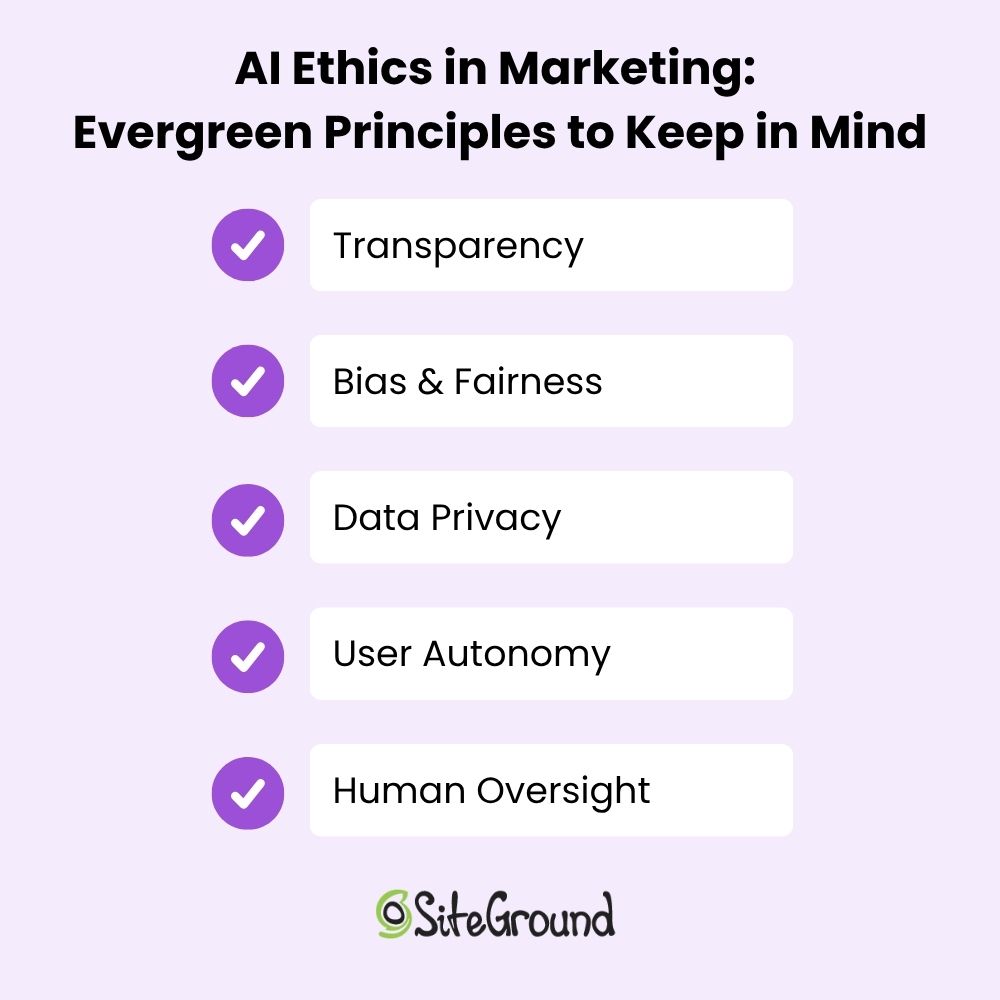
AI Ethics in Marketing: Evergreen Principles to Keep in Mind

As we’ve seen across different AI tools—from content generators to chatbots and ad engines—the ethical concerns and considerations may vary in detail, but they revolve around a few core themes. So as you move through the world of AI in marketing, no matter the context, you’ll always want to keep the following in mind: 

Transparency 

Whether it’s content, conversations, or ads, people deserve to know what’s AI-generated and how their data is being used. The more open you are, the more trust you earn.

Bias & Fairness 

AI doesn’t operate in a vacuum. It learns from us, flaws and all. That means unchecked models can reinforce stereotypes or unfairly exclude certain groups. Ethical marketing means that businesses should actively work to catch and correct those patterns.

Data Privacy

Just because data is accessible doesn’t mean it should be used indiscriminately. Ethical AI marketing respects customer privacy—not only to comply with regulations like GDPR, CCPA, or other regional laws, but also to limit exposure of private data when using external AI tools. Transparent data practices and secure handling are non-negotiable pillars of trust. 

User Autonomy

Personalization and prediction should empower users and not manipulate them. Ethical AI marketing supports better decision-making rather than pushing people into a corner.

Human Oversight

AI can do a lot, but it shouldn’t be doing it all alone. Keeping humans in the loop—especially for sensitive decisions or customer touchpoints—is what makes AI feel like a tool, not a replacement. It’s not meant to be the brain—it’s there to assist your brain. Your ideas, your judgment, and your expertise are still the most valuable parts of the process.

Together, these considerations form the foundation of responsible AI marketing and business. They’re not just “nice-to-haves,” but in fact critical for building brands that last.

A list of AI ethics and principles in marketing

Ethical Implications of AI: Where Marketers Go From Here

AI isn’t going anywhere—and neither are the ethical questions and implications that come with it. As marketers, we’re in a powerful position, as we get to shape how AI shows up in the world, how it interacts with real people, and how much trust it earns (or loses) in the process. That means asking hard questions, pushing for transparency, and making ethics an integral part of the process from the start.

We at SiteGround lean into AI, and it’s thoughtfully weaved into the fabric of what we do. For web hosting, our Antibot AI blocks millions of brute-force attacks before they ever reach your site. When it comes to finding the perfect domain, AI powers our search tools to suggest names that are relevant, memorable, and on-brand. And when it’s time to build your website or craft your next campaign, our Website Builder and Email Marketing Platform include built-in AI tools to help you create fresh content that’s clear, polished, and ready to go.

GEO (Generative Engine Optimization) and How to Get It Right

Featured image of blog post "GEO (Generative Engine Optimization) and How to Get It Right"

The world of search is evolving faster than ever, and with it, the way we optimize content. If you’ve been following the buzz around generative engine optimization (GEO) and AI optimization, you know it’s a hot topic right now—everyone’s talking about it!

But here’s the thing: while many experts touch on GEO search, most don’t dive into the actionable insights you need to actually adapt and thrive in this new landscape.

I’ve researched, tested, and put together strategies that are not only valuable but also practical and easy to implement. 

This isn’t just theory or fluff; it’s real advice, based on real-world testing, that can make a difference for your content and rankings. If you’re ready to move beyond the basics and dive into the true potential of GEO, keep reading. This article will give you the tools you need to succeed.

[41]

AI is revolutionizing everything we thought we knew—it’s transforming content creation, reshaping marketing trends, and redefining the very nature of organic search and optimization. 

On one hand, it allows brands to produce more content faster, leading to an oversaturation of results on the search engine results page (SERP). 

On the other hand, Google is leveraging AI to deliver more comprehensive and accurate answers while simultaneously ensuring users spend more time within its ecosystem.

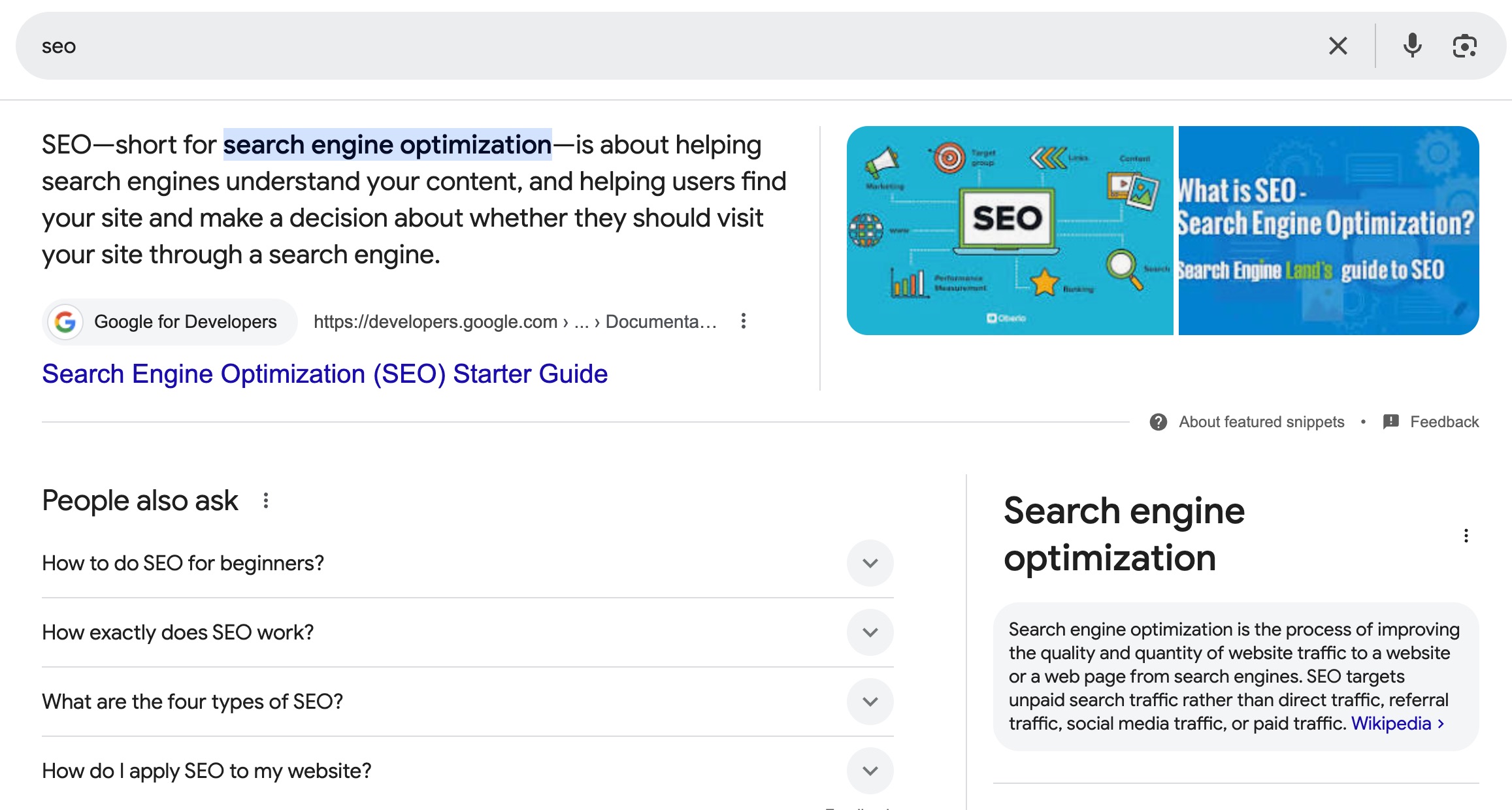
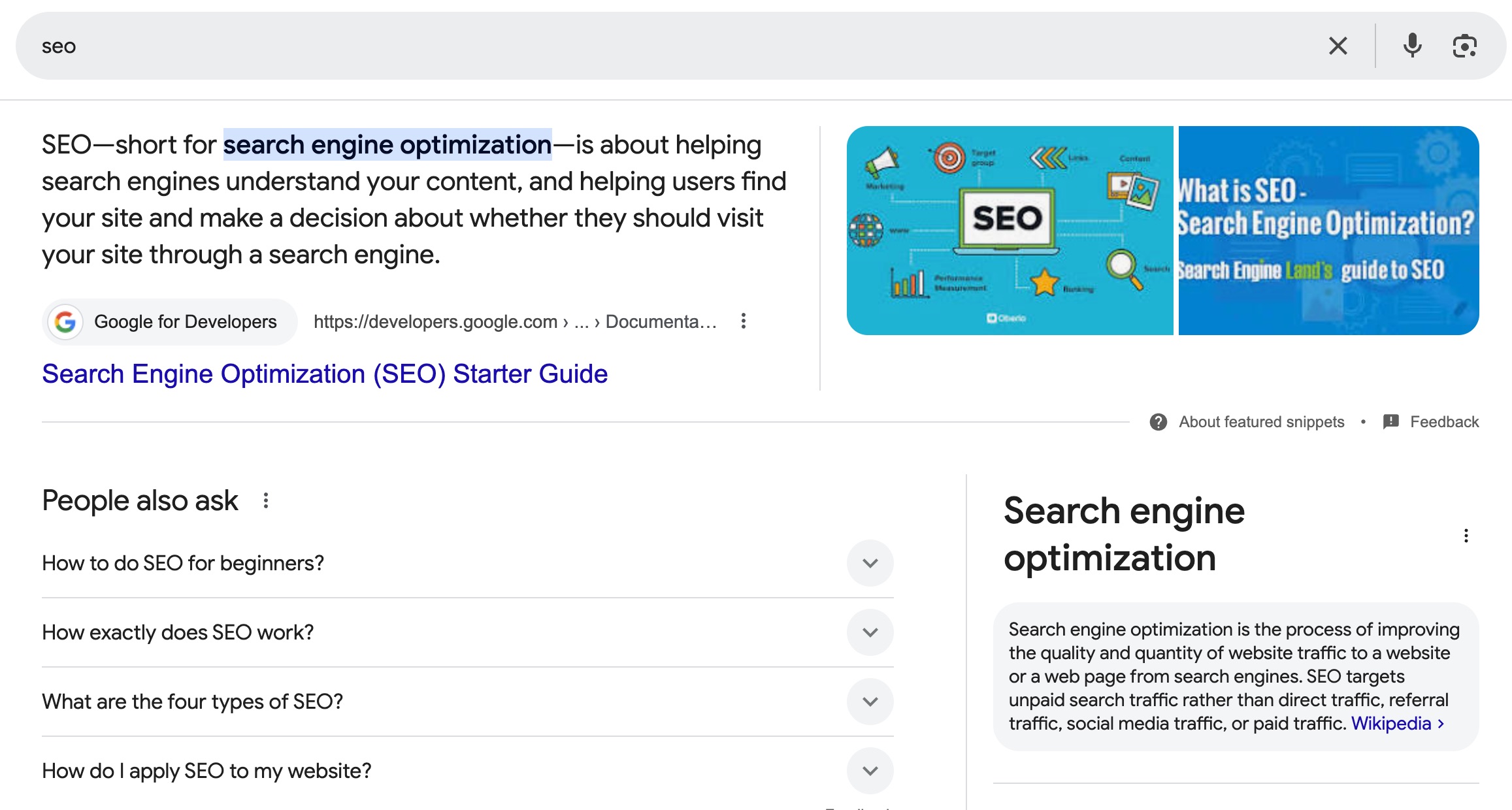
Screenshot displaying Google search results for the query "SEO".
Screenshot

We’ve already seen this with featured snippets, knowledge graphs, and ads taking up more space. Now, AI-powered Overviews are answering user queries directly on the results page, leaving organic listings pushed further down. 

This means less visibility for your content, making it harder to capture attention unless you adapt.

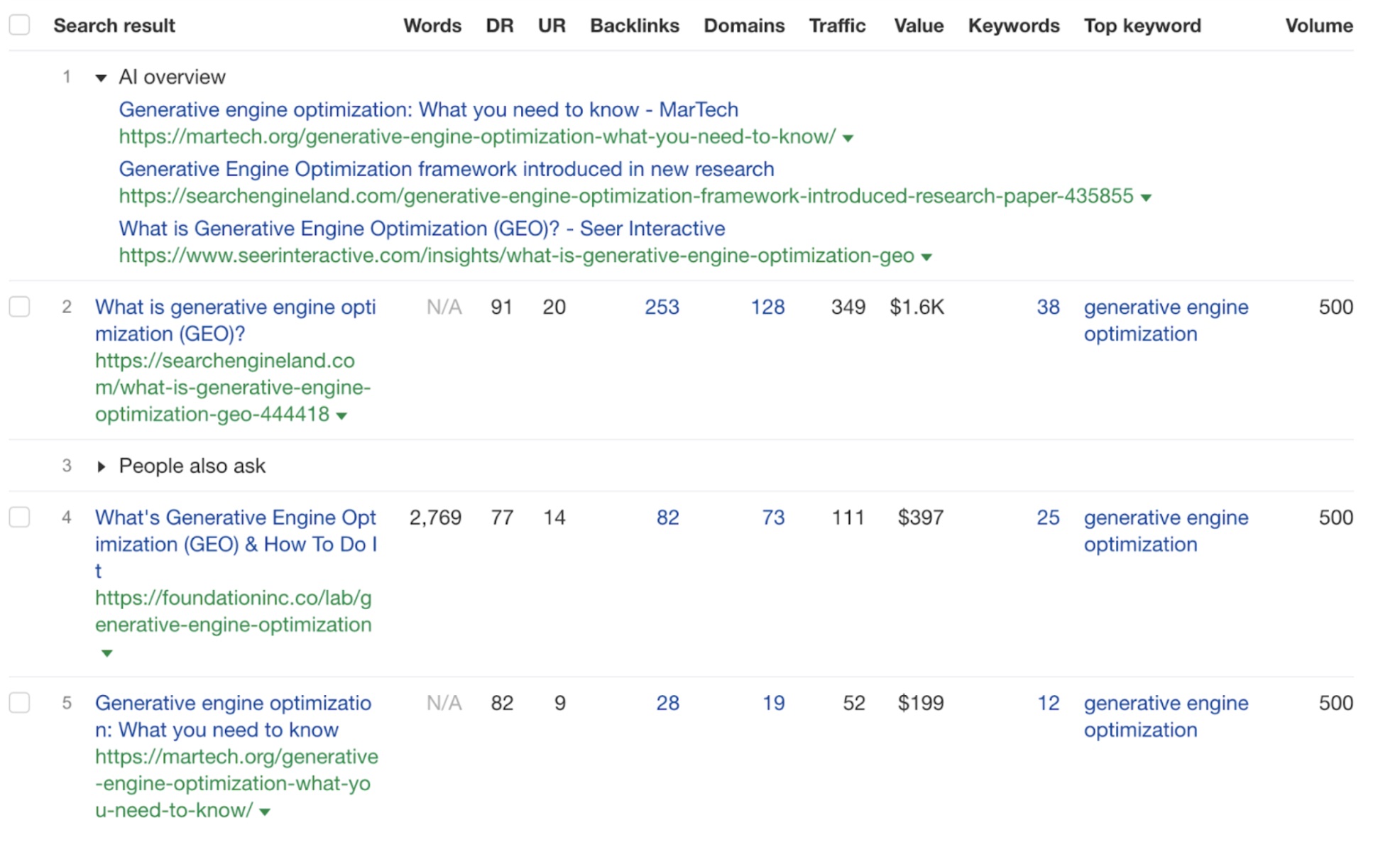
Look, even this very topic brings AI generated results.

Screenshot displaying Google search results for the query "GEO".

So, first, thank you for clicking through! And second, let’s dive into what we can do about generative SEO.

This shift isn’t random; it’s part of Google’s broader strategy to maximize user engagement on its platform. The longer users stay on Google, the more ad revenue it generates and the more opportunities it has to steer users toward services like Maps, YouTube, and Shopping. 

What’s different now is how AI is making this possible by delivering instant, conversational answers that reduce the need to click away even more.

As marketers, it’s clear that sticking to traditional SEO strategies isn’t enough. To stay competitive, the answer lies in embracing generative engine optimization (GEO). Only by aligning our content with how AI interprets and prioritizes information, will we be able to maintain visibility and ensure our message is part of this new search landscape. 

Let’s see what GEO is all about, and how to adapt your AI and SEO game in 2025.

What is Generative Engine Optimization (GEO)?

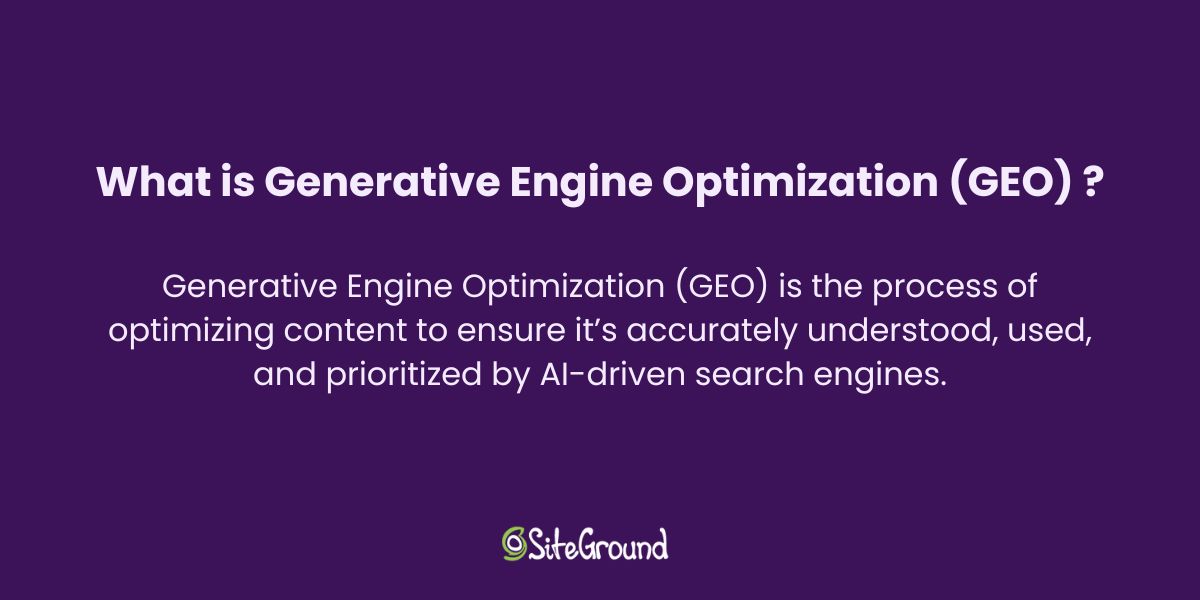
Image containing the definition of generative engine optimization (GEO), explaining its purpose and key features.

Generative engine optimization (GEO) is the process of optimizing content to make sure it’s accurately understood, used, and prioritized by AI-driven search engines. Instead of solely aiming to rank on traditional search engine results pages, GEO focuses on creating content that feeds into the conversational and synthesized answers generated by AI models.

In simple terms, GEO—also called generative search optimization or generative SEO—is about helping AI provide better, more accurate responses that include your brand or message. 

It’s undoubtedly true AI is shaping the way we do SEO in 2025. So generative engine optimization comes as an extra step beyond traditional SEO, embracing the way generative AI interprets and delivers information to users.

GEO is not just about improving search engine visibility—it’s about positioning your content to be included in the curated, conversational responses these AI tools deliver, while also making sure your brand doesn’t fall behind. 

Differences Between SEO and GEO

As search technology evolves, so do the strategies behind optimizing content. While traditional SEO (search engine optimization) has long been the go-to method for improving a website’s ranking on search engine results pages (SERPs), the rise of AI-powered tools has introduced a new challenge for marketers: generative engine optimization (GEO). Let’s go through the key differences between SEO and GEO. 

SEO (Search Engine Optimization) VS GEO (Generative Engine Optimization)

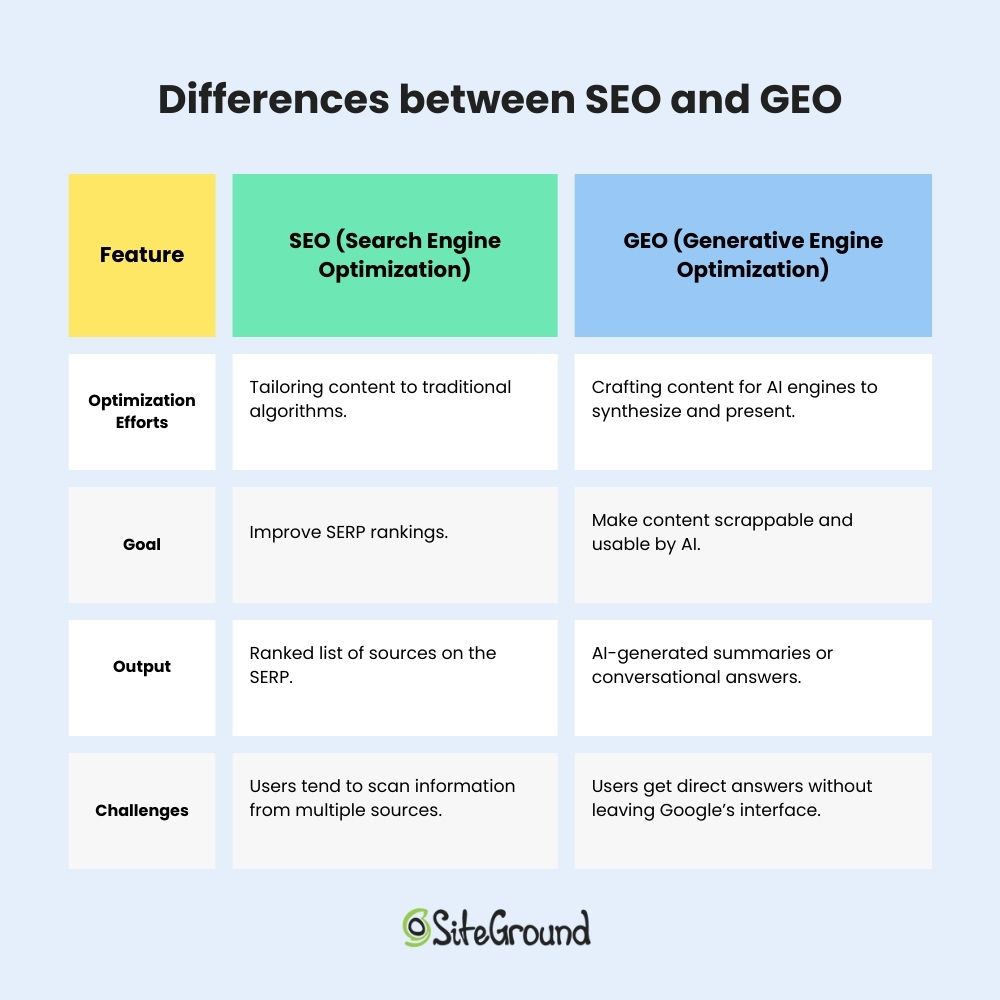
SEO (Search Engine Optimization)GEO (Generative Engine Optimization)
Optimization EffortsTailoring content to traditional algorithmsCrafting content for AI engines to synthesize and present
Goal
Improve SERP rankings
Make content scrappable and usable by AI
OutputRanked list of sources on the SERPAI-generated summaries or conversational answers
ChallengesUsers tend to scan information from multiple sourcesUsers get direct answers without leaving Google’s interface

Optimization Efforts

Traditional SEO focuses on tailoring content to meet the criteria of search engine algorithms, such as keyword density and other on-page elements. The goal is to secure higher rankings on search engine results pages (SERPs) by aligning with established ranking factors.

Generative search optmization, on the other hand, shifts the focus to crafting content that AI engines can easily synthesize and present as part of their dynamic, conversational outputs. This involves prioritizing clarity, structure, and contextual depth to ensure AI tools understand and include your content in their generated answers. 

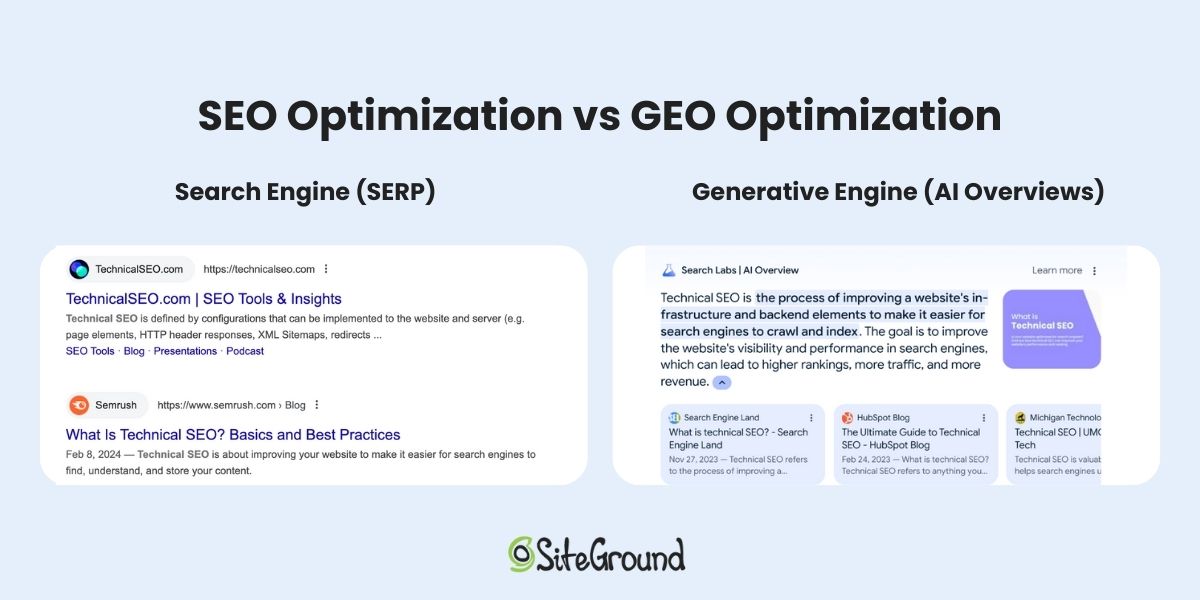
Comparison image showing Google search results page: one with the standard SERP without AI overview, and the other enhanced with a generative engine.

Goal

SEO is centered on improving rankings on search engine results pages (SERPs), making it easier for users to find and click on your content among a list of sources. The primary aim is to drive traffic to your website by adhering to traditional ranking factors.

GEO, however, takes a different approach. Its goal is to make content scrappable and usable by AI engines, enabling it to be synthesized into the concise, conversational responses that users increasingly rely on. 

Output 

With SEO, the typical result is a ranked list of sources on the SERP, but it also includes additional content like featured snippets, knowledge graphs, image packs, and other rich results that provide users with more detailed information.

In contrast, GEO focuses on generating AI-powered summaries or conversational answers. Instead of directing users to various sources, AI synthesizes content into succinct, direct responses that aim to answer the query right within the search interface. 

Challenges

SEO isn’t easy. You have to share the space with a huge amount of URLs, so that makes it hard enough already for any website to stand out. But as if it wasn’t enough, you’re not only competing with other websites but also with Google’s features like snippets, knowledge graphs, and image packs, which take up valuable space on the SERP. This makes it harder to stand out and capture attention, even if you rank well.

However for GEO, the challenge is even bigger, so no wonder why 21 % of SEO experts fear generative search optimization. With AI producing direct answers within Google’s interface, users may not need to leave the platform to find what they’re looking for. So, yes, it will be hard to position your content in a way that AI engines will choose it as a trusted source for their summaries or responses, but the actual struggle will be to ensure users still want to click through for more in-depth information.

Comparison table displaying the differences between search engine optimization (SEO) and generative engine optimization (GEO).

How Does Generative AI Work? AKA the Science Behind GEO

Generative AI and answer engines have revolutionized the way information is delivered to users by synthesizing content in response to queries. These systems work by processing vast amounts of data, identifying patterns, and generating human-like answers that address the user’s needs without requiring them to visit multiple sources. Here’s a breakdown of how they work:

  1. Data Processing: Generative AI engines analyze large datasets, often pulling information from a variety of sources—articles, websites, books, and more. The AI is trained to recognize context, intent, and relevance to better understand what the user is asking. And not only in text, but it’s also able to pull information from images, videos, etc.
  2. Natural Language Understanding (NLU): When a user submits a query, the AI engine first interprets the question by understanding the context, intent, and specific information the user is seeking. It identifies key terms and determines what the user really wants to know, going beyond simple keyword matching to really understanding the meaning behind the question. .
  3. Content Synthesis: Once the query is understood, the engine generates a response by synthesizing information from the sources it’s processed. This could be a short summary, a direct answer, or a more in-depth explanation, depending on the complexity of the query. What’s important is that instead of simply listing sources, the AI presents a summary or direct answer, combining insights from multiple sources into one cohesive response. If available, generative AI can also leverage personal data, such as user preferences or conversation history. This allows the system to tailor responses more effectively, providing customized or context-aware answers based on past interactions, preferences, or geographic location.
  4. Continuous Learning: As users interact with AI-powered systems, the AI engine learns and improves. What’s really impactful, though, is that it also adapts to new information, refining its responses to provide more relevant answers over time. This means AI-generated answers are constantly being updated and refined in real-time, making it harder to secure a consistent placement. The answers can change frequently, so content that ranks today might not hold its position tomorrow. This constant shift makes it even more challenging to maintain a stable spot, adding another layer of complexity for marketers and content creators.

8 Strategies to Adapt to Generative Engine Optimization

Now that we’ve explored what generative engine optimization (GEO) is and how it works, it’s time to dive into the strategies that will help you adapt and thrive in 2025. 

Believe me, I’ve been struggling with GEO myself. So I’ve been researching a lot. I mean, A LOT. 

Over time, I’ve learned through trial and error what really works when it comes to optimizing content for AI-driven search results. So In this section, I’ll go through 8 GEO strategies to help you optimize your content for AI-driven search, meeting the needs of both users and search engines. 

Disclaimer: If you’ve been researching generative search optimization, I’m sure you’ve come across this paper at some point. Seriously, everyone’s talking about it. And all the articles ranking on SERP (as of today) cite it as a source. 

While it’s great to see that research is being done, the truth is not everyone is satisfied with its take-aways (check out the conversation here). As Reddit users point out “ a lot of key details are missing”.

So I’ve taken the time to test and experiment with some other strategies myself, and what I’m sharing here are the insights that have worked after hands-on application (at least for me).

I hope these strategies will give you the edge you need to make your content more discoverable and relevant, ensuring your content is loved by AI systems and users alike.

Let’s take a closer look at what truly makes a difference.

1. Do Not Replicate SEO 

Traditional SEO methods do not directly apply to AI-generated results, and here’s why. 

Unlike search engines, which primarily rely on keyword matching to rank content, generative engines use sophisticated language models to process source documents and generate responses. These AI models don’t just match keywords—they analyze the nuances of text and better understand both the content and user queries. 

That means sticking to old SEO tactics won’t cut it anymore. To stay ahead, we need to develop new techniques tailored specifically to the way AI engines understand and present content. That’s truly what AI optimization stands for. 

2. Choose Your Queries Smartly 

Not every query will trigger AI-generated answers, so not all queries require special optimization for GEO SEO. 

As a general rule of thumb, focusing on informative keywords is a solid starting point for your GEO search strategy. Informative queries, such as “what,” “how,” “when,” and “why,” are ideal for GEO, as generative engines excel at providing clear, direct answers to these types of questions.

It doesn’t come as a surprise that long-tail keywords, natural language queries, and conversational phrases are becoming increasingly common for AI generated responses, as users expect more direct and personalized content. 

However, I’ve experienced that Generative SEO doesn’t make much sense for local queries, as Google tends to prioritize map results. The same goes for transactional queries, since Google typically directs users to Google Shopping results.

If you’re working on an ongoing project and notice a loss of clicks to AI overviews, start by targeting those keywords that are seeing AI-generated results. That will be a great starting point. 

3. Test Content That’s Already Ranking on the SERP

If your content is already ranking well on the traditional SERP, then you’re off to particularly a good start for GEO optimization. 

Being visible in search results gives you a strong foundation to optimize for AI engines. However, just because you’re ranking doesn’t mean you’ll automatically appear in AI-generated answers. 

Generative engines look for specific qualities—like clarity, structure, and relevance to user queries—that might not always align with traditional SEO ranking factors. So, even if you’re high on the SERP, you still need to adjust and optimize your content to meet the unique demands of AI engines.

4. Make Your Content Relevant

The more relevant your content is to a specific user query, the more likely it is to appear in AI-generated answers.

This goes against the trend of creating long, all-encompassing articles that try to cover every angle of a topic, as old SEO required for. 

Instead, focus on creating concise, targeted content that addresses specific questions or problems from a very particular angle. By narrowing your scope and providing highly valuable, focused information, you increase your chances of being selected by AI engines, as they prioritize content that is specific, clear, and directly aligned with user intent. 

Additionally, study the topics, response structures, and sources that trigger AI-generated overviews. Look at which formats—whether paragraphs, lists, videos, or tables—are preferred by AI engines. Identifying these trends will allow you to tailor your content to match the most effective formats.

5. Use an Easy-to-Scan Structure

Make sure your content is scannable. The text that gets picked up is typically concise and easy to digest. 

Besides, from what experts have observed, AI engines tend to take the content they scrap from the beginning of the article. 

One key strategy that seems to be working is including a summary or key takeaways in the first paragraph. This increases the chances of your content being chosen by AI engines because it quickly provides clear information right at the start. 

So, structure your articles with this in mind to make it more likely for your content to be included in AI-generated answers.

6. Focus on Quality and Originality 

Generative AI models are trained on vast datasets, allowing them to identify and prioritize high-quality, original content. To stand out, your content must go beyond the basics and offer something unique. 

In-depth, well-researched articles that provide fresh insights or a unique perspective are more likely to get recognized by AI engines. Quality and originality aren’t just buzzwords—they are key factors that help ensure your content is valued and selected for AI-generated summaries. 

When you focus on providing real value to users, you increase your chances of being picked up by AI engines over competing, generic content.

7. Demonstrate Experience and Expertise

To stand out in the world of generative search optimization, it’s crucial to showcase firsthand experience and credibility in your content. AI engines are more likely to prioritize content that demonstrates genuine expertise. 

Content creators should ensure that their work is written or reviewed by individuals who have real-world experience on the subject matter. This could mean incorporating personal stories, case studies, and original images or videos that show deep knowledge and firsthand involvement in the topic.
Alongside this, detailed author bios are essential. Create bios that highlight the author’s background, credentials, and achievements. This not only helps build trust with your audience but also with AI optimization systems, which may prioritize content from authoritative sources. 

On the same note, establishing your site as a reliable resource requires citing reputable sources, incorporating expert quotes, and backing up claims with insightful statistics and data. 

8. Submit for Reindexing 

As we mentioned earlier, AI overviews are constantly being updated in real-time, making them more dynamic and ever-changing. While this presents a challenge, it also creates an opportunity. 

By submitting your content for reindexing after you optimize it for GEO, you give search engines the chance to pick up any new updates or improvements you’ve made, increasing the likelihood that your content will be recognized and selected for AI-generated summaries. 

Reindexing your pages signals Google that your content remains fresh and relevant, giving it a better shot at appearing in those AI overviews.

Needless to say, constant monitoring is key to ensuring that your content doesn’t get outranked. Keep an eye on whether your articles are still being featured in AI overviews, and track your rankings regularly. If you notice that your content is being pushed down by newer, more relevant content or updates, it’s time to optimize again. 

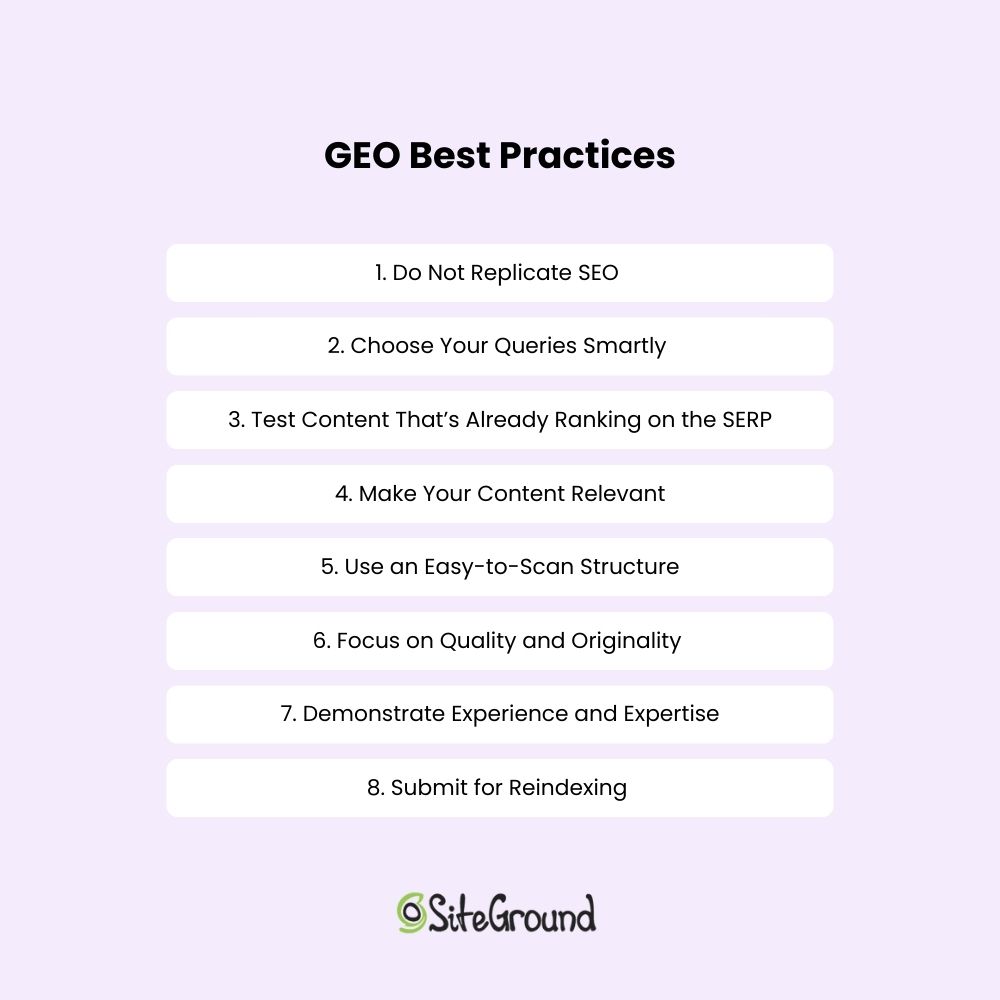
Checklist of best practices for generative engine optimization (GEO).

SEO Is Now GEO

As the digital landscape evolves, SEO is no longer the sole strategy to drive visibility and traffic. With the rise of generative engine optimization (GEO), marketers and content creators must adapt to a new paradigm where AI-driven responses are slowly increasing in popularity.

Embrace GEO, and you’ll be better positioned to thrive in this new era of search. Stay updated!

How to Write ChatGPT Prompts: Dos and Don’ts

Chat_GTP_Prompts

This article was original published in January 2025, and updated in December 2025

At first blush, using ChatGPT might seem like you’re unlocking a treasure chest of possibilities. But the reality is that without the right key, you’re likely to end up with a lot of “fluff” (as ChatGPT loves to say) instead of gold. That’s where mastering the art of writing effective ChatGPT prompts comes in — because even the most advanced AI models need clear guidance to deliver useful results.

Whether you’re brainstorming ideas, drafting emails, or solving complex problems, writing effective prompts can transform your interaction with AI from frustrating to fabulous. In this ChatGPT prompt guide, we’ll dive into the dos and don’ts of writing the best prompts for ChatGPT so that your results are precise, creative, and actionable.

Key Takeaways:

  • Clear prompts = better results: Specific instructions help ChatGPT produce accurate and useful outputs.
  • Provide context: Background information ensures responses are relevant and tailored.
  • Specify task, format, and examples: Tell the AI exactly what to do and how to present it.
  • Define role and tone: Guiding perspective and style improves alignment with your goals.
  • Use constraints and iterate: Limit scope, fact-check, and refine prompts for optimal results.

[108]

What is a ChatGPT Prompt?

A ChatGPT prompt is the input or instruction you provide to ChatGPT to generate a response. Think of a ChatGPT prompt as a question, statement, or directive that guides the AI’s output. And while ChatGPT is one of the best AI tools for business, the reality is that the quality and structure of your prompt directly influence how much you can really get out of it. 

At its core, a good prompt establishes clarity, sets expectations, and provides enough detail for the AI to understand the task. Whether you’re creating content, solving problems, or brainstorming ideas, mastering ChatGPT prompting can revolutionize your AI interactions and experience.

What is a Large Language Model (LLM) and Generative AI?

ChatGPT is powered by a large language model (LLM), a type of AI trained on vast amounts of text to understand language patterns, context, and meaning. As a generative AI, a large language model like this doesn’t just pull information—it creates new text based on the instructions you give it. That’s why the way you write your prompts matters so much: it helps guide the AI to generate desired outputs that are accurate, relevant, and tailored to your needs.

What is Prompt Engineering?

Prompt engineering is the practice of designing and refining ChatGPT prompts to get the most useful, accurate, and creative responses possible. It’s more than just asking questions; it’s about strategically crafting prompts so the generative AI understands exactly what you need. By applying prompt engineering techniques, you can guide ChatGPT to generate outputs that meet your goals.

How to Write ChatGPT Prompts: Dos

The question is then, how to put this prompt engineering in practice? The following dos tackle just that, giving you tools you need to write effective prompts that get the most out of ChatGPT. 

Do: Give Context

Let’s start with our first, very-important “do”: context. It’s the background information we give in a prompt—think of it like setting the stage for a conversation. Providing context is one of the key techniques in prompt engineering, as it helps generative AI understand your requirements more accurately. The more context you provide, the better ChatGPT can understand your request and give you a response that actually helps. 

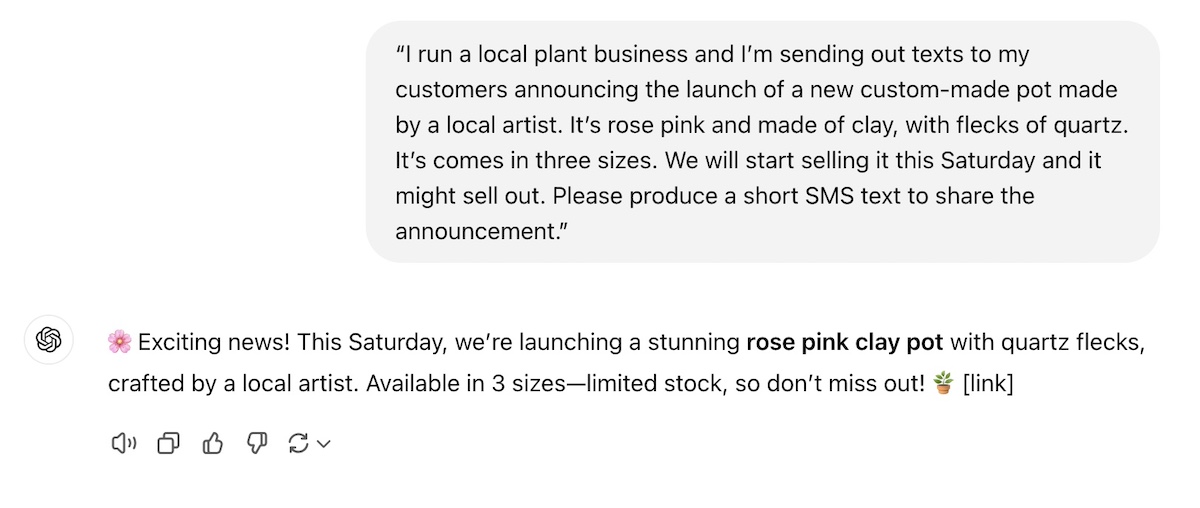
For example: Imagine you want it to draft a welcome email for new subscribers. Before you get to the request, give ChatGPT more background info. You could provide the following context: “I run a small, family-owned business selling eco-friendly pet supplies. We offer new email subscribers 20% off with the code WELCOME when they sign up for your newsletter. Please craft a friendly welcome email.” 
Or, “I work at an interior design shop and have a team of ten people working for me. The business has done particularly well this last year and we are giving out bonuses to thank employees for their hard work and loyalty. Please craft an email sharing this announcement.”

The first part of each request is the context. We could easily create more detailed prompts in order to produce emails that are even more customized and accurate. Indeed, the more specific your context, the better the AI can align with your expectations rather than giving you generic or unrelated outputs that really don’t get the job done.

Go beyond ChatGPT and get the most of AI right as you create your marketing emails. With SiteGround Email Marketing, you can take advantage of our built-in, email creation-trained AI to help you produce the best emails possible.

Get started with SiteGround Email Marketing today>>

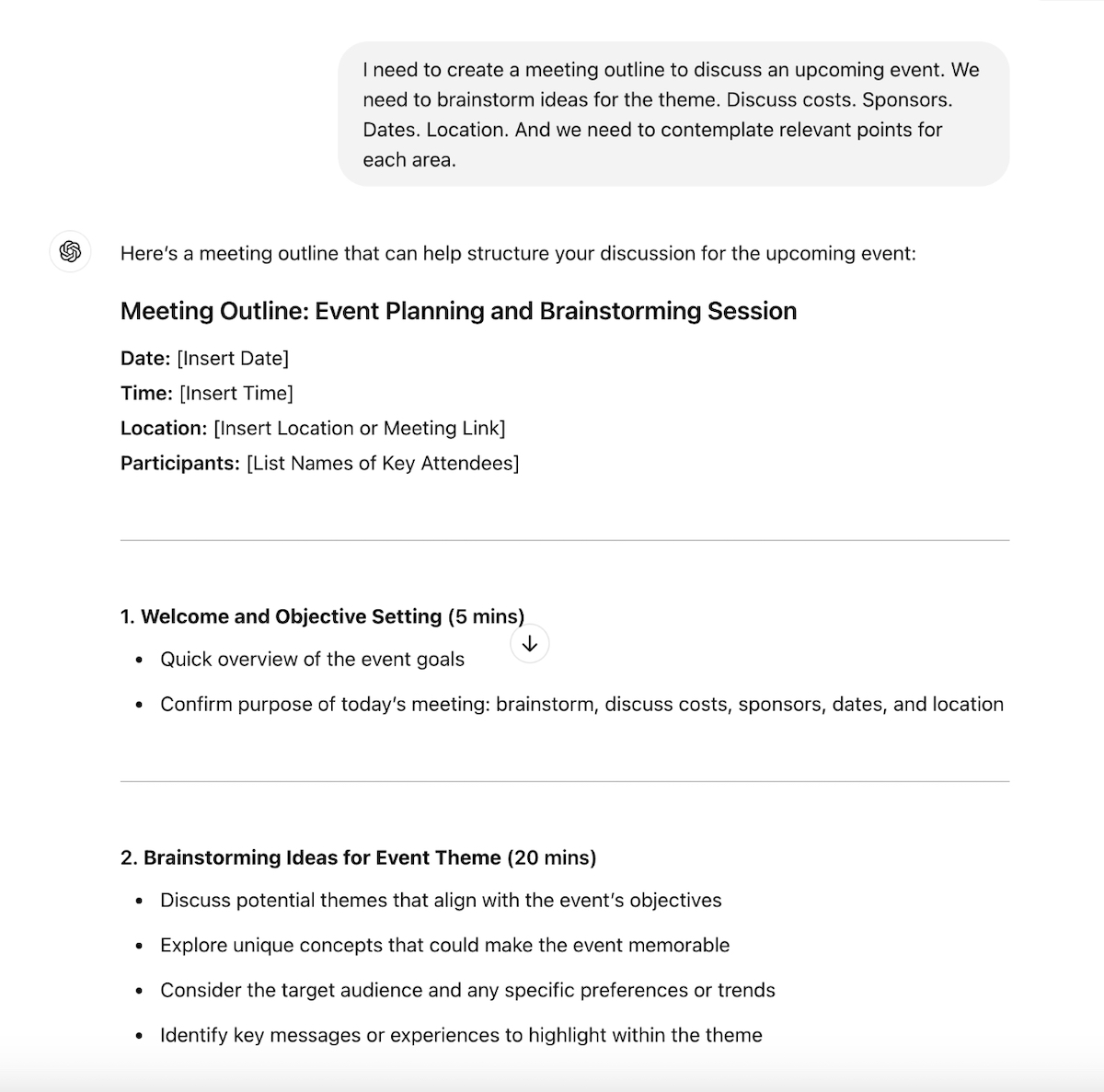
Let’s look at another “context” example. Check out the responses for these two prompts. The first one is quite vague with little context, and the second one much more detailed. 

ChatGPT Prompt 1—with little context:

chatgpt-prompt-without-detailed-description

ChatGPT Prompt 2—with detailed context:

best-prompts-for-chatgpt-with-detailed-context

Notice that the initial prompt didn’t even mention anything about eco-friendly or sustainability. So without specifics, ChatGPT just filled in the blanks, as it is wont to do. Meanwhile, in the second prompt, the response is detailed, informative, and motivating. A little relevant context goes a long way when it comes to getting a quality result.

Do: Identify a Task

Next is the task—this is where you define exactly what you want ChatGPT to do. Do you need advice? A list of ideas? A detailed plan? Or, as was the case in our previous example, an SMS text? Imagine exactly what kind of information you need, and don’t be afraid to tell ChatGPT precisely that by giving it clear instructions and being extra specific.

  • “Create a to-do list for throwing a toddler’s birthday party.”
  • “Draft an Instagram caption for a summer travel photo for my tourism business.”
  • “Brainstorm three unique business ideas related to sustainable fashion.”
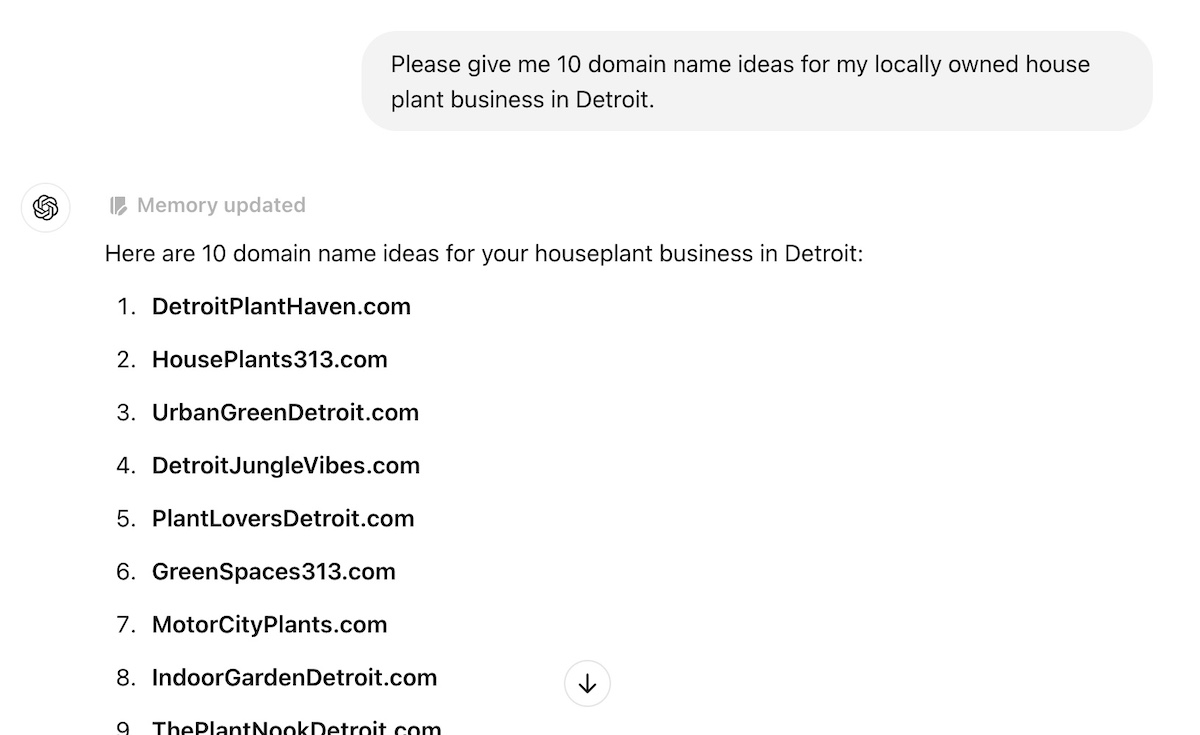
  • “Please give me 10 domain name ideas for my locally owned house plant business in Detroit.”
Best-chatgpt-prompt-identify-a-task

By defining the task, you help ChatGPT produce output that is actionable and relevant, and not something that you need to rework and reorganize. Add the aforementioned context, and you’re on your way to much more valuable and relevant responses.

Do: Define a Format

Format involves using clear and specific prompts to clarify how you want the answer to be presented. This could be a bullet-point list, a 100-word paragraph, or even a table. Stating the desired format helps ChatGPT structure its response accordingly, and makes life easier for you. A few examples include:

  • “List three benefits of using renewable energy in bullet points.”
  • “Create a checklist of ways I can improve my website speed.”
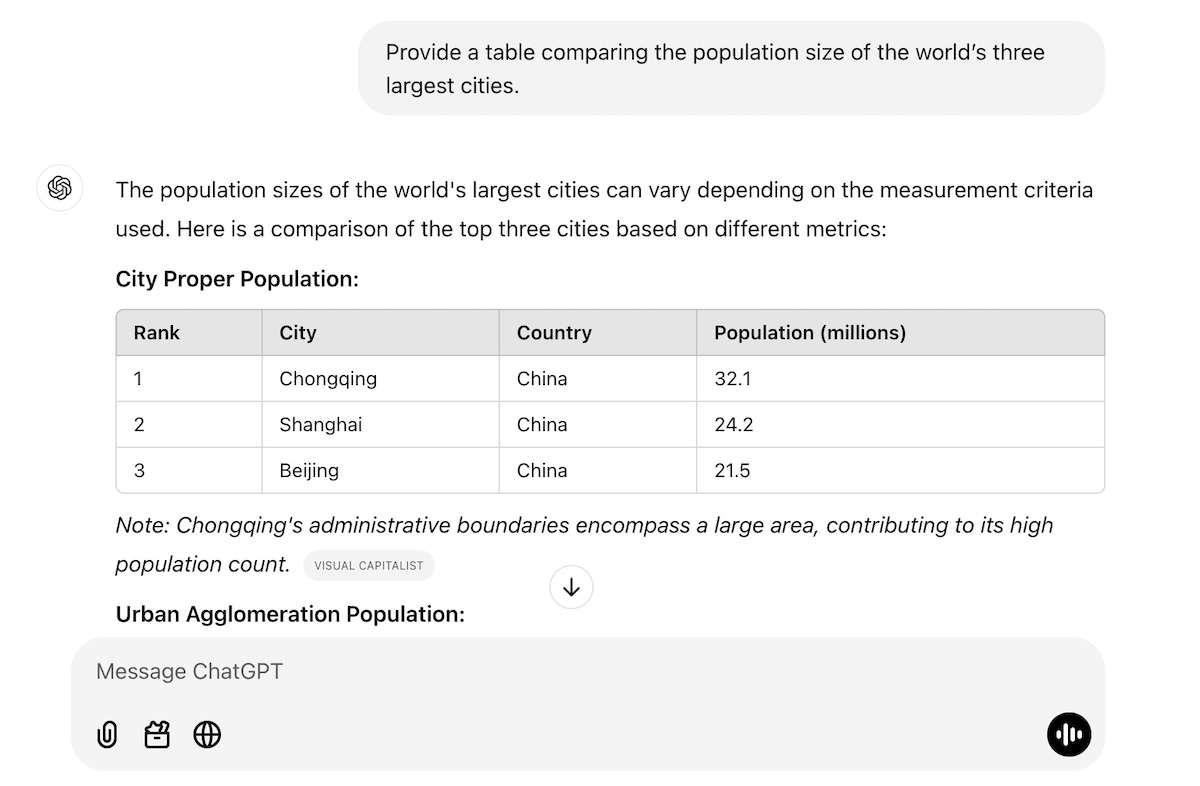
  • “Provide a table comparing the population size of the world’s three largest cities.”
  • “Write a 500-word dialogue between two teenaged characters discussing their favorite movies.”
chatgpt-prompting-identify-format

And don’t be shy here! You can get as detailed and specific with the format as you like. You could provide a precise article outline. Or maybe you need your table organized in just the right way—columns that say this, rows that say that. Perhaps you want an example for each bullet point. Really envision the final output, define it, and then tell ChatGPT exactly what you want.

Do: Provide Examples

One of the most effective ways to guide ChatGPT is to provide examples of the kind of content you want it to produce for you. This could mean sharing an existing blog post, a sample press release, or types of emails you’ve previously sent. By doing this, you’re prompting ChatGPT in a way that demonstrates exactly what you’re looking for in terms of style, format, or whatever it is you fancy—even if you’re unsure how to write prompts. 

Using examples can be particularly helpful when you’re producing AI-generated content that you want to be similar to what you’ve already produced. So let’s say you sell a bunch of products, each with a product description in a similar format (same length, type of details, format). If you have a new product, you can just tell ChatGPT the new product’s features, provide another product description as an example, and ask it to produce a similar description for your new product.

best-chatgpt-prompts-with-an-example

Do: Specify a Role

By assigning a role in your prompts, you provide additional context that shapes how generative AI creates its reply. This is another prompt engineering tactic that helps align ChatGPT’s output with the perspective or expertise you need. Because when you give the AI a role, it can adopt the necessary tone, terminology, and perspective for the task. Examples include:

  • “Act as a personal trainer and create a seven-day beginner workout plan.”
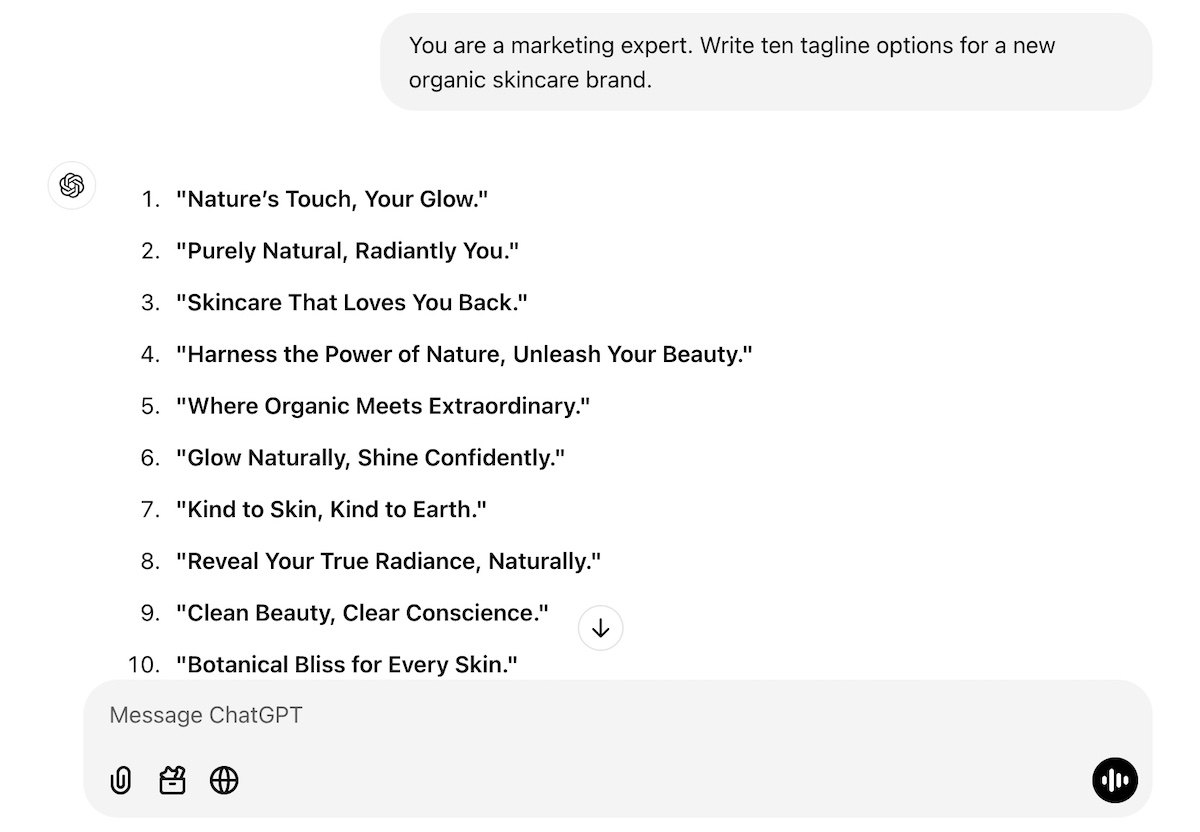
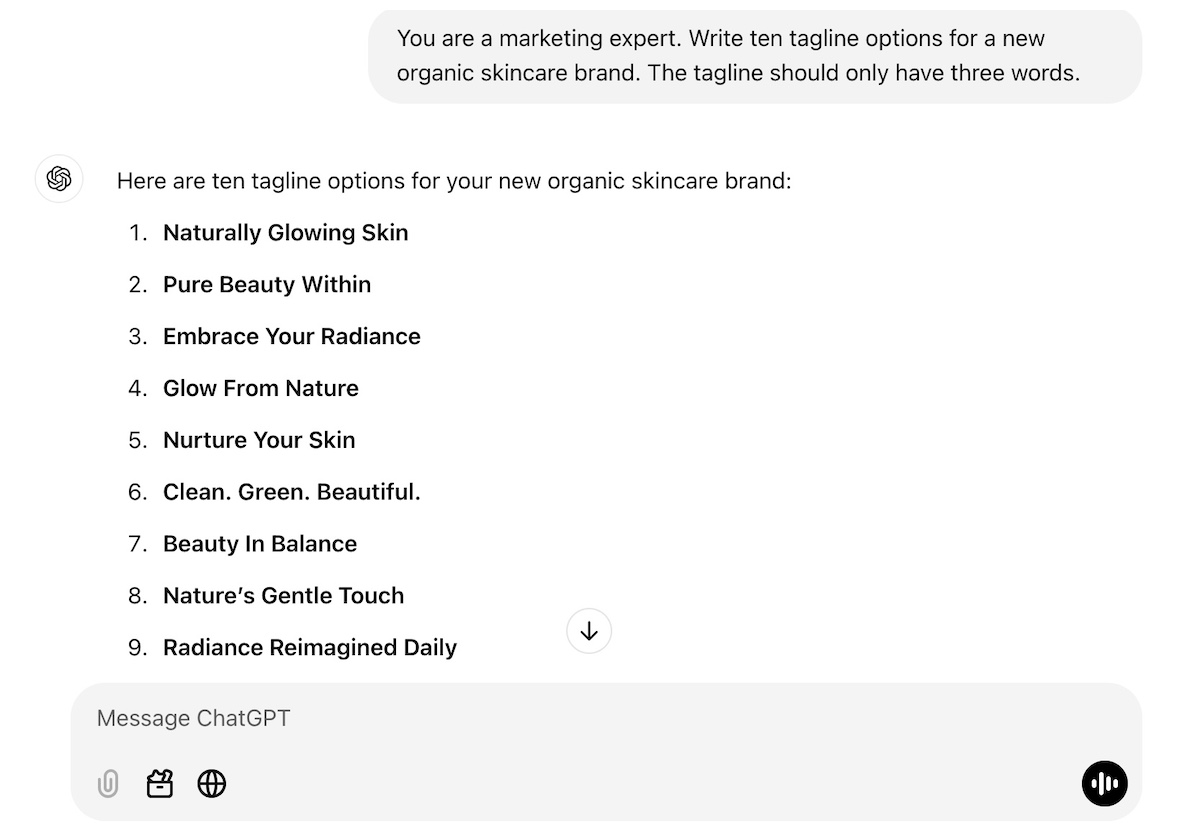
  • “You are a marketing expert. Write ten tagline options for a new organic skincare brand.”
  • “Pretend you’re a teacher explaining the basics of algebra to middle school students.”
chatgpt-prompt-specify-a-role

You can get even more creative with role assignment, though. Give ChatGPT a role—such as, let’s say, ask it to pretend to be a job recruiter for a software engineering job that you’re interested in. Provide it with context around the job position and ask it to carry out a mock interview with you. 

Or maybe you need to have a tough conversation with a friend about how they are always canceling on you last minute. Again, just tell ChatGPT a bit about the situation (the context), and ask it to act as your friend (the role) and carry out a practice conversation with you (the task). 

Do: Clarify Tone of Voice

Tone of voice can completely change the way a copy response feels. Maybe you want a formal, professional tone for an investor proposal, or a casual, friendly tone for your event’s promotional materials and blog post. Specifying this will help you get the vibe you’re looking for.

Whether you’re aiming for professionalism, friendliness, humor, or formality, clarifying the tone helps set the mood for the content. For example:

  • “Write a friendly and casual thank-you email for attending a webinar.”
  • “Draft a formal letter to request sponsorship for an event.”
  • “Create a humorous caption for a dog wearing sunglasses.”
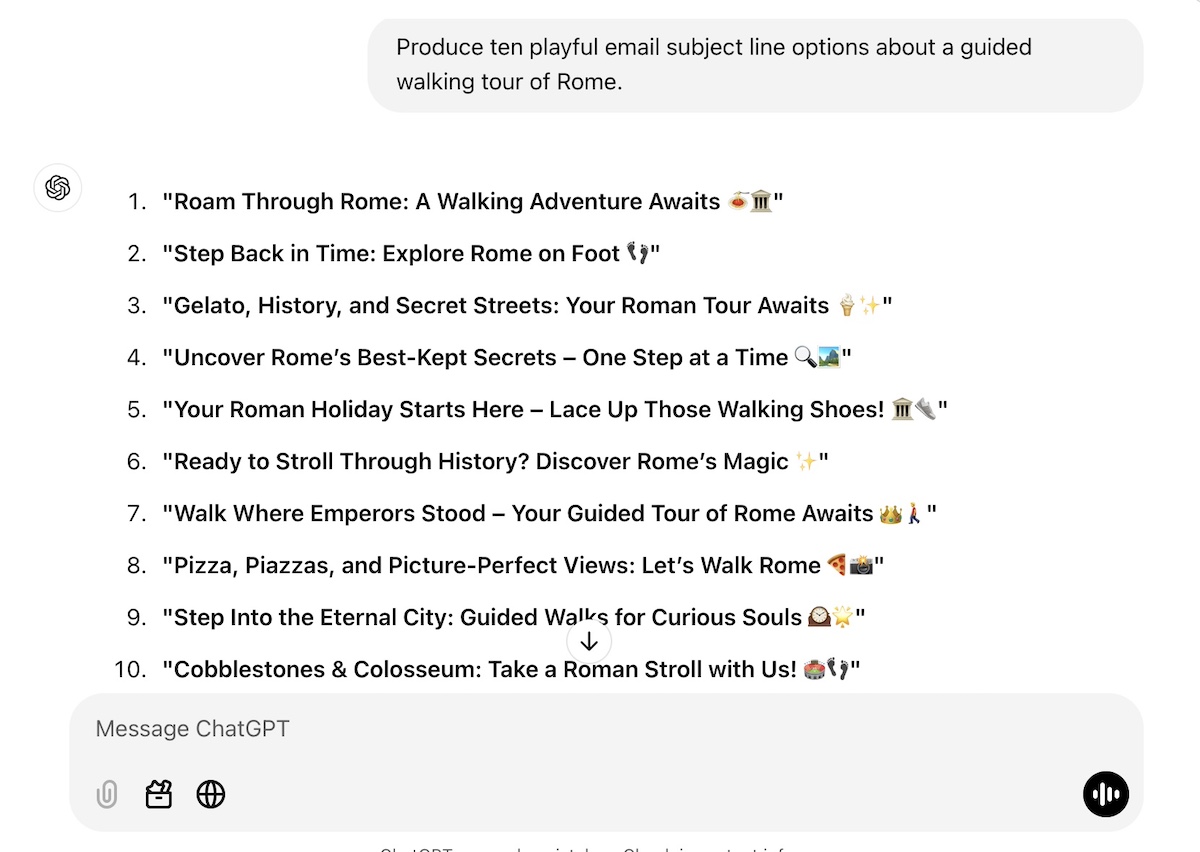
  • “Produce ten playful email subject line options about a guided walking tour of Rome.”
best-chatgpt-prompts-tone-of-voice

Let’s look at this a little more closely with another example. Check out the difference in response when we specify tone. The response differences are subtle, but the vibe definitely changes when we give ChatGPT guidance on tone.

No tone specification

chatgpt-prompting-without-specifying-tone

With tone specification

best-chatgpt-prompts-specify-tone

Do: Leverage Constraints

The most effective prompts include constraints in order to guide the AI to focus on specific aspects of the task, making the output more targeted and efficient. Basically, you’re telling ChatGPT what you want it to do and specifically what you don’t want it to do. This helps to keep ChatGPT from wandering off into unwanted territories or providing you something completely different than what you were looking for.

Examples include:

  • “Write a summary of this article. It should be no longer than 50 words.”
  • “You are a marketing expert. Write ten tagline options for a new organic skincare brand, but the taglines should only have three words.”
  • “Create a Black Friday email to go out to my subscribers, but don’t use the words “Christmas” or “Thanksgiving.”
  • “Generate a social media post that includes the words ‘adventure awaits,’ and is no longer that 60 characters. ”
chatgpt-prompt-with-a-constraint

In the above example, we’ve given information about the brand, as well as a constraint In the above example, we’ve given information about the brand, as well as a constraint around the length of the tagline, thus refining the results. As you can see, constraints help narrow the scope of the response, ensuring it aligns closely with your requirements.

How to Write ChatGPT Prompts: Don’ts

ChatGPT benefits from constraints and, well, so do we! That’s where the “don’ts” come in. Indeed, as you produce your prompts, there are several “don’ts” to keep in mind. 

Don’t: Use Vague ChatGPT Prompts

Vague questions lead to vague answers, and nobody wants that. As we’ve discussed above, ChatGPT thrives on specificity, so the more detail you provide, the more useful the response will be. 

For example:

  • Instead of asking, “Please give me some good outdoor activity ideas?” try: “What are some fun outdoor activities for kids and families in the Austin area during spring?”
  • Instead of saying, “Give me some marketing ideas for my new business,” specify: “Please give me five digital marketing ideas for my new online store that can easily be implemented by someone without a lot of tech knowledge or a big budget. Also provide me with email marketing metrics that I can use to measure success, and tell me how to analyze them.”

In the marketing example, ChatGPT might give you ideas that apply to a brick-and-mortar shop, or perhaps to a business with a big budget. It might tell you to build an elaborate advertising campaign, even though you don’t have the money or know-how. Whereas in the more-detailed ChatGPT prompt, you’ll be getting measurable ideas that are relevant to your online business, within your budget, and likely within your skillset.

Bonus tip: Don’t forget to leverage our previous “dos!” You could identify the format and ask ChatGPT to put all of these ideas into a table, or organize them in any way that would help you to make the results more actionable.

Don’t: Assume Accuracy

While ChatGPT is powerful, it’s not infallible. It may produce outdated or incorrect information, especially when dealing with niche topics or rapidly evolving industries. It’s also, shall we say, kind of a people pleaser. That is, if you ask it a question, it feels compelled to give you an answer, and sometimes this just means it fills in the blanks with random and not-so-accurate info. 

As such, always fact-check critical details, such as statistics, dates, or specific claims, to ensure accuracy. For example:

  • If ChatGPT provides data about market trends, verify the source before including it in a presentation.
  • When using the AI for research, cross-reference the information with reliable, up-to-date sources.

Another way to ensure accuracy is by providing ChatGPT with the source information. So instead of asking it “what is Nike’s value proposition?”, you could provide it with Nike’s website URL, and say, “based on this website, what is Nike’s value proposition?” That way, you know ChatGPT is pulling the answer directly from the source, rather than from unknown and possibly unreliable corners of the internet.

Long story short, this prompt guide highlights how to think of ChatGPT as a helpful assistant, not an authoritative expert. That means you’re the quality control and, when it comes to accuracy, the buck stops with you.

Don’t: Settle for the First Answer

The first response isn’t always the best; this is why iterative prompt engineering is important—you can tweak and refine your prompts until the AI gives you the most useful result. For instance:

  • If the response feels too formal, you can say: “Rewrite this with a friendlier tone.” Still not what you’re looking for? Tell it what you do or don’t like, and ask it to try again. And then again…and again, until you’re satisfied.
  • If the output lacks depth, try: “Can you expand on this idea with examples?”
  • If the answer doesn’t feel actionable enough, ask: “please provide a list of next steps.”

Also, you can totally build on ChatGPT’s answers! So if it gives you a bulleted list, you might decide that you’d like it to turn that list into a table, and maybe even add some extra detail, like costs or action items. The main takeaway here: use ChatGPT’s initial responses as a starting point for crafting the most optimal answer. 

Don’t: Assume It Knows Your Goal

ChatGPT can do a lot of things, but it can’t read your mind (yet! Gulp). So don’t assume it knows your intentions unless you make them clear. If you’re looking for specific outcomes or seek to address a particular audience, then you need to spell it out. For example:

  • Instead of saying, “Tell me how to grow my email list,” specify: “I want to build leads for my new, seven-day, online public speaking program. Please give me email lead generation tips that I can easily implement in the next couple of months.” 
  • In place of, “Write a blog post about fitness,” clarify with: “I’m a personal trainer and want to get more clients and want to write a blog to help me do this. Give me ideas about how busy professionals in the Seattle area can fit exercise into their daily routines. Be sure to make mention of personal training.”
  • Rather than just saying, “I’m looking for marketing strategies for my online store,” elaborate on what your goals are and what you’re hoping to accomplish, whether that’s more online traffic with a budget of $1,000, or increasing social media followers in the next 60 days.  

Paint the full picture, start to finish, so that ChatGPT gives answers that meet your exact needs and goals.

Start Writing the Best Prompts for ChatGPT

Crafting effective prompts for ChatGPT is part science, part art. By following the dos and avoiding the don’ts, you can unlock ChatGPT’s full potential to generate responses that are accurate, creative, and actionable. Treat AI as your creative collaborator, and you’ll get more out of ChatGPT than you could have ever imagined possible.

This article was original published in January 2025, and updated in December 2025

AI and SEO: What’s Next for the Future of Search

The way we approach SEO is changing rapidly, thanks to the growing impact of AI. This shift is challenging many of the strategies we’ve relied on for years, forcing us to think differently about how we create and optimize content. It’s no longer just about ranking high—it’s about staying relevant and getting clicked. 

In this guide, I’ll walk you through how AI is reshaping SEO and share practical tips to help you adapt. Together, we’ll explore ways to align with these changes and ensure your content continues to stand out, connect with your audience, and meet the demands of tomorrow’s search engines.

[41]

AI Impact on SEO

Let’s begin by addressing the question on everyone’s mind: how will AI impact SEO?

AI is reshaping everything we thought we knew about SEO. 

From transforming content creation to changing the way we approach marketing, artificial intelligence is redefining the landscape of organic search and optimization. 

Let’s be honest. SEO was never easy. In the past, users would have a big amount of URLs to choose from, making it difficult for any website to stand out. 

As if this wasn’t enough, SEO professionals had to start competing not just with other websites, but also with Google’s features like snippets, knowledge graphs, and image packs, which dominate more space on the search engine results page (SERP).

Google search results page displaying a featured image snippet and a paragraph snippet for an SEO search query.
Screenshot

But AI gave us hope—well, at least for a minute. It enabled brands to produce content at a faster pace with less resources and need for investment. 

So we are all somewhat guilty. Without realizing, we have been contributing to an oversaturation of results on the SERP. And Google is determined to fight back. 

On one hand, latest SEO trends suggest that Google is increasingly prioritizing user-generated content, as users seek more authentic and genuine insights. Platforms like Reddit, Quora, and niche communities are now dominating the search results because they offer room for genuine discussions, trusted recommendations, and practical advice.

"How to fix 301 error" query results showing user-generated content from Reddit, Quora, and niche communities.

But also, Google is taking even more space on the SERP with the so called AI Overviews. And this shift isn’t random—it’s part of Google’s larger strategy to keep users engaged within its ecosystem. The longer users stay on Google, the more ad revenue it generates and the more opportunities it has to drive traffic to services like YouTube, Maps, and Shopping. 

So with these AI-powered overviews, Google powers instant, conversational answers, reducing the need for users to click away from the search page altogether. As a result, organic listings are being pushed further down the page, making it harder to capture attention and visibility unless we start to adjust our approach.

For marketers, it’s clear that sticking to traditional SEO strategies just isn’t enough anymore.

So what do we do now?

What’s Next for the Future of SEO: 5 Facts You Need to Know

First of all, no need to panic. 

After doing plenty of research, here’s a breakdown of what’s changing in the world of AI and SEO. 

In this section, I’ll walk you through everything we know about AI’s impact on SEO and what’s coming next: key developments, trends, and insights shaping the future of SEO. 

We’ll explore how these shifts are reshaping search engine strategies and what you need to know to stay ahead. Let’s get started! 

1. Expertise and Authority Will Be Valued for Users and Engines Alike

As a consequence of this content overload, search engines prioritize pages that reflect genuine credibility and firsthand knowledge. This shift emphasizes the need for content creators to highlight real-world experience through personal stories, case studies, and original insights that demonstrate subject-matter expertise.

As you can see, transparency is essential. The more you demonstrate that your content is created by true experts with verifiable credentials, the better your chances of earning Google’s trust—and climbing the rankings.

What’s more, Google’s algorithms are increasingly designed to reward brands that clearly display their creators’ expertise and achievements. So a key part of this strategy is crafting detailed author bios that showcase an author’s authority, background, and accomplishments. Not only does this build trust with your audience, but it also sends a signal to AI-driven optimization systems. 

2. No Fluff—Just Genuine Informative Content

It’s not just about who delivers the message—but also about the value of the message itself. As AI continues to shape the future of SEO, the demand for content that provides truly insightful answers is growing. 

Generative AI models, trained on massive datasets, are designed to prioritize high-quality, original content. This means your content needs to go beyond surface-level information and offer something unique. In-depth, well-researched pieces that bring fresh insights or a distinctive perspective are far more likely to catch the attention of AI engines.

Quality and originality are no longer optional—they’re critical. AI-powered systems favor content that genuinely serves users’ needs, making it essential to focus on delivering real value. 

3. SERP Becomes More Dynamic

Google is always refining its results to better align with search intent, and now these updates are happening even more often, especially in AI-generated overviews. This presents both a challenge and an opportunity: staying visible means consistently updating your content to keep it fresh and relevant. The upside? Doing so boosts your chances of being featured.

Frequent monitoring is just as important. Keep an eye on whether your content is holding its position in AI summaries and rankings. If you notice a drop in visibility due to newer or more relevant updates, take it as a sign to revisit and optimize your content.

4. Informative Queries Result in AI Overviews More Frequently 

AI-generated overviews are not triggered by every query, meaning not all keywords require AI SEO optimization.

For now, informative queries—those beginning with “what,” “how,” “when,” or “why”—are the sweet spot for AI Overviews. Generative engines excel at delivering concise, direct answers, making these types of questions a prime target when it comes to SEO for AI.

Long-tail keywords, conversational phrases, and natural language queries are also increasingly shaping AI responses, as users seek personalized, straightforward content. 

However, AI-generated results are less prominent for local searches, where map results dominate, or for transactional queries, which typically lead to Google Shopping listings.

If your project is losing traffic to AI overviews, start by identifying which keywords are generating these summaries and focus your optimization efforts there. 

5. GEO Is Here to Stay

Already ranking on the traditional SERP? That’s a solid foundation, but it doesn’t guarantee inclusion in AI-generated answers.

AI engines prioritize clarity, structure, and relevance, qualities that may differ from traditional SEO factors. To ensure visibility in generative responses, you’ll need to refine your content with these specific requirements in mind, even if you’re performing well in standard search results. 

Here’s where Generative Engine Optimization (GEO) comes in. 

Generative engine optimization focuses on crafting content that aligns with how AI engines evaluate, understand, and present information. 

These engines don’t just rank content—they synthesize it, creating concise answers that draw from multiple sources. They prioritize content that’s clear, well-structured, and directly relevant to user queries. 

That means you’ll need to go beyond traditional SEO tactics. As GEO reshapes the way content is discovered and consumed, adapting your strategy is no longer optional—it’s a must to maintain visibility and relevance in an AI-driven search ecosystem.

SEO and AI: How to Adapt

Alright. We’ve explored the facts and the shifts AI is bringing to SEO, but understanding the changes is only half the battle. The real challenge lies in adapting your strategy.

It’s time to move beyond theory and focus on actionable steps. Here’s how to align your SEO efforts with the demands of an AI.

1. Draft Your Content Plan Around Topic Clusters

To position your brand as a trusted authority in your niche, a well-structured content plan is essential. Instead of treating keywords and topics as standalone elements, focus on creating interconnected topic clusters. This approach allows for comprehensive coverage of your niche while signaling to Google that your site offers in-depth, credible insights.

Start by mapping out your content based on your niche’s main themes, branching into subtopics, keywords, and common queries from every angle. Each piece of content should connect seamlessly to others, creating a web of information that demonstrates expertise.

When drafting your plan, organize your content according to the customer journey. From top-of-funnel awareness to bottom-of-funnel decision-making, ensure your pieces address the needs of users at every stage. 

Covering all possible queries related to your niche allows for your content to become the go-to resource, increasing both user trust and AI recognition.

Don’t forget to highlight your expertise by incorporating case studies, expert quotes, and unique perspectives that add depth and value. Remember, it’s not just about quantity but quality. 

2. Determine Keywords for SEO vs. GEO

Now that your content funnel is mapped out, it’s time to categorize your keywords. Not all keywords require the same optimization strategy—some will align better with traditional SEO, while others are prime candidates for AI SEO or GEO.

The key is to align each piece of content with the user intent behind the keyword. Informational queries should be optimized for AI by focusing on clarity, structure, and actionable insights that AI can synthesize. Transactional or navigational keywords, on the other hand, should probably follow SEO traditional best practices, as we want these results to be placed on the regular SERP. 

3. Choose an Easy-to-Scan Structure: It’s the Key to AI and SEO Optimization

If you want your content to stand out in AI-generated responses, creating a user-friendly structure is non-negotiable. AI prioritizes content that’s not only keyword rich but also incredibly easy to scan and process. Here’s how to make your content AI-ready:

  1. Prioritize Intent
    Start by aligning your content with user intent, ensuring each section answers specific queries clearly and concisely. But don’t stop there—how you present the information matters just as much.
  2. Optimize for Readability
    Use headings, subheadings, bullet points, and short paragraphs to make your content digestible. Think of your structure as a roadmap that guides both users and AI through the key points effortlessly.
  3. Add Structured Data
    Incorporate Schema markup to define your page elements—such as product details, reviews, FAQs, or articles. Structured data acts like a blueprint for search engines, helping them categorize and feature your content more effectively in AI overviews.
  4. Improve Website Performance
    A fast-loading site isn’t just good for user experience; it’s essential for AI prioritization. Compress images, streamline your code, and ensure your website is responsive across devices. Slow-loading pages risk being bypassed entirely.

 4. Make Your Content Relevant: 

Relevance is the new cornerstone of AI-driven SEO. Unlike traditional SEO strategies that favored lengthy, all-encompassing articles, AI engines prioritize content that is concise, targeted, and directly aligned with specific user queries.

So instead of trying to address every possible angle in one article, create multiple pieces of focused content that answer particular questions or solve specific problems. This approach not only increases your chances of being featured in AI-generated overviews but also better serves users searching for direct answers.

5. Always Keep Your Content Fresh and Up to Date

Staying relevant also means keeping your content fresh and up-to-date. AI prioritizes content that reflects the latest information, trends, and insights. 

As we said, AI overviews update in real-time, often favoring newer, more valuable content. If your articles are outdated, they risk being overshadowed by fresher content from competitors. 

That’s why you should review your content periodically: Refresh outdated statistics, replace old examples with newer ones, and expand sections with new developments in your industry.

Especially if you notice a decline in traffic or rankings, revisit that piece and optimize it!

SEO in the Future: What Can We Expect?

The evolution of SEO caused by AI is undeniable. 

In the future, we can expect SEO to become increasingly dynamic, demanding a balance between technical precision and authentic, user-focused storytelling. Expertise, relevance, and adaptability will be the pillars of success. 

Businesses that embrace these principles—while staying agile in response to AI innovations—will not only survive but thrive in the ever-changing world of search.

SEO’s future isn’t about gaming the system; it’s about building trust, meeting user needs, and crafting content that stands out for both humans and AI. The question isn’t just how to rank but how to remain relevant. 

The opportunities are vast, and the potential is limitless for those ready to adapt.

11 Best AI Tools for Business in 2026

Best-ai-tools-for-business

In 2025, artificial intelligence won’t just be changing the game, it’ll continue to redefine the entire business playing field. That’s because it doesn’t just make processes easier but it goes beyond that, fueling creativity, amplifying productivity, and driving smarter, faster decisions. From predictive analytics and personalized marketing to AI-powered HR, the best AI tools for business transform the way we get our work done, and also how much work we get done.

In this article, we’ll look at what some of the top AI tools for business can do to increase efficiency, enhance creativity, and help you stay ahead in the rapidly evolving realm of artificial intelligence.

Why Are AI Tools for Business So Important in 2025?

Let’s step back for a moment: why are AI tools for business so important in 2025? As global markets become more interconnected and the use of artificial intelligence accelerates, companies that really lean in to using AI business tools gain a competitive edge in innovation and productivity. 

In essence, the best AI tools empower businesses to not only keep pace with change but to anticipate it, positioning them for long-term growth and resilience. Indeed, using AI is no longer a luxury; it’s a necessity if you want to keep up and outpace the competition. So let’s dive into some of the top AI tools for business that can make the biggest difference for your organization, and in each area of your business.

Top AI Tools for Business

For Administration

1. Otter.ai

Do you ever finish a day of lengthy meetings and struggle to remember what the takeaways were? And what about next steps? It can be hard to stay on top of everything and keep track, especially if you’ve already got a lot on your plate.

Otter.ai is one of the top AI tools for business, as it can help alleviate this meeting chaos by keeping you a lot more organized. Thanks to its speech recognition, it makes it easier for you to capture and retain valuable meeting information via transcripts, automated summaries, and action items. 

You can even chat with Otter to get answers from your meetings. It’s like having a dedicated assistant who takes notes, organizes them, provides summaries and action items, and answers your follow-up questions. 

It also integrates with major video conferencing platforms, such as Zoom and Google Meet, so that your new favorite “work assistant” can easily participate in all of your meetings.

Best-AI-for-Business-Otter

2. Reclaim.ai

Reclaim.ai is an AI-powered scheduling assistant that helps people like you, as well as your team, manage time more effectively. With intelligent time-blocking and smart reminders, Reclaim.ai automatically schedules tasks, habits, and meetings based on priorities, reducing scheduling conflicts. It also offers insights into how team members spend their time, helping optimize productivity. Personally and professionally, it’ll make scheduling a whole lot easier.

Best-ai-tools-reclaim

For Marketing

3. HeyGen

Video creation and translation can feel out of reach for a lot of businesses, especially small businesses. You have to come up with a script, find talent, and even get translations if you’re trying to reach more markets – never mind needing to find a native speaker. The whole process can be a big undertaking that requires a lot of time and money, making it inaccessible for many businesses.

But HeyGen has the bases covered for you, making it a great tool for any company, and one of the best ai tools for small business. You can use HeyGen’s AI to not only craft your script but, if you don’t have video talent, HeyGen even allows you to choose a realistic avatar to bring your video to life.

Or, you can really get on the AI bandwagon with HeyGen’s coolest AI offering: upload a filmed version of yourself, and HeyGen can then make a video of you speaking fluently and seamlessly in any of 175 languages. You’ve covered script creation, translation, and talent acquisition all in one fell swoop. Plus, you can even try it for free!

AI-tools-HeyGen

4. SiteGround Email Marketing

Email marketing is essential for any business, but let’s face it – coming up with fresh copy can be tough. The struggle to craft just one marketing email, let alone keep up with them regularly, can be a real challenge. 

SiteGround’s email marketing platform not only helps ease that burden with its user-friendly design and powerful email marketing tools, but its AI email writer helps you create emails effortlessly, turning your AI email prompts into ready-to-send content in no time. It transforms email marketing into a simpler, more efficient process, making it one of the best AI tools for small businesses aiming to save time and achieve better results.

Best-ai-tools-for-small-business-SiteGround

New to the world of email marketing? Or maybe you’re keen to improve your skills? Take our FREE, six-day course to learn how to craft targeted messages, nurture leads, track success, and benefit from an unbeatable ROI.

Sign up now >>

For Design

5. Canva’s Magic Studio

You may already know Canva, but have you explored its Magic Studio? It’s an ai tool for business that acts as your new in-house designer. It can create eye-catching sales presentations, marketing materials, and even branding elements for your website planning. With just a few AI prompts, you can quickly transform your ideas into polished images and videos. 

Magic Studio even generates copy for you, so you can effortlessly draft persuasive ads or social media posts. It increases your creativity and productivity, making your marketing materials not only easier to create but also more engaging.

AI-business-tools-Canva-Magic-Studio

For Human Resources

6. BambooHR

Running a business, and especially building a small business, means juggling countless responsibilities – operations, customer service, and everything else in between. When it’s time to hire, sifting through resumes and handling paperwork can feel overwhelming. It’s like you’re just picking a resume at random and hoping it works out.

BambooHR is a top AI tool for business that will make this process a whole lot easier. It streamlines the hiring process by sorting through resumes and identifying top candidates, while also automating the onboarding process. This makes bringing new employees onto your team smoother and more efficient, so you can handle hiring and HR tasks effortlessly without needing extra help or overspending on HR services.

Top-AI-tools-for-business-BambooHR

For Sales

7. HubSpot CRM

If you work in sales, you’re probably up to your ears in all things lead generation – it often feels like a frantic race just to keep up, without any clear sense of which leads will actually convert. It’s a far cry from the streamlined, revenue-generating process you’re after. 

That’s where HubSpot CRM can make a big difference. With AI-powered insights, HubSpot CRM identifies your high-potential leads, automates follow-up emails, tracks how prospects engage with your content, and offers suggestions to sharpen your strategy. It’s like having a personal advisor who manages the details and provides valuable insights. The result? More time spent on meaningful sales, and a positive impact on your bottom line.

best-ai-tools-for-small-business-Hubspot

For Finance

8. QuickBooks Online

Financial tasks pile up fast, making it easy to fall behind and feel especially overwhelmed. That’s where QuickBooks Online comes in. While it’s known as a staple in accounting, its advanced AI features make it a game-changer. 

QuickBooks’ AI automatically categorizes expenses, identifies spending trends, sends invoices, and even manages bill payments. It also projects cash flow and alerts you to any unusual account activity. With QuickBooks handling the numbers, you can spend less time buried in spreadsheets and more time growing your business online and offline.

AI-tools-QuickBooks-Online

For Project Management

9. Asana

If you’re running a business, you’re likely wearing many hats, trying to stay organized, and ensure nothing gets overlooked – it’s a real balancing act. That’s when Asana becomes invaluable. Its AI forecasts project timelines, recommends task assignments tailored to your team’s strengths, and automates routine follow-ups. For solo entrepreneurs, small teams, and even larger groups, Asana simplifies project management, enhances collaboration, and keeps your workflow running smoothly.

AI-business-tools-Asana

For All Departments

10. ChatGPT

Don’t overlook ChatGPT – it’s a fantastic resource for answering all of your miscellaneous business questions, and therefore makes our list of best AI tools for business. Need help drafting a meeting outline? Just share the topics you’d like to address, and ChatGPT will generate a detailed guide. Curious about competitor analysis? Ask it for insights on other businesses in your industry. Need this data organized into a table? ChatGPT will do the busy work. The list of possible questions and answers is virtually endless. 

This said, it’s important to keep in mind that the clearer and more precise your prompt, the more useful the response will be. Also, ChatGPT can be a bit finicky if you ask it abstract or subjective questions – it’ll often just make things up. So when asking it to provide you information, it’s best to provide it with specific sources for analysis so that you can ensure greater accuracy.

Best-ai-tools-chatGPT

11. Grammarly

Grammarly is your new personal copy editor. It’s an AI-driven writing assistant that helps people and teams produce clear, error-free communication when it comes to a range of content tasks – from drafting emails to creating marketing copy, or writing reports. Beyond that, its AI-powered tools provide real-time suggestions for grammar, spelling, tone, and style. It helps businesses communicate more effectively, improving internal communication and brand messaging.

For example, imagine you have several team members who are responsible for creating content, such as newsletters and advertisements. You can have them install the Grammarly browser extension, and it will help them to edit their content, maintain style consistency, and it will even check for plagiarism – all helping to increase copy quality, build your brand voice, and avoid getting in any legal hot water.

ai-tools-for-small-business-Grammarly

Transforming Your Business with AI Business Tools

AI business tools are no longer just a trend – they’re essential for those looking to improve in any or all aspects of their business. From sales and finance to HR, project management, and communication, AI is transforming how businesses operate in 2025.

By leveraging the right AI tools, businesses can automate repetitive tasks, optimize workflows, and provide better value to customers. The future of business is AI-powered, and embracing these tools sooner rather than later can help your organization stay competitive and agile.

How to write email prompts to boost your email success (+ ChatGPT Email Prompts Inside)

AI prompts for email writing

Are you spending countless hours drafting and revising marketing emails? Or maybe you don’t even want to hear about email marketing since you think it’s gonna take so much work? Well, not any more! The integration of AI tools such as ChatGPT into our daily routines has significantly simplified the process of writing emails and other content. Yet, the success of writing a persuasive email using ChatGPT depends on a crucial factor: the clarity and precision of the email prompts you provide. The more targeted your input, the more persuasive and impactful your email will be.

What are email prompts?

Email prompts are clear instructions you give to an AI tool, like ChatGPT, to help it understand what you need, especially when you want to write an email. Think of such a prompt as a straightforward task you’re asking the AI to do, like a typical email task. For example, if you need to create emails, you would provide ChatGPT with a prompt that explains exactly what you’re looking for. This could be as simple as “write an email to promote my product” or something more detailed. The better the instructions, the more effectively the AI can produce the email communication you’re aiming for. ChatGPT uses its built-in knowledge and programming to come up with a response that matches your request, based on how you’ve framed the email prompt.

The power of email prompts: AI’s role in your email marketing success

So here’s how AI tools like ChatGPT and the right email prompt help you whip up emails that turn readers into buyers, nudging up those all-important sales numbers.

  • Write emails faster and save precious time – The true beauty of using AI lies in its speed. Imagine inputting a ChatGPT email prompt and receiving a polished first draft of your persuasive email in a blink, allowing you and your team to focus on strategy and growth rather than getting bogged down in the writing process. With email prompts, you’re always just a few clicks away from your next great email. 
  • It helps if you’re not a copywriter – Not everyone has the knack for writing, but that shouldn’t stop you from creating engaging emails. AI steps in as your virtual copywriter, crafting content that resonates with your audience when you give it the right email prompt. It can adapt to your brand’s voice, ensuring that each message feels engaging, even if you’re new to the art of copywriting, giving you the confidence to communicate effectively with your customers.
  • Come up with new ideas – One of the most daunting tasks in email marketing is keeping content fresh and exciting. Software like ChatGPT, fortified with extensive data from countless human-written texts, serves as a boundless wellspring of creativity, offering valuable insights and relevant email marketing ideas, ensuring your campaigns stand out in a crowded inbox. And email prompts are the spark that ignites this creative engine, providing the direction needed for AI to generate engaging content.
  • Boost conversions – At the heart of email marketing is the desire to convert readers into customers. By leveraging a well-crafted ChatGPT email prompt, you can create emails that capture attention and encourage action. The result? Improved click-through rates and conversions, driving measurable success for your campaigns.
  • Better text quality and tone of voice – If you have a draft but are unsure about the tone, wording, or structure, tell ChatGPT your goals, and it will iterate with that draft to convert it into a polished, compelling email copy.

ChatGPT email prompts that convert

When you’re using ChatGPT to write emails, the key to success is crafting a respectful and concise request, known as prompt. But how do you create the perfect ChatGPT email prompt? It might seem tricky, but with the right communication skills and some helpful tips, you can master the art of creating awesome emails with the help of email prompts in no time.

To help you get started, we’re offering a guide filled with email prompt templates. These templates are designed to make your email writing process faster and more efficient. By following the provided prompts, you’ll be able to craft emails that are clear, impactful, and tailored to your needs. Ready to harness the power of ChatGPT for your email writing? Keep reading to get our free, ready-to-use ChatGPT email prompt templates and start creating amazing emails effortlessly.

With these prompts, ChatGPT becomes your trusted assistant for all things related to email marketing. It can help you create attention-grabbing subject lines, write persuasive email content, and offer tips on increasing your subscriber base. Learn how to create the right ChatGPT prompts, and you can save both time and mental capacity while ensuring your emails are compelling and you reach your business goals.

Access Ready-to-Use Email Prompt Templates

Our team has crafted a collection of ready-to-use prompt templates, available to everyone at no cost, so you can immediately harness the efficiency of ChatGPT in your upcoming campaigns. Simply download the document containing these templates, and inside you’ll discover:

  • ChatGPT prompt templates that can generate diverse email campaigns with a single command.
  • Additional bonus prompts that provide creative campaign ideas and strategies for growing your subscriber list.
  • Tailored prompts specifically designed for the SiteGround Email Marketing Tool.

Avoid the hassle of learning the intricacies of prompt crafting and save time by using our pre-made templates straight away.

[45]

Mastering ChatGPT Prompts: A Step-by-Step Guide to Crafting Professional Emails That Engage

Interested in writing emails more effectively? To make the most of a smart tool like ChatGPT, you need to provide it with the right ChatGPT prompts. This skill is essential for guiding ChatGPT to write effective professional emails.

We’ll guide you through the process by using a practical example: we’ll design an engaging campaign for an imaginary yoga studio – a situation any small business owner can tailor to their marketing efforts. Our easy strategies come with handy prompt templates that help you write emails your readers will want to read.

Step 1: Crafting Email Subject Lines with a Personal Touch

Your subject line is the first thing recipients see, so it needs to grab their attention. When you’re coming up with a subject line, being specific is key. Highlight the main attraction of your promotion, event, or new product.

  • Express Genuine Interest: Summarize your email’s core message or special offer in a nutshell.
  • Valuable Tips for Context: Mention the specific event or occasion your email is about, like a seasonal sale or a new product launch, to give your subject line the right flavor.
  • Create Excitement: Decide if you want your subject line to spark curiosity, create a sense of urgency, or offer something exclusive.
  • Personal Touch with A/B Testing: If you’re experimenting with different subject lines, request a few options to find out which one resonates most with your audience.
  • Keep It Short: Aim for a subject line that’s between 30 to 50 characters or 4 to 7 words for optimal impact.

Here’s how we could phrase the prompt: “Create a punchy subject line for a yoga studio’s 1-year anniversary, offering 20% off gift cards, with a celebratory and urgent tone.”

Step 2: Crafting Email Headers That Engage and Inform

Email headers are crucial for keeping your reader’s attention after they’ve opened your email. When you’re coming up with a header, consider what information you’re about to share. Are you telling stories of customer success? Highlighting your newest product features? Or maybe you’re offering exclusive early access to a special deal?

  • Inform Customers: Clearly describe what the next section of your email will cover.
  • Relevant Information with the Right Tone: Choose the right tone for your message, whether it’s professional, casual, or light-hearted.
  • Inviting Email with Keywords: Include any specific keywords that are important to your message.
  • Brevity and Clarity: Keep your titles short and to the point, but make sure they accurately preview the content that follows.

Here’s how you could phrase your prompt: “Generate a short email headline about a yoga studio’s anniversary gift card sale, with a celebratory tone, including ‘anniversary’ and ‘discount’.”

Step 3: Prompts for Email Body Copy That Connects and Converts

The main content of your email is where you truly engage with your audience. This is your opportunity to share information, spark interest, and encourage action. When you’re preparing to write this part, you’ll want to give clear instructions that outline the purpose of the email, the tone it should convey, and all the details and as much context that need to be included.

  • Define the Purpose: Be clear about what you want the email to achieve. Are you looking to educate, promote a sale, or extend an invitation?
  • Know Your Audience: Identify who you’re speaking to. This helps you write an informative email that addresses specific pain points and interests.
  • Set the Right Tone: Choose a tone that matches your message, whether it’s formal, friendly, compelling, or strictly professional.
  • Highlight Key Features: Ensure you include essential information such as product benefits, event information, or exclusive deals.
  • Consider Length: Decide on the length of the email. A newsletter might be a lengthy email packed with information, while sales emails should be shorter to quickly create excitement and prompt action.

Here’s how you could phrase your prompt: “Craft a brief, engaging email body for a yoga studio celebrating its 1-year anniversary, offering a 20% discount on gift cards, aimed at existing customers, with a friendly and celebratory tone.”

Step 4: Prompts for Email Images

Visuals can speak louder than words, and AI can help you pick the right ones. When you’re looking for images that tell your story, ask your AI to suggest visuals that complement your message. Here’s a structured approach to formulating your prompt:

  • Define the theme: Clearly articulate the central theme or subject of your email campaign. This sets the foundation for the type of imagery you’re seeking.
  • Specify elements: Include key elements that must be present in the image, such as objects, colors, or actions that are relevant to your message.
  • Set the mood: Describe the desired mood or emotion the image should evoke. This could range from joyful and vibrant to serene and calming, depending on your campaign’s tone.
  • Mention style and aesthetics: If there’s a particular art style or aesthetic you want the image to reflect, such as minimalist, hand-drawn, or photorealistic, include this in your prompt.
  • Consider composition: Offer guidance on the composition or layout, especially if the image needs to accommodate text overlays or other design elements.
  • Provide context: If the image needs to fit within a specific cultural or seasonal context, make sure to mention this.

Here’s how you could phrase your prompt: “Generate a photorealistic image that captures the essence of a yoga studio’s 1-year anniversary, incorporating elements like a tranquil yoga setting, celebratory accents like balloons or candles, in a soft, warm color palette that conveys a sense of joy and community, with a clean, modern aesthetic.”

Step 5: AI prompts for CTAs That Get Clicks

A strong call-to-action (CTA) is key to turning readers into customers. When you’re coming up with CTAs, make sure you’re clear about the action you want the reader to take and why they should take it promptly.

  • Clear Call to Action: Specify exactly what you want your email recipients to do next.
  • Urgency: If it’s time-sensitive, add a note that conveys urgency to prompt quick action.
  • Incentives: If there’s a special deal or advantage, make sure your CTA highlights this benefit.

Here’s how you could phrase your prompt: “Create a subject line that prompts email recipients to act now on a limited-time 20% discount offer for yoga studio gift cards in celebration of the studio’s 1-year anniversary.”

SiteGround Email Marketing: Effortless AI-Powered Campaigns at Your Fingertips

What if you had a tool that is already pre-trained AI for email marketing, so you wouldn’t have to worry about the above? And even if you’re unsure how to ask for what you want to still get the best results? 

That’s what our SiteGround Email Marketing tool offers. It has a built-in AI tool ready to write emails for you out-of-the-box. Users are one click away from accessing the powerful AI email writer directly in our easy, no-code email builder. The AI email writer is educated by our AI engineers and Content creators to deliver spot-on content for different types of emails with just a few clicks, taking care of subject lines, section titles, bodies, CTA’s, and more. The best part is that you don’t need to provide lengthy email prompts. Our tool is happy with short commands from you and uses its knowledge to smartly fill in any missing information. Plus, you can easily adjust the tone of the content or regenerate it with just one click. This feature gives you complete creative control with minimal effort and all that’s left for you is hit send.

And just to show you how easy it is, we put our own prompt templates to the test. Using the SiteGround Email Marketing tool, we crafted an email campaign for our fictional yoga studio celebrating its 1-year anniversary in a mere 5 minutes — complete with content from our AI email writer and visuals from our AI image gallery.

Pro ChatGPT email prompt tips

To ensure that your ChatGPT email prompts hits the mark, avoid common pitfalls and follow these strategic tips.

Tip 1: Segment Your List

Before you even begin writing email prompts, segment your email list. Tailor your AI prompts to each segment’s interests, behaviors, and demographics to increase relevance and engagement.

Tip 2: Be Specific

Vague prompts produce vague results. Provide the AI with detailed information about the purpose of the email, the tone, the desired action, and any unique selling points.

Tip 3: Leverage Brand Voice

Ensure your email prompts reflect your brand’s voice. Whether it’s professional, whimsical, or authoritative, maintaining a consistent voice helps build brand recognition and trust.

Tip 4: Focus on Clarity

Your email prompts should be clear and concise. Ambiguity can lead to confusing content that fails to resonate with your audience.

Tip 5: Prioritize Relevance

Make sure your prompts lead to content that’s relevant to your audience’s current needs and interests. Tie in current events, seasonal themes, or trending topics when appropriate.

Tip 6: A/B Test Your Email Prompts

Don’t rely on a single prompt. Test different variations to see which generates the best content and, ultimately, the best open and click-through rates.

Tip 7: Analyze and Adapt

Use analytics to track the performance of your AI-generated emails. Refine your prompts based on what works and what doesn’t to continually improve your campaigns.

Tip 8: Craft Clear CTAs

Your email prompts should guide the AI to create clear and compelling calls-to-action. Be explicit about what you want the reader to do next.

Tip 9: Create Urgency

Incorporate elements of urgency or scarcity in your prompts to encourage prompt action, such as limited-time offers or exclusive deals for the first few subscribers.

By avoiding common mistakes and implementing these tips, you are well on your way to using AI for your email writing like a pro! 

How to track your success from using ChatGPT prompts?

To figure out if using GhatGPT email prompts actually pays off, watch for key signs like how many people are opening your emails, how many are clicking on links, how many are taking the action you want them to (like making a purchase), and how much money you’re making from these emails. By looking at these numbers, you can see what’s working and what’s not, and make your next emails even better.