
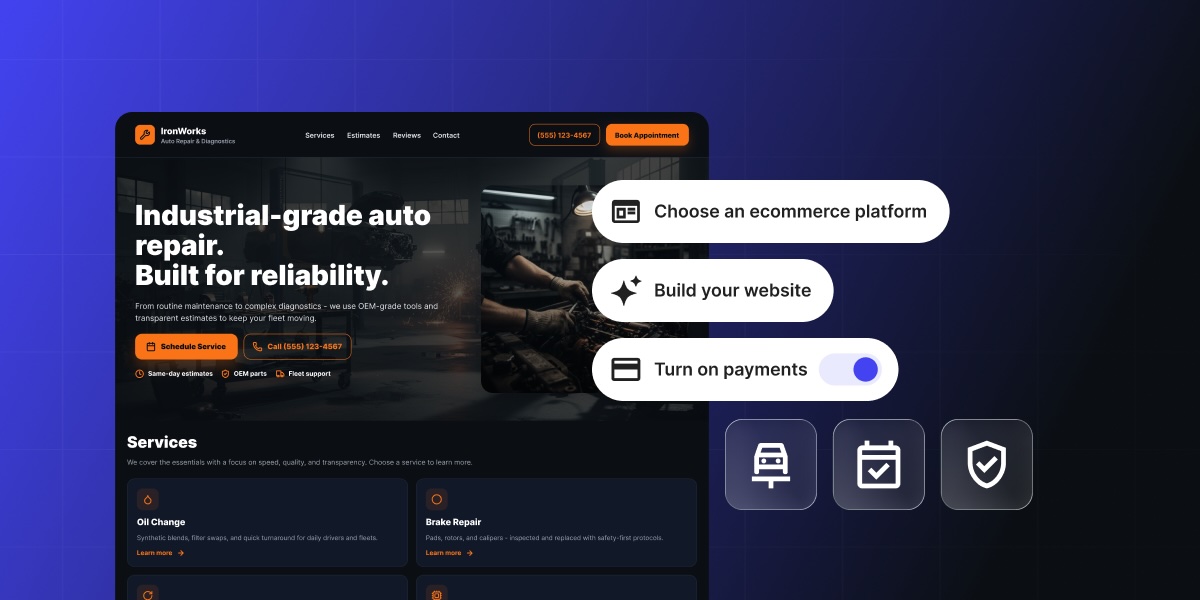
Someone’s check-engine light comes on at 11 p.m., and they’re already searching for a repair shop online. What they find in the next ten seconds decides a lot: can they tell a shop won’t rip them off, get a sense of what the repair might cost, and grab a slot without waiting until morning to call? That’s what good auto shop website design actually has to do. Most repair shop sites can’t. Here’s what it takes to be the one that can, and how to build it.
Key takeaways:
- A Google Business Profile listing gets a shop found, but it can’t book an appointment or explain a price. Good auto shop website design does both, which is exactly where a shop can pull ahead of competitors still relying on a listing alone.
- Repair shops are a famously low-trust category. Customers expect to be oversold or overcharged, so a homepage with certifications and reviews upfront is the first thing that earns a booking, or loses one.
- Selling more than labor online works: brake pads, wiper blades, prepaid oil-change bundles, and gift cards are realistic add-ons for most auto repair shop websites.
- Eight build steps take a shop from a bare domain to a live site that books appointments and takes payment.
- An ecommerce platform can make all of this easier to build and maintain than piecing together separate tools.
Why your repair shop needs a website
Most auto repair shop websites, when a shop has one at all, still read like a business card: name, phone number, hours. These details alone won’t book an appointment, explain a price, or show a single review. That’s the bar most competitors are clearing, barely, which leaves plenty of room for your auto repair website to do better.
Your shop can go several steps further by letting someone book a slot, see a price range, and read a few reviews before they ever pick up the phone. This pulls ahead of every other business that’s still relying on a listing alone. That’s the opportunity the rest of this guide is built around.
What makes a great auto repair shop website
A great auto repair shop website has six things: a homepage that builds trust in seconds, a services and pricing page, online booking, a way to sell parts or gift cards, a reviews and photo section, and consistent local SEO details.
That’s the short version, useful as a quick gut check before a redesign or a first build. Each item gets its own breakdown in the next section. For everything else worth checking before launch, from favicon sizing to alt text, the 17-step website checklist covers the rest.
Must-have features and pages for an auto repair shop website
These are the building blocks of solid auto repair shop website design, adapted to the realities of turning wrenches and rotating tires.
A homepage that builds trust instantly
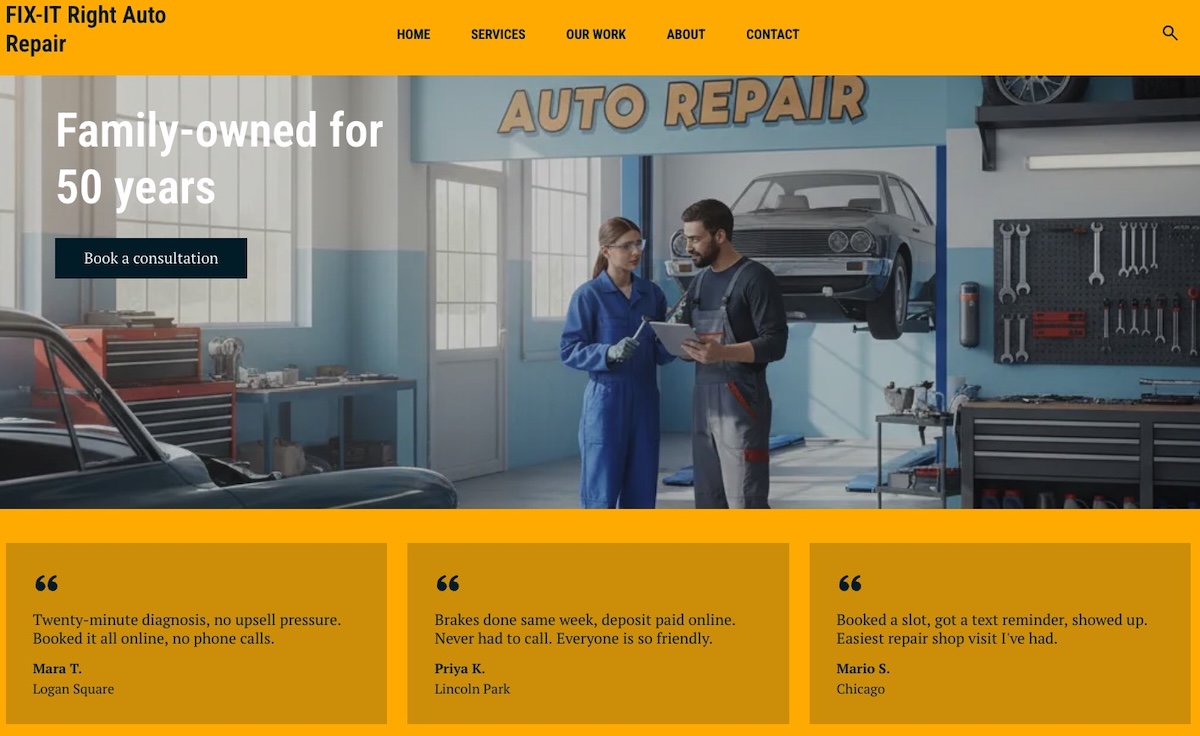
Auto repair is a famously low-trust category. Customers assume they’ll be oversold or overcharged before they’ve even called, so a homepage that establishes credibility in the first few seconds earns bookings that a generic “welcome to our shop” page won’t. We’ve probably all been there as customers ourselves.
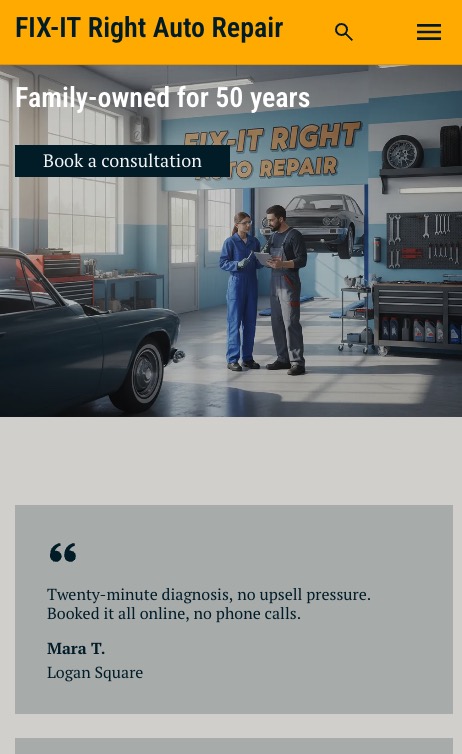
The credibility we and customers seek comes from a specific, short list: shop name, a hero image, one clear call to action (book now or call), and trust signals like years in business, certifications, and a testimonial snippet. That’s the whole list, and it needs to load fast, since it’s doing more work here than on most small business sites. The same homepage design essentials that work for any small business apply here, just with the trust signals turned up.
Services and pricing page
Spell out the actual services on offer, so nobody has to call and guess what’s covered. It’s good for SEO too: a page that names specific services (brake repair, oil changes, transmission work) can rank for those exact searches in a way a blanket “car repair services” page never will.
Not every service needs the same treatment:
- Standardized jobs (oil changes, tire rotations, brake pads): a “starting at” price or a range
- Complex or variable repairs (transmission work, engine diagnostics, anything where labor time depends on what’s actually wrong once the shop looks): a quote request instead of a guessed number
Either way, disclose the pricing structure upfront: a diagnostic fee, plus labor, plus parts. Naming that structure clearly heads off the “why wasn’t I told the real price” complaint the industry is known for.
And one detail worth stating outright, because it does real trust-building work: if the diagnostic fee gets credited toward the repair when the customer proceeds, say so on the page, not just at the counter. A services page built to convert makes that kind of disclosure part of the page itself, instead of burying it in fine print.
Online booking and appointment scheduling
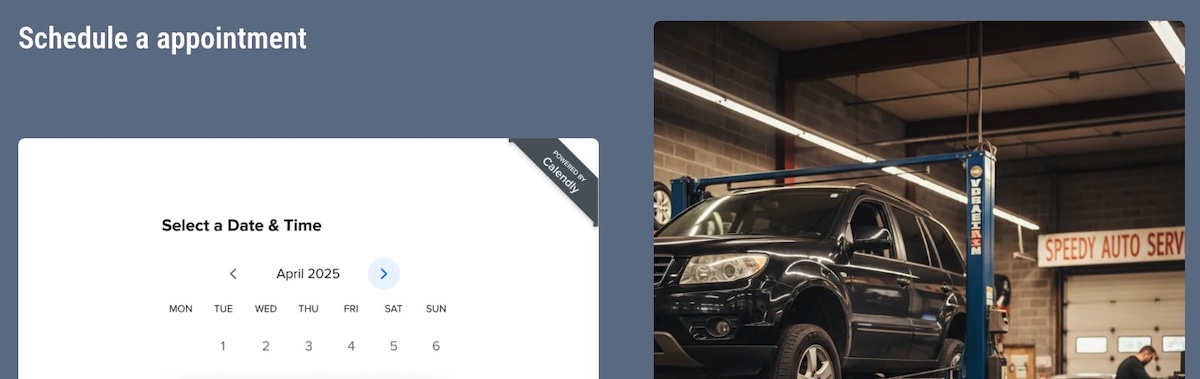
An embedded booking widget lets customers grab a slot without calling, but a repair shop’s booking needs are more particular than most service businesses. Three things to keep in mind:
- Bay and technician capacity. A shop can only run as many jobs at once as it has bays and techs, so slots need to reflect real capacity, not arbitrary 30-minute blocks.
- Parts lead time. A job needing an ordered part can’t actually be booked until the part is in hand.
- Deposits on big jobs. Brakes, transmission, and engine work require ordering parts upfront, so a deposit at booking protects the shop if the customer backs out after the part is already on order.
The setup for all three lives in the build-steps section below.
Online payments and a parts or merch store
We’re not talking about adding every sellable item and service to an online store; that’s surely overkill for any auto repair shop website design. Instead, consider offering the things a repair shop can actually sell online: things like brake pads, wiper blades, and air fresheners; prepaid oil-change or seasonal tire-changeover bundles; and gift cards for future service.
Setting this up uses the same ecommerce website approach any small store relies on, just pointed at a different set of products. Not sure it’s right for your shop? Imagine this scenario: during the holidays someone wants to give the car lover in their life a $60 gift card to get some goodies for their ride. If your car repair business offers that, it means a small side revenue stream that most competitors leave on the table entirely — plus the potential for a new loyal client.
Reviews and a before-and-after photo gallery
Most repair work is invisible once it’s done. Nobody can look at a car and see a rebuilt transmission, so this goes beyond the single testimonial already teased on the homepage. It lands either further down that same page or as its own dedicated reviews and gallery page, and might include:
- A short block of customer testimonials, pulled from Google reviews or collected directly
- A small before-and-after gallery for jobs that are visibly verifiable, like body work, paint, or detailing
A customer who can see the dent is gone, or reads that someone else’s transmission got fixed without a hitch, tends to believe the same will happen to theirs.
Location, hours, and contact details for local SEO
Name, address, and phone number need to be consistent everywhere the shop is listed, not just the website. Google and other platforms cross-check these citations, mentions on Yelp, Apple Maps, industry directories, and so on, to confirm a business is legitimate. Consistency like this is a big part of what small business local SEO actually comes down to.
On the site itself:
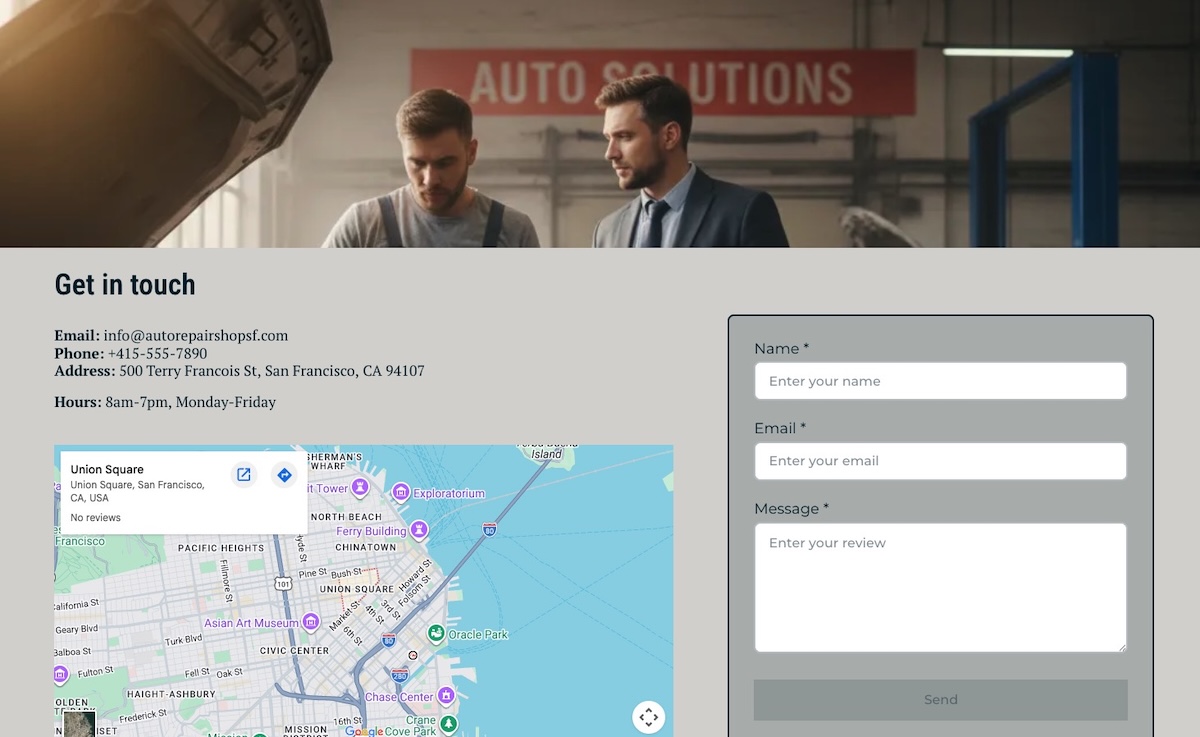
- An embedded map
- Posted hours
- Complete contact details in one place: address, phone, email, and social links, not just a name and a form
A quick citation audit (tools like BrightLocal, Whitespark, or Moz Local) catches any leftover listing with an old address or phone number worth cleaning up. Beyond that, contact page mistakes like burying the page somewhere hard to find or leaving out half the business info are what send visitors away before they ever reach out.
SiteGround Ecommerce covers most of the above must-haves directly: the homepage, the services and pricing page, and the store, all built without writing code, on hosting designed for speed and reliability. Calendly connects in a few clicks for the booking calendar. SEO basics come built into the platform too, so there’s no separate technical setup standing between the site and actually getting found.
Start building your online shop now>>
How to build your auto repair shop website step by step
We’ve covered the important features, now for how to build them, one step at a time.
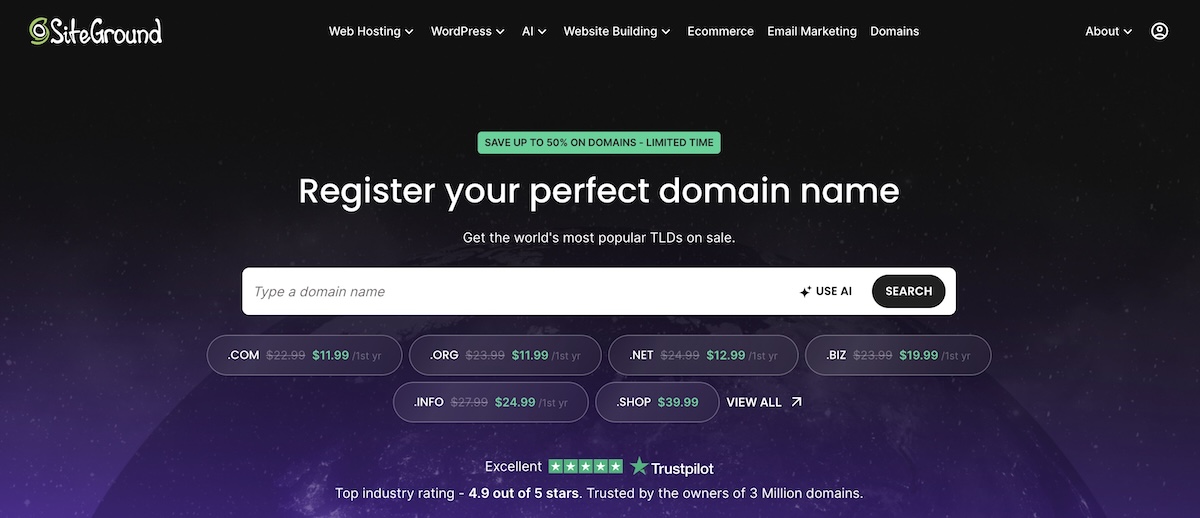
Step 1: Choose a domain name
Register a domain before anything else. It’s the one piece needed no matter which builder or platform comes next, so lock it in first: the shop name, a close variation, or the city plus “auto repair” if the exact name is already taken.
Keep it short and literal. Customers searching for the shop by name should be able to guess the URL, and a domain name that’s easy to say over the phone saves spelling it out every time someone asks.
Step 2: Pick a website builder
Hiring a developer to hand-code a site is unnecessary for what a repair shop actually needs, and it comes with a bigger bill and longer wait. A website builder gets a working site live without writing a line of code.
Look for a platform that:
- Bundles hosting with the builder, so there’s no separate hosting decision to make
- Supports embedding a booking widget
- Has ecommerce functionality available, now or later, if selling parts, packages, or gift cards online is part of the plan
- Makes day-to-day updates, hours, the service menu, photos, simple enough to do between jobs
If updating the site takes longer than fixing a flat tire, it’s the wrong platform. A website builder built for non-developers should make an update like that a two-minute job, not a ticket to the web guy or gal.
Pro tip: New SiteGround customers get the domain free for the first year (.com, .org, .eu, or .net) when signing up for a hosting plan, so there’s no separate charge if that’s the platform of choice.
Step 3: Build your homepage and add trust signals
Place the hero image, add the primary call-to-action button, and write the one-line trust statement: years in business, certifications, or a “family-owned since [year]” line if that’s true. Add the testimonial snippet decided on earlier.
Keep the above-the-fold section to those four elements. Every extra bit of info crammed above the fold pushes the contact or booking button further down the page, and that button is the one thing this homepage exists to get clicked.
Step 4: Add your services and pricing page
Here’s what to be sure to include on your services and pricing page:
- Either a service list or a pricing table block, whichever the platform supports
- The diagnostic-fee-plus-labor-plus-parts structure, spelled out in plain language
- Whether the diagnostic fee gets credited toward the repair, stated clearly
- Each service listed by its real name, since that’s what people search for, then described by the problem it actually solves: “Brake Pad Replacement, stops that grinding noise before it wears into the rotors”
- A booking or call CTA near the top of the page, and again after the pricing breakdown
Step 5: Set up online booking and accept payments
There are different ways to go about this, but an easy, common way is with Calendly:
- Set a daily or weekly cap on each event type, and use round-robin scheduling to spread jobs across whichever techs are free. It’s a rough stand-in for real bay and technician capacity, and not exact tracking. (Note that round-robin scheduling across multiple techs needs Calendly’s Teams or Enterprise plan, worth confirming before counting on it.)
- Connect Stripe to Calendly so a deposit gets collected right at booking for big-ticket jobs like brakes or transmission work.
- For parts-pending jobs, manually unpublish that slot or mark it request-only, so nothing gets booked before the part is actually in hand.
Worth noting: Booking and deposits run through Calendly and Stripe. The parts, packages, and gift cards from the checklist earlier are a separate piece: a small store on the same site, which a platform like SiteGround Ecommerce handles without a separate plugin or a second login to manage. Connect Stripe once inside Calendly for deposits, and once inside the ecommerce dashboard for the store, both are quick, one-time setups.
Whichever tools get used, test both flows before going live: book a slot and pay a deposit through Calendly, then buy a gift card through the store, and confirm everything lands where it’s supposed to. Accepting payments online is the one step where a mistake actually costs a customer money, so it earns the extra test run.
Step 6: Add your reviews and before-and-after gallery
- Add a testimonials section to the homepage or its own page, and feature a handful of the shop’s best reviews there
- Upload the before-and-after photos, captioned with what was actually done (not just “brake job,” but “front brake pads and rotors replaced”). Consider linking out to the service page itself
- Organize the gallery by job type if there are more than a handful of photos, so a customer looking for detailing work isn’t scrolling past ten transmission photos to find it
Step 7: Optimize for local SEO and mobile
- Add the shop’s address, hours, and phone number, if they aren’t already live from an earlier step
- Set up or confirm the Google Business Profile listing, since it’s the thing that actually surfaces the site in local search results
- Check the site on an actual phone, not just a resized browser window
Most local searches for a repair shop happen on mobile, so a mobile-friendly design that loads fast and keeps the contact button within thumb’s reach matters more here than almost anywhere else on the page.
Step 8: Launch, test, and promote your site
Before flipping the switch, check every link and confirm the site renders correctly on both a phone and a tablet. The booking and payment flow already got tested in step 5, so this final pass is just for everything else.
Publishing the site doesn’t bring in bookings on its own, though. Nobody’s searching for a shop they’ve never heard of, so the next few channels do the actual work of getting you that first appointment.
- Reviews and your Google Business Profile. Ask every satisfied customer for a review right after pickup, while the job is still fresh. A shop’s star rating is often the deciding factor between two options with similar prices, and social proof like reviews and before-and-after photos tend to tip the scale.
- Paid ads. Google’s Local Services Ads are built specifically for trades like this: pay per lead instead of per click, a “Google Guaranteed” badge after a license and background check, and placement above the regular map pack. It’s an ongoing budget line, and not a one-time cost, but for a category where most searches are “near me, today,” it can outperform organic reach alone while the site is still new to search. Small business marketing covers this alongside other channels worth testing at launch.
- Local directories and citations. Remember: name, address, and phone number need to stay identical everywhere the shop is listed, the same citation consistency covered earlier, now extended to Yelp, Apple Maps, and any local Chamber of Commerce directory.
- Local social and community presence. Post in neighborhood Facebook groups or on Nextdoor, sponsor a local car show or little league team, and consider a referral discount for customers who send a friend. Social media marketing covers where to focus first when there’s no existing following to build from.
- Collect an email at every visit, and give the website its own way to capture emails too, such as a simple signup form or a small discount for joining. Email marketing can help you build a relationship with someone beyond the one repair that brought them in, and repair shops live on this kind of repeat business.
Your website should work as hard as your shop does
Homepage, pricing, booking, payments, reviews, and local SEO: that’s the full list, and every step above tackles checking one of those six boxes. Building all of this from scratch could certainly be complicated and overwhelming, but it doesn’t have to be. SiteGround Ecommerce handles the easy build, booking-friendly functionality, the store, and the hosting in one place. Start with the checklist above, and get your auto repair shop live so that you can start reaping the benefits.
[103]
Frequently asked questions
Yes. A Google Business Profile listing gets a shop found, but it won’t let customers book a slot, see the pricing structure, or buy a gift card, all things a real website handles on its own.
At minimum: a trust-building homepage, a services and pricing page, online booking, a way to sell parts or gift cards, a reviews and photo gallery, and consistent local SEO details like name, address, and phone number.
Yes. Brake pads, wiper blades, prepaid maintenance bundles, and gift cards are all realistic products for a repair shop to sell online, with the setup covered in the online payments and store step above.
They pick an open slot from an embedded booking widget or calendar, the same way they’d book a haircut or a dentist appointment, and get a confirmation without ever picking up the phone.
A DIY build on an all-in-one platform typically runs $10 to $30 a month, plus a domain fee of around $12 to $60 a year. Hiring an agency for a custom build costs considerably more. For the fuller breakdown, how much a website costs in 2026 walks through what drives the price up or down.