
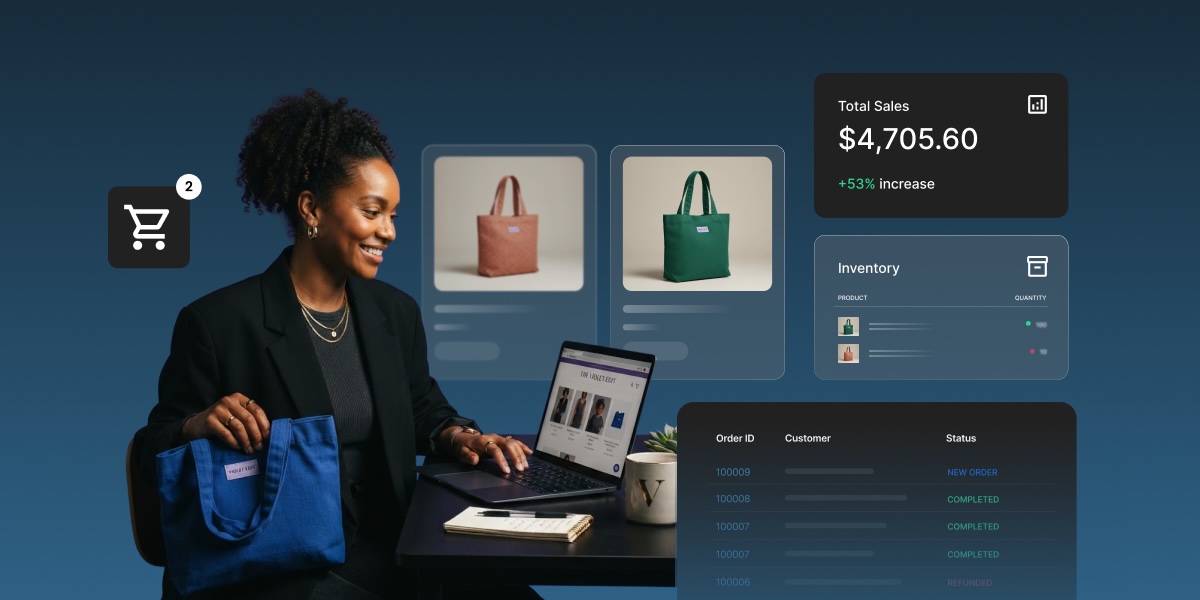
An AI store manager is a software agent that plugs into your ecommerce dashboard, reads your real store data, and, if you let it, takes action on your behalf. Think of it as a store employee who already knows your sales numbers and can act on them. Here’s what that looks like once you turn one on.
Key takeaways:
- An AI store manager answers plain-language questions about your store and can take permissioned action inside it.
- It pulls data from your actual store: orders, products, categories, customers, reviews, coupons, brands, and attributes.
- Action-taking stays off by default. You decide when to switch it from reporting only to reporting and acting.
- A single instruction can reprice every product in a collection by a set percentage, replacing a manual, item-by-item edit.
- Strategy calls, like pricing philosophy or what to sell next, remain yours. The agent handles execution, not direction.
What is an AI store manager?
An AI store manager is an AI agent that runs inside your ecommerce dashboard and works with your store’s actual data. It’s built to answer questions about what’s happening in your store and act on it, not to draw on general web knowledge like a public chatbot.
What that means in practice:
- It reads your real orders, products, customers, coupons, and reviews, not sample data or guesses.
- It sits inside the dashboard you already use, with nothing new to log into and nothing to configure first.
- It’s a different category from AI tools that write product descriptions or ad copy. Those produce content. This one operates on your store’s live data and, with permission, changes it.
The two jobs a real AI store manager does
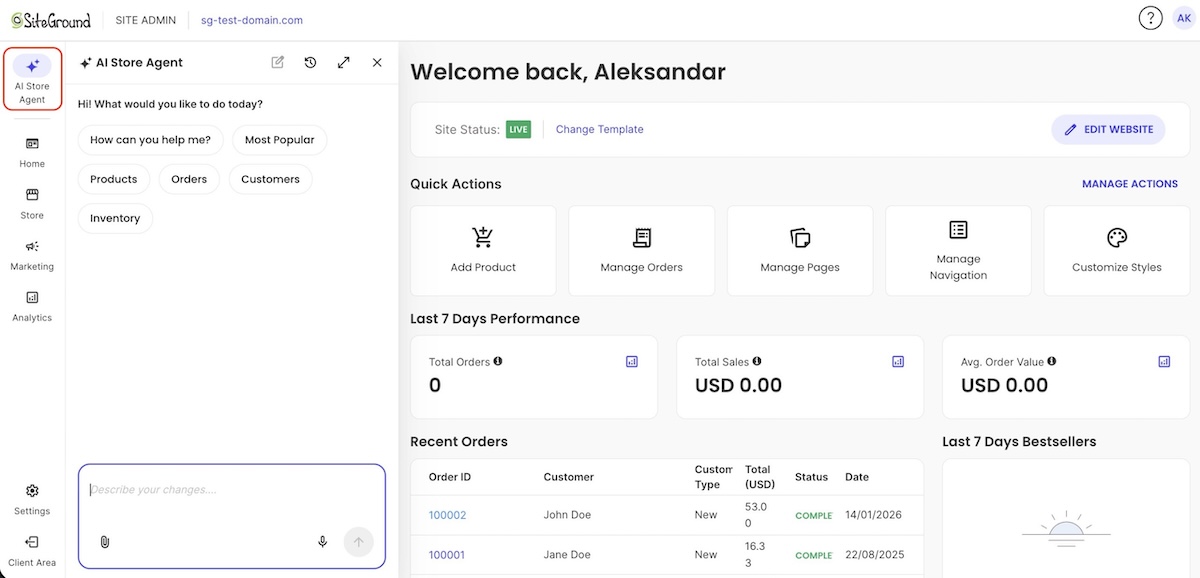
Strip away the marketing and an AI store manager does exactly two things: answer questions, and, if you allow it, take action. Everything else people describe, from restock alerts to seasonal repricing, is one of these two jobs applied to a specific situation. Let’s break down what it does.
1. It answers questions about your store
This is the reporting side. Ask something in plain language and it pulls the answer from your real records:
- “What’s my top performing product this month?”
- “Which coupon was used most in the last 30 days?”
- “How many units of the Autumn hoodie sold last week?”
No spreadsheet exports, no filtering through an analytics dashboard first.
2. It takes action on your behalf
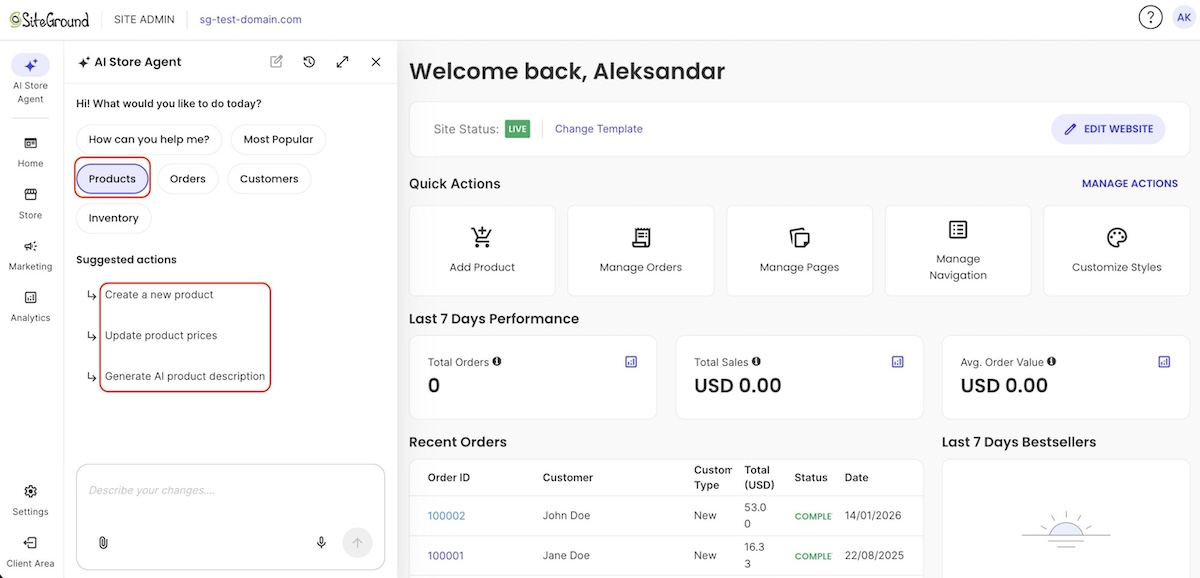
This is what separates an agent from a plain AI tool. From the same chat, it can:
- Create and manage products
- Create and manage coupons
- Create and manage customer accounts and brands
- Handle bulk changes, like reducing every product in a collection by a set percentage in one instruction instead of a hundred individual edits
How is an AI store manager different from a store builder or a chatbot?
A store builder gets you live, but that’s where its job ends. Once your store is running, it doesn’t answer questions or take action inside it. It’s built for launch, and not for the daily grind that comes after. That’s it.
A generic chatbot can attempt the first job mentioned above, answering questions, but it doesn’t know your store specifically. Ask a generic chatbot how many units of your best-selling hoodie sold last month, and it has no way to tell you (though it may confidently pretend to).
On the other hand, ask SiteGround’s AI Store Agent the same question, for example, and it pulls the number straight from your own Ecommerce dashboard, reading your actual order history instead of guessing.
| Tool | Answers store questions | Takes action in your store | Knows your real data |
| Store builder | No | No | No |
| Generic chatbot | Sometimes | No | No |
| AI store manager (such as the SiteGround AI Store Agent) | Yes | Yes, if permitted | Yes |
Where a human still calls the shots
An AI store manager handles the busywork, but you still get the ever-so-human pleasure of making the judgment calls. Keeping that split clear is part of what an AI-first mindset for a growing store actually looks like: the tool for execution, you for direction.
The general rule: anything with a single correct read of the numbers is fair game to hand off; anything that depends on context the data doesn’t capture stays with you. Here’s what that looks like in practice:
Strategy and brand decisions
These stay a human call:
- Positioning and brand voice: premium and minimal, or budget and loud
- Pricing philosophy: lowest price in the category, or highest quality
- What to sell next: expand a bestselling line, or cut a slow one
An agent can tell you a product is underperforming. Deciding whether to discontinue it, reposition it, or double down is still yours.
Ambiguous customer situations
A person still needs to weigh in on:
- Disputes and exceptions: a refund request outside your stated return window
- Anything that isn’t a clean read of the data: a return spike from a bad batch, or just from one bad review
The control that makes it safe to try
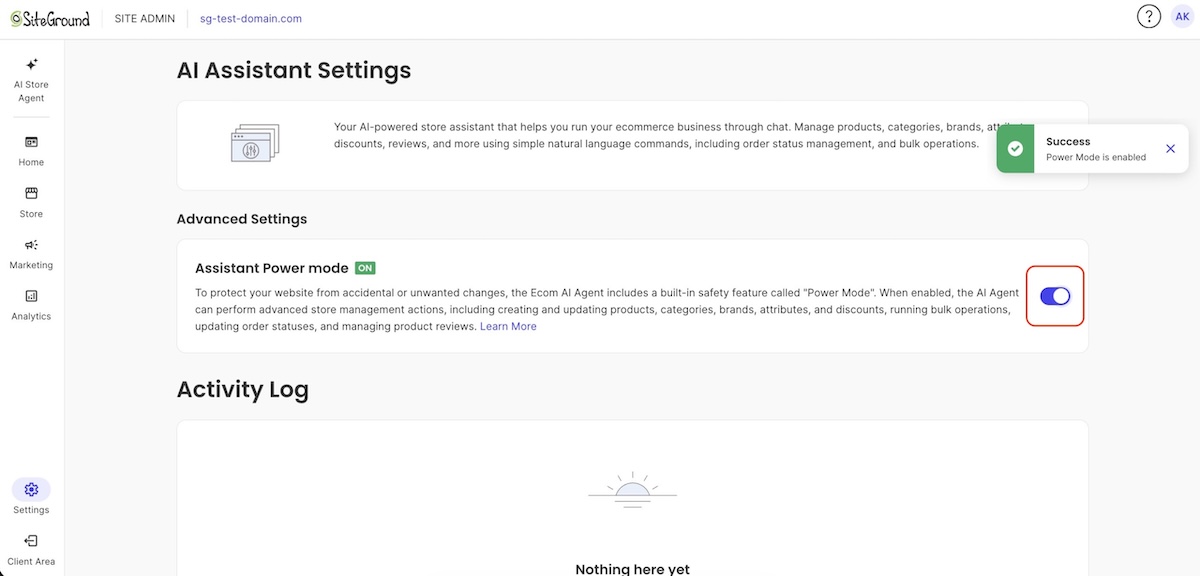
Handing software the ability to edit your live store is worth being cautious about. With SiteGround’s AI Store Agent, that’s governed by a single setting called Power Mode.
- It’s off by default. Out of the box, the agent can only read your ecommerce data and answer questions.
- Turning it on is an explicit choice, made either in the chat interface or from the AI Store Agent settings page.
- It’s an operational safeguard, not a permissions system: it controls which actions the agent will carry out, not what data it can already see.
- With it on, the agent can create, update, and make bulk changes to most resources. Deleting stays more restricted even with Power Mode on.
Higher-risk actions, like deleting entities, bulk updates, and price changes, all require Power Mode to be on first. That keeps the riskiest changes from happening by accident, since turning it on is a deliberate step you take rather than a default you’d have to remember to switch off.
How it improves your daily workflow
A few realistic scenarios make the AI store manager concept concrete, with each one demonstrating the same task done two ways: the manual version most sellers already know, and the one-question or one-instruction version an AI store manager replaces it with.
A morning sales check-in
- Before: Log into the dashboard, open the orders table, filter by yesterday’s date, then cross-reference SKUs against product names to piece together what actually sold and how it compares to your average order value.
- After: Ask “what sold yesterday and what was my average order value?” and get a direct answer, in the time it takes to read a text message, with no filtering or cross-referencing required.
Restock and inventory alerts
- Before: A fast-moving product, say your bestselling tote bag, sells out over a busy weekend. You don’t notice until days later, when you check the storefront and see it listed as out of stock, having already missed a stretch of sales you could have caught with a quick reorder.
- After: Ask “which products are below 10 units in stock?” as part of your morning routine, or let the agent flag it unprompted the moment stock runs low, so you reorder while it’s still on the shelf instead of after it’s already gone.
Seasonal pricing and coupon cleanup
- Before: Ahead of a fall sale, cut the price on every product in your swimwear line one at a time to clear summer stock, then scroll through old coupon codes by hand to switch off the ones nobody’s used in months.
- After: Say “cut prices on swimwear by 20% for the fall sale and deactivate any coupon unused in the last six months,” and both changes apply in one instruction, the same kind of cleanup sellers already do ahead of a Black Friday push, instead of an afternoon of clicking through products and codes.
Ready to let AI handle the busywork in your store?
An AI store manager hands back the hours that used to go into pulling numbers, catching low stock, and cleaning up pricing and coupons. That time goes toward customers and growth instead of routine admin that doesn’t need a founder’s judgment.
SiteGround Ecommerce includes exactly that. The AI Store Agent comes with every plan at no extra cost, nothing separate to buy or set up. Reporting is on from day one, and Power Mode, the setting that lets it act, stays off until you turn it on, so you can start by asking questions and decide later how much to hand off.
[103]
Frequently asked questions
No. A generic chatbot works from general web knowledge and can only answer questions. An AI store manager reads your actual store data, real orders, products, customers, and coupons, and can also act on your store when you allow it, creating and editing products, coupons, and customer records. A chatbot can tell you what a return policy generally looks like. An AI store manager can tell you how many returns your store processed last month, and update a coupon based on the answer.
No. There’s no setup or configuration involved. It works from your existing store dashboard, using the data that’s already there.
Yes, with the right controls. For example, with the SiteGround AI Store Agent, action-taking is off by default. That way, you can review what an agent proposes before it’s committed to your store, then decide whether to allow it going forward.
It varies. Some standalone AI tools charge a separate subscription, while some ecommerce platforms bundle it into existing plans. Check what’s already included before buying a standalone tool. SiteGround Ecommerce includes its AI Store Agent on every plan at no extra cost.