
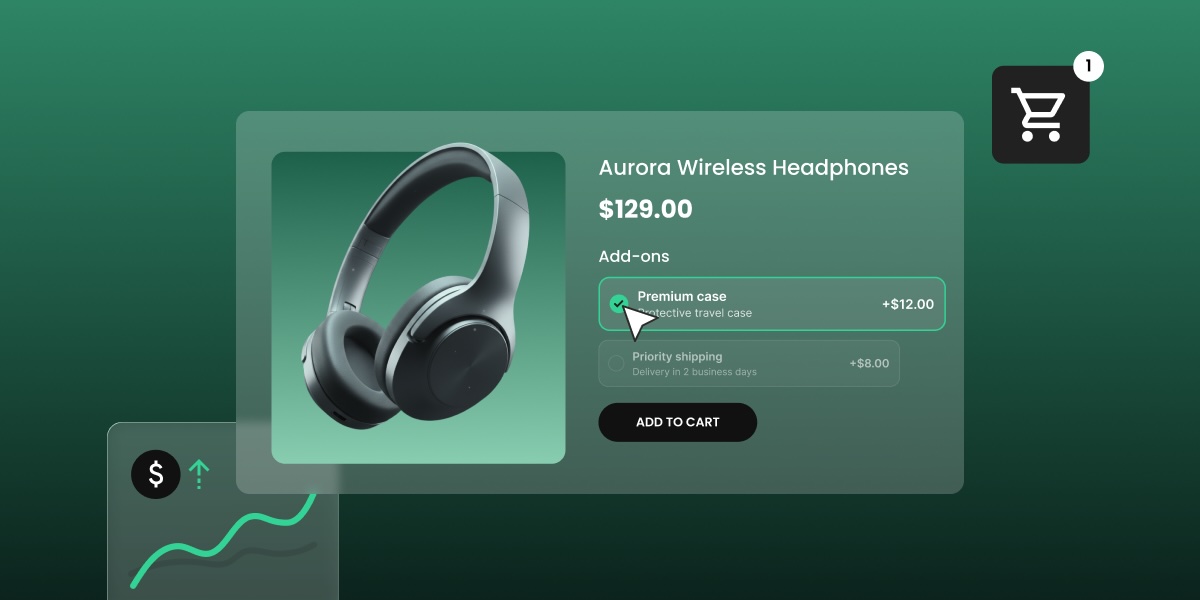
One checkbox on a product page can do more for your bottom line than your last sitewide discount, and it costs you nothing to offer. Gift wrapping, insurance, and engraving are three simple forms of product customization, but the same logic works for almost any optional extra you can attach to a product. This guide covers which ones you can put to work for your online store, how to price and configure them so they actually convert, and how to set them up without touching a line of code.
Key takeaways:
- Product customization for ecommerce usually means optional extras, like gift wrapping, insurance, or engraving, that a shopper adds before putting a product in their cart, not a full product configurator.
- Upselling and cross-selling programs lift average order value (AOV) by roughly 20-30%, according to 2025 research from Fairing, and product add-ons are one of the lowest-effort ways to run that play.
- A $3 gift-wrap add-on with even a 10-15% attach rate protects margin better than an equivalent discount, because there’s no unit cost behind it.
- Which add-on converts best depends on the product: gift wrap fits gift-occasion items, insurance fits high-ticket or fragile goods, and engraving fits made-to-order pieces, each working through a different reason customers are willing to pay more.
- Optional vs. mandatory, free vs. paid, and single-select vs. multi-select are the three configuration calls that decide whether an add-on converts or gets ignored.
- Made-to-order add-ons like engraving carry lead time that needs to fit inside your return policy and shipping promises, and on many platforms, an add-on’s refund is tied to the base product rather than something you can offer separately.
What is product customization in ecommerce?
Ecommerce product customization can be as simple as an optional add-on, like gift wrap, insurance, or engraving, that a shopper selects on the product detail page before adding the product to their cart. Most ecommerce businesses don’t need dedicated online product customization software for this: it’s a setting on a product that already exists, not a new system to install.
Add-ons vs. product configurators
An add-on isn’t the same as a full product configurator, though, which is the kind of tool that lets a shopper design a product before it’s even made.
- Add-ons attach a service or extra to a product that already exists, with no configurator required.
- Configurators build the customizable product itself (color, materials, dimensions) and usually need dedicated product customization software or a developer to set up.
Why should you offer product add-ons?
Product add-ons raise average order value (AOV) because a customer who’s already decided to buy is far more likely to accept a small extra than a stranger is to click a discount banner. Upselling and cross-selling programs lift AOV by roughly 20-30%, according to 2025 research from Fairing, and add-ons are one of the lowest-effort ways to run that play because they need no new inventory.
Here’s what that looks like on a single item: a $3 gift-wrap add-on doesn’t need a high attach rate to matter. Even a modest 10-15% attach rate adds more to margin than a comparable discount, because there’s no unit cost behind it beyond tissue paper and a few extra minutes of packing time. On 1,000 monthly orders, that’s an extra $300 to $450 a month in near-pure margin, without touching the base product’s price.
Add-ons also improve customer satisfaction and experience in ways a discount can’t:
- They let a shopper solve a real problem (protecting a fragile item, wrapping a gift) at the moment they’re already buying.
- They add margin instead of eroding it, unlike a sitewide discount.
- They require no extra product photography or listing work.
If you’re mapping this against a broader ecommerce marketing plan for growing sales, add-ons are one of the few levers that touch checkout directly instead of traffic.
What are examples of common add-ons by product?
Gift wrap, insurance, and engraving are the obvious product customization examples that probably pop into your mind, but their fit for your own products might not always be so obvious. So let’s unpack add-ons by product type, since it might just reveal one you hadn’t yet considered.
Gifts
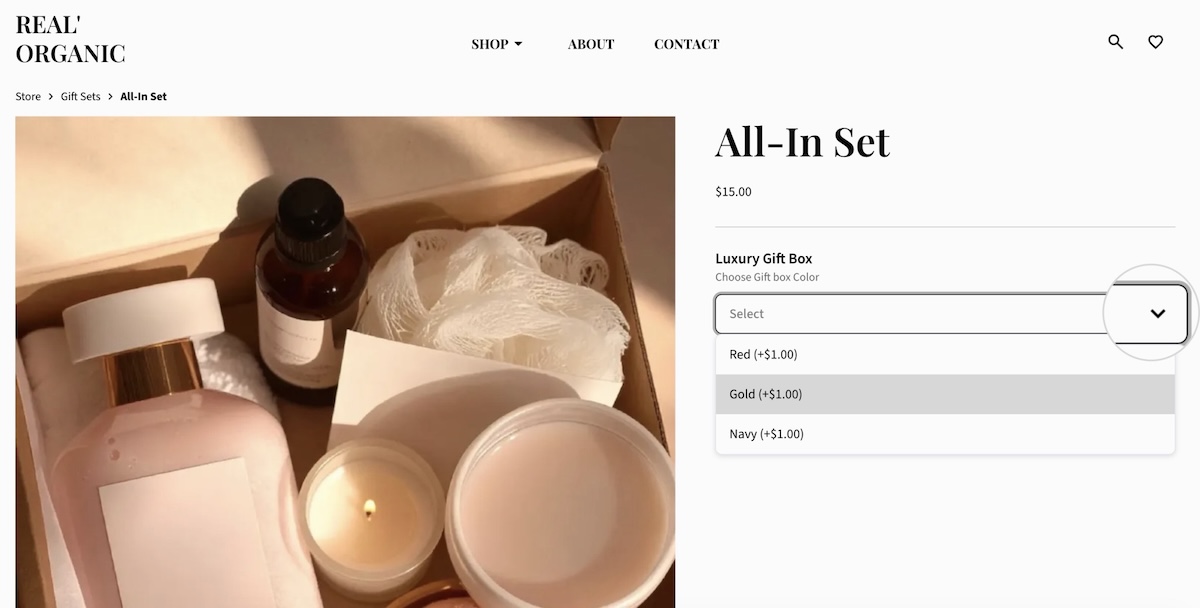
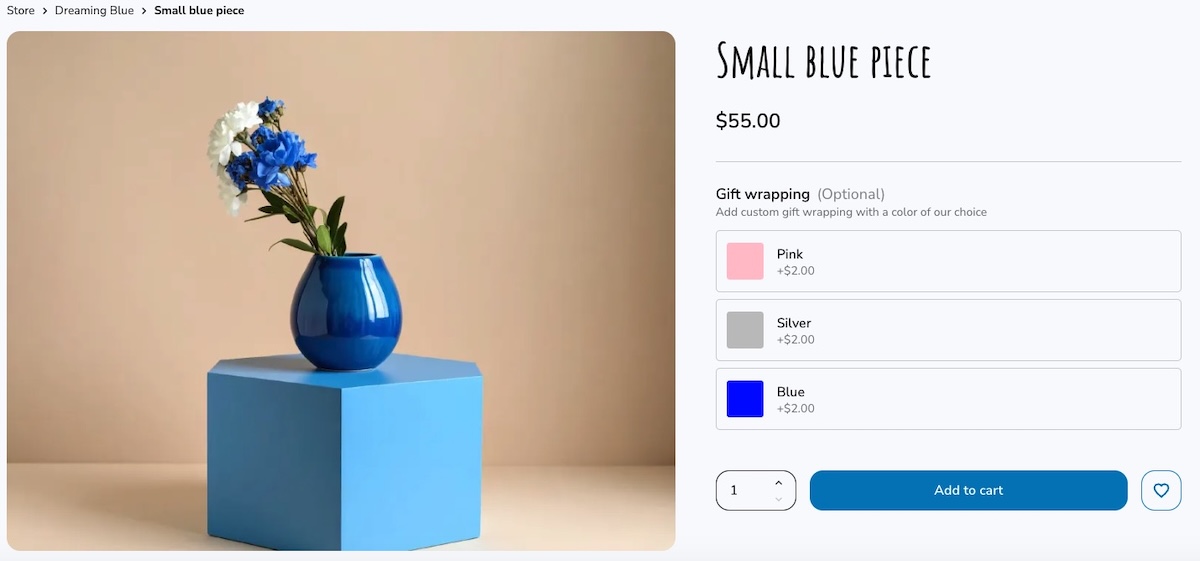
If a meaningful share of your orders ship to someone other than the buyer, then news flash: you’re selling gifts, and gift wrap could be worth testing. Jewelry, home goods, and kids’ items carry a high gift-to-self-purchase ratio and convert on gift wrap even outside the holiday season; commodity items like phone chargers or office supplies mostly don’t, regardless of the time of year. The AOV mechanic here is simple: the customer is already paying for the occasion, so the wrap reads as part of that spend rather than an extra expense.
High-ticket or fragile goods
Insurance and warranties fit anything expensive enough that a customer worries about damage or loss: electronics, furniture, fine jewelry. The AOV mechanic is different from gift wrap. Customers aren’t paying for an occasion here; they’re paying to reduce risk, and their price tolerance scales with the item’s value rather than sitting at a flat few dollars.
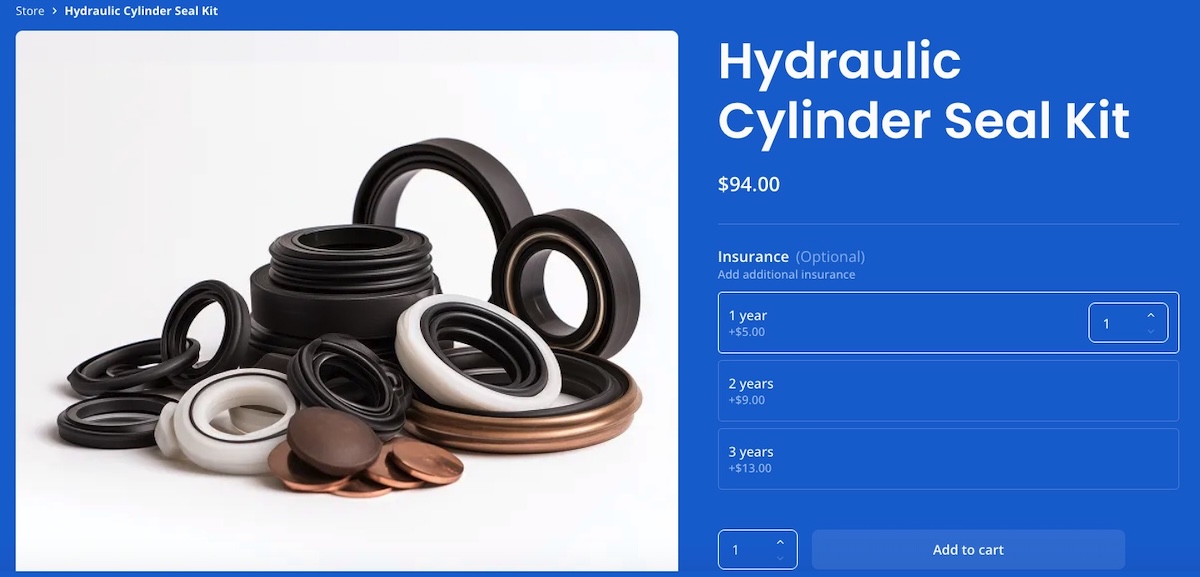
Genuine insurance, priced against an item’s actual value, usually comes from a dedicated warranty provider, not from a basic add-on field. If you’re using a generic product add-on for this instead, what you’re really offering is a store-backed guarantee: you’re promising to replace or refund the item yourself if something goes wrong, funded by that flat fee. That’s a legitimate thing to sell, but it isn’t the same as a formal insurance policy, and customers should know which one they’re getting.
Made-to-order goods
Engraving and personalization touches fit products made or finished to order: jewelry, watches, apparel with monograms or custom text. The AOV mechanic here comes from the item’s uniqueness of a personalized product rather than an occasion or a risk: a customer will pay more for a customized product that is made or finished specifically for them than for the off-the-shelf version.
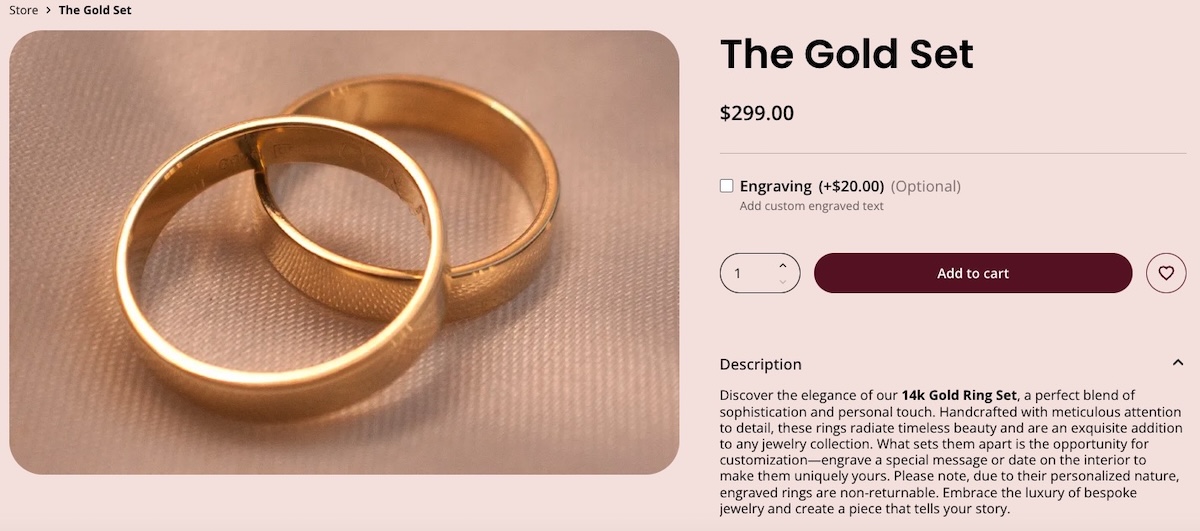
The operational catch is separate and worth keeping in mind, though: personalizing something takes time, and a three-day turnaround collides with that two-day shipping promise you made or the feasibility of return. So set the expectation on customization options up front, on the product page and in the confirmation email, so a slower fulfillment time or a non-returnable item don’t turn out to be unpleasant surprises for your customer.
Bulky or time-sensitive goods
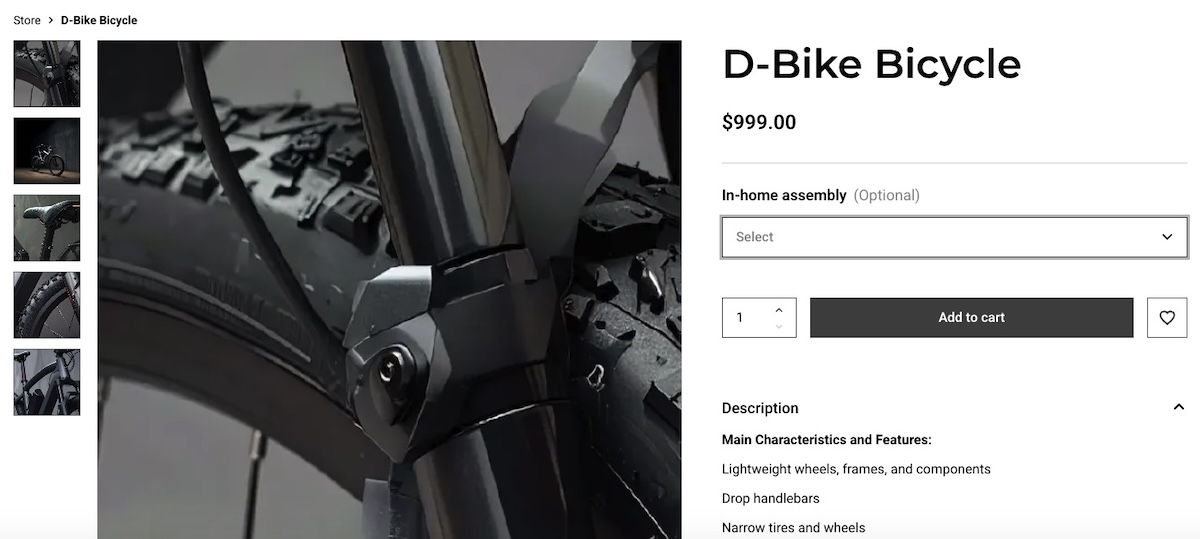
Furniture, electronics, and fitness equipment are bulky enough to carry an optional assembly or setup service. Meanwhile, time-sensitive orders can carry a rush or expedite fee handled as a product add-on instead of a separate shipping tier. The AOV mechanic is convenience: the customer is paying to skip a hassle, whether that’s assembling something themselves or waiting in the standard queue, rather than paying for an occasion or reducing risk.
How do you configure product add-ons?
Once you’ve picked your add-ons, three settings decide how they behave on the product page:
| Decision | Default | When to flip it |
| Optional vs. mandatory | Optional | Force a selection when the alternative is a promise you can’t back, like shipping a $2,000 item with no protection option |
| Free vs. paid | Paid if it costs you anything | Offer it free when it’s pure goodwill or a differentiator, like a branded box at no charge |
| Single-select vs. multi-select | Single-select | Allow multiple selections when a shopper could reasonably want more than one option from the same add-on, like a gift note plus a ribbon color |
Optional vs. mandatory
Leave add-ons optional by default: forcing a selection a shopper doesn’t want adds friction at the exact moment they’ve decided to buy, and that friction costs you more carts than the extra revenue is worth. Make one mandatory only when skipping it would mean shipping something you can’t stand behind, like sending a fragile, high-value item with no protection option at all.
Free vs. paid
An add-on with no price attached reads as free to the customer. That’s fine for goodwill gestures (a thank-you note, a simple ribbon) or as a competitive edge against other brands who charge for the same thing. Charge for anything that costs you real time or material, like engraving or a protection plan.
Single-select vs. multi-select
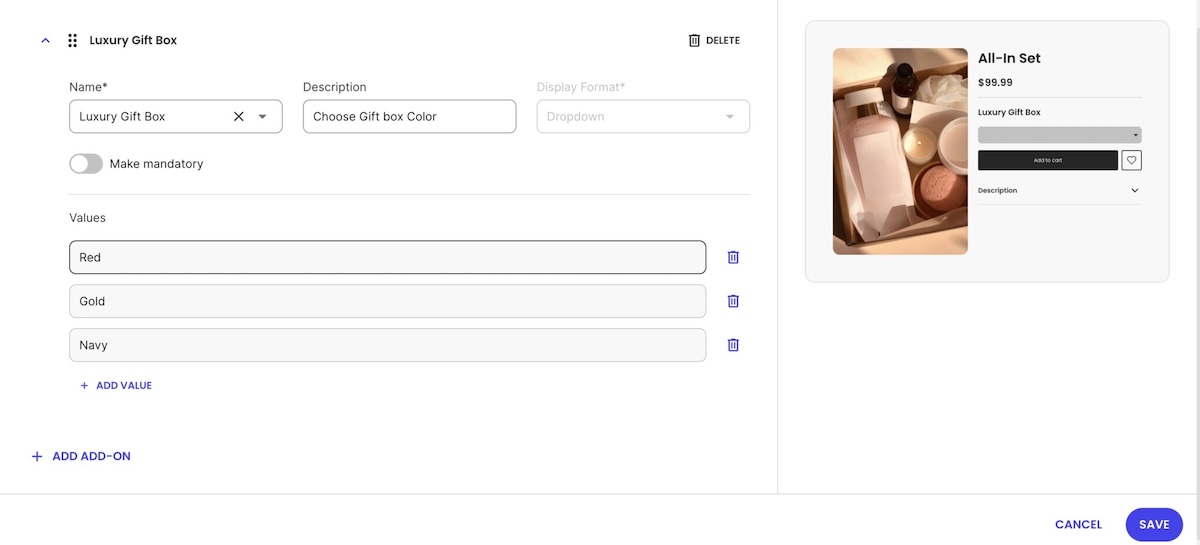
Most display formats are single-select by nature: a dropdown, a color swatch, a button. Only when you need a shopper to choose more than one option at once, like a gift note plus a ribbon color, does a dedicated multi-select checkbox format make sense. If a shopper might want more than one unit of that same add-on, enable quantity selection alongside it too, so they aren’t stuck adding the option twice.
Getting these decisions right shapes how the options look on your product page, so treat them as part of the product’s design instead of a checkout-settings afterthought.
How do you set up product add-ons in your online store?
Setting up add-ons generally follows a similar order regardless of platform:
- Identify your extras. Pick two to four add-ons you’re actually offering before touching any settings.
- Decide format and pricing per extra. Free or paid, single-select or multi-select, using the table above as a starting point.
- Reuse the same add-on across products where your platform allows it. Many platforms save each add-on as a reusable template automatically once you set it up, so you can attach the same gift-wrap option to other products instead of rebuilding it from scratch each time.
- Preview how it looks on the product page before publishing, on mobile as well as desktop.
- Confirm your fulfillment side can see which orders include which add-ons before the first order ships.
None of this requires developer time beyond what building an ecommerce website already involves. On SiteGround Ecommerce specifically, you can enable and manage add-ons directly from the product page: pick extras, set pricing and format, reuse them as saved templates, and preview before publishing, all without touching code.
What should you watch for before launch?
Run through this list before turning add-ons on:
- State your add-on refund policy on the product page or in your returns policy, not just in a support reply after the fact, especially if your platform ties add-ons to the base product with no separate refund option. Setting proper expectations builds customer loyalty.
- Make sure fulfillment can see, order by order, which add-ons are included.
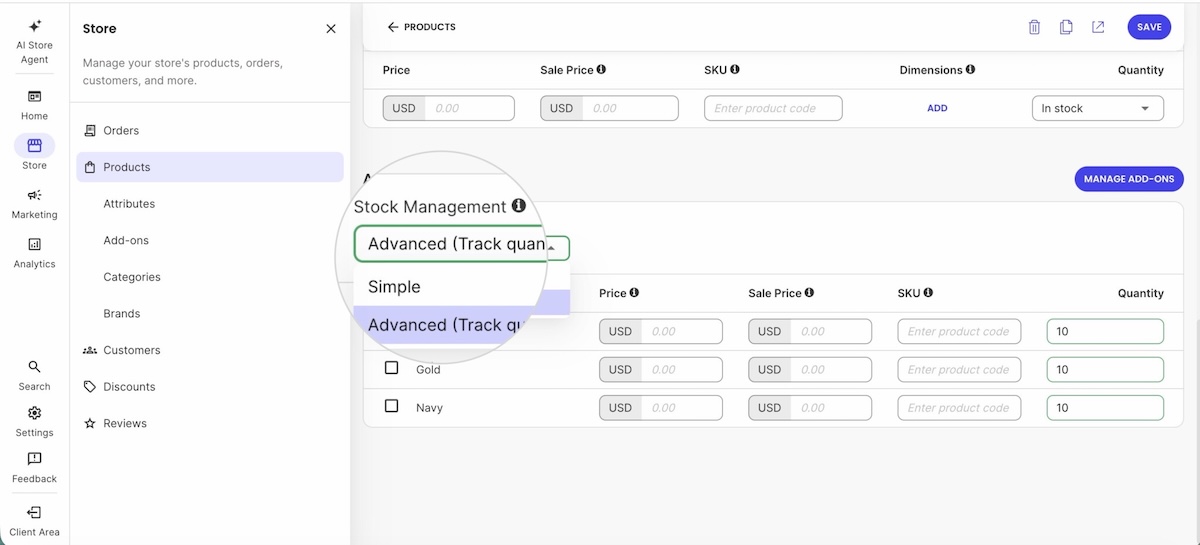
- Decide whether any add-on value needs its own SKU or stock tracking, at least a simple in-stock/out-of-stock flag. Gift boxes run out too.
- Keep add-on pricing consistent across products at different price points. A $5 gift wrap reads differently on a $15 item than on a $150 one.
- Test the whole flow on your mobile web design, not just desktop, before publishing.
A checklist like this pays for itself: it’s cheaper to catch inconsistencies now than after the first refund request.
Turn every product page into an upsell opportunity
Everything above, from picking the right add-ons, to pricing them, and deciding optional vs. mandatory, still needs somewhere to live on the product page. That’s usually the part that requires a developer or a paid plugin, which is the whole reason product customization for ecommerce gets treated as way more complicated than it needs to be.
SiteGround Ecommerce’s Grow and Scale plans include a built-in Product Add-Ons feature, so store owners can set up gift wrap, insurance, engraving, or any other extra directly from the product editor, with no plugin and no custom code. It comes with six ready-made templates to start from, and once an order includes an add-on, it’s flagged automatically on the order page so fulfillment never has to guess. Explore SiteGround Ecommerce to see how it fits your store.
[103]
Frequently asked questions
Product customization in ecommerce usually means an optional add-on, like gift wrap or engraving, that a shopper selects before adding a product to their cart, not a full product configurator.
Product customization here means optional extras or services added to an existing product. Personalization more often refers to tailored recommendations or account-level experiences, like a homepage that changes based on browsing history.
Gift-related items convert on wrapping because the buyer has already decided to pay for the occasion. High-value or fragile goods convert on protection because price tolerance scales with the item’s value. Personal items like jewelry or apparel convert on engraving because a made-to-order version is worth more than the off-the-shelf one.
On most platforms, no. Add-ons are typically tied to the base product’s refund rather than refunded separately, and on some platforms, including SiteGround Ecommerce, that’s a fixed behavior rather than a setting you can change. Decide how you’ll communicate this before launch and state it clearly during the purchase process.
No, if your ecommerce platform includes add-ons natively. SiteGround Ecommerce, for example, offers them from the product editor with no plugin. On platforms without native support, a plugin or app is the fallback.
Not usually. For add-ons like gift wrap, insurance, or engraving, this is a setting on your ecommerce platform, not a separate purchase. Dedicated product customization software is really only necessary for full 3D or AR configurators, a different and far more expensive category of tool.