
The best way to pick a WordPress AI tool is to stop sorting by category and start sorting by job. A content plugin helps write. An SEO plugin helps optimize titles and metadata. A chatbot answers visitors. An AI agent helps manage site operations through natural language prompts. Match the tool to the task, and the rest of the decision falls into place.
WordPress AI tools fall into two broad groups: AI plugins that add one focused capability to your site, and AI agents that carry out WordPress management tasks through natural language prompts. Plugins suggest and generate. Agents act on the site. Knowing which group fits your goal is most of the decision. For a closer look at the second model, see how SiteGround’s AI Agent manages WordPress beyond content generation.
Key takeaways:
- WordPress AI tools split into two groups: single-purpose AI plugins, and AI agents that run site-management tasks from a prompt.
- Many WordPress AI plugins are built around one primary problem, with the five most common being content writing, SEO metadata, visitor chat, image generation, and page design.
- An AI Agent for WordPress is built around tasks across content, SEO, WooCommerce products, plugins, themes, users, maintenance, and settings, not around generating text alone.
- Many generic AI plugins ask you to bring your own API key from an AI provider; on SiteGround-hosted sites, the AI Agent for WordPress runs through AI Studio with no separate key or subscription.
- The right pick depends on the business job: content plugins help you create, SEO plugins help you optimize, chatbots help you support, and AI agents help you operate the site.
The business decision: do you need an AI plugin or an AI agent for WordPress?
Start with the problem, not the product label. Most small businesses do not care whether a WordPress AI tool is technically a “plugin” or an “agent.” They care whether it saves time, cuts manual work, publishes faster, improves rankings, supports customers, or keeps the site running. The split that decides all of that is simple: a plugin hands you a suggestion to apply yourself, while an agent carries out the change on the site. If you are still mapping the wider field, a roundup of the AI tools for business worth shortlisting is a useful starting point.
Choose an AI plugin when you need one focused feature
Pick a WordPress AI plugin when the job is narrow and repeatable: draft blog posts, write product descriptions, generate SEO titles and meta descriptions, or add a support chatbot. A single-feature AI plugin does that one thing well and stays out of the rest of your site. You install it, point it at the task, and move on.
Choose an AI Agent for WordPress when you need site-management help
Pick an agent when the job spans the whole WordPress admin, not one box. Reorganizing content, updating WooCommerce products, managing users, adjusting settings, or handling routine maintenance are operational tasks, and an AI Agent for WordPress is designed to carry them out from a prompt rather than hand you text to paste somewhere yourself. The difference is execution: over dozens of small WordPress admin tasks a week, the saved copy-paste step is where the time adds up.
How the two compare across common business needs:
| Business need | Typical AI plugin | AI Agent for WordPress |
| Write a blog draft | Generates text | Can help create and organize content |
| Create SEO metadata | Suggests a title or description | Can help apply site-level content changes, depending on capability |
| Answer visitor questions | Adds a frontend chatbot | Usually focuses on admin or site-owner tasks |
| Update plugins or themes | Usually outside scope | Can help manage plugins and themes where supported |
| Manage WooCommerce | Often limited to content | Can help with products, orders, reports, and store tasks where supported |
| Change settings | Usually outside scope | Can help adjust settings where supported |
| Safety controls | Varies by plugin | May include confirmations, permissions, and restricted actions |
What are WordPress AI plugins?
WordPress AI plugins are add-ons that bring focused AI features into a WordPress site. They usually focus on one use case: generating content, writing SEO titles and meta descriptions, answering visitor questions, creating designs, or connecting WordPress to AI models through an API. They behave like any other plugin you would find among the thousands of WordPress plugins in the directory, except the feature they add is powered by a language or image model.
AI content generator plugins
These AI content plugins write and rewrite text inside the editor: blog drafts, summaries, product descriptions, and outlines. Jetpack AI and AI Engine are common examples. The output is a draft you review and publish, so a human still owns the final copy.
AI SEO assistant plugins
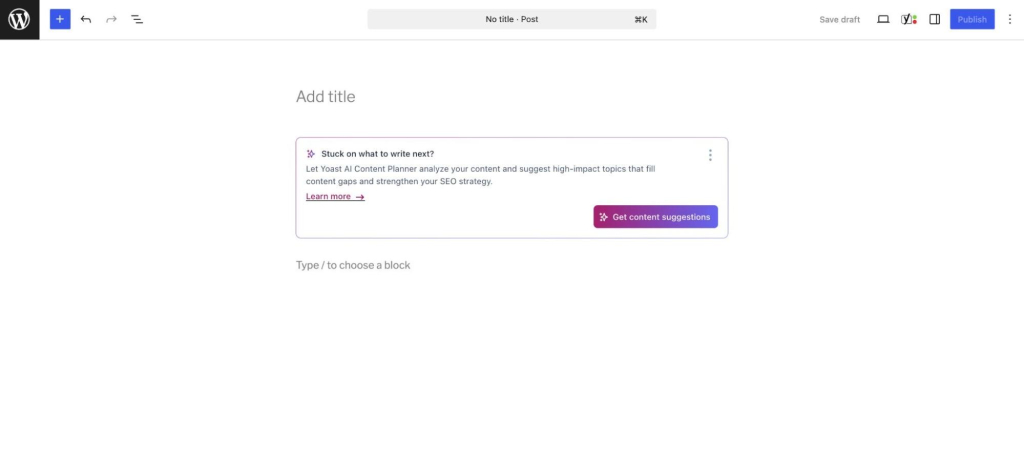
These focus on optimization: suggested titles, meta descriptions, content scoring, and schema support. Rank Math and Yoast AI sit here. They tell you how to improve a page; they do not run wider site operations.
AI chatbot plugins
These add a frontend assistant that answers visitor questions and captures leads. Tidio is a well-known example. The work happens on the public side of your site, talking to customers, rather than in the admin.
AI page builder and design tools
These generate layouts, sections, and visual content. Elementor’s Angie assistant is one example. They speed up design work but stay inside the builder rather than managing plugins, users settings, or WooCommerce products, store data.
AI framework and toolkit plugins
AI Engine and similar toolkits give developers a way to connect WordPress to AI models, build custom workflows, and call APIs directly. They trade ease of setup for flexibility, which makes them an advanced choice rather than a first pick for non-technical owners.
What is an AI Agent for WordPress?
An AI Agent for WordPress is an AI assistant that understands site context and helps carry out WordPress management tasks through natural language prompts. Instead of only generating text, a WordPress AI agent can help manage content, plugins, users, settings, WooCommerce data, and maintenance workflows, depending on its permissions and how deeply it integrates with the site. This is the same shift toward AI that does the work that runs through making AI useful for your business inside WordPress itself.
AI agents are built around tasks, not just text
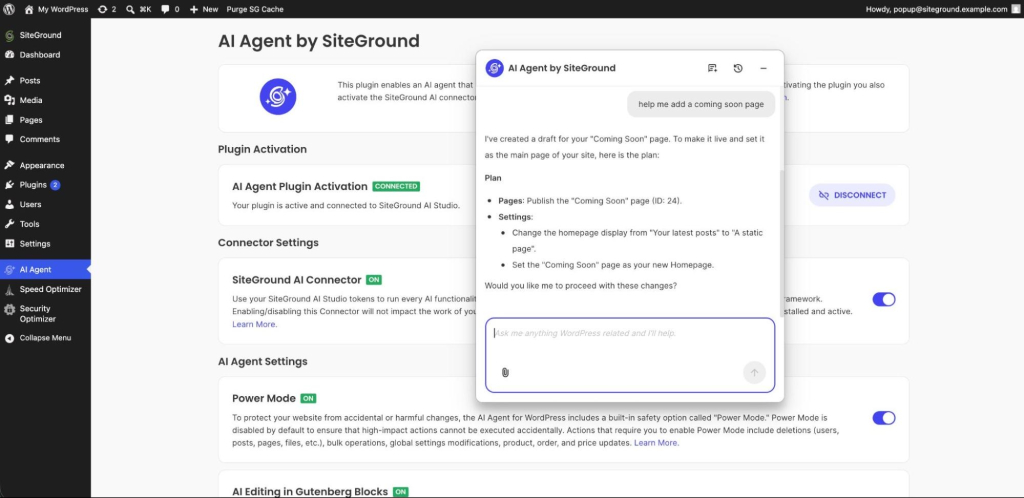
The defining trait of an AI Agent for WordPress is that it completes tasks. Ask it to update a set of WooCommerce product prices or tidy a category structure, and it works through the steps rather than handing you a paragraph about how to do it. Text generation is one thing it can do, not the whole job.
How an AI Agent for WordPress uses site context
Site context is the current state of your installation: posts and pages, active plugins and themes, registered users and their roles, configured settings, and WooCommerce products and orders. An agent reads that state, which is what lets it act precisely. A generic chatbot answering from a blank slate cannot tell you which of your plugins is out of date; an agent with site access can read your posts to find the ten without a meta description, then write to all ten in a pass. Depth of access sets the ceiling on how much manual work a tool can remove, which makes it useful for audits, bulk changes, and site-wide cleanups.
Why natural language prompts change the workflow
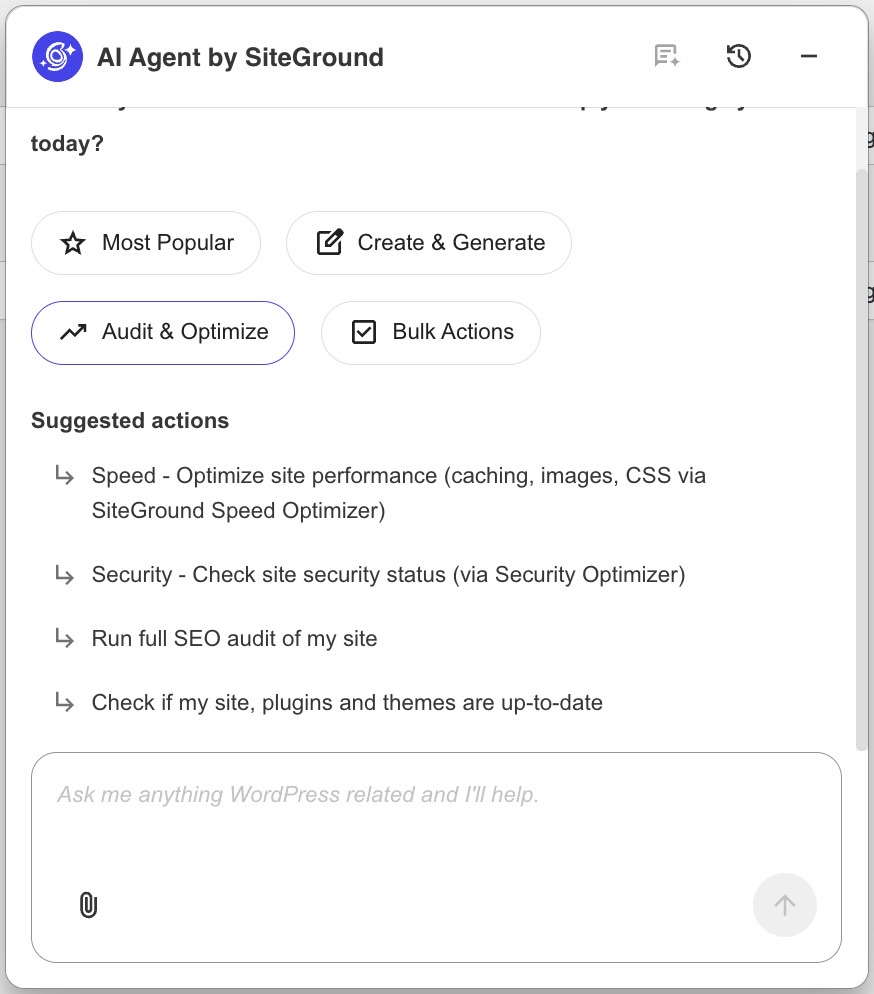
With an agent, the interface is a sentence. “Find posts published last year with no featured image” replaces a manual sweep through the admin. The prompt describes the outcome, and the agent maps it to the WordPress actions needed. For a non-technical owner, that removes the step of knowing exactly where each setting lives.
Setup differences: API keys, hosted services, and configuration
Setup is where many small businesses stall. The split is between tools that ask you to supply your own AI provider key and tools that handle the AI service for you. That choice decides how much technical work happens before you can do anything useful, and it is often the difference between a tool you adopt and one you abandon during onboarding.
Why API keys create friction for non-technical users
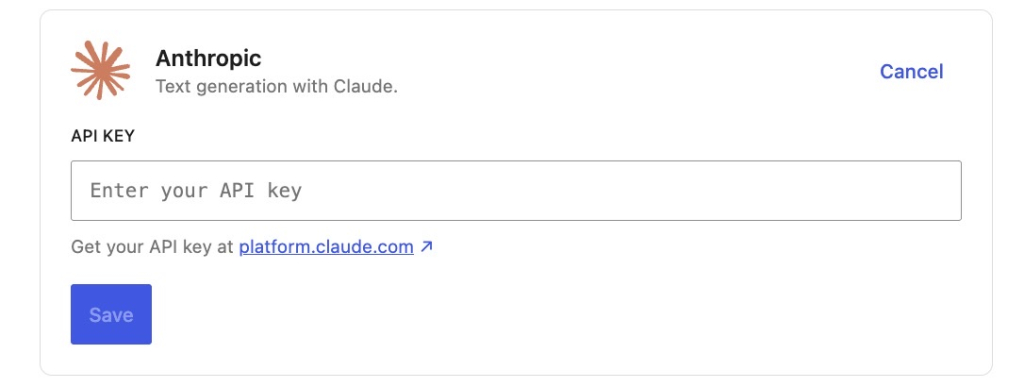
A bring-your-own-key WordPress AI plugin asks you to open an account with an AI provider such as OpenAI, generate an API key, paste it into a settings field, and manage billing and usage limits separately. Each of those is a small hurdle, and together they stop non-technical owners before the first prompt. Getting a feature running without touching code or external accounts removes that wall entirely.
When plugin configuration gives developers more flexibility
For developers and agencies, the API-key route is a feature, not a cost. It lets you pick the exact model, control spending at the provider level, and wire AI into custom workflows. The friction that blocks a non-technical owner is the same control a developer may need. The audience decides whether configuration is a burden or a benefit.
Why hosted AI services can be easier for small businesses
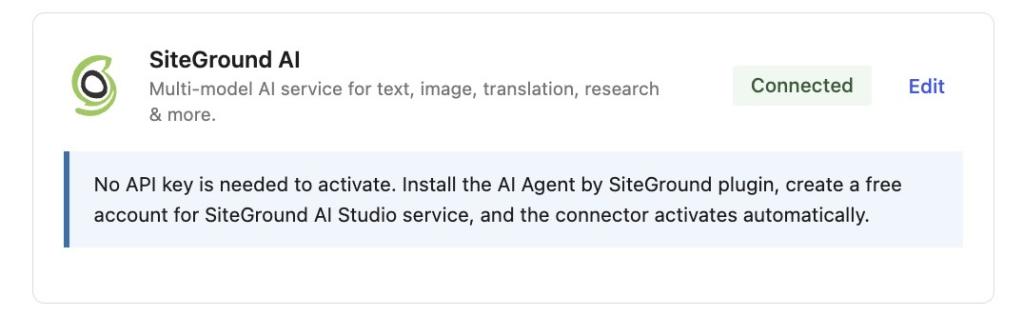
A hosted approach folds the AI service into the product. On SiteGround-hosted WordPress sites, the AI Agent for WordPress runs through SiteGround AI Studio without requiring separate AI provider API keys or subscriptions, so there is nothing to wire up before you start. For a small business, fewer setup steps usually means the tool actually gets used.
Safety and control: why permissions matter for WordPress AI
Safety matters because a tool that can change your site needs clear limits. For low-risk tasks, AI can speed up drafting and editing with little downside. For higher-impact actions such as deleting plugins, changing settings, or editing live store data, the workflow should include permissions, confirmations, backups, and human review. The same principle of least privilege that governs WordPress user roles should govern what an AI tool is allowed to do.
Some AI tasks are low risk
Drafting a post, rewriting a paragraph, or suggesting a meta title changes nothing live until you approve it. These tasks are reversible and contained, so they need little more than a quick read before you accept the result. Speed is the main benefit and the risk is close to zero.
Some WordPress actions need confirmation
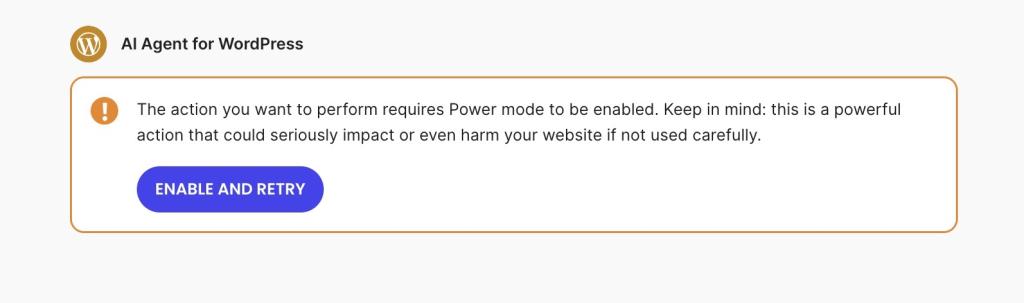
Deleting a plugin, editing a published product price, or changing a core setting can break a live site or affect real orders. Actions like these should require explicit confirmation before they run. SiteGround’s AI Agent for WordPress includes Power Mode, a safeguard for actions that could cause unintended or harmful changes to the site.
Human review should stay part of the workflow
AI-assisted WordPress management should not mean walking away. Publishing, deleting, updating, and editing live data all deserve a human check, no matter how capable the tool. Keep a recent backup, use role-based access so only the right people can trigger high-impact actions, and treat AI output as a strong draft rather than a final decision.
Which WordPress AI tool should a small business choose?
Choose by the job in front of you. There is rarely a single “best” WordPress AI tool, only the right fit for a specific task, and on a WordPress site that often means running a few specialized tools alongside a sound WordPress SEO setup rather than expecting one tool to do everything. The table below maps common goals to the tool that handles them.
Choose an AI content plugin for writing assistance
If your bottleneck is producing copy, a content plugin is the answer. Blog drafts, rewrites, summaries, and product descriptions are exactly what these tools do, and they keep you in the editor where that work belongs.
Choose an AI SEO plugin for metadata and optimization guidance
If you need help with titles, meta descriptions, content scoring, and schema, an SEO plugin is built for it. Rank Math and Yoast give structured, page-by-page guidance that a general content tool will not.
Choose an AI chatbot for visitor support
If visitors ask the same questions and you are losing leads after hours, a chatbot covers the frontend. It answers around the clock and captures details you would otherwise miss.
Choose an AI Agent for WordPress for site operations
If the work is operational, reorganizing content, managing WooCommerce, updating plugins, handling users, or changing settings, an AI Agent for WordPress is the fit. It acts across the admin instead of one screen. See which businesses benefit most from an AI Agent for WordPress across blogs, stores, agencies, and service sites.
Use plugins and an agent together when they solve different problems
These categories are not mutually exclusive, and for most growing sites the right setup combines them. Let SEO plugins own technical checks, schema, and content scoring; let a chatbot handle frontend conversations; and let an AI Agent for WordPress run the operational admin work between them. A hybrid WordPress AI stack makes sense when each one removes a different kind of work.
| Choose this | When you need |
| AI content plugin | Blog drafts, rewrites, summaries, product descriptions |
| AI SEO plugin | SEO titles, meta descriptions, content scoring, schema support |
| AI chatbot | Frontend customer support and lead capture |
| AI page builder | Layouts, designs, sections, visual content |
| AI framework/toolkit | Developer control, custom workflows, API flexibility |
| AI Agent for WordPress | Site management, WordPress operations, admin workflows, WooCommerce tasks |
Final recommendation: match the WordPress AI tool to the business job
The decision comes down to one question: do you need a WordPress AI tool that produces output, or an AI Agent for WordPress that helps operate your site? Pick a plugin for a single repeatable job, pick an AI agent for site management, run both when they cover different work, and keep human review on anything that touches live data. Decide by the outcome you need and by what each tool can actually change on your site.
If you are choosing between an AI Agent, plugins, manual WordPress admin, a virtual assistant, or a developer, use the broader guide to choosing the right WordPress management approach.
If the work you keep putting off is operational, the kind that lives in the WordPress admin rather than the editor, a hosted WordPress AI assistant is the lowest-friction place to start. SiteGround AI Studio brings an AI Agent for WordPress to SiteGround-hosted sites with no separate AI provider API key to manage, so you can move from deciding to doing in the same afternoon.
[97]
Frequently asked questions
A WordPress AI plugin usually adds one AI feature to WordPress, such as content writing, SEO metadata, chatbot support, or image generation. A WordPress AI agent is built to help manage WordPress tasks through natural language prompts, including site operations across content, users, plugins, settings, and WooCommerce where supported.
SiteGround AI Agent for WordPress uses the AI Agent by SiteGround plugin to connect WordPress with SiteGround AI Studio, but the agent itself is better understood as a site-management assistant. The plugin creates the connection, while the AI Agent for WordPress handles management tasks through chat.
For SiteGround-hosted WordPress sites, the AI Agent for WordPress handles AI services through AI Studio without separate API keys or subscriptions. Many generic AI plugins, by contrast, require you to bring your own API key for an AI provider.
Some AI plugins can help with specific WordPress tasks, but most are focused on content, SEO, chat, design, or API integrations. An AI Agent for WordPress is designed for broader site-management workflows when it has the right site access, permissions, and safeguards.
Small businesses should choose based on the job. Among WordPress AI tools, use an AI content plugin for writing, an AI SEO plugin for optimization guidance, an AI chatbot for customer support, and an AI Agent for WordPress for site-management tasks such as content organization, WooCommerce updates, plugin management, user tasks, and settings changes.
Yes. An AI Agent for WordPress works alongside SEO plugins. SEO plugins are useful for technical SEO checks, titles, meta descriptions, schema, and content scoring, while an AI Agent for WordPress helps with broader WordPress management tasks.
Safety depends on the tool, its permissions, and how it handles high-impact actions. SiteGround’s AI Agent for WordPress includes Power Mode — see how SiteGround built Power Mode for safe AI site management — a safeguard for actions that could cause unintended or harmful website changes. Human review still matters for publishing, deleting, updating, or changing live site data.
ChatGPT can generate advice, drafts, and instructions, but it does not directly manage your WordPress site unless it is connected through a tool or integration. SiteGround AI Agent for WordPress connects to WordPress through SiteGround AI Studio and can help manage real site tasks from the AI Studio interface or inside WordPress admin.
No. A WordPress AI agent can reduce the need for some single-purpose tools, but it does not replace every AI plugin. A business may still use AI SEO plugins, frontend chatbots, AI design tools, or developer frameworks when those tools solve a specific need.