Design Flawless Emails: Must-Know Email Layouts and Trends 

Featured image of article about email designs

Are your email marketing campaigns falling short in engagement? If your emails are being opened but the click-through rate is low, you might be wondering whether it’s the copy or the design of the email that is turning readers away. Since you’ve successfully gotten them hit “open,” there’s still hope—you might just need an email design tune-up.

In this article, we’ll help you understand the importance of good email design and how you can achieve it with the help of effective layouts and email design ideas that have gained popularity recently—all to create beautiful emails that keep your readers glued from start to finish.

Why Do Your Emails Need Great Design to Stand Out?

Think about it this way: when you open an email, what grabs your attention first? For most people—and even your email subscribers—it’s not long paragraphs of text. With information coming at them from all directions, it’s unrealistic to expect them to read every word of your email, no matter how connected they are to your brand.

Your recipients are more likely to skim rather than read in detail to quickly assess if the content is worth their time. So, how can you effectively convey your message? This is where great email marketing design comes in handy.

By using visual cues to direct the reader’s attention, you can highlight the essential elements your audience needs to understand for your email marketing campaigns to be successful.

Email Layout vs. Email Template: Understanding Their Roles in Email Design

To clear up any confusion from the start, and save you from wondering what comes first, here’s a simple breakdown of each term:
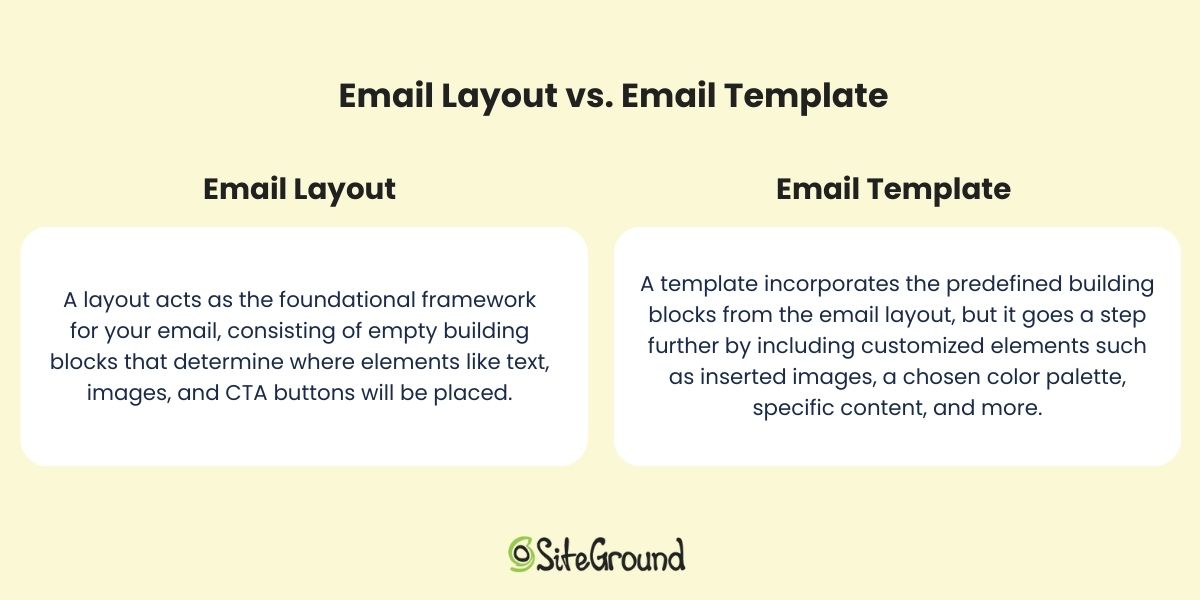
The differences between an email layout and an email template explained

So, how does creative email design fit into the mix with these terms?

While the email layout ensures a balanced and organized presentation for your email’s appearance, an effective email design builds upon this by styling elements within this framework—from color palettes and fonts to all kinds of visual elements—to create an email that’s both engaging and visually appealing. 

The result of this combination is the email template—a ready-to-use framework that simplifies the email creation process. It ensures consistency, saves time, and allows for customization to align with your branding and the goals of your message.
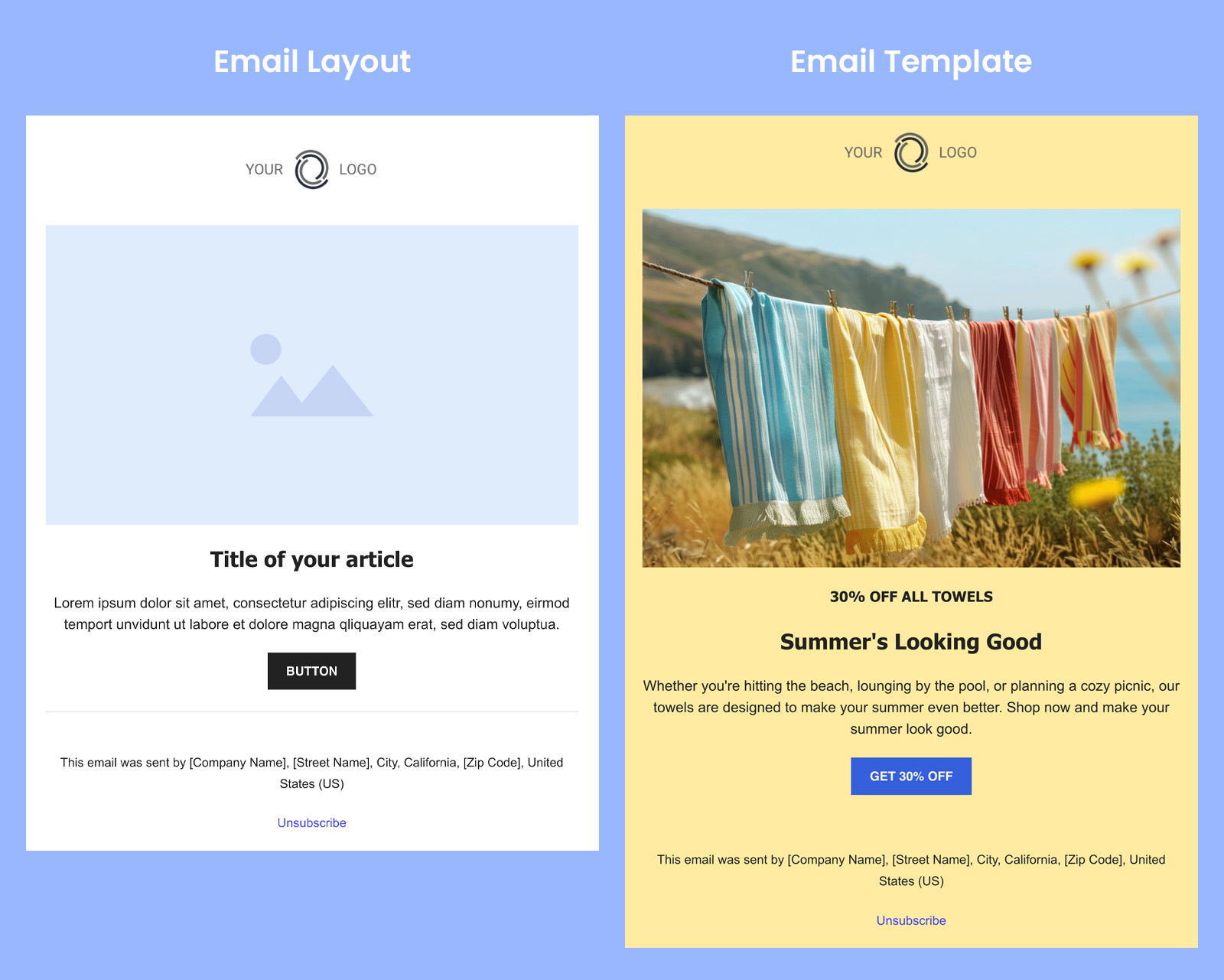
Illustration showing what an email layout looks like compared to an email template

Most email marketing platforms offer predefined templates to help you create beautiful emails at one time. SiteGround Email Marketing is one of them—offering a range of professional email templates that can be easily customized using a no-code builder and built-in AI assistant. 

Common Types of Layouts for Effective Email Design Ideas

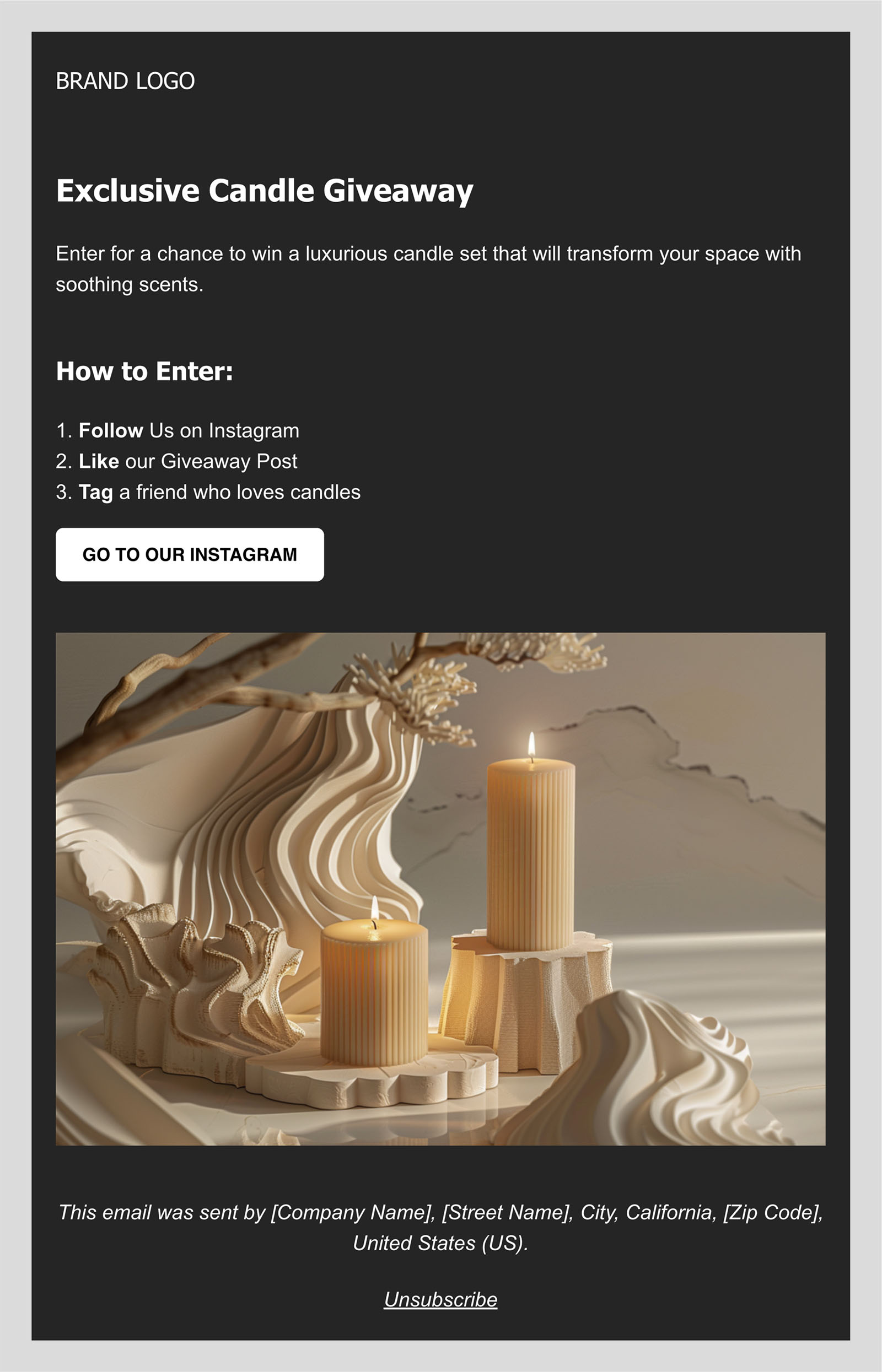
The design of your email should align with its purpose. While some emails might be all about the words, others come alive with images, graphics, and videos. It’s all about arranging these elements in a way that guides your reader’s eyes smoothly through the content, whether it’s a structured hierarchy or a natural reading flow.

We’ll be exploring some common types of email structures, accompanied by template examples to discover how each design comes to life.
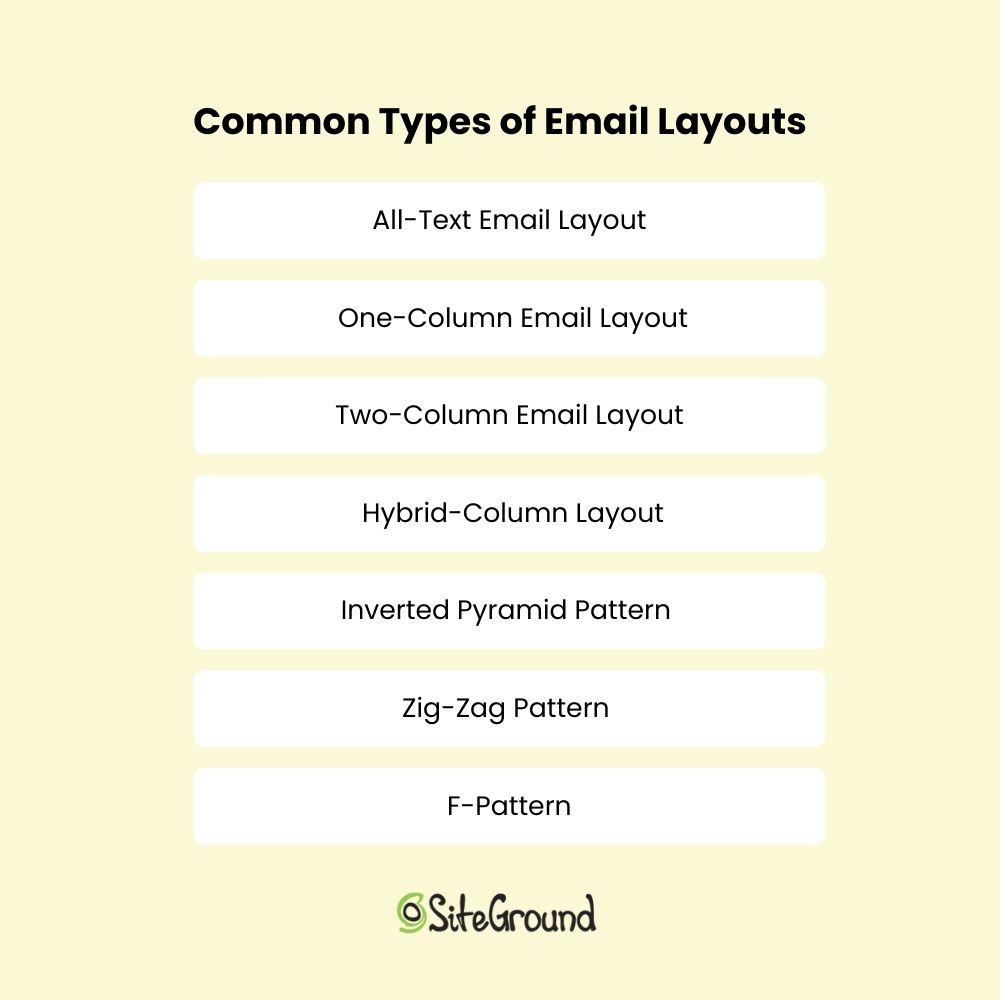
The seven common types of email layouts, each structured sequentially to form a list

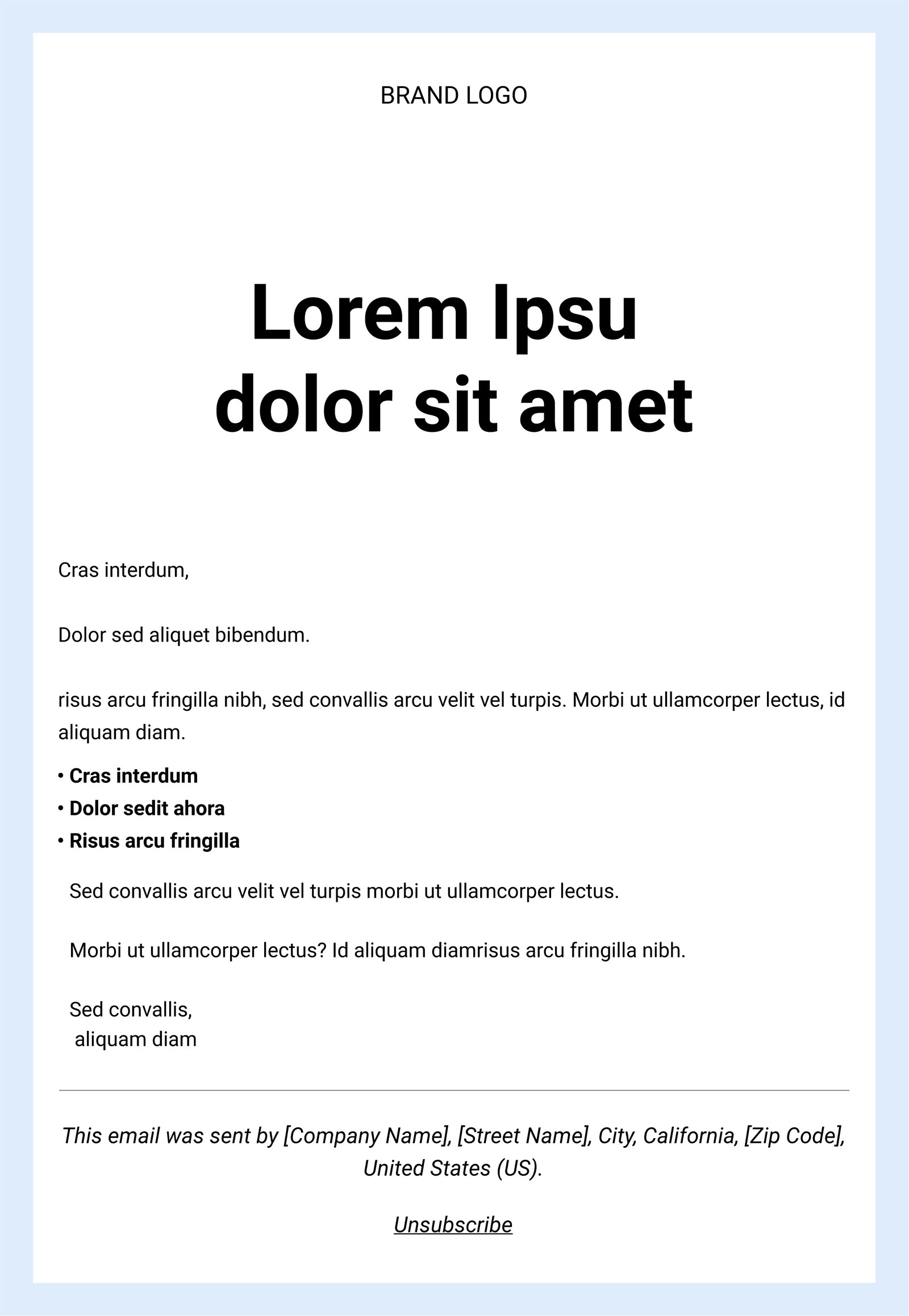
1. All-Text Email Layout

As the name suggests, all-text emails do not include any images or graphic elements; it’s just plain text. Because of that, emails with such structure are often used for password resets, order confirmations, and for almost any kind of transactional email. 

But don’t think that’s all they’re good for—they’re also great for welcome emails or any message you want to feel more personal. Without logos or images, they can come across as if they were sent by an actual person.

And while you might think that with your concise and simple copy, success is guaranteed, there are a few rules to follow to make your message pop, such as:

  • Use well-formatted text with short sentences and short paragraphs.
  • Include headings and subheadings to break up text, where appropriate.
  • Bold important phrases to catch and keep the customers’ attention.
2. One-Column Email Layout

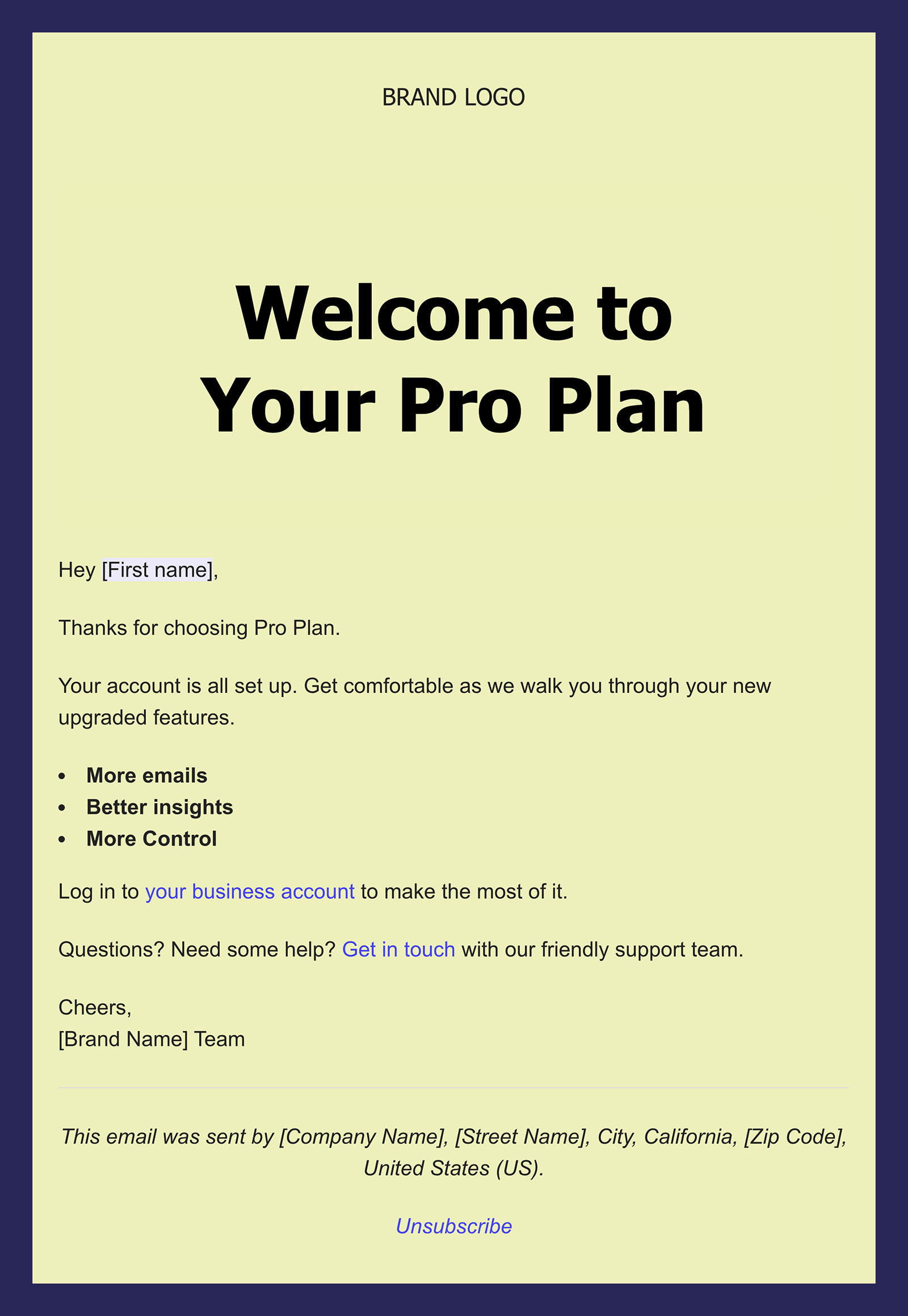
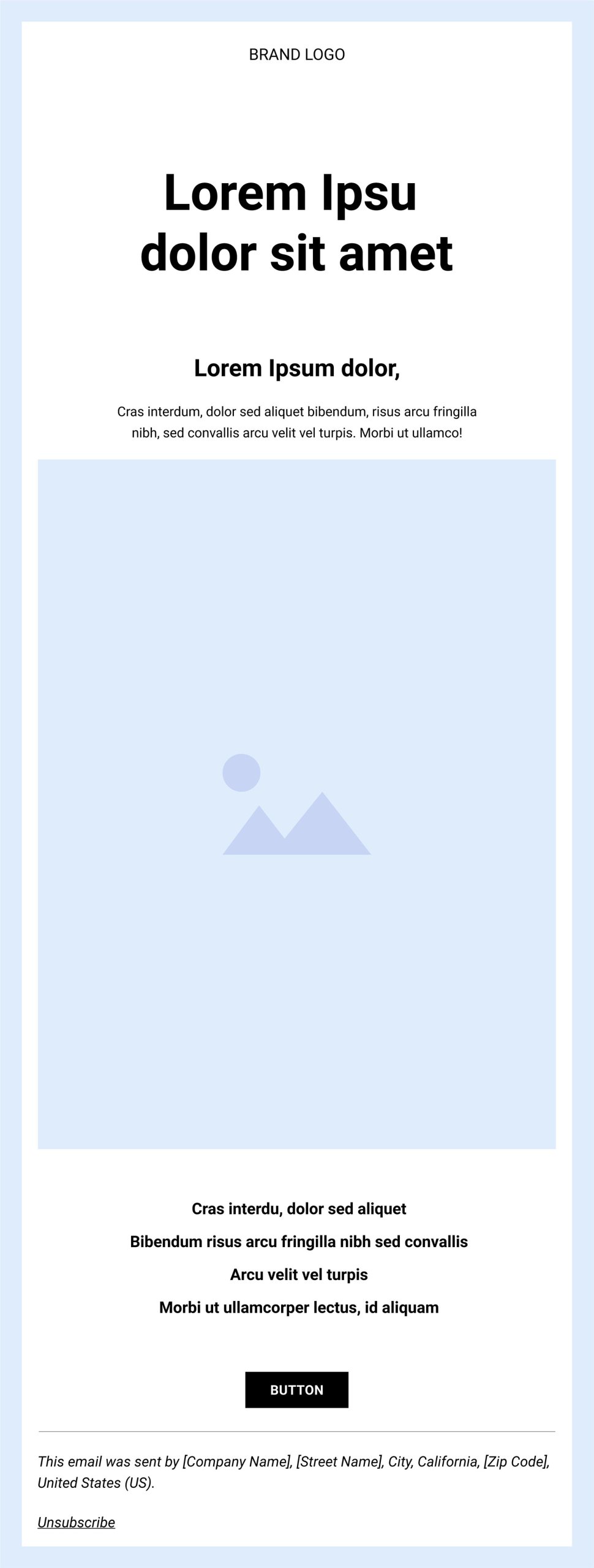
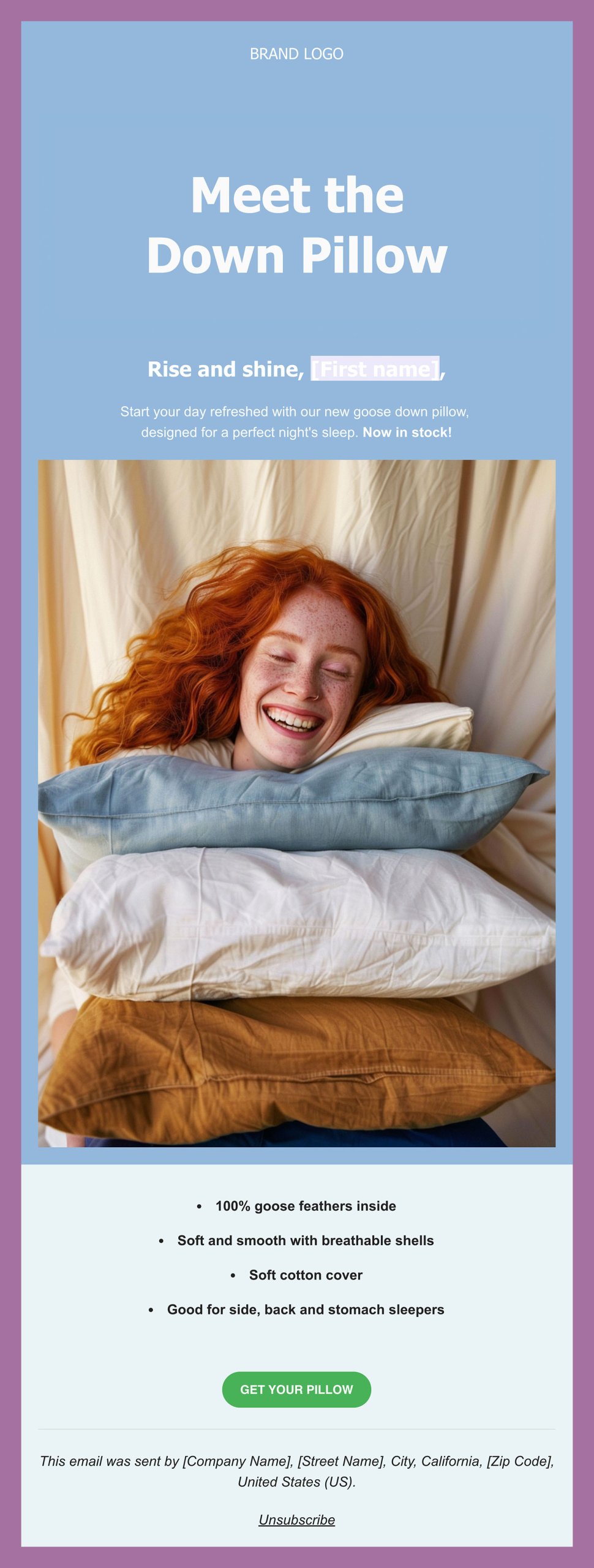
When we say one-column layout, we’re referring to an email where everything is arranged in a simple, straight line—just like a column. This format allows you to include as many sections as needed, with each section typically featuring a single image or block of text.

The simplicity of this design is its greatest strength, as it offers a clean and straightforward presentation that keeps the reader engaged with the main message without any distractions. That’s why single-column layouts are effective for welcome emails, sales promotion emails, and re-engagement emails. They also work well on mobile devices because they easily adapt to smaller screens, offering a user-friendly reading experience.
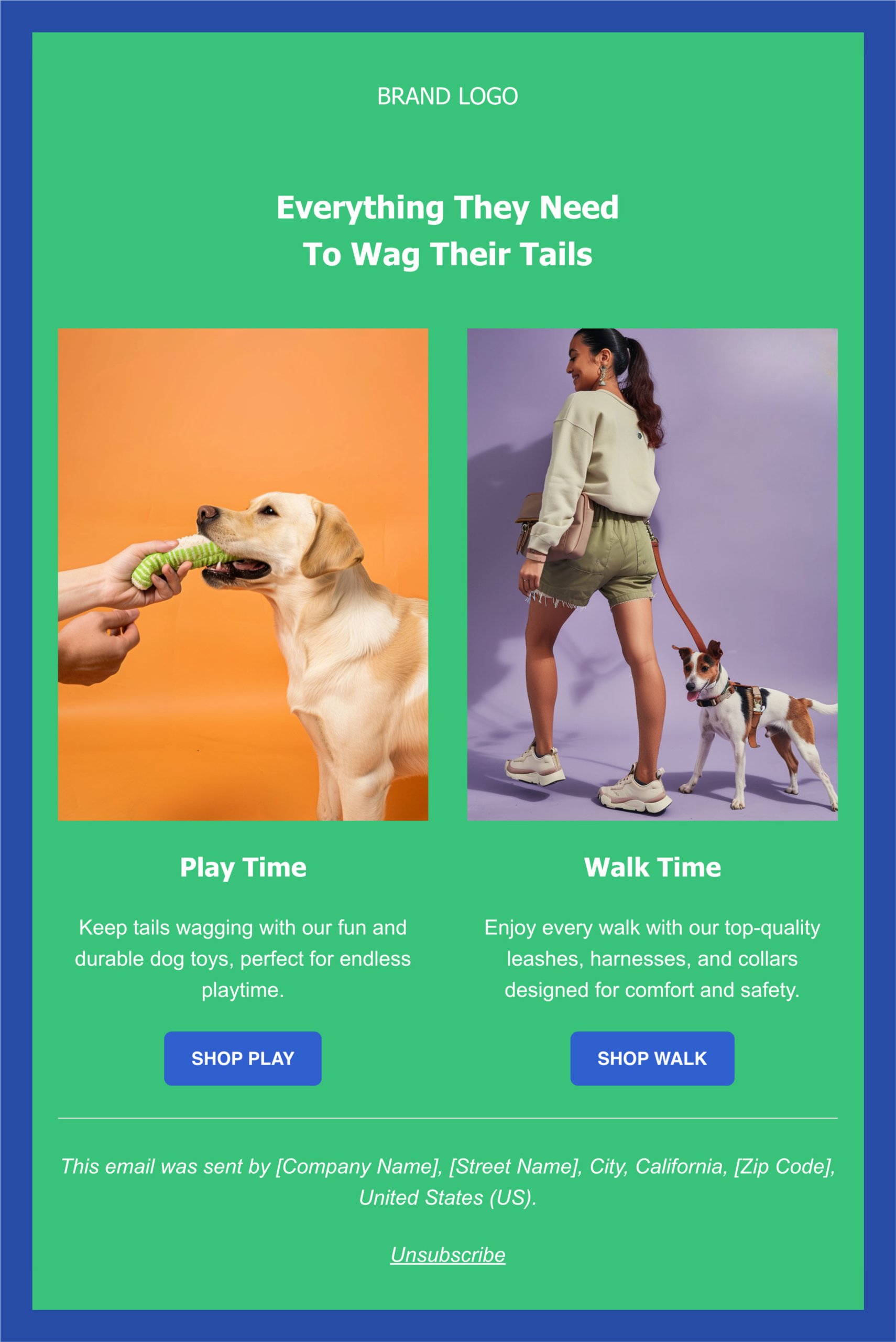
3. Two-Column Email Layout

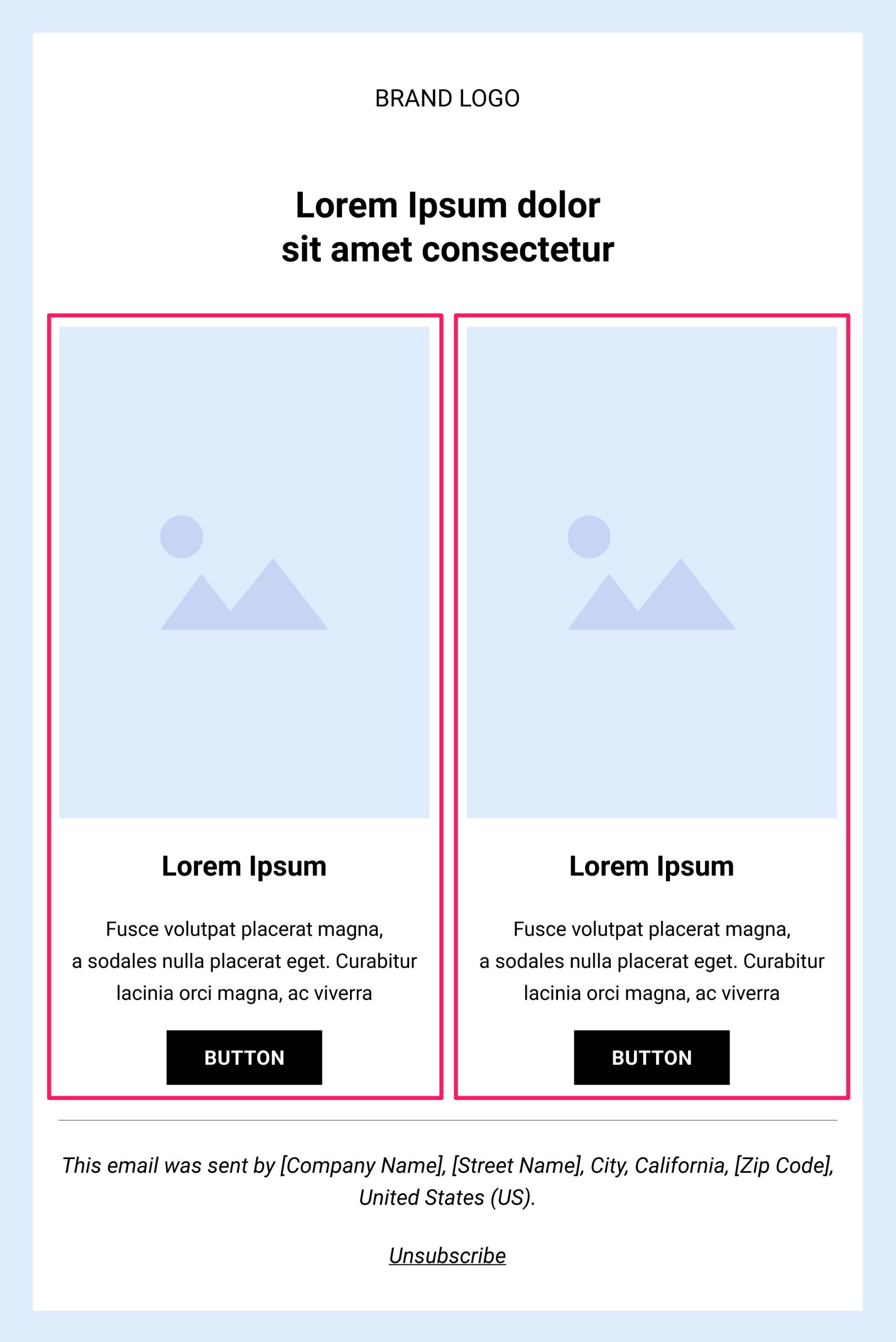
A two-column layout organizes your essential elements—content and images—into two distinct sections, providing clear separation within your content.

This format is ideal for covering multiple topics at once, such as introducing your brand while guiding readers to the landing page of your services. It’s also well-suited for information-heavy content like newsletters, especially those featuring blog posts where you need to present various pieces of information in an organized manner.


Plus, this format works wonders when incorporating multiple calls to action, as it enables you to strategically position them throughout your body copy without overwhelming the reader.
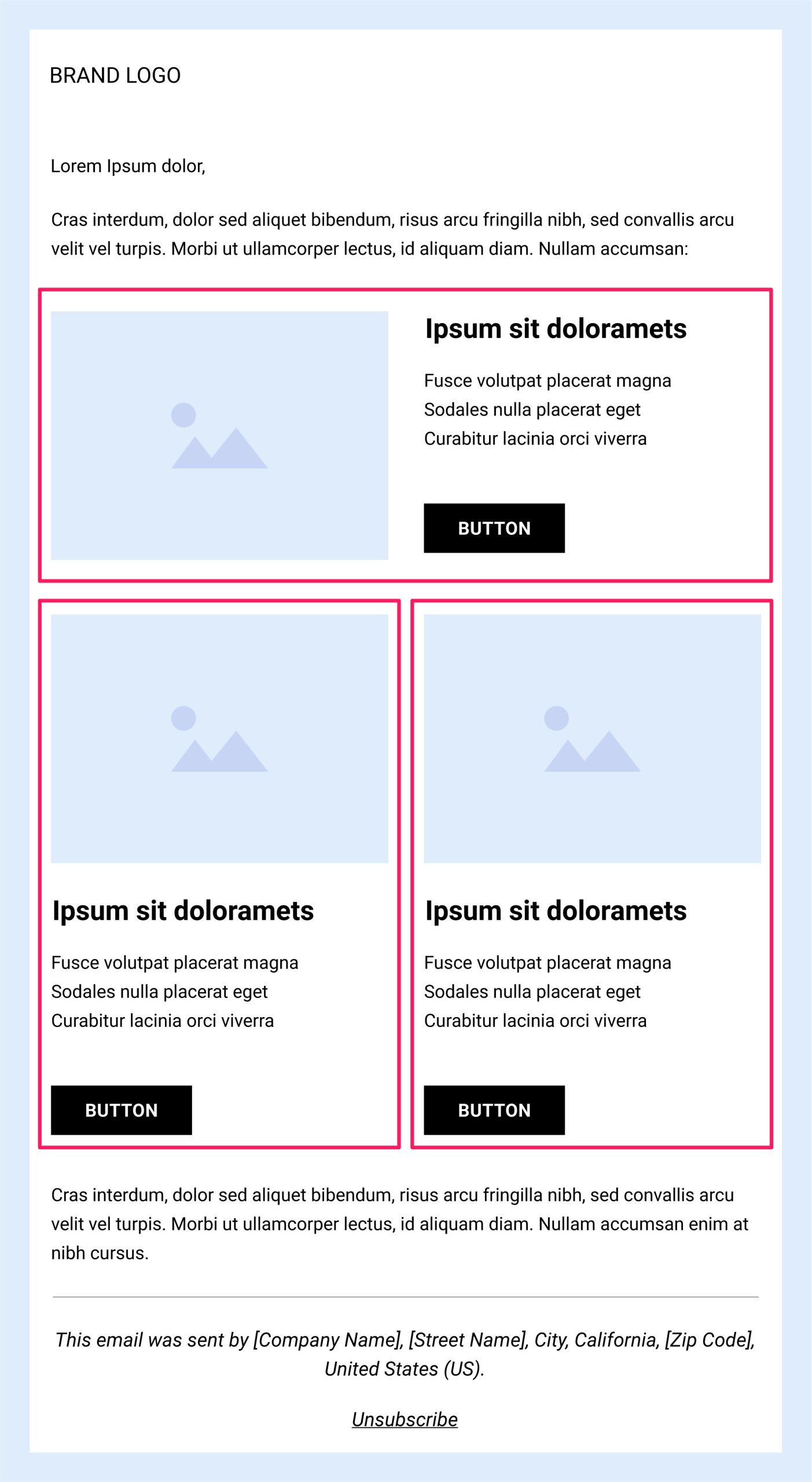
4. Hybrid-Column Layout

A hybrid-column or multi-column layout starts with a wide, single-column header that can be used to provide context for the topic of your email or, if it’s a promotional email, to highlight your main offer. Following the header, the layout transitions into multiple blocks arranged in a two-column format, where you can place your calls to action and additional information.

The main advantage of this format is its ability to convey a large amount of information in a streamlined design, keeping your email both tidy and visually engaging.
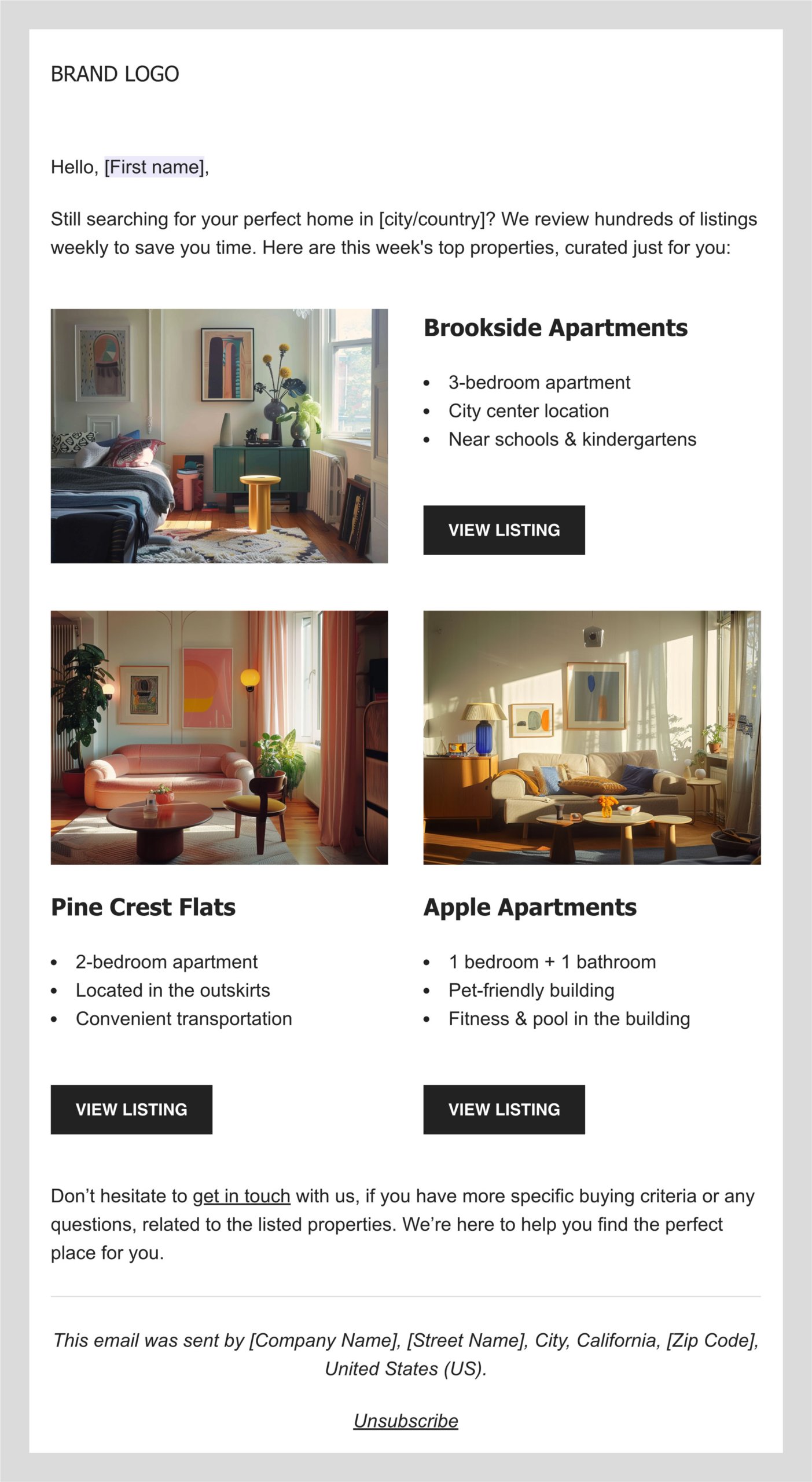
Just keep in mind that while some email platforms offer mobile-friendly templates, emails with more than one column might present challenges in optimization. Therefore, always preview your email to ensure it looks great on all screen sizes.

Now that you’re familiar with the columns, let’s move on to discovering how different visual patterns can elevate your email designs.

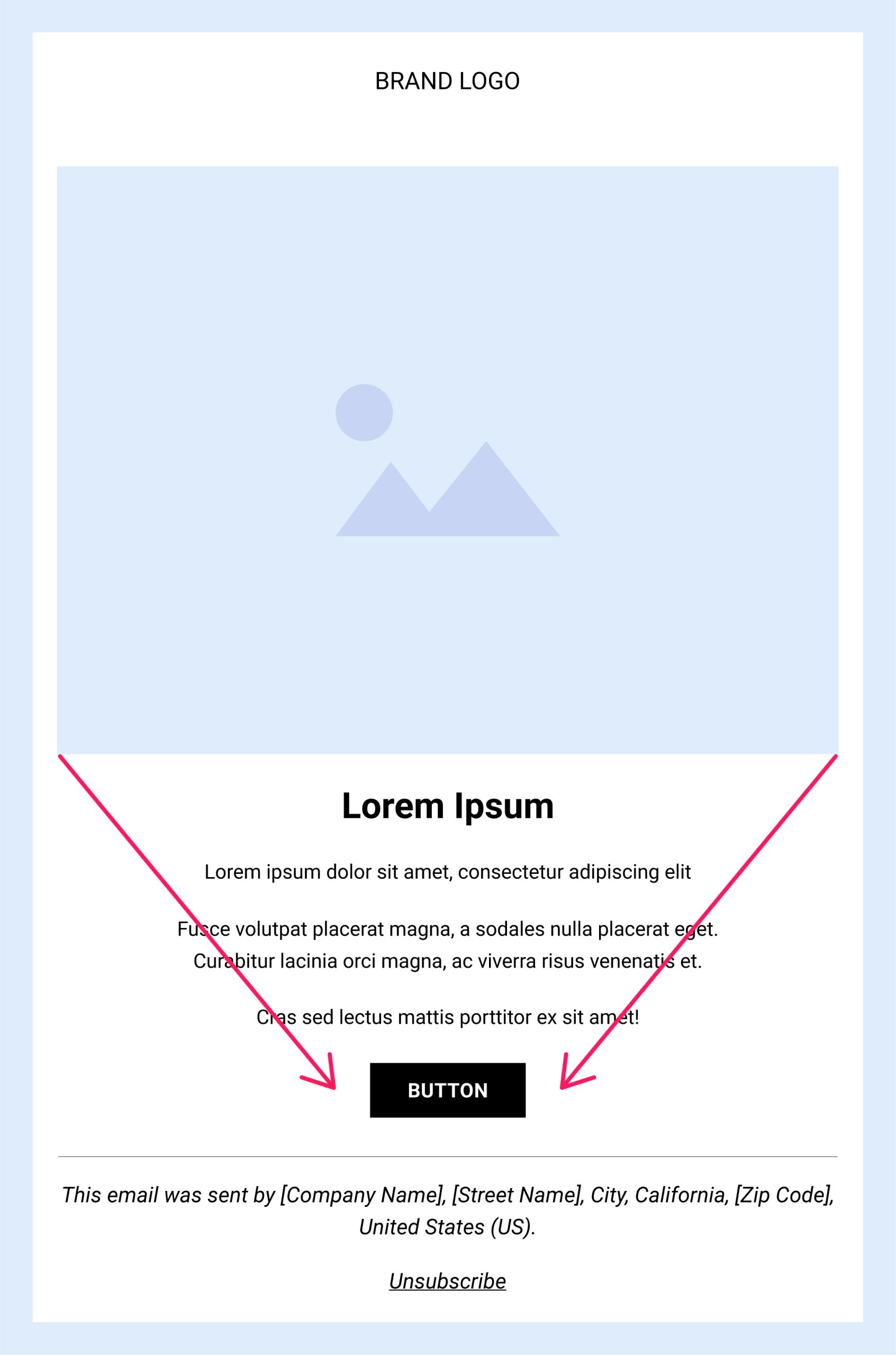
5. Inverted Pyramid Pattern 

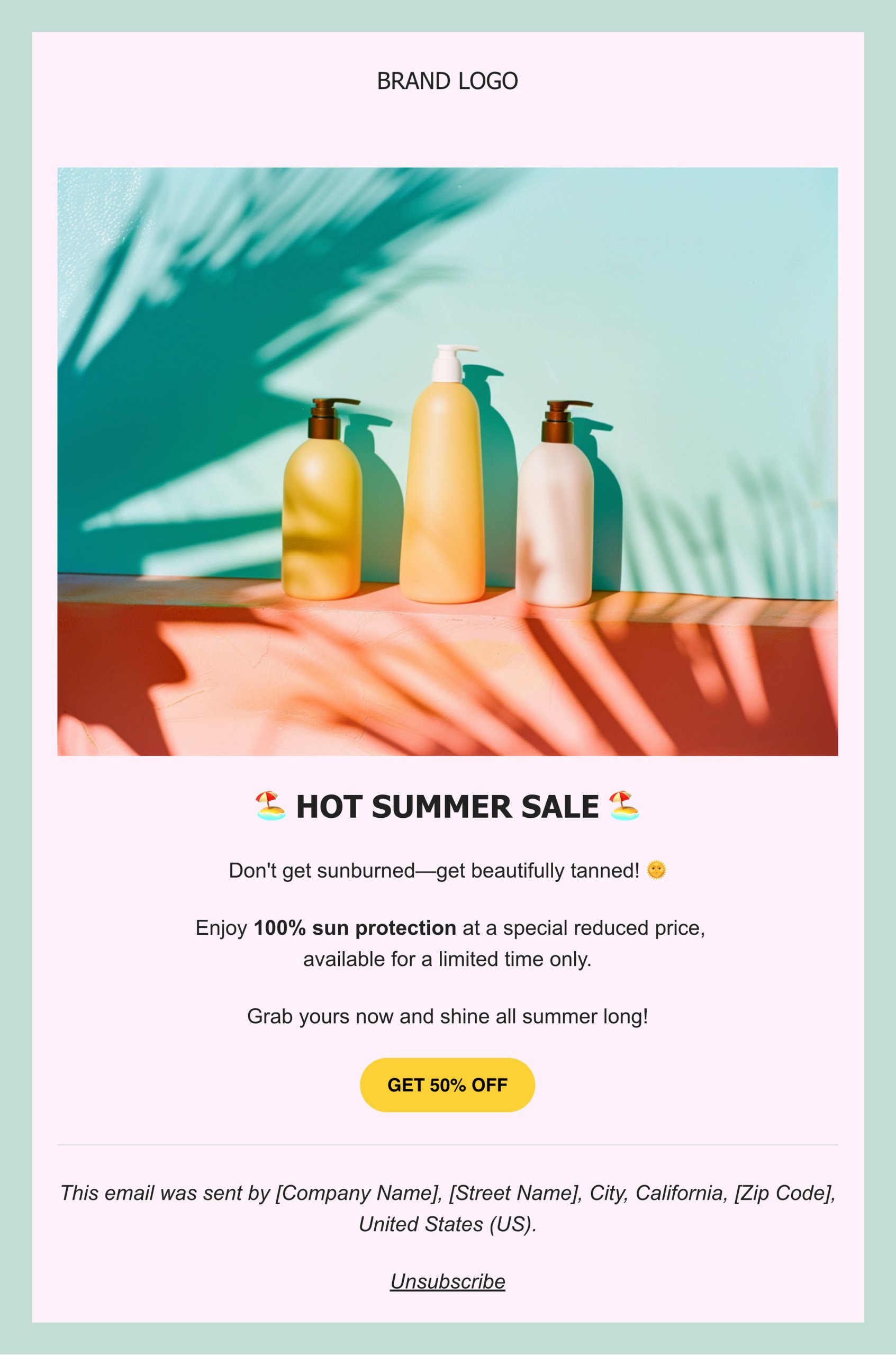
The inverted pyramid layout follows how readers naturally skim through text. It starts with an appealing visual or catchy copy that captures attention, then gradually narrows the reader’s focus toward the main goal of your email—the call to action. This progression is particularly effective for promotional emails, where the primary objective is to drive conversions.

In this layout, every element of the email is designed to support the call to action and eliminate distractions, ensuring that readers have a clear and direct path to engage with your offer.
6. Zig-Zag Pattern 

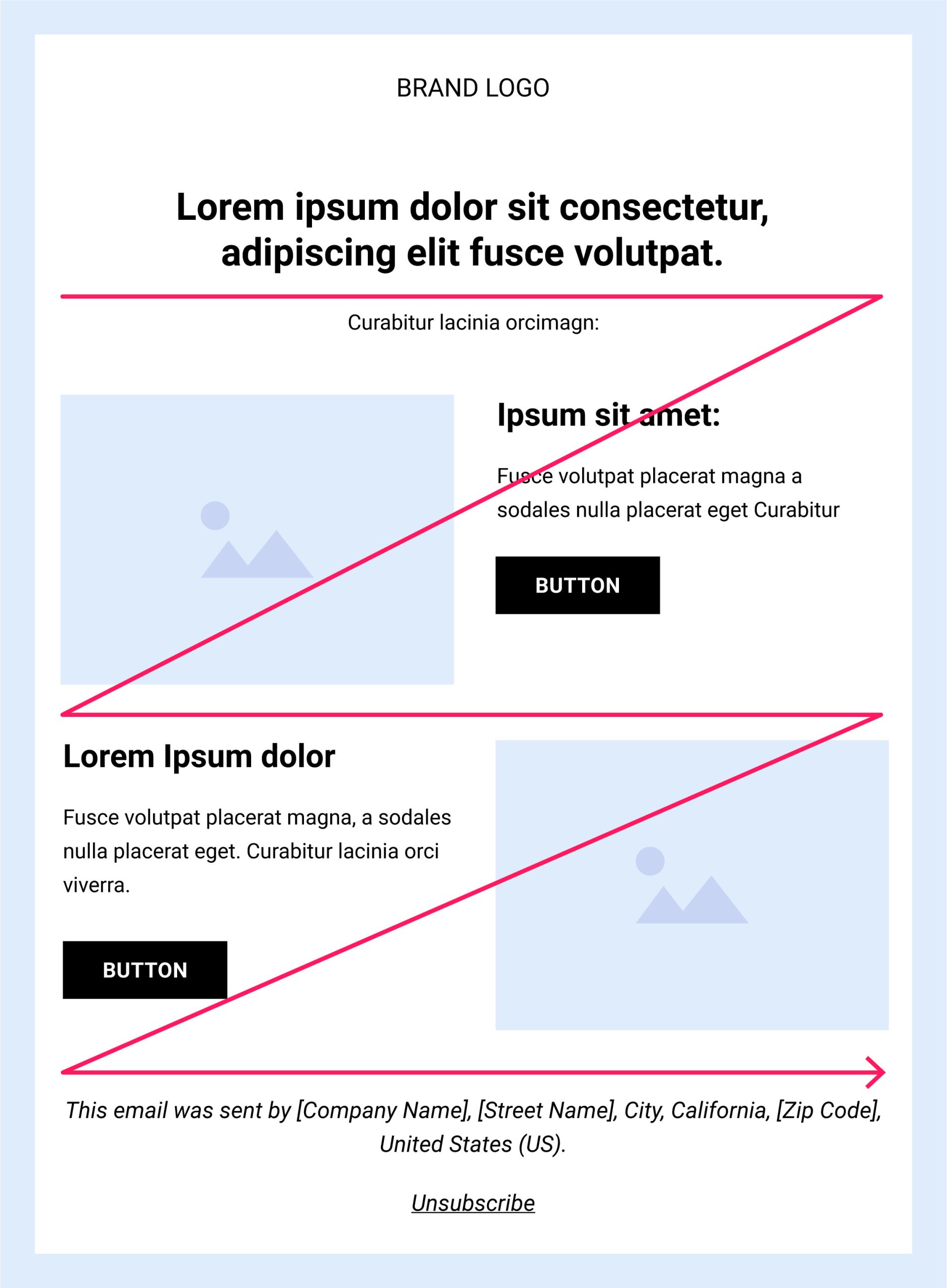
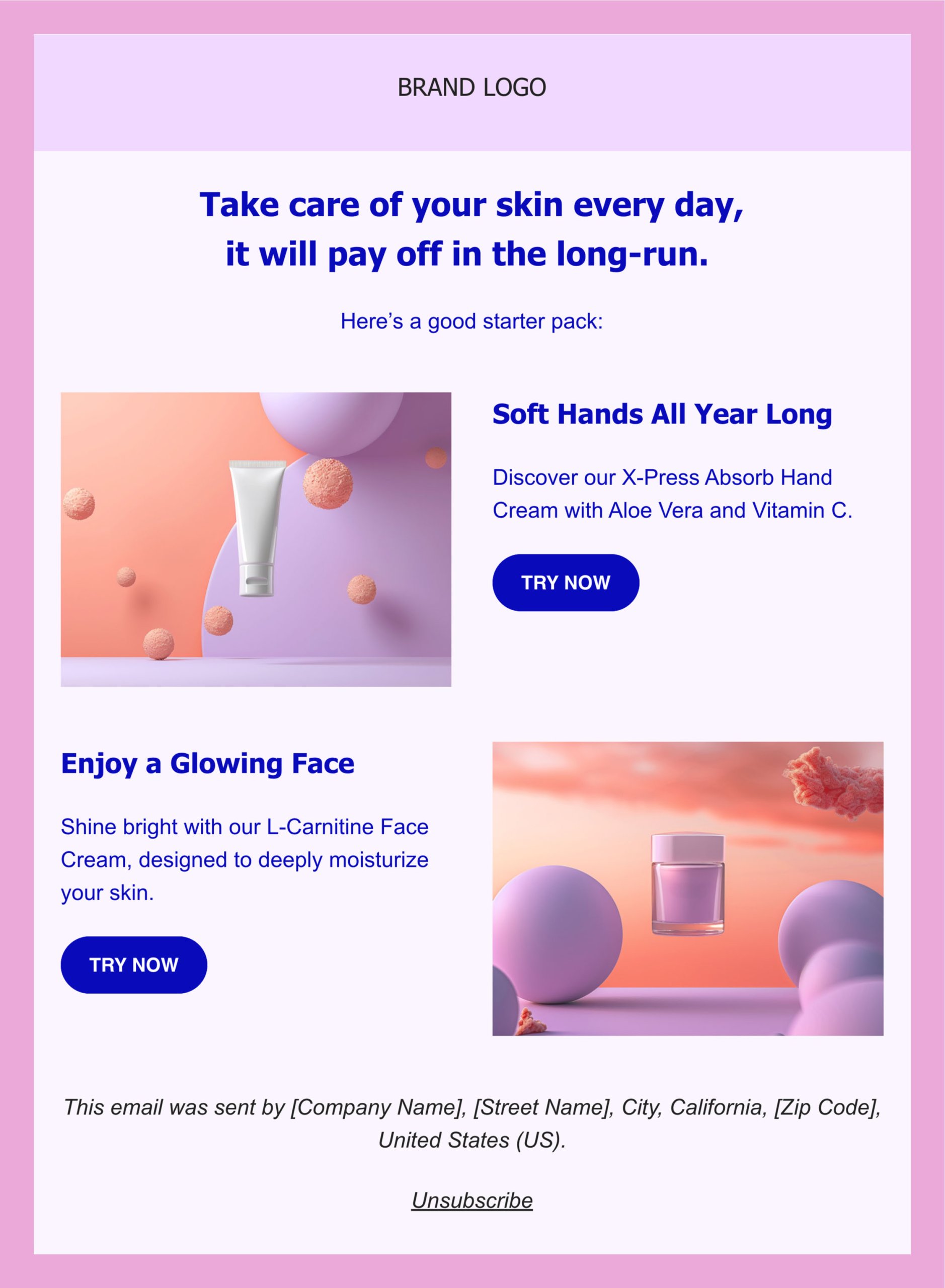
This pattern is perfect for emails that are packed with information but still need to be visually appealing, as it leverages the natural way our eyes move when we read—from left to right—creating a “Z” pattern. That’s where its name comes from.

When creating emails following the zig-zag pattern, it’s a good idea to place the most important information on the top horizontal line, as this is what readers notice first. From there, guide the reader’s eye along a diagonal line that leads to engaging copy and a call to action, and do the same for the opposite side. Additionally, if you want to improve readability and maintain a clean email design, utilize the white spaces. 

The zig-zag pattern is perfect for emails that contain weekly updates, product launches, or tips—any scenario where you need to highlight key elements while presenting more details.
7. F-Pattern

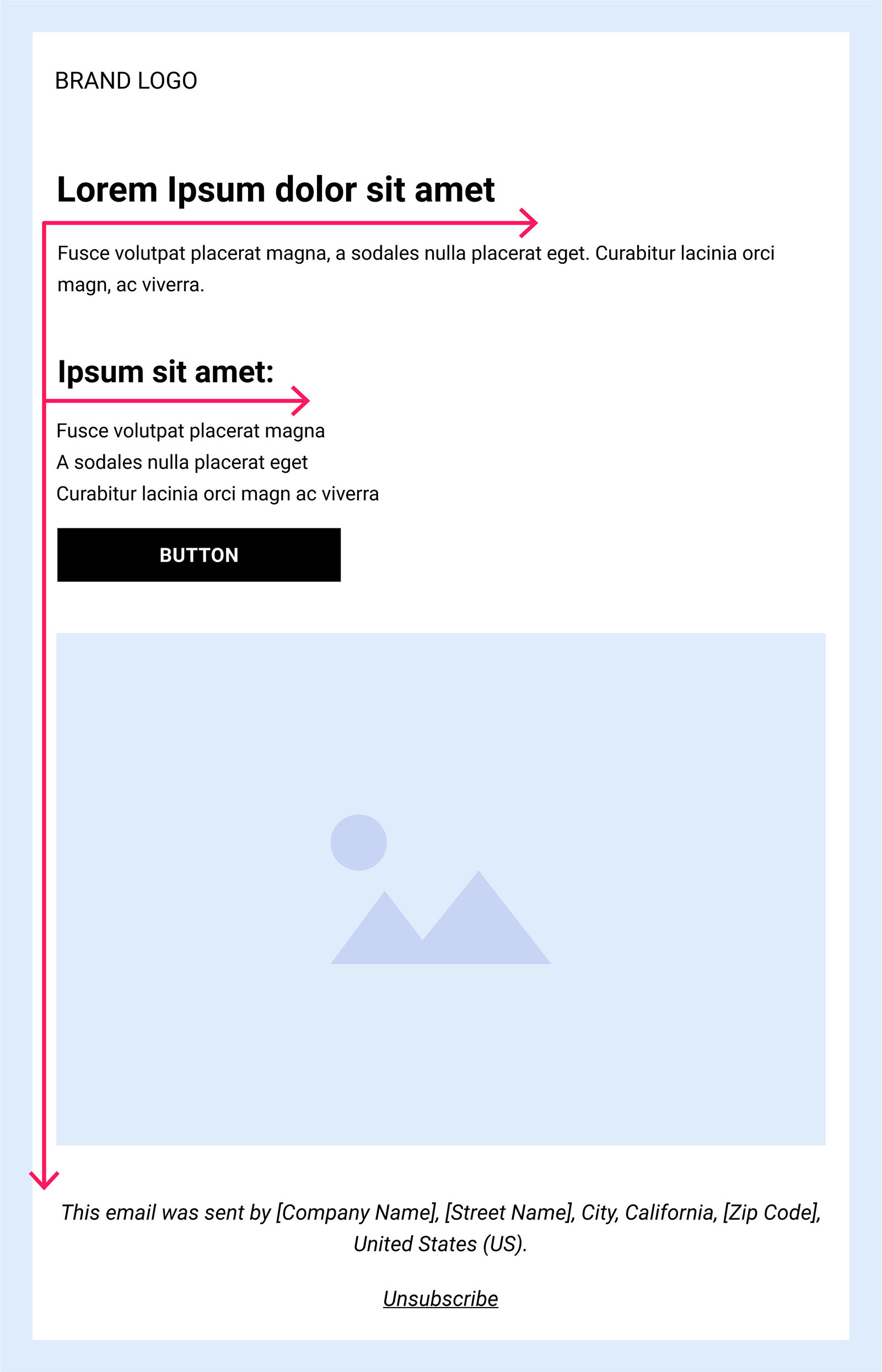
This pattern uses the following visual hierarchy: the most important information is at the top, followed by less important information on the left sides below, including the call to action at the bottom.

This layout also follows a natural reading pattern, as users tend to read one section at a time, left to right, with CTAs at the bottom of each section, where the reader’s eyes are drawn to. As the content continues, the text on the right becomes shorter, gradually leading to the CTA button. 

The F-pattern layout works well for information-heavy emails that need to be easy to read and mobile-friendly. 
6 Effective Design Ideas (With Email Design Examples)

Now that you’ve got the knack for structuring emails that grab attention, it’s time to shift our focus to elevating your email design to maintain that attention.

Whether you’re eager to revamp your style or explore bold new ideas, below are some great email design ideas to get your creativity going.
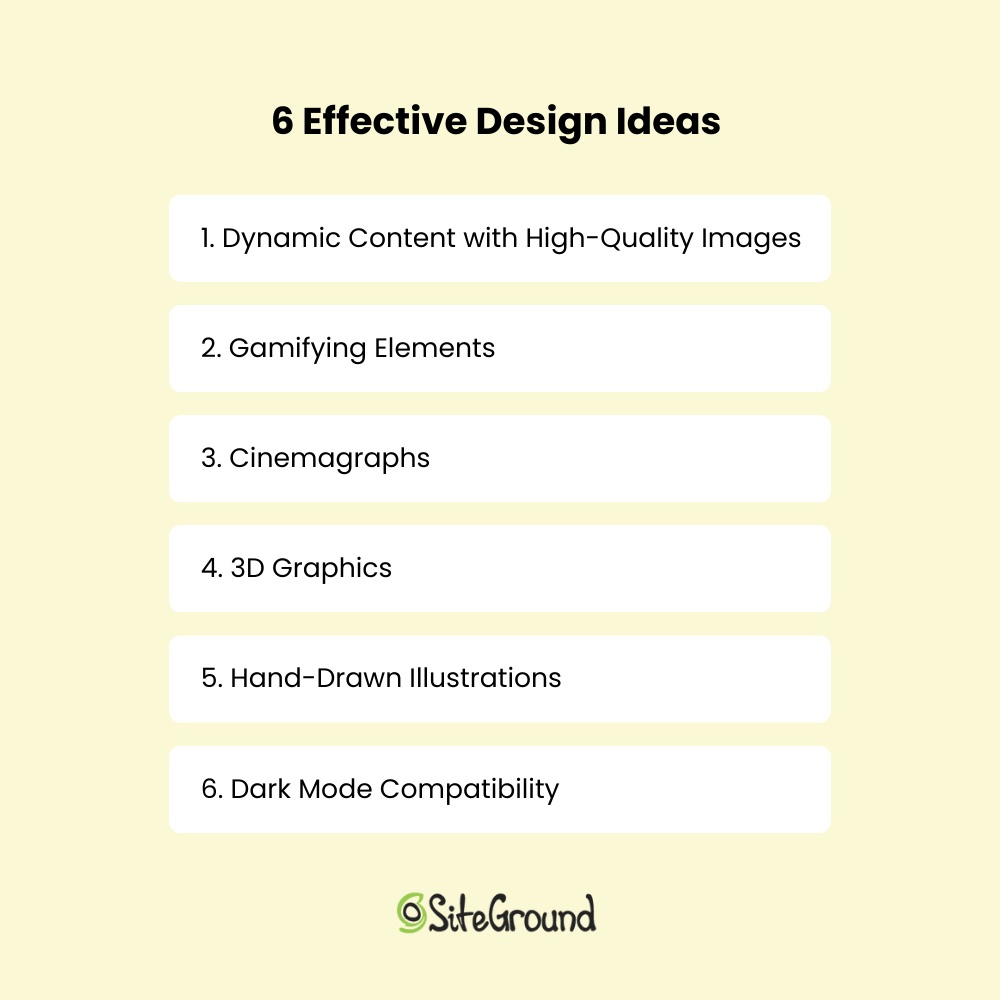
6 effective design ideas, each structured sequentially to form a list

1. Gamifying Elements 

Imagine incorporating game-like elements into your emails to increase reader engagement. For instance, you could create a series of emails where subscribers complete fun challenges or quizzes to earn points. As they accumulate points, they can unlock new content or receive special rewards. You might also introduce a leaderboard to foster friendly competition among subscribers.

Additionally, developing storylines that unfold over multiple emails can further hook subscribers, enticing them to see how the narrative evolves and encouraging them to come back for more.

Gamifying your emails leads to increased time spent reading and even higher click-through rates. This email design is especially effective in re-engagement emails, where rekindling the connection with your readers is the main goal.
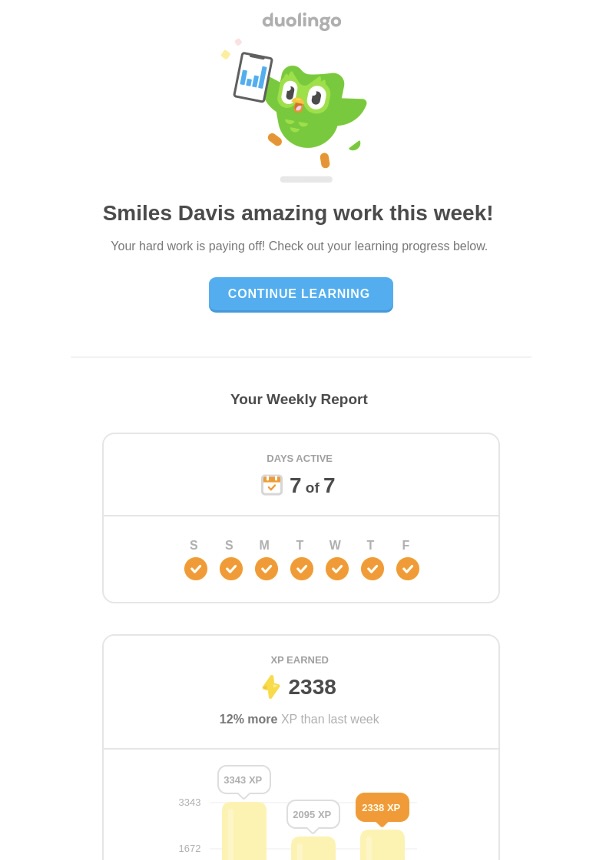
Screenshot of the Duolingo email, including gamification elements

Here’s a great email design example from the language learning app Duolingo. They send out gamified emails with mini-quizzes and progress reports to keep users engaged and to encourage regular app use.
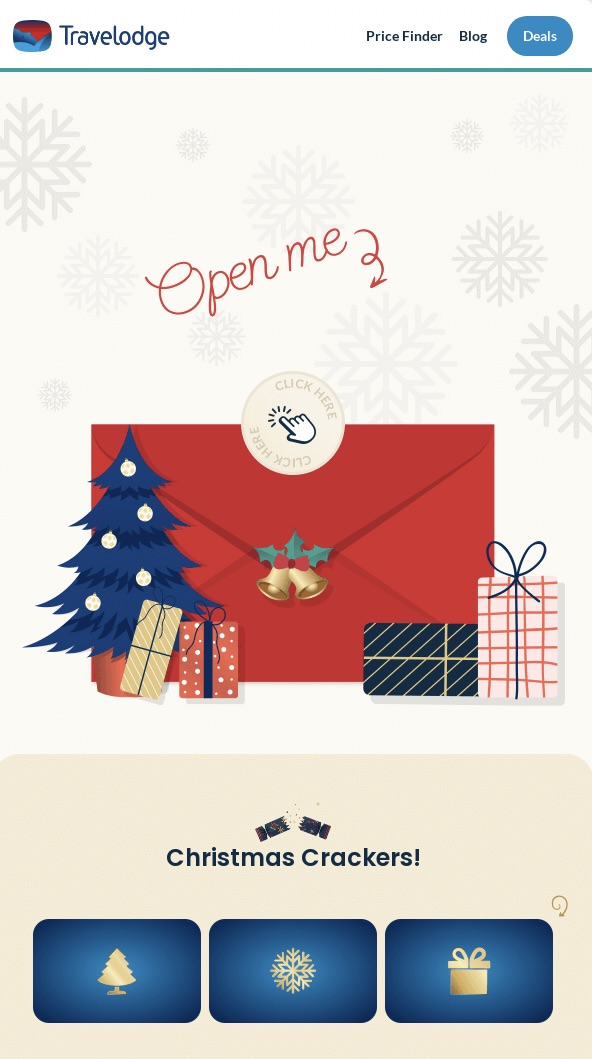
Screenshot of the Travelodge email, including gamification elements

This email from Travelodge taps into the festive spirit by offering a free trip to the lucky winners. By incorporating a challenge-based entry, it encourages active participation, transforming a simple email into an exciting adventure.

2. Dynamic Content With High-Quality Images

Your readers have diverse preferences, so instead of creating emails that try to use one-size-fits-all content, focus on more personalized messages that resonate with your subscribers. 

Dynamic content allows a single email to automatically adapt and personalize itself based on who receives the message. You can either set up specific content blocks and choose which subscriber groups or segments to show the content to, or customize content based on individual subscriber information, such as using their name or other details from their user profile.

Pair it with eye-catching images, and your subscribers will be hooked.
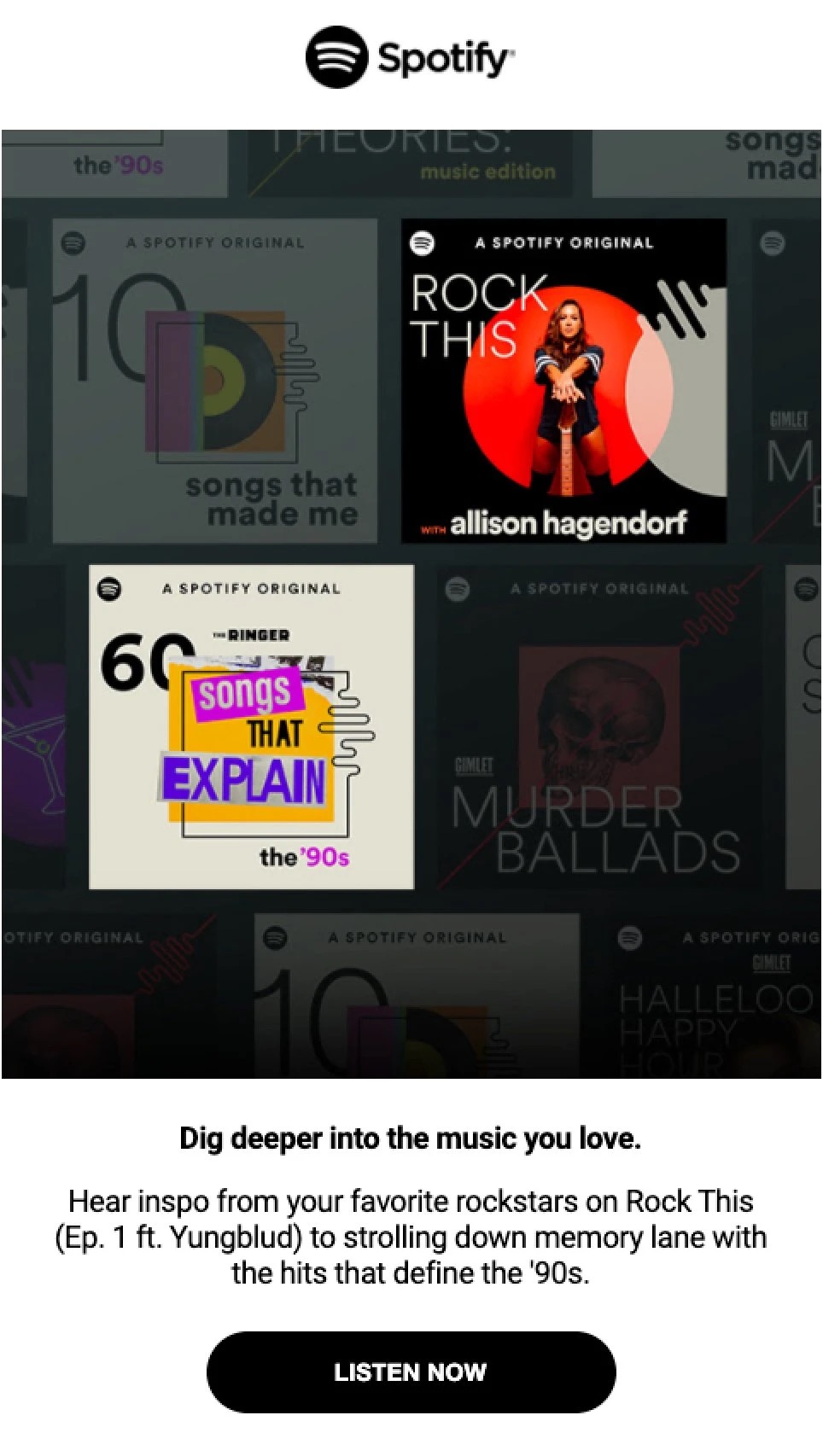
Screenshot of the Spotify email, including dynamic content with high-quality images

Here’s an email design example from Spotify: the content in their newsletter changes based on each subscriber’s listening preferences. This way, recipients are more likely to explore the recommendations in the app, whether it’s ’90s hits or another music era tailored to their tastes.

Screenshot of the Netflix email, including dynamic content with high-quality images

Netflix adds a splash of personalization to their emails with customized elements, nudging subscribers to dive back into their latest series right where they left off. Plus, they sprinkle in recommendations for new shows adapted to each viewer’s unique tastes, based on their viewing history.

3. Cinemagraphs

The next email design idea might be something you’ve spotted before, but didn’t know by name—cinemagraphs, more recognized as animated GIFs. These delightful animations within still photographs feature a portion of the image that moves in a seamless, endless loop. This masterful blend of motion and static elements breathes life into the photo, creating this wow factor for your reader.

Usually lasting 3-10 seconds, cinemagraphs pique visual interest and lend a sleek look to your emails. Remember, while these charming loops are visually captivating, they should remain subtle to avoid distracting from your main message. 
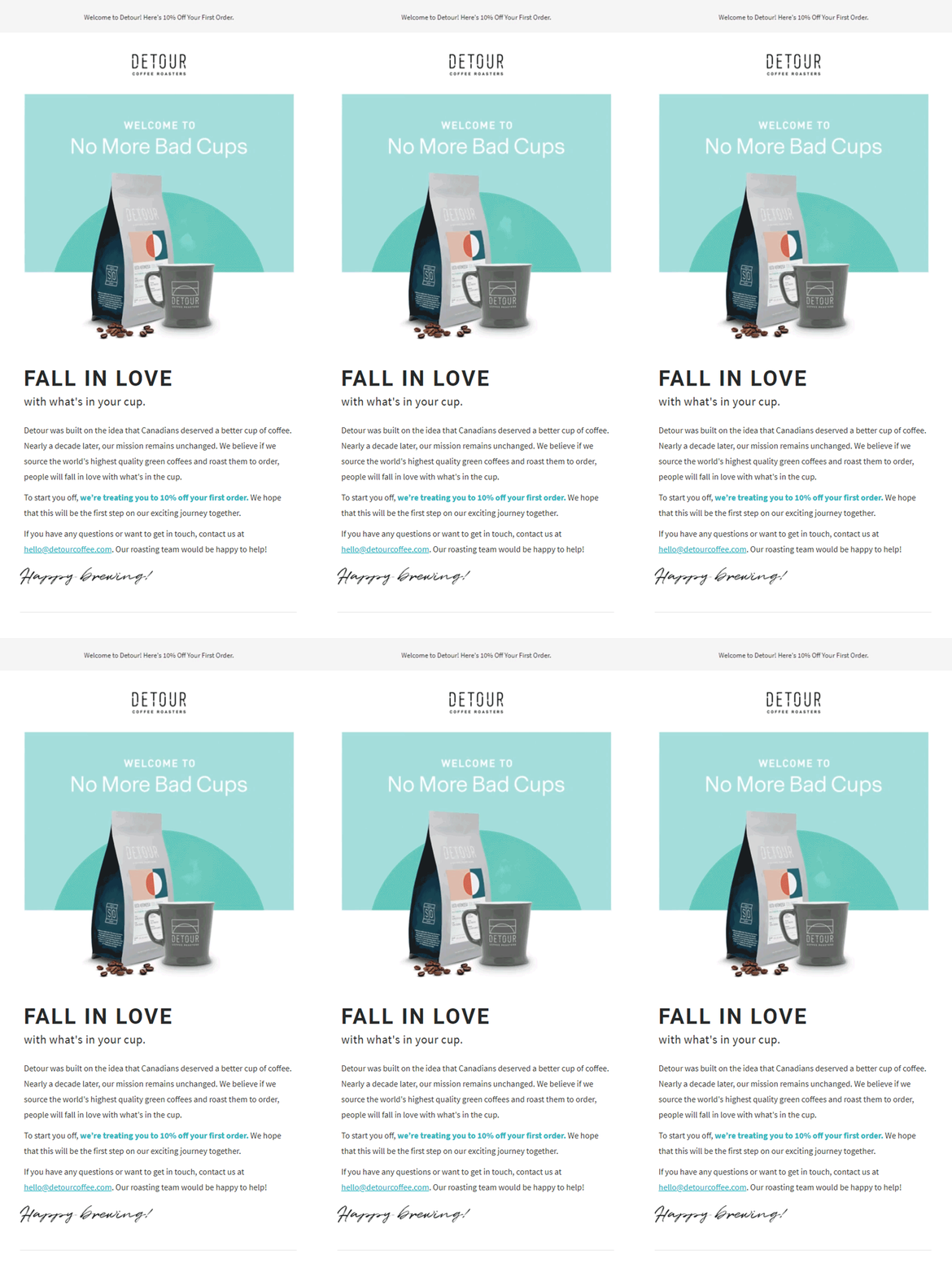
Screenshot of the Detour email, including cinemagraphs

Do you sense the aroma from the freshly brewed pot? Detour Coffee Roasters makes sure you do, leaving a memorable mark on new subscribers. By adding a cinemagraph to the coffee cup, they not only spotlight their product but also sprinkle a touch of elegance to their welcome emails.
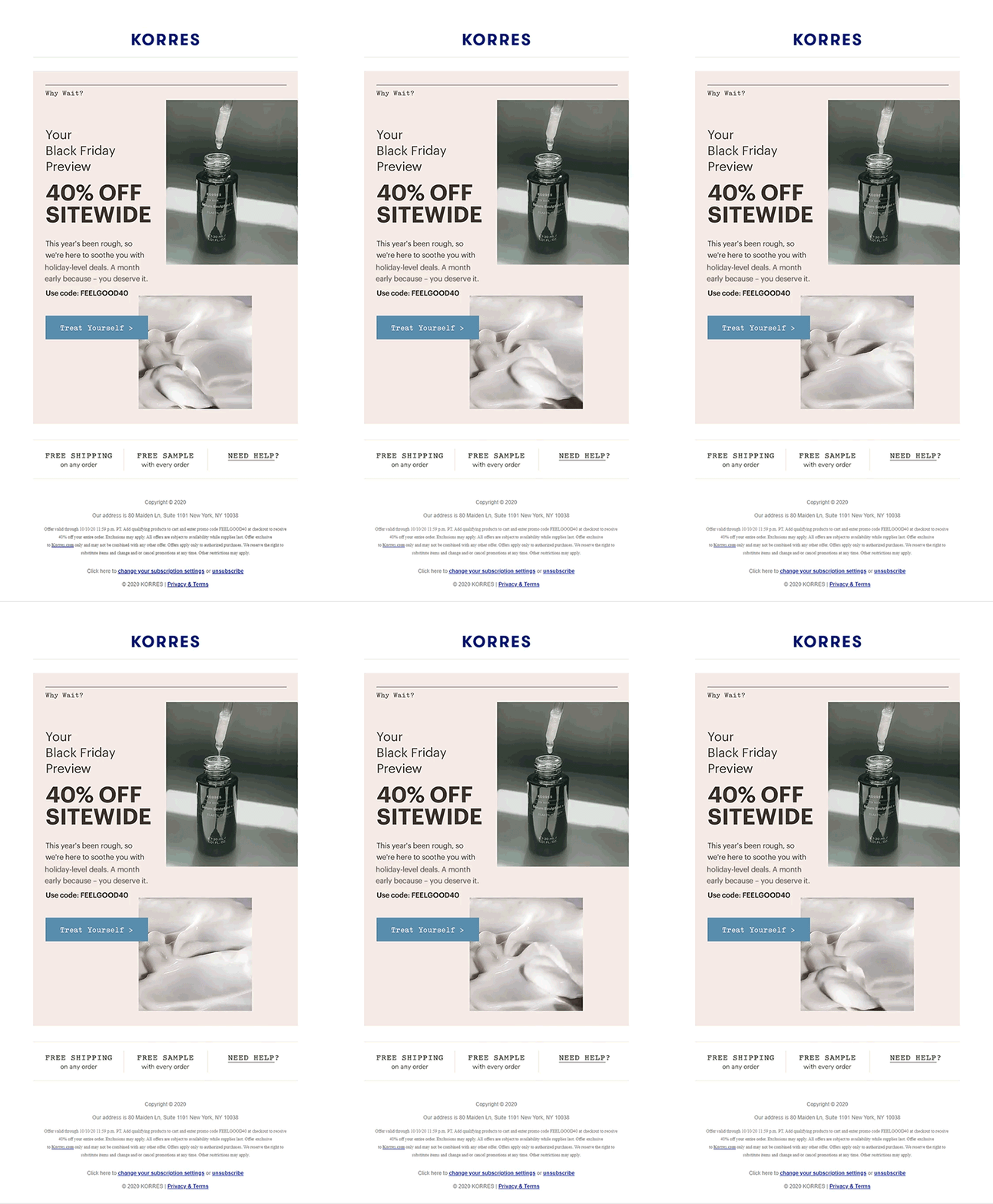
Screenshot of the Korres email, including cinemagraphs

This promotional email from Korres is another great email design example. With a splash of motion in their product images, the email transforms into an eye-catching showcase, letting readers almost feel the products’ presence.

4. 3D Graphics

By adding 3D animations or illustrations, you can create a rich, immersive visual environment that draws the reader in and holds their attention. These elements can be particularly effective in showcasing products or highlighting key features in a way that feels more tangible and engaging.

Additionally, parallax scrolling effects—where background and foreground elements move at different speeds—can create a layered, dynamic design that adds depth and motion to your emails. 

The next email design from Envato can only be described as a masterpiece. The brand skillfully showcases their 2D and 3D services, using the email as a dynamic canvas to demonstrate the full potential of their platform.

5. Hand-Drawn Illustrations

Incorporating hand-drawn elements into your email designs can infuse them with a sense of personality and authenticity, creating a more intimate connection with your audience. This approach subtly conveys that there are real, creative individuals behind your brand, which can help build trust and foster stronger relationships with your subscribers.

Whether it’s a sketched icon, a handwritten font, or a doodled border, these artistic touches can add a unique flair to your marketing emails, distinguishing them from more generic, mass-produced designs. 

You can draw inspiration from this effective email design by Rifle Paper:
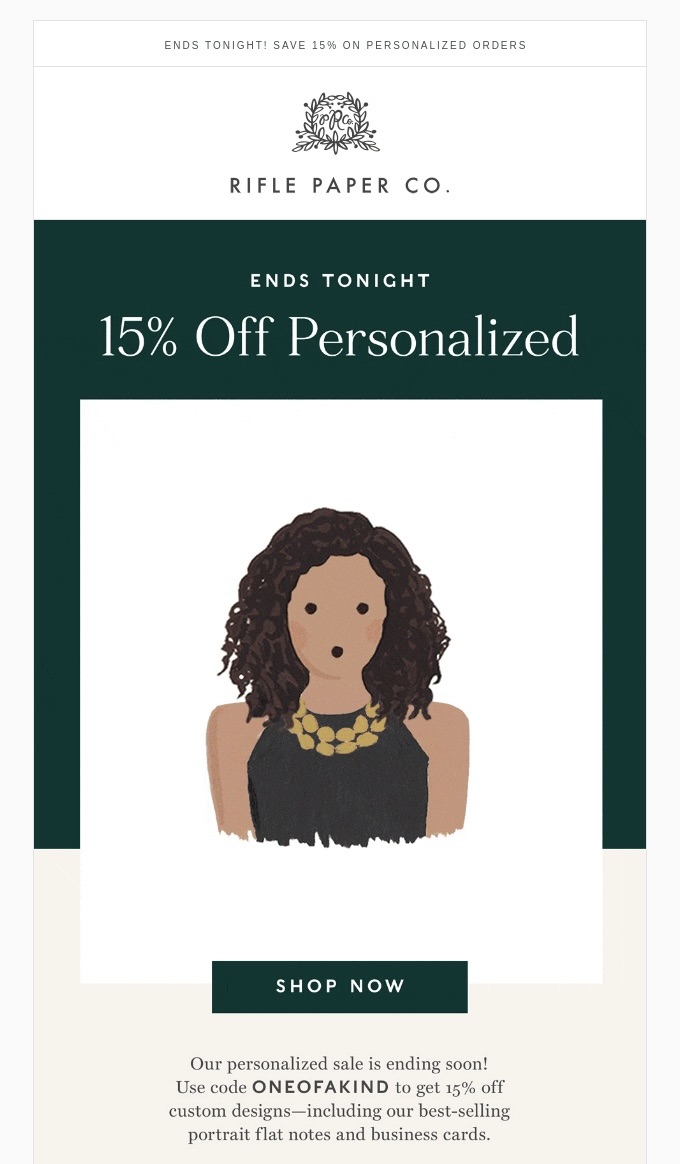
Similarly, adding organic, imperfect shapes can greatly enhance the aesthetics of your email designs. Unlike the rigid, geometric shapes often found in digital design, organic shapes are free-flowing and less structured. This can evoke feelings of creativity, spontaneity, and warmth, offering a refreshing contrast that adds a unique and inviting touch to your message—just like this welcome email. 
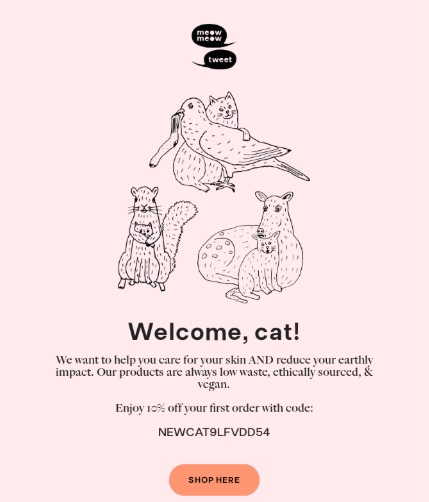
Screenshot of the Meow Meow Tweet email, including illustrations of animals
Screenshot

6. Dark Mode Compatibility 

Now that you’ve gathered some email design inspiration, it’s time to consider how these designs will fare in dark mode. This is an essential step if you want to keep your email campaigns looking sharp and engaging despite your reader’s preferences for dark or light mode.  

While you can’t completely control how emails are displayed in dark mode—since that’s often up to the user’s device or email provider—you can design your emails to be more adaptable. 

Here are some handy pointers to keep in mind when making your emails dark mode-ready:

  • Use transparent PNGs: Ensure images blend well by using transparent PNGs or removing backgrounds that may not integrate smoothly.
  • Add padding to non-transparent Images: If images have backgrounds, add sufficient padding around focal points to prevent awkward contrasts.
  • Enhance brand logo: For black logos, consider adding an outline to prevent them from disappearing on dark backgrounds.
  • Opt for subtle accent colors: Select less saturated accent colors that look good on dark backgrounds.
  • Rethink icon colors: Аvoid black icons on white backgrounds, as they may vanish in dark mode. Use a poppy color with white icons for better visibility.

The Art of Creating Your Own Email Design 

Great email design is an essential part of any successful marketing strategy. By understanding the different types of layouts and incorporating creative design elements, you can create emails that resonate with your target audience and achieve your business goals. 

Whether you’re looking to generate leads, increase brand awareness, or drive sales, a well-designed email can make all the difference. Additionally, don’t forget to continuously evolve your design strategies, keeping them fresh and relevant to maintain your audience’s attention and create memorable interactions.

With these insights and examples, you’re well-equipped to design emails that not only stand out but also deliver results.


This article was originally published in June 2024 and updated in March 2025.

Homepage Design Essentials: 5 Things You Must Include

Your homepage is your website’s (and often your brand’s!) first impression—so make it count! It’s where visitors decide whether to stay, explore….or simply bounce. But well-crafted homepage design isn’t just about looking good; it’s about guiding users effortlessly, building trust, and inspiring action. Following core website design principles ensures your homepage is both visually appealing and highly functional.

Think of it like a storefront: If it’s cluttered, confusing, or slow, people will walk away. But if it’s welcoming, easy to navigate, and engaging, visitors are more likely to stick around and convert.

So, what goes into a high-performing homepage? Whether you’re launching a new site or refining an existing one, here are the five must-have elements that make all the difference, plus bonus homepage design best practices that you’ll want to keep top of mind.

What Are the Benefits of Good Homepage Design?

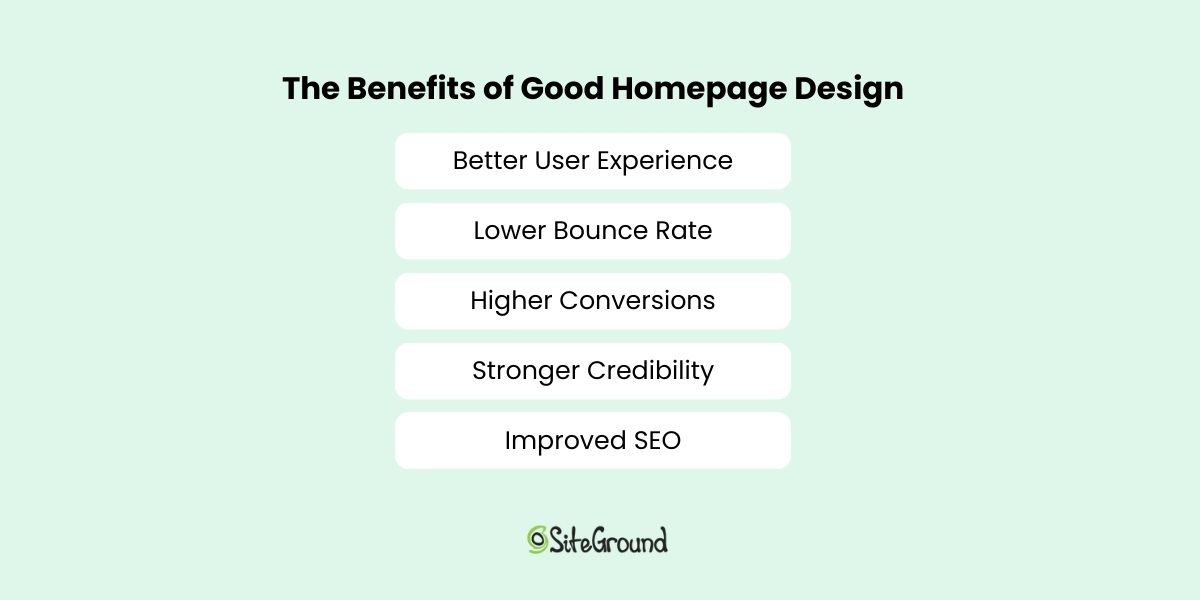
Designing your homepage is perhaps the most important part of website planning, as it plays a fundamental role in user experience, conversions, and brand perception. Here’s why good website homepage design matters:

  • Better User Experience – A clean, intuitive homepage layout makes it easy for visitors to find what they need, keeping them engaged and reducing frustration.
  • Lower Bounce Rate – When users quickly find relevant content and have a seamless experience, they’re more likely to stay on your site longer.
  • Higher Conversions – Not surprisingly, if users stay longer, it’s more likely that they will click through on clear calls to action (CTAs), and take key steps like signing up, purchasing, or contacting your business.
  • Stronger Credibility – A professional, visually appealing homepage builds trust and reassures visitors that your brand is reliable and authoritative.
  • Improved SEO – A well-structured, mobile-friendly homepage with fast loading times helps improve search rankings and attract more organic traffic. 
The benefits of good homepage design

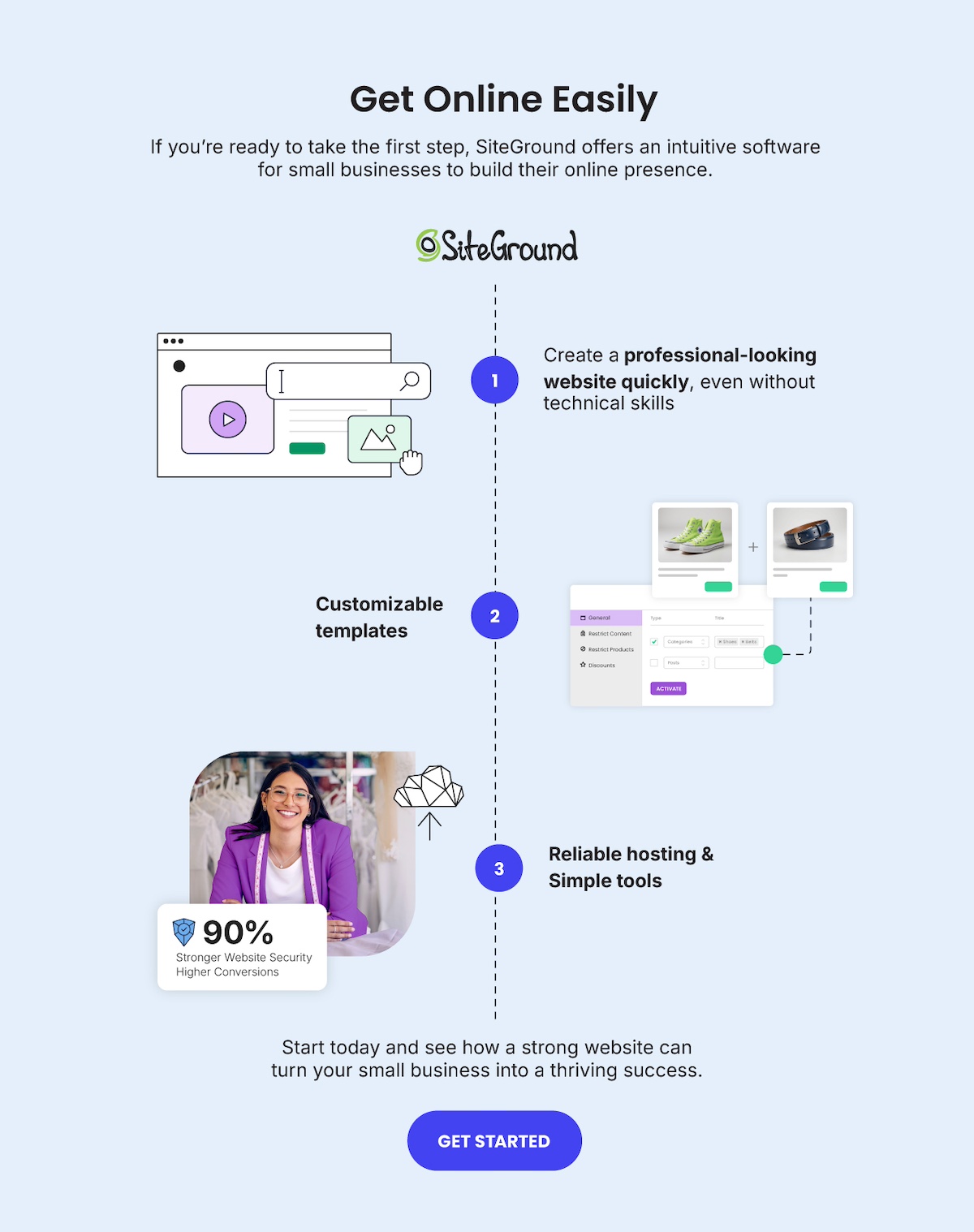
Get Online Easily
SiteGround provides an intuitive platform for building your online presence. With customizable templates, reliable hosting, and user-friendly tools, you can create a professional website quickly and effortlessly—no technical skills required.

Start today and see how a strong website can turn your small business into a thriving success.
GET STARTED>>

How to Design a Homepage

A homepage is your homebase, your front door, and your chance to make a good first impression— and it can also quickly determine whether a customer decides to stay or leave. 

A well-designed homepage should immediately communicate who you are, what you offer, and why it matters to your audience. It should be visually appealing, easy to navigate, and structured to guide users toward taking action.

To achieve this, your website homepage design needs a strategic mix of elements that enhance user experience, establish credibility, and drive conversions. Applying fundamental web design principles ensures your homepage is both visually compelling and highly functional. 

Below are the essential components of an effective homepage and how to implement them successfully.

1. Design a Strong Hero Section

The hero section is the large, prominent area at the top of your homepage. Think of it as your website’s first impression—it sets the tone, grabs attention, and quickly tells visitors what they need to know. If you don’t nail it, site visitors might not even bother checking out anything else. 

With that in mind, here are the key elements of an effective homepage hero section:

  • Use a clear, concise headline that highlights your unique value proposition (not sure how to come up with one? These ChatGPT prompts for marketing can help).
  • Include a supporting subheadline that provides additional context or key benefits.
  • Feature a strong call to action that guides users toward the next step, such as signing up, shopping, or learning more.
  • Keep it visually engaging with a high-quality image or video that complements your message.

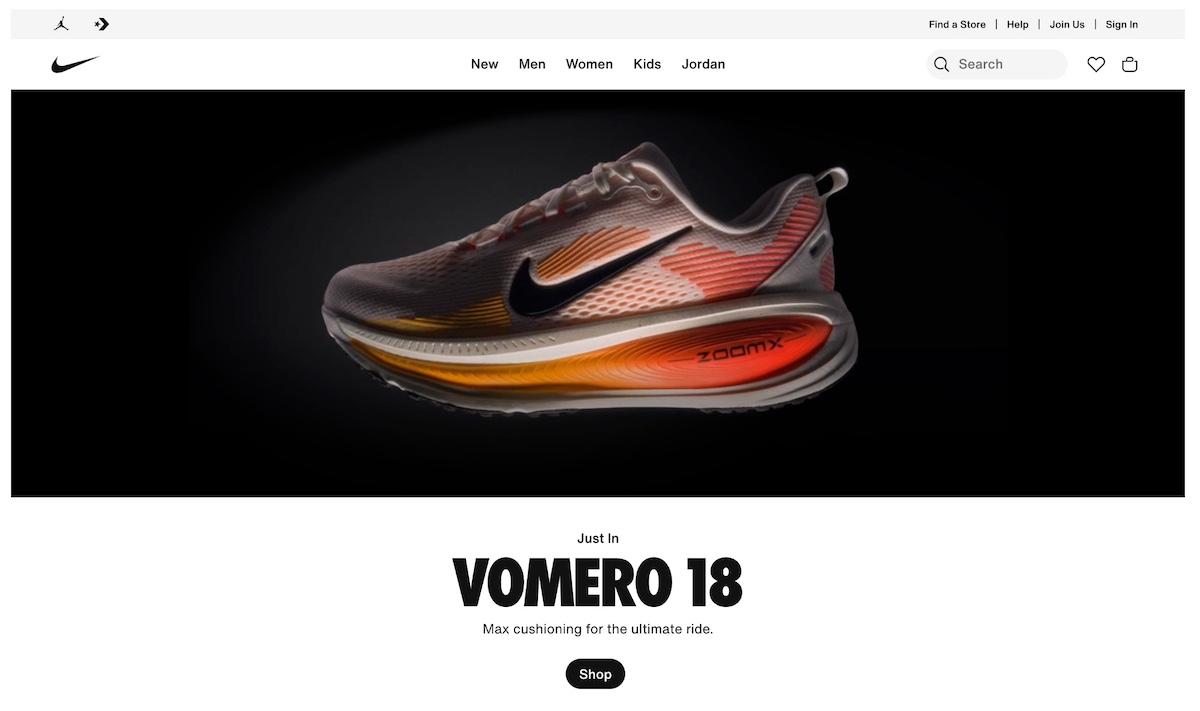
Nike keeps it simple but powerful with their homepage hero section, which includes an evocative and animated shoe, along with a straightforward call to action to buy their “just in” product.

Homepage design example of a strong hero section

2. Use Consistent Branding

Your homepage design should build and reinforce your brand identity, creating a cohesive experience that makes your business memorable and trustworthy.

  • Use consistent colors, typography, and design elements that align with your brand.
  • Ensure your logo is clearly visible in the header.
  • When writing web content, be sure to maintain a consistent tone and voice in your messaging to reflect your brand personality.
  • Keep your design clean and uncluttered to prioritize user experience and ease of navigation.

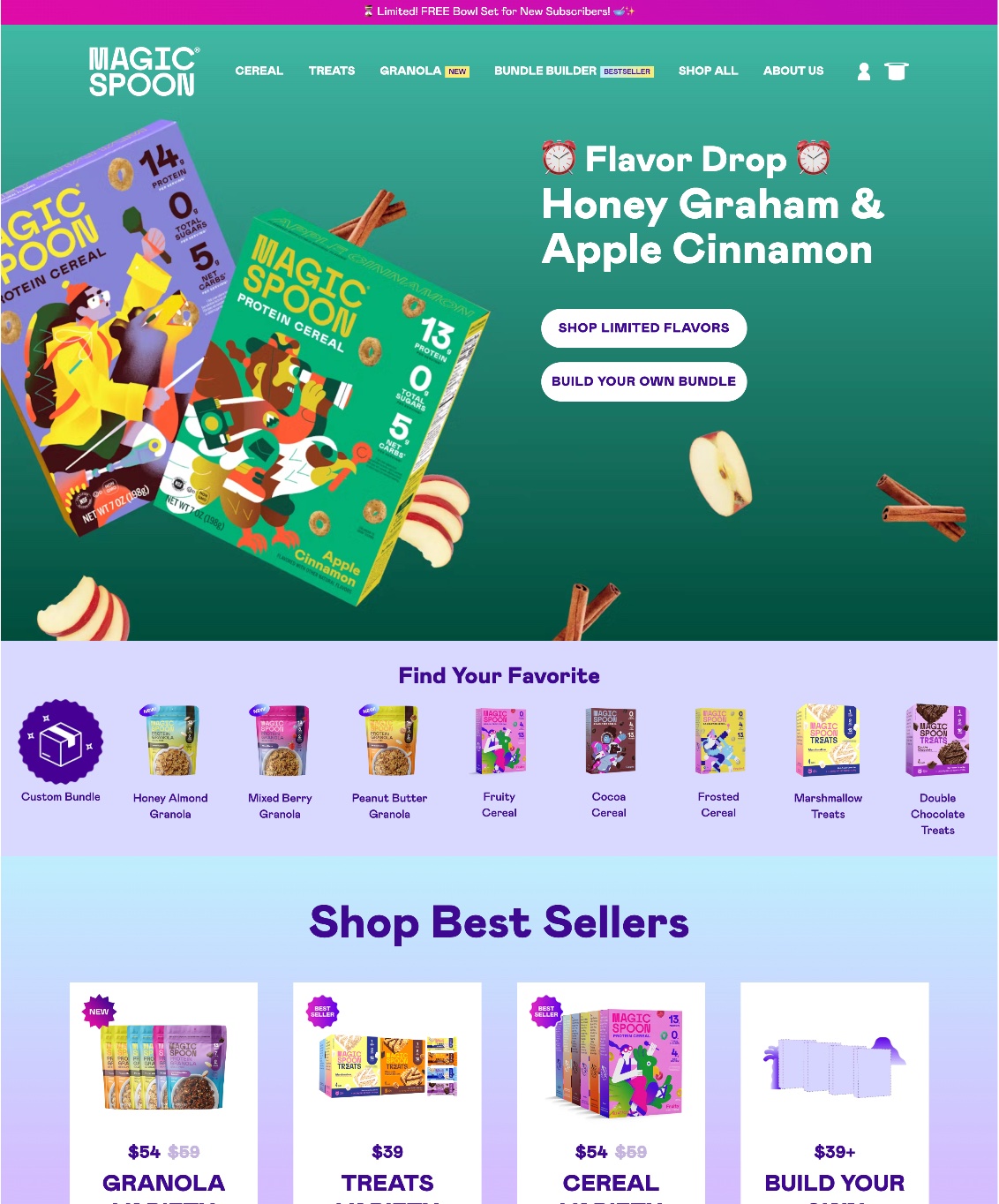
Few do brand better than Magic Spoon. They’ve chosen unmistakable colors, a consistent font, and other playful design elements (like scattered cereal pieces) that are sprinkled throughout their homepage.

Homepage design showing consistent branding

3. Create Compelling CTAs

Calls to action (CTAs) guide visitors toward taking specific actions. Without them, users might get distracted, or just not be sure of what to do next….and then, sadly, quickly leave your site. So it’s extra important to get them right—how they look, what they say, and where they’re placed. Here are some key points to keep in mind: 

  • Use clear and action-oriented language, such as “Get Started,” “Shop Now,” or “Book a Demo.”
  • Ensure CTAs are visually distinct, using contrasting colors and bold buttons to make them stand out.
  • Place CTAs strategically, ensuring they are above the fold and repeated throughout the page where necessary.
  • Limit the number of choices to avoid overwhelming users—focus on one or two key actions.

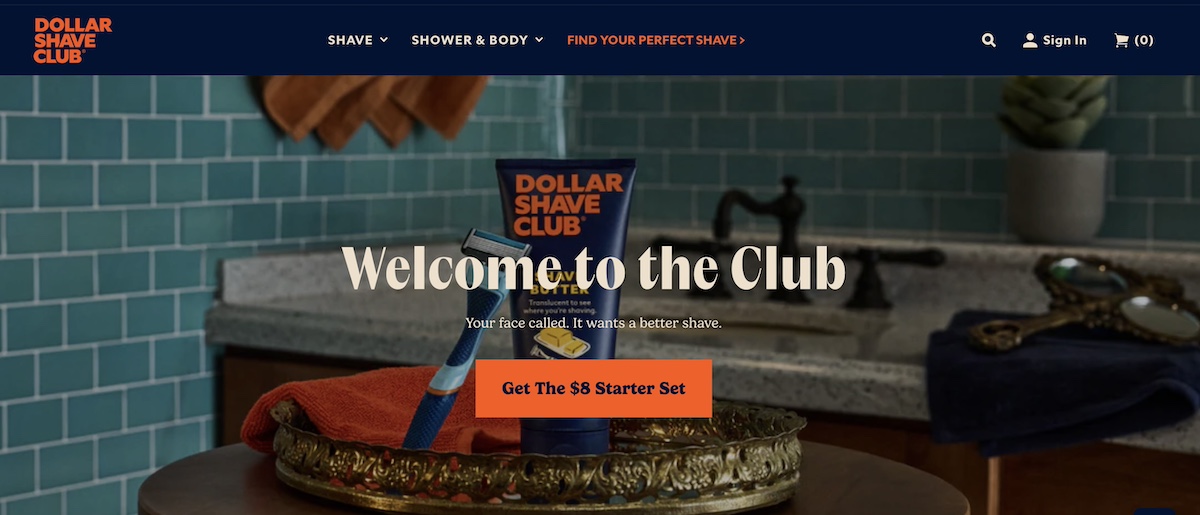
The Dollar Shave Club does a solid job of creating a very clear and prominent call to action. It’s informative, hard to miss, and straight to the point. And instead of just a boring “buy now,” they state the exact price and product, making the CTA extra actionable. 

Homepage design showing a strong CTA

4. Add Engaging Visuals

Visual content plays a major role in how users perceive your website and brand—partly because they establish who you are, but also because they create interest and invite users to explore further. As such, high-quality images, videos, and graphics help make your website homepage design more engaging and professional.

  • Use high-resolution images that align with your brand and message.
  • Consider embedding videos that showcase your product, service, or company story to boost engagement.
  • Ensure visuals load quickly and are optimized for both desktop and mobile devices.
  • Avoid generic stock photos—authentic images that are true to your business and brand will help build more trust and connection.

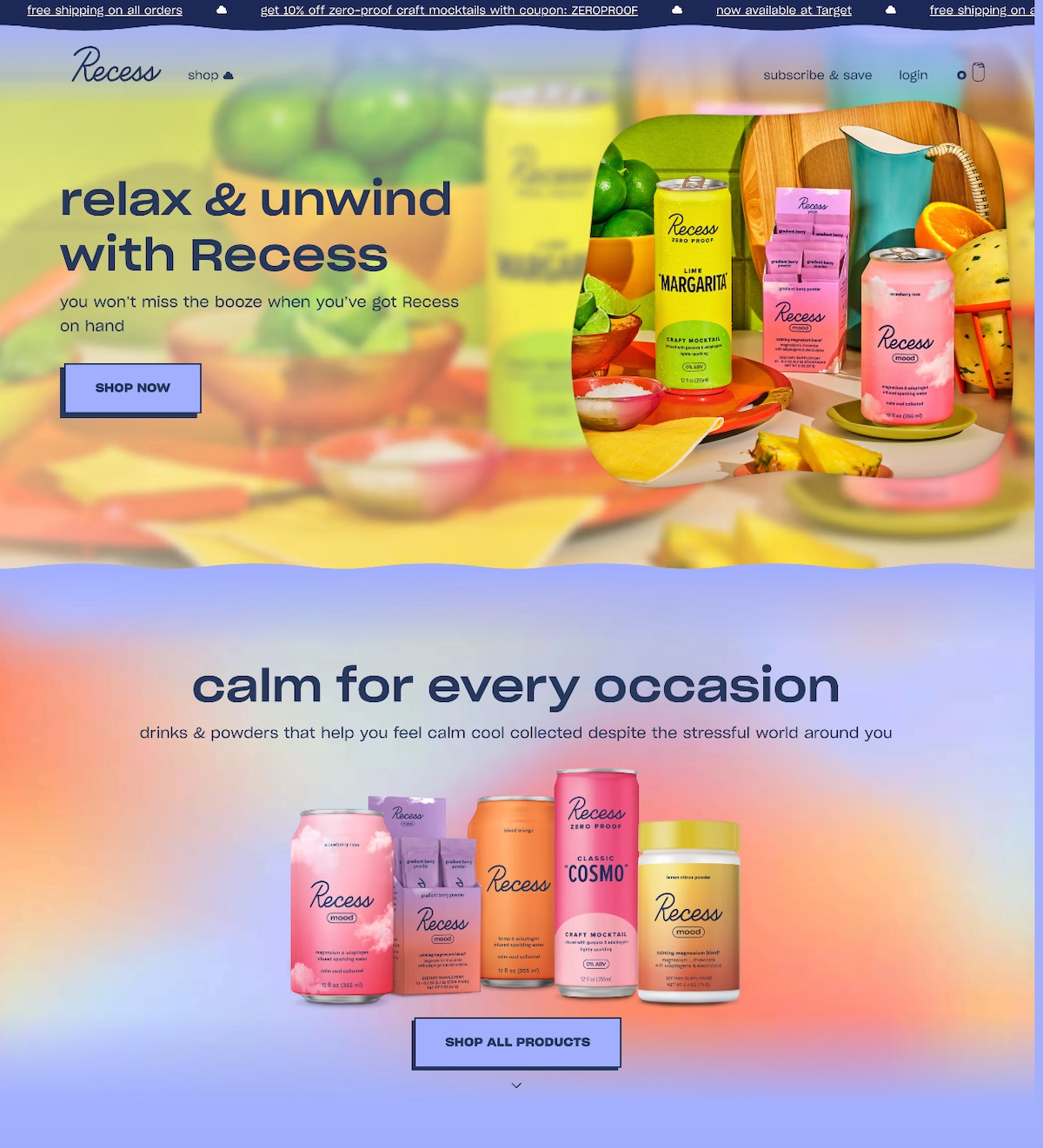
Recess’s homepage below is a complete brand experience thanks to punchy images that transmit the essence of the product’s calm, cool, and collected vibe.

Homepage design showing engaging visuals

5. Include Convincing Social Proof

Social proof reassures visitors that they can trust your business, making them more likely to take action. It provides validation that your product or service delivers real value.

  • Include customer testimonials or reviews that highlight positive experiences.
  • Showcase logos of well-known clients or partners to build credibility.
  • Display user-generated content (UGC) or social media mentions to show real-life engagement.
  • If applicable, highlight awards, certifications, or media features to reinforce trust.

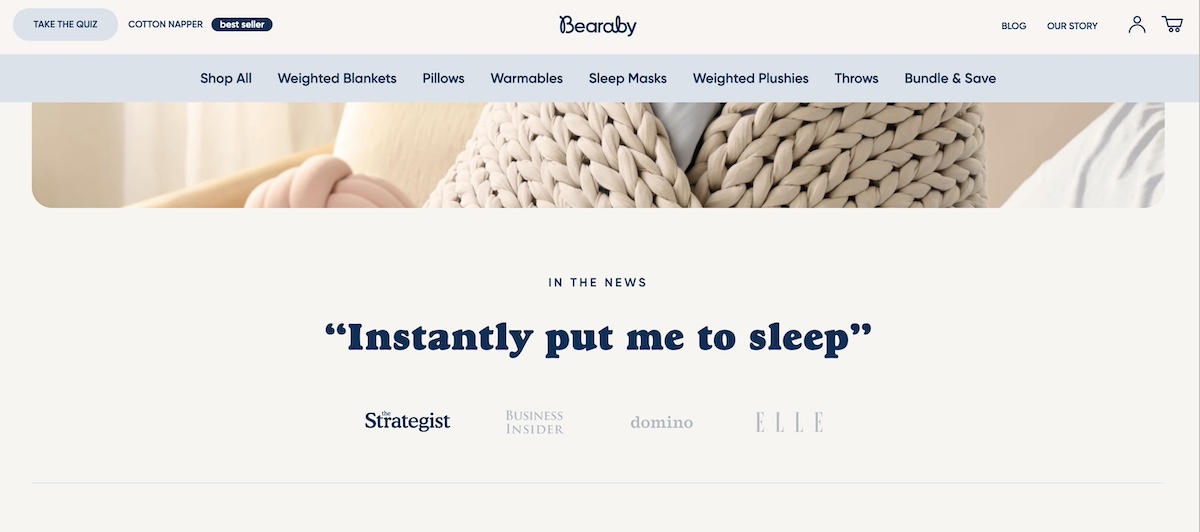
In the below homepage design, Bearaby includes rotating quotes and logos from respected and well known media outlets, adding an instant layer of credibility. 

Homepage design showing social proof

Pro tip: Whether it’s a strong hero section, compelling CTAs, or convincing social proof, these same strategies can help you create the perfect landing page.

Homepage Design Best Practices

Great homepage design isn’t just about looking good—it should also be easy to navigate, fast, and user-friendly. By applying proven website design principles, you can create a homepage that balances aesthetics with usability and performance. 

Here are four essential homepage design best practices to ensure your site delivers a seamless experience:

1. Implement Intuitive Homepage Design

A well-structured homepage should guide visitors naturally, making it easy for them to find what they need without confusion.

  • Follow a clear visual hierarchy—important elements like headlines, CTAs, and key information should stand out.
  • Keep navigation simple and accessible, ensuring users can easily find their way around.
  • Avoid clutter and distracting design elements that overwhelm visitors. Stick to a clean and balanced homepage layout.
  • Use consistent fonts, colors, and spacing to create a professional and cohesive look.

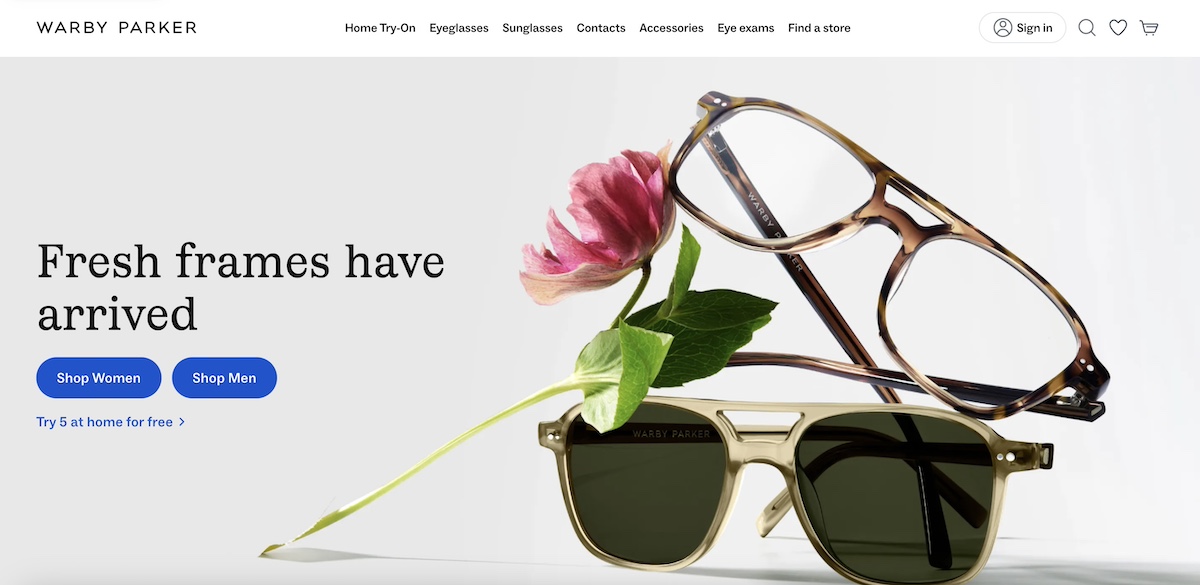
Check out how Warby Parker keeps it clean and simple with a crisp navigation menu, a fresh but uncluttered hero image, and calls to action that are direct and clear.

Homepage design showing intuitive design

2. Stick to What Works

When it comes to homepage design, creativity is great—but usability is essential. Users expect familiar homepage layouts and navigation patterns, and straying too far from these can create confusion and frustration.

  • Don’t reinvent the wheel—stick to design conventions that people are already comfortable with (that is, logo in the top left, navigation at the top, a clear call-to-action).
  • Prioritize usability over novelty—while unique design elements can be eye-catching, they shouldn’t come at the cost of user experience.
  • Make navigation intuitive—visitors should instantly understand where to click and how to find what they need.
  • Limit excessive animations or unconventional homepage layouts—they can slow down the site and distract from the main goal.

A simple, well-structured website that follows homepage design best practices will always outperform a confusing or overly complex design. Keep things clean, familiar, and easy to use.

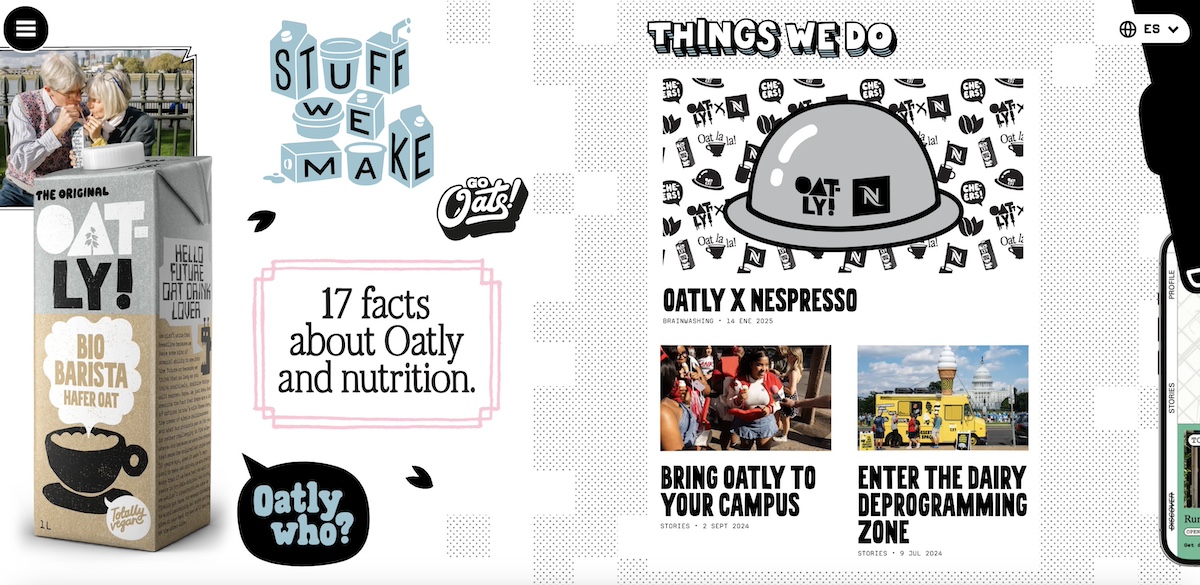
We love Oatly, but a homepage design like this is a big swing that few can pull off. It’s bold and fun, but also, what are you supposed to do next? How does the sideways scroll work? This type of homepage design forces users to overcome an initial touch of confusion just to figure out how to navigate the site—and this is why, for the average Joe or JoeAnn, it’s wise to stick to what visitors are used to.

Homepage design that isn't intuitive

3. Make Sure It Loads Quickly

A slow-loading homepage can frustrate users and cause them to leave before they even see your content. So optimizing your website for speed is non-negotiable.

  • Compress images and use next-gen formats (e.g., WebP) to reduce file sizes without losing quality.
  • Minimize unnecessary scripts and plugins to improve performance.
  • Use a content delivery network (CDN) to ensure fast load times for users across different locations.
  • Choose a reliable hosting provider that offers speed-optimized infrastructure.  
  • Enable browser caching so returning visitors don’t have to reload all elements from scratch.

Powered by premium Google Cloud infrastructure, it ensures lightning-fast loading times with advanced caching that boosts website speed by up to 5 times. Its built-in, easy-to-use CDN, ultrafast PHP setup, and optimized MySQL configuration further enhance performance, reducing load times and efficiently handling multiple visits.

Get SiteGround Hosting>>

4. Keep Visitors Moving Through Your Site

Not every visitor is ready to make a purchase the moment they land on your homepage—but that doesn’t mean they should leave. A well-designed homepage encourages exploration, keeping users interested and moving them further down the funnel.

To accomplish this: 

  • Use Strategic CTAs – Offer multiple entry points beyond just “Buy Now” or “Sign Up.” Try alternatives like “Learn More,” “See How It Works,” or “Explore Our Collections” to guide visitors through your site and based on their intent.
  • Highlight Related Content – Recommend blog posts, case studies, or product comparisons to educate visitors and keep them interested.
  • Create Clear Navigation Paths – Use intuitive menus, breadcrumbs, and internal links to make it easy for visitors to explore different sections of your site.

By giving visitors a reason to explore, you increase the chances that they’ll find what they need, build trust with your brand, and eventually convert when they’re ready.

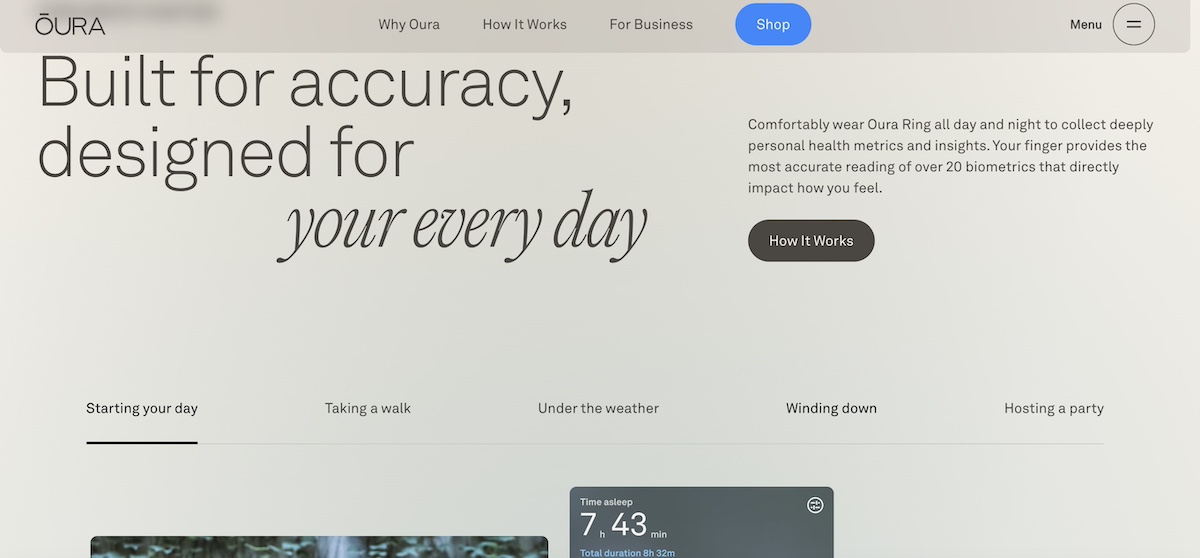
Oura’s homepage design below successfully moves people through the different pages of their site—Why Oura, How It Works, and For Business—with strategically placed calls to action that invite users to learn more.

Homepage design that moves visitors through site

Pro tip: Stay on top of your website metrics so that you know how much time users are spending on each page, what their journey through your site looks like, and where they drop off. This can help you make conversion-critical optimizations when it comes to your homepage design and beyond.

Bringing Your Website Homepage Design to Life

A well-designed homepage doesn’t just look good; it works hard, guiding users seamlessly, keeping them engaged, and nudging them toward action. The best part? Creating a homepage that’s clear, compelling, and conversion-friendly isn’t rocket science. By following smart website design principles, you set the stage for success.

And getting started is easier than you think! With SiteGround’s Site Builder, you can craft a polished, professional website without the headaches. Customizable templates, user-friendly tools, and reliable hosting mean you can launch a stunning site in no time—no coding required.

Web Hosting vs. Cloud Hosting: How to Choose the Right Solution

Web Hosting vs. Cloud Hosting Featured Image

Are you deciding between web hosting and cloud hosting? Both solutions have their own strengths and weaknesses. But, with terms like “web hosting” and “cloud hosting” thrown around, it’s easy to get confused. That’s why understanding them is key to making the right choice to meet your needs.

In this article, we’ll break down web hosting vs. cloud hosting in simple terms. We’ll also examine their differences, help you identify the best fit for your project, and cover everything you need to make an informed decision.

Web Hosting vs. Cloud Hosting – Key Takeaways

  • Web Hosting: Traditional, often more affordable, but with limited scalability.
  • Cloud Hosting: Flexible, scalable, and reliable, but can be more expensive.
  • Performance: Cloud hosting generally offers better performance and uptime.
  • Security: Both have robust security options. But, cloud hosting often provides more advanced features.
  • Scalability: Cloud hosting excels in scalability, adapting to traffic changes seamlessly.
  • Cost: Web hosting is typically cheaper; cloud hosting can vary based on usage.

Understanding Web Hosting

Web hosting is the foundation of getting your website online. Let’s begin by clarifying what web hosting is and the different web hosting services it encompasses.

Definition of Web Hosting

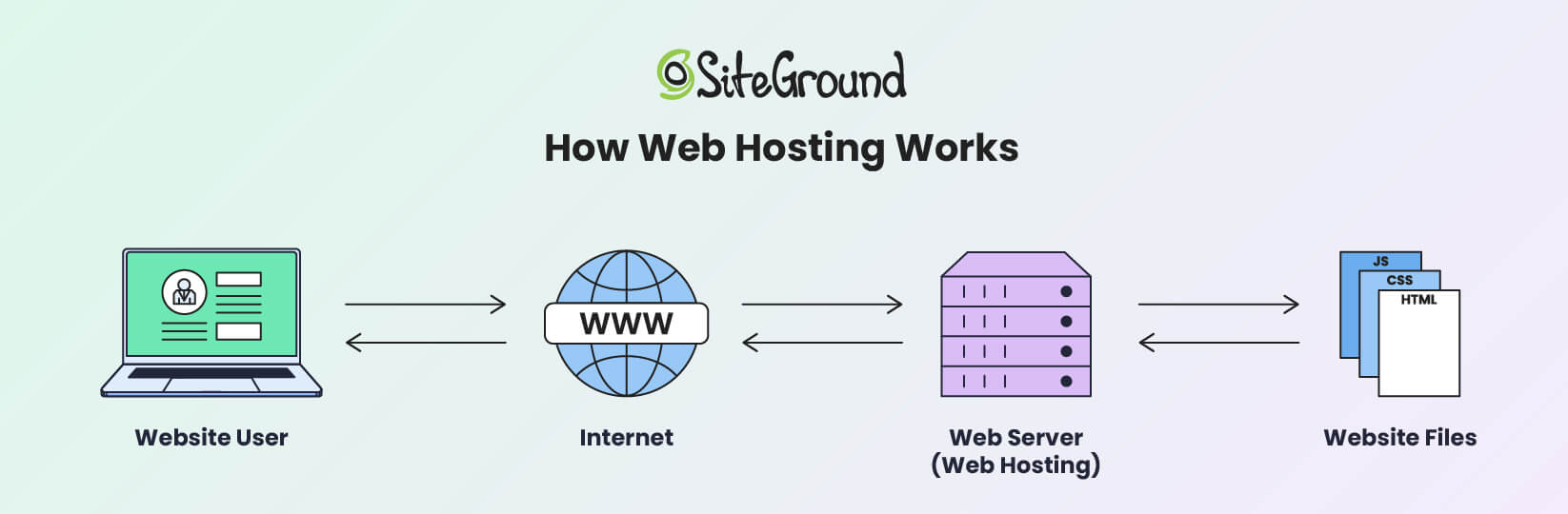
Web hosting is a service that allows individuals and organizations to make their websites accessible on the internet. When someone visits a website, their browser communicates with a web server to deliver the necessary content.

This is the most common type of hosting, in which your website’s files and data are stored on a single physical server.

An infographic depicting how web hosting works

Essentially, traditional web hosting is like renting a specific amount of space on a single server to house your website. This server handles all the requests for your website, and its resources are divided among all the websites it hosts.

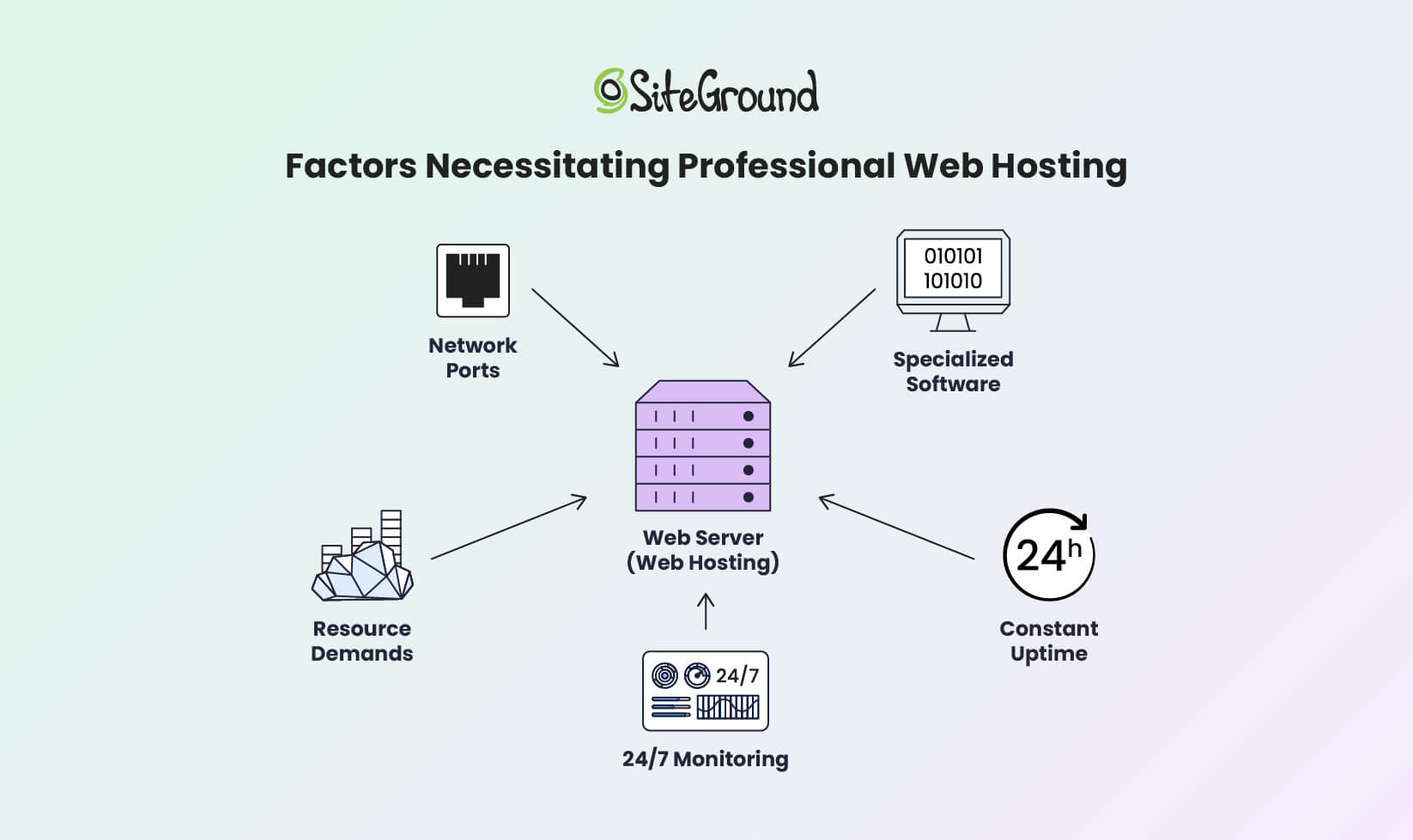
Depending on the type of web hosting service you choose, your website gets a portion or all of the server’s resources. A hosting service provider runs websites using specialized web server software.

Hosting providers offer the necessary network infrastructure, so users don’t need to manage server complexities or worry about port accessibility. That facilitates constant uptime and 24/7 monitoring to handle traffic and technical issues.

An infographic depicting the factors necessitating the use of professional web hosting services

A web hosting provider offers multiple servers and web hosting options to host various websites. This allows service providers to deliver different hosting solutions, like shared, dedicated, VPS, or cloud hosting. Each type offers different levels of cost, control, and performance.

Types of Traditional Web Hosting

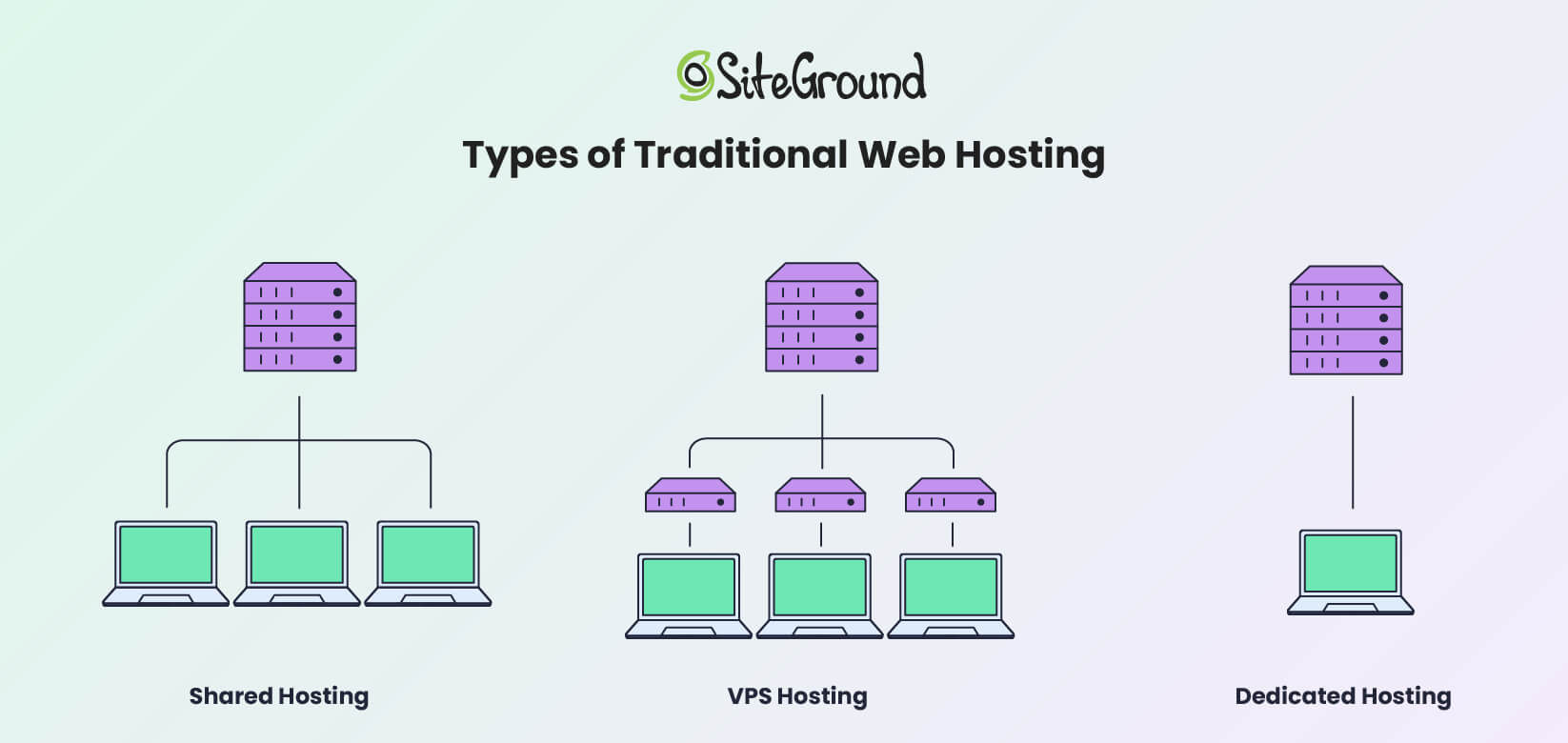
Traditional web hosting includes shared, dedicated, and VPS options. Here’s a closer look at each type and what they bring to the table.

An infographic showing the main types of web hosting solutions

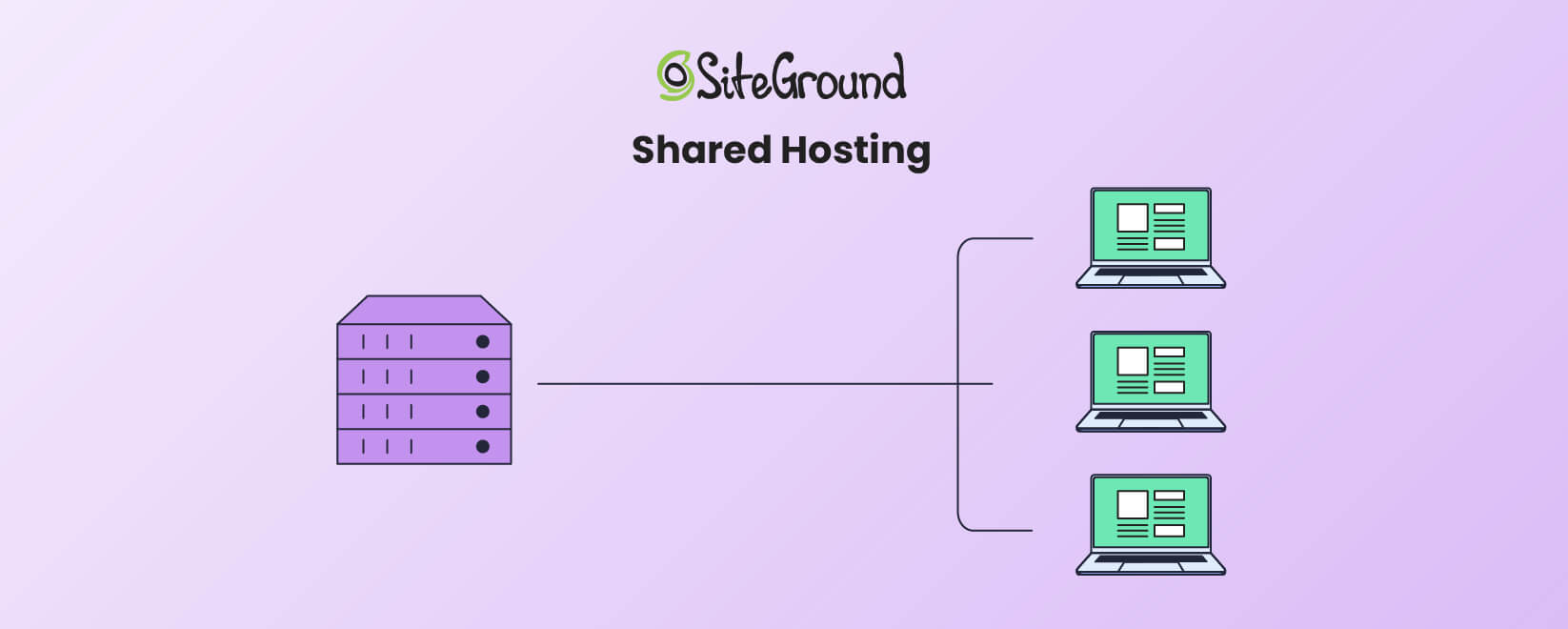
Shared Hosting

An infographic showing how Shared hosting works

Shared hosting is the most affordable and beginner-friendly option. It allows multiple websites to share a single server’s resources, reducing costs for everyone. However, sharing resources also means that if one website experiences a web traffic surge, others on the same server may suffer slower performance.

Shared hosting is ideal for small websites or businesses with limited traffic. For instance, if you’re running a personal blog or a portfolio site, shared web hosting vs. cloud hosting comparisons lean heavily toward shared hosting for its affordability and simplicity.

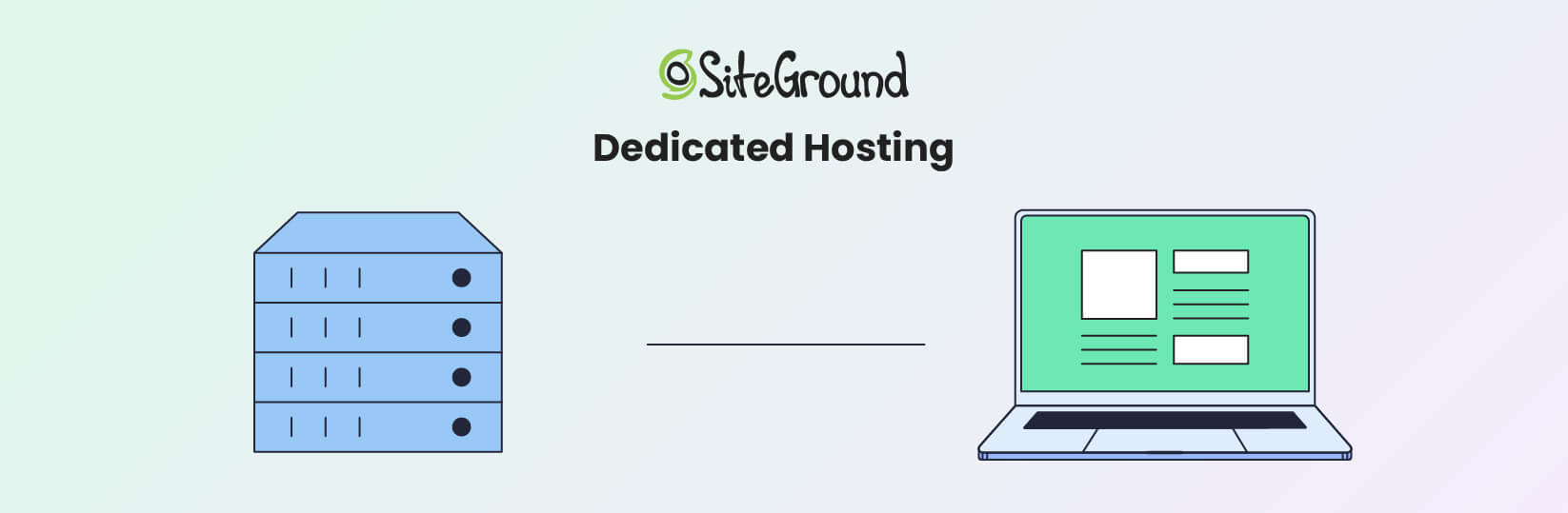
Dedicated Hosting

An infographic showing how Dedicated hosting works

Dedicated hosting provides an entire server exclusively for your website. This gives you full control over server settings, performance, and security on a fully dedicated server. It’s ideal for high-traffic websites or businesses handling sensitive data.

However, dedicated hosting is expensive and requires technical skills for server management. Dedicated hosting might be the right choice if your website demands the highest level of control and performance.

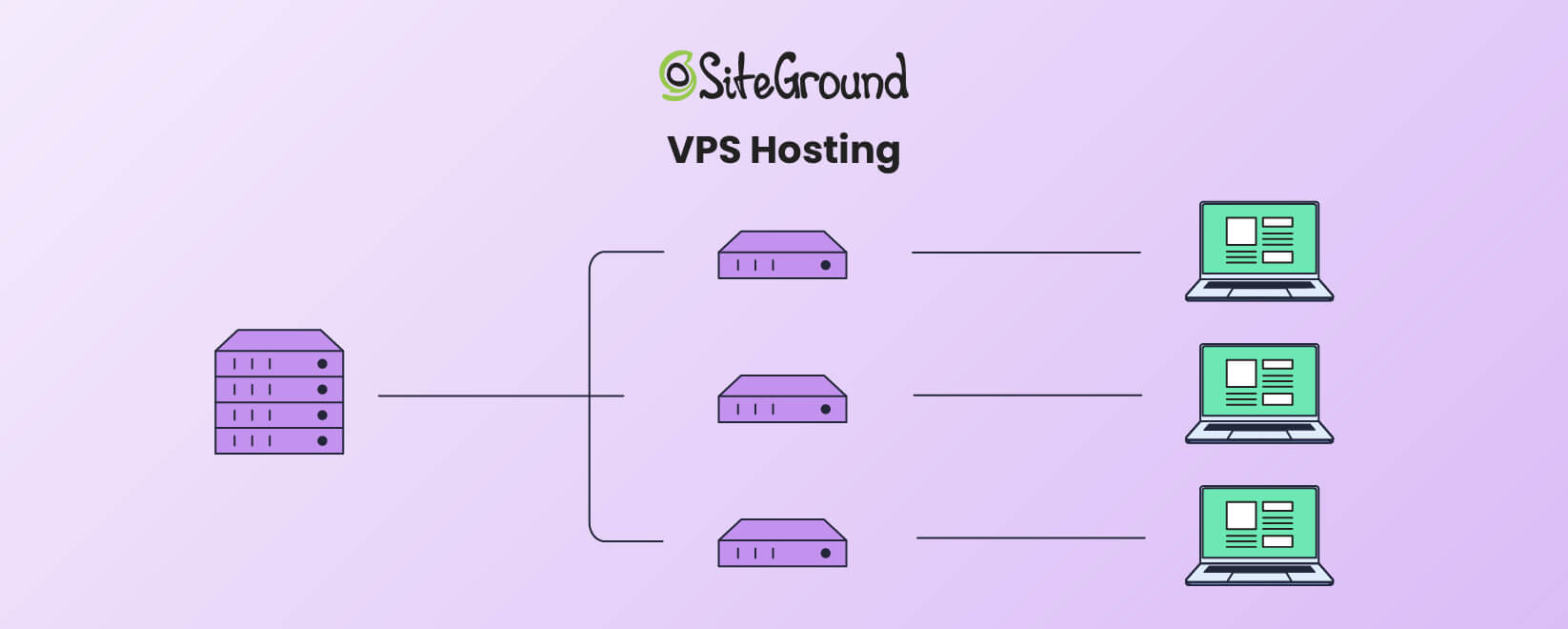
VPS Hosting

An infographic showing how VPS hosting works

VPS hosting splits a physical server into several virtual servers. Each virtual private server acts independently. This gives you more control and dedicated resources than shared hosting. It’s a middle-ground solution for businesses that need more scalability and higher performance than shared hosting but don’t want the full expense of dedicated hosting.

When comparing web hosting versus cloud hosting versus VPS hosting, VPS is a solid option for medium-sized businesses looking for better performance without the complexity of cloud hosting. However, it’s more costly than a shared hosting service.

Benefits of Traditional Web Hosting

The traditional hosting model offers several advantages that make it a popular choice for many users.

  • Affordability – Shared hosting is one of the most cost-effective ways to get a website online.
  • Ease of Use – Most traditional hosting providers include intuitive control panels like cPanel or custom control panels like SiteGround’s SiteTools, which are easy for beginners to navigate.
  • Predictable Pricing – With fixed plans, it’s easy to know your hosting costs upfront.

Disadvantages of Traditional Web Hosting

Traditional web hosting also has its drawbacks that are important to consider.

  • Resource Limitations – Since your server resources are capped, sudden traffic spikes can cause slowdowns or downtime.
  • Downtime Risks – If the server experiences issues, your website will go offline until the problem is resolved.
  • Lack of Flexibility – Upgrading to a higher-tier plan or migrating to a new server can be a time-consuming process.

Despite its simplicity and affordability, traditional web hosting may fall short for websites that require high scalability, consistent uptime, or robust performance during traffic spikes.

This is where cloud hosting comes into play, offering a modern, flexible alternative to meet the demands of growing or dynamic online projects.

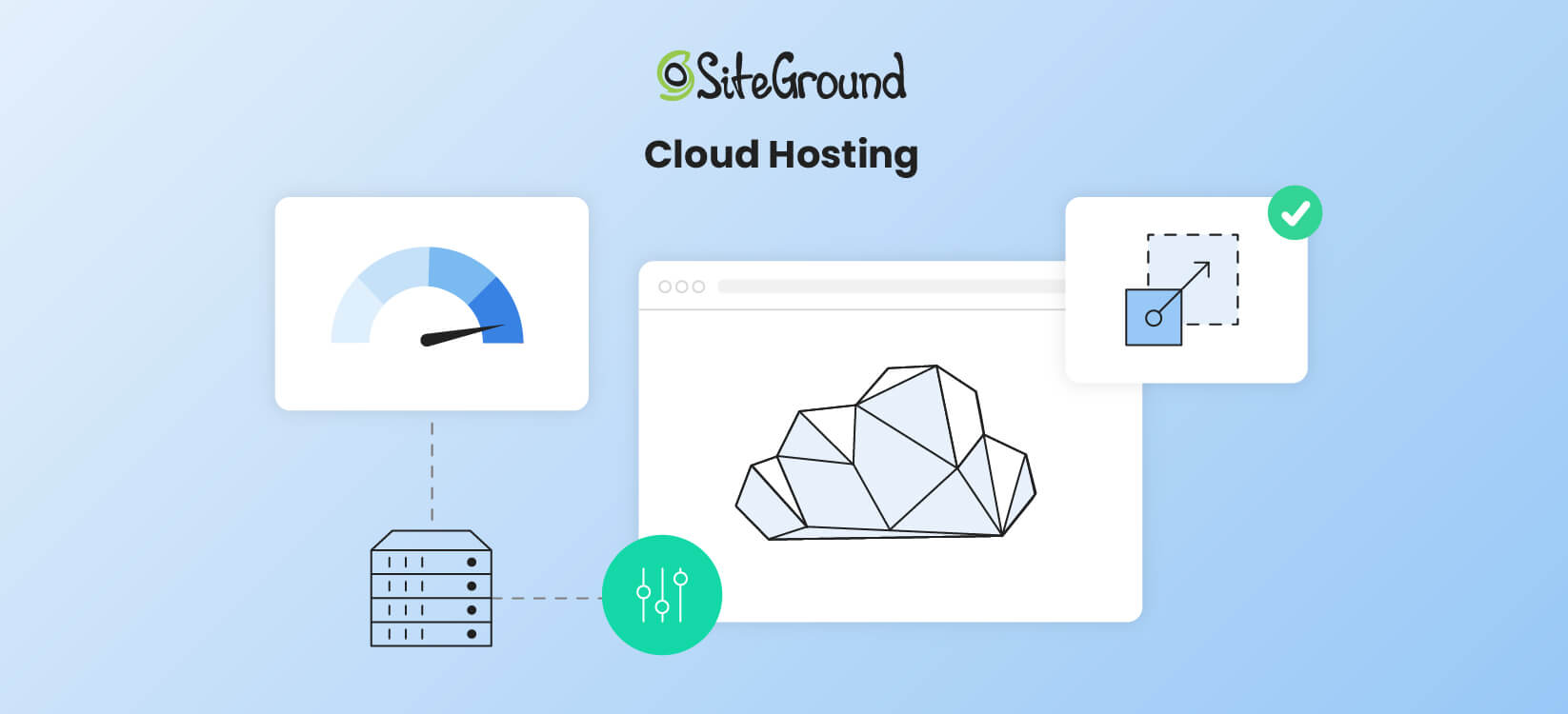
What is Cloud Hosting?

An infographic showing how Cloud hosting works

Unlike traditional web hosting, cloud hosting uses a network of multiple interconnected servers to deliver high performance, scalability, and reliability. This flexibility makes it an increasingly popular choice among businesses of all sizes.

Below, we’ll look into the basics of cloud hosting, its benefits, and potential drawbacks to help you better understand how it compares to traditional hosting.

Cloud Hosting Basics

At its core, cloud hosting uses a network of virtual servers hosted across multiple physical machines. This interconnected infrastructure, often referred to as the “cloud,” ensures that resources such as CPU, RAM, and storage can be dynamically allocated as needed.

In essence, this means your website isn’t tied to the limitations of a single server, and thus it offers unmatched scalability and uptime.

One of the key advantages of cloud hosting is its reliance on cloud hosting providers like Google Cloud.

Siteground, for example, leverages Google Cloud‘s robust and scalable infrastructure. This way, you benefit from Google’s global network, advanced security features, and reliable performance. This integration allows SiteGround to offer managed cloud hosting services backed by Google’s power and reliability.

In contrast to traditional hosting, where resources are fixed, cloud hosting allows you to scale resources up or down on demand. This is particularly beneficial for businesses experiencing seasonal traffic spikes or rapid growth.

Additionally, cloud hosting comes with features like load balancing and automatic failover. If one server in the network goes down, the workload is immediately shifted to another server. This makes cloud hosting a reliable and superior solution.

Benefits of Cloud Computing

Cloud hosting offers several key advantages that set it apart from traditional web hosting. These include improved performance, reliability, scalability, and cost efficiency.

  • Scalability and Flexibility. One of the biggest advantages of cloud hosting vs. web hosting is its dynamic resource allocation, which allows you to adjust resources instantly. If your website experiences a sudden spike in visitors during a promotional campaign, cloud hosting allows you to scale up instantly to meet demand.

When traffic decreases, you can scale back down, ensuring that you’re not overpaying for unused resources.

  • Uptime and Reliability. Cloud hosting minimizes downtime because data is stored across multiple servers. If one server fails, another seamlessly takes over.This built-in redundancy makes cloud hosting a reliable option for mission-critical websites or businesses that cannot afford downtime.
  • Cost Efficiency. Unlike traditional hosting, where you pay a fixed monthly rate, cloud hosting operates on a pay-as-you-go model. You’re only charged for the resources you actually use.

Disadvantages of Cloud Computing

While cloud hosting has many advantages, it’s not without its drawbacks. Understanding these limitations is crucial to making an informed decision.

  • Complexity – Setting up and managing a cloud hosting environment often requires technical expertise. For beginners, this can be a steep learning curve.Many hosting providers (like SiteGround) offer managed cloud hosting services. Still, businesses need to understand the basics to fully make use of their hosting solution.
  • Higher and Variable Costs – While cloud hosting can be cost-effective, unexpected traffic spikes could lead to higher-than-expected bills.For those with predictable traffic, traditional hosting may offer more cost stability.
  • Limited Control Over Customization – While managed cloud hosting simplifies technical aspects, it limits advanced user control. Certain configurations or customizations may not be possible without contacting the hosting provider’s support team.

Web Hosting vs. Cloud Hosting – Comparison & Differences

When deciding between web hosting and cloud hosting, it’s important to understand their key differences. This section will compare their performance, security, scalability, and cost to help you choose the best option for your needs.

In this section, we’ll take a closer look at how these hosting solutions stack up against each other.

Feature Web Hosting Cloud Hosting
Performance & Reliability Dependent on a single server, which can result in downtime. High availability due to interconnected servers.
Scalability Fixed resources, requires manual upgrades for higher plans. Dynamic scaling to handle traffic changes.
Cost Predictable pricing, generally lower for shared hosting. Pay-as-you-go model, can fluctuate based on usage.
Security Basic security measures, shared hosting may share resource vulnerabilities. Advanced measures, including redundancy and backups.

Performance & Reliability

Cloud hosting generally outperforms traditional web hosting in terms of speed and uptime. By leveraging multiple servers, it ensures your website remains accessible even if one server fails. Traditional hosting can suffer from performance issues if other sites on the same server experience high traffic.

Scalability & Flexibility

Cloud hosting is the clear winner when it comes to scalability and flexibility. It allows you to easily adjust resources based on demand, making it ideal for websites with fluctuating traffic. Traditional hosting is more rigid. Plus, certain server constraints can make upgrading plans time-consuming and limited.

Security

Both web hosting and cloud hosting offer robust security features. Still, cloud hosting often provides more advanced options. With cloud hosting, you can implement additional security measures like firewalls and DDoS protection. However, traditional hosting can still be secure if you choose a reputable provider and follow best practices.

Cost

Traditional web hosting is typically more affordable, with fixed pricing plans that make budgeting easier. Cloud hosting costs can vary based on usage, which can be a disadvantage if you’re not careful. However, the scalability and performance benefits can justify the higher cost for many businesses.

Choosing the Right Hosting Solution

Choosing between web hosting and cloud hosting will be easier once you’ve addressed the questions below.

What kind of traffic do you expect?

  • Normal & steady traffic: Web Hosting
  • Traffic spikes & rapid growth: Cloud Hosting

What’s your budget?

  • Low, fixed budget: Web Hosting
  • Flexible budget for growth: Cloud Hosting

Do you need scalability?

  • Limited scalability needed: Web Hosting
  • High, on-demand scalability: Cloud Hosting

Web Hosting vs. Cloud Hosting: Final Verdict

Traditional web hosting remains a reliable and affordable solution for small, static websites or users on a tight budget. However, cloud hosting is the superior choice for businesses that need flexibility, high uptime, and the ability to scale on demand.

Ultimately, the decision between web hosting vs. cloud hosting depends on your specific requirements. Evaluate your traffic, budget, and growth expectations to choose the solution that best aligns with your goals.