
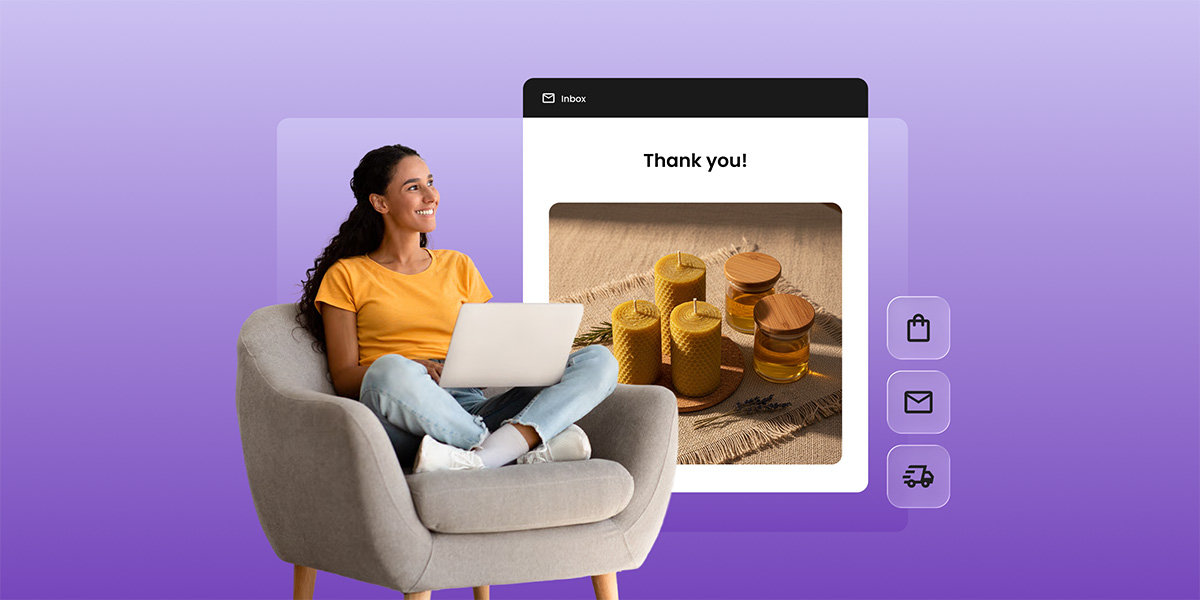
Somewhere between the welcome email and the win-back campaign, most businesses forget to send a thank-you email. These eight templates fix that, one for every moment worth acknowledging: a purchase, a referral, a review, a milestone, a holiday, or a new signup.
Key takeaways:
- Thank-you emails cover six triggers: purchases, referrals, reviews, milestones, holidays, and new signups.
- A thank-you email needs three things: a reference to what triggered it, one line of genuine acknowledgment, and a sign-off. Everything else is optional.
- The subject line decides whether thank-you emails get opened.
- If you’re asking for something (a review, a referral), say thanks first and keep the ask optional.
What is a thank-you email (and why it outperforms most of your other sends)
A thank-you email is a triggered, single-purpose message. It acknowledges one action, a purchase, a referral, a review, a milestone, a new signup, and stays anchored to that one thing even when it carries a small ask alongside it. The ask, if there is one, comes second.
That’s also why it performs well. Triggered sends like welcome and cart-abandonment emails get around 42% open rates, versus 25% for standard bulk campaigns. A thank-you email is triggered the same way: it responds to something the reader just did, so it isn’t competing with a broadcast for attention.
It’s one of several distinct types of emails worth keeping separate in your sending calendar. The confusion shows up mainly around purchases: a transactional email, an order confirmation, a shipping update, a receipt, can blur into a post-purchase thank-you if you’re not deliberate about the difference.
Mixing a thank-you into a promotional blast has the same problem in reverse: the moment it carries an offer, it stops being the single-purpose, triggered message that earns the performance above.
What should a customer thank-you email include?
At minimum, three things:
- A direct reference to the specific action that triggered it (the referrer’s name, the review itself, the milestone reached, whatever applies)
- One line of genuine acknowledgment
- A clear sign-off
Anything beyond that, a reward, a related offer, a request, is optional and belongs after the thank-you, not instead of it.
Manual or automated thank-you emails
It’s not always obvious what should send itself and what needs a real person behind it. Here’s the question worth asking: does the trigger only need someone joining a list, or does it depend on something happening outside your email tool entirely, a purchase, a referral, a review?
If it’s the first kind, most email platforms can fire it automatically the moment it happens. If it’s the second kind, someone has to notice the event and get that contact into your email tool’s system before anything can send, that’s true almost everywhere, not just here.
| Trigger | What has to happen before it can send |
| Lead magnet or webinar signup | Nothing, the signup itself is the trigger |
| Post-purchase | Add the buyer to your list after the sale |
| Referral | Track the referral, then add the contact |
| Review or feedback | Notice the review, then add the contact |
| Loyalty or milestone | Check tenure or order count, then add the contact |
| Holiday | Nothing, it’s a scheduled send, no trigger needed |
Post-purchase thank-you email template: transactional vs. marketing
Two different emails, two different jobs. The transactional one, order confirmation, shipping notice, receipt, exists to deliver information the customer expects. No promotional content allowed, no unsubscribe link needed, it’s fulfillment, not marketing.
The thank-you version is the marketing one: pure gratitude for the decision to buy from you. That’s what makes it relationship-building rather than logistics, and it strengthens the case for a related product suggestion or a review invitation, both of which belong here rather than in the transactional email. Because it’s a marketing send, it needs an unsubscribe link and proper consent like any other campaign.
Subject line: Thanks for choosing us, [Customer name]
Hi [Customer name],
We wanted to reach out separately from the order confirmation, because a receipt isn’t really a thank-you, it’s paperwork.
[Optional: one related product suggestion or a review invitation]
[Business name]
Quick tip: Don’t default to a discount as the “something extra.” A genuine ask, “how’s it working out?”, or a light nudge toward a review, reads as more sincere than a coupon, and it doesn’t put you in the position of training customers to wait for a discount every time they buy.
Name the product, not just the person. Personalized subject lines are something customers actually notice, Mailjet found over 80% of people value emails tailored to their interests. Naming the specific product is a simple way to do that; worth testing against your own open rates.
When to send it
A few days after delivery, once the transactional confirmation has already handled the logistics, works best. This one’s manual rather than automatic: since the trigger is a purchase happening outside your email tool, there’s no built-in way to fire it the moment someone buys, someone has to add the contact to your list first, then send.
Thank-you email for completing a service
Once a project or service wraps up, the service-completion thank-you email should go out within a day, before the details fade from memory.
Subject line: Thanks for trusting us with [project or service name]
Hi [Client name],
[Specific deliverable] wrapped up on [date]. [One real detail: a call you had, a decision they made that paid off, a constraint you worked around]. That kind of project is the reason we do this.
If anything needs adjusting, or you think of a question later, just reply.
[Business name]
Another tip: Show them you were paying attention, not just billing hours. Name one decision the client made during the project and tell them it worked out. It signals you were actually paying attention to their choices, not just executing a checklist.
This one’s worth building into your workflow even if you don’t run an online store. If email marketing is still new to your business, the email marketing guide for small business covers where this fits alongside everything else.
This applies whether the ‘service’ was a haircut, a repair, or a six-month contract, the trigger is the same: work finished, gratitude follows.
Referral thank-you email template
A referral thank-you email is worth sending by hand for your biggest referrers; the template below covers everyone else.
Subject line: [Referrer name], you just made our week
Hi [Customer name],
[Referred contact name] told us you sent them our way. We don’t take that lightly, people don’t usually put their own name behind a recommendation unless they mean it.
[Optional: a specific thank-you, a code, a gift, or an offer to return the favor]
[Business name]
Tip: If you’re going to offer something in return, make it proportional to what the referral actually turned into. A small discount for a lead that didn’t convert reads as generous; the same discount for a referral that became your biggest account reads as an insult. Match the gesture to the outcome.
Give the referrer the main character treatment. Put their name in the subject line, not just the body. Referral thank-yous get treated as generic when the subject line could apply to any customer; naming them upfront breaks that pattern immediately.
Group your referral sources so you can track who’s doing this repeatedly. A referral is effectively a lead generation channel, worth tracking with the same attention you’d give any other lead source.
If a referral converts into a paying customer, that’s worth a second, separate note beyond the initial thank-you, most businesses only send one and stop there.
Review or feedback thank-you email template
Standout reviews deserve a warmer, personal reply; the review or feedback thank-you email below works fine for the routine ones.
Subject line: About what you wrote, thank you
Hi [Customer name],
[Quote or paraphrase one specific line from their review]. That’s exactly the kind of detail that helps someone else decide, and it tells us what we’re actually doing right, not just that something worked.
[Business name]
Quote them like they’re worth quoting. Pull one specific phrase or detail from their actual review. A templated “thanks for the review!” reads as automated even when it’s sent by hand; quoting their own words back proves someone read it.
A public review deserves a warmer, less templated reply than a private survey response. If the review is glowing, this is also a natural point in the email customer journey to ask, gently, if they’d consider a referral too.
If the review is negative rather than glowing, skip this template entirely, that’s a service recovery conversation, not a thank-you.
Loyalty and milestone thank-you email template
Segment by tenure or order count, then send once the milestone is confirmed.
Subject line: You’ve been with us since [specific date]. Thank you.
Hi [Customer name],
[Specific date] to today, that’s [X years / X orders] with us. We don’t send this to everyone, most customers don’t stick around long enough to earn it.
[Optional: loyalty reward or early access]
[Business name]
Tip: Pull the receipts. Literally. Use the actual first-order or signup date from your contact records. “You’ve been with us since [specific date]” feels more personal than “you’ve been with us a while”, it’s a fact only your own records could know, and that specificity is the whole point of a milestone email.
Small milestones count too, a first anniversary or a tenth order deserves the same treatment as a hundredth. Consistency matters more than the size of the number.
Holiday thank-you email template
Holiday thank-you emails are the easiest of the eight to actually ship, since they need no trigger at all.
Subject line: Thank you for a great year
Hi [Customer name],
[Something specific to the year: a launch, a change, a milestone your business hit] happened because customers like you kept showing up. That’s worth saying out loud once a year, without an offer attached.
[Business name]
And the tip: Matching the specific holiday gives you more to work with: a pun for Halloween, a nod to the season for Thanksgiving, a wink at resolutions for New Year’s. The subject line is the easiest place to do this, “Thank you for a boo-tiful year” reads as effort. Just match it to your brand voice, a pun that doesn’t fit reads worse than no pun at all. This is really just seasonal marketing applied to a thank-you note.
Schedule it like any other campaign, no automation trigger required. Your holiday email marketing guide covers the rest of your seasonal calendar.
Thank-you email for a lead magnet or webinar signup
The lead magnet or webinar signup thank-you email is easy to automate: set it up once, and it runs itself from day one.
Subject line: Here’s [resource name], thanks for grabbing it
Hi [Contact name],
[Resource name or webinar] is attached / linked below. One thing worth knowing before you dig in: [a one-line context note, who it’s really for, what to skip, what to expect].
[One related resource or next step, matched to what they actually downloaded]
[Business name]
Tip: Match the follow-up to what they actually wanted. Send a next step specific to the resource they grabbed, not a catch-all link. Someone who downloaded a pricing guide and someone who downloaded a style guide are in different places, give them different second steps.
This one sits closest to a welcome email, just narrower in scope, it’s triggered by one specific action rather than a general subscribe.
Thank-you email subject lines: quick reference
The subject line decides whether any of the templates above get opened at all. Group your options by trigger rather than reusing one line everywhere.
- Post-purchase: “Thanks for choosing us, [Name]” (safe default) or “We’re glad you’re here, [Name]” (stronger, use when leaning on the relationship rather than the transaction)
- Referral: “Thank you for the referral” (safe default, works sent through automation or in bulk) or “You’re basically our marketing team now, [Referrer name]” (stronger, hand-sent only, skip for B2B or formal relationships)
- Review: “Thank you for taking the time to write that” (safe default) or “About that line you wrote, thank you” (stronger, use when you can reference something specific)
- Milestone: “[X] years with us. Thank you.” (safe default) or “You’ve been with us since [specific date]. Thank you.” (stronger, use when you have the exact date)
- Holiday: “Thank you for a great year” (safe, works across tones and audiences) or “No offer, just thanks” (only if your brand voice is casual, skip for B2B or formal client relationships)
How to know if your thank-you emails are working
Click rate and reply rate are good signals, they show whether the gratitude actually landed. Track both against your other email marketing metrics to see if thank-you emails are pulling their weight.
Open rate isn’t the most useful metric here. A newsletter that reached 42% opens once generated only three sales, while a promotional email capped at 28% opens produced fifteen times more. High opens don’t guarantee results, and thank-you emails are no exception.
What SiteGround Email Marketing automates for you
The short version: get a contact onto the right list, and the automation takes it from there.
Fully hands-off today: lead magnets and webinar signups. Connect your signup form, assign it to a dedicated list, build an automation with that list as the trigger, and it runs itself from day one, no further input needed.
One quick step, then hands-off: post-purchase, referral, review, and milestone thank-yous. Add the contact to a list, whichever way fits your workflow, and the automation and AI writer take over the actual sending from there.
Setting it up:
- Client Area > Services > Email Marketing > Automations > New Automation
- Choose the list (or lists) that trigger it
- Multiple lists can share one automation, a contact in several still only gets the email once, so it’s easy to combine triggers instead of building duplicates
One thing worth knowing: pausing an automation doesn’t pause the clock for contacts mid-sequence. Say there’s a 15-day wait between two emails. Pause on day 10, come back 7 days later, and the contact gets the next email right away, the 15 days already passed while you were away. Pause on day 5 and come back 5 days later, though, and they’ve still got 5 days left. Time keeps moving, only new sends stop.
The easiest email you’ll ever write is a thank-you
Thank-you emails are the easiest email you’ll ever write: one clear moment, one clear message. Pick the trigger that matches what just happened, copy the template, swap the brackets, and send.
If you’re ready to stop doing this by hand for the templates that can run themselves, SiteGround Email Marketing handles the group-based automation, the no-code builder, and the AI writer that make the rest of these quick, all in one place.
[58]
Frequently asked questions about thank-you emails
Keep any offer optional and secondary. A thank-you email that leads with gratitude and only mentions a discount as an aside reads as sincere; one that leads with the discount reads as a promotion wearing a thank-you subject line.
Yes, as long as the template includes at least one specific detail, an order number, a referred contact’s name, a milestone count, rather than generic filler. The automation handles timing; the specificity handles the tone.
As often as they trigger a genuine moment, a purchase, a referral, a milestone, and no more. Sending a thank-you for every minor interaction dilutes the ones that matter.
Slightly. B2B thank-you emails tend to run a notch more formal and reference the relationship or contract rather than a single transaction, but the core rule, lead with gratitude, stay specific, holds for both.
Yes, as long as the ask comes after the thanks and stays optional. A thank-you email that opens with an ask isn’t a thank-you email, it’s a request wearing a polite subject line.
A welcome email greets a new subscriber and introduces your brand; a thank-you email responds to a specific action someone already took. They can overlap, a lead-magnet thank-you often doubles as a welcome, but the trigger is different.