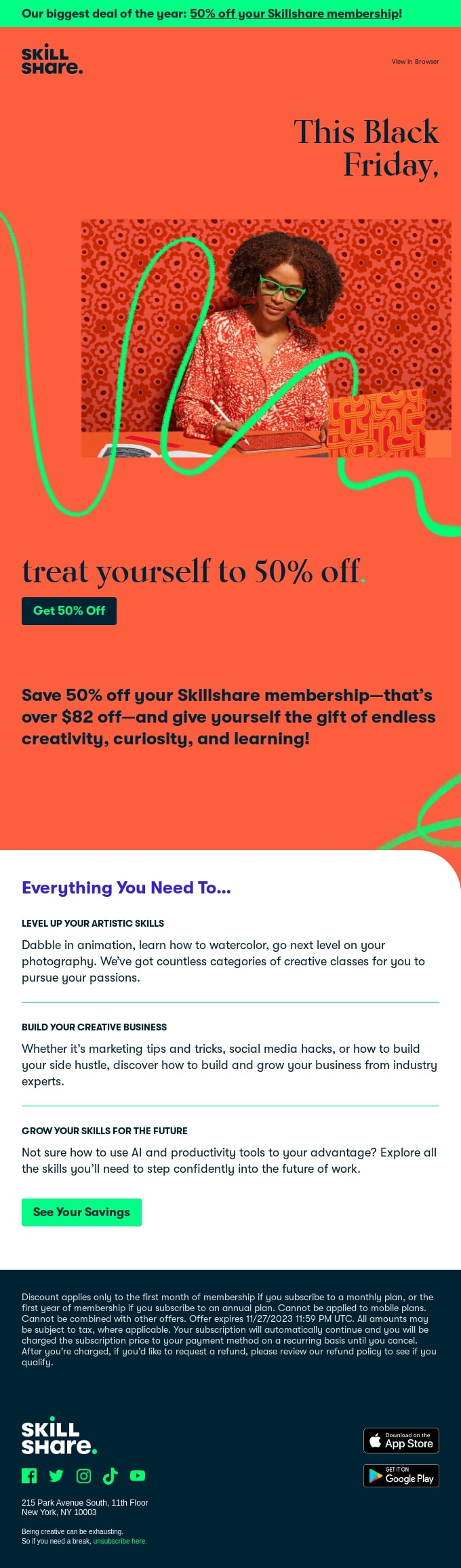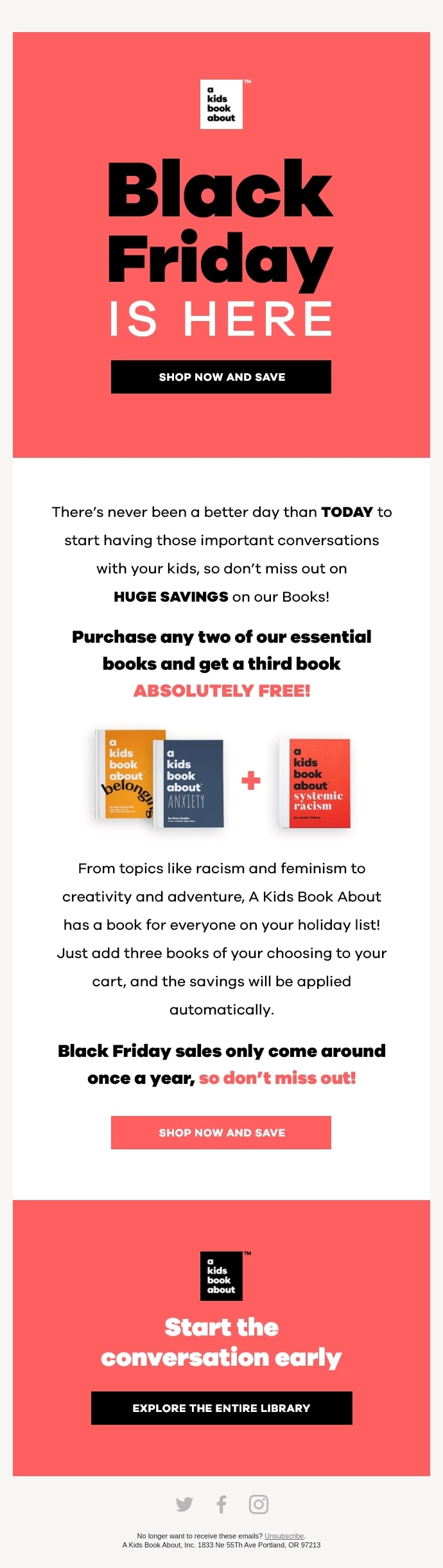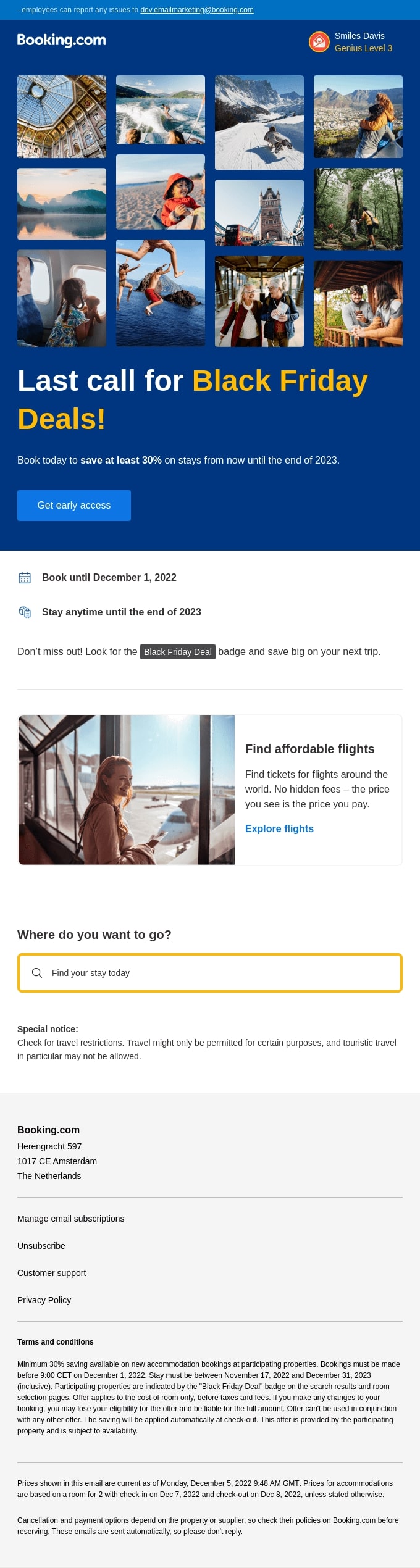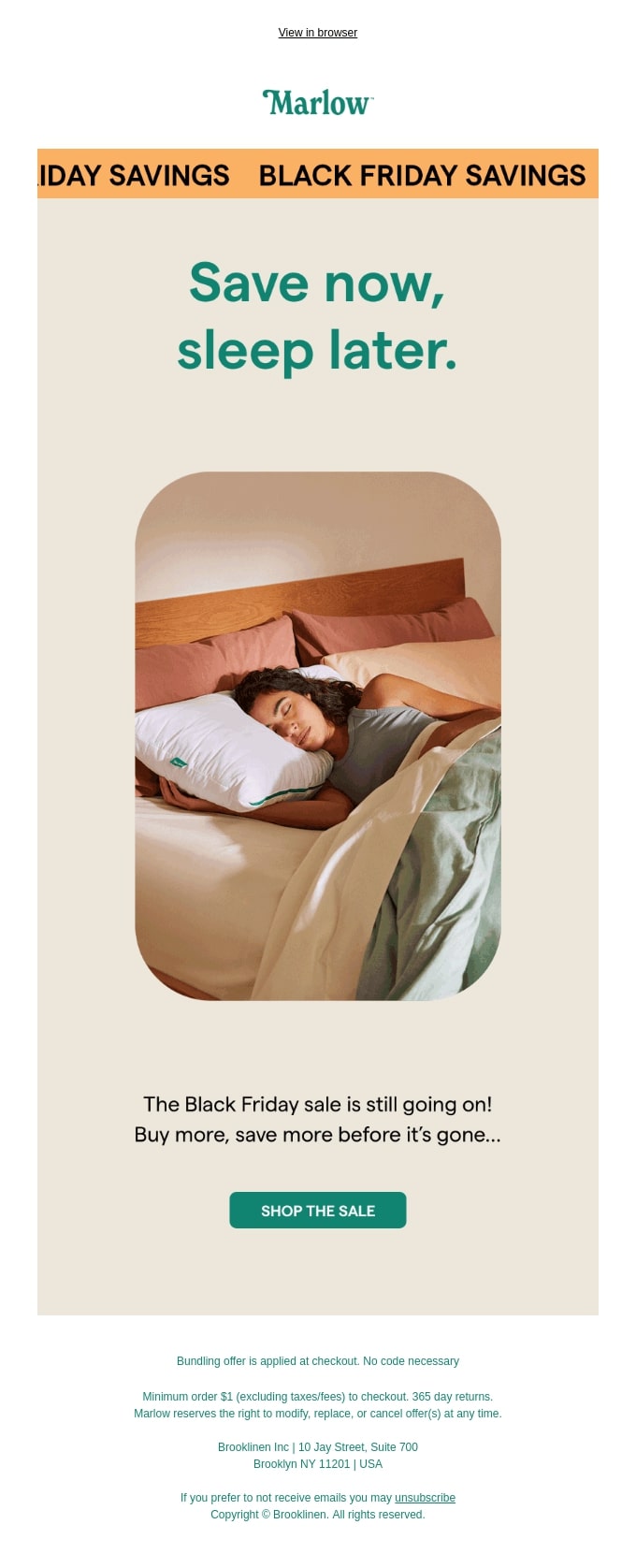
Email Format Guide: How to Get the Response You Need

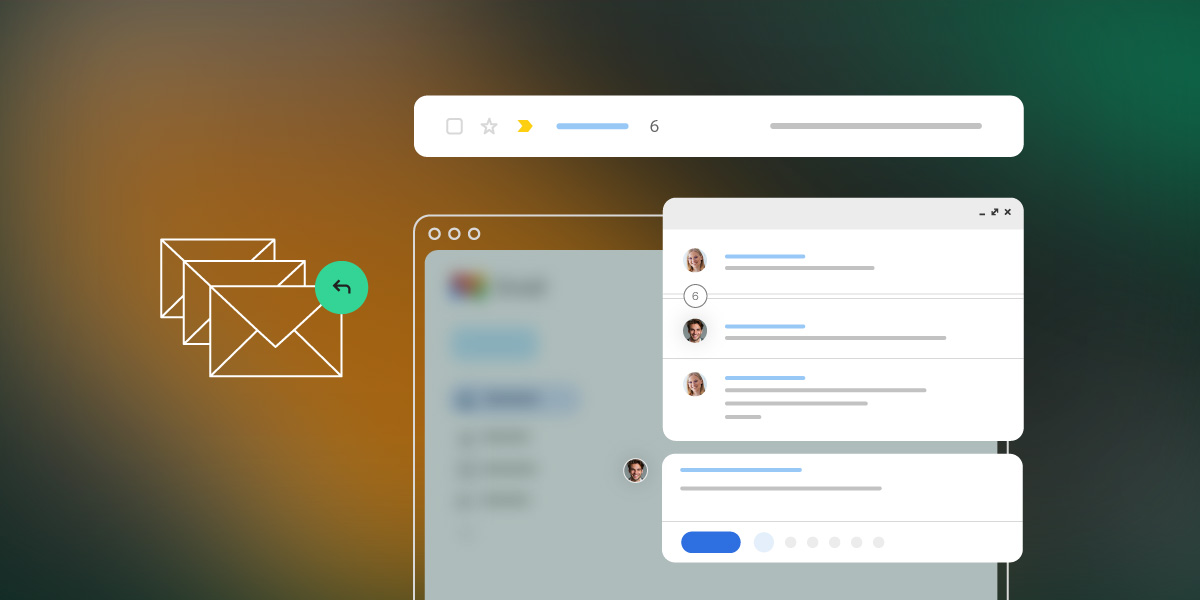
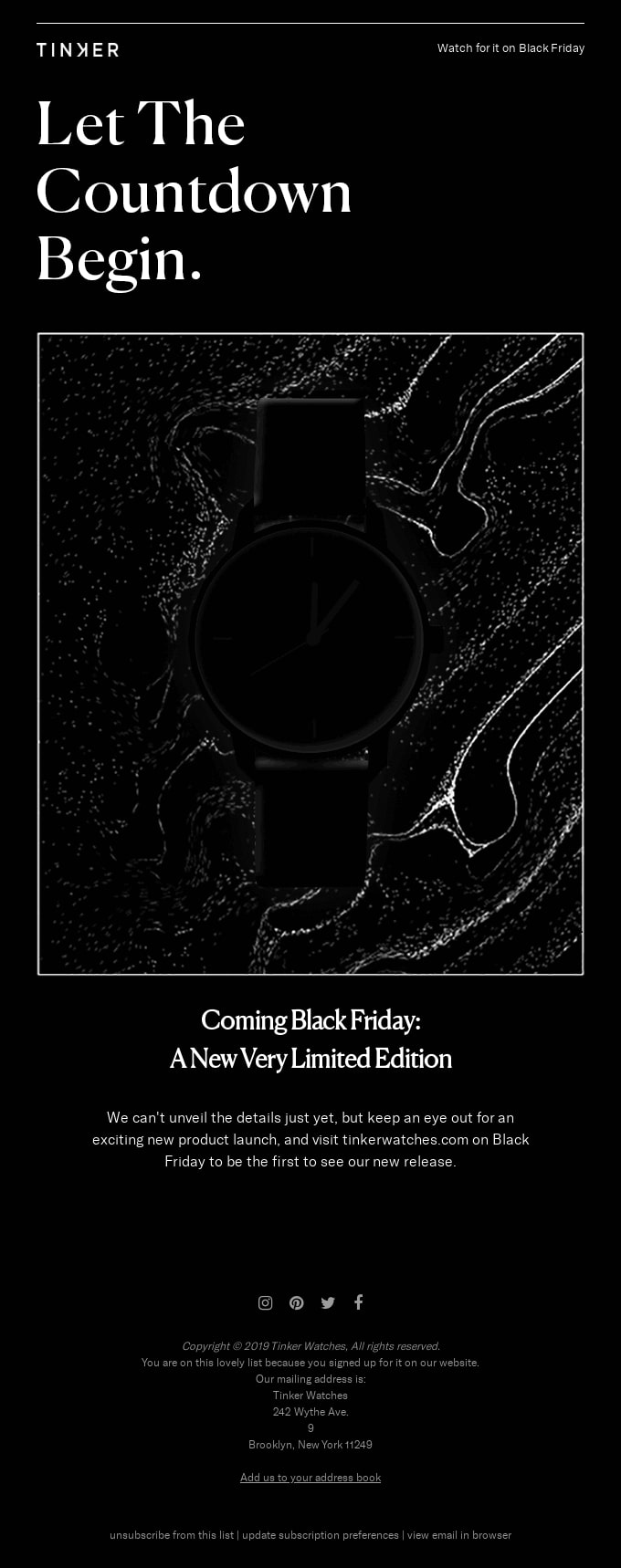
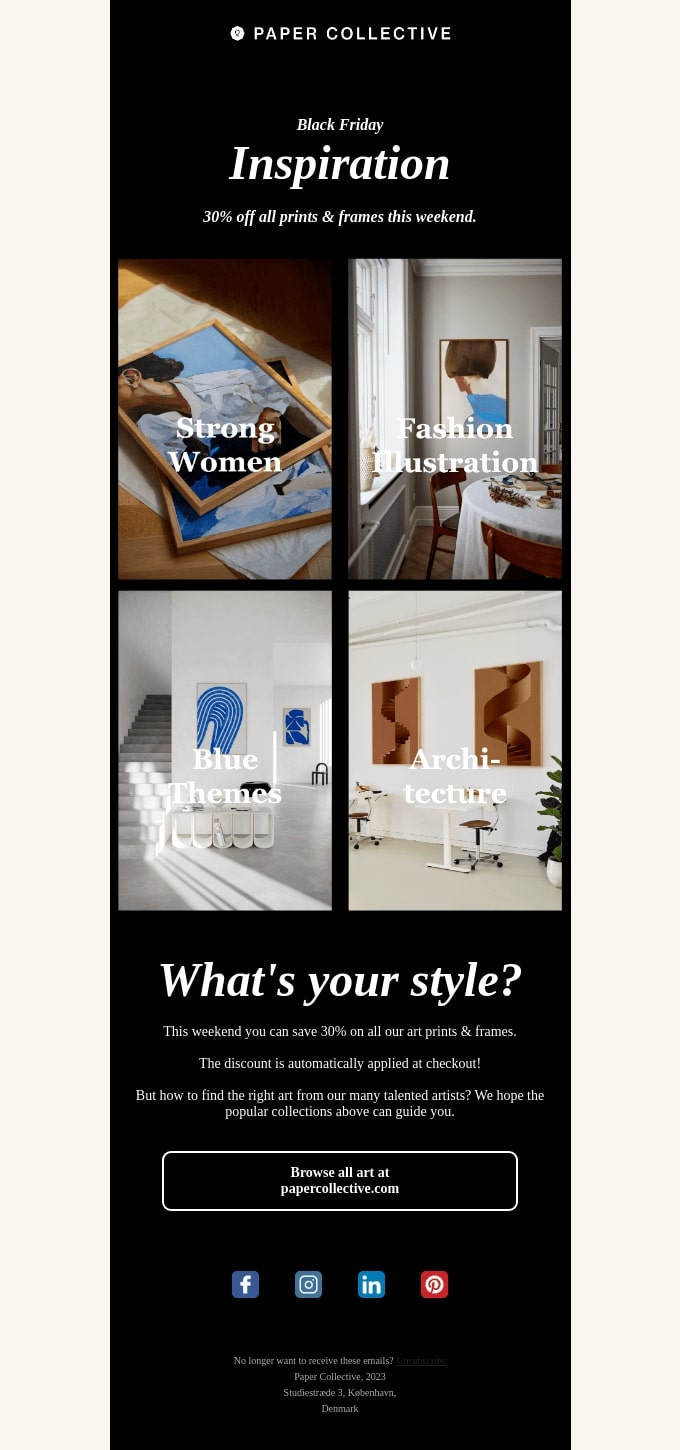
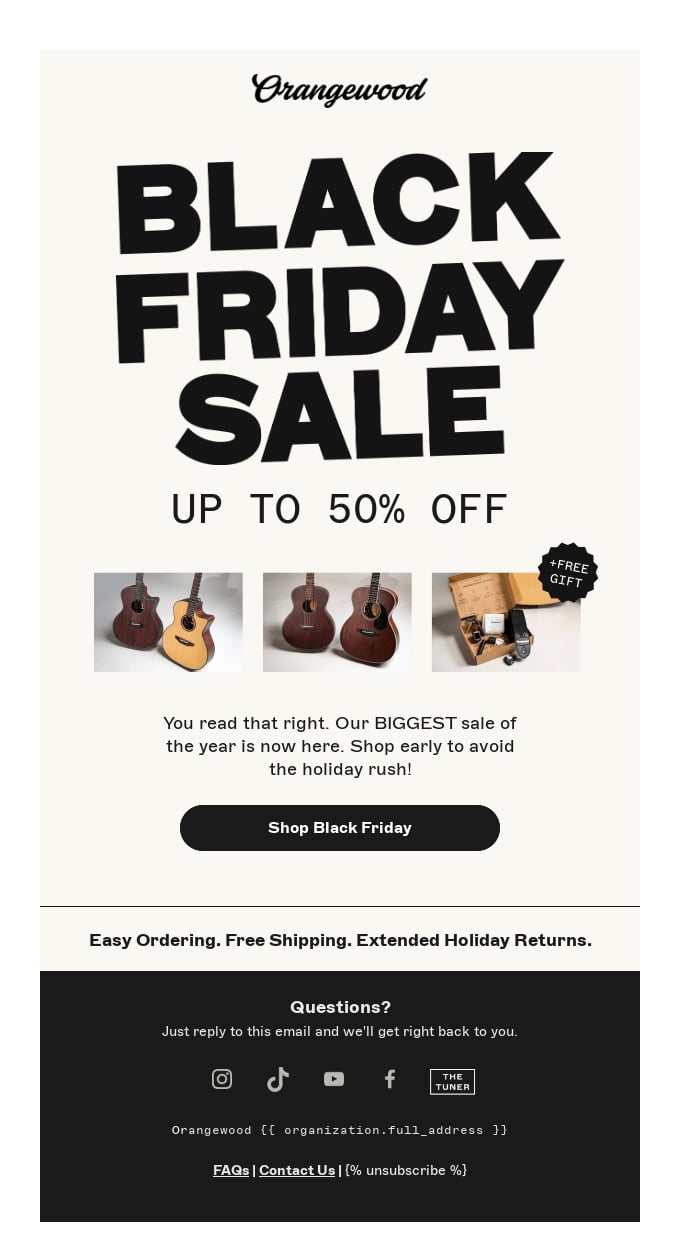
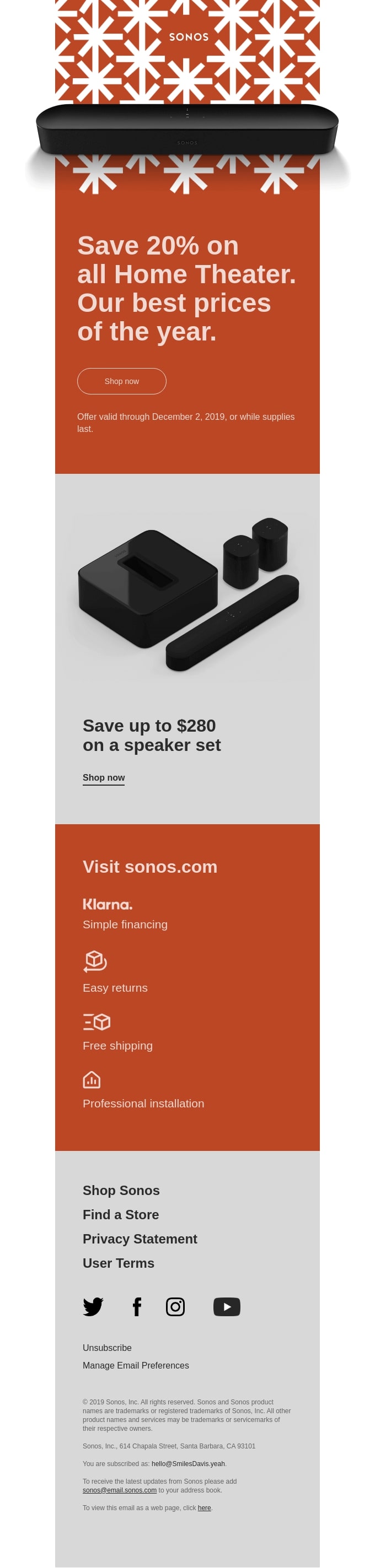
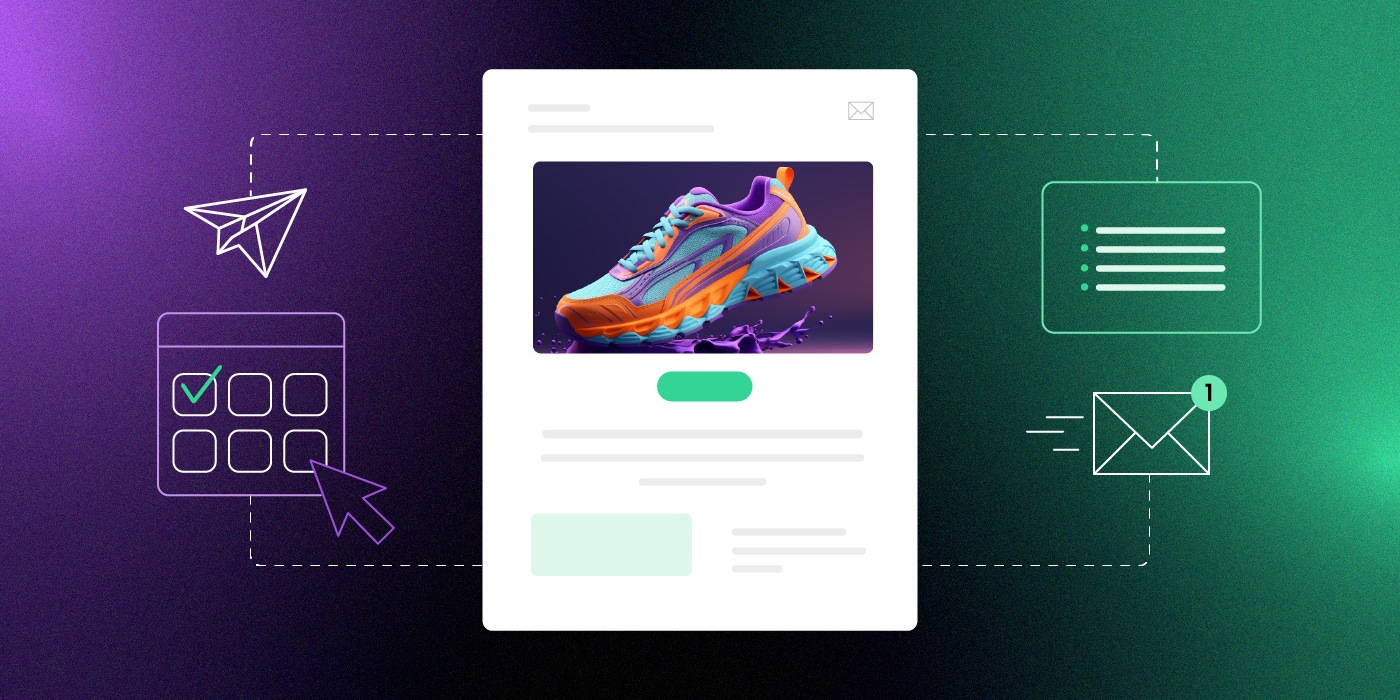
Email format template with composition tools, task checklist, mobile email display, and analytics dashboard showing campaign performance

You’ve probably googled “what is the format of an email” at least once—especially if you’re running a business without a full marketing team.

Not because you’ve never written an email before. But because you’re stuck writing one right now and can’t figure out how to structure it. Should the offer go first in your promotional email, or does it need context? Does a customer survey need the same format as a product announcement? What about that message to your team—how formal should it be?

Most people use the same structure for every email. A quick yes/no question gets the same treatment as a detailed project update. An urgent request looks identical to a casual check-in.

Then you wonder why people aren’t responding.

Email format isn’t about following rigid rules or sounding corporate. It’s about structuring your message so people actually read it and know what to do next. Different goals need different formats—and once you match them correctly, everything changes.

Key takeaways:

  • Email format should match your goal – a yes/no question needs different structure than a feedback request or project update
  • Keep emails under 125 words and subject lines under 50 characters for higher response rates
  • Lead with your request first, then add context – don’t bury what you need in paragraph three
  • Stick to one clear call to action per email – multiple requests split attention and kill responses
  • Include specific deadlines to create urgency – “by Thursday” gets action, “when you can” gets ignored

What is Email Format 

Email format is the structure of an email message, from subject line to signature. It’s the framework that holds your content together and helps your recipient quickly understand what you need and what action to take.

Different goals need different formats. A promotional email announcing a sale needs different structure than a welcome email to new subscribers. A product launch announcement differs from a weekly newsletter, just as a cold outreach to prospects differs from a re-engagement email to inactive customers. Whether you’re running marketing campaigns or handling business communications, matching your format to your goal gets better results.

Why Email Format Matters

Format directly affects whether people open, read, and respond to your emails because people make split-second decisions about which emails deserve their attention.

Every part of the email affects results in different ways:

  • Short email subject lines tend to get opened more. 
  • Emails with a single clear email call to action get more responses than emails asking for three different things. 
  • Even the length of your email, where you place key information, and how you break up paragraphs—all of it impacts results.

The numbers back this up. According to Mailmeteor, emails under 125 words get response rates around 50% higher than longer ones. Subject lines under 50 characters outperform wordy ones, as reported by Truelist. 

Tracking the right email marketing metrics (open rates, click rates, and response time) helps you understand which formats work best for your audience. But you need to measure the right things.

The problem? Most people use the same email format for everything. They write every email the same way, whether they’re scheduling a quick call, pitching a new client, or following up on a complex project. Same structure, same length, same approach.

That’s like using a sledgehammer for every job. Sometimes you need a scalpel.

Your format should change based on what you’re trying to accomplish. Match the structure to the goal, and you’ll see the difference in your inbox.

The Parts of an Email

Every email has the same basic building blocks. How you use them determines whether your message gets read and acted on. 

Here’s what a complete professional email format looks like, then we’ll focus on the parts that make the biggest difference in your response rates.
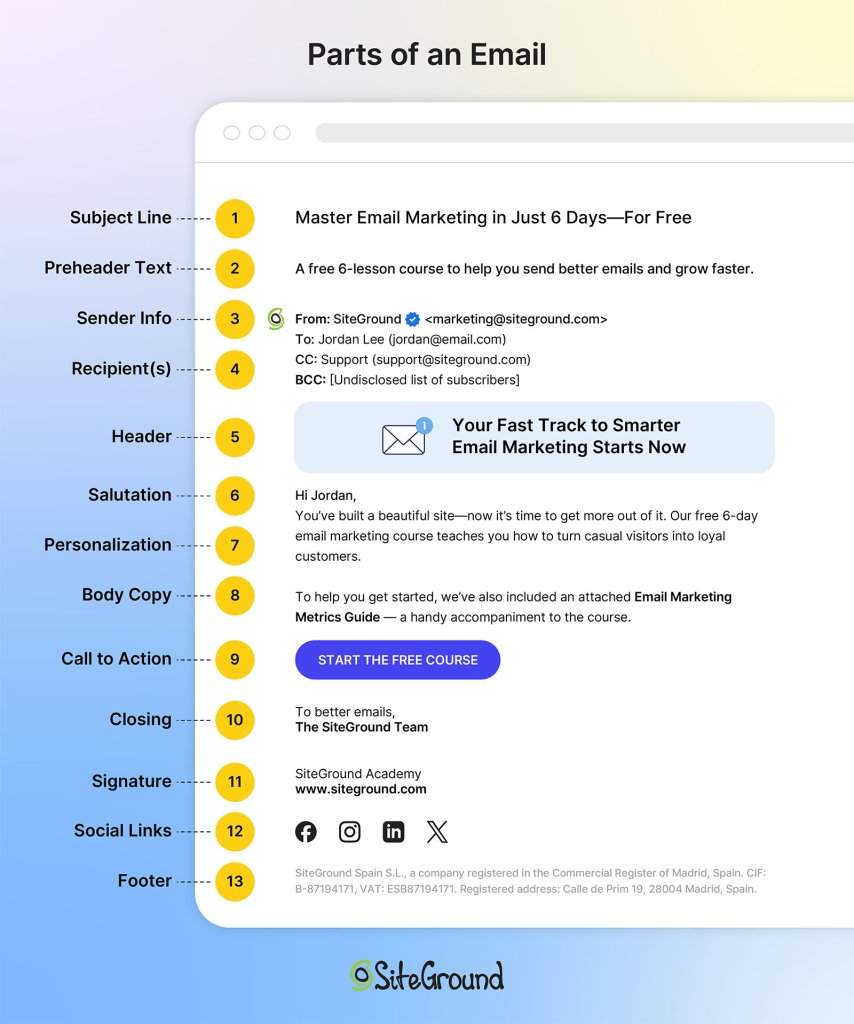
The different parts of an email

Email Subject Line

This determines if your email gets opened. People scan their inbox in seconds, deciding what deserves attention based almost entirely on subject lines.

Keep it short—under 50 characters works best. Be specific about what’s inside. Avoid vague lines like “Quick question” or “Following up.”

Something like “Your free trial expires Friday” or “New feature you requested is live” tells them exactly what’s inside before they even click.

Opening Line

This keeps them reading past the first sentence. If your opening doesn’t hook them immediately, they’ll skim or abandon the email.

Get to the point in the first sentence. Skip pleasantries unless you have an established relationship. State why you’re writing or what you need.

Compare “Your account now includes bulk scheduling” to “I hope this email finds you well. I wanted to reach out about something that might interest you.” The first one gets to the point.

Email Body

This is where you convey your actual message. The email body should give context, provide necessary details, and make your case without rambling.

  • Keep short paragraphs—2-3 sentences max. Use line breaks between ideas. 
  • When listing multiple items, use bullet points to make them scannable. 
  • Front-load important information since people skim. 
  • Cut anything that doesn’t directly support your purpose.
  • For a product announcement, lead with what changed, then explain the benefit, then include the call-to-action. Don’t bury the news in paragraph three.

Call to Action

This tells them what to do next. Without a clear call to action (CTA), people won’t take action—whether that’s clicking a link, making a purchase, replying to your message, or registering for an event.

Make it specific and easy to act on. One CTA per email usually works best. Make it obvious wherever you place it—sometimes that’s right after your opening line, sometimes at the end. Use direct language.

“Download your free guide here” works better than “Feel free to check it out when you have time.”

Email Signature

The best email signatures provide credibility and contact information. Your professional email signature confirms who you are and gives recipients other ways to reach you if needed.

Include your full name, job title, company name, and phone number. Keep it clean—no inspirational quotes or walls of text.

A simple format works: Sarah Chen, Marketing Director, Acme Corp, sarah@acmecorp.com, (555) 123-4567.

For email marketing campaigns, your approach is different. Sign off with your company or team name, skip the detailed contact info in your signature, and save that for your email footer instead. Marketing emails focus on driving action—your footer handles the legal requirements and contact details.

Each email part serves a specific function. When they work together with the right format for your goal, you get results. But there’s one more thing to address before we get to examples.

Formal vs Casual Emails

The one question people always ask is: should this be formal or casual?

The level of formality depends on your relationship with the recipient.

Formal emails are for first-time outreach or high-stakes communications—reaching out to potential clients you’ve never met, cold pitching prospects, or formal business proposals. Use formal greetings (“Dear Ms. Rodriguez”), complete sentences with no contractions, and formal closings (“Best regards” or “Sincerely”). The tone is respectful and professional. 

Casual emails work for regular customer communications, ongoing relationships, or your email subscriber list. You can use “Hi [Name],” write with contractions, keep it conversational, and sign off with “Thanks” or your team name. The tone is friendly but still professional—you’re building rapport, not writing a legal document.

Both follow the same structural principles: clear subject line, concise body, single call-to-action. The formality changes based on familiarity; the formatting effectiveness doesn’t.

Email Structure Best Practices + Email Format Examples

Whether you’re coordinating with your team, reaching out to prospects, or communicating with customers, the same formatting principles apply. Here are email format examples for the most common scenarios—internal and external. Think of these as templates you can adapt, not rigid rules to follow exactly.

# 1: Get a Yes/No Answer

Keep it to 3-5 sentences with a clear question.

Example:

Subject: Quick question about your subscription

Hi Sarah,

We’re updating our email preferences. Do you want to keep receiving our weekly newsletter, or would you prefer monthly digests instead?

Just reply “weekly” or “monthly” and we’ll update your account.

Thanks,
The [Company] Team

Short emails with binary choices get decided fast. Your recipient doesn’t need to think hard, gather information, or switch between tasks. They can answer in seconds and move on.

# 2: Schedule a Meeting

Aim for 50-75 words and include two specific time options.

Example:

Subject: 15-minute demo of our new features?

Hi Marcus,

I’d love to show you the new automation features we just launched—they could save you hours each week on campaign setup. Would either of these work for a quick demo?

Tuesday, Dec 17 at 2 PM
Thursday, Dec 19 at 10 AM

If neither fits, let me know what does.

Best,
Alex

Two specific options are easier to respond to than “when are you free?” You’ve already done the work of checking your calendar, so they can just pick one instead of hunting through their schedule.

 # 3: Follow Up After No Response

Write 75-100 words and reference your original message. 

Example:

Subject: Following up – free trial

Hi James,

I reached out last week about our 14-day free trial. Wanted to check if you’re still interested in testing out the platform, or if now’s not the right time?

If you’d like to get started, here’s your signup link: [link]

No pressure if it’s not a fit right now.

Best,
Sarah

Follow-up emails need context about what you’re following up on. Reference your previous message briefly, then make it easy for them to respond by repeating your request or offering new options.

# 4: Get Feedback

Write 100-150 words and ask specific questions about what you need.

Example:

Subject: How are we doing? 2-minute survey

Hi Priya,

We’d love to hear your thoughts on your experience with us so far. Quick 2-minute survey with three questions:

1. How satisfied are you with our product? (1-10)
2. What’s one feature you wish we had?
3. Would you recommend us to a colleague?

Take the survey: [link]

As a thank you, everyone who completes it gets early access to our new template library.

Thanks,
Jordan

General requests for “feedback” lead to vague responses or silence. Specific questions guide people to exactly what you need, so they know how to help. 

For more detailed strategies on gathering customer insights, check out our guide on survey emails.

# 5: Move Deal Forward

Structure it around 60-80 words with one clear next step.

Example:

Subject: Ready to upgrade your account?

Hi David,

Based on our call yesterday, the Pro plan sounds perfect for your team size and email volume. I can upgrade your account today and you’ll have access to all the advanced features immediately.

Should I go ahead and process the upgrade?

Best,
Taylor

Deals stall when the next step isn’t obvious. One clear action removes all guesswork and keeps momentum going.

# 6: Share Info (No Response Needed)

Use short paragraphs or bullets, and add “FYI” (For Your Information) in the subject line to signal no response is needed.

Example:

Subject: FYI – System maintenance this weekend

Hi team,

Quick heads up: we’re doing system maintenance this Saturday from 2-4 AM EST. Your campaigns won’t be affected, but you won’t be able to log in during that window.

Everything will be back to normal by 4 AM.

No action needed from you.

Thanks,
The [Company] Team

“FYI” tells people immediately that no response is needed. They can read it, note the information, and move on without inbox guilt.

Email Format Mistakes That Kill Responses 

Even when you understand proper email format, certain mistakes will kill your response rates. Looking at email marketing benchmarks across thousands of campaigns, here are the most common mistakes—and how to fix them.

Asking for Multiple Things at Once

Asking for three things in one email splits your recipient’s attention. Should they download the guide, register for the webinar, or reply to your question? Should they approve the budget, schedule the call, or review the document? When everything feels urgent, nothing gets done.

Stick to one action per email. If you need multiple things, send separate emails or clearly prioritize what matters most, and tell them exactly which action to take first.

Writing Vague Subject Lines

“Checking in” and “Quick question” tell your recipient nothing. They can’t prioritize your email against 50 others, so it sits unread.

Write subject lines that preview the content: “Your free trial expires Friday” or “New scheduling feature now live” for customer emails. “Design review needed by Friday” or “Budget approval for Q1 campaign” for internal requests.

Specific subject lines get opened because people know whether it’s urgent and relevant. Vague ones get skipped.

Sending Emails Without Deadlines

When you don’t include a timeframe, your email has no urgency. “Let me know your thoughts” could mean today or next month, so it gets pushed to the bottom of the list. Add a clear deadline: “Can you review this by Thursday?” or “I need your input before our Monday meeting.” Deadlines create action. Without them, your email becomes a “someday” task that never gets done.

Writing Long Emails That Bury Your Request

Nobody wants to scroll through six paragraphs to find out what you actually need. Long emails signal “this will take time,” so people save them for later—and later never comes.

Lead with your request first: “Claim your 20% discount” or “Register for the webinar” for customer emails. “Can you approve this budget?” or “Need your feedback by Thursday” for internal requests. Then add context if necessary.

If your email doesn’t fit on one screen without scrolling, it’s too long. Break complex topics into shorter messages, use bullet points, or link to a document for full details. Front-loading your ask respects your recipient’s time.

Start Using the Right Email Format Today

Getting email format right is half the battle. The other half? Having tools that support your customer outreach without adding complexity.

SiteGround Email Marketing comes with ready-made email templates designed for different goals—whether you’re announcing a product launch, sharing an update, or asking for action. You can customize these templates to match your brand, or build your own from scratch if you need something specific. Either way, you’re working with formats that are already structured to get responses, not starting with a blank page every time.

If you’re tired of hitting send and hearing nothing back, it’s time to match your format to your goal and use tools that make that easier.

[58]
Year-in-Review Email Templates: Make Your Customers the Star

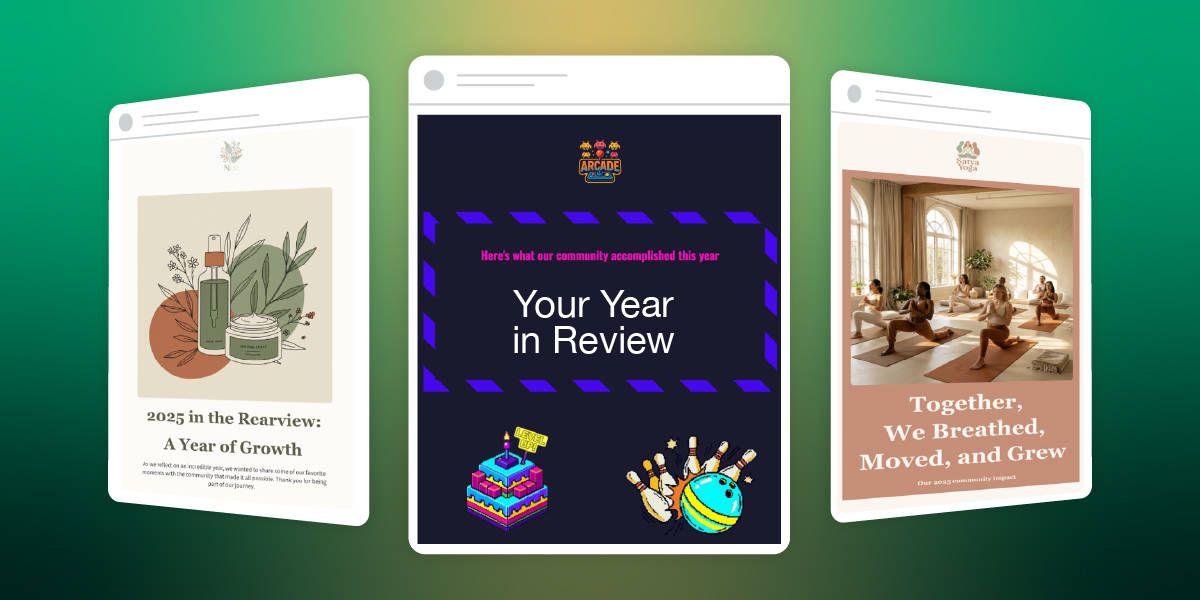
Abstract of Year-in-review emails

Every December, Spotify’s Wrapped email reveals our listening habits, prompting millions to share it readily with friends and loved ones and screenshot it for Instagram. This is the strange magical effect of year-in-review data, and you and your business can utilize it for your end-of-year emails, as well.

Year-in-review emails are one of the very few examples of smart use of tracking data for the benefit of the customer. When brands do that, you’re not a data point. You’re the main character in a story shaped by your unique metrics. 

The best year-in-review emails go beyond numbers and tap into identity. You’re not just someone who bought stuff. You’re someone who did something worth celebrating this year. 

For small businesses, this is great news. And the best part is that you don’t need Spotify’s engineering team and algorithm. You just need to know what your customers did this year and make it interesting for them.

.post-page__colored-blocks.post-page__colored-blocks–update p { margin: 15px 0px; }

Key Takeaways:

Year-in-review emails are personalized messages, sent to customers at the end of the year. Those emails can summarize their interactions, achievements and/or milestones with the particular brand over the past 12 months. By utilizing these emails, you’re making your customers the main character in a story shaped by their unique metrics. Any small business can use this marketing tactic.

  • Make Your Customer the Hero: Shift the focus to the customer, turning their data and interactions with your business into a story that makes them feel celebrated and unique.
  • It’s Not Just for Big Tech: Any business, from a local arcade to a skincare brand, can use this strategy by translating customer behavior into a narrative about their identity and achievements.
  • Focus on Meaningful Data: Instead of generic numbers like the amount customers spent, highlight specific, positive actions like “you tried 8 new menu items” or “you’ve been a member for 3 years.”
  • Use a Soft Call to Action (CTA): The primary goal isn’t direct sales. Guide customers toward a natural next step, such as booking a session for the new year or leaving a review.
  • No Individual Data? No Problem: If you don’t track individual customer data, create a “community highlight” year-in-review email. Celebrate collective achievements (such as “Together, we donated…”) and make your audience feel like an important part of that success.
  • Find the Right Narrative: If you have customer data, adapt one of three smart approaches to tell a compelling story that fits your business.

Why Small Businesses Need Year-in-Review Emails

Year-in-review emails are one of the few marketing messages where you can celebrate your customers instead of asking them to buy something (and they actually work better because of it). For small businesses, this is a chance to stand out in December’s crowded inbox by making customers feel seen, appreciated, and genuinely part of your story.

You might think that wrapped emails are for tech companies with data scientists.

But that’s not true. 

Someone who runs a family events center can send a year-in-review email that says “You celebrated 4 birthday parties with us this year and your kids’ friends probably think you’re the cool parent now.” Another who makes skincare products, can say “You’ve been using the same face wash for 9 months, which means you finally found something that works and aren’t panic-buying new products every week.”

Both of these year-in-review emails do the same thing Spotify does. They take behavior and turn it into a story about identity.

  • The Psychology Angle
  • A Smart Re-Engagement Tactic
  • The Stats Say it Works

The Psychology Angle

People want to be the protagonist. Not of some grand epic fantasy, just of their own year. When you send someone a recap of what they did with your business, you’re basically saying “you had a story this year, and we were a part of it.”

The photographer who emails past clients with “You’ve been married for two years now and we still remember the reading of your vows in the rain” isn’t selling anything. They’re reminding someone of a moment. That’s relationship building that a discount code can’t beat.

A Smart Re-Engagement Tactic

Year-in-review email newsletters bring back people who forgot about you. Let’s say your business is a yoga studio, and someone joined your classes back in March, but then vanished. They get a December email that says “Remember us? You burned enough calories this year to climb Mount Everest (twice!).” Suddenly you’re back in their radar.

Now that it’s the end of the year, that email recipient is probably making plans and setting goals. And you’re now  top of mind. If your just-sent year-in-review email reminds them of what they accomplished with you in the past year, they’re way more likely to book with you again when they’re making plans for 2026.

Plus, these types of emails that share accomplishments get shared. People screenshot their stats and post them. Your business name is right there in the image. This is free word-of-mouth marketing from people who are excited to show off their year.

The Stats Say it Works

And let’s not forget that year-in-review emails are essentially highly personalized emails. And do you know what personalized emails are good at? They crush generic promotional emails on every email marketing metric that matters.

According to Litmus’s 2024 State of Email in Lifecycle Marketing report, automation and personalization remain the top priorities for email marketers, with consumers showing strong preference for personalized email elements. 64% value exclusive offers based on loyalty status and 63% value product recommendations based on past purchases. 

Birthday emails, which not only celebrate customer milestones but also act as re-engagement emails, generate click-to-open rates of 24.43%, the highest of any automated email type according to G2’s 2024 email marketing research.

In 2023, 60 million people shared their Spotify Wrapped graphics on social media. That’s 60 million free brand ambassadors.

These kinds of emails also get way fewer unsubscribes because you’re not asking for money. You’re celebrating your customer and it’s hard to be mad about that.

The Anatomy of a Great Year-in-Review Email

Okay, so what actually goes into a year-in-review email template? Let’s break it down. 

  • Personal Data Points and Design That Works
  • Tone of Voice: Somewhere Between Friendly and Professional
  • The CTA: What Do You Want Them to Do?

Personal Data Points and Design That Works

You need numbers that mean something. “You spent $472 with us this year” is technically true but also kind of depressing. “You tried 8 new menu items and the truffle fries became your regular order” is way better.

The digital marketing metrics you track depend entirely on what your business does:

If you’re an ecommerce site, you have a purchase history. How many products did they buy? Did they branch out into new categories? Did they come back for the same thing three times? That’s customer loyalty. Follow the whole customer journey to celebrate these touch points.

If you’re a service business, you have appointments. How many times did they book? What did they try? How long have they been coming? Did they hit any key milestones?

Entertainment venues can track the events guests attend, the types of gatherings they prefer, and the new experiences they try. “You came to 6 events this year and we’re pretty sure you’re single-handedly keeping the local music scene alive” might work.

Content creators have opens, reads, clicks. A line that feels personal is something like: “You opened 42 out of 52 newsletters which is honestly better attendance than most people’s gym memberships”.

Nonprofits can highlight impact. Try a message that connects the act of giving to the actual humans that helped like: “Your donations helped 12 students attend college this year”.

The trick is finding three to five things that feel meaningful without being weird. You want people to think “whoa, I didn’t realize I did that” and not “how do you know that and why are you watching me.”

As for the email marketing design, it’s good to take into account mobile devices. Most people open these emails on their phone while scrolling during a holiday break. Try using big numbers, short sentences, and clear hierarchy. You can also test the length of different email subject lines. While shorter is generally better, test variations to see what resonates most with your audience.

Tone of Voice: Somewhere Between Friendly and Professional

This is where one can easily mess up. You don’t want to go too formal (“We would like to express our gratitude for your patronage”) or too casual (“OMG you’re literally the best customer ever!!!”).

You want genuine enthusiasm without desperation. The mindset you need to settle in is that of someone who’s celebrating what your customers did and you happened to be there for it. Make sure the tone of voice is aligned with your brand, too. Here are some examples: 

Forgettable line: “Thank you for your continued support this year.”
Better line: “You booked with us 8 times this year, which makes you officially a regular. We know your coffee order now.”

Forgettable line: “We appreciate your loyalty to our brand.”
Better line: “Three years of Saturday morning classes. Remember when you couldn’t do a pushup and now you’re doing them on one arm just to show off?”

The difference is specificity. Generic praise sounds like a formal letter but specific observations sound like you actually noticed them.

The CTA: What Do You Want Them to Do?

Here’s the thing about year-in-review emails—they’re not sales pitches. The minute you turn this into selling, you’ve broken the spell.

But you can absolutely include an email call to action if it feels like a natural next step. 

Strong year-end CTAs:

  • Book your first session of 2026 
  • Share your year with friends 
  • Tell us what you want to see next year 
  • Get early access to our January launch 
  • Leave us a review 

Weak year-end CTAs:

  • Buy more right now (You just celebrated them. Don’t immediately ask for money.)
  • Don’t forget about our sale (Breaks the celebratory tone.)

What If You Don’t Have Individual Customer Data?

Not every business tracks customer behavior at the individual level—and that’s okay. You can still create compelling year-in-review emails using company-level data.

What you can celebrate without personalized data:

  • Company milestones (press coverage, awards, expansion)
  • Product launches and bestsellers
  • Community impact (total donations, collective achievements)
  • Store openings, partnerships, major announcements
  • Environmental/social impact metrics

The key difference:

Instead of “YOU did this,” it becomes “WE did this together, and you were part of it.”

Year-in-Review Email Examples: 3 Approaches That Work

Looking for year-in-review email newsletter inspiration? Here are three proven approaches you can adapt for your business. For the purpose of this article, we’ve built actual year-in-review email templates using SiteGround AI Studio  (available in your SiteGround Customer Area) and the SiteGround Email Marketing platform to show you exactly how each one works.

Whether you run an ecommerce shop, a service business, or a community platform, you can create the same templates to fit your data. These work for both personalized and company-level data and you’ll see how you can adapt each one based on what data you have. 

1. The Numbers Game (Spotify Style)

This is the approach everyone thinks of first because Spotify made it famous. You take user behavior, turn it into big bold numbers, and present it like a highlight reel.

Who it works for: Ecommerce, SaaS, content creators, anyone who has trackable user behavior.

What it looks like: Big typography and data points that sound impressive even if they’re not objectively huge. Pick numbers that make people feel like they accomplished something.

How to implement this:

  • If you track individual customer behavior: Pull your top 3-5 metrics per customer and format them with big numbers and short context. 

For example: “You discovered 12 new products this year”; “You invested 4.5 hours learning new skills with us.”

  • If you only have company-level data: Show impressive collective numbers and position customers as contributors. 

For example: “Together, we saved 62 million gallons of water. Every purchase counts, including yours.”;  “Our community ordered 2.4 million meals this year, and you were part of making that happen.” 

Watch out for: Numbers that don’t mean anything to the recipient. “You logged in 156 times” is just data, but “You logged in more than 87% of our users” or “You’ve been with us for 523 days straight” tells a story. 

Template example: Family Entertainment Center

year in review email template example celebrating collective achievements of a small business

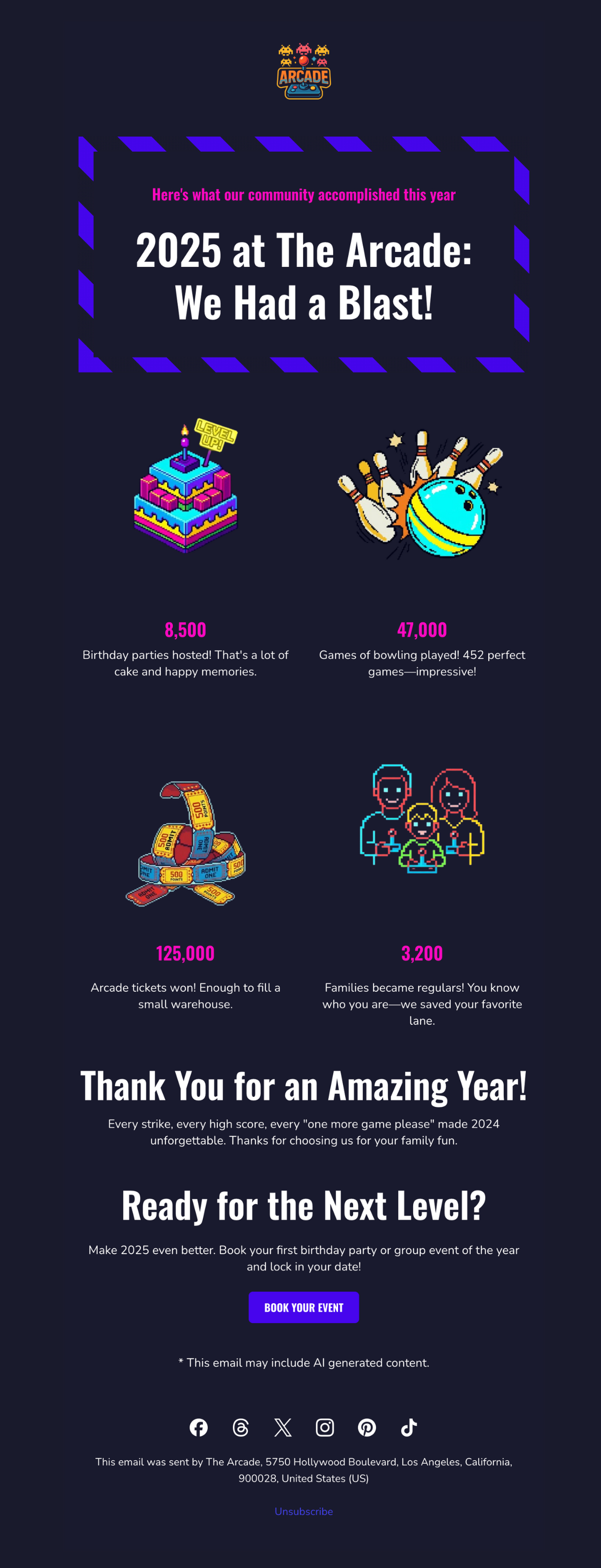
We built this template for a bowling alley and arcade using SiteGround AI Studio. It celebrates collective achievements and makes every family feel like they were part of making 2025 unforgettable. The bold, playful design uses bright colors and game-style typography that feels celebratory without being overwhelming.

2. The Milestone Celebration

This approach focuses less on quantity and more on moments like first purchase, one-year anniversary, or a specific achievement unlocked. The email becomes a timeline of you and your customer’s relationship. 

Who it works for: Service businesses, restaurants, subscription models, membership organizations, any business where moments matter more than metrics.

What it looks like: Timeline-style email layouts highlighting 1-3 significant dates or achievements. It’s less about “how many times” and more about “remember when.” The design celebrates progression and specific memories rather than volume.

How to implement this:

  • If you track customer milestones: Look for natural milestones in your customer data like first purchase anniversaries or the moment they became a “regular.” Build the year-in-review email around 1-3 of these personal dates.

    For example: “One year ago today, you booked your first massage with us. Since then, you’ve become a regular every Thursday at 6pm—we always have your table ready.”
  • If you only track company milestones: Share YOUR big moments from the year and thank customers for being part of your brand story. Include photos from major moments and frame them as shared celebrations.

For example: “We opened 3 new locations, won Best Local Business, and celebrated 10 years, and you were with us through all of it.” 

Watch out for: Celebrating milestones the customer doesn’t care about like your company’s 10th birthday. Their personal first-time-using-you anniversary will resonate better. 

Template example: Natural Skincare Brand

year in review email template featuring a small business celebrating annual milestones

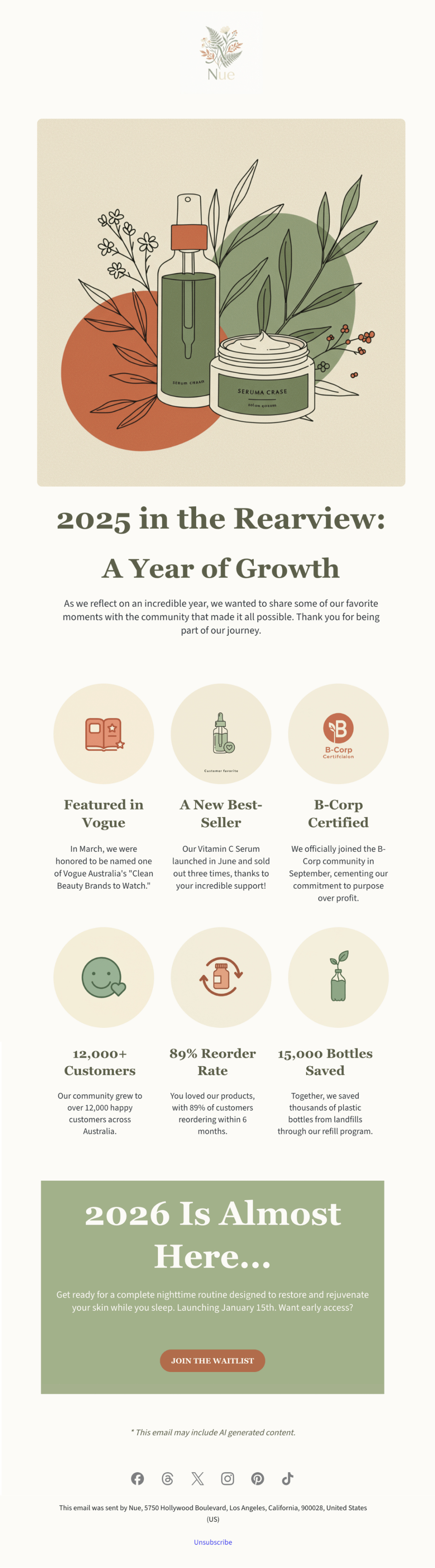
This template was created with SiteGround AI Studio for a clean beauty brand. It walks through the company’s major 2025 milestones, presented as a visual timeline. The design is clean, sophisticated, and visually appealing, matching the premium skincare aesthetic while making customers feel proud to support a growing brand.

3. The Community Highlight

This approach flips the script from “here’s what YOU did” to “here’s what WE did together as a community, and you were part of it.” It works when your value comes from being part of something bigger. 

Who it works for: Platforms with user-generated content, nonprofits, membership communities, marketplaces, fitness communities, anywhere collective impact matters.

What it looks like: Big collective numbers up front (total community achievement or customer participation), then a zoom-in showing how this individual contributed to that larger story. Visual elements often show scale like maps, crowd imagery, or data visualizations that make the community feel massive and meaningful.

How to implement this:

  • If you can show individual contribution within the collective: Start with the big number (“Together we explored 782M miles”) then zoom in (“You contributed 47 miles to that achievement”). Make their piece feel meaningful.
  • If you only have collective totals: Focus entirely on community pride without individual callouts.  The individual’s presence in the year-in-review email itself proves they’re part of it.

For example: “Together we explored 782M miles as a community. Every hike matters, including yours”; “Our members donated $5.8M this year. Thank you for being part of this movement.” 

Watch out for: Making someone feel insignificant. If you say “Our platform processed $10B in sales” and then “You sold $200,” you won’t inspire anybody. Frame it as being part of something bigger, not being small within something big. 

Template example: Local Yoga Studio

Year in review email template featuring collective community achievement

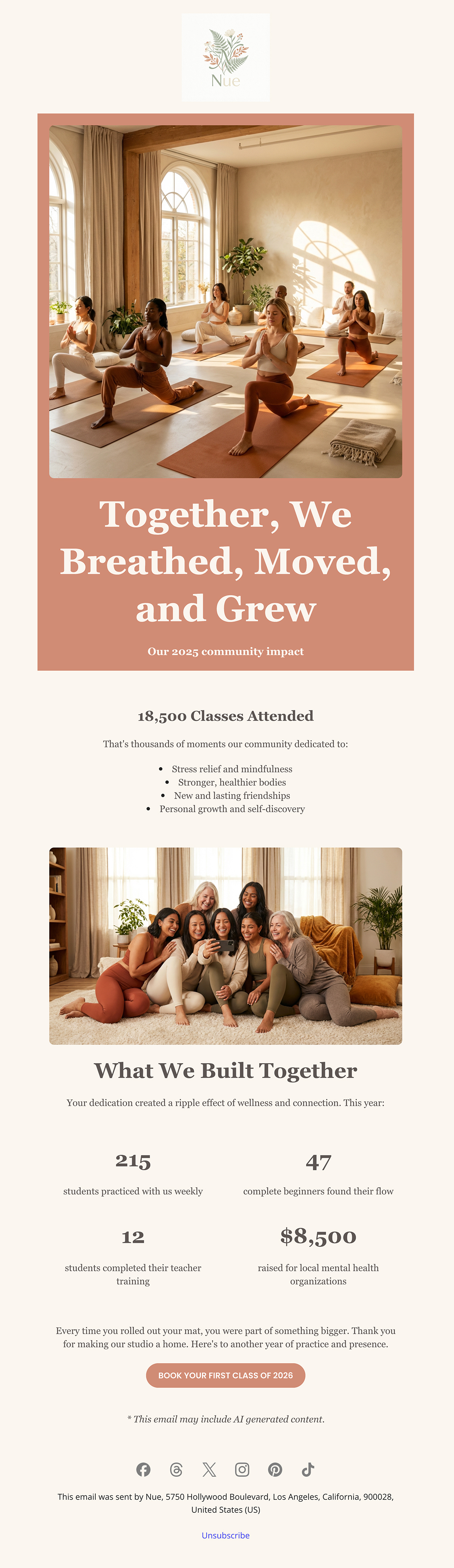
We used the SiteGround Email Marketing platform to build this community-focused template for a yoga studio. It leads with the collective achievement, 18,500 classes attended, then breaks down what that meant: stress relief, stronger bodies, new friendships, personal growth. The warm, calming design of the year-in-review email, with soft colors and organic shapes makes every student feel like they’re part of a supportive community, not just another number.

Build and Send Your Year-in-Review Email with SiteGround
Ready to create your own? Start with SiteGround AI Studio (available in your User Area) to generate your year-in-review email in minutes. Just describe your business and share your metrics. Then customize and send it through the SiteGround Email Marketing platform.

Start Building Your Year-in-Review Email

The Bottom Line on Year-in-Review Emails

Year-in-review emails work because they make your customers the main character. For once this year, it’s not about you trying to sell them something but about celebrating what they did, discovered, or accomplished. You just happened to be part of that story.

So, whether you’re creating a year-in-review newsletter or a simple recap email, the formula is the same: know what your customers did, make them feel good about it, and send it in December.

The worst thing that can happen is people ignore your year-in-review email. But the best scenario is they love it and once they love it, they’re gonna screenshot it, share it, and remember why they liked your brand in the first place. That’s not a bad outcome for one email. 

How to Write an Email Body People Actually Read

Digital illustration of an email marketing editor interface featuring product images of tropical plants, with design elements including buttons, text fields, and an email notification icon on a blue-green gradient background

You spent an hour crafting the perfect email. The subject line is a work of art. You hit “Send,” watch the open rate climb, and then… nothing. No clicks, no replies, no sales.

The subject line did its job, but the email failed. The problem isn’t your open rate; it’s what happens after the open. That’s where your email body comes in.

While most advice focuses on subject lines, the body is where conversions happen. This guide provides a strategic approach to writing email bodies that get results. You’ll learn the specific tactics that drive action and the common mistakes that kill engagement.

Key takeaways:

  • The email body drives action—subject lines only get opens
  • Lead with your point, not context—you have three seconds before they leave
  • Structure for mobile first—55% of emails are opened on phones
  • One clear CTA per email beats multiple competing asks
  • Fix one thing at a time—test it for 10 emails before changing anything else

What Is the Body of an Email?

The body of an email is the main content section where your actual message lives. It’s everything between your greeting (“Hi John”) and your closing (“Thanks, Sarah”).

This is where you explain why you’re writing, share the details that matter, and tell the recipient what you need from them. Text, images, links—whatever you’re trying to communicate goes in the body.

​​Where the body fits in the complete email structure:

Your email subject line and preview text get the email opened. Everything after that—from “Hi Sarah” to your signature—is the email body. That’s where your actual message lives.

Within the body, you have four components that each do specific work:

  • Greeting/salutation – “Hi,” “Hello,” or “Dear…” (sets your tone) 
  • Main message – Your core content and details (makes your case)
  • Email call to action (CTA) – What you need them to do (drives the response)
  • Closing and signature – “Thanks,” plus contact info (wraps it up)

When someone says “email body,” they might mean the whole thing from greeting to signature, or just the main message part. We’ll break down each of these components in detail later, including what goes wrong and how to fix it.

Creating effective email bodies doesn’t have to be complicated. SiteGround Email Marketing includes easy-to-use editors and pre-built templates that handle formatting automatically. And if you’re staring at a blank screen at 3pm wondering what to write, the built-in AI email writer can draft valuable content based on your campaign goals—then you just tweak it as you see fit.

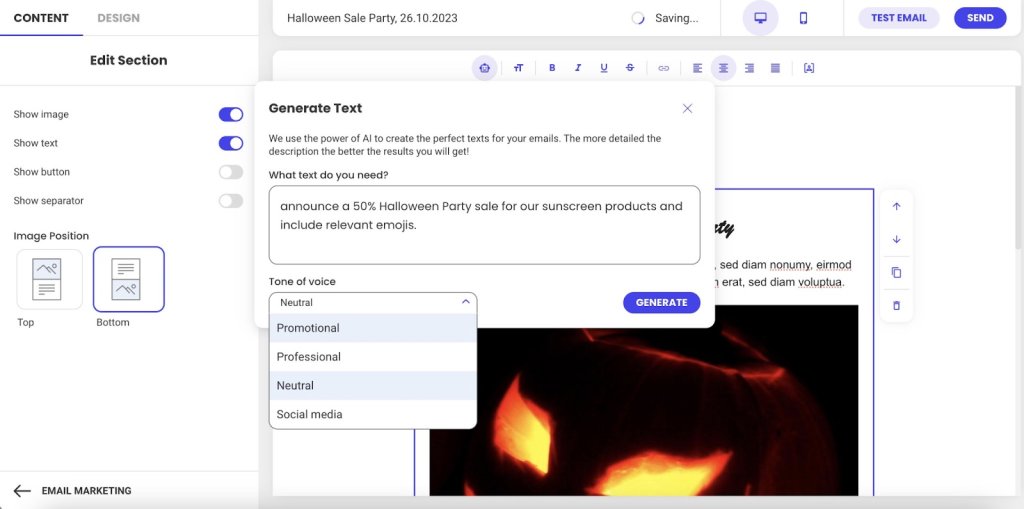
Screenshot of SiteGround's Email Marketing AI text generation interface showing a prompt input for a Halloween sale announcement, tone of voice dropdown menu with options including Promotional, Professional, Neutral, and Social media, and a generate button

Why the Body Matters in Email Marketing

Your email body determines whether people take action. Here’s why it matters:

  • The body drives conversions (not just opens)
  • You have three seconds to hold attention
  • Mobile formatting makes or breaks readability
  • Body engagement affects future deliverability

Let’s break down each of these.

The Body Drives Conversions

Subject lines get opens, but the body is what motivates clicks, responses, and conversions.

You spent 20 minutes crafting the perfect subject line. Your email open rate is 35%. Success, right?

Not if nobody clicks, responds, or does what you asked them to do.

Think of it this way: Your body builds the argument for why someone should care. Your CTA tells them what to do about it. Without a compelling body, even the clearest CTA fails because you haven’t given them a reason to act. But without a clear CTA, even the best body goes nowhere because people don’t know what you need from them. They work together.

You Have Three Seconds Before They Leave

The body is where emails actually fail.

Someone opens your email. They scan the first few lines looking for one thing: “What does this person want from me, and why should I care?” They give you about three seconds to answer that question.

If your body buries the answer in paragraph three, or wraps it in unnecessary context, or makes them work to figure it out—they’re done. The email gets closed, archived, or sits unread.

Mobile Formatting Makes or Breaks Readability

This scanning behavior gets even more ruthless on mobile. And 55% of emails are opened on mobile devices, according to Growth-Onomics, so your carefully written paragraph turns into a wall of plain text on a small screen.

Mobile readers are standing in line, walking between meetings, or half-watching TV. If your email body doesn’t immediately make sense on that tiny screen, you’ve lost them.

Email Body Engagement Affects Whether Future Emails Get Seen

This matters beyond response rates. Email providers are watching.

When people consistently open your emails but never click, scroll, or respond, those providers notice. Low email engagement compared to standard email benchmarks signals “this sender’s emails aren’t valuable.” Your future emails start getting treated as spam or filtered to promotions tabs—meaning your subject line doesn’t even get a chance to work.

The email body isn’t just about whether this email gets a response. It’s about whether your next 50 emails even get seen.

The 4 Key Components of Every Email Body

Every email body follows the same basic structure, whether you’re writing to a colleague, a customer, or a prospect. Understanding these four parts helps you organize your message so people actually read it.

Here’s what every email body needs:

  1. Email greeting – How you start the email (Hi, Hello, Dear). It sets your tone and gets the recipient reading.
  2. Main message – This is where email copywriting actually happens—delivering your value and keeping the reader interested.
  3. Call to action – What you need them to do next. This moves them from reading to actually doing something.
  4. Closing – How you sign off (Thanks, Best) plus your signature with contact info. The closing wraps it up professionally and makes sure they can reach you if needed.

Each part has one job. When one part fails—say your core message buries the point or your CTA is vague—the whole email fails.

Email Body Best Practices

Now that you know what goes where, let’s talk about how to execute each part so people actually read and respond.

Write Email Messages for Skimmers

People scan emails looking for relevance. If your first sentence doesn’t tell them what’s in it for them, they’re gone.

Lead with the benefit—what this email does for them. Then explain how. Context comes last, if at all.

The structure that works:

Lead with the benefit—the specific result they’ll get. “This cuts your response time in half.”
Then explain how it delivers that benefit. “By automating your most common replies…”
Context comes last, and only if it adds credibility. “Based on analysis of 10,000 customer emails…” Most of the time, you can skip context entirely.

Most emails do this backward. They start with three paragraphs of context (“We’ve been in business for 15 years…”), then finally get to the benefit. By then, the reader is gone.

See the difference:

Before: “I hope this email finds you well. I wanted to reach out to discuss our Q4 partnership opportunities. As you know, we’ve been working in the industry for over 15 years and have helped companies like yours…”

After: “Quick question about your Q4 budget—do you have 10 minutes next week to discuss how we cut response times by 40% for companies like yours?”

When to adjust this approach:

  • Cold emails: Lead with value immediately. No context needed—they don’t know you yet.
  • Ongoing conversations: Reference your previous discussion first, then add new info. They already have context.
  • Email newsletters: Context matters here, but use clear section breaks and headlines so readers can scan and choose what to read.

Use Images and Links Strategically

Your email body isn’t just text—images and links play a role too. But both can work against you if you’re not strategic about how you use them.

Images

  • Use 2-3 strategic images maximum. More than that competes for attention and slows load time on mobile.
  • Always include alt text for accessibility and blocked images. So that means that you shouldn’t label your photo file as “image1.jpg”—explain what the image shows: “Product comparison chart showing 40% time savings.”
  • Optimize file size for mobile loading. Large images kill the experience on slower connections.
  • Never put your entire message in an image. When images don’t load (and they often don’t by default), your email is blank.

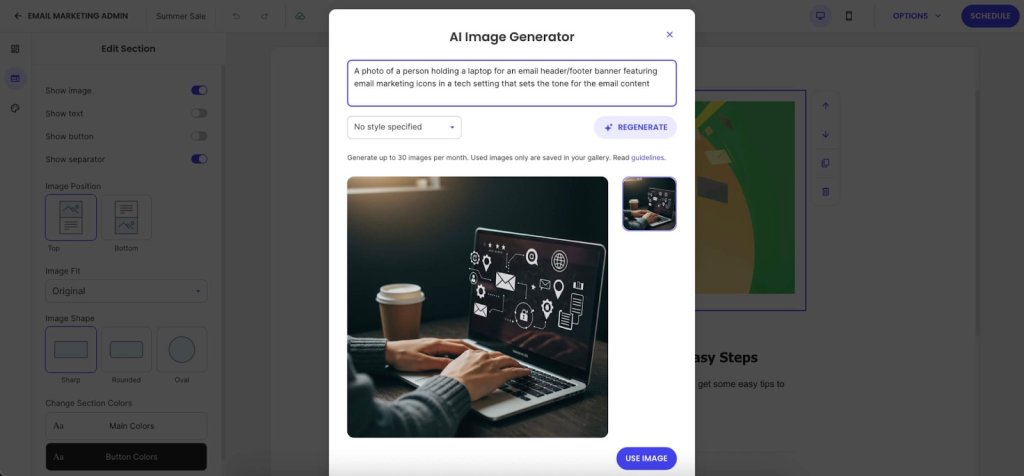
Need images but don’t have a designer on hand? SiteGround Email Marketing includes an AI Image Generator that turns text prompts into visuals. No more hunting through stock photo sites trying to find something that doesn’t look like every other professional email.

Screenshot of SiteGround's Email Marketing AI Image Generator modal window, displaying a generated image of hands typing on a laptop with floating email marketing icons and a coffee cup, with text prompt field and regenerate option visible

Links

  • Stick to 1-3 strategic links that support your primary CTA. Every link is a potential exit point. Too many options creates decision paralysis—people click nothing.
  • Use descriptive anchor text: “See the full case study” instead of “click here.” This helps accessibility and tells people what they’re clicking.
  • Add white space between links on mobile. If two links are stacked 2mm apart, people will tap the wrong one. Give them room.

Keep in mind: Each link you add dilutes the power of your main CTA. Be selective about what deserves a link in your email body.

Format for Mobile-First Readability

Remember how over half of all emails are opened on mobile? That mobile reality shows up most in your formatting. If your email body doesn’t work on a small screen, it doesn’t work.

Essential formatting practices:

  • Use short paragraphs with white space between them. What looks like a three-line paragraph on desktop turns into 8-10 lines of scrolling on mobile. Cut paragraphs in half.
  • Use bullet points for lists of 3-5 items—features, steps, options. Don’t use a single bullet point when a regular sentence would work better.
  • Stick to web-safe email fonts: Arial, Georgia, Helvetica. That custom brand font you love? It reverts to Arial in most email clients anyway. SiteGround Email Marketing lets you choose between font styles that work across all email clients without breaking.
  • Pick one thing per section to emphasize, then leave the rest alone. If everything is bold, nothing stands out.

The mobile preview test: Send yourself a test, open it on your phone, and try tapping the CTA with your thumb. If you can’t read and act on it one-handed while standing, fix it. 

Create One, Unmistakable Call to Action

Vague requests get vague (or no) results. Your CTA must be specific, action-oriented, and easy to find.

  • Use Action-Oriented Language: Start with a verb. “Schedule Your Demo” is better than “Demo.”
  • Place it Logically: Position your CTA immediately after you’ve made your case. Don’t bury it below your signature.
  • Avoid Vague Language: Replace passive phrases like “Let me know what you think” with a direct ask, such as “Can you reply with your feedback by Friday?”

7 Common Email Body Mistakes To Avoid

These common errors can ruin an otherwise strong email campaign.

  1. Wasting your opening line
  2. Burying your point
  3. Using vague CTAs
  4. Signature overload
  5. Desktop-only formatting
  6. Skipping proper proofreading
  7. Judging results too quickly

Here’s what each mistake looks like and how to fix it.

1. Wasting Your Opening Line

“I hope this finds you well” burns your most valuable real estate on nothing. Your reader decides whether to keep reading in the first two lines.

What to do instead: Lead with context (“Following up on our Q4 budget conversation…”) or lead with value (“I found three ways to cut your checkout time…”)

2. Burying Your Point

Three paragraphs of context before you say why you’re writing means most people never get to your actual message.

What to do instead: Most important information first (inverted pyramid). One idea per paragraph, 2-3 sentences maximum on mobile.

3. Vague Calls to Action 

“Let me know if you have questions” isn’t a CTA—it’s asking your reader to figure out the next step for you.

What to do instead: Specific action (“Reply with your available times this week”), one primary CTA (not five competing asks), place it after you’ve made your point (not buried below your signature).

4. Email Signature Overload

Eight lines of titles, social media links, legal disclaimers, and inspirational quotes. Your signature isn’t a LinkedIn profile.

What to do instead: Simple sign-off (“Thanks,” “Best”), name, title, company, phone number. That’s it. Bonus: SiteGround Email Marketing handles signature formatting automatically.

5. Desktop-Only Formatting

We covered mobile-first formatting in the best practices section, but this mistake is so common—and so costly—it’s worth calling out again. Your email looks perfect on your 27-inch monitor, unreadable on the phone where 55% of your recipients are reading it.

What to do instead: Preview on mobile before sending. Test that CTAs are thumb-friendly (44px minimum button size). Cut paragraphs in half for mobile readability.

6. Skipping Proofreading

Reading your email once before sending means your brain autocorrects what you meant to say, not what you actually typed.

What to do instead: Read backward (last sentence to first) to catch typos. Read out loud on mobile before sending important emails. Double-check CC/BCC fields (you can’t un-send). Watch for autocorrect disasters with client names.

7. Judging Too Quickly

Declaring something “doesn’t work” after one email tells you nothing.

What to do instead: Run at least 10 emails before making conclusions. Track email marketing metrics like click-through rate (not open rate)—clicks tell you the body worked. Test one element at a time: CTA placement, copy, length. Use email analytics to see where readers stop scrolling. Platforms like SiteGround Email Marketing show click rates by link and where engagement drops off.

Quick Reference Checklist for Your Next Email

Before you hit send, run through this quick checklist.

  • Delete the first paragraph. Does the email still make sense? If yes, that first paragraph was filler—cut it. The value to your reader should be obvious in the first two sentences.
  • Is the CTA a specific action? (e.g., “Reply with X” instead of “Let me know”).
  • Is there enough white space? Are paragraphs short (2-3 sentences)?
  • Did you preview it on mobile? Are the links easy to tap?

Build Better Emails with SiteGround

Fixing your email body doesn’t require becoming a world-class copywriter overnight. It’s about building better habits. Start with one fix from this guide—like shortening your paragraphs or clarifying your CTA—and apply it consistently.

That’s where SiteGround Email Marketing actually helps—from AI-assisted writing to automatic mobile formatting, it handles what takes you hours to figure out on your own.

Fix one thing at a time, and watch your engagement grow.

[58]
What Is a Good Email Open Rate? And How to Improve Yours

Illustration showing an email marketing interface with a Nature Glow skincare product image, analytics chart with upward trend arrow, and cursor icon, set against a dark green envelope background

You spent two hours crafting the perfect email. You picked just the right image, wrote clever copy, triple-checked your call to action. You hit send to your 500 subscribers feeling pretty good about yourself.

Then you check the stats: 47 people opened it. Ouch.

Here’s the reality: if people aren’t opening your emails, all that time you spent writing them was basically wasted. Your brilliant content, your special offer, your helpful tips—none of it matters if it’s sitting unread in someone’s inbox.

Open rates tell you whether anyone’s actually paying attention before you worry about clicks, conversions, or any of that other stuff. And if you’re a small business owner or a freelancer who don’t have big marketing teams or fancy tools, understanding what makes people open emails (and what makes them hit delete) is crucial for your email marketing strategy.

So what actually makes someone open your email instead of scrolling past it? Let’s see.

Key takeaways:

  • Aim for 15-25% open rates (25-35% is good, 35%+ is excellent). Track your trends over time rather than obsessing over hitting a specific number.
  • Your subject line and sender name make or break your open rate. A compelling subject line can lift rates by 20-30%, while an unrecognizable sender name gets you deleted instantly.
  • List quality beats list size. A 500-person engaged list will outperform a 10,000-person list of people who barely remember you. Segment by interests for 15-30% better results.
  • Poor deliverability creates a vicious cycle. Emails in spam → lower opens → email providers think you’re spam → even more emails to spam. Keep your list clean to break the cycle.
  • Simple changes show results fast. Better subject lines, smarter send times, and regular list cleaning can move your numbers within weeks—no fancy tools required.

What Is an Email Open Rate and Why Is It Important?

An email open rate measures what percentage of your delivered emails actually get opened. If you send 1,000 emails, 50 bounce back, and 250 people open your message, that’s a 26.3% open rate.

Why This Number Matters

When you’re running a business, you’ll track dozens of different email marketing metrics and KPIs (key performance indicators)—recruiter metrics, conversion rates, customer acquisition costs.  Email open rate is one of the most important and easiest to understand because it tells you if anyone’s actually paying attention.

Here’s a reality check: you spent an hour writing that newsletter, picked the perfect image, made sure your offer was clear. But if only 50 people out of your 500-subscriber list opened it, that’s a 10% open rate. Something’s off—maybe your subject line didn’t grab attention, people don’t recognize your sender name, or your emails are treated as spam.

Open rates are your early warning system. When they’re decent, more people see your content, click through, and convert. When they’re low, you need to investigate.

The good news? Simple changes—like writing better email subject lines, sending at better times, or cleaning up your contact list—can move your numbers within a few weeks. SiteGround Email Marketing puts open rates front and center on your dashboard so you can track what’s working.

How to Calculate Email Open Rate

Email open rate is calculated by dividing unique opens by emails delivered, then multiplying by 100.

Don’t worry, the math is simple. Here’s the formula:

Open Rate = (Unique Opens ÷ Delivered Emails) × 100

Let’s break that down with real numbers. Say you send an email campaign to 1,000 subscribers:

  • 50 emails bounce back (invalid addresses, full inboxes, etc.)
  • 250 people open your email
  • Your delivered emails: 1,000 – 50 = 950
  • Your open rate: (250 ÷ 950) × 100 = 26.3%

But here’s where people sometimes get confused.

Unique Opens vs. Total Opens

Use unique opens in your calculation, not total opens.

  • Unique opens count each person once, no matter how many times they open your email. 
  • Total opens count every single time anyone opens it.

Why that matters: if someone opens your email on Monday morning, then opens it again Wednesday to grab that discount code, that’s one unique open but two total opens. Unique opens give you a clearer picture of how many actual people engaged, not just how many times emails got clicked.

What “Delivered” Really Means

“Delivered” means your email successfully made it to someone’s inbox. 

And keep in mind that “delivered” and “sent” aren’t the same thing. “Sent” just refers to the emails that left your server.

So if you send to 1,000 people but 50 bounce, you only delivered 950 emails. That’s why it’s important to always subtract bounces from the total emails sent before calculating your open rate.

Where to Find These Numbers

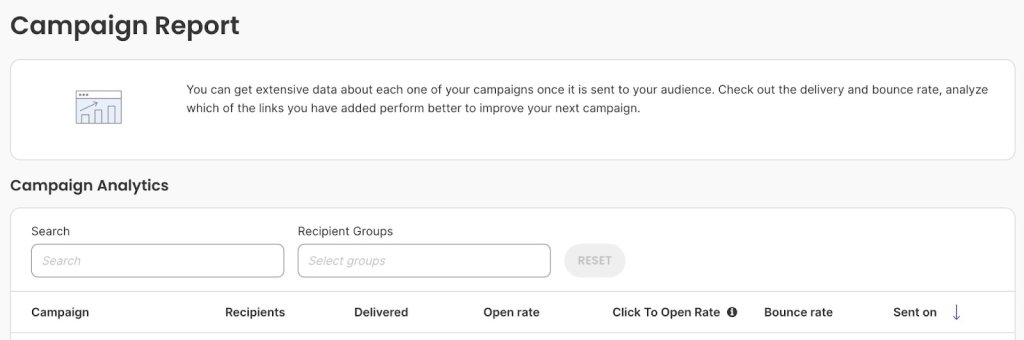
The good news is you don’t need to calculate this manually. With SiteGround Email Marketing, you’ll see your open rate displayed right on your campaign dashboard, usually within a few hours of sending. This email marketing platform automatically tracks opens, calculates the percentage, and shows you the breakdown.

Screenshot of campaign report section showing search filters, recipient group selector, and analytics table with columns for campaign name, recipients, delivered count, open rate, click-to-open rate, bounce rate, and sent date

If you want to see the raw numbers behind the percentage, look for your campaign report or analytics section. You’ll typically find:

  • Total sent
  • Bounced emails
  • Unique opens
  • Total opens
  • Open rate percentage

Now that you know how the math works, the next question is: what’s a good number to aim for? Let’s look at some email marketing benchmarks.

What is a Good Email Open Rate?

For most small businesses, an open rate between 15-25% is acceptable. If you’re hitting 25-35%, you’re doing well. Anything above 35% is excellent.

The industry average across all sectors is 36.5%, as reported by Smart Insights, but that number alone doesn’t tell you much. Context matters more than any single benchmark.

Compare against two things:

  1. Your own past email marketing performance – Are your rates improving or declining?
  2. Your industry – A nonprofit might see 40% open rates while an ecommerce business celebrates 25%

Of course, several other factors affect what counts as “good” for your specific situation—things like email type, list size, and how you manage your contacts. We’ll dig into all of those in the next section.

The key takeaway? Don’t obsess over hitting a specific number. Track your trends over time and compare yourself to similar businesses in your industry. If you’re consistently below 15%, that’s when you need to dig into what’s going wrong.

Factors That Affect Email Open Rates

Email open rates are primarily influenced by the following factors: 

  • Your subject line 
  • Sender name 
  • Industry and audience type
  • Email list
  • Email type
  • Email deliverability
  • Email content relevance
  • Sending time 
  • Mobile optimization
  • Privacy changes and tracking

Long story short: Your open rate doesn’t exist in a vacuum. Understanding these factors helps you diagnose problems and make targeted improvements.

Subject Line Quality

Your subject line is the first part of the email that recipients see, and it’s often the deciding factor. A well crafted subject line sparks curiosity or promises value. A generic one like “Newsletter #42” gets ignored immediately. 

Let’s say that you’re a customer receiving an email newsletter on choosing an ad network. Would you open this email if the subject line did not reference the email content?

Why subject lines make or break your open rate:

  • You’re competing with 50+ other messages sitting in someone’s inbox right now. The subject line is your one shot to grab attention before they scroll past. If it doesn’t immediately tell them why they should care, your open rate tanks—even if you spent hours writing amazing, engaging content inside.
  • Mobile truncation kills unclear subject lines. A subject line perfect on your laptop (“Exclusive invitation to our annual customer appreciation event”) gets chopped off on mobile (“Exclusive invitation to our ann…”). Since over half of all emails get opened on phones, mobile users skip anything they can’t understand immediately.

Good subject lines can lift your open rates by 20-30% compared to generic ones, according to C2C Kloud. That makes this one of the biggest levers you can pull.

Sender Name Recognition

People open emails from senders they know. Seems obvious, right? But if your “From” name is generic, like “info@yourbusiness.com,” email recipients might skip it. 

Recognition works two ways:

  • Familiar sender names feel safe. “Sarah from The Coffee Shop” beats “noreply@coffeeshop.com” because people immediately recognize it’s that local place they love, not random marketing spam.
  • Consistency builds recognition. If your emails come from “John at ABC Consulting” one week and “ABC Marketing Team” the next, people don’t connect the dots. They don’t recognize you, so they don’t open

This gets even more important because mailbox providers like Gmail, Outlook, and Yahoo are cracking down on spam. An unfamiliar sender name makes people nervous. They might mark your email as spam “just to be safe”—and that damages your reputation with email providers. Suddenly, your future emails start landing in spam folders for everyone, even the subscribers who’ve been happily reading your stuff for months.

Industry and Audience Type

Some industries naturally see higher open rates than others. But here’s what matters more than your industry: your specific audience. 

B2B vs. B2C behaviors:

  • B2B audiences (accountants, consultants, office managers) check email during work hours, usually Tuesday through Thursday mornings. They’re at their desks going through their inbox with coffee.
  • B2C audiences (parents, hobbyists, online shoppers) check email in evenings or on weekends when they have time to browse and think about buying.

Why timing mismatch kills your open rate: Send promotional emails to busy parents at 10 AM on Tuesday? You’re hitting their inbox while they’re at work dealing with meetings. By the time they check personal email at home, your message is buried under 30 newer ones. That timing mismatch alone can cost you 10-20 points on your open rate.

Your subscribers might behave totally differently than broad industry averages, so pay attention to your own data.

Email List Quality, Size and Segmentation

Your email list is the collection of email addresses from people who’ve opted in (ideally through double opt-in) to receive your emails—whether that’s newsletters, promotions, product updates, or other content from your business. Building an email list is one of your most valuable marketing assets, and the quality of that list makes or breaks your open rates.

  • Smaller, engaged lists beat massive, random ones every time. A 500-person list of actual customers who like your stuff will crush a 10,000-person list of people who vaguely remember visiting your website once. Why? Because engaged subscribers recognize your name, trust you, and actually want to read what you send. A bloated list full of people who don’t care just drags your numbers down and gets you marked as spam.
  • Contact segmentation—grouping people by what they’re interested in—makes a massive difference. When you send specific emails to your target audiences, your open rates can jump 15-30% compared to blasting the same generic message to everyone. Think about it: if you’re in recruitment and you get an email specifically about high volume hiring, you’re way more likely to open it than some generic “business tips” email.
  • List health matters too. Email addresses die all the time—people change jobs, abandon old accounts, lose interest. If you keep sending to addresses that never respond, email providers notice. But be careful not to inadvertently lose genuine contacts. If you think an email address might be outdated but you have other ways to reach them, use a voice call to update their information, or use email finder tools to confirm and update missing addresses before removing them completely.

Email Type

Not all emails are created equal, and understanding this saves you from unnecessary panic. The type of emails you send dramatically affects your open rate.

  • Transactional emails (order confirmations, password resets) typically get 40-50% open rates because people need them. 
  • Promotional emails (newsletters, sales) average 15-25% because they’re competing for attention. 

So don’t judge both types by the same standards. If your promotional newsletter gets a 22% open rate while your order confirmations hit 45%, that’s completely normal—not a sign something’s wrong. Track each type separately in your analytics so you’re comparing apples to apples, not getting discouraged because a sales email didn’t match your transactional email’s performance.

Email Deliverability

Email deliverability determines whether your emails actually reach your subscribers’ inboxes or get filtered into spam folders—and this directly impacts your open rates. If your email lands in spam, your open rate is essentially zero because most people never check their spam folders.

  • Sender reputation acts like a credit score for email. Gmail, Outlook, and Yahoo use it to decide inbox or spam, building it from spam complaints, bounce rates, and your sending practices.
  • Once your reputation drops, it affects all future emails. Send to a bad list and get spam complaints? Email providers start filtering everything you send to spam—even for subscribers who’ve been happily reading your emails for months.

And it compounds. 

Poor deliverability → more spam → fewer opens and clicks → email providers think your emails suck → even more spam. 

Breaking that cycle means fixing the root problems: clean your list, improve your content, fix your sending practices.

Email Content Relevance

One thing people often miss: the content inside your emails directly affects future open rates, not just today’s clicks.

  • Irrelevant content destroys future open rates – If someone opens your email and finds generic tips or products they don’t care about, they’ll stop opening your future emails. You’ve trained them that your content isn’t worth their time.
  • Relevant content builds trust over time – Send targeted emails (like high volume hiring info to recruiters) and people remember your emails are valuable. They’ll keep opening because you’ve proven you understand what they need.
  • Today’s content shapes tomorrow’s open rates – Every email either builds or destroys trust. Segment your list and send relevant content to each group, or watch your open rates decline as more people learn to ignore you.

Sending Time and Frequency

When and how often you hit send directly affects whether people actually see and open your emails.

  • Timing affects visibility. Send at 3 AM? Your email is buried under 20 messages by the time your audience wakes up and checks their phone. They might not even scroll down far enough to see it. Send during lunch break or right after work when they’re actually in “check email” mode? Your message is sitting right at the top of their inbox. That timing alone can swing your open rate 10+ percentage points.
  • Frequency affects recognition. Send emails every single day? People get tired of seeing your name and start auto-deleting without even reading. Your open rates drop because you’ve trained them to ignore you. Send once every three months? They forget who you are. Your name shows up and they think “Wait, who’s this? Did I sign up for this?” and delete it assuming it’s spam.

Most small businesses do well with 1-3 emails per week. You’re staying top-of-mind without being annoying. But the “right” frequency really depends on what you’re selling. A daily deals site? Daily emails make sense—that’s the whole point. 

A B2B consultant sharing industry insights? Maybe one solid newsletter every two weeks is perfect. And timing matters especially during events and holidays—like knowing what the best time to send Black Friday emails is during peak shopping season when competition for inbox attention is fierce.

Mobile Optimization

Around 55% of emails are opened on mobile devices, according to Growth-Onomics. This affects both how people decide to open your email and whether they’ll open future emails from you.

How it affects open rates:

  • Subject lines get truncated – Mobile shows only 30-40 characters, so if the key hook is at the end, mobile users never see it
  • Preview text matters more – Badly formatted preview text or HTML code makes your email look unprofessional right in their inbox

Most modern email tools like SiteGround Email Marketing automatically optimize for mobile, but always send yourself a test on your phone before sending to your list. Check that your subject line isn’t getting cut off and your preview text looks clean.

Privacy Changes and Tracking Accuracy

Here’s a factor that’s different from the others—it doesn’t affect whether people open your emails, but it affects the numbers you see in your dashboard.

Since September 2021, Apple’s Mail Privacy Protection automatically pre-loads email images. Your analytics counts this as an “open” even if the person never looked at the email. If half your subscribers use Apple Mail (iPhones, iPads, Macs), your open rates might look 10-20 points higher than reality.

Does this make open rates useless? No, you just need to interpret them differently:

  • Focus on trends, not exact numbers – If your open rate drops from 35% to 25%, something definitely changed
  • A/B testing still works – If one subject line gets 40% and another gets 28%, the first one legitimately performed better
  • Use click-through rate as validation – No privacy feature can fake an actual click, so if people are clicking, they’re definitely reading

Track your patterns month-over-month instead of obsessing over specific percentages.

How to Improve Your Email Open Rates

Let’s take a look at some tactics that work for small businesses and freelancers who need tangible results without a big marketing team.

Here are 7 tactics that work for small businesses and freelancers who need results without a big marketing team:

  1. Write subject lines that get opened 
  2. Clean your email list regularly 
  3. Segment your list for relevance
  4. Personalize beyond “Hi [First Name]” 
  5. Stay out of spam folders 
  6. Send emails at 
  7. Test everything with A/B testing 

Let’s break down each tactic:

1. Write Subject Lines That Get Opened

Your subject line determines whether someone opens your email or scrolls past it. Skip generic phrases like “Newsletter #42” or “Monthly Update.” Instead, be specific about what’s inside.

Good subject lines are:

  • Clear and specific: “Your order ships tomorrow” beats “Shipping update”
  • Short: Under 50 characters, so mobile users see the full line
  • Relevant: Match what’s actually in the email
  • Conversational: Write like you’re texting a friend, not sending a press release

Test different approaches. Try asking a question, creating curiosity, or leading with value. With SiteGround Email Marketing’s AI Email Writer, you can generate multiple subject line options and pick the strongest one.

2. Clean Your Email List Regularly

Sending emails to dead addresses hurts your open rates and sender reputation. Clean your list every quarter by removing subscribers who haven’t opened any emails in 6+ months.

Make it easy for people to unsubscribe. Yes, really. It’s better to lose uninterested subscribers than have them mark you as spam, which damages your deliverability for everyone else.

Look for:

  • Bounced email addresses (remove immediately)
  • Inactive subscribers (no opens in 6 months)
  • Role-based addresses like “info@” or “admin@” (these rarely get opened)

Most people see open rate improvements within 2-3 campaigns after cleaning.

3. Segment Your List for Relevance

Send different emails to different groups. A new subscriber needs different content than someone who’s been a customer for two years.

Simple segmentation options:

  • Campaign interactions: Use the Analytics page to group contacts by who opened, clicked, or didn’t engage with past campaigns
  • Lead source: Assign different groups based on where people signed up—blog form, checkout, event, etc.
  • Custom groups: Create groups like “New Customers,” “Repeat Buyers,” or “Newsletter Subscribers” and assign contacts manually
  • Interest-based groups: Track who clicks on specific topics (like cake content if you’re a bakery) and create targeted groups

For example, if you run a bakery, check your Analytics after sending a campaign about cakes. Assign everyone who clicked to a “Cake Lovers” group, then send future cake promotions just to them instead of your entire list. Relevant emails get opened.

4. Stay Out of Spam Folders

Landing in spam kills your open rate instantly. Here’s how to avoid it:

  • Watch your frequency: Most small businesses do well with 1-3 emails per week. More than that, and people tune out or mark you as spam.
  • Use a recognizable sender name: “Sarah from The Coffee Shop” performs better than “noreply@coffeeshop.com”
  • Avoid spam trigger words: “Act now,” “Limited time,” “Click here,” especially in all caps with multiple exclamation points
  • Get permission: Only email people who’ve actually signed up. Bought lists tank your open rates and damage your reputation.

5. Send Emails at the Right Time

There’s no universal “best time,” but you can find what works for your audience. Check your past email marketing campaign reports to see when your open rates peak.

General patterns:

  • B2B emails: Tuesday-Thursday, 9-11 AM works for many
  • B2C emails: Evenings and weekends often perform better
  • Your specific audience: Test and track your own data

Most email platforms (including SiteGround’s) let you schedule sends, so you can write emails when convenient and send them when your audience is most likely to engage.

6. Test Everything with A/B Testing

What works for other businesses might not work for yours. A/B testing lets you find out what your specific audience responds to.

Start simple:

  • Test two subject lines with the same email content
  • Send version A to 10-20% of your list, version B to another 10-20%
  • Wait 2-4 hours and compare open rates
  • Send the winning version to the remaining subscribers

Try testing:

  • Subject line style (question vs. statement)
  • Sender name (personal name vs. company name)
  • Send time (morning vs. evening)
  • Email length (short vs. detailed)

Change one variable at a time so you know what made the difference.

QUICK TIP: Troubleshooting Open Rate Problems

  • Sudden drop (10%+ overnight)? Your emails might be landing in spam. Send tests to Gmail, Outlook, and Yahoo to check. Verify your sender authentication is set up correctly.
  • Gradual decline over months? List fatigue. Try a re-engagement email campaign: “We’ve missed you—still interested?” Remove subscribers who don’t respond.
  • Consistently below 10%? Your list quality needs work. Remove inactive contacts, test completely different subject line approaches, and verify your sender name is recognizable.
  • Rate seems suspiciously high (55%+)? Likely inflated by Apple Mail Privacy Protection. Focus on click-through rate for true engagement instead.

The fix: Track your open rates weekly. Small problems are easier to fix than big ones.

Ready to See Your Open Rate Improve?

Еmail marketing isn’t rocket science, but it does require paying attention. You don’t need a marketing degree or a massive budget to see real improvements in your open rates.

Start with one or two changes from this guide. Maybe clean up your contact list this week. Test a new subject line style next week. Check your send times the week after that. Small tweaks add up, and you’ll see the difference in your dashboard within a few campaigns.

If you’re just getting started with email marketing (or you’re tired of your current tool making things complicated), SiteGround Email Marketing gives you everything you need without the overwhelm. Easy segmentation, automation that actually makes sense, and  built-in AI for content writing—all designed for people who have a business to run and don’t want to spend all day figuring out email software.

SiteGround Email Marketing banner: Improve email campaigns with 98.8% inbox delivery rate. Features colorful icons of AI robot, greeting envelope, documents, and megaphone with "START TODAY" button on purple background.

5 Email Marketing Trends for 2026 + Action Plan

Email newsletter template displaying perfume bottle product photography against tropical background, alongside purple icons for analytics, email campaigns, and security features

Most businesses are losing money on email marketing—not because they’re bad at it, but because they’re building on rented infrastructure that works against them.

You’ve got hosting from one vendor, email service from another, and a website on a third platform. So when something breaks, you’re stuck playing referee between three support teams while your campaigns collect dust in spam folders.

Sound familiar?

Five trends are reshaping email marketing in 2026, and they all come down to one thing—owning your infrastructure instead of renting it. When you control the foundation, everything else falls into place: deliverability improves, automation works, and growth happens.

This isn’t another prediction article. This is what to build, in what order, and why it matters when you’re ready to scale.

Let’s get into it.

Key takeaways:

  • Own your infrastructure – Build on one integrated platform (hosting + website + email) instead of piecing together multiple vendors.
  • Fix deliverability first – Set up authentication and clean your list before anything else. Proper setup gets 95-99% inbox placement.
  • Automate the basics – Welcome and cart abandonment emails get 42% open rates vs. 25% for bulk sends.
  • Track revenue, not opens – Apple killed open rate accuracy. Focus on clicks, conversions, and revenue per email instead.
  • Mobile is non-negotiable – 55% of emails open on mobile. Use 60% text, 40% images, and test on real devices. .
  • Newsletters build trust – Send 2-3 value emails per promotion. Customers need 7+ touchpoints before buying.

What Is Email Infrastructure And Why It Matters

Email infrastructure is the technical system that sends and delivers your emails: mail servers, authentication protocols (SPF, DKIM, DMARC), your hosting environment, and the website where people subscribe. These components work together to determine whether your messages land in inboxes or spam folders.

In 2026, this matters more than ever because: 

  • Privacy laws keep tightening. 
  • Authentication requirements are stricter. 
  • Email deliverability standards are higher. 
  • Platform algorithms change without warning. 

If your business built its email marketing on scattered tools—hosting from one vendor, email service from another, website on a third platform—you’re likely hitting walls. When something breaks, you’re stuck coordinating between three different support teams while your email marketing campaigns sit in spam folders.

The alternative is simpler: everything on one platform. When your hosting, website, and email service run together—like SiteGround Email Marketing —authentication happens automatically, server performance supports deliverability, and signup forms connect directly to your lists without fragile plugins. 

You’re not piecing together a system—you’re working with one that’s built to function as a whole.

This foundation—ownership, integration, reliability—is what makes it possible to take advantage of what’s actually changing in email marketing right now.

Now that you understand why infrastructure matters, let’s look at what’s actually changing in email marketing—and more importantly, how to use these trends without getting overwhelmed.

  1. Privacy-first data collection
  2. Automated lifecycle campaigns
  3. AI-driven personalization
  4. Mobile-first emails
  5. Newsletters for engagement and retention

1. Privacy-First Data Collection

📌 Quick Take: Privacy-first data collection means asking subscribers directly what they want through preference centers and surveys, rather than tracking them across the web. When you let people tell you their preferences, you send more relevant emails that get opened and clicked—while building trust and meeting stricter privacy requirements.

This matters now because the old ways of tracking are disappearing. Third-party cookies are going away, browsers are adding stronger privacy protections, and Apple’s Mail Privacy Protection has made open rates less reliable. It pre-loads images for privacy, which inflates open rates and makes them less accurate for measuring real engagement. As a result, businesses are shifting toward “zero-party data”—information customers willingly share with you through these tools.

What This Means for You

Stop guessing what subscribers want. Ask them directly. A preference center is a simple page where people choose their interests, email frequency, and content types—you can collect this information by creating custom fields when new subscribers sign up. When subscribers tell you what they want, you stop sending irrelevant emails that get ignored or marked as spam.

This privacy-first approach improves results. When you respect boundaries and send only what people asked for, open rates climb and unsubscribes drop.

Hint: Add a preference center link to your email footer. Ask three simple questions about content preferences, like:

  • How often do you want to hear from us? (weekly, monthly, or major announcements only) 
  • What topics interest you? (tips, case studies, product updates, special offers)
  • What best describes you? (small business owner, freelancer, agency)

2. Automated Lifecycle Campaigns

📌 Quick Take: Lifecycle automation sends targeted emails triggered by customer actions—like welcome sequences for new subscribers or abandoned cart reminders. These automated emails achieve 42% open rates compared to 25% for bulk campaigns because they’re timely, relevant, and behavior-based.

Lifecycle automation sends targeted emails at specific stages of the email customer journey. These automated emails consistently achieve 42.1% open rates, as shared by Genesys.

SiteGround Email automation workflow diagram showing trigger for new subscribers, welcome email, one-day wait period, follow-up email with 15% discount offer, and automation end point

What This Means for You

Creating email automation isn’t advanced anymore—it’s baseline. If you’re manually sending every campaign, you’re spending hours on work that could run automatically while generating better results.

The 5 T’s of email marketing explain why automation works: 

  • Targeting – reaching the right audience with relevant messages
  • Timing – sending at the right moment based on behavior or triggers
  • Testing – experimenting to find what works best for your target audience
  • Trust – building reliability through consistent email delivery and authentication
  • Tracking – measuring results to improve performance over time

Automated campaigns nail all five by targeting based on behavior and sending at triggered moments.

SiteGround email marketing welcome emails

3. AI-Driven Personalization

📌 Quick Take: AI-powered email tools now handle content creation, subject line generation, and image creation—saving hours on campaign production. For businesses getting started, AI content and image generators deliver immediate value. Advanced features like predictive targeting come later as you scale.

Artificial Intelligence for personalized emails goes beyond inserting someone’s first name. The technology now handles everything from content creation to predicting customer behavior. That said, not all AI features are equally useful when you’re getting started.

What This Means for You

The most practical AI tools for small businesses are content and image generators. Instead of staring at a blank screen, AI drafts email copy, generates subject line variations, and creates images tailored to your campaigns. This is where you’ll see immediate time savings. SiteGround Email Marketing AI features handle both—the AI Assistant generates email content and email subject lines, while the AI Image Generator creates visuals, so you can launch campaigns faster without sacrificing quality.

As you scale, more advanced AI features become relevant: 

  • Send-time optimization learns when each subscriber typically opens emails and schedules delivery accordingly. 
  • Predictive targeting identifies churn risk, suggests next-best offers, and finds high-value customer segments. 
  • Automated A/B testing runs variations and picks winners without manual analysis.

With that in mind, if you’re getting started or in growth mode, you don’t need predictive churn modeling yet. You need help writing emails consistently and creating visuals that don’t look generic. That’s where AI delivers immediate value without overwhelming you with complexity.

SiteGround Email Marketing is built for scaling businesses—offering the smart features you’ll actually use like content generation, image creation, scheduled campaign sending, and basic personalization. You get practical tools that help you plan ahead and grow, not enterprise-level predictive analytics you’re not ready to implement.

Start here: 

  1. Use AI to draft your next three email campaigns. 
  2. Edit the output to match your voice, but let AI handle the first draft and image suggestions. 

Send scheduled campaigns ahead of time to stop scrambling at launch.

4. Mobile-First Email Still Rules

📌 Quick Take: With 55% of emails opened on mobile devices, mobile optimization isn’t optional. The 60/40 rule (60% text, 40% images) helps deliverability and accessibility, while single-column email layouts, large buttons (44×44 pixels minimum), and readable email fonts make emails easy to engage with on small screens.

Let’s be real: mobile optimization isn’t some fresh trend we’re unveiling. But it’s the reality most marketers are still ignoring. Here’s the stat that should make you nervous: 55% of emails are opened on mobile devices, according to Growth-Onomics, and emails that don’t display properly get deleted or ignored immediately. 

When your message is hard to read on a phone—tiny text, broken layouts, buttons too small to tap—people don’t struggle through it. They just move on and you’re losing email engagement.

If you’re still designing emails on your desktop and assuming they’ll “probably look fine” on mobile, you might be sending half your list straight to the trash folder.

What This Means for You

What is the 60/40 rule? Aim for 60% text and 40% images in your email design. This ratio matters for three reasons: spam filters flag image-heavy emails, screen readers can’t read text embedded in images, and most email clients block images by default. If your entire message is one big image, recipients see a blank rectangle.

That said, the ideal ratio depends on your audience—some respond better to 80/20 text-heavy emails. Test what works for your specific subscribers and adjust from there.

Email accessibility means designing emails that everyone can read and interact with, regardless of how they access them. Alt text for images means subscribers see descriptions even when images are blocked. Clear heading hierarchy helps people scan quickly—exactly how mobile users actually read. Readable fonts and proper contrast? They’re not just for visually impaired subscribers. They make your emails easier to read for everyone squinting at their phone in bright sunlight or scrolling before bed.

Your mobile-first design checklist:

  • Single-column layouts stack cleanly on narrow screens instead of breaking across multiple columns
  • Above-the-fold content puts your main message and call to action where people see it without scrolling
  • Tappable buttons sized at least 44×44 pixels—not tiny text links that require precision tapping
  • Font size of 14-16 pixels minimum, so people don’t need to zoom and pinch
  • High contrast between text and background makes reading easier in bright sunlight or low light

SiteGround Email Marketing templates handle mobile optimization automatically—single-column layouts, properly sized buttons, and accessible fonts are built in, so your emails work on mobile from the start.

Mobile-first email marketing action steps: 

1. Open every email you send on your own phone before it goes out. 
2. Tap the buttons. 
3. Try to read the text in different lighting. 

If you struggle, your subscribers will too. Most email platforms show mobile previews in their editors, but nothing beats testing on a real device where your audience will actually read it.

5. Newsletters to Encourage Engagement and Retention

📌 Quick Take: Newsletters work as retention engines when you send 2-3 value-focused emails for every promotional one. This approach builds trust through the Rule of 7—customers need 7+ touchpoints before buying. Consistent, helpful newsletters keep you top of mind without being pushy.

Email newsletters are having a moment—but not the promotional blast kind. In 2026, successful businesses will treat newsletters as retention engines and relationship builders, not just another communication channel to push sales messages. The shift is toward content-driven emails that mix education, community, and value with occasional soft offers.

What This Means for You

The best newsletters don’t feel like marketing. They feel like hearing from someone you trust who happens to have useful insights. This approach works because of the Rule of 7 in email marketing: customers typically need seven or more touchpoints with your brand before they purchase. Newsletters create those touchpoints naturally without being pushy.

The 2-3 to 1 ratio: Send 2-3 value-focused emails for every promotional one. “Value” is anything subscribers can genuinely use, whether they buy from you or not, such as:

  • Tips that solve specific problems
  • Case study examples showing real results
  • Industry insights with your take
  • Behind-the-scenes looks at how you work

For example, a web design agency might share design trends, website performance tips, and client case studies, then occasionally mention their services. An ecommerce store could send styling guides, product care instructions, and customer spotlights between sales announcements. You’re staying present without constantly asking for the sale.

For small businesses, consistency beats frequency. A monthly newsletter you actually send matters more than a weekly one you abandon after three issues because you can’t keep up. Pick a schedule you can maintain—weekly, bi-weekly, monthly—and stick to it. Your audience learns when to expect you.

Start simple: Pick one topic you know well. Commit to one email per month. Focus on teaching something genuinely useful. Keep promotional messages to a single line at the bottom. Once you’ve got that rhythm, you can expand frequency or experiment with different content types.

Each newsletter maintains your presence and builds trust. When subscribers are ready to buy, you’re already top of mind because you’ve been helpful for months—not because you sent another discount code.

What These Trends Mean for Your Email Strategy 

Understanding the latest trends is one thing. Knowing what to actually do with them is another. Here’s your action plan—what to prioritize, what metrics actually matter, and how to implement without getting overwhelmed.

Step 1: Fix Email Deliverability First

None of the trends matter if your emails don’t reach inboxes. Emails land in spam for predictable reasons:

  • Poor authentication;
  • Dirty email lists;
  • Bad sender reputation.

Set up authentication (SPF, DKIM, DMARC). These protocols verify you’re actually who you say you are—think of them as digital signatures that prove your emails aren’t forged. Email providers check these before deciding inbox or spam. Properly authenticated emails build sender reputation, which directly impacts deliverability.

Clean your email list. Remove hard bounces immediately—they’re invalid addresses that damage your reputation. Clean out inactive subscribers who haven’t opened in 6+ months. A smaller, engaged list outperforms a large, inactive one every time.

Choose a reliable web hosting provider. Slow servers hurt the sender reputation. Slow servers hurt sender reputation, and shared hosting with spammers can get your IP address flagged by email providers. This is where integrated infrastructure makes a difference.

SiteGround Email Marketing handles authentication configuration automatically and provides email-optimized hosting, eliminating both the technical barriers and the reputation risks of pieced-together systems. Businesses with clean lists and proper authentication achieve the best inbox placement rates.

Step 2: Track the Right Email Marketing Metrics

Open rates aren’t as reliable as they used to be. Remember Apple’s Mail Privacy Protection we mentioned earlier? In 2026, smart marketers will focus on email marketing metrics that actually indicate interest and action.

Focus on the right email marketing benchmarks:

  • Click-through rate (industry average: 3-5%) – If you’re below 2%, review your calls-to-action and make sure they’re clear and relevant to your content. Above 3% means your audience is engaged.
  • Conversion rate – This varies by industry, but if clicks aren’t turning into actions (purchases, signups, downloads), your landing pages or offers need work, not your emails.
  • Revenue per email – Track what each campaign generates. If it’s trending down, test different offers or segments more precisely to match content with subscriber interests.
  • Cart recovery rate for ecommerce – A good abandoned cart sequence recovers 10-15% of lost sales. Below that? Test your timing, messaging, or add social proof to address objections.
  • Customer lifetime value (LTV) from email subscribers – Compare subscribers who came from email versus other marketing channels. If email subscribers have lower LTV, you might be attracting the wrong audience or not nurturing them properly.

Track real engagement signals, not vanity metrics. Revenue metrics beat open rates every time—your leadership cares about ROI, customer acquisition cost, and lifetime value.

[47]
Your Email Trends Action Plan

Trying to implement all five trends at once is how projects stall. Here’s your realistic six-month step-by-step guide:

TimelineFocusWhat to Do
Month 1: FoundationGet the basics rightImport your contacts and remove invalid addresses
Create your first signup form
Send a test campaign to yourself to check deliverability
Month 2: Core AutomationLaunch your first sequenceLaunch welcome email sequence (3 emails over 7-10 days)
Set triggers for different signup sources
Add delays between emails (2-3 days, then 5-7 days)
Test the automation with yourself first
Month 3: Regular ContentStart consistent communicationStart monthly newsletter (2-3 value emails to 1 promotional)
Use custom fields to capture subscriber preferences at signup
Schedule campaigns ahead instead of sending immediately
Quarter 2: OptimizeScale what’s workingScale what’s working
Create additional automation sequences for different subscriber types
Use SiteGround AI Assistant to draft campaign variations
Refine your contact segments
Test different subject lines and send times

Most businesses see measurable results by Month 3—improved open rates from preference data and revenue from automated sequences.

The Bigger Picture for Email Trends

The future is omnichannel, but email stays at the center. While social platforms change algorithms and ad costs climb, email remains the one channel where you actually own the relationship. You control your list. You decide when to reach out. No platform can change the rules overnight and tank your reach.

This is why owned infrastructure matters more in 2026 than ever before. When your hosting, website, and email service work together on one platform, you’re not dependent on multiple vendors or vulnerable to one platform’s policy changes. 

The businesses winning in 2026 aren’t chasing every new feature—they’re building on foundations they control.

Ready to build your email marketing on infrastructure you actually own? SiteGround’s complete toolkit—Hosting, Website Builder, and Email Marketing—works as one integrated system, so you’re not piecing together solutions from different vendors. 

SiteGround Email Marketing

Plan Integrated Marketing: Strategy + Template

Illustration demonstrating integrated marketing through shoppable social media functionality with blue and white ceramic vase displayed across multiple device screens, showing how users can click products to purchase

Here’s the thing about integrated marketing: it sounds like one more thing you need to learn, right? Another framework, another strategy, another way you’re supposedly “doing it wrong.”

But you’re probably closer than you think. You already have a website. You send emails. Maybe you post on social media. The gap isn’t that you’re missing something—it’s that these pieces could be working together and they’re probably not.

In this article, we’ll cover what integrated marketing actually means, how to build a strategy that works for your business, and which channels to connect first. You’ll also get a practical integrated marketing strategy template you can fill out and use immediately—no complicated frameworks, just a straightforward plan to get multiple marketing channels working together.

Let’s get started.

Key takeaways:

  • Integrated marketing coordinates channels to share the same message and customer data—website, email, and social guide customers through one connected journey instead of separate campaigns.
  • Privacy updates cut off cross-platform tracking: build on owned channels (website + email) where you control data and connections, not platforms that restrict access.
  • Website + email foundation: when hosting and email live on one platform, forms sync directly to lists without broken APIs or manual exports.
  • Integration metrics reveal what works: track how channels connect (website signups becoming email subscribers, email clicks turning into sales) rather than judging each channel alone.
  • Three connected channels beat five disconnected ones: map your core message, choose channels where your audience is, and follow a 90-day rollout plan.

What Is Integrated Marketing? 

Integrated marketing is a strategy where all your marketing channels share the same message, connect to the same customer data, and work toward unified goals. Instead of running separate campaigns on different platforms, integrated marketing coordinates your channels so they support each other. 

When a customer sees your social post, they get the same offer on your website and in their email. What they do on one channel directly influences what they see on another—creating a connected experience instead of disconnected touchpoints.

Key Principles of Integrated Marketing Communications

Integrated marketing communications rests on four core principles: 

  • Consistency
  • Customer focus
  • Synergy
  • Cross-functional collaboration 
  1. Consistency

Your message stays the same across every channel. Same offer, same voice, same core promise—whether someone finds you on Instagram, your website, or in their inbox. Research by PamMoore shows it takes 5-7 brand impressions before someone remembers your brand, which means those impressions need to be consistent to actually register as the same business.

This matters more now because you can’t track customers between touchpoints. If someone sees one offer on social and different pricing on your website, they’re gone. Consistency is what makes people recognize and trust you.

  1. Customer focus

Meet your customers where they are and guide them through a clear path. Privacy changes make this more critical: since iOS 14.5, the number of people you can reach with follow-up ads dropped 10-30% on average, according to AXM. 

And when you can’t track and retarget as many visitors, owned channels like your website and email become your primary way to stay connected. That’s where you can see what people do, respond to their behavior, and keep the data regardless of platform restrictions.

  1. Synergy

Your marketing channels should work together, not just exist side by side. Your blog post mentions your email newsletter. Your email links back to specific website pages. Your social posts drive traffic to landing pages where you capture contact info. Each channel makes the others more effective. 

This isn’t just theory—research by Firework shows that in retail, combining digital and in-store campaigns resulted in a 24% year-over-year increase in ROI—proof that integrated channels outperform disconnected ones. This is the tracking you can still do—watching how people move between your own properties.

  1. Cross-functional collaboration

If you’re solo, your Monday self needs to coordinate with your Thursday self. For small teams or agencies, everyone needs to know what everyone else is doing. Your Instagram post should match what’s in this week’s email. Your website homepage should reflect your current focus. Write down your core message and current offer somewhere visible. Check it before you create anything.

Integrated Marketing vs. Other Marketing Approaches

The difference between integrated marketing and other approaches isn’t about which channels you use—it’s about whether those channels actually work together.

Traditional MarketingIntegrated Marketing
How channels workEach channel operates independently. Your email doesn’t know about your social posts. Your website doesn’t connect to your other marketing.All channels work together. Website behavior informs your emails. Social posts drive people to specific landing pages. Everything connects.
CommunicationOne-way broadcasting. You put your message out and hope people see it.Two-way conversation. People respond, you track behavior, you adapt.
MessageDifferent messages across channels. Instagram says one thing, email says another, website shows something else.Same core message everywhere, adapted to fit each channel.
FlexibilityHard to change once launched. Each channel requires separate updates.Easier to adjust. Update your message once, push it across all channels.

For instance, with traditional marketing you might run a Facebook ad campaign about your services, send a monthly newsletter to your email list about industry tips, and update your website with new case studies—all separate marketing efforts with their own goals and messages. 

With integrated marketing, your Facebook ads promote a specific guide, which lives on your website, gets featured in your email that week, and anyone who downloads it enters a follow-up sequence. One campaign, multiple connected touchpoints.

Traditional marketing treats each channel as its own initiative. Integrated marketing means your channels deliberately feed into each other—social drives website traffic, website captures emails, emails nurture those relationships with content that brings people back to your website.

What’s Changed About Integrated Marketing Now?

There are several key differences in integrated marketing

  • Tracking doesn’t work like it used to
  • Platforms restrict your customer data
  • Websites and email matter more
  • AI creates content faster, but coordination matters more

These shifts mean you need direct control over your customer relationships. And while AI helps you create content quickly, coordinating messages across channels requires intentional planning.

Tracking doesn’t work like it used toiOS blocks most tracking pixels now. Third-party cookies are disappearing. Remember when you could retarget someone who visited your website and see them across the internet? That’s breaking down. Platforms can’t tell you what your customers did across different channels anymore. You need to track that yourself through your own website and email list—data you actually own.

How to track across your own channels: Use UTM tags—simple bits of text you add to any link. When someone clicks that link, your website analytics shows exactly where they came from and which campaign brought them. So you can see if your Instagram post drove 50 visitors while your email brought 200. 

For email specifically, when your hosting and email marketing live on the same platform like SiteGround, form submissions automatically sync to your email list through the WordPress plugin—no manual exports, no broken integrations, no data getting lost between tools.

And if you use the SiteGround Website Builder it’s even easier: forms, email marketing, and hosting all work together automatically on one platform.

Platforms are restricting your customer data

Meta and Google are limiting what user data you can export and how your tools connect to their platforms. Your email platform doesn’t sync with ad accounts as smoothly as it used to. Features you relied on last year might not be available this year.

The solution? Build your marketing on channels you control. 

Your website and email are more valuable than ever

When your website and email are part of one integrated platform, you don’t need anyone’s permission to connect them. This is the modern version of direct marketing—you’re building direct relationships with customers on channels you own. Someone fills out a form? They’re instantly on your email list. They click a link in your email? You see what they did on your website. No APIs breaking, no platform restrictions.

With SiteGround, hosting, email marketing, and website building all live in one place and sync automatically. The Lead Generation plugin connects your website forms directly to your email lists automatically—no third-party tools, no complicated setup, no wondering if data synced properly.SiteGround’s infrastructure makes this integration reliable: 170+ CDN edge locations mean your website and forms load fast globally, 99.99% uptime means your campaigns don’t get disrupted by downtime, and built-in email authentication  maintains consistently high email deliverability.

SiteGround Email Marketing banner: Improve email campaigns with 98.8% inbox delivery rate. Features colorful icons of AI robot, greeting envelope, documents, and megaphone with "START TODAY" button on purple background.

Focus your integration efforts here first. Build on this foundation, then connect your other channels to it.

AI creates content faster, but coordination matters more

AI tools can handle most marketing tasks: writing copy, resizing images, scheduling posts, even syncing campaigns across platforms. Use that speed—but make sure everything points in the same direction. Decide on your core message for the week or month, then use a ChatGPT prompts for marketing to adapt it for each channel.

One main idea becomes a blog post, three social posts, and two emails—all saying the same thing in different formats. Speed is useful when it’s coordinated. Without coordination, it’s just volume.

Now that you understand what’s changed and why owned channels matter, here’s how to build a strategy that works with today’s restrictions.

How to Create a Successful Integrated Marketing Strategy 

Integrated marketing sounds complex, but you’re really just making sure your channels work together instead of against each other. Here’s how to build a marketing strategy in 6 steps that actually works.

1. Define Your Target Audience

Who are you trying to reach? Start with the broad category (small business owners, freelancers, agencies), then narrow it down. Ask yourself: What specific problem do they have that I solve? What’s their situation right now? Where do they look for solutions?

For example, “small business owners” becomes “restaurant owners struggling to fill tables on weekdays” or “retail shop owners who want more foot traffic.” The more specific you get, the easier it is to know where to find them online and what messages will actually resonate. This determines which channels matter and how you’ll connect them.

2. Set SMART Goals for Integration

Without clear goals, you won’t know if your integrated marketing is actually working. Vague goals like “get more customers” don’t tell you which channels are performing or how they’re working together. Goals without deadlines never get priority. Goals you can’t measure mean you can’t improve.

So make your goals SMART:

  • Specific – Clearly define what you want to achieve
  • Measurable – Include numbers you can track
  • Achievable – Realistic given your resources and timeline
  • Relevant – Connected to your business outcomes
  • Time-bound – Include a deadline

Ineffective goal: “Increase engagement and get more customers.” This doesn’t tell you what to do, what to measure, or when you’ve succeeded.

Effective goal: “Grow email list by 500 subscribers through website signups in 90 days, with 30% coming from blog content and 70% from social traffic.” 

This is specific (500 subscribers), measurable (you can track signups), achievable (reasonable for 90 days), relevant (email list grows your business), and time-bound (90 days). It also shows how your channels work together—blog and social both drive website signups.

Keep in mind that your goals should prove integration is working. If you could hit a goal using only one channel, it’s not really testing integration. For example, “Grow email list by 500 subscribers” could come from just email marketing. But “Grow email list by 500 subscribers through website signups, with 30% from blog content and 70% from social traffic” proves your blog and social are both driving people to your website—that’s integration working.

3. Match Channels to Your Audience and Goals

Your channels depend on where your target audience actually spends their time. Be available where they already are.

Start by figuring out where your audience looks for solutions. Busy professionals check email daily but rarely scroll Instagram. Creative freelancers live on Instagram and LinkedIn. Local service customers search Google and check email.

Website and email are usually a good starting duo because you control both. Your website captures interest, email builds the relationship. 

Once those two work together, add one or two channels where your audience is active. LinkedIn for B2B professionals and service providers. Instagram for visual products and lifestyle brands. Facebook for local businesses and community groups.

But remember: pick based on where your specific audience actually spends time, not where you think they should be. Three channels that work together well will get you better results than five channels that barely connect.

We’ll show you specific channel combinations that work well together later in this article.

4. Develop Your Unified Brand Message

Your unified message is your unique selling proposition (USP): the specific value you deliver that competitors don’t. This combines what customers get (the problem you solve), what makes you different (your competitive edge), and what you’re genuinely good at (your core strengths). State it simply enough that you can adapt it for any channel without losing its meaning.

“We help freelancers get paid faster” is a unified message. “Your success is our priority” is not—it’s too vague and doesn’t say what you actually do.

Once you have your core message, adapt it for each channel. For instance:

  • Blog post: “5 Invoicing Mistakes Costing You Money”
  • Email subject: “Stop Waiting 60 Days for Payment”
  • Social post: “That feeling when the invoice gets paid same-day 🎉”

Same promise, different formats. Someone who sees your social post, reads your blog, and opens your email hears the same message three times. That’s integration—not repeating yourself word-for-word, but reinforcing the same core idea so people remember what you’re about.

5. Create Your Campaign Plan

Your integrated marketing should guide people through the main marketing funnel stages:

  • Awareness – They discover you
  • Consideration – They evaluate you
  • Decision – They’re ready to act
The marketing funnel and website retention

One campaign might focus on just one stage, but your overall approach should ideally cover all three.

One campaign might focus on just one stage, but your overall approach should ideally cover all three. Start with customer journey mapping to see how people actually move between stages, then pick one campaign and plan it out: what content goes where, when it publishes, who creates it, and how channels connect.

Here’s a simple example: 

  • Week 1—publish a blog post about website security (awareness). 
  • Week 2—email subscribers with key takeaways and link to full post (consideration).
  • Week 3—social post with one stat from the blog, linking back (awareness). 
  • Week 4—follow-up email to those who clicked, offering a security checklist (decision).

Each piece connects and moves people forward. Blog introduces the topic, email builds trust, social brings new readers, engaged readers get a next step.

For successful integrated marketing campaigns, write down who’s creating what and when. If you’re solo, assign tasks to specific days. If you have a team, clear ownership keeps integration from falling apart when someone’s out.

6. Track What Matters and Optimize

Don’t just measure individual channel performance—track the integration points. How many website visitors become email subscribers? How many email clicks turn into purchases or bookings? Which social posts actually drive traffic that converts on your website? These connection points show whether your channels are working together or just coexisting.

As we’ve already touched on, you can’t track everything like you used to—privacy changes made sure of that. So focus on metrics you actually control: email open rates, website form conversions, which traffic sources lead to real results.

What to track for integrated marketing:

Channel connection metrics (this is what matters most):

  • Website visitors who become email subscribers
  • Email clicks that lead to website conversions
  • Social traffic that converts vs. just visits
  • Blog readers who join your email list
  • Which channel combinations lead to sales

Awareness stage metrics:

  • Traffic sources (where are people finding you?)
  • Social reach and engagement
  • Blog post views

Consideration stage metrics:

  • Email open rates (see email marketing benchmarks for detailed ranges)
  • Time on site and pages per visit
  • Content downloads or guide signups

Decision stage metrics:

  • Form submission rates
  • Email click-through to purchase
  • Conversion rate by traffic source

[37]


TLDR: Track how people move between your channels. If your blog drives email signups and those subscribers buy, that’s integration working. If your social channels get likes but no one visits your website, that’s not.

Use Google Analytics to see where traffic comes from and what it does. Your email platform shows engagement. Your website forms show conversions.

Set monthly check-ins to review these numbers. What’s working? Do more of it. What’s not connecting? Drop it or fix it.

Your Go-To Integrated Marketing Plan Тemplate 

Every business is different, so adapt this template to fit your industry, audience, and goals. Copy this into your notes or project doc and fill in each section to organize your integrated marketing approach.

StepFill This In
1. Your Core MessageMain value (one sentence): _________________________
Problem you solve: _________________________
2. Your ChannelsFoundation: ☐ Website + Email connected
Channel 1: _____________ (where your audience is)
Channel 2 (optional): _____________
3. Adapt Your MessageBlog: _________________________
Email: _________________________
Social: _________________________
Website: _________________________
4. 90-Day PlanMonth 1: ☐ Connect website + email, define message
Month 2: ☐ Add social, link content across channels
Month 3: ☐ Launch integrated marketing campaign, track and adjust
5. Track These Metrics☐ Website → email signups
☐ Email → website clicks
☐ Social → conversions

Best Integrated Marketing Channels (+ Examples)

Here are the channel combinations that work for small businesses, freelancers, and agencies—with the specific connection points that make them integrated.

Core Owned Channels:

Website + Email

This is your foundation because you control both. The connection: someone fills out a form on your website, they’re added to your email list. They click a link in your email, you see which page they visited. Website behavior informs email content, email drives people back to specific pages.

For example, SiteGround’s Black Friday campaign runs across both website and email—the same offers appear on the website homepage and in email campaigns, with emails driving traffic to specific landing pages and website visitors getting prompted to join the email list for exclusive deals.

Split screen showing Black Friday email announcement and corresponding landing page, both advertising 87% off web hosting starting at €1.99 per month with early-bird deal messaging

Blog Content + Email Sequences

Write a blog post about a topic your audience cares about. At the end, offer an email course or guide on the same topic. Readers who sign up enter a sequence where each email builds on the blog content. You’re tracking who’s most engaged based on which posts they read and which emails they open.

Table of contents listing Black Friday marketing strategies including sneak peeks, early-bird sales, and bundle deals, alongside promotional graphic for free Black Friday 2025 email course featuring target and shopping bag icons

Landing Pages + Form Data

Create landing pages for specific offers—a guide download, consultation booking, or product demo. When you set up the form in SiteGround Email Marketing, assign it to a specific Group. 

Someone who signs up for your “Master Email Marketing” course automatically gets added to your “Email Marketing” group. Now you can send targeted integrated marketing campaigns to that group—course lessons, advanced email tips, or related tools—instead of generic messages to your entire list.

SiteGround landing page header showing woman working on laptop with illustrated email elements, promoting free 6-day email marketing course with sign-up button

That’s integration through segmenting contacts: the offer someone chose determines which group they’re in and which emails they receive. 

Someone interested in website speed gets speed content. Someone who downloaded security resources gets security emails. Your messaging stays relevant because it’s based on what they already told you they care about.

Social Media Marketing + Owned Channels

Social + Website + Email

Post content on social media with a clear next step: “Read the full guide” or “Get the checklist.” Social drives traffic to a landing page with a signup form. Someone who found you on Instagram is now on your email list, and you can continue the conversation beyond the algorithm. Use UTM tags in social links to see which posts drive the most signups.

SiteGround’s Instagram posts do exactly this—link in bio drives followers to website pages with signup forms.

Instagram video post showing person in green hoodie explaining managed hosting, with caption listing security features including Web Application Firewall, SSL/HTTPS, daily backups, 24/7 monitoring, and malware scanning

Email + Social

Send emails asking subscribers to share results, leave reviews, or participate in something social. Feature this content on your social channels. Your email list becomes your most engaged social audience.

Paid + Owned Channels

Paid Advertising + Landing Pages + Email

Run an ad promoting a specific resource—a guide, checklist, or free tool. The ad links to a dedicated landing page (not your homepage) where visitors enter their email to access it. They get the resource immediately and enter an email sequence that continues the conversation.

Promotional card for SiteGround's all-in-one WordPress optimization plugin featuring illustration of rocket launching from laptop screen, with headline "Make Your WP Faster & Safer" and download link

You’re not just paying for website visits that disappear. You’re paying to build an owned audience you can market to repeatedly, without paying for every single interaction. One ad converts a stranger into an email subscriber you can reach for free from that point forward.

Paid Advertising + Website + Email

Someone visits your website but doesn’t sign up—retarget them with ads encouraging them to come back. When they do and sign up, they enter your email system. Or work it the other way: upload your email list to Facebook and show specific ads to people based on their email engagement. Someone who opened three emails about website security sees ads for your security service.

This is smarter targeting: instead of guessing, you use real behavior from your website and email to decide who sees your ads and what message they get.

Let’s Make Your Integrated Marketing Work

You don’t need to overhaul everything overnight. Pick one connection to make this week. Add a signup form to your most-read blog post. Link to that post in your next email. Mention your email newsletter in a social post. Just one connection.

With SiteGround Email Marketing that first connection happens automatically—website forms feed directly into your email list. No setup, no sync issues, just working integration from day one.

The businesses getting real results aren’t running the most complex systems. They’re the ones where everything connects: a customer sees a social post, clicks to read more, signs up for updates, and gets a welcome email that actually relates to what they just read. That’s integration.

You already have the pieces. Now make them work together.

Email Thread Chaos? 7 Mistakes You’re Making (And How to Fix Them)

Illustration of an email client interface displaying a conversation view with stacked envelopes indicating new replies, an open email thread showing multiple user messages in a chat-like format, and a top navigation bar with a progress indicator.

You might not think your email threads are a problem—but small inefficiencies add up fast. Even if your inbox feels manageable, smarter thread management can save you hours every week and prevent the kind of miscommunication that costs you business.

Managing email threads shouldn’t be this hard. But between vague subject lines, endless reply-all chains, and conversations that drag on for months, your inbox becomes an unmanageable mess where important information disappears and customers, team members, and collaborators get frustrated.

The reality is simple: poor email thread management costs you time, money, and business opportunities. We’ve identified the seven most common mistakes killing your inbox productivity—and the quick fixes you can implement today to take back control.

What Is an Email Thread?

An email thread (also called a conversation thread) is a series of related email messages grouped together in your inbox. When you send an email and someone replies, all those messages get grouped into one line in your inbox—that’s a thread.

Screenshot of an email inbox entry showing a checkbox, star icon, sender 'Alex' with 3 items, and subject line 'Project Phoenix: Brainstorming and Next Steps!'.

Email threading exists for three critical reasons:

  1. Reduce inbox clutter – Instead of 20 individual emails about “Q4 Budget Review,” you see one conversation with 20 messages inside
  2. Preserve context – You can see the entire conversation history without hunting through your inbox for previous messages
  3. Save time – No more scrolling endlessly to find that one reply from last Tuesday—it’s all in one place

What’s the difference between an email thread, email chain, and email string?

They’re all the same thing. Email thread, email chain, and email string are used interchangeably.

You may have heard people use “email chain” in corporate settings or “email string” in legal contexts, but they all describe the same concept: a series of related messages grouped together. Some people prefer “chain” because it suggests messages linked together, while others use “thread” because it implies a conversation flowing through multiple replies.

The terminology doesn’t matter—what matters is understanding how to manage these email conversations effectively, regardless of what you call them.

Now let’s tackle why your email threads are probably a mess—and how to fix them.

#1: Not Enabling Email Threading

If your inbox looks like a tornado hit it, there’s a good chance you haven’t enabled conversation view. While most email clients like Gmail, Outlook, and Apple Mail enable threading by default, the setting can be turned off—and you might not even realize it. You’re seeing every single reply as a separate email, scattered across dozens of pages, with no connection between them.

This isn’t just frustrating—it’s affecting your business.

Why This Hurts Your Business

Wasted time searching for messages. Without threading, finding that one reply from a customer, team member, or vendor two weeks ago means scrolling through hundreds of irrelevant emails. What should take five seconds now takes five minutes—do that 20 times a day, and you’ve lost over an hour just looking for emails.

Missed responses. When replies aren’t grouped together, they get buried. You think you’re waiting on a customer, but they actually responded yesterday—their email is sitting on page 3 of your inbox. By the time you find it, they’ve moved on to a competitor who responded within hours.

Unprofessional appearance. Ever had someone say “like I mentioned in my last email” and you have no idea what they’re talking about? You can’t quickly reference the whole conversation history, so you look unprepared or like you don’t care enough to read their messages.

Imagine a freelance consultant lost a major contract because they didn’t see a customer’s follow-up question buried in their inbox. The customer had replied with “Just one clarification before we move forward”—but without threading enabled, that reply sat unread for 3 days. The customer hired someone else who actually responded.

The Fix: Turn On Conversation View

When you enable the conversation view (also called “organize emails by thread”), your email client groups related messages together. Instead of 20 separate emails about “Q4 Budget Review,” you’ll see one line in your inbox showing how many messages are inside. Click to expand the full conversation.

It takes 30 seconds to enable. Here’s how:

Gmail

  • Web: Settings (gear icon) → See all settings → General tab → Conversation view → On → Save Changes
  • Mobile: Menu (three lines) → Settings → [Your account] → Conversation view → Toggle On

Outlook

  • Desktop: View tab → Messages section → Check “Show as Conversations” → Choose “All mailboxes”
  • Web: Settings (gear icon) → Search “conversation” → Toggle “Organize messages by conversation” to On
  • Mobile: Profile icon → Settings (gear icon) → Conversation view → Toggle On

Apple Mail

  • Mac: View menu → Organize by Conversation
  • iPhone/iPad: Threading is automatic—no setting needed

SiteGround Email Users

  • Webmail (Roundcube): Settings → Preferences → Displaying Messages → Enable “List messages in threads”
  • Using Gmail/Outlook/Apple Mail: Follow the instructions above after adding your SiteGround account via IMAP

Email Threading: Features Comparison

All major email platforms support threading, but features vary:

FeatureGmailOutlookApple MailSiteGround Webmail
Automatic ThreadingYesYesYesYes
Mobile Threading SupportFull supportFull supportAuto-enabledVia app access
Conversation View ToggleEasy on/offEasy on/offMenu toggleSettings toggle
Shows Message CountNumber badgeNumber indicatorStack iconThread count
Expand/Collapse Individual MessagesClick to expandClick to expandClick to expandClick to expand
Threading with Different Subject Lines⚠️ Limited⚠️ Limited❌ No❌ No
Search Within ThreadBuilt-inBuilt-in⚠️ Manual scroll⚠️ Manual scroll
Mute Thread OptionYesYes (Ignore)❌ No❌ No
Break Thread Apart❌ No⚠️ Via “Clean Up”❌ No❌ No
Best ForPower users, integrationsCorporate environmentsMac/iPhone usersBasic professional email

The fundamentals are the same everywhere. Platform choice comes down to your existing workflow. Once you’ve got your email threads under control, the next step is reaching customers at scale. SiteGround’s free 6-day email marketing course teaches you how to build lists, craft campaigns, and measure results effectively.

Image of SiteGround email marketing course for beginners

#2: Writing Vague Subject Lines

“Re: Quick question” with 47 replies spanning three months. “Following up” containing messages about five different projects. “Checking in” that could mean literally anything.

Vague email subject lines don’t just look unprofessional—they make your email threads completely unsearchable. Information disappears into black holes where neither you, your customers, nor your team members can ever find it again.

Why This Hurts Your Business

Customers can’t find your emails later. When someone searches for that pricing discussion from last month, they look for “pricing” or your business name. But your thread is called “Re: Quick question”—so they can’t find it. Now they’re asking you to resend information you already provided.

You can’t find your own threads. It’s Friday afternoon. A customer asks about the order timeline you discussed two weeks ago. You’ve got 12 threads with them, half titled “Re: Following up.” You waste 15 minutes searching before giving up and rewriting everything from scratch.

Email threads become dumping grounds. The subject line says “Product Inquiry” but the thread now contains invoicing, shipping updates, a different order, and someone’s out-of-office reply. Good luck finding anything.

The Fix: Subject Line Formula for Business Emails

Use this formula for every business email:

[Customer/Project Name] – [Specific Topic]

That’s it. Specific enough to be searchable, brief enough to read on mobile.

For example, instead of “Quick question,” write “Acme Corp – Q4 Budget Approval.” Instead of “Following up,” write “Johnson Wedding – Final Photo Selection.”

The Searchability Test

  • Bad subject line: “Question” – You’ll find this thread 20-30% of the time when searching
  • Good subject line: “Riverside Development – Zoning Permit Status” – You’ll find this 90%+ of the time by searching “Riverside,” “zoning,” or “permit”

If you send 50 emails a week, good subject lines save you 3-5 hours per month in search time.

#3: Letting Email Threads Go Off-Topic

The thread started as “Q4 Marketing Budget Approval.” Now, 30 messages later, it contains discussions about the holiday party, a debate over which project management tool to use, someone’s restaurant recommendation, and oh yeah—buried somewhere in there—the actual budget approval.

Good luck finding that approval when you need to reference it in three months.

Why This Hurts Your Business

You can’t find important information later. Again, searchability becomes useless when a thread covers multiple topics. When you search for “marketing budget approval” in six months, you’ll find the thread—then spend 10 minutes scrolling through 30 messages about unrelated topics trying to locate the actual approval.

Team members get confused. A new team member joins the project and you send them “the thread with all the context.” They open it to find discussions jumping between three different topics with no clear structure. They can’t tell what’s current, what’s outdated, or what actually applies to their work.

Customer frustration builds. A customer says “I know we discussed the delivery date in our email thread.” You both start searching. The delivery date discussion is sandwiched between messages about invoice payment and a completely different topic. After five minutes of scrolling, they’re annoyed.

The Fix: Thread Discipline Best Practices

One email thread discusses one particular topic, period. If someone introduces a new topic in an existing thread, don’t reply to it there. Respond with: “Good question about [new topic]—starting a separate thread so we can keep these organized.” Then create the new thread.

When someone goes off-topic, redirect before the thread derails: “That’s a great point about [off-topic item]. Let’s discuss that separately so we can keep this thread focused on [original topic]. Starting a new thread now.”

Keep Threads Searchable

  • Archive completed email threads immediately
  • Use the subject line formula: [Customer/Project] – [Specific Topic]
  • Search effectively: Gmail (from:email@example.com subject:budget), Outlook (use search filters), Apple Mail (search then use Filter)
  • Weekly five-minute audit: Close threads over 15 messages, spin off-topic tangents into separate threads, archive completed threads, follow up on threads waiting on someone

#4: Keeping Threads Alive Way Too Long

You’ve got an email thread that started in February as “Project Kickoff Discussion.” It’s now September, and that same thread contains 73 messages covering the initial proposal, three rounds of revisions, budget changes, a complete scope pivot, invoicing questions, and last week’s status update.

Nobody—including you—can find anything in there anymore.

Why This Hurts Your Business

Long threads turn into digital graveyards where critical information gets buried alive. When a thread hits 30+ messages, finding that customer approval or important decision means scrolling through dozens of unrelated updates and outdated information. What should take 10 seconds now takes 10 minutes.

New team members joining a massive thread are even worse off—they can’t tell what’s current versus outdated. The result: confusion, duplicated questions, and wasted time. 

Beyond internal problems, email engagement suffers when email threads become overwhelming. Customers and collaborators stop reading carefully, miss important details, and take longer to respond. Buried information leads to missed requirements, duplicated work, and costly mistakes.

The Fix: Know When to Start Fresh

Stop treating email threads like novels. Start a new thread when:

  • The thread hits 15-20 messages – Ask yourself: Is the original topic still the main focus? Would someone new understand what’s happening within two minutes? If no, start fresh.
  • Project phases change – “Acme Website – Discovery & Planning” closes after approval, then start “Acme Website – Design Phase” as a new thread.
  • The topic shifts – Logo design discussion turns into brochure pricing? Start a new thread: “Brochure Design – Pricing & Scope”
  • You’re adding new people – Don’t dump someone into a 20+ message thread. Start a new message with: “Project Update – Sarah Joining for Development Phase” and include a 3-4 sentence summary of where things stand.
  • The thread is resolved – When a topic is complete, close it clearly: “Perfect—marking this complete. Starting a new thread when we discuss business cards.” 

Fresh Thread Template

Here’s a simple template you can copy:

Subject: [Project Name] – [New Phase/Topic]
Message:
Continuing from our “[Old Thread Name]” discussion—here’s where we landed:
[Key decision 1]
[Key decision 2]
Moving forward: [what we’re discussing now]

And when you’re closing a thread instead of continuing it, keep the same clarity. Let everyone know it’s complete: “Perfect—marking this complete. Starting a new thread when we discuss business cards.”

#5: The Reply-All Disaster

It’s 2 PM on a Tuesday. Your inbox explodes with 14 replies in 10 minutes. Someone asked a simple yes/no question to a group of 12 people, and now everyone is hitting “Reply All” with variations of “Sounds good,” “Thanks,” and “Agreed.”

This is the reply-all disaster, and it makes everyone involved look amateur.

Screenshot of a Gmail-like email interface dropdown menu showing options for 'Reply' (left arrow), 'Reply all' (double left arrow), and 'Forward' (right arrow), above a timestamp reading 'Oct 21, 3:01PM (6 days ago)' with star and more options icons.

Why This Hurts Your Business

You’re annoying customers. When you Reply All to confirm receipt of an email, you just sent “Got it, thanks!” to 15 people who don’t need to know. Do this repeatedly, and people mentally categorize you as someone who wastes their time.

You look unprofessional. People who understand when to Reply rather than Reply All are seen as thoughtful and considerate. People who spam Reply All are seen as careless or inexperienced.

Information leaks happen. Reply All is how confidential information ends up with the wrong people. You’re discussing pricing with your team, forgetting the customer is still copied. The moment you hit send, it’s too late.

The Fix: Manage Email Reply vs. Reply All

Use the three-second rule. Before hitting Reply All, ask yourself: Does everyone on this thread need to see my response?

  • If yes → Reply All
  • If no → Reply (to specific people only)
  • If unsure → Reply (you can always follow up with others separately)

If your message only matters to one or two people on the thread, don’t Reply All. Everyone else will thank you.

Most email clients let you change the default reply behavior: 

  • Gmail (Settings → General → Default reply behavior)
  • Outlook (File → Options → Mail → Replies and forwards)
  • Apple Mail (Mail → Settings → Composing)

You can set Reply as your default instead of Reply All. This forces you to consciously choose Reply All when needed, reducing accidental group spam.

Screenshot of a Gmail settings interface displaying "Default reply behavior:" with unselected radio button options for "Reply" and "Reply all", followed by a blue "Learn more" link.

Bonus Tip: Smart Use of Cc and Bcc

Cc (Carbon Copy) is for people who need visibility but aren’t the primary recipient—like looping in your manager on a client update. Everyone can see who’s CC’d, and they’ll get Reply All responses too.

Bcc (Blind Carbon Copy) hides recipients from each other. Use it to protect privacy when sending group announcements (like newsletters to 50 clients) or to gracefully remove someone from a thread while letting them see your final message. Don’t use Bcc to secretly monitor conversations—if someone discovers they were copied without others knowing, it damages trust.

#6: Sharing Sensitive Information in Email Communication

You forward an email thread to a new vendor. Three seconds after hitting send, you remember: buried in message #17 is your internal pricing structure, a customer’s personal contact information, and a candid assessment of their budget constraints. This basic email etiquette mistake just became a security breach.

It’s too late. The vendor has it all now.

Why This Hurts Your Business

Long email threads are security nightmares. When you forward a thread, you’re forwarding everything—all 40 messages, not just the latest one. Buried in there might be customer phone numbers, internal profit margins, candid feedback about team members, or strategic plans you’d never intentionally share.

One careless forward and sensitive information is out in the world, potentially violating NDAs, privacy laws, or damaging business relationships permanently.

The Fix: Thread Security Checklist

Before forwarding any thread:

  1. Scroll through the entire thread—don’t just read the last message
  2. Look for red flags: customer contact info, pricing discussions, internal assessments, confidential details
  3. When in doubt, don’t forward—copy and paste only the relevant info into a fresh email

What never goes in email threads:

  • Passwords or login credentials
  • Financial details (SSN, credit cards, bank accounts)
  • Candid assessments of clients and customers
  • Internal pricing strategies or profit margins
  • Personal information covered by privacy laws
  • Anything covered by an NDA

When to take email conversations offline when discussing:

  • Pricing negotiations
  • Performance issues or personnel matters
  • Customer concerns or complaints
  • Legal matters

Email creates a permanent, forwardable record. If you wouldn’t want it read in court or posted publicly, don’t put it in email.

#7: Not Collapsing Read Messages

You open your inbox and see 47 messages staring back at you. Your brain immediately goes into overwhelm mode. Half of those messages are already read—you don’t need to see them again.

While some email clients collapse read messages by default and others don’t, the key is making sure your inbox only highlights what actually needs your attention. If you’re visually processing information you’ve already dealt with every time you check email, it’s time to optimize your view settings.

Why This Hurts Your Business

Your inbox looks overwhelming even when it’s not. When every message stays expanded after you read it, your inbox becomes a wall of text. You’ve got 47 messages visible, but only 12 are actually unread. Your brain can’t tell the difference at a glance.

You miss urgent messages in the noise. A customer sends a time-sensitive question while you’re in meetings. By the time you check email, it’s buried under 15 expanded messages you already read this morning. You don’t see it until three hours later. They needed an answer in one hour.

Visual overload kills productivity. Every expanded message competes for your attention. Your brain has to scan, assess, and dismiss each one—even the ones you’ve already dealt with.

The Fix: Optimize Your Threading View

Collapsing read messages means your email client automatically minimizes messages you’ve already opened, showing only unread messages prominently. Your inbox becomes instantly scannable.

Gmail

  • Use Priority Inbox: Settings → Inbox → Select Priority Inbox or Multiple Inboxes
  • Filter to unread only: Type is:unread in the search box
  • Mobile: Switch to Priority Inbox (Settings → Inbox type) or use the Unread filter

Outlook

  • Desktop: View tab → View Settings → Other Settings → Check “AutoPreview: Only display when messages are unread” → OK
  • Web: Settings → Search “reading pane” → Toggle “Mark items as read: When selection changes”
  • Mobile: Tap filter icon → Select Unread

Apple Mail

  • Mac: Create a Smart Mailbox (Mailbox → New Smart Mailbox → Set condition: Message is unread)
  • iOS: Tap Mailboxes → Edit → Enable Unread mailbox

The Simple Alternative: Archive Aggressively

Read it, then archive it immediately. Don’t leave read messages in your inbox. Your inbox becomes a to-do list of only unread items.

  • Gmail: Press “E” or click Archive
  • Outlook: Press “Backspace” (moves to Archive folder)
  • Apple Mail: Swipe left, tap Archive

Messages aren’t deleted—just moved out of your inbox. You can still search and find them anytime.

Quick Wins:

Use 3-5 folders max (Urgent, Waiting on Reply, Reference, Archived)
Auto-filter newsletters with rules to auto-label or archive promotional emails
Check email at set times—process everything in batches 3-4 times daily
Mobile: Use unread filter religiously

Your Email Thread Action Plan

TimeframeAction
This WeekEnable conversation view in your email client
Use the subject line formula: [Customer/Project] – [Topic]
Audit your five longest email threads and start fresh where needed
This MonthSet a 15-20 message limit before starting new threads
Create a Cc/Bcc policy for your team
Start a weekly five-minute inbox cleanup (every Friday)
Long-TermSwitch to professional email marketing platform like SiteGround
Set up email tools that integrate with your hosting

Stop Losing Time and Customers: Master Email Threads Today

Email threading seems like a small detail until it costs you a customer or hours of wasted time every week. But here’s the good news: every problem we covered has a straightforward fix that takes minutes to implement. You don’t need to overhaul everything today. Start with one change: turn on conversation view, write better subject lines, or commit to one-thread-one-topic. 

That single fix will save you time immediately and compound over weeks. And if you’re ready to elevate your entire email setup—searchable subject lines, organized conversations, plus the reliability of custom domain addresses and professional delivery—SiteGround’s business email hosting gives you the complete foundation that free services can’t match.

SiteGround Email Marketing banner: Improve email campaigns with 98.8% inbox delivery rate. Features colorful icons of AI robot, greeting envelope, documents, and megaphone with "START TODAY" button on purple background.

25 Best Black Friday Email Examples (+ Actionable Tips)

Black Friday Email Examples

This article was originally published in September 2024, and then updated in October 2025.

Black Friday email campaigns can be tricky—juggling design, copy, and email sending is no small feat. But we’ve got you covered. Our curated collection of the best Black Friday email examples breaks down the top campaigns, highlighting key takeaways to inspire your own high-converting emails.

[bf_prep_checklist_download]

Top 25 Black Friday Email Examples that Inspire 

If you’re just about to begin brainstorming your Black Friday email ideas, here are some of the best Black Friday emails to use as a solid starting point.

Pre-Black Friday Teaser Emails

To build anticipation, you can create a Black Friday teaser email. In your pre-Black Friday emails, make sure to add a sneak peek of your Black Friday sale and what your customers can expect. But don’t give away all the details just yet—you want to keep readers eager to visit your site.

Let’s explore some creative email examples:

Subject line: Snap. Share. SAVE! 🎁

Takeaways: 

In Canon’s pre-Black Friday email, they’ve picked the top three products to catch the customer’s attention, yet customers need to visit Canon’s website to learn more about the sale. What’s more, the main CTA button is placed above the fold to attract attention. They also have their main shopping categories linked at the bottom of the email for customers to explore further.

  • Design: Their brand color, red, is used for the CTA button and the background in order to make the button more appealing and the camera product stand out—the two most important things in this email communication.
  • Content: They emphasize the reader’s desire for free time to focus on “what really matters” and “the moments that mean the world.” Their subject line is short, catchy, and to the point, while also leveraging alliteration.

Takeaways:

In Bellroy’s Black Friday email example, the things that catch one’s eye the most are the title—“your deal is waiting”—and the amount of the deal (up to $70 AUD). These are specifically created to attract the reader’s attention—the font is white on a black background, which makes it stand out; and the deal is a 3D-like credit card, which is inline with their brand’s products (wallets, bags, phone cases, etc.).

  • Content: This is one of the best VIP customer email examples. The brand emphasizes the exclusivity of their deal, using phrases like “subscriber exclusive,” “your deal,” “you have early access,” etc. It appeals to the reader, making them feel special and appreciated, differentiating them from the crowds. The copy is actionable and reader-oriented.
  • Design: They’ve used a black background and an orange button, as well as white and gray for the fonts, in order to make the most important aspects of their Black Friday sale message stand out.

Takeaways:

This teaser email is almost like a Black Friday newsletter example, as it’s heavily focusing on the product bundle offer. Yet it creates a sense of urgency even though it’s an early-access offer. This sense of urgency is completely logical here because the brand is promoting health-monitoring devices, and health is always the “most urgent” and important aspect of life.

  • Content: The copy emphasizes how big their offer is in terms of products provided and the discounted amount of the total value. They’ve repeatedly used the word “big” to describe both the offer and the product bundle.
  • Design: To achieve the above-mentioned effects, the brand has incorporated several elements in the email design. Their “blue” brand color is again used for titles and CTAs and made to stand out on a black background. There are different pictures of the products because here the focus is the bundle deal.

Takeaways:

Tinker Watches uses the countdown concept, which in this case corresponds nicely with their time-focused brand. On top of that, they’re planning to release a new product; hence, the countdown concept.

  • Content: To emphasize the countdown for watch sales, they use phrases like “watch for it,” “let the countdown begin,” and “coming Black Friday,” which makes the message more appealing to the reader.
  • Design: The email design is inline with the whole countdown “mystery” concept of the upcoming release. The upcoming watch is in a black shade with blurred background, and the user can only see its outline—thus, the brand creates a sense of anticipation and excitement.

Takeaways:

Paper Collective’s Black Friday email example focuses on inspiration for gifts. The email represents a gift guide divided into four main categories that are based on the brand’s products. They put emphasis on inspiring and guiding customers through Black Friday shopping, while also teasing them with the upcoming offer “this weekend.”

  • Content: The brand focuses their Black Friday email campaign content on getting gift ideas from their upcoming Black Friday sale. The title is a question that appeals to the user to think about their art-print and frame preferences. 
  • Design: The brand’s colorful art is the focus of the email design. They highlight the art collection guide, putting it above the fold in different colors, and with large font titles for each one. They don’t focus so much on the CTA button, as the art collection guide is meant to attract users’ attention.

Black Friday Announcement Emails

Your Black Friday sale email announcement is probably the most important email you’re going to send out. That’s why it needs to be carefully crafted and designed in order to achieve maximum results and attract as many sales as possible.

Here are the top Black Friday email examples we’ve curated especially for you:

Takeaways:

The Washington Post Black Friday campaign is one of the best discount email examples. It grabs the reader’s attention with the low price in a very big red font.

  • Content: The content is short and straight to the point—that it’s their best deal ever, for just 99 cents per month. They also focus on the fact that this deal provides users with unlimited access to their content, making it even more appealing.
  • Design: They’ve used only three colors, yet in a very impactful way—above the fold they have the low price in big red font, plus a red CTA button below, and both stand out on the black background. The text is in white, which also makes it easy to read, and it catches one’s eye.

Takeaways:

Orangewood uses a big, black, blocktype font for their above-the-fold Black Friday sale title, which is the main focus. The percentage discount and product images also take a significant part of the email design.

  • Content: Their copy is short and straightforward—their biggest Black Friday sale is live. They also create a sense of urgency with actionable phrases like “shop early.”
  • Design: The background color is inline with the guitar’s colors, yet it makes the rest of the content stand out.

Takeaways:

The brand has divided the Black Friday email into several sections—the most important ones being in a bright color that catches the reader’s attention. 

  • Content: The copy uses actionable phrases like “save 20%,” “save up to,” “shop now,” and “visit” to encourage sales. It also creates a sense of urgency because the Black Friday offer will only be valid “while supplies last.” 
  • Design: The email design is creative and compelling. The product images create a 3D-effect that make them appealing to the reader. The bright orange color, along with the gray sections, make the content stand out.

Takeaways:

Skillshare‘s Black Friday email design heavily appeals to “you,” the reader. It uses an image of a creative professional with whom the reader can identify. The brand has also placed their product on the image in a subtle, yet compelling way—their creative glasses are in a neon green color.

  • Content: The content focuses on the reader’s needs with phrases like “treat yourself,” “give yourself the gift,” and “everything you need to.” It gives both a special offer (50%-off discount) and explains the benefits of their product, giving readers reasons why they should take advantage of the Black Friday sale.
  • Design: The bright orange background above the fold is used to make the offer stand out. There is one neon green creative line that goes through this section, drawing attention to the creative product they’re selling and grabbing the reader’s attention.

Takeaways:

This Black Friday email example design is focused visually on the books it offers for kids. The CTA buttons are also squares with sharp edges, reminiscent of books.

  • Content: The content centers around how big the Black Friday sale is with phrases like “huge savings,” “get a third book absolutely free.” It also creates a sense of urgency with “only come around once a year” and “don’t miss out.”
  • Design: The design relies on three CTA buttons, two of which are sales-oriented (“Shop now and save”), above the fold and below in the email. At the bottom of the email, they have a third CTA button for driving traffic to their website, encouraging users to explore more products. The bold and block-type font corresponds well with the book products, and the bright and black colors create an appealing look.

Last Chance Emails

Our set of Black Friday email examples wouldn’t be complete without last chance emails. Their main objective is to create a sense of urgency in order to boost sales even further. They are usually sent a few days before the sales ends, or during the last 48 or even 24 hours. Our selection goes like this:

Takeaways:

The sense of urgency is created in almost every single sentence, using phrases like “do it quick,” “the end is nigh,” “truly nigh,” “your last chance,” “while it’s cheap,” and “before someone else.”

  • Content: The content uses creative language, playing with the usage of the word “nigh,” as well as “snap up” and “stock up.” It also leverages the alliteration “breakfast bargain” to stress both the product “breakfast” and the sale “bargain.”
  • Design: Apart from their brand color, which they’ve used as a background, they’ve also whimsically implemented pouring milk and scattered cereal on the design to make it look more appealing and outside-of-the-box.

Takeaways:

The most important part of this Black Friday email example is above the fold, and is very appealing with lots of visuals and contrasting fonts. The main CTA button is within that part as well. 

  • Content: There isn’t much content in the email, but it’s straight to the point with phrases like “Black Friday deals,” “last call,” “book today,” and “don’t miss out.” It also has two additional sections that help the reader find flights and places to go; thus enhancing their user experience even further.
  • Design: The major thing about the design is that it includes photos from various locations. These are meant to inspire and encourage the reader to book their next trip with Booking and take advantage of the offer.

Takeaways:

This Black Friday email example follows a traditional structure, having a title, image, paragraph, and a CTA button. What makes it stand out is the banner at the top, and the content.

  • Content: The email content urges the reader to “save now,” which is related in a clever way to their brand (as they sell pillows) with the phrase “sleep later.” The copy is short, yet actionable—“buy more” and “save more.” That makes the content both compelling and sellable. 
  • Design: The main focus of the design is the actionable title and the image in the center that aims to appeal to the reader and have them identify with it. The CTA button is placed at the bottom of the email, while the Black Friday savings banner is above the fold.

Takeaways:

This last chance email, showing a woman running, corresponds in a subtle way with the brand, selling sports shoes, and with the “Black Friday finale,” which creates a sense of urgency for the final sales.

  • Content: The content focuses primarily on the Black Friday finale and the 60% discount. This is an effective approach for a last-chance email, as the goal is to maximize Black Friday sales.
  • Design: The email includes product images of the best-selling items to encourage readers to make a purchase. It also leverages bright colors that create contrast.

Subject line: It Ain’t Over Yet

Takeaways:

Veil emphasizes the product and the Black Friday deal, while also creating a sense of urgency. They’ve added an extra incentive with a social media giveaway game.

  • Content: The brand uses more casual language, starting with the subject line, the opening sentence, all the way to the CTA button. This casual language corresponds well with the brand item that’s being promoted. 
  • Design: Their product image and logo are the main focus of the Black Friday email design, whereas the most important points are in bold font. Thus, they catch the reader’s attention and encourage them to make a purchase.

Takeaways:

Adobe Creative Cloud has placed everything the reader needs to know above the fold—title (with a last chance vibe), deal description, CTA button, and their logo (the main thing that catches the reader’s attention).

  • Content: The content promotes their creative apps (with short descriptions for each one), and their corresponding icons that appeal to the reader’s visual memory of these digital products.
  • Design: The email design relies on a black background for the above-the-fold field in order to make the colorful logo of the brand stand out to the reader. The various colors in the logo represent the creative freedom approach that Adobe’s products provide to their users.

Extended Black Friday Emails

Oftentimes Black Friday discounts get extended in order to attract even more customers and increase sales. If you are worried you’ll run out of things to say at this point in the sale, then worry no more. We’ve prepared extended Black Friday email examples as well in order to inspire your own email campaign.

Takeaways:

The email has a traditional structure with a header image, title, paragraph, and CTA button with the offer. That design decision corresponds well with Farewill‘s brand identity, because their business occupation is wills, funerals, and probate.

  • Content: The overall feel of the copy is that it’s funny (it even incorporates a joke), which is in contrast with the seriousness of writing a will. That makes the email content even more witty and compelling.
  • Design: The design looks simple and clean, using mainly gray and yellow (for contrast), yet the Black Friday discount and the CTA button stand out well on the white background.

Takeaways:

The National Geographic example of an extended Black Friday deal follows a newsletter-like structure in which the section above the fold contains all the vital information – title, deal, CTA button, and product images. The rest provides even more ideas for gifts, divided into categories.

  • Content: The content is straight to the point and product-oriented. There are a lot of listed products with simply an image and title, including the discounted price and the original price, in order to make them more appealing to the readers.
  • Design: The white background makes all the product images stand out with a nice contrast. This effect makes them the main focus of the email.

Subject line: ⚠️ We’ve extended our Best Black Friday Deal Ever!

Takeaways:

This is one of the free shipping email examples, as well as a great example of an extended Black Friday deal. It creates a sense of urgency, beginning with the emoji in the subject line.

  • Content: With phrases like “while supplies last” and “ends tonight,” the email urges readers to make a purchase as soon as possible. 
  • Design: The design follows a newsletter-like structure with multiple sections, starting with an above-the-fold section with the offer and call-to-action. The rest of the sections follow a zig-zag format in which every section ends with a CTA button, aiming at higher click-through rates.

Takeaways:

The whole concept of Casper‘s example revolves around sleep, which corresponds nicely with the sleep products they sell. Their offer is stated explicitly, yet the main focus is the content and design, which together create the overall feel that there’s an attractive deal.

  • Content: The content uses creative language with phrases like “choose snooze” and “the gift of sleep.” It also creates a sense of urgency saying that they can use the code “through tomorrow.”
  • Design: The main focus of the email is the Z-like images of gifts, which represent sleep and the gift that’s part of their Black Friday deal. This once again appeals to the reader’s subconscious in order to encourage them to make a purchase.

Bonus: Cyber Monday Emails

What about a Cyber Monday sale, you would ask. And you’d be right, because in the last years, Cyber Monday has become a vital part of the whole Black Friday weekend shopping frenzy. Cyber Monday is another great opportunity for boosting your sales this sales season.

That’s why we’ve also selected some Cyber Monday email examples:

Takeaways:

In this example, the brand has put the three most important things above the fold—title, CTA button, and product image. They’ve also used a different background color for this section in order to make it stand out.

  • Content: The copy is short and clear—Cyber Monday has started, and subscribers are encouraged to “shop now.” The rest of the email focuses on the products on sale – they are presented with a featured image, title, short description, and, most importantly, a discounted price. This is compared to the original price, including the percentage discount for boosting sales. All these encourage the reader to buy as soon as possible.
  • Design: The main focus of the design is the product images of the TVs. Each TV screen is made very colorful to attract the reader’s attention. The CTA buttons are in red, which contrasts well on the white background.

Takeaways:

In the first section, which is above the fold, the brand announces that Cyber Monday is here, what their deal is, and the categories in which they sell products. It’s basically a summary of all that their subscribers need to know.

  • Content: The content is very short and actionable in terms of CTA buttons. They use the simple, yet effective “shop” CTA button. The main focus is on the products and their reduced prices in an attempt to attract more customers.
  • Design: The product images complement the main message. The brand has picked product images from each category—women, men, and accessories, in order to attract more customers. The product image color palette is inline with the overall look and feel of the email, and they represent each product in its best light to increase sales.

Takeaways:

This Cyber Monday email example creates a retro overall look and feel, especially with the computer image. It corresponds well with the brand’s business with cards—combining the retro element of a card with the modern touch of online cards that are sent via computers.

  • Content: The content is straight to the point—it introduces Cyber Monday and the deal that goes with it in two short sentences, which is a great hook for the reader to visit the website and make a purchase.
  • Design: The red background used for the main section makes it appealing and compelling for the readers. They’ve also used a very creative element for the label “sale,” which they’ve inserted on a computer’s screen for more effect.

Takeaways:

The email creates a sense of urgency with the countdown timer at the top of the email, which is also in a bright color that contrasts well with the rest of the email.

  • Content: The content is very short—a title, CTA button, and percentage discount. The focus is on the product images that are placed in a creative way across the email to attract their target group – the younger audience.
  • Design: The design uses bright colors in correspondence with the brand’s products. Also, the title’s font is not traditional, but rather creative and outside-of-the-box in order to appeal to the younger audience.

Subject line: 🔮 Manifest miraculous writing with Grammarly Premium

Takeaways:

In Grammarly‘s email example, the main focus is the Black Friday discount—50% off any plan. They’ve also included their plan description in order to attract customers and upsell their premium plan.

  • Content: Since the brand is a writing assistant tool, the content of the email heavily relies on word play and appropriate word choice, starting with the subject line. The overall feel of the email is that words create magic.
  • Design: The design focuses on the “magical” header image that is used to emphasize the main idea about “magical words.” It’s the only colorful element in the email that stands out on the black background.

How To Build Your Black Friday Email Marketing Campaign

Now that we’ve looked at the Black Friday email marketing examples, it’s time to build your Black Friday email marketing campaign. Email marketing will be the backbone of your business success this shopping season. It’s important to create your Black Friday email strategy well in advance, in order to have time to implement and execute it.

Here’s all you need to know about every aspect of your Black Friday email:

Create Catchy Subject Lines

Begin by creating a Black Friday catchy subject line. Make sure it’s unique and compelling so that it can boost your open rates and click rates. Tailor it to your campaign – whether it’s a teaser, a sale announcement, last chance or an extended sale. Keep it short, straight to the point, and valuable. Above all, it should spark your subscribers’ curiosity and make them want to open your email.

You can see some great examples from popular brands below:

  • Snap. Share. SAVE! 🎁 (Canon)
  • See what’s heating up on Black Friday (WeWork)
  • These savings won’t stick around (Google)
  • 50% off. Starting Now. (Brain.fm)
  • Cards Against Humanity Pays You $5 (Cards Against Humanity)
  • Black Friday Sale Starts… Now! ⏰ (Postable)
  • Get $50 off your reMarkable paper tablet (reMarkable)

Keep in mind that you can also perform A/B testing with different subject line ideas in order to check which one works best for your audience. By rule of thumb, you can send Version A to 20% of your audience,  and Version B  to another 20%. Then allow some time to see the results (e.g., open rates), and let the rest of your audience receive the winning subject line version.

[bf_prep_checklist_download]

Use Appealing Black Friday Email Templates

The next big thing to think of is your email design. Does designing an email from scratch sound scary? That’s where Black Friday email templates come to the rescue. They not only save time and effort, but can also be very effective if used correctly.

To leverage Black Friday email templates, you will need a third-party email marketing service, or hire a developer to code some email designs for you.  

For instance, SiteGround Email Marketing allows you to create stunning emails fast with our free email templates. It includes templates for every need, including Black Friday and Cyber Monday, and lets you easily change colors, play with images, layouts, and everything else you need to create a beautiful email campaign in minutes.

Include a Strong Product Proposition

Now that you’ve got a beautiful email template design, you have to fill it in with value for your customers.

To succeed in ecommerce email marketing, you should have a strong product proposition and a valuable offer that goes with it. The same rule goes for your Black Friday ecommerce strategy.

If you offer a 10% discount for Black Friday, chances are that you won’t stand out among your competition. You need to come up with an attractive offer that your subscribers simply cannot pass by.

Do your research on competitors and offer better deals and more discounts. Keep your own inventory in mind as well. If you discount some of your best-selling products or services, you’ll have even better chances of boosting your sales.

Craft a Compelling Black Friday Message

Even the most appealing offer could remain unnoticed if it’s not conveyed clearly to your audience. That’s why you need to think carefully about your Black Friday messaging. 

Begin by learning how to write promotional emails and incorporate these guidelines in your Black Friday email promotion strategy. Make sure to:

  • Communicate your value proposition in a clear, yet catchy voice
  • Use short and actionable words and sentences
  • Keep your overall message concise and straight to the point
  • Engage your readers by making them feel special and appreciated
  • Leverage phrases that create a sense of urgency

Creating compelling content is not that easy at all. You’ll need help and we’ve got you covered. With SiteGround Email Marketing, for example, you get a powerful built-in AI writer assistant that basically writes for you. All you have to do is share a bit about what you want to say and set the tone of voice, then sit back and watch the AI write the perfect email message for you.

Leverage Beautiful Images

Your Black Friday email design won’t be of any use if you don’t include beautiful and appealing visuals. If you’re selling products, ensure to include pictures that represent these products in the best way possible. In case you’re offering services, use visuals that are somehow related to the service and correspond to your brand guidelines.

If you’re using SiteGround Email Marketing, for example, you benefit from a free built-in, AI-generated image gallery. Instead of hiring a professional photographer, or paying for stock images, you can now simply generate the image you need – various topics and styles are available at no extra cost.

Make sure to keep all visuals and images inline with your brand style and guidelines so that your customers know and remember that this is your brand.

Pro tip: Use only high-quality images, but keep them low in size in order to have your site load as fast as possible for your visitors.

Include a Clear Call To Action

What if you accomplish all of the above, but you still don’t get sales? Then you’re clearly missing something—a clear call to action (button). Your CTA consists of two main parts:

  • Copy: Your CTA copy should be as clear, short, and actionable as possible. Use no more than 2-3 words in total. Try to be creative, but stay clear as well. Some examples to begin with include “Buy now,” “Shop now,” “Start shopping,” “Start saving,” “Get your deal,” etc.
  • Design: Make your CTA stand out within the overall design of your Black Friday email. It doesn’t have to be big and in a very bright color in order to achieve this. All you have to do is incorporate it in a subtle way that is both inline with your brand, and appealing design wise. It should make your readers’ eyes stop and click on it. Don’t forget to place your buttons above the fold or, in case of a longer email, in several places.

On Your Way To Black Friday Email Marketing Success

With all these Black Friday email examples in your possession, you’re on the right track to create your own and succeed during the upcoming busy shopping season.

If you have other Black Friday email marketing ideas that have proven successful, feel free to share them in the comments below. We’ll be happy to hear from you.

Happy selling!

[bf_prep_checklist_download]

The Best Time to Send Black Friday Emails + What to Send

best time to send black friday emails

Your Black Friday sales promotion is locked in, and your email campaign has been created, but when it’s time to hit “send” you face perhaps the most critical decision: when? That’s right, there’s a best time to send those Black Friday emails, and getting it right can make a big difference for your bottom line. So let’s tease out the best time to send Black Friday emails, and what to send when.     

But first thing’s first: hopefully you’re planning to send more than one Black Friday email! Indeed, with email recipients receiving loads of Black Friday promotions, it’s essential to have a Black Friday email marketing campaign strategy that includes sending emails in the weeks leading up to your big sale. With that in mind, let’s first tackle the ideal days and times of day, and then we’ll dive into what to send when. 

When is the Best Time to Send Black Friday Emails?

The best time to send Black Friday emails is on Friday during the early morning hours, and no later than 8am.

For optimal results, it’s also recommended to send reminder or teaser emails on Tuesday, Wednesday and/or Thursday of Black Friday week. On those days, send your email in the morning – peak open rates typically land between 8am and 10am. Then, as mentioned above, schedule your main sale launch email early on Black Friday itself, by 8am or earlier.

Also, keep in mind that many sales extend through the Monday after Black Friday, so it’s a good idea to send a reminder email on Monday morning as well, by 8am. 

Now that we’ve got Black Friday email days and times dialed, let’s dive deeper into what to send and when.

[bf_prep_checklist_download]

When to Send Black Friday Teaser Emails

Plan to start sending Black Friday Teaser emails at the beginning of November (or even late October if you really want to get a head start). Many marketers consider the day after Halloween to be the beginning of holiday promotions, making early November the ideal time to start previewing your promotion.

During the run-up to your sale, you’ll ideally send teaser emails once or twice a week, and especially during the two weeks just prior to Black Friday. General consensus is that the best day to send marketing emails is on Tuesday, followed by either Wednesday or Thursday. (On Mondays everyone is catching up on work life; on Fridays folks are checking out for the weekend.) If you must send an email on the weekend, opt for Sunday afternoon, when certain early birds are already starting to tackle their inboxes.Keep in mind the optimal time of day mentioned above when sending your teaser emails. 


Your messages can take different angles, from countdowns, to early access, and customer rewards, among other Black Friday email examples.

When to Send Black Friday Sale Launch Emails

When your sale finally launches (either the day of Black Friday, or even before, which many businesses opt to do), it probably goes without saying that you should send an announcement email the day of, first thing in the morning – and even earlier in the morning than we’ve previously recommended. Aim to send it by 7am and, if you have customers in different time zones, consider sending your email no later than 7am in your earliest time zone. Meanwhile, if you are able to segment by time zone, then you can send batches at the optimal time for each geographic location. 

When to Send Black Friday Reminder Emails

While usually it’s not recommended to send multiple promotional emails in one day, many rules go out the window during Black Friday! So if you’re running a one-day sale, don’t hesitate to send a second, reminder email later in the day, such as late afternoon or early evening. This email should communicate a sense of urgency about taking advantage of deals before they end.

Meanwhile, if you’re running a multi-day sale, consider sending a new reminder email each day, perhaps highlighting a different product or deal. Then don’t forget to send a final reminder email during your sale’s closing hours.

Black Friday Email-Timing Tips

Track Email Stats

This time of year is when email stats get tricky. That’s because email recipients are absolutely bombarded with Black Friday content, and therefore it’s very common that open rates are lower than usual – so don’t be alarmed!

That said, consider reviewing your open stats between each Black Friday email send. This way you can gather intel on which days and times might be working best. While you’re at it, review the strength of your Black Friday email subject lines and calls to action (do some perform better than others?), and consider tweaking and optimizing those as you go as well.

If you really want to fine tune timing, you may even wish to run A/B tests on some of your emails. Try sending a portion of a specific email during the morning, and the rest in the evening to see which time performs better. Apply your learnings to future sends.

Be Strategic About Email Frequency

Sending the right amount of emails during this time of year requires striking a subtle balance – you want to send enough to cut through the noise, but not so many that you are the noise. Here are a few things to keep in mind when it comes to email frequency:

  • Send up to a couple emails a week, but keep an eye on email stats, such as the unsubscribe rate. A noticeable increase in unsubscribes, for example, after you’ve sent a too-soon email could tell you to space out your messages a bit. 
  • Repeat key messages since it’s likely your readers may not open all of your emails.
  • Offer fresh content and/or angles to capture new interest and keep readers engaged.

Pay Attention to Time Zones

If you have an online business, it’s very possible your customers span different time zones. As such, be mindful of when you send your promotional emails. For example, when you launch your Black Friday sale, you have such a small window to capture sales that it’s important you send out your email at the earliest reasonable hour in your earliest customer time zone.

Similarly, when you send out a last-call, reminder email, keep in mind possible earlier time zones. You wouldn’t want to miss reminding them when they have little or no time to take advantage of the sale. 

Keep an Eye on the News

Big news events often impact whether readers pay close attention to their emails. In the US, for example, early November is election time – and if it’s presidential, it can absolutely dominate the news and people’s attention. As a result, aim to send emails when there’s a slight lull in the news cycle (that is: not on election day!). 

Sign up for free Black Friday email marketing course from SiteGround

Closing Thoughts on the Best Time to Send Black Friday Emails

Don’t drop the ball on your Black Friday sales promotion timing – it can be a game changer for your business. Indeed sending one, randomly timed, last-minute email announcement just isn’t going to cut it. It’s critical to send strategic emails at the best time of day, on the optimal day, and with the right frequency. So start crafting your Black Friday email plan now so that you’re ready to maximize sales impact when the big day arrives.

Last-Minute Black Friday Tips: Small Business, Big Impact

abstract of last minute black friday tips

You tried to get a head start on Black Friday, but somehow—between running your business, managing customers, and juggling a million other things—it’s October and you haven’t started preparing. Don’t worry! Even at the last minute, there are a handful of essential steps you can take to get your site and promotions ready, so you’re set up to drive sales and make a real impact on the big day. Let’s dive into those last-minute Black Friday tips—no big budget or big team required.

[46]

1. Prioritize Your Website Essentials

Given that you don’t have a ton of time to prepare for Black Friday, the focus shouldn’t be on making your site fancy, but rather on making sure it works, and works well. Because at this stage, your priority is stability: your site loads quickly, runs smoothly, and can handle sales without hiccups. Here’s what to prioritize before the rush begins.

Cover Your Bases

If you do literally nothing else, take care of these two steps first. Without them, the rest of your Black Friday prep is at risk, never mind all of your potential sales.

  1. Back up your site. If something goes wrong, you’ll want the safety net of rolling back quickly. Some hosts, like SiteGround Web Hosting, even handle daily website backups automatically, so you’re always protected without extra effort.
  2. Test your checkout flow. Walk through the process yourself—add a product to the cart, apply a discount code, and complete a payment—on both desktop and mobile. If anything feels slow or confusing, customers will notice too.
Example of creating a back up of your website

Ensure Security

On Black Friday, more eyes will be on your site than at any other time of year—which also means more risk. A single security warning can send deal-hungry shoppers running, and even a small vulnerability could cost you a mountain of sales. That’s why having a super secure website should be a top priority even if you’re planning last minute.

example of installing an ssl certificate to your website

Nip these security concerns in the bud straight away by double checking that your SSL certificate is active. And if you’re using WordPress, consider adding the free-to-use SiteGround Security Optimizer plugin that can address a slew of these security concerns with just a click. 

Speed Things Up

On Black Friday, patience is nonexistent. Shoppers are comparing deals in multiple tabs, and if your site takes even a second too long to load, you’ll lose them—and the sale—to a faster competitor. That’s why optimizing your site speed right now is one of the smartest, most profitable moves you can make.

So if your page loading feels sluggish, it’s time to speed up your website by compressing images, minifying code, and removing unnecessary elements. And if you’re using WordPress, there’s a perfect last-minute solution for this: SiteGround’s Speed Optimizer plugin. It can handle many of these speed-improvement tasks automatically, helping your site perform at its best with very minimal effort.

Don’t Overthink SEO

At this stage, there’s no time for a full Black Friday SEO overhaul—but you can still make it easier for shoppers to find your Black Friday deals. Focus on quick, high-impact actions that drive immediate results:

  • Highlight your deals clearly: Make discounts visible on your homepage, product pages, and banners.
  • Use simple, searchable phrases: Include “[Your Brand] Black Friday” or “Black Friday deals” in headings, links, and calls to action.
  • Create a single promo area: If possible, have one easy-to-find section or page for all Black Friday offers.
  • Double-check links and codes: Ensure discount codes work and buttons lead to the correct pages.

Avoid Big Changes

Lastly, when the clock is really ticking, it’s just not the time for flashy design experiments. Forget auto-playing videos, complex pop-ups, or unnecessary widgets that slow things down. Stick to a streamlined, reliable, easy-to-navigate layout that helps customers find what they want and complete purchases without frustration.

2. Create Quick & High-Impact Promotions

Last-minute thankfully doesn’t mean low impact. So, to start, that means not defaulting to a lackluster “20% off everything” banner on your homepage. In fact, a tight timeline can actually work to your advantage, encouraging creativity and scrappiness—which, as a small business, you know is the name of the game. Let’s unpack what these quick and high-impact Black Friday ideas can look like.

Repurpose What Worked Before

First of all, if you’ve run Black Friday campaigns in the past, don’t feel pressured to reinvent the wheel. Most customers won’t remember last year’s promotions, so bringing back what worked well is a smart, time-saving move. Reuse proven offers, email templates, or even ad copy—you’ll save precious time and energy while still delivering results.

Build Bundles & Themed Sets

But if you need fresh ideas, consider pairing products that naturally go together to create themed packages. It could be a “Winter Survival Kit,” a “Self-Care Sunday Bundle,” or a “For the One Who Has Everything” set. The beauty here is that you don’t need new inventory or new anything; you can just reframe existing products in a way that feels fresh. Add a small discount or, if you’ve got the bandwidth and budget, you can even include a bonus item to make the bundle feel special and more giftable.

Example of a bundled product for Black Friday

Flash Sales

Rather than offering a single Black Friday deal that lasts the whole day, week or weekend, create an even greater sense of urgency with Black Friday campaigns that last only a few hours. The limited-time aspect of these flash sales triggers FOMO (fear of missing out; you know the feeling), encouraging customers to act fast rather than wait. To get the full bang for your buck, be sure to promote these flash sales across your website, email list, social media, and even social media ads.

Daily or Countdown Deals

Even if you’ve exactly done zero planning, you can still set up last-minute scheduling of Black Friday deals to rotate throughout the weekend or into Cyber Monday. Highlight a few key products each day to give loyal customers a reason to return. This also helps give you something fresh to talk about, allowing you to bring in more sales each time you make you’ve got something new to announce.

Tiered Discounts

Encourage those larger last-minute orders with tiered discounts. For example: “10% off orders over $50, 20% off over $100.” This not only ups sales but also increases average order value, making every purchase more profitable. But be strategic about it: make sure your tier amounts sit just above your most popular product values—that way those customers that only planned on buying your most popular product, will be incentivized to buy just a bit more.

Free Gifts With Purchase

It’s the holidays, so who doesn’t love a little extra gift? A small bonus item can go a long way in converting hesitant shoppers. It doesn’t need to be expensive; just something that feels like a thoughtful (and ideally relevant) addition. Free gifts increase the perceived value of your offer, make your promotions more memorable, and give gift buyers the satisfaction of adding a little extra without spending more.

3. Go for Fast Marketing Wins

Even with limited time, smart marketing can amplify your Black Friday promotions and get customers to act. And the good news here for small businesses is that you really don’t need a massive budget and campaign. Instead, focus on high-impact, quick-to-execute strategies that drive results. Let’s take a look at what these fast Black Friday marketing wins can include.

Embrace Email Marketing

If you already have an email list, now’s the time to put it to work—there’s no time to start building one from zero. Even a quick, focused email campaign can drive significant Black Friday sales with minimal effort and cost. Here’s how to make it effective fast:

  • Segment Your Audience (If You Can): Use any existing segments to tailor your Black Friday emails—loyal customers, repeat buyers, or those who’ve interacted with past Black Friday promotions. Even small touches, like personalized subject lines or highlighting relevant product categories, can boost opens and clicks.
  • Keep It Simple: Focus on one clear, strong offer per email. Use straightforward headlines and bold calls to action like “Shop Now,” “Unlock this Black Friday Deal,” or “Ends Tonight.”
  • Time Your Sends Strategically: When it comes to the best time to send Black Friday emails, think about when your audience is most likely to check their inbox. Don’t hesitate to send a couple of targeted emails over the weekend—each highlighting a slightly different offer or reminding them of expiring deals.
  • Create Urgency: Simple urgency cues work better than anything fancy. Phrases like “Only a few hours left” or “Flash sale ends tonight!” can nudge customers to act immediately.
  • Test Before Sending: Double-check that every link, button, and CTA works correctly—broken links or confusing checkout buttons can cost sales.
  • Tools to Make It Easy: Platforms like SiteGround Email Marketing make last-minute campaigns stress-free. With pre-designed templates, built-in segmentation, AI-powered copy help, and real-time analytics, you can launch polished campaigns fast without extra tech headaches.

Boost Social Media Ads & Retargeting Ads

Paid ads can feel like a whole new frontier if you haven’t done them before, but the reality is that they don’t require weeks of preparation. Small budgets and targeted marketing strategies can still make a big difference, and really don’t require much time. Here are a few tricks to have in your back pocket in order to make last-minute promotions easy to execute: 

  • Promote high-performing content: When it comes to social media marketing, find posts with strong engagement and repurpose them as ads with a clear Black Friday call to action.
  • Target warm audiences: Focus on followers, website visitors, or email subscribers rather than starting from scratch with cold audiences.
  • Retarget visitors: If you have tracking in place (like a Facebook Pixel), remind customers who have browsed but not purchased with timely ads.
  • Keep creative simple: A banner or badge that says “Black Friday Deal” on an existing image is often enough.

Repurpose Across Channels

No need to create entirely unique content across all marketing channels. Also no need to let any of your marketing efforts go to waste. So with that in mind, repurpose what you’re working on for one channel across all your channels. Not only does the consistency really drive home your message, but it makes last-minute content creation a whole lot easier. Keep in mind the following when repurposing content across channels:

  • Use the same headline, offer, and visuals across your website, social media, and email.
  • Adapt formats to each channel (Instagram stories, posts, email banners) but keep the core message the same.
  • The more places customers see your deal, the higher the likelihood they’ll act.

4. Lean into Small Business Saturday

Small businesses thankfully have their own special day to shine: Small Business Saturday! It falls the day after Black Friday and is your opportunity to really hit home with the small business message. Here’s how to make a last-minute impact on Small Business Saturday: 

  • Promote Your Story: Shoppers love supporting businesses they feel connected to. Use this day to give them that story they can connect to, whether that’s via your brand background, your mission, or behind-the-scenes content. Calling out what sets your products or services apart can make customers feel good about buying from you—plus it can also plant the seed for long-term business.
  • Offer Exclusive Deals: Consider running Small Business Saturday-only promotions. Even small discounts, bundles, or freebies can motivate purchases and make shoppers feel like they’re part of something special. 
  • Engage Locally: If you have a physical location, make it an event. Encourage in-store visits with limited-time offers, samples, or demonstrations. For online-only businesses, you can highlight local pride or showcase how your products support your community.
  • Tie Into Black Friday Momentum: Small Business Saturday is an opportunity to capture shoppers who might have missed your Black Friday deals. Remind them of popular products, rotate deals, or highlight new bundles (like, say, a “Small Business Bundle!”) to keep your sales momentum going. 

5. Plan Efficiently

When time is tight, it’s tempting to just dive in and hope for the best. It’s that old “throw spaghetti at the wall” strategy. But even a simple, streamlined plan can save stress, keep you and your team focused, and make your Black Friday efforts more effective both now and in the future.

  • Start with Your Core Offer and Message: Identify your best deals and key messages first. What’s the main promotion you want to highlight? When does it start and end? Keeping this front and center ensures that all your marketing—website banners, social posts, emails—stays consistent.
  • Map Out Your Touchpoints: Decide where and when you’ll share your promotions: email, social media, paid ads, website updates, or even SMS. A quick customer journey map and bullet-point schedule is enough to keep everything organized. 
  • Leverage Tools and AI: Scheduling and automation tools can save hours. Use email automation to schedule newsletters, social media managers to queue posts, and even AI tools to draft copy or graphics quickly. The goal is to free up time for engagement and last-minute tweaks rather than creating everything from scratch.
Email automation diagram for a welcome sequence

When you’re short on time, email can be one of your most effective tools. With SiteGround Email Marketing, you get ready-made templates, built-in segmentation, real-time analytics—and even AI features to help you draft subject lines and content faster. That means you can launch polished, high-impact campaigns in minutes and keep your Black Friday plan on track.

Get started with SiteGround Email Marketing now>>

  • Keep It Simple: Don’t overcomplicate. Focus on the channels and promotions that will have the biggest impact. A lean, clear plan beats a sprawling, half-executed campaign any day.
  • Centralize Your Plan: Keep all details in one place—Google Docs, spreadsheets, or even a notebook. Tracking offers, post timing, and creative assets in a single location prevents duplication and ensures you know what’s happening across channels.

[46]

6. Monitor, Adjust, and Learn

Even at the last minute, tracking results and making quick adjustments can make a big difference in your Black Friday success. You don’t need complex metrics, but rather just focus on the digital marketing metrics that matter most.

  • Use the Tools You Already Have: Platforms like Google Analytics, your email marketing dashboard, and social media insights provide valuable real-time information. Check where traffic is coming from, which products are performing best, and which messages are driving engagement.
  • Double Down on What’s Working: If a particular email subject line, social post, or product bundle is performing well, lean into it. Promote it more heavily, rotate similar deals, or boost it with a small ad spend. Quick reactions can amplify your results.
  • Track Conversions, Not Just Clicks: Likes and opens are nice, but sales are the ultimate goal. Focus on which offers and channels are actually converting visitors into valuable customers. This helps you make smarter decisions for the remainder of the weekend.
  • Adjust in Real Time: If something isn’t performing, don’t be afraid to tweak it. Change copy, highlight different products, or adjust messaging urgency. Flexibility allows you to optimize performance even with limited prep time.

7. Think Ahead

Black Friday may be over, but your relationship with customers doesn’t—and shouldn’t!—end there. Even though you might be short on time, you can still use this once-a-year opportunity to strengthen loyalty and create long-lasting growth. 

  • Grow Your Email List: Whether you already have an email list or are just starting one, Black Friday is a prime opportunity to grow it. If you don’t have a list yet, it may be too late to fully leverage this Black Friday—but you can still set yourself up for next year. Add a simple sign-up form on your website or offer a small bonus for newsletter subscriptions, so you’ll have a ready-to-go audience for future promotions.
  • Encourage Subscriptions: Encourage ongoing purchases with subscriptions, curated boxes, or memberships. Holiday promotions, bonus gifts, or short-term “giftable” subscriptions can introduce your brand to new customers while creating a predictable revenue stream.
  • Engage Post-Holiday: Follow up with thank-you emails, limited-time offers, or helpful content. Align your products with New Year goals or resolutions to make your brand part of customers’ routines.
  • Implement Loyalty Programs & Gift Cards: Introduce simple loyalty programs to incentivize repeat visits, and use gift cards to turn first-time buyers or gift recipients into ongoing customers.
  • Capture Insights for Next Year: Track what worked and what didn’t, whether that’s top-selling products, high-performing emails, or successful promotions. Keep a record to make next year’s planning faster, smarter, and—hopefully—a bit less last minute.

Pro tip: Leverage an easy-to-use email marketing platform to build your list, send targeted messages, create email automations, and nurture your leads.

Black Friday Ideas to Make Your Small Business a Success

Even if you’re working down to the wire, there are still plenty of smart, impactful ways to make the most of Black Friday. From tightening up your website basics to rolling out quick-turn promotions and embracing fast marketing wins, the key is to focus on what drives the biggest results with the time and resources you have. And it’s not just about Black Friday sales: The steps you take now can also set you up for stronger customer relationships and long-term growth well into the new year and beyond.

If there’s one tool that consistently delivers during the holidays, it’s email. And with SiteGround Email Marketing, it’s easier than ever to create polished, effective campaigns at the last minute. With built-in templates, segmentation, and real-time analytics, you can launch campaigns that look professional, connect with your audience, and drive sales—all without juggling extra tools or stress. Black Friday moves fast, but SiteGround helps you move faster.

Grow your business with SiteGround Email Marketing