9 Landing Page Best Practices to Improve Performance and ROI

landing-page-best-practices-to-improve-performance

If your goal is to get your website visitors to complete one very specific action, look no further than the trusty landing page. But creating a high-converting landing page doesn’t happen on its own – it requires following proven landing page tips that guide visitors towards taking that desired action. Whether you want them to sign up for a newsletter, make a purchase, or download a resource, using effective landing page best practices can significantly increase your conversion rates. 

In this article, we’ll break down key landing page best practices you can implement in order to capture attention and drive results. We’ll also showcase real-world examples so you can see these practices in action and learn how to apply them to your own marketing campaigns.

But first, what is a landing page?

What is a Landing Page?

A landing page is a standalone web page designed with a single focus or goal, and is typically used in marketing campaigns to drive conversions. Unlike a regular webpage, it has minimal distractions and is focused on guiding visitors to take a specific action, such as signing up for an email newsletter, downloading an ebook, or purchasing a product.

As for what makes a good landing page? Well, making a high-converting landing page is a fine art, so today we’re going to examine all the very best landing page tips.

9 Landing Page Best Practices to Improve Performance and ROI

Creating an effective landing page is all about optimizing every element to encourage visitors to take action. Here are nine landing page best practices to help you build high-converting landing pages:

1. Ensure a Clear Value Proposition

First thing’s first. Before you get started on anything else, you’ve got to nail your value proposition, as it’s central to your entire landing page content strategy. 

A landing page value proposition is a clear, compelling statement that conveys the main benefit or unique selling point of a product, service, or offer to visitors as soon as they land on the page. It’s typically conveyed via the headline and/or subheadline, where it’s prominently positioned in order to capture attention and communicate why the visitor should be interested in staying on the page or taking an action.

The purpose of a value proposition on a landing page is to quickly answer the question, “What’s in it for me?” by telling visitors:

  1. What the product or service does – A brief explanation that orients the visitor.
  2. The primary benefit or outcome – Why it matters to the visitor or the problem it solves.
  3. What makes it unique or better than alternatives – How it stands out or adds additional value.

For example, a value proposition for a childcare service might read, “Your Gateway to Local, Trusted Childcare – Easy Booking, Anytime,” which tells the visitor what it is, how it benefits them, and expresses its uniqueness in that it’s nearby and easily available anytime.

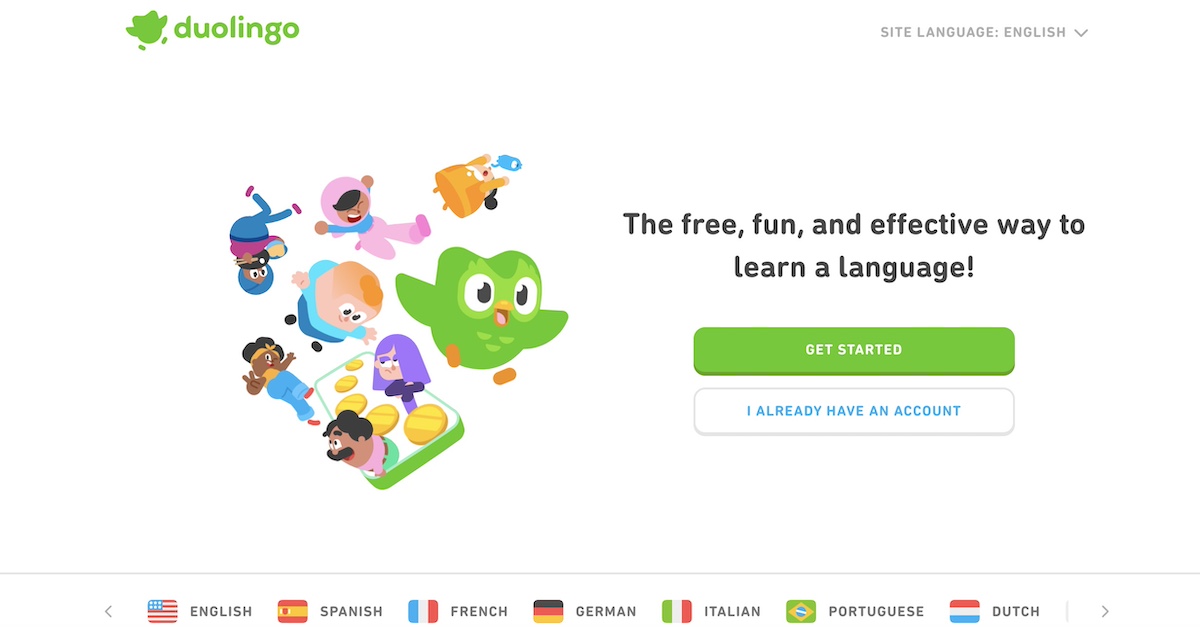
In the case of duolingo’s landing page below, for example, it conveys what it is (a language-learning method), what the benefit is (it’s fun and effective), and what makes it stand out (it’s free, and implied that this method is unique to duolingo). Simple as that.
perfect-landing-page-example-duolingo

2. Create an Impactful Hero Section

Now let’s explore the hero section. It forms a central part of how to make a website, and especially when it comes to highlighting the unique value proposition. It’s crucial to make a powerful impression here because it sets the stage for the rest of the experience. A well-designed hero section can immediately grab attention, convey your message, and prompt visitors to act. 

Or not: it could bore them into closing their web tab and looking elsewhere!

With that in mind, there are several elements that go into making this section a success. Here’s what you’ll want to include in your perfect landing page hero section:

Strong Headline/Title

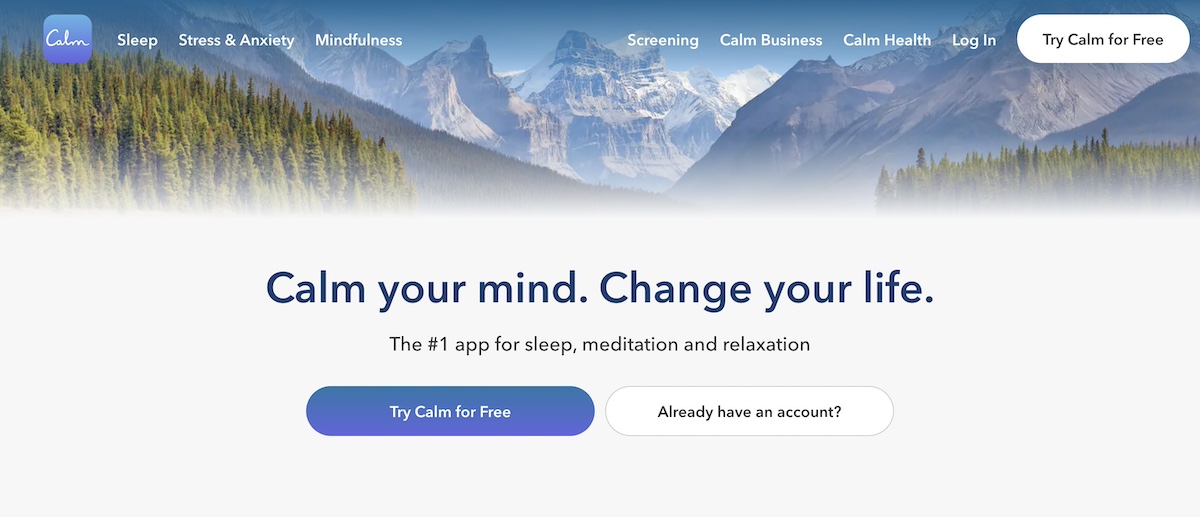
The main headline, or title, is a key part of landing page strategy, and one of the most important hero section elements because it’s the first thing visitors will read when they arrive. It sets the tone for the rest of the page and determines whether visitors will stay or leave. 

A strong headline should be clear, concise, and compelling, immediately communicating the value proposition of whatever it is that you’re offering. 
landing-page-optimization-best practices-example-Calm

Supporting Subtitle

While the headline grabs attention with a bold, concise statement, the subtitle adds context by expanding on what’s offered and why it matters. It often explains the product, service, or offer in more detail, highlighting key benefits or addressing the visitor’s needs and concerns. 

Together, the headline and subtitle create a compelling introduction that captures attention and encourages engagement. Here are a couple examples of landing page headlines and subtitles: 

Headline: “Feel Your Best Every Day with Personalized Nutrition”
Subtitle: “Discover a nutrition plan tailored to your unique needs, goals, and lifestyle—designed to help you thrive, one meal at a time.”

Headline: “Keep Your Car Running Smoothly with Expert Care”
Subtitle: “Experience reliable, affordable auto repairs and maintenance from certified professionals dedicated to ensuring your vehicle’s longevity and performance.”

Illustrative and Appealing Image

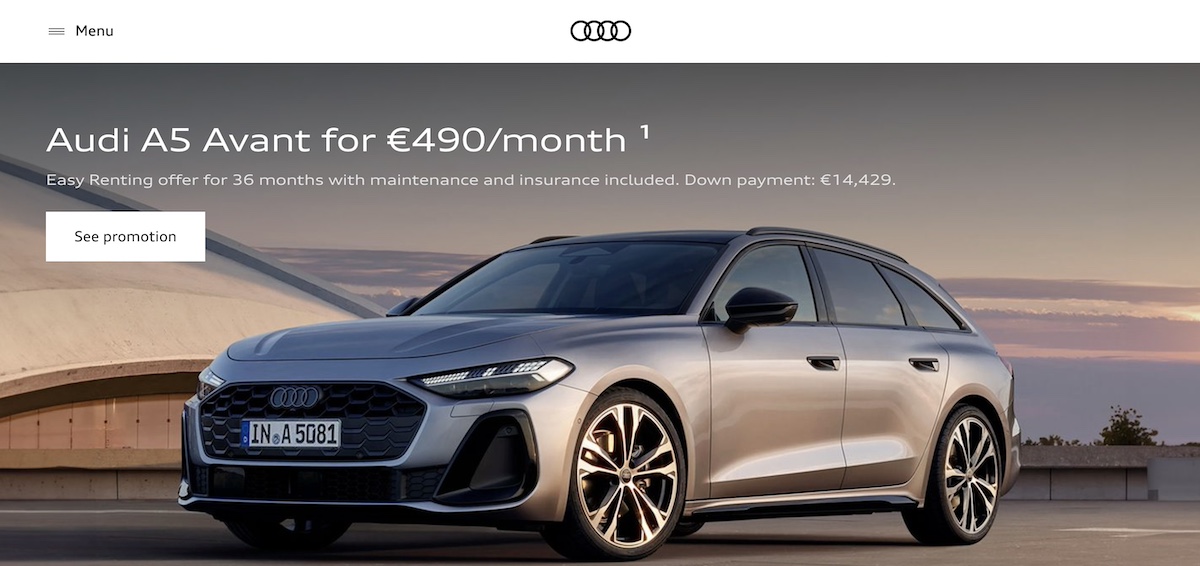
While messaging reigns supreme, having a high-quality image that supports your message and captivates attention can be a deal maker or a deal breaker. A successful image could include a product photo, a happy customer using the product, or a graphic that speaks to what your business does. Images should be visually appealing and relevant to your offer.
Landing-page-design-best-practices-example-Audi

Attention-Grabbing Call-to-Action (CTA) Button

A CTA button is the crucial element that encourages visitors to take action. We’ll get into the strategy behind a good call to action in just a minute, but suffice it to say that you’ll want to include a prominent call-to-action button in your hero section in order to easily facilitate visitors moving to the next step.

3. Make Your Landing Page Benefit-Driven

Now that we’ve got the hero section basics covered, it’s time to dive in a little deeper – and move down your page. An important way for your landing page to support and emphasize your hero section and value proposition is to not only highlight features, but also focus on the benefits, as this is what really convinces visitors to take action. Features tell what your product does, but benefits show how it solves a problem or makes life better for the customer.

Here are some examples of how you can turn a feature into a benefit:

Feature: Task Automation.
Benefit: Save time by automating repetitive tasks.

Feature: Real-Time Collaboration.
Benefit: Easily work with team members across different locations.

Feature: Intuitive Dashboard.
Benefit: Manage projects at a glance with a clean, user-friendly interface.

Complement these selling points with imagery, icons or graphics in order to capture attention and keep visitors engaged.

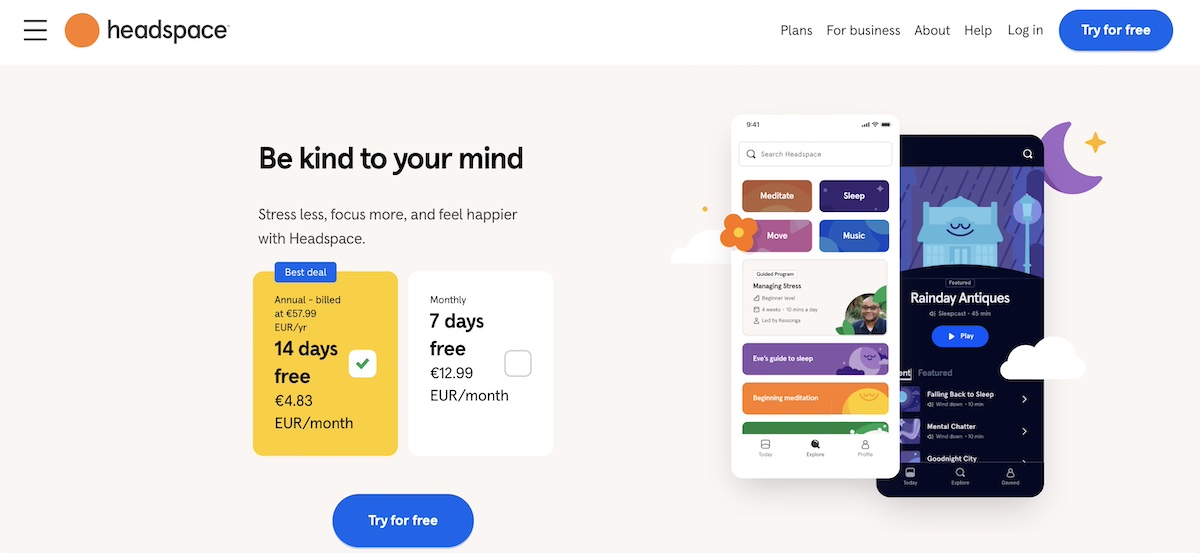
Notice how, in the example below, Headspace focuses on benefits both in its hero section, and then farther down on its landing page.
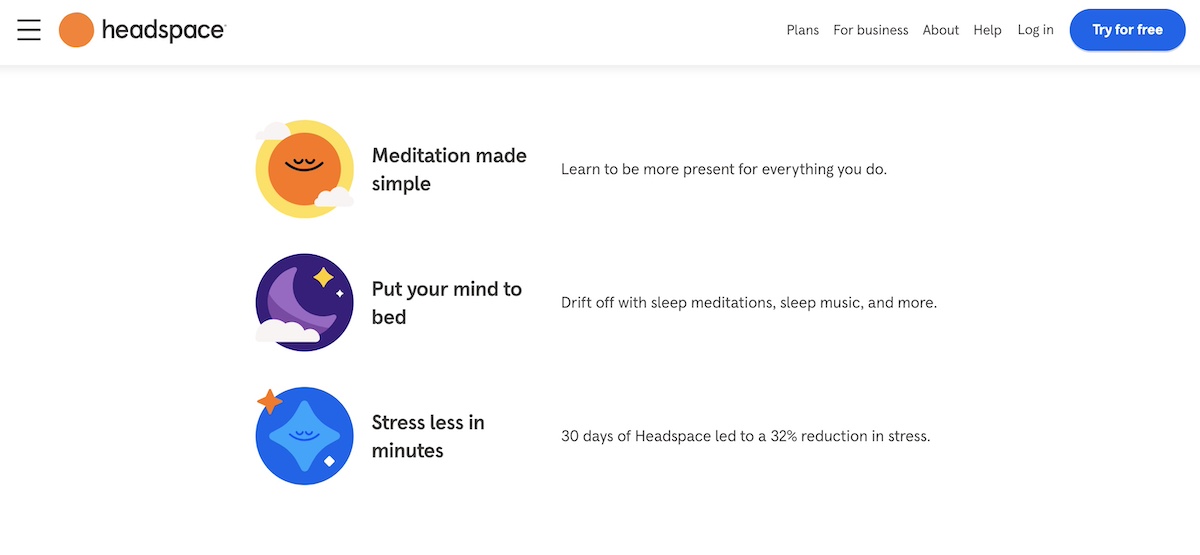
landing-page-content-example-headspace

landing-page-tips-example-headspace

4. Include a Strong Call to Action (CTA)

Back to that CTA: having a particularly strong one is among the top tips for making a great landing page – and also when it comes to website planning in general – as it ensures users understand the next step. 

Without a clear, compelling CTA, visitors might leave your page without taking any action, even if they’re interested in what you’re offering. Indeed, a well-crafted CTA provides direction, reduces friction, and encourages users to engage, whether that means signing up, purchasing, or downloading. 

When crafting your CTAs, consider implementing the following elements: 

  • Precision: Instead of a vague CTA like “Submit,” a more effective alternative would be “Get Your Free E-book Now.” This specific wording clearly communicates what the visitor will receive and sets an expectation, making it more likely that they’ll follow through. 
  • Urgency: Add a sense of urgency or exclusivity, like “Limited Spots” or “Sign Up Today,” to encourage immediate action.
  • Actionable language: Use direct, action-oriented verbs like “Get,” “Start,” “Discover,” or “Join” that tell visitors exactly what to do.

Apart from including a CTA in the hero section, you will likely want to include it at the bottom of your page, so that visitors are again encouraged to click after having reviewed all of your landing page content. If your landing page is on the longer side, consider placing CTAs at various points throughout so that visitors can move on to the next step whenever they’re ready.

5. Use Compelling and Strategic Copy

Overall, copy plays a vital role in driving conversions, and accounts for another important landing page best practice. When writing web content, keep in mind the following:

  • Keep language clear, persuasive, and, as we’ve already discussed, focussed on the benefits
  • Use language that resonates with your target audience
  • Address audience pain points directly
  • Avoid jargon
  • Keep the tone conversational yet professional

Also be strategic about implementing content that builds your case and guides visitors toward your CTA. Do so by addressing any objections they might have, whether that’s by including FAQs or an explanatory section on a certain product feature. Ultimately, each section of your landing page, from the headline to the closing statement, should work together to create a seamless and convincing narrative.

6. Remove Landing Page Navigation

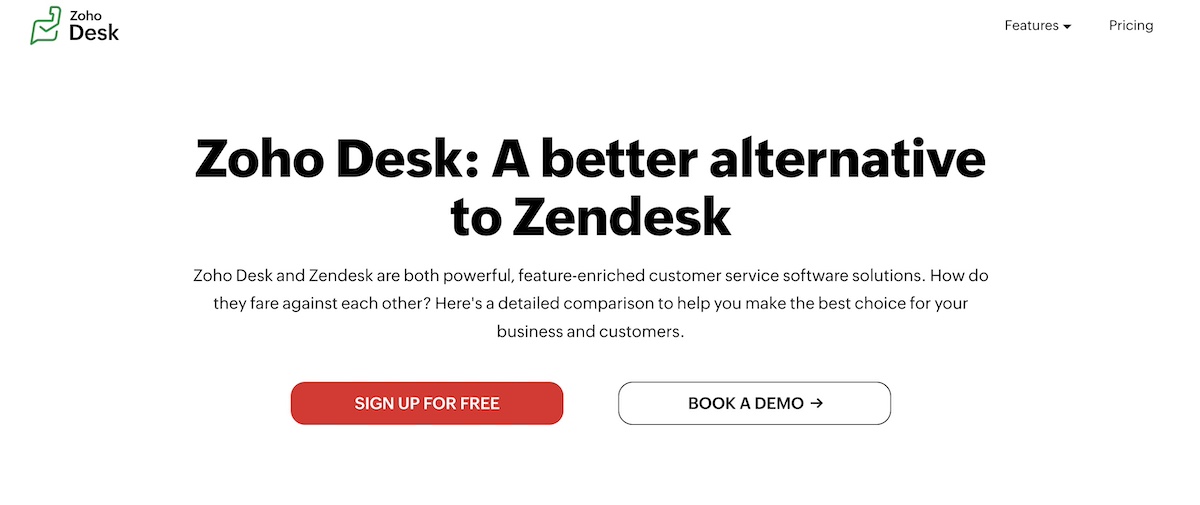
A key element of an effective landing page strategy is minimizing distractions. As illustrated in the image below (and in many of our other examples), this involves removing unnecessary navigation links – often even the menu bar – that could divert visitors from your primary goal. That’s because when users land on your page, the aim is for them to focus on the CTA button and take action.

This streamlined experience encourages users to concentrate solely on the content you’re providing, and ultimately on the call to action. If additional information is necessary, consider incorporating anchor links within the landing page to provide relevant details without redirecting visitors elsewhere.
Tips-for-making-a-great-landing-page-example-Zoho-Desk

7. Demonstrate Social Proof

Social proof is a powerful landing page tip for building trust and credibility. It reassures potential customers that others have used and benefited from your product or service. Some effective forms of social proof include:

  • Testimonials: Positive feedback from satisfied customers.
  • Case studies: Real-world examples of how your product helped a customer achieve success.
  • Customer logos: Showcase logos of well-known clients or partners.
  • Awards and certifications: Highlight any accolades your product has received.

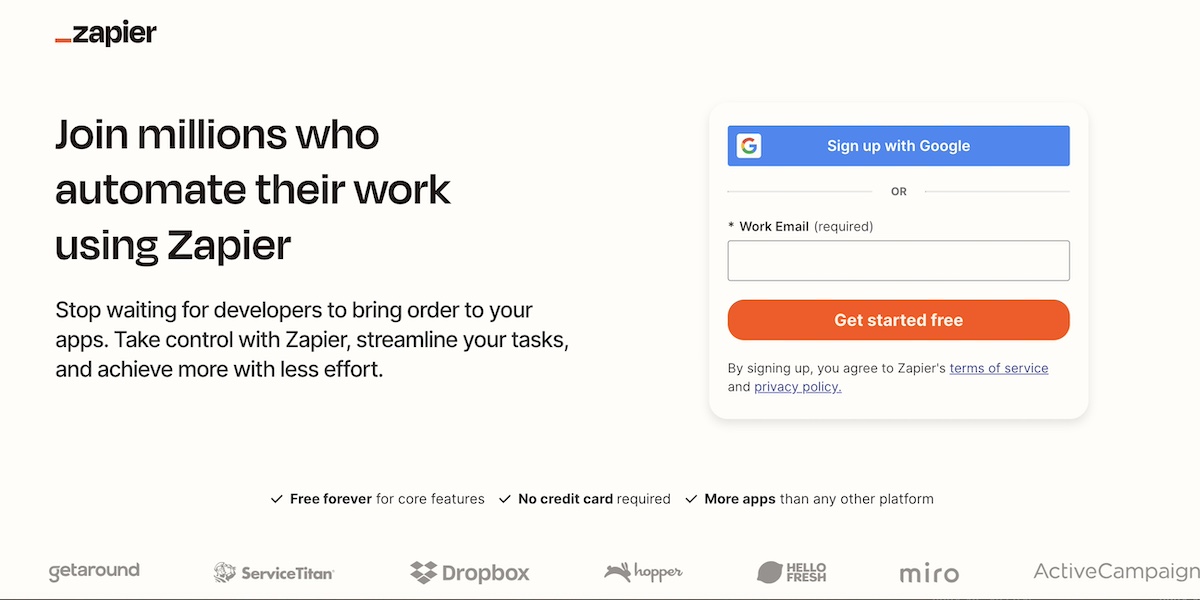
Just remember not to link out from testimonials or customer logos. While it’s tempting to send people for more information, the goal here is to keep people engaged in your landing page, and exiting only via your call to action (and thus making a conversion).

By way of example, notice below that Zapier has a ticker tape of not-linked logos, which demonstrate that it is a trusted brand by other brands that you might already know and be loyal to. 
Effective-landing-page-example-Zapier

8. Implement a Lead Magnet

If the purpose of your landing page is email lead generation (such as capturing contacts for your email list, or getting people to sign up for a free course), then a lead magnet is a smart way to encourage conversion. 

A lead magnet is an incentive you offer in exchange for contact information, such as an email address. This is a great way to build your email list and nurture potential customers who are not ready to convert right away. Lead magnets can take many forms, such as:

  • Ebooks or whitepapers: In-depth content that provides value.
  • Discounts or coupons: A special offer for new subscribers.
  • Free trials or demos: Allow users to try your product before committing.
  • Webinars: Live or recorded sessions on a topic of interest to your audience.

Your lead magnet should be relevant to your target audience and offer immediate value. You’ll of course want to make its benefits clear in your hero section so that visitors are motivated to click through. 

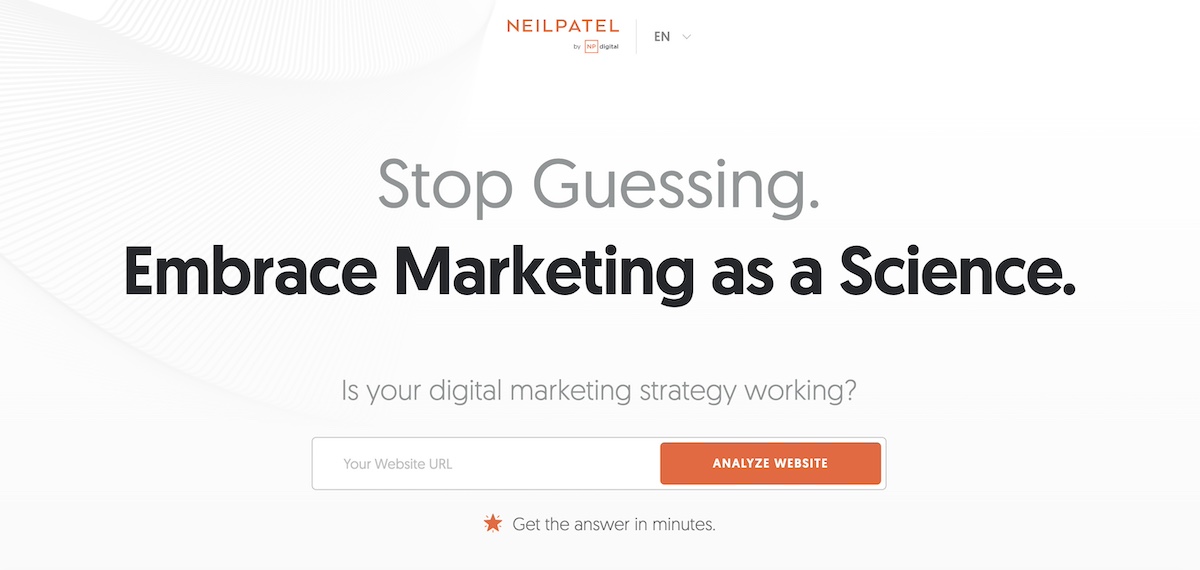
The creative lead magnet on the landing page below is especially enticing, with a title and subtitle that spark curiosity. It’s hard to resist simply dropping your URL into the box and hitting “Analyze Website.” You receive intriguing website insights, and they gain valuable lead information in return. 
what-makes-a-good-landing-page-example-Neil-Patel

9. Make Sure Your Landing Page Lines Up With the Referring Source

Consistency is key when it comes to a strong landing page strategy. If visitors click on an ad or email link, they should see landing page content that matches their expectations. This means that the language, visuals, and offer presented in the referring source (like an ad or social media post) should align closely with what’s on the landing page – it should feel like an extension of what they clicked on.

If your ad promises a 20% discount, make sure the landing page clearly states how visitors can claim that discount. Inconsistent messaging can lead to confusion, which reduces the chances of conversion.

Improving Landing Page Performance

Once your landing page is up and running, the next step is to optimize it for even better performance. Continuous improvement is essential in order to have a high-converting landing page. This involves monitoring metrics, experimenting with new landing page content, and making adjustments based on real user behavior. Here are some landing page optimization best practices that will help improve performance:

Track Metrics

Understanding how to improve landing page performance starts with tracking the right website metrics. A few key performance indicators (KPIs) include:

  • Conversion rate: This percentage demonstrates the quantity of visitors who take the desired action, such as filling out a form, clicking a CTA, or making a purchase. This is the most critical metric for gauging success, as this is the whole point of your landing page: to gain conversions! The higher the rate the better, so when you make tweaks to your page, keep a close eye on how this impacts conversions. 
  • Bounce rate: This is the percentage of visitors who leave the page without interacting. A high bounce rate may indicate that the landing page content or design isn’t resonating with visitors. So try to identify what might not be working, then make adjustments, and see if your bounce rate drops.
  • Time on page: This data represents the average time visitors spend on your page. Longer times usually indicate that your content is engaging, while shorter times might suggest it needs improvement. Of course, if your conversion rate is high, but the time on page is low, it might simply mean that your sales pitch is working quite quickly! As such, always be sure to consider your data as a whole in order to draw educated conclusions.

By keeping a close eye on these metrics, you can identify which areas need adjustments, allowing for data-driven decisions that lead to improved landing page performance.

Try New Content

Now that you’re familiar with these key metrics, note that if your landing page isn’t converting or performing as well as you’d like, then it’s time to try experimenting with new content. 

As we touched on above, you may want to tweak different parts of the page. This could include revising the headline, reworking the copy, or even changing images and embedding videos. Sometimes, small changes can make a significant difference.

For example, if your current copy is very technical or generic, consider rewriting it to be more benefit-focused and customer-centric. Or, if the landing page content is heavy, try simplifying the design to make it cleaner and easier to navigate. 

An especially important element to consider improving is your CTA. If “Learn More” isn’t driving clicks, something more assertive like “Get Started Now” might be more effective. Or perhaps an even more descriptive CTA, such as “Claim Your Free Trial.” Get curious and try new approaches to see what works best.

Run A/B Tests

A great way to really evaluate whether your small changes are working is to run A/B testing (or split testing). It’s one of the most effective methods for improving landing page performance. 

This involves creating two versions of your landing page with one key difference – such as a different headline, image, or CTA – and sending an equal amount of traffic to each version. By comparing which version performs better, you can identify the most effective elements to use going forward.

For example, you might want to test whether a short or long-form landing page leads to more conversions. Or, you could experiment with two different images in the hero section to see which one captures more attention. Running consistent A/B tests allows you to optimize your landing page based on real data rather than guesswork.

Improve Load Speed

A slow-loading landing page can lead to higher bounce rates and lower conversions. Indeed, studies have shown that even a one-second delay in load time can result in a significant drop in conversions, as visitors are less likely to wait for a page to fully load.

To improve load speed, consider optimizing your images, reducing external requests, and using a reliable web host. Depending on the type of site you have, you may also wish to choose to use performance-friendly plugins that focus specifically on improving site speed. 

With SiteGround hosting, you can benefit from famously fast web speed and performance, along with multi-level security, and top-rated support.
Explore web hosting plans now>>

More Examples of Effective Landing Page Best Practices

Enough talk: let’s see more of these landing page design best practices in action. Here are a few more examples of landing pages that implement some of the effective best practices we’ve mentioned above.

Click Up
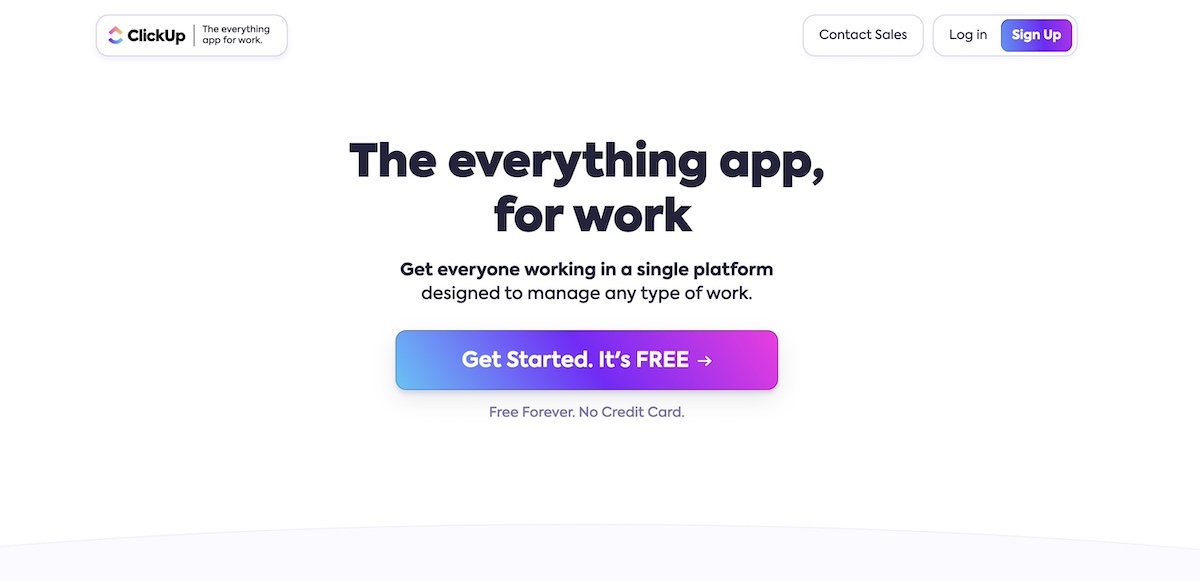
high-converting-landing-page-example-ClickUp

Clear value proposition: The headline, “The everything app, for work,” immediately tells visitors that this app covers all aspects of work management, providing a sense of comprehensiveness and utility.

Strong call to action (CTA): The prominent “Get Started. It’s FREE” button is compelling and reassuring, as it highlights that there’s no cost or risk to try the platform. The use of bright, gradient colors on the CTA button draws the eye, making it easy to find and click.

Minimal distractions: The page is clean and focused on one primary goal – getting users to sign up. The minimal text and whitespace keep users focused on the CTA.

Monday.com
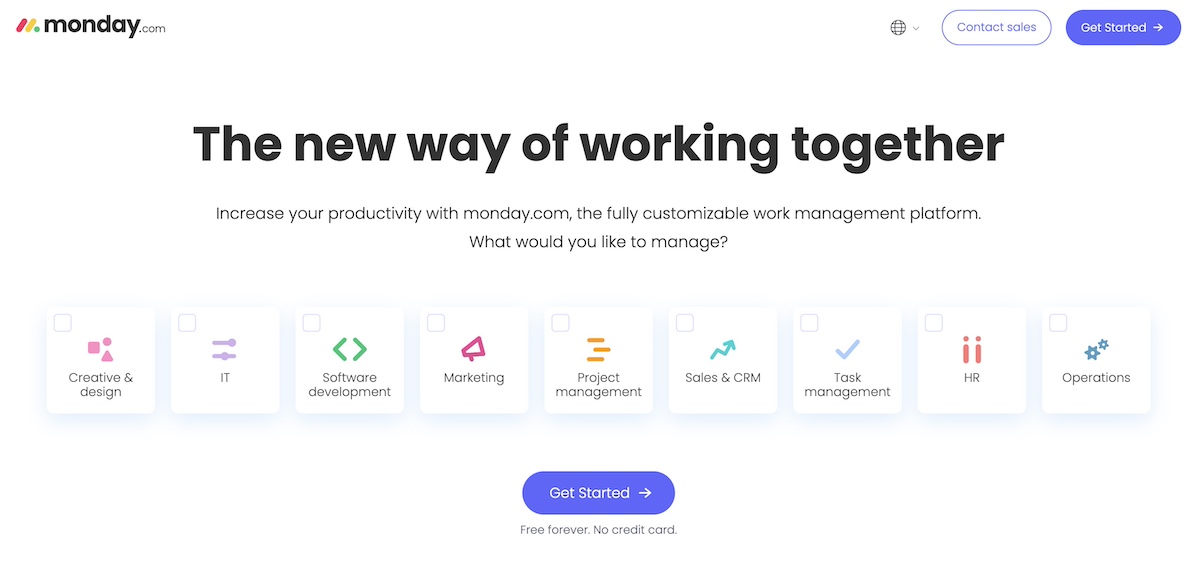
landing-page-strategy-example-Monday.com

Strong headline and subtitle: The headline, “The new way of working together,” speaks directly to teams and businesses looking to improve collaboration. The subheadline further clarifies the platform’s purpose: a customizable work management tool to boost productivity.

Engaging call to action (CTA): The “Get Started” button is visually prominent and, as with Click Up, is paired with the reassurance of “Free forever. No credit card.” This reduces the friction to try the platform, as users know they can explore it without commitment.

Clever functionality for a focused user experience: By using different checkboxes, monday.com is able to simplify the conversion process without adding extra links or friction-causing user steps.

AG1
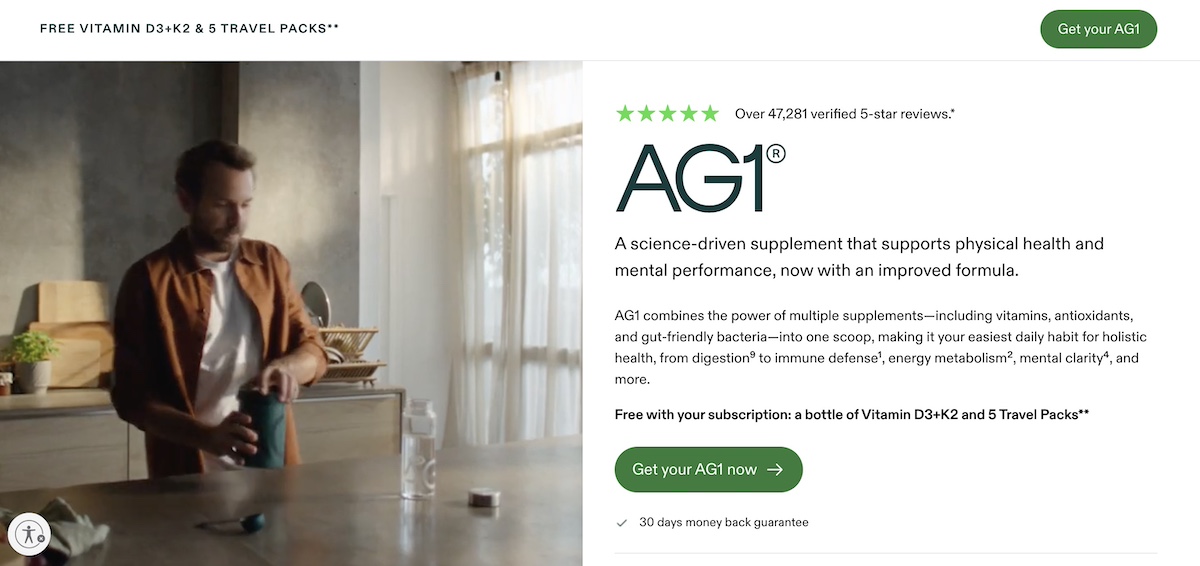
Improving-landing-page-performance-example-AG1

Supporting social proof: AG1 goes above and beyond here to demonstrate its credibility among consumers. It positions the five-star rating by over 47,000 customers front and center in order to generate a sense of trust. 

Clear and noticeable CTAs: The call-to-action buttons stand out not only with their color, but the language is precise. It doesn’t simply say “buy now,” – it says “Get your AG1 now.” 

Evocative video: Although the screenshot doesn’t capture it, the landing page effectively utilizes video (instead of a still image) to convey the energy and proactive feeling associated with using AG1. For a product designed to enhance self-care, video plays a crucial role in showcasing its full potential.

Closing Thoughts on Landing Page Best Practices

Creating a high-converting landing page is an essential component of any successful digital marketing strategy. By implementing the landing page best practices outlined in this article, you can design a perfect landing page that not only captures attention but also effectively guides visitors toward taking action. 

Remember that what makes a good landing page is your ability to convey that you understand your audience, and as such craft a message and offer that resonates with their needs and desires. Continuously monitor performance metrics, test different elements, and refine your approach based on real data. By doing so, you’ll ensure that your landing pages remain effective and aligned with your marketing objectives, ultimately driving better results for your business.

Top 5 Proven Email Lead Generation Tactics + Best Practices

Email_Lead_Generation_Tactics_Magnet

Finding potential customers and turning them into paying customers is the ultimate marketing challenge. But there is, in fact, a solution that solves this problem like no other, and that’s email lead generation. It’s a key component of any business growth strategy, offering a steady stream of strategic, cost-effective growth.

And it doesn’t have to be hard to do! In this guide, we’ll explore all things email lead generation, and provide actionable tips for small business owners looking to harness its power.

What is Email Lead Generation?

Email lead generation entails enticing potential customers to join your email list – these people become your leads. This lead generation process typically involves collecting names and email addresses through an opt-in form, and by offering something of value in return. Once you have their contact information, you can build relationships by sending targeted content that converts leads into paying customers. 

(Before we really get started: if you’re new to email marketing and would like to learn more about the basics, please check out our comprehensive guide on what email marketing is and how to get started.)

What Are The Benefits of Email Lead Generation?

While an email lead generation campaign may seem like a pretty straight-forward concept, its benefits are much more far reaching. They include: 

  1. Attract Clients Automatically: With just a sign-up form, you can attract a steady stream of potential customers. This automation works around the clock so that you can capture leads without any extra effort.
  2. Save Money on Marketing: Once you’ve set up your opt-in form or lead magnet, the costs primarily involve maintaining your email list and creating content, both of which are minimal compared to traditional advertising expenses.
  3. Reach Interested Customers: Because your target audience includes those who’ve already shown interest in your products or services, your marketing dollars are more likely to result in actual sales, providing an exceptionally high return on investment (ROI).
  4. Increase Your Sales: Guiding leads through your sales funnel with targeted email marketing campaigns allows you to turn prospects into paying customers.

How to Generate Email Leads?

Now that we’re all on the same page about the importance of email lead generation, let’s dive into the different ways you can attract new sales leads. 

1. Add a Sign-Up Form to Your Website

Online sign-up forms are the go-to way to start gathering subscriber email addresses for your list. By collecting the emails of those that want to hear more from you – about products, services, promotions and more – you can build a list of potential customers that can be turned into loyal customers over time.

Best practices for creating effective lead generation forms include:

  • Use an eye-catching design that aligns with your brand’s visual style and personality. 
  • Keep the copy persuasive but straightforward. Clearly communicate the benefits and incentives of signing up. 
  • Make sure the value you offer is relevant to your business and products so that subscribers genuinely want to build and continue a relationship with you.
  • Consider offering a sign-up incentive, such as a discount.
  • Embed forms in the footer, as a page-break, in blog posts, or by using slide-in animations after a short delay.
  • Limit form fields to only the most essential information, ideally just email and perhaps first name. Conversion rates drop with each added field. 

With all this in mind, you can easily create sign-up forms, add them to your site or landing pages, and start growing your list with SiteGround’s Lead Generation Plugin for WordPress.

2. Offer a Lead Magnet

A particularly effective method for gathering email addresses is with a lead magnet. This typically comes in the form of a free resource, such as a digital product (ebooks, research reports, mini-courses, etc) that you provide in exchange for an email address. This type of content is ideal because it requires a one-time effort to produce, and can generate leads over time, thus offering a high return on investment. 

The primary purpose of a lead magnet is, of course, to collect email addresses, but it’s important not to give away all your valuable information for free. So when creating a lead magnet, aim to provide more value than your free content but less than what you offer in your paid products. Consider what your potential customers are looking for when they first land on your site, identify their pain points, and provide solutions. 

By way of example, check out our free email marketing course. This is a SiteGround lead magnet, and follows the principles we’ve discussed above.

3. Use Web Views to Promote Your Emails

A web view is a version of your email that can be seen in a web browser. It’s particularly useful for sharing your content with a broader audience beyond those that are signed up for your  email list. 

You can implement this feature in the following ways:

  • Include a “View this email in your browser” link in your emails
  • Share the link on social
  • Make past newsletters viewable by website visitors by embedding links to them on your site

Via each of these channels, be sure to include a clear call to action to sign up for your emails so that those intrigued by your content can opt in to receive more.

4. Ask Your Subscribers To Share Your Email

Never hesitate to ask for a little help! Reach a wider audience by encouraging current subscribers to share your emails with friends, family, or social networks. In doing so, you’re tapping into a highly effective email marketing strategy, as people tend to trust recommendations from those they know.

You can easily encourage this kind of sharing by embedding a sign-up link in your emails. This link can direct to a landing page with a sign-up form, where you can highlight the benefits of subscribing. You can also incentivize sharing by offering rewards (such as a discount) to those who make referrals.

5. Promote Sign-ups with QR Codes

QR codes are a powerful tool for small businesses to grow their email lists. With just a smartphone, users can scan the QR code and instantly go to a landing page with a sign-up form, and possibly a special offer. Consider using create QR codes for free with Adobe Express to place codes on posters, business cards, promotional materials, and elsewhere.

How to Design Successful Lead Generation Emails

You’ve got the leads, and now we must keep them engaged and moving through your sales funnel. As such, it’s important to write and design your emails for maximum impact. Here’s how you can craft compelling lead generation emails that capture attention and drive conversions.

1. Write Attention-Grabbing Subject Lines

To create captivating subject lines, focus on understanding and addressing your audience’s pain points, needs, and interests. Incorporate actionable language and a sense of urgency to prompt immediate interaction. Keep your subject lines concise, ideally under 50 characters, to ensure visibility on most email clients and mobile devices.

2. Short Writing for Reader Engagement

To maximize reader interest, keep your emails to-the-point and engaging. Short paragraphs, bullet points, and clear, direct language make your emails easily digestible, especially on mobile devices where most emails are opened. Need help crafting your content? Turn to AI. Our blog post on how to write AI email prompts that boost engagement offers valuable tips and examples to help you take advantage of the power of AI.

3. Use Images

Given that images are processed much faster than text, relevant visuals can quickly and effectively convey your message, making your emails more appealing and easier for leads to understand.

4. Offer Valuable Content

By offering your leads useful content that solves problems and provides insights, you nurture them through your sales funnel. This keeps them interested, positions your brand as a trusted authority, and aids in the process of converting leads into loyal customers.

Here’s what to keep in mind to help you provide especially valuable content:

  • Tailor your content by audience: Use insights from lead segmentation (which we’ll discuss more about shortly) to address your leads’ specific interests. For example, if a lead downloaded an ebook on SEO, follow up with emails that offer advanced SEO tips, industry trends, and related case studies. 
  • Consistent Quality – Maintain a high standard of quality across all your content. Whether it’s a detailed guide, a success story, or a simple tip, ensure it is well-researched, well-written, and provides clear value.

5. Add Strong & Strategic Calls to Action

To effectively convert leads, your emails must include strong, strategically placed calls to action (CTAs). Use action-oriented words like “attend,” “download,” “register,” “read,” and “try now” to guide your leads toward the next step. 

Not sure how best to place the CTA or design your email? Email marketing platforms like SiteGround offer ready-made templates that implement design best practices aimed to grasp interest and motivate action. You can learn more about strategic email designs via our guide on easy-to-design templates.

Email Campaign Examples that Turn Leads into Sales

With email creation mastered, the next important step is to strategically move leads through your sales funnel. To do this, you’ll want to create a customer journey, welcoming them first, and then thoughtfully offering valuable and diverse content that nudges them closer and closer to a sale. Here are sample email topics that you may wish to include in your lead-nurturing process.

Welcome Email

Welcome emails are essential in a lead generation campaign, marking the initial interaction between your brand and new subscribers. 

Key Elements of a Welcome email:

  • Introduction: Clearly introduce who you are and what your business does.
  • Value Proposition: Highlight what makes your brand unique and what value your content will bring to their inbox.
  • Expectations: Explain what kind of content subscribers can expect, how often they’ll hear from you, and any other relevant details.
  • CTA: Encourage new subscribers to connect further by linking to your social media, website, or landing page for digital products.

Educational Email

Educational emails offer practical solutions and insights related to your product or service, and play a key role in guiding leads through the sales funnel. In doing so, you position your brand as a trusted authority and resource, building credibility and keeping subscribers engaged.

Key Elements of an Educational Email:

  • Problem Identification: Start by identifying a common problem your audience faces.
  • Solution Offering: Offer practical advice, tips, or solutions to address this problem.
  • Resources: Link to additional resources like blog posts, eBooks, or webinars for more in-depth information.

Product or Service Explainers

These emails provide detailed information about your offerings, highlighting how to solve specific problems or improve the lives of your subscribers. This generates more value for your product or services, fosters trust, drives conversions, and creates loyal customers that come back for more. 

Key Elements of a Product or Service Explainer Email:

  • Feature Highlight: Focus on one or two key features of your product or service.
  • Benefit Explanation: Explain how these features solve specific problems or improve the user’s life.
  • Visuals: Use images, videos, or infographics to make the explanation more engaging.
  • Testimonial: Include a short testimonial from a satisfied customer to add credibility.

Product or Service Updates

Update emails keep your potential clients informed about new features, improvements, or changes to your offerings, ensuring they stay current with the latest developments. By regularly communicating updates, you reinforce the value of your products or services and remind your leads why they should consider becoming customers. You can also re-engage inactive leads by keeping your services top of mind.

Key Elements of Product or Service Update Email:

  • Update Announcement: Clearly announce the new feature or product.
  • Benefits Overview: Explain the benefits and how they enhance the user experience.
  • Usage Tips: Provide tips on how to get the most out of the new feature.
  • CTA: Encourage users to try out the new feature or learn more about the update.

Social Proof

These emails leverage the experiences and testimonials of existing customers to validate your products or services, making them more appealing to potential customers. 

Key Elements of a Social Proof Email:

  • Testimonials: Include quotes from satisfied customers.
  • Case Studies: Share detailed stories of how your product or service solved specific problems.
  • Reviews: Link to third-party reviews or ratings.
  • Social Media: Embed social media posts where customers talk about your product.

Discounts

Discount emails are highly effective, as they provide an immediate incentive for potential customers to make a purchase. By offering discounts, you create a sense of urgency and exclusivity, encouraging leads to act quickly.

Key Elements of a Discount Email:

  • Personalization: Address the lead by name and reference their past interactions or interests.
  • Offer Details: Clearly state the discount or special offer.
  • Urgency: Create a sense of urgency with limited-time offers.
  • CTA: Encourage immediate action to take advantage of the deal.

Email Lead Generation Best Practices

Now that we’ve covered how to effectively generate leads and craft compelling email content, let’s explore some essential best practices to maximize your email lead generation success.

1. Leverage Email Automation

As we’ve just discussed, sending different types of emails can help move your leads through your sales funnel. A great way to put this into place is to automate the process. That is, depending on how your lead was acquired – whether they signed up for a newsletter, downloaded an ebook, or joined a webinar – you can create tailored email journeys, during which a sequential flow of emails is sent to those subscribers. The purpose of an automated email journey is to nurture your leads, build trust and credibility over time, and eventually lead to conversions.

2. Infuse branding

An essential tool in any marketing toolbox is branding, and it’s something you should definitely keep in mind as you craft your content. By transmitting a consistent voice, look and feel, you can build brand loyalty. To put this into action, when you produce emails, consider creating and saving templates that feature your branding, including colors and other brand elements.

3. Segment Your Leads

Lead segmentation entails dividing your list of potential customers into smaller groups based on their activities, actions or characteristics. By segmenting your audience, you can send more personalized and targeted messages, thus speaking to their particular needs and interests, and more effectively moving them through your sales funnel. 

Consider segmenting your audience based on sign-up form location, type of lead magnet, level of email engagement, purchase behavior, location, industry and/or job title. Get as creative as you’d like with segmentation criteria, then target your messages accordingly, and test your results.

4. Conduct A/B Tests

To get the most out of your email lead generation strategy and keep improving your approach, it’s important to do A/B testing. This involves sending slightly modified versions of an email to different groups of your subscribers to see which version performs best. 

You can test every component of your emails to find the optimal combination that drives engagement and conversions – but do keep in mind: you should only test one variation at a time. Here are some important elements to consider:

  • Subject Lines: Test different subject lines to see which ones increase open rates. Experiment with length, tone, urgency, and personalization. 
  • Images: Experiment with the size, type, and placement of images to see what enhances interaction.
  • Design and Layout: Vary the overall design – such as single-column versus multi-column, or even different color schemes – to find out what is most visually appealing and easy to navigate. To learn more about using colors effectively in email marketing, check out our helpful blog post – The Importance & Impact of Colors in Email Marketing.
  • CTA Buttons: Test different call-to-action buttons, including their text, color, size, and placement. 

After a few rounds of A/B tests, you will have a better understanding of which elements perform best. Continuously applying these insights will help you create more effective email marketing campaigns, leading to higher engagement and conversion rates.

5. Don’t Use a No-Reply Address

Using an email other than a no-reply address can benefit your email success. Indeed, the more personalized nature of a proper email address encourages interaction and builds trust. It can also improve deliverability, as emails from no-reply addresses are more likely to be marked as spam by email providers. (You can learn more about landing your emails in inboxes by reading our guide on ensuring high email deliverability.)

6. Maintain Email List Hygiene

Over time, your email list will accumulate leads who are no longer active or engaged. As such, it’s important to regularly clean your list through a process called email scrubbing to remove such leads. This will improve engagement rates, email deliverability, and allow for more accurate performance metrics. That’s because you’re weeding out low-quality leads, and also reducing the chances of your emails landing in spam.

Practical Tips for Email Lead Scrubbing

  • Set a Regular Schedule: Aim to clean up your email list every three to six months. 
  • Identify Inactive Leads: Look for leads who haven’t opened or clicked on your emails in the last six months to a year. 
  • Send Re-Engagement Campaigns: Before removing inactive leads, send a re-engagement email offering an easy way to confirm their interest.
  • Remove Unresponsive Leads: If inactive leads don’t respond within two weeks, move them to an inactive list, and eventually remove them from your list altogether. 
  • Monitor Your Metrics: Regularly check your email metrics such as open rates, click-through rates, and unsubscribe rates. If you notice a sudden drop in engagement or increase in unsubscribes, it might be time for another cleanup.

To learn more about maintaining a high-quality email list, read our guide on how to build an email list.

Measure Lead Generation Success

Close the loop on your email lead generation efforts by tracking your success. Here are the key components you’ll want to keep an eye on:

  1. Count Your Email Leads – Track how many potential leads you attract, such as those who sign up for your newsletter, download an ebook, or register for a webinar. Ensure you separate these new leads from existing clients to keep your data accurate.
  2. Track Conversions to Clients – Next, track how many of these email leads actually become paying customers. This shows how effective your email marketing campaigns are at attracting the right people.
  3. Measure Cost Per Lead (CPL) – Look at how much you’re spending to get each email lead. Do this by adding up all related expenses, including email marketing platform costs, content creation, distribution costs, lead magnet production, advertising, and any overheads. Then, divide the total cost of your email campaigns by the number of leads you acquired. Lower costs mean more efficient spending.

What’s Next

Email lead generation stands as a powerful strategy to connect with potential clients and grow your business. By leveraging the direct and personal nature of email marketing, you can build and nurture relationships with new prospects, guiding them through the sales funnel and converting them into loyal customers.

To do this, you will need a powerful email marketing platform, and SiteGround Email Marketing is the perfect partner. Create and send professional campaigns, manage your subscriber lists, and track your results with ease. Our tool includes its own Lead Generation Plugin for WordPress, but also integrates seamlessly with popular WordPress forms like WPForms, Elementor Pro Forms, and Contact Form 7, making it even easier to capture and nurture leads directly from your website. Discover the power of simple, effective email marketing today.

How to Create an Email Marketing Strategy

email marketing strategy

Are you seeking a direct way to engage with your audience? Well, email marketing might just be the solution you need. It remains one of the most effective marketing channels for businesses, and it is no surprise its usage is increasing every single day. In fact, researchers project that the number of emails sent daily is expected to reach a staggering 392.5 billion by 2026! 

With inboxes overflowing, standing out amidst the sea of messages requires more than just sporadic blasts. It requires a solid email marketing strategy. 

In this blog post, we’ll guide you through the fundamental components of crafting an effective email marketing strategy that works – one that aligns with your goals, resonates with your audience, and drives good results. Let’s get started, shall we?

Step 1. Define Your Goals

From global giants like Amazon to your neighborhood grocery store, every company in the world tries to reach out to the perfect customer. Having an email marketing strategy can help you achieve surprisingly good results in this endeavor. But before anything else, it’s essential to clearly determine your goal. 

Think carefully about your business objectives and goals. Are you aiming to increase your brand awareness and visibility, boost your sales, generate leads, retain customers, or improve client satisfaction?

Perhaps there are several objectives that you want to pursue at the same time and that’s perfectly okay. What’s important is to be specific with your goals and define them beforehand. Why? 

By clarifying your goals, you can optimize your email marketing strategy for maximum impact and to meet your business needs. Setting your objectives will help you identify:

  • WHO are the people you should be reaching out to and what their journey with your business will look like;
  • WHAT type of content will be suitable, useful, and appealing to them;
  • HOW and WHEN you should send out your email campaigns;
  • WHICH metrics you should track and measure for success, and more!

All these things are fundamental to crafting a successful email strategy. To illustrate, we’ll break them down using a real-life handmade jewelry business as an example, making each step easy to understand and apply!

Step 2. Identify and Research Who Is Your Target Audience

Еmail marketing allows a very high level of personalization and customization of the content, which exceeds in terms of benefits the one-size-fits-all approach. People have varying interests and needs. To maximize the effectiveness of your email strategy and speak to the needs of your audience accordingly, it’s important to define who you’re trying to reach and what are the different interests and characteristics along which you can group them into meaningful segments. 

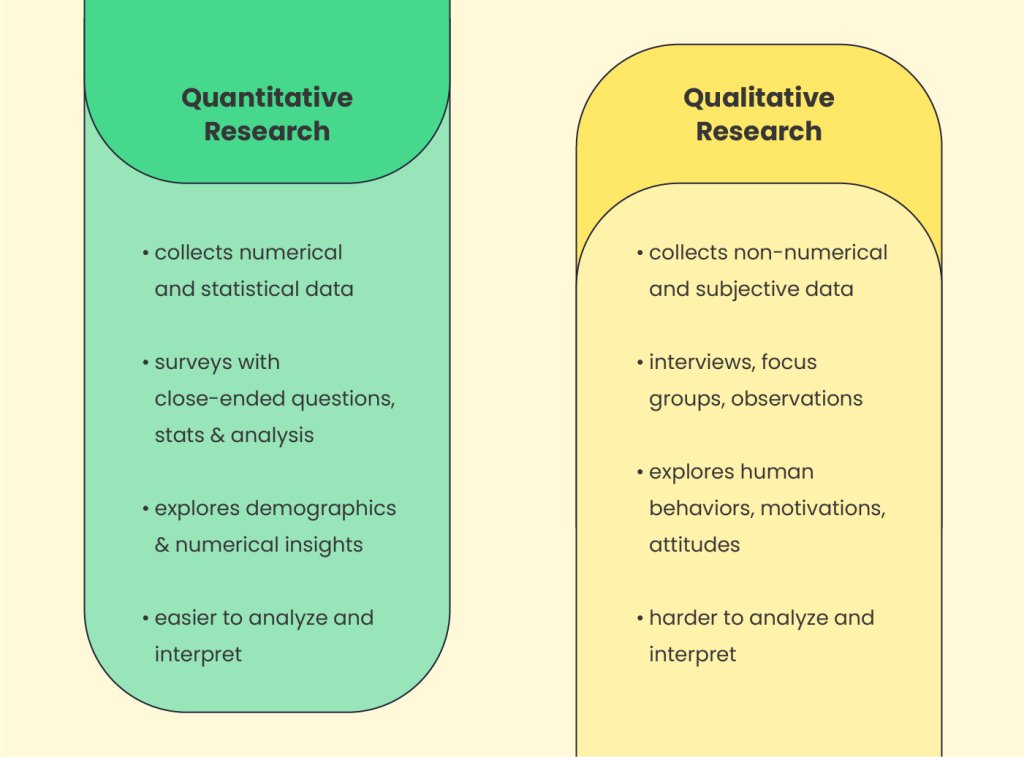
Who is your target audience, and what are their demographics, preferences, and behaviors? If you’ve recently launched your business or simply haven’t conducted thorough audience research, here are some quick tips on how to explore this more in-depth. In general, there are two methods for collecting target audience data.

The first is quantitative research which focuses on measurable data, such as numerical statistics about your audience and their behaviors. The second method is qualitative research, which focuses more on the reasons behind people’s behaviors and how they perceive a product or business.

audience research

Researching your audience with these methods might sound complex at first, but it’s actually quite manageable. Let’s explore this using our handmade jewelry business as an example.

Quantitative Research

Leverage existing market data and sources

Search for existing materials such as customer survey results, research papers, and social media stats about your target audience and overall market, and analyze them.

In the case of our jewelry business, such quantitative data could be found in customer behavior reports related to jewelry, handmade crafts, and fashion. Typically, craft businesses like our example have a strong social media presence and maintain business pages or accounts on platforms such as Facebook, Instagram, and X. Therefore, built-in analytics tools like Facebook Insights, Instagram Insights, and X (Twitter) Analytics can also be used to gather valuable data on audience demographics and engagement rates.

Website analytics tools

If your business has a website, browse and explore your Google Analytics as well to uncover key insights about your audience’s demographics such as age, gender, and location. You can also learn more about their behavior with your website – where they come from, and what they visit and read the most. 

Another handy way to explore how your visitors interact with your website is via heatmaps which visually illustrate this information. Popular tools, which you may set up on your website to collect that kind of information are, for example, Crazy Egg and Hotjar. Heatmaps could reveal where your website audience clicks the most, which links, buttons, and CTAs are most engaging, and which sections of your website interest your visitors. They might even offer recordings of user sessions. This can provide valuable insights into what they like and dislike.

Qualitative Research

Surveys and feedback

You can get personal insights about your audience’s preferences and behavior also by conducting surveys or asking your customers for feedback on specific products. To create a survey, and collect and analyze the data, you can use handy online tools like Google Forms, Typeform, and SurveyMonkey, for example. To distribute it, you could send the survey via email, provide links to it on your social media, or add them to your website. 

Use clear and specific questions and consider offering some kind of incentive (like a freebie or a discount code) to encourage more people to participate. For example, here are some exemplary questions a jewelry store owner could include in a survey:

  • demographic:
    – what is your age;
    – where are you located;
    – what is your gender;
  • buying preferences:
    – how often do you buy jewelry and accessories;
    – what is your typical budget;
    – do you prefer online or offline purchases;
  • personal preferences:
    – what style of jewelry do you prefer;
    – what materials do you prefer to wear;
  • customer experience:
    – how satisfied are you with your jewelry purchase from {your brand};
    – is there something you wish us to improve;
    – how would you rate your purchase experience;

Reviews, comments, recommendations

Another way to get to know your audience better is by exploring the reviews, comments, and recommendations they leave online. You can find such not only on your website and social media, but also on the platforms of your direct competitors, as well as on Google’s reviews, Amazon, Yelp, Quora, Reddit, and similar platforms where your audience is active. 

For example, a jewelry store owner could browse for such information on Etsy and Pinterest, while a coffee shop owner could explore TripAdvisor or Yelp, local forums, and even relevant Facebook groups.

Step 3. Map Out Your Subscribers’ Journey

Once you have researched your audience, your next important task is to understand the journey they will go through after signing into your email list. Let’s quickly go through the classic buyer’s journey. 

Understanding it will help you clarify the path your audience will follow, enabling you to tailor content that will be valuable to them at each stage of their lifecycle as customers. 

In general, every lead goes through several stages before becoming a client, and a few more to become a loyal one. 

  1. Awareness stage (becoming a lead): 
    Once someone signs up for your email, they become a lead. In the beginning, the journey usually starts with the prospect showing interest in your products, signing up to receive updates from your company, signing up for a newsletter, or downloading a free resource. At this stage, your lead is aware of your brand and products but doesn’t know much about them. It is the perfect time for you to introduce them to your service or products and start educating them.
  2. Consideration stage (still a lead):
    In the consideration stage, your prospects are aware of the fact that they need a solution to the problem. They start exploring options and your goal is to reveal the benefits of your products and what differentiates you from competitors. 

    For example, leads of a jewelry business in the consideration stage would start browsing the website more frequently, comparing different items, asking questions, or looking for customization options. They might also browse similar websites, comparing your brand to the competition, before becoming ready to make a purchase. 
  1. Decision stage (converting to a client):
    The decision stage, also known as the purchase stage, is critical as it’s the moment when leads are ready to make a buying decision. For the business we’re considering, this means the person has already decided on the type of jewelry they want (e.g., a bracelet, ring, or necklace), its appearance, and the price they’re willing to pay. Your goal here is to provide value, emphasize the quality of your products, convince leads that your offerings are superior, and convert as many as possible into clients.
  1. Retention stage (renewing client):
    At the retention stage, your clients have already made a purchase and are in the process of evaluating your service. Your aim should be to retain their loyalty, to encourage ongoing renewals and engagement with your brand by providing excellent client service, regular helpful content, and exclusive offers. 

    For our jewelry business, in the retention stage, clients may come for assistance in case they have a problem with the jewelry (a broken hook for example), which is when you need to find a way to accommodate their request and make them happy. That way they are more likely to come again next time they wish to purchase a piece of jewelry.
  2. Advocacy stage (loyal client):
    At the advocacy stage, satisfied customers become advocates for your brand. For example, a happy client of a handcraft jewelry shop would recommend those products to a friend. Similarly, a satisfied customer of a real estate agency might share their contacts with their family and friends, post about it on social media, or leave positive comments on relevant platforms and groups. Overall, this is the phase where you can ask happy clients to refer your business or products to their social circle.

❗ IMPORTANT REMINDER

Note that journeys aren’t always linear. Depending on whether your business is service or product-based, as well as your industry, your audience might skip some stages. Knowing your business specifics, map out the journey your audience will follow and identify key moments where you need to get their attention or remind them about your brand.

Step 4. Decide What Content to Offer in Every Stage

Deciding what types of content to create and send out in your emails is a substantial aspect of your strategy. Generally, in email marketing, the most widely used types of emails are newsletters and drip campaigns. A good email marketing strategy usually includes both types of emails because they offer distinct advantages.

Newsletters or Drip Campaigns?

Newsletters are standalone emails sent regularly, featuring content relevant for this certain period. They often include special promotions, news, or company announcements, typically sent to the entire list of subscribers or a large portion of it. 

Other types of stand-alone emails are promotional emails or other event-based emails – you send them when you are running a special offer or when you are calling your subscribers or clients to take specific action.

Drip emails, on the other hand, consist of a series of emails sent based on schedule, segments, or triggered by specific user actions. They help you send more tailored content to the right group of people in the current stage of their journey. Here are some content suggestions for the different stages, as well as some ideas based on different triggers.

Content ideas for the Awareness Stage

  • Welcome and introduction emails: You can use this type of welcoming content to introduce new subscribers to your brand and what your business offers. 
  • Informative and educational content: Provide valuable information that addresses your audience’s pain points or interests to demonstrate how your business can assist them further. For our jewelry business, such content could include information on how to care for their handmade jewelry, how to choose the material (silver or gold, stones, and minerals, etc.)  that will suit them best, and similar.
  • Free resources like ebooks, guides, cheat sheets, and similar: Share free resources (such as style or gift guides, and seasonal trends reports) with your subscribers to establish your expertise, show that you understand their needs, and make them anticipate upcoming helpful materials.

Content ideas for the Consideration Stage

  • Continue sharing educational content: Keep your audience engaged with informative content coming from your brand so that they consider your product or service while assessing other options too. 
  • Comparison guides: Help your audience understand what are the advantages of your products or services. For example, a small jewelry business might create a comparison article showcasing the advantages of handcrafted accessories versus fast fashion ones.
  • Product and tools highlights: Showcase the benefits and best features of your products to emphasize their value (e.g. articles on why handmade jewelry has greater quality, how the materials used are more durable, and how they are more environmentally friendly, etc.).
  • Case studies and testimonials: Share success stories and testimonials from satisfied clients to build trust and aid subscribers’ decision-making process.

Content ideas for the Decision (Purchase) Stage

  • Discounted limited-time offers: Provide content around discounts and promotions to encourage purchases.
  • Seasonal offers: Offer special deals or promotions tied to holidays or seasons to stimulate buying (e.g. Black Friday, New Year, Earth Day, Mother’s Day, Christmas, Easter, Hanukkah, Diwali, Thanksgiving, Halloween, Chinese New Year, Valentine’s Day, St. Patrick’s Day, Labor Day, and similar)
  • Free demos or trials for a specific period: Email campaigns, inviting potential customers to try out your products or services risk-free before making a purchase.

Content ideas for the Retention Stage

  • Thank-you emails for purchasing: Show appreciation to customers for their purchase and reinforce their decision to buy from you.
  • Special offers exclusive for existing clients: Reward loyal customers with exclusive discounts and offers. Or, provide a discount code for their next purchase limited to a time frame.
  • Handy tips and tricks on product usage: Provide helpful tips and tutorials to help customers make the most out of their purchase and to enhance their overall experience with your products. For example, a jewelry store owner can send helpful content on how clients can properly store their jewelry, what to keep it away from, how to layer it with different pieces, and similar tips.

Content ideas for the Advocacy Stage

  • Referral campaign content: Ask satisfied customers to refer their friends and family to your business and let them earn awards.
  • Share company news and updates: Encourage loyal customers to share interesting news about your company, products, or upcoming events.
  • Encourage leaving reviews, testimonials, or recommendations: Prompt satisfied customers to share their positive experiences with others to help build your brand reputation and attract new customers.

Content ideas based on triggers

There are myriad email triggers out there. Use the ones we list below as inspiration to map out those relevant to your business.

  • Trigger: Abandoned Cart
    Trigger-based reminder email: “Did you forget something?”
  • Trigger: Order Confirmation
    Trigger-based confirmation email: “We’re packaging your product” 
  • Trigger: Subscriber’s Birthday
    Trigger-based personalized email: “Happy Birthday! We have a gift for you!”
  • Trigger: Inactivity
    Trigger-based re-engagement email: “Check out this limited-time offer”
  • Trigger: Subscription Renewal
    Trigger-based reminder email: “Your subscription is expiring soon” 

Step 5. Execute Your Email Marketing Strategy

After you have nailed down the fundamental questions of Why, Who, and What of your email marketing strategy, now it’s time to answer How and When to send your email campaigns. 

When it comes to execution, a good email marketing strategy is a balanced mix of automated (preset/drip) emails triggered by certain client actions, and one-off email campaigns or newsletters (company news, seasonal promos, etc.). To start the actual work on your emails, though, you need to have a handy email marketing tool. 

Choose an email marketing tool

Choosing the right solution will streamline many of your tasks, such as crafting your emails, growing your subscribers’ list, creating templates, testing, sending, tracking metrics, and a lot more.

Select a platform that meets your needs in terms of features, scalability, budget, and simplicity of use. In our SiteGround Email Marketing platform, we focus on simplicity and efficiency. You’ll get all the essential email marketing features that business owners and marketers need. It is user-friendly and developed by SiteGround specialists with 20 years of experience in hosting email guaranteeing high platform deliverability. 

It provides a convenient way to grow and manage your subscriber list, an easy way to create impressive emails without any technical know-how, and even a built-in AI assistant that can whip up a compelling email copy for you, saving you tremendous time! Along with 24/7 support, it has various premium features like:

  • customizable pre-built layouts & templates
  • unlimited audiences
  • subscriber management
  • campaign scheduling
  • no daily send limits
  • detailed reporting
  • responsive (mobile-optimized) design, and many more!
powerful email marketing platform

Once you choose the right email marketing tool for your business, it’s time to roll up your sleeves and start working on your emails. 

First, automate your trigger-based campaigns

To structure and execute your email strategy well, it’s best to first automate as much as you can. Preset your welcome, onboarding, purchase-related, and other trigger-based emails. That kind of automations is best done via your shopping cart software if you use such. For our handmade jewelry business, these automated emails could include:

  • Welcome emails: greeting new subscribers, introducing the brand, and telling its story;
  • Onboarding emails: sharing tips on how to take care of their jewelry, providing styling tips, and sending other products to combine them with;
  • Purchase emails: sending order confirmations, shipping, etc.;
  • Birthday emails: sending special discounts for clients’ birthdays;
  • Abandoned cart emails: reminding customers of products they’ve left in their shopping cart;

Automating such repetitive emails frees up your time for other even more important business tasks. Plus, email automation brings many other benefits beyond time savings. It ensures timely, consistent, and relevant communication which in the long run leads to better customer experience.

Next, plan your one-off emails with a calendar 

Knowing what you’ve already preset, your next step is to plan your one-off email campaigns and newsletters. For this purpose, it is useful to create an email content calendar. It will help you organize your work better, keep your team in the loop, and ensure you don’t miss any important dates. Let’s see what such newsletters could include for our sample handmade business:

  • Event announcement: inviting subscribers to visit your pop-up shop or online event;
  • Launch of a new collection: announcing newest jewelry products;
  • Holiday promos: enticing customers with holiday discounts and limited offers;
  • Behind the scenes: sharing the creation process of the jewelry pieces to create buzz and expectation for the launch.

You can create a calendar for the month ahead or several months onwards if you can plan your newsletters for a longer time. The structure of your calendar can vary depending on your goals, segments, and sending frequency. But, as a start, we suggest you include the following common fields:

  • Email subject line
  • Email type (newsletter, one-off promotion, etc.)
  • Email target group
  • Email campaign goal 
  • Email status 
  • Email sending date
  • Email sending time
    For this, select a time when your target audience most likely checks their inboxes. If you’re not sure, try to split test – send one email campaign on different days of the week to see which day works best. Then try different hours to see when the open rate will be highest. Also, consider time-zone differences if any, and keep in mind that midweek days are often considered the best days to send emails.

To create your email marketing calendar, you could use spreadsheets in Google Sheets and Microsoft Excel, or a to-do app (such as Trello or Asana).

❗ IMPORTANT
It’s crucial to closely monitor and avoid duplicating information or promotions in the different emails that are sent out simultaneously.

Plan and decide how to build your email list

In case you haven’t started building your email list yet, now is the time to decide how to actually do it. The easiest way to start collecting subscribers (in case you already have a website) is via sign-up forms on your website. You can either code it yourself, integrate it with a third party, or use the options your Email Marketing platform provides. 

At SiteGround, for example, we’ve made that process easy for our users by developing a Lead Generation Plugin for WordPress, designed specifically for our Email Marketing tool. It allows you to effortlessly create a sign-up form and add it to your website in a few minutes. Additionally, the plugin can integrate a sign-up checkbox into your WooCommerce checkout, as well as into comment sections or the WordPress registration page. 

Another way to grow your email list is via social media. A handmade craft business, for example, could encourage followers to sign up by highlighting the benefits, like first access to new collections and exclusive discounts. 


Small businesses could also collect emails at craft events; ask customers to subscribe to their list during the checkout process during a purchase; or partner with influencers for giveaways that require participants to subscribe to their email list for entry. If you’re interested in exploring additional methods for gathering leads, check our article on how to build your email list.

❗IMPORTANT REMINDER: Don’t buy email lists
It might seem like a tempting quick fix, but buying an email list may have severe consequences for your business and brand. It could affect not only your reputation but your email deliverability rates as well. Bought email lists quite often have old and inaccurate information which brings the risk of higher bounce rates. Moreover, the bought recipients don’t expect your email messages, they haven’t given their permission to receive your emails which could lead to your emails being marked as spam and even damage your sender reputation.

Segment your email subscribers into groups of interest

Once you have subscribers on your list (or a plan for how to collect them), you can think about how to divide them into groups of interest so that you can send different messages to each group. This is an essential aspect of your email marketing strategy which will help you deliver a more targeted message to the right group of people. 

It can greatly improve your email’s relevance and lead to higher engagement. HubSpot’s State of Marketing report reveals that segmented emails drive 30% more opens and 50% more click-throughs than unsegmented ones.

The criteria you use to segment your audience will vary depending on your goals and the type of your business. Here are some of the most common segmentation strategies you can draw inspiration from:

  • Customer journey segmentation

As we already discussed, from becoming a lead, then a new client, and a renewing customer, every subscriber goes through their journey. Segmenting your audience based on where they currently are in their client lifecycle is a smart way to divide your recipients list. This will enable you to customize your emails with the useful information they need at the moment.    

  • Demographic segmentation 

This includes dividing your audience into groups based on their demographics such as age, gender, location, education, job, and similar. If you have that kind of information about your subscribers, you can tailor your messages and offers to increase their relevancy. For example, if you offer seasonal products like beachwear or ski accessories, it’s meaningful to segment recipients based on their location and climate. 

  • Behavioral segmentation

Another approach you could use is segmenting subscribers based on their interactions with your products (like purchase history, use of coupons and discounts, etc.), email engagement (whether they open your emails, click on links inside, etc.), or your website or platform activity. For example, you can segment clients who have purchased high-end jewelry pieces versus those who have bought only discounted (or more affordable) products, and tailor your email campaigns with relevant products for each group. 

  • Psychographic segmentation 

This is one of the more complex types of segmentation as it requires you to have deeper insights into your audience’s personal information such as their values, beliefs, hobbies, interests, lifestyle, or even personality traits. If you have that kind of detail, though, make sure to use it in your segmentation strategy and tailor your messages accordingly. They will surely resonate much more with them on a psychological level.

For example, if you know that sustainability is important to your type of audience, you could highlight the eco-friendly production process of your business or the materials used. Or, if they value craftsmanship, you can emphasize the handmade aspect of your business.

🔥 HANDY TIP: Easy Segmentation with the SiteGround Email Marketing Tool
In SiteGround Email Marketing, you can easily segment your audience using the “Groups” functionality which lets you divide and organize your contacts based on various demographics or interests. Along with using it for tailored messaging, you can use groups to search more efficiently through your subscribers and explore statistics for each audience segment.

Create email templates for convenience and to ensure brand consistency

Another important aspect of your email marketing strategy is ensuring your emails have coherence so that you can guarantee brand consistency. You can easily achieve it by using email layouts and customizing them to match your company branding. 

Ready-to-use email layouts provide a structured framework for your emails. They determine how the sections within your email will be positioned and save you time from arranging them yourself. If you are more tech and design-savvy, you could craft email layouts yourself. Or you could use pre-built templates if your email marketing tool provides such options. 

In SiteGround’s Email Marketing tool, we’ve made sure to provide clients with the flexibility to do both – build their own templates from the ground up without any tech skill (they can do it with a few clicks), or choose a ready-made one from our selection of layouts which can be further customized with the brand’s unique colors, fonts, etc.

Test your emails and define your email success metrics

At the beginning of your email marketing endeavors, it would be useful to incorporate A/B testing when sending out email campaigns to find what works best for your audience. To do that, send variations of an email to different groups of recipients to determine which performs better. You can systematically experiment with different sections of your emails – subject lines, body content, CTA, images, and even the sending time. 

Together with A/B testing, it’s crucial to make it a mandatory step to send tests to yourself and your colleagues. This allows you to gather feedback regarding the content, design, and how the email looks on different email apps before sending it out.

For your testing and overall email strategy to be meaningful, you also need to define your key metrics. That way you can objectively measure the success of your emails and make an informed decision whether your email strategy needs to be reviewed, possibly changed, and in the future, increase its likelihood of success.

If you’re using an email marketing tool for sending out your emails, many of these metrics might be readily available in its built-in analytics. Here is a quick overview of the essential metrics it’s good to keep an eye on and the insights hidden behind them.

  1. Open Rate – indicates the percentage of recipients who opened your email campaign. Generally, a high open rate prompts that your subject line is relevant and interesting to your audience. It also hints that you have sent out your email at a convenient time for your recipients.
  2. Delivery Rate – this metric shows the percentage of emails that were delivered to your subscribers successfully. If this rate is low, it could indicate a problem with some factors influencing it, such as the email infrastructure, domain and sender reputation, and more. 
  3. Click Rate (CTR) – a quite important metric that can reveal if your content is meaningful, relevant, and useful to your audience. It’s the percentage of recipients who click on links in your email.
  4. Bounce Rate – measures the percentage of emails that were not delivered. The reasons could be various – your email list quality, an issue with your content, a typo in the email address, and many others. In our article about email bounce rate, you can learn more details about this metric, how it affects your business, and how to reduce it.
  5. Reported as Spam – the percentage of emails that recipients flagged as spam. This metric indicates the relevance and usefulness of your email. Read our other article to discover effective strategies to prevent your emails from going to spam.
  6. Unsubscribed – a metric that calculates the percentage of recipients who opted out to receive further emails. The rate can provide insights into the usefulness of your content, whether it is relevant and engaging, as well as too frequent and spammy. 

🔥 EXTRA TIP: Don’t miss to optimize for mobile

It’s a fact that mobile provides a level of convenience that is unbeatable. That’s why people open and read emails more on their smartphone or other mobile device (to be precise, 41.6%) than on desktops. If you want to reach a massive percentage of your audience, making your email campaigns mobile-friendly is a must. Here are some quick tips to ensure your layouts and overall emails will be well-optimized for mobile devices:

Single-column design – fit your content and images in one column for easier navigation and to avoid horizontal scrolling.

Responsive design – choose an email builder that provides you with responsive email templates. This will ensure your email message will look equally good on different platforms and screens.

Big call-to-action – ensure your buttons or call-to-action links are visible and big enough to tap conveniently.

Optimized images – compress your images to reduce their size and improve the loading time of your emails. 

Short subject line and preheader – go for a shorter subject line and preheader text (the preview that appears alongside the subject) so they are easier to read on the smaller screen. 

Key Takeaways on Email Marketing Strategy

To conclude, remember that an effective email marketing strategy is a mix of clearly defined goals, a well-researched and segmented audience, smart content planning, and analyzing your results. With a willingness to adapt and constantly improve, you will be on the right track to create a strategy that brings results. Don’t forget to take advantage of the possibility of streamlining your work with the power of an email marketing tool. Now tell us, what is your business and what you want to achieve with email marketing in the comment section below!

Email Marketing Strategy FAQs

How often should I send emails to my subscribers?

Unfortunately, there isn’t a set rule to abide by. That really depends on the goals you have and your business and industry specifics. For example, e-commerce businesses, or those that relate to sales, can send email campaigns almost every day. On the other hand, service-related companies generally send emails once per week or biweekly. It’s important to send a campaign as often as you can WITHOUT causing frustration to your subscribers. In the beginning, start with a weekly or bi-weekly email campaign, and slowly test how your audience will act if you send emails more often. The open and unsubscribe rates can help you analyze that. 

How long should my emails be?

The length that will work best for your business varies depending on your goals, audience, email frequency, and the type of content you plan to create. Having in mind the importance of keeping your email mobile-friendly and optimized, it’s best to make your emails as short as possible. Don’t forget to use a single-column structure and place the most crucial information at the beginning of your email to guarantee your readers will see it. 

How do I know if an email was successful? What is the key metric I should track?

To evaluate the effectiveness of your email campaign, it’s critical to first identify your goal, and then track and analyze the metrics relevant to it. The open rate we explained above will guide you if your subject line was overall effective. Click-throughs though will help you gain insights about the percentage of your subscribers who’ve found your body content interesting and clicked on links or calls-to-action (CTAs). On the contrary, the unsubscribed metric will reveal what portion of your audience was not satisfied with your content. It’s also important to analyze the results of a series of emails rather than focusing solely on the metrics of individual emails. This approach allows for meaningful comparisons between them. If you are interested in diving deeper into email metrics, we recommend you check out this article on analytics metrics where we list and explain more of them. 

When should I send emails?

This also varies depending on your goals, content type, and the demographics of your subscribers. As mentioned in the ‘Create your email marketing calendar’ section, a general best practice is to send your email campaigns during midweek days (Tuesday, Wednesday, and Thursday) because people are more likely to be checking their emails. Morning hours are usually more effective as people are more focused at the start of their day. Of course, these general guidelines might not be the perfect time for your specific campaign. So experiment with A/B testing to find out what works for your audience.

How to write email prompts to boost your email success (+ ChatGPT Email Prompts Inside)

AI prompts for email writing

Are you spending countless hours drafting and revising marketing emails? Or maybe you don’t even want to hear about email marketing since you think it’s gonna take so much work? Well, not any more! The integration of AI tools such as ChatGPT into our daily routines has significantly simplified the process of writing emails and other content. Yet, the success of writing a persuasive email using ChatGPT depends on a crucial factor: the clarity and precision of the email prompts you provide. The more targeted your input, the more persuasive and impactful your email will be.

What are email prompts?

Email prompts are clear instructions you give to an AI tool, like ChatGPT, to help it understand what you need, especially when you want to write an email. Think of such a prompt as a straightforward task you’re asking the AI to do, like a typical email task. For example, if you need to create emails, you would provide ChatGPT with a prompt that explains exactly what you’re looking for. This could be as simple as “write an email to promote my product” or something more detailed. The better the instructions, the more effectively the AI can produce the email communication you’re aiming for. ChatGPT uses its built-in knowledge and programming to come up with a response that matches your request, based on how you’ve framed the email prompt.

The power of email prompts: AI’s role in your email marketing success

So here’s how AI tools like ChatGPT and the right email prompt help you whip up emails that turn readers into buyers, nudging up those all-important sales numbers.

  • Write emails faster and save precious time – The true beauty of using AI lies in its speed. Imagine inputting a ChatGPT email prompt and receiving a polished first draft of your persuasive email in a blink, allowing you and your team to focus on strategy and growth rather than getting bogged down in the writing process. With email prompts, you’re always just a few clicks away from your next great email. 
  • It helps if you’re not a copywriter – Not everyone has the knack for writing, but that shouldn’t stop you from creating engaging emails. AI steps in as your virtual copywriter, crafting content that resonates with your audience when you give it the right email prompt. It can adapt to your brand’s voice, ensuring that each message feels engaging, even if you’re new to the art of copywriting, giving you the confidence to communicate effectively with your customers.
  • Come up with new ideas – One of the most daunting tasks in email marketing is keeping content fresh and exciting. Software like ChatGPT, fortified with extensive data from countless human-written texts, serves as a boundless wellspring of creativity, offering valuable insights and relevant email marketing ideas, ensuring your campaigns stand out in a crowded inbox. And email prompts are the spark that ignites this creative engine, providing the direction needed for AI to generate engaging content.
  • Boost conversions – At the heart of email marketing is the desire to convert readers into customers. By leveraging a well-crafted ChatGPT email prompt, you can create emails that capture attention and encourage action. The result? Improved click-through rates and conversions, driving measurable success for your campaigns.
  • Better text quality and tone of voice – If you have a draft but are unsure about the tone, wording, or structure, tell ChatGPT your goals, and it will iterate with that draft to convert it into a polished, compelling email copy.

ChatGPT email prompts that convert

When you’re using ChatGPT to write emails, the key to success is crafting a respectful and concise request, known as prompt. But how do you create the perfect ChatGPT email prompt? It might seem tricky, but with the right communication skills and some helpful tips, you can master the art of creating awesome emails with the help of email prompts in no time.

To help you get started, we’re offering a guide filled with email prompt templates. These templates are designed to make your email writing process faster and more efficient. By following the provided prompts, you’ll be able to craft emails that are clear, impactful, and tailored to your needs. Ready to harness the power of ChatGPT for your email writing? Keep reading to get our free, ready-to-use ChatGPT email prompt templates and start creating amazing emails effortlessly.

With these prompts, ChatGPT becomes your trusted assistant for all things related to email marketing. It can help you create attention-grabbing subject lines, write persuasive email content, and offer tips on increasing your subscriber base. Learn how to create the right ChatGPT prompts, and you can save both time and mental capacity while ensuring your emails are compelling and you reach your business goals.

Access Ready-to-Use Email Prompt Templates

Our team has crafted a collection of ready-to-use prompt templates, available to everyone at no cost, so you can immediately harness the efficiency of ChatGPT in your upcoming campaigns. Simply download the document containing these templates, and inside you’ll discover:

  • ChatGPT prompt templates that can generate diverse email campaigns with a single command.
  • Additional bonus prompts that provide creative campaign ideas and strategies for growing your subscriber list.
  • Tailored prompts specifically designed for the SiteGround Email Marketing Tool.

Avoid the hassle of learning the intricacies of prompt crafting and save time by using our pre-made templates straight away.

[45]

Mastering ChatGPT Prompts: A Step-by-Step Guide to Crafting Professional Emails That Engage

Interested in writing emails more effectively? To make the most of a smart tool like ChatGPT, you need to provide it with the right ChatGPT prompts. This skill is essential for guiding ChatGPT to write effective professional emails.

We’ll guide you through the process by using a practical example: we’ll design an engaging campaign for an imaginary yoga studio – a situation any small business owner can tailor to their marketing efforts. Our easy strategies come with handy prompt templates that help you write emails your readers will want to read.

Step 1: Crafting Email Subject Lines with a Personal Touch

Your subject line is the first thing recipients see, so it needs to grab their attention. When you’re coming up with a subject line, being specific is key. Highlight the main attraction of your promotion, event, or new product.

  • Express Genuine Interest: Summarize your email’s core message or special offer in a nutshell.
  • Valuable Tips for Context: Mention the specific event or occasion your email is about, like a seasonal sale or a new product launch, to give your subject line the right flavor.
  • Create Excitement: Decide if you want your subject line to spark curiosity, create a sense of urgency, or offer something exclusive.
  • Personal Touch with A/B Testing: If you’re experimenting with different subject lines, request a few options to find out which one resonates most with your audience.
  • Keep It Short: Aim for a subject line that’s between 30 to 50 characters or 4 to 7 words for optimal impact.

Here’s how we could phrase the prompt: “Create a punchy subject line for a yoga studio’s 1-year anniversary, offering 20% off gift cards, with a celebratory and urgent tone.”

Step 2: Crafting Email Headers That Engage and Inform

Email headers are crucial for keeping your reader’s attention after they’ve opened your email. When you’re coming up with a header, consider what information you’re about to share. Are you telling stories of customer success? Highlighting your newest product features? Or maybe you’re offering exclusive early access to a special deal?

  • Inform Customers: Clearly describe what the next section of your email will cover.
  • Relevant Information with the Right Tone: Choose the right tone for your message, whether it’s professional, casual, or light-hearted.
  • Inviting Email with Keywords: Include any specific keywords that are important to your message.
  • Brevity and Clarity: Keep your titles short and to the point, but make sure they accurately preview the content that follows.

Here’s how you could phrase your prompt: “Generate a short email headline about a yoga studio’s anniversary gift card sale, with a celebratory tone, including ‘anniversary’ and ‘discount’.”

Step 3: Prompts for Email Body Copy That Connects and Converts

The main content of your email is where you truly engage with your audience. This is your opportunity to share information, spark interest, and encourage action. When you’re preparing to write this part, you’ll want to give clear instructions that outline the purpose of the email, the tone it should convey, and all the details and as much context that need to be included.

  • Define the Purpose: Be clear about what you want the email to achieve. Are you looking to educate, promote a sale, or extend an invitation?
  • Know Your Audience: Identify who you’re speaking to. This helps you write an informative email that addresses specific pain points and interests.
  • Set the Right Tone: Choose a tone that matches your message, whether it’s formal, friendly, compelling, or strictly professional.
  • Highlight Key Features: Ensure you include essential information such as product benefits, event information, or exclusive deals.
  • Consider Length: Decide on the length of the email. A newsletter might be a lengthy email packed with information, while sales emails should be shorter to quickly create excitement and prompt action.

Here’s how you could phrase your prompt: “Craft a brief, engaging email body for a yoga studio celebrating its 1-year anniversary, offering a 20% discount on gift cards, aimed at existing customers, with a friendly and celebratory tone.”

Step 4: Prompts for Email Images

Visuals can speak louder than words, and AI can help you pick the right ones. When you’re looking for images that tell your story, ask your AI to suggest visuals that complement your message. Here’s a structured approach to formulating your prompt:

  • Define the theme: Clearly articulate the central theme or subject of your email campaign. This sets the foundation for the type of imagery you’re seeking.
  • Specify elements: Include key elements that must be present in the image, such as objects, colors, or actions that are relevant to your message.
  • Set the mood: Describe the desired mood or emotion the image should evoke. This could range from joyful and vibrant to serene and calming, depending on your campaign’s tone.
  • Mention style and aesthetics: If there’s a particular art style or aesthetic you want the image to reflect, such as minimalist, hand-drawn, or photorealistic, include this in your prompt.
  • Consider composition: Offer guidance on the composition or layout, especially if the image needs to accommodate text overlays or other design elements.
  • Provide context: If the image needs to fit within a specific cultural or seasonal context, make sure to mention this.

Here’s how you could phrase your prompt: “Generate a photorealistic image that captures the essence of a yoga studio’s 1-year anniversary, incorporating elements like a tranquil yoga setting, celebratory accents like balloons or candles, in a soft, warm color palette that conveys a sense of joy and community, with a clean, modern aesthetic.”

Step 5: AI prompts for CTAs That Get Clicks

A strong call-to-action (CTA) is key to turning readers into customers. When you’re coming up with CTAs, make sure you’re clear about the action you want the reader to take and why they should take it promptly.

  • Clear Call to Action: Specify exactly what you want your email recipients to do next.
  • Urgency: If it’s time-sensitive, add a note that conveys urgency to prompt quick action.
  • Incentives: If there’s a special deal or advantage, make sure your CTA highlights this benefit.

Here’s how you could phrase your prompt: “Create a subject line that prompts email recipients to act now on a limited-time 20% discount offer for yoga studio gift cards in celebration of the studio’s 1-year anniversary.”

SiteGround Email Marketing: Effortless AI-Powered Campaigns at Your Fingertips

What if you had a tool that is already pre-trained AI for email marketing, so you wouldn’t have to worry about the above? And even if you’re unsure how to ask for what you want to still get the best results? 

That’s what our SiteGround Email Marketing tool offers. It has a built-in AI tool ready to write emails for you out-of-the-box. Users are one click away from accessing the powerful AI email writer directly in our easy, no-code email builder. The AI email writer is educated by our AI engineers and Content creators to deliver spot-on content for different types of emails with just a few clicks, taking care of subject lines, section titles, bodies, CTA’s, and more. The best part is that you don’t need to provide lengthy email prompts. Our tool is happy with short commands from you and uses its knowledge to smartly fill in any missing information. Plus, you can easily adjust the tone of the content or regenerate it with just one click. This feature gives you complete creative control with minimal effort and all that’s left for you is hit send.

And just to show you how easy it is, we put our own prompt templates to the test. Using the SiteGround Email Marketing tool, we crafted an email campaign for our fictional yoga studio celebrating its 1-year anniversary in a mere 5 minutes — complete with content from our AI email writer and visuals from our AI image gallery.

Pro ChatGPT email prompt tips

To ensure that your ChatGPT email prompts hits the mark, avoid common pitfalls and follow these strategic tips.

Tip 1: Segment Your List

Before you even begin writing email prompts, segment your email list. Tailor your AI prompts to each segment’s interests, behaviors, and demographics to increase relevance and engagement.

Tip 2: Be Specific

Vague prompts produce vague results. Provide the AI with detailed information about the purpose of the email, the tone, the desired action, and any unique selling points.

Tip 3: Leverage Brand Voice

Ensure your email prompts reflect your brand’s voice. Whether it’s professional, whimsical, or authoritative, maintaining a consistent voice helps build brand recognition and trust.

Tip 4: Focus on Clarity

Your email prompts should be clear and concise. Ambiguity can lead to confusing content that fails to resonate with your audience.

Tip 5: Prioritize Relevance

Make sure your prompts lead to content that’s relevant to your audience’s current needs and interests. Tie in current events, seasonal themes, or trending topics when appropriate.

Tip 6: A/B Test Your Email Prompts

Don’t rely on a single prompt. Test different variations to see which generates the best content and, ultimately, the best open and click-through rates.

Tip 7: Analyze and Adapt

Use analytics to track the performance of your AI-generated emails. Refine your prompts based on what works and what doesn’t to continually improve your campaigns.

Tip 8: Craft Clear CTAs

Your email prompts should guide the AI to create clear and compelling calls-to-action. Be explicit about what you want the reader to do next.

Tip 9: Create Urgency

Incorporate elements of urgency or scarcity in your prompts to encourage prompt action, such as limited-time offers or exclusive deals for the first few subscribers.

By avoiding common mistakes and implementing these tips, you are well on your way to using AI for your email writing like a pro! 

How to track your success from using ChatGPT prompts?

To figure out if using GhatGPT email prompts actually pays off, watch for key signs like how many people are opening your emails, how many are clicking on links, how many are taking the action you want them to (like making a purchase), and how much money you’re making from these emails. By looking at these numbers, you can see what’s working and what’s not, and make your next emails even better.

Plan Your Website Holiday Calendar

Plan Your Website Holiday Calendar

Tick, tock, the countdown has begun. Yes, the holidays are right around the corner and it’s time to gear up your website and business strategy to make the most of it.

You might wonder, why start so early? Well, today’s users are no longer last-minute shoppers. They begin scouting for deals and promotions as early as October, much ahead of the Black Friday frenzy. That’s why it’s important to start planning your strategy now, to reach these early birds throughout their shopping journey. Starting early gives you the chance to get your website ready, adjust your marketing efforts, and take full advantage of the holiday season.

Let’s dive into a journey through the holiday season, exploring how you can utilize key dates like Halloween, Black Friday, Cyber Monday, and more to enhance your business game plan.

Halloween: The spooky start (October 31)

Halloween is the starting whistle for the holiday season. It’s an excellent opportunity to stir up excitement among your users with themed content, promotions, and special events. How about a Halloween-themed marketing campaign to kick things off?

Simple steps for big wins

  • Launch a themed campaign: Embrace the Halloween spirit by creating haunting graphics. Create visuals featuring pumpkins, witches, ghosts, and other iconic symbols of the season. These will add a touch of magic to your social media posts and email newsletters, captivating your audience’s attention.
  • Decide on a special offer: Launch a “Halloween sale” with discounts on selected items or services. Whether it’s a percentage off or a free add-on, make sure your special discount resonates with the spooktacular theme. This will not only drive sales but also enhance customer engagement.
  • Design an email to share the offer: Craft an email that oozes Halloween charm while communicating your exclusive promo to your subscribers. Use bewitching subject lines to pique curiosity and entice recipients to open the email. Incorporate your Halloween-themed graphics and provide a clear call-to-action that directs users to your website or a special landing page dedicated to the exclusive promotion. Make the experience seamless and spellbinding, ensuring a smooth journey from email to purchase.
Unleash the power of email marketing with SiteGround!

Black Friday: The shopping frenzy (Nov 24)

Black Friday, one of the most anticipated shopping events of the year, has evolved beyond a single day into an extended period of retail frenzy. As shoppers eagerly scout the market for the best deals, this occasion presents a great opportunity for your business to amplify sales and foster customer loyalty.

Simple steps for big wins

  • Prepare your website for high traffic: Make sure your website can handle the traffic increase without crashing or slowing down. After all, 70% of consumers say that page speed impacts their willingness to buy online. Check your site’s loading speed and ensure the checkout process is smooth and easy. If necessary, contact your web hosting partner to upgrade your plan.
  • Ensure your site is secure: With increased traffic comes an increased risk of cyber-attacks. Make sure you have an SSL certificate for secure transactions, regularly back up your data, and have a system in place to detect and prevent any potential cyber threats. Keep in mind that 64% of users would leave a site instantly if they saw a “not secure” warning.
Level up your online presence with SiteGround
  • Plan exclusive deals: This could be a flat discount, buy-one-get-one-free offers, or special bundles. Make sure to promote these offers in advance through email newsletters and social media. 
  • Send a series of promotional emails: Create a series of emails to build anticipation before the sales days, highlighting special deals during the sale, and send out final reminders as the sale ends. This will ensure your customers are well-informed and eager to take advantage of your Black Friday offerings.

Small Business Saturday: The authentic experience (Nov 25)

Small Business Saturday is the ultimate celebration of local businesses, providing a platform to connect with your community and amplify your brand’s presence. This cherished day shines a spotlight on the invaluable contributions small businesses make to the fabric of our society.

Simple steps for big wins

  • Run a local promotion: Collaborate with local influencers, community leaders, or social media enthusiasts who embody the essence of your target audience. Engage them to promote your products or services through captivating content, authentic reviews, or creative collaborations. By leveraging their influence, you can tap into their loyal followers and expand your reach within the local community.
  • Showcase your uniqueness: What makes your small business stand out from the crowd? Take this opportunity to highlight your distinct qualities and tell your story. Showcase your expertise, craftsmanship, or the exceptional quality of your products and services. This authenticity will resonate with customers seeking a more personal and meaningful shopping experience.

Cyber Monday: The digital rush (Nov 27)

Cyber Monday, the digital counterpart to Black Friday, has emerged as a monumental online shopping event. You don’t want to miss out on this yet another incredible opportunity for your project or business. 

Simple steps for big wins

  • Create irresistible offers: Cyber Monday shoppers are hungry for deals that make their hearts race and their wallets open. To capture their attention, develop irresistible offers that are genuinely difficult to resist. Bundle products, offer exclusive discounts, provide free shipping, or introduce limited-edition items. The key is to create a sense of urgency and excitement around your promotions.
  • Gear up your email marketing game: Let’s use the power of a well-crafted email campaign. Create personalized and compelling emails that showcase your Cyber Monday offerings, highlighting exclusive deals, limited-time promotions, and enticing incentives. Remember, the goal is to stand out in a crowded inbox and drive engagement.

Christmas: The season of giving (Dec 25)

Christmas, the grand finale of the holiday season, is a golden chance to show your customers your gratitude and appreciation.

Simple steps for big wins

  • Curate gift guides: Create and share gift guides on your website. Segment your guides based on different recipient profiles, such as “Gifts for Him,” “Gifts for Her,” or “Gifts for Kids.” Provide personalized recommendations, showcase your best-selling products, and highlight unique or exclusive items. This not only helps your customers find the perfect gift but also increases your chances of making a sale.
  • Send a holiday appreciation email: A heartfelt gesture like sending a holiday appreciation card can leave a lasting impression on your customers. Take the time to personalize and send physical cards to express your gratitude for their support throughout the year. Include a handwritten note or a special discount code as a token of appreciation. This personal touch demonstrates your thoughtfulness and strengthens the bond between your brand and your customers. Remember, a simple act of sending a holiday card can go a long way in nurturing customer loyalty and fostering genuine connections.
Easy way to say “Thank You” with SiteGround

The Aftermath: Prepping for the New Year

Once the holiday dust settles and the New Year dawns, it’s time to step back and reflect. Evaluate your performance, pinpoint areas for improvement, and start strategizing for the exciting year ahead.

Remember, every step taken today can turn into a leap of success tomorrow. Happy planning!

[subscribe_cta]

Top 12 Website Metrics to Increase Performance

website performance metrics explained

Website metrics offer a window into how users engage with your site, revealing insights like daily or monthly visitor numbers, how they discovered your site, and how many leave for other options. While you can explore endless data points, the real challenge is knowing which metrics truly matter. So, which ones should you track to grow your website effectively? 

Let’s dive into the essential metrics that provide the biggest impact on understanding and improving your site’s performance.

Why Is Website Speed Important?

By now, you should need no convincing that website speed is crucial for your online business. That’s because website performance has an impact on your brand reputation, SEO rankings and conversion rates. Here are the main reasons how and why this happens:

Brand Reputation 👍

Let’s be honest, when your website loads slowly, it irritates your visitors, and eventually they leave your site. That’s why it’s important to have a website that loads as fast as possible. According to Google, 53% of visits are abandoned if a website takes more than three seconds to load. 

Indeed, the slower your website, the more likely it is for your visitors to leave and be less likely to return ever. If they don’t find what they’re looking for quickly, they won’t interact with your site, as they would consider it inaccessible and unreliable. 

This directly impacts your brand reputation, because visitors could have a bad impression of your site. And we all know that a negative brand reputation is harmful for your online business presence.

SEO Rankings 📈

Google and search engines in general aim to provide web users with the best possible user experience. Website speed is an official and important ranking factor in Google’s algorithm, in addition to being a crucial part of your website’s UX. If your website is slow, this will definitely affect your SEO rankings, it will hurt your site visibility among users, and eventually you’ll start losing traffic to your website.

Conversion Rates 🛒

If all this sounds scary, it may not come as a surprise that a slow website can affect your conversion rates, too! The longer it takes for  your website to load, the bigger the drop in potential conversion rates. According to a study by Portent, a site that loads in one second has a 3x higher conversion rate than a site that loads in five seconds. This is a huge difference in conversions due to just a matter of a few seconds. Since conversions are among your top website KPIs, you wouldn’t want to allow this to happen, right?

How to Measure Your Website Performance Score

Now that we’re on the same page that website speed is a crucial factor for your successful online presence, let’s explore how to measure your site’s performance with what’s often  known as client-side testing. This type of testing evaluates the speed of your web application by analyzing performance directly in the browser.

You can test your website speed with different free online tools. Some of the most popular ones include Pingdom, Google PageSpeed Insights, GTMetrix, webpagetest.org, and others. All you need to do is go to one of these tools, paste your website/webpage URL, and start the test. It will take only a few seconds for the tool to show you the results.

Now comes the hardest part – the analysis. What does each metric tell you and is there a way to improve it?

What Website Metrics Mean and How to Improve Them

1. Page Load Time

One of the most important website metrics is page load time. Page load time is the time it takes your browser to fully load the requested website. It measures the entire time – from entering a URL or clicking a link, until the page finally loads. Ideally, that should happen in less than two seconds.

If your site is not hitting this target, your overall page load time can be improved by following the tips below for each of the individual metrics. What is more, if you’re using WordPress, we recommend our free all-in-one SiteGround Optimizer plugin that works on any hosting platform and can save you loads of time and effort in improving the majority of your WordPress website performance metrics.

2. Time to First Byte (TTFB)

Time to First Byte measures the time it takes for the web browser to receive the first byte of information after sending a request for a resource. A good TTFB result (0.8 seconds or less) means that your browser is responsive. To improve your TTFB, here’s what you can do:

Make sure you run your site on the latest PHP version and have a proper server-level setup. At SiteGround, we have already developed a custom ultrafast PHP setup that has lower memory usage and allows the server to process a bigger number of queries faster. All this cuts the TTFB and makes web pages load 30% faster on average.

Next, check with your hosting provider if they offer full-page caching on your host server. This would store (“memorize”) your web pages on the server and then serve them to your users the next time they are requested. SiteGround clients take advantage of our in-house developed powerful Caching technology enabled by default, which results in up to five times faster sites.

Even if everything is optimized on the server-level, as mentioned above, visitors located far from the origin server may still experience slow TTFB. For this reason, and to cut TTFB, start using a content delivery network (CDN). The CDN will use a distributed network of servers that are closer to your users and serve them the content of your website from their closest location. SiteGround has its own in-house built CDN that’s included for free in every hosting plan we offer.

No matter where you’re hosted, though, if your website is using WordPress, you can download and install our free SiteGround Optimizer Plugin. With just a few clicks, you can take advantage of its powerful caching capabilities that can make your site up to 20% faster than comparable plugins.

3. Time to Start Render (TTSR)

Time to start render (TTSR) measures the time it takes for the content (i.e. any element from it) to begin displaying on the page after the initial request for the website to load. Lower TTSR keeps the attention of the user because they see the content quickly. A good result for TTSR is less than 750 milliseconds. If your result is not as good, here’s what you can do about it:

First, make sure that you keep your JavaScript, HTML, and CSS files lightweight by minifying them. Minification will remove all unnecessary characters from these files. You can do this yourself manually in the source code or use a tool to help you, in case you’re not so tech-savvy. Again, for WordPress sites, our free SiteGround Optimizer Plugin has an option to enable that with a single click.

Next, optimize and preload the fonts you’re using. To do that, make sure that you’re not using too many fonts (less than four is best), embed them in the CSS, and optimize them before uploading them on your website. You can do this manually or with the help of our free SiteGround Optimizer Plugin for WordPress where this happens in a click.

Another useful thing you can do is defer JavaScript. By deferring JavaScript, your browser will only process and load JavaScript files after parsing the HTML. This significantly speeds up TTSR, because there’s nothing to block the process of displaying your website on a screen. Again, you can easily do that with the SiteGround Optimizer Plugin for WordPress websites.

Last, but not least, make sure you use the HTTP/2 protocol. HTTP/2 protocol is the latest version of the HTTP protocol and allows browsers to load websites much faster. However, it might be a bit technical to do this yourself, so it’s good to ask your web host about it. If you’re hosted with SiteGround, HTTP/2 protocol is enabled by default on our servers for you.

4. Time to Title

Time to title measures the time it takes for your website’s title to display in the browser tab. This tells your website visitors that your site is loading. It’s an important metric because it shows your users that your site is legitimate and gives them a hint of whether your site will provide them with the content they’re looking for.

If your website is fast enough and you follow the tips we’ve provided in this blog post, then it will improve your time to title as well. To make your website load more quickly, and thus improve your time to title, the ultimate solution is to use caching, as this will display the title in the browser tab from the server memory the next time your users try to open your site.

5. Time to Interactive (TTI)

Time to interactive (TTI) is the time it takes for your website to be interactable, i.e. for users to be able to interact with it (scroll, click buttons, etc.). This is a crucial metric, because even if your website loads fully, but it’s not responding to user interactions, then you’ll lose them again. A good TTI should be less than 3.8 seconds.

To improve your TTI, here are some things to consider. As mentioned above, minification is a powerful way to cut TTI as well. 

Apart from that, make sure to enable compression. Some good compression mechanisms are Brotli (Google’s next generation compression algorithm) and gzip – they both reduce the size of HTML, CSS and JS files. SiteGround clients enjoy the Brotli compression algorithm out-of-the-box and benefit from up to 15-20% speed gains. If you’re hosted elsewhere, ask your hosting provider to find out which compression methods they use. 

Last, but not least, eliminate render-blocking resources – eliminate all resources that pause or slow down your website’s ability to display on a screen. If you’re doing this on your own, refactor your code or hand-edit your HTML. If you don’t feel like doing it yourself, the SiteGround Optimizer Plugin for WordPress sites provides powerful frontend optimization options that are just a few clicks away.

6. Connection Time

Connection time is the time between a user’s request and when that request establishes a connection between the user’s browser and your website’s server. Connection time might be slow for your website visitors due to various reasons, such as too much server traffic (e.g. from bots), or users in distant geographic locations from your origin server.

To improve connection time for your visitors, consider hosting your website on a better infrastructure. For example, SiteGround-hosted websites take advantage of the modern Google Cloud platform, which ensures high availability and fast connectivity. 

Using caching and enabling a CDN are other powerful tools for speeding up connection time. SiteGround clients enjoy our in-house developed Caching technology out-of-the-box and take advantage of our free in-house built SiteGround CDN included in all of our hosting plans.

7. Time to Last Byte (TTLB)

Time to last byte (TTLB) is when the user’s browser receives the last byte of your website. An average TTLB should be 750 milliseconds per endpoint response. A factor that can influence your TTLB is the quality of your database queries.

To improve TTLB, make sure that your slow database queries are optimized by using a fast MySQL setup. For example, at SiteGround we’ve developed a custom MySQL setup that reduces the number of slow queries between 10 and 20 times and is available by default for all our clients.

8. DNS Lookup Time

Domain name system (DNS) lookup time measures the amount of time it takes for your DNS provider to translate a domain name into an IP address. If your average DNS lookup speed is more than 120 milliseconds, then you might need to improve it. 

One of the reasons for a slow DNS lookup time could be your DNS provider. If this is the case, you’ll have to switch to a faster DNS provider. Another reason could be the high number of third-party resources on your web pages (that also need to be translated into IP addresses, on top of your own domain name). Reducing the number of third-party resources would improve your DNS lookup speed.

SiteGround customers have the advantage of not needing to think about either of the above, because our central anycasted DNS system ensures faster domain resolving and faster website loading. What’s more, WordPress users can enable the DNS prefetch feature in the Speed Optimizer plugin to speed up their websites when loading content from third-party domains.

9. Bounce Rate

One of the most important web page metrics is bounce rate. Bounce rate refers to the percentage of visitors that leave your website immediately, before taking any action on it. If your bounce rate is high (anything above 46%, according to SemRush), one of the possible reasons could be slow website speed.

10. Conversion Rate

Next on the list is conversion rate, which reflects the percentage of visitors who take a desired action on your website, and is derived from your overall site traffic statistics. Having a high conversion rate means that your website performs well among your visitors and meets their expectations. In general, a good conversion rate is between 2% and 5%, but you must keep in mind that these numbers might differ for various industries.

11. Average Time on Page

Our list wouldn’t be complete without one of the most important web analytics metrics – namely, average time on page. Average time on page measures the average amount of time spent on a single page by all users of a given website. The majority of studies show that the average time a visitor spends on a web page is around 50 seconds, across all industries. If your visitors spend more time on your website, this could be a clear indication of a good user experience.

12. Error Rate

One of the less popular, but just as important website metrics is error rate. Error rate refers to the number of requests that return an error code, relative to the total number of requests over a period of time. A high error rate can be caused by issues with your server. The higher the error rate, the fewer times your site has loaded properly for visitors, leading to lower satisfaction with their experience.

Grow Your Online Presence with Optimized Website Metrics

Having a fast and reliable hosting provider can help speed up your website tremendously, which will have a direct positive impact on conversion rates, average time on page, bounce rates, error rates, and the rest of your web traffic metrics.

As a result, your site’s loading speed and your website metrics are vital parts of a successful online business presence. Selecting the right hosting provider can save you significant time and effort, as a quality host can handle much of the website optimization for you—letting you focus on growing your online presence.

If you’re not a SiteGround client already, get a head start on a new website project, or transfer an existing one to improve its performance with one of our current hosting offers:

4 Outstanding Digital Marketing Tips for Your Small Business

digital marketing tips for small business

If you want to grow your small business, digital marketing is the modern way to reach results that bring your business success. This is especially true with the consistent growth of technologies, online communication, and social media platforms. 

Digital marketing for a small business isn’t limited to paid ads and posting on social media. For an all-around effective strategy, it’s crucial to include SEO, content marketing, and email marketing, as well. 

Whether you run a full-on e-commerce business or a brick-and-mortar store, these digital marketing tips will help you get more online engagement with your audience and conversions.

Forms of Content Marketing

As a marketer, you’ve likely come across the saying “content is king.” 

Content brings many benefits like building trust with your audience, generating leads, and establishing your business as an authority in your niche. 

In fact, according to Demand Metric, content generates three times as many leads as outbound marketing, drives six times higher conversion rates, and potentially has a 7.8-fold boost in web traffic. 

Content marketing is too valuable for brands and customers to ever go away. That’s why scaling your content marketing is a winning digital marketing strategy for your business. 

So, what’s included in content marketing?

Blog Content Marketing

Blogs are a powerful type of inbound marketing and allow for flexibility in terms of topics and purposes. You can use them to promote internal and external content and blog articles via links, add social share buttons, and incorporate product information. 

Take OptinMonster, for example. It’s now a huge company under AwesomeMotive’s wing, but it wasn’t always like that. They got there by consistently creating high-quality content and sticking to a publishing schedule.

More specifically, OptinMonster excels at pillar posts. Pillar posts are long-form content to inform the reader deeply on a topic. They usually steer away from salesy language and are extremely actionable. Another word is 10x content.

Creating longer and more informative articles like OptinMonster rather than shorter, lower-quality ones will help your business long-term since it builds trust with readers and they generally prefer this kind of content. 

And you can achieve a consistent blog posting schedule with a content calendar and keyword mapping. It will help you visualize your projects and stay on track with publishing.

Social Media Content Marketing

Social media has become so widely used across the globe, amounting to an entire 4.65 billion users, according to Kepios. With that said, smart marketers know not to skip social media in their small business digital marketing strategies.

You can use many platforms like Facebook, Instagram, Pinterest, Twitter, LinkedIn, and even Snapchat. You can share current discounts, product releases, and show off your brand culture through posts and stories. Plus, social media is an excellent outlet to grow brand awareness and engage your audience. 

According to a HubSpot case study, a small business generated $1.2 million in revenue from its social media marketing strategy. $1.2 million results are an excellent incentive to start a social media marketing strategy. The biggest hurdle is time as a social media strategy doesn’t get created and executed overnight. It takes time to see results.

Video Content Marketing

Video content marketing is a fairly new strategy that encapsulates the principle of producing and sharing relevant video content to your target audience to create interest and attract leads. 

Video content has become increasingly popular over the last few years. For example, a study by BusinessofApps shows that YouTube now has 2.3 billion monthly users. And, an entire 69% of consumers say that they prefer to learn about a brand’s product or services through video content rather than any other form (as per Wyzowl’s statistics).

To create videos for your marketing campaigns, remember that video marketing is to educate your audience. Educate them on how your product works, the benefits, where it can be used, case studies, and success stories on how clients have used it in the past, etc. 

Here are some more tips on creating successful video marketing campaigns:

  • Center your videos around the story, not the sale
  • Hook the viewers in the first ten seconds with a captivating intro
  • Use humor, animations, and effects 
  • Upload your videos on your own domain before uploading on sharing sites to drive maximum SEO value
  • Use video to educate and prove yourself 

You can upload your videos on social media platforms like Facebook, YouTube, Instagram, or landing pages. All you need is a good camera (iPhone works excellent) and editing software like iMovie or Adobe Premiere Pro.

Podcast Content Marketing

Podcasting can add a new dimension to your brand and content marketing strategy. There are many ways you can approach podcasting, utilizing different mediums, channels, and distribution methods.

Some of the top benefits of podcasting for your brand include:

  • The current popularity of podcasting 
  • Ease of entry with inexpensive equipment and free uploading
  • You can turn any content like videos and blogs into a podcast
  • There’s a lot of potential for collaboration 
  • Break into new audience segments

With those benefits in mind, the best way to think about podcasting in content marketing is to think of it as a new marketing channel. Content marketing always has the same goal: to reach people and generate new leads. This could mean providing answers to questions (essential for SEO) or entertainment in podcasting.

Grow Your Email List

The email list is the heart of your business, and without it, that heart would fail to beat. And essentially, email marketing remains one of the most effective digital marketing for small business strategies today. 

Unfortunately, there are so many elements that can cause your email list to shrink, such as:

  • The subscriber has changed companies and now has a new email.
  • The subscriber gave you their spam email, which they rarely check.
  • The subscriber has unfortunately decided that your content isn’t for them anymore and has unsubscribed.

Did you know that an average email list decays approximately 22.5% every year, according to Marketing Sherpas? So that’s basically a quarter of what you have! 

As sad as all of that sounds, it’s part of your content life cycle, frankly inevitable. 

Wherever you are right now with your list in terms of numbers, let’s talk about some ways to grow and maintain your email list.

Insert Subscribe and Social Share Buttons on Your Pages

Don’t feel restricted to only adding subscribe and social share buttons on your homepage. You can put it on all of your content pages. Besides, once people get further into your blog’s pages, they’re unlikely to return to the homepage.

You can include them in different places like the sidebar, header, and footer. You can add a subscribe bar in the footer of each page of your website or blog. Or include social share buttons in its header, giving it more visibility.

You can even include your social share buttons on multiple spots on the same page. The point is to make it visible to your audience and include several platform options. It may turn out that your audience prefers using different platforms.

Offer Something In Return “What’s in it For Me?”

Just asking people for their emails may not always get you the desired conversions. If you’re looking for better and faster results, try offering your audience a lead magnet.

It doesn’t have to cost you much time or money to make, but make sure it’s something of value to your subscribers.

Here are some more examples of opt-in incentives you can offer:

  • Downloadable articles
  • Access to a private Facebook group
  • Templates
  • Stock Photos
  • Live call with you
  • Demo coaching session 
  • Free newsletter 
  • White papers

Those are just a few ideas, but the possibilities are endless. 

If you have a cooking blog, for example, you can offer a free cookbook in exchange for emails. A great lead magnet solves a customer’s problem, promises a quick win, is specific, quick to digest, of high value, instantly accessible, and demonstrates your expertise.

Use CTAs on Blog Posts (Call To Action)

Most signups come from an effective CTA. Even better, clickable CTA buttons have proven many times over to increase conversions. So much so that a study by Protocol 80 found that adding a CTA button to their article templates increased conversions by 83% and boosted e-Commerce conversions by 22%. 

Clickable CTA buttons help users navigate through your site and take specific actions. It’s equally crucial for your home page and high-converting landing pages. 

Some criteria for a good CTA include contrasting colors, a clickable button, text that adds context around the button, and it’s put in a place that catches the eye. 

Remember to always test your CTAs on different devices for bugs and improvements. You can use your email marketing ideas to convert your audience into customers now that you know how to grow and maintain your email list.

Optimize Your SEO strategy

To help you rank your small business on top of Google search results, we’ve written an extensive blog post you can refer to. Once you’ve nailed your SEO rankings, you can now fine-tune your strategy with some additional tips:

Use Local Search Engine Optimization

Many smaller brick-and-mortar businesses feel insignificant compared to giant corporations. However, unlike their global counterparts, local businesses have the advantage of targeting a local market. Small businesses can appear in the (Snack) Pack Rankings and organic page rankings by using local SEO. 

When using local SEO, the goal is to be in the Snack Pack Ratings. This is the little box you see appear at the top of the Google search results.

Within this box, you can usually find a business’s:

  • Hours of operation
  • Phone number, email, etc.
  • Address
  • Link to website
  • Reviews and star rating
  • Google map result

It’s important to program all this information into your Google Business Profile ( GBP ). It can ultimately persuade a potential customer to use your services while helping your business’s SEO ranking. 

Even further, to optimize your GBP, make sure:

  • The category is correct
  • The website link is active and functional
  • Relevant keywords are included in the title tag
  • Perform regular updates of your posts

Once you fill out the information and optimize it, it should take a few weeks before you start seeing results. Remember that any form of SEO takes time and is worth the wait!

Increase Site Speed

A technical SEO tip is to ensure your site is always running quickly since search engines prefer when page loading times are faster. 

There are a few things you can do to obtain high website speeds, including:

  • Minimize ‘HTTP requests’ and keep the use of scripts and plugins to a minimum.
  • Use a CSS stylesheet instead of multiple CSS stylesheets or inline CSS. CSS stylesheets tell a website browser how to display your website.
  • Make your image files as small as possible. 
  • Compress your web pages. 
  • Shrink your site’s code by deleting unnecessary spaces, line breaks, or identification in your HTML, CSS, and Javascript. 

Above all, possibly the most important way to ensure your site is running quickly is to choose a good hosting service. You can have this easily with SiteGround Hosting. We use all the newest technologies, including ultra-fast networks, ultrafast PHP, multiple server software solutions, etc.

And, if you’re set up on WordPress, the SiteGround Optimizer plugin lets you boost the speed of your website without having much tech knowledge. 

Your site’s speed needs to be consistent across all devices to boost your ranking, so once again, make sure to test it on every device.

Use Paid Ads (PPC)

While SEO and content marketing can bring in many new clients, paid ads have a ton to offer, too. In fact, a Trend Statistics study shows that 80% of marketers focus on Google Ads for PPC, proving that marketers know the effectiveness. 

Paid ads are useful to build brand awareness, and since most of the time they appear in front of customers who have expressed interest in the product with their online activity, the leads are way more likely to convert than those from organic traffic. 

Content marketing and SEO are always winning practices, but you might have noticed it’s very competitive. The internet is full of businesses of all sizes, all striving to make the top of the search results. It guarantees that you’ll always need existing domain authority.

The five most common types of paid ads include:

  • Search ads: These ads appear first on Google’s search results, above all organic rankings. They look the same as regular search results except for the little “Ad” text in the corner. 
  • Display ads: These banner ads appear in footers, headers, between text, and sidebars of content pages like blogs and product profiles.
  • Social media ads: You can program these ads on social media platforms. Each platform will have its objective, but the ads are generally highly targeted and allow a lot of flexibility in how you program them. 
  • Google shopping ads: Used by eCommerce owners and appear in the carousel on the results page when users search for a specific item. 
  • Retargeting ads: These ads get specifically placed in front of users when they didn’t convert the first time they saw the product and were close to the checkout. 

This list just includes the most common types of ads, but there are many different types. The ad you use depends on your business’s needs and audience. 

There are a few tips for general success, whatever type of ad you choose.

Firstly, filter your audience to reach your ultimate target. When programming and launching an ad, you obviously want as many people to see it as possible. But, what’s most important is the right people seeing it. 

Most ad tools allow you to filter your buyer personas and get specific with demographics, geographics, needs, interests, etc. You should use more granular keywords to get the most out of your budget. 

For example, Facebook ads allow you to reach hyper-targeted audiences with geographic location settings, interests, ages, gender, etc. 

Another crucial tip for paid ads is regularly tracking your KPIs, as it’s the only way to know what’s working and dig into the data. Google and social media platforms make it simple for you to track your KPIs with data dashboards and metrics.

Is Paid Advertising a Worthy Alternative to SEO? 

Now, you might be wondering if paid advertising is an alternative to investing in SEO. The truth is, when it comes to small business ads, it’s never a one thing or the other situation. Your strategy should include organic and paid advertising, with complementary campaigns that help you find your audience (and help them find you). 

While paid advertising does lead to quicker results, the real question here is whether those results are sustainable for your business or will be short-lived. 

Paid advertising can take a big bite from your budget, especially if you’re using it constantly to substitute SEO. Another downside is that clicks never guarantee sales. It’s one thing to get people to click your ad, but you also have to convince them your product is worth buying. 

However, SEO is a long-term investment that will give you long-term results if you’re willing to be patient.

Sum Up

If you have a small business, you need to take these digital marketing tips and add them to your marketing plan. Some of these tips will be more effective depending on your business. 

Having said that, it’s important to think outside of the box and try different areas you think will be effective for your business. This is especially true as the digital landscape is constantly changing, and businesses are forced to adapt to keep a competitive advantage and gain new customers. 

If you have any questions about our digital marketing tips, leave a comment below!

[subscribe_cta]

Small Business SEO: Ranking Your Business on Top of Google

small business SEO tips

Let’s say it straight: Small business SEO is hard in 2025.

And frankly, it was never easy. Maybe back in 2010, when marketers could trick Google with keyword stuffing, PBNs, and various other methods like message board posts used for backlinks. There was also a lot less competition. 

These days, basically all keyword clusters and niches are taken by well-known sites and are hard to outrank. However, small businesses have endless opportunities to rank in their niches for the right keywords.

In this article, we’ll discuss how you, as a small business, can boost your SEO and gain organic traffic.

To stay ahead in the world of SEO, check out our video: SEO in 2025: 6 Trends Truly Changing The Landscape.

What Is Small Business SEO?

SEO (search engine optimization) for small businesses is a combination of strategies that make your page on Google get traffic, clicks, and conversions. In other words, it makes your website appear higher in search results to make your business more discoverable, surpassing the competition’s rankings.

If your online and local SEO strategy is effective, your website should show up on the first page of the search results like the links below.

Did you know that according to Search Engine Journal, 25% of people click on the first page of the search results? Apart from that, the first page in the search results gets an average CTR of 31.7%, according to Backlinko. These statistics are powerful reminders that SEO is crucial for organic traffic.

Is it 100% necessary to do SEO? 

Well, let’s put it this way: if you don’t have an elaborate SEO strategy, you’re at a serious disadvantage with your competition. Their SEO efforts will keep them climbing up the ladder while your page sits at the bottom and never goes up.

Not to mention, your organic traffic will suffer, and if your business depends heavily on online marketing, this could mean some serious consequences for your business.
How SEO Benefits Small Businesses

As mentioned above, SEO is crucial for your business’s success. But let’s dive into that deeper.

What benefits does SEO specifically have?

Boost Organic Traffic from Search Engines

The most significant benefit of SEO for small businesses is the organic traffic it brings. Organic traffic doesn’t only help you save money on things like paid advertising, but it generally brings in prospects that are further along in the buying journey. 

Your organic traffic leads will more likely end up buying your products since they’re searching for specific queries.

Ranking on the first page of the search engines is necessary to be seen by most customers. And if you’re in the first position, it can double your click-through rate over the number two result, according to Smart Insights.

Even better, claiming the featured snippet can help you jump over the number one spot and give you a double chance at gaining more organic traffic.

Replace Expensive Paid Ads

Now, you might be wondering if paid advertising is an alternative to investing in SEO. Let’s look at a cat sitting example where the first three links are advertisements.

Paid ads allow you to “artificially” have your links show up first in Google. 

It can be a good idea in many instances, leading to quicker results. The real question is whether those results are sustainable for your business or will be short-lived. 

Paid advertising can cost a lot of money, especially if you’re using it constantly to substitute SEO. Another downside is that clicks never guarantee sales. It’s one thing to get people to click your ad, but you must convince them your product is worth buying. 

So, paid advertising does have its benefits like amplified reach and enhanced targeting and should be used as part of a marketing strategy. But it’s not a valid replacement for SEO entirely.

Increase the Number of New Leads

Each new lead presents a unique opportunity. New leads can become long-term clients, recommend your services/products to their networks, and leave persuasive reviews on your website. 

It’s essential for a small business to constantly search for new leads to increase the customer database.

SEO Tips for Small Businesses

Now that we’ve gone over the importance and benefits of SEO for small businesses, let’s dive into the tips.

Keyword Research and Competitor Analysis

Keyword research is the backbone of SEO. Basically, if nobody searches for the product you offer or your content topics, you won’t get promising traffic results.

You need to know your keywords to avoid being in the 90.63% of pages that don’t get any organic traffic from Google, as per a study by Ahrefs. You read that right; keyword research is THAT important.

Aside from helping your pages gain traffic, keyword research helps to:

  • See how much traffic you can get for specific keywords
  • Know how hard it is to rank for certain keywords
  • Create content plans for keywords
  • Understand the likeness of searchers becoming customers 

Keyword research starts with a list of topic ideas that your potential customers may be searching for. Let’s say you own a gardening store. You’ll look for “seed” keywords (no pun intended). Your seed keywords could be: 

  • Plants
  • Landscape
  • Pots
  • Shrubs
  • Nursery

Seed keywords are meant to be vague, and you won’t use these as are to create content. They’re meant to be general topic ideas that you’ll narrow down on later. 

Once you’ve developed a list of seed keywords, you can quickly check to see what keywords your competitors are using. Take one of your seed keywords and search it on Google.

You need to use your best judgment when determining competing websites. If huge brands like Home Depot and Amazon appear, you shouldn’t necessarily treat them as competitors. Instead, look for websites like your own or ones that you’re trying to be like. 

Once you find your main competitors, you can see which keywords bring them the most traffic. Tools like Ahrefs have an excellent feature for this.

A successful business can rank for dozens of top keywords. Does that mean you need to try to rank for the same ones? Not always, as large companies generally have more budgets to ensure they’re constantly ranking for the top keywords.

In this case, consider which keywords will bring more leads to your specific products or product line.

For example, if your audience is looking for succulents, you can use a keyword related to the most popular, cheap, longest-living succulent. The more specific you get, the more leads it will bring you. 

Overall, a successful competitor analysis involves finding gaps or disconnects between the competition and the audience, then finding ways to fill those gaps. 

But competition research isn’t all. In fact, there are usually a ton of potential keywords your competition may not be targeting. To find them, you’ll need to use keyword research tools like Moz, Semrush, Ahrefs, Google Keyword Planner, Keyword Surfer, etc. 

Whichever you plan to work with, they generally all work the same. You plug in a seedword, and the keyword tool pulls keywords from its database based on that keyword. 

Google Keyword Planner is easily the most talked about since it’s effective and free. 

If we enter our seed keywords from above, we get the following results:

Google Keyword Planner takes your seed keywords and generates ideas from them, avoiding overlapping the keywords you enter. 

Now, if you want to level up your keyword research and access more data, you’ll need a paid tool like Semrush or Moz. These tools generally give you more diverse and higher-quality keywords. Additionally, analyzing the length of your content using a word counter can help ensure that your pages are well optimized without unnecessary fluff or keyword stuffing.

Add Your Location to Your Google Business Profile

Today, businesses with a physical location need a local SEO strategy so customers can find them. Local SEO is so powerful that consumers’ use of Google to evaluate local businesses has leaped from 63% in 2020 to 81% in 2021, according to BrightLocal. 

By skipping local SEO, you miss out on the primary channel of how consumers discover local businesses.

Google Ads Audience settings interface

Did you know you can have your website show up in the map and in the search results below? That means you have a double chance of getting clicks on your website and gaining customers. 

You can set up your location on your Google Business Profile ( GBP ). Google will need to verify some information with you like opening and closing hours, type of business, proof of location, etc. 

The process is relatively simple and well worth it.

Enable Reviews From Your Google Business Profile

Google Maps results are best accompanied by customer reviews. According to Dimensional Research, as many as 90% of prospects are influenced by online reviews when considering an online purchase. 

Having said that, ensure the star ratings are visible from the first search page.

Then when the user clicks on your link, they should be directed to the written reviews.

Your reviews can tell prospects a lot about the services or products you offer, how many people recommend you, the use cases, etc. 

You should always include reviews on your website, even if you have an online store. People are consistently searching for product reviews, so you could also have a chance at gaining organic traffic just by having product review pages.

To make your content rank, you need backlinks. Backlinks from authoritative sites signal to search engines like Google that others vouch for your content and are worth surfacing in rankings. 

Some of the most common ways to get backlinks include:

  • Guest posting (publishing content on reputable blogs or podcasts)
  • PR campaigns (an SEO or marketing campaign)
  • SEO outreach (sending emails asking for backlinks)
  • Links from customers (links in reviews) 
  • Forums and comments (Quora, product reviews, TripAdvisor)

Remember to always look for trustworthy, authoritative, popular, and quality blogs when getting backlinks.

On the other hand, avoid getting links from poor quality guest posts, private blog networks, duplicate content, and foreign language websites, as Google may see them as spam. Even worse, your rankings can actually suffer because of this. 

Did you know that the links you accept on your website also differ in value and affect SEO? When spreading link love, the websites you choose to link out to, even the anchor text you use, whether you choose the follow or nofollow link, and any meta tags you associate with the linking page can heavily impact your site’s value.

If you’re doing link outreach and aren’t able to find an email or name of a specific person in the company, you can use Hunter.io.

It’s a great tool to include in your small business SEO strategy.

Rich Results with Structured Data

In 2009, Google introduced Rich Results to create a better user experience and help searchers find their queries easier. 

Some common types of rich results include:

Breadcrumbs

Breadcrumbs enable Google to indicate your webpage’s position within the website’s hierarchy.

It helps users understand the relationship between the pages and navigate your site easier. 

Frequently Asked Questions 

Another common rich result is the FAQ on the search results. 


This section helps users know more about your product or service and can encourage clicks. 

Star Ratings

Star ratings in snippets make the search results more appealing to the eye.

It also tells users that other people found this recipe worth trying. 

The most practical way of enabling rich results is by adding structured data to your website’s coding. For instance, the title, author of the post, featured image, time and date of the post, etc., can all be formatted to help classify your webpage and help search engines understand the web page. 

You can use the three formats (JSON-D, RDFa, and Microdata) supported by Google when structuring your data.

You can refer to Google’s official reference or find codes from schema.org to find the right structured data code. Many content management systems also provide plugins that allow web builders to insert several codes into their web pages. 

It’s always important to test your page’s structured data. Tools like Google’s structured data testing tool or Google’s rich results test make it easy to check if the coding of your pages is correct.

Choose a Great Hosting Provider

Last, but not least, choosing a multifunctional hosting provider that gives you a competitive edge is another critical factor in your SEO rankings. 

The most important things to look for when choosing a provider include: 

Fast loading

Ensuring you have a fast-loading website will help users perform all the actions they want, making it easier for Google to understand that users find your website valuable and giving it higher chances of ranking. 

Server Reliability and Uptime Scores

In 2013, Amazon went down for 30 minutes, costing them $66,240 in revenue every minute, according to the Service Health Dashboard. 

Having said that, staying online is important, and having a reliable host is a key part of this. 

Today’s industry standard is 99.95% uptime. Any hosting provider that has an uptime below 99% should be avoided. 

Essential Plugins 

Choosing a hosting provider with ample plugins will help your site maintain healthy growth and keep its rankings high. For example, SiteGround Optimizer includes caching controls, speed tests, multisite options, and environment, frontend, and media optimizations. 

A security plugin, for example, is essential as cyber security threats are higher than ever before. As a website owner, look for plugins like SiteGround Security to protect your WordPress site from threats like brute-force attacks, data leaks, compromised logins, and more.

While you can download SiteGround plugins without having the hosting, it’s nice to have hosting and strong plugins in one place for a streamlined process.

In a nutshell, choosing a hosting provider like SiteGround that offers fast loading, is reliable, and includes features and plugins to help your site rank, plays a huge part in helping your website. Of course, you can rely on your keyword research and other important SEO practices, but your hosting provider will work in the background to help you achieve your SEO goals. 

Conclusion

SEO for small businesses is a long journey that is key to receiving organic traffic and creating sustainable leads. Although the information in this article may seem overwhelming, you can work on developing and executing your SEO strategy step by step. 

Remember to be patient and persistent when waiting for your SEO effort results to come in, as SEO in all cases takes time. 

[subscribe_cta]

How And When To Use Coupons On Your Site For An Effective Marketing Strategy

online coupon marketing strategy

Building an e-commerce site doesn’t mean that it will be successful. The site is only 1/2 of the equation, the other 1/2 is buyers. To be successful you need to attract buyers. There are a lot of different ways that you can attract new customers to your site and encourage previous buyers to return. Books have been written, courses developed just to show you how to drive a steady stream of buyers to your site.

One method that has worked in retail almost since there has been retail is couponing. Everybody loves coupons, and that means that EVERYBODY loves to use coupons. Building a coupon marketing strategy is one of the absolute best ways to drive traffic. They work because coupons, as a concept, serve one single purpose, changing the user’s buying habits.

What Are Coupons?

Coupons are a pull marketing strategy that merchants use to change buying habits. The hope is that, if you change your habits once and like it, the new habit will stick without the need for more coupons. 

If you normally buy brand X wine but you get a coupon for brand Y wine, the hope is to break your existing buying habits and convince you to try brand Y.

Additionally, some coupons are designed not to make you change brands but to buy more. Some coupons for brand Y wine are not for people who have never tried brand Y but for those that regularly buy a bottle. The hope is to change their buying behavior by convincing them to buy more than they usually do. 

Both of these types of coupons are trying to change buying behavior, but each targets a different behavior and thus a different group of consumers. 

Physical Coupons

Physical coupons are usually printed pieces of paper with a discount code on it that retailers will honor. Many times physical coupons are distributed by the postal service, however, in some cases, they are handed out at a store. Physical coupons are more costly for retailers because there is a physical cost to creating and distributing them. Even if they are printed on a copier and handed out by employees at the store, they cost. This means that retailers are more cautious about what they offer with physical coupons. Experiments are more expensive so most retailers stick with what they know will work to change behavior.

coupon marketing strategy - Physical coupons

Digital Coupons

On the other hand, digital coupons have almost no costs associated with creation and distribution. If you are using WordPress and WooCommerce and want to run an online coupon marketing strategy, you can create a 10% off coupon for your T-Shirts and send it to everyone on your mailing list. Your total cost for this was the time it took to enter the coupon into the system and write the email.

coupons marketing strategy - Digital coupons

Because they are so cheap to create, many retailers set their online coupon marketing strategy incorrectly. They will literally create a 10% off coupon for one of their products and send it to everyone they can, hoping that if they send it to enough people that they will generate some sales. The problem with this “shotgun” approach to coupons is that if you do it enough, the only behavior you are changing is that you are teaching your customers to wait to purchase until you send out a coupon. This is not the behavior you want from your customers.

3 Key Ecommerce Coupon Marketing Tips

In order to create an effective coupon marketing strategy, before you create your first coupon, ask yourself, “What behavior am I trying to change?” Then, figure out which customers have that behavior, and craft not only a coupon but a message specifically for those customers.

1. Set the behavior you want to change

Let’s say you want to increase your average cart value, the amount of goods that a customer buys in any given transaction. One way to do that is with a digital coupon.

For every customer that regularly purchases from you, but purchases less than $50 per transaction, send them a coupon to give them a 10% discount on their next transaction if it is over $75.

Don’t send them more than 1 of these coupons and don’t send this coupon to every customer on your mailing list. Only send it to customers that have already purchased from you once and you expect to purchase from you again.

For each customer that uses this coupon, you have changed their behavior, at least once, and increased your average cart value for that customer.  Whatever you do next, do not send this customer another “10% discount when they purchase $75 or more” coupon. Sending them the same thing over and over just encourages the bad behavior of waiting for the coupon to arrive before purchasing. 

2. Personalized coupons

Digital coupons are easy to personalize. Up to this point we’ve talked about sending out coupons to groups of customers, but you can easily create a coupon that is good only for a specific person. The most common version of this is a birthday salutation. 

If you have collected your customer’s birthday (or any other special life event date) then you can easily send that person a happy birthday email and a special discount coupon good only on their birthday.

If you are going to do this, make it personal.

Bad Example:

Happy birthday! Here’s a 10% off our latest book.

Better Example:

Today is your birthday since you like ”X”, here is a 30% off coupon that is valid only for today.

Best Example:

Cal, to celebrate your birthday, we want to give you a 30% off of ”X” because we know you like ”X”. it’s only good for today.

The best scenario above takes more time because you have to do a little research. You have to figure out who is having a birthday tomorrow. If they are a regular customer, you also want to figure out what they buy the most of and offer them a coupon for that.

This type of coupon builds brand loyalty. By offering a sizable discount on something they already purchase from you, you are letting them know that you appreciate their business. This will stick in people’s mind and they will remember it the next time they go to buy anything that you sell.
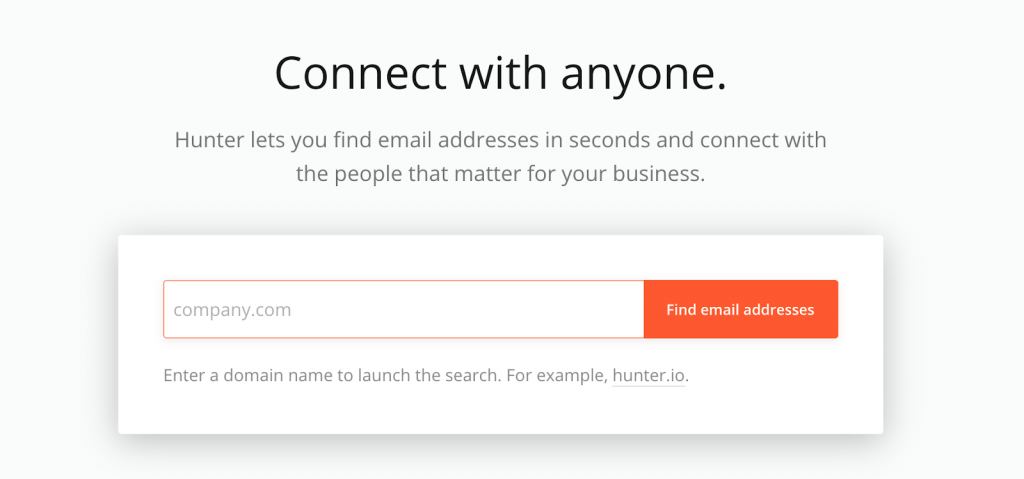
You can do this for customers that haven’t bought from you yet but you need to remember two things:

  • It needs to be sincere
  • It needs to be a steep enough discount to cause someone to buy something from you.

A generic Happy Birthday email with a 10% discount on something the person would never purchase, to begin with, will likely be deleted without even a click.

On the other hand, a sincere happy birthday that greets the person by name and offers them a 50% discount this one time as your way of celebrating their birthday will most likely move the needle. 

[subscribe_cta]

3. Create a sense of urgency

In each of the Happy Birthday examples above, the discounts were limited to the birthday. This serves two purposes. First, it keeps you from being surprised in 6 months when things may have changed and all of a sudden you’ve got to sell something at a 50% discount. Second – and most importantly, it tells the person receiving the coupon that the matter is urgent. It may only be urgent for a moment or two as they make the buy/no buy decision but it will be urgent when you want it to be, when the offer is fresh in the mind of the customer.

Limiting your coupons to a given timeframe is a good way to limit them. Another way is to limit the number of times a coupon can be used. This is the digital version of “The next 100 callers get…” that you see on TV ads running late a night. 

An example of this would be the following:

Send out an email to your existing customer base about a new T-Shirt design that you’ve released. In the email tell customers that the first 100 buyers that purchase the new t-shirt and use this coupon also get a coffee mug with the same design.

That creates urgency above and beyond a date. With a date they know they have until the end of that date to claim their discount. With a limited-use coupon, they don’t know how many people have purchased before them so they need to purchase quickly if they want to take advantage of the offer.

Urgency is used to change the behavior of fence-sitting. Those people get an offer and leave it in their inbox because they aren’t sure if they want to purchase it yet. Losing the discount will cause them to make the decision, even if the decision is no.

How To Create Coupon Codes For An Online Store

Now that you know the key 3 tips to create a successful coupon code for your online store, it is time to implement it on your site! Sounds difficult? Not at all! Check the video below to find the steps to easily set it up in WooCommerce, plus further examples on how to use them correctly: 

5 Innovative And Effective Ways to Use Digital Coupons For Your E-commerce

There are as many different ways to use coupons as there are coupons themselves. We’ve delved deep into a couple of ideas in this article but let’s close out with a few more ideas that I’ll leave for you to explore on your own.

1. Add coupons to your mailing list landing page

Everybody knows you need a lead magnet to get people to sign up for your mailing list. Coupons are a great lead magnet. Not only do they encourage the behavior of signing up for your mailing list but they also encourage a new customer to make a purchase. Macy’s online shop is a good example:

digital coupon code in a mail list subscribe form

2. Create single-use coupons

In addition to celebrating life events with a single-use coupon, you can find many other uses. For example, if your product requires regular replenishment, such as coffee, offer a one-time discount of 30% off if the customer purchases the first replenishment when they purchase the product.

digital coupon code marketing strategy

3. Run social ads offering coupons to audiences that frequent or follow your competitors

Whatever your favorite social platform is, run an ad on it offering new customers an incentive to try your product. Instead of targeting everyone, target people who are currently following your competition. Most social platforms have “Look-alike” audience features. Take advantage of that. Try changing their behavior of buying your competitor’s product into buying yours. 

For example, if you run an online store of items for weddings, you can target people following other wedding online store accounts to show them interesting discounts such as the following one:

digital coupon code marketing strategy in social media

4. Create coupons for influencers to hand out

Influencers get to be influencers by building big and/or niche audiences. They build these audiences by posting things that people want. One of the things you can do to help create an influencer is to give them a special coupon just for them to hand out. The bonuses to this tactic are:

  • You now have an influencer that owes you a favor
  • You can specifically track how many sales they sent to you to help determine how big of an influencer they are.
online coupon marketing strategy with influencers

5. Create different coupon codes for different distribution channels

There is no rule that says you have to use the same coupon code for every channel. If you want to see which ones pull best for you, distribute different codes to different channels.

For instance, distribute the coupon code I_LOVE_BRAND_X_WINE to your Facebook followers and BRAND_X_WINE_IS_THE_BEST to your Twitter followers. Each of them gets the customer 10% off but you get a better understanding of which channels work best for you.

online coupon marketing strategy in social media

Wrap Up

Coupons excite customers and potential customers. Everyone loves a bargain. However, their true purpose is to influence behavior. Before you issue a digital coupon make sure you understand what behavior you are trying to influence. Once you do, craft your offer and your message around changing that behavior.

Indiscriminate use of coupons as a way of boosting sales numbers is a quick way to train your customers to simply wait for the coupon. That’s not a behavior you want to encourage in your customers.

Use coupons often, use them creatively, and use them effectively. They will help you move the needle both in the short term and the long term.

Now, coupons are just part of your whole eCommerce marketing strategy. If you want to dive deeper into how to start or enhance your online store, download ourfree guide on How to Start Selling Online, where you will get a comprehensive PDF and educational videos that will help you through the whole process of creating your online store using WooCommerce and tips to successfully run your online business. Download it to get expert guidance and make sure you don’t miss a thing to achieve success!

How To Start Selling Online Free Guide

[subscribe_cta]

How Website Speed Affects Your SEO Rankings?

Core Web Vitals

Even though website speed itself has not been an official ranking factor in Google’s SEO algorithm until now, experts have largely proclaimed its importance for good SEO. With the upcoming Core Web Vitals update planned by Google for May 2021, which adds 3 new metrics to the Page Experience signal, website speed officially becomes a ranking factor. So now many webmasters wonder what the immediate impact of that change will be on the SEO searches. Looking for an answer to this question, we turned to top SEO experts and organized a #SiteSpeedForSEO Twitter chat where Aleyda Solis (@aleyda), AJ Ghergich (@SEO), Craig Campbell (@craigcampbell03), and Hristo Pandjarov (@pandjarov) shared their insights with us. Here’s what we learnt from them.

Website speed effect on organic searches after the Core Web Vitals update

According to Aleyda Solis (@aleyda), an expert in international SEO, speaker and author, “Speed is already a ranking factor along many others, as the page experience one will be and we shouldn’t expect an “extreme” shift in our rankings due to it.“ Arnout Hellemans seems to agree with it and even says “Hardly any imho, it’s a PR play and it’s already in the algorithm. But that doesn’t mean you should ignore this.”

Overall all the experts who took part in the chat agree that we shouldn’t expect a dramatic immediate shift in our SEO rankings as a result of the Core Web Vitals update for a number of reasons. These new metrics are just 3 out of 200 other ranking factors and they will not get special priority so their relative weight will be low. Furthermore, Google will roll this update slowly starting in May till August 2021 to gather data, so any changes would not have an immediate impact.

Hristo Pandjarov, SEO Strategist and WordPress Initiatives Manager at SiteGround expects that this update will have “a bigger impact on small-volume keywords, local searches and niche ones where there aren’t big, authoritative sites that have already optimized their content.” If your site is already fast, you have fewer reasons to worry.

The optimal website loading speed

It’s good to know that major shifts are not foreseen as a result of the new Google update, but still if your site is not really well optimized, or if you are not sure where it stands, you are still bearing a risk and Google is sending you a message to get to work. A good start for this is to figure out how your website currently scores on the 3 new metrics – Largest Contentful paint (LCP), First Input Delay (FID), and Cumulative Layout Shift (CLS) and what to aim for.

According to Nikola Baldikov, SEO Manager at SiteGround the ideal page loading time is around 1 to 2 secs, while Hristo Pandjarov’s advice is to look at the #TTFB of 200ms for traffic in the same continent and Aleyda Solis adds that her preferred thresholds are LCP of less than 2.5 seconds and FID of less than 100 milliseconds. 

If your site is already fast though, it doesn’t make a huge difference if it loads for 1 second or 1.3 seconds in terms of SEO, according to Craig Campbell. Obsessing about it is of no use, but you should definitely care to optimize website speed if you are not close to the recommended values yet.

Useful website speed test tools

There are a lot of website speed test tools, which you can use to check your page loading times. Some of the most common ones are Lighthouse, PageSpeed Insights, Search Console > Core Web Vitals report, and more. Big thanks to Aleyda Solis who shared with us her all-inclusive list of tools to test website speed. 

Take a look at the list she has prepared and figure out which particular areas of improvement to focus on. When looking at the reports, make sure you follow Aleyda’s advice “to identify what’s hurting your own speed the most vs. cost of change” so that you focus resources on getting big wins in a short time.

Website Speed Optimization Suggestions

Here’s a concise list of simple ways to optimize performance, nicely summarized by AJ Ghergich. We have elaborated on his overview so that our clients could easily put the suggestions into action:

Lower Largest Contentful Paint (LCP) under 2.5s 

  1. Optimize your images

The most common problem for website performance and LCP in particular are the large images that need to be loaded simultaneously and slow down the page. That is why you should consider the following optimizations:

Add lazy loading of images – that way not all images will be loaded at the same time upon opening the page. AJ Ghergich strongly recommends to implement it only for resources BELOW the fold. SiteGround clients with WordPress sites could enable that from the SiteGround Optimizer plugin.

Use caching for static assets – at SiteGround we use NGINX direct delivery which is enabled by default on our servers, so if you are a client you get this caching effect out of the box.

Serve an alternative image format –  WebP. This is a very useful way to reduce the size of the images on your site. For WordPress users hosted on SiteGround, you could enable this as an automatic service via the SiteGround Optimizer plugin.

2. Minify your CSS and JavaScript

One of the easiest ways for big performance wins in this case is to use compression like Brotli or Gzip. Another possibility is to use plugins for WordPress sites. If you are a SiteGround customer, Brotli is enabled by default on our servers and you don’t need to do anything to use it, and the SiteGround Optimizer plugin for WordPress will help you with the minification of CSS and JS.

3. Limit 3rd party scripts

The more scripts that need to be loaded on the page, the slower it will open. Third-party scripts are for example tracking software, advertising scripts, heatmaps, and other. Once they serve their purpose, make sure you remove them so they don’t pile up slowing the website.

4. Get a faster web host

Having a fast server helps a lot for boosting the LCP metric. So if you have done all of the above and your site is still loading slow, see what’s happening with your hosting and how your provider can help optimize the environment for more performance.

At SiteGround we constantly upgrade our platform to make it faster and more efficient and we believe that’s a never-ending process. For example, at the end of last year, we launched our new Ultrafast PHP and we see performance gains up to 30% across sites hosted on our platform. More recently, this year, we revamped our MySQL setup to boost its processing capacity and thus improve the database performance, which though not directly mentioned in this article impacts the performance of dynamic sites like WordPress.
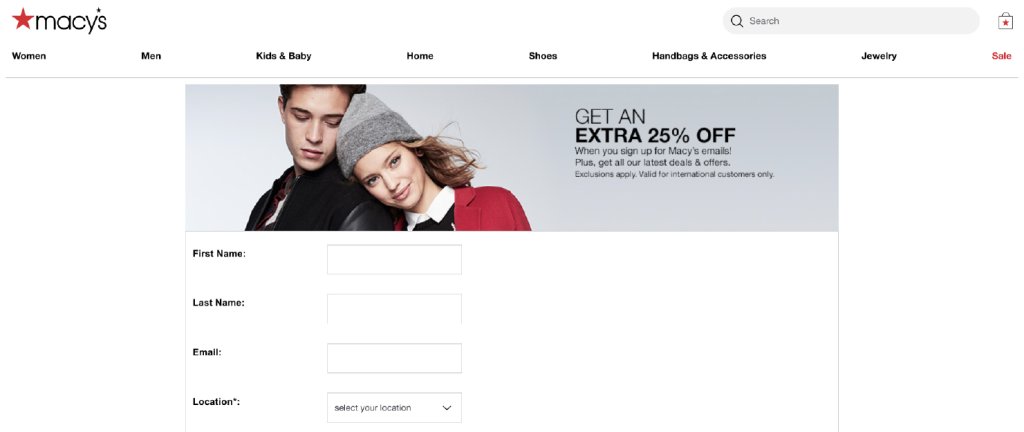

5. CDN

Since website speed tests are greatly affected by the speed of the Internet connection, where sites with international traffic are most hurt, experts suggest that you use CDN. 

In case you wonder which of all those optimization suggestions should be the first on your list, take a listen at the users’ opinion. According to a different Twitter campaign where we asked users to pick their favorite website speed optimization tip, we clearly see that Media (images) & front-end optimizations together rate as the most effective ways to improve performance with full-page caching and CDN coming up second and third. 

Get First Input Delay (FID) under 100 milliseconds 

If you score poorly on this one, it is most likely that your JavaScript is the culprit. Minify and defer JavaScript to fix the issue. For SiteGround clients with WordPress sites, that could be done in a click of the mouse from the SiteGround Optimizer plugin.

Get Cumulative Layout Shift (CLS) under 0.1 

The CLS is largely a web design issue. According to AJ Ghergich, the most common reasons for it are:

  • Images without dimensions  
  • Ads, embeds, and iframes with dimensions  
  • Dynamically injected content 
  • Custom Web fonts – AJ suggests to use “swap” in CSS and instruct the browser to show the browser font first until the custom font gets loaded to avoid users seeing blanks on the page.
  • Actions waiting for a network response before updating the DOM 
  • Infinite scrolling 

In this article, we focused entirely on optimizing website speed for the 3 new metrics that will become ranking factors in Google’s algorithm. But your optimization efforts should not stop with LCP, FID, and CLS. There are other things you can do that will improve your performance overall and have a positive impact not only on your SEO but on your user experience and business results. So once you have mastered the tips mentioned in this article, take a look at this list we have gathered with the 9 most effective ways to boost performance: https://www.siteground.com/speed-tips. We’d love it if you comment under this post to tell us about the optimizations you try and how they impact your page loading times.
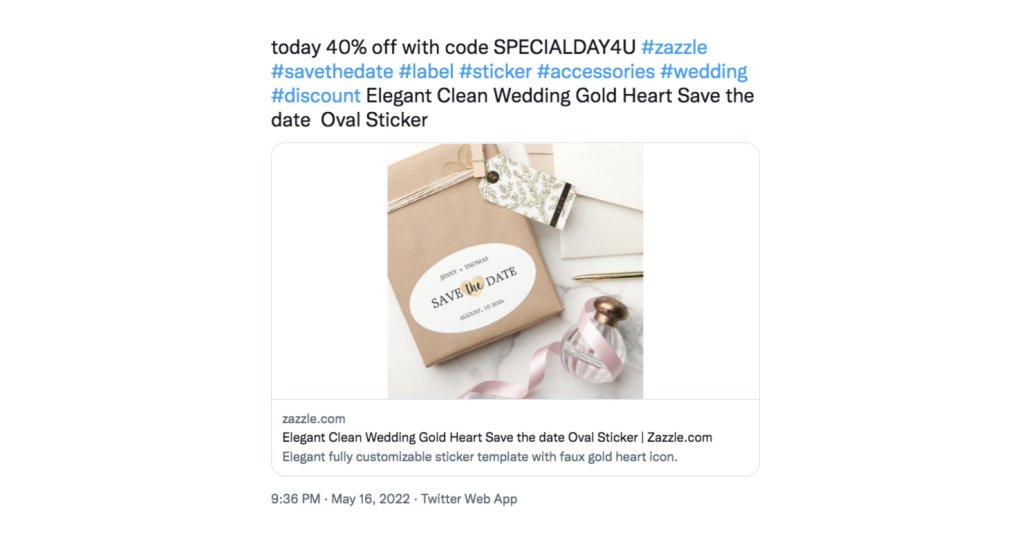

[subscribe_cta]